Upgrade to Pro — share decks privately, control downloads, hide ads and more …

ReflexによるPython onlyでの高速なWebアプリケーションプロトタイピング

Sponsored · Your Podcast. Everywhere. Effortlessly. Share. Educate. Inspire. Entertain. You do you. We'll handle the rest.
Avatar for hkws hkws
November 19, 2024
640

ReflexによるPython onlyでの高速なWebアプリケーションプロトタイピング

PyCon mini 東海 2024 トーク資料

Avatar for hkws

hkws

November 19, 2024
Tweet

Transcript

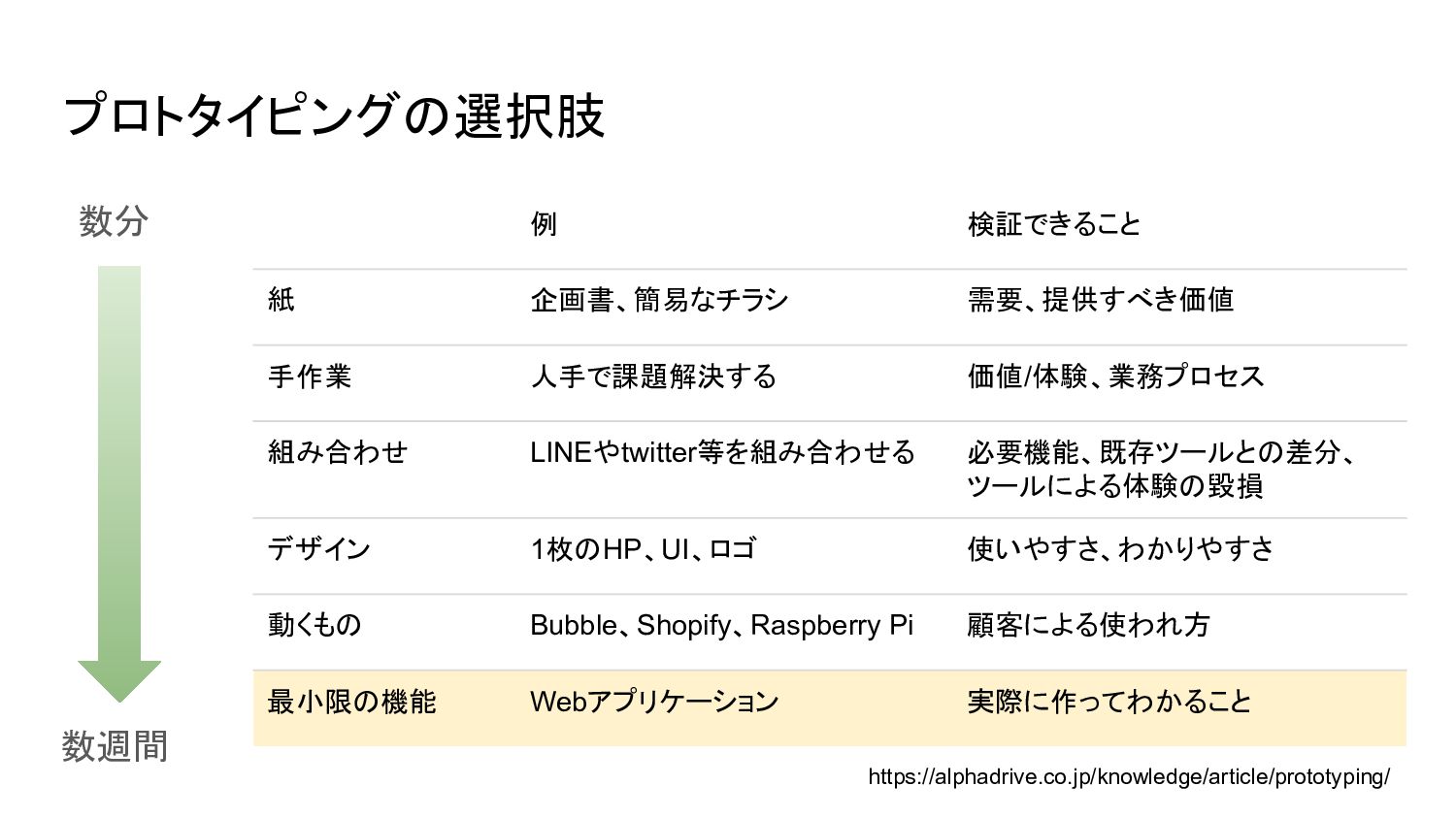
  1. プロトタイピングの選択肢 例 検証できること 紙 企画書、簡易なチラシ 需要、提供すべき価値 手作業 人手で課題解決する 価値/体験、業務プロセス 組み合わせ

    LINEやtwitter等を組み合わせる 必要機能、既存ツールとの差分、 ツールによる体験の毀損 デザイン 1枚のHP、UI、ロゴ 使いやすさ、わかりやすさ 動くもの Bubble、Shopify、Raspberry Pi 顧客による使われ方 最小限の機能 Webアプリケーション 実際に作ってわかること https://alphadrive.co.jp/knowledge/article/prototyping/ 数分 数週間
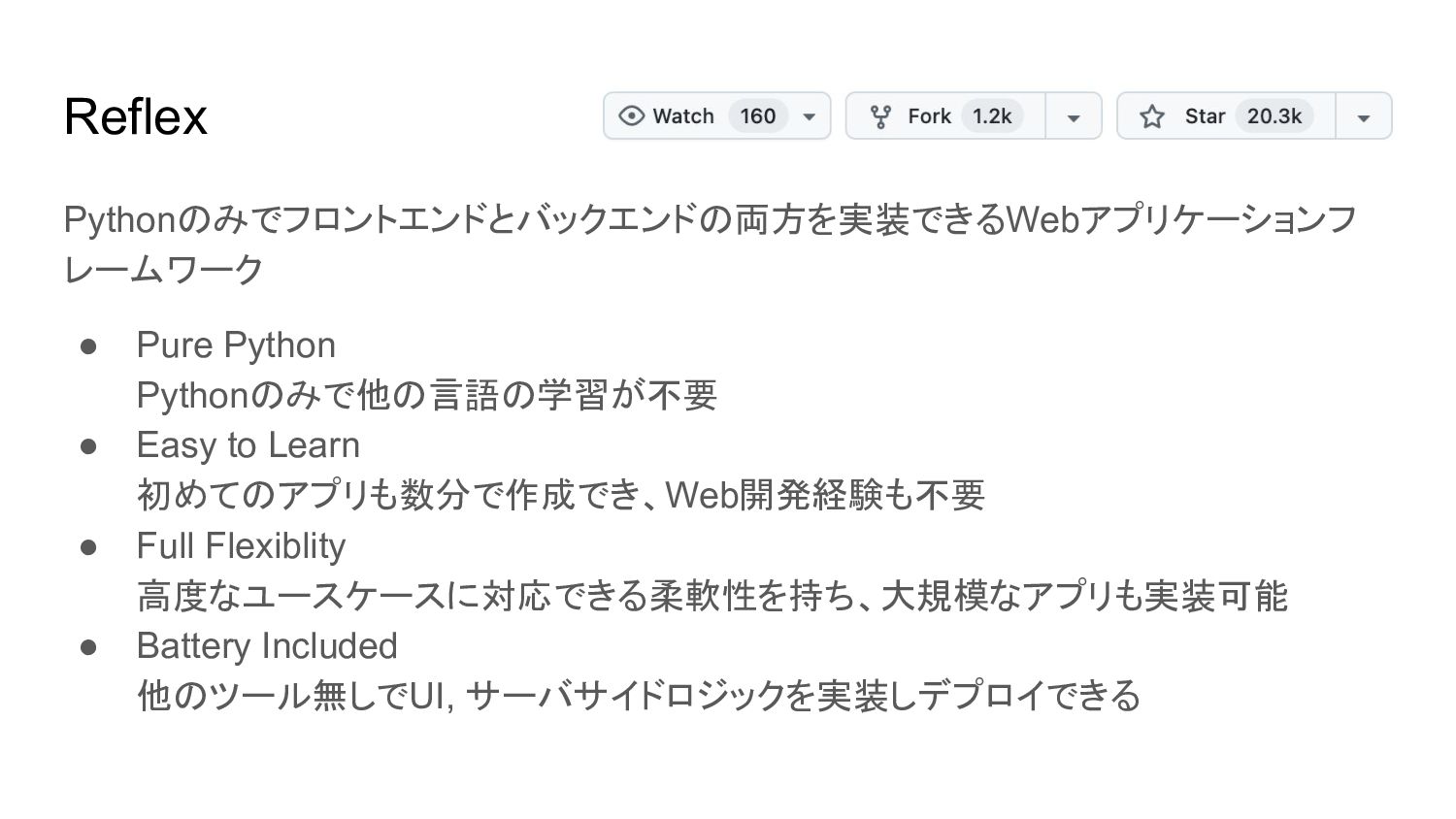
  2. Reflex Pythonのみでフロントエンドとバックエンドの両方を実装できるWebアプリケーションフ レームワーク • Pure Python Pythonのみで他の言語の学習が不要 • Easy to

    Learn 初めてのアプリも数分で作成でき、Web開発経験も不要 • Full Flexiblity 高度なユースケースに対応できる柔軟性を持ち、大規模なアプリも実装可能 • Battery Included 他のツール無しでUI, サーバサイドロジックを実装しデプロイできる
  3. Markdown Editor 実装例 - Setup mkdir mdeditor cd mdeditor python

    -m venv .venv source .venv/bin/activate pip install reflex reflex init お好みの手段で仮想環境を準備し、reflexをインストールする reflex initするとプロジェクトのテンプレートを尋ねられるので、Blankを選択 以降、mdeditor/mdeditor.pyに必要なコードを記述していく
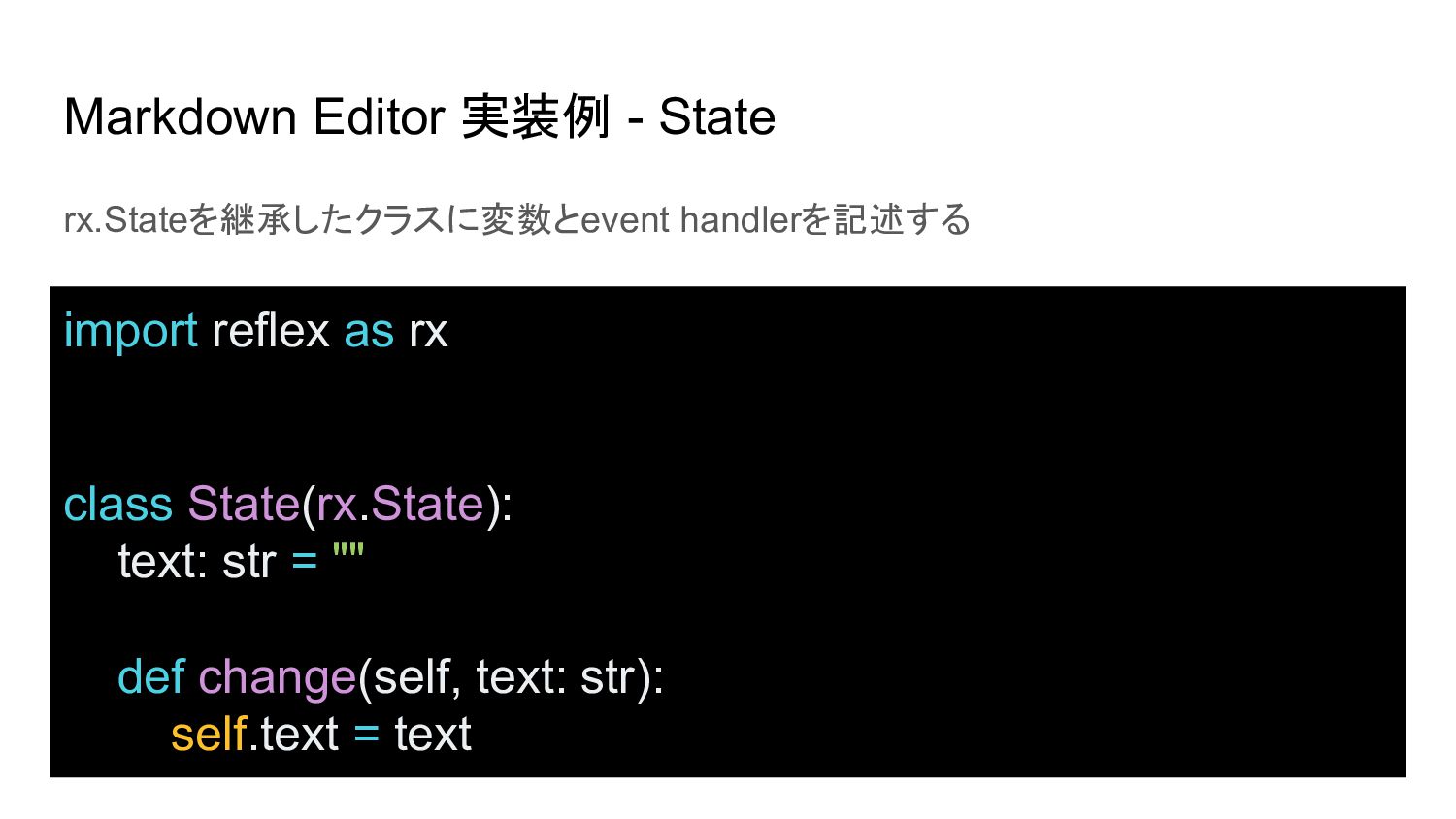
  4. Markdown Editor 実装例 - State rx.Stateを継承したクラスに変数とevent handlerを記述する import reflex as

    rx class State(rx.State): text: str = "" def change(self, text: str): self.text = text
  5. Markdown Editor 実装例 - Reflex Componentを返す関数 Reflex Componentを組み合わせてUIを記述する def index()

    -> rx.Component: return rx.container( rx.vstack( rx.heading("Markdown Editor"), rx.hstack( rx.text_area( value=State.text, on_change=State.change, width="50%", height="80vh" ), rx.markdown(State.text, width="50%", height="80vh"), width="100%", spacing="4" ) ) )
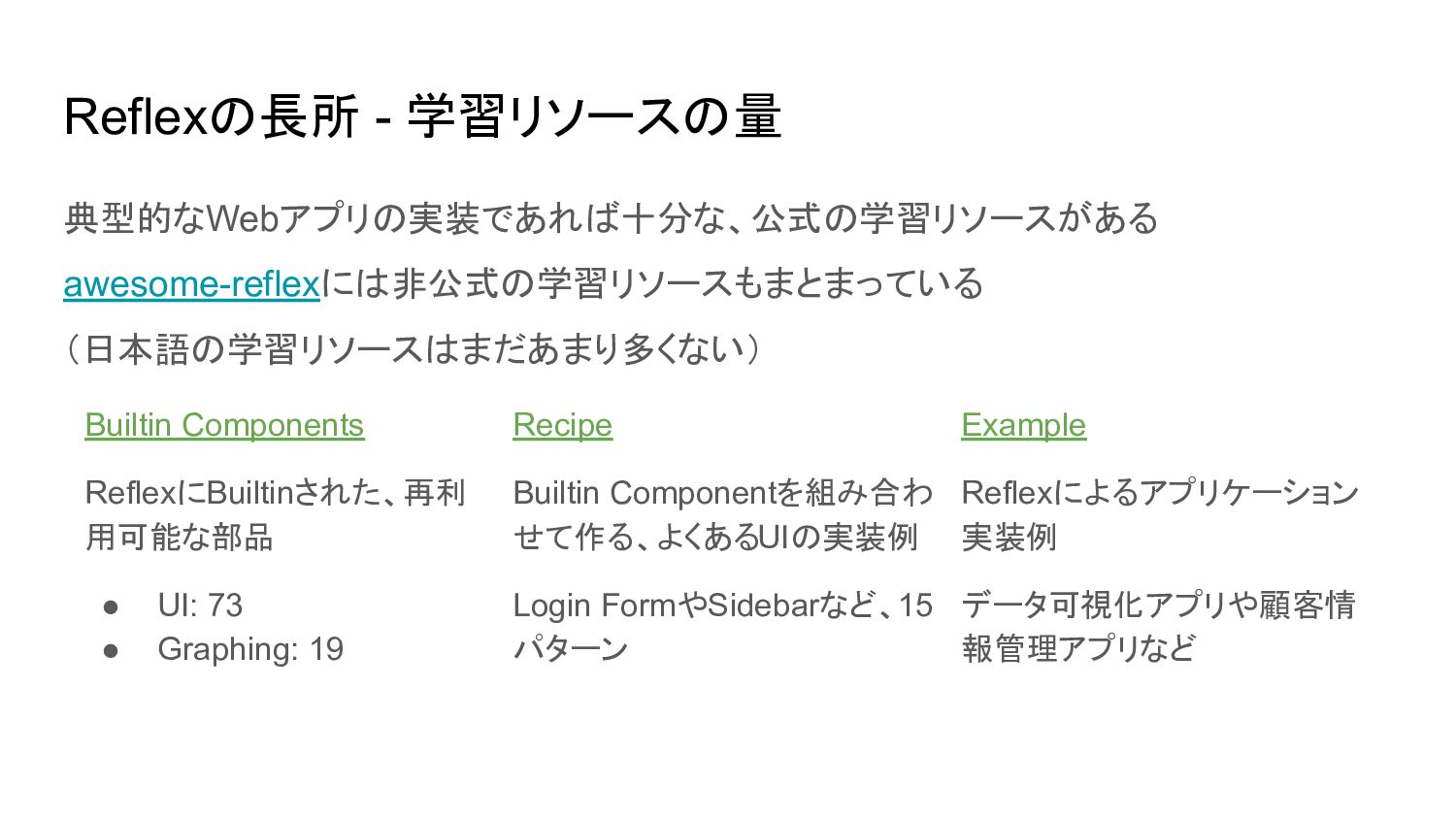
  6. Reflexの長所 - 学習リソースの量 典型的なWebアプリの実装であれば十分な、公式の学習リソースがある awesome-reflexには非公式の学習リソースもまとまっている (日本語の学習リソースはまだあまり多くない) Builtin Components ReflexにBuiltinされた、再利 用可能な部品

    • UI: 73 • Graphing: 19 Recipe Builtin Componentを組み合わ せて作る、よくあるUIの実装例 Login FormやSidebarなど、15 パターン Example Reflexによるアプリケーション 実装例 データ可視化アプリや顧客情 報管理アプリなど
  7. Reflexの長所 - React Componentの活用 React Library内でexposeされているReact Componentであれば、Reflex Componentとしてwrapできる シンプルなReact Componentなら以下のように書けばOK

    // react-colorfulのHexColorPickerをReflex ComponentとしてWrapする例 class ColorPicker(rx.Component): // rx.Componentを継承 library = "react-colorful" // libraryを指定 tag = "HexColorPicker" // wrapしたいReact Component color: rx.Var[str] // props on_change: rx.EventHandler[lambda color: [color]] // event handler
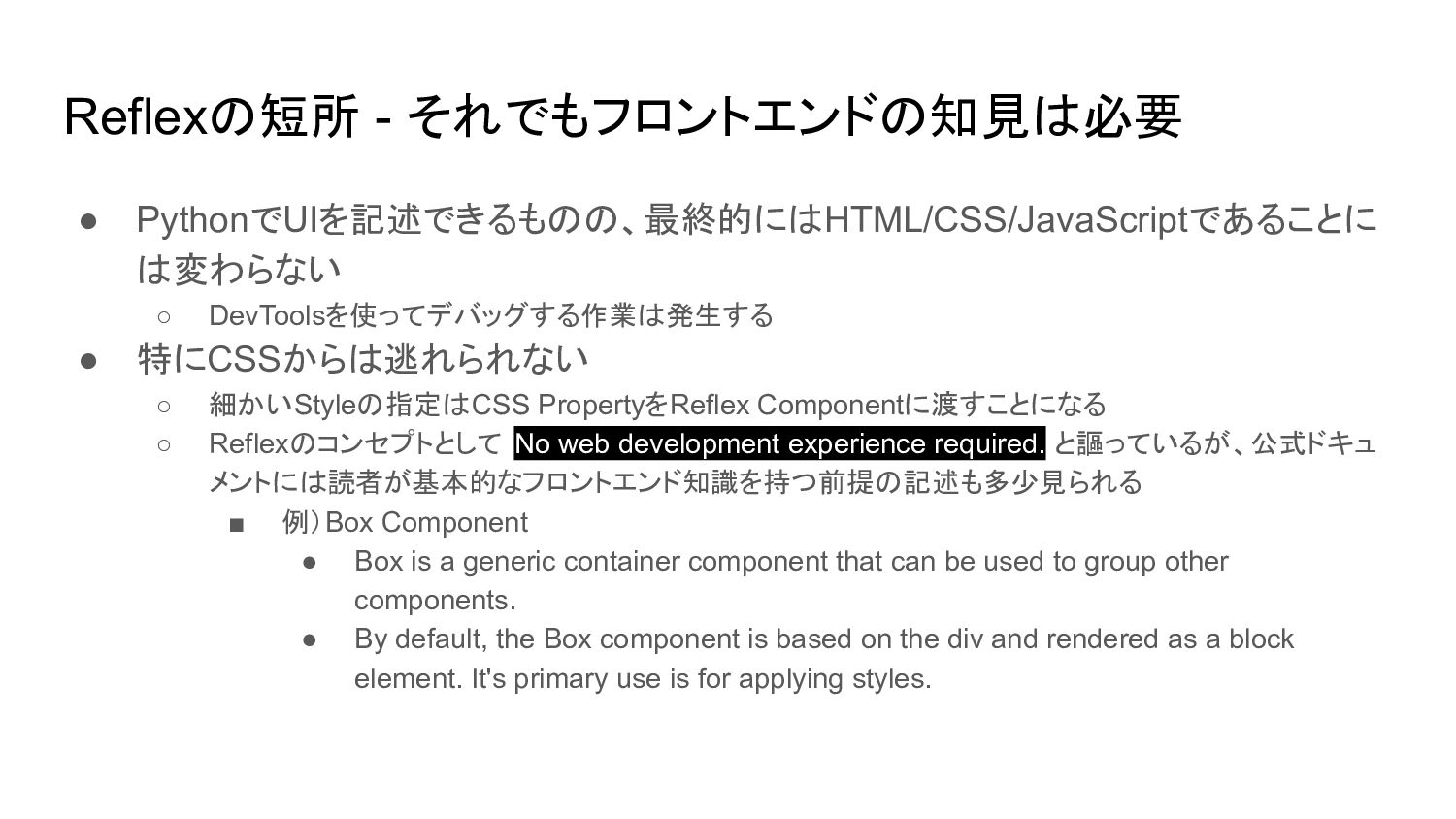
  8. Reflexの短所 - それでもフロントエンドの知見は必要 • PythonでUIを記述できるものの、最終的にはHTML/CSS/JavaScriptであることに は変わらない ◦ DevToolsを使ってデバッグする作業は発生する • 特にCSSからは逃れられない

    ◦ 細かいStyleの指定はCSS PropertyをReflex Componentに渡すことになる ◦ Reflexのコンセプトとして No web development experience required. と謳っているが、公式ドキュ メントには読者が基本的なフロントエンド知識を持つ前提の記述も多少見られる ▪ 例)Box Component • Box is a generic container component that can be used to group other components. • By default, the Box component is based on the div and rendered as a block element. It's primary use is for applying styles.