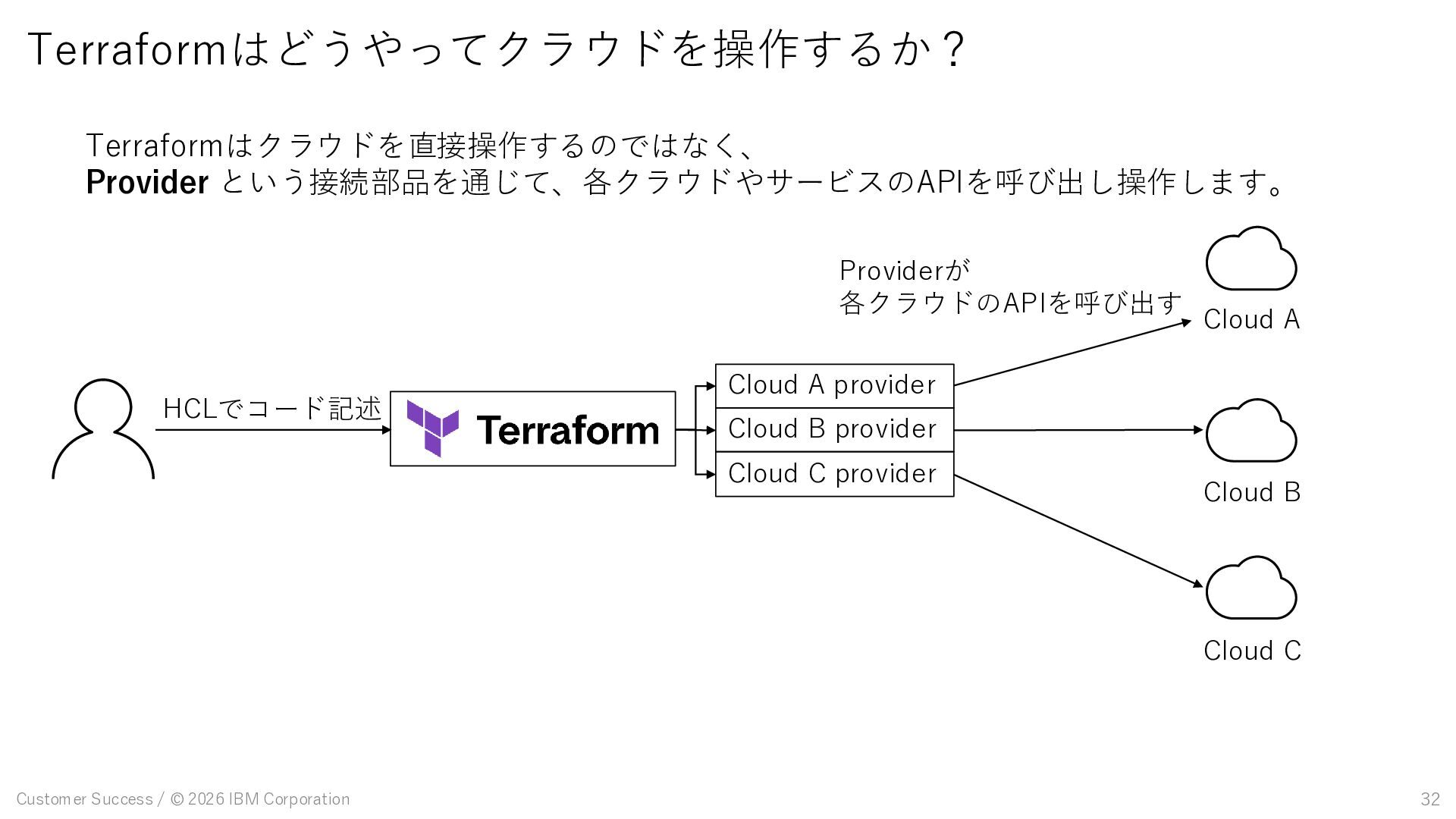
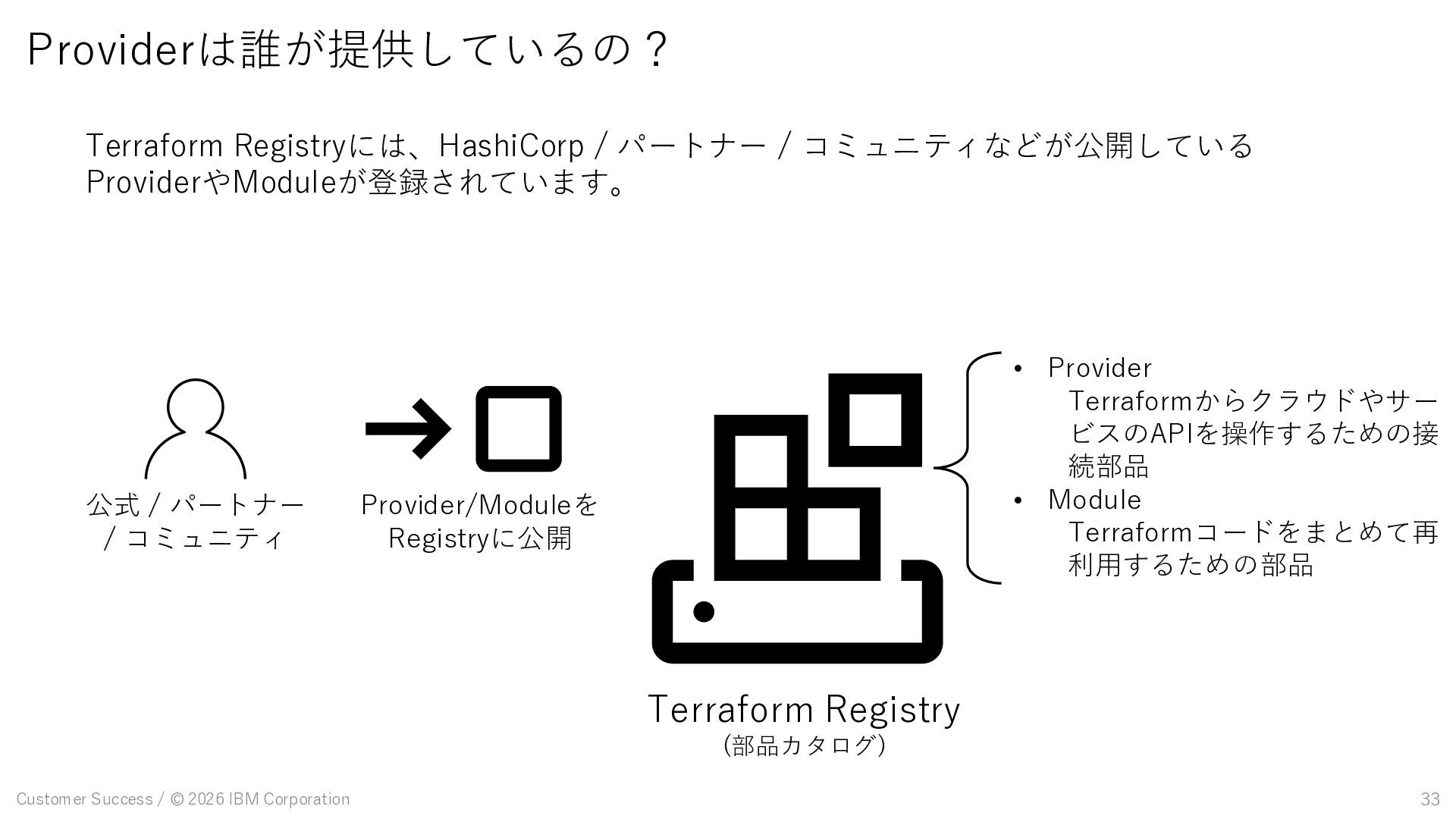
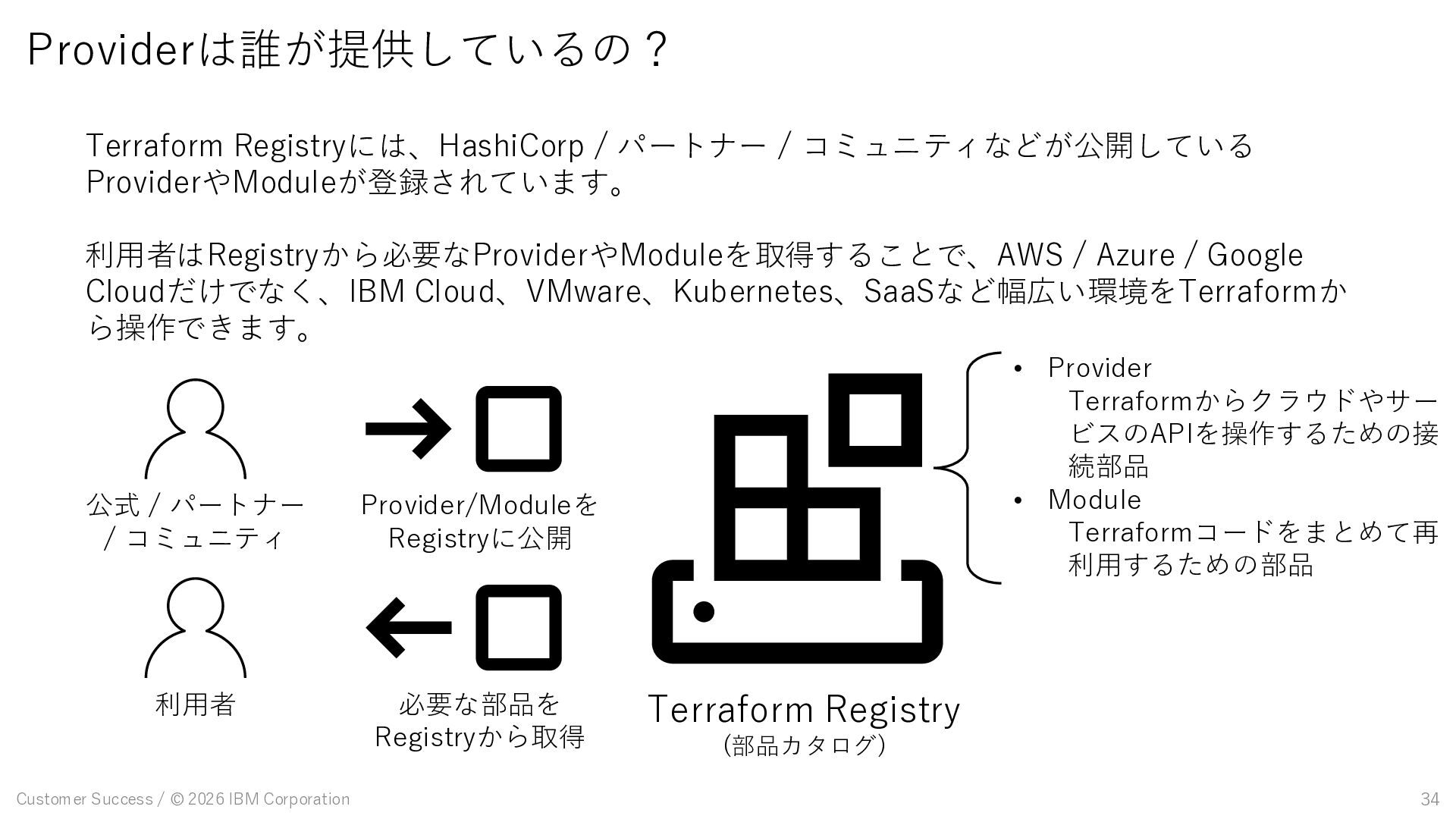
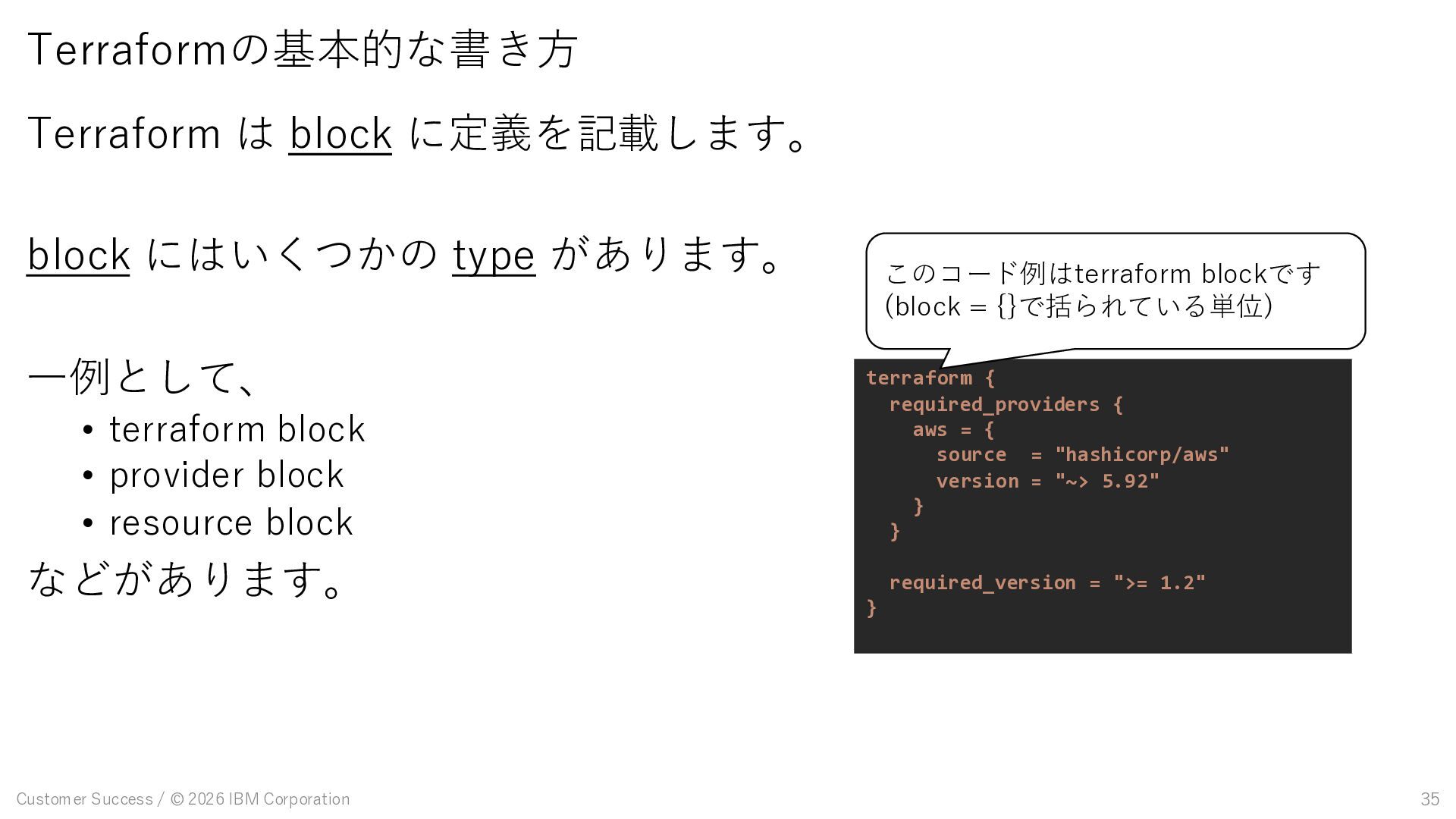
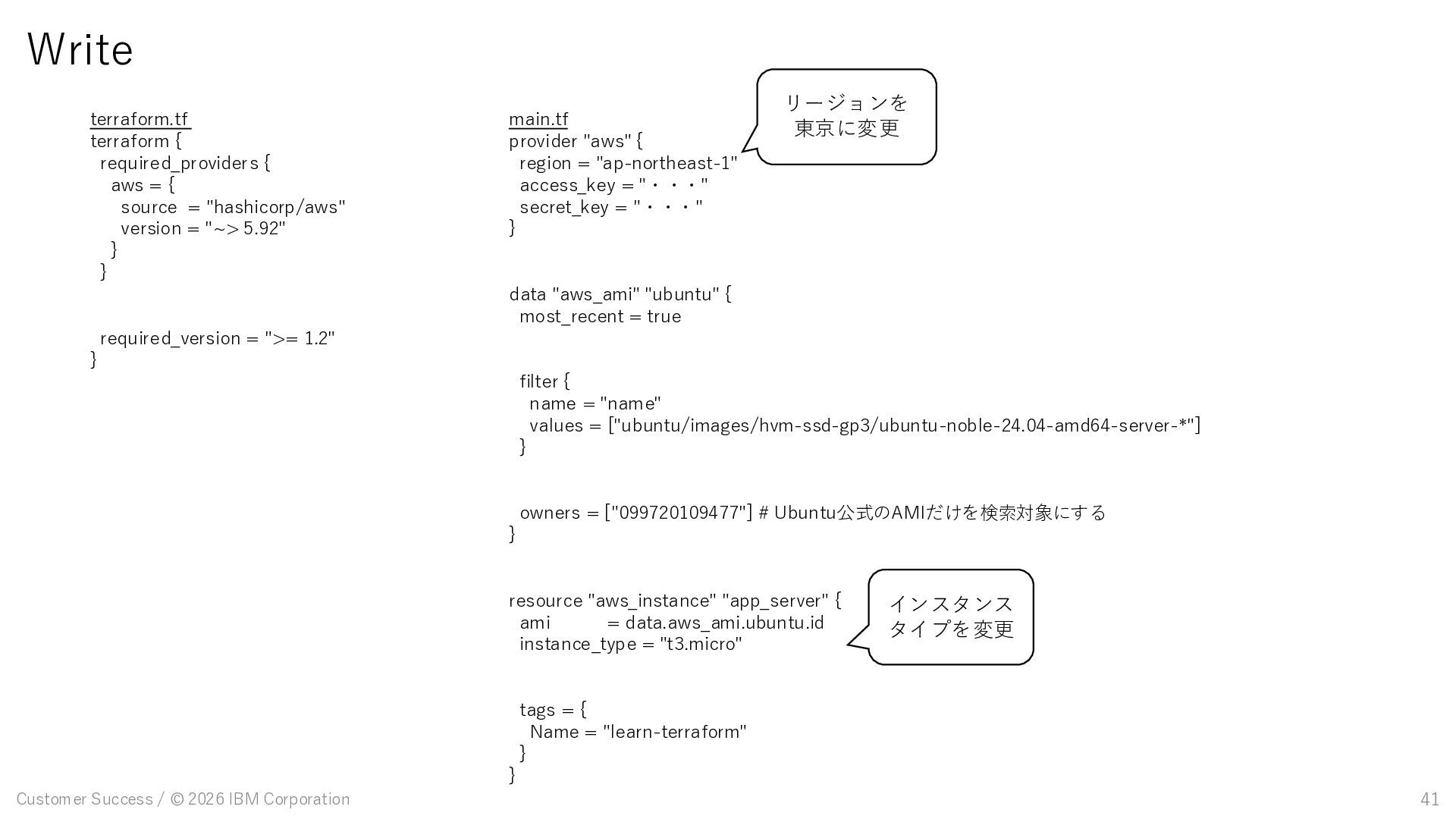
A provider Cloud B provider Cloud C provider Cloud A Cloud B Cloud C HCLでコード記述 Providerが 各クラウドのAPIを呼び出す Terraformはクラウドを直接操作するのではなく、 Provider という接続部品を通じて、各クラウドやサービスのAPIを呼び出し操作します。
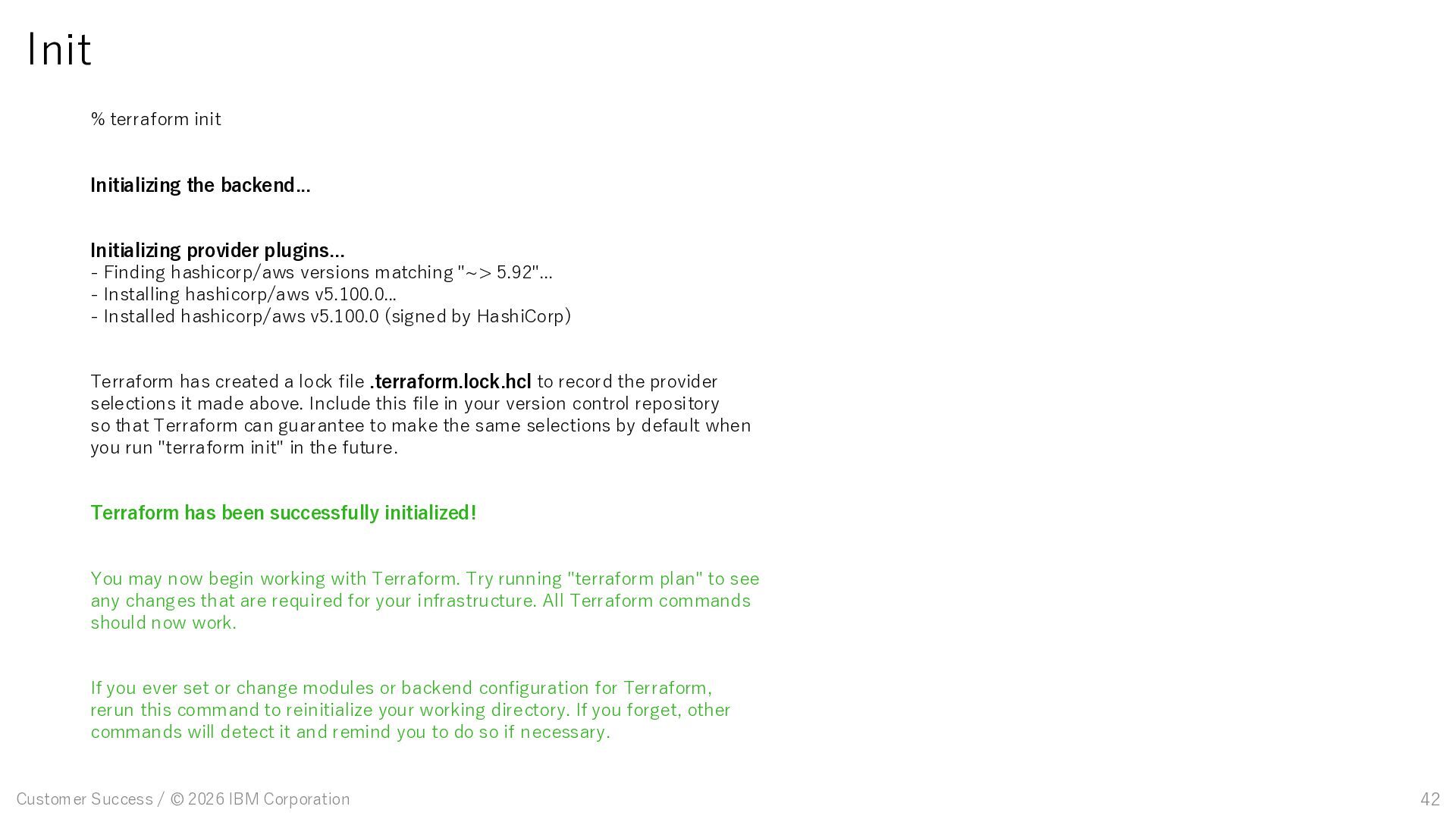
terraform init Initializing the backend... Initializing provider plugins... - Finding hashicorp/aws versions matching "~> 5.92"... - Installing hashicorp/aws v5.100.0... - Installed hashicorp/aws v5.100.0 (signed by HashiCorp) Terraform has created a lock file .terraform.lock.hcl to record the provider selections it made above. Include this file in your version control repository so that Terraform can guarantee to make the same selections by default when you run "terraform init" in the future. Terraform has been successfully initialized! You may now begin working with Terraform. Try running "terraform plan" to see any changes that are required for your infrastructure. All Terraform commands should now work. If you ever set or change modules or backend configuration for Terraform, rerun this command to reinitialize your working directory. If you forget, other commands will detect it and remind you to do so if necessary.
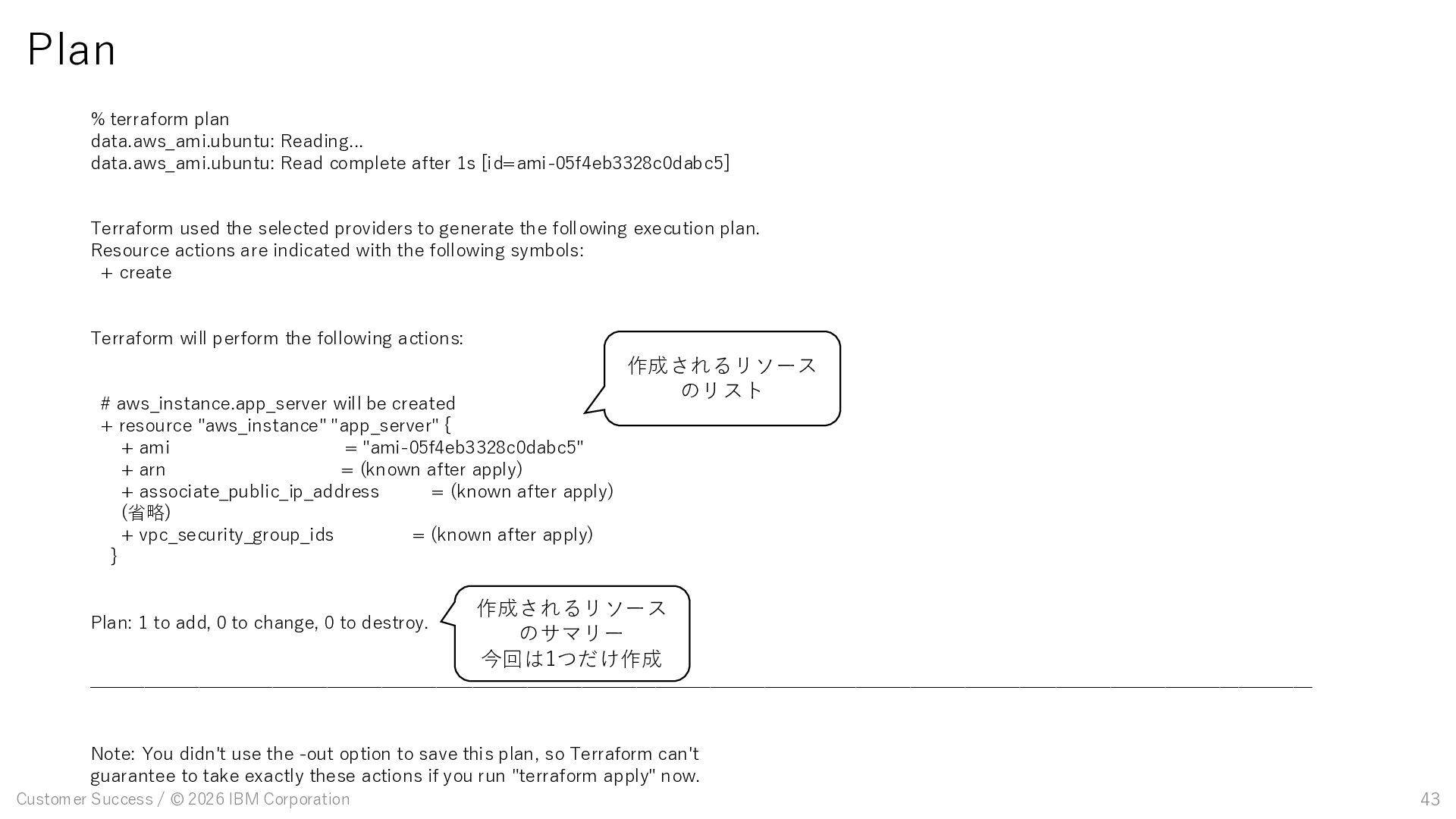
terraform plan data.aws_ami.ubuntu: Reading... data.aws_ami.ubuntu: Read complete after 1s [id=ami-05f4eb3328c0dabc5] Terraform used the selected providers to generate the following execution plan. Resource actions are indicated with the following symbols: + create Terraform will perform the following actions: # aws_instance.app_server will be created + resource "aws_instance" "app_server" { + ami = "ami-05f4eb3328c0dabc5" + arn = (known after apply) + associate_public_ip_address = (known after apply) (省略) + vpc_security_group_ids = (known after apply) } Plan: 1 to add, 0 to change, 0 to destroy. ─────────────────────────────────────────────────────────────────── Note: You didn't use the -out option to save this plan, so Terraform can't guarantee to take exactly these actions if you run "terraform apply" now. 作成されるリソース のリスト 作成されるリソース のサマリー 今回は1つだけ作成
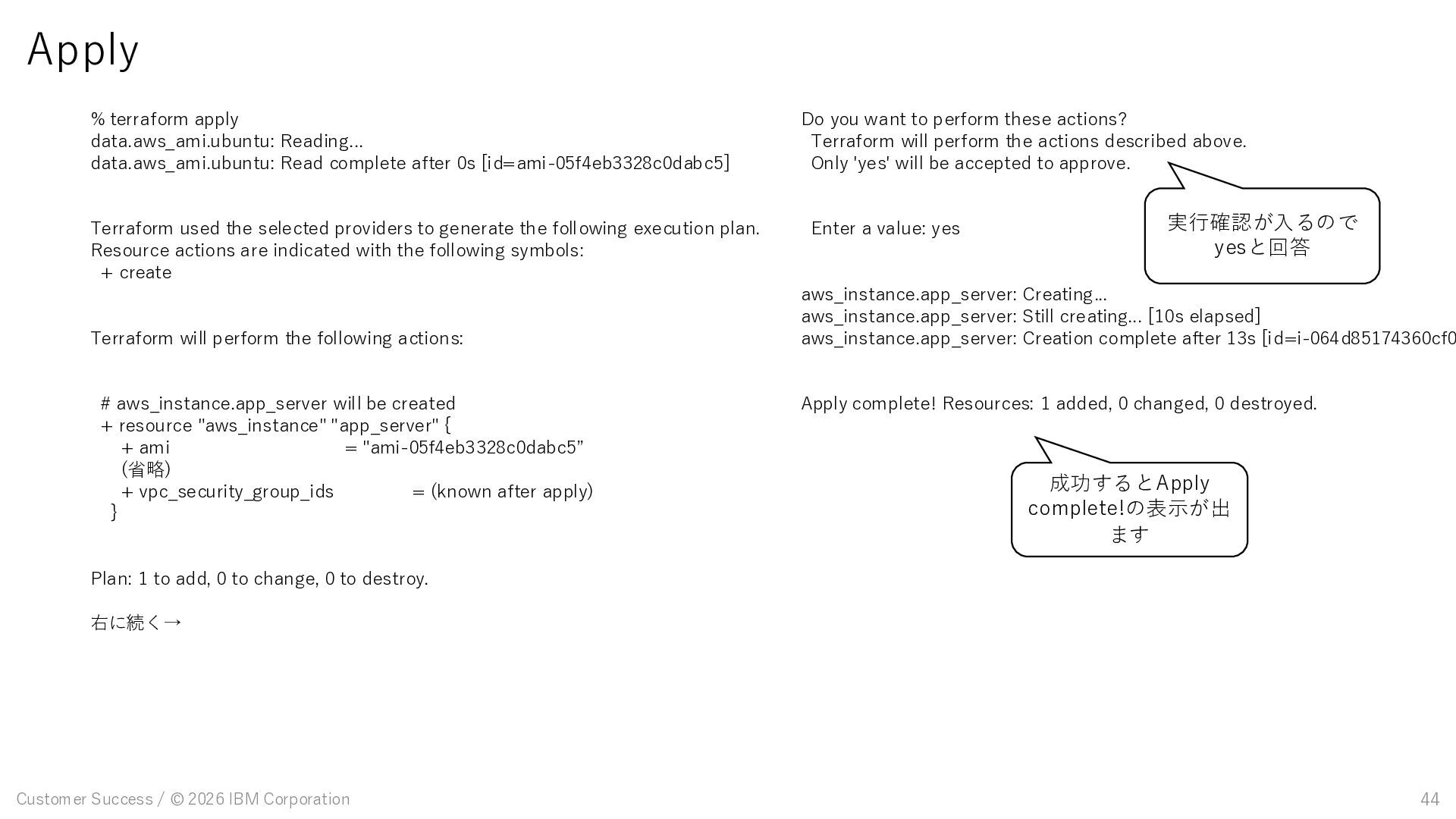
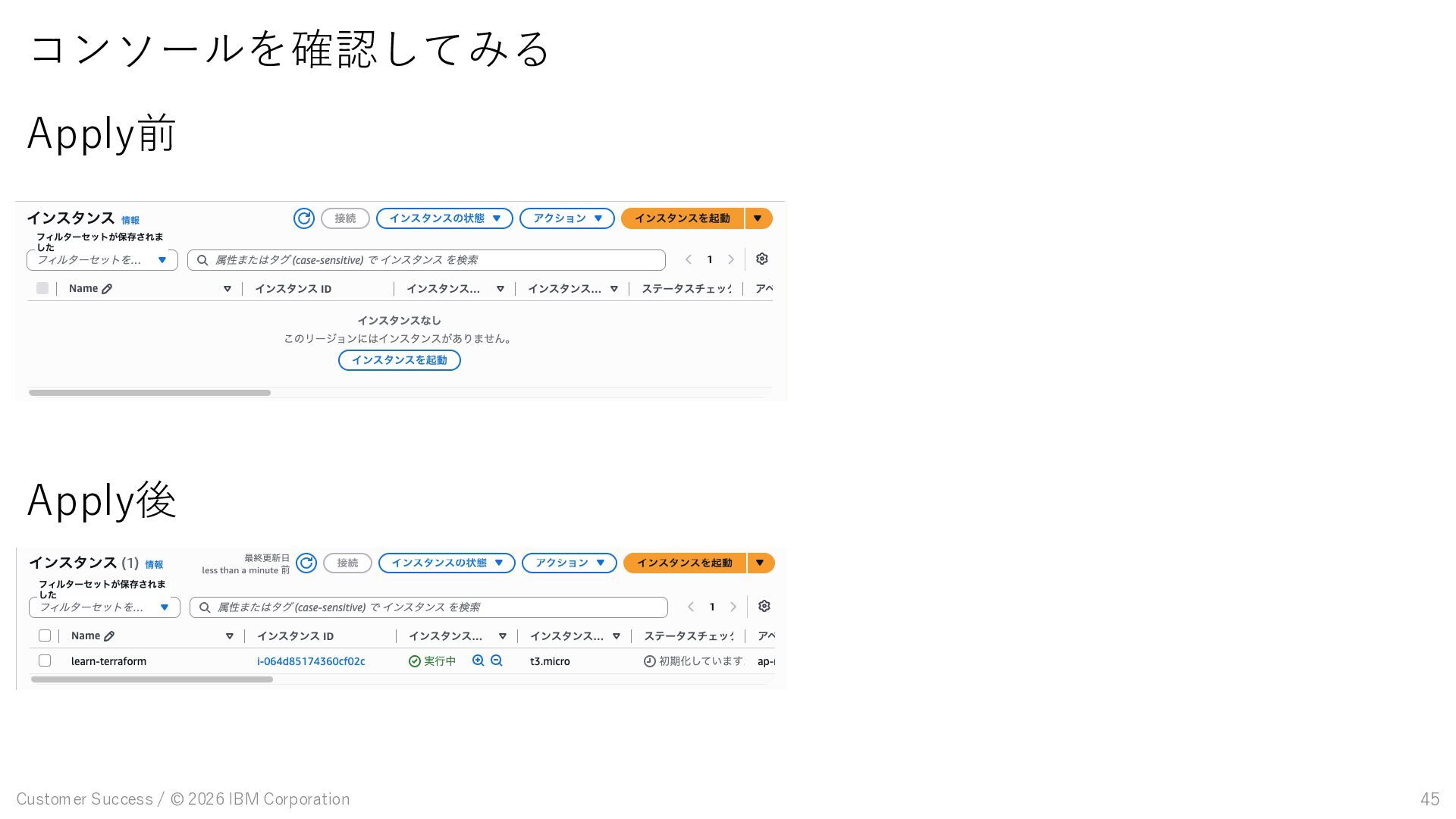
terraform apply data.aws_ami.ubuntu: Reading... data.aws_ami.ubuntu: Read complete after 0s [id=ami-05f4eb3328c0dabc5] Terraform used the selected providers to generate the following execution plan. Resource actions are indicated with the following symbols: + create Terraform will perform the following actions: # aws_instance.app_server will be created + resource "aws_instance" "app_server" { + ami = "ami-05f4eb3328c0dabc5” (省略) + vpc_security_group_ids = (known after apply) } Plan: 1 to add, 0 to change, 0 to destroy. 右に続く→ Do you want to perform these actions? Terraform will perform the actions described above. Only 'yes' will be accepted to approve. Enter a value: yes aws_instance.app_server: Creating... aws_instance.app_server: Still creating... [10s elapsed] aws_instance.app_server: Creation complete after 13s [id=i-064d85174360cf0 Apply complete! Resources: 1 added, 0 changed, 0 destroyed. 成功するとApply complete!の表示が出 ます 実行確認が入るので yesと回答

 SiteGround - Reliable hosting with speed, security, and support you can count on.


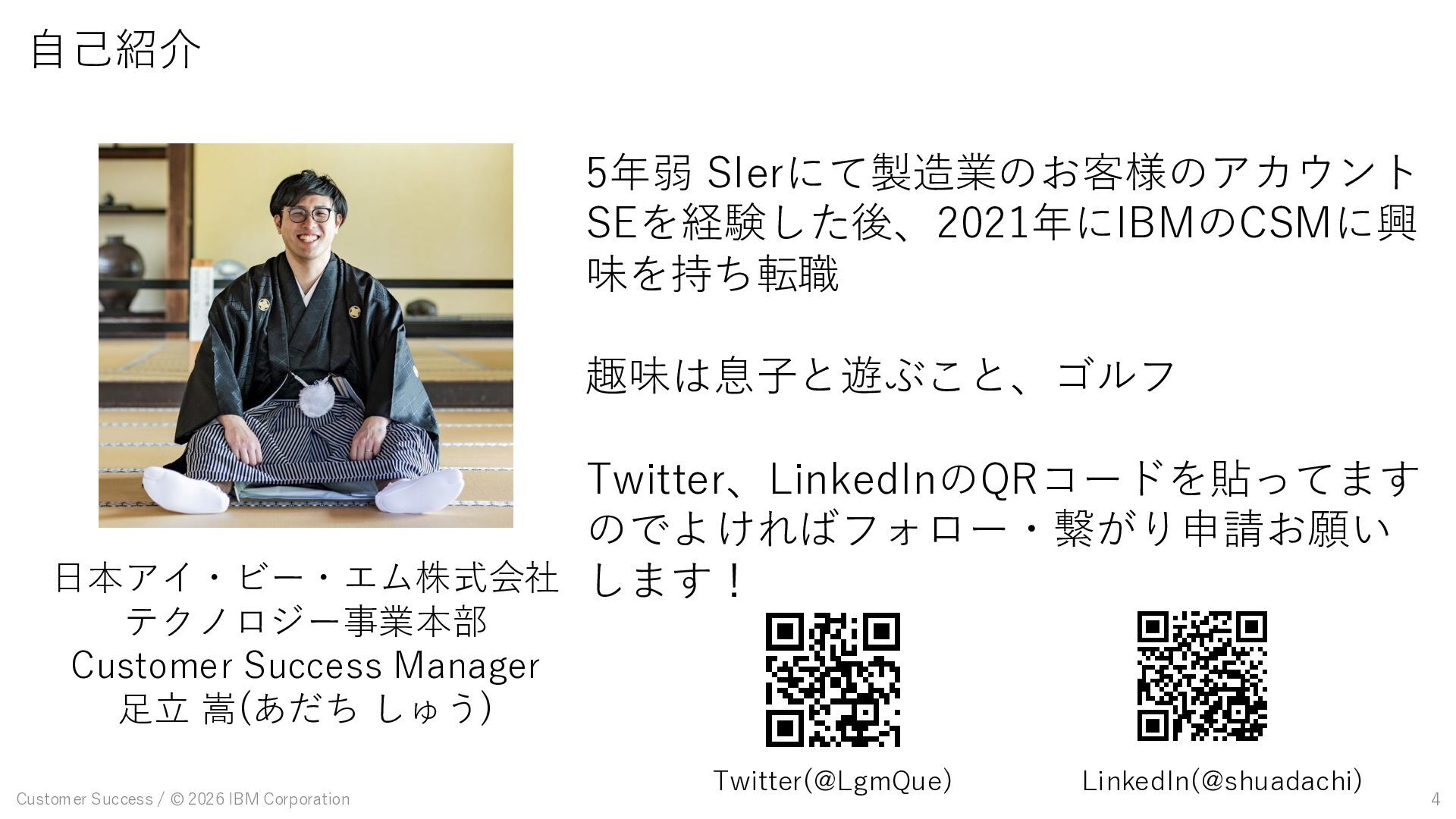
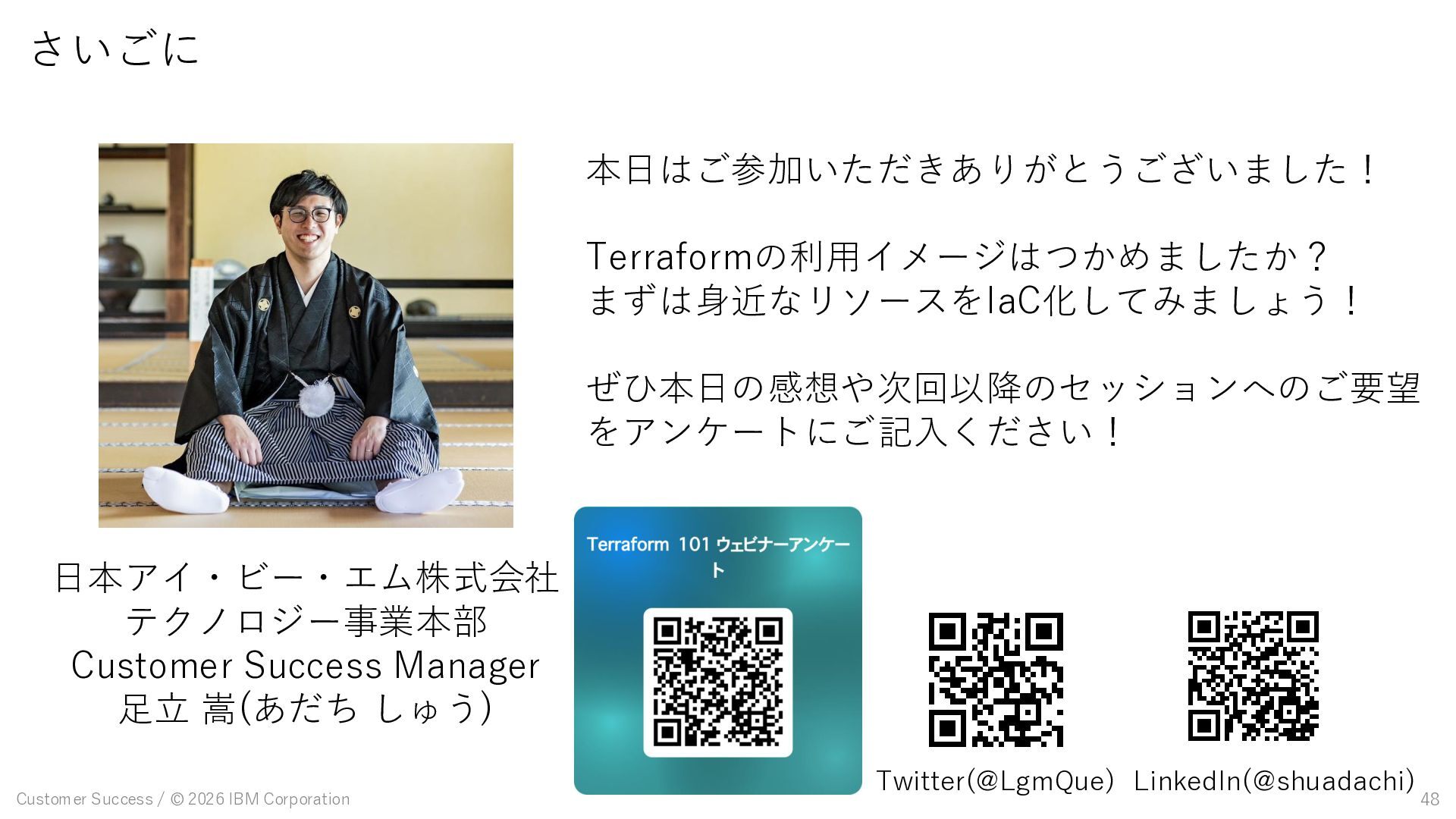
 shuadachi
 taka_aki
 rymiyamoto
 noriakioji
 convto
 thatjeffsmith
 gpuunite_official
 tacck
tacck
 kengosawa2
 kazzpapa3
 okaits
 puhitaku
 ryomaru0825
 mojombo
 sstephenson
 marcoroth
 ammeep
 62gerente
 scottboms
 kneath
 aki_iinuma
 reverentgeek
 geshan
 asonas
 nikkihalliwell