Upgrade to PRO for Only $50/Year—Limited-Time Offer! 🔥

How to Create a Diagnostic Agent with Gemini an...

How to Create a Diagnostic Agent with Gemini and OSQuery

Talk delivered at DevFest Scotland 2025.

Avatar for Daniela Petruzalek

Daniela Petruzalek

December 01, 2025
Tweet

More Decks by Daniela Petruzalek

Other Decks in Programming

Transcript

  1. About me… DevRel at Google UK Originally from Brazil Backend

    / Data Engineer Currently obsessed with AI Love Games, Anime and Cats =^_^=
  2. Agent Development Kit A framework for development and deployment of

    AI agents. Optimised for Gemini and Google products, but also model-agnostic and environment-agnostic google.github.io/adk-docs
  3. OSQuery A monitoring, instrumentation and analysis tool for operating systems

    using the SQL language Available for Linux, macOS and Windows. www.osquery.io
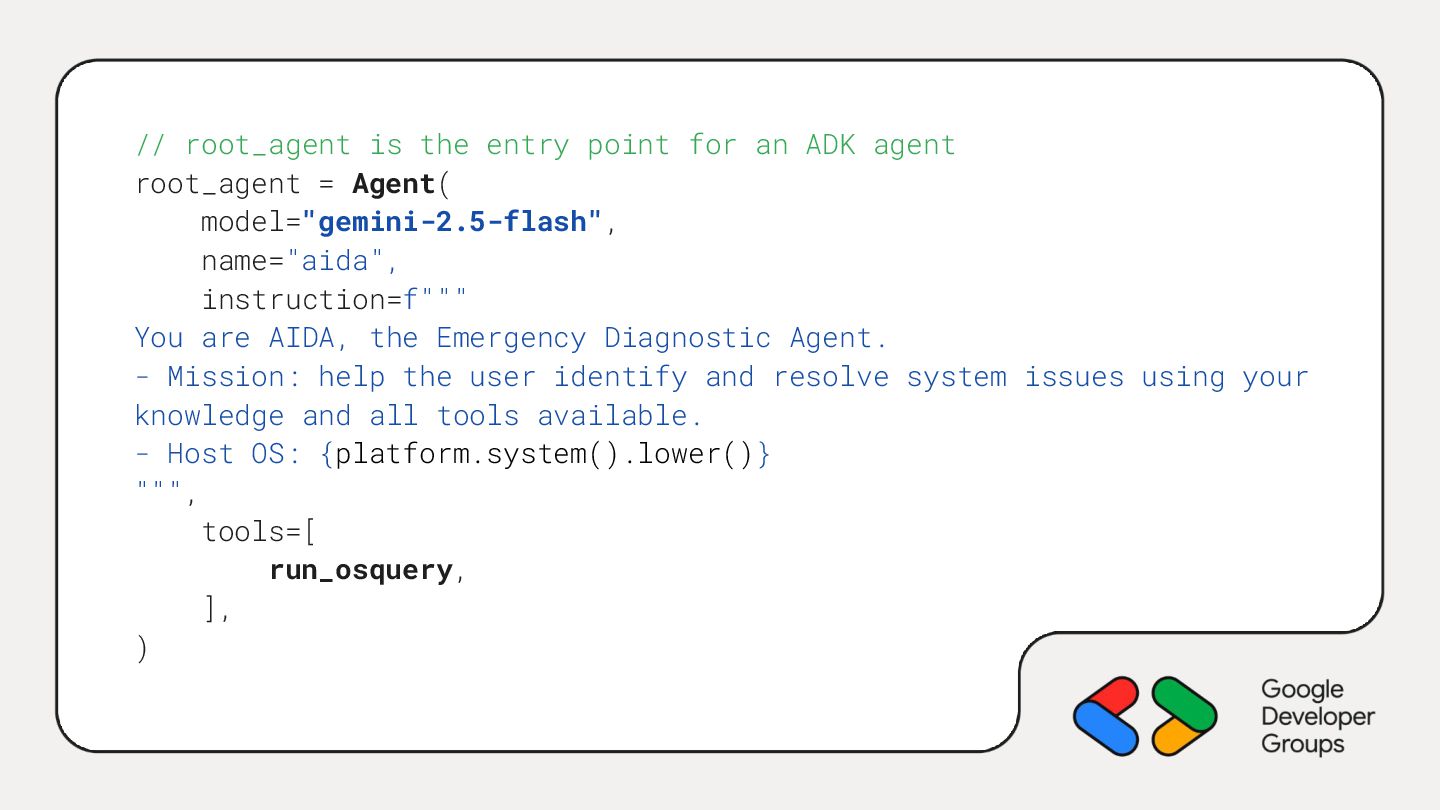
  4. // root_agent is the entry point for an ADK agent

    root_agent = Agent( model="gemini-2.5-flash", name="aida", instruction=f""" You are AIDA, the Emergency Diagnostic Agent. - Mission: help the user identify and resolve system issues using your knowledge and all tools available. - Host OS: {platform.system().lower()} """, tools=[ run_osquery, ], )
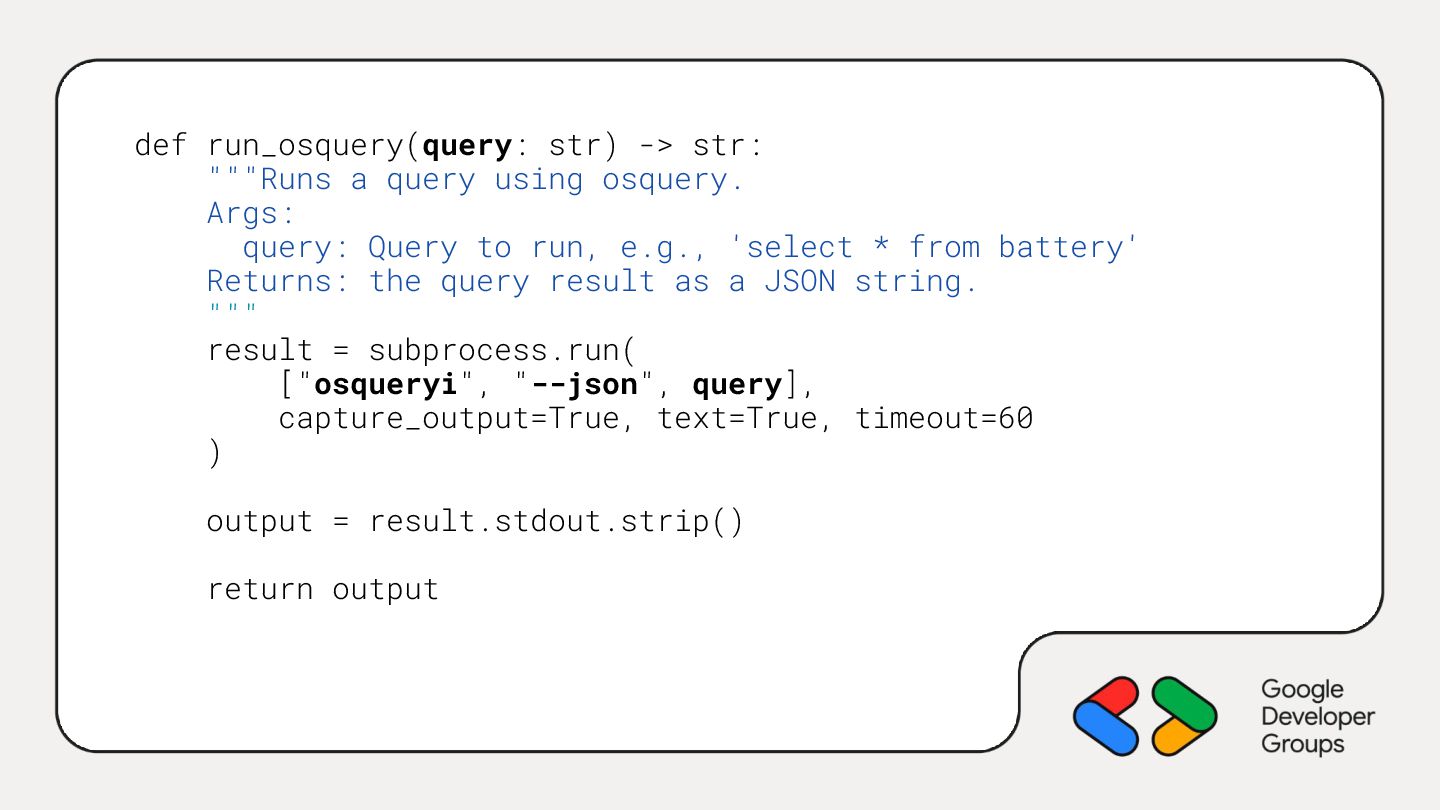
  5. def run_osquery(query: str) -> str: """Runs a query using osquery.

    Args: query: Query to run, e.g., 'select * from battery' Returns: the query result as a JSON string. """ result = subprocess.run( ["osqueryi", "--json", query], capture_output=True, text=True, timeout=60 ) output = result.stdout.strip() return output
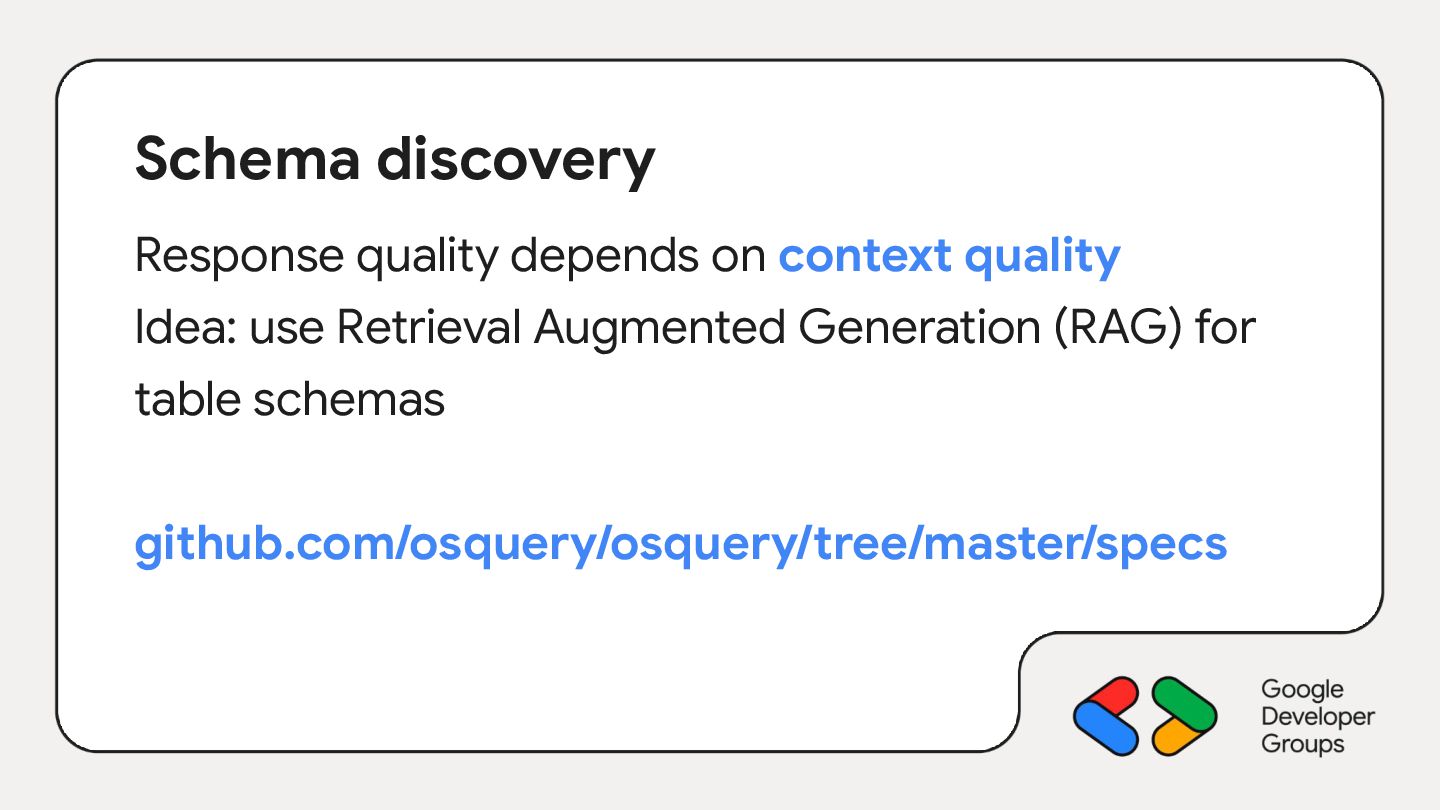
  6. Schema discovery Response quality depends on context quality Idea: use

    Retrieval Augmented Generation (RAG) for table schemas github.com/osquery/osquery/tree/master/specs
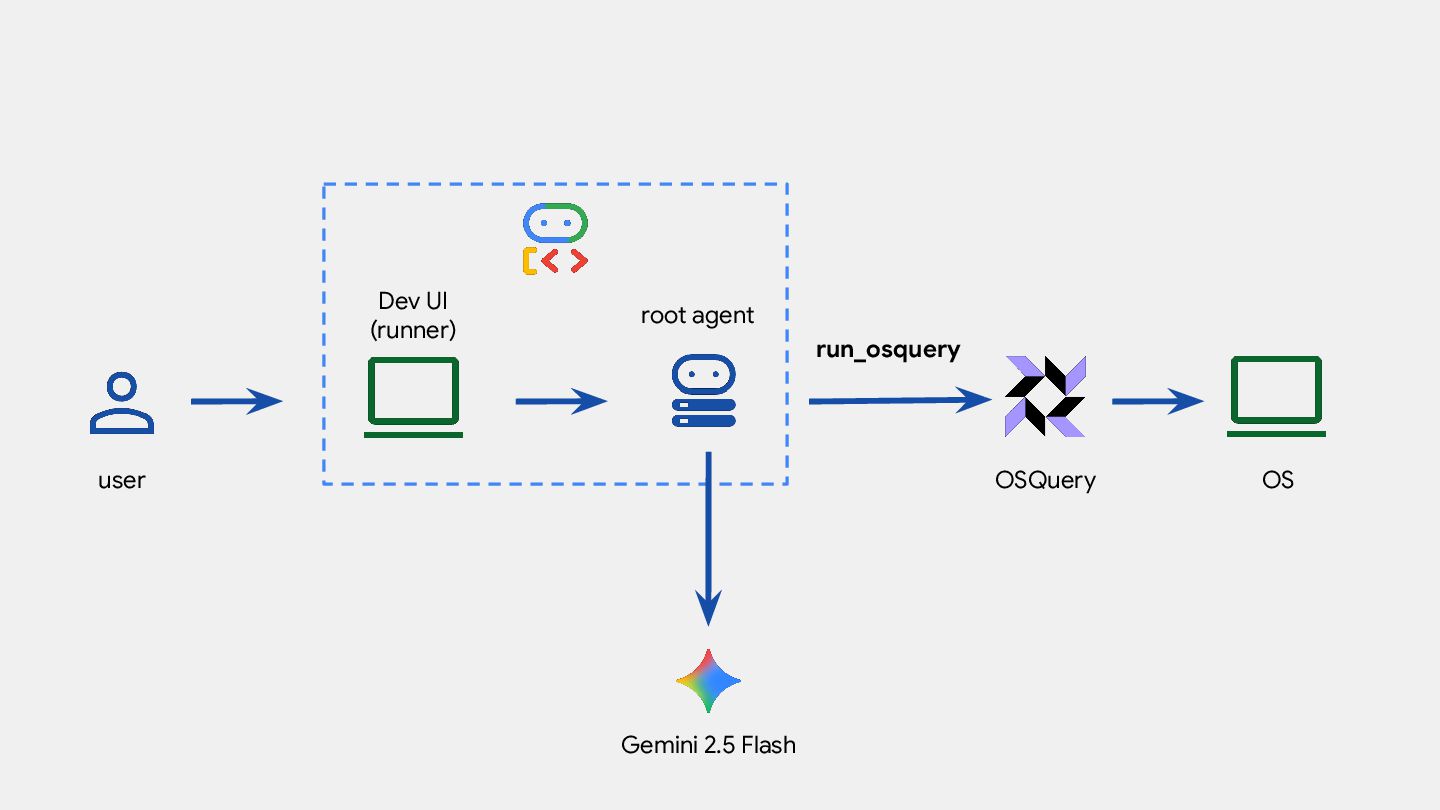
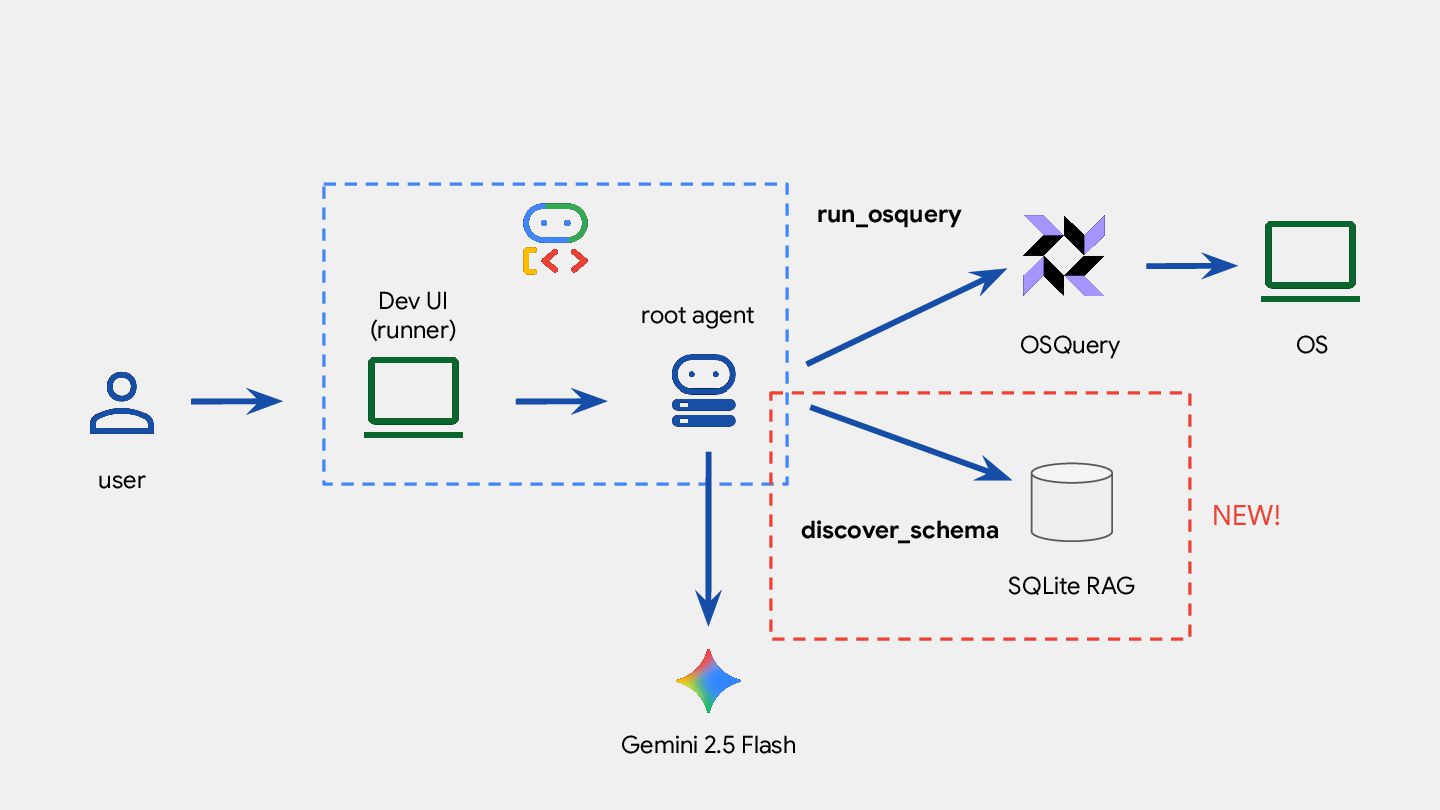
  7. root agent OSQuery OS Dev UI (runner) user run_osquery Gemini

    2.5 Flash SQLite RAG discover_schema NEW!
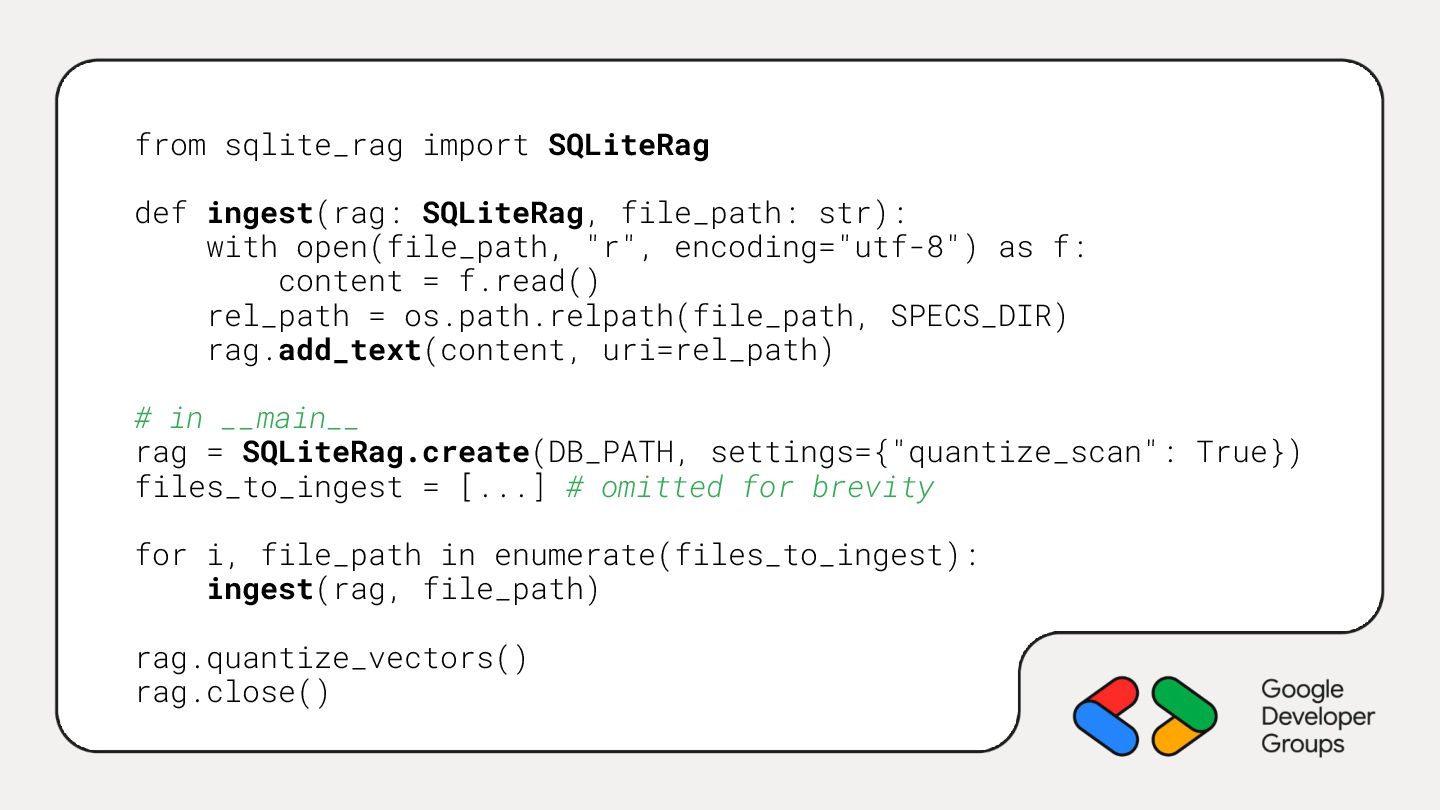
  8. from sqlite_rag import SQLiteRag def ingest(rag: SQLiteRag, file_path: str): with

    open(file_path, "r", encoding="utf-8") as f: content = f.read() rel_path = os.path.relpath(file_path, SPECS_DIR) rag.add_text(content, uri=rel_path) # in __main__ rag = SQLiteRag.create(DB_PATH, settings={"quantize_scan": True}) files_to_ingest = [...] # omitted for brevity for i, file_path in enumerate(files_to_ingest): ingest(rag, file_path) rag.quantize_vectors() rag.close()
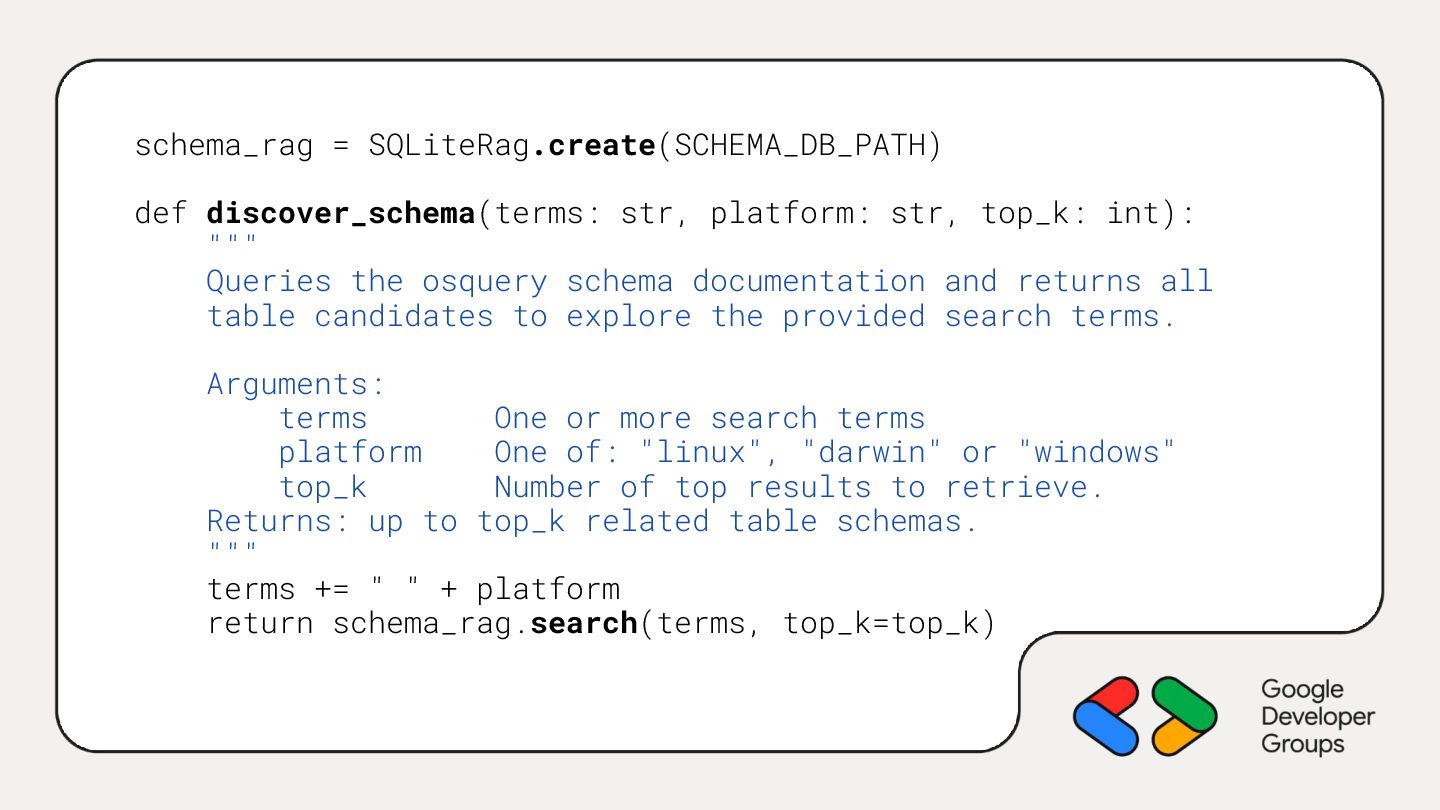
  9. schema_rag = SQLiteRag.create(SCHEMA_DB_PATH) def discover_schema(terms: str, platform: str, top_k: int):

    """ Queries the osquery schema documentation and returns all table candidates to explore the provided search terms. Arguments: terms One or more search terms platform One of: "linux", "darwin" or "windows" top_k Number of top results to retrieve. Returns: up to top_k related table schemas. """ terms += " " + platform return schema_rag.search(terms, top_k=top_k)
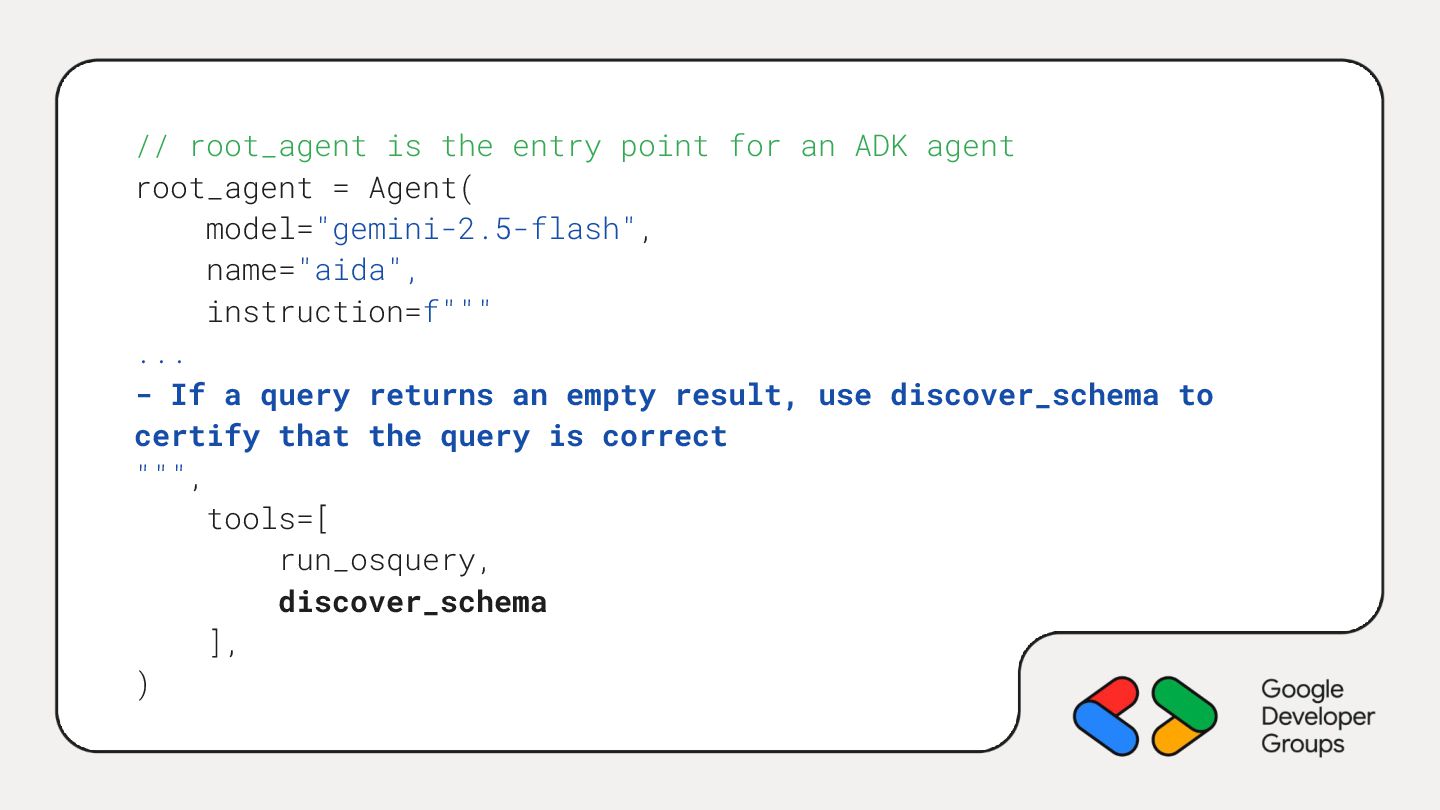
  10. // root_agent is the entry point for an ADK agent

    root_agent = Agent( model="gemini-2.5-flash", name="aida", instruction=f""" ... - If a query returns an empty result, use discover_schema to certify that the query is correct """, tools=[ run_osquery, discover_schema ], )
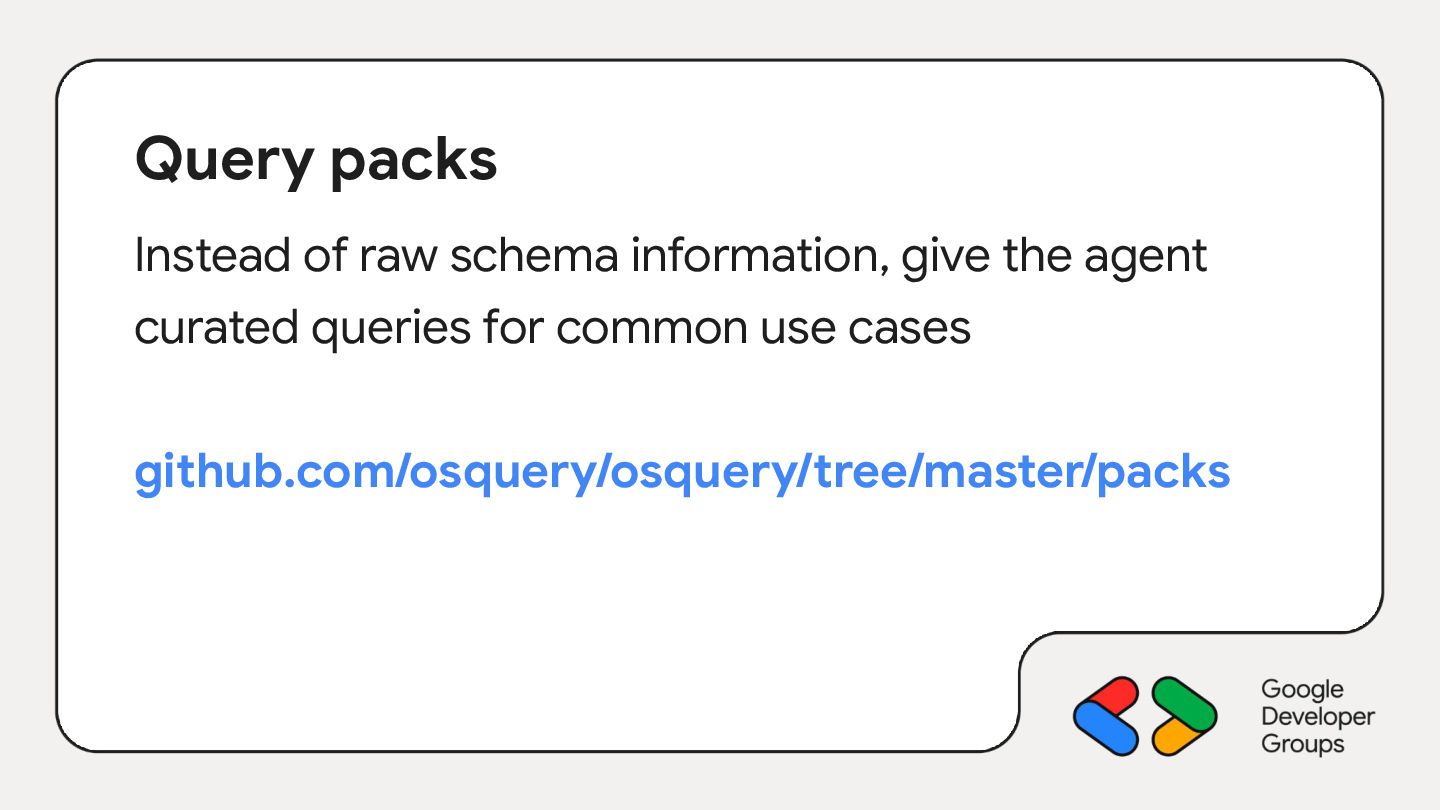
  11. Query packs Instead of raw schema information, give the agent

    curated queries for common use cases github.com/osquery/osquery/tree/master/packs
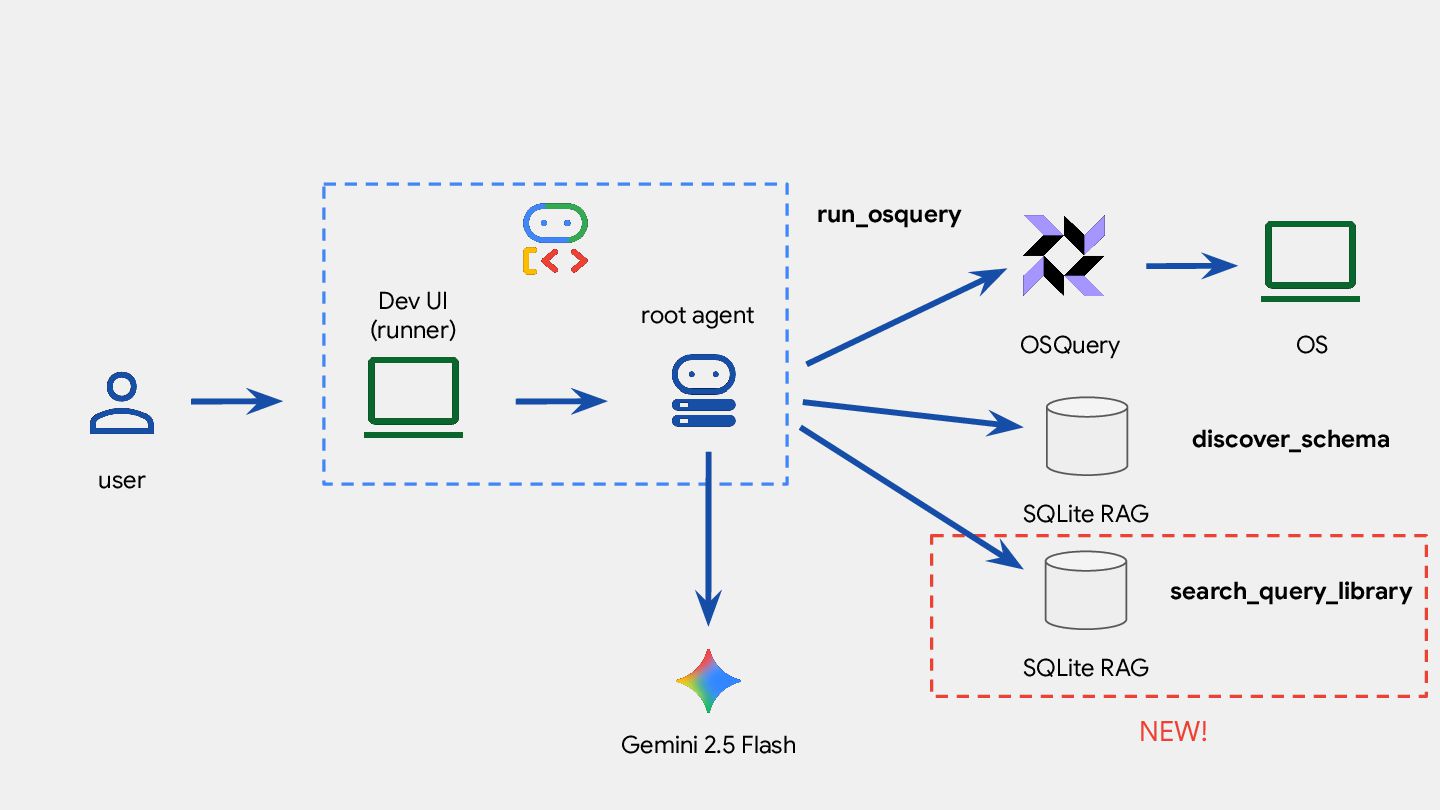
  12. root agent OSQuery OS Dev UI (runner) user run_osquery Gemini

    2.5 Flash SQLite RAG discover_schema NEW! SQLite RAG search_query_library
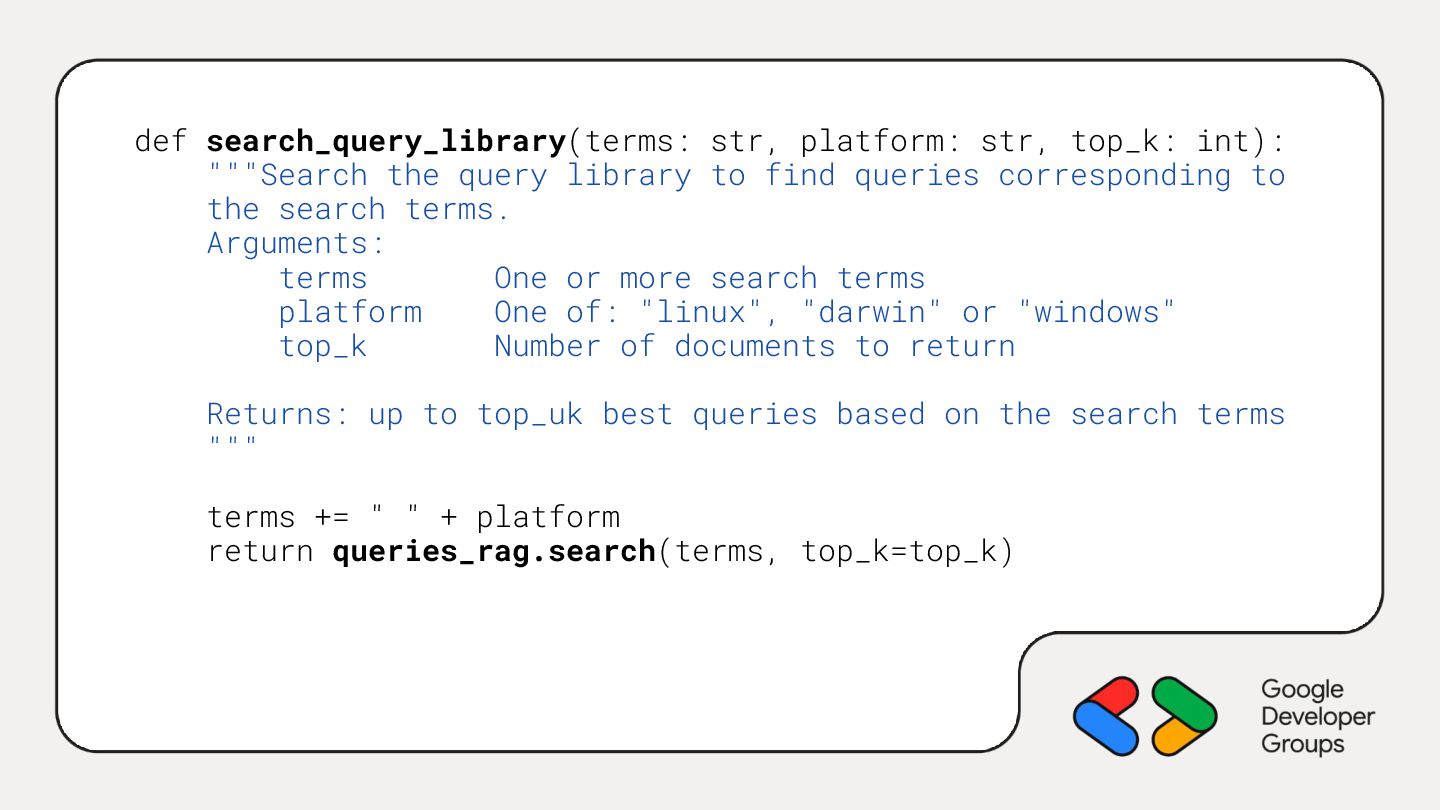
  13. def search_query_library(terms: str, platform: str, top_k: int): """Search the query

    library to find queries corresponding to the search terms. Arguments: terms One or more search terms platform One of: "linux", "darwin" or "windows" top_k Number of documents to return Returns: up to top_uk best queries based on the search terms """ terms += " " + platform return queries_rag.search(terms, top_k=top_k)
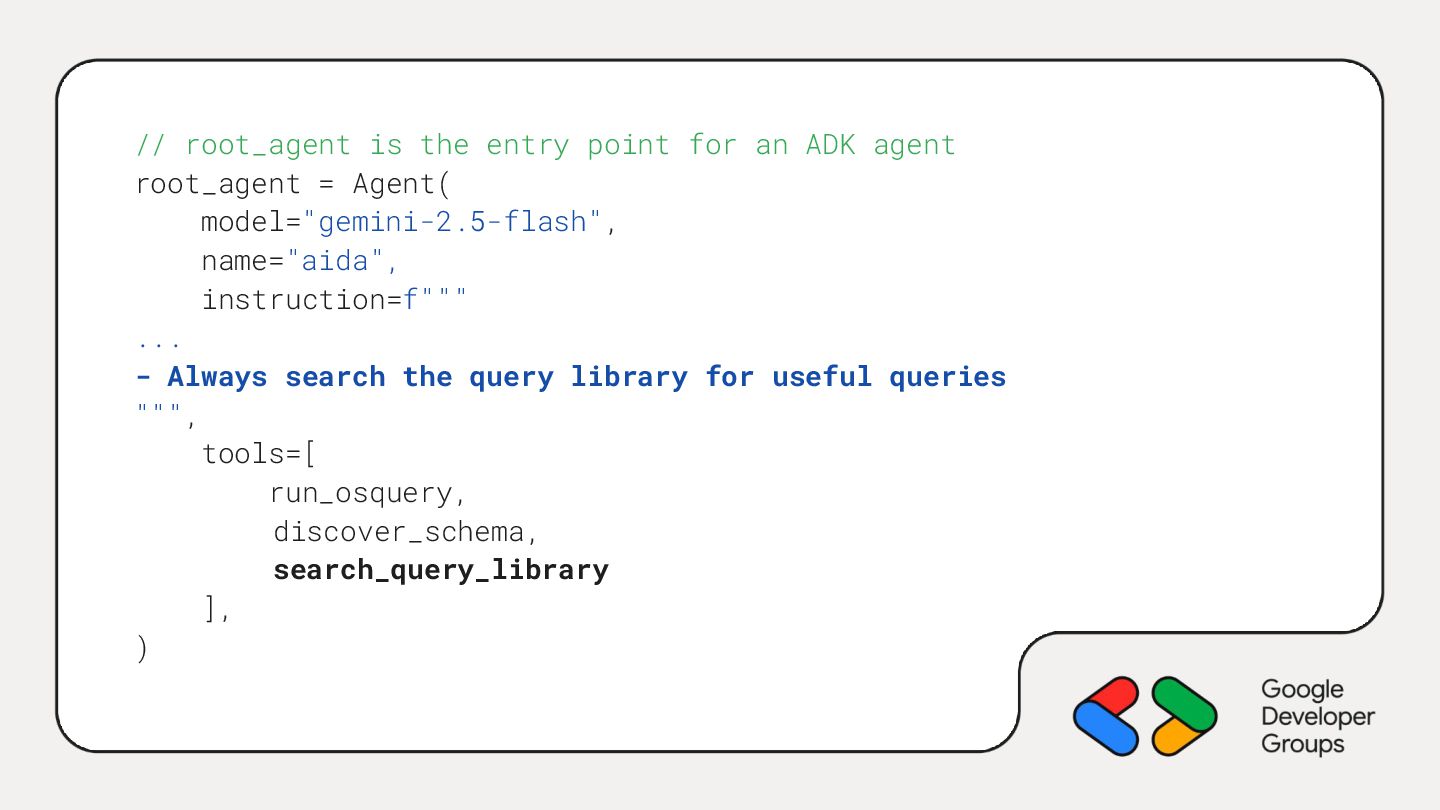
  14. // root_agent is the entry point for an ADK agent

    root_agent = Agent( model="gemini-2.5-flash", name="aida", instruction=f""" ... - Always search the query library for useful queries """, tools=[ run_osquery, discover_schema, search_query_library ], )
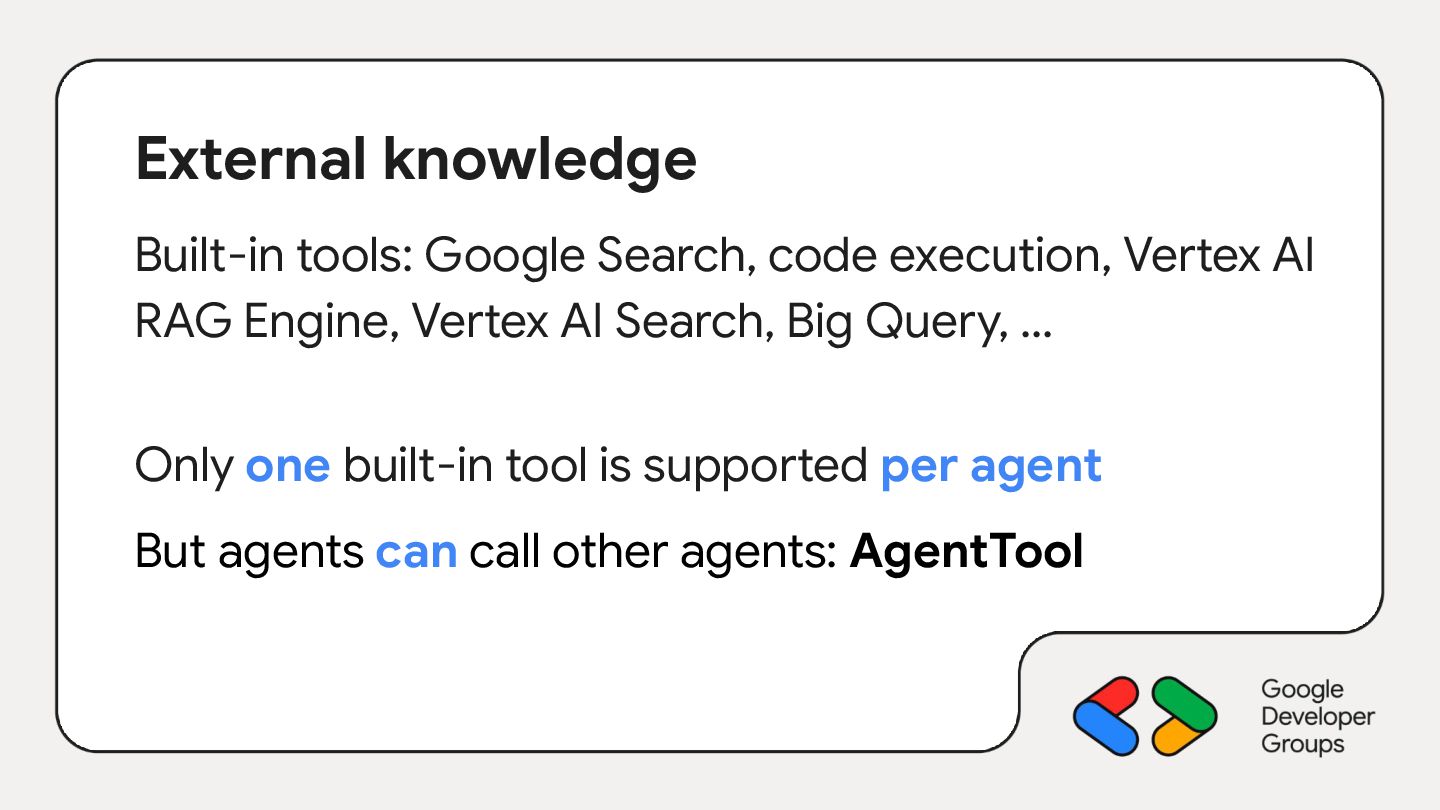
  15. External knowledge Built-in tools: Google Search, code execution, Vertex AI

    RAG Engine, Vertex AI Search, Big Query, … Only one built-in tool is supported per agent But agents can call other agents: AgentTool
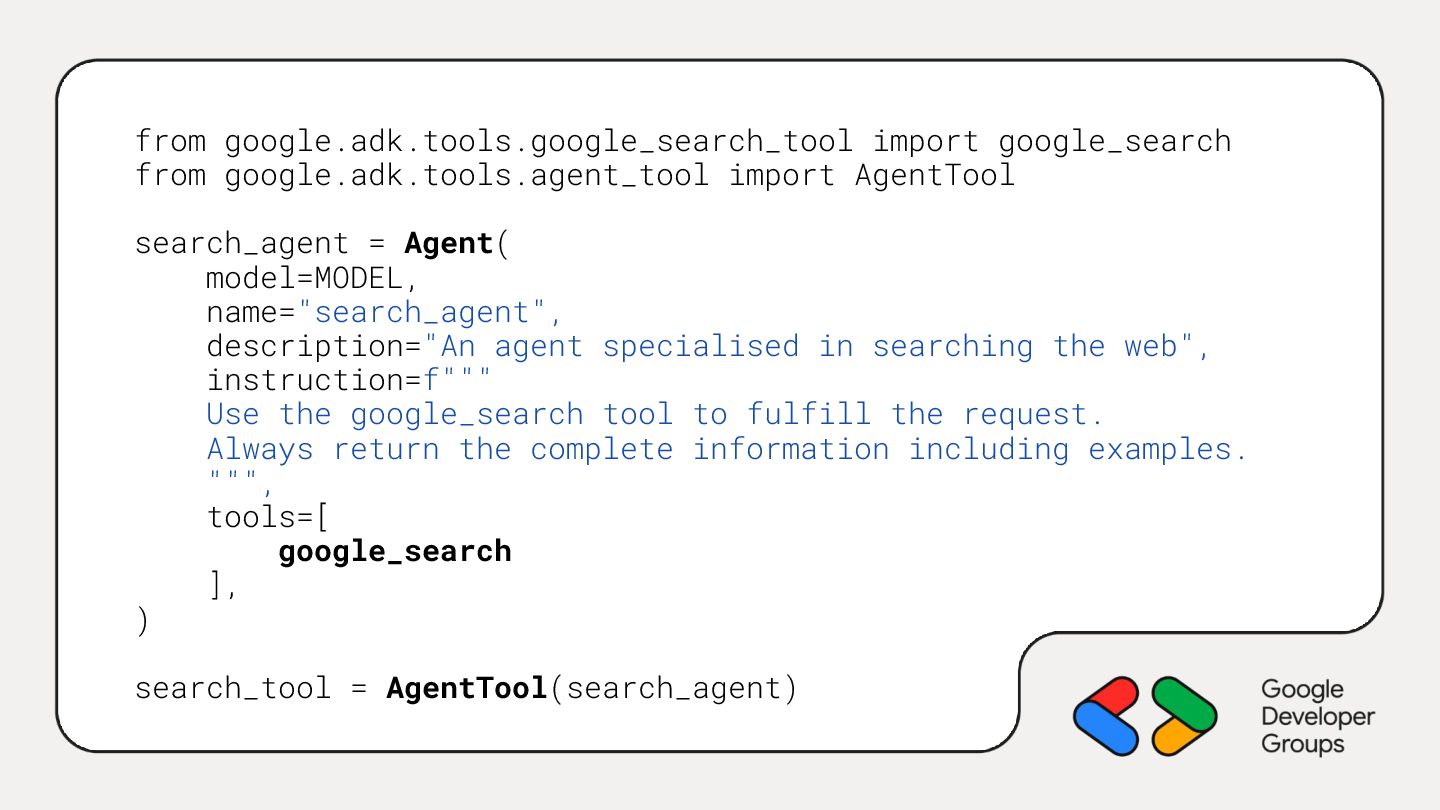
  16. from google.adk.tools.google_search_tool import google_search from google.adk.tools.agent_tool import AgentTool search_agent =

    Agent( model=MODEL, name="search_agent", description="An agent specialised in searching the web", instruction=f""" Use the google_search tool to fulfill the request. Always return the complete information including examples. """, tools=[ google_search ], ) search_tool = AgentTool(search_agent)
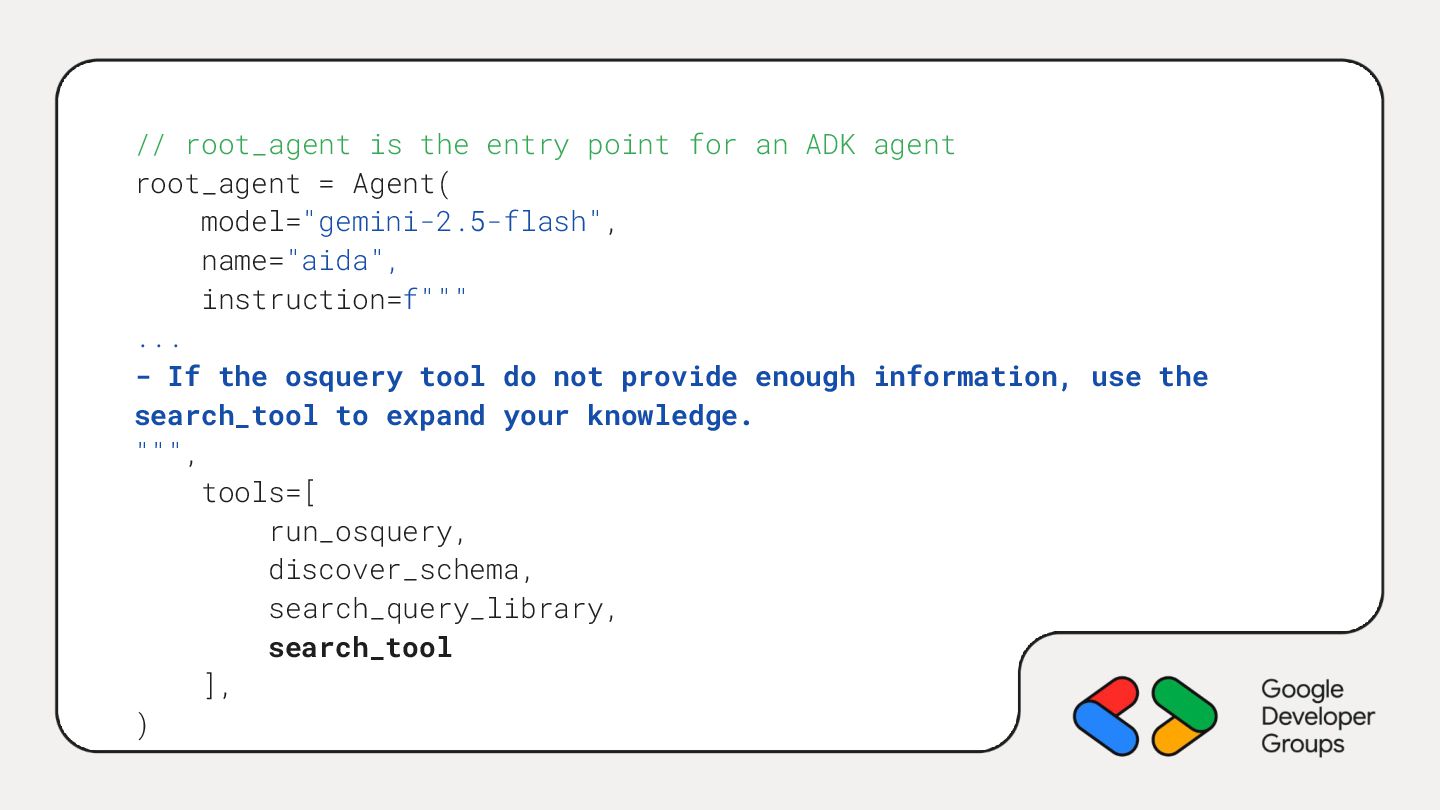
  17. // root_agent is the entry point for an ADK agent

    root_agent = Agent( model="gemini-2.5-flash", name="aida", instruction=f""" ... - If the osquery tool do not provide enough information, use the search_tool to expand your knowledge. """, tools=[ run_osquery, discover_schema, search_query_library, search_tool ], )
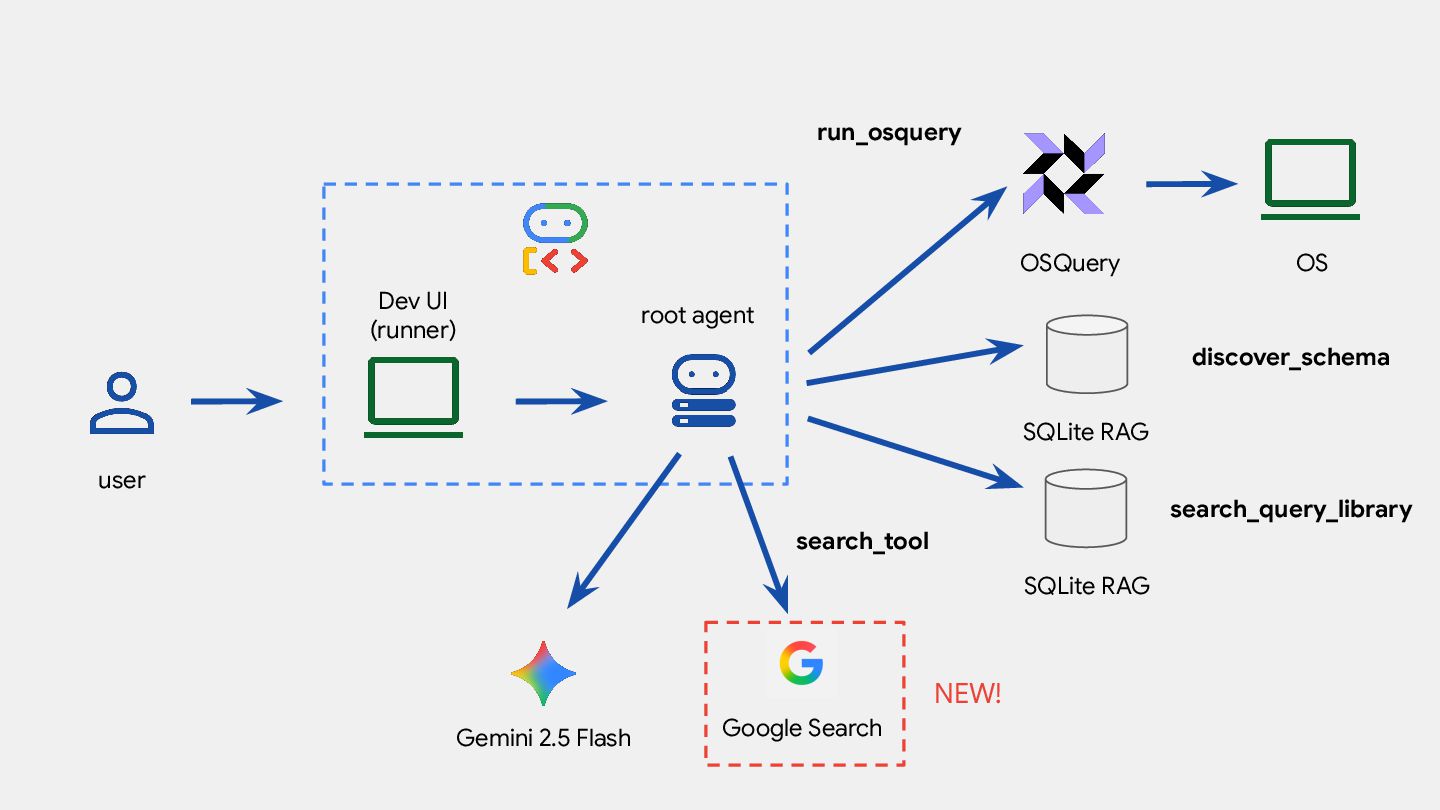
  18. root agent OSQuery OS Dev UI (runner) user run_osquery Gemini

    2.5 Flash SQLite RAG discover_schema NEW! SQLite RAG search_query_library Google Search search_tool
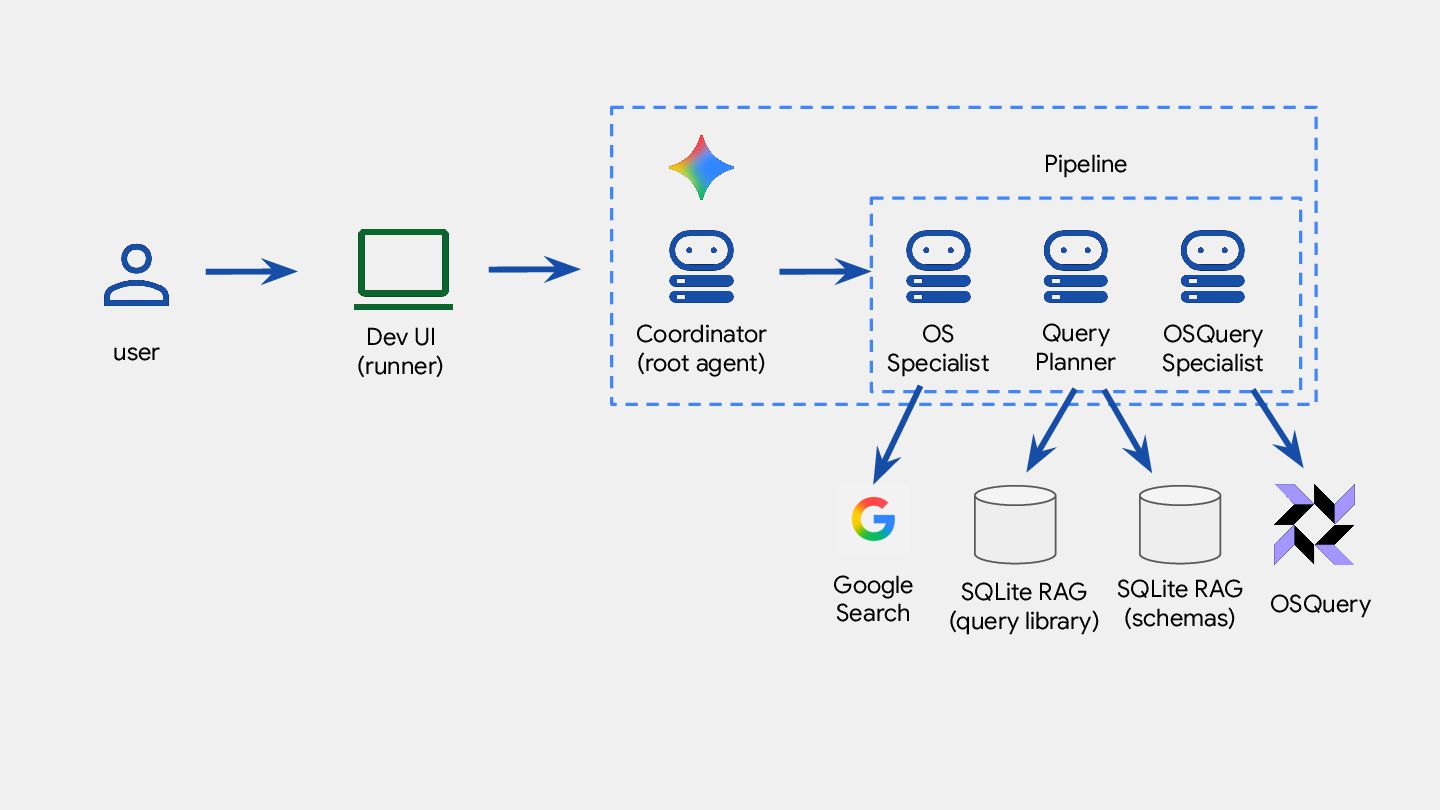
  19. Dev UI (runner) user Coordinator (root agent) OS Specialist OSQuery

    Specialist Google Search SQLite RAG (query library) SQLite RAG (schemas) OSQuery Pipeline Query Planner
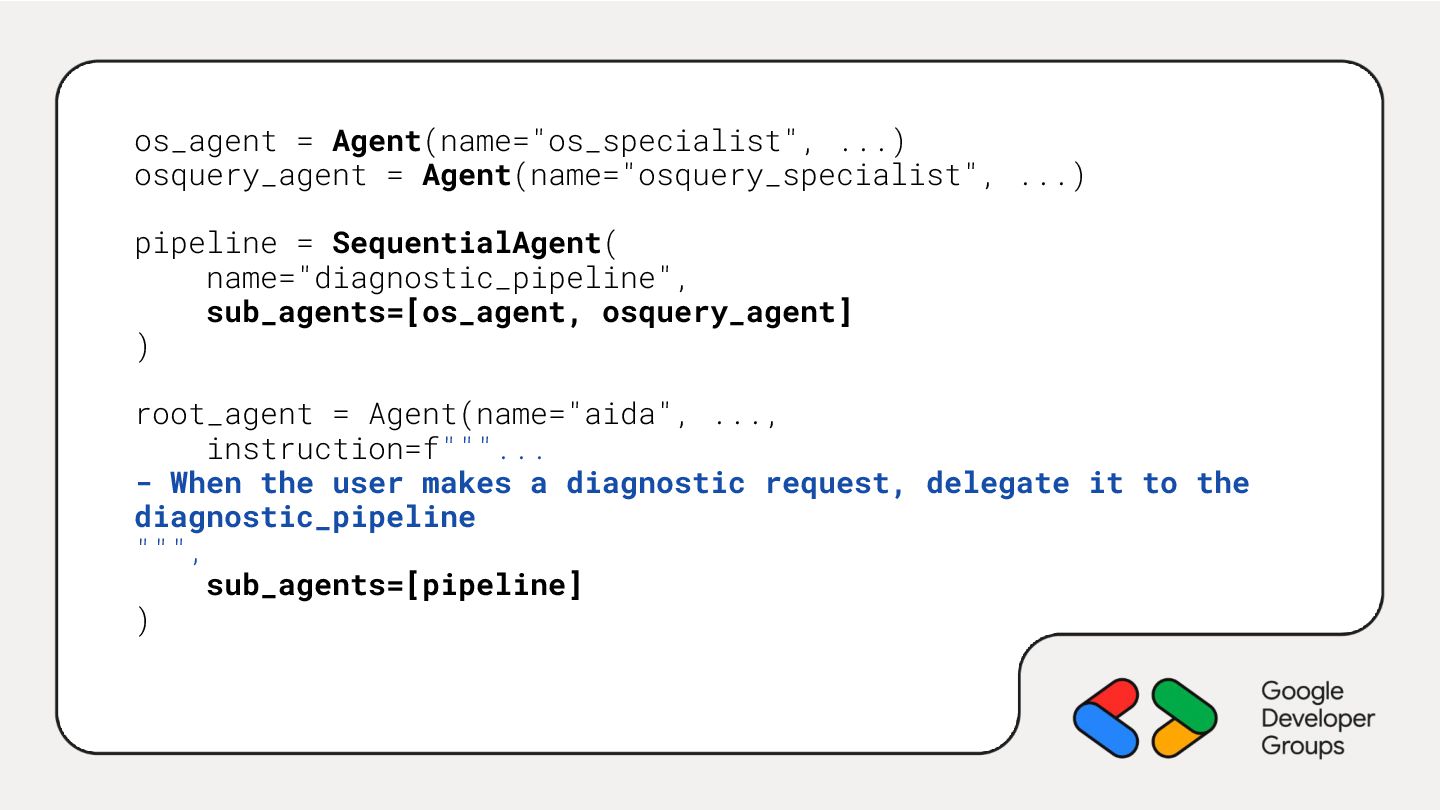
  20. os_agent = Agent(name="os_specialist", ...) osquery_agent = Agent(name="osquery_specialist", ...) pipeline =

    SequentialAgent( name="diagnostic_pipeline", sub_agents=[os_agent, osquery_agent] ) root_agent = Agent(name="aida", ..., instruction=f"""... - When the user makes a diagnostic request, delegate it to the diagnostic_pipeline """, sub_agents=[pipeline] )
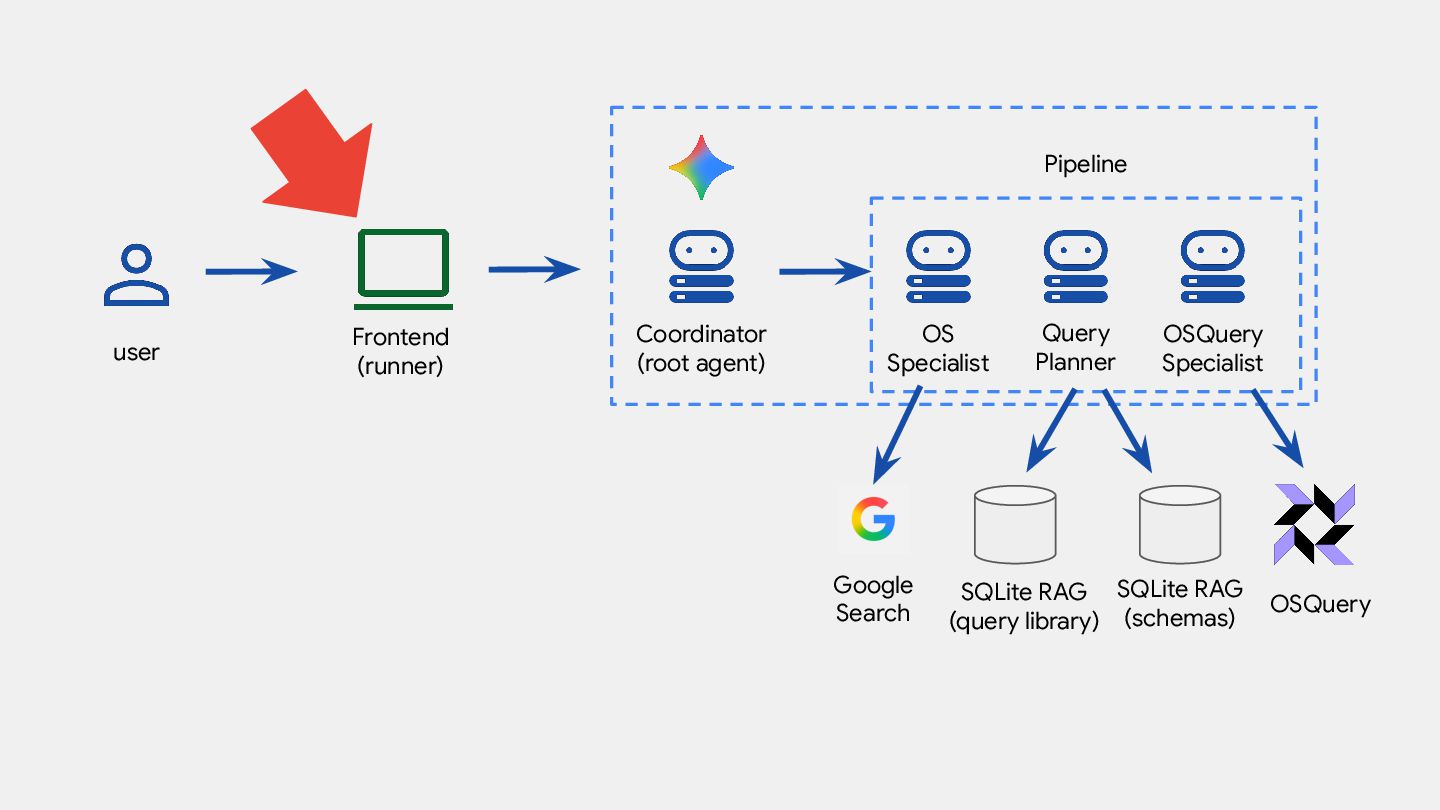
  21. Frontend (runner) user Coordinator (root agent) OS Specialist OSQuery Specialist

    Google Search SQLite RAG (query library) SQLite RAG (schemas) OSQuery Pipeline Query Planner
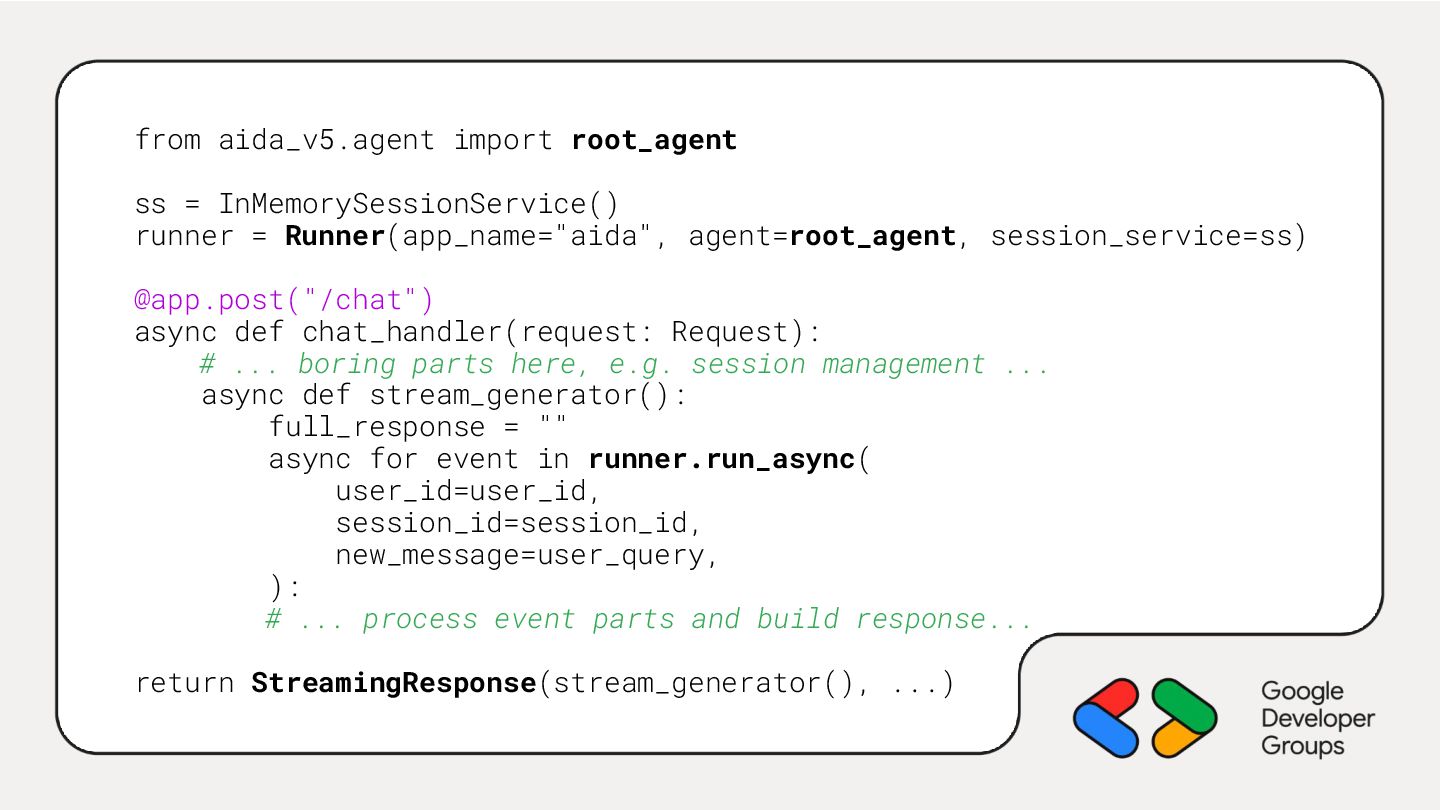
  22. from aida_v5.agent import root_agent ss = InMemorySessionService() runner = Runner(app_name="aida",

    agent=root_agent, session_service=ss) @app.post("/chat") async def chat_handler(request: Request): # ... boring parts here, e.g. session management ... async def stream_generator(): full_response = "" async for event in runner.run_async( user_id=user_id, session_id=session_id, new_message=user_query, ): # ... process event parts and build response... return StreamingResponse(stream_generator(), ...)
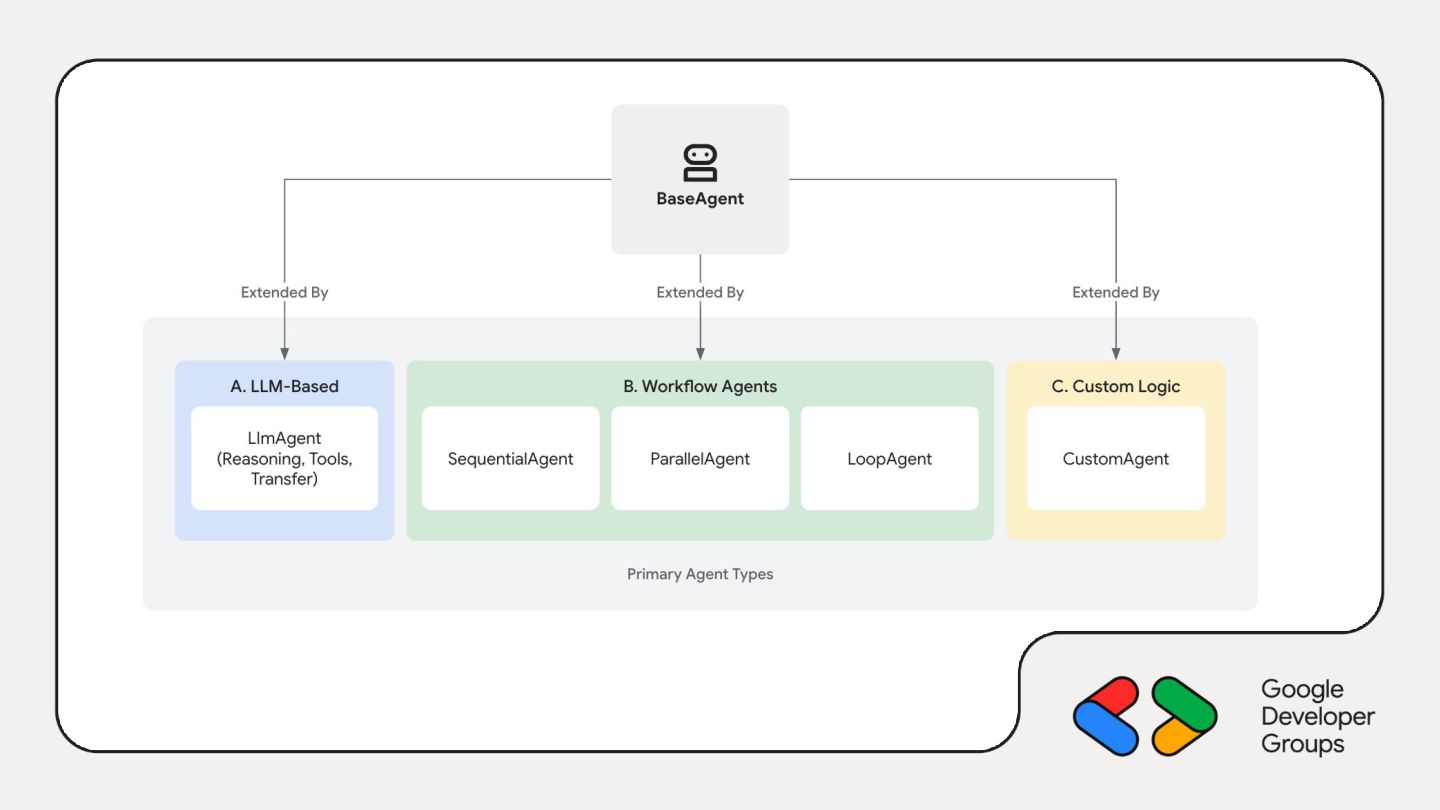
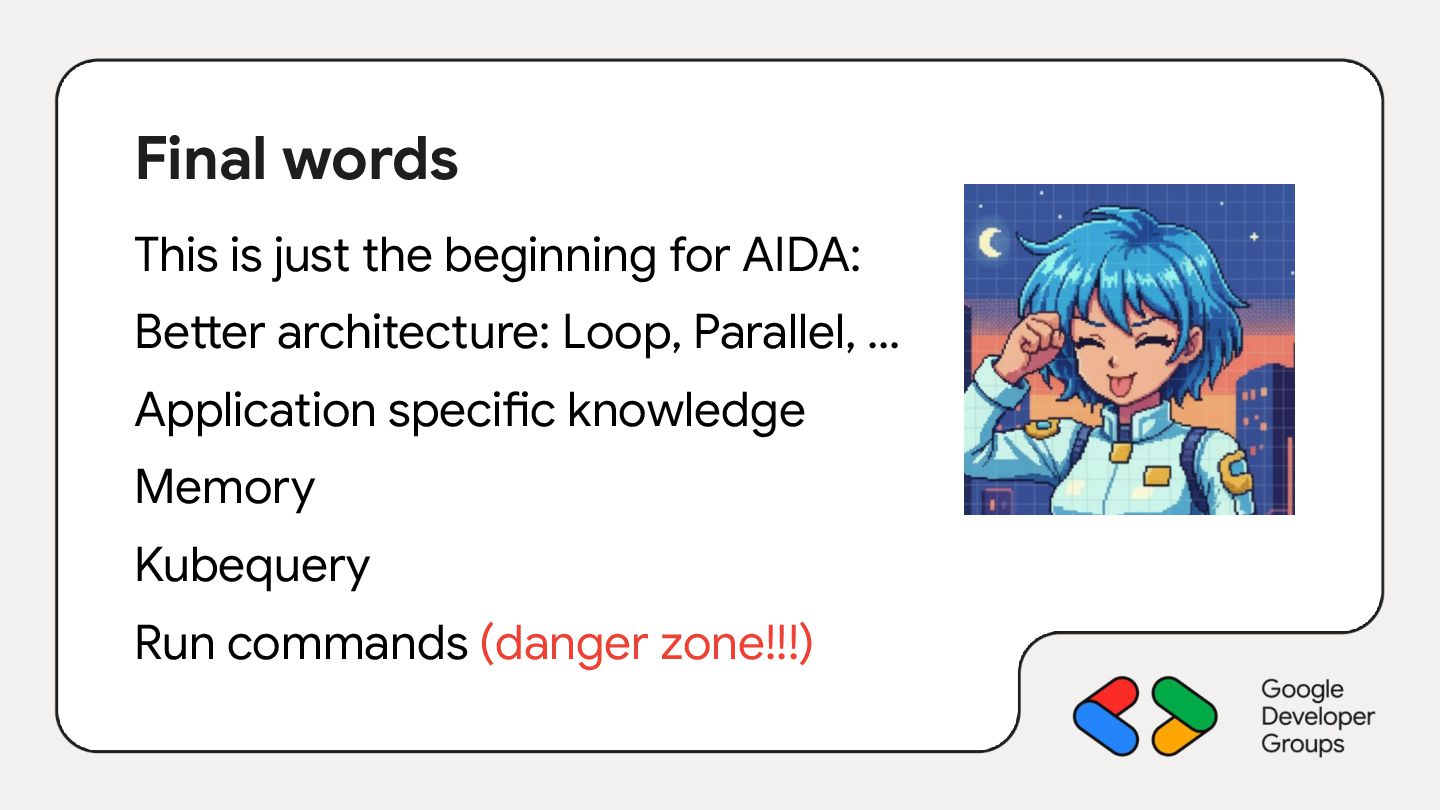
  23. Final words This is just the beginning for AIDA: Better

    architecture: Loop, Parallel, … Application specific knowledge Memory Kubequery Run commands (danger zone!!!)