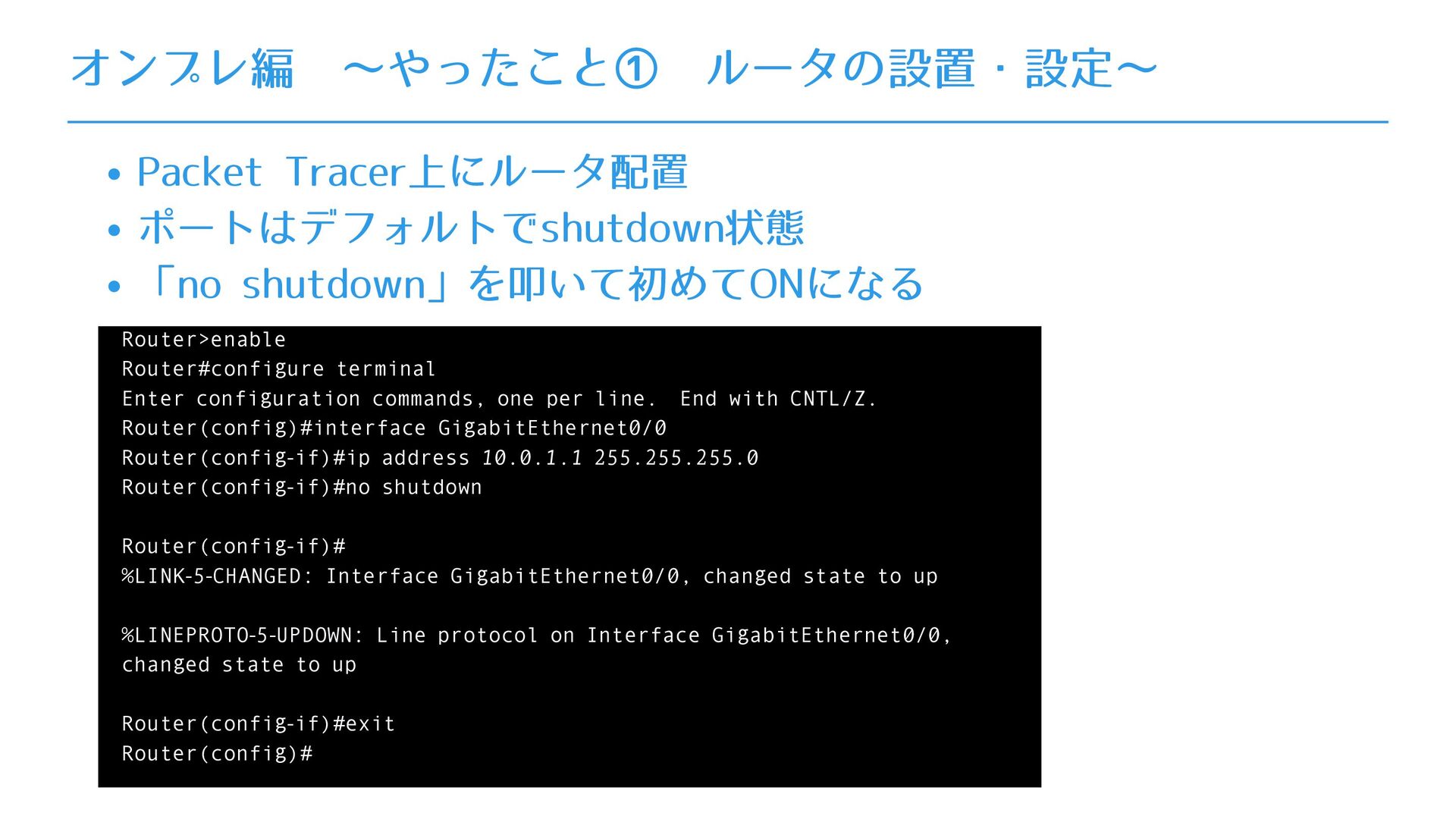
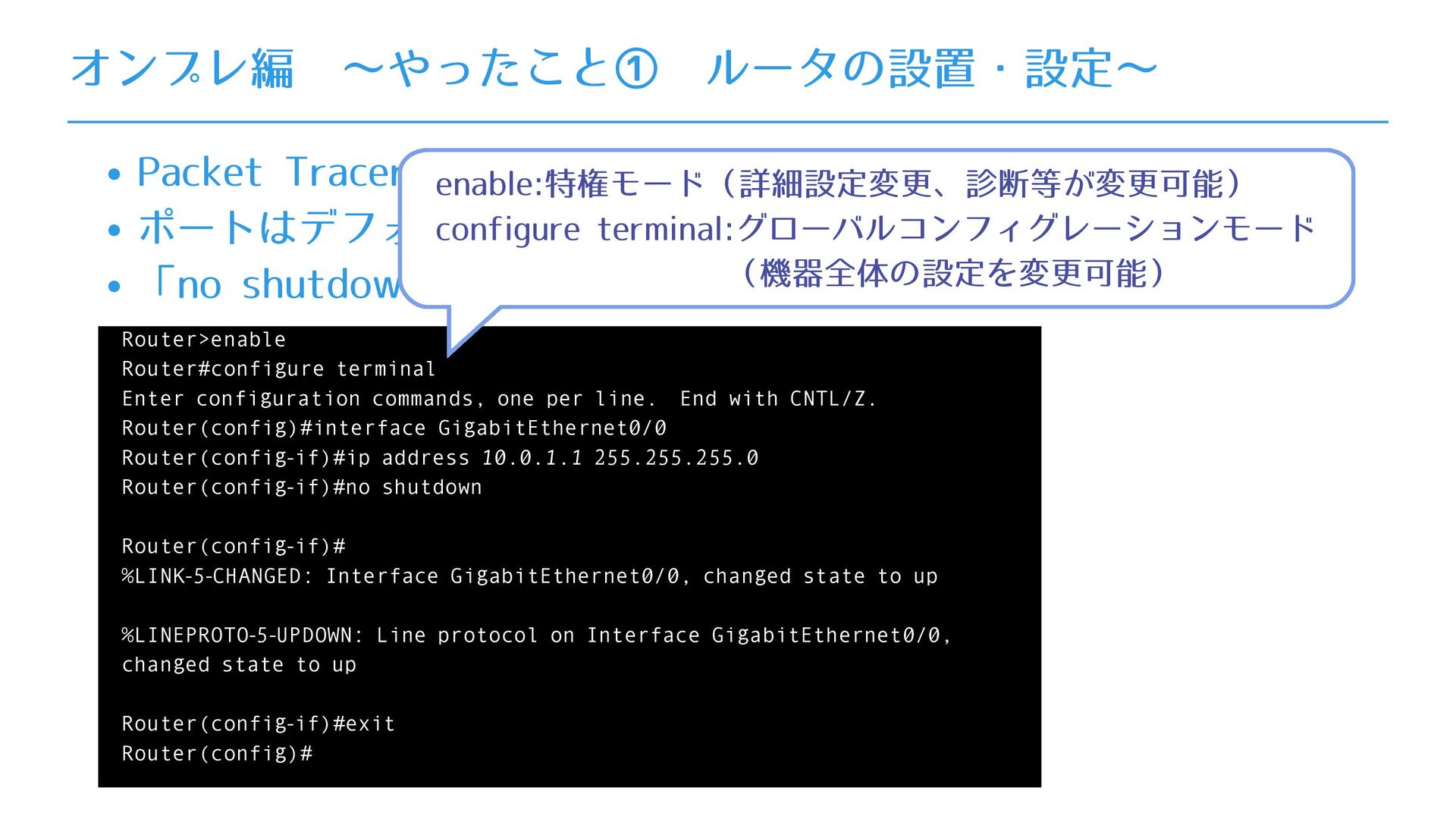
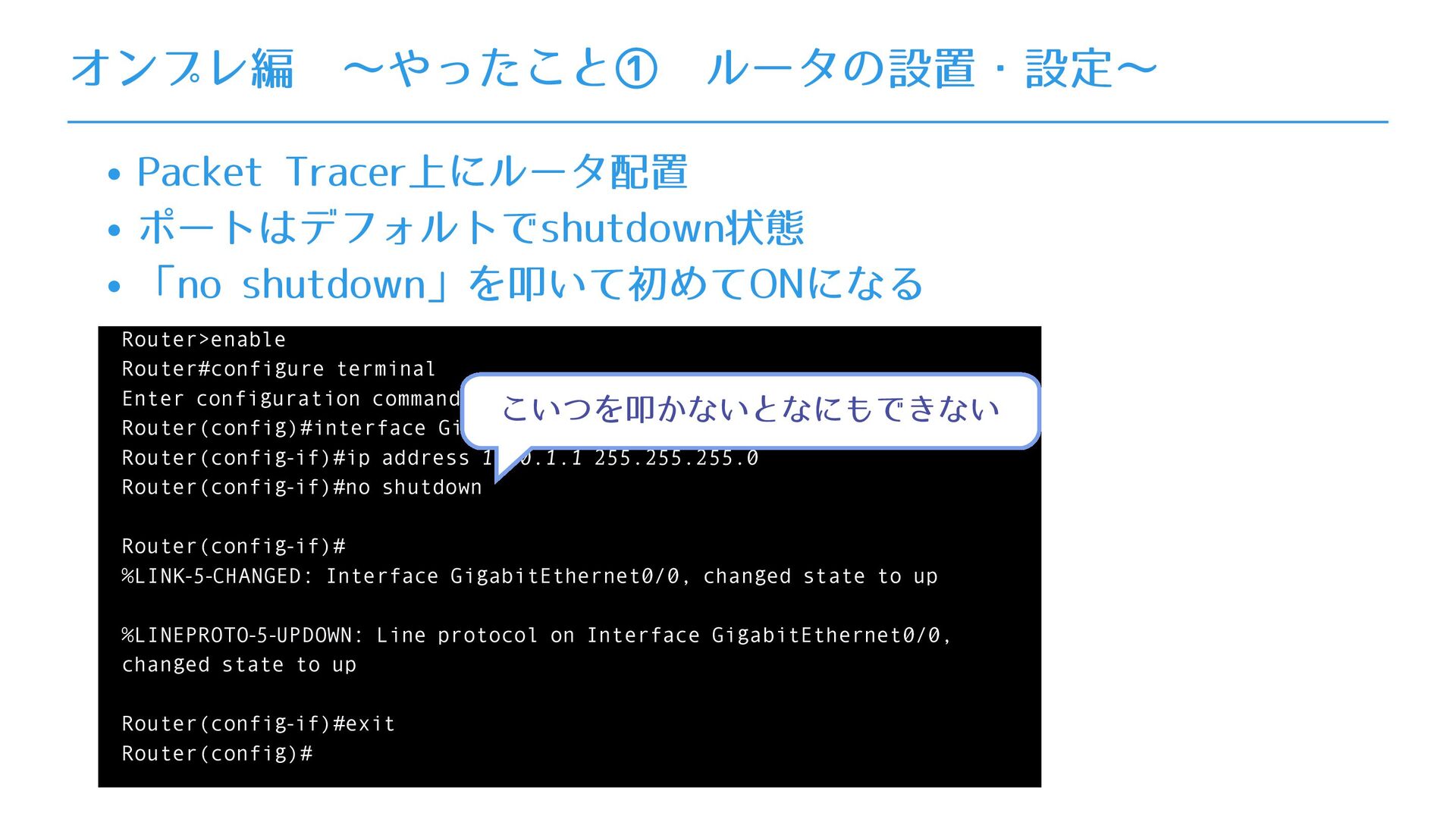
commands, one per line. End with CNTL/Z. Router(config)#interface GigabitEthernet0/0 Router(config-if)#ip address 10.0.1.1 255.255.255.0 Router(config-if)#no shutdown Router(config-if)# %LINK-5-CHANGED: Interface GigabitEthernet0/0, changed state to up %LINEPROTO-5-UPDOWN: Line protocol on Interface GigabitEthernet0/0, changed state to up Router(config-if)#exit Router(config)# オンプレ編 ∼やったこと① ルータの設置・設定∼
commands, one per line. End with CNTL/Z. Router(config)#interface GigabitEthernet0/0 Router(config-if)#ip address 10.0.1.1 255.255.255.0 Router(config-if)#no shutdown Router(config-if)# %LINK-5-CHANGED: Interface GigabitEthernet0/0, changed state to up %LINEPROTO-5-UPDOWN: Line protocol on Interface GigabitEthernet0/0, changed state to up Router(config-if)#exit Router(config)# オンプレ編 ∼やったこと① ルータの設置・設定∼ enable:特権モード(詳細設定変更、診断等が変更可能) configure terminal:グローバルコンフィグレーションモード (機器全体の設定を変更可能)
commands, one per line. End with CNTL/Z. Router(config)#interface GigabitEthernet0/0 Router(config-if)#ip address 10.0.1.1 255.255.255.0 Router(config-if)#no shutdown Router(config-if)# %LINK-5-CHANGED: Interface GigabitEthernet0/0, changed state to up %LINEPROTO-5-UPDOWN: Line protocol on Interface GigabitEthernet0/0, changed state to up Router(config-if)#exit Router(config)# オンプレ編 ∼やったこと① ルータの設置・設定∼ こいつを叩かないとなにもできない
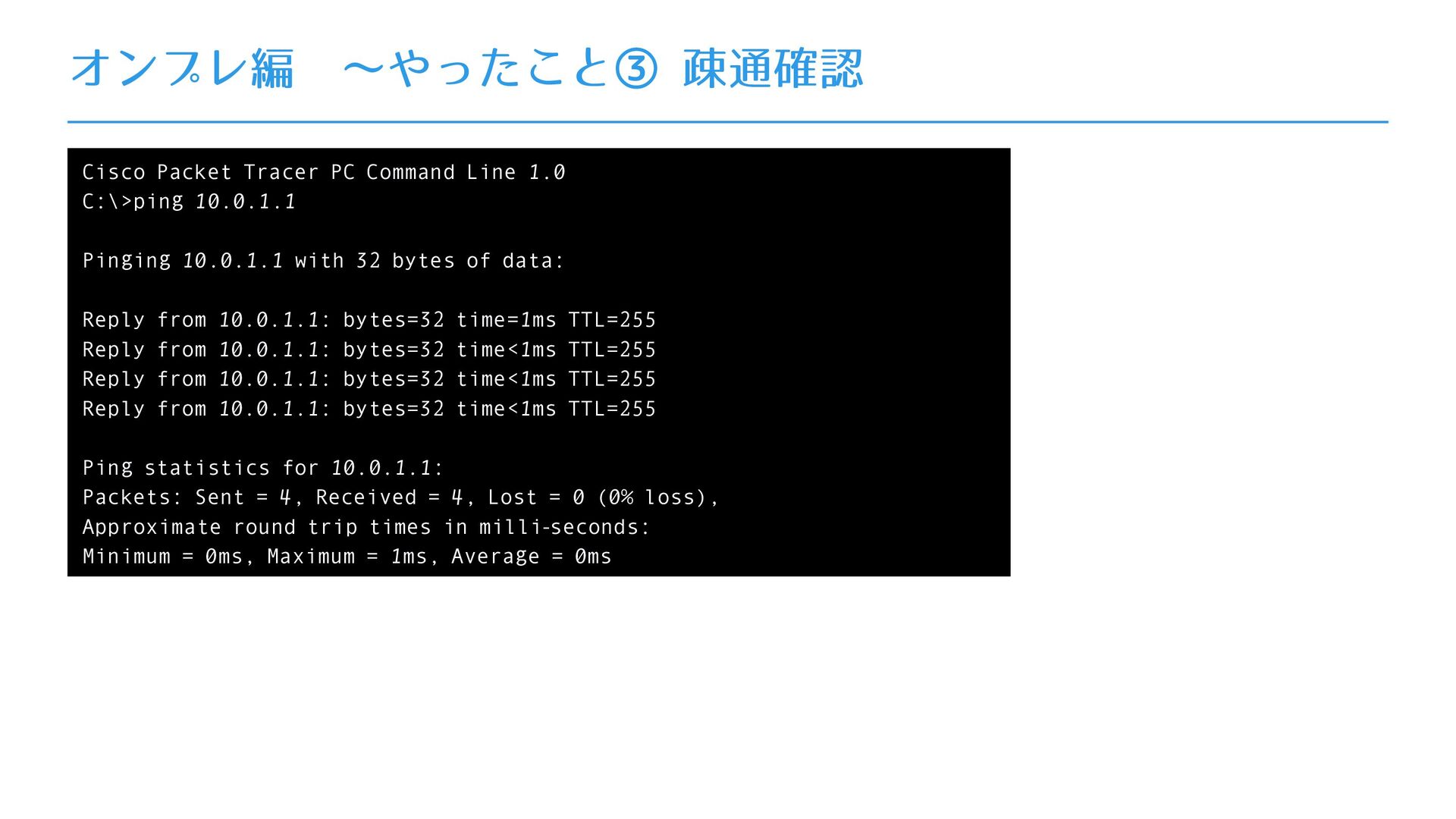
10.0.1.1 Pinging 10.0.1.1 with 32 bytes of data: Reply from 10.0.1.1: bytes=32 time=1ms TTL=255 Reply from 10.0.1.1: bytes=32 time<1ms TTL=255 Reply from 10.0.1.1: bytes=32 time<1ms TTL=255 Reply from 10.0.1.1: bytes=32 time<1ms TTL=255 Ping statistics for 10.0.1.1: Packets: Sent = 4, Received = 4, Lost = 0 (0% loss), Approximate round trip times in milli-seconds: Minimum = 0ms, Maximum = 1ms, Average = 0ms
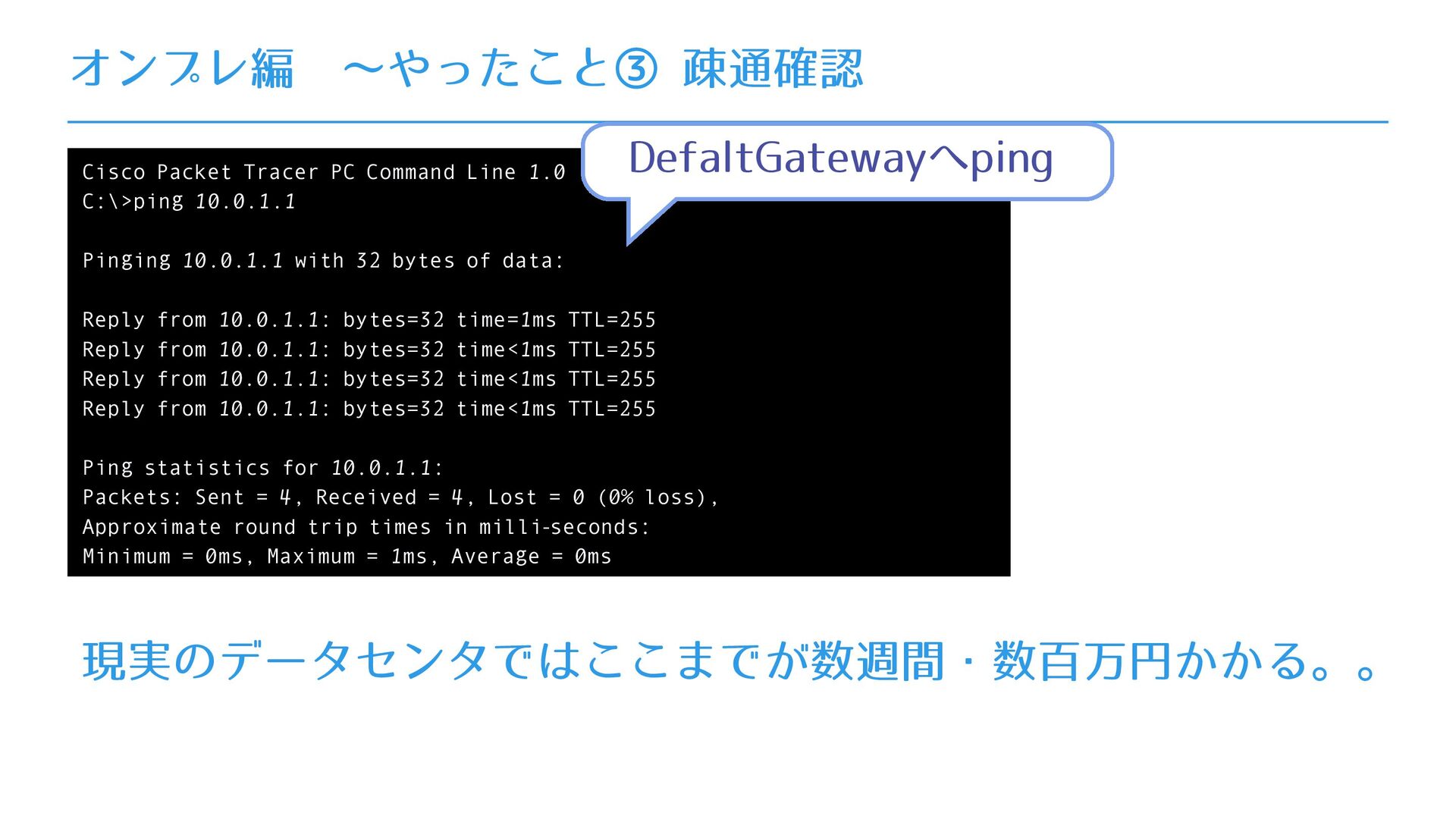
10.0.1.1 Pinging 10.0.1.1 with 32 bytes of data: Reply from 10.0.1.1: bytes=32 time=1ms TTL=255 Reply from 10.0.1.1: bytes=32 time<1ms TTL=255 Reply from 10.0.1.1: bytes=32 time<1ms TTL=255 Reply from 10.0.1.1: bytes=32 time<1ms TTL=255 Ping statistics for 10.0.1.1: Packets: Sent = 4, Received = 4, Lost = 0 (0% loss), Approximate round trip times in milli-seconds: Minimum = 0ms, Maximum = 1ms, Average = 0ms 現実のデータセンタではここまでが数週間・数百万円かかる。。 DefaltGatewayへping
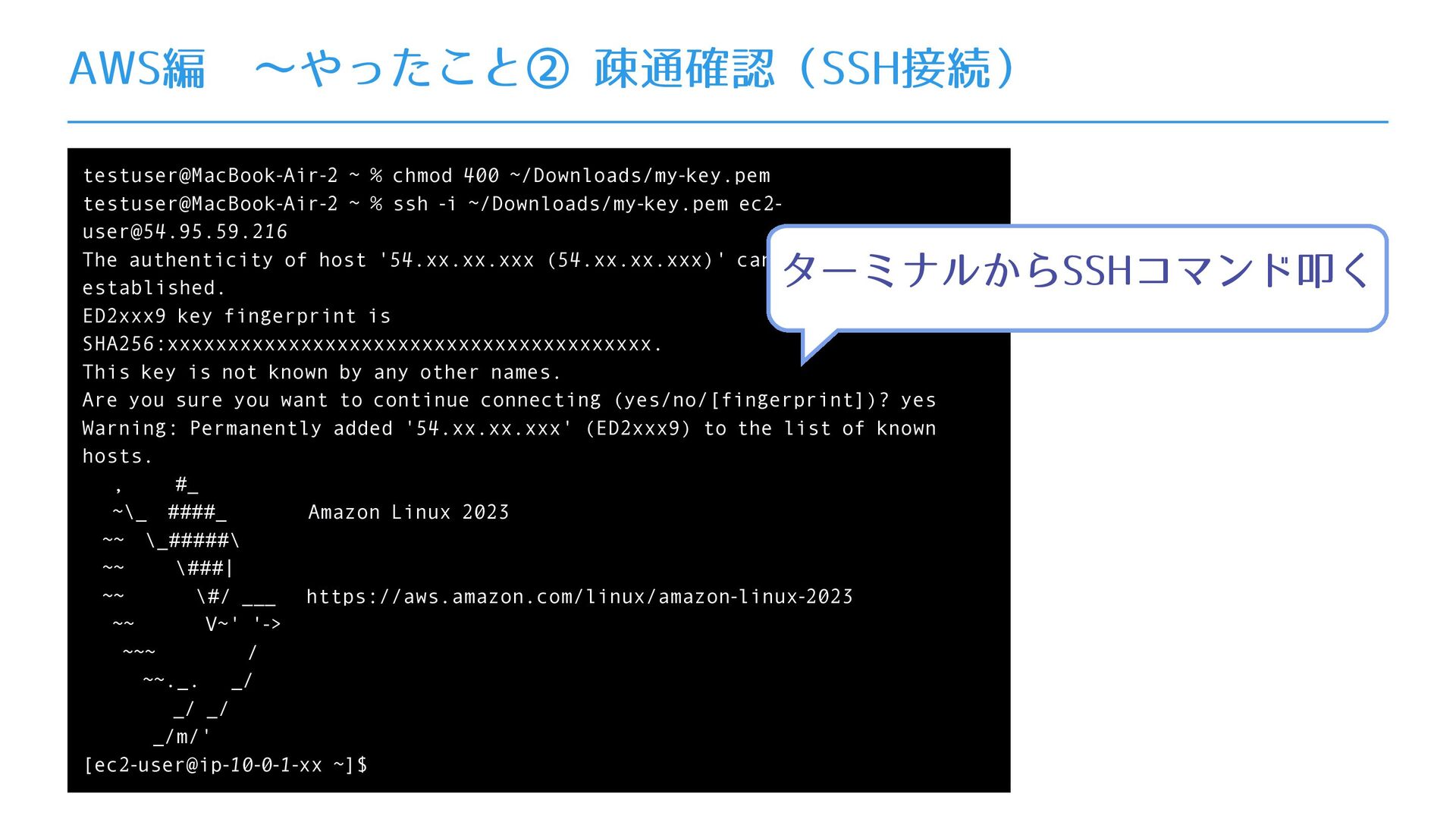
% ssh -i ~/Downloads/my-key.pem ec2- [email protected] The authenticity of host '54.xx.xx.xxx (54.xx.xx.xxx)' can't be established. ED2xxx9 key fingerprint is SHA256:xxxxxxxxxxxxxxxxxxxxxxxxxxxxxxxxxxxxxxxx. This key is not known by any other names. Are you sure you want to continue connecting (yes/no/[fingerprint])? yes Warning: Permanently added '54.xx.xx.xxx' (ED2xxx9) to the list of known hosts. , #_ ~\_ ####_ Amazon Linux 2023 ~~ \_#####\ ~~ \###| ~~ \#/ ___ https://aws.amazon.com/linux/amazon-linux-2023 ~~ V~' '-> ~~~ / ~~._. _/ _/ _/ _/m/' [ec2-user@ip-10-0-1-xx ~]$ ターミナルからSSHコマンド叩く


 inorinori
 codingconduct
 tanoku
 mlcsv
mlcsv
 auna
auna
 cassininazir
 lindahogenes
 tenderlove
 kristinabergwall1
 davetheseo
 davidcarrasco
 honzajavorek
 mkilby