Share
Embed
Transcript
57 slides
-
Background • Started working with Angular in March 2013 •
Joined current project in October 2013 • When I joined: • ~2000 LOC • ~10 unit tests • Now: • ~32000 LOC (JS, HTML, CSS) • ~34000 LOC (unit tests) • >3600 unit tests -
Disclaimer • Not an Angular introduction - plenty of those
online • This is information I wish someone had told me 1 month after I started working with Angular -
Things We Got Wrong • How to structure the app
• Lack of unit tests • Not understanding Angular • No visibility into production • No model layer -
Directives • A way of creating components • A way
of encapsulating logic • Tie together a chunk of HTML and its behaviors • Great way of factoring out code • Allow you to reason about your application hierarchically -
Directive Tips • Do NOT have to be reusable •
Most of your time writing Angular should be spent writing directives (and tests) • When creating directives (E): • Isolate scope • Restrict to element -
Styling Directives • Use a CSS preprocessor (LESS, SASS) •
Scope your styles to the directive element example-directive { display: block; cursor: pointer; a { font-size: 20px; font-weight: bold; } } -
The HTML <div class="container page-container"> <search-header filters="filters" page-title="LDC Curriculum Library">
</search-header> <curriculum-library></curriculum-library> </div> -
<library get-results="search(params)" filters="filters" refresh-events="refreshLibrary" search-params="searchParams"> <library-filters show-filter-header="true"> <exemplary-library-filter title="Curriculum Rating">
</exemplary-library-filter> <curriculum-type-library-filter title="Curriculum Type"> </curriculum-type-library-filter> <grade-library-filter title="Grade Level" grades="grades"> </grade-library-filter> <pacing-library-filter title="Mini-task Pacing"> </pacing-library-filter> </library-filters> <library-results no-results-message="{{ noResultsMessage }}" item-type="LDC curriculum item" filters="filters" sort-by-options="sortByOptions"> <li ng-repeat="result in results"> <result-card curriculum="result" disable-buttons="isSaving" ng-class="{ 'hover-state': !inMinitaskOnlyState }"> </result-card> </li> </library-results> </library> -
Directive Benefits • Encapsulation • Small, testable chunks • Template
+ JS bound together explicitly • Explicit interface between components • Can easily refactor components -
Routes • The one place you need controllers • Pages
-> routes • Components within a page -> directives • Use ui-router angular.module('login'). config(['$stateProvider', function ($stateProvider) { $stateProvider.state('login', { parent: 'root', url: '/login?invited_user_code?afterLogin', templateUrl: 'login/login.tpl.html', controller: 'LoginCtrl', title: 'LDC CoreTools - Login' }); }]); -
Don't Use ng-controller <div ng-controller="AppCtrl"> <div class="age-display">{{ age }}</div> <div
ng-controller="AgeInputCtrl"> <input ng-model="age"> <button ng-click="save()">Save</button> </div> </div> -
Issues with ng-controller • No interface definition between controllers •
Variables are prototypally inherited • Re-arrange template -> broken code • Controllers are tied to their templates, but nothing enforces that. -
Things We Got Wrong • How to structure the app
• Lack of unit tests • Not understanding Angular • No visibility into production • No model layer -
Why test? • Sensing mechanism for changes to your code
• Makes upgrading Angular easy (tests will break) • Gives you some confidence that your code works, and will continue to do so. • Angular makes it easy -
Testing in Angular • Plenty of guides on the mechanics
of testing a controller, directive, service, etc. • Very easy to mock dependencies var $modalInstance = jasmine.createSpyObj('$modalInstance', [ 'close', 'dismiss' ]); module(function ($provide) { $provide.value('$modalInstance', $modalInstance); }); ... expect($modalInstance.close).toHaveBeenCalled() • Rarely need async tests ($timeout.flush(), $httpBackend.flush()) -
Input: <input ng-model="age"> Age: <span class="age">{{ age }}</span> <button class="reset-age"
ng-click="reset()"> </button> directive('simpleAgeInput', function () { return { restrict: 'E', templateUrl: 'code/simpleAgeInput.tpl.html', scope: {}, link: function (scope) { scope.age = 100; scope.reset = function () { scope.age = 100; }; } }; } Template: JavaScript: How would you test this? <simple-age-input></simple-age-input> Usage: -
A Half-Test describe('simpleAgeInput', function () { var elem, scope; beforeEach(function
() { module('app', 'code/simpleAgeInput.tpl.html'); inject(function ($compile, $rootScope) { elem = $compile('<simple-age-input></simple-age-input>')($rootScope); }); scope = elem.isolateScope(); }); it('resets the age', function () { scope.age = 50; scope.reset(); expect(scope.age).toBe(100); }); }); -
Uni-gration Tests • Somewhere between a unit test and an
integration test. • Process: • Instantiate your directive • Interact with it like a user would • Don't: • Directly call scope methods/check scope variables • Assume that your template logic is correct -
A Full Test describe('simpleAgeInput', function () { var elem; beforeEach(function
() { module('app'); inject(function ($compile, $rootScope) { elem = $compile('<simple-age-input></simple-age-input>')($rootScope); }); }); it('resets the age', function () { elem.find('input').val('50').change(); expect(elem.find('.age').text()).toBe('50'); elem.find('.reset-age').click(); expect(elem.find('.age').text()).toBe('100'); }); }); -
Helpful Libraries • Check out jasmine-jquery (https://github.com/velesin/jasmine-jquery) • .toBeVisible(), .toContainText(),
.toHaveClass() • Check out angular-test-helpers (https://github.com/brianmcd/angular- test-helpers) • createDirective(), $rootScopeDigest() -
Things We Got Wrong • How to structure the app
• Lack of unit tests • Not understanding Angular • No visibility into production • No model layer -
The $digest Loop • AKA dirty checking, the digest cycle,
magic • Enables data binding • Not actually magic - very straightforward -
angular. module('rvajs'). controller('Example', function ($scope) { $scope.age = 100; $scope.$watch('age',
function (age) { console.log(age); }); }); <input ng-model="age"> <div>{{ age }}</div> JavaScript: Template: -
How $digest Works • Maintains a list of "watched" expressions
(bindings usually) • For each watched expression, it tracks the current value • The loop: • Calculate the current value of each watched expression • Compare current value to last value • If no change, don't do anything for this expression. • If change, notify the "watchers". -
When does the loop run? • Angular can't magically know
when to run the $digest loop • JavaScript variables can only change at well-defined points: • User action (event) • Timer • Network request • When these things happen, Angular needs to be told to run the $digest loop to see if things changed. -
scope.$apply() • Tells Angular "something could have changed" • Usually
done for you, but always must be done • When can variables change? • User action (event) - ng-click, ng-keydown, etc • Timer - $timeout, $interval • Network request - $http • These Angular wrappers are calling scope.$apply for you -
ng-click Implementation • Not magic. element.on('click', function(event, touchend) { scope.$apply(function()
{ clickHandler(scope, {$event: (touchend || event)}); }); }); -
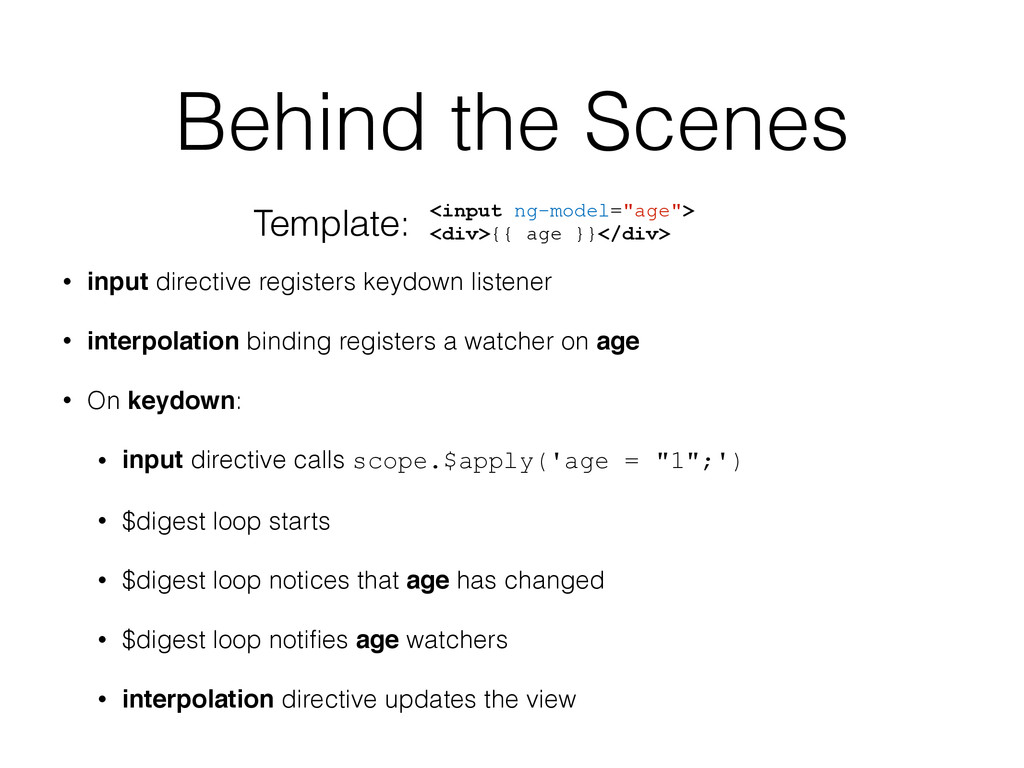
• input directive registers keydown listener • interpolation binding registers
a watcher on age • On keydown: • input directive calls scope.$apply('age = "1";') • $digest loop starts • $digest loop notices that age has changed • $digest loop notifies age watchers • interpolation directive updates the view <input ng-model="age"> <div>{{ age }}</div> Template: Behind the Scenes -
Scopes • The execution context for your templates • Scopes
are tied to DOM nodes • Therefore, the scope hierarchy forms a tree • Scopes form a prototypal inheritance hierarchy -
Accidental Scopes • Some built-in directives create new scopes in
the prototype chain: • ng-repeat • ng-if • ng-switch • ng-view • ng-include (never use this anyway) • ng-controller (also don't use this) -
Example Value 1: <input ng-model="value1"> <div ng-if="true"> Value 2: <input
ng-model="value2"> </div> <div class="values"> <div>Value 1: {{ value1 }}</div> <div>Value 2: {{ value2 }}</div> </div> scope.value1 = 'this'; scope.value2 = 'that'; -
Fixed Example Value 1: <input ng-model="values.value1"> <div ng-if="true"> Value 2:
<input ng-model="values.value2"> </div> <div class="values"> <div>Value 1: {{ values.value1 }}</div> <div>Value 2: {{ values.value2 }}</div> </div> scope.values = { value1: 'this', value2: 'that' }; -
Things We Got Wrong • How to structure the app
• Lack of unit tests • Not understanding Angular • No visibility into production • No model layer -
Things We Got Wrong • How to structure the app
• Lack of unit tests • Not understanding Angular • No visibility into production • No model layer -
Anti-patterns • Static services, initialized on page load • C-style
services that are groups of methods • function doThing(obj, param1, param2) • POJO data objects (structs) • No support for inheritance • No way of coupling data with the methods that operate on it -
$resource • Built into Angular • Doesn't support inheritance •
Doesn't support collection methods -
Our Solution • We rolled our own • Based on
JavaScript classes and inheritance • Supports collections and collection methods • Will be open-sourced soon -
Things We Got Wrong • How to structure the app
• Lack of unit tests • Not understanding Angular • No visibility into production • No model layer -
Performance • One-time binds (new in 1.3) • <div>{{ ::variable
}}</div> • ng-show vs. ng-if • ng-show: hides with CSS • ng-if: removes from DOM • Don't touch the DOM in a watcher • In general, has not been a problem for us -
ng-strict-di • Add this to your ng-app element: • <html
ng-app="app" ng-strict-di> • Throws an error if you're missing a DI annotation • Added in 1.3 -
Upgrading Angular • It's worth it to stay up to
date • Upgrading is usually easy • Always read the changelog • Another reason to have tests -
Final Thoughts • Embrace directives • Test your code •
There's no such thing as magic • Don't be afraid to dig into the Angular source