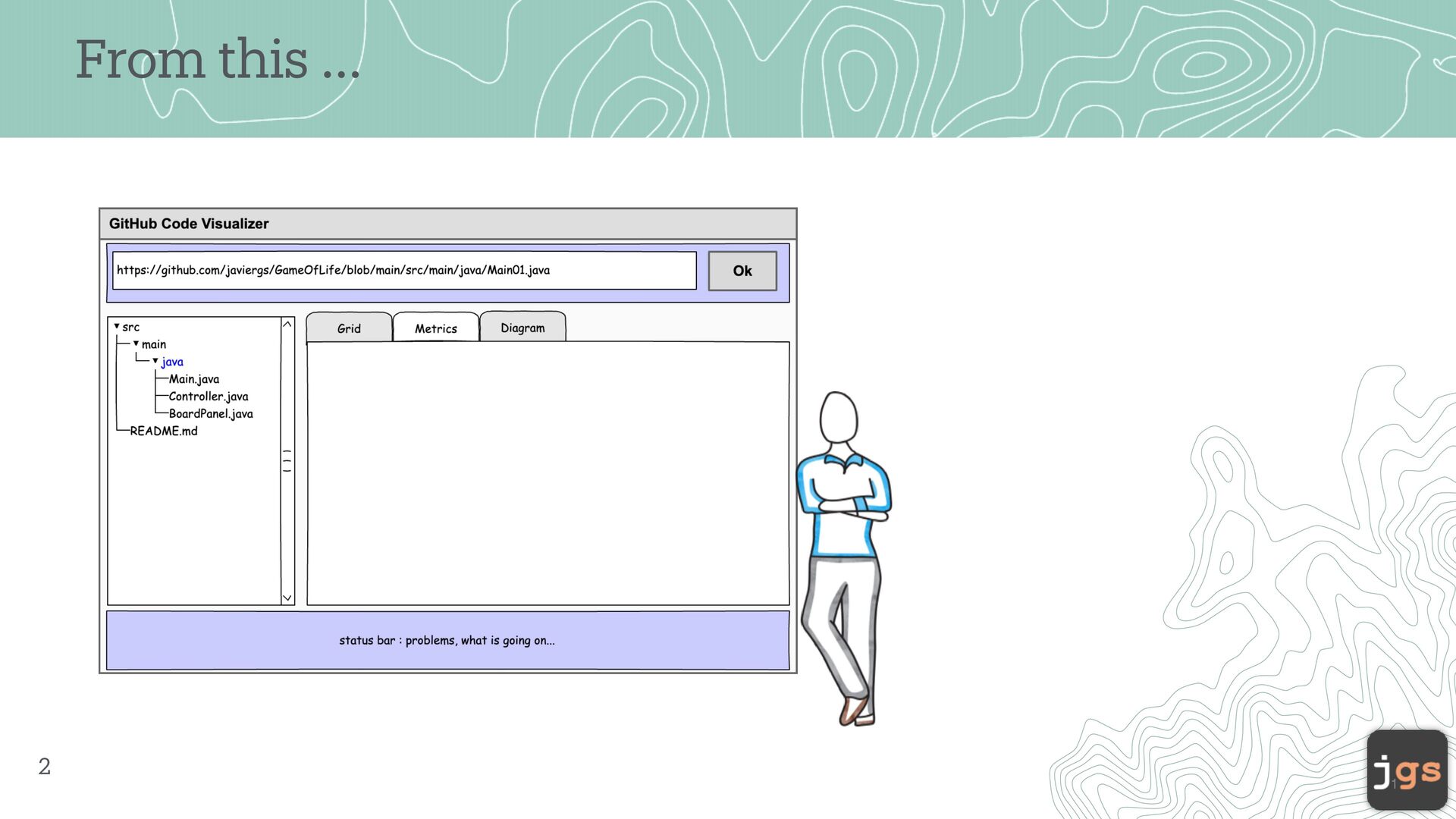
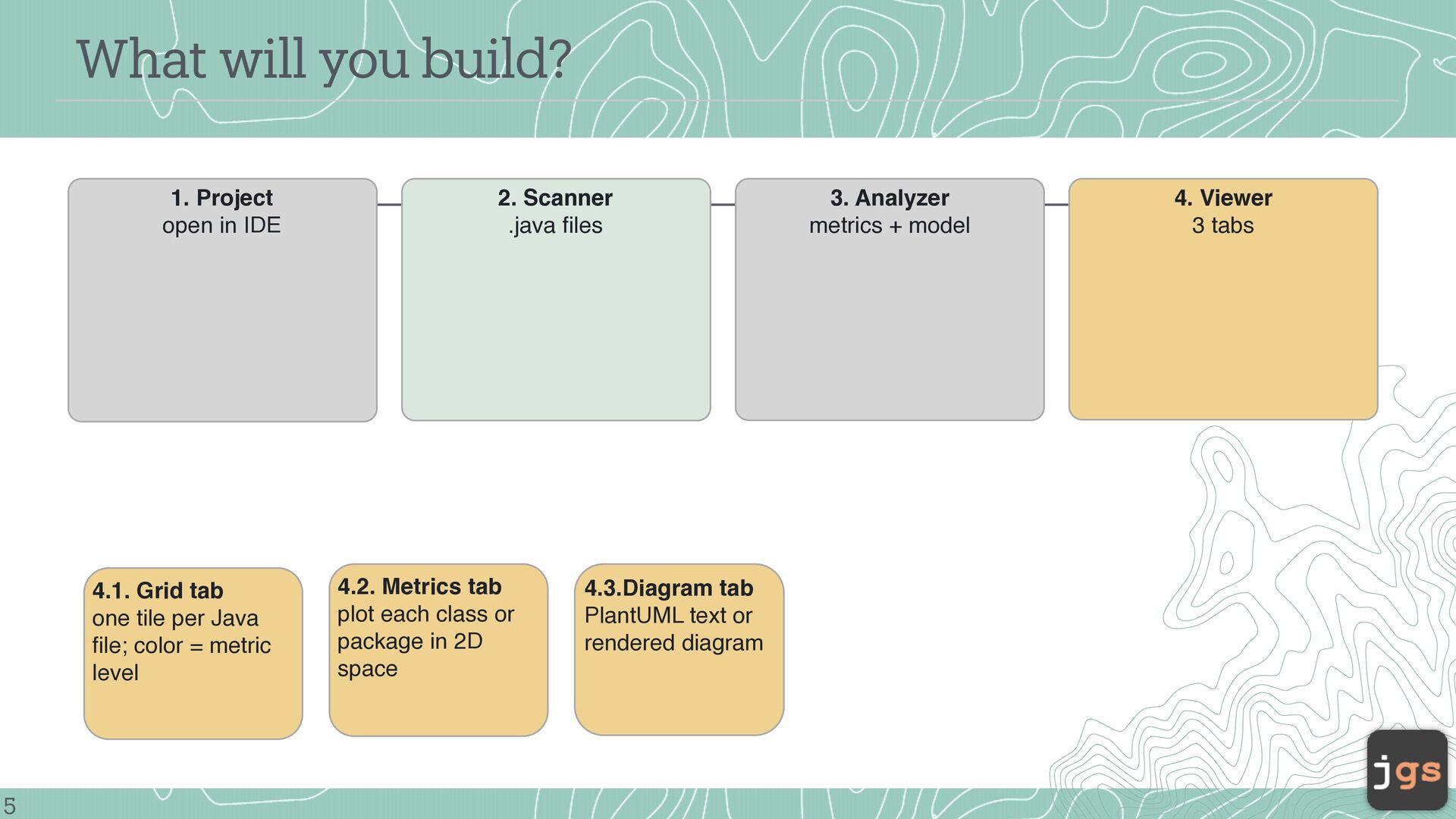
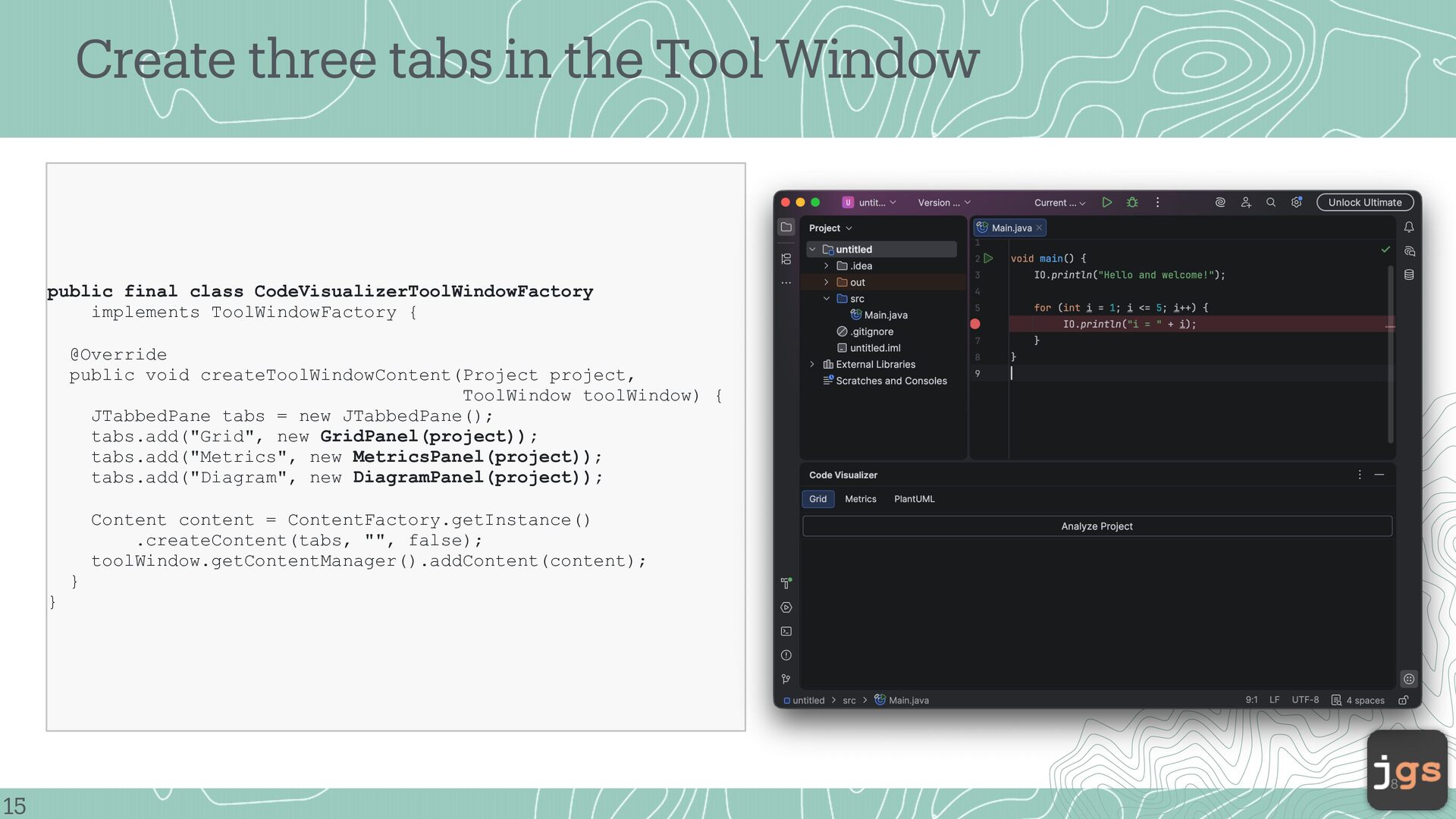
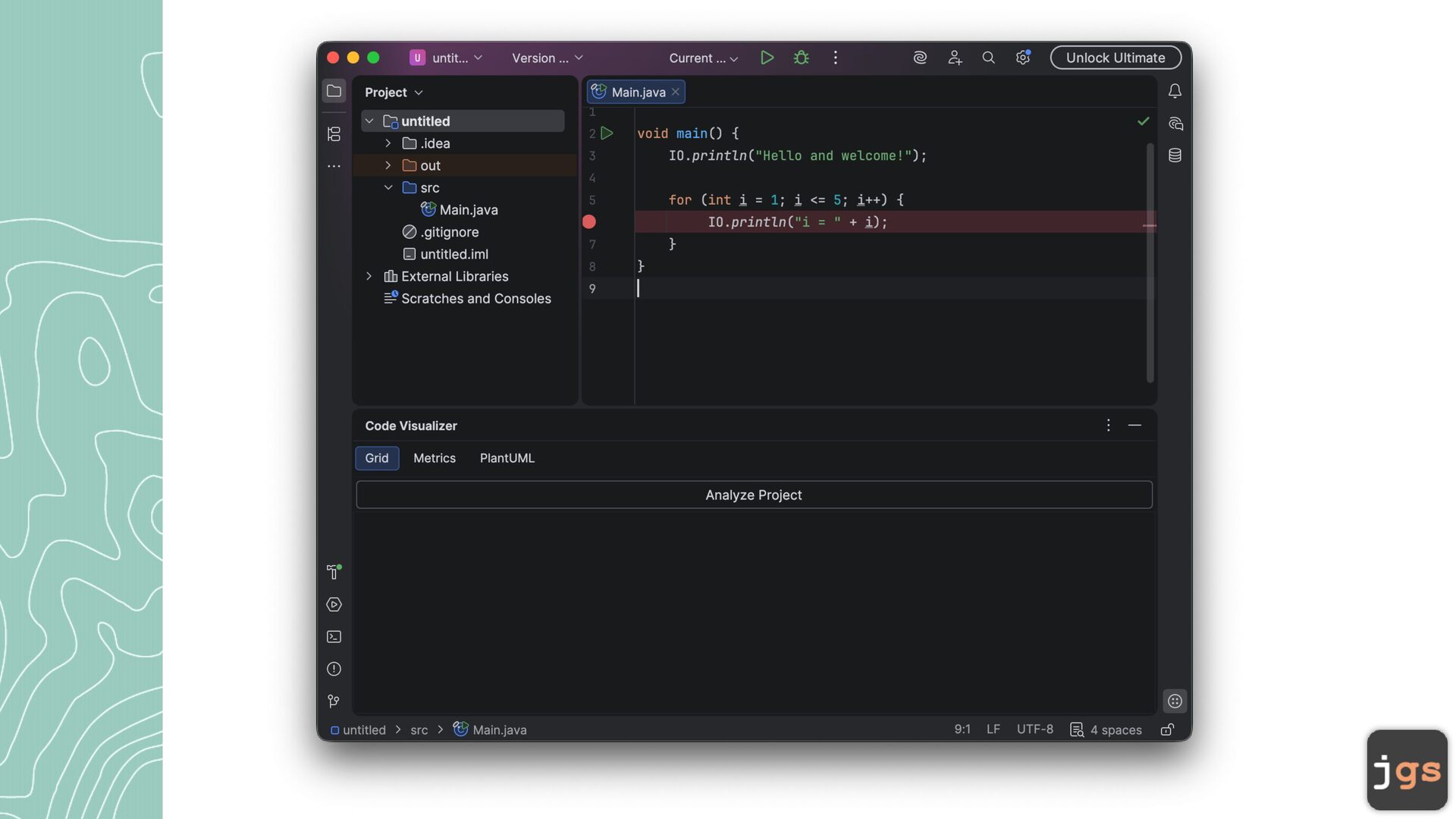
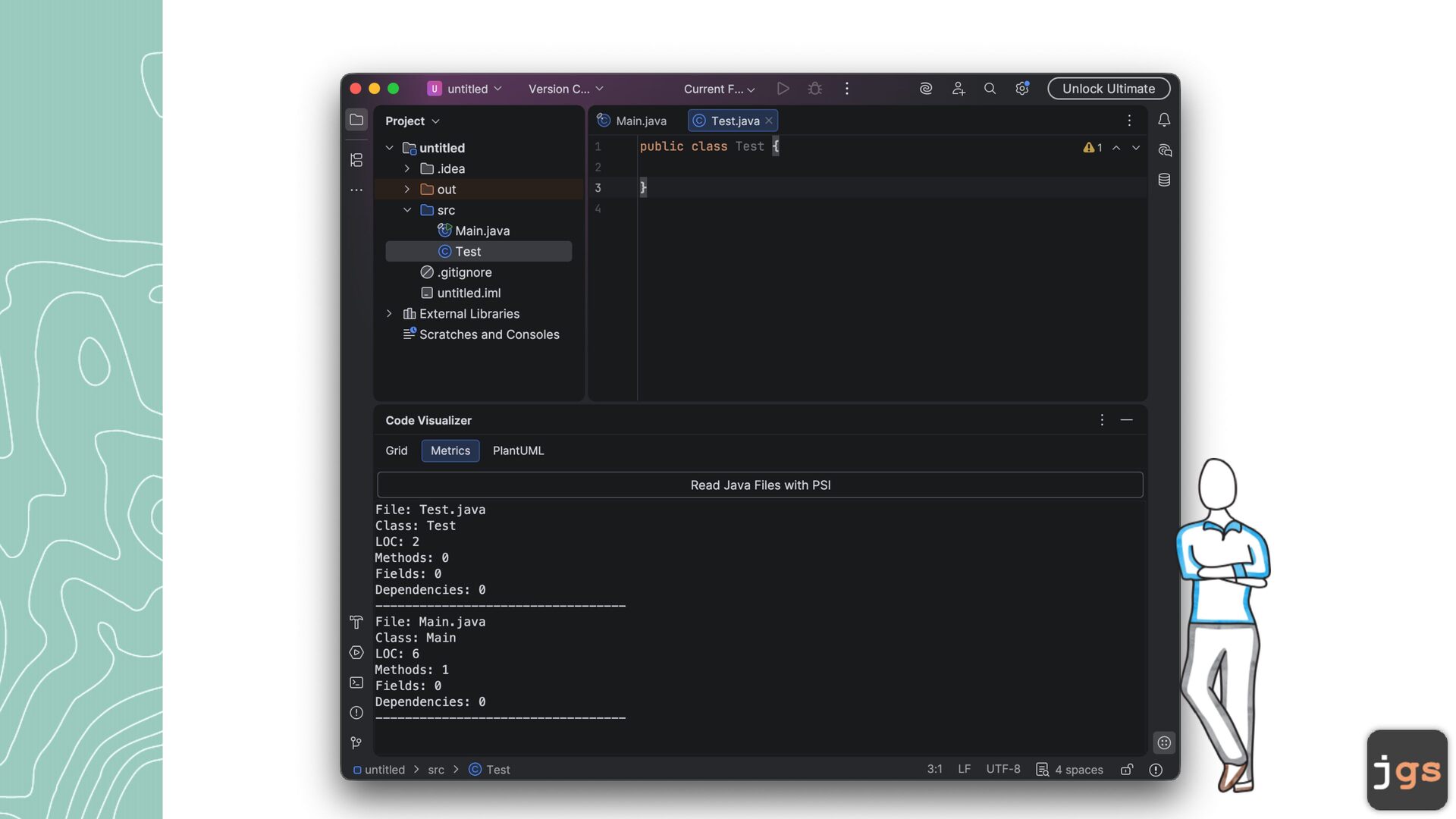
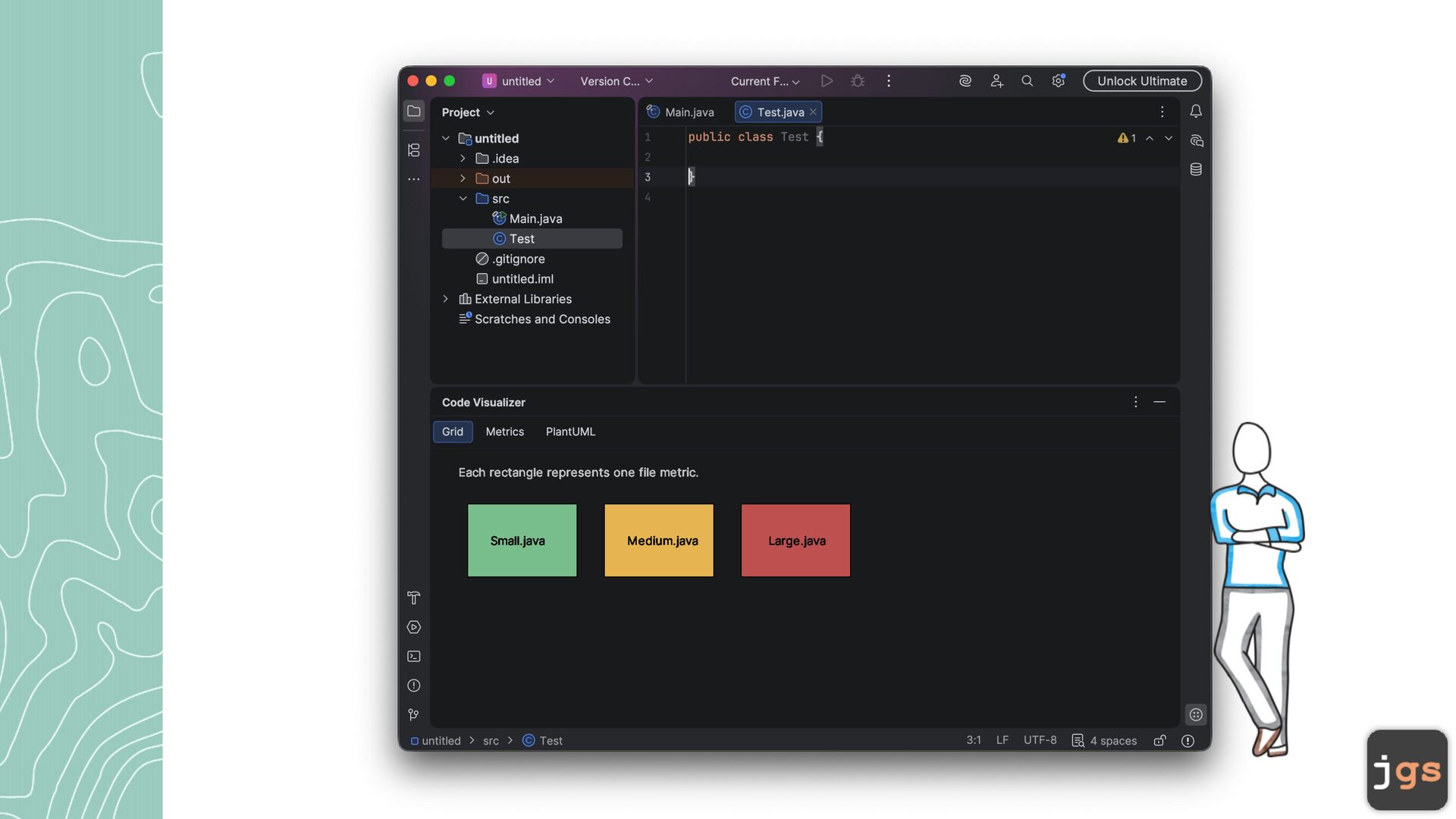
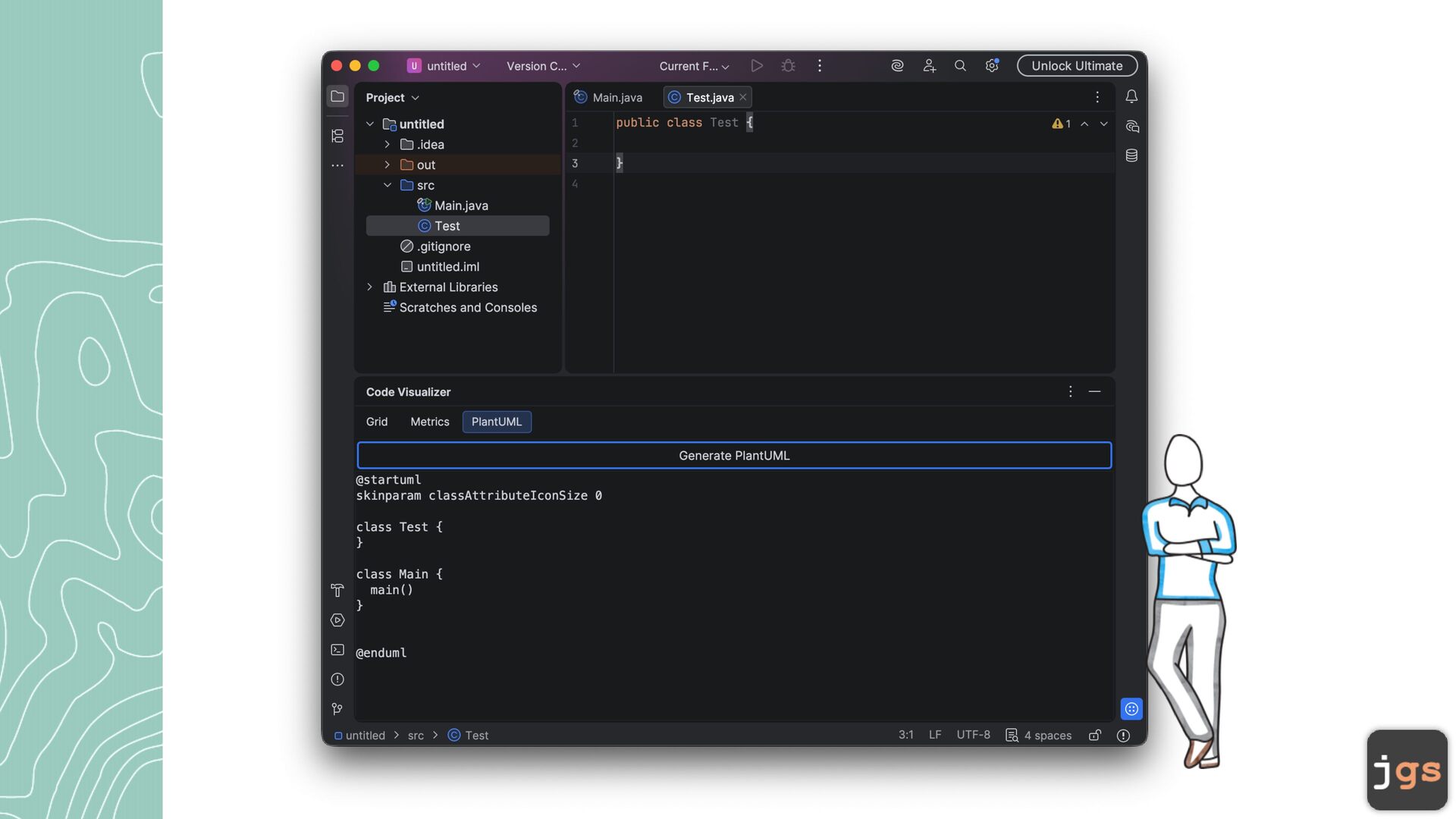
2. Scanner .java files 3. Analyzer metrics + model 4. Viewer 3 tabs 4.1. Grid tab one tile per Java file; color = metric level 4.2. Metrics tab plot each class or package in 2D space 4.3.Diagram tab PlantUML text or rendered diagram
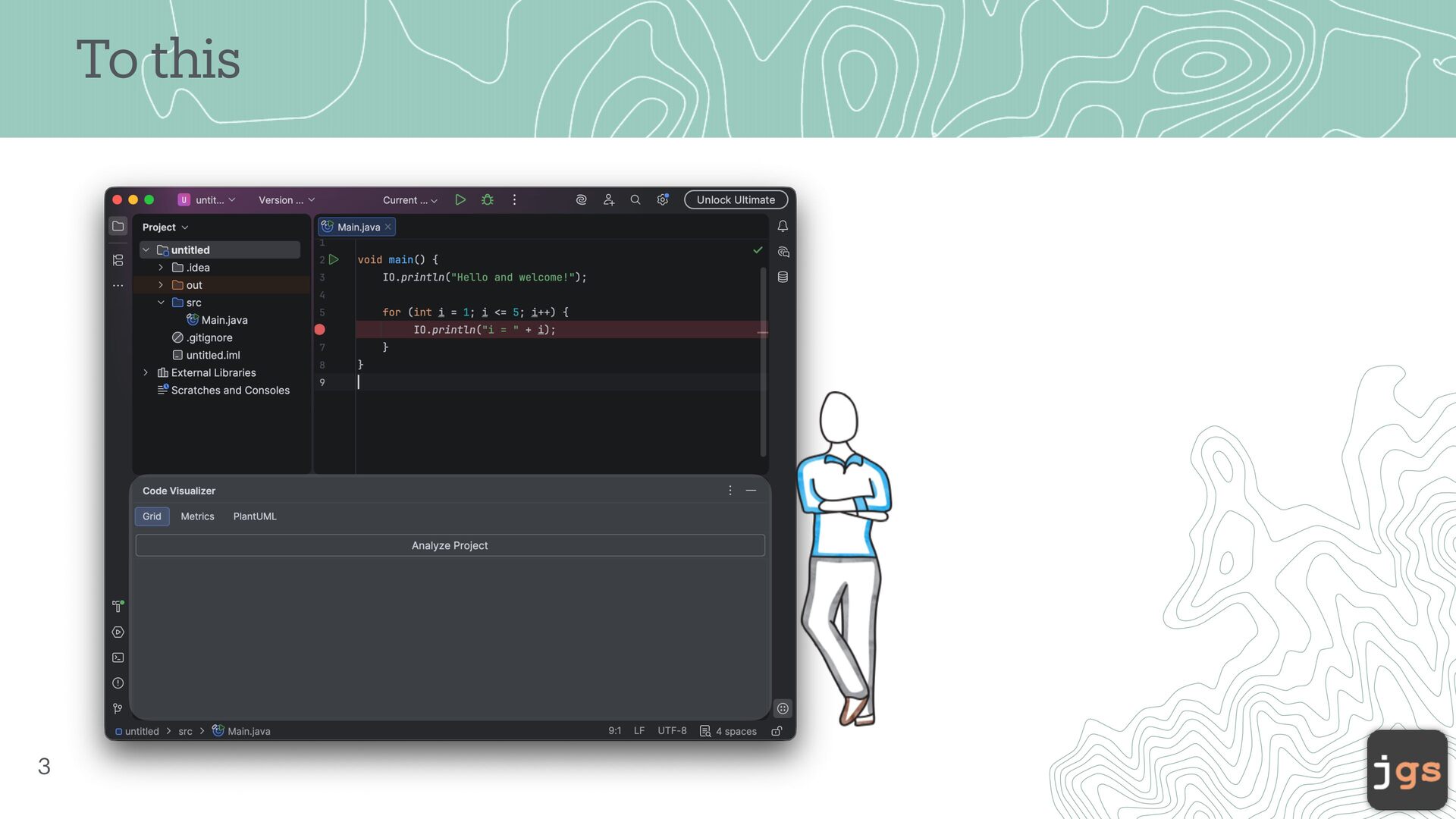
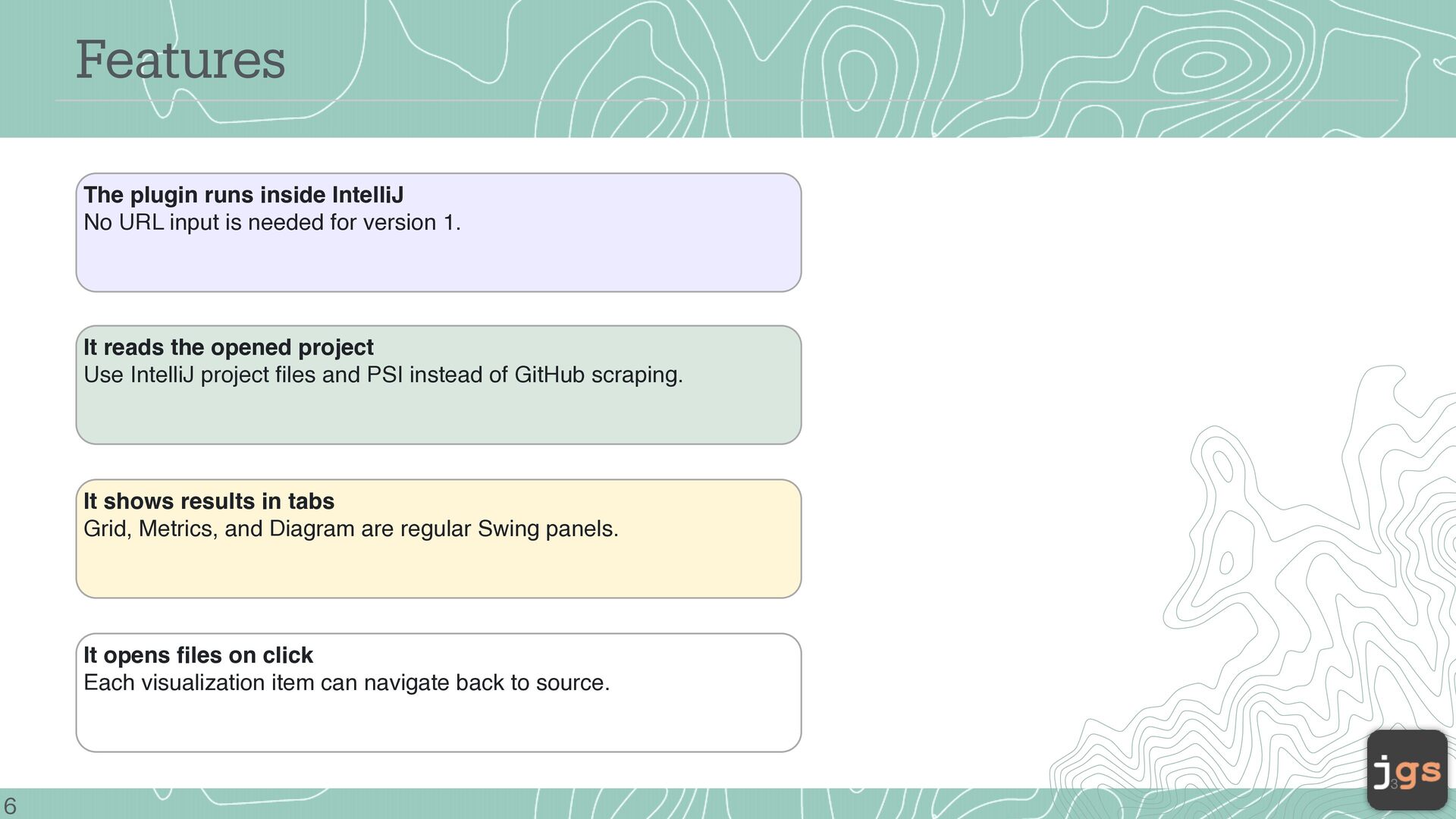
is needed for version 1. It reads the opened project Use IntelliJ project files and PSI instead of GitHub scraping. It shows results in tabs Grid, Metrics, and Diagram are regular Swing panels. It opens files on click Each visualization item can navigate back to source. 3
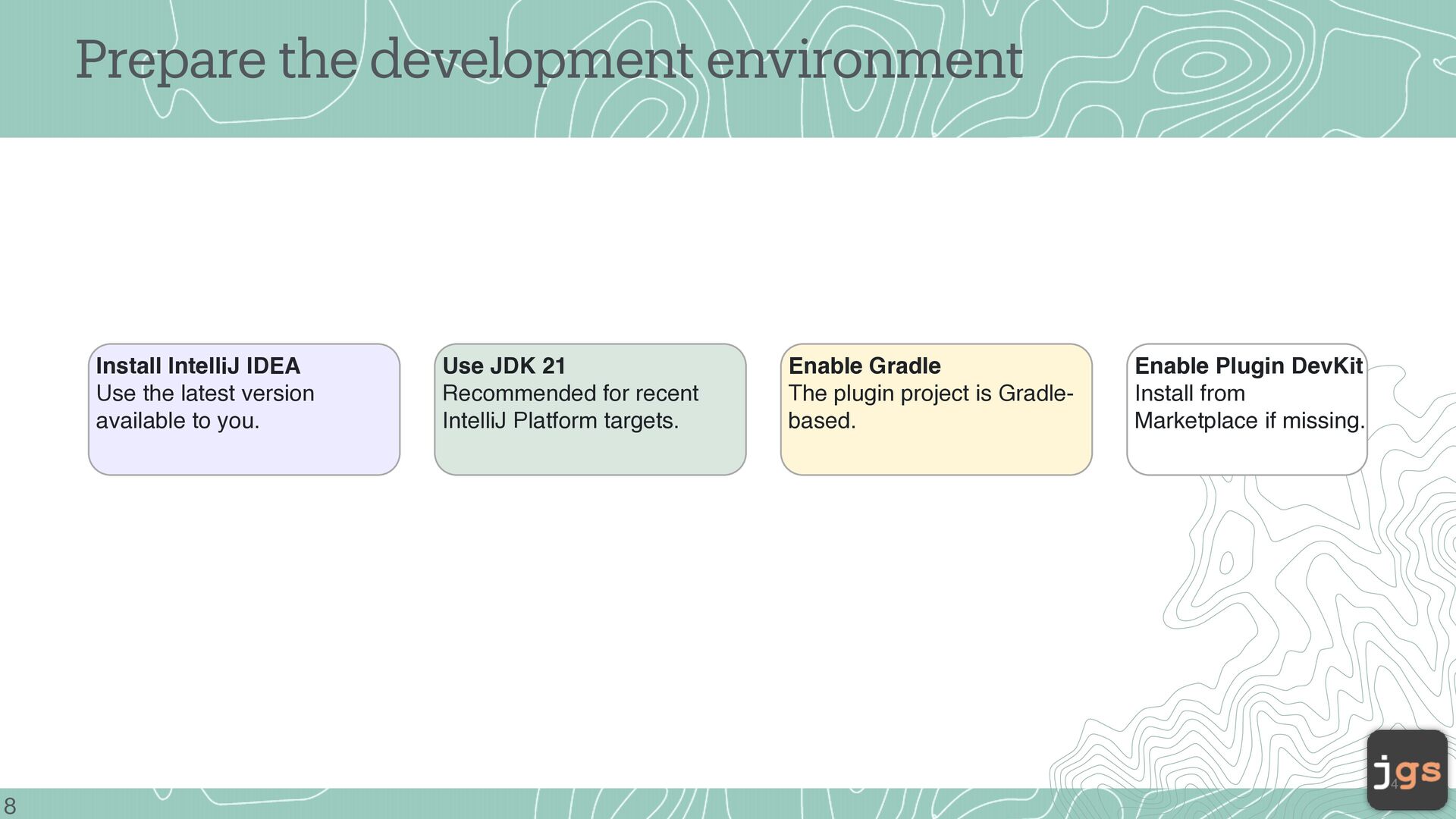
latest version available to you. Use JDK 21 Recommended for recent IntelliJ Platform targets. Enable Gradle The plugin project is Gradle- based. Enable Plugin DevKit Install from Marketplace if missing. 4
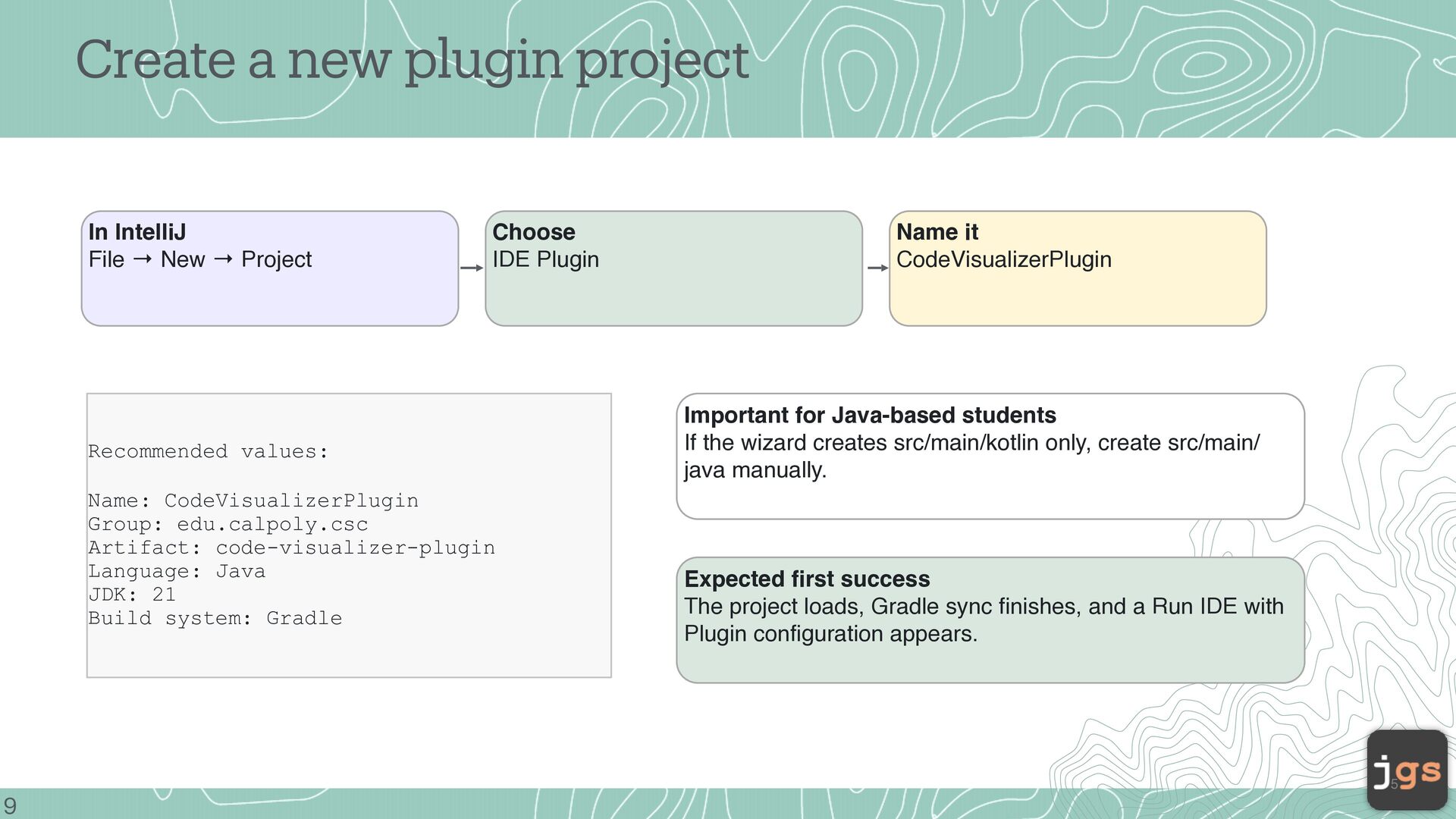
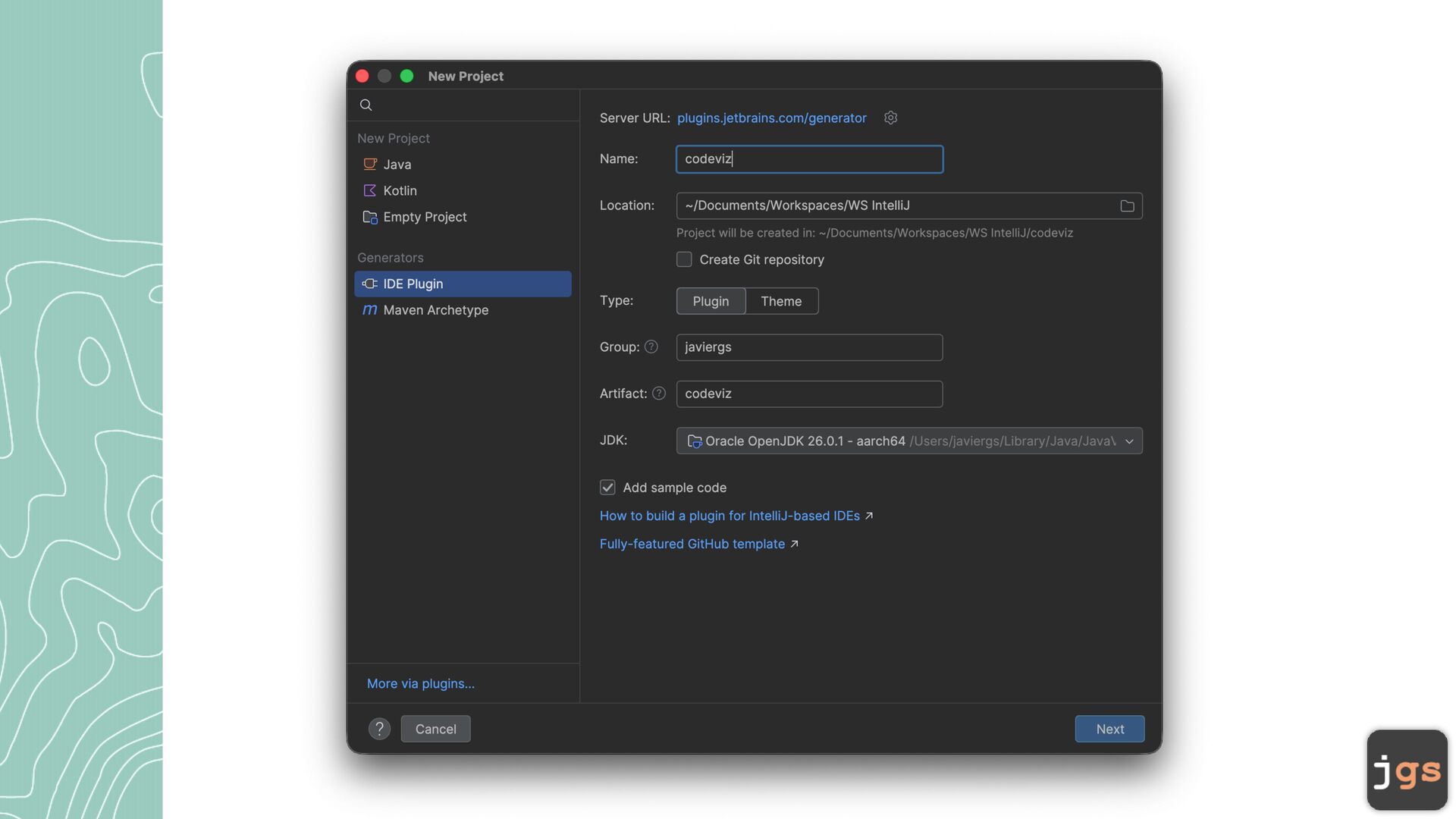
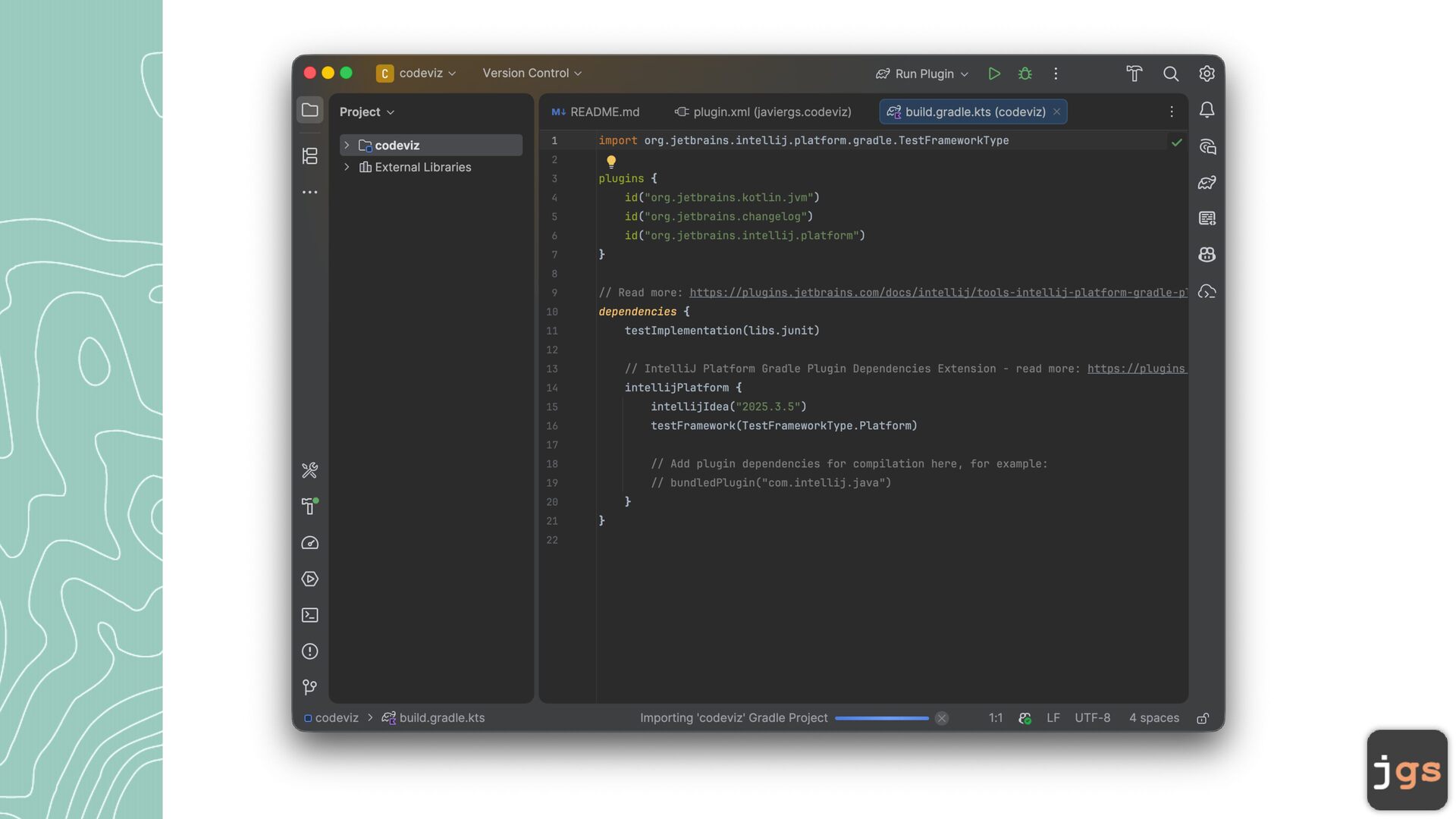
New → Project Choose IDE Plugin Name it CodeVisualizerPlugin Recommended values: Name: CodeVisualizerPlugin Group: edu.calpoly.csc Artifact: code-visualizer-plugin Language: Java JDK: 21 Build system: Gradle Important for Java-based students If the wizard creates src/main/kotlin only, create src/main/ java manually. Expected first success The project loads, Gradle sync finishes, and a Run IDE with Plugin configuration appears. 5
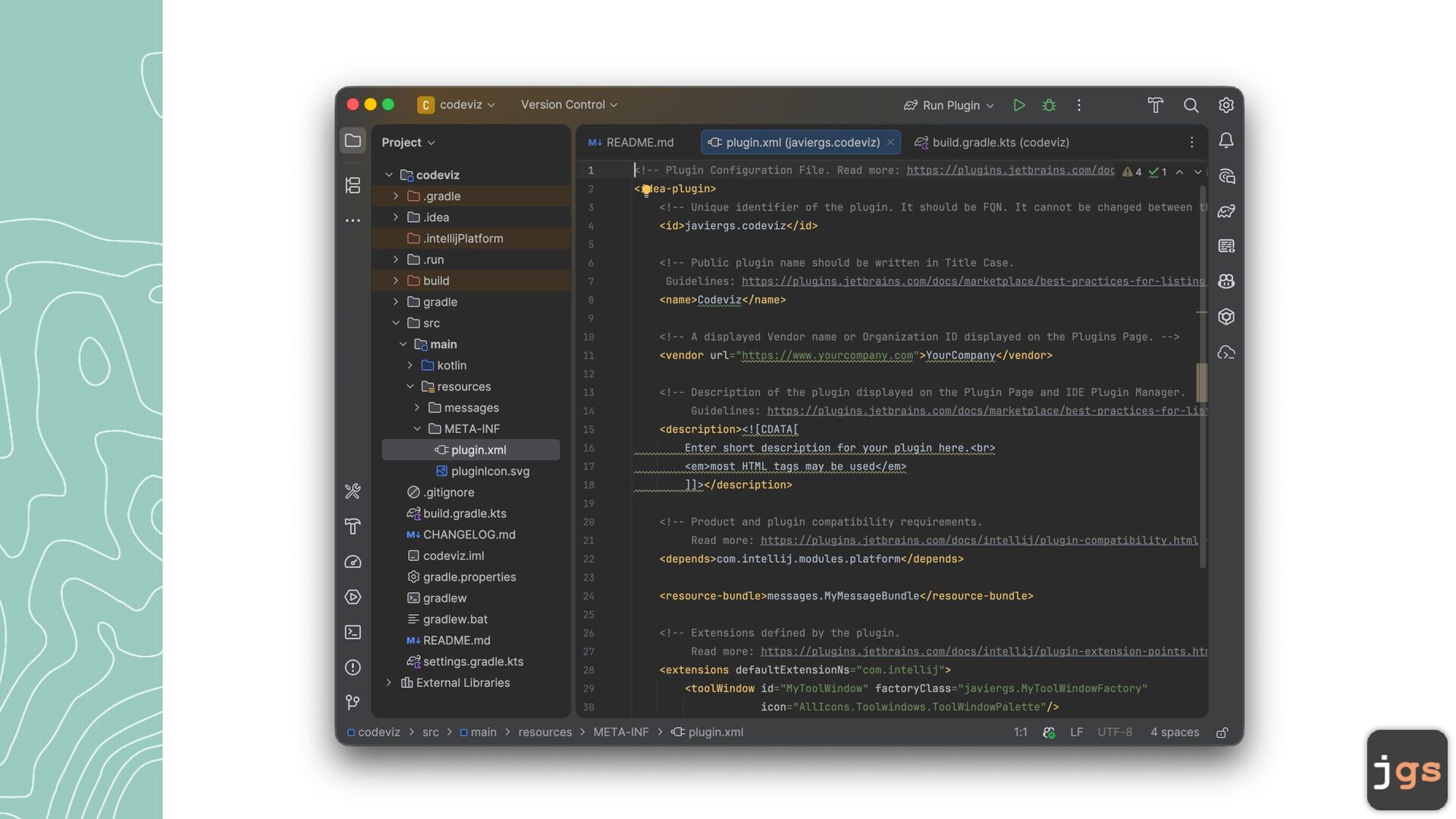
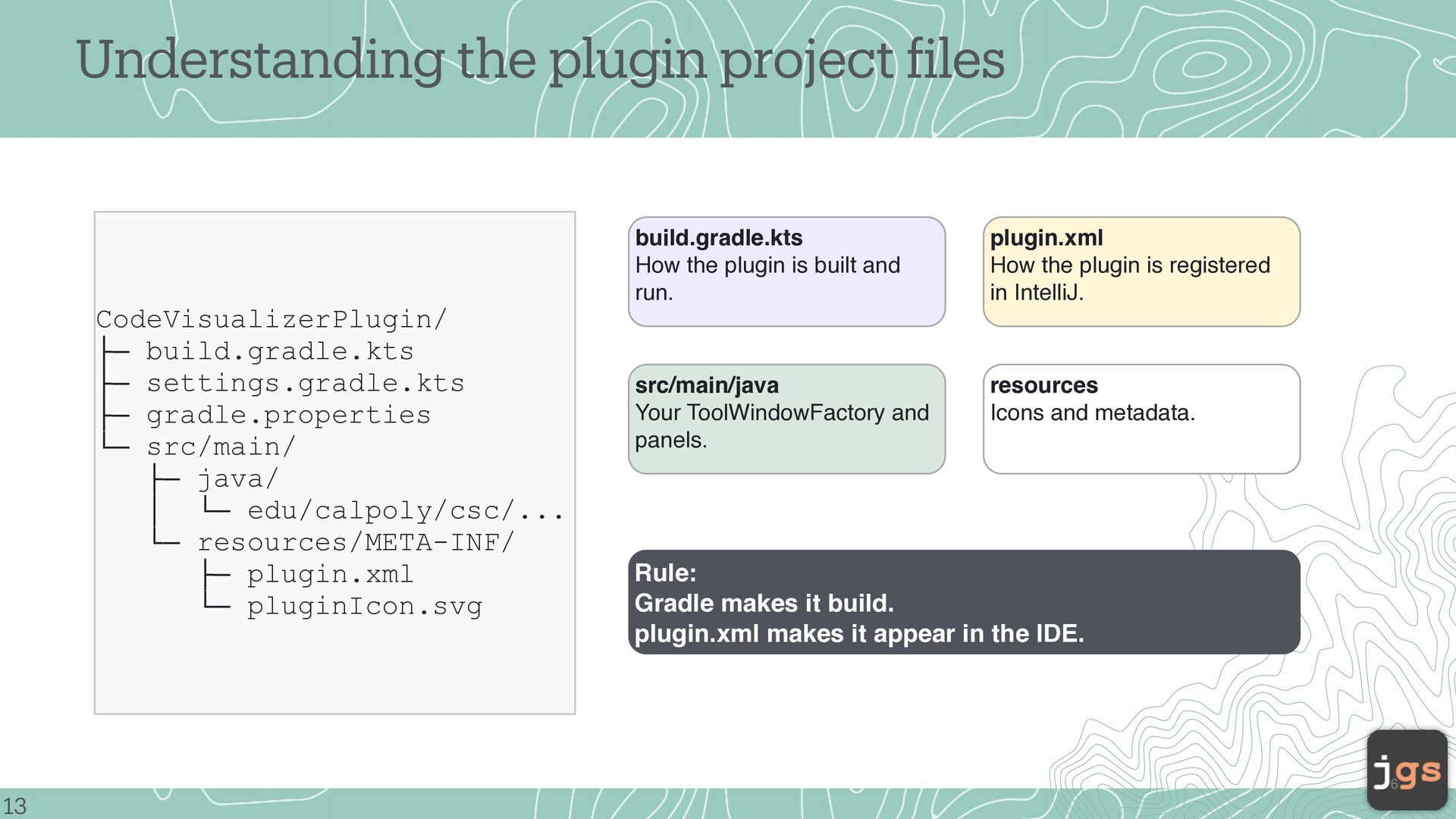
├─ settings.gradle.kts ├─ gradle.properties └─ src/main/ ├─ java/ │ └─ edu/calpoly/csc/... └─ resources/META-INF/ ├─ plugin.xml └─ pluginIcon.svg build.gradle.kts How the plugin is built and run. plugin.xml How the plugin is registered in IntelliJ. src/main/java Your ToolWindowFactory and panels. resources Icons and metadata. Rule: Gradle makes it build. plugin.xml makes it appear in the IDE. 6
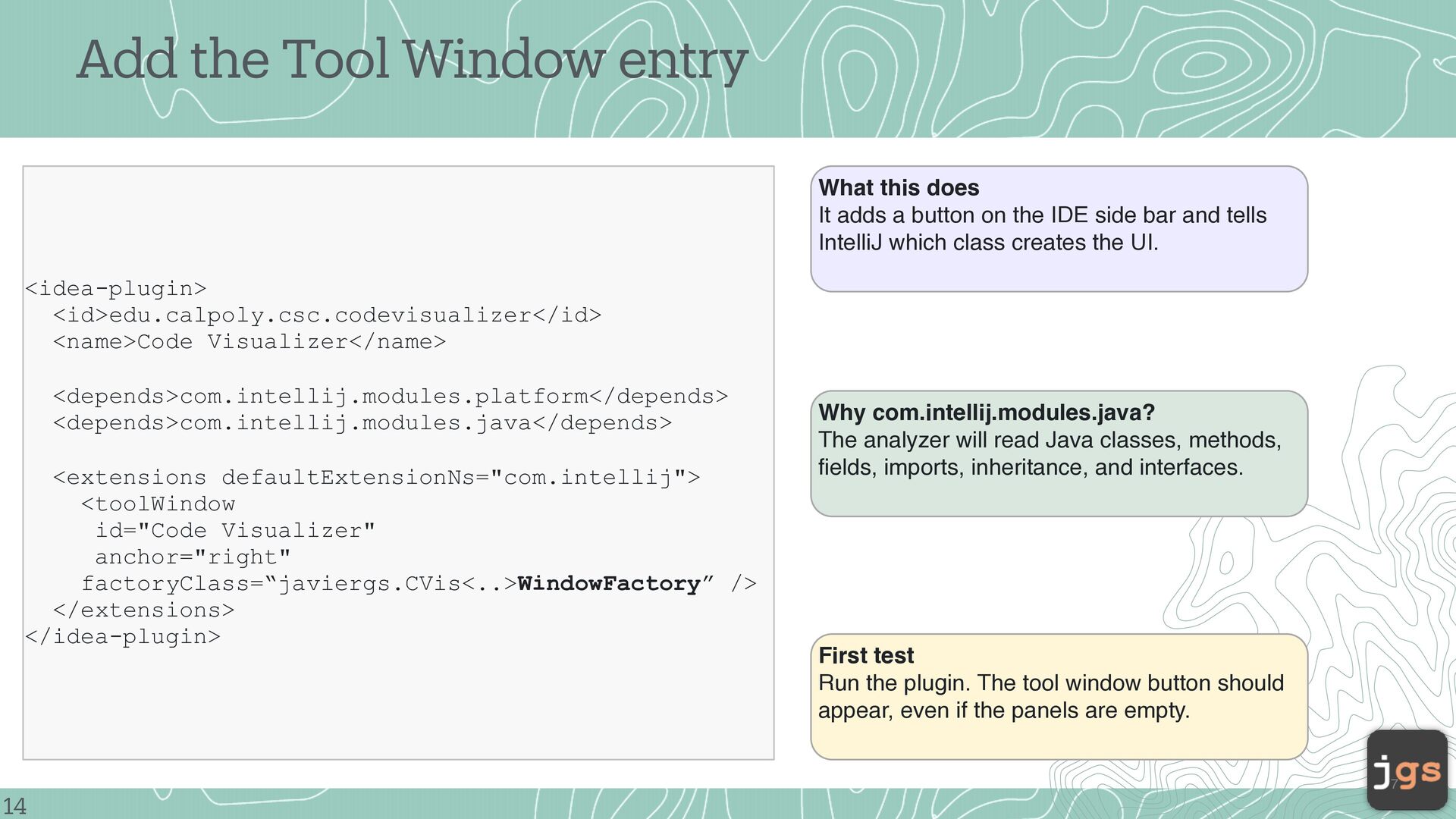
<depends>com.intellij.modules.platform</depends> <depends>com.intellij.modules.java</depends> <extensions defaultExtensionNs="com.intellij"> <toolWindow id="Code Visualizer" anchor="right" factoryClass=“javiergs.CVis<..>WindowFactory” /> </extensions> </idea-plugin> What this does It adds a button on the IDE side bar and tells IntelliJ which class creates the UI. Why com.intellij.modules.java? The analyzer will read Java classes, methods, fields, imports, inheritance, and interfaces. First test Run the plugin. The tool window button should appear, even if the panels are empty. 7
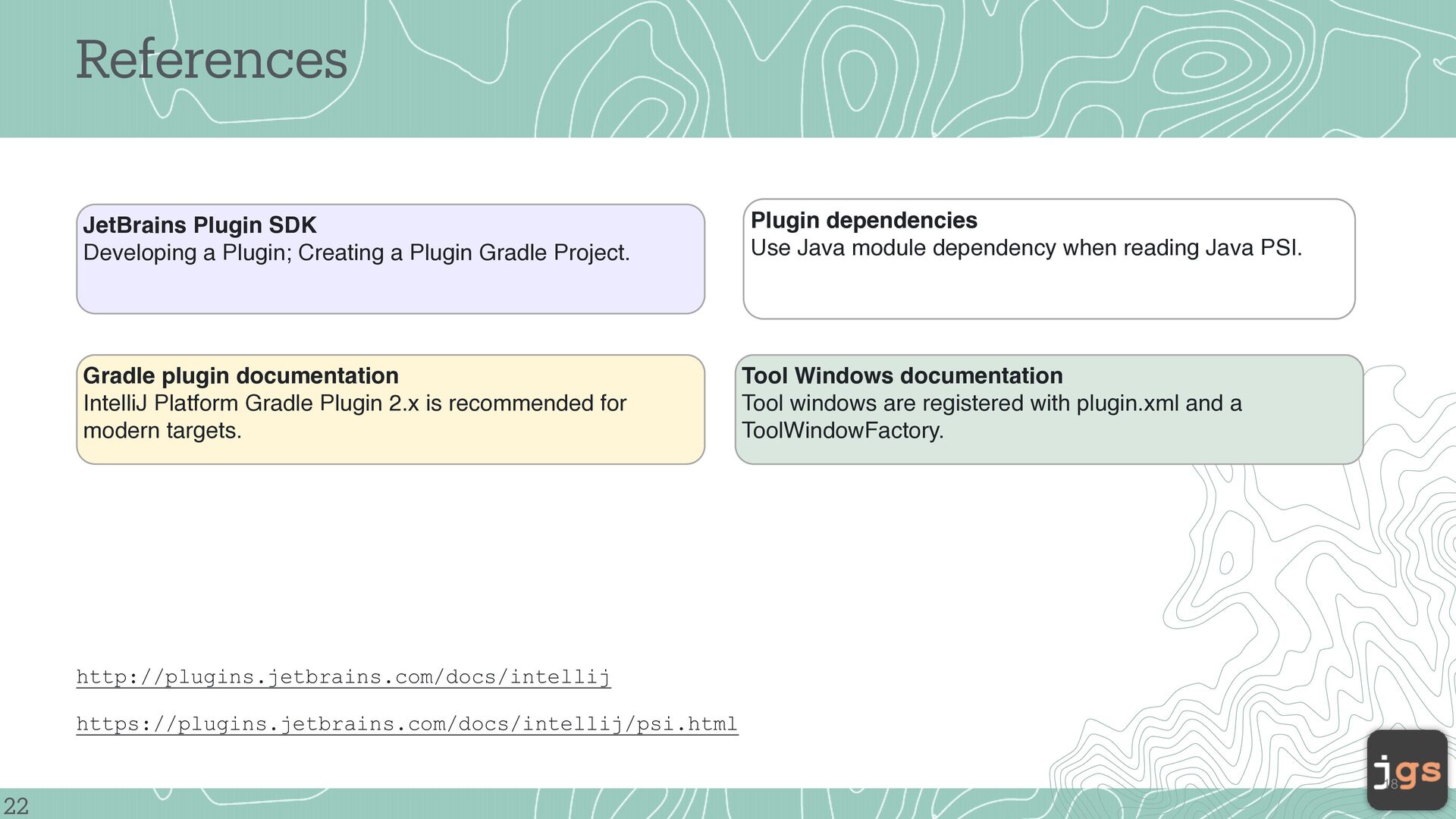
Plugin Gradle Project. Tool Windows documentation Tool windows are registered with plugin.xml and a ToolWindowFactory. Gradle plugin documentation IntelliJ Platform Gradle Plugin 2.x is recommended for modern targets. Plugin dependencies Use Java module dependency when reading Java PSI. http://plugins.jetbrains.com/docs/intellij https://plugins.jetbrains.com/docs/intellij/psi.html 18
[email protected] Fall 2025 Copyright. These slides can only be used as study material for the class CSC305 at Cal Poly. They cannot be distributed or used for another purpose.


 javiergs
 davidcarrasco
 cassininazir
 ianozsvald
 eileencodes
 morganepeng
 aleyda
 chrislema
 soysaucechin
 reverentgeek
 khoart
 chriscoyier
 nikkihalliwell
![Dr. Javier Gonzalez-Sanchez [email protected] www.javiergs.info o ffi ce: 14 -227](https://files.speakerdeck.com/presentations/bfd5dc6c0e954c31b83d8446cc77f81f/slide_0.jpg)