Upgrade to Pro
— share decks privately, control downloads, hide ads and more …
Speaker Deck
Sign up for free
Menu
Search
Features
All features
Private URLs
Password Protection
Custom URLS
Scheduled publishing
Remove Branding
Restrict embedding
Deck Collections
Notes
Features
All features
Private URLs
Password Protection
Custom URLS
Scheduled publishing
Remove Branding
Restrict embedding
Deck Collections
Notes
Explore
Featured decks
Featured speakers
Programming
Technology
Storyboards
Explore
Featured decks
Featured speakers
Programming
Technology
Storyboards
Pricing
Search
Sign in
Sign up for free
Passkey_OAuth2-Osaki-rs-20250325.pdf
Search
ktaka-ccmp
March 25, 2025
84
1
Share
Embed
Copy iframe code
Copy JS code
Copy link
Start on current slide
Passkey_OAuth2-Osaki-rs-20250325.pdf
ktaka-ccmp
March 25, 2025
More Decks by ktaka-ccmp
See All by ktaka-ccmp
RustでOAuth2+Passkeyのライブラリを作ってます
ktaka8ccmp
0
40
Featured
See All Featured
AI in Enterprises - Java and Open Source to the Rescue
ivargrimstad
0
1.5k
Templates, Plugins, & Blocks: Oh My! Creating the theme that thinks of everything
marktimemedia
31
2.9k
The #1 spot is gone: here's how to win anyway
tamaranovitovic
4
1.2k
The Cost Of JavaScript in 2023
addyosmani
55
10k
[Rails World 2026] Durable orchestration on Rails: from continuation to workflow
palkan
1
800
Marketing Yourself as an Engineer | Alaka | Gurzu
gurzu
0
330
Taking LLMs out of the black box: A practical guide to human-in-the-loop distillation
inesmontani
PRO
3
2.5k
My Coaching Mixtape
mlcsv
0
360
Optimizing for Happiness
mojombo
378
71k
Winning Ecommerce Organic Search in an AI Era - #searchnstuff2025
aleyda
2
2.2k
Impact Scores and Hybrid Strategies: The future of link building
tamaranovitovic
0
460
Crafting Experiences
bethany
1
390
Transcript
RustでOAuth2/OIDC+Passkey 認証をやってます。 @ktaka GitHub
自己紹介 • X: @ktaka • Rust一年生 • リスキリング中の自営業者 • あまり登壇に慣れていない
お手柔らかにお願いします。 GitHub
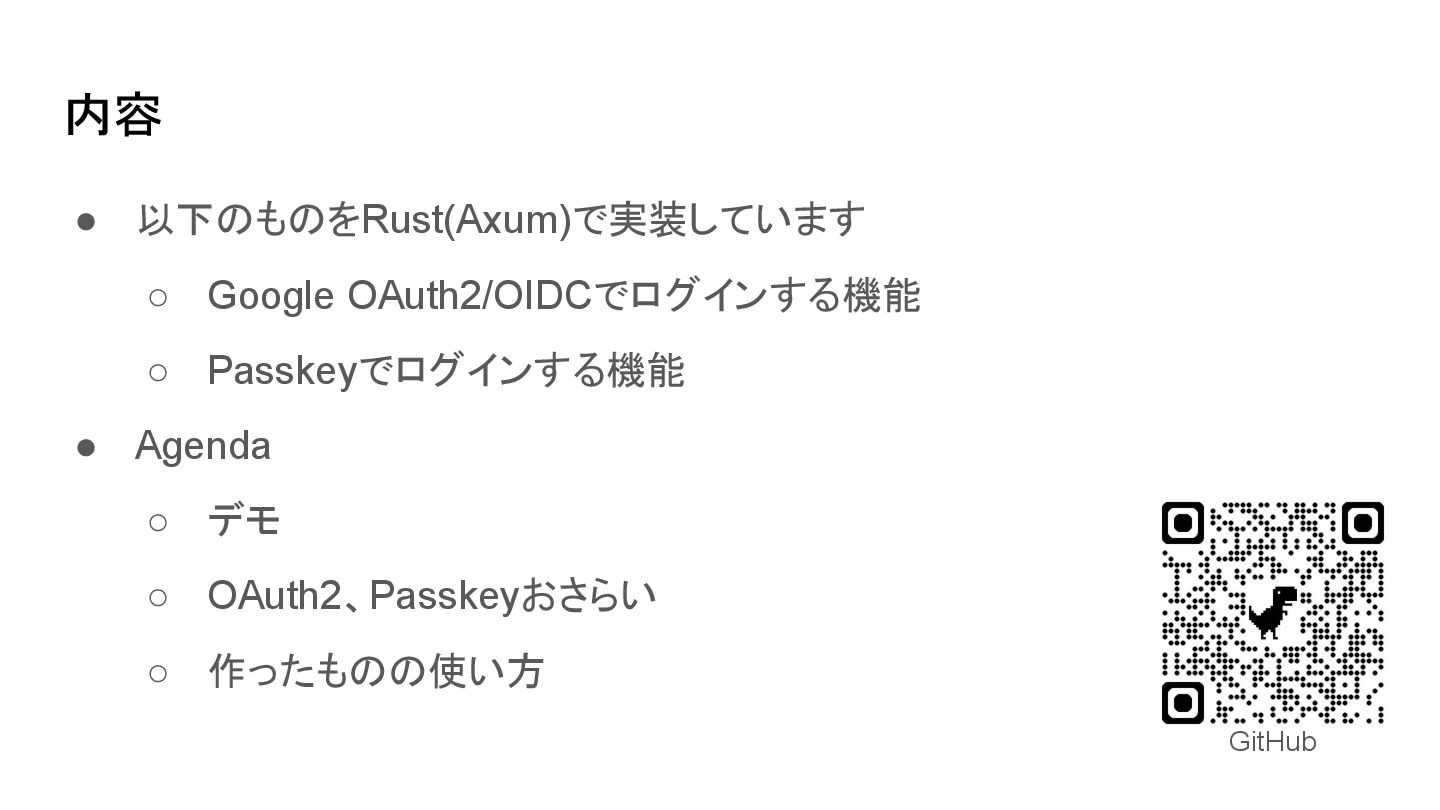
内容 • 以下のものをRust(Axum)で実装しています ◦ Google OAuth2/OIDCでログインする機能 ◦ Passkeyでログインする機能 • Agenda
◦ デモ ◦ OAuth2、Passkeyおさらい ◦ 作ったものの使い方 GitHub
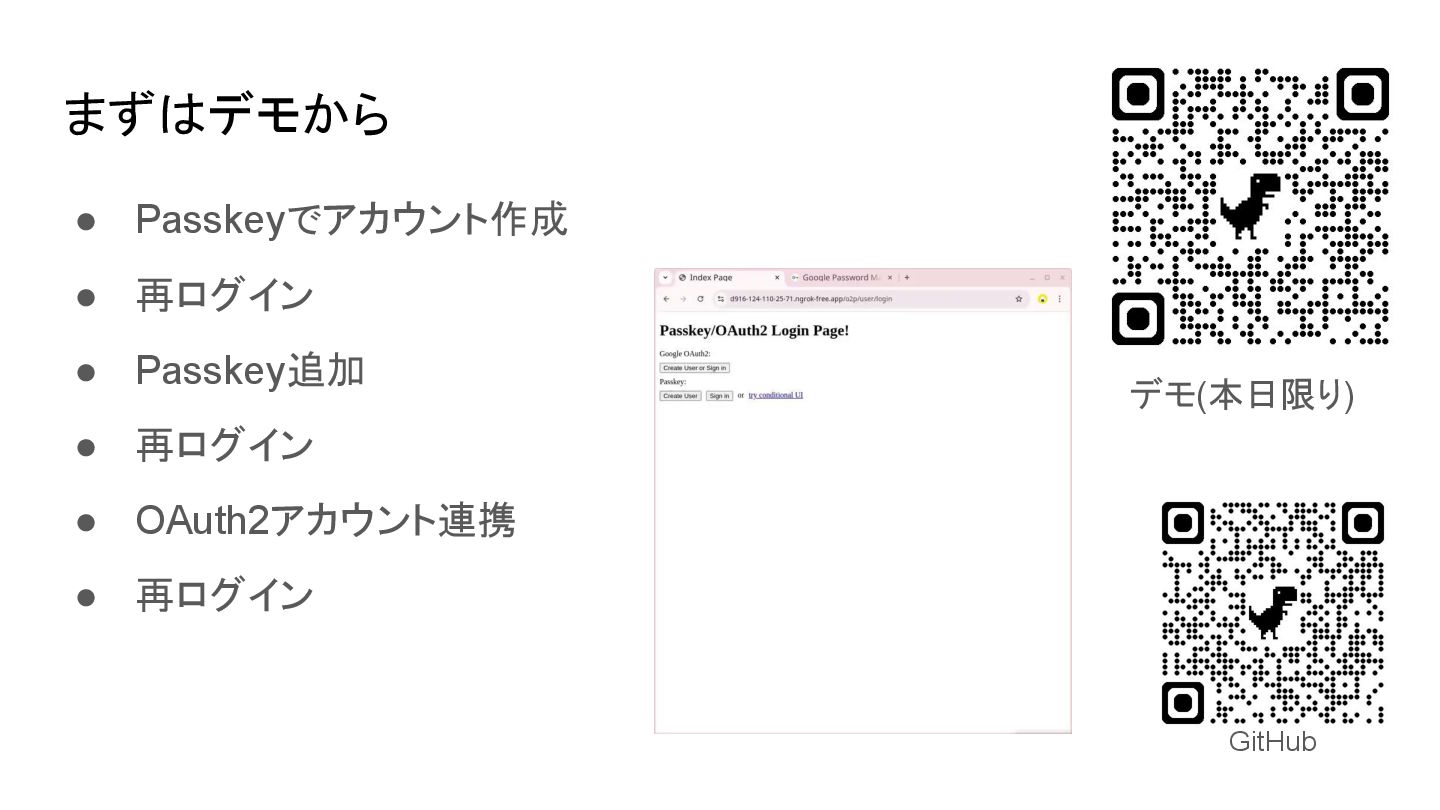
まずはデモから • Passkeyでアカウント作成 • 再ログイン • Passkey追加 • 再ログイン •
OAuth2アカウント連携 • 再ログイン GitHub デモ(本日限り)
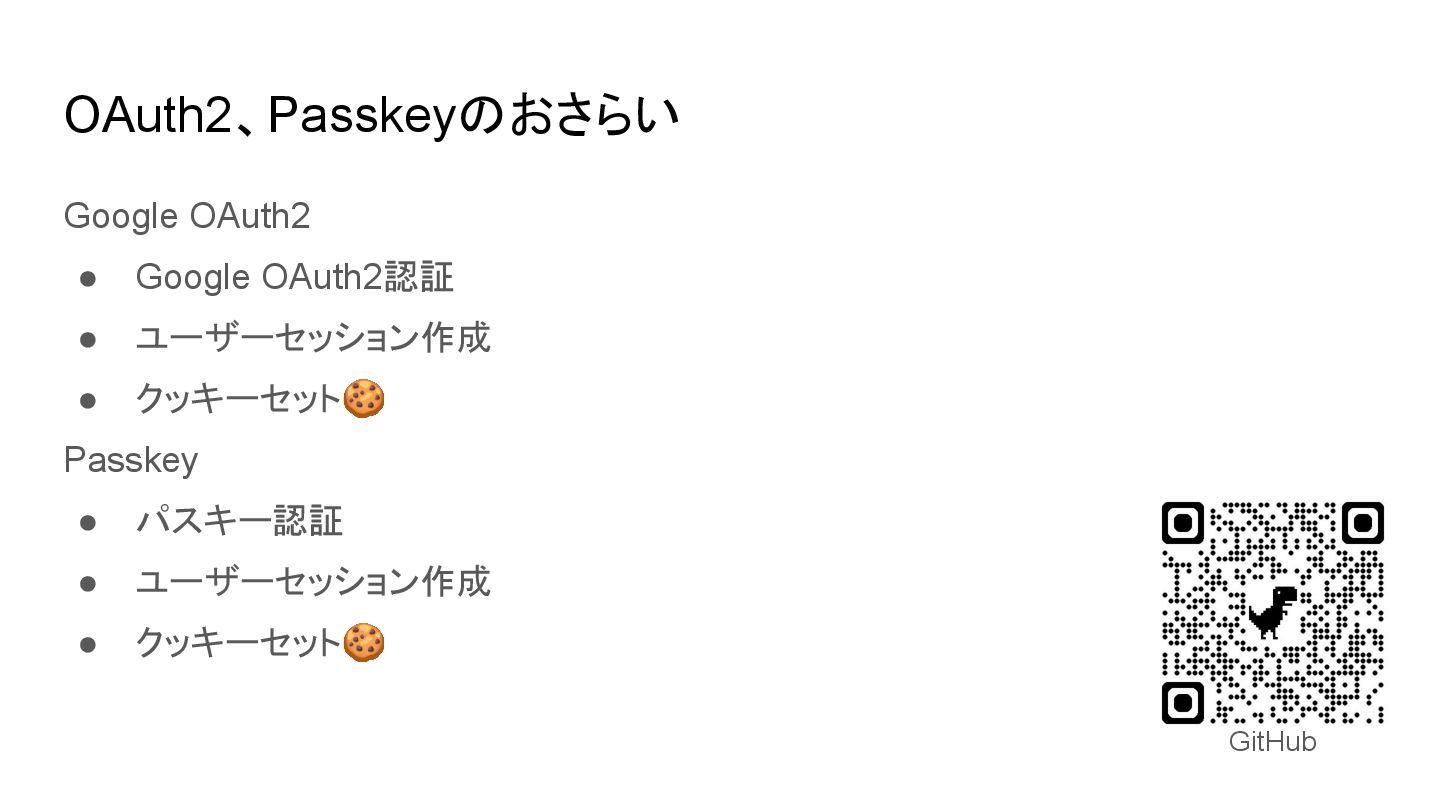
OAuth2、Passkeyのおさらい Google OAuth2 • Google OAuth2認証 • ユーザーセッション作成 • クッキーセット🍪
Passkey • パスキー認証 • ユーザーセッション作成 • クッキーセット🍪 GitHub
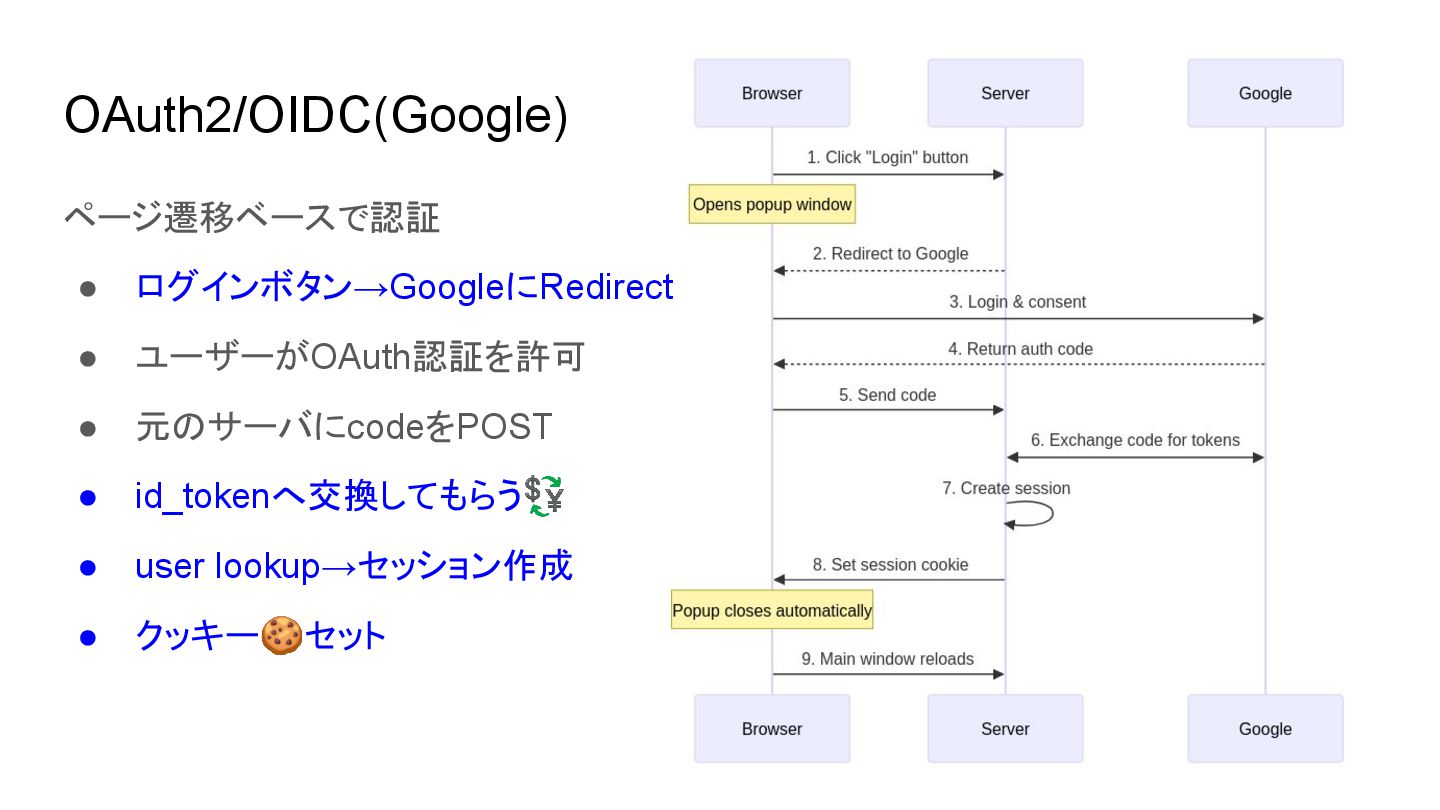
OAuth2/OIDC(Google) ページ遷移ベースで認証 • ログインボタン→GoogleにRedirect • ユーザーがOAuth認証を許可 • 元のサーバにcodeをPOST • id_tokenへ交換してもらう💱
• user lookup→セッション作成 • クッキー🍪セット
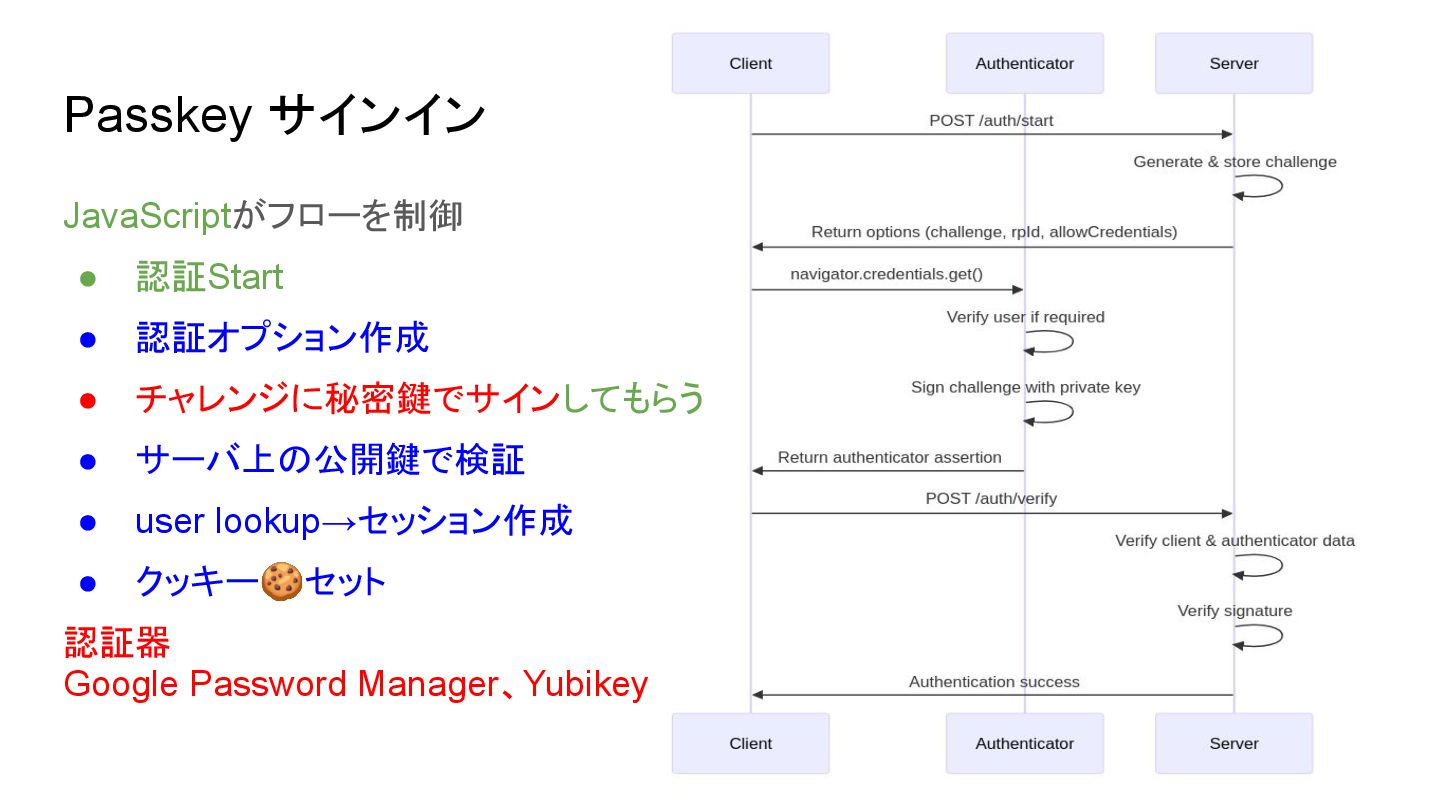
Passkey サインイン JavaScriptがフローを制御 • 認証Start • 認証オプション作成 • チャレンジに秘密鍵でサインしてもらう •
サーバ上の公開鍵で検証 • user lookup→セッション作成 • クッキー🍪セット 認証器 Google Password Manager、Yubikey
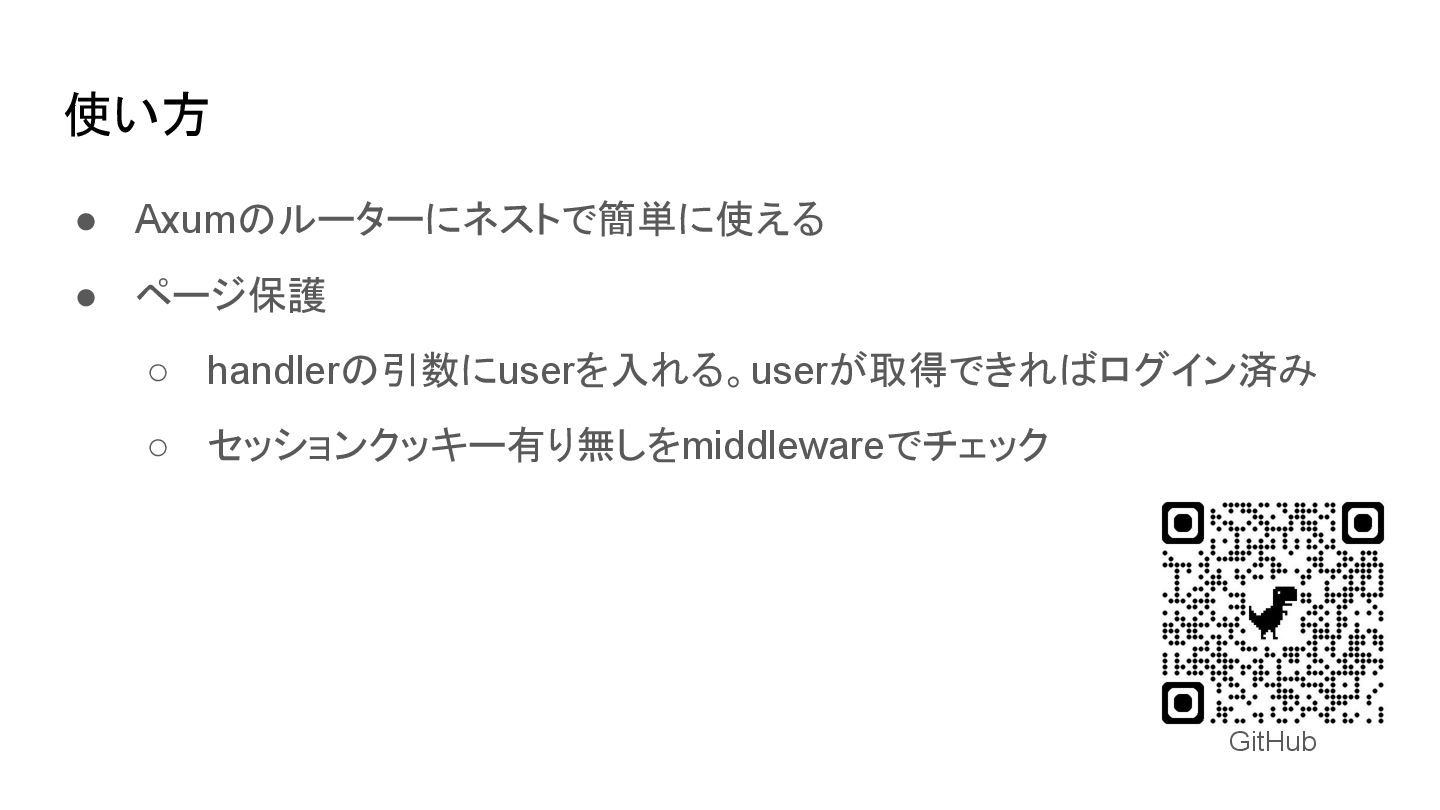
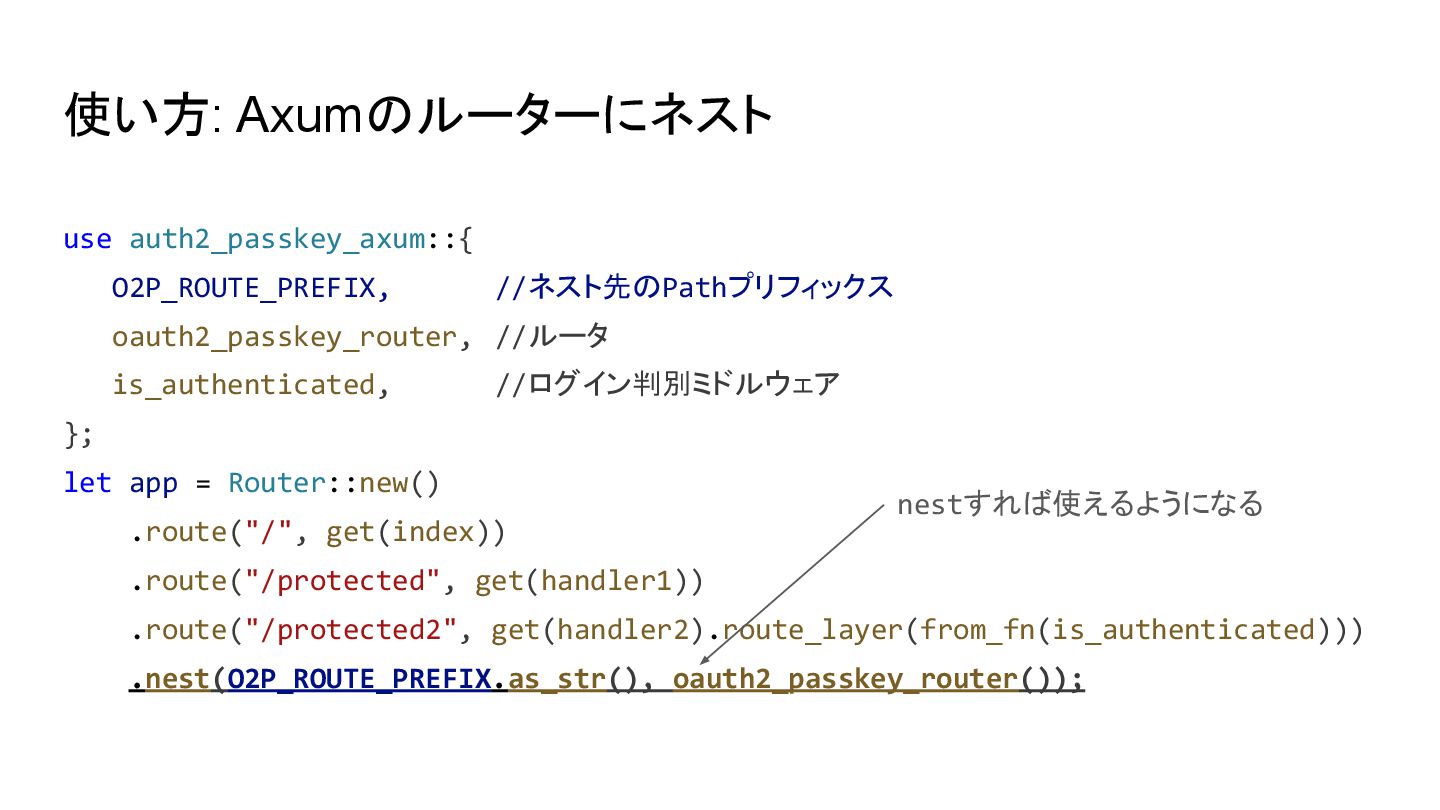
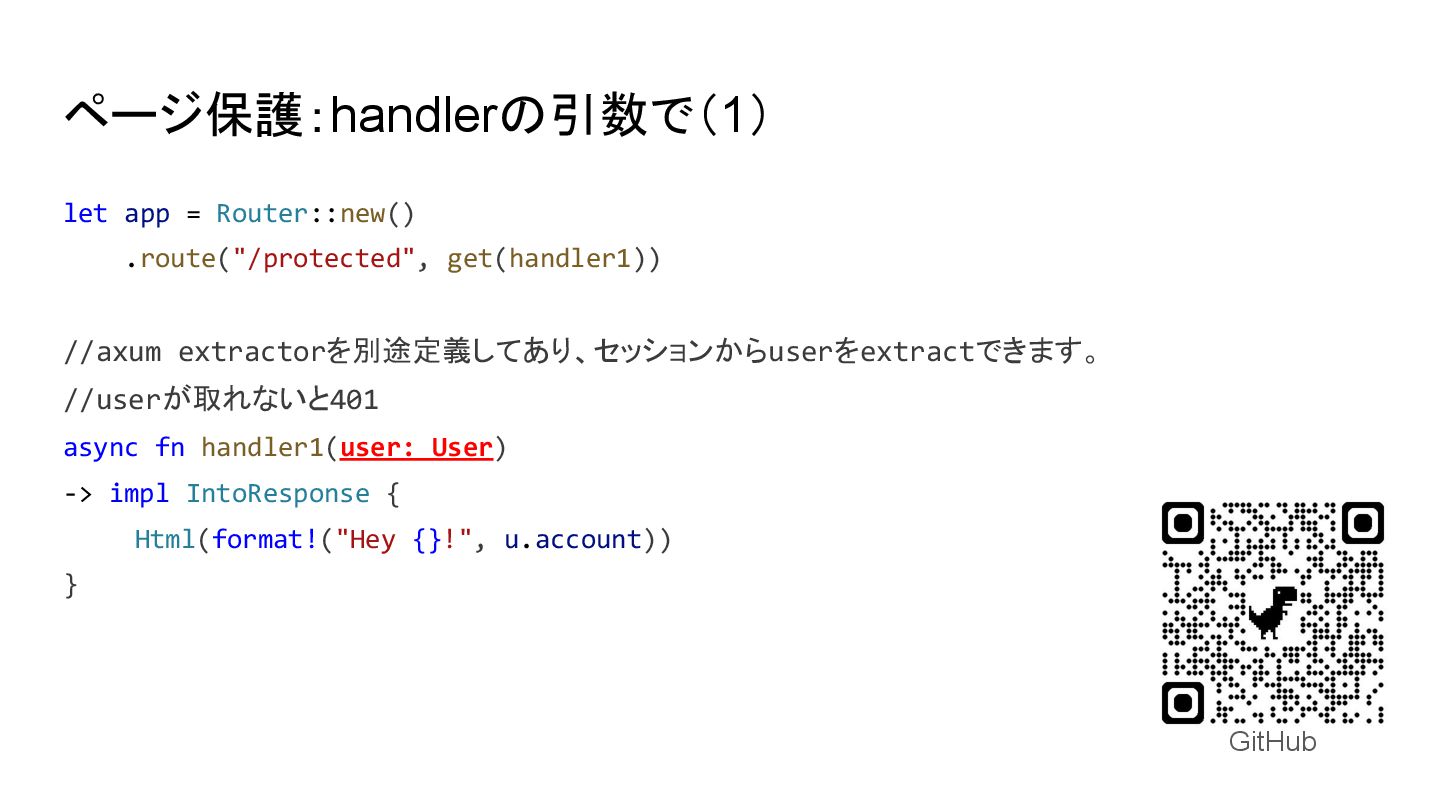
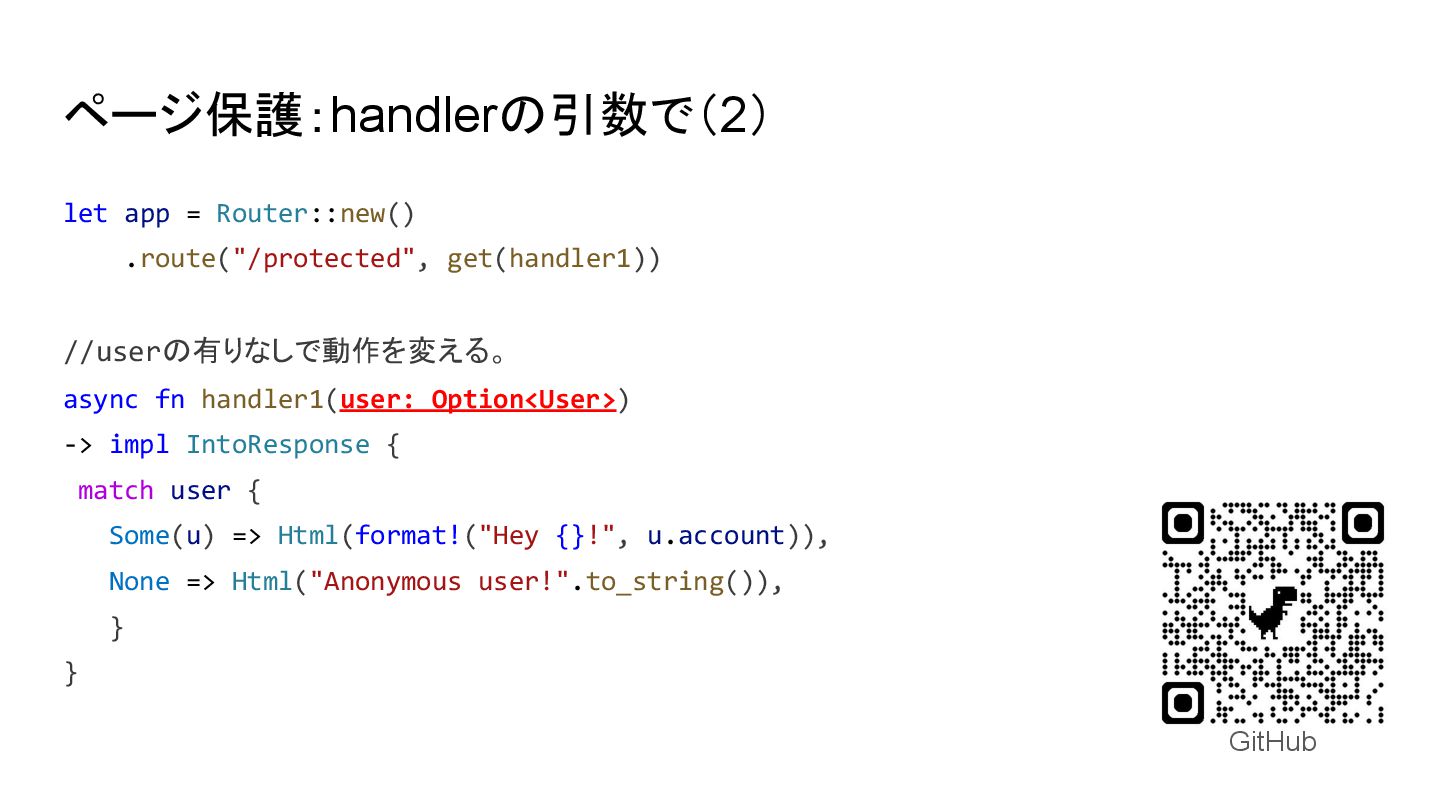
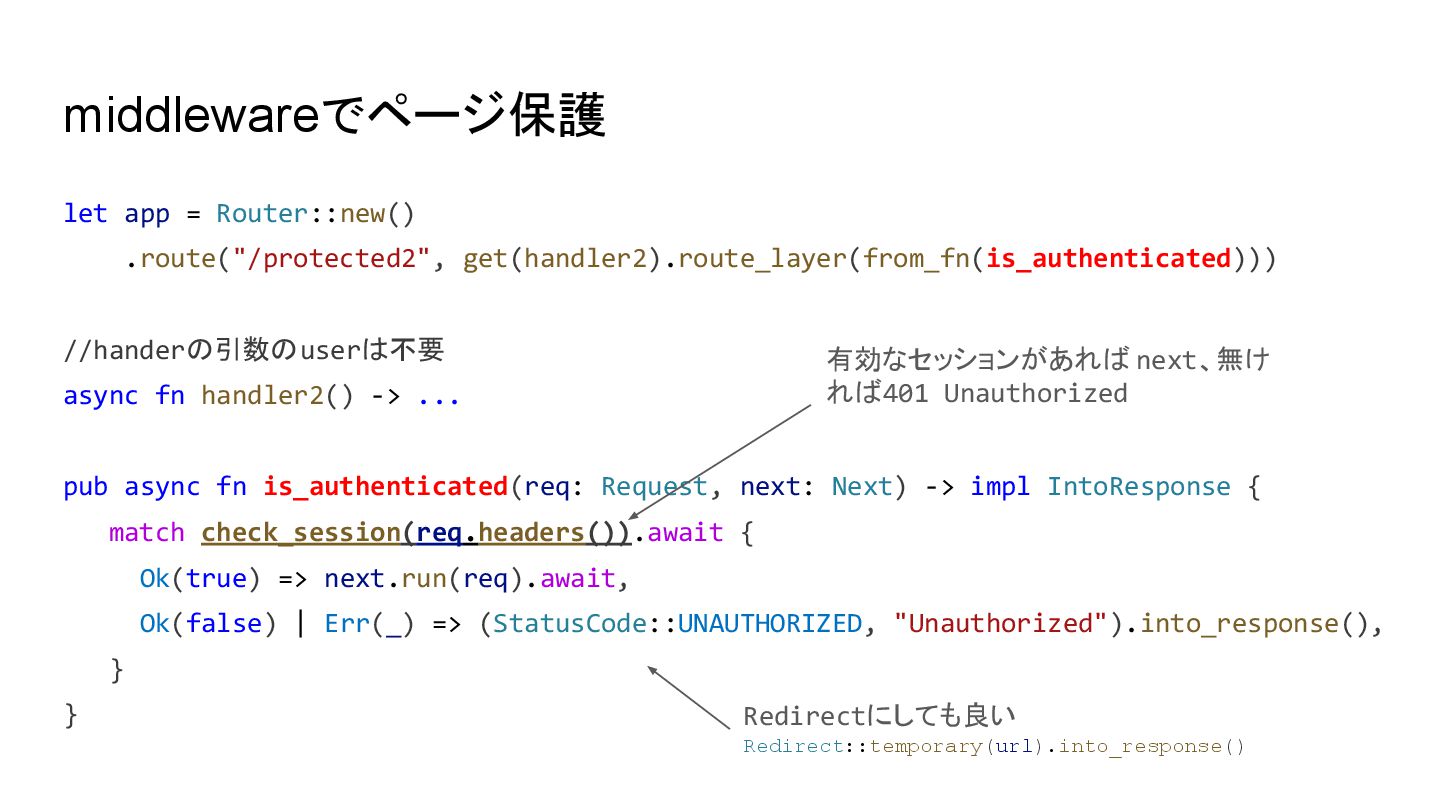
使い方 • Axumのルーターにネストで簡単に使える • ページ保護 ◦ handlerの引数にuserを入れる。userが取得できればログイン済み ◦ セッションクッキー有り無しをmiddlewareでチェック GitHub
使い方: Axumのルーターにネスト use auth2_passkey_axum::{ O2P_ROUTE_PREFIX, //ネスト先のPathプリフィックス oauth2_passkey_router, //ルータ is_authenticated, //ログイン判別ミドルウェア
}; let app = Router::new() .route("/", get(index)) .route("/protected", get(handler1)) .route("/protected2", get(handler2).route_layer(from_fn(is_authenticated))) .nest(O2P_ROUTE_PREFIX.as_str(), oauth2_passkey_router()); nestすれば使えるようになる
ページ保護:handlerの引数で(1) let app = Router::new() .route("/protected", get(handler1)) //axum extractorを別途定義してあり、セッションからuserをextractできます。 //userが取れないと401
async fn handler1(user: User) -> impl IntoResponse { Html(format!("Hey {}!", u.account)) } GitHub
ページ保護:handlerの引数で(2) let app = Router::new() .route("/protected", get(handler1)) //userの有りなしで動作を変える。 async fn
handler1(user: Option<User>) -> impl IntoResponse { match user { Some(u) => Html(format!("Hey {}!", u.account)), None => Html("Anonymous user!".to_string()), } } GitHub
middlewareでページ保護 let app = Router::new() .route("/protected2", get(handler2).route_layer(from_fn(is_authenticated))) //handerの引数のuserは不要 async fn
handler2() -> ... pub async fn is_authenticated(req: Request, next: Next) -> impl IntoResponse { match check_session(req.headers()).await { Ok(true) => next.run(req).await, Ok(false) | Err(_) => (StatusCode::UNAUTHORIZED, "Unauthorized").into_response(), } } 有効なセッションがあれば next、無け れば401 Unauthorized Redirectにしても良い Redirect::temporary(url).into_response()
まとめ • Rust(Axum)で実装 ◦ Google OAuth2/OIDCでログインする機能 ◦ Passkeyでログインする機能 • ルートをネストすれば利用可能
• 今後Crateとして公開します GitHub
絶賛お仕事募集中です🙇 GitHub
今後 • テスト、これから頑張ります • ドキュメント、これから頑張ります • Crateとして公開したい 需要あるでしょうか? GitHub
くふうした点、苦労した点 • stateのバケツリレーを使わずに、static変数でデータベースの接続情報を引き回 す。LazyLockで環境変数から初期化。 • すでにUserDBある場合、uidをアプリ側で関連付ける(想像) • thiserrorでモジュール毎にError typeを用意→?で解決できない、変換が大変 •
if let、unwrap_or_xxx、ok_or_xxx、?で苦しむ。全部matchで書き直そうか。 • ありがとうClaude、ありがとうWindsurf ◦ クソコードで上書きされ、こちらがデバッグすることもあります


 ktaka8ccmp
 ivargrimstad
 marktimemedia
 tamaranovitovic
 addyosmani
 palkan
 gurzu
gurzu
 inesmontani
 mlcsv
mlcsv
 mojombo
 aleyda
 bethany