Upgrade to Pro
— share decks privately, control downloads, hide ads and more …
Speaker Deck
Sign up for free
Menu
Search
Features
All features
Private URLs
Password Protection
Custom URLS
Scheduled publishing
Remove Branding
Restrict embedding
Deck Collections
Notes
Features
All features
Private URLs
Password Protection
Custom URLS
Scheduled publishing
Remove Branding
Restrict embedding
Deck Collections
Notes
Explore
Featured decks
Featured speakers
Programming
Technology
Storyboards
Explore
Featured decks
Featured speakers
Programming
Technology
Storyboards
Pricing
Search
Sign in
Sign up for free
ExoPlayerのトラック選択と再生中の解像度制限
Search
scache
February 12, 2025
Programming
230
0
Share
Embed
Copy iframe code
Copy JS code
Copy link
Start on current slide
ExoPlayerのトラック選択と再生中の解像度制限
scache
February 12, 2025
More Decks by scache
See All by scache
Hyperion Item Nameplate
sckm
0
160
[紹介]Writing Your First Kotlin Compiler Plugin by Kevin Most
sckm
0
380
ChangeLogを読もう(1.2.70編)
sckm
1
420
3分でわかるSequence
sckm
1
740
Property + Getter
sckm
0
1.6k
略解reified
sckm
0
150
KDoc
sckm
1
930
Other Decks in Programming
See All in Programming
新卒PdEのリアル
ryu1013
1
510
個人開発基盤をまるごとCloudflareに引っ越して爆速で総合的体験を向上させた話
tinykitten
0
200
What We Talk About When We Talk About XP
m_seki
2
670
市販E-Readerを乗っ取れ 〜Embedded Swiftで電子ペーパーガジェットを制御する〜
trickart
0
200
動作中のプログラムの中身をリアルタイムに覗く / Realtime Debugger for CSharp with Roslyn
prota
1
1k
Augmenting AI with the Power of Jakarta EE
ivargrimstad
0
290
Starting & Sustaining Code-Based E2E Testing for Non-Coding QA Teams( #jasstniigata )
teyamagu
PRO
1
500
Workers Cache を知る
syumai
0
200
難しいけど、読めた。- OSSの入口に立った話。
sts11142
0
120
UPDATE をやめる — EF Core でマスタをバージョン管理する
panda728
PRO
0
460
AHC070解法紹介
eijirou
0
130
Heart of Swift Concurrency
koher
0
950
Featured
See All Featured
Code Review Best Practice
trishagee
74
20k
GraphQLとの向き合い方2022年版
quramy
50
15k
DBのスキルで生き残る技術 - AI時代におけるテーブル設計の勘所
soudai
PRO
68
57k
Designing Experiences People Love
moore
143
24k
More Than Pixels: Becoming A User Experience Designer
marktimemedia
3
530
A Modern Web Designer's Workflow
chriscoyier
699
190k
Everyday Curiosity
cassininazir
0
320
Accessibility Awareness
sabderemane
1
220
We Are The Robots
honzajavorek
0
380
The Pragmatic Product Professional
lauravandoore
37
7.4k
Color Theory Basics | Prateek | Gurzu
gurzu
1
470
The Cult of Friendly URLs
andyhume
79
7k
Transcript
ExoPlayerの トラック選択と 再生中の解像度制限 2025/02/12 株式会社AbemaTV > Streaming Client Sotoyama Ryo
CA.aab #5
1. 動画再生の仕組み 2. ExoPlayerのトラック選択ロジック 3. ExoPlayerの再生中の解像度制限の方法 この発表で話すこと
• 大規模イベント配信時のサーバ(CDN)負荷・転送量の削減 再生中に解像度制限をするモチベーション
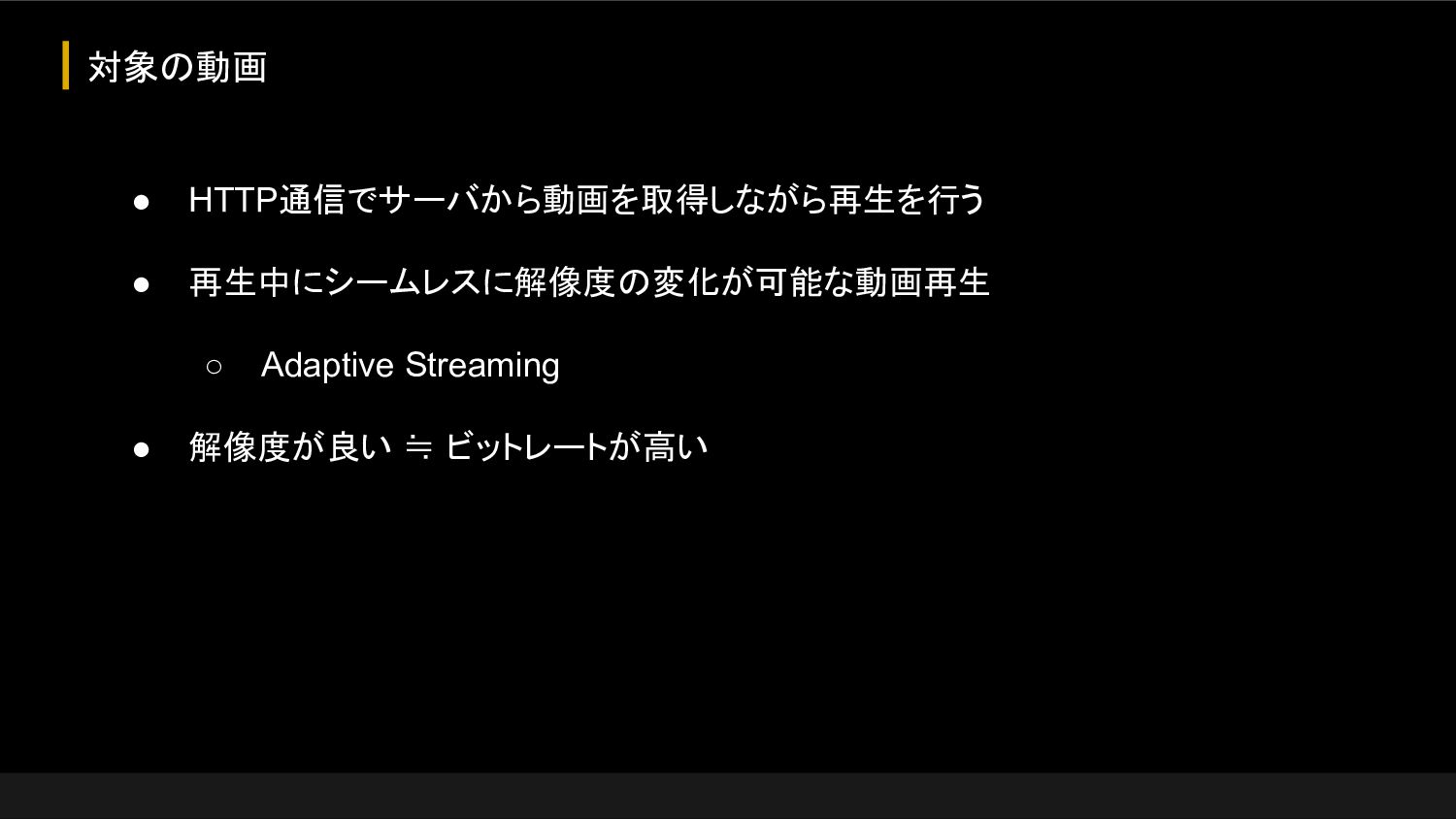
• HTTP通信でサーバから動画を取得しながら再生を行う • 再生中にシームレスに解像度の変化が可能な動画再生 ◦ Adaptive Streaming • 解像度が良い ≒
ビットレートが高い 対象の動画
この発表で話すこと 1. 動画再生の仕組み 2. ExoPlayerのトラック選択ロジック 3. ExoPlayerの再生中の解像度制限の方法
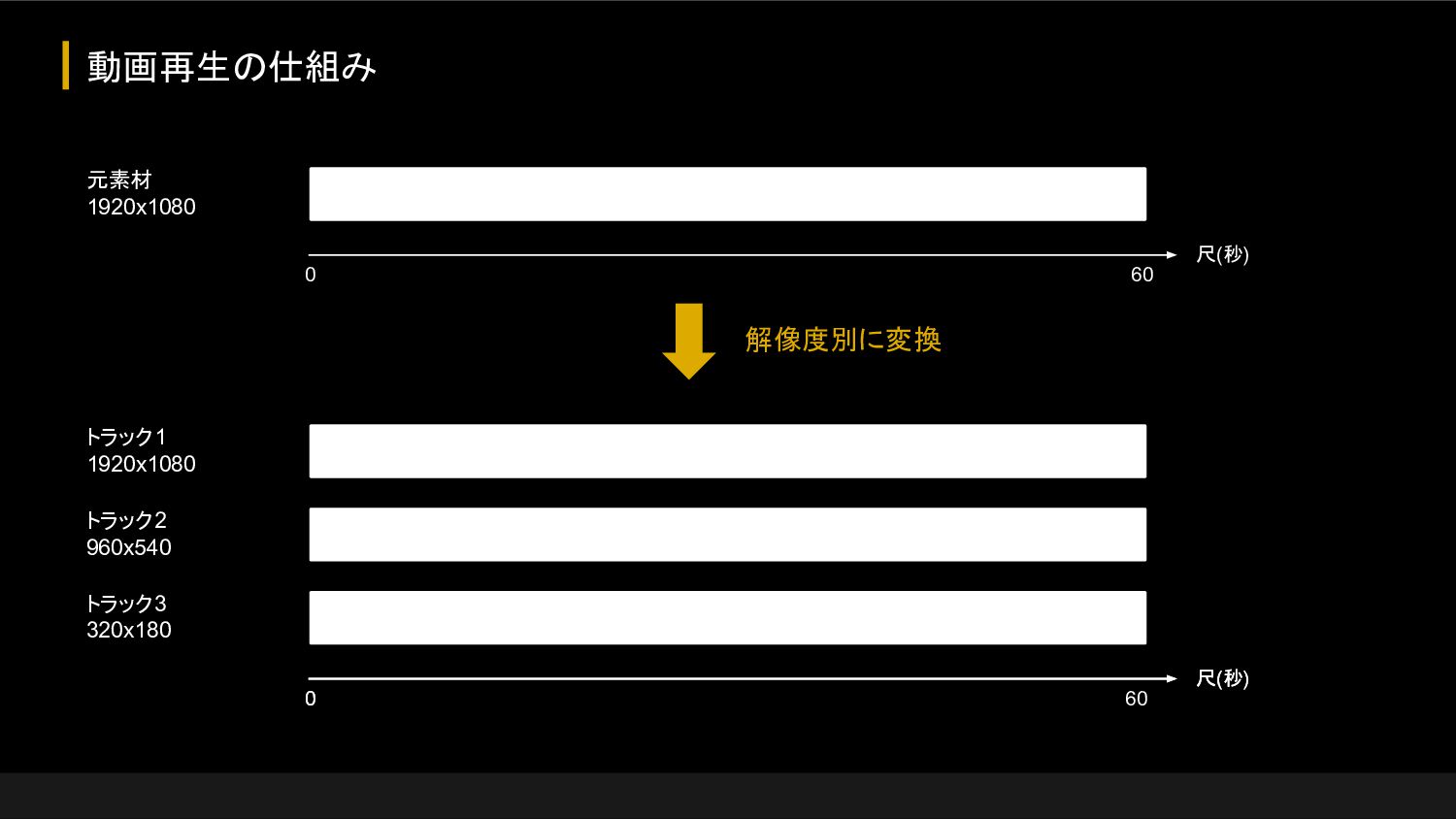
動画再生の仕組み トラック1 1920x1080 トラック3 320x180 0 尺(秒) トラック2 960x540 元素材
1920x1080 0 60 尺(秒) 0 60 尺(秒) 解像度別に変換
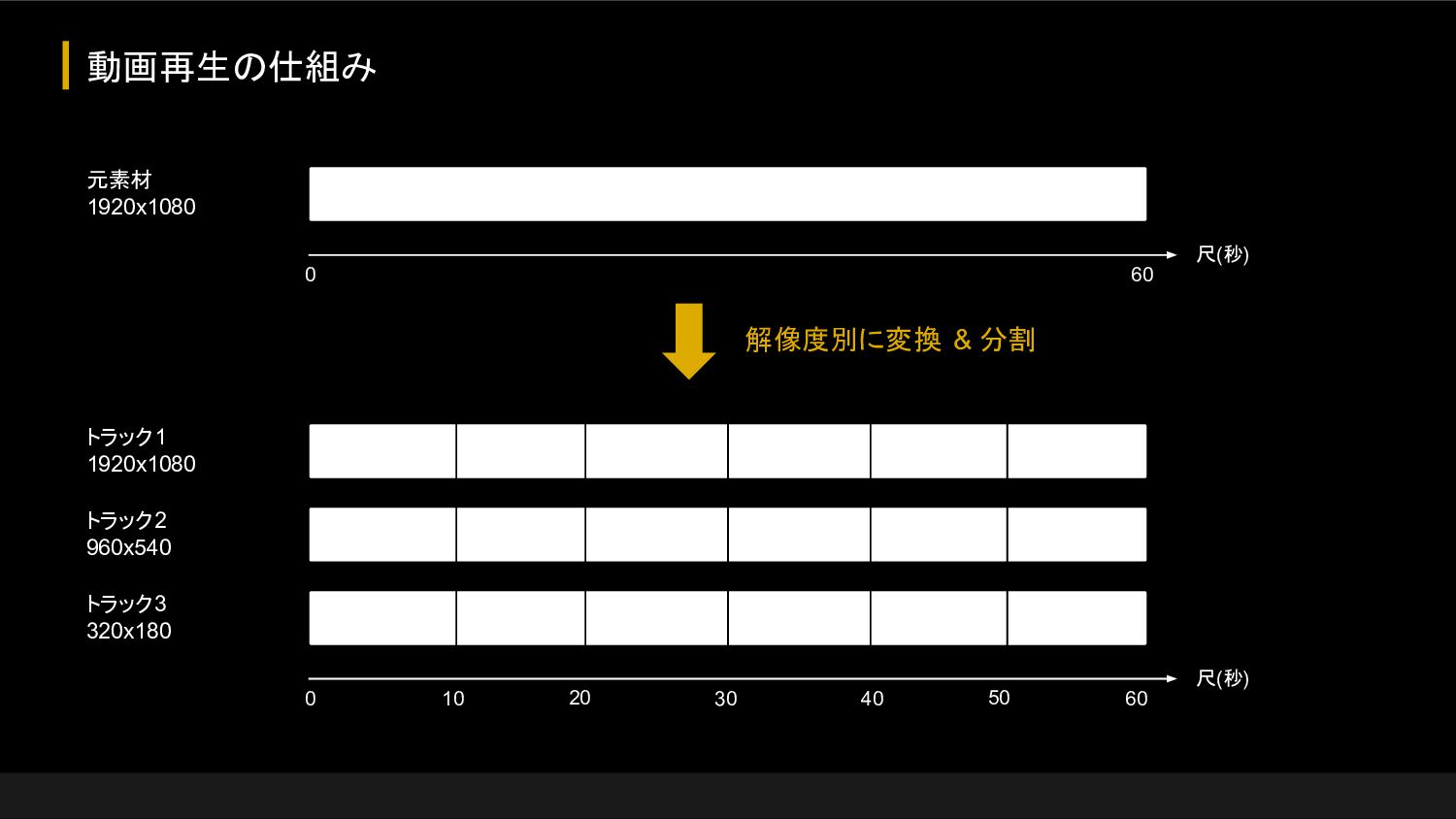
トラック3 320x180 トラック2 960x540 動画再生の仕組み 元素材 1920x1080 0 60 尺(秒)
0 60 尺(秒) トラック1 1920x1080 10 20 30 40 50 解像度別に変換 & 分割
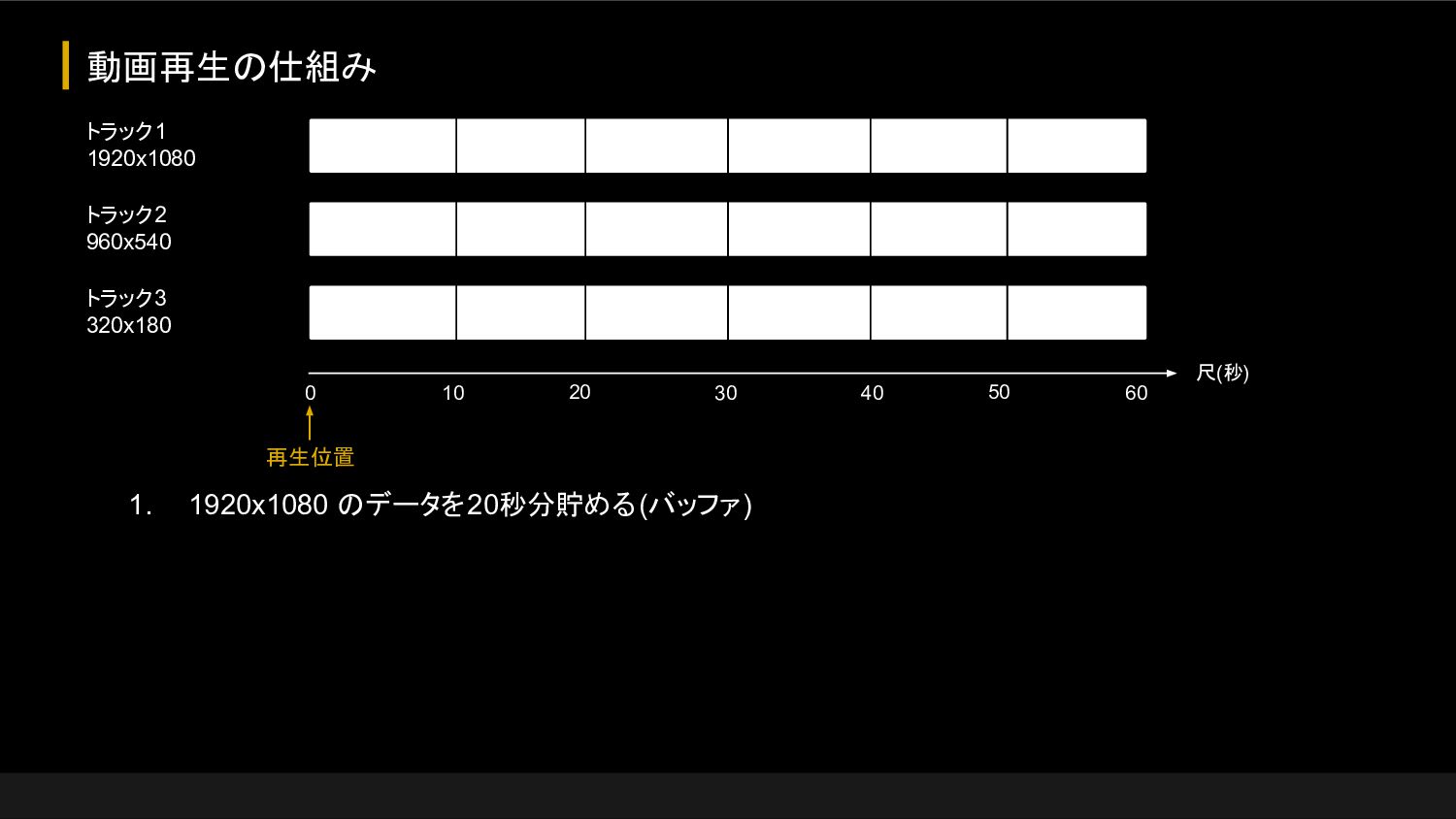
動画再生の仕組み トラック3 320x180 トラック2 960x540 0 60 尺(秒) トラック1 1920x1080
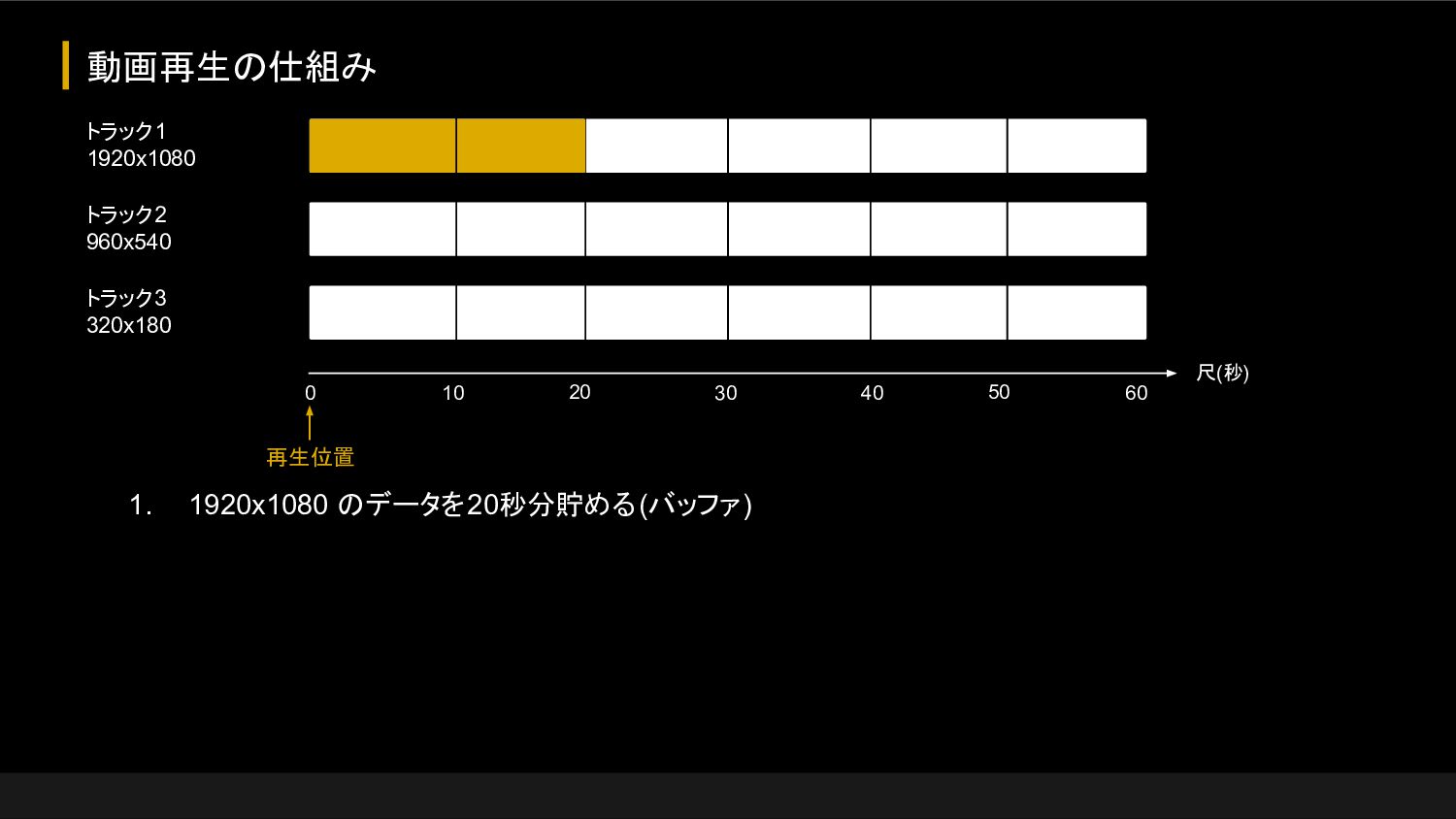
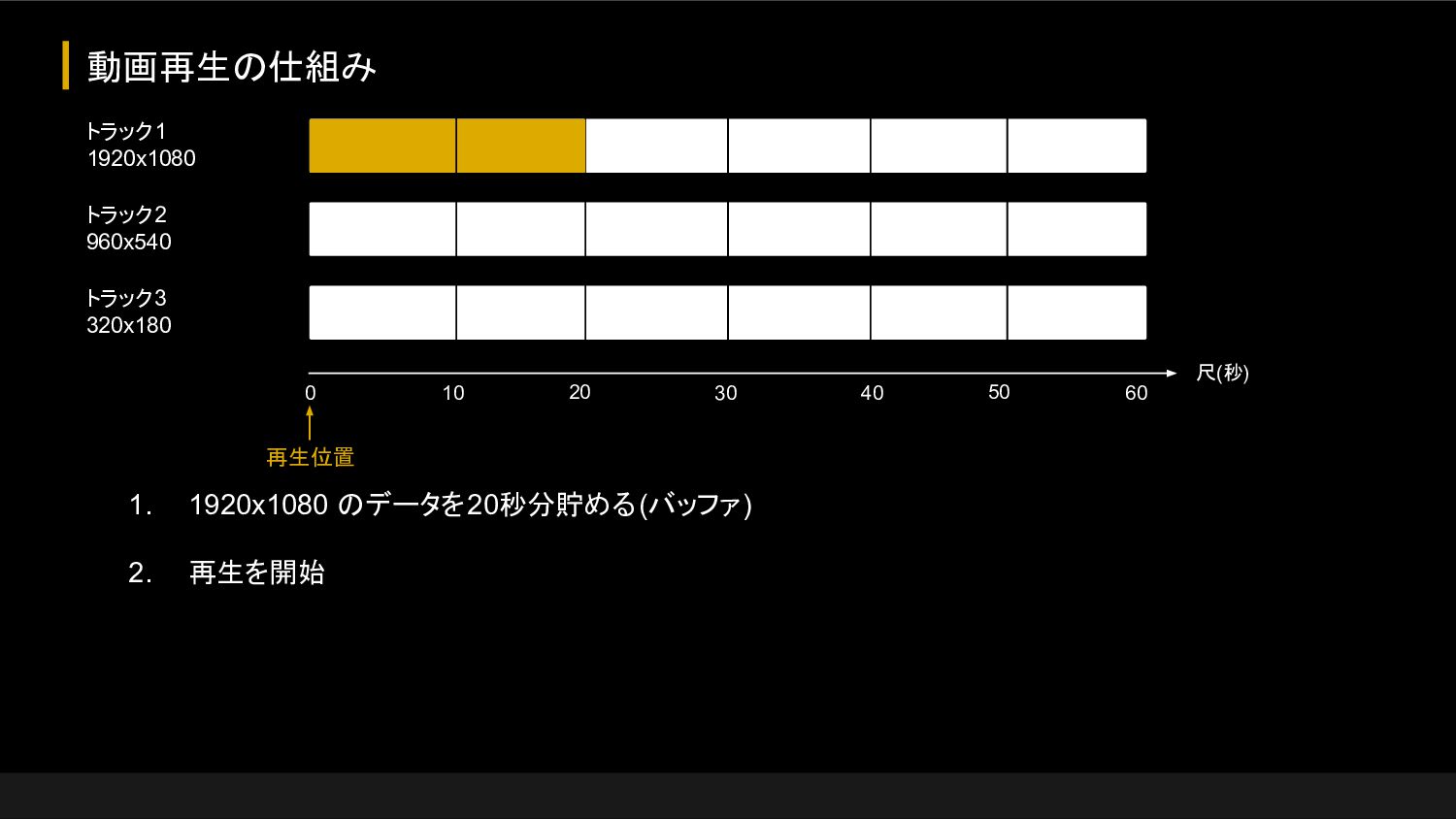
10 20 30 40 50 1. 1920x1080 のデータを20秒分貯める(バッファ) 再生位置
動画再生の仕組み トラック3 320x180 トラック2 960x540 0 60 尺(秒) トラック1 1920x1080
10 20 30 40 50 1. 1920x1080 のデータを20秒分貯める(バッファ) 再生位置
動画再生の仕組み トラック3 320x180 トラック2 960x540 0 60 尺(秒) トラック1 1920x1080
10 20 30 40 50 1. 1920x1080 のデータを20秒分貯める(バッファ) 2. 再生を開始 再生位置
動画再生の仕組み トラック3 320x180 トラック2 960x540 0 60 尺(秒) トラック1 1920x1080
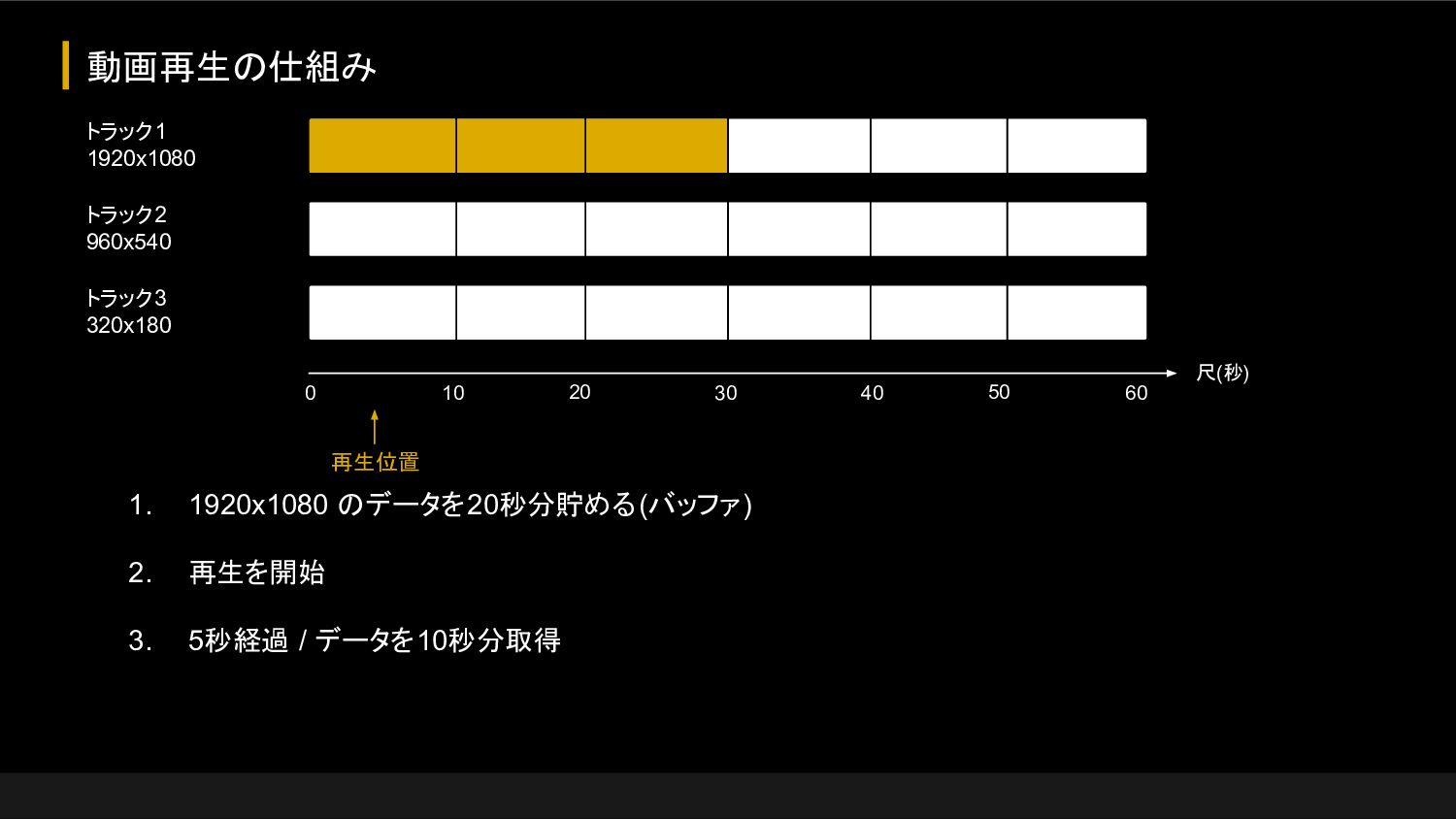
10 20 30 40 50 1. 1920x1080 のデータを20秒分貯める(バッファ) 2. 再生を開始 3. 5秒経過 / データを10秒分取得 再生位置
動画再生の仕組み トラック3 320x180 トラック2 960x540 0 60 尺(秒) トラック1 1920x1080
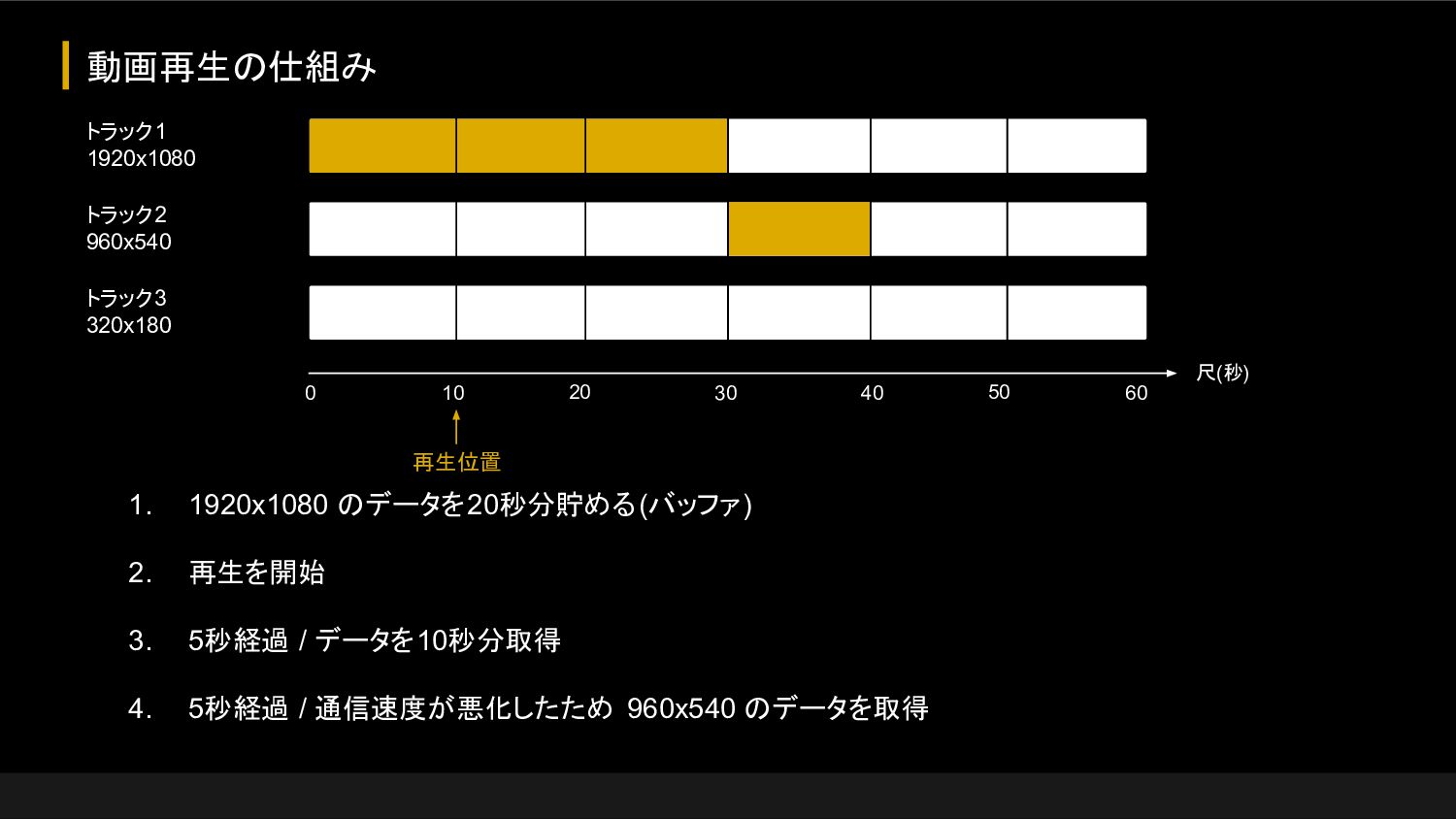
10 20 30 40 50 1. 1920x1080 のデータを20秒分貯める(バッファ) 2. 再生を開始 3. 5秒経過 / データを10秒分取得 4. 5秒経過 / 通信速度が悪化したため 960x540 のデータを取得 再生位置
動画再生の仕組み トラック3 320x180 トラック2 960x540 0 60 尺(秒) トラック1 1920x1080
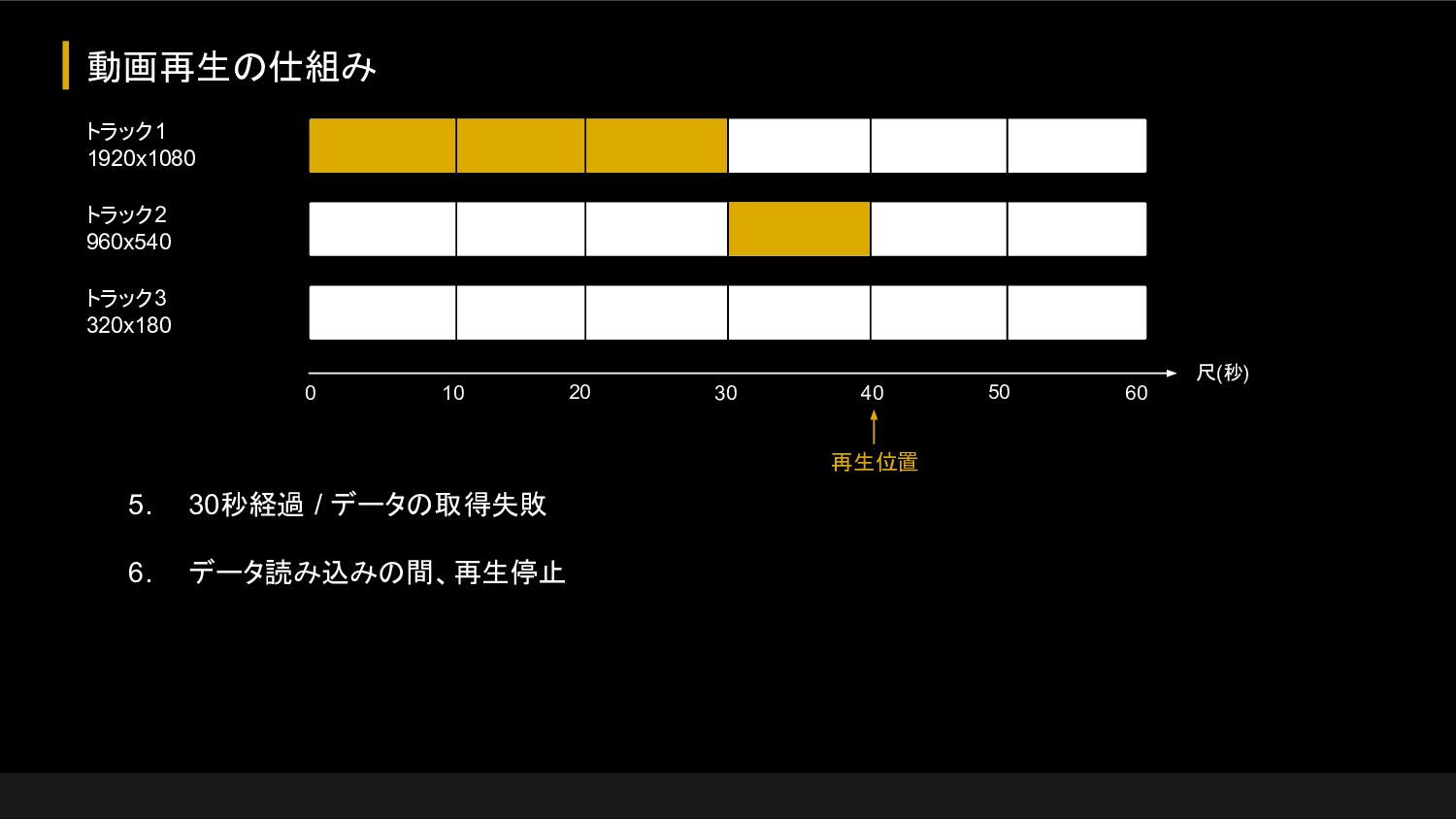
10 20 30 40 50 5. 30秒経過 / データの取得失敗 6. データ読み込みの間、再生停止 再生位置
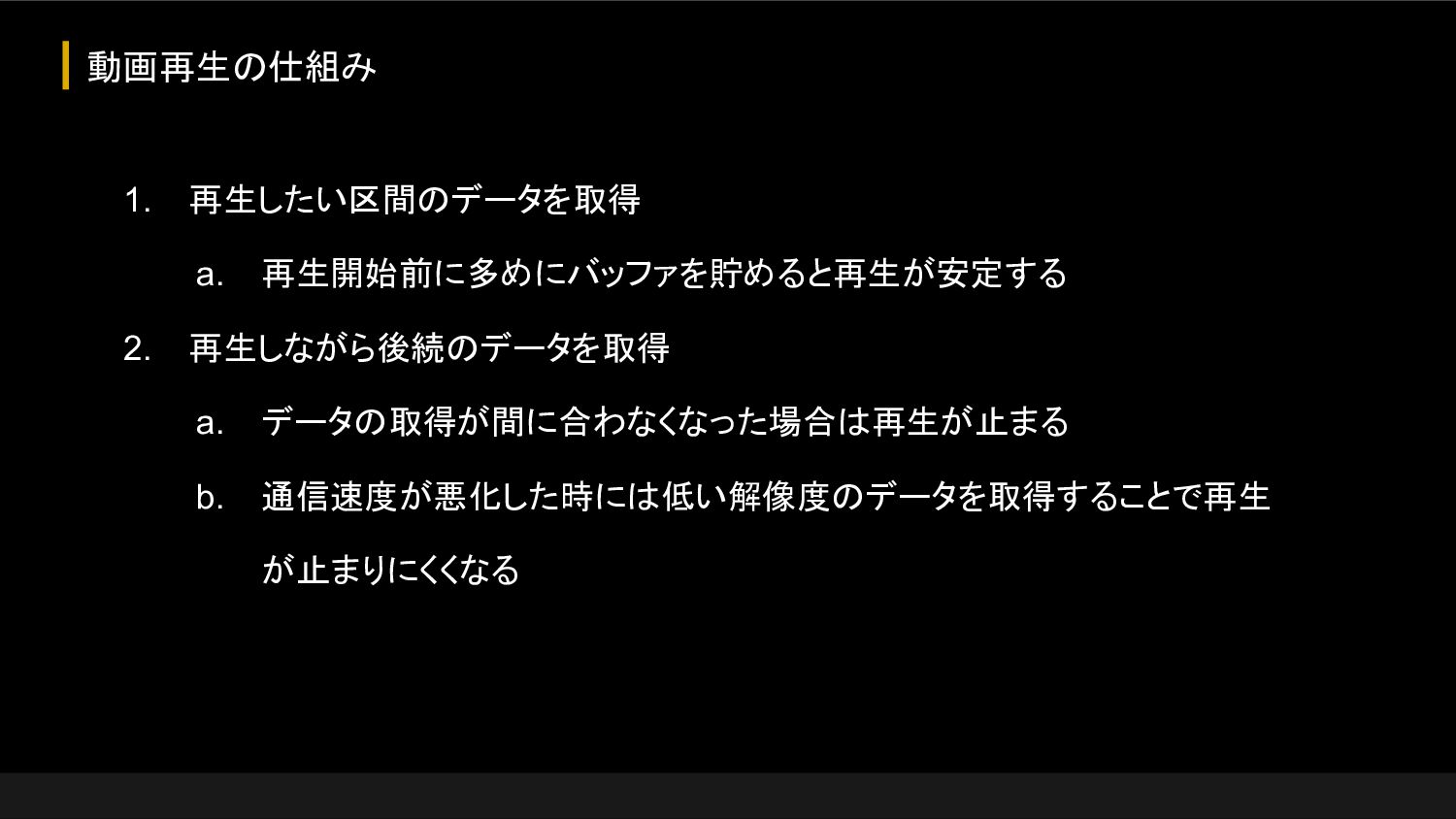
動画再生の仕組み 1. 再生したい区間のデータを取得 a. 再生開始前に多めにバッファを貯めると再生が安定する 2. 再生しながら後続のデータを取得 a. データの取得が間に合わなくなった場合は再生が止まる b.
通信速度が悪化した時には低い解像度のデータを取得することで再生 が止まりにくくなる
この発表で話すこと 1. 動画再生の仕組み 2. ExoPlayerのトラック選択ロジック 3. ExoPlayerの再生中の解像度制限の方法
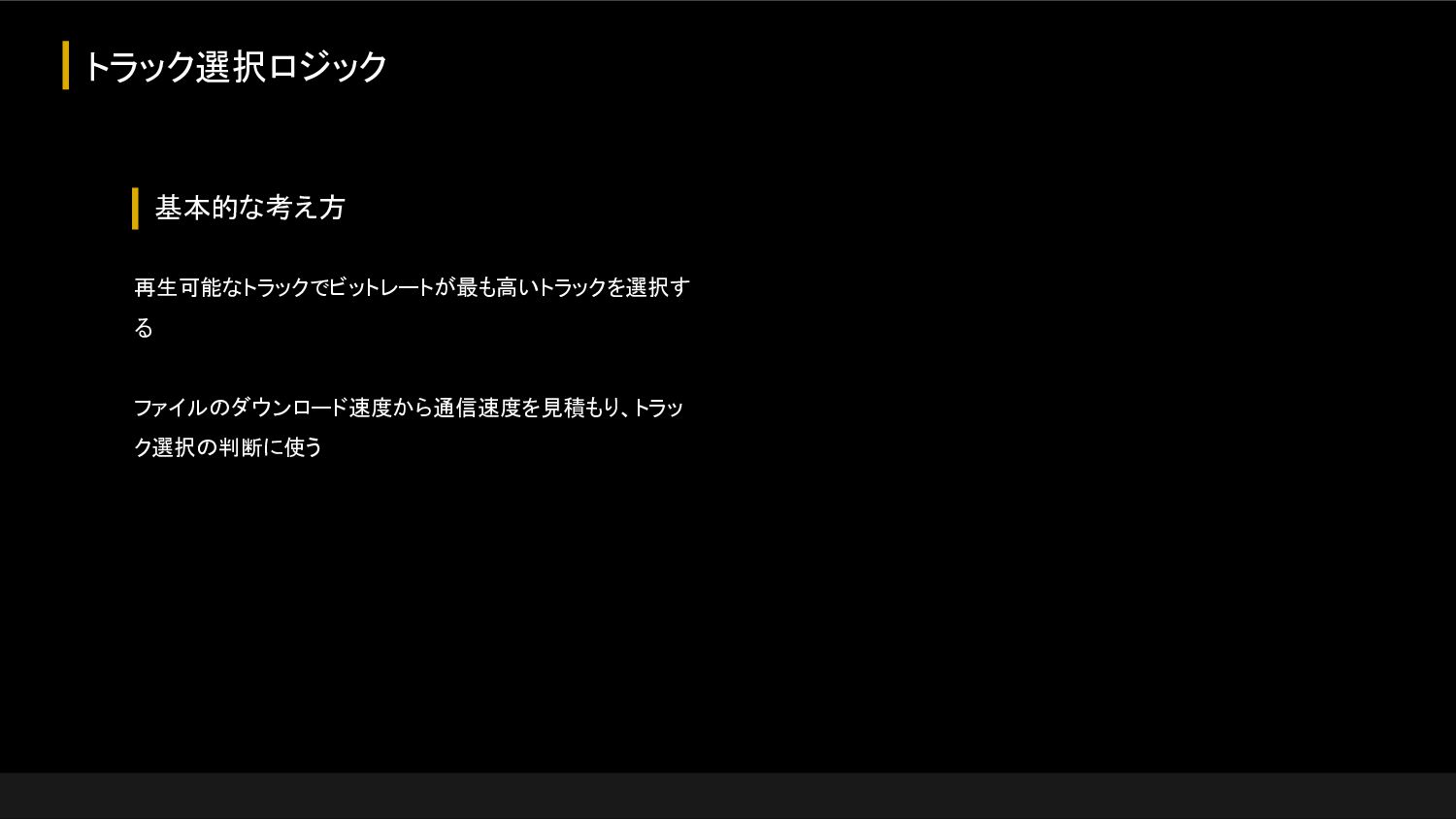
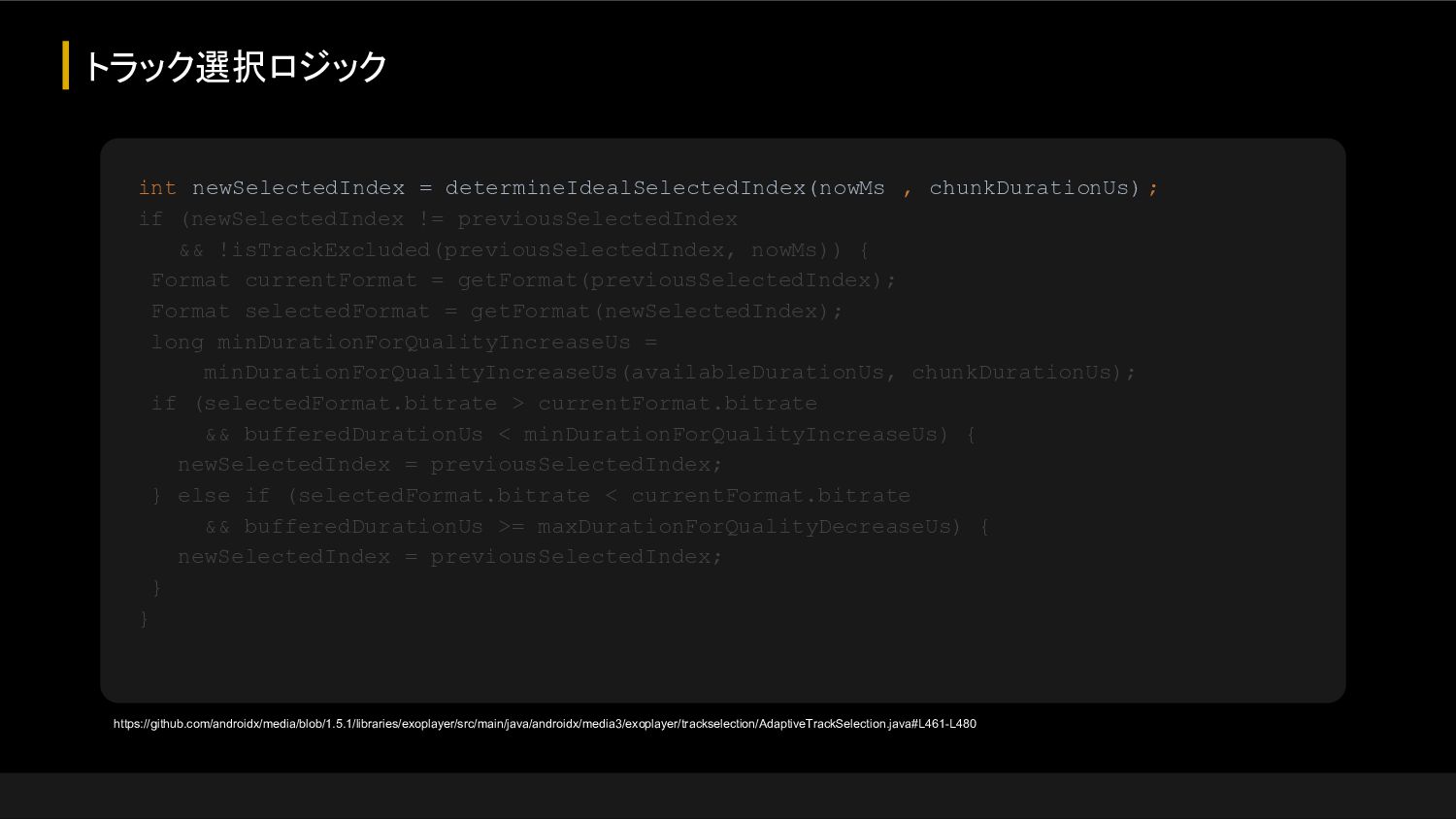
トラック選択ロジック 再生可能なトラックでビットレートが最も高いトラックを選択す る ファイルのダウンロード速度から通信速度を見積もり、トラッ ク選択の判断に使う 基本的な考え方
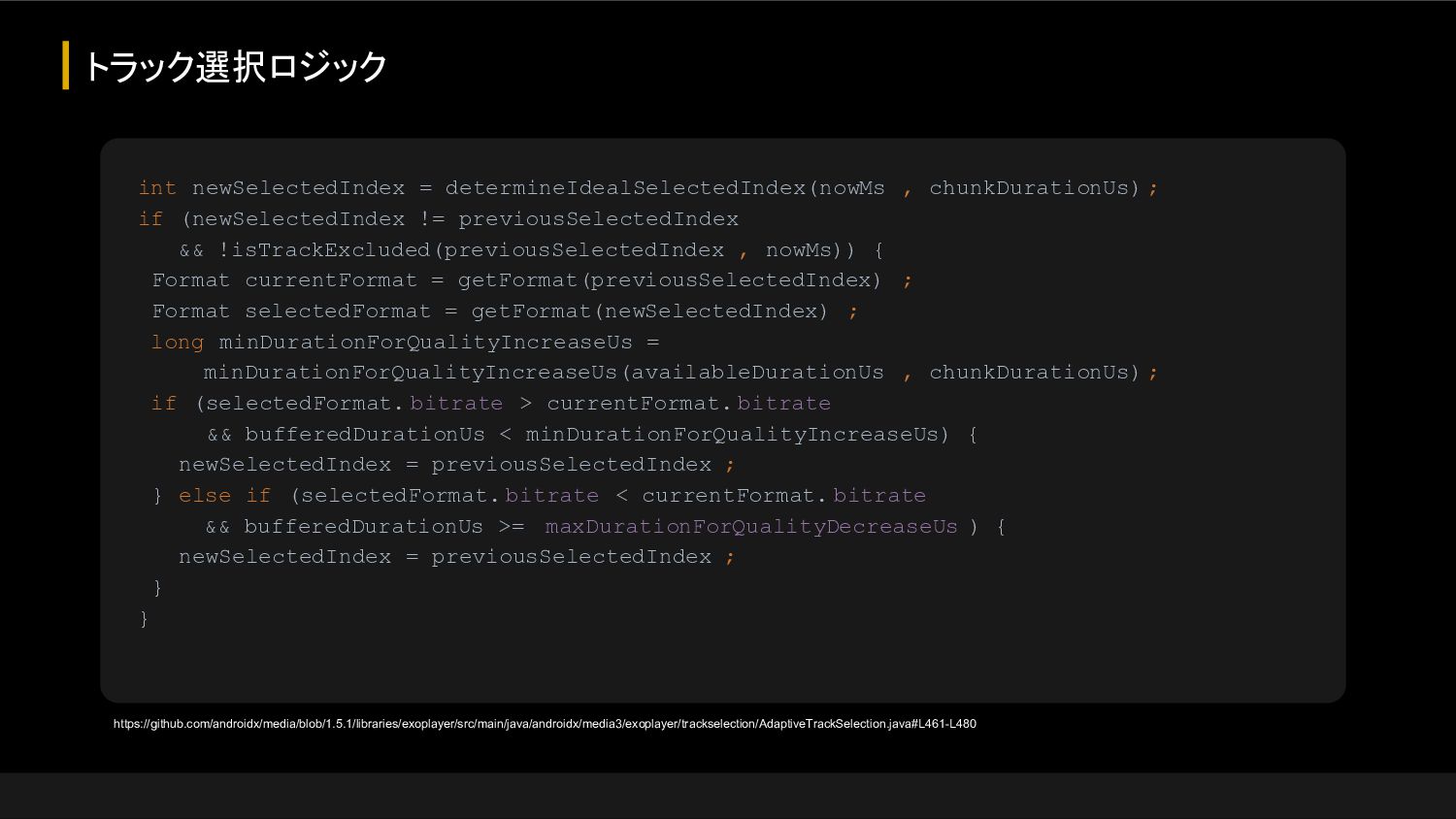
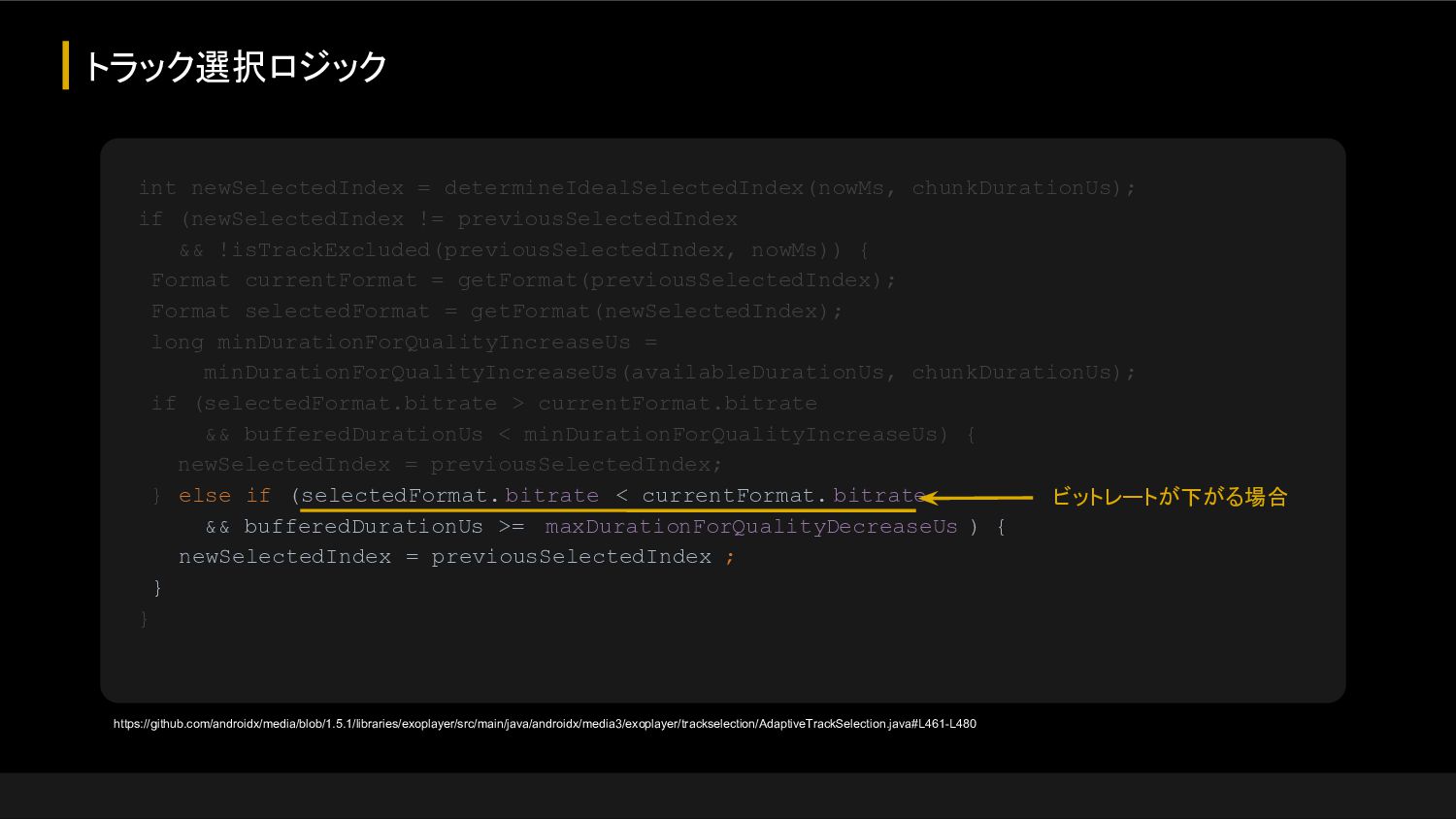
トラック選択ロジック int newSelectedIndex = determineIdealSelectedIndex(nowMs , chunkDurationUs) ; if (newSelectedIndex
!= previousSelectedIndex && !isTrackExcluded(previousSelectedIndex , nowMs)) { Format currentFormat = getFormat(previousSelectedIndex) ; Format selectedFormat = getFormat(newSelectedIndex) ; long minDurationForQualityIncreaseUs = minDurationForQualityIncreaseUs(availableDurationUs , chunkDurationUs) ; if (selectedFormat. bitrate > currentFormat. bitrate && bufferedDurationUs < minDurationForQualityIncreaseUs) { newSelectedIndex = previousSelectedIndex ; } else if (selectedFormat. bitrate < currentFormat. bitrate && bufferedDurationUs >= maxDurationForQualityDecreaseUs ) { newSelectedIndex = previousSelectedIndex ; } } https://github.com/androidx/media/blob/1.5.1/libraries/exoplayer/src/main/java/androidx/media3/exoplayer/trackselection/AdaptiveTrackSelection.java#L461-L480
トラック選択ロジック int newSelectedIndex = determineIdealSelectedIndex(nowMs , chunkDurationUs) ; if (newSelectedIndex
!= previousSelectedIndex && !isTrackExcluded(previousSelectedIndex, nowMs)) { Format currentFormat = getFormat(previousSelectedIndex); Format selectedFormat = getFormat(newSelectedIndex); long minDurationForQualityIncreaseUs = minDurationForQualityIncreaseUs(availableDurationUs, chunkDurationUs); if (selectedFormat.bitrate > currentFormat.bitrate && bufferedDurationUs < minDurationForQualityIncreaseUs) { newSelectedIndex = previousSelectedIndex; } else if (selectedFormat.bitrate < currentFormat.bitrate && bufferedDurationUs >= maxDurationForQualityDecreaseUs) { newSelectedIndex = previousSelectedIndex; } } https://github.com/androidx/media/blob/1.5.1/libraries/exoplayer/src/main/java/androidx/media3/exoplayer/trackselection/AdaptiveTrackSelection.java#L461-L480
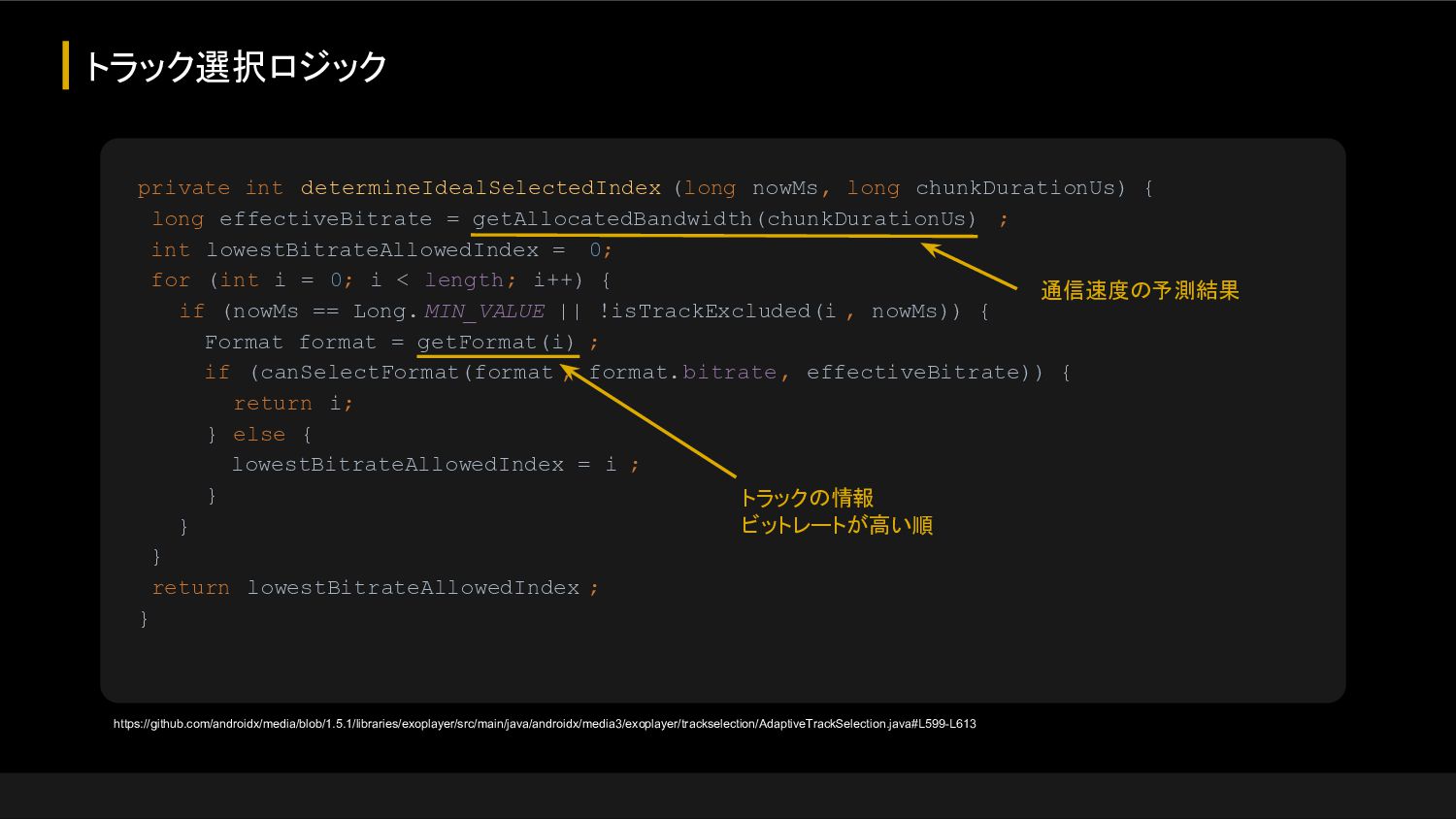
トラック選択ロジック private int determineIdealSelectedIndex (long nowMs, long chunkDurationUs) { long
effectiveBitrate = getAllocatedBandwidth(chunkDurationUs) ; int lowestBitrateAllowedIndex = 0; for (int i = 0; i < length; i++) { if (nowMs == Long. MIN_VALUE || !isTrackExcluded(i , nowMs)) { Format format = getFormat(i) ; if (canSelectFormat(format , format.bitrate, effectiveBitrate)) { return i; } else { lowestBitrateAllowedIndex = i ; } } } return lowestBitrateAllowedIndex ; } トラックの情報 ビットレートが高い順 https://github.com/androidx/media/blob/1.5.1/libraries/exoplayer/src/main/java/androidx/media3/exoplayer/trackselection/AdaptiveTrackSelection.java#L599-L613 通信速度の予測結果
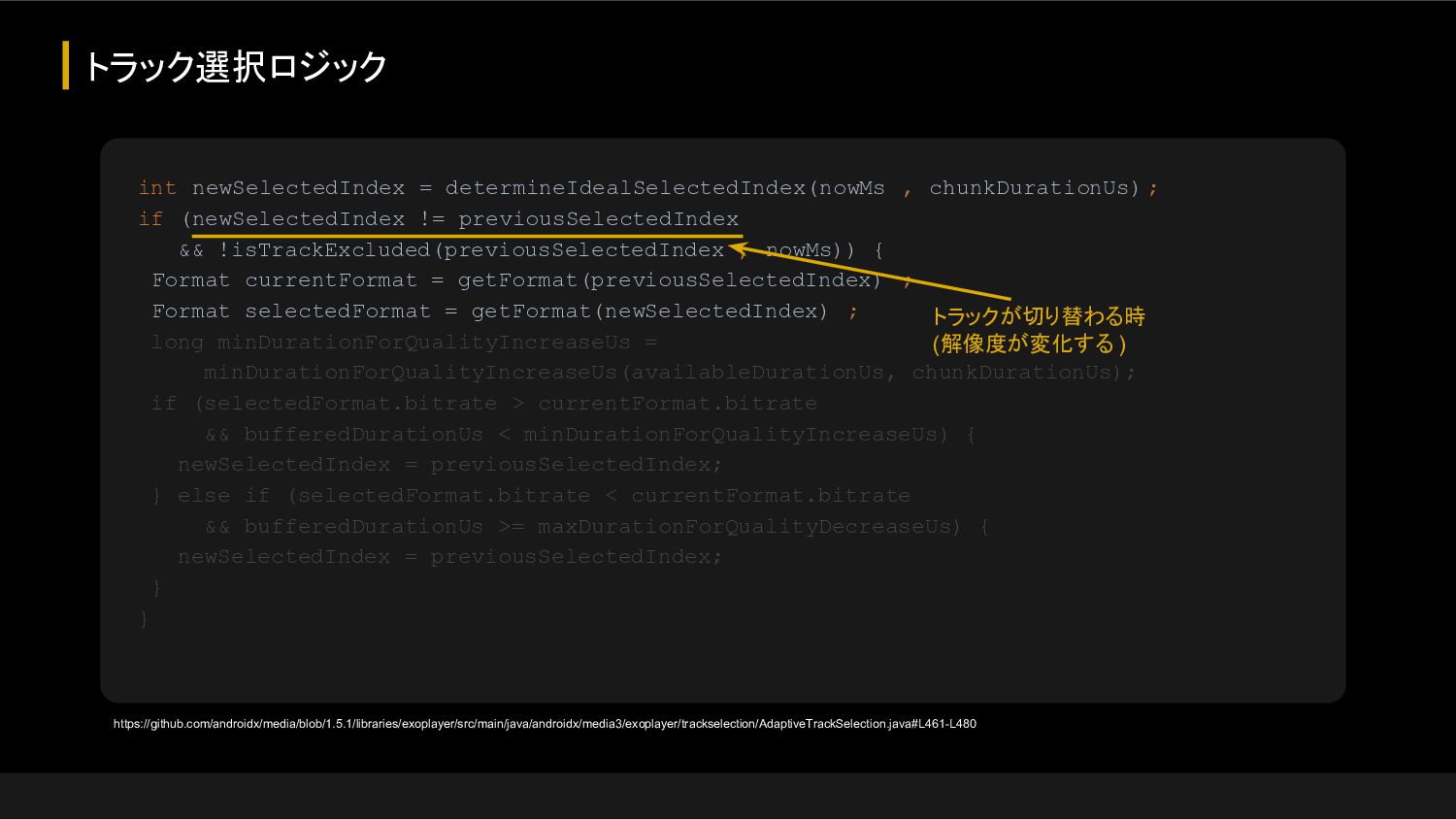
トラック選択ロジック int newSelectedIndex = determineIdealSelectedIndex(nowMs , chunkDurationUs) ; if (newSelectedIndex
!= previousSelectedIndex && !isTrackExcluded(previousSelectedIndex , nowMs)) { Format currentFormat = getFormat(previousSelectedIndex) ; Format selectedFormat = getFormat(newSelectedIndex) ; long minDurationForQualityIncreaseUs = minDurationForQualityIncreaseUs(availableDurationUs, chunkDurationUs); if (selectedFormat.bitrate > currentFormat.bitrate && bufferedDurationUs < minDurationForQualityIncreaseUs) { newSelectedIndex = previousSelectedIndex; } else if (selectedFormat.bitrate < currentFormat.bitrate && bufferedDurationUs >= maxDurationForQualityDecreaseUs) { newSelectedIndex = previousSelectedIndex; } } https://github.com/androidx/media/blob/1.5.1/libraries/exoplayer/src/main/java/androidx/media3/exoplayer/trackselection/AdaptiveTrackSelection.java#L461-L480 トラックが切り替わる時 (解像度が変化する )
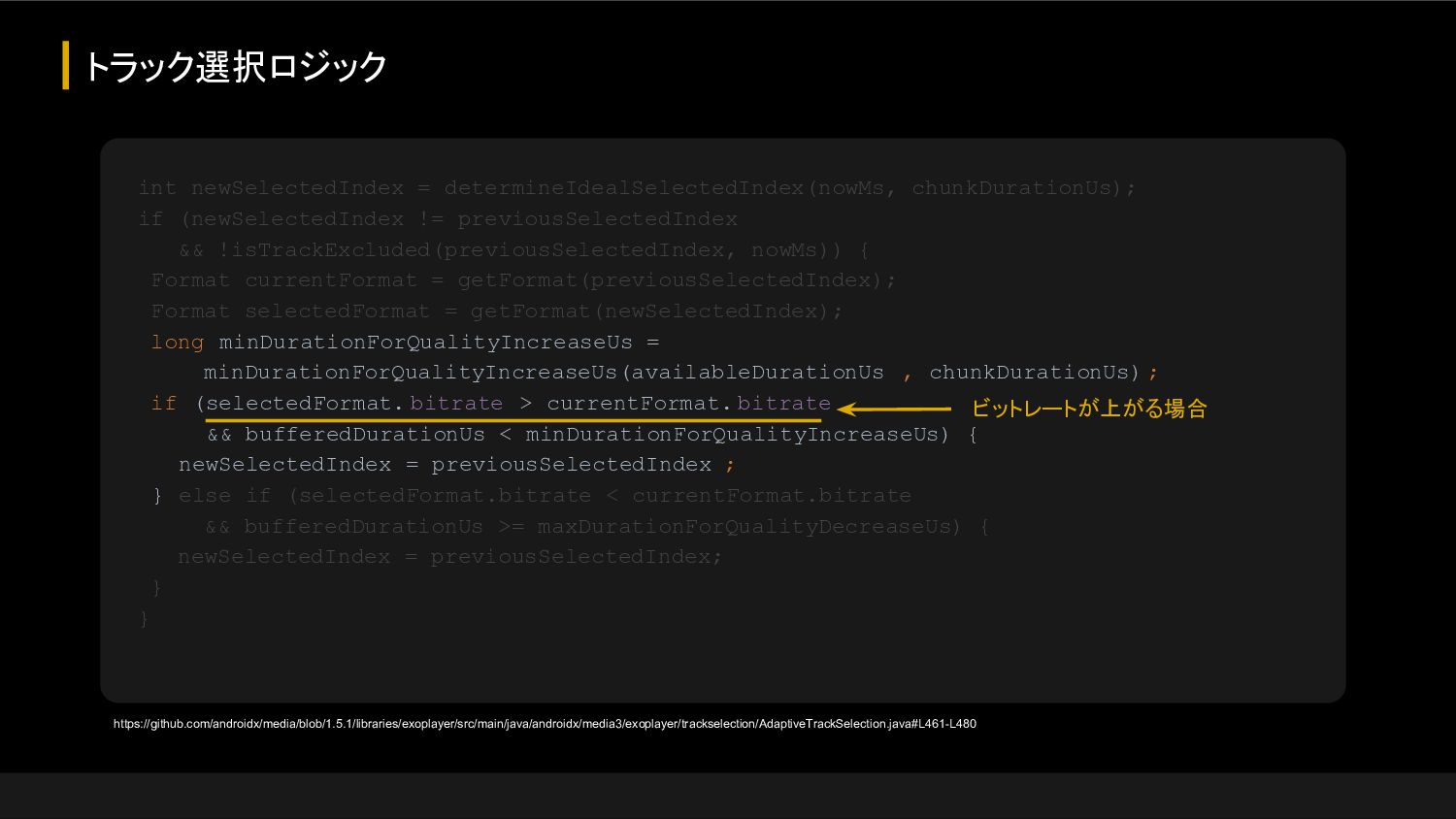
トラック選択ロジック int newSelectedIndex = determineIdealSelectedIndex(nowMs, chunkDurationUs); if (newSelectedIndex != previousSelectedIndex
&& !isTrackExcluded(previousSelectedIndex, nowMs)) { Format currentFormat = getFormat(previousSelectedIndex); Format selectedFormat = getFormat(newSelectedIndex); long minDurationForQualityIncreaseUs = minDurationForQualityIncreaseUs(availableDurationUs , chunkDurationUs) ; if (selectedFormat. bitrate > currentFormat. bitrate && bufferedDurationUs < minDurationForQualityIncreaseUs) { newSelectedIndex = previousSelectedIndex ; } else if (selectedFormat.bitrate < currentFormat.bitrate && bufferedDurationUs >= maxDurationForQualityDecreaseUs) { newSelectedIndex = previousSelectedIndex; } } https://github.com/androidx/media/blob/1.5.1/libraries/exoplayer/src/main/java/androidx/media3/exoplayer/trackselection/AdaptiveTrackSelection.java#L461-L480 ビットレートが上がる場合
トラック選択ロジック int newSelectedIndex = determineIdealSelectedIndex(nowMs, chunkDurationUs); if (newSelectedIndex != previousSelectedIndex
&& !isTrackExcluded(previousSelectedIndex, nowMs)) { Format currentFormat = getFormat(previousSelectedIndex); Format selectedFormat = getFormat(newSelectedIndex); long minDurationForQualityIncreaseUs = minDurationForQualityIncreaseUs(availableDurationUs, chunkDurationUs); if (selectedFormat.bitrate > currentFormat.bitrate && bufferedDurationUs < minDurationForQualityIncreaseUs) { newSelectedIndex = previousSelectedIndex; } else if (selectedFormat. bitrate < currentFormat. bitrate && bufferedDurationUs >= maxDurationForQualityDecreaseUs ) { newSelectedIndex = previousSelectedIndex ; } } https://github.com/androidx/media/blob/1.5.1/libraries/exoplayer/src/main/java/androidx/media3/exoplayer/trackselection/AdaptiveTrackSelection.java#L461-L480 ビットレートが下がる場合
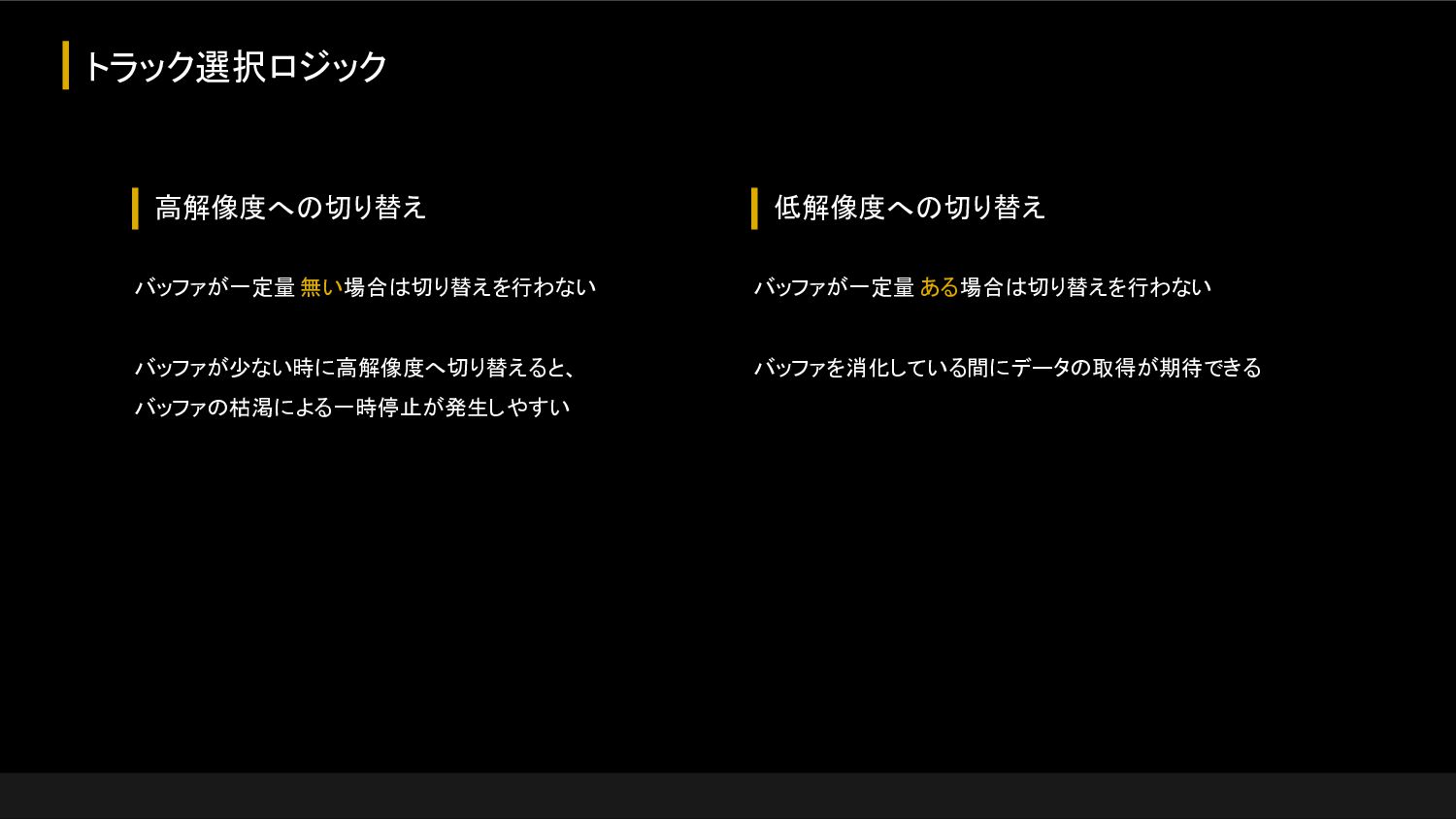
トラック選択ロジック バッファが一定量 ある場合は切り替えを行わない バッファを消化している間にデータの取得が期待できる 低解像度への切り替え バッファが一定量 無い場合は切り替えを行わない バッファが少ない時に高解像度へ切り替えると、 バッファの枯渇による一時停止が発生しやすい 高解像度への切り替え
この発表で話すこと 1. 動画再生の仕組み 2. ExoPlayerのトラック選択ロジック 3. ExoPlayerの再生中の解像度制限の方法
• 大規模イベント配信時のサーバ(CDN)負荷・転送量の削減 再生中に解像度制限をするモチベーション
解像度制限の方法 • TrackSelectionParametersでトラックを無効化 ライブラリのAPIを使用
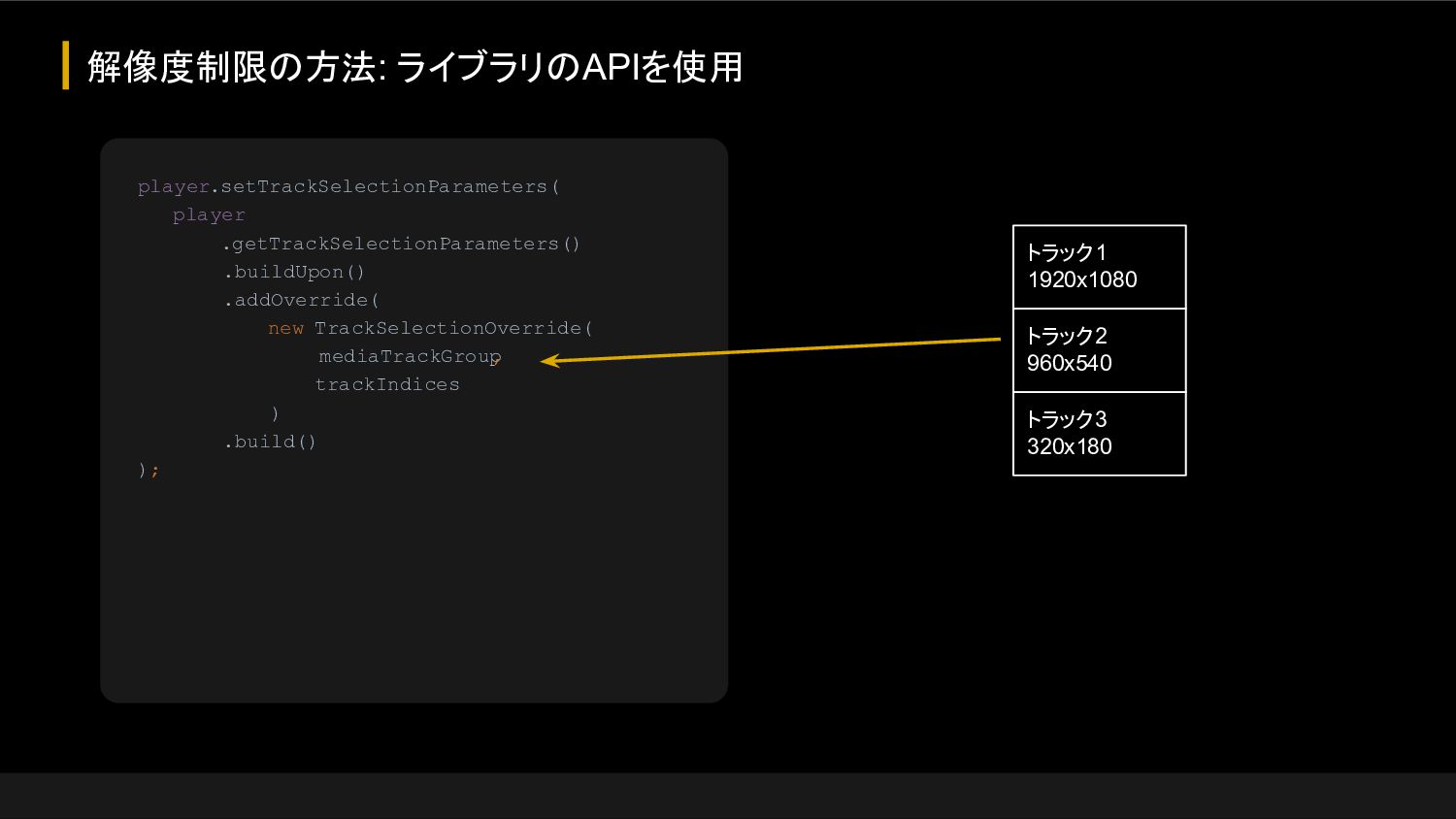
解像度制限の方法: ライブラリのAPIを使用 player.setTrackSelectionParameters( player .getTrackSelectionParameters() .buildUpon() .addOverride( new TrackSelectionOverride( mediaTrackGroup
, trackIndices ) .build() ); トラック1 1920x1080 トラック3 320x180 トラック2 960x540
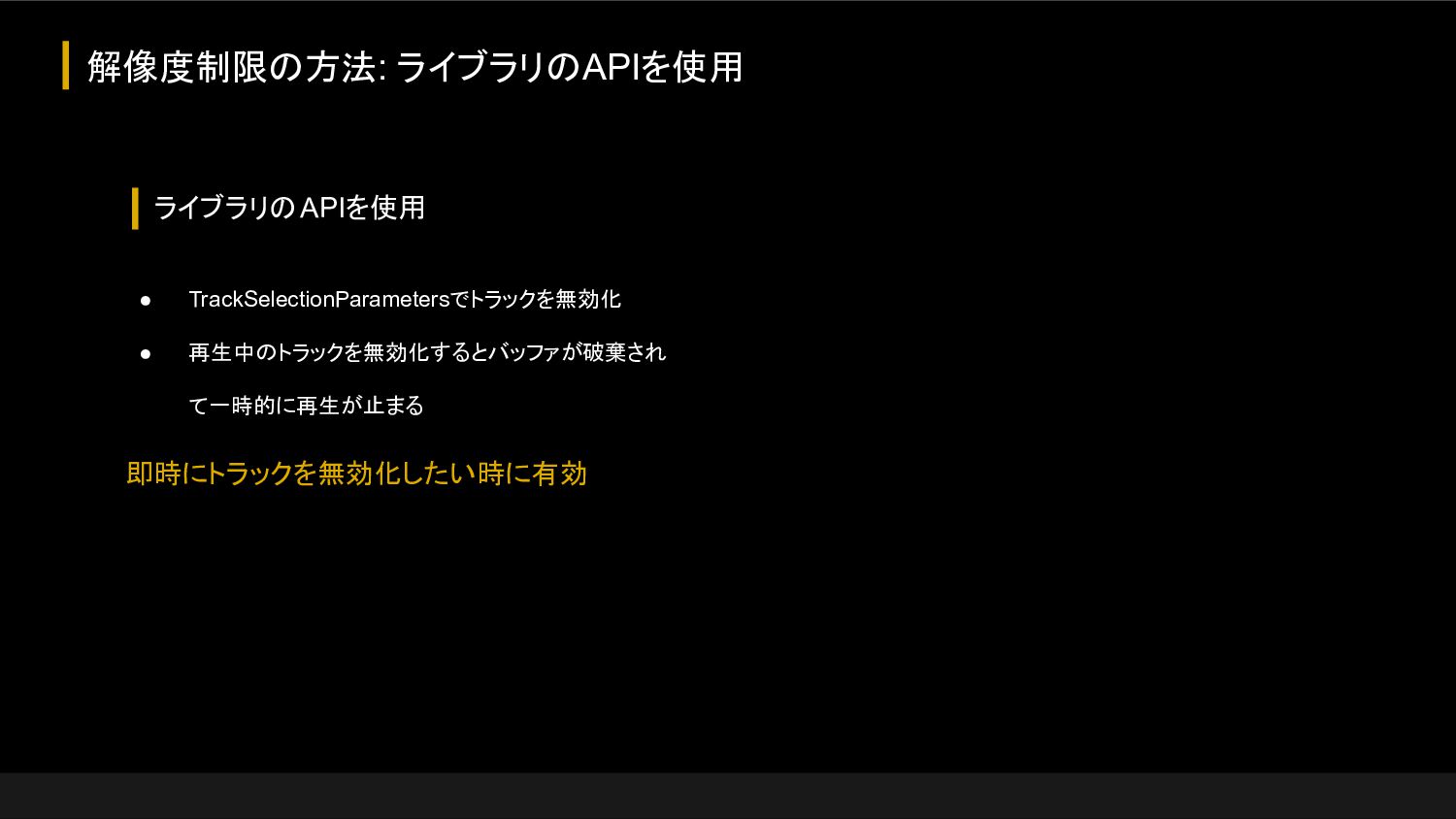
解像度制限の方法: ライブラリのAPIを使用 • TrackSelectionParametersでトラックを無効化 • 再生中のトラックを無効化するとバッファが破棄され て一時的に再生が止まる ライブラリのAPIを使用 即時にトラックを無効化したい時に有効
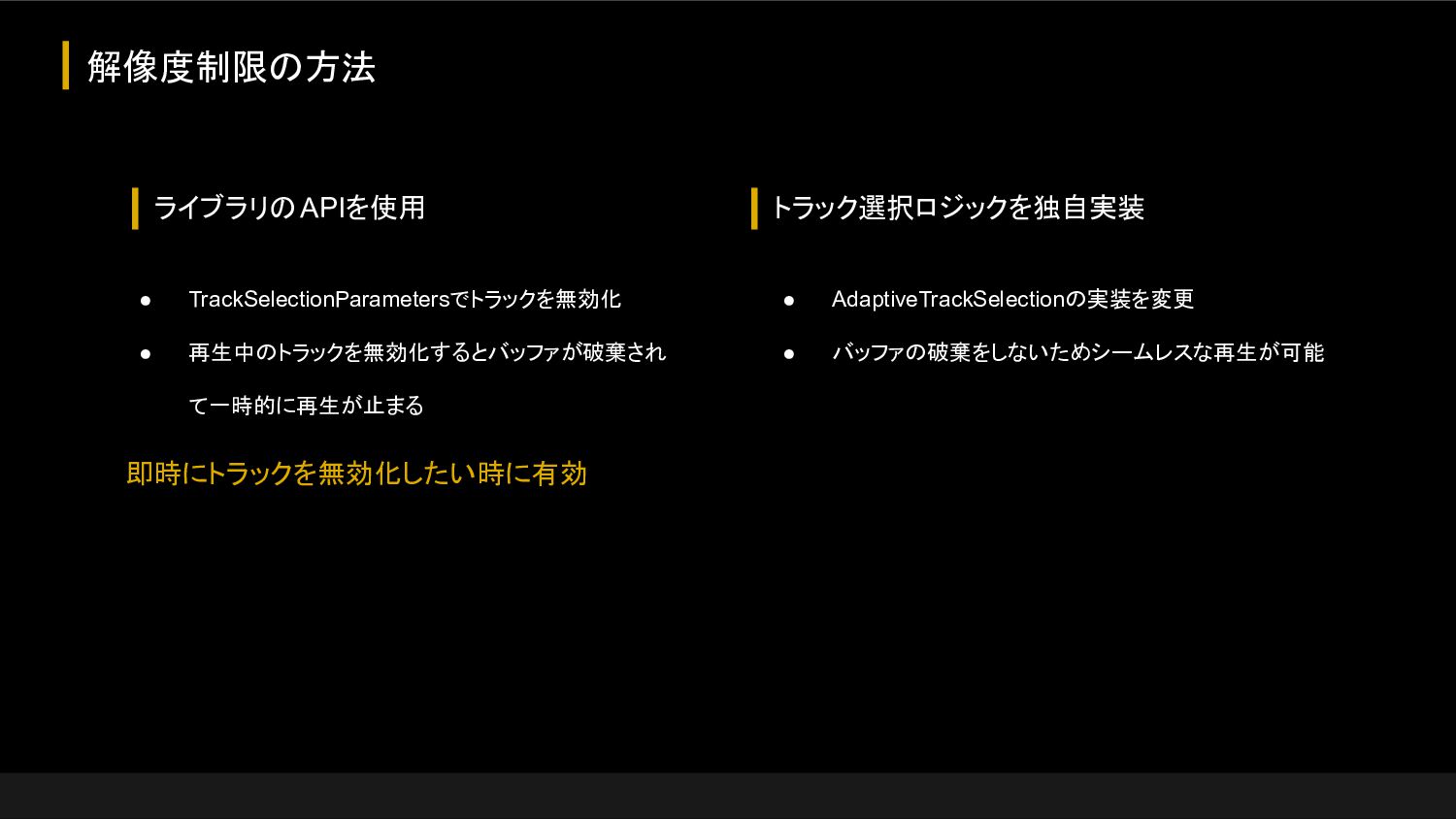
解像度制限の方法 • TrackSelectionParametersでトラックを無効化 • 再生中のトラックを無効化するとバッファが破棄され て一時的に再生が止まる ライブラリのAPIを使用 トラック選択ロジックを独自実装 • AdaptiveTrackSelectionの実装を変更
• バッファの破棄をしないためシームレスな再生が可能 即時にトラックを無効化したい時に有効
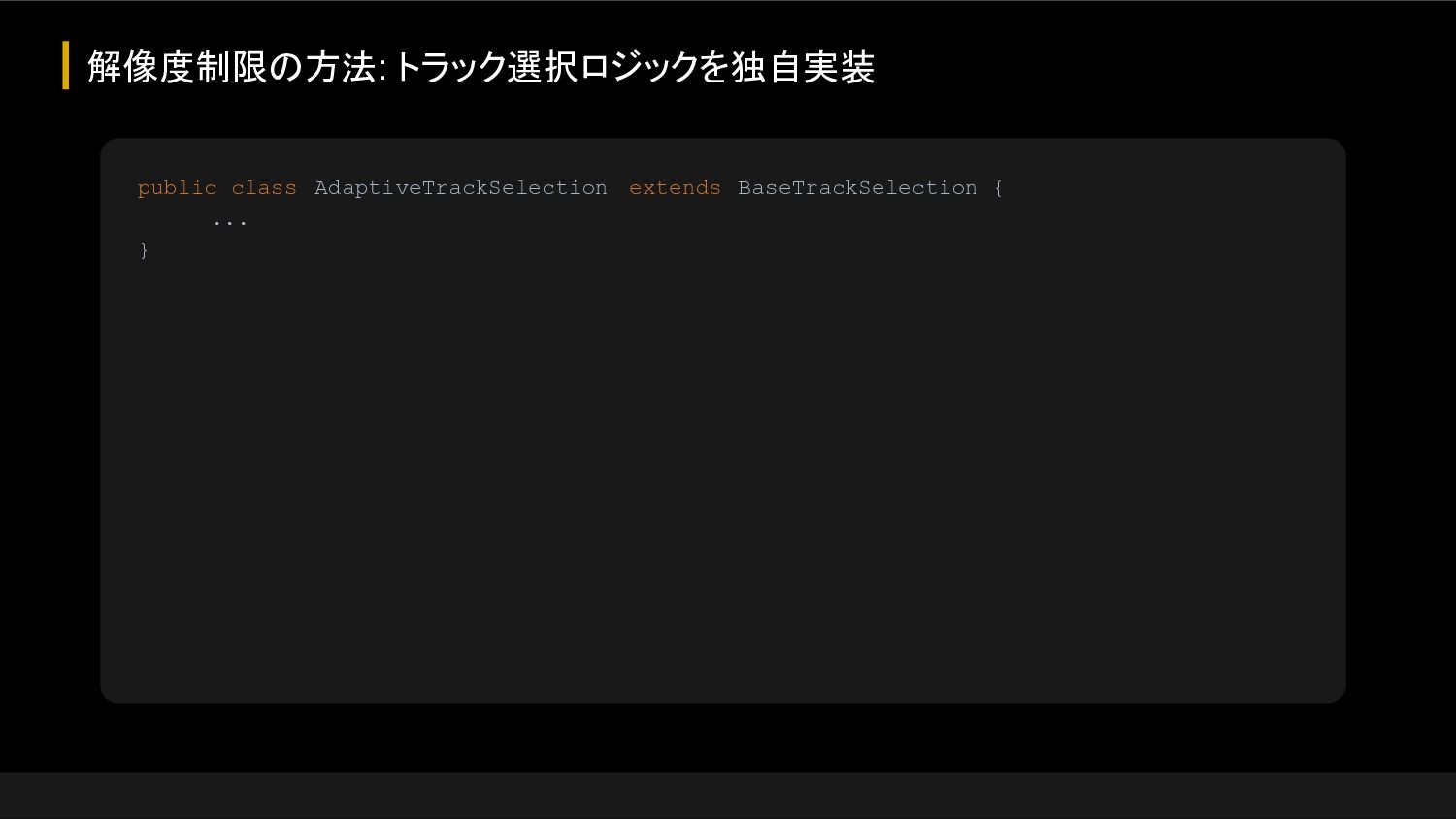
解像度制限の方法: トラック選択ロジックを独自実装 public class AdaptiveTrackSelection extends BaseTrackSelection { ... }
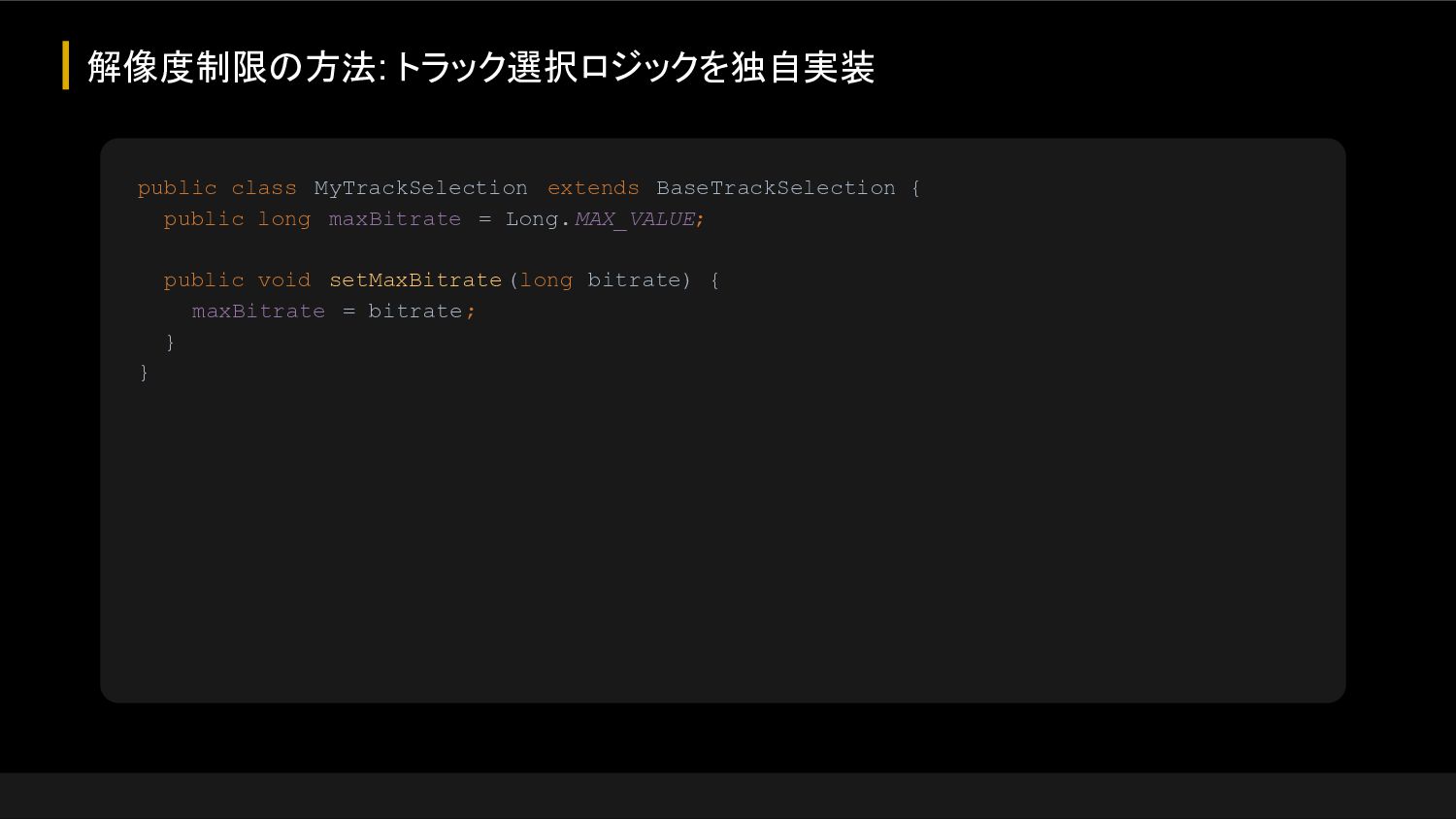
解像度制限の方法: トラック選択ロジックを独自実装 public class MyTrackSelection extends BaseTrackSelection { public long
maxBitrate = Long.MAX_VALUE; public void setMaxBitrate (long bitrate) { maxBitrate = bitrate; } }
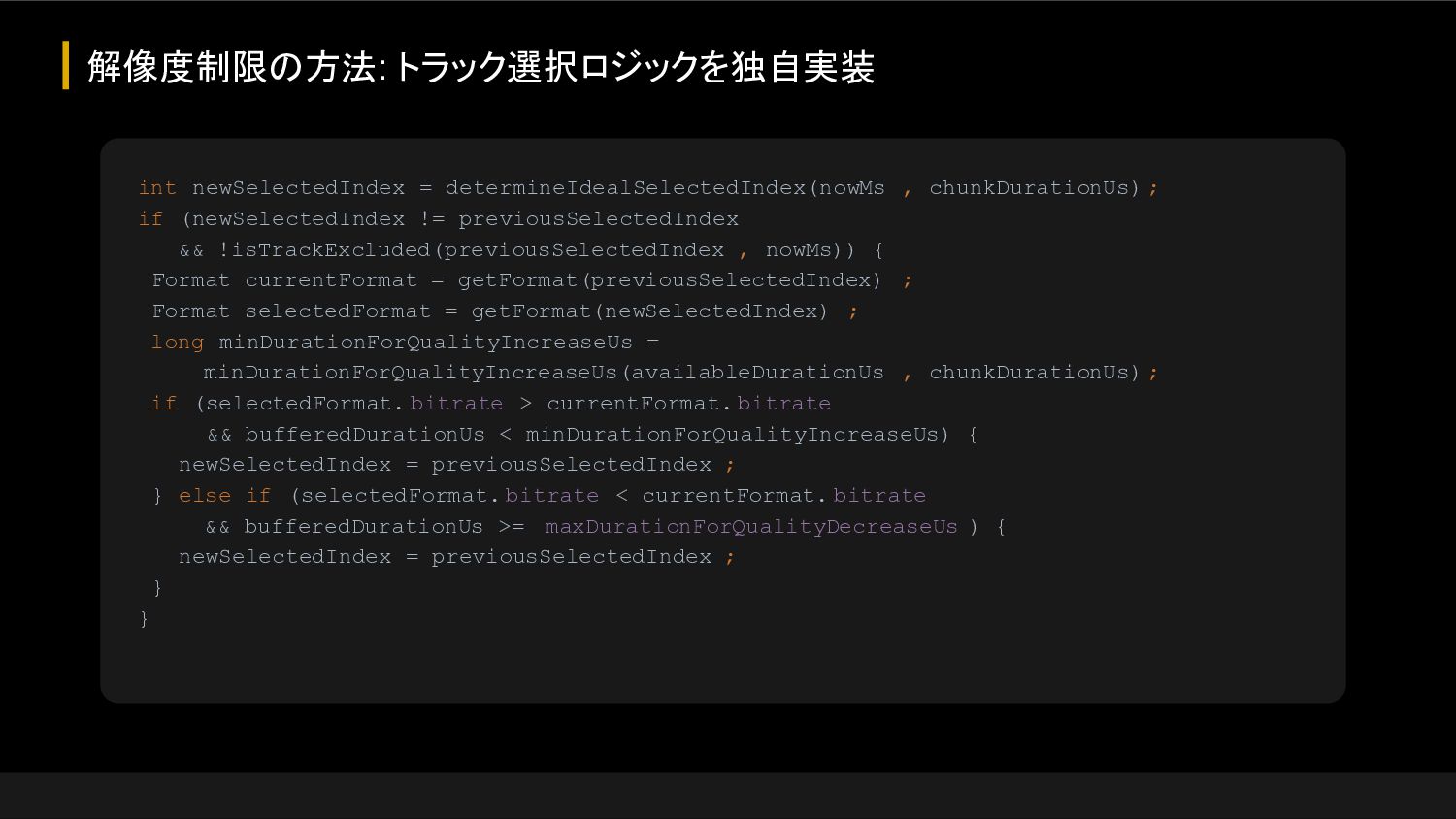
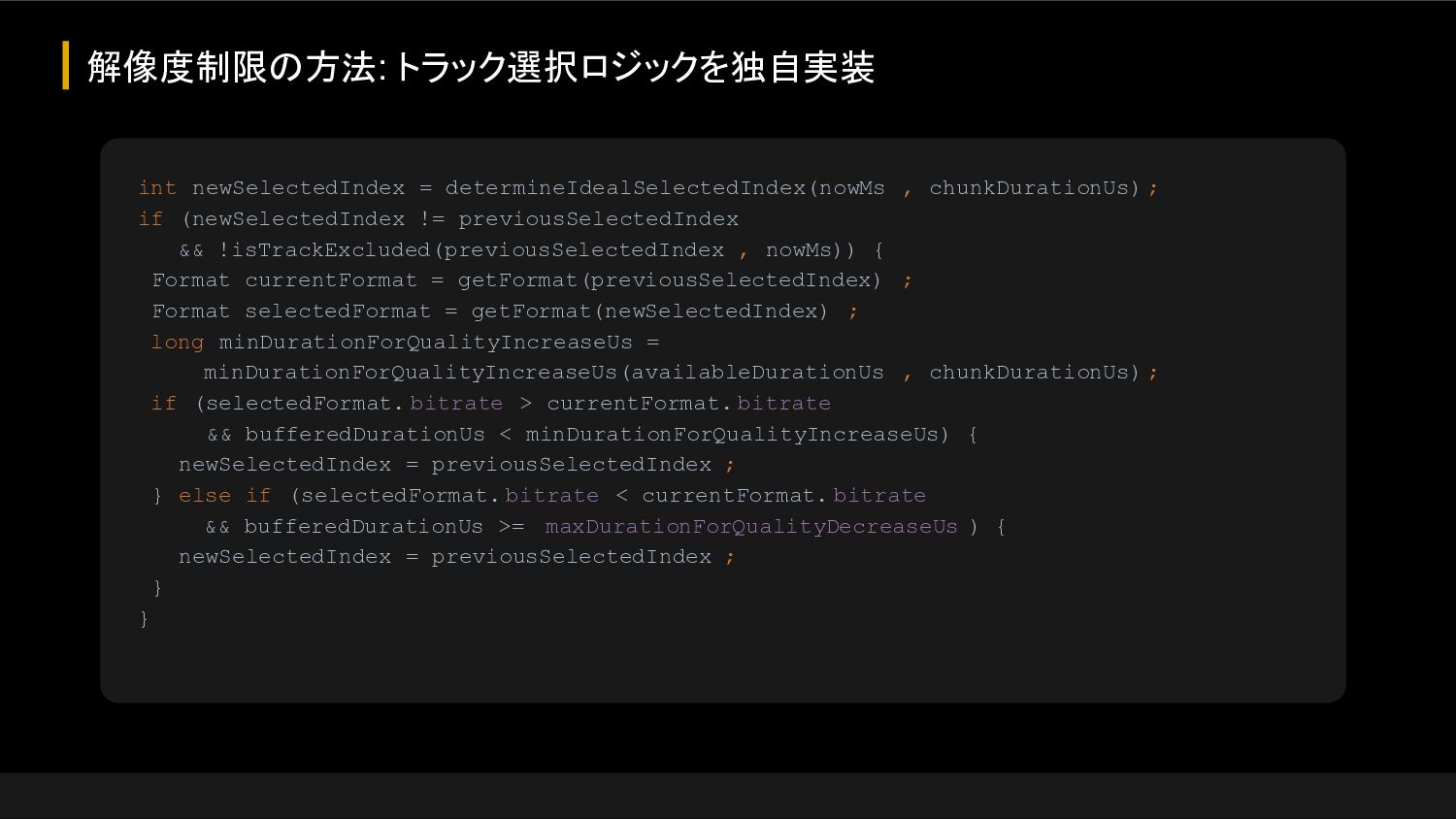
解像度制限の方法: トラック選択ロジックを独自実装 int newSelectedIndex = determineIdealSelectedIndex(nowMs , chunkDurationUs) ; if
(newSelectedIndex != previousSelectedIndex && !isTrackExcluded(previousSelectedIndex , nowMs)) { Format currentFormat = getFormat(previousSelectedIndex) ; Format selectedFormat = getFormat(newSelectedIndex) ; long minDurationForQualityIncreaseUs = minDurationForQualityIncreaseUs(availableDurationUs , chunkDurationUs) ; if (selectedFormat. bitrate > currentFormat. bitrate && bufferedDurationUs < minDurationForQualityIncreaseUs) { newSelectedIndex = previousSelectedIndex ; } else if (selectedFormat. bitrate < currentFormat. bitrate && bufferedDurationUs >= maxDurationForQualityDecreaseUs ) { newSelectedIndex = previousSelectedIndex ; } }
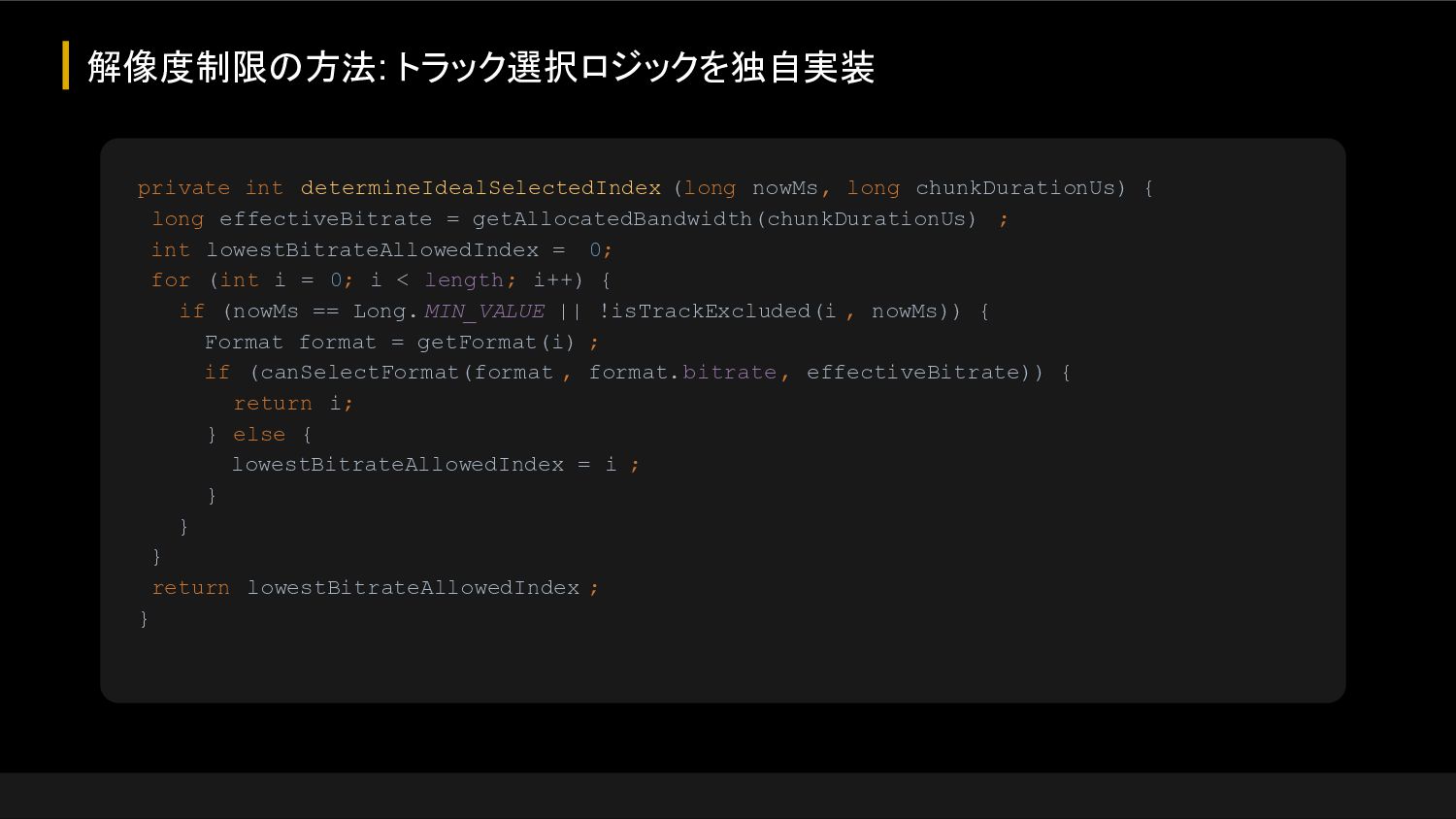
解像度制限の方法: トラック選択ロジックを独自実装 private int determineIdealSelectedIndex (long nowMs, long chunkDurationUs) {
long effectiveBitrate = getAllocatedBandwidth(chunkDurationUs) ; int lowestBitrateAllowedIndex = 0; for (int i = 0; i < length; i++) { if (nowMs == Long. MIN_VALUE || !isTrackExcluded(i , nowMs)) { Format format = getFormat(i) ; if (canSelectFormat(format , format.bitrate, effectiveBitrate)) { return i; } else { lowestBitrateAllowedIndex = i ; } } } return lowestBitrateAllowedIndex ; }
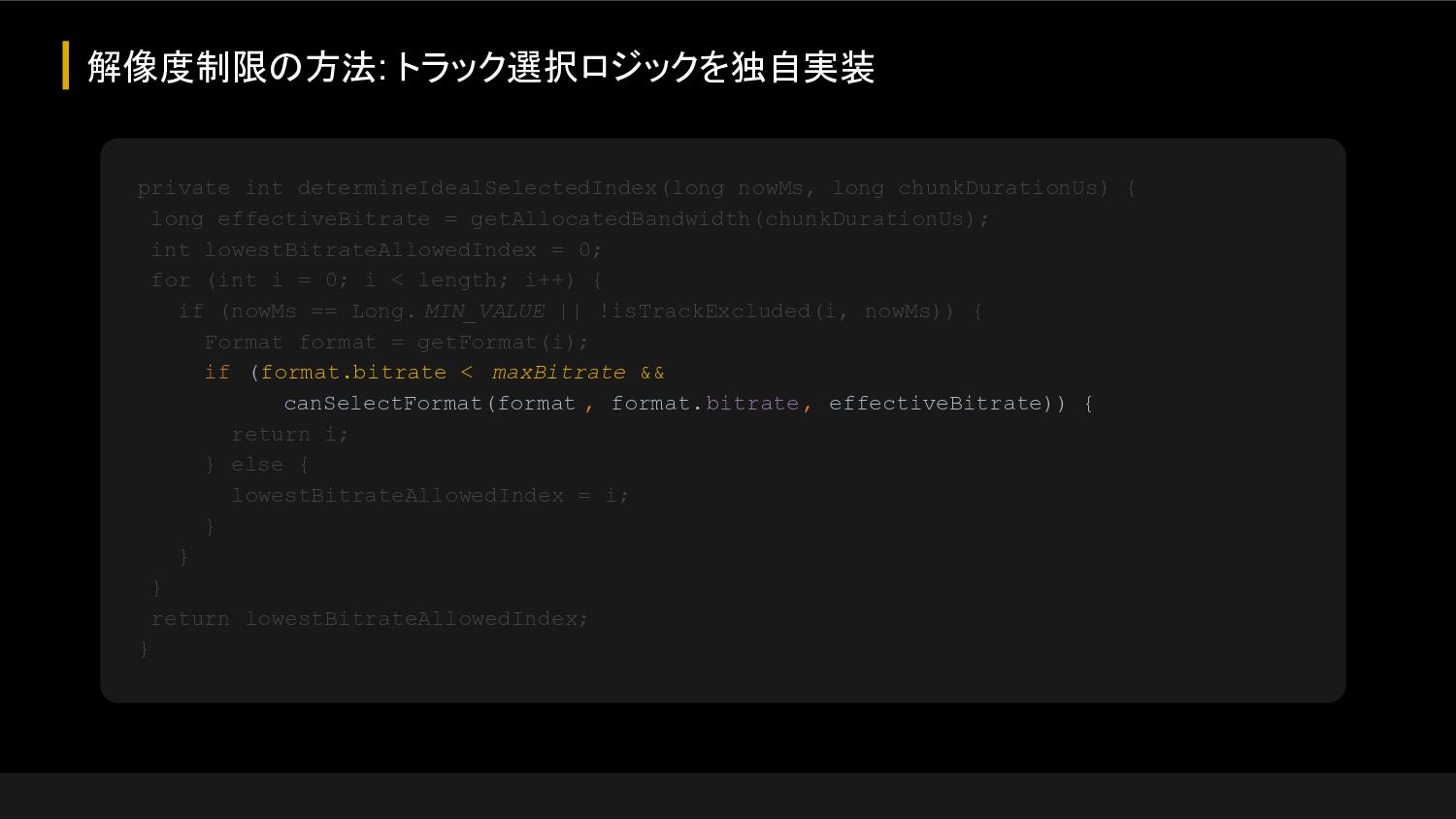
解像度制限の方法: トラック選択ロジックを独自実装 private int determineIdealSelectedIndex(long nowMs, long chunkDurationUs) { long
effectiveBitrate = getAllocatedBandwidth(chunkDurationUs); int lowestBitrateAllowedIndex = 0; for (int i = 0; i < length; i++) { if (nowMs == Long. MIN_VALUE || !isTrackExcluded(i, nowMs)) { Format format = getFormat(i); if (format.bitrate < maxBitrate && canSelectFormat(format , format.bitrate, effectiveBitrate)) { return i; } else { lowestBitrateAllowedIndex = i; } } } return lowestBitrateAllowedIndex; }
解像度制限の方法: トラック選択ロジックを独自実装 int newSelectedIndex = determineIdealSelectedIndex(nowMs , chunkDurationUs) ; if
(newSelectedIndex != previousSelectedIndex && !isTrackExcluded(previousSelectedIndex , nowMs)) { Format currentFormat = getFormat(previousSelectedIndex) ; Format selectedFormat = getFormat(newSelectedIndex) ; long minDurationForQualityIncreaseUs = minDurationForQualityIncreaseUs(availableDurationUs , chunkDurationUs) ; if (selectedFormat. bitrate > currentFormat. bitrate && bufferedDurationUs < minDurationForQualityIncreaseUs) { newSelectedIndex = previousSelectedIndex ; } else if (selectedFormat. bitrate < currentFormat. bitrate && bufferedDurationUs >= maxDurationForQualityDecreaseUs ) { newSelectedIndex = previousSelectedIndex ; } }
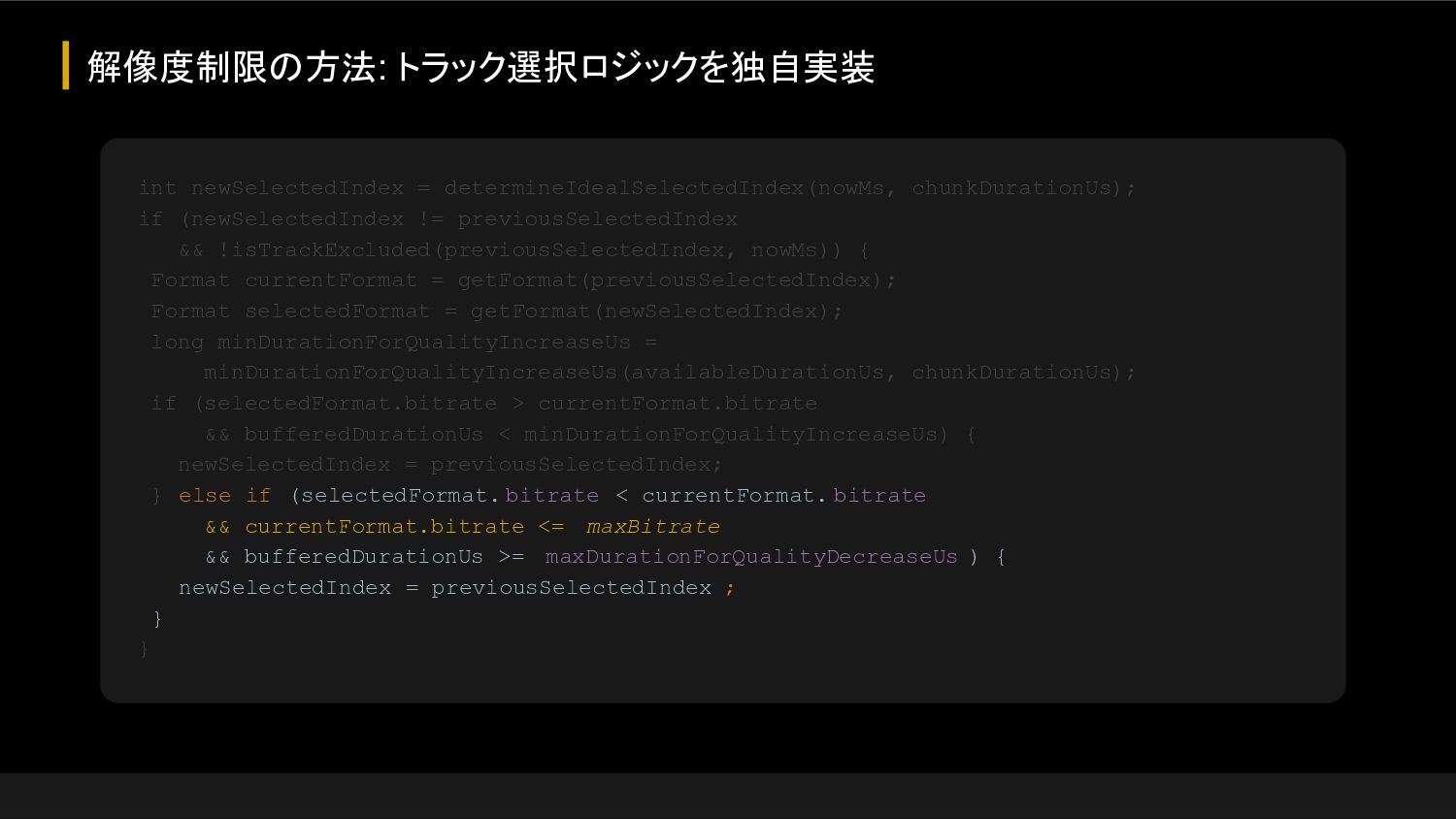
解像度制限の方法: トラック選択ロジックを独自実装 int newSelectedIndex = determineIdealSelectedIndex(nowMs, chunkDurationUs); if (newSelectedIndex !=
previousSelectedIndex && !isTrackExcluded(previousSelectedIndex, nowMs)) { Format currentFormat = getFormat(previousSelectedIndex); Format selectedFormat = getFormat(newSelectedIndex); long minDurationForQualityIncreaseUs = minDurationForQualityIncreaseUs(availableDurationUs, chunkDurationUs); if (selectedFormat.bitrate > currentFormat.bitrate && bufferedDurationUs < minDurationForQualityIncreaseUs) { newSelectedIndex = previousSelectedIndex; } else if (selectedFormat. bitrate < currentFormat. bitrate && currentFormat.bitrate <= maxBitrate && bufferedDurationUs >= maxDurationForQualityDecreaseUs ) { newSelectedIndex = previousSelectedIndex ; } }
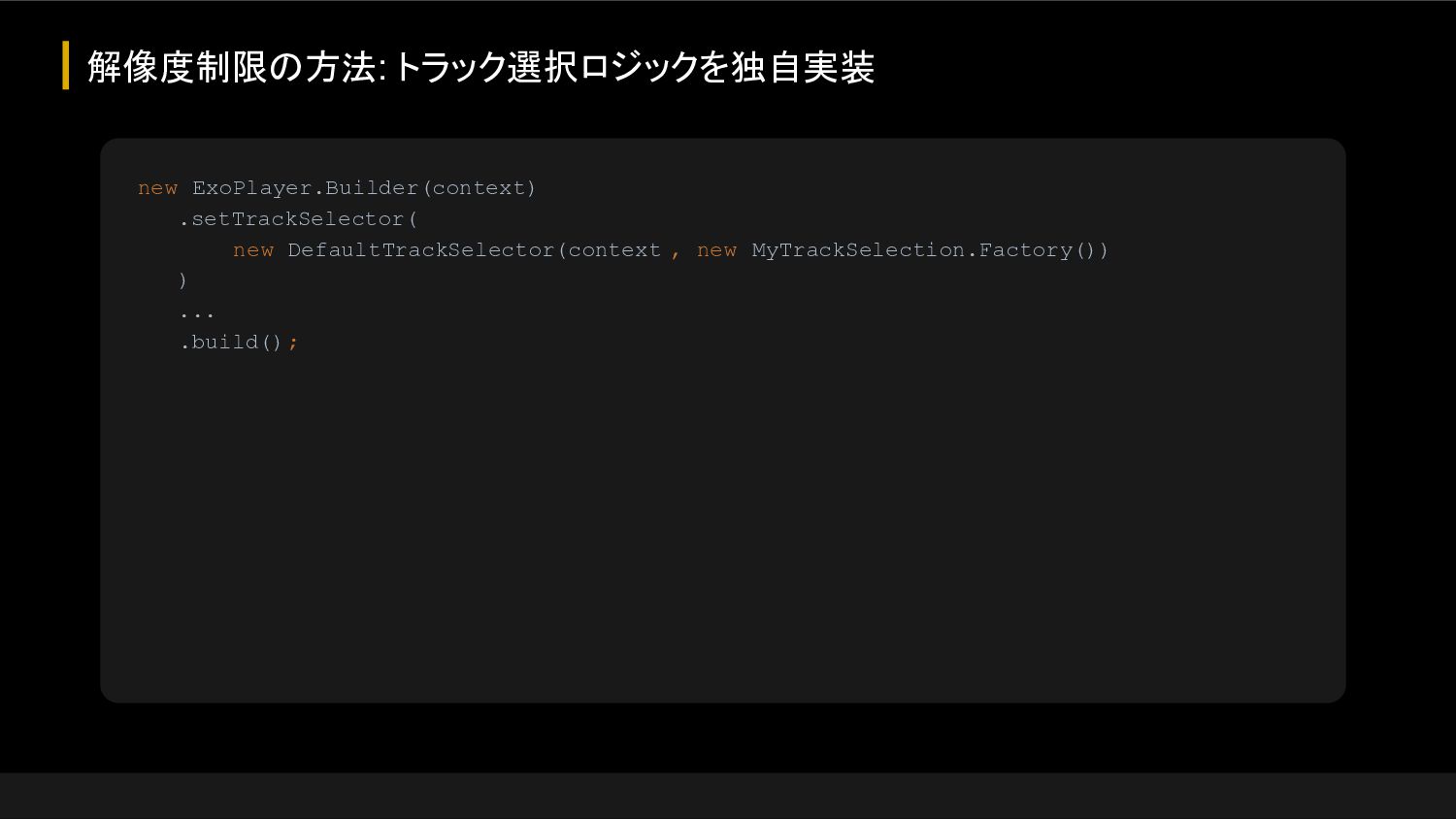
解像度制限の方法: トラック選択ロジックを独自実装 new ExoPlayer.Builder(context) .setTrackSelector( new DefaultTrackSelector(context , new MyTrackSelection.Factory())
) ... .build();
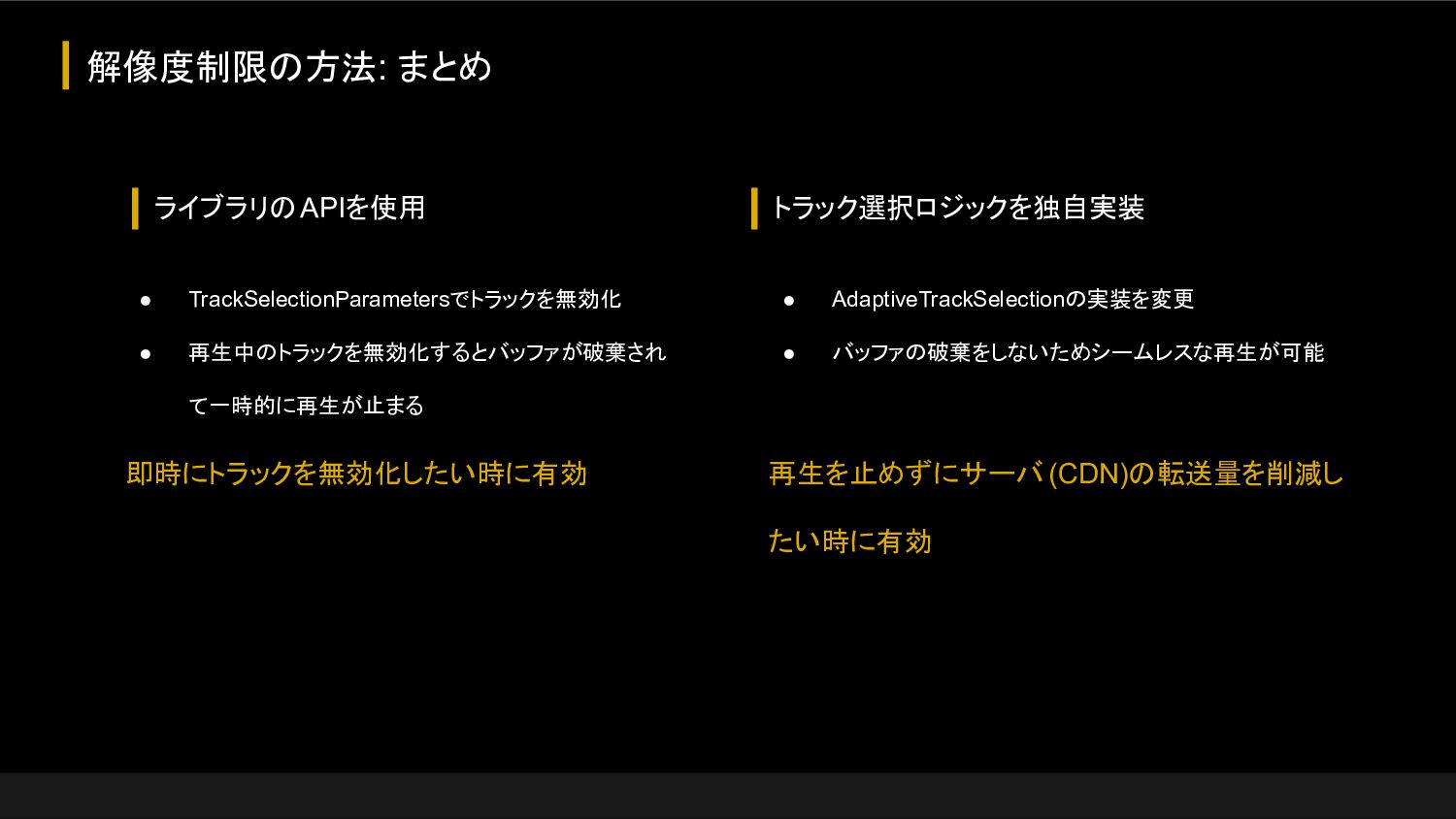
解像度制限の方法: まとめ • TrackSelectionParametersでトラックを無効化 • 再生中のトラックを無効化するとバッファが破棄され て一時的に再生が止まる ライブラリのAPIを使用 トラック選択ロジックを独自実装 •
AdaptiveTrackSelectionの実装を変更 • バッファの破棄をしないためシームレスな再生が可能 即時にトラックを無効化したい時に有効 再生を止めずにサーバ (CDN)の転送量を削減し たい時に有効
None


 sckm
sckm
 ryu1013
 tinykitten
 m_seki
 trickart
 prota
prota
 ivargrimstad
 teyamagu
 syumai
 sts11142
 panda728
 eijirou
 koher
koher
 trishagee
 quramy
 soudai
 moore
moore
 marktimemedia
 chriscoyier
 cassininazir
 sabderemane
 honzajavorek
 lauravandoore
 gurzu
gurzu
 andyhume