Share
Embed
So, You Want to Be a Front-End Engineer?
Browsers: The Final Frontier. The most volatile programming platform the world has ever known. You're a seasoned engineer who has mastered the art of server-side dev. You've conquered .NET, Java, and many more. You know a little bit about the strange new world of client-side development and you'd like to take your understanding to the next level. Good! Our mission: to explore the implementation details of the Browser, HTML, CSS, and JavaScript; to examine the tools and techniques that will help you boldly go where few have gone before, from Hacker to Front-End Engineer.
A recording of this presentation is available here: http://www.youtube.com/watch?v=Lsg84NtJbmI
David Mosher
May 03, 2012
Transcript
72 slides
-
So, you want to be a StirTrek 2012, @dmosher front-end
engineer Thursday, 3 May, 12 -
Hey Look Buddy, I’m an Engineer. That means I solve
Problems. http://www.youtube.com/watch?v=ipYkuCZ2IYI Thursday, 3 May, 12 -
BROWSERS >> the most volatile programming environment the world has
ever known. Thursday, 3 May, 12 -
Paul Irish “As a web developer, learning the inte rnals
of browse r operations helps you make better decisions and know the j u s t i f i c a t i o n s b e h i n d development best practices.” http://www.html5rocks.com/en/tutorials/internals/howbrowserswork/ Thursday, 3 May, 12 -
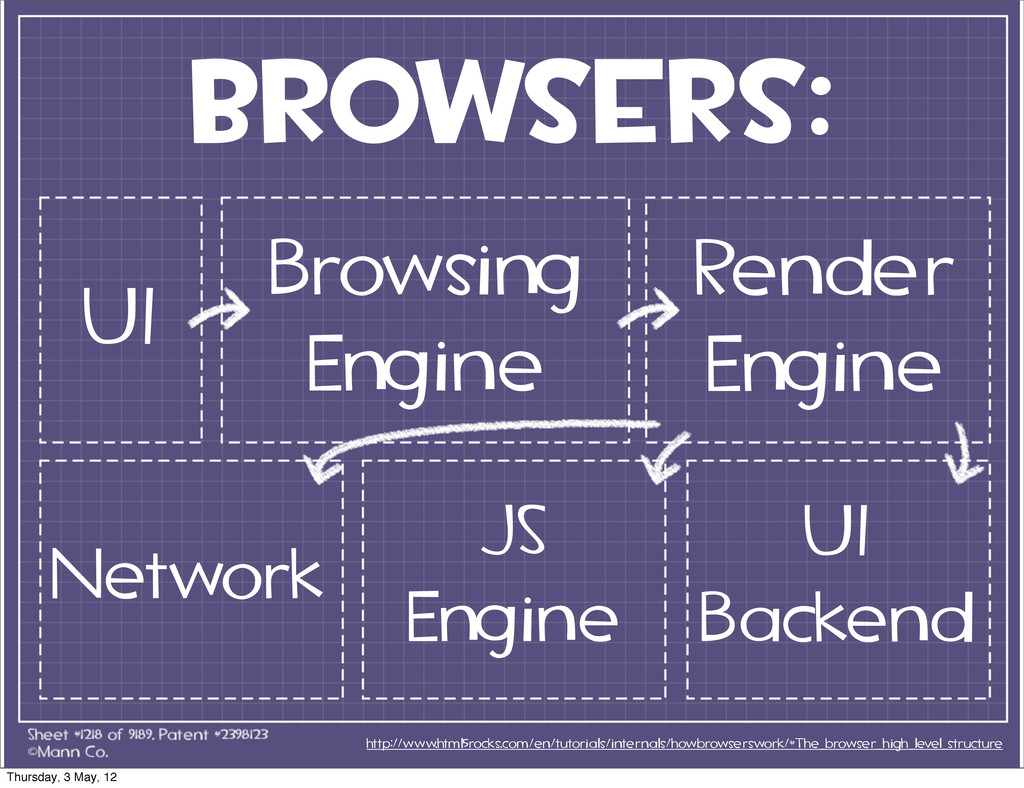
browsers: UI Browsing Engine Render Engine Network JS Engine UI
Backend http://www.html5rocks.com/en/tutorials/internals/howbrowserswork/#The_browser_high_level_structure Thursday, 3 May, 12 -
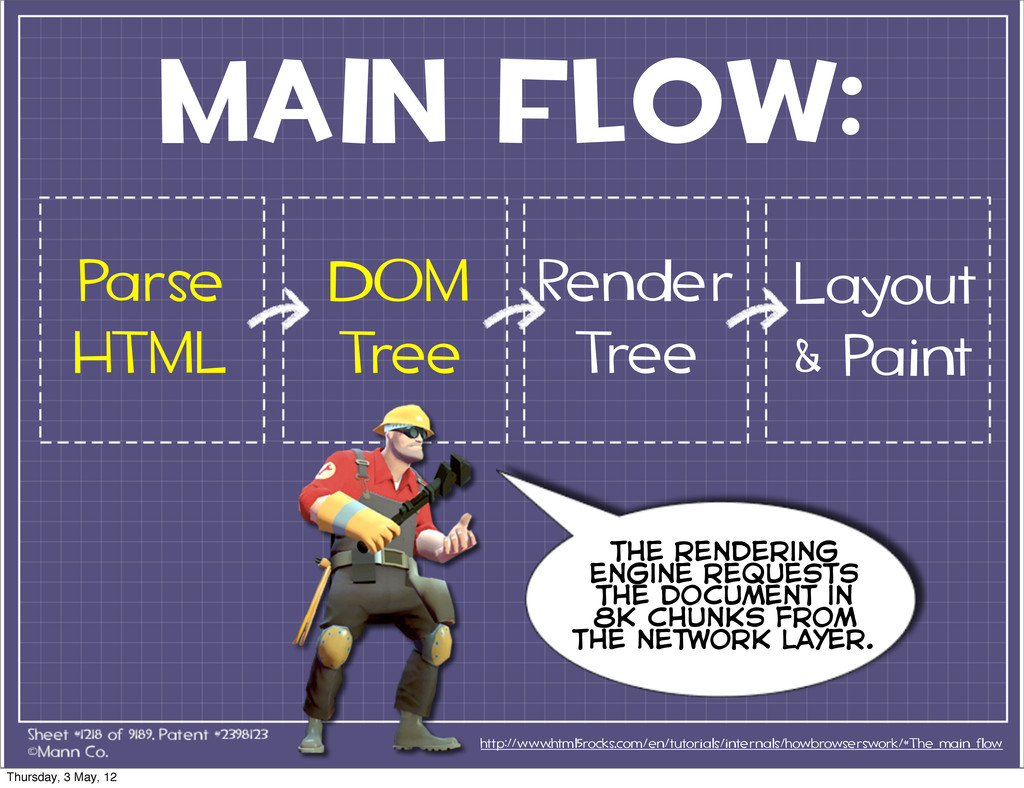
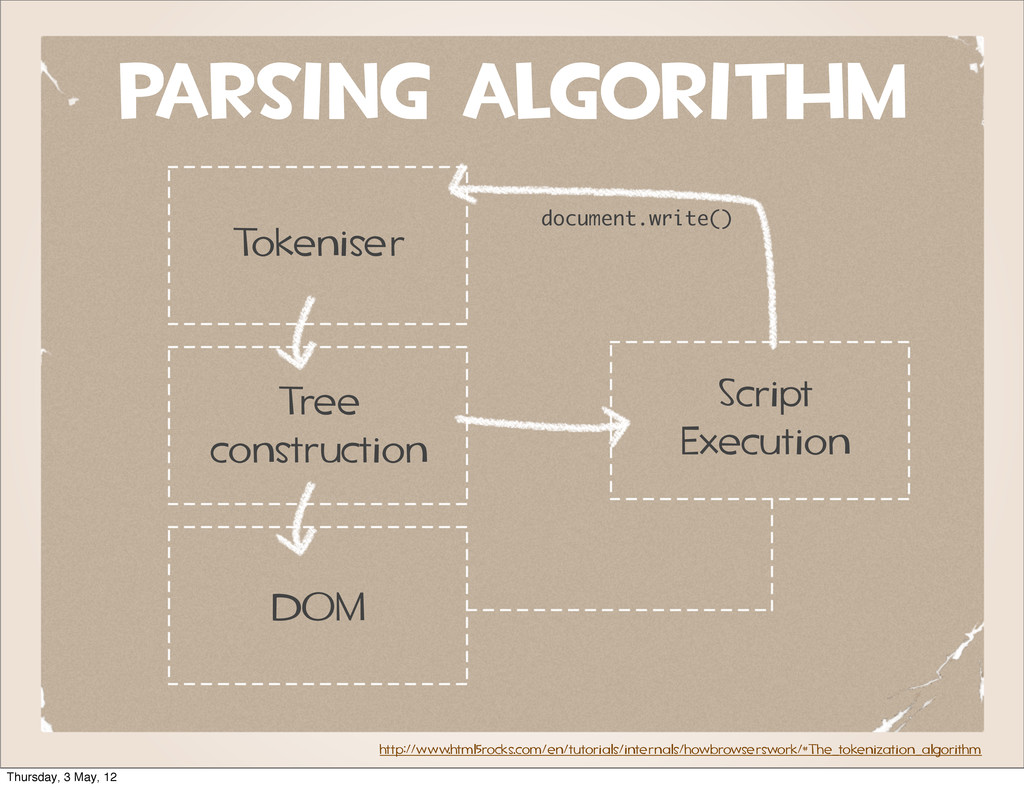
MAIN FLOW: Parse HTML http://www.html5rocks.com/en/tutorials/internals/howbrowserswork/#The_main_flow DOM Tree Render Tree the
rendering engine requests the document in 8k chunks from the network layer. Layout & Paint Thursday, 3 May, 12 -
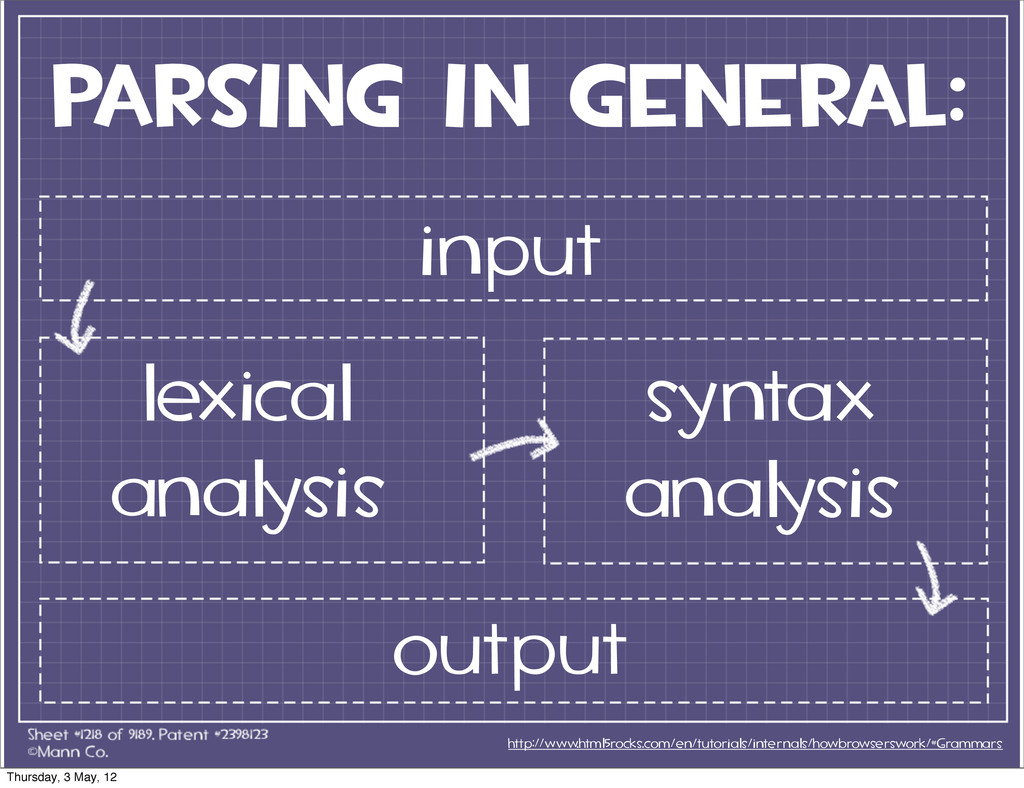
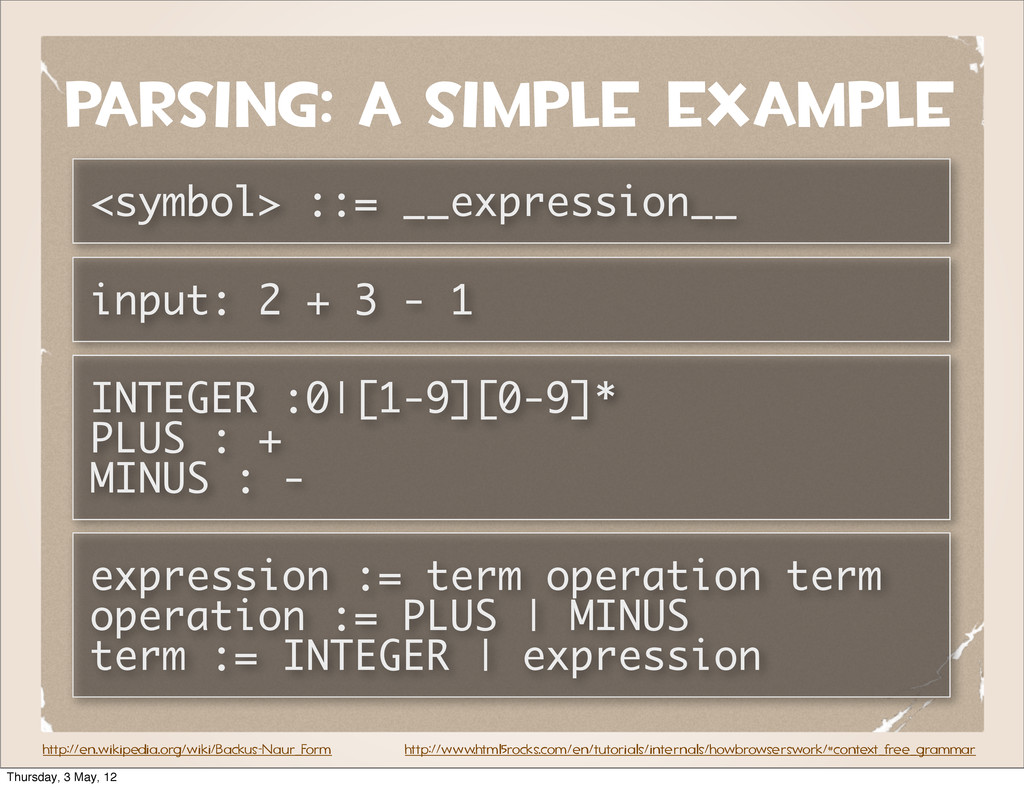
http://en.wikipedia.org/wiki/Backus-Naur_Form parsing: a simple example <symbol> ::= __expression__ input: 2
+ 3 - 1 INTEGER :0|[1-9][0-9]* PLUS : + MINUS : - expression := term operation term operation := PLUS | MINUS term := INTEGER | expression http://www.html5rocks.com/en/tutorials/internals/howbrowserswork/#context_free_grammar Thursday, 3 May, 12 -
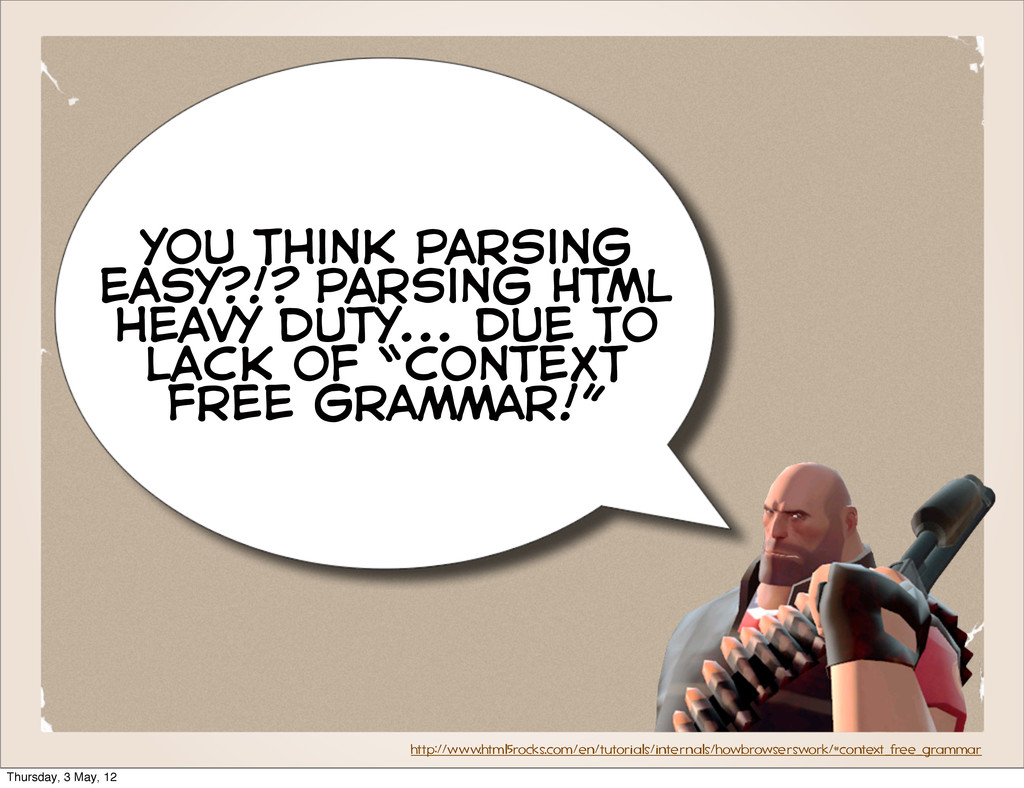
you think parsing easy?!? parsing HTML heavy duty... due to
lack of “context free grammar!” http://www.html5rocks.com/en/tutorials/internals/howbrowserswork/#context_free_grammar Thursday, 3 May, 12 -
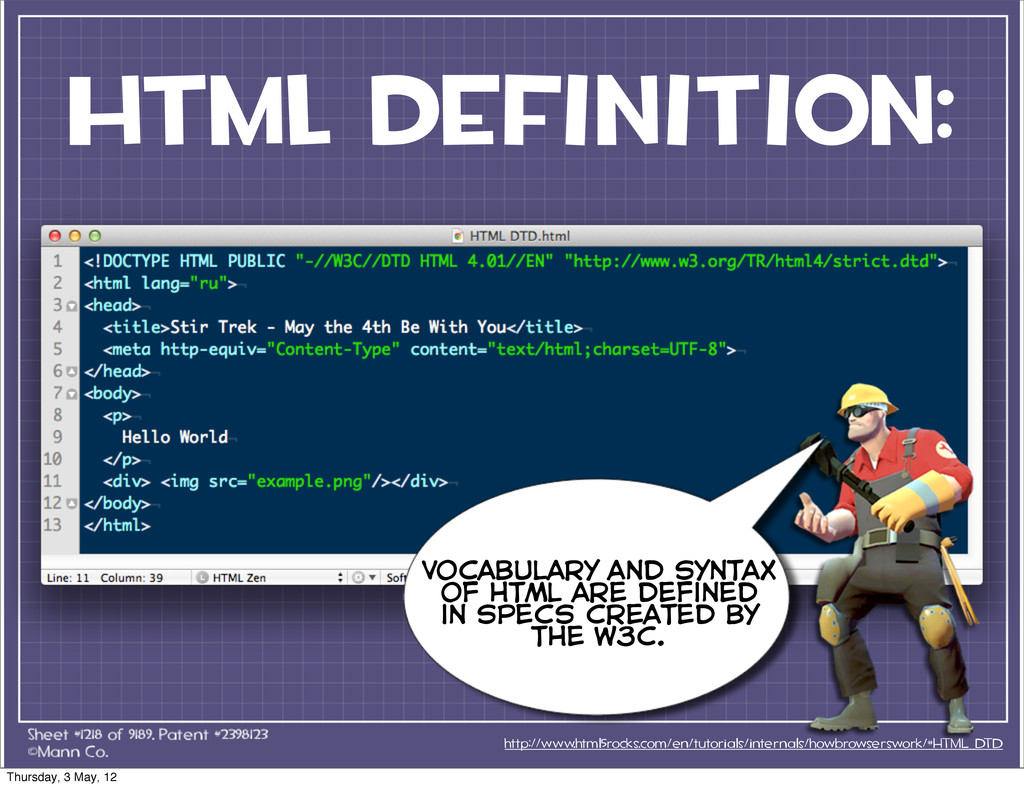
html definition: http://www.html5rocks.com/en/tutorials/internals/howbrowserswork/#HTML_DTD Vocabulary and syntax of html are defined
in specs created by the w3c. Thursday, 3 May, 12 -
BEST PRACTICE move scripts to the bottom of the page
Thursday, 3 May, 12 -
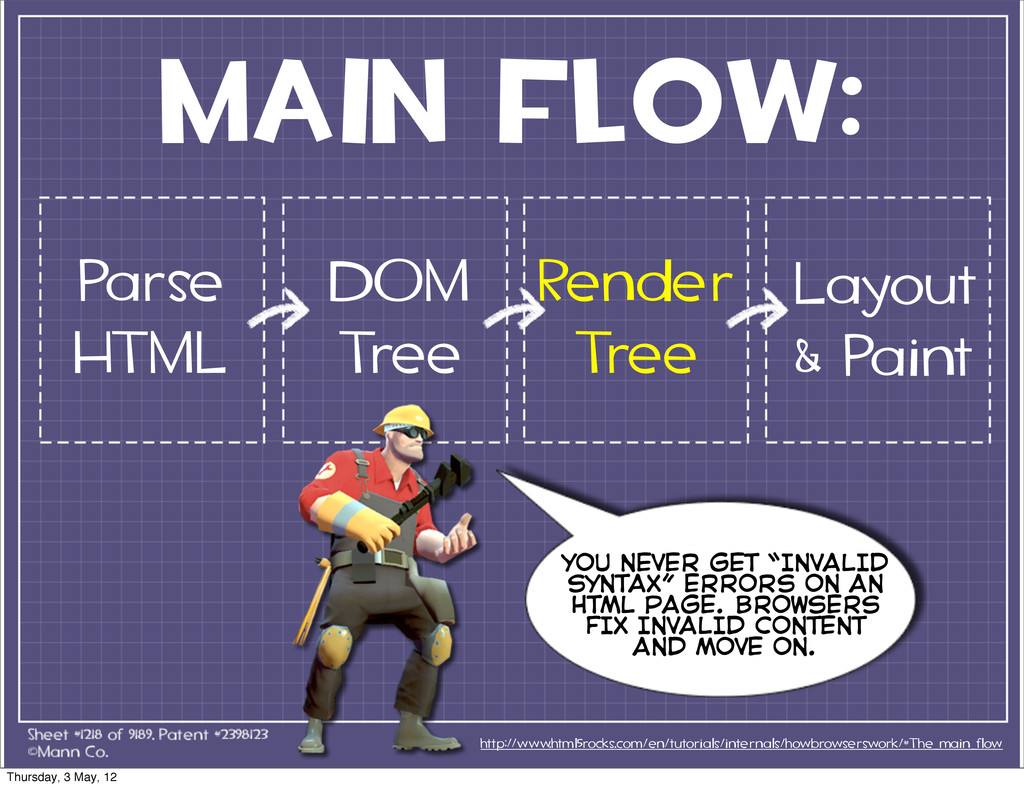
MAIN FLOW: Parse HTML http://www.html5rocks.com/en/tutorials/internals/howbrowserswork/#The_main_flow DOM Tree Render Tree YOU
NEVER GET “INVALID SYNTAX” ERRORS ON AN HTML PAGE. BROWSERS FIX INVALID CONTENT AND MOVE ON. Layout & Paint Thursday, 3 May, 12 -
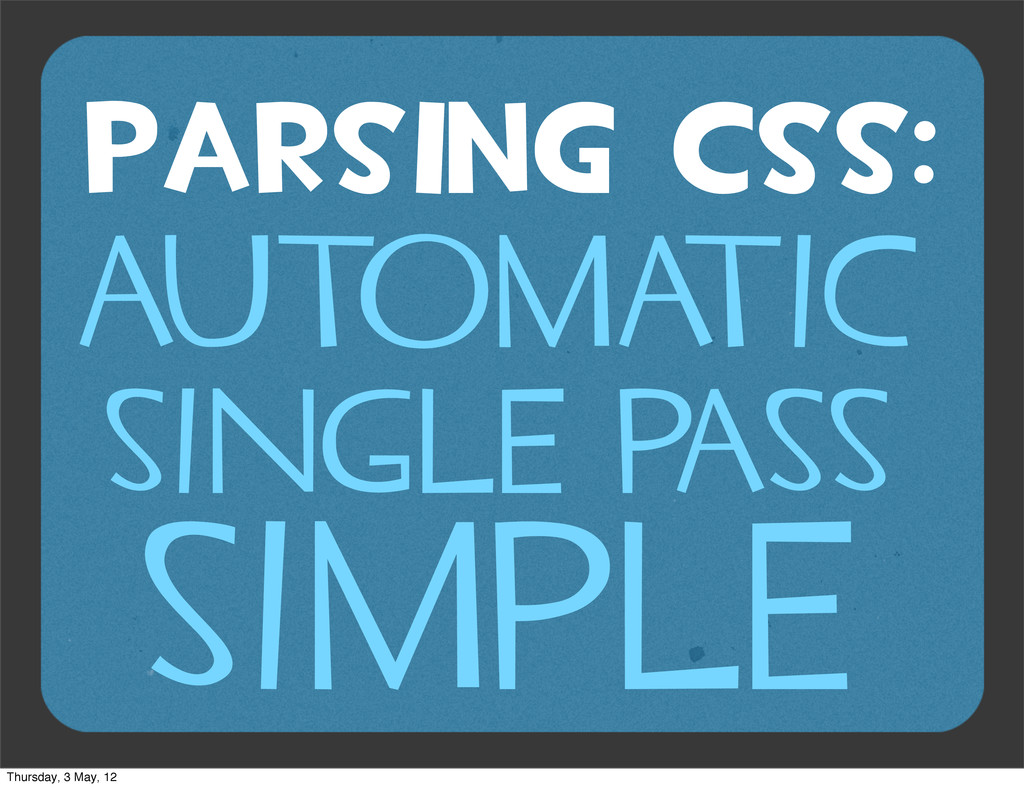
parsing CSS: http://www.html5rocks.com/en/tutorials/internals/howbrowserswork/#CSS_parsing Flex / Bison Stylesheet Object the css
spec defines css lexical and syntax grammar. Webkit uses flex and bison parser generators to create parsers from css grammar files. Thursday, 3 May, 12 -
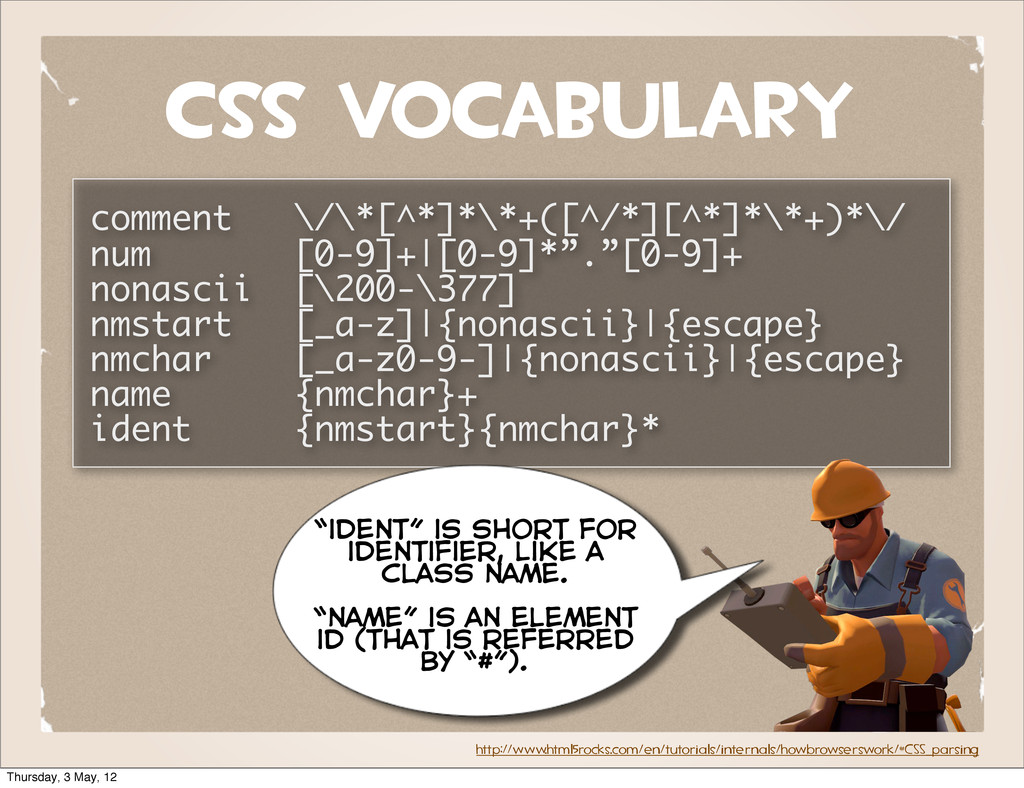
css vocabulary comment \/\*[^*]*\*+([^/*][^*]*\*+)*\/ num [0-9]+|[0-9]*”.”[0-9]+ nonascii [\200-\377] nmstart [_a-z]|{nonascii}|{escape}
nmchar [_a-z0-9-]|{nonascii}|{escape} name {nmchar}+ ident {nmstart}{nmchar}* http://www.html5rocks.com/en/tutorials/internals/howbrowserswork/#CSS_parsing “ident” is short for identifier, like a class name. “name” is an element id (that is referred by “#”). Thursday, 3 May, 12 -
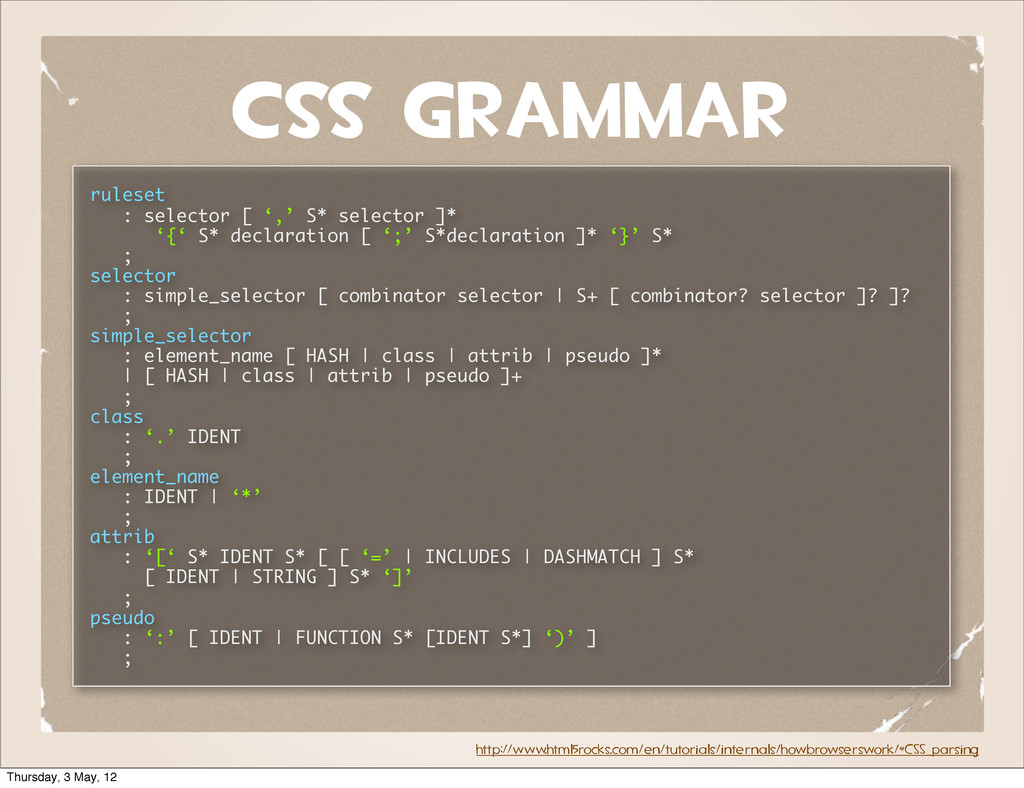
css GRAMMAR ruleset : selector [ ‘,’ S* selector ]*
‘{‘ S* declaration [ ‘;’ S*declaration ]* ‘}’ S* ; selector : simple_selector [ combinator selector | S+ [ combinator? selector ]? ]? ; simple_selector : element_name [ HASH | class | attrib | pseudo ]* | [ HASH | class | attrib | pseudo ]+ ; class : ‘.’ IDENT ; element_name : IDENT | ‘*’ ; attrib : ‘[‘ S* IDENT S* [ [ ‘=’ | INCLUDES | DASHMATCH ] S* [ IDENT | STRING ] S* ‘]’ ; pseudo : ‘:’ [ IDENT | FUNCTION S* [IDENT S*] ‘)’ ] ; http://www.html5rocks.com/en/tutorials/internals/howbrowserswork/#CSS_parsing Thursday, 3 May, 12 -
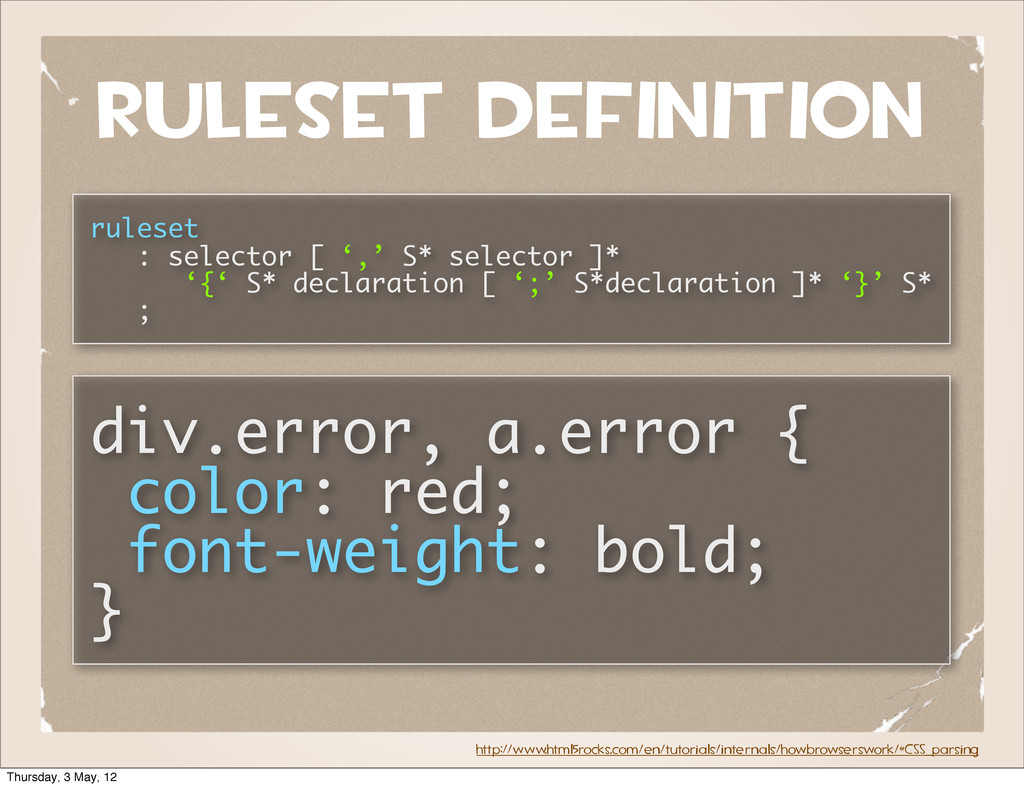
RULESET DEFINITION ruleset : selector [ ‘,’ S* selector ]*
‘{‘ S* declaration [ ‘;’ S*declaration ]* ‘}’ S* ; http://www.html5rocks.com/en/tutorials/internals/howbrowserswork/#CSS_parsing div.error, a.error { color: red; font-weight: bold; } Thursday, 3 May, 12 -
browsers render in a single thread BROWSERS ARE SINGLE THREADED?
Thursday, 3 May, 12 -
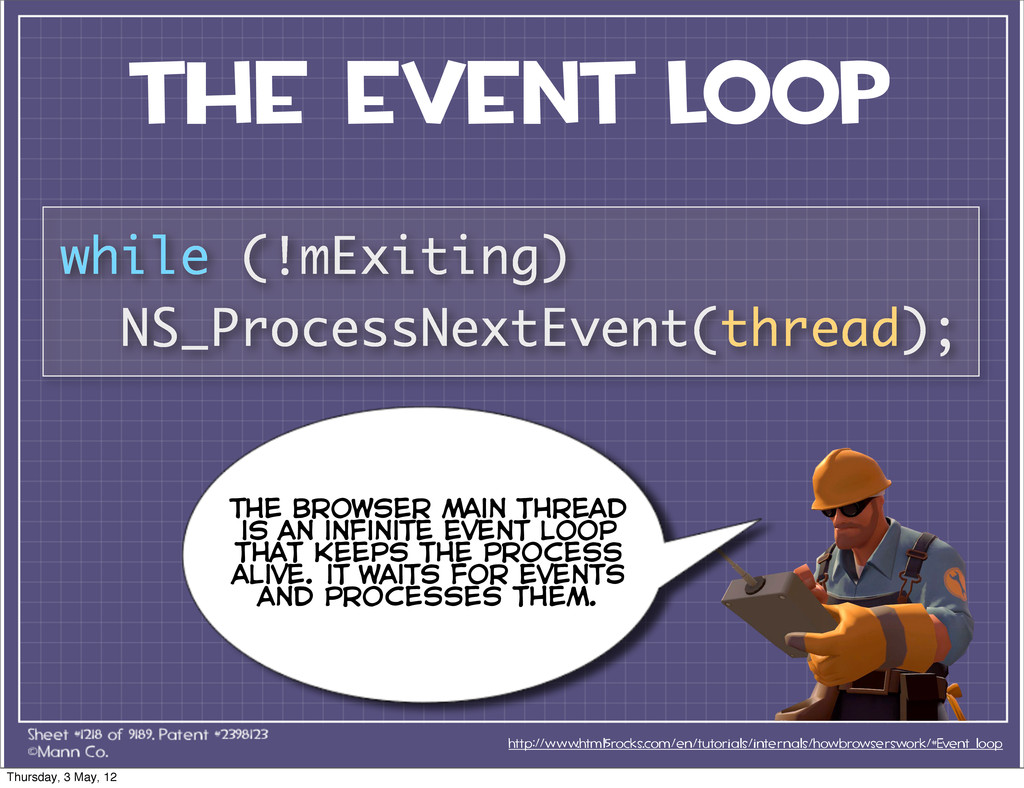
the event loop http://www.html5rocks.com/en/tutorials/internals/howbrowserswork/#Event_loop while (!mExiting) NS_ProcessNextEvent(thread); The browser main
thread is an infinite event loop that keeps the process alive. it waits for events and processes them. Thursday, 3 May, 12 -
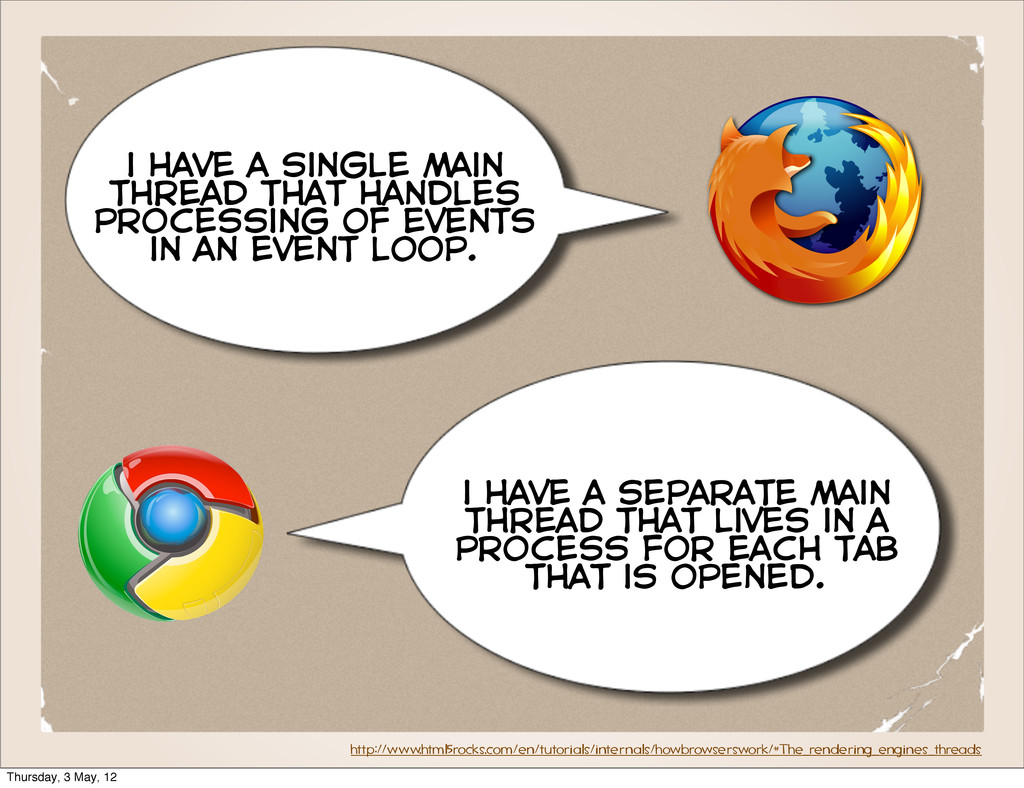
http://www.html5rocks.com/en/tutorials/internals/howbrowserswork/#The_rendering_engines_threads i have a single main thread that handles processing
of events in an event loop. i have a separate main thread that lives in a process for each tab that is opened. Thursday, 3 May, 12 -
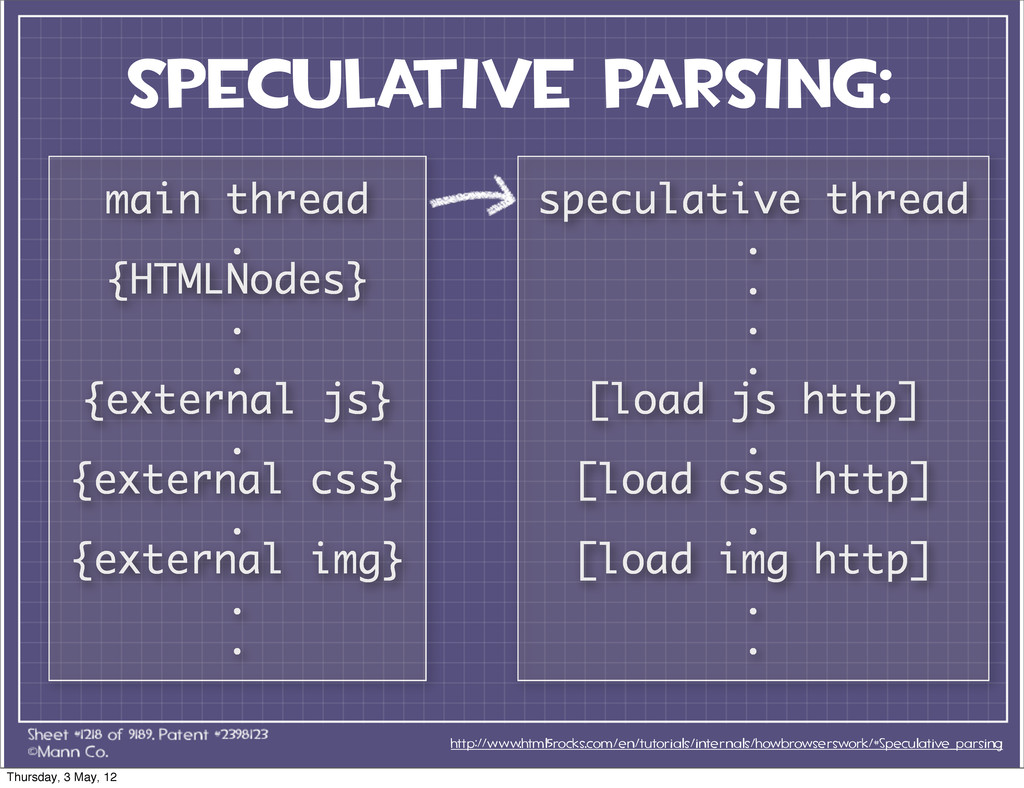
speculative parsing: http://www.html5rocks.com/en/tutorials/internals/howbrowserswork/#Speculative_parsing main thread . {HTMLNodes} . . {external
js} . {external css} . {external img} . . speculative thread . . . . [load js http] . [load css http] . [load img http] . . Thursday, 3 May, 12 -
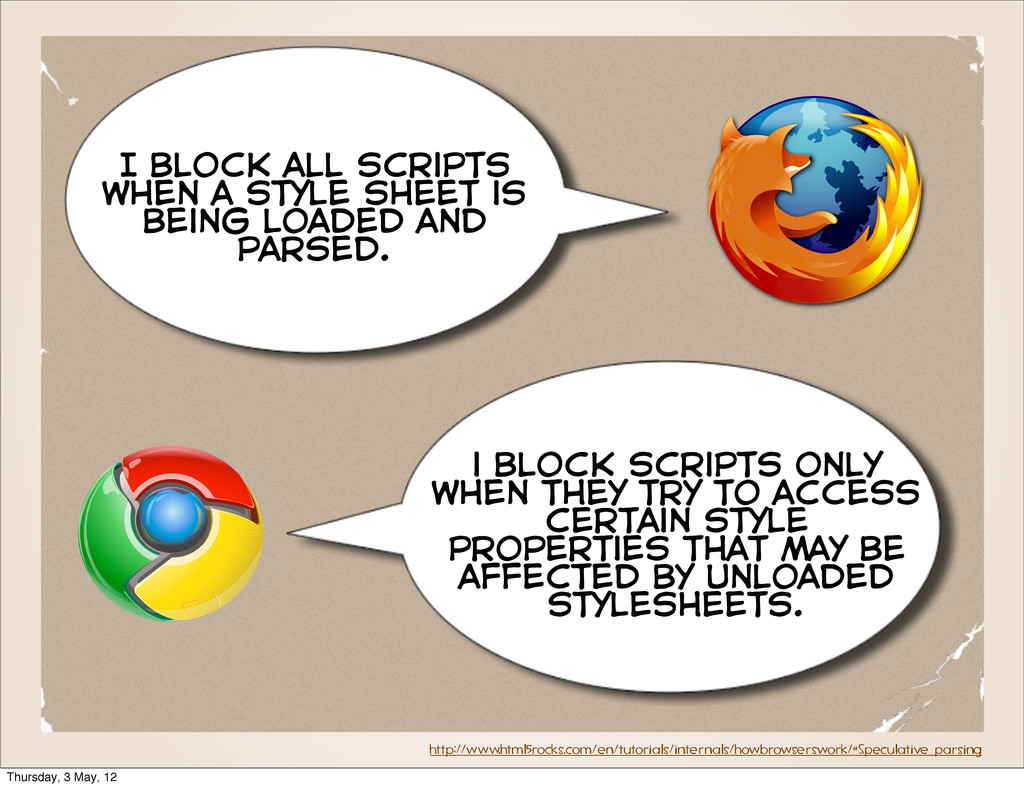
http://www.html5rocks.com/en/tutorials/internals/howbrowserswork/#Speculative_parsing I block all scripts when a style sheet is
being loaded and parsed. i block scripts only when they try to access certain style properties that may be affected by unloaded stylesheets. Thursday, 3 May, 12 -
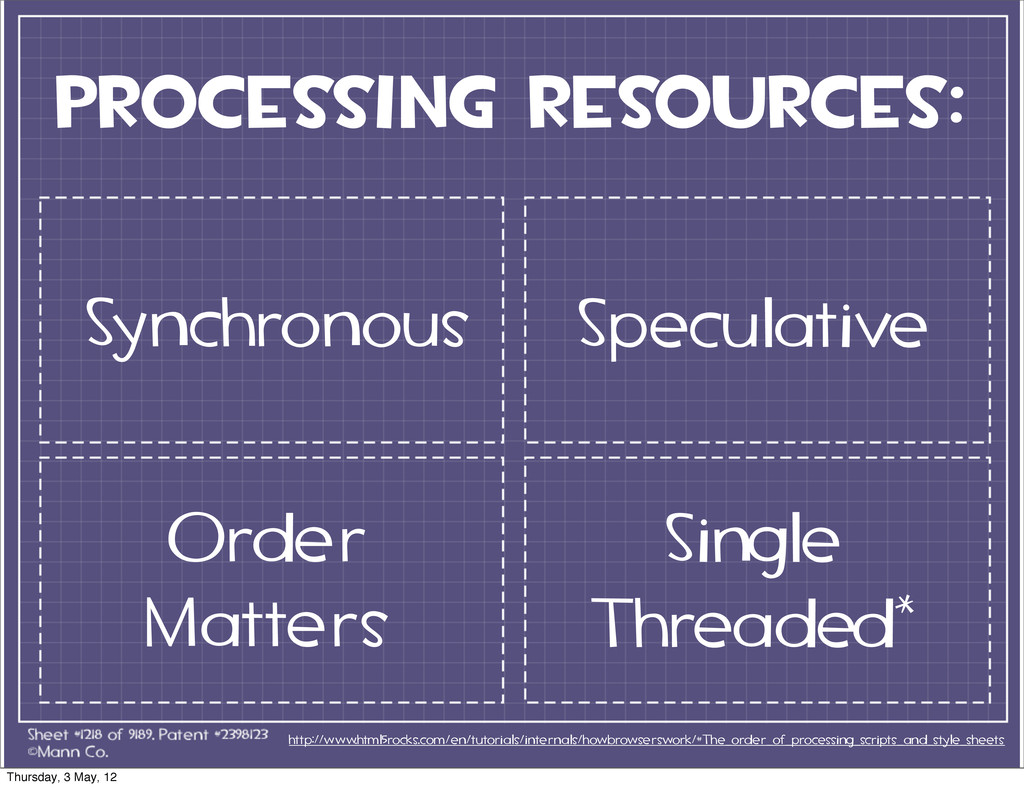
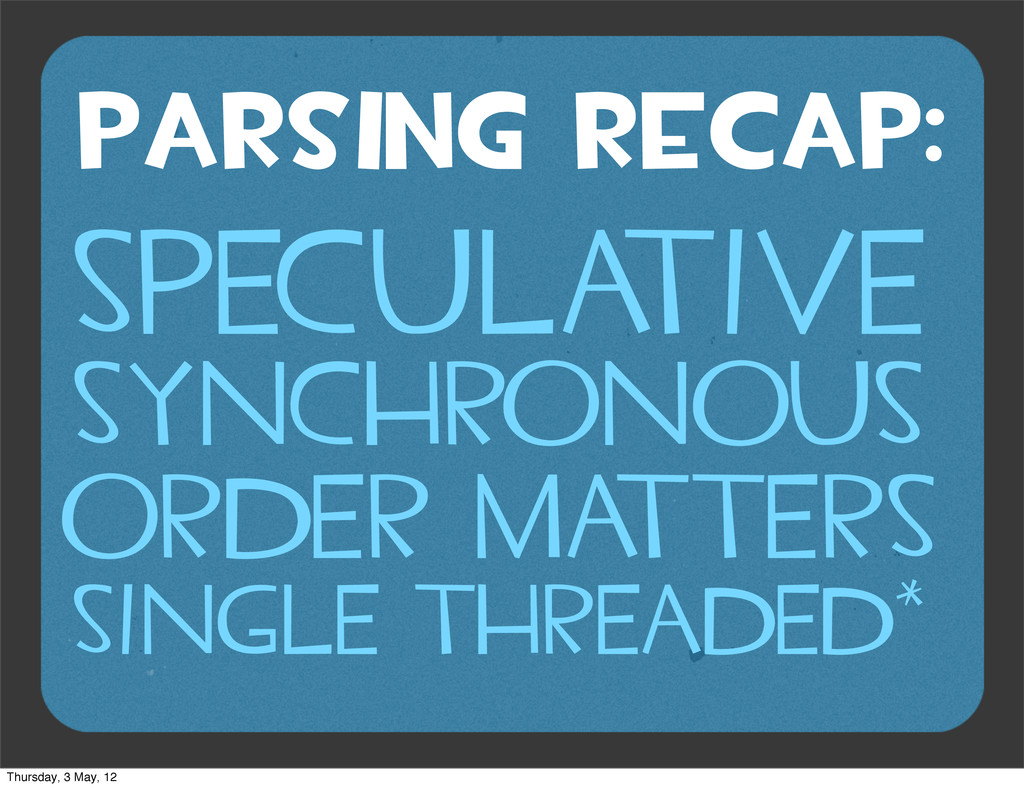
PARSING RECAP: SPECULA TIVE SYNCHRONOUS ORDER MA TTERS SINGLE THREADED*
Thursday, 3 May, 12 -
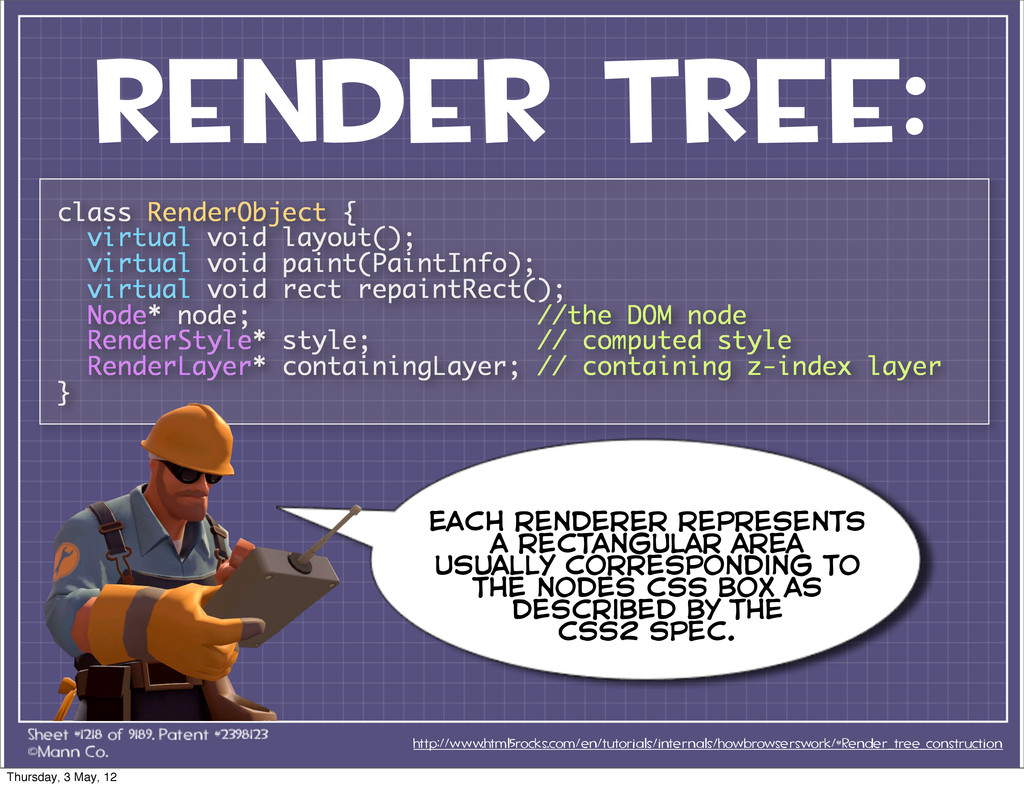
RENDER TREE: http://www.html5rocks.com/en/tutorials/internals/howbrowserswork/#Render_tree_construction class RenderObject { virtual void layout(); virtual
void paint(PaintInfo); virtual void rect repaintRect(); Node* node; //the DOM node RenderStyle* style; // computed style RenderLayer* containingLayer; // containing z-index layer } each renderer represents a rectangular area usually corresponding to the nodes css box as described by the css2 spec. Thursday, 3 May, 12 -
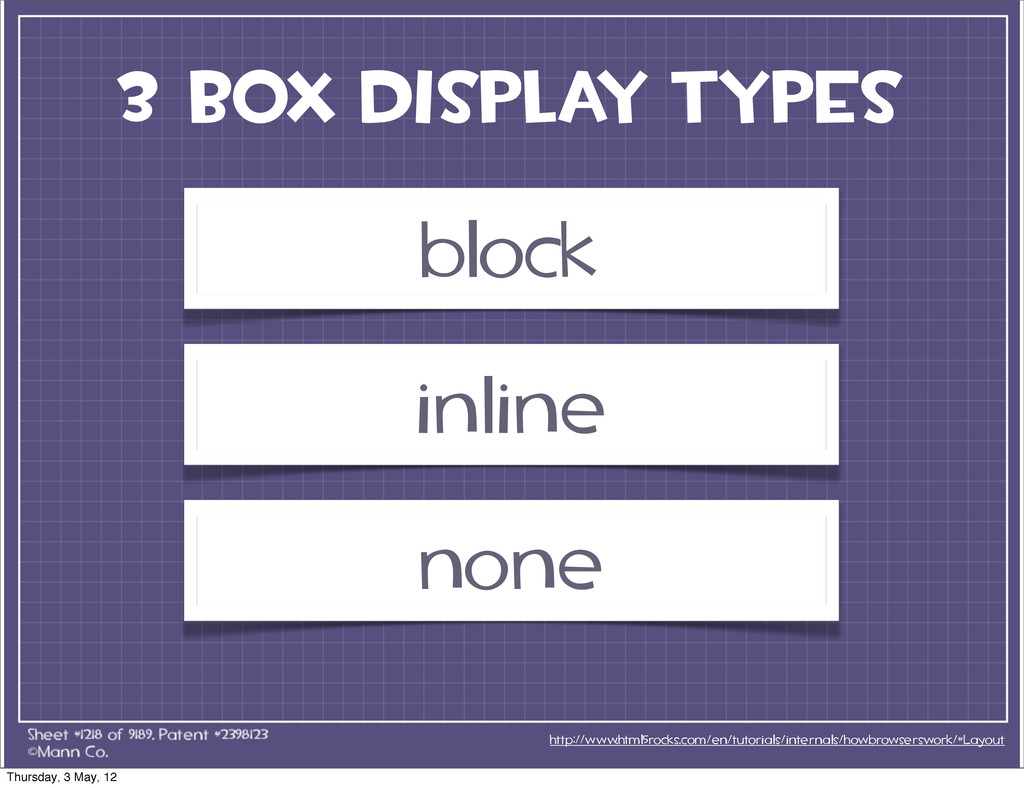
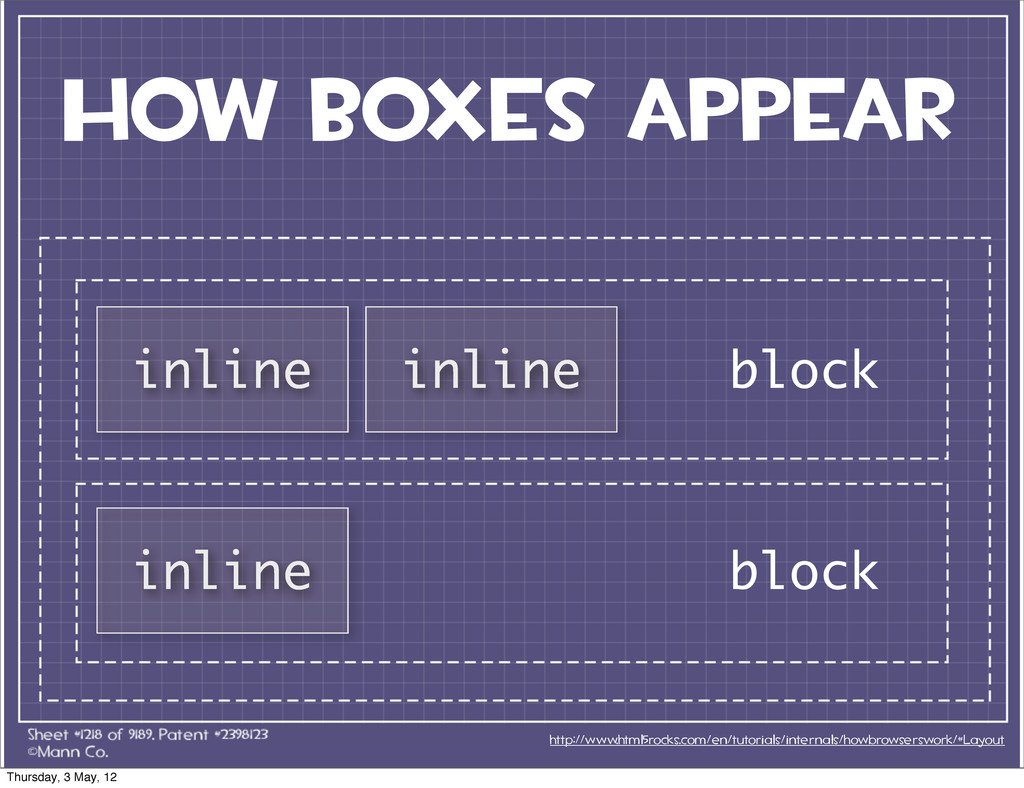
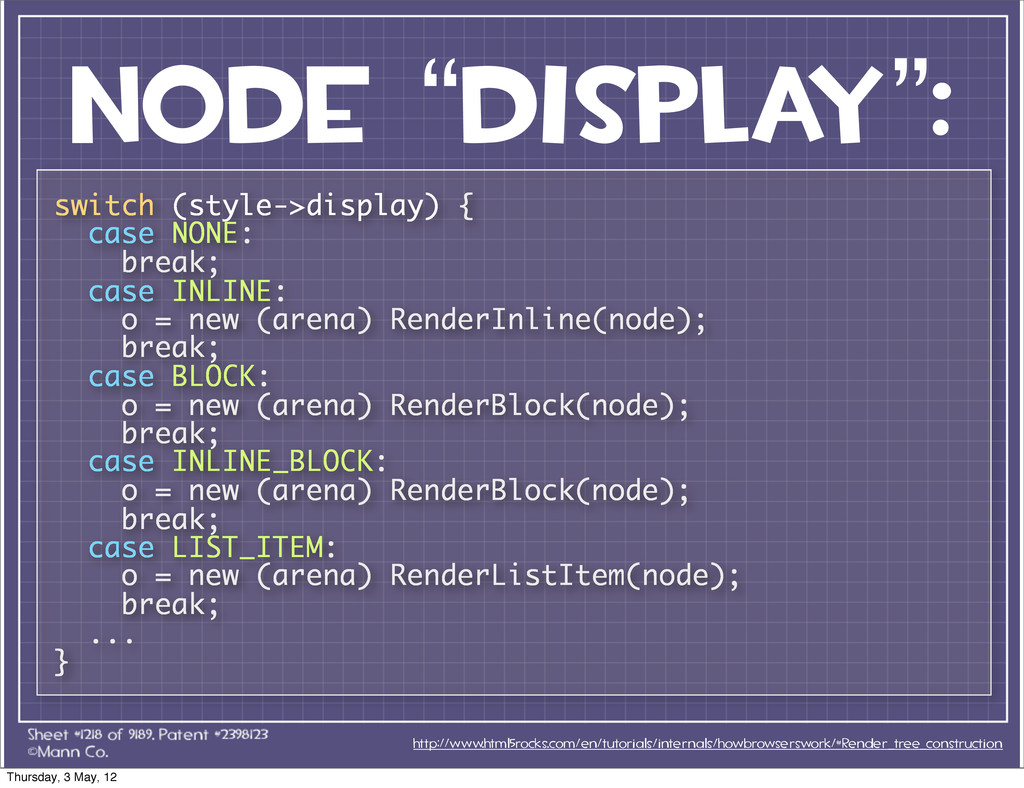
node “display”: http://www.html5rocks.com/en/tutorials/internals/howbrowserswork/#Render_tree_construction switch (style->display) { case NONE: break; case
INLINE: o = new (arena) RenderInline(node); break; case BLOCK: o = new (arena) RenderBlock(node); break; case INLINE_BLOCK: o = new (arena) RenderBlock(node); break; case LIST_ITEM: o = new (arena) RenderListItem(node); break; ... } Thursday, 3 May, 12 -
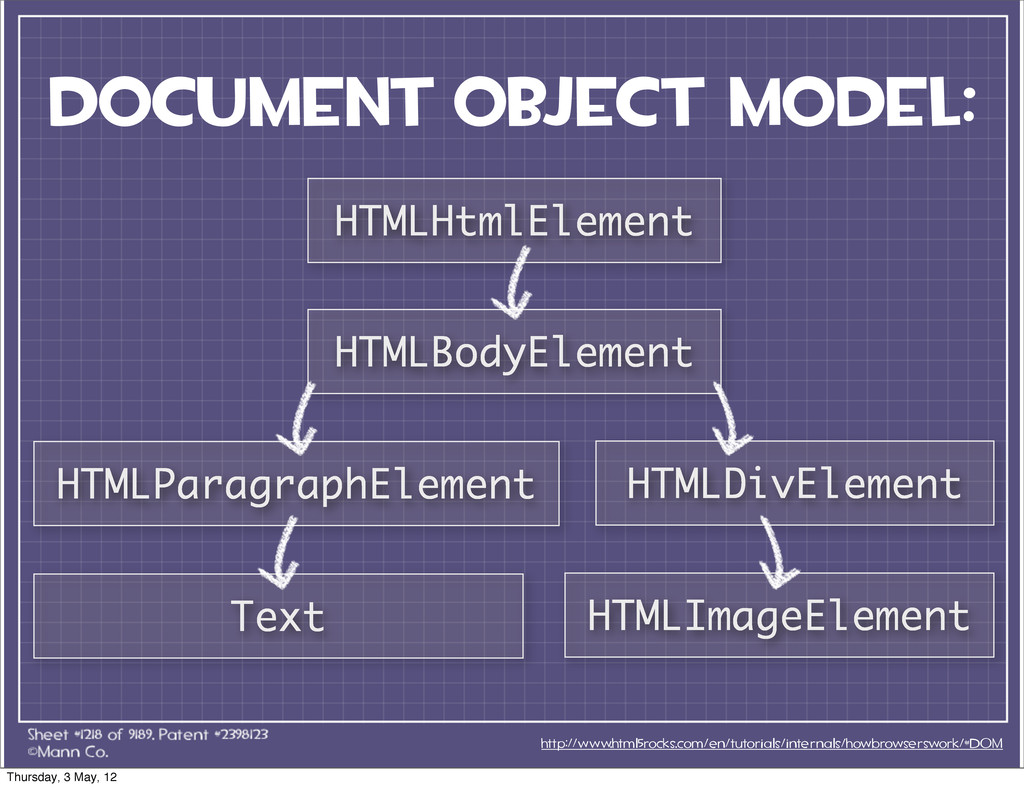
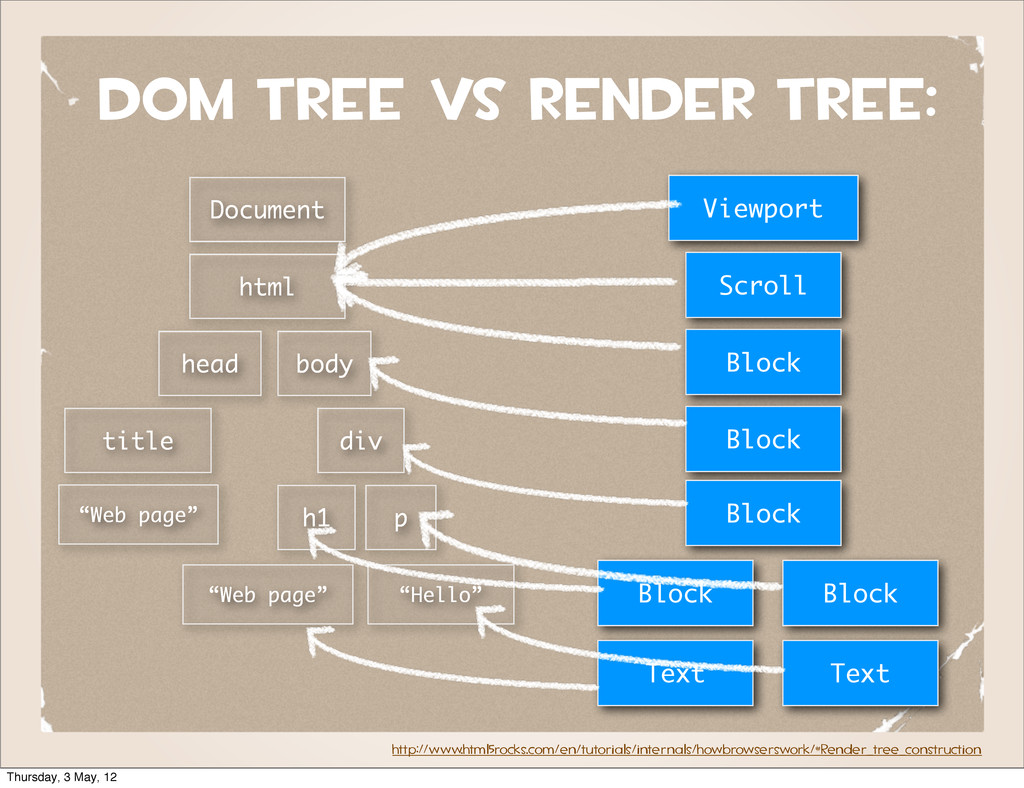
http://www.html5rocks.com/en/tutorials/internals/howbrowserswork/#Render_tree_construction Document html body div p h1 “Hello” “Web page”
head title “Web page” Viewport Scroll Block Block Block Block Block Text Text DOM tree vs render tree: Thursday, 3 May, 12 -
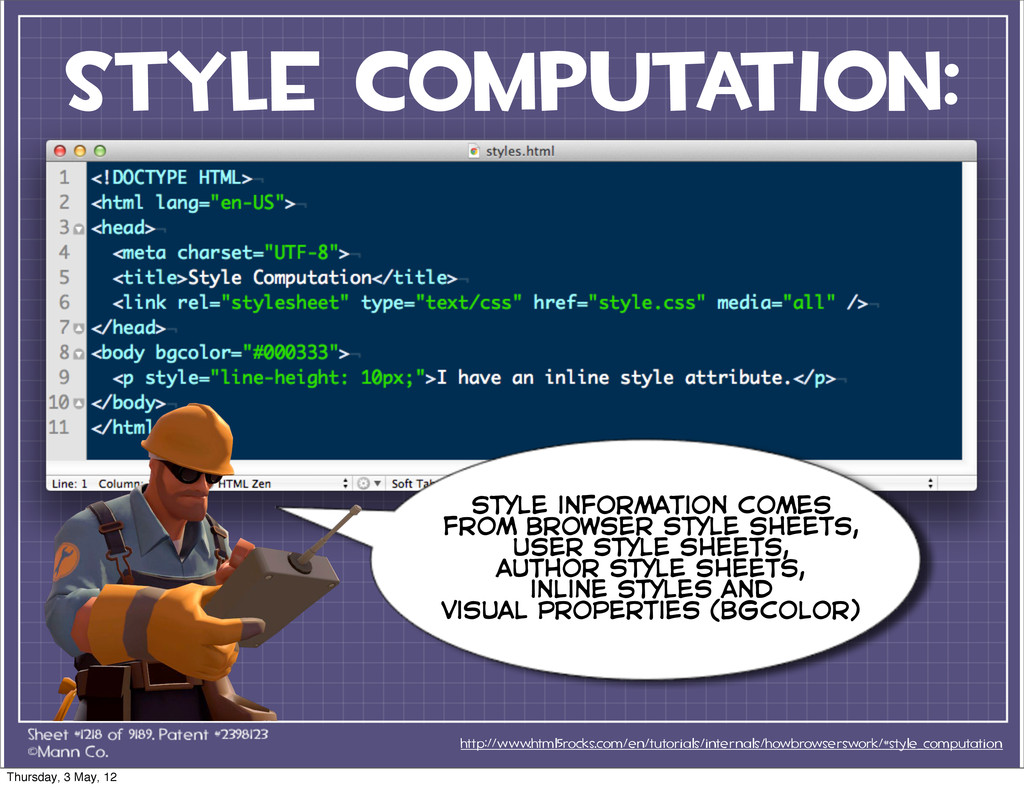
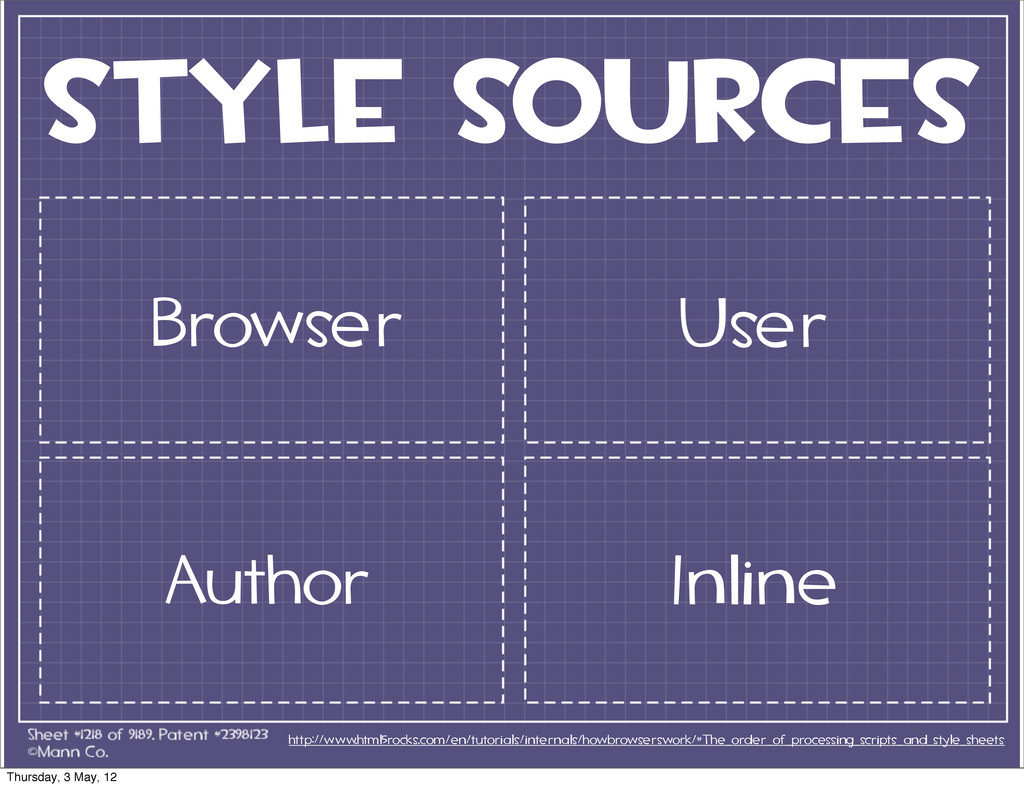
style computation: http://www.html5rocks.com/en/tutorials/internals/howbrowserswork/#style_computation style information comes from browser style sheets,
user style sheets, author style sheets, inline styles and visual properties (bgcolor) Thursday, 3 May, 12 -
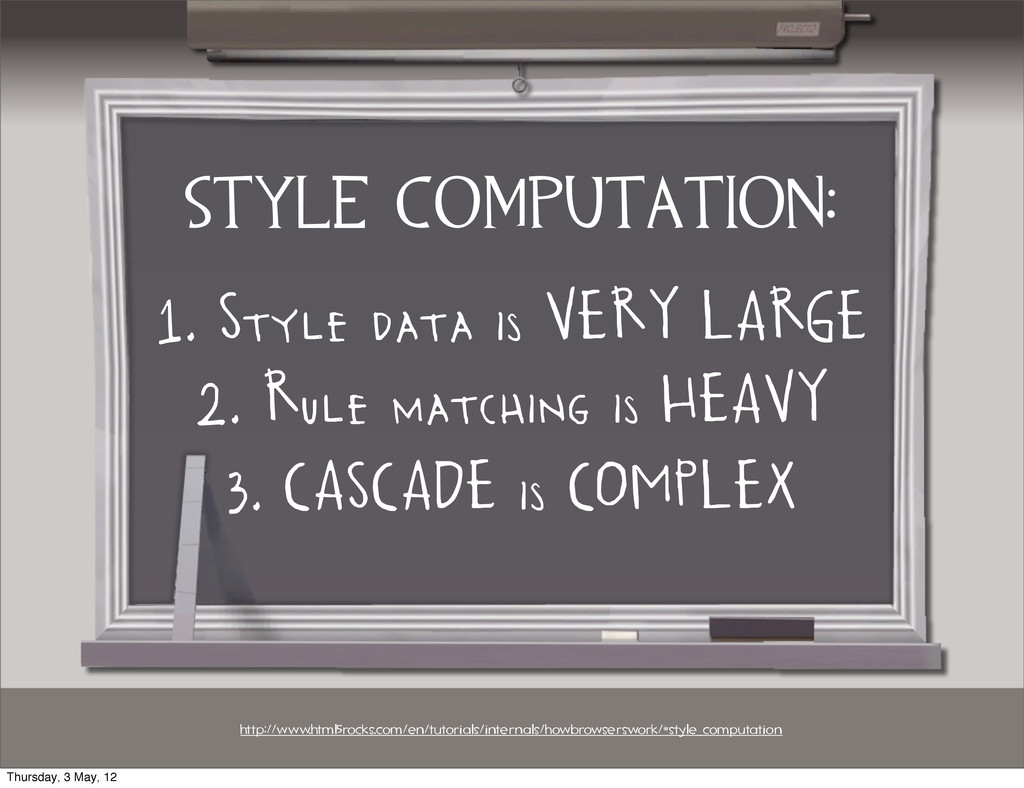
style computation: 1. Style data is VERY LARGE http://www.html5rocks.com/en/tutorials/internals/howbrowserswork/#style_computation 2.
Rule matching is HEAVY 3. CASCADE is COMPLEX Thursday, 3 May, 12 -
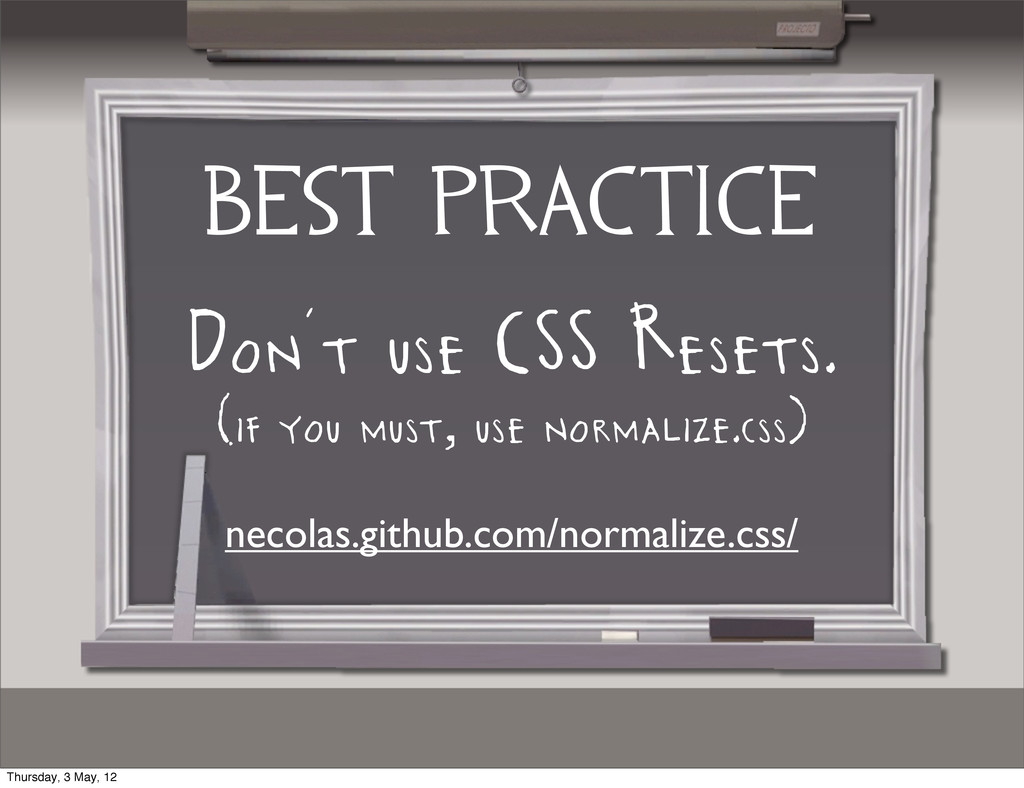
BEST PRACTICE Don’t use CSS Resets. (if you must, use
normalize.css) necolas.github.com/normalize.css/ Thursday, 3 May, 12 -
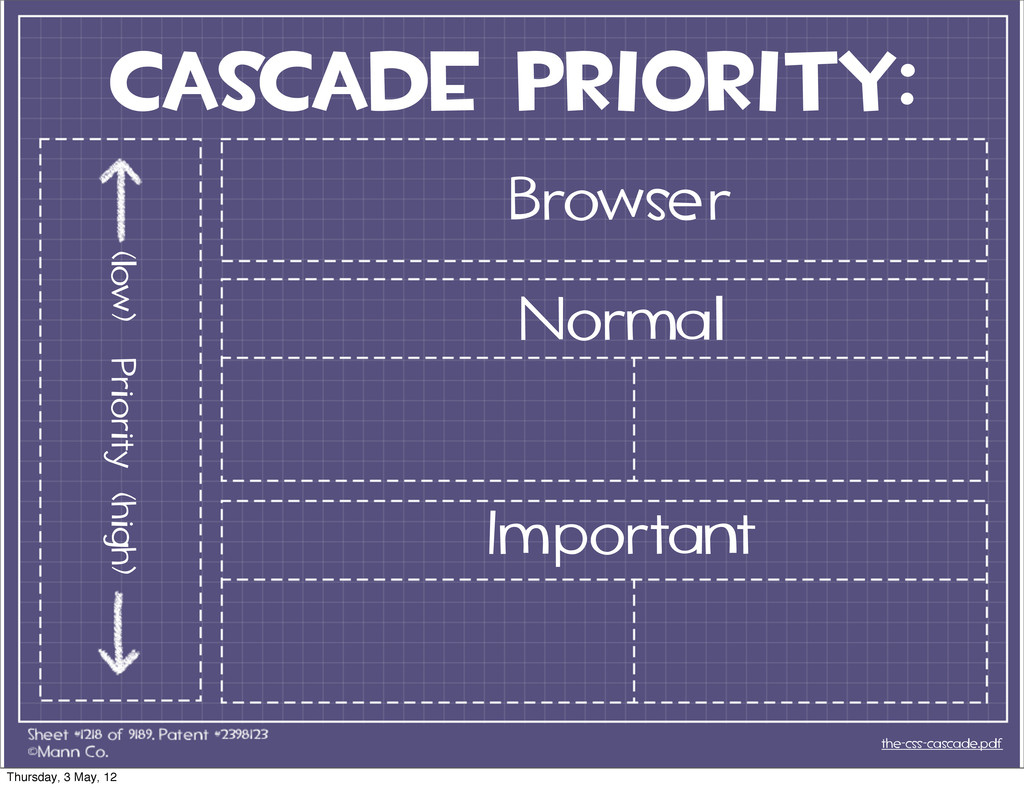
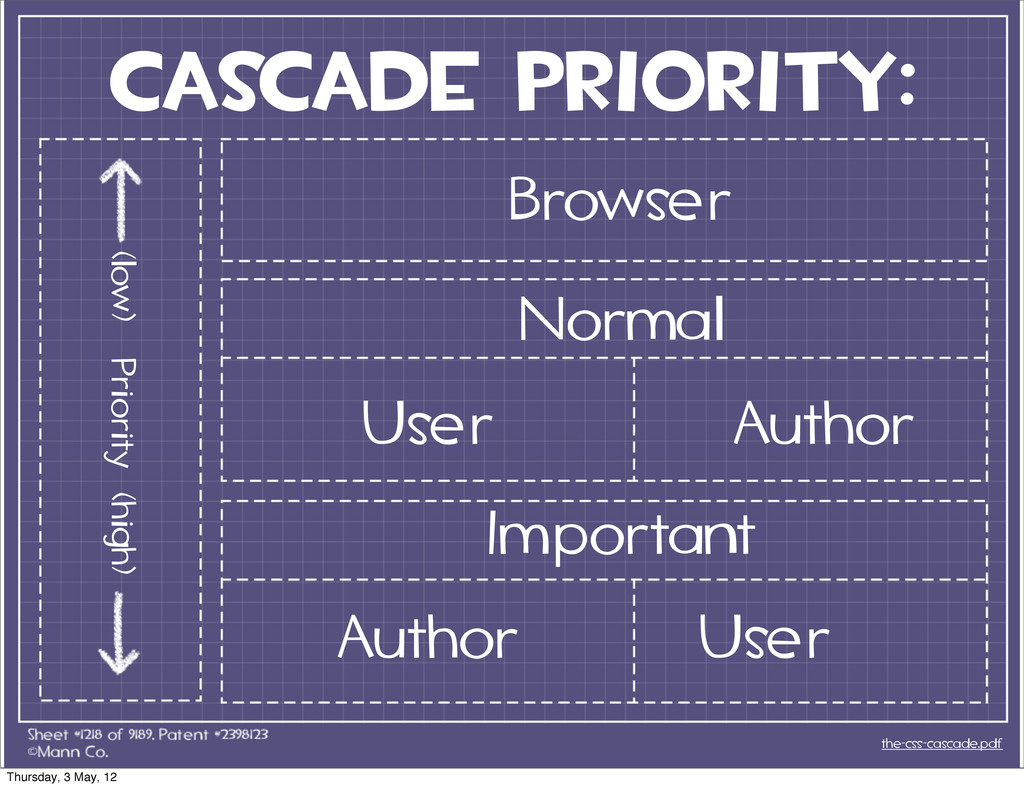
cascade priority: the-css-cascade.pdf Browser Normal Important User Author User Author
(low) Priority (high) Thursday, 3 May, 12 -
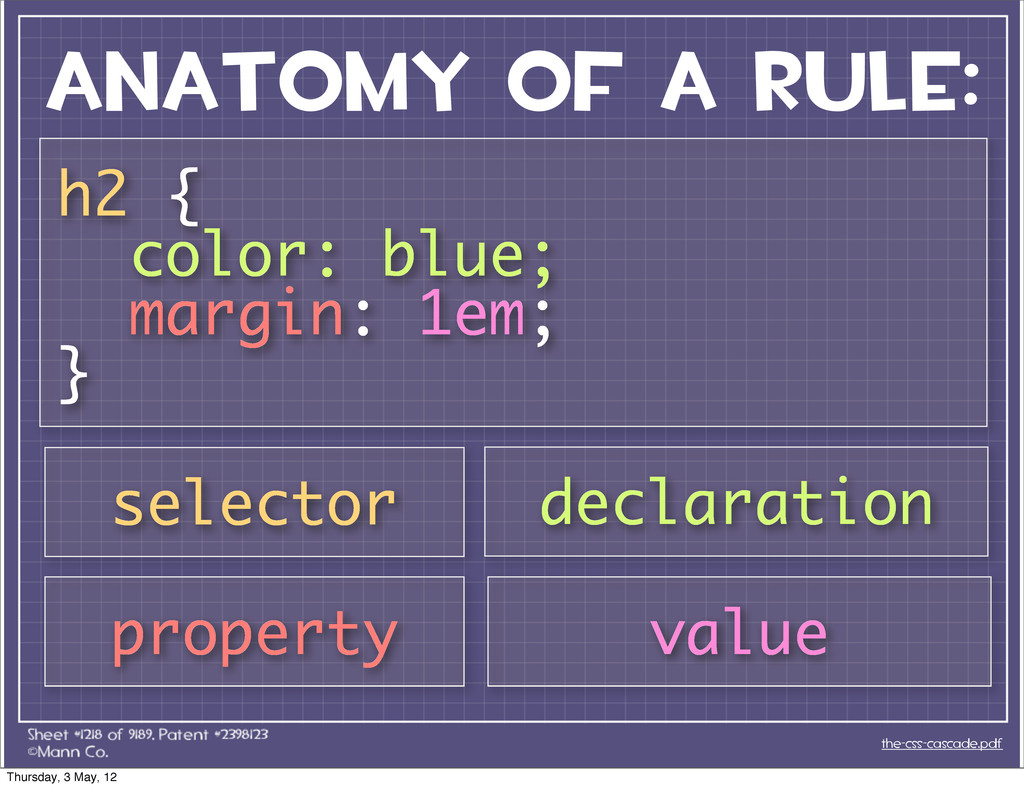
ANATOMY OF A RULE: the-css-cascade.pdf h2 { color: blue; margin:
1em; } selector declaration property value Thursday, 3 May, 12 -
conflicting css rules ha ve to deal with browsers the-css-cascade.pdf
Thursday, 3 May, 12 -
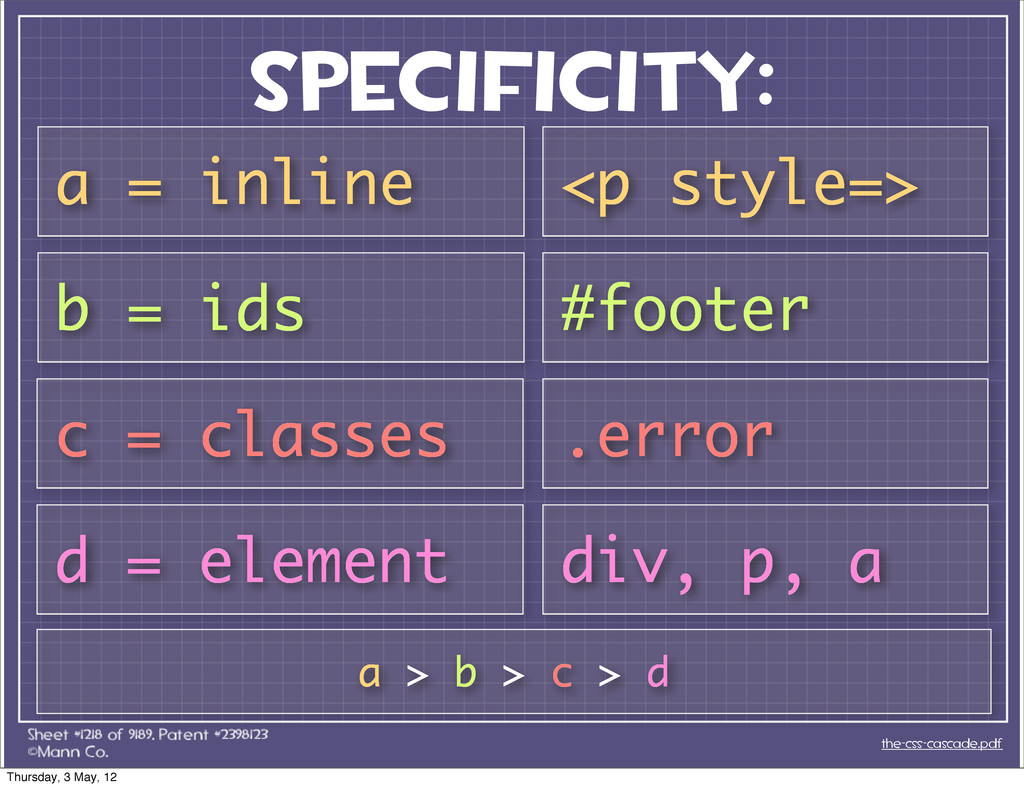
Specificity: the-css-cascade.pdf a = inline b = ids c =
classes d = element div, p, a .error #footer <p style=> a > b > c > d Thursday, 3 May, 12 -
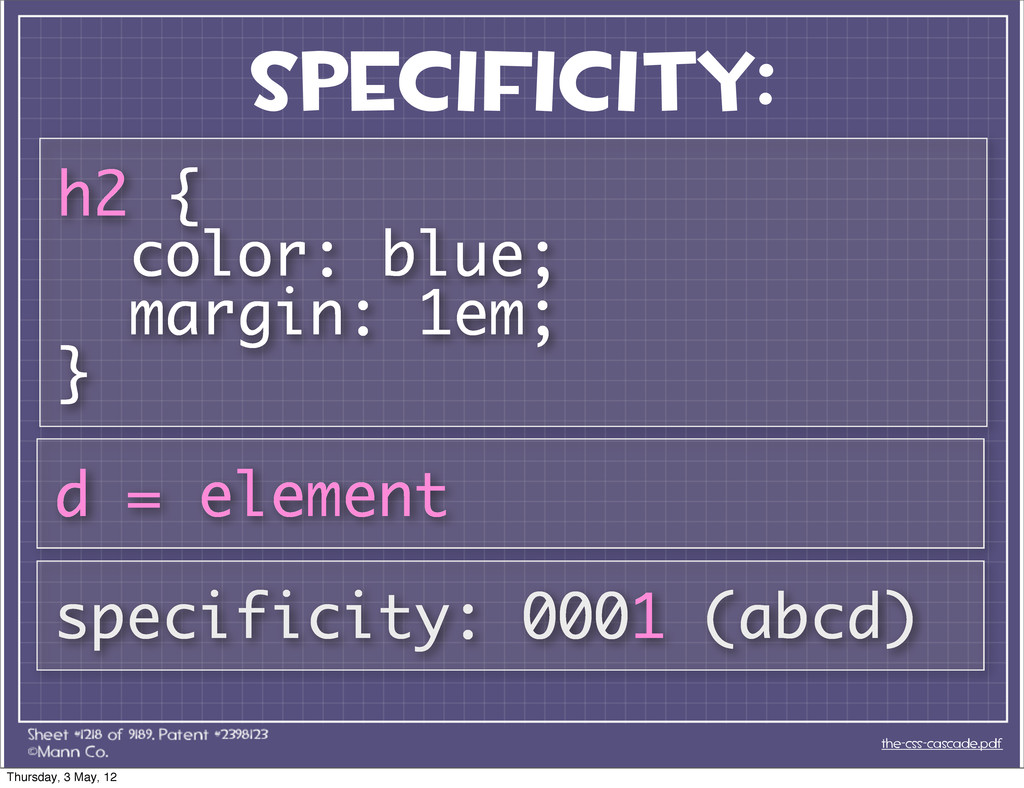
Specificity: the-css-cascade.pdf h2 { color: blue; margin: 1em; } d
= element specificity: 0001 (abcd) Thursday, 3 May, 12 -
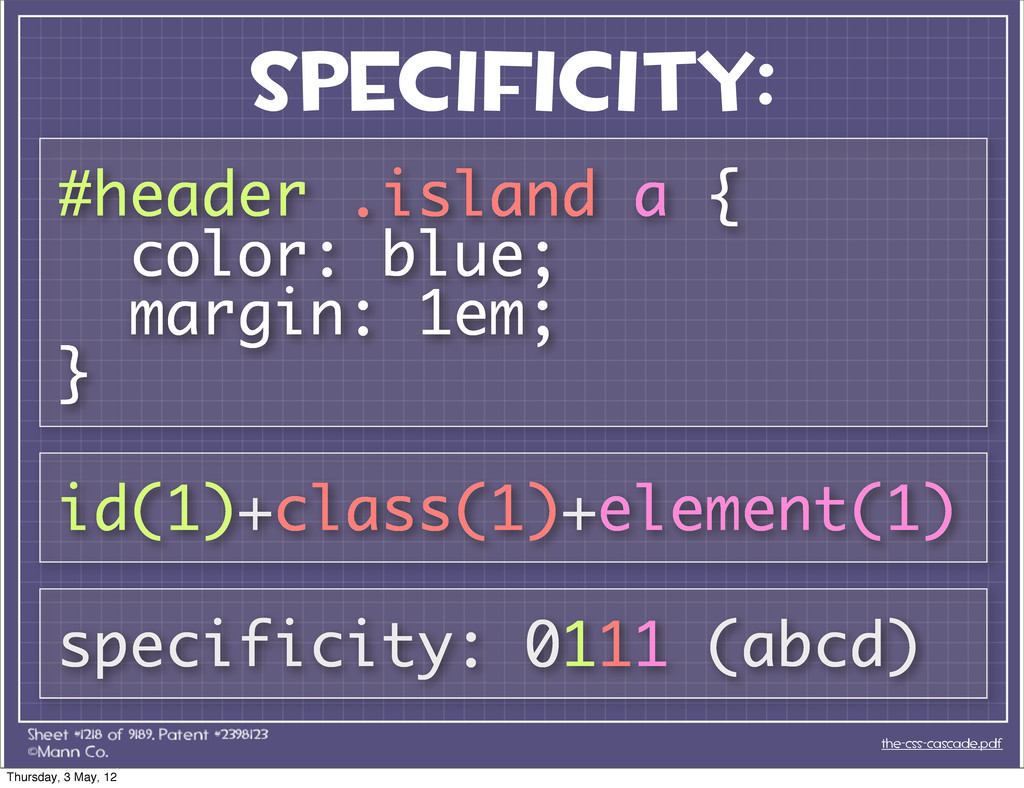
Specificity: the-css-cascade.pdf #header .island a { color: blue; margin: 1em;
} specificity: 0111 (abcd) id(1)+class(1)+element(1) Thursday, 3 May, 12 -
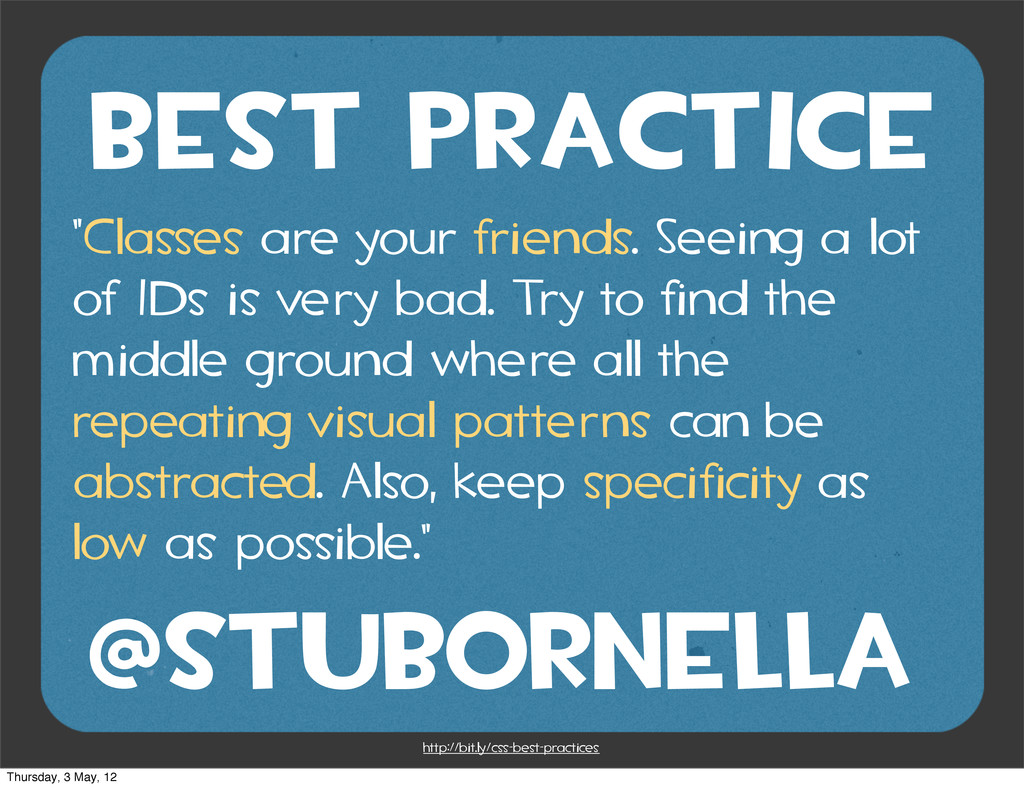
BEST PRACTICE "Classes are your friends. Seeing a lot of
IDs is very bad. Try to find the middle ground where all the repeating visual patterns can be abstracted. Also, keep specificity as low as possible." http://bit.ly/css-best-practices @stubornella Thursday, 3 May, 12 -
the same specificity? multiple rules ha ve WHAT IF the-css-cascade.pdf
Thursday, 3 May, 12 -
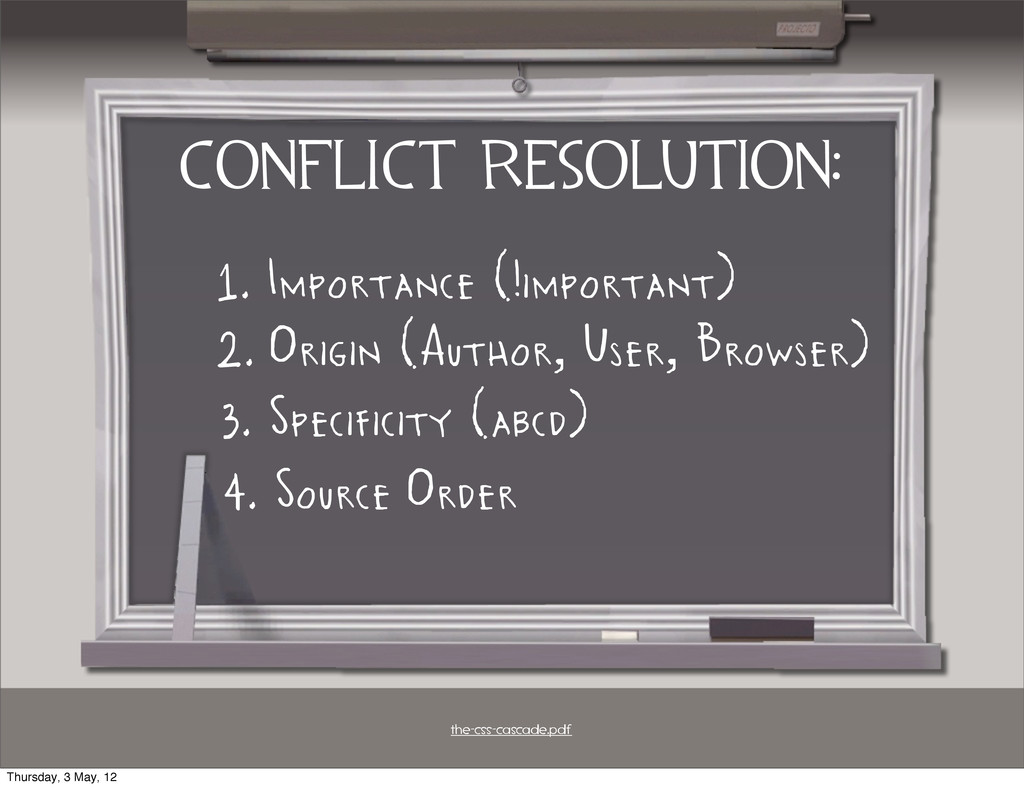
CONFLICT resolution: 1. Importance (!important) the-css-cascade.pdf 2. Origin (Author, User,
Browser) 3. Specificity (abcd) 4. Source Order Thursday, 3 May, 12 -
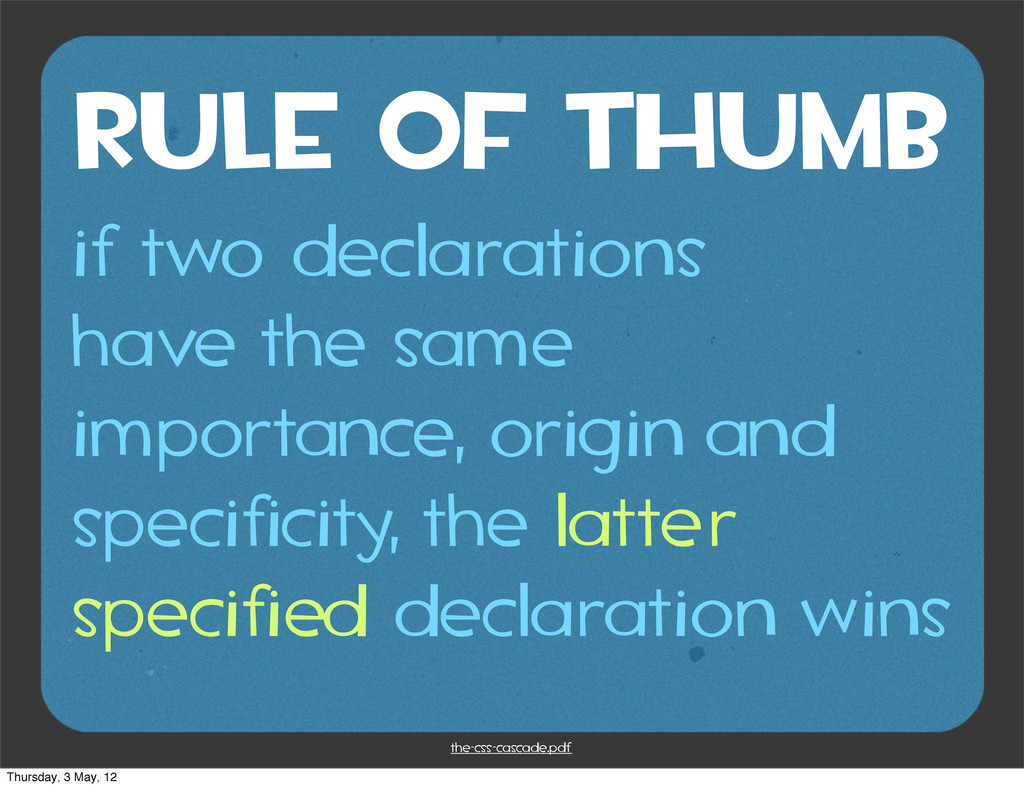
rule of thumb if two declarations have the same importance,
origin and specificity, the latter specified declaration wins the-css-cascade.pdf Thursday, 3 May, 12 -
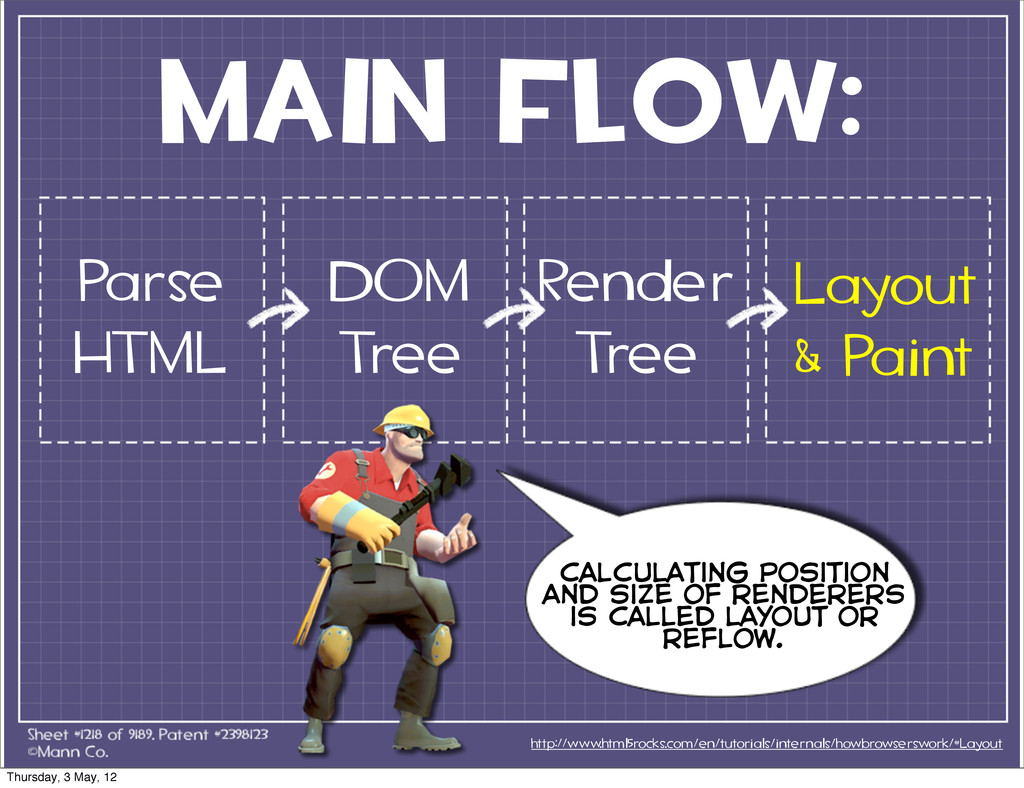
MAIN FLOW: http://www.html5rocks.com/en/tutorials/internals/howbrowserswork/#Layout Render Tree calculating position and size of
renderers is called layout or reflow. Parse HTML DOM Tree Layout & Paint Thursday, 3 May, 12 -
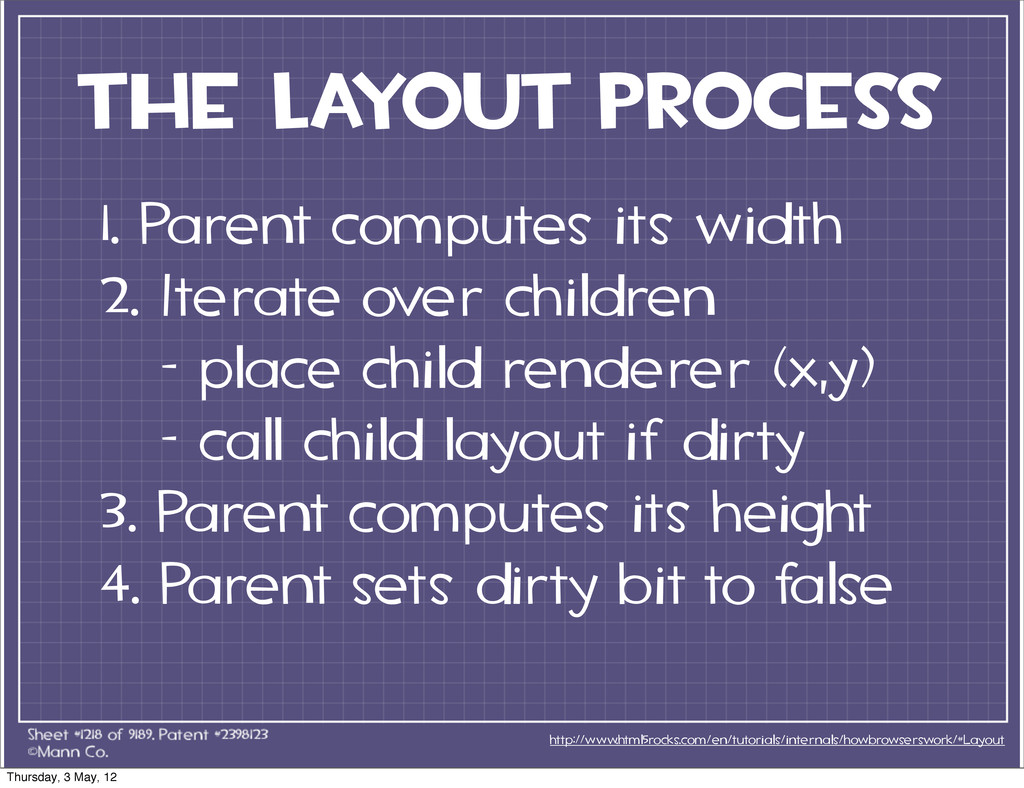
The layout Process http://www.html5rocks.com/en/tutorials/internals/howbrowserswork/#Layout 1. Parent computes its width 2.
Iterate over children - place child renderer (x,y) - call child layout if dirty 3. Parent computes its height 4. Parent sets dirty bit to false Thursday, 3 May, 12 -
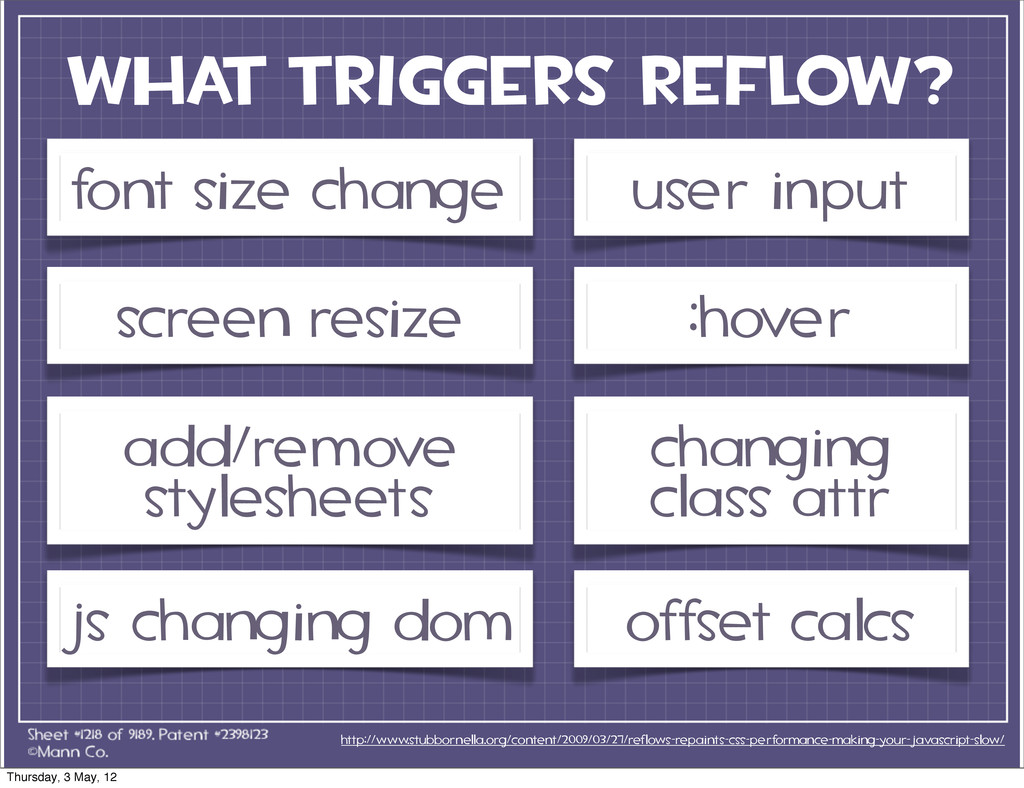
what triggers reflow? http://www.stubbornella.org/content/2009/03/27/reflows-repaints-css-performance-making-your-javascript-slow/ font size change screen resize add/remove
stylesheets user input :hover changing class attr js changing dom offset calcs Thursday, 3 May, 12 -
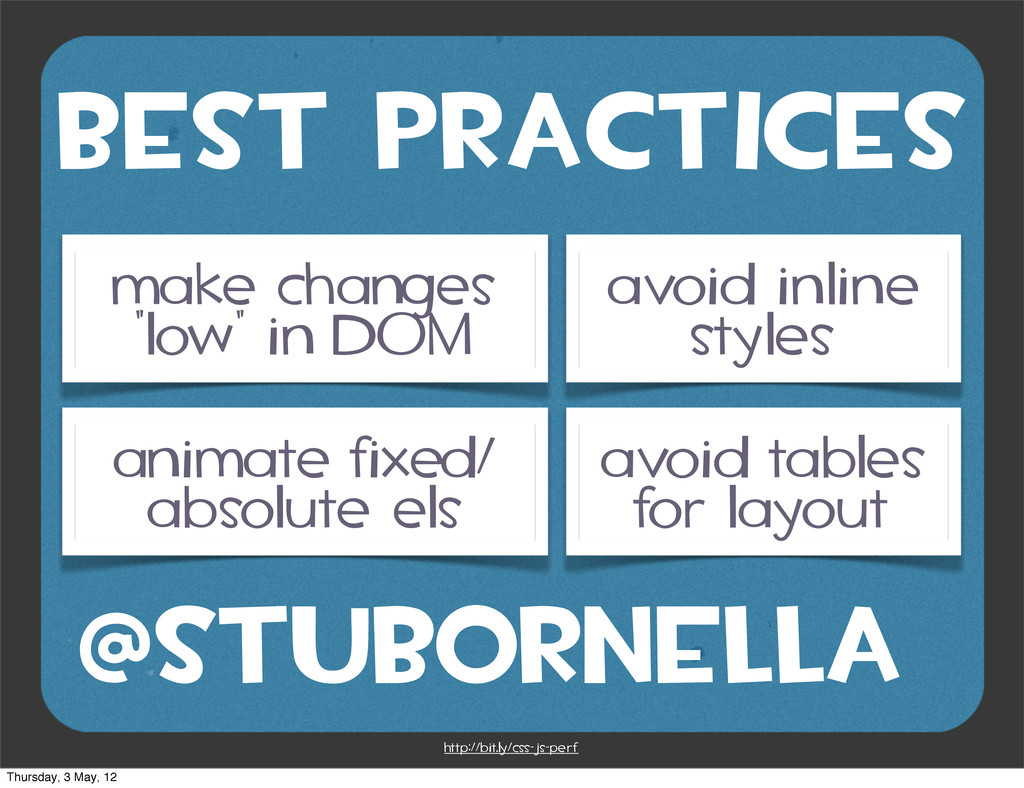
BEST PRACTICES http://bit.ly/css-js-perf @stubornella make changes “low” in DOM animate
fixed/ absolute els avoid inline styles avoid tables for layout Thursday, 3 May, 12 -
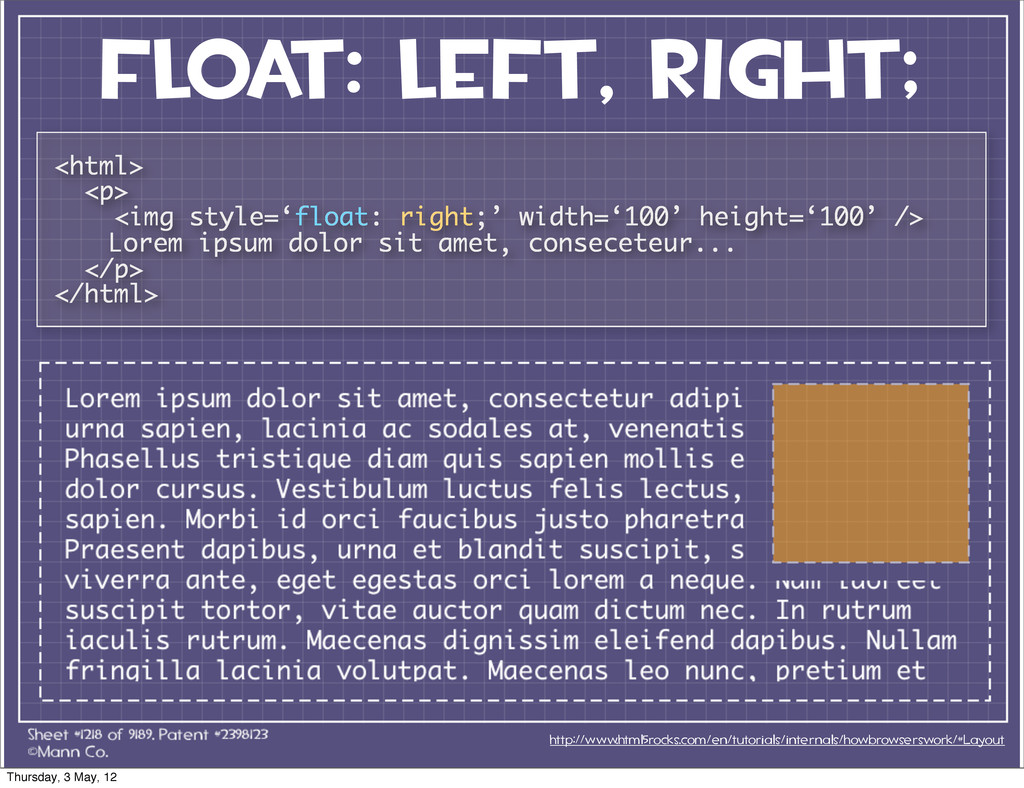
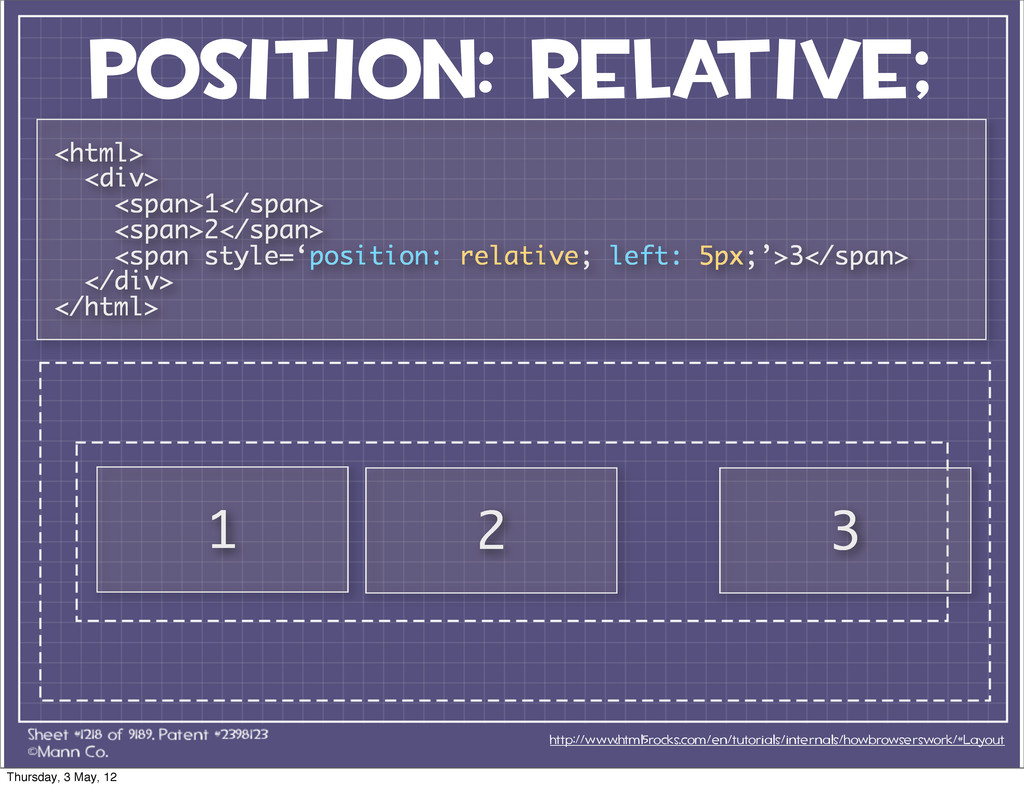
3 Positioning Schemes http://www.html5rocks.com/en/tutorials/internals/howbrowserswork/#Layout normal float absolute position: static; position:
relative; float: left; float: right; position: absolute; position: fixed; Thursday, 3 May, 12 -
float: left, right; http://www.html5rocks.com/en/tutorials/internals/howbrowserswork/#Layout <html> <p> <img style=‘float: right;’ width=‘100’
height=‘100’ /> Lorem ipsum dolor sit amet, conseceteur... </p> </html> Thursday, 3 May, 12 -
position: relative; http://www.html5rocks.com/en/tutorials/internals/howbrowserswork/#Layout 1 2 3 <html> <div> <span>1</span> <span>2</span>
<span style=‘position: relative; left: 5px;’>3</span> </div> </html> Thursday, 3 May, 12 -
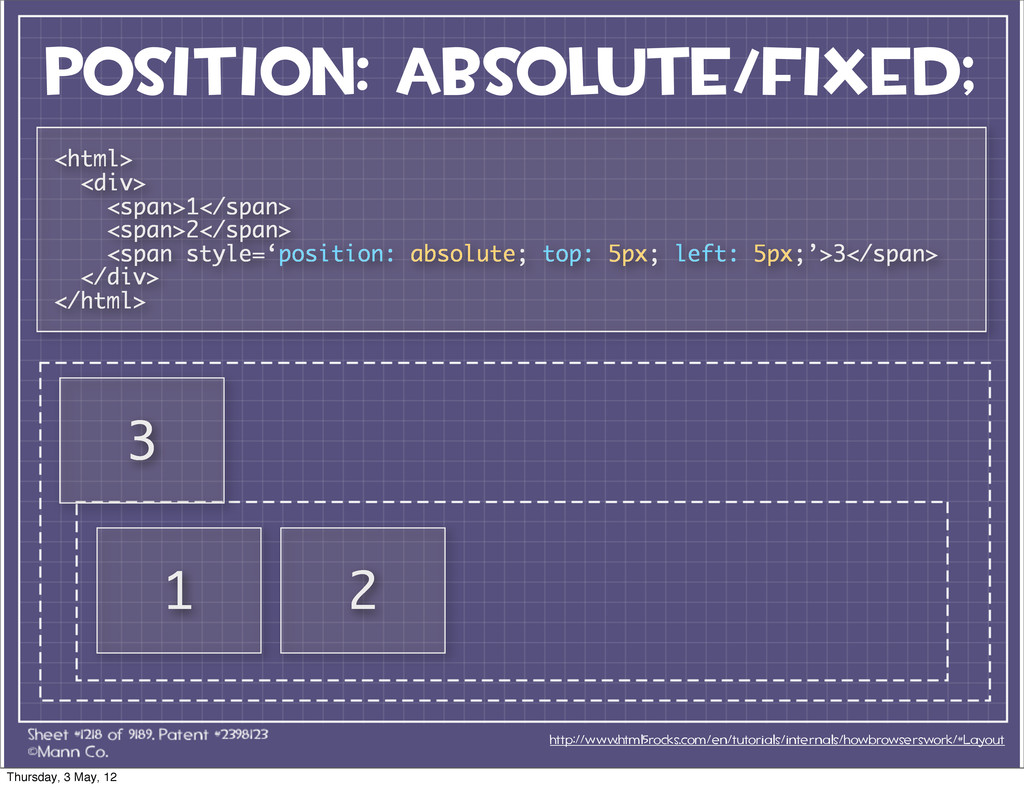
position: absolute/fixed; http://www.html5rocks.com/en/tutorials/internals/howbrowserswork/#Layout 1 <html> <div> <span>1</span> <span>2</span> <span style=‘position:
absolute; top: 5px; left: 5px;’>3</span> </div> </html> 2 3 Thursday, 3 May, 12 -
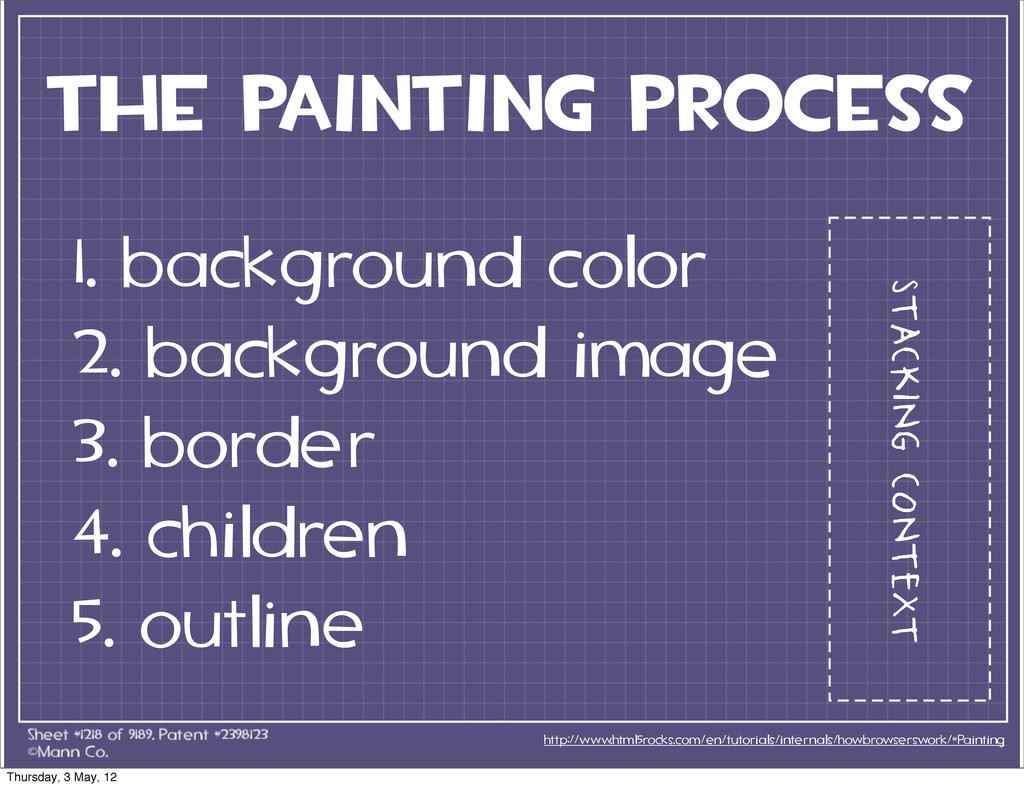
The painting Process http://www.html5rocks.com/en/tutorials/internals/howbrowserswork/#Painting 1. background color 2. background image
3. border 4. children 5. outline stacking context Thursday, 3 May, 12 -
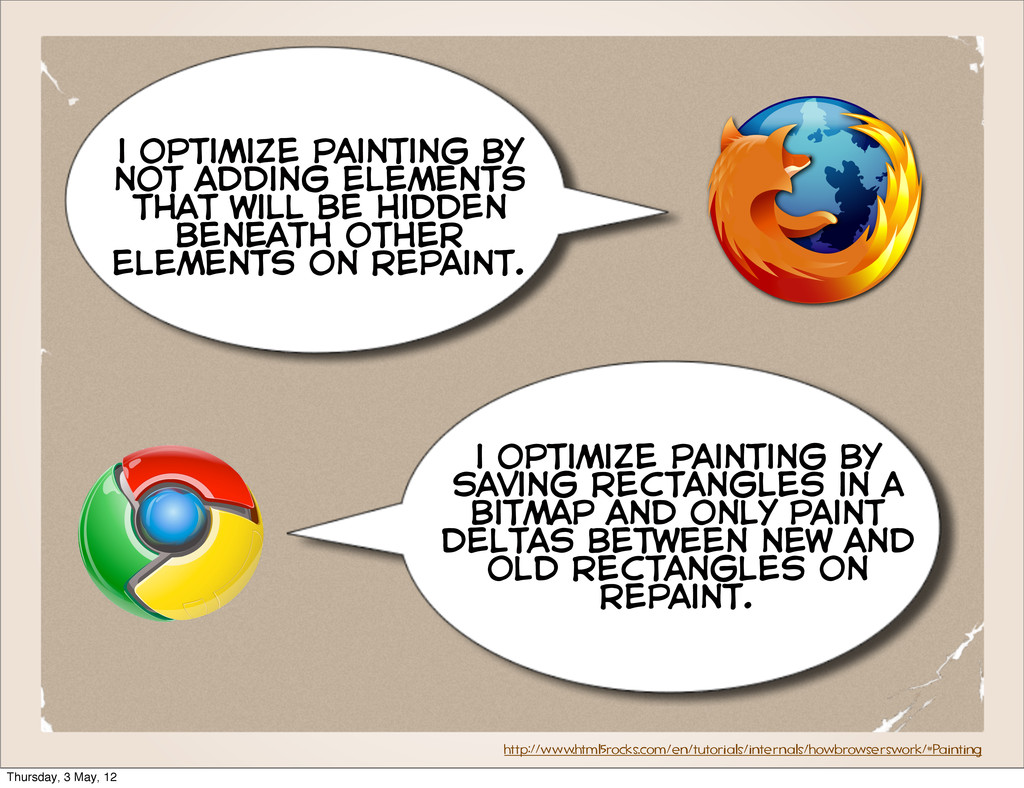
http://www.html5rocks.com/en/tutorials/internals/howbrowserswork/#Painting i optimize painting by not adding elements that will
be hidden beneath other elements on repaint. i optimize painting by saving rectangles in a bitmap and only paint deltas between new and old rectangles on repaint. Thursday, 3 May, 12 -
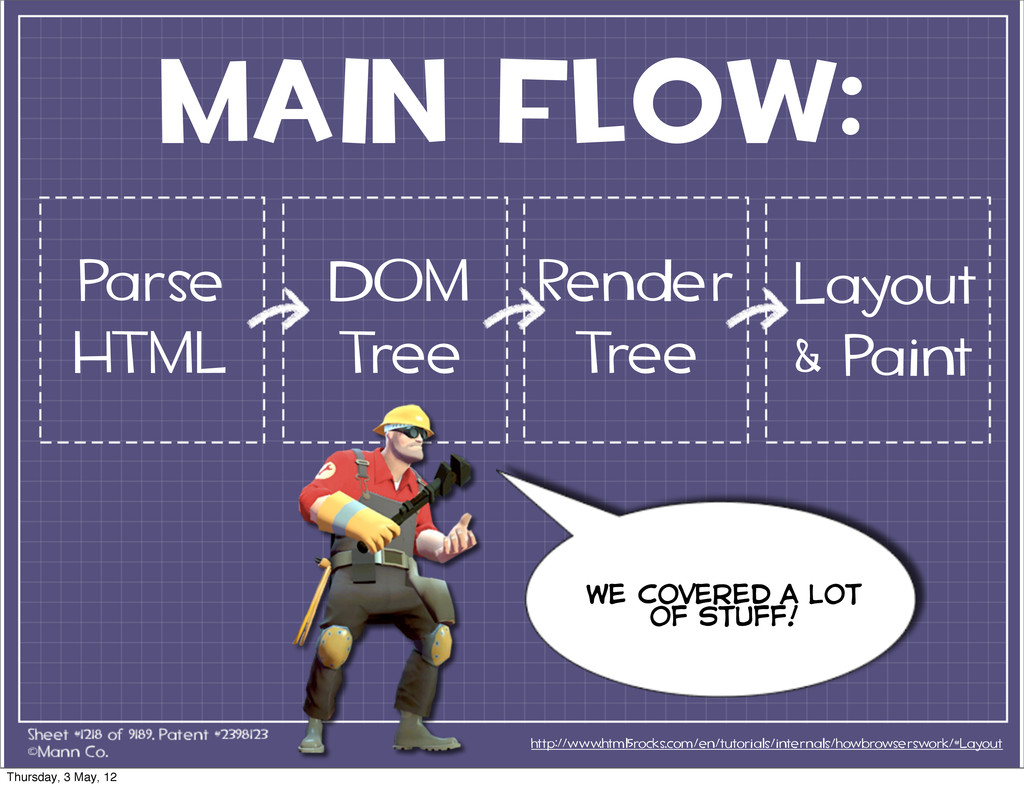
MAIN FLOW: http://www.html5rocks.com/en/tutorials/internals/howbrowserswork/#Layout Render Tree we covered a lot of
stuff! Parse HTML DOM Tree Layout & Paint Thursday, 3 May, 12