Upgrade to Pro
— share decks privately, control downloads, hide ads and more …
Speaker Deck
Sign up for free
Menu
Search
Features
All features
Private URLs
Password Protection
Custom URLS
Scheduled publishing
Remove Branding
Restrict embedding
Deck Collections
Notes
Features
All features
Private URLs
Password Protection
Custom URLS
Scheduled publishing
Remove Branding
Restrict embedding
Deck Collections
Notes
Explore
Featured decks
Featured speakers
Programming
Technology
Storyboards
Explore
Featured decks
Featured speakers
Programming
Technology
Storyboards
Pricing
Search
Sign in
Sign up for free
Minicurso de React-Native
Search
Felipe Pontes
January 27, 2018
Programming
67
1
Share
Embed
Copy iframe code
Copy JS code
Copy link
Start on current slide
Minicurso de React-Native
GDG Natal Meeting #12
Felipe Pontes
January 27, 2018
More Decks by Felipe Pontes
See All by Felipe Pontes
Minicurso de React-Native
felipemfp
0
140
Explorando dados com Pandas
felipemfp
1
140
Introdução ao React-Native
felipemfp
1
68
GeoGuide: Our stack, libraries and structure
felipemfp
0
58
Iniciando com Git e GitHub
felipemfp
0
80
Other Decks in Programming
See All in Programming
JRuby: Past, Present, and Future
headius
0
220
JPUG勉強会 OSSデータベースの内部構造を理解しよう(第2回)
oga5
0
290
Findy - エンジニア向け会社紹介/Findy Company Deck
findyinc
6
400k
iOS 27でニュースアプリはどう変わる!? 〜日経電子版の新機能対応と、開発事例から〜
lynnswap
7
13k
[Rails World 2026] Durable orchestration on Rails: from continuation to workflow
palkan
1
420
仕様駆動開発による爆速プロダクト開発 / Bakusoku Spec Driven Development
kobakei
0
160
iOSDCのペンライトを自動制御したい!
akkeylab
0
350
マイコン向けの軽量Ruby「PicoRuby」で各種デバイスを制御するネイティブアプリの実現手法
bash0c7
0
470
Embedded Swiftで作る自作USBデバイス によるiOSデバイスの自動テスト / iOSDC Japan 2026 glassfiber
glassfiber
0
270
wkhtmltopdfの次どうするか問題2026
willnet
2
1.8k
WebRTC映像をAirPlayに対応させる挑戦.pdf
monolithic_adam
0
330
モジュールの視点からSwiftを読み解く #iosdc
s_shimotori
0
310
Featured
See All Featured
Crafting Experiences
bethany
1
370
The agentic SEO stack - context over prompts
schlessera
0
950
GraphQLの誤解/rethinking-graphql
sonatard
75
12k
The Illustrated Guide to Node.js - THAT Conference 2024
reverentgeek
1
550
A Tale of Four Properties
chriscoyier
163
24k
Claude Code のすすめ
schroneko
67
230k
Primal Persuasion: How to Engage the Brain for Learning That Lasts
tmiket
0
490
Rebuilding a faster, lazier Slack
samanthasiow
85
9.7k
The Power of CSS Pseudo Elements
geoffreycrofte
82
6.6k
Easily Structure & Communicate Ideas using Wireframe
afnizarnur
194
17k
The Web Performance Landscape in 2024 [PerfNow 2024]
tammyeverts
12
1.3k
Why Your Marketing Sucks and What You Can Do About It - Sophie Logan
marketingsoph
0
420
Transcript
Minicurso de React-Native com @felipemfp e @chicobentojr
Agenda • Introdução ao React • Introdução ao React-Native •
Componentes Inclusos • Componentes Open-Source • Expo • Prática
Introdução ao React
Apenas uma biblioteca
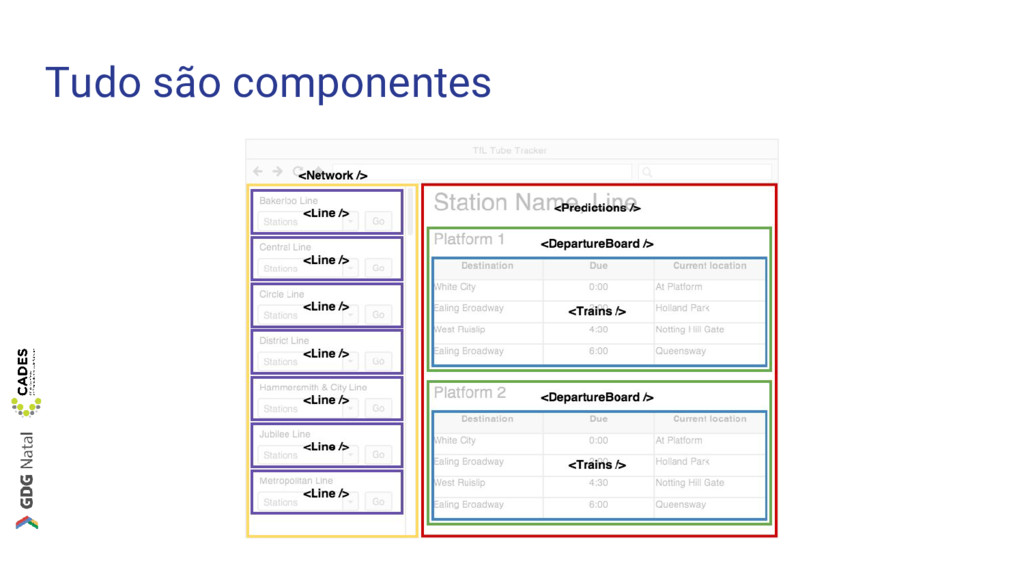
Tudo são componentes
Componentes interativos, testáveis e reutilizáveis
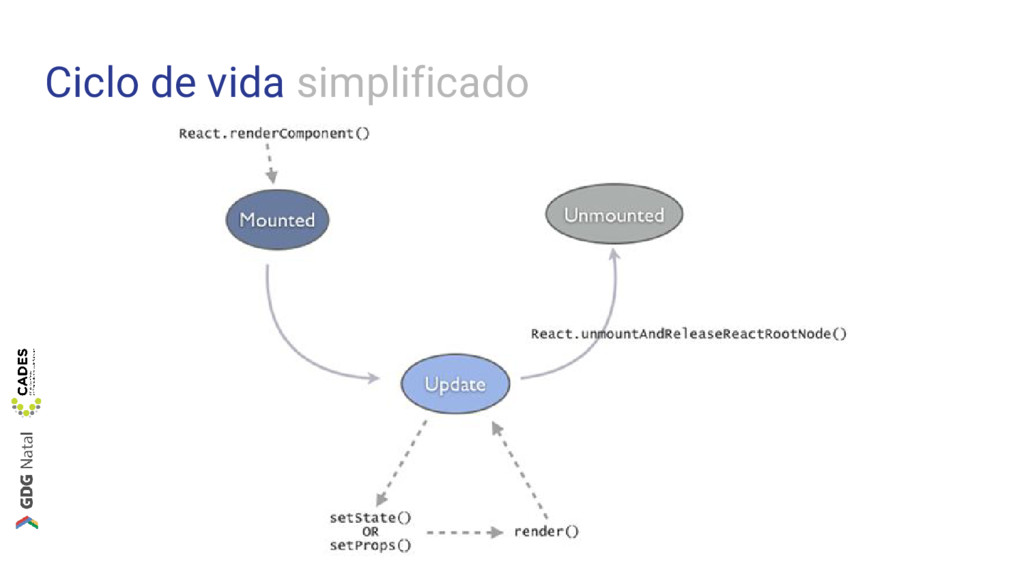
Ciclo de vida simplificado
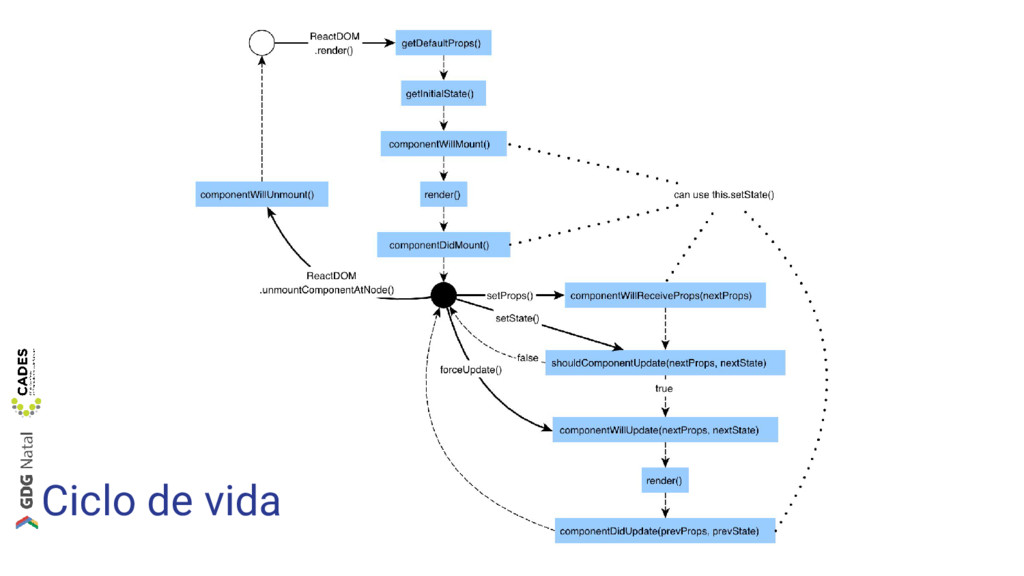
Ciclo de vida
Como escrevemos componentes em React? • Componentes são objetos •
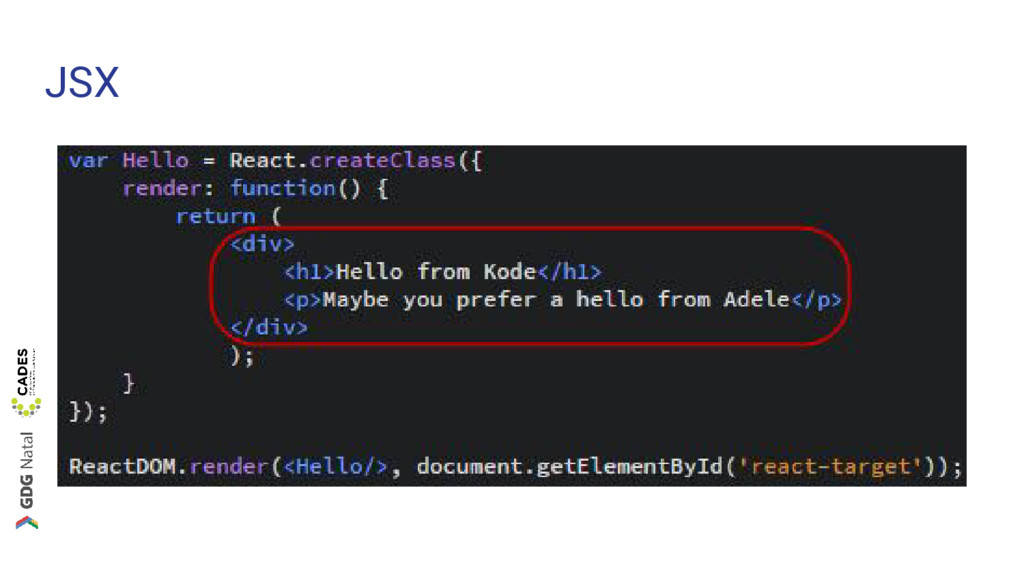
render() e JSX
JSX
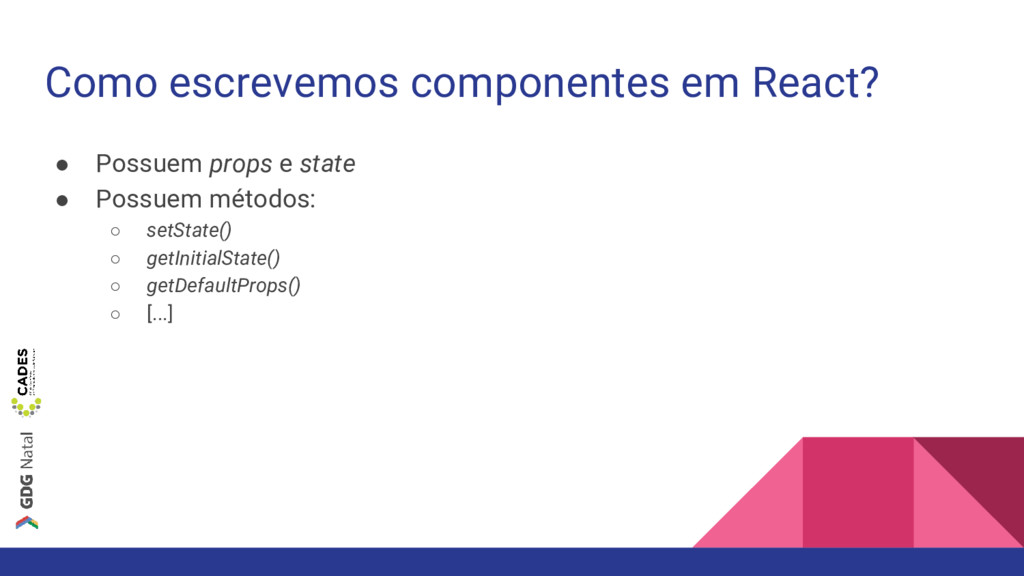
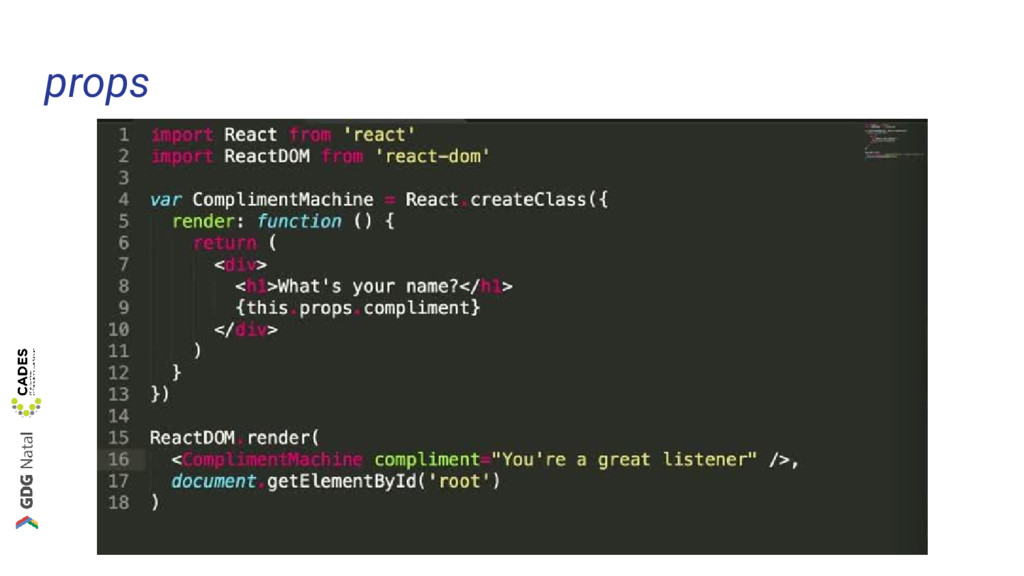
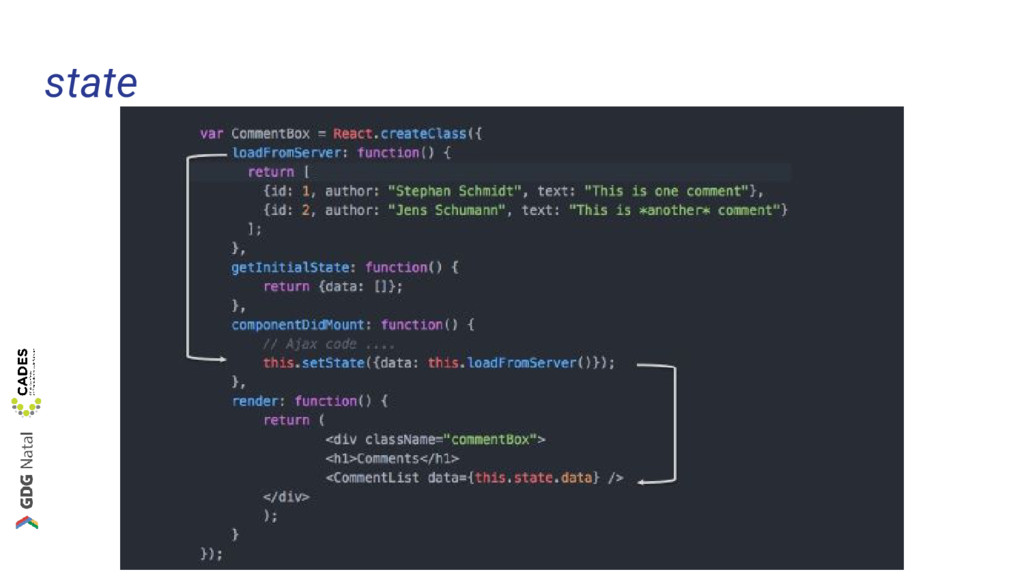
Como escrevemos componentes em React? • Possuem props e state
• Possuem métodos: ◦ setState() ◦ getInitialState() ◦ getDefaultProps() ◦ [...]
props
state
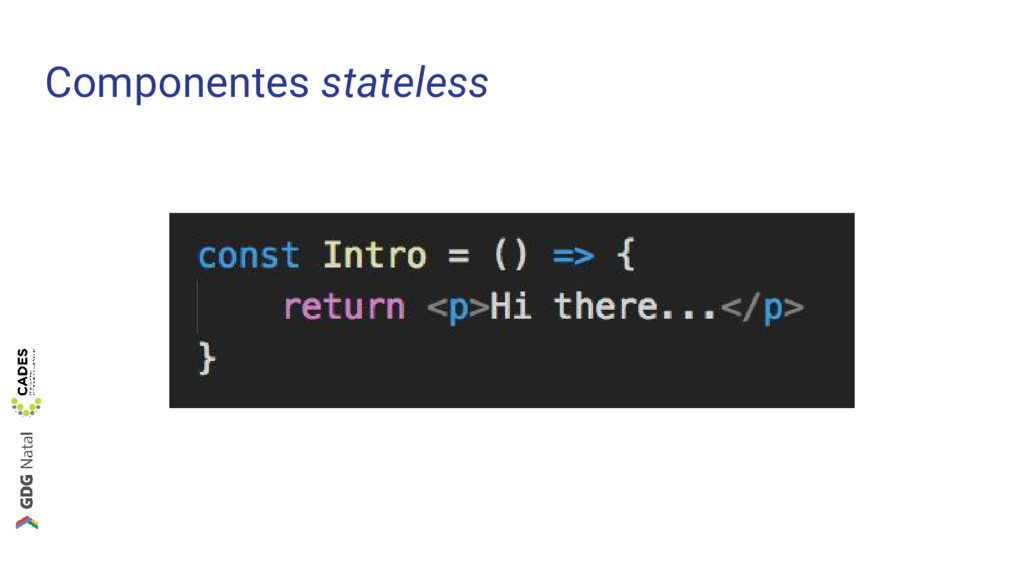
Componentes stateless
Como escrevemos componentes em React? • Dados fluem numa única
direção • Renderização conforme necessário (Virtual DOM)
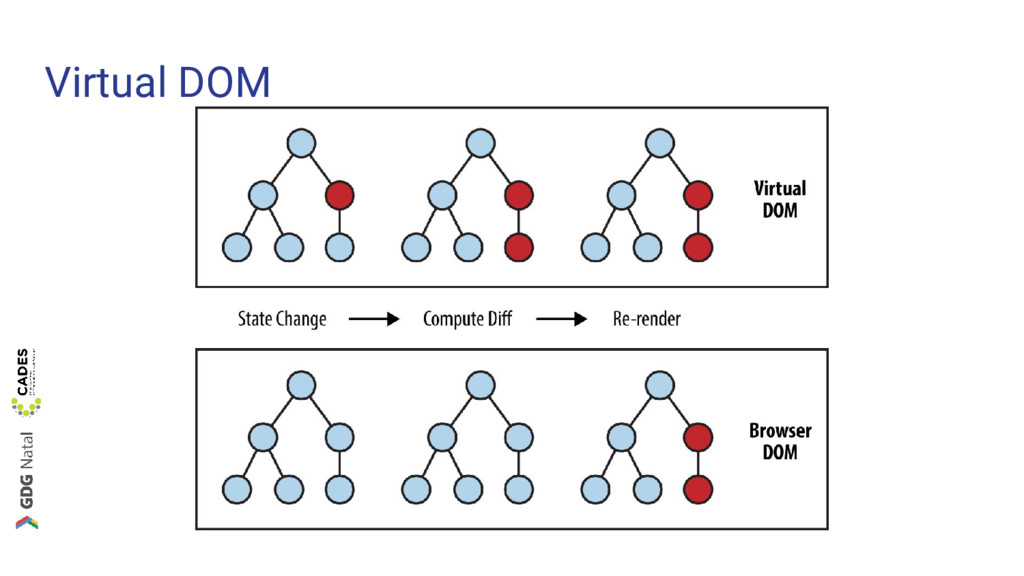
Virtual DOM
Introdução ao React-Native
React-Native é React
Introdução ao React-Native • Componentes são renderizados como componentes nativos
• Os mesmos conceitos são utilizados para construir aplicações • Suporte oficial para iOS e Android • Suporte ainda para Universal Windows
Introdução ao React-Native • Ciclo de vida (props, state...) do
componentes são o mesmo • Continuamos usando JSX
CSS é um pouco diferente
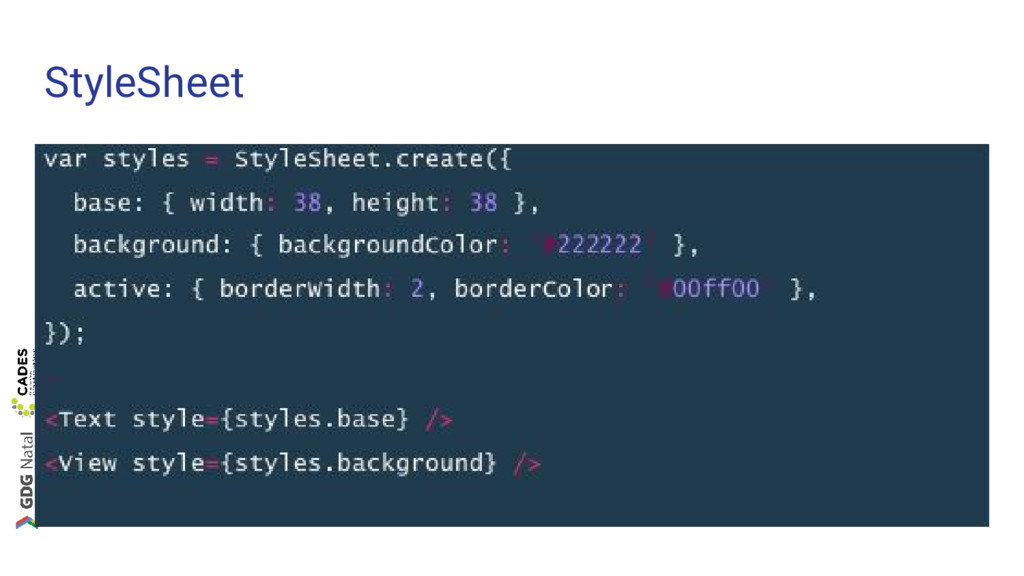
Adicionando estilo aos componentes nativos • “CSS” como prop •
StyleSheet é quase CSS
StyleSheet
Construindo layout com React-Native • O mesmo Flexbox da web
• Com diferentes defaults: ◦ flexDirection: column ◦ alignItems: stretch
Componentes inclusos
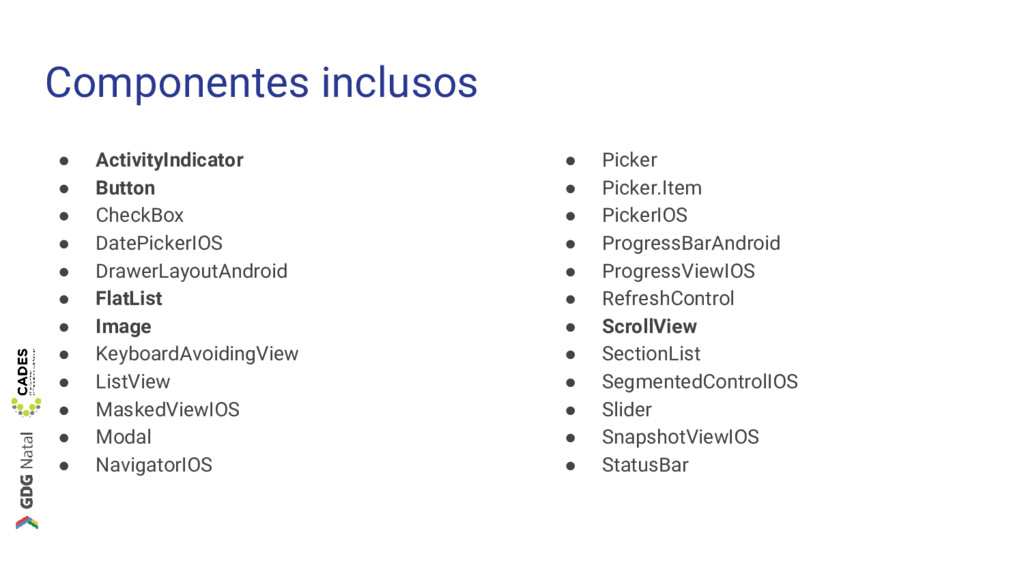
Componentes inclusos • ActivityIndicator • Button • CheckBox • DatePickerIOS
• DrawerLayoutAndroid • FlatList • Image • KeyboardAvoidingView • ListView • MaskedViewIOS • Modal • NavigatorIOS • Picker • Picker.Item • PickerIOS • ProgressBarAndroid • ProgressViewIOS • RefreshControl • ScrollView • SectionList • SegmentedControlIOS • Slider • SnapshotViewIOS • StatusBar
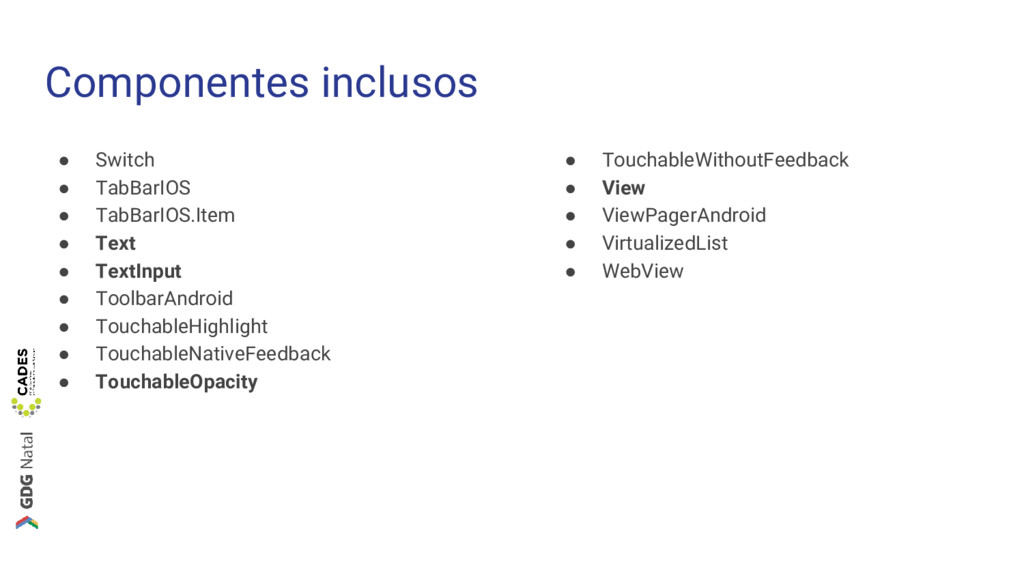
Componentes inclusos • Switch • TabBarIOS • TabBarIOS.Item • Text
• TextInput • ToolbarAndroid • TouchableHighlight • TouchableNativeFeedback • TouchableOpacity • TouchableWithoutFeedback • View • ViewPagerAndroid • VirtualizedList • WebView
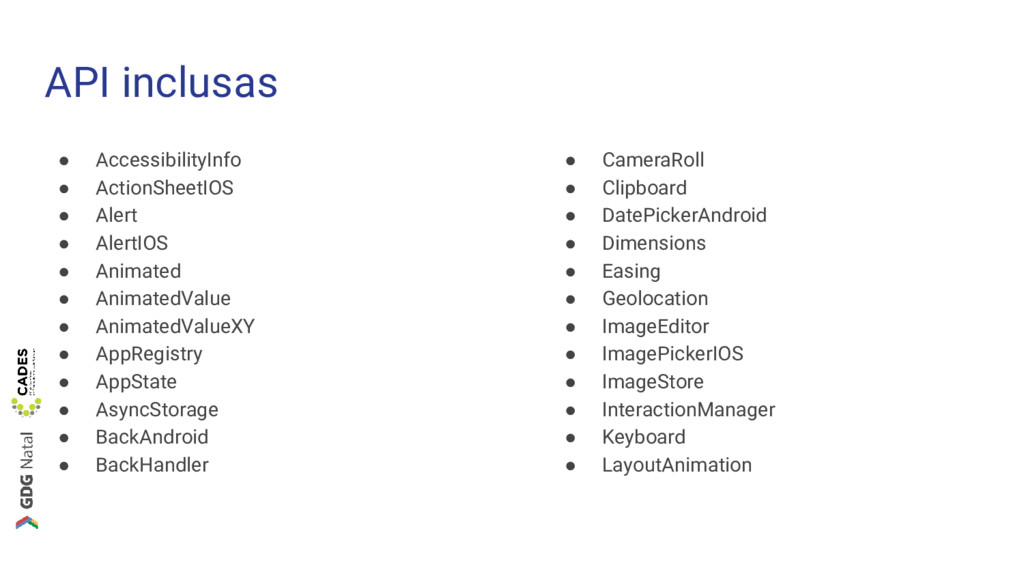
API inclusas • AccessibilityInfo • ActionSheetIOS • Alert • AlertIOS
• Animated • AnimatedValue • AnimatedValueXY • AppRegistry • AppState • AsyncStorage • BackAndroid • BackHandler • CameraRoll • Clipboard • DatePickerAndroid • Dimensions • Easing • Geolocation • ImageEditor • ImagePickerIOS • ImageStore • InteractionManager • Keyboard • LayoutAnimation
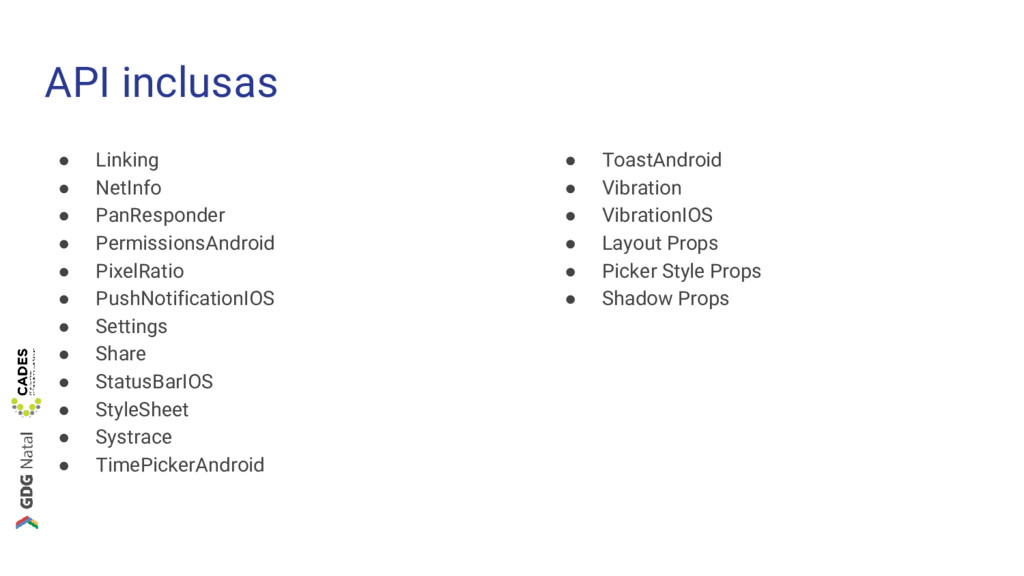
API inclusas • Linking • NetInfo • PanResponder • PermissionsAndroid
• PixelRatio • PushNotificationIOS • Settings • Share • StatusBarIOS • StyleSheet • Systrace • TimePickerAndroid • ToastAndroid • Vibration • VibrationIOS • Layout Props • Picker Style Props • Shadow Props
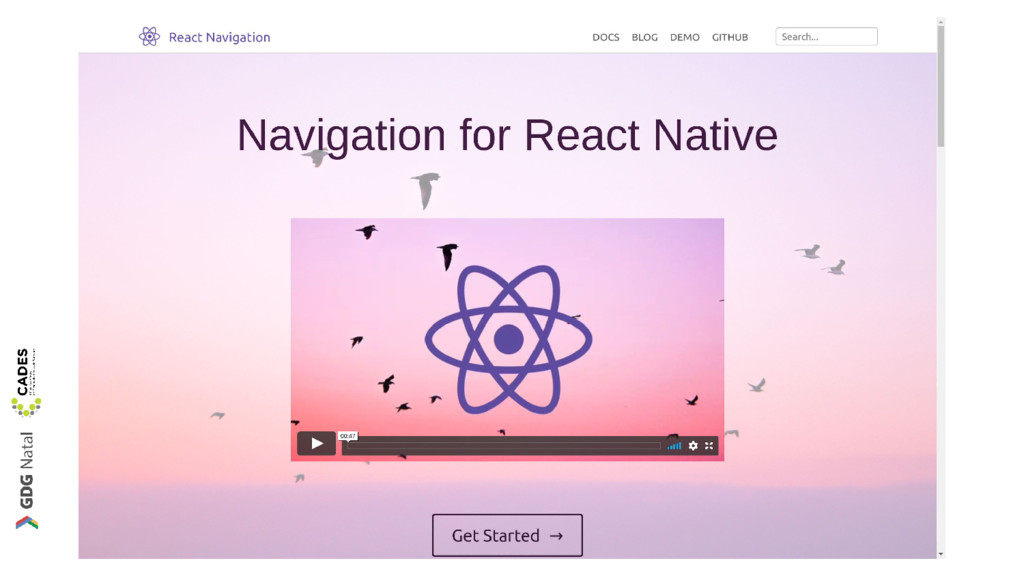
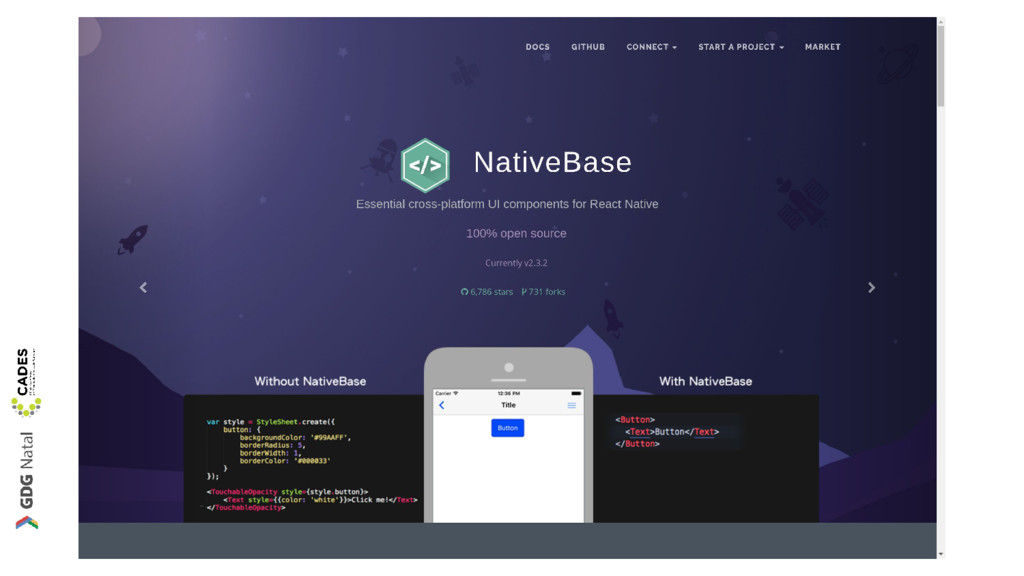
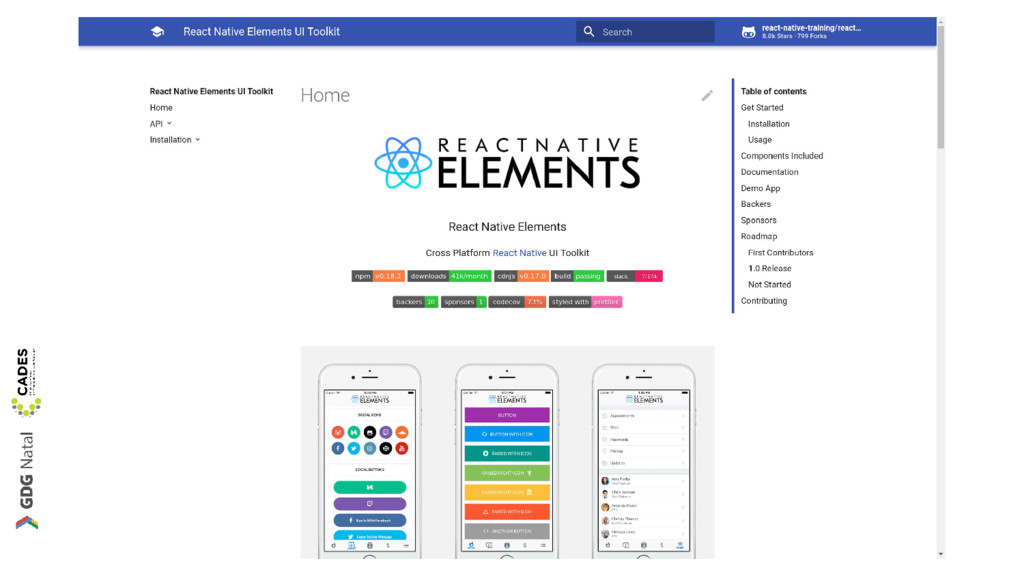
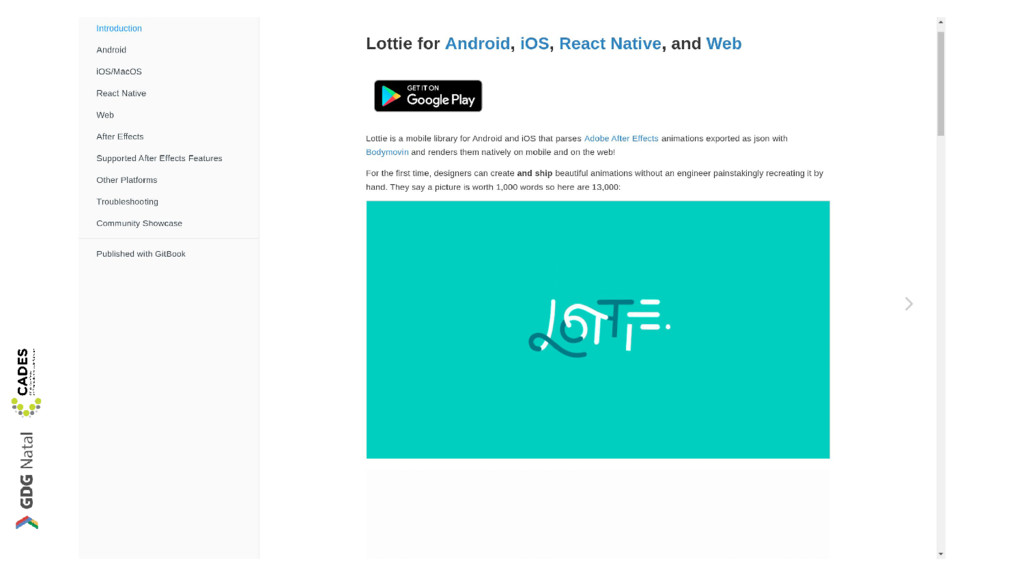
Componentes Open-Source http://www.awesome-react-native.com/
None
None
None
None
Expo
Expo é React-Native • Apenas JavaScript • Fácil prototipagem •
Rápido desenvolvimento
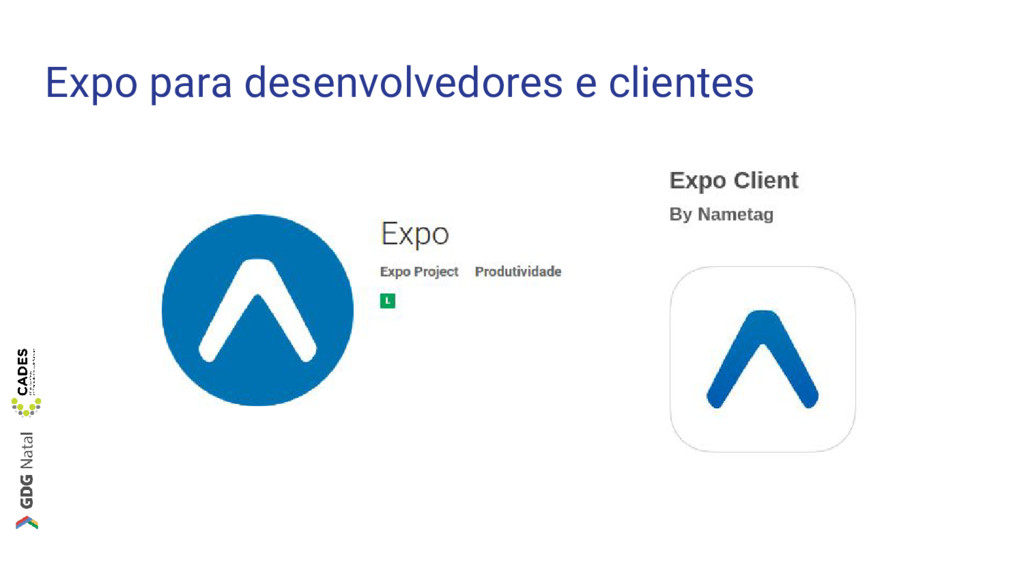
Expo para desenvolvedores e clientes
Prática github.com/cades-ifrn/minicurso-react-native-gdg-natal
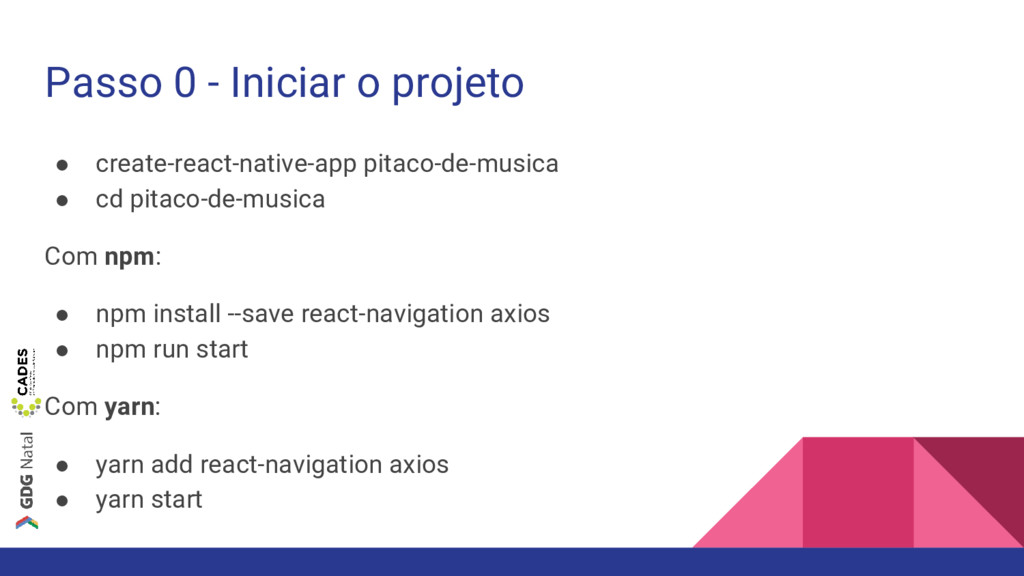
Passo 0 - Iniciar o projeto • create-react-native-app pitaco-de-musica •
cd pitaco-de-musica Com npm: • npm install --save react-navigation axios • npm run start Com yarn: • yarn add react-navigation axios • yarn start
Passo 1 - Adicionar React-Navigation • Criar componente HomeScreen •
Utilizar componente StackNavigator
Passo 2 - Criar tela de início • Utilizar componente
Image • Utilizar componente ScrollView • Utilizar componente Button • Estilizar componentes
Passo 3 - Navegar entre telas • Criar componente SearchScreen
• Adicionar SearchScreen no navegador raiz • Adicionar evento para realizar navegação
Passo 4 - Pesquisar e Apresentar Resultados • Utilizar componente
FlatList • Criar componente Header • Criar componente Item • Carregar resultados
Passo 5 - Melhorar UI e utilizar APIs • Utilizar
Alert API • Criar componente ResultItem
Passo 6 - Adicionar exploração • Adicionar evento ao clicar
num resultado
Próximos passos
The Complete React Native and Redux Course https://goo.gl/2NYB6H
How to Become a React Native Developer in 2018 https://goo.gl/ggdZJE
Obrigado! Felipe Pontes Francisco Bento @felipemfp @chicobentojr


 felipemfp
 headius
 oga5
oga5
 findyinc
 lynnswap
 palkan
 kobakei
 akkeylab
 bash0c7
 glassfiber
 willnet
 monolithic_adam
 s_shimotori
 bethany
 schlessera
 sonatard
 reverentgeek
 chriscoyier
 schroneko
 tmiket
 samanthasiow
 geoffreycrofte
 afnizarnur
 tammyeverts
 marketingsoph