Upgrade to Pro — share decks privately, control downloads, hide ads and more …

Building SQL-Free Applications with MySQL REST ...

Sponsored · Ship Features Fearlessly Turn features on and off without deploys. Used by thousands of Ruby developers.
Avatar for lefred lefred
February 09, 2026

Building SQL-Free Applications with MySQL REST Service

In this practical session, I will explore the new MySQL REST Service that enables direct HTTP/JSON access to MySQL data without writing SQL.
Attendees will learn how to:
- Expose MySQL tables, views, and procedures as RESTful endpoints
- Perform CRUD operations and query data using standard HTTP verbs
- Integrate MySQL seamlessly with web, mobile, and serverless applications
- Secure endpoints with authentication, roles, and fine-grained access control
- Automate REST configuration and deployment using MySQL Shell scripting

Avatar for lefred

lefred

February 09, 2026
Tweet

More Decks by lefred

Other Decks in Technology

Transcript

  1. Frédéric Descamps Community Manager Oracle MySQL preFOSDEM MySQL Belgian Days

    - January 2026 Building SQL-Free Applications with MySQL REST Service
  2. • @lefred • @lefredbe.bsky.social • @[email protected] • @lefred14:matrix.org • MySQL

    Evangelist • using MySQL since version 3.20 • devops believer • living in • h�ps://lefred.be Frédéric Descamps Copyright @ 2026 Oracle and/or its affiliates. 3
  3. • About MySQL REST Service (MRS) • Installation of MySQL

    Labs with MRS • Installation of MySQL Shell for Visual Studio Code • Loading sample database • Building RESTful APIs with MRS ◦ with MySQL Shell for VS Code ◦ with SQL in MySQL Shell • Using the Python SDK • Q&A Session Agenda Copyright @ 2026 Oracle and/or its affiliates. 5
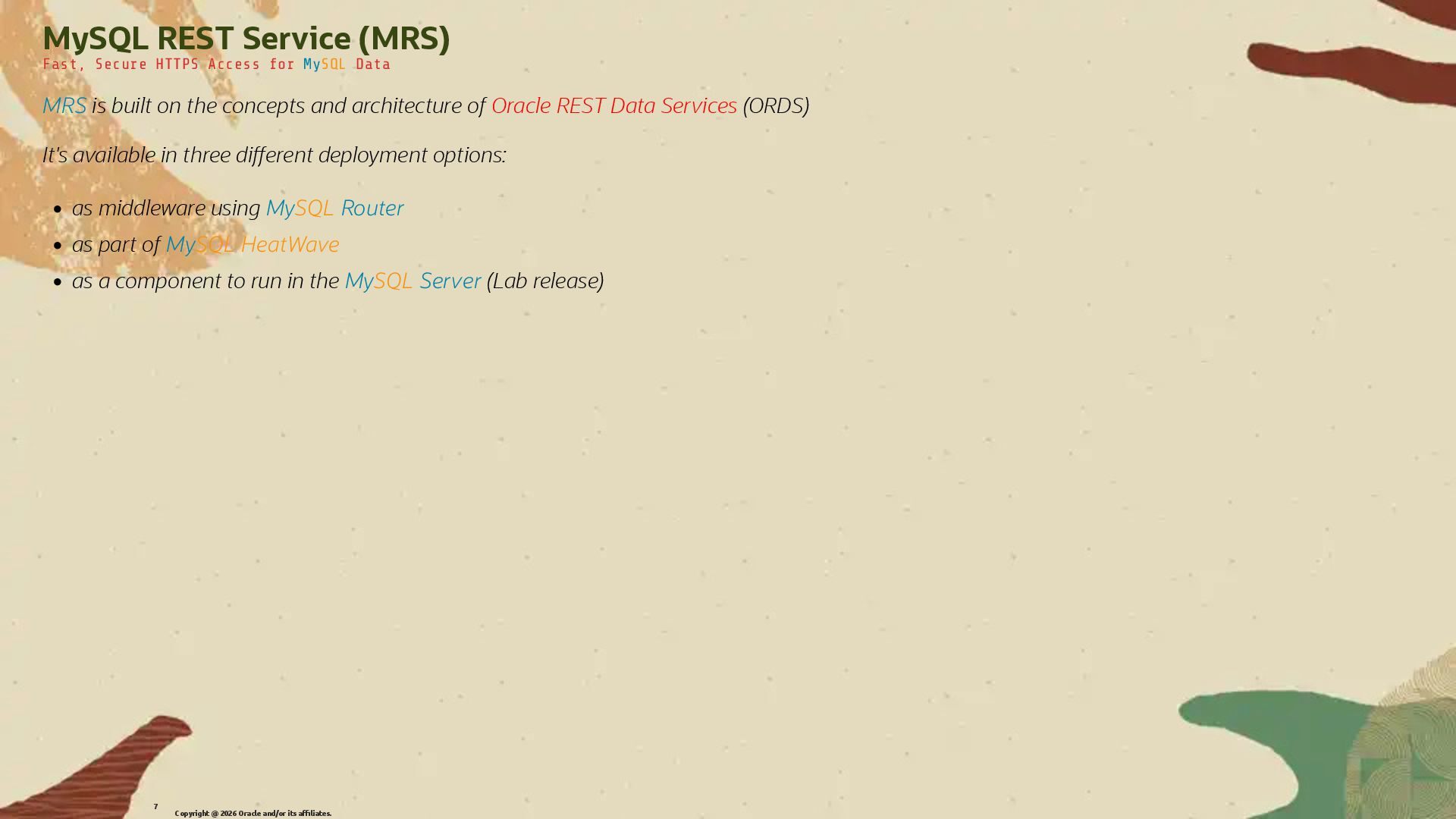
  4. MySQL REST Service (MRS) Fast, Secure HTTPS Access for MySQL

    Data MRS is built on the concepts and architecture of Oracle REST Data Services (ORDS) It's available in three di�erent deployment options: • as middleware using MySQL Router • as part of MySQL HeatWave • as a component to run in the MySQL Server (Lab release) Copyright @ 2026 Oracle and/or its affiliates. 7
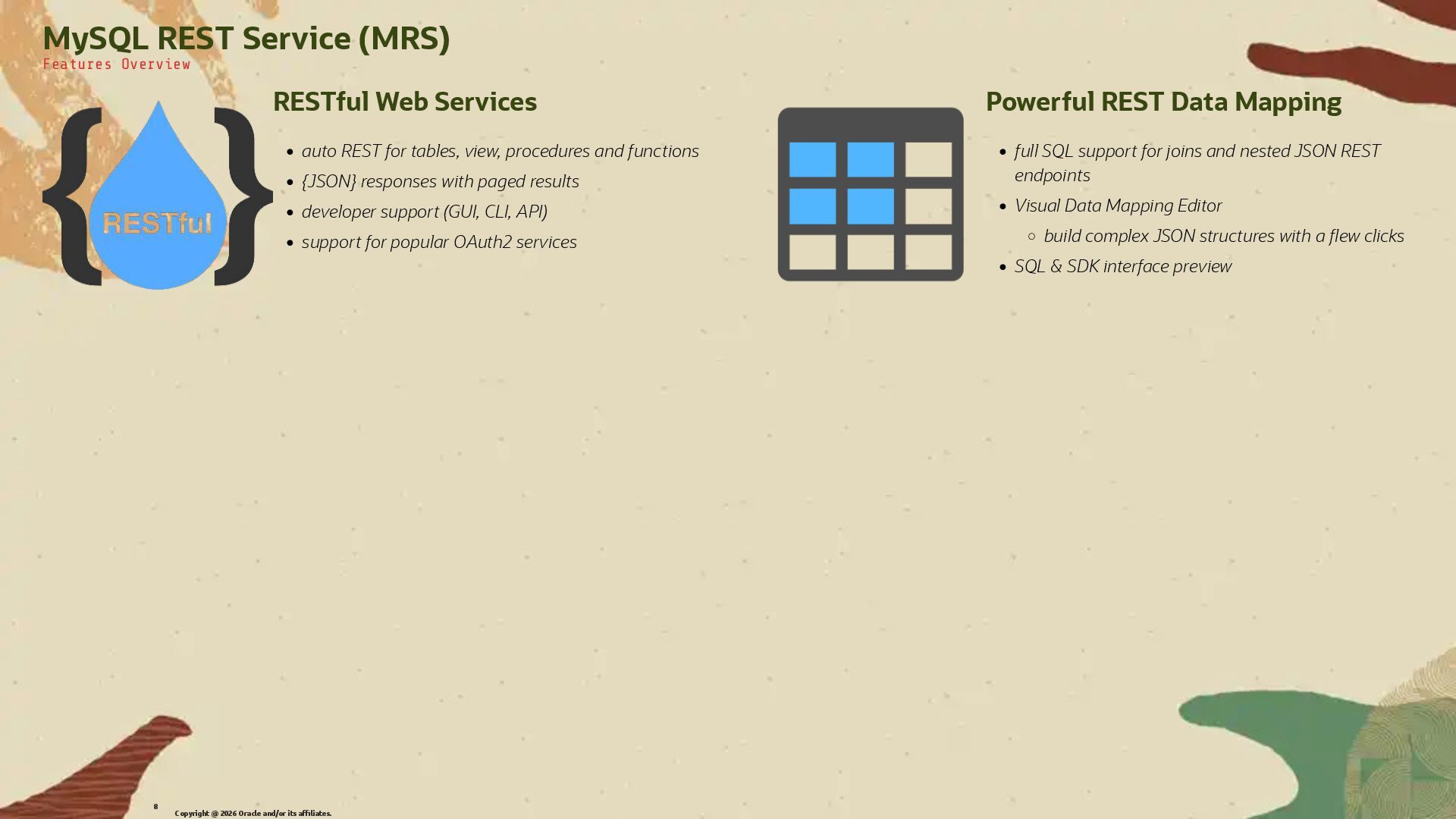
  5. RESTful Web Services • auto REST for tables, view, procedures

    and functions • {JSON} responses with paged results • developer support (GUI, CLI, API) • support for popular OAuth2 services Powerful REST Data Mapping • full SQL support for joins and nested JSON REST endpoints • Visual Data Mapping Editor ◦ build complex JSON structures with a �ew clicks • SQL & SDK interface preview MySQL REST Service (MRS) Features Overview Copyright @ 2026 Oracle and/or its affiliates. 8
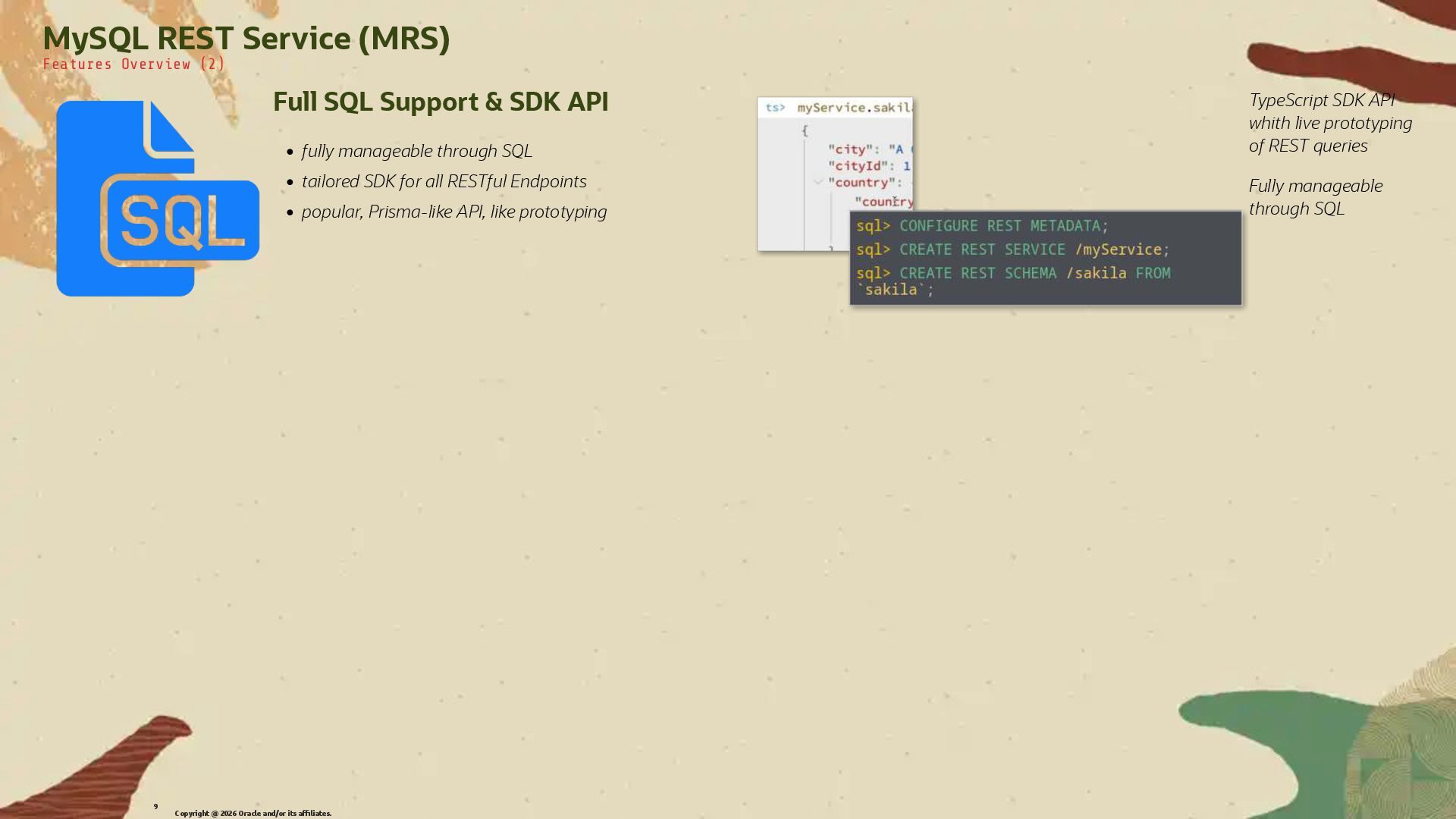
  6. Full SQL Support & SDK API • fully manageable through

    SQL • tailored SDK for all RESTful Endpoints • popular, Prisma-like API, like prototyping TypeScript SDK API whith live prototyping of REST queries Fully manageable through SQL MySQL REST Service (MRS) Features Overview (2) Copyright @ 2026 Oracle and/or its affiliates. 9
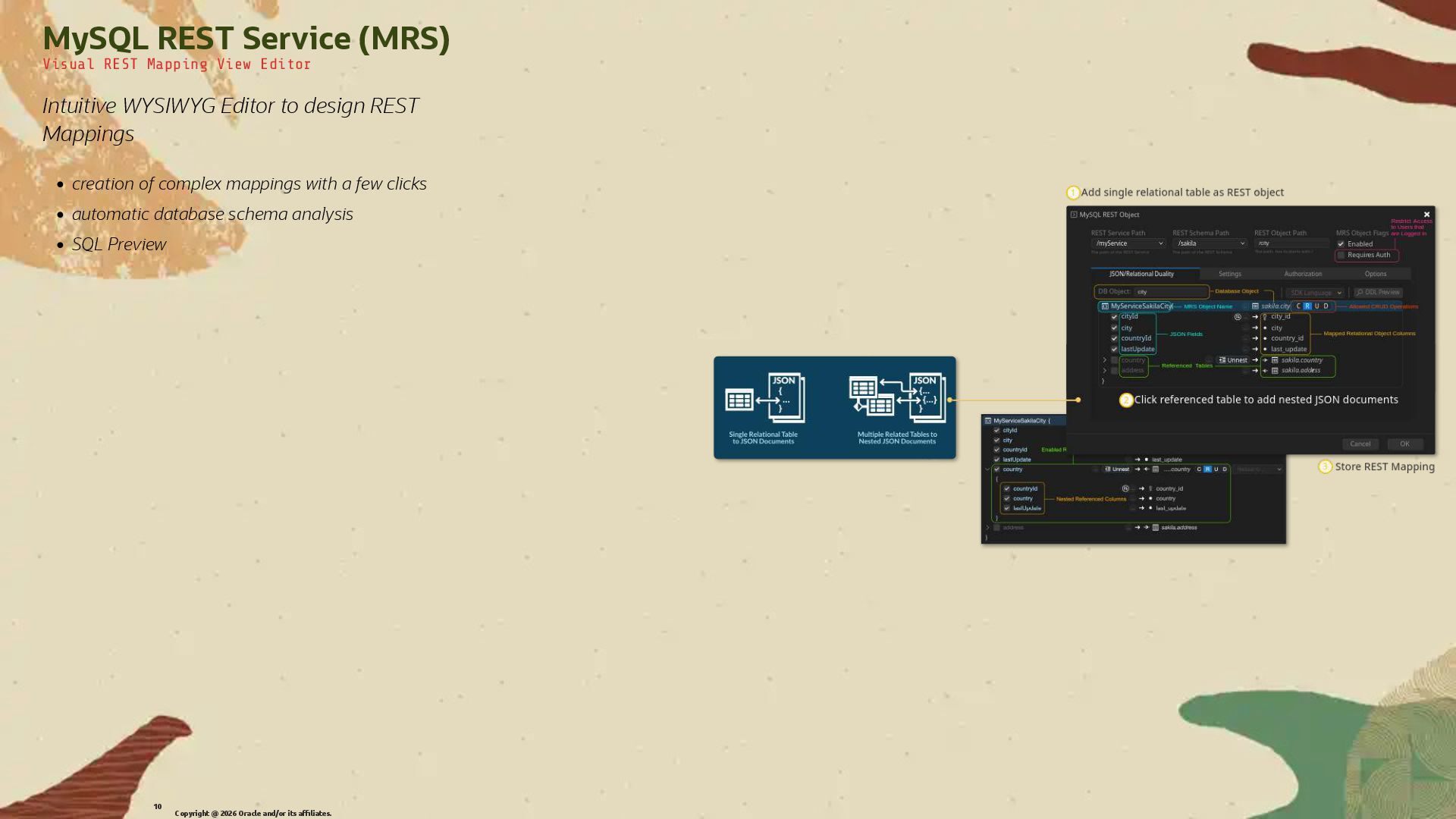
  7. MySQL REST Service (MRS) Visual REST Mapping View Editor Intuitive

    WYSIWYG Editor to design REST Mappings • creation of complex mappings with a few clicks • automatic database schema analysis • SQL Preview Copyright @ 2026 Oracle and/or its affiliates. 10
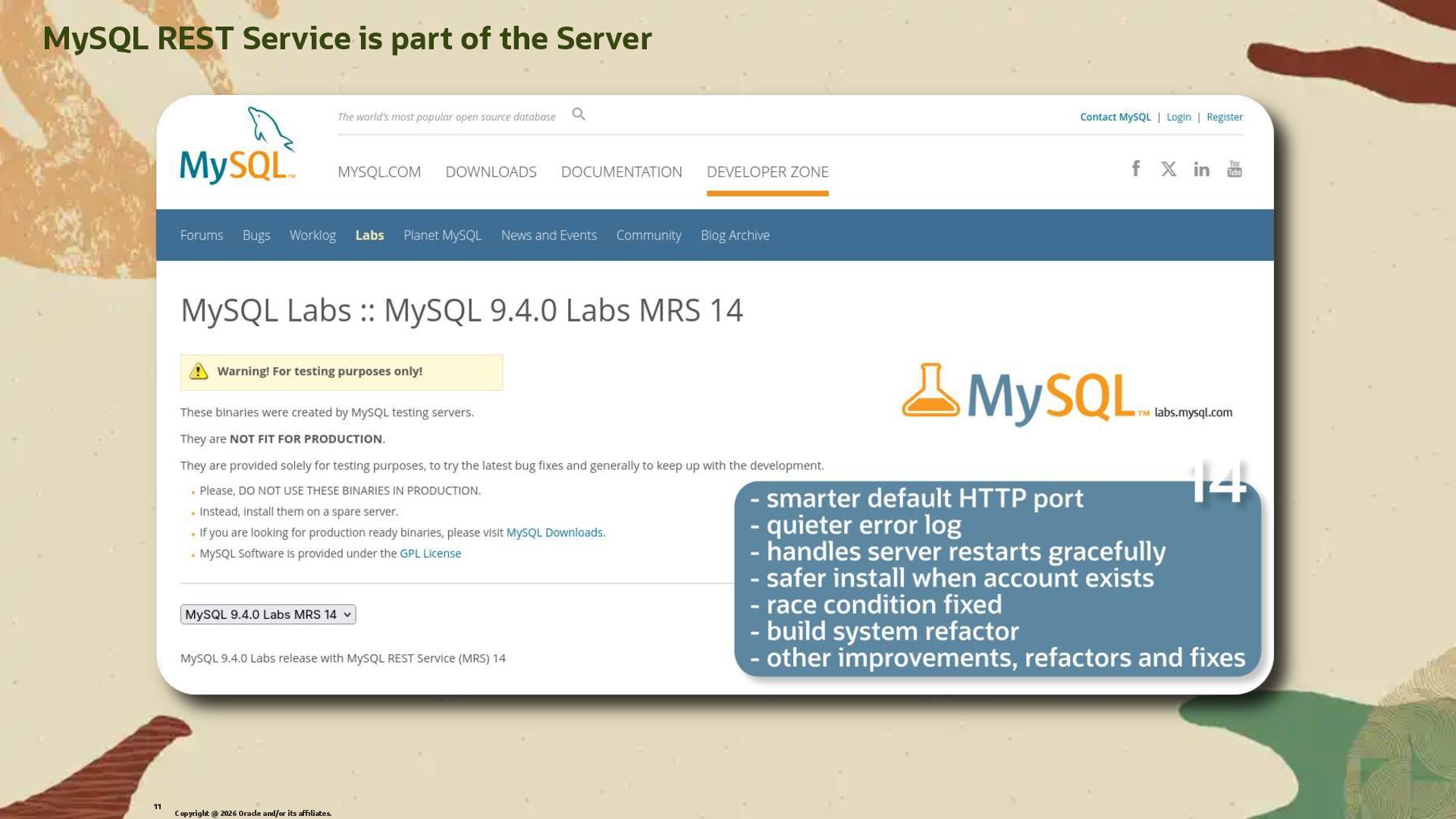
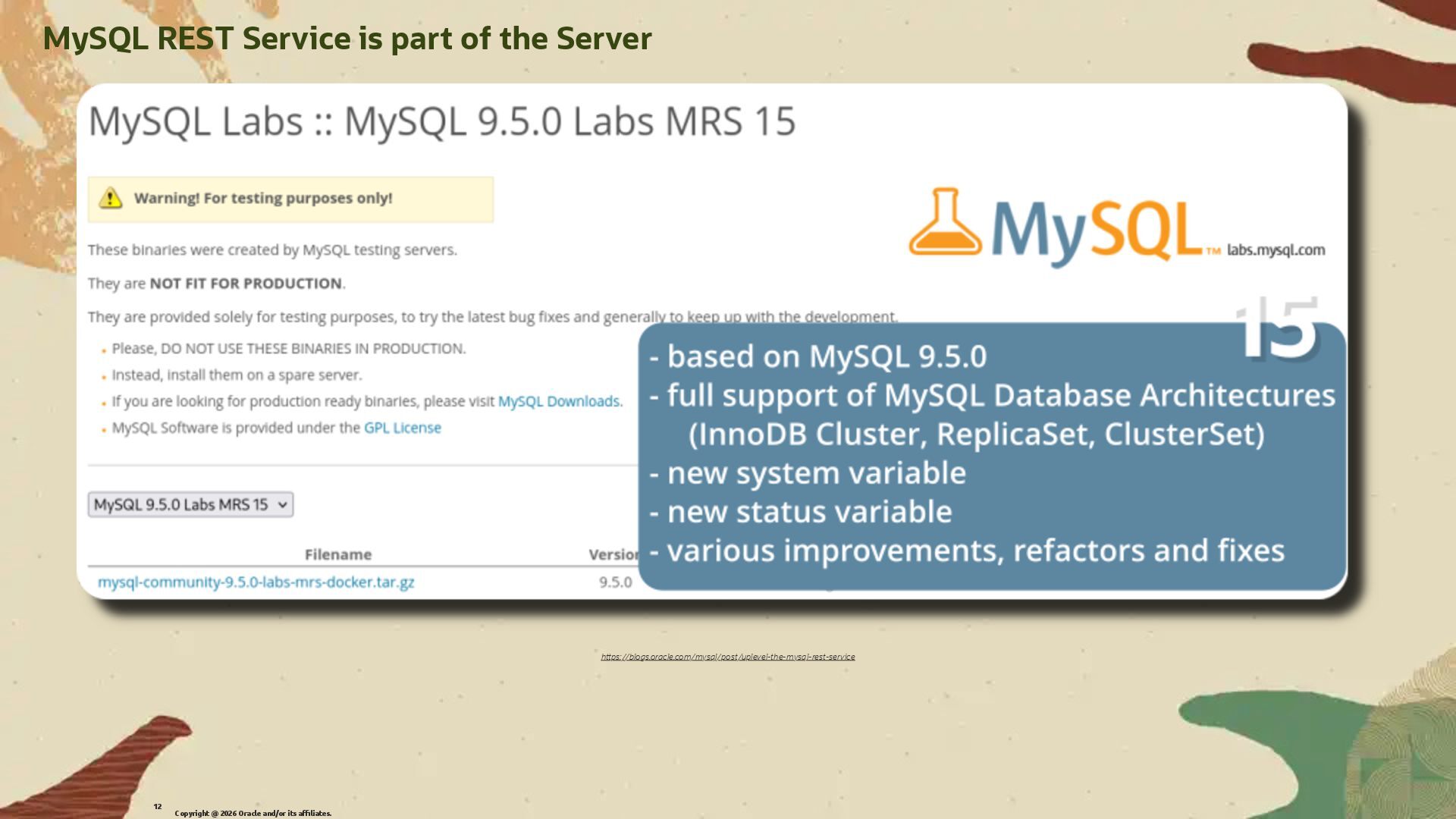
  8. MySQL REST Service is part of the Server Copyright @

    2026 Oracle and/or its affiliates. 11
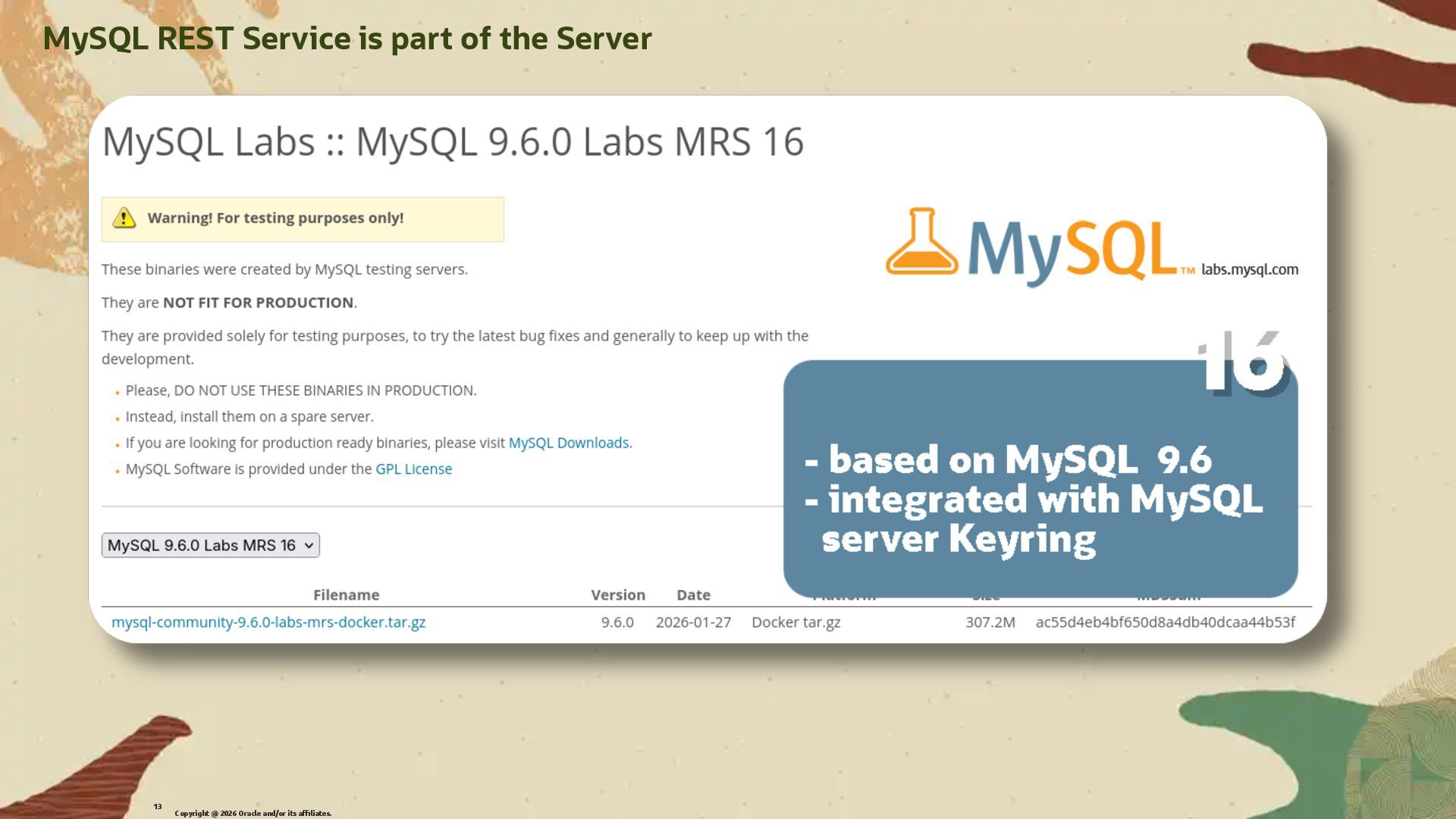
  9. MySQL REST Service is part of the Server Copyright @

    2026 Oracle and/or its affiliates. 13
  10. Installation: MySQL Server Demo using MySQL Labs 9.5.0 with MRS

    included that you can download from: h�ps://labs.mysql.com/ And we will use docker in the examples but you can install it natively on your OS as well. Copyright @ 2026 Oracle and/or its affiliates. 15
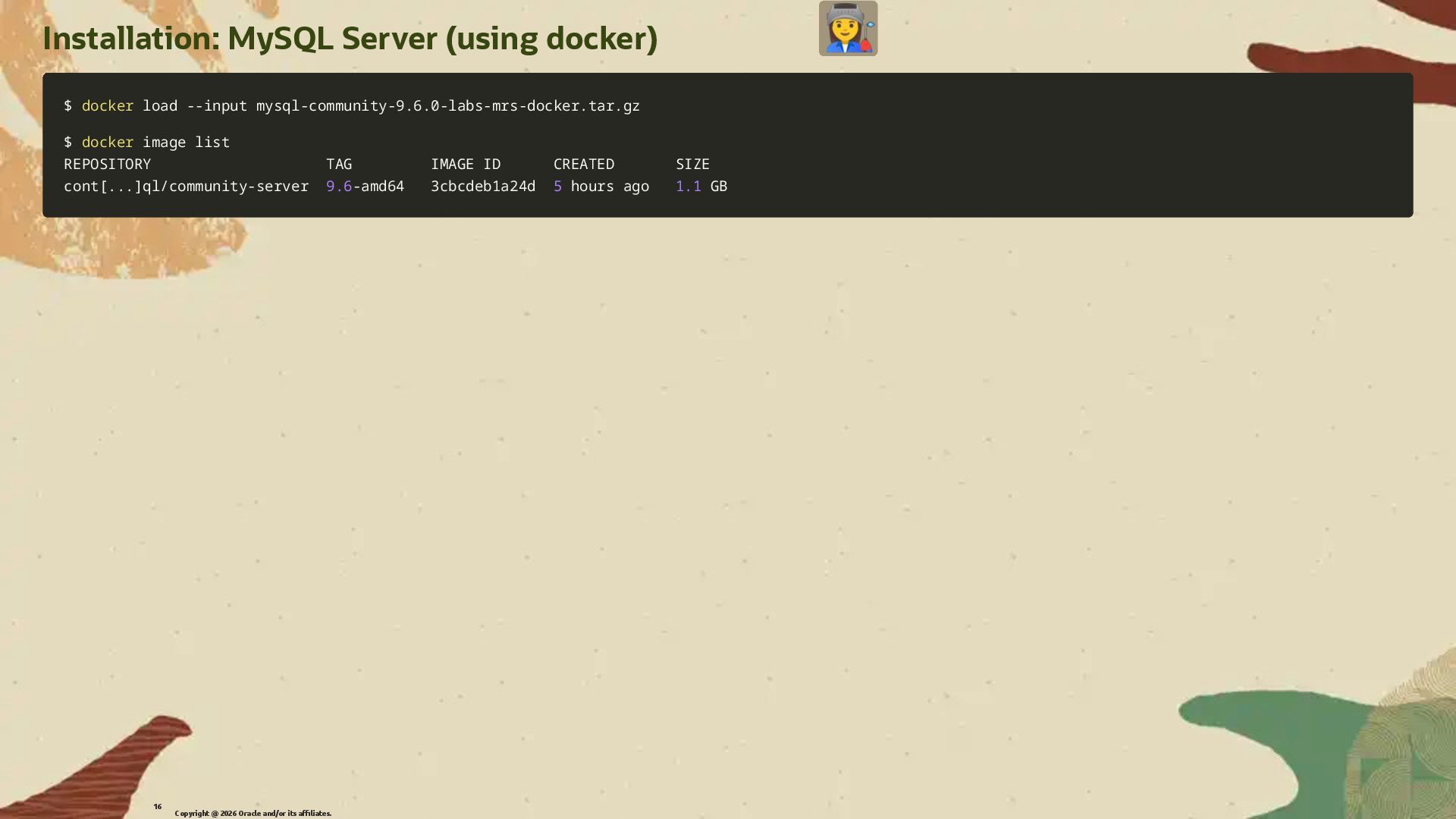
  11. Installation: MySQL Server (using docker) $ $ docker docker load

    load --input --input mysql-community-9.6.0-labs-mrs-docker.tar.gz mysql-community-9.6.0-labs-mrs-docker.tar.gz $ $ docker docker image list image list REPOSITORY TAG IMAGE ID CREATED SIZE REPOSITORY TAG IMAGE ID CREATED SIZE cont cont[ [.. ... .] ]ql/community-server ql/community-server 9.6 9.6-amd64 3cbcdeb1a24d -amd64 3cbcdeb1a24d 5 5 hours ago hours ago 1.1 1.1 GB GB Copyright @ 2026 Oracle and/or its affiliates. 16
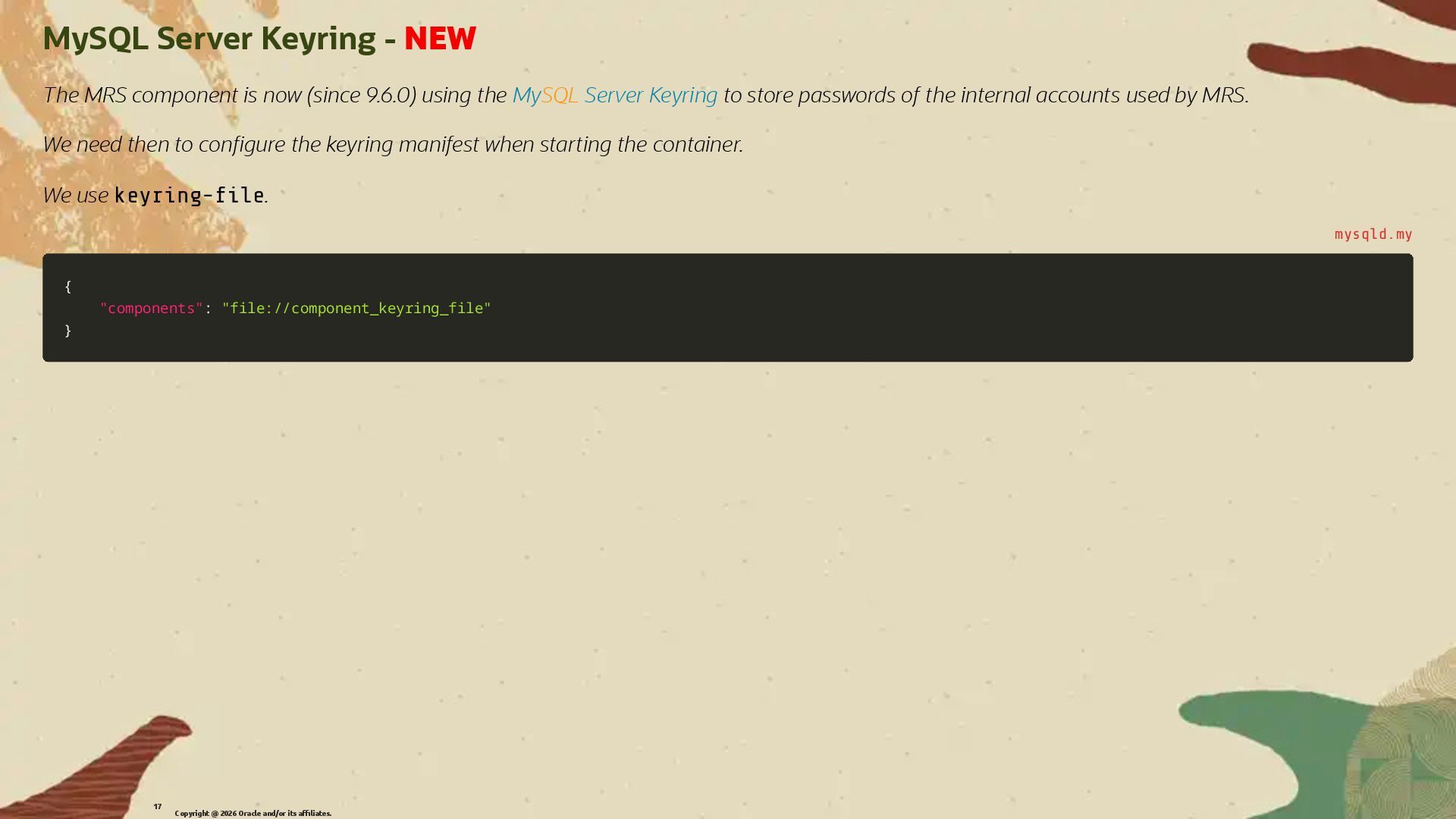
  12. MySQL Server Keyring - NEW The MRS component is now

    (since 9.6.0) using the MySQL Server Keyring to store passwords of the internal accounts used by MRS. We need then to con�gure the keyring manifest when starting the container. We use keyring-�le. mysqld.my { { "components" "components": : "file://component_keyring_file" "file://component_keyring_file" } } Copyright @ 2026 Oracle and/or its affiliates. 17
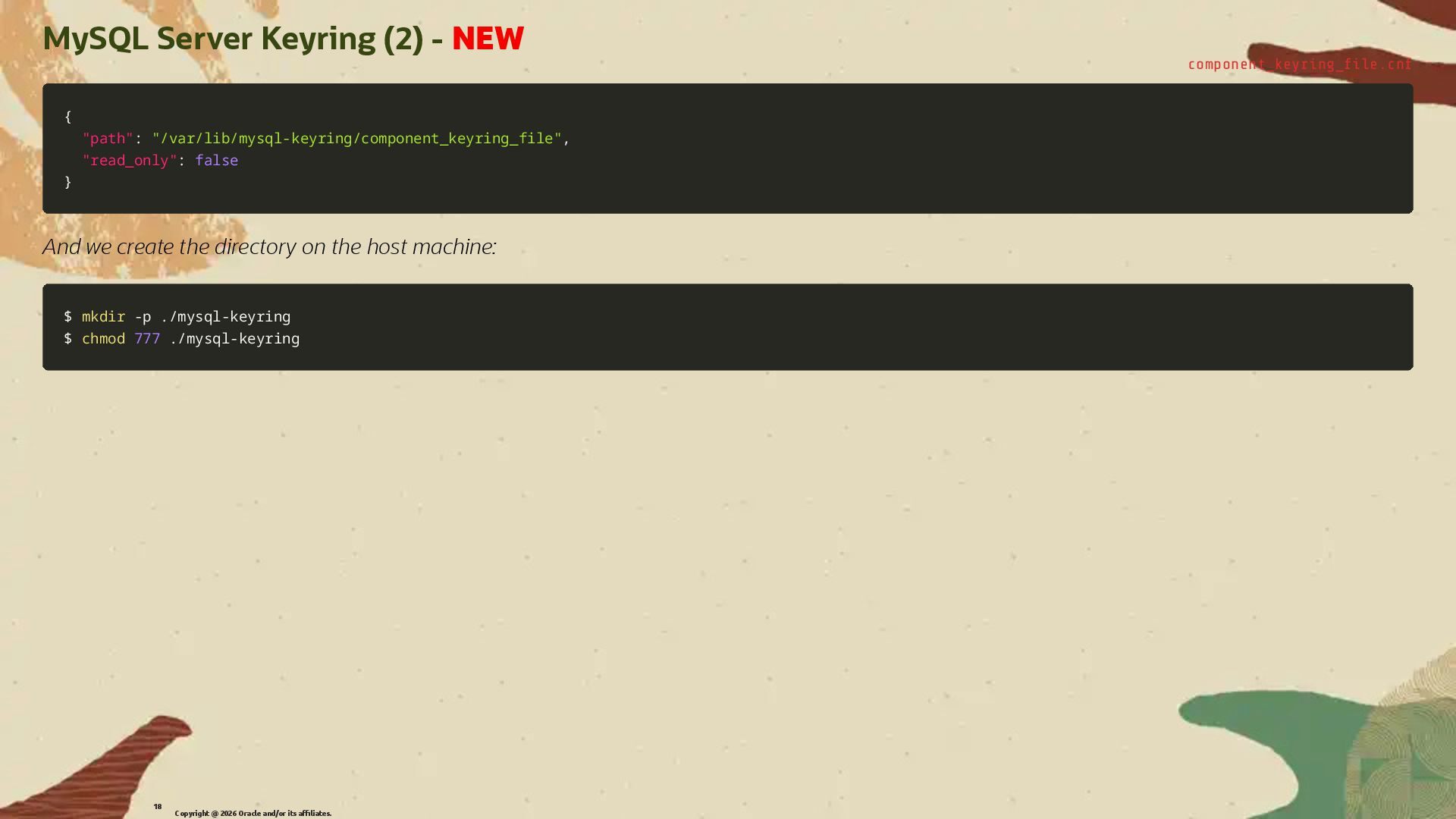
  13. MySQL Server Keyring (2) - NEW component_keyring_�le.cnf { { "path"

    "path": : "/var/lib/mysql-keyring/component_keyring_file" "/var/lib/mysql-keyring/component_keyring_file", , "read_only" "read_only": : false false } } And we create the directory on the host machine: $ $ mkdir mkdir -p -p ./mysql-keyring ./mysql-keyring $ $ chmod chmod 777 777 ./mysql-keyring ./mysql-keyring Copyright @ 2026 Oracle and/or its affiliates. 18
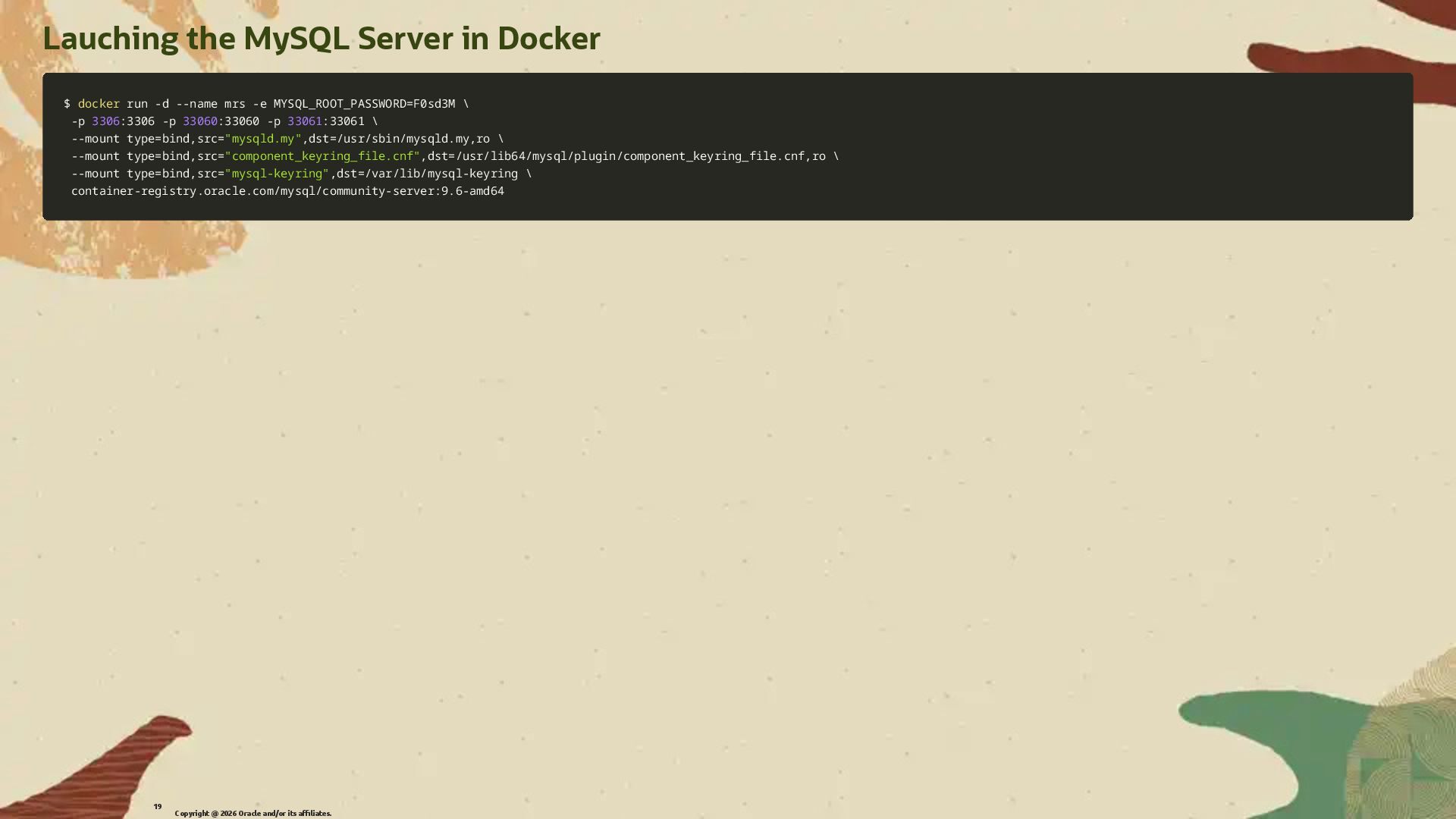
  14. Lauching the MySQL Server in Docker $ $ docker docker

    run run -d -d --name --name mrs mrs -e -e MYSQL_ROOT_PASSWORD MYSQL_ROOT_PASSWORD= =F0sd3M F0sd3M \ \ -p -p 3306 3306:3306 :3306 -p -p 33060 33060:33060 :33060 -p -p 33061 33061:33061 :33061 \ \ --mount --mount type type= =bind,src bind,src= ="mysqld.my" "mysqld.my",dst ,dst= =/usr/sbin/mysqld.my,ro /usr/sbin/mysqld.my,ro \ \ --mount --mount type type= =bind,src bind,src= ="component_keyring_file.cnf" "component_keyring_file.cnf",dst ,dst= =/usr/lib64/mysql/plugin/component_keyring_file.cnf,ro /usr/lib64/mysql/plugin/component_keyring_file.cnf,ro \ \ --mount --mount type type= =bind,src bind,src= ="mysql-keyring" "mysql-keyring",dst ,dst= =/var/lib/mysql-keyring /var/lib/mysql-keyring \ \ container-registry.oracle.com/mysql/community-server:9.6-amd64 container-registry.oracle.com/mysql/community-server:9.6-amd64 Copyright @ 2026 Oracle and/or its affiliates. 19
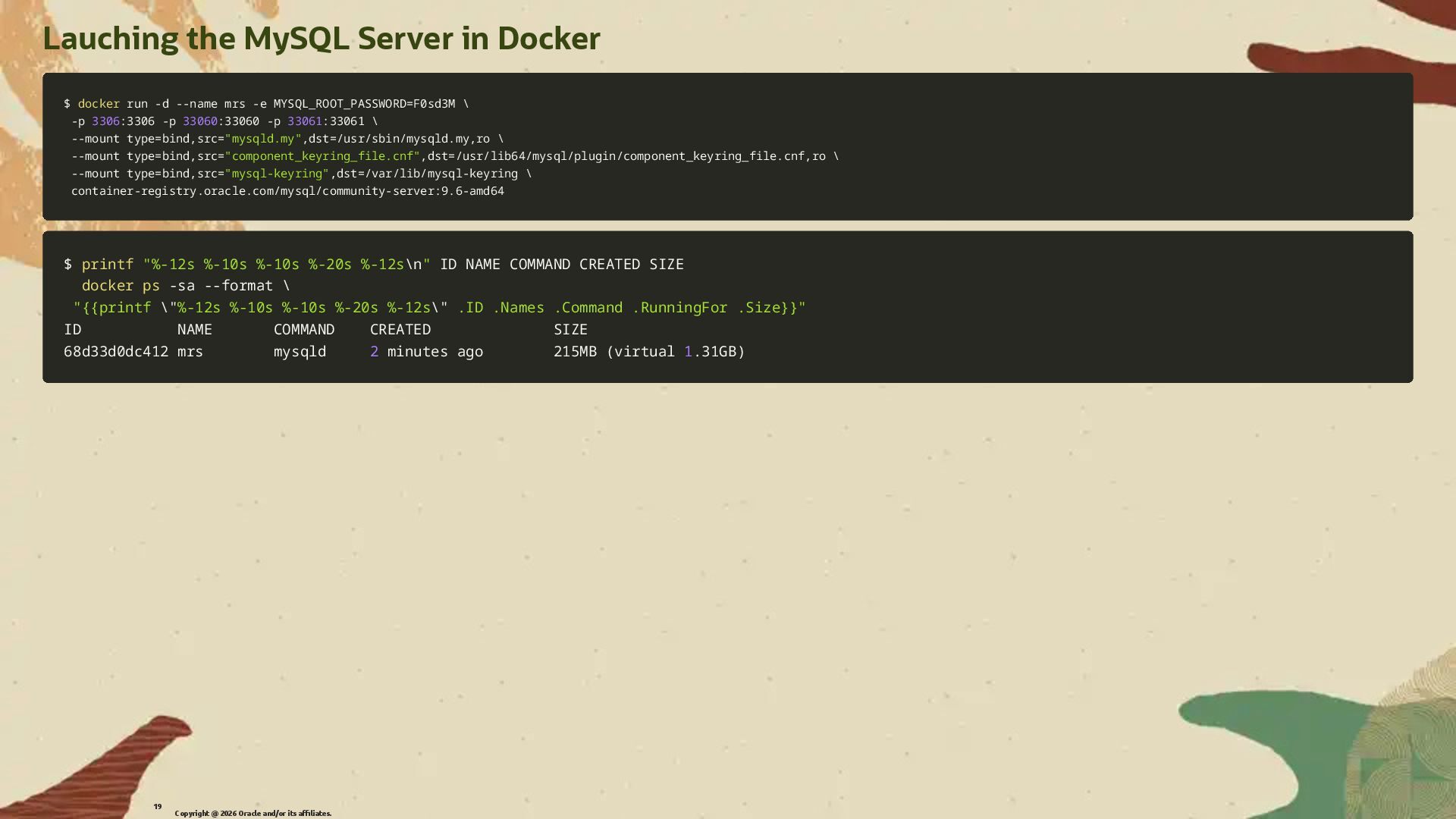
  15. Lauching the MySQL Server in Docker $ $ docker docker

    run run -d -d --name --name mrs mrs -e -e MYSQL_ROOT_PASSWORD MYSQL_ROOT_PASSWORD= =F0sd3M F0sd3M \ \ -p -p 3306 3306:3306 :3306 -p -p 33060 33060:33060 :33060 -p -p 33061 33061:33061 :33061 \ \ --mount --mount type type= =bind,src bind,src= ="mysqld.my" "mysqld.my",dst ,dst= =/usr/sbin/mysqld.my,ro /usr/sbin/mysqld.my,ro \ \ --mount --mount type type= =bind,src bind,src= ="component_keyring_file.cnf" "component_keyring_file.cnf",dst ,dst= =/usr/lib64/mysql/plugin/component_keyring_file.cnf,ro /usr/lib64/mysql/plugin/component_keyring_file.cnf,ro \ \ --mount --mount type type= =bind,src bind,src= ="mysql-keyring" "mysql-keyring",dst ,dst= =/var/lib/mysql-keyring /var/lib/mysql-keyring \ \ container-registry.oracle.com/mysql/community-server:9.6-amd64 container-registry.oracle.com/mysql/community-server:9.6-amd64 $ $ printf printf "%-12s %-10s %-10s %-20s %-12s "%-12s %-10s %-10s %-20s %-12s\n \n" " ID NAME COMMAND CREATED SIZE ID NAME COMMAND CREATED SIZE docker docker ps ps -sa -sa --format --format \ \ "{{printf "{{printf \" \"%-12s %-10s %-10s %-20s %-12s %-12s %-10s %-10s %-20s %-12s\" \" .ID .Names .Command .RunningFor .Size}}" .ID .Names .Command .RunningFor .Size}}" ID NAME COMMAND CREATED SIZE ID NAME COMMAND CREATED SIZE 68d33d0dc412 mrs mysqld 68d33d0dc412 mrs mysqld 2 2 minutes ago 215MB minutes ago 215MB ( (virtual virtual 1 1.31GB .31GB) ) Copyright @ 2026 Oracle and/or its affiliates. 19
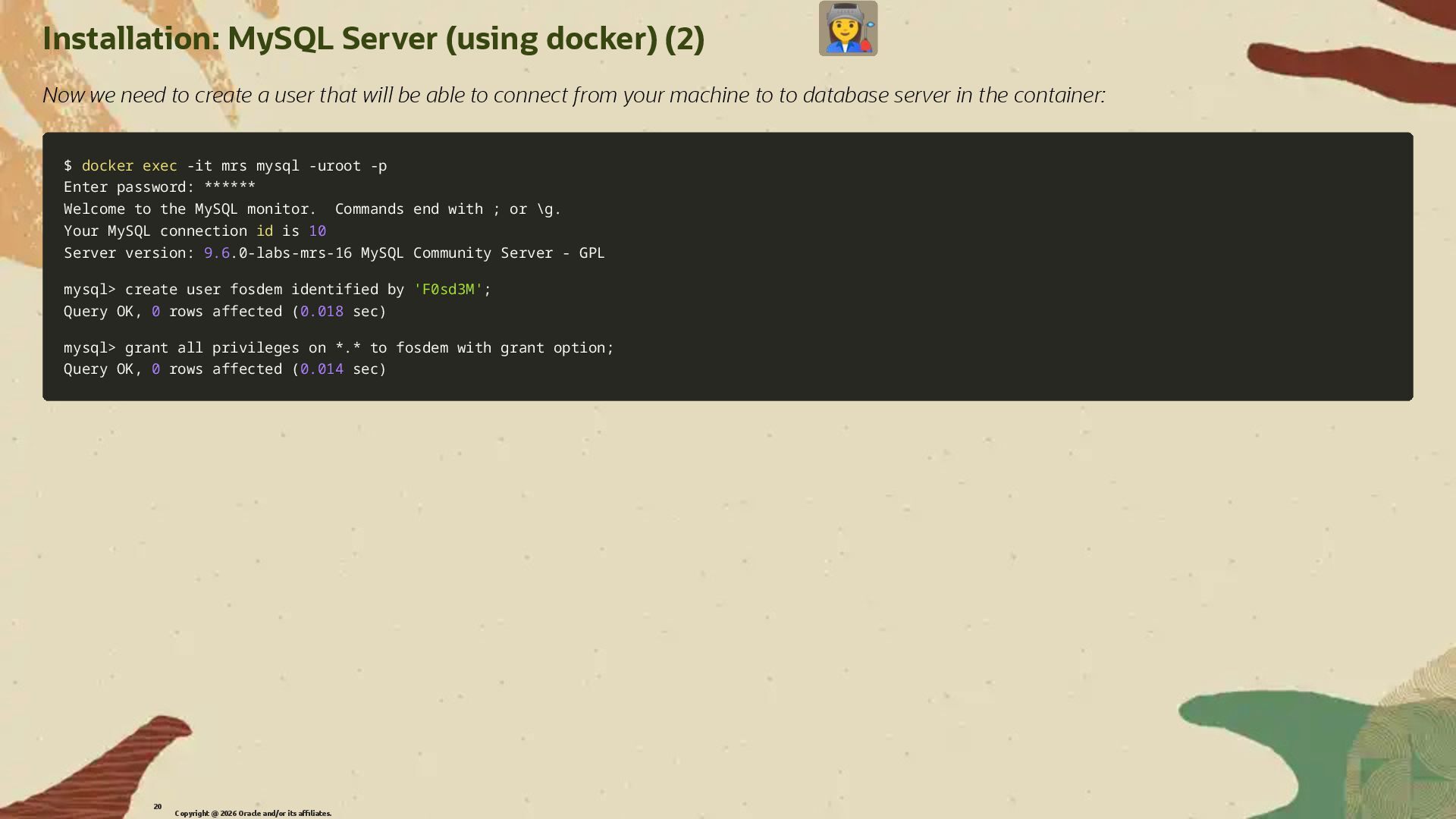
  16. Installation: MySQL Server (using docker) (2) Now we need to

    create a user that will be able to connect from your machine to to database server in the container: $ $ docker docker exec exec -it -it mrs mysql mrs mysql -uroot -uroot -p -p Enter password: ****** Enter password: ****** Welcome to the MySQL monitor. Commands end with Welcome to the MySQL monitor. Commands end with ; ; or or \ \g. g. Your MySQL connection Your MySQL connection id id is is 10 10 Server version: Server version: 9.6 9.6.0-labs-mrs-16 MySQL Community Server - GPL .0-labs-mrs-16 MySQL Community Server - GPL mysql mysql> > create user fosdem identified by create user fosdem identified by 'F0sd3M' 'F0sd3M'; ; Query OK, Query OK, 0 0 rows affected rows affected ( (0.018 0.018 sec sec) ) mysql mysql> > grant all privileges on *.* to fosdem with grant option grant all privileges on *.* to fosdem with grant option; ; Query OK, Query OK, 0 0 rows affected rows affected ( (0.014 0.014 sec sec) ) Copyright @ 2026 Oracle and/or its affiliates. 20
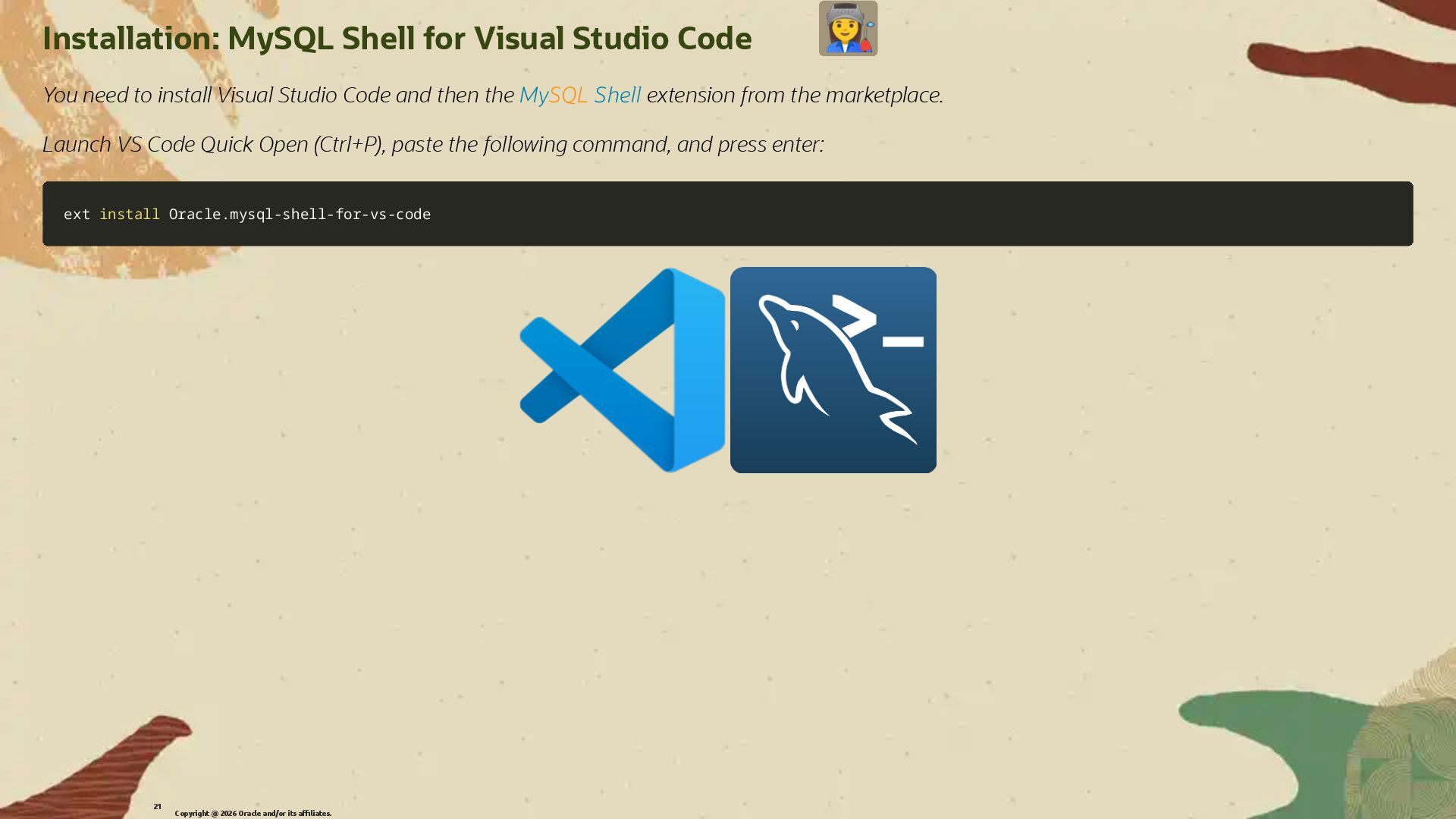
  17. Installation: MySQL Shell for Visual Studio Code You need to

    install Visual Studio Code and then the MySQL Shell extension from the marketplace. Launch VS Code Quick Open (Ctrl+P), paste the following command, and press enter: ext ext install install Oracle.mysql-shell-for-vs-code Oracle.mysql-shell-for-vs-code Copyright @ 2026 Oracle and/or its affiliates. 21
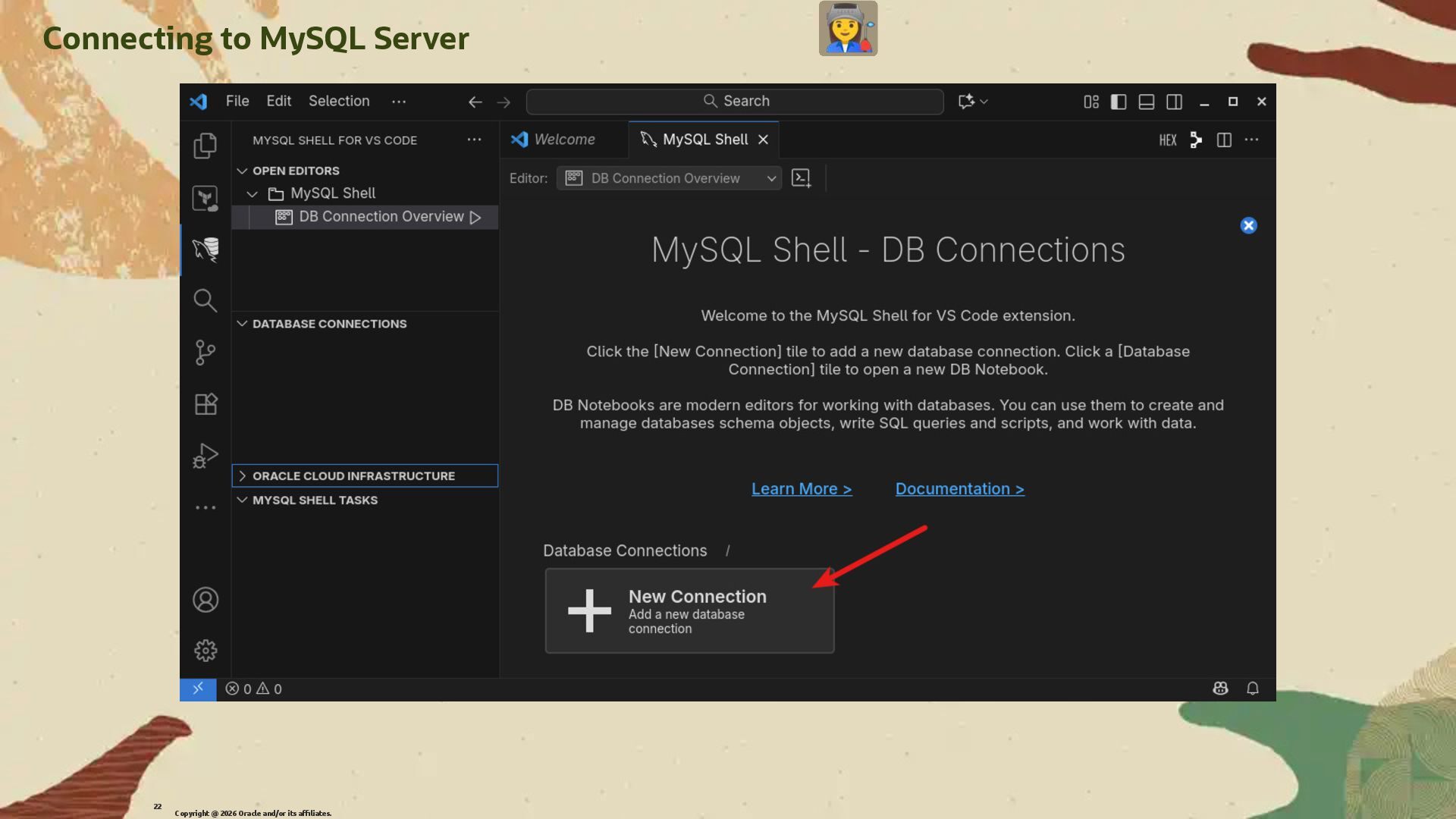
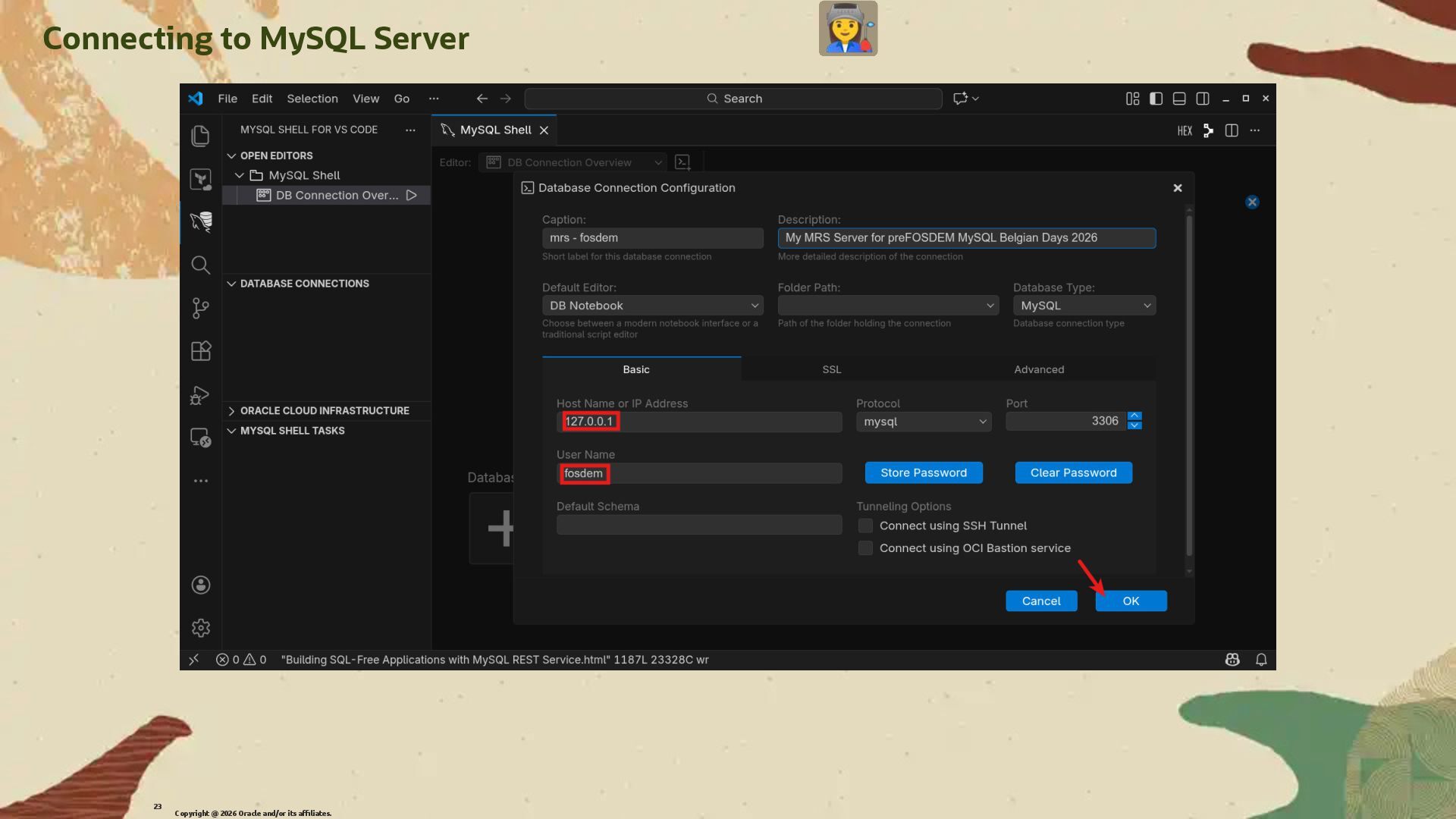
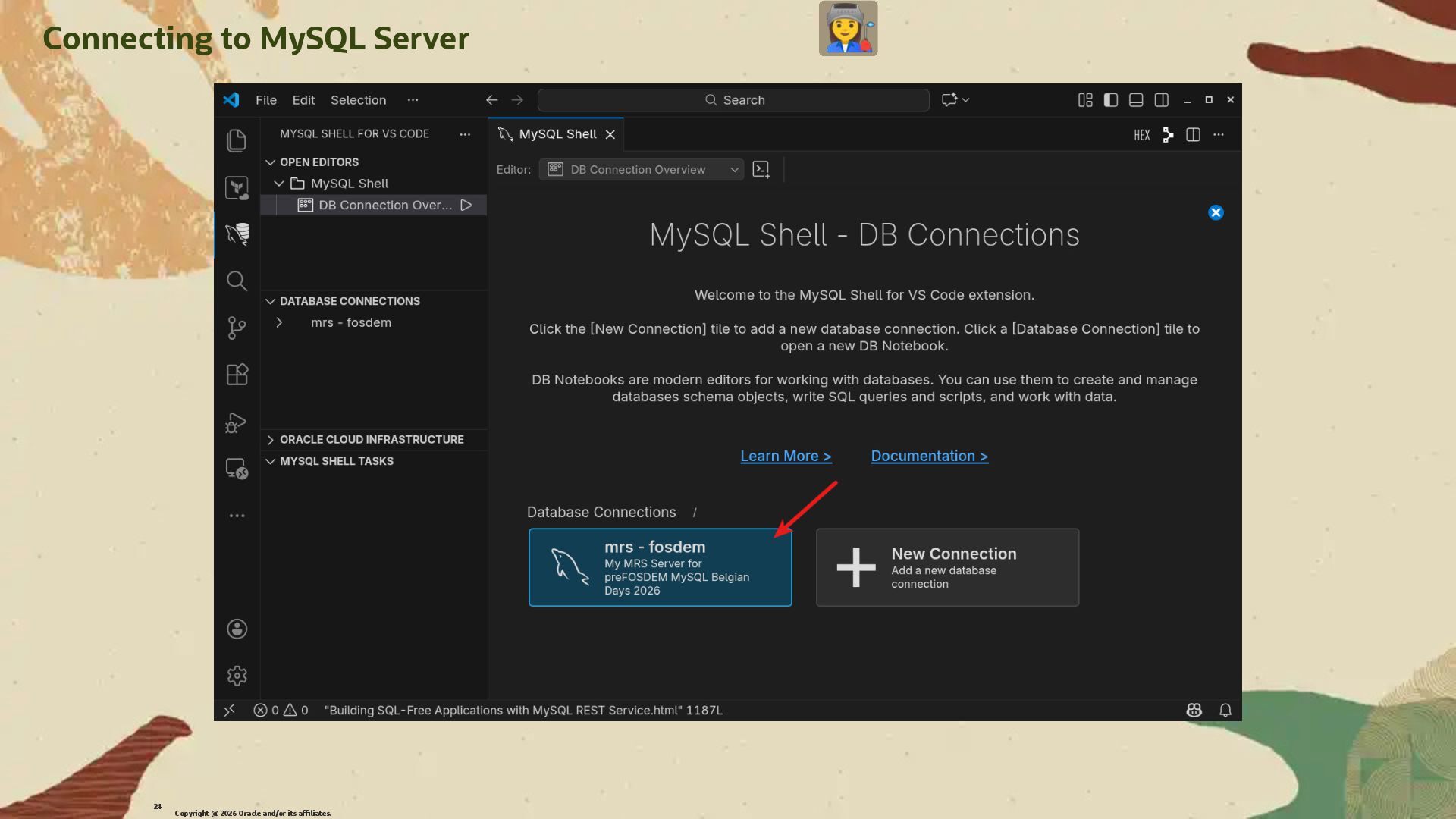
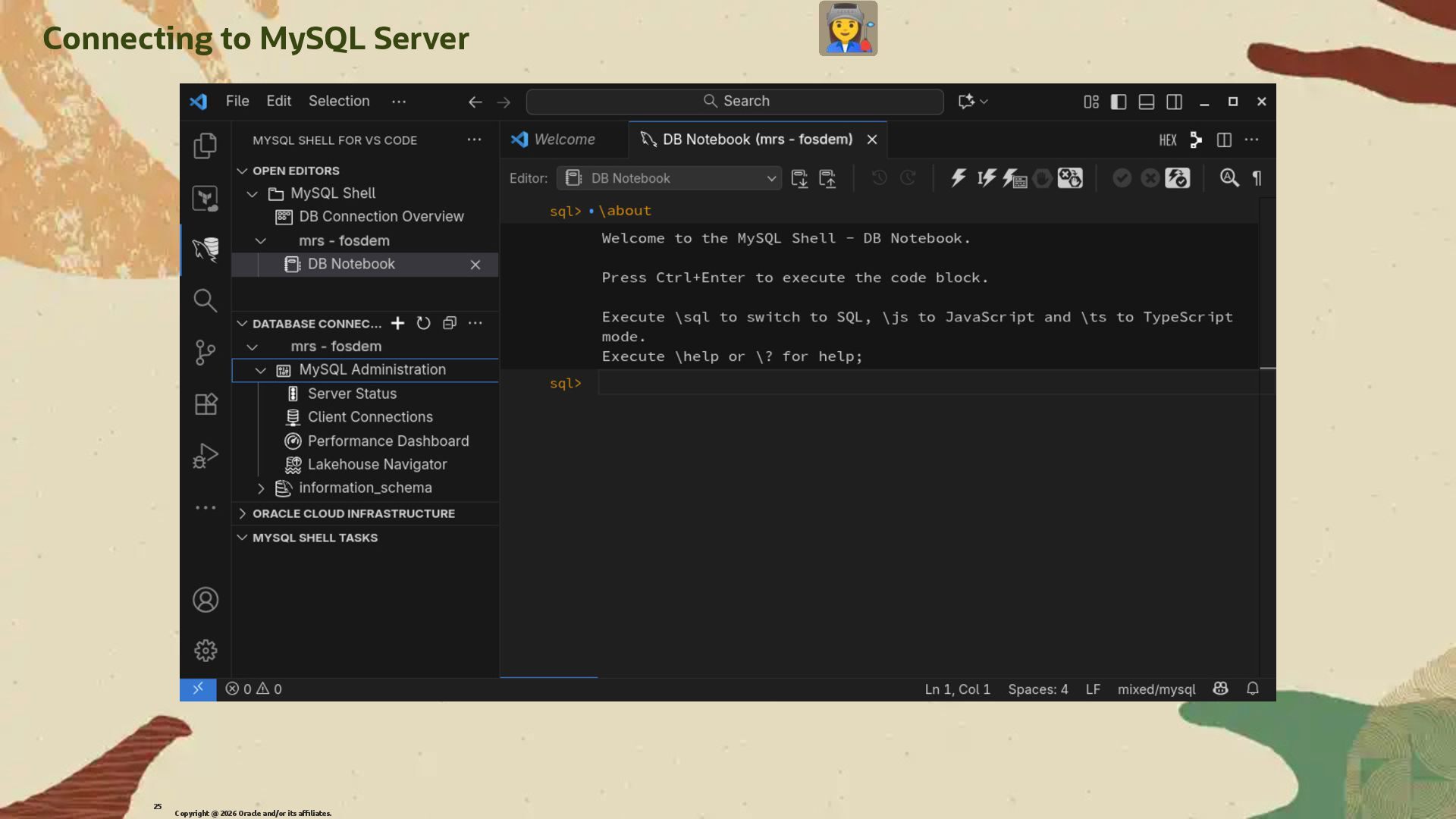
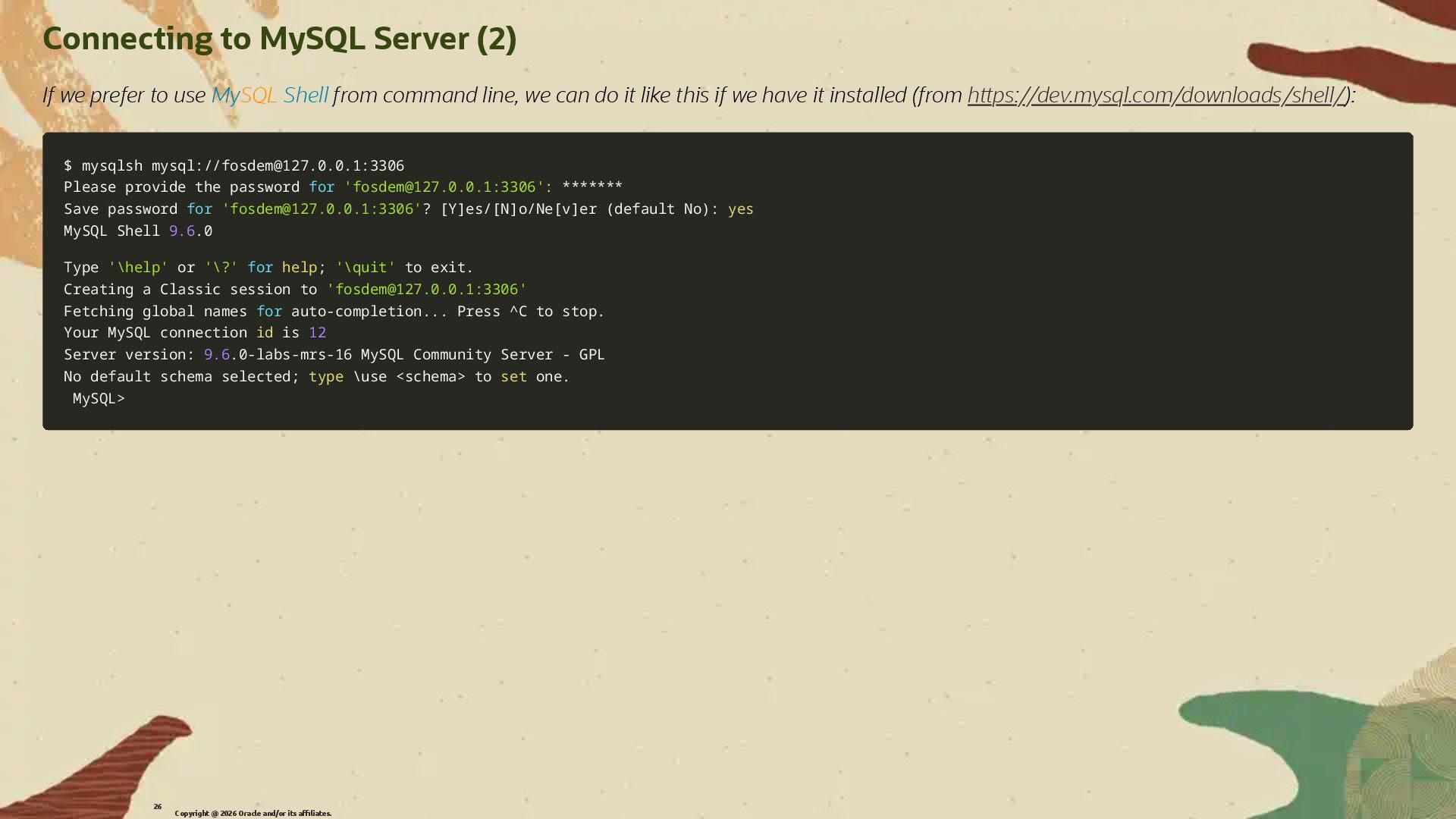
  18. Connecting to MySQL Server (2) If we prefer to use

    MySQL Shell from command line, we can do it like this if we have it installed (from h�ps://dev.mysql.com/downloads/shell/): $ mysqlsh mysql://[email protected]:3306 $ mysqlsh mysql://[email protected]:3306 Please provide the password Please provide the password for for '[email protected]:3306' '[email protected]:3306': : ******* ******* Save password Save password for for '[email protected]:3306' '[email protected]:3306'? ? [ [Y Y] ]es/ es/[ [N N] ]o/Ne o/Ne[ [v v] ]er er ( (default No default No) ): : yes yes MySQL Shell MySQL Shell 9.6 9.6.0 .0 Type Type '\help' '\help' or or '\?' '\?' for for help help; ; '\quit' '\quit' to exit. to exit. Creating a Classic session to Creating a Classic session to '[email protected]:3306' '[email protected]:3306' Fetching global names Fetching global names for for auto-completion auto-completion.. ... Press ^C to stop. . Press ^C to stop. Your MySQL connection Your MySQL connection id id is is 12 12 Server version: Server version: 9.6 9.6.0-labs-mrs-16 MySQL Community Server - GPL .0-labs-mrs-16 MySQL Community Server - GPL No default schema selected No default schema selected; ; type type \ \use use < <schema schema> > to to set set one. one. MySQL MySQL> > Copyright @ 2026 Oracle and/or its affiliates. 26
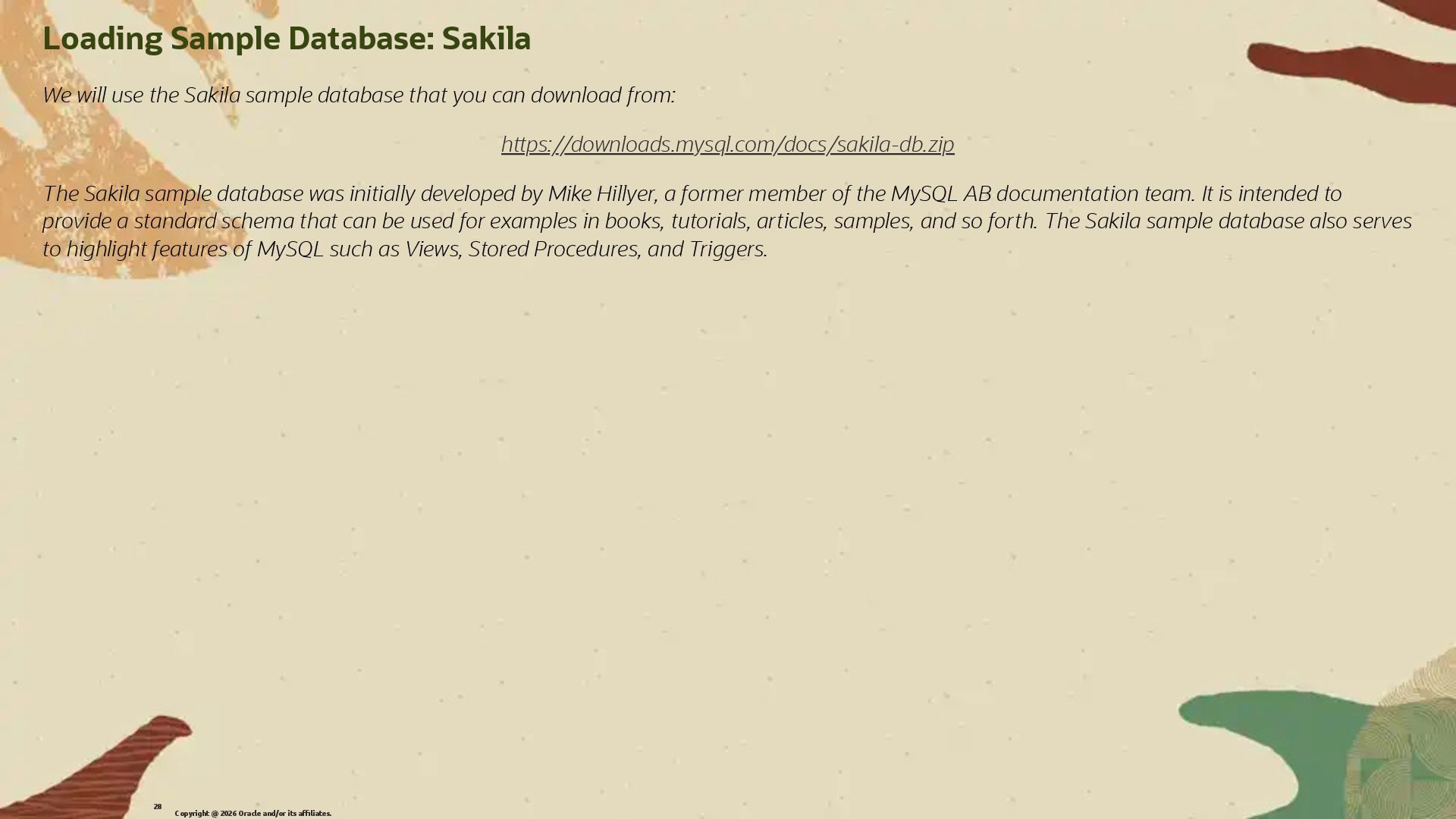
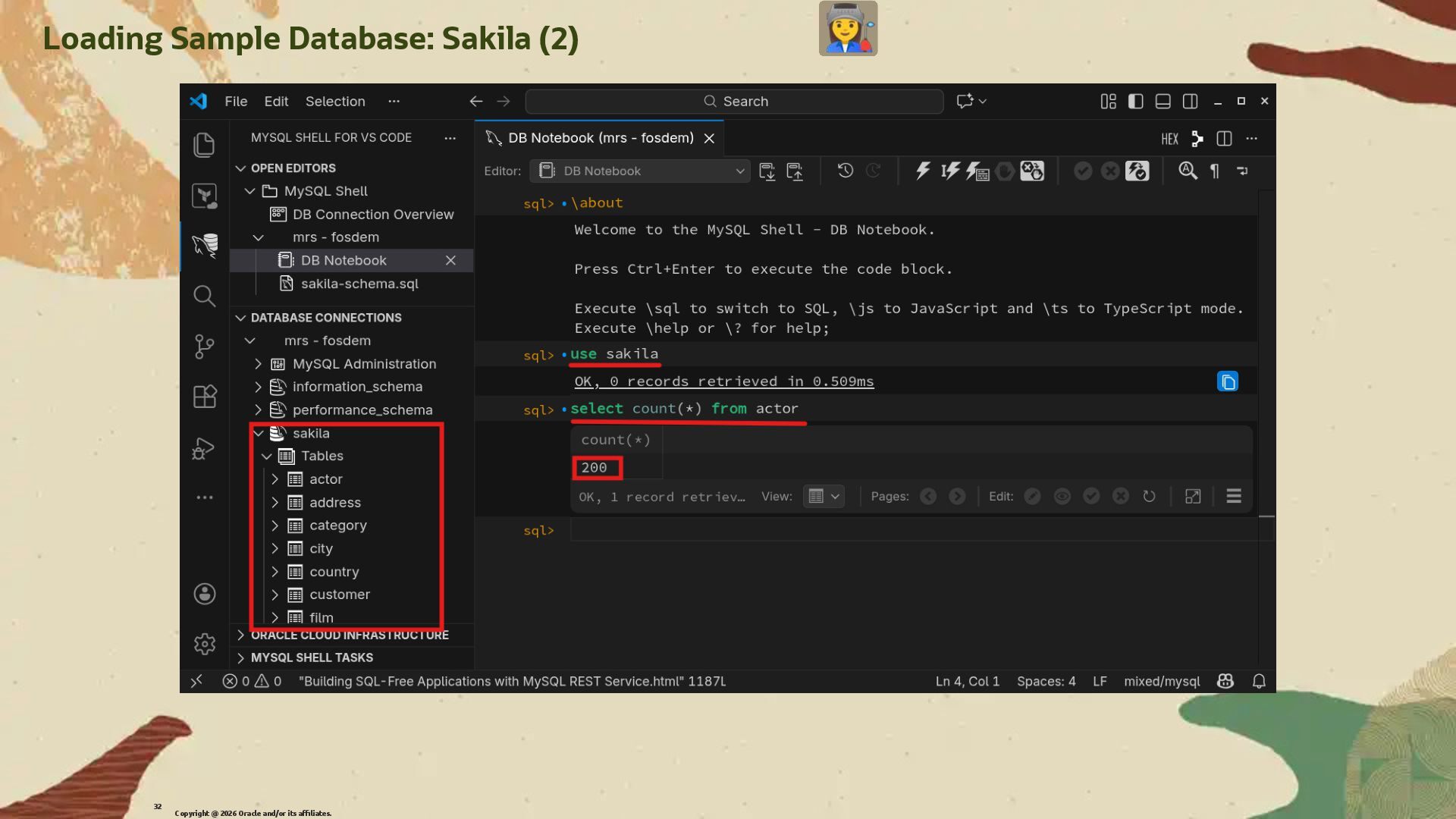
  19. Loading Sample Database: Sakila We will use the Sakila sample

    database that you can download from: h�ps://downloads.mysql.com/docs/sakila-db.zip The Sakila sample database was initially developed by Mike Hillyer, a former member of the MySQL AB documentation team. It is intended to provide a standard schema that can be used for examples in books, tutorials, articles, samples, and so forth. The Sakila sample database also serves to highlight features of MySQL such as Views, Stored Procedures, and Triggers. Copyright @ 2026 Oracle and/or its affiliates. 28
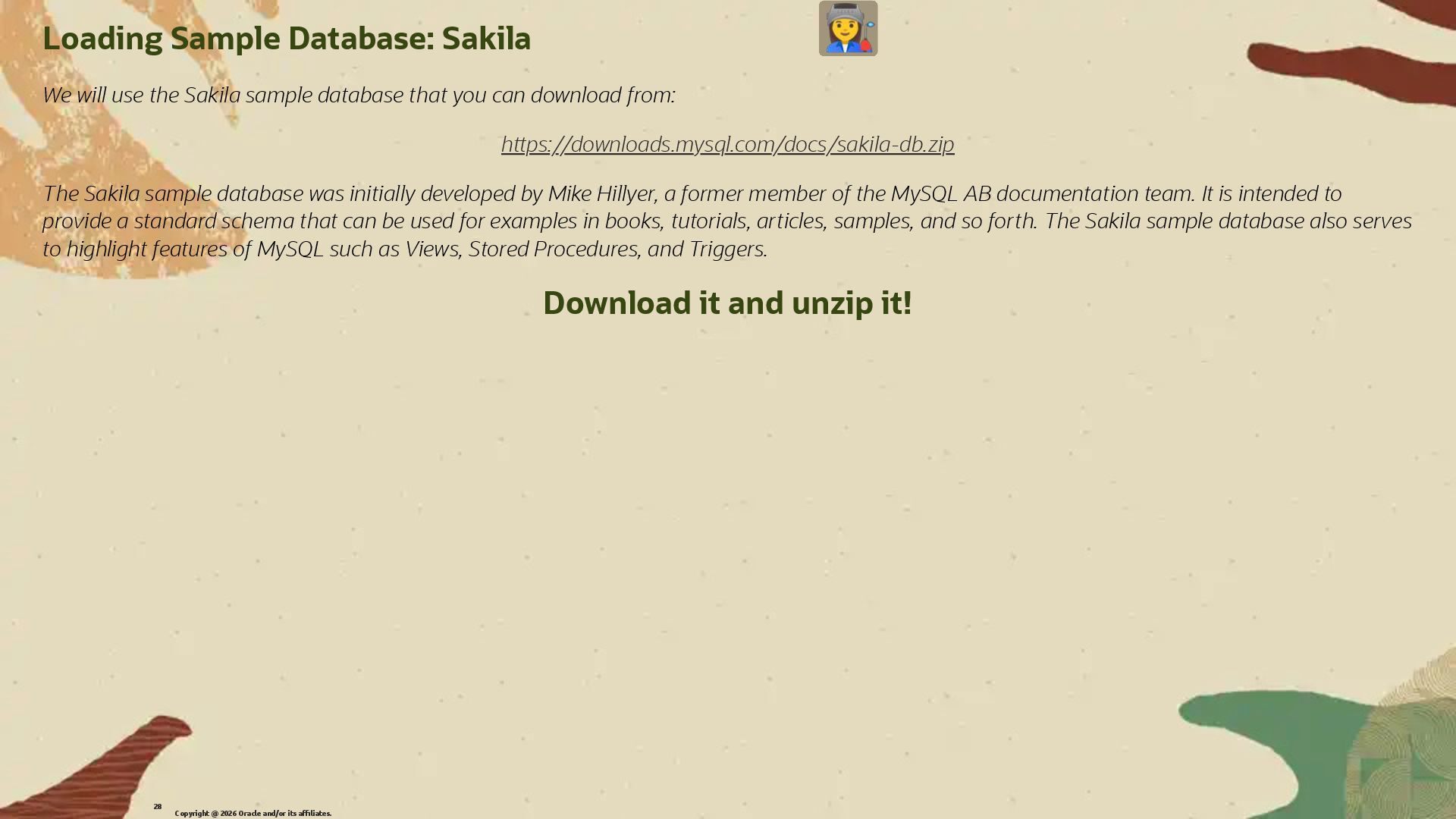
  20. Loading Sample Database: Sakila We will use the Sakila sample

    database that you can download from: h�ps://downloads.mysql.com/docs/sakila-db.zip The Sakila sample database was initially developed by Mike Hillyer, a former member of the MySQL AB documentation team. It is intended to provide a standard schema that can be used for examples in books, tutorials, articles, samples, and so forth. The Sakila sample database also serves to highlight features of MySQL such as Views, Stored Procedures, and Triggers. Download it and unzip it! Copyright @ 2026 Oracle and/or its affiliates. 28
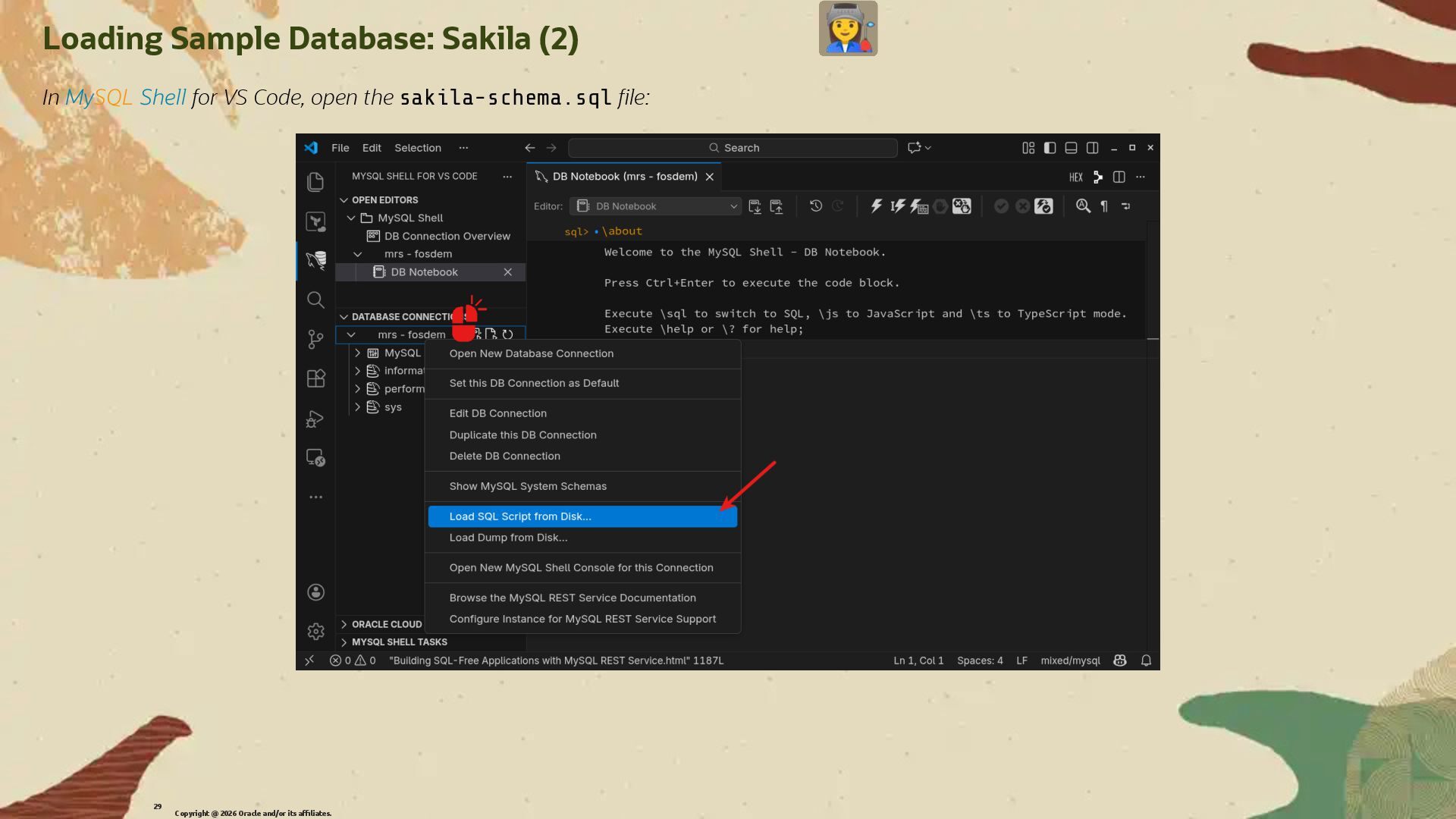
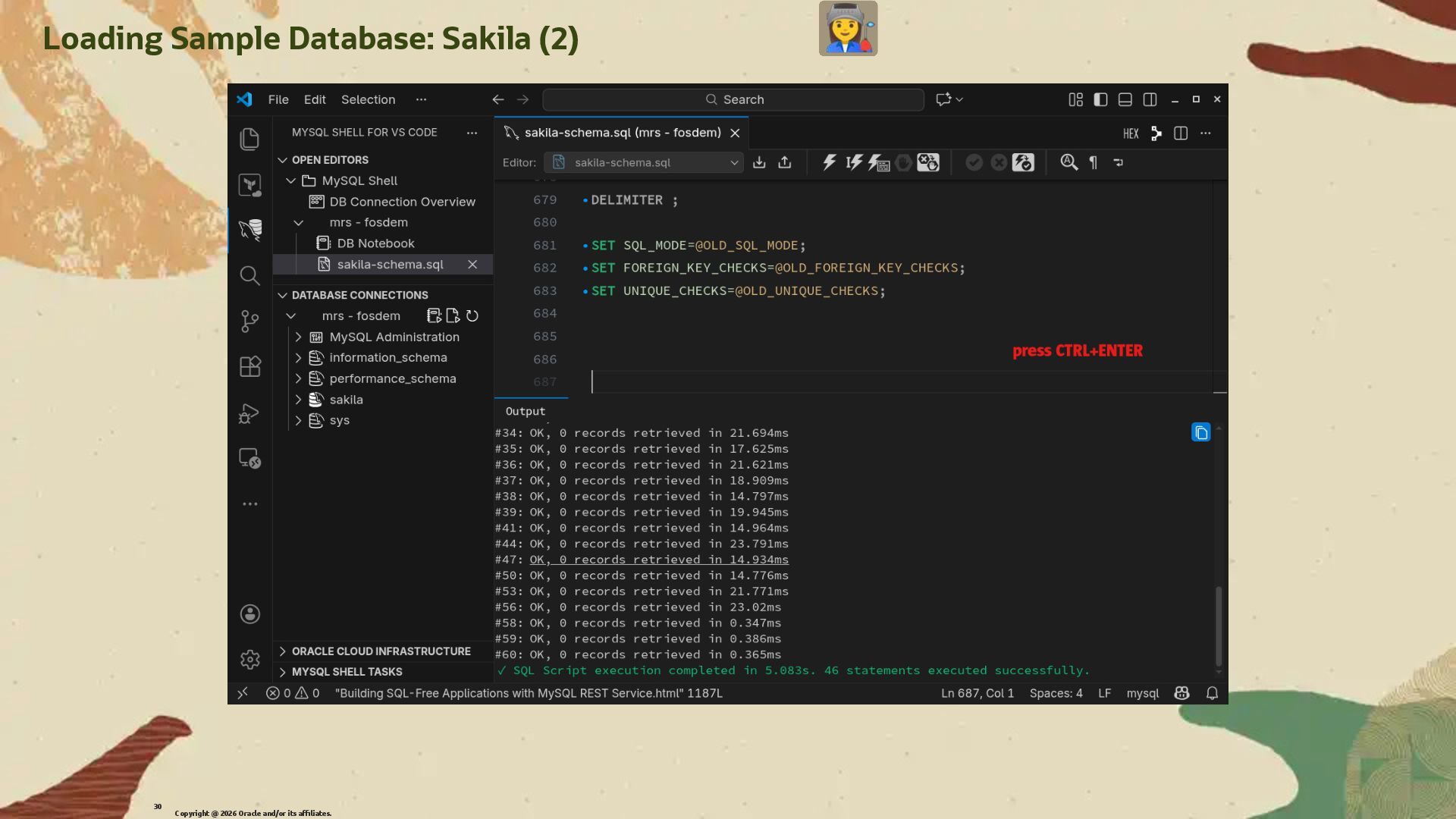
  21. Loading Sample Database: Sakila (2) In MySQL Shell for VS

    Code, open the sakila-schema.sql �le: Copyright @ 2026 Oracle and/or its affiliates. 29
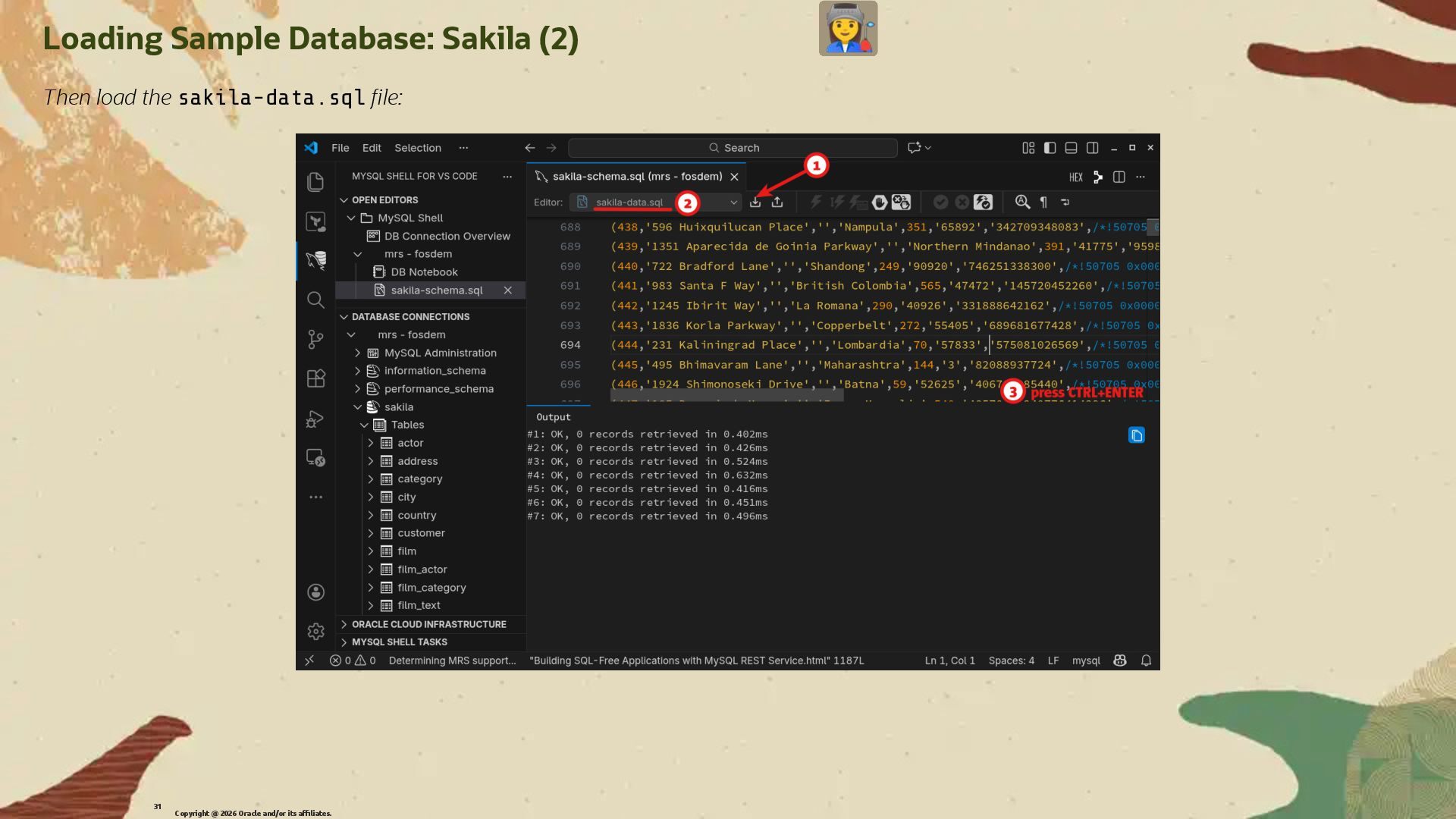
  22. Loading Sample Database: Sakila (2) Then load the sakila-data.sql �le:

    Copyright @ 2026 Oracle and/or its affiliates. 31
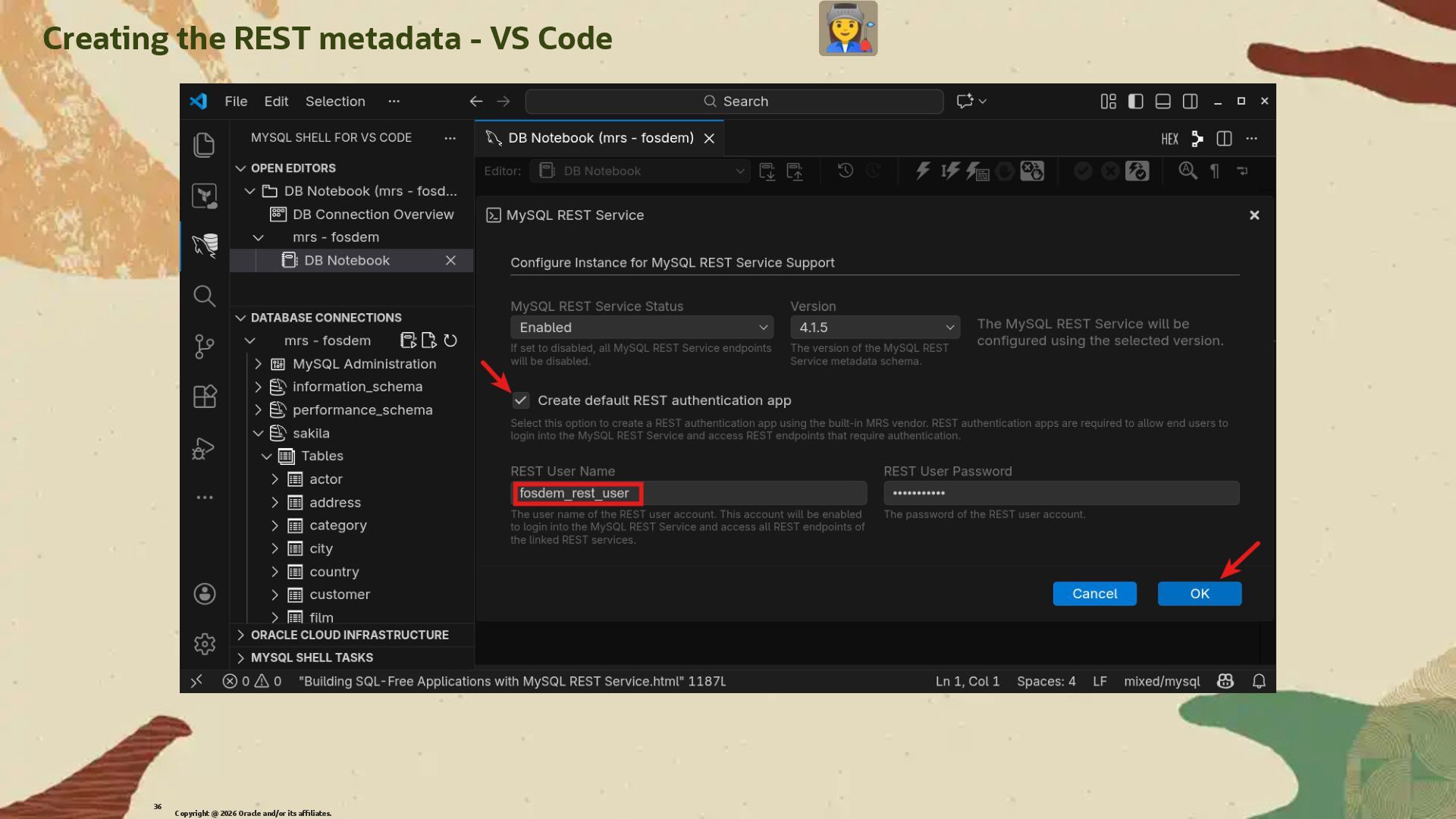
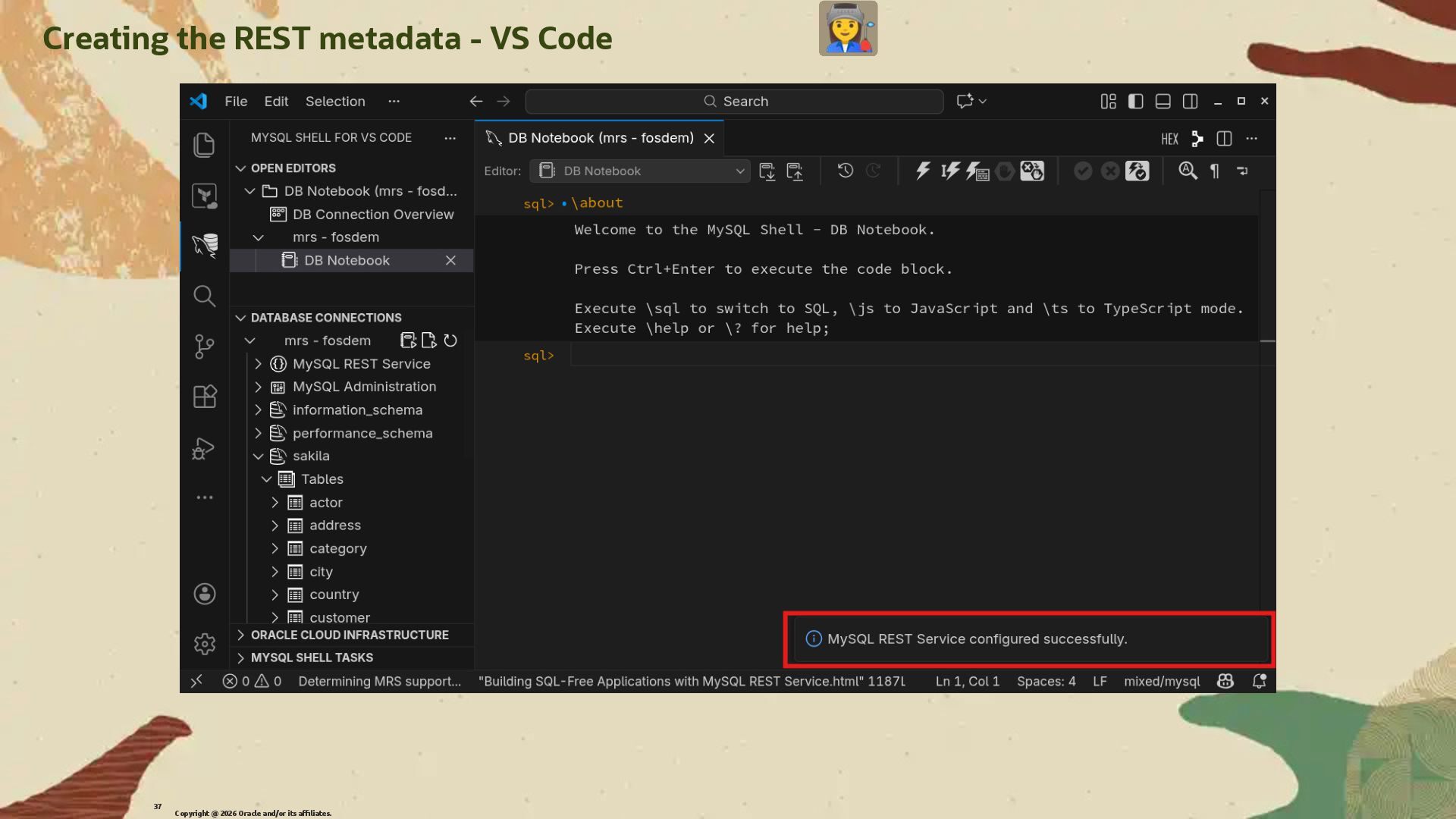
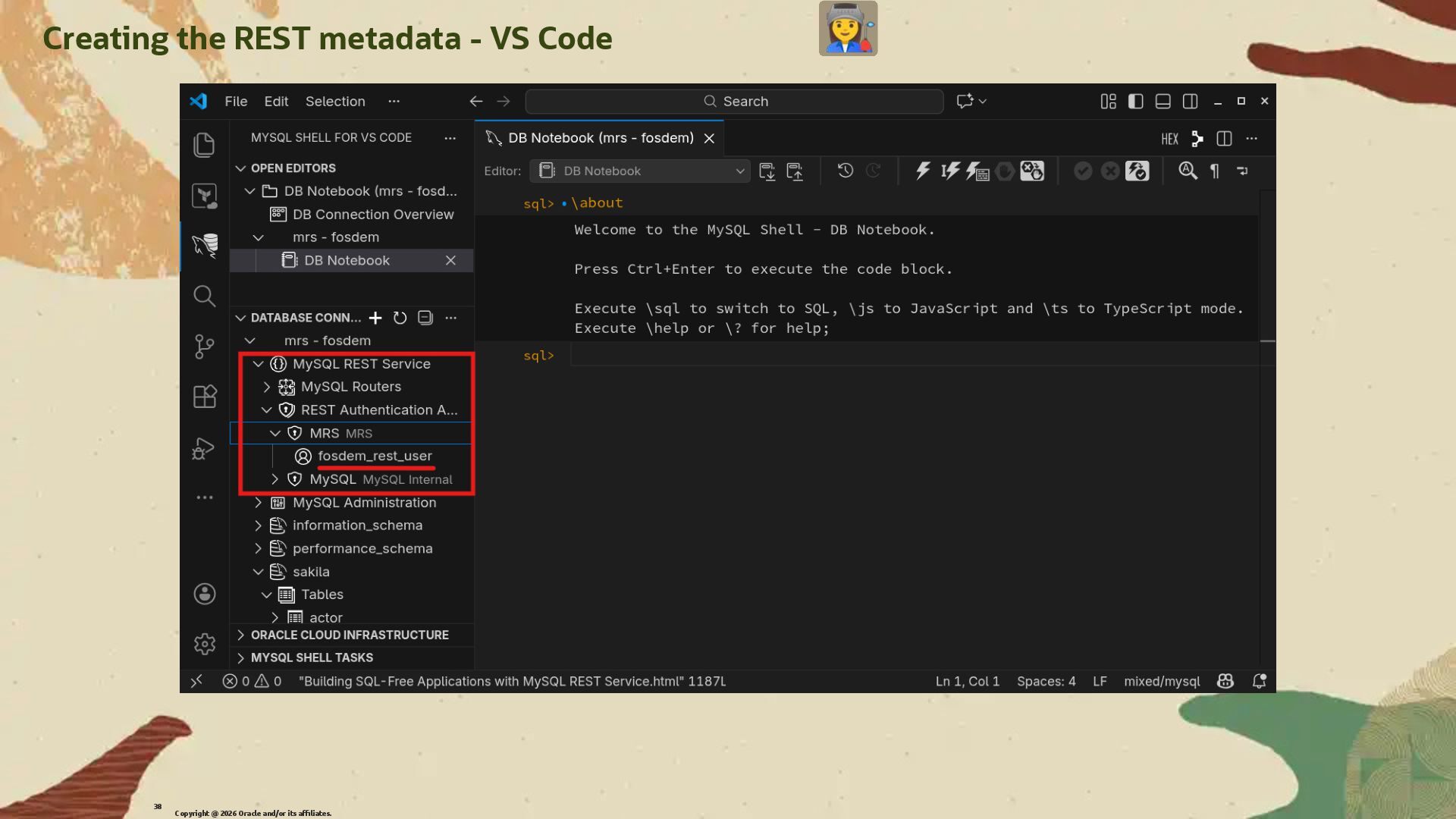
  23. Creating the REST metadata The very �rst step for the

    MySQL REST Service component to work is to create the metadata schema. We perform this operation even before loading the component. Copyright @ 2026 Oracle and/or its affiliates. 34
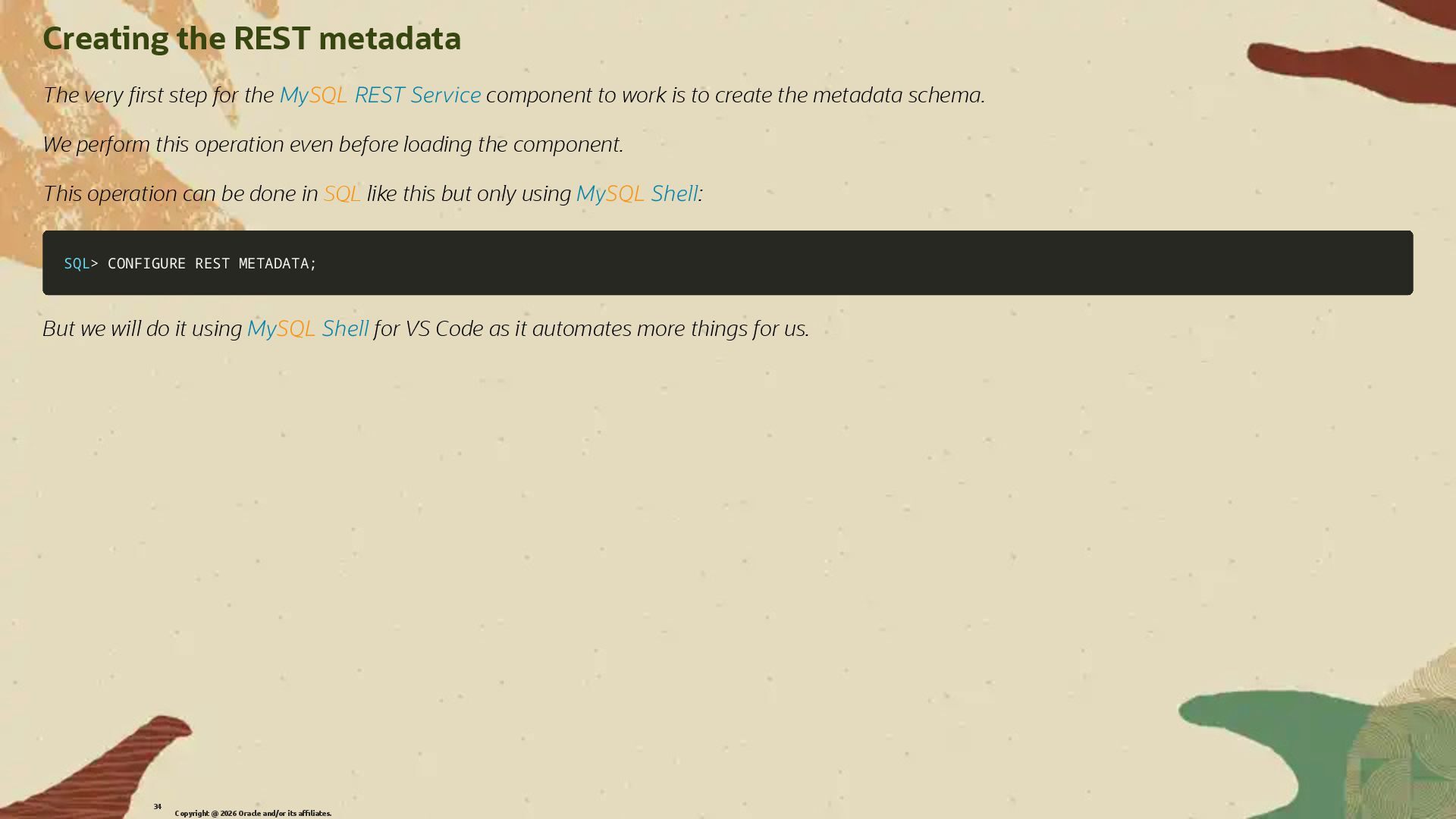
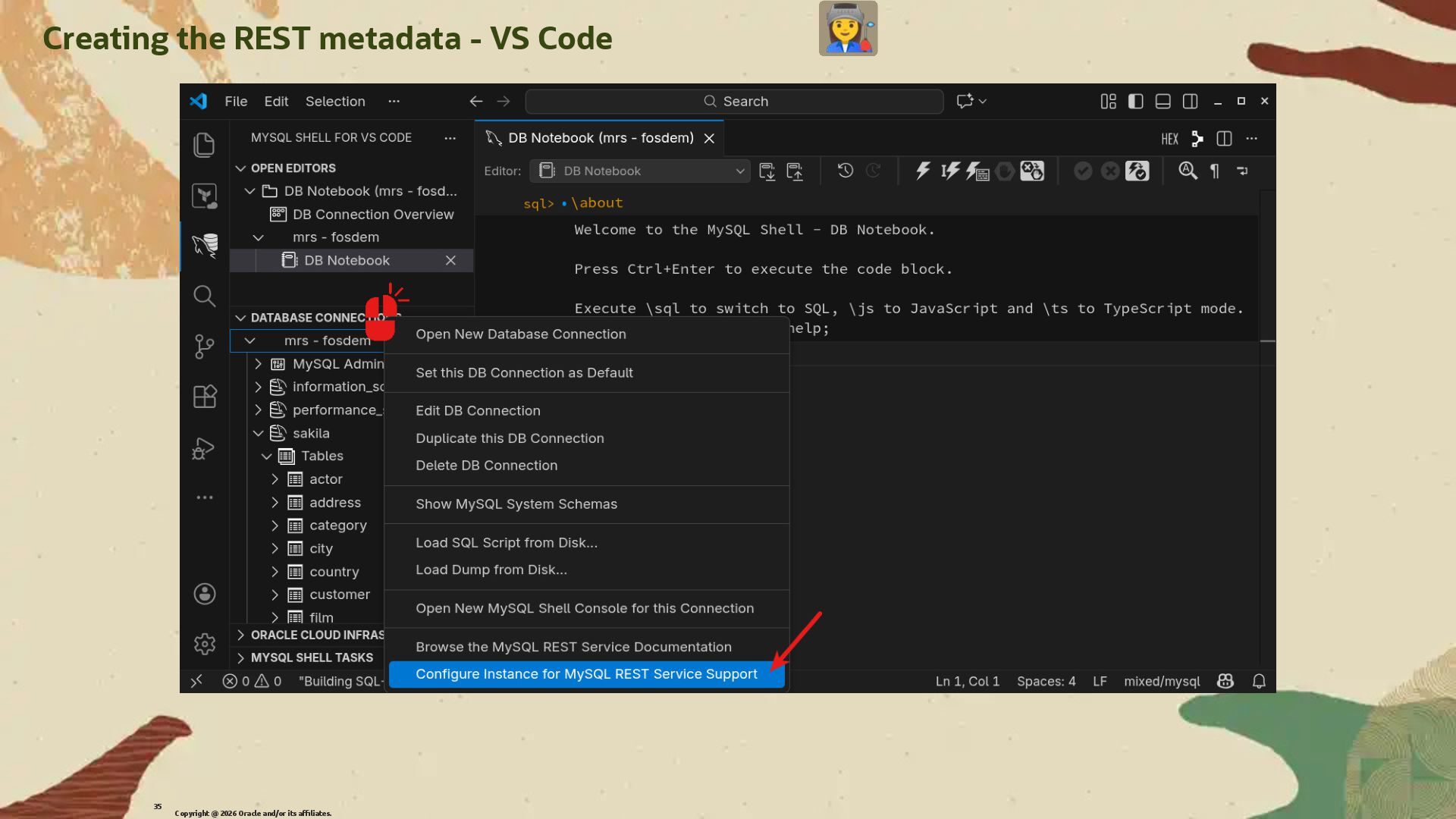
  24. Creating the REST metadata The very �rst step for the

    MySQL REST Service component to work is to create the metadata schema. We perform this operation even before loading the component. This operation can be done in SQL like this but only using MySQL Shell: SQL SQL> > CONFIGURE REST METADATA CONFIGURE REST METADATA; ; But we will do it using MySQL Shell for VS Code as it automates more things for us. Copyright @ 2026 Oracle and/or its affiliates. 34
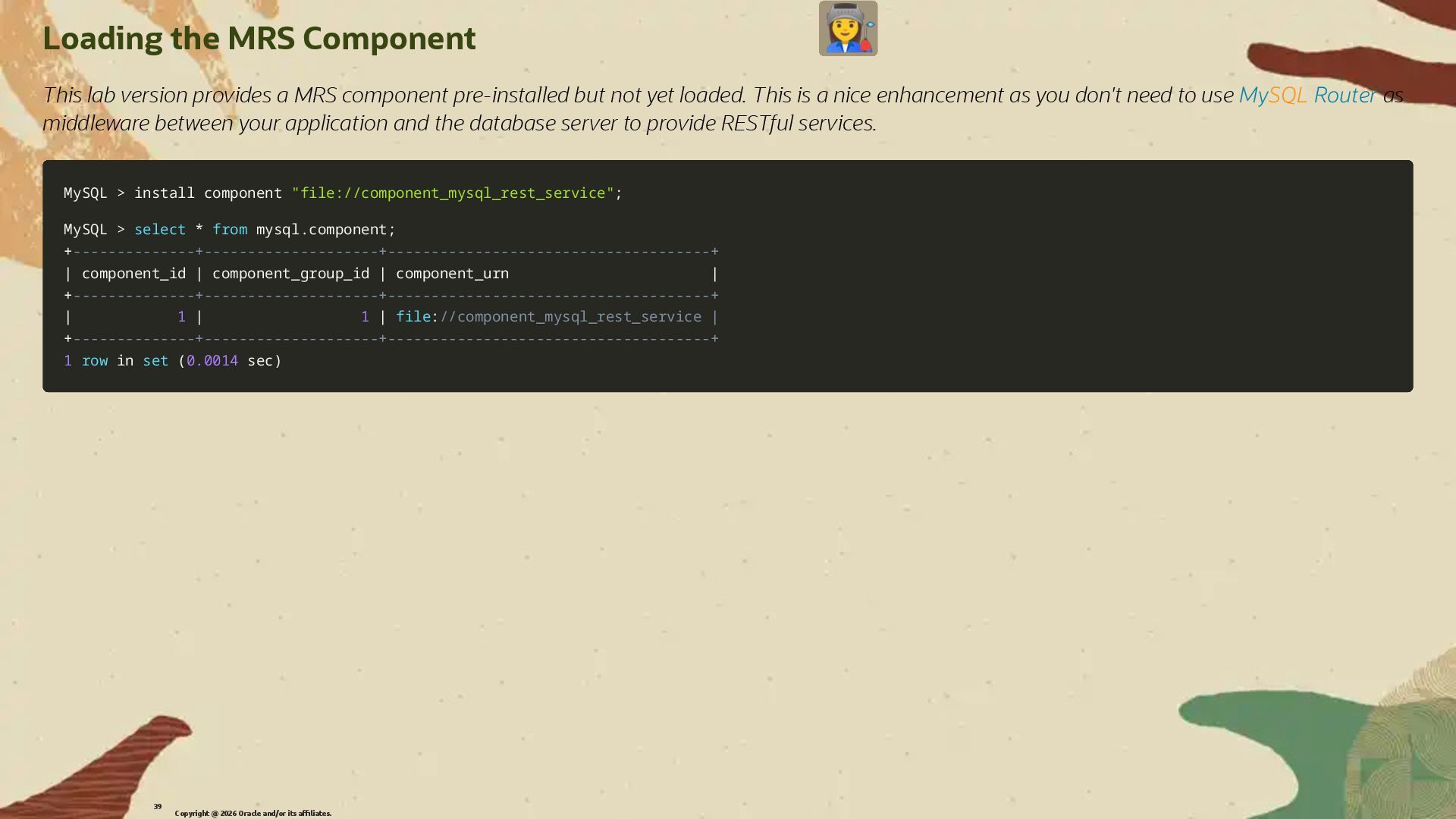
  25. Loading the MRS Component This lab version provides a MRS

    component pre-installed but not yet loaded. This is a nice enhancement as you don't need to use MySQL Router as middleware between your application and the database server to provide RESTful services. Copyright @ 2026 Oracle and/or its affiliates. 39
  26. Loading the MRS Component This lab version provides a MRS

    component pre-installed but not yet loaded. This is a nice enhancement as you don't need to use MySQL Router as middleware between your application and the database server to provide RESTful services. MySQL MySQL > > install component install component "file://component_mysql_rest_service" "file://component_mysql_rest_service"; ; MySQL MySQL > > select select * * from from mysql mysql. .component component; ; + +--------------+--------------------+-------------------------------------+ --------------+--------------------+-------------------------------------+ | | component_id component_id | | component_group_id component_group_id | | component_urn component_urn | | + +--------------+--------------------+-------------------------------------+ --------------+--------------------+-------------------------------------+ | | 1 1 | | 1 1 | | file file: ://component_mysql_rest_service | //component_mysql_rest_service | + +--------------+--------------------+-------------------------------------+ --------------+--------------------+-------------------------------------+ 1 1 row row in in set set ( (0.0014 0.0014 sec sec) ) Copyright @ 2026 Oracle and/or its affiliates. 39
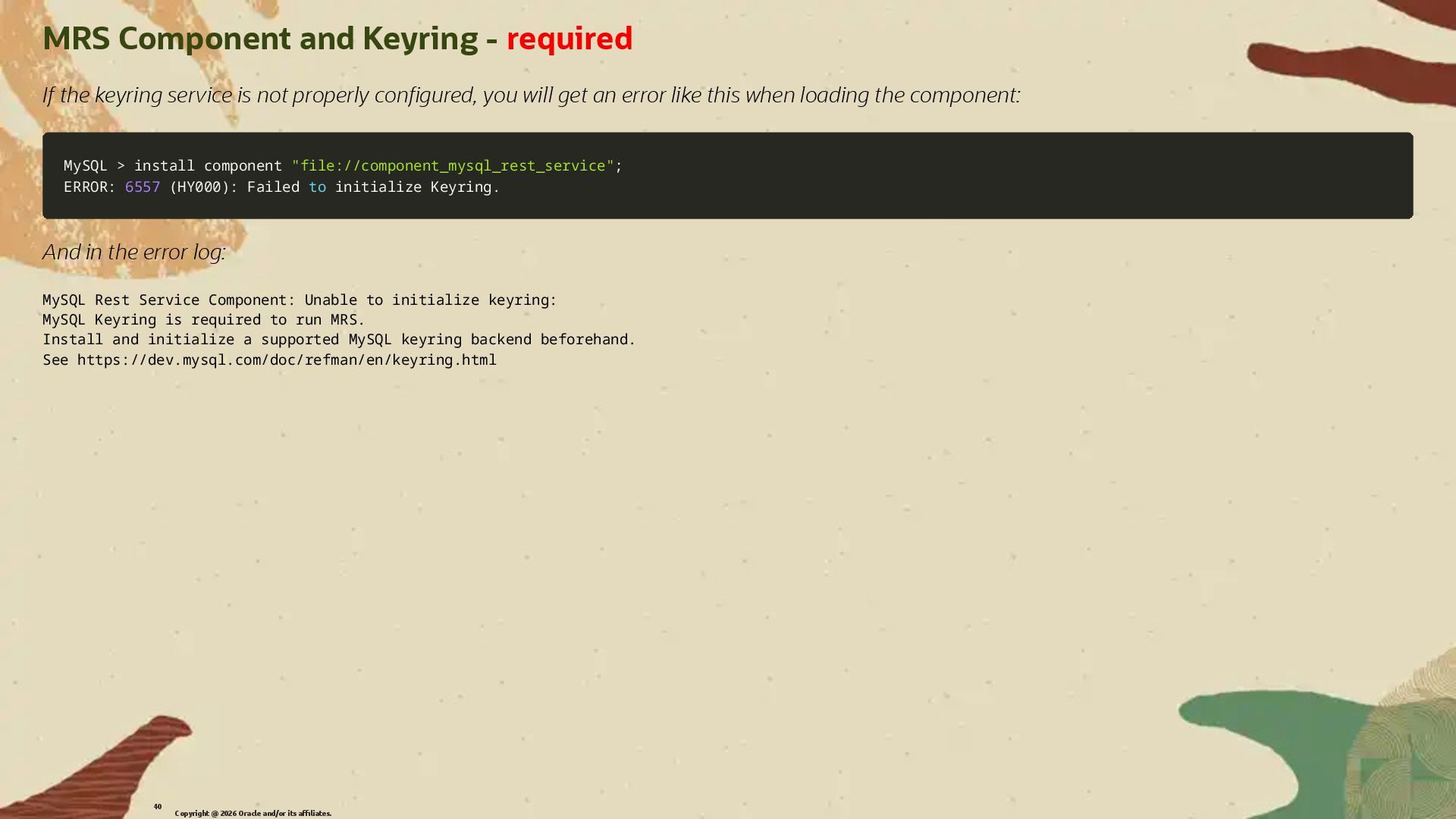
  27. MRS Component and Keyring - required If the keyring service

    is not properly con�gured, you will get an error like this when loading the component: MySQL MySQL > > install component install component "file://component_mysql_rest_service" "file://component_mysql_rest_service"; ; ERROR: ERROR: 6557 6557 ( (HY000 HY000) ): Failed : Failed to to initialize Keyring initialize Keyring. . And in the error log: MySQL Rest Service Component: Unable to initialize keyring: MySQL Keyring is required to run MRS. Install and initialize a supported MySQL keyring backend beforehand. See https://dev.mysql.com/doc/refman/en/keyring.html Copyright @ 2026 Oracle and/or its affiliates. 40
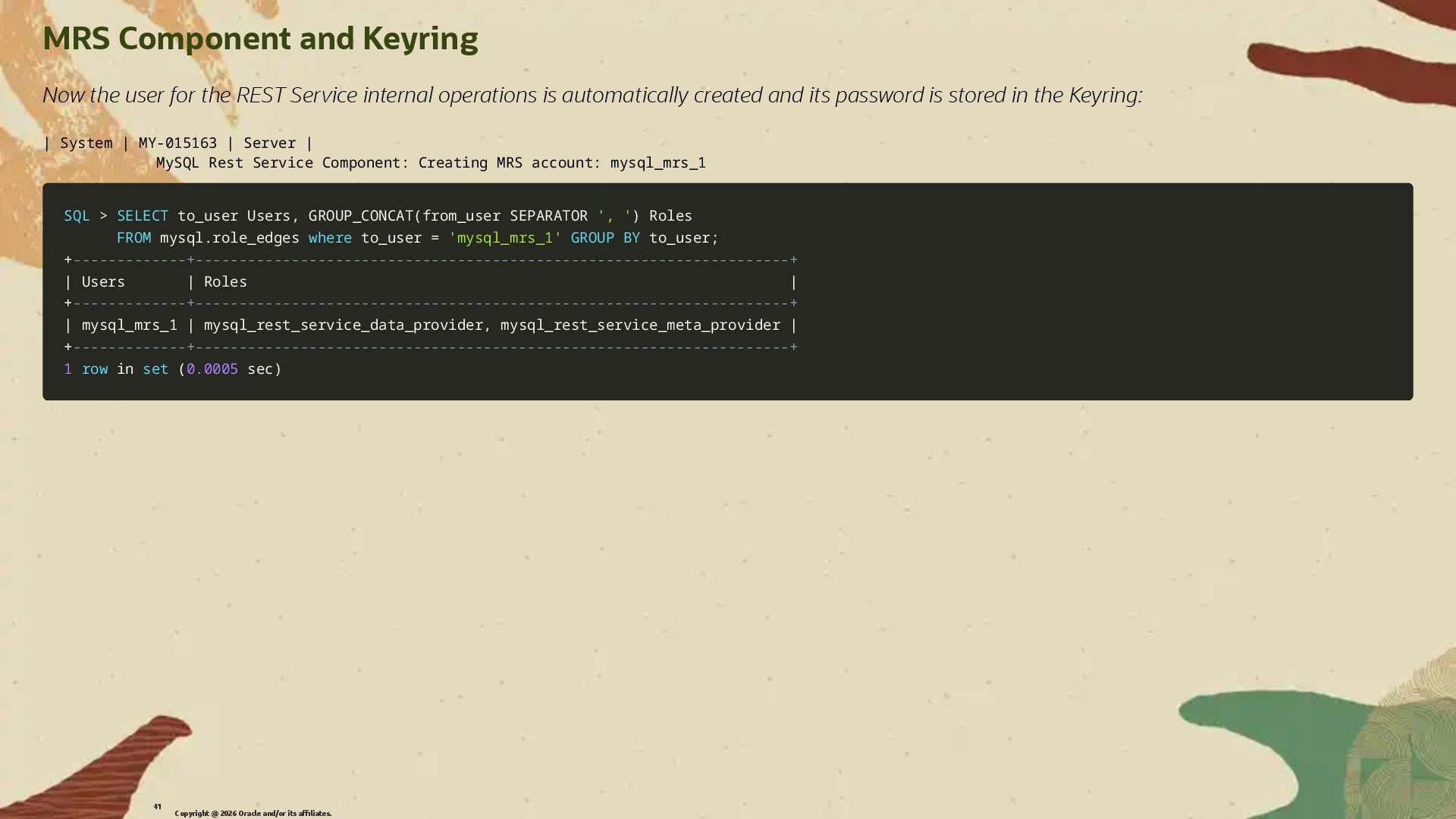
  28. MRS Component and Keyring Now the user for the REST

    Service internal operations is automatically created and its password is stored in the Keyring: | System | MY-015163 | Server | MySQL Rest Service Component: Creating MRS account: mysql_mrs_1 SQL SQL > > SELECT SELECT to_user Users to_user Users, , GROUP_CONCAT GROUP_CONCAT( (from_user SEPARATOR from_user SEPARATOR ', ' ', ') ) Roles Roles FROM FROM mysql mysql. .role_edges role_edges where where to_user to_user = = 'mysql_mrs_1' 'mysql_mrs_1' GROUP GROUP BY BY to_user to_user; ; + +-------------+--------------------------------------------------------------------+ -------------+--------------------------------------------------------------------+ | | Users Users | | Roles Roles | | + +-------------+--------------------------------------------------------------------+ -------------+--------------------------------------------------------------------+ | | mysql_mrs_1 mysql_mrs_1 | | mysql_rest_service_data_provider mysql_rest_service_data_provider, , mysql_rest_service_meta_provider mysql_rest_service_meta_provider | | + +-------------+--------------------------------------------------------------------+ -------------+--------------------------------------------------------------------+ 1 1 row row in in set set ( (0.0005 0.0005 sec sec) ) Copyright @ 2026 Oracle and/or its affiliates. 41
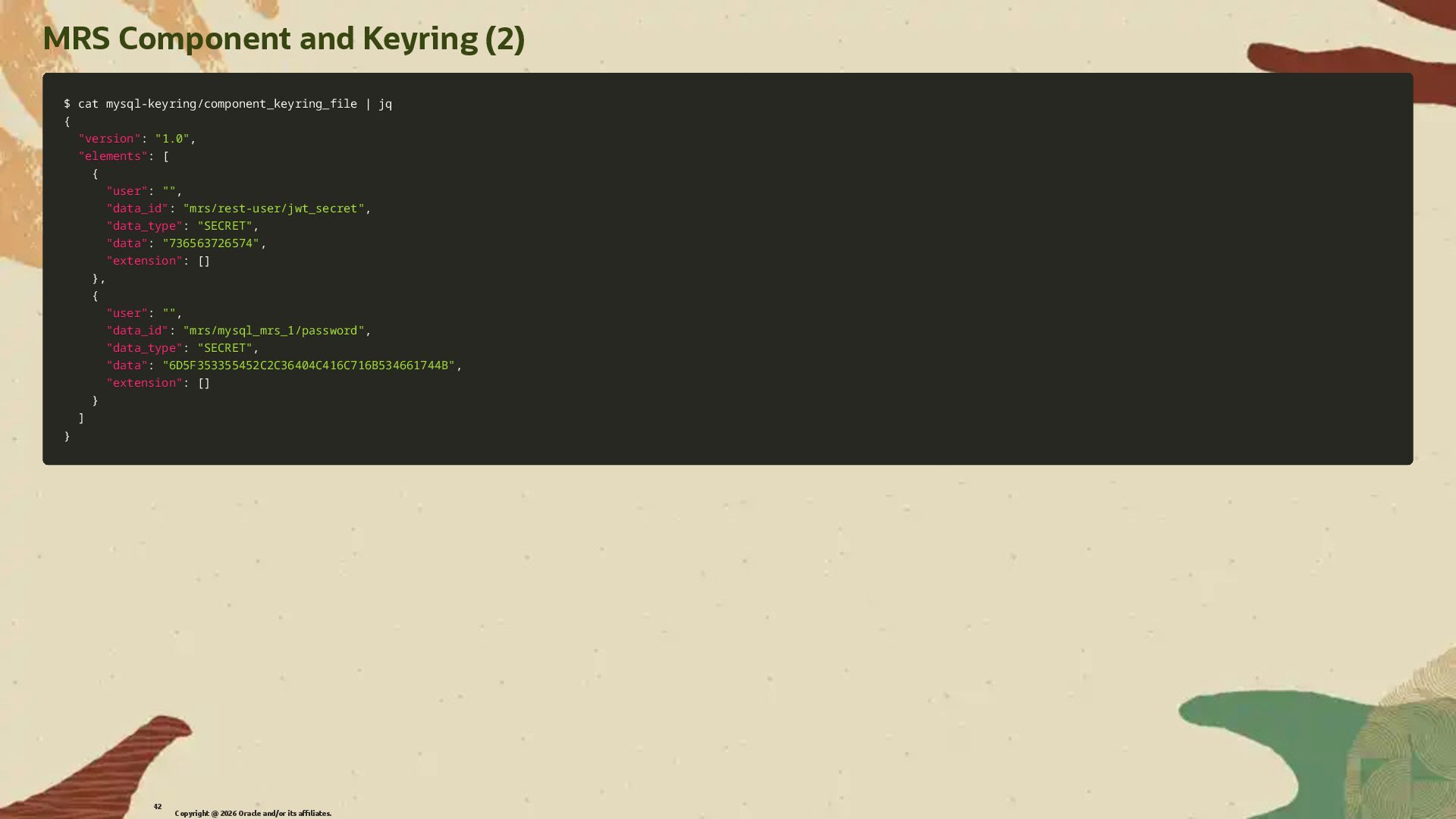
  29. MRS Component and Keyring (2) $ cat mysql-keyring/component_keyring_file | jq

    $ cat mysql-keyring/component_keyring_file | jq { { "version" "version": : "1.0" "1.0", , "elements" "elements": : [ [ { { "user" "user": : "" "", , "data_id" "data_id": : "mrs/rest-user/jwt_secret" "mrs/rest-user/jwt_secret", , "data_type" "data_type": : "SECRET" "SECRET", , "data" "data": : "736563726574" "736563726574", , "extension" "extension": : [ [] ] } }, , { { "user" "user": : "" "", , "data_id" "data_id": : "mrs/mysql_mrs_1/password" "mrs/mysql_mrs_1/password", , "data_type" "data_type": : "SECRET" "SECRET", , "data" "data": : "6D5F353355452C2C36404C416C716B534661744B" "6D5F353355452C2C36404C416C716B534661744B", , "extension" "extension": : [ [] ] } } ] ] } } Copyright @ 2026 Oracle and/or its affiliates. 42
  30. Building RESTful APIs with MRS MySQL without SQL Copyright @

    2026 Oracle and/or its affiliates. 43
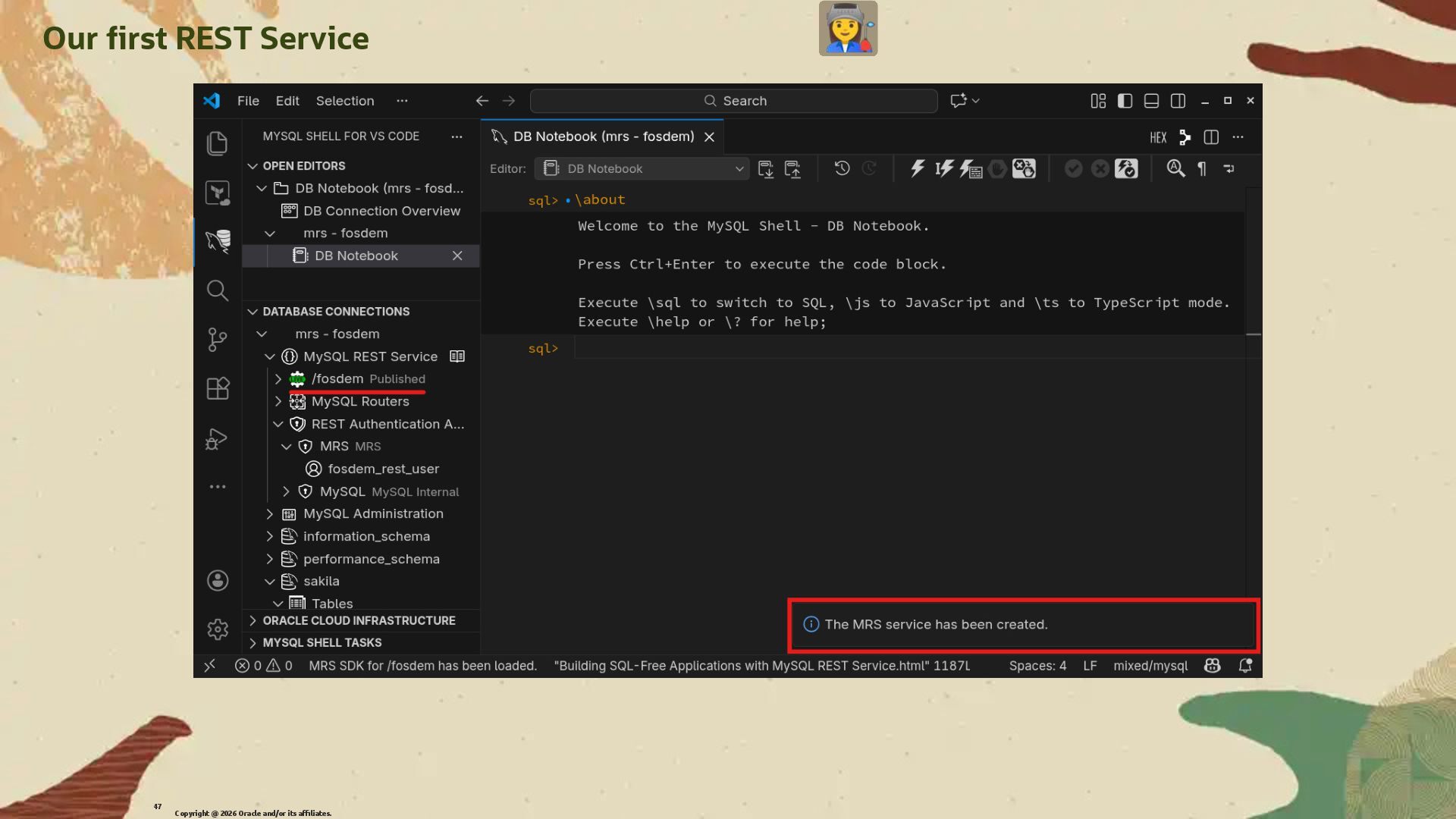
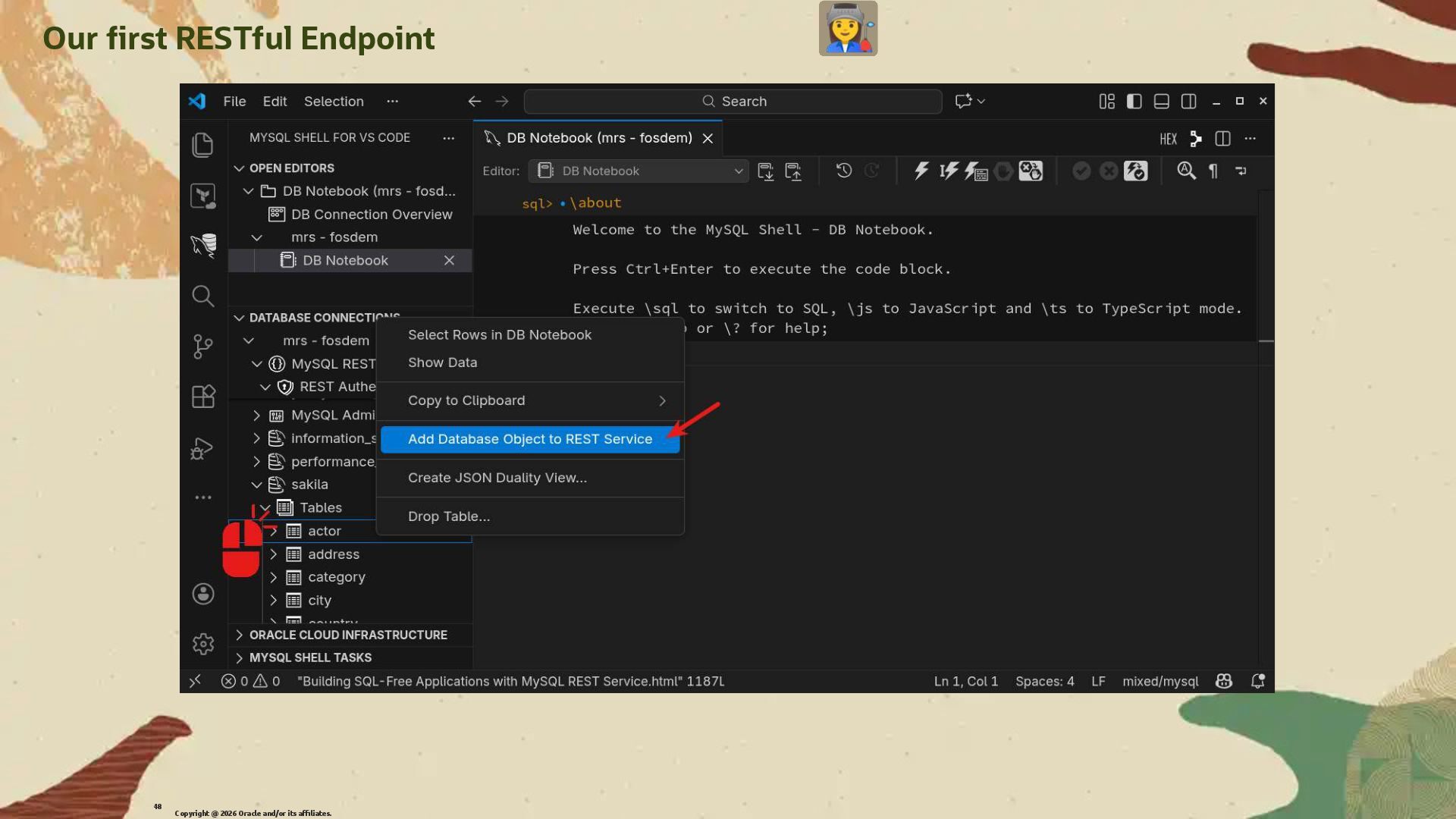
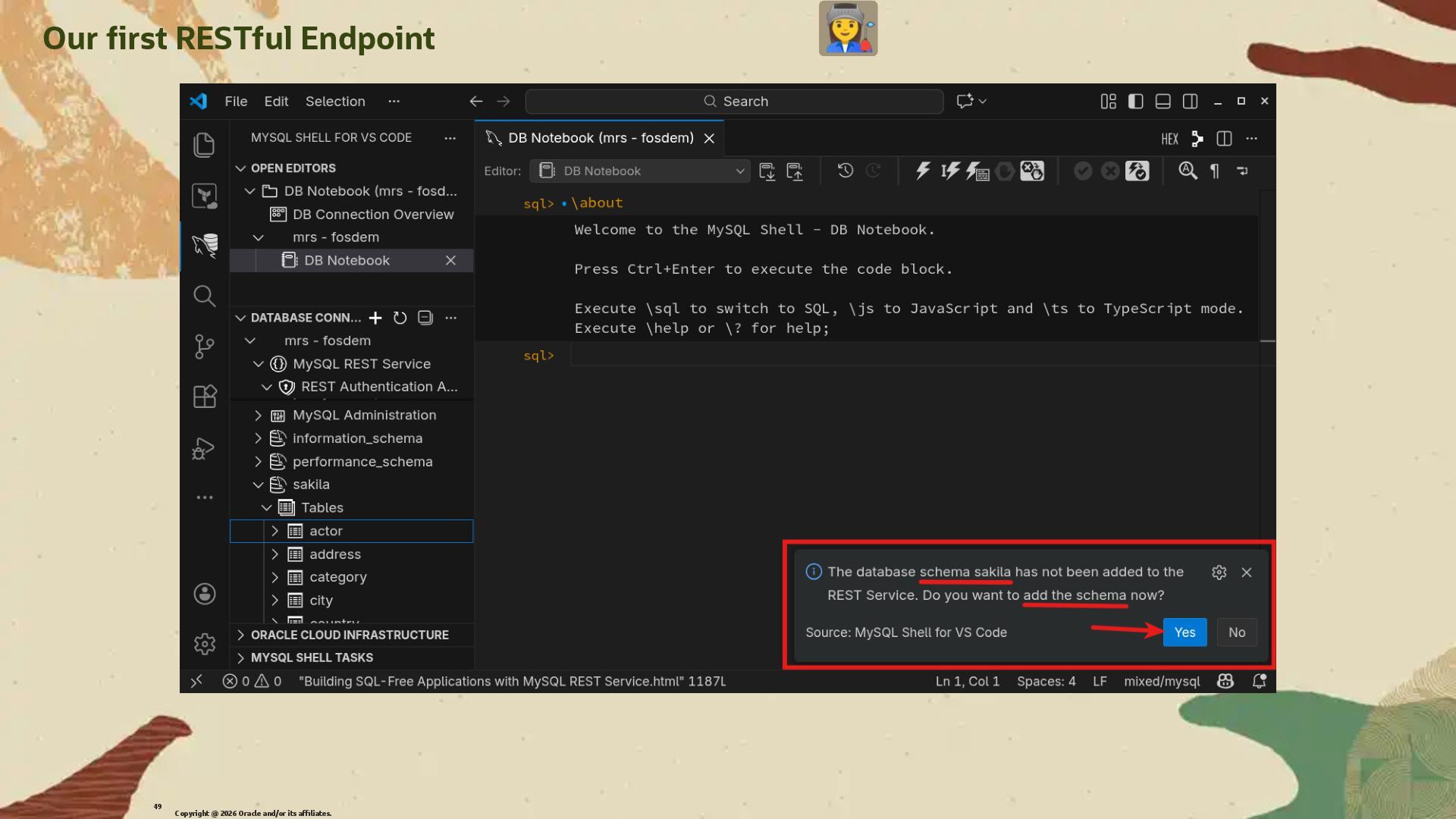
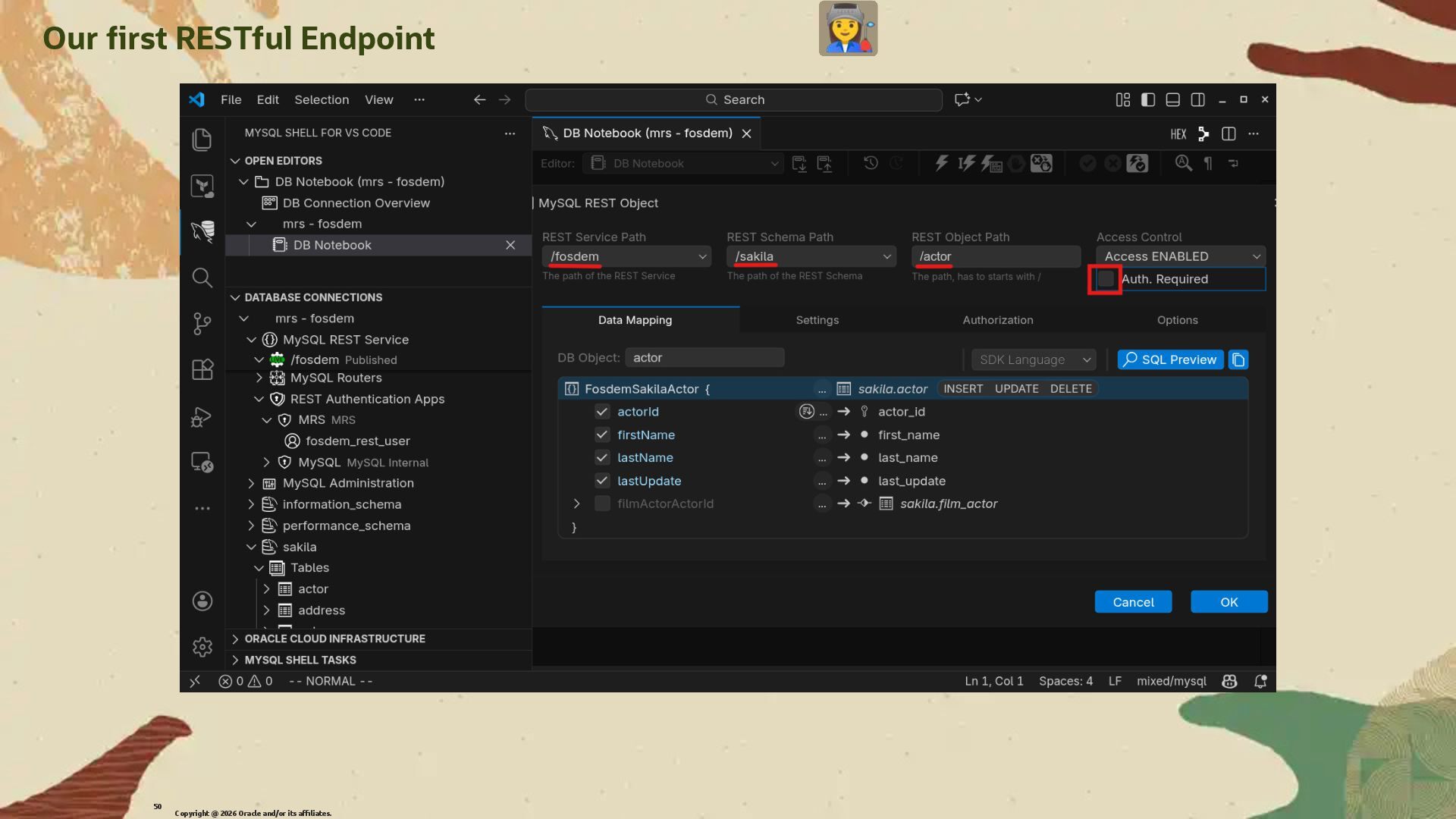
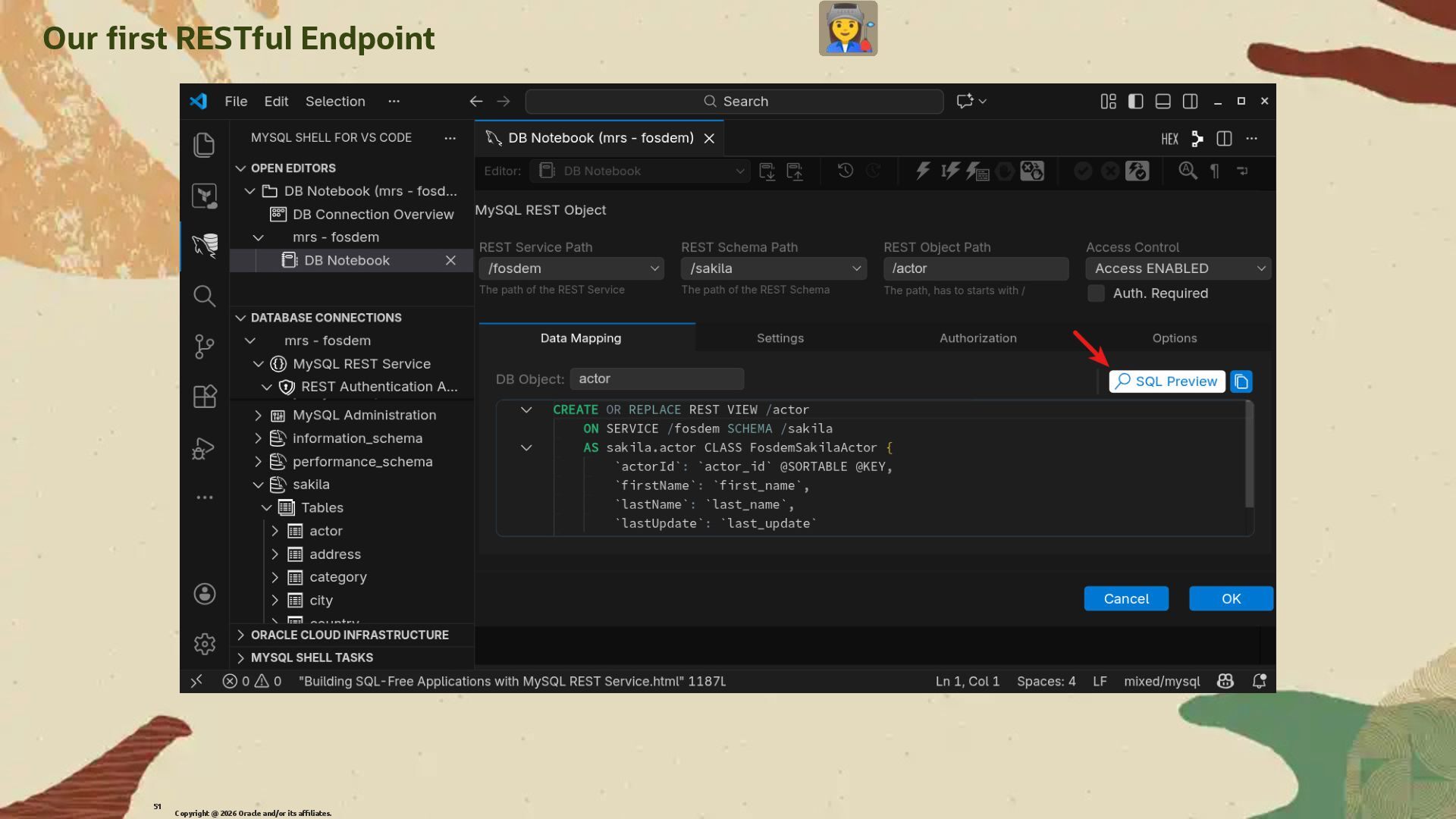
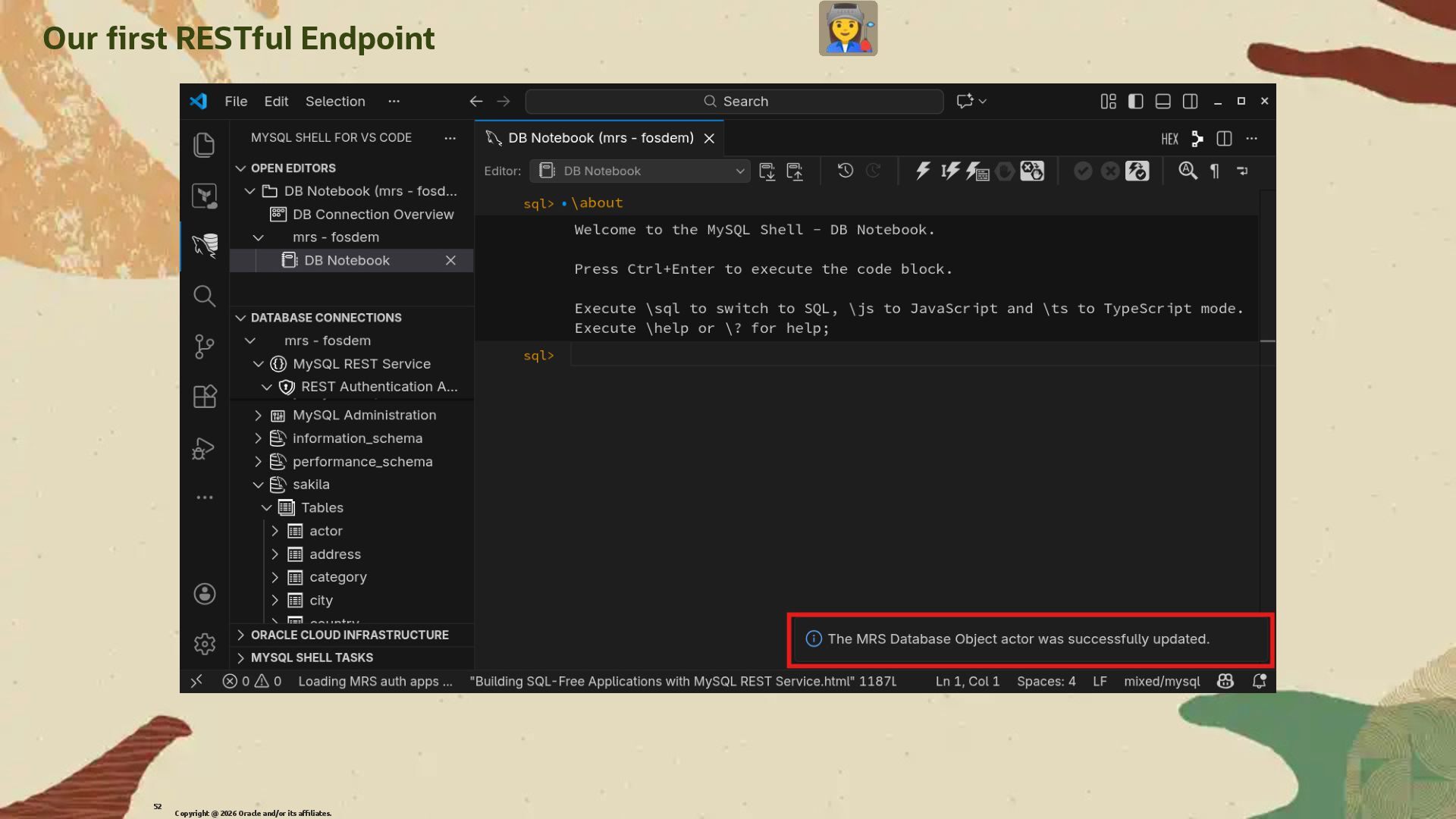
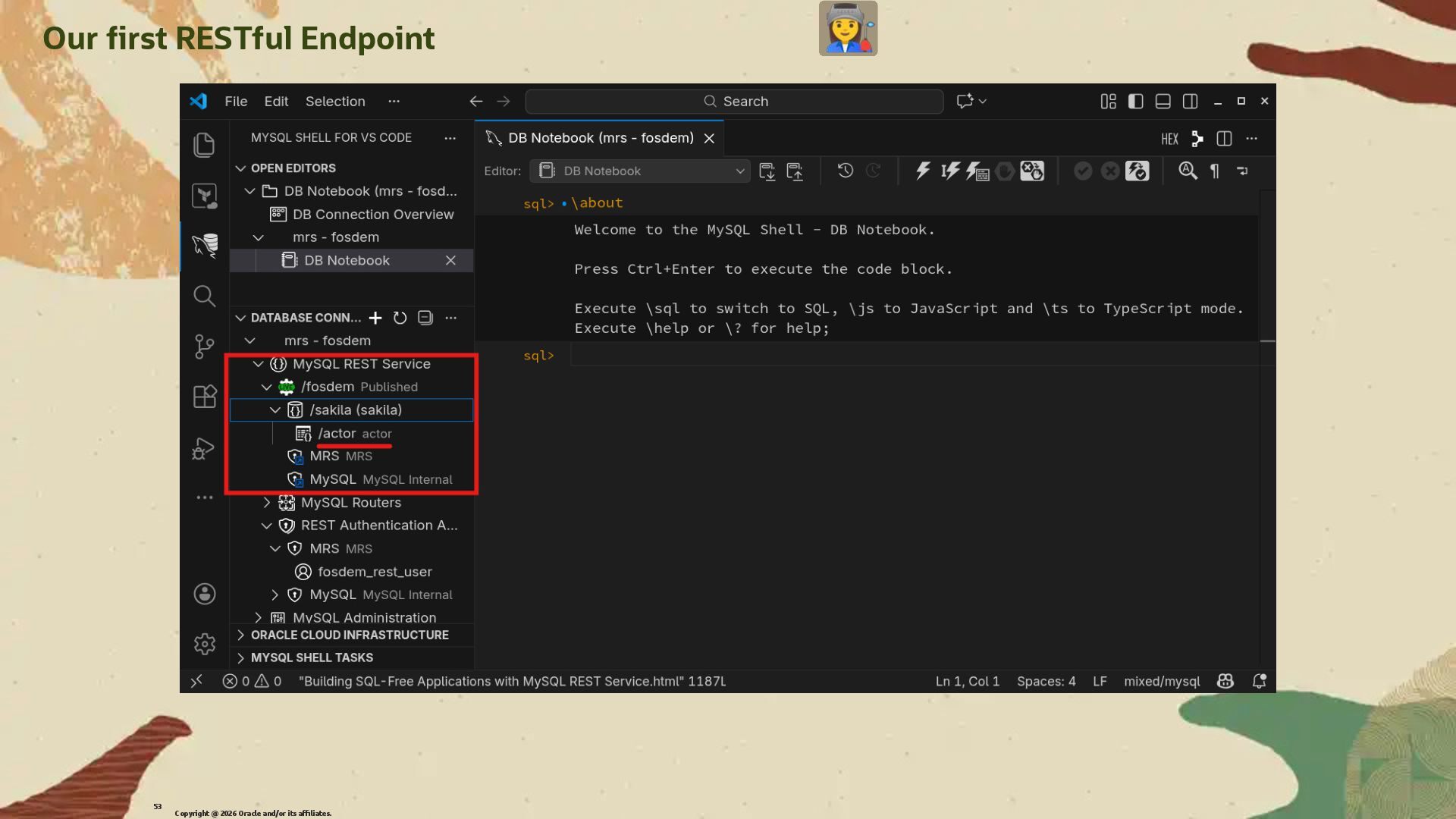
  31. Our �rst RESTful Endpoint We will create a �rst simple

    RESTful Endpoint that will expose the actor table from the sakila database. We won't use any authentication for this �rst example to keep it simple. Copyright @ 2026 Oracle and/or its affiliates. 44
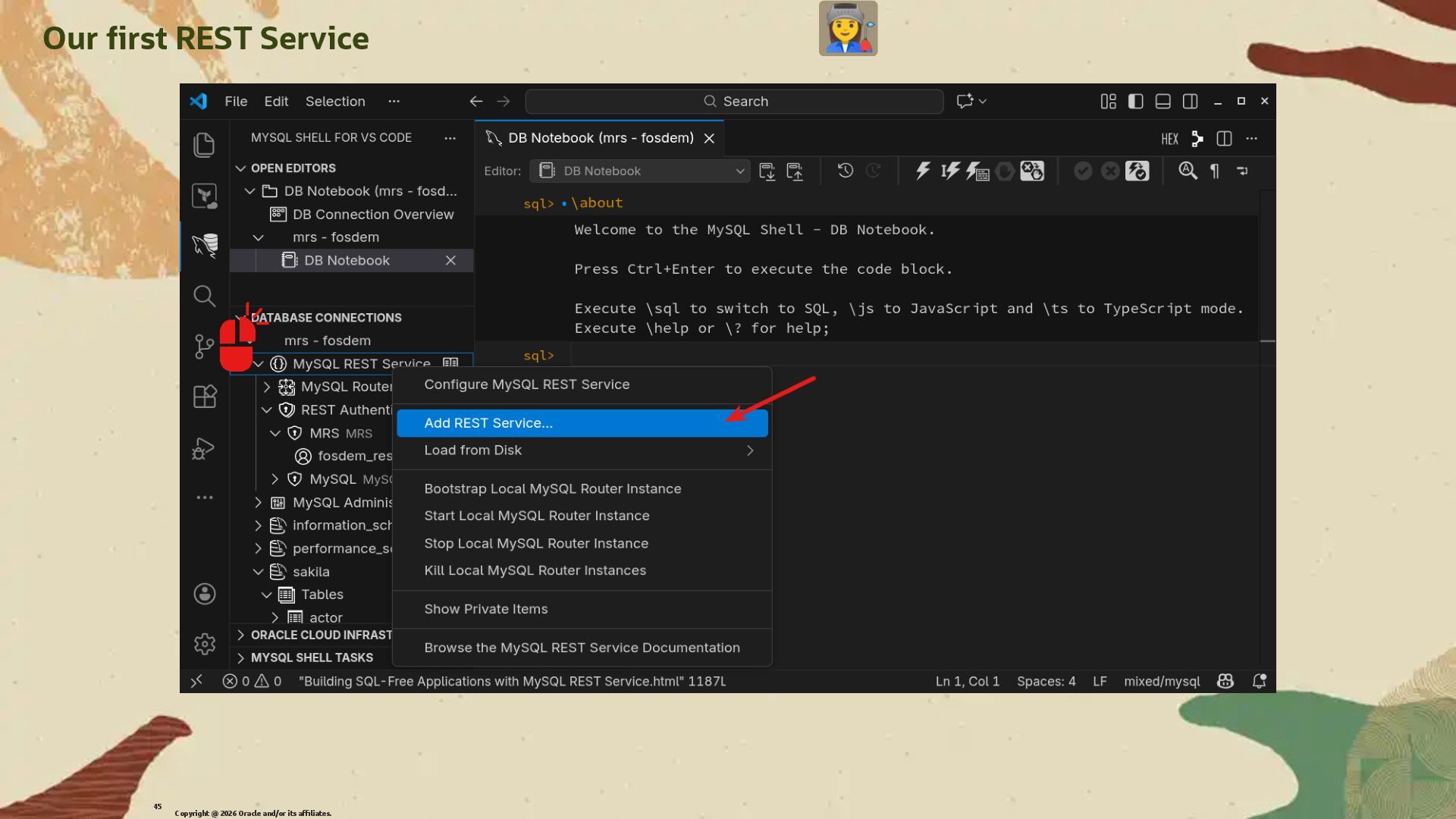
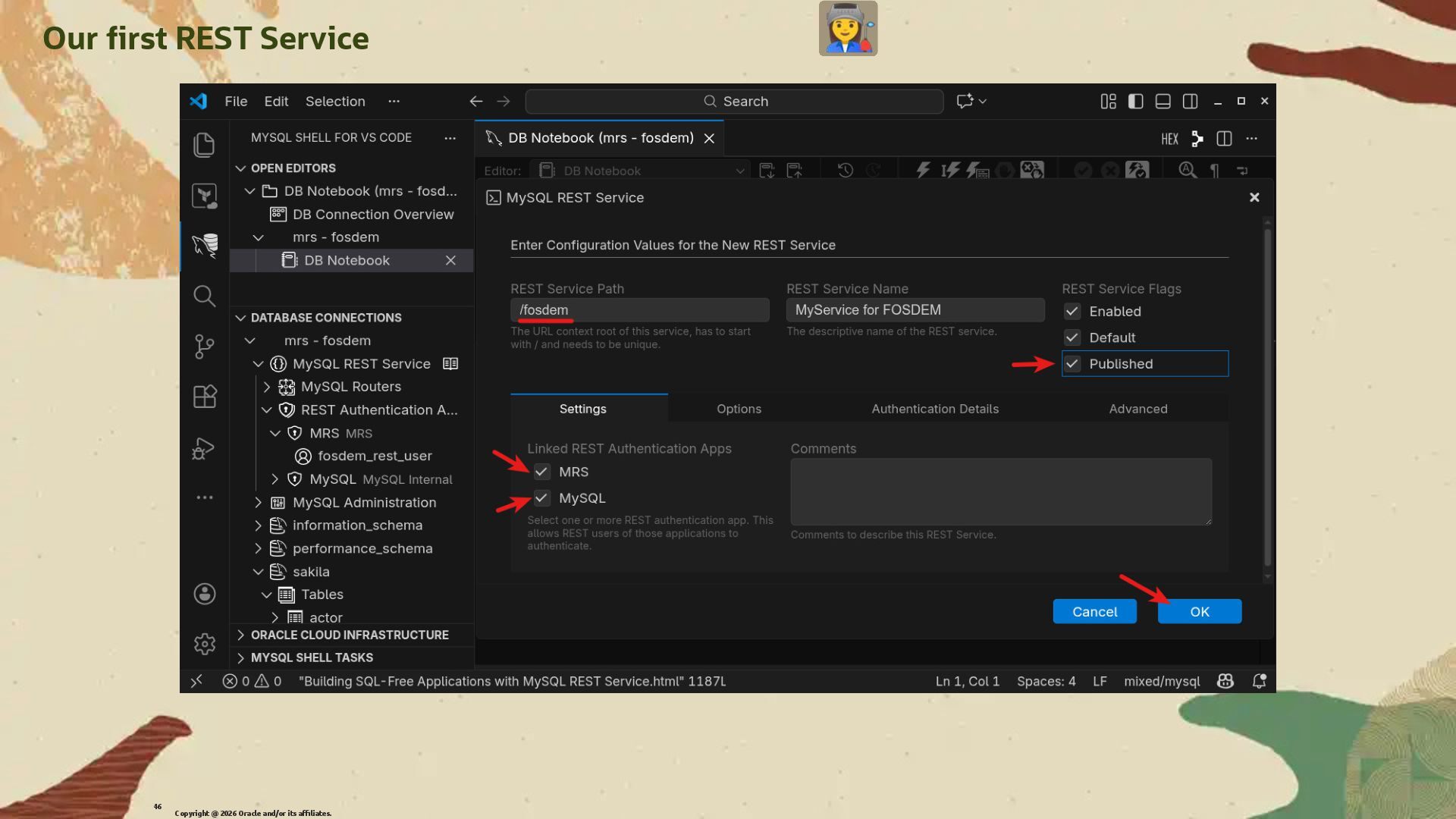
  32. Our �rst RESTful Endpoint We will create a �rst simple

    RESTful Endpoint that will expose the actor table from the sakila database. We won't use any authentication for this �rst example to keep it simple. We need to create a REST Service �rst. Copyright @ 2026 Oracle and/or its affiliates. 44
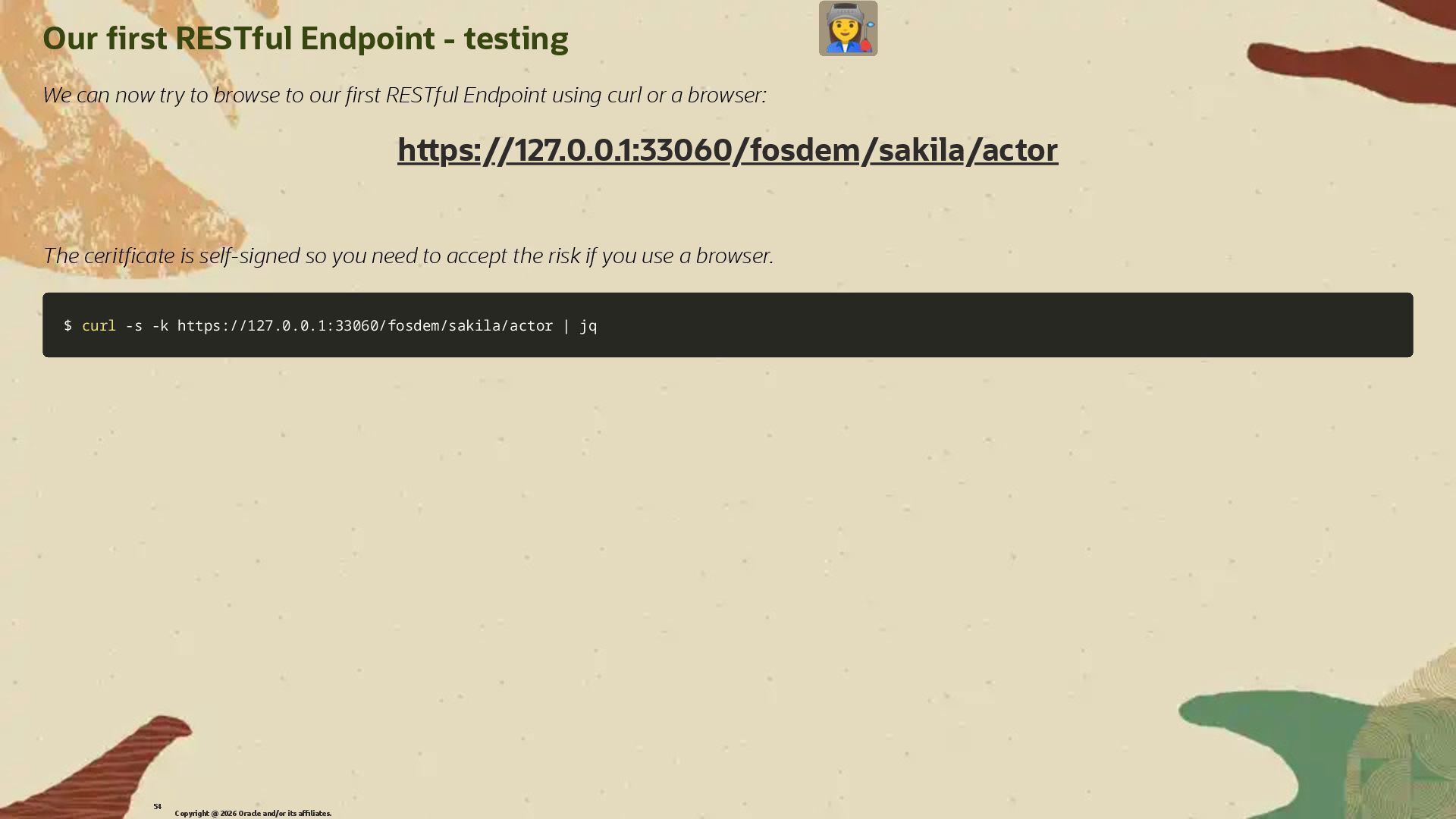
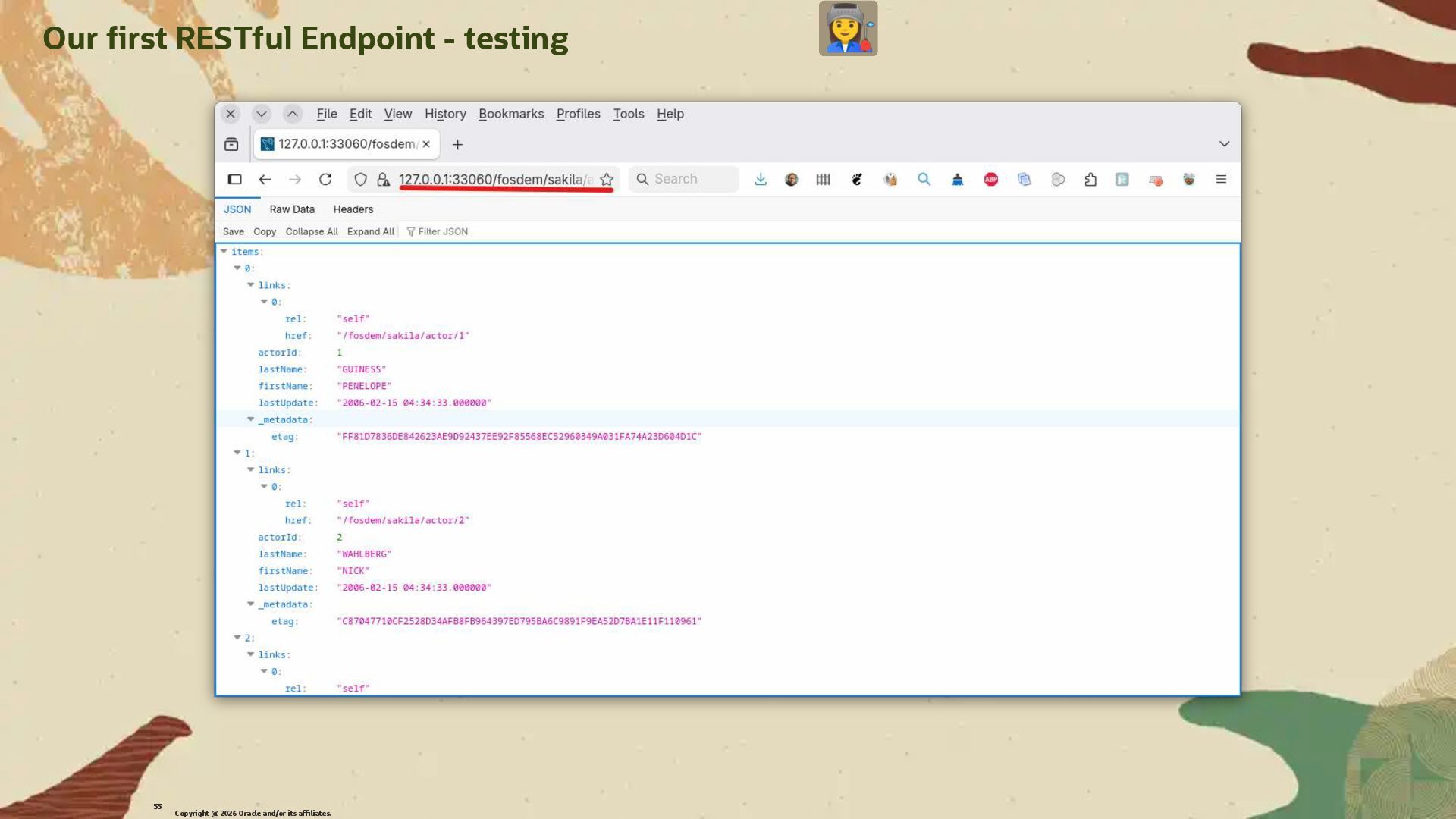
  33. Our �rst RESTful Endpoint - testing We can now try

    to browse to our �rst RESTful Endpoint using curl or a browser: h�ps://127.0.0.1:33060/fosdem/sakila/actor The cerit�cate is self-signed so you need to accept the risk if you use a browser. $ $ curl curl -s -s -k -k https://127.0.0.1:33060/fosdem/sakila/actor https://127.0.0.1:33060/fosdem/sakila/actor | | jq jq Copyright @ 2026 Oracle and/or its affiliates. 54
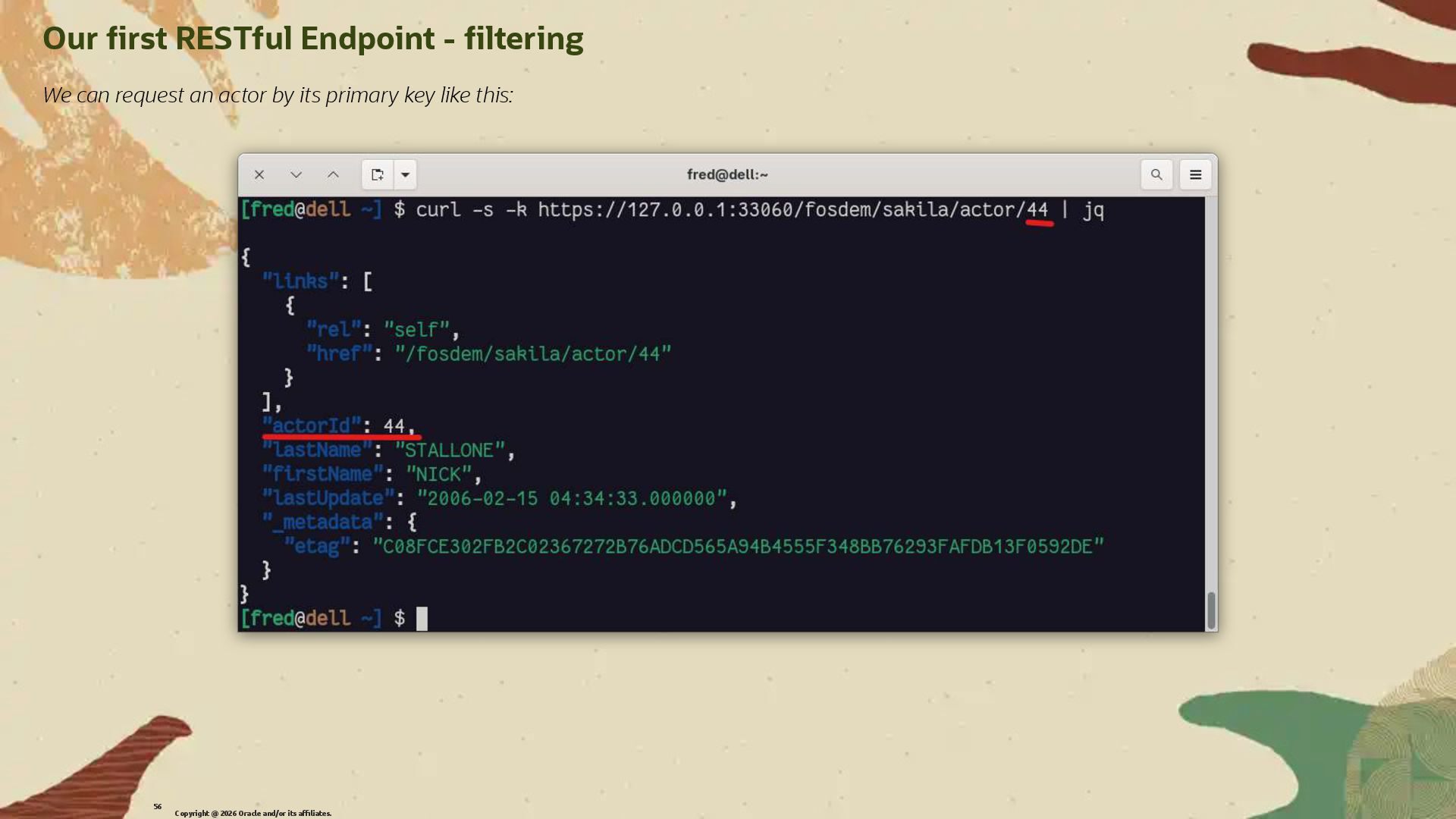
  34. Our �rst RESTful Endpoint - �ltering We can request an

    actor by its primary key like this: Copyright @ 2026 Oracle and/or its affiliates. 56
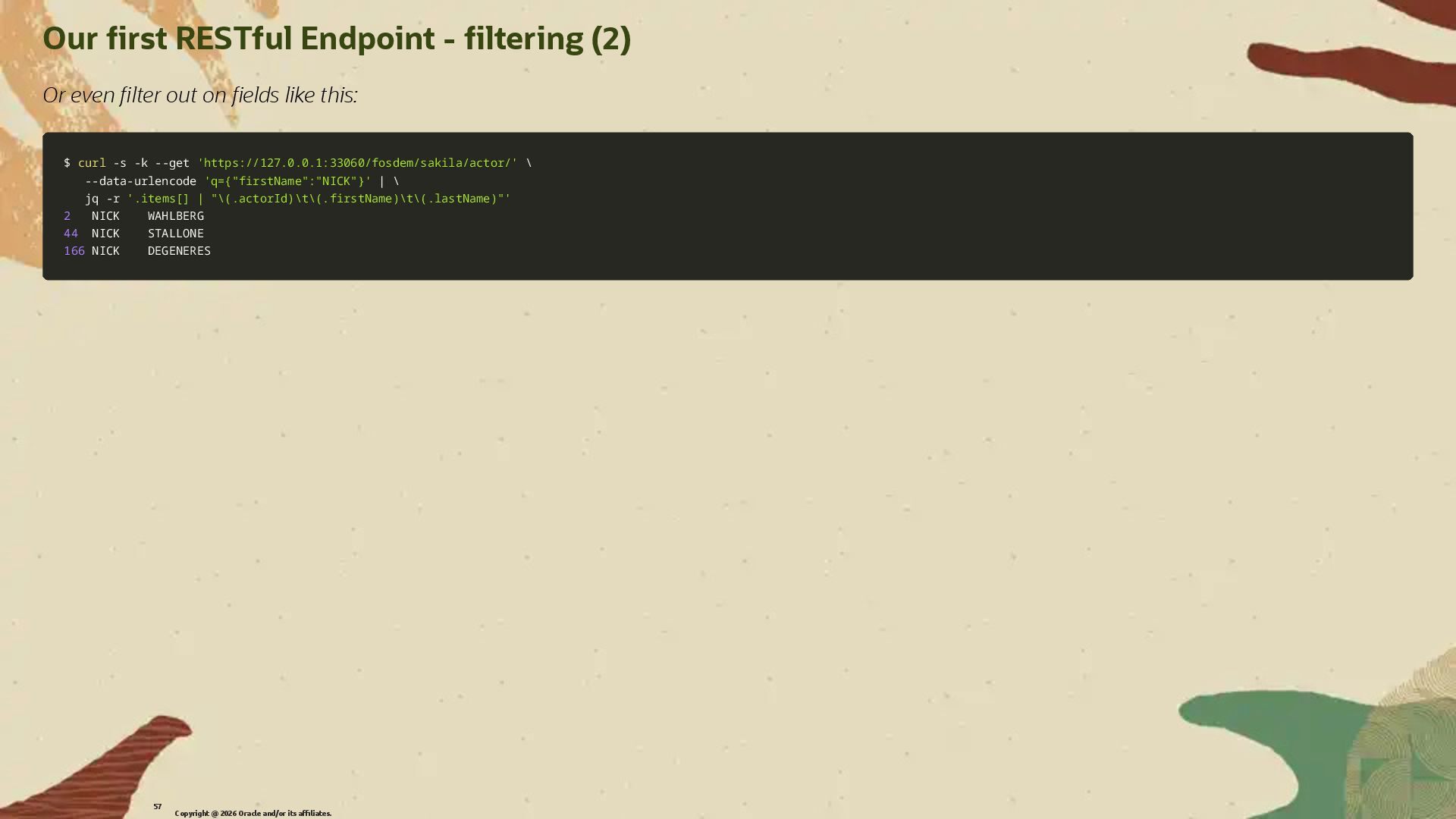
  35. Our �rst RESTful Endpoint - �ltering (2) Or even �lter

    out on �elds like this: $ $ curl curl -s -s -k -k --get --get 'https://127.0.0.1:33060/fosdem/sakila/actor/' 'https://127.0.0.1:33060/fosdem/sakila/actor/' \ \ --data-urlencode --data-urlencode 'q={"firstName":"NICK"}' 'q={"firstName":"NICK"}' | | \ \ jq jq -r -r '.items[] | "\(.actorId)\t\(.firstName)\t\(.lastName)"' '.items[] | "\(.actorId)\t\(.firstName)\t\(.lastName)"' 2 2 NICK WAHLBERG NICK WAHLBERG 44 44 NICK STALLONE NICK STALLONE 166 166 NICK DEGENERES NICK DEGENERES Copyright @ 2026 Oracle and/or its affiliates. 57
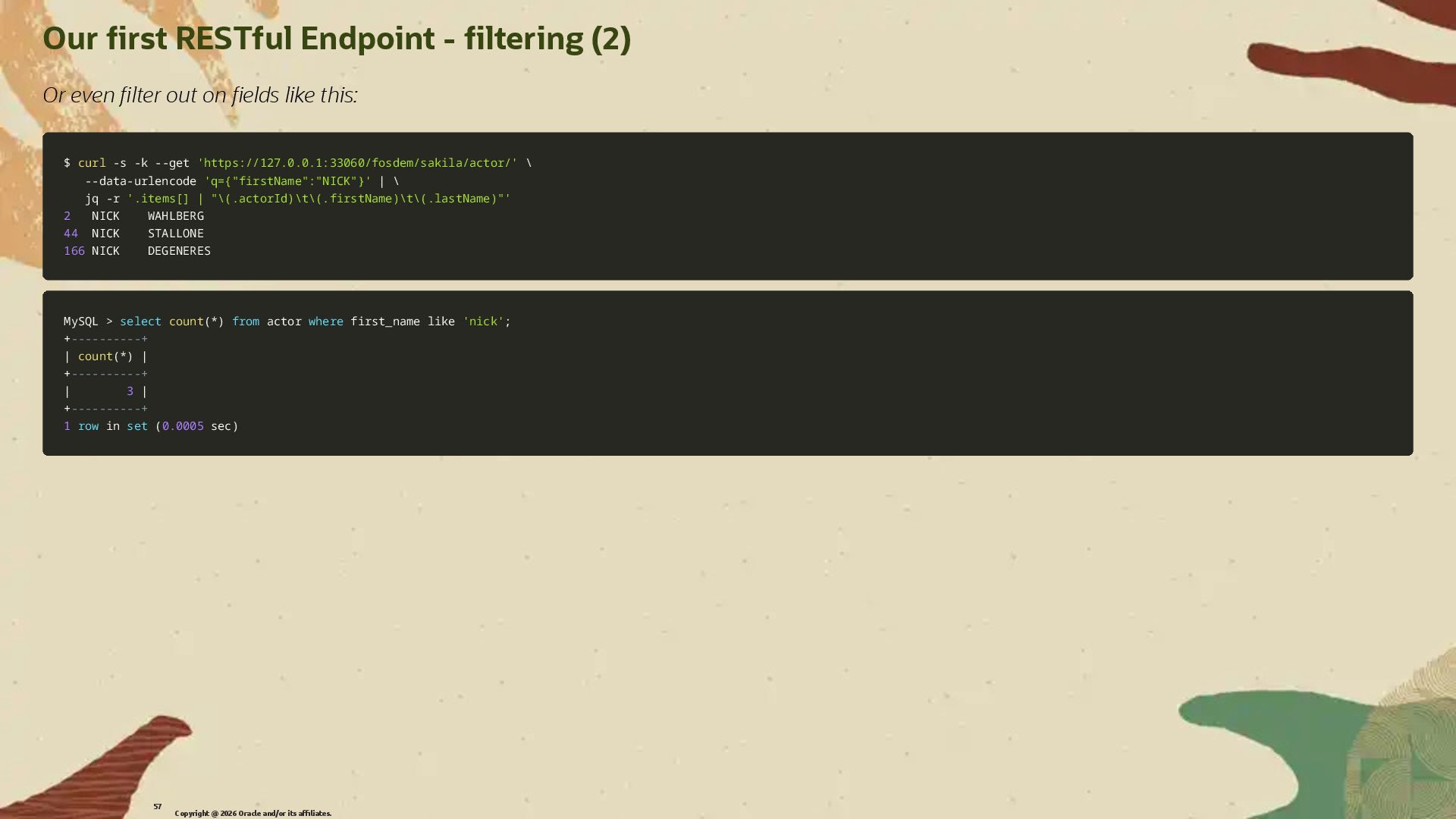
  36. Our �rst RESTful Endpoint - �ltering (2) Or even �lter

    out on �elds like this: $ $ curl curl -s -s -k -k --get --get 'https://127.0.0.1:33060/fosdem/sakila/actor/' 'https://127.0.0.1:33060/fosdem/sakila/actor/' \ \ --data-urlencode --data-urlencode 'q={"firstName":"NICK"}' 'q={"firstName":"NICK"}' | | \ \ jq jq -r -r '.items[] | "\(.actorId)\t\(.firstName)\t\(.lastName)"' '.items[] | "\(.actorId)\t\(.firstName)\t\(.lastName)"' 2 2 NICK WAHLBERG NICK WAHLBERG 44 44 NICK STALLONE NICK STALLONE 166 166 NICK DEGENERES NICK DEGENERES MySQL MySQL > > select select count count( (* *) ) from from actor actor where where first_name first_name like like 'nick' 'nick'; ; + +----------+ ----------+ | | count count( (* *) ) | | + +----------+ ----------+ | | 3 3 | | + +----------+ ----------+ 1 1 row row in in set set ( (0.0005 0.0005 sec sec) ) Copyright @ 2026 Oracle and/or its affiliates. 57
  37. Building RESTful APIs with MRS MySQL without SQL and without

    GUI Copyright @ 2026 Oracle and/or its affiliates. 58
  38. All in Command Line in SQL We can also create

    our RESTful Endpoint using only SQL. This is useful if we want to automate the creation of RESTful Endpoints. We can get all information about the RESTful Endpoints from MySQL Shell in VS Code by dumping your services: Copyright @ 2026 Oracle and/or its affiliates. 59
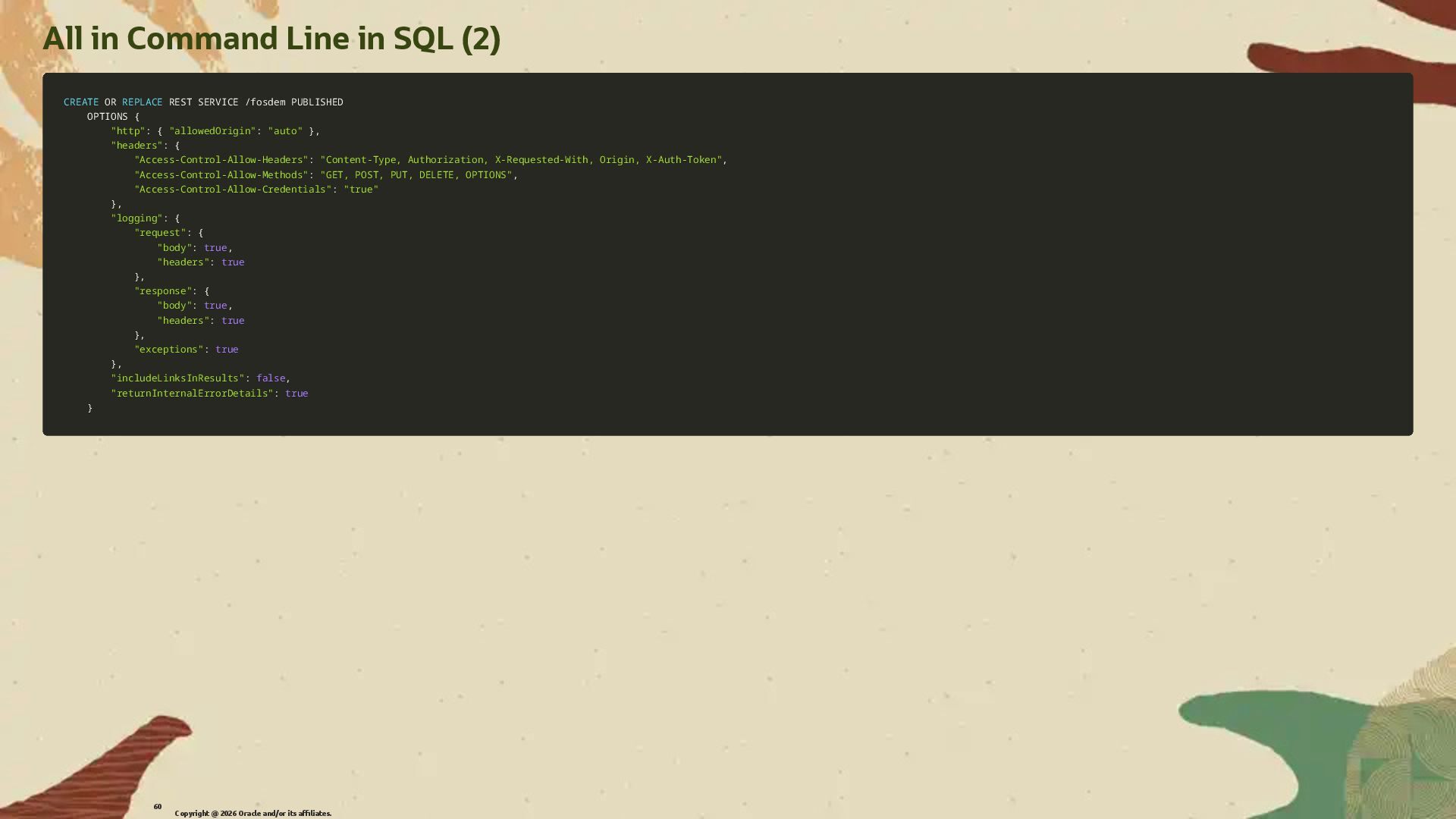
  39. All in Command Line in SQL (2) CREATE CREATE OR

    OR REPLACE REPLACE REST SERVICE REST SERVICE / /fosdem PUBLISHED fosdem PUBLISHED OPTIONS { OPTIONS { "http" "http": { : { "allowedOrigin" "allowedOrigin": : "auto" "auto" } }, , "headers" "headers": { : { "Access-Control-Allow-Headers" "Access-Control-Allow-Headers": : "Content-Type, Authorization, X-Requested-With, Origin, X-Auth-Token" "Content-Type, Authorization, X-Requested-With, Origin, X-Auth-Token", , "Access-Control-Allow-Methods" "Access-Control-Allow-Methods": : "GET, POST, PUT, DELETE, OPTIONS" "GET, POST, PUT, DELETE, OPTIONS", , "Access-Control-Allow-Credentials" "Access-Control-Allow-Credentials": : "true" "true" } }, , "logging" "logging": { : { "request" "request": { : { "body" "body": : true true, , "headers" "headers": : true true } }, , "response" "response": { : { "body" "body": : true true, , "headers" "headers": : true true } }, , "exceptions" "exceptions": : true true } }, , "includeLinksInResults" "includeLinksInResults": : false false, , "returnInternalErrorDetails" "returnInternalErrorDetails": : true true } } Copyright @ 2026 Oracle and/or its affiliates. 60
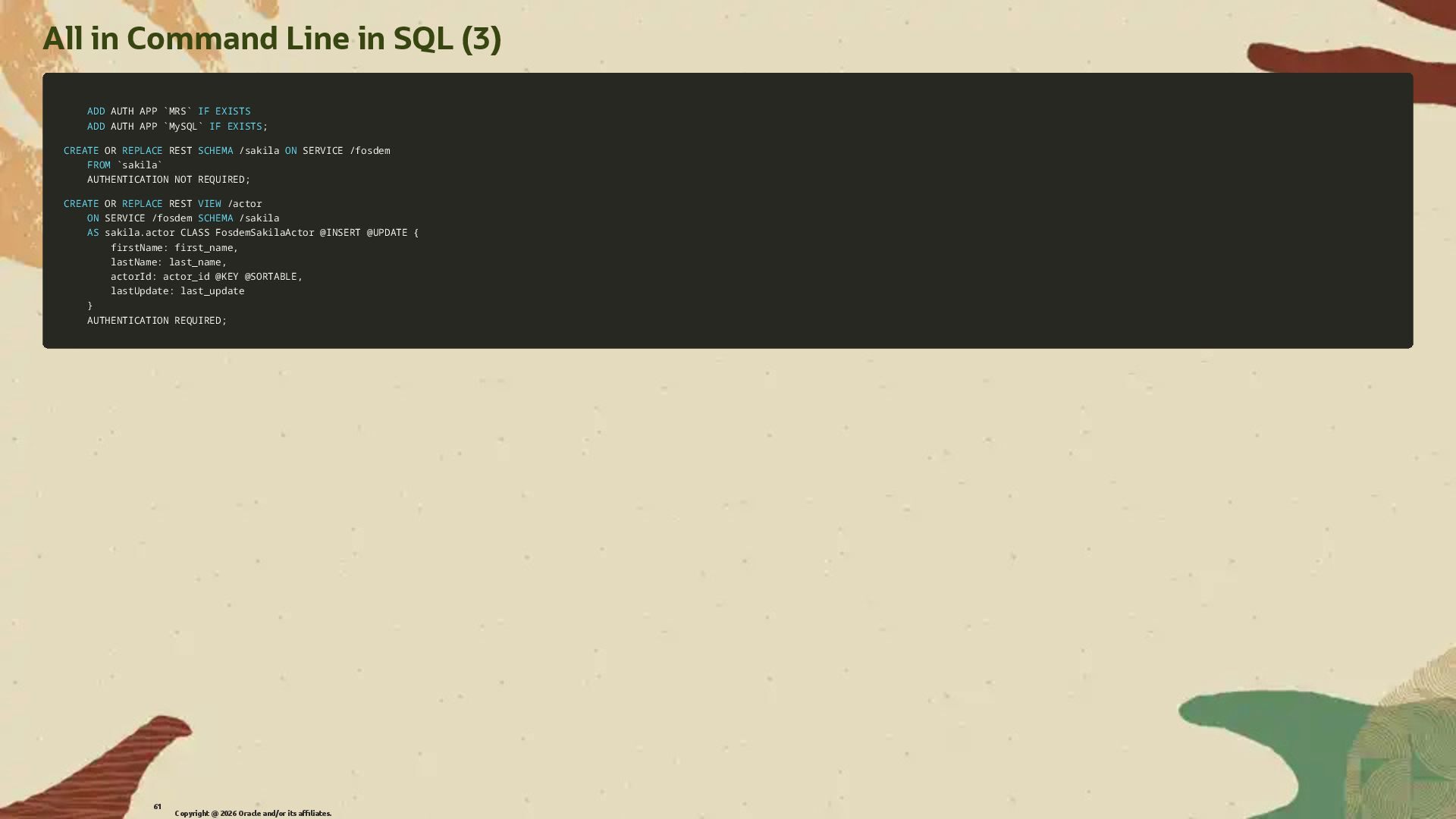
  40. All in Command Line in SQL (3) ADD ADD AUTH

    APP AUTH APP ` `MRS MRS` ` IF IF EXISTS EXISTS ADD ADD AUTH APP AUTH APP ` `MySQL MySQL` ` IF IF EXISTS EXISTS; ; CREATE CREATE OR OR REPLACE REPLACE REST REST SCHEMA SCHEMA / /sakila sakila ON ON SERVICE SERVICE / /fosdem fosdem FROM FROM ` `sakila sakila` ` AUTHENTICATION AUTHENTICATION NOT NOT REQUIRED REQUIRED; ; CREATE CREATE OR OR REPLACE REPLACE REST REST VIEW VIEW / /actor actor ON ON SERVICE SERVICE / /fosdem fosdem SCHEMA SCHEMA / /sakila sakila AS AS sakila sakila. .actor CLASS FosdemSakilaActor actor CLASS FosdemSakilaActor @INSERT @INSERT @UPDATE @UPDATE { { firstName: first_name firstName: first_name, , lastName: last_name lastName: last_name, , actorId: actor_id actorId: actor_id @KEY @KEY @SORTABLE @SORTABLE, , lastUpdate: last_update lastUpdate: last_update } } AUTHENTICATION REQUIRED AUTHENTICATION REQUIRED; ; Copyright @ 2026 Oracle and/or its affiliates. 61
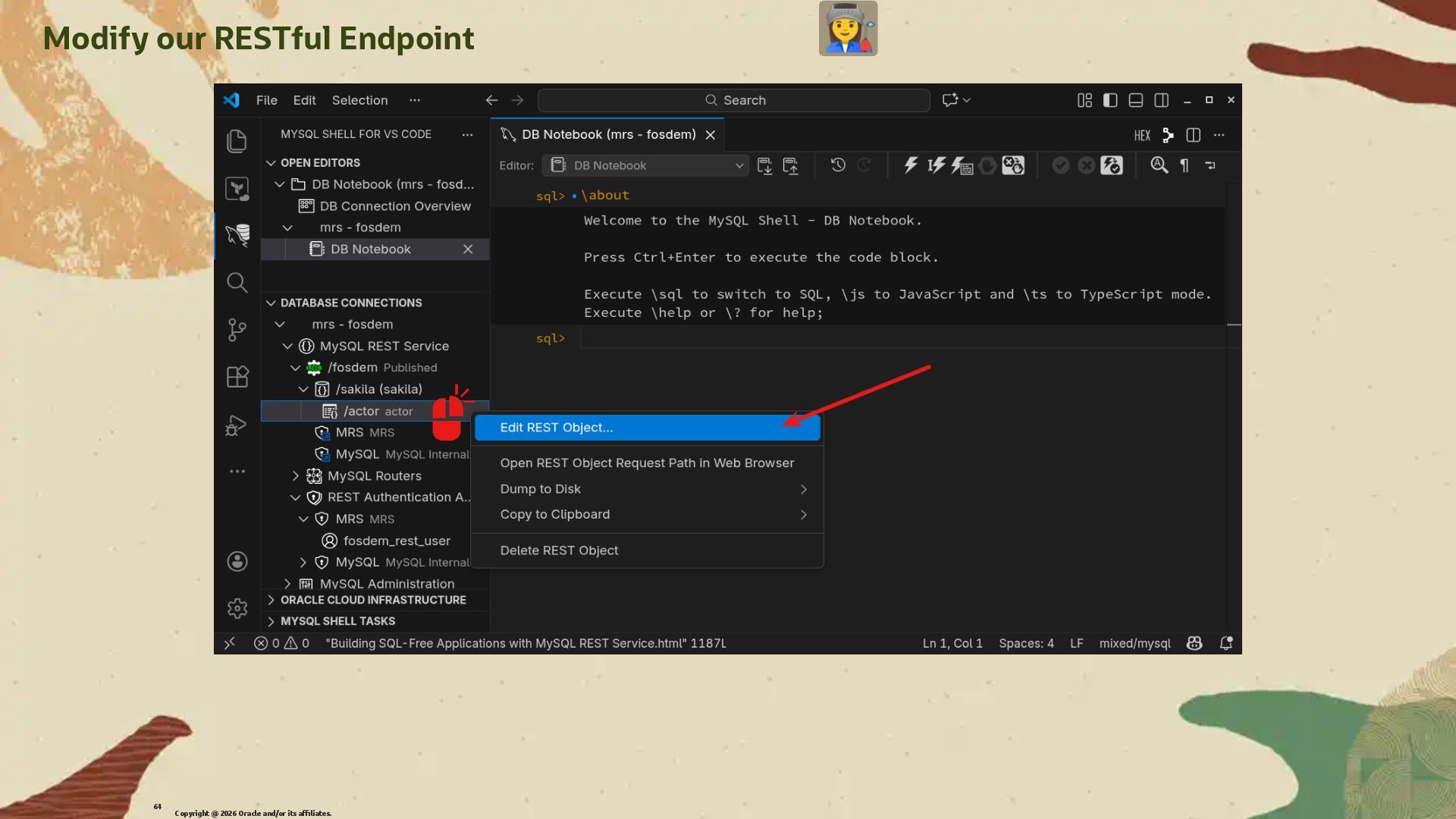
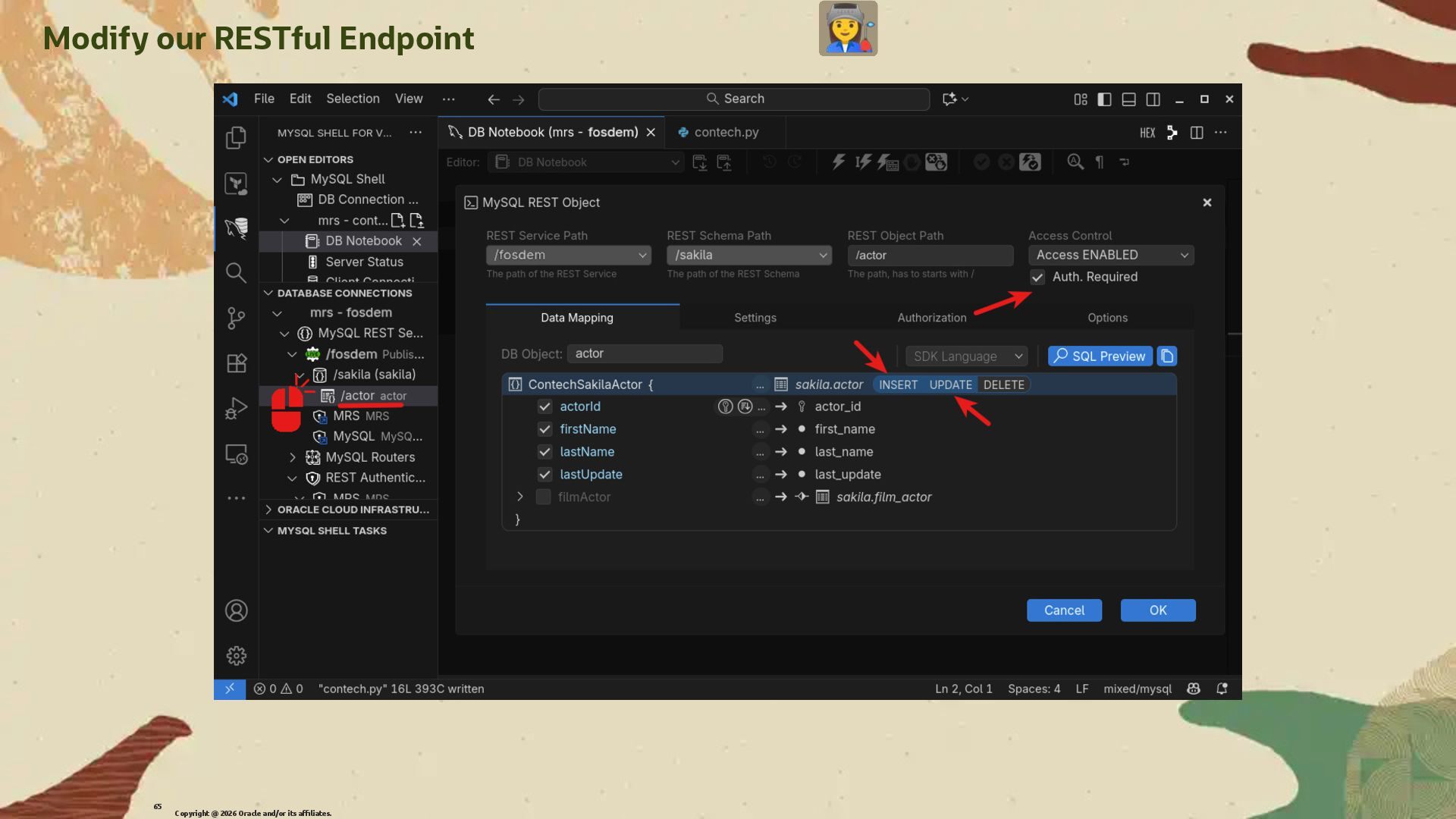
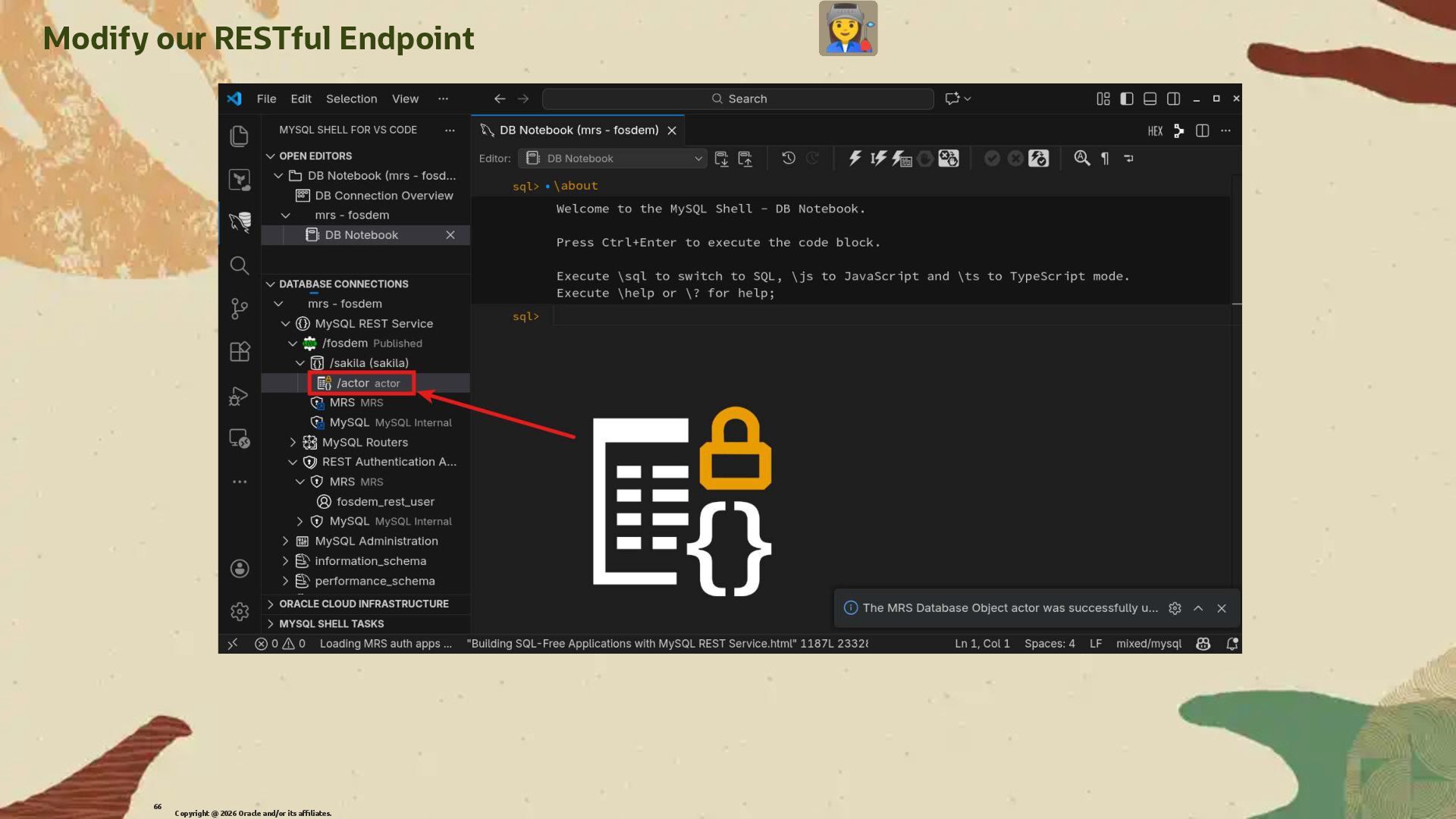
  41. Modify our RESTful Endpoint We will now modify our RESTful

    Endpoint to return a more complex JSON structure and enable authentication. We will start by editing the REST Object /actor we created before. Copyright @ 2026 Oracle and/or its affiliates. 63
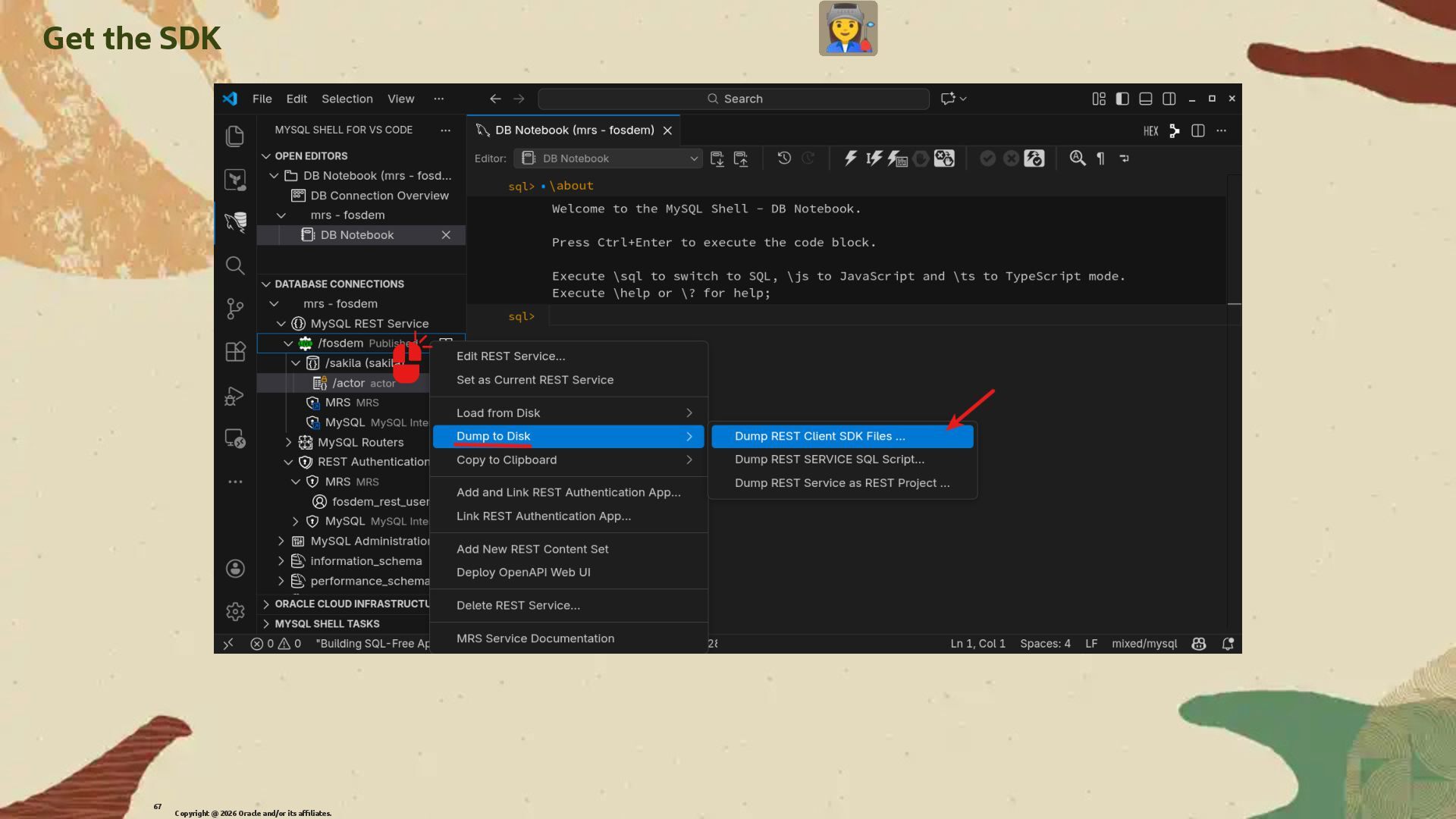
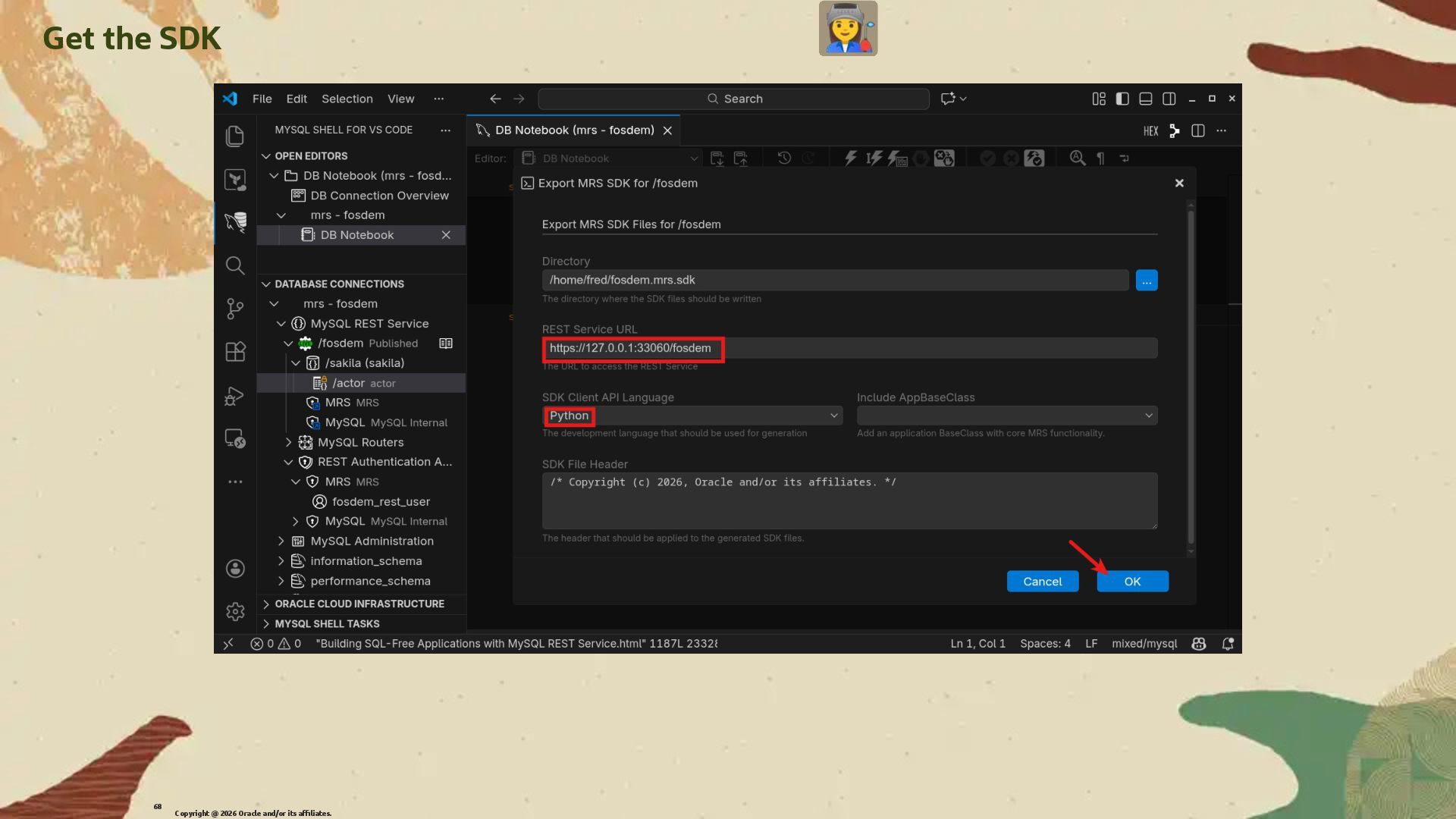
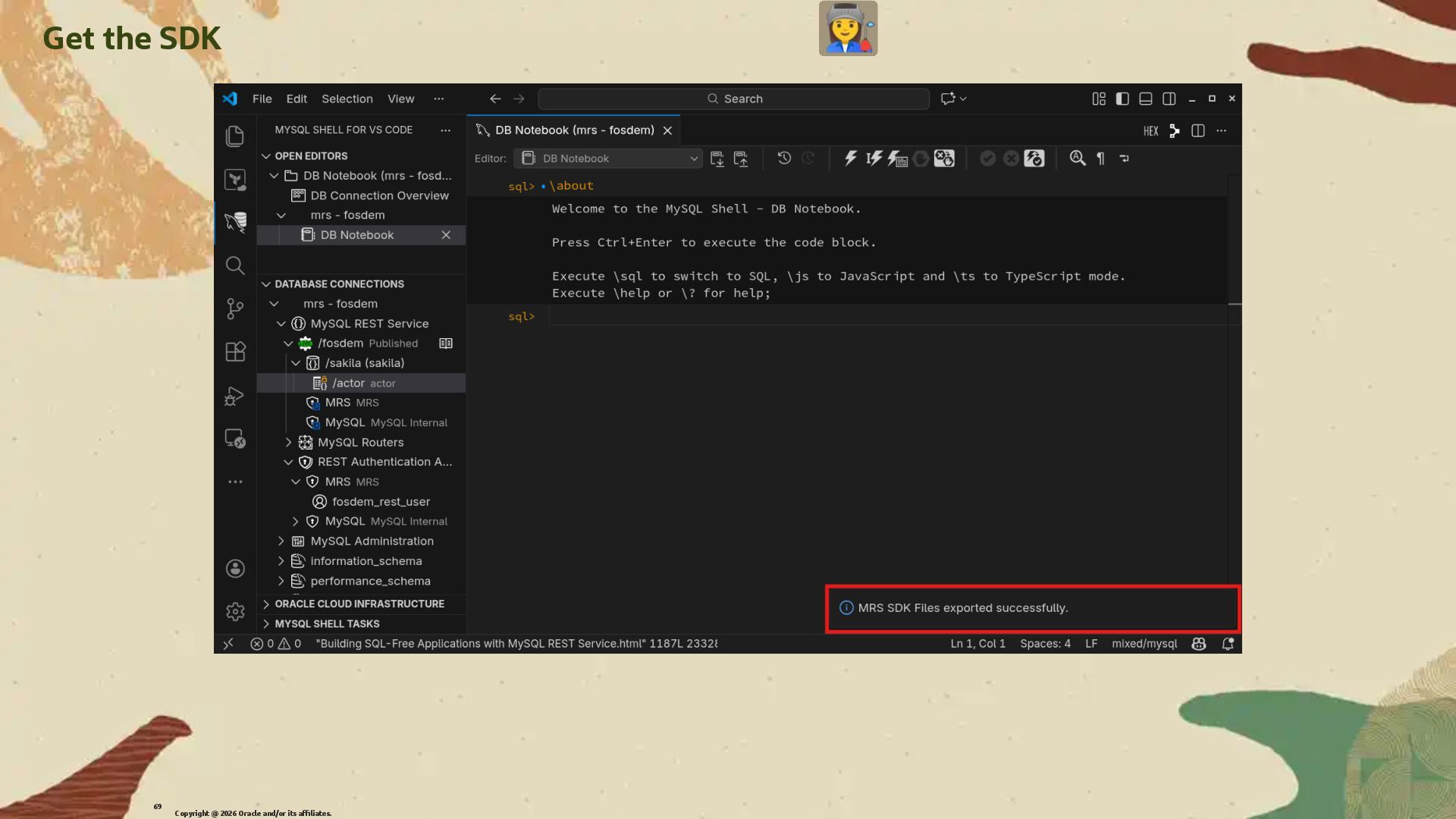
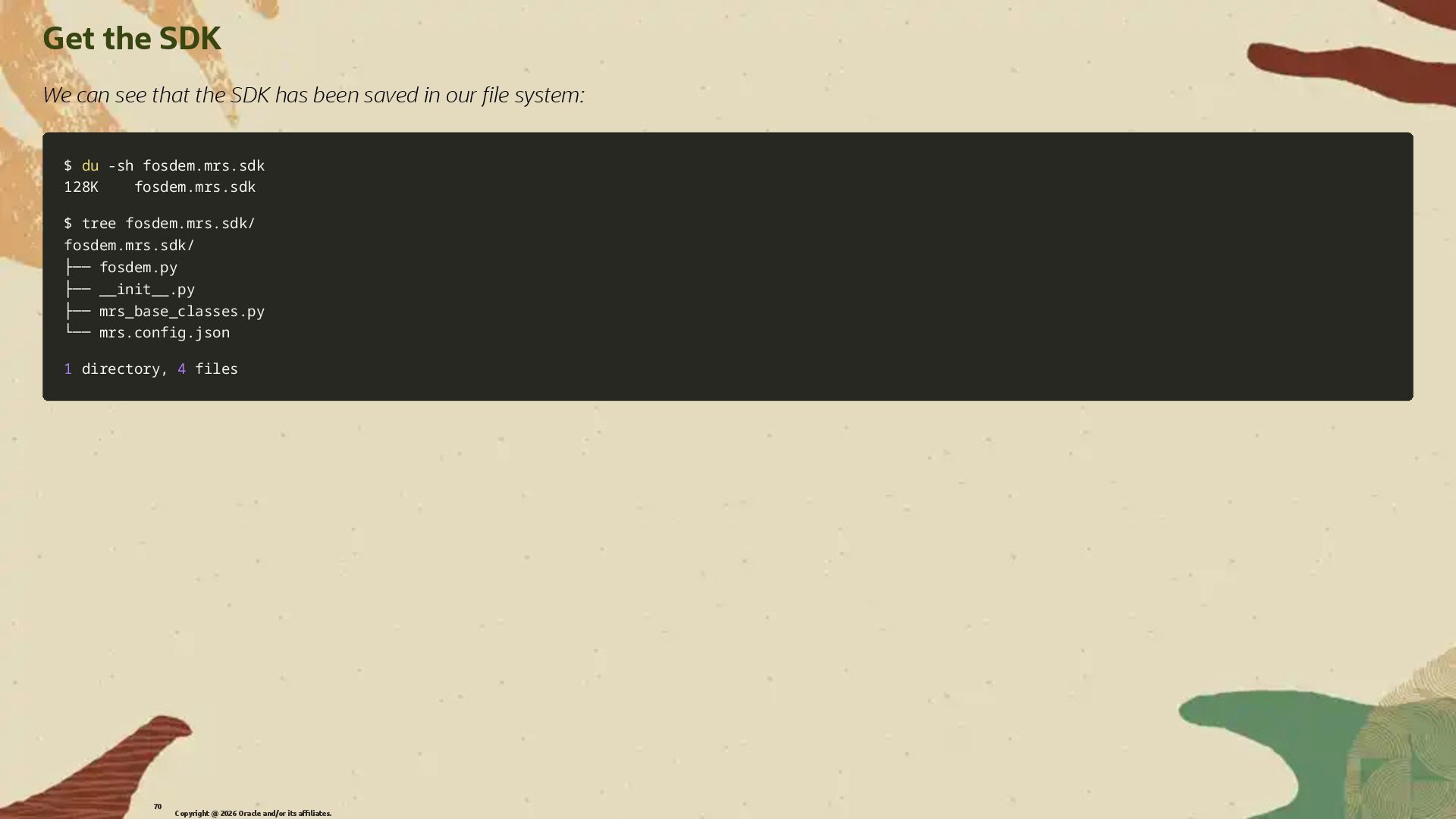
  42. Get the SDK We can see that the SDK has

    been saved in our �le system: $ $ du du -sh -sh fosdem.mrs.sdk fosdem.mrs.sdk 128K fosdem.mrs.sdk 128K fosdem.mrs.sdk $ tree fosdem.mrs.sdk/ $ tree fosdem.mrs.sdk/ fosdem.mrs.sdk/ fosdem.mrs.sdk/ ├── fosdem.py ├── fosdem.py ├── __init__.py ├── __init__.py ├── mrs_base_classes.py ├── mrs_base_classes.py └── mrs.config.json └── mrs.config.json 1 1 directory, directory, 4 4 files files Copyright @ 2026 Oracle and/or its affiliates. 70
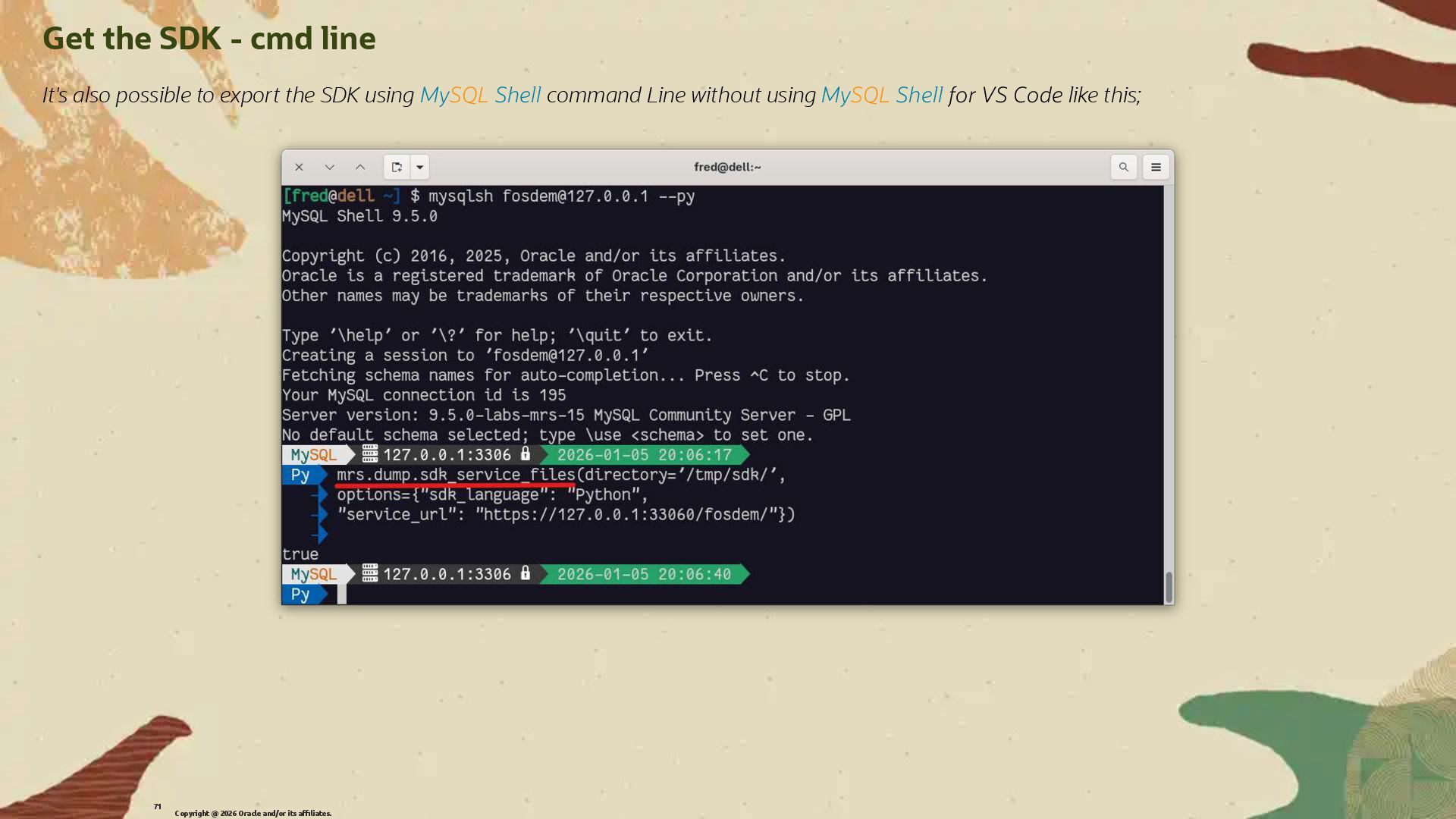
  43. Get the SDK - cmd line It's also possible to

    export the SDK using MySQL Shell command Line without using MySQL Shell for VS Code like this; Copyright @ 2026 Oracle and/or its affiliates. 71
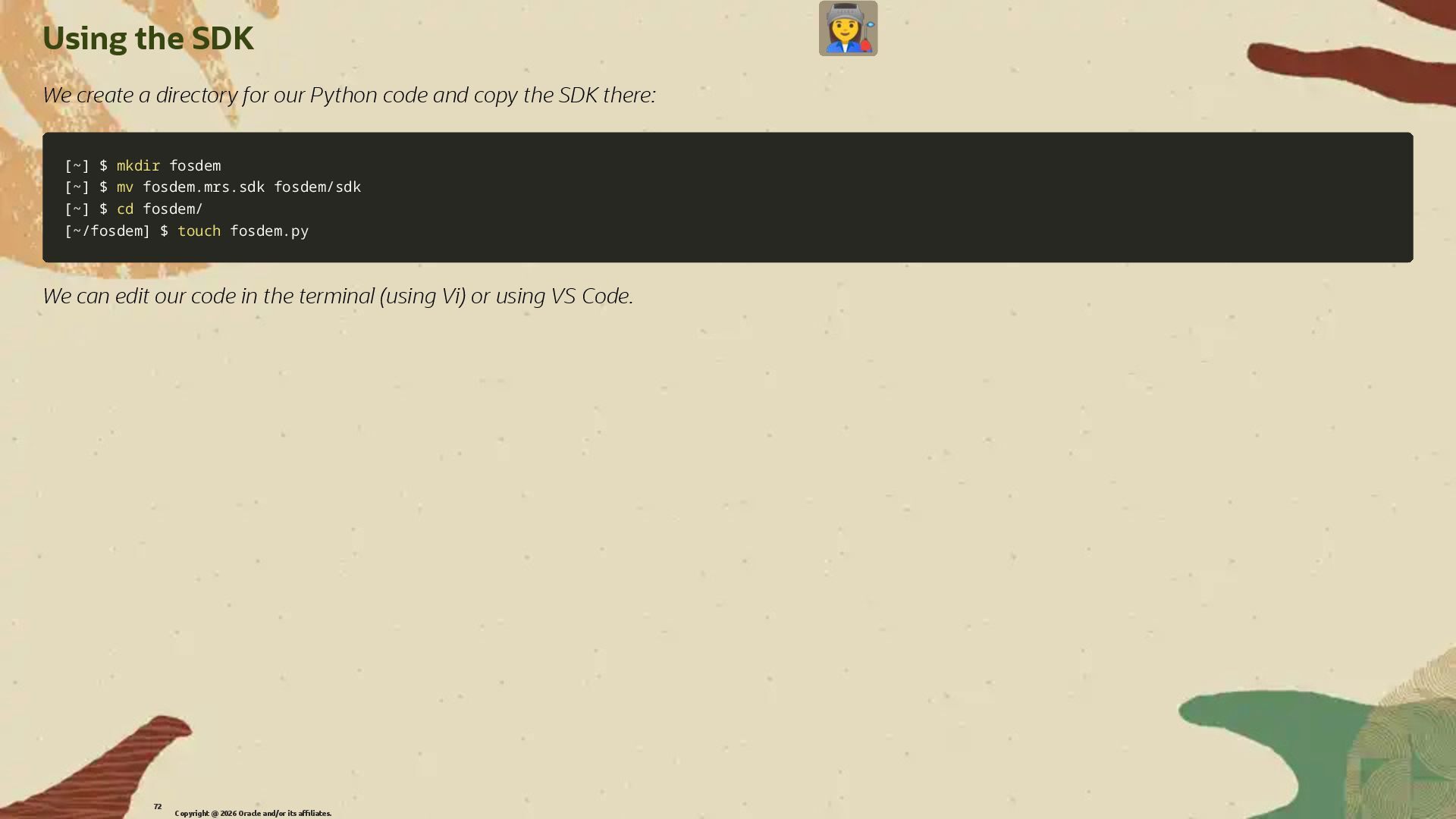
  44. Using the SDK We create a directory for our Python

    code and copy the SDK there: [ [~ ~] ] $ $ mkdir mkdir fosdem fosdem [ [~ ~] ] $ $ mv mv fosdem.mrs.sdk fosdem/sdk fosdem.mrs.sdk fosdem/sdk [ [~ ~] ] $ $ cd cd fosdem/ fosdem/ [ [~/fosdem ~/fosdem] ] $ $ touch touch fosdem.py fosdem.py We can edit our code in the terminal (using Vi) or using VS Code. Copyright @ 2026 Oracle and/or its affiliates. 72
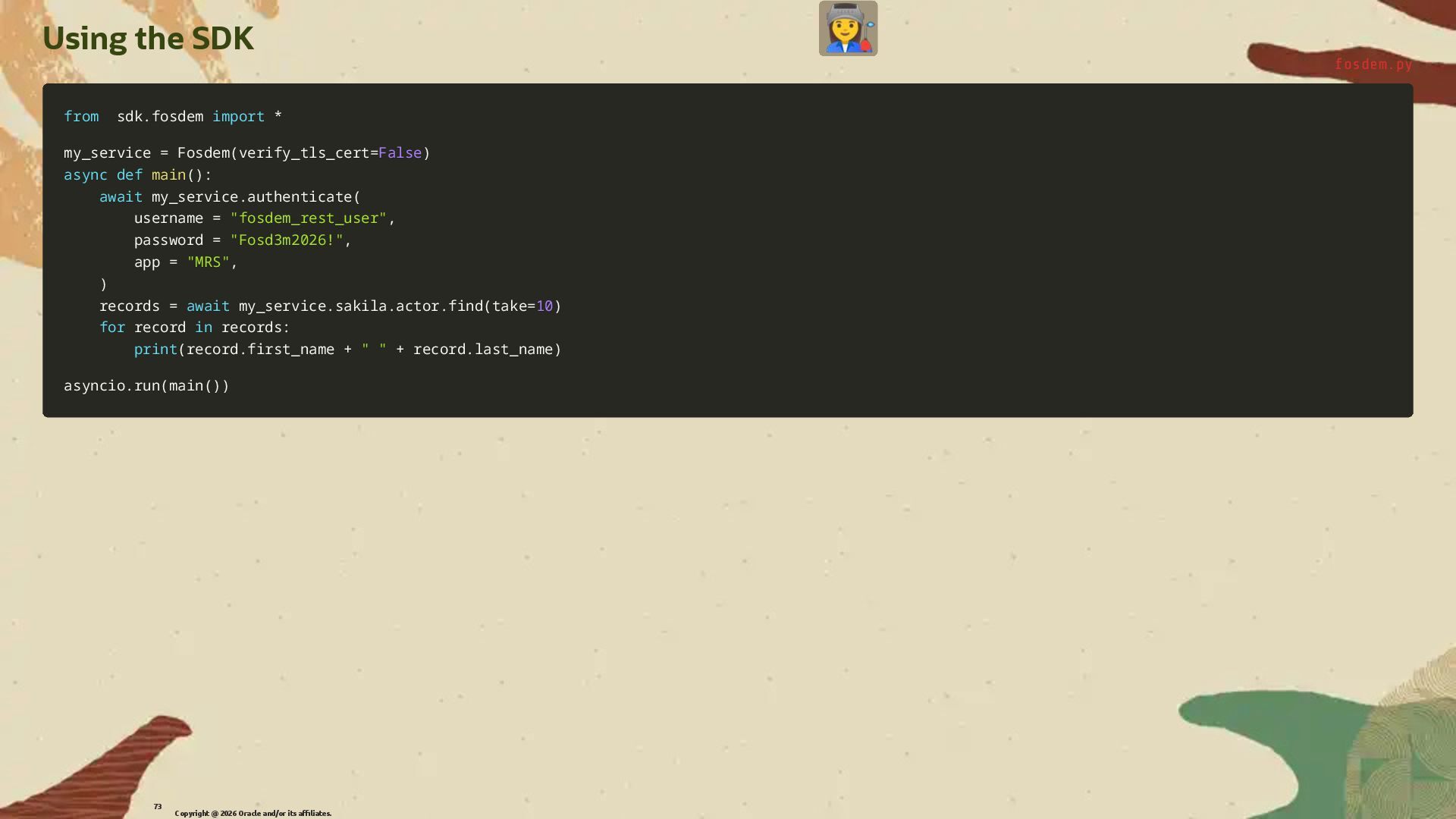
  45. Using the SDK fosdem.py from from sdk sdk. .fosdem fosdem

    import import * * my_service my_service = = Fosdem Fosdem( (verify_tls_cert verify_tls_cert= =False False) ) async async def def main main( () ): : await await my_service my_service. .authenticate authenticate( ( username username = = "fosdem_rest_user" "fosdem_rest_user", , password password = = "Fosd3m2026!" "Fosd3m2026!", , app app = = "MRS" "MRS", , ) ) records records = = await await my_service my_service. .sakila sakila. .actor actor. .find find( (take take= =10 10) ) for for record record in in records records: : print print( (record record. .first_name first_name + + " " " " + + record record. .last_name last_name) ) asyncio asyncio. .run run( (main main( () )) ) Copyright @ 2026 Oracle and/or its affiliates. 73
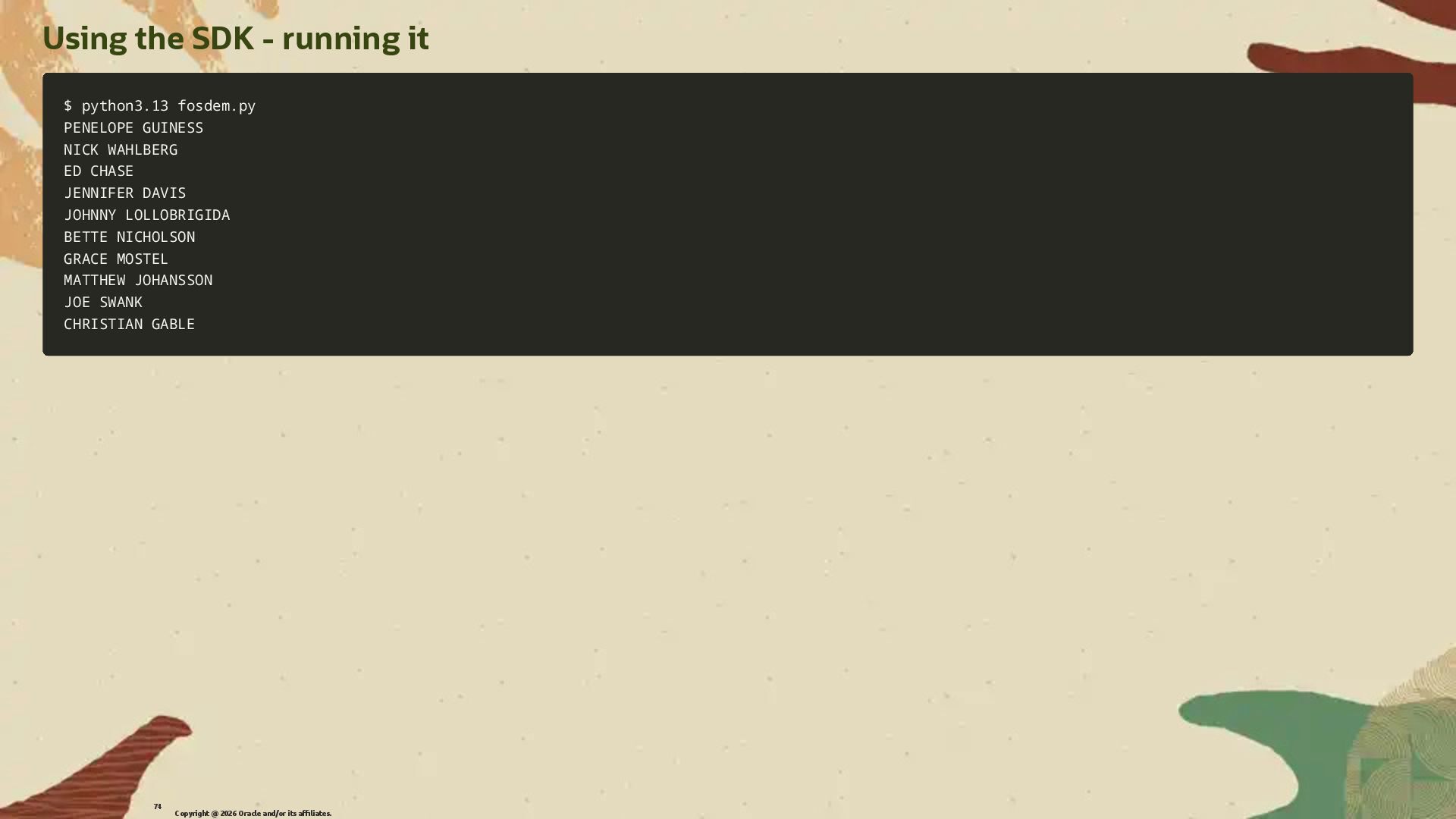
  46. Using the SDK - running it $ python3.13 fosdem.py $

    python3.13 fosdem.py PENELOPE GUINESS PENELOPE GUINESS NICK WAHLBERG NICK WAHLBERG ED CHASE ED CHASE JENNIFER DAVIS JENNIFER DAVIS JOHNNY LOLLOBRIGIDA JOHNNY LOLLOBRIGIDA BETTE NICHOLSON BETTE NICHOLSON GRACE MOSTEL GRACE MOSTEL MATTHEW JOHANSSON MATTHEW JOHANSSON JOE SWANK JOE SWANK CHRISTIAN GABLE CHRISTIAN GABLE Copyright @ 2026 Oracle and/or its affiliates. 74
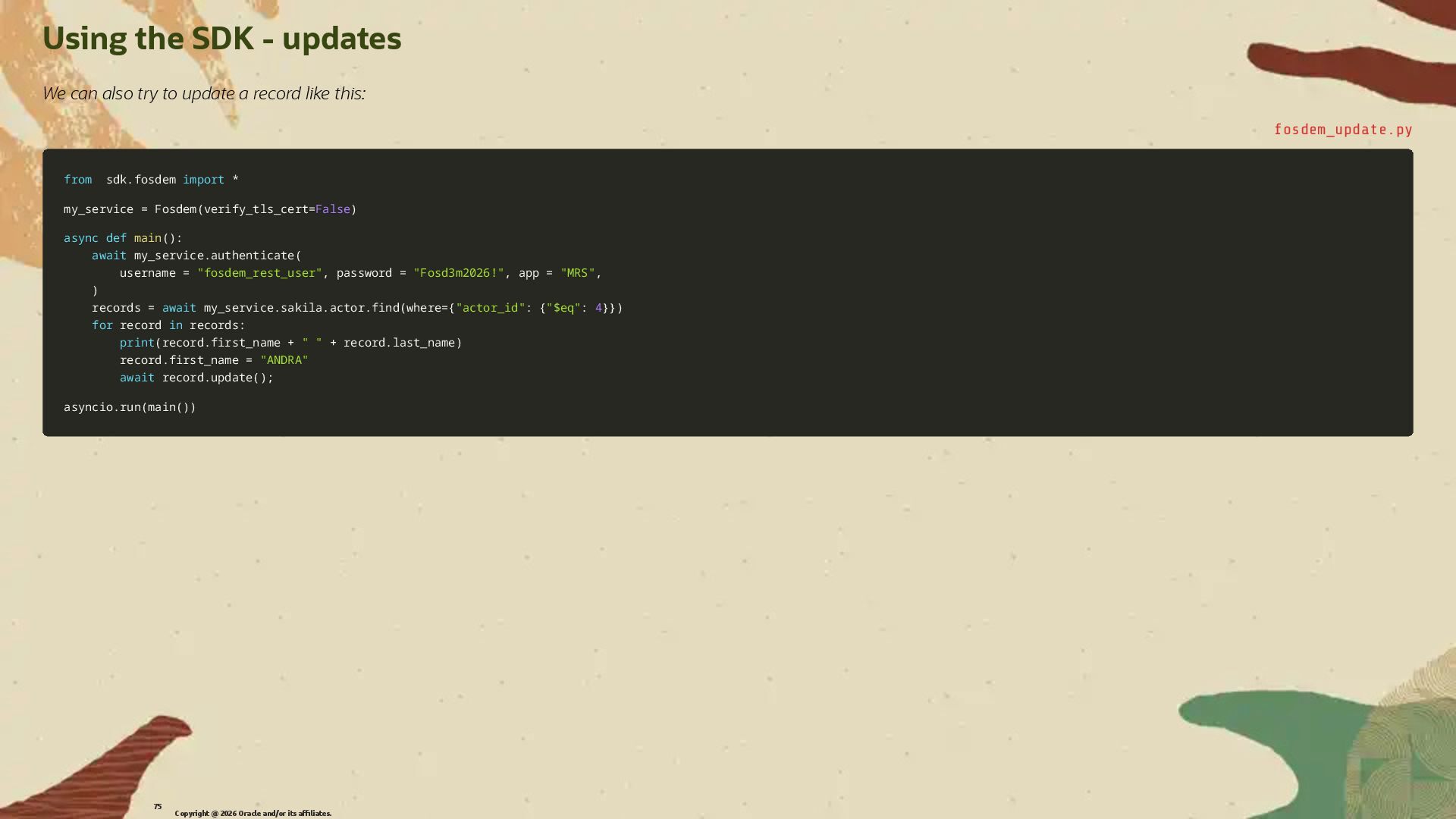
  47. Using the SDK - updates We can also try to

    update a record like this: fosdem_update.py from from sdk sdk. .fosdem fosdem import import * * my_service my_service = = Fosdem Fosdem( (verify_tls_cert verify_tls_cert= =False False) ) async async def def main main( () ): : await await my_service my_service. .authenticate authenticate( ( username username = = "fosdem_rest_user" "fosdem_rest_user", , password password = = "Fosd3m2026!" "Fosd3m2026!", , app app = = "MRS" "MRS", , ) ) records records = = await await my_service my_service. .sakila sakila. .actor actor. .find find( (where where= ={ {"actor_id" "actor_id": : { {"$eq" "$eq": : 4 4} }} }) ) for for record record in in records records: : print print( (record record. .first_name first_name + + " " " " + + record record. .last_name last_name) ) record record. .first_name first_name = = "ANDRA" "ANDRA" await await record record. .update update( () ); ; asyncio asyncio. .run run( (main main( () )) ) Copyright @ 2026 Oracle and/or its affiliates. 75
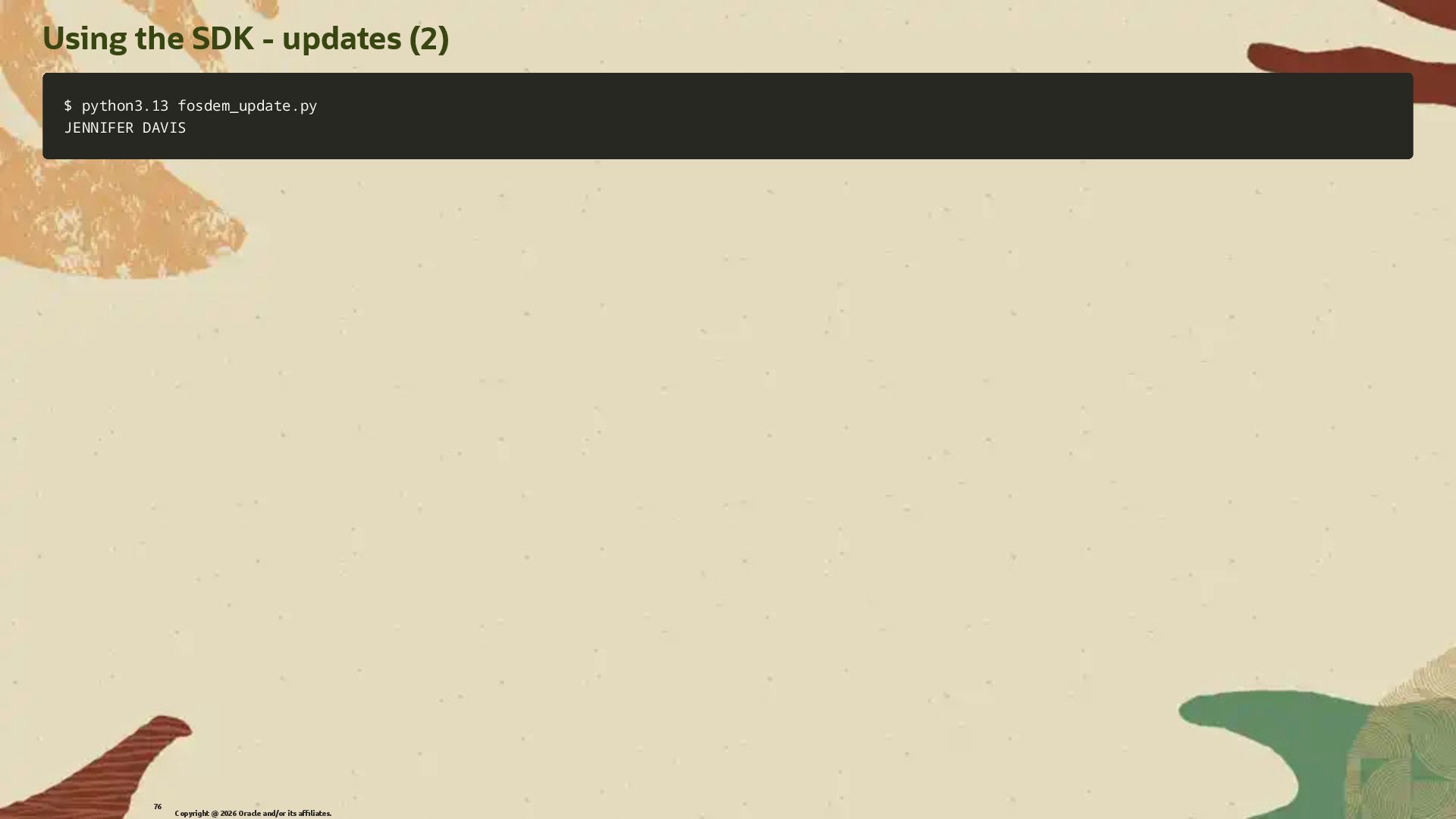
  48. Using the SDK - updates (2) $ python3.13 fosdem_update.py $

    python3.13 fosdem_update.py JENNIFER DAVIS JENNIFER DAVIS Copyright @ 2026 Oracle and/or its affiliates. 76
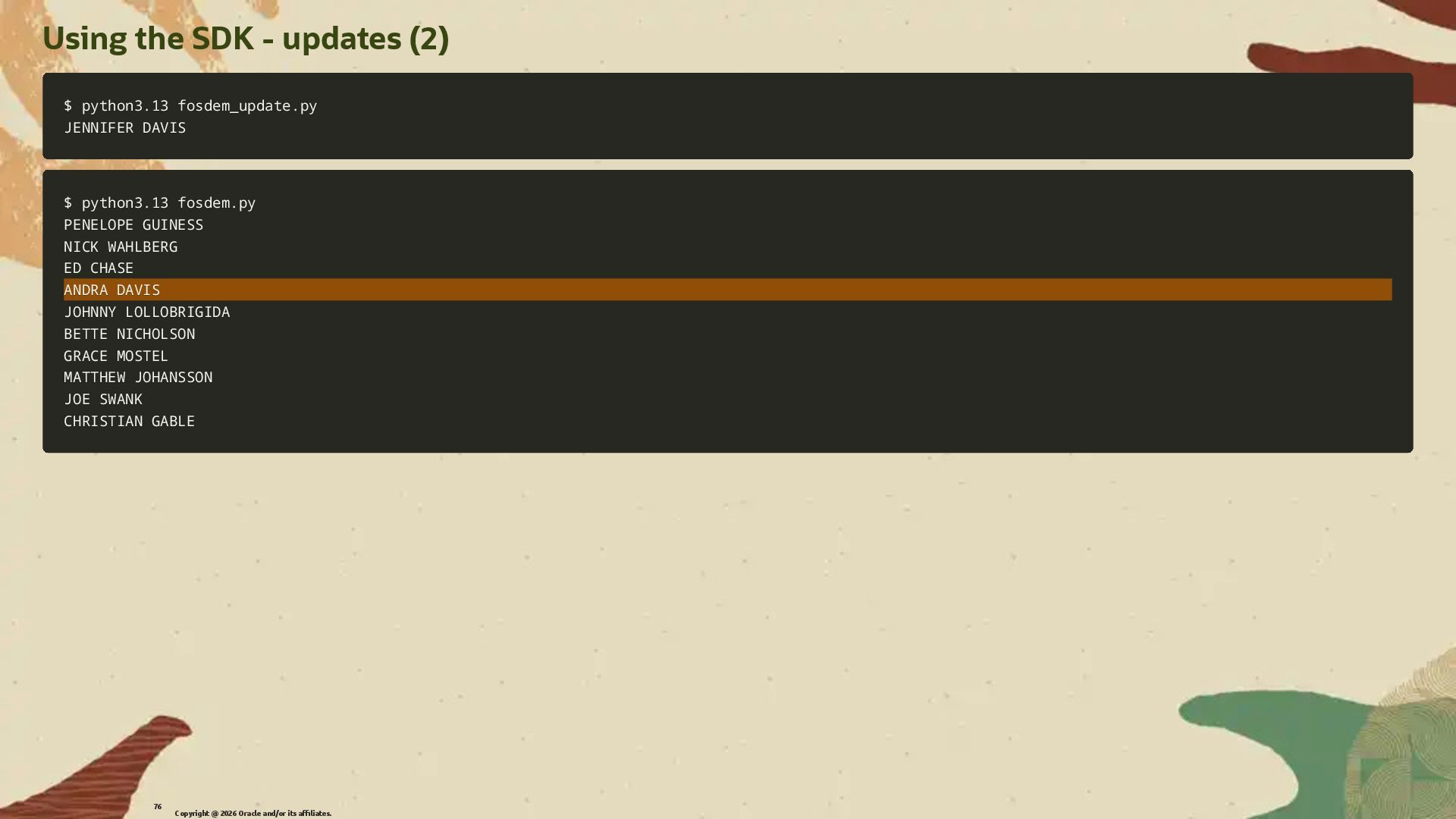
  49. Using the SDK - updates (2) $ python3.13 fosdem_update.py $

    python3.13 fosdem_update.py JENNIFER DAVIS JENNIFER DAVIS $ python3.13 fosdem.py $ python3.13 fosdem.py PENELOPE GUINESS PENELOPE GUINESS NICK WAHLBERG NICK WAHLBERG ED CHASE ED CHASE ANDRA DAVIS ANDRA DAVIS JOHNNY LOLLOBRIGIDA JOHNNY LOLLOBRIGIDA BETTE NICHOLSON BETTE NICHOLSON GRACE MOSTEL GRACE MOSTEL MATTHEW JOHANSSON MATTHEW JOHANSSON JOE SWANK JOE SWANK CHRISTIAN GABLE CHRISTIAN GABLE Copyright @ 2026 Oracle and/or its affiliates. 76
  50. Playing with other database objects We can also use the

    SDK to play with other database objects like Views, Stored Procedures and Functions. The full documentation is available at: h�ps://dev.mysql.com/doc/dev/mysql-rest-service/latest/sdk.html Copyright @ 2026 Oracle and/or its affiliates. 77
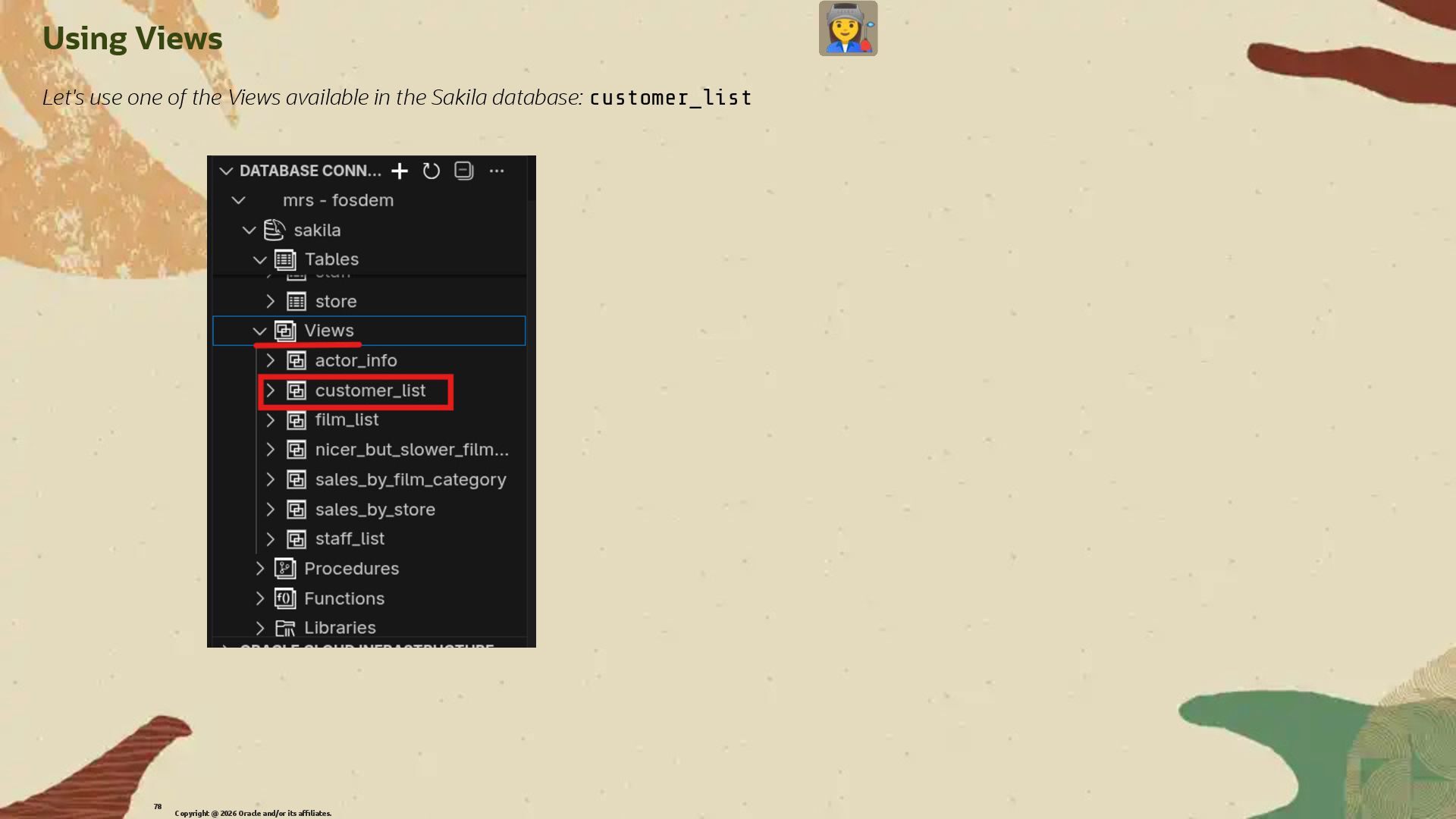
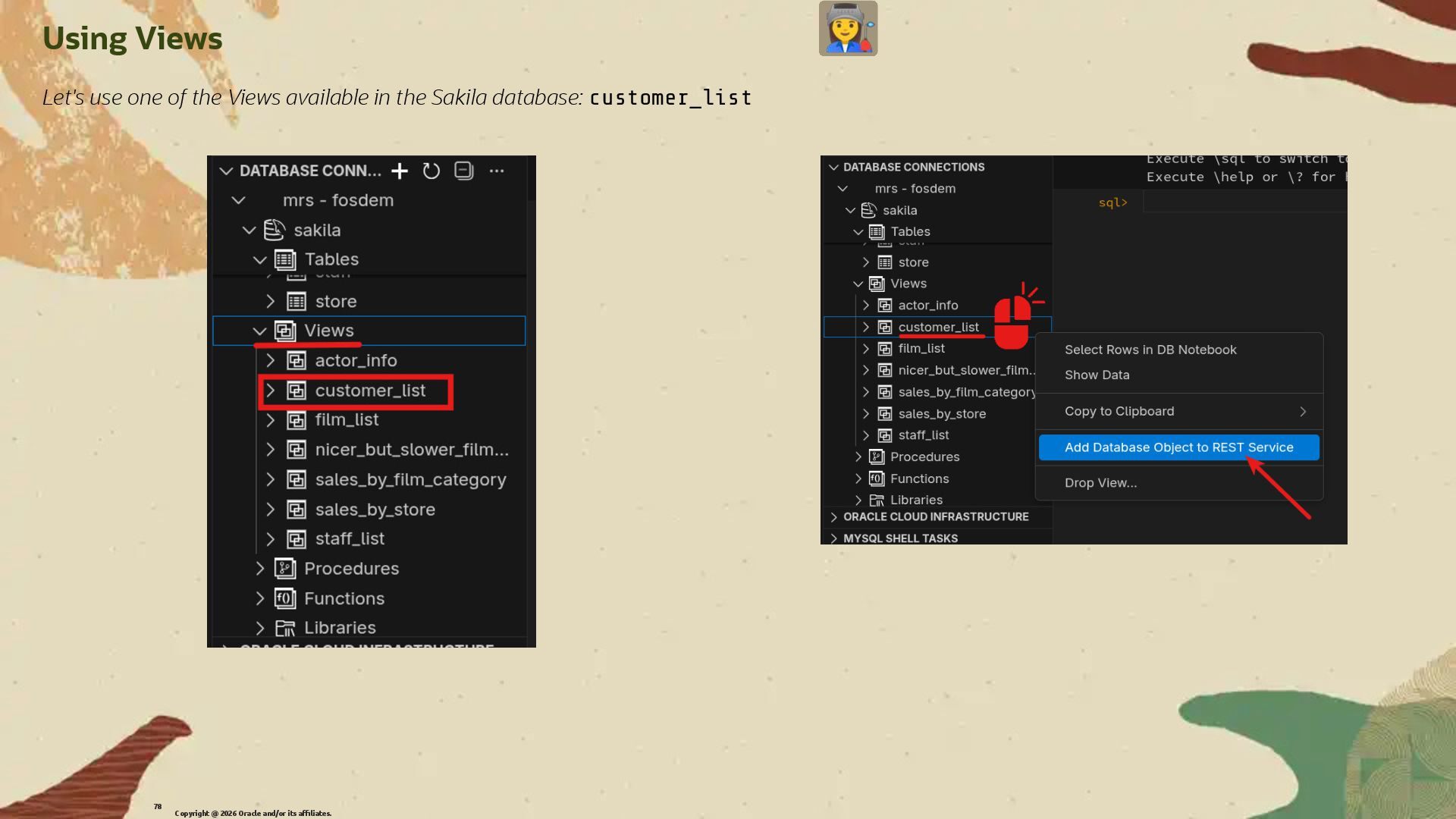
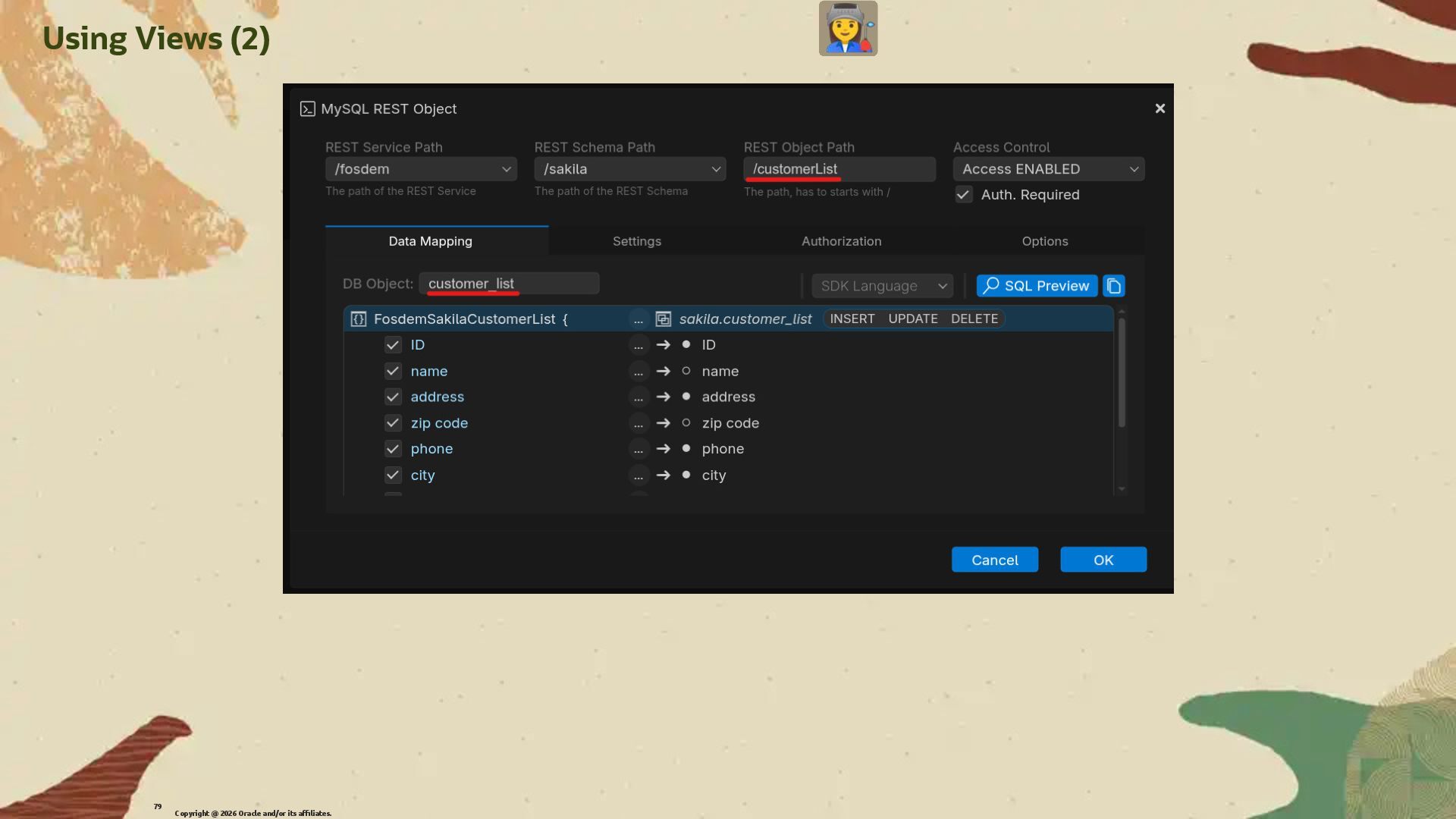
  51. Using Views Let's use one of the Views available in

    the Sakila database: customer_list Copyright @ 2026 Oracle and/or its affiliates. 78
  52. Using Views Let's use one of the Views available in

    the Sakila database: customer_list Copyright @ 2026 Oracle and/or its affiliates. 78
  53. Using Views Let's use one of the Views available in

    the Sakila database: customer_list Copyright @ 2026 Oracle and/or its affiliates. 78
  54. Using Views (3) Create a Python program to use the

    view and display the name and the county of customers. Don't forget to export again the SDK !! Copyright @ 2026 Oracle and/or its affiliates. 80
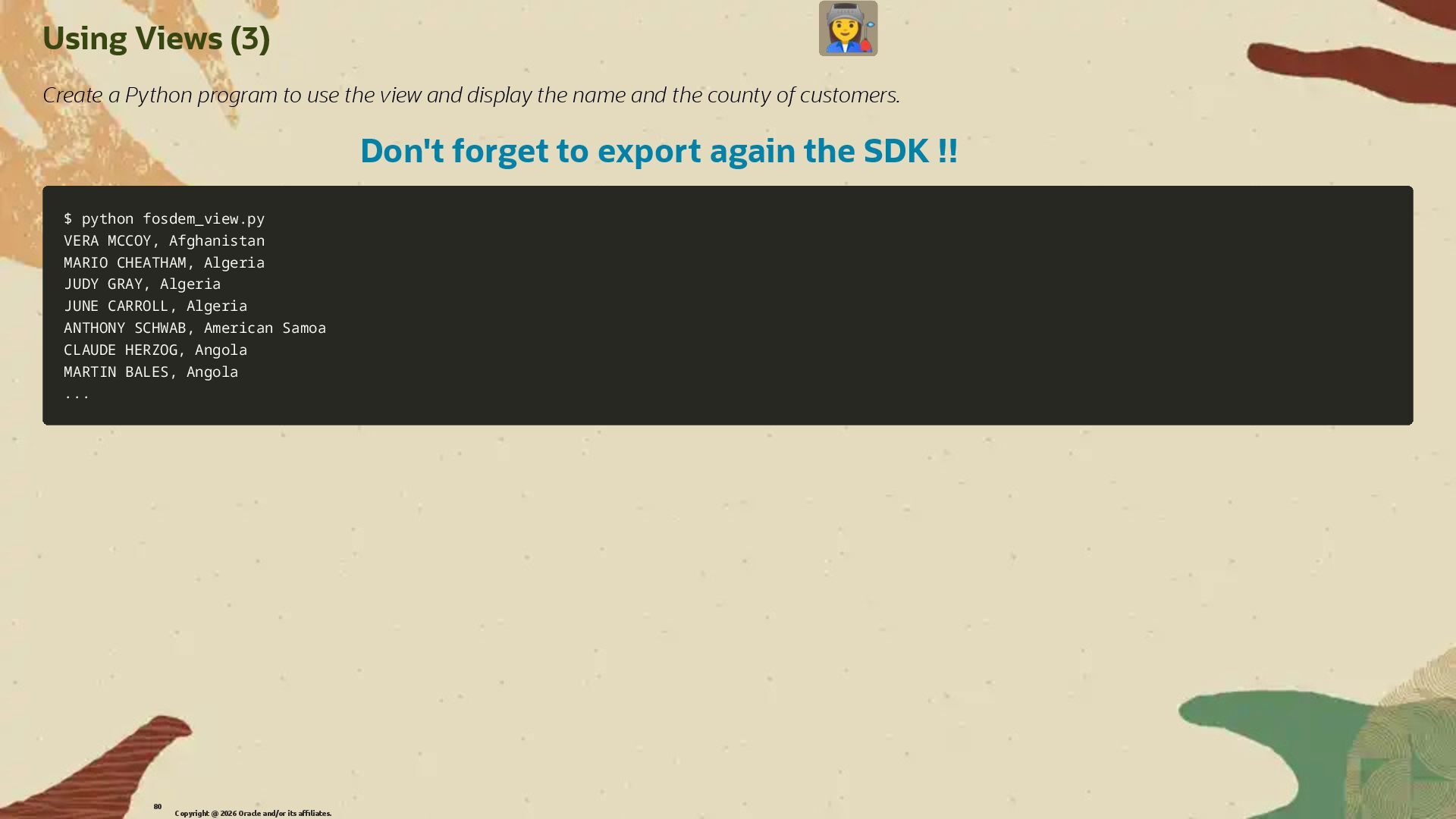
  55. Using Views (3) Create a Python program to use the

    view and display the name and the county of customers. Don't forget to export again the SDK !! $ python fosdem_view.py $ python fosdem_view.py VERA MCCOY, Afghanistan VERA MCCOY, Afghanistan MARIO CHEATHAM, Algeria MARIO CHEATHAM, Algeria JUDY GRAY, Algeria JUDY GRAY, Algeria JUNE CARROLL, Algeria JUNE CARROLL, Algeria ANTHONY SCHWAB, American Samoa ANTHONY SCHWAB, American Samoa CLAUDE HERZOG, Angola CLAUDE HERZOG, Angola MARTIN BALES, Angola MARTIN BALES, Angola .. ... . Copyright @ 2026 Oracle and/or its affiliates. 80
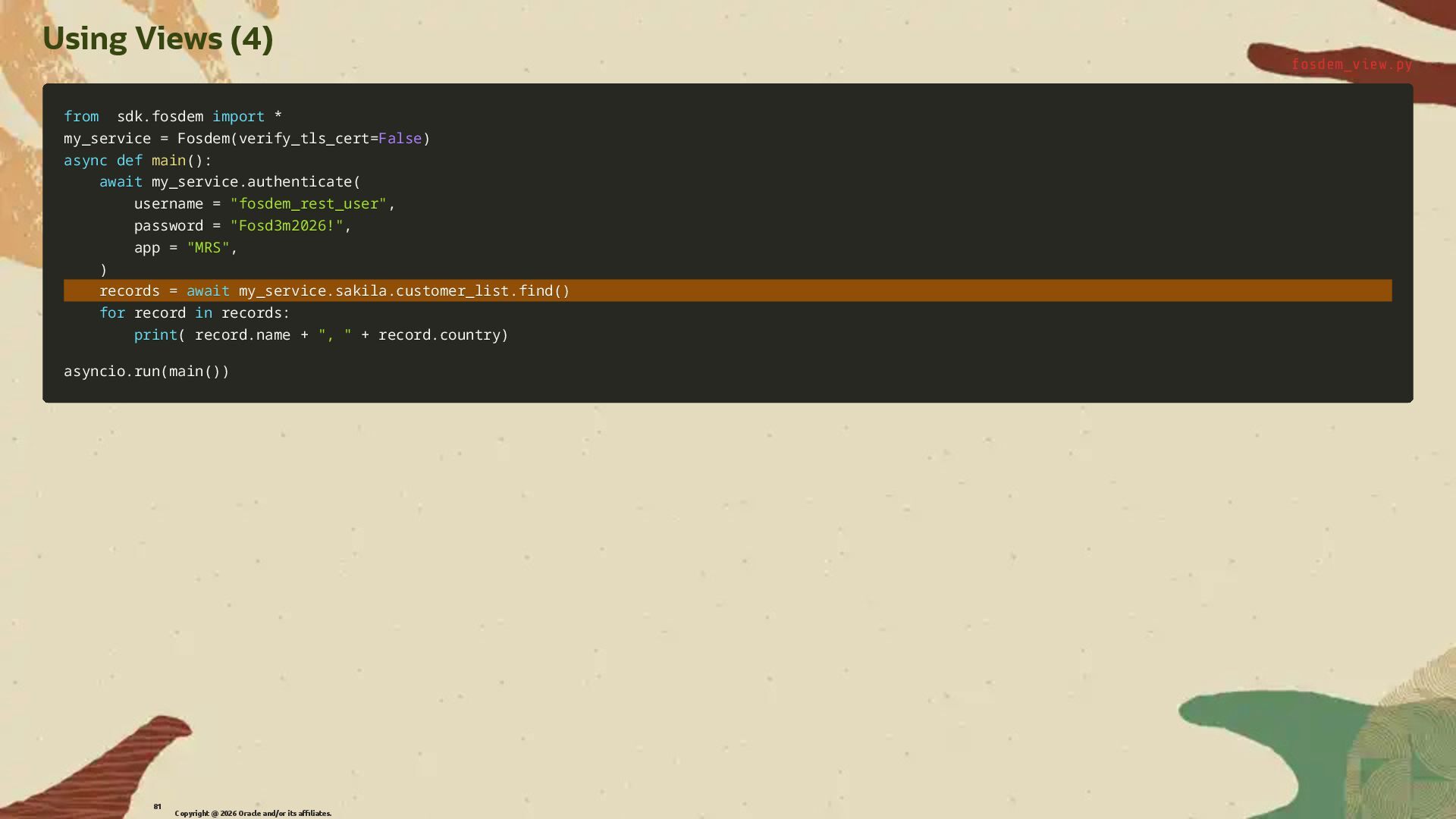
  56. Using Views (4) fosdem_view.py from from sdk sdk. .fosdem fosdem

    import import * * my_service my_service = = Fosdem Fosdem( (verify_tls_cert verify_tls_cert= =False False) ) async async def def main main( () ): : await await my_service my_service. .authenticate authenticate( ( username username = = "fosdem_rest_user" "fosdem_rest_user", , password password = = "Fosd3m2026!" "Fosd3m2026!", , app app = = "MRS" "MRS", , ) ) records records = = await await my_service my_service. .sakila sakila. .customer_list customer_list. .find find( () ) for for record record in in records records: : print print( ( record record. .name name + + ", " ", " + + record record. .country country) ) asyncio asyncio. .run run( (main main( () )) ) Copyright @ 2026 Oracle and/or its affiliates. 81
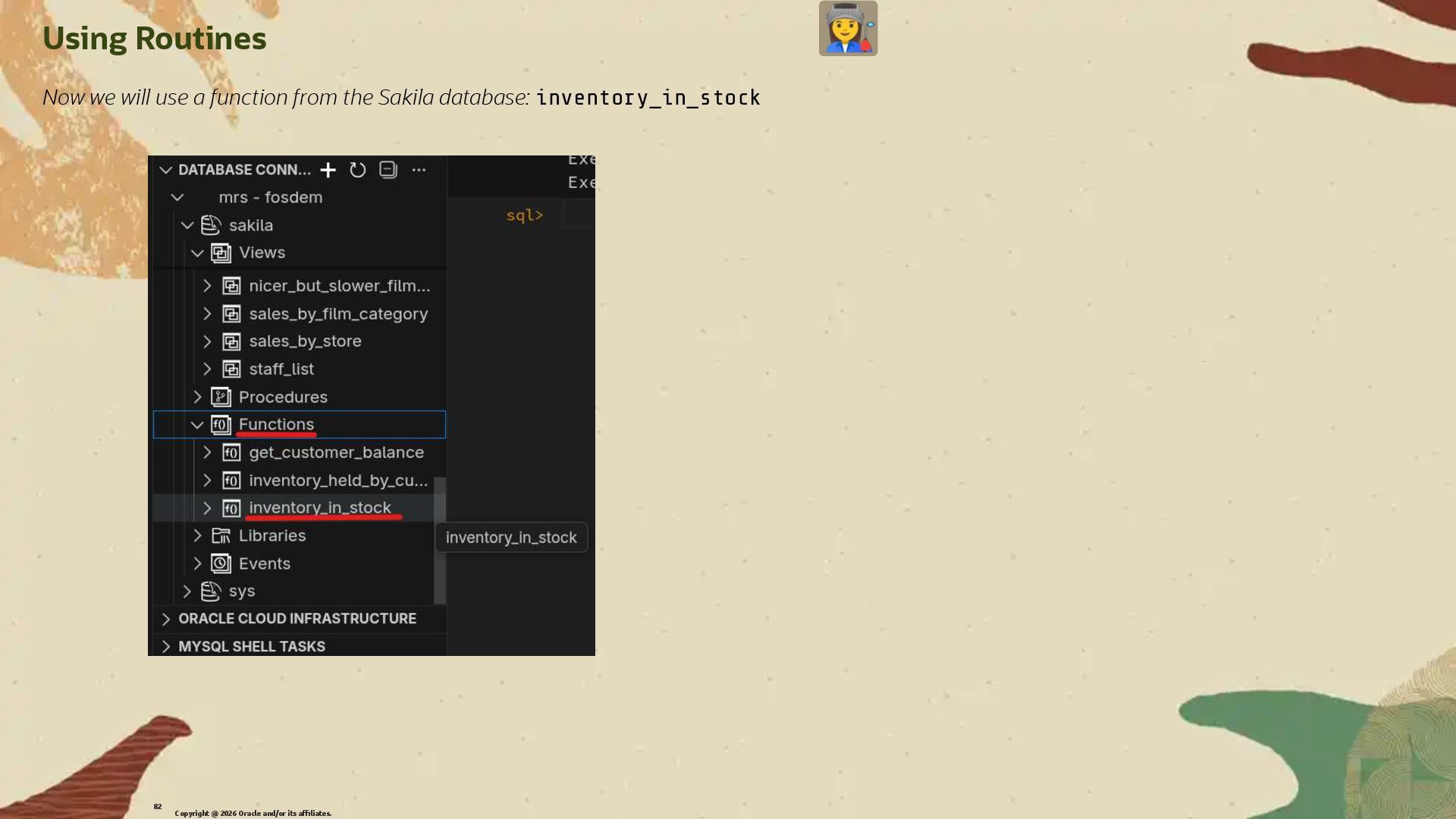
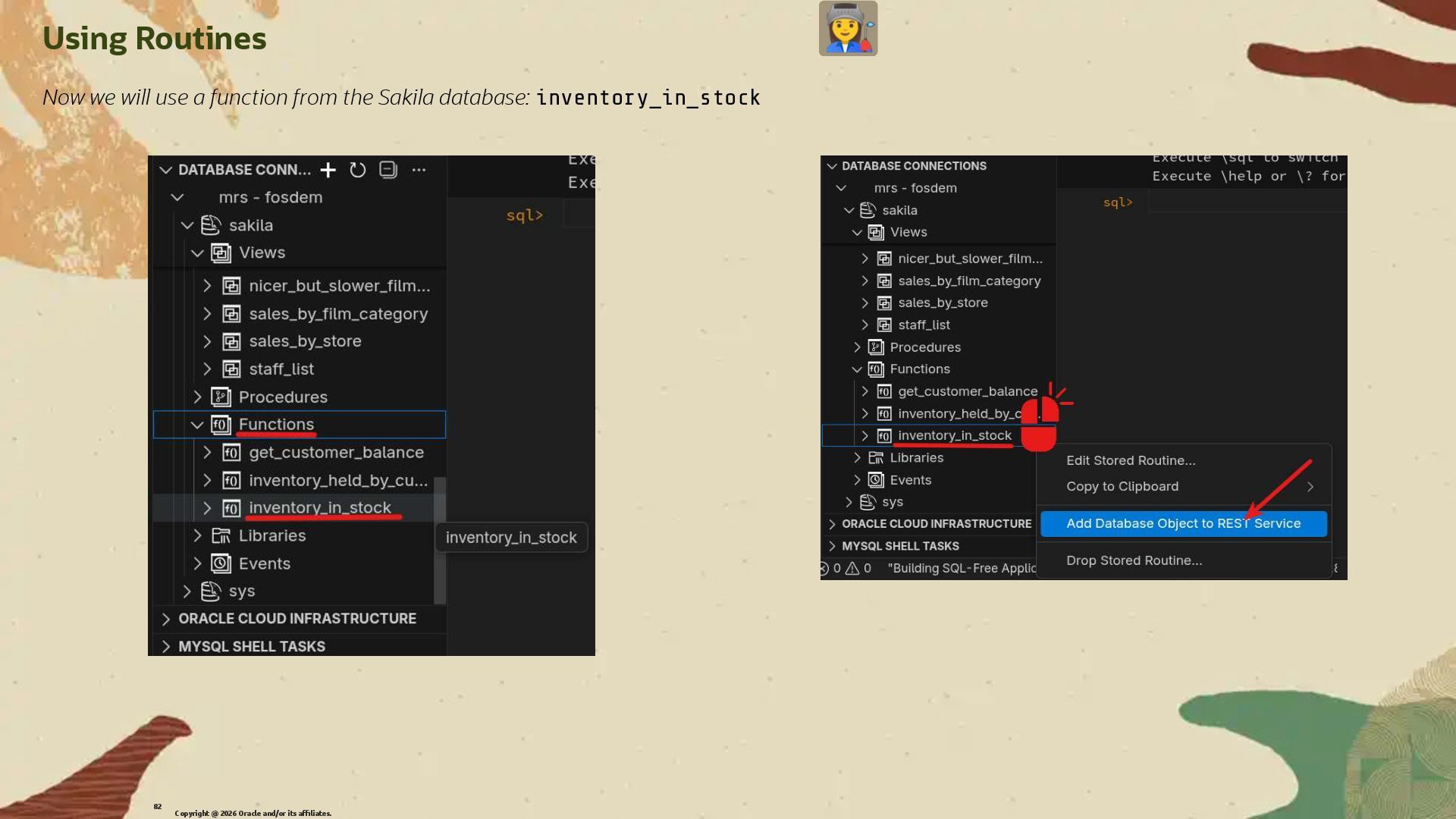
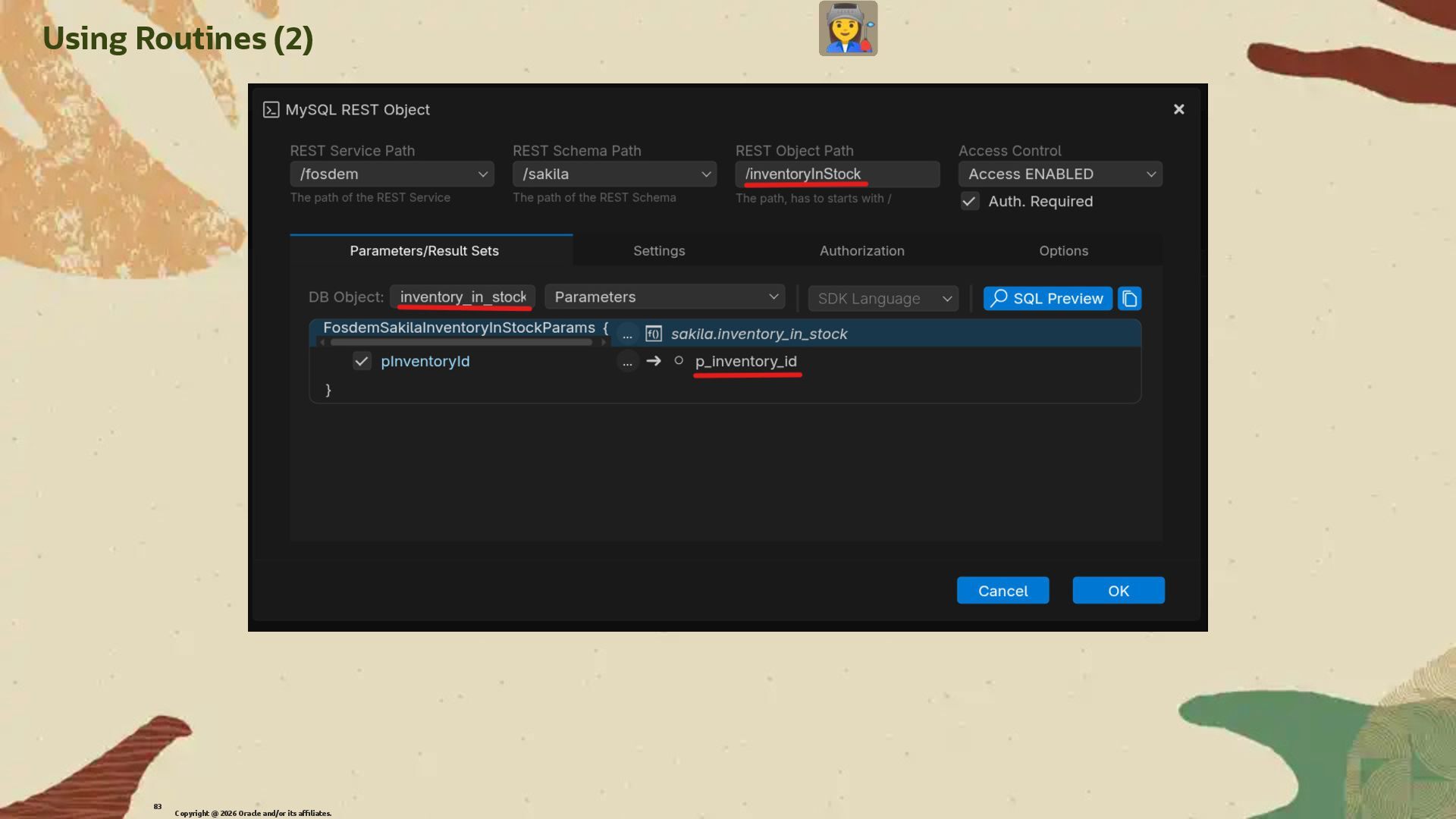
  57. Using Routines Now we will use a function from the

    Sakila database: inventory_in_stock Copyright @ 2026 Oracle and/or its affiliates. 82
  58. Using Routines Now we will use a function from the

    Sakila database: inventory_in_stock Copyright @ 2026 Oracle and/or its affiliates. 82
  59. Using Routines Now we will use a function from the

    Sakila database: inventory_in_stock Copyright @ 2026 Oracle and/or its affiliates. 82
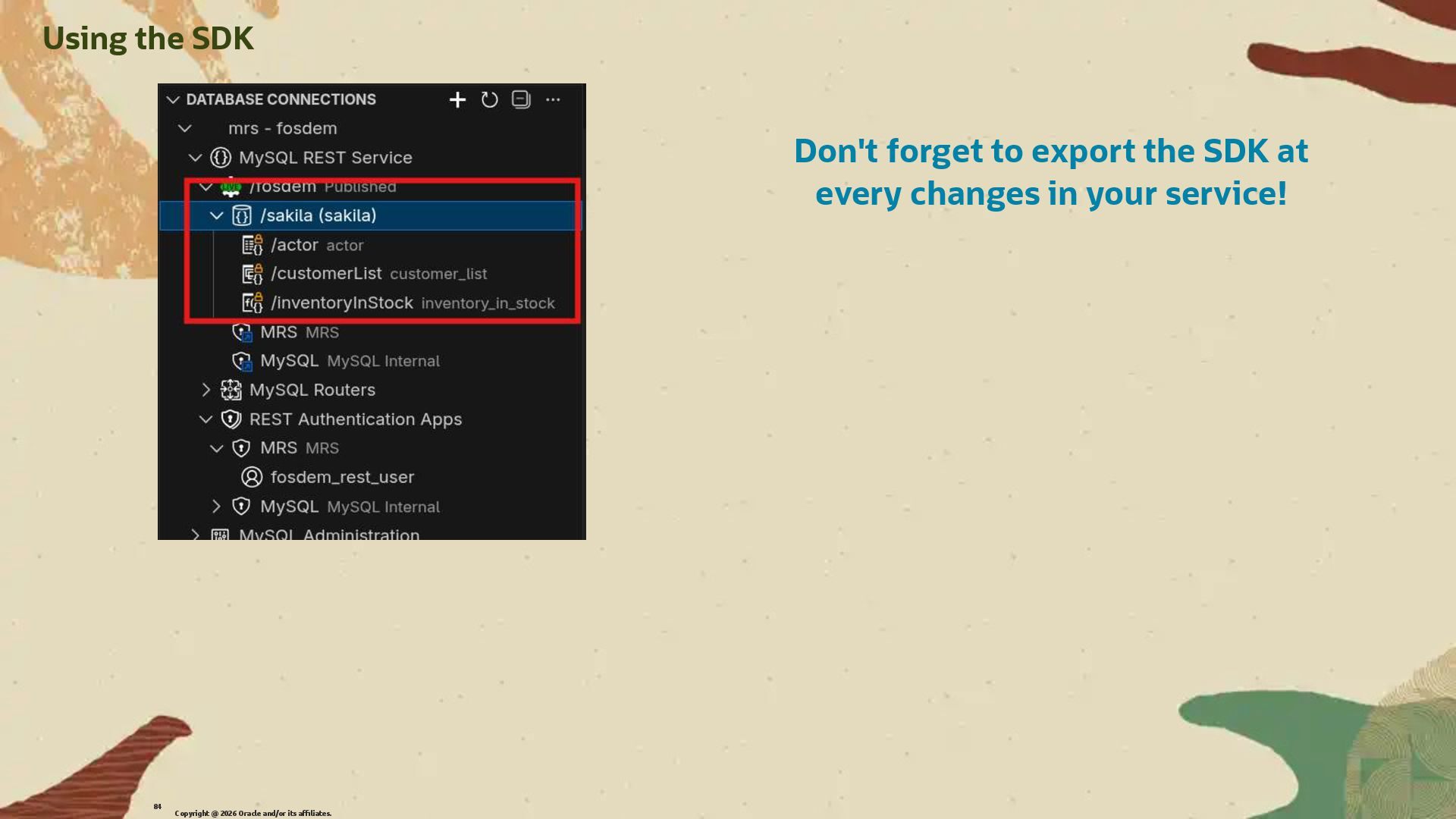
  60. Don't forget to export the SDK at every changes in

    your service! Using the SDK Copyright @ 2026 Oracle and/or its affiliates. 84
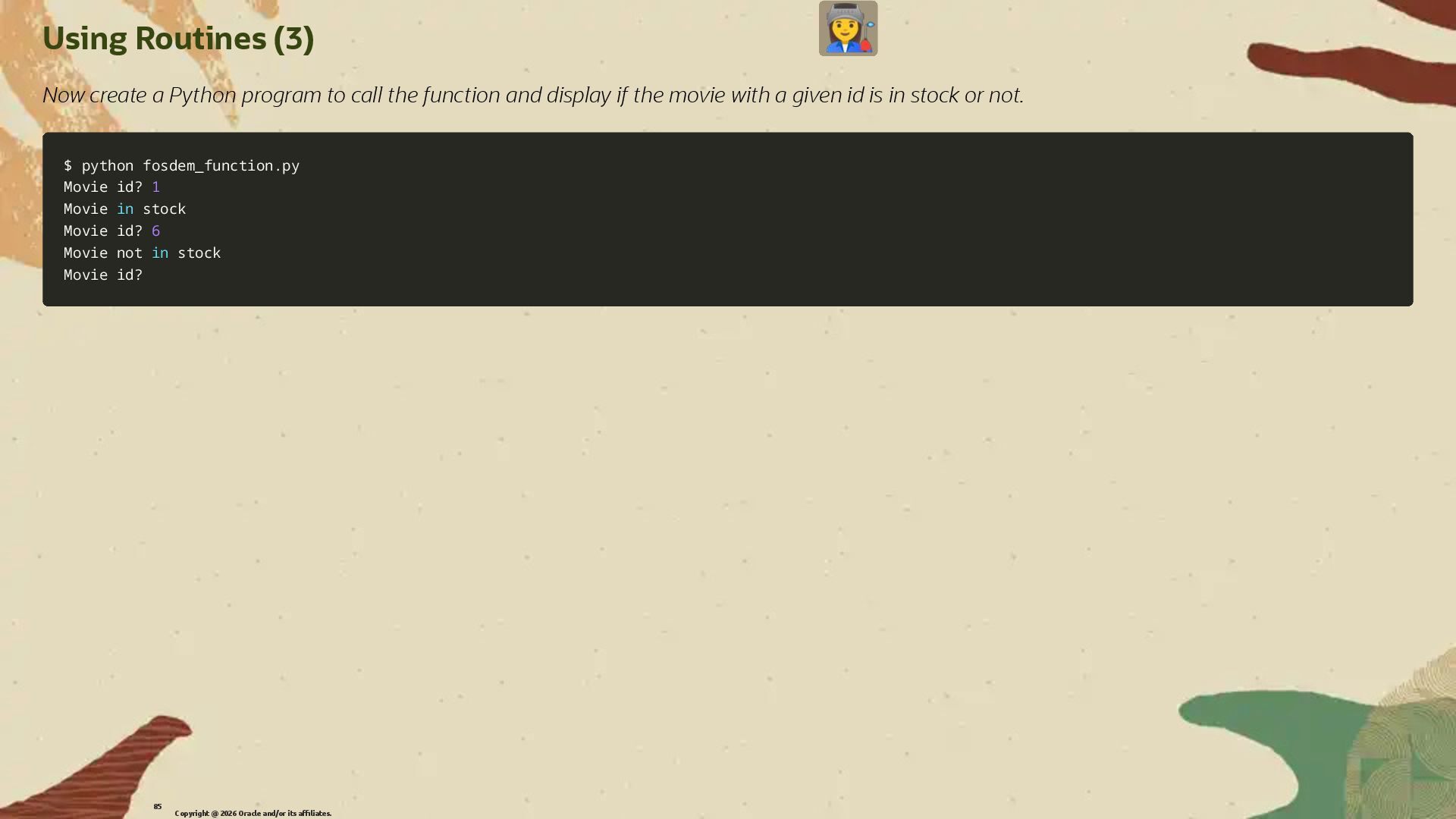
  61. Using Routines (3) Now create a Python program to call

    the function and display if the movie with a given id is in stock or not. $ python fosdem_function.py $ python fosdem_function.py Movie id? Movie id? 1 1 Movie Movie in in stock stock Movie id? Movie id? 6 6 Movie not Movie not in in stock stock Movie id? Movie id? Copyright @ 2026 Oracle and/or its affiliates. 85
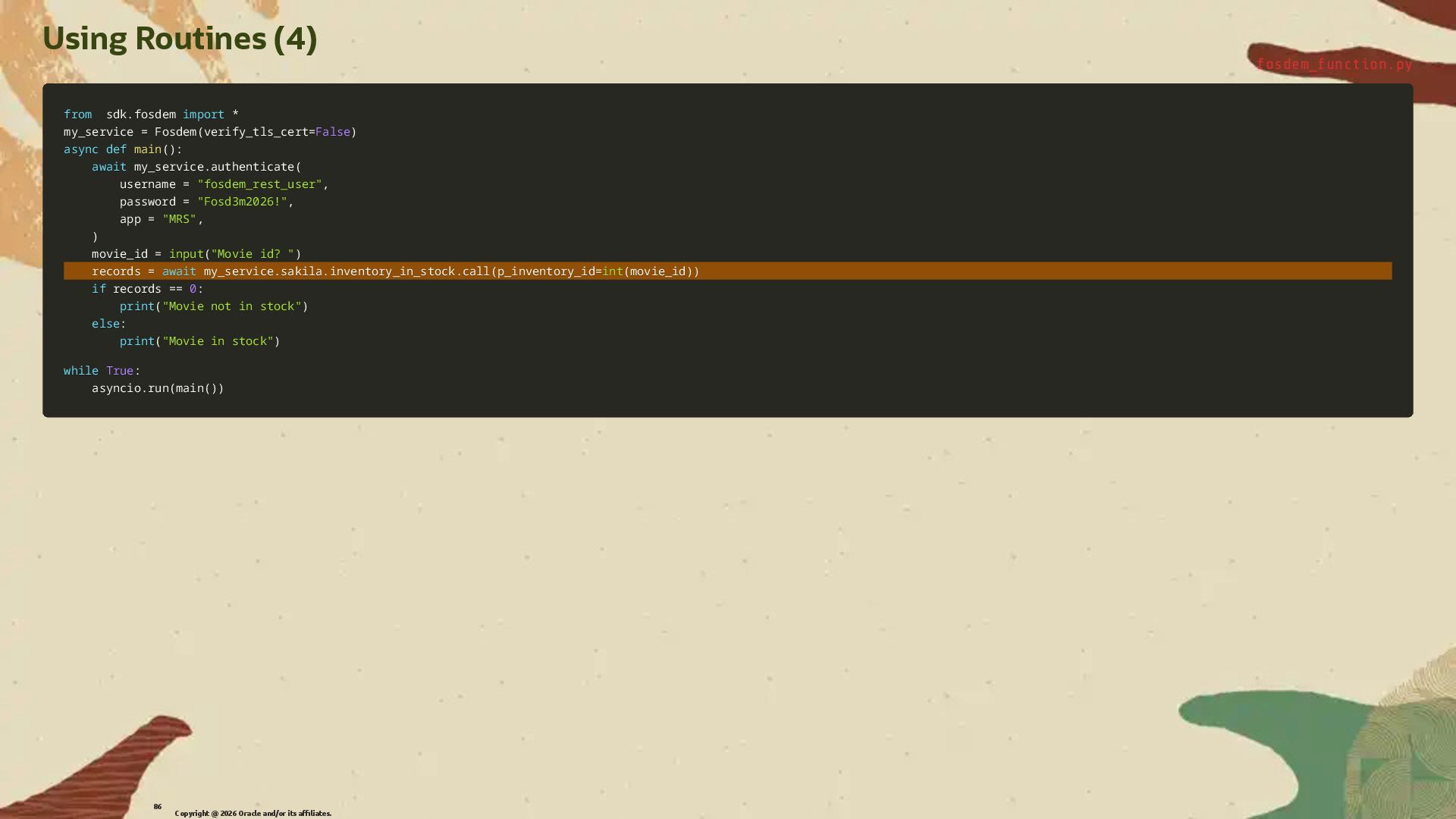
  62. Using Routines (4) fosdem_function.py from from sdk sdk. .fosdem fosdem

    import import * * my_service my_service = = Fosdem Fosdem( (verify_tls_cert verify_tls_cert= =False False) ) async async def def main main( () ): : await await my_service my_service. .authenticate authenticate( ( username username = = "fosdem_rest_user" "fosdem_rest_user", , password password = = "Fosd3m2026!" "Fosd3m2026!", , app app = = "MRS" "MRS", , ) ) movie_id movie_id = = input input( ("Movie id? " "Movie id? ") ) records records = = await await my_service my_service. .sakila sakila. .inventory_in_stock inventory_in_stock. .call call( (p_inventory_id p_inventory_id= =int int( (movie_id movie_id) )) ) if if records records == == 0 0: : print print( ("Movie not in stock" "Movie not in stock") ) else else: : print print( ("Movie in stock" "Movie in stock") ) while while True True: : asyncio asyncio. .run run( (main main( () )) ) Copyright @ 2026 Oracle and/or its affiliates. 86
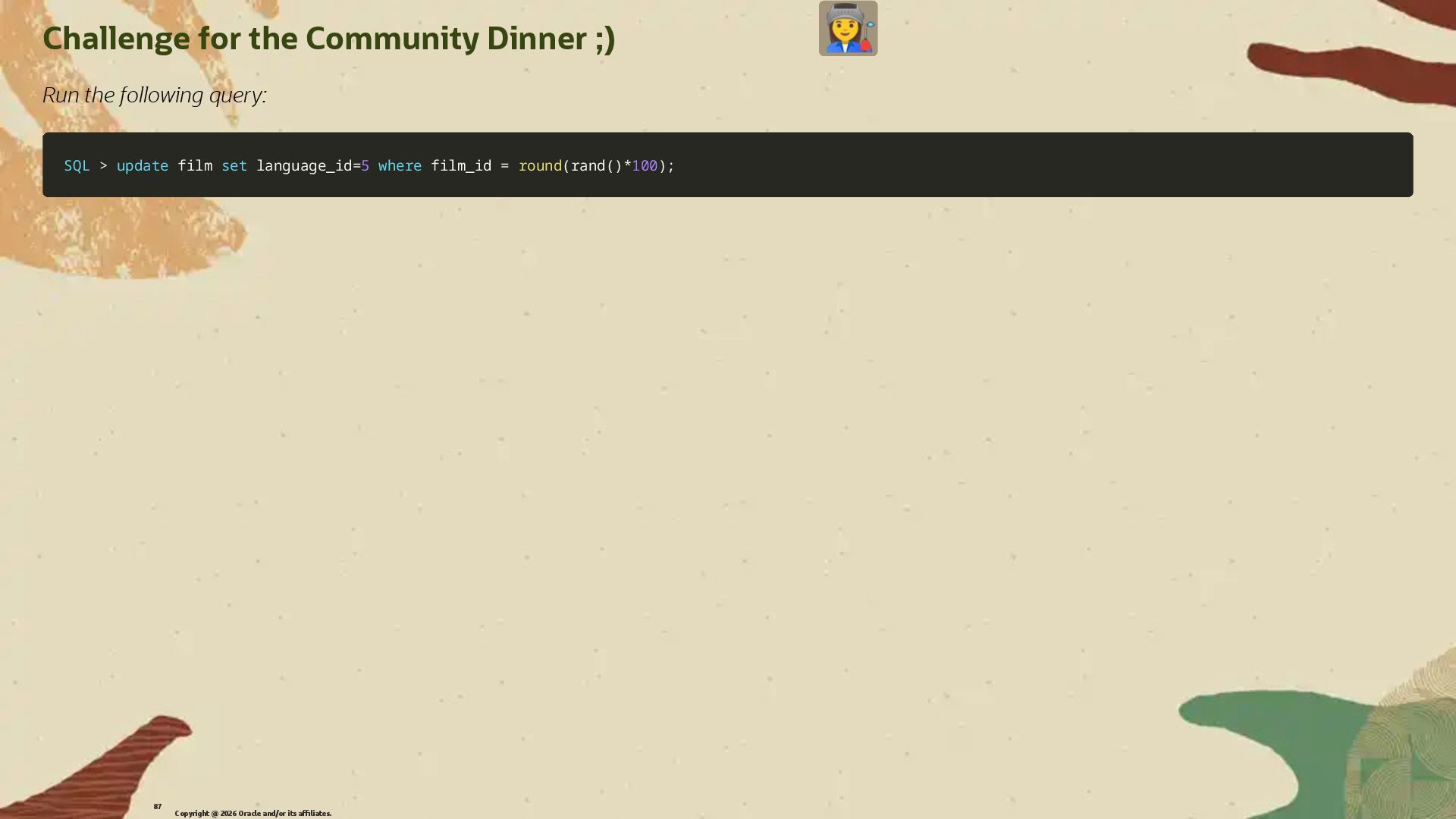
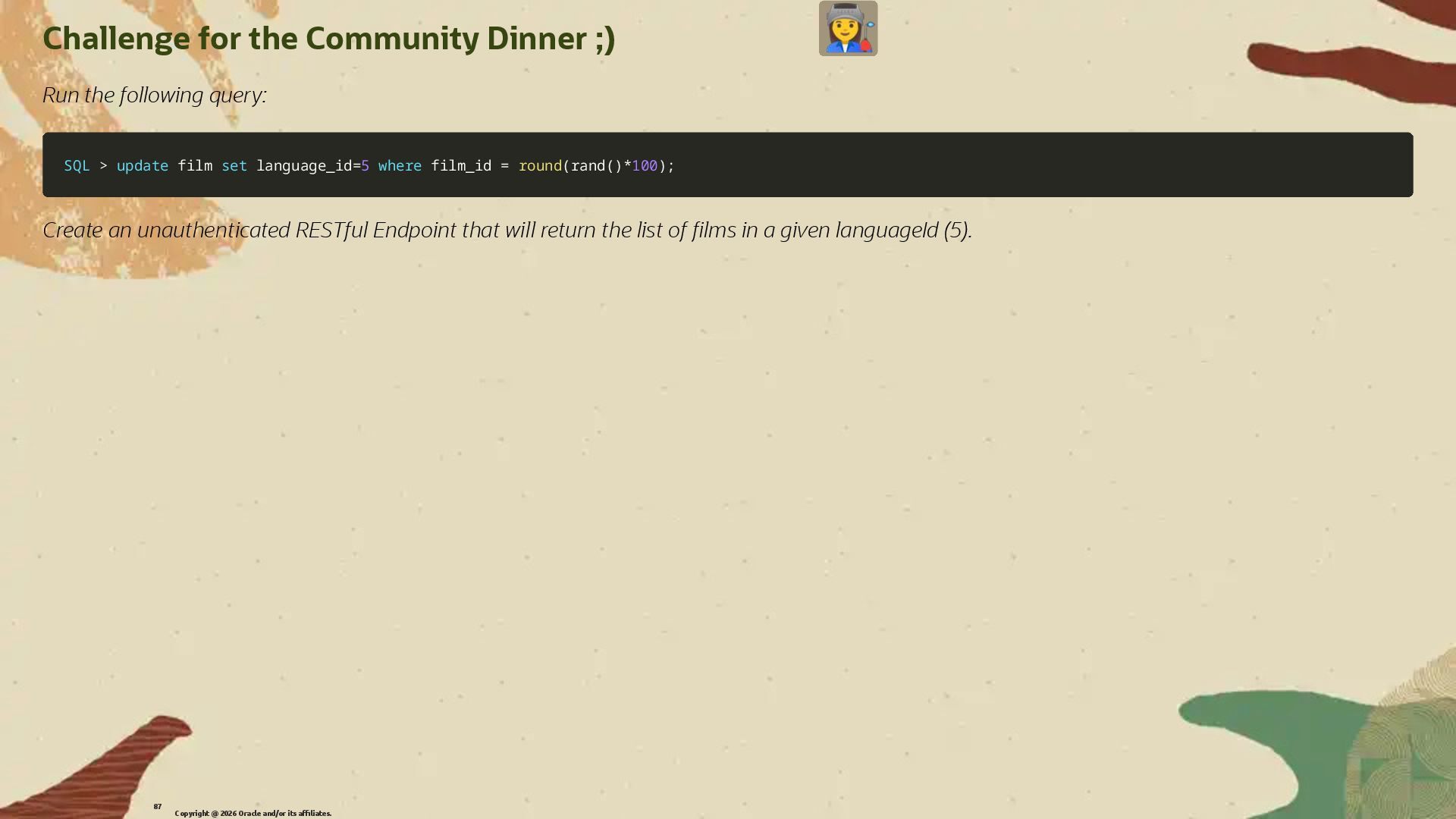
  63. Challenge for the Community Dinner ;) Run the following query:

    SQL SQL > > update update film film set set language_id language_id= =5 5 where where film_id film_id = = round round( (rand rand( () )* *100 100) ); ; Copyright @ 2026 Oracle and/or its affiliates. 87
  64. Challenge for the Community Dinner ;) Run the following query:

    SQL SQL > > update update film film set set language_id language_id= =5 5 where where film_id film_id = = round round( (rand rand( () )* *100 100) ); ; Create an unauthenticated RESTful Endpoint that will return the list of �lms in a given languageId (5). Copyright @ 2026 Oracle and/or its affiliates. 87
  65. Share your to MySQL #mysql #MySQLCommunity Join our slack channel!

    bit.ly/mysql-slack Copyright @ 2026 Oracle and/or its affiliates. 88