Upgrade to Pro
— share decks privately, control downloads, hide ads and more …
Speaker Deck
Sign up for free
Menu
Search
Features
All features
Private URLs
Password Protection
Custom URLS
Scheduled publishing
Remove Branding
Restrict embedding
Deck Collections
Notes
Features
All features
Private URLs
Password Protection
Custom URLS
Scheduled publishing
Remove Branding
Restrict embedding
Deck Collections
Notes
Explore
Featured decks
Featured speakers
Programming
Technology
Storyboards
Explore
Featured decks
Featured speakers
Programming
Technology
Storyboards
Pricing
Search
Sign in
Sign up for free
ts-morph でプロジェクト固有のアーキテクチャガードレールを作る
Search
PKSHA Technology(パークシャテクノロジー)
PRO
May 22, 2026
930
4
Share
Embed
Copy iframe code
Copy JS code
Copy link
Start on current slide
ts-morph でプロジェクト固有のアーキテクチャガードレールを作る
PKSHA Technology(パークシャテクノロジー)
PRO
May 22, 2026
More Decks by PKSHA Technology(パークシャテクノロジー)
See All by PKSHA Technology(パークシャテクノロジー)
「AI時代、配布するPythonコードをどう守るか: 難読化の実験と判断軸」 #PyconJP2026
pkshadeck
PRO
2
560
【QA Test Talk Vol.8】AI-DLC による Whole Team Approach の加速
pkshadeck
PRO
0
390
属人化した知識を、 AIが辿れる地図にする
pkshadeck
PRO
1
270
【SRE NEXT 2026 Lunch Session】一人目専任SREの立ち上げを加速する ― AIと進めたオンボーディングで2分を0.04秒にした話
pkshadeck
PRO
0
4.7k
1000人規模の組織でデザインハーネスを導入するための第一歩
pkshadeck
PRO
5
4.4k
過去のレビュー知見をSkillsで資産化した話
pkshadeck
PRO
1
3.4k
Databricksを用いたセキュアなデータ基盤構築とAIプロダクトへの応用.pdf
pkshadeck
PRO
0
890
人とAIのコミュニケーション方法の違い
pkshadeck
PRO
1
1.1k
ドキュメントからはじめる未来のソフトウェア
pkshadeck
PRO
5
3.9k
Featured
See All Featured
Performance Is Good for Brains [We Love Speed 2024]
tammyeverts
12
1.9k
Code Review Best Practice
trishagee
74
20k
The Curse of the Amulet
leimatthew05
3
16k
Imperfection Machines: The Place of Print at Facebook
scottboms
270
14k
Distributed Sagas: A Protocol for Coordinating Microservices
caitiem20
333
23k
JavaScript: Past, Present, and Future - NDC Porto 2020
reverentgeek
52
6.1k
Building a A Zero-Code AI SEO Workflow
portentint
PRO
0
790
How to Ace a Technical Interview
jacobian
280
24k
Mind Mapping
helmedeiros
1
400
CSS Pre-Processors: Stylus, Less & Sass
bermonpainter
360
31k
The Spectacular Lies of Maps
axbom
PRO
1
1.1k
Raft: Consensus for Rubyists
vanstee
142
7.8k
Transcript
ts-morph で プロジェクト固有の アーキテクチャガードレールを作る 須藤 路真 ( @michimasa_suto ) 株式会社
PKSHA Technology 01 / 28
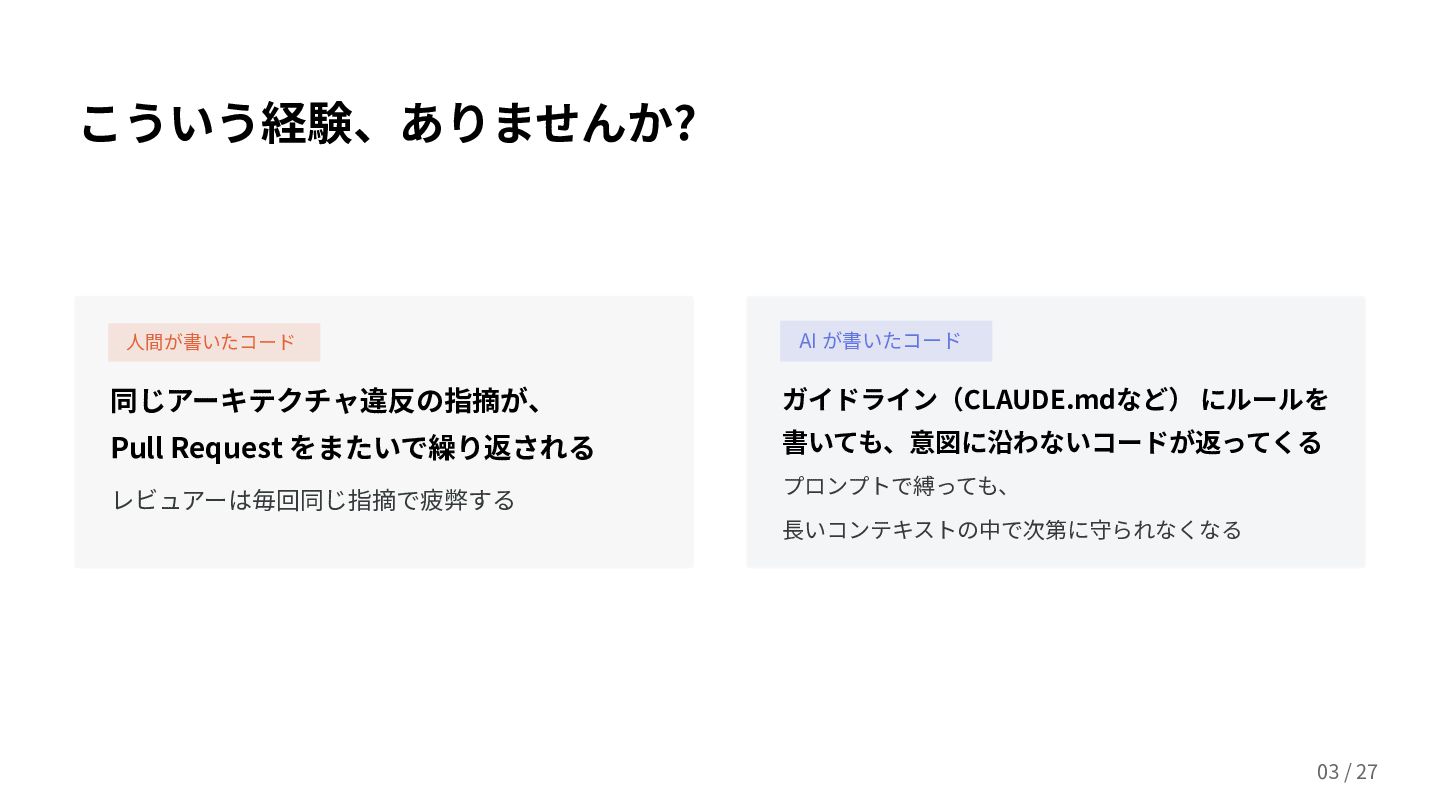
こういう経験、ありませんか? AI が書いたコード ガイドライン(CLAUDE.mdなど) にルールを 書いても、意図に沿わないコードが返ってくる プロンプトで縛っても、 ⻑いコンテキストの中で次第に守られなくなる ⼈間が書いたコード Pull
Request で、同じアーキテクチャ違反 が繰り返し指摘される レビュアーは毎回同じ指摘で疲弊 レビューされる側も申し訳ない気持ちに... 02 / 28
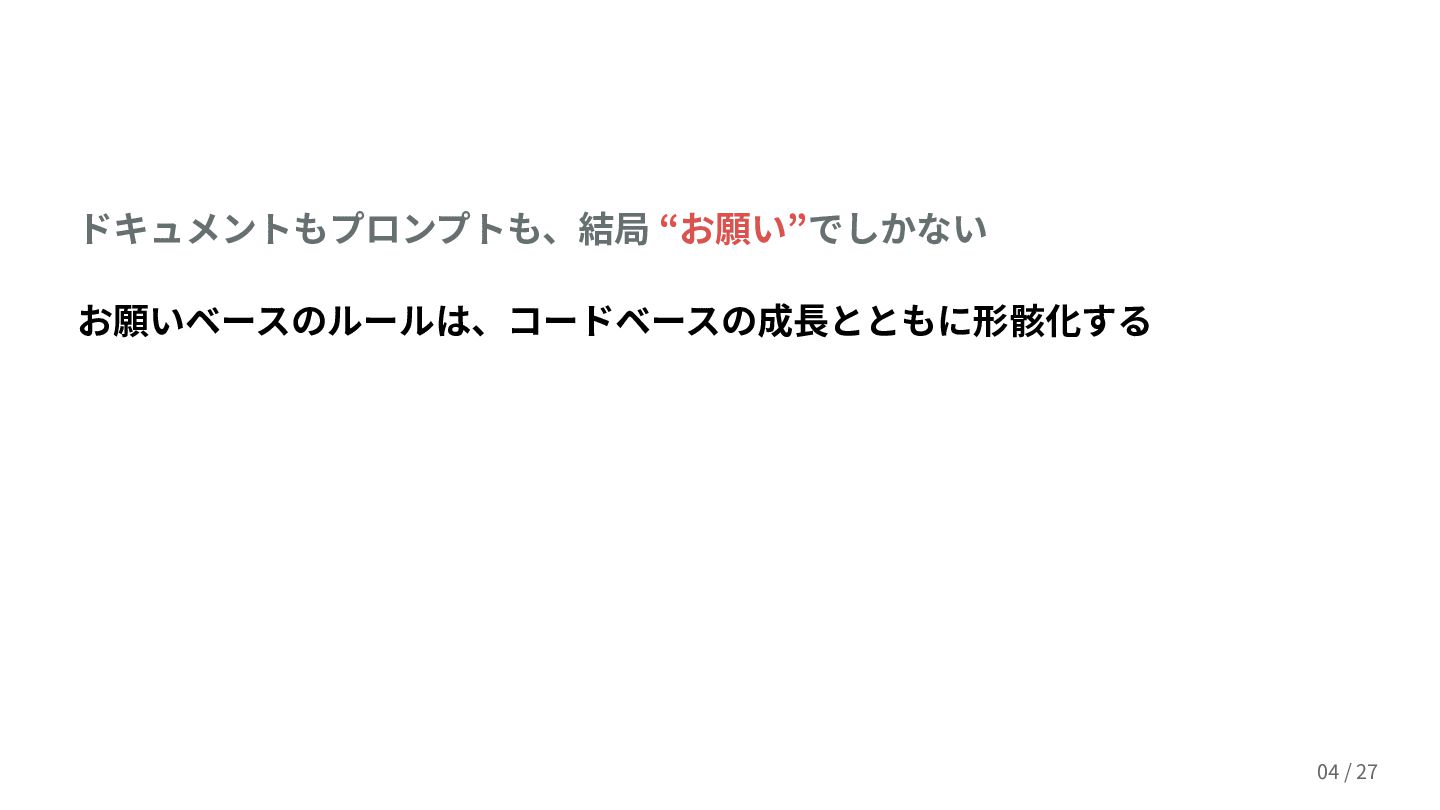
ドキュメントもプロンプトも、結局 “お願い”でしかない お願いベースのルールは、コードや組織の成⻑とともに形骸化する 03 / 28
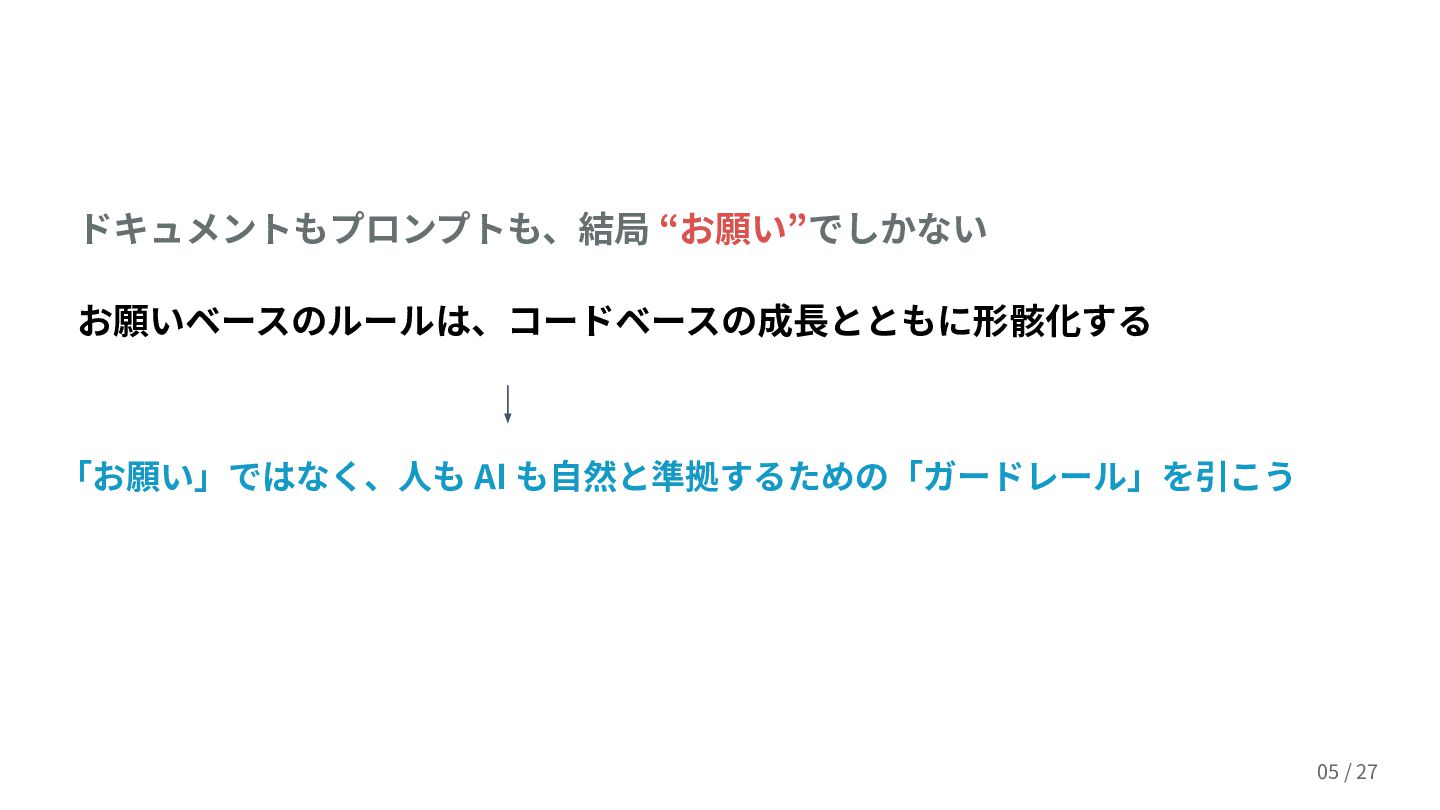
「お願い」ではなく、⼈も AI も⾃然と準拠するための「ガードレール」を引こう お願いベースのルールは、コードや組織の成⻑とともに形骸化する 04 / 28 ドキュメントもプロンプトも、結局 “お願い”でしかない
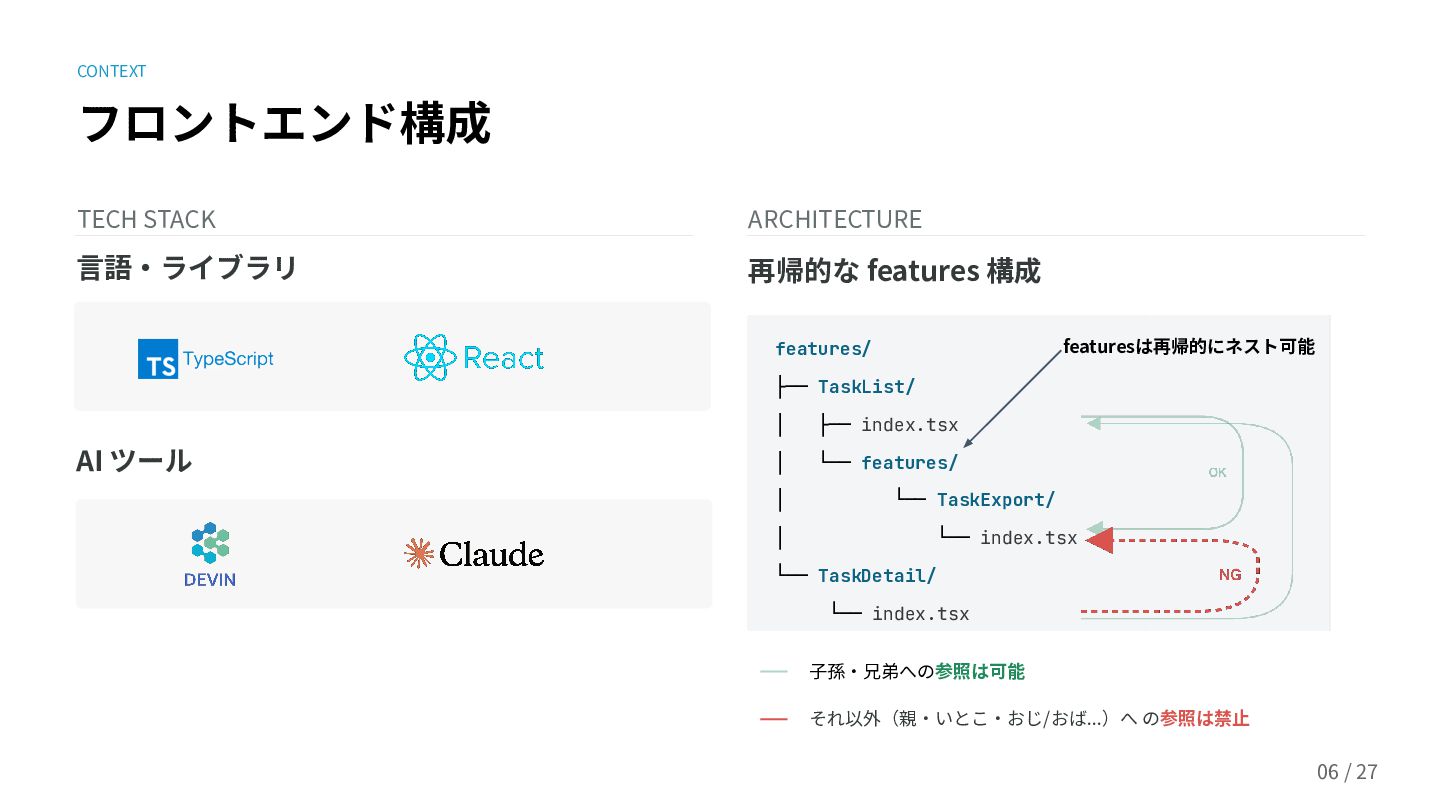
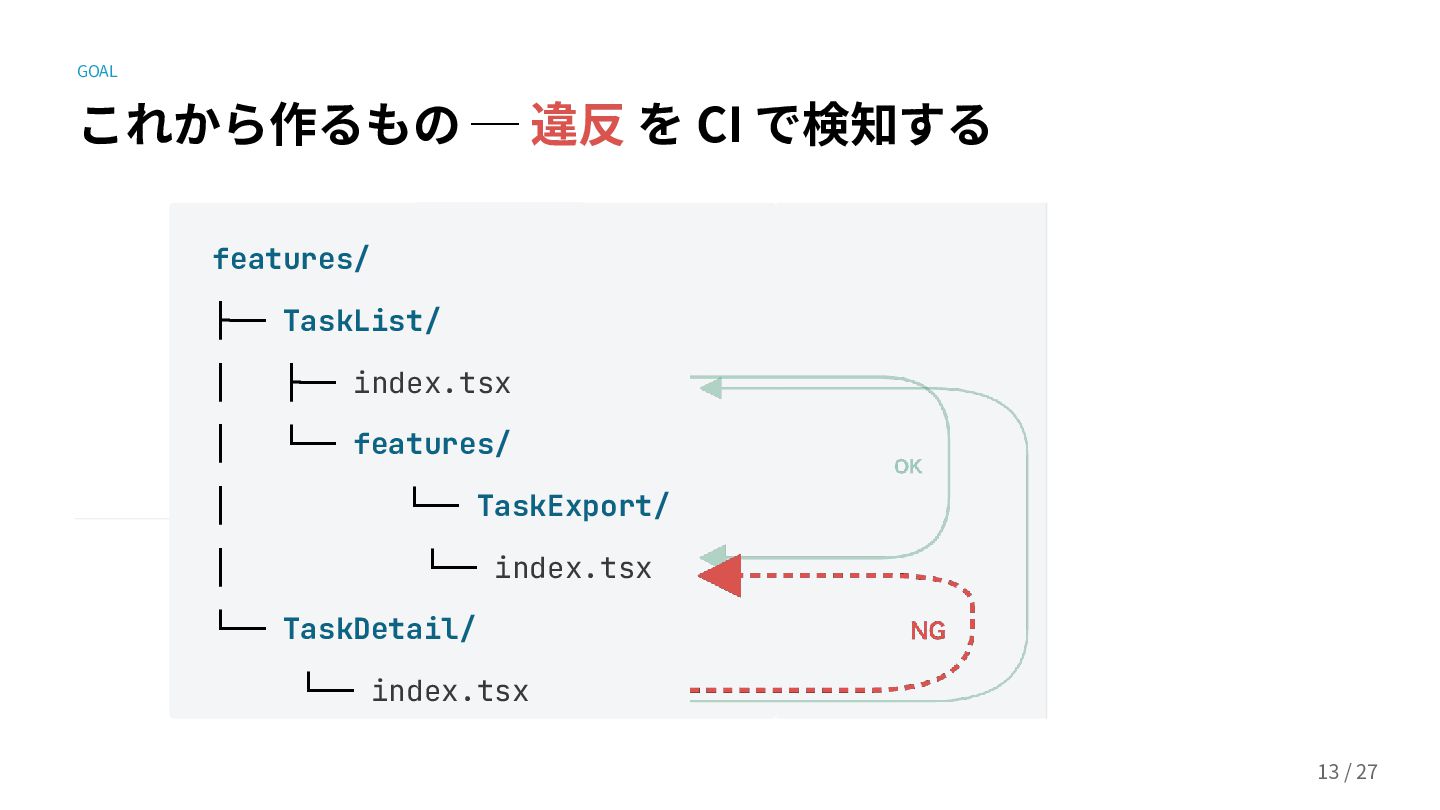
フロントエンド構成 TECH STACK ARCHITECTURE ⼦孫‧兄弟への参照は可能 それ以外(親‧いとこ‧おじ/おば...)へ の参照は禁⽌ features/ ├── TaskList/
│ ├── index.tsx │ └── features/ │ └── TaskExport/ │ └── index.tsx └── TaskDetail/ └── index.tsx featuresは再帰的にネスト可能 再帰的な features 構成 05 / 28 ⾔語‧ライブラリ AI ツール CONTEXT
再帰的な features 構成 の詳細は Zenn の記事を↓ 🔒 zenn.dev/pksha/articles/recursive-features-directory-structure 06 /
28 CONTEXT
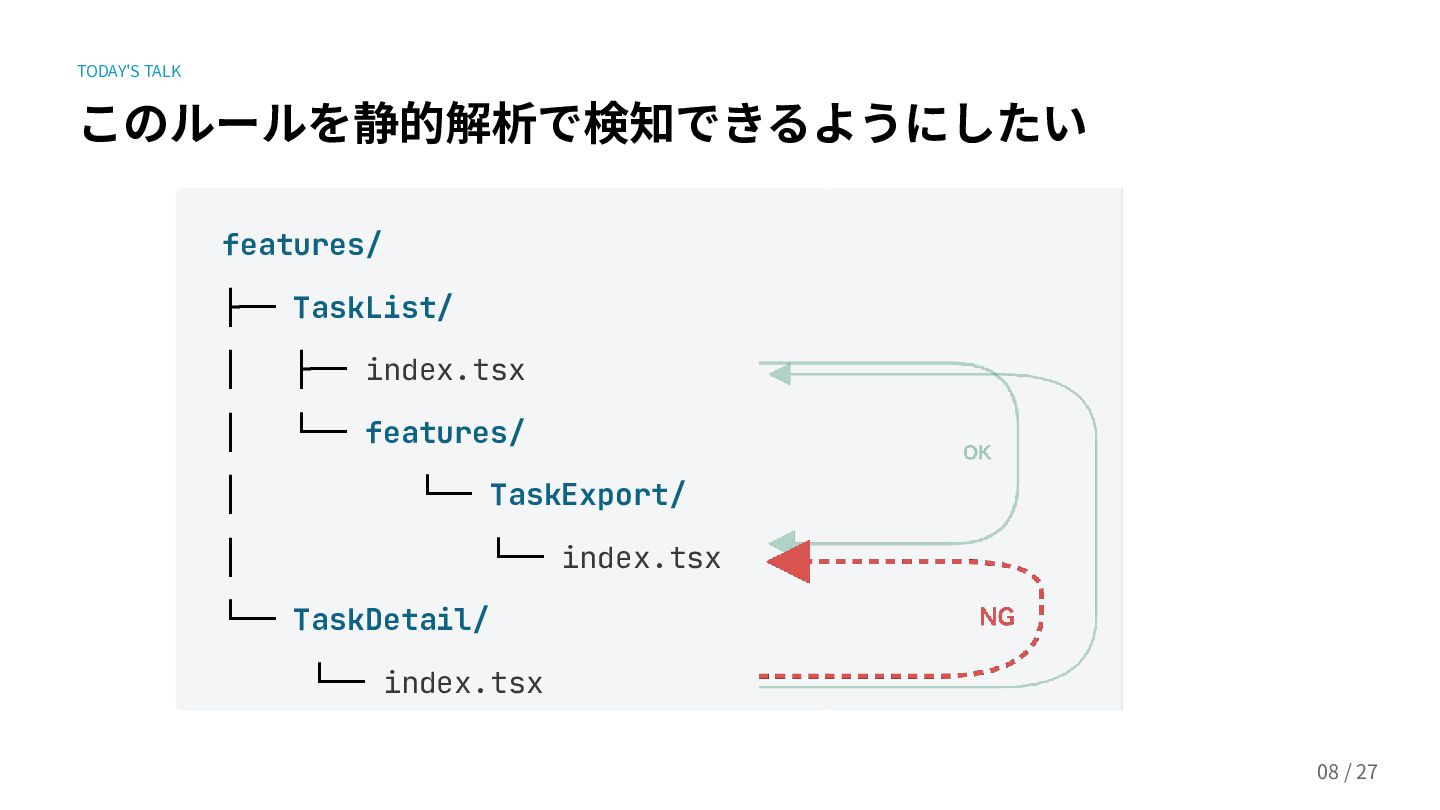
TODAY'S TALK このルールを静的解析で検知できるようにしたい features/ ├── TaskList/ │ ├── index.tsx │
└── features/ │ └── TaskExport/ │ └── index.tsx └── TaskDetail/ └── index.tsx 07 / 28
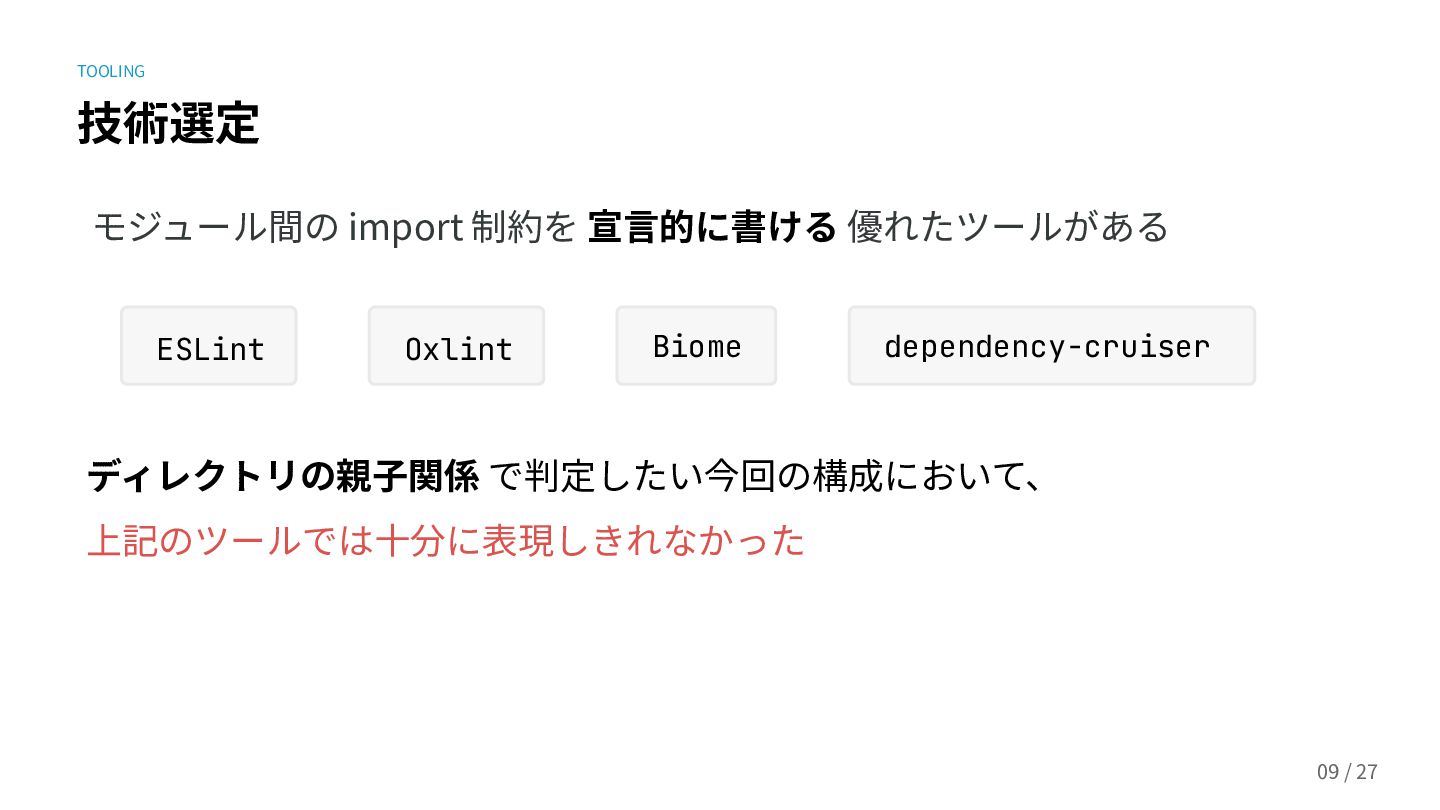
TOOLING 技術選定 08 / 28 モジュール間の import 制約を 宣⾔的に書ける 優れた
Linter がある dependency-cruiser ESLint Biome ディレクトリの親⼦関係 でルール判定したい今回の構成において、 上記のツールでは⼗分に表現しきれなかった Oxlint
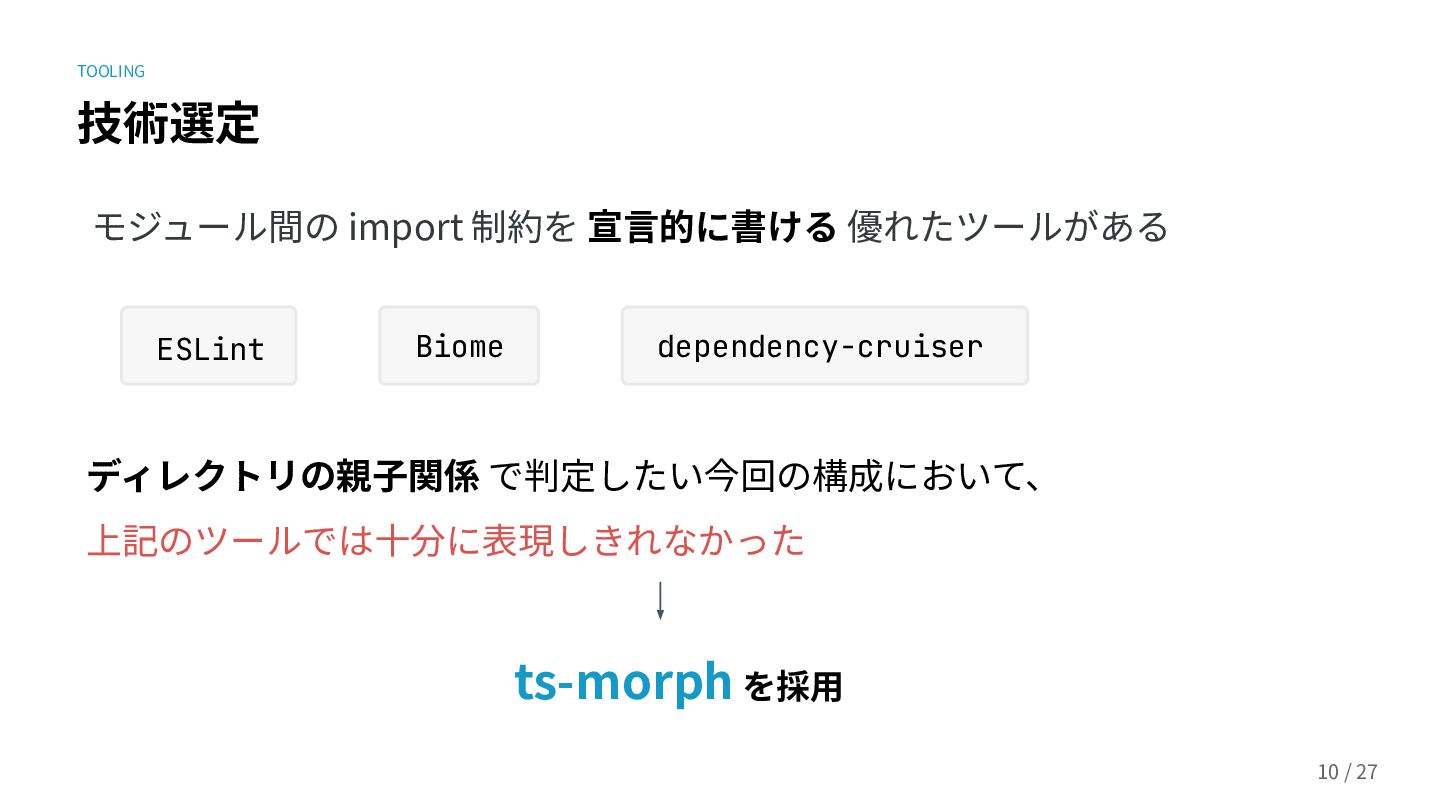
TOOLING 技術選定 モジュール間の import 制約を 宣⾔的に書ける 優れた Linter がある ディレクトリの親⼦関係
でルール判定したい今回の構成において、 上記のツールでは⼗分に表現しきれなかった 09 / 28 ts-morph を採⽤ dependency-cruiser ESLint Biome Oxlint
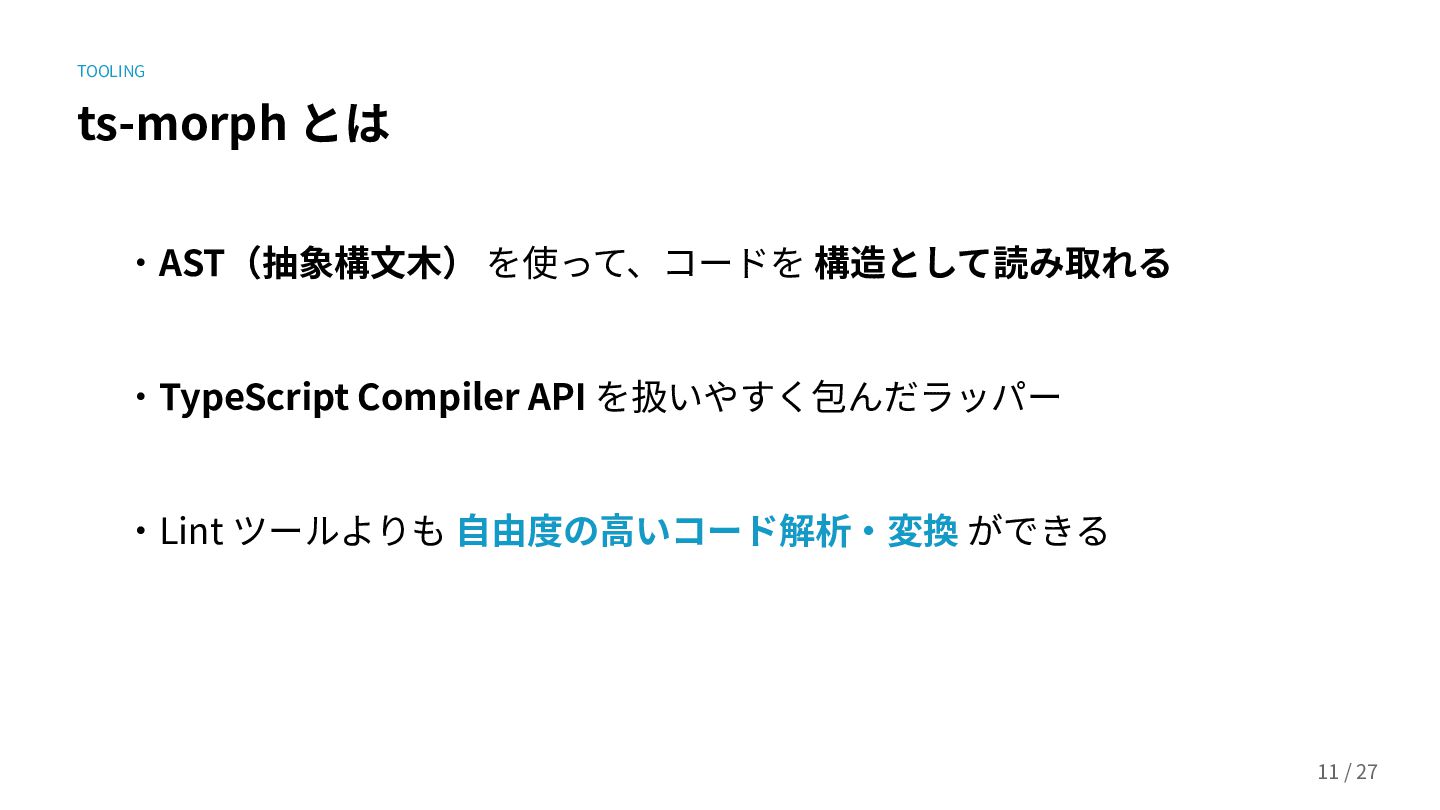
TOOLING ts-morph とは ‧AST(抽象構⽂⽊) を使って、コードを 構造として読み取れる ‧TypeScript Compiler API を扱いやすく包んだラッパー
‧Lint ツールよりも ⾃由度の⾼いコード解析‧変換 ができる 10 / 28
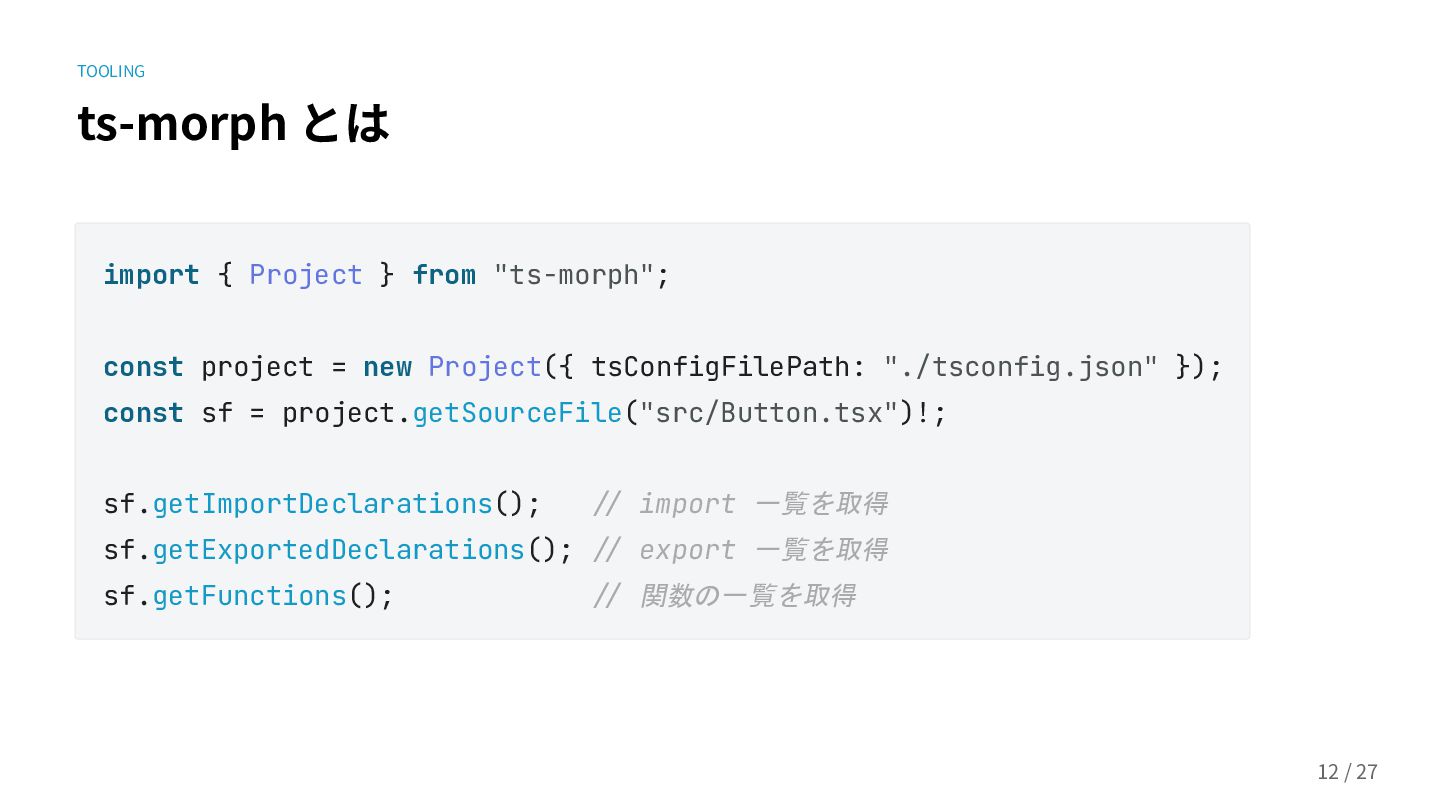
TOOLING ts-morph とは import { Project } from "ts-morph"; const
project = new Project({ tsConfigFilePath: "./tsconfig.json" }); const sf = project.getSourceFile("src/Button.tsx")!; sf.getImportDeclarations(); // import 一覧を取得 sf.getExportedDeclarations(); // export 一覧を取得 sf.getFunctions(); // 関数の一覧を取得 11 / 28
GOAL これから作るもの ─ 違反 を CI で検知する features/ ├── TaskList/
│ ├── index.tsx │ └── features/ │ └── TaskExport/ │ └── index.tsx └── TaskDetail/ └── index.tsx 12 / 28
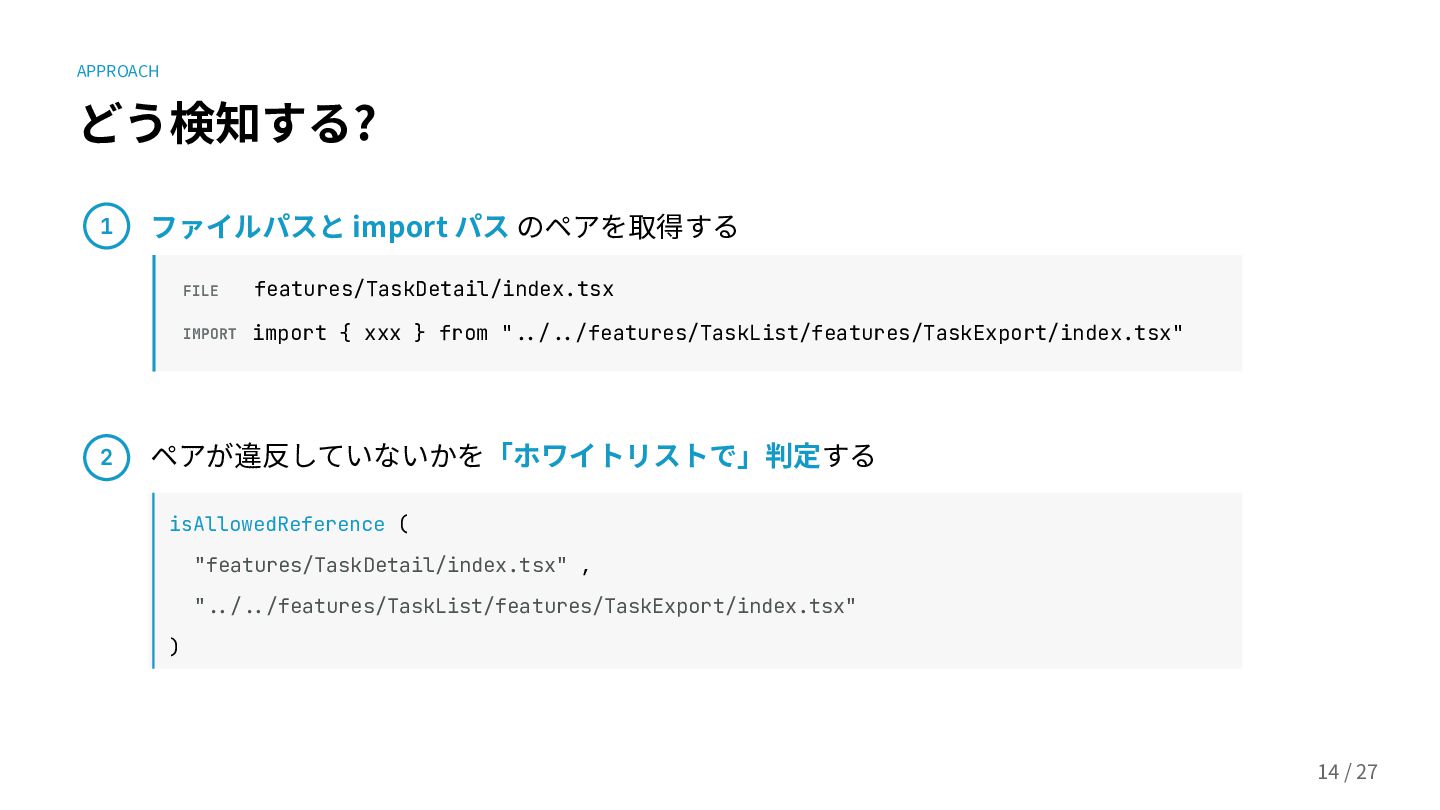
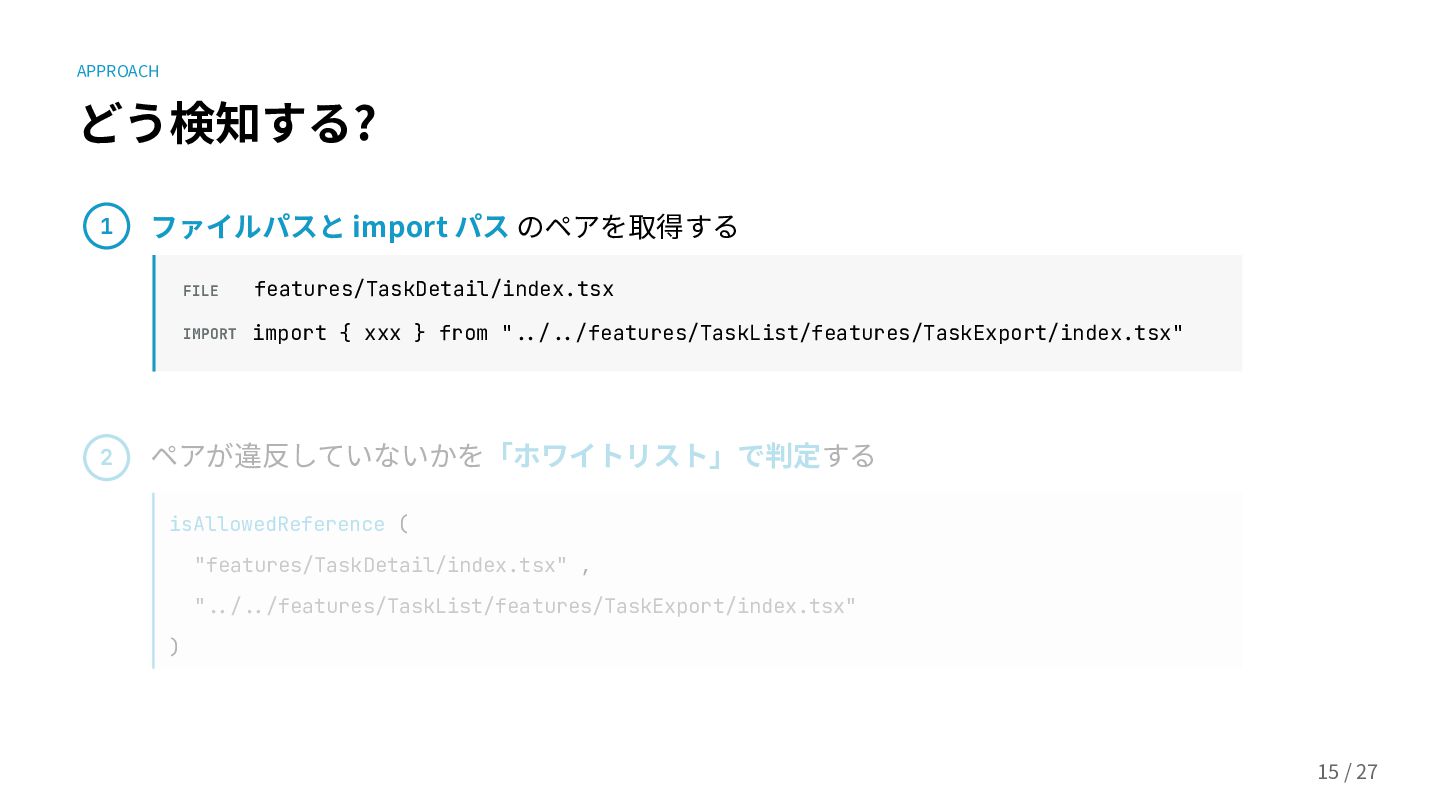
APPROACH どう検知する? 1 ファイルパスと import パス のペアを取得する FILE features/TaskDetail/index.tsx IMPORT
import { xxx } from "../../features/TaskList/features/TaskExport/index.tsx" ペアが違反していないかを「ホワイトリスト」で判定する isAllowedReference ( "features/TaskDetail/index.tsx" , "../../features/TaskList/features/TaskExport/index.tsx" ) 2 13 / 28
APPROACH どう検知する? ファイルパスと import パス のペアを取得する FILE features/TaskDetail/index.tsx IMPORT import
{ xxx } from "../../features/TaskList/features/TaskExport/index.tsx" ペアが違反していないかを「ホワイトリスト」で判定する isAllowedReference ( "features/TaskDetail/index.tsx" , "../../features/TaskList/features/TaskExport/index.tsx" ) 2 14 / 28 1
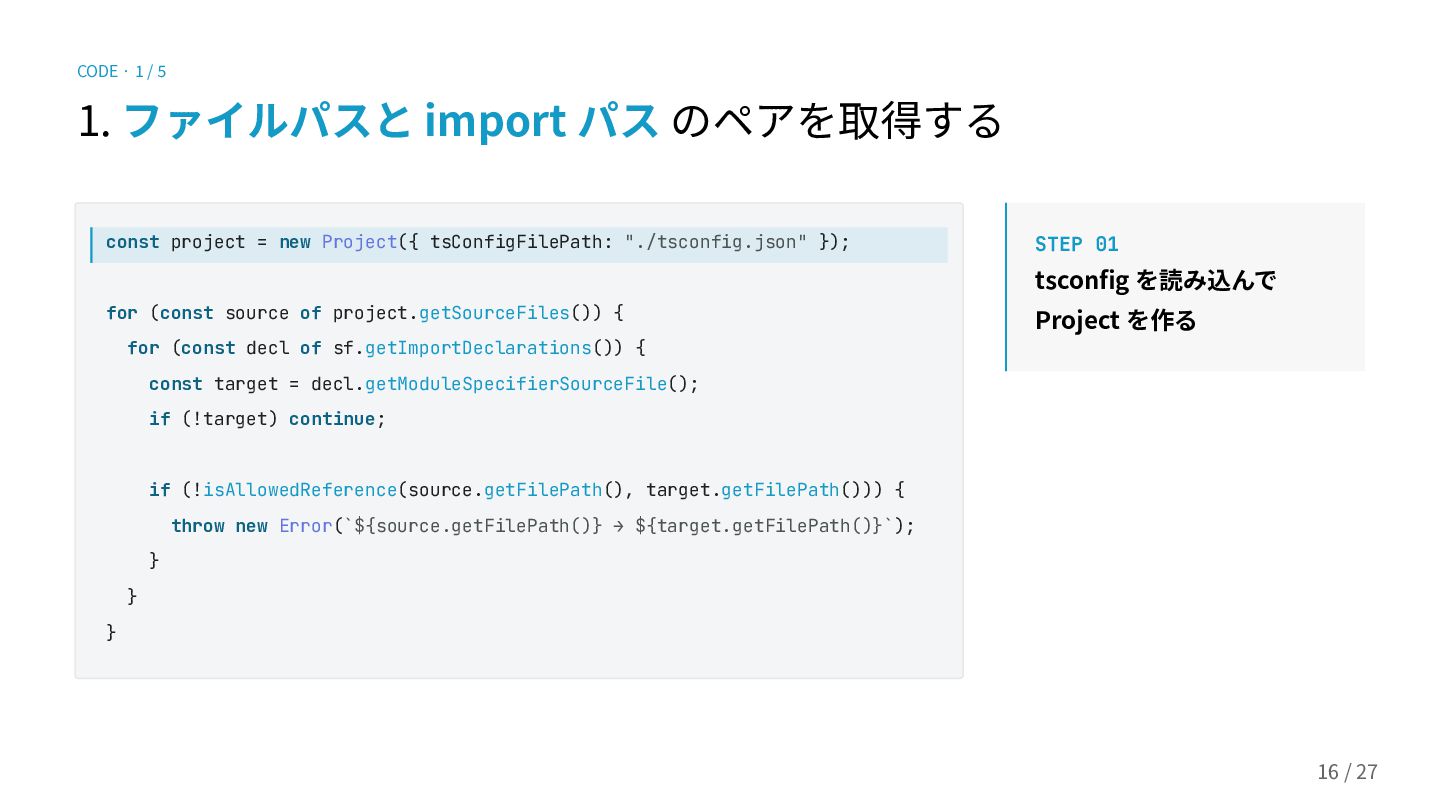
CODE · 1 / 5 1. ファイルパスと import パス のペアを取得する
const project = new Project({ tsConfigFilePath: "./tsconfig.json" }); for (const source of project.getSourceFiles()) { for (const decl of sf.getImportDeclarations()) { const target = decl.getModuleSpecifierSourceFile(); if (!target) continue; if (!isAllowedReference(source.getFilePath(), target.getFilePath())) { throw new Error(`${source.getFilePath()} → ${target.getFilePath()}`); } } } STEP 01 tsconfig を読み込んで Project を作る 15 / 28
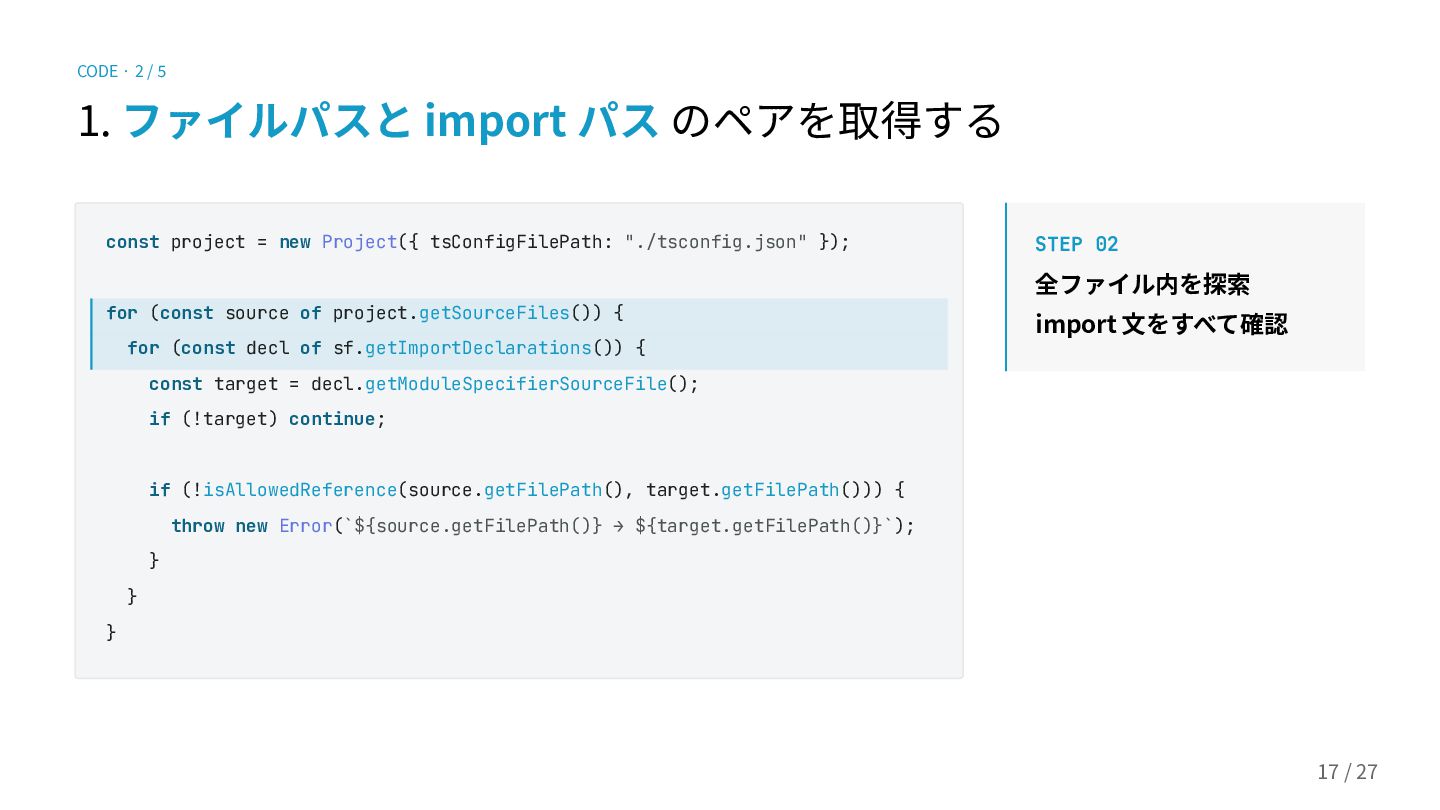
CODE · 2 / 5 1. ファイルパスと import パス のペアを取得する
const project = new Project({ tsConfigFilePath: "./tsconfig.json" }); for (const source of project.getSourceFiles()) { for (const decl of sf.getImportDeclarations()) { const target = decl.getModuleSpecifierSourceFile(); if (!target) continue; if (!isAllowedReference(source.getFilePath(), target.getFilePath())) { throw new Error(`${source.getFilePath()} → ${target.getFilePath()}`); } } } STEP 02 全ファイル内を探索 import ⽂をすべて確認 16 / 28
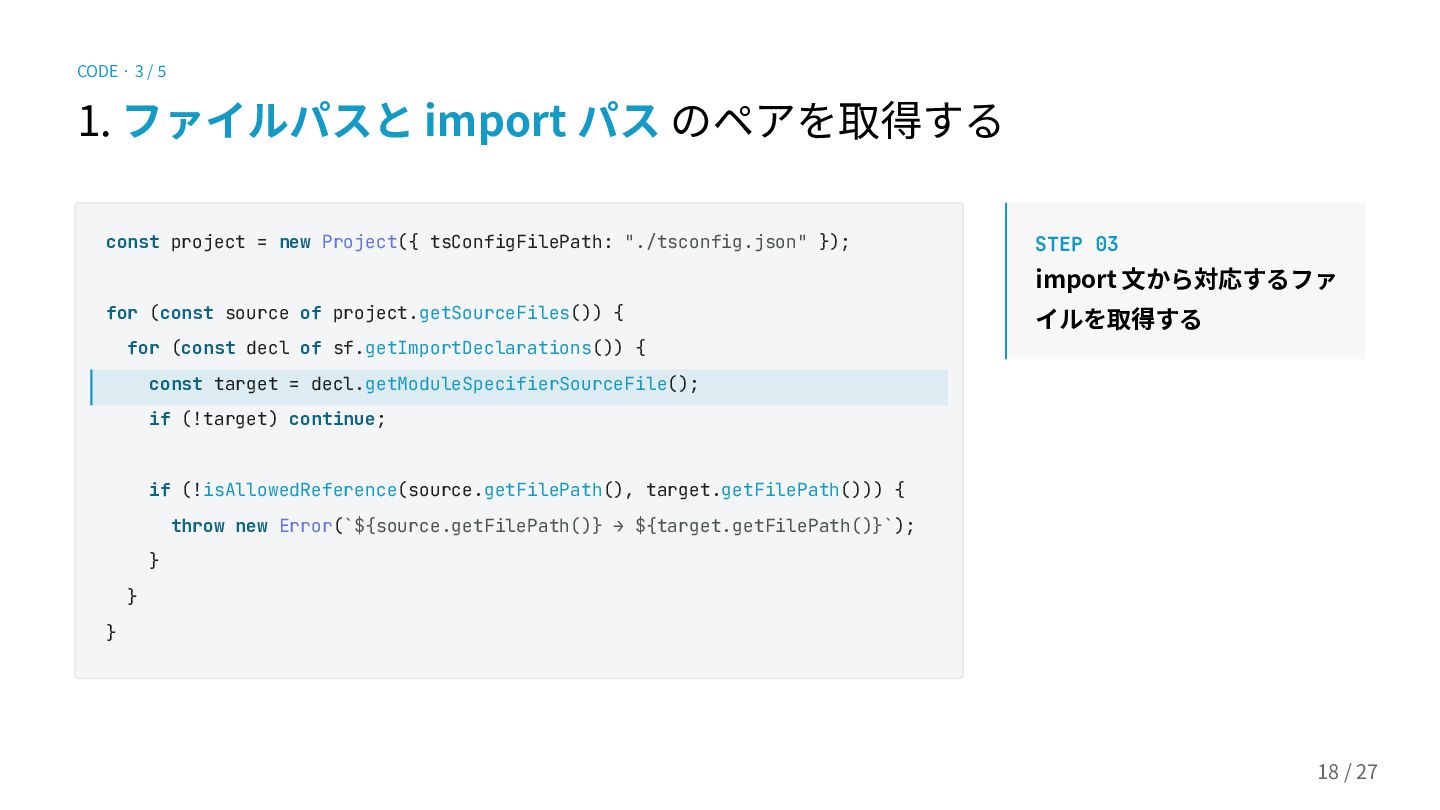
CODE · 3 / 5 1. ファイルパスと import パス のペアを取得する
const project = new Project({ tsConfigFilePath: "./tsconfig.json" }); for (const source of project.getSourceFiles()) { for (const decl of sf.getImportDeclarations()) { const target = decl.getModuleSpecifierSourceFile(); if (!target) continue; if (!isAllowedReference(source.getFilePath(), target.getFilePath())) { throw new Error(`${source.getFilePath()} → ${target.getFilePath()}`); } } } STEP 03 import ⽂から対応するファ イルを取得する 17 / 28
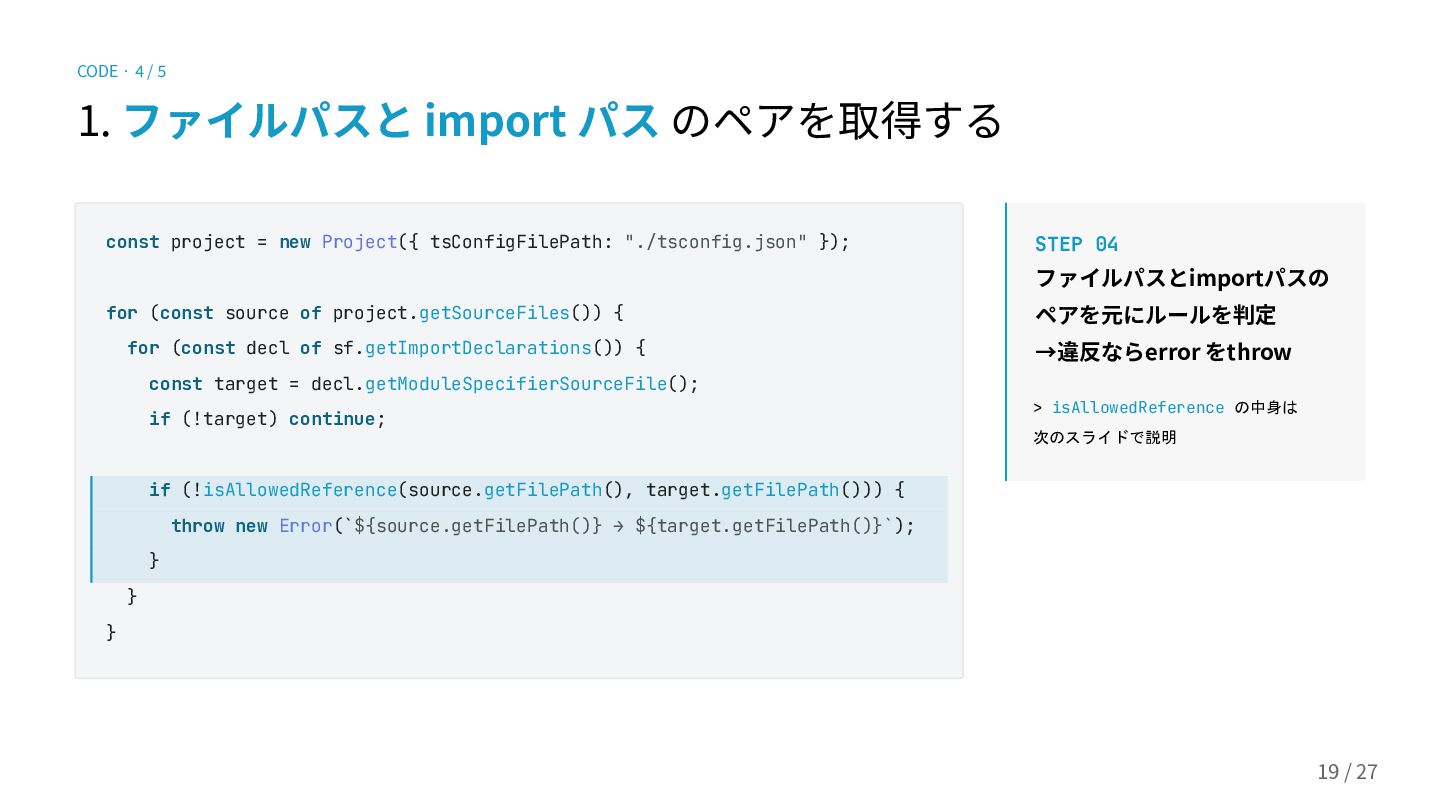
CODE · 4 / 5 1. ファイルパスと import パス のペアを取得する
const project = new Project({ tsConfigFilePath: "./tsconfig.json" }); for (const source of project.getSourceFiles()) { for (const decl of sf.getImportDeclarations()) { const target = decl.getModuleSpecifierSourceFile(); if (!target) continue; if (!isAllowedReference(source.getFilePath(), target.getFilePath())) { throw new Error(`${source.getFilePath()} → ${target.getFilePath()}`); } } } STEP 04 ファイルパスとimportパスの ペアを元にルールを判定 →違反ならerror をthrow > isAllowedReference の中身は 次のスライドで説明 18 / 28
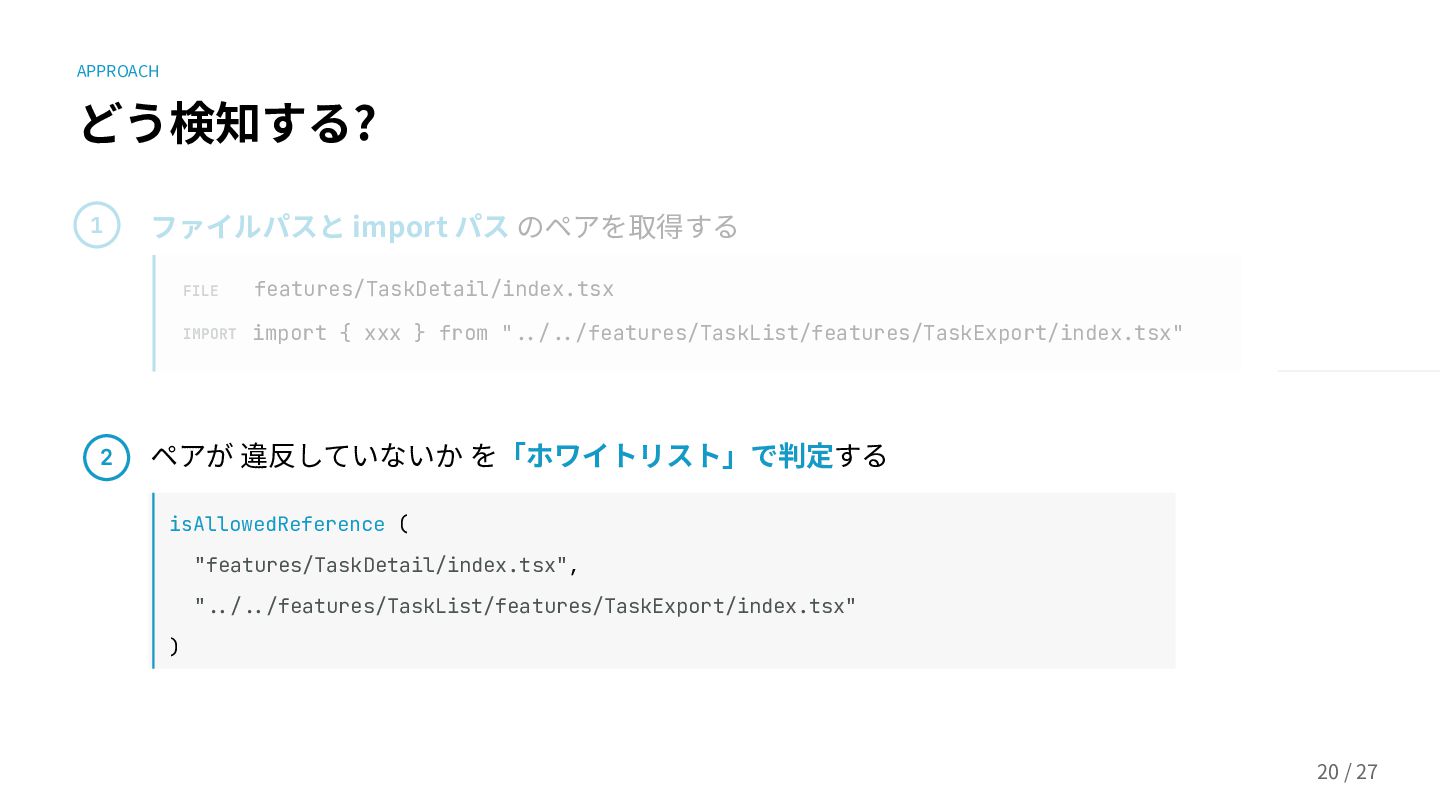
APPROACH どう検知する? 1 ファイルパスと import パス のペアを取得する FILE features/TaskDetail/index.tsx IMPORT
import { xxx } from "../../features/TaskList/features/TaskExport/index.tsx" ペアが 違反していないか を「ホワイトリスト」で判定する isAllowedReference ( "features/TaskDetail/index.tsx", "../../features/TaskList/features/TaskExport/index.tsx" ) 2 19 / 28
APPROACH ホワイトリスト? 20 / 28 ⼦孫‧兄弟 への参照は可能 それ以外(親‧いとこ‧おじ/おば...)への参照は禁⽌ features/ ├──
TaskList/ │ ├── index.tsx │ └── features/ │ └── TaskExport/ │ └── index.tsx └── TaskDetail/ └── index.tsx
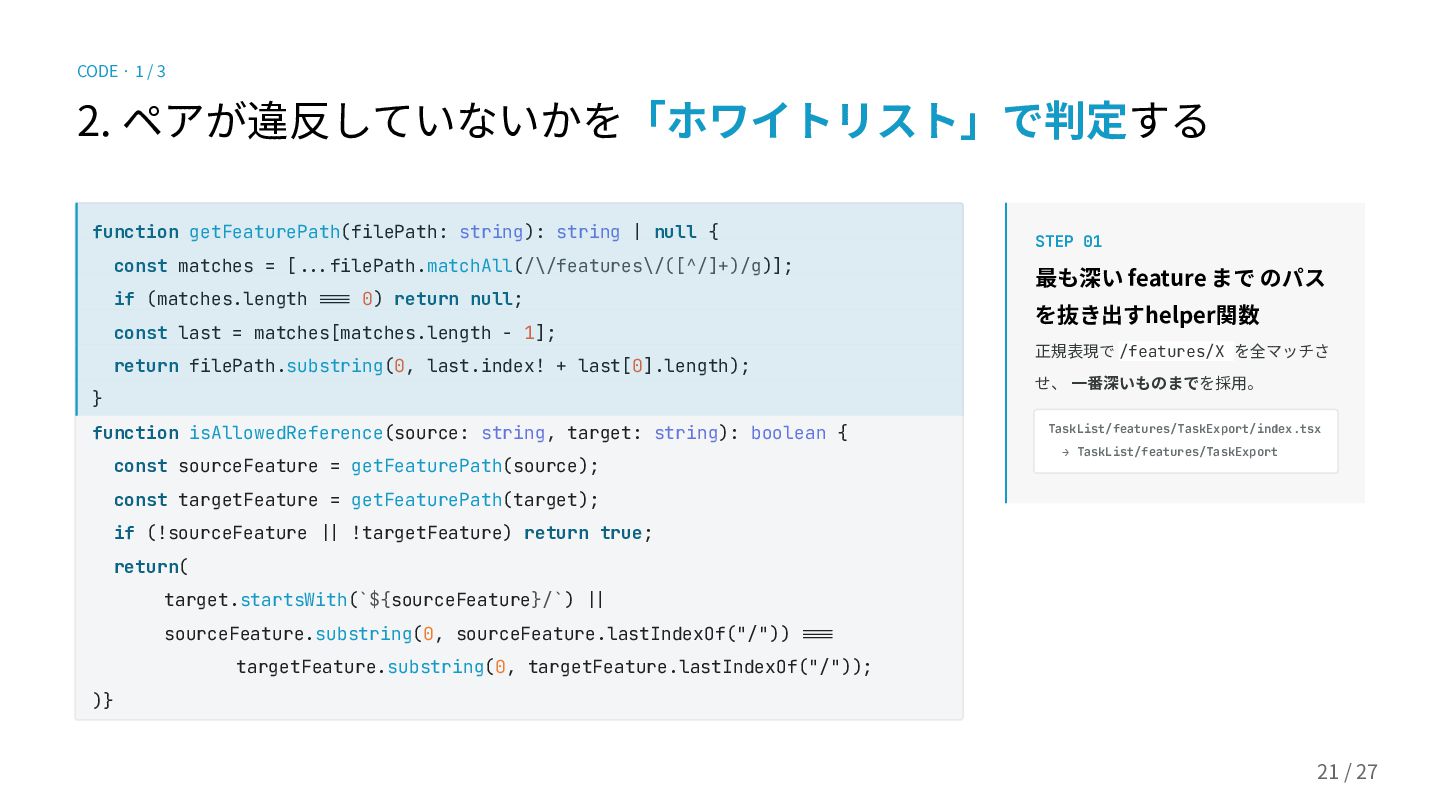
2. ペアが違反していないかを「ホワイトリスト」で判定する STEP 01 最も深い feature まで のパス を抜き出すhelper関数 正規表現で
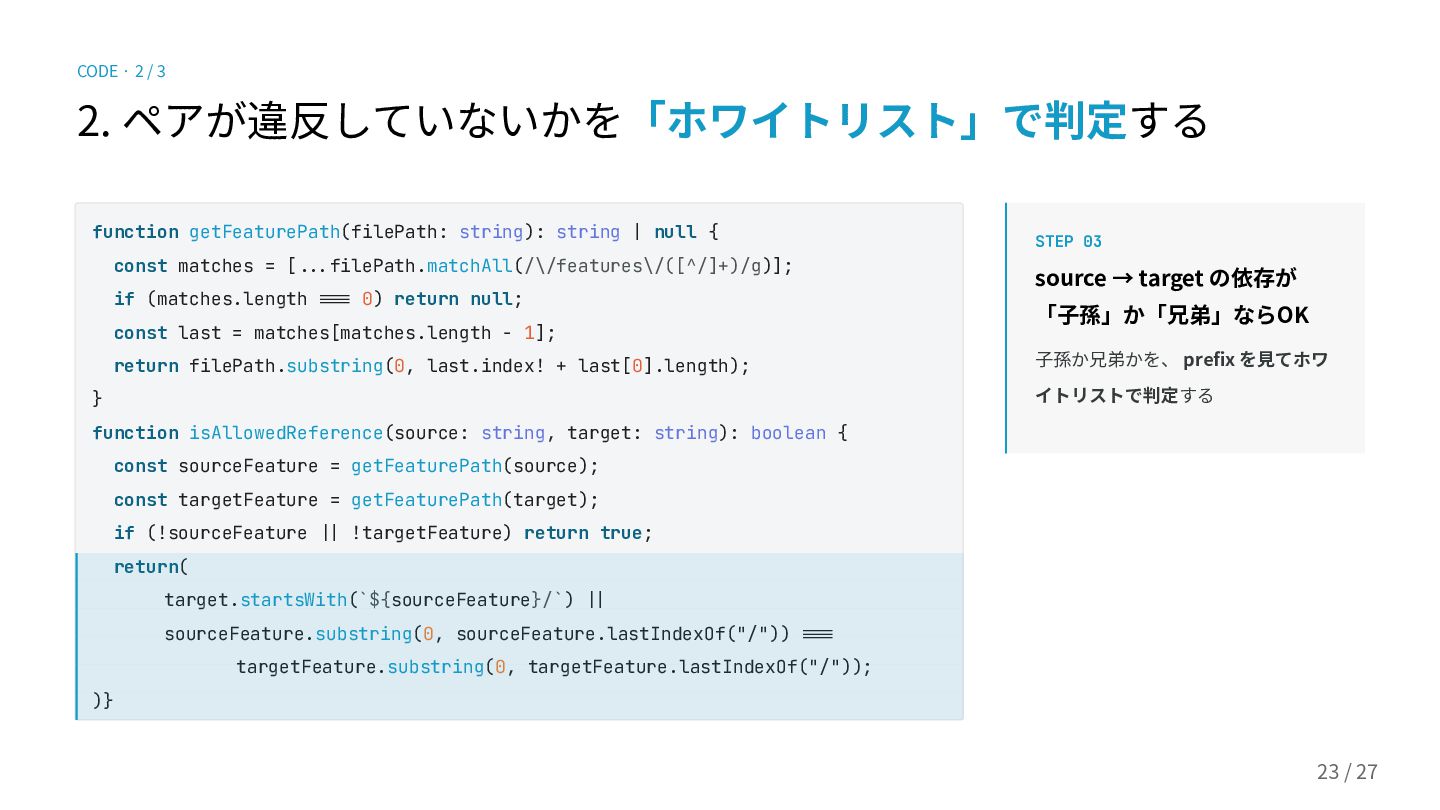
/features/X を全マッチさ せ、 ⼀番深いものまでを採⽤。 TaskList/features/TaskExport/index.tsx → TaskList/features/TaskExport function getFeaturePath(filePath: string): string | null { const matches = [...filePath.matchAll(/\/features\/([^/]+)/g)]; if (matches.length ..= 0) return null; const last = matches[matches.length - 1]; return filePath.substring(0, last.index! + last[0].length); } function isAllowedReference(source: string, target: string): boolean { const sourceFeature = getFeaturePath(source); const targetFeature = getFeaturePath(target); if (!sourceFeature .| !targetFeature) return true; return( target.startsWith(`${sourceFeature}/`) .| sourceFeature.substring(0, sourceFeature.lastIndexOf("/")) ..= targetFeature.substring(0, targetFeature.lastIndexOf("/")); )} 21 / 28 CODE · 1 / 3
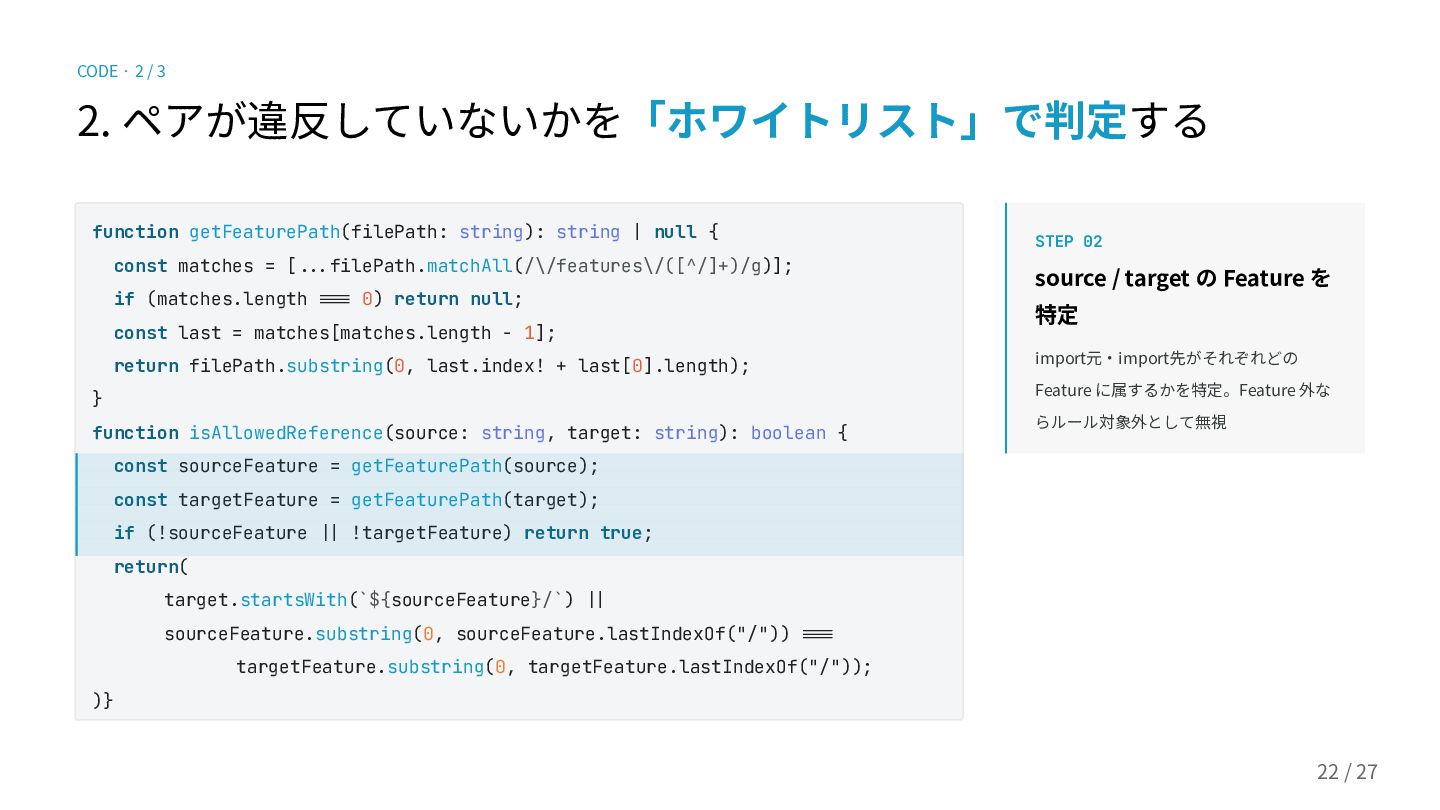
function getFeaturePath(filePath: string): string | null { const matches =
[...filePath.matchAll(/\/features\/([^/]+)/g)]; if (matches.length ..= 0) return null; const last = matches[matches.length - 1]; return filePath.substring(0, last.index! + last[0].length); } function isAllowedReference(source: string, target: string): boolean { const sourceFeature = getFeaturePath(source); const targetFeature = getFeaturePath(target); if (!sourceFeature .| !targetFeature) return true; return( target.startsWith(`${sourceFeature}/`) .| sourceFeature.substring(0, sourceFeature.lastIndexOf("/")) ..= targetFeature.substring(0, targetFeature.lastIndexOf("/")); )} CODE · 2 / 3 22 / 28 2. ペアが違反していないかを「ホワイトリスト」で判定する STEP 02 source / target の Feature を 特定 import元‧import先がそれぞれどの Feature に属するかを特定。Feature 外な らルール対象外として無視
function getFeaturePath(filePath: string): string | null { const matches =
[...filePath.matchAll(/\/features\/([^/]+)/g)]; if (matches.length ..= 0) return null; const last = matches[matches.length - 1]; return filePath.substring(0, last.index! + last[0].length); } function isAllowedReference(source: string, target: string): boolean { const sourceFeature = getFeaturePath(source); const targetFeature = getFeaturePath(target); if (!sourceFeature .| !targetFeature) return true; return( target.startsWith(`${sourceFeature}/`) .| sourceFeature.substring(0, sourceFeature.lastIndexOf("/")) ..= targetFeature.substring(0, targetFeature.lastIndexOf("/")); )} CODE · 2 / 3 23 / 28 2. ペアが違反していないかを「ホワイトリスト」で判定する STEP 03 source → target の依存が 「⼦孫」か「兄弟」ならOK ⼦孫か兄弟かを、 prefix を⾒てホワ イトリストで判定する
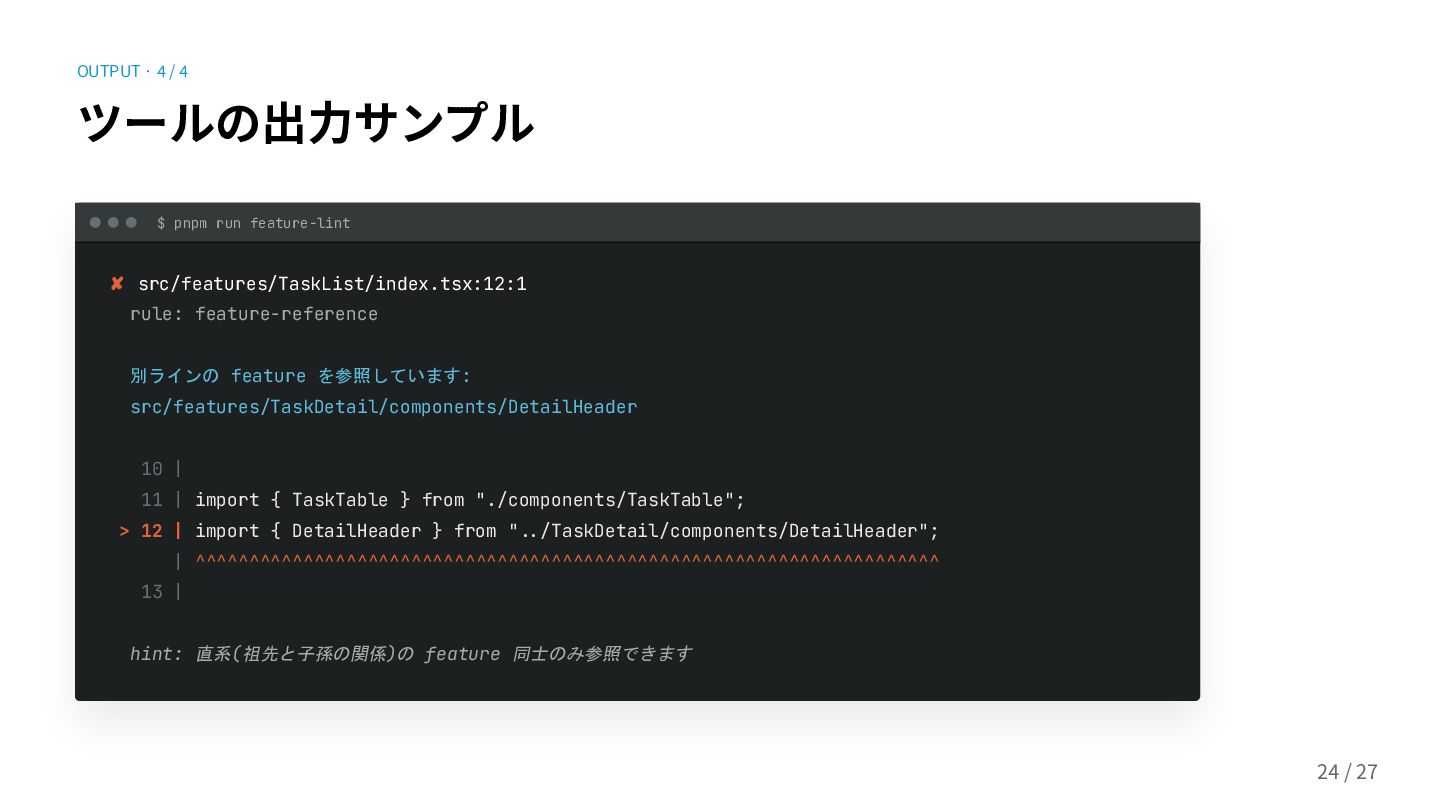
24 / 28 OUTPUT · 4 / 4 ツールの出⼒サンプル $
pnpm run feature-lint ✘ src/features/TaskList/index.tsx:12:1 rule: feature-reference 別ラインの feature を参照しています: src/features/TaskDetail/components/DetailHeader 10 | 11 | import { TaskTable } from "./components/TaskTable"; > 12 | import { DetailHeader } from "../TaskDetail/components/DetailHeader"; | ^^^^^^^^^^^^^^^^^^^^^^^^^^^^^^^^^^^^^^^^^^^^^^^^^^^^^^^^^^^^^^^^^^^^^ 13 | hint: 直系(祖先と子孫の関係)の feature 同士のみ参照できます
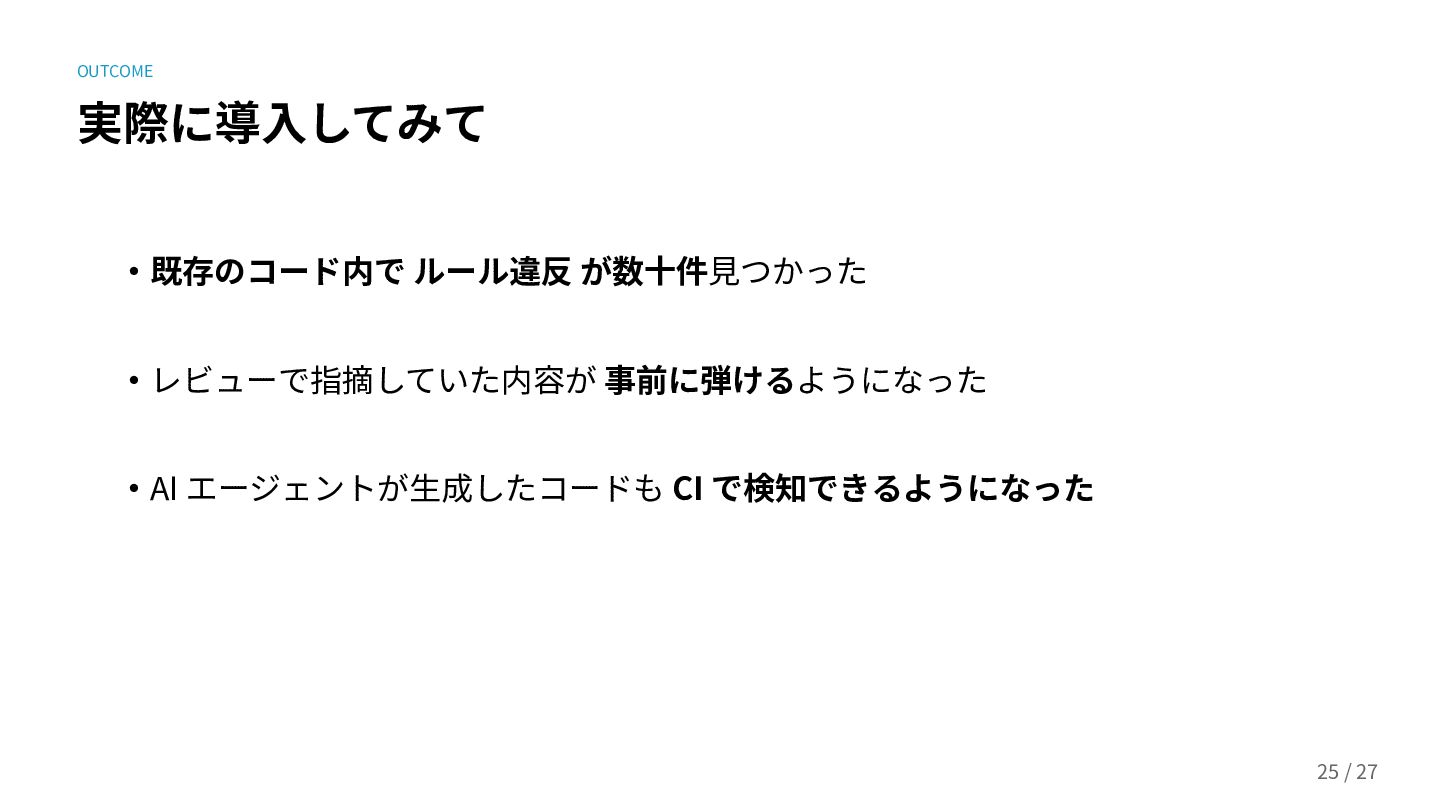
‧AI エージェントが⽣成したコードも CI で検知できるようになった OUTCOME 実際に導⼊してみて ‧既存のコード内で ルール違反 が数⼗件⾒つかった ‧レビューで指摘していた内容が
事前に弾けるようになった 25 / 28
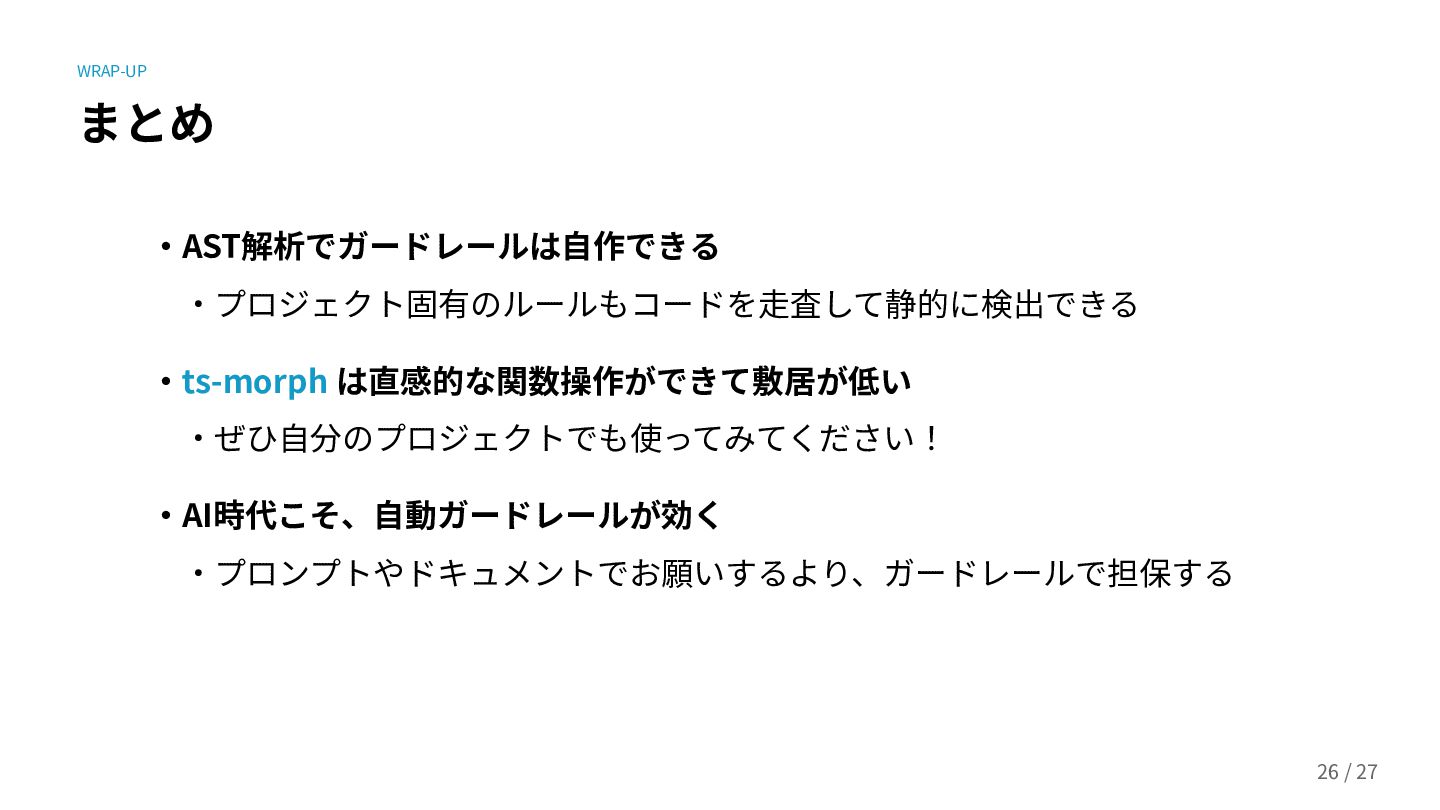
まとめ ‧AST解析でガードレールは⾃作できる ‧プロジェクト固有のルールもコードを⾛査して静的に検出できる ‧ts-morph は直感的な関数操作ができて敷居が低い ‧ぜひ⾃分のプロジェクトでも使ってみてください! ‧AI時代こそ、⾃動ガードレールが効く ‧プロンプトやドキュメントでお願いするより、ガードレールで担保する 26 /
28 WRAP-UP
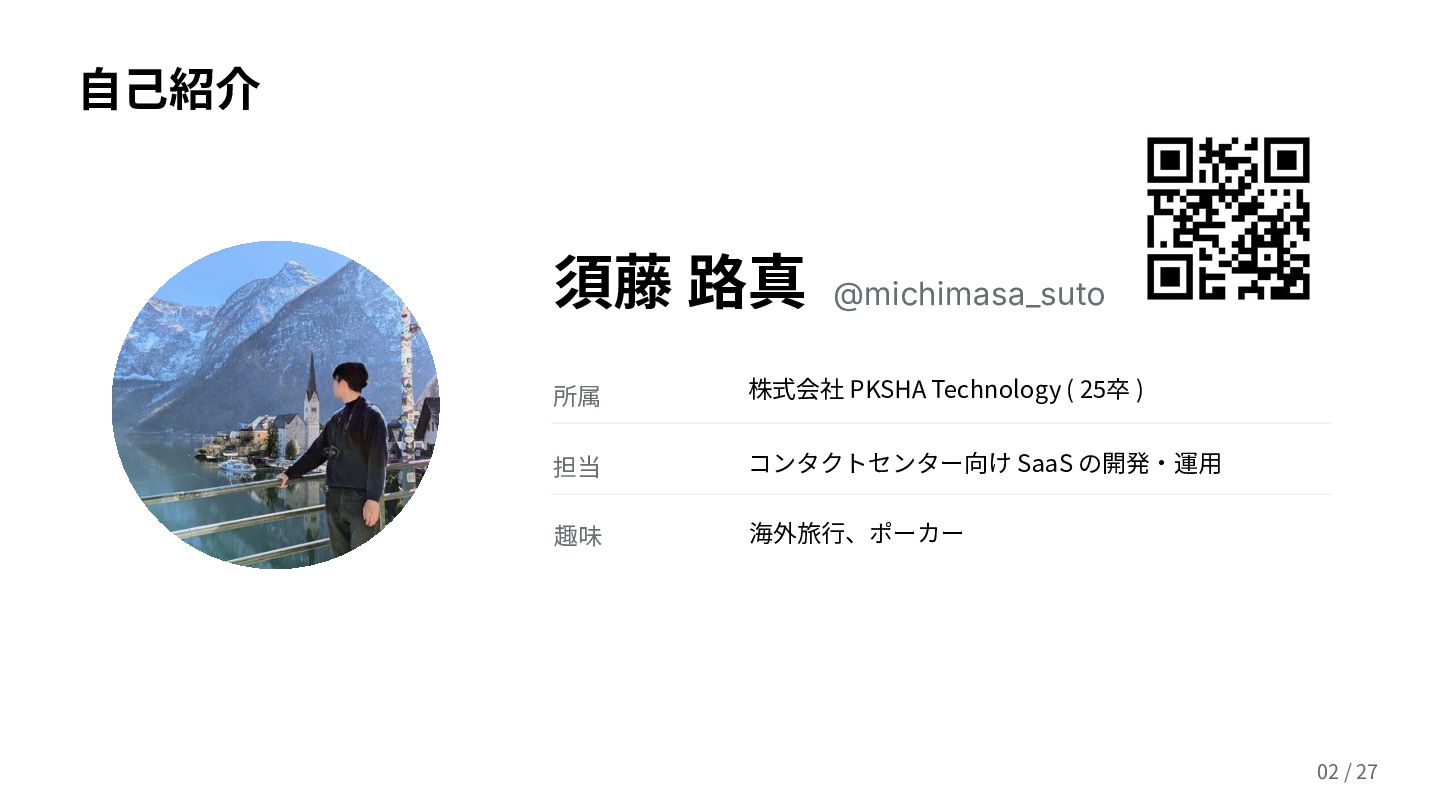
⾃⼰紹介 須藤 路真 @michimasa_suto 所属 株式会社 PKSHA Technology ( 25卒
) 担当 コンタクトセンター向け SaaS の開発‧運⽤ 今年の⽬標 毎⽉ Zenn を書く 27 / 28
Thank you for listening! ご質問は Ask The Speaker か懇親会でぜひ 🙌
28 / 28


 pkshadeck
 tammyeverts
 trishagee
 leimatthew05
 scottboms
 caitiem20
 reverentgeek
 portentint
 jacobian
 helmedeiros
 bermonpainter
 axbom
axbom
 vanstee