Share
Embed
Intro to Python
a.k.a 21 cool things you can do with Python. Given at Scale 10x.

Daniel Greenfeld
January 21, 2012
Transcript
61 slides
-
Intro to Python a.k.a. 21 cool things you can do
with Python -
• Please hold your questions until the end • Latest
slides: • Special thanks to: • Raymond Hettinger • David Beazley • Audrey Roy • The Python community Tons of content http://slidesha.re/intro-to-python http://bit.ly/x610Au -
Daniel Greenfeld • pydanny • twitter.com/pydanny • github.com/pydanny • pydanny.blogspot.com
• pydanny-event-notes.rtfd.org IMG goes here http://www.flickr.com/photos/pydanny/4442245488/ -
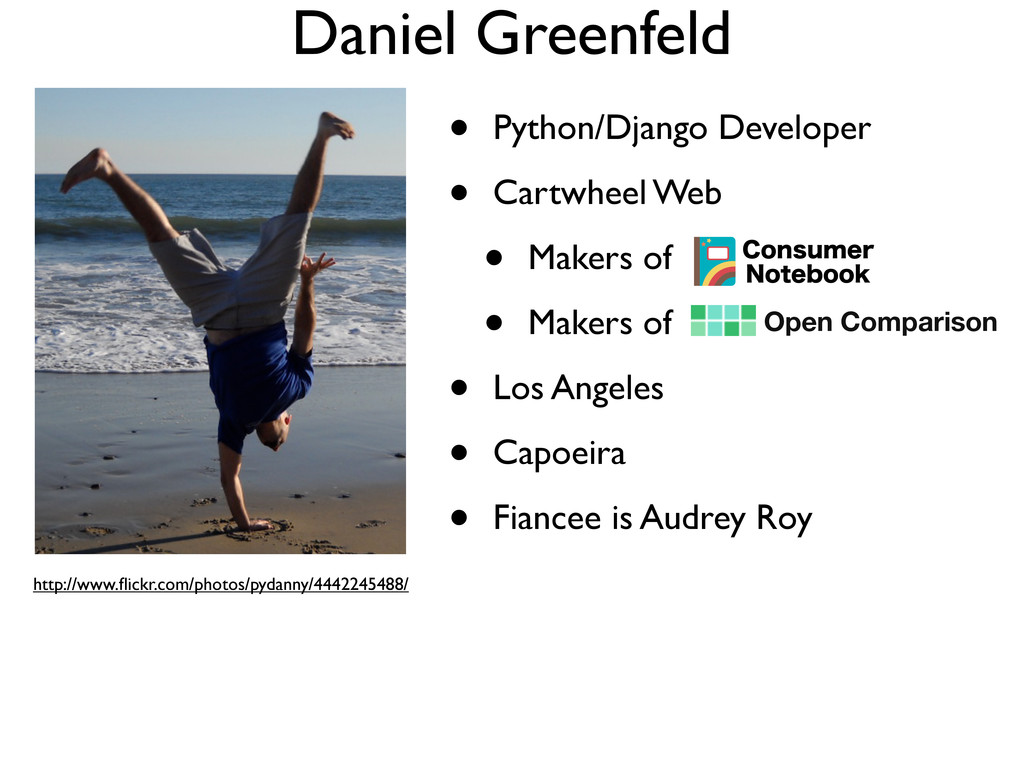
Daniel Greenfeld • Python/Django Developer • Cartwheel Web • Makers
of • Makers of • Los Angeles • Capoeira • Fiancee is Audrey Roy IMG goes here http://www.flickr.com/photos/pydanny/4442245488/ Open Comparison -
What is Python? • Over 20 years old • Dynamic,
strongly typed scripting language • Multi-paradigm programming language • Object Oriented • Functional • Procedural • Reflective -
What is Python? • Free and open source • Fast
enough • Check out PyPy • Batteries included language -
Whitespace! """ whitespace.py """ from random import randrange def numberizer():
# Generate a random number from 1 to 10. return randrange(1, 11) number = numberizer() if number > 5: print("This number is big!") class RandomNumberHolder(object): # Create and hold 20 random numbers using numberizer def __init__(self): self.numbers = [numberizer(x) for x in range(20)] random_numbers = RandomNumberHolder() -
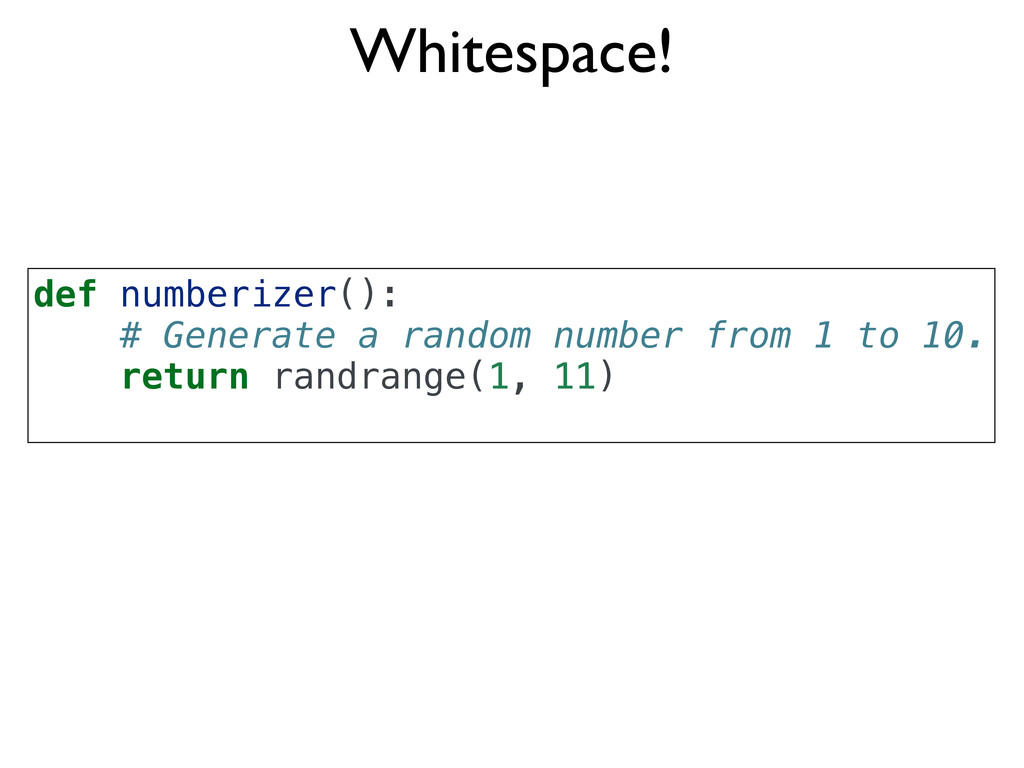
Whitespace! def numberizer(): # Generate a random number from 1
to 10. return randrange(1, 11) -
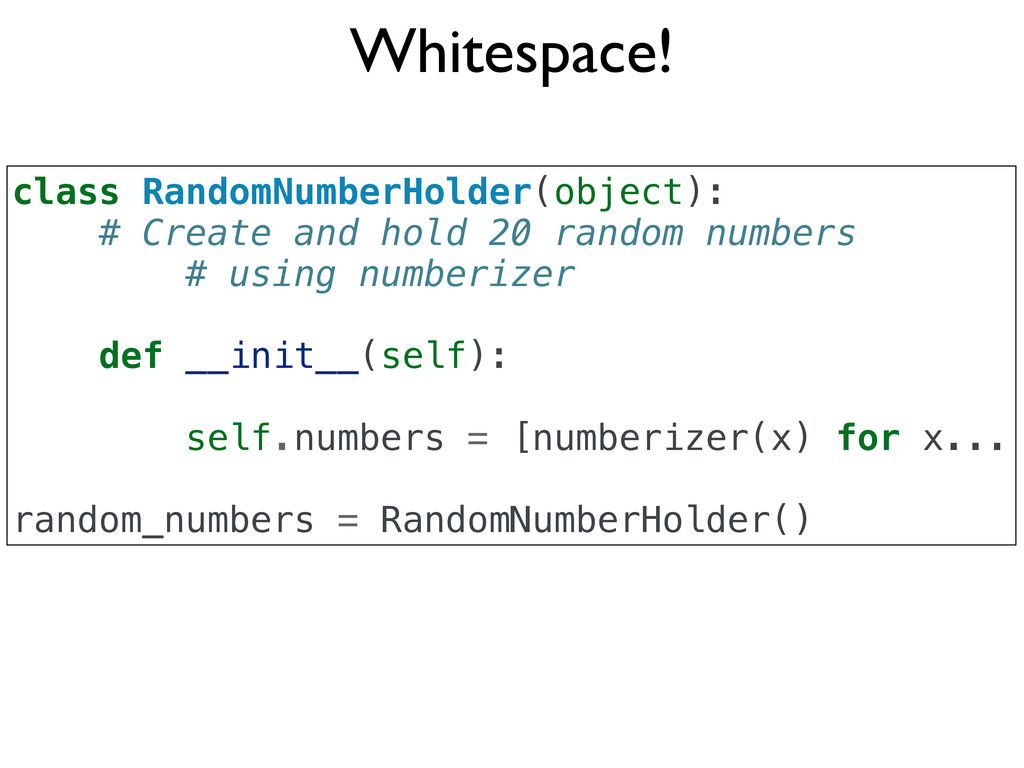
Whitespace! class RandomNumberHolder(object): # Create and hold 20 random numbers
# using numberizer def __init__(self): self.numbers = [numberizer(x) for x... random_numbers = RandomNumberHolder() -
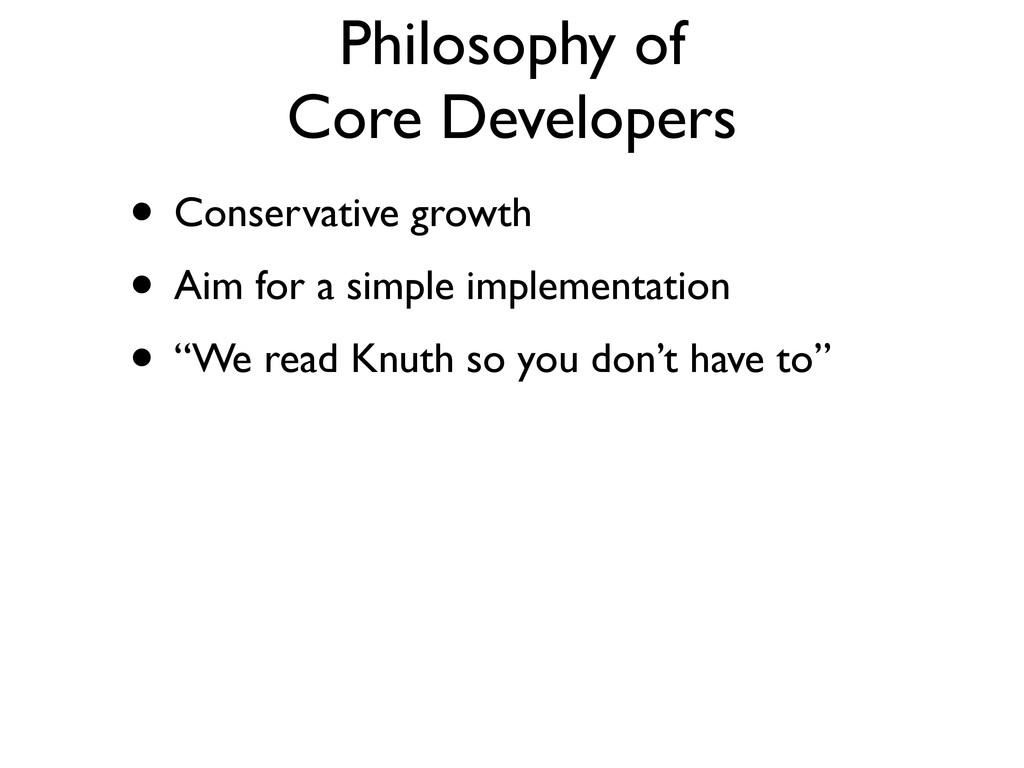
Philosophy of Core Developers • Conservative growth • Aim for
a simple implementation • “We read Knuth so you don’t have to” -
The Zen of Python, by Tim Peters Beautiful is better
than ugly. Explicit is better than implicit. Simple is better than complex. Complex is better than complicated. Flat is better than nested. Sparse is better than dense. Readability counts. Special cases aren't special enough to break the rules. Although practicality beats purity. Errors should never pass silently. Unless explicitly silenced. In the face of ambiguity, refuse the temptation to guess. There should be one-- and preferably only one --obvious way to do it. Although that way may not be obvious at first unless you're Dutch. Now is better than never. Although never is often better than *right* now. If the implementation is hard to explain, it's a bad idea. If the implementation is easy to explain, it may be a good idea. Namespaces are one honking great idea -- let's do more of those! Zen of Python >>> import this -
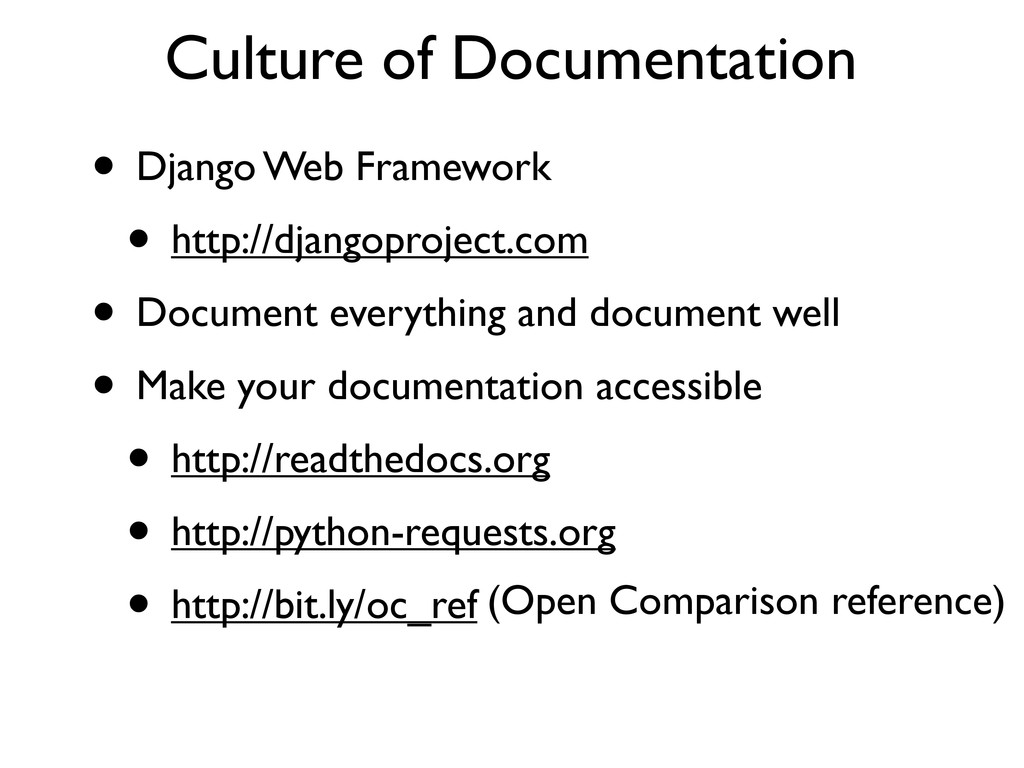
• Django Web Framework • http://djangoproject.com • Document everything and
document well • Make your documentation accessible • http://readthedocs.org • http://python-requests.org • http://bit.ly/oc_ref Culture of Documentation (Open Comparison reference) -
Use what is on your system by default. For learning
and simple scripting... If you are running Linux or BSD you already have Python -
$ python Python 2.7.1+ (r271:86832, Apr 11 2011, 18:13:53) [GCC
4.5.2] on linux2 Type "help", "copyright", "credits" or "license" for more information. >>> >>> 3 + 4 7 >>> a = 5 * 10 >>> a 50 >>> def add(a, b): ... return a + b ... >>> add(3,4) 7 >>> add('Py','thon') 'Python' $ -
Don’t have Python yet? Download 3.2 Unless you are working
with a tool with a specific Python dependency (e.g. Django requires Python 2.7) -
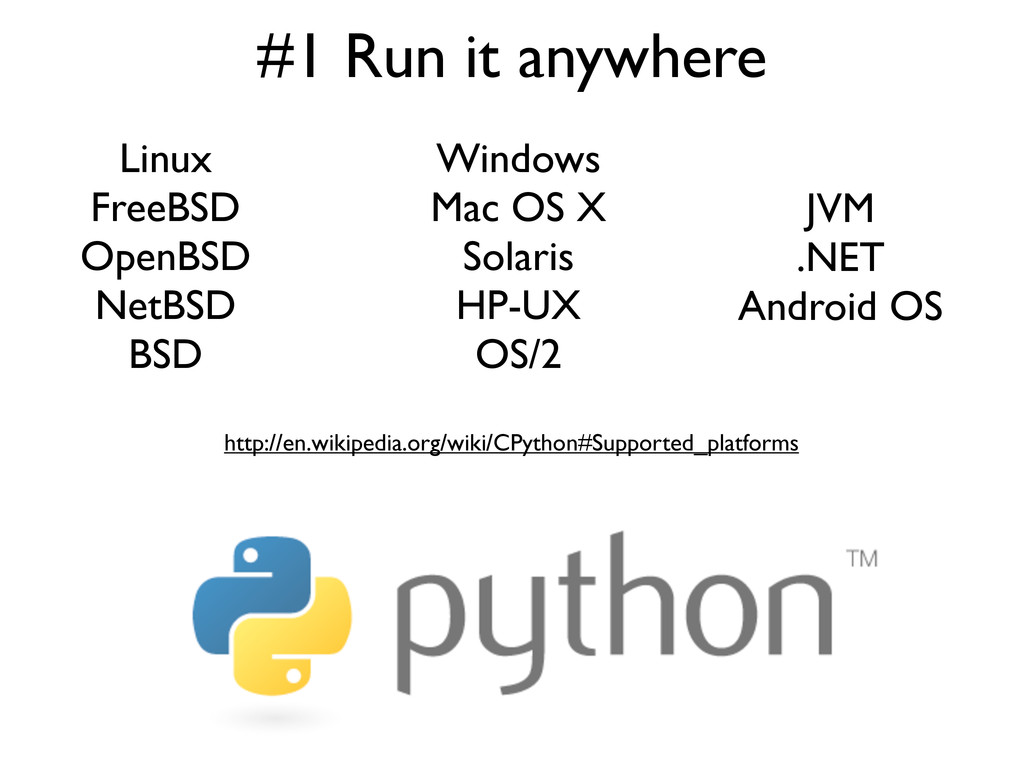
#1 Run it anywhere Linux FreeBSD OpenBSD NetBSD BSD Windows
Mac OS X Solaris HP-UX OS/2 http://en.wikipedia.org/wiki/CPython#Supported_platforms JVM .NET Android OS -
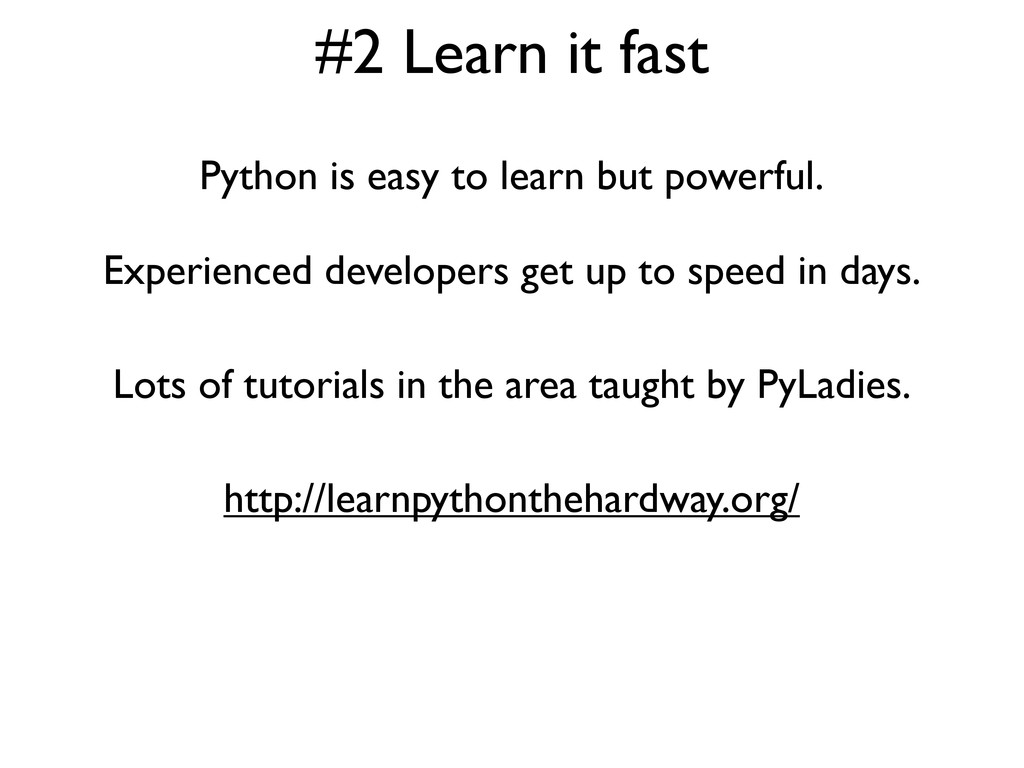
#2 Learn it fast Python is easy to learn but
powerful. Experienced developers get up to speed in days. Lots of tutorials in the area taught by PyLadies. http://learnpythonthehardway.org/ -
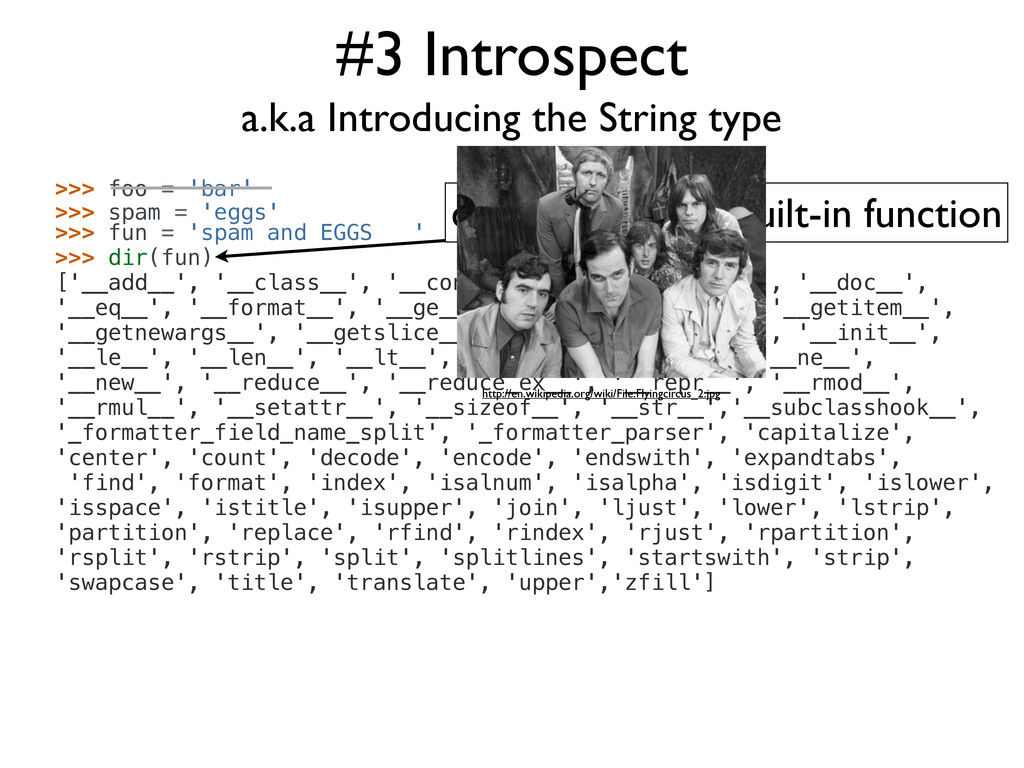
#3 Introspect >>> foo = 'bar' a.k.a Introducing the String
type >>> spam = 'eggs' >>> fun = 'spam and EGGS ' >>> dir(fun) ['__add__', '__class__', '__contains__', '__delattr__', '__doc__', '__eq__', '__format__', '__ge__', '__getattribute__', '__getitem__', '__getnewargs__', '__getslice__', '__gt__', '__hash__', '__init__', '__le__', '__len__', '__lt__', '__mod__', '__mul__', '__ne__', '__new__', '__reduce__', '__reduce_ex__', '__repr__', '__rmod__', '__rmul__', '__setattr__', '__sizeof__', '__str__','__subclasshook__', '_formatter_field_name_split', '_formatter_parser', 'capitalize', 'center', 'count', 'decode', 'encode', 'endswith', 'expandtabs', 'find', 'format', 'index', 'isalnum', 'isalpha', 'isdigit', 'islower', 'isspace', 'istitle', 'isupper', 'join', 'ljust', 'lower', 'lstrip', 'partition', 'replace', 'rfind', 'rindex', 'rjust', 'rpartition', 'rsplit', 'rstrip', 'split', 'splitlines', 'startswith', 'strip', 'swapcase', 'title', 'translate', 'upper','zfill'] dir() is a Python built-in function http://en.wikipedia.org/wiki/File:Flyingcircus_2.jpg -
>>> fun 'spam and EGGS ' >>> fun.strip() 'spam and
EGGS' >>> spam.title() 'Spam And Eggs ' >>> fun.capitalize() 'Spam and eggs ' >>> fun.index('a') 2 >>> type(fun) <type 'str'> >>> len(fun) # built-in that gives length of object 16 >>> fun[0:5] # String slicing 'spam ' >>> help(fun) no Python documentation found for 'spam and EGGS ' >>> help(str) #3 Introspect help() is a Python built-in str is the Python string type object a.k.a Introducing the String type type() returns the type of object Line comments start with ‘# ‘ -
>>> help(str) Help on class str in module __builtin__: class
str(basestring) | str(object) -> string | | Return a nice string representation of the object. | If the argument is a string, the return value is the same object. | | Method resolution order: | str | basestring | object | | Methods defined here: | | __add__(...) | x.__add__(y) <==> x+y | | __contains__(...) | x.__contains__(y) <==> y in x #3 Introspect a.k.a Introducing the String type -
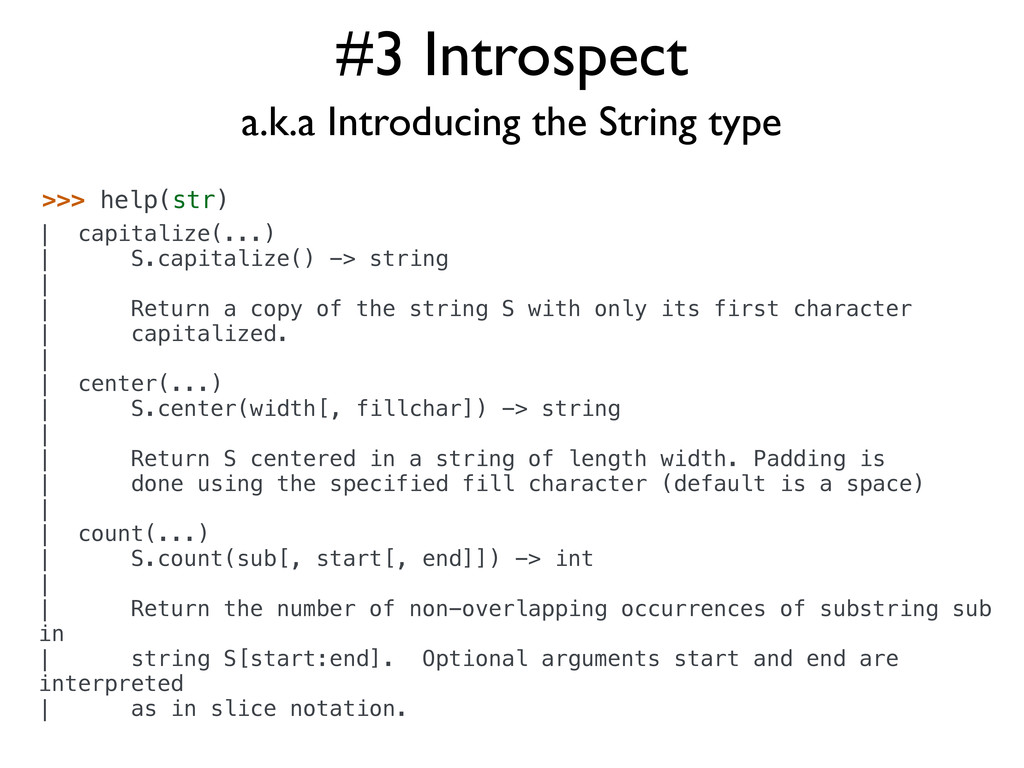
#3 Introspect >>> help(str) | capitalize(...) | S.capitalize() -> string
| | Return a copy of the string S with only its first character | capitalized. | | center(...) | S.center(width[, fillchar]) -> string | | Return S centered in a string of length width. Padding is | done using the specified fill character (default is a space) | | count(...) | S.count(sub[, start[, end]]) -> int | | Return the number of non-overlapping occurrences of substring sub in | string S[start:end]. Optional arguments start and end are interpreted | as in slice notation. a.k.a Introducing the String type -
#4 Things with Strings Strings are immutable >>> scale =
'Southern California Linux Expo' >>> scale[0] 'S' >>> scale[0:8] 'Southern' >>> scale[:-5] 'Southern California Linux' >>> scale[0:8] = 'Northern' Traceback (most recent call last): File "<input>", line 1, in <module> TypeError: 'str' object does not support item assignment >>> scale.replace('Southern California','SoCal') 'SoCal Linux Expo' >>> scale 'Southern California Linux Expo' >>> scale = scale.replace('Southern California','SoCal') >>> scale 'SoCal Linux Expo' >>> scale.startswith('Windows') False >>> scale.endswith('Windows') False >>> scale.startswith('SoCal') True >>> 'Windows' in scale False >>> 'Linux' in scale True -
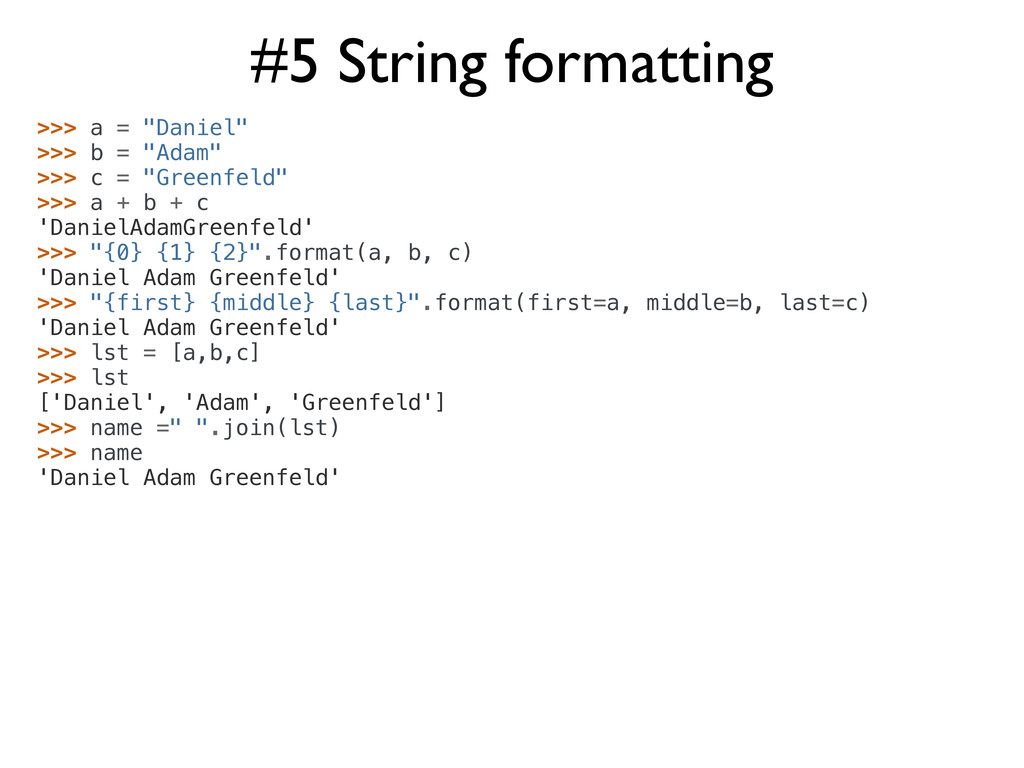
#5 String formatting >>> a = "Daniel" >>> b =
"Adam" >>> c = "Greenfeld" >>> a + b + c 'DanielAdamGreenfeld' >>> "{0} {1} {2}".format(a, b, c) 'Daniel Adam Greenfeld' >>> "{first} {middle} {last}".format(first=a, middle=b, last=c) 'Daniel Adam Greenfeld' >>> lst = [a,b,c] >>> lst ['Daniel', 'Adam', 'Greenfeld'] >>> name =" ".join(lst) >>> name 'Daniel Adam Greenfeld' -
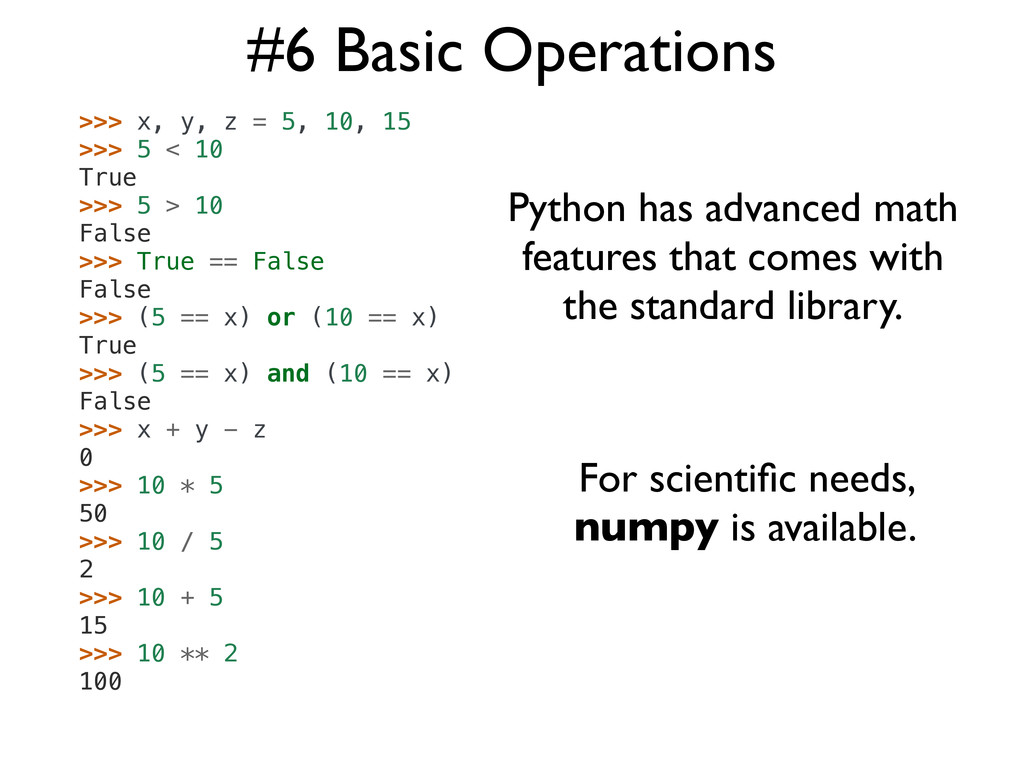
#6 Basic Operations >>> x, y, z = 5, 10,
15 >>> 5 < 10 True >>> 5 > 10 False >>> True == False False >>> (5 == x) or (10 == x) True >>> (5 == x) and (10 == x) False >>> x + y - z 0 >>> 10 * 5 50 >>> 10 / 5 2 >>> 10 + 5 15 >>> 10 ** 2 100 Python has advanced math features that comes with the standard library. For scientific needs, numpy is available. -
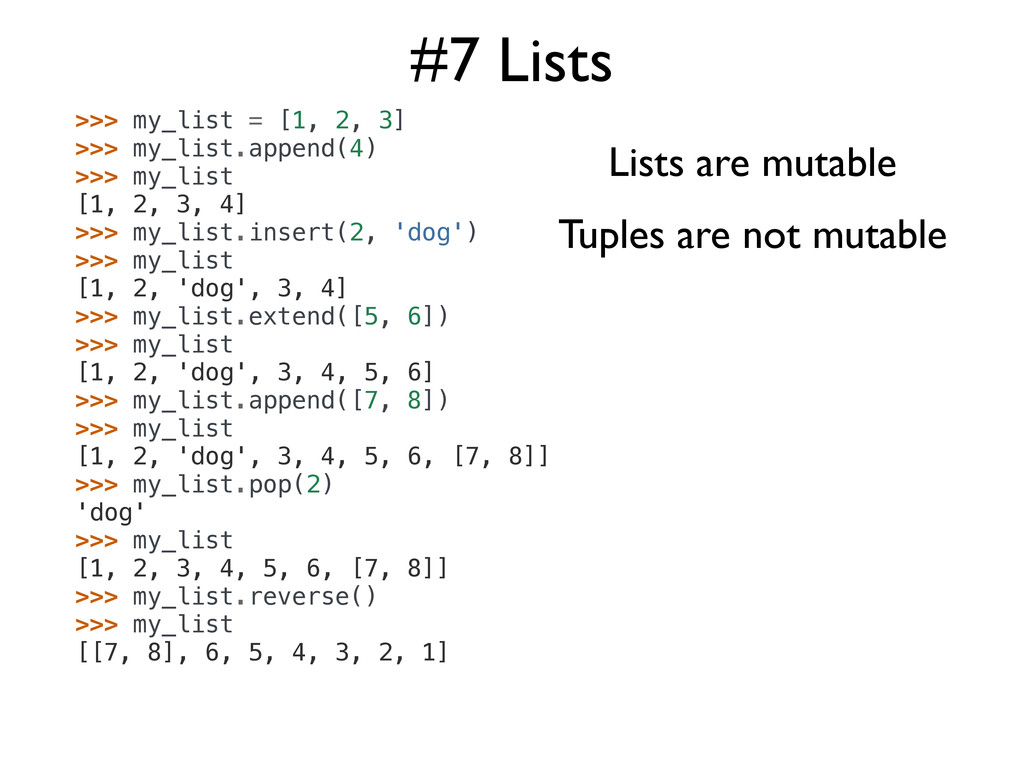
#7 Lists >>> my_list = [1, 2, 3] >>> my_list.append(4)
>>> my_list [1, 2, 3, 4] >>> my_list.insert(2, 'dog') >>> my_list [1, 2, 'dog', 3, 4] >>> my_list.extend([5, 6]) >>> my_list [1, 2, 'dog', 3, 4, 5, 6] >>> my_list.append([7, 8]) >>> my_list [1, 2, 'dog', 3, 4, 5, 6, [7, 8]] >>> my_list.pop(2) 'dog' >>> my_list [1, 2, 3, 4, 5, 6, [7, 8]] >>> my_list.reverse() >>> my_list [[7, 8], 6, 5, 4, 3, 2, 1] Lists are mutable Tuples are not mutable -
#8 Lists + Functional Programming >>> def divisible_by_2(x): ... return
x % 2 == 0 ... >>> >>> def cube(x): ... return x ** 3 ... >>> >>> numbers = [1, 2, 3, 4, 6, 31] >>> >>> filter(divisible_by_2, numbers) [2, 4, 6] Filter constructs a list from those elements of an iterable for which the specified function returns True. Map applies the specified function to every item of the iterable and returns the results. >>> >>> map(cube, numbers) [1, 8, 27, 64, 216, 29791] -
#9 List Comprehensions """ whitespace.py """ from random import randrange
def numberizer(): # Generate a random number from 1 to 10. return randrange(1, 11) number = numberizer() if number > 5: print("This number is big!") class RandomNumberHolder(object): # Create and hold 20 random numbers using numberizer def __init__(self): self.numbers = [numberizer(x) for x in range(20)] random_numbers = RandomNumberHolder() Remember this from the beginning? List Comprehension! -
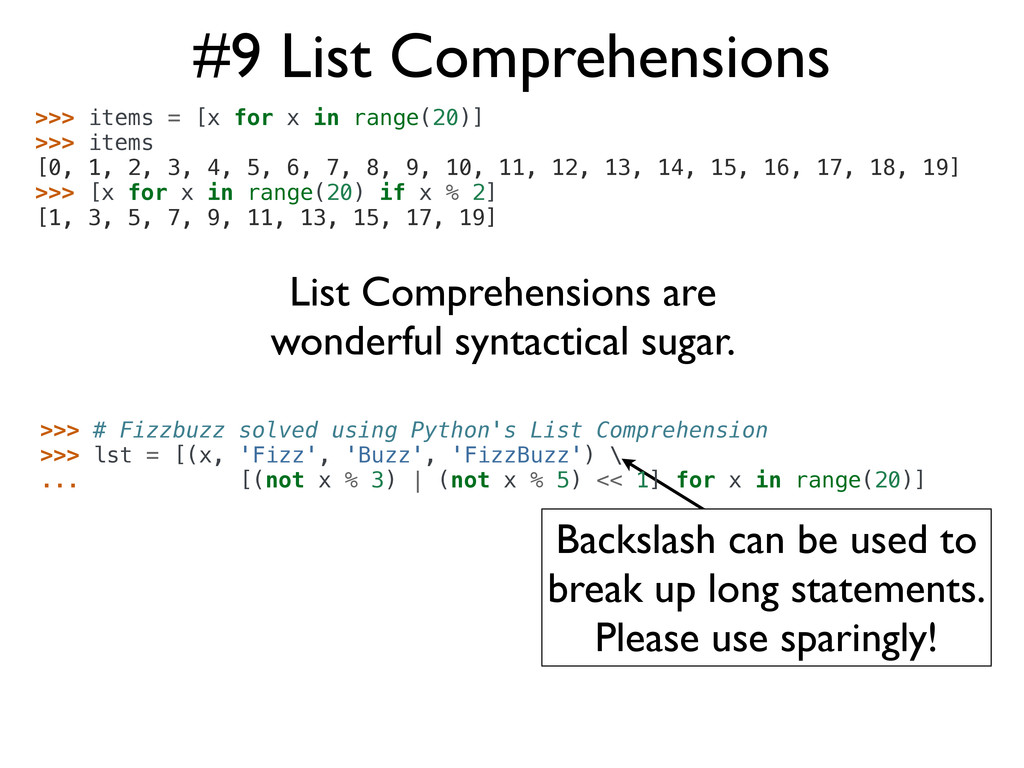
#9 List Comprehensions >>> items = [x for x in
range(20)] >>> items [0, 1, 2, 3, 4, 5, 6, 7, 8, 9, 10, 11, 12, 13, 14, 15, 16, 17, 18, 19] >>> [x for x in range(20) if x % 2] [1, 3, 5, 7, 9, 11, 13, 15, 17, 19] Backslash can be used to break up long statements. Please use sparingly! List Comprehensions are wonderful syntactical sugar. >>> # Fizzbuzz solved using Python's List Comprehension >>> lst = [(x, 'Fizz', 'Buzz', 'FizzBuzz') \ ... [(not x % 3) | (not x % 5) << 1] for x in range(20)] -
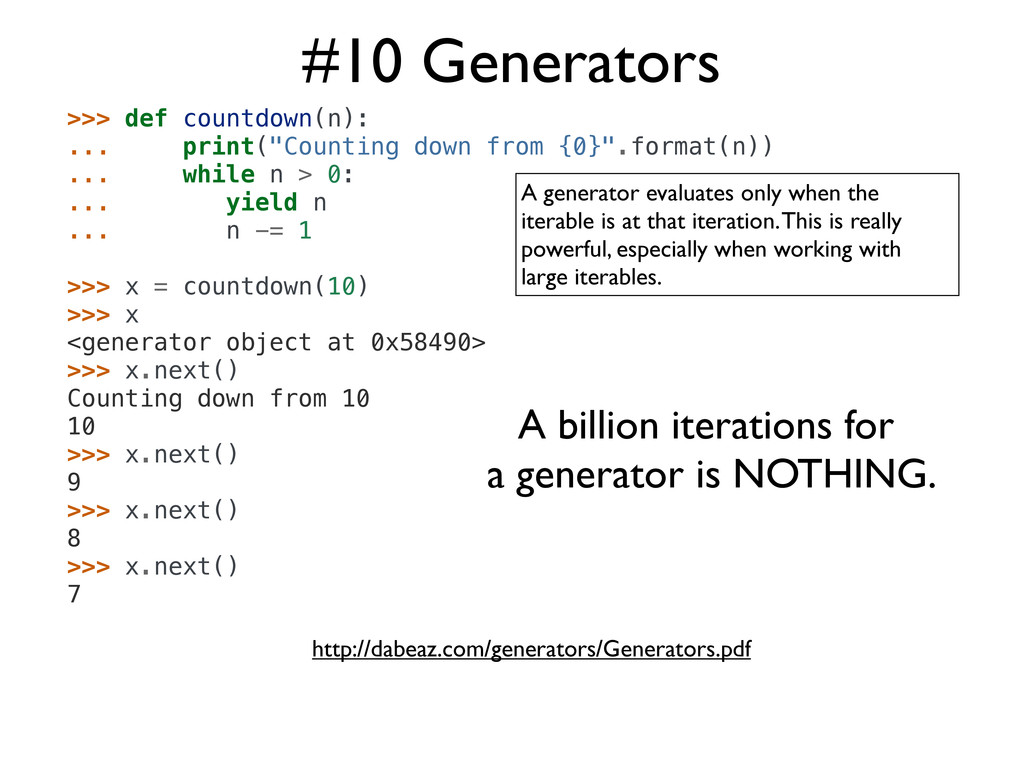
#10 Generators A generator evaluates only when the iterable is
at that iteration. This is really powerful, especially when working with large iterables. A billion iterations for a generator is NOTHING. >>> def countdown(n): ... print("Counting down from {0}".format(n)) ... while n > 0: ... yield n ... n -= 1 >>> x = countdown(10) >>> x <generator object at 0x58490> >>> x.next() Counting down from 10 10 >>> x.next() 9 >>> x.next() 8 >>> x.next() 7 http://dabeaz.com/generators/Generators.pdf -
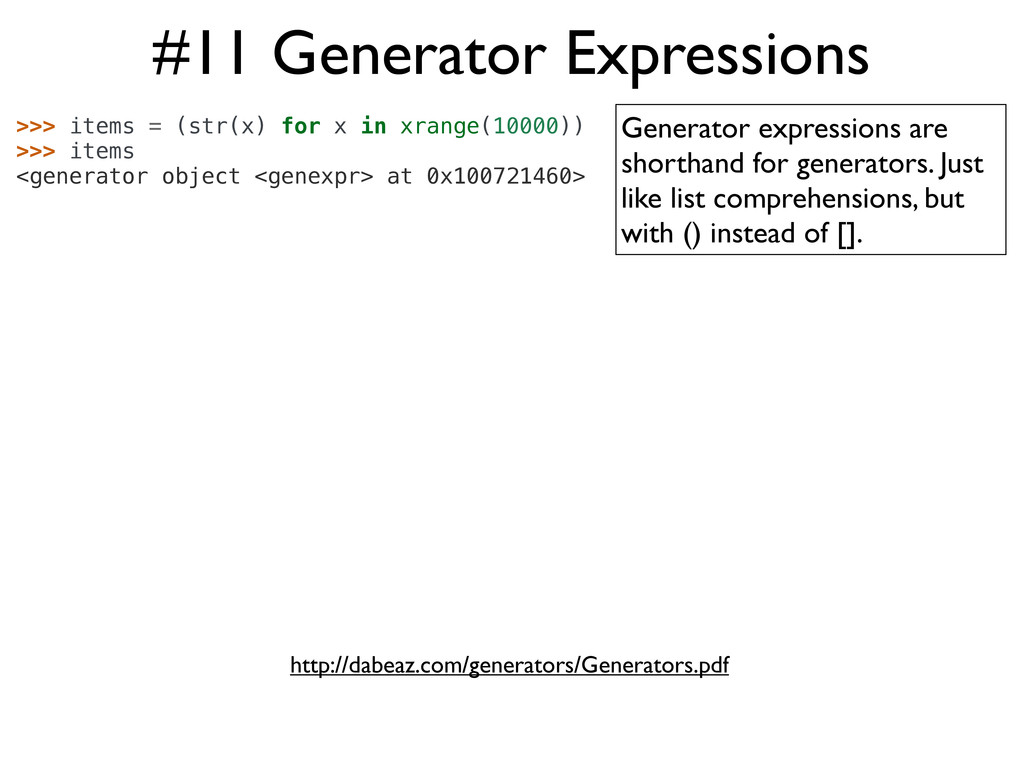
#11 Generator Expressions >>> items = (str(x) for x in
xrange(10000)) >>> items <generator object <genexpr> at 0x100721460> Generator expressions are shorthand for generators. Just like list comprehensions, but with () instead of []. http://dabeaz.com/generators/Generators.pdf -
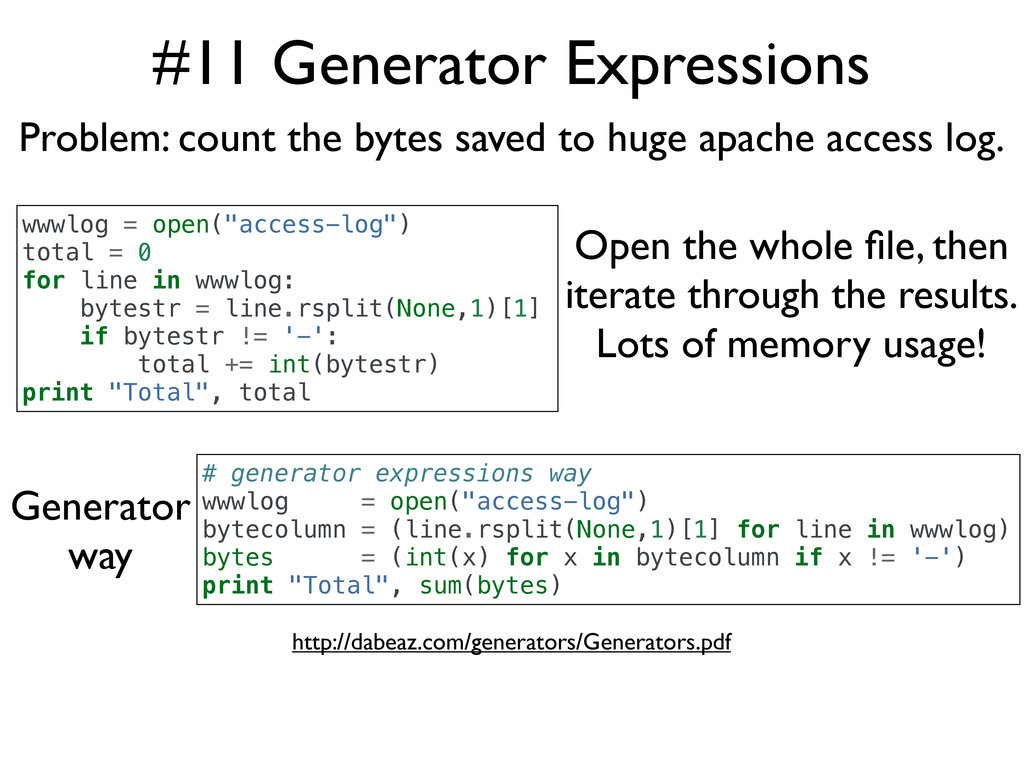
#11 Generator Expressions http://dabeaz.com/generators/Generators.pdf wwwlog = open("access-log") total = 0
for line in wwwlog: bytestr = line.rsplit(None,1)[1] if bytestr != '-': total += int(bytestr) print "Total", total # generator expressions way wwwlog = open("access-log") bytecolumn = (line.rsplit(None,1)[1] for line in wwwlog) bytes = (int(x) for x in bytecolumn if x != '-') print "Total", sum(bytes) Open the whole file, then iterate through the results. Lots of memory usage! Generator way Problem: count the bytes saved to huge apache access log. -
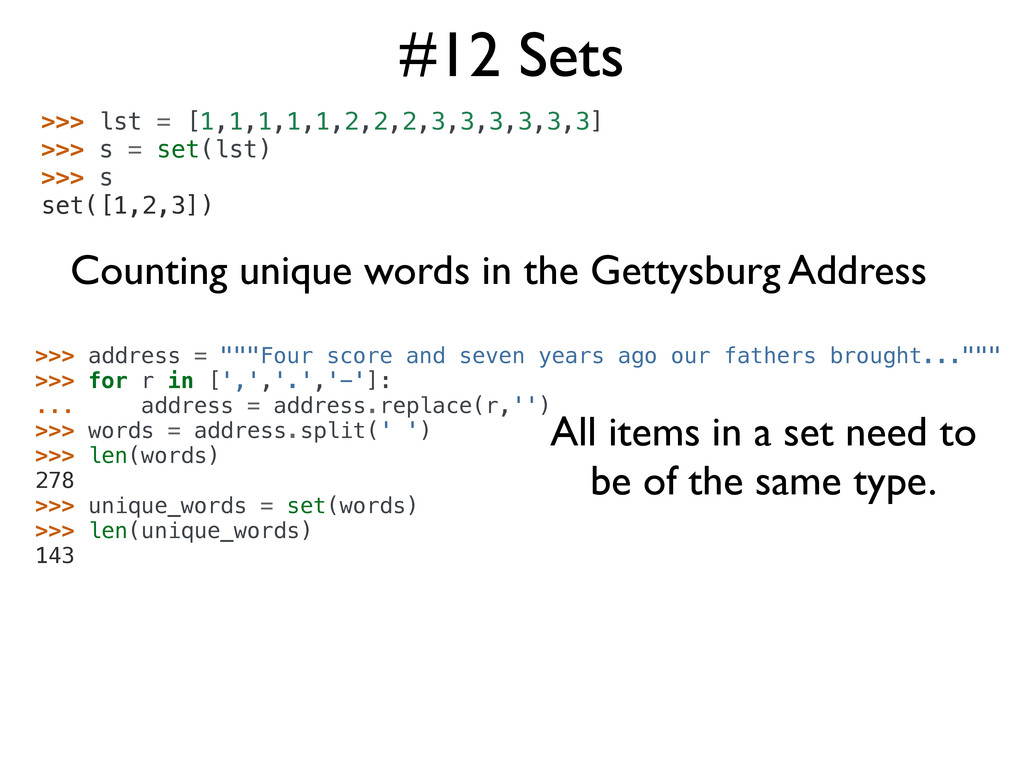
#12 Sets >>> lst = [1,1,1,1,1,2,2,2,3,3,3,3,3,3] >>> s = set(lst)
>>> s set([1,2,3]) Counting unique words in the Gettysburg Address >>> address = """Four score and seven years ago our fathers brought...""" >>> for r in [',','.','-']: ... address = address.replace(r,'') >>> words = address.split(' ') >>> len(words) 278 >>> unique_words = set(words) >>> len(unique_words) 143 All items in a set need to be of the same type. -
#13 Dictionaries >>> data = { 'name':'Daniel Greenfeld', 'nickname':'pydanny', 'states_lived':['CA','KS','MD','NJ','VA','AD'],
'fiancee':'Audrey Roy' } >>> data['name'] 'Daniel Greenfeld' >>> data['nickname'] = 'audreyr' >>> data['nickname'] 'audreyr' >>> data['nickname'] = 'pydanny' >>> data.keys() ['fiancee', 'nickname', 'name', 'states_lived'] >>> data.get('fiancee') 'Audrey Roy' >>> data.get('fiance') None >>> data.pop('fiancee') 'Audrey Roy' >>> data {'nickname': 'pydanny', 'name': 'Daniel Greenfeld', 'states_lived': ['CA', 'KS', 'MD', 'NJ', 'VA']} >>> data['fiancee'] = 'Audrey Roy' >>> data {'fiancee': 'Audrey Roy', 'nickname': 'pydanny', 'name': 'Daniel Greenfeld', 'states_lived': ['CA', 'KS', 'MD', 'NJ', 'VA', 'AD']} Mutable Key/Value objects -
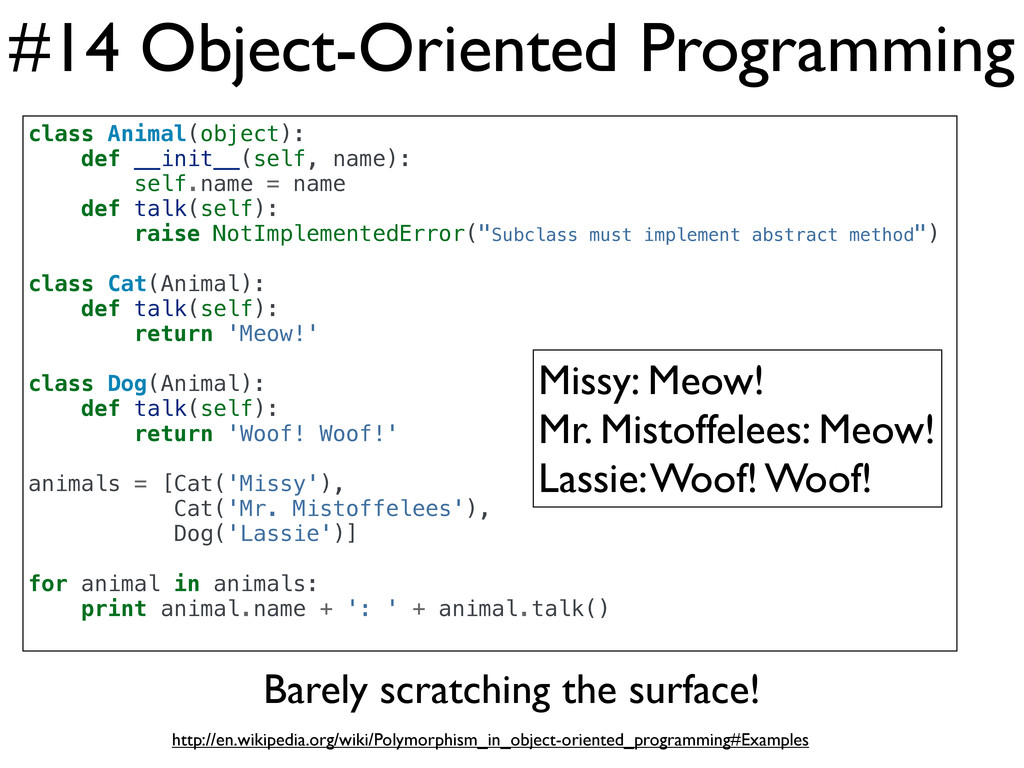
#14 Object-Oriented Programming class Animal(object): def __init__(self, name): self.name =
name def talk(self): raise NotImplementedError("Subclass must implement abstract method") class Cat(Animal): def talk(self): return 'Meow!' class Dog(Animal): def talk(self): return 'Woof! Woof!' animals = [Cat('Missy'), Cat('Mr. Mistoffelees'), Dog('Lassie')] for animal in animals: print animal.name + ': ' + animal.talk() Missy: Meow! Mr. Mistoffelees: Meow! Lassie: Woof! Woof! Barely scratching the surface! http://en.wikipedia.org/wiki/Polymorphism_in_object-oriented_programming#Examples -
#15 Isolate Environments $ curl http://bit.ly/get-pip | python $ pip
install virtualenv $ virtualenv my_env $ source my_env/bin/activate (my_env) $ Pro Tip: easy_install is legacy. Use pip. (my_env) $ pip install django==1.3.1 (my_env) $ pip install requests==0.9.1 (my_env) $ pip install mongoengine==0.5.2 (my_env) $ pip install celery==2.4.6 (my_env) $ pip freeze celery==2.4.6 django==1.3.1 mongoengine==0.5.2 requests==0.9.1 (my_env) $ pip freeze > requirements.txt ... (another_env) $ pip install -r requirements.txt Warning! Only installs Python drivers! Not MongoDB or RabbitMQ -
#16 Colorize Code How Github and Bitbucket do it $
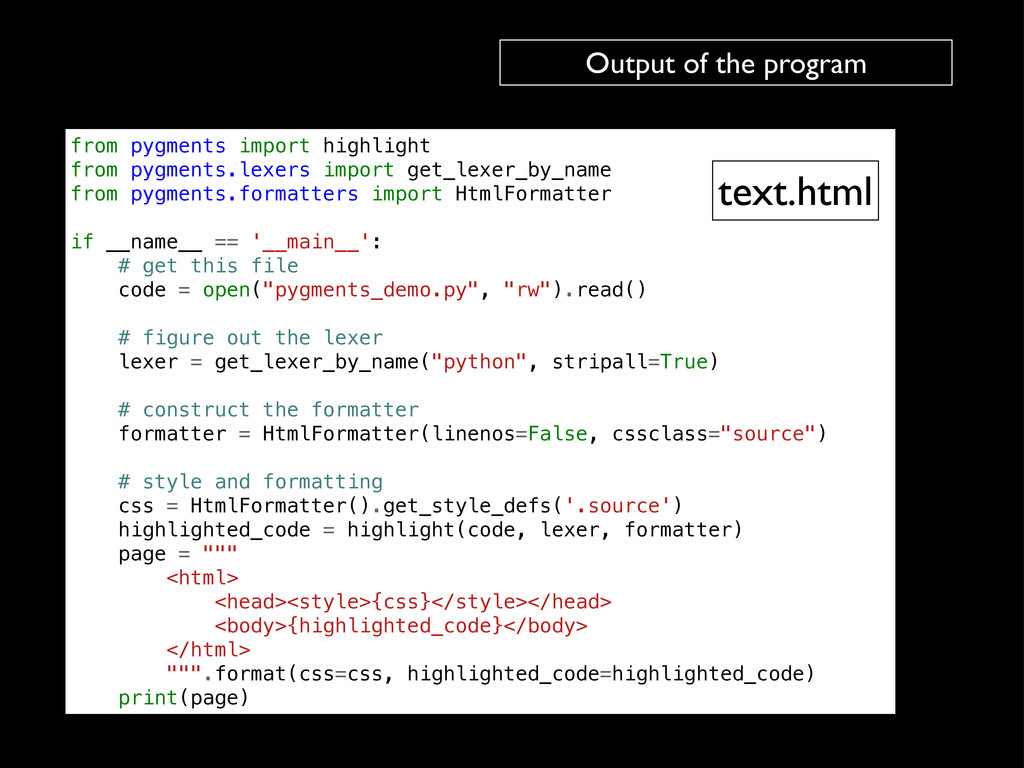
pip install pygments from pygments import highlight from pygments.lexers import get_lexer_by_name from pygments.formatters import HtmlFormatter if __name__ == '__main__': # get this file code = open("pygments_demo.py", "rw").read() # figure out the lexer lexer = get_lexer_by_name("python", stripall=True) # construct the formatter formatter = HtmlFormatter(linenos=False, cssclass="source") # style and formatting css = HtmlFormatter().get_style_defs('.source') highlighted_code = highlight(code, lexer, formatter) page = """ <html> <head><style>{css}</style></head> <body>{highlighted_code}</body> </html> """.format(css=css, highlighted_code=highlighted_code) print(page) pygments_demo.py $ python pygments_demo.py > text.html -
from pygments import highlight from pygments.lexers import get_lexer_by_name from pygments.formatters
import HtmlFormatter if __name__ == '__main__': # get this file code = open("pygments_demo.py", "rw").read() # figure out the lexer lexer = get_lexer_by_name("python", stripall=True) # construct the formatter formatter = HtmlFormatter(linenos=False, cssclass="source") # style and formatting css = HtmlFormatter().get_style_defs('.source') highlighted_code = highlight(code, lexer, formatter) page = """ <html> <head><style>{css}</style></head> <body>{highlighted_code}</body> </html> """.format(css=css, highlighted_code=highlighted_code) print(page) Output of the program text.html -
#17 Work with Relational Databases from datetime import datetime from
django.contrib.auth.models import User from django.db import models from django.utils.translation import ugettext_lazy as _ class Post(models.Model): author = models.ForeignKey(User) title = models.CharField(_('Title'), max_length=100) content = models.TextField(_("Content")) pub_date = models.DateTimeField(_("Publication date")) class Comment(models.Model): post = models.ForeignKey(Post) name = models.CharField(_('Title'), max_length=100) content = models.TextField(_("Content")) Internationalization! (my_env)$ pip install django -
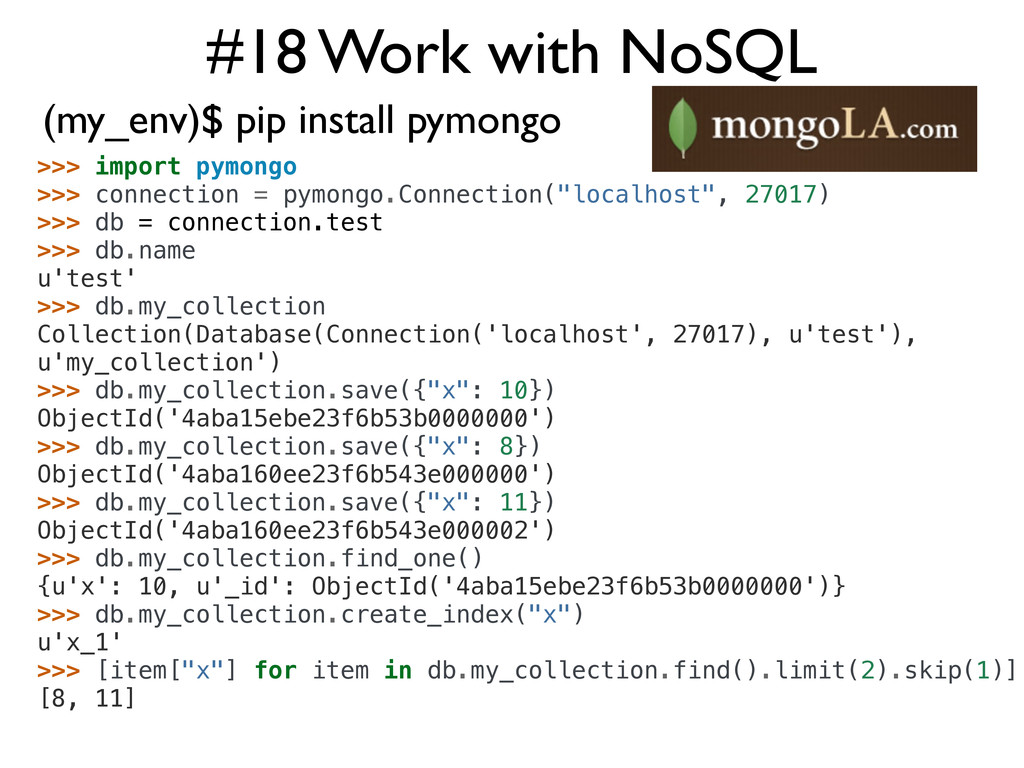
#18 Work with NoSQL (my_env)$ pip install pymongo >>> import
pymongo >>> connection = pymongo.Connection("localhost", 27017) >>> db = connection.test >>> db.name u'test' >>> db.my_collection Collection(Database(Connection('localhost', 27017), u'test'), u'my_collection') >>> db.my_collection.save({"x": 10}) ObjectId('4aba15ebe23f6b53b0000000') >>> db.my_collection.save({"x": 8}) ObjectId('4aba160ee23f6b543e000000') >>> db.my_collection.save({"x": 11}) ObjectId('4aba160ee23f6b543e000002') >>> db.my_collection.find_one() {u'x': 10, u'_id': ObjectId('4aba15ebe23f6b53b0000000')} >>> db.my_collection.create_index("x") u'x_1' >>> [item["x"] for item in db.my_collection.find().limit(2).skip(1)] [8, 11] -
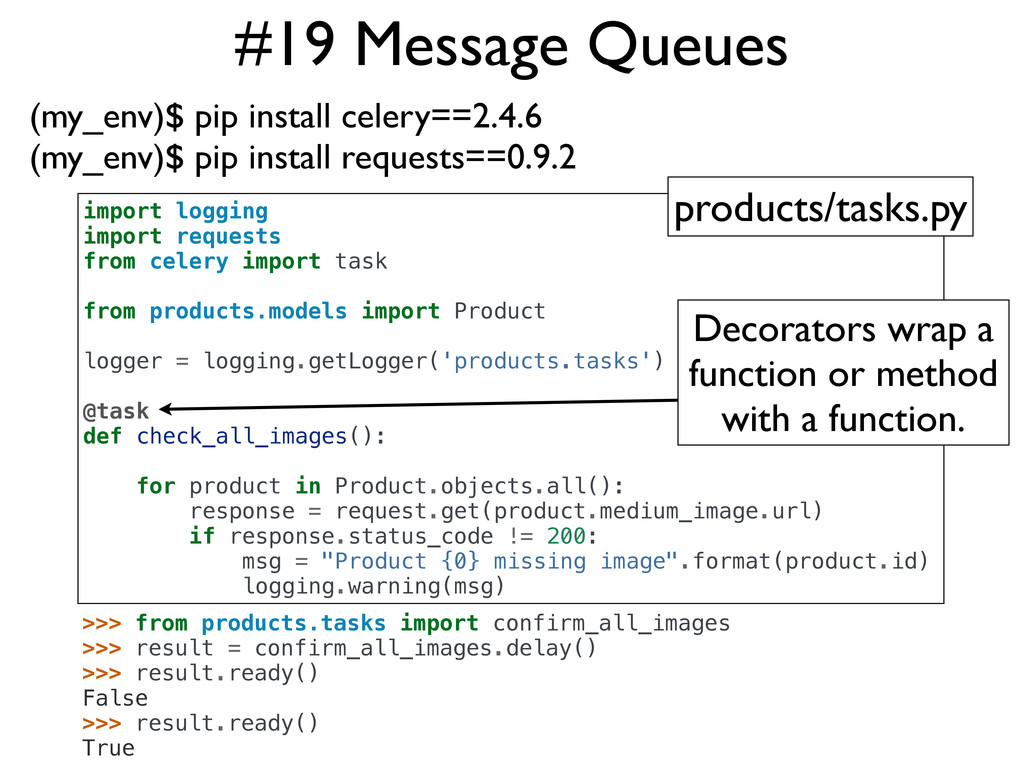
#19 Message Queues (my_env)$ pip install celery==2.4.6 (my_env)$ pip install
requests==0.9.2 >>> from products.tasks import confirm_all_images >>> result = confirm_all_images.delay() >>> result.ready() False >>> result.ready() True import logging import requests from celery import task from products.models import Product logger = logging.getLogger('products.tasks') @task def check_all_images(): for product in Product.objects.all(): response = request.get(product.medium_image.url) if response.status_code != 200: msg = "Product {0} missing image".format(product.id) logging.warning(msg) products/tasks.py Decorators wrap a function or method with a function. -
#20 Work with JSON >>> import json >>> data =
{ 'name':'Daniel Greenfeld', 'nickname':'pydanny', 'states_lived':['CA','KS','MD','NJ','VA','AD'], 'fiancee':'Audrey Roy' } >>> type(data) <type 'dict'> >>> payload = json.dumps(data) >>> payload '{"fiancee": "Audrey Roy", "nickname": "pydanny", "name": "Daniel Greenfeld", "states_lived": ["CA", "KS", "MD", "NJ", "VA", "AD"]}' >>> type(payload) <type 'str'> >>> restored = json.loads(payload) >>> type(restored) <type 'dict'> >>> restored {u'fiancee': u'Audrey Roy', u'nickname': u'pydanny', u'name': u'Daniel Greenfeld', u'states_lived': [u'CA', u'KS', u'MD', u'NJ', u'VA', u'AD' ]} -
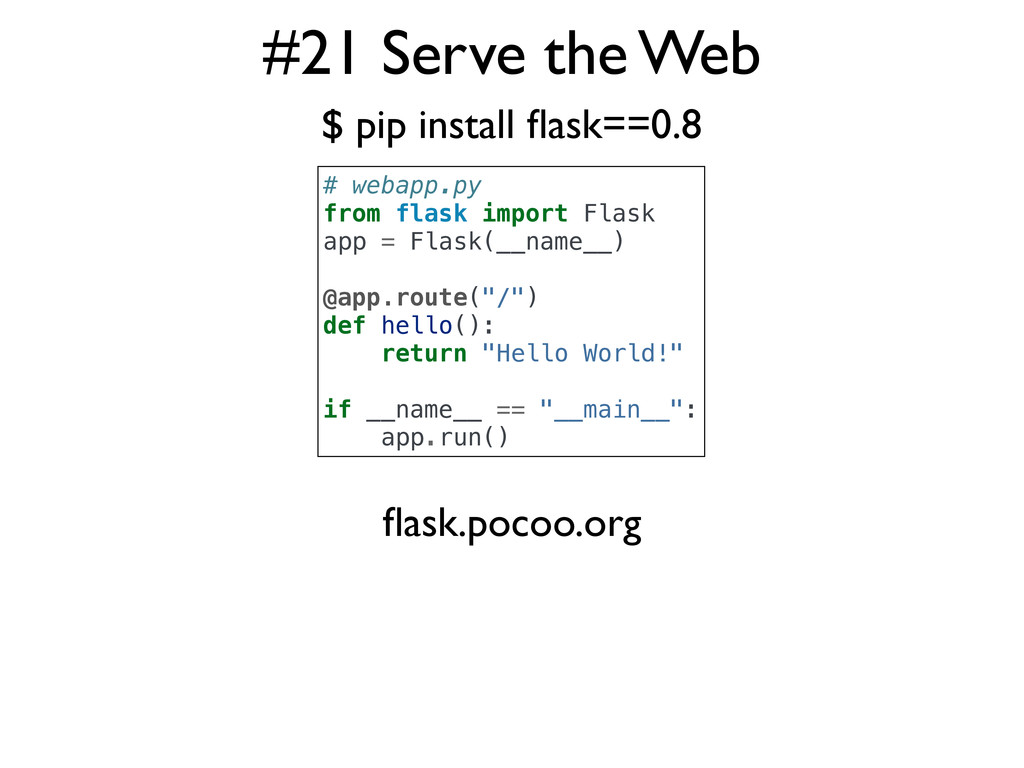
#21 Serve the Web $ pip install flask==0.8 # webapp.py
from flask import Flask app = Flask(__name__) @app.route("/") def hello(): return "Hello World!" if __name__ == "__main__": app.run() flask.pocoo.org -
Finis • Learn more at the following booths: • Python
• Django • Pyladies
 pydanny
 rlifchitz
 torounit
 oidfj
 inariku
 smt7174
 okiyuki99
 kentapapa
 kazzpapa3
 littlehands
 destraynor
 portentint
 ivargrimstad
 tammielis
 aleyda
 danielanewman
 codingconduct
 mfonobong
 ianozsvald
 mclloyd
 sergeychernyshev