Upgrade to Pro
— share decks privately, control downloads, hide ads and more …
Speaker Deck
Sign up for free
Menu
Search
Features
All features
Private URLs
Password Protection
Custom URLS
Scheduled publishing
Remove Branding
Restrict embedding
Deck Collections
Notes
Features
All features
Private URLs
Password Protection
Custom URLS
Scheduled publishing
Remove Branding
Restrict embedding
Deck Collections
Notes
Explore
Featured decks
Featured speakers
Programming
Technology
Storyboards
Explore
Featured decks
Featured speakers
Programming
Technology
Storyboards
Pricing
Search
Sign in
Sign up for free
LINE Messaging API × OpenAI APIで入力音声の文字起こしBot作ってみた
Search
るおん
June 19, 2025
820
0
Share
Embed
Copy iframe code
Copy JS code
Copy link
Start on current slide
LINE Messaging API × OpenAI APIで入力音声の文字起こしBot作ってみた
https://linedevelopercommunity.connpass.com/event/355879/
るおん
June 19, 2025
More Decks by るおん
See All by るおん
「見せて決める」要件定義 Claude Design × Claude Code × Figma
ryu20202
0
3.1k
20260401_blog_training.pdf
ryu20202
0
580
20260325_backlog_completion_notifier.pdf
ryu20202
0
530
LINEミニアプリからサービスメッセージを送信してみよう
ryu20202
0
700
全てのコンテキストを集約し真の仕様駆動を実現。プロジェクト全体の開発を高速化する方法
ryu20202
4
3.6k
【本日リリース】LINE Touchの詳細と使い方について世界最速で解説!LINE Touchの世界を体験してみよう!
ryu20202
0
19k
LINEミニアプリでのJPKIユースケースのご紹介
ryu20202
0
790
クイック入力で実現するシームレスな会員登録
ryu20202
0
810
CDKコマンド誤用による環境リソースの損失を防ぐ方法
ryu20202
0
650
Featured
See All Featured
Abbi's Birthday
coloredviolet
4
10k
From Legacy to Launchpad: Building Startup-Ready Communities
dugsong
0
350
A Tale of Four Properties
chriscoyier
163
24k
SEO for Brand Visibility & Recognition
aleyda
0
4.8k
XXLCSS - How to scale CSS and keep your sanity
sugarenia
250
1.3M
Rails Girls Zürich Keynote
gr2m
96
14k
No one is an island. Learnings from fostering a developers community.
thoeni
21
3.8k
Testing 201, or: Great Expectations
jmmastey
46
8.3k
Effective software design: The role of men in debugging patriarchy in IT @ Voxxed Days AMS
baasie
1
550
The AI Search Optimization Roadmap by Aleyda Solis
aleyda
2
6.3k
Designing Powerful Visuals for Engaging Learning
tmiket
1
600
Exploring the relationship between traditional SERPs and Gen AI search
raygrieselhuber
PRO
4
4.3k
Transcript
LINE Messaging API × OpenAI APIで入力音声の文字起こ しBot作ってみた 2025/6/18「LINE DC Generative
AI Meetup #6」 クラスメソッド株式会社 リテールアプリ共創部 高垣龍平 1
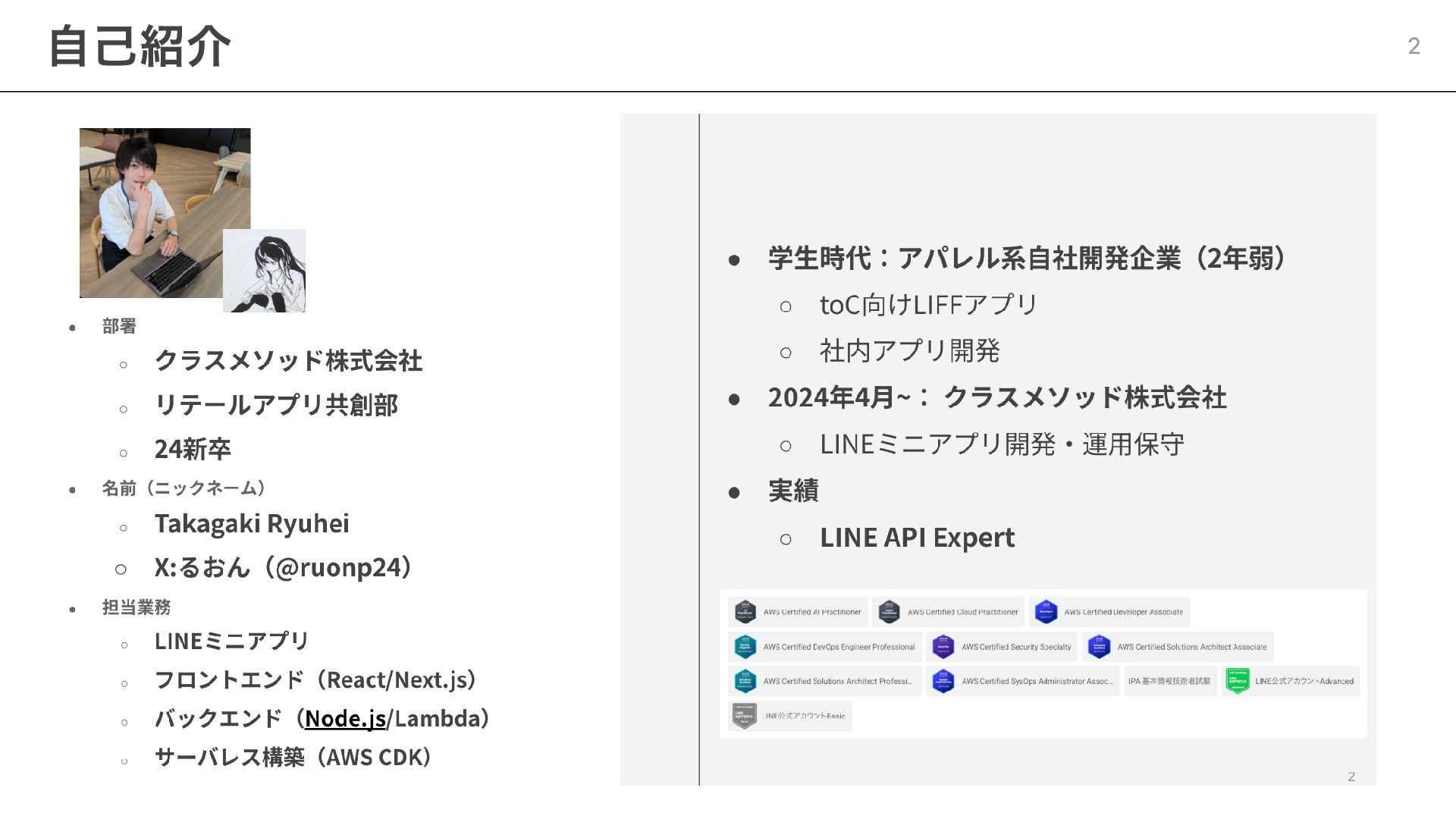
自己紹介 2
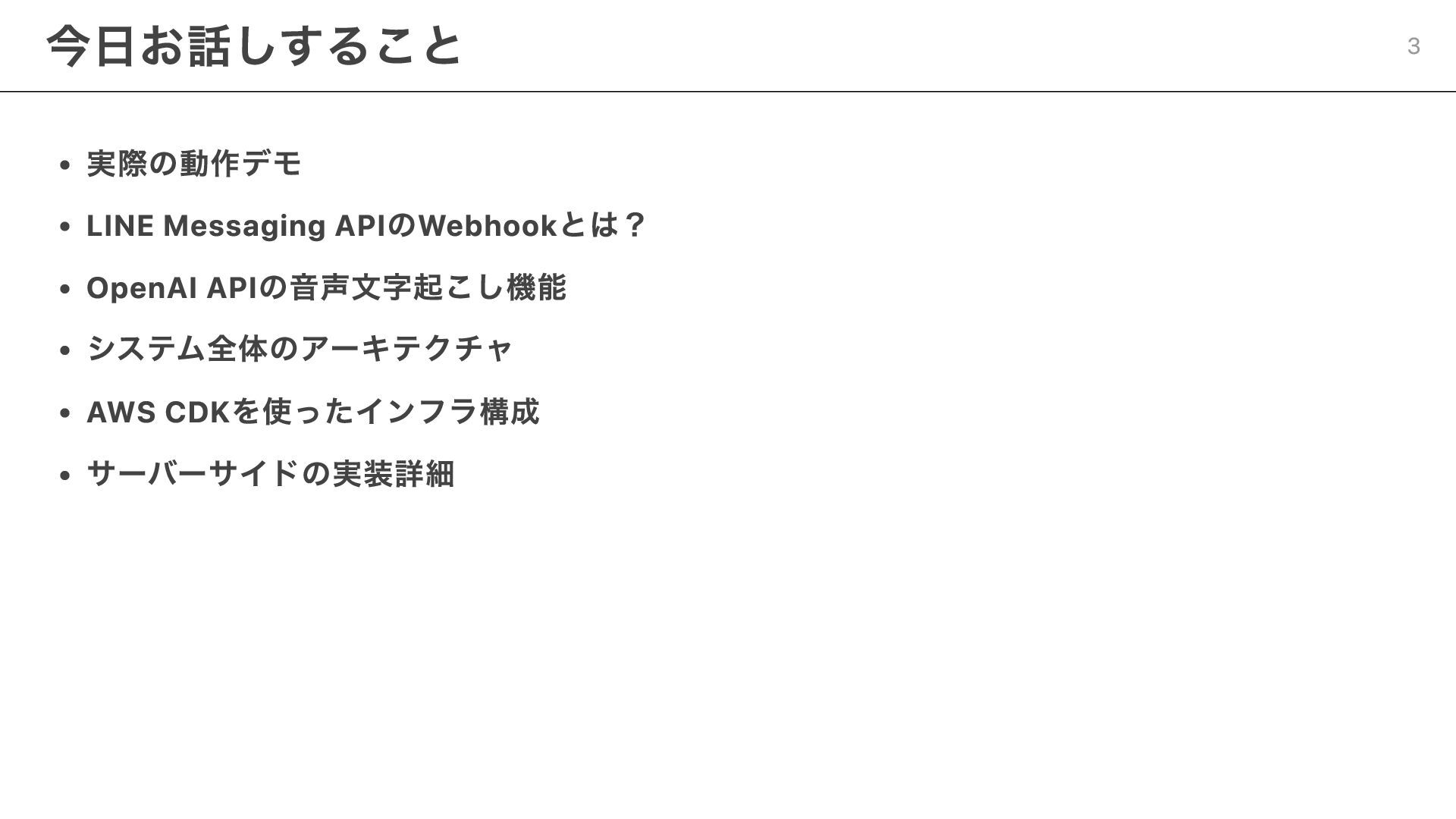
実際の動作デモ LINE Messaging APIのWebhookとは? OpenAI APIの音声文字起こし機能 システム全体のアーキテクチャ AWS CDKを使ったインフラ構成 サーバーサイドの実装詳細
今日お話しすること 3
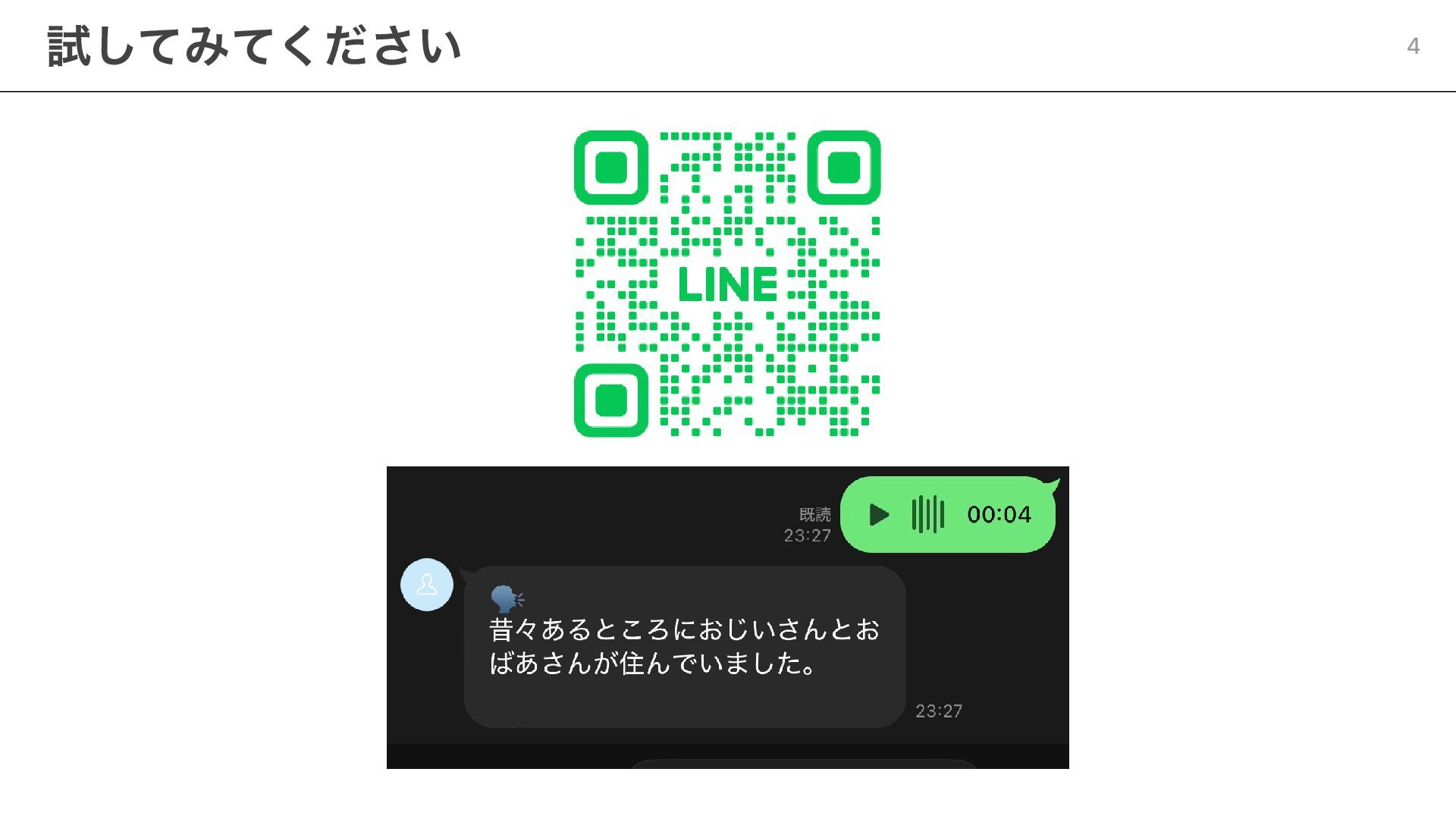
試してみてください 4
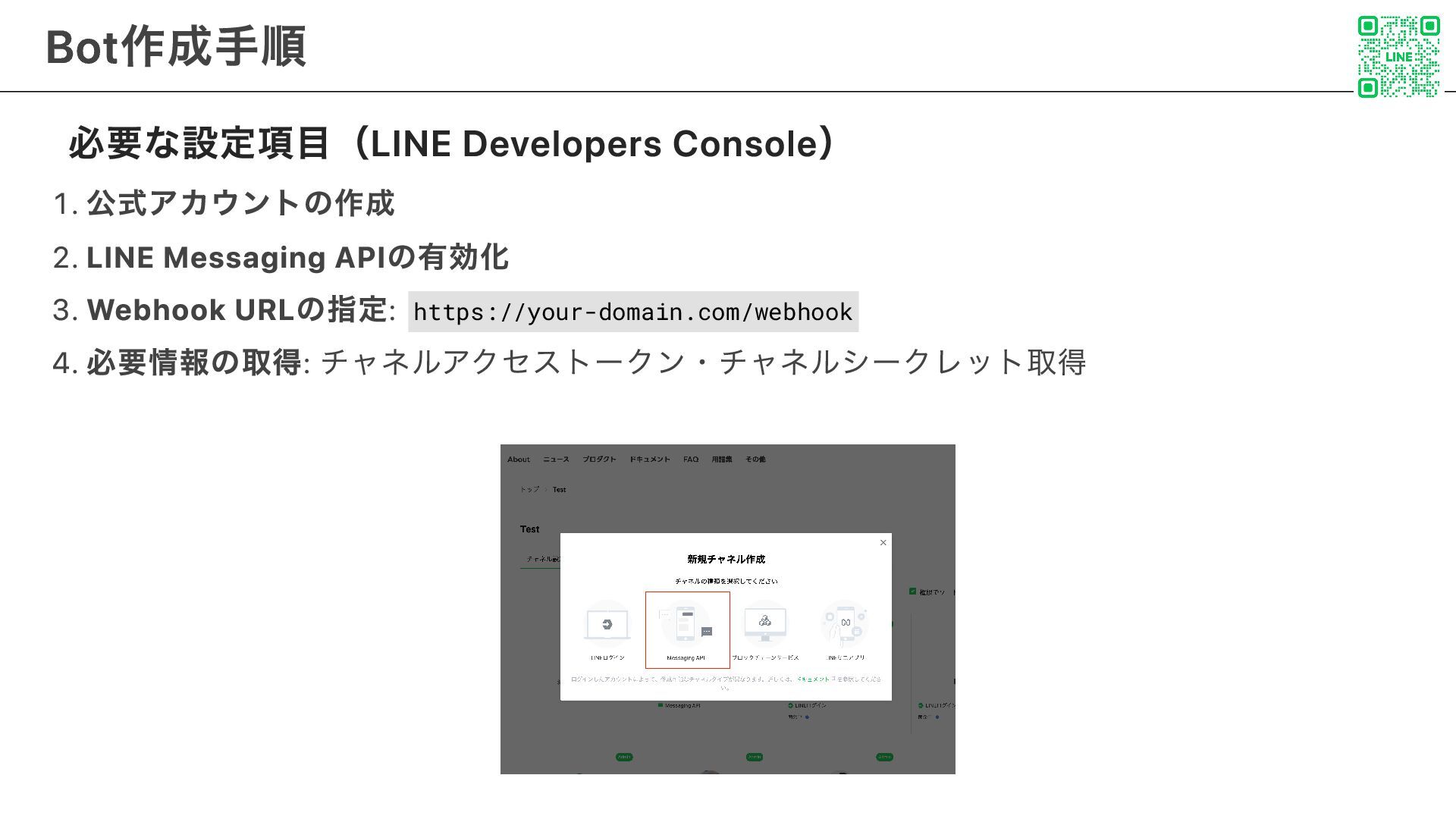
必要な設定項目(LINE Developers Console) 1. 公式アカウントの作成 2. LINE Messaging APIの有効化 3.
Webhook URLの指定: https://your-domain.com/webhook 4. 必要情報の取得: チャネルアクセストークン・チャネルシークレット取得 Bot作成手順 5
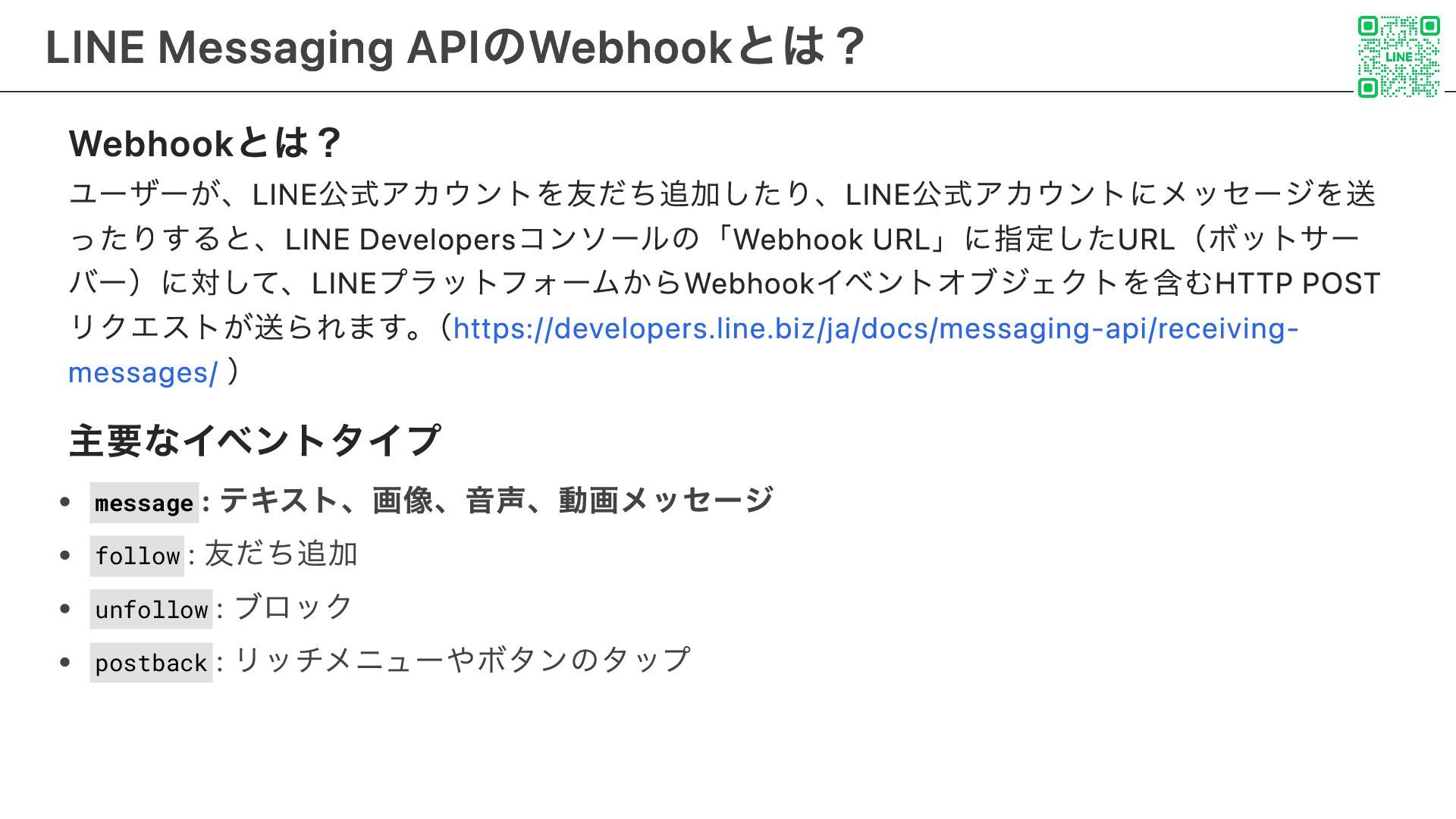
Webhookとは? ユーザーが、LINE公式アカウントを友だち追加したり、LINE公式アカウントにメッセージを送 ったりすると、LINE Developersコンソールの「Webhook URL」に指定したURL(ボットサー バー)に対して、LINEプラットフォームからWebhookイベントオブジェクトを含むHTTP POST リクエストが送られます。 (https://developers.line.biz/ja/docs/messaging-api/receiving- messages/
) 主要なイベントタイプ message : テキスト、画像、音声、動画メッセージ follow : 友だち追加 unfollow : ブロック postback : リッチメニューやボタンのタップ LINE Messaging APIのWebhookとは? 6
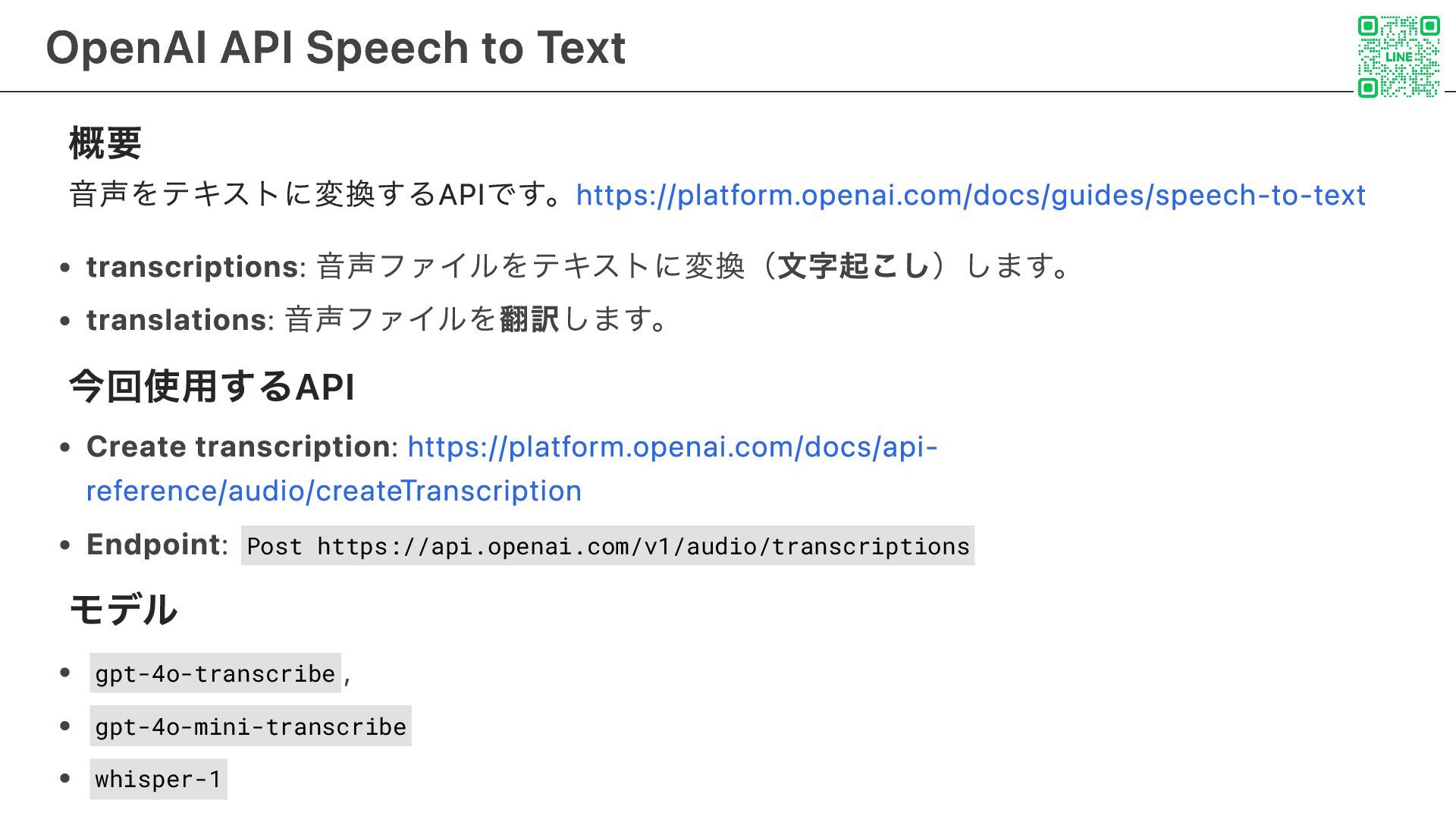
概要 音声をテキストに変換するAPIです。https://platform.openai.com/docs/guides/speech-to-text transcriptions: 音声ファイルをテキストに変換(文字起こし)します。 translations: 音声ファイルを翻訳します。 今回使用するAPI Create transcription: https://platform.openai.com/docs/api-
reference/audio/createTranscription Endpoint: Post https://api.openai.com/v1/audio/transcriptions モデル gpt-4o-transcribe , gpt-4o-mini-transcribe whisper-1 OpenAI API Speech to Text 7
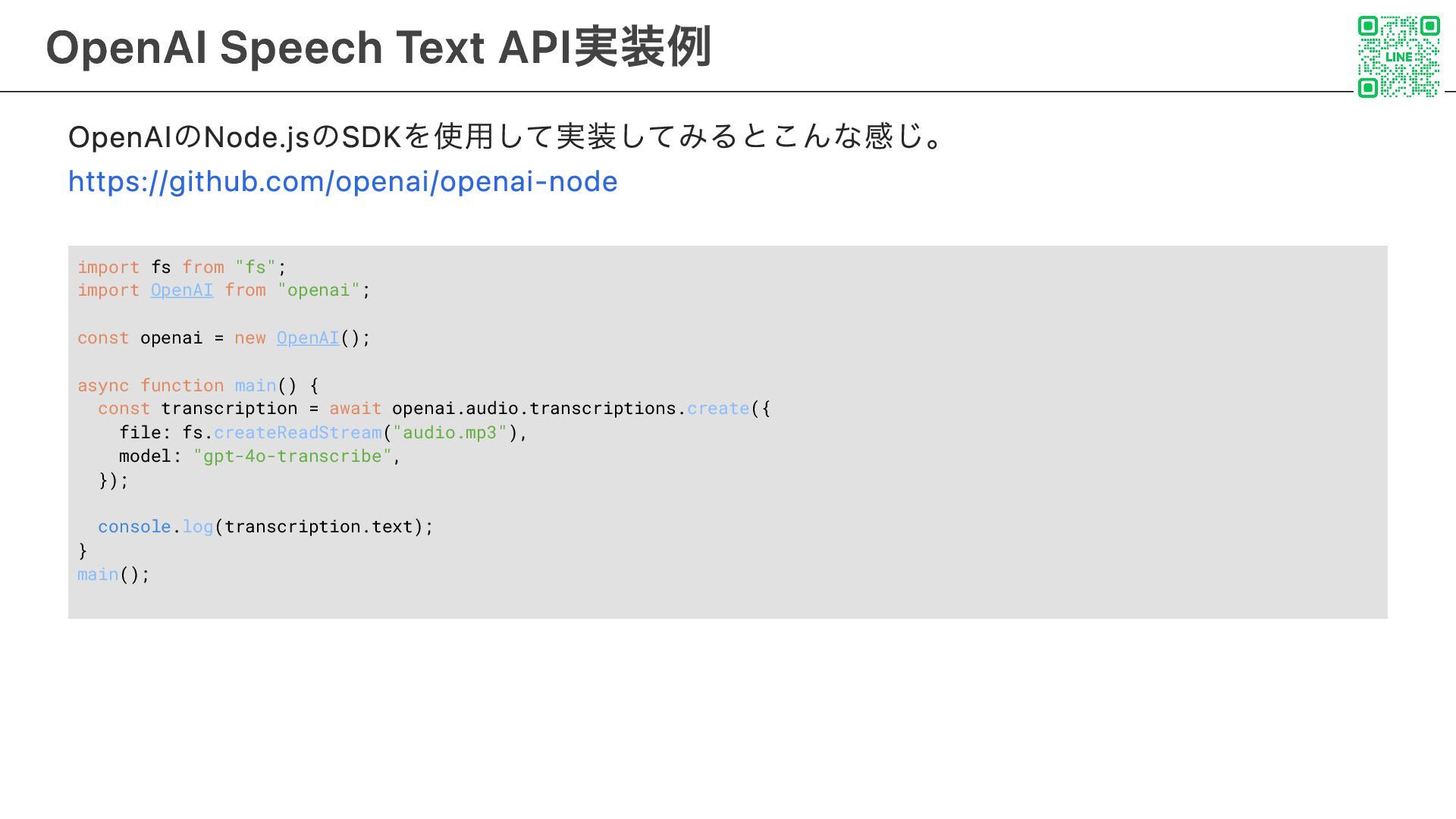
OpenAIのNode.jsのSDKを使用して実装してみるとこんな感じ。 https://github.com/openai/openai-node import fs from "fs"; import OpenAI from "openai";
const openai = new OpenAI(); async function main() { const transcription = await openai.audio.transcriptions.create({ file: fs.createReadStream("audio.mp3"), model: "gpt-4o-transcribe", }); console.log(transcription.text); } main(); OpenAI Speech Text API実装例 8
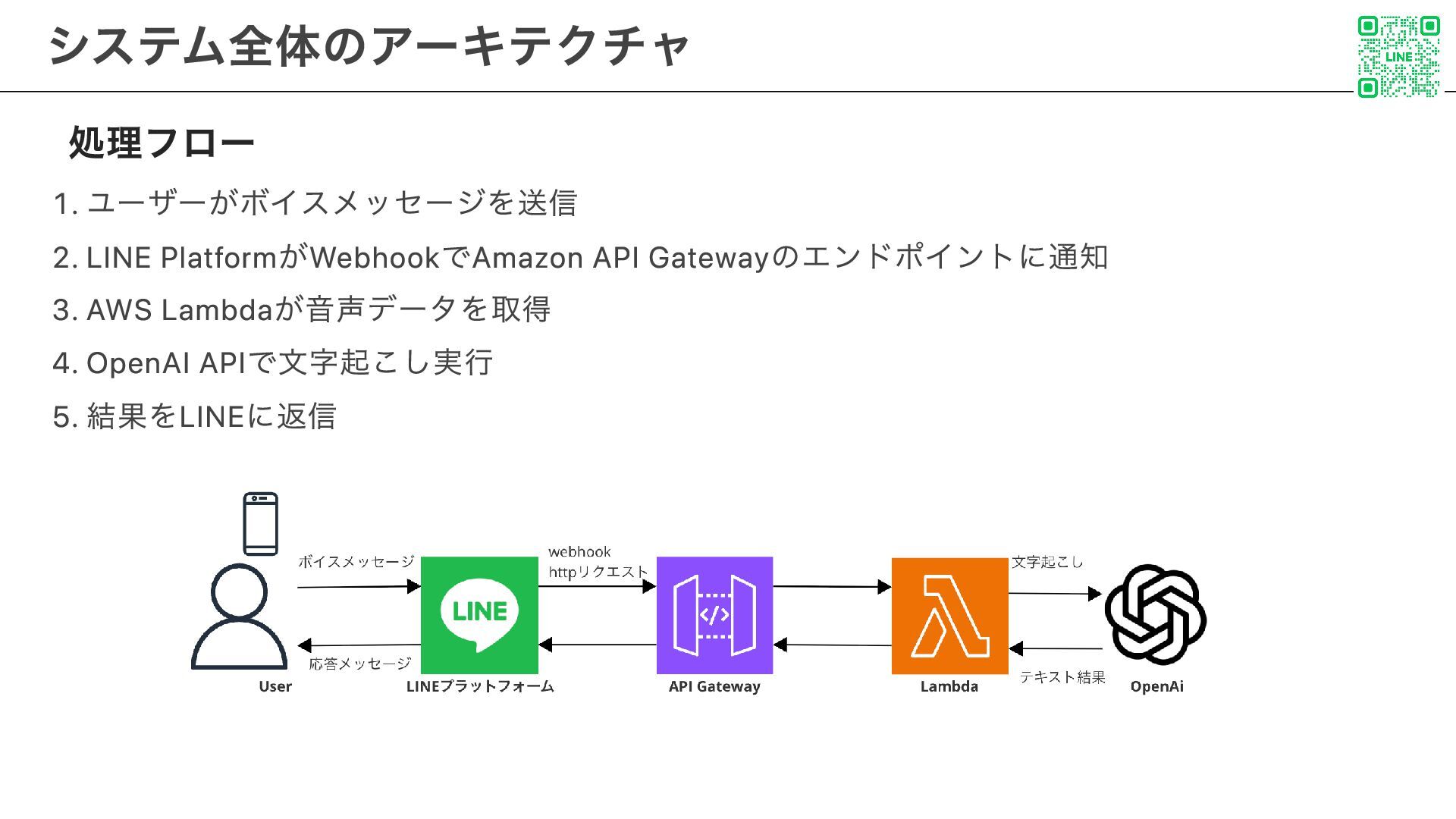
処理フロー 1. ユーザーがボイスメッセージを送信 2. LINE PlatformがWebhookでAmazon API Gatewayのエンドポイントに通知 3. AWS
Lambdaが音声データを取得 4. OpenAI APIで文字起こし実行 5. 結果をLINEに返信 システム全体のアーキテクチャ 9
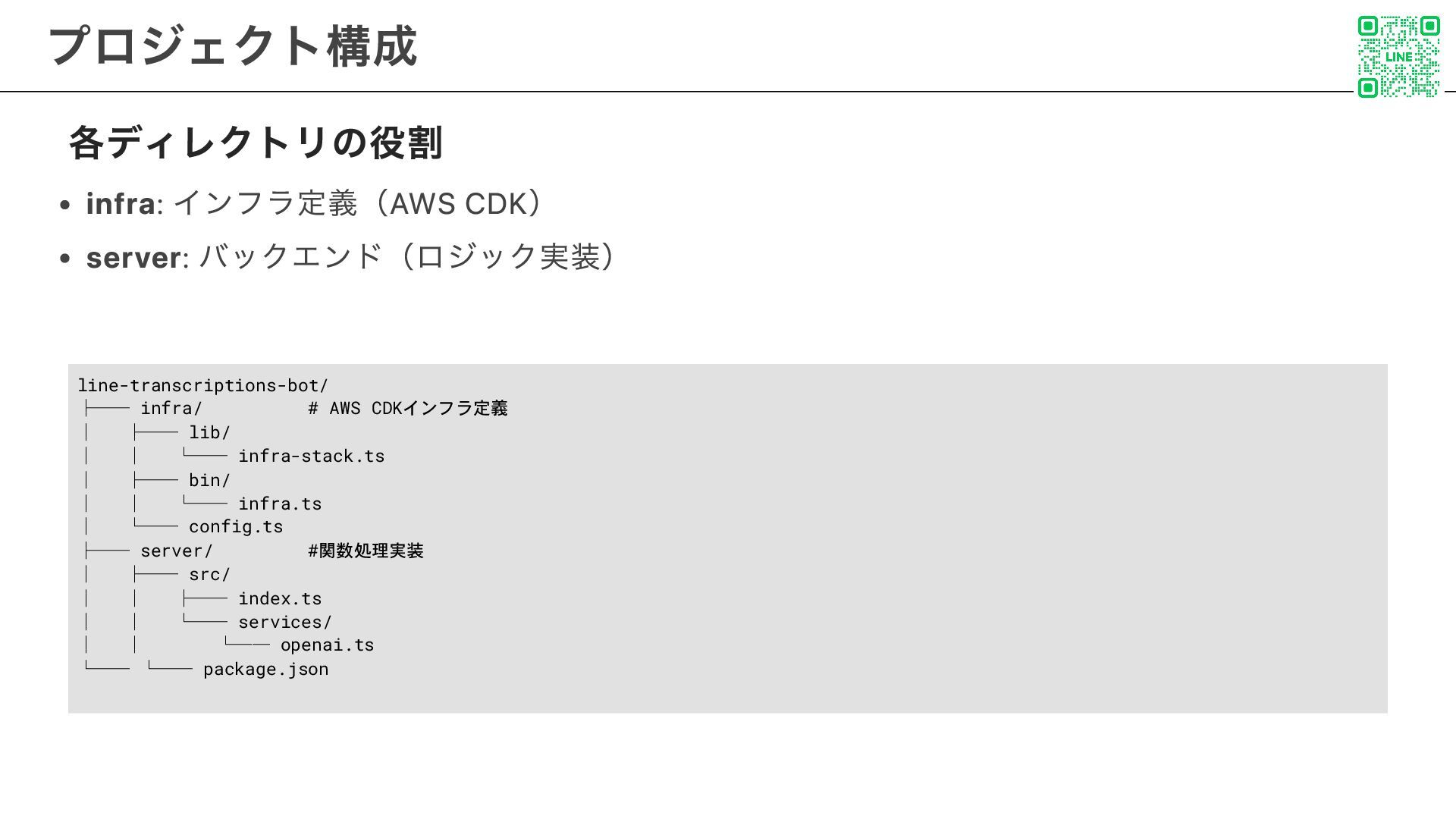
各ディレクトリの役割 infra: インフラ定義(AWS CDK) server: バックエンド(ロジック実装) line-transcriptions-bot/ ├── infra/ #
AWS CDKインフラ定義 │ ├── lib/ │ │ └── infra-stack.ts │ ├── bin/ │ │ └── infra.ts │ └── config.ts ├── server/ #関数処理実装 │ ├── src/ │ │ ├── index.ts │ │ └── services/ │ │ └── openai.ts └── └── package.json プロジェクト構成 10
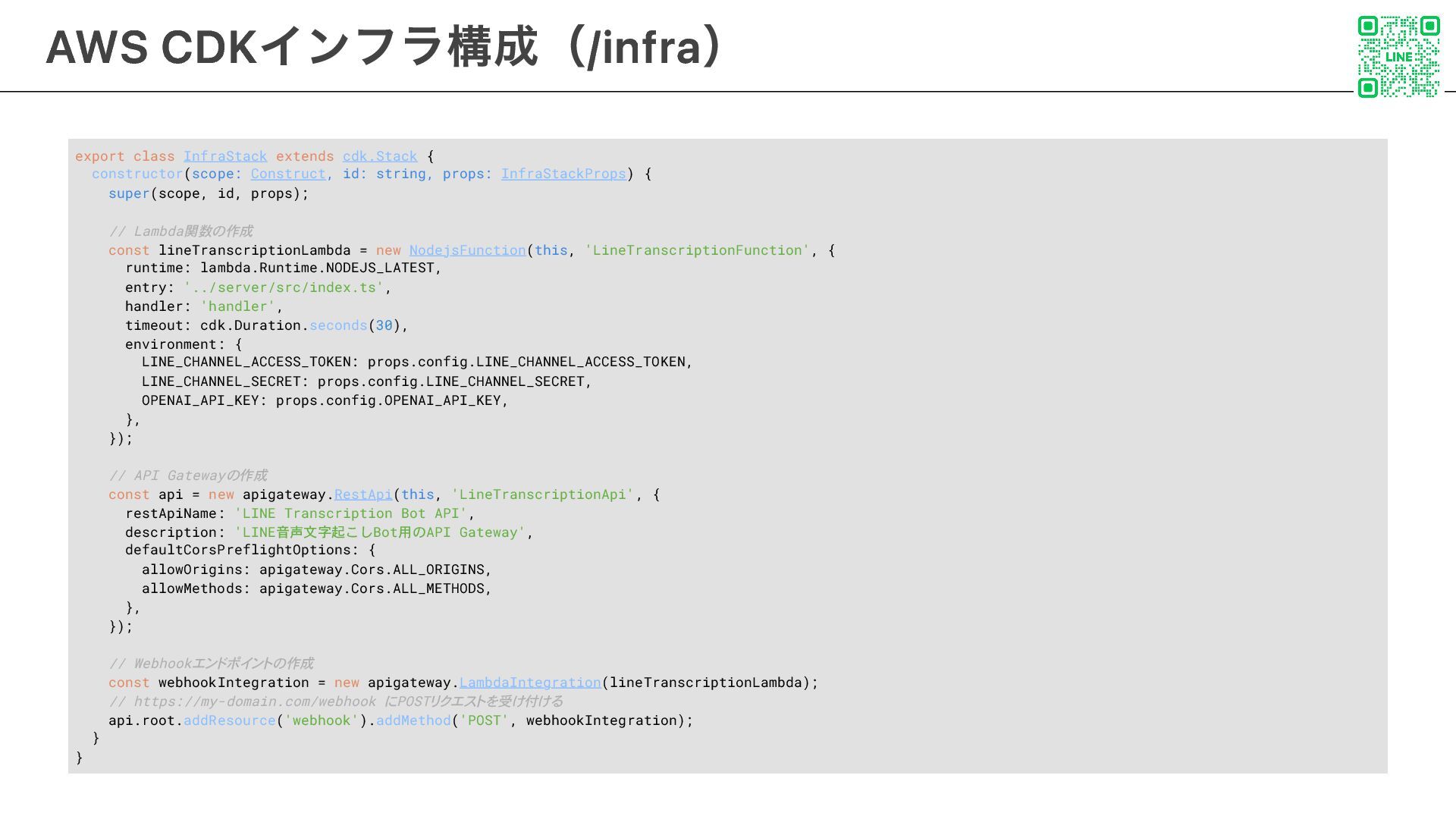
export class InfraStack extends cdk.Stack { constructor(scope: Construct, id: string,
props: InfraStackProps) { super(scope, id, props); // Lambda関数の作成 const lineTranscriptionLambda = new NodejsFunction(this, 'LineTranscriptionFunction', { runtime: lambda.Runtime.NODEJS_LATEST, entry: '../server/src/index.ts', handler: 'handler', timeout: cdk.Duration.seconds(30), environment: { LINE_CHANNEL_ACCESS_TOKEN: props.config.LINE_CHANNEL_ACCESS_TOKEN, LINE_CHANNEL_SECRET: props.config.LINE_CHANNEL_SECRET, OPENAI_API_KEY: props.config.OPENAI_API_KEY, }, }); // API Gatewayの作成 const api = new apigateway.RestApi(this, 'LineTranscriptionApi', { restApiName: 'LINE Transcription Bot API', description: 'LINE音声文字起こしBot用のAPI Gateway', defaultCorsPreflightOptions: { allowOrigins: apigateway.Cors.ALL_ORIGINS, allowMethods: apigateway.Cors.ALL_METHODS, }, }); // Webhookエンドポイントの作成 const webhookIntegration = new apigateway.LambdaIntegration(lineTranscriptionLambda); // https://my-domain.com/webhook にPOSTリクエストを受け付ける api.root.addResource('webhook').addMethod('POST', webhookIntegration); } } AWS CDKインフラ構成(/infra) 11
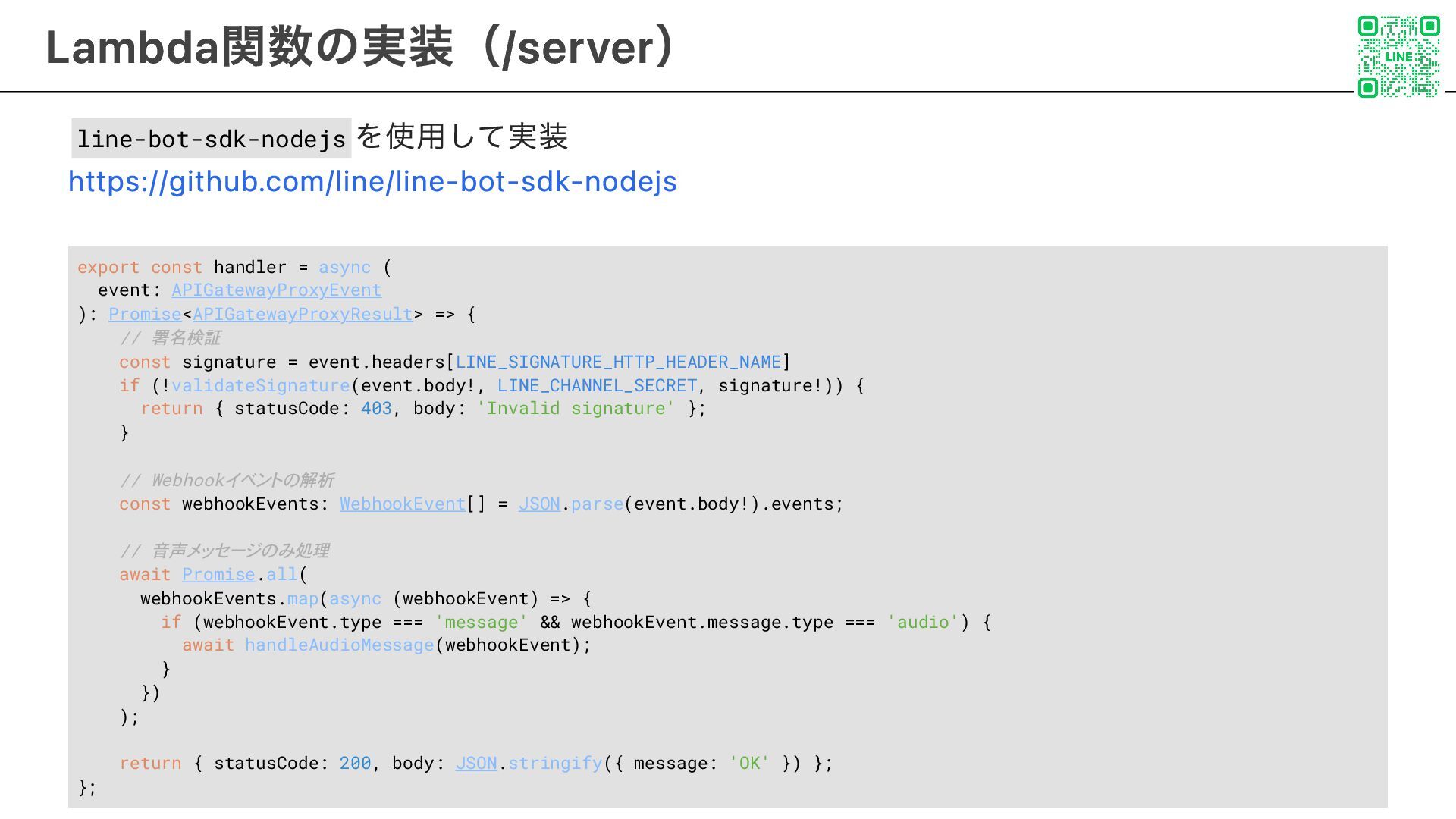
line-bot-sdk-nodejs を使用して実装 https://github.com/line/line-bot-sdk-nodejs export const handler = async ( event:
APIGatewayProxyEvent ): Promise<APIGatewayProxyResult> => { // 署名検証 const signature = event.headers[LINE_SIGNATURE_HTTP_HEADER_NAME] if (!validateSignature(event.body!, LINE_CHANNEL_SECRET, signature!)) { return { statusCode: 403, body: 'Invalid signature' }; } // Webhookイベントの解析 const webhookEvents: WebhookEvent[] = JSON.parse(event.body!).events; // 音声メッセージのみ処理 await Promise.all( webhookEvents.map(async (webhookEvent) => { if (webhookEvent.type === 'message' && webhookEvent.message.type === 'audio') { await handleAudioMessage(webhookEvent); } }) ); return { statusCode: 200, body: JSON.stringify({ message: 'OK' }) }; }; Lambda関数の実装(/server) 12
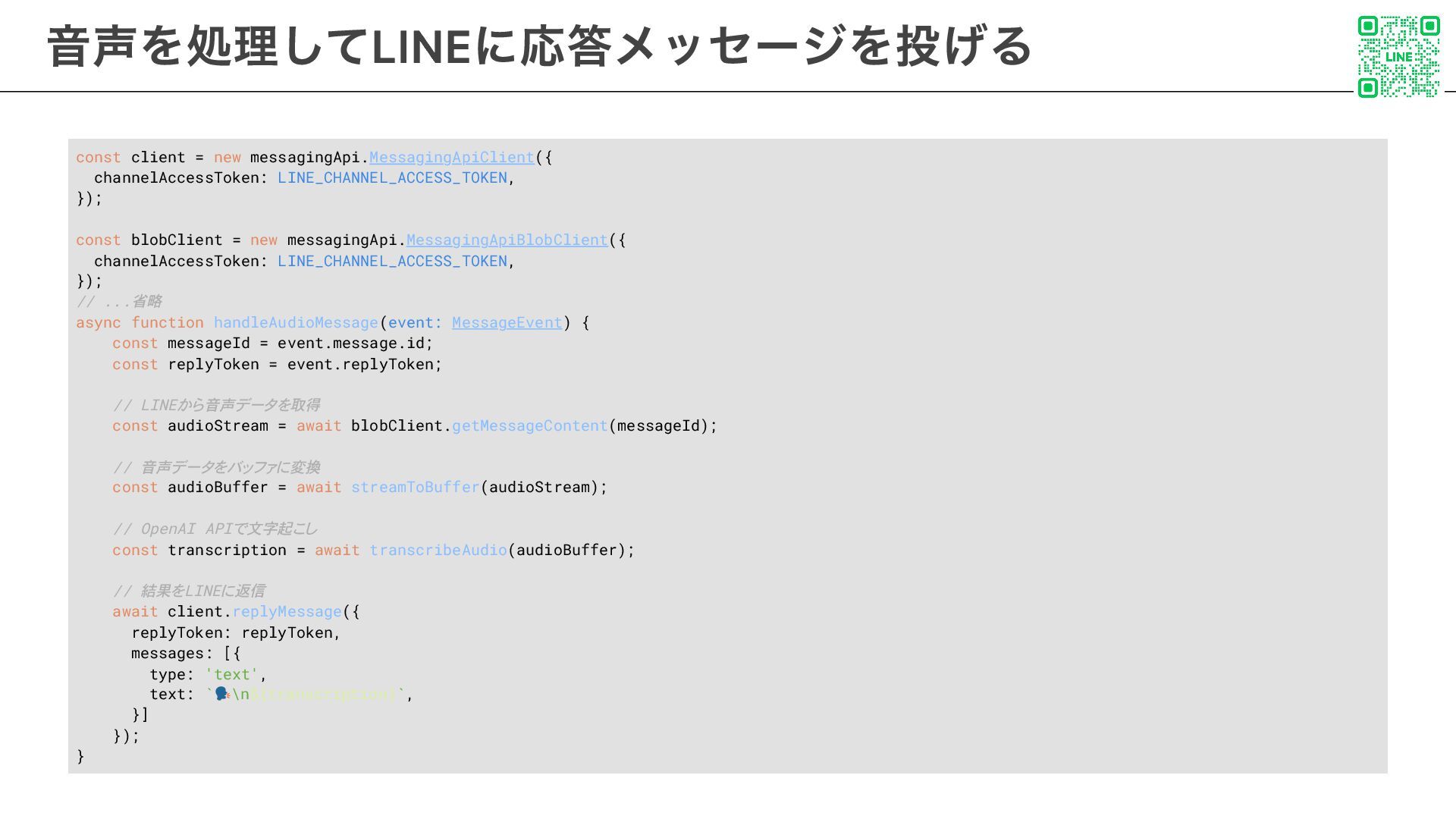
const client = new messagingApi.MessagingApiClient({ channelAccessToken: LINE_CHANNEL_ACCESS_TOKEN, }); const blobClient
= new messagingApi.MessagingApiBlobClient({ channelAccessToken: LINE_CHANNEL_ACCESS_TOKEN, }); // ...省略 async function handleAudioMessage(event: MessageEvent) { const messageId = event.message.id; const replyToken = event.replyToken; // LINEから音声データを取得 const audioStream = await blobClient.getMessageContent(messageId); // 音声データをバッファに変換 const audioBuffer = await streamToBuffer(audioStream); // OpenAI APIで文字起こし const transcription = await transcribeAudio(audioBuffer); // 結果をLINEに返信 await client.replyMessage({ replyToken: replyToken, messages: [{ type: 'text', text: ` \n${transcription}`, }] }); } 音声を処理してLINEに応答メッセージを投げる 13
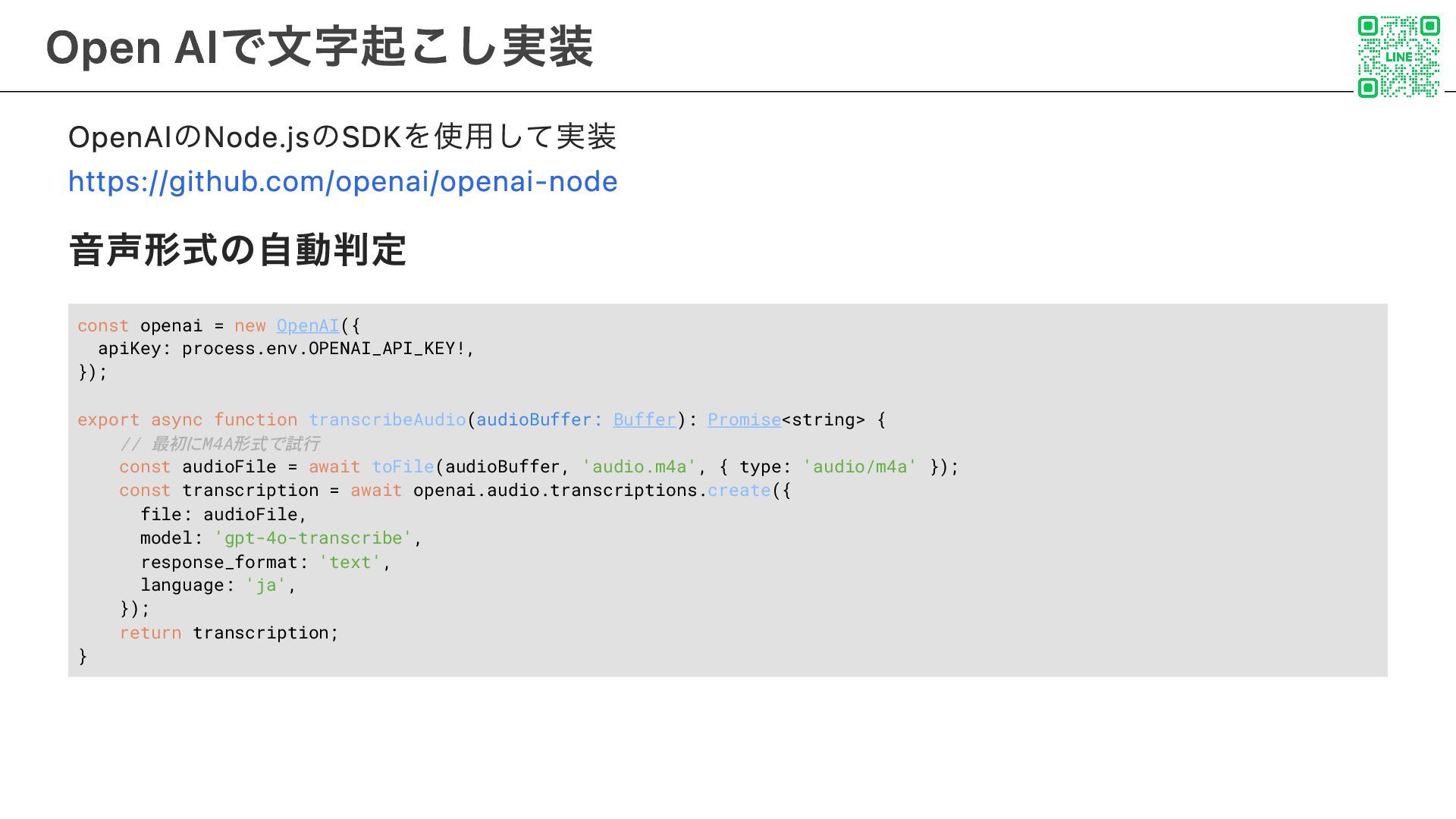
OpenAIのNode.jsのSDKを使用して実装 https://github.com/openai/openai-node 音声形式の自動判定 const openai = new OpenAI({ apiKey: process.env.OPENAI_API_KEY!,
}); export async function transcribeAudio(audioBuffer: Buffer): Promise<string> { // 最初にM4A形式で試行 const audioFile = await toFile(audioBuffer, 'audio.m4a', { type: 'audio/m4a' }); const transcription = await openai.audio.transcriptions.create({ file: audioFile, model: 'gpt-4o-transcribe', response_format: 'text', language: 'ja', }); return transcription; } Open AIで文字起こし実装 14
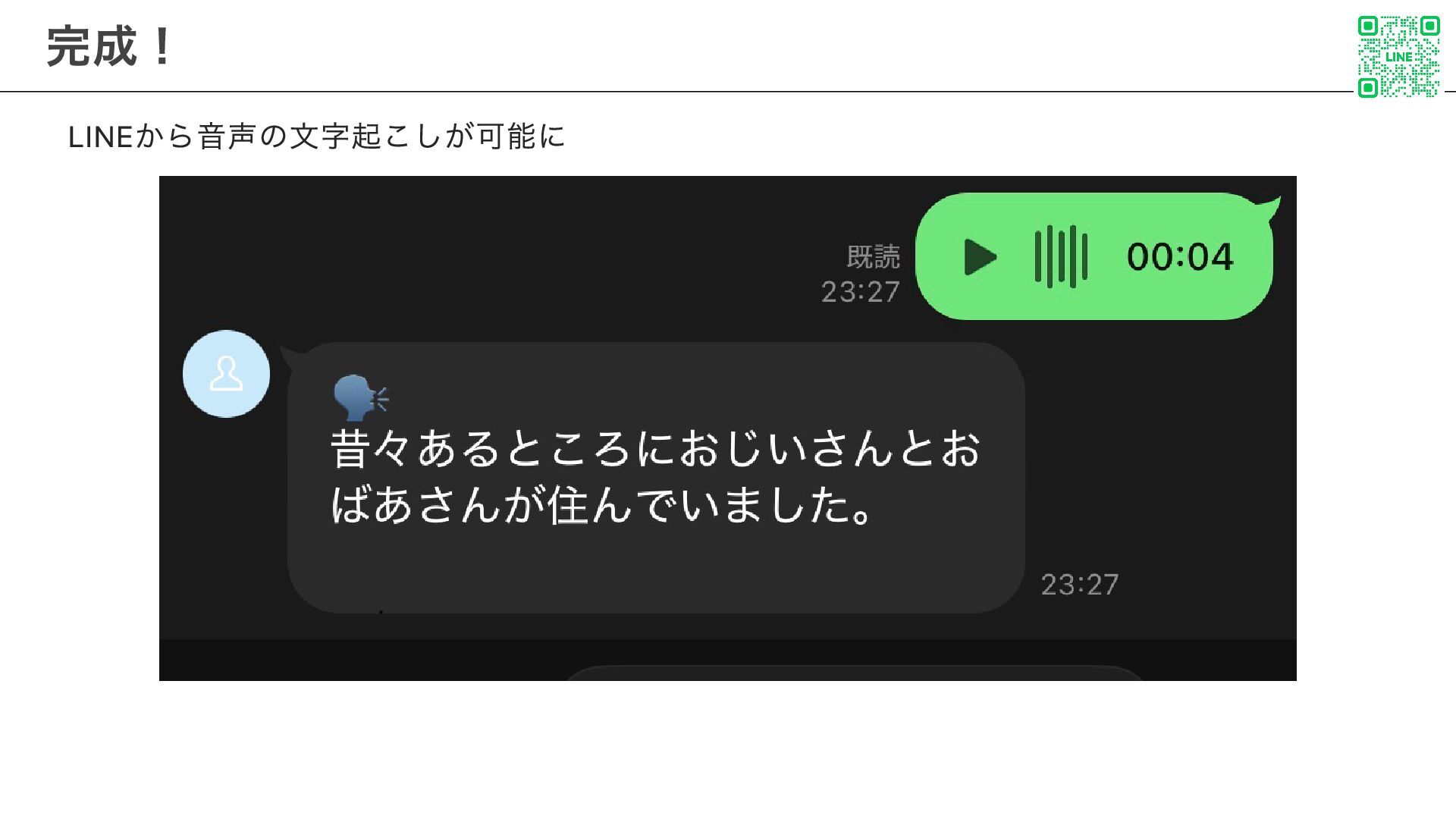
LINEから音声の文字起こしが可能に 完成! 15
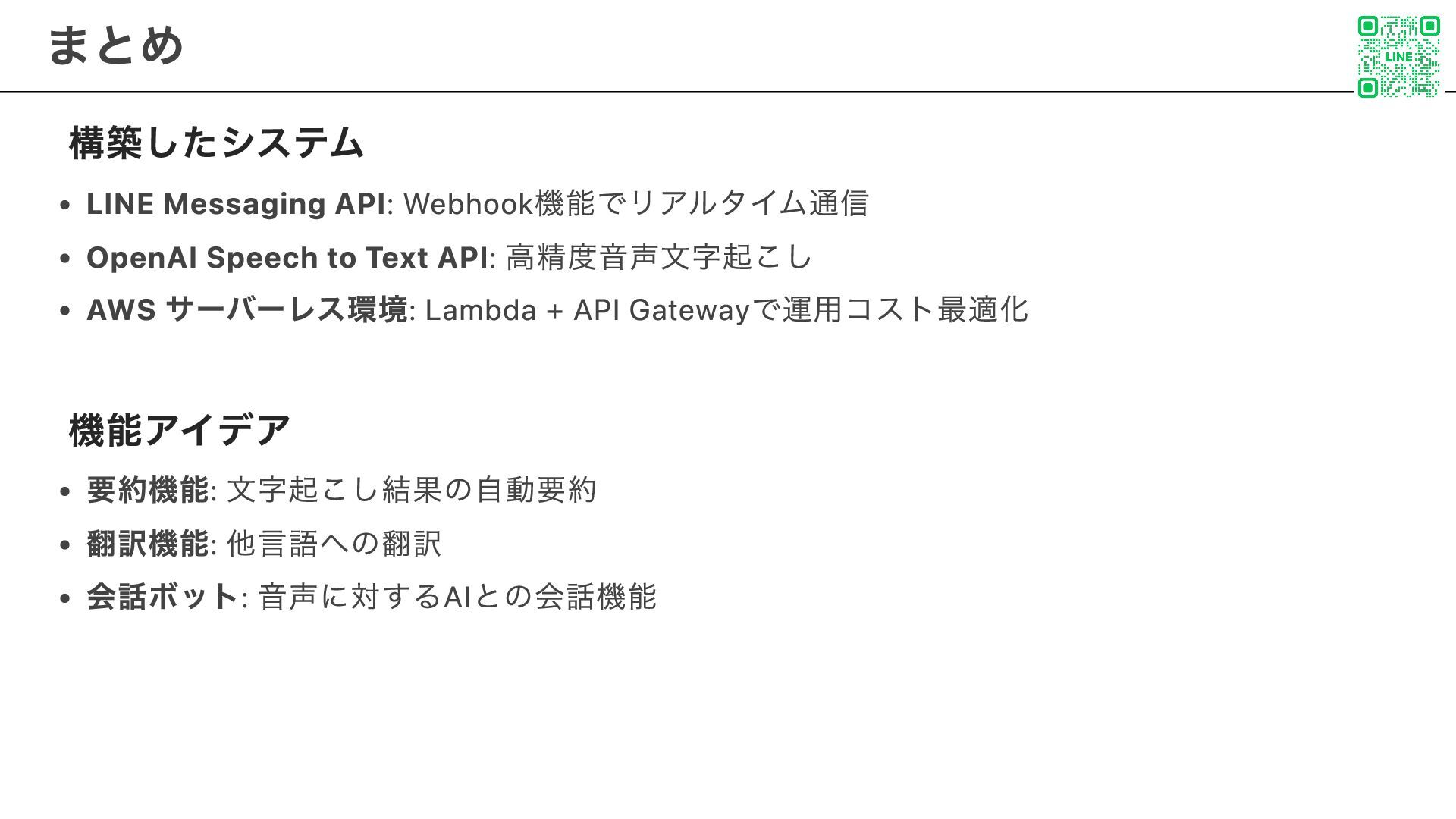
構築したシステム LINE Messaging API: Webhook機能でリアルタイム通信 OpenAI Speech to Text API:
高精度音声文字起こし AWS サーバーレス環境: Lambda + API Gatewayで運用コスト最適化 機能アイデア 要約機能: 文字起こし結果の自動要約 翻訳機能: 他言語への翻訳 会話ボット: 音声に対するAIとの会話機能 まとめ 16
LINE Messaging API Documentation OpenAI API Documentation AWS CDK Documentation
参考 17


 ryu20202
 coloredviolet
 dugsong
 chriscoyier
 aleyda
 sugarenia
 gr2m
gr2m
 thoeni
 jmmastey
 baasie
 tmiket
 raygrieselhuber