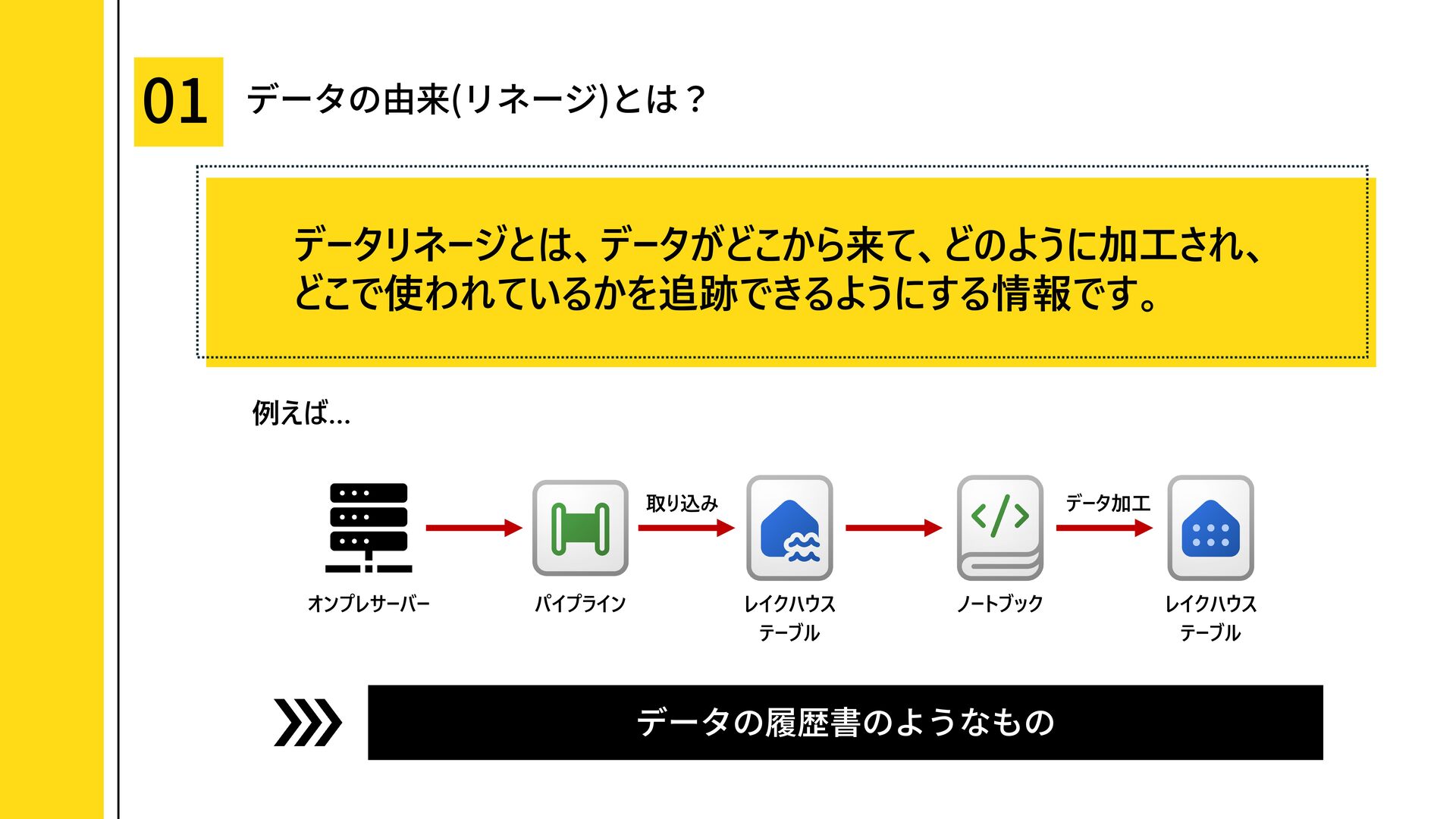
データの由来を把握するための「リネージ」について、Microsoft Fabric の系列ビューと Microsoft Purview のリネージ機能を比較しながら解説します。
Fabric で自動的に確認できるリネージの範囲や見え方のクセ、Purview を組み合わせることで表現できるテーブル・列レベルのリネージ、複数ワークスペースや複数サービスをまたぐリネージ管理の考え方を整理しています。
### 結論
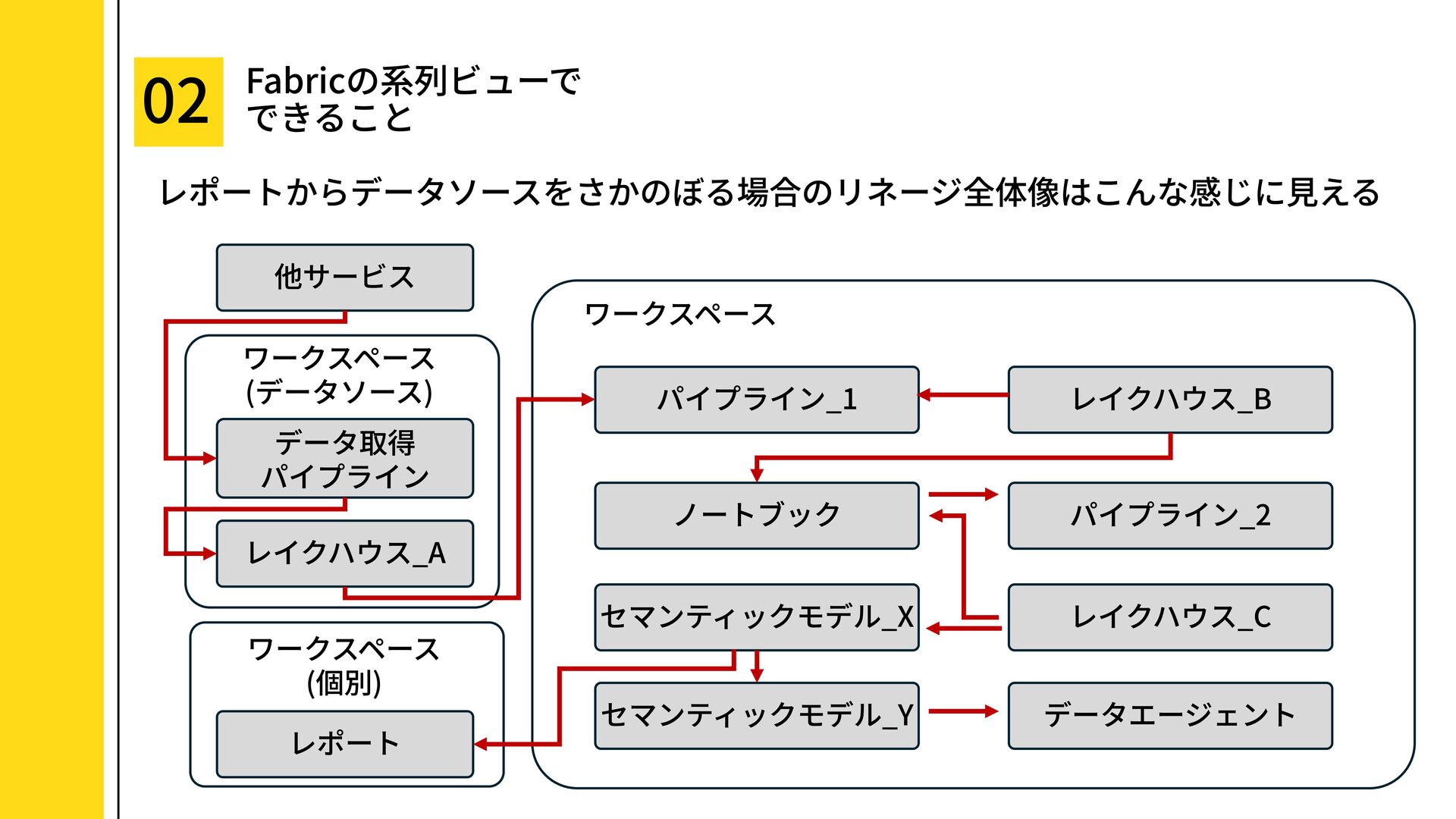
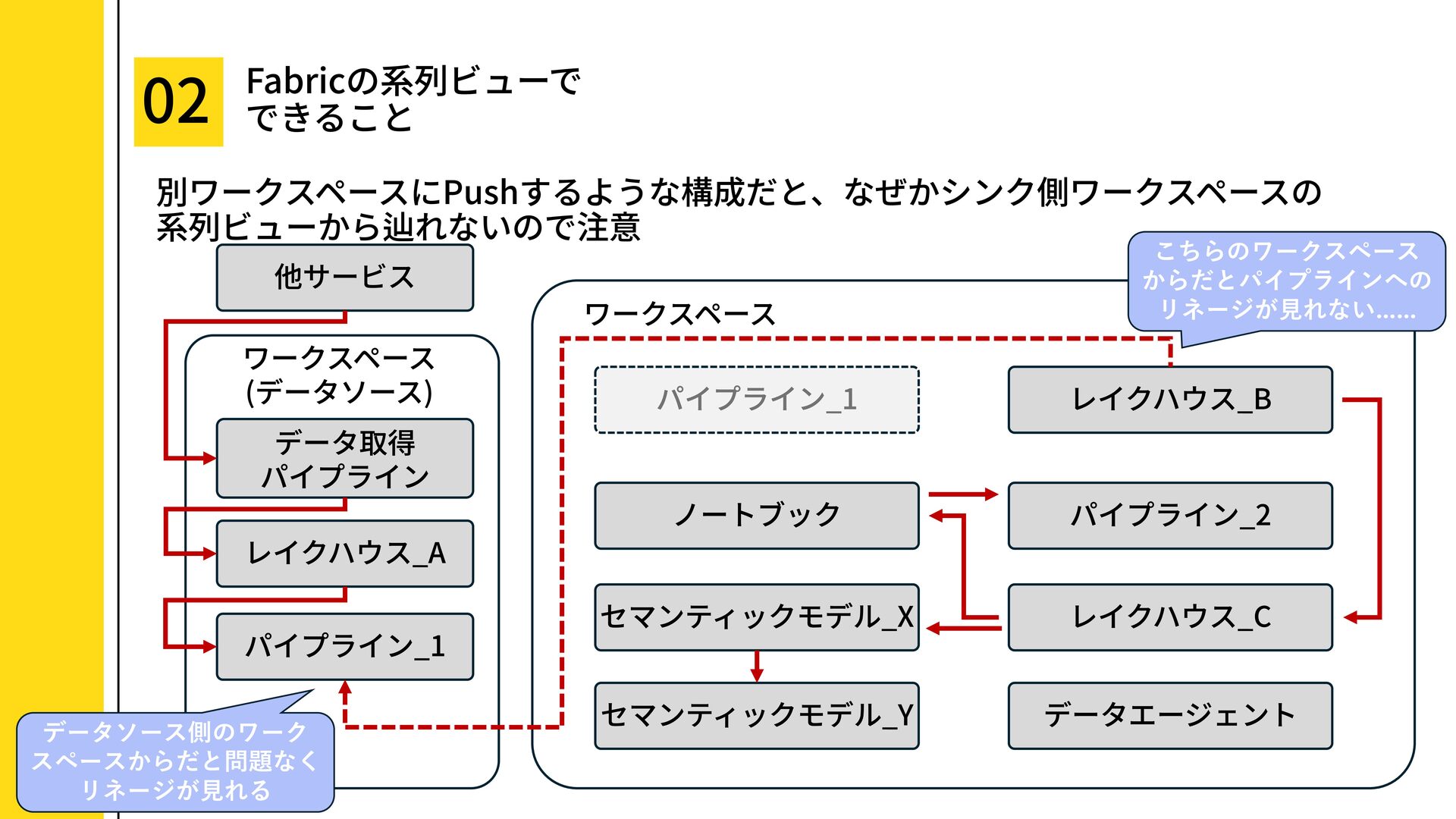
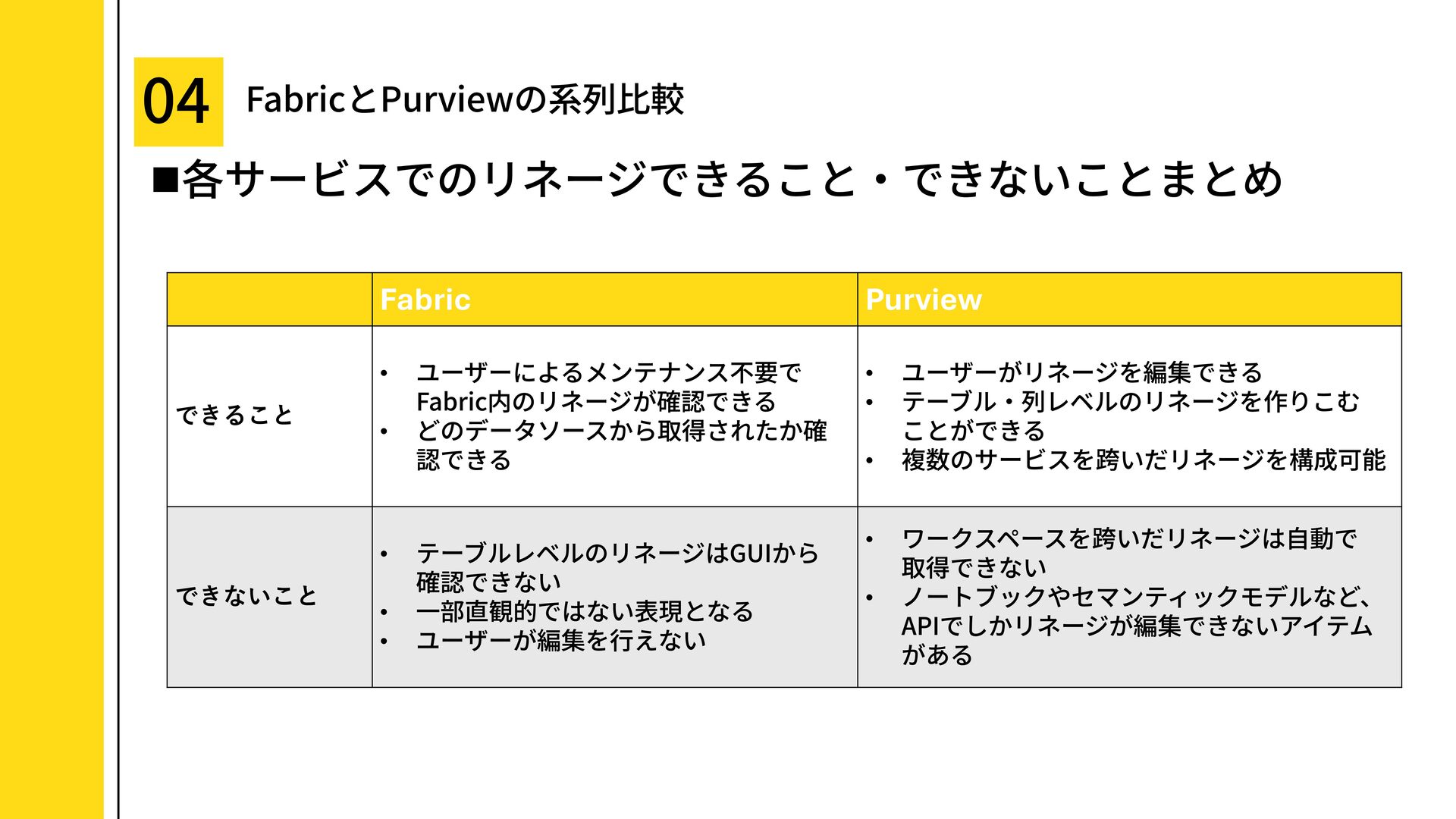
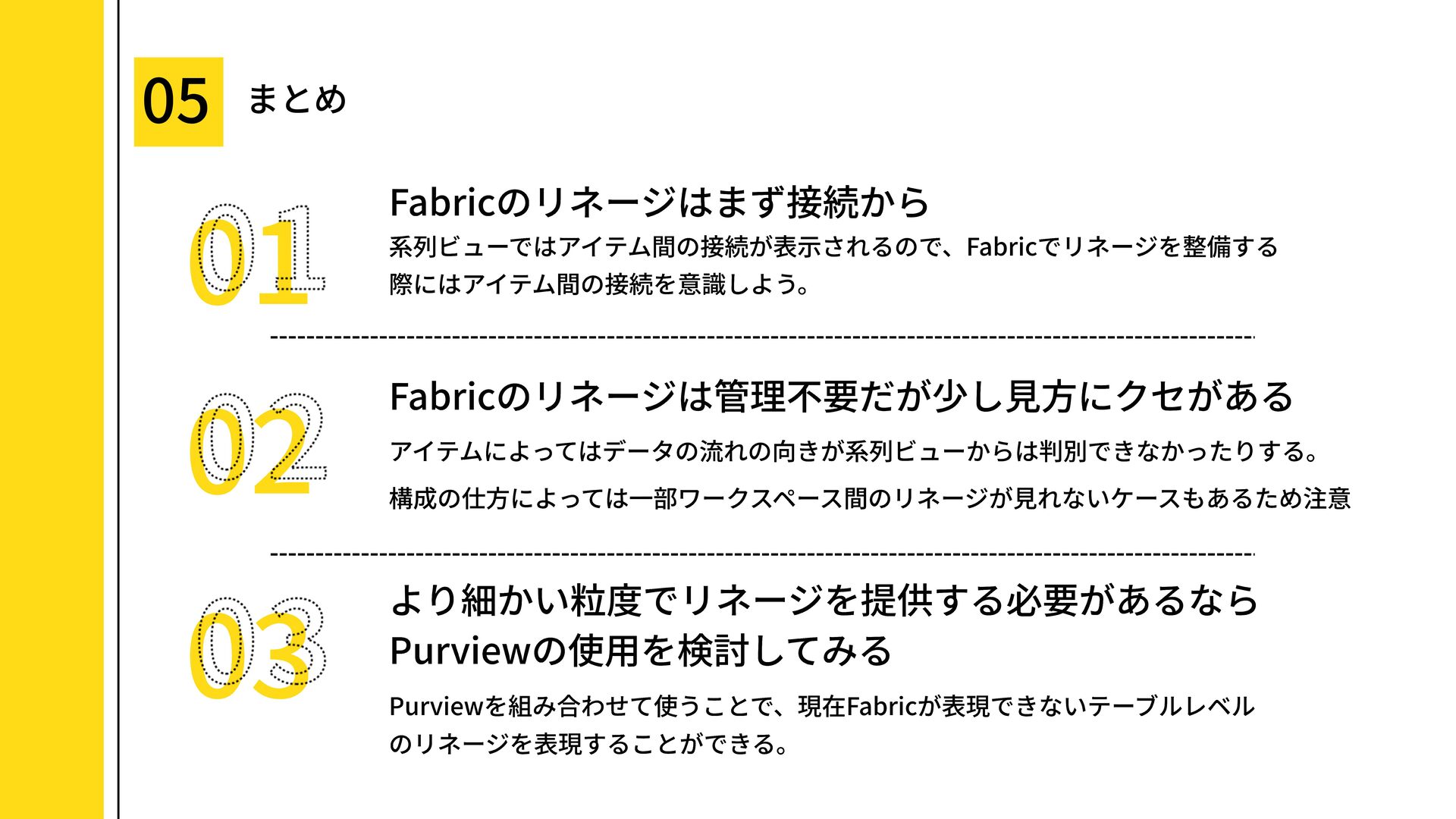
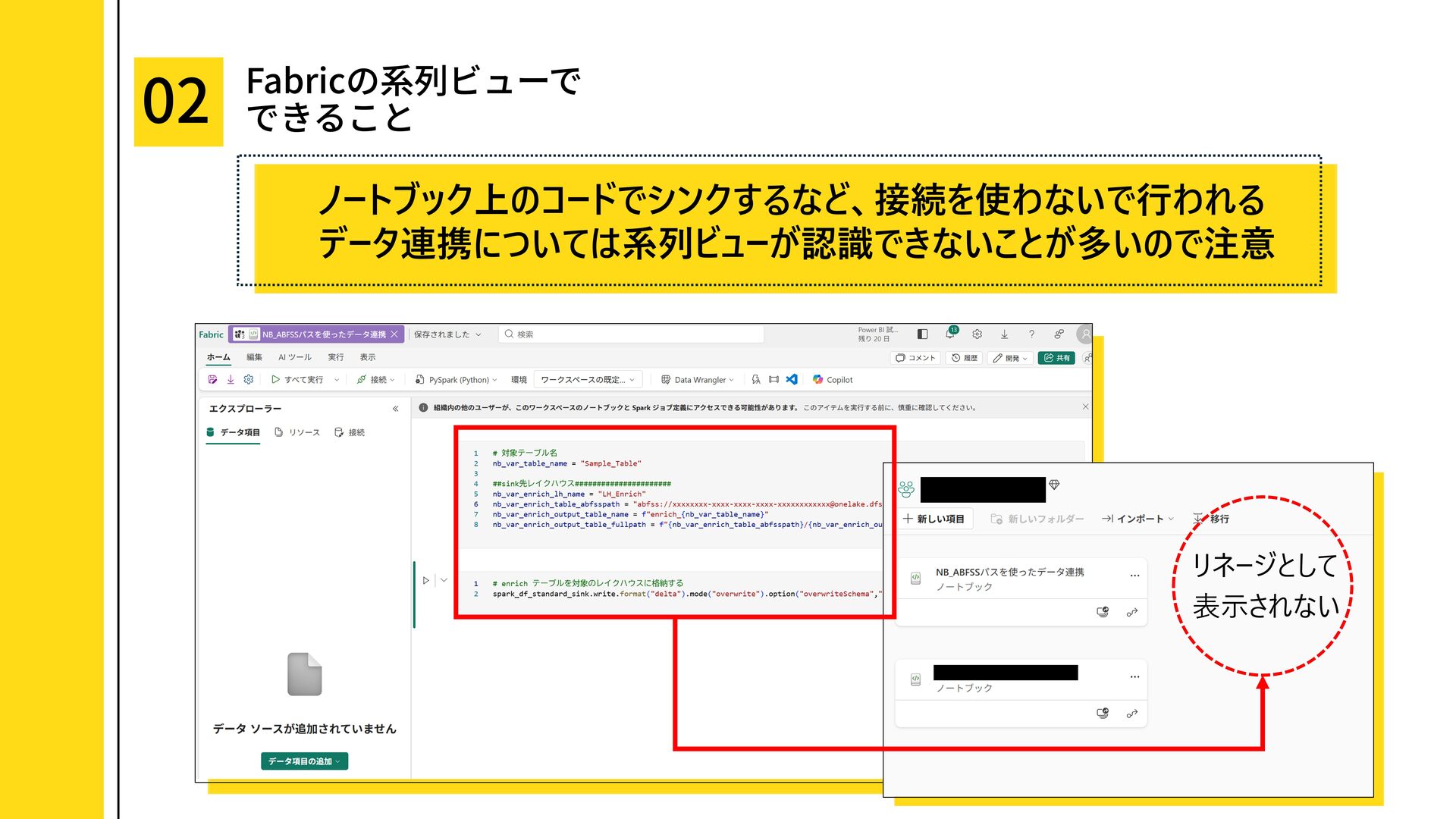
Fabric の系列ビューは、Fabric 内のアイテム間のつながりを手軽に確認できる一方で、一部のデータ連携の向きまでは把握しづらい場合があります。
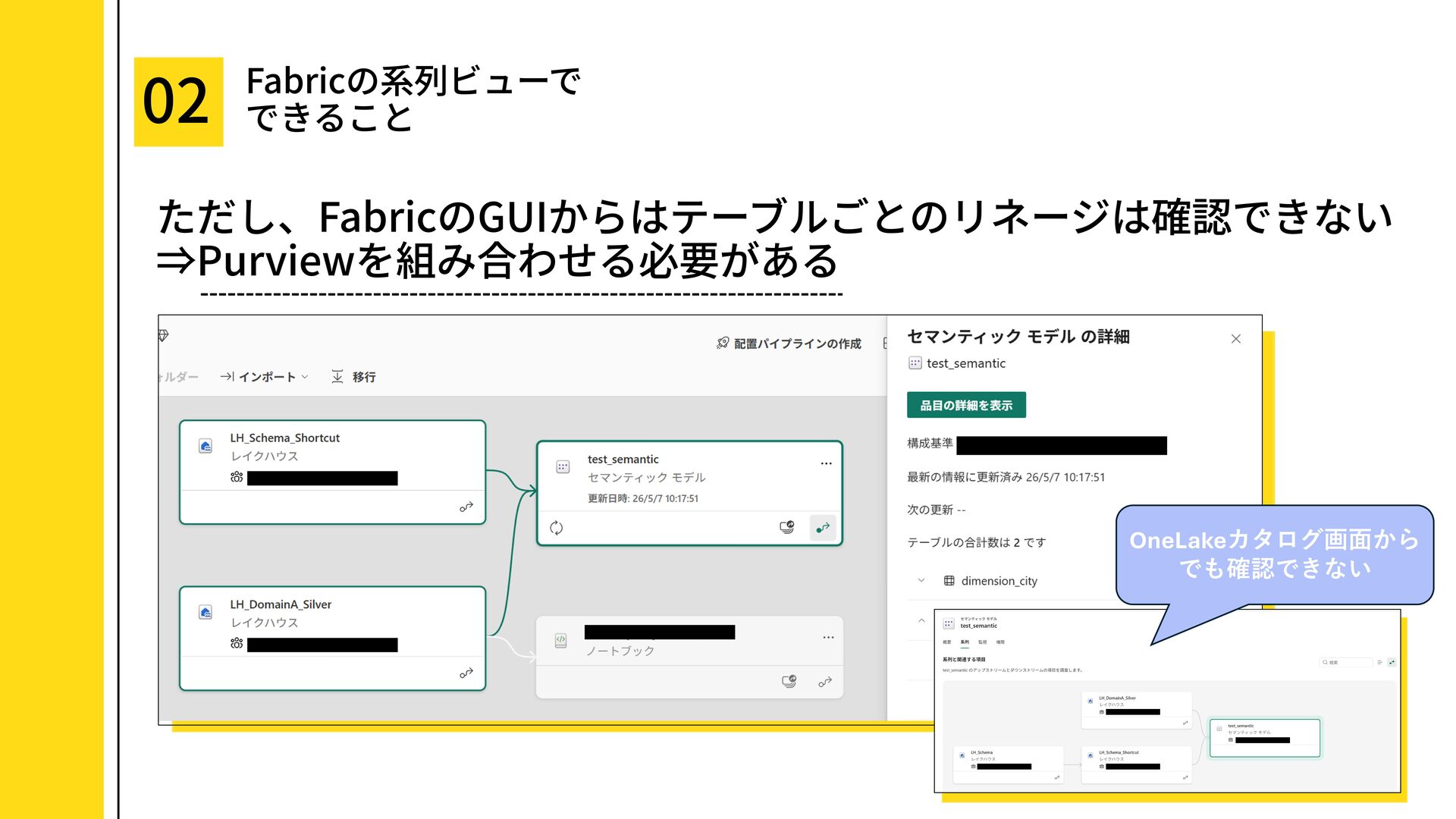
より細かい粒度でリネージを整備したい場合や、複数サービスをまたいだデータの流れを表現したい場合は、Purview の利用を検討するのが有効です。
### こんな方へ
* Microsoft Fabric の系列ビューで何が確認できるか知りたい方
* Microsoft Purview のリネージ機能との使い分けを知りたい方
* データ基盤におけるデータの由来、影響範囲、責任範囲を可視化したい方
* レイクハウス、パイプライン、ノートブック、セマンティックモデル、レポートなどを含むデータ連携のリネージ管理に関心がある方
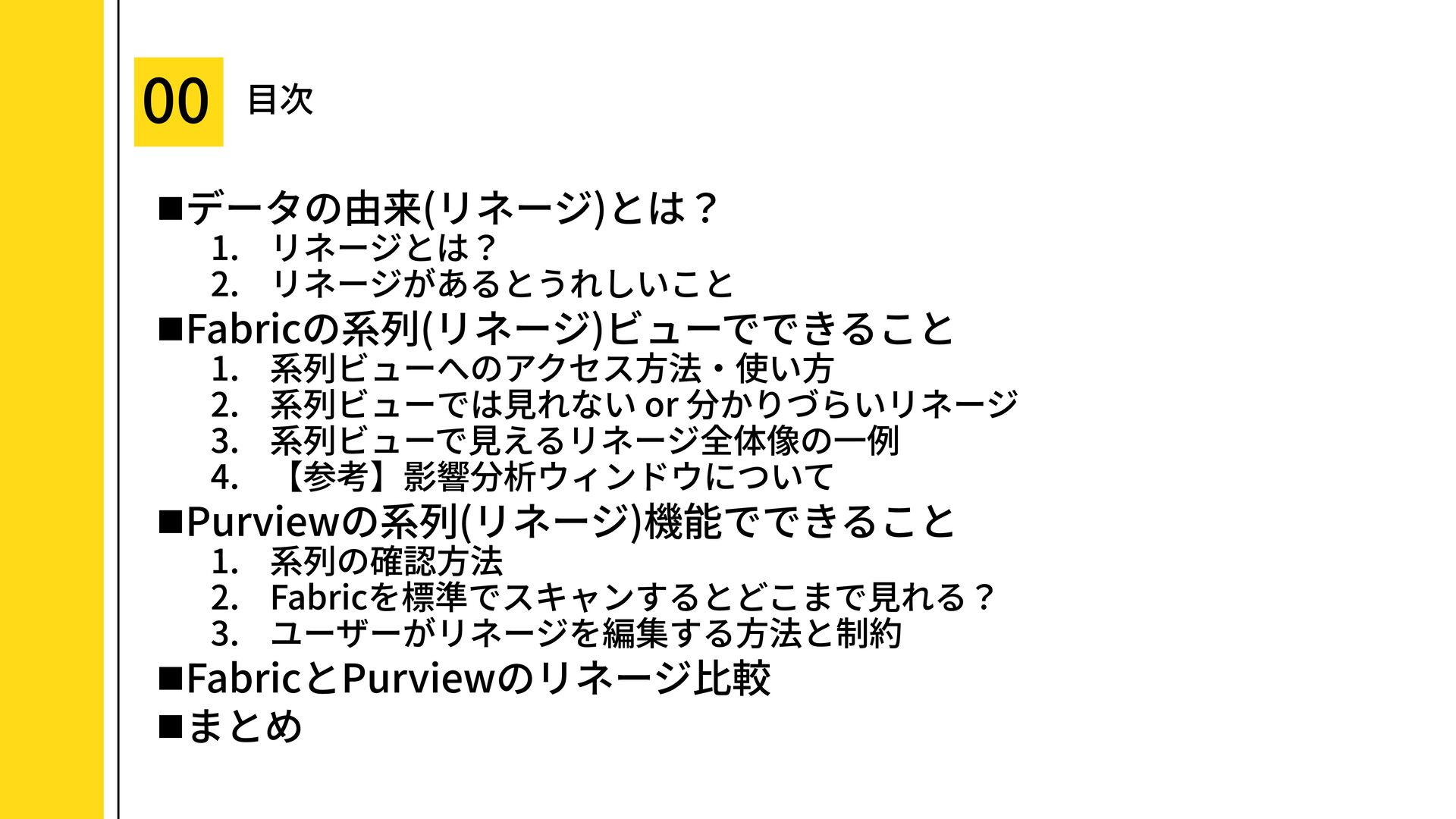
### 目次
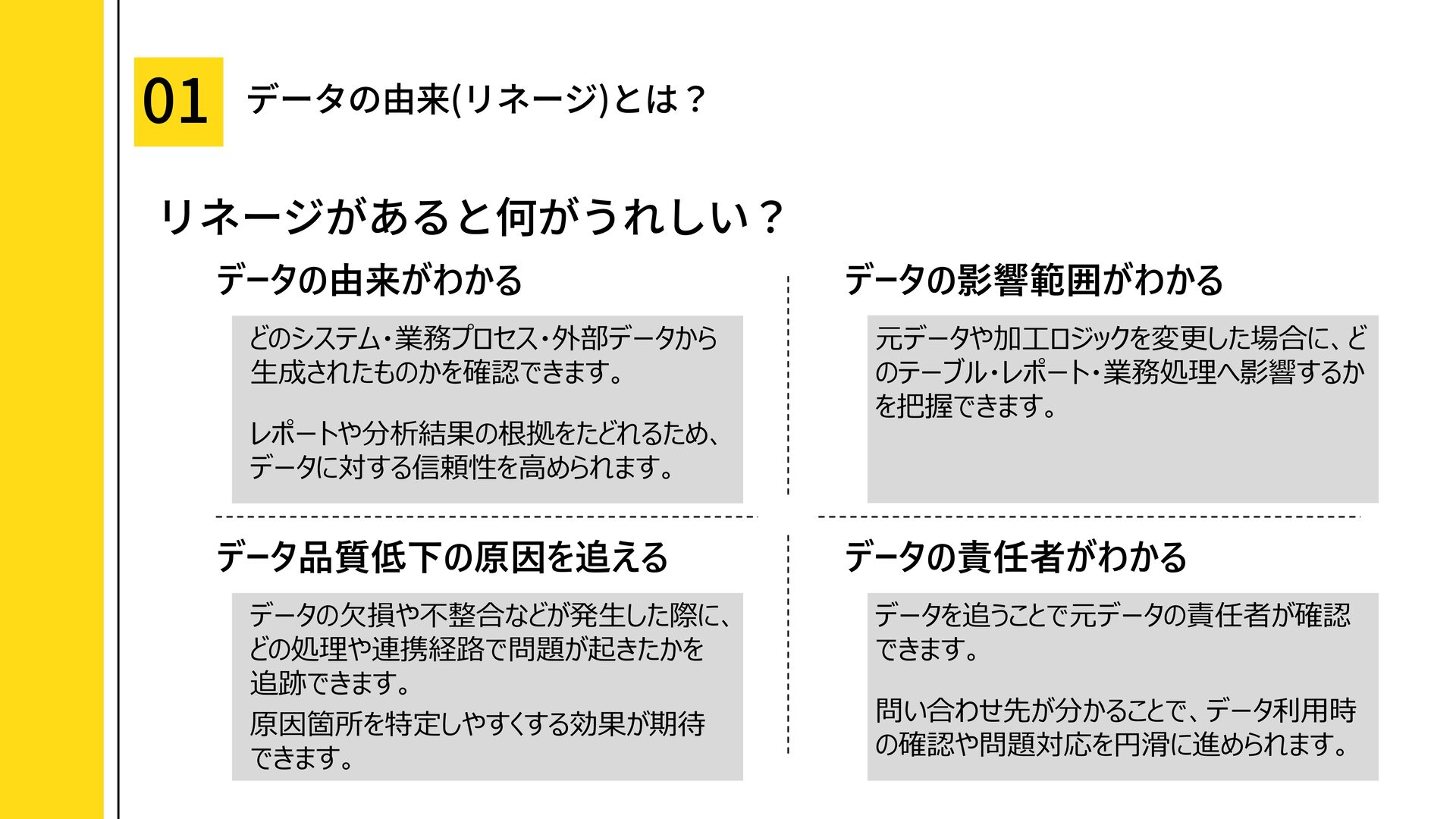
1. データの由来(リネージ)とは?
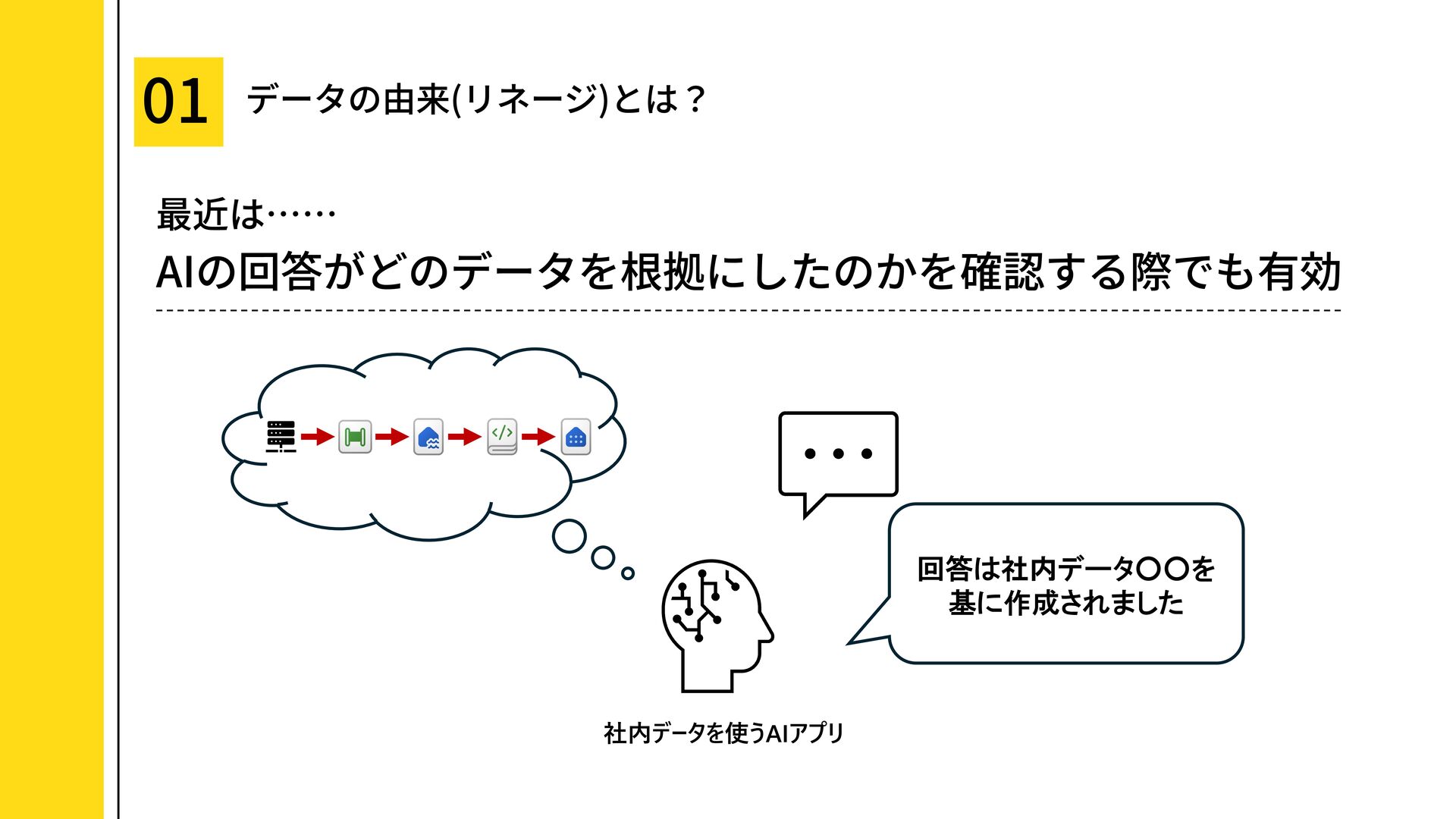
* リネージとは?
* リネージがあるとうれしいこと
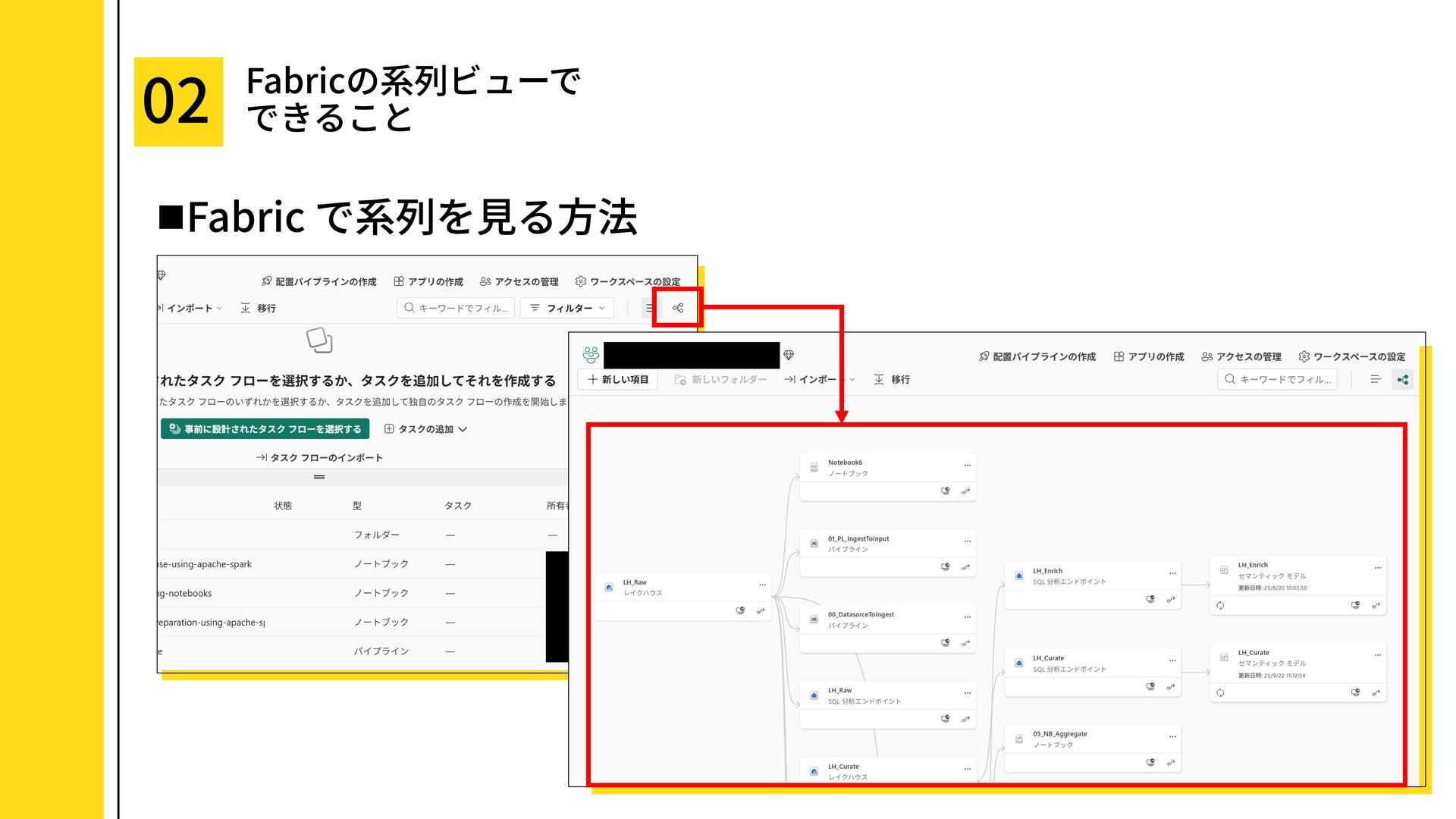
2. Fabric の系列(リネージ)ビューでできること
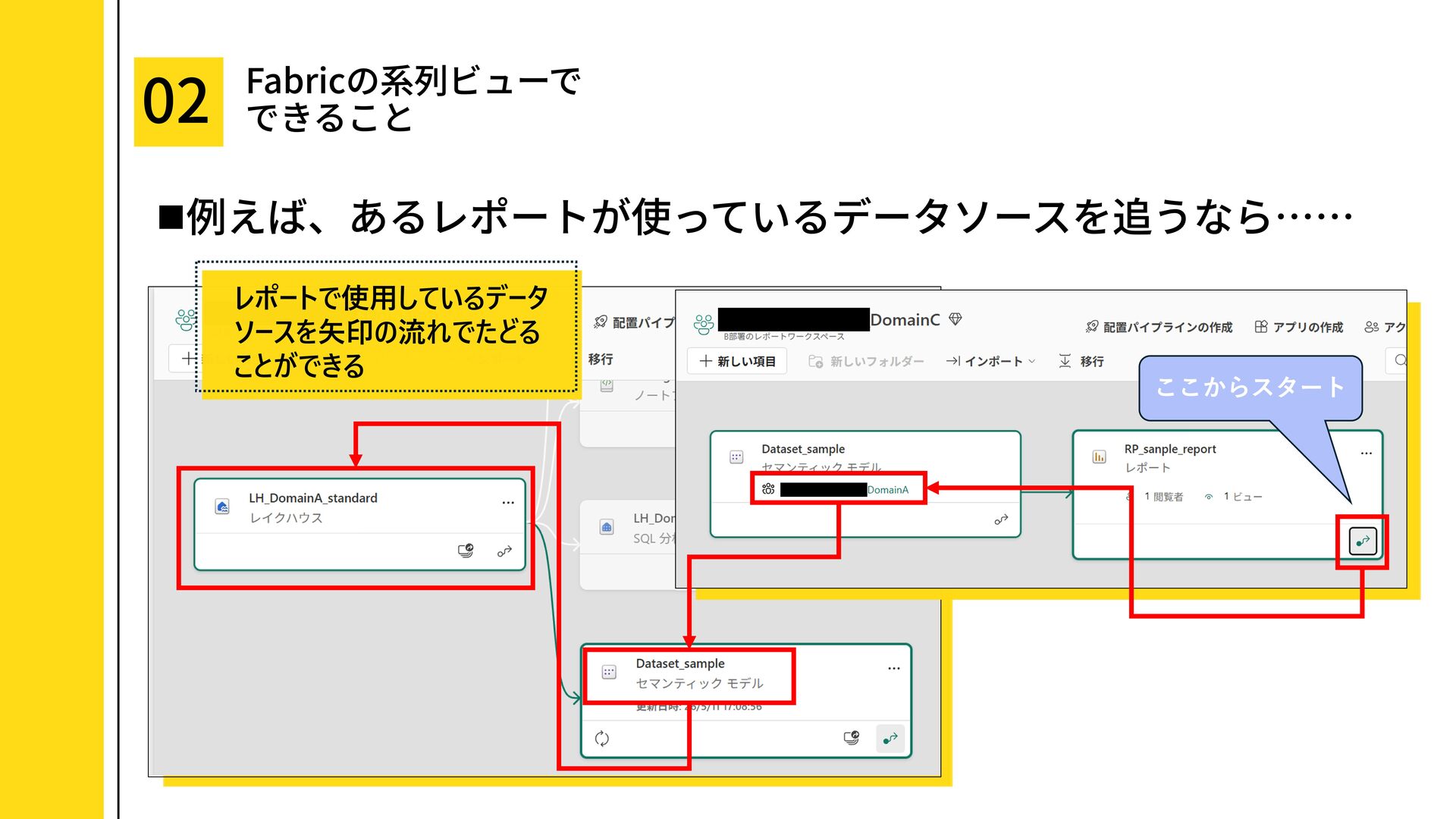
* 系列ビューへのアクセス方法・使い方
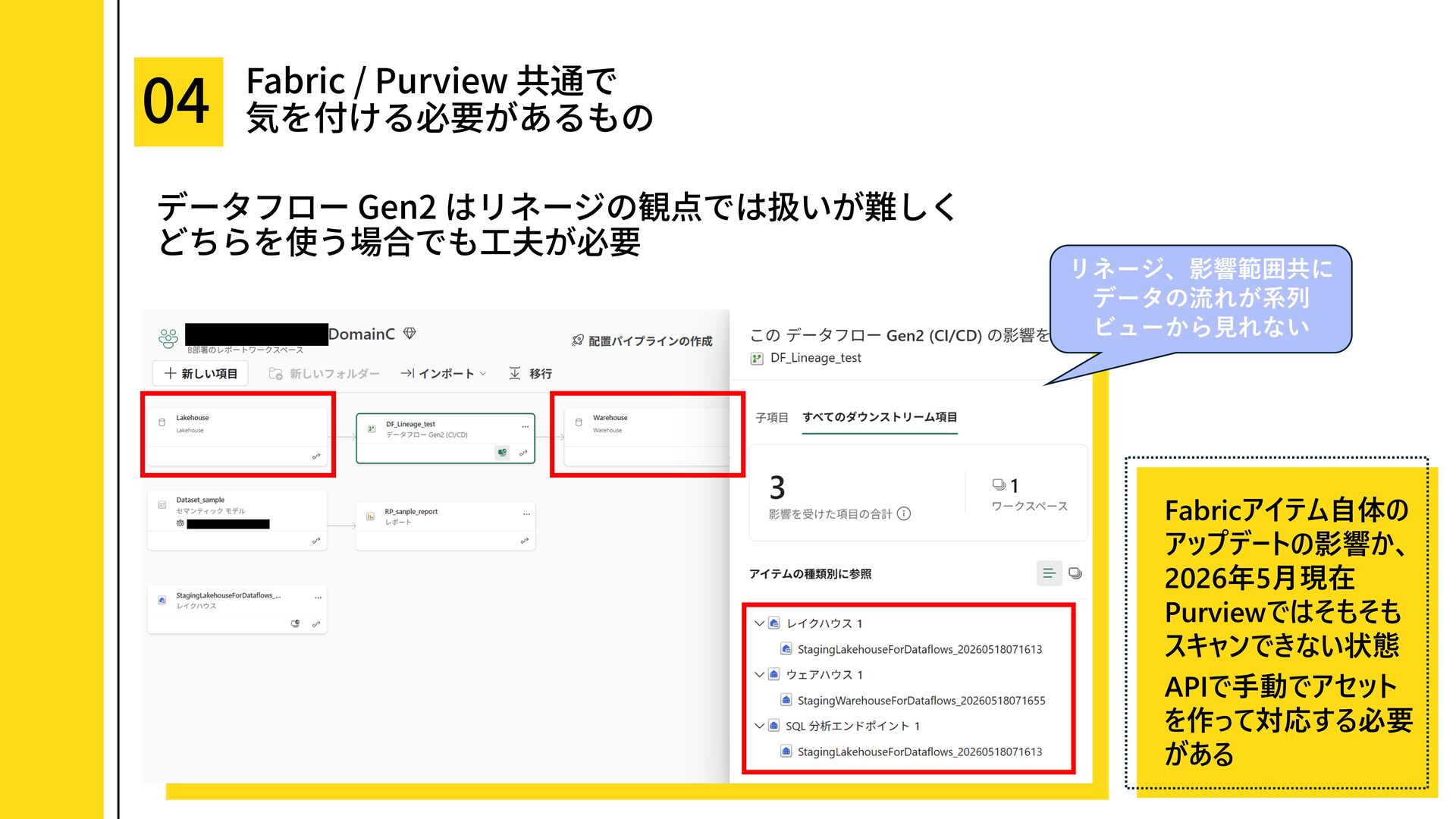
* 系列ビューでは見れない or 分かりづらいリネージ
* 系列ビューで見えるリネージ全体像の一例
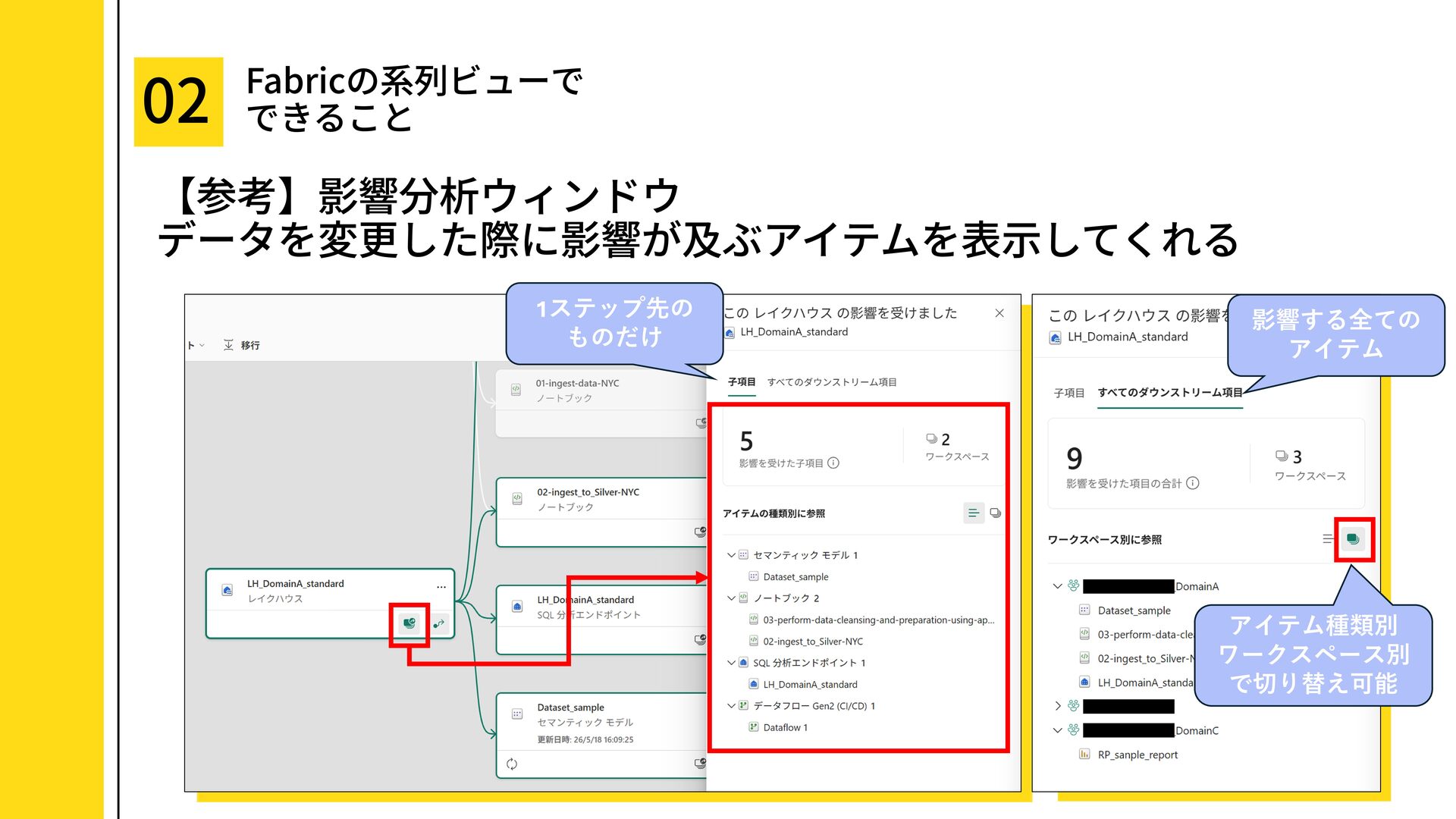
* 【参考】影響分析ウィンドウについて
3. Purview の系列(リネージ)機能でできること
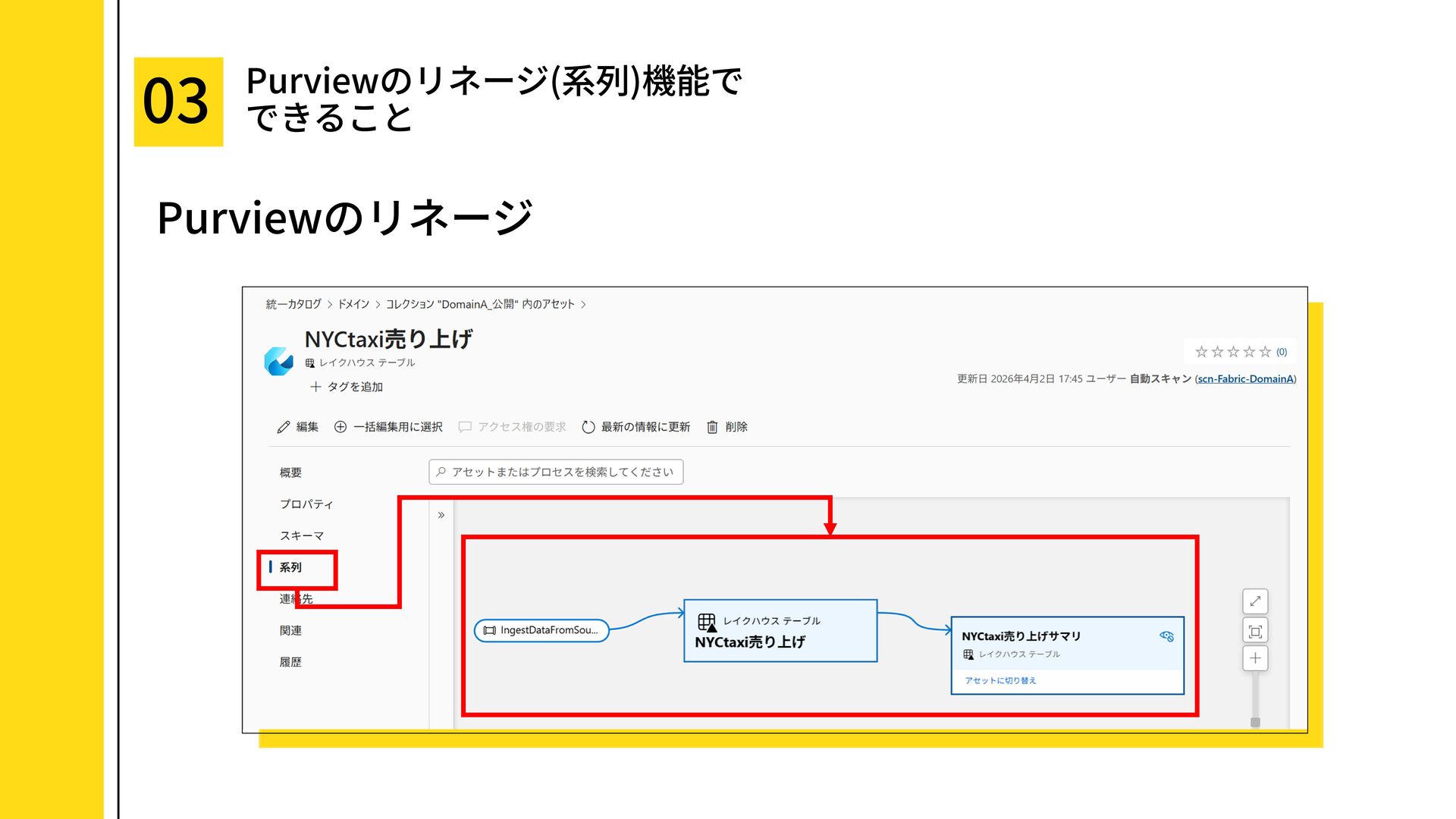
* 系列の確認方法
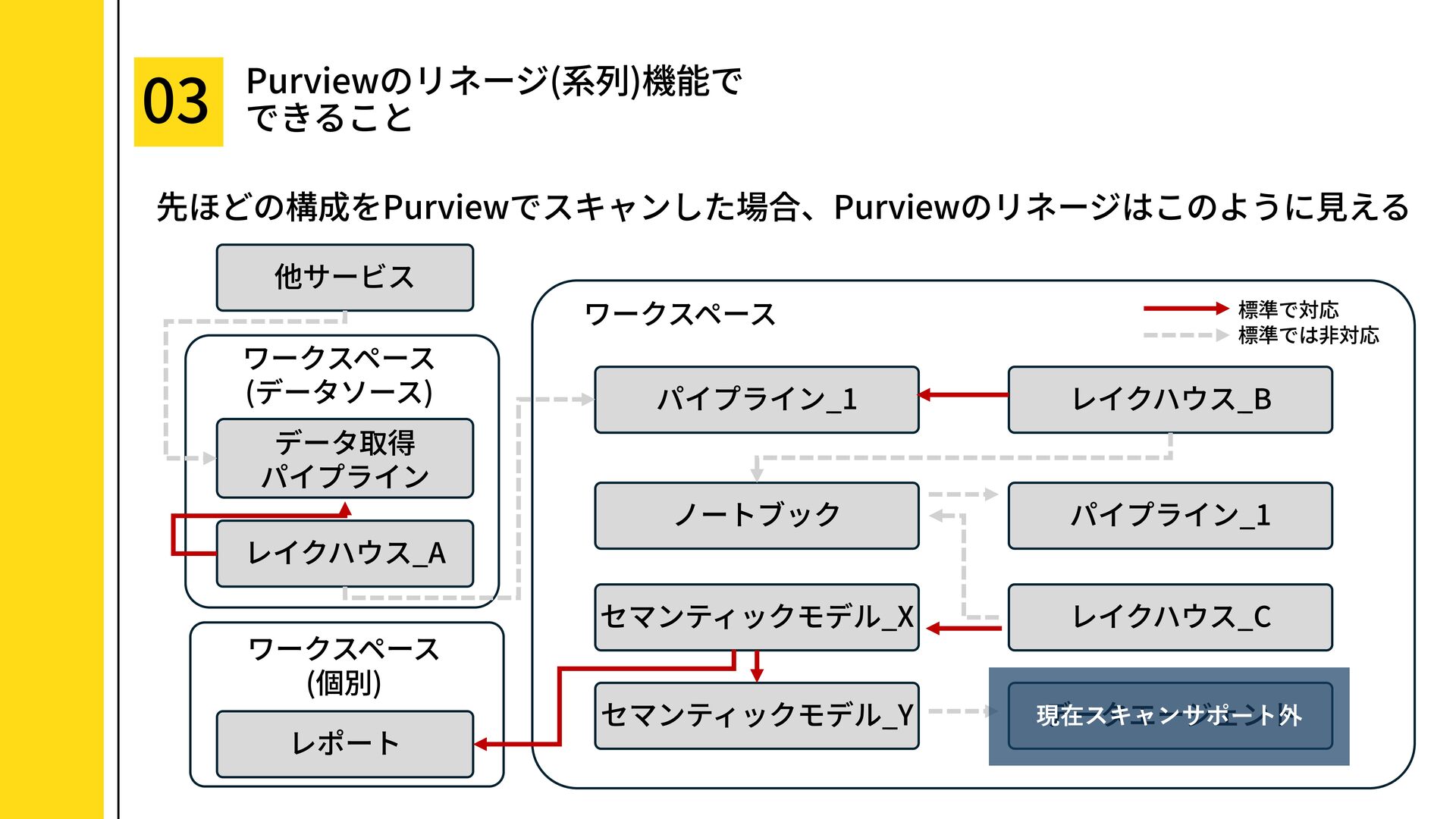
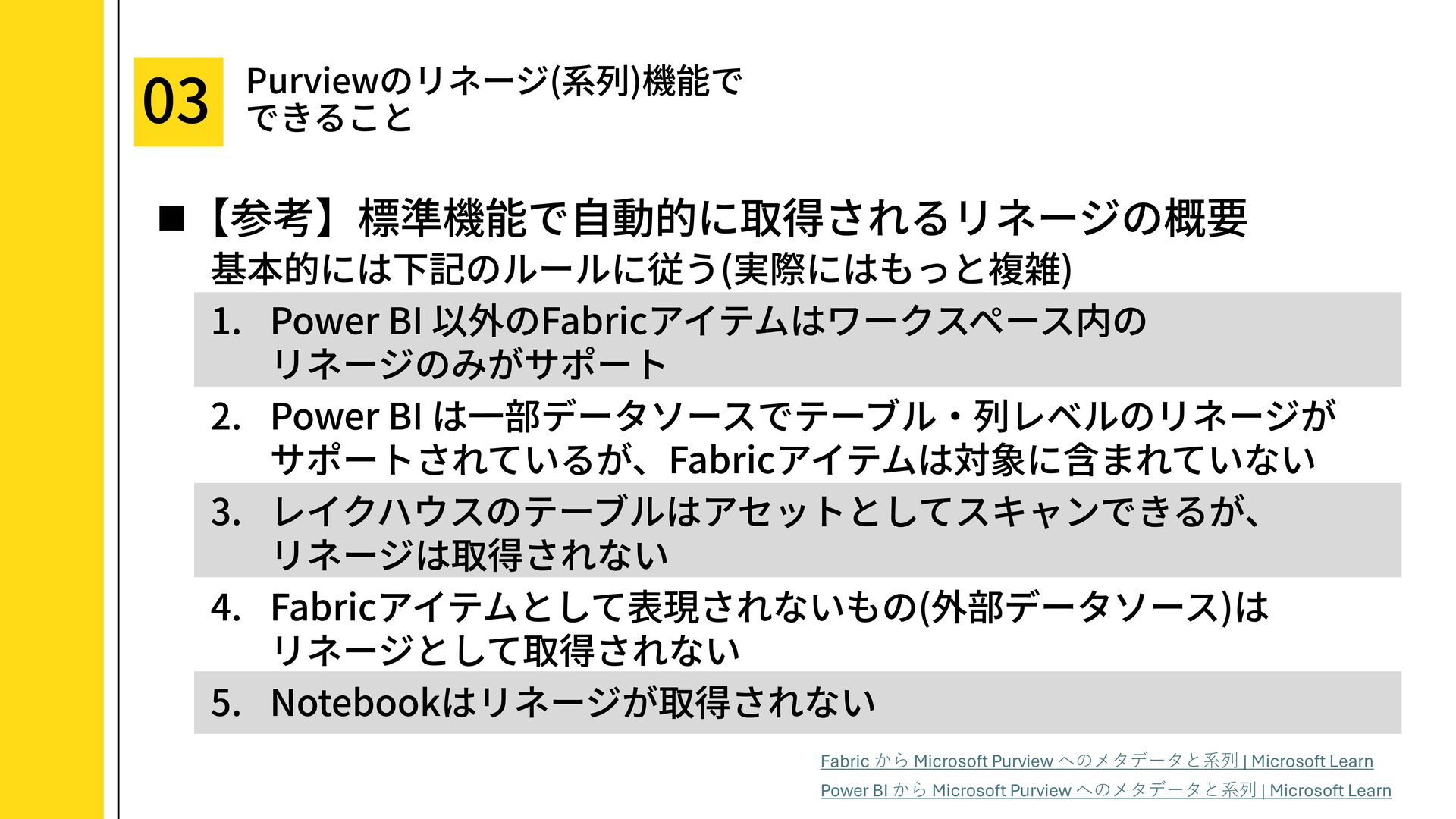
* Fabric を標準でスキャンするとどこまで見れる?
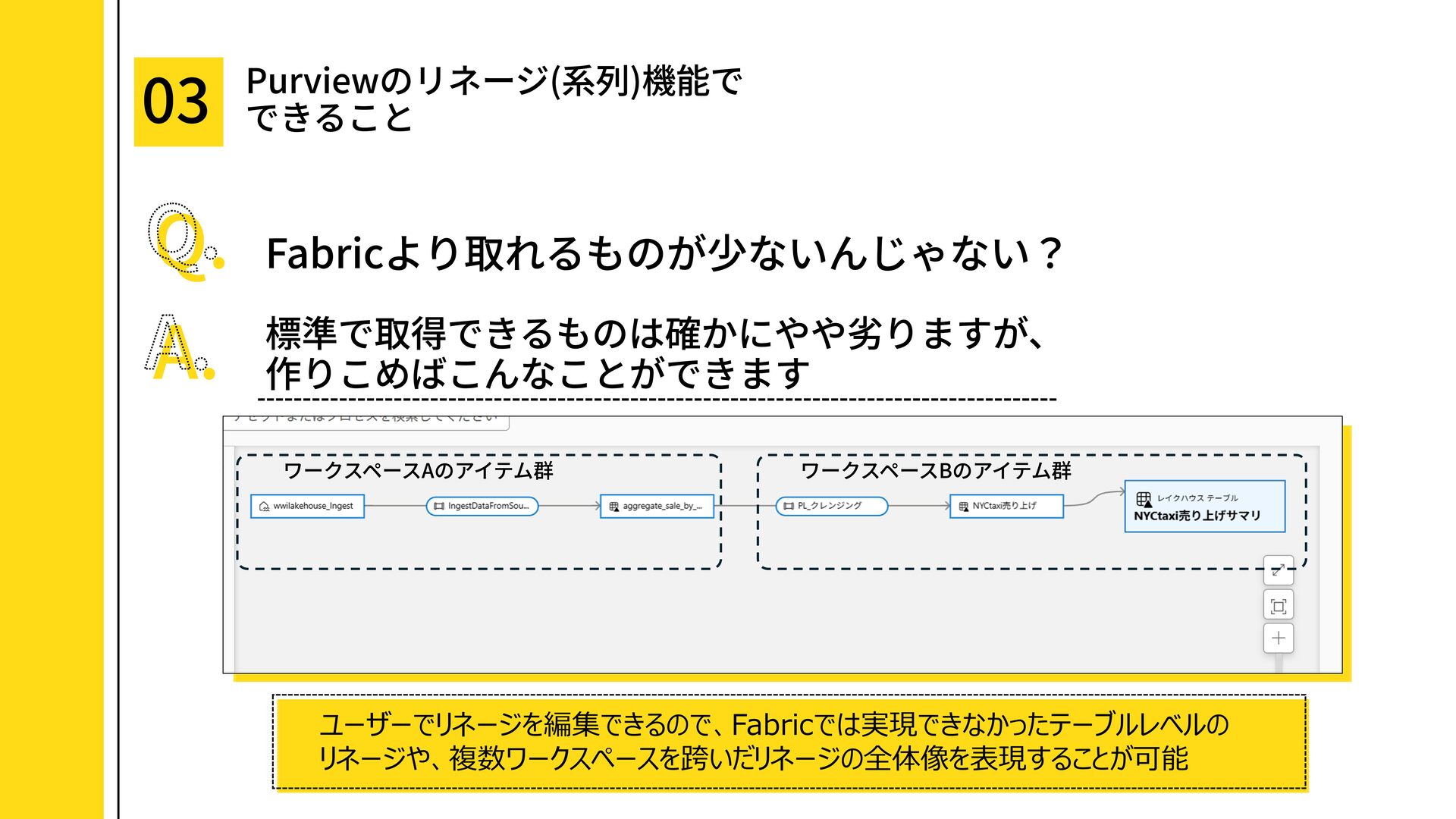
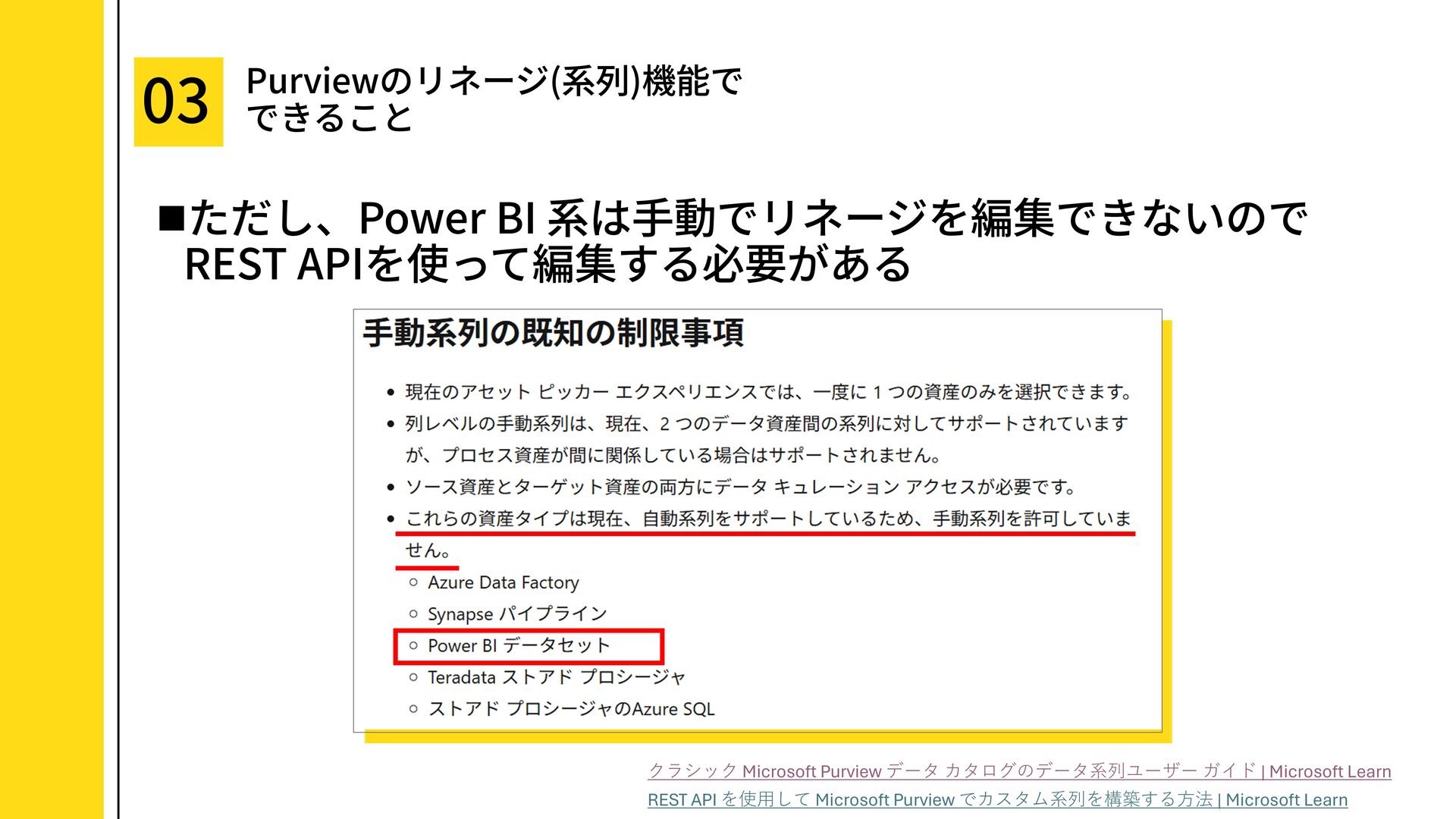
* ユーザーがリネージを編集する方法と制約
4. Fabric と Purview のリネージ比較
5. まとめ
This deck explains data lineage — how to understand where data comes from, how it is transformed, and where it is used — by comparing Microsoft Fabric’s lineage view with Microsoft Purview’s lineage capabilities.
It covers what can be checked automatically in Fabric, the limitations and interpretation points of Fabric lineage, and how Purview can be used to represent more detailed lineage such as table- and column-level relationships, as well as lineage across multiple workspaces and services.
### Conclusion
Fabric’s lineage view is useful for quickly understanding connections between Fabric items without additional maintenance. However, it can be difficult to identify table-level lineage or the exact direction of some data flows.
When more granular lineage management is required, or when lineage needs to span multiple services, Microsoft Purview is a strong option to consider.
### Target Audience
* People who want to understand what can be seen in Microsoft Fabric’s lineage view
* People who want to compare Fabric lineage with Microsoft Purview lineage
* Data engineers, data platform teams, and BI practitioners who need to visualize data origin, impact scope, and ownership
* Anyone interested in lineage management across lakehouses, pipelines, notebooks, semantic models, and reports
### Table of Contents
1. What is data lineage?
* What is lineage?
* Why lineage is useful
2. What you can do with Fabric’s lineage view
* How to access and use the lineage view
* Lineage that is difficult or impossible to see in the lineage view
* Example of the overall lineage visible in the lineage view
* Reference: Impact analysis window
3. What you can do with Purview’s lineage capabilities
* How to check lineage
* How much lineage can be captured when scanning Fabric with the standard settings?
* How users can edit lineage and related constraints
4. Comparison of Fabric and Purview lineage
5. Summary


 ryuseiiida
 yamanoku
 glaforge
 taketakekaho
 namiki64
 akitoshiga
 finengine
 ueponx
 prog893
 jtakeda
 y0hgi
y0hgi
 yu23ki14
 raspython3
 aleyda
 rmw
rmw
 mkilby
 cassininazir
 akihiro_kokubo
 jacobtomlinson
 techseoconnect
 bryan
bryan
 pwiseman
 bkeepers
 mayatellez

![この画面では、ソース用レイク ハウスもシンク用レイクハウスも [レイクハウス] → [パイプライン] のように表示される。 そのため、系列ビューからでは データの流れる⽅向が判別 できない…… パイプラインの編集画面で](https://files.speakerdeck.com/presentations/f08aa975da6646dfa1ec920f8a420b01/slide_8.jpg)