Upgrade to Pro
— share decks privately, control downloads, hide ads and more …
Speaker Deck
Sign up for free
Menu
Search
Features
All features
Private URLs
Password Protection
Custom URLS
Scheduled publishing
Remove Branding
Restrict embedding
Deck Collections
Notes
Features
All features
Private URLs
Password Protection
Custom URLS
Scheduled publishing
Remove Branding
Restrict embedding
Deck Collections
Notes
Explore
Featured decks
Featured speakers
Programming
Technology
Storyboards
Explore
Featured decks
Featured speakers
Programming
Technology
Storyboards
Pricing
Search
Sign in
Sign up for free
Shape Design with Material Components
Search
umechanhika
September 27, 2019
Programming
270
3
Share
Embed
Copy iframe code
Copy JS code
Copy link
Start on current slide
Shape Design with Material Components
Material ComponentsのShapeのガイドラインと、Shapeを用いてアプリを角丸デザインにした実例をご紹介します。
umechanhika
September 27, 2019
More Decks by umechanhika
See All by umechanhika
My Workspace [2020/08版]
umechanhika
0
110
My Workspace [2020/06版]
umechanhika
0
58
Badging for Tabs and Bottom Navigation
umechanhika
0
400
Capture view and Register to gallery
umechanhika
0
73
Firebase MLKit AutoML Vision Edgeを触ってみた
umechanhika
3
590
Google Play Consoleの時間指定公開のハマりポイント
umechanhika
1
1.6k
UIテスト初心者のチームにUIテスト自動化を導入した話
umechanhika
0
120
GoogleI/Oアプリのようなフィルター機能を実装する
umechanhika
2
560
Jenkins + Bitbucketでアプリリリースを自動化してみた
umechanhika
1
700
Other Decks in Programming
See All in Programming
{ Android | Kotlin } Gradle Plugin in 2026
ryunen344
1
300
ハーネス設計入門 〜プロンプト、コンテキストの次〜
kinopeee
56
38k
標準パッケージに uuid が追加された 背景から見る Go らしい意思決定 / go_127_uuid_decision
convto
5
6.3k
フロントエンドUIフレームワークのこれまでとこれから
ssssota
5
2.5k
XP祭りでしか伝わらないフリップネタ #xpjug
murabayashi
0
140
kubernetes コンポーネント開発入門 / 新卒N年目の勉強会&交流会!〜〇〇への誘い〜 #n_study
mazrean
0
220
更なる可用性を求めて、5年間運用したKotlinのアプリケーションをGoでリプレイスする話
ken_tunc
0
100
thread_parallel_with_free-threaded_Python_and_NumPy.pdf
riku_sakamoto
0
300
Security issues being discussed on Web Platforms
petamoriken
0
800
MIZARU@SPAJAM2026 第二回予選
1901drama
0
110
20260914 AIエージェント時代のPlatform Engineering LLM基盤とプロダクトの責務境界線
kanfab1
6
1.6k
業務時間外もAIに働いてもらう話
colorful12
3
10k
Featured
See All Featured
Bootstrapping a Software Product
garrettdimon
PRO
306
120k
HDC tutorial
michielstock
2
860
How STYLIGHT went responsive
nonsquared
100
6.3k
Become a Pro
speakerdeck
PRO
31
6.2k
We Are The Robots
honzajavorek
0
370
The Invisible Side of Design
smashingmag
301
52k
I Don’t Have Time: Getting Over the Fear to Launch Your Podcast
jcasabona
35
2.8k
Mozcon NYC 2025: Stop Losing SEO Traffic
samtorres
1
530
sira's awesome portfolio website redesign presentation
elsirapls
0
410
Fight the Zombie Pattern Library - RWD Summit 2016
marcelosomers
234
17k
The Cost Of JavaScript in 2023
addyosmani
55
10k
[Rails World 2023 - Day 1 Closing Keynote] - The Magic of Rails
eileencodes
38
3k
Transcript
Shape Design with Material Components
Hikaru Umetsu (@umechanhika) Individual developer Android & Flutter About me
Apps
The GOAL is to enable you to implement shape using
Material Components.
Introduction About shape Guideline How to implement Case study
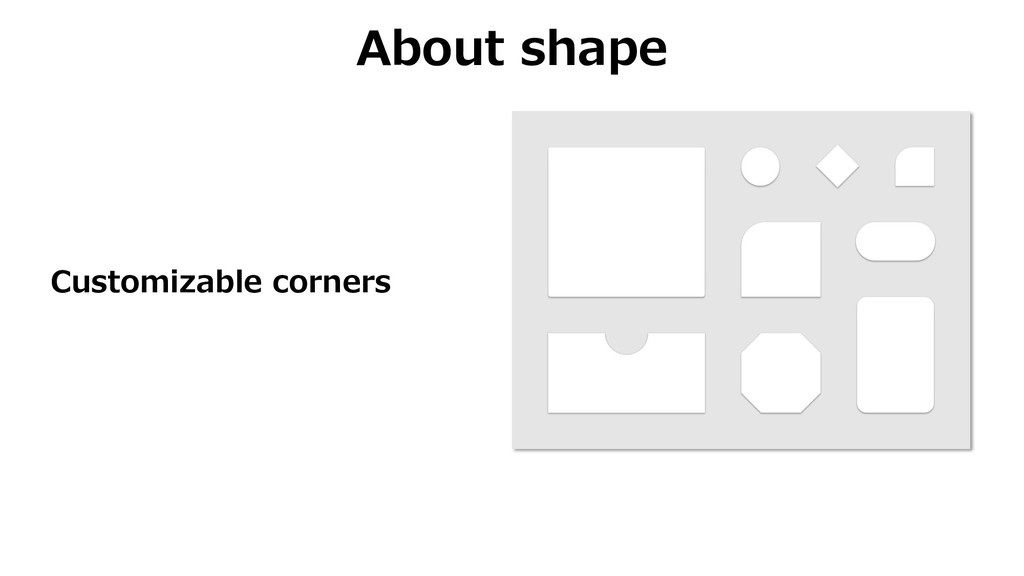
About shape Customizable corners
Guideline
Usage
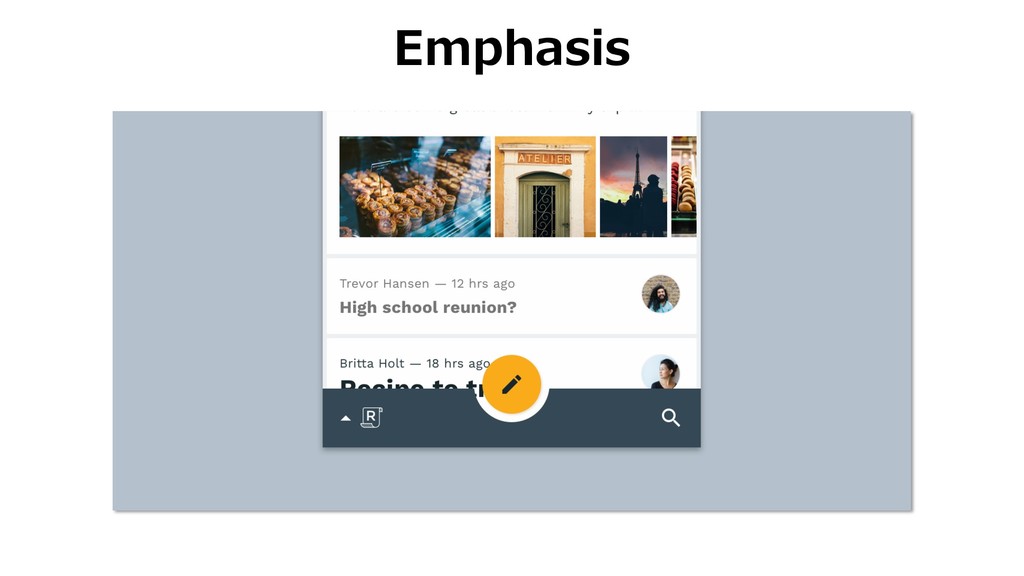
Emphasis
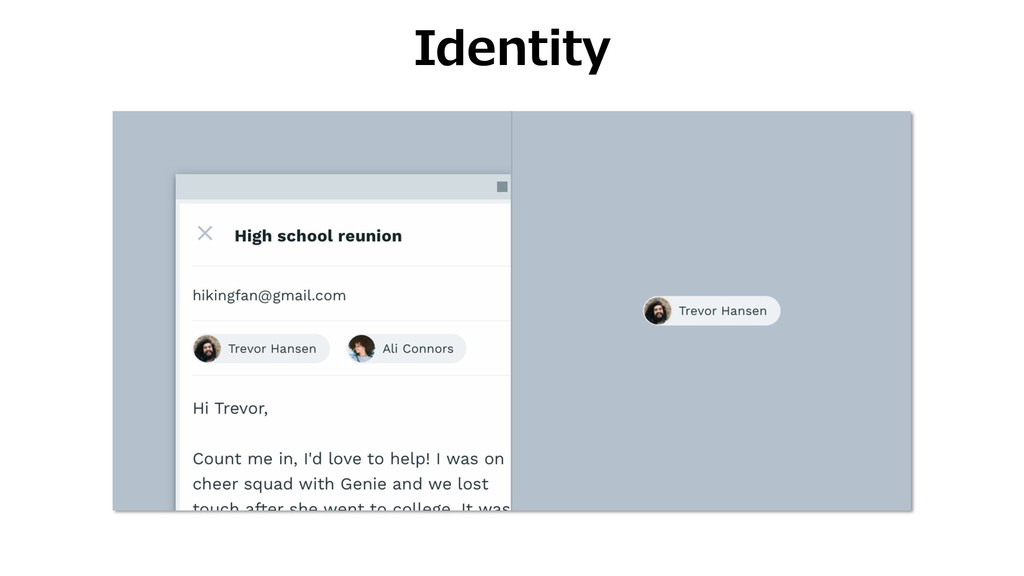
Identity
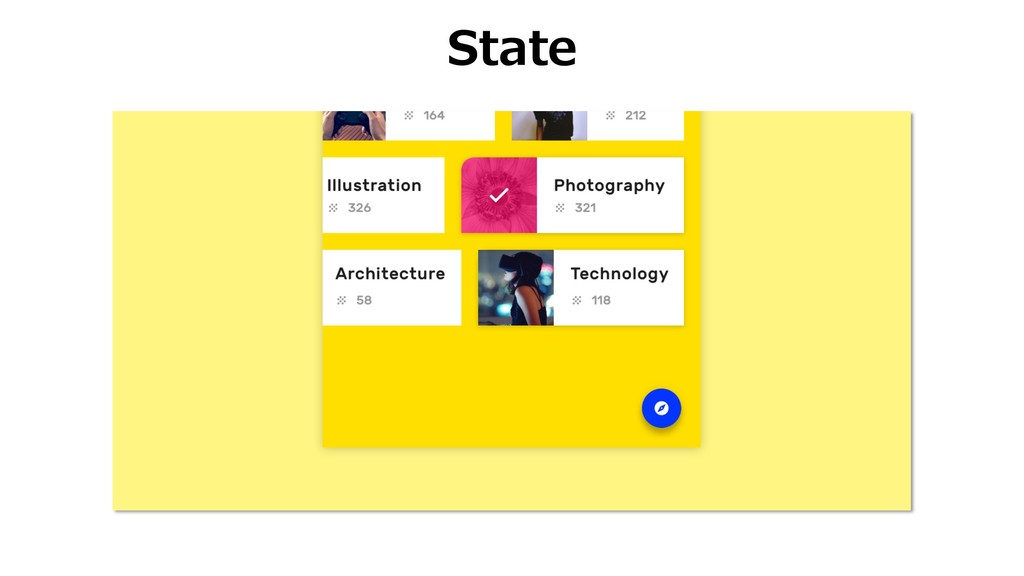
State
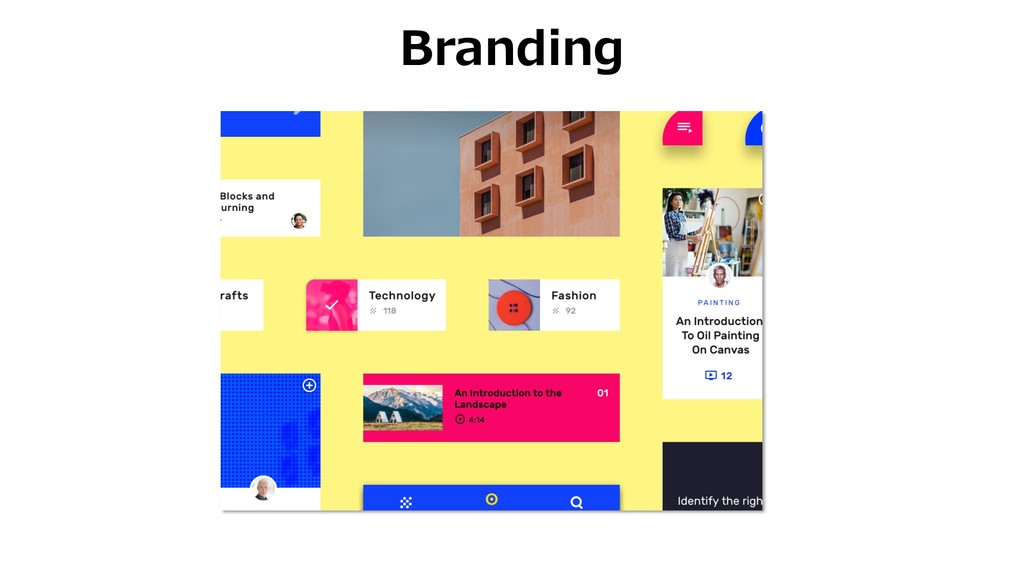
Branding
Attributes
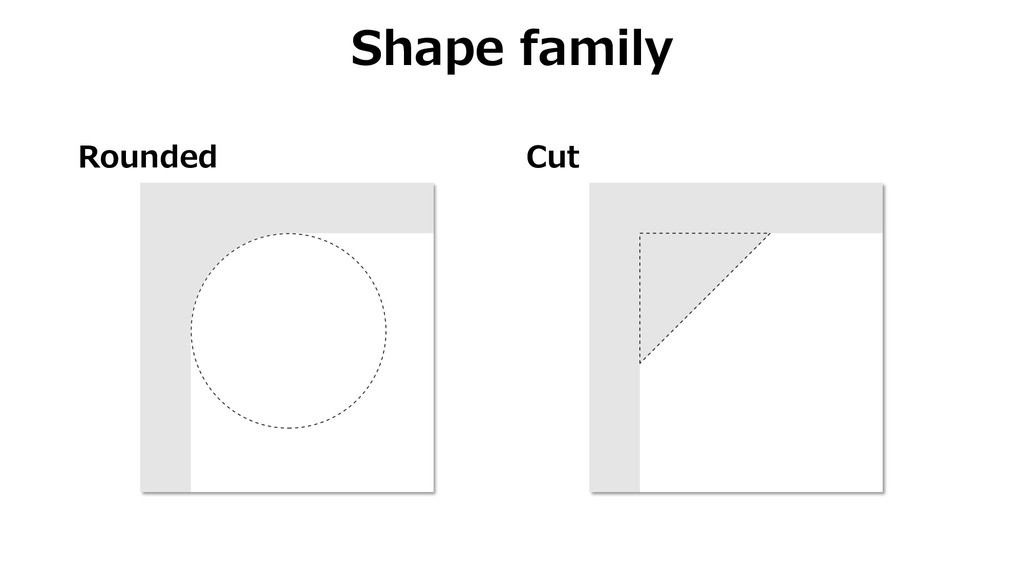
Rounded Cut Shape family
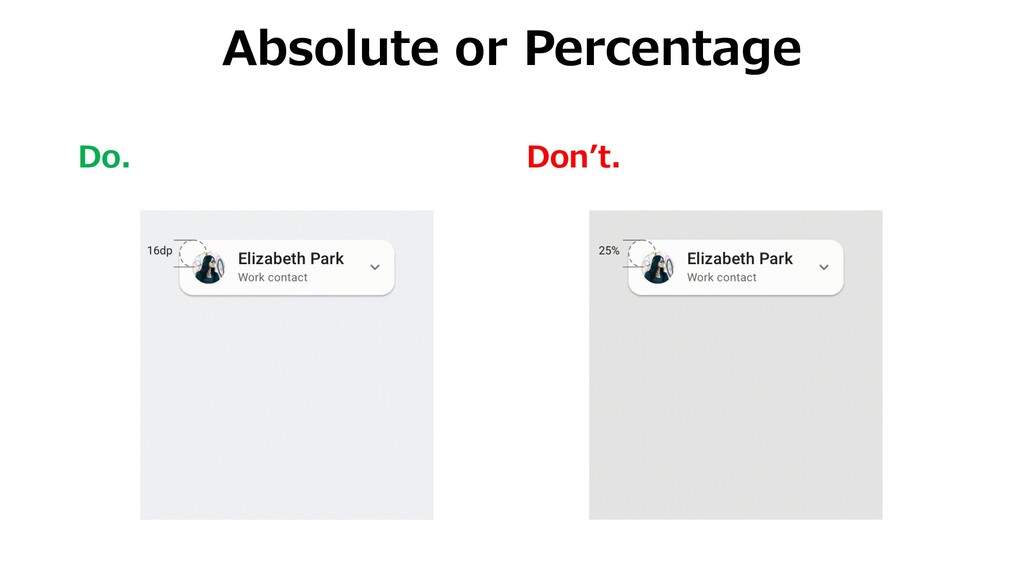
Absolute Percentage Shape size
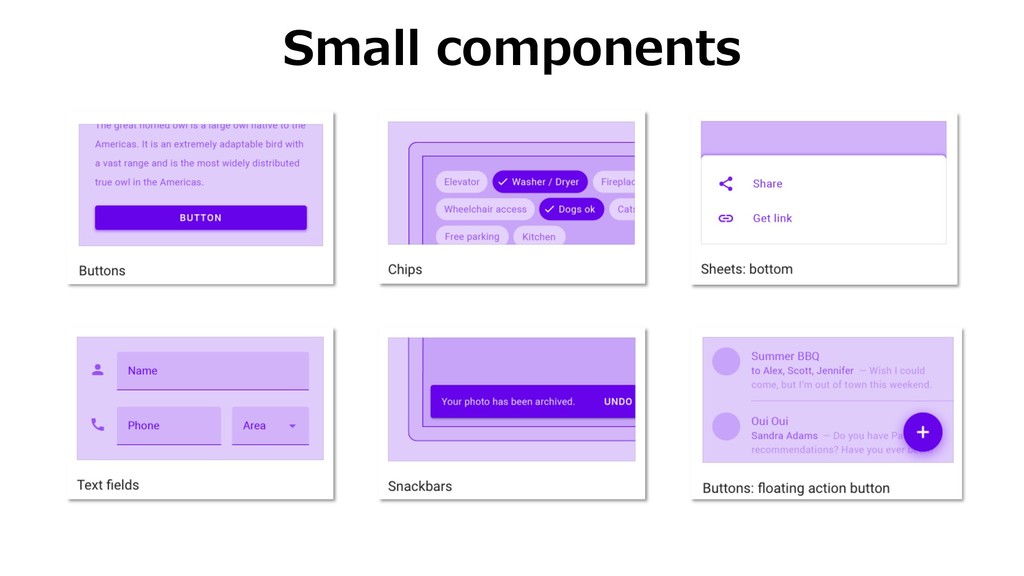
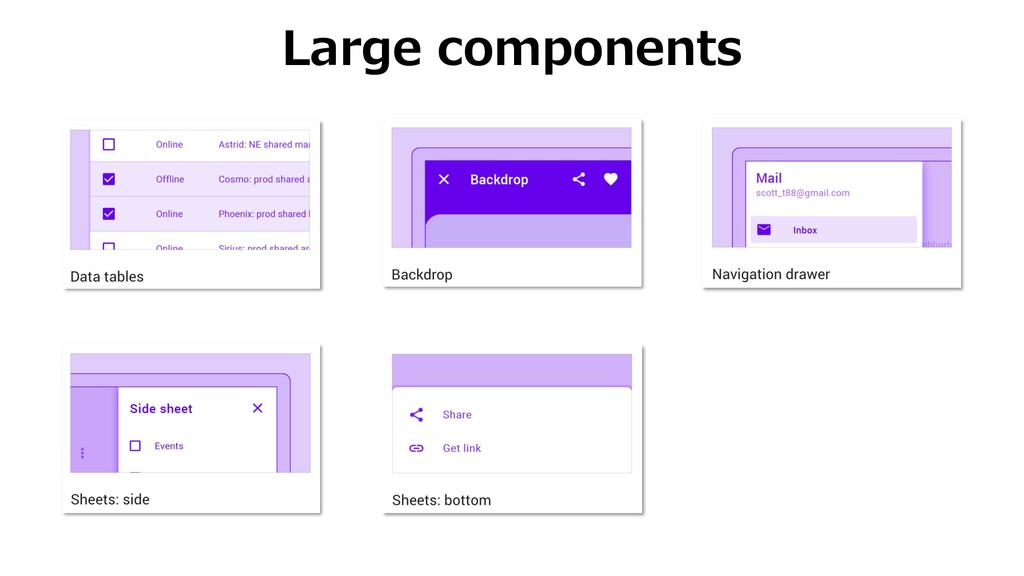
Categories
Small components
Medium components
Large components
Caution
Do. Donʼt. Absolute or Percentage
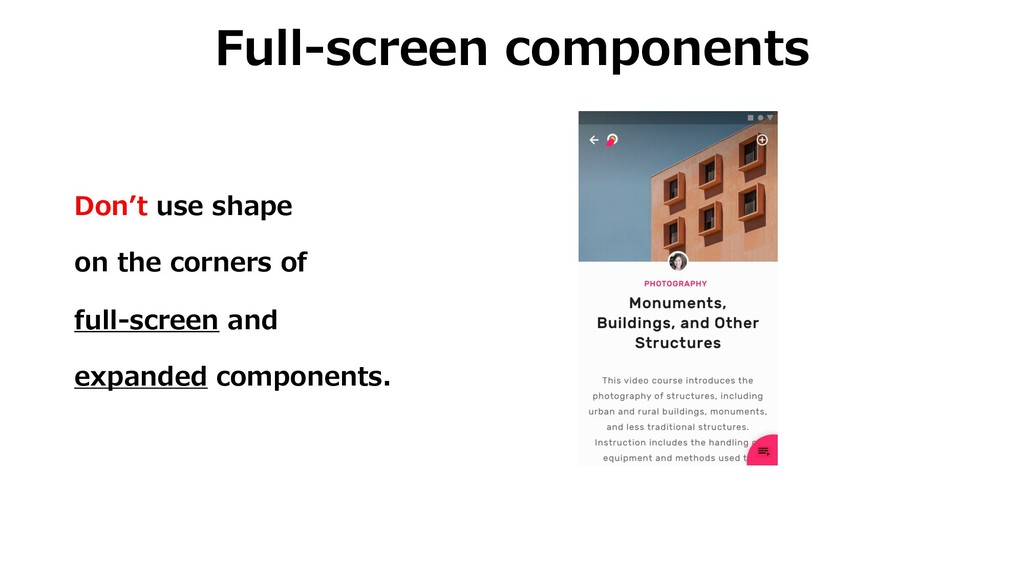
Full-screen components Donʼt use shape on the corners of full-screen
and expanded components.
How to implement
Apply categories <style name="SmallCompShapeAppearance" parent="ShapeAppearance.MaterialComponents.SmallComponent"> <item name="cornerFamily">cut</item> <item name="cornerSize">4dp</item> </style>
<style name="Theme.MyApp" parent="Theme.MaterialComponents.Light"> ... <item name="shapeAppearanceSmallComponent">@style/SmallCompShapeAppearance</item> ... </style>
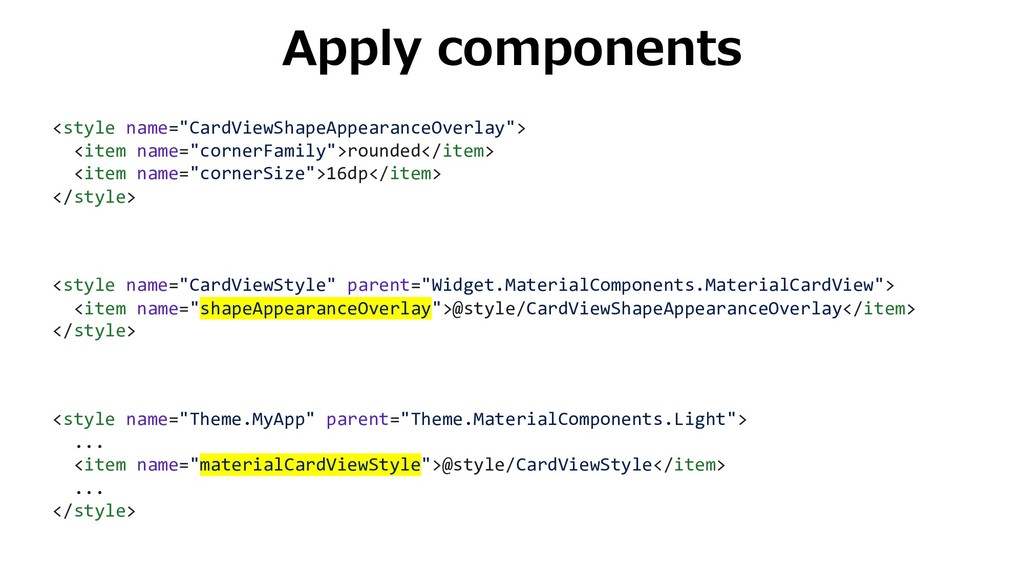
Apply components <style name="CardViewShapeAppearanceOverlay"> <item name="cornerFamily">rounded</item> <item name="cornerSize">16dp</item> </style> <style
name="CardViewStyle" parent="Widget.MaterialComponents.MaterialCardView"> <item name="shapeAppearanceOverlay">@style/CardViewShapeAppearanceOverlay</item> </style> <style name="Theme.MyApp" parent="Theme.MaterialComponents.Light"> ... <item name="materialCardViewStyle">@style/CardViewStyle</item> ... </style>
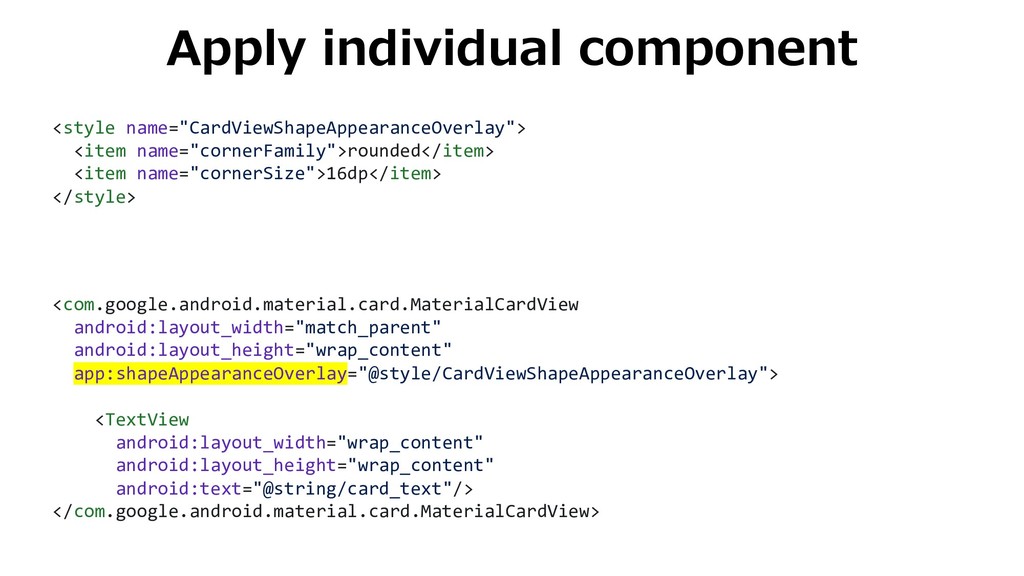
Apply individual component <style name="CardViewShapeAppearanceOverlay"> <item name="cornerFamily">rounded</item> <item name="cornerSize">16dp</item> </style>
<com.google.android.material.card.MaterialCardView android:layout_width="match_parent" android:layout_height="wrap_content" app:shapeAppearanceOverlay="@style/CardViewShapeAppearanceOverlay"> <TextView android:layout_width="wrap_content" android:layout_height="wrap_content" android:text="@string/card_text"/> </com.google.android.material.card.MaterialCardView>
Case study
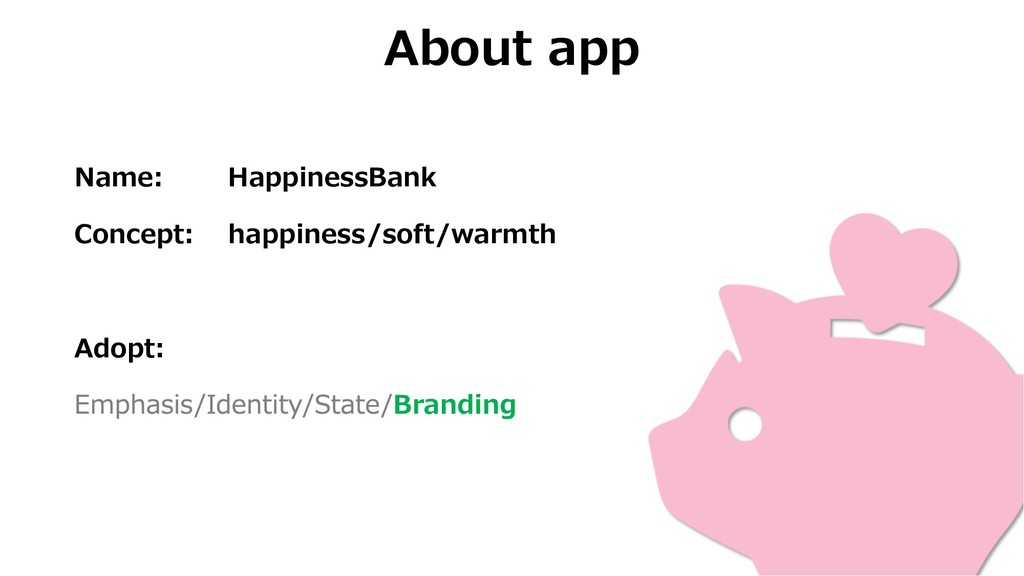
About app Name: HappinessBank Concept: happiness/soft/warmth Adopt: Branding
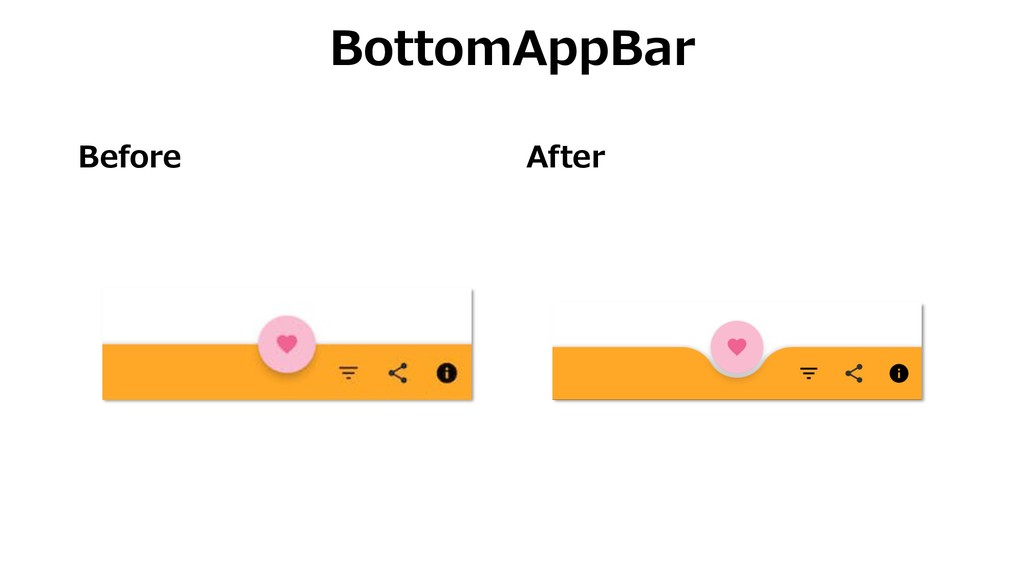
Before After BottomAppBar
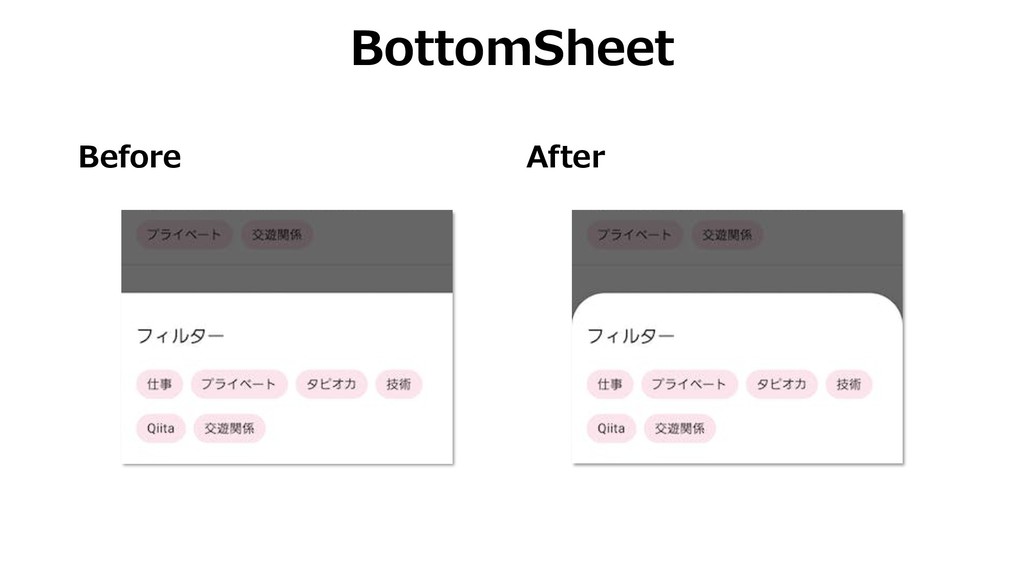
Before After BottomSheet
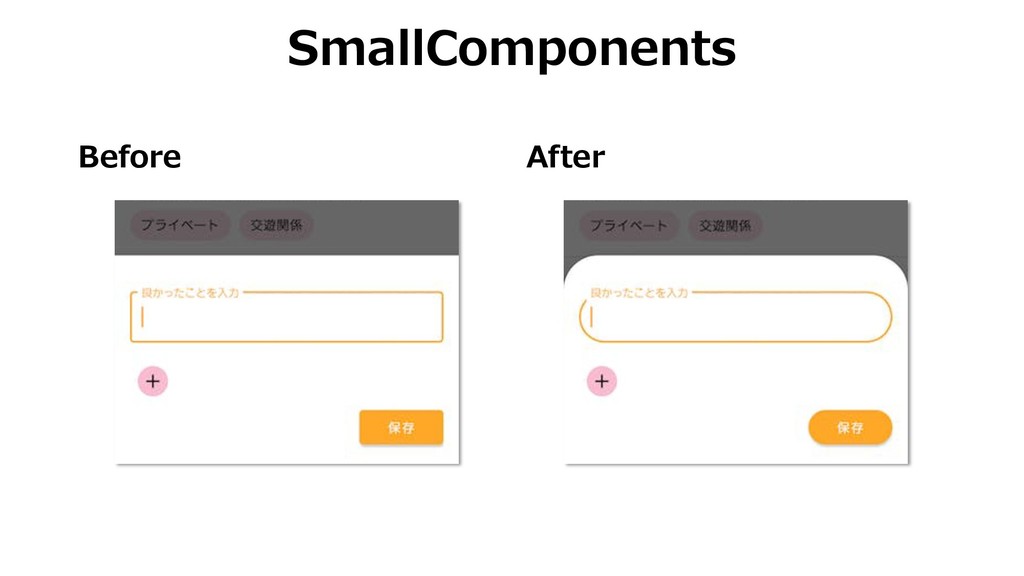
Before After SmallComponents
Summary Shape is the customizable corners. Usage of shape is
Emphasis, Identity, State, and Branding. You can customize it using styles.xml.
Thanks!


 umechanhika
 ryunen344
 kinopeee
 convto
 ssssota
 murabayashi
 mazrean
 ken_tunc
 riku_sakamoto
 petamoriken
 1901drama
 kanfab1
 colorful12
 garrettdimon
 michielstock
 nonsquared
 speakerdeck
 honzajavorek
 smashingmag
 jcasabona
 samtorres
 elsirapls
 marcelosomers
 addyosmani
 eileencodes