Upgrade to Pro
— share decks privately, control downloads, hide ads and more …
Speaker Deck
Sign up for free
Menu
Search
Features
All features
Private URLs
Password Protection
Custom URLS
Scheduled publishing
Remove Branding
Restrict embedding
Deck Collections
Notes
Features
All features
Private URLs
Password Protection
Custom URLS
Scheduled publishing
Remove Branding
Restrict embedding
Deck Collections
Notes
Explore
Featured decks
Featured speakers
Programming
Technology
Storyboards
Explore
Featured decks
Featured speakers
Programming
Technology
Storyboards
Pricing
Search
Sign in
Sign up for free
uhooiさん発ランダムタスクにチャレンジしよう!
Search
野瀬田 裕樹
August 10, 2026
Programming
87
1
Share
Embed
Copy iframe code
Copy JS code
Copy link
Start on current slide
uhooiさん発ランダムタスクにチャレンジしよう!
集まれSwift好き!Swift愛好会 vol.80 @ DeNA
https://love-swift.connpass.com/event/311304/
野瀬田 裕樹
August 10, 2026
More Decks by 野瀬田 裕樹
See All by 野瀬田 裕樹
速習iPhone Duo対応
yuukiw00w
2
1k
App Storeの外へ──日本のiOSサイドローディング入門 for iOSDC Japan 2026
yuukiw00w
0
380
ネイティブiOSアプリだからできること
yuukiw00w
0
52
野瀬田とSwift愛好会
yuukiw00w
0
41
ViewModelって200種類あんねん
yuukiw00w
0
65
Validate your App Intents adoption with AppIntentsTesting
yuukiw00w
0
62
App Intentsを実装しよう
yuukiw00w
0
63
iOS26時代の新規アプリ開発
yuukiw00w
0
280
Swift ConcurrencyでよりSwiftyに
yuukiw00w
0
420
Other Decks in Programming
See All in Programming
Vue.jsで作る空間解析アプリとCapacitorプラグインのData Bridge
hal_spidernight
1
110
AWS CDKのカスタムリソースでContinuum(旧Security Agent)を実装した話 | Implementing Continuum (formerly Security Agent) via AWS CDK Custom Resource
akihisaikeda
2
170
SFCで実現する病院・医療システムの動的組み立て式UI
koukimiura
1
120
コードで差別化できない時代の ソフトウェアエンジニアリング / Software Engineering in an Era Where Code Doesn’t Differentiate
kishida
2
200
FactoryBotをやめればRSpecは速くなるのか?
yuta_onishi_97
0
1.2k
複雑なUIコンポーネントとの ⻑い付き合い⽅:波及するバグからテスト戦略を経て、安全な再設計へ
mixplace
0
460
Event is what happens
moro
2
1.6k
[2026-10-14](C)Re:ゼロから始める異世界生活〜始まりの終わりと終わりの始まり〜
tosite
0
160
AI主導のプログラミング学習アプリを作ってみた
econanringo
0
190
Vue Fes Japan の “作る側”に関わってみて
naokihaba
1
190
クラウドエージェントは、 何がそんなに便利なのか / what makes cloud agents so useful
rkaga
3
530
Inertia Rails: The One-Person Framework with React & Friends
skryukov
0
120
Featured
See All Featured
The Straight Up "How To Draw Better" Workshop
denniskardys
239
140k
Everyday Curiosity
cassininazir
0
360
The Success of Rails: Ensuring Growth for the Next 100 Years
eileencodes
47
8.4k
Joys of Absence: A Defence of Solitary Play
codingconduct
1
550
We Are The Robots
honzajavorek
0
410
Agile that works and the tools we love
rasmusluckow
331
22k
The untapped power of vector embeddings
frankvandijk
2
2k
Noah Learner - AI + Me: how we built a GSC Bulk Export data pipeline
techseoconnect
PRO
0
460
Templates, Plugins, & Blocks: Oh My! Creating the theme that thinks of everything
marktimemedia
31
2.9k
Primal Persuasion: How to Engage the Brain for Learning That Lasts
tmiket
0
500
The browser strikes back
jonoalderson
0
1.9k
The Mindset for Success: Future Career Progression
greggifford
PRO
0
550
Transcript
uhooiさん発ランダムタスクに チャレンジしよう! 野瀬田 裕樹
野瀬田 裕樹(@ynoseda) DMM.com アプリ開発室所属
uhooiさん • uhooiさんのことはみんな知ってる前提なので話しません • たまにuhooiさんのXからランダムにアプリ開発のお題が流れてくることがあり ます • 今日はたまたま目についたそれをやった話
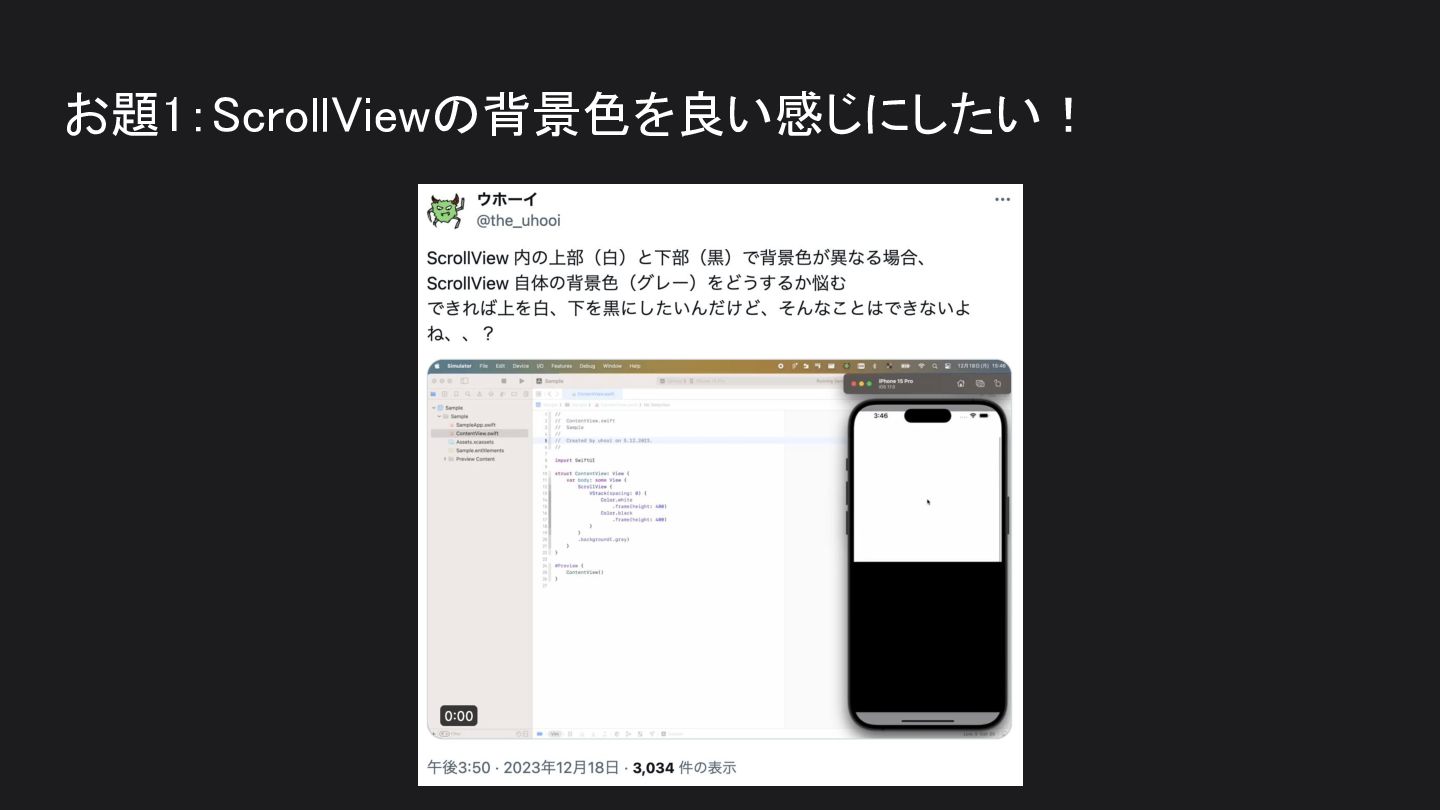
お題1:ScrollViewの背景色を良い感じにしたい!
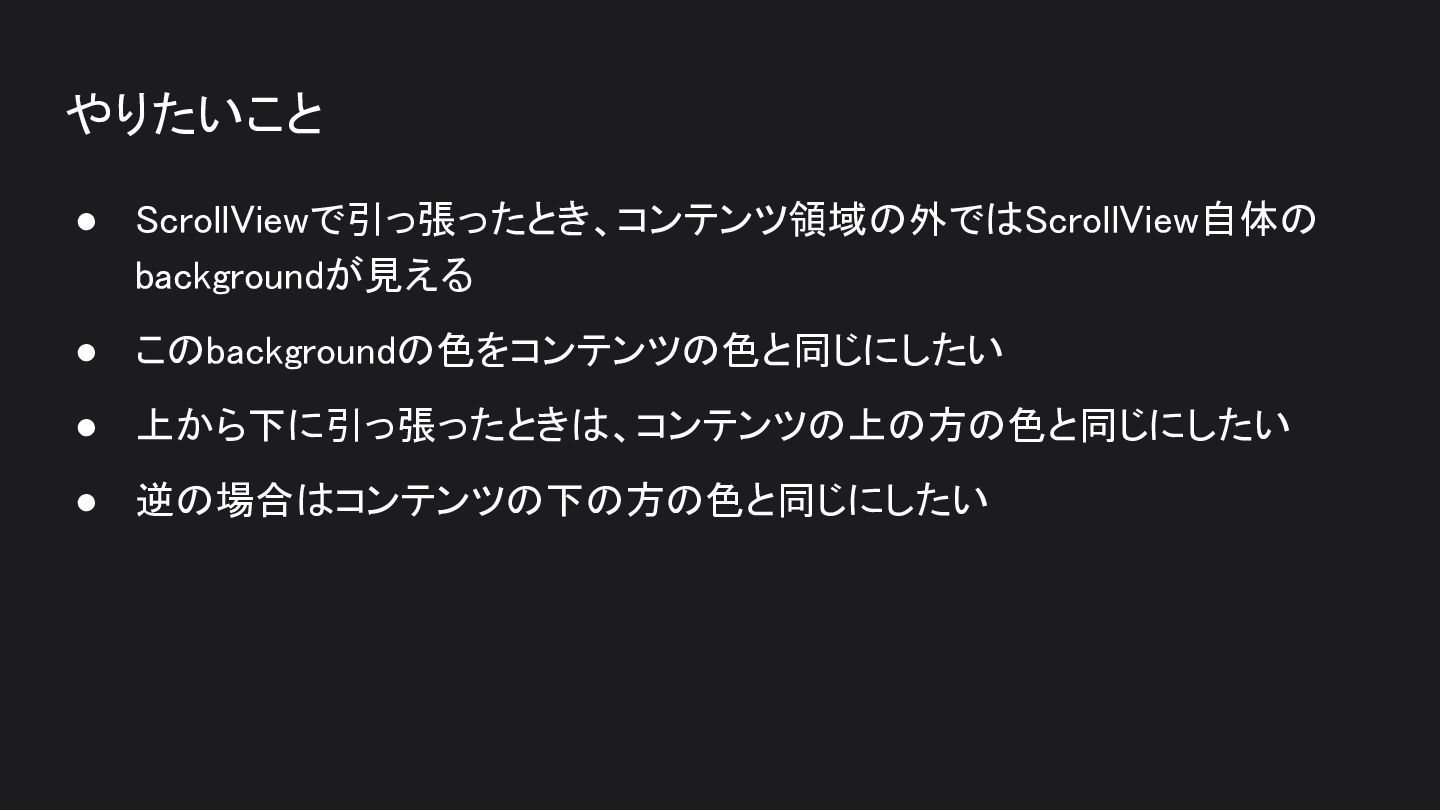
やりたいこと • ScrollViewで引っ張ったとき、コンテンツ領域の外ではScrollView自体の backgroundが見える • このbackgroundの色をコンテンツの色と同じにしたい • 上から下に引っ張ったときは、コンテンツの上の方の色と同じにしたい • 逆の場合はコンテンツの下の方の色と同じにしたい
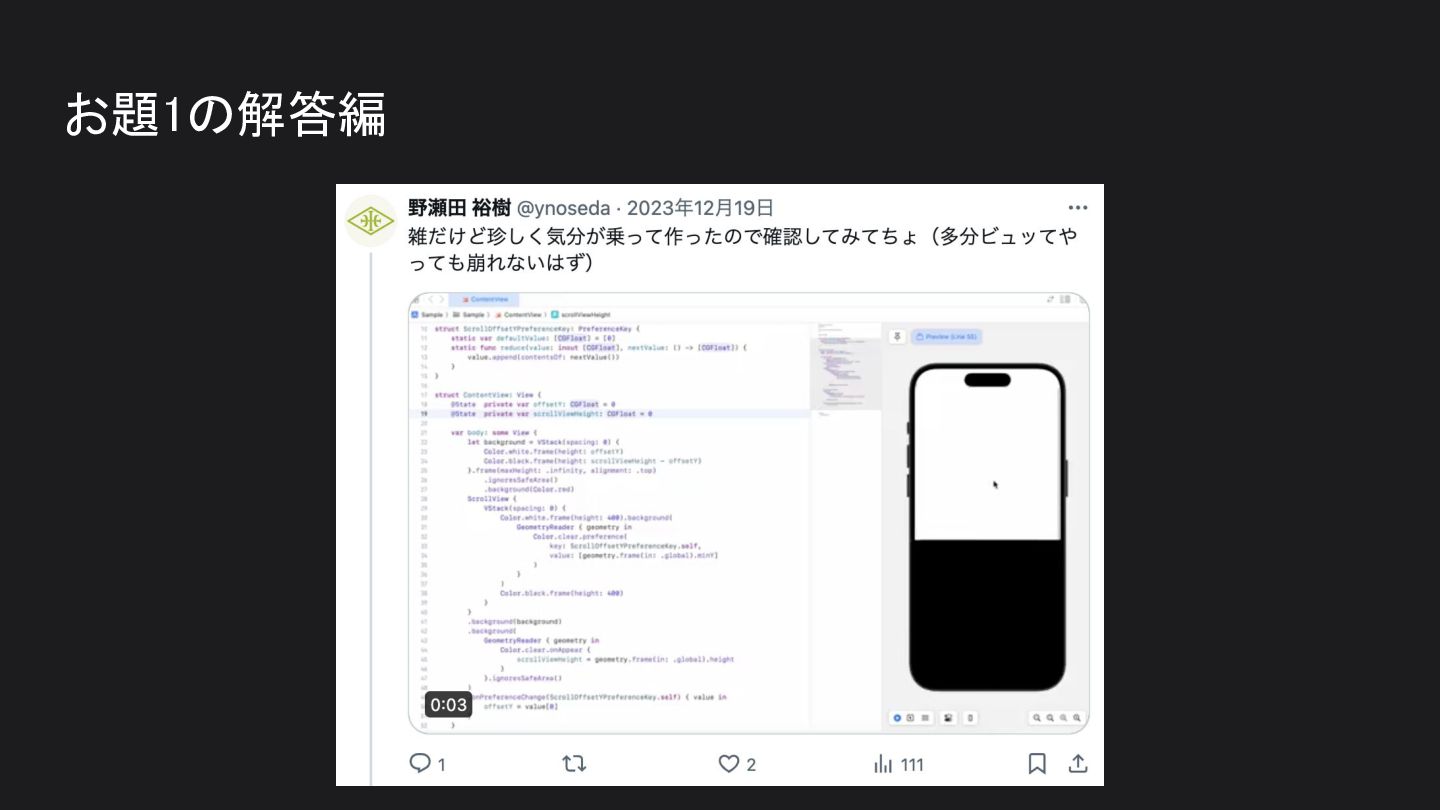
お題1の解答編
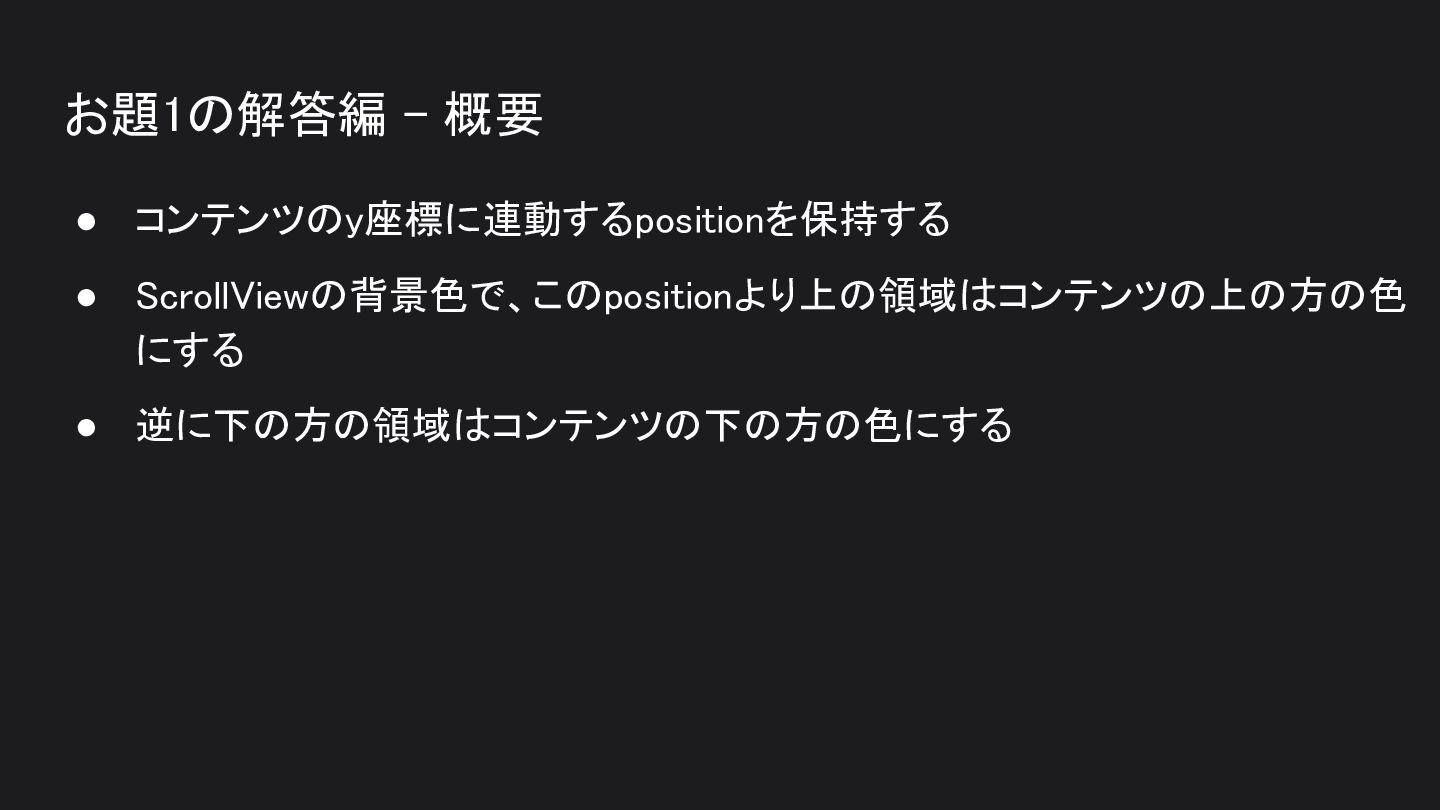
お題1の解答編 - 概要 • コンテンツのy座標に連動するpositionを保持する • ScrollViewの背景色で、このpositionより上の領域はコンテンツの上の方の色 にする • 逆に下の方の領域はコンテンツの下の方の色にする
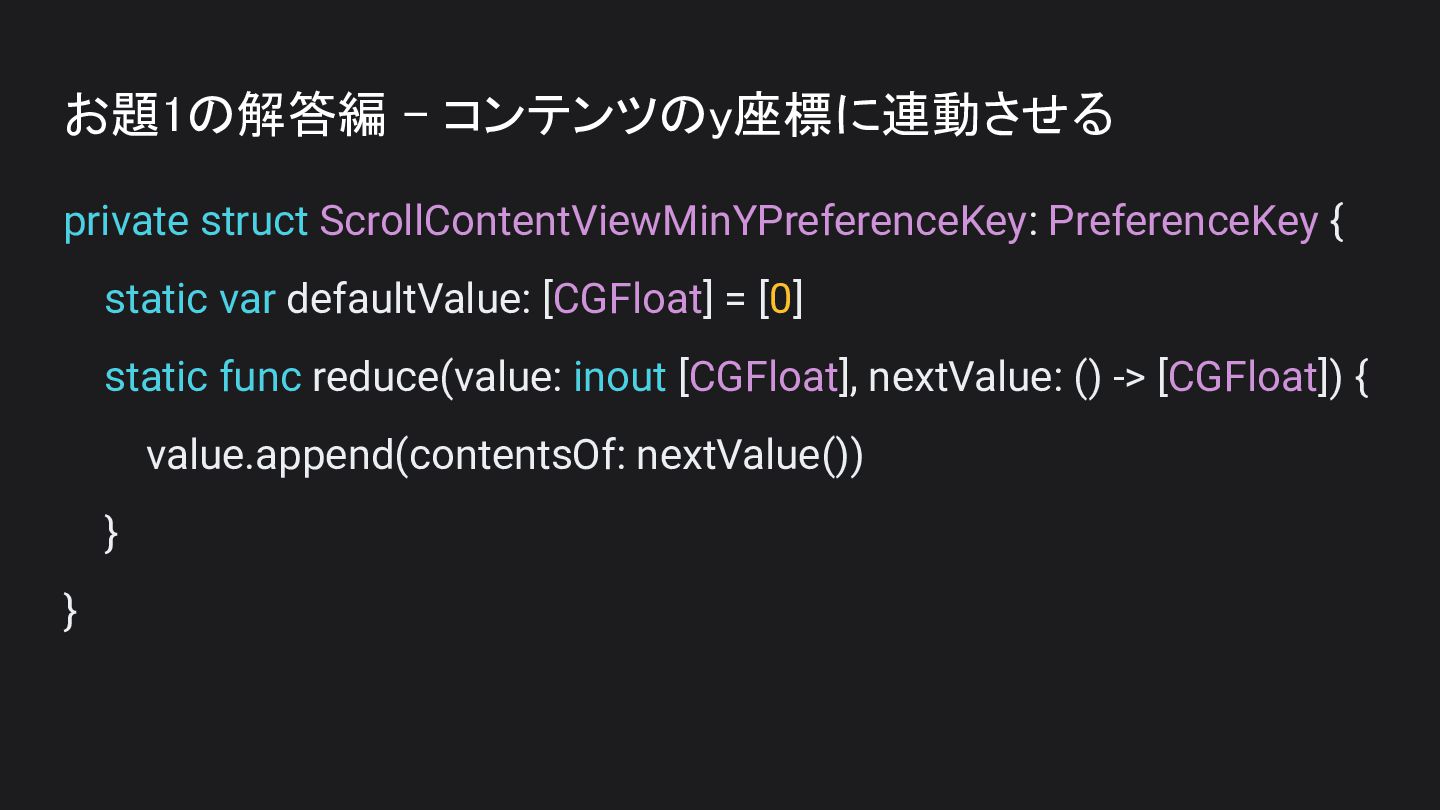
お題1の解答編 - コンテンツのy座標に連動させる private struct ScrollContentViewMinYPreferenceKey: PreferenceKey { static var
defaultValue: [CGFloat] = [0] static func reduce(value: inout [CGFloat], nextValue: () -> [CGFloat]) { value.append(contentsOf: nextValue()) } }
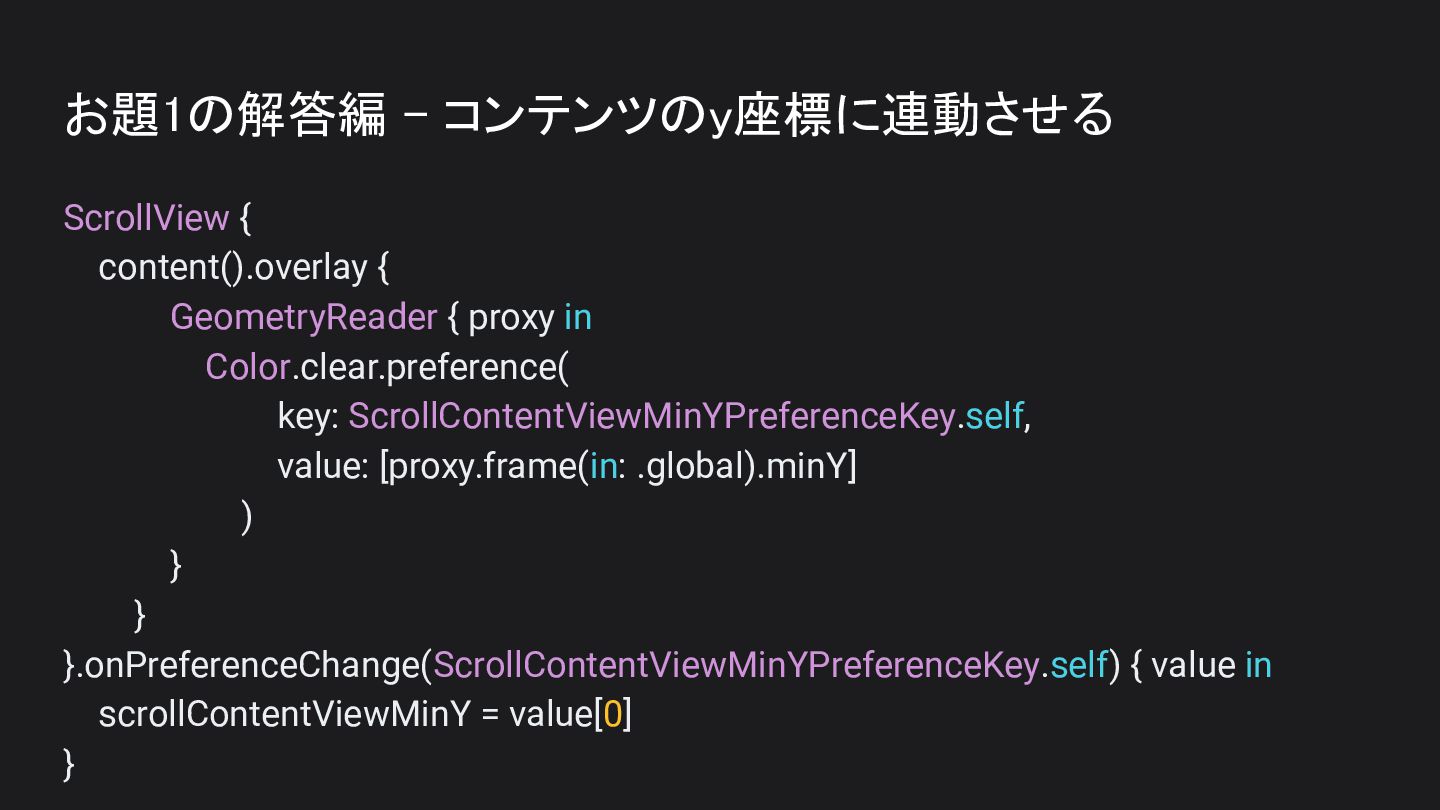
お題1の解答編 - コンテンツのy座標に連動させる ScrollView { content().overlay { GeometryReader { proxy
in Color.clear.preference( key: ScrollContentViewMinYPreferenceKey.self, value: [proxy.frame(in: .global).minY] ) } } }.onPreferenceChange(ScrollContentViewMinYPreferenceKey.self) { value in scrollContentViewMinY = value[0] }
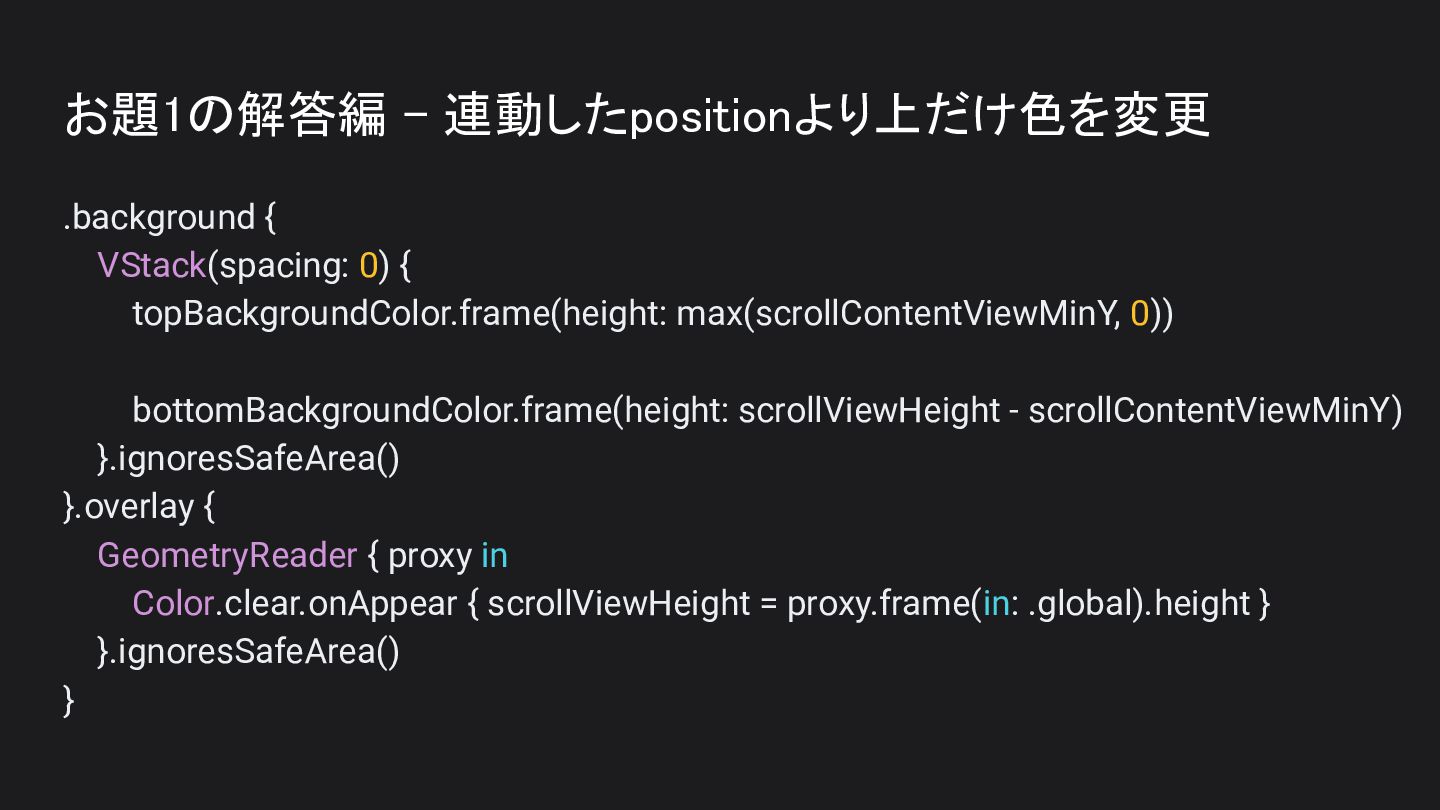
お題1の解答編 - 連動したpositionより上だけ色を変更 .background { VStack(spacing: 0) { topBackgroundColor.frame(height: max(scrollContentViewMinY,
0)) bottomBackgroundColor.frame(height: scrollViewHeight - scrollContentViewMinY) }.ignoresSafeArea() }.overlay { GeometryReader { proxy in Color.clear.onAppear { scrollViewHeight = proxy.frame(in: .global).height } }.ignoresSafeArea() }
お題1の解答編 - 結果 • これで良い感じになった! • https://x.com/ynoseda/status/1737120393960558947?s=20 • 補足 ◦
別に基準値はminYじゃなくてもmaxYでもなんでもいいです ▪ コンテンツの裏のどこかのpositionで切り替わればいいので
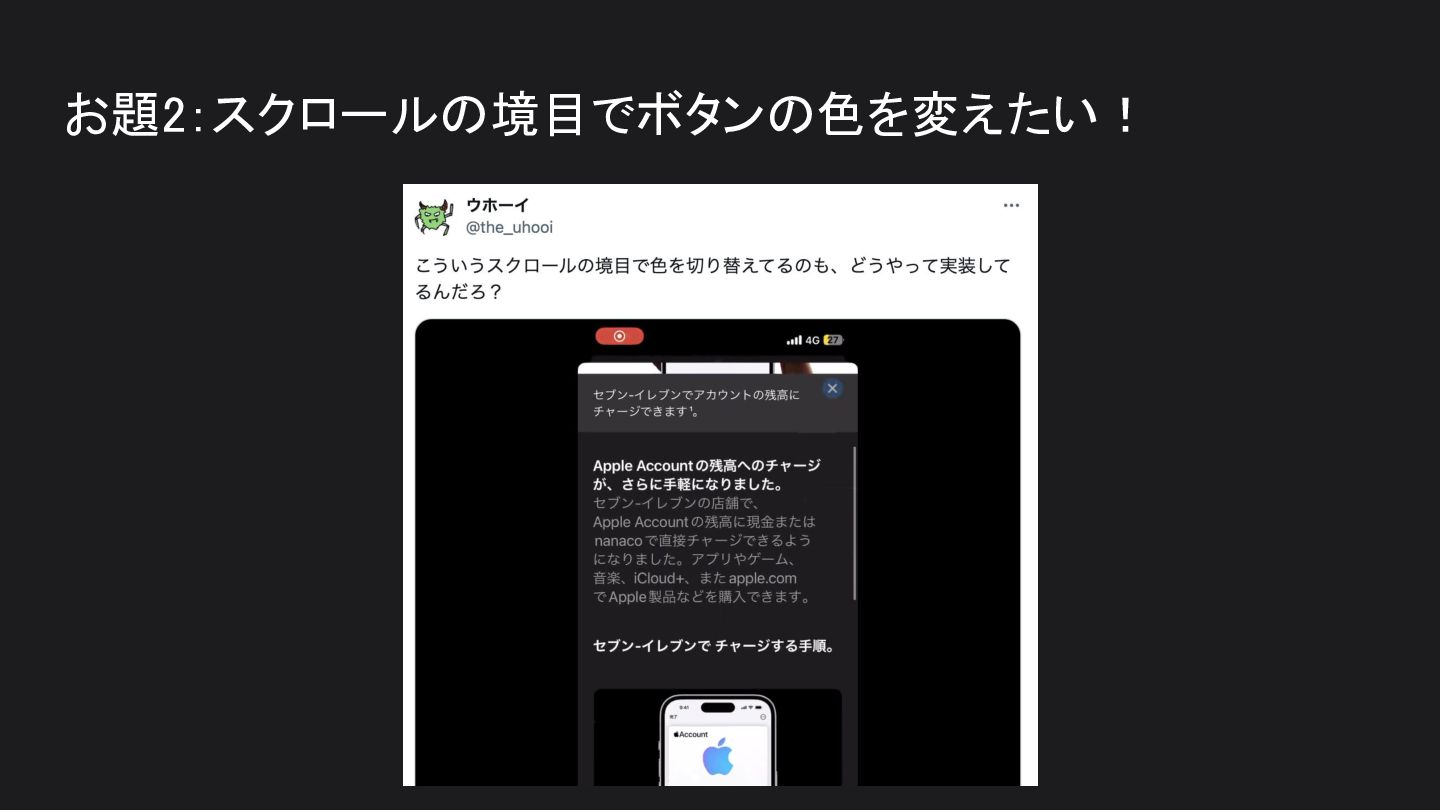
お題2:スクロールの境目でボタンの色を変えたい!
やりたいこと • ScrollViewでスクロールしたとき、ナビゲーションバーが透明だとボタンとコン テンツの色が重なって見辛くなることがある • Appleの公式のアプリだと背景色に合わせてボタンの色が良い感じに変化して いる • これを実現したい
お題2の解答編
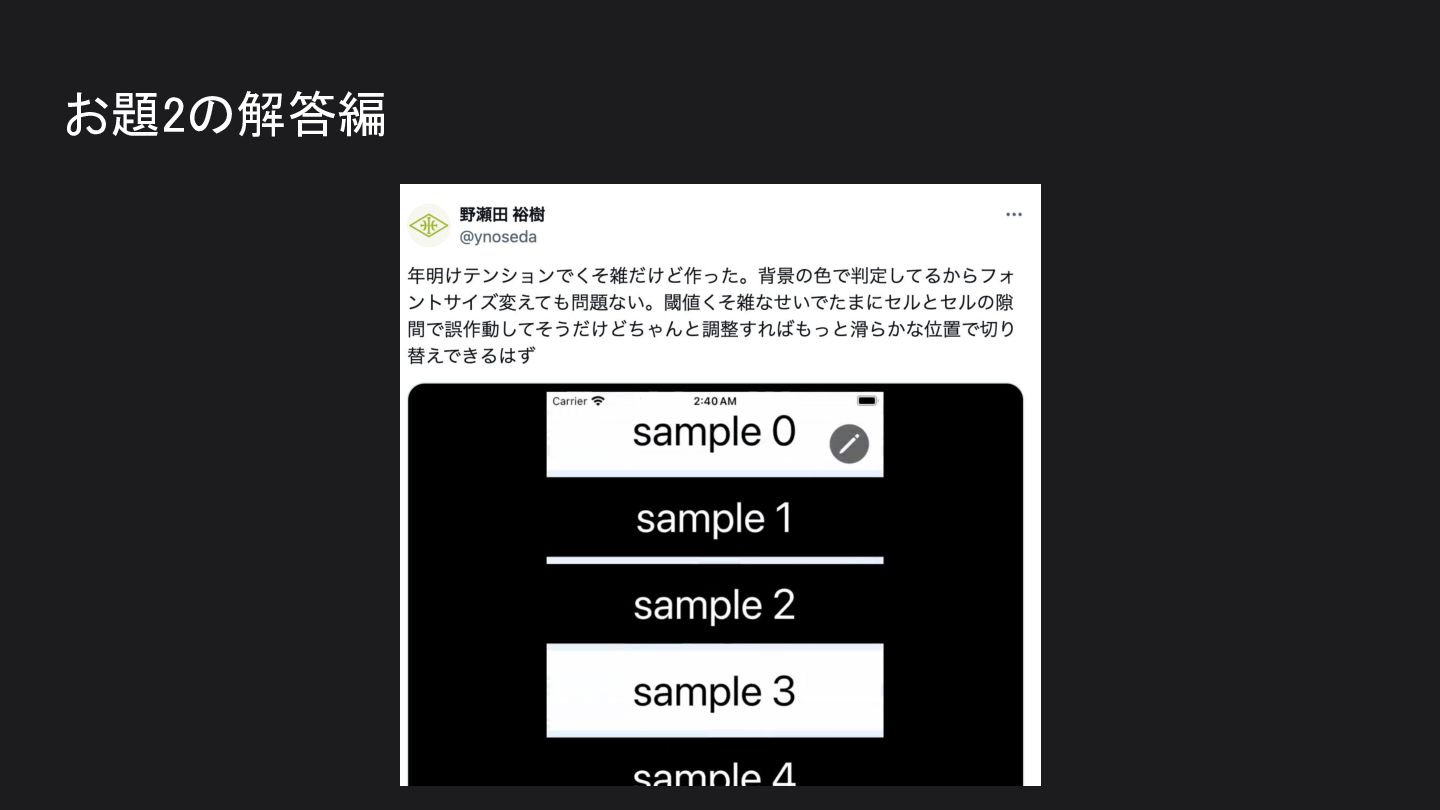
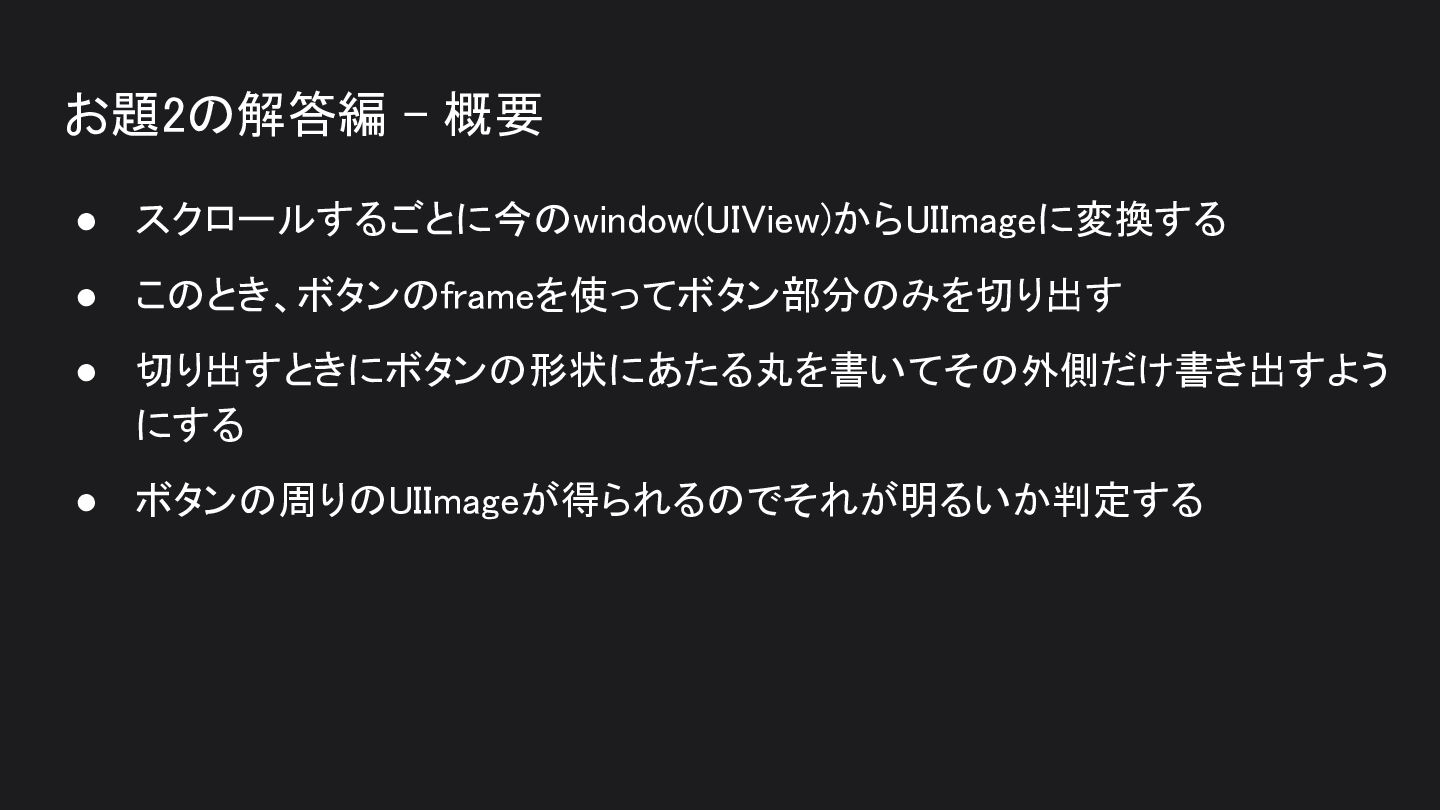
お題2の解答編 - 概要 • スクロールするごとに今のwindow(UIView)からUIImageに変換する • このとき、ボタンのframeを使ってボタン部分のみを切り出す • 切り出すときにボタンの形状にあたる丸を書いてその外側だけ書き出すよう にする
• ボタンの周りのUIImageが得られるのでそれが明るいか判定する
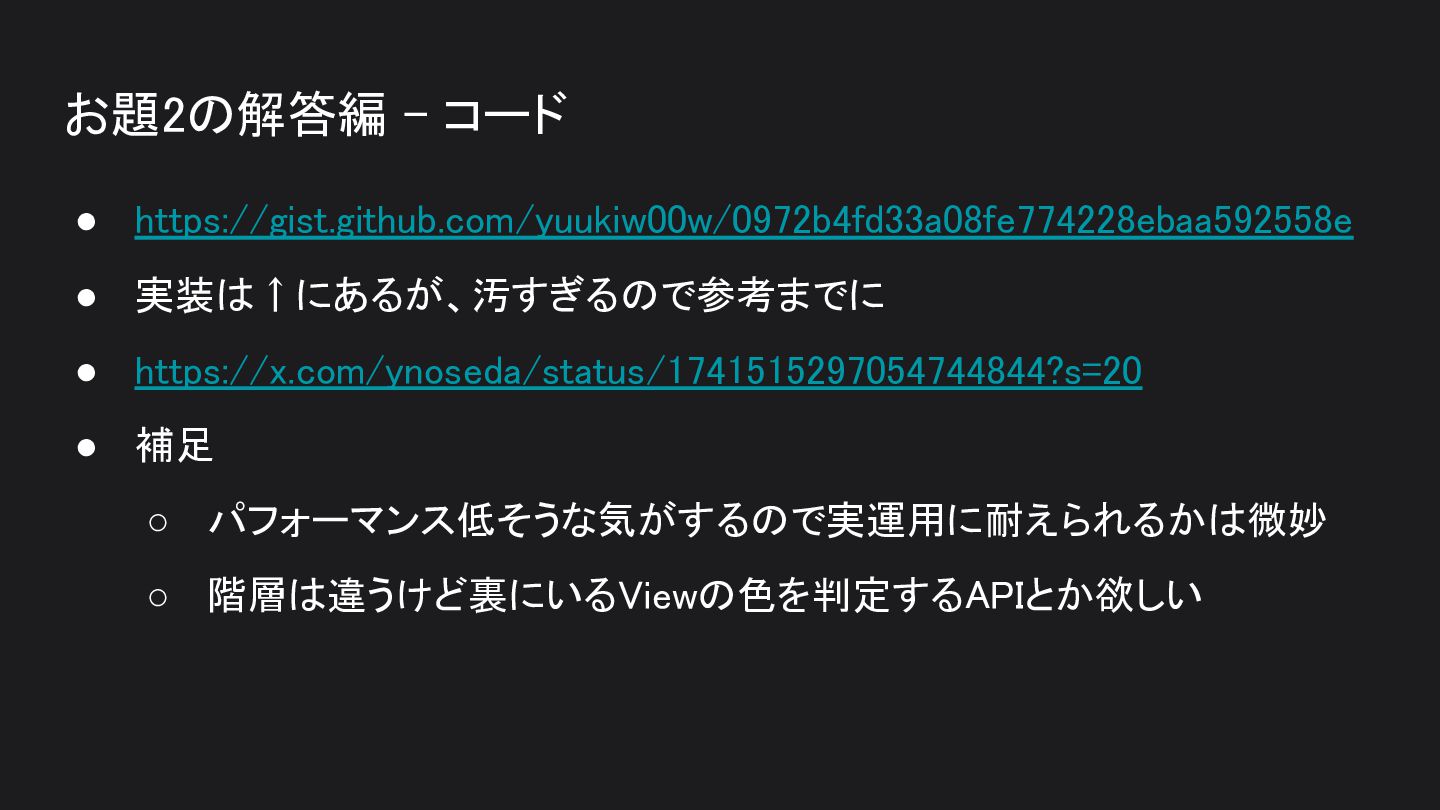
お題2の解答編 - コード • https://gist.github.com/yuukiw00w/0972b4fd33a08fe774228ebaa592558e • 実装は↑にあるが、汚すぎるので参考までに • https://x.com/ynoseda/status/1741515297054744844?s=20 •
補足 ◦ パフォーマンス低そうな気がするので実運用に耐えられるかは微妙 ◦ 階層は違うけど裏にいるViewの色を判定するAPIとか欲しい
まとめ • たまに時間あったらこういうお題にチャレンジしても面白いよね • みんなも自分なりの回答をポストしてみよう!


 yuukiw00w
 hal_spidernight
 akihisaikeda
 koukimiura
 kishida
 yuta_onishi_97
 mixplace
 moro
moro
 tosite
 econanringo
 naokihaba
 rkaga
rkaga
 skryukov
 denniskardys
 cassininazir
 eileencodes
 codingconduct
 honzajavorek
 rasmusluckow
 frankvandijk
 techseoconnect
 marktimemedia
 tmiket
 jonoalderson
 greggifford