Upgrade to Pro — share decks privately, control downloads, hide ads and more …

PicoRuby for IoT: Connecting to the Cloud with ...

Avatar for Y_uuu Y_uuu
April 24, 2026

PicoRuby for IoT: Connecting to the Cloud with MQTT

RubyKaigi 2026 Day3
April 24, 2026

https://rubykaigi.org/2026/presentations/Y_uuu.html

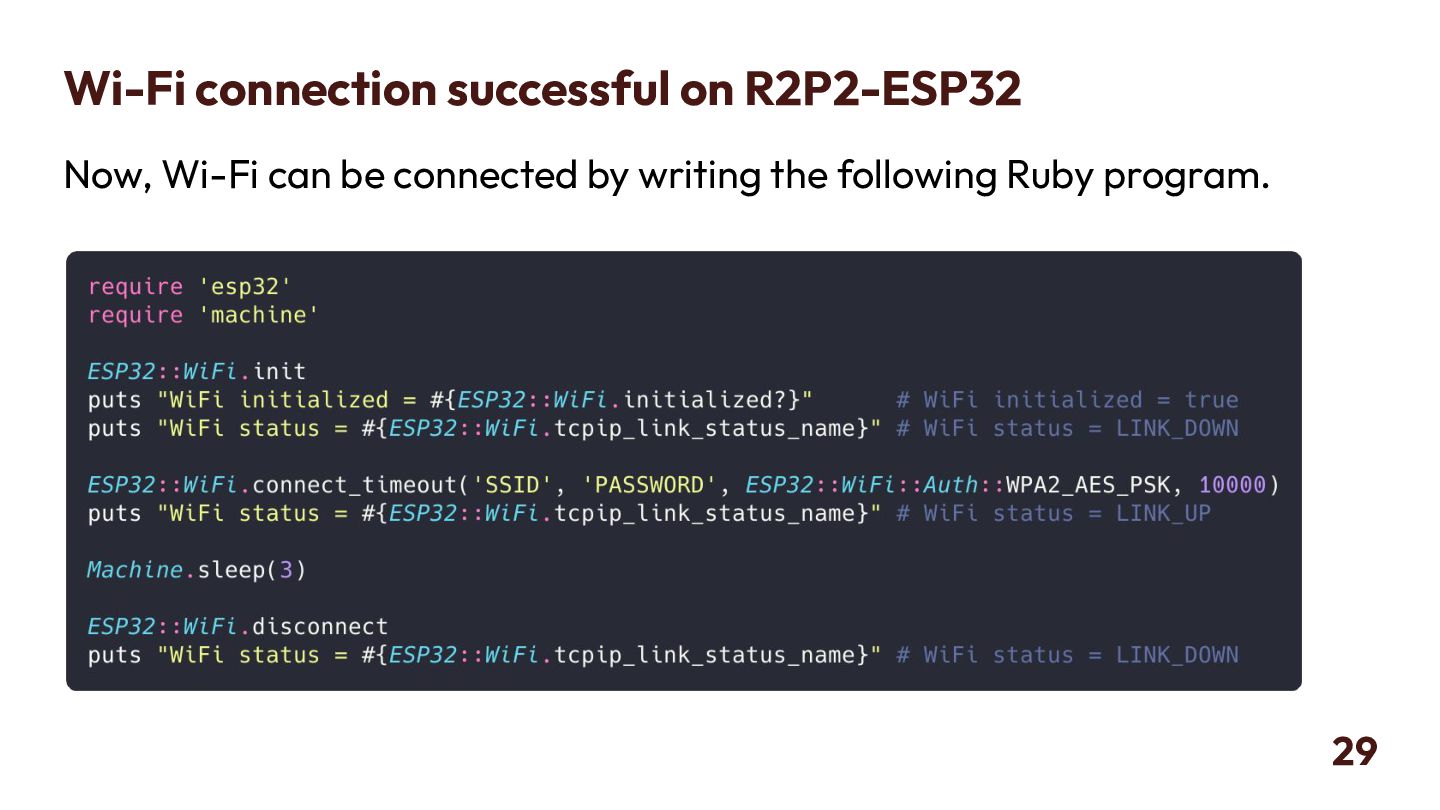
PicoRuby is an extremely small implementation of Ruby that can run even on microcontrollers such as the ESP32, developed by Espressif Systems. At RubyKaigi 2025, I talked about porting PicoRuby to the ESP32.

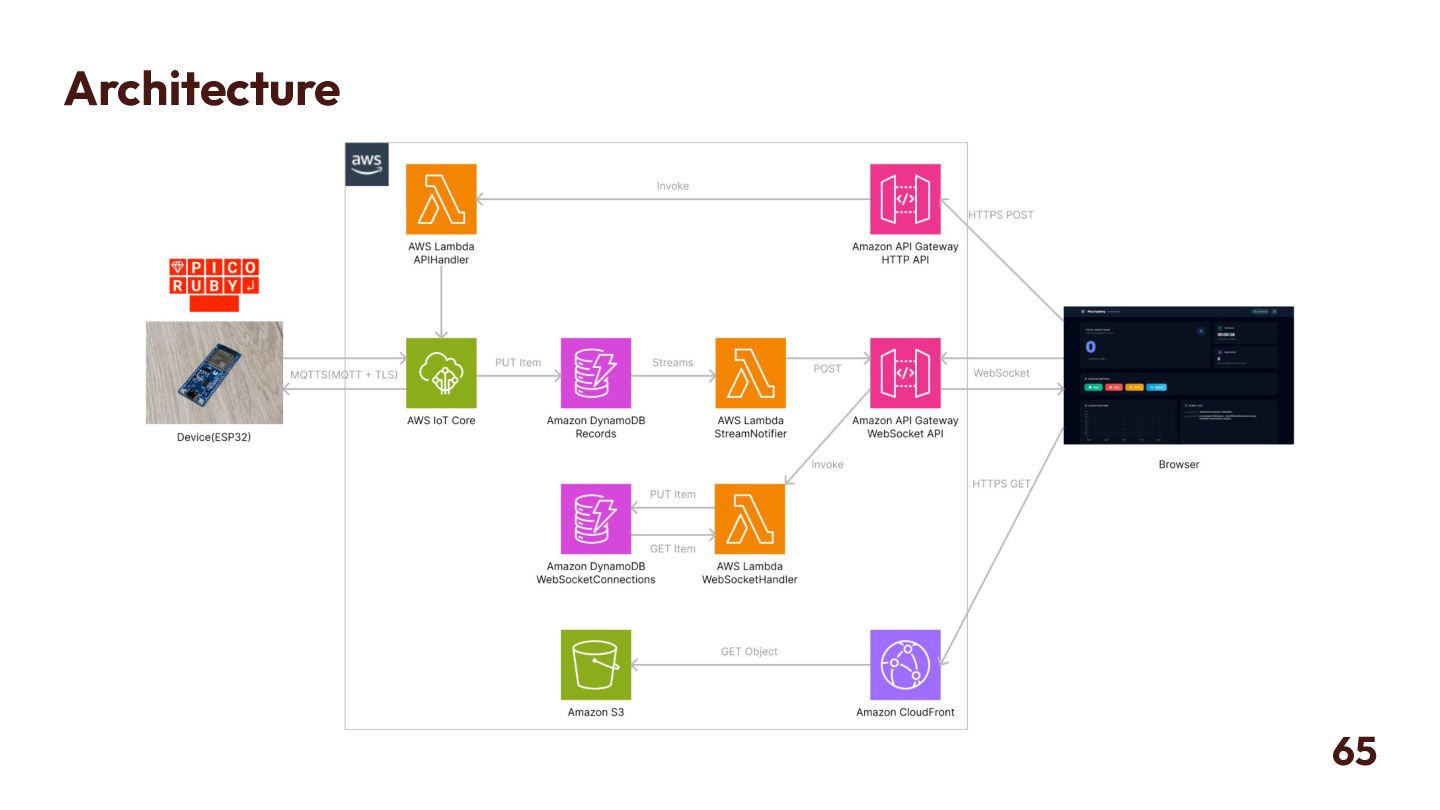
This talk is a sequel to that session. I will introduce the process of enabling PicoRuby on the ESP32 to connect to the cloud over the internet.

Avatar for Y_uuu

Y_uuu

April 24, 2026

More Decks by Y_uuu

Other Decks in Programming

Transcript

  1. PicoRuby for IoT: Connecting to the Cloud with MQTT April

    24, 2026 / RubyKaigi 2026 Yuhei Okazaki(@Y_uuu)
  2. self.inspect • Yuhei Okazaki • @Y_uuu(X), @y-uuu.net(BlueSky) • @yuuu(GitHub) •

    IoT Cloud Engineer at Fusic Co., Ltd. • Mentor at Fjord Boot Camp 2
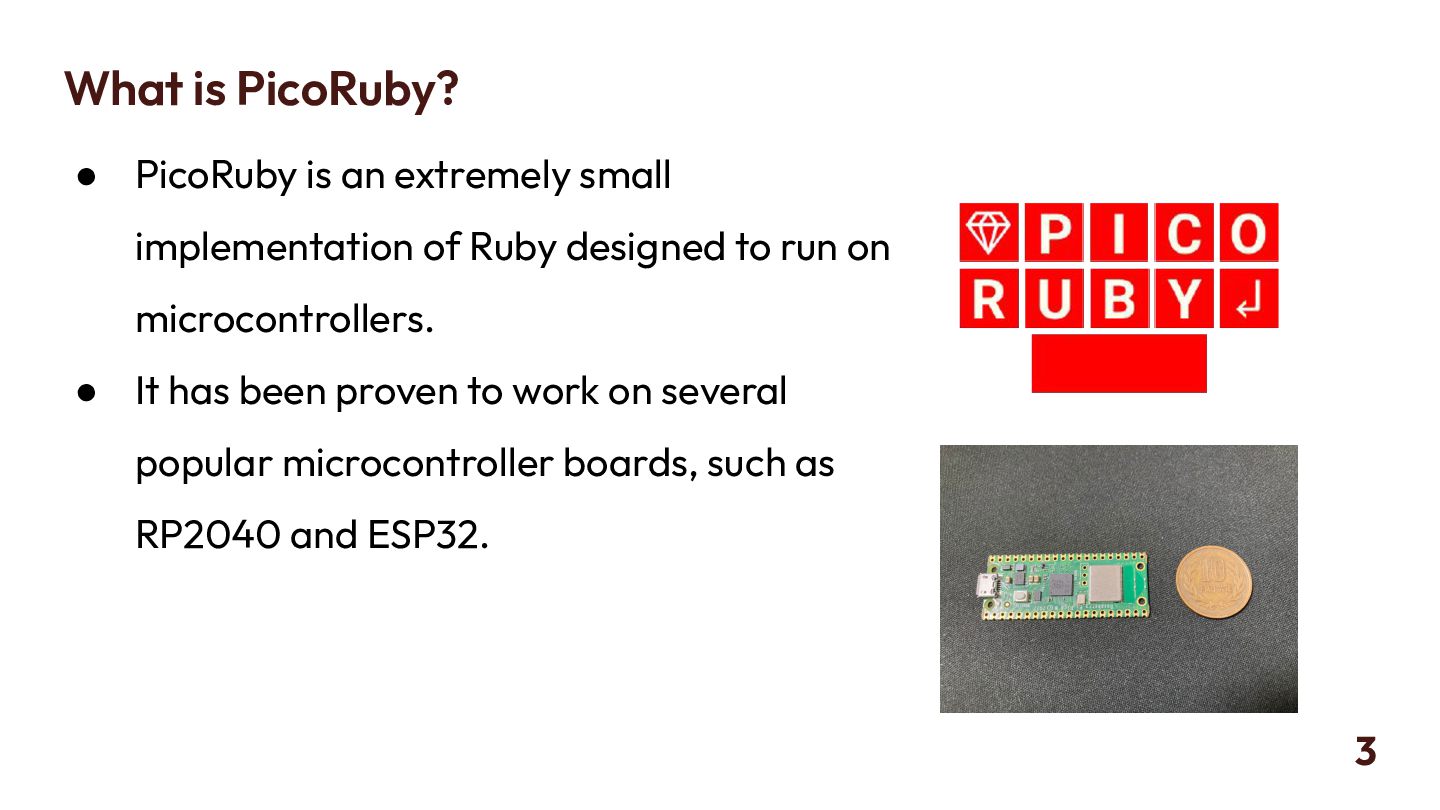
  3. What is PicoRuby? • PicoRuby is an extremely small implementation

    of Ruby designed to run on microcontrollers. • It has been proven to work on several popular microcontroller boards, such as RP2040 and ESP32. 3
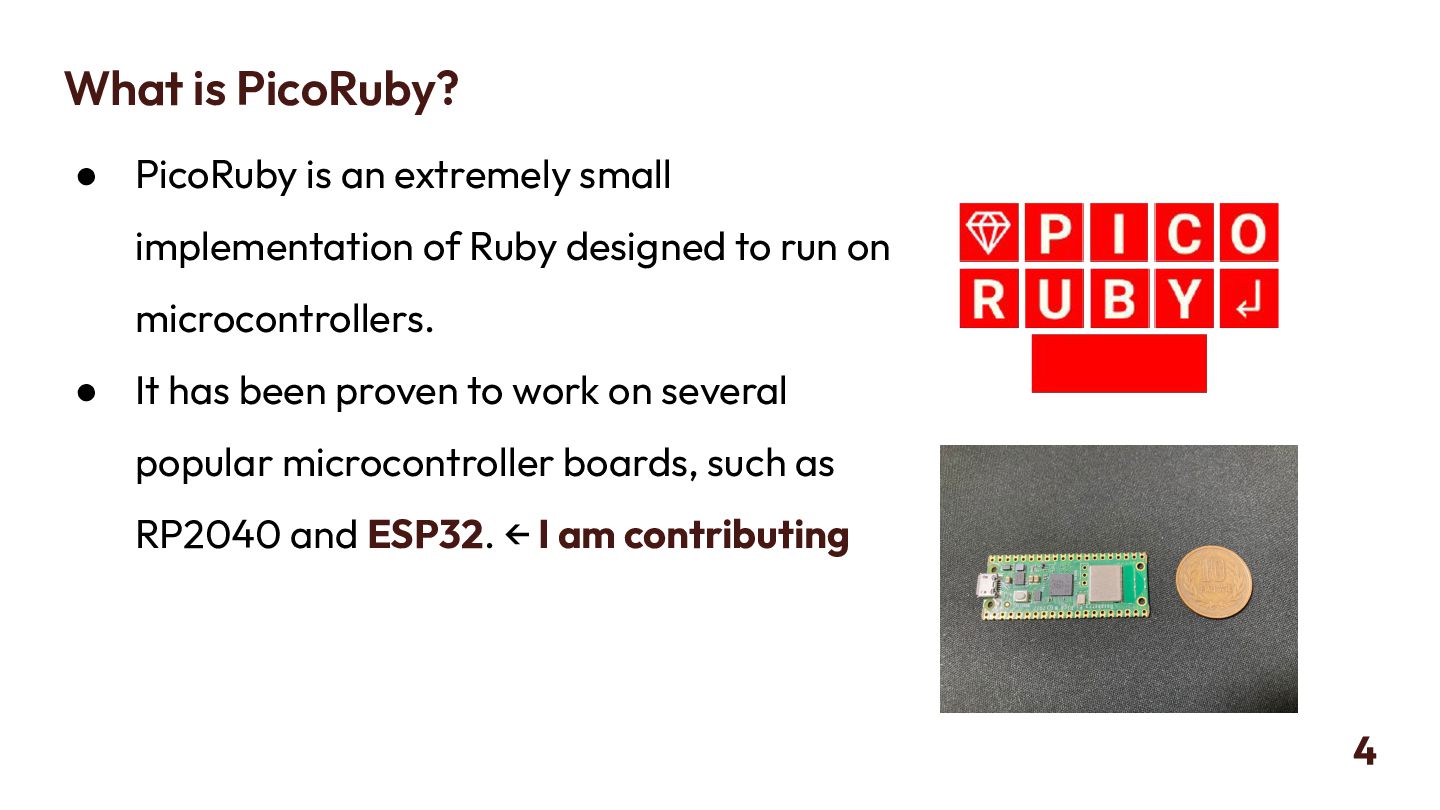
  4. What is PicoRuby? • PicoRuby is an extremely small implementation

    of Ruby designed to run on microcontrollers. • It has been proven to work on several popular microcontroller boards, such as RP2040 and ESP32. ← I am contributing 4
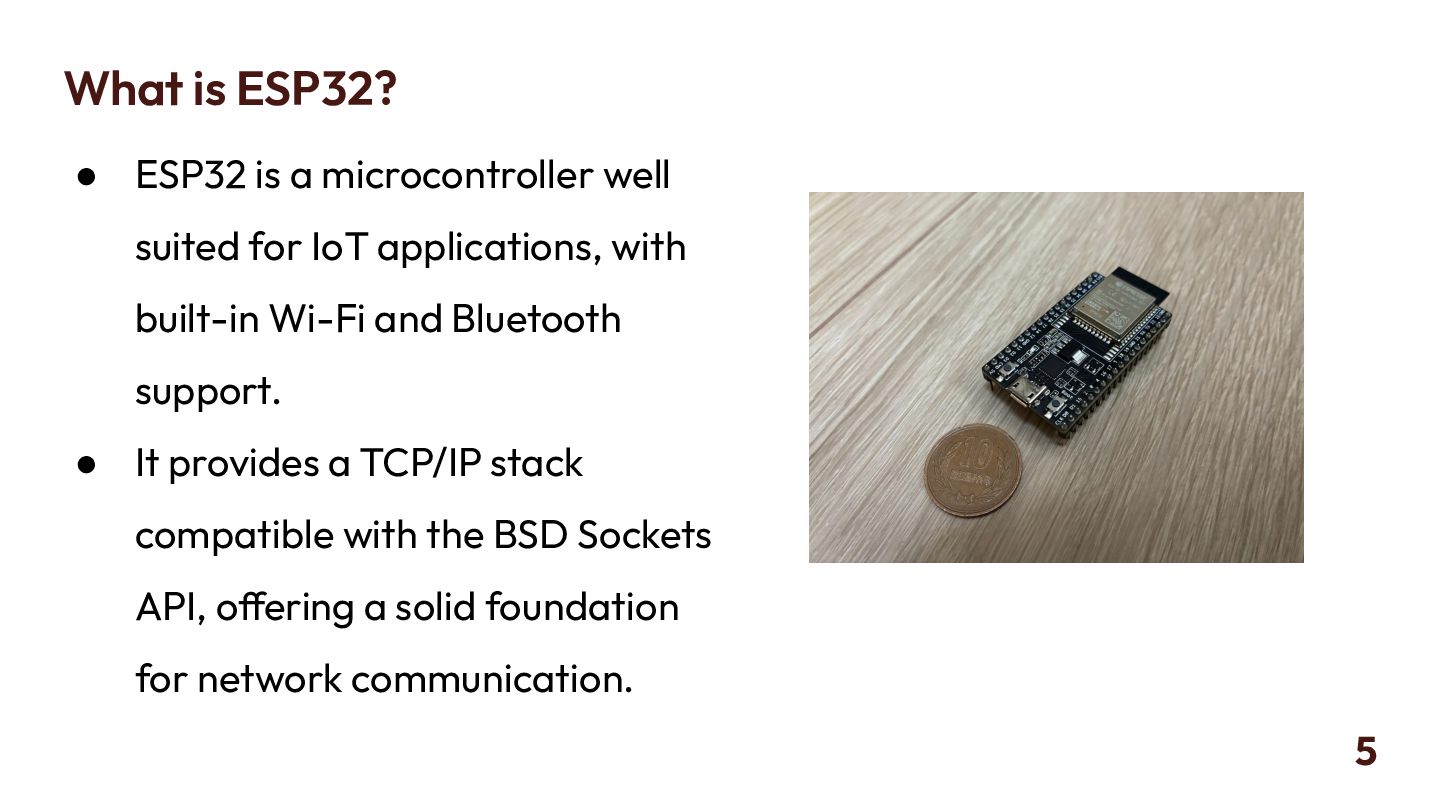
  5. What is ESP32? • ESP32 is a microcontroller well suited

    for IoT applications, with built-in Wi-Fi and Bluetooth support. • It provides a TCP/IP stack compatible with the BSD Sockets API, offering a solid foundation for network communication. 5
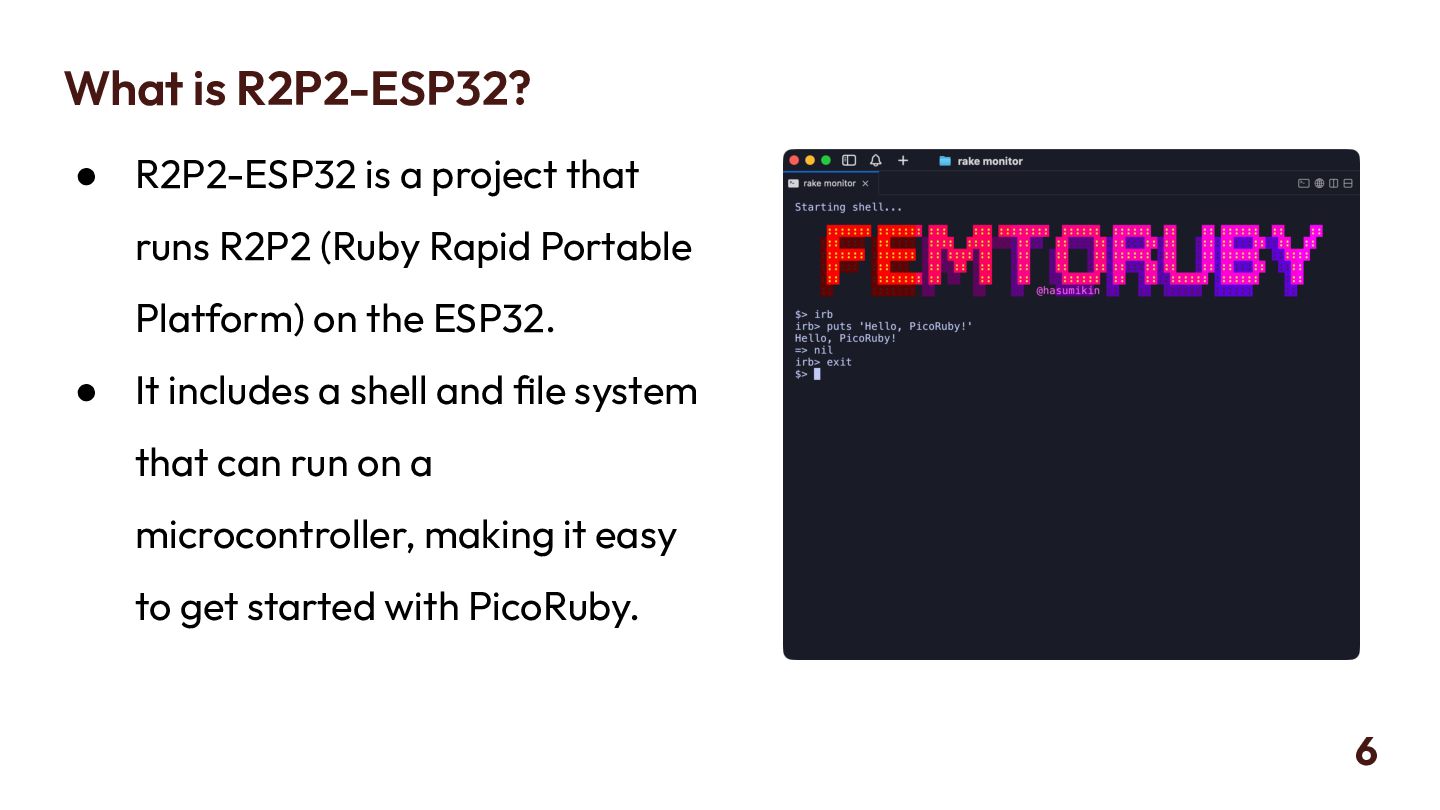
  6. What is R2P2-ESP32? • R2P2-ESP32 is a project that runs

    R2P2 (Ruby Rapid Portable Platform) on the ESP32. • It includes a shell and file system that can run on a microcontroller, making it easy to get started with PicoRuby. 6
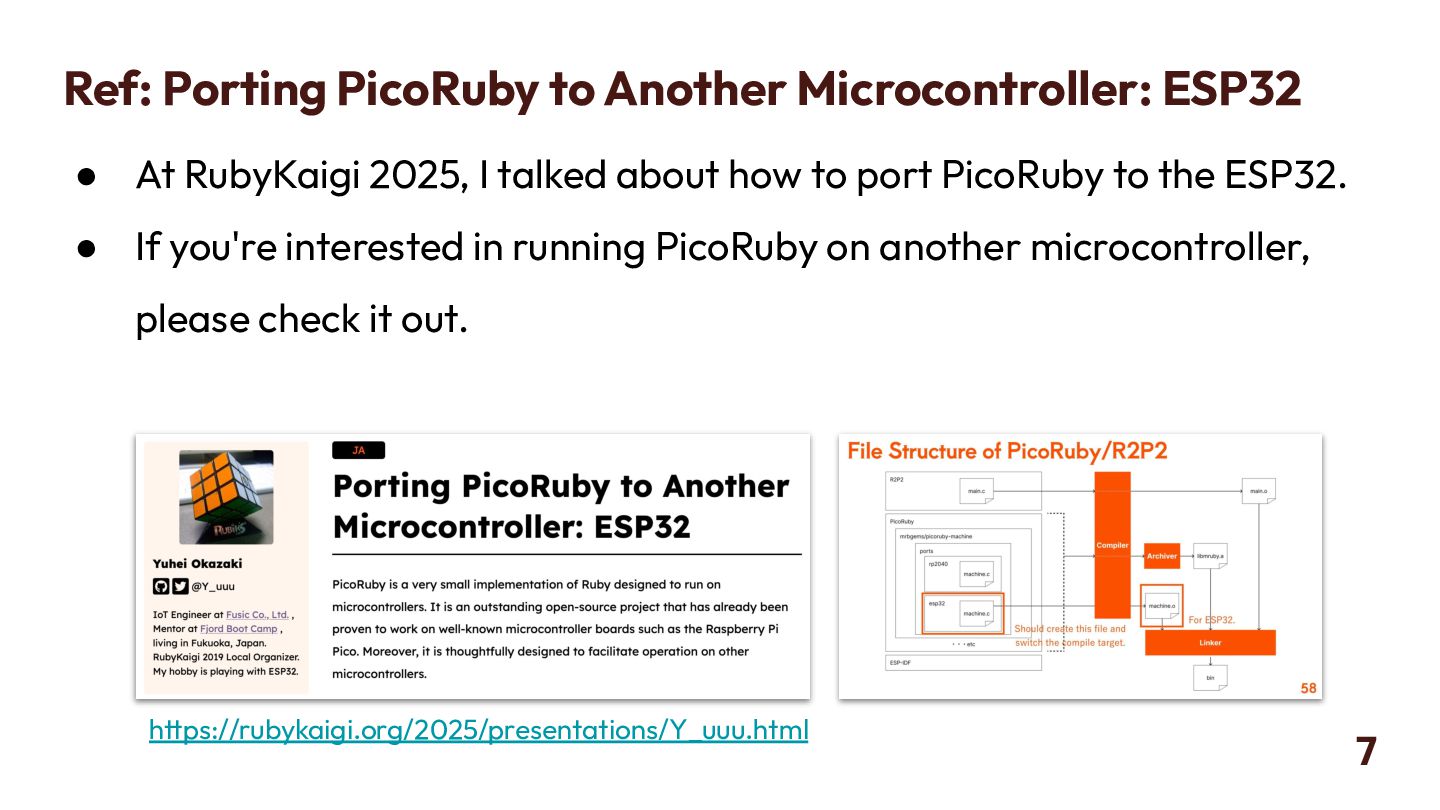
  7. Ref: Porting PicoRuby to Another Microcontroller: ESP32 • At RubyKaigi

    2025, I talked about how to port PicoRuby to the ESP32. • If you're interested in running PicoRuby on another microcontroller, please check it out. 7 https://rubykaigi.org/2025/presentations/Y_uuu.html
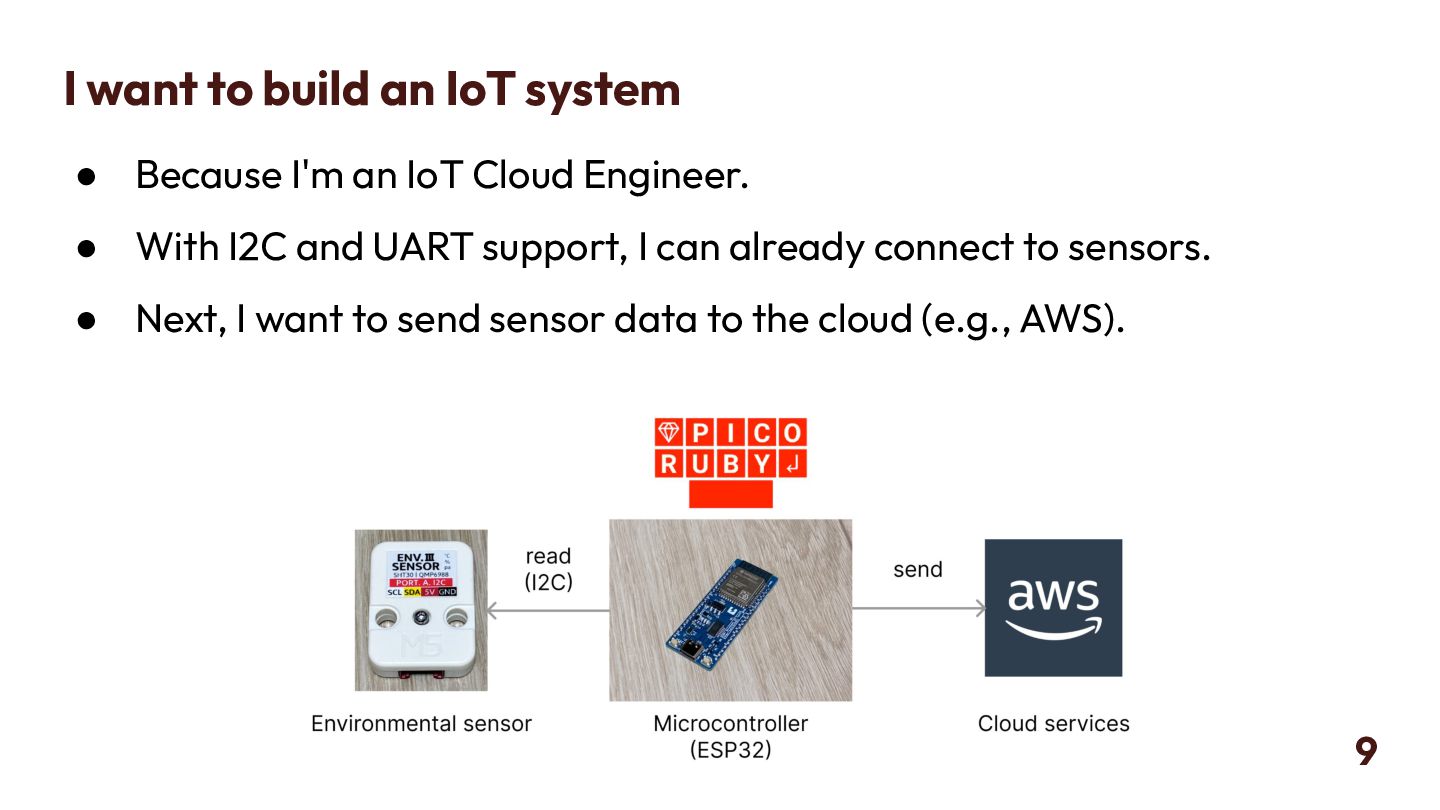
  8. I want to build an IoT system • Because I'm

    an IoT Cloud Engineer. • With I2C and UART support, I can already connect to sensors. • Next, I want to send sensor data to the cloud (e.g., AWS). 9
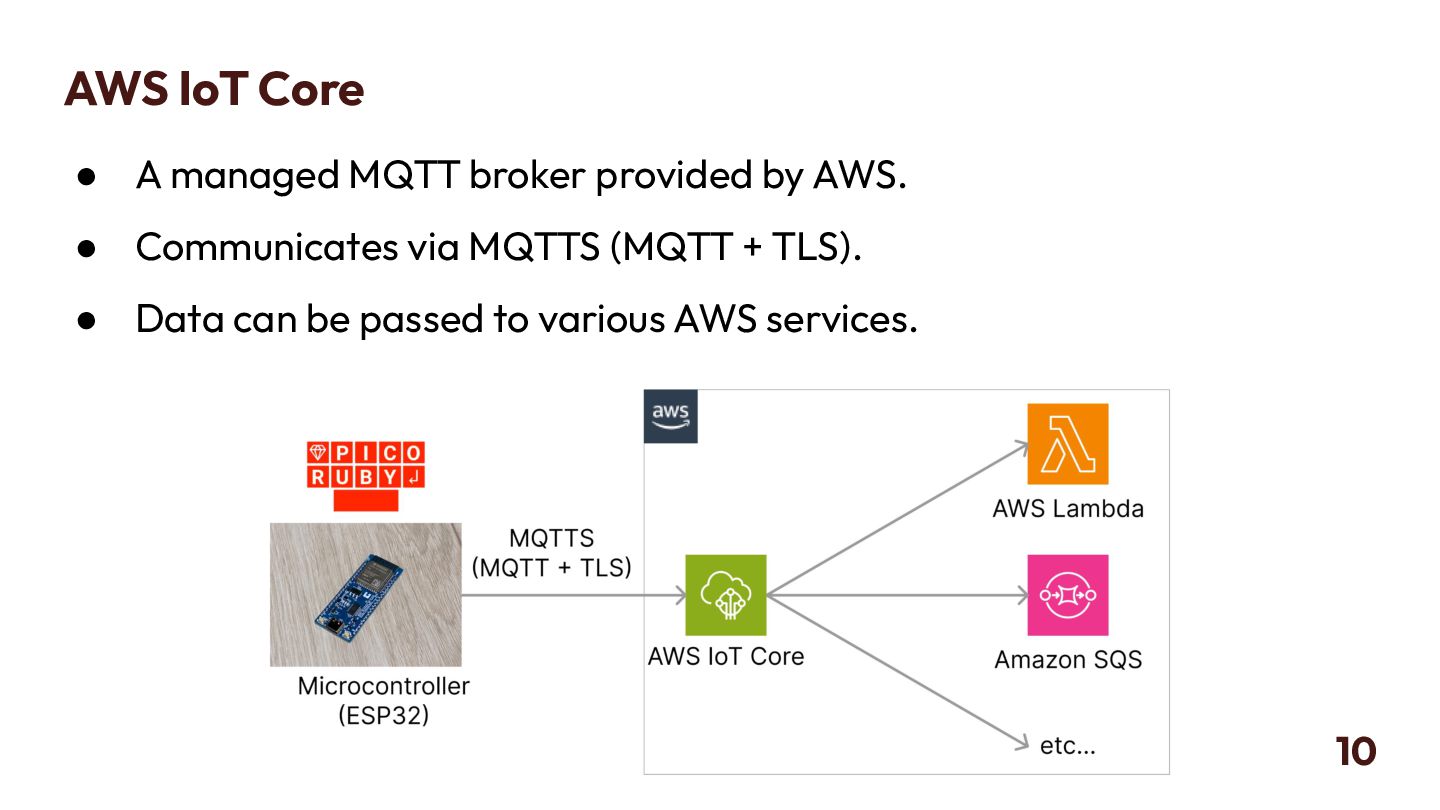
  9. AWS IoT Core • A managed MQTT broker provided by

    AWS. • Communicates via MQTTS (MQTT + TLS). • Data can be passed to various AWS services. 10
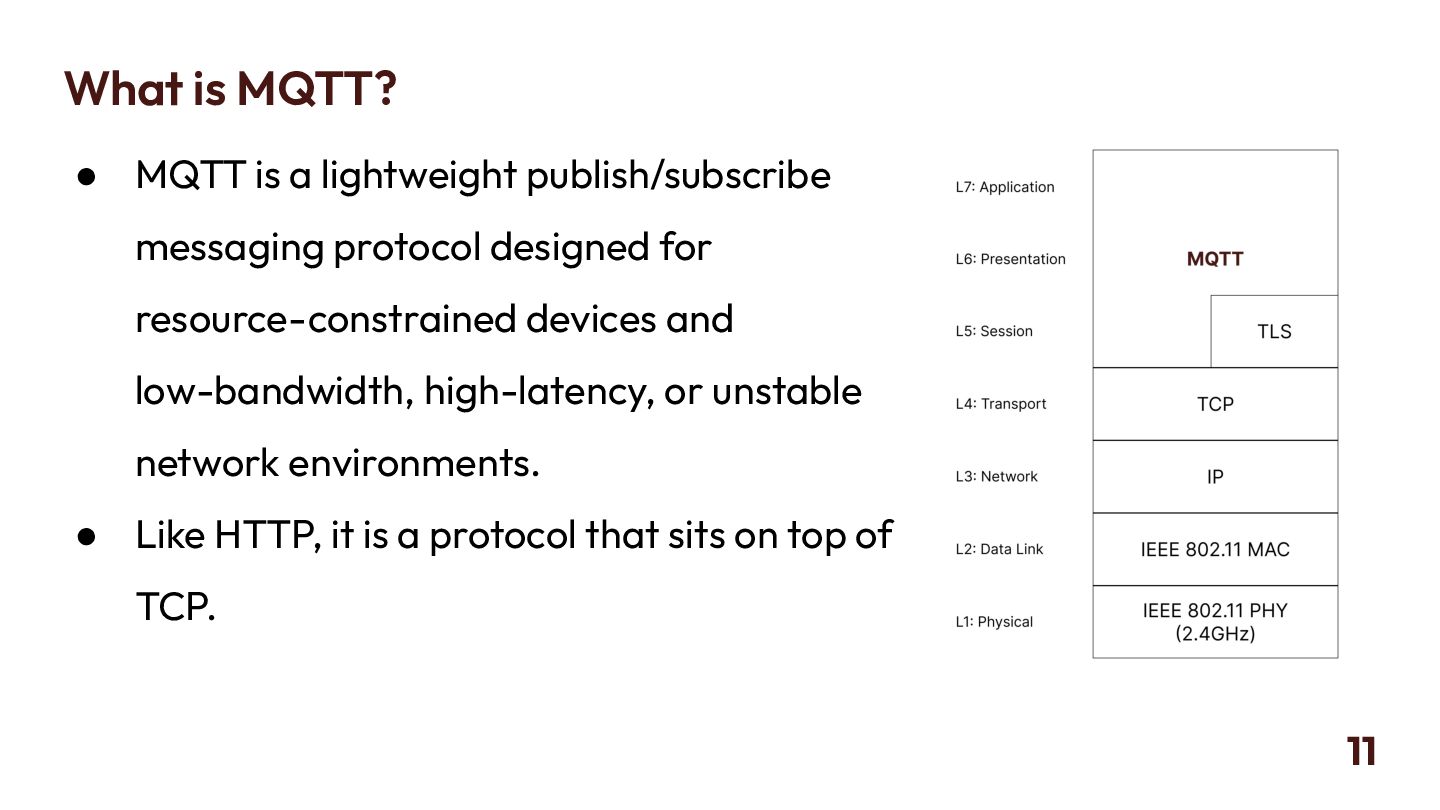
  10. What is MQTT? • MQTT is a lightweight publish/subscribe messaging

    protocol designed for resource-constrained devices and low-bandwidth, high-latency, or unstable network environments. • Like HTTP, it is a protocol that sits on top of TCP. 11
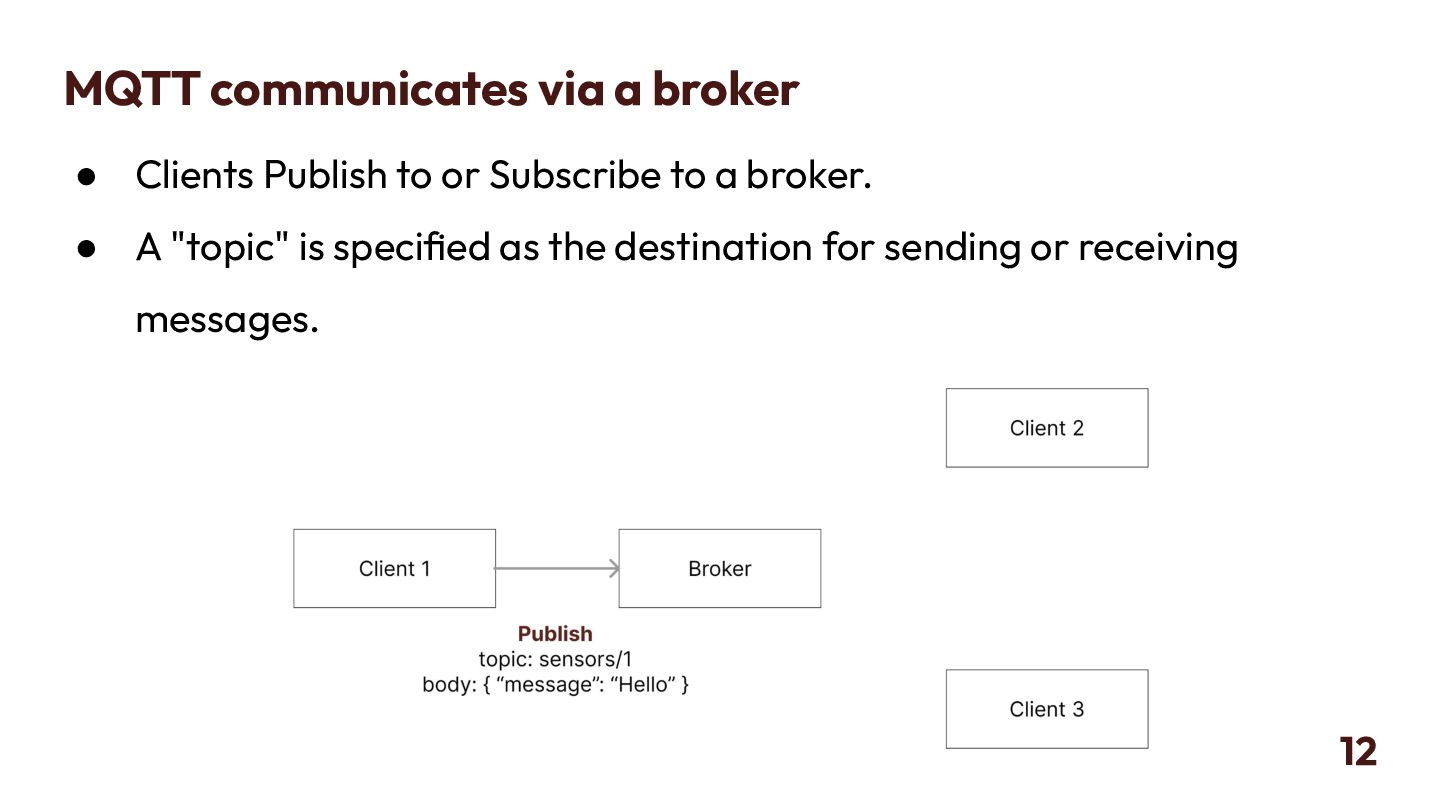
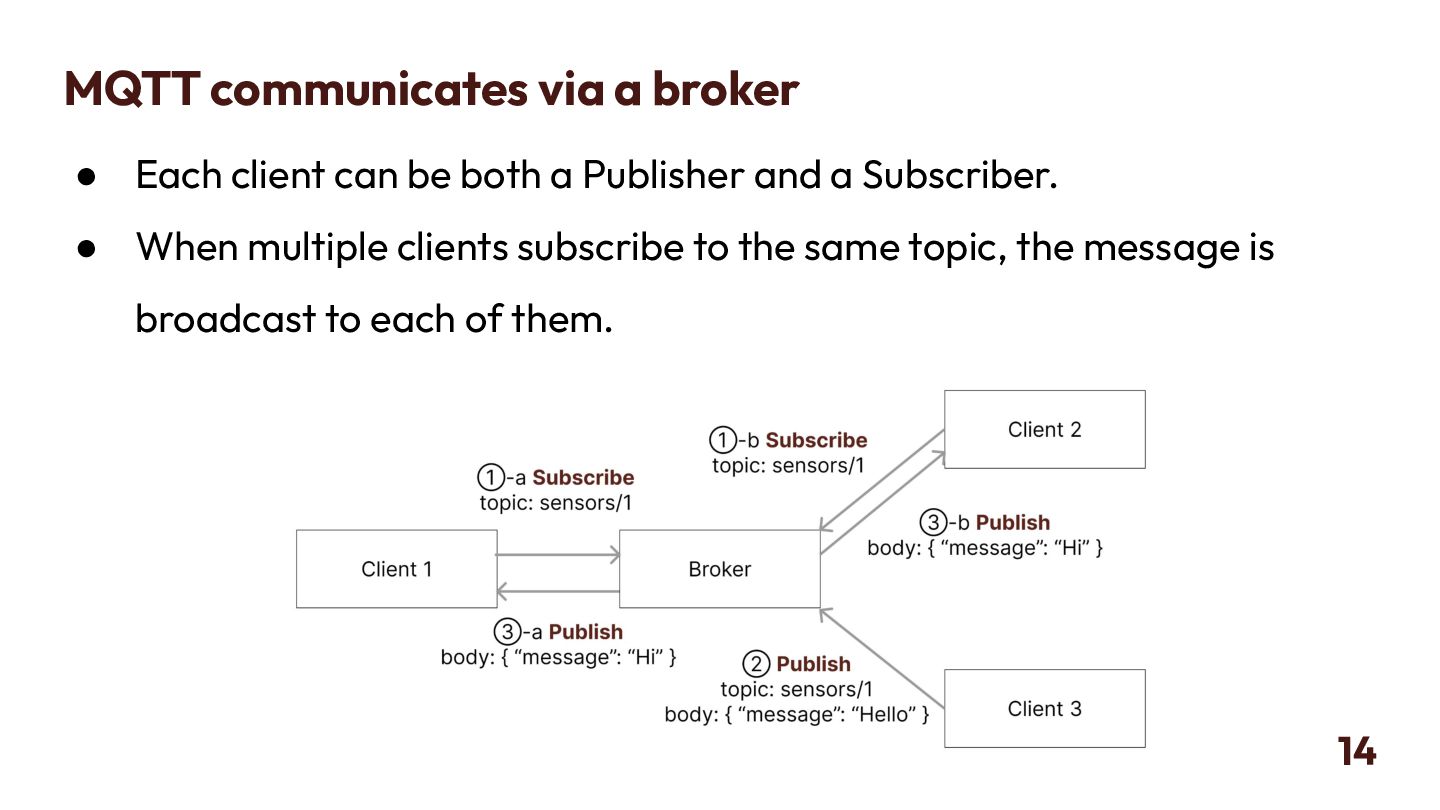
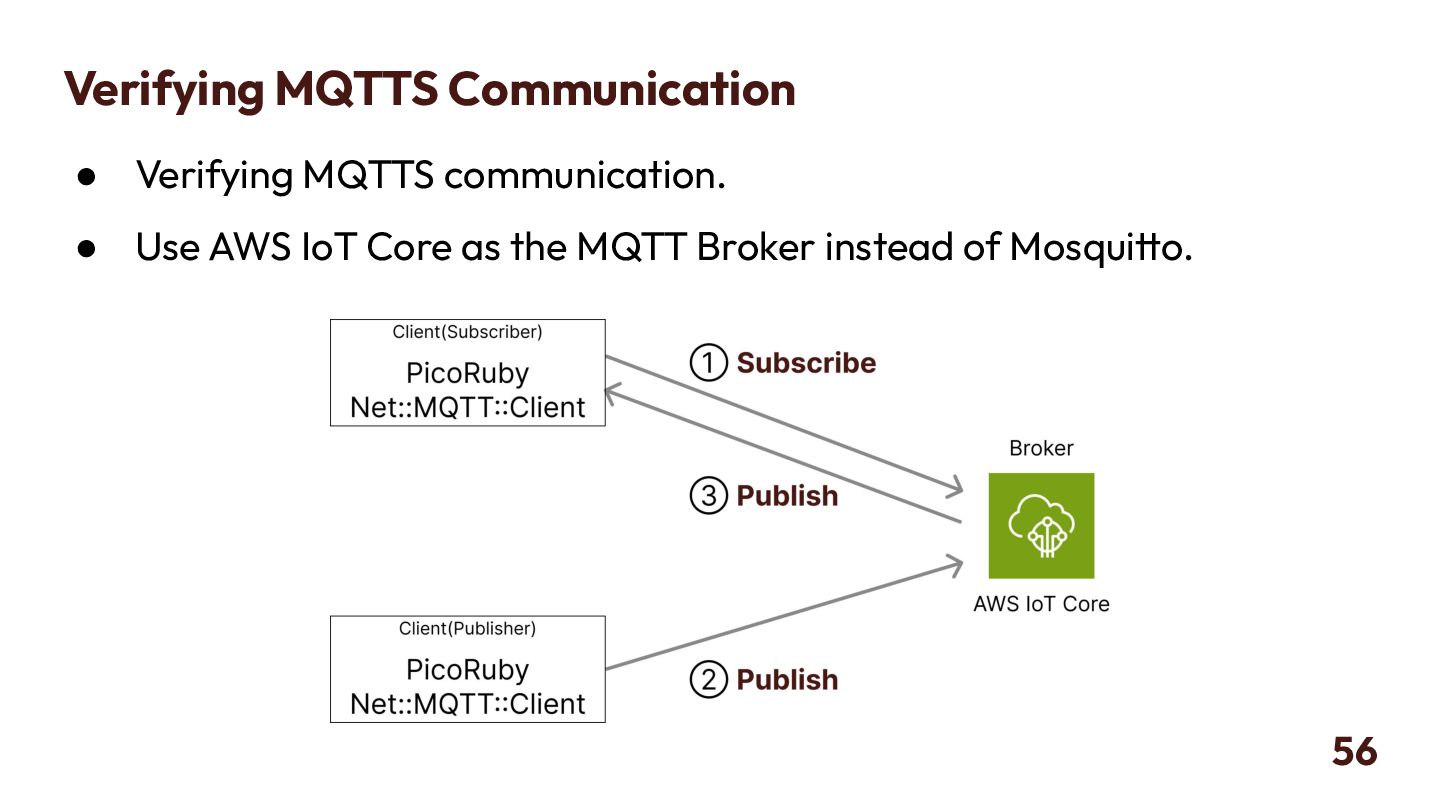
  11. MQTT communicates via a broker • Clients Publish to or

    Subscribe to a broker. • A "topic" is specified as the destination for sending or receiving messages. 12
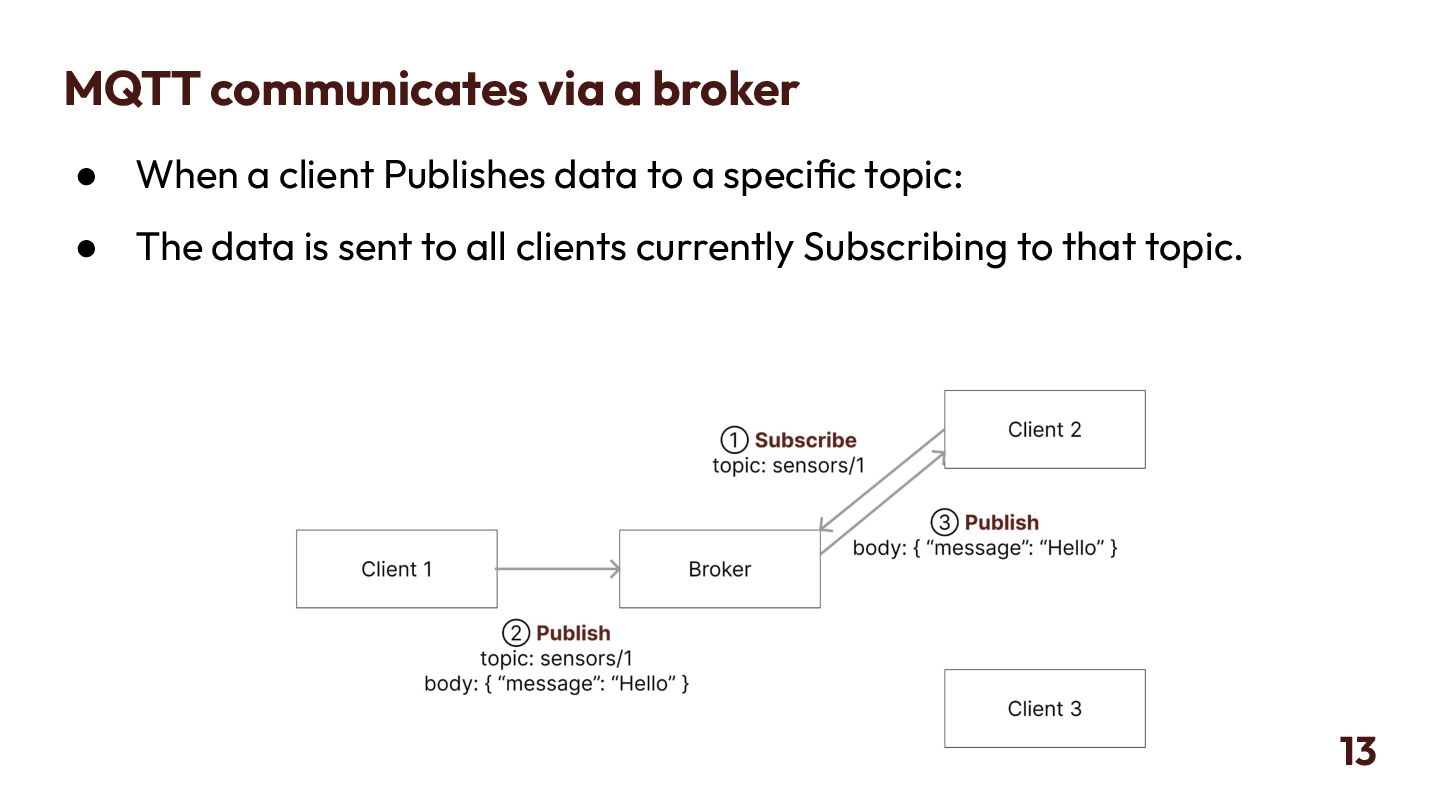
  12. MQTT communicates via a broker • When a client Publishes

    data to a specific topic: • The data is sent to all clients currently Subscribing to that topic. 13
  13. MQTT communicates via a broker • Each client can be

    both a Publisher and a Subscriber. • When multiple clients subscribe to the same topic, the message is broadcast to each of them. 14
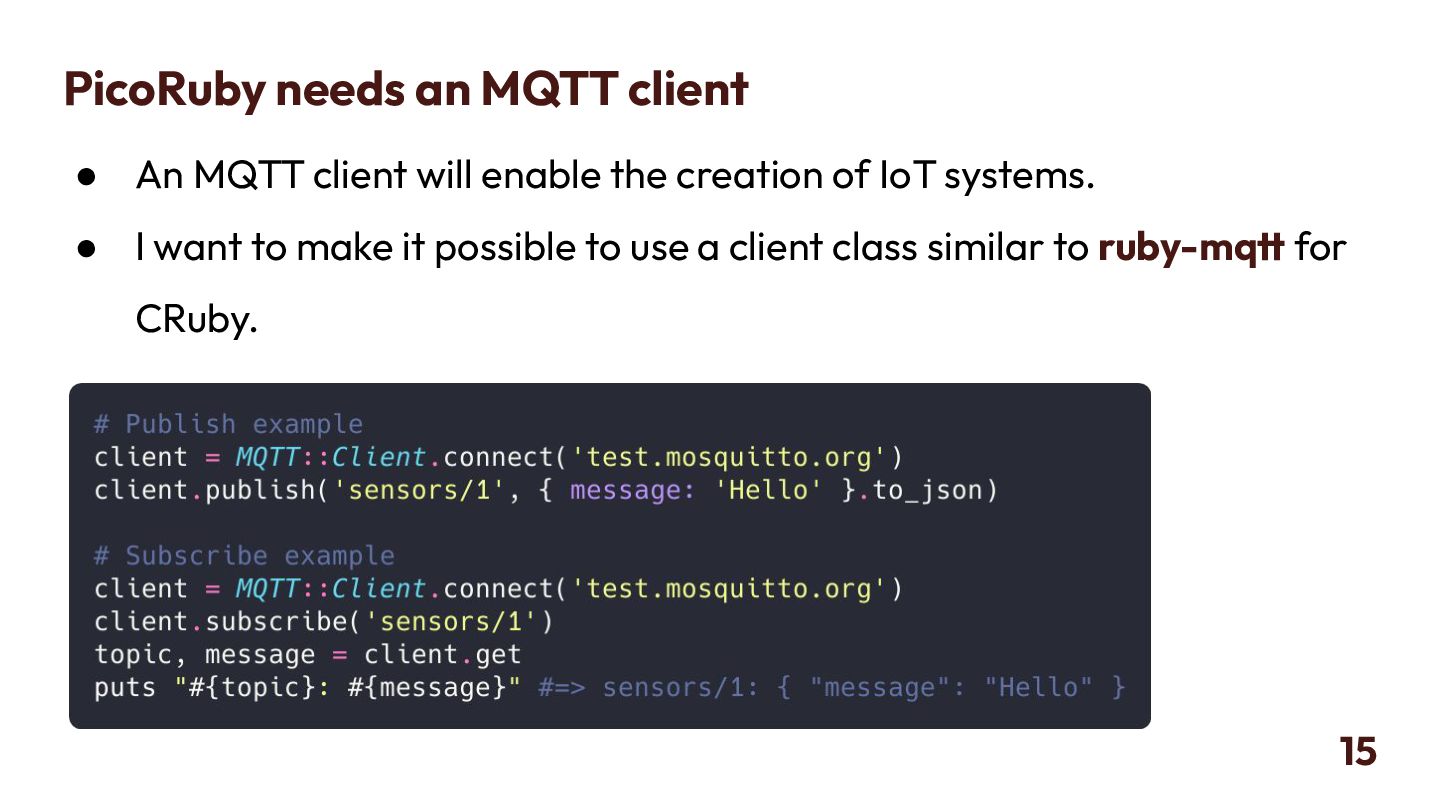
  14. PicoRuby needs an MQTT client • An MQTT client will

    enable the creation of IoT systems. • I want to make it possible to use a client class similar to ruby-mqtt for CRuby. 15
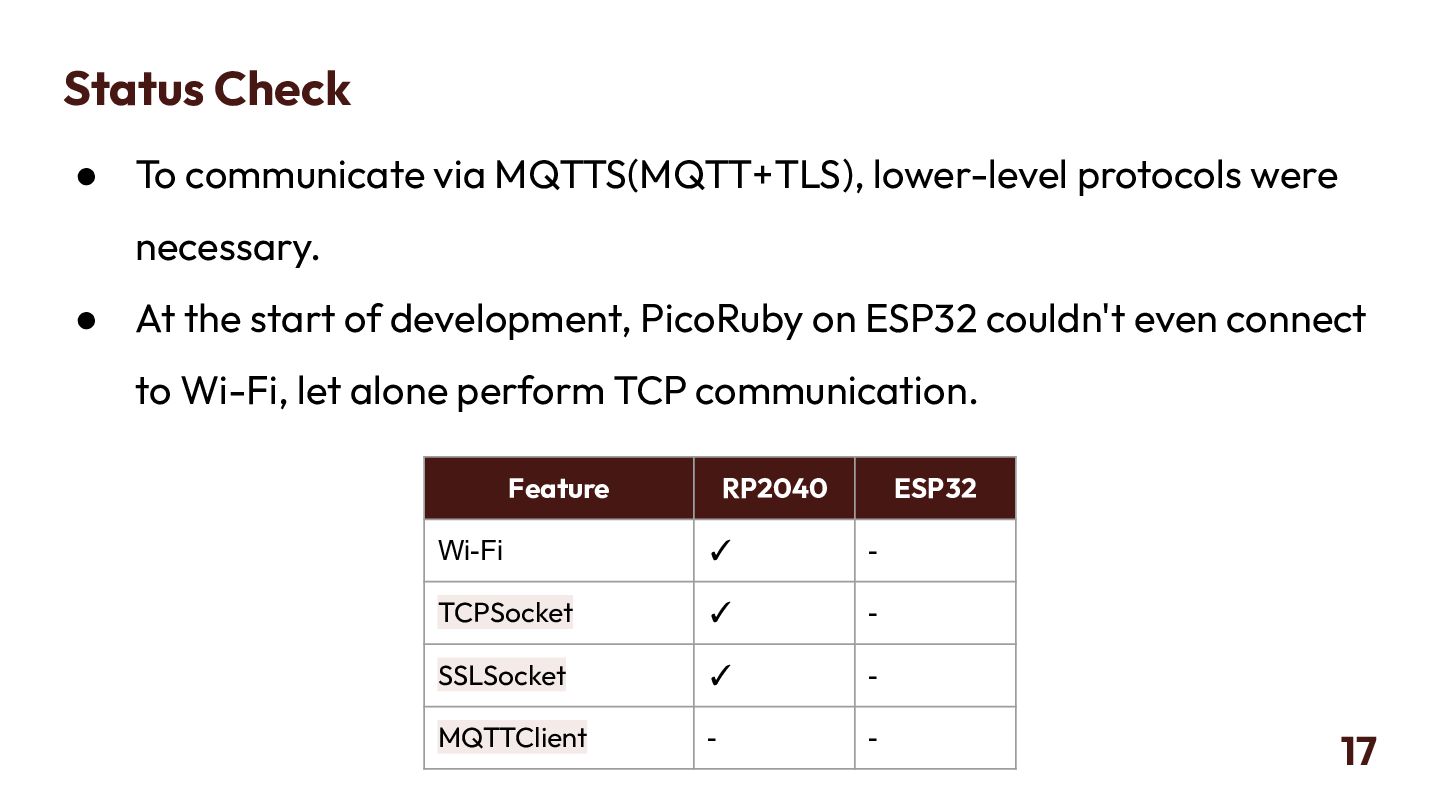
  15. Status Check • To communicate via MQTTS(MQTT+TLS), lower-level protocols were

    necessary. • At the start of development, PicoRuby on ESP32 couldn't even connect to Wi-Fi, let alone perform TCP communication. 17 Feature RP2040 ESP32 Wi-Fi ✓ - TCPSocket ✓ - SSLSocket ✓ - MQTTClient - -
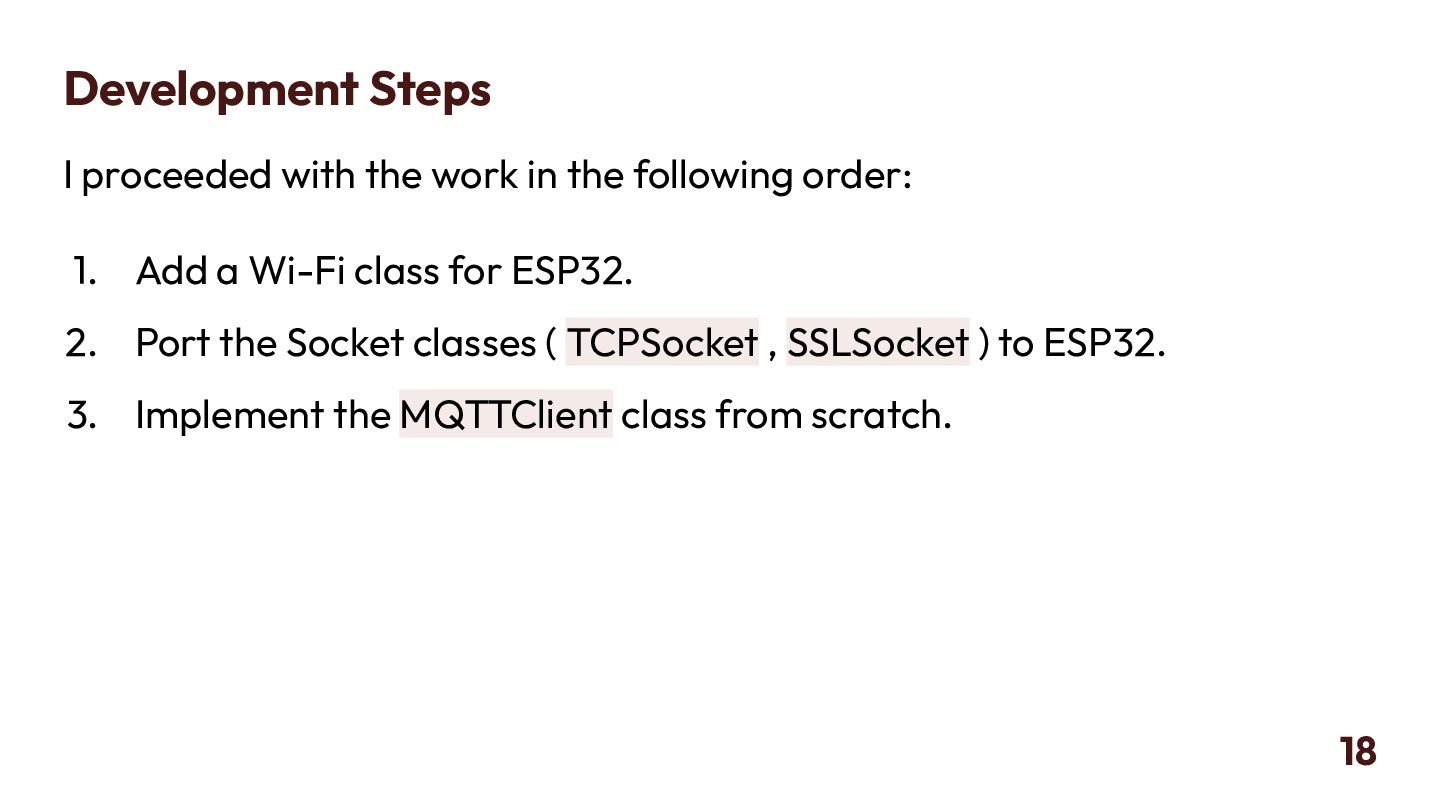
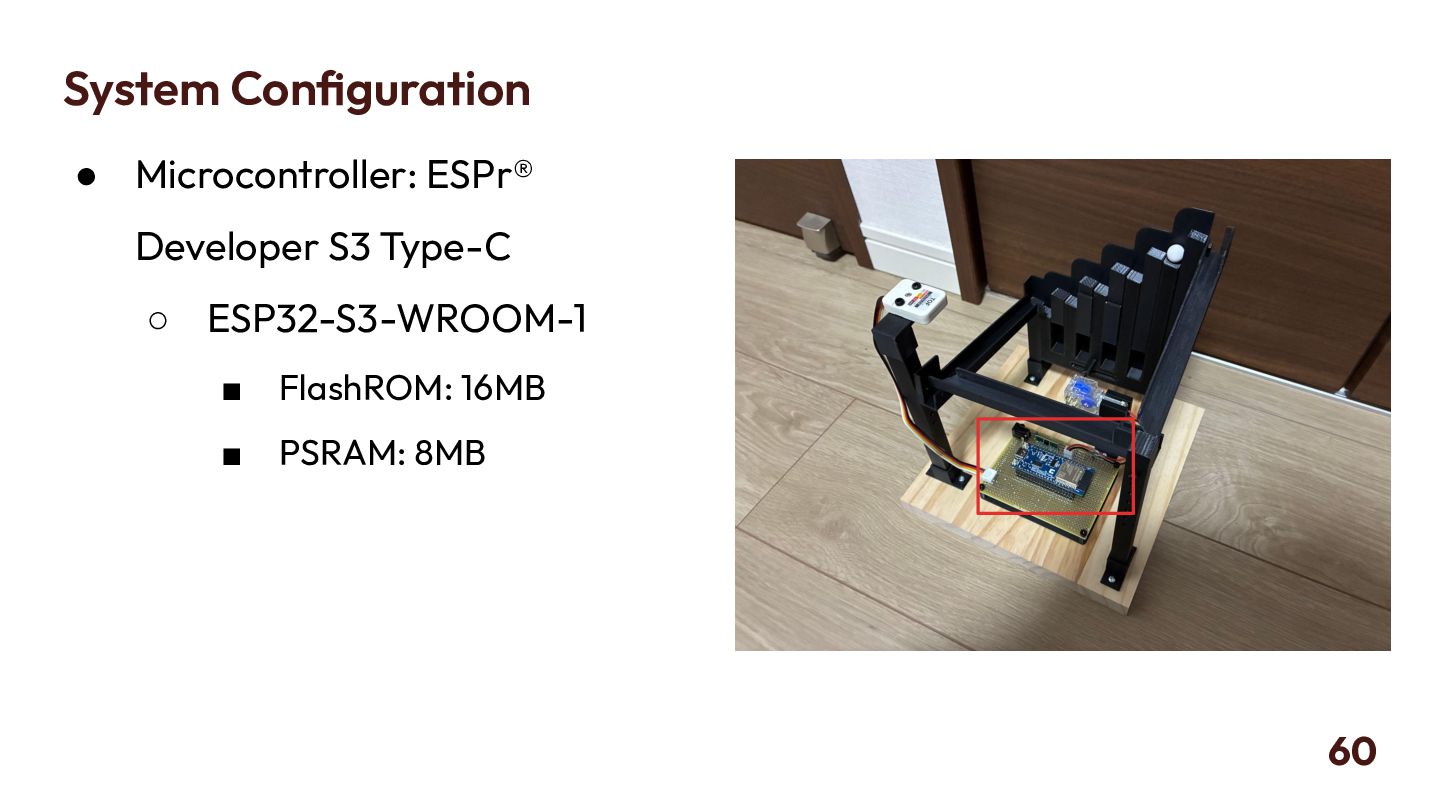
  16. Development Steps I proceeded with the work in the following

    order: 1. Add a Wi-Fi class for ESP32. 2. Port the Socket classes ( TCPSocket , SSLSocket ) to ESP32. 3. Implement the MQTTClient class from scratch. 18
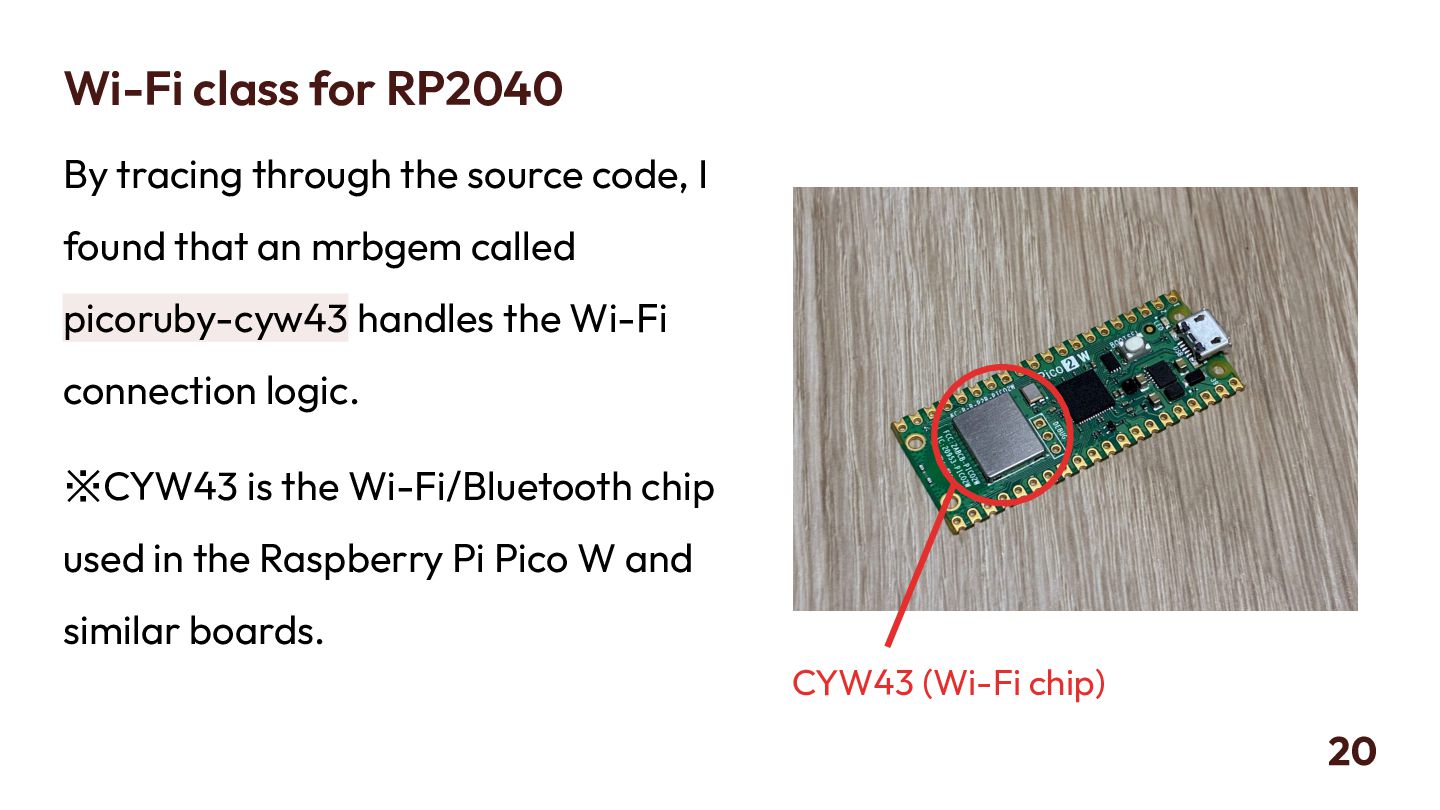
  17. Wi-Fi class for RP2040 By tracing through the source code,

    I found that an mrbgem called picoruby-cyw43 handles the Wi-Fi connection logic. ※CYW43 is the Wi-Fi/Bluetooth chip used in the Raspberry Pi Pico W and similar boards. 20 CYW43 (Wi-Fi chip)
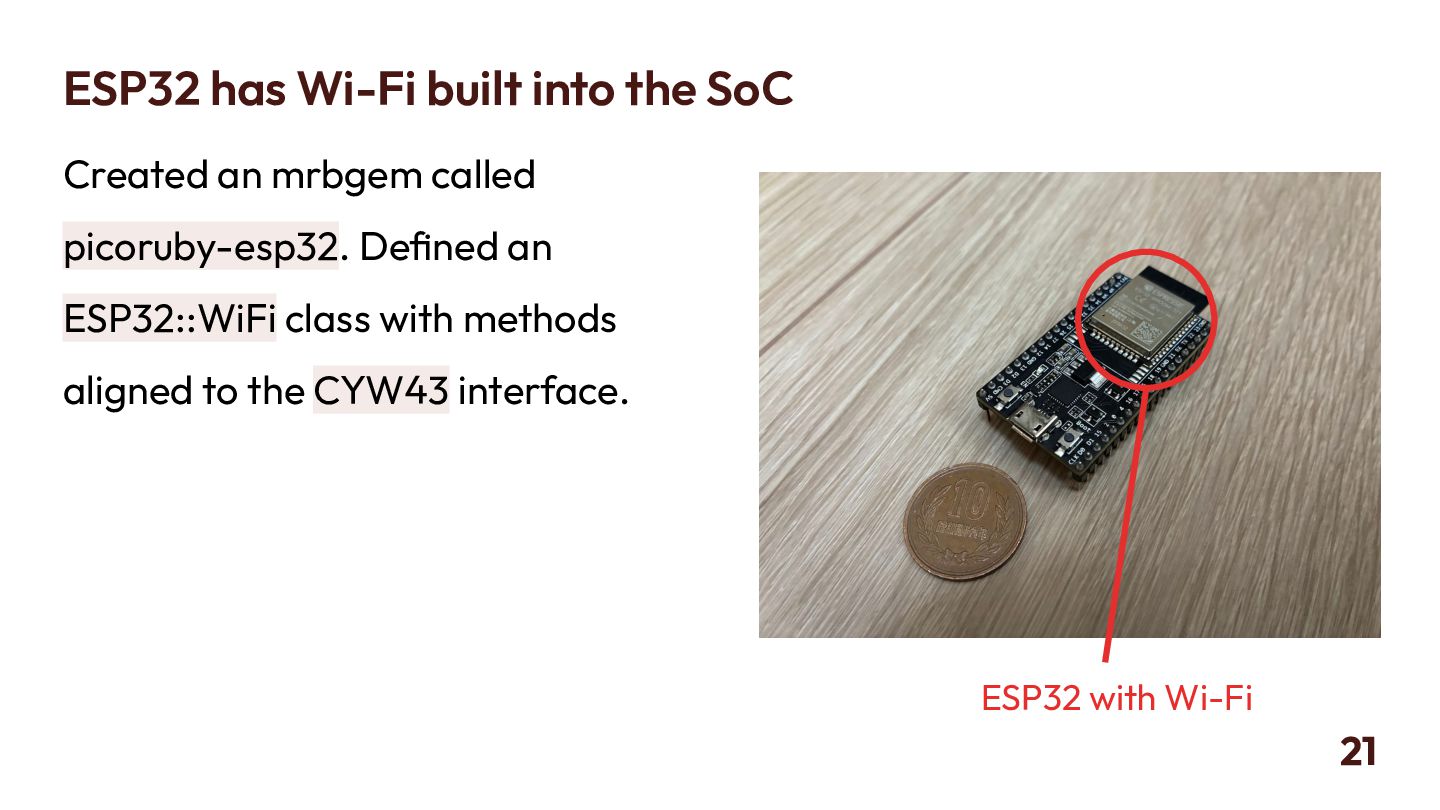
  18. ESP32 has Wi-Fi built into the SoC Created an mrbgem

    called picoruby-esp32. Defined an ESP32::WiFi class with methods aligned to the CYW43 interface. 21 ESP32 with Wi-Fi
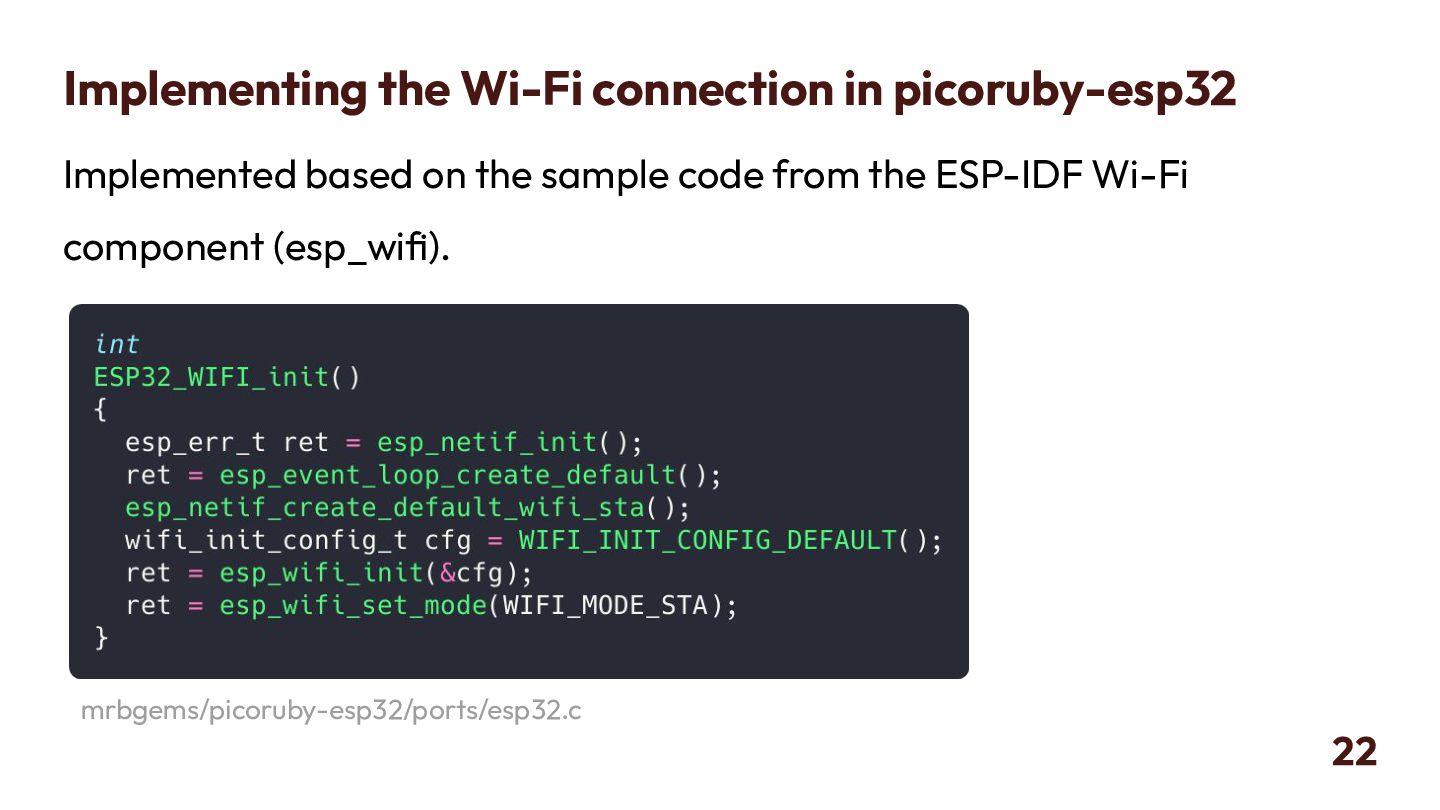
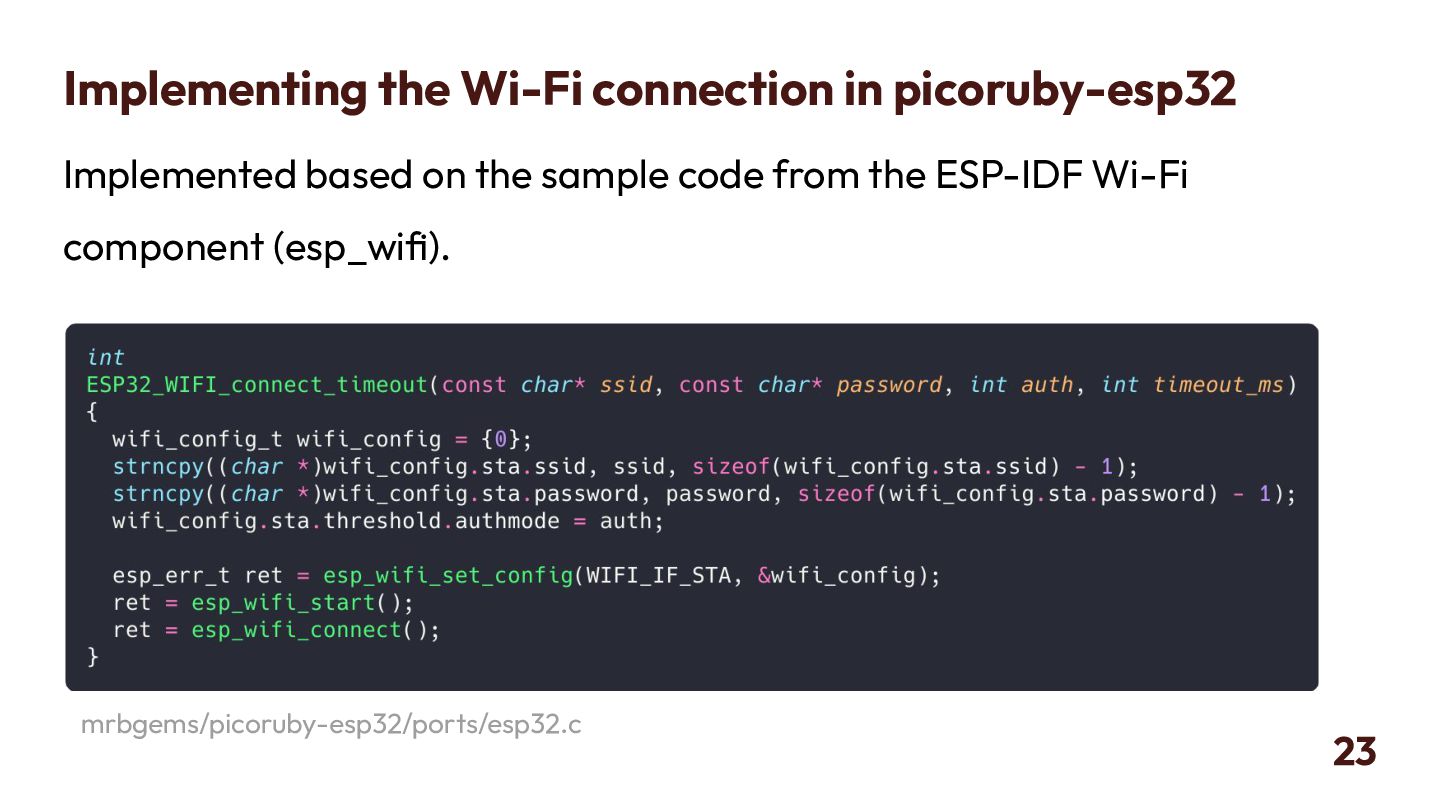
  19. Implementing the Wi-Fi connection in picoruby-esp32 Implemented based on the

    sample code from the ESP-IDF Wi-Fi component (esp_wifi). 22 mrbgems/picoruby-esp32/ports/esp32.c
  20. Implementing the Wi-Fi connection in picoruby-esp32 Implemented based on the

    sample code from the ESP-IDF Wi-Fi component (esp_wifi). 23 mrbgems/picoruby-esp32/ports/esp32.c
  21. What is Mbed TLS? Mbed TLS is a lightweight SSL/TLS

    library suitable for embedded environments. It is used for password encryption in Wi-Fi processes. It is also essential for MQTTS (MQTT+TLS) communication. 25
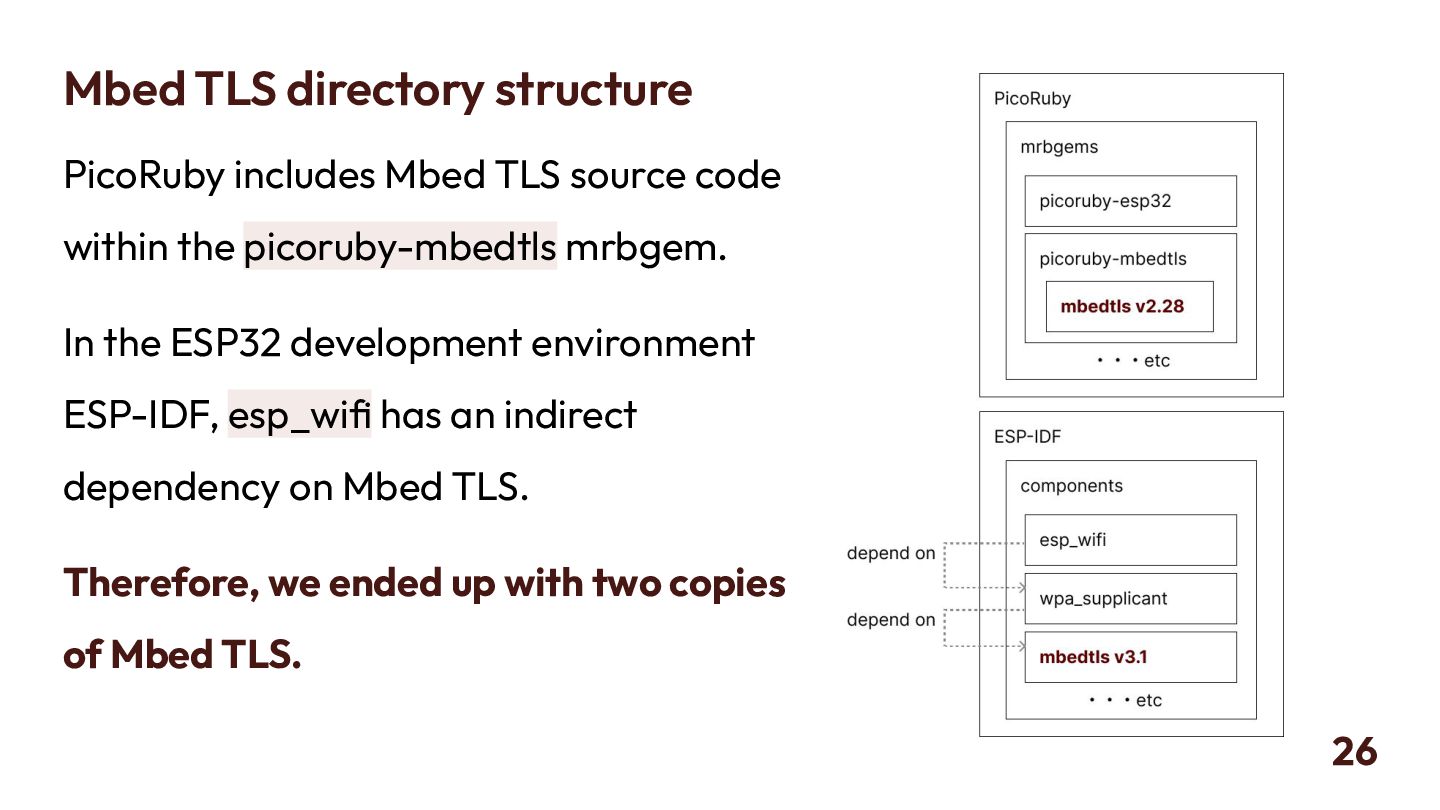
  22. Mbed TLS directory structure PicoRuby includes Mbed TLS source code

    within the picoruby-mbedtls mrbgem. In the ESP32 development environment ESP-IDF, esp_wifi has an indirect dependency on Mbed TLS. Therefore, we ended up with two copies of Mbed TLS. 26
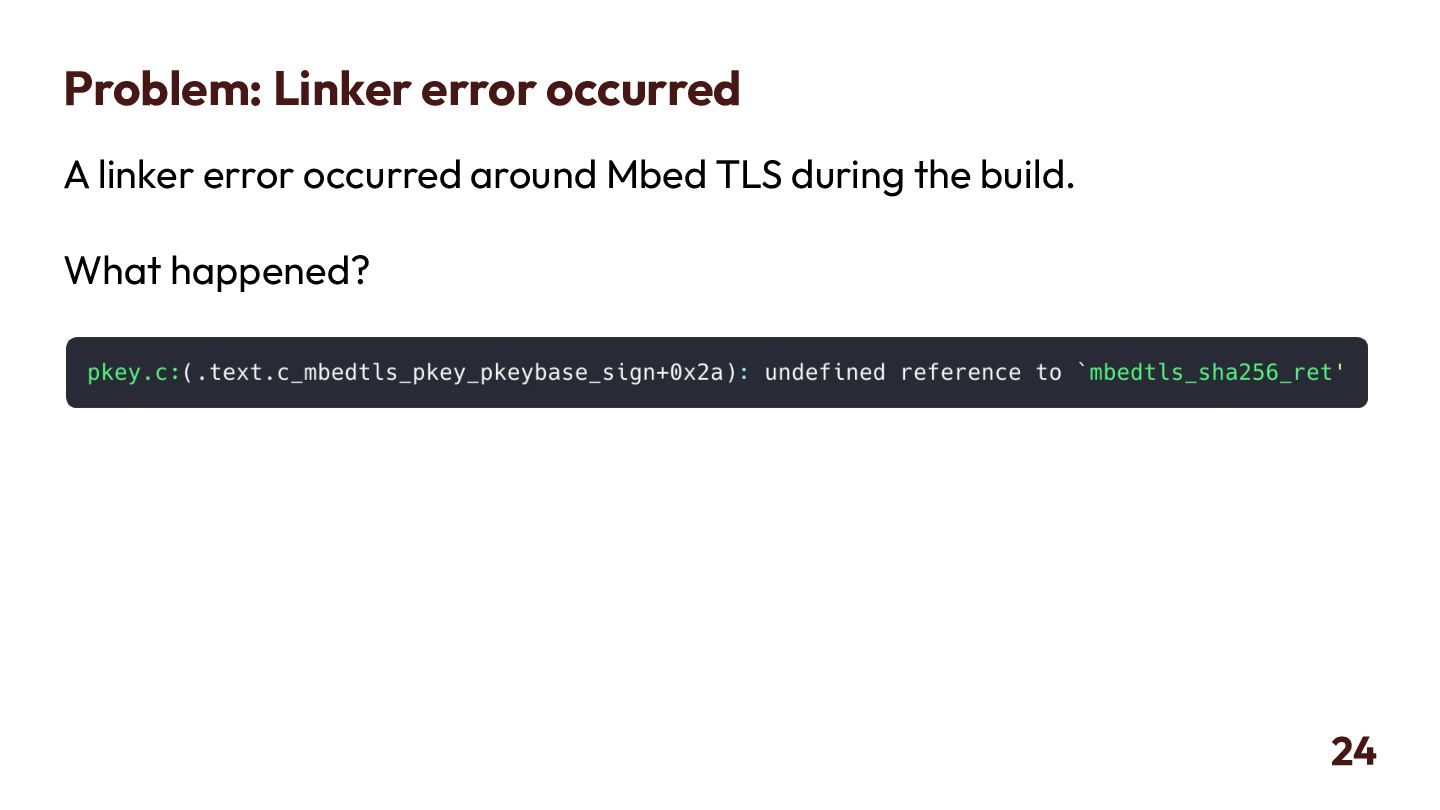
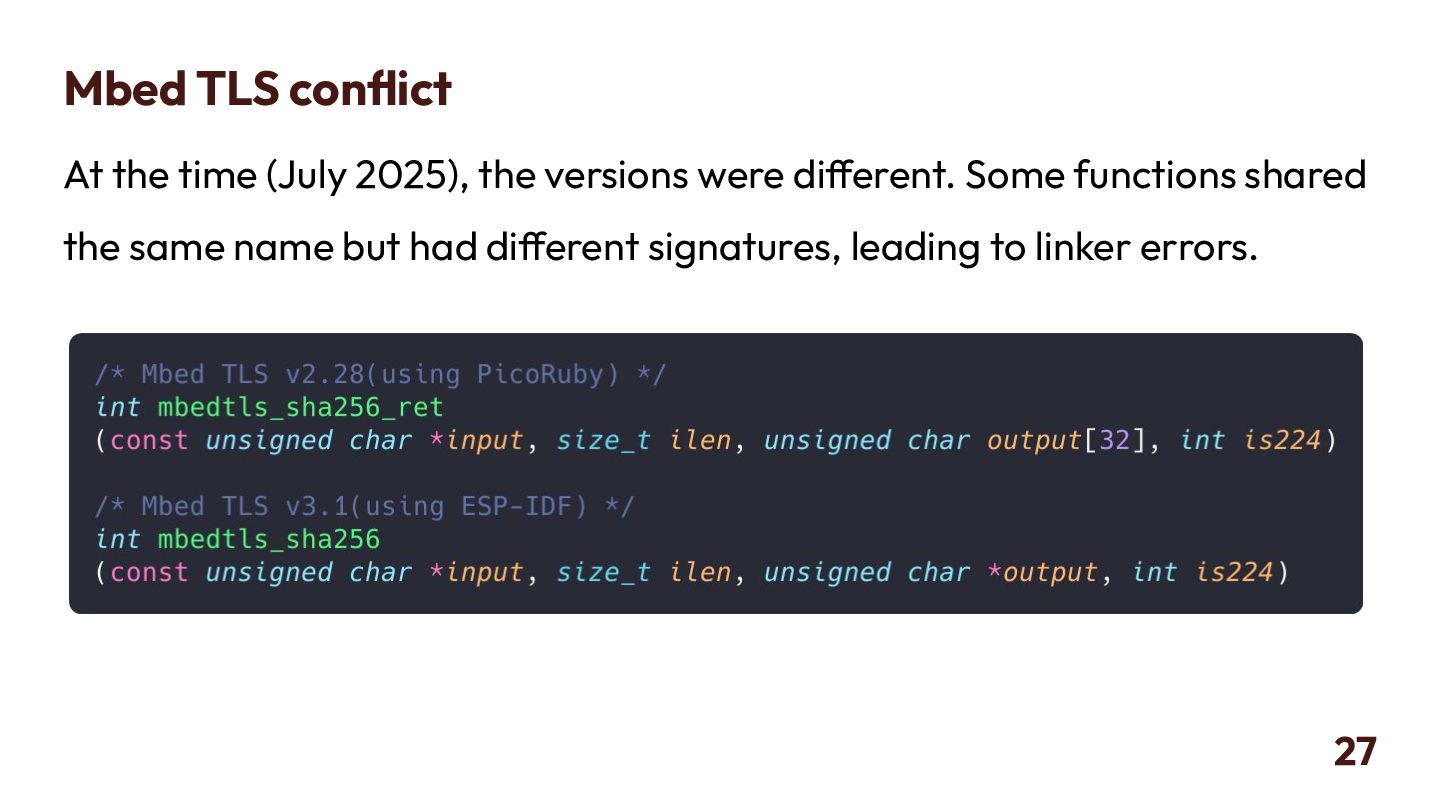
  23. Mbed TLS conflict At the time (July 2025), the versions

    were different. Some functions shared the same name but had different signatures, leading to linker errors. 27
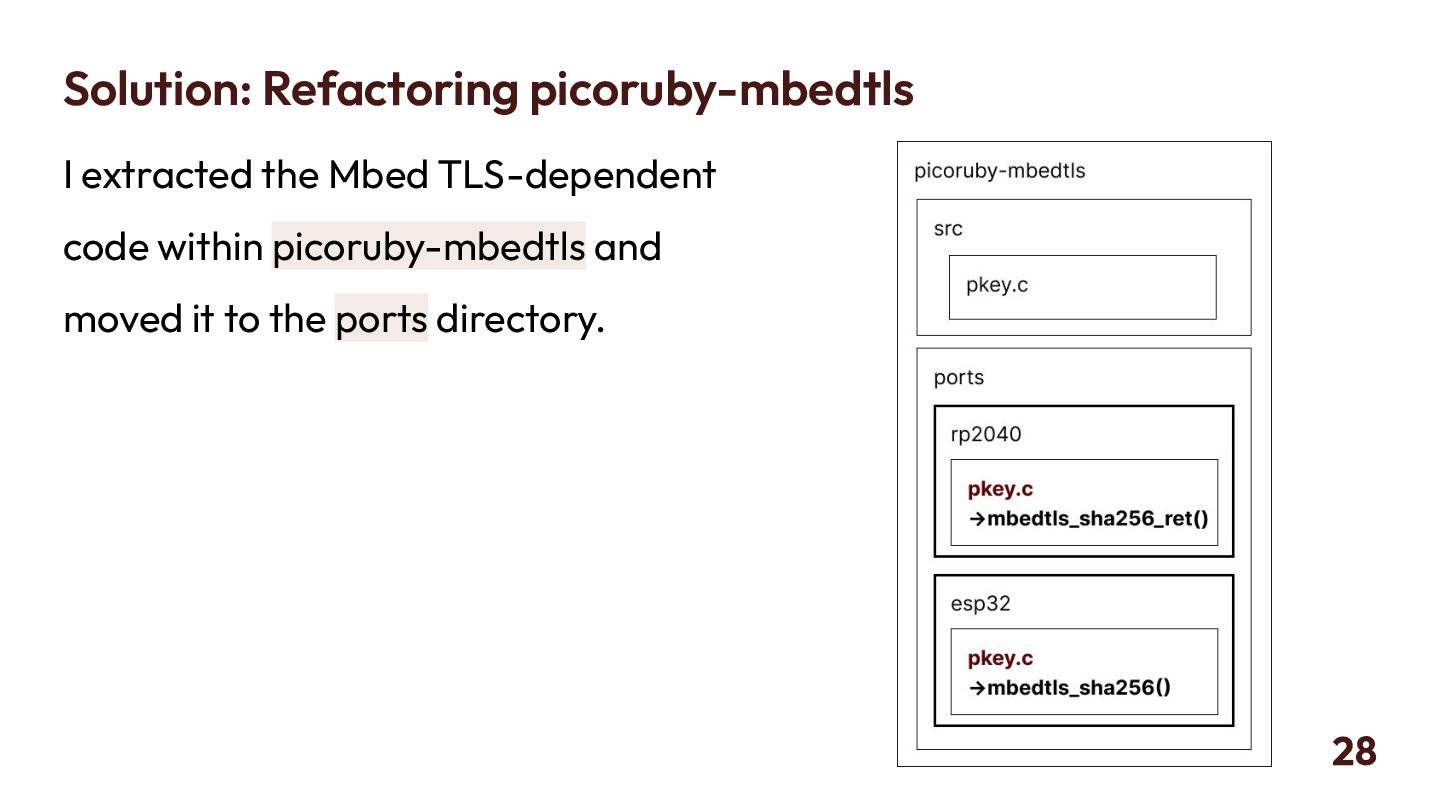
  24. Solution: Refactoring picoruby-mbedtls I extracted the Mbed TLS-dependent code within

    picoruby-mbedtls and moved it to the ports directory. 28
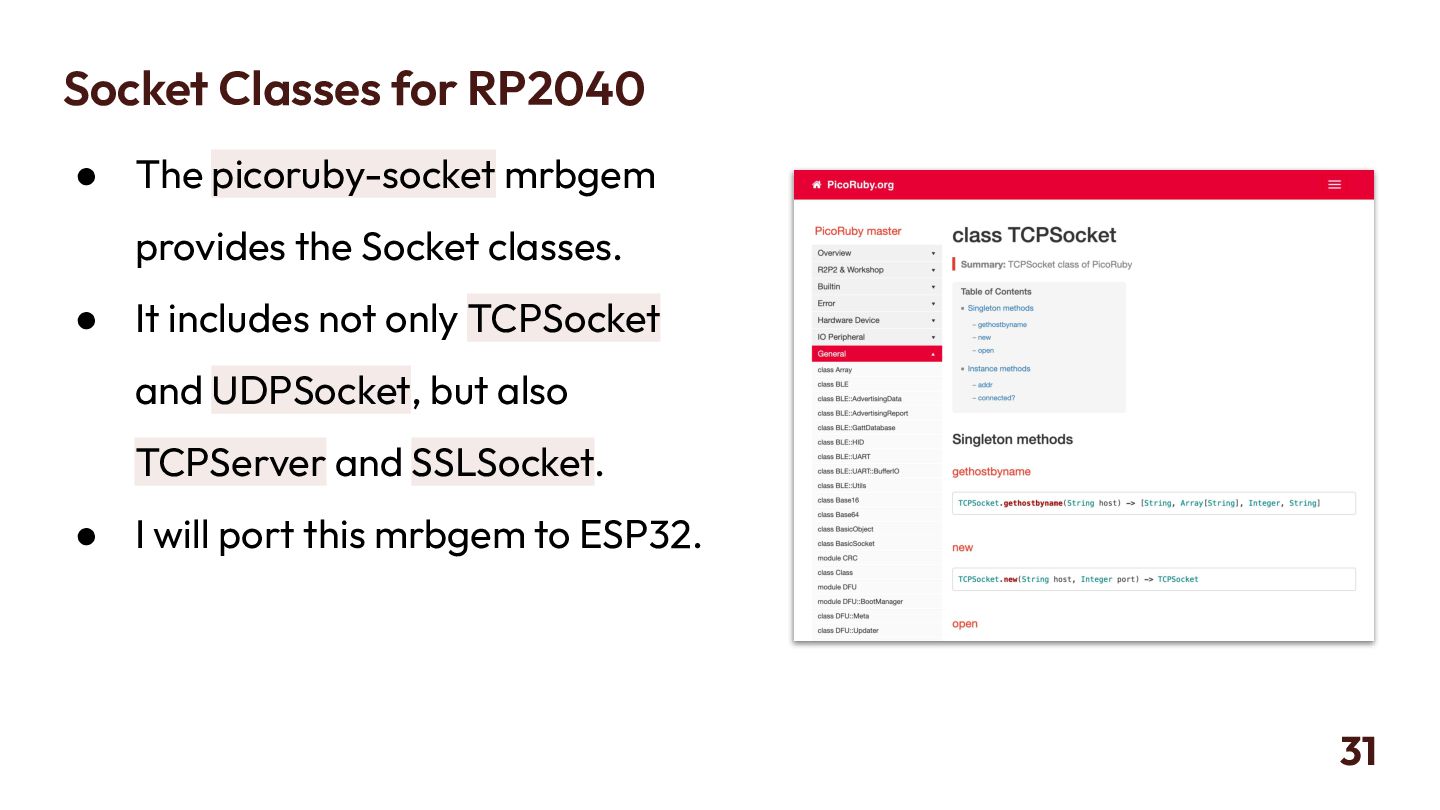
  25. Socket Classes for RP2040 • The picoruby-socket mrbgem provides the

    Socket classes. • It includes not only TCPSocket and UDPSocket, but also TCPServer and SSLSocket. • I will port this mrbgem to ESP32. 31
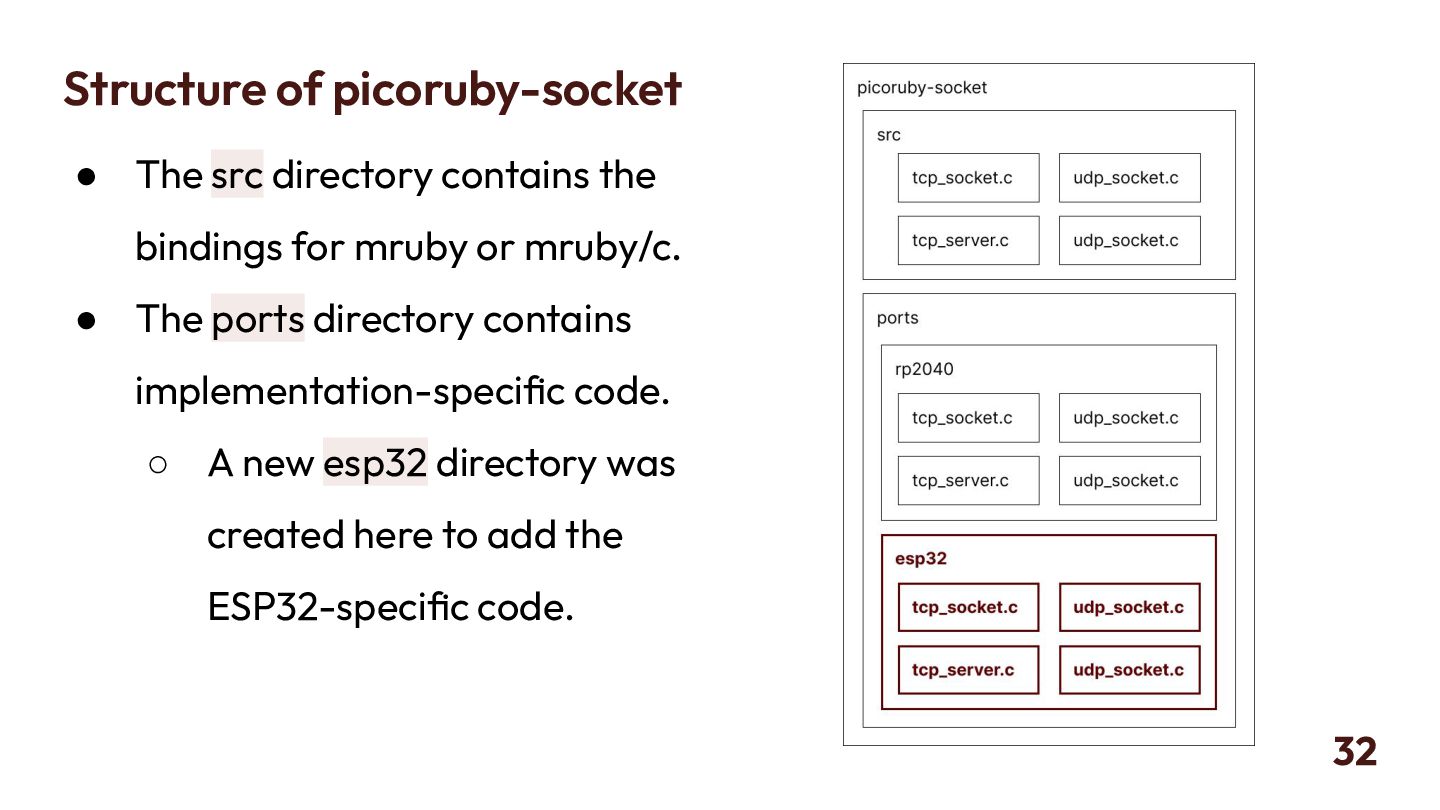
  26. Structure of picoruby-socket • The src directory contains the bindings

    for mruby or mruby/c. • The ports directory contains implementation-specific code. ◦ A new esp32 directory was created here to add the ESP32-specific code. 32
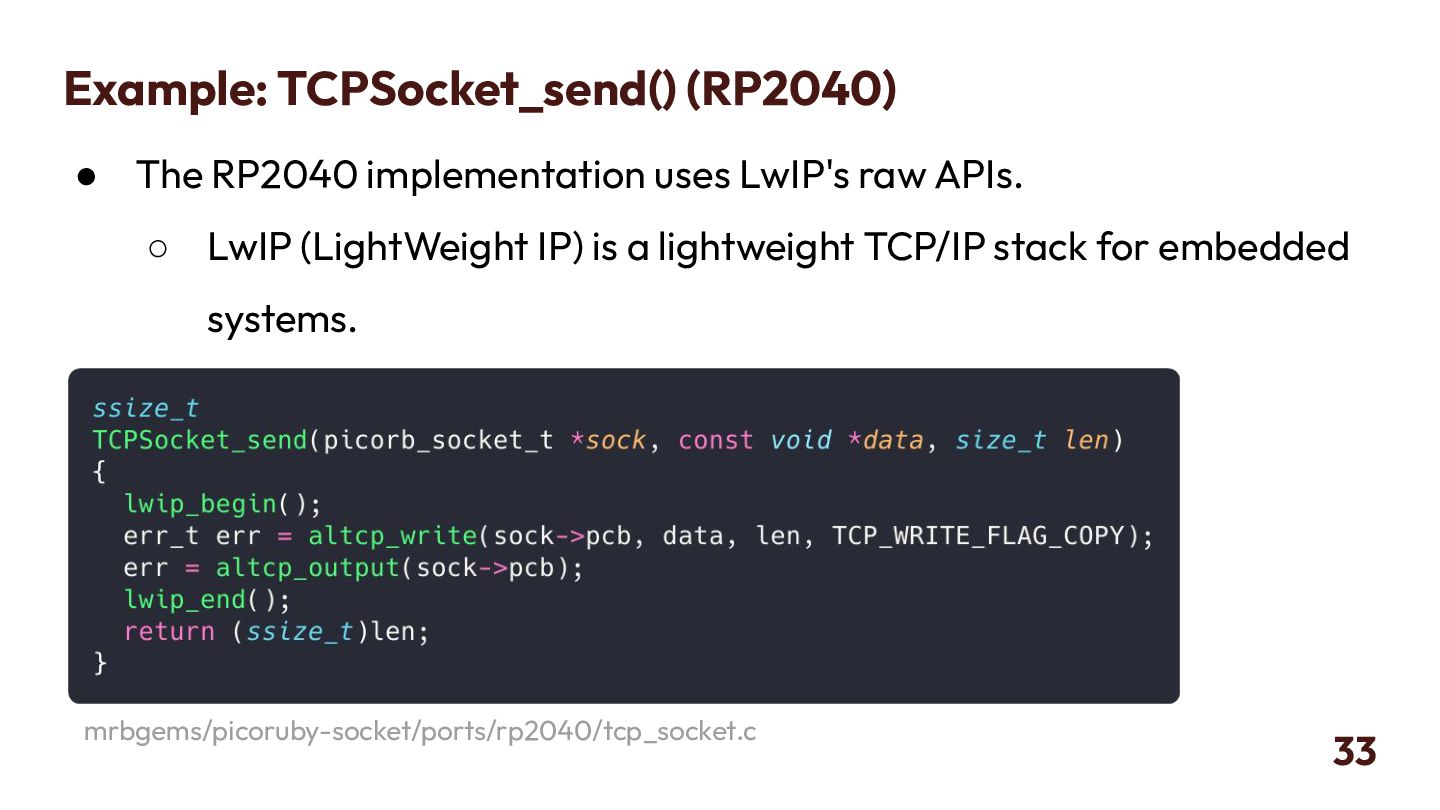
  27. Example: TCPSocket_send() (RP2040) • The RP2040 implementation uses LwIP's raw

    APIs. ◦ LwIP (LightWeight IP) is a lightweight TCP/IP stack for embedded systems. 33 mrbgems/picoruby-socket/ports/rp2040/tcp_socket.c
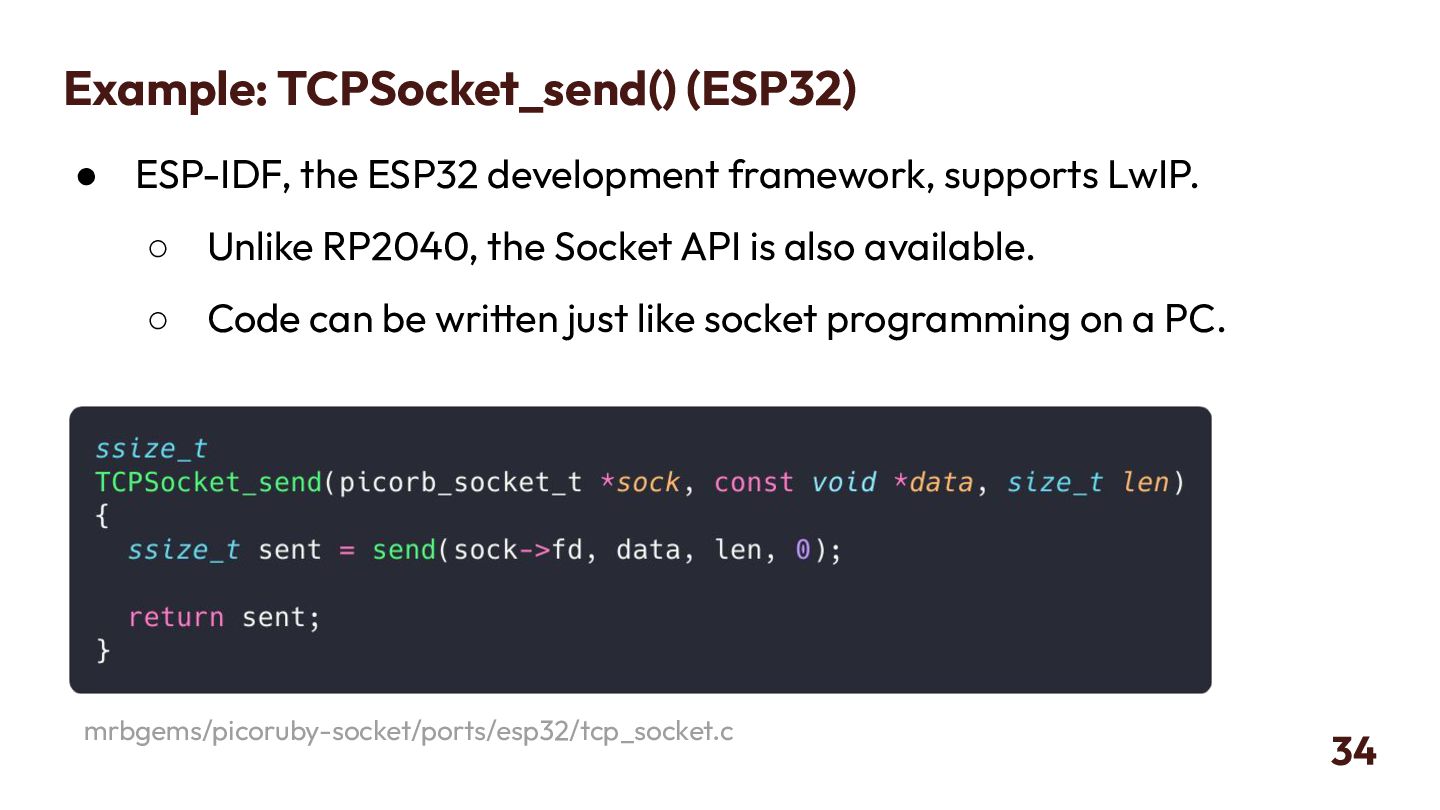
  28. Example: TCPSocket_send() (ESP32) • ESP-IDF, the ESP32 development framework, supports

    LwIP. ◦ Unlike RP2040, the Socket API is also available. ◦ Code can be written just like socket programming on a PC. 34 mrbgems/picoruby-socket/ports/esp32/tcp_socket.c
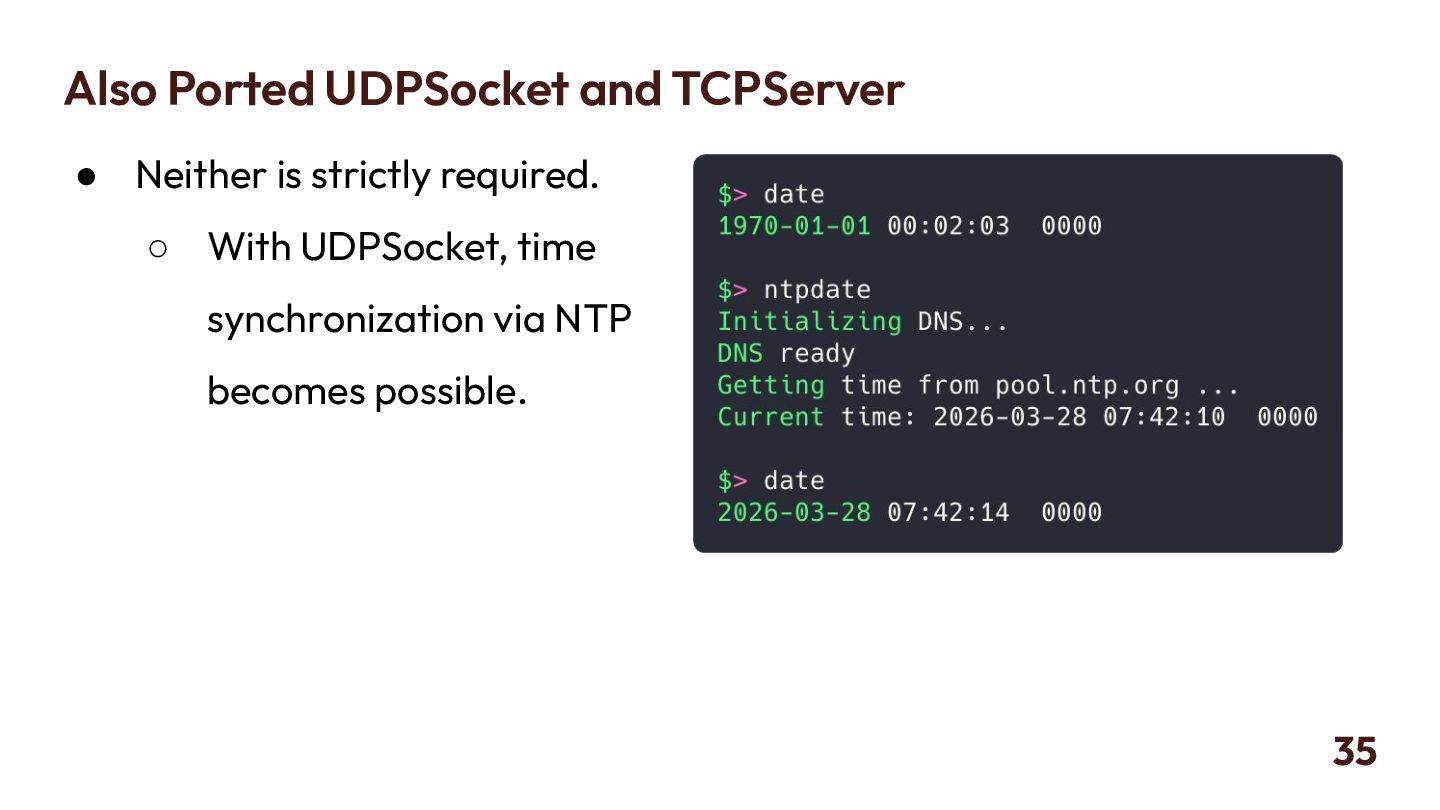
  29. Also Ported UDPSocket and TCPServer • Neither is strictly required.

    ◦ With UDPSocket, time synchronization via NTP becomes possible. 35
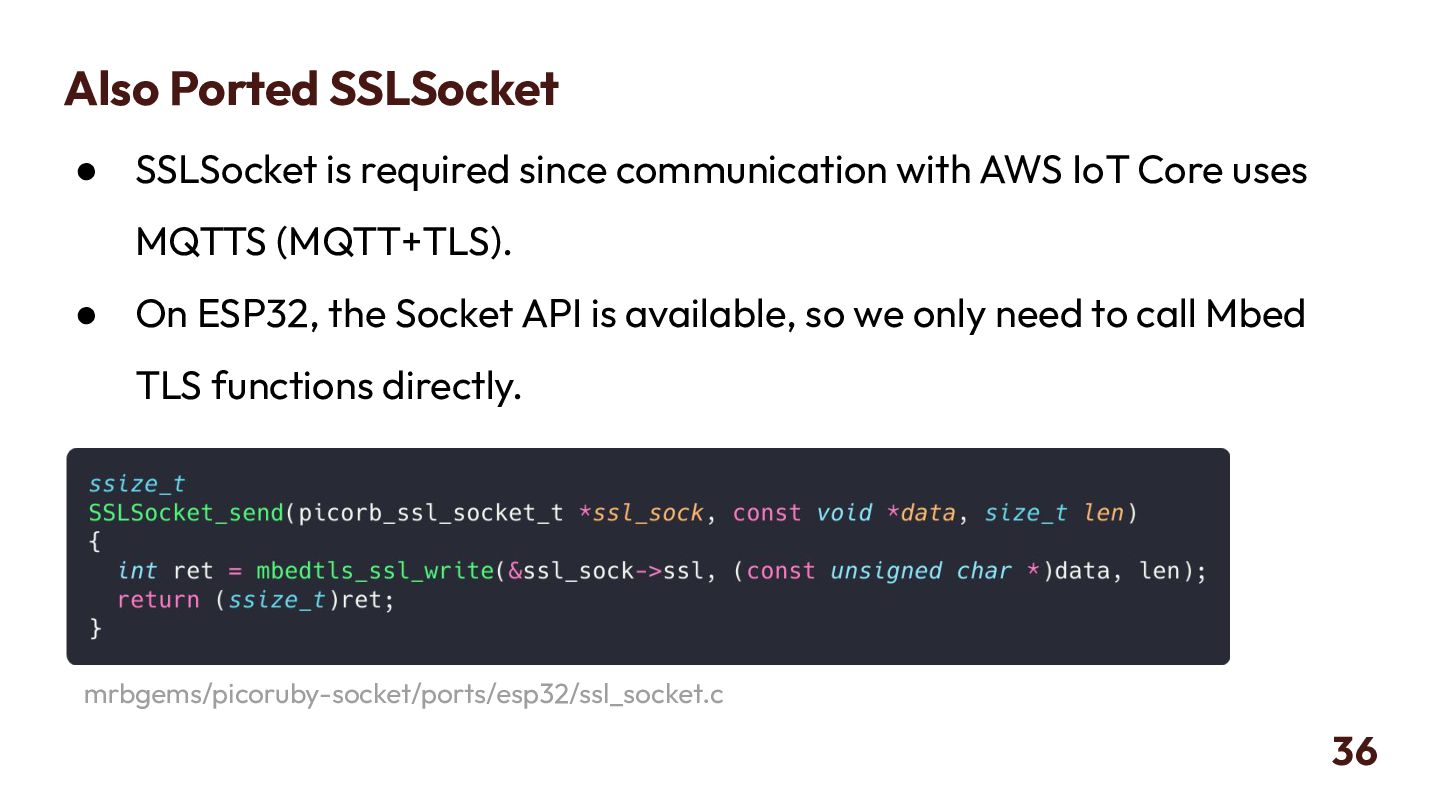
  30. Also Ported SSLSocket • SSLSocket is required since communication with

    AWS IoT Core uses MQTTS (MQTT+TLS). • On ESP32, the Socket API is available, so we only need to call Mbed TLS functions directly. 36 mrbgems/picoruby-socket/ports/esp32/ssl_socket.c
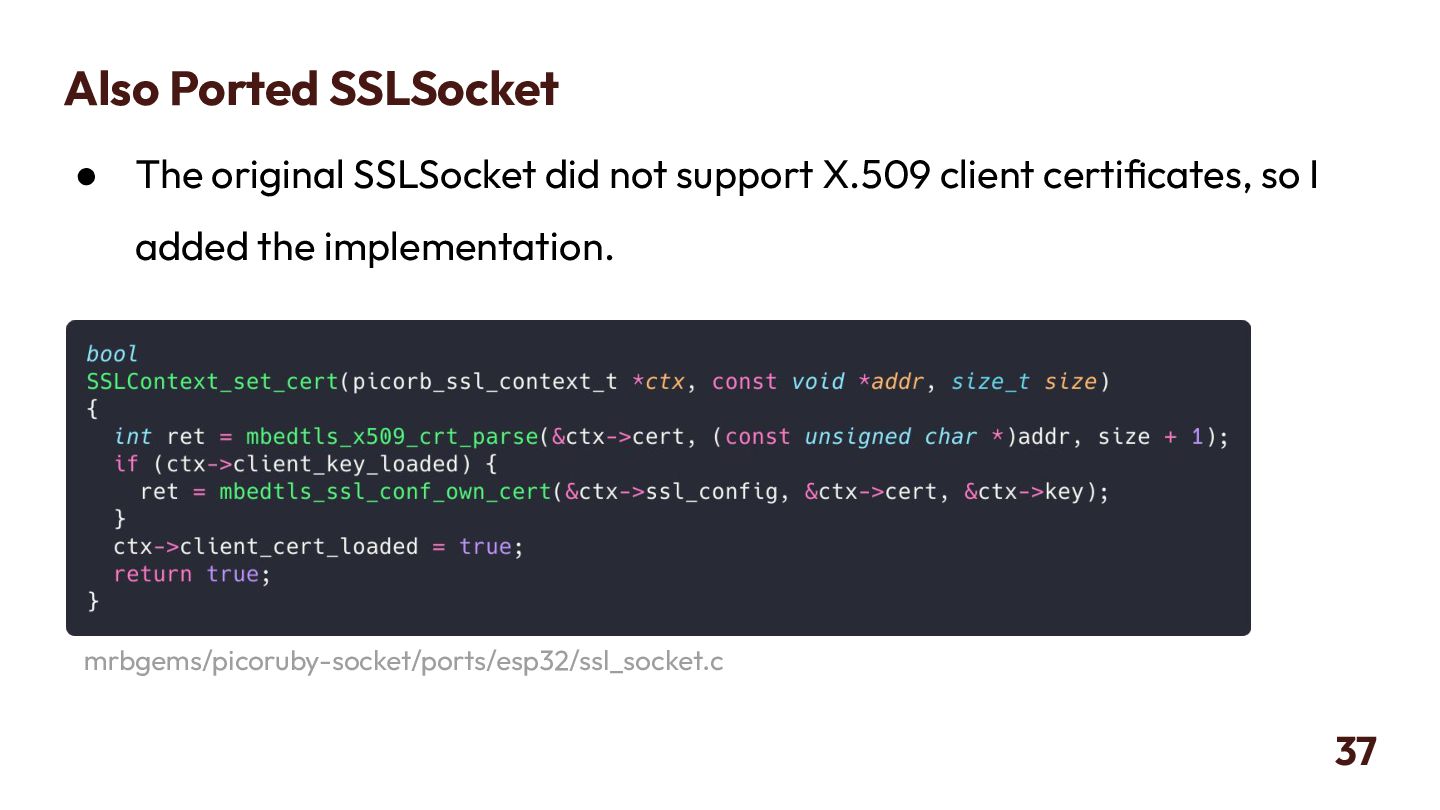
  31. Also Ported SSLSocket • The original SSLSocket did not support

    X.509 client certificates, so I added the implementation. 37 mrbgems/picoruby-socket/ports/esp32/ssl_socket.c
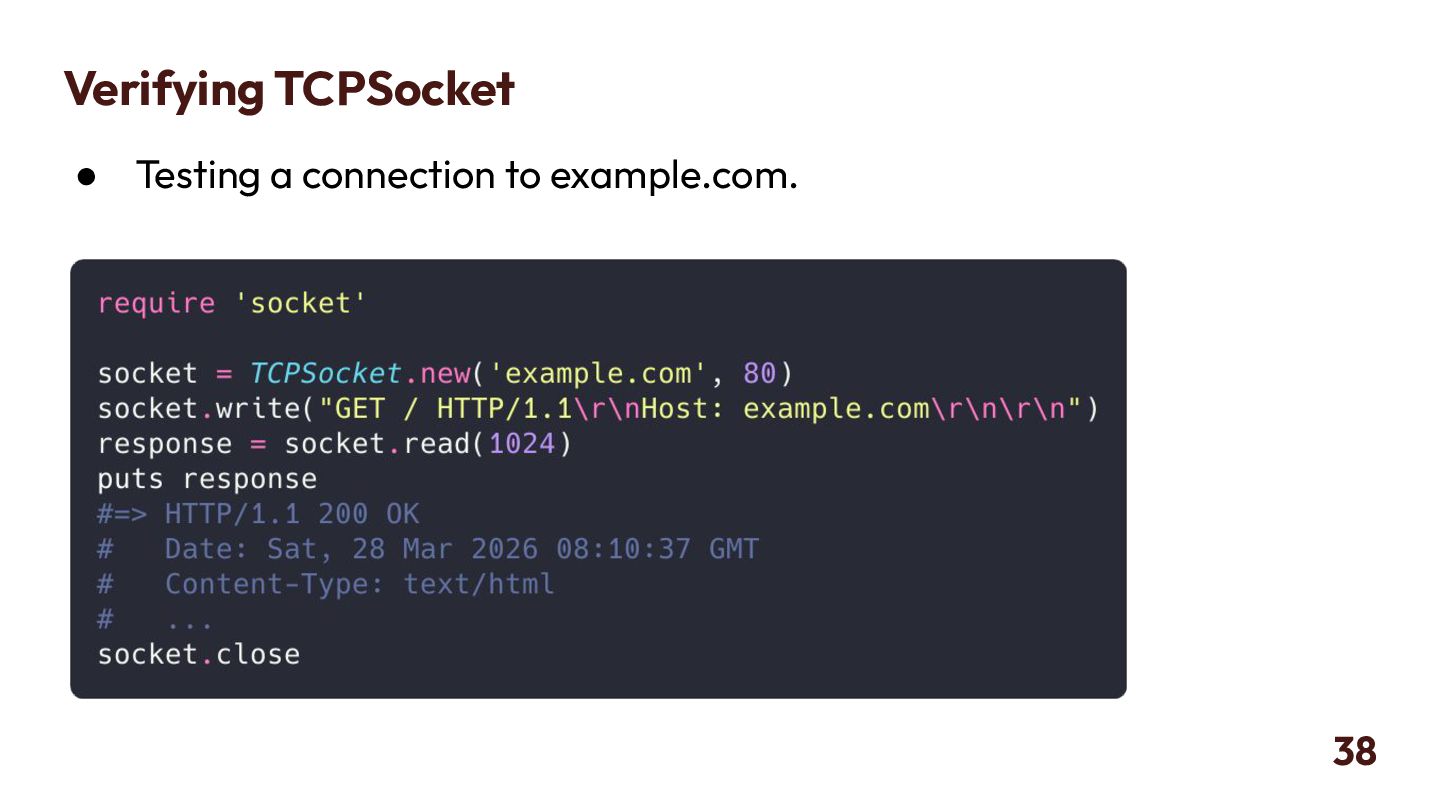
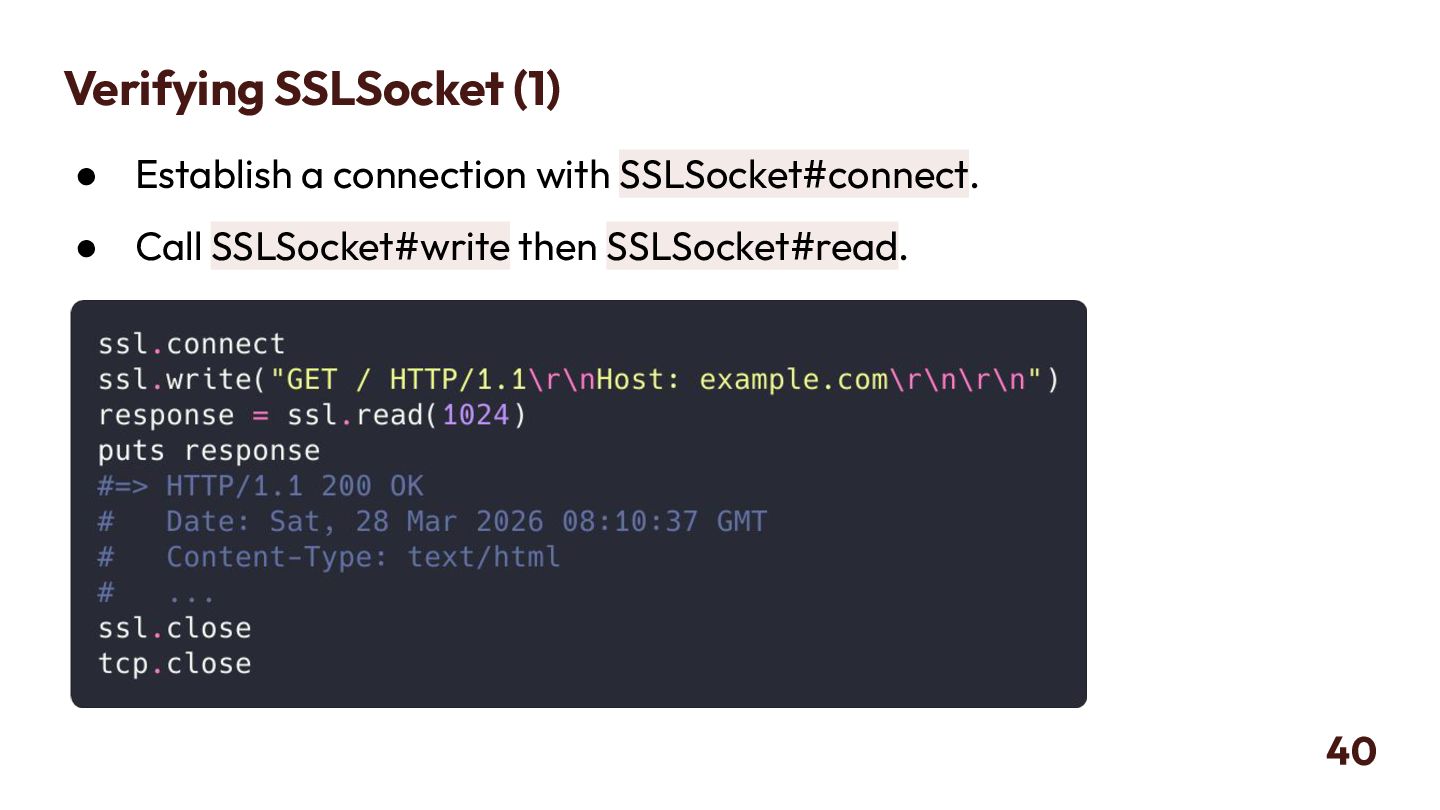
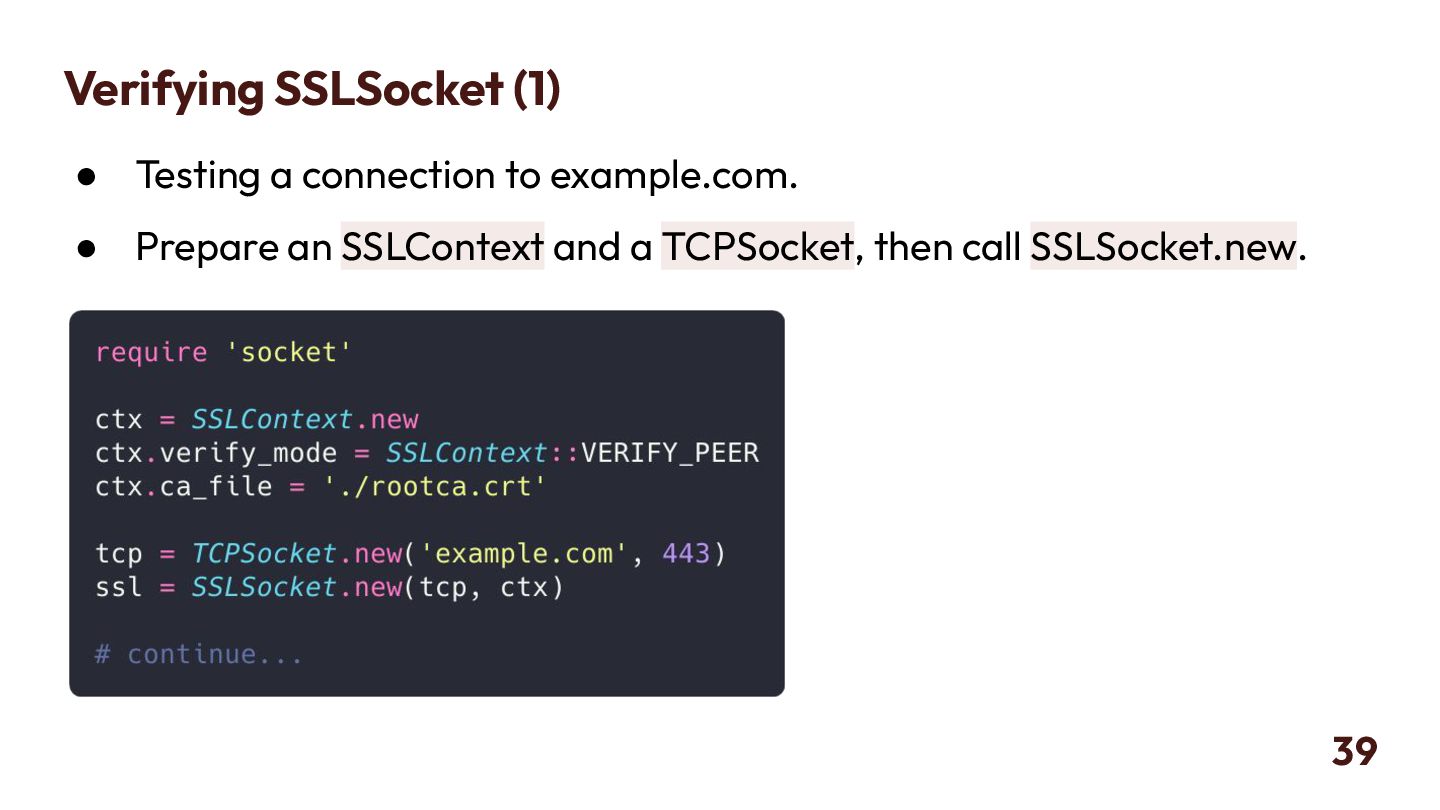
  32. Verifying SSLSocket (1) • Testing a connection to example.com. •

    Prepare an SSLContext and a TCPSocket, then call SSLSocket.new. 39
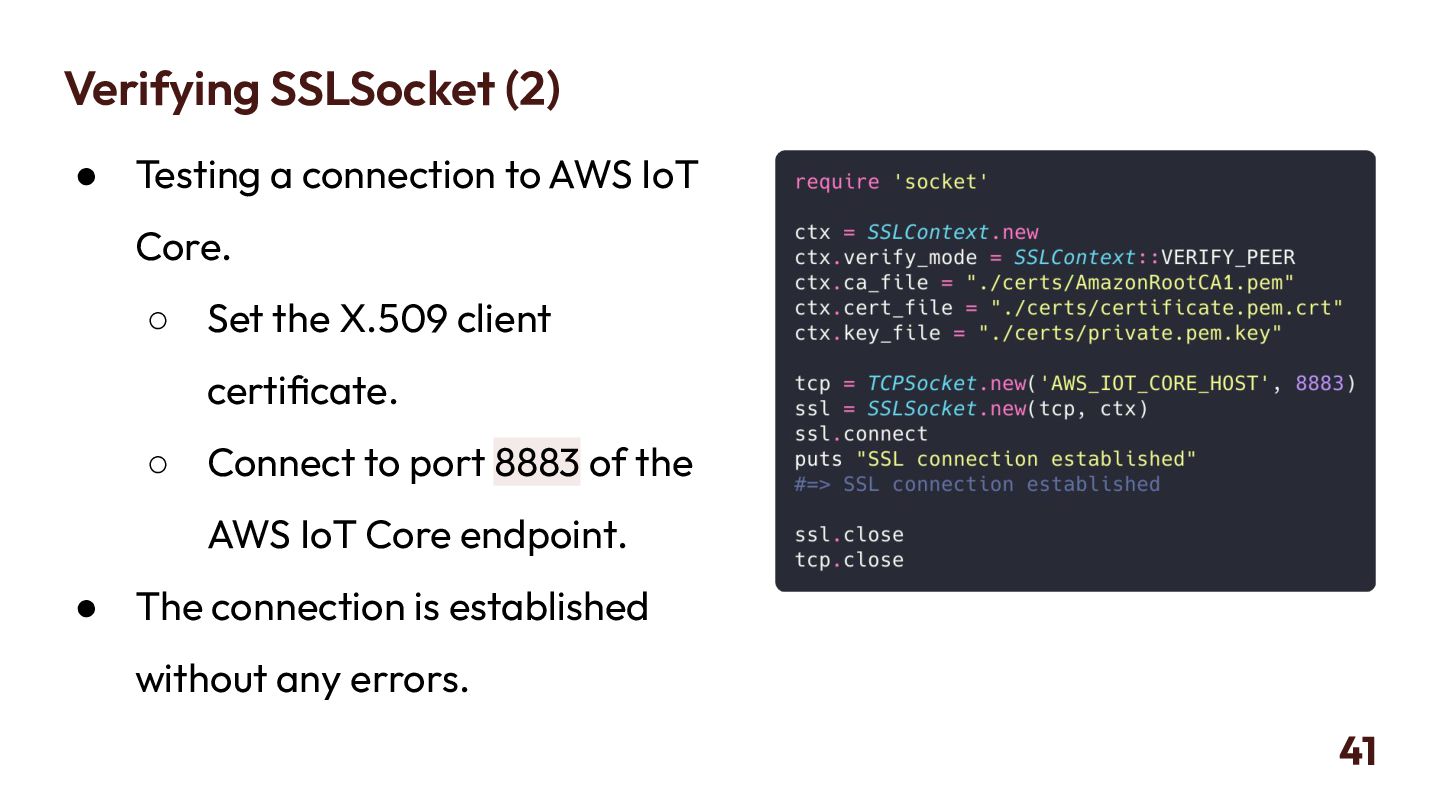
  33. Verifying SSLSocket (2) • Testing a connection to AWS IoT

    Core. ◦ Set the X.509 client certificate. ◦ Connect to port 8883 of the AWS IoT Core endpoint. • The connection is established without any errors. 41
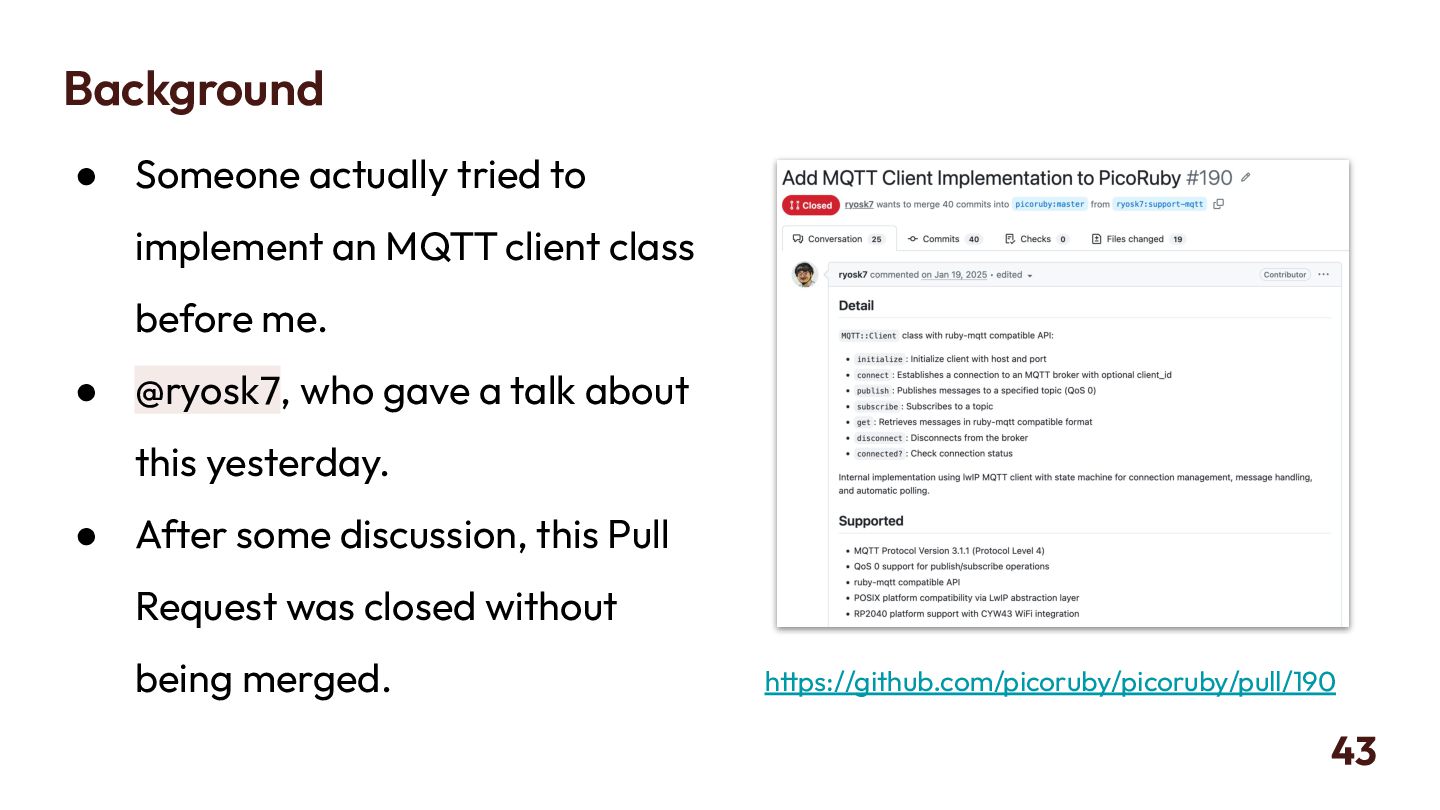
  34. Background • Someone actually tried to implement an MQTT client

    class before me. • @ryosk7, who gave a talk about this yesterday. • After some discussion, this Pull Request was closed without being merged. 43 https://github.com/picoruby/picoruby/pull/190
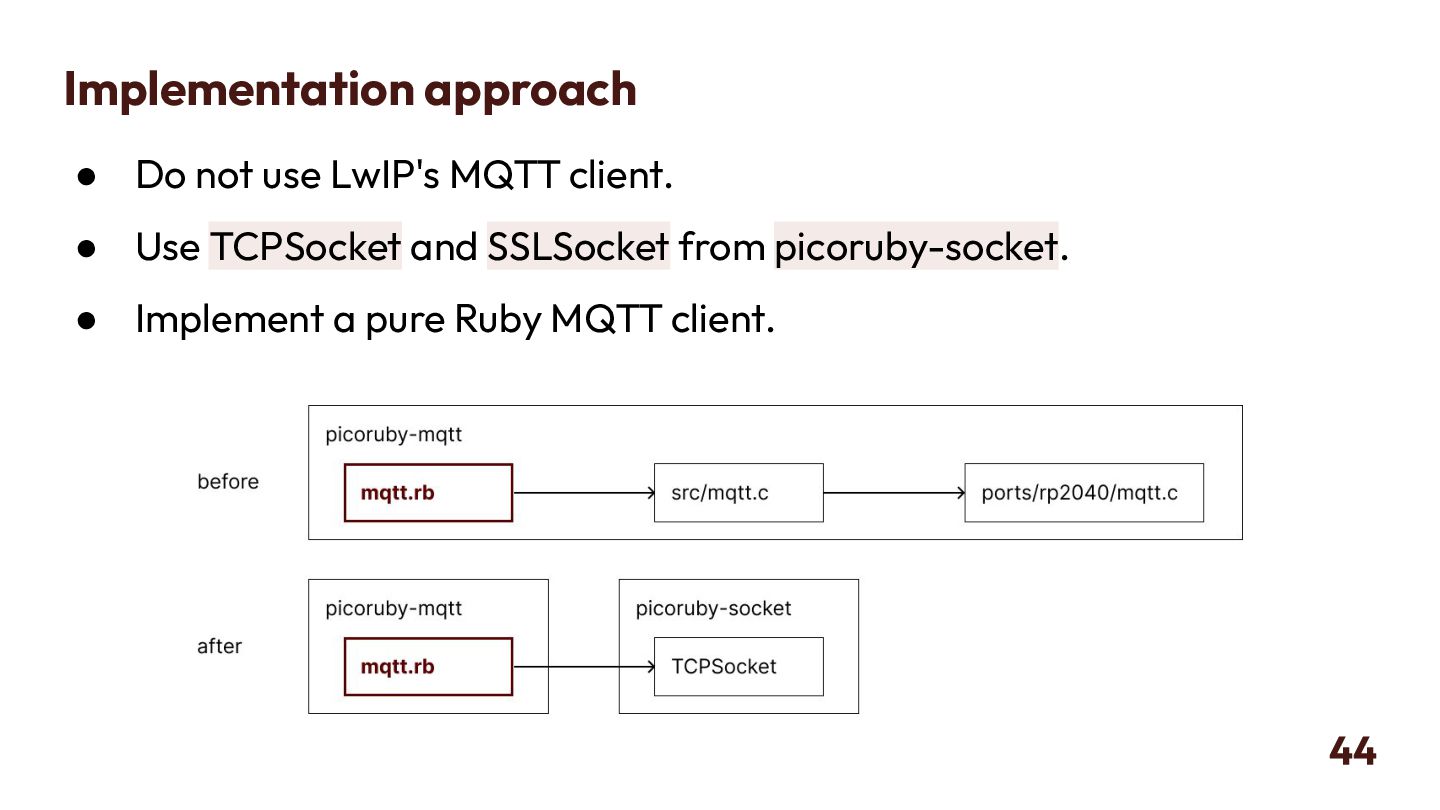
  35. Implementation approach • Do not use LwIP's MQTT client. •

    Use TCPSocket and SSLSocket from picoruby-socket. • Implement a pure Ruby MQTT client. 44
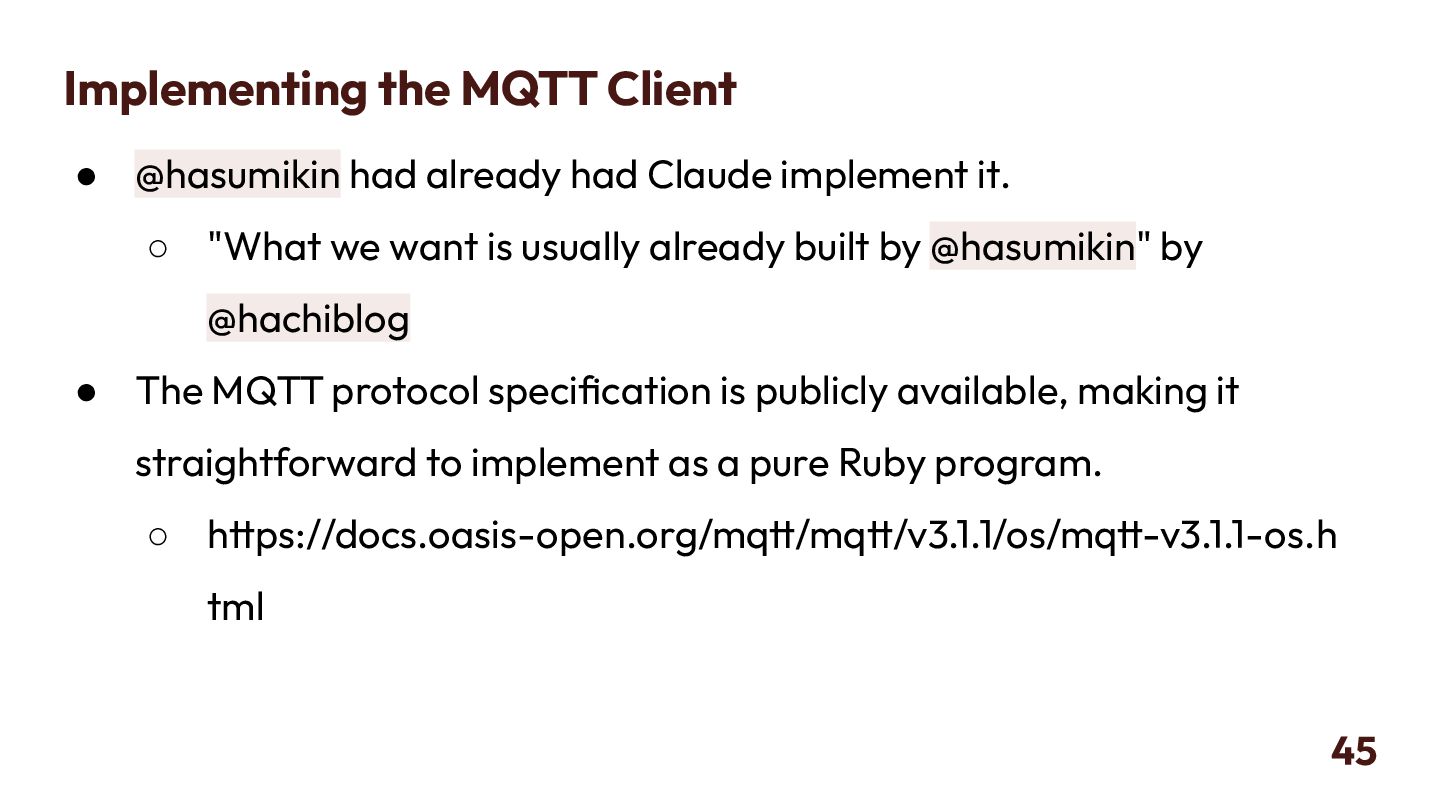
  36. Implementing the MQTT Client • @hasumikin had already had Claude

    implement it. ◦ "What we want is usually already built by @hasumikin" by @hachiblog • The MQTT protocol specification is publicly available, making it straightforward to implement as a pure Ruby program. ◦ https://docs.oasis-open.org/mqtt/mqtt/v3.1.1/os/mqtt-v3.1.1-os.h tml 45
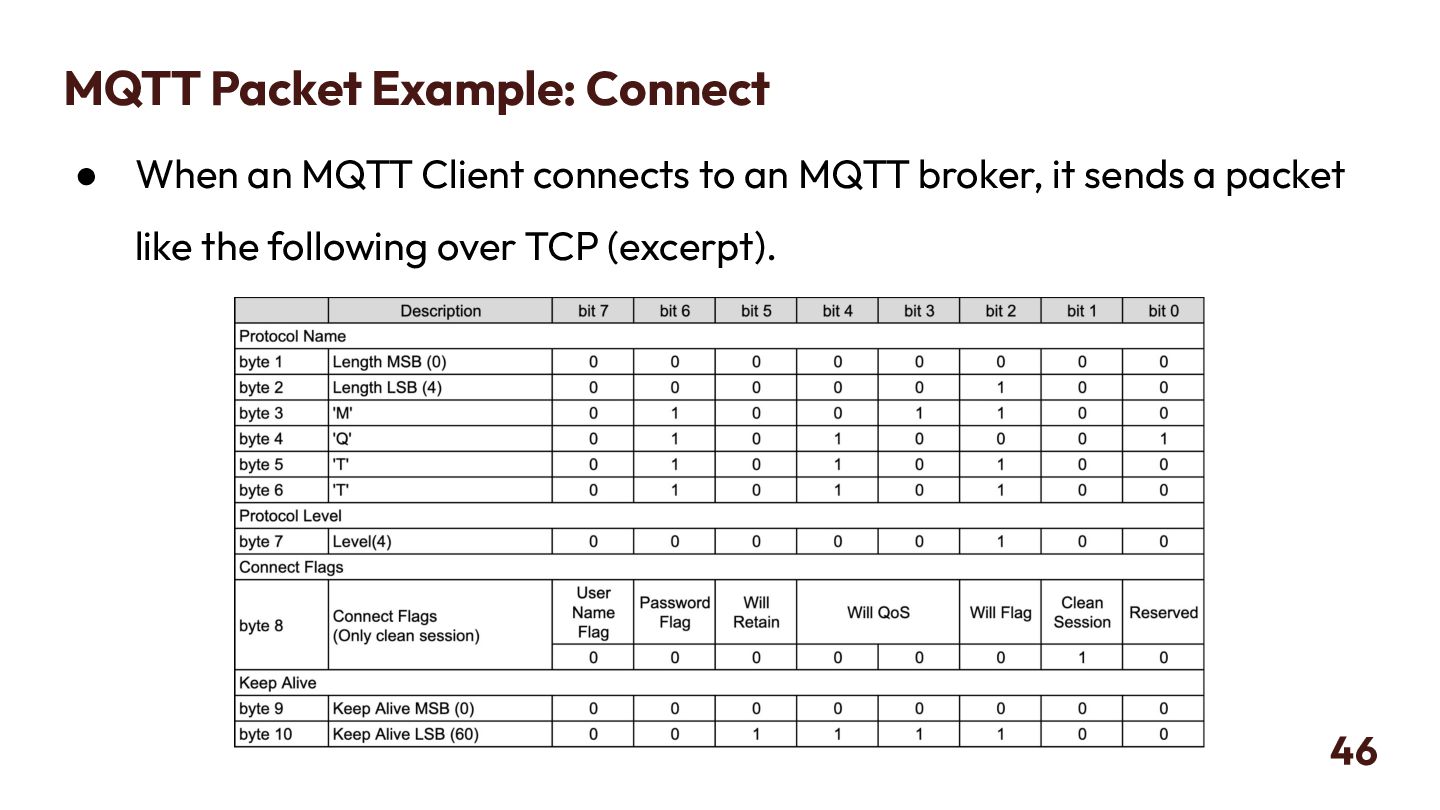
  37. MQTT Packet Example: Connect • When an MQTT Client connects

    to an MQTT broker, it sends a packet like the following over TCP (excerpt). 46
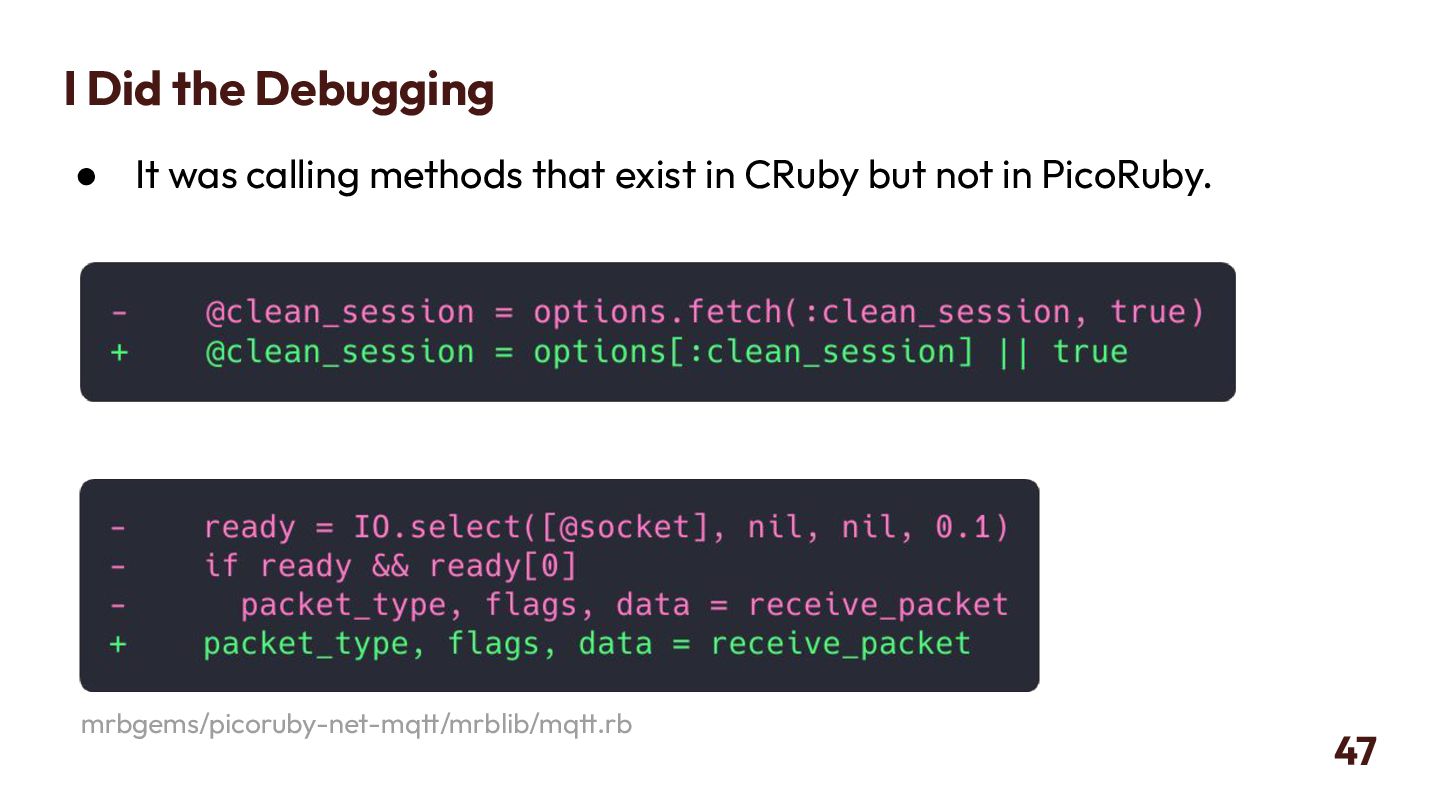
  38. I Did the Debugging • It was calling methods that

    exist in CRuby but not in PicoRuby. 47 mrbgems/picoruby-net-mqtt/mrblib/mqtt.rb
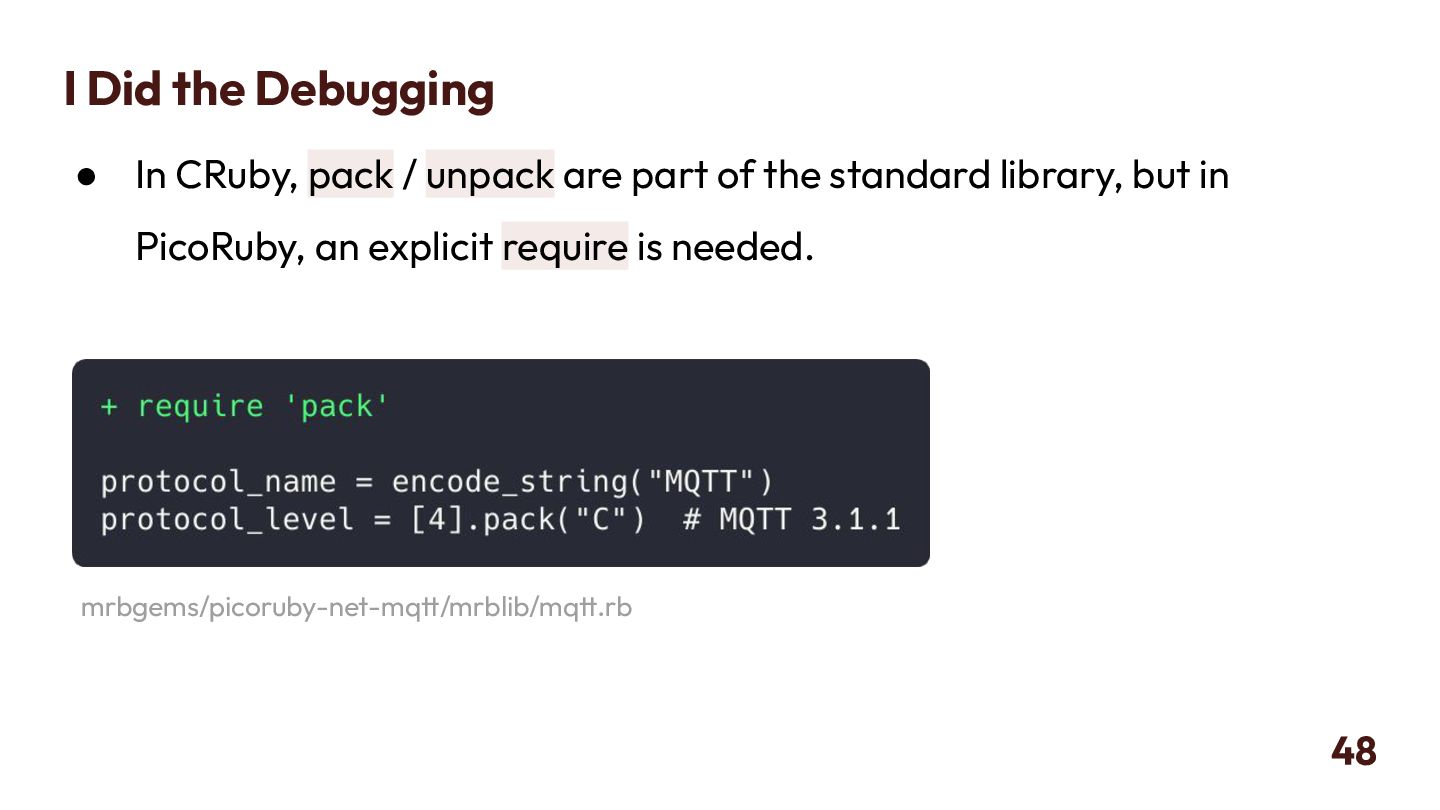
  39. I Did the Debugging • In CRuby, pack / unpack

    are part of the standard library, but in PicoRuby, an explicit require is needed. 48 mrbgems/picoruby-net-mqtt/mrblib/mqtt.rb
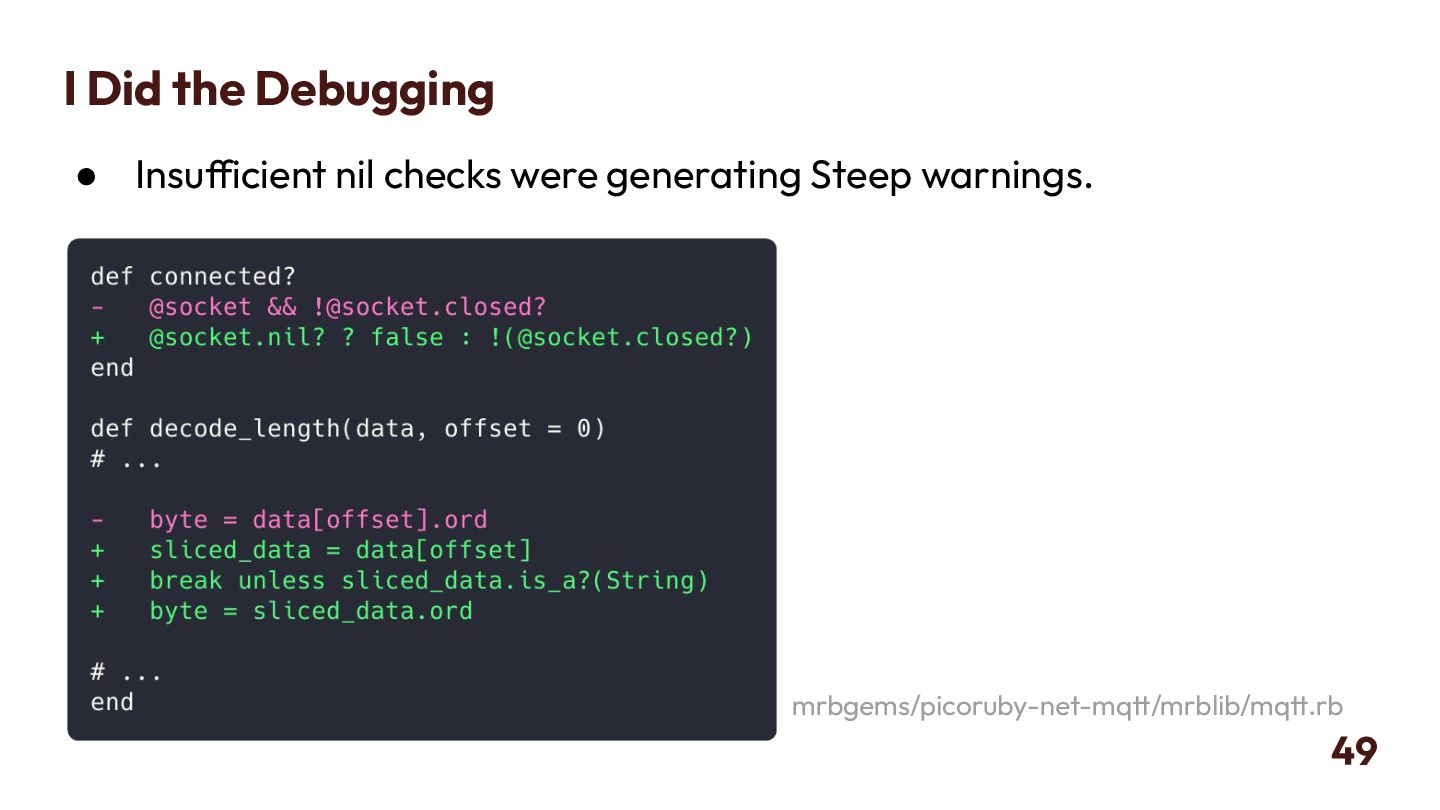
  40. I Did the Debugging • Insufficient nil checks were generating

    Steep warnings. 49 mrbgems/picoruby-net-mqtt/mrblib/mqtt.rb
  41. Verifying MQTT Communication • Since only Ruby code is written

    and it has no device dependencies, it can be tested on a PC. • Verified using Eclipse Mosquitto, an OSS MQTT Broker. • Once it works on a PC, verify it works on the device as well. 50
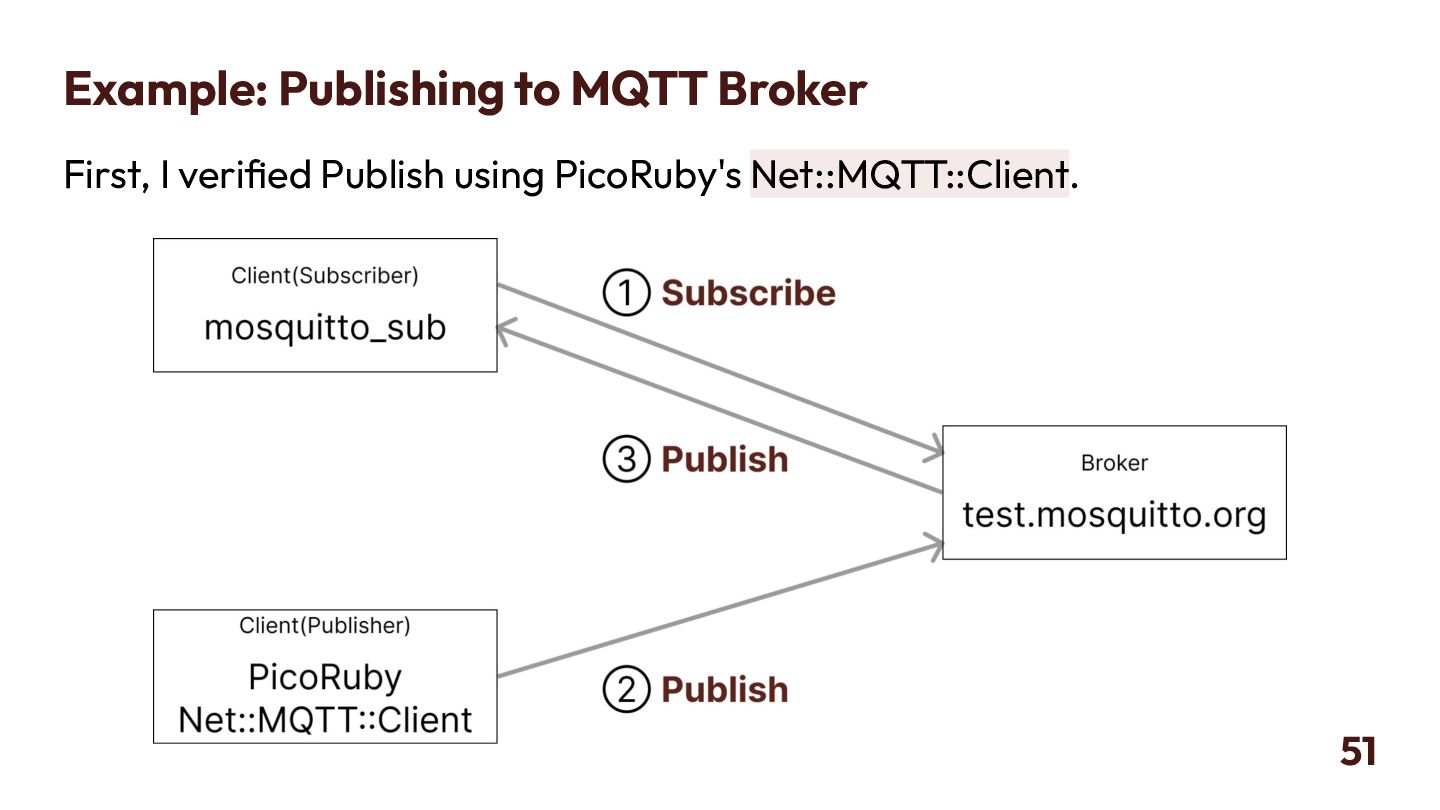
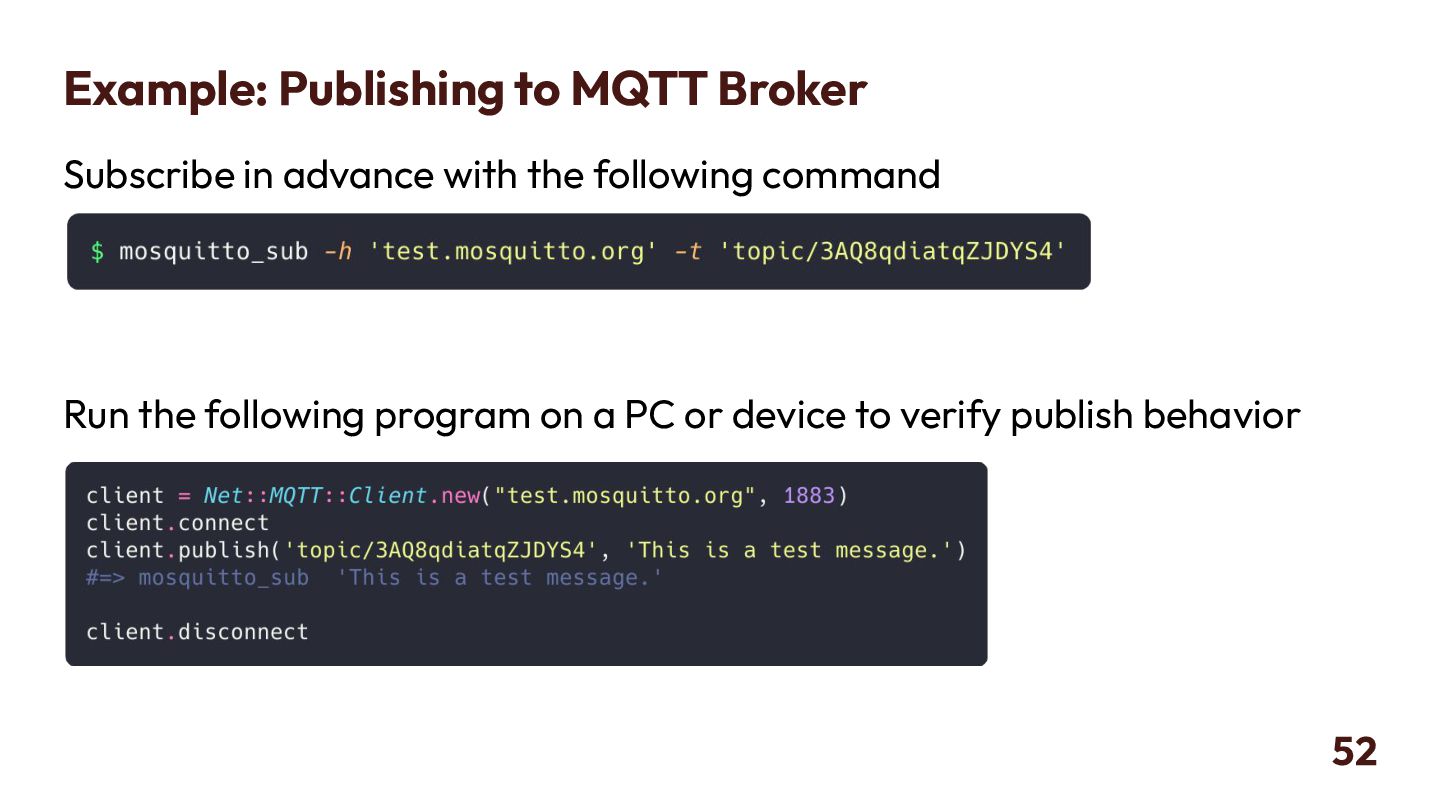
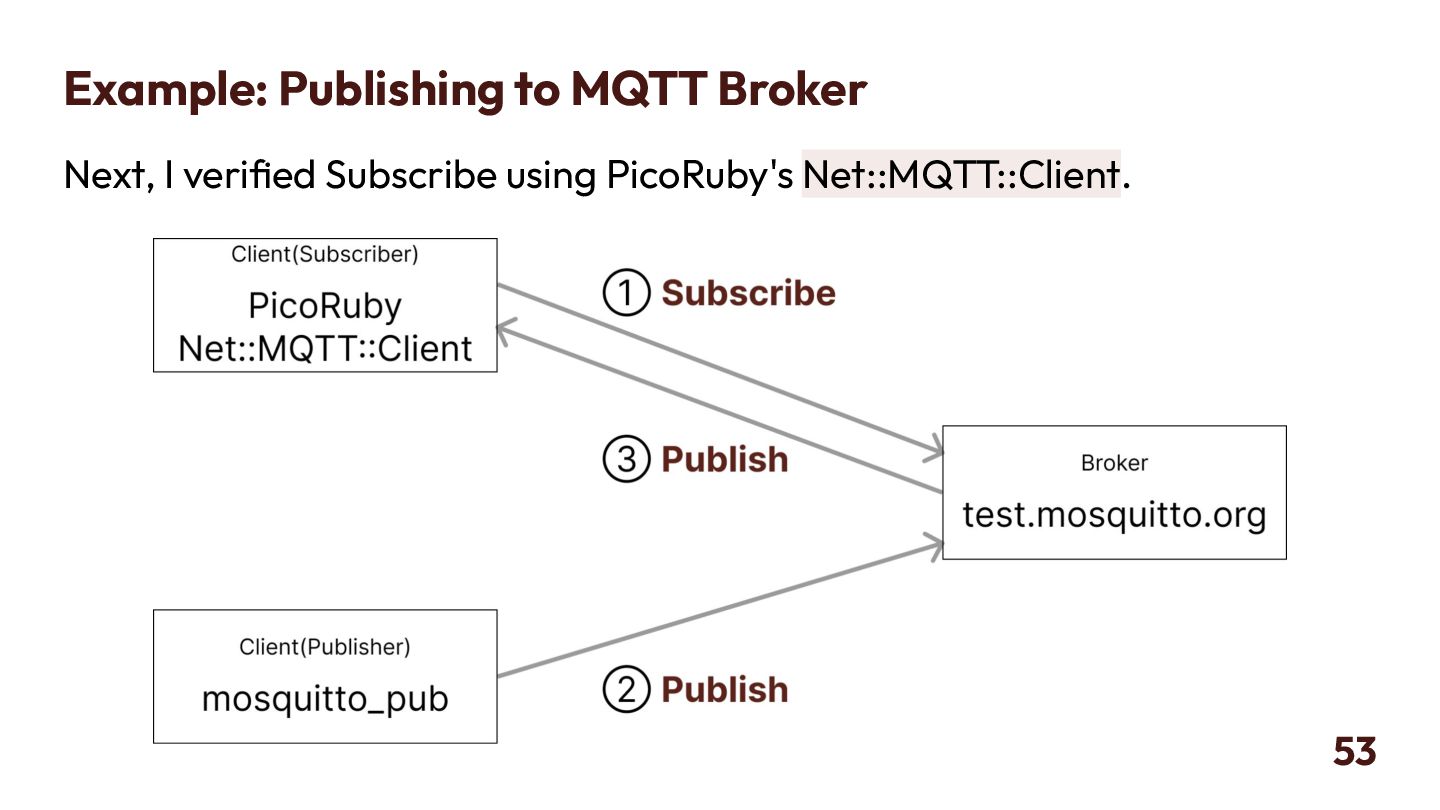
  42. Example: Publishing to MQTT Broker Subscribe in advance with the

    following command Run the following program on a PC or device to verify publish behavior 52
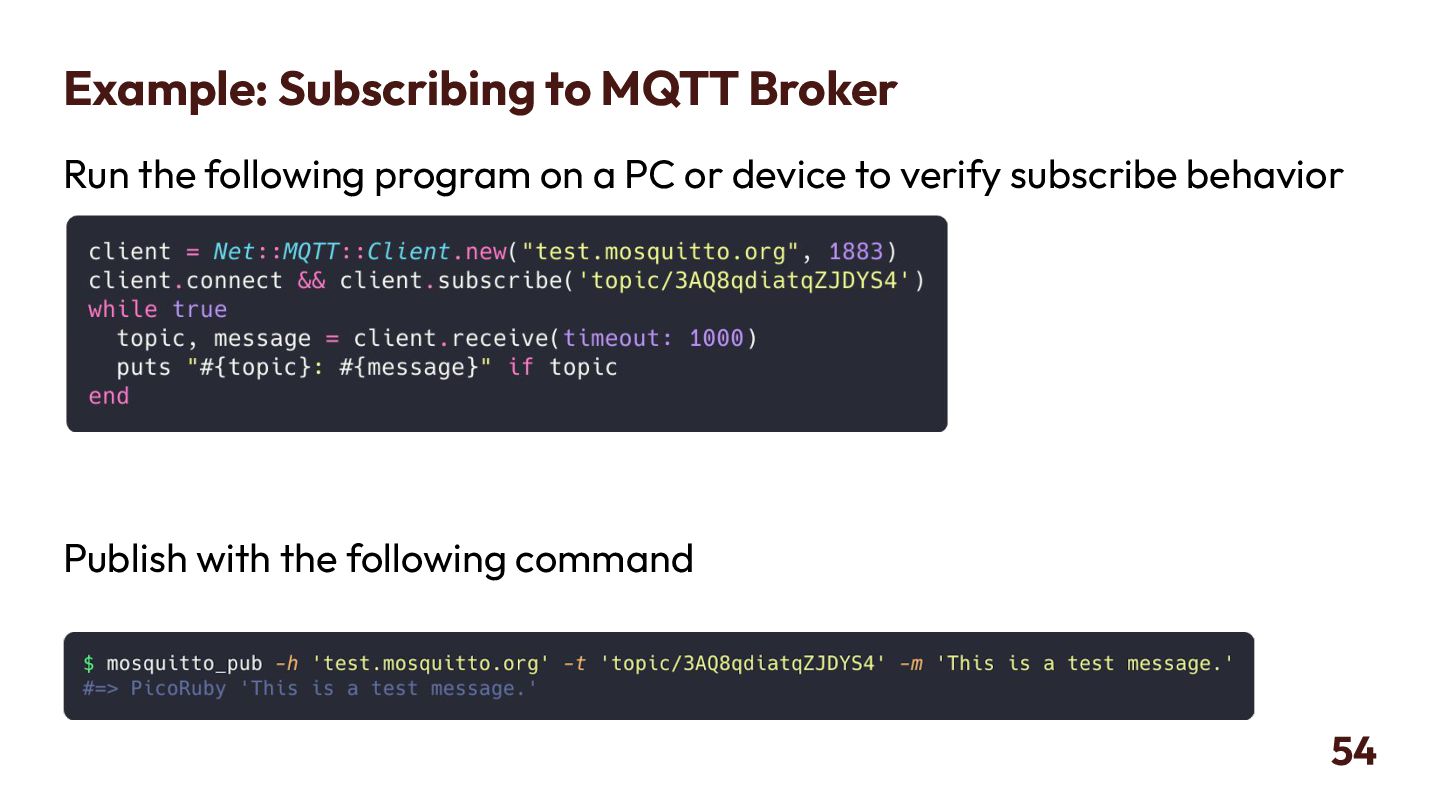
  43. Example: Subscribing to MQTT Broker Run the following program on

    a PC or device to verify subscribe behavior Publish with the following command 54
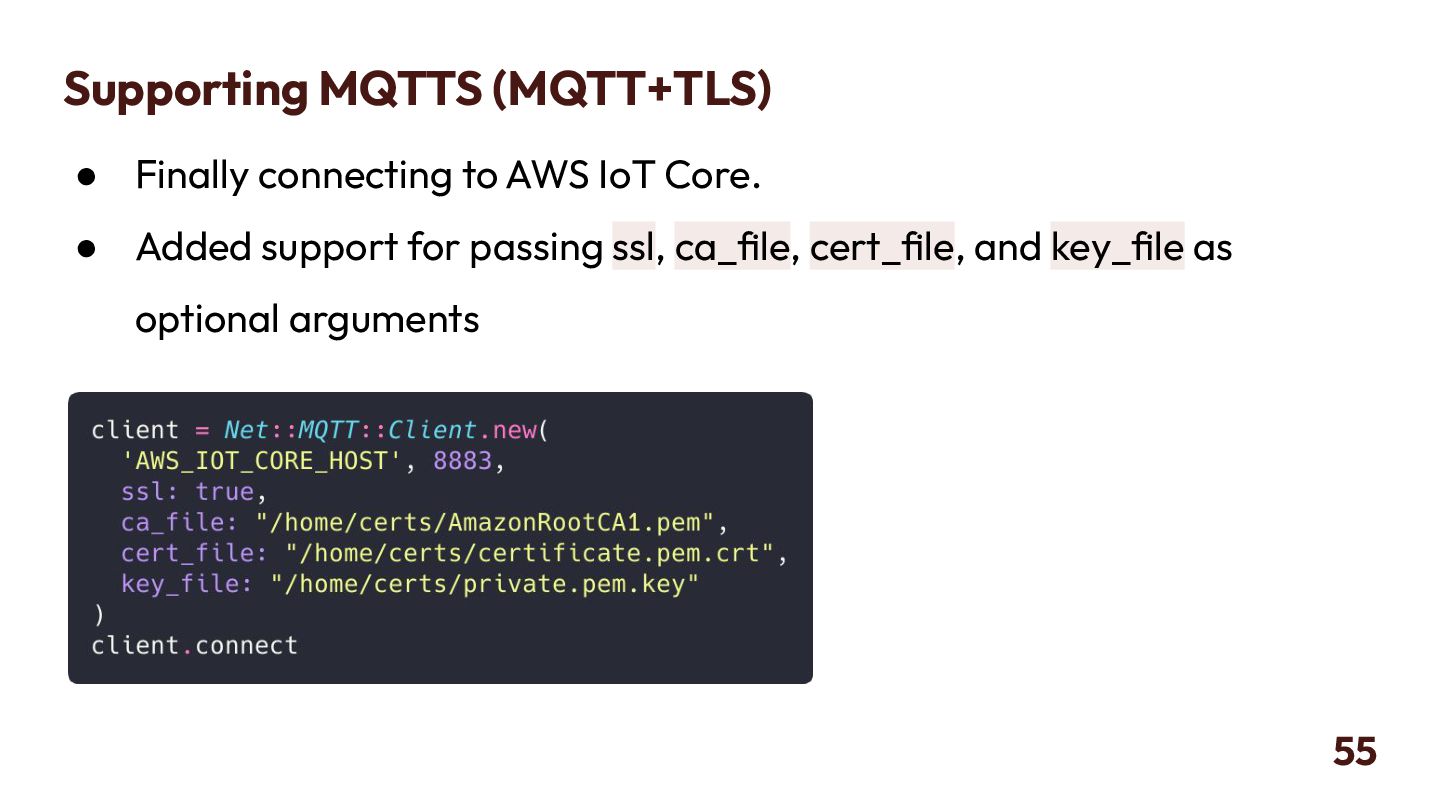
  44. Supporting MQTTS (MQTT+TLS) • Finally connecting to AWS IoT Core.

    • Added support for passing ssl, ca_file, cert_file, and key_file as optional arguments 55
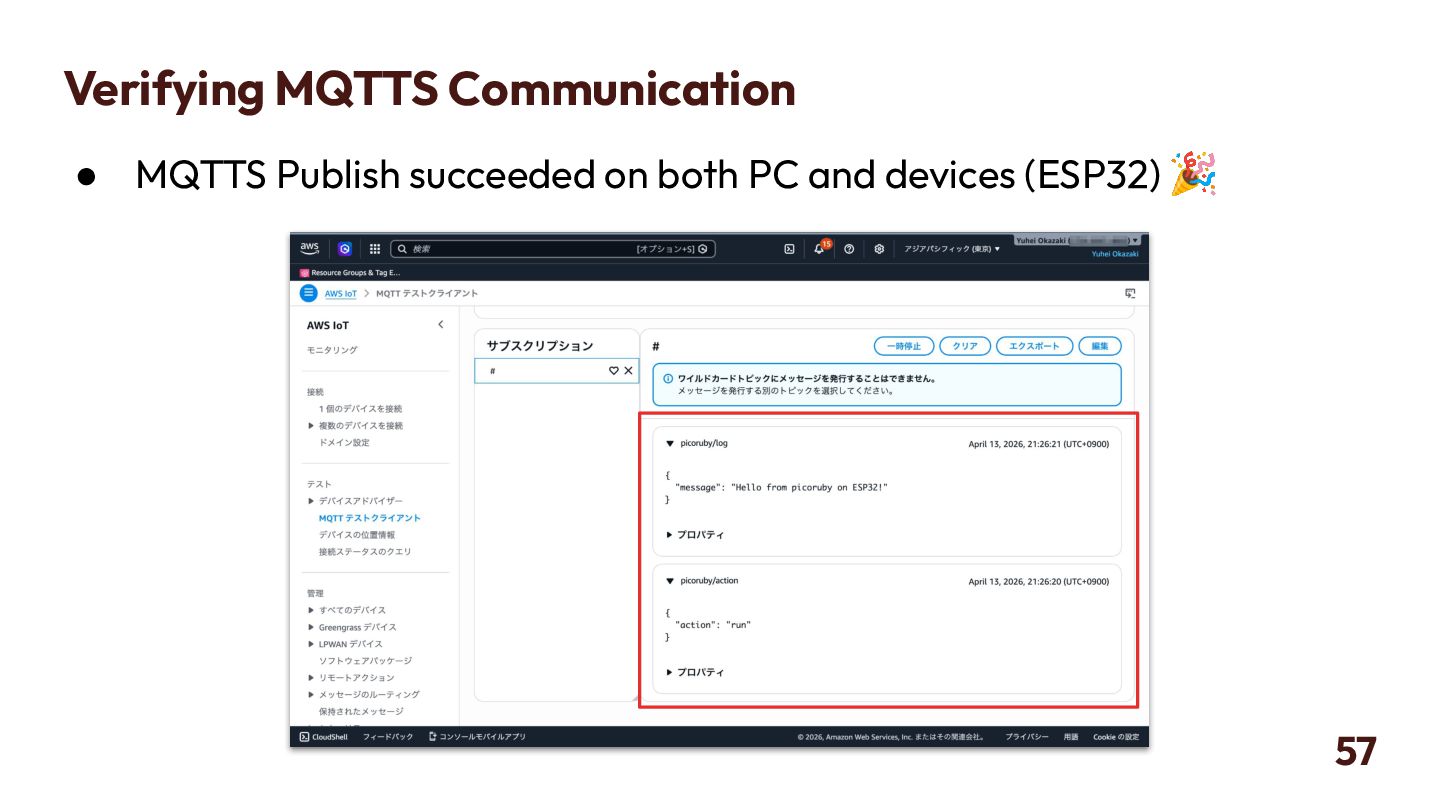
  45. Verifying MQTTS Communication • Verifying MQTTS communication. • Use AWS

    IoT Core as the MQTT Broker instead of Mosquitto. 56
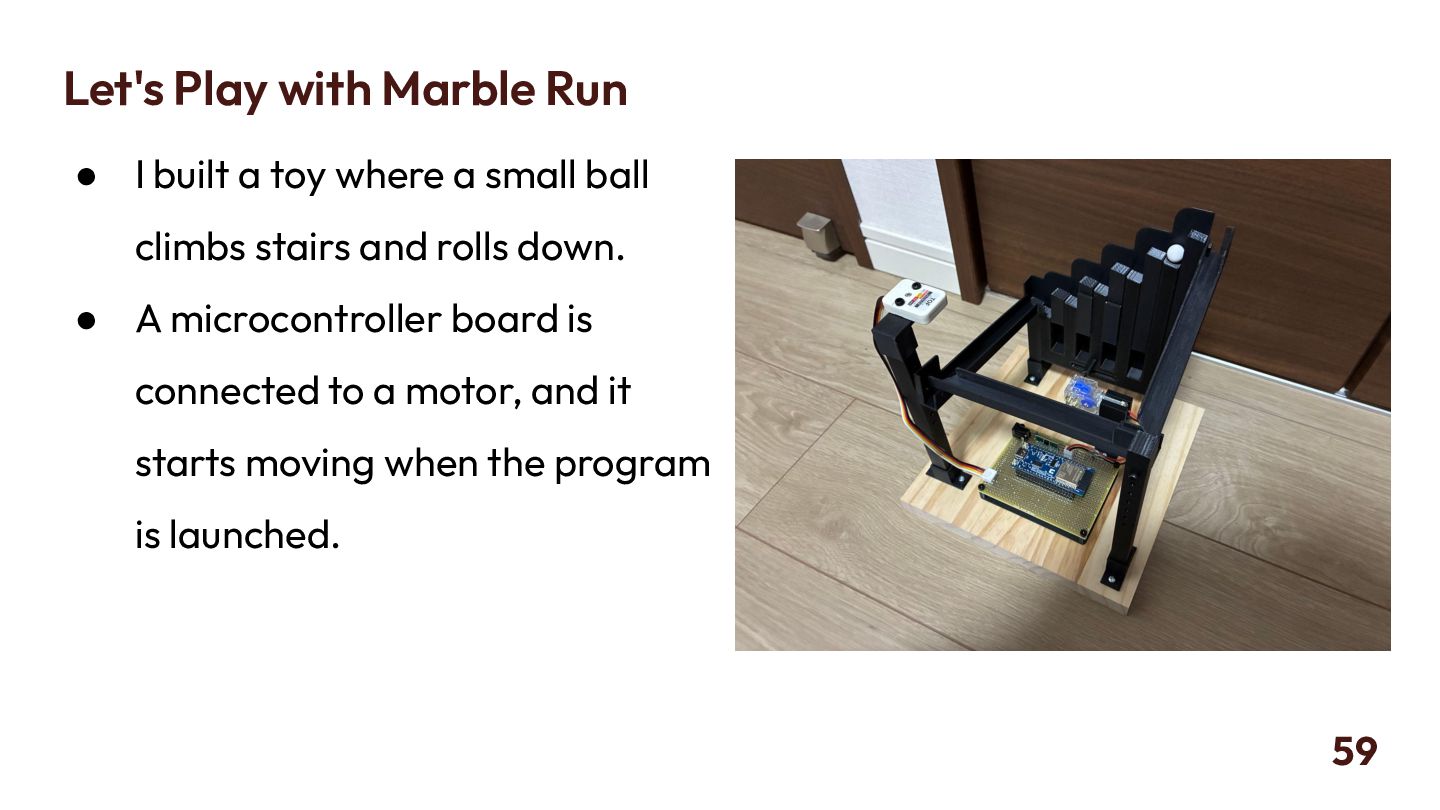
  46. Let's Play with Marble Run • I built a toy

    where a small ball climbs stairs and rolls down. • A microcontroller board is connected to a motor, and it starts moving when the program is launched. 59
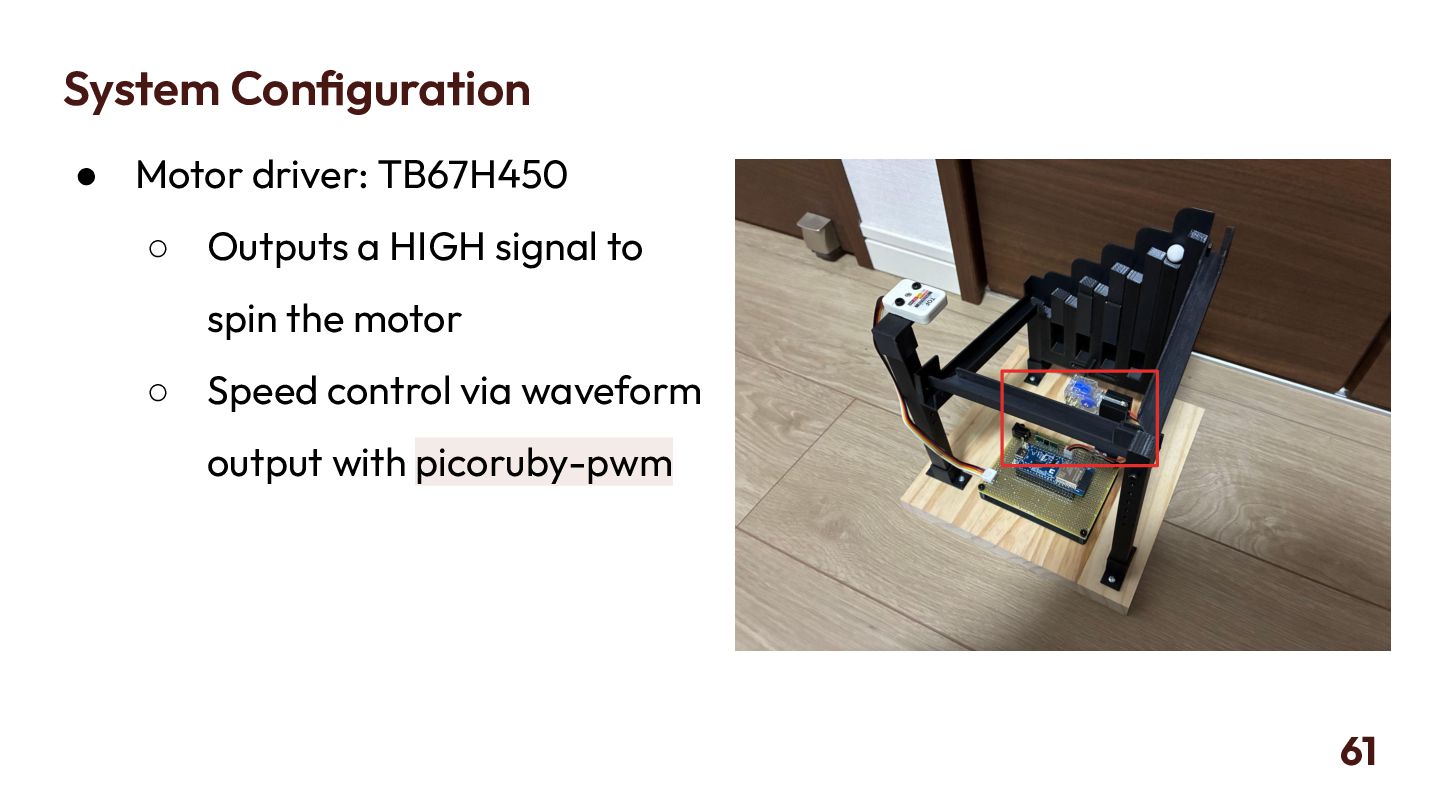
  47. System Configuration • Motor driver: TB67H450 ◦ Outputs a HIGH

    signal to spin the motor ◦ Speed control via waveform output with picoruby-pwm 61
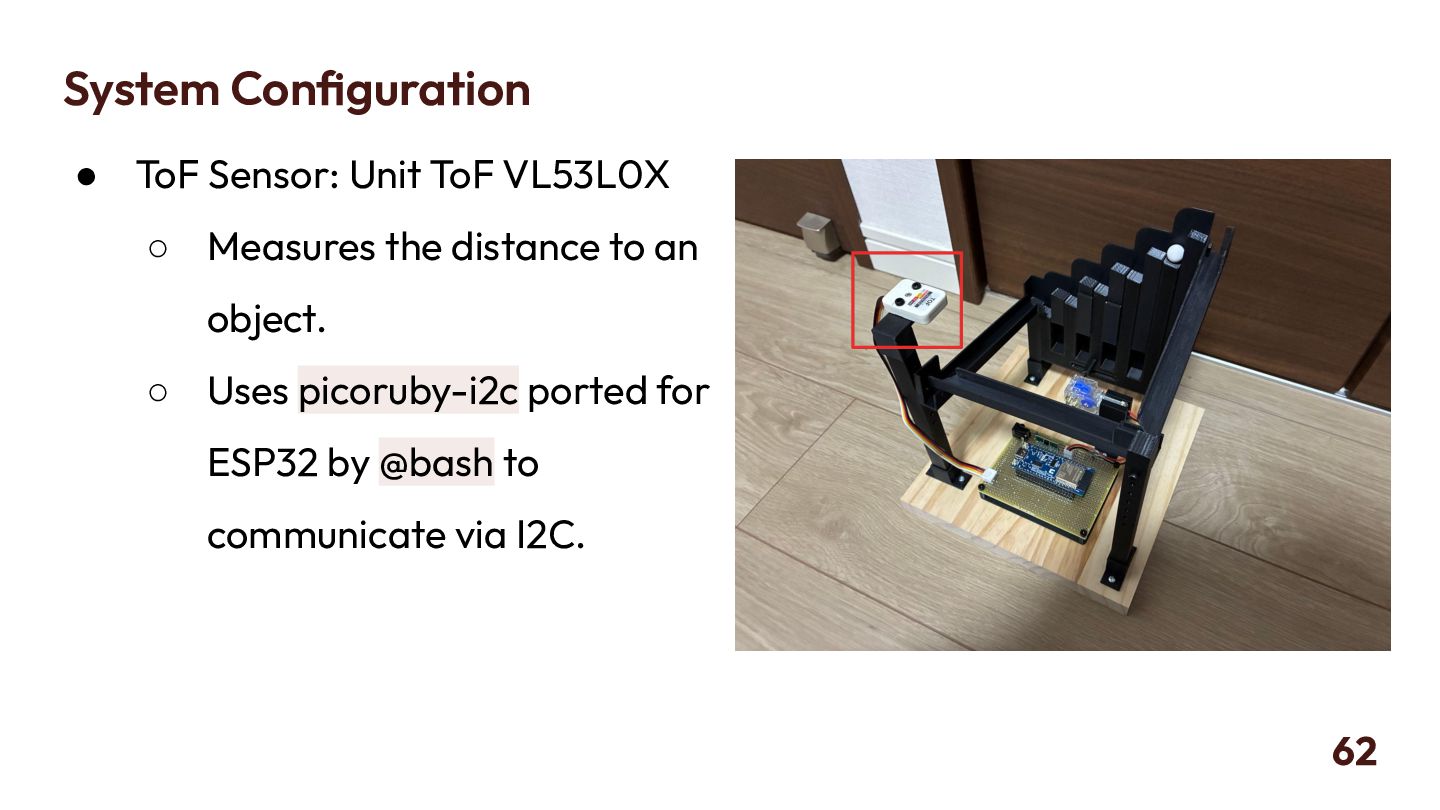
  48. System Configuration • ToF Sensor: Unit ToF VL53L0X ◦ Measures

    the distance to an object. ◦ Uses picoruby-i2c ported for ESP32 by @bash to communicate via I2C. 62
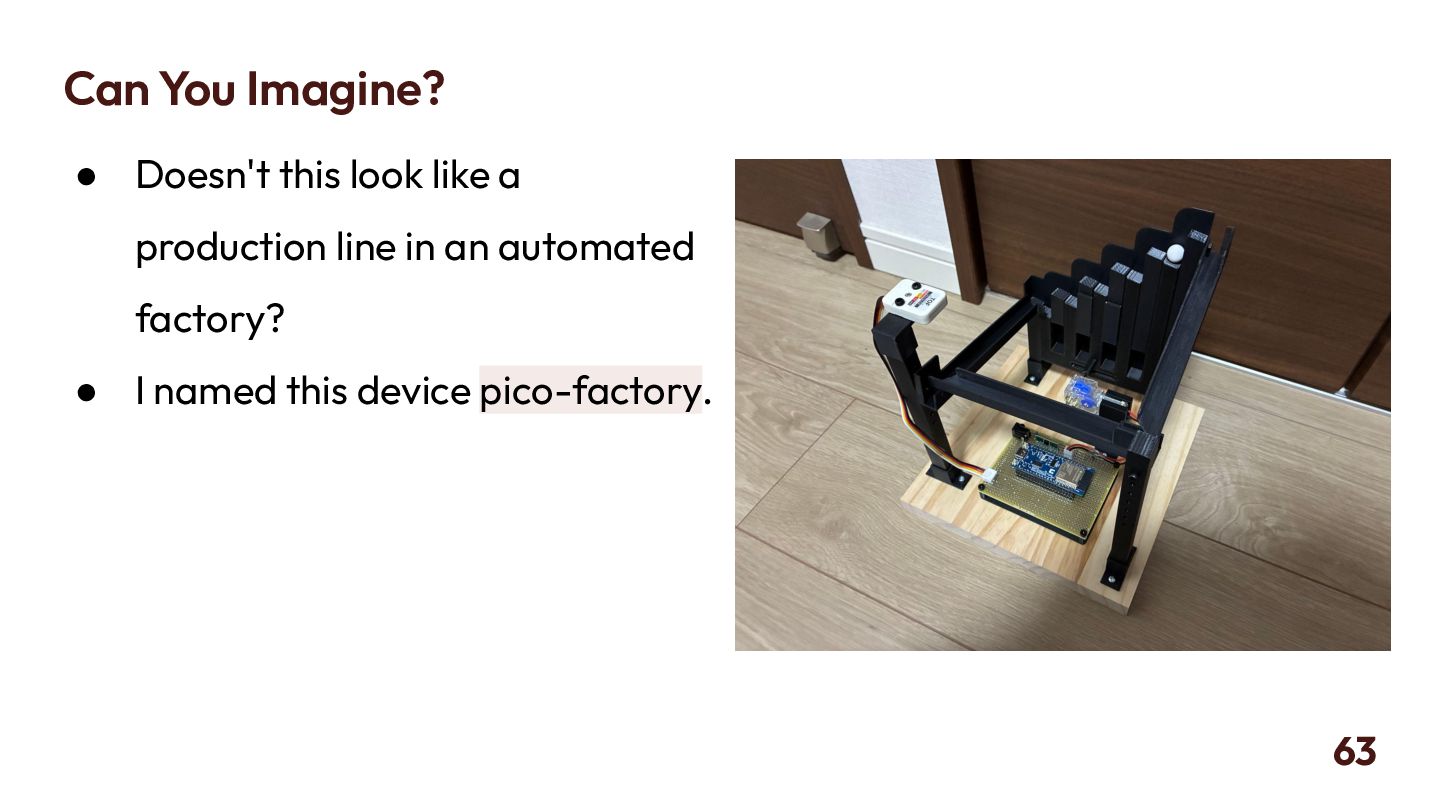
  49. Can You Imagine? • Doesn't this look like a production

    line in an automated factory? • I named this device pico-factory. 63
  50. ToDo • The work discussed today has only been verified

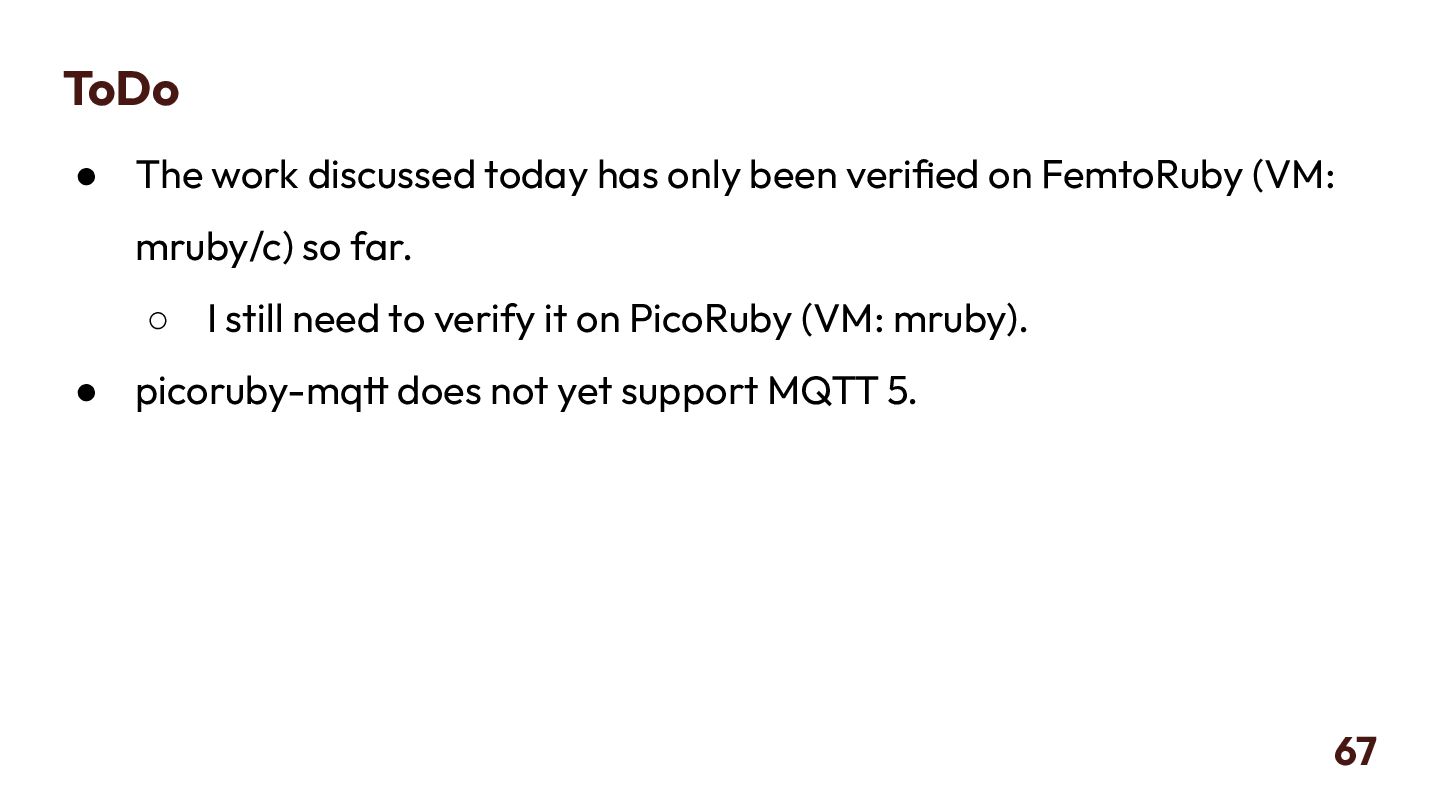
    on FemtoRuby (VM: mruby/c) so far. ◦ I still need to verify it on PicoRuby (VM: mruby). • picoruby-mqtt does not yet support MQTT 5. 67
  51. Summary • We have set up the communication classes available

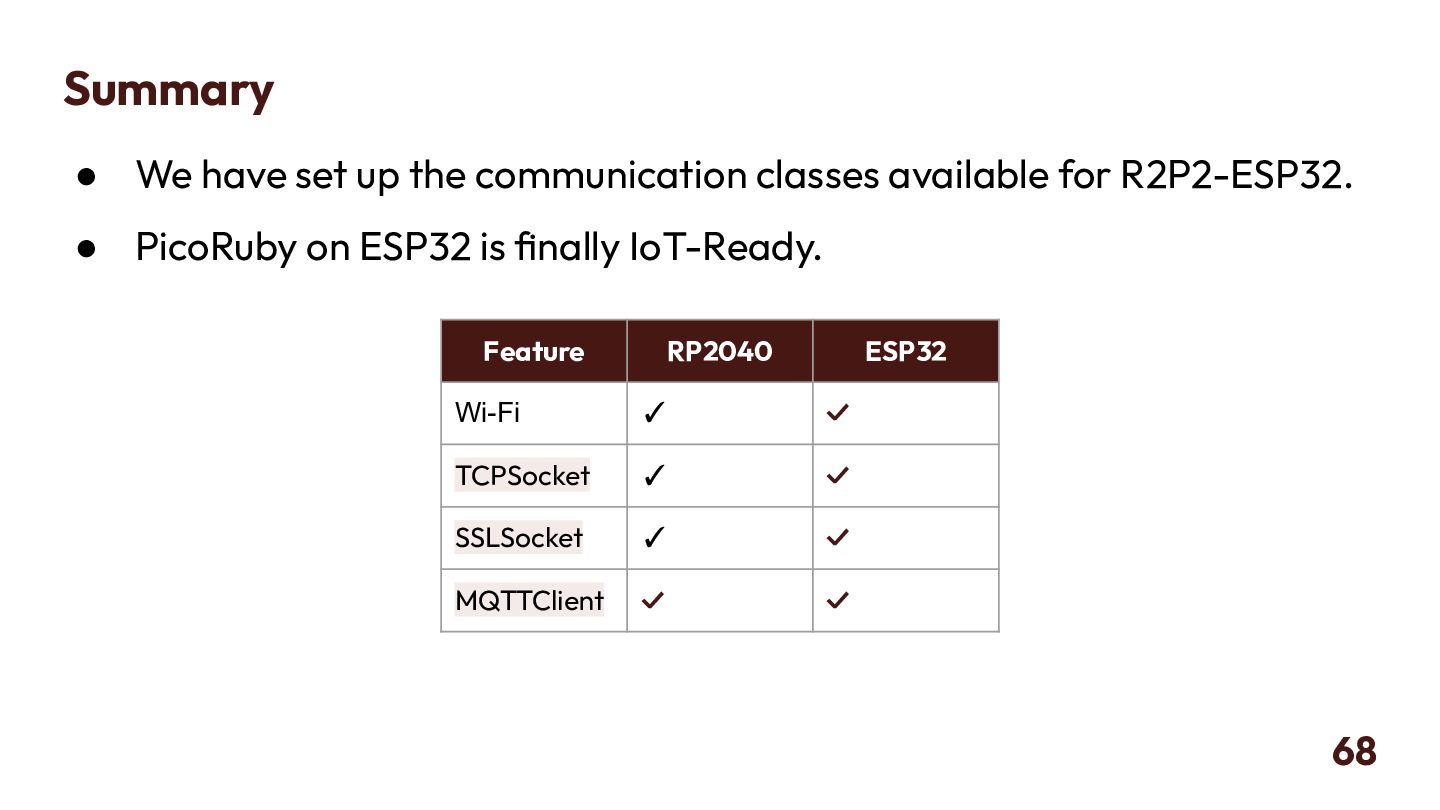
    for R2P2-ESP32. • PicoRuby on ESP32 is finally IoT-Ready. 68 Feature RP2040 ESP32 Wi-Fi ✓ ✓ TCPSocket ✓ ✓ SSLSocket ✓ ✓ MQTTClient ✓ ✓
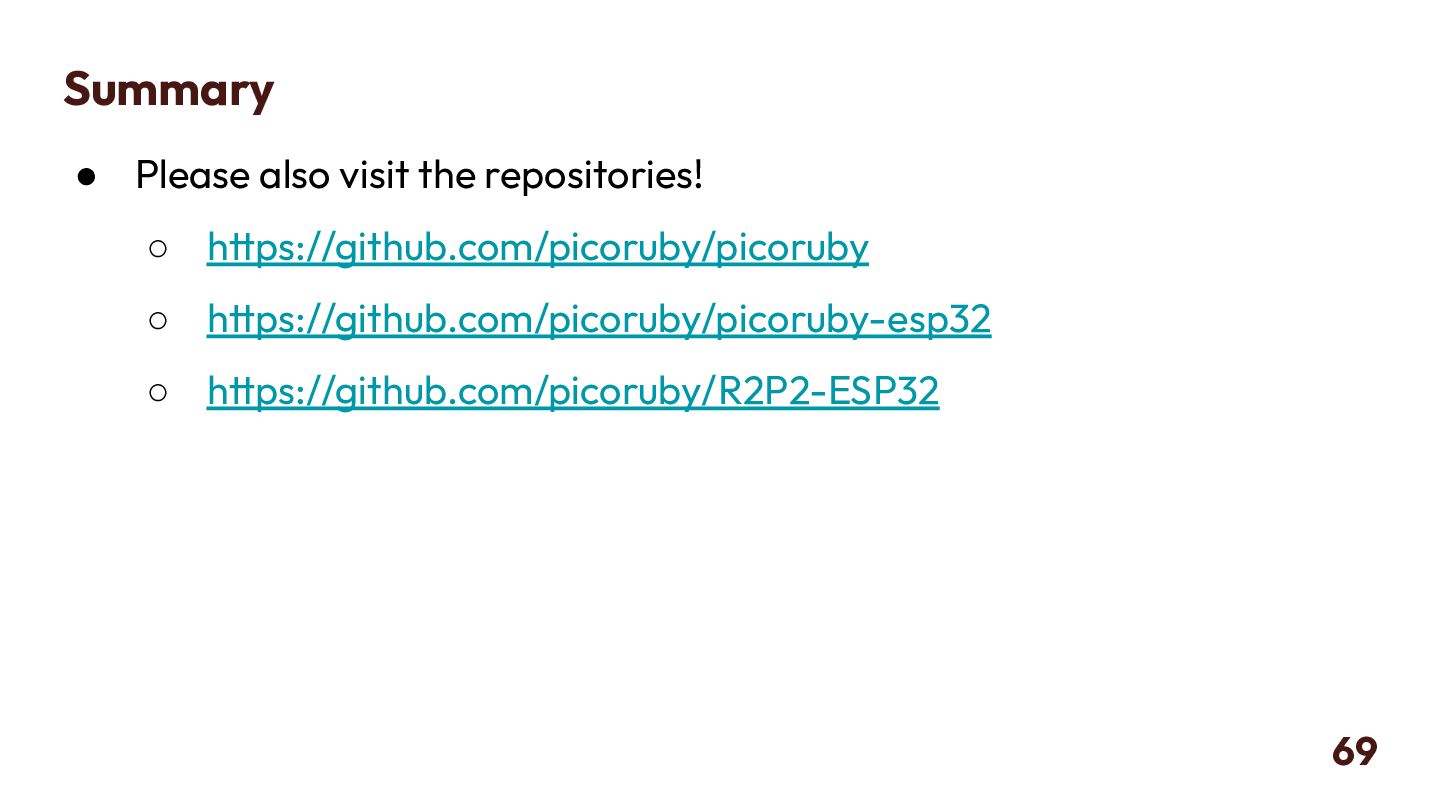
  52. Summary • Please also visit the repositories! ◦ https://github.com/picoruby/picoruby ◦

    https://github.com/picoruby/picoruby-esp32 ◦ https://github.com/picoruby/R2P2-ESP32 69
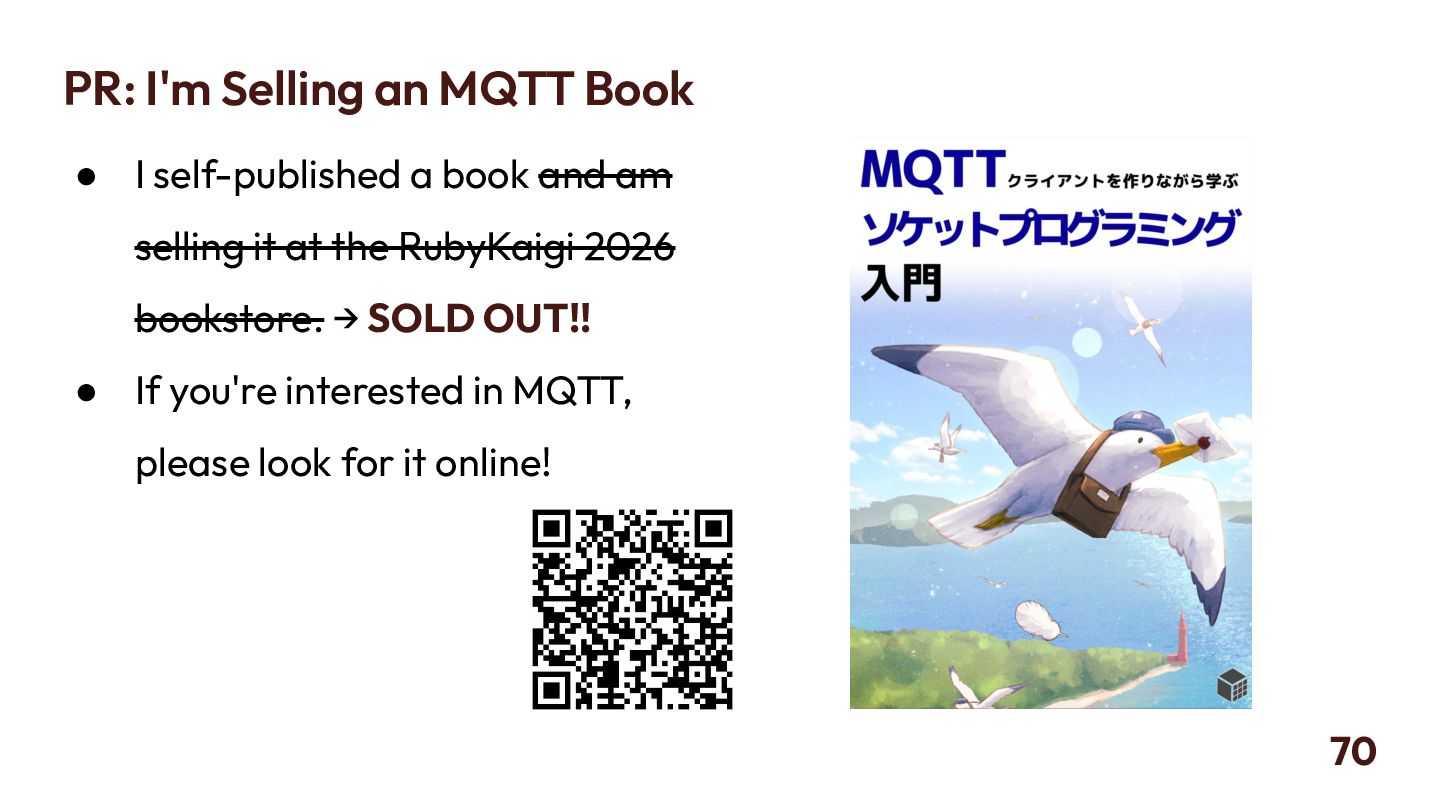
  53. PR: I'm Selling an MQTT Book • I self-published a

    book and am selling it at the RubyKaigi 2026 bookstore. → SOLD OUT!! • If you're interested in MQTT, please look for it online! 70