Share
Embed
Web Development Overview 2016
This brief talk was given as part of an overview of web development for the Startup Programming course, at University of Victoria.
http://startup-programming.com
Alexey Zagalsky
September 16, 2016
Transcript
29 slides
-
Networking HTTP Rendering HTML CSS Business Logic VM (Java, Silverlight,
Flash) Javascript Roles of the Browser -
HyperText Markup Language (HTML) HTML is the standard markup language
used to create web pages. HTML elements: Head: title, base, link, style, meta, script Body: titles, paragraphs, text style, lists, tables, images, links, forms Every HTML element can be assigned with an id attribute to allow manipulation with JavaScript or CSS. <html> <head> <title>Hello World!</title> </head> <body> <h1 id="greetings">Hi</h1> <p>Minimal <b>hello world</b> page.</p> </body> </html> -
Cascading Style Sheets (CSS) Semantic Tags vs. Design Tags <p>,
<h1> vs. <font>, <b> No model-view separation CSS Zen Garden (http://www.csszengarden.com/) Preprocessors: SCSS vs LESS http://www.labnol.org/internet/learn-css/29126/ -
Extensible Markup Language (XML) Labeled ordered tree Many available tools
to: generate, parse, transform, send Mainly used for: Configuration Declarative (meta) programming Platform independent data exchange (RSS feeds) -
JavaScript “The programming language of the Web” Prototype-based scripting language
with dynamic typing Fully fledged programming language: variables, arrays, objects, methods, conditional statements, loops, and events. Simple and forgiving syntax: Type declaration optional Lambda notation JSON Compatibility issues between different browsers (JavaScript, JScript, ECMAScript) <html> <script> var x = 3; var y = 47; alert( " 3 x 47 = " + (x*y) ); </script> </html> <h1 onMouseOver="style.color='red';"onMouseOut="style.color='blue';">Hello </h1> -
DOM Document Object Model JavaScript meets the browser Data structure
and API that enables programmatic manipulation of HTML pages -
DOM Example <html> <head> <script type="text/javascript"> function getValue(){ var x
= document.getElementById("myHeader"); alert(x.innerHTML); } </script> </head> <body> <h1 id="myHeader" onclick="getValue()">This is a header</h1> <p>Click on the header to alert its value</p> </body> </html> -
Better User Experience - AJAX Asynchronous JavaScript + XML XMLHttpRequest
Not standardized. Many frameworks available -
<html> <head> <script type="text/javascript"> function sendRequest() { var req =
new XMLHttpRequest(); req.open("GET", "http://www.google.ca/search?hl=en&q=victoria", true); req.onreadystatechange = function() { if (req.readyState == 4) { if (req.status == 200) { printResultCount( req.responseText ); } } }; req.send(); } function printResultCount(data) { var str = data.match(/of about <b>(.+?)<\/b> for <b>(.+?)<\/b>/i); var obj = document.getElementById("output"); obj.innerHTML = str[1]+" results found"; } </script> </head> <body> <h1 id="myHeader" onclick="sendRequest()">This is a header</h1> <div id="output"> <p>Click on the header to use ajax</p> </div> </body> </html> -
Advanced Technologies • Bootstrap • CoffeScript, TypeScript • Angular.js •
Node.js • Ruby on Rails • Yeoman • React • ... Some tutorials can be found at http://build-podcast.com/ -
Web Containers / Web Frameworks Roles of web container: Networking,
Thread management, Servlet management, HTTP protocol management -
Example var app = express(); app.use(bodyParser.urlencoded({ extended: false })) app.engine('html',
require('ejs').renderFile); app.set('view engine', 'html'); app.get('/', function (req,res){ Shout.find(function(err, shouts) { if (err) return console.error(err); res.render('index.html', { shouts : shouts }); }); }); app.post('/post', function (req, res) { var name = req.body.name; var message = req.body.message; var shout = new Shout({ name: name, message: message }); shout.save(function(err) { if (err) return console.error(err); }); res.redirect(301, '/'); }); Full code example at: github.com/alexeyza/startup-programming/blob/master/resources/tutorial s -
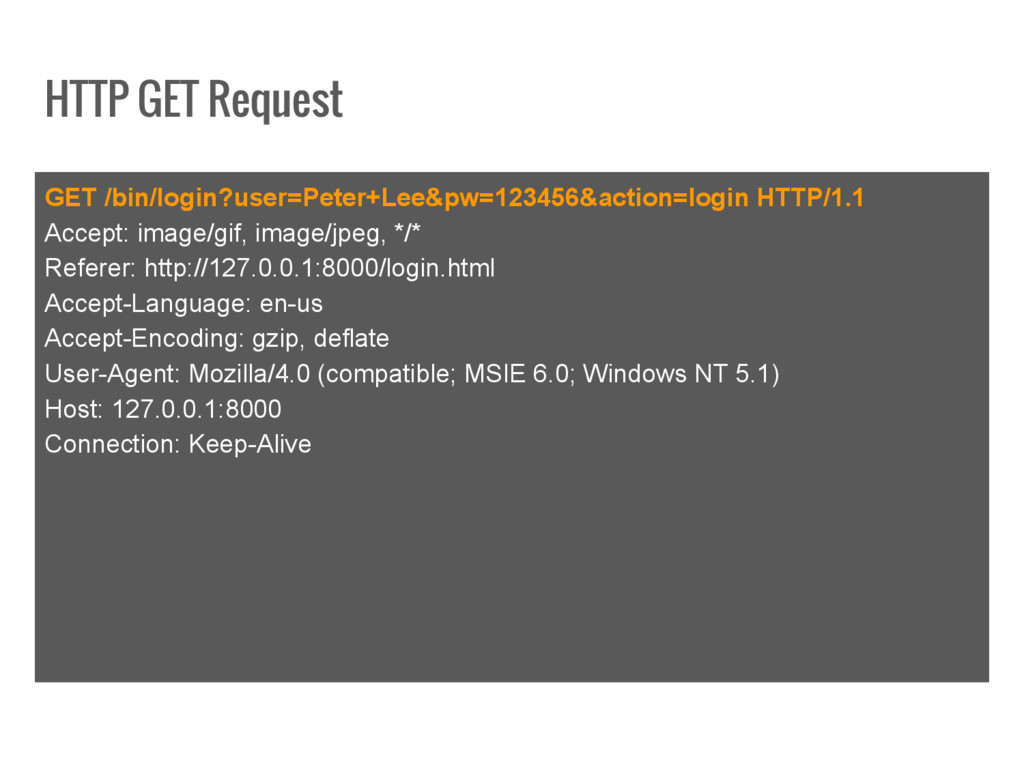
HTTP GET Request GET /bin/login?user=Peter+Lee&pw=123456&action=login HTTP/1.1 Accept: image/gif, image/jpeg, */*
Referer: http://127.0.0.1:8000/login.html Accept-Language: en-us Accept-Encoding: gzip, deflate User-Agent: Mozilla/4.0 (compatible; MSIE 6.0; Windows NT 5.1) Host: 127.0.0.1:8000 Connection: Keep-Alive -
HTTP POST Request POST /bin/login HTTP/1.1 Host: 127.0.0.1:8000 Accept: image/gif,
image/jpeg, */* Referer: http://127.0.0.1:8000/login.html Accept-Language: en-us Content-Type: application/x-www-form-urlencoded Accept-Encoding: gzip, deflate User-Agent: Mozilla/4.0 (compatible; MSIE 6.0; Windows NT 5.1) Content-Length: 37 Connection: Keep-Alive Cache-Control: no-cache User=Peter+Lee&pw=123456&action=login -
GET vs. POST The HTTP GET method is used when:
The processing of the request is idempotent The amount of form data is small You want to allow the request to be bookmarked The HTTP POST method is used when: The processing of the request changes the state of the server, such as data in a database The amount of form data is large The contents of the data should not be visible in the URL (e.g. passwords) -
Forms <form action="/post" method="post"> name: <input type="text" name="name"/> message: <input
type="text" name="message"/> <input type="submit" value="Submit"/> </form> -
Session Management HTTP is a stateless protocol, however, a web
container provides the mechanisms to maintain states and sessions (e.g. virtual shopping cart). Cookies • The server attaches a cookie, file containing name=value pairs, with each response. • With every request the client will attach previous cookies. • In practice, the cookie holds only the unique user identifier - the session data itself is stored on the server. URL rewriting • Links will be modified to include the additional variables (e.g. the unique identifier). -
Web Template System A web template system is composed of:
• A template engine (EJS, DJango) • Content resource (DB) • Template resource (JSP, PHP) Benefits: • Separation of concerns (Model/View) • Mass production of content • Flexible presentation • Reusability • Style standardization -
Wait, so what should we use? Frontend HTML, CSS, JavaScript,
jQuery... Backend Java, Python, Node.js, Go, Ruby on Rails... Hosting Google App Engine, Heroku, AWS... IDE / Text Editor Eclipse, Webstorm, SublimeText...