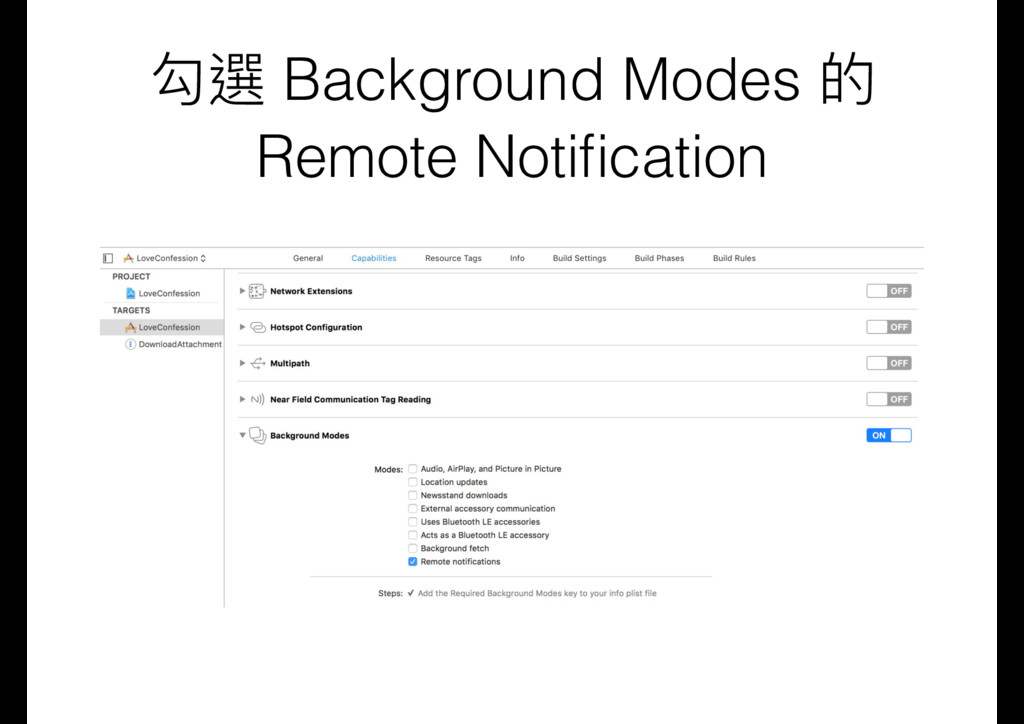
Upgrade to Pro — share decks privately, control downloads, hide ads and more …

告白推播的 Push Notification

告白推播的 Push Notification

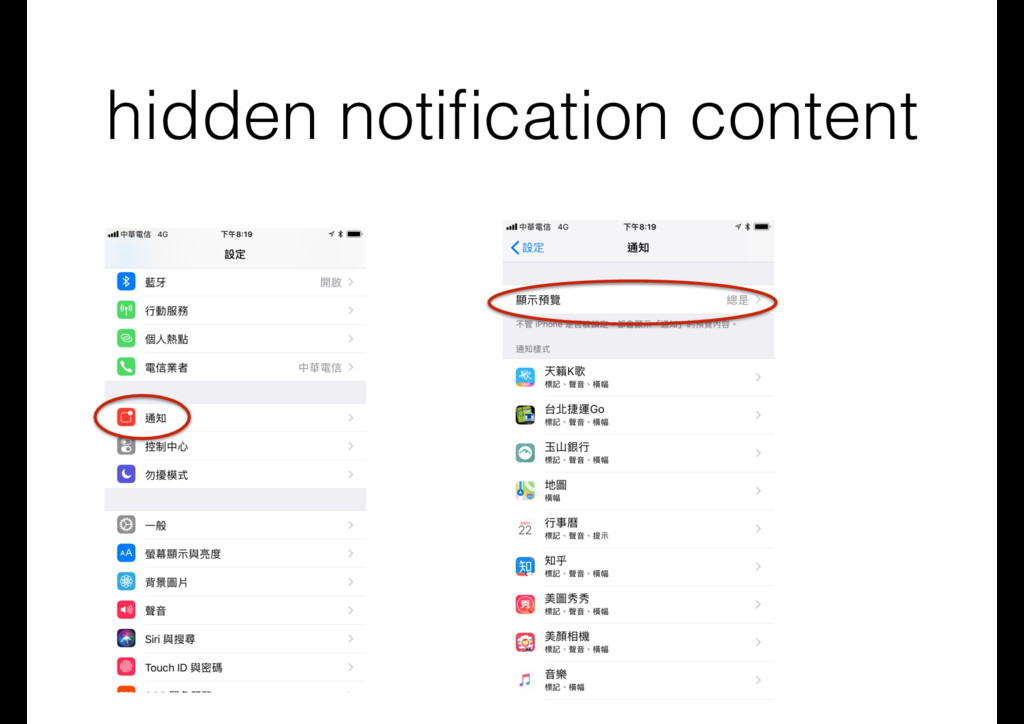
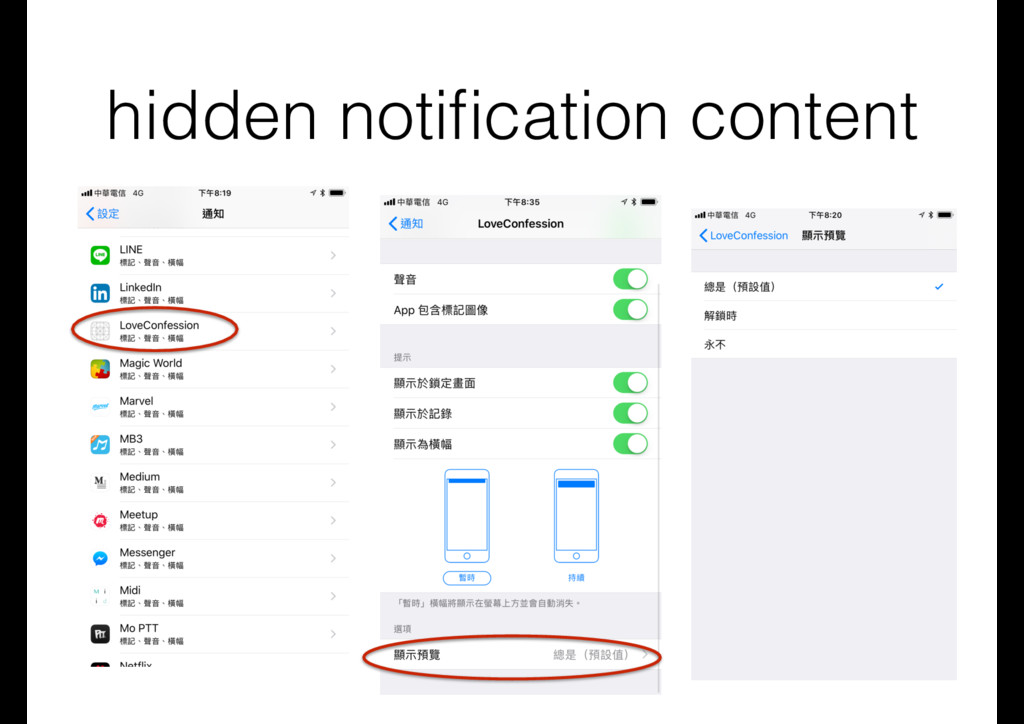
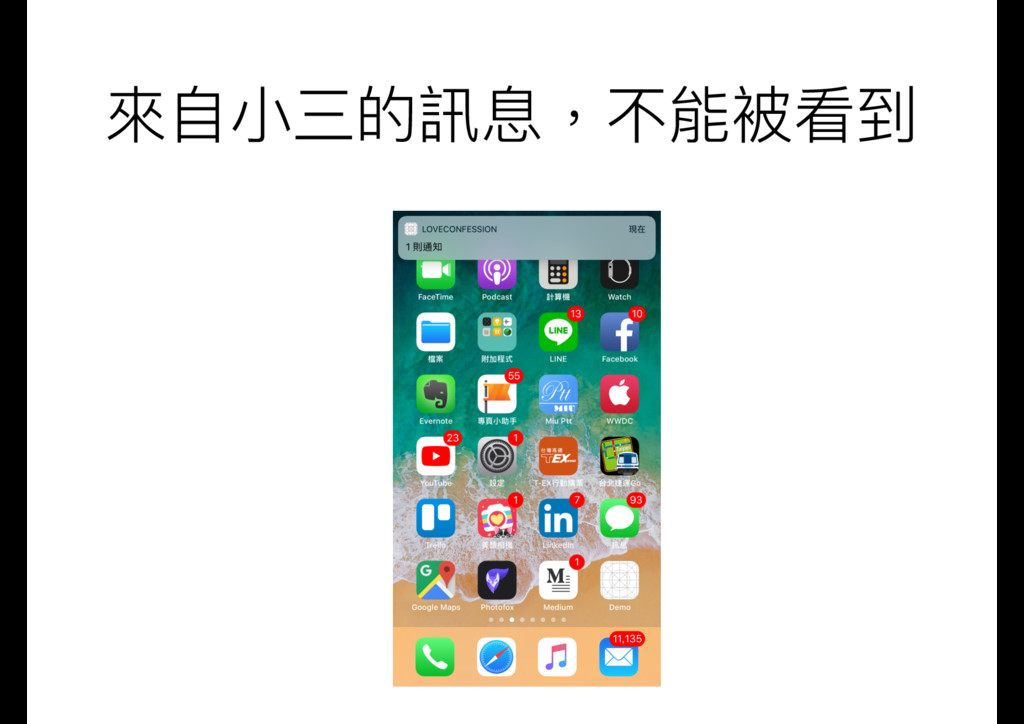
介紹 Apple Push Notification,實作基本的 App 推播功能,利用 Node.js 發送推播,iOS 11 的隱藏推播訊息(hidden notification content),利用 silent notification 更新資料,利用 Notification Service Extension 下載修改推播內容

Transcript

91 slides
  1. 相關教學資源 • FB粉絲團: 愛瘋⼀一切為蘋果的彼得潘
 http://www.facebook.com/iphone.peterpan • 個⼈人網站
 http://apppeterpan.strikingly.com • medium:

    彼得潘的App Neverland
 https://medium.com/@apppeterpan • GitBook: 彼得潘的iOS App開發便便利利貼
 https://www.gitbook.com/book/apppeterpan/iosappcodestickies/ • FB社團: 彼得潘的蘋果App開發教室
 https://www.facebook.com/groups/peterpanappclass/
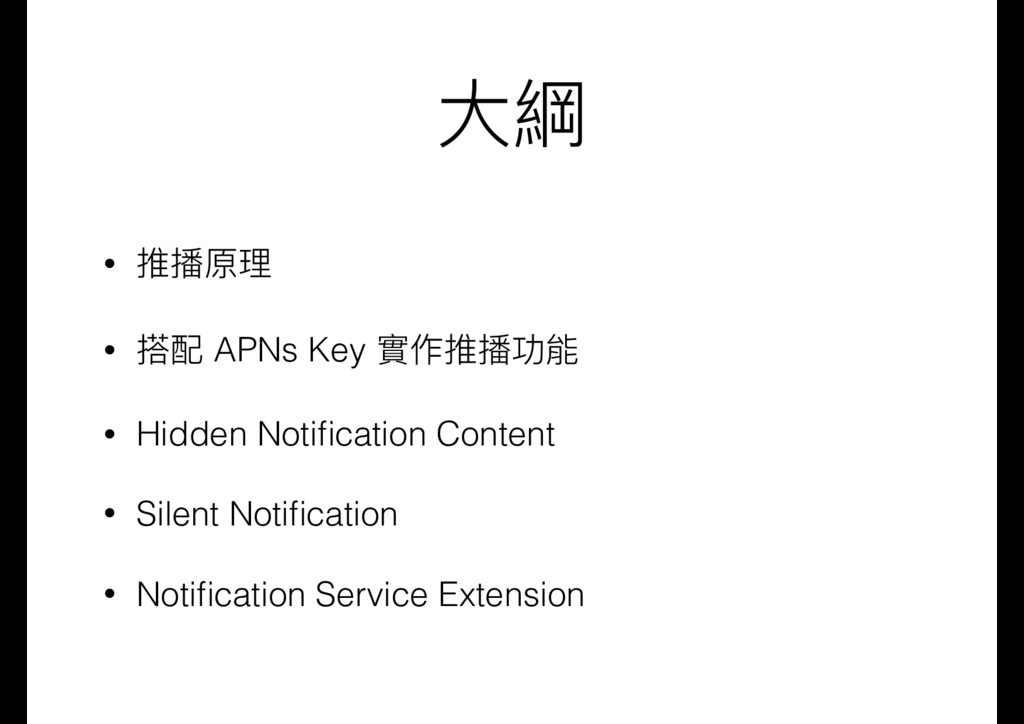
  2. ⼤大綱 • 推播原理理 • 搭配 APNs Key 實作推播功能 • Hidden

    Notification Content • Silent Notification • Notification Service Extension
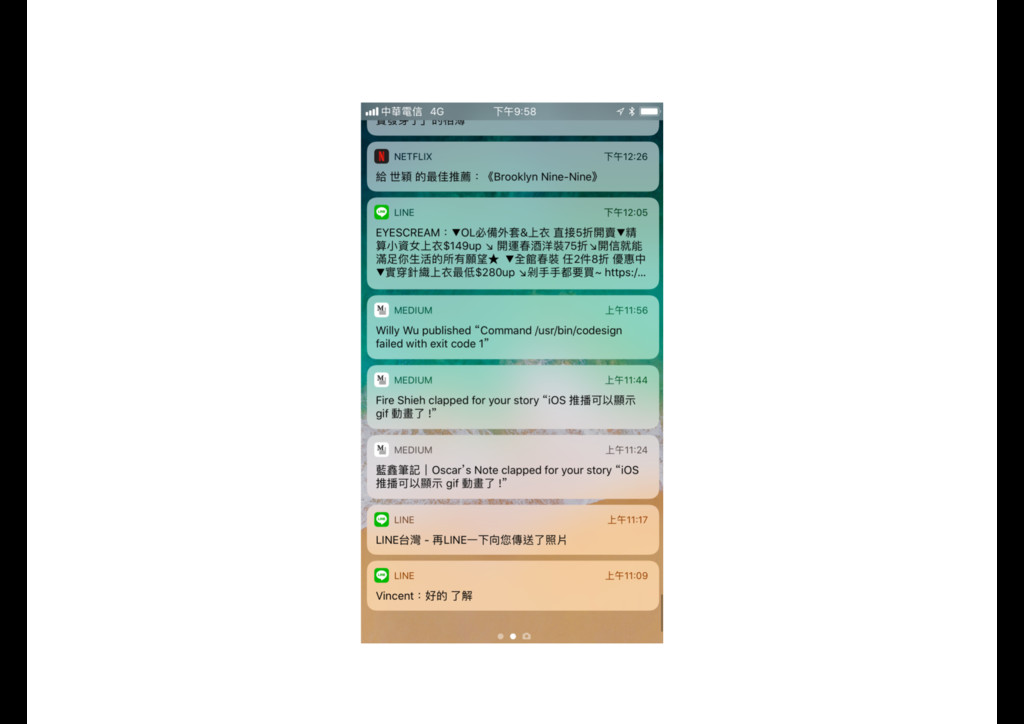
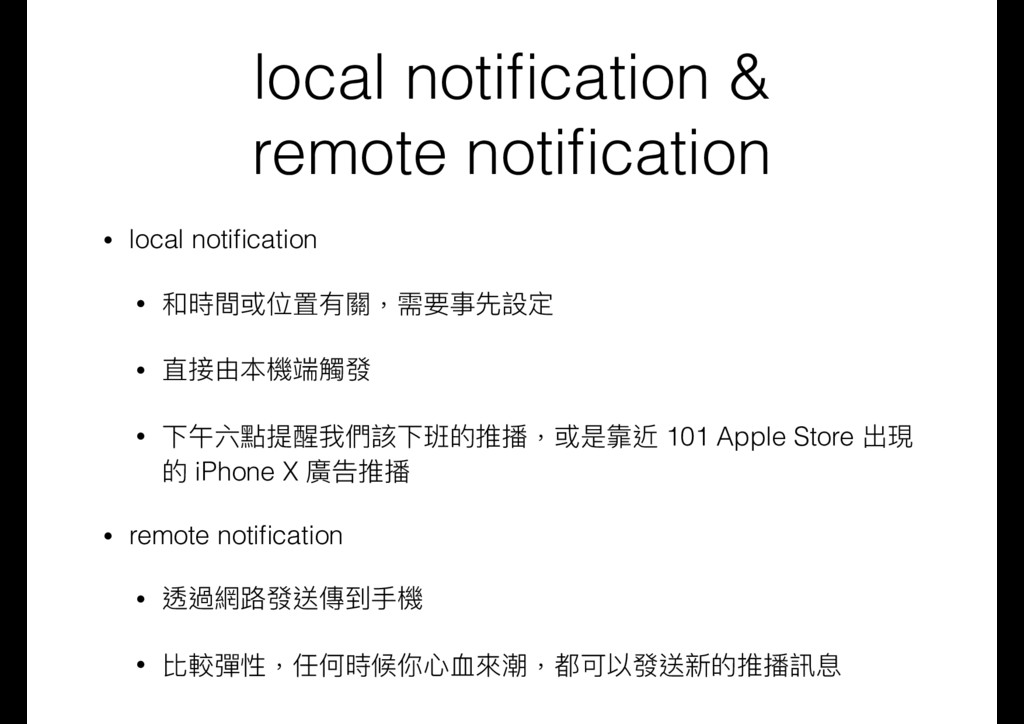
  3. local notification & remote notification • local notification • 和時間或位置有關,需要事先設定

    • 直接由本機端觸發 • 下午六點提醒我們該下班的推播,或是靠近 101 Apple Store 出現 的 iPhone X 廣告推播 • remote notification • 透過網路路發送傳到⼿手機 • 比較彈性,任何時候你⼼心⾎血來來潮,都可以發送新的推播訊息
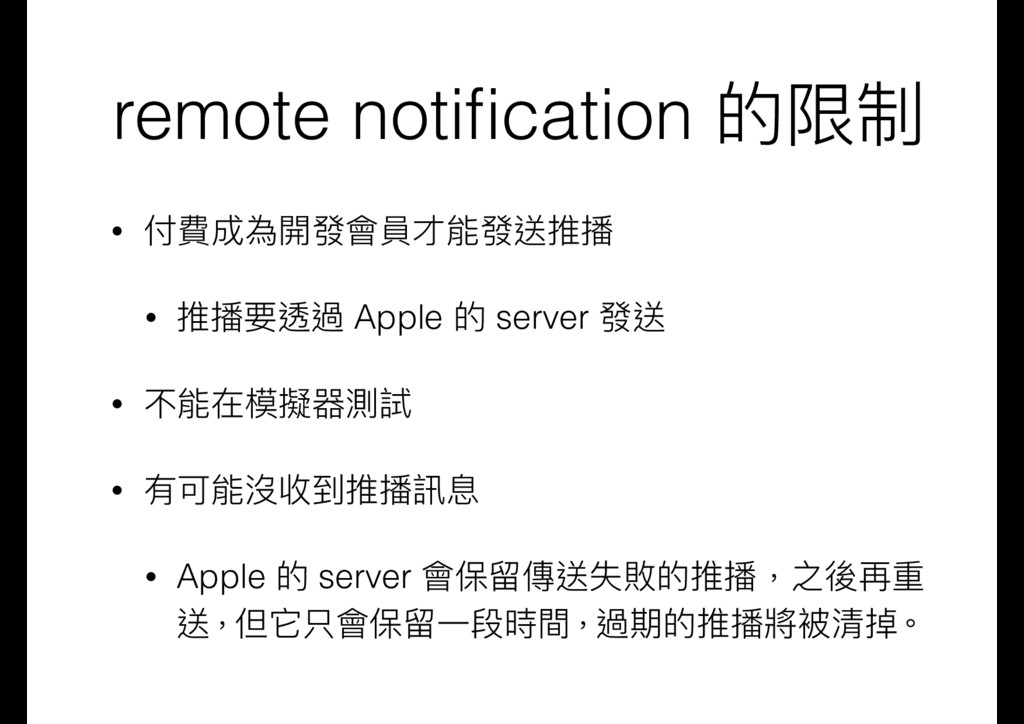
  4. remote notification 的限制 • 付費成為開發會員才能發送推播 • 推播要透過 Apple 的 server

    發送 • 不能在模擬器測試 • 有可能沒收到推播訊息 • Apple 的 server 會保留留傳送失敗的推播,之後再重 送,但它只會保留留⼀一段時間,過期的推播將被清掉。
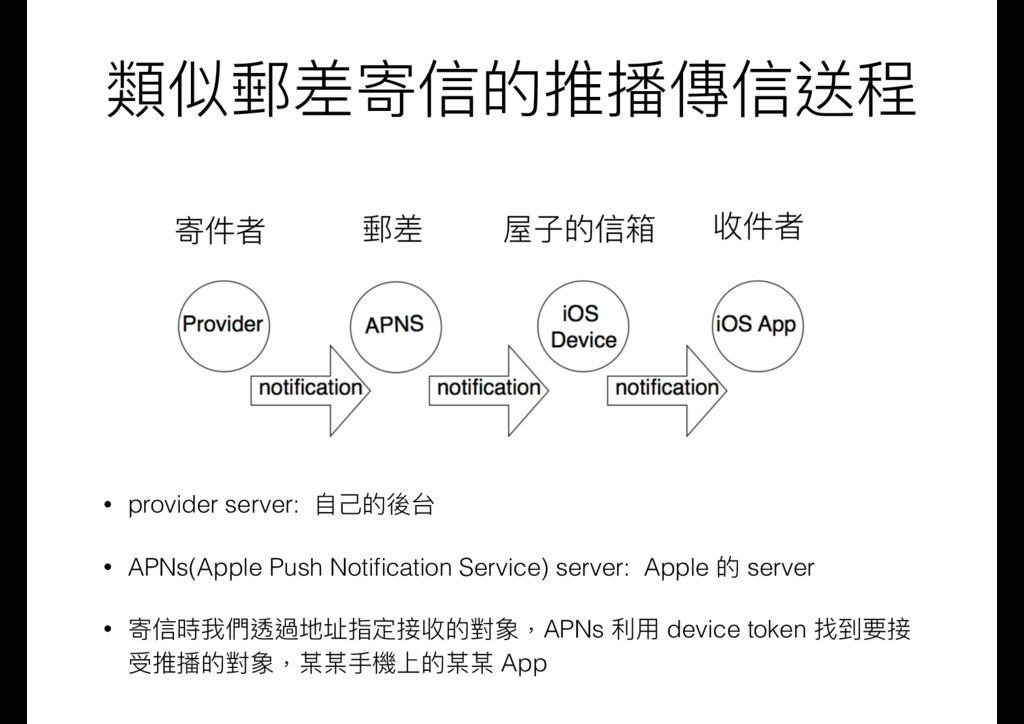
  5. 類似郵差寄信的推播傳信送程 • provider server: ⾃自⼰己的後台 • APNs(Apple Push Notification Service)

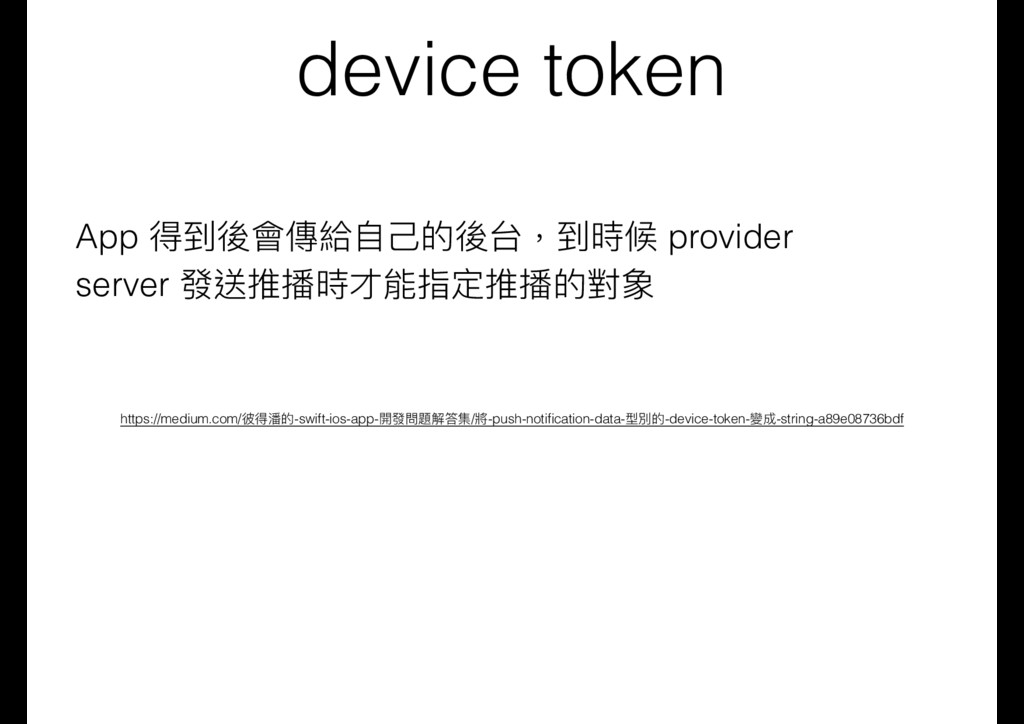
    server: Apple 的 server • 寄信時我們透過地址指定接收的對象,APNs 利利⽤用 device token 找到要接 受推播的對象,某某⼿手機上的某某 App
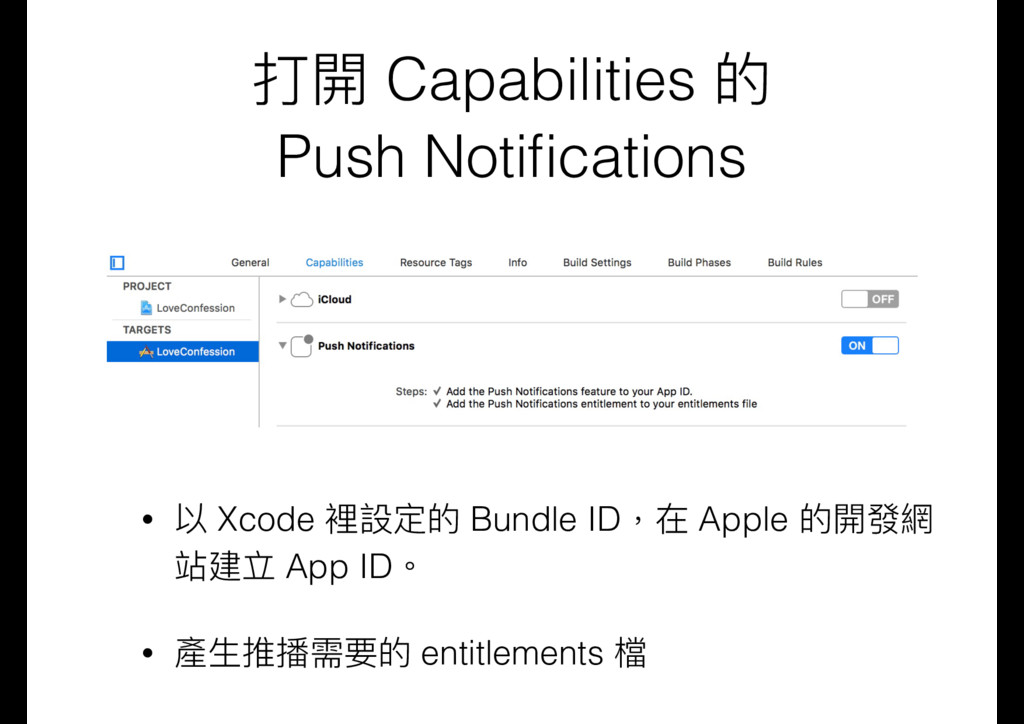
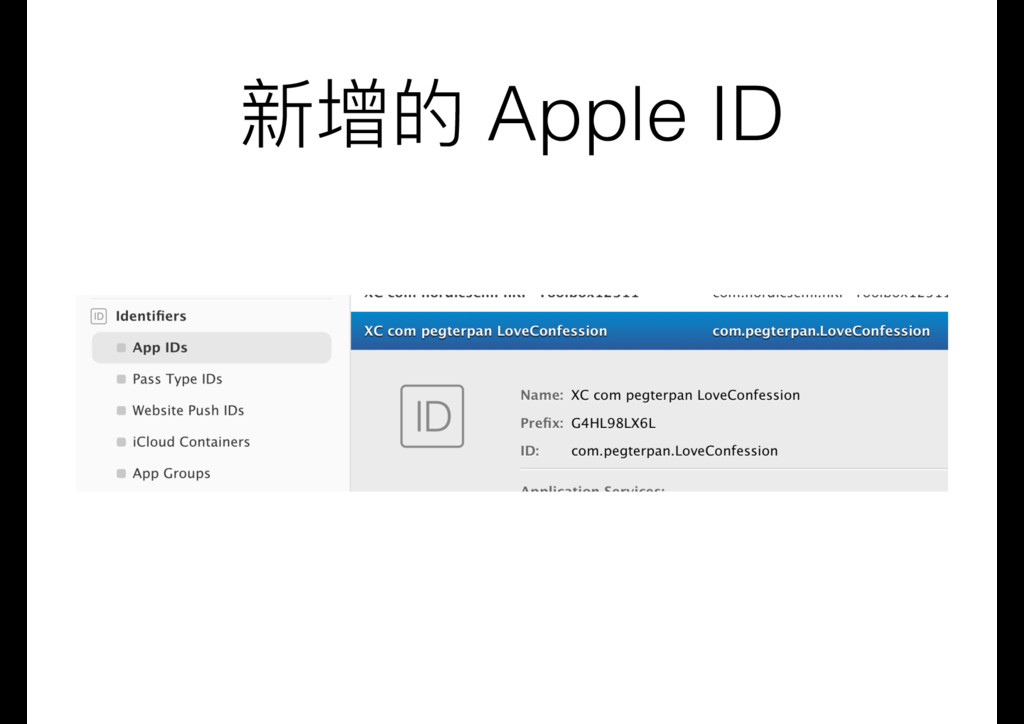
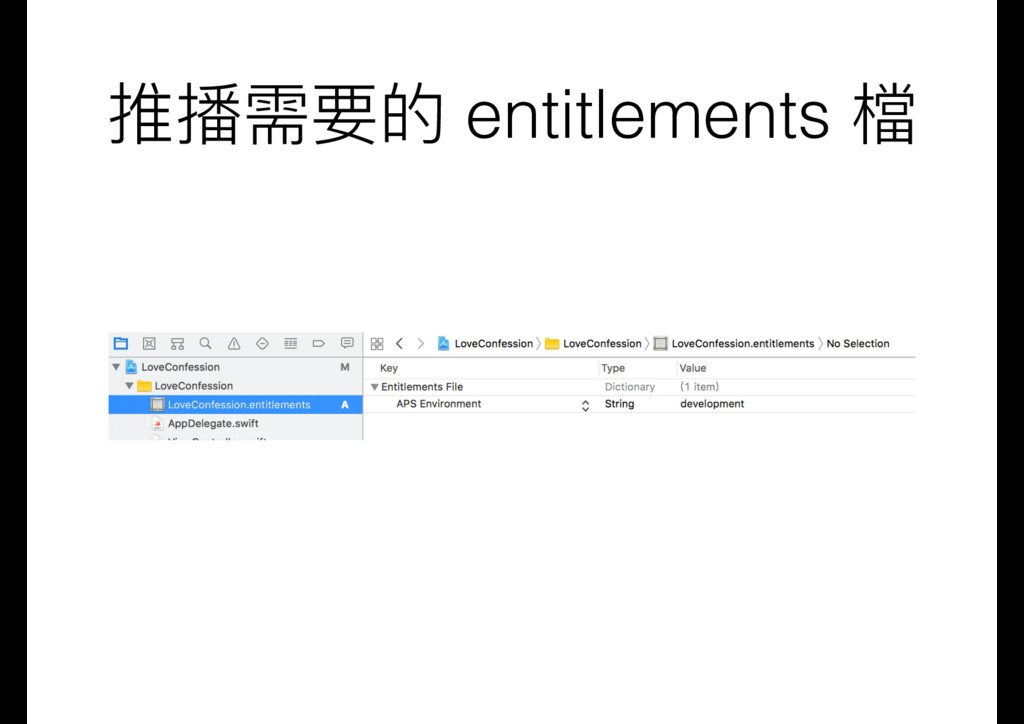
  6. 打開 Capabilities 的 Push Notifications • 以 Xcode 裡設定的 Bundle

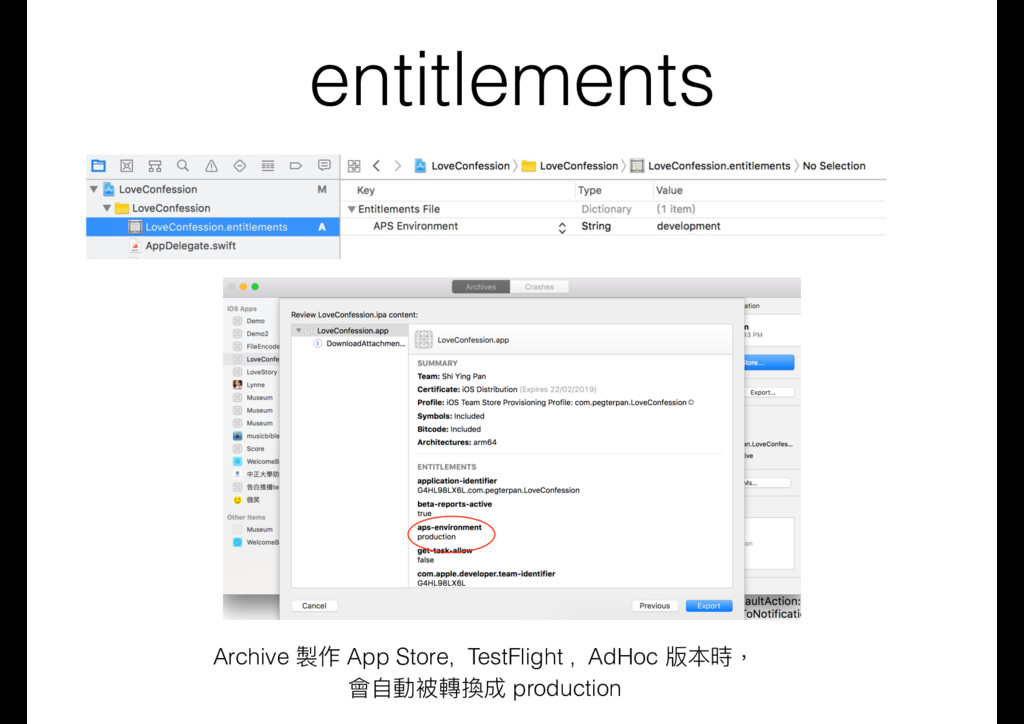
    ID,在 Apple 的開發網 站建立 App ID。 • 產⽣生推播需要的 entitlements 檔
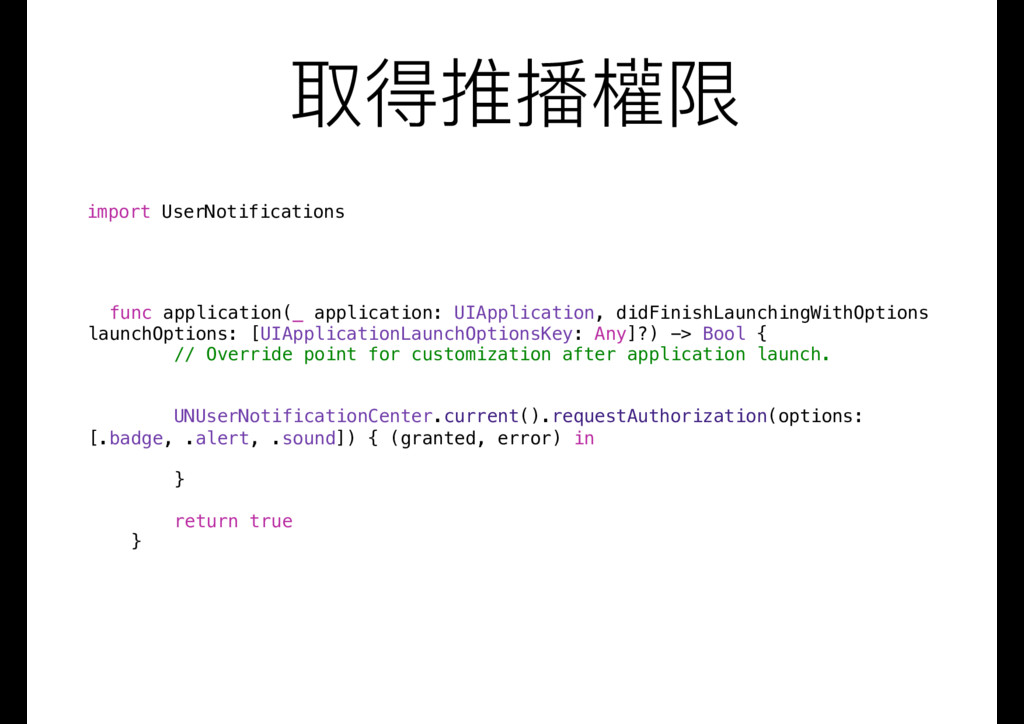
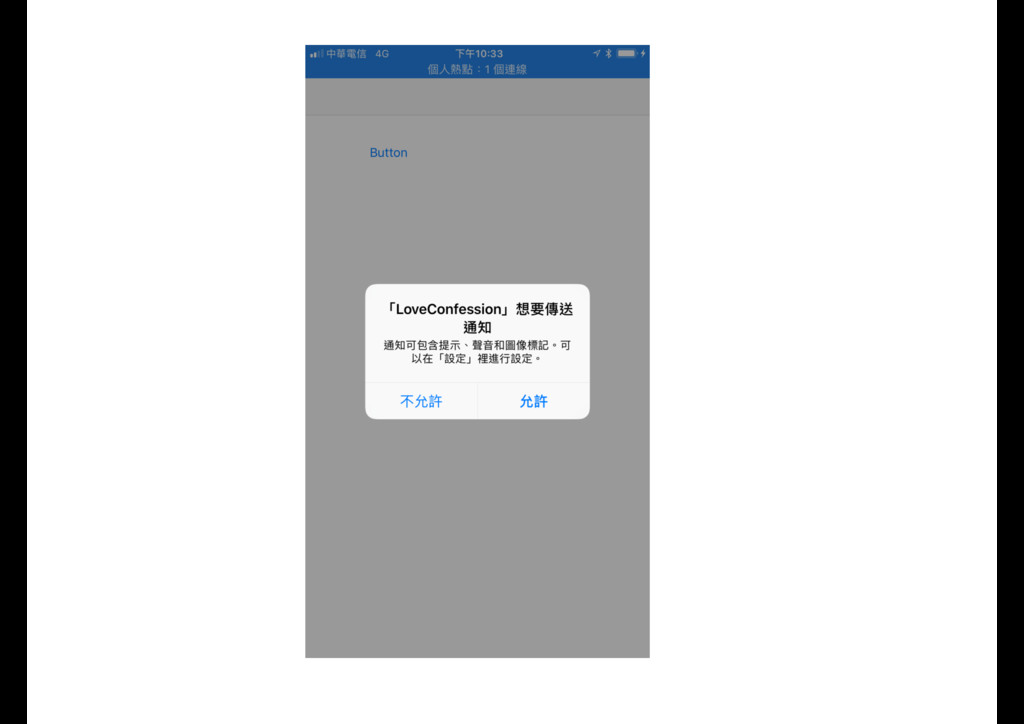
  7. 取得推播權限 func application(_ application: UIApplication, didFinishLaunchingWithOptions launchOptions: [UIApplicationLaunchOptionsKey: Any]?) ->

    Bool { // Override point for customization after application launch. UNUserNotificationCenter.current().requestAuthorization(options: [.badge, .alert, .sound]) { (granted, error) in } return true } import UserNotifications
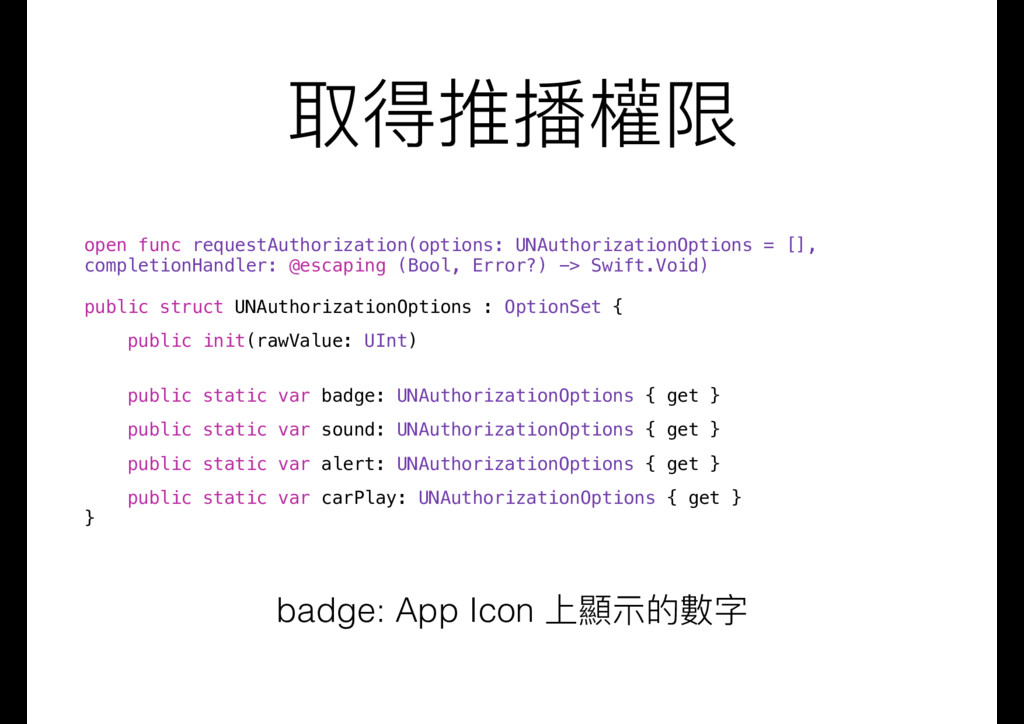
  8. 取得推播權限 open func requestAuthorization(options: UNAuthorizationOptions = [], completionHandler: @escaping (Bool,

    Error?) -> Swift.Void) public struct UNAuthorizationOptions : OptionSet { public init(rawValue: UInt) public static var badge: UNAuthorizationOptions { get } public static var sound: UNAuthorizationOptions { get } public static var alert: UNAuthorizationOptions { get } public static var carPlay: UNAuthorizationOptions { get } } badge: App Icon 上顯⽰示的數字
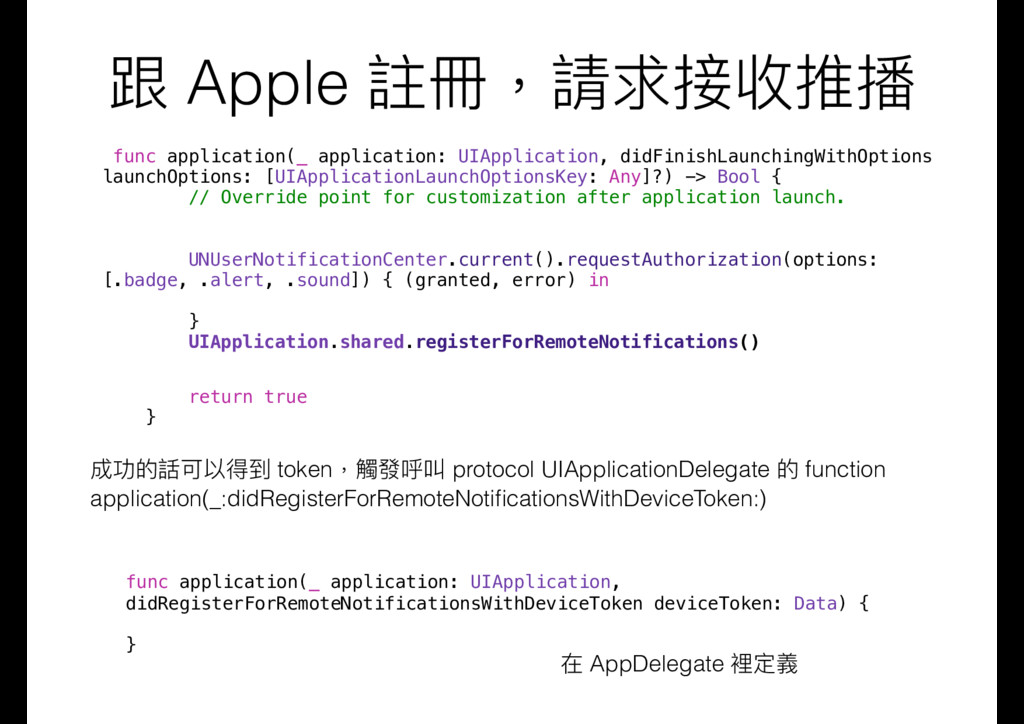
  9. 跟 Apple 註冊,請求接收推播 func application(_ application: UIApplication, didFinishLaunchingWithOptions launchOptions: [UIApplicationLaunchOptionsKey:

    Any]?) -> Bool { // Override point for customization after application launch. UNUserNotificationCenter.current().requestAuthorization(options: [.badge, .alert, .sound]) { (granted, error) in } UIApplication.shared.registerForRemoteNotifications() return true } 成功的話可以得到 token,觸發呼叫 protocol UIApplicationDelegate 的 function application(_:didRegisterForRemoteNotificationsWithDeviceToken:) func application(_ application: UIApplication, didRegisterForRemoteNotificationsWithDeviceToken deviceToken: Data) { } 在 AppDelegate 裡定義
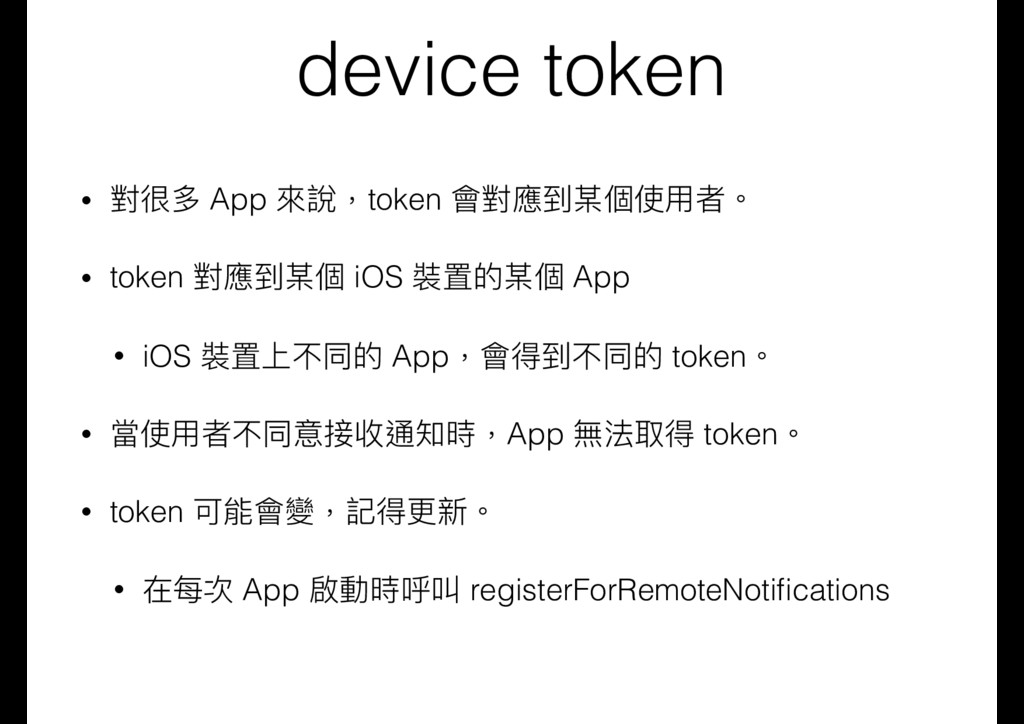
  10. device token • 對很多 App 來來說,token 會對應到某個使⽤用者。 • token 對應到某個

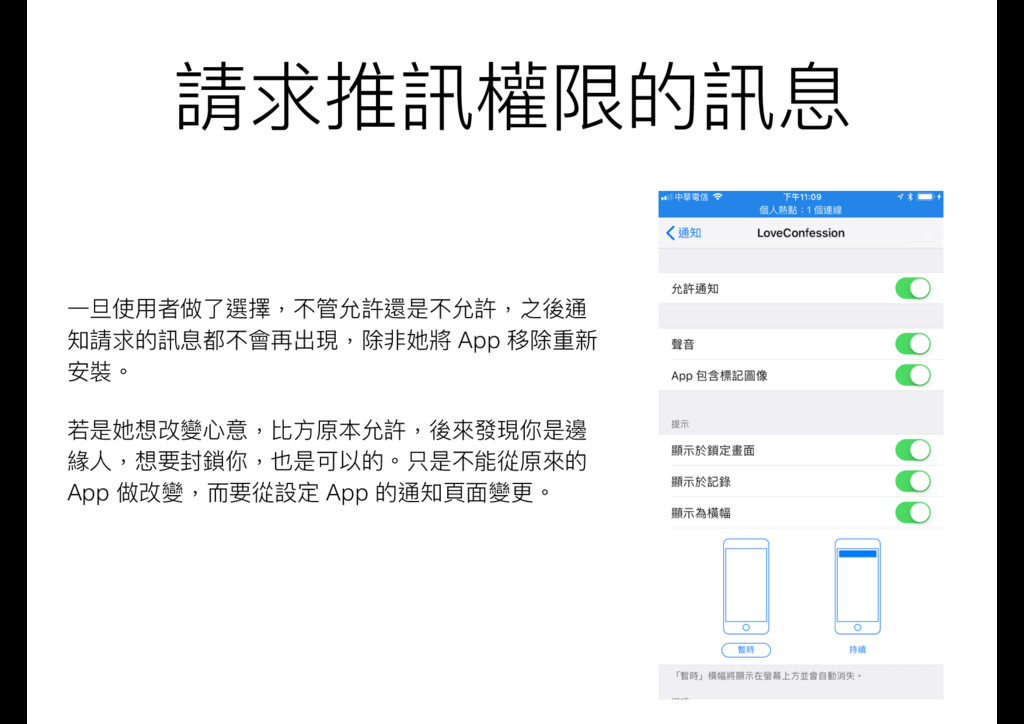
    iOS 裝置的某個 App • iOS 裝置上不同的 App,會得到不同的 token。 • 當使⽤用者不同意接收通知時,App 無法取得 token。 • token 可能會變,記得更更新。 • 在每次 App 啟動時呼叫 registerForRemoteNotifications
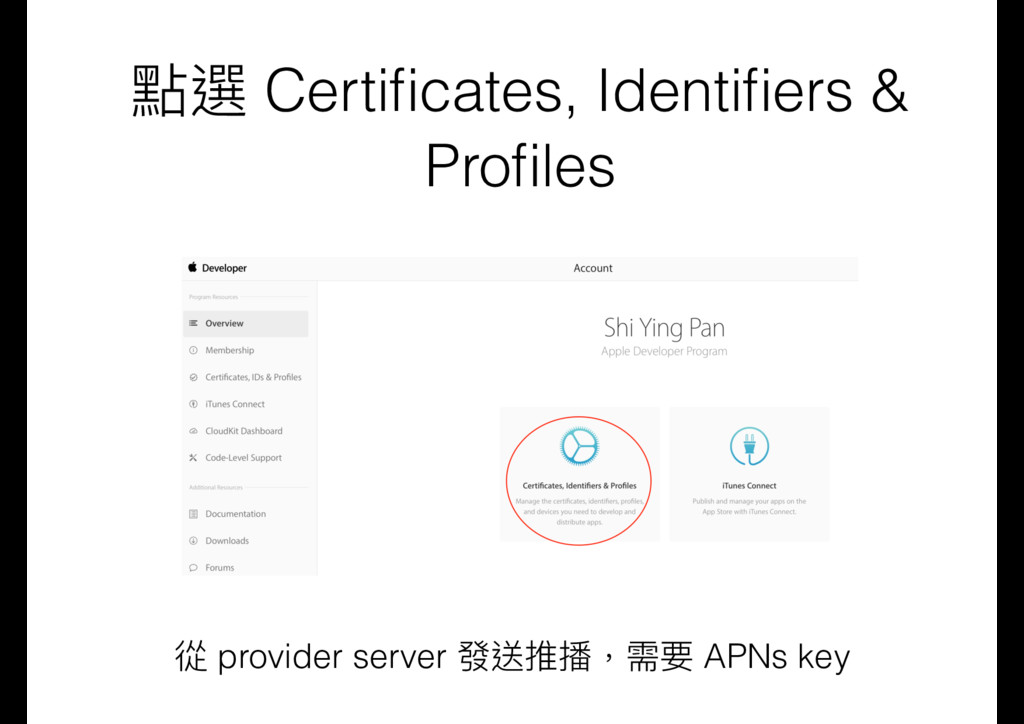
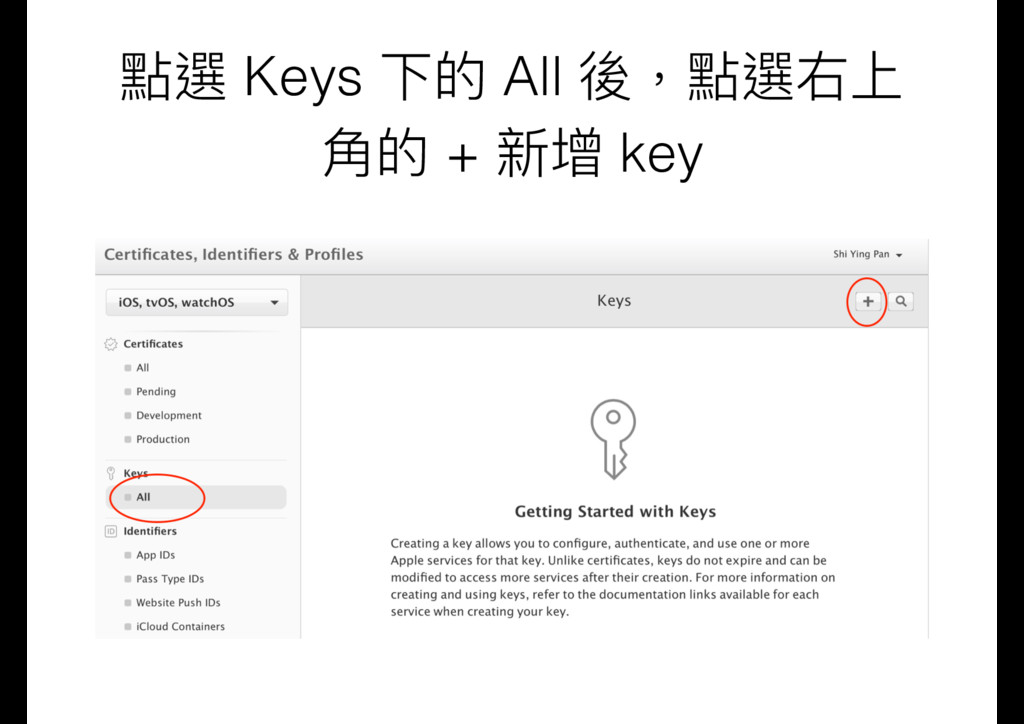
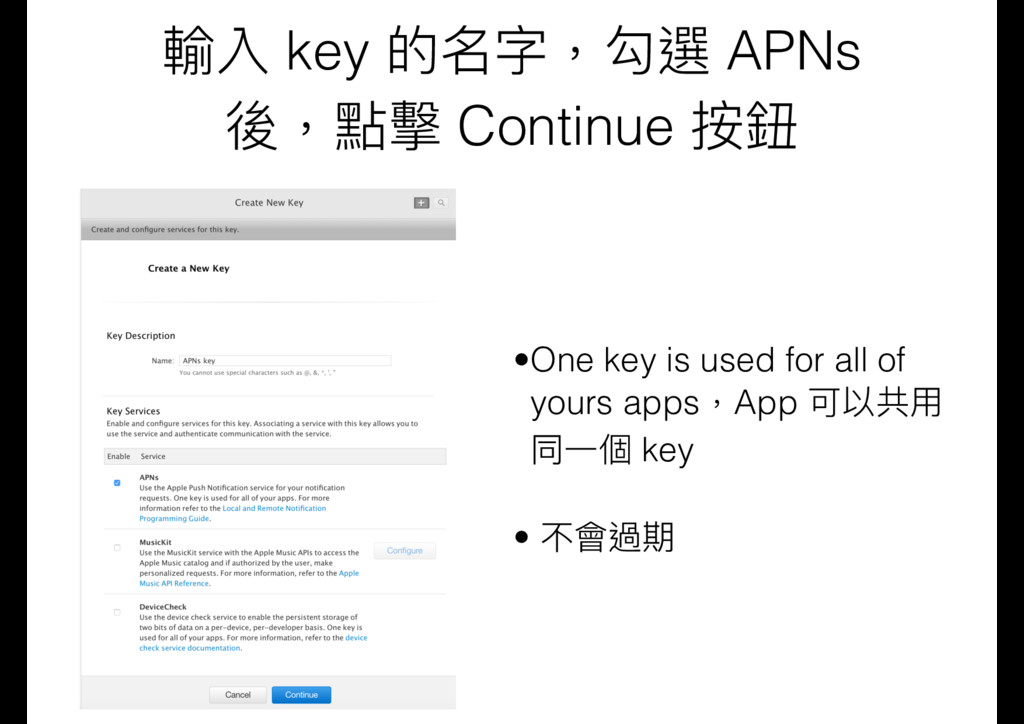
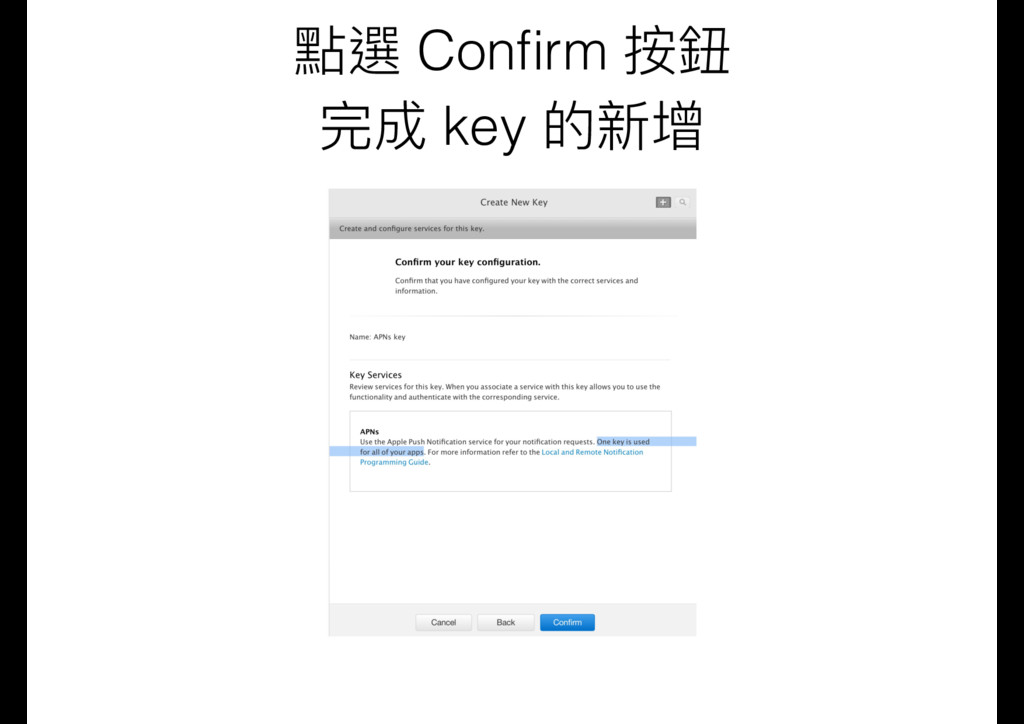
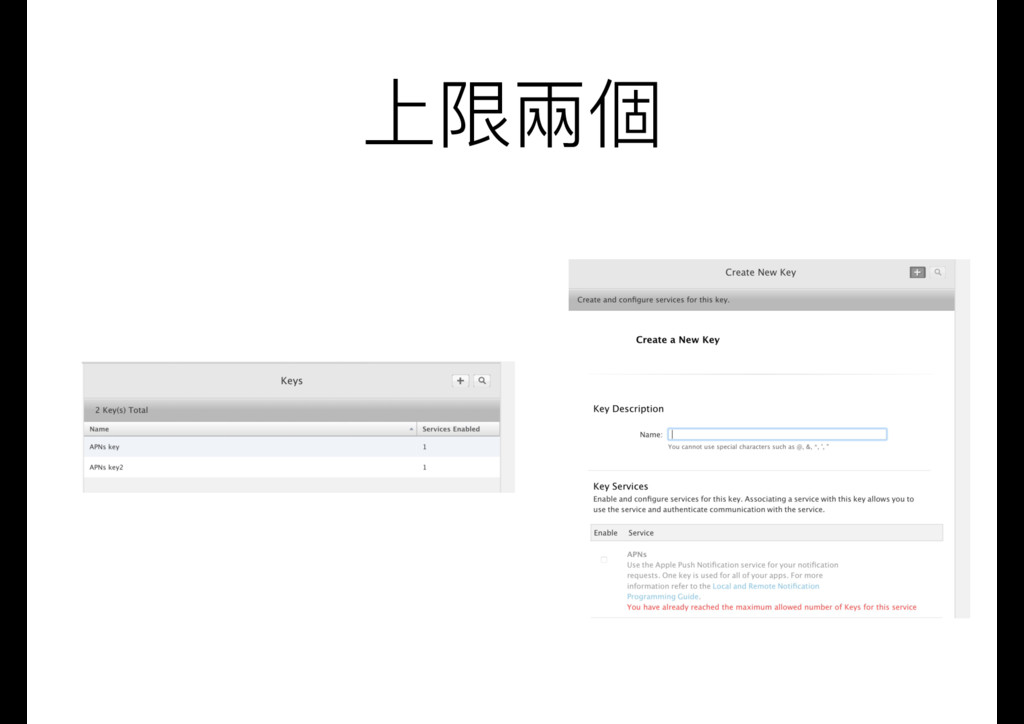
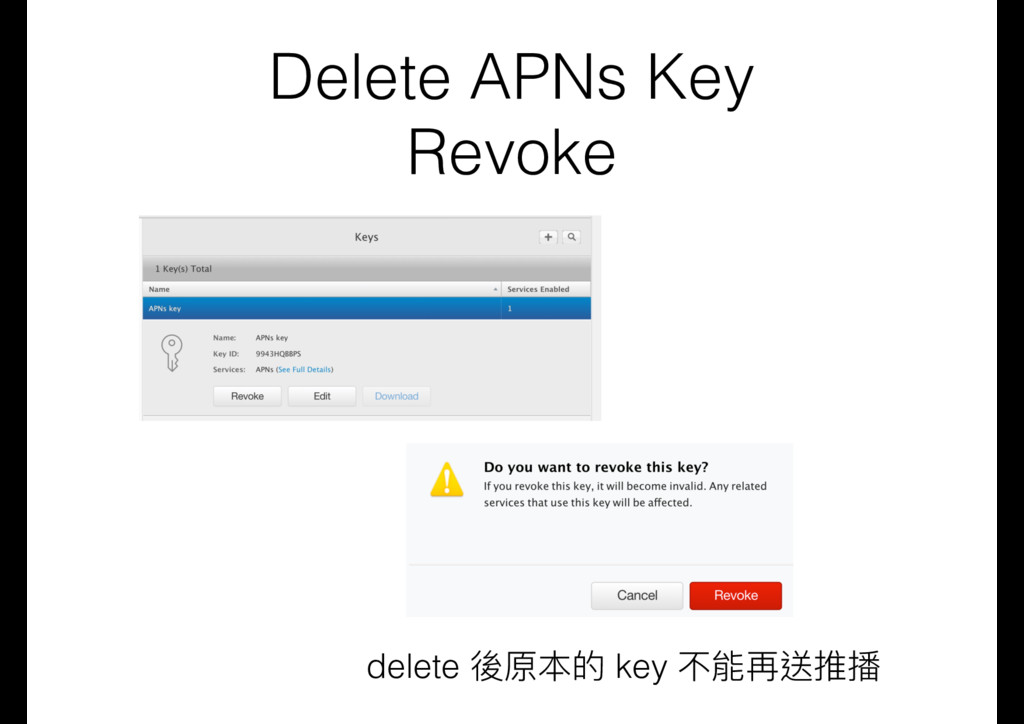
  11. 輸入 key 的名字,勾選 APNs 後,點擊 Continue 按鈕 •One key is

    used for all of yours apps,App 可以共⽤用 同⼀一個 key • 不會過期
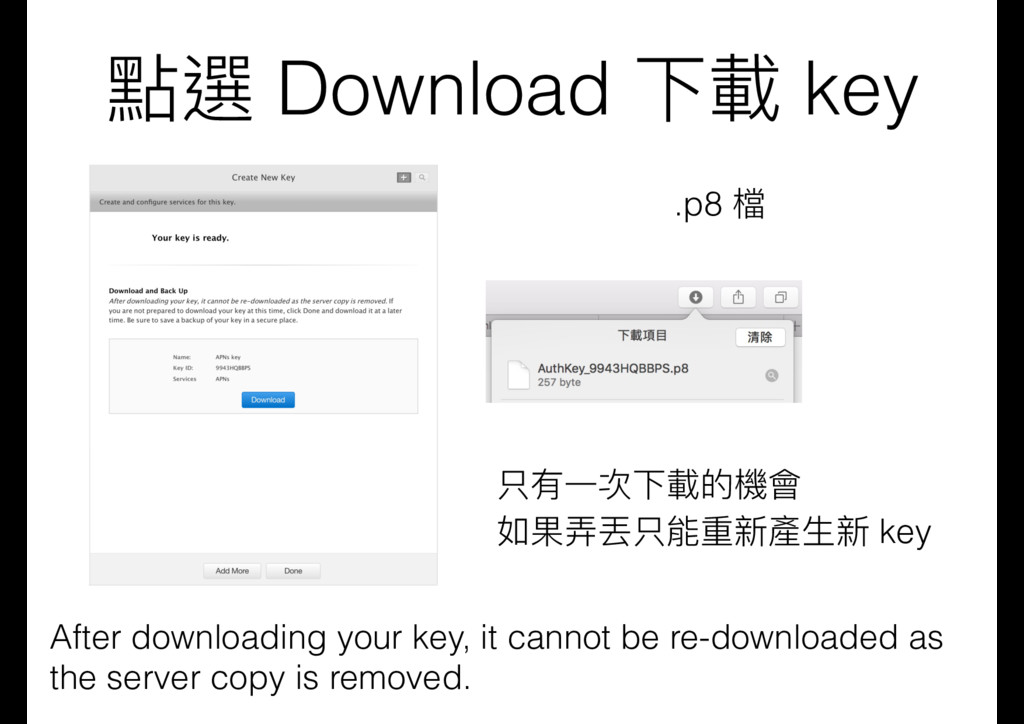
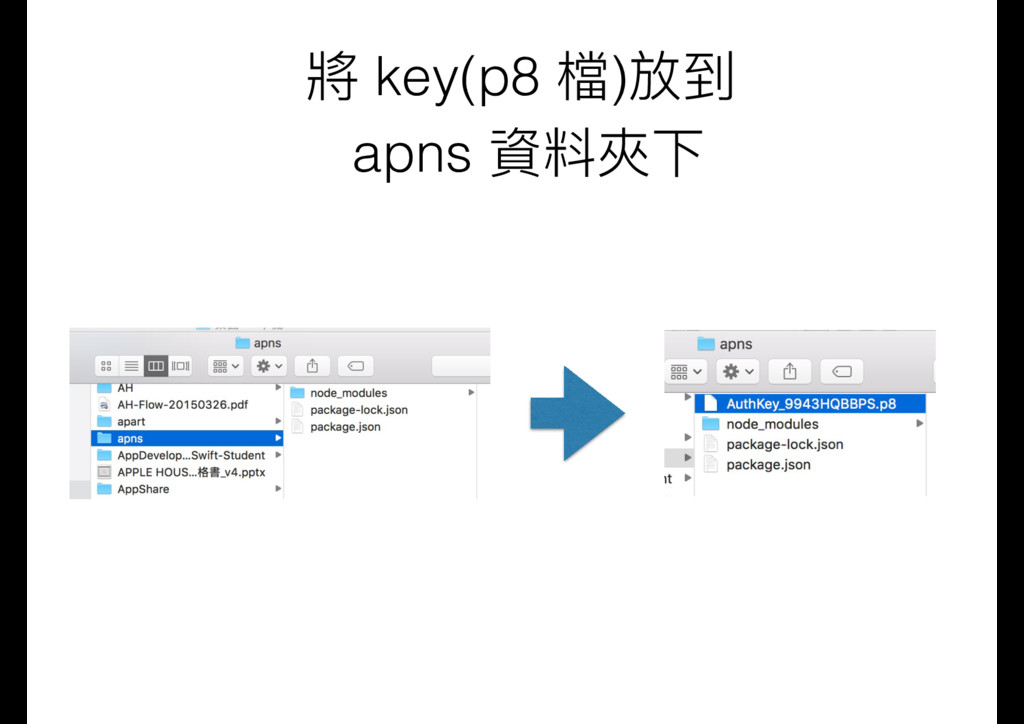
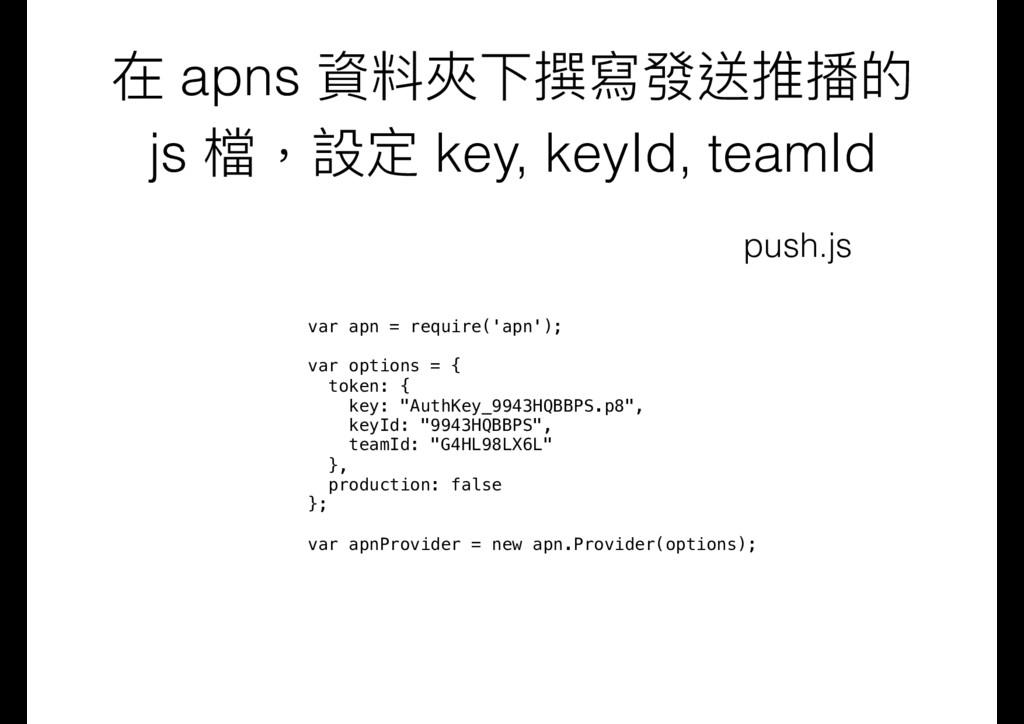
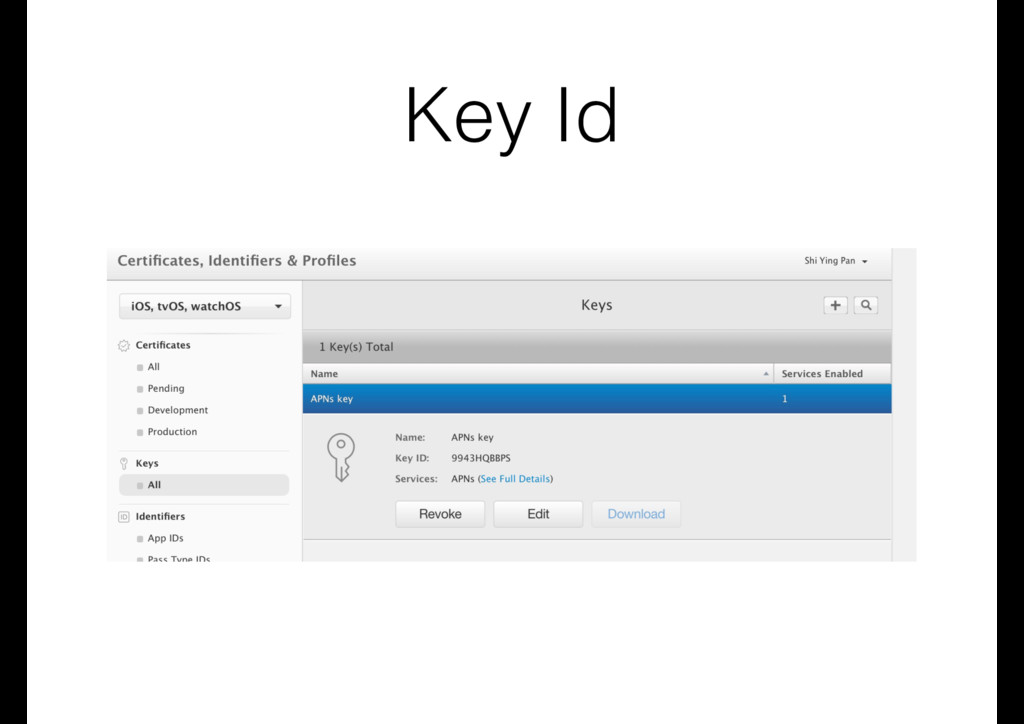
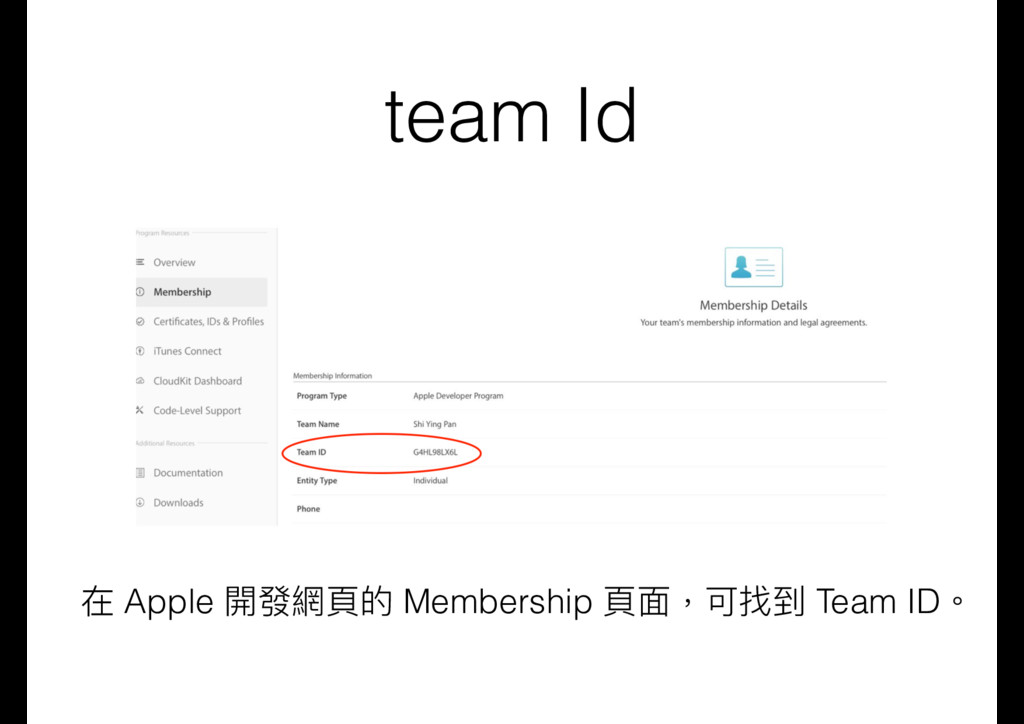
  12. 在 apns 資料夾下撰寫發送推播的 js 檔,設定 key, keyId, teamId var apn

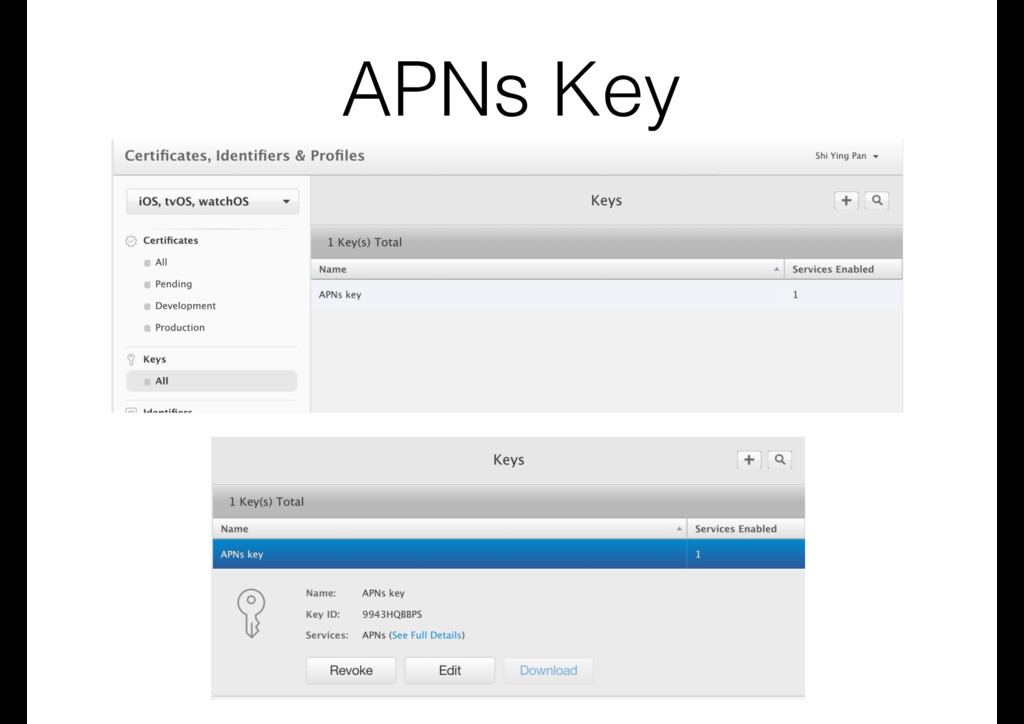
    = require('apn'); var options = { token: { key: "AuthKey_9943HQBBPS.p8", keyId: "9943HQBBPS", teamId: "G4HL98LX6L" }, production: false }; var apnProvider = new apn.Provider(options); push.js
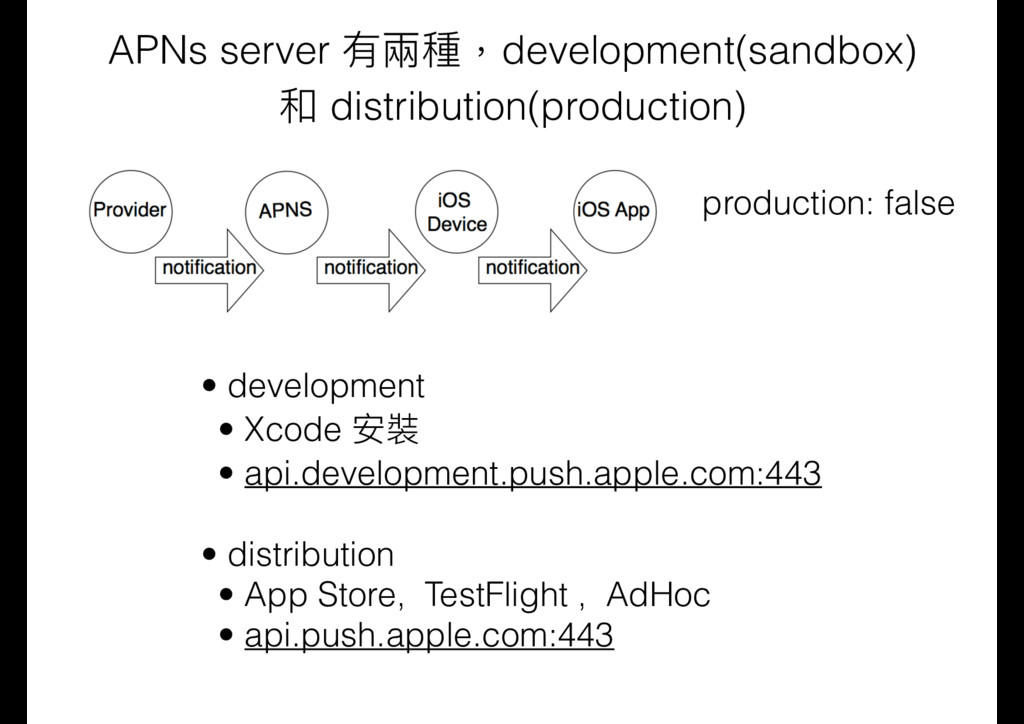
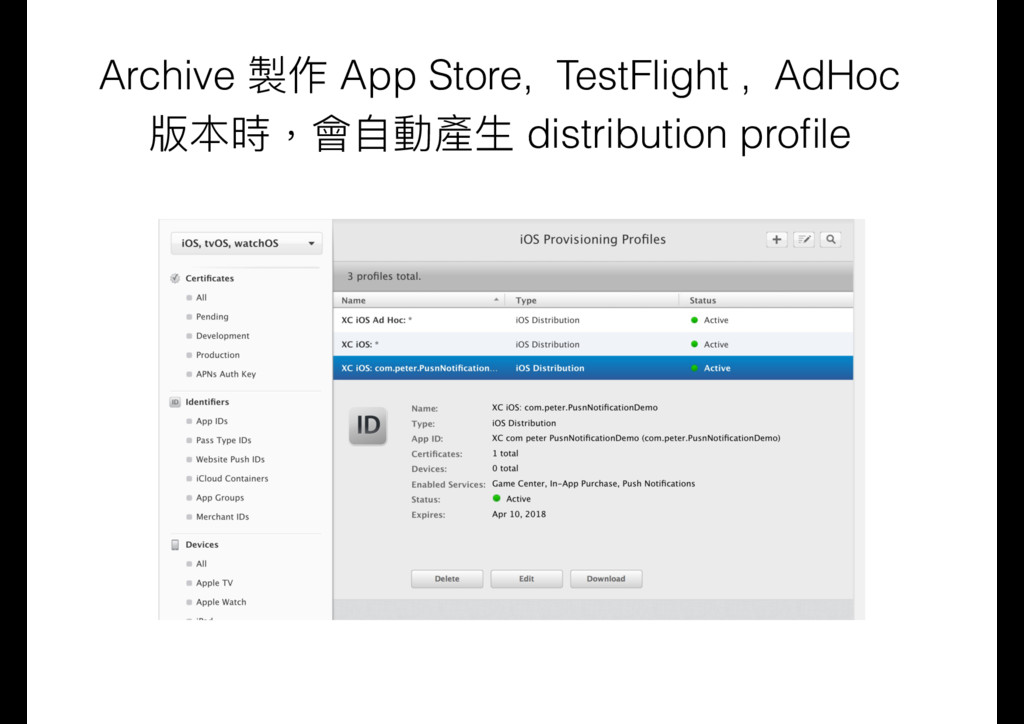
  13. APNs server 有兩兩種,development(sandbox) 和 distribution(production) • development • Xcode 安裝

    • api.development.push.apple.com:443
 • distribution • App Store, TestFlight , AdHoc • api.push.apple.com:443 production: false
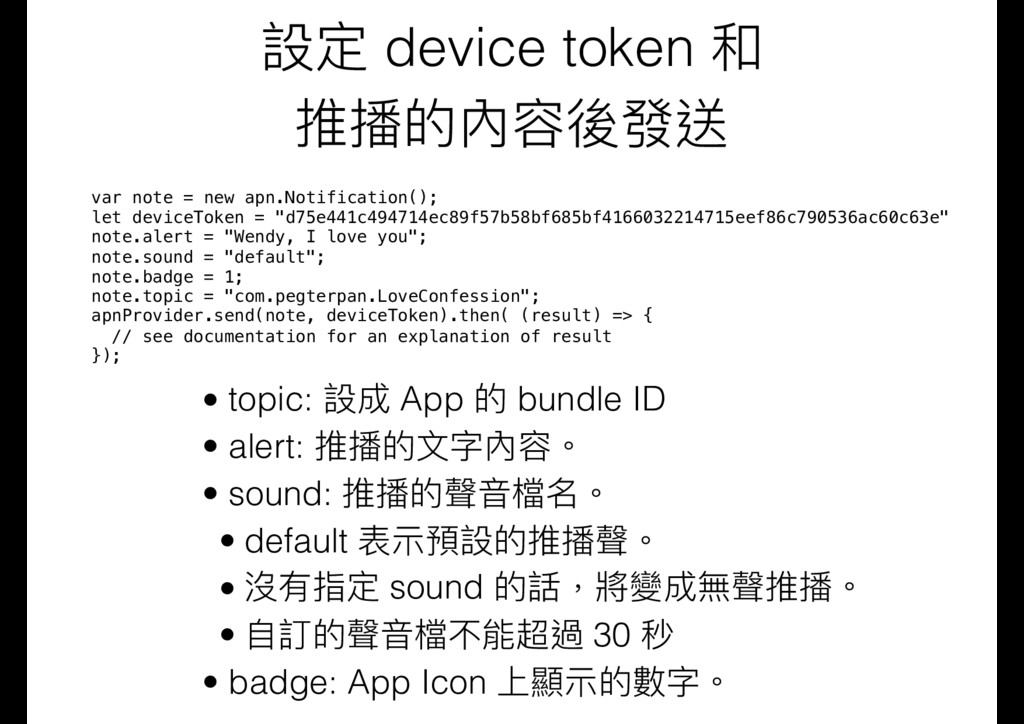
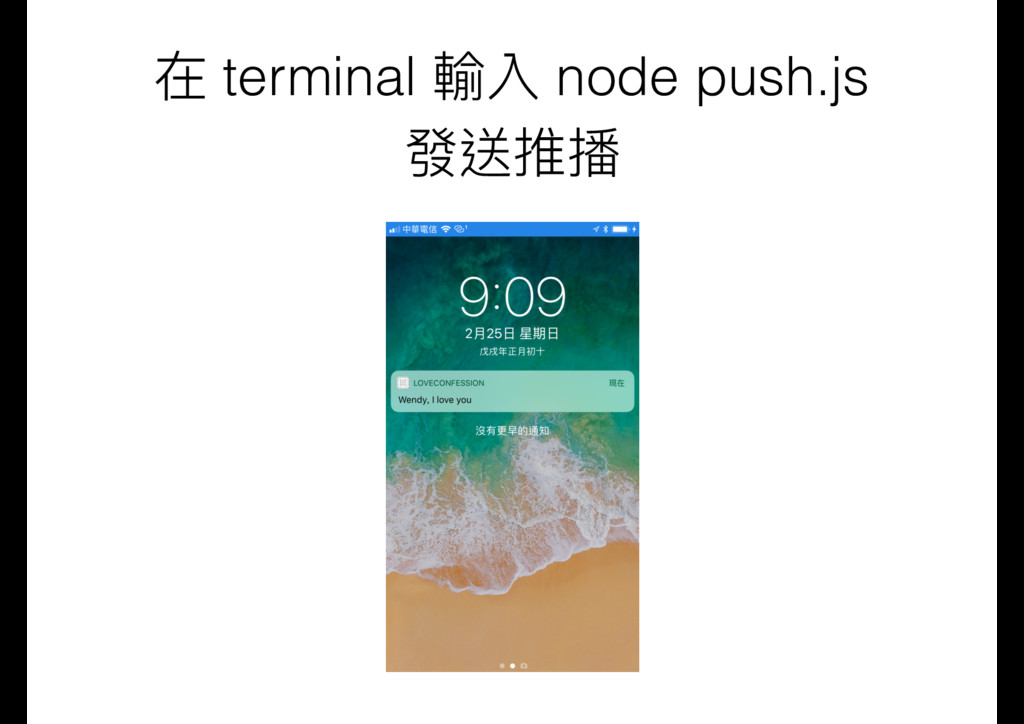
  14. 設定 device token 和 推播的內容後發送 var note = new apn.Notification();

    let deviceToken = "d75e441c494714ec89f57b58bf685bf4166032214715eef86c790536ac60c63e" note.alert = "Wendy, I love you";
 note.sound = "default"; note.badge = 1; note.topic = "com.pegterpan.LoveConfession"; apnProvider.send(note, deviceToken).then( (result) => { // see documentation for an explanation of result }); • topic: 設成 App 的 bundle ID • alert: 推播的⽂文字內容。 • sound: 推播的聲⾳音檔名。 • default 表⽰示預設的推播聲。 • 沒有指定 sound 的話,將變成無聲推播。 • ⾃自訂的聲⾳音檔不能超過 30 秒 • badge: App Icon 上顯⽰示的數字。
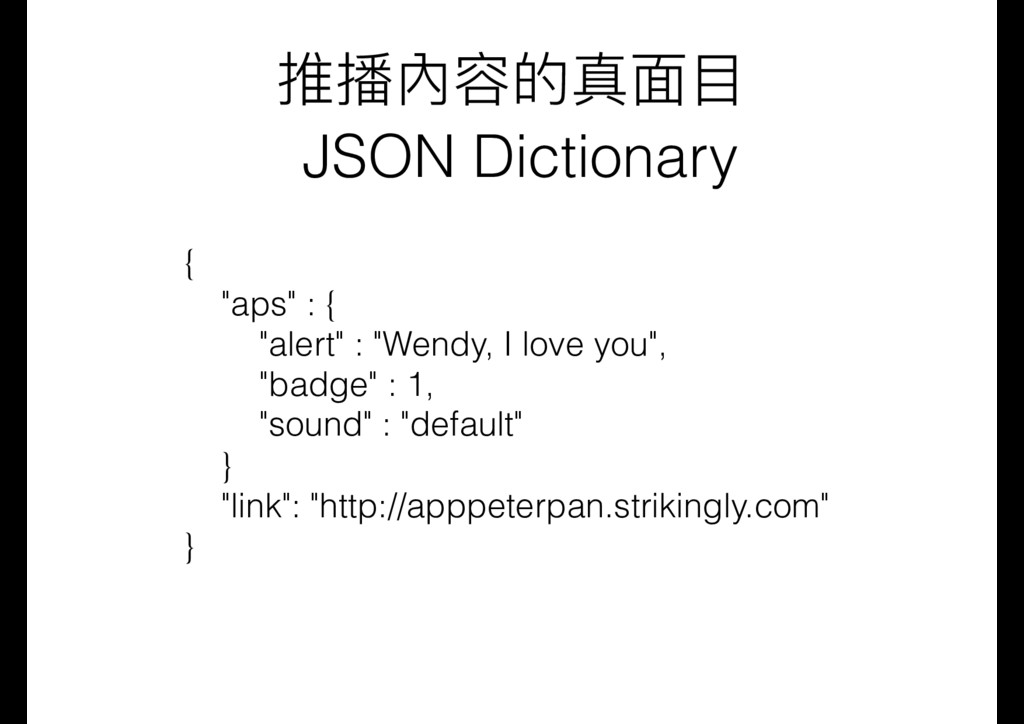
  15. 推播內容的真⾯面⽬目 JSON Dictionary { "aps" : { "alert" : "Wendy,

    I love you", "badge" : 1, "sound" : "default" } "link": "http://apppeterpan.strikingly.com" }
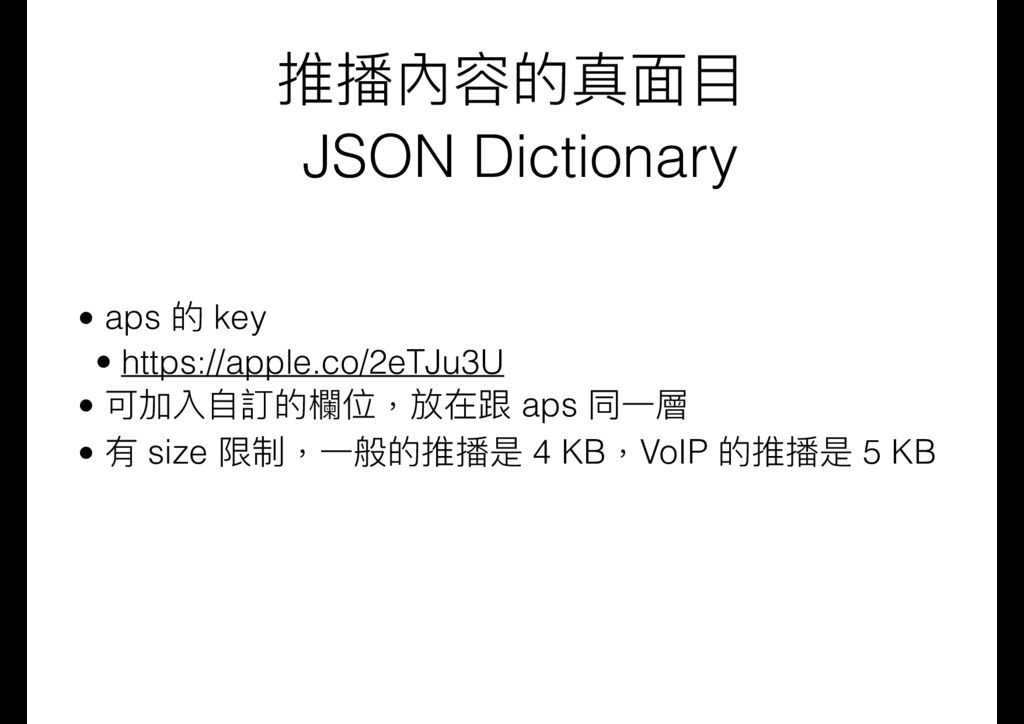
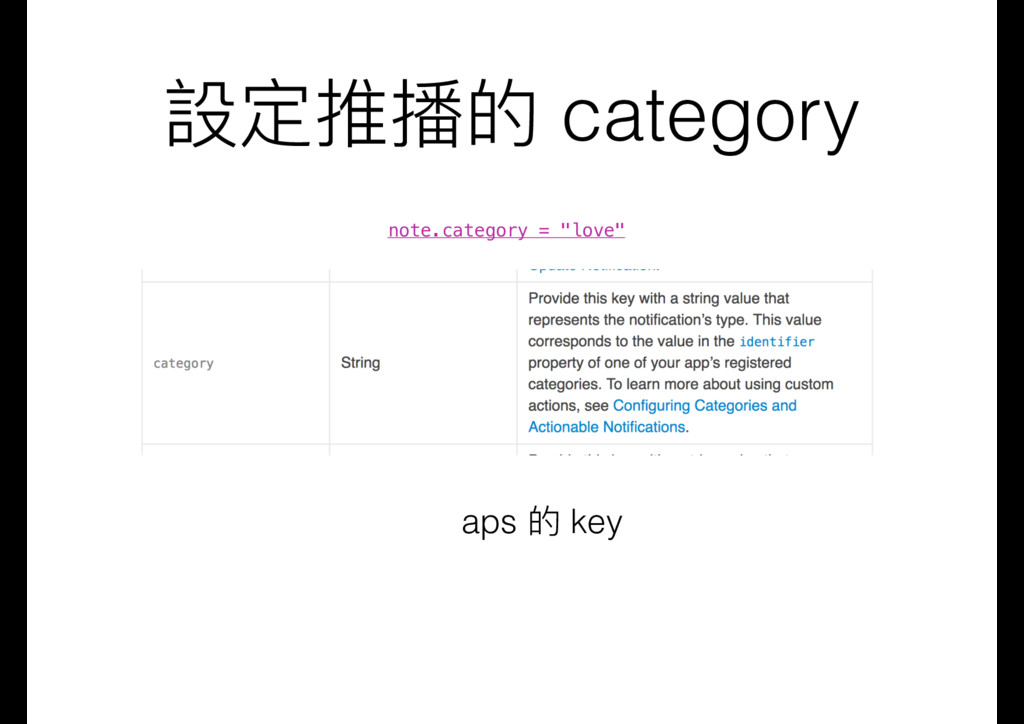
  16. 推播內容的真⾯面⽬目 JSON Dictionary • aps 的 key • https://apple.co/2eTJu3U •

    可加入⾃自訂的欄欄位,放在跟 aps 同⼀一層 • 有 size 限制,⼀一般的推播是 4 KB,VoIP 的推播是 5 KB
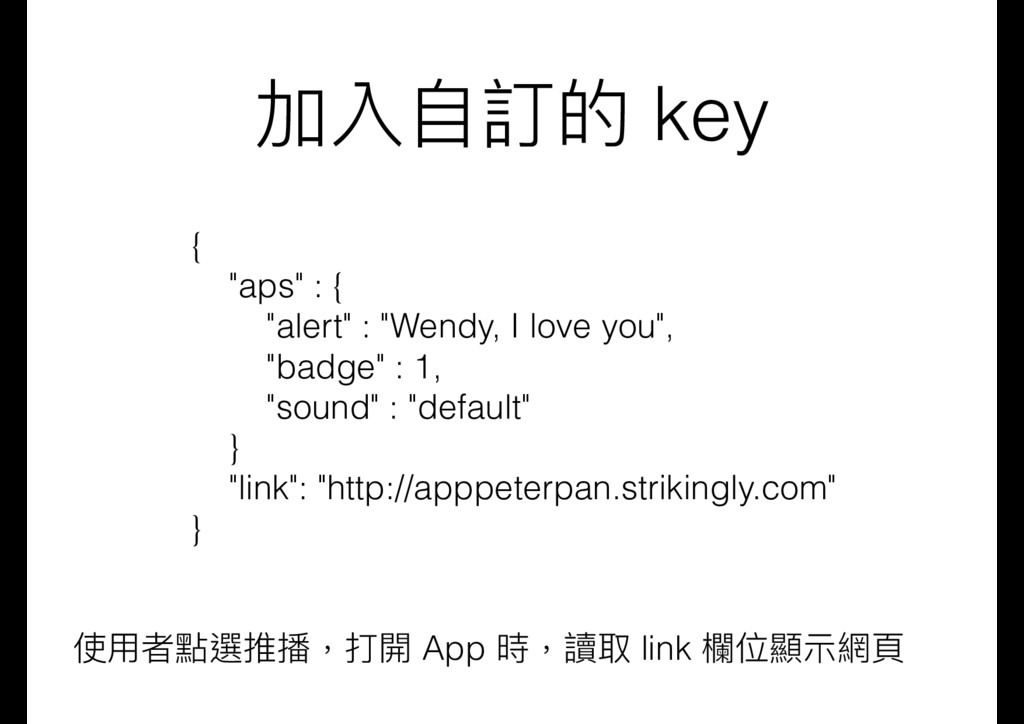
  17. 加入⾃自訂的 key { "aps" : { "alert" : "Wendy, I

    love you", "badge" : 1, "sound" : "default" } "link": "http://apppeterpan.strikingly.com" } 使⽤用者點選推播,打開 App 時,讀取 link 欄欄位顯⽰示網⾴頁
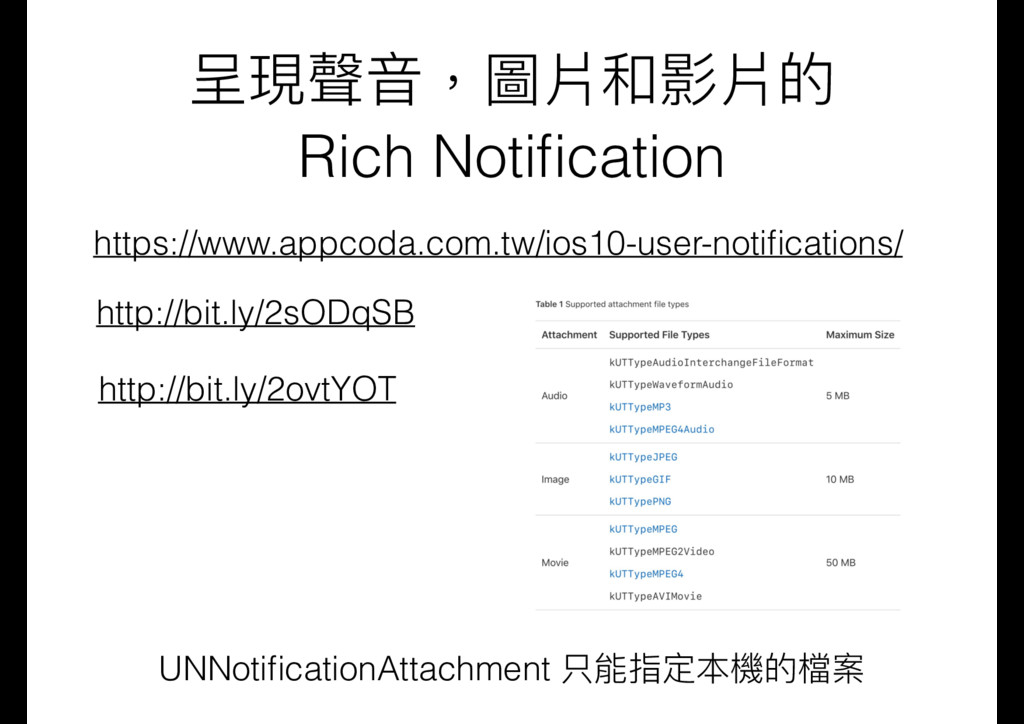
  18. 聲⾳音,圖片和影片如何包含在推播 的 JSON 裡 ? • 4 KB 的限制 •

    利利⽤用待會介紹的 Notification Service Extension
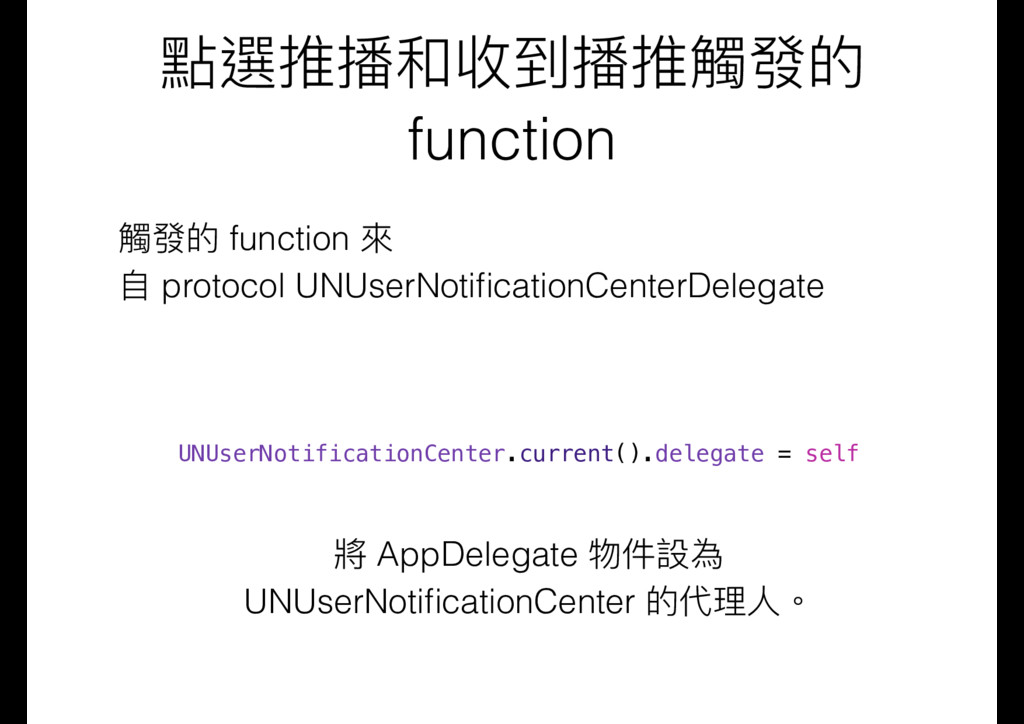
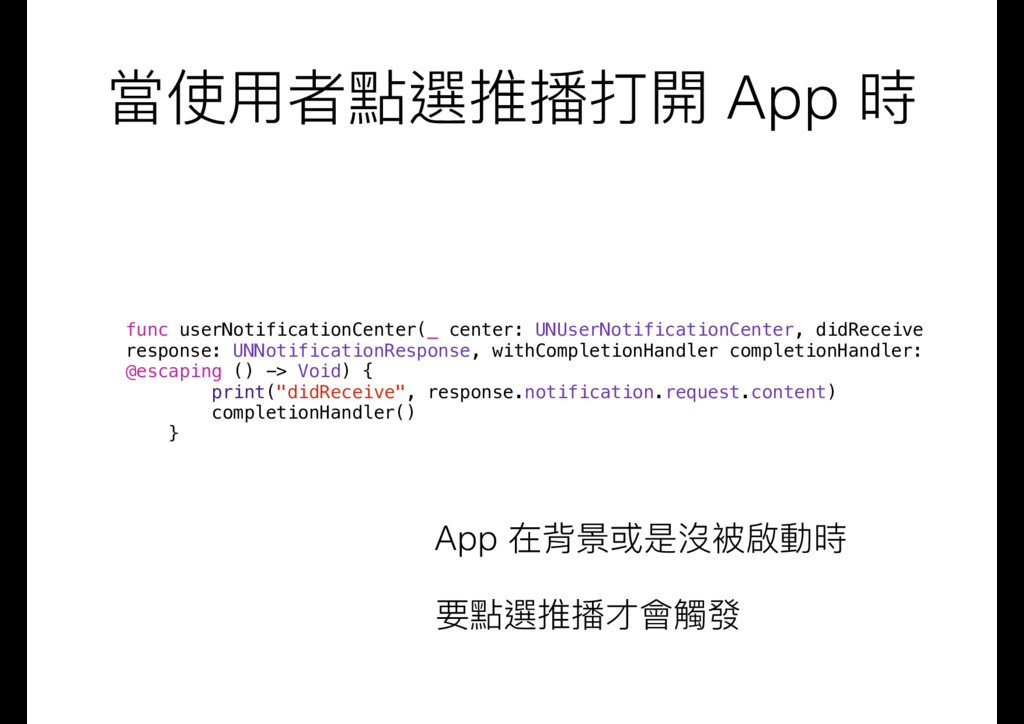
  19. 當使⽤用者點選推播打開 App 時 func userNotificationCenter(_ center: UNUserNotificationCenter, didReceive response: UNNotificationResponse,

    withCompletionHandler completionHandler: @escaping () -> Void) { print("didReceive", response.notification.request.content) completionHandler() } App 在背景或是沒被啟動時 要點選推播才會觸發
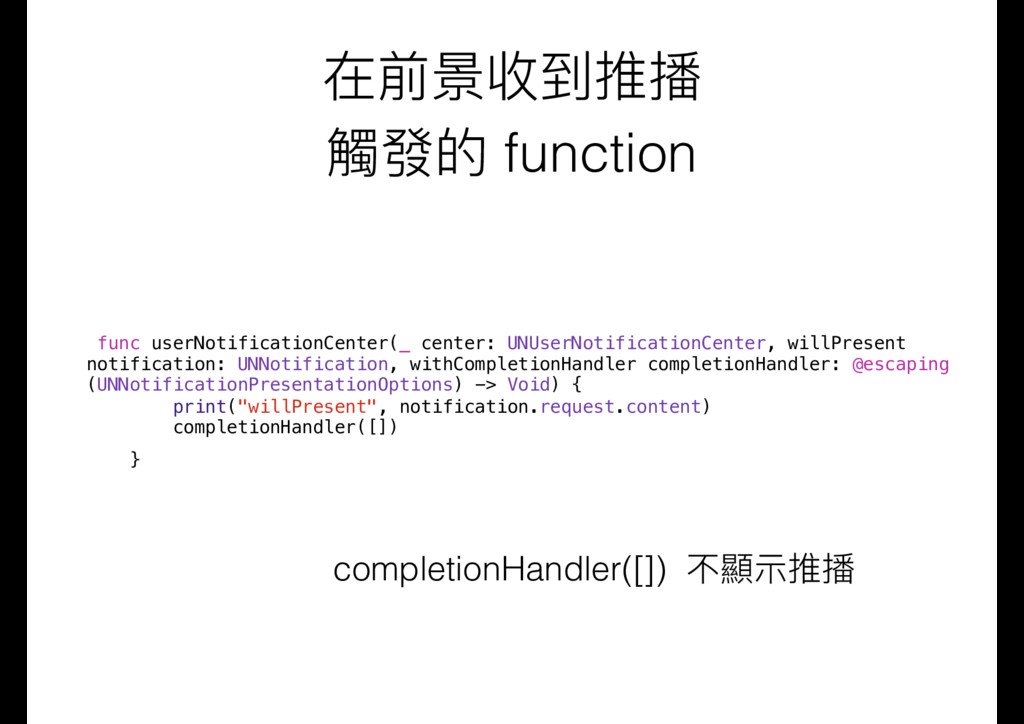
  20. 在前景收到推播 觸發的 function func userNotificationCenter(_ center: UNUserNotificationCenter, willPresent notification: UNNotification,

    withCompletionHandler completionHandler: @escaping (UNNotificationPresentationOptions) -> Void) { print("willPresent", notification.request.content) completionHandler([]) } completionHandler([]) 不顯⽰示推播
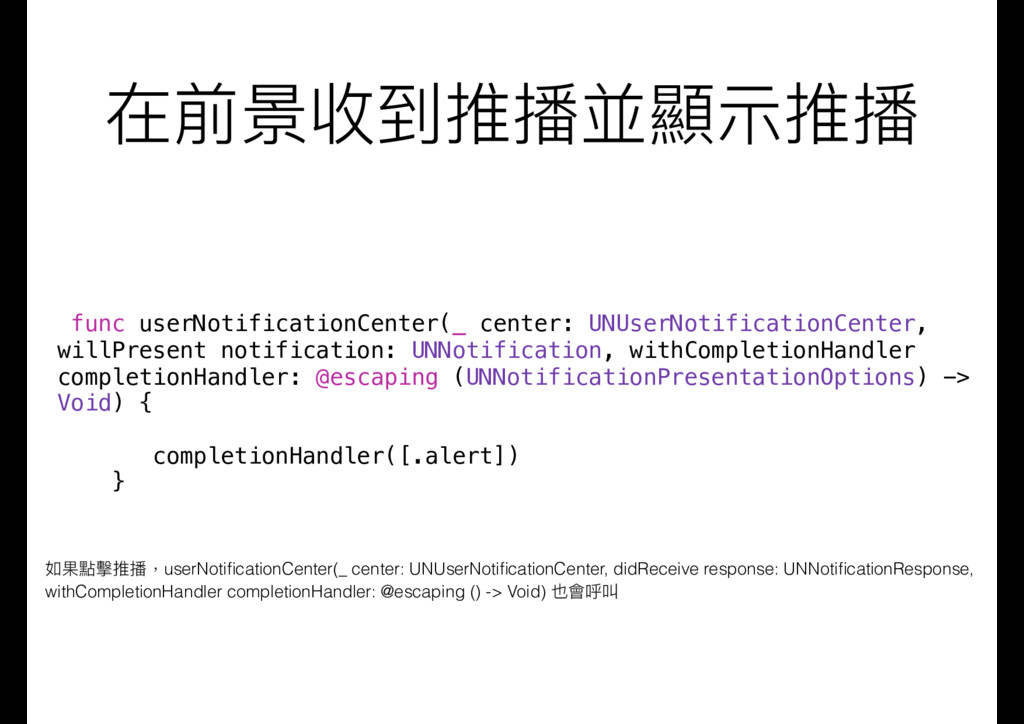
  21. 在前景收到推播並顯⽰示推播 func userNotificationCenter(_ center: UNUserNotificationCenter, willPresent notification: UNNotification, withCompletionHandler completionHandler:

    @escaping (UNNotificationPresentationOptions) -> Void) { completionHandler([.alert]) } 如果點擊推播,userNotificationCenter(_ center: UNUserNotificationCenter, didReceive response: UNNotificationResponse, withCompletionHandler completionHandler: @escaping () -> Void) 也會呼叫
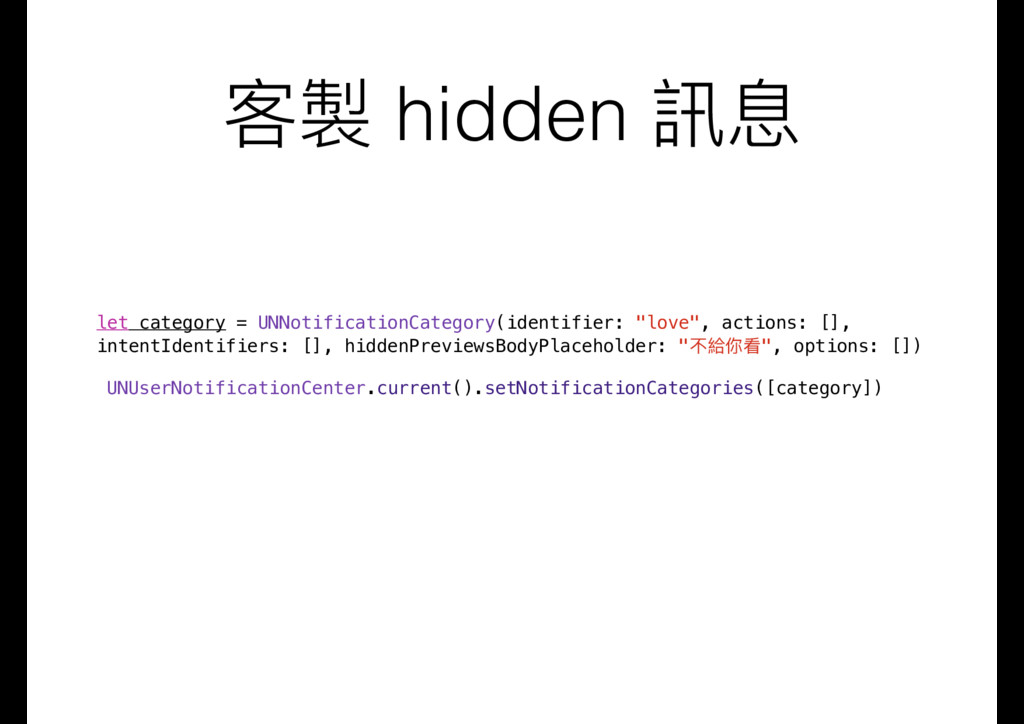
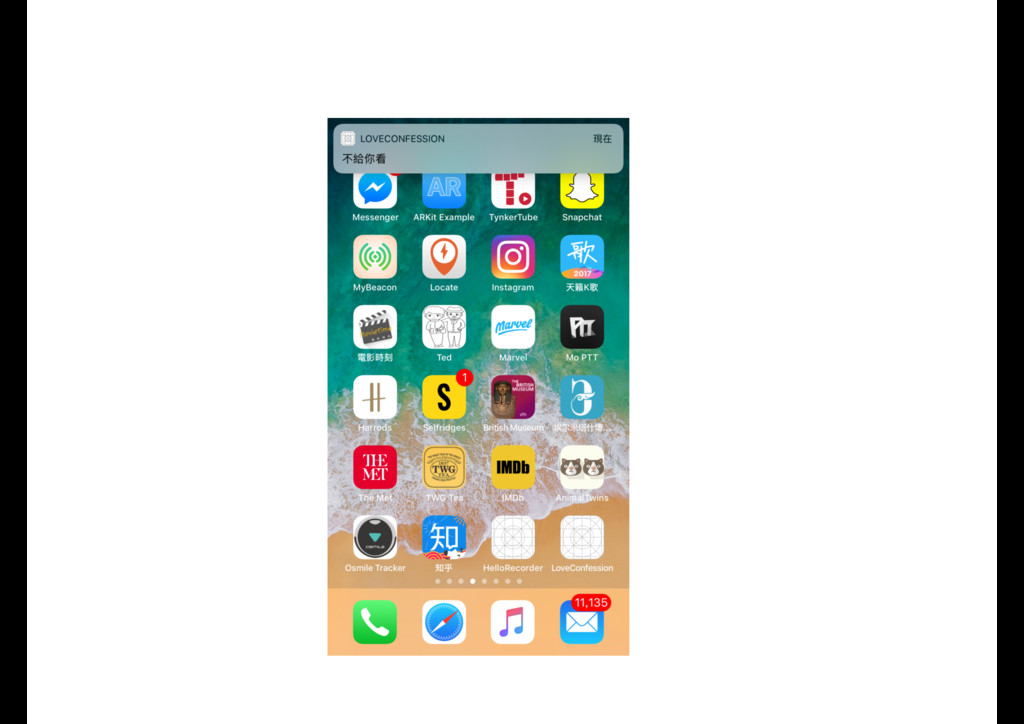
  22. 客製 hidden 訊息 let category = UNNotificationCategory(identifier: "love", actions: [],

    intentIdentifiers: [], hiddenPreviewsBodyPlaceholder: "不給你看", options: []) UNUserNotificationCenter.current().setNotificationCategories([category])
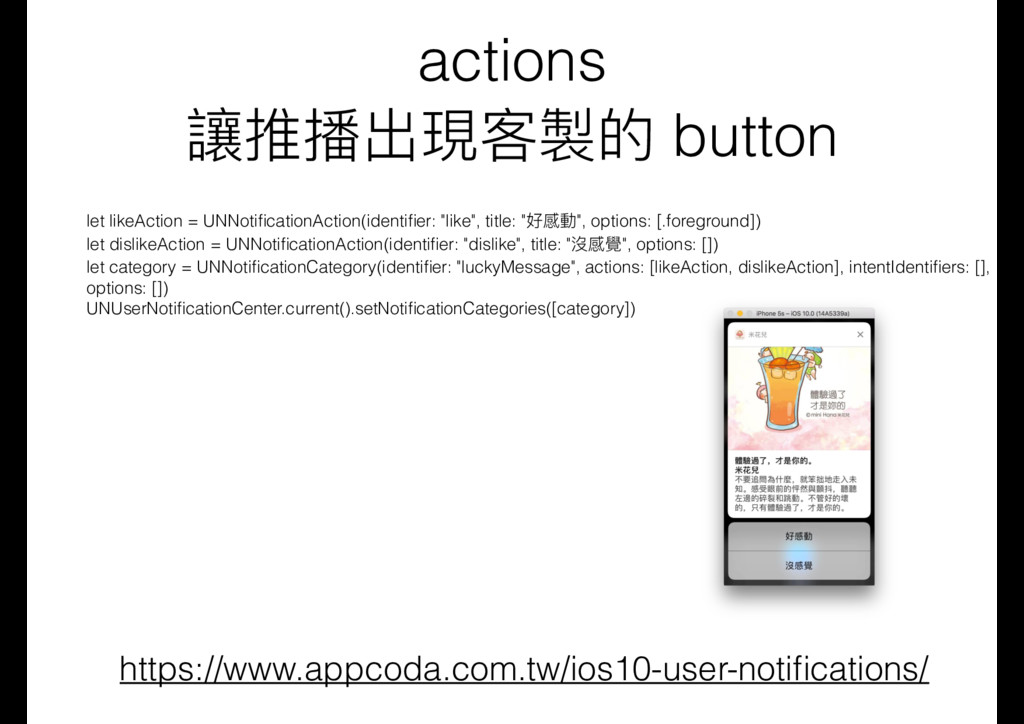
  23. actions 讓推播出現客製的 button https://www.appcoda.com.tw/ios10-user-notifications/ let likeAction = UNNotificationAction(identifier: "like", title:

    "好感動", options: [.foreground]) let dislikeAction = UNNotificationAction(identifier: "dislike", title: "沒感覺", options: []) let category = UNNotificationCategory(identifier: "luckyMessage", actions: [likeAction, dislikeAction], intentIdentifiers: [], options: []) UNUserNotificationCenter.current().setNotificationCategories([category])
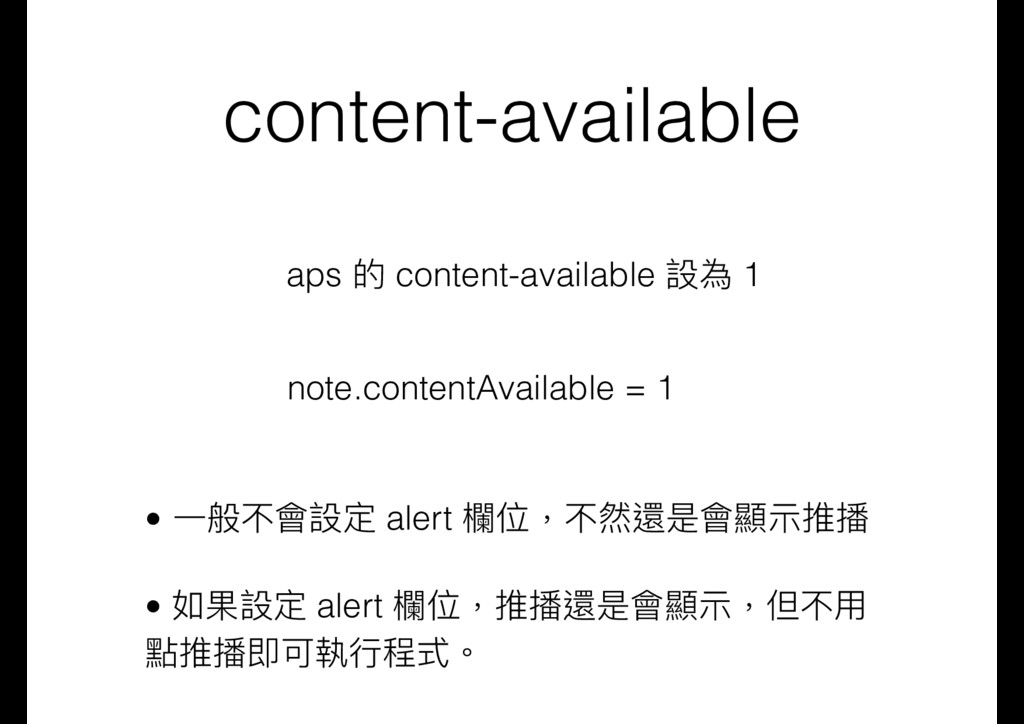
  24. content-available aps 的 content-available 設為 1 note.contentAvailable = 1 •

    ⼀一般不會設定 alert 欄欄位,不然還是會顯⽰示推播 • 如果設定 alert 欄欄位,推播還是會顯⽰示,但不⽤用 點推播即可執⾏行行程式。
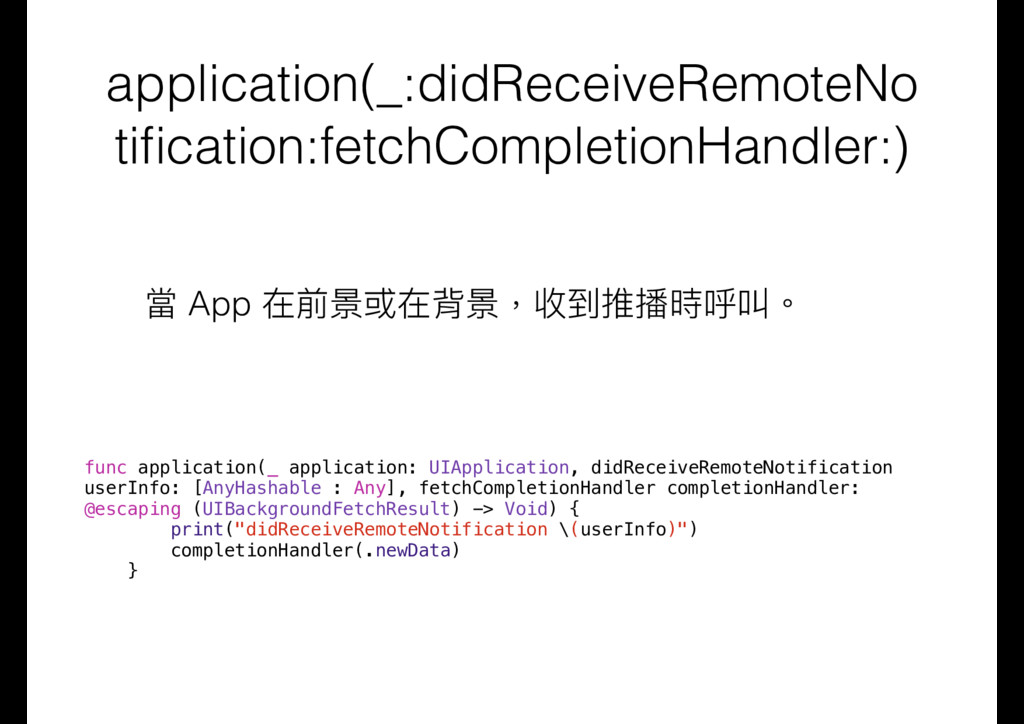
  25. application(_:didReceiveRemoteNo tification:fetchCompletionHandler:) 當 App 在前景或在背景,收到推播時呼叫。 func application(_ application: UIApplication, didReceiveRemoteNotification

    userInfo: [AnyHashable : Any], fetchCompletionHandler completionHandler: @escaping (UIBackgroundFetchResult) -> Void) { print("didReceiveRemoteNotification \(userInfo)") completionHandler(.newData) }
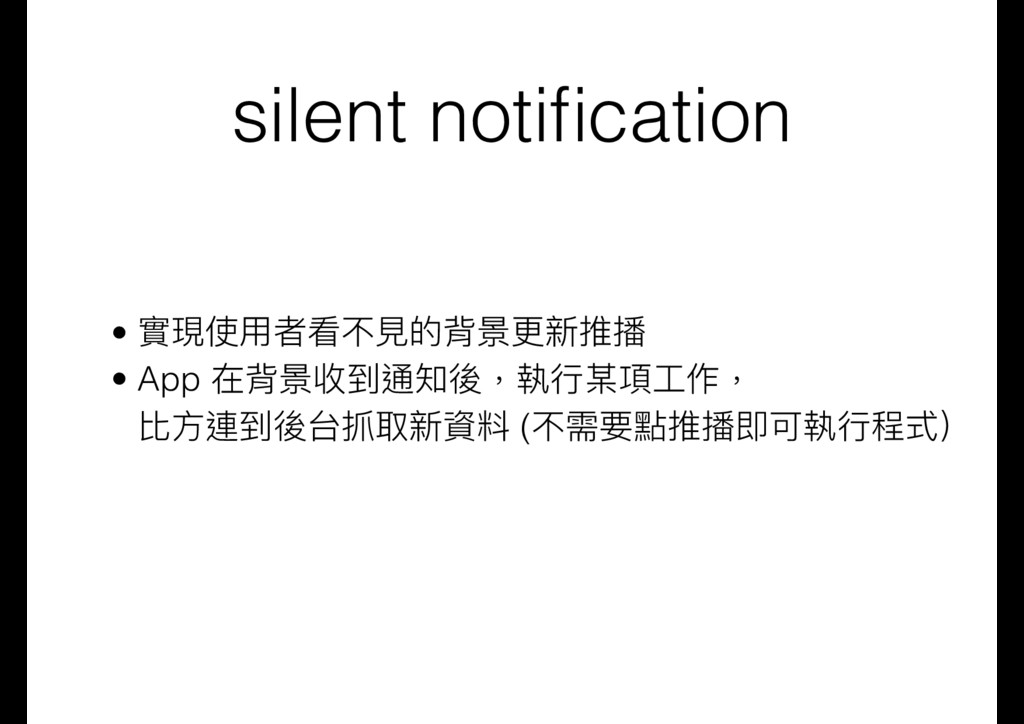
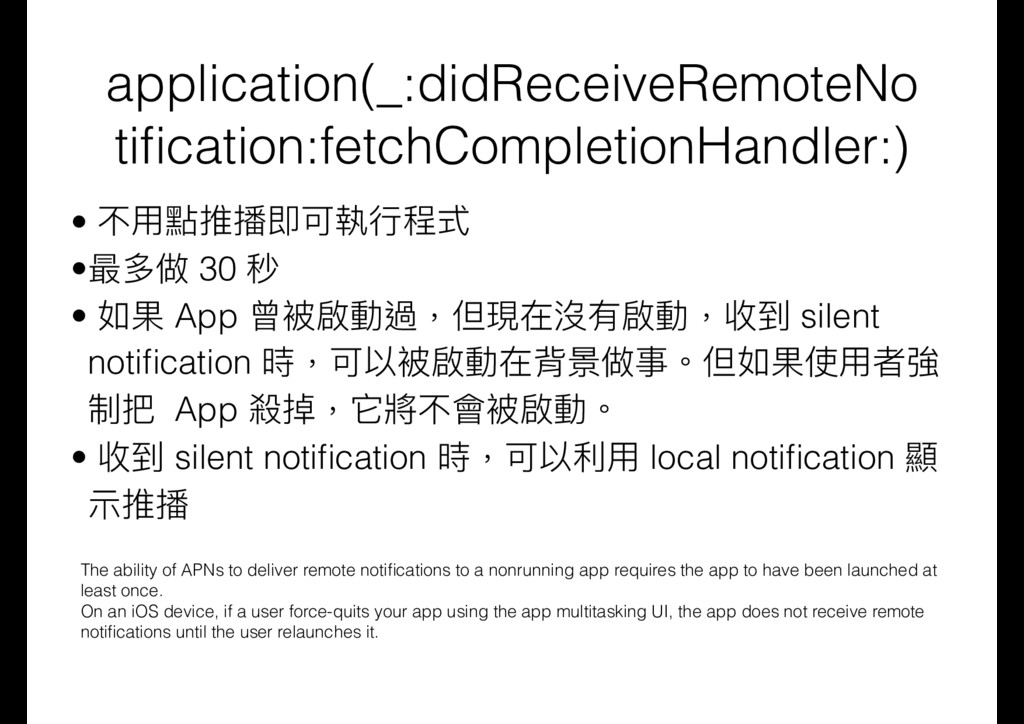
  26. application(_:didReceiveRemoteNo tification:fetchCompletionHandler:) • 不⽤用點推播即可執⾏行行程式 •最多做 30 秒 • 如果 App

    曾被啟動過,但現在沒有啟動,收到 silent notification 時,可以被啟動在背景做事。但如果使⽤用者強 制把 App 殺掉,它將不會被啟動。 • 收到 silent notification 時,可以利利⽤用 local notification 顯 ⽰示推播 The ability of APNs to deliver remote notifications to a nonrunning app requires the app to have been launched at least once. On an iOS device, if a user force-quits your app using the app multitasking UI, the app does not receive remote notifications until the user relaunches it.
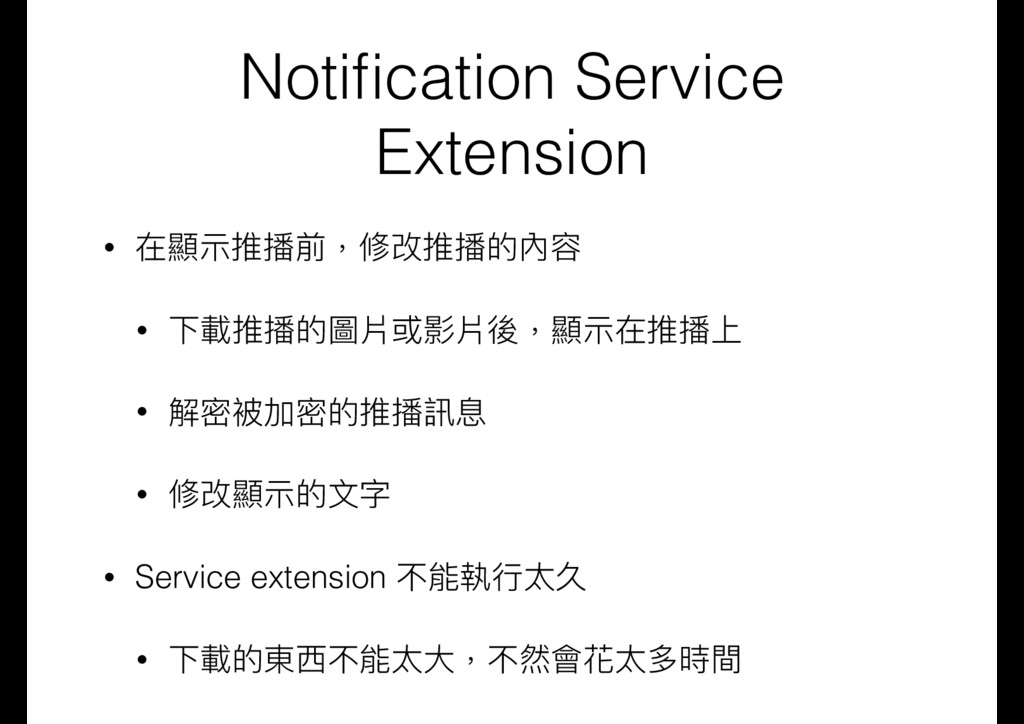
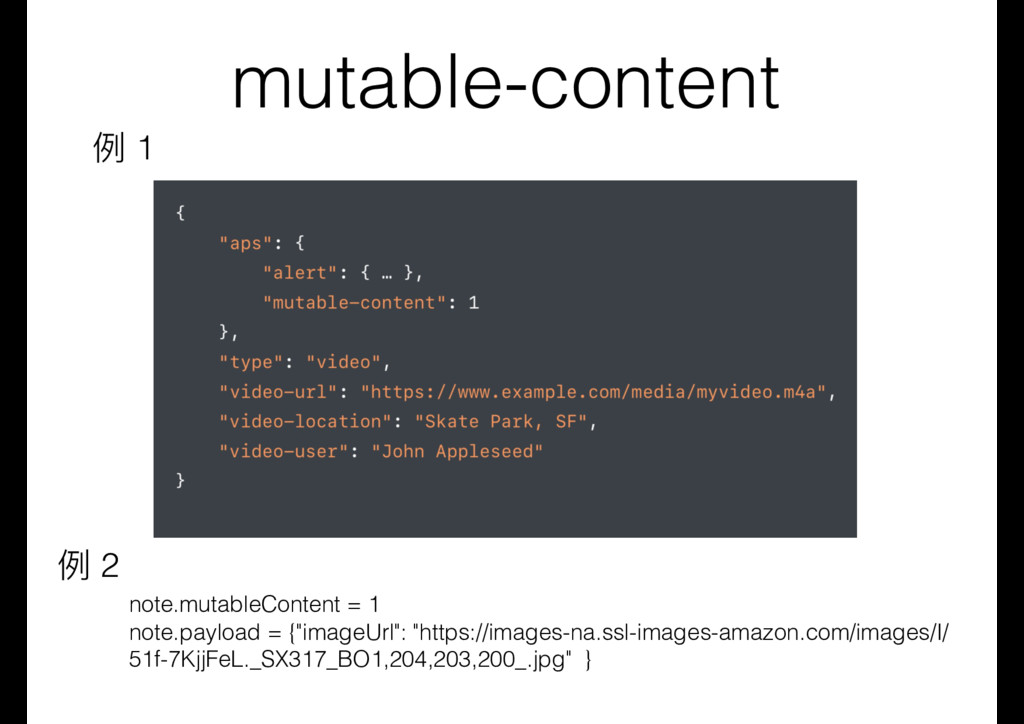
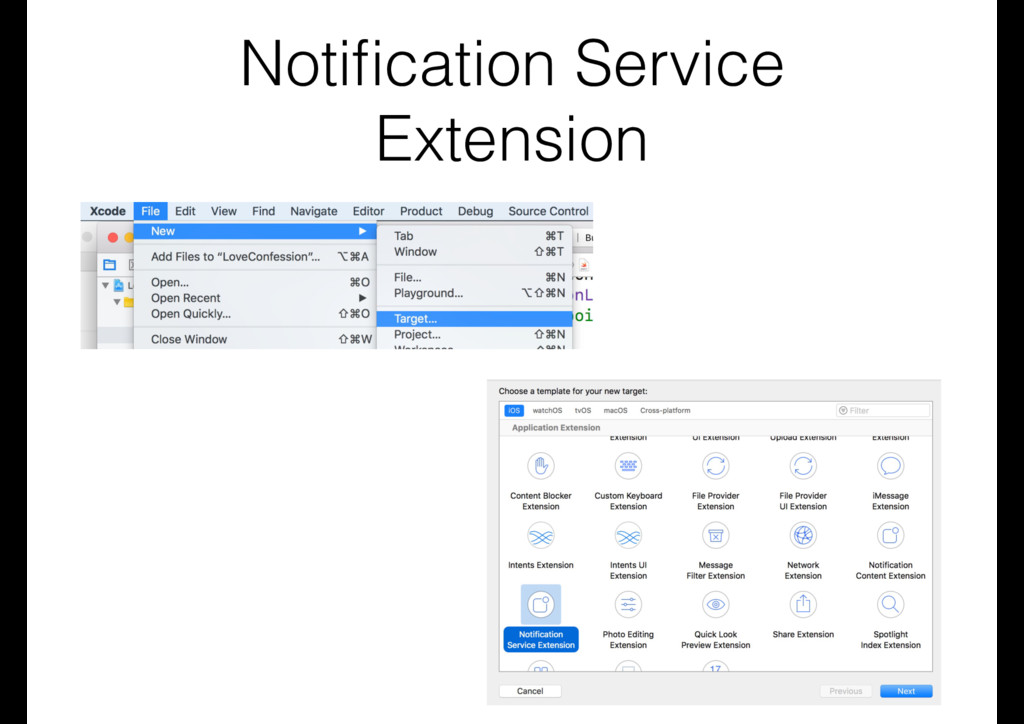
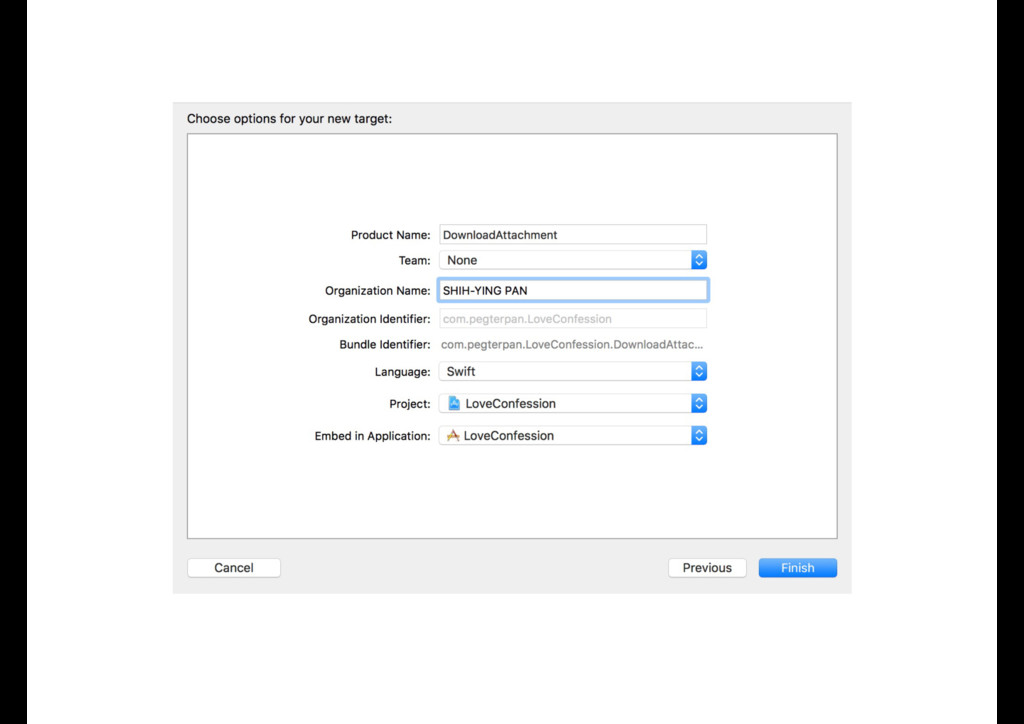
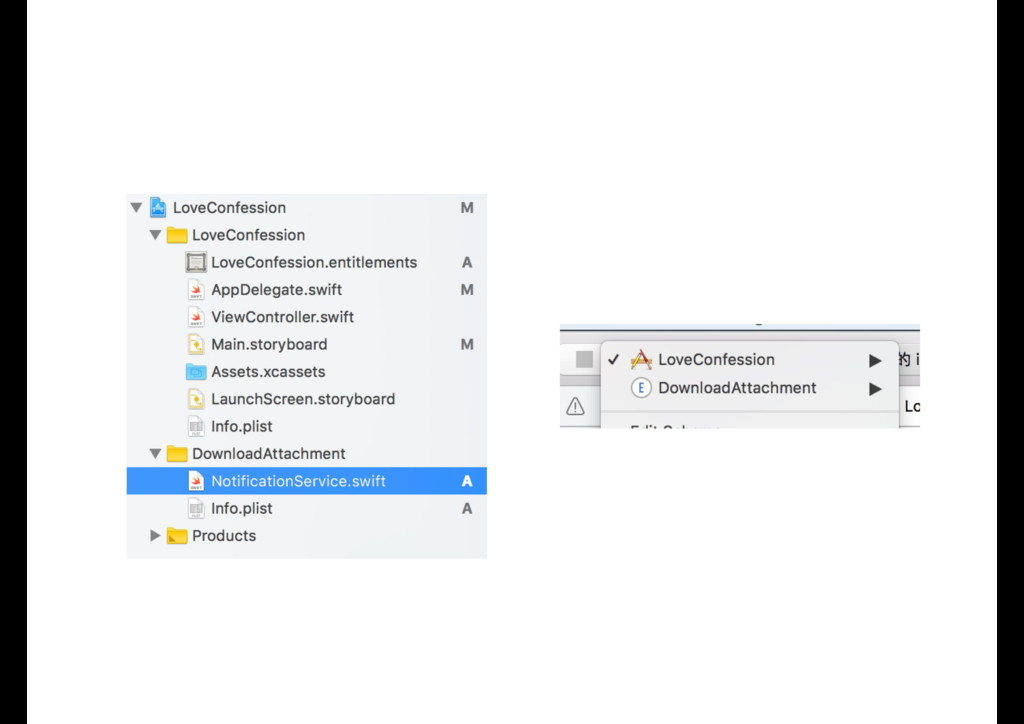
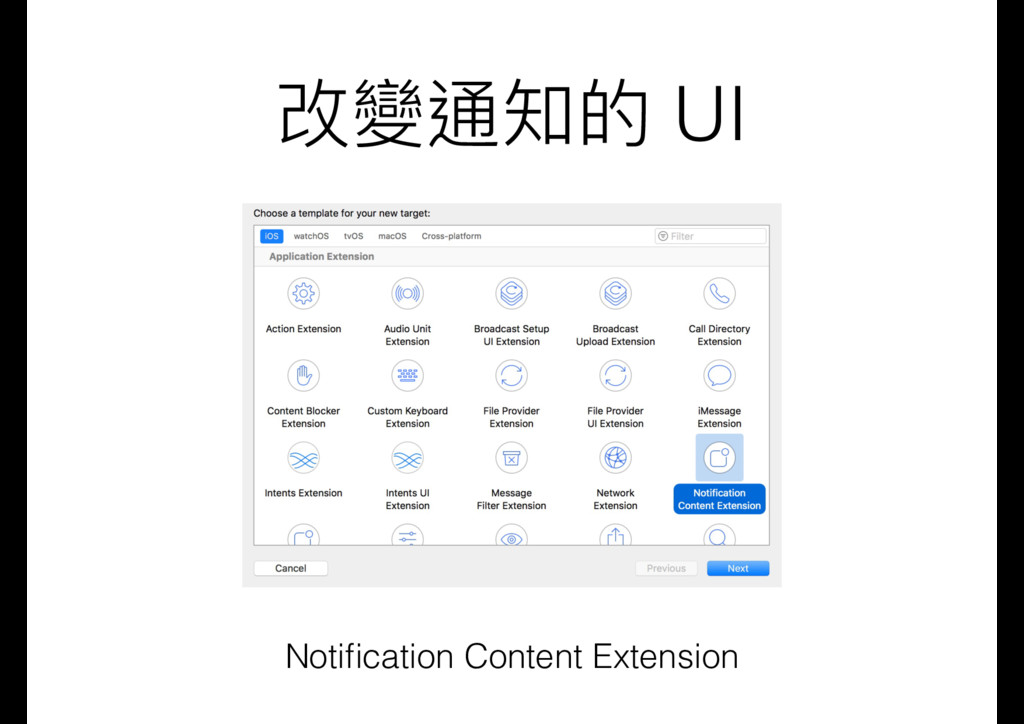
  27. Notification Service Extension • 在顯⽰示推播前,修改推播的內容 • 下載推播的圖片或影片後,顯⽰示在推播上 • 解密被加密的推播訊息 •

    修改顯⽰示的⽂文字 • Service extension 不能執⾏行行太久 • 下載的東⻄西不能太⼤大,不然會花太多時間
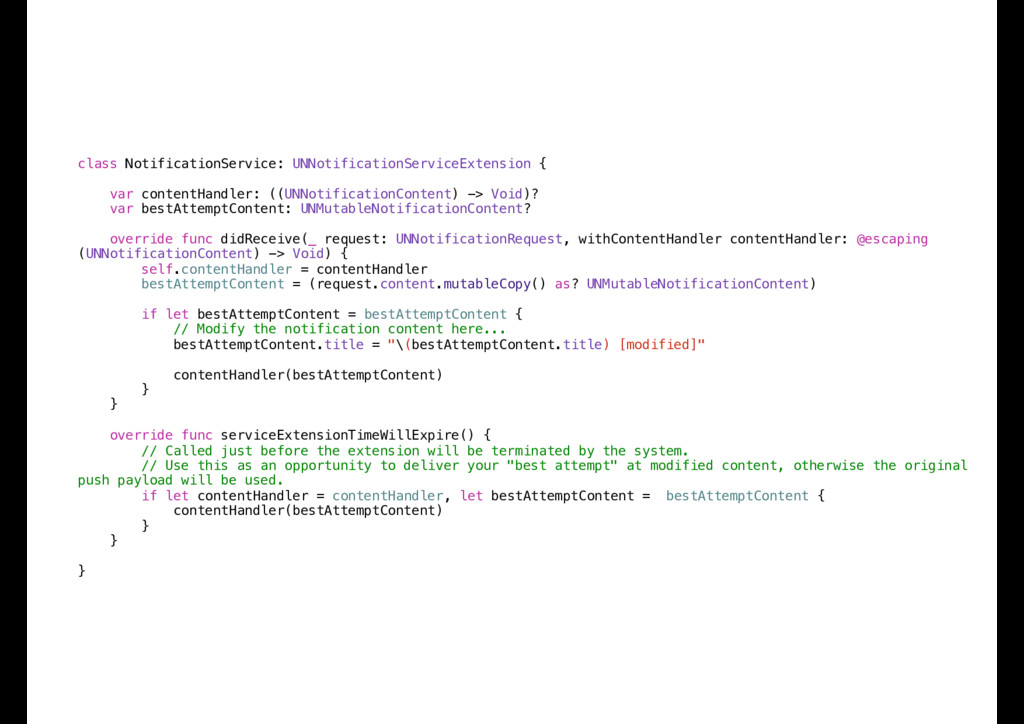
  28. class NotificationService: UNNotificationServiceExtension { var contentHandler: ((UNNotificationContent) -> Void)? var

    bestAttemptContent: UNMutableNotificationContent? override func didReceive(_ request: UNNotificationRequest, withContentHandler contentHandler: @escaping (UNNotificationContent) -> Void) { self.contentHandler = contentHandler bestAttemptContent = (request.content.mutableCopy() as? UNMutableNotificationContent) if let bestAttemptContent = bestAttemptContent { // Modify the notification content here... bestAttemptContent.title = "\(bestAttemptContent.title) [modified]" contentHandler(bestAttemptContent) } } override func serviceExtensionTimeWillExpire() { // Called just before the extension will be terminated by the system. // Use this as an opportunity to deliver your "best attempt" at modified content, otherwise the original push payload will be used. if let contentHandler = contentHandler, let bestAttemptContent = bestAttemptContent { contentHandler(bestAttemptContent) } } }
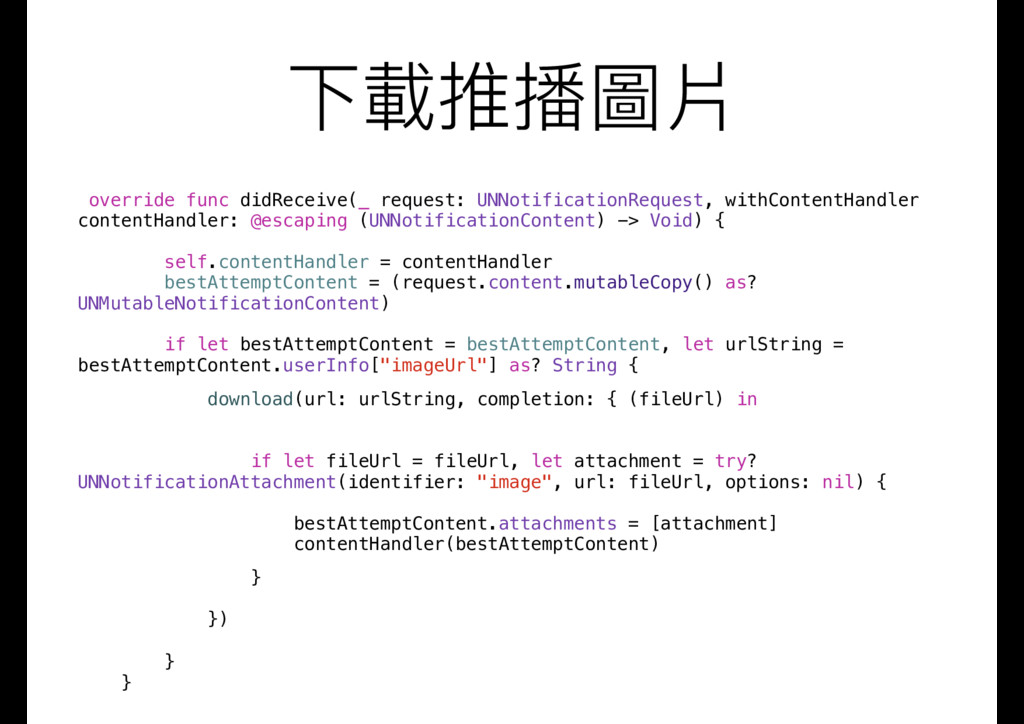
  29. 下載推播圖片 override func didReceive(_ request: UNNotificationRequest, withContentHandler contentHandler: @escaping (UNNotificationContent)

    -> Void) { self.contentHandler = contentHandler bestAttemptContent = (request.content.mutableCopy() as? UNMutableNotificationContent) if let bestAttemptContent = bestAttemptContent, let urlString = bestAttemptContent.userInfo["imageUrl"] as? String { download(url: urlString, completion: { (fileUrl) in if let fileUrl = fileUrl, let attachment = try? UNNotificationAttachment(identifier: "image", url: fileUrl, options: nil) { bestAttemptContent.attachments = [attachment] contentHandler(bestAttemptContent) } }) } }
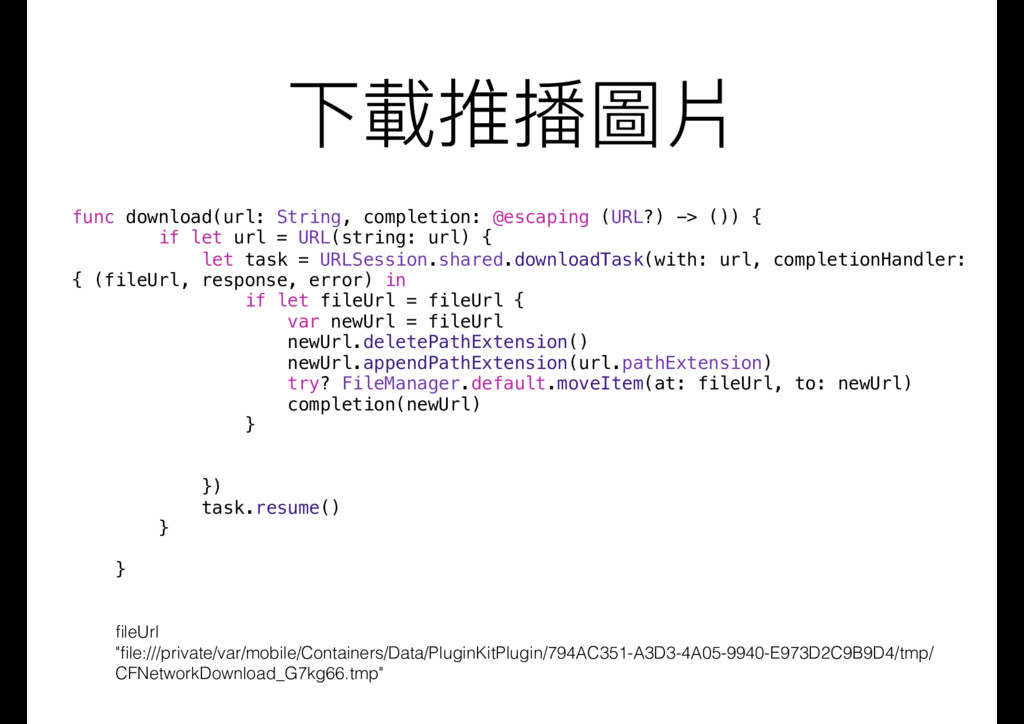
  30. 下載推播圖片 func download(url: String, completion: @escaping (URL?) -> ()) {

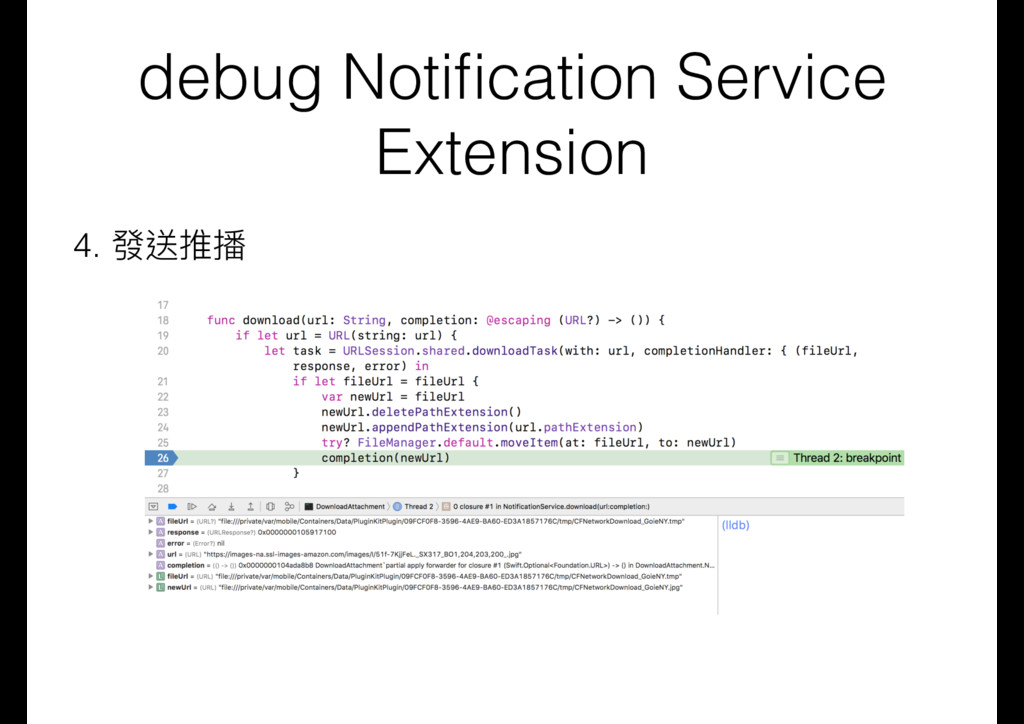
    if let url = URL(string: url) { let task = URLSession.shared.downloadTask(with: url, completionHandler: { (fileUrl, response, error) in if let fileUrl = fileUrl { var newUrl = fileUrl newUrl.deletePathExtension() newUrl.appendPathExtension(url.pathExtension) try? FileManager.default.moveItem(at: fileUrl, to: newUrl) completion(newUrl) } }) task.resume() } } fileUrl "file:///private/var/mobile/Containers/Data/PluginKitPlugin/794AC351-A3D3-4A05-9940-E973D2C9B9D4/tmp/ CFNetworkDownload_G7kg66.tmp"
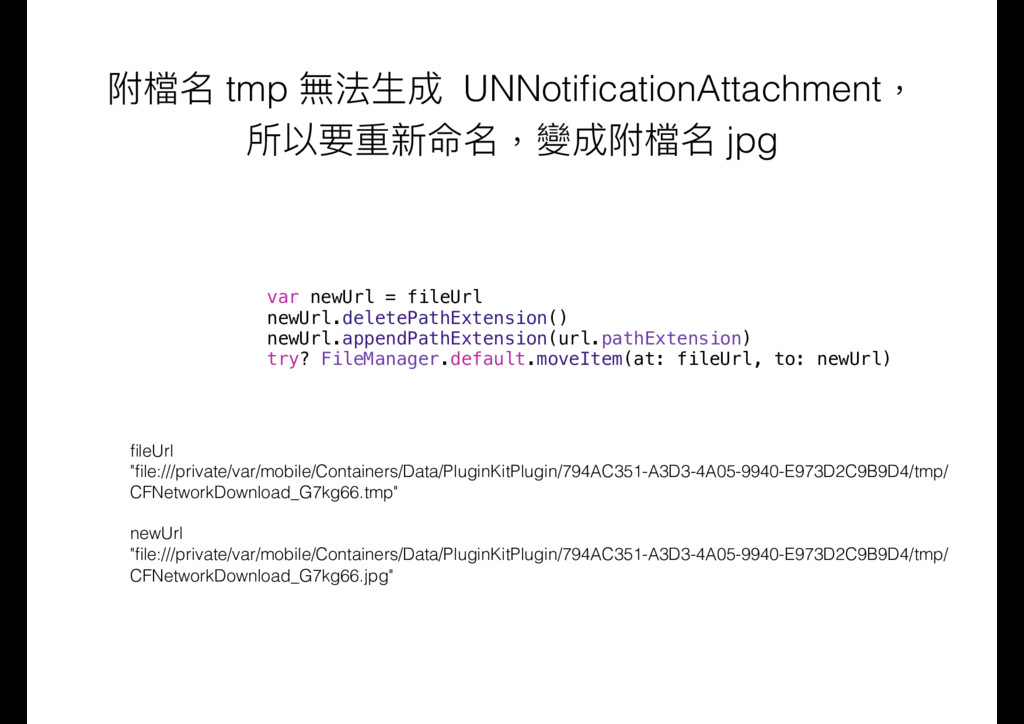
  31. 附檔名 tmp 無法⽣生成 UNNotificationAttachment, 所以要重新命名,變成附檔名 jpg var newUrl = fileUrl

    newUrl.deletePathExtension() newUrl.appendPathExtension(url.pathExtension) try? FileManager.default.moveItem(at: fileUrl, to: newUrl) fileUrl "file:///private/var/mobile/Containers/Data/PluginKitPlugin/794AC351-A3D3-4A05-9940-E973D2C9B9D4/tmp/ CFNetworkDownload_G7kg66.tmp" newUrl "file:///private/var/mobile/Containers/Data/PluginKitPlugin/794AC351-A3D3-4A05-9940-E973D2C9B9D4/tmp/ CFNetworkDownload_G7kg66.jpg"
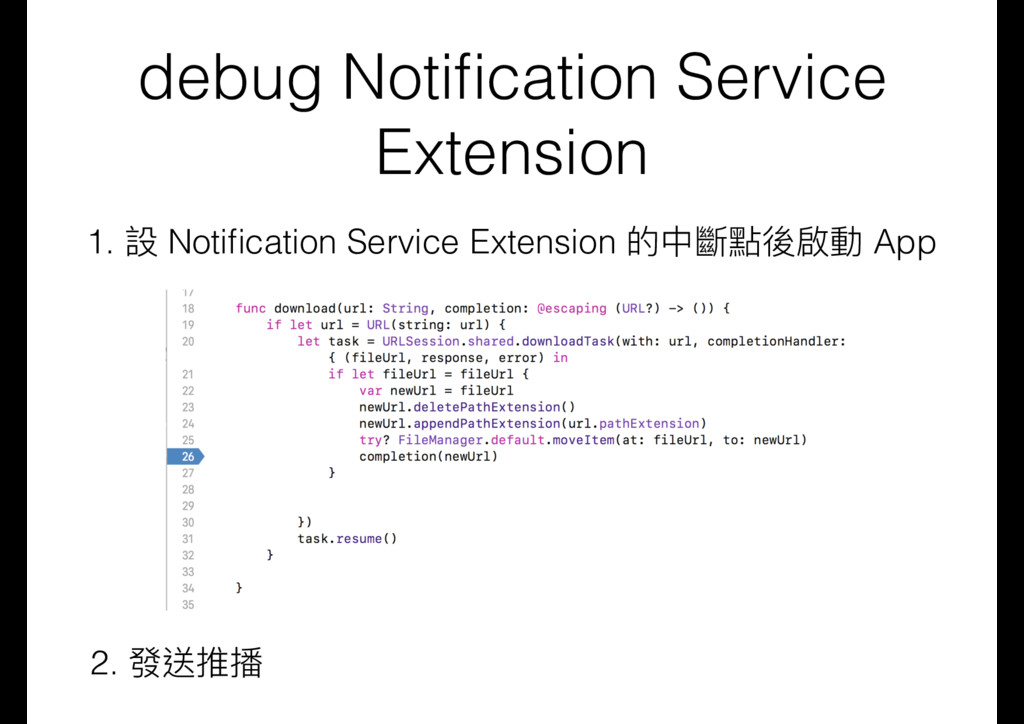
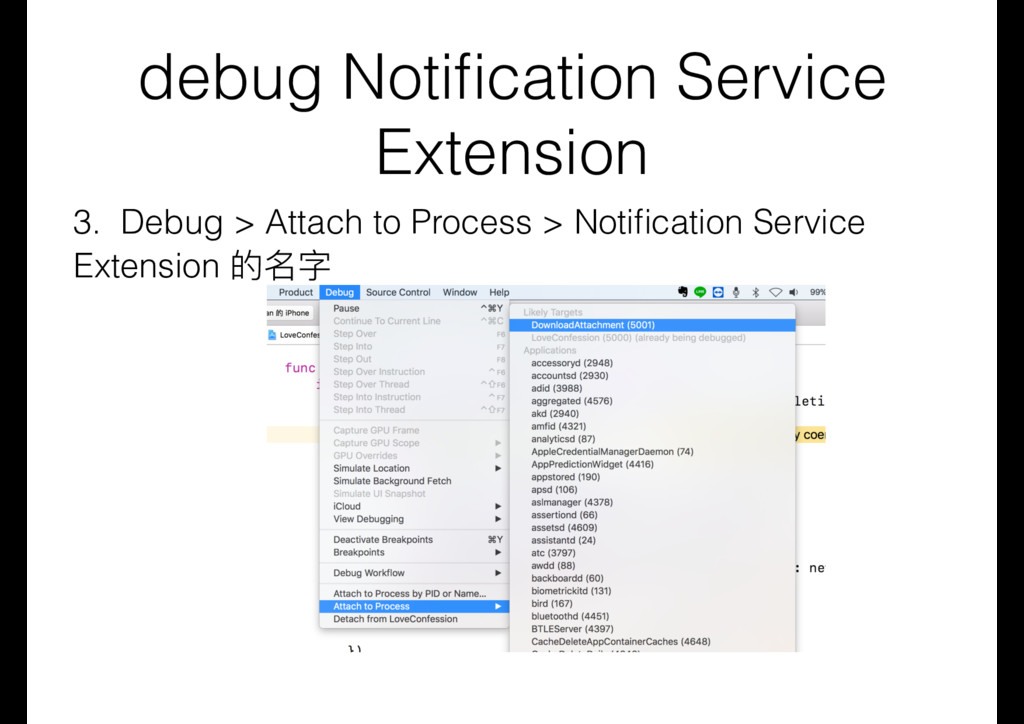
  32. debug Notification Service Extension 3. Debug > Attach to Process

    > Notification Service Extension 的名字

More Decks by 愛瘋一切為蘋果的彼得潘

Other Decks in Programming