Share
Embed
A closer look at new ways to manage access - EKS Pod Identiy and S3 Access Grant
Ben Bridts
January 23, 2024
Transcript
36 slides
-
A closer look at new ways to manage access EKS
Pod Identity and S3 Access Grant -
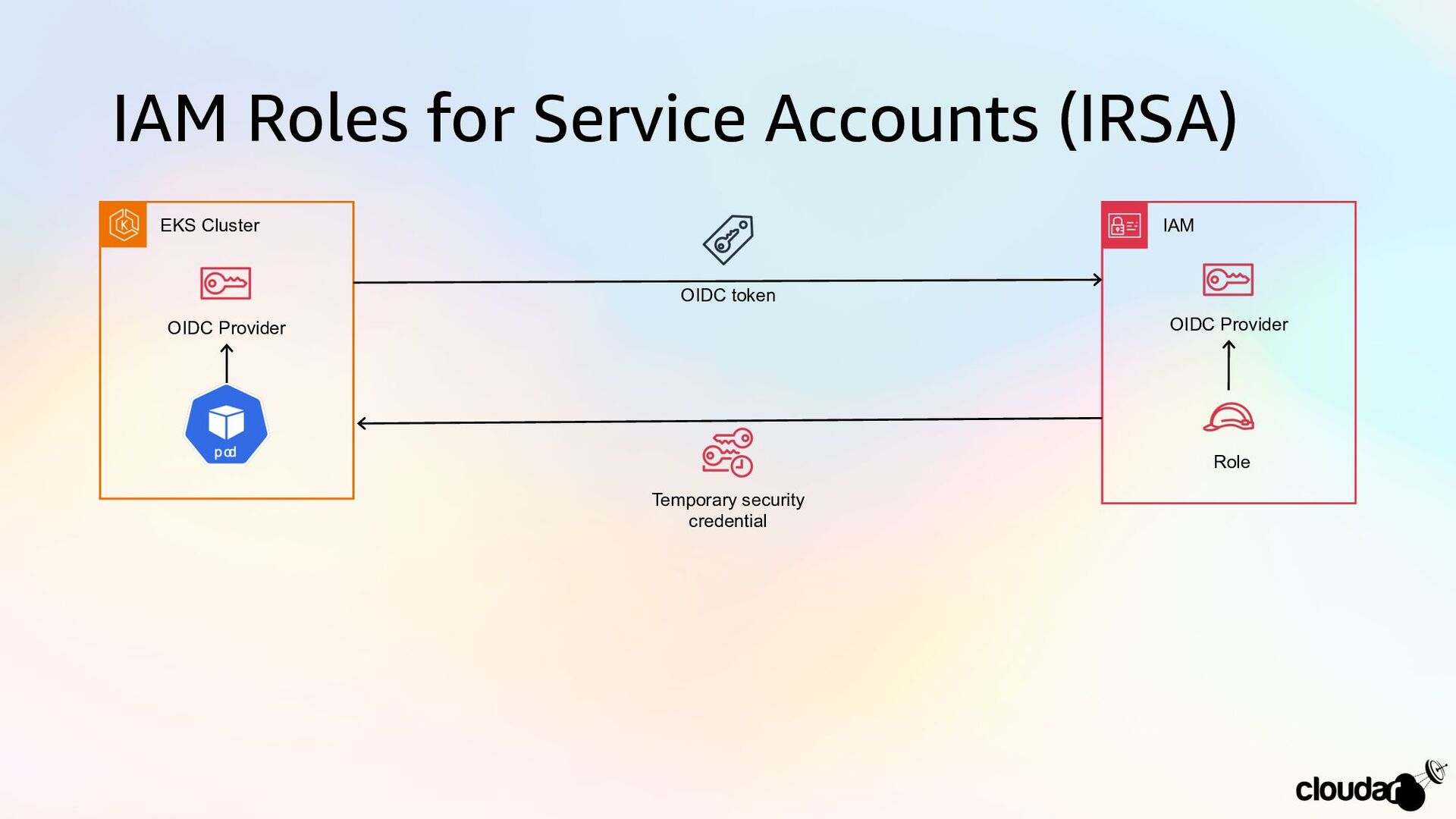
IAM Roles for Service Accounts (IRSA) Role OIDC Provider EKS
Cluster OIDC Provider IAM Temporary security credential OIDC token -
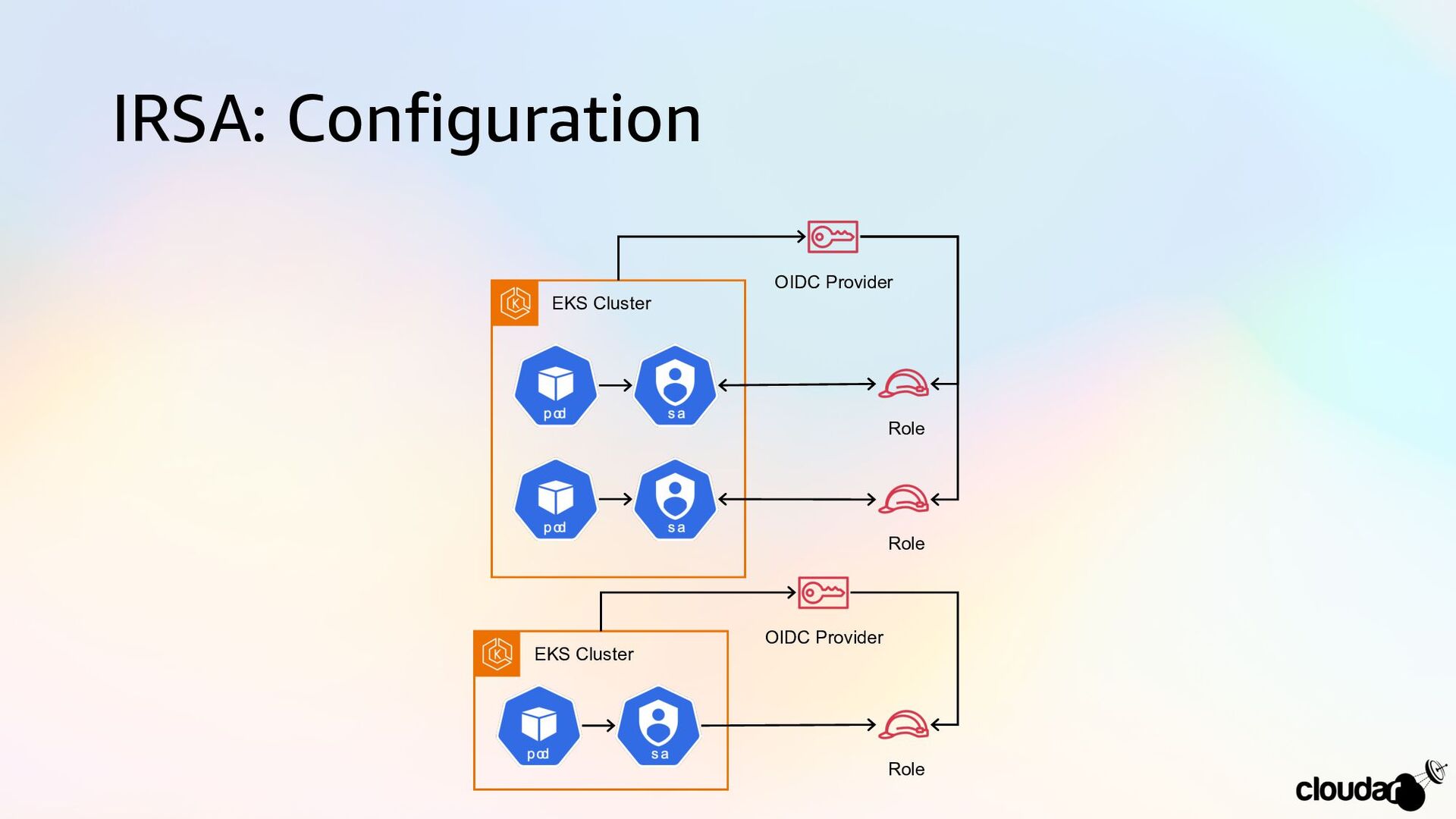
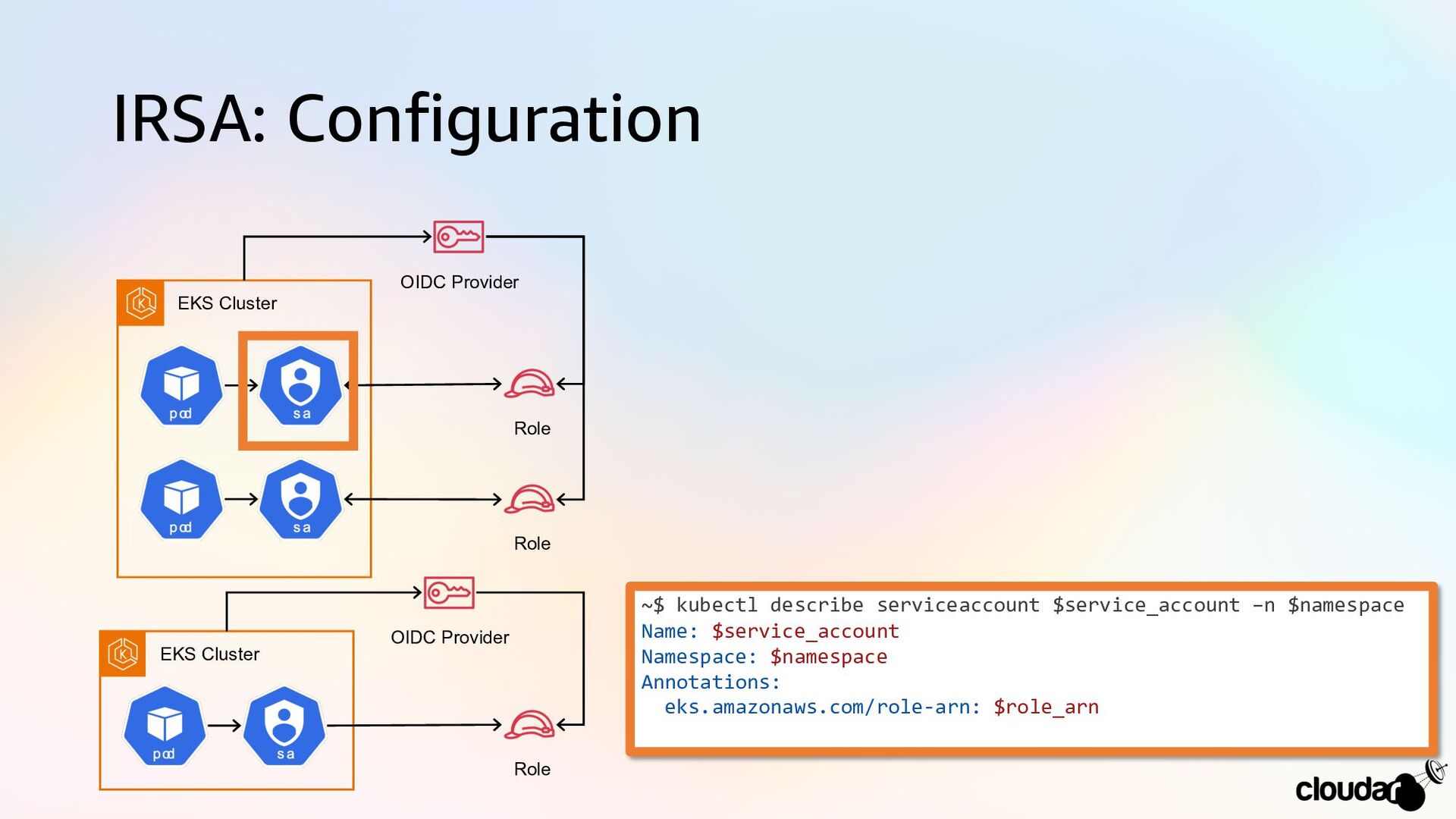
IRSA: Configuration EKS Cluster Role OIDC Provider EKS Cluster OIDC
Provider Role Role -
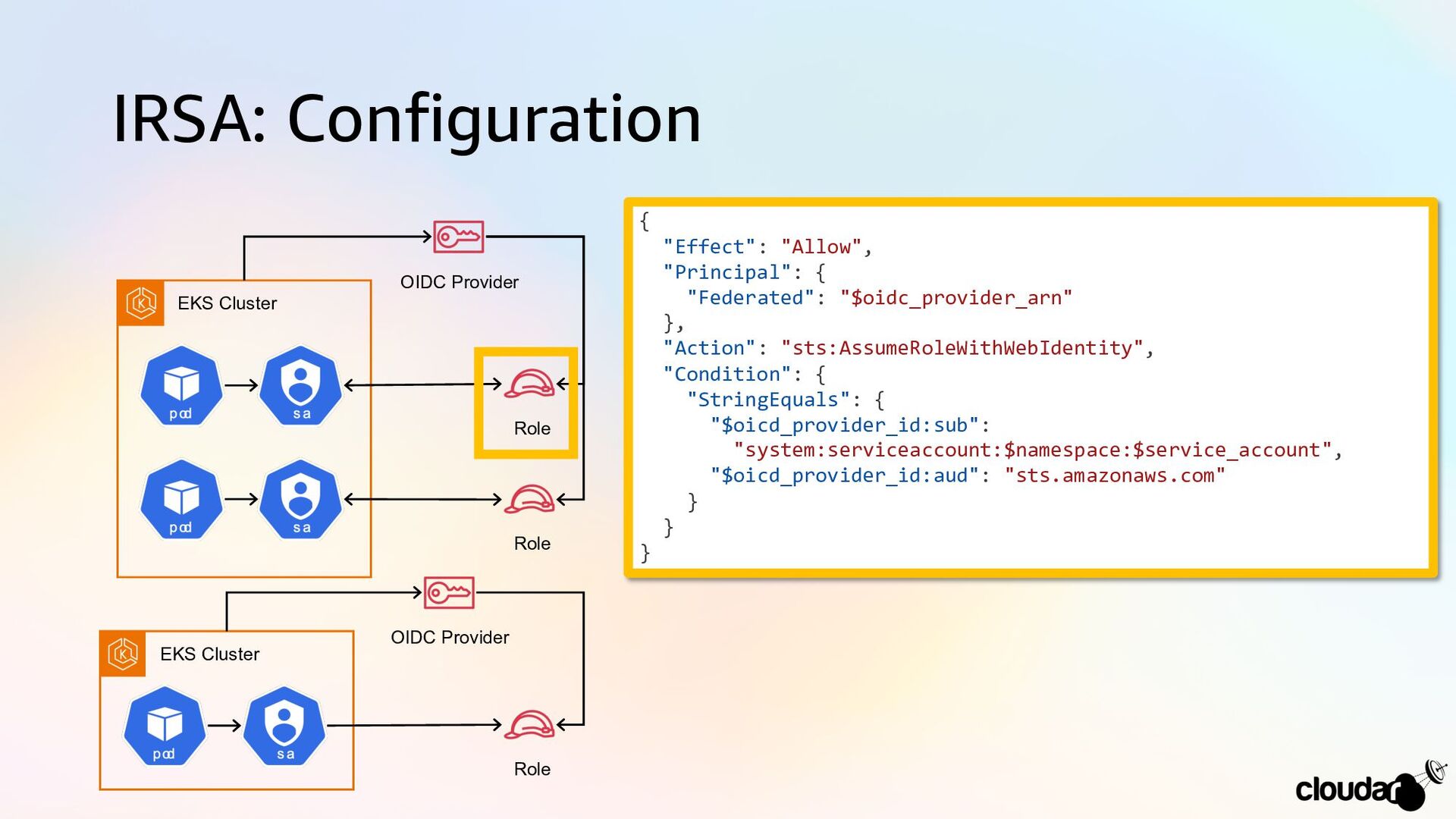
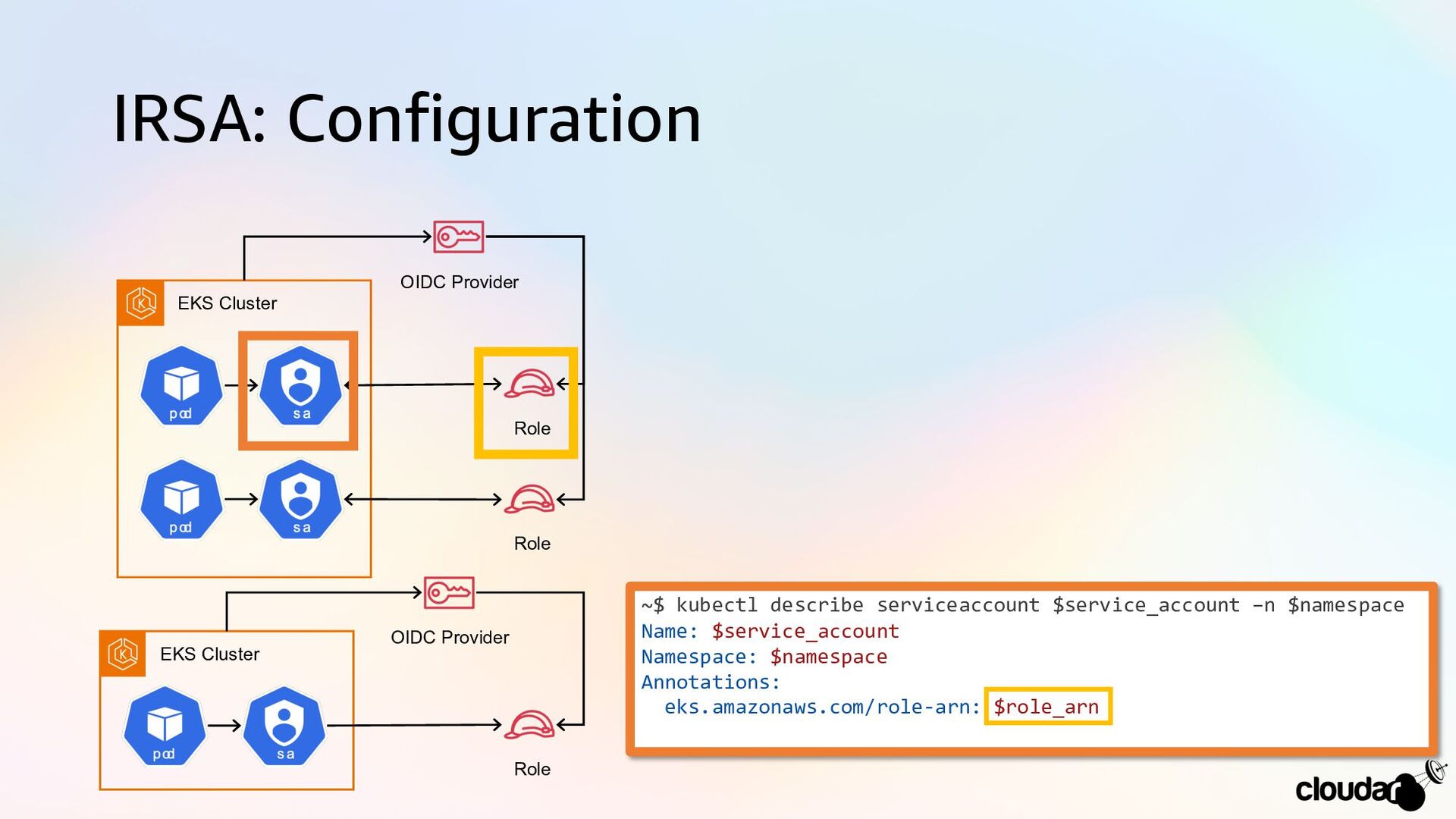
IRSA: Configuration EKS Cluster Role OIDC Provider EKS Cluster OIDC
Provider Role Role { "Effect": "Allow", "Principal": { "Federated": "$oidc_provider_arn" }, "Action": "sts:AssumeRoleWithWebIdentity", "Condition": { "StringEquals": { "$oicd_provider_id:sub": "system:serviceaccount:$namespace:$service_account", "$oicd_provider_id:aud": "sts.amazonaws.com" } } } -
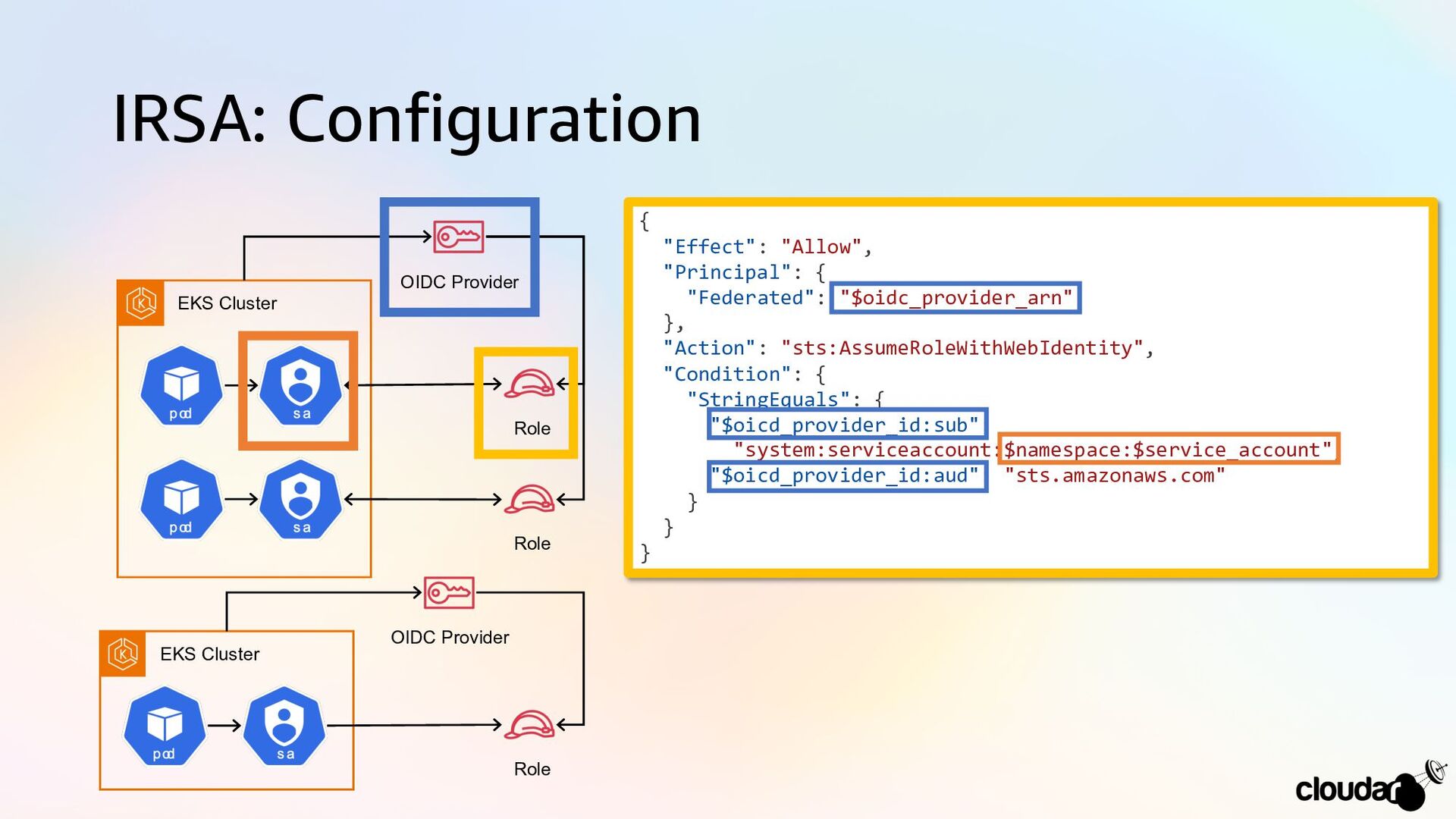
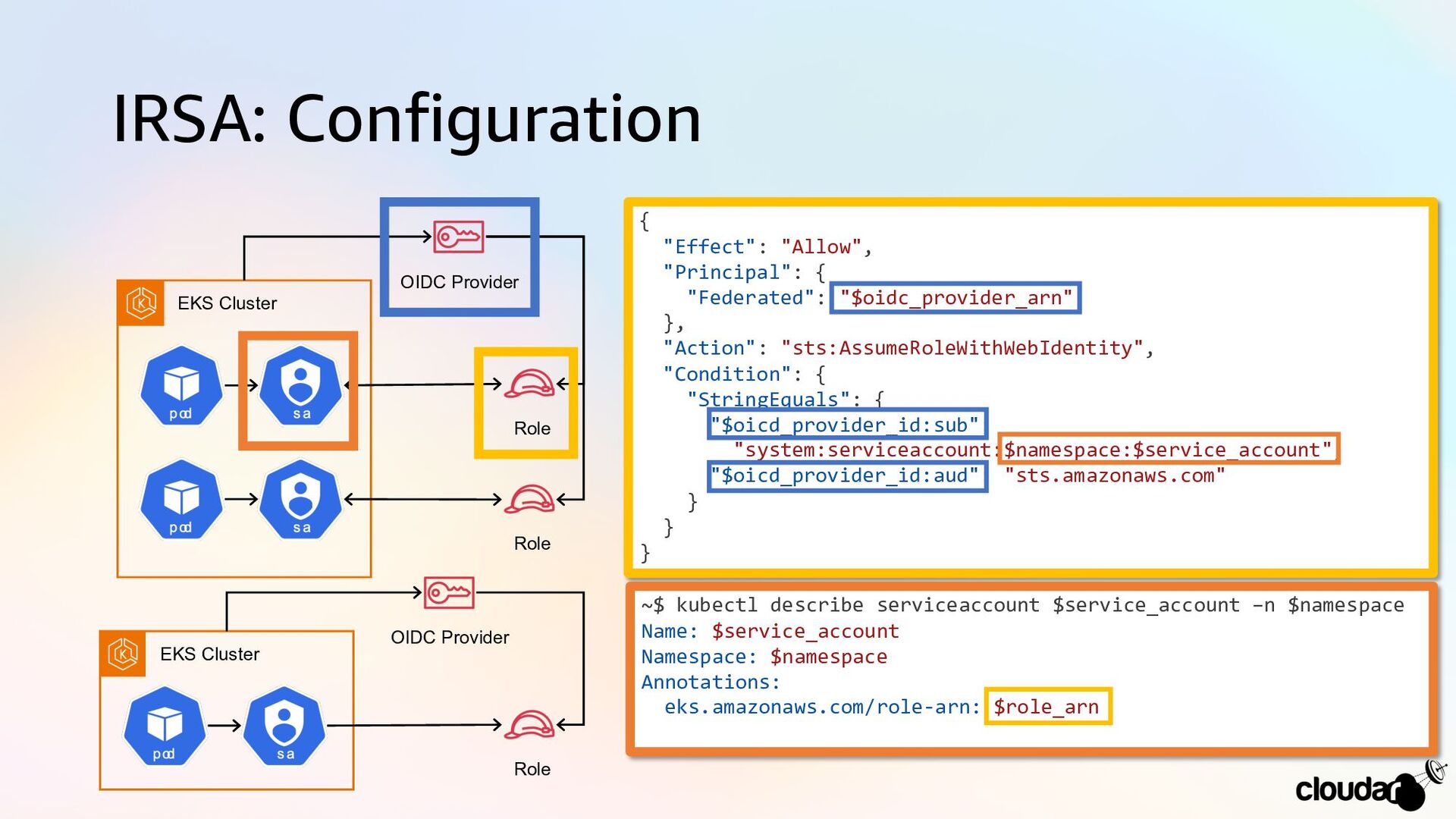
IRSA: Configuration EKS Cluster Role OIDC Provider EKS Cluster OIDC
Provider Role Role { "Effect": "Allow", "Principal": { "Federated": "$oidc_provider_arn" }, "Action": "sts:AssumeRoleWithWebIdentity", "Condition": { "StringEquals": { "$oicd_provider_id:sub": "system:serviceaccount:$namespace:$service_account", "$oicd_provider_id:aud": "sts.amazonaws.com" } } } -
IRSA: Configuration EKS Cluster Role OIDC Provider EKS Cluster OIDC
Provider Role Role ~$ kubectl describe serviceaccount $service_account –n $namespace Name: $service_account Namespace: $namespace Annotations: eks.amazonaws.com/role-arn: $role_arn -
IRSA: Configuration EKS Cluster Role OIDC Provider EKS Cluster OIDC
Provider Role Role ~$ kubectl describe serviceaccount $service_account –n $namespace Name: $service_account Namespace: $namespace Annotations: eks.amazonaws.com/role-arn: $role_arn -
IRSA: Configuration EKS Cluster Role OIDC Provider EKS Cluster OIDC
Provider Role Role { "Effect": "Allow", "Principal": { "Federated": "$oidc_provider_arn" }, "Action": "sts:AssumeRoleWithWebIdentity", "Condition": { "StringEquals": { "$oicd_provider_id:sub": "system:serviceaccount:$namespace:$service_account", "$oicd_provider_id:aud": "sts.amazonaws.com" } } } ~$ kubectl describe serviceaccount $service_account –n $namespace Name: $service_account Namespace: $namespace Annotations: eks.amazonaws.com/role-arn: $role_arn -
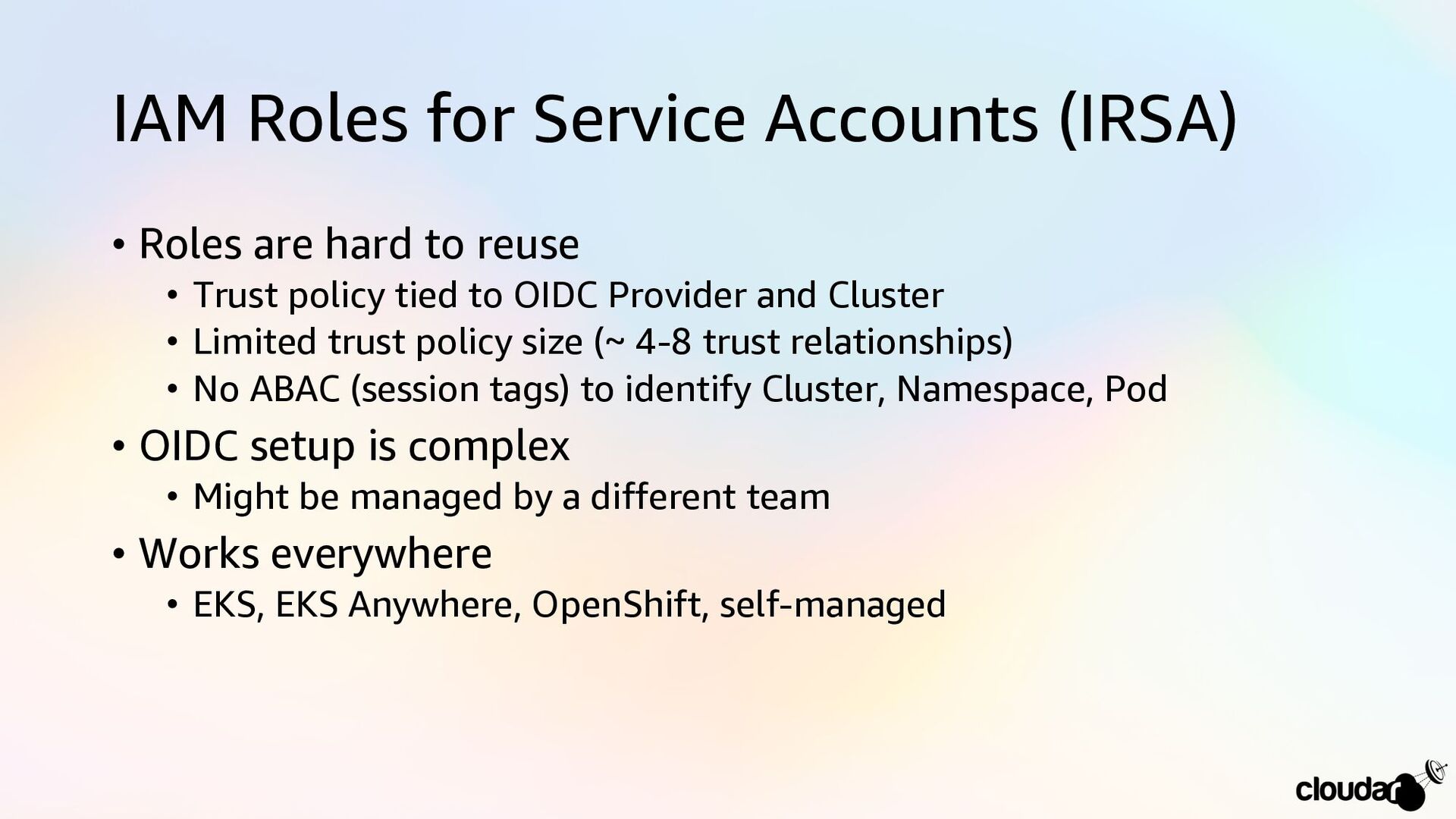
IAM Roles for Service Accounts (IRSA) • Roles are hard
to reuse • Trust policy tied to OIDC Provider and Cluster • Limited trust policy size (~ 4-8 trust relationships) • No ABAC (session tags) to identify Cluster, Namespace, Pod • OIDC setup is complex • Might be managed by a different team • Works everywhere • EKS, EKS Anywhere, OpenShift, self-managed -
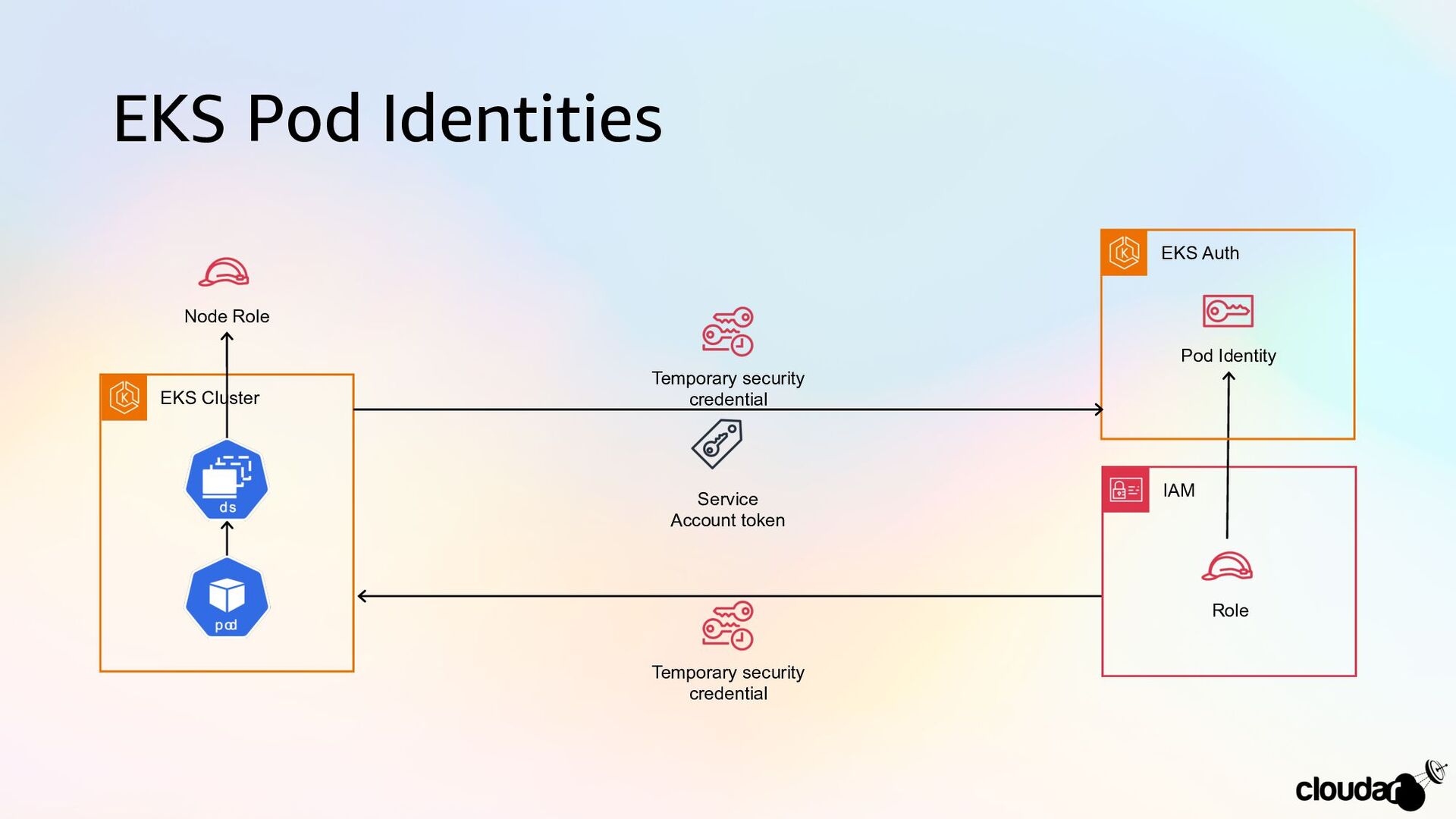
EKS Pod Identities Role EKS Cluster IAM Temporary security credential
Node Role EKS Auth Pod Identity Temporary security credential Service Account token -
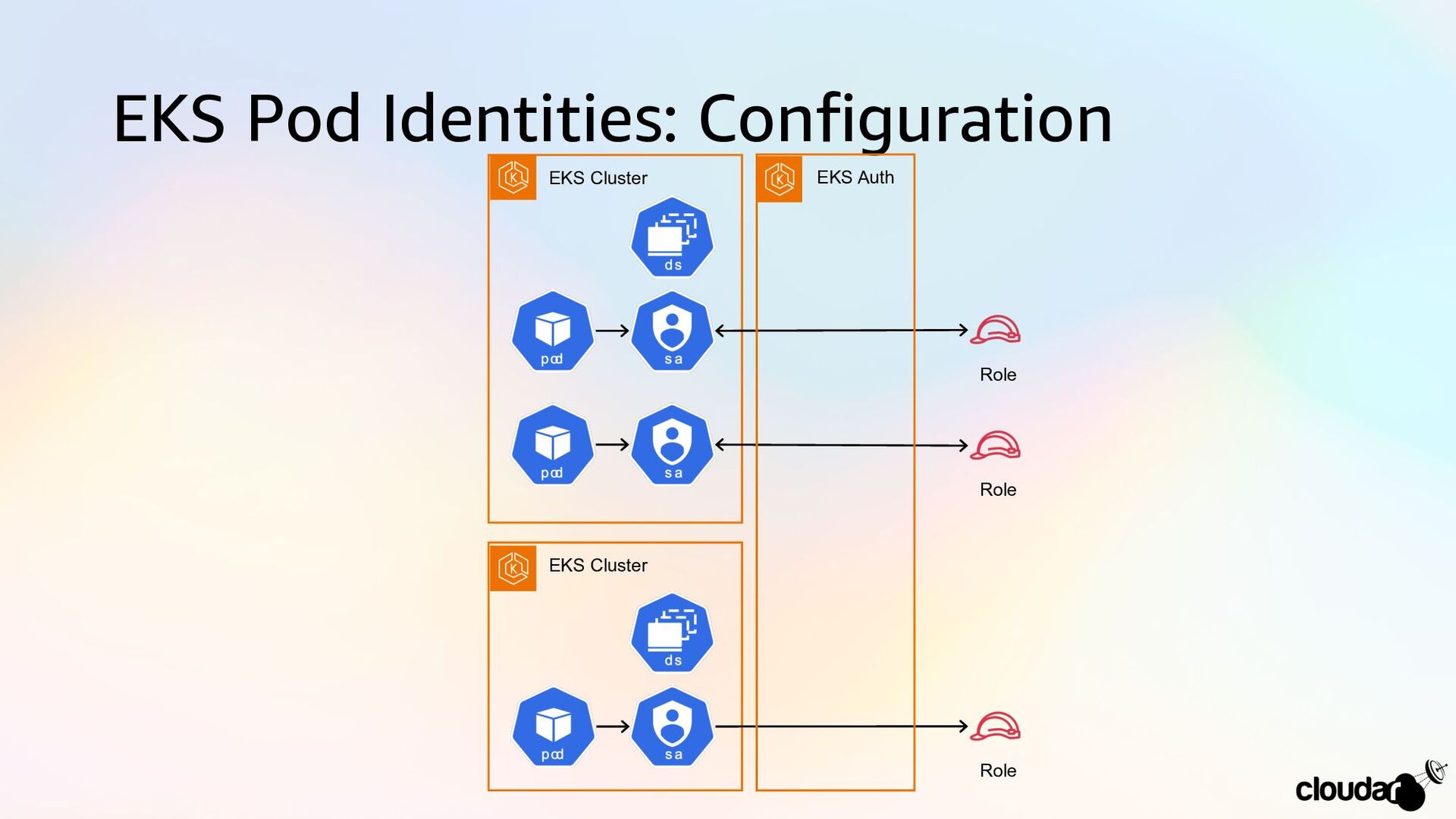
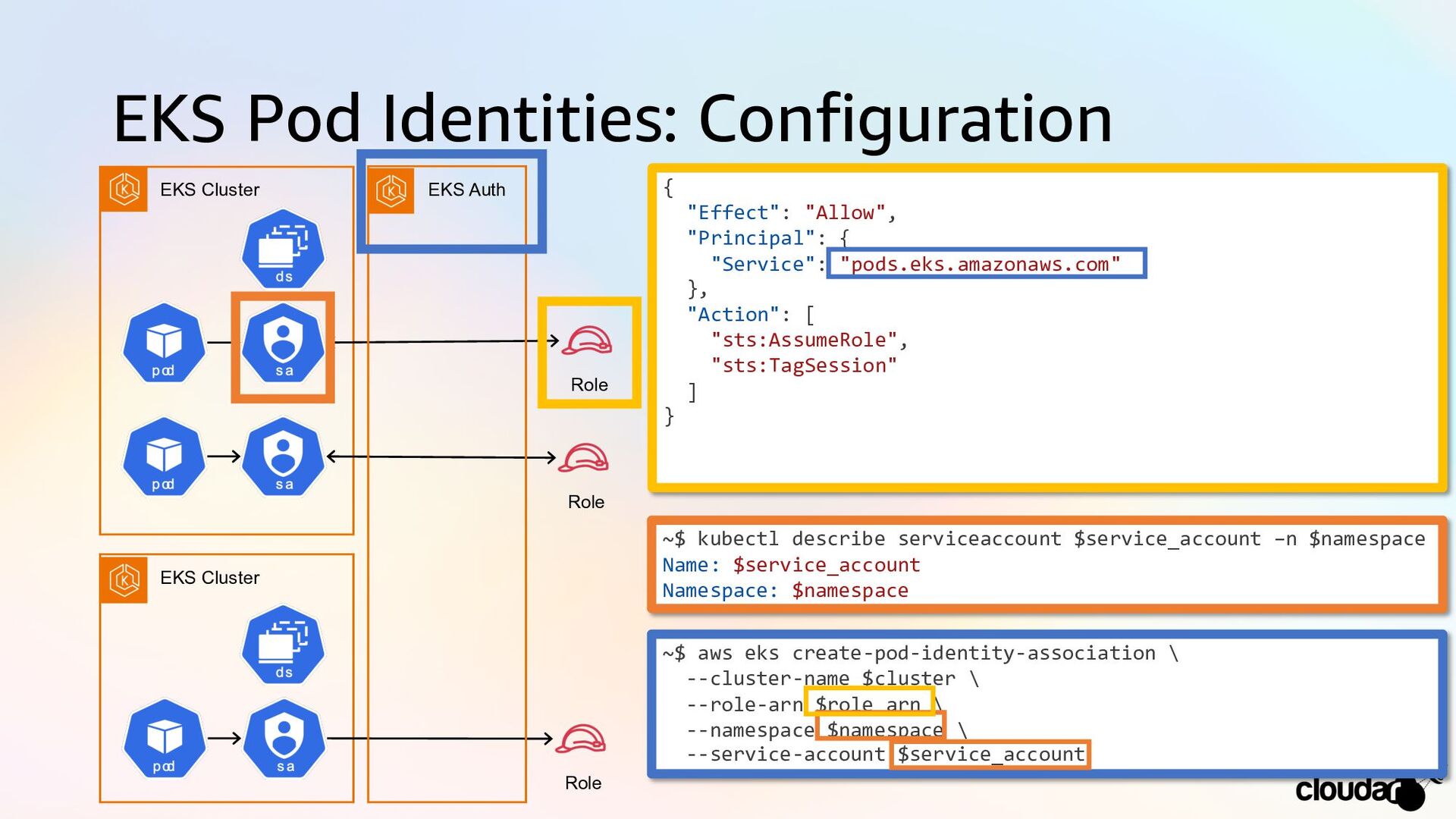
EKS Pod Identities: Configuration EKS Cluster Role EKS Cluster Role
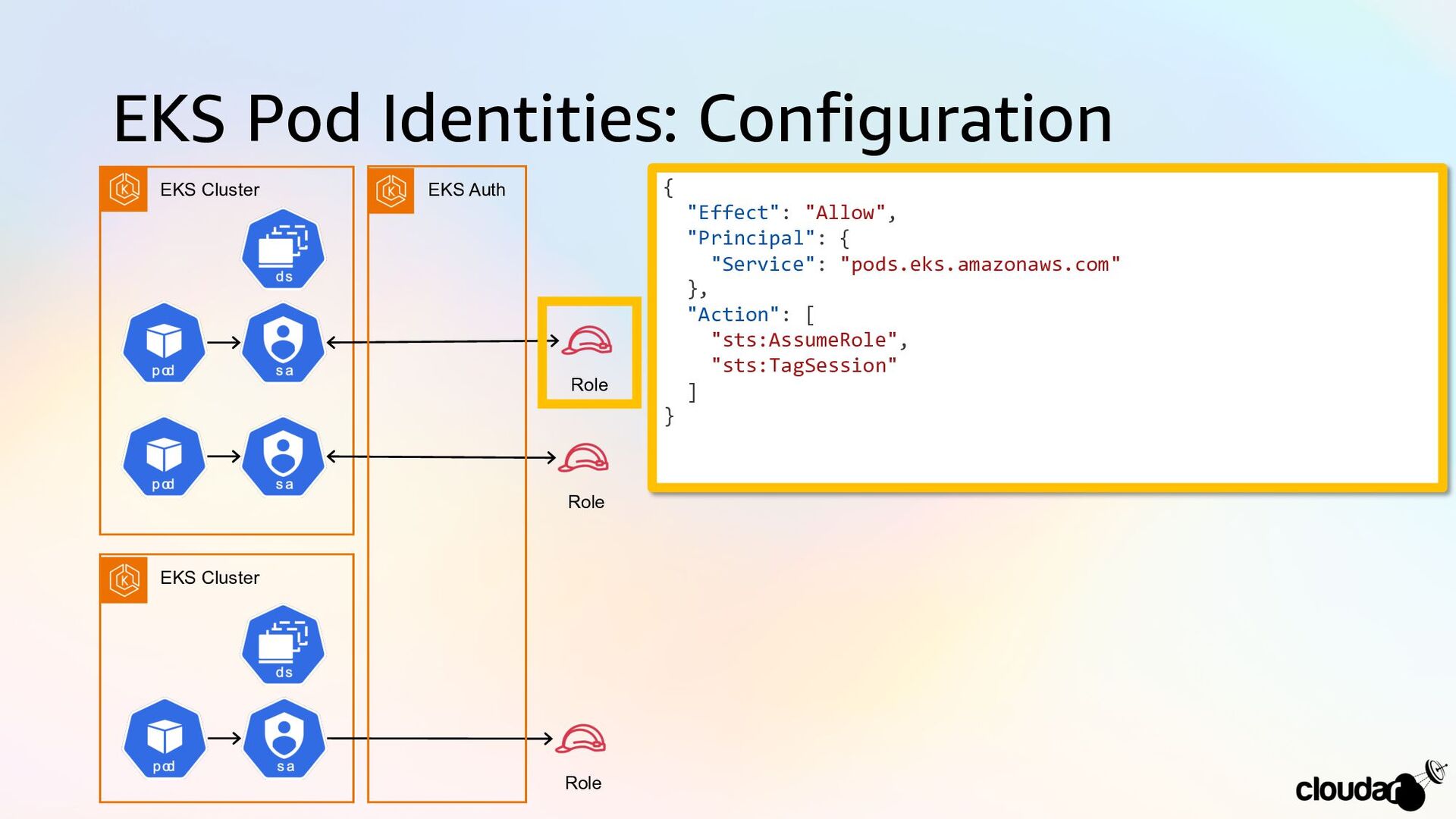
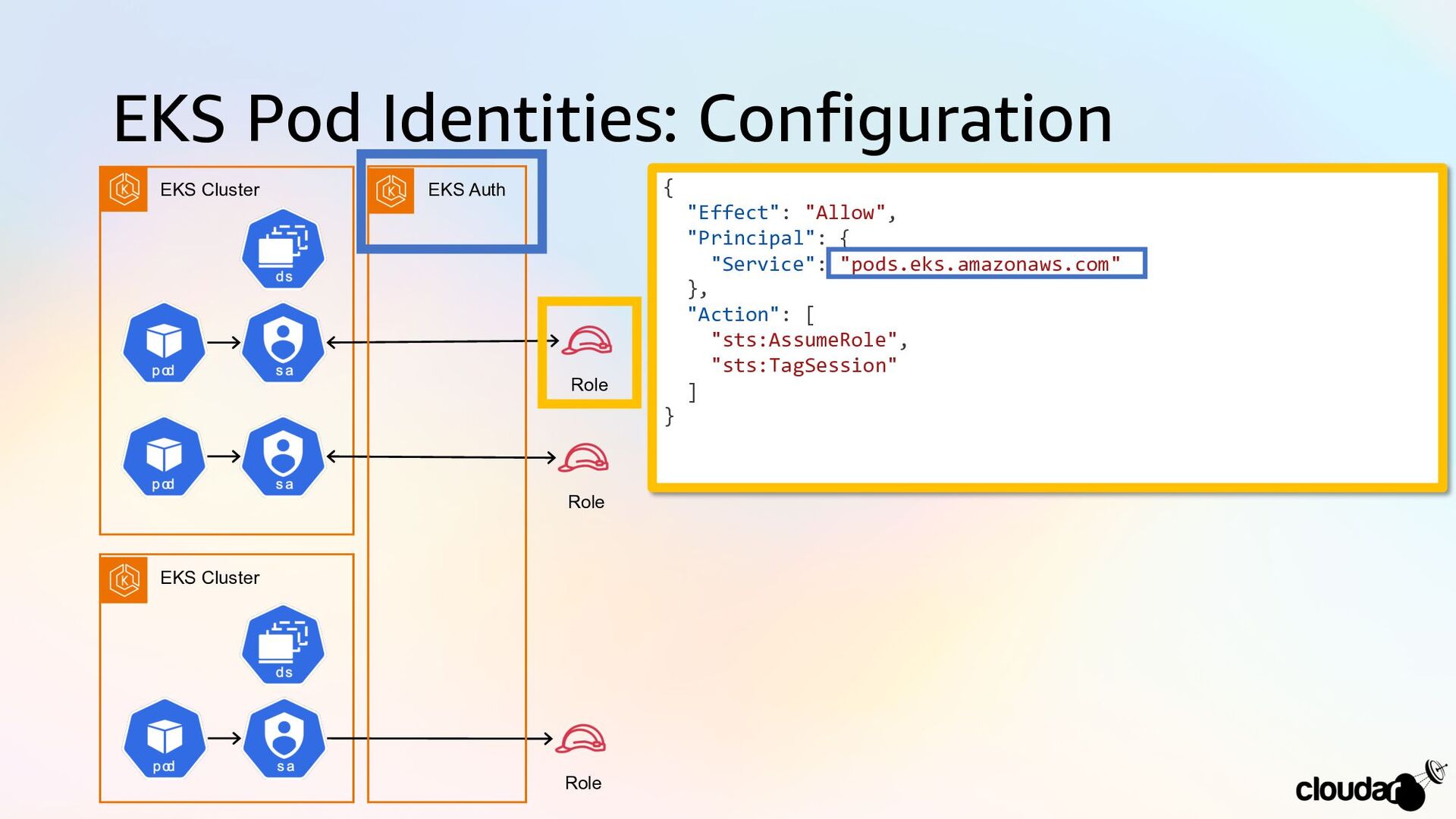
Role EKS Auth { "Effect": "Allow", "Principal": { "Service": "pods.eks.amazonaws.com" }, "Action": [ "sts:AssumeRole", "sts:TagSession" ] } -
EKS Pod Identities: Configuration EKS Cluster Role EKS Cluster Role
Role EKS Auth { "Effect": "Allow", "Principal": { "Service": "pods.eks.amazonaws.com" }, "Action": [ "sts:AssumeRole", "sts:TagSession" ] } -
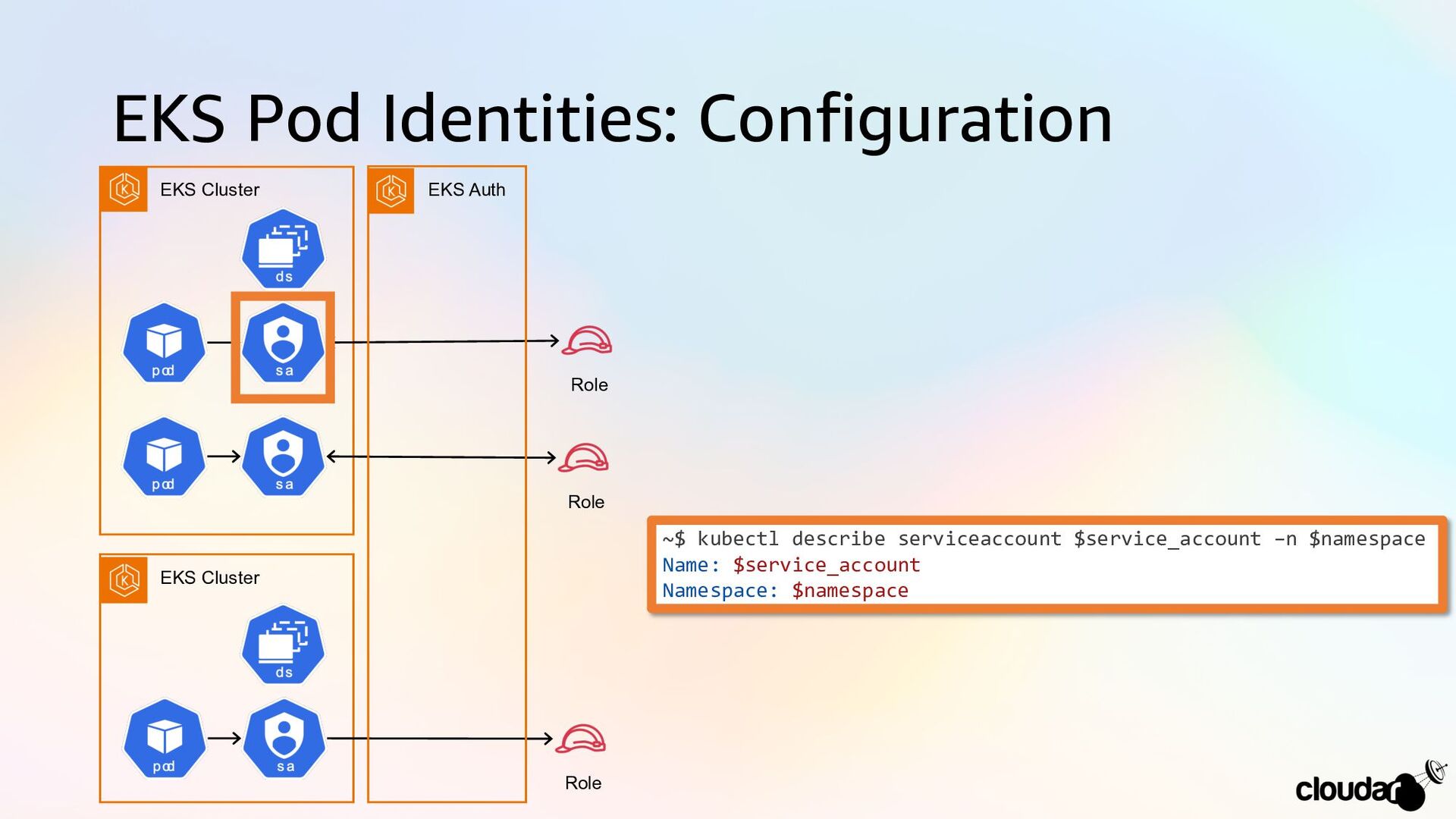
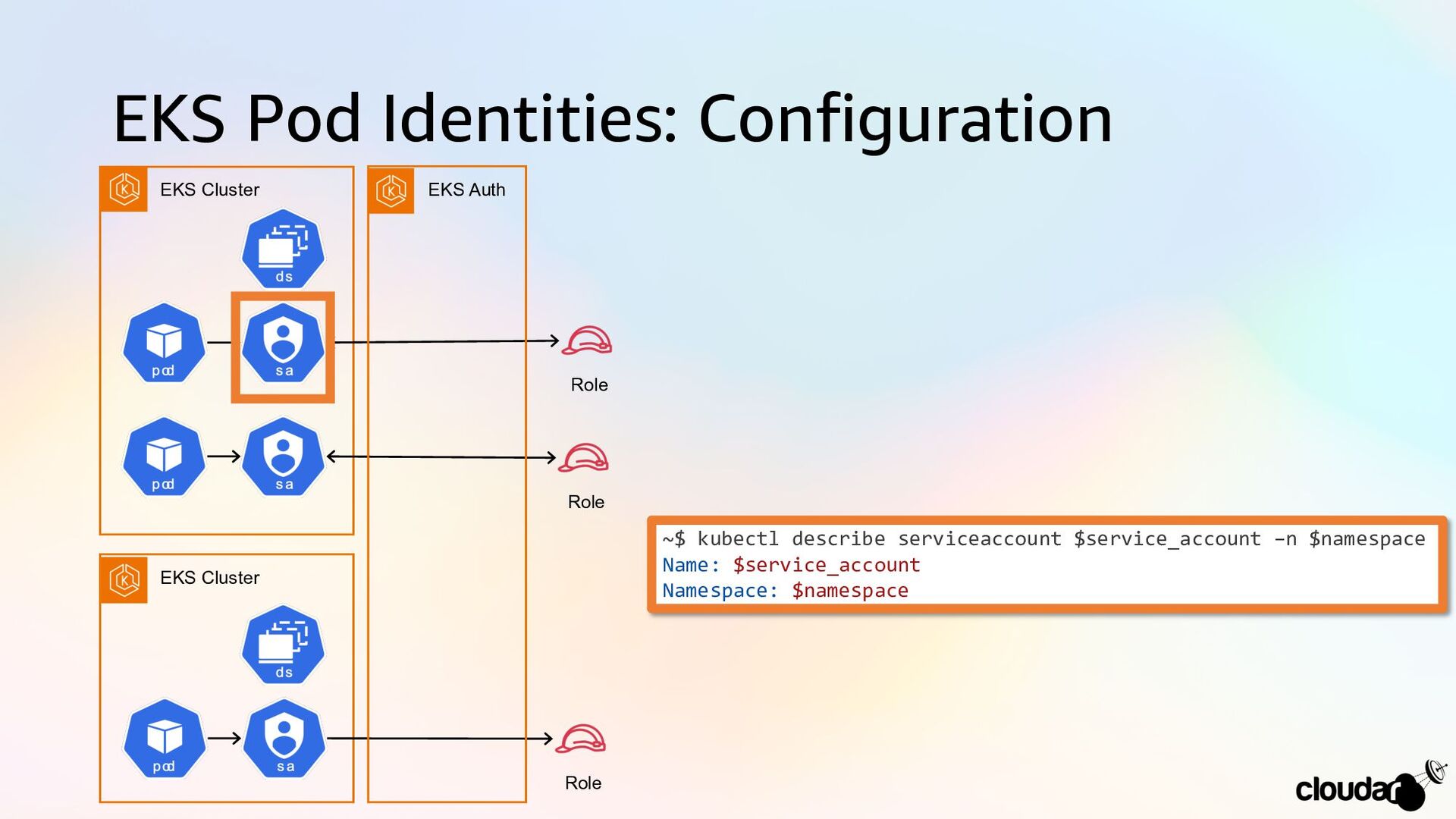
EKS Pod Identities: Configuration EKS Cluster Role EKS Cluster Role
Role EKS Auth ~$ kubectl describe serviceaccount $service_account –n $namespace Name: $service_account Namespace: $namespace -
EKS Pod Identities: Configuration EKS Cluster Role EKS Cluster Role
Role EKS Auth ~$ kubectl describe serviceaccount $service_account –n $namespace Name: $service_account Namespace: $namespace -
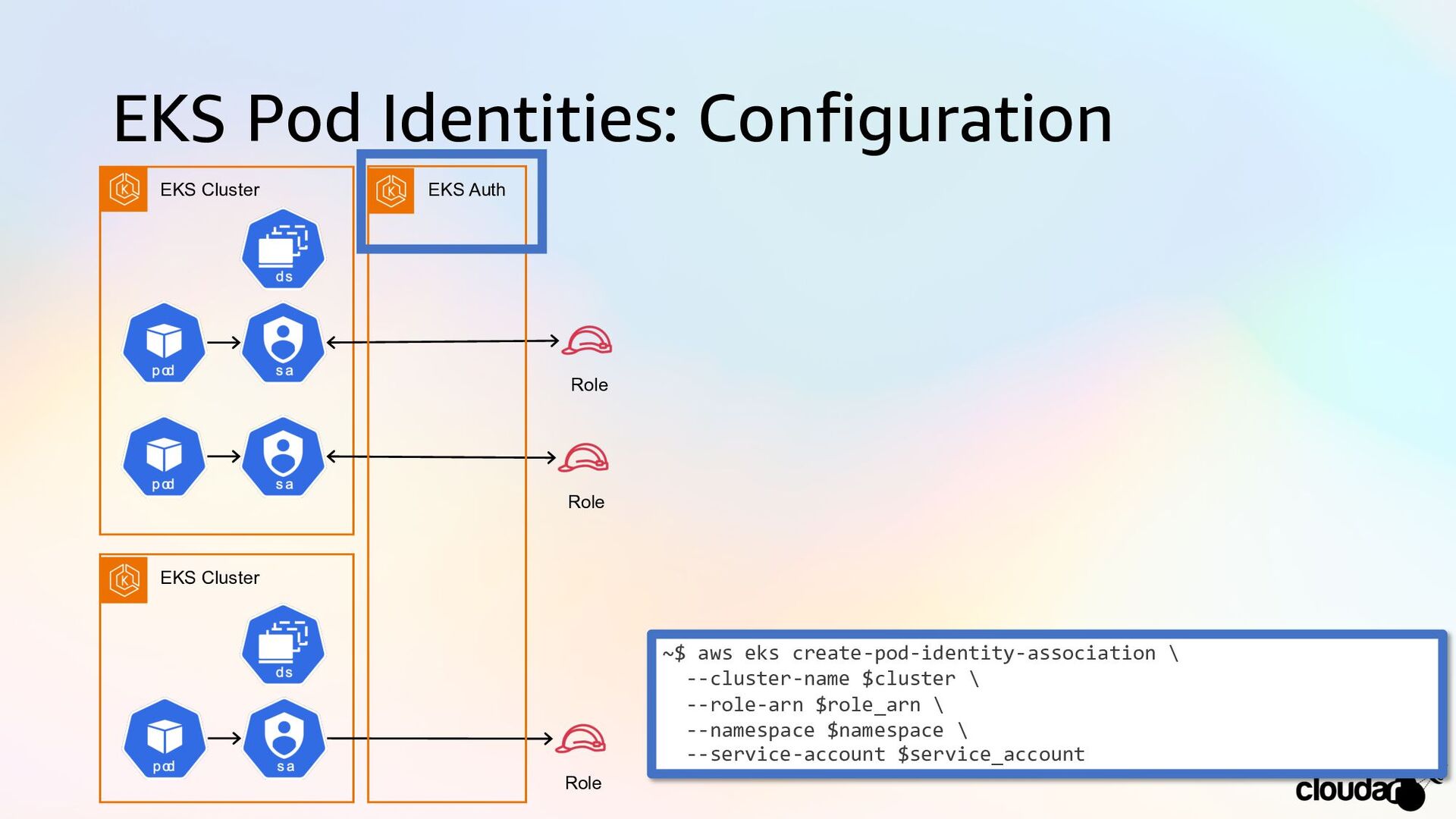
EKS Pod Identities: Configuration EKS Cluster Role EKS Cluster Role
Role EKS Auth ~$ aws eks create-pod-identity-association \ --cluster-name $cluster \ --role-arn $role_arn \ --namespace $namespace \ --service-account $service_account -
EKS Pod Identities: Configuration EKS Cluster Role EKS Cluster Role
Role EKS Auth ~$ aws eks create-pod-identity-association \ --cluster-name $cluster \ --role-arn $role_arn \ --namespace $namespace \ --service-account $service_account -
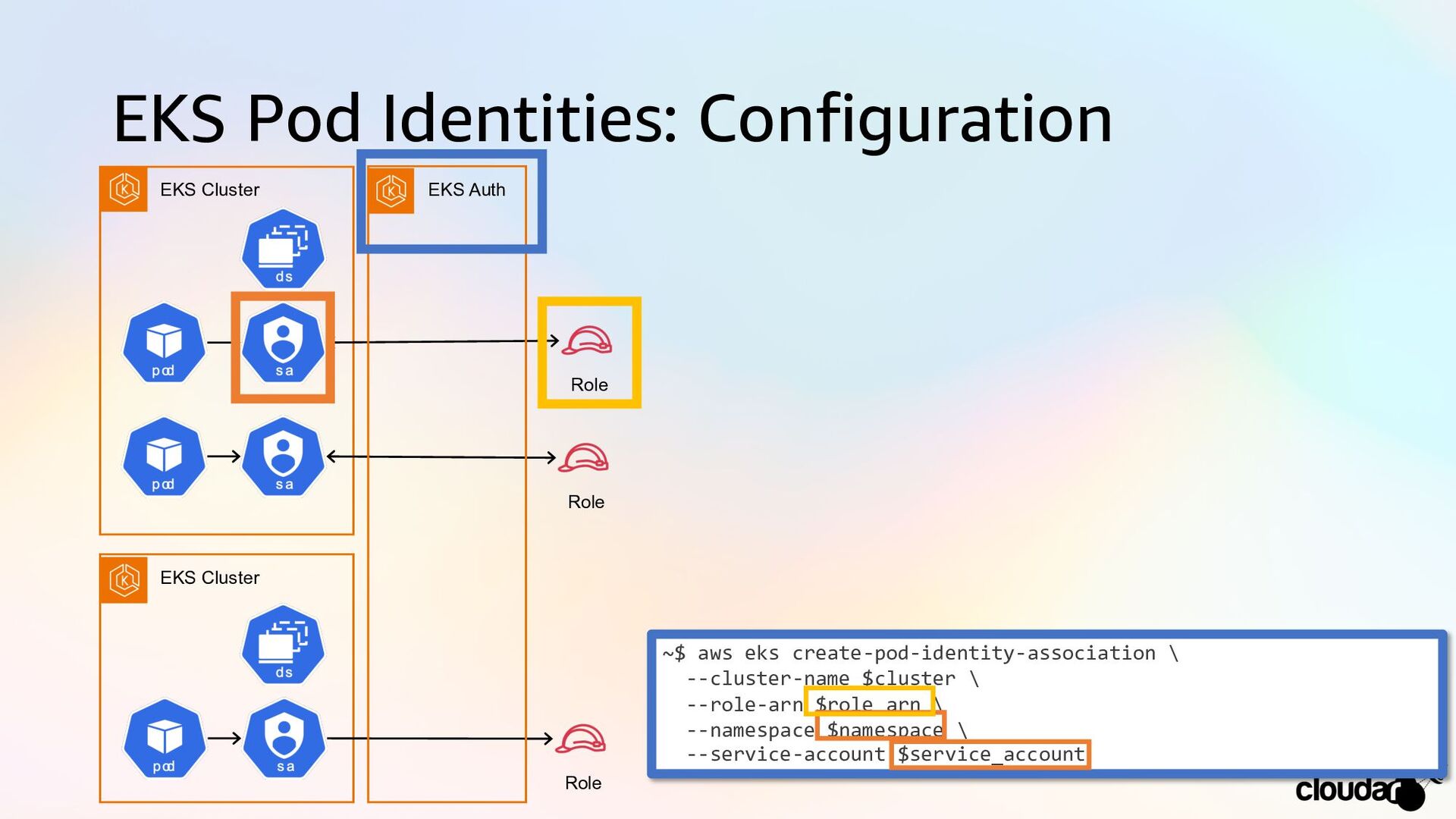
EKS Pod Identities: Configuration EKS Cluster Role EKS Cluster Role
Role EKS Auth { "Effect": "Allow", "Principal": { "Service": "pods.eks.amazonaws.com" }, "Action": [ "sts:AssumeRole", "sts:TagSession" ] } ~$ kubectl describe serviceaccount $service_account –n $namespace Name: $service_account Namespace: $namespace ~$ aws eks create-pod-identity-association \ --cluster-name $cluster \ --role-arn $role_arn \ --namespace $namespace \ --service-account $service_account -
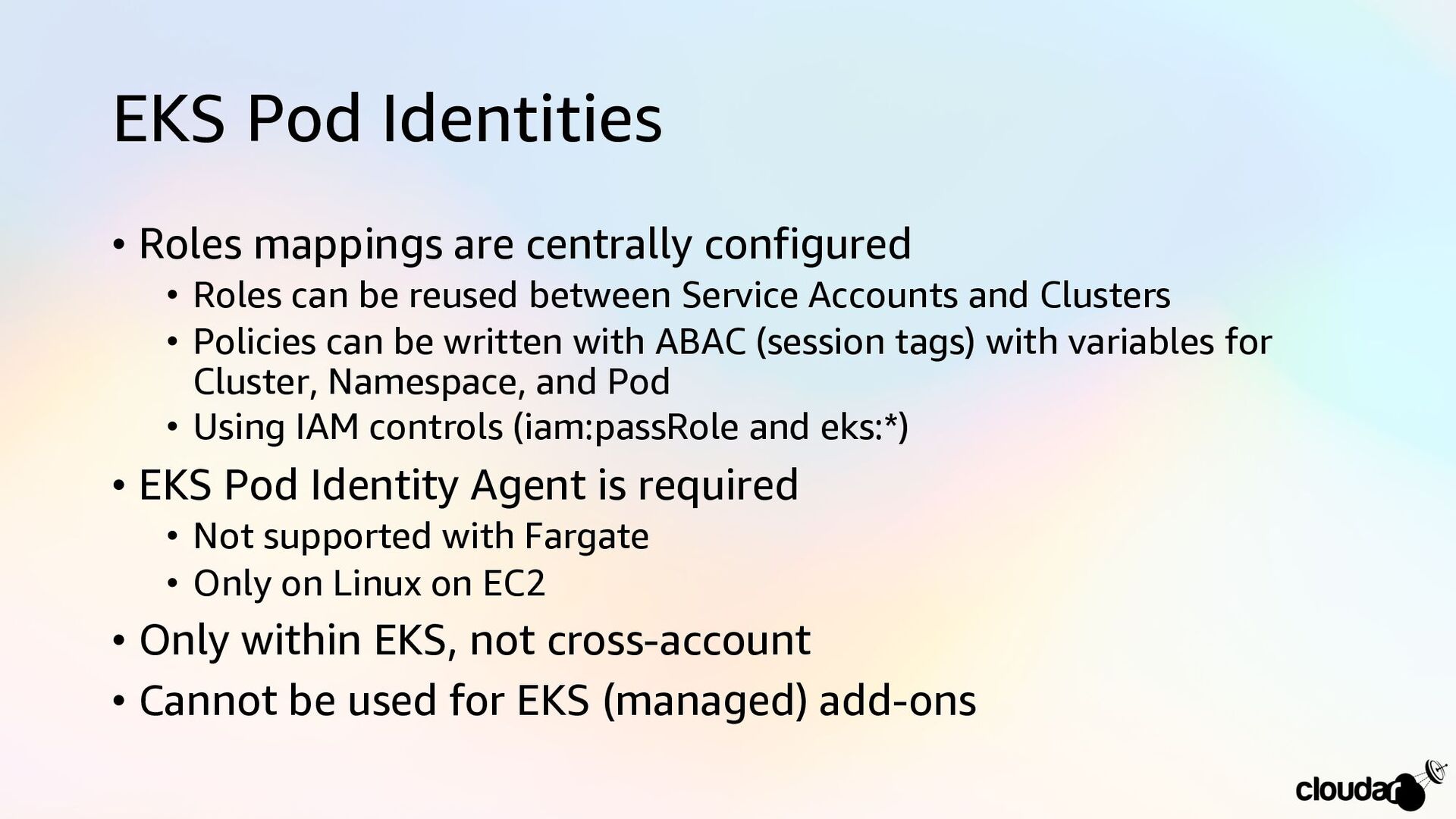
EKS Pod Identities • Roles mappings are centrally configured •
Roles can be reused between Service Accounts and Clusters • Policies can be written with ABAC (session tags) with variables for Cluster, Namespace, and Pod • Using IAM controls (iam:passRole and eks:*) • EKS Pod Identity Agent is required • Not supported with Fargate • Only on Linux on EC2 • Only within EKS, not cross-account • Cannot be used for EKS (managed) add-ons -
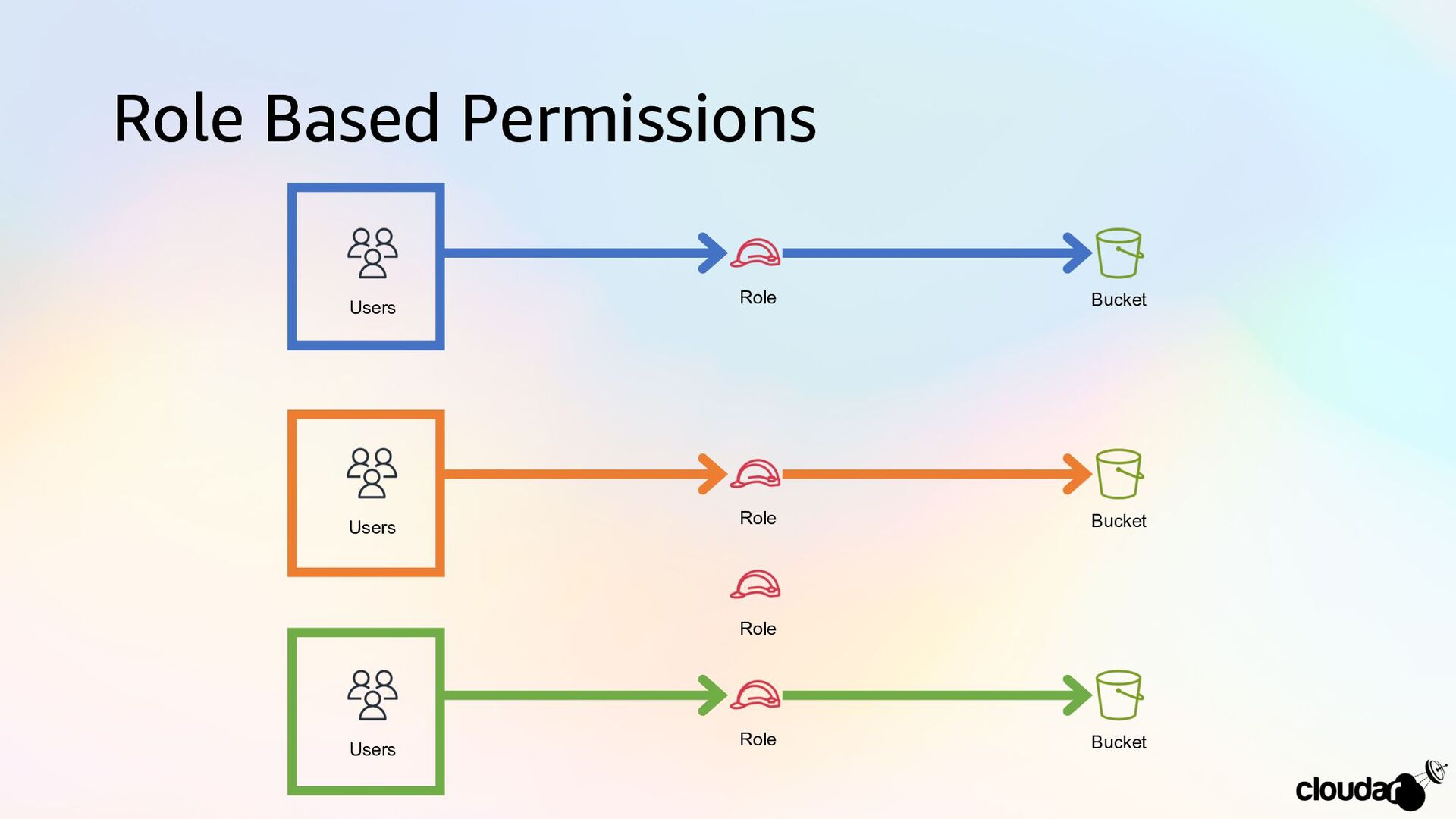
Role Based Permissions Role Role Role Role Bucket Bucket Bucket
Users Users Users -
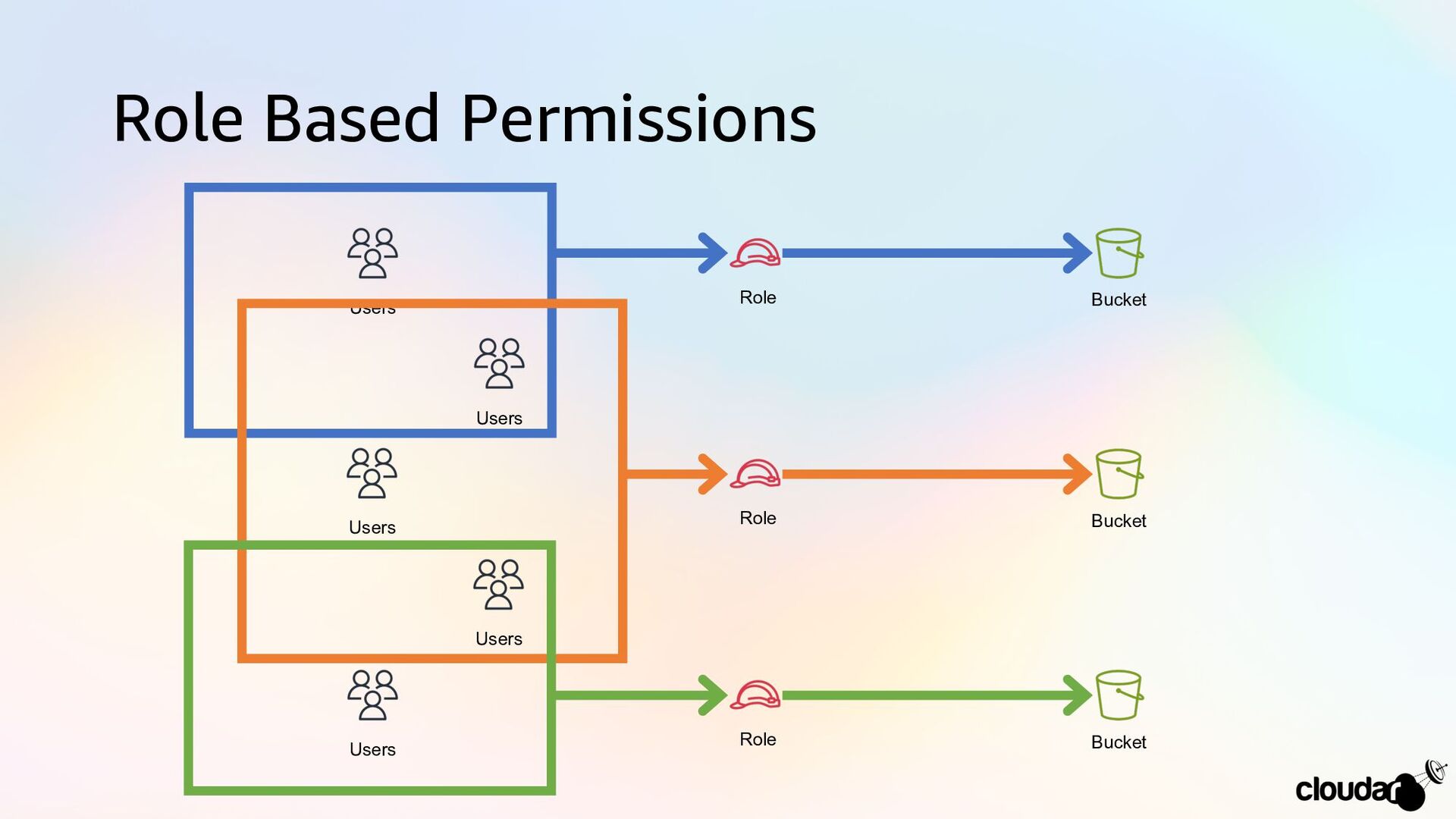
Role Based Permissions Role Role Role Bucket Bucket Bucket Users
Users Users Users Users -
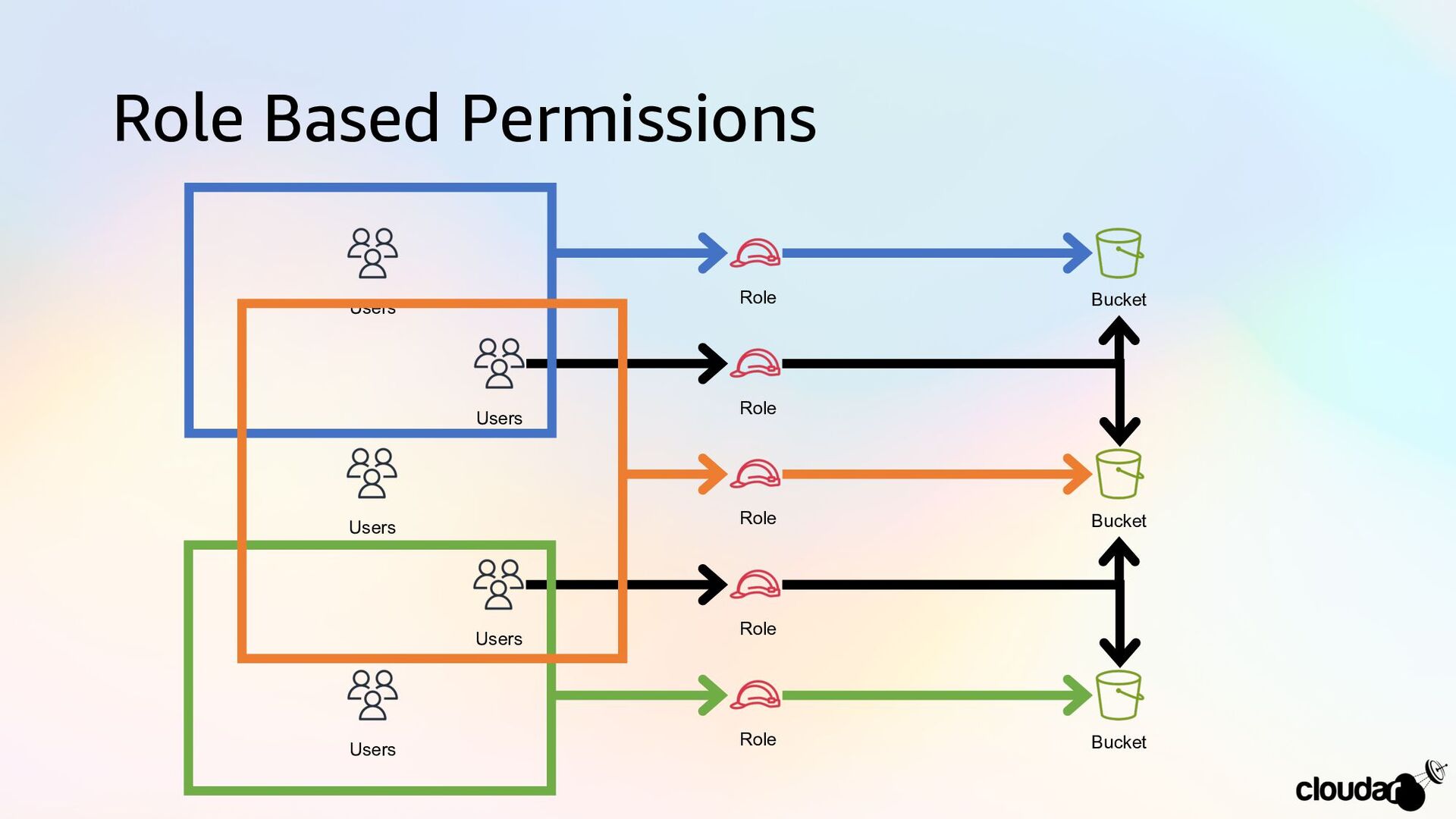
Role Based Permissions Role Role Role Role Role Bucket Bucket
Bucket Users Users Users Users Users -
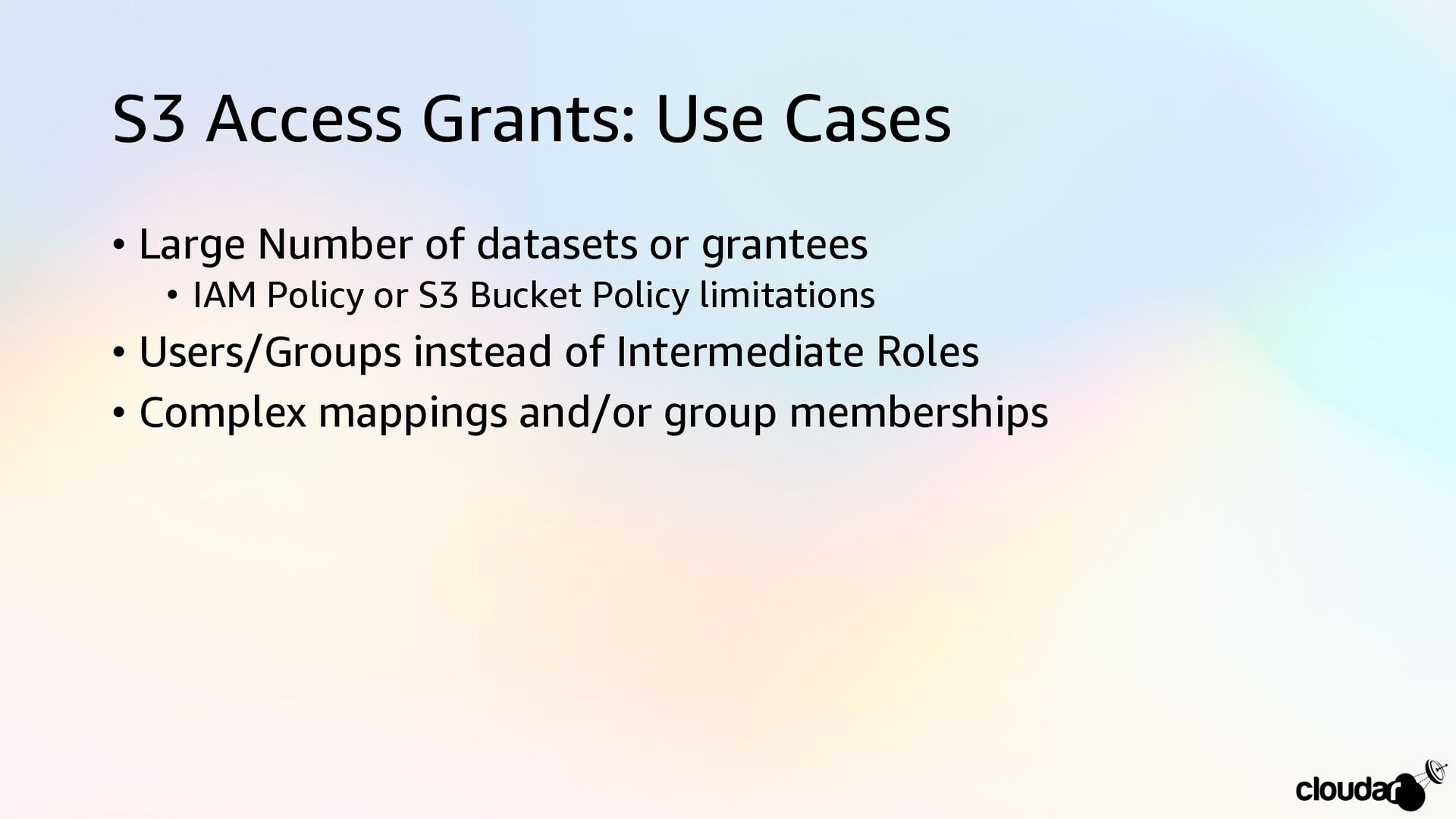
S3 Access Grants: Use Cases • Large Number of datasets
or grantees • IAM Policy or S3 Bucket Policy limitations • Users/Groups instead of Intermediate Roles • Complex mappings and/or group memberships -
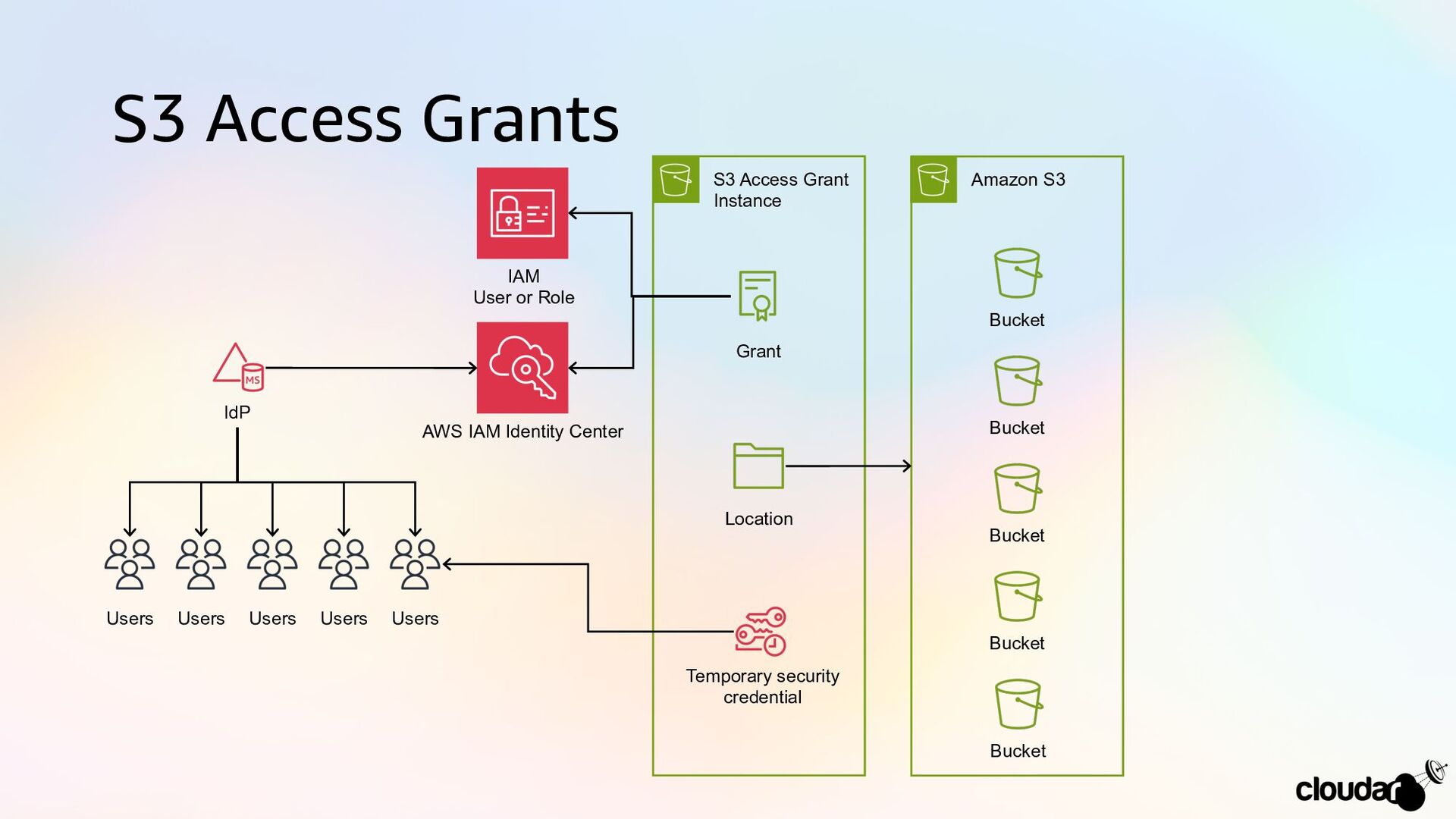
S3 Access Grants Users Users Users Users Users AWS IAM
Identity Center IdP IAM User or Role Grant Location Temporary security credential S3 Access Grant Instance Bucket Amazon S3 Bucket Bucket Bucket Bucket -
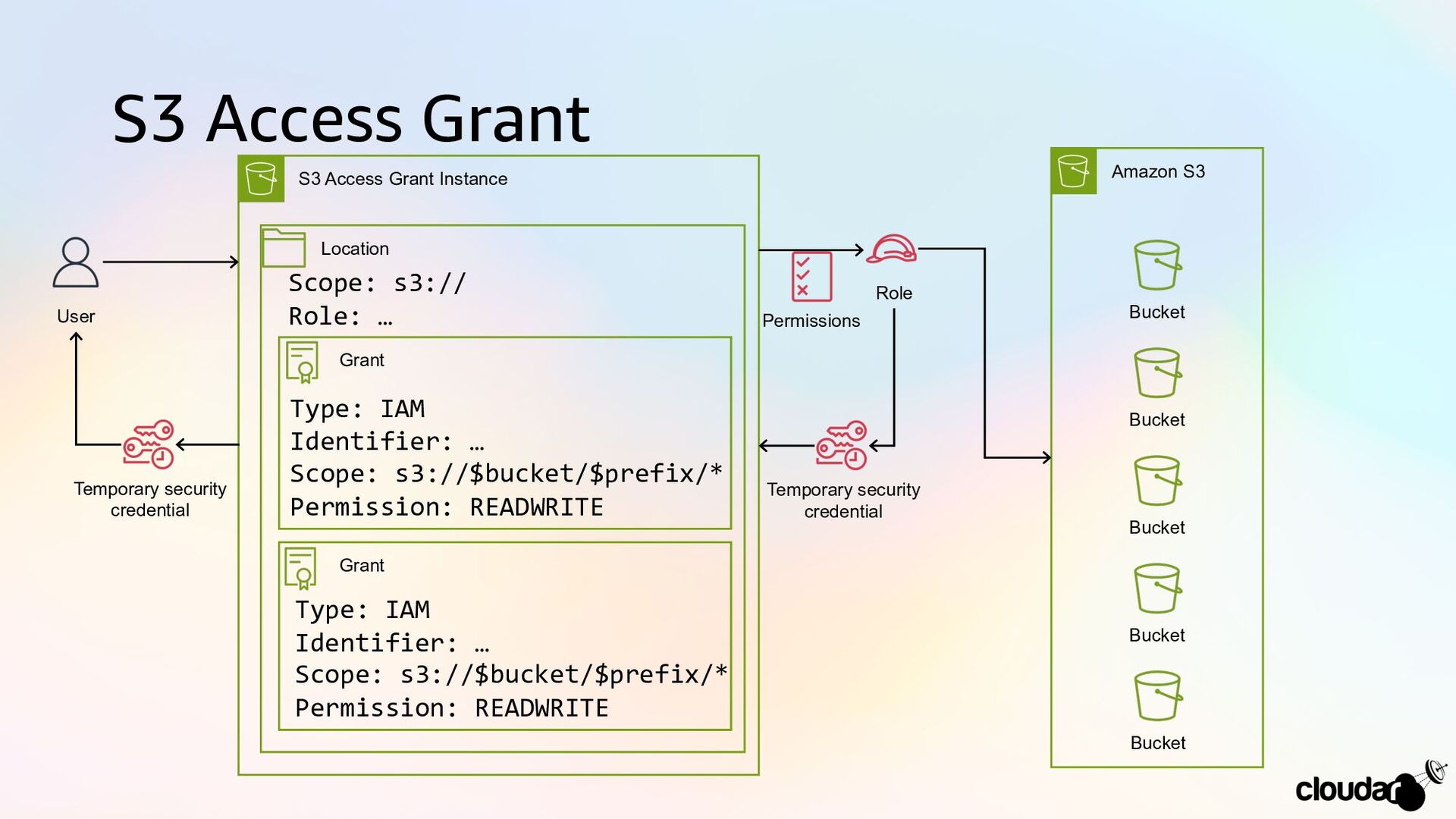
S3 Access Grant Temporary security credential S3 Access Grant Instance
Location Grant Grant Scope: s3:// Role: … Type: IAM Identifier: … Scope: s3://$bucket/$prefix/* Permission: READWRITE Type: IAM Identifier: … Scope: s3://$bucket/$prefix/* Permission: READWRITE Role Bucket Amazon S3 Bucket Bucket Bucket Bucket User Temporary security credential Permissions -
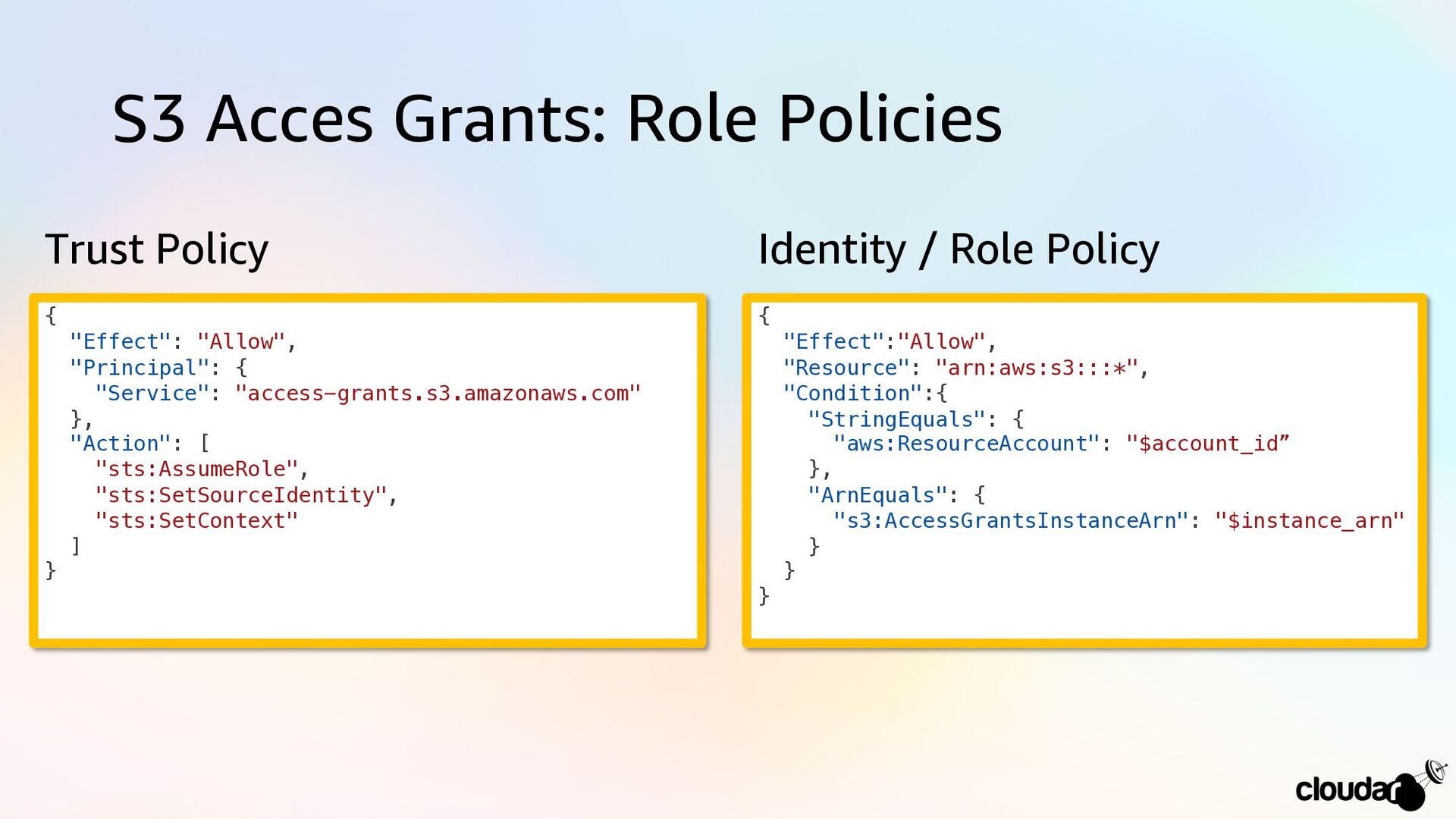
S3 Acces Grants: Role Policies { "Effect": "Allow", "Principal": {
"Service": "access-grants.s3.amazonaws.com" }, "Action": [ "sts:AssumeRole", "sts:SetSourceIdentity", "sts:SetContext" ] } { "Effect":"Allow", "Resource": "arn:aws:s3:::*", "Condition":{ "StringEquals": { "aws:ResourceAccount": "$account_id” }, "ArnEquals": { "s3:AccessGrantsInstanceArn": "$instance_arn" } } } Trust Policy Identity / Role Policy -
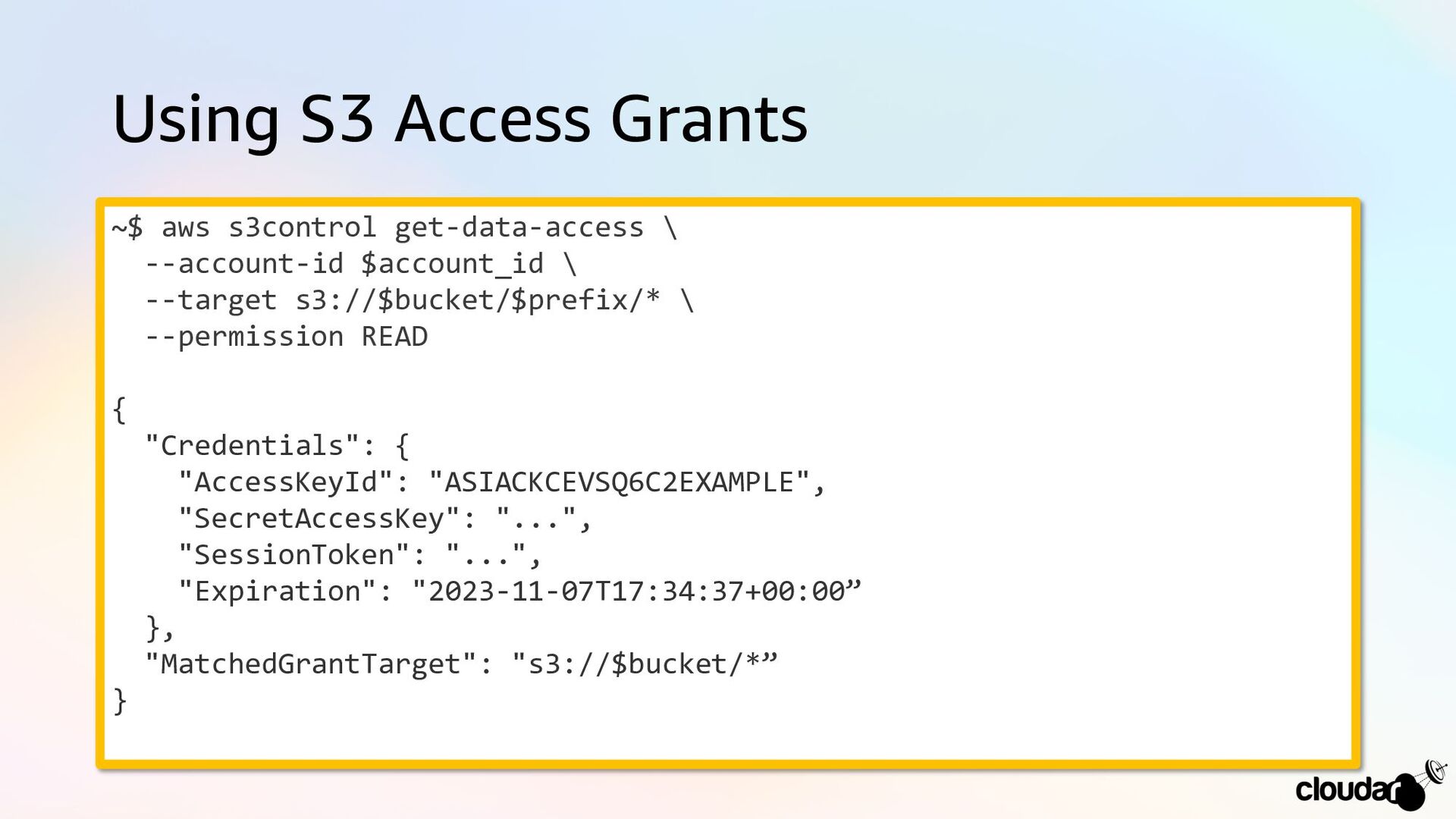
Using S3 Access Grants ~$ aws s3control get-data-access \ --account-id
$account_id \ --target s3://$bucket/$prefix/* \ --permission READ { "Credentials": { "AccessKeyId": "ASIACKCEVSQ6C2EXAMPLE", "SecretAccessKey": "...", "SessionToken": "...", "Expiration": "2023-11-07T17:34:37+00:00” }, "MatchedGrantTarget": "s3://$bucket/*” } -
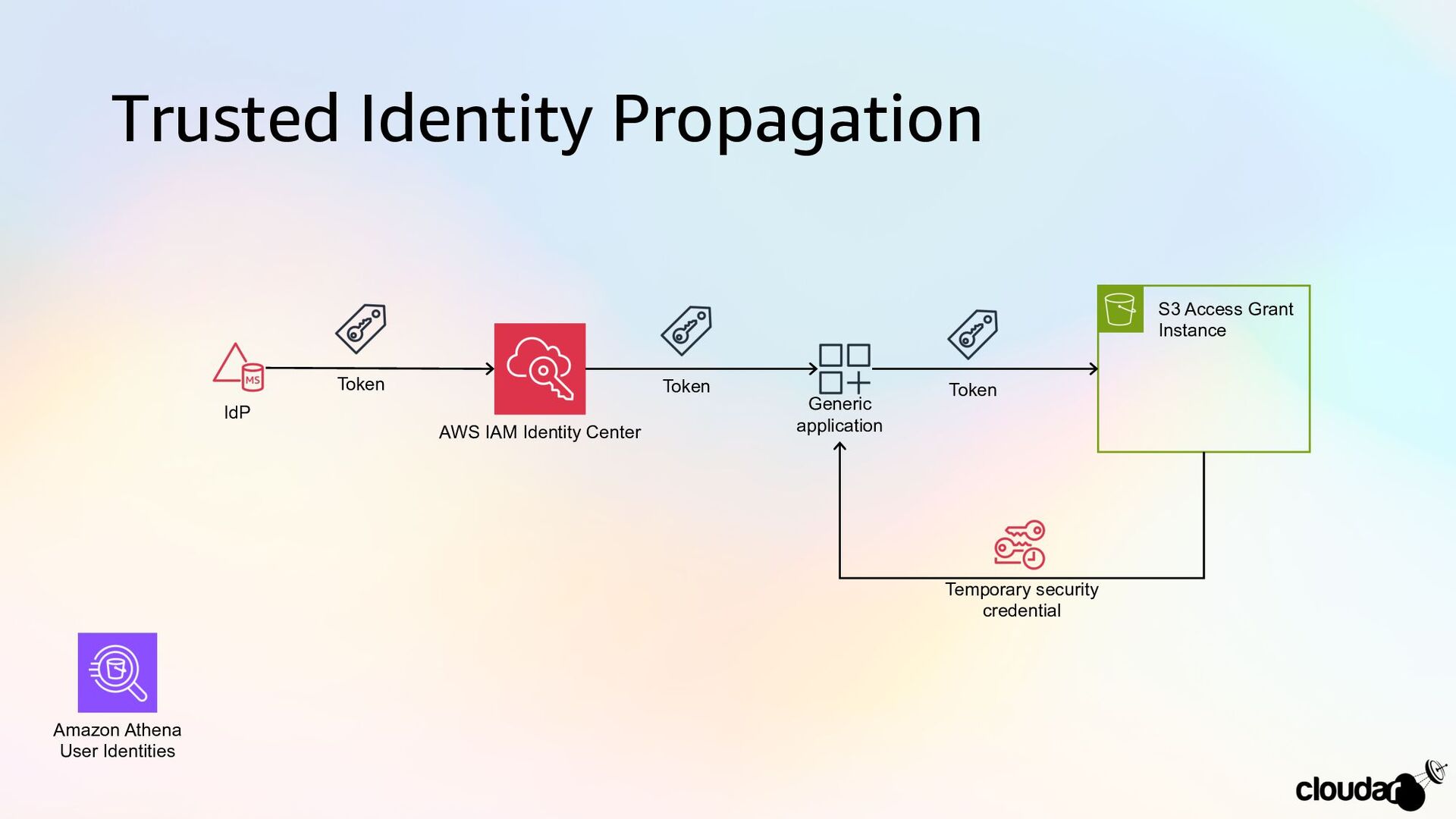
Trusted Identity Propagation AWS IAM Identity Center IdP S3 Access
Grant Instance Generic application Token Token Token Temporary security credential Amazon Athena User Identities -
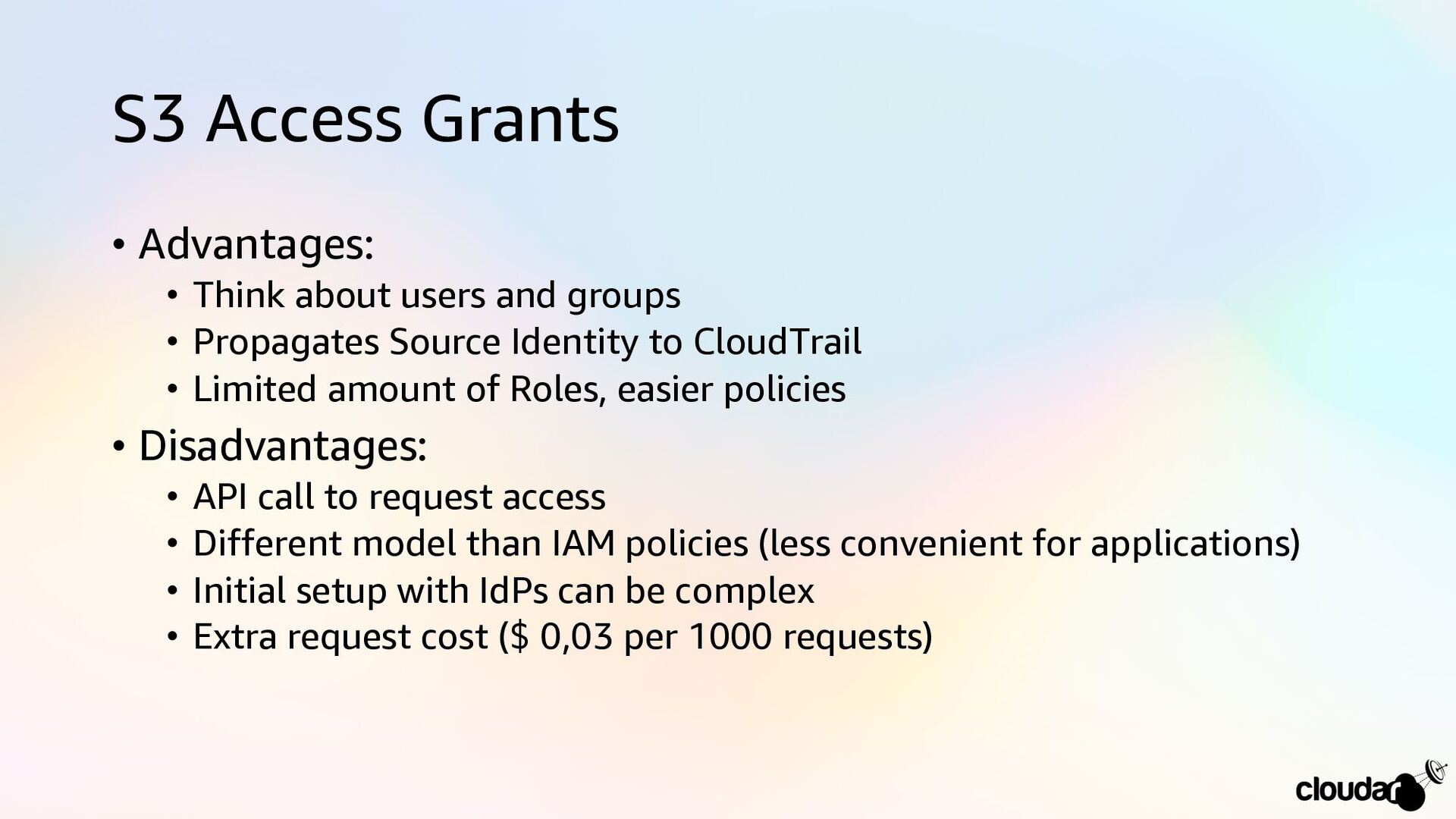
S3 Access Grants • Advantages: • Think about users and
groups • Propagates Source Identity to CloudTrail • Limited amount of Roles, easier policies • Disadvantages: • API call to request access • Different model than IAM policies (less convenient for applications) • Initial setup with IdPs can be complex • Extra request cost ($ 0,03 per 1000 requests)