Upgrade to Pro — share decks privately, control downloads, hide ads and more …

Rediscovering PgQ

Rediscovering PgQ

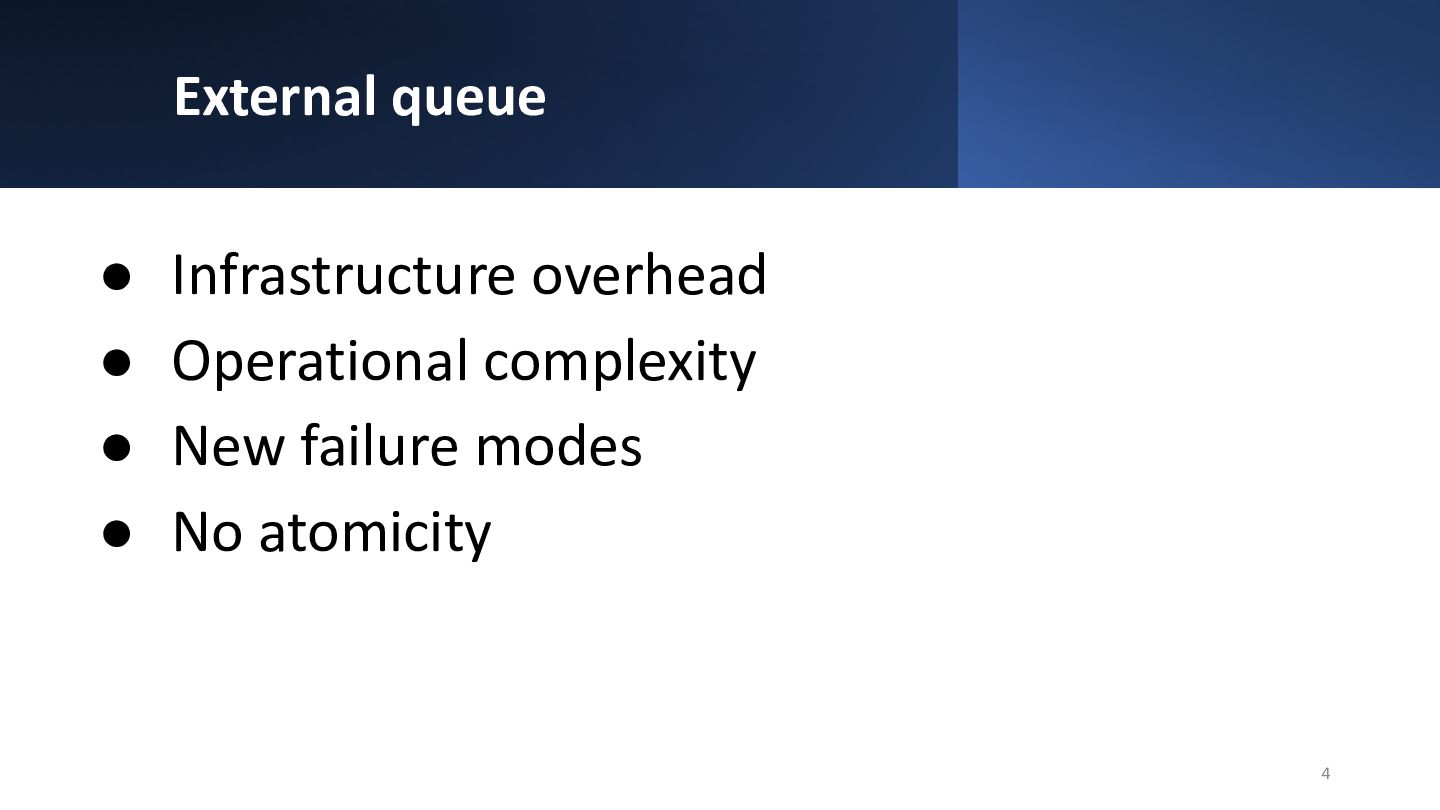
Modern applications often rely on message queues - for background jobs, data pipelines, notifications, and event-driven architectures. Using something external like Kafka, Redis, RabbitMQ, etc increases operational complexity and introduces new failure modes. It all could be avoided by keeping a message queue in a database.

Quick research on the internet shows that developers commonly are trying to engineer the database queue based on SELECT … FOR UPDATE SKIP LOCKED (available since 9.5). This approach works reasonably well under small load, and spectacularly falls apart if subscribers can’t keep up with publishing rate. PostgreSQL can do better - and in fact, it already did. PgQ is PostgreSQL extension that provides generic, high-performance lockless queue with simple SQL.

In this talk, we start with why common SELECT … FOR UPDATE SKIP LOCKED approaches fall apart under load, and how PgQ quietly solved those problems a couple decades ago. Then we take a deep look at PgQ internals: snapshot-based event reads, transaction-ordered delivery, and how PgQ gets away with just a single index to achieve high throughput and consistency. Finally, we will discuss practical patterns for running PgQ on managed PostgreSQL services where this extension is typically not available.

https://github.com/pgq/pgq/

Avatar for Alexander Kukushkin

Alexander Kukushkin

March 06, 2026
Tweet

More Decks by Alexander Kukushkin

Other Decks in Technology

Transcript

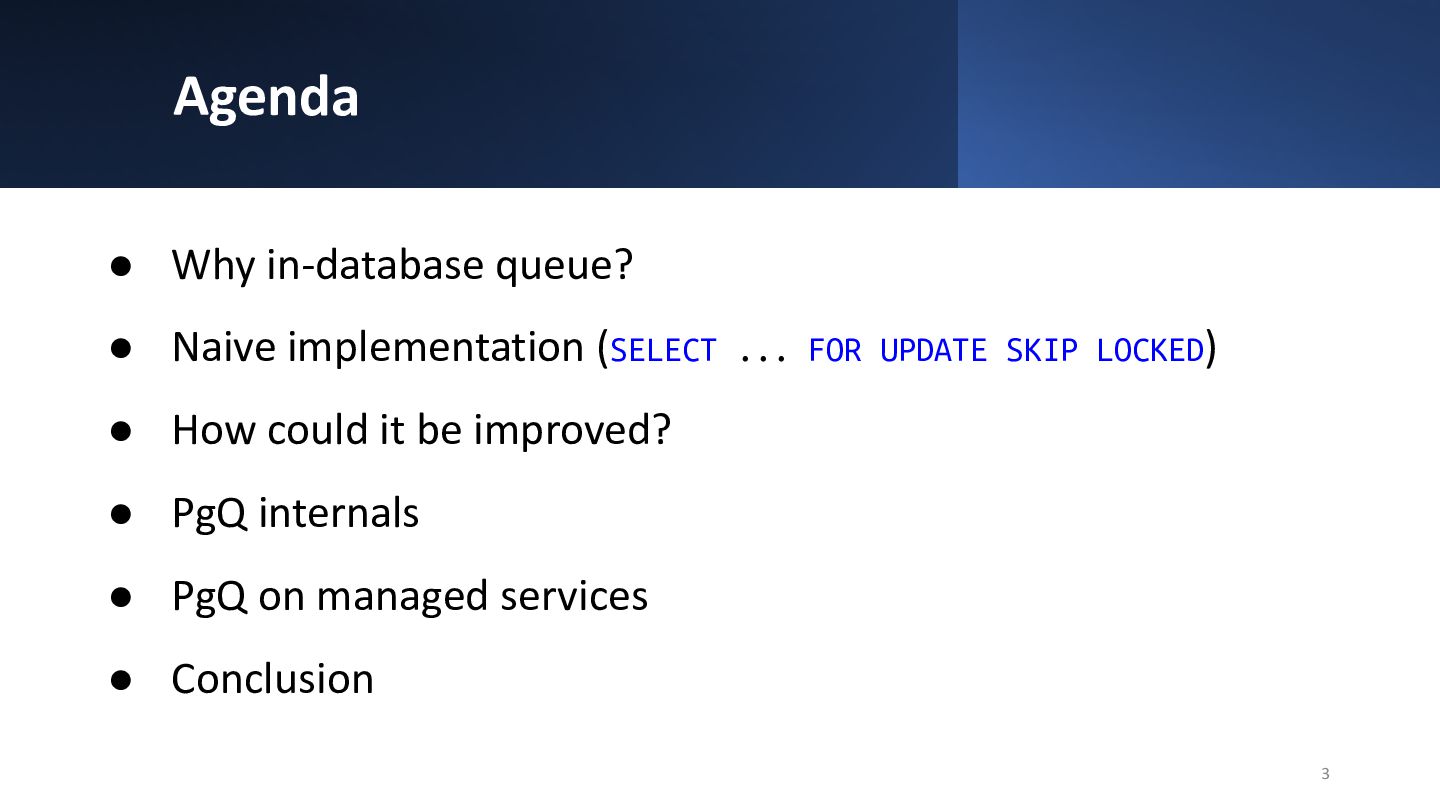
  1. Agenda • Why in-database queue? • Naive implementation (SELECT ...

    FOR UPDATE SKIP LOCKED) • How could it be improved? • PgQ internals • PgQ on managed services • Conclusion 3
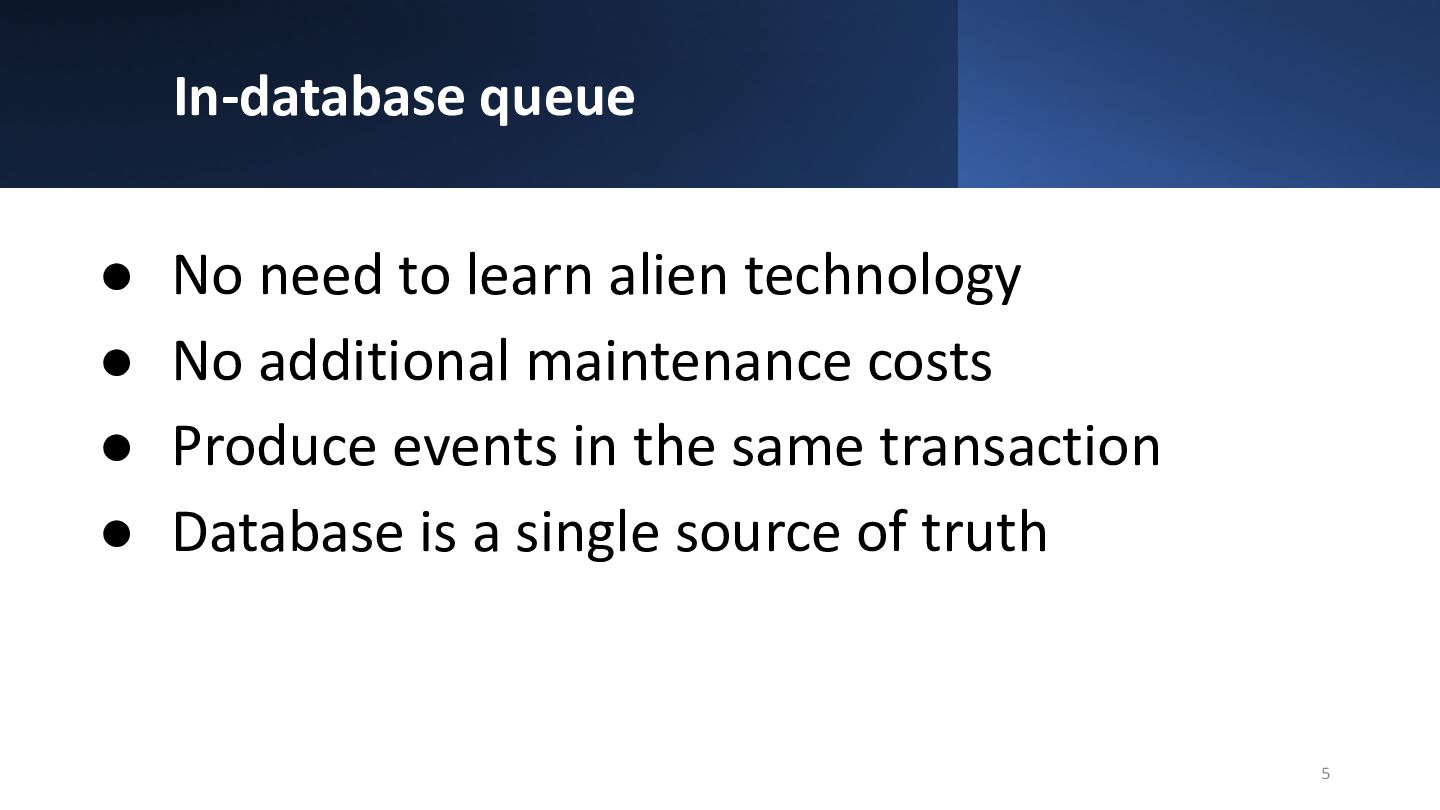
  2. In-database queue • No need to learn alien technology •

    No additional maintenance costs • Produce events in the same transaction • Database is a single source of truth 5
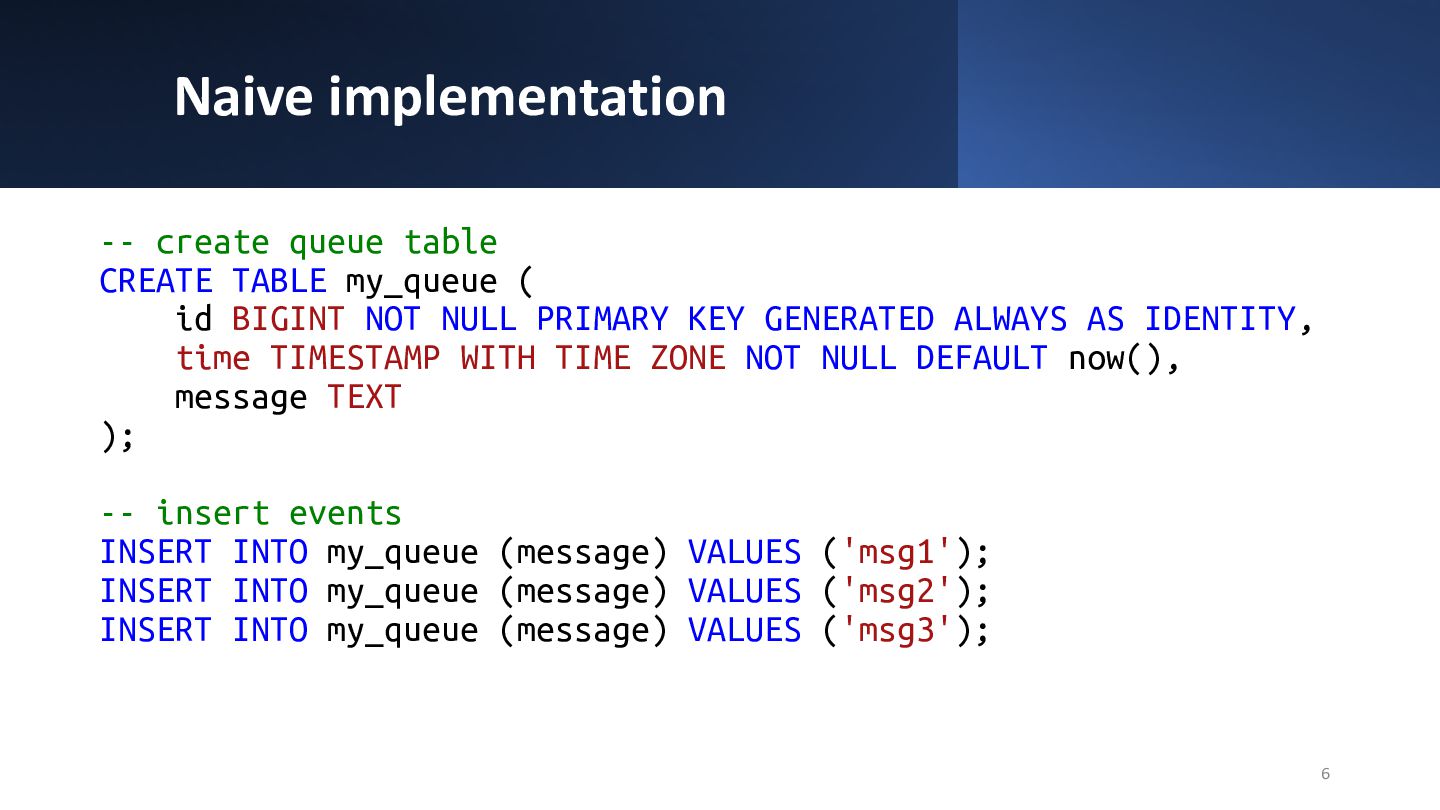
  3. Naive implementation -- create queue table CREATE TABLE my_queue (

    id BIGINT NOT NULL PRIMARY KEY GENERATED ALWAYS AS IDENTITY, time TIMESTAMP WITH TIME ZONE NOT NULL DEFAULT now(), message TEXT ); -- insert events INSERT INTO my_queue (message) VALUES ('msg1'); INSERT INTO my_queue (message) VALUES ('msg2'); INSERT INTO my_queue (message) VALUES ('msg3'); 6
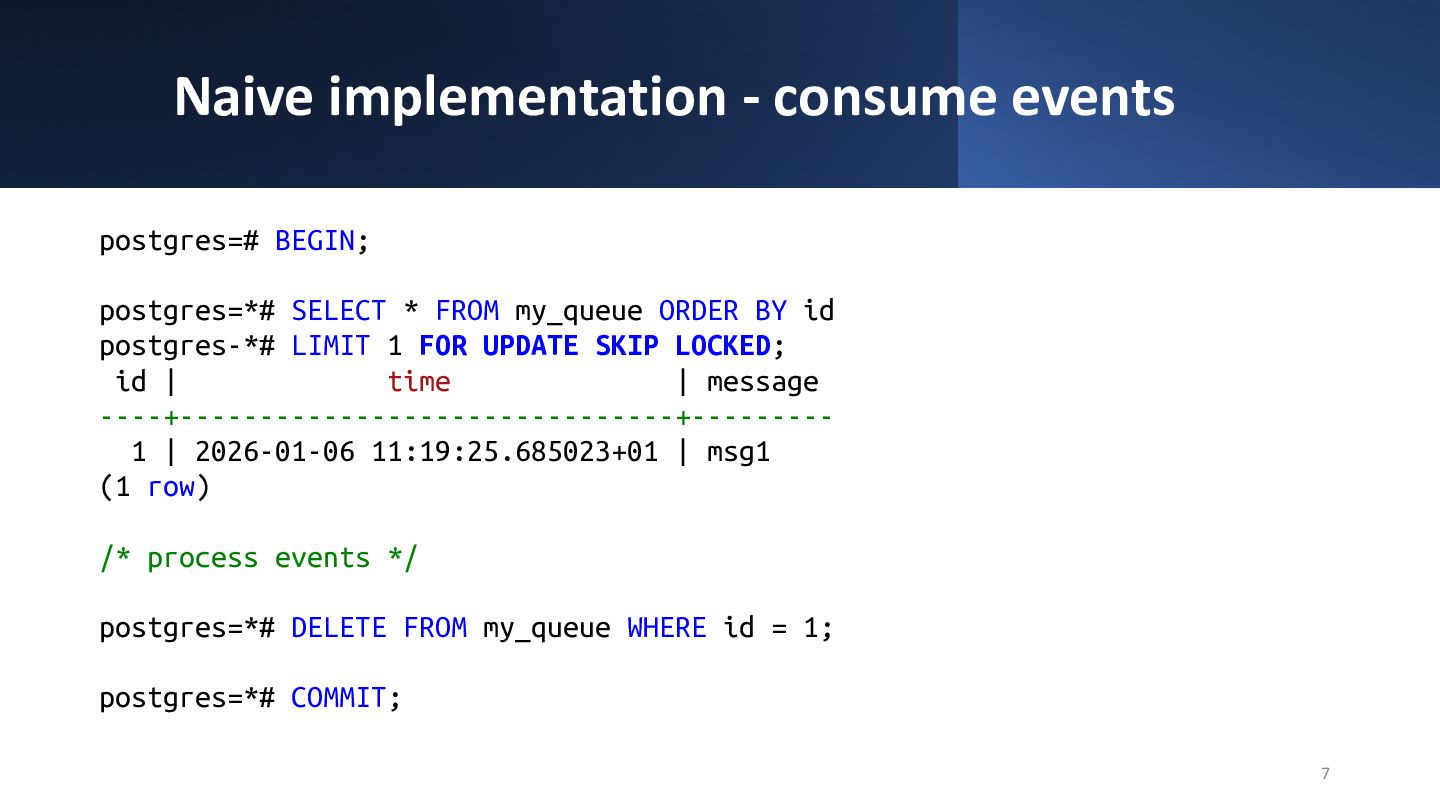
  4. Naive implementation - consume events postgres=# BEGIN; postgres=*# SELECT *

    FROM my_queue ORDER BY id postgres-*# LIMIT 1 FOR UPDATE SKIP LOCKED; id | time | message ----+-------------------------------+--------- 1 | 2026-01-06 11:19:25.685023+01 | msg1 (1 row) /* process events */ postgres=*# DELETE FROM my_queue WHERE id = 1; postgres=*# COMMIT; 7
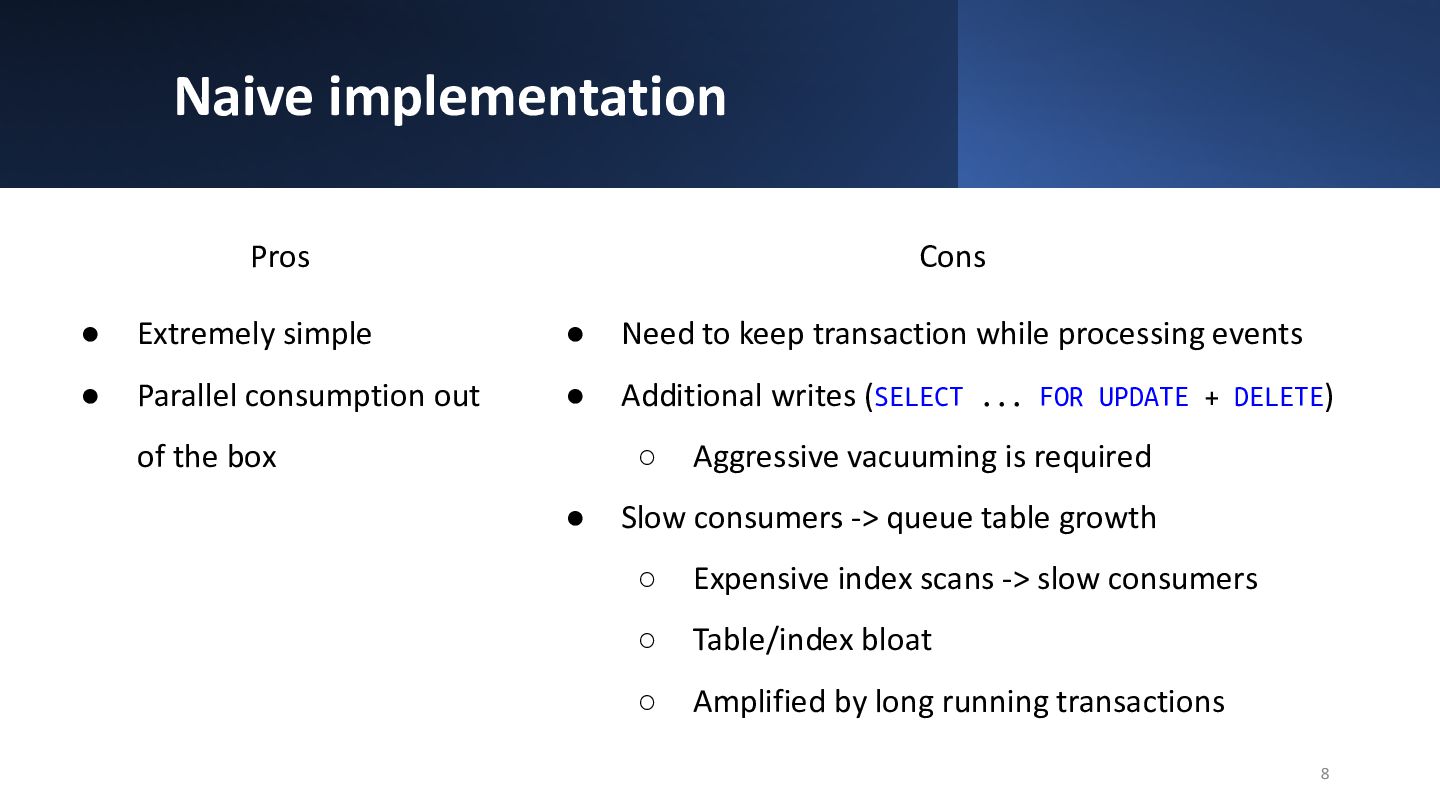
  5. Naive implementation Pros • Extremely simple • Parallel consumption out

    of the box 8 Cons • Need to keep transaction while processing events • Additional writes (SELECT ... FOR UPDATE + DELETE) ◦ Aggressive vacuuming is required • Slow consumers -> queue table growth ◦ Expensive index scans -> slow consumers ◦ Table/index bloat ◦ Amplified by long running transactions
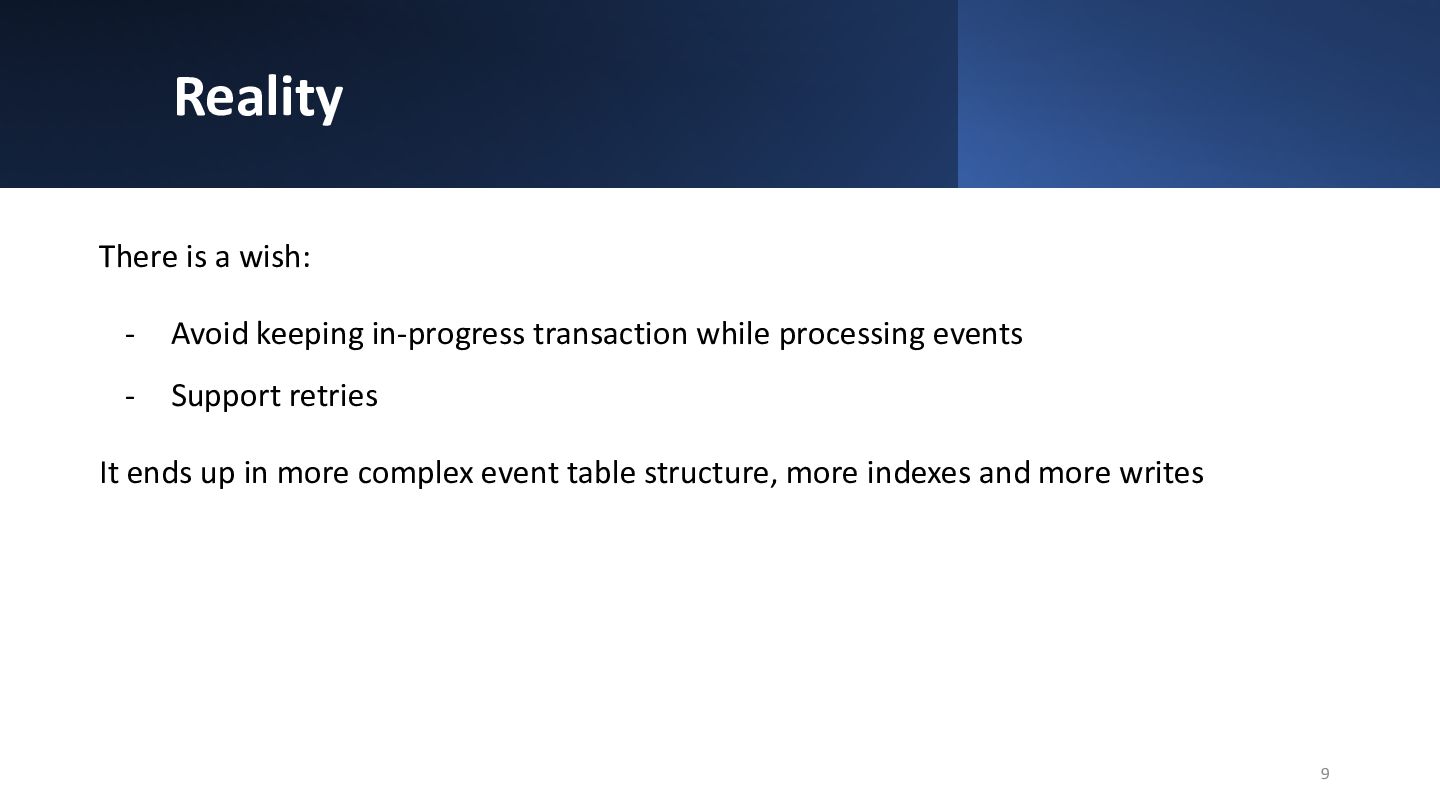
  6. Reality There is a wish: - Avoid keeping in-progress transaction

    while processing events - Support retries It ends up in more complex event table structure, more indexes and more writes 9
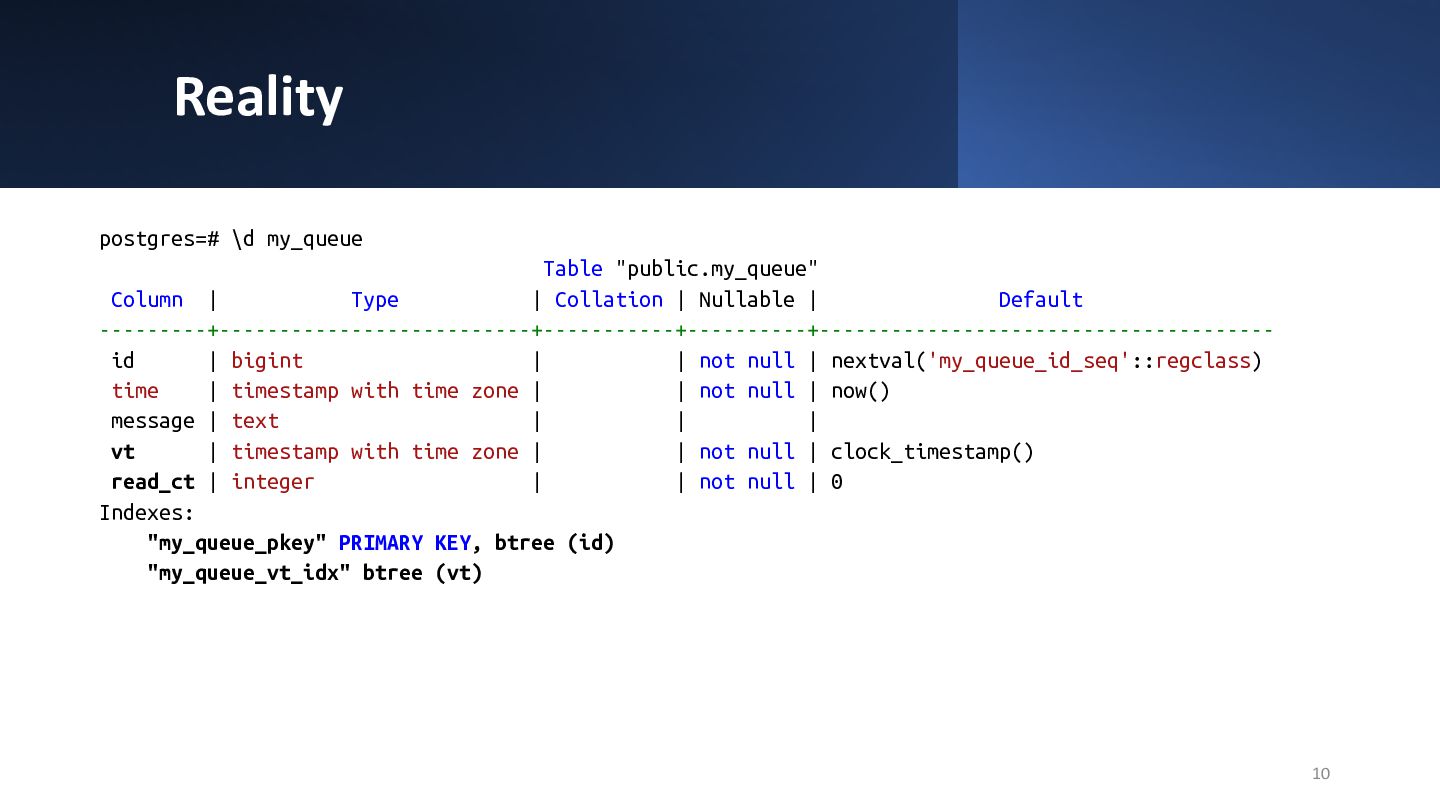
  7. Reality 10 postgres=# \d my_queue Table "public.my_queue" Column | Type

    | Collation | Nullable | Default ---------+--------------------------+-----------+----------+-------------------------------------- id | bigint | | not null | nextval('my_queue_id_seq'::regclass) time | timestamp with time zone | | not null | now() message | text | | | vt | timestamp with time zone | | not null | clock_timestamp() read_ct | integer | | not null | 0 Indexes: "my_queue_pkey" PRIMARY KEY, btree (id) "my_queue_vt_idx" btree (vt)
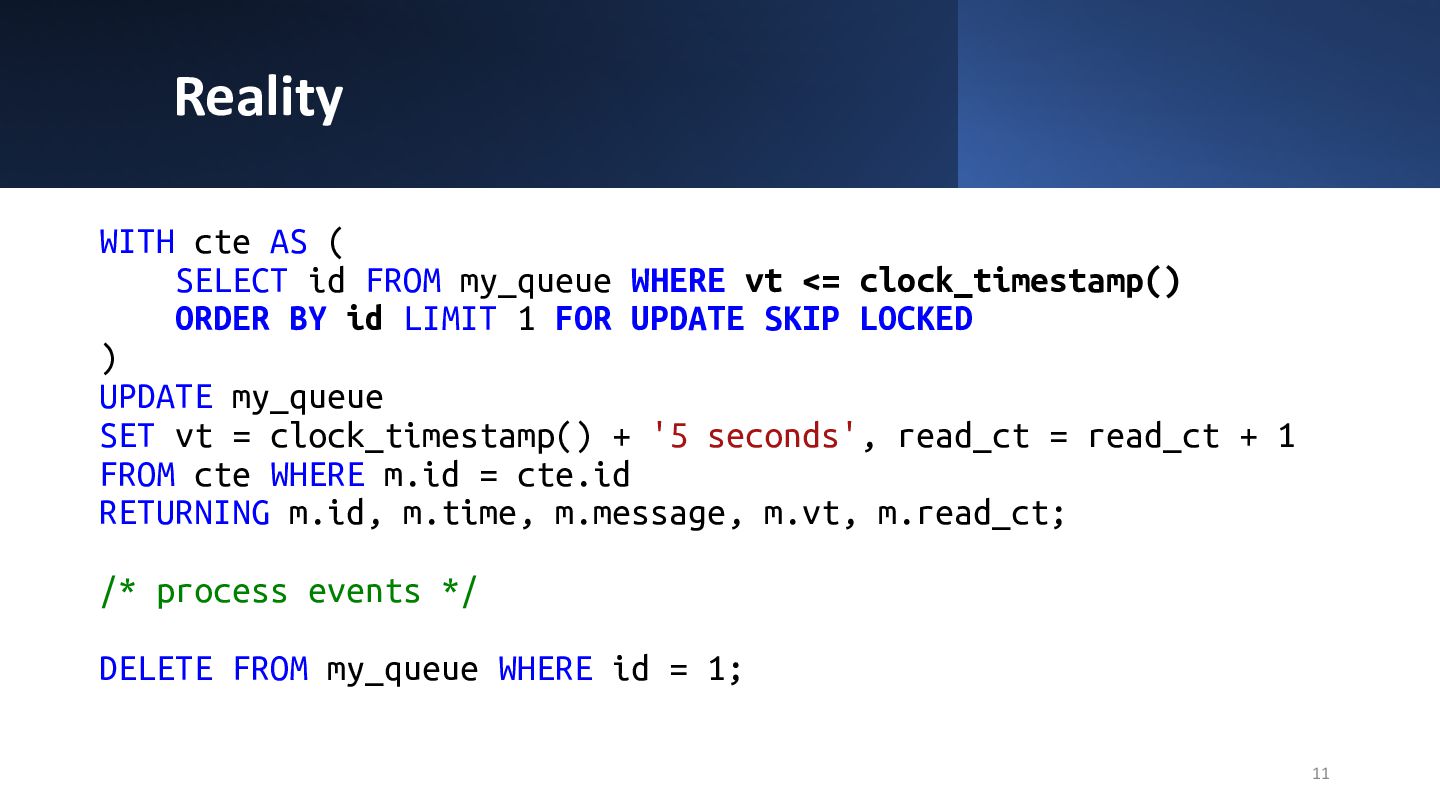
  8. Reality WITH cte AS ( SELECT id FROM my_queue WHERE

    vt <= clock_timestamp() ORDER BY id LIMIT 1 FOR UPDATE SKIP LOCKED ) UPDATE my_queue SET vt = clock_timestamp() + '5 seconds', read_ct = read_ct + 1 FROM cte WHERE m.id = cte.id RETURNING m.id, m.time, m.message, m.vt, m.read_ct; /* process events */ DELETE FROM my_queue WHERE id = 1; 11
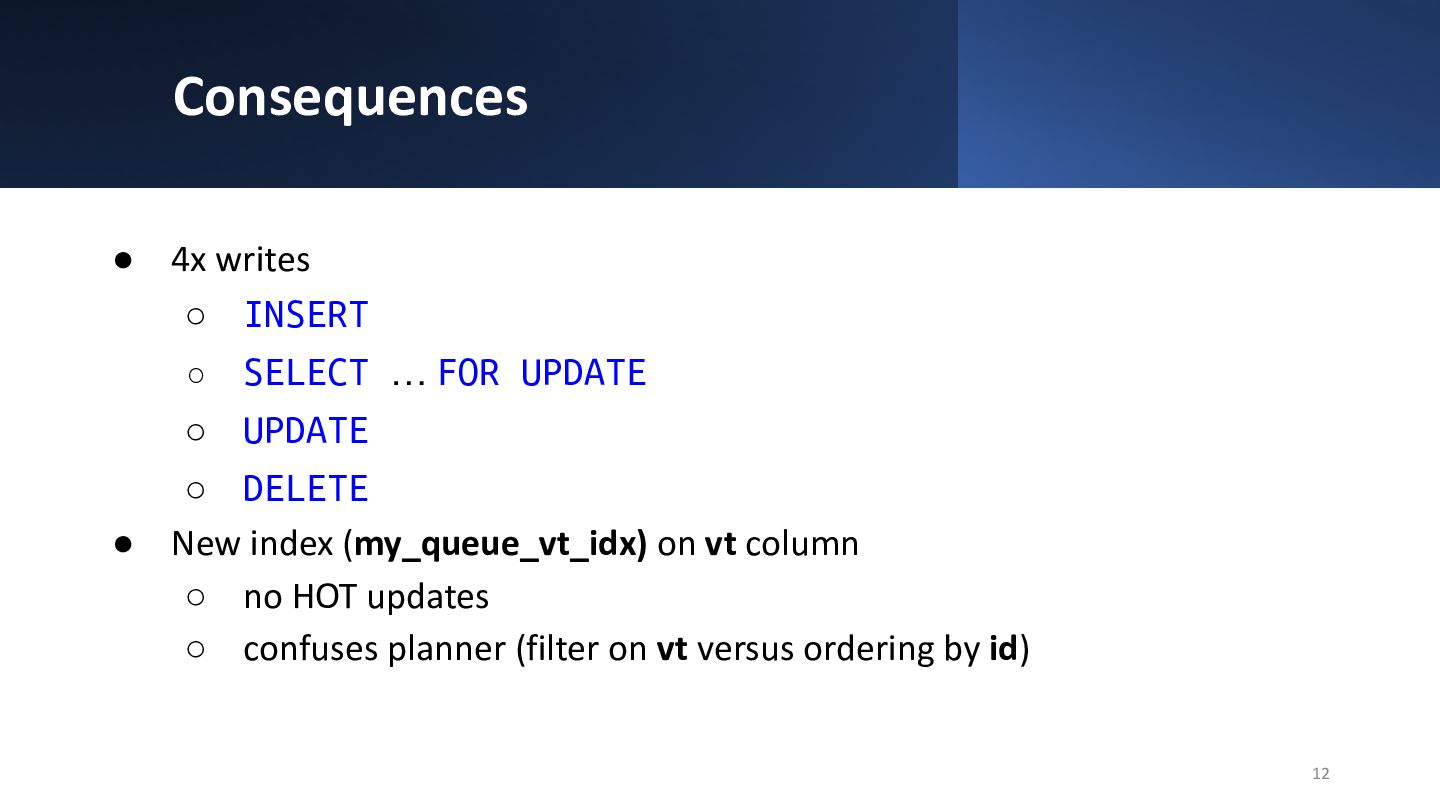
  9. Consequences • 4x writes ◦ INSERT ◦ SELECT … FOR

    UPDATE ◦ UPDATE ◦ DELETE • New index (my_queue_vt_idx) on vt column ◦ no HOT updates ◦ confuses planner (filter on vt versus ordering by id) 12
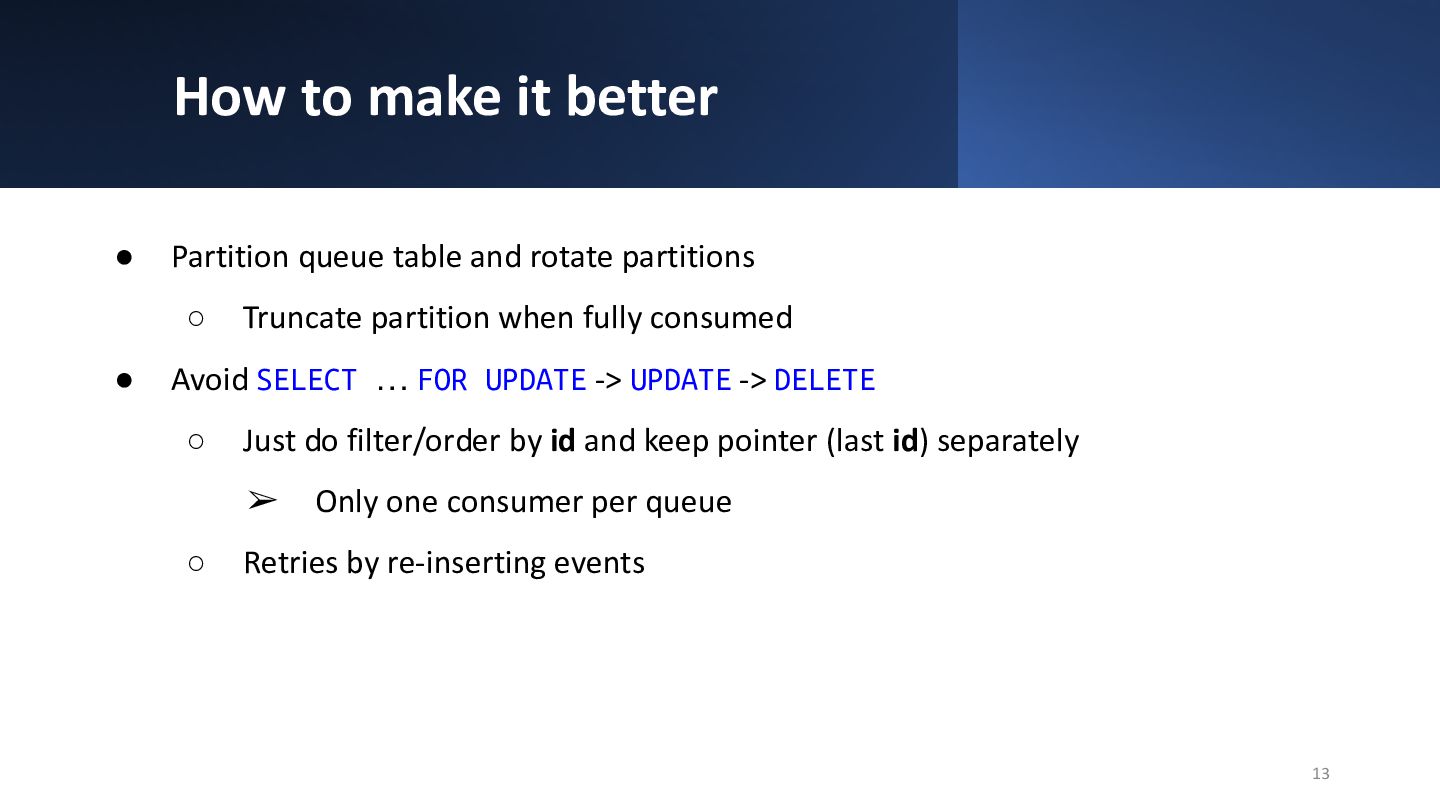
  10. How to make it better • Partition queue table and

    rotate partitions ◦ Truncate partition when fully consumed • Avoid SELECT … FOR UPDATE -> UPDATE -> DELETE ◦ Just do filter/order by id and keep pointer (last id) separately ➢ Only one consumer per queue ◦ Retries by re-inserting events 13
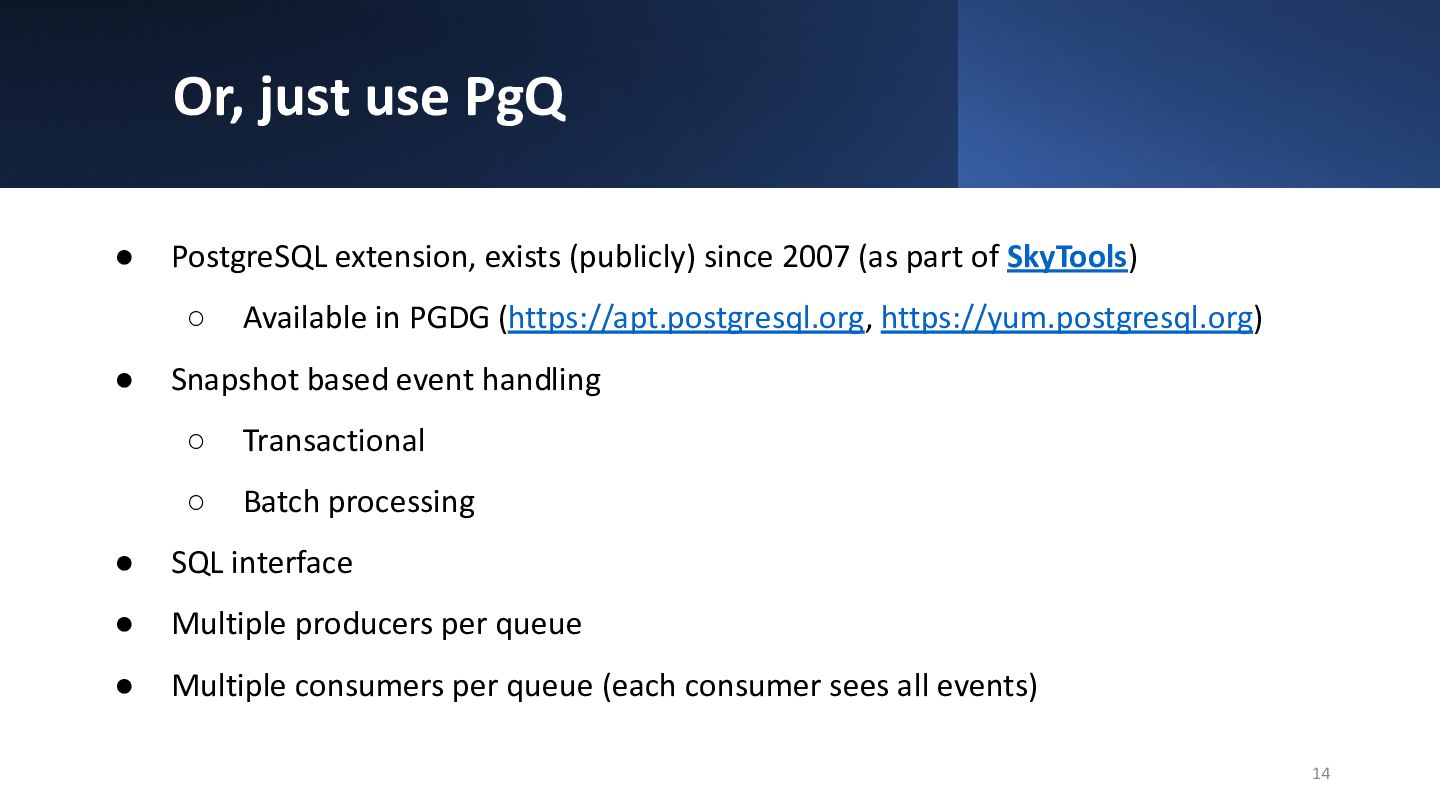
  11. Or, just use PgQ • PostgreSQL extension, exists (publicly) since

    2007 (as part of SkyTools) ◦ Available in PGDG (https://apt.postgresql.org, https://yum.postgresql.org) • Snapshot based event handling ◦ Transactional ◦ Batch processing • SQL interface • Multiple producers per queue • Multiple consumers per queue (each consumer sees all events) 14
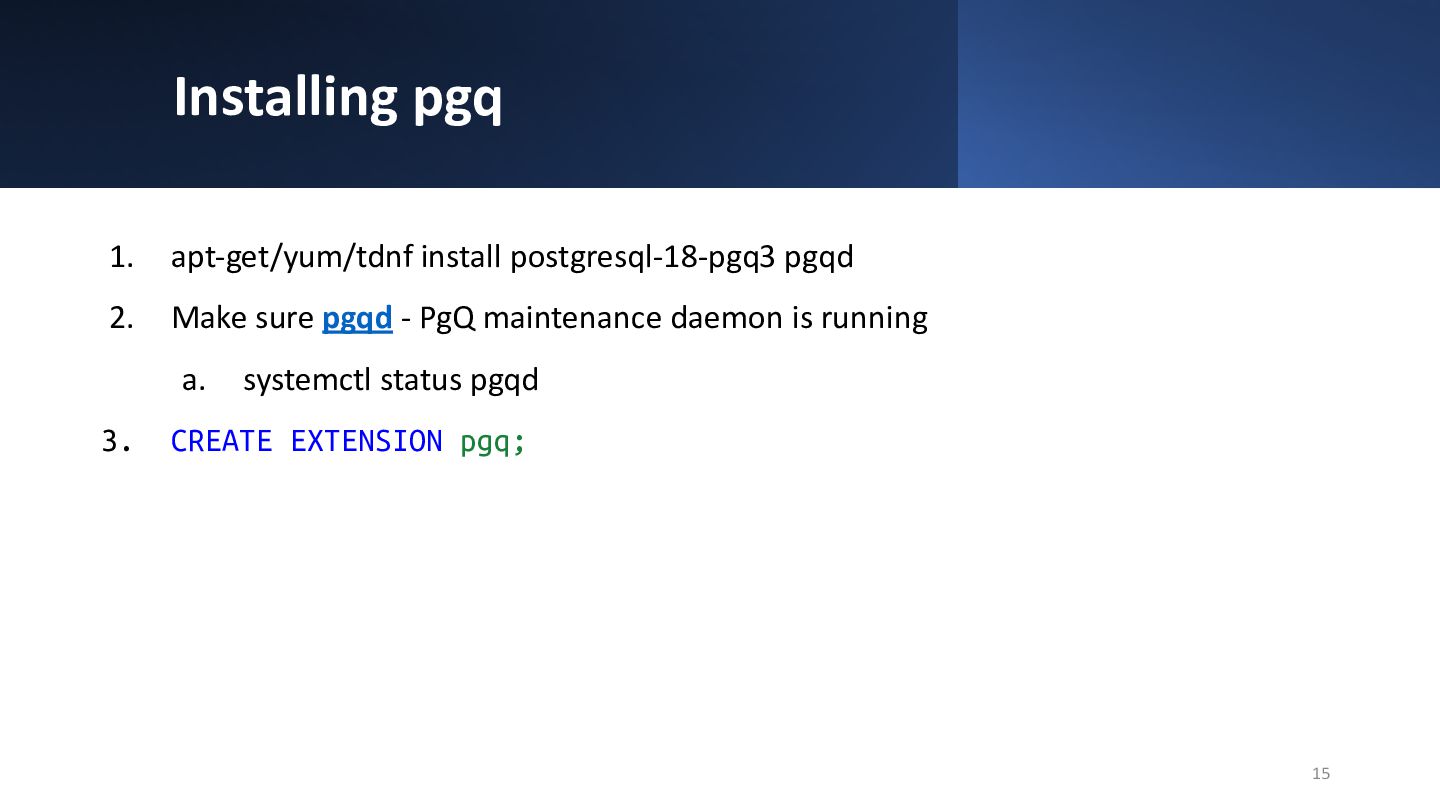
  12. Installing pgq 1. apt-get/yum/tdnf install postgresql-18-pgq3 pgqd 2. Make sure

    pgqd - PgQ maintenance daemon is running a. systemctl status pgqd 3. CREATE EXTENSION pgq; 15
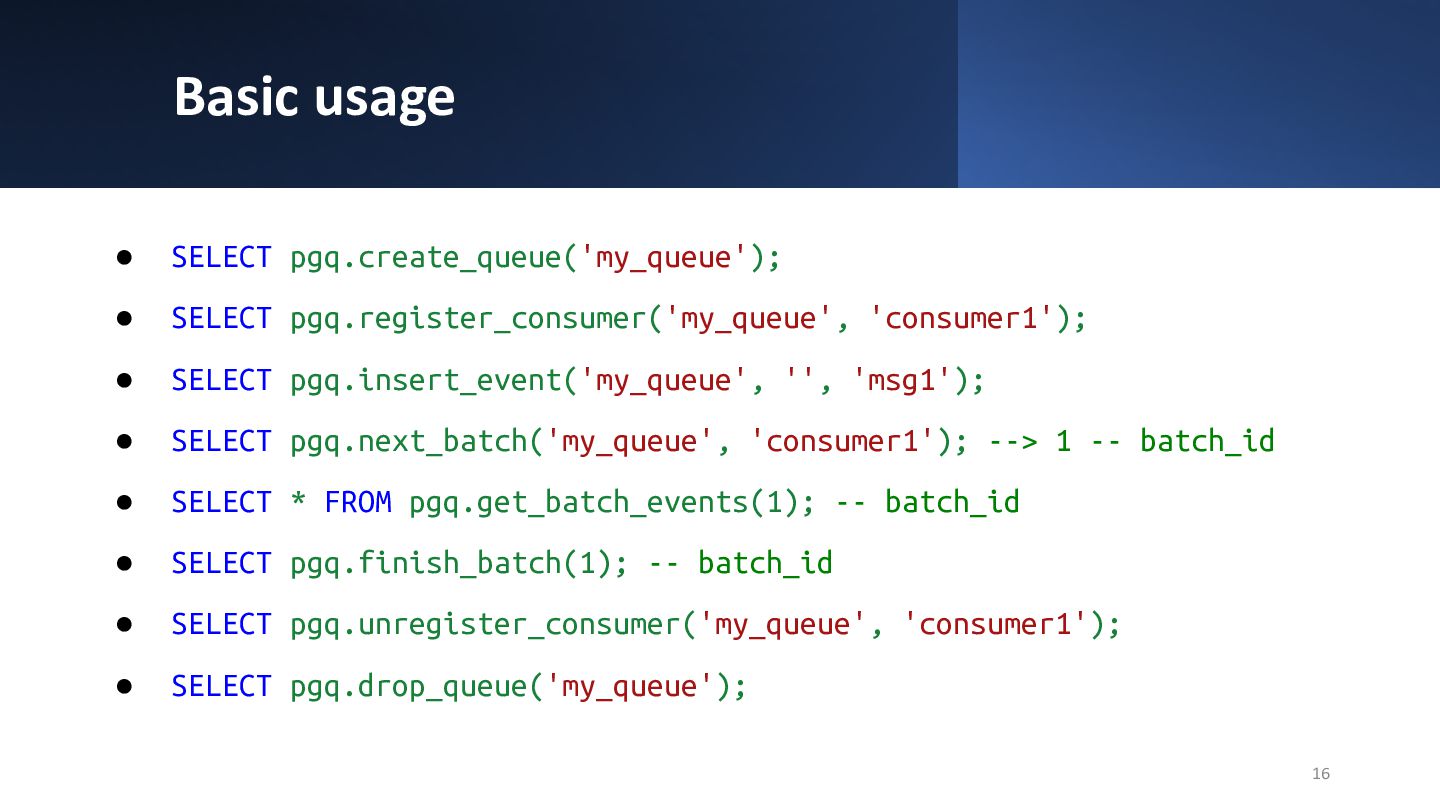
  13. Basic usage • SELECT pgq.create_queue('my_queue'); • SELECT pgq.register_consumer('my_queue', 'consumer1'); •

    SELECT pgq.insert_event('my_queue', '', 'msg1'); • SELECT pgq.next_batch('my_queue', 'consumer1'); --> 1 -- batch_id • SELECT * FROM pgq.get_batch_events(1); -- batch_id • SELECT pgq.finish_batch(1); -- batch_id • SELECT pgq.unregister_consumer('my_queue', 'consumer1'); • SELECT pgq.drop_queue('my_queue'); 16
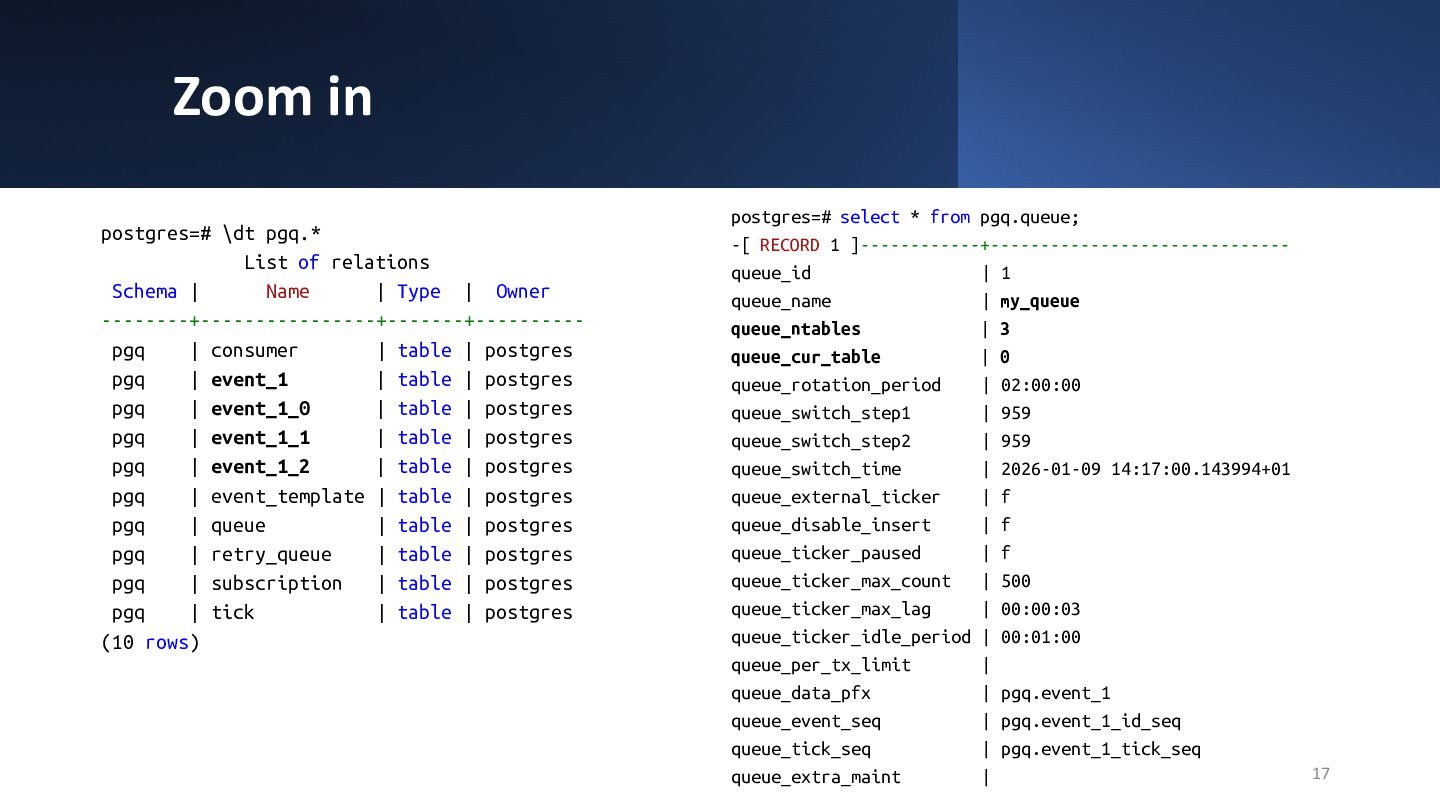
  14. Zoom in postgres=# select * from pgq.queue; -[ RECORD 1

    ]------------+------------------------------ queue_id | 1 queue_name | my_queue queue_ntables | 3 queue_cur_table | 0 queue_rotation_period | 02:00:00 queue_switch_step1 | 959 queue_switch_step2 | 959 queue_switch_time | 2026-01-09 14:17:00.143994+01 queue_external_ticker | f queue_disable_insert | f queue_ticker_paused | f queue_ticker_max_count | 500 queue_ticker_max_lag | 00:00:03 queue_ticker_idle_period | 00:01:00 queue_per_tx_limit | queue_data_pfx | pgq.event_1 queue_event_seq | pgq.event_1_id_seq queue_tick_seq | pgq.event_1_tick_seq queue_extra_maint | 17 postgres=# \dt pgq.* List of relations Schema | Name | Type | Owner --------+----------------+-------+---------- pgq | consumer | table | postgres pgq | event_1 | table | postgres pgq | event_1_0 | table | postgres pgq | event_1_1 | table | postgres pgq | event_1_2 | table | postgres pgq | event_template | table | postgres pgq | queue | table | postgres pgq | retry_queue | table | postgres pgq | subscription | table | postgres pgq | tick | table | postgres (10 rows)
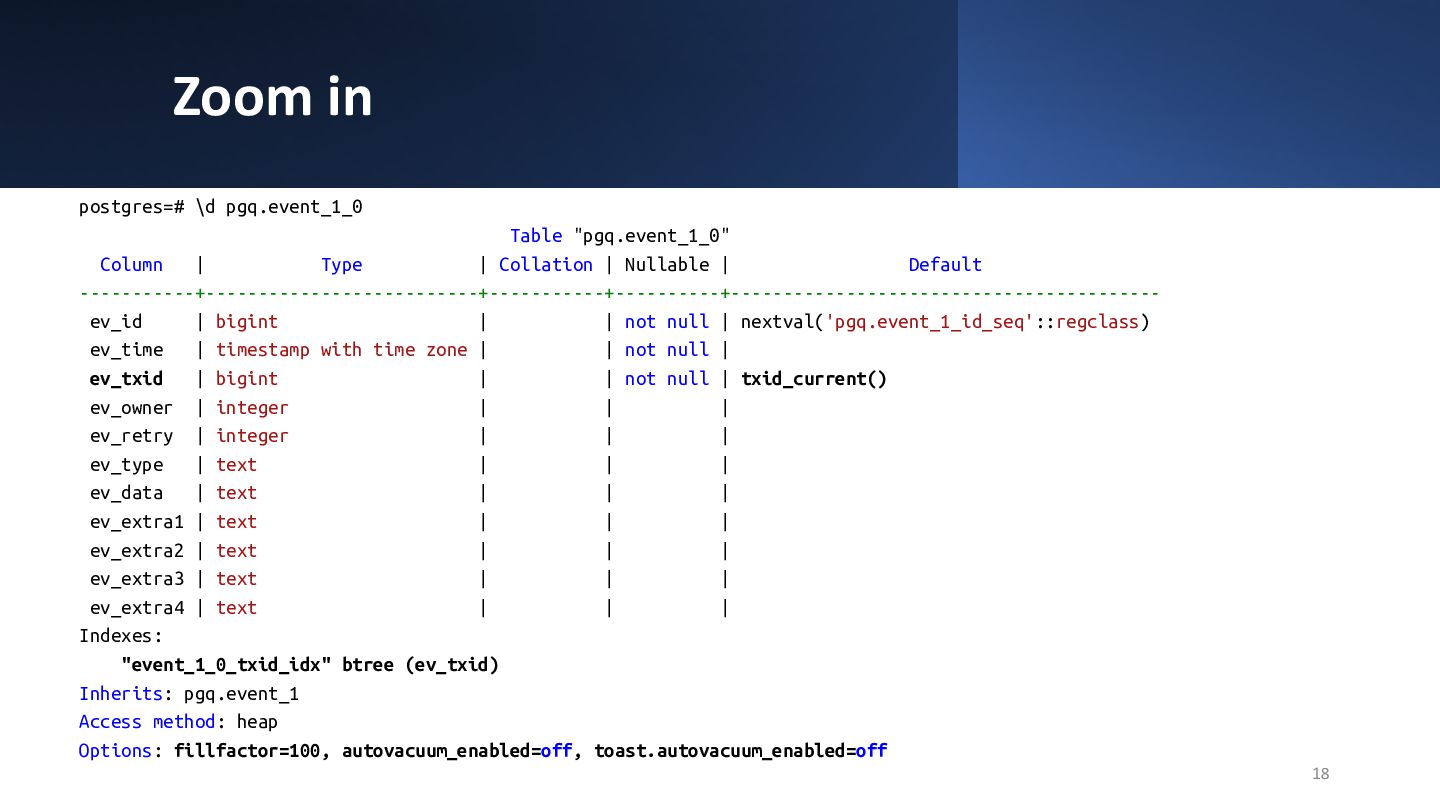
  15. Zoom in 18 postgres=# \d pgq.event_1_0 Table "pgq.event_1_0" Column |

    Type | Collation | Nullable | Default -----------+--------------------------+-----------+----------+----------------------------------------- ev_id | bigint | | not null | nextval('pgq.event_1_id_seq'::regclass) ev_time | timestamp with time zone | | not null | ev_txid | bigint | | not null | txid_current() ev_owner | integer | | | ev_retry | integer | | | ev_type | text | | | ev_data | text | | | ev_extra1 | text | | | ev_extra2 | text | | | ev_extra3 | text | | | ev_extra4 | text | | | Indexes: "event_1_0_txid_idx" btree (ev_txid) Inherits: pgq.event_1 Access method: heap Options: fillfactor=100, autovacuum_enabled=off, toast.autovacuum_enabled=off
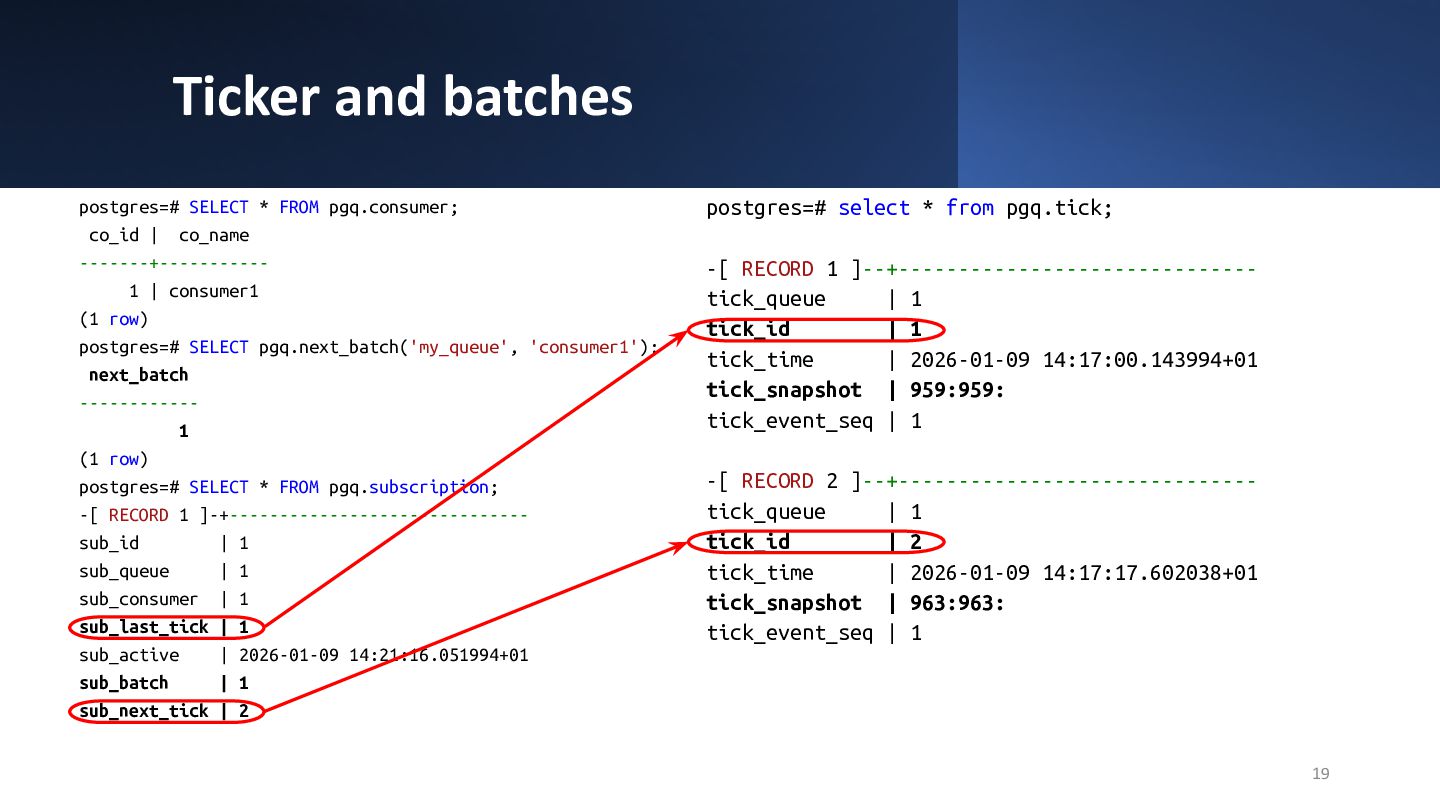
  16. Ticker and batches 19 postgres=# SELECT * FROM pgq.consumer; co_id

    | co_name -------+----------- 1 | consumer1 (1 row) postgres=# SELECT pgq.next_batch('my_queue', 'consumer1'); next_batch ------------ 1 (1 row) postgres=# SELECT * FROM pgq.subscription; -[ RECORD 1 ]-+------------------------------ sub_id | 1 sub_queue | 1 sub_consumer | 1 sub_last_tick | 1 sub_active | 2026-01-09 14:21:16.051994+01 sub_batch | 1 sub_next_tick | 2 postgres=# select * from pgq.tick; -[ RECORD 1 ]--+------------------------------ tick_queue | 1 tick_id | 1 tick_time | 2026-01-09 14:17:00.143994+01 tick_snapshot | 959:959: tick_event_seq | 1 -[ RECORD 2 ]--+------------------------------ tick_queue | 1 tick_id | 2 tick_time | 2026-01-09 14:17:17.602038+01 tick_snapshot | 963:963: tick_event_seq | 1
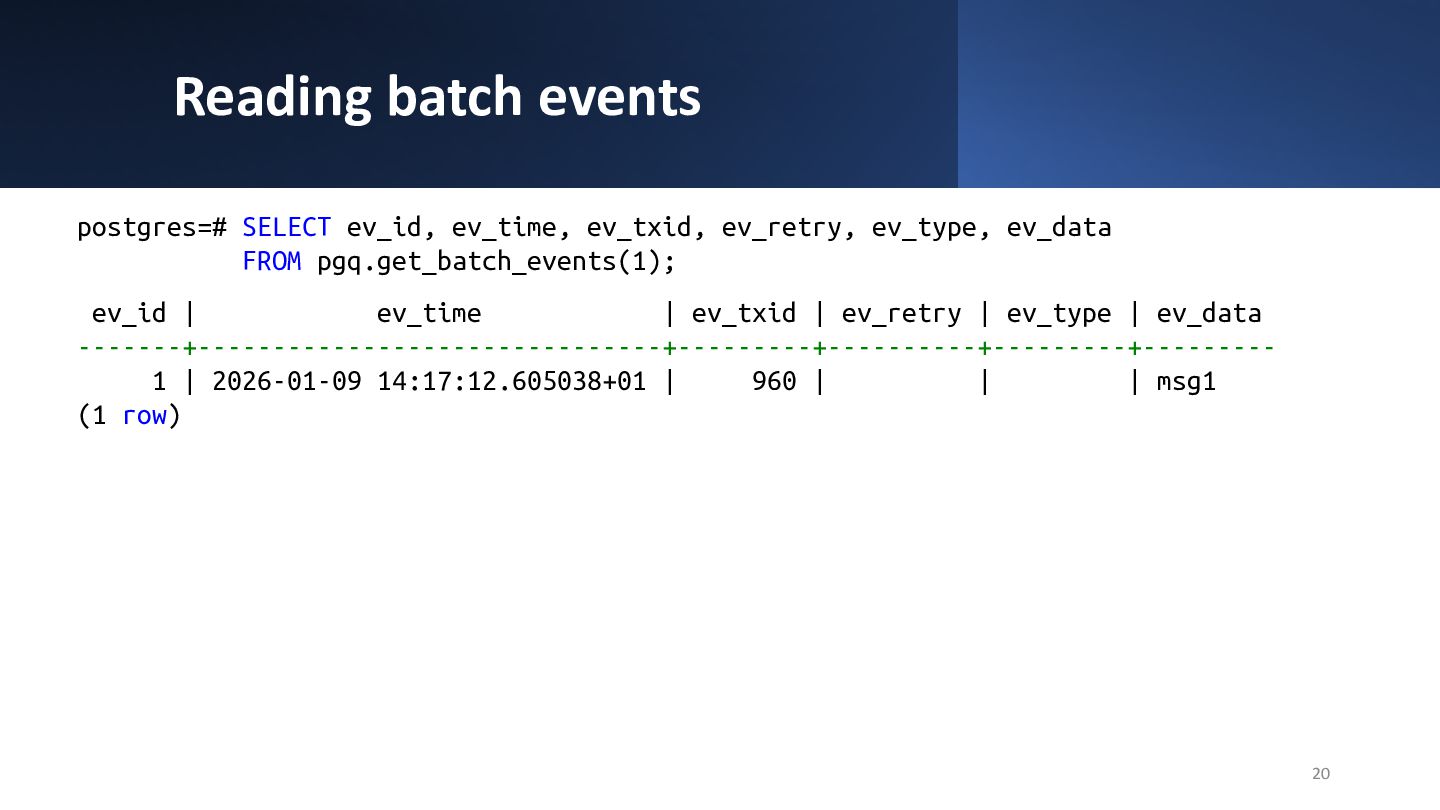
  17. Reading batch events 20 postgres=# SELECT ev_id, ev_time, ev_txid, ev_retry,

    ev_type, ev_data FROM pgq.get_batch_events(1); ev_id | ev_time | ev_txid | ev_retry | ev_type | ev_data -------+-------------------------------+---------+----------+---------+--------- 1 | 2026-01-09 14:17:12.605038+01 | 960 | | | msg1 (1 row)
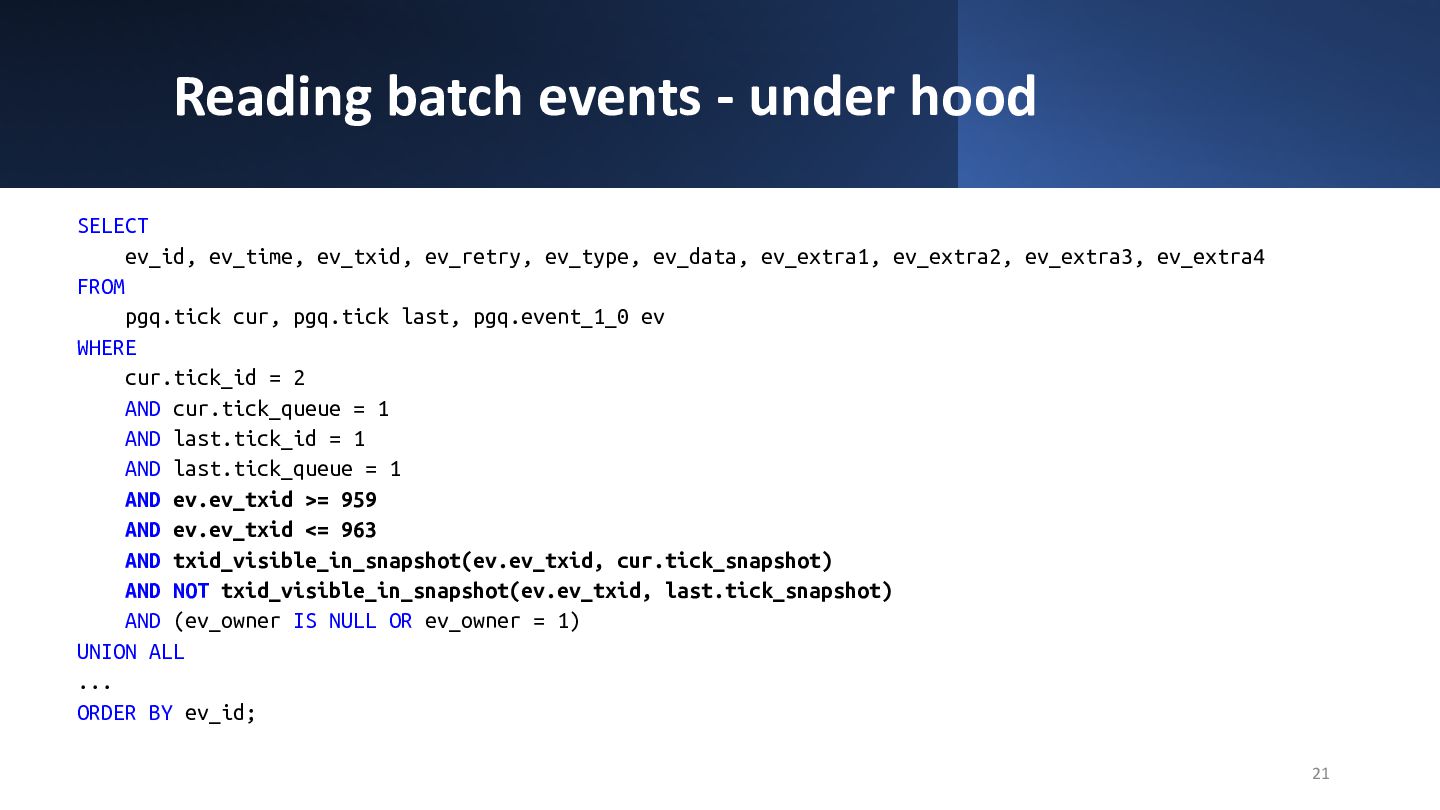
  18. Reading batch events - under hood 21 SELECT ev_id, ev_time,

    ev_txid, ev_retry, ev_type, ev_data, ev_extra1, ev_extra2, ev_extra3, ev_extra4 FROM pgq.tick cur, pgq.tick last, pgq.event_1_0 ev WHERE cur.tick_id = 2 AND cur.tick_queue = 1 AND last.tick_id = 1 AND last.tick_queue = 1 AND ev.ev_txid >= 959 AND ev.ev_txid <= 963 AND txid_visible_in_snapshot(ev.ev_txid, cur.tick_snapshot) AND NOT txid_visible_in_snapshot(ev.ev_txid, last.tick_snapshot) AND (ev_owner IS NULL OR ev_owner = 1) UNION ALL ... ORDER BY ev_id;
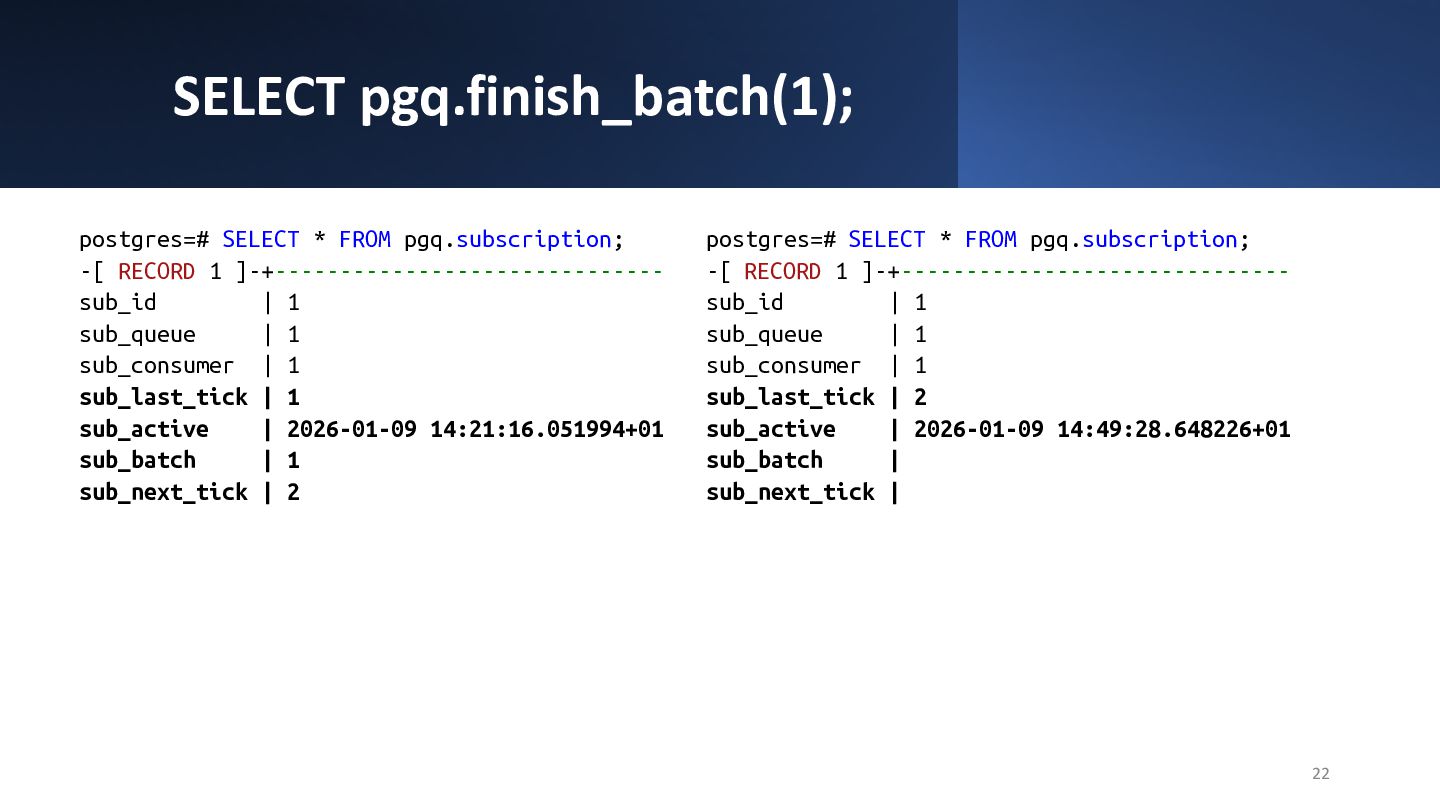
  19. SELECT pgq.finish_batch(1); 22 postgres=# SELECT * FROM pgq.subscription; -[ RECORD

    1 ]-+------------------------------ sub_id | 1 sub_queue | 1 sub_consumer | 1 sub_last_tick | 1 sub_active | 2026-01-09 14:21:16.051994+01 sub_batch | 1 sub_next_tick | 2 postgres=# SELECT * FROM pgq.subscription; -[ RECORD 1 ]-+------------------------------ sub_id | 1 sub_queue | 1 sub_consumer | 1 sub_last_tick | 2 sub_active | 2026-01-09 14:49:28.648226+01 sub_batch | sub_next_tick |
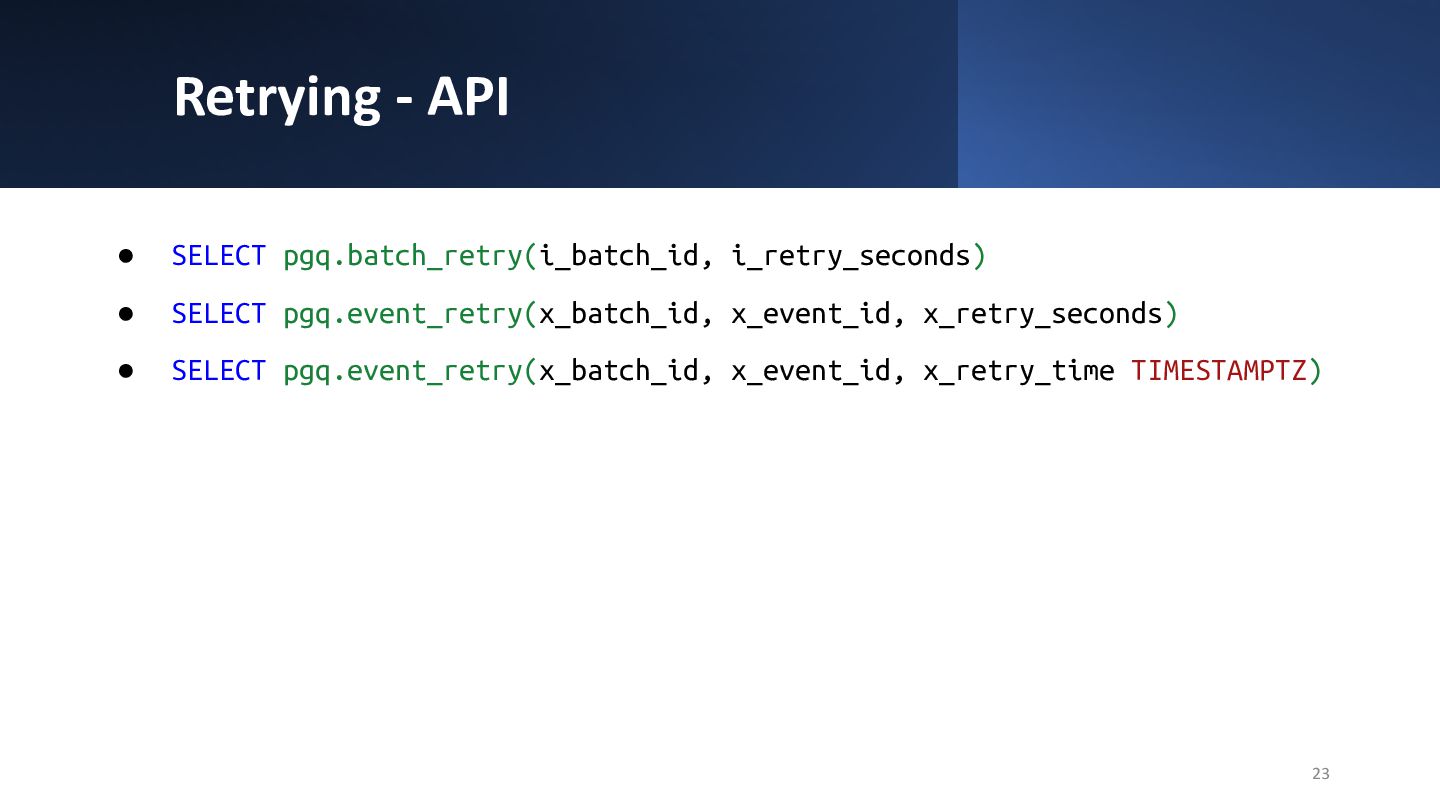
  20. Retrying - API • SELECT pgq.batch_retry(i_batch_id, i_retry_seconds) • SELECT pgq.event_retry(x_batch_id,

    x_event_id, x_retry_seconds) • SELECT pgq.event_retry(x_batch_id, x_event_id, x_retry_time TIMESTAMPTZ) 23
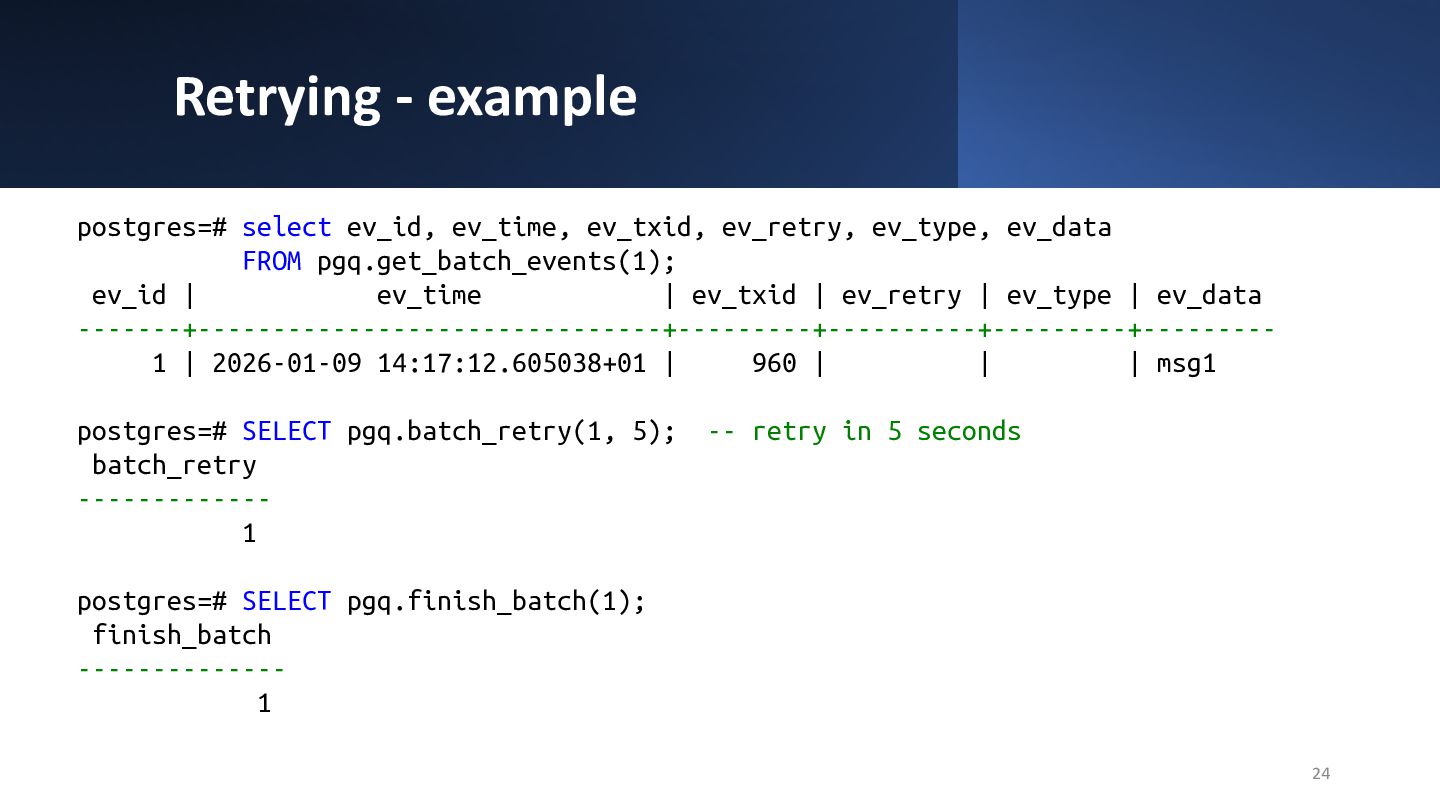
  21. Retrying - example 24 postgres=# select ev_id, ev_time, ev_txid, ev_retry,

    ev_type, ev_data FROM pgq.get_batch_events(1); ev_id | ev_time | ev_txid | ev_retry | ev_type | ev_data -------+-------------------------------+---------+----------+---------+--------- 1 | 2026-01-09 14:17:12.605038+01 | 960 | | | msg1 postgres=# SELECT pgq.batch_retry(1, 5); -- retry in 5 seconds batch_retry ------------- 1 postgres=# SELECT pgq.finish_batch(1); finish_batch -------------- 1
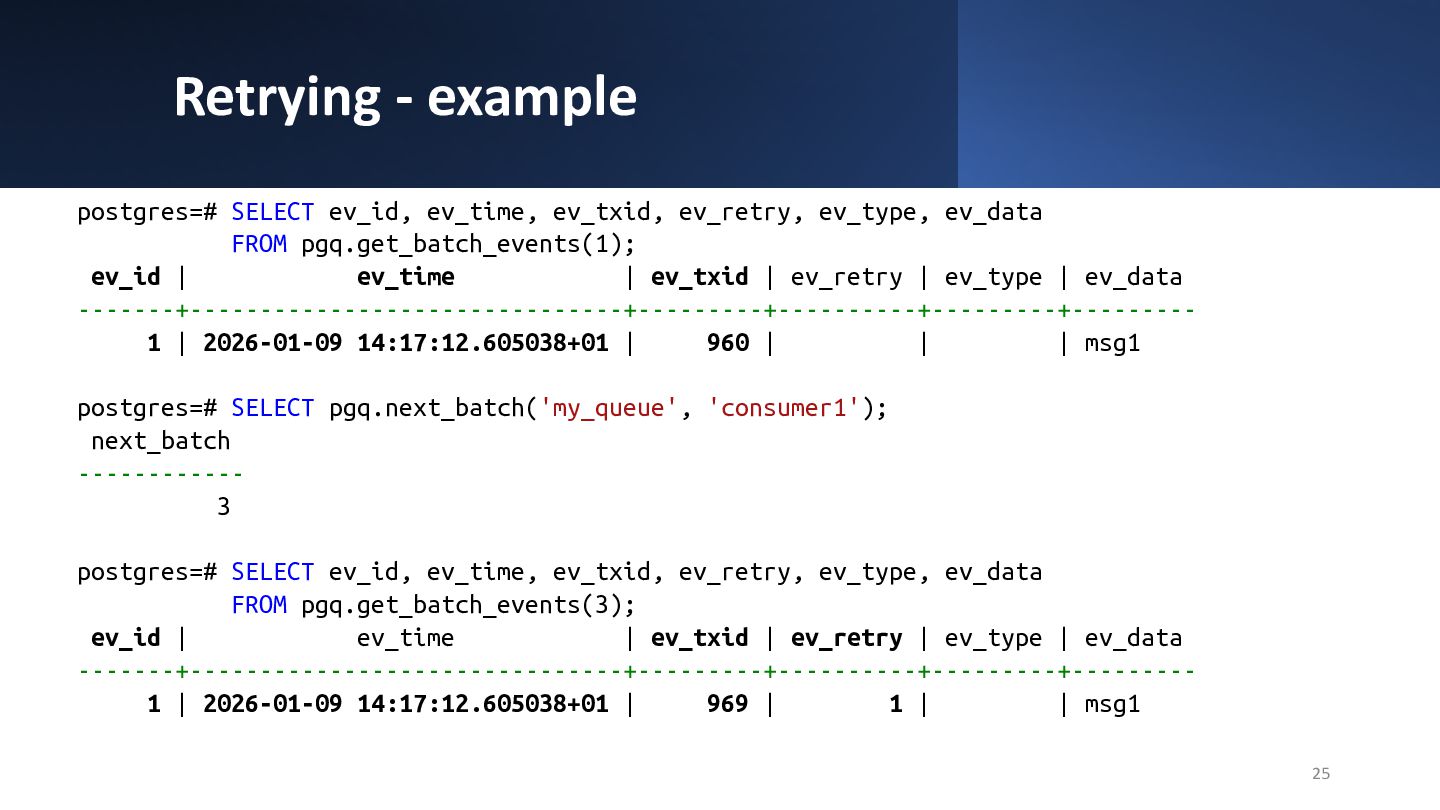
  22. Retrying - example 25 postgres=# SELECT ev_id, ev_time, ev_txid, ev_retry,

    ev_type, ev_data FROM pgq.get_batch_events(1); ev_id | ev_time | ev_txid | ev_retry | ev_type | ev_data -------+-------------------------------+---------+----------+---------+--------- 1 | 2026-01-09 14:17:12.605038+01 | 960 | | | msg1 postgres=# SELECT pgq.next_batch('my_queue', 'consumer1'); next_batch ------------ 3 postgres=# SELECT ev_id, ev_time, ev_txid, ev_retry, ev_type, ev_data FROM pgq.get_batch_events(3); ev_id | ev_time | ev_txid | ev_retry | ev_type | ev_data -------+-------------------------------+---------+----------+---------+--------- 1 | 2026-01-09 14:17:12.605038+01 | 969 | 1 | | msg1
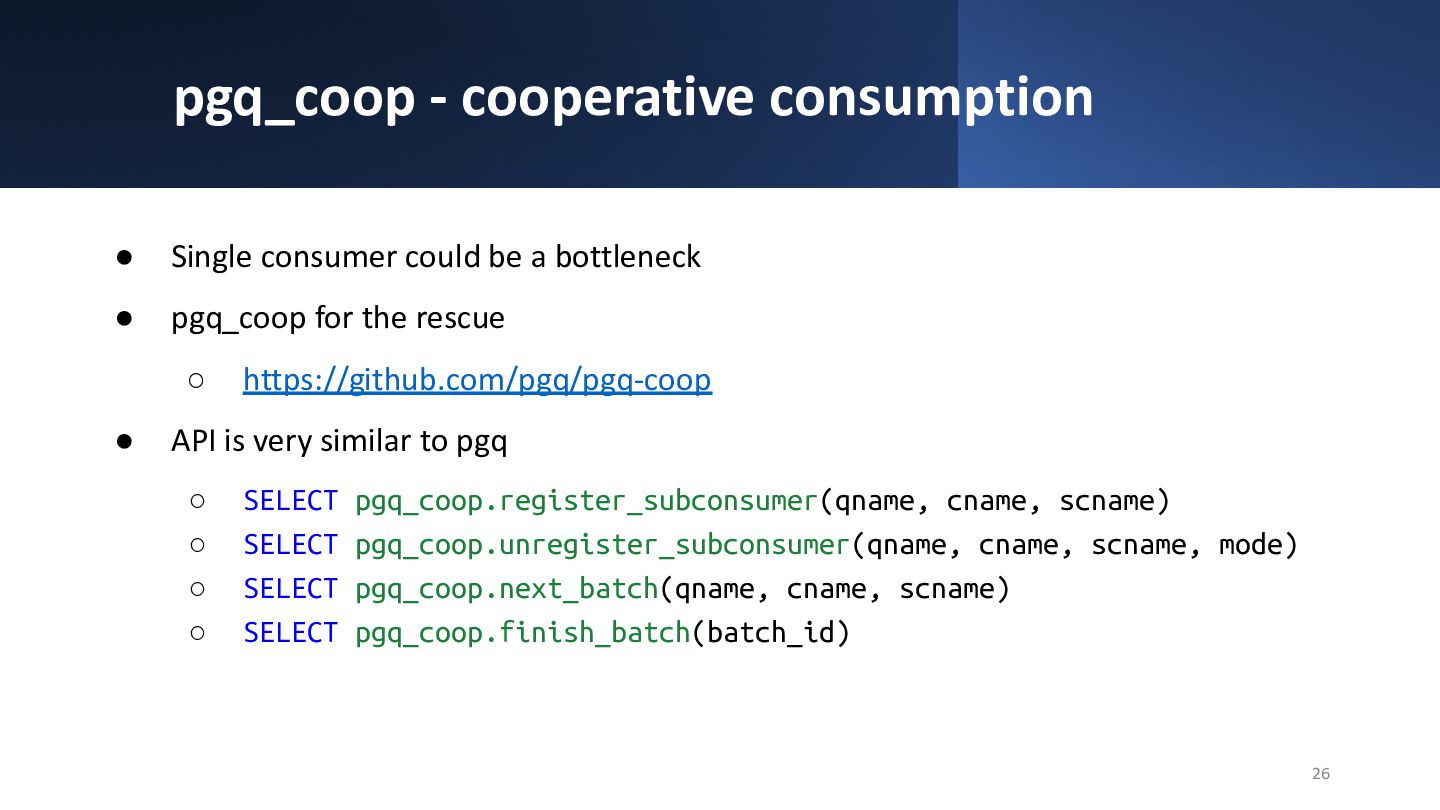
  23. pgq_coop - cooperative consumption • Single consumer could be a

    bottleneck • pgq_coop for the rescue ◦ https://github.com/pgq/pgq-coop • API is very similar to pgq ◦ SELECT pgq_coop.register_subconsumer(qname, cname, scname) ◦ SELECT pgq_coop.unregister_subconsumer(qname, cname, scname, mode) ◦ SELECT pgq_coop.next_batch(qname, cname, scname) ◦ SELECT pgq_coop.finish_batch(batch_id) 26
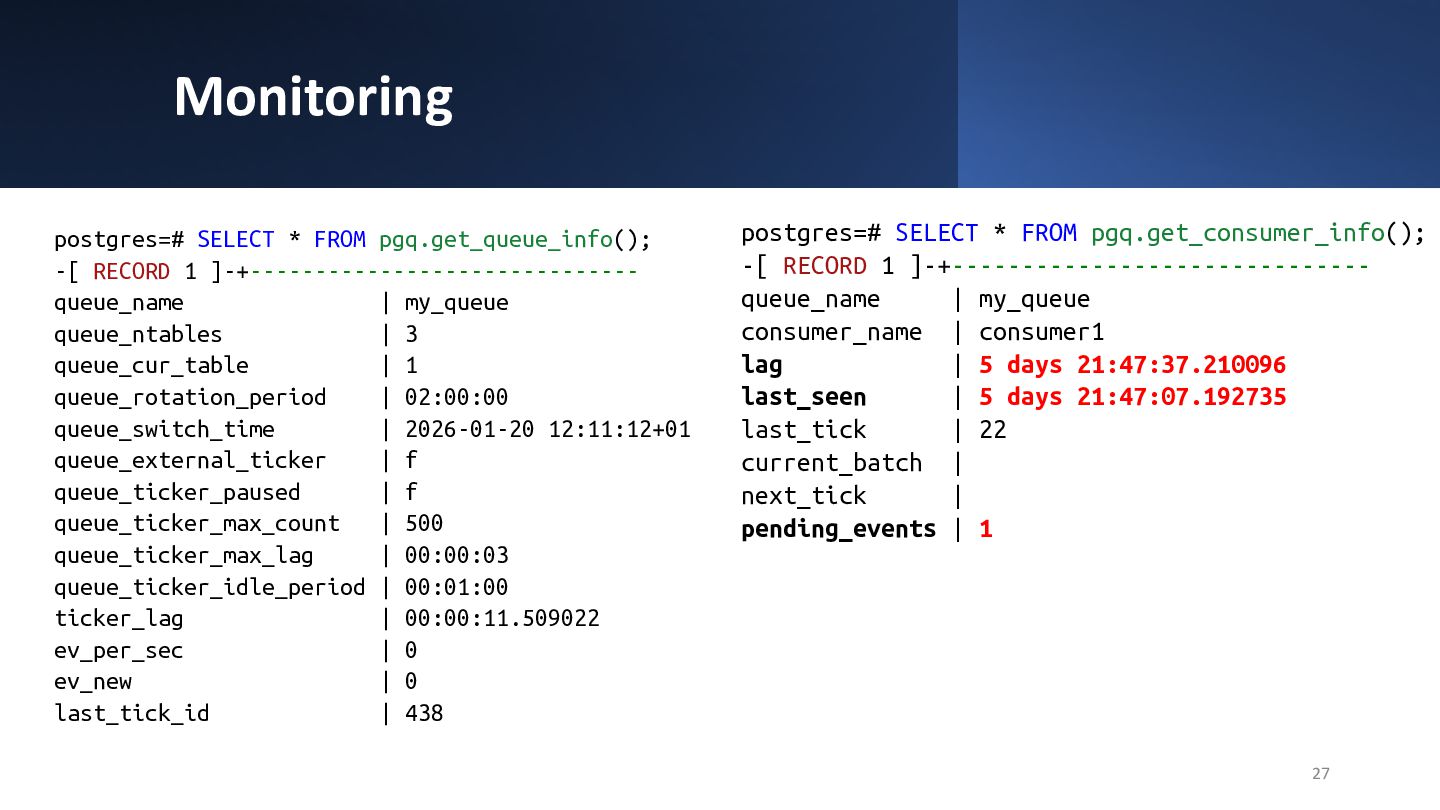
  24. Monitoring 27 postgres=# SELECT * FROM pgq.get_queue_info(); -[ RECORD 1

    ]-+------------------------------ queue_name | my_queue queue_ntables | 3 queue_cur_table | 1 queue_rotation_period | 02:00:00 queue_switch_time | 2026-01-20 12:11:12+01 queue_external_ticker | f queue_ticker_paused | f queue_ticker_max_count | 500 queue_ticker_max_lag | 00:00:03 queue_ticker_idle_period | 00:01:00 ticker_lag | 00:00:11.509022 ev_per_sec | 0 ev_new | 0 last_tick_id | 438 postgres=# SELECT * FROM pgq.get_consumer_info(); -[ RECORD 1 ]-+------------------------------ queue_name | my_queue consumer_name | consumer1 lag | 5 days 21:47:37.210096 last_seen | 5 days 21:47:07.192735 last_tick | 22 current_batch | next_tick | pending_events | 1
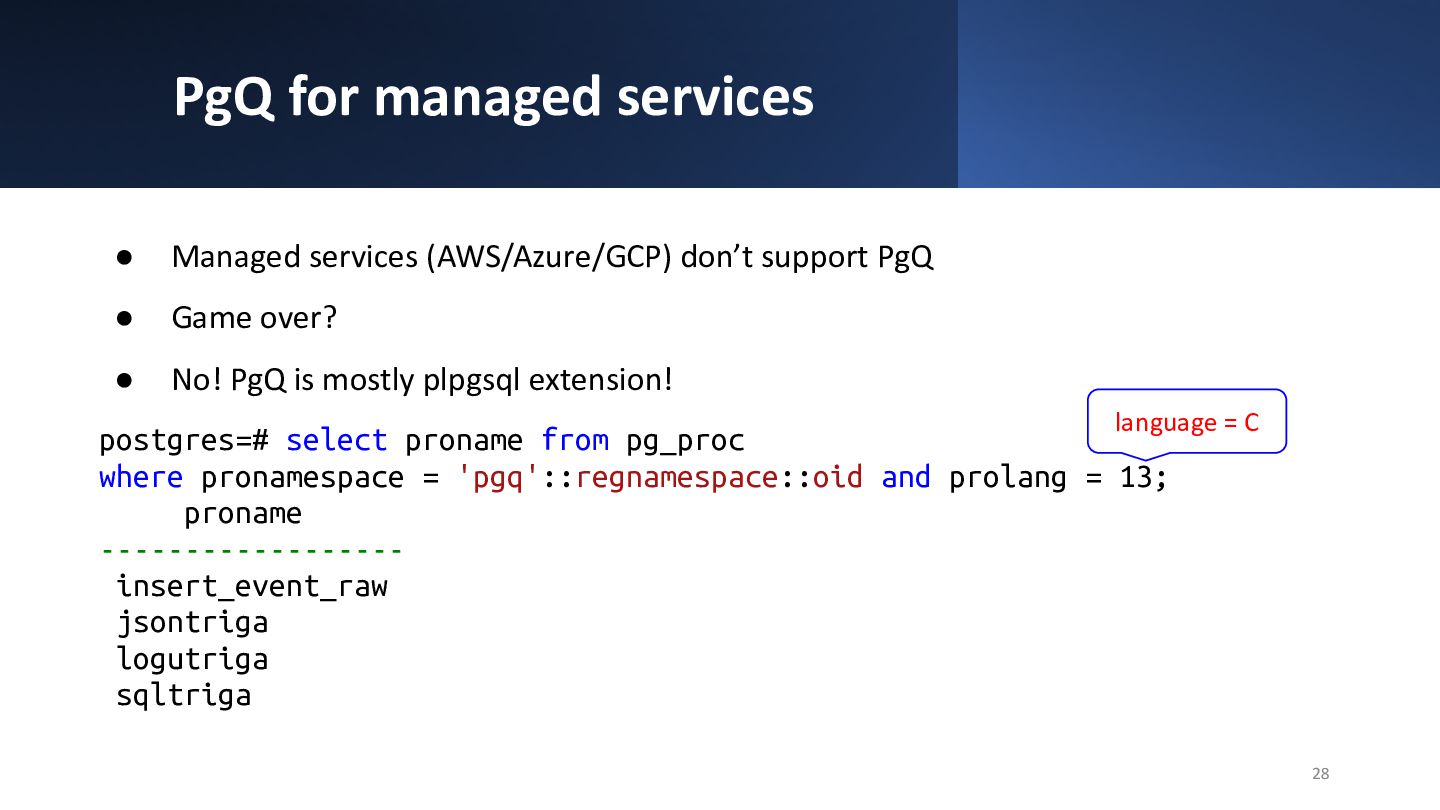
  25. PgQ for managed services • Managed services (AWS/Azure/GCP) don’t support

    PgQ • Game over? • No! PgQ is mostly plpgsql extension! postgres=# select proname from pg_proc where pronamespace = 'pgq'::regnamespace::oid and prolang = 13; proname ------------------ insert_event_raw jsontriga logutriga sqltriga 28 language = C
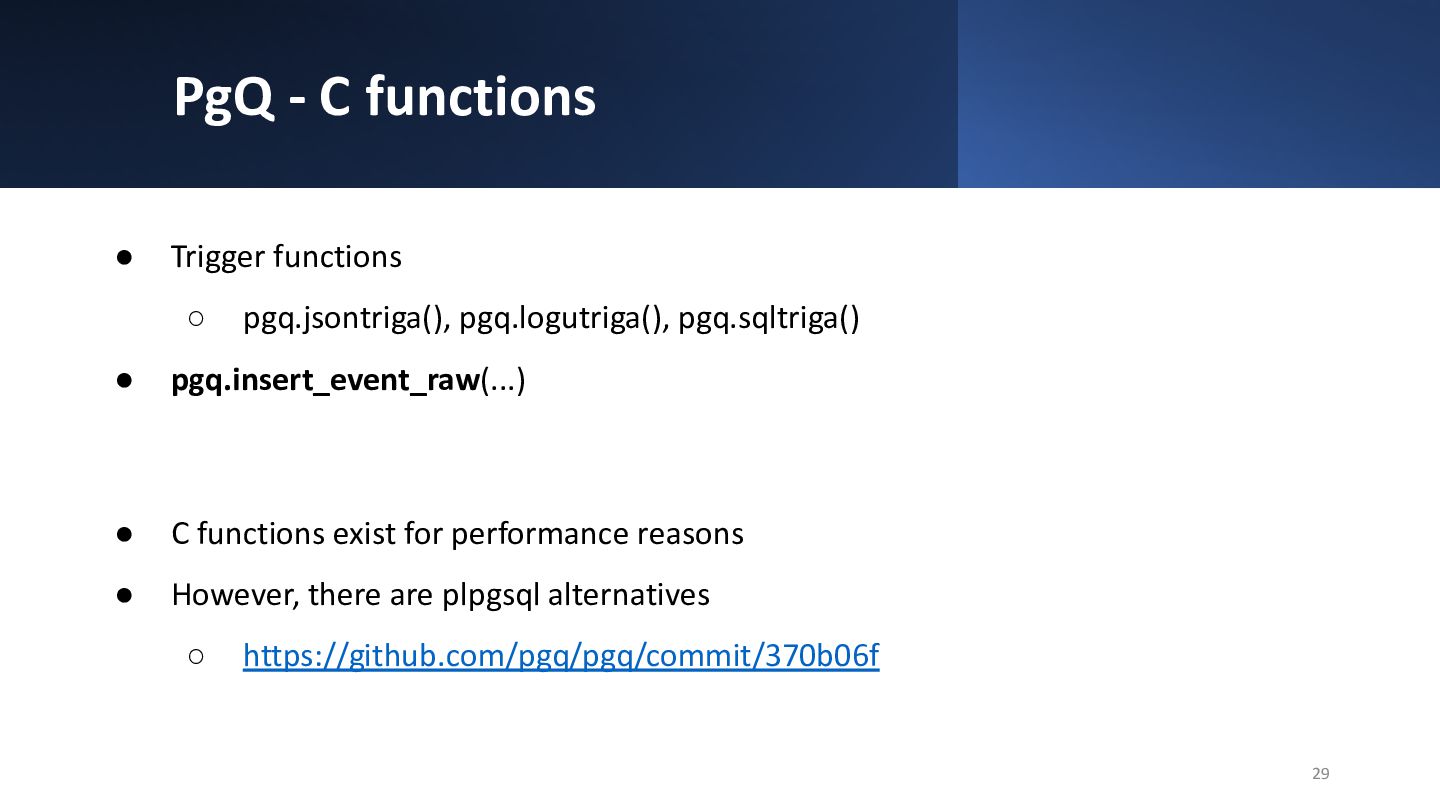
  26. PgQ - C functions • Trigger functions ◦ pgq.jsontriga(), pgq.logutriga(),

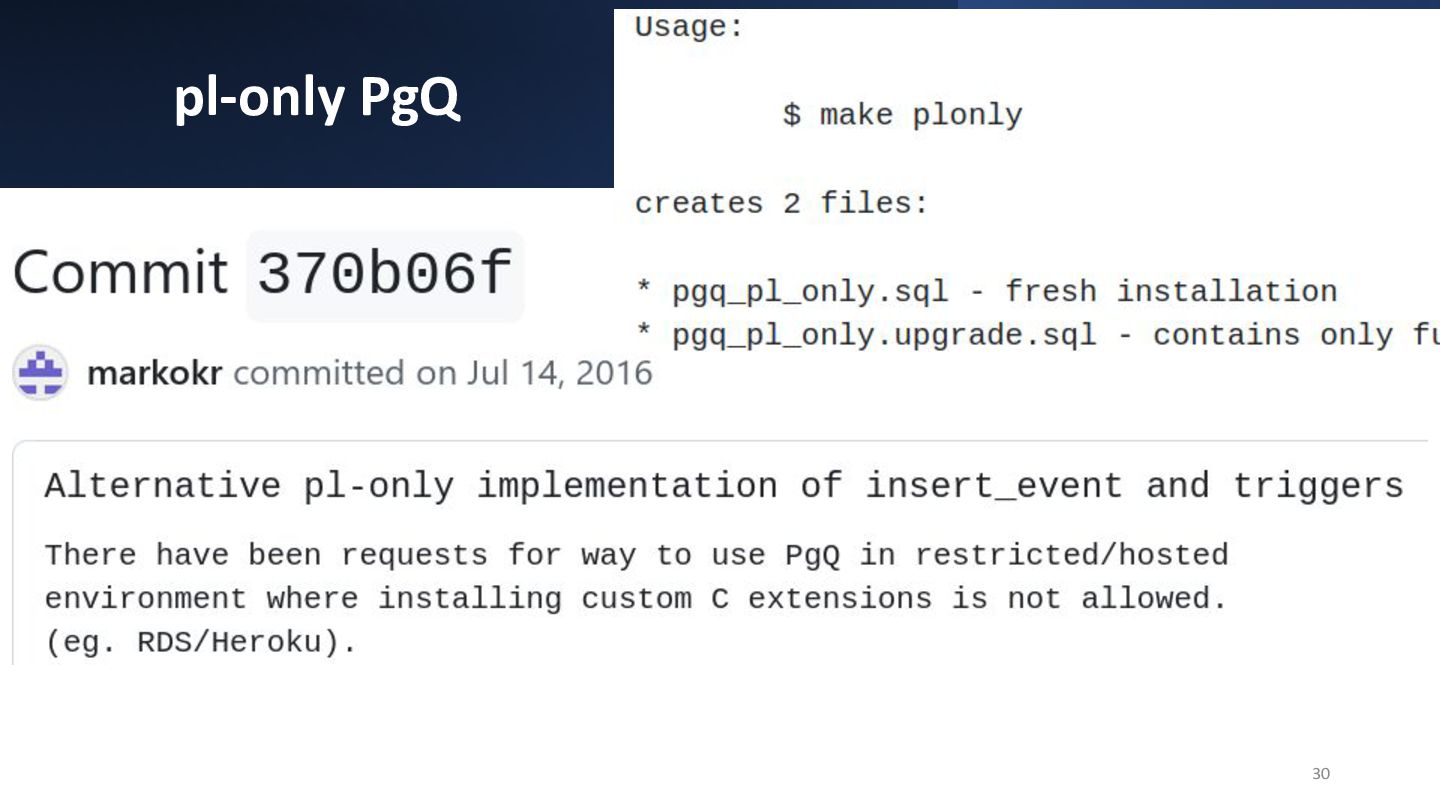
    pgq.sqltriga() • pgq.insert_event_raw(...) • C functions exist for performance reasons • However, there are plpgsql alternatives ◦ https://github.com/pgq/pgq/commit/370b06f 29
  27. pl-only PgQ 31 ~/git$ git clone [email protected]:pgq/pgq.git Cloning into 'pgq'...

    [...] ~/git$ cd pgq/ ~/git/pgq$ make plonly python3 mk/grantfu.py -r -d structure/grants.ini > structure/newgrants_pgq.sql python3 mk/catsql.py structure/install_pl.sql structure/newgrants_pgq.sql > pgq_pl_only.sql python3 mk/catsql.py structure/upgrade_pl.sql structure/newgrants_pgq.sql > pgq_pl_only.upgrade.sql ~/git/pgq$ psql [...] postgres=> \i pgq_pl_only.sql -- install pgq SET SET CREATE SCHEMA [...] GRANT GRANT postgres=>
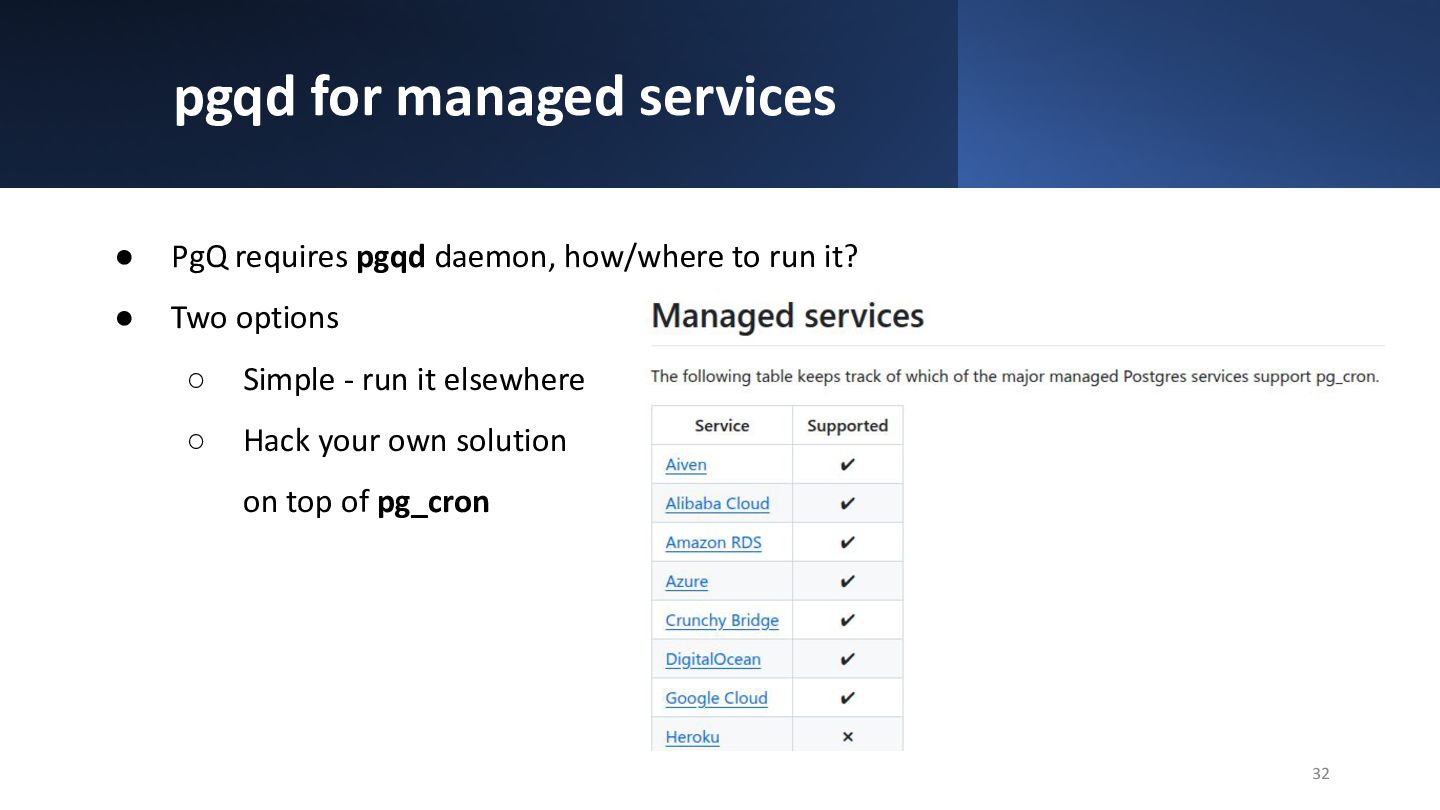
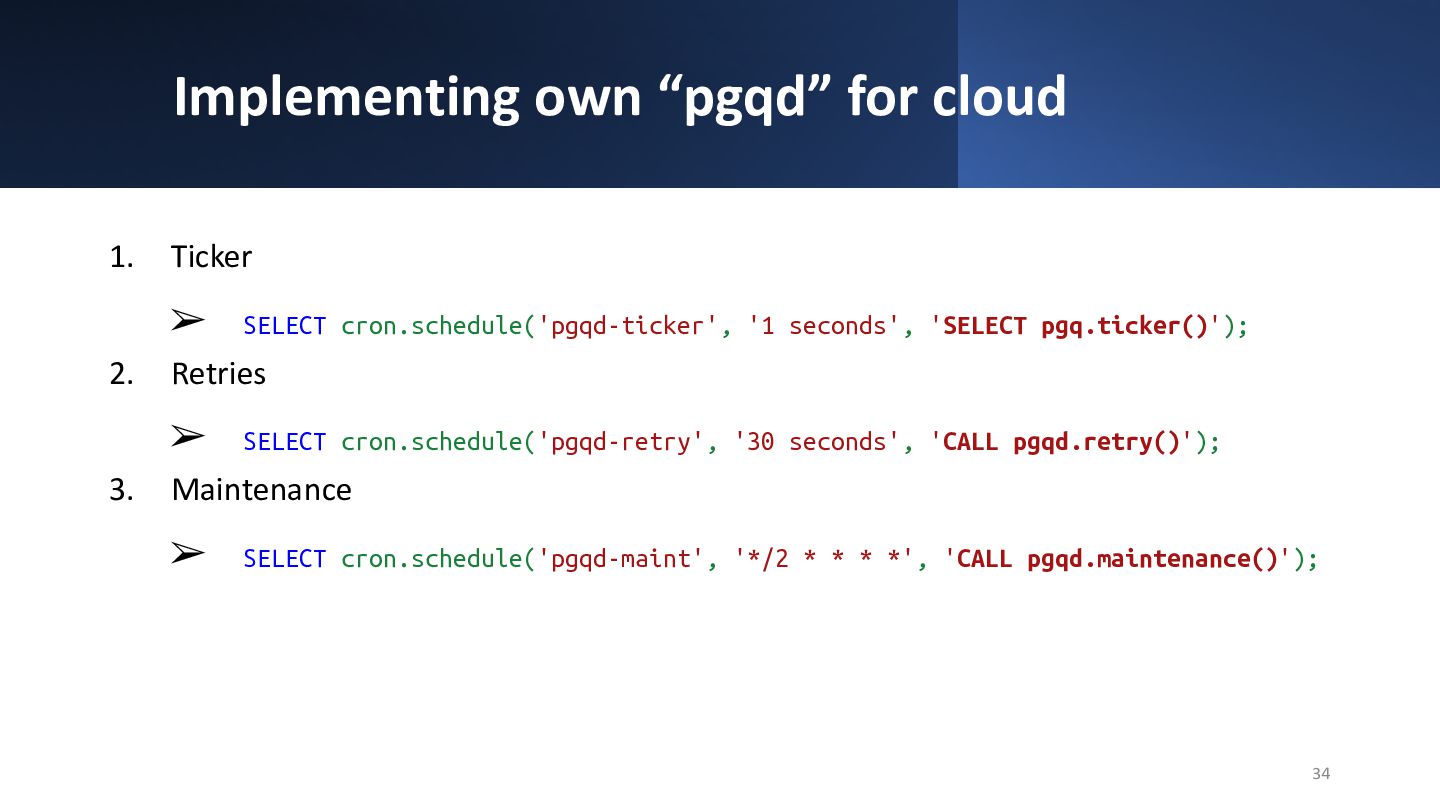
  28. pgqd for managed services • PgQ requires pgqd daemon, how/where

    to run it? • Two options ◦ Simple - run it elsewhere ◦ Hack your own solution on top of pg_cron 32
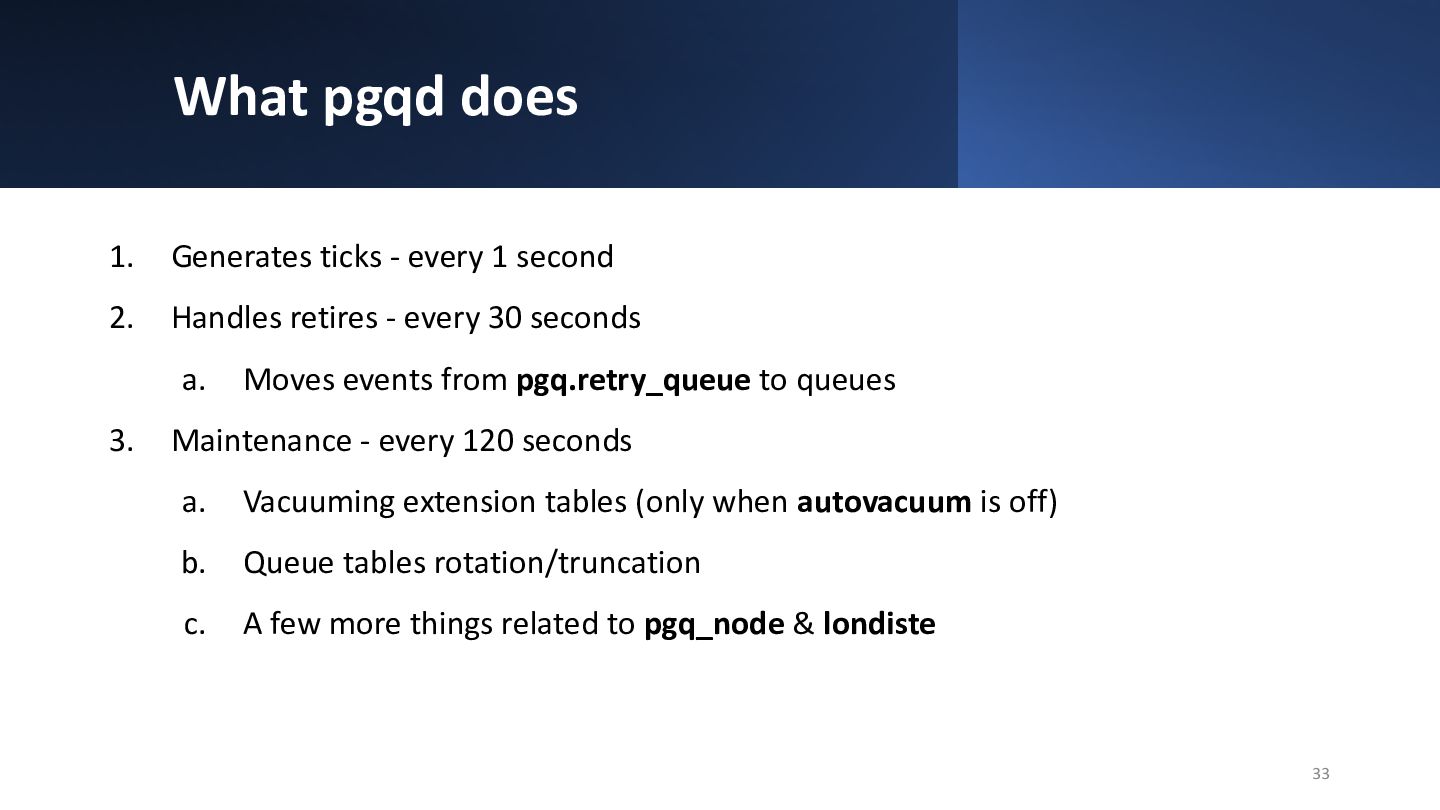
  29. What pgqd does 1. Generates ticks - every 1 second

    2. Handles retires - every 30 seconds a. Moves events from pgq.retry_queue to queues 3. Maintenance - every 120 seconds a. Vacuuming extension tables (only when autovacuum is off) b. Queue tables rotation/truncation c. A few more things related to pgq_node & londiste 33
  30. Implementing own “pgqd” for cloud 1. Ticker ➢ SELECT cron.schedule('pgqd-ticker',

    '1 seconds', 'SELECT pgq.ticker()'); 2. Retries ➢ SELECT cron.schedule('pgqd-retry', '30 seconds', 'CALL pgqd.retry()'); 3. Maintenance ➢ SELECT cron.schedule('pgqd-maint', '*/2 * * * *', 'CALL pgqd.maintenance()'); 34
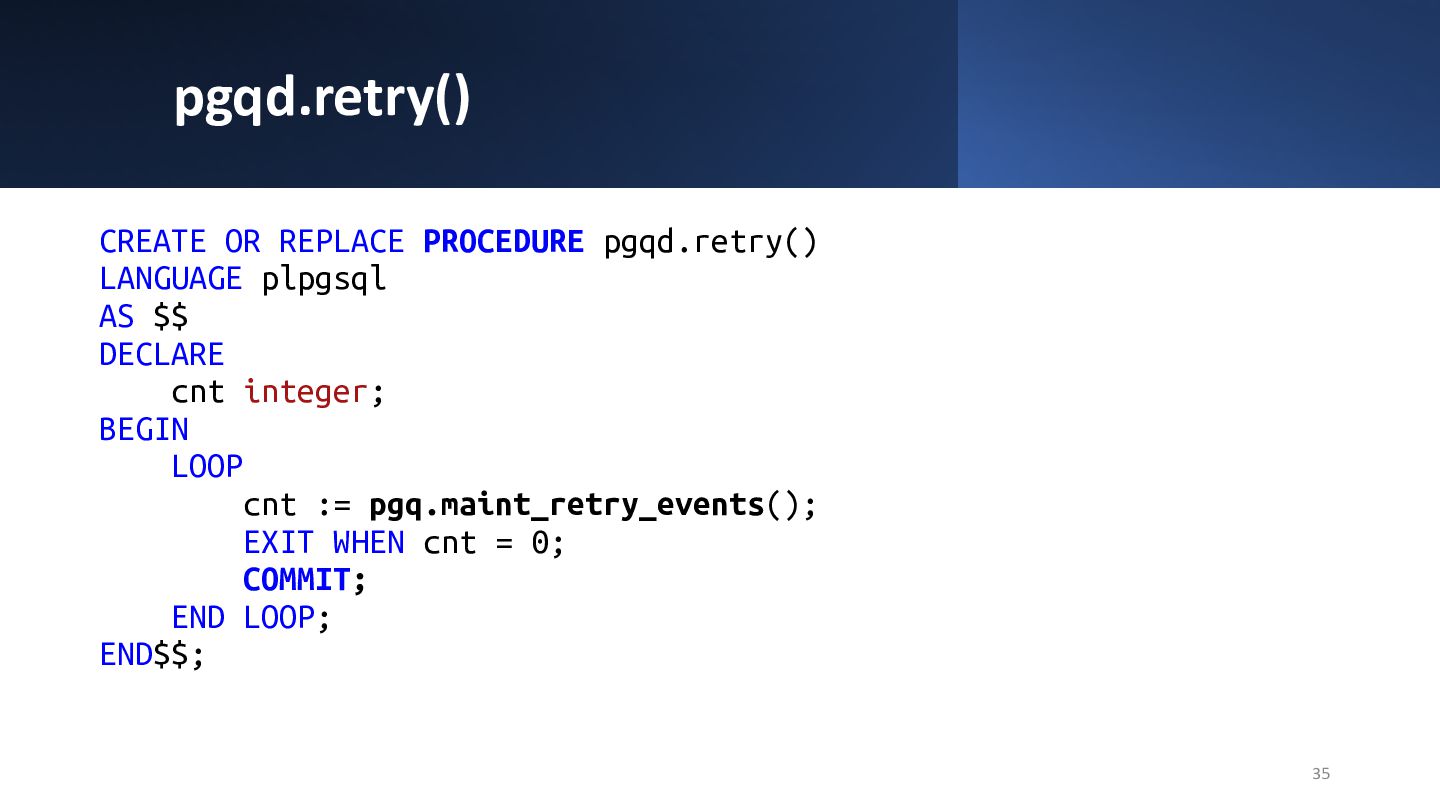
  31. pgqd.retry() CREATE OR REPLACE PROCEDURE pgqd.retry() LANGUAGE plpgsql AS $$

    DECLARE cnt integer; BEGIN LOOP cnt := pgq.maint_retry_events(); EXIT WHEN cnt = 0; COMMIT; END LOOP; END$$; 35
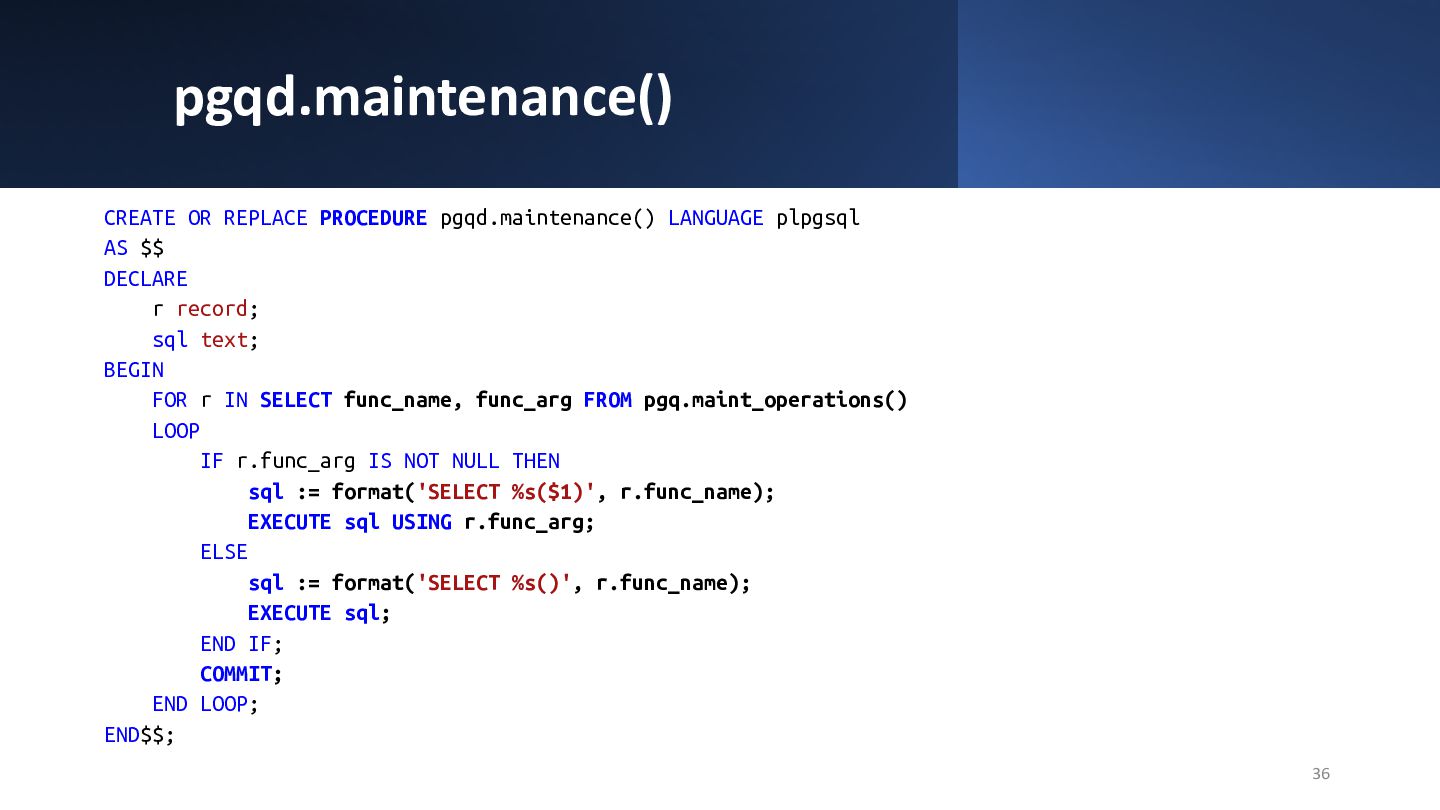
  32. pgqd.maintenance() 36 CREATE OR REPLACE PROCEDURE pgqd.maintenance() LANGUAGE plpgsql AS

    $$ DECLARE r record; sql text; BEGIN FOR r IN SELECT func_name, func_arg FROM pgq.maint_operations() LOOP IF r.func_arg IS NOT NULL THEN sql := format('SELECT %s($1)', r.func_name); EXECUTE sql USING r.func_arg; ELSE sql := format('SELECT %s()', r.func_name); EXECUTE sql; END IF; COMMIT; END LOOP; END$$;
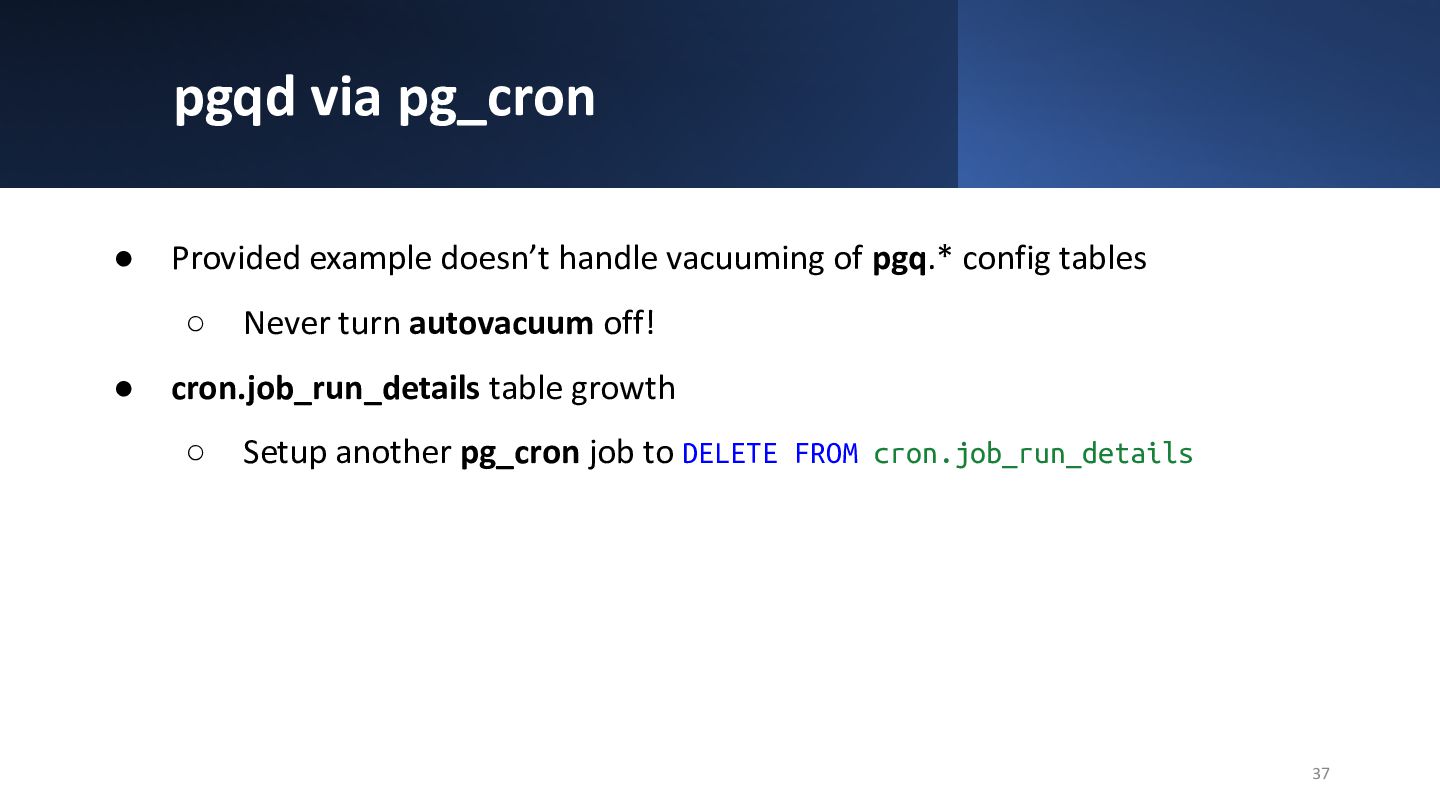
  33. pgqd via pg_cron • Provided example doesn’t handle vacuuming of

    pgq.* config tables ◦ Never turn autovacuum off! • cron.job_run_details table growth ◦ Setup another pg_cron job to DELETE FROM cron.job_run_details 37
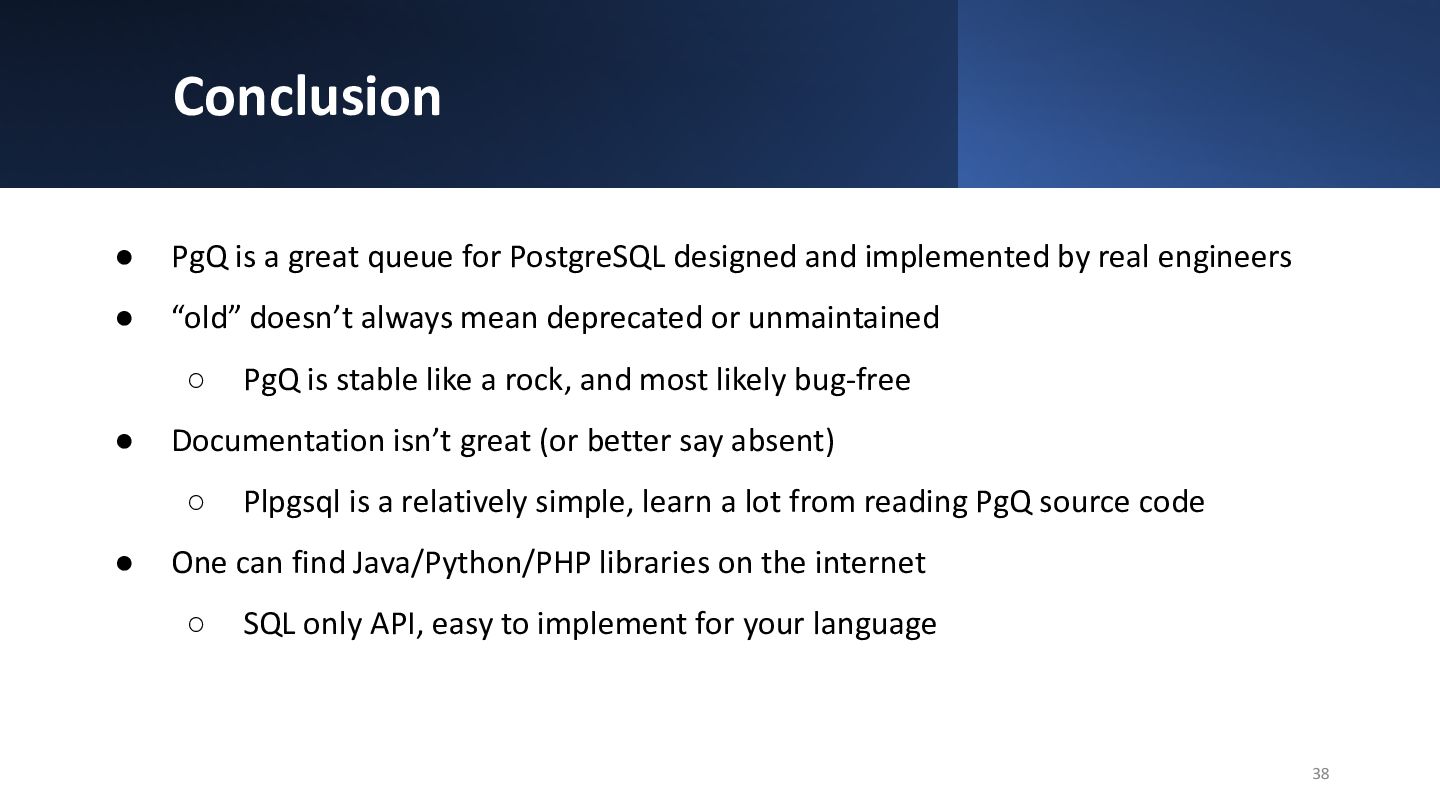
  34. Conclusion • PgQ is a great queue for PostgreSQL designed

    and implemented by real engineers • “old” doesn’t always mean deprecated or unmaintained ◦ PgQ is stable like a rock, and most likely bug-free • Documentation isn’t great (or better say absent) ◦ Plpgsql is a relatively simple, learn a lot from reading PgQ source code • One can find Java/Python/PHP libraries on the internet ◦ SQL only API, easy to implement for your language 38