Share
Embed
SenchaCon 2015 - Application Development at Warp Speed: Exploring Sencha Space
Sencha Space provides a rich and secure runtime environment for your web based applications to run.
This session, delivered at SenchaCon 2015, covered the various capabilities of the Sencha Space client, including its APIs, and how it can help developers produce a powerful application with minimal effort.
Speakers: Revin Guillen, Daniel Gallo, and Marc Gusmano.
Daniel Gallo
April 09, 2015
Transcript
65 slides
-
“The Next IE6” Is IE8 the next IE6? – Quora
www.quora.com > … > Web Browsers > Internet Explorer I am concerned that the decision by Microsoft to not support Internet Explorer 9 on Windows XP will mean that a large number of users will be stuck on IE8 for … Microsoft begs Web devs not to make WebKit the new IE6 arstechnica.com/…microsoft-begs-web-devs-not-to-make-… Internet Explorer 10 is a fast browser with good standards compliance, And the version of Internet Explorer 10 included with Windows Phone 8 … Is Google Chrome The New IE6 For Web Designers… www.webdesignerdepot.com/…is-google-chrome-the-new-ie-6-for-web-… …you about the market share being a big difference, but IE7 being the Next IE6: Seriously? …… And no, it is not the next IE6 for web developers. Adobe Flash: evolve or become the next IE6 www.majordojo.com/2010/.../adobe-flash-evolve-or-become-the-next-ie6.... Adobe Flash: evolve or become the next IE6. 29 Apr 2010. A couple of weeks ago I commented upon Apple's decision to not support Flash on any of their mobile ... -
Sencha Space • Runtime Of Unusual Strength • Managed app
platform • Modern web runtime • Plus user authentication • Plus security & encryption • Plus hardware access • Securely sandboxed & centrally managed -
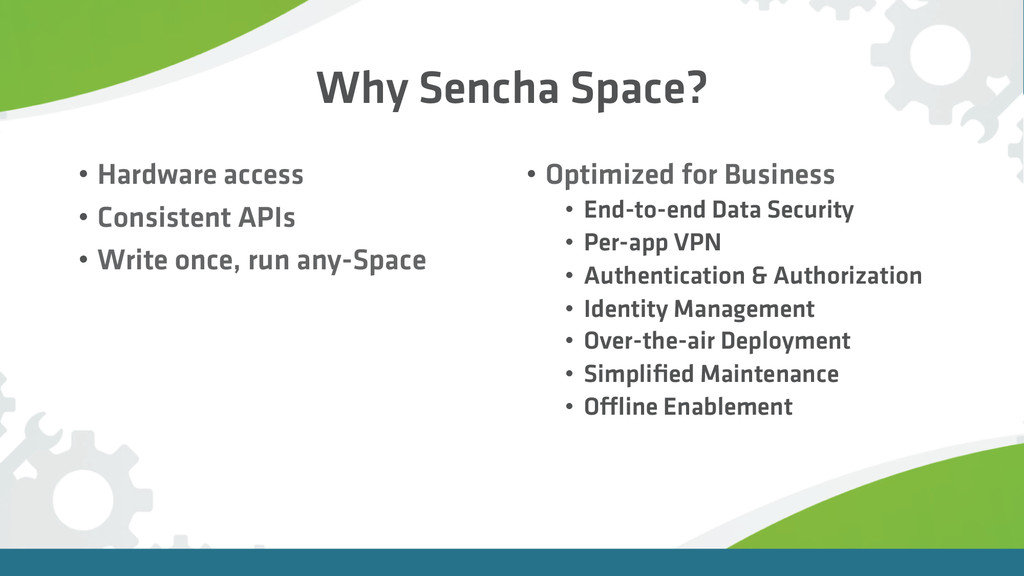
Why Sencha Space? • Hardware access • Consistent APIs •
Write once, run any-Space • Optimized for Business • End-to-end Data Security • Per-app VPN • Authentication & Authorization • Identity Management • Over-the-air Deployment • Simplified Maintenance • Offline Enablement -
Admin Console • Define applications • Manage users & groups
• Enforce per-app API access policy • Activity Reports & Audit Support -
Space Client • Manages HTML5 apps • Enforces policies from
Admin Console • Provides developer API • Secures & segregates application data -
What is a Space App? • HTML + CSS +
JavaScript • includes space.js -
Orientation API Ext.space.Orientation.on({ orientationchange: function(o) {
// o == { alpha: a, beta: b, gamma: c } } }); -
Camera API Ext.space.Camera.capture({ source: "camera",
// or "album", "library" destination: "file", // or "data" collection: "photos", // file collection encoding: "jpg", // or "png" quality: "80%", // percentage string width: "1920", // pixels height: "1080" // pixels }).then(function(file) { file.view(); }); -
Barcode API Ext.space.Barcode.scan().then(function(barcodes) { barcodes.forEach(function(code, idx) {
console.log(idx + ": " + code); }); }); -
Secure Local Storage API var things = Ext.space.SecureLocalStorage.get("things");
things.set("monsters", { eels: "shrieking" }) .then(function() {…}); things.get("monsters").then(function(obj){ // obj.eels == "shrieking" }); -
Secure Local Storage API things.remove("someKey").then(function(success) {…}); things.has("someKey").then(function(hasKey) {…});
things.forEach(function(key, value) { // operate on each }).then(function() { // done }); -
Secure Files API var files = Ext.space.SecureFiles.get("myCollection"); files.get("users.txt").then(function(contents)
{…}); var info = { name: "places.txt", type: "text/plain" }; files.set(info, "Florin, Guilder").then(function(file) { // file saved }); -
Secure Files API // fetch every file in the collection
files.query().then(function(theFiles) {…}); // filtered fetch: text files created in the last week var dt = new Date((new Date).getTime() – 60480000); files.query({ createdAfter: dt, type: "text/plain"}) .then(function(theFiles) {…}); -
Secure Files API // compress a collection into an archive
files.compress({ archiveName: "things.zip" }) .then(function(archive) {…}); // download directly into the collection files.download({ url: "http://example.com/map.pdf" }) .then(function(file) {…}); -
Secure Files API // upload a file to a web
form someFile.upload({ url: "…", // form URL fileFieldName: "…", // form field for the file params: {…}, // optional extra POST data headers: {…} // optional extra request headers }).then(function(response) { // response.statusCode, .headers, .body }); -
Secure SQL API // create a database var db
= Ext.space.SecureSql.get("myDatabaseName"); -
Secure SQL API // set up version 1 of the
DB schema db.createSchema(1, function(tx) { tx.query("CREATE TABLE [etc…]"); tx.query("CREATE TABLE [etc…]"); }); -
Secure SQL API db.insert( "myTableName",
["fieldA", "fieldB"], // column names ["valueA", "valueB"] // values ).then(function(insertId) {…}); INSERT INTO myTableName (fieldA, fieldB) VALUES ("valueA", "valueB"); -
Secure SQL API db.insertMany( tableName,
["fieldA", "fieldB"], // column names records // array of value arrays ).then(function() {…}); -
Secure SQL API db.query( "SELECT id, name
FROM users WHERE email = ?", ["roberts@pirate-‐ship-‐revenge.org"] ).then(function(rows) { // rows[0].id // rows[0].name == "Dread Pirate Roberts" }); -
Secure SQL API var tx = db.createTransaction(); //
queries, each with optional success & error handlers tx.query(…).then(…).error(…); tx.insert(…).then(…).error(…); tx.query(…).then(…).error(…); // run the whole thing tx.execute().then(…).error(…); -
Application APIs Fullscreen Child web view Application list Application focus
Push notifications Custom event logging Invoke -
Fullscreen API Ext.space.Fullscreen.enter().then(function() {…}); Ext.space.Fullscreen.leave().then(function() {…}); Ext.space.Fullscreen.onToggle()
.then(function(isFullscreen) { if (isFullscreen) {…} }); Ext.space.Fullscreen.isEnabled; // true/false -
Child Web View API var child = window.open("http://example.com/");
child.open("http://example.com/another/page.html"); child.close(); // loadstart, loadstop, loaderror, close events child.on("loadstop", function(evt) { // evt.url has finished loading; do something… }); -
Child Web View API // close all open children
Ext.space.Window.closeAll(); // list all open child web views Ext.space.Window.getChildren() .then(function(children) {…}); -
Application List API Ext.space.Applications.list() .then(function(list) {
// open them all! list.forEach(function(app) { Ext.space.Applications.open(app); }); } ); -
Application Focus API Ext.space.Focus.onToggle(function(isForeground) { if (isForeground)
{ // something… } else { // something else… } }); -
Notifications API Ext.space.Notification.onBadgeChange(function(badge) {…}); Ext.space.Notification.onData(function(data) {…});
Ext.space.Notification.onAlert(function(alert) { // alert.message, alert.icon, alert.tags }); -
Notifications API var note = { message:
"Hello! My name is Inigo Montoya. " + "You killed my father. Prepare to die.", icon: "http://example.com/inigo.png", tags: ["revenge", "speech", "#fencing4eva"] }; Ext.space.Notification.showAlert(note).then(function() {…}); -
Notifications (well, Badge) API Ext.space.Notification.getBadge(function(badge) {…}); Ext.space.Notification.setBadge(10).then(function(data) {…});
// clear the badge by passing null or nothing Ext.space.Notification.setBadge().then(function(data) {…}); -
Custom Event Logging API Ext.space.Logger.logEvent({ category: "video",
action: "play", label: "Princess Bride", // optional extra: "…" // optional }); -
Invoke API Ext.space.Invoke("chat").then(function(connection) { connection.send({
type: "presence", user: "[email protected]", online: true }, true).then(function(invokeAnswer) {…}); }); -
Ext.space.Invoke.onMessage(function(senderId, message) { var promise = new
Ext.Promise(); if (message.type == "presence") { getUserData(message.user).then(function(result) { promise.fulfill(result); }); } else { promise.reject("Message not understood."); } return promise; }); -
Inventory App - Scenario • A grocery supplies company owns
a number of warehouses, and they need a mobile/tablet app for members of staff to lookup details of their large stock, exceeding 230,000 items • The app needs to work offline, due to limited or no network connectivity in the warehouses or out in the field -
Inventory App - Scenario • The app must be able
to scan barcodes and quickly retrieve the associated product details, along with a photo of the product • The app must allow the staff member to perform an inventory of items at a warehouse, capturing multiple barcodes and storing the inventory info on the device -
Application details • Built using Ext JS 5.1, so that
the grid can be leveraged • Real dataset that contains over 230,000 grocery items and 90,000 product photos • All data stored on the device, allowing the app to run in an offline state -
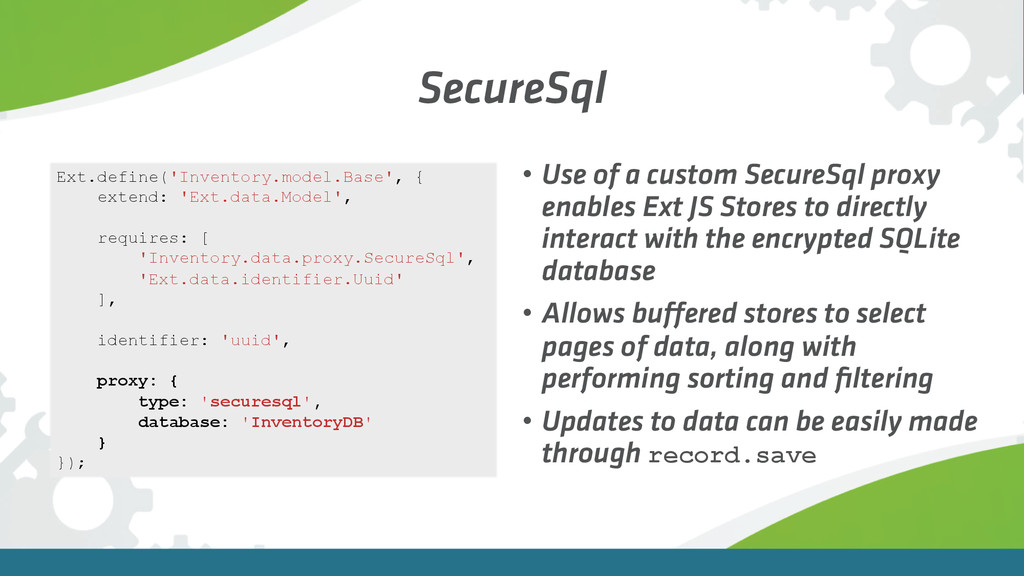
SecureSql • Use of a custom SecureSql proxy enables Ext
JS Stores to directly interact with the encrypted SQLite database • Allows buffered stores to select pages of data, along with performing sorting and filtering • Updates to data can be easily made through record.save Ext.define('Inventory.model.Base', { extend: 'Ext.data.Model', requires: [ 'Inventory.data.proxy.SecureSql', 'Ext.data.identifier.Uuid' ], identifier: 'uuid', proxy: { type: 'securesql', database: 'InventoryDB' } }); -
Publishing "space": { "id": 63553, "name": "Inventory", "host": "https://api.space.sencha.com/json.rpc", "file":
"${app.output.base}", "apiKey": "7KxGphKZwtLv+ha5w2G1Xl5FK2Ajdt4dM4uMC5b354jhm3=", "secret": "gf6Gg9Y3QaYKszJJnnnnn8N2TYnaYTaL7S2jaMFTCeLm=" } • Applications can be deployed as an archive (Zip file) straight to the Sencha Space Management Console for simple and secure deployment to end users • First, configure the app.json file: -
Publishing > sencha config -prop app.version=1.1.3 then app publish •
Build your Sencha app for production • Then deploy using the “app publish” command in Sencha Cmd: -
Publishing • Application runtime is then securely deployed in Sencha
Space • Updated app pushed to users • Negates the need to have a web server to host the source code in an unprotected state • Provides the capability for the app to run offline -
Using Invoke in Sencha Space var success = function (message)
{ log('success ' + JSON.stringify(message, null, 2)); }; var failure = function (error) { log(' failure ' + json.stringify(error, null, 2)); }; var send = function (connection) { connection.send(data, true).then( success, failure ); }; Ext.space.Invoke.get('map').then(send, failure); -
Handling the Invoke Message
Ext.onSpaceReady(function(){ Ext.space.Invoke.onMessage(function (senderId, message) { var promise = new Ext.Promise(); mapview.name = message.name; mapview.setPromise(promise); mapview.handleMessage(me, message); return promise; }); }); handler: function () { try { mapview.getPromise().fulfill({ name: mapview.name }); } catch (err) { alert(err.message); } } -
About the Map Application… • Written with Sencha Touch 2.4.1
• Utilized Ext.ux.LeafletMap • https://market.sencha.com/extensions/ext-ux-leafletmap • Mapbox.com map tile server (could also have offline access to map tiles) • geoJSON for building outline layer