Share
Embed
Not Har Gow: Using Custom Models with ML Kit
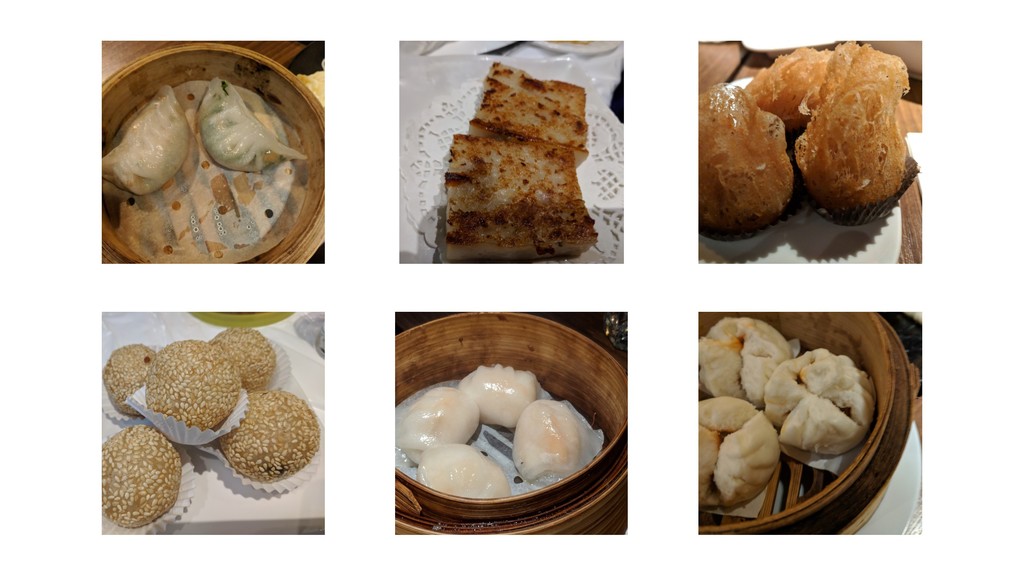
ML Kit for Firebase comes with ready-to-use APIs for common machine learning tasks, but it also allows you to use your own custom models. In this talk, I want to give an overview of TensorFlow on mobile, show you how to set up and deploy custom models with Firebase, and walk through using the Android SDK. As a motivating example, I retrained an image classifier to recognize various dumplings!
Presented at Ohio DevFest, 2018-10-13
Note: this deck does not include the live demo. Will update with YouTube link when available.
Eric Fung
October 13, 2018
Transcript
49 slides
-
Not Har Gow: Using Custom Models with ML Kit Eric
Fung • @gnufmuffin Ohio DevFest • #OhioDevFest18 • 2018-10-13 -
TensorFlow ‣ Open-source framework for ML ‣ First release in
Nov 2015 ‣ Included sample for Android Using Custom Models with ML Kit • Eric Fung • Ohio DevFest 2018 -
TensorFlow (Nov 2015) static { System.loadLibrary("tensorflow_demo"); } public native int
initializeTensorflow(…) public native String classifyImageBmp(Bitmap bitmap) Using Custom Models with ML Kit • Eric Fung • Ohio DevFest 2018 -
TensorFlow (Jan 2017) // Load model from disk TensorFlowInferenceInterface tf
= new TensorFlowInferenceInterface(assetManager, "my_model.pb"); // Copy the input data into TensorFlow tf.feed(inputName, floatValues, 1, inputSize, inputSize, 3); // Run the inference call. tf.run(outputNames, logStats); // Copy the output Tensor back into the output array. tf.fetch(outputName, outputs); Using Custom Models with ML Kit • Eric Fung • Ohio DevFest 2018 -
TensorFlow for Mobile (May 2017) dependencies { compile 'org.tensorflow:tensorflow-android:1.2.0-preview' }
Using Custom Models with ML Kit • Eric Fung • Ohio DevFest 2018 -
TensorFlow for Mobile (Aug 2017) Using Custom Models with ML
Kit • Eric Fung • Ohio DevFest 2018 -
I/O 2017 Announcements Neural Networks API ‣ Android Oreo ‣
Hardware accelerated, with software fallback TensorFlow Lite ‣ Designed for low-latency on mobile/ embedded ‣ Recommended solution for new projects Image credit: TensorFlow -
Firebase ML Kit (May 2018) ‣ Easy-to-use base APIs for
‣ Image classification, OCR, face detection ‣ Barcode scanning, landmark detection ‣ Hybrid local/cloud execution ‣ Support for custom models Using Custom Models with ML Kit • Eric Fung • Ohio DevFest 2018 -
Custom Models with ML Kit ‣ Bring your own TF
Lite model ‣ Provides API to run inference on-device ‣ Hosted models are updated automatically Using Custom Models with ML Kit • Eric Fung • Ohio DevFest 2018 -
Custom Models Workflow 1. Build custom model or retrain existing
model Image credit: burst.shopify.com -
1. Build custom model or retrain existing model 1. Use
an existing model 2. Retrain an existing model 3. (Have someone) Write one from scratch Using Custom Models with ML Kit • Eric Fung • Ohio DevFest 2018 -
Custom Models Workflow 1. Build custom model or retrain existing
model 2. Convert to TensorFlow Lite Using Custom Models with ML Kit • Eric Fung • Ohio DevFest 2018 -
2. Convert to TensorFlow Lite ‣ Use the TensorFlow Optimizing
Converter ‣ Might need custom TF Lite build if operators are missing Using Custom Models with ML Kit • Eric Fung • Ohio DevFest 2018 -
Custom Models Workflow 1. Build custom model or retrain existing
model 2. Convert to TensorFlow Lite 3. Bundle with app and/or host on Firebase Using Custom Models with ML Kit • Eric Fung • Ohio DevFest 2018 -
3. Bundle with app ‣ Include in src/main/assets ‣ Ensure
model doesn't get compressed android { aaptOptions { noCompress "tflite" noCompress "lite" } } ‣ Could also download from your own server Using Custom Models with ML Kit • Eric Fung • Ohio DevFest 2018 -
Custom Models Workflow 1. Build custom model or retrain existing
model 2. Convert to TensorFlow Lite 3. Bundle with app and/or host on Firebase 4. Integrate SDK into your app Using Custom Models with ML Kit • Eric Fung • Ohio DevFest 2018 -
4. Integrate SDK into your app ‣ Add dependency ‣
Configure sources ‣ Create interpreter ‣ Define inputs/outputs ‣ Run inference ‣ Process outputs Image credit: burst.shopify.com -
Add the dependency dependencies { implementation 'com.google.firebase:firebase-ml-model-interpreter:16.2.2' } Using Custom
Models with ML Kit • Eric Fung • Ohio DevFest 2018 -
Configure a bundled source FirebaseLocalModelSource localSource = new FirebaseLocalModelSource.Builder("my_local_model") .setAssetFilePath("my-custom-model.tflite")
.build(); FirebaseModelManager.getInstance() .registerLocalModelSource(localSource); Using Custom Models with ML Kit • Eric Fung • Ohio DevFest 2018 -
Configure a downloaded source FirebaseLocalModelSource downloadedSource = new FirebaseLocalModelSource.Builder("my_local_model") .setFilePath("/path/to/downloaded/model.tflite")
.build(); FirebaseModelManager.getInstance() .registerLocalModelSource(downloadedSource); Using Custom Models with ML Kit • Eric Fung • Ohio DevFest 2018 -
Specify when hosted model is downloaded FirebaseModelDownloadConditions.Builder condBuilder = new
FirebaseModelDownloadConditions.Builder() .requireWifi() .requireCharging() .requireDeviceIdle(); } FirebaseModelDownloadConditions conditions = condBuilder.build(); Using Custom Models with ML Kit • Eric Fung • Ohio DevFest 2018 -
Specify when hosted model is downloaded FirebaseModelDownloadConditions.Builder condBuilder = new
FirebaseModelDownloadConditions.Builder() .requireWifi() .requireCharging() // Android 7.0+ .requireDeviceIdle(); // Android 7.0+ } FirebaseModelDownloadConditions conditions = condBuilder.build(); Using Custom Models with ML Kit • Eric Fung • Ohio DevFest 2018 -
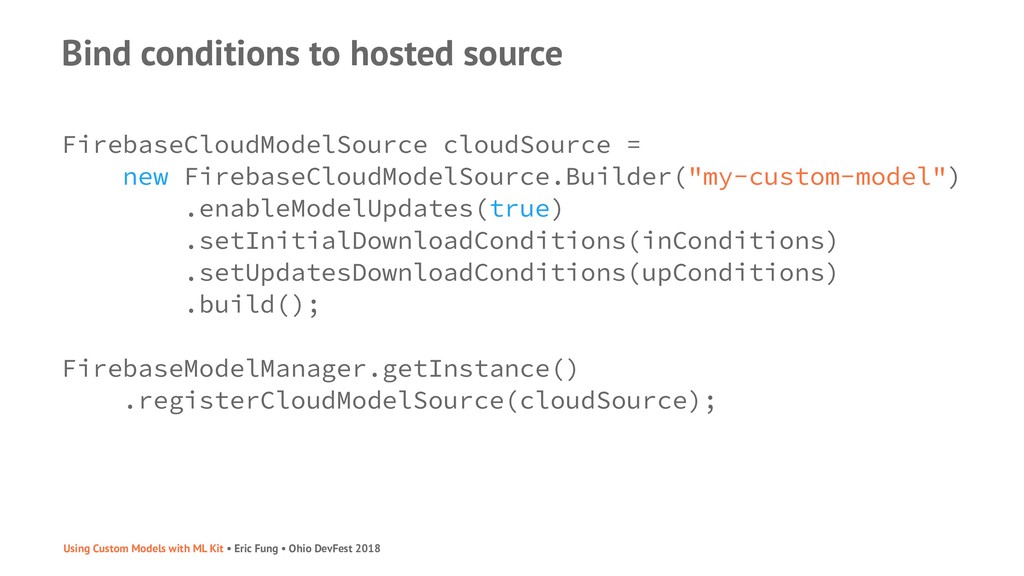
Bind conditions to hosted source FirebaseCloudModelSource cloudSource = new FirebaseCloudModelSource.Builder("my-custom-model")
.enableModelUpdates(true) .setInitialDownloadConditions(inConditions) .setUpdatesDownloadConditions(upConditions) .build(); FirebaseModelManager.getInstance() .registerCloudModelSource(cloudSource); Using Custom Models with ML Kit • Eric Fung • Ohio DevFest 2018 -
Bind conditions to hosted source FirebaseCloudModelSource cloudSource = new FirebaseCloudModelSource.Builder("my-custom-model")
.enableModelUpdates(true) .setInitialDownloadConditions(conditions) .setUpdatesDownloadConditions(conditions) .build(); FirebaseModelManager.getInstance() .registerCloudModelSource(cloudSource); Using Custom Models with ML Kit • Eric Fung • Ohio DevFest 2018 -
Create interpreter FirebaseModelOptions options = new FirebaseModelOptions.Builder() .setCloudModelName("my-custom-model") .setLocalModelName("my_local_model") .build();
FirebaseModelInterpreter interpreter = FirebaseModelInterpreter.getInstance(options); Using Custom Models with ML Kit • Eric Fung • Ohio DevFest 2018 -
Define model input and output shapes FirebaseModelInputOutputOptions inputOutputOptions = new
FirebaseModelInputOutputOptions.Builder() .setInputFormat(0, FirebaseModelDataType.BYTE, new int[]{1, 224, 224, 3}) .setOutputFormat(0, FirebaseModelDataType.BYTE, new int[]{1, 1000}) .build(); ‣ Example for image classification model with byte input and output ‣ Use TensorBoard or Netron to check (or ask the model author) Using Custom Models with ML Kit • Eric Fung • Ohio DevFest 2018 -
Define inputs byte[][][][] imageBytes = new byte[1][224][224][3]; // Convert Bitmap
to input… FirebaseModelInputs inputs = new FirebaseModelInputs.Builder() .add(imageBytes) .build(); Using Custom Models with ML Kit • Eric Fung • Ohio DevFest 2018 -
Run inference Task<FirebaseModelOutputs> result = interpreter.run(inputs, inputOutputOptions) .addOnSuccessListener( new OnSuccessListener<FirebaseModelOutputs>()
{ @Override public void onSuccess(FirebaseModelOutputs result) { // Process outputs… } }) Using Custom Models with ML Kit • Eric Fung • Ohio DevFest 2018 -
Process outputs FirebaseModelOutputs result = …; byte[][] output = result.<byte[][]>getOutput(0);
byte[] probabilities = output[0]; // Pick highest probability // Look up corresponding label Using Custom Models with ML Kit • Eric Fung • Ohio DevFest 2018 -
TensorFlow Lite ‣ Development on TensorFlow is very active ‣
GitHub: 110K stars, 68K forks, 12K closed issues ‣ ⚠ Broken links in documentation ‣ ⚠ Incorrect flags or commands in codelabs ‣ Check input and output shapes! ‣ Future: more operators, on-device training Using Custom Models with ML Kit • Eric Fung • Ohio DevFest 2018 -
ML Kit ‣ Firebase hosting only stores the model ‣
What about label files? ‣ What about versioning? ‣ SDK has no callbacks ‣ When did updated model get downloaded? ‣ What model am I running? ‣ Future: model optimization and compression ‣ Future: more domains (speech, text) Using Custom Models with ML Kit • Eric Fung • Ohio DevFest 2018 -
Are ML Kit custom models for you? It depends …if
you can use an existing TF Lite model …if you can convert your model into TF Lite …if you want cloud hosting …if you want to get up and running now Image credit: burst.shopify.com -
Code ‣ Custom ML models with ML Kit for Firebase
codelab ‣ github.com/efung/tensorflow-for-poets-2 ‣ My fork of TensorFlow for Poets codelab ‣ Added ML Kit version with live camera ‣ github.com/the-dagger/MLKitAndroid ‣ Pokémon Detector uses a custom model ‣ TensorFlow tutorials, e.g. image retraining -
Reading ‣ ML for Android Developers • Mark Allison ‣
Who's Afraid of Machine Learning? • Britt Barak ‣ Android meets Machine Learning: From TensorFlow mobile/lite to ML Kit • Qian Jin ‣ Building “Pokédex” in Android using TensorFlow Lite and Firebase’s ML Kit • Harshit Dwivedi ‣ How to convert a custom model to TensorFlow Lite • Eric Hsiao -
Reading ‣ Free ebook ‣ Covers TensorFlow Mobile, but has
good background Using Custom Models with ML Kit • Eric Fung • Ohio DevFest 2018 -
Help ‣ Firebase Community Slack ‣ StackOverflow ‣ tensorflow-lite ‣
firebase-mlkit ‣ TensorFlow GitHub issues ! Using Custom Models with ML Kit • Eric Fung • Ohio DevFest 2018 -
The End ‣ Contact [email protected] • @gnufmuffin ‣ Work shopify.com/careers
‣ Blog code.gnufmuffin.com ‣ Slides speakerdeck.com/efung