Share
Embed

Transcript
36 slides
-
RubyKaigi 2 0 2 6 LT Haruna Tsujita Rebuilding Turbo
Streams with ruby.wasm and Ruby Sockets -
• Haruna Tsujita ‣ @haruna-tsujita ‣ @haruna_tsujita • Catal, Inc.
• 🩷 Big fan of Hotwire. About me -
What's on the agenda today 今 日 話すこと • I’m
going to walk you through how I re-implemented Turbo Streams in Ruby. Rubyを使ってTurbo Streamsの再実装をした話をします • I'd like to share the joy of coding my own ideas in Ruby! 自 分の好きなものをRubyで作る楽しさ を共有したいです! -
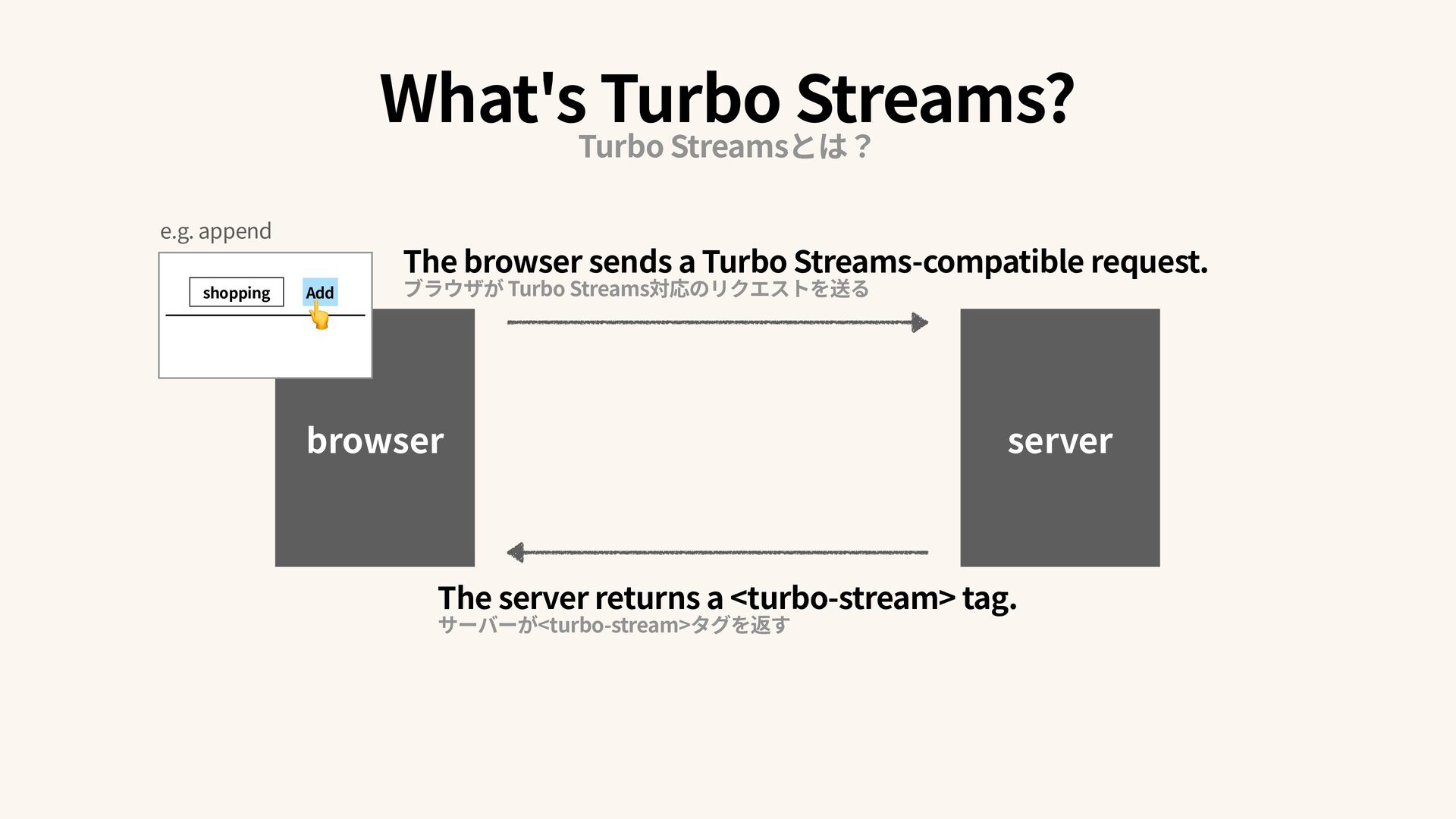
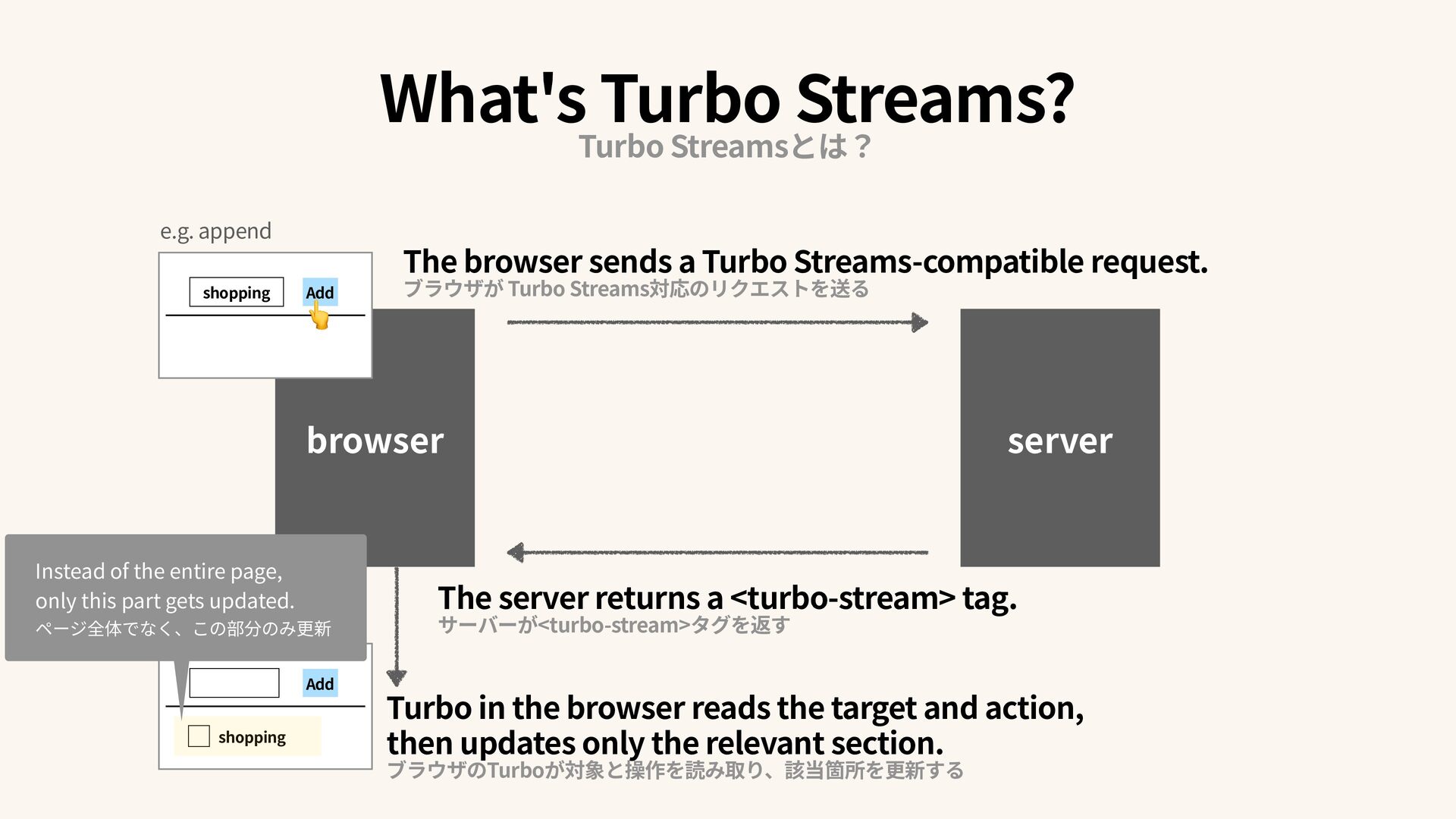
browser server Add shopping 👆 e.g. append The browser sends
a Turbo Streams-compatible request. ブラウザが Turbo Streams対応のリクエストを送る The server returns a <turbo-stream> tag. サーバーが<turbo-stream>タグを返す What's Turbo Streams? Turbo Streamsとは? -
browser Turbo in the browser reads the target and action,
then updates only the relevant section. ブラウザのTurboが対象と操作を読み取り、該当箇所を更新する shopping Add Add shopping 👆 Instead of the entire page, only this part gets updated. ページ全体でなく、この部分のみ更新 The browser sends a Turbo Streams-compatible request. ブラウザが Turbo Streams対応のリクエストを送る server The server returns a <turbo-stream> tag. サーバーが<turbo-stream>タグを返す e.g. append What's Turbo Streams? Turbo Streamsとは? -
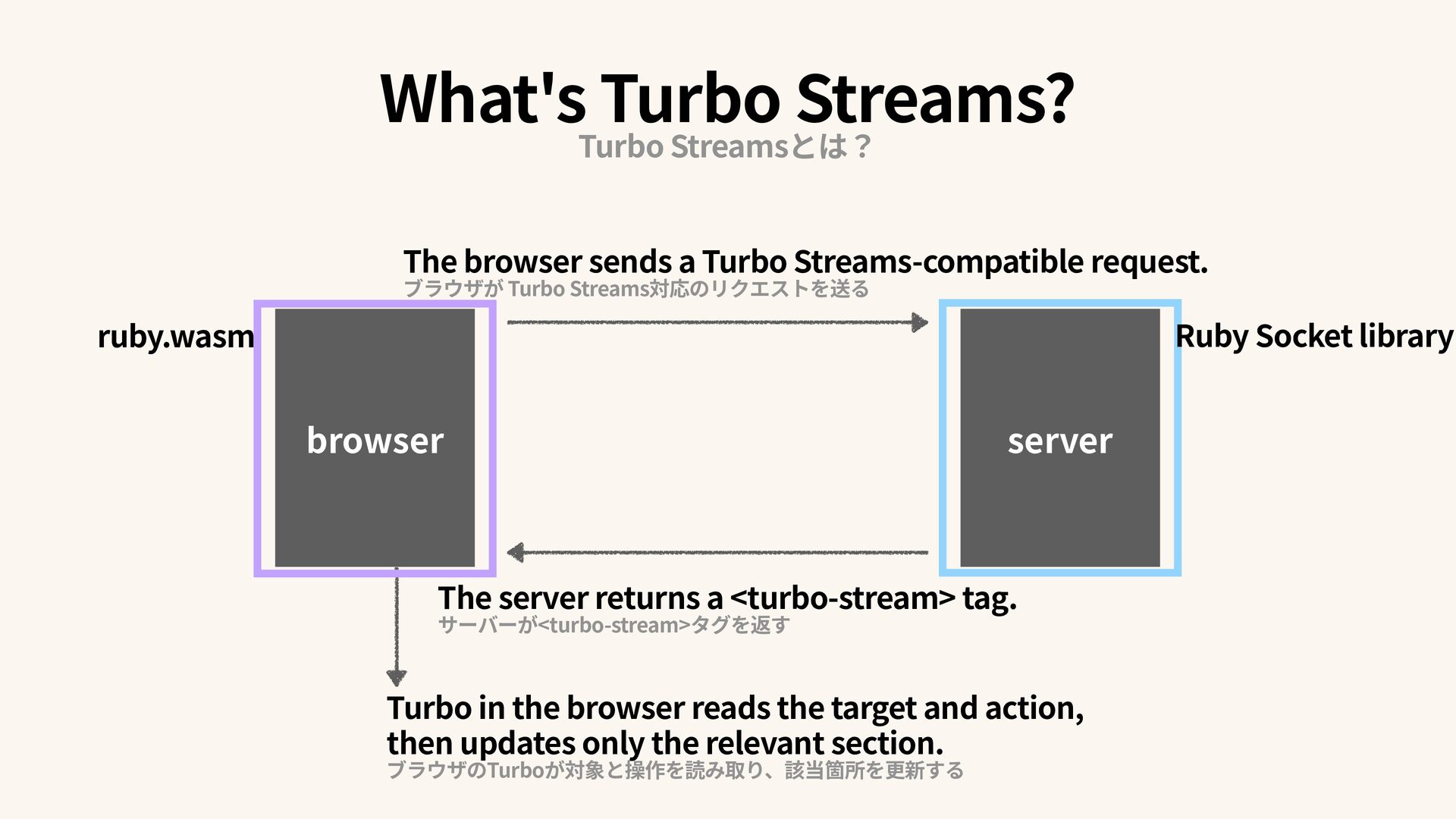
browser server Ruby Socket library ruby.wasm Turbo in the browser
reads the target and action, then updates only the relevant section. ブラウザのTurboが対象と操作を読み取り、該当箇所を更新する The browser sends a Turbo Streams-compatible request. ブラウザが Turbo Streams対応のリクエストを送る The server returns a <turbo-stream> tag. サーバーが<turbo-stream>タグを返す What's Turbo Streams? Turbo Streamsとは? -
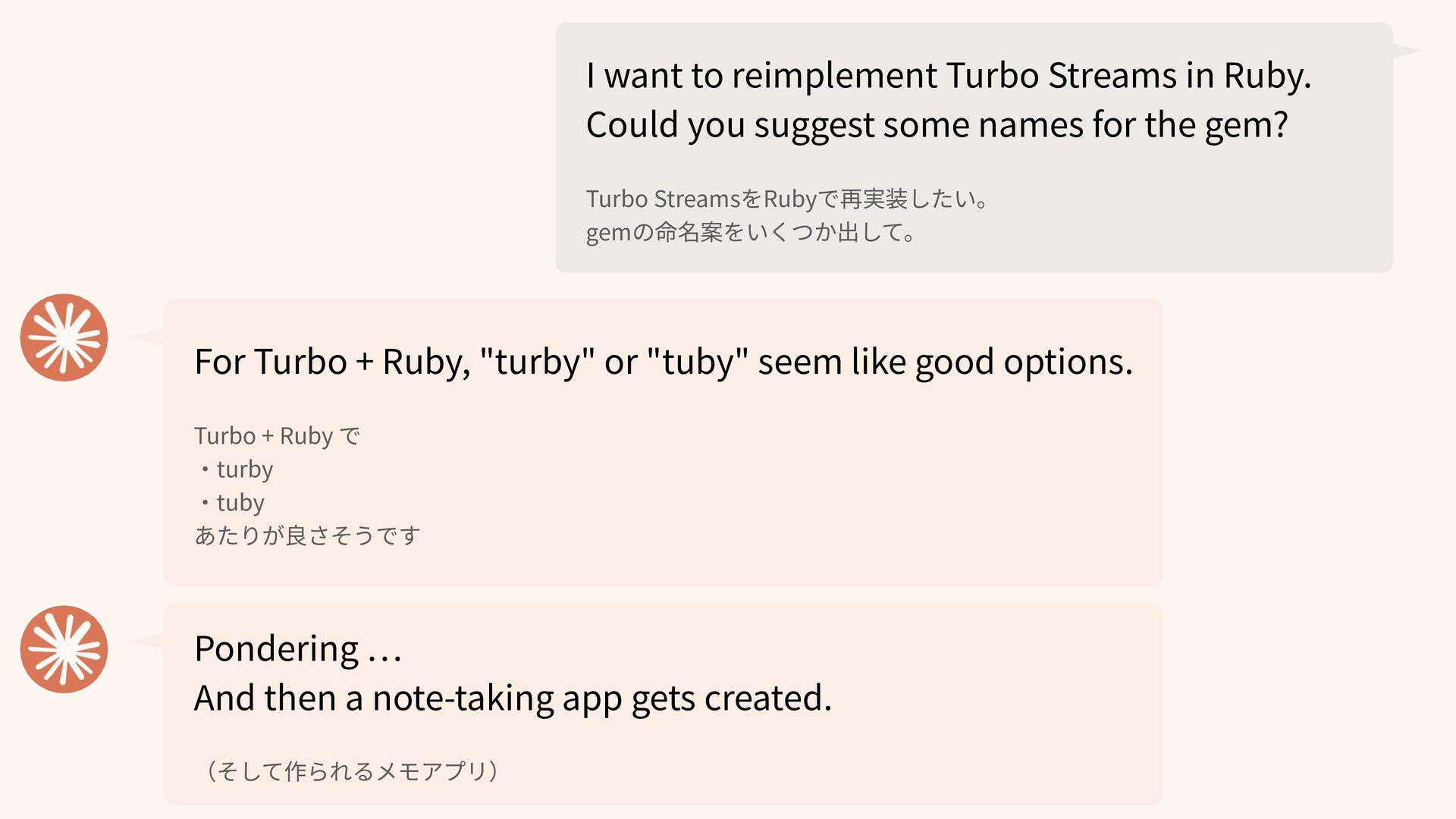
I want to reimplement Turbo Streams in Ruby. Could you
suggest some names for the gem? Turbo StreamsをRubyで再実装したい。 gemの命名案をいくつか出して。 For Turbo + Ruby, "turby" or "tuby" seem like good options. Turbo + Ruby で ・ turby ・ tuby あたりが良さそうです Pondering … And then a note-taking app gets created. (そして作られるメモアプリ) -
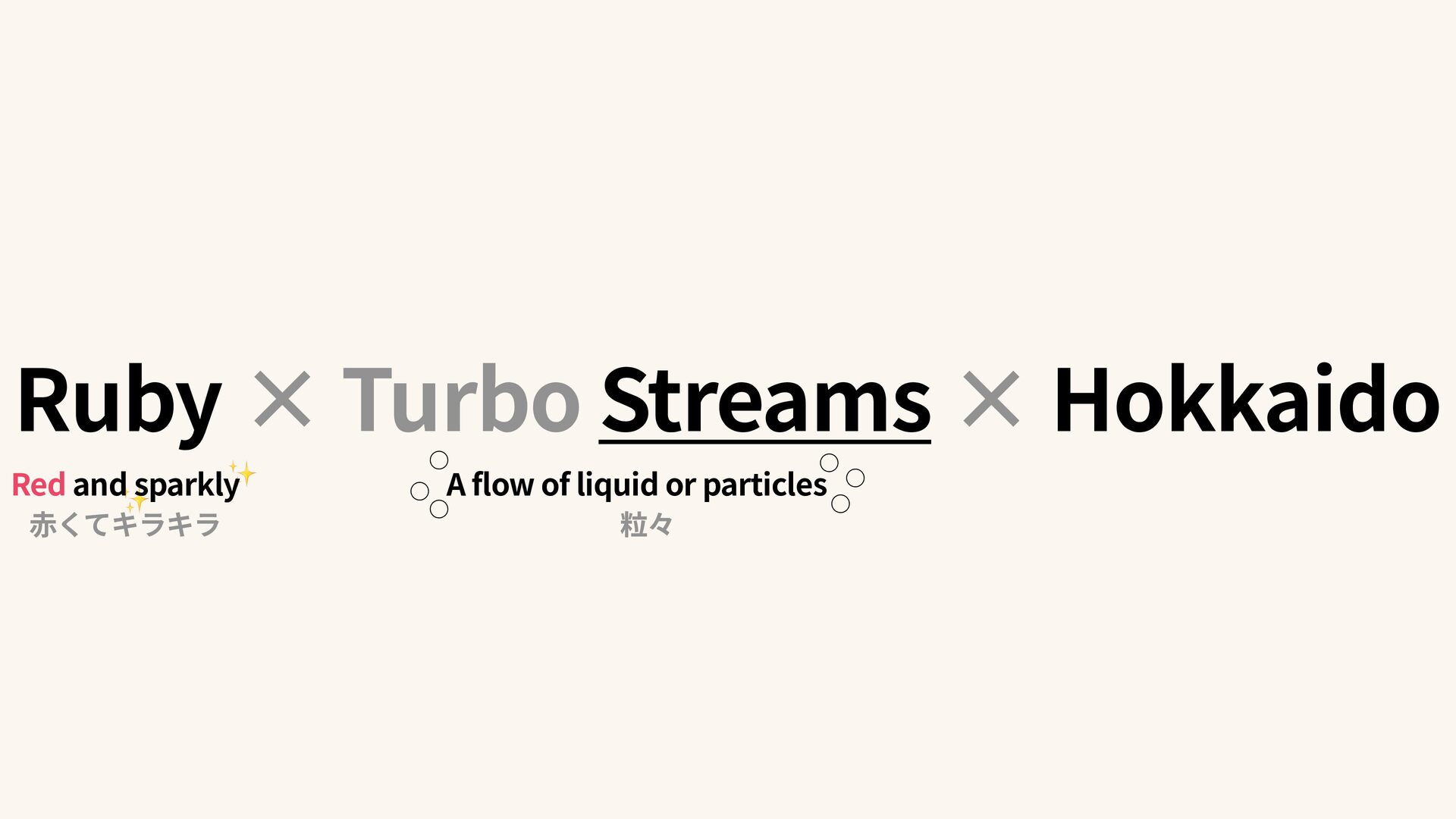
Ruby × Turbo Streams × Hokkaido ✨ ✨ Red and
sparkly 赤 くてキラキラ -
Ruby × Turbo Streams × Hokkaido ✨ ✨ Red and
sparkly ◦ ◦ ◦ A flow of liquid or particles ◦ ◦ ◦ 粒々 赤 くてキラキラ -
Ruby × Turbo Streams × Hokkaido ✨ ✨ Red and
sparkly A flow of liquid or particles 🐟🦑🦀 ・ ・ ?? ◦ ◦ ◦ ◦ ◦ ◦ 赤 くてキラキラ 粒々 -
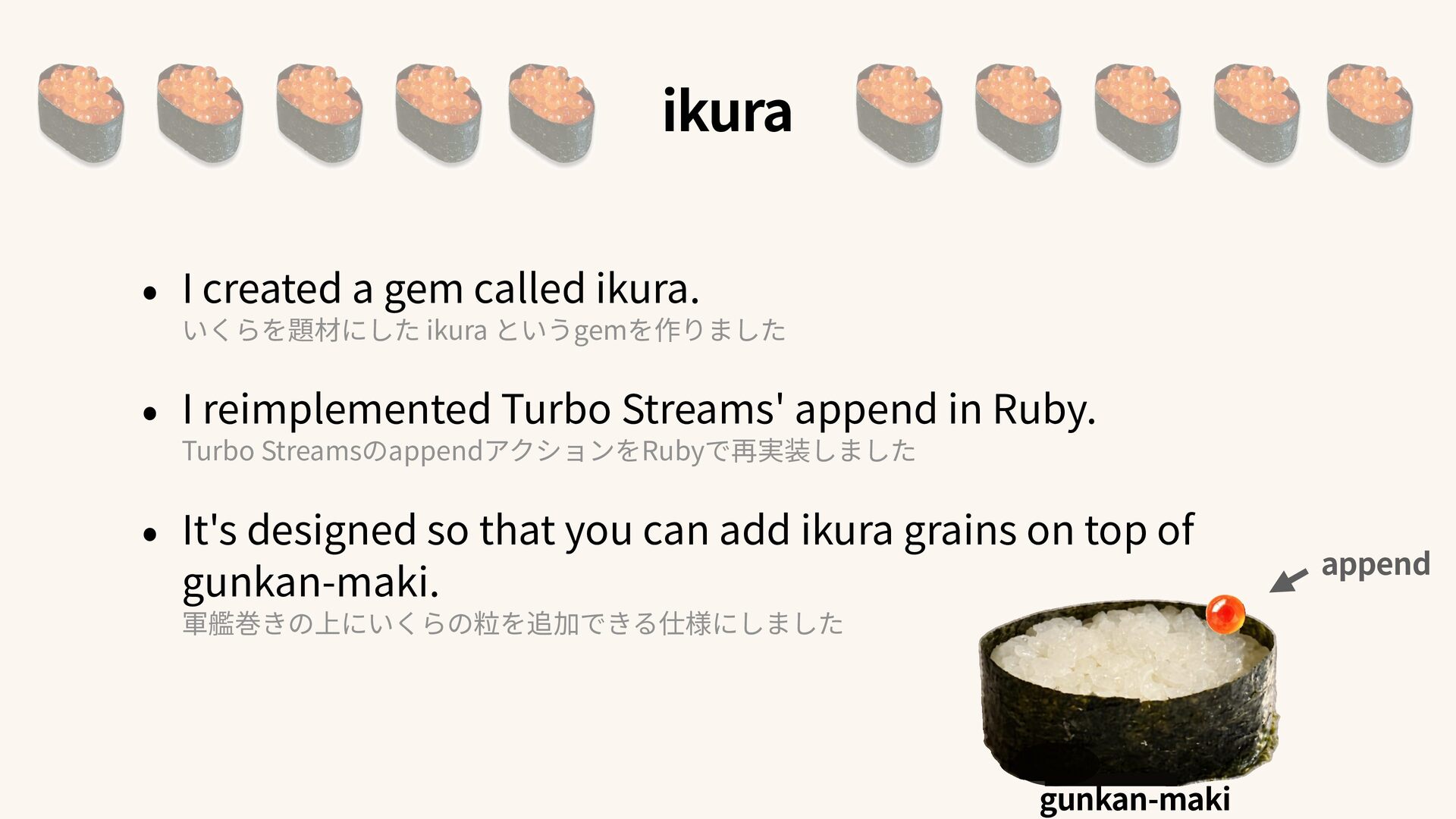
ikura • I created a gem called ikura. いくらを題材にした ikura
というgemを作りました • I reimplemented Turbo Streams' append in Ruby. Turbo StreamsのappendアクションをRubyで再実装しました • It's designed so that you can add ikura grains on top of gunkan-maki. 軍艦巻きの上にいくらの粒を追加できる仕様にしました append gunkan-maki -
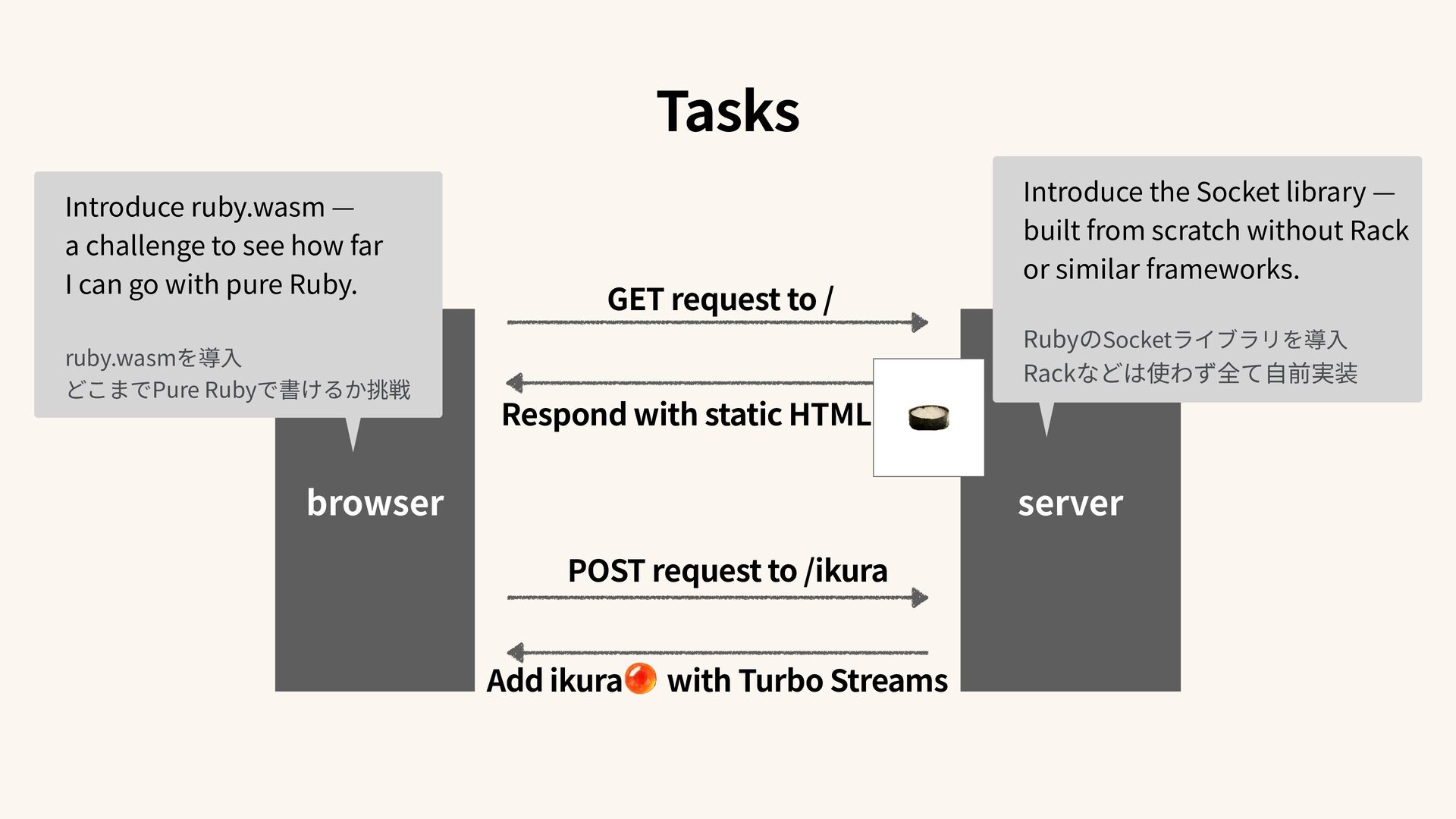
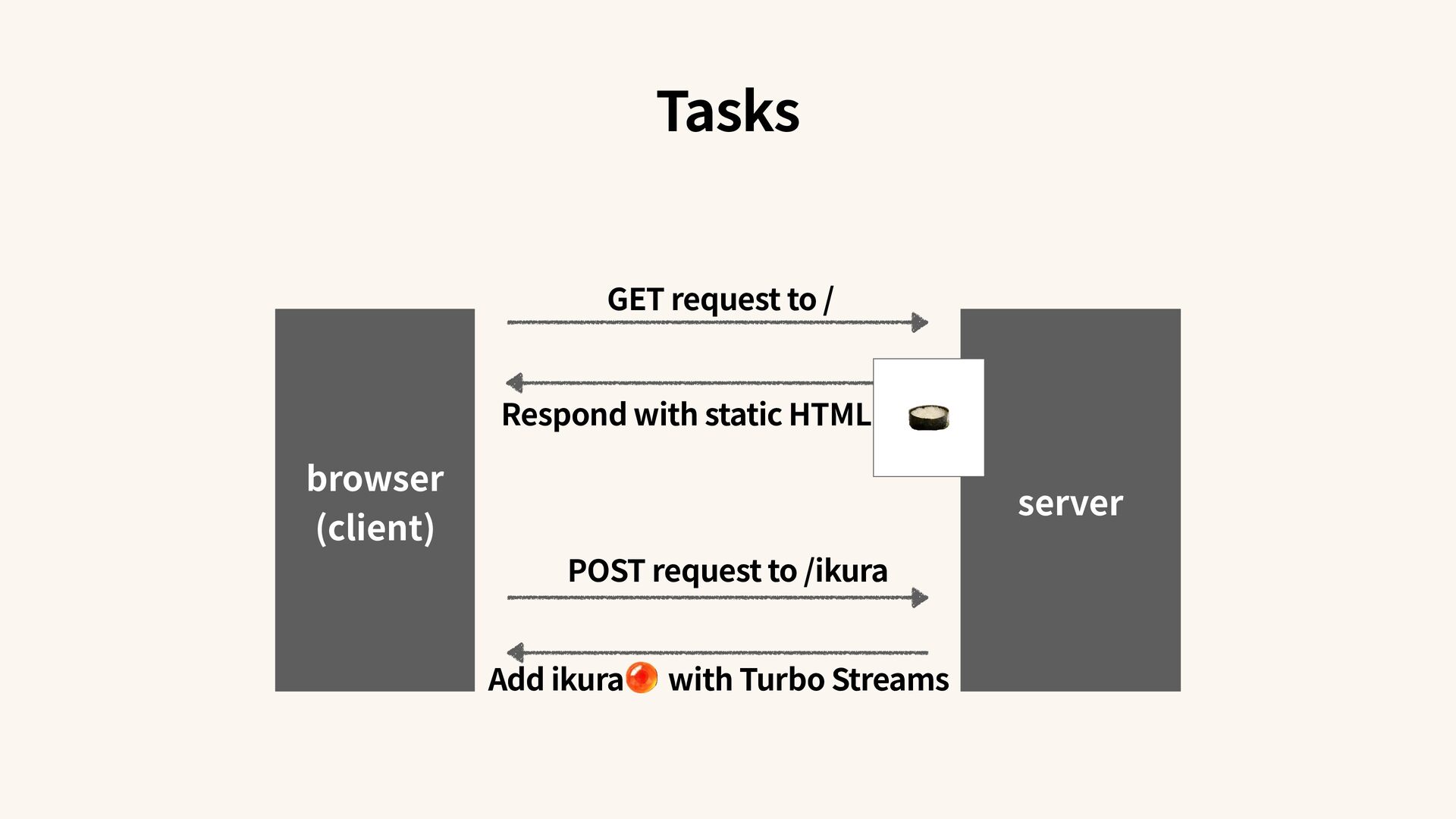
Tasks browser server GET request to / POST request to
/ikura Respond with static HTML Add ikura with Turbo Streams Introduce ruby.wasm — a challenge to see how far I can go with pure Ruby. ruby.wasmを導 入 どこまでPure Rubyで書けるか挑戦 Introduce the Socket library — built from scratch without Rack or similar frameworks. RubyのSocketライブラリを導 入 Rackなどは使わず全て 自 前実装 -
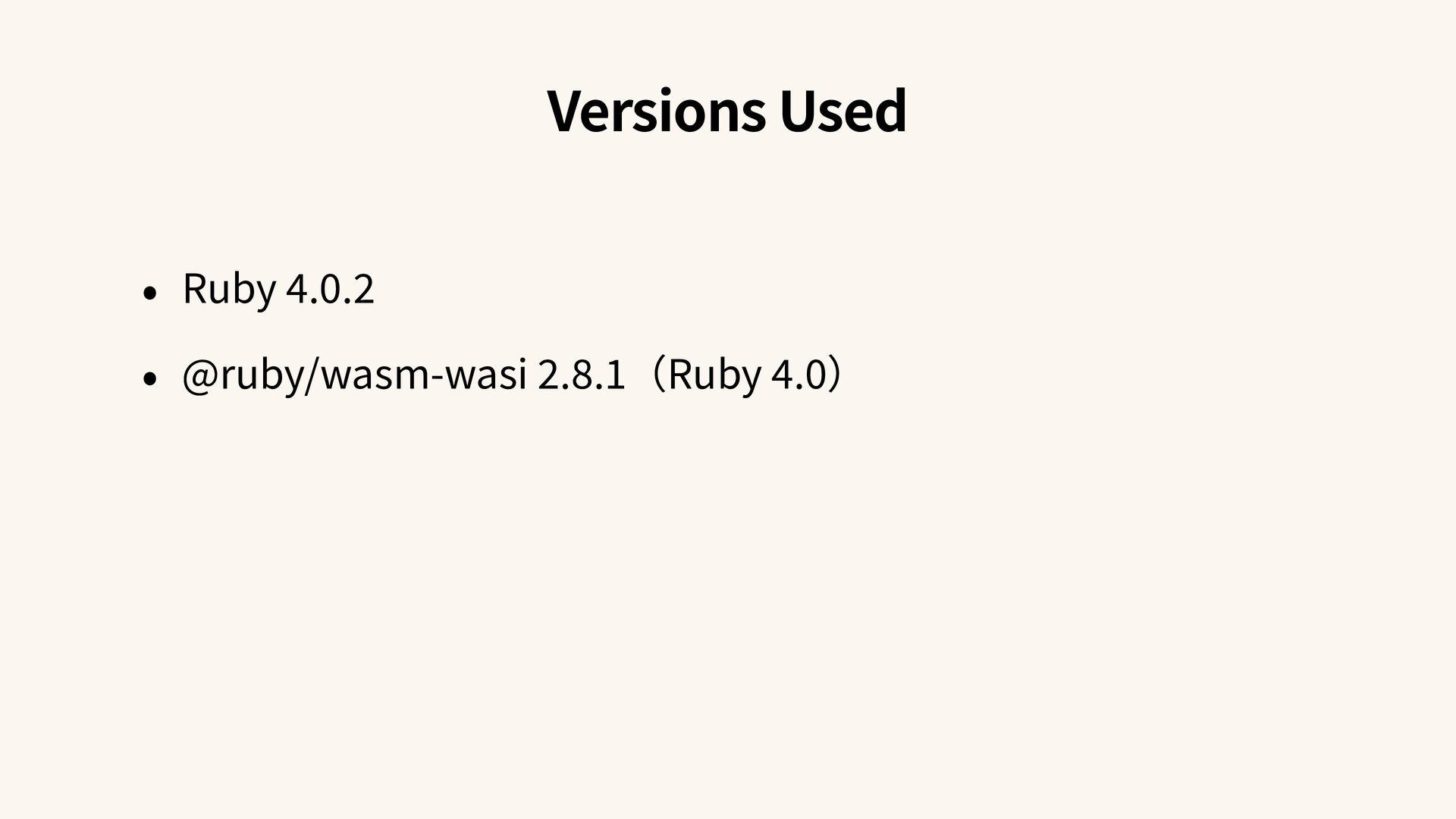
Versions Used • Ruby 4 . 0 . 2 •
@ruby/wasm-wasi 2 . 8 . 1 (Ruby 4 . 0 ) -
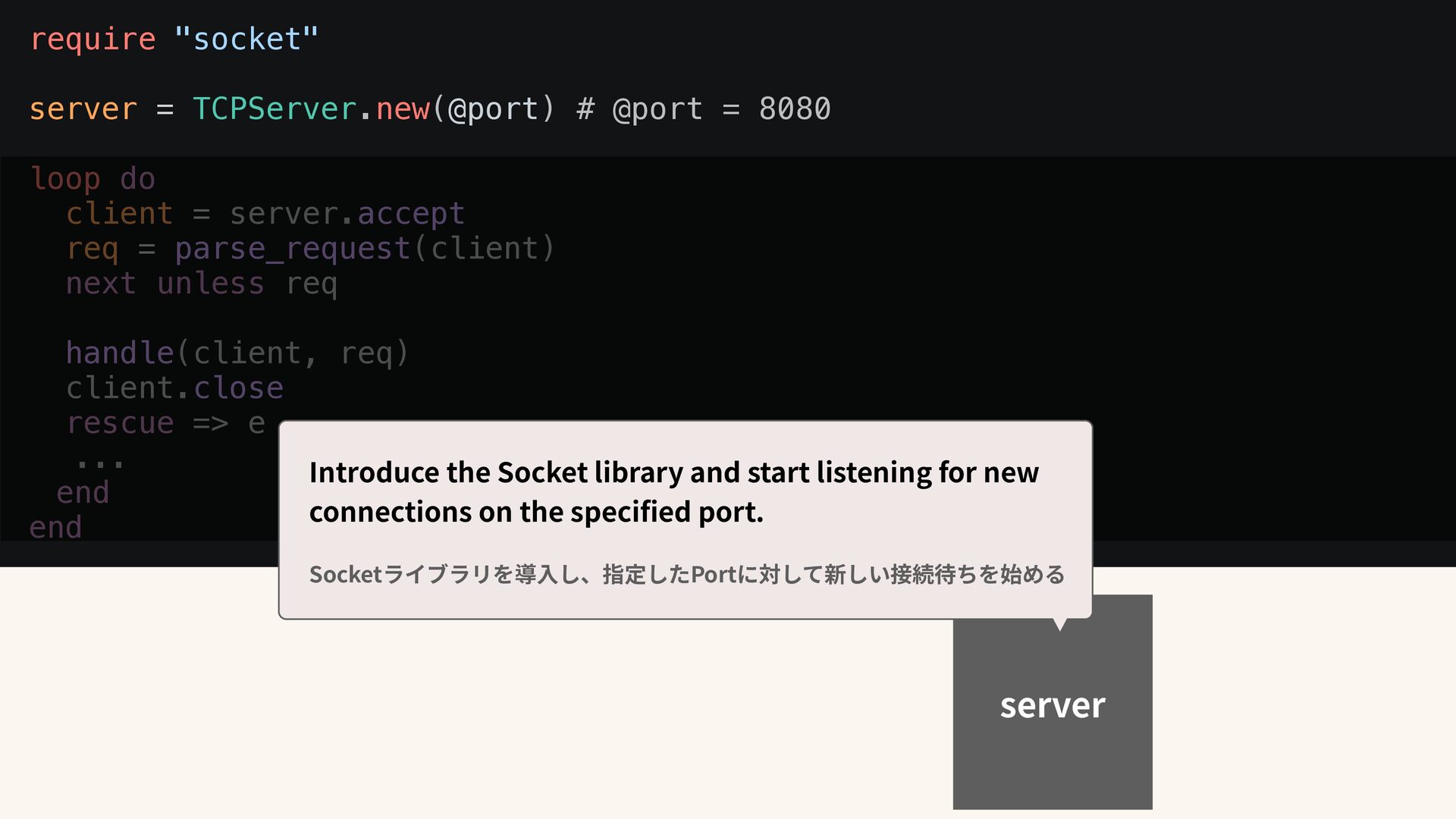
require "socket" server = TCPServer.new(@port) # @port = 8080 loop
do client = server.accept req = parse_request(client) next unless req handle(client, req) client.close rescue => e ... end end server Introduce the Socket library and start listening for new connections on the speci fi ed port. Socketライブラリを導 入 し、指定したPortに対して新しい接続待ちを始める -
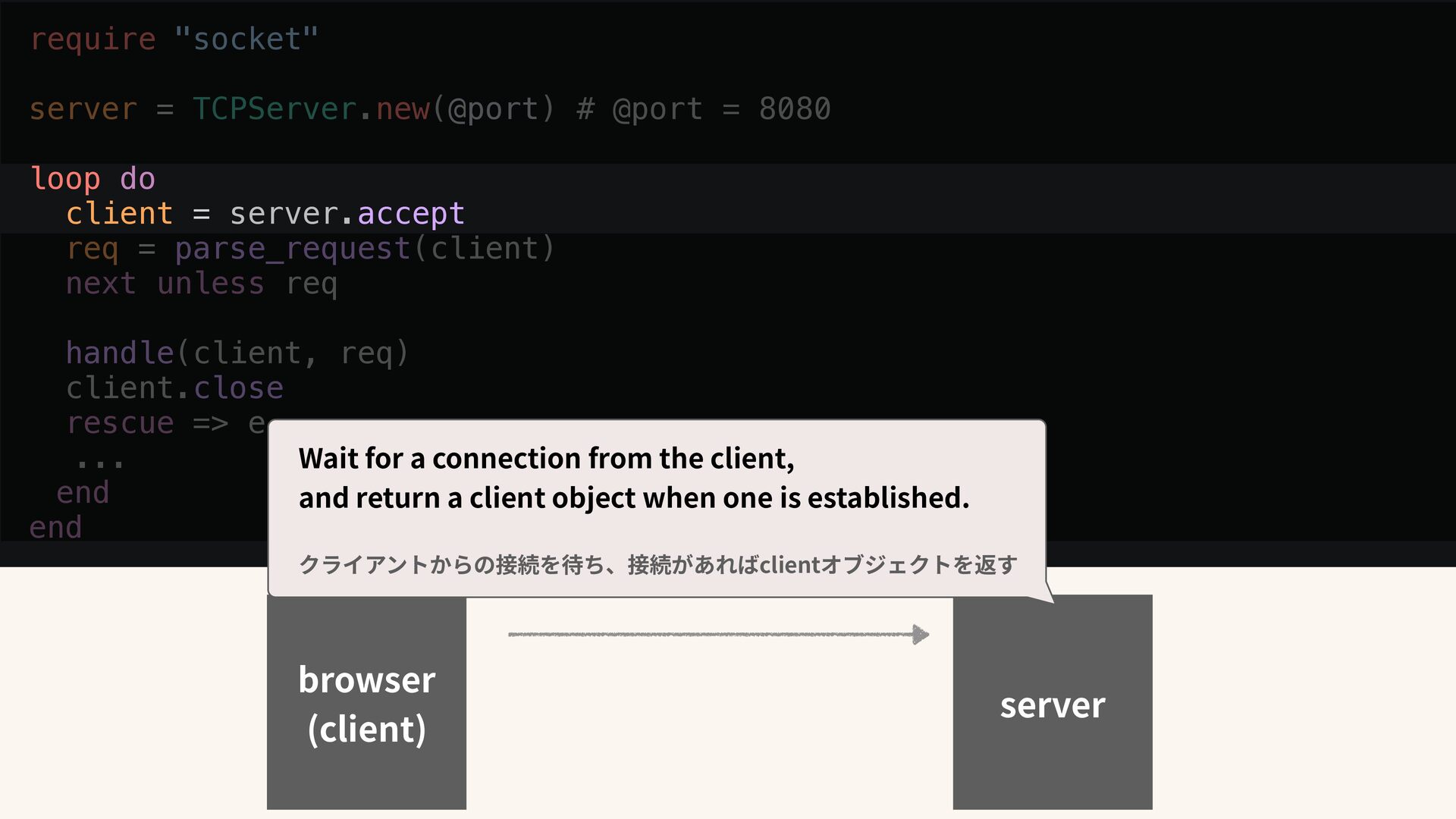
require "socket" server = TCPServer.new(@port) # @port = 8080 loop
do client = server.accept req = parse_request(client) next unless req handle(client, req) client.close rescue => e ... end end server browser (client) Wait for a connection from the client, and return a client object when one is established. クライアントからの接続を待ち、接続があればclientオブジェクトを返す -
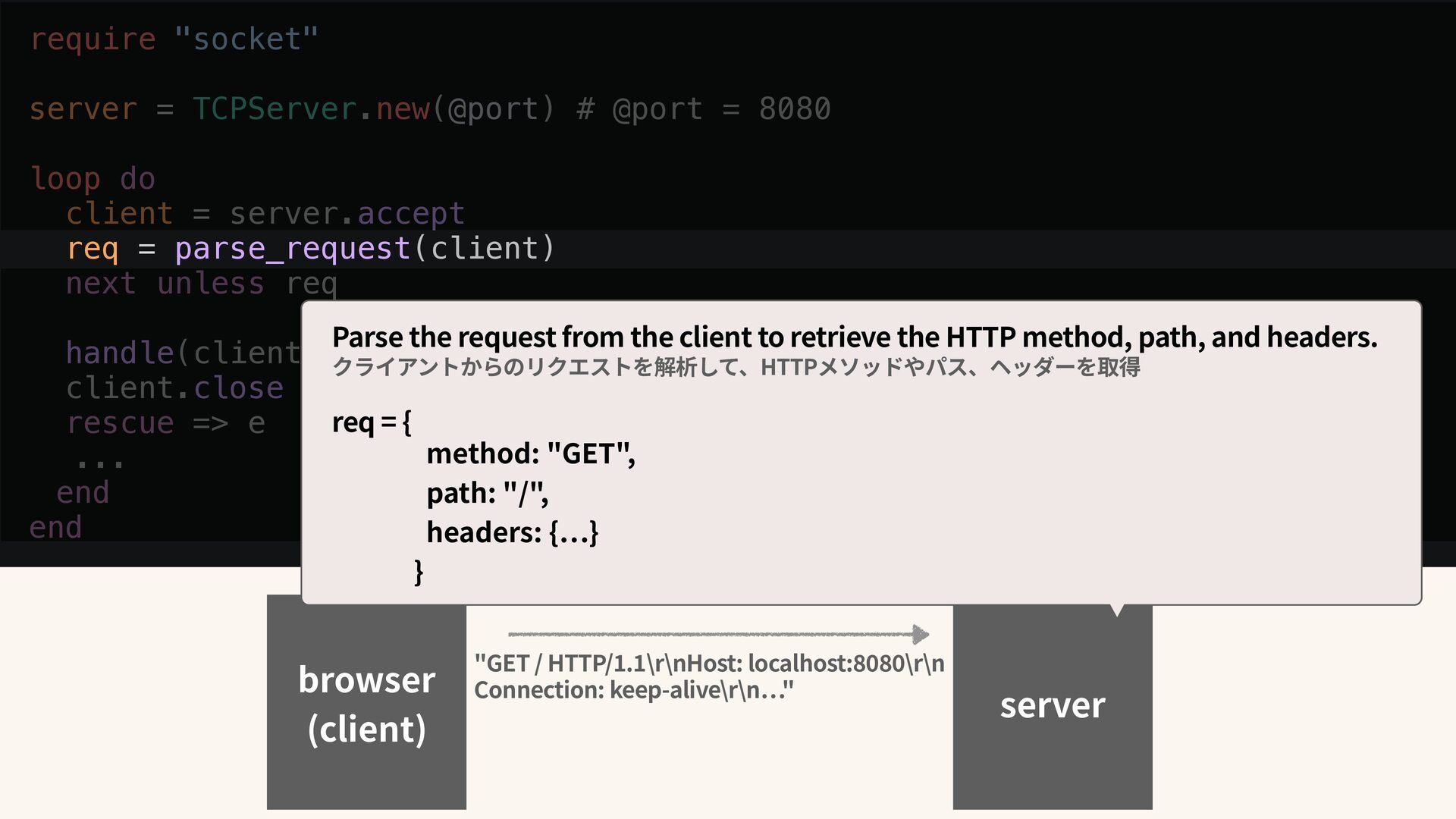
server require "socket" server = TCPServer.new(@port) # @port = 8080
loop do client = server.accept req = parse_request(client) next unless req handle(client, req) client.close rescue => e ... end end browser (client) Parse the request from the client to retrieve the HTTP method, path, and headers. クライアントからのリクエストを解析して、HTTPメソッドやパス、ヘッダーを取得 req = { method: "GET", path: "/", headers: { … } } "GET / HTTP/ 1 . 1 \r\nHost: localhost: 8 0 8 0 \r\n Connection: keep-alive\r\n … " -
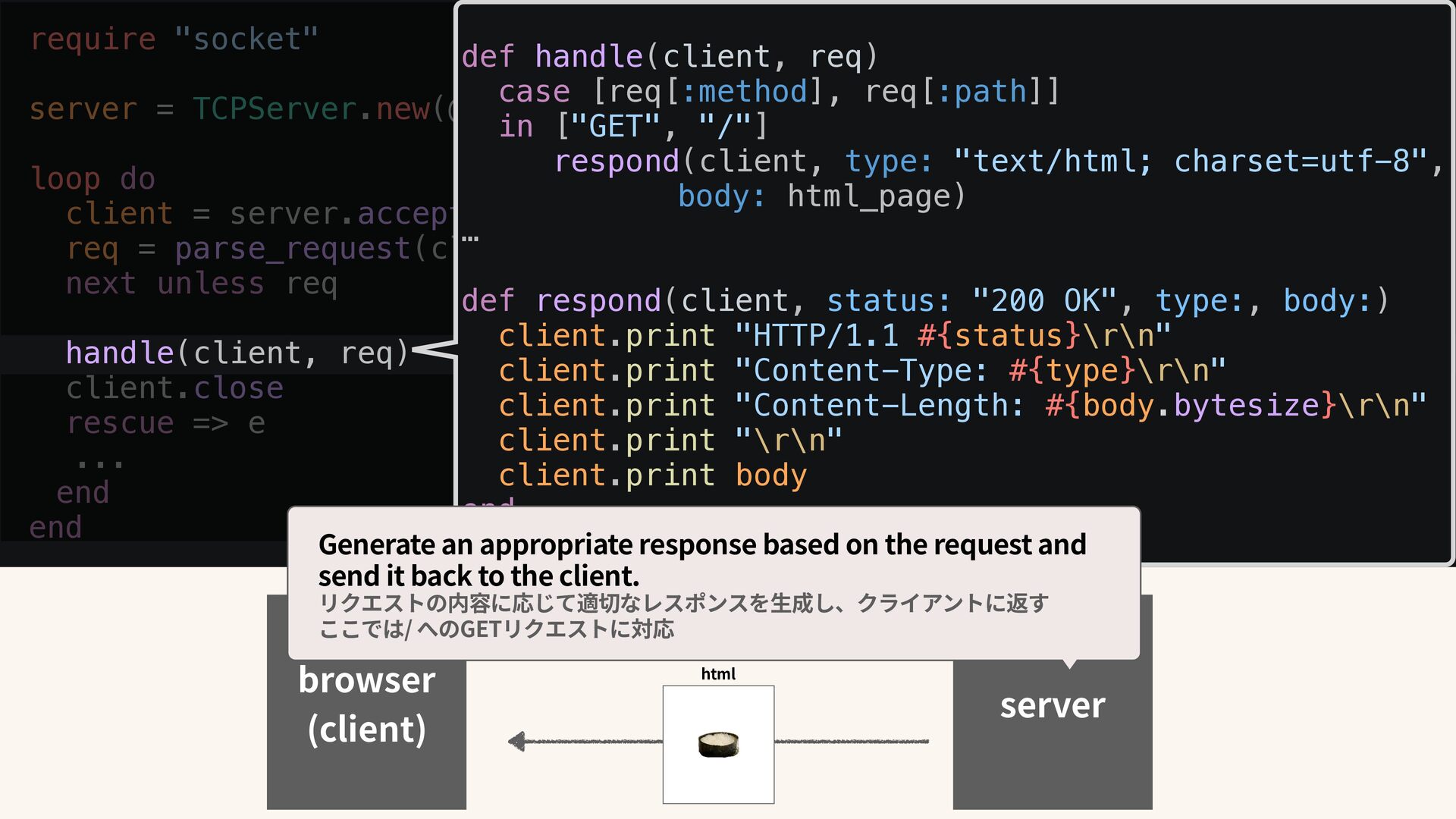
server require "socket" server = TCPServer.new(@port) # @port = 8080
loop do client = server.accept req = parse_request(client) next unless req handle(client, req) client.close rescue => e ... end end browser (client) html def handle(client, req) case [req[:method], req[:path]] in ["GET", "/"] respond(client, type: "text/html; charset=utf-8", body: html_page) … def respond(client, status: "200 OK", type:, body:) client.print "HTTP/1.1 #{status}\r\n" client.print "Content-Type: #{type}\r\n" client.print "Content-Length: #{body.bytesize}\r\n" client.print "\r\n" client.print body end Generate an appropriate response based on the request and send it back to the client. リクエストの内容に応じて適切なレスポンスを 生 成し、クライアントに返す ここでは/ へのGETリクエストに対応 -
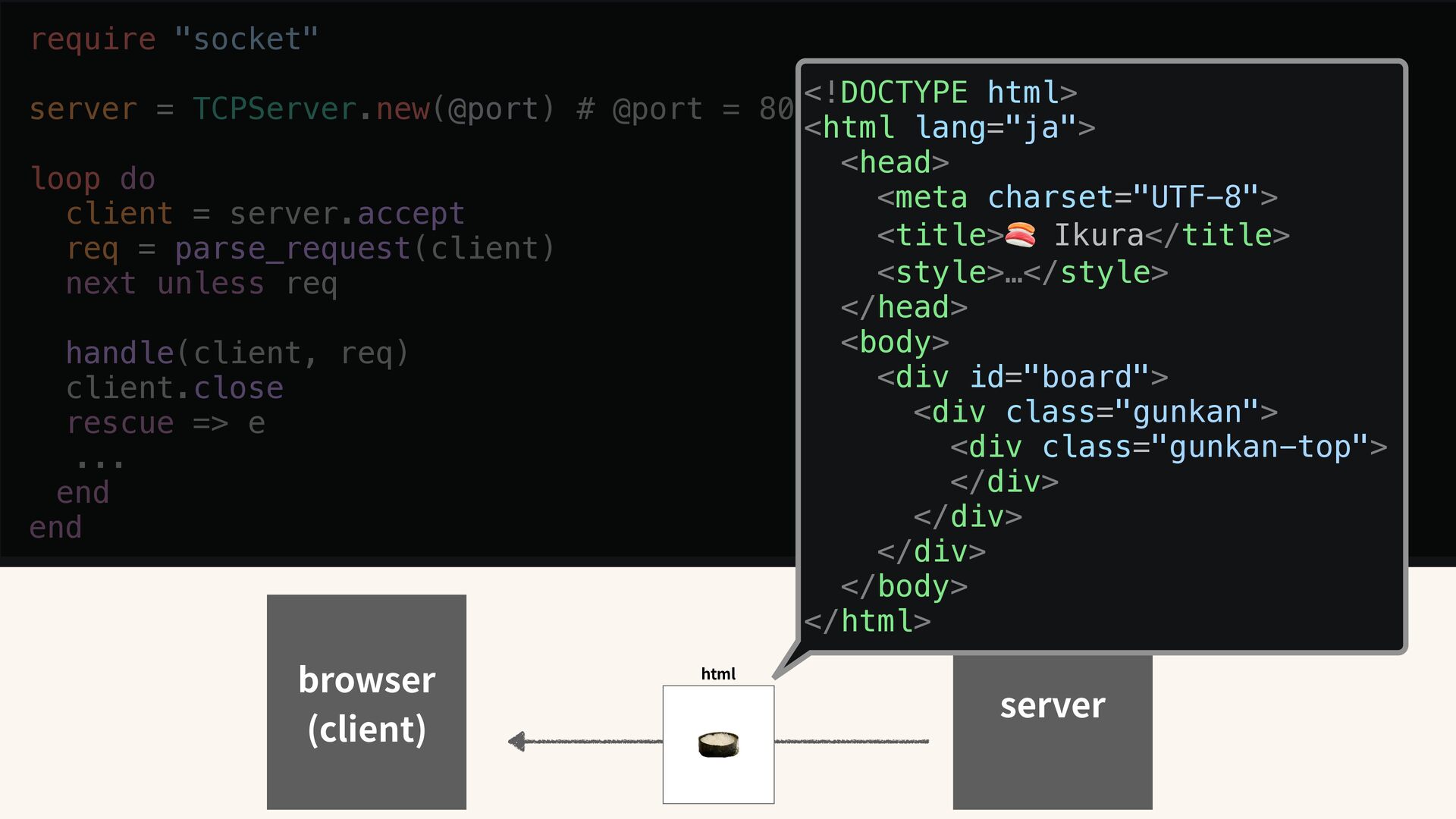
server require "socket" server = TCPServer.new(@port) # @port = 8080
loop do client = server.accept req = parse_request(client) next unless req handle(client, req) client.close rescue => e ... end end browser (client) html <!DOCTYPE html> <html lang="ja"> <head> <meta charset="UTF-8"> <title>🍣 Ikura</title> <style>…</style> </head> <body> <div id="board"> <div class="gunkan"> <div class="gunkan-top"> </div> </div> </div> </body> </html> -
Tasks browser (client) server GET request to / POST request
to /ikura Respond with static HTML Add ikura with Turbo Streams -
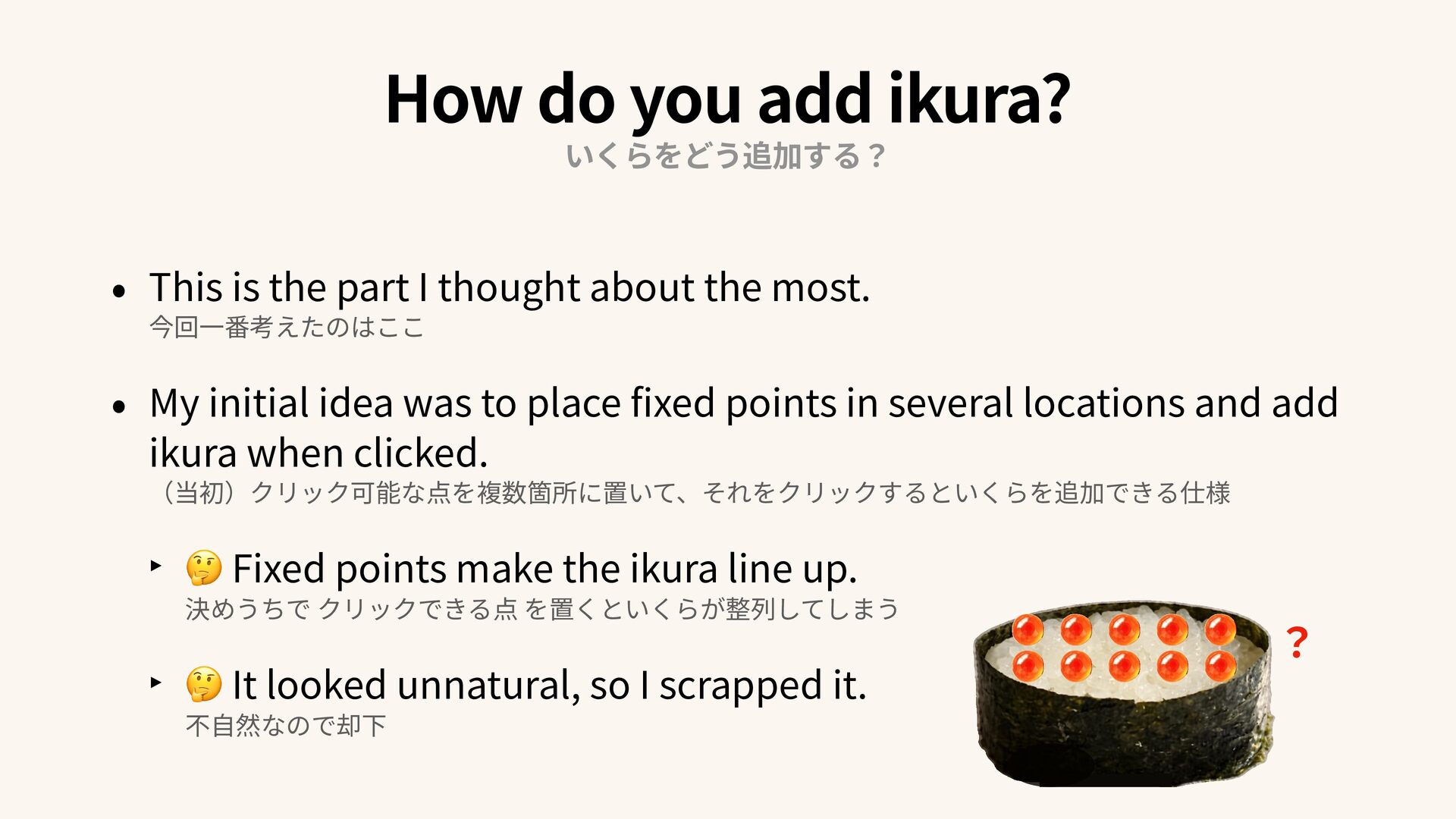
How do you add ikura? いくらをどう追加する? • This is the
part I thought about the most. 今回 一 番考えたのはここ • My initial idea was to place fi xed points in several locations and add ikura when clicked. (当初)クリック可能な点を複数箇所に置いて、それをクリックするといくらを追加できる仕様 ‣ 🤔 Fixed points make the ikura line up. 決めうちで クリックできる点 を置くといくらが整列してしまう ‣ 🤔 It looked unnatural, so I scrapped it. 不 自 然なので却下 ? -
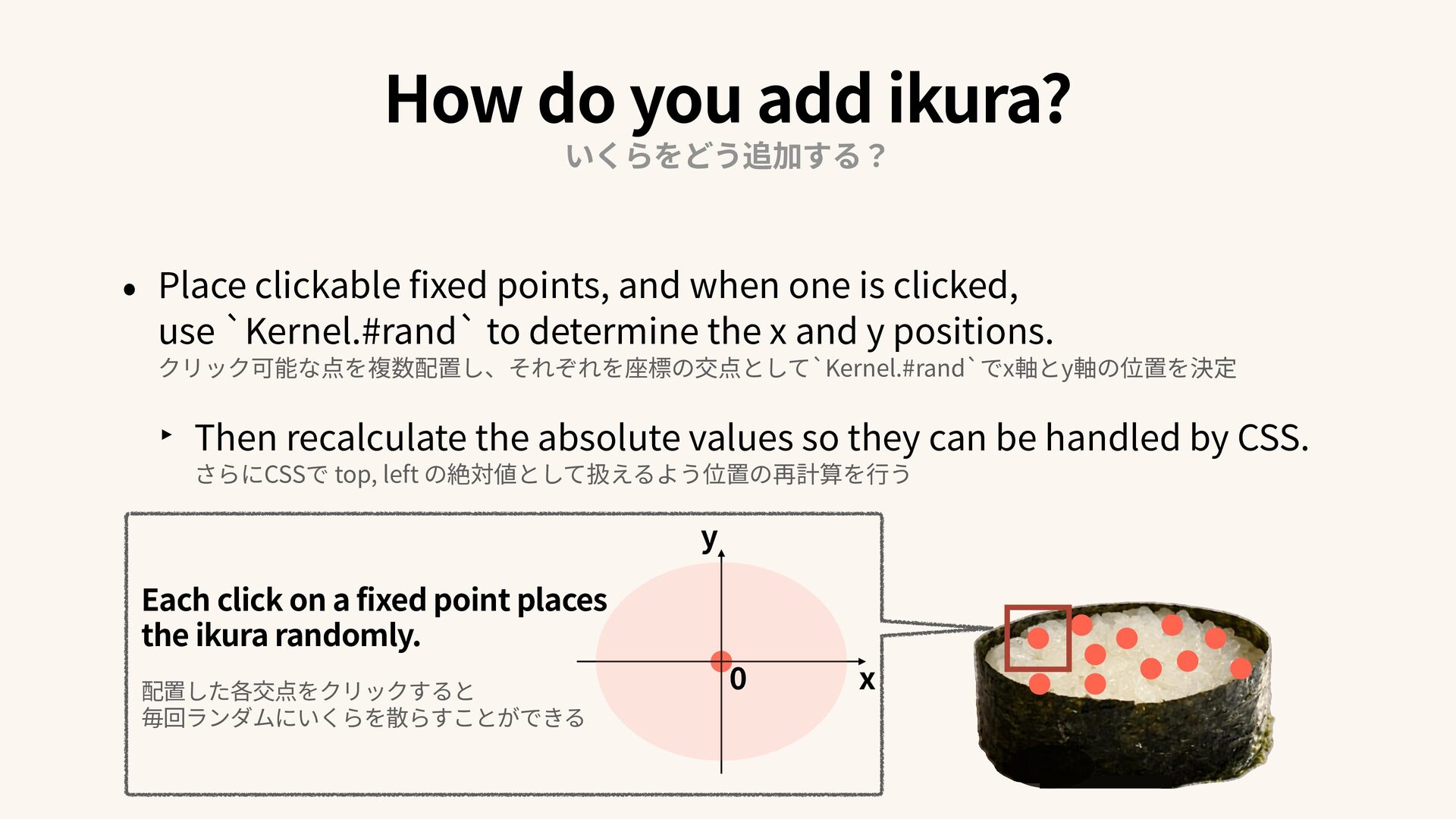
0 • Place clickable fi xed points, and when one
is clicked, use `Kernel.#rand` to determine the x and y positions. クリック可能な点を複数配置し、それぞれを座標の交点として`Kernel.#rand`でx軸とy軸の位置を決定 ‣ Then recalculate the absolute values so they can be handled by CSS. さらにCSSで top, left の絶対値として扱えるよう位置の再計算を 行 う Each click on a fixed point places the ikura randomly. 配置した各交点をクリックすると 毎回ランダムにいくらを散らすことができる y x How do you add ikura? いくらをどう追加する? -
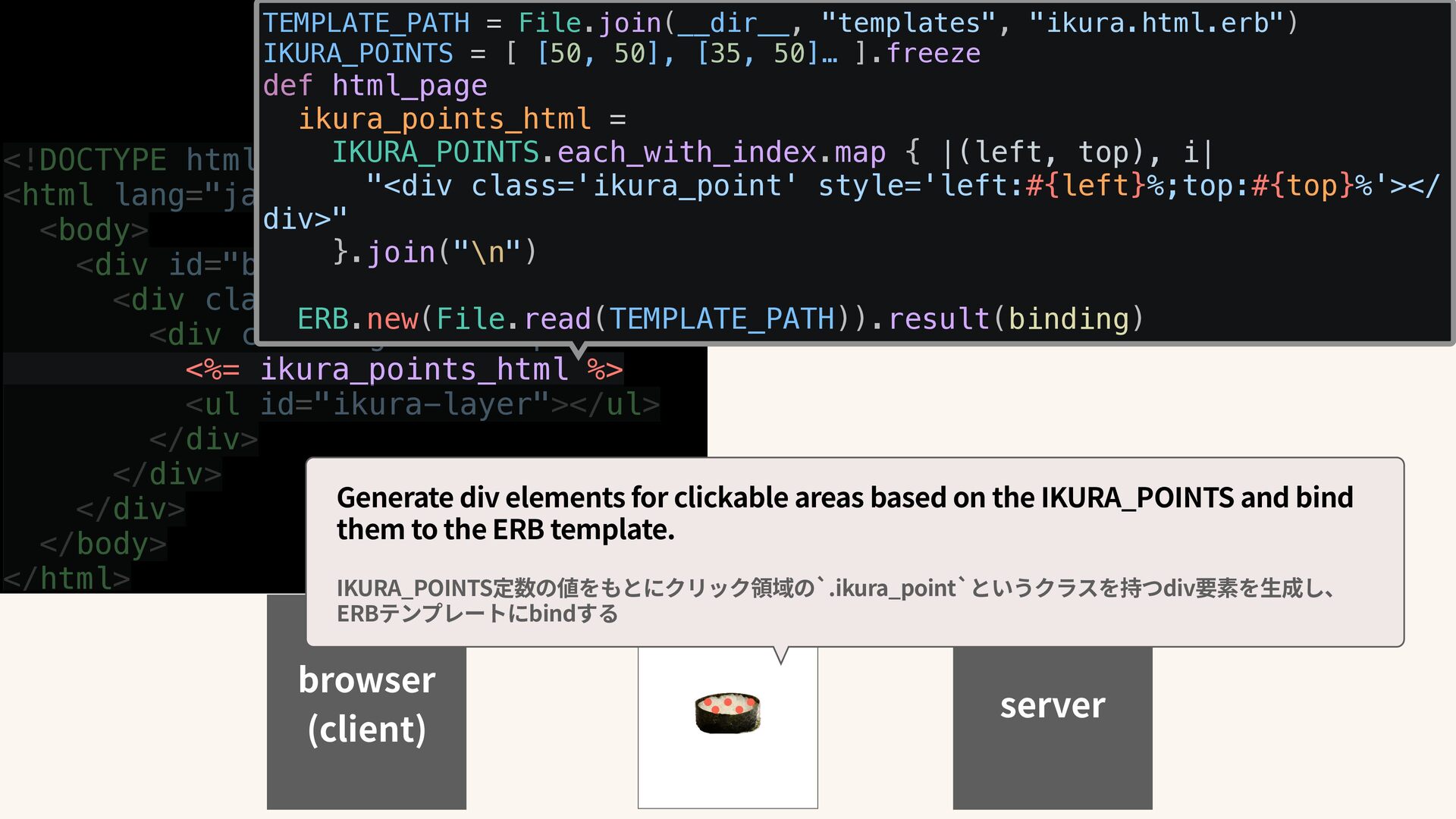
<!DOCTYPE html> <html lang="ja"> <body> <div id="board"> <div class="gunkan"> <div
class="gunkan-top"> <%= ikura_points_html %> <ul id="ikura-layer"></ul> </div> </div> </div> </body> </html> bodyとしてブラウザに返すHTML GETで返すbodyにikura_pointsを配置 TEMPLATE_PATH = File.join(__dir__, "templates", "ikura.html.erb") IKURA_POINTS = [ [50, 50], [35, 50]… ].freeze def html_page ikura_points_html = IKURA_POINTS.each_with_index.map { |(left, top), i| "<div class='ikura_point' style='left:#{left}%;top:#{top}%'></ div>" }.join("\n") ERB.new(File.read(TEMPLATE_PATH)).result(binding) browser (client) server ・ ・ ・ ・ ・ Generate div elements for clickable areas based on the IKURA_POINTS and bind them to the ERB template. IKURA_POINTS定数の値をもとにクリック領域の`.ikura_point`というクラスを持つdiv要素を 生 成し、 ERBテンプレートにbindする -
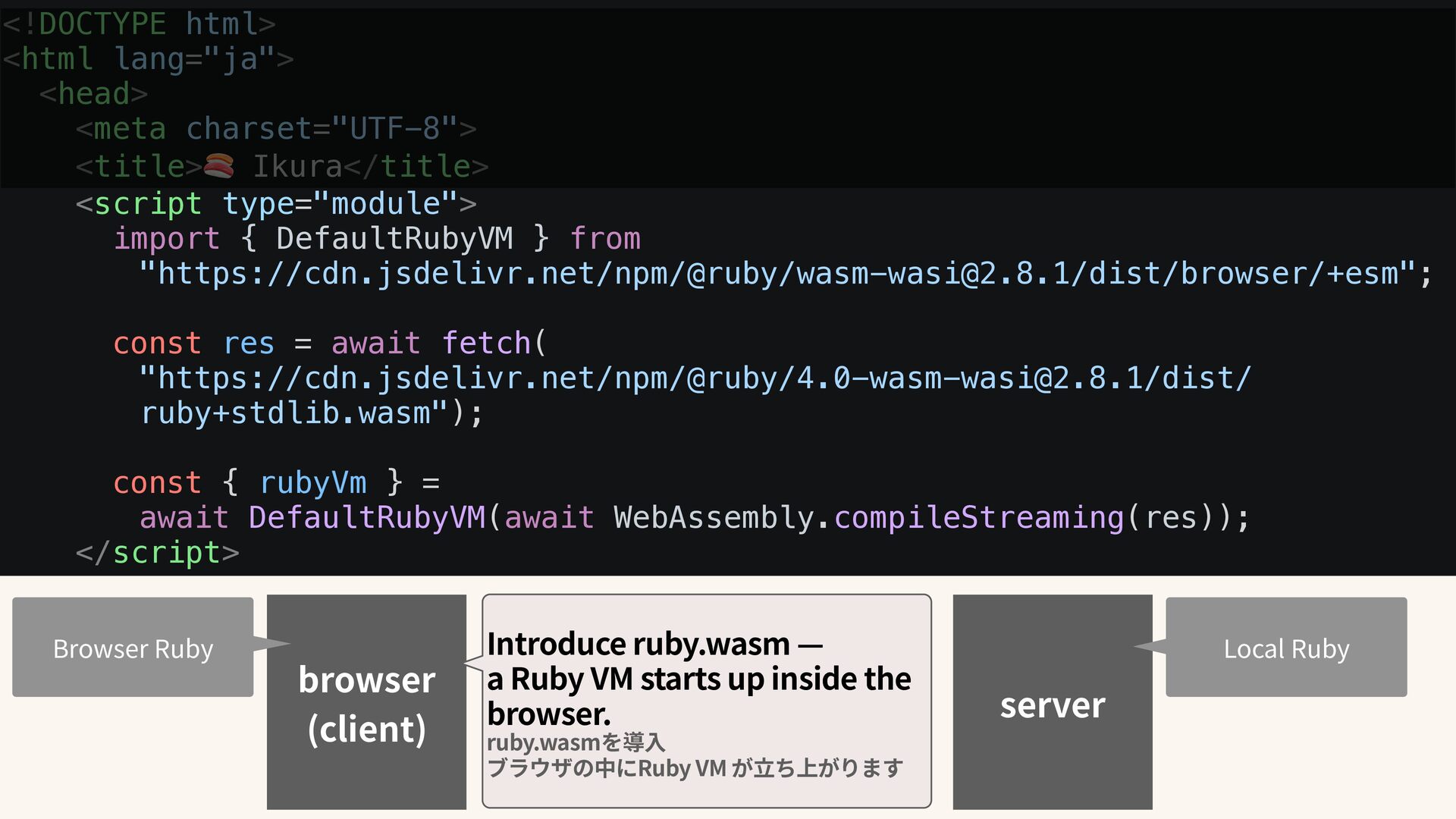
<!DOCTYPE html> <html lang="ja"> <head> <meta charset="UTF-8"> <title>🍣 Ikura</title> <script
type="module"> import { DefaultRubyVM } from "https://cdn.jsdelivr.net/npm/@ruby/[email protected]/dist/browser/+esm"; const res = await fetch( "https://cdn.jsdelivr.net/npm/@ruby/[email protected]/dist/ ruby+stdlib.wasm"); const { rubyVm } = await DefaultRubyVM(await WebAssembly.compileStreaming(res)); </script> browser (client) Browser Ruby Introduce ruby.wasm — a Ruby VM starts up inside the browser. ruby.wasmを導 入 ブラウザの中にRuby VM が 立 ち上がります server Local Ruby -
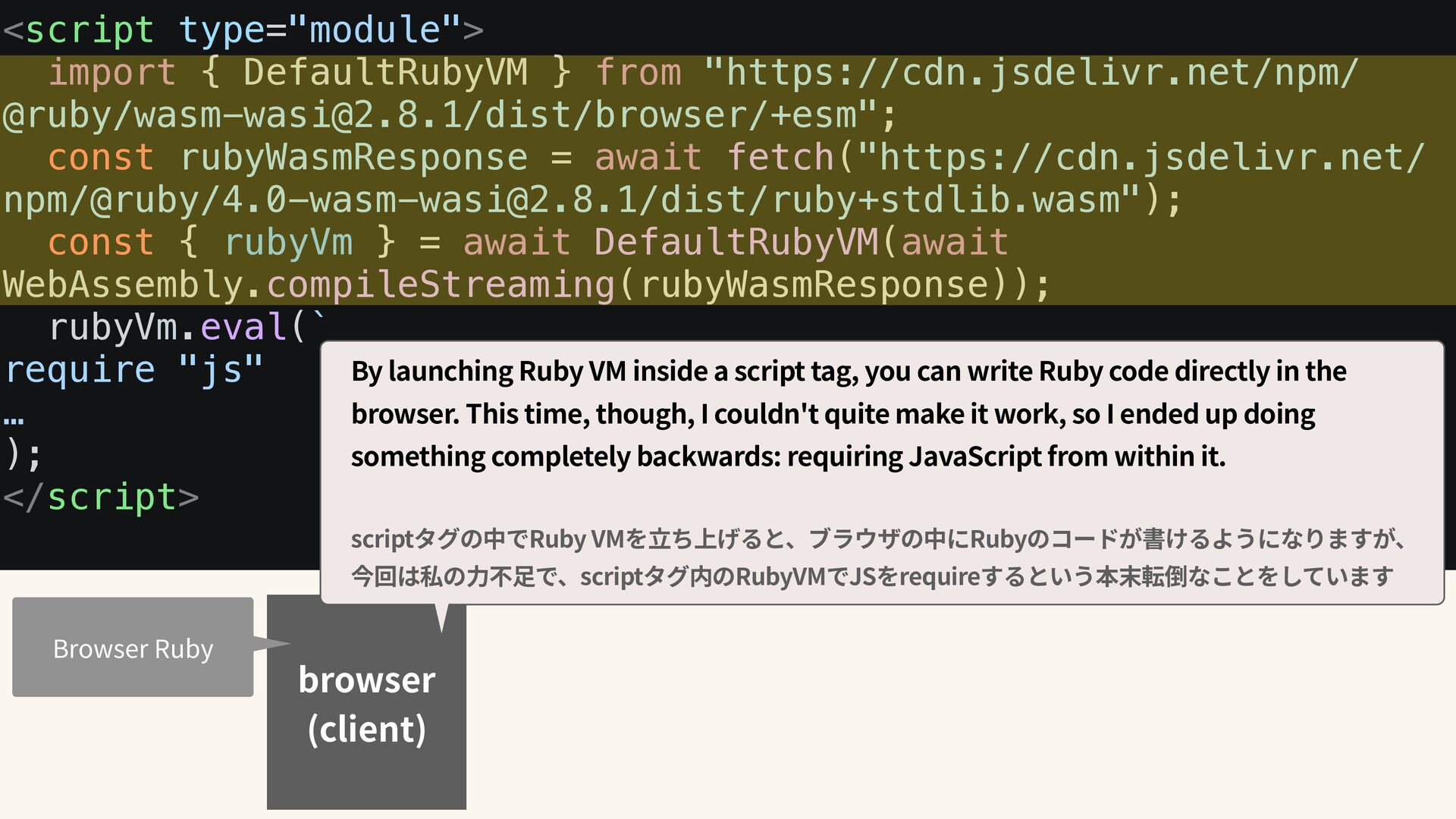
<script type="module"> import { DefaultRubyVM } from "https://cdn.jsdelivr.net/npm/ @ruby/[email protected]/dist/browser/+esm"; const
rubyWasmResponse = await fetch("https://cdn.jsdelivr.net/ npm/@ruby/[email protected]/dist/ruby+stdlib.wasm"); const { rubyVm } = await DefaultRubyVM(await WebAssembly.compileStreaming(rubyWasmResponse)); rubyVm.eval(` require "js" … ); </script> browser (client) By launching Ruby VM inside a script tag, you can write Ruby code directly in the browser. This time, though, I couldn't quite make it work, so I ended up doing something completely backwards: requiring JavaScript from within it. scriptタグの中でRuby VMを 立 ち上げると、ブラウザの中にRubyのコードが書けるようになりますが、 今回は私の 力 不 足 で、scriptタグ内のRubyVMでJSをrequireするという本末転倒なことをしています Browser Ruby -
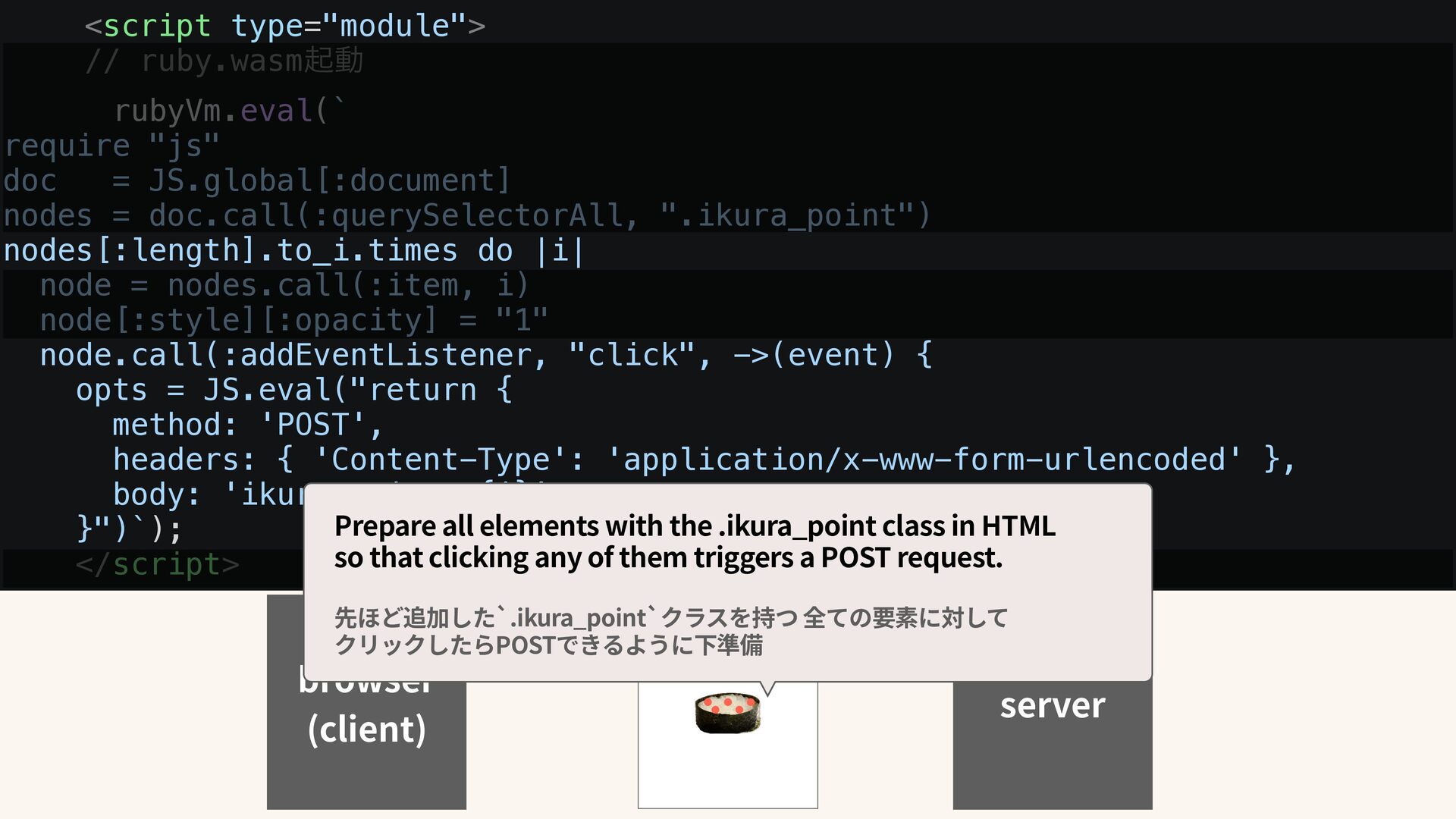
<script type="module"> // ruby.wasmىಈ rubyVm.eval(` require "js" doc = JS.global[:document]
nodes = doc.call(:querySelectorAll, ".ikura_point") nodes[:length].to_i.times do |i| node = nodes.call(:item, i) node[:style][:opacity] = "1" node.call(:addEventListener, "click", ->(event) { opts = JS.eval("return { method: 'POST', headers: { 'Content-Type': 'application/x-www-form-urlencoded' }, body: 'ikura_point=#{i}' }")`); </script> browser (client) ・ ・ ・ ・ ・ server Prepare all elements with the .ikura_point class in HTML so that clicking any of them triggers a POST request. 先ほど追加した`.ikura_point`クラスを持つ 全ての要素に対して クリックしたらPOSTできるように下準備 -
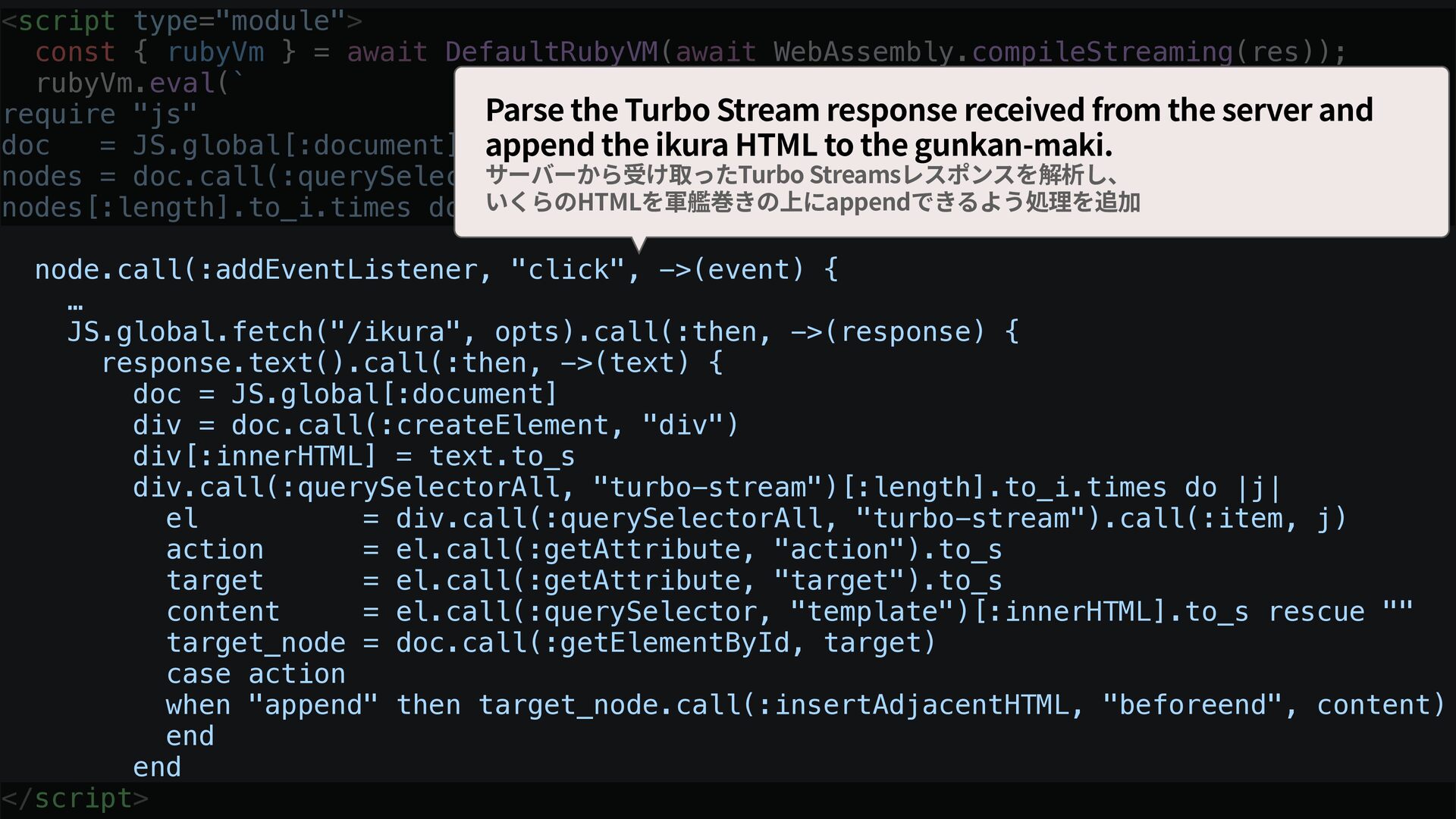
<script type="module"> const { rubyVm } = await DefaultRubyVM(await WebAssembly.compileStreaming(res));
rubyVm.eval(` require "js" doc = JS.global[:document] nodes = doc.call(:querySelectorAll, ".ikura_point") nodes[:length].to_i.times do |i| node.call(:addEventListener, "click", ->(event) { … JS.global.fetch("/ikura", opts).call(:then, ->(response) { response.text().call(:then, ->(text) { doc = JS.global[:document] div = doc.call(:createElement, "div") div[:innerHTML] = text.to_s div.call(:querySelectorAll, "turbo-stream")[:length].to_i.times do |j| el = div.call(:querySelectorAll, "turbo-stream").call(:item, j) action = el.call(:getAttribute, "action").to_s target = el.call(:getAttribute, "target").to_s content = el.call(:querySelector, "template")[:innerHTML].to_s rescue "" target_node = doc.call(:getElementById, target) case action when "append" then target_node.call(:insertAdjacentHTML, "beforeend", content) end end </script> Parse the Turbo Stream response received from the server and append the ikura HTML to the gunkan-maki. サーバーから受け取ったTurbo Streamsレスポンスを解析し、 いくらのHTMLを軍艦巻きの上にappendできるよう処理を追加 -
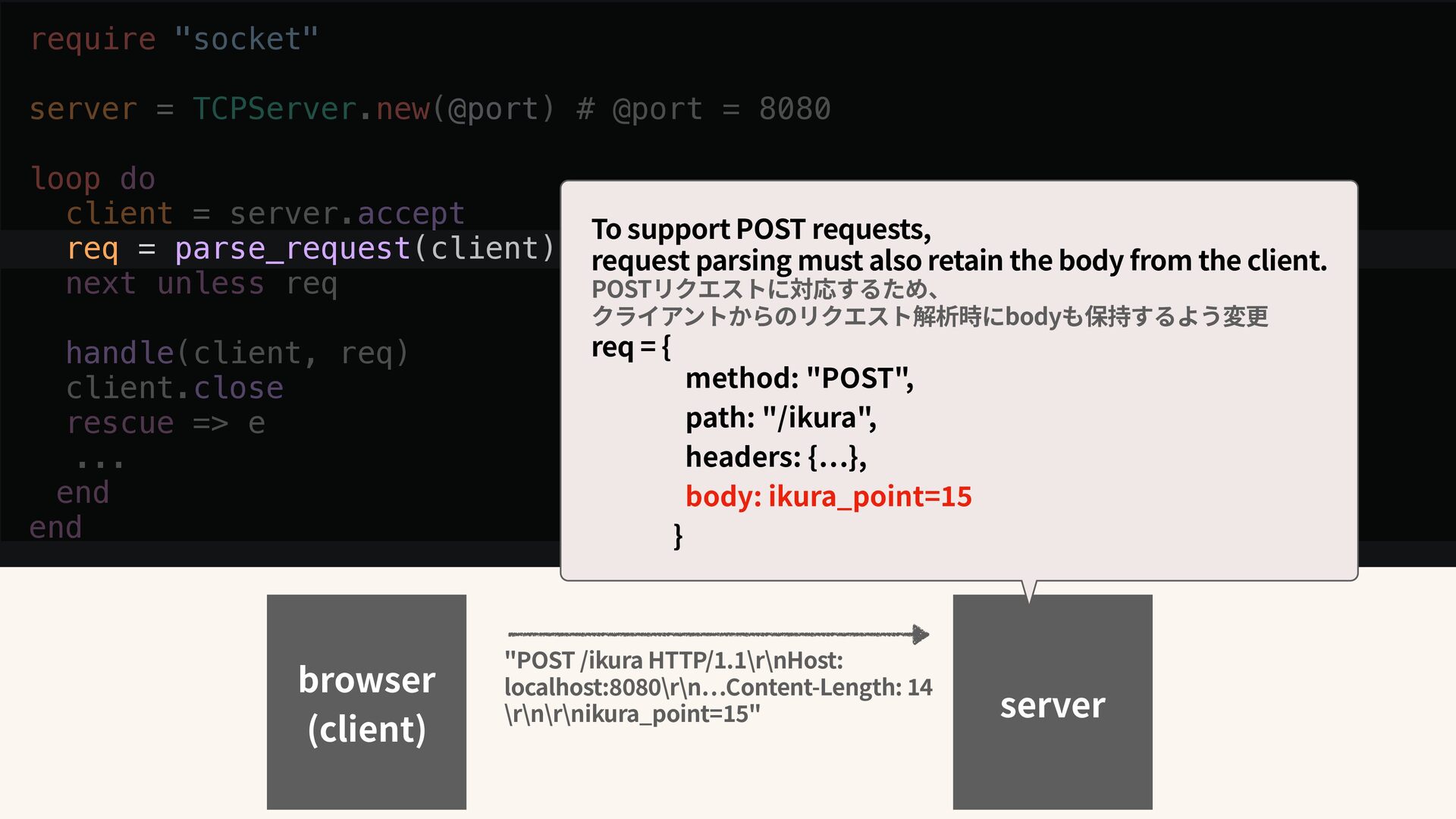
require "socket" server = TCPServer.new(@port) # @port = 8080 loop
do client = server.accept req = parse_request(client) next unless req handle(client, req) client.close rescue => e ... end end browser (client) "POST /ikura HTTP/ 1 . 1 \r\nHost: localhost: 8 0 8 0 \r\n … Content-Length: 1 4 \r\n\r\nikura_point= 1 5 " server To support POST requests, request parsing must also retain the body from the client. POSTリクエストに対応するため、 クライアントからのリクエスト解析時にbodyも保持するよう変更 req = { method: "POST", path: "/ikura", headers: { … }, body: ikura_point= 1 5 } -
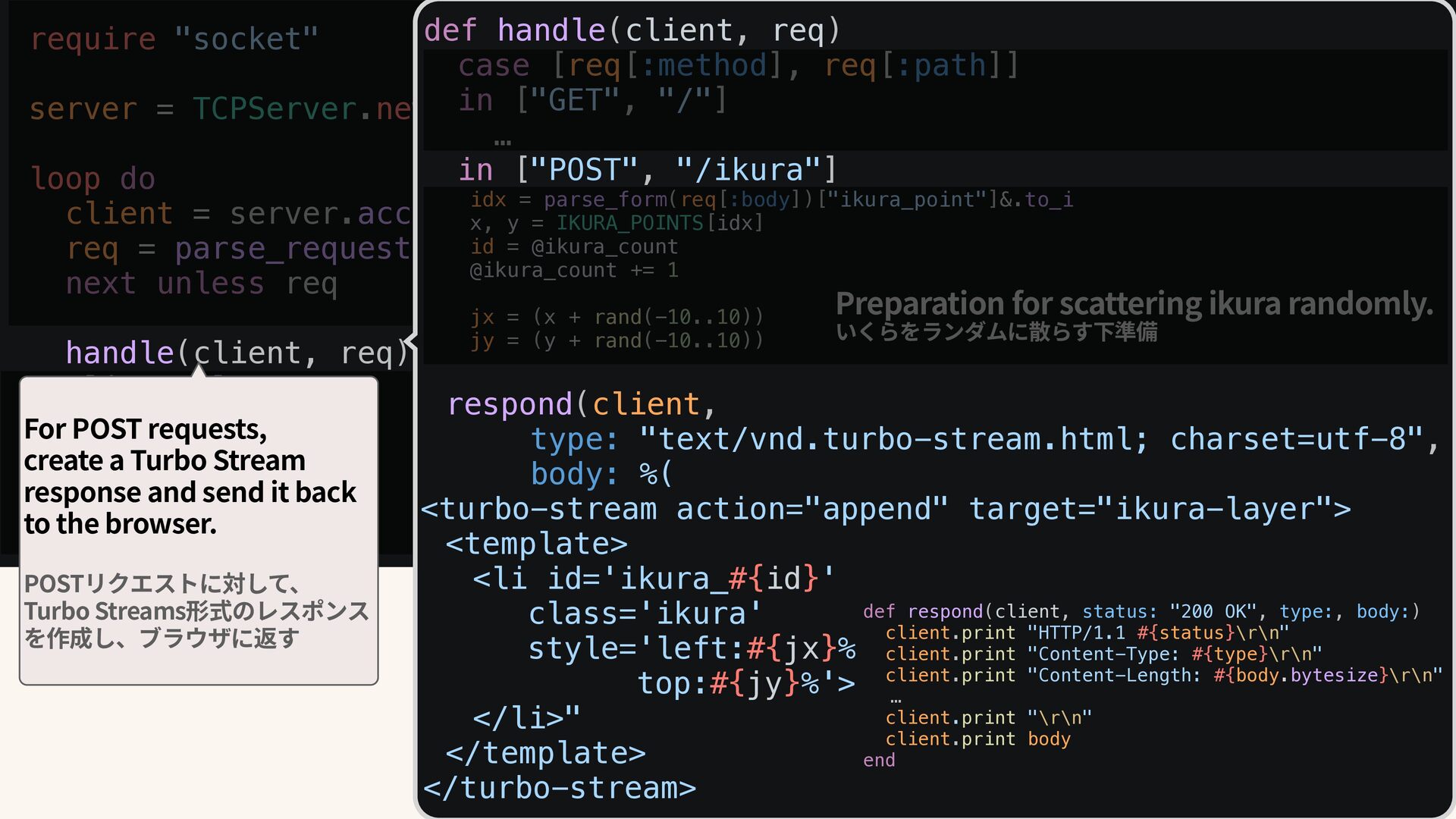
require "socket" server = TCPServer.new(@port) # @port = 8080 loop
do client = server.accept req = parse_request(client) next unless req handle(client, req) client.close rescue => e ... end end def handle(client, req) case [req[:method], req[:path]] in ["GET", "/"] … in ["POST", "/ikura"] idx = parse_form(req[:body])["ikura_point"]&.to_i x, y = IKURA_POINTS[idx] id = @ikura_count @ikura_count += 1 jx = (x + rand(-10..10)) jy = (y + rand(-10..10)) respond(client, type: "text/vnd.turbo-stream.html; charset=utf-8", body: %( <turbo-stream action="append" target="ikura-layer"> <template> <li id='ikura_#{id}' class='ikura' style='left:#{jx}%; top:#{jy}%'> </li>" </template> </turbo-stream> For POST requests, create a Turbo Stream response and send it back to the browser. POSTリクエストに対して、 Turbo Streams形式のレスポンス を作成し、ブラウザに返す Preparation for scattering ikura randomly. いくらをランダムに散らす下準備 def respond(client, status: "200 OK", type:, body:) client.print "HTTP/1.1 #{status}\r\n" client.print "Content-Type: #{type}\r\n" client.print "Content-Length: #{body.bytesize}\r\n" … client.print "\r\n" client.print body end
 harunatsujita
 auna
 helenjbeal
 holman
 paigeccino
 matthewcrist
 keavy
 uxyall
 marketingsoph
 raygrieselhuber
 inesmontani
 tomoyanonymous
 sstephenson