Quick Sight and apps (Ask questions about your ...

Riku INADA PRO
November 11, 2026

Quick Sight and apps (Ask questions about your data and build apps by describing them) | AWS Quick: Zero to Hero 08

Level 200. A handout on AWS Quick Sight and apps in AWS Quick, for people who ask questions about their data and people who build small business apps for their team. It covers how plans differ; Quick Sight (connecting data and datasets with SPICE or Direct Query, asking a dashboard in chat and Dashboard Q&A, turning an answer into a Word document, executive summaries, generating an analysis from a description, and row-level and column-level security); and apps in Quick (describe, generate, preview, iterate, and publish; what an app can use, such as data storage, AI, Quick Sight visuals, connectors, and spaces; building a registration app for a learning session; using a dataset with approval; publishing and sharing with Limited, Account, or Public access; how apps stay safe; and what apps can't do, including Regions). The screens were taken on the web in English. The appendix lists app limits, a glossary, and sources. Based on public documentation as of November 2026. Deck 08 (Go deeper) of the series AWS Quick: Zero to Hero.

Riku INADA PRO

November 11, 2026

Annual Pro sale · Save $30

Have presentations of your own?

Share with private links, password protection, and more control over your work.

Transcript

28 slides
  1. AWS Quick: Zero to Hero Go deeper Quick Sight and

    apps Ask questions about your data and build apps by describing them 08 Level 200 / As of November 2026 November 2026 Riku Inada Amazon Web Services Japan © 2026, Amazon Web © 2026, Services, Amazon Inc. or Web its Services, affiliates.Inc. All or rights its affiliates. reserved.All rights reserved. 1
  2. Introduction About me Riku Inada Amazon Web Services Japan G.K.

    Solutions Architect Works mainly with manufacturing customers Recent work Promoting the AI-Driven Development Life Cycle (AI-DLC) Writing and speaking about Kiro and AWS Amplify © 2026, Amazon Web Services, Inc. or its affiliates. All rights reserved. X @inada_riku Speaker Deck speakerdeck.com/inariku Zenn zenn.dev/inariku GitHub github.com/inariku 2
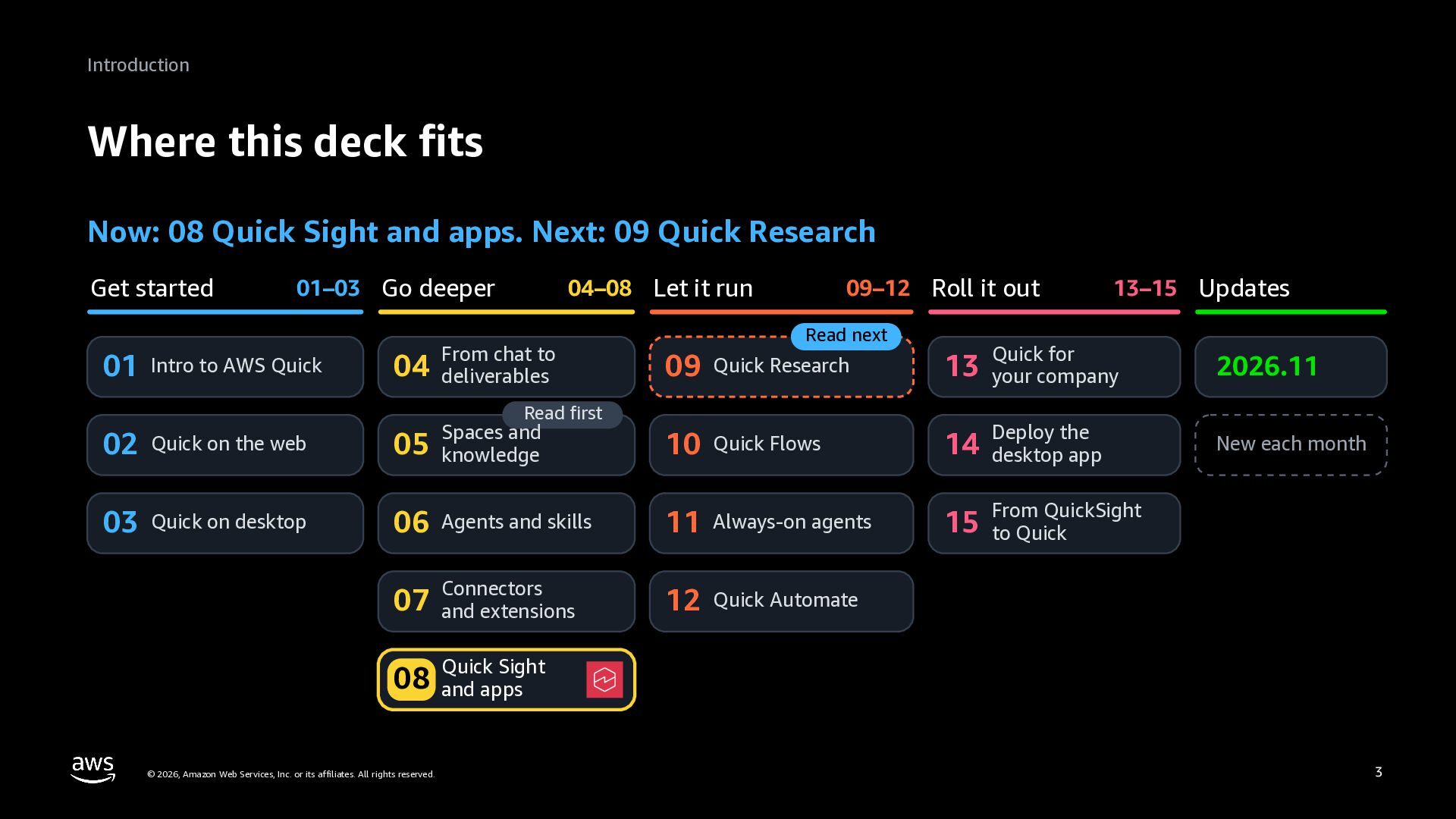
  3. Introduction Where this deck fits Now: 08 Quick Sight and

    apps. Next: 09 Quick Research Get started 01–03 Go deeper 04–08 Let it run 01 Intro to AWS Quick From chat to 04 deliverables 09–12 Roll it out Read next 13–15 Updates Quick for 09 Quick Research 13 your company 02 Quick on the web Spaces and 05 knowledge 10 Quick Flows 14 desktop app 03 Quick on desktop 06 Agents and skills 11 Always-on agents QuickSight 15 From to Quick 07 Connectors and extensions 12 Quick Automate Read first Deploy the 2026.11 New each month Sight 08 Quick and apps © 2026, Amazon Web Services, Inc. or its affiliates. All rights reserved. 3
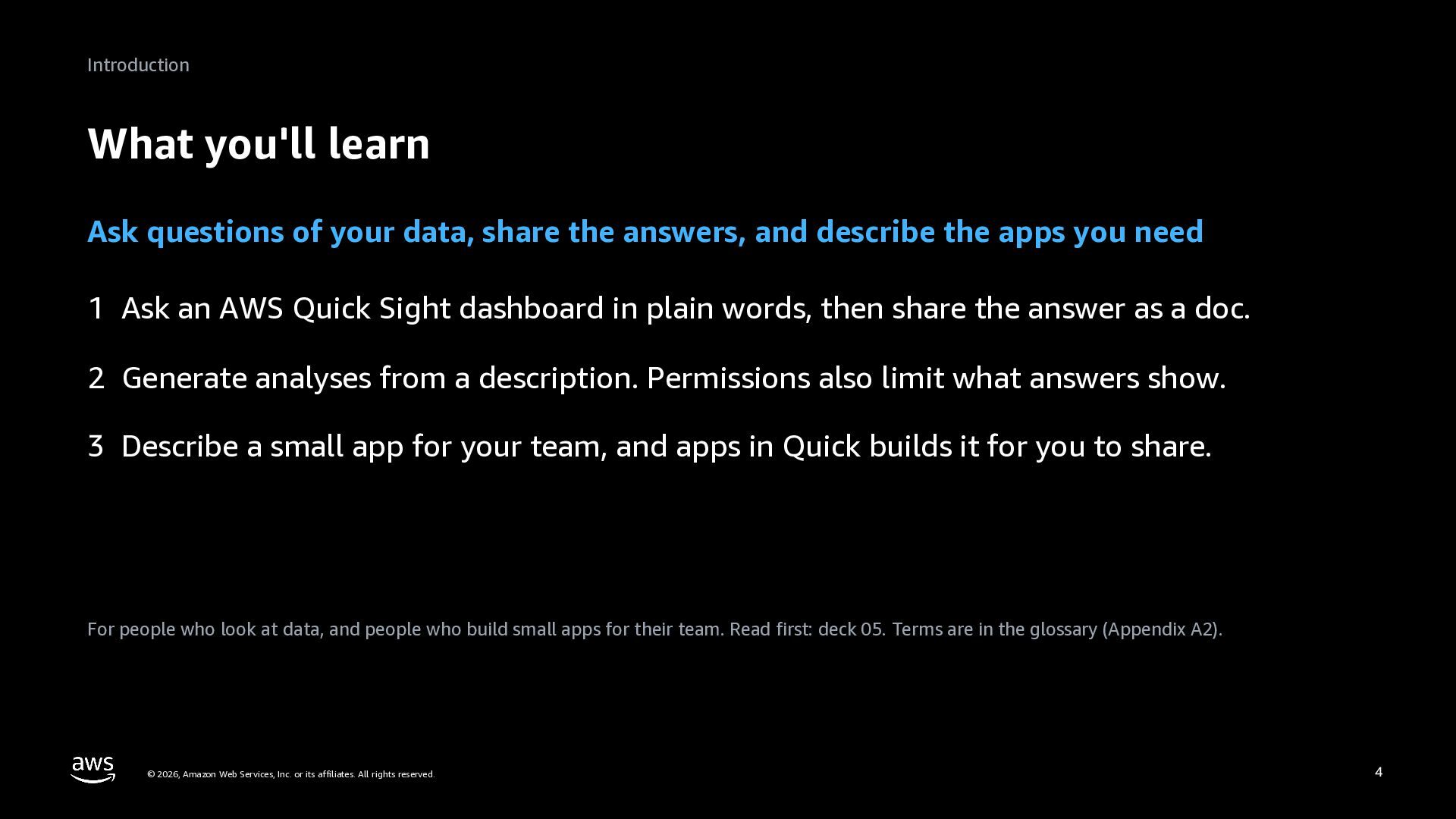
  4. Introduction What you'll learn Ask questions of your data, share

    the answers, and describe the apps you need 1 Ask an AWS Quick Sight dashboard in plain words, then share the answer as a doc. 2 Generate analyses from a description. Permissions also limit what answers show. 3 Describe a small app for your team, and apps in Quick builds it for you to share. For people who look at data, and people who build small apps for their team. Read first: deck 05. Terms are in the glossary (Appendix A2). © 2026, Amazon Web Services, Inc. or its affiliates. All rights reserved. 4
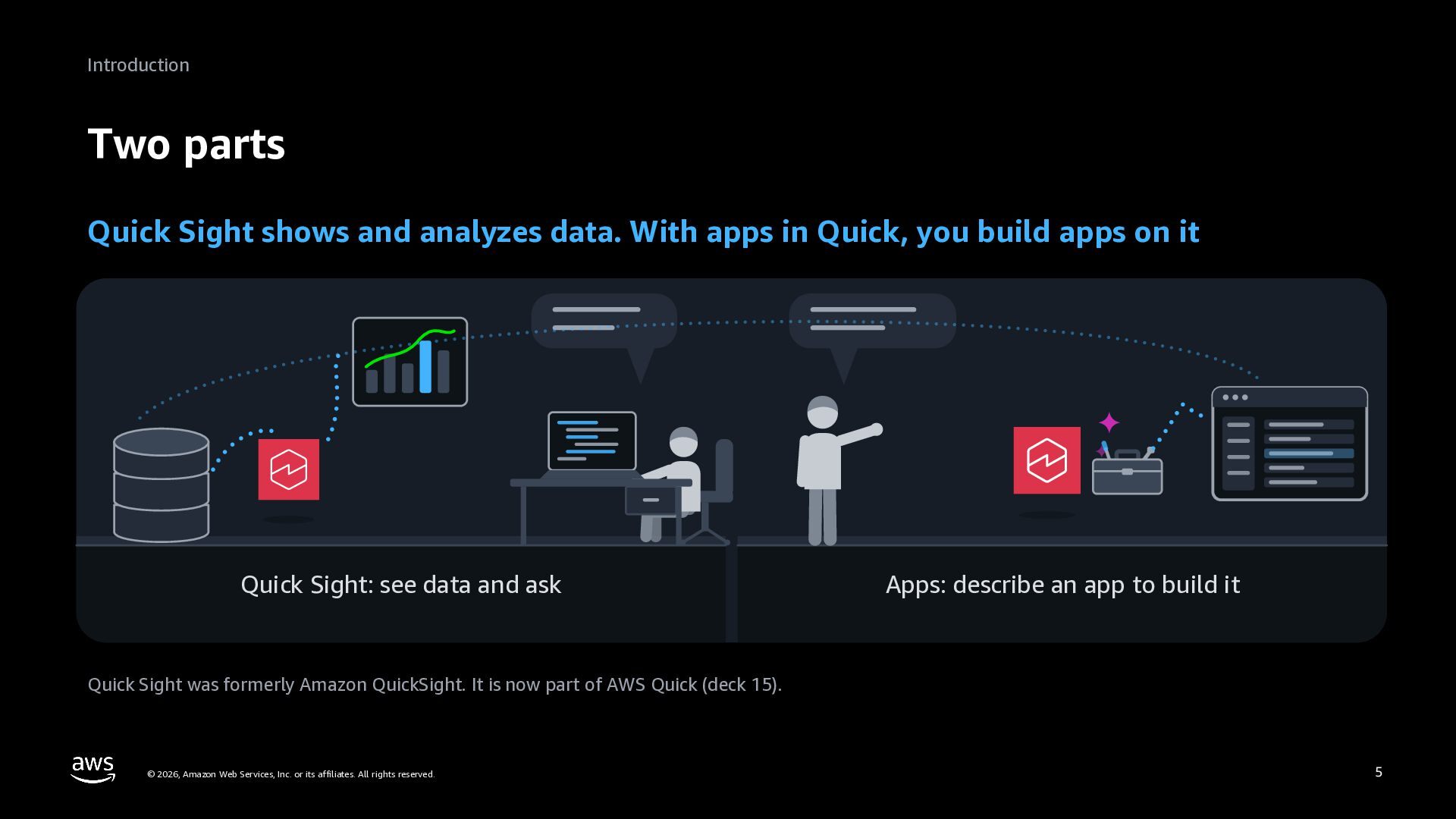
  5. Introduction Two parts Quick Sight shows and analyzes data. With

    apps in Quick, you build apps on it Quick Sight: see data and ask Apps: describe an app to build it Quick Sight was formerly Amazon QuickSight. It is now part of AWS Quick (deck 15). © 2026, Amazon Web Services, Inc. or its affiliates. All rights reserved. 5
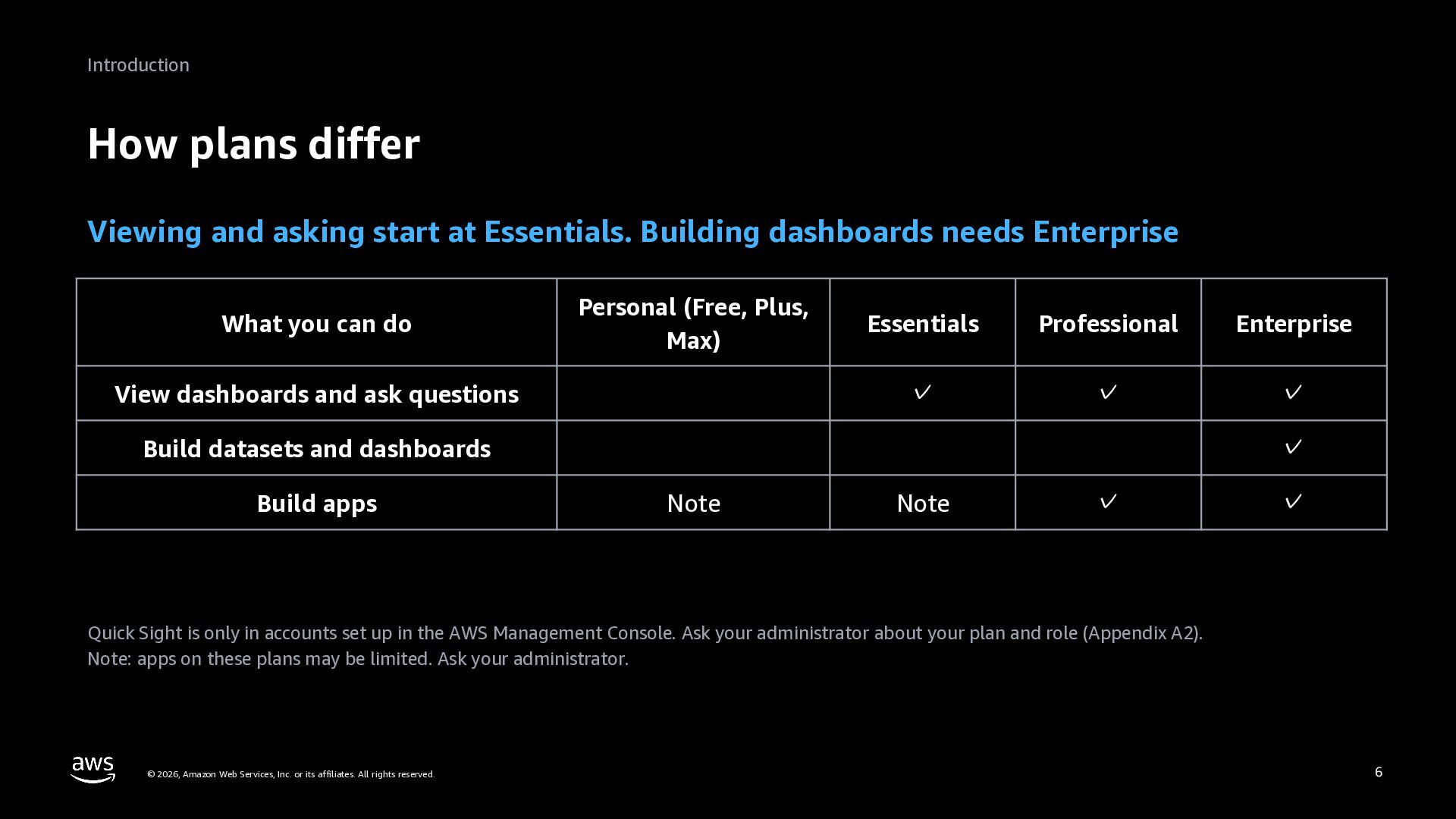
  6. Introduction How plans differ Viewing and asking start at Essentials.

    Building dashboards needs Enterprise What you can do Personal (Free, Plus, Max) View dashboards and ask questions Essentials Professional Enterprise ✓ ✓ ✓ ✓ Build datasets and dashboards Build apps Note Note ✓ ✓ Quick Sight is only in accounts set up in the AWS Management Console. Ask your administrator about your plan and role (Appendix A2). Note: apps on these plans may be limited. Ask your administrator. © 2026, Amazon Web Services, Inc. or its affiliates. All rights reserved. 6
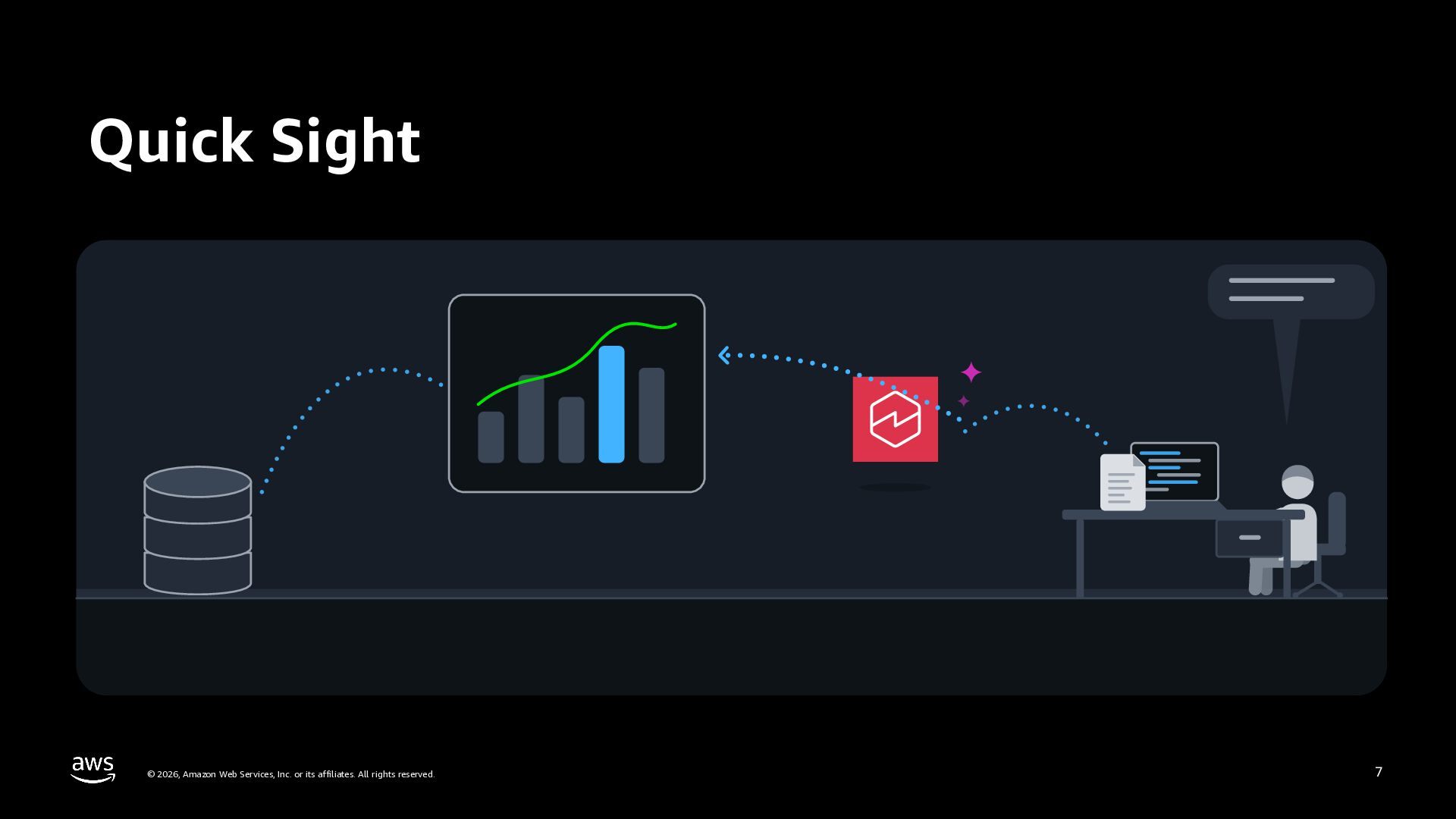
  7. Quick Sight © 2026, Amazon Web Services, Inc. or its

    affiliates. All rights reserved. 7
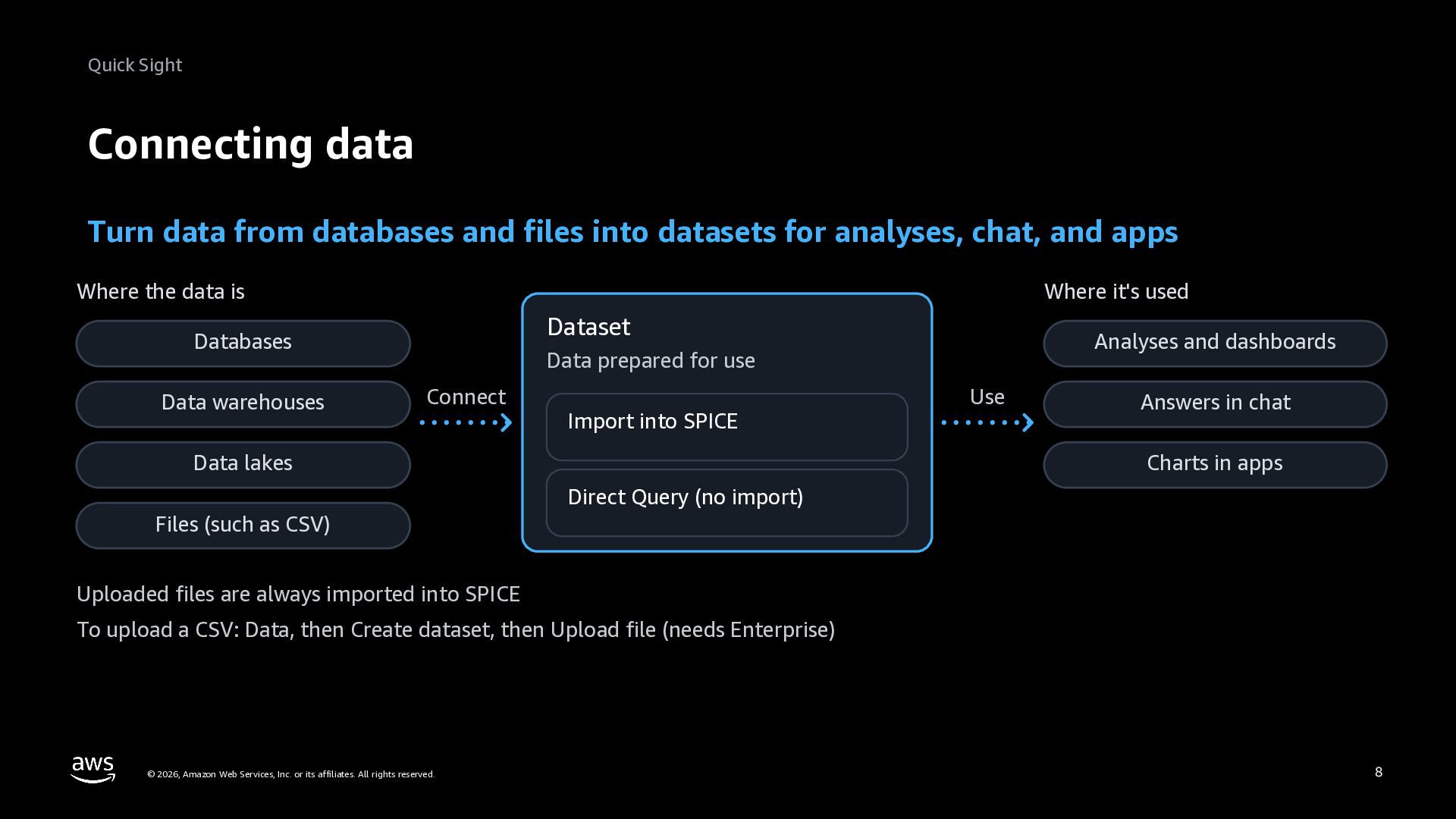
  8. Quick Sight Connecting data Turn data from databases and files

    into datasets for analyses, chat, and apps Where the data is Where it's used Dataset Databases Data warehouses Analyses and dashboards Data prepared for use Connect Import into SPICE Data lakes Use Answers in chat Charts in apps Direct Query (no import) Files (such as CSV) Uploaded files are always imported into SPICE To upload a CSV: Data, then Create dataset, then Upload file (needs Enterprise) © 2026, Amazon Web Services, Inc. or its affiliates. All rights reserved. 8
  9. Quick Sight Asking a dashboard Ask the attendance dashboard "Why

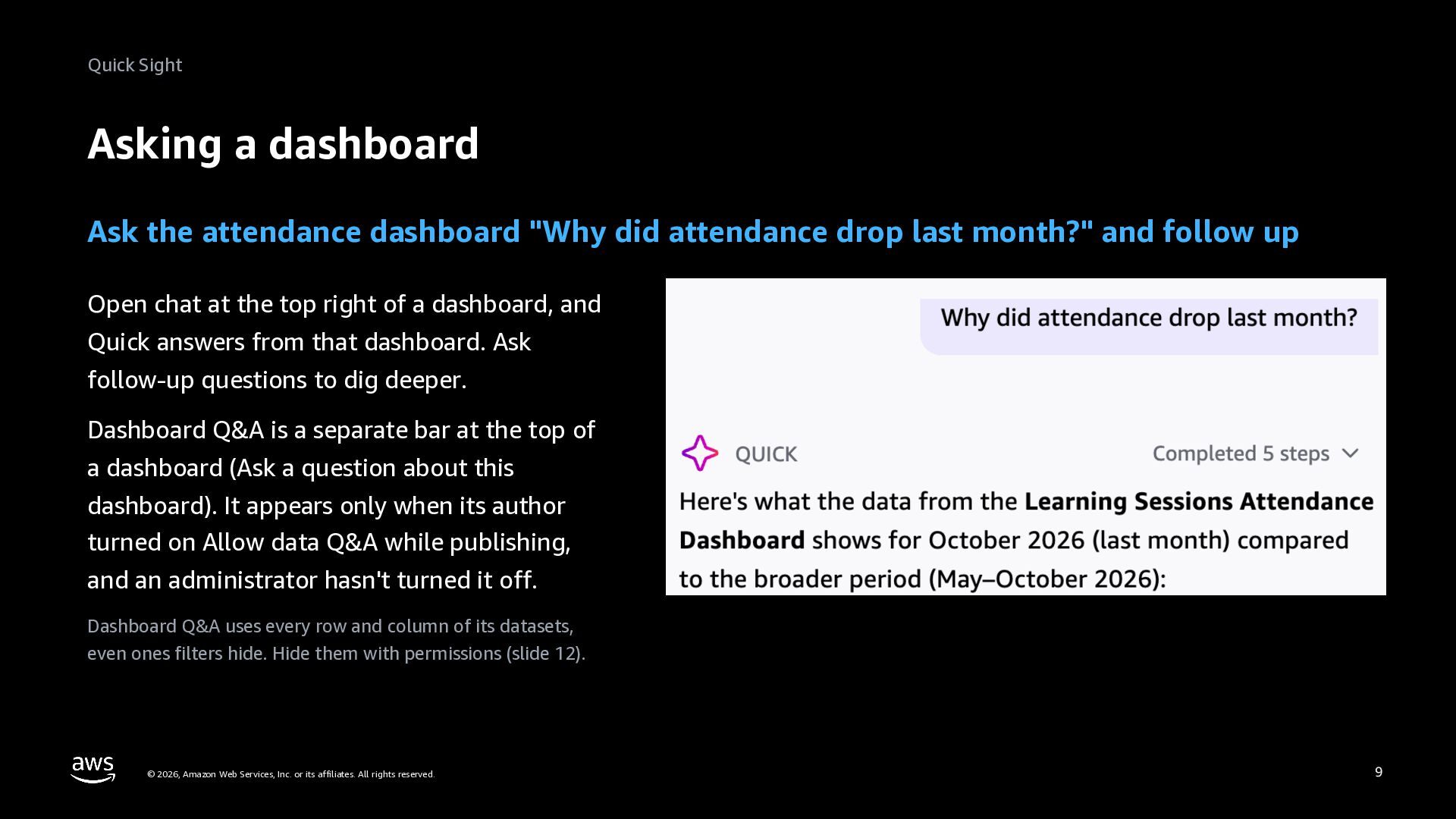
    did attendance drop last month?" and follow up Open chat at the top right of a dashboard, and Quick answers from that dashboard. Ask follow-up questions to dig deeper. Dashboard Q&A is a separate bar at the top of a dashboard (Ask a question about this dashboard). It appears only when its author turned on Allow data Q&A while publishing, and an administrator hasn't turned it off. Dashboard Q&A uses every row and column of its datasets, even ones filters hide. Hide them with permissions (slide 12). © 2026, Amazon Web Services, Inc. or its affiliates. All rights reserved. 9
  10. Quick Sight Turning answers into deliverables Turn an answer into

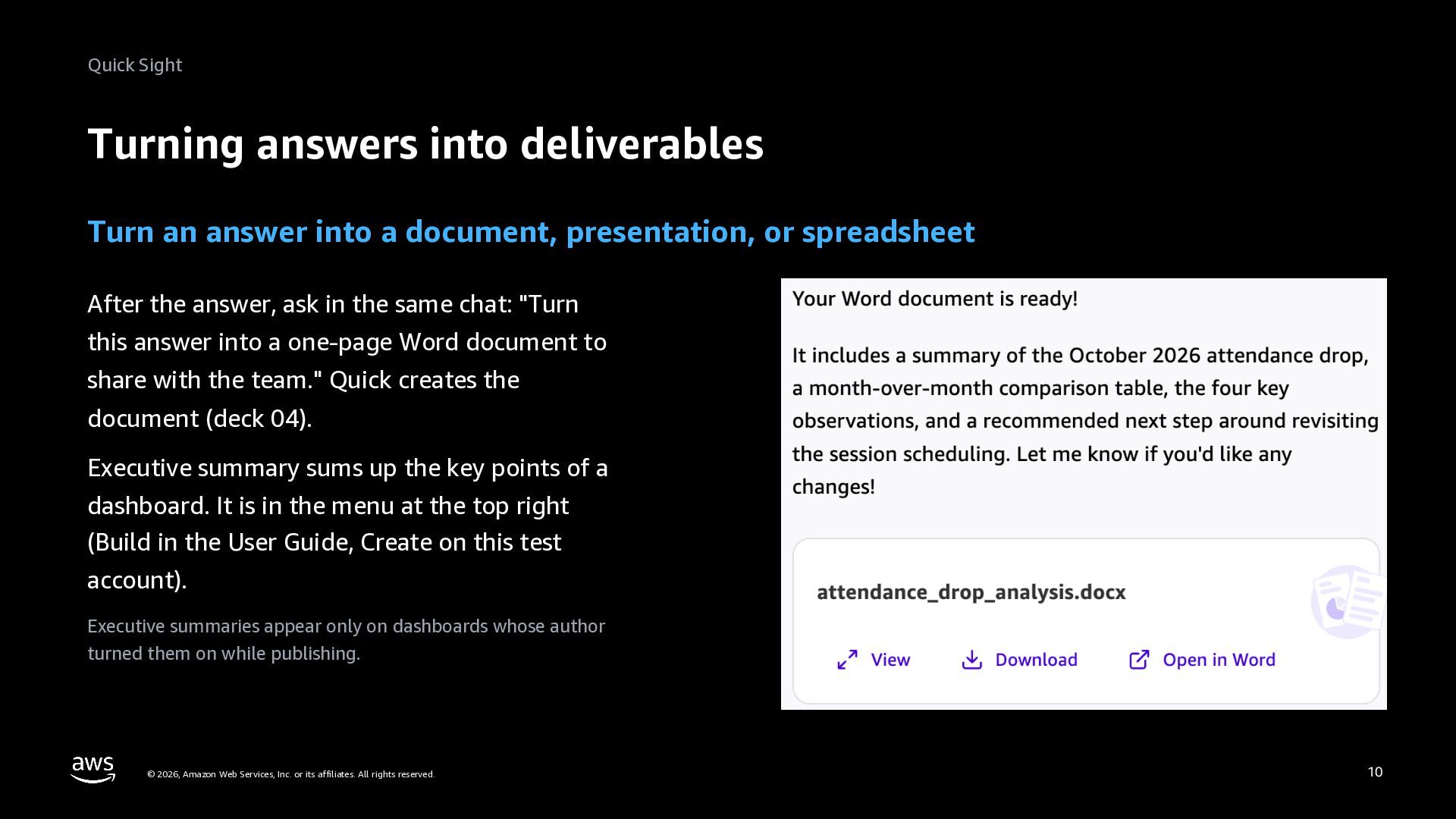
    a document, presentation, or spreadsheet After the answer, ask in the same chat: "Turn this answer into a one-page Word document to share with the team." Quick creates the document (deck 04). Executive summary sums up the key points of a dashboard. It is in the menu at the top right (Build in the User Guide, Create on this test account). Executive summaries appear only on dashboards whose author turned them on while publishing. © 2026, Amazon Web Services, Inc. or its affiliates. All rights reserved. 10
  11. Quick Sight Generating an analysis Describe the analysis you want,

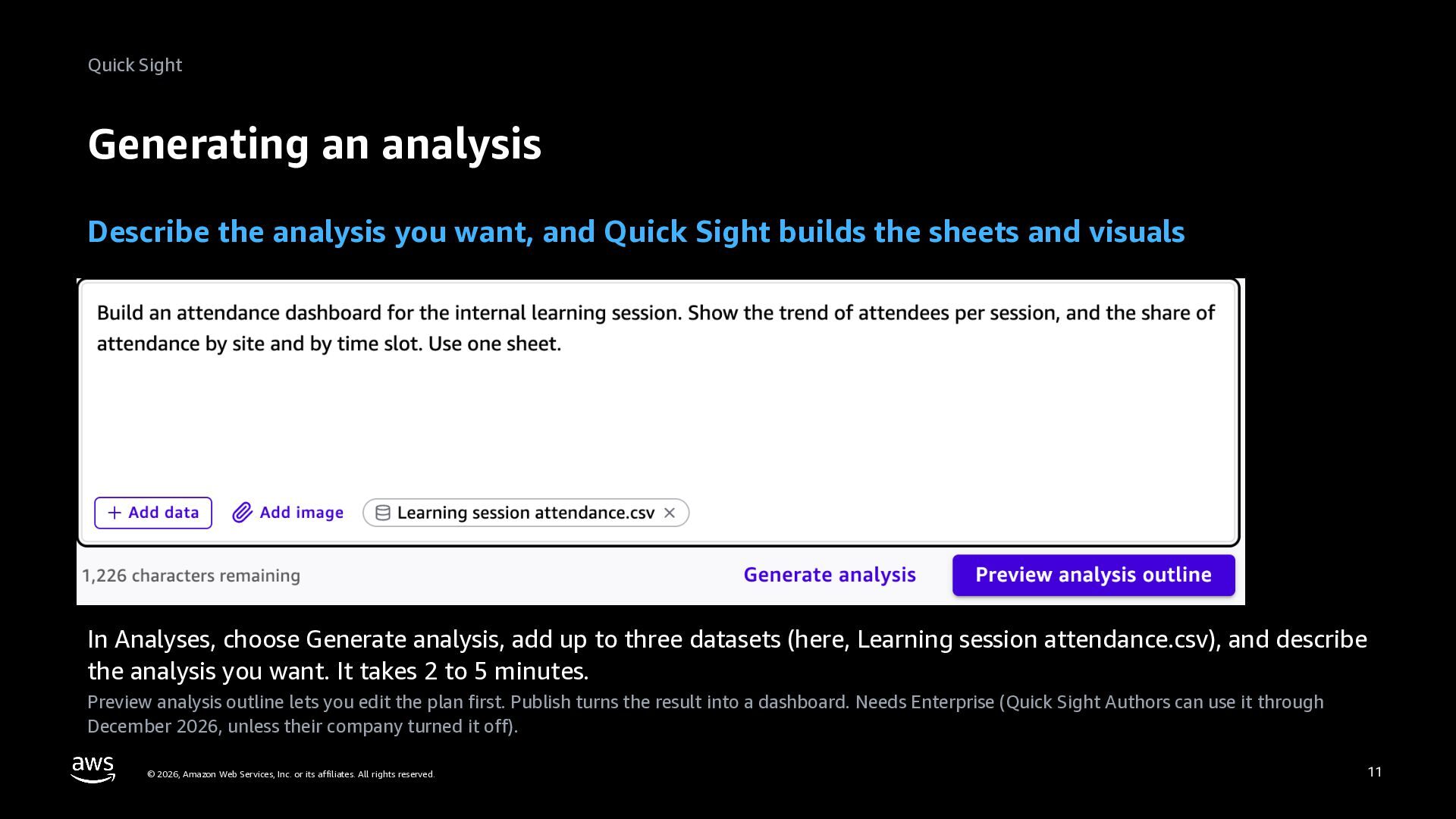
    and Quick Sight builds the sheets and visuals In Analyses, choose Generate analysis, add up to three datasets (here, Learning session attendance.csv), and describe the analysis you want. It takes 2 to 5 minutes. Preview analysis outline lets you edit the plan first. Publish turns the result into a dashboard. Needs Enterprise (Quick Sight Authors can use it through December 2026, unless their company turned it off). © 2026, Amazon Web Services, Inc. or its affiliates. All rights reserved. 11
  12. Quick Sight Row and column permissions Row and column permissions

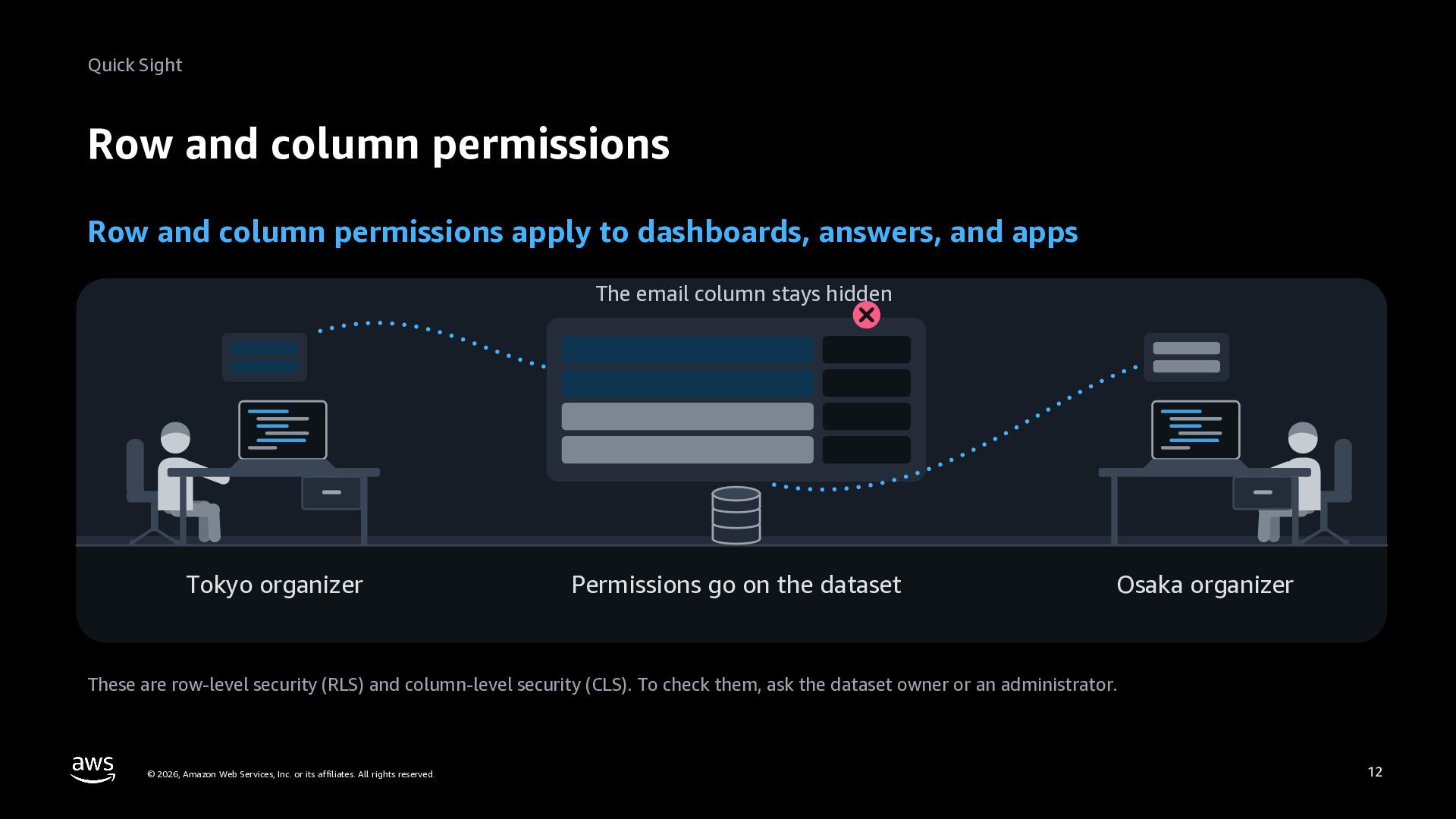
    apply to dashboards, answers, and apps The email column stays hidden Tokyo organizer Permissions go on the dataset Osaka organizer These are row-level security (RLS) and column-level security (CLS). To check them, ask the dataset owner or an administrator. © 2026, Amazon Web Services, Inc. or its affiliates. All rights reserved. 12
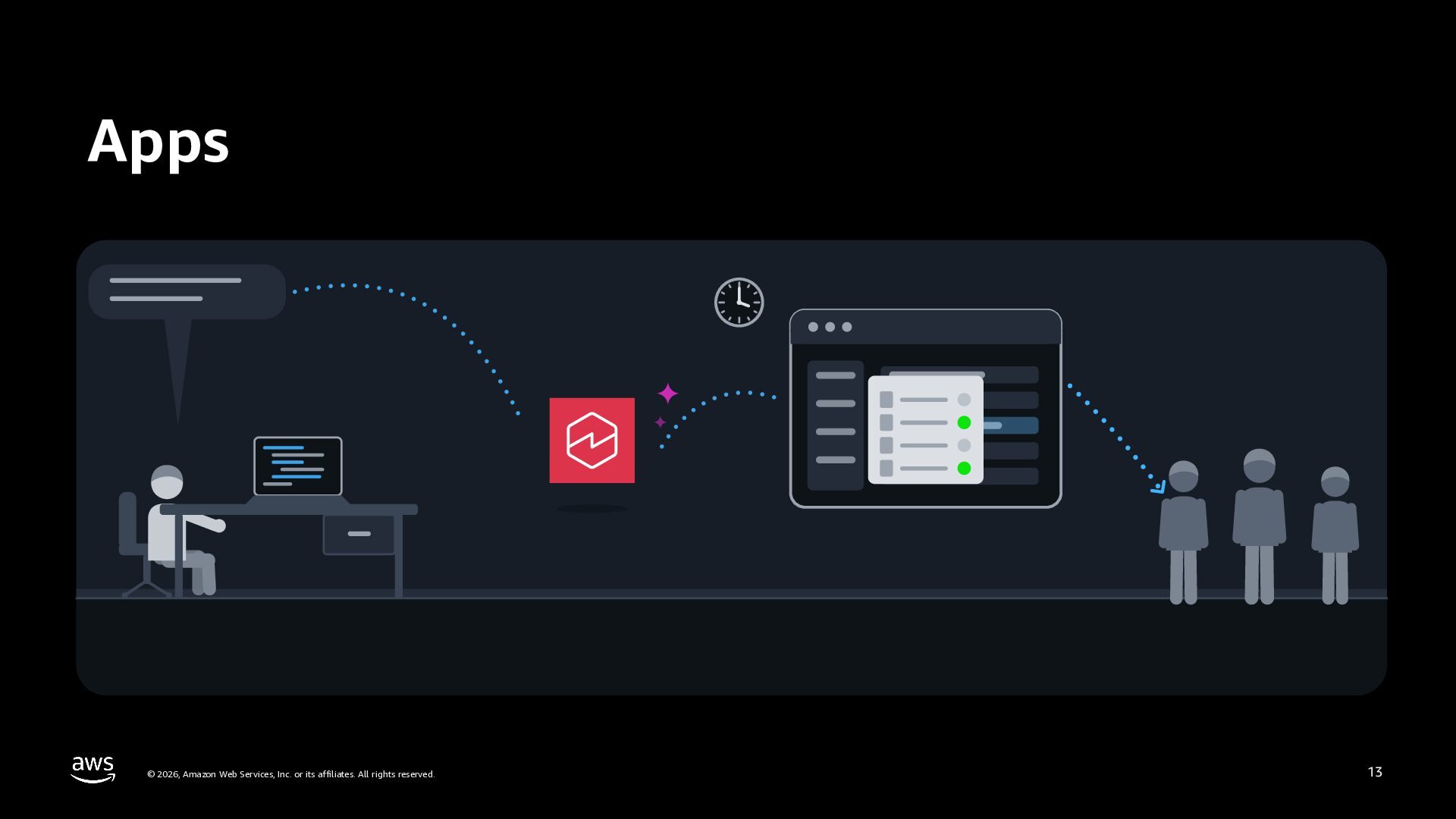
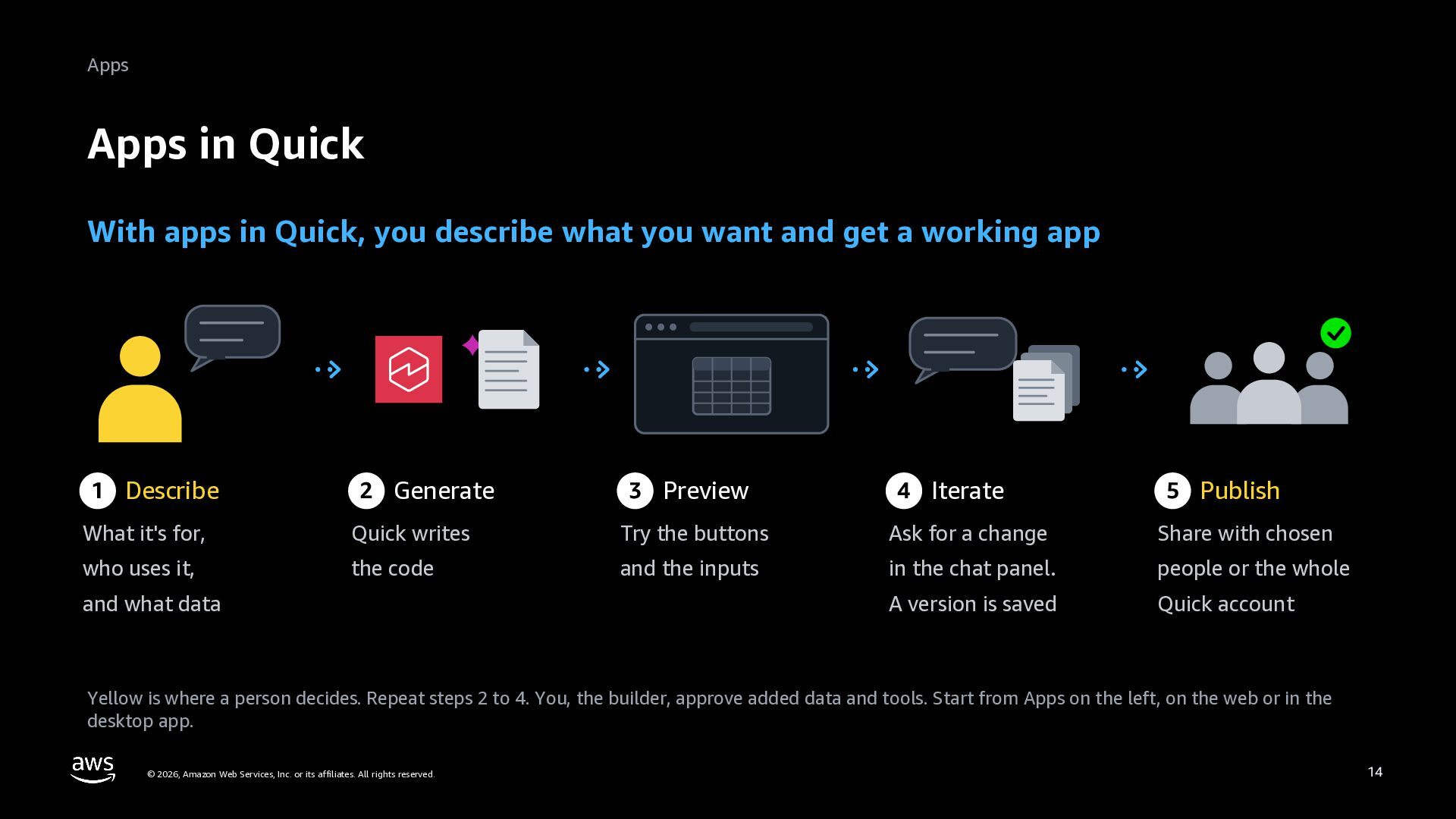
  13. Apps Apps in Quick With apps in Quick, you describe

    what you want and get a working app 1 Describe 2 Generate 3 Preview 4 Iterate 5 Publish What it's for, Quick writes Try the buttons Ask for a change Share with chosen who uses it, the code and the inputs in the chat panel. people or the whole A version is saved Quick account and what data Yellow is where a person decides. Repeat steps 2 to 4. You, the builder, approve added data and tools. Start from Apps on the left, on the web or in the desktop app. © 2026, Amazon Web Services, Inc. or its affiliates. All rights reserved. 14
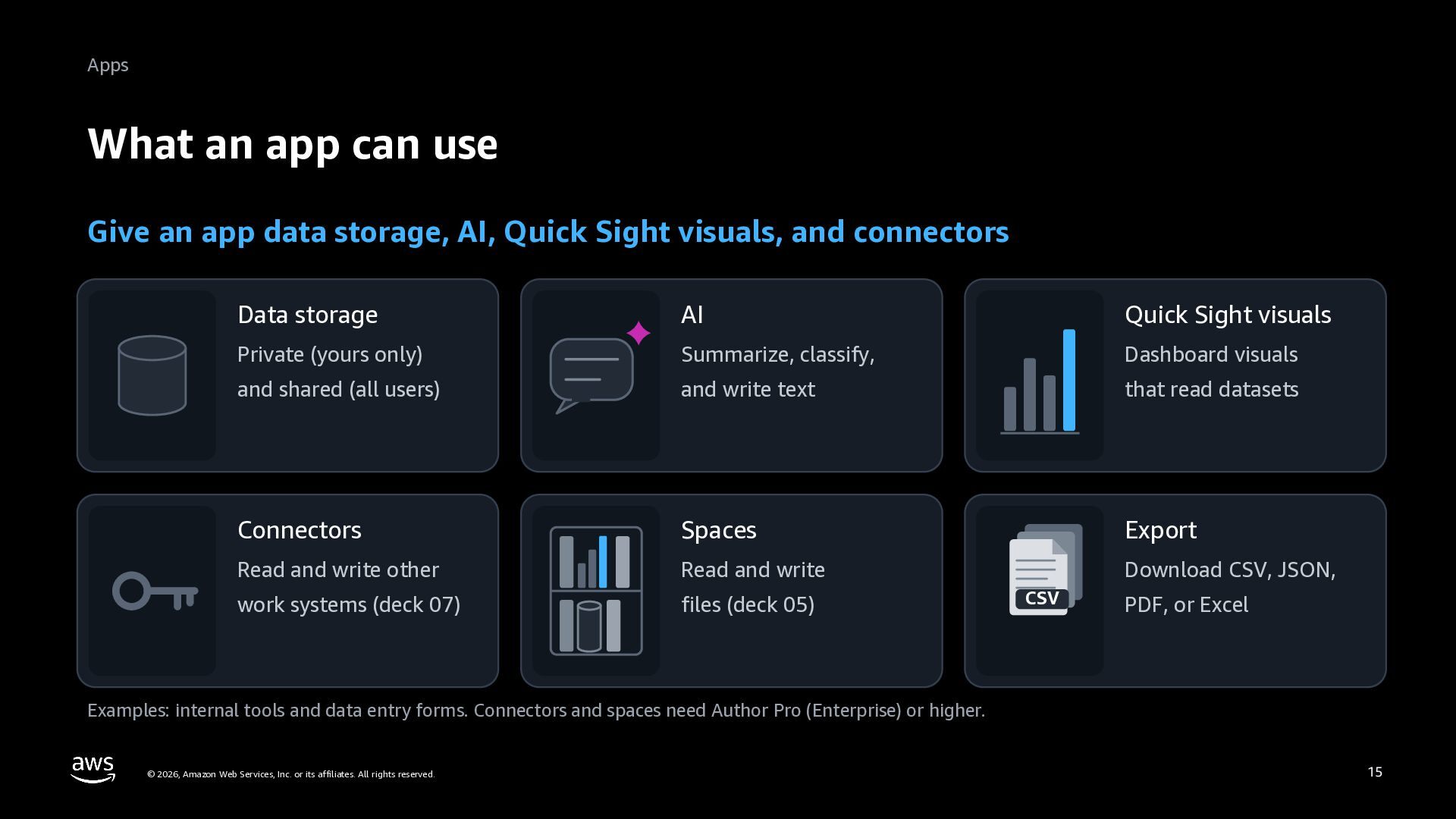
  14. Apps What an app can use Give an app data

    storage, AI, Quick Sight visuals, and connectors Data storage AI Quick Sight visuals Private (yours only) Summarize, classify, Dashboard visuals and shared (all users) and write text that read datasets Connectors Spaces Export Read and write other Read and write Download CSV, JSON, work systems (deck 07) files (deck 05) CSV PDF, or Excel Examples: internal tools and data entry forms. Connectors and spaces need Author Pro (Enterprise) or higher. © 2026, Amazon Web Services, Inc. or its affiliates. All rights reserved. 15
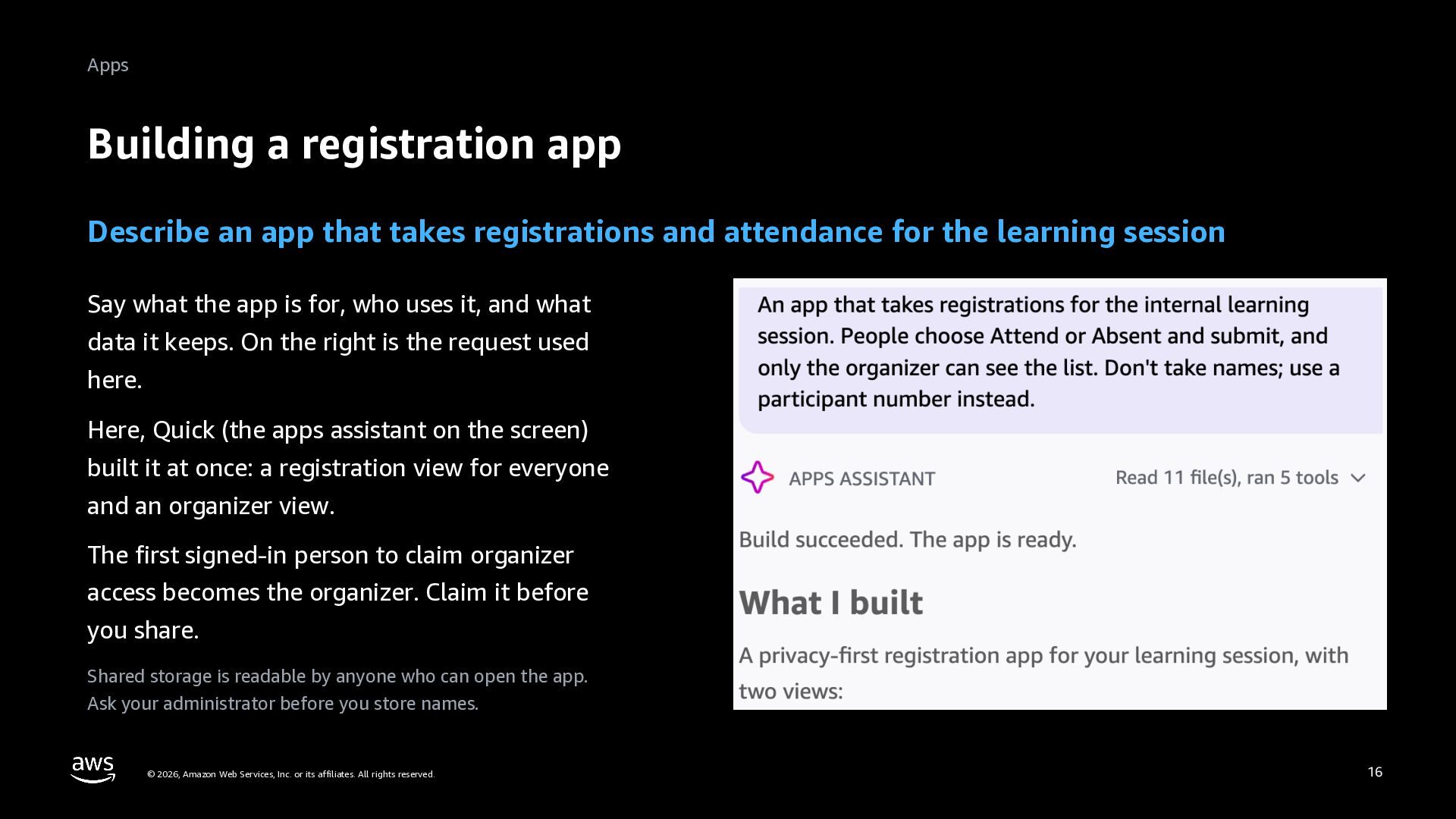
  15. Apps Building a registration app Describe an app that takes

    registrations and attendance for the learning session Say what the app is for, who uses it, and what data it keeps. On the right is the request used here. Here, Quick (the apps assistant on the screen) built it at once: a registration view for everyone and an organizer view. The first signed-in person to claim organizer access becomes the organizer. Claim it before you share. Shared storage is readable by anyone who can open the app. Ask your administrator before you store names. © 2026, Amazon Web Services, Inc. or its affiliates. All rights reserved. 16
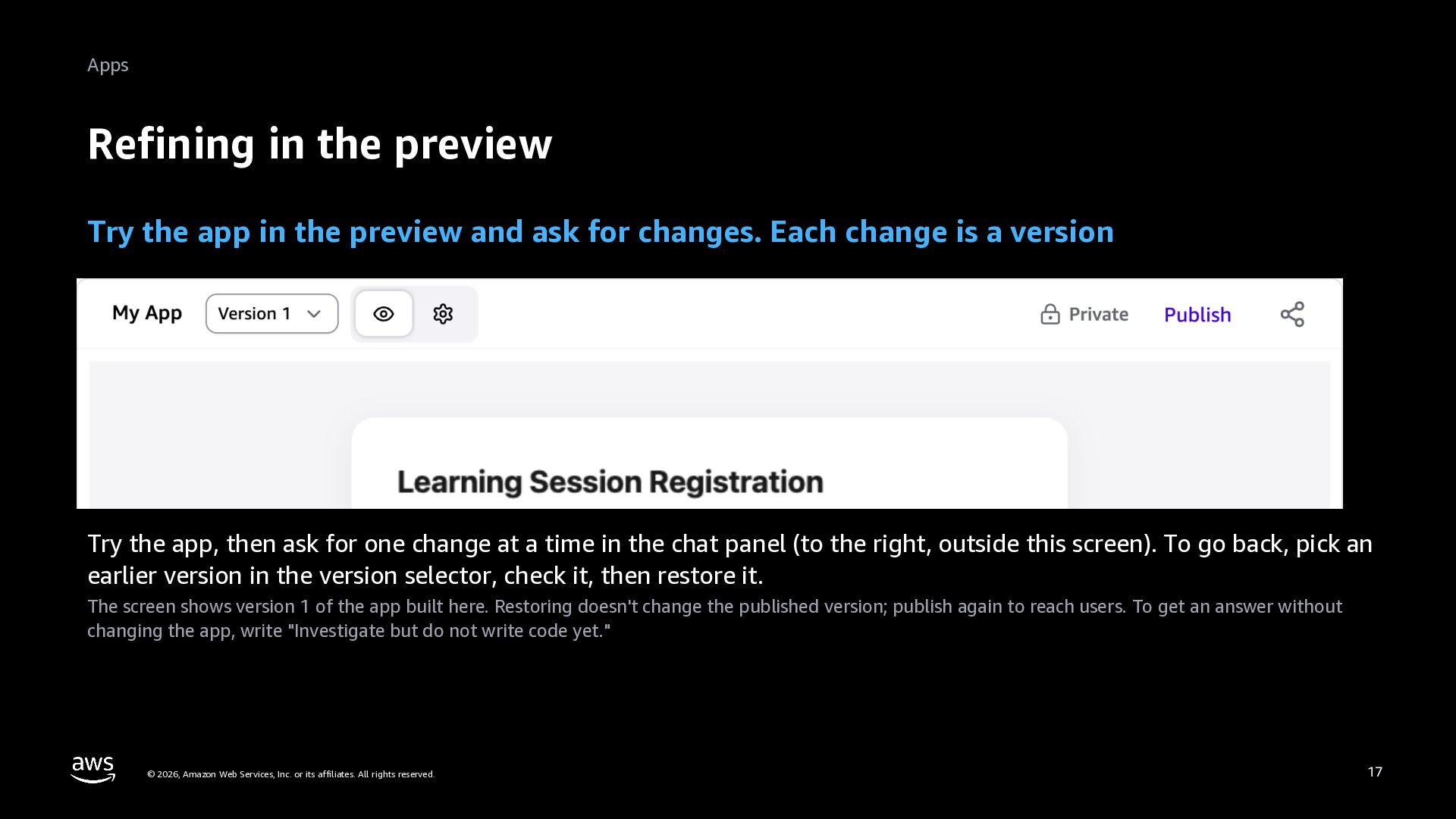
  16. Apps Refining in the preview Try the app in the

    preview and ask for changes. Each change is a version Try the app, then ask for one change at a time in the chat panel (to the right, outside this screen). To go back, pick an earlier version in the version selector, check it, then restore it. The screen shows version 1 of the app built here. Restoring doesn't change the published version; publish again to reach users. To get an answer without changing the app, write "Investigate but do not write code yet." © 2026, Amazon Web Services, Inc. or its affiliates. All rights reserved. 17
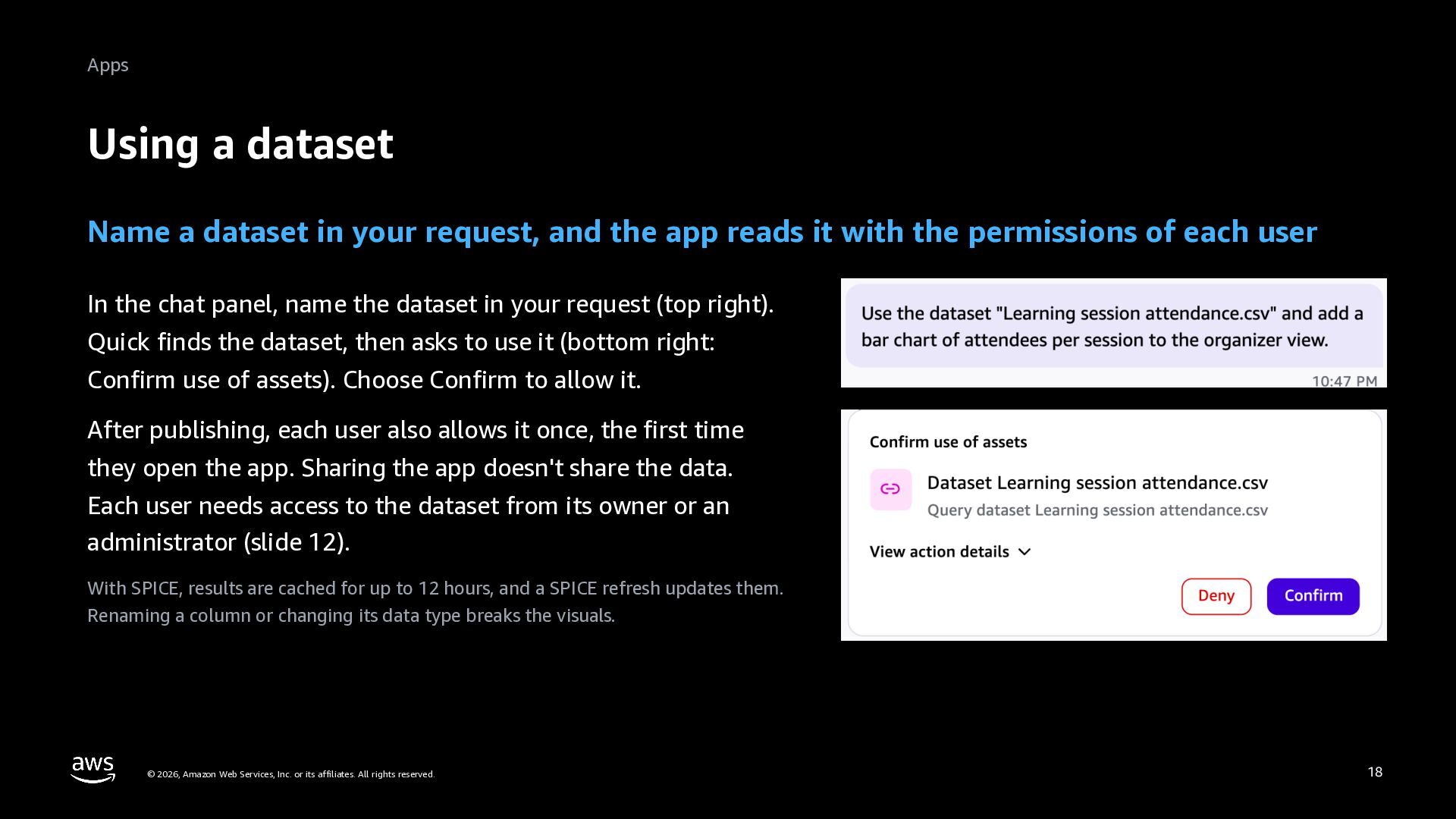
  17. Apps Using a dataset Name a dataset in your request,

    and the app reads it with the permissions of each user In the chat panel, name the dataset in your request (top right). Quick finds the dataset, then asks to use it (bottom right: Confirm use of assets). Choose Confirm to allow it. After publishing, each user also allows it once, the first time they open the app. Sharing the app doesn't share the data. Each user needs access to the dataset from its owner or an administrator (slide 12). With SPICE, results are cached for up to 12 hours, and a SPICE refresh updates them. Renaming a column or changing its data type breaks the visuals. © 2026, Amazon Web Services, Inc. or its affiliates. All rights reserved. 18
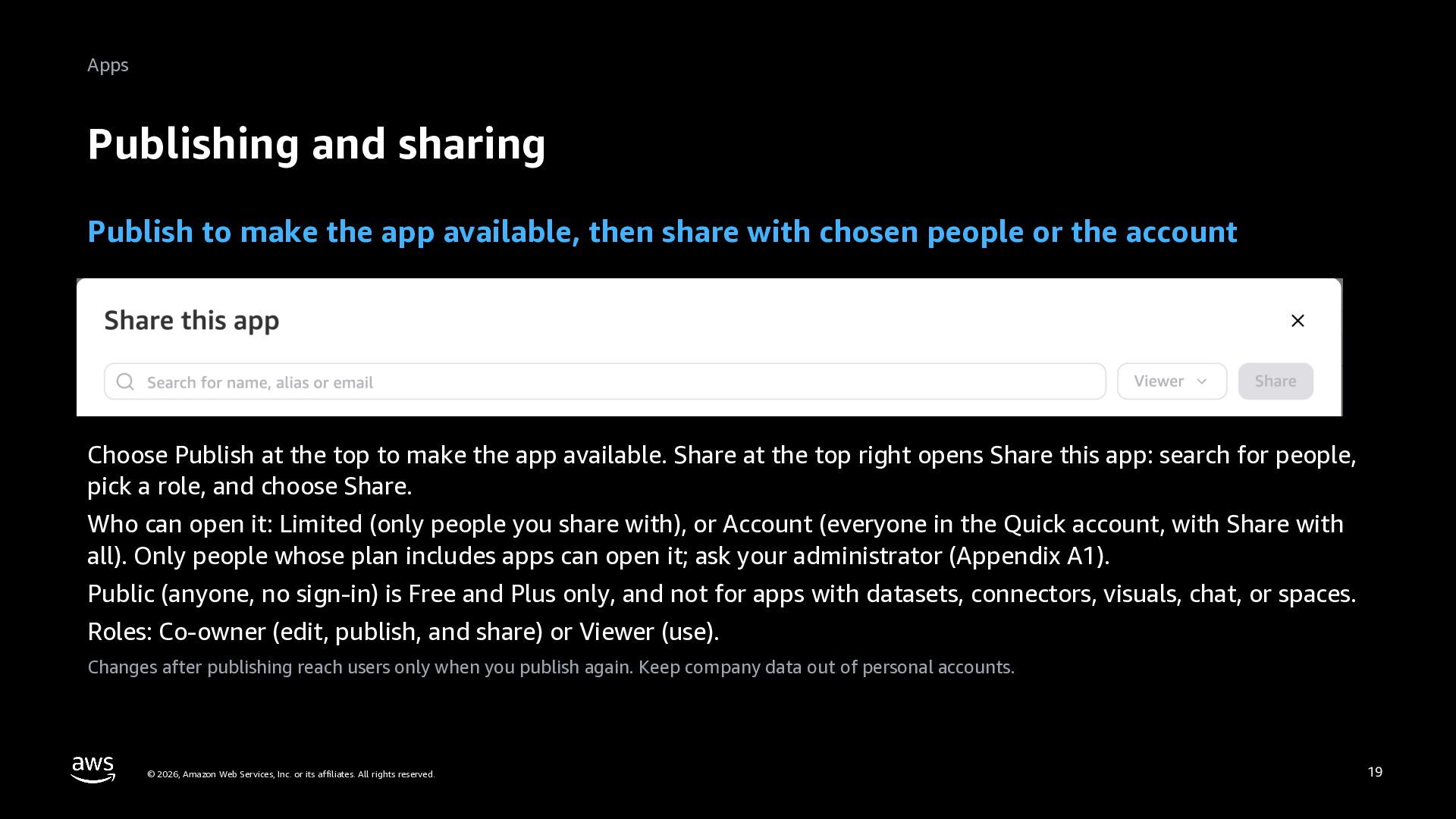
  18. Apps Publishing and sharing Publish to make the app available,

    then share with chosen people or the account Choose Publish at the top to make the app available. Share at the top right opens Share this app: search for people, pick a role, and choose Share. Who can open it: Limited (only people you share with), or Account (everyone in the Quick account, with Share with all). Only people whose plan includes apps can open it; ask your administrator (Appendix A1). Public (anyone, no sign-in) is Free and Plus only, and not for apps with datasets, connectors, visuals, chat, or spaces. Roles: Co-owner (edit, publish, and share) or Viewer (use). Changes after publishing reach users only when you publish again. Keep company data out of personal accounts. © 2026, Amazon Web Services, Inc. or its affiliates. All rights reserved. 19
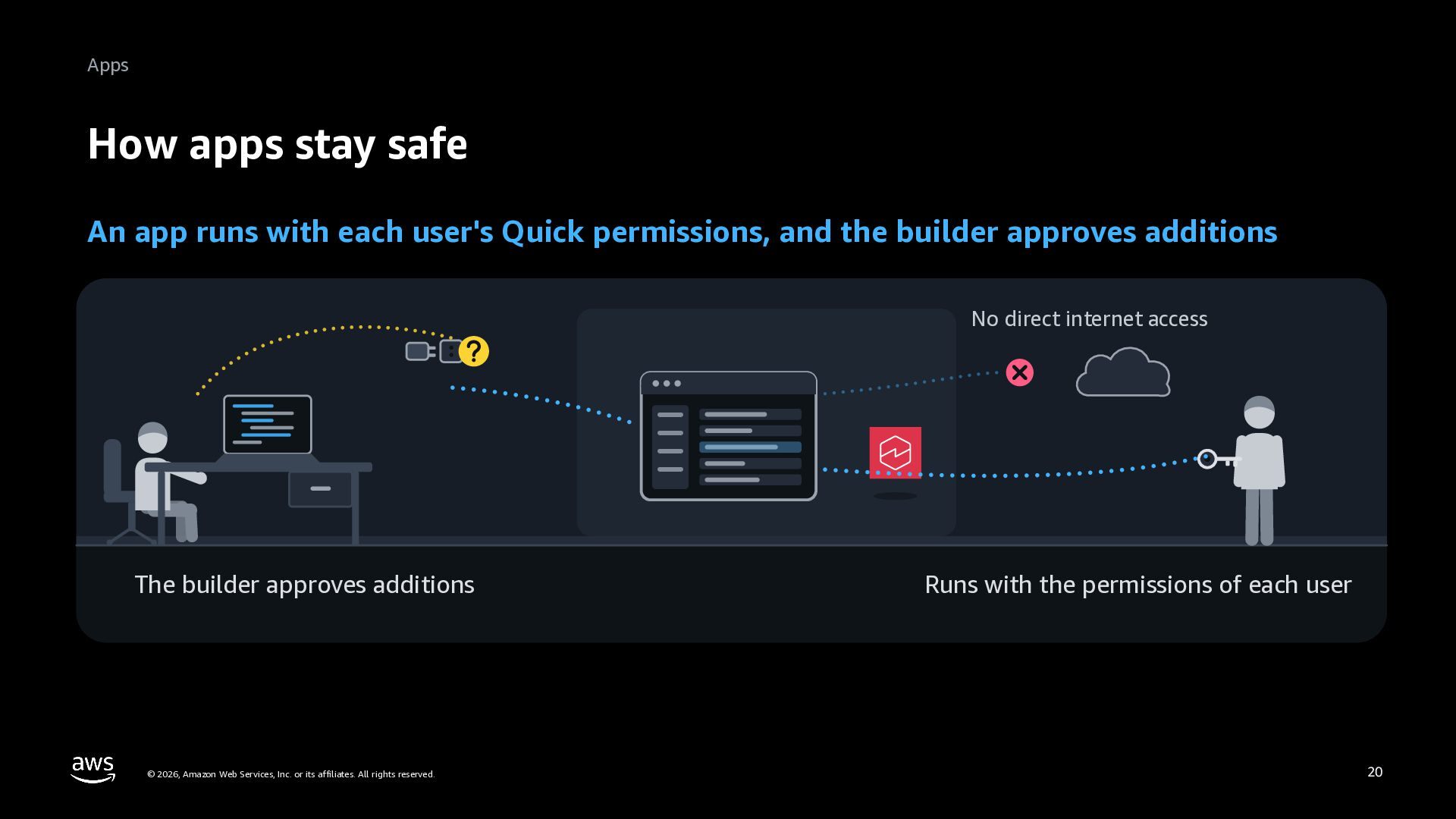
  19. Apps How apps stay safe An app runs with each

    user's Quick permissions, and the builder approves additions No direct internet access The builder approves additions © 2026, Amazon Web Services, Inc. or its affiliates. All rights reserved. Runs with the permissions of each user 20
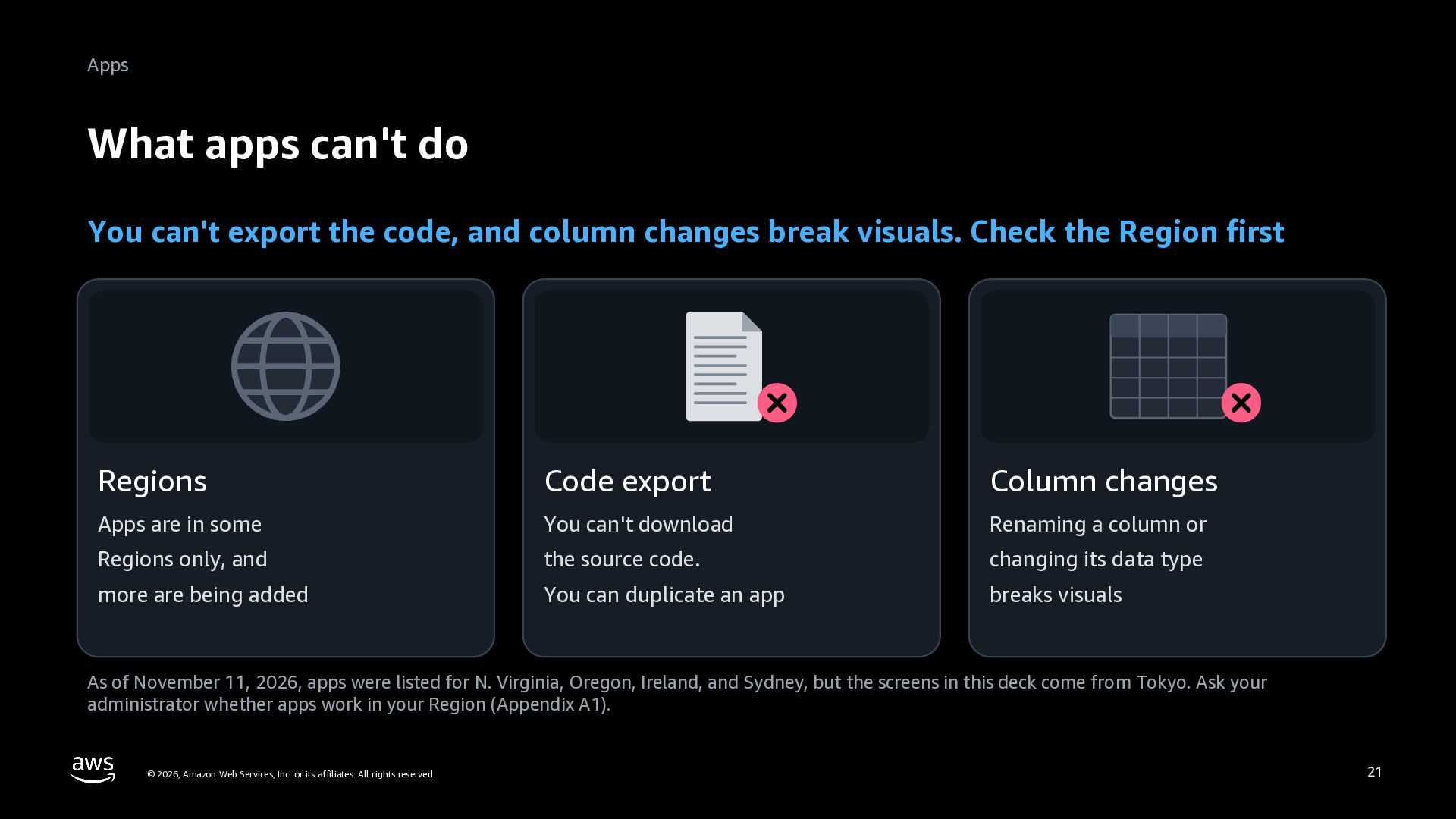
  20. Apps What apps can't do You can't export the code,

    and column changes break visuals. Check the Region first Regions Code export Column changes Apps are in some You can't download Renaming a column or Regions only, and the source code. changing its data type more are being added You can duplicate an app breaks visuals As of November 11, 2026, apps were listed for N. Virginia, Oregon, Ireland, and Sydney, but the screens in this deck come from Tokyo. Ask your administrator whether apps work in your Region (Appendix A1). © 2026, Amazon Web Services, Inc. or its affiliates. All rights reserved. 21
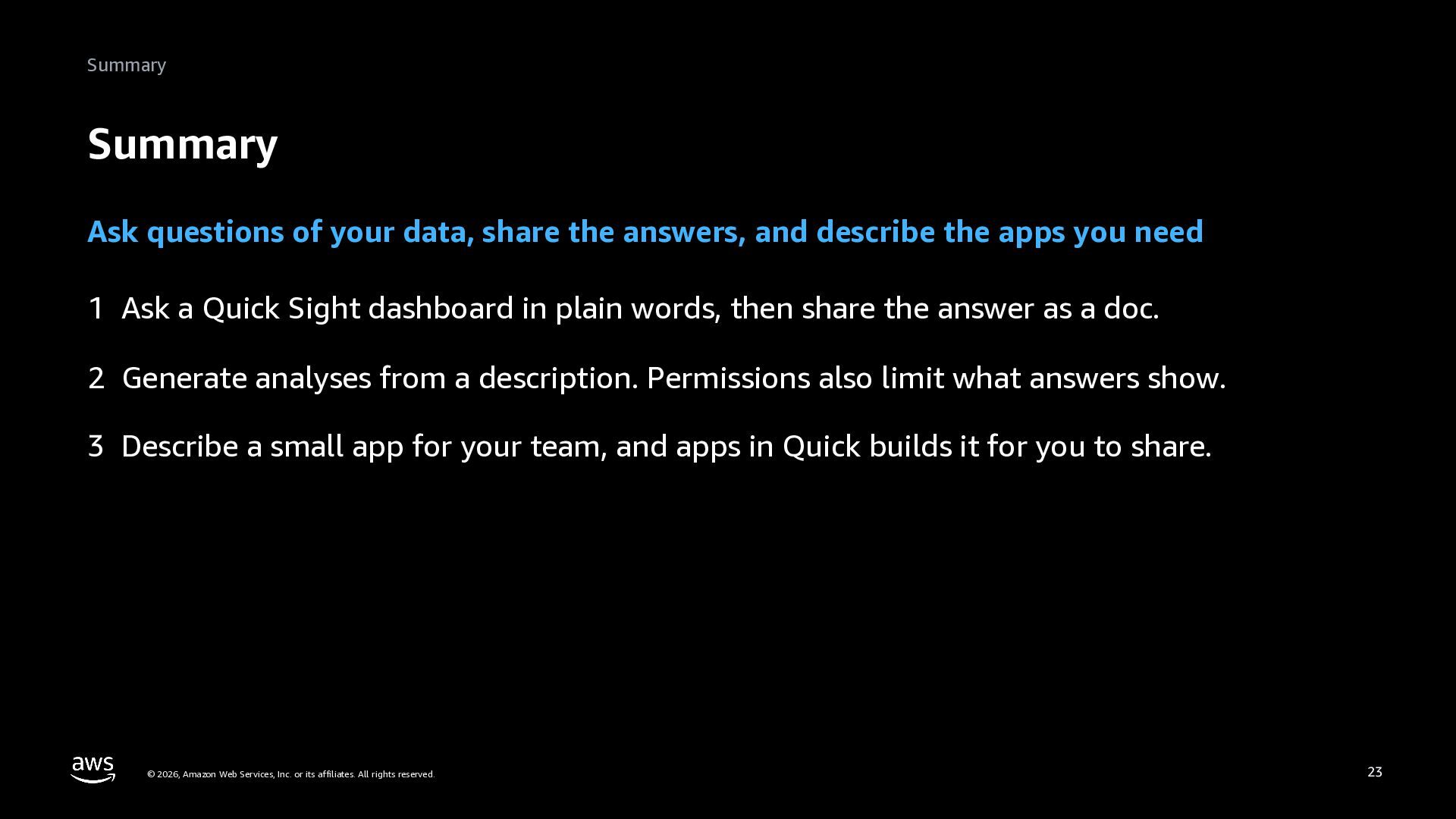
  21. Summary Summary Ask questions of your data, share the answers,

    and describe the apps you need 1 Ask a Quick Sight dashboard in plain words, then share the answer as a doc. 2 Generate analyses from a description. Permissions also limit what answers show. 3 Describe a small app for your team, and apps in Quick builds it for you to share. © 2026, Amazon Web Services, Inc. or its affiliates. All rights reserved. 23
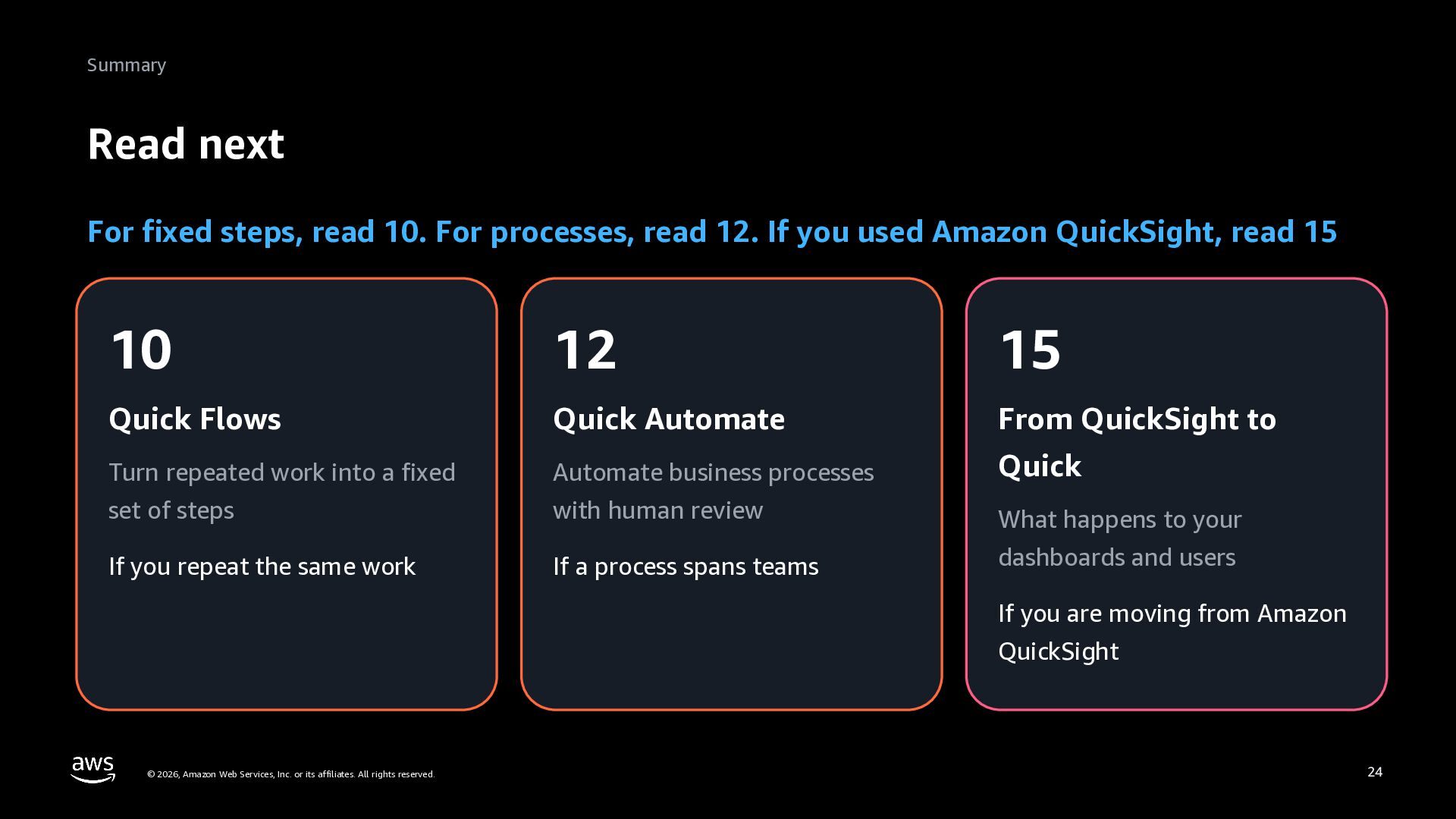
  22. Summary Read next For fixed steps, read 10. For processes,

    read 12. If you used Amazon QuickSight, read 15 10 12 15 Quick Flows Quick Automate From QuickSight to Turn repeated work into a fixed Automate business processes Quick set of steps with human review What happens to your If you repeat the same work If a process spans teams dashboards and users If you are moving from Amazon QuickSight © 2026, Amazon Web Services, Inc. or its affiliates. All rights reserved. 24
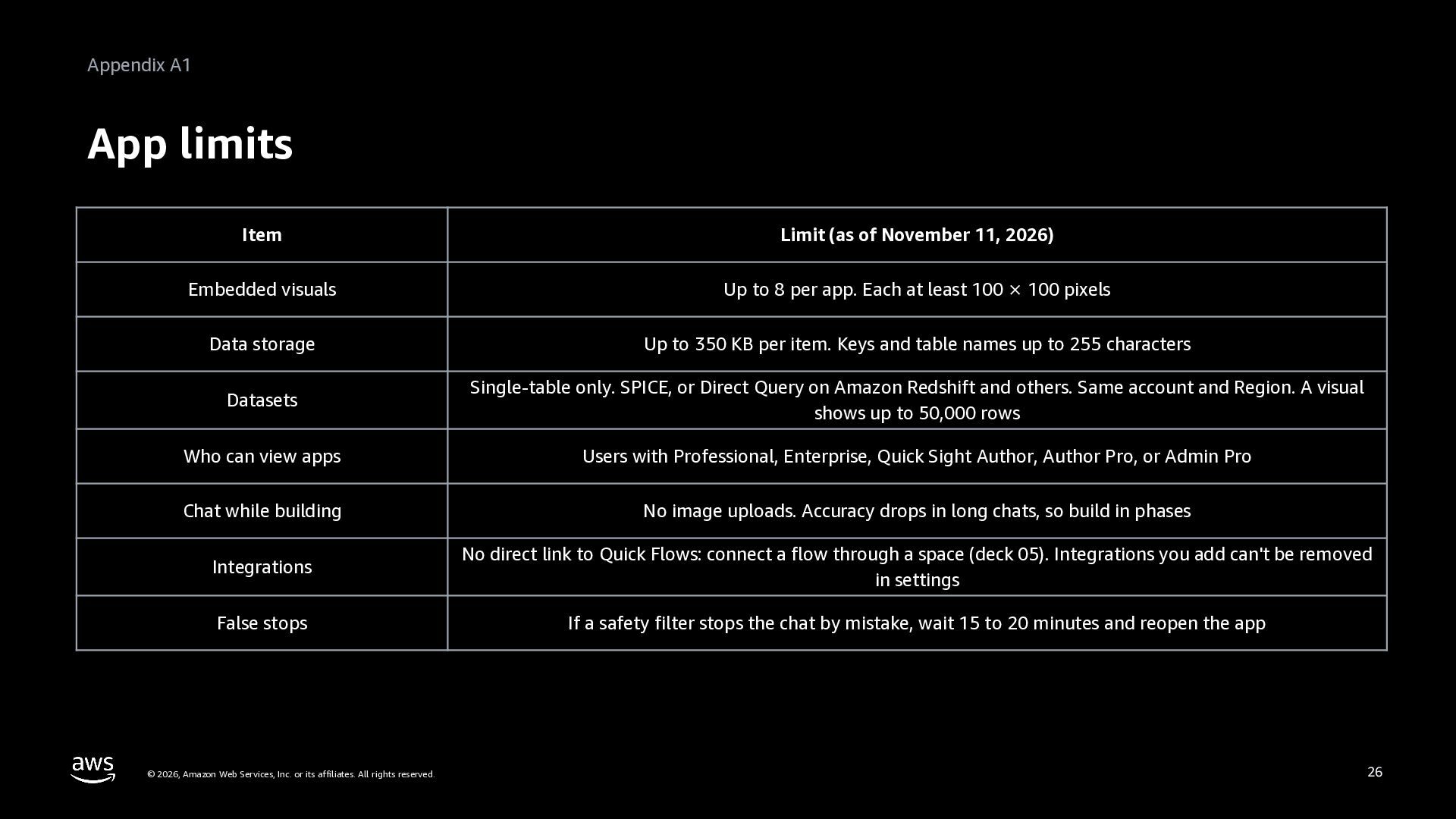
  23. Appendix A1 App limits Item Limit (as of November 11,

    2026) Embedded visuals Up to 8 per app. Each at least 100 × 100 pixels Data storage Up to 350 KB per item. Keys and table names up to 255 characters Datasets Single-table only. SPICE, or Direct Query on Amazon Redshift and others. Same account and Region. A visual shows up to 50,000 rows Who can view apps Users with Professional, Enterprise, Quick Sight Author, Author Pro, or Admin Pro Chat while building No image uploads. Accuracy drops in long chats, so build in phases Integrations No direct link to Quick Flows: connect a flow through a space (deck 05). Integrations you add can't be removed in settings False stops If a safety filter stops the chat by mistake, wait 15 to 20 minutes and reopen the app © 2026, Amazon Web Services, Inc. or its affiliates. All rights reserved. 26
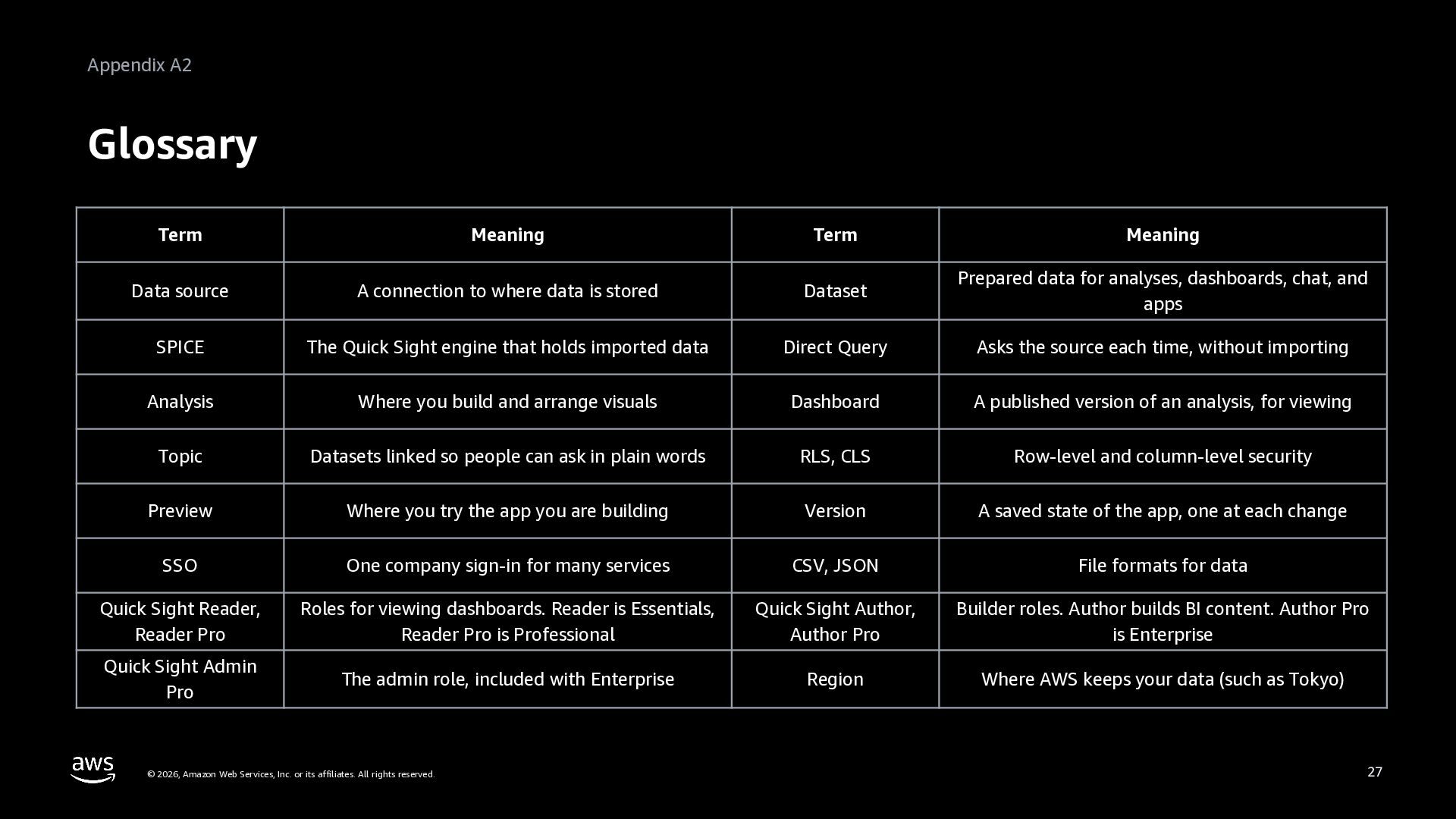
  24. Appendix A2 Glossary Term Meaning Term Meaning Data source A

    connection to where data is stored Dataset Prepared data for analyses, dashboards, chat, and apps SPICE The Quick Sight engine that holds imported data Direct Query Asks the source each time, without importing Analysis Where you build and arrange visuals Dashboard A published version of an analysis, for viewing Topic Datasets linked so people can ask in plain words RLS, CLS Row-level and column-level security Preview Where you try the app you are building Version A saved state of the app, one at each change SSO One company sign-in for many services CSV, JSON File formats for data Quick Sight Reader, Reader Pro Roles for viewing dashboards. Reader is Essentials, Reader Pro is Professional Quick Sight Author, Author Pro Builder roles. Author builds BI content. Author Pro is Enterprise Quick Sight Admin Pro The admin role, included with Enterprise Region Where AWS keeps your data (such as Tokyo) © 2026, Amazon Web Services, Inc. or its affiliates. All rights reserved. 27
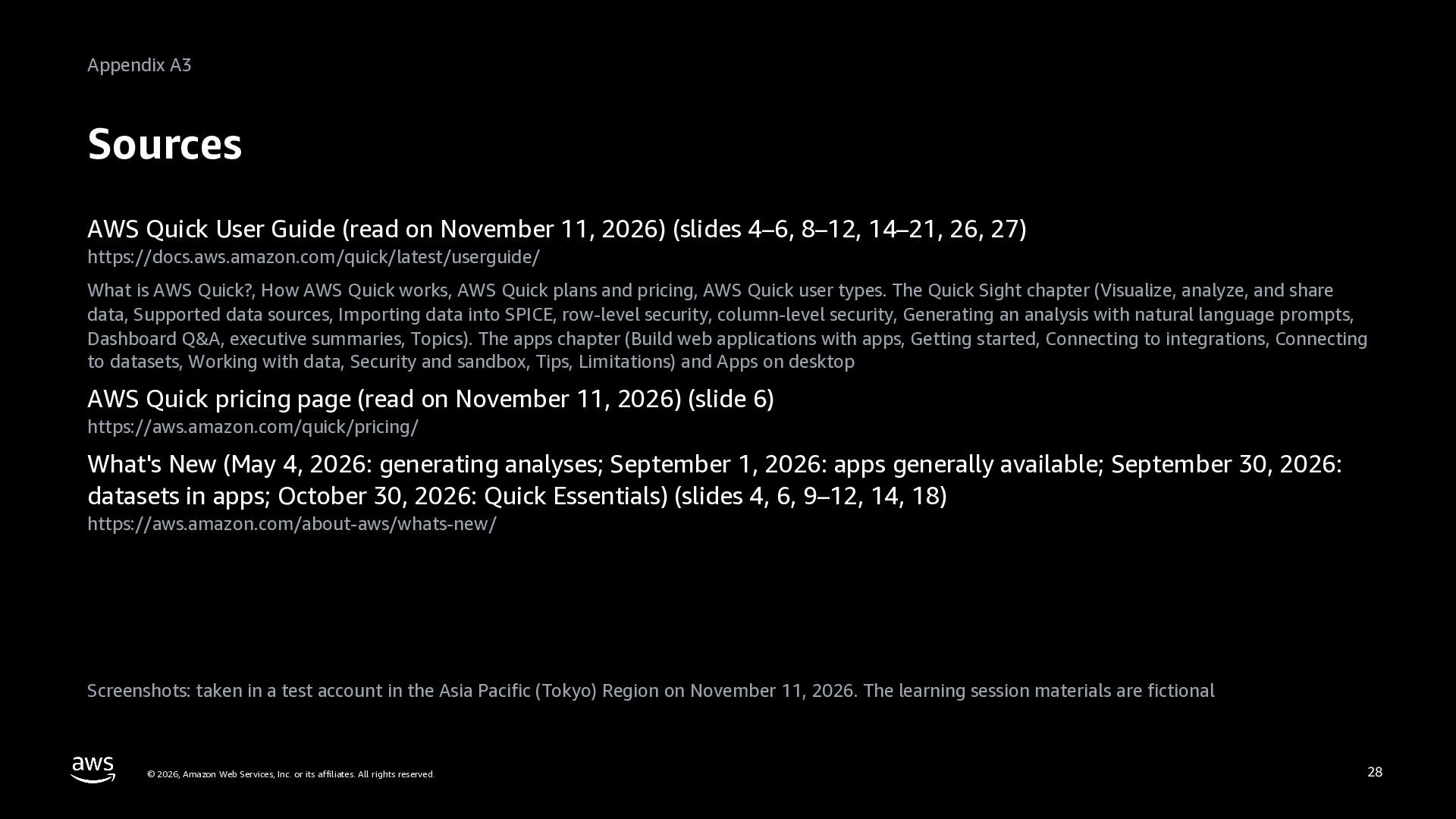
  25. Appendix A3 Sources AWS Quick User Guide (read on November

    11, 2026) (slides 4–6, 8–12, 14–21, 26, 27) https://docs.aws.amazon.com/quick/latest/userguide/ What is AWS Quick?, How AWS Quick works, AWS Quick plans and pricing, AWS Quick user types. The Quick Sight chapter (Visualize, analyze, and share data, Supported data sources, Importing data into SPICE, row-level security, column-level security, Generating an analysis with natural language prompts, Dashboard Q&A, executive summaries, Topics). The apps chapter (Build web applications with apps, Getting started, Connecting to integrations, Connecting to datasets, Working with data, Security and sandbox, Tips, Limitations) and Apps on desktop AWS Quick pricing page (read on November 11, 2026) (slide 6) https://aws.amazon.com/quick/pricing/ What's New (May 4, 2026: generating analyses; September 1, 2026: apps generally available; September 30, 2026: datasets in apps; October 30, 2026: Quick Essentials) (slides 4, 6, 9–12, 14, 18) https://aws.amazon.com/about-aws/whats-new/ Screenshots: taken in a test account in the Asia Pacific (Tokyo) Region on November 11, 2026. The learning session materials are fictional © 2026, Amazon Web Services, Inc. or its affiliates. All rights reserved. 28

More Decks by Riku INADA

Other Decks in Technology