Upgrade to Pro — share decks privately, control downloads, hide ads and more …

道具を渡す | Kiro と学ぶ Strands Agents 02

Avatar for Riku INADA Riku INADA PRO
November 09, 2026

道具を渡す | Kiro と学ぶ Strands Agents 02

01 で作ったネットのお店の問い合わせ窓口に、道具を足す回です。道具の出どころ (自分で書く関数、SDK に入っている道具、よそから借りる MCP サーバー) と、名前と説明、間違えにくい形、返す中身などの道具の作り方の要点を、Strands の講座と文書、Anthropic、OpenAI、MCP の仕様を元に場面の絵で説明します。そのうえで、組み込みの write で対応の記録を残し、配送の状況を返す小さな MCP サーバーをつないで tool_filters で絞るところを、本物の端末の画面で見せます。シリーズ「Kiro と学ぶ Strands Agents」の 02 (はじめる) です。

Avatar for Riku INADA

Riku INADA PRO

November 09, 2026

More Decks by Riku INADA

Other Decks in Technology

Transcript

  1. Kiro と学ぶ Strands Agents 02 はじめる 道具を渡す ⾃分の関数、組み込みの道具、MCP 2026-11 時点

    2026 年 11 ⽉ 稲⽥ ⼤陸 アマゾン ウェブ サービス ジャパン © 2026, Amazon Web Services, Inc. or its affiliates. All rights reserved. 02 Kiro + Strands Agents 1
  2. はじめに ⾃⼰紹介 稲⽥ ⼤陸 いなだ りく (いなりく) アマゾン ウェブ サービス

    ジャパン合同会社 ソリューションアーキテクト 製造業のお客様を中⼼に⽀援 最近の取り組み AI 駆動開発ライフサイクルの推進 Kiro と AWS Amplify の情報発信 © 2026, Amazon Web Services, Inc. or its affiliates. All rights reserved. X @inada_riku Speaker Deck speakerdeck.com/inariku Zenn zenn.dev/inariku GitHub github.com/inariku 2
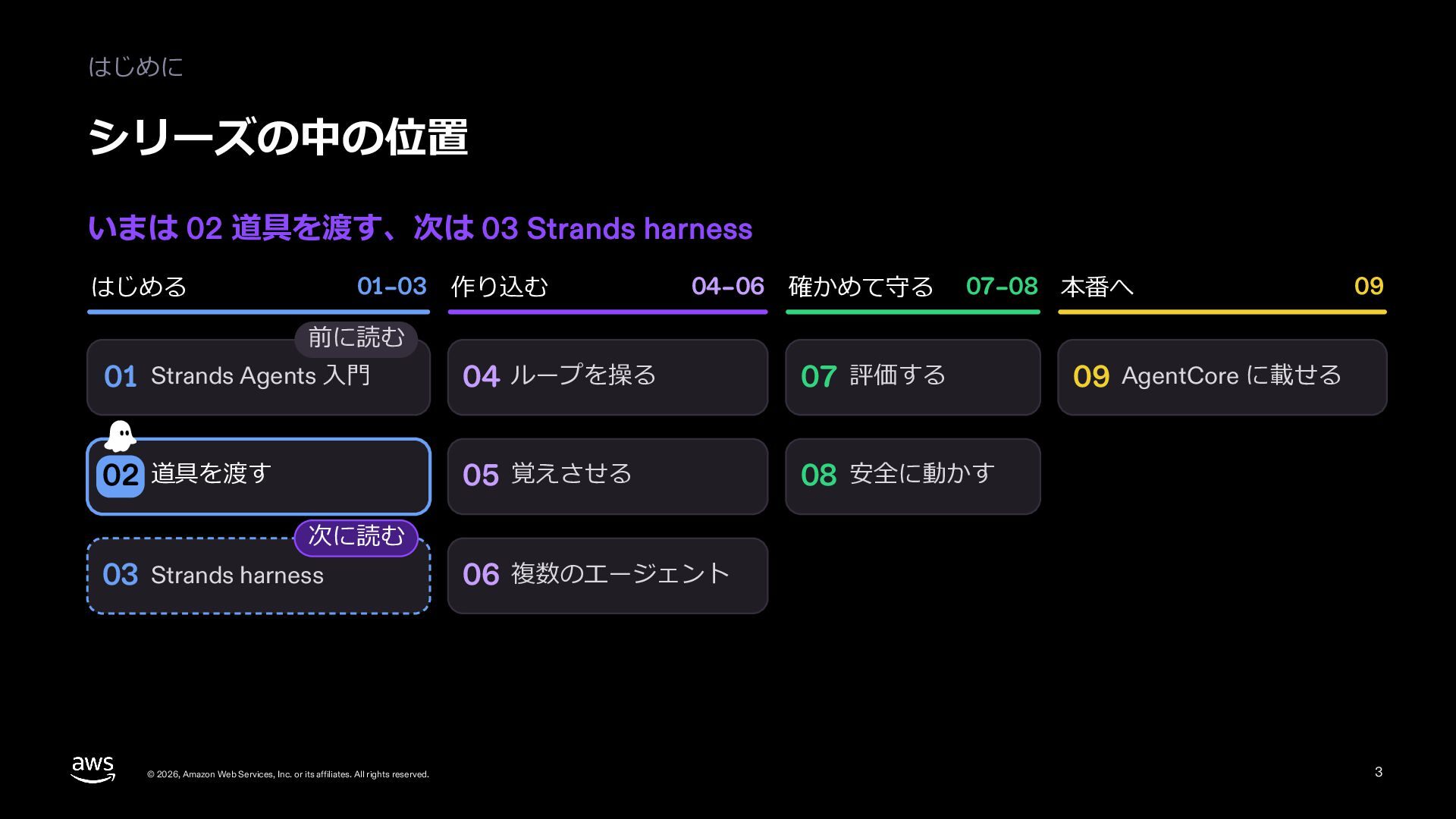
  3. はじめに シリーズの中の位置 いまは 02 道具を渡す、次は 03 Hook で決まりを守らせる はじめる 01–02

    作り込む 前に読む 03–06 確かめる 01 エージェントのしくみ 次に読む Hook で決まりを 03 守らせる 02 道具を渡す 04 で⼿順を守らせる Skill と steering 07 評価する 07 載せて広げる 08–09 08 アプリとクラウドに載せる 09 組み⽴て済みで始める 05 覚えさせる 06 チームで動かす © 2026, Amazon Web Services, Inc. or its affiliates. All rights reserved. 3
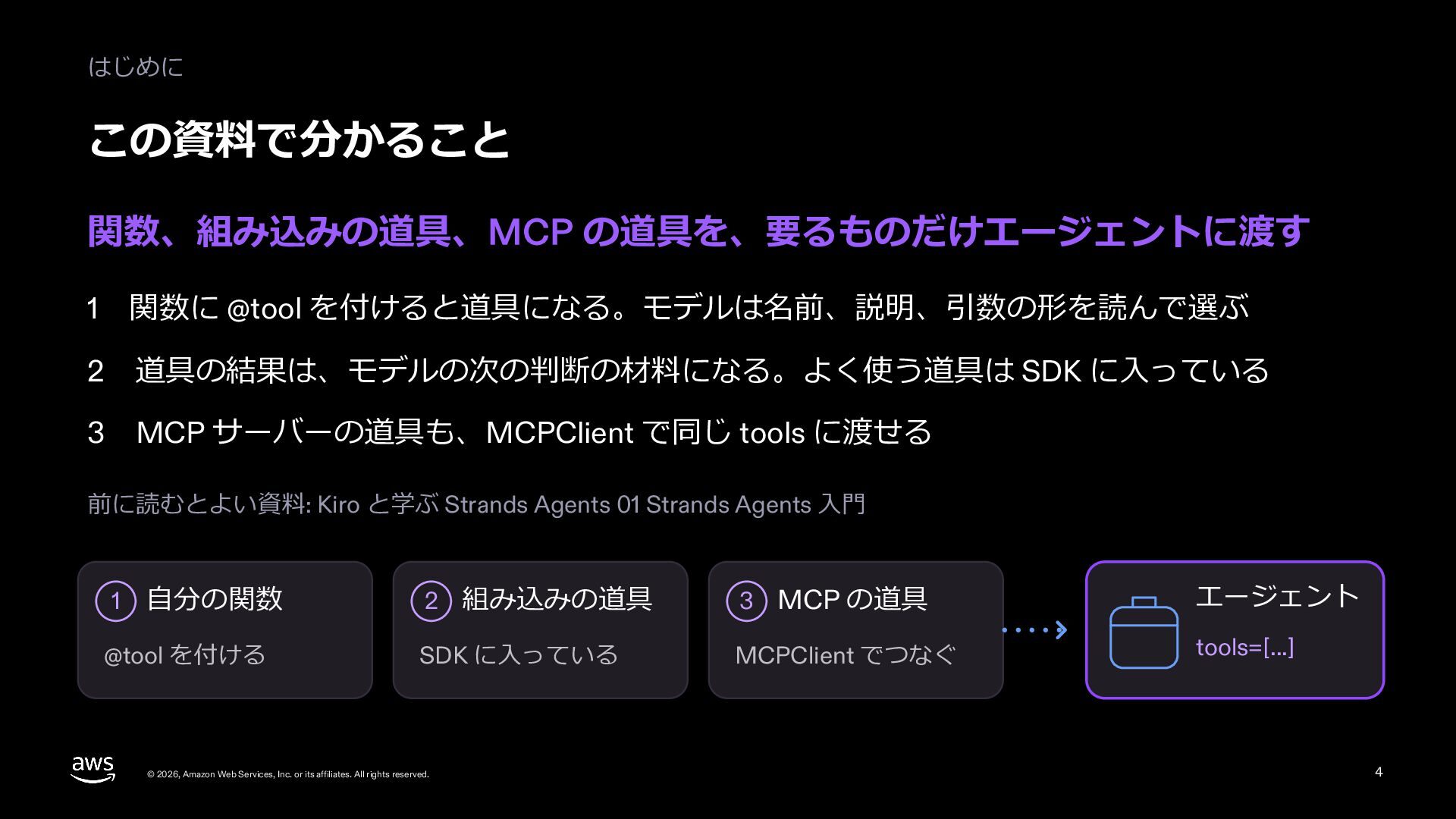
  4. はじめに この資料で分かること 道具の出どころは 3 つ。どれも同じ tools=[...] に並べて渡す 1 ⾃分の関数: 名前と説明を書き、返す中⾝は要るものだけにする

    2 組み込みの道具: write で記録を残す。道具はこのプログラムの権限で動く 3 MCP: よそのサーバーの道具をつなぎ、要る道具だけを渡す このシリーズでは、架空のネットのお店の問い合わせ窓⼝を育てる。この回は、01 の窓⼝係に道具を⾜す ⾃分の関数 組み込みの道具 MCP 台帳を引く 記録を書く 配送の状況を聞く @tool write MCPClient © 2026, Amazon Web Services, Inc. or its affiliates. All rights reserved. 4
  5. 1 道具の作り⽅ 道具の 3 つの出どころ ⾃分で作る道具、SDK に⼊っている道具、よそから借りる道具がある MCP 2 SDK

    に⼊っている write、read など 1 ⾃分で作る @tool の関数 宅配便の会社 3 よそから借りる MCP サーバーの道具 どれも、tools=[...] に並べて渡す © 2026, Amazon Web Services, Inc. or its affiliates. All rights reserved. 5
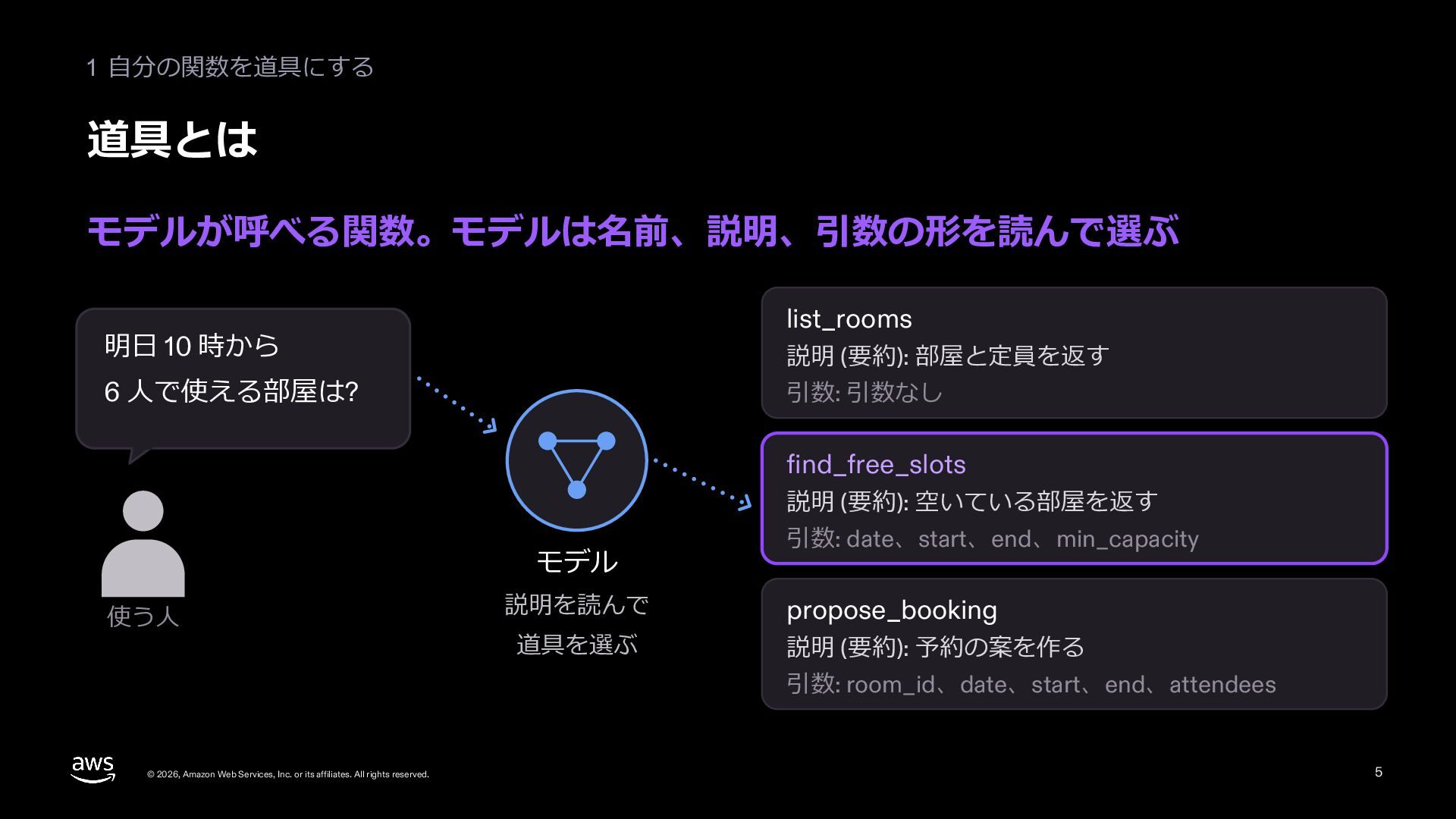
  6. 1 道具の作り⽅ 道具は、モデルとの約束事 モデルは毎回考えて動く。道具は、そのモデルが使うものとして作る ふつうの関数 エージェント 同じ⼊⼒に、毎回同じ動き 同じ頼みに、動きが変わることがある lookup_customer("C-1001") lookup_customer("C-1001")

    lookup_customer("C-1001") 道具で調べる ? お客さんに聞き返す 知っていることで答えてしまう いつも「⼭⽥ 花⼦ さん」を返す 道具は、決まった動きのコードと、毎回考えるモデルの間の約束事 © 2026, Amazon Web Services, Inc. or its affiliates. All rights reserved. 6
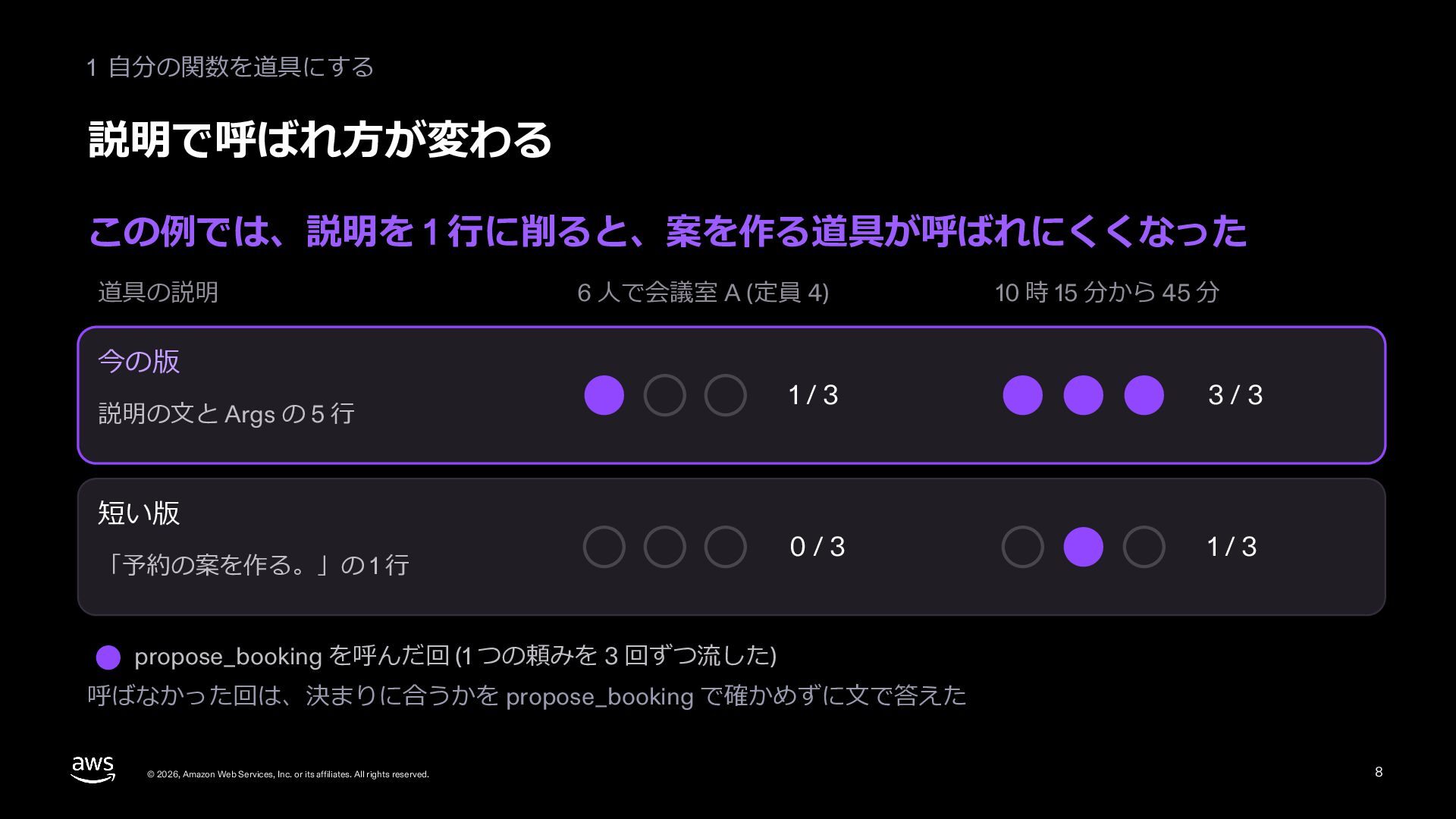
  7. 1 道具の作り⽅ 説明で呼ばれ⽅が決まる モデルは道具の名前と説明を読んで選ぶ。何をして何を返すかを書く あいまいなラベル はっきりしたラベル check lookup_customer 調べる お客さんを

    ID で調べる check2 get_order_history 調べる お客さんの注⽂の履歴を返す ? どちらを使えばいいか分からない 注⽂の話なら get_order_history を選ぶ 名前と説明に、何をして何を返すかを書く © 2026, Amazon Web Services, Inc. or its affiliates. All rights reserved. 7
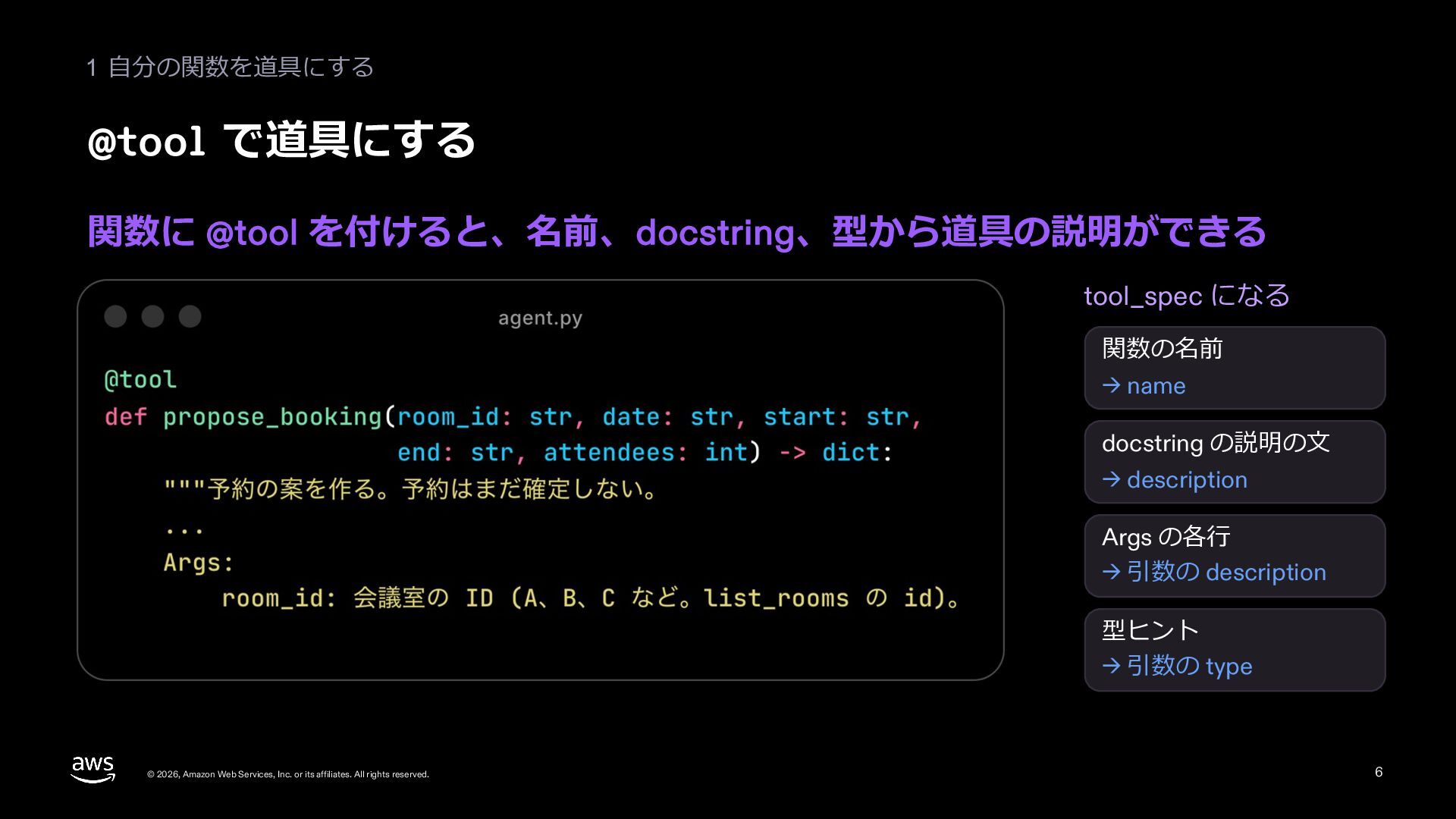
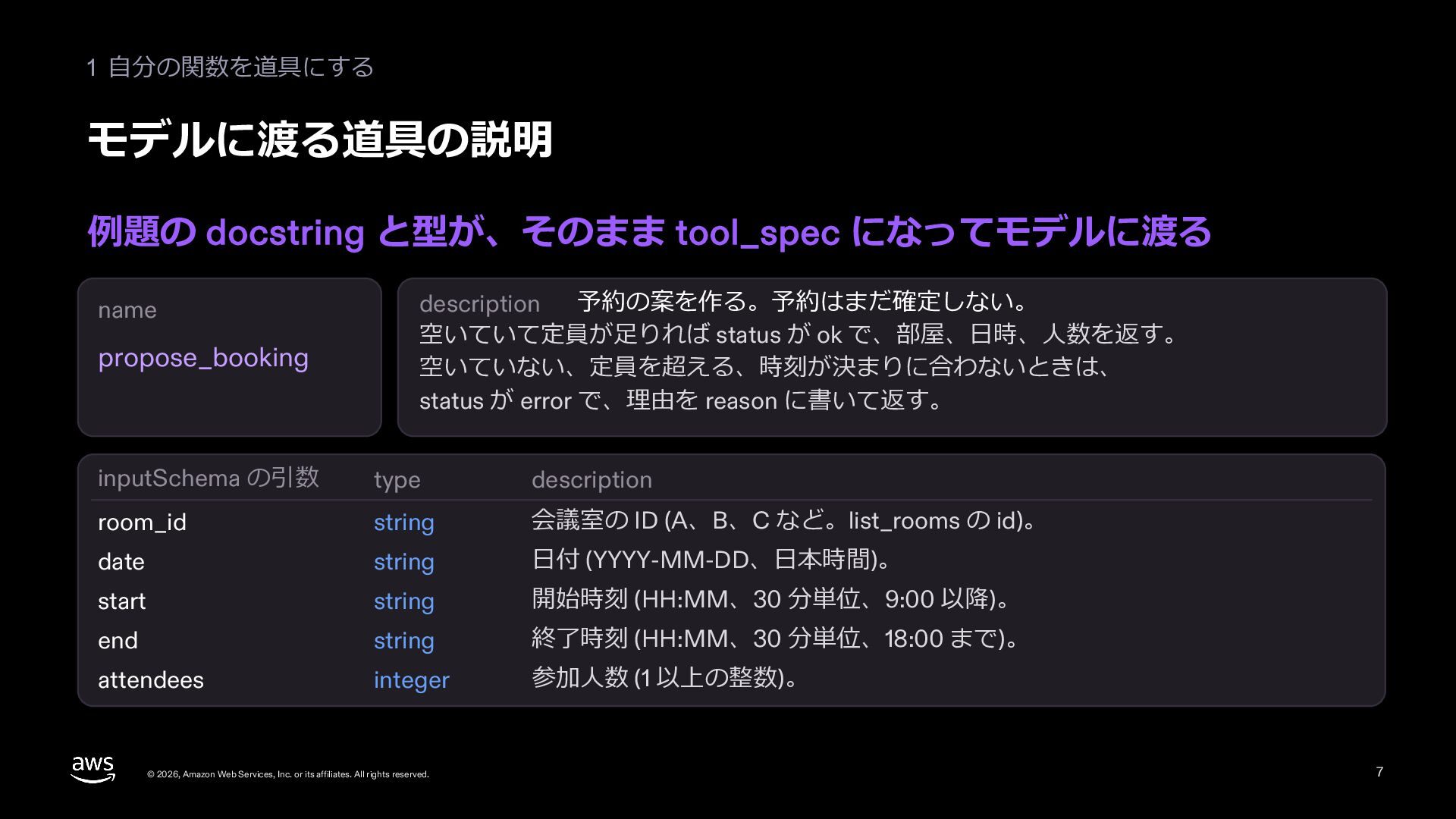
  8. 1 道具の作り⽅ 説明の書き⽅ 新しく⼊った⼈に教えるつもりで、名前、説明、引数を書く tools.py (抜き書き、01 で書いた道具) @tool def get_order_history(customer_id:

    str) -> str: """お客さんの注⽂の履歴を返す。 Args: customer_id: お客さんの ID (例: C-1001) """ Args を除いた docstring 全体が説明、 Args が引数の説明 名前 説明 引数 動詞と対象。英数字と _ - で 64 ⽂字まで (⽇本語は不可) いつ使い、何を返すか。 似た道具との境⽬、例 user より user_id のように、 名前で中⾝が分かる 新しく⼊った⼈に教えるつもりで書く 返す中⾝も docstring に書けば届く © 2026, Amazon Web Services, Inc. or its affiliates. All rights reserved. 8
  9. 1 道具の作り⽅ 間違えにくい形にする 迷いにくい引数にし、うまくいかないときは次の⼿が分かる返事を返す 間違えやすい形 置き場所 記録.md 間違えにくい形 ? /tmp/support-desk/C-1001.md

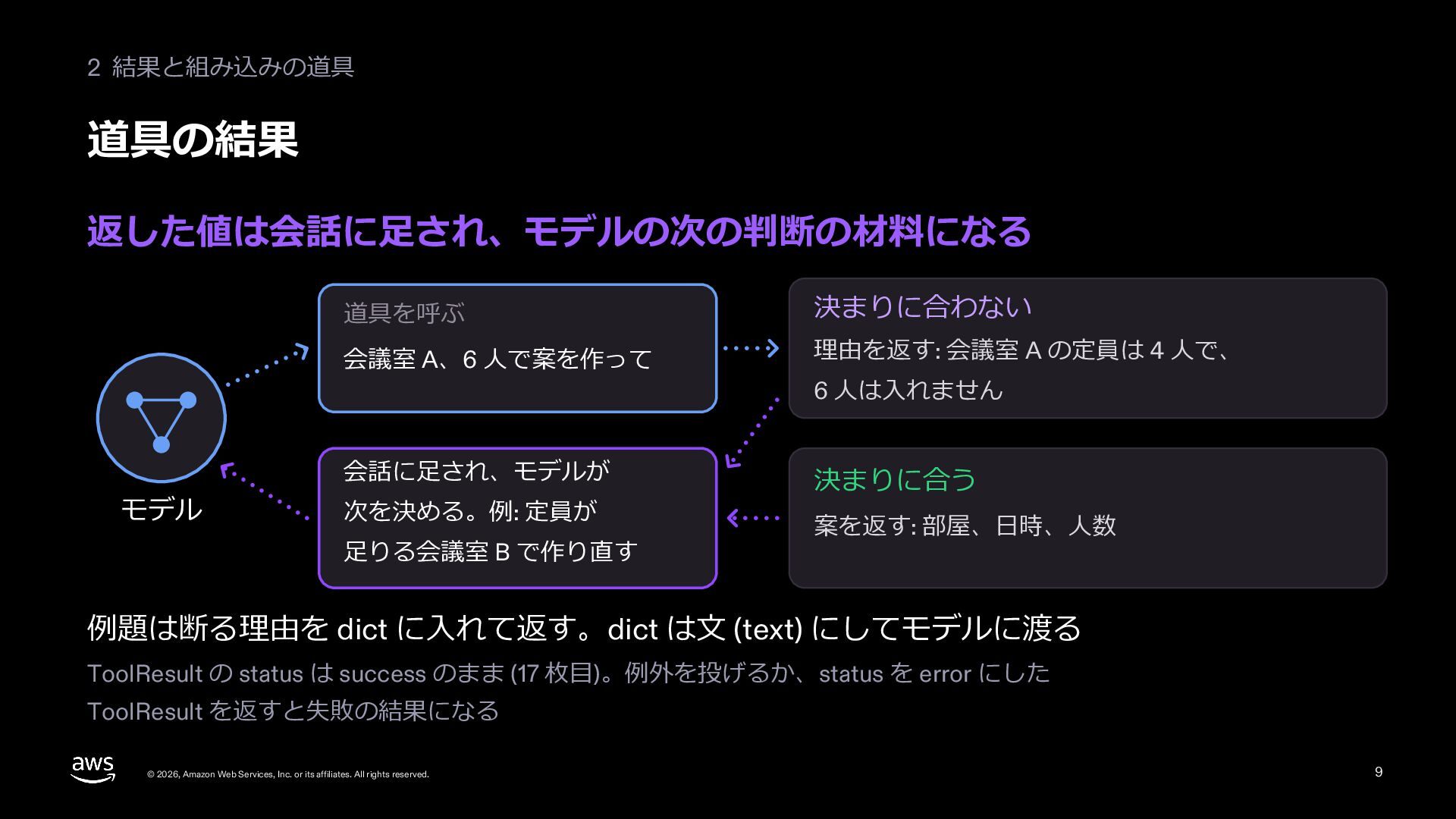
    write の決まり: 絶対パスだけを受け付ける うまくいかない とき Error 404 次に何をすればいいか分からない ID C-9999 のお客さんは⾒つかりません 何が無かったかを⾔うので、聞き直せる 間違えにくい引数と、次の⼿が分かる返事にする © 2026, Amazon Web Services, Inc. or its affiliates. All rights reserved. 9
  10. 1 道具の作り⽅ 返す中⾝は要るものだけ 全部を返さず、答えに要る⾏を、読める⾔葉で返す 全部を返す 要るものだけを返す 全員の注⽂、中の ID も全部 そのお客さんの注⽂を、読める⾔葉で

    a7f3c2e1-… uuid、mime_type 1,284 件 机の上 (⽂脈の窓) が埋まる ORD-5521 ワイヤレスイヤホン 9,800 円 [届いた] 注⽂ 2026-10-28 届いた⽇ 2026-11-02 ORD-5488 USB-C ハブ 4,500 円 [配送中] 注⽂ 2026-11-06 届く予定 2026-11-11 get_order_history の返事 (1 件 1 ⾏を折り返した) 多くなりそうなら、絞る、ページに分ける、途中で切って続きの取り⽅を返す © 2026, Amazon Web Services, Inc. or its affiliates. All rights reserved. 10
  11. 1 道具の作り⽅ 道具の数より、仕事の単位 API をそのまま包むより、⼈がする仕事の単位で道具を作る API をそのまま包む 仕事の単位で 1 つにする

    get_customer お客さん 1 list_orders 注⽂の⼀覧 2 お客さんの今の注⽂と前の対応を、まとめて返す list_notes 前の対応のメモ 3 1 3 回呼んで、途中の結果も机に積む get_customer_context 1 回で済み、途中の結果が残らない どちらがよいかは評価で決める (07) ⼈が同じ台帳を渡されたら、どう分けて仕事をするかで決める © 2026, Amazon Web Services, Inc. or its affiliates. All rights reserved. 11
  12. 1 道具の作り⽅ 道具は記録を⾒て直す 現実に近い問い合わせで回し、記録を読んで直す 2 記録を読む 3 直す 4 確かめる

    現実に近い問い合わせを 呼んだ道具と回数、 記録を読ませて、 直すのに使っていない たくさん流す エラー、トークン 説明と中⾝を直させる 問い合わせで 1 回す 良くなるまで繰り返す 道具の直しも、測ってから。評価の作り⽅は 07 で © 2026, Amazon Web Services, Inc. or its affiliates. All rights reserved. 12
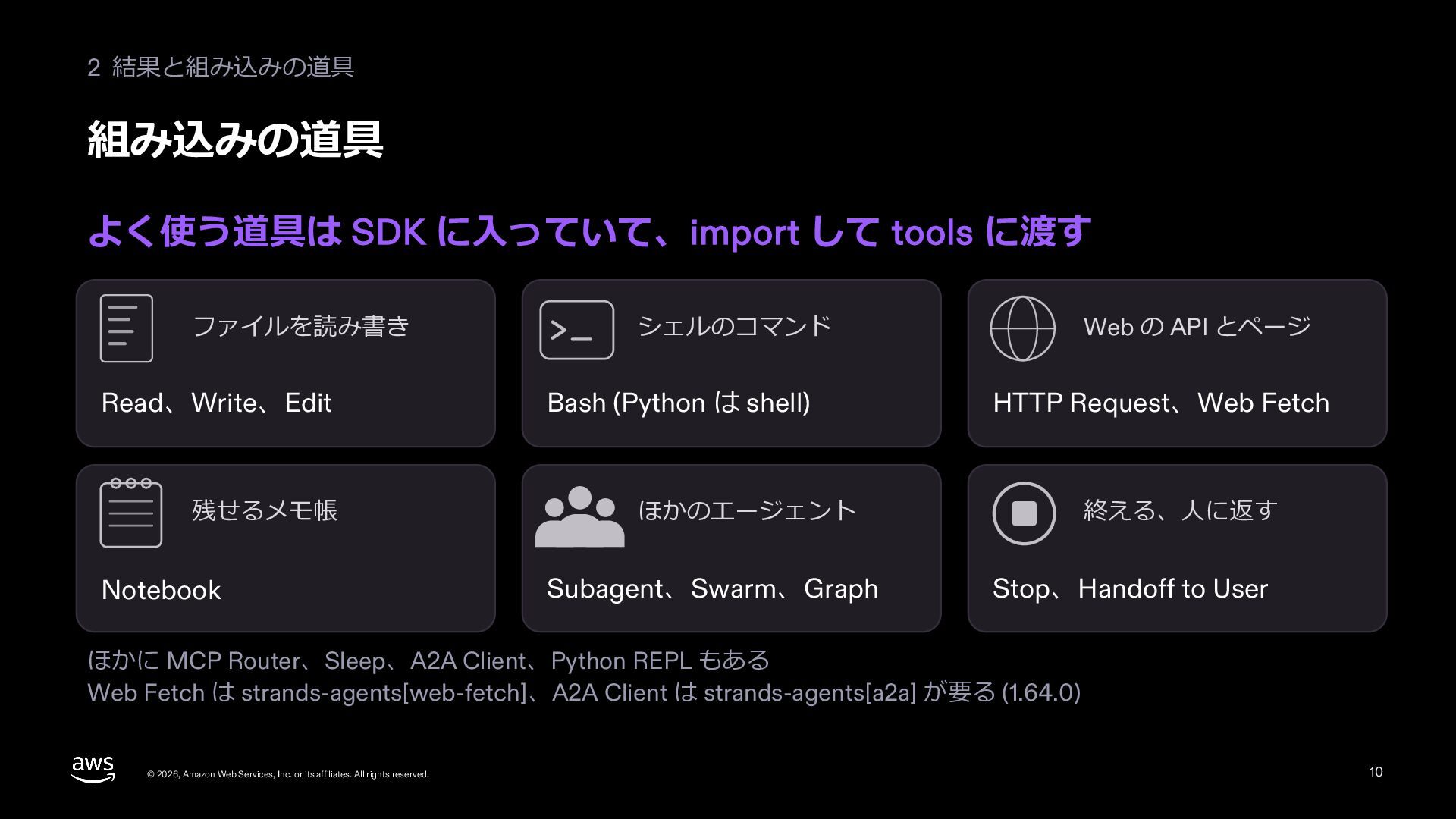
  13. 2 組み込みの道具 組み込みの道具 よく使う道具は SDK に⼊っている。import して tools に⾜すだけ ファイル

    read、write、edit コマンド shell、python_repl ネット http_request、web_fetch メモと流れ notebook、stop、handoff_to_user ほかのエージェント subagent、swarm、graph この資料で使う a2a_client と mcp_router は make_… で作って渡す。web_fetch と a2a_client は追加のパッケージが要る © 2026, Amazon Web Services, Inc. or its affiliates. All rights reserved. 13
  14. 2 組み込みの道具 道具はこのプログラムの権限で動く 渡す前に、読むか書くか、取り消せるか、お⾦が動くかを⾒る shell を渡すと このパソコンの合い鍵を 低 中 渡したのと同じ

    囲いの中で動かすなら Strands Shell (09) ⾼ 読むだけ (よそのサーバーの道具は、説明を信じすぎない) lookup_customer、get_order_history、get_delivery_status 書く (このパソコンのファイル) write (場所は指⽰で指す。道具は場所を絞らない) お⾦が動く、取り消せない process_refund (03 で⼈の承認を挟む) 道具ごとに、読むか書くか、取り消せるか、お⾦が動くかを⾒る © 2026, Amazon Web Services, Inc. or its affiliates. All rights reserved. 14
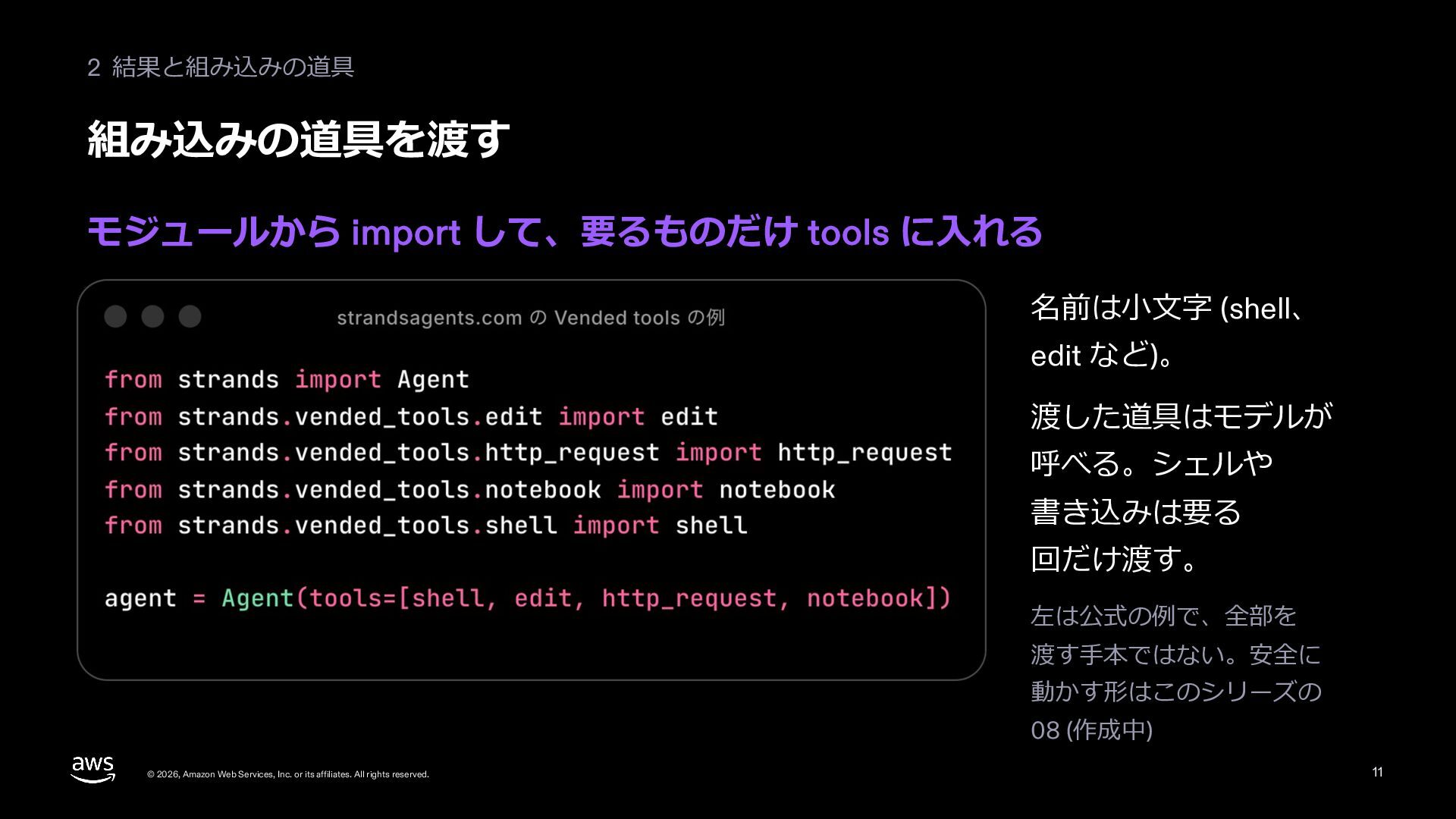
  15. 2 組み込みの道具 記録の道具を⾜す write を import して tools に⾜し、いつ使うかを指⽰に書く agent_02.py

    (抜き書き) from strands.vended_tools import write … - 答える前に、対応の記録を write で /tmp/support-desk/<お客さんの ID>.md に書く (4 ⾏: ⽇付、お客さん、問い合わせ、答え)""" … tools=[lookup_customer, get_order_history, process_refund, write, delivery], … delivery は 20 枚⽬でつなぐ MCP の道具。write は同じ名前のファイルを丸ごと書き換える import = 棚から出す © 2026, Amazon Web Services, Inc. or its affiliates. All rights reserved. system_prompt = 使う時を書く tools=[...] = 机に置く 15
  16. 2 組み込みの道具 対応の記録を残す 記録を書いてから、 届いた⽇を答えた Tool #3: write 組み込みの道具を 呼んだ印

    $ cat の下 書かれた記録 (4 ⾏) © 2026, Amazon Web Services, Inc. or its affiliates. All rights reserved. 16
  17. 2 組み込みの道具 同時に⾛るか、順に⾛るか 頼まれた道具は既定で同時に⾛る。順が⼤事なら順に⾛らせる 既定: 同時に⾛る 順が⼤事なら、順に⾛らせる 1 回の返事で頼まれた道具は、⼀緒に動く 後の道具が、前の道具の変えたものを⾒るとき

    lookup_customer 1 get_delivery_status 2 get_delivery_status かかる時間は、⼀番遅い道具の分 change_delivery_date tool_executor=SequentialToolExecutor() 同時に⾛るのは、1 回の返事で道具をいくつも頼んだときだけ © 2026, Amazon Web Services, Inc. or its affiliates. All rights reserved. 17
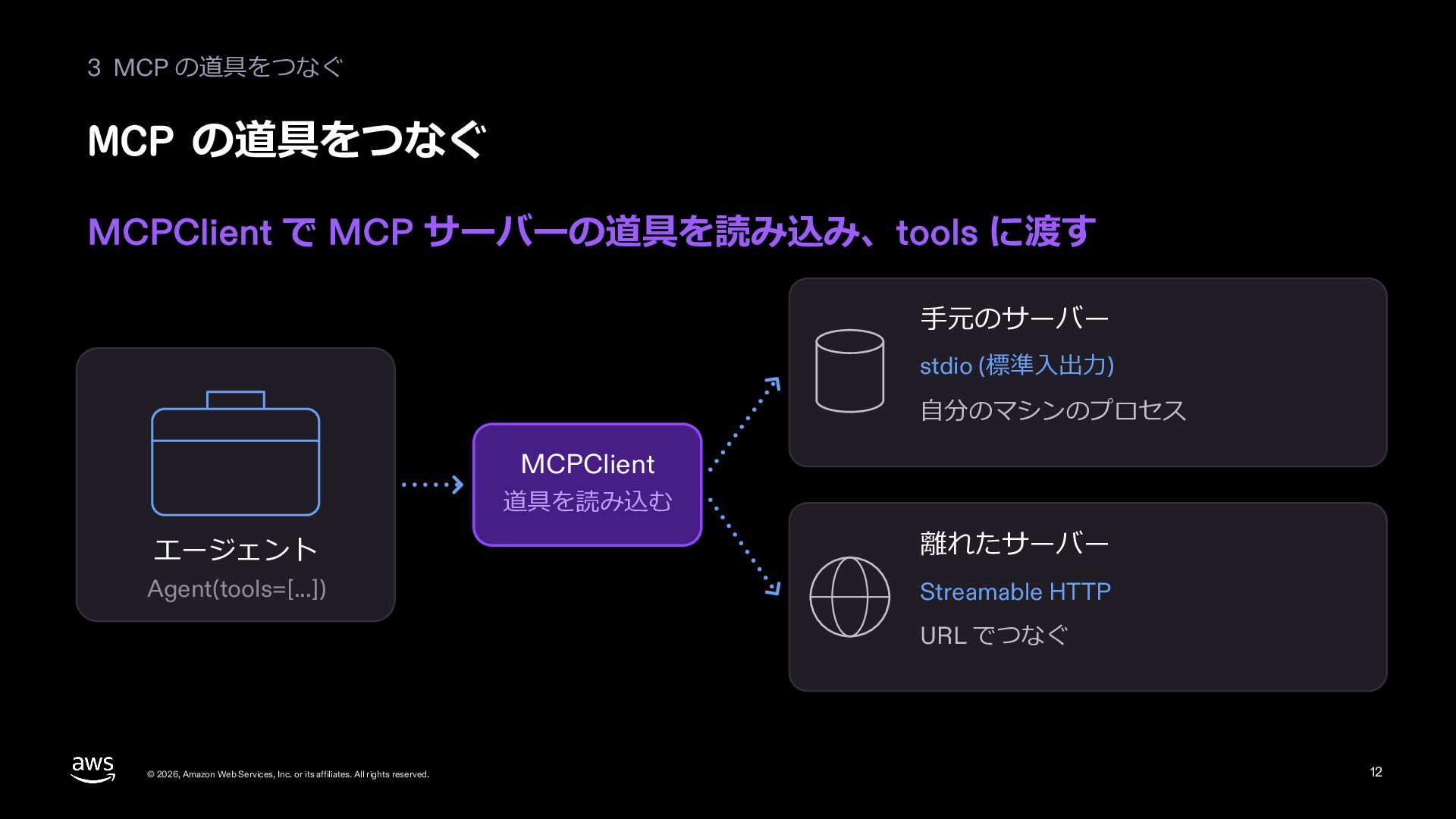
  18. 3 MCP MCP とは よそが作って配っている道具を、書き直さずにそのまま使える約束事 よそが配る道具を、そのまま使える 宅配便の会社 受け渡しの決まり (MCP) 1

    道具の⼀覧を聞く 2 道具を呼んで、結果を受け取る MCP サーバー 道具を配っている お店の窓⼝ stdio 同じパソコンで、別の プログラムとして起動する © 2026, Amazon Web Services, Inc. or its affiliates. All rights reserved. この資料 Streamable HTTP 離れたサーバーに HTTP でつなぐ 18
  19. 3 MCP 配送の状況を返す MCP サーバーを置く 宅配便の会社のサーバーのつもりで、⼿元に⼩さな代わりを置く delivery_server.py (抜き書き) from mcp.server

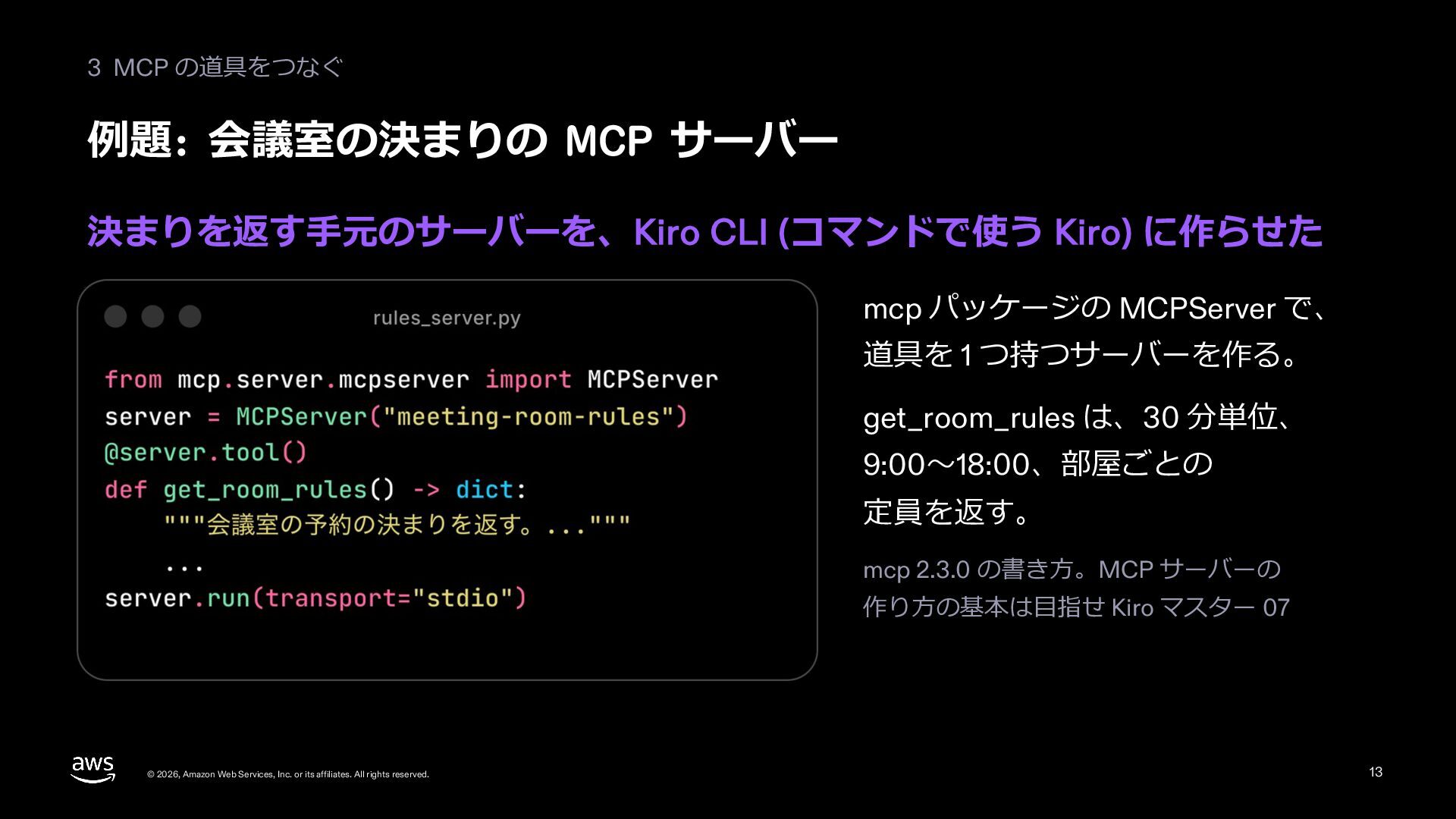
    import MCPServer mcp = MCPServer("宅配便の会社", log_level="WARNING") … @mcp.tool() def get_delivery_status(order_id: str) -> str: """注⽂の荷物の配送の状況 (今どこか、いつ届くか) を返す。 … status = TRACKING.get(order_id) return status or f"{order_id} の荷物は⾒つかりません" … mcp.run() # stdio © 2026, Amazon Web Services, Inc. or its affiliates. All rights reserved. 宅配便の会社の サーバーのつもりで ⼿元に置く代わり サーバーにある道具 (2 つ) get_delivery_status 配送の状況を返す change_delivery_date 届け⽇を変える (20 枚⽬で外す) 19
  20. 3 MCP つなぐ MCPClient でサーバーにつなぎ、ほかの道具と同じ tools に並べる agent_02.py (抜き書き) from

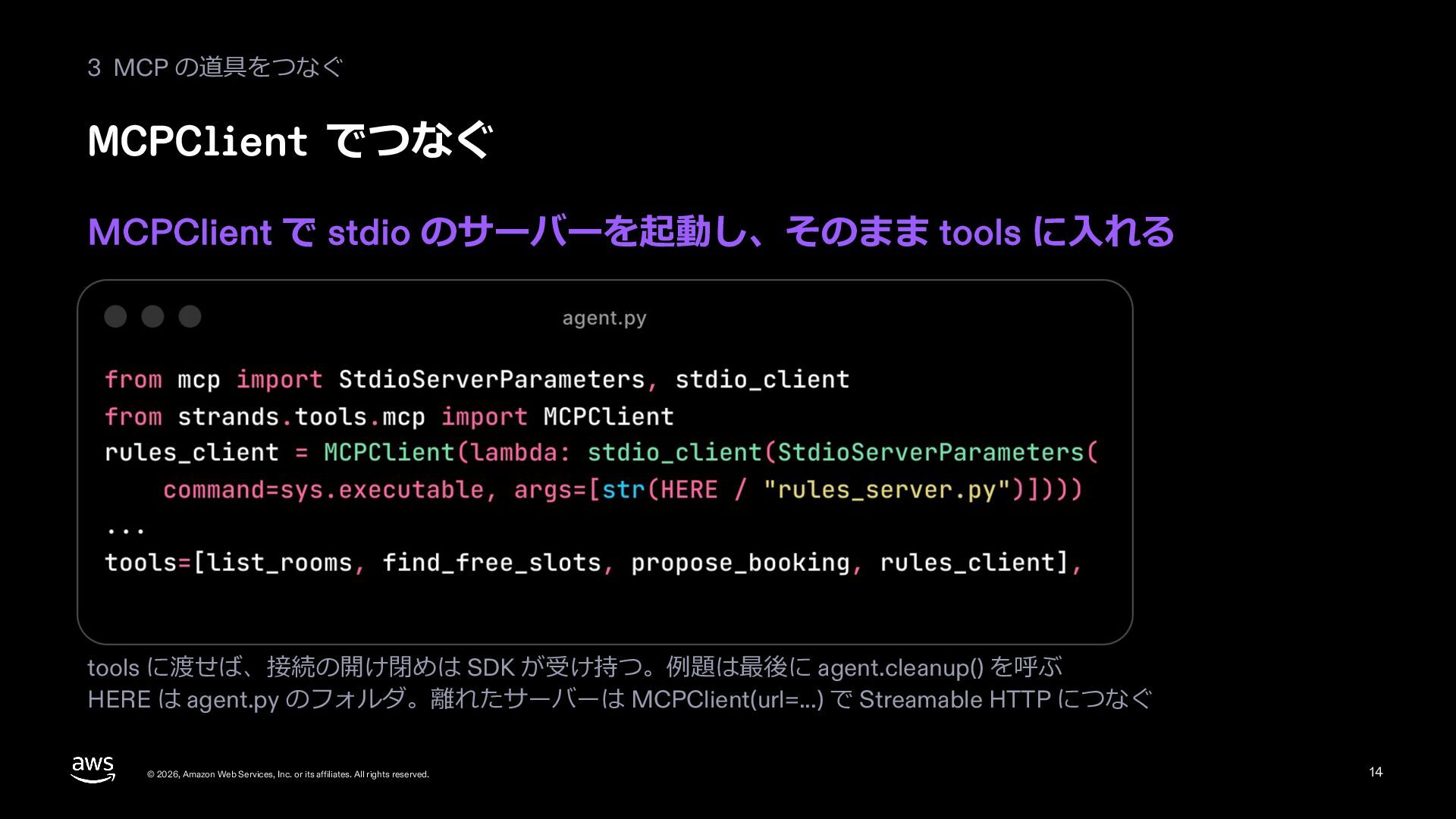
    mcp import StdioServerParameters, stdio_client from strands.tools.mcp import MCPClient … delivery = MCPClient( lambda: stdio_client(StdioServerParameters( command="python", args=["delivery_server.py"])), tool_filters={"allowed": ["get_delivery_status"]}, ) … tools=[lookup_customer, get_order_history, process_refund, write, delivery], … © 2026, Amazon Web Services, Inc. or its affiliates. All rights reserved. MCPClient(...) = 宅配便の会社への電話 stdio_client = 別のプログラムで起動 tool_filters= = 渡す道具を絞る tools=[..., delivery] = ほかの道具と並べる 20
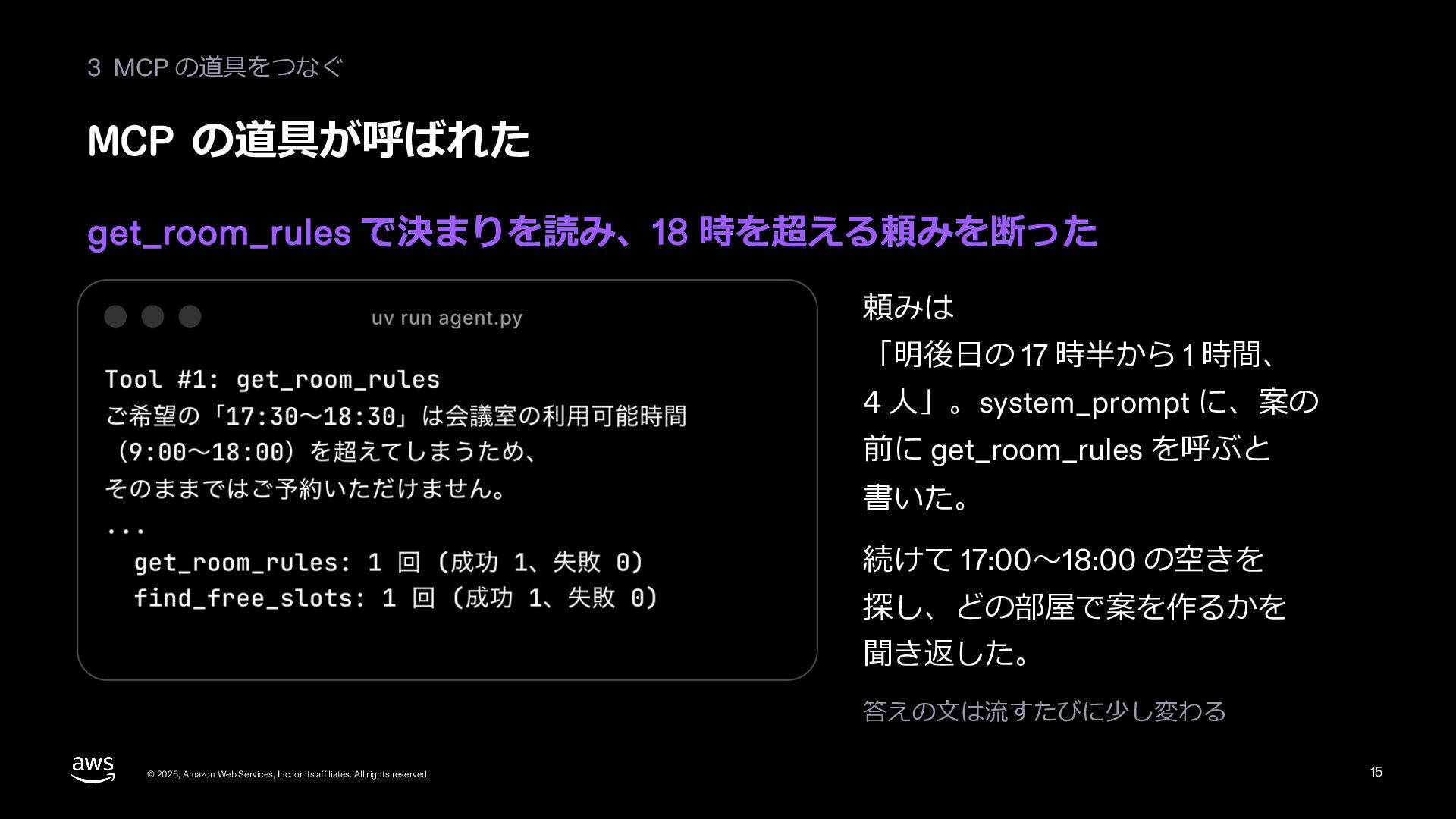
  21. 3 MCP 動かす 配送の状況を サーバーに聞いて、 届く⽇を答えた Tool #3 get_delivery_status MCP

    サーバーの道具。 別のプログラムで動く 答え 配送の状況を引いて、 届く⽇を答えた © 2026, Amazon Web Services, Inc. or its affiliates. All rights reserved. 21
  22. 3 MCP 渡す道具を絞る 道具が多いと迷う。tool_filters で、要る道具だけを渡す ? 選び間違える 無い名前の道具を呼ぶ 説明の⽂で机の上が埋まる 机の上の広さ

    = ⽂脈の窓 要る道具だけを渡す。MCP サーバーの 道具は tool_filters で選ぶ © 2026, Amazon Web Services, Inc. or its affiliates. All rights reserved. tools_02.py は名前を出すだけ。 窓⼝係には get_delivery_status だけ 22
  23. 3 MCP 道具が増えてきたら 道具の説明はお客さんの話より先に広がる。絞る、印を付ける、 係を分ける 机の上 (⽂脈の窓) 1 2 お客さんの話

    道具の説明が先に広がる 3 絞る tool_filters で、要る道具だけ (22 枚⽬) 名前に印を付ける prefix で、サーバーごとに名前の頭をそろえる 係を分ける 似た道具が多くて迷うなら、エージェントを分ける (06) 数より、似た道具が並ぶことが迷いのもと © 2026, Amazon Web Services, Inc. or its affiliates. All rights reserved. 23
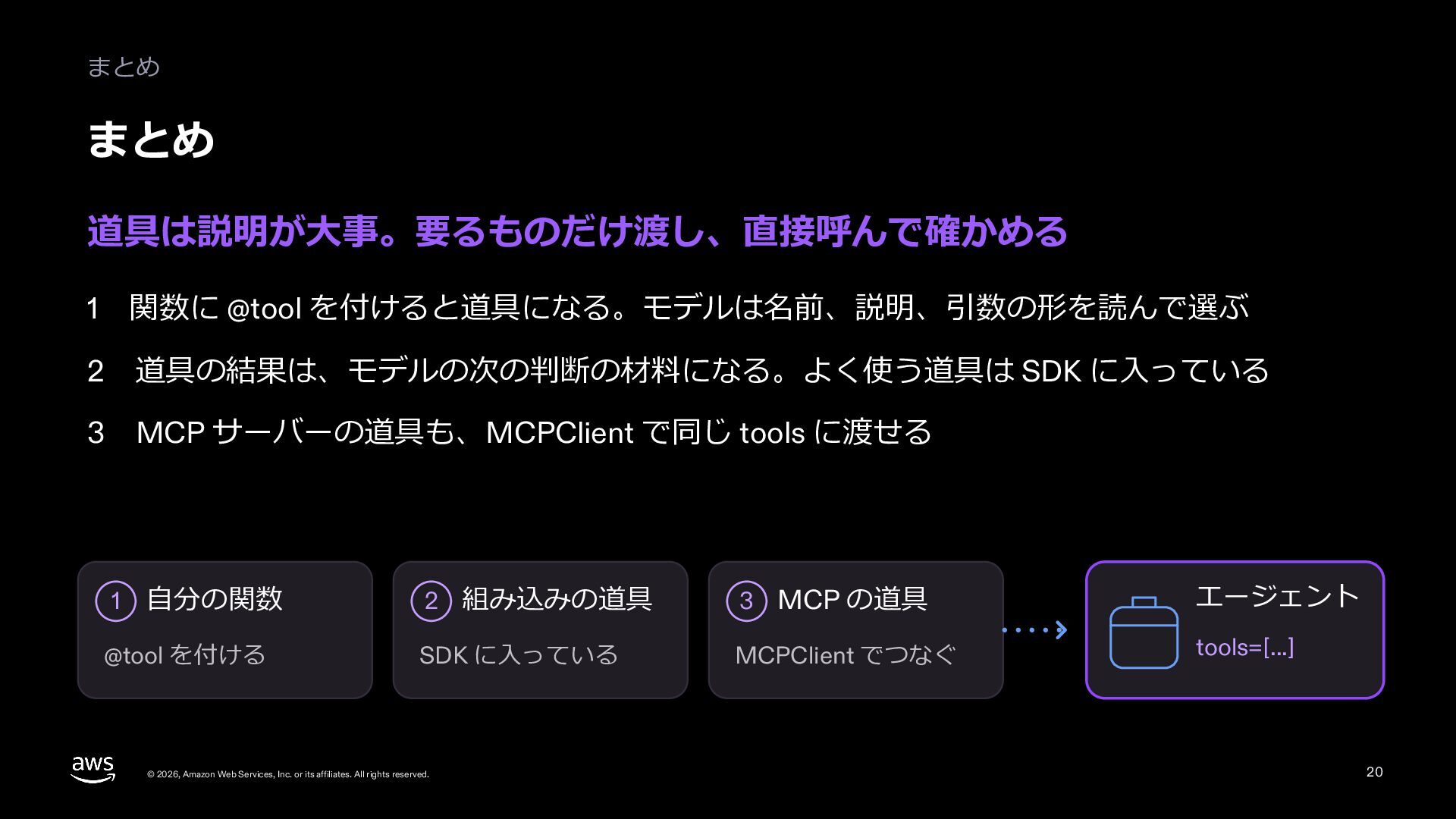
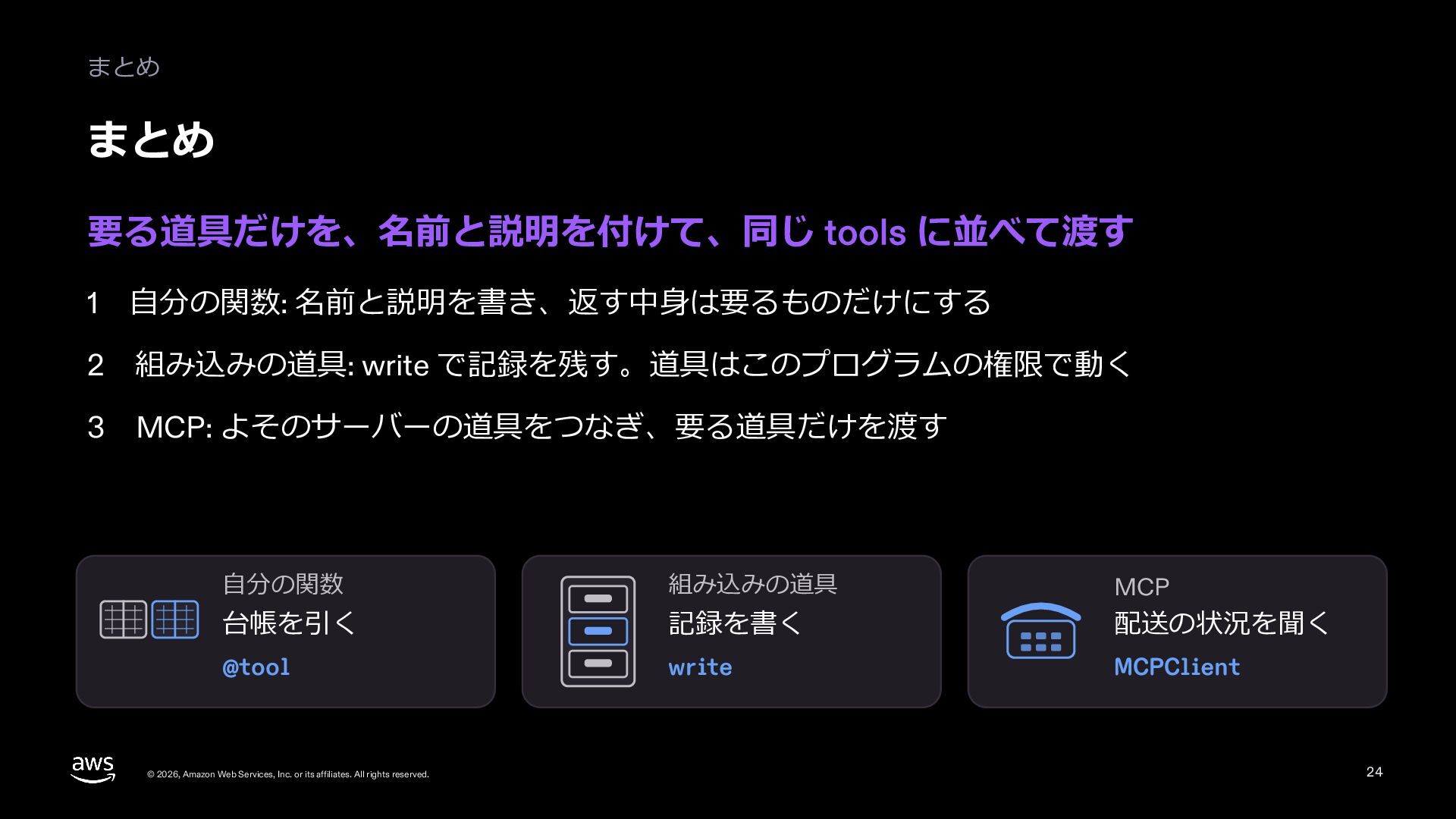
  24. まとめ まとめ 要る道具だけを、名前と説明を付けて、同じ tools に並べて渡す 1 ⾃分の関数: 名前と説明を書き、返す中⾝は要るものだけにする 2 組み込みの道具:

    write で記録を残す。道具はこのプログラムの権限で動く 3 MCP: よそのサーバーの道具をつなぎ、要る道具だけを渡す ⾃分の関数 組み込みの道具 MCP 台帳を引く 記録を書く 配送の状況を聞く @tool write MCPClient © 2026, Amazon Web Services, Inc. or its affiliates. All rights reserved. 24
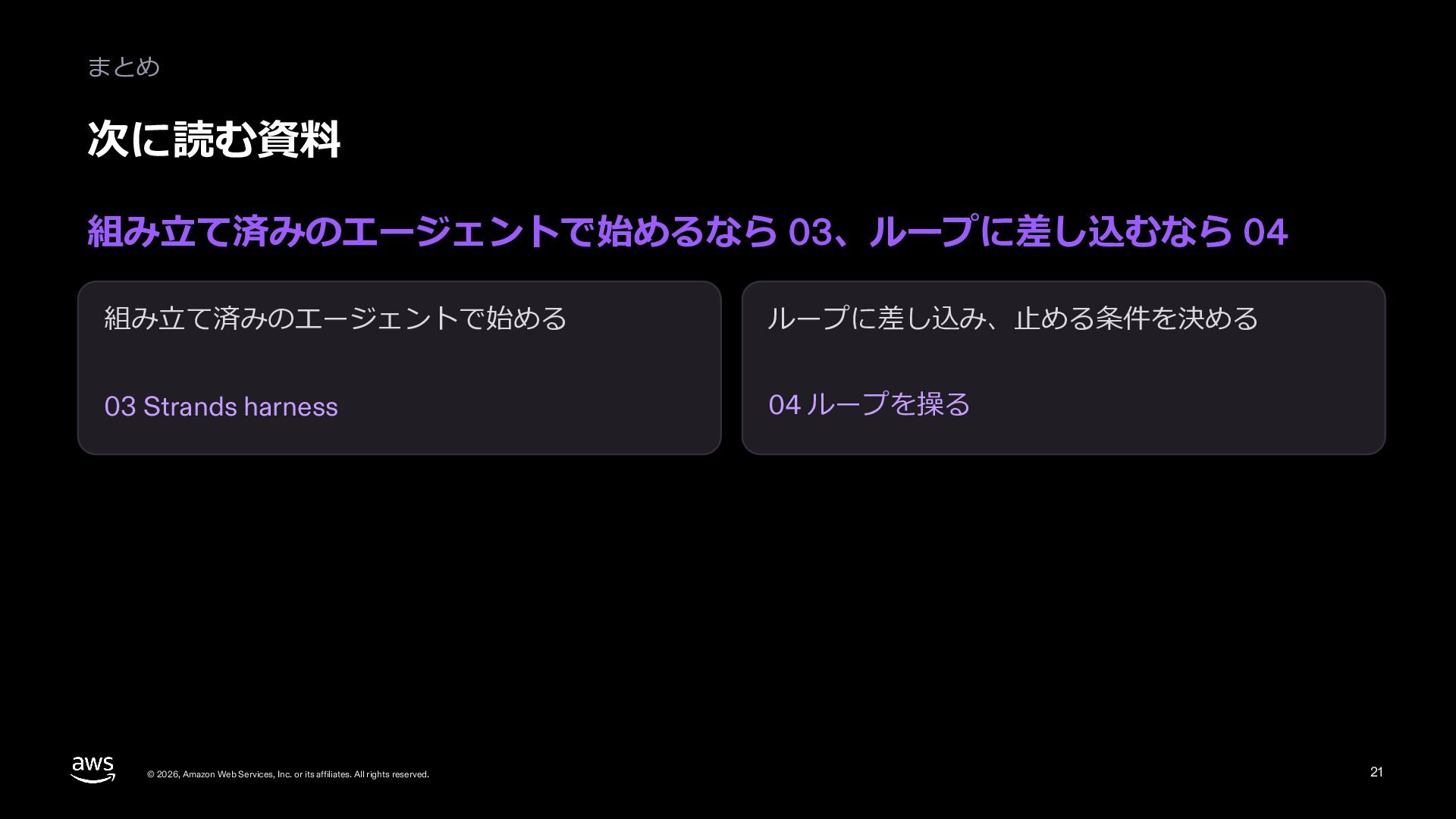
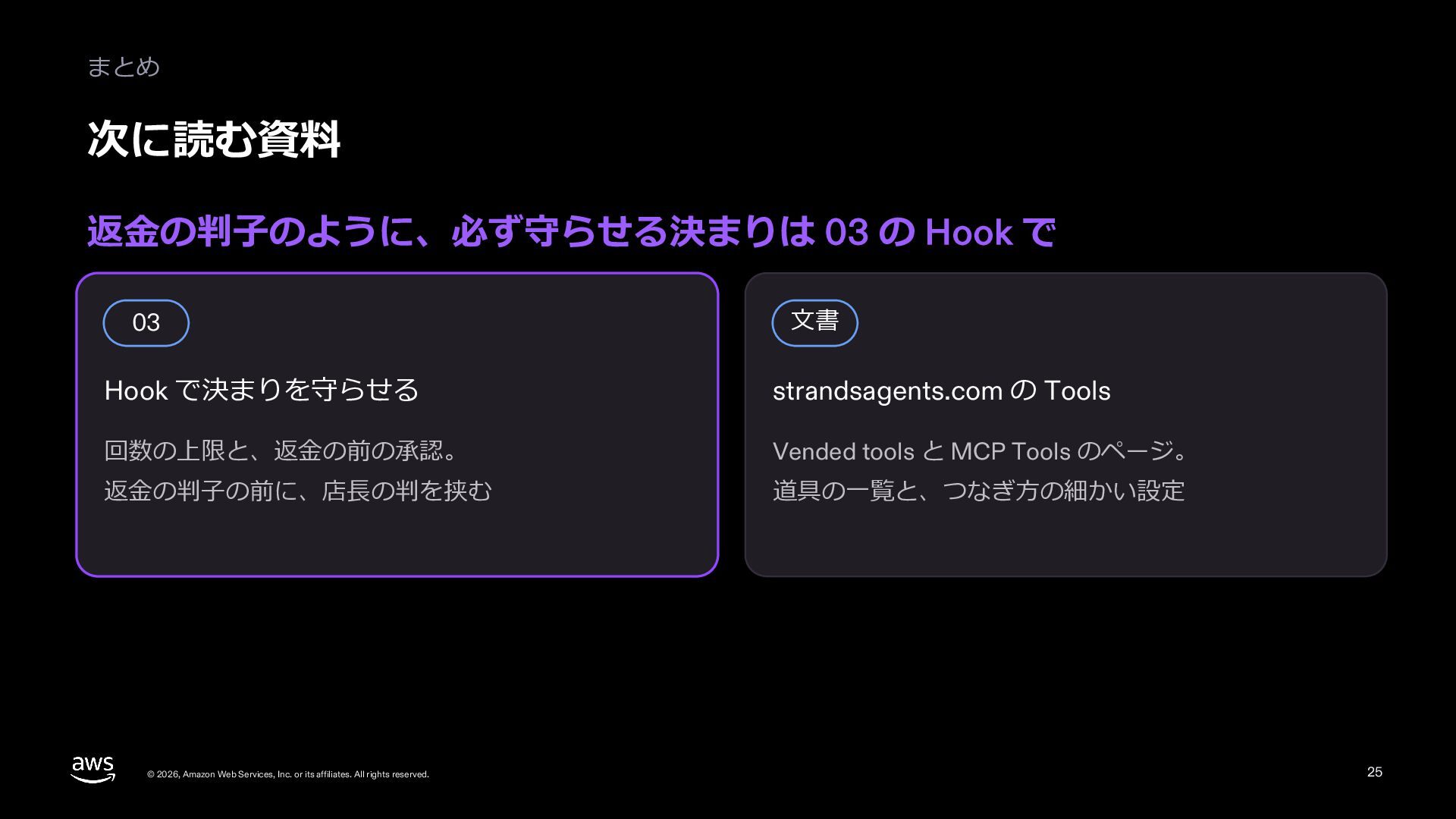
  25. まとめ 次に読む資料 返⾦の判⼦のように、必ず守らせる決まりは 03 の Hook で 03 ⽂書 Hook

    で決まりを守らせる strandsagents.com の Tools 回数の上限と、返⾦の前の承認。 Vended tools と MCP Tools のページ。 返⾦の判⼦の前に、店⻑の判を挟む 道具の⼀覧と、つなぎ⽅の細かい設定 © 2026, Amazon Web Services, Inc. or its affiliates. All rights reserved. 25
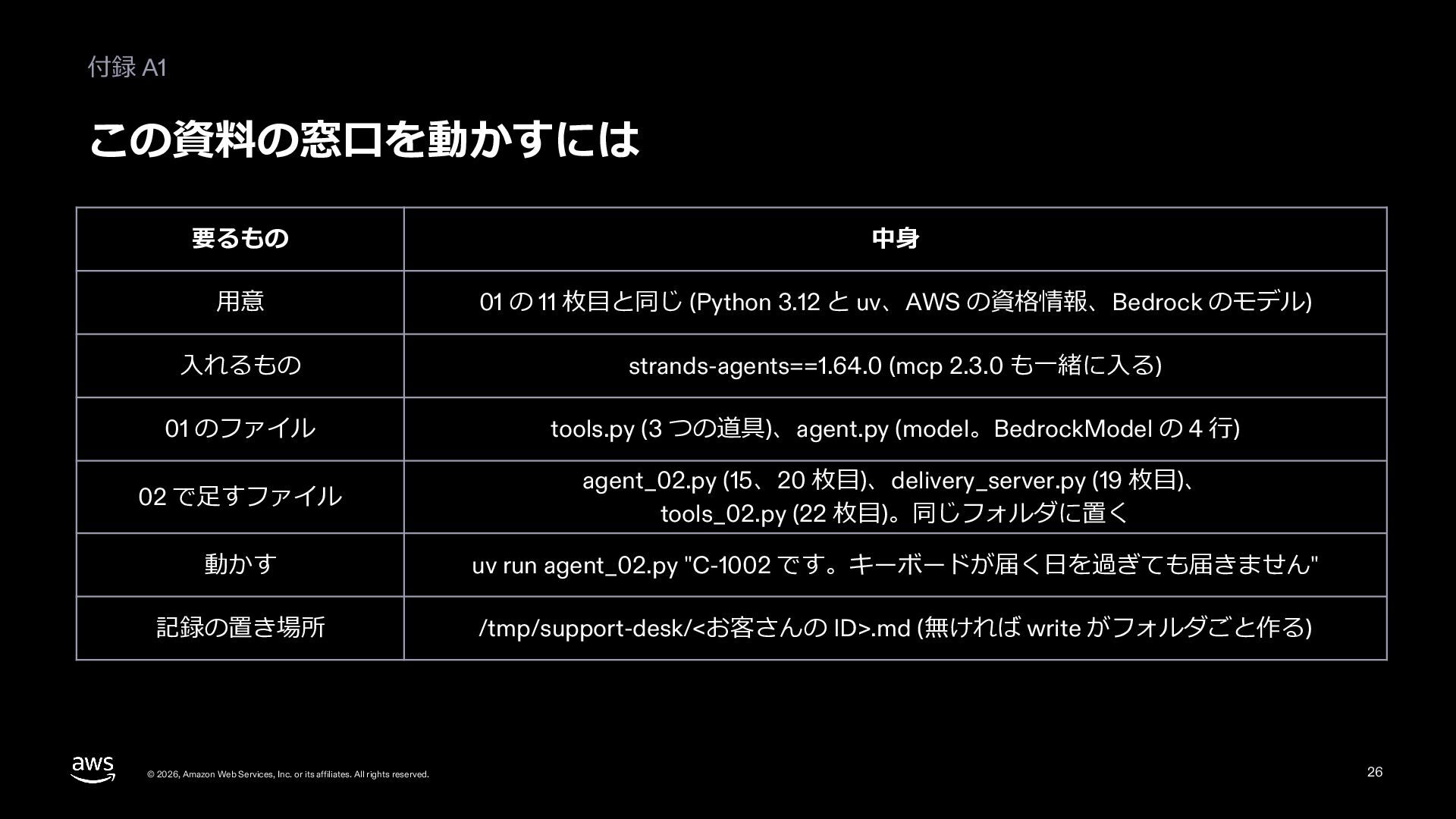
  26. 付録 A1 この資料の窓⼝を動かすには 要るもの 中⾝ ⽤意 01 の 11 枚⽬と同じ

    (Python 3.12 と uv、AWS の資格情報、Bedrock のモデル) ⼊れるもの strands-agents==1.64.0 (mcp 2.3.0 も⼀緒に⼊る) 01 のファイル tools.py (3 つの道具)、agent.py (model。BedrockModel の 4 ⾏) 02 で⾜すファイル agent_02.py (15、20 枚⽬)、delivery_server.py (19 枚⽬)、 tools_02.py (22 枚⽬)。同じフォルダに置く 動かす uv run agent_02.py "C-1002 です。キーボードが届く⽇を過ぎても届きません" 記録の置き場所 /tmp/support-desk/<お客さんの ID>.md (無ければ write がフォルダごと作る) © 2026, Amazon Web Services, Inc. or its affiliates. All rights reserved. 26
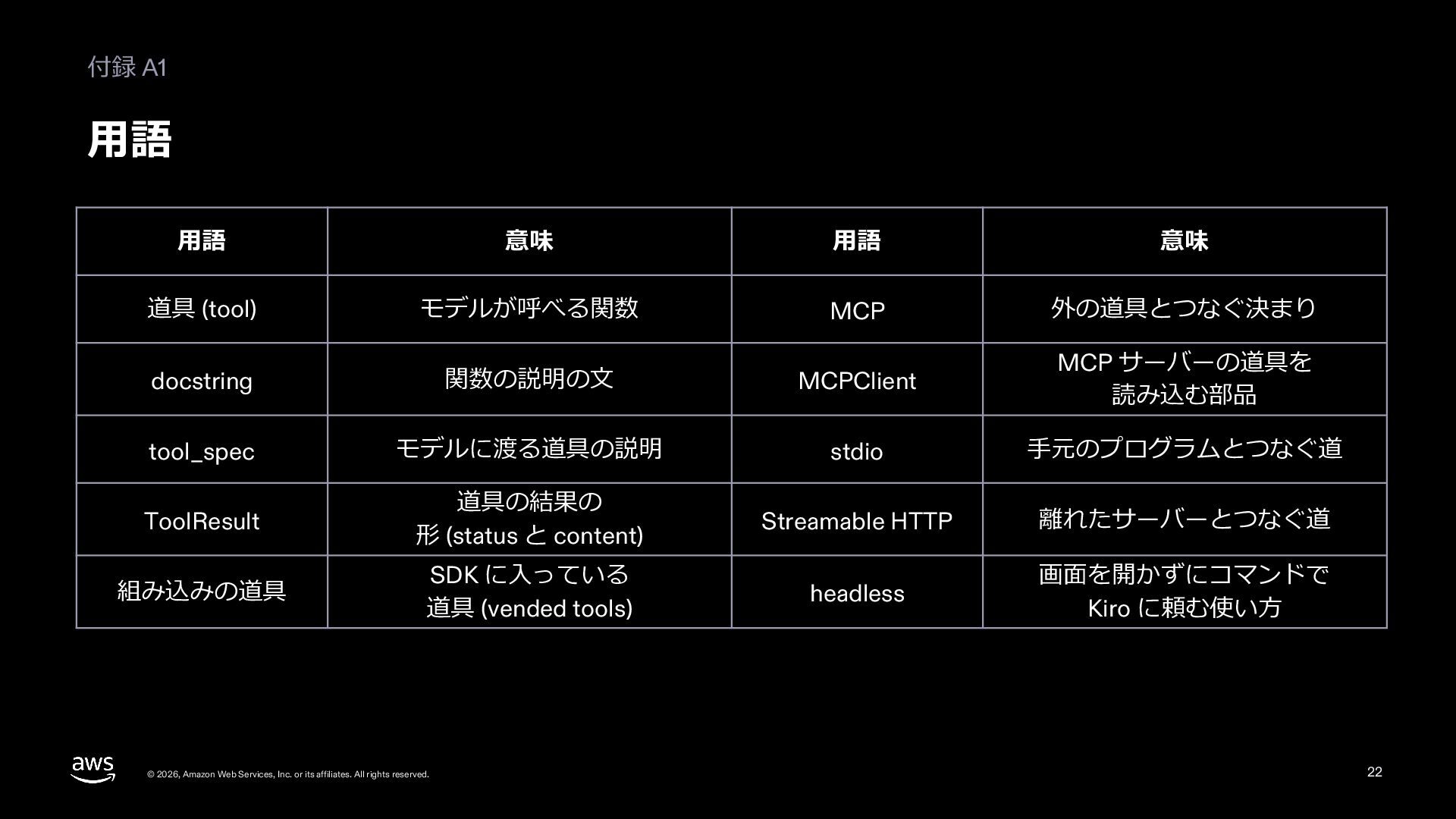
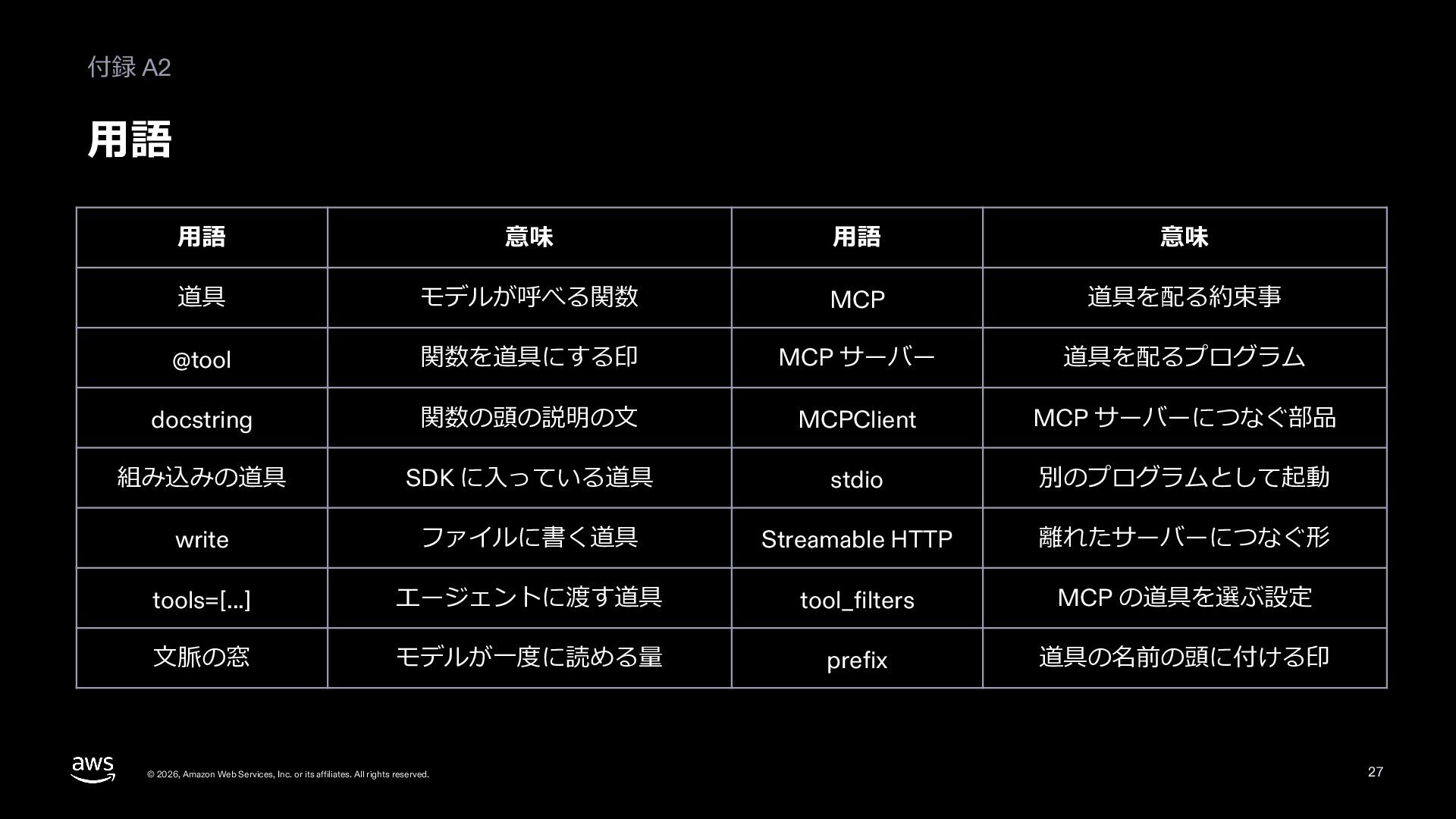
  27. 付録 A2 ⽤語 ⽤語 意味 ⽤語 意味 道具 モデルが呼べる関数 MCP

    道具を配る約束事 @tool 関数を道具にする印 MCP サーバー 道具を配るプログラム docstring 関数の頭の説明の⽂ MCPClient MCP サーバーにつなぐ部品 組み込みの道具 SDK に⼊っている道具 stdio 別のプログラムとして起動 write ファイルに書く道具 Streamable HTTP 離れたサーバーにつなぐ形 tools=[...] エージェントに渡す道具 tool_filters MCP の道具を選ぶ設定 ⽂脈の窓 モデルが⼀度に読める量 prefix 道具の名前の頭に付ける印 © 2026, Amazon Web Services, Inc. or its affiliates. All rights reserved. 27
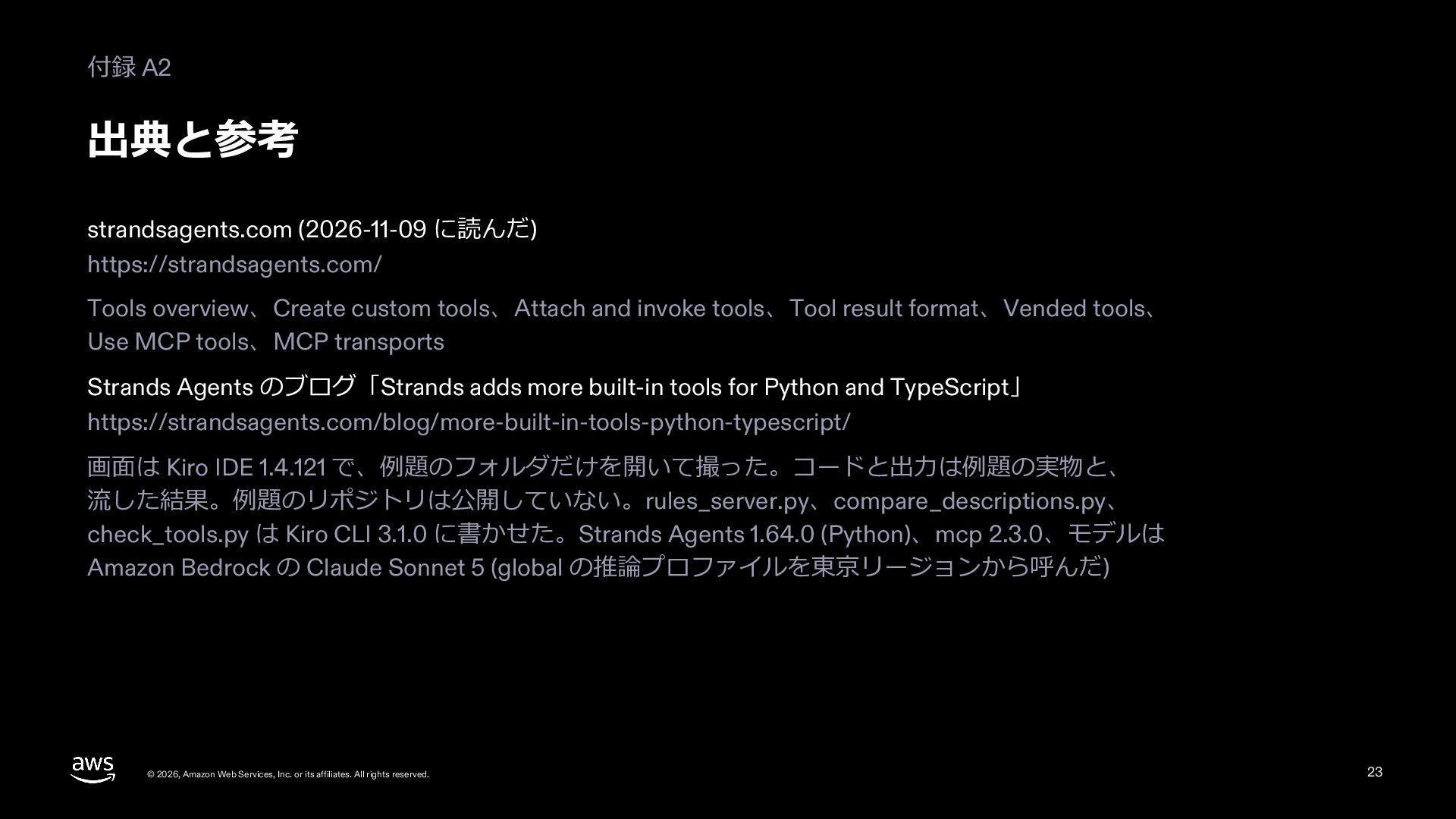
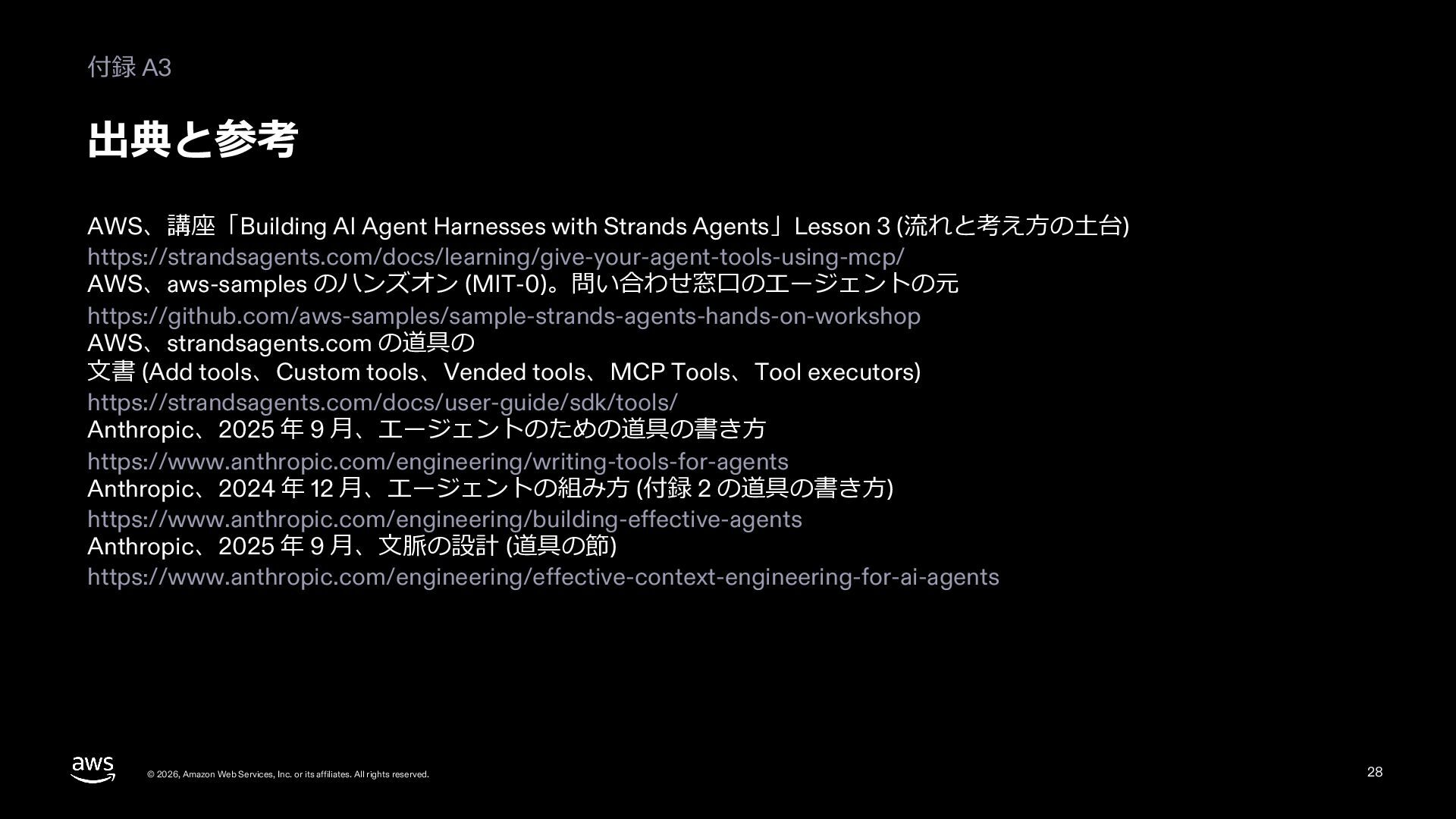
  28. 付録 A3 出典と参考 AWS、講座「Building AI Agent Harnesses with Strands Agents」Lesson

    3 (流れと考え⽅の⼟台) https://strandsagents.com/docs/learning/give-your-agent-tools-using-mcp/ AWS、aws-samples のハンズオン (MIT-0)。問い合わせ窓⼝のエージェントの元 https://github.com/aws-samples/sample-strands-agents-hands-on-workshop AWS、strandsagents.com の道具の ⽂書 (Add tools、Custom tools、Vended tools、MCP Tools、Tool executors) https://strandsagents.com/docs/user-guide/sdk/tools/ Anthropic、2025 年 9 ⽉、エージェントのための道具の書き⽅ https://www.anthropic.com/engineering/writing-tools-for-agents Anthropic、2024 年 12 ⽉、エージェントの組み⽅ (付録 2 の道具の書き⽅) https://www.anthropic.com/engineering/building-effective-agents Anthropic、2025 年 9 ⽉、⽂脈の設計 (道具の節) https://www.anthropic.com/engineering/effective-context-engineering-for-ai-agents © 2026, Amazon Web Services, Inc. or its affiliates. All rights reserved. 28
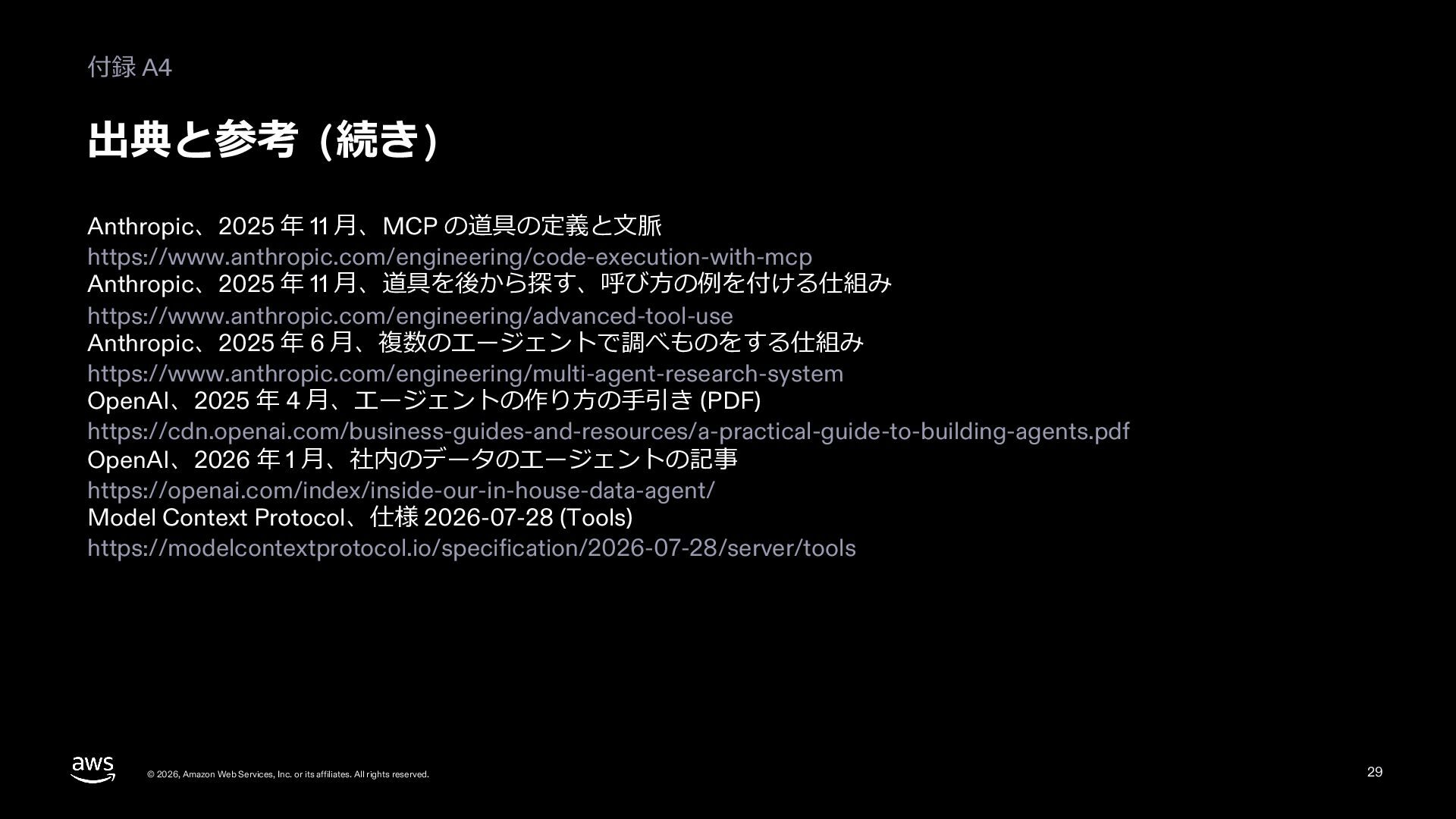
  29. 付録 A4 出典と参考 (続き) Anthropic、2025 年 11 ⽉、MCP の道具の定義と⽂脈 https://www.anthropic.com/engineering/code-execution-with-mcp

    Anthropic、2025 年 11 ⽉、道具を後から探す、呼び⽅の例を付ける仕組み https://www.anthropic.com/engineering/advanced-tool-use Anthropic、2025 年 6 ⽉、複数のエージェントで調べものをする仕組み https://www.anthropic.com/engineering/multi-agent-research-system OpenAI、2025 年 4 ⽉、エージェントの作り⽅の⼿引き (PDF) https://cdn.openai.com/business-guides-and-resources/a-practical-guide-to-building-agents.pdf OpenAI、2026 年 1 ⽉、社内のデータのエージェントの記事 https://openai.com/index/inside-our-in-house-data-agent/ Model Context Protocol、仕様 2026-07-28 (Tools) https://modelcontextprotocol.io/specification/2026-07-28/server/tools © 2026, Amazon Web Services, Inc. or its affiliates. All rights reserved. 29