Upgrade to Pro
— share decks privately, control downloads, hide ads and more …
Speaker Deck
Sign up for free
Menu
Search
Features
All features
Private URLs
Password Protection
Custom URLS
Scheduled publishing
Remove Branding
Restrict embedding
Deck Collections
Notes
Features
All features
Private URLs
Password Protection
Custom URLS
Scheduled publishing
Remove Branding
Restrict embedding
Deck Collections
Notes
Explore
Featured decks
Featured speakers
Programming
Technology
Storyboards
Explore
Featured decks
Featured speakers
Programming
Technology
Storyboards
Pricing
Search
Sign in
Sign up for free
關於我在 visionOS 上 寫影片貼圖 app 這檔事
Search
MarkFly
November 12, 2024
300
0
Share
Embed
Copy iframe code
Copy JS code
Copy link
Start on current slide
關於我在 visionOS 上 寫影片貼圖 app 這檔事
於 iPlayground2024 分享
MarkFly
November 12, 2024
More Decks by MarkFly
See All by MarkFly
關於 Mobile Developer 用 Flutter 去寫 Web 這檔事
mark33699
0
39
iOS、Android、Flutter超級比一比
mark33699
1
1k
如何使用Swift遙控你的樂高
mark33699
0
70
直播簡單講
mark33699
1
110
多執行緒編程
mark33699
0
76
演算法到底是在演哪一齣
mark33699
0
87
對戰三平棋
mark33699
0
200
Featured
See All Featured
The Mindset for Success: Future Career Progression
greggifford
PRO
0
540
jQuery: Nuts, Bolts and Bling
dougneiner
66
8.6k
Lightning Talk: Beautiful Slides for Beginners
inesmontani
PRO
2
740
Why Your Marketing Sucks and What You Can Do About It - Sophie Logan
marketingsoph
0
430
Thoughts on Productivity
jonyablonski
76
5.4k
Designing for humans not robots
tammielis
254
26k
Kristin Tynski - Automating Marketing Tasks With AI
techseoconnect
PRO
0
550
The Cult of Friendly URLs
andyhume
79
7k
Practical Orchestrator
shlominoach
192
12k
Leading Effective Engineering Teams in the AI Era
addyosmani
9
2.8k
Navigating Team Friction
lara
192
16k
JavaScript: Past, Present, and Future - NDC Porto 2020
reverentgeek
52
6.1k
Transcript
關於我在 visionOS 上 寫影片貼圖 app 這檔事 三⼼⼆意⼯程師 MarkFly
Mark(阿⾶) - 多年 ERP 經驗 (鼎新TIPTOP) - 三屆 IT 鐵⼈賽完賽
(應該不會有第四屆) - 略懂 Android (代表作Apple Music Player, 對你沒看錯) - 前 iOS ⼯程師 (已叛逃⾄Flutter)
[email protected]
(⾺克之蘋果開發者) https://twitter.com/MarkFlyyyyy (5個y) 歡迎各種形式之合作與交流 (包括但不限於招募, 外包, 談⼼事)
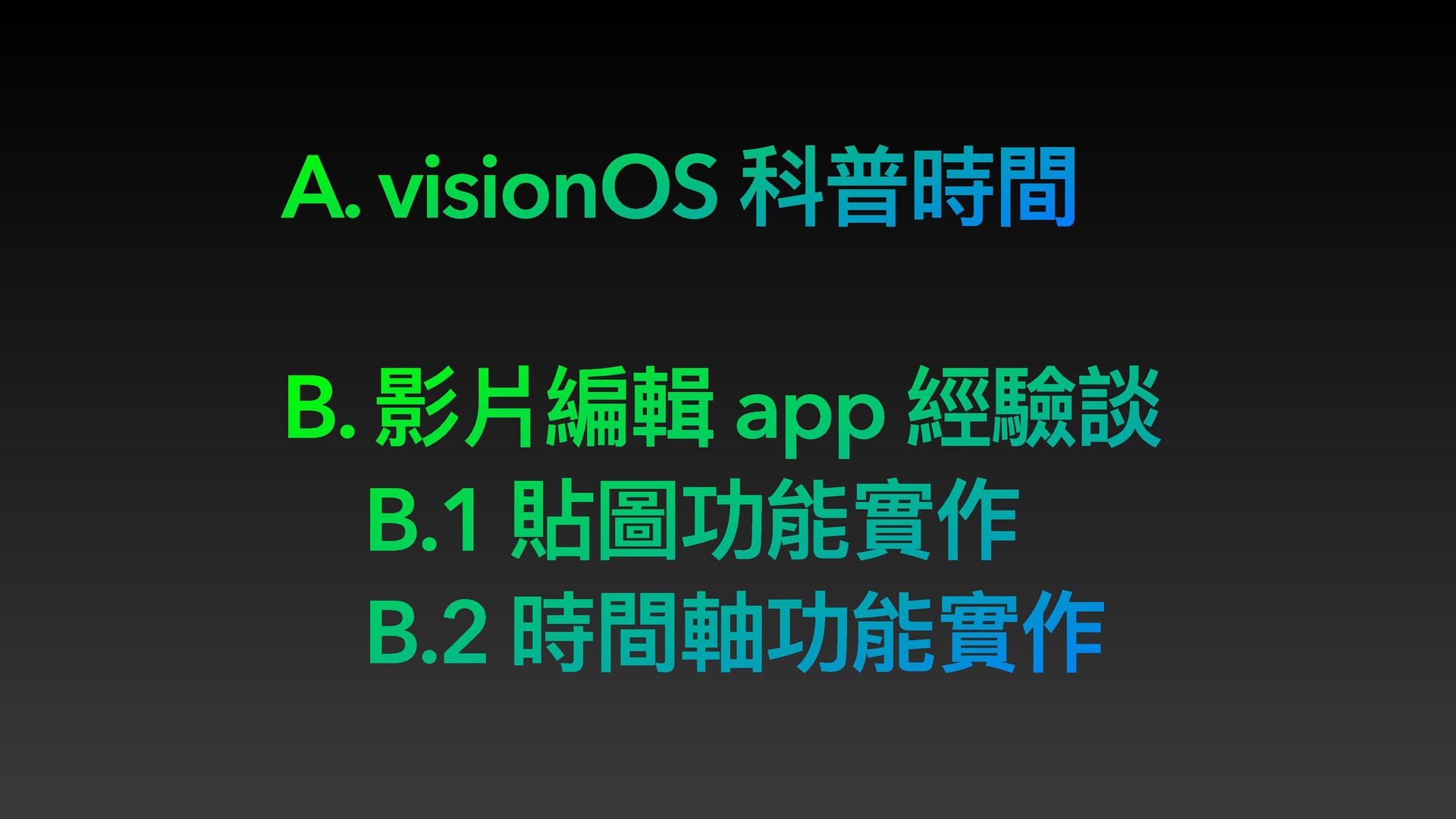
A. visionOS 科普時間 B. 影片編輯 app 經驗談 B.1 貼圖功能實作 B.2
時間軸功能實作
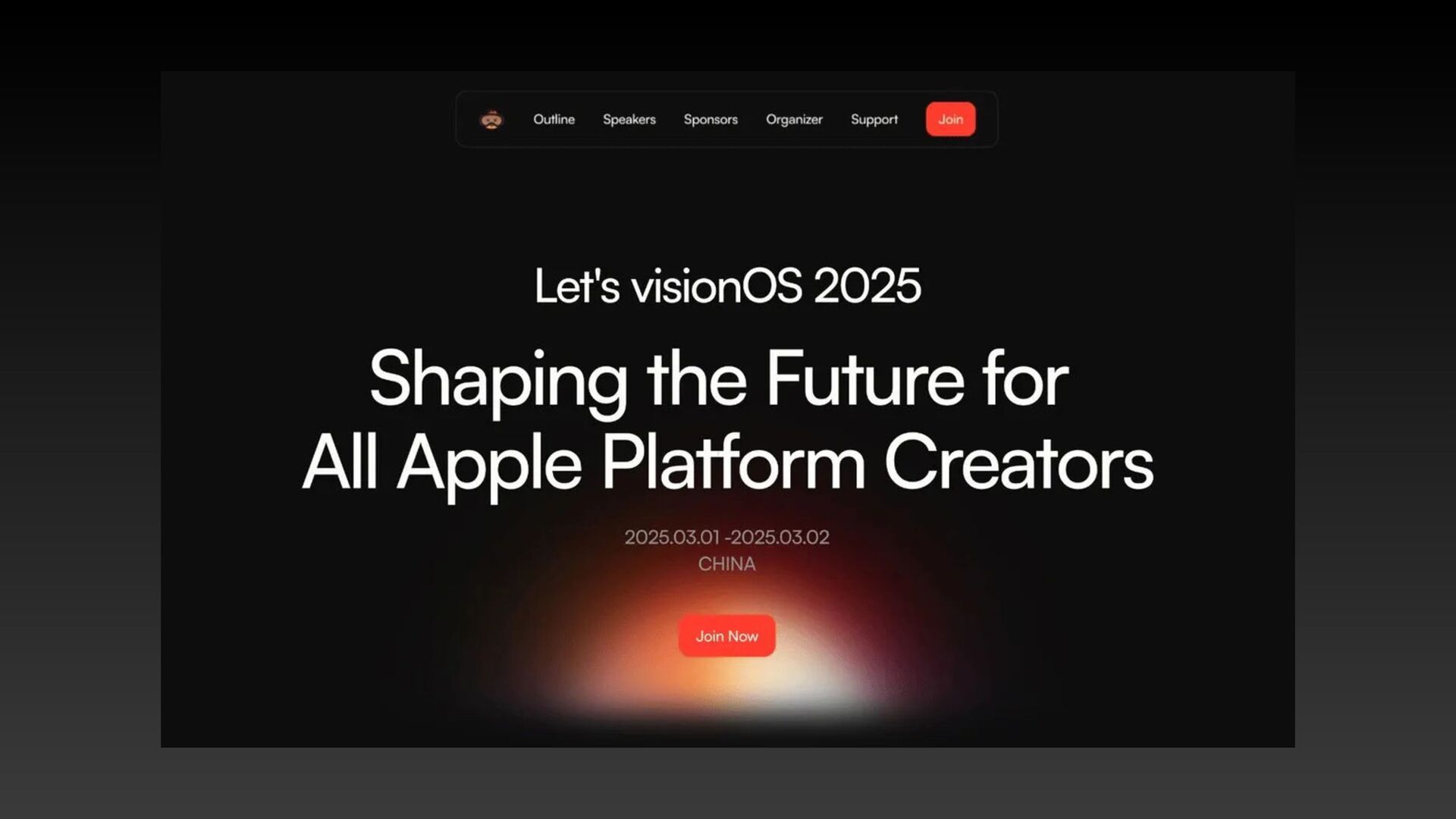
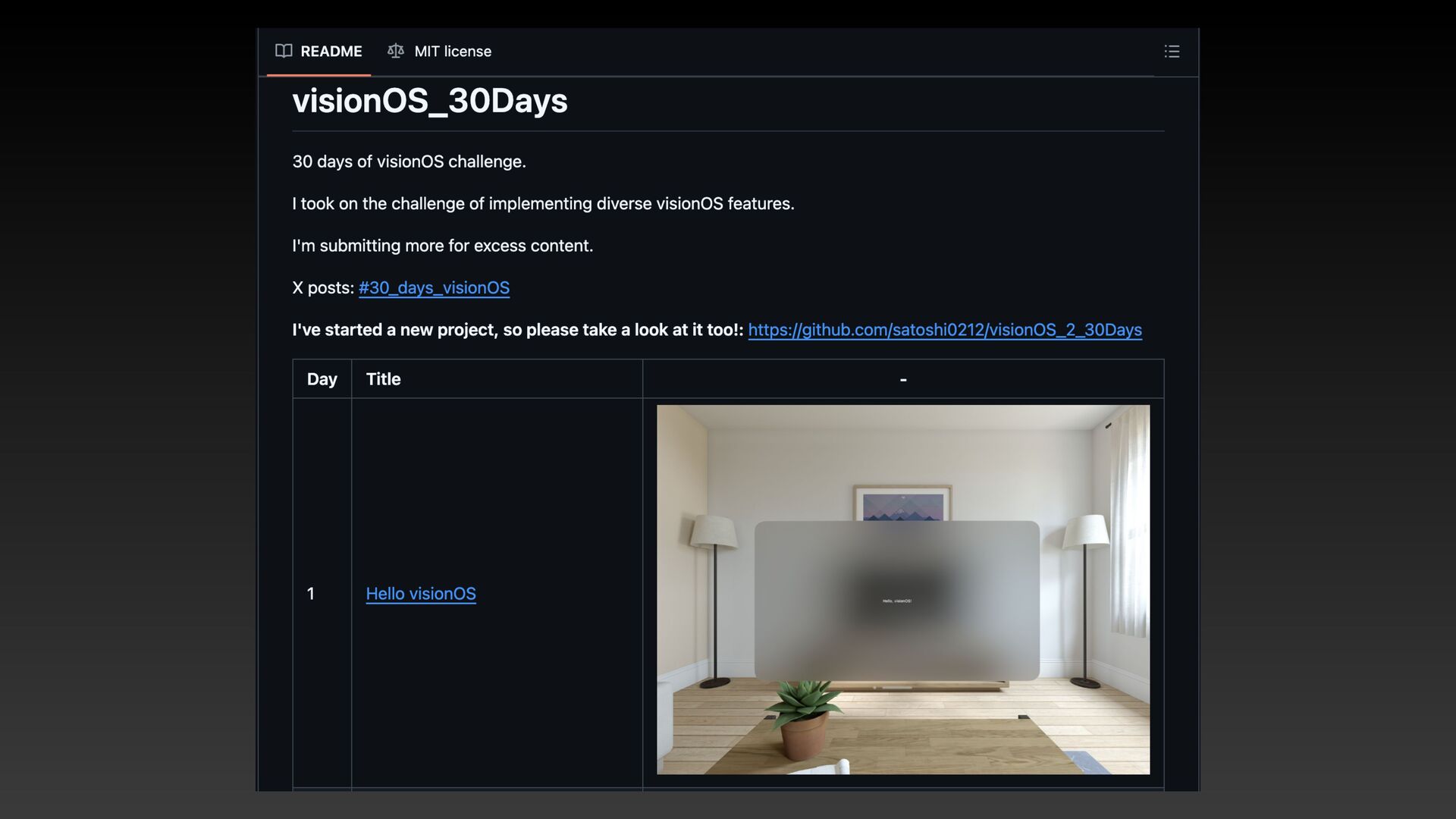
visionOS 科普時間
本來是這麼打算啦...
None
None
影片編輯 app 經驗談
Demo Time
「貼圖」功能實作
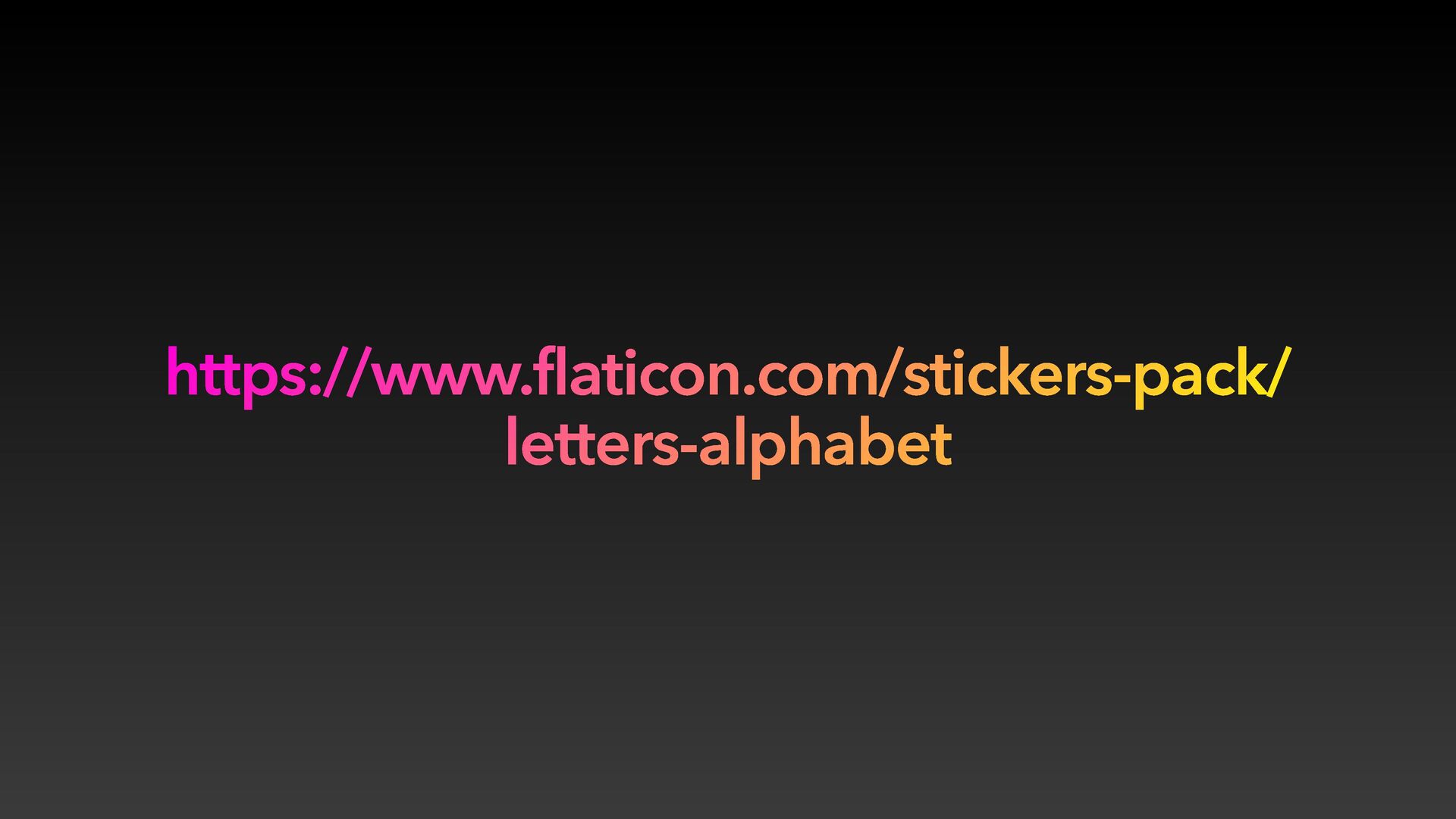
https://www.flaticon.com/stickers-pack/ letters-alphabet
1. 選貼圖時出現在影片上
https://github.com/Ilesh/Sticker-Image
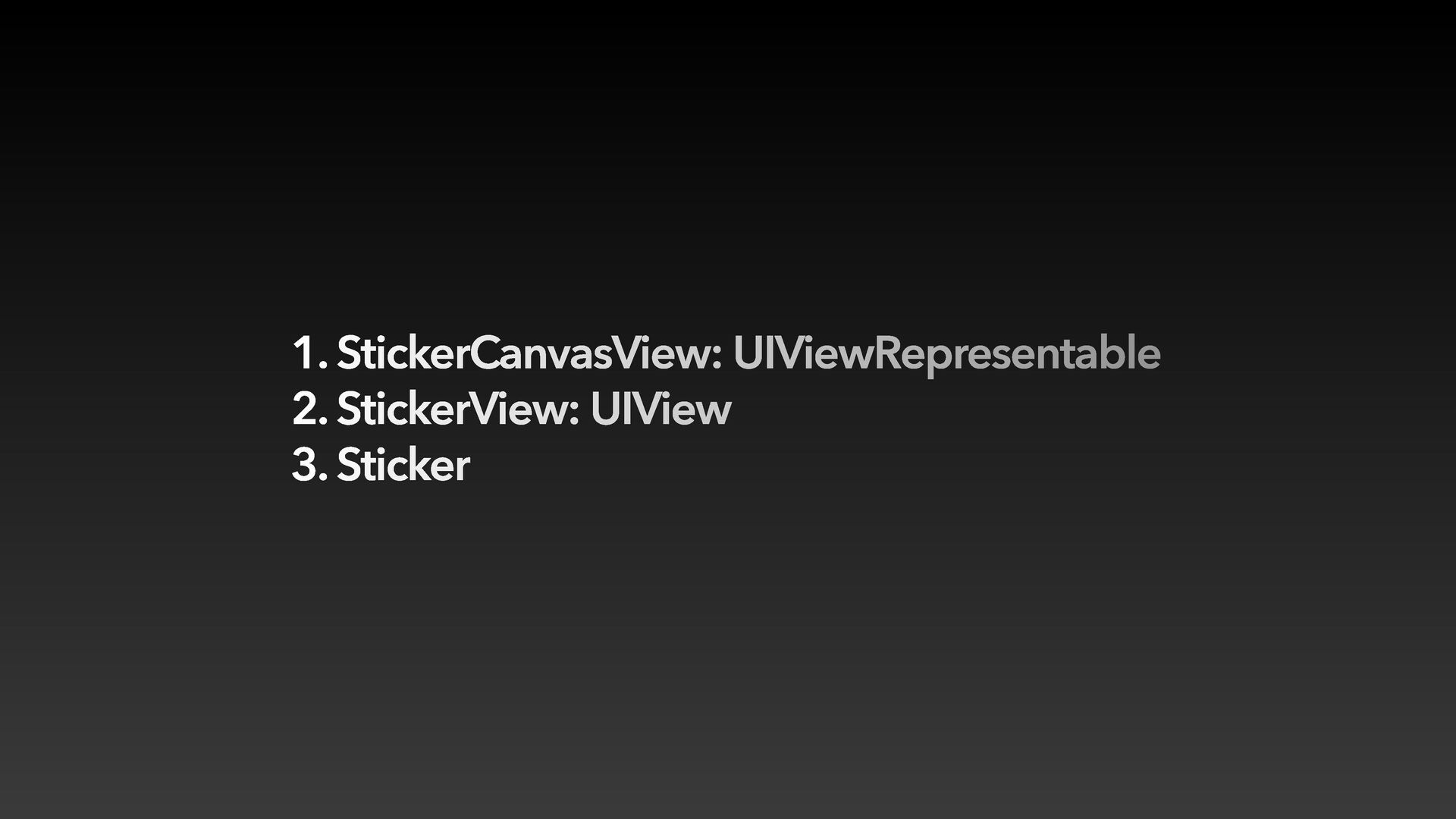
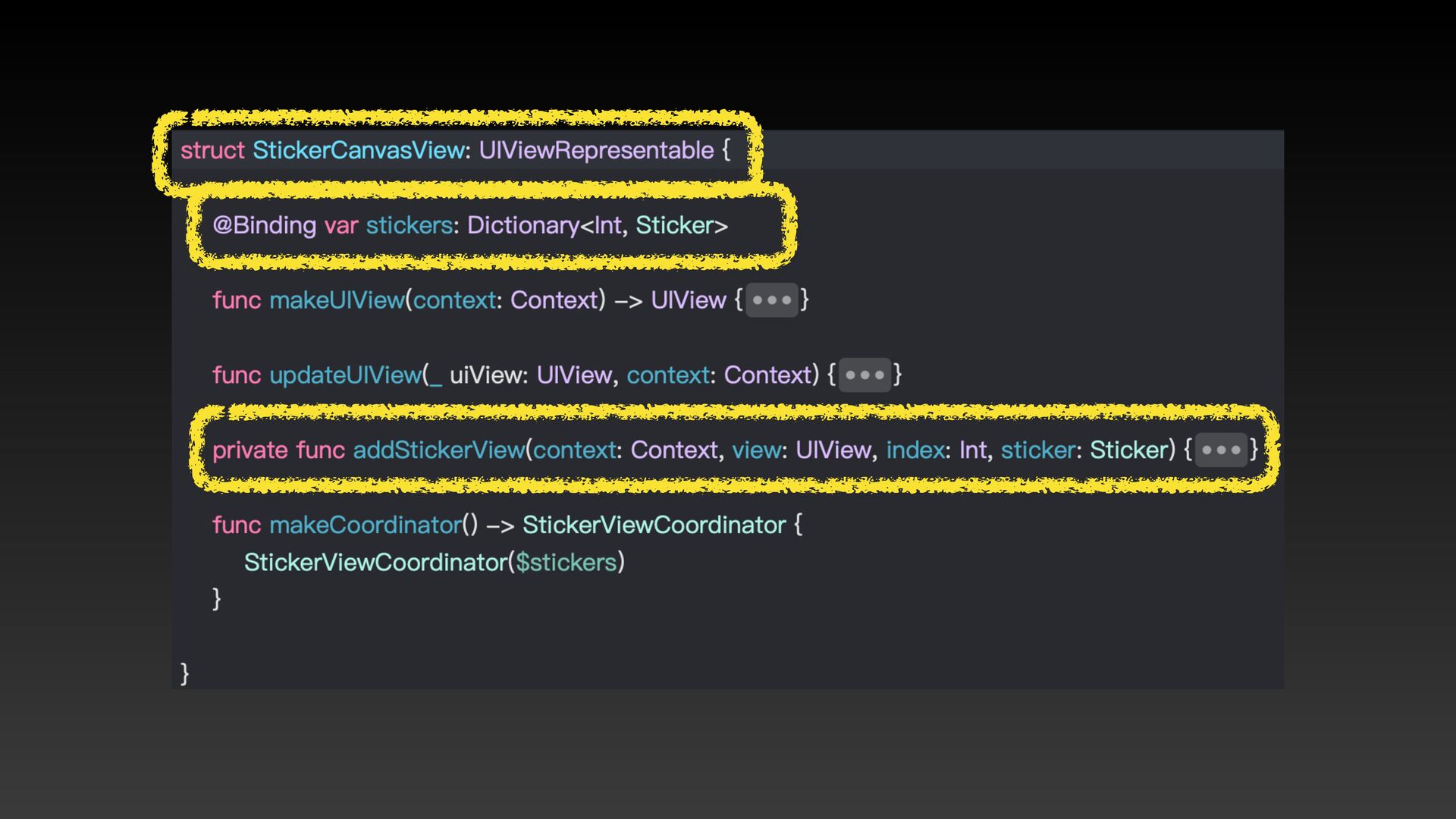
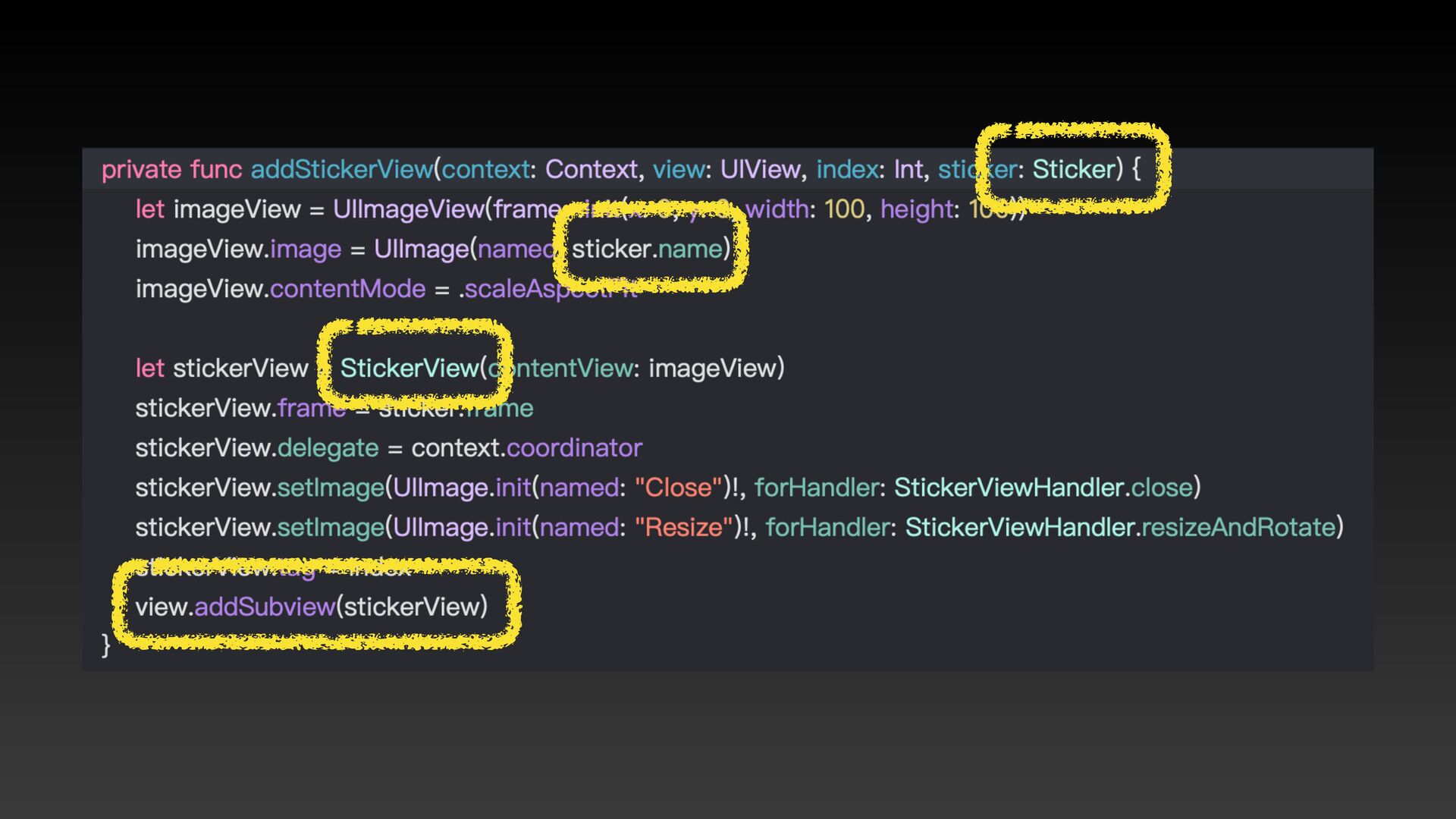
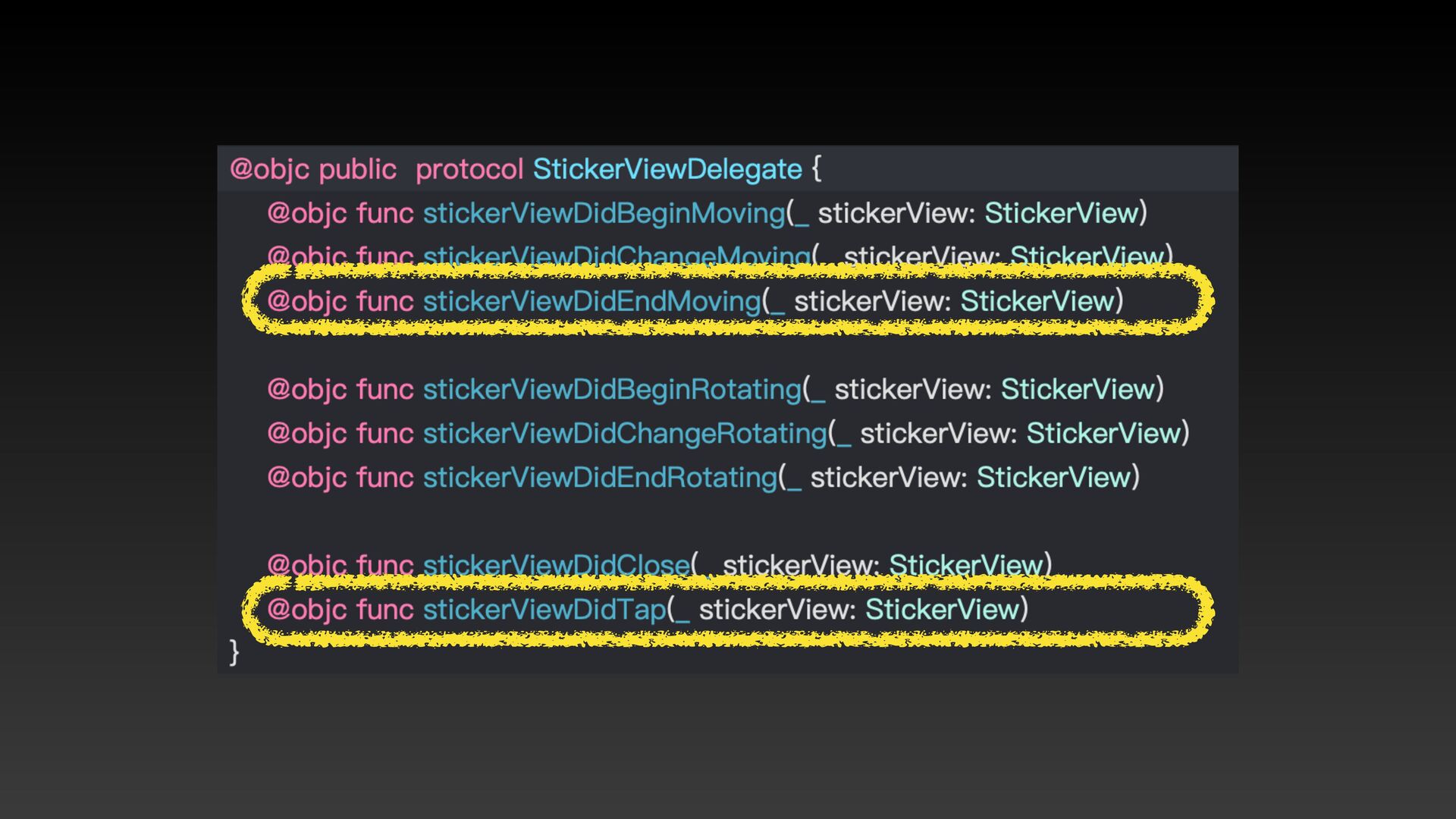
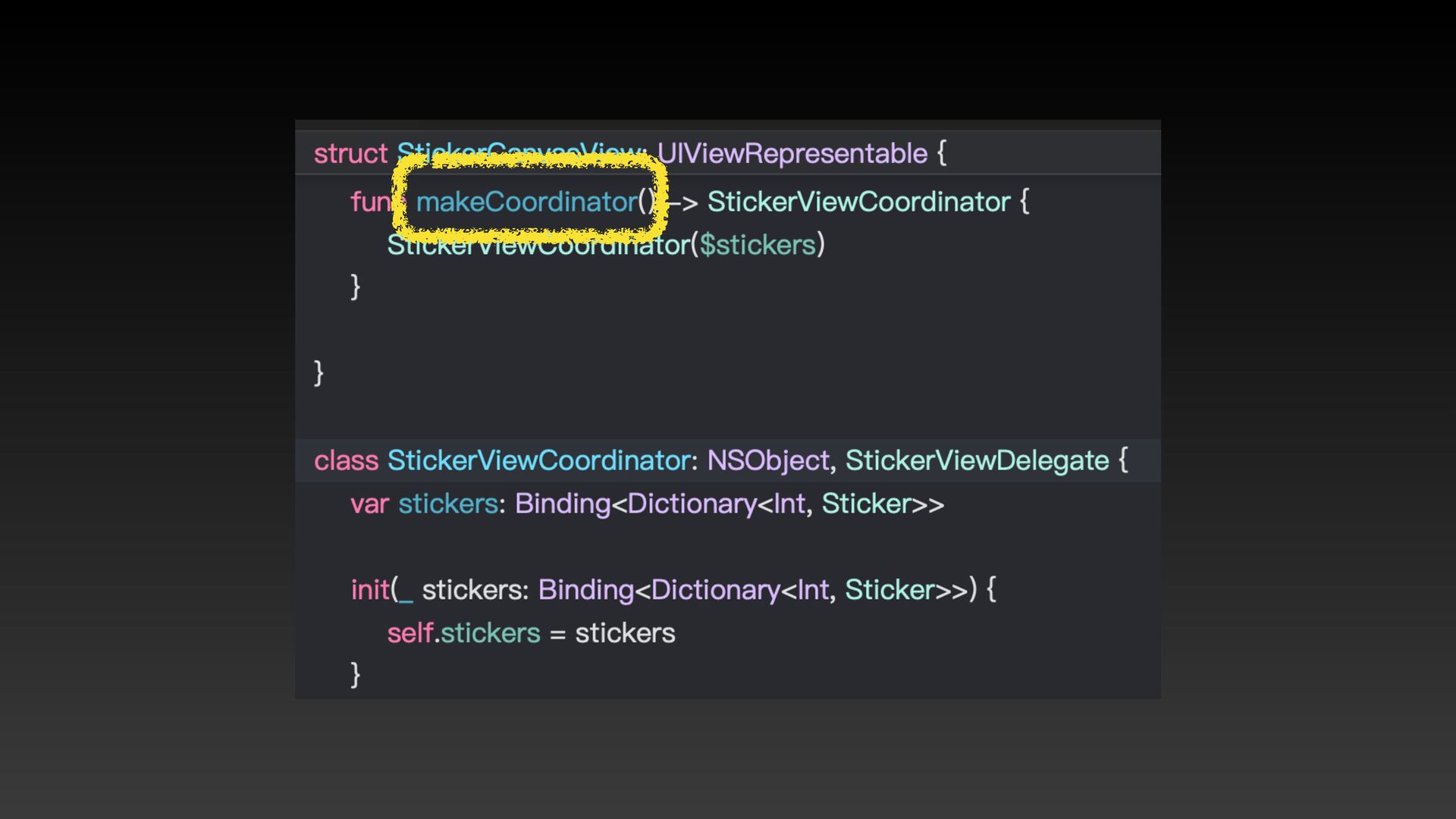
1. StickerCanvasView: UIViewRepresentable 2. StickerView: UIView 3. Sticker
None
None
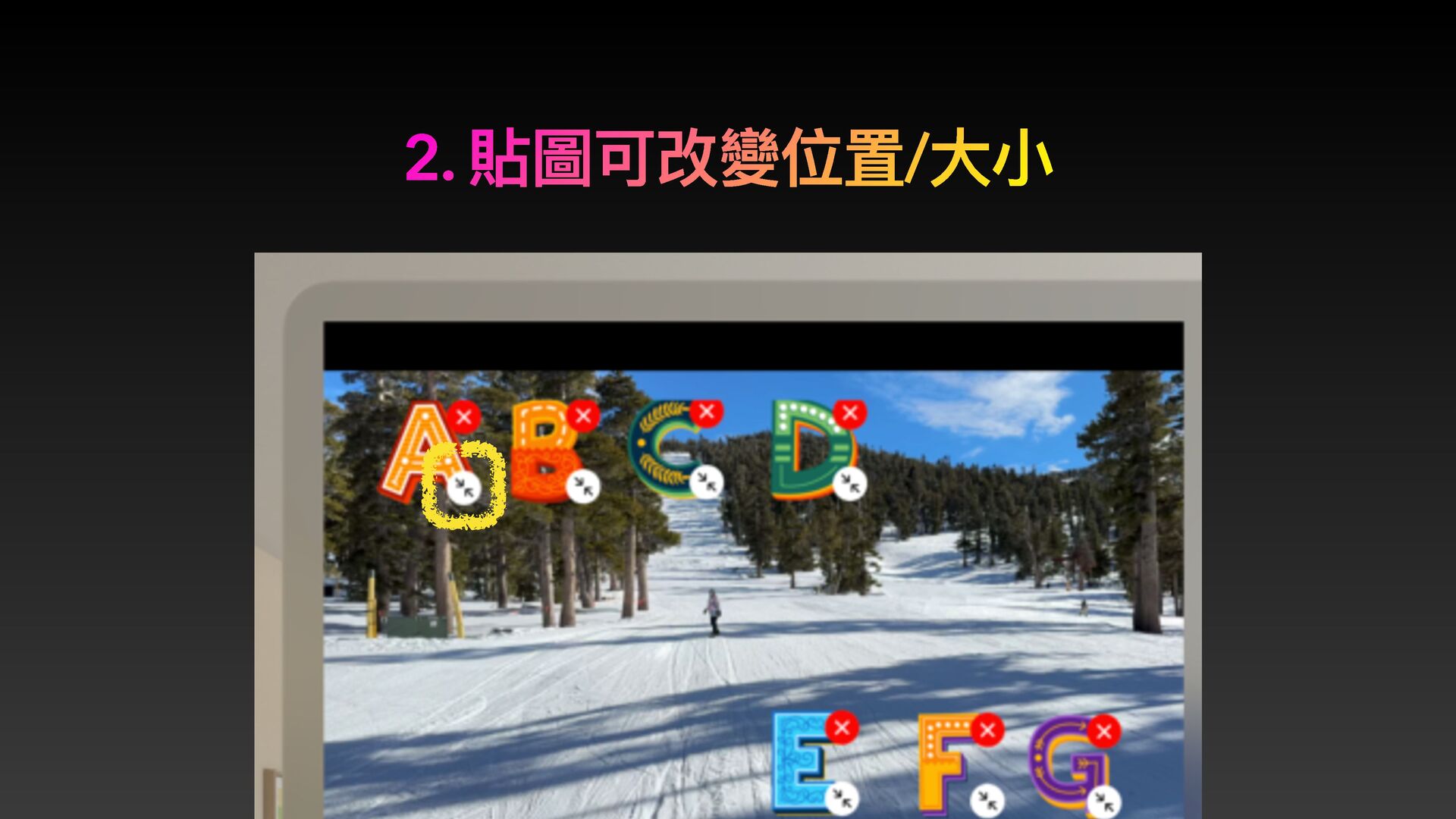
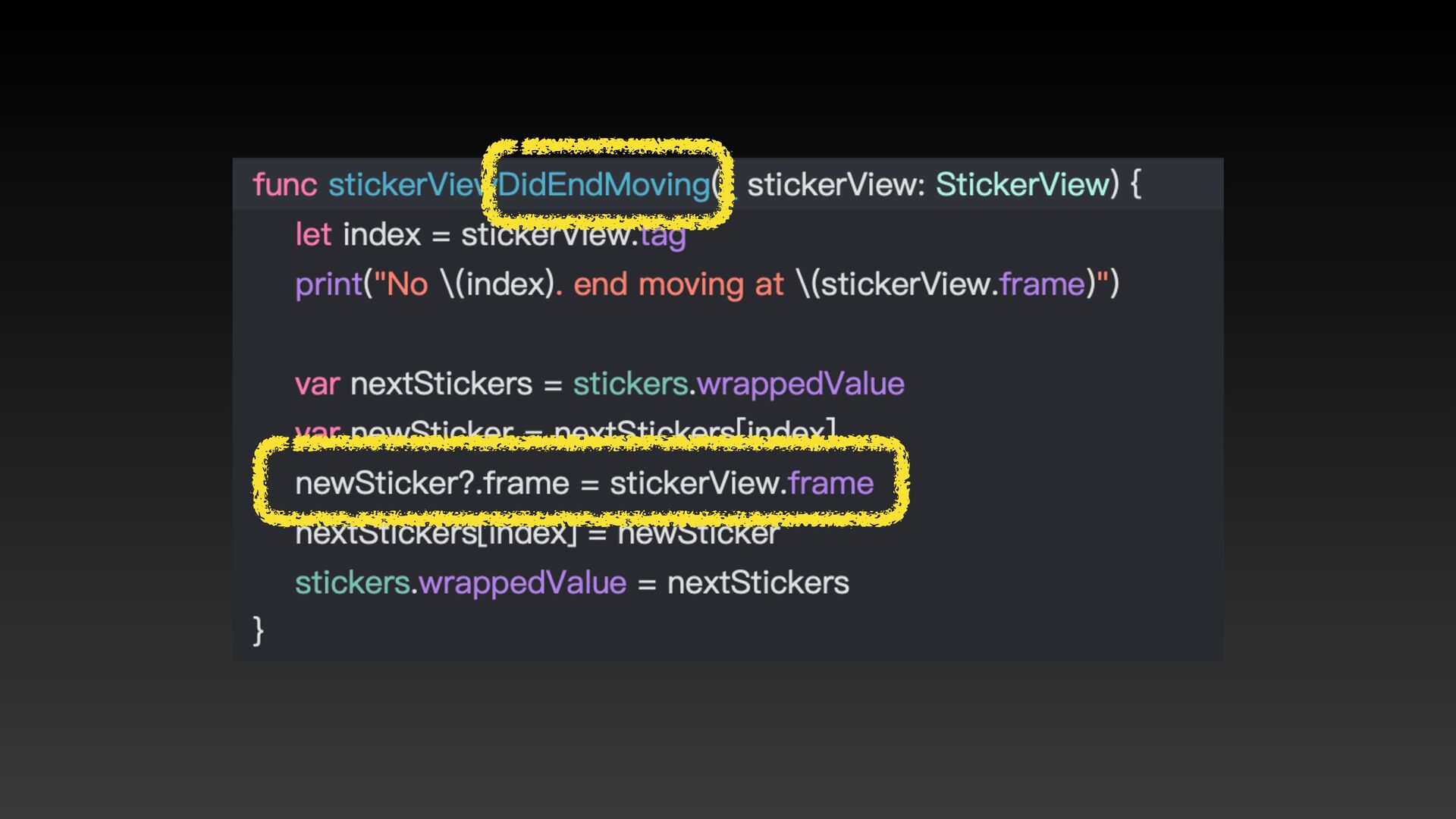
2. 貼圖可改變位置/⼤⼩
None
None
None
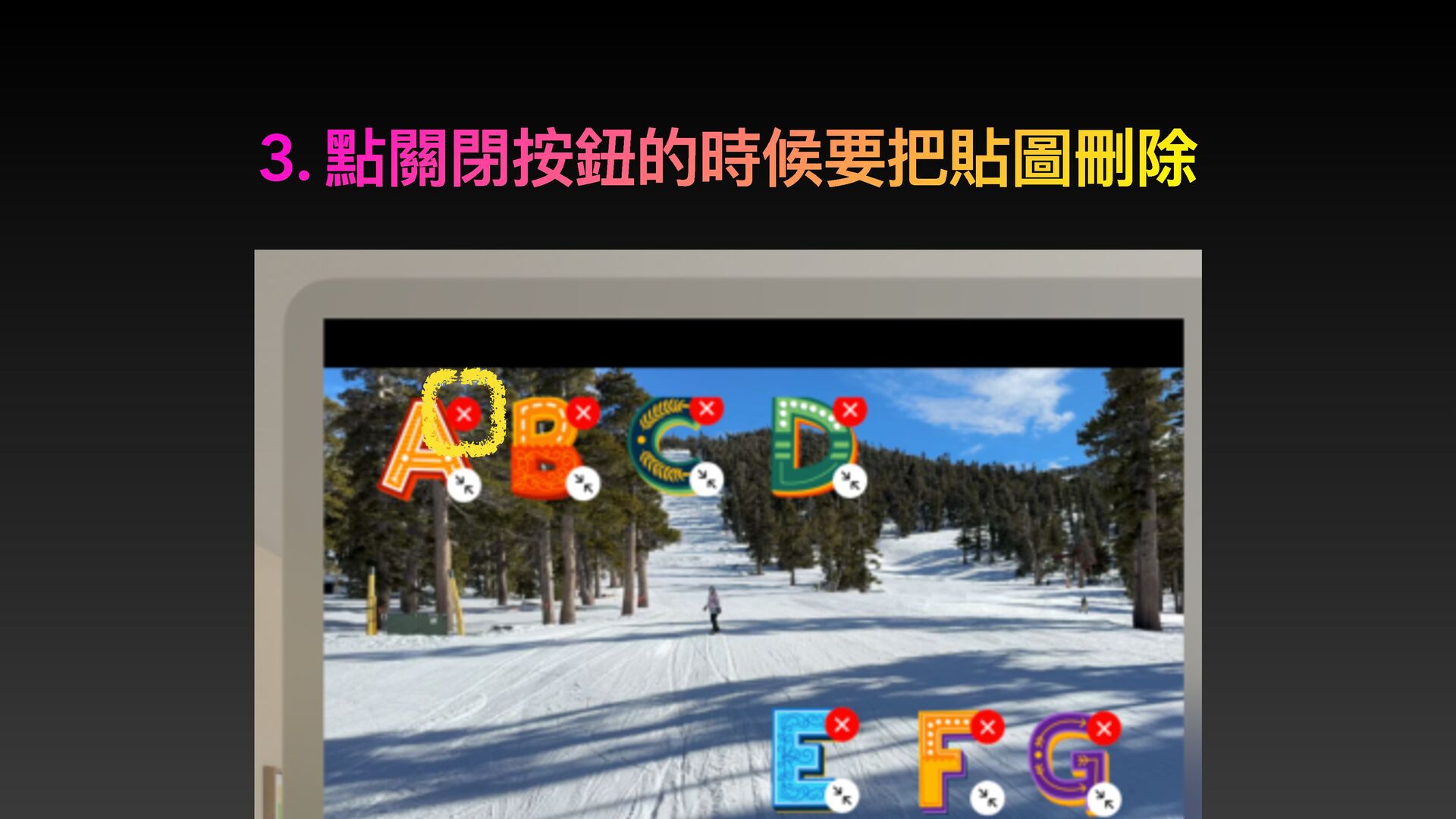
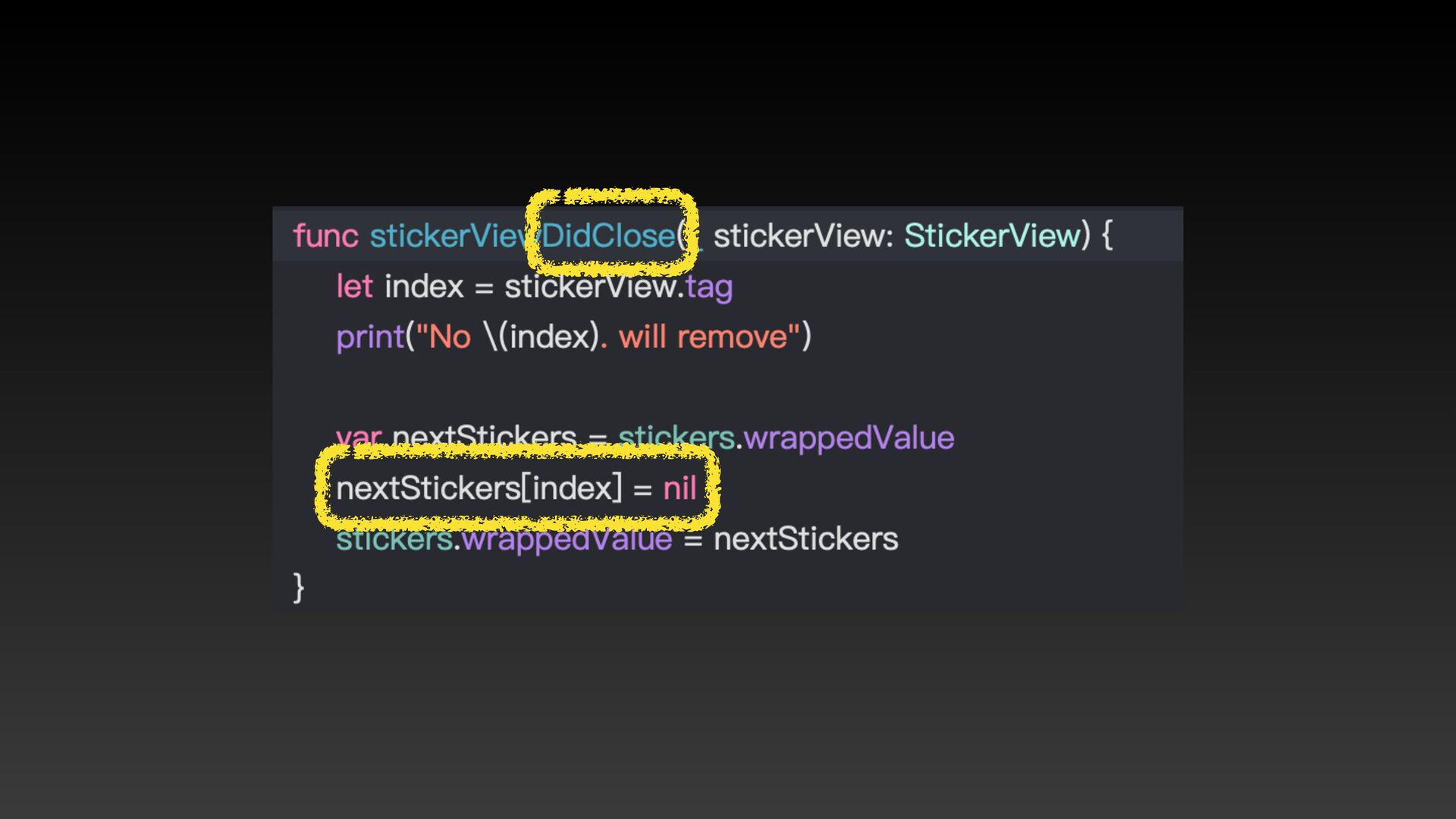
3. 點關閉按鈕的時候要把貼圖刪除
None
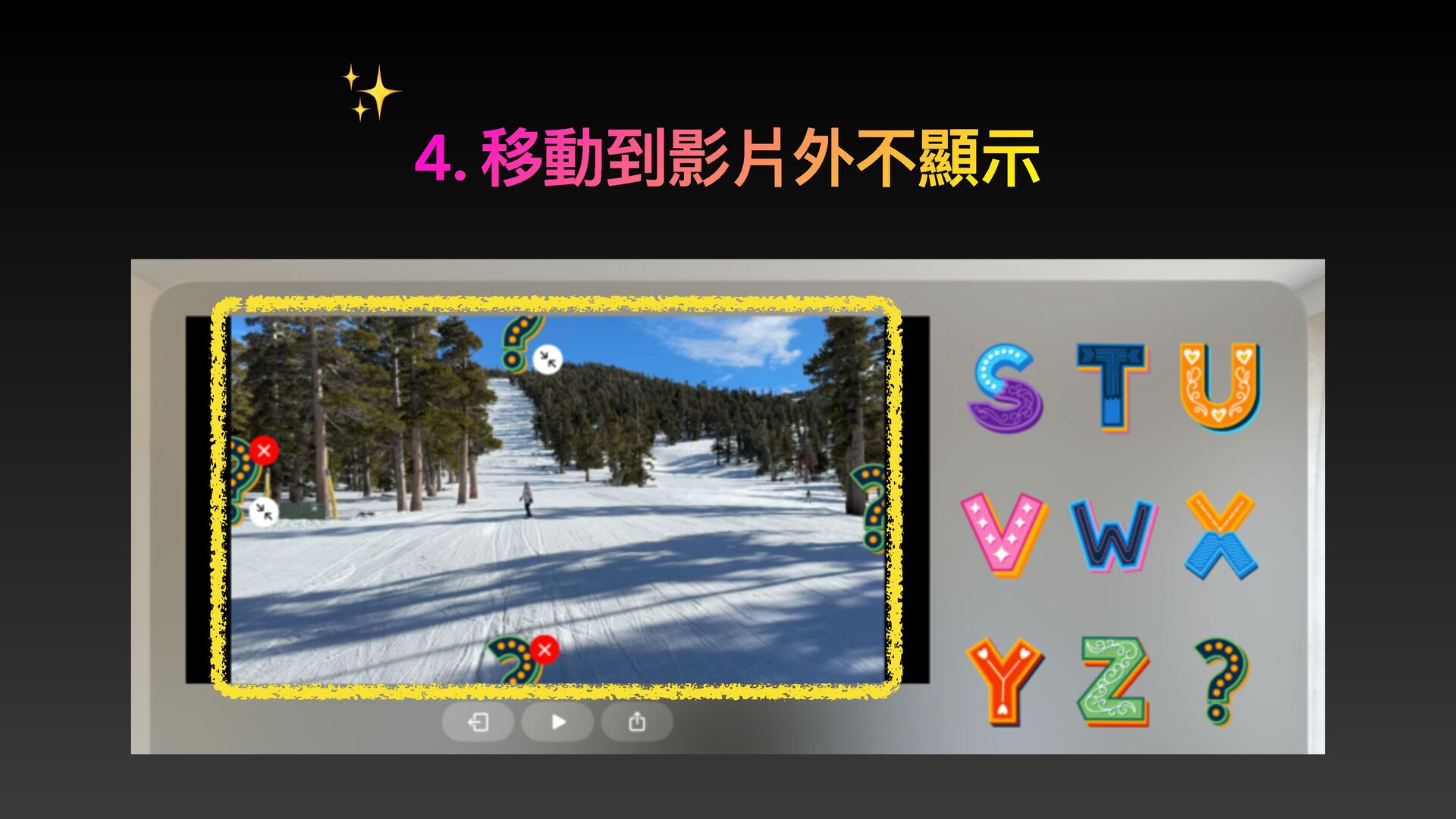
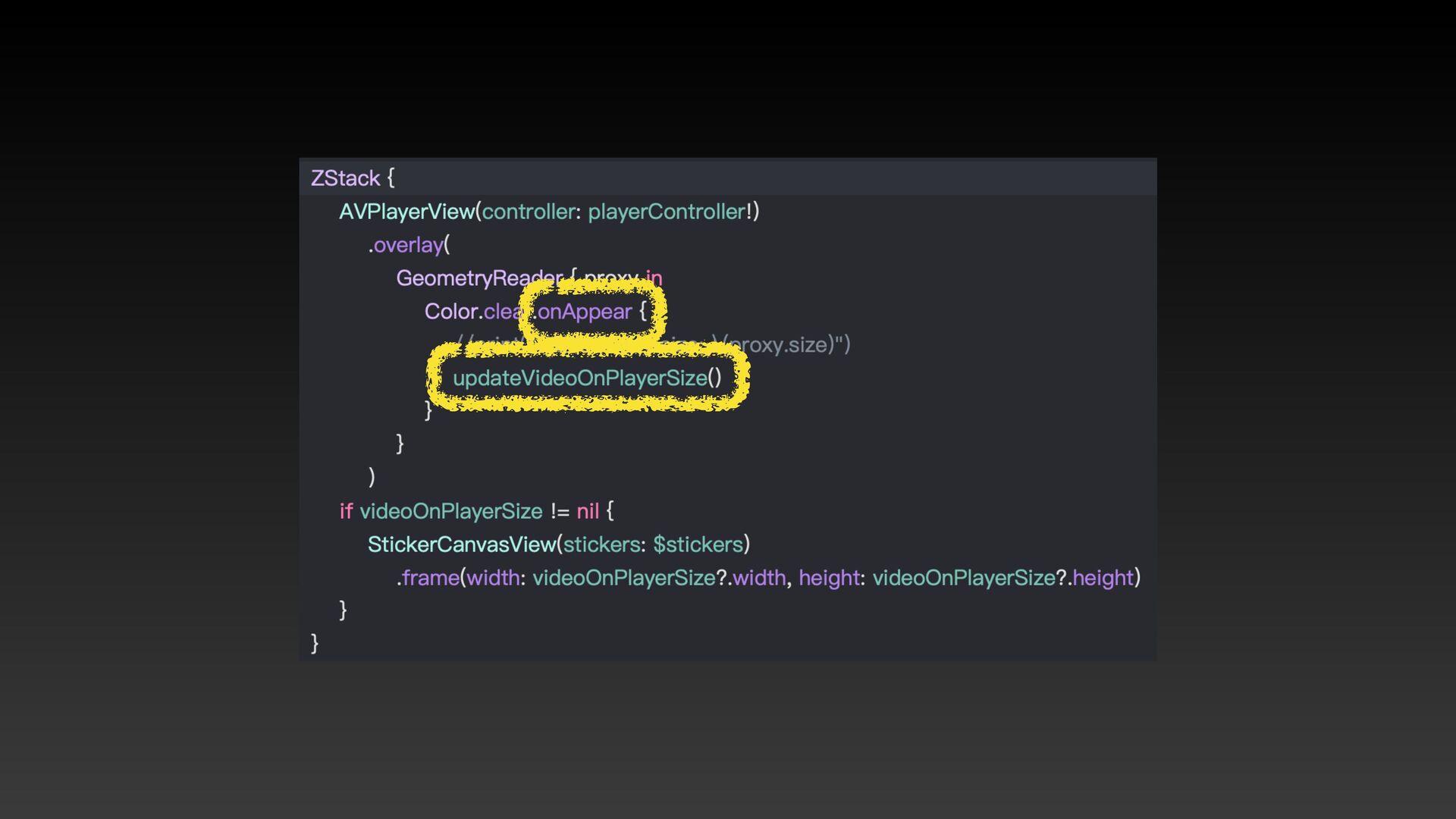
4. 移動到影片外不顯⽰ ✨
None
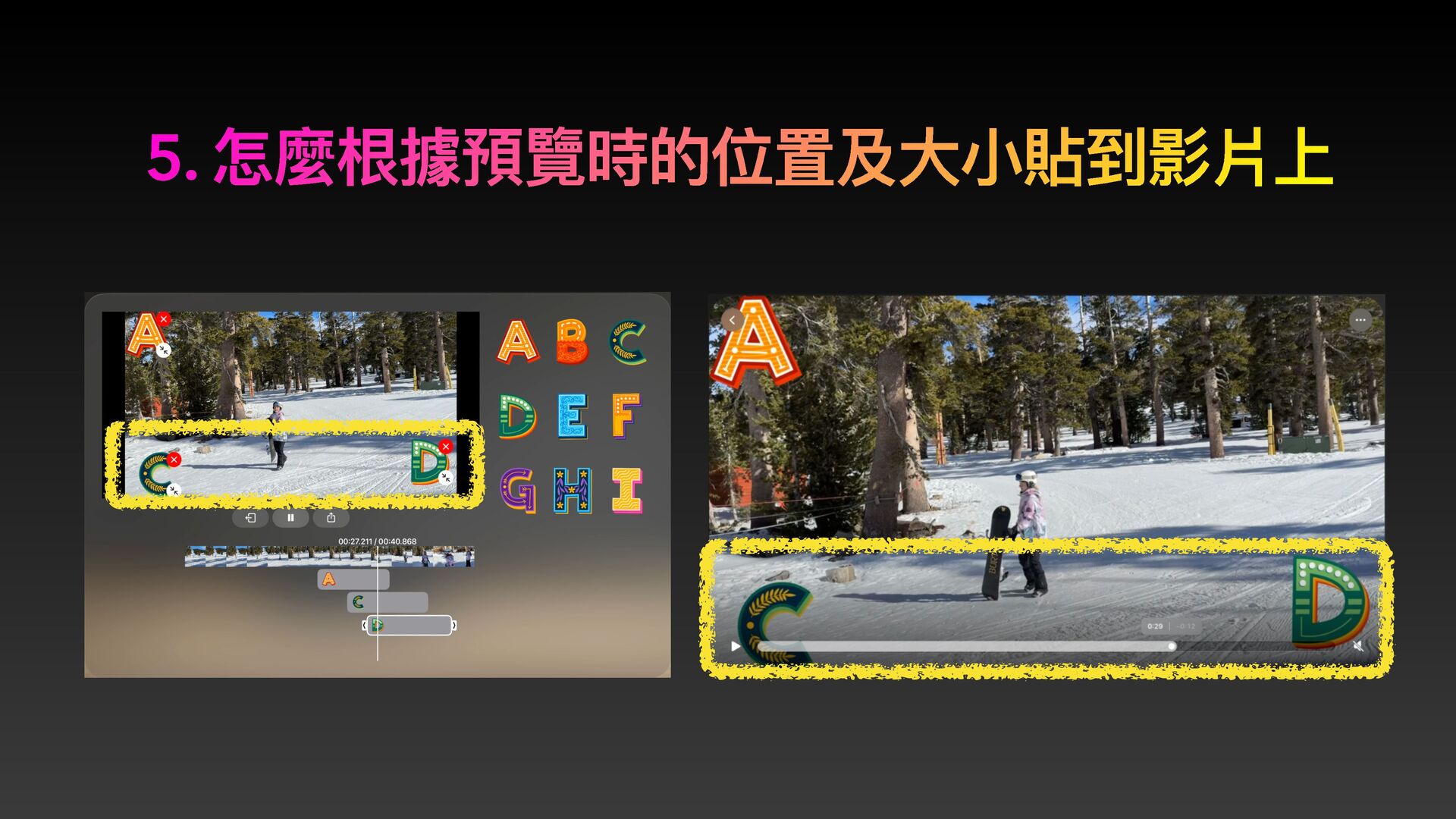
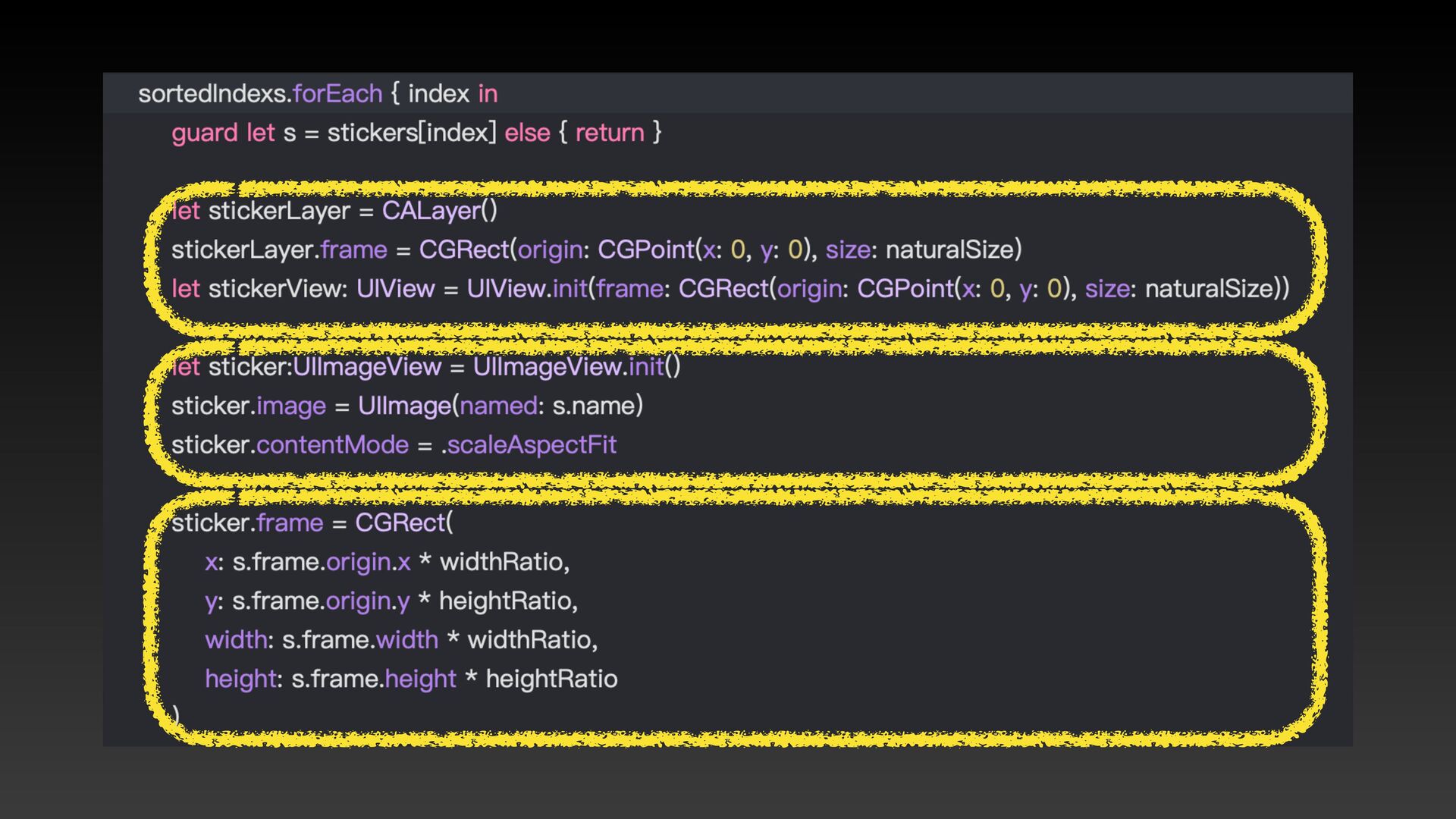
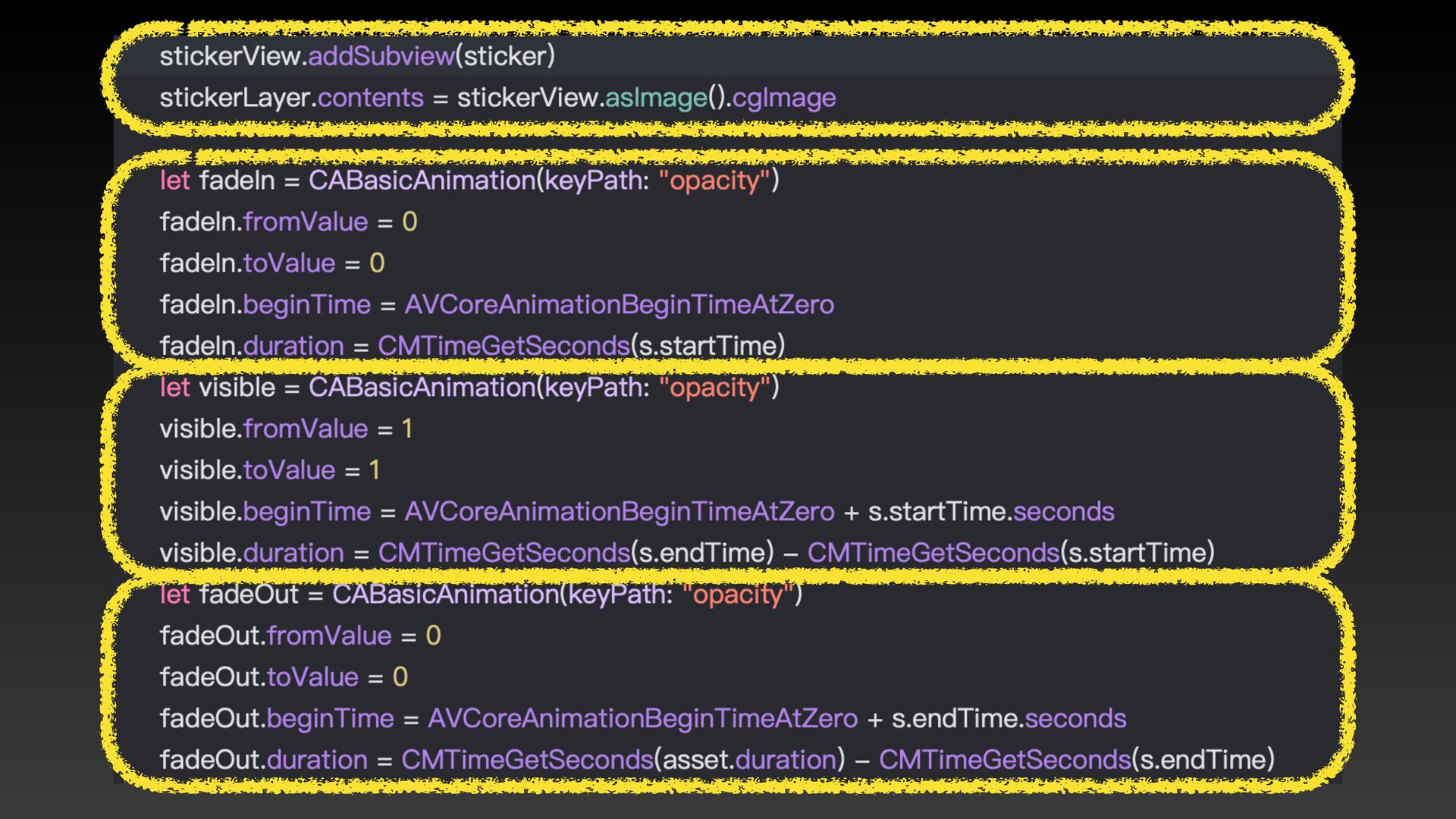
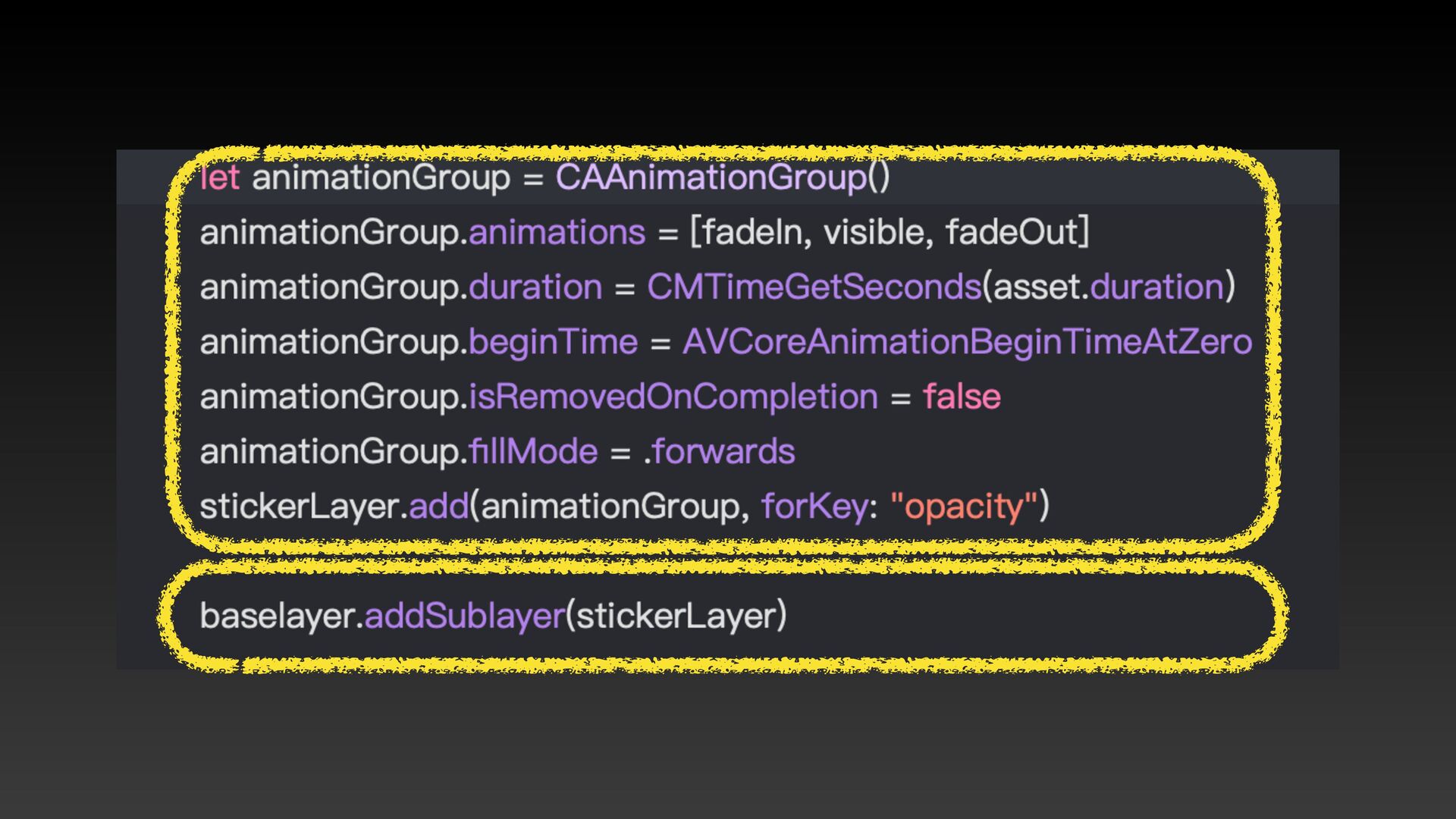
5. 怎麼根據預覽時的位置及⼤⼩貼到影片上
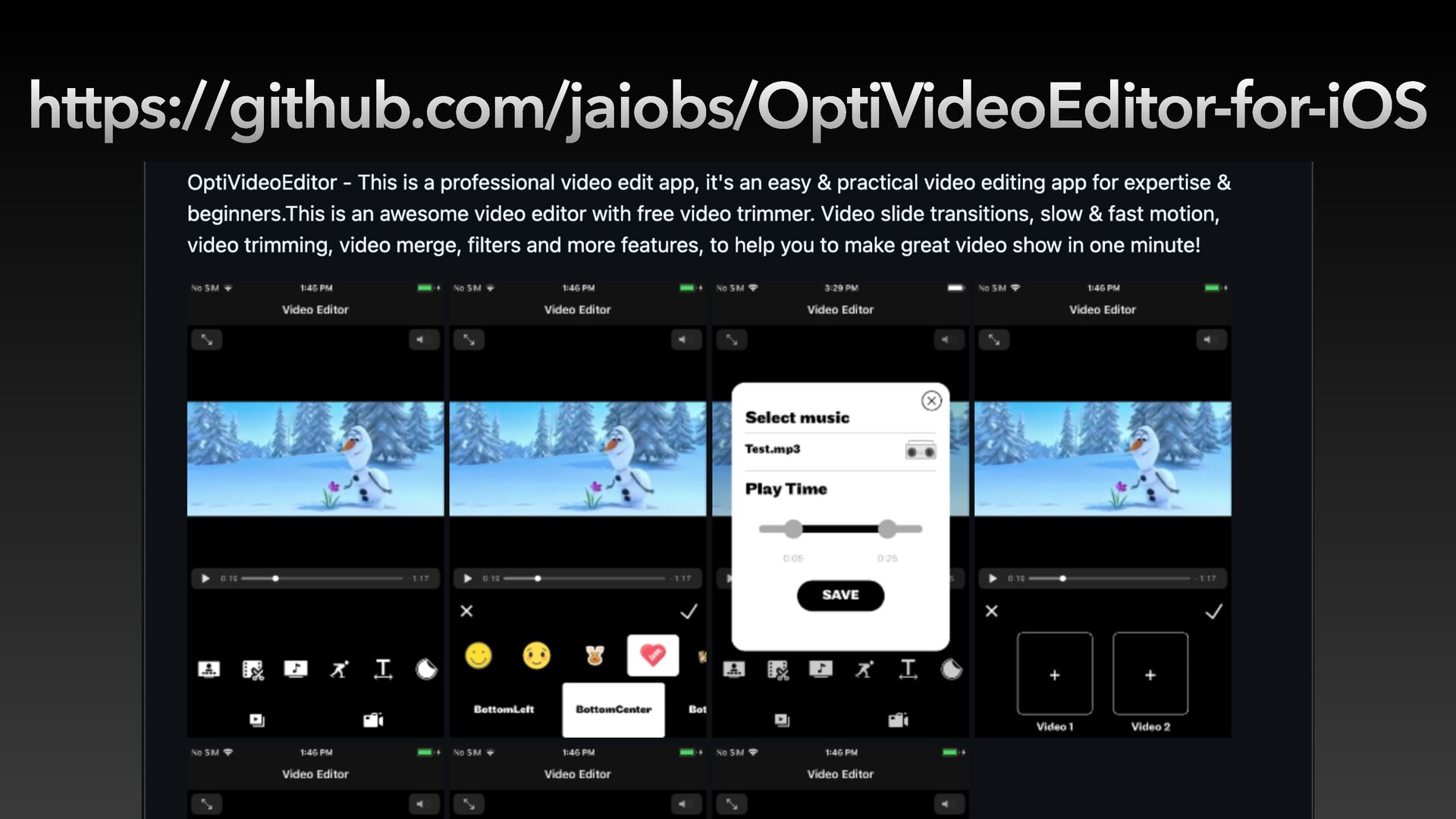
https://github.com/jaiobs/OptiVideoEditor-for-iOS
None
None
None
「時間軸」功能實作
iOS18 iOS17
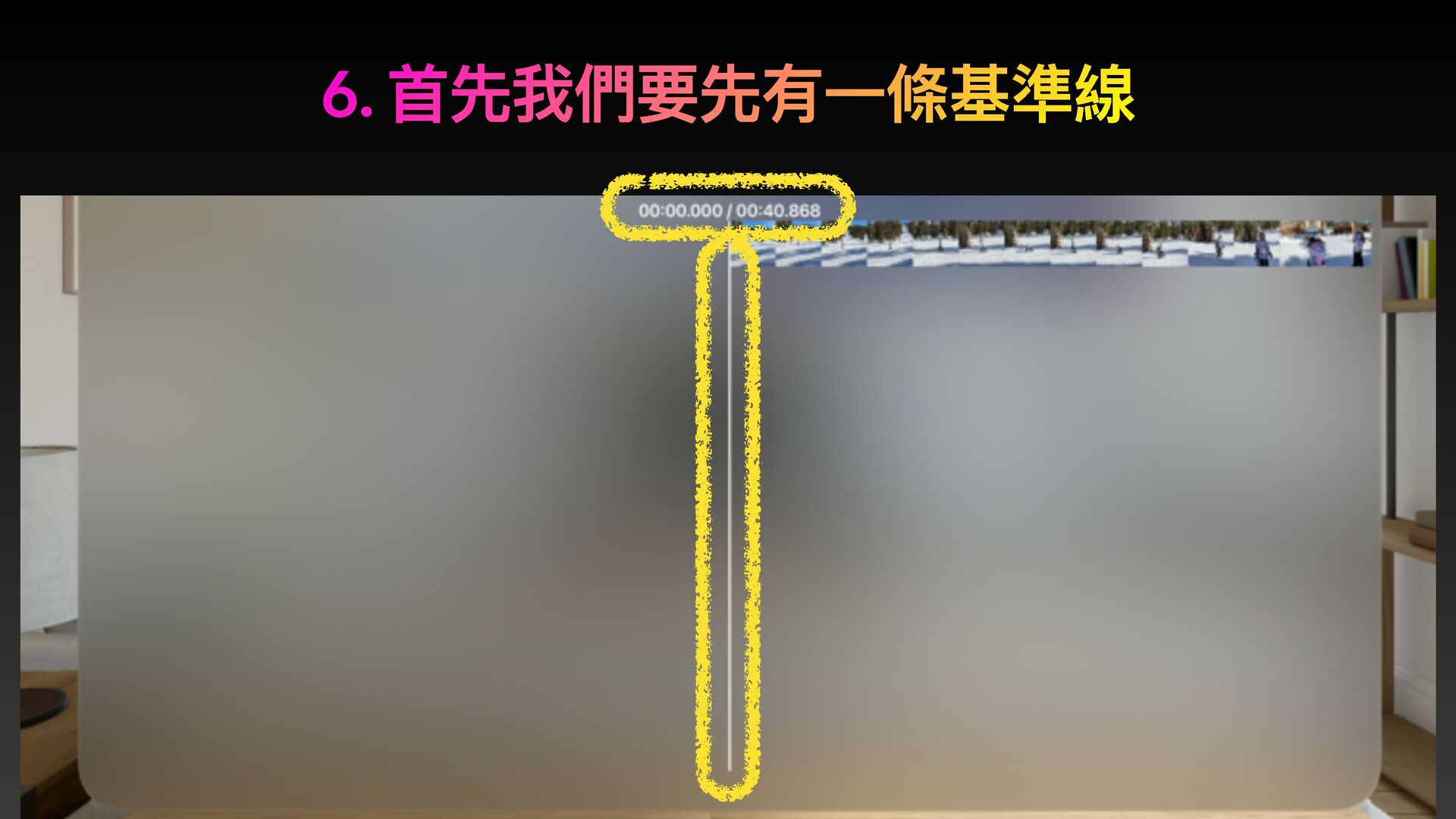
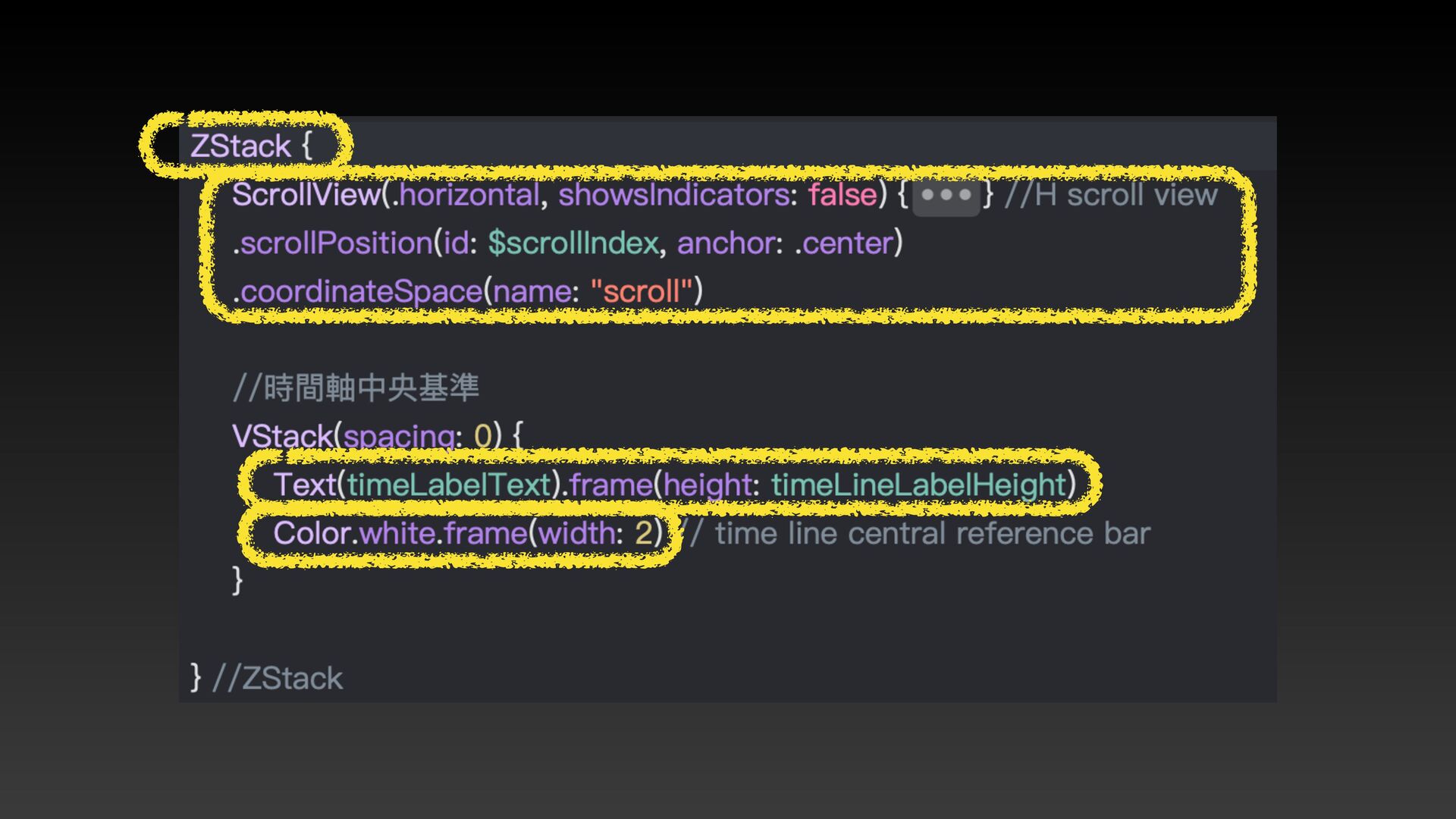
6. ⾸先我們要先有⼀條基準線
None
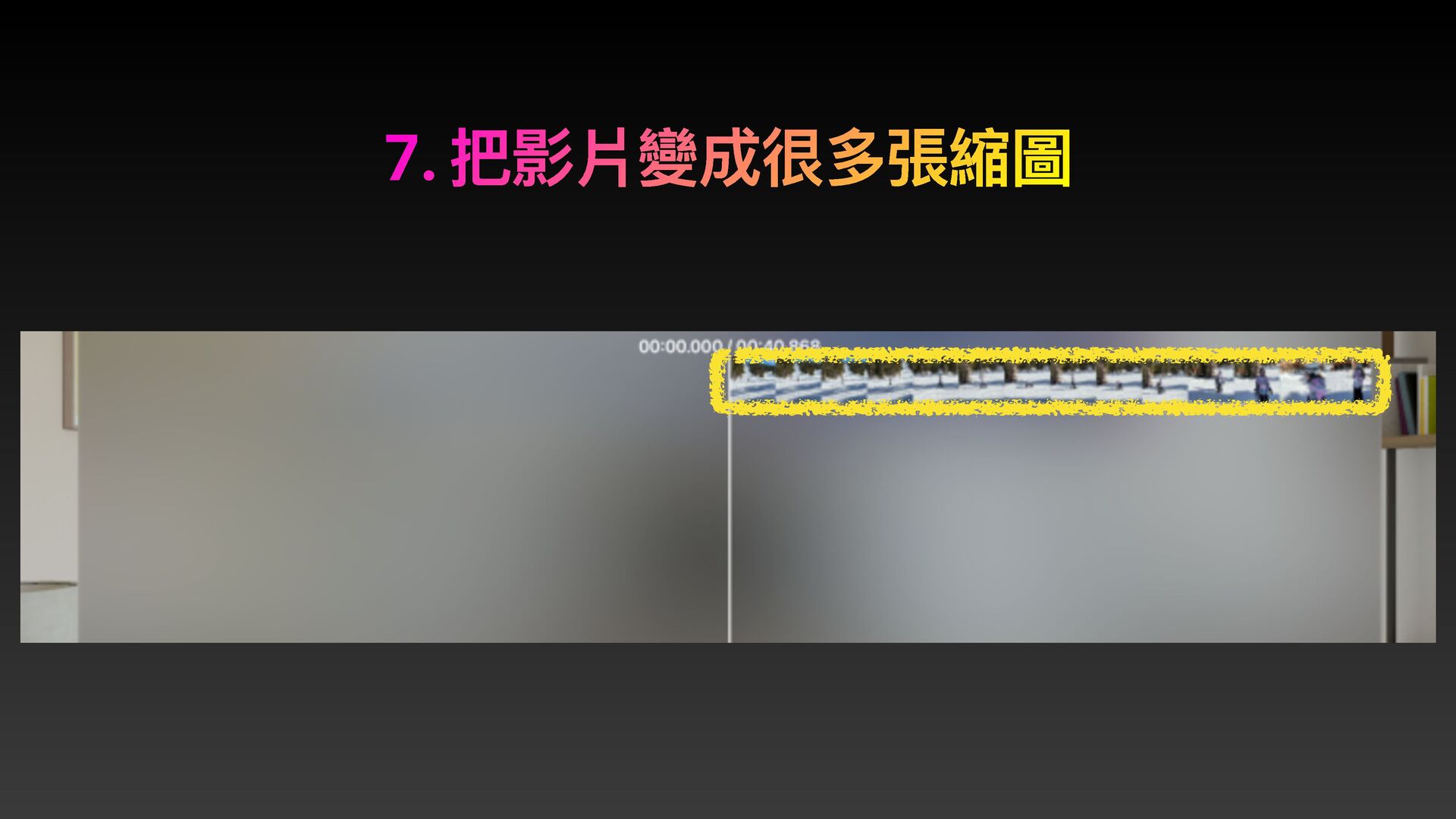
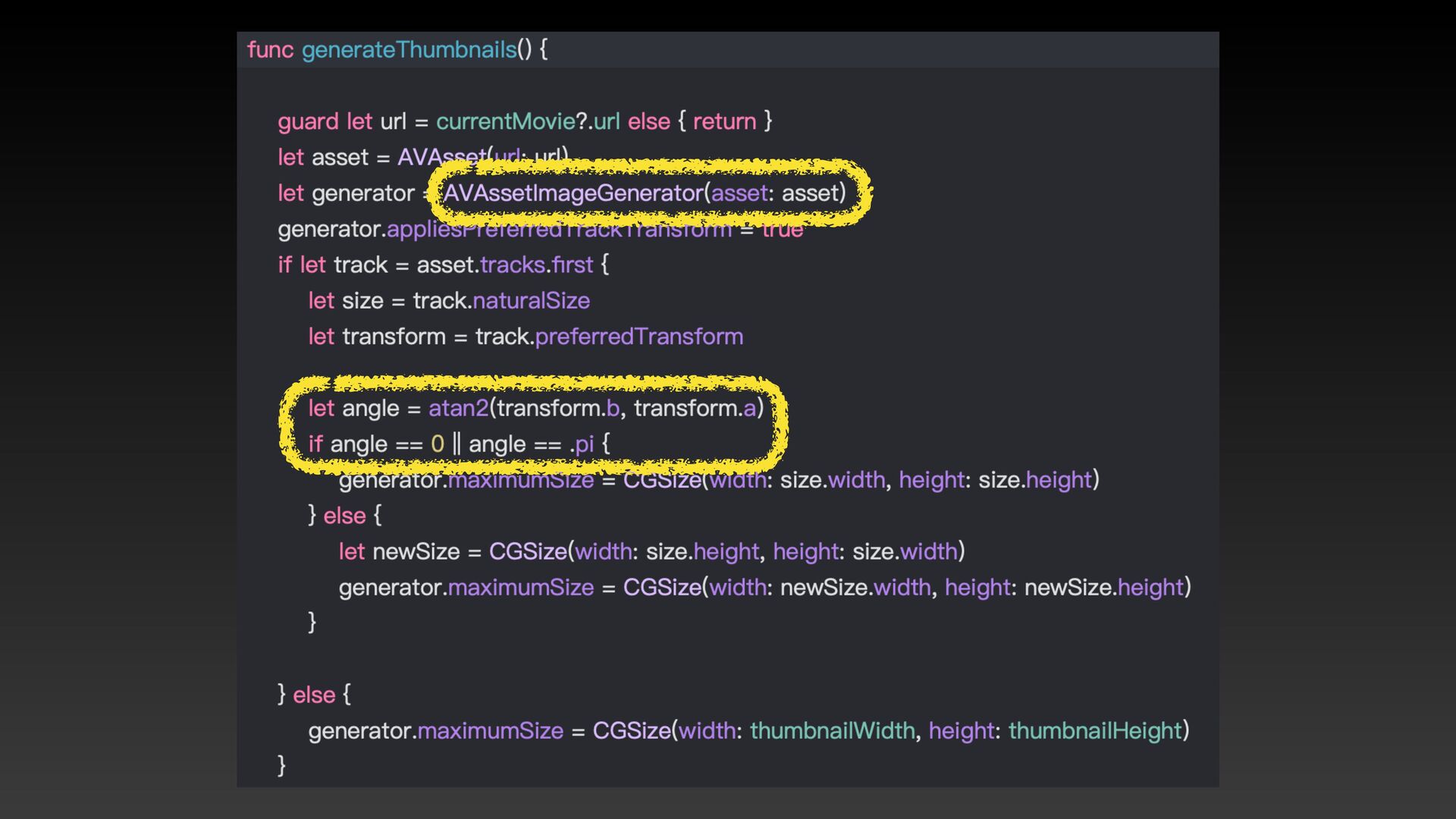
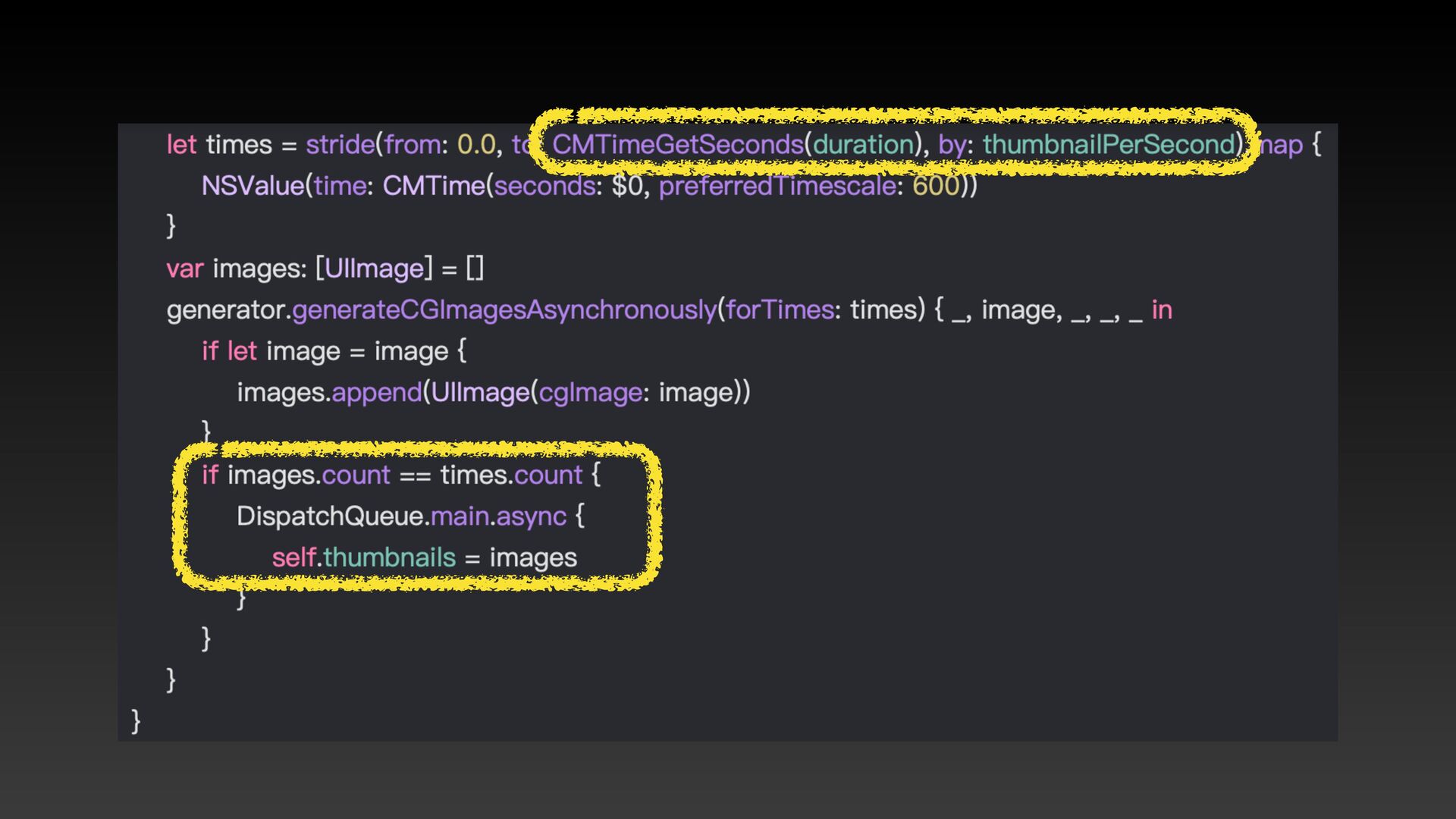
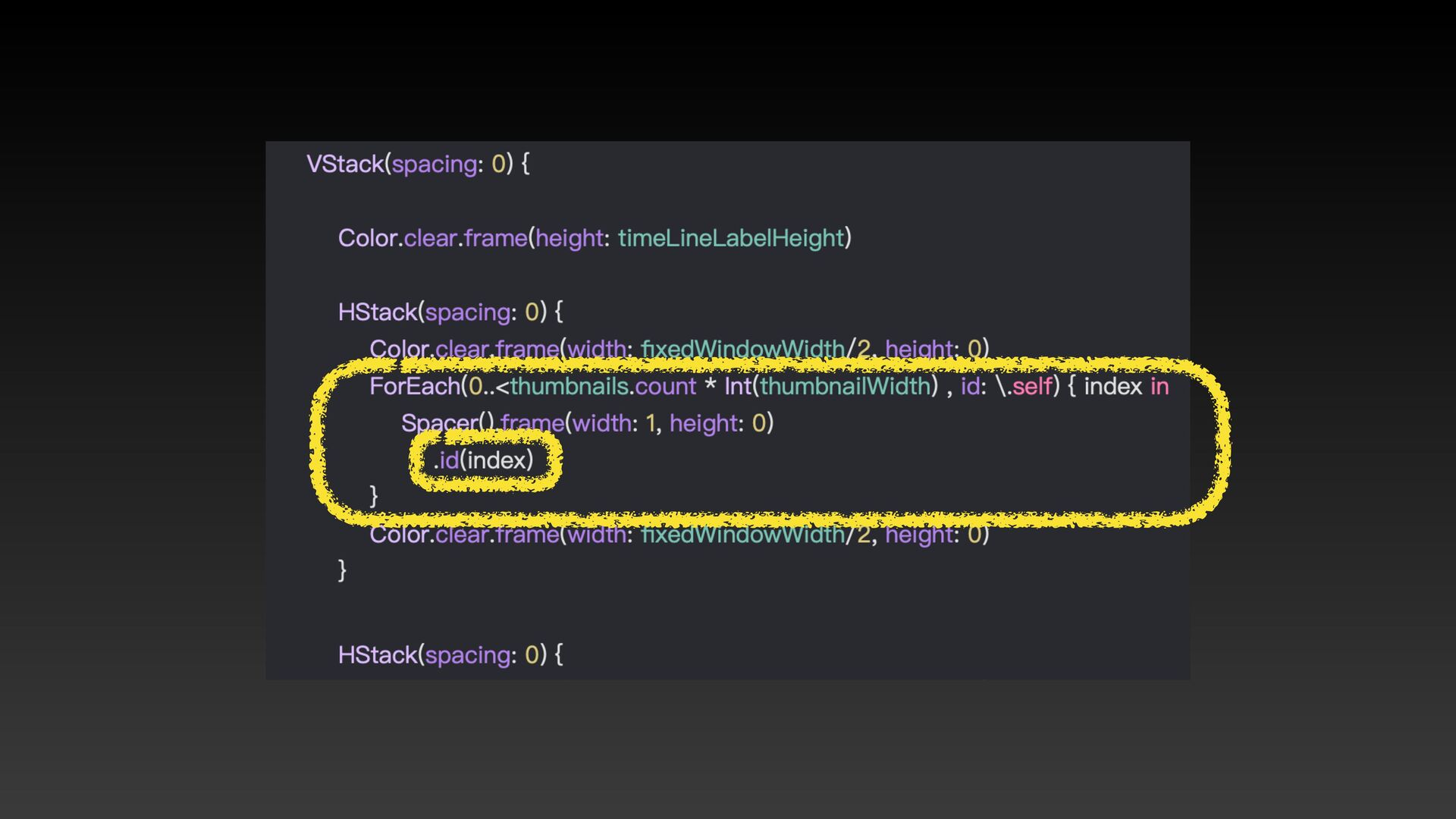
7. 把影片變成很多張縮圖
None
None
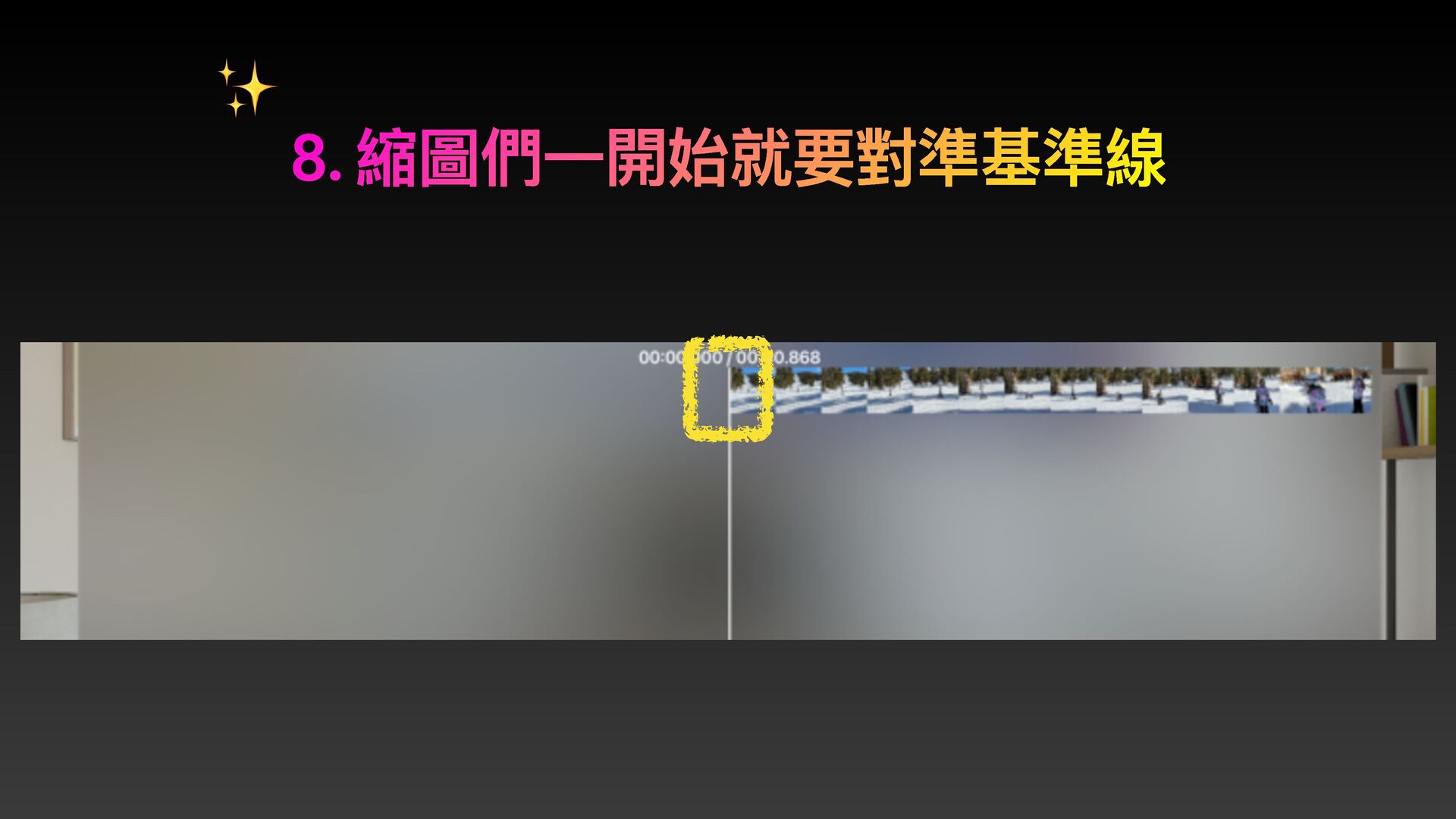
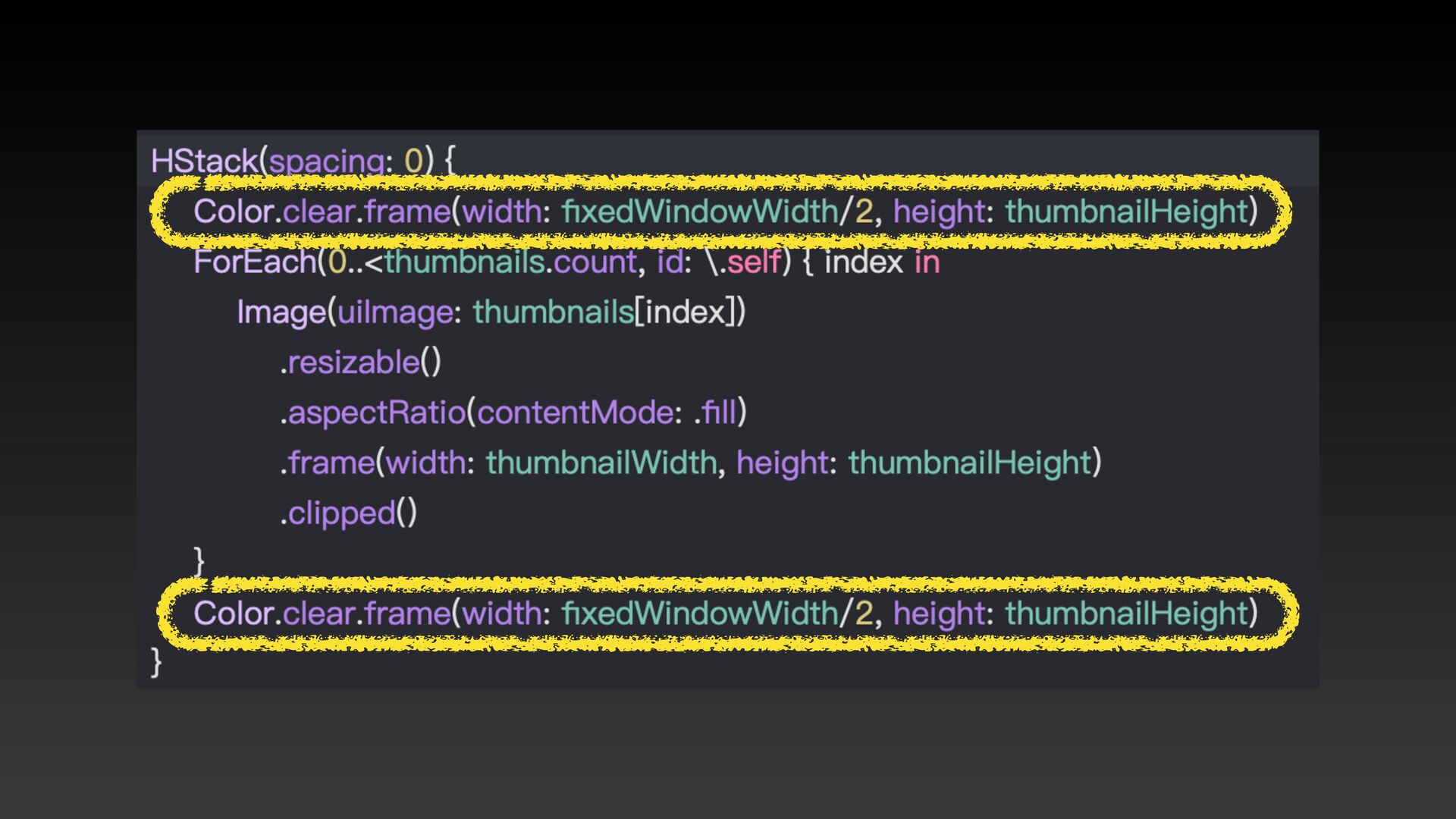
8. 縮圖們⼀開始就要對準基準線 ✨
None
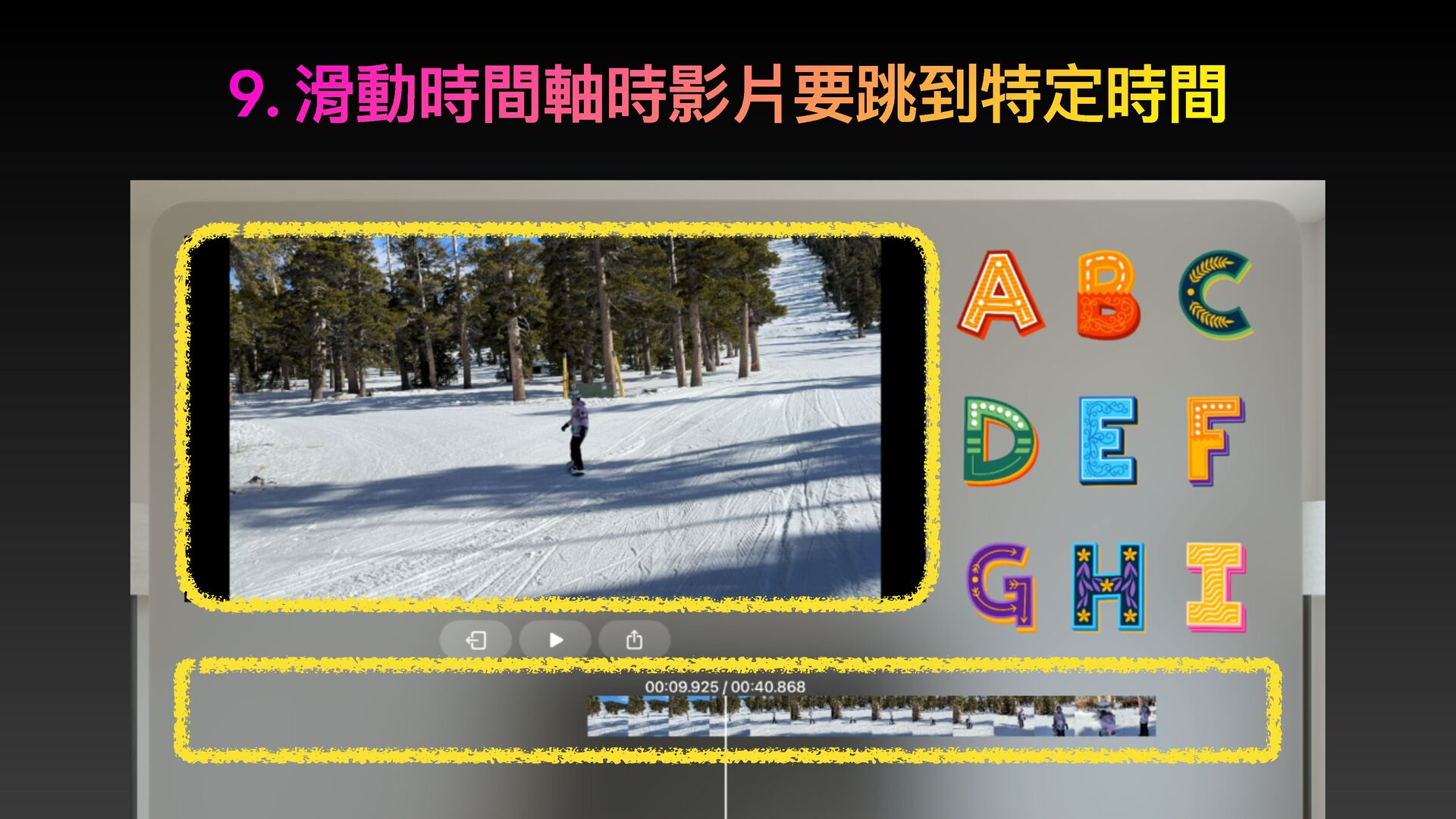
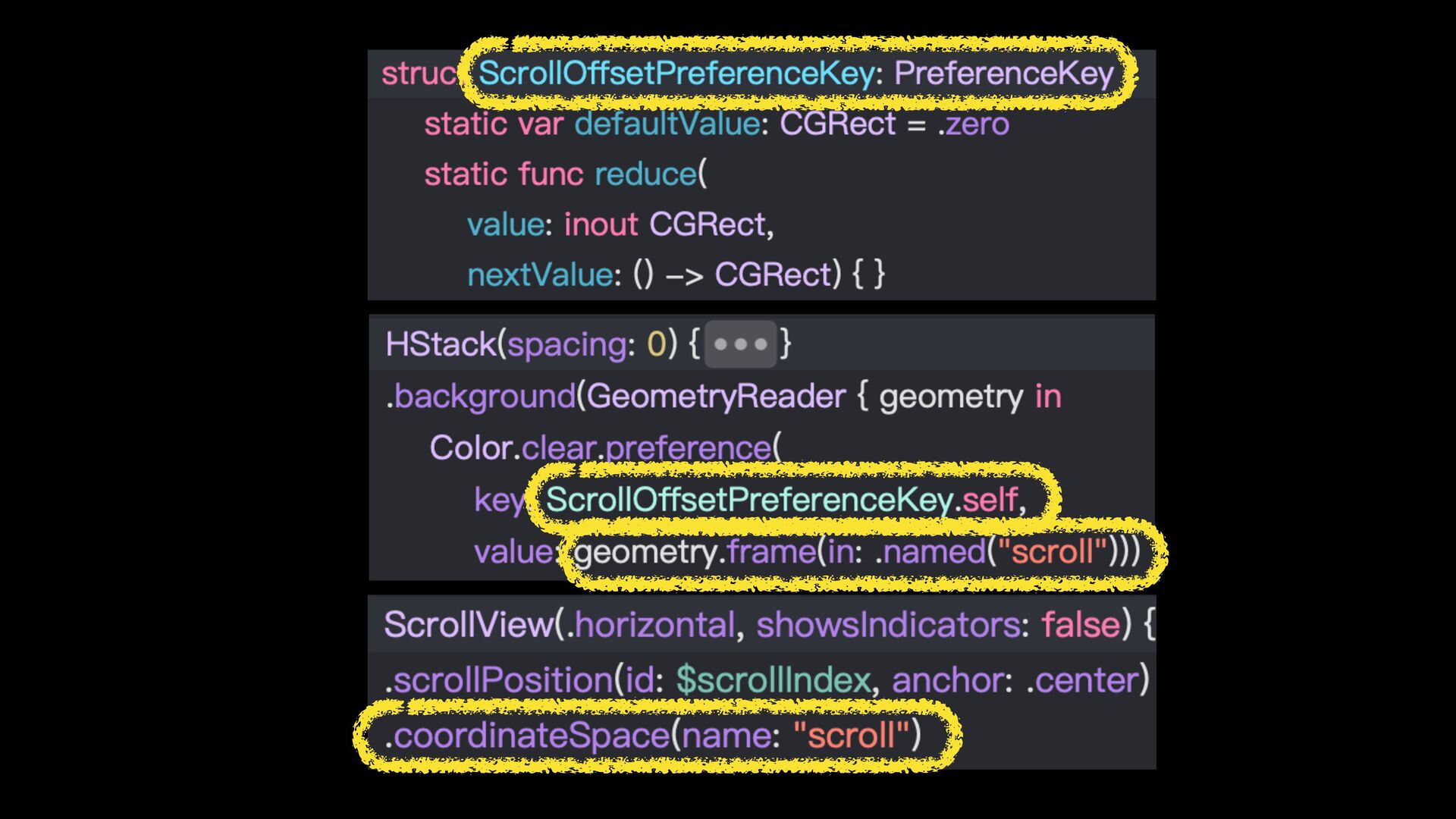
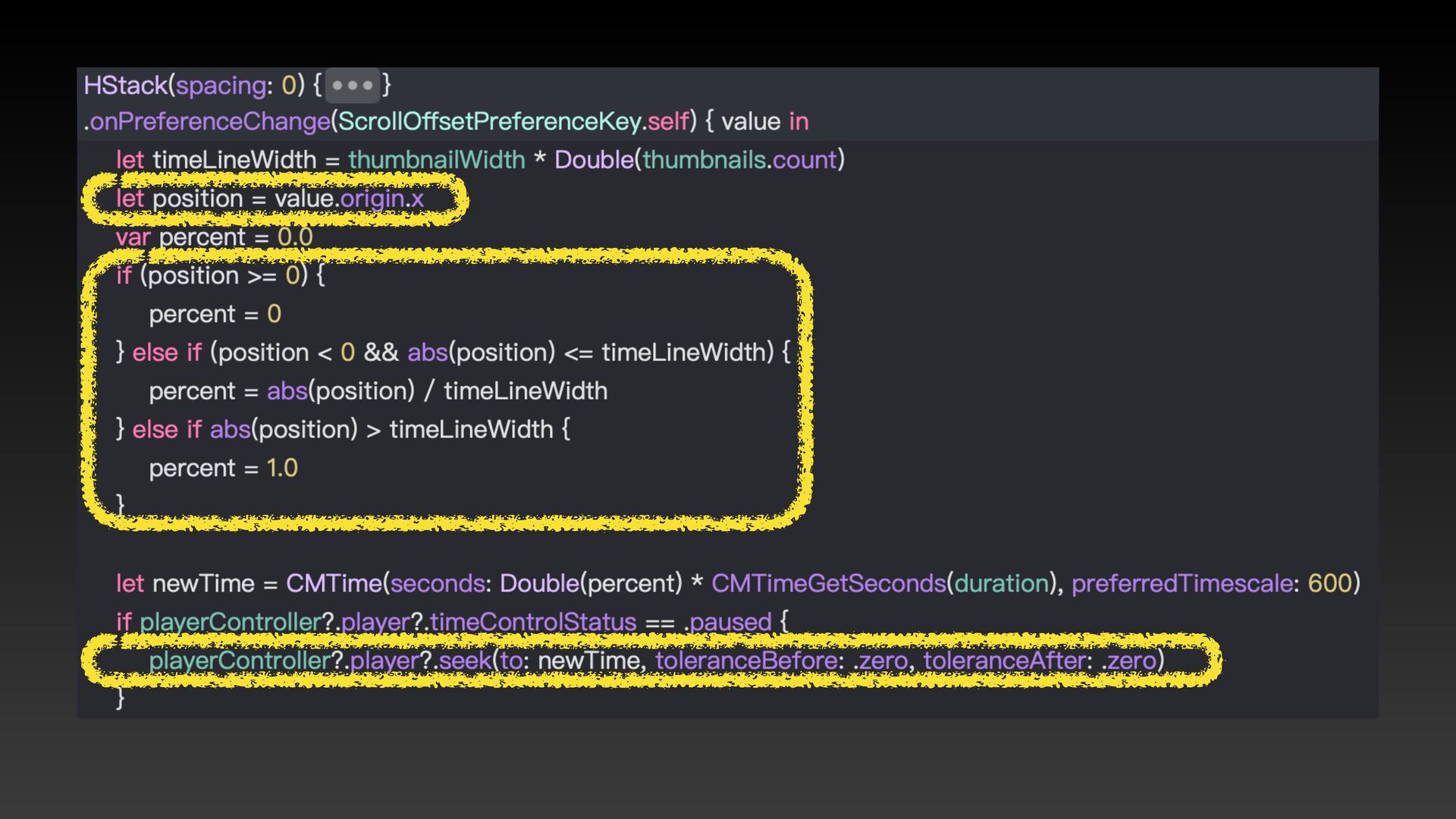
9. 滑動時間軸時影片要跳到特定時間
None
None
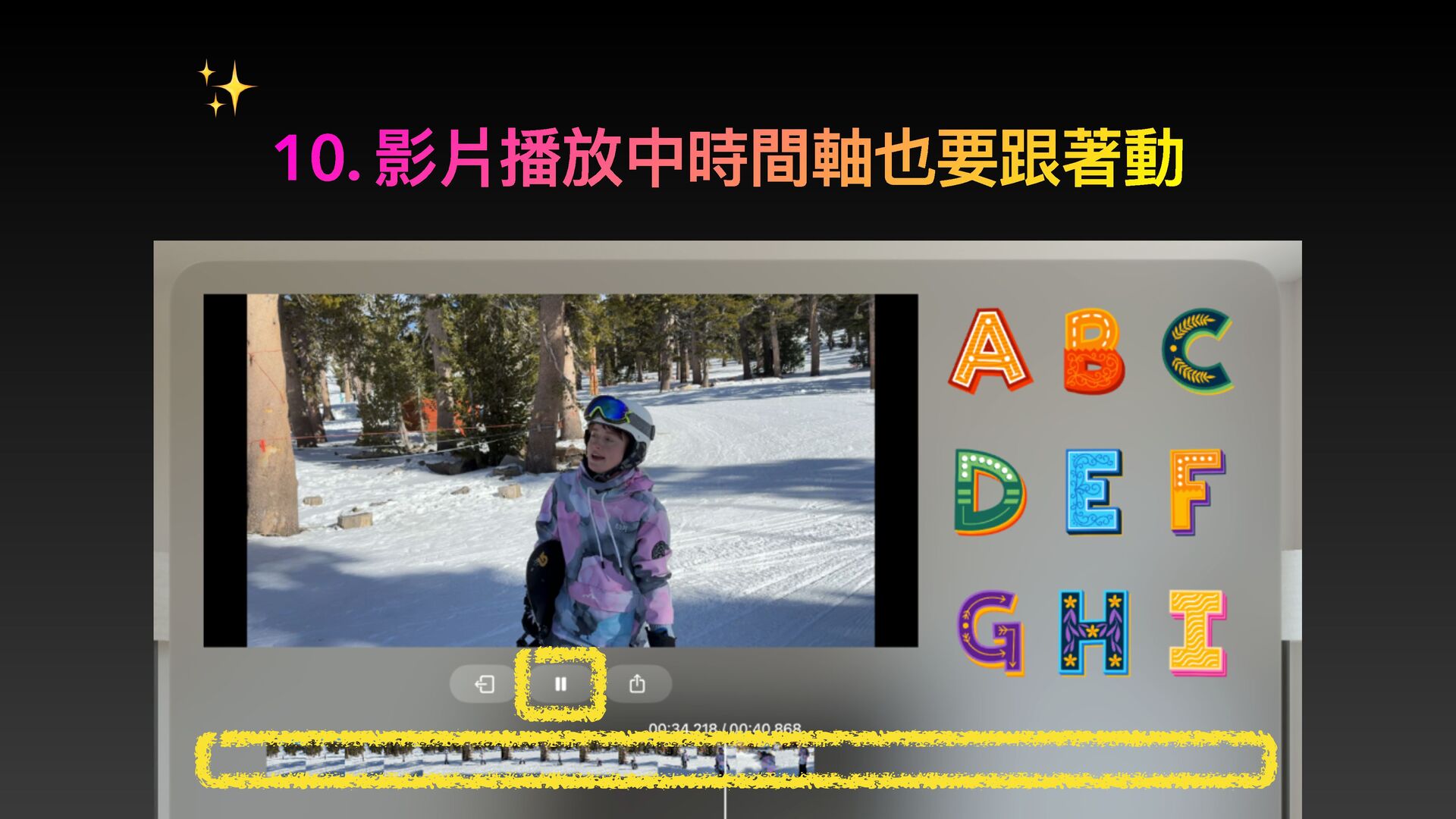
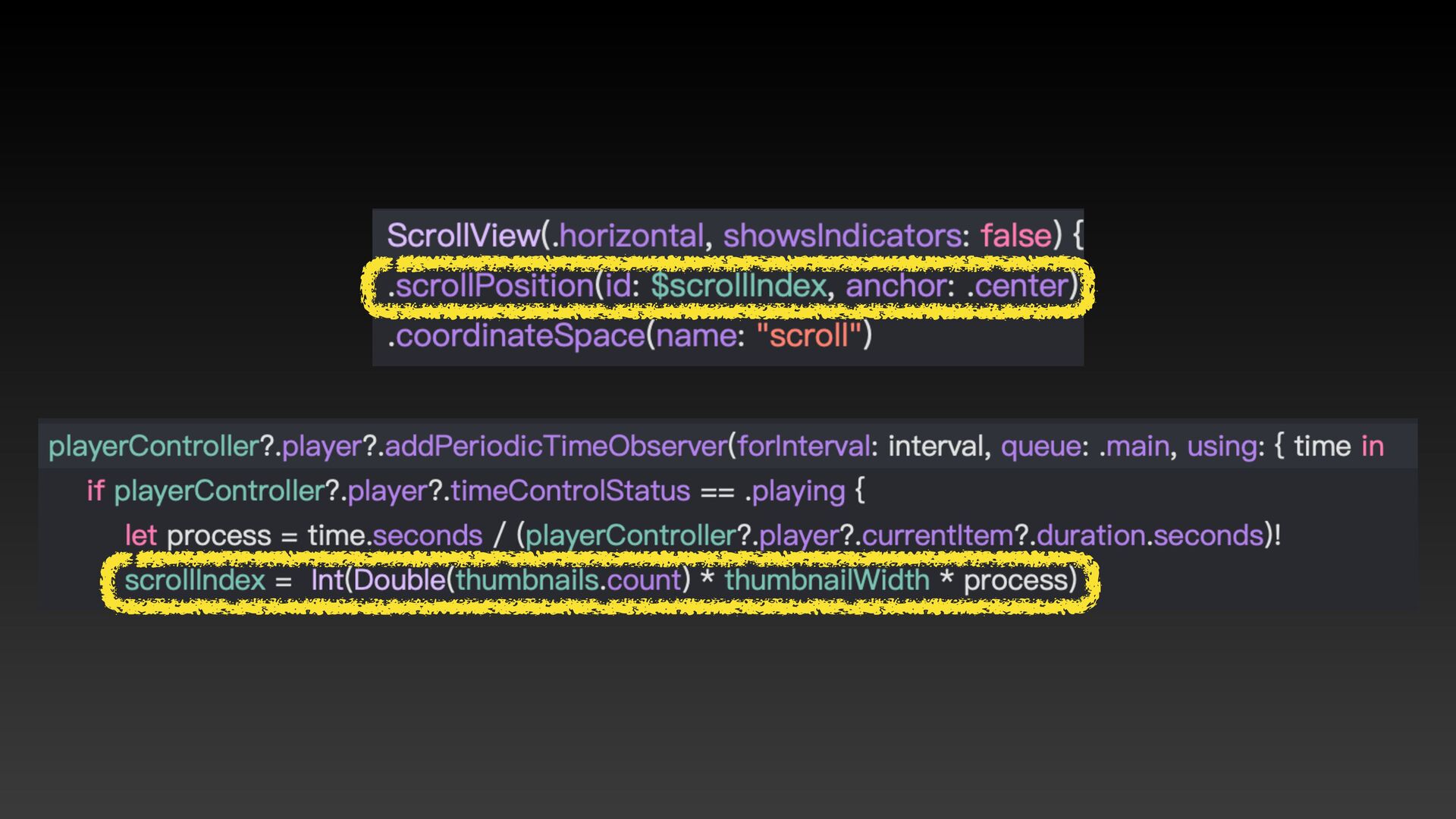
10. 影片播放中時間軸也要跟著動 ✨
None
None
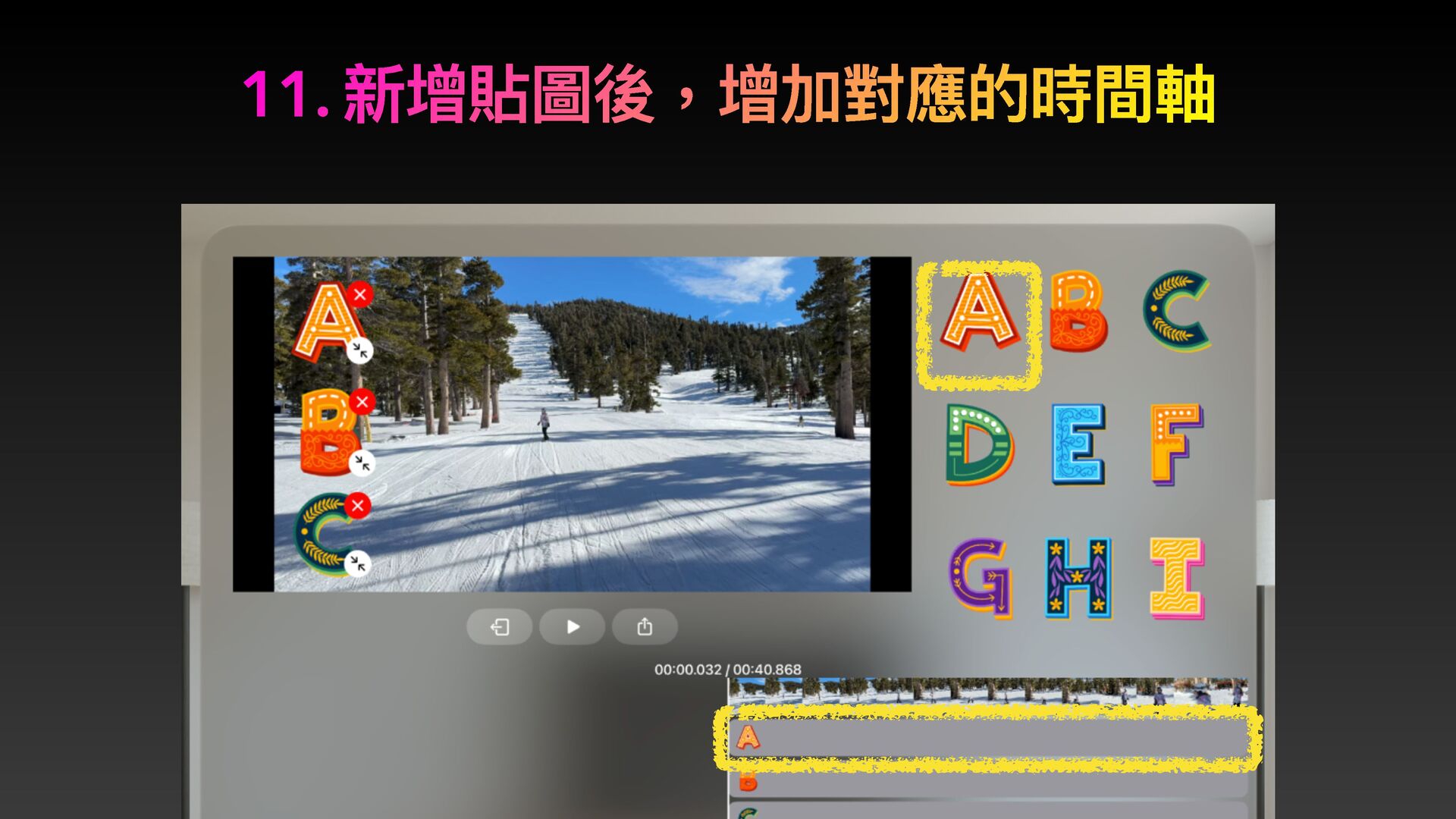
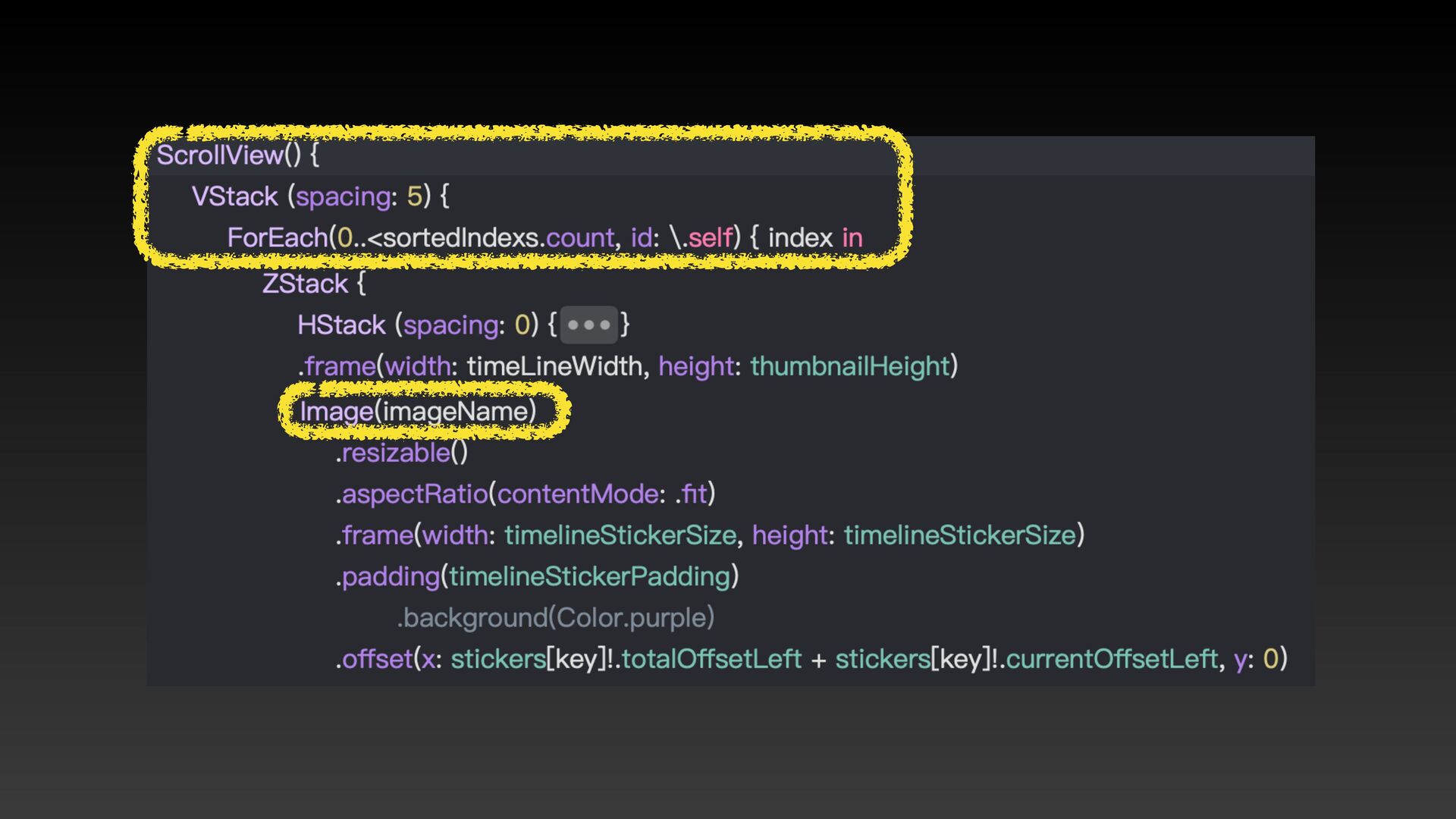
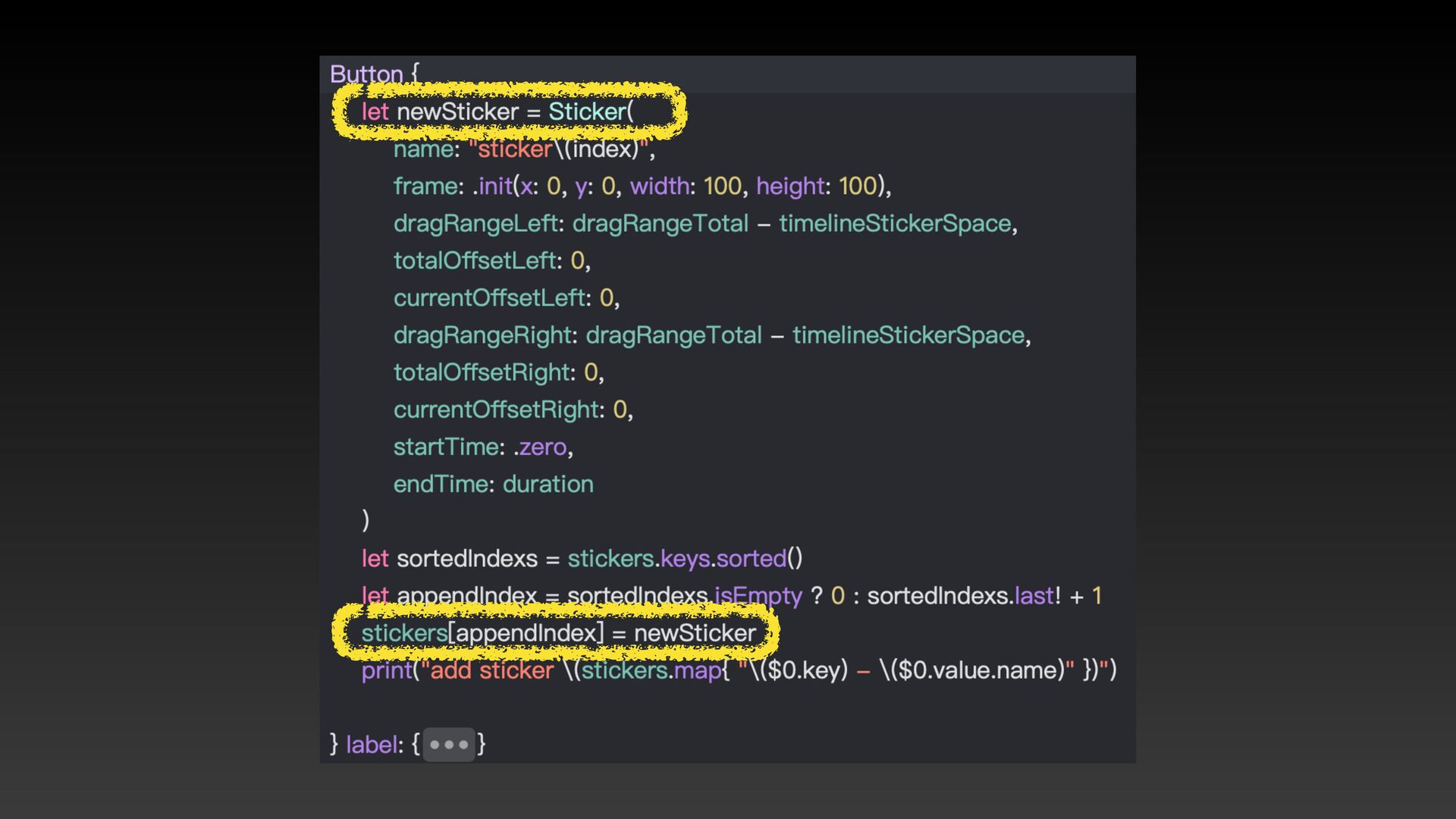
11. 新增貼圖後,增加對應的時間軸
None
None
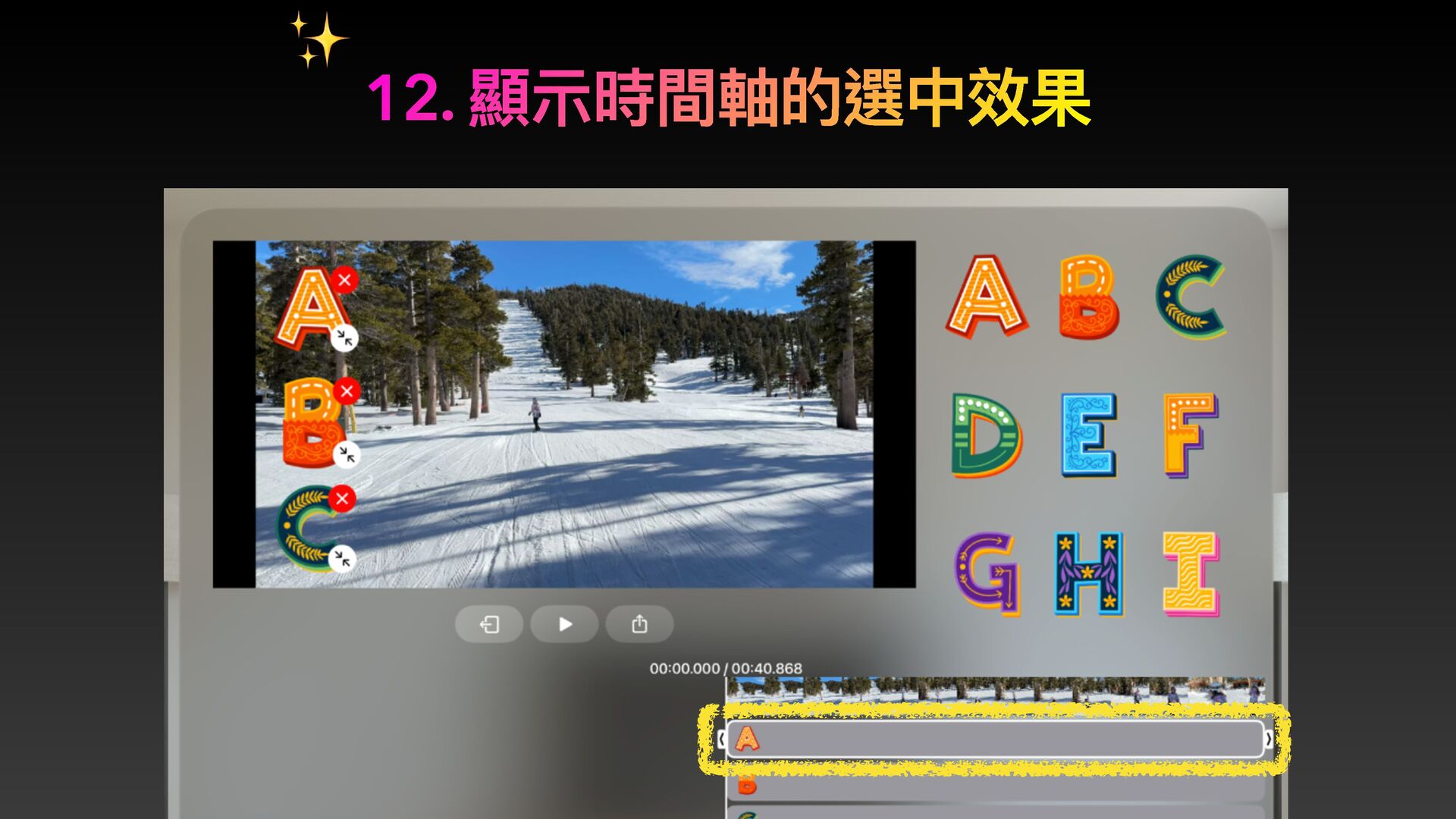
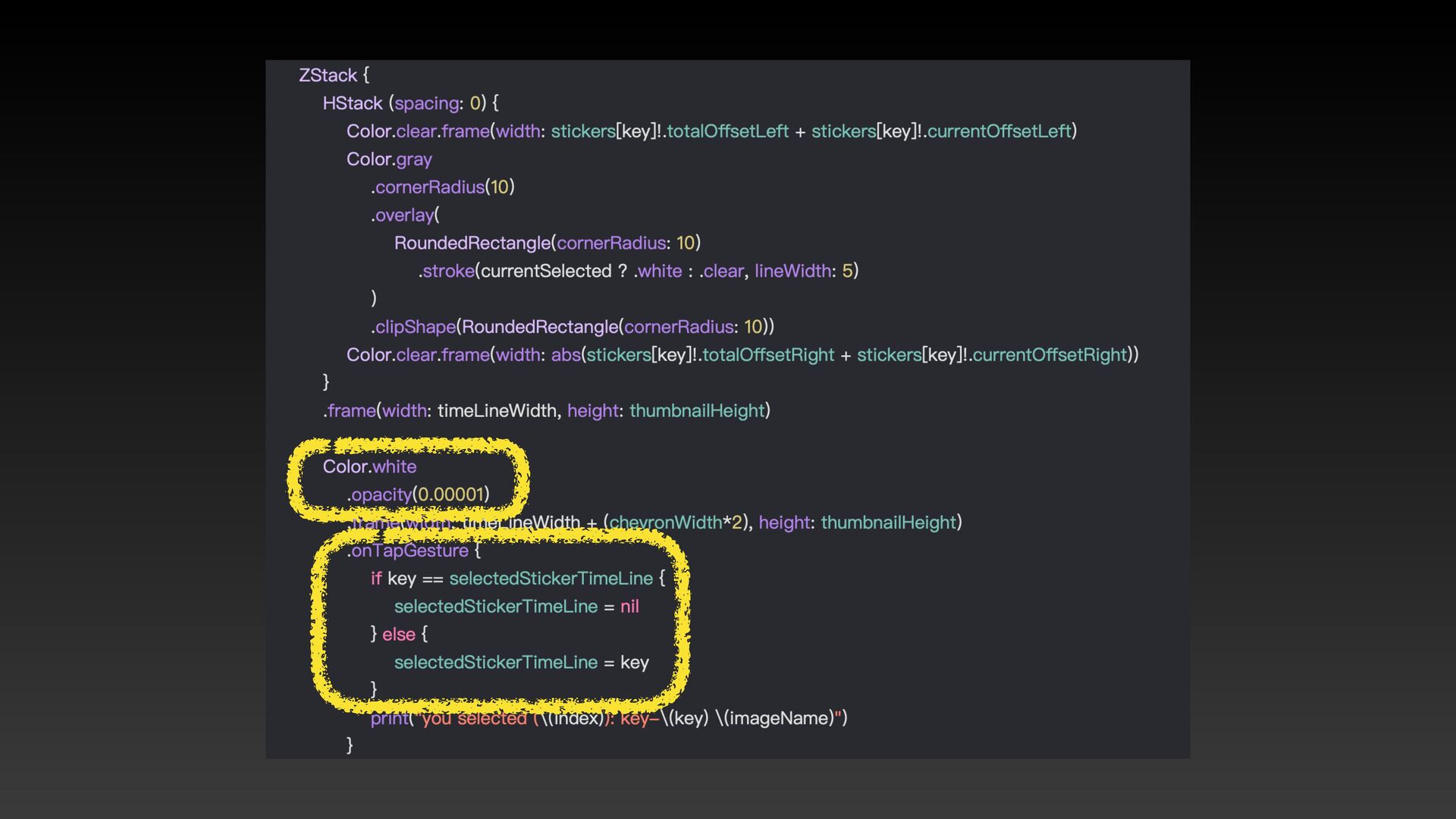
12. 顯⽰時間軸的選中效果 ✨
None
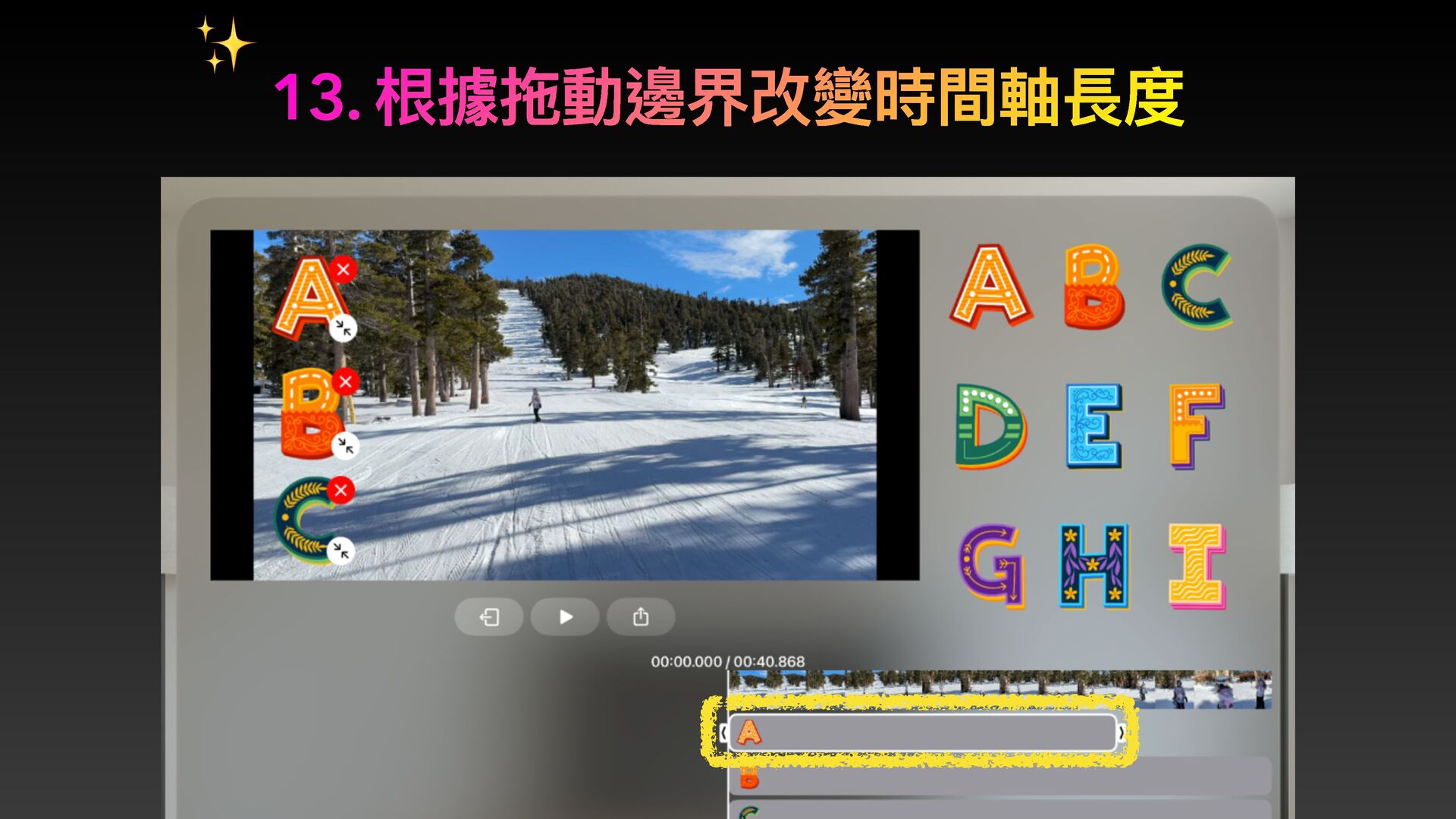
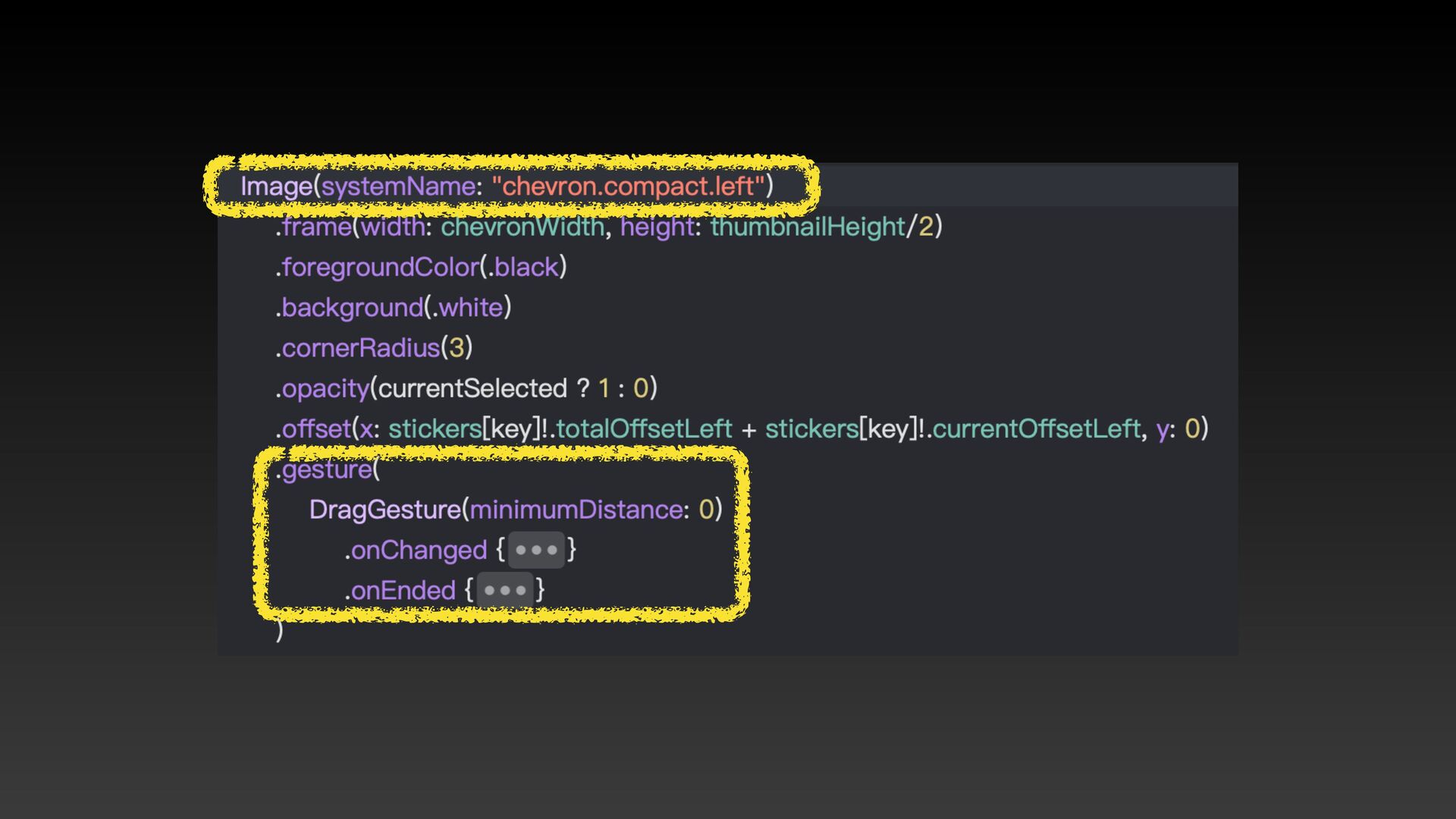
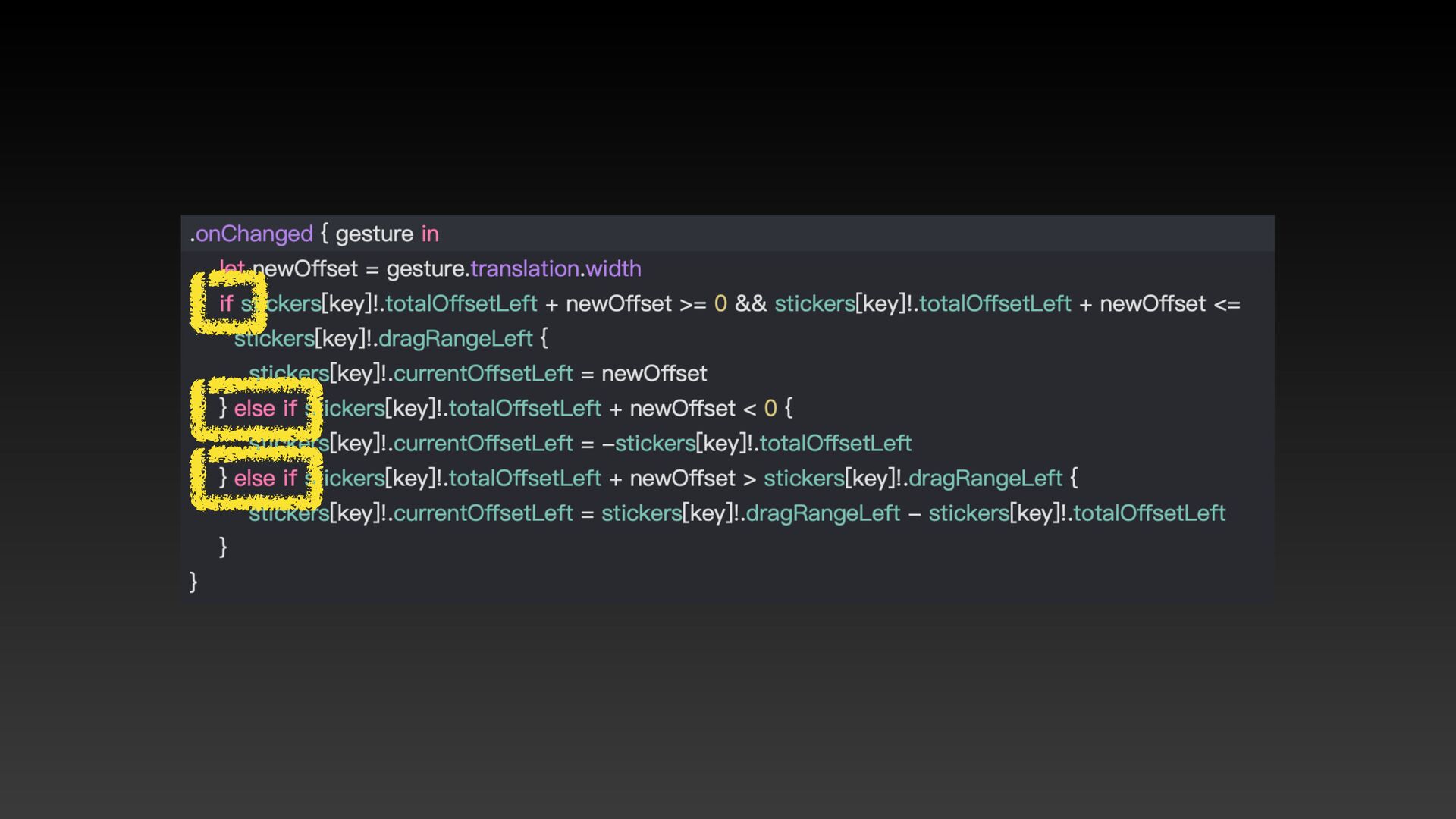
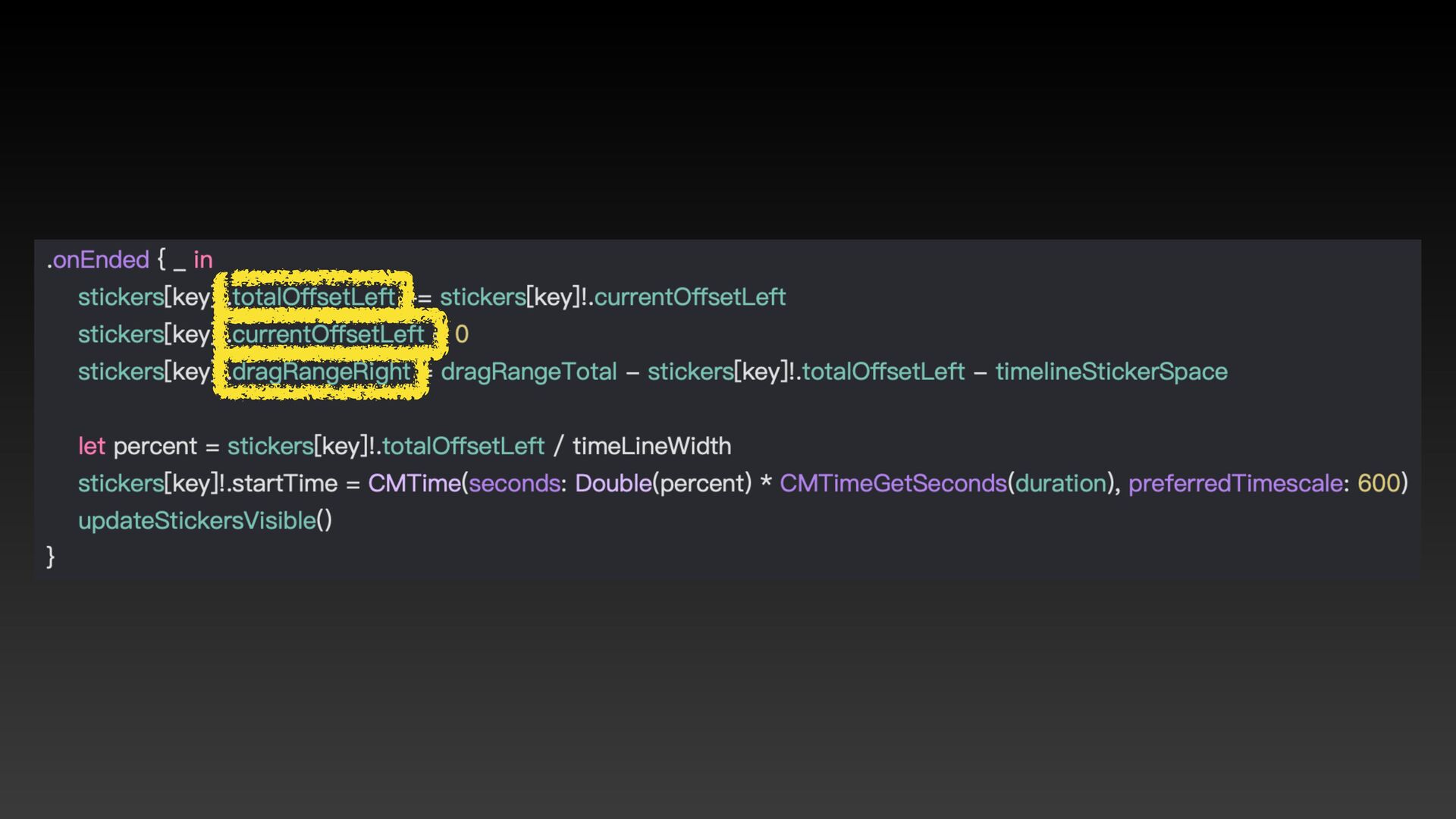
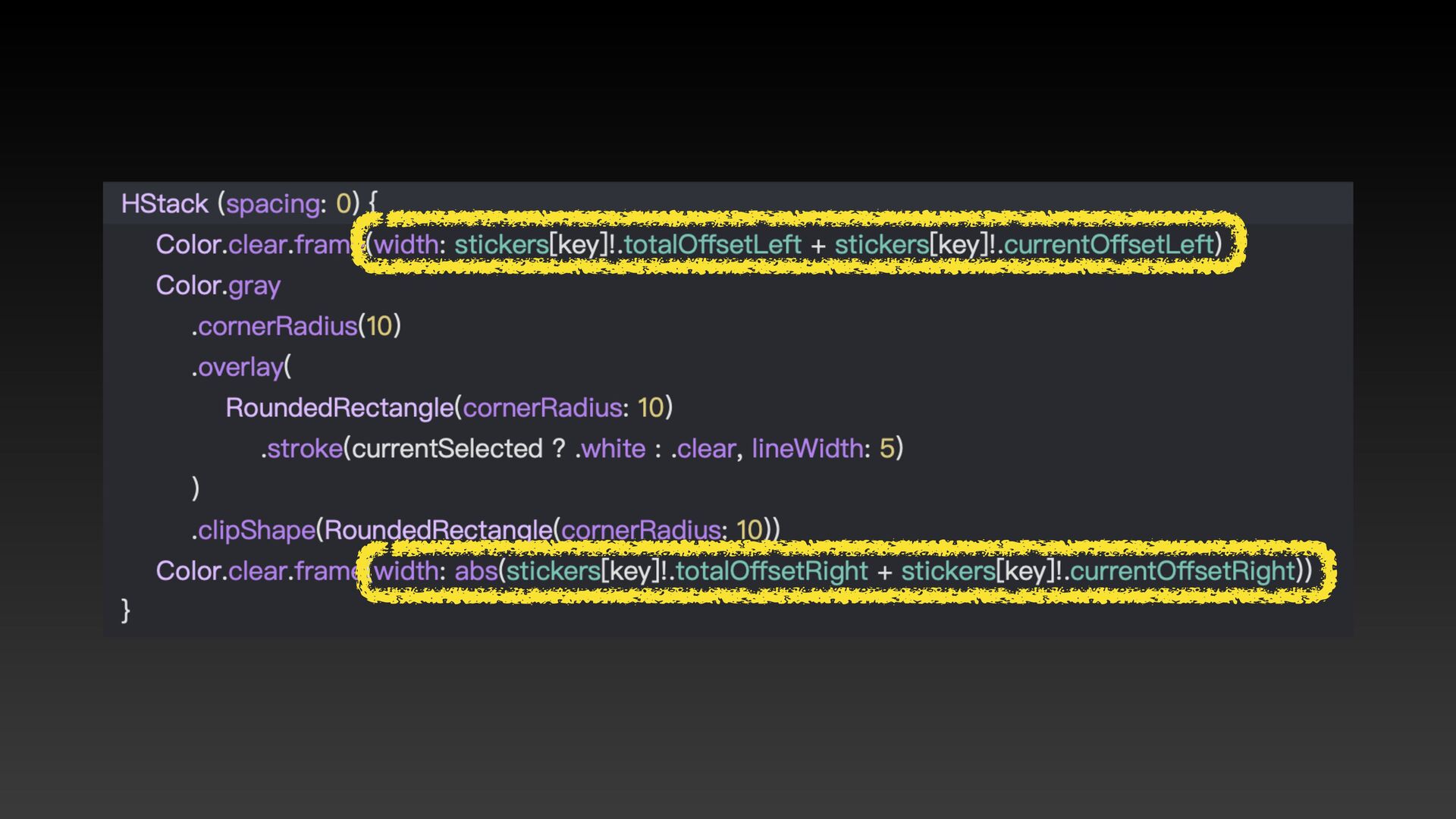
13. 根據拖動邊界改變時間軸長度 ✨
None
None
None
None
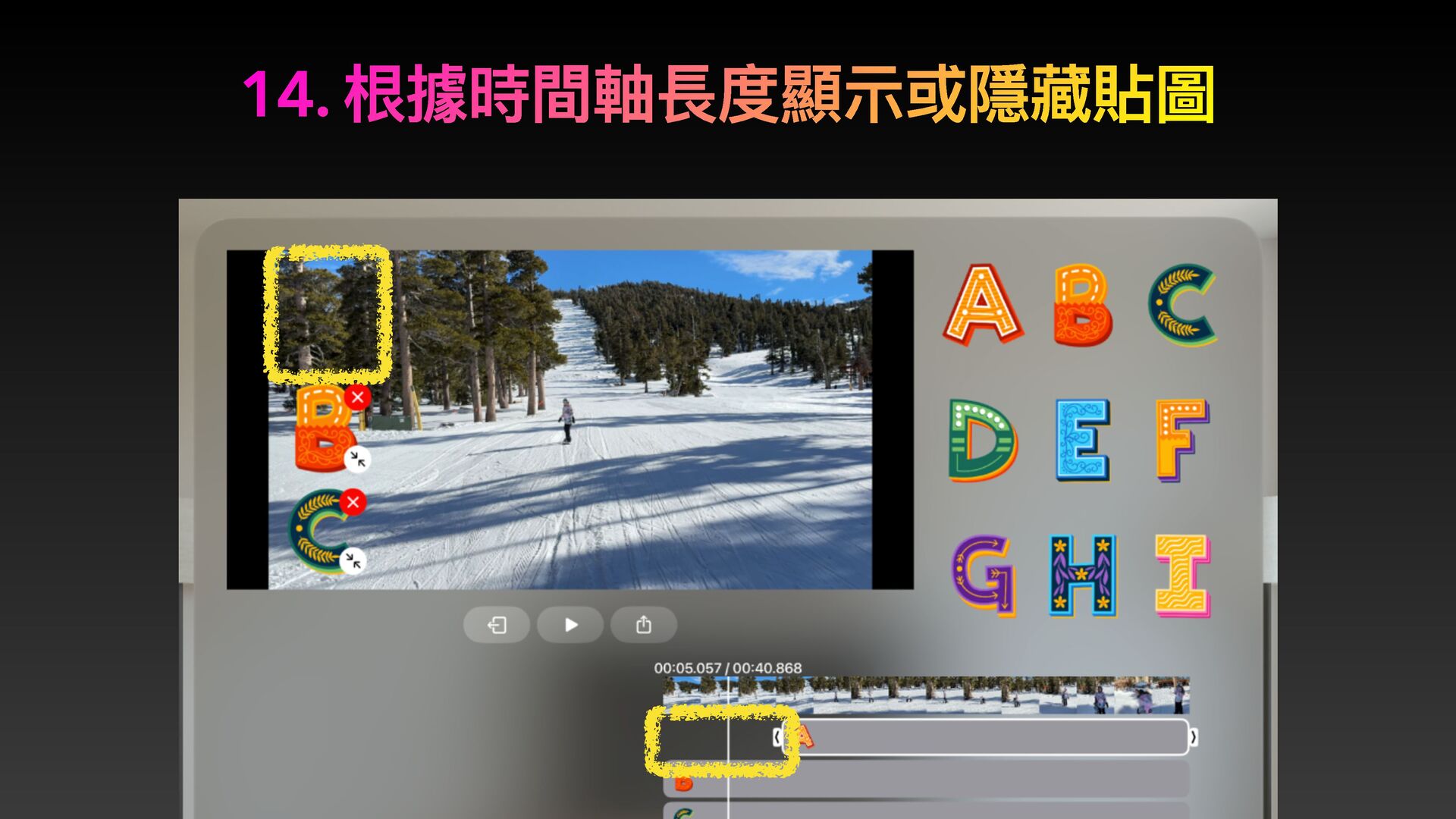
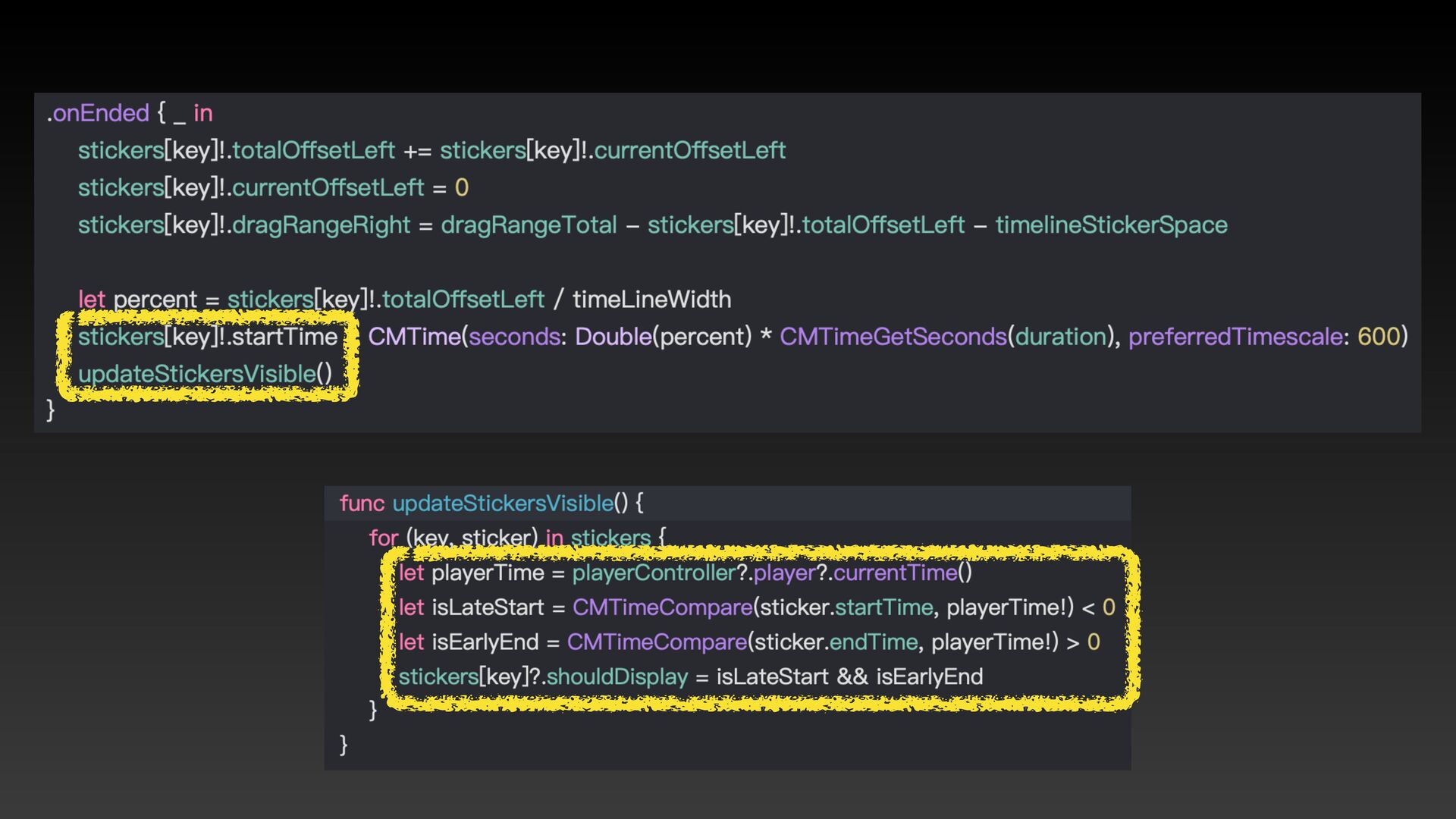
14. 根據時間軸長度顯⽰或隱藏貼圖
None
99. 最後分享:window 跟 hover
感謝聆聽


 mark33699
 greggifford
 dougneiner
 inesmontani
 marketingsoph
 jonyablonski
 tammielis
 techseoconnect
 andyhume
 shlominoach
 addyosmani
 lara
lara
 reverentgeek