Upgrade to Pro
— share decks privately, control downloads, hide ads and more …
Speaker Deck
Sign up for free
Menu
Search
Features
All features
Private URLs
Password Protection
Custom URLS
Scheduled publishing
Remove Branding
Restrict embedding
Deck Collections
Notes
Features
All features
Private URLs
Password Protection
Custom URLS
Scheduled publishing
Remove Branding
Restrict embedding
Deck Collections
Notes
Explore
Featured decks
Featured speakers
Programming
Technology
Storyboards
Explore
Featured decks
Featured speakers
Programming
Technology
Storyboards
Pricing
Search
Sign in
Sign up for free
View into the abyss
Search
Sponsored
·
Your Podcast. Everywhere. Effortlessly.
Share. Educate. Inspire. Entertain. You do you. We'll handle the rest.
→
Mori Masaki
February 19, 2016
Technology
410
1
Share
Embed
Copy iframe code
Copy JS code
Copy link
Start on current slide
View into the abyss
Mori Masaki
February 19, 2016
Other Decks in Technology
See All in Technology
使いこなすために知っておきたい Azure SRE Agent アンチパターン
torumakabe
2
360
OpenSharing について熱く語る 〜AI アセットの共有について〜
kameitomohiro
0
230
[2026 Oracle Technical Deep Dive] Apache Iceberg × Oracle AI Database -Oracle Autonomous AI Lakehouseが実現するAI時代のデータ基盤- (2026年9月17日開催)
oracle4engineer
PRO
0
110
あなたの知らないAmazon VPC Route Server/Amazon VPC Route Server you don't know about
masakiokuda
2
220
プロダクト価値を、 チームが使える判断軸に変える
vivion
0
120
IoTデバイスを繋げるプロトコルMatterをAndroidで使用する方法
harutiro
0
120
検証フェーズはAIの回答を判断するための学習機会
toru_kubota
2
500
カンファレンスに参加した後の浮遊感とセルフケア
pauli
0
310
Codex概要
ymiya55
0
410
LLM機能を自作して分かるSnowflake Cortex AIの強み
nayuts
0
300
Futexes the good, the bad, the ugly
ennael
PRO
0
130
[2026 Oracle Technical Deep Dive] OCI AI Resilience -OCIのセキュリティ対策機能をきちんと使いこなす- (2026年9月17日開催)
oracle4engineer
PRO
0
130
Featured
See All Featured
KATA
mclloyd
PRO
35
16k
Bioeconomy Workshop: Dr. Julius Ecuru, Opportunities for a Bioeconomy in West Africa
akademiya2063
PRO
1
390
What's in a price? How to price your products and services
michaelherold
247
13k
Visualizing Your Data: Incorporating Mongo into Loggly Infrastructure
mongodb
50
10k
Max Prin - Stacking Signals: How International SEO Comes Together (And Falls Apart)
techseoconnect
PRO
0
480
Statistics for Hackers
jakevdp
799
230k
Technical Leadership for Architectural Decision Making
baasie
3
590
It's Worth the Effort
3n
188
29k
YesSQL, Process and Tooling at Scale
rocio
174
15k
The Psychology of Web Performance [Beyond Tellerrand 2023]
tammyeverts
49
3.6k
Designing Powerful Visuals for Engaging Learning
tmiket
1
590
The Language of Interfaces
destraynor
162
27k
Transcript
VIEW INTO THE ABYSS DROIDKAIGI 2016 MORI Masaki @ SmartNews
None
Supports Android 2.2~ (Froyo)
This talk also works on (almost) every Android
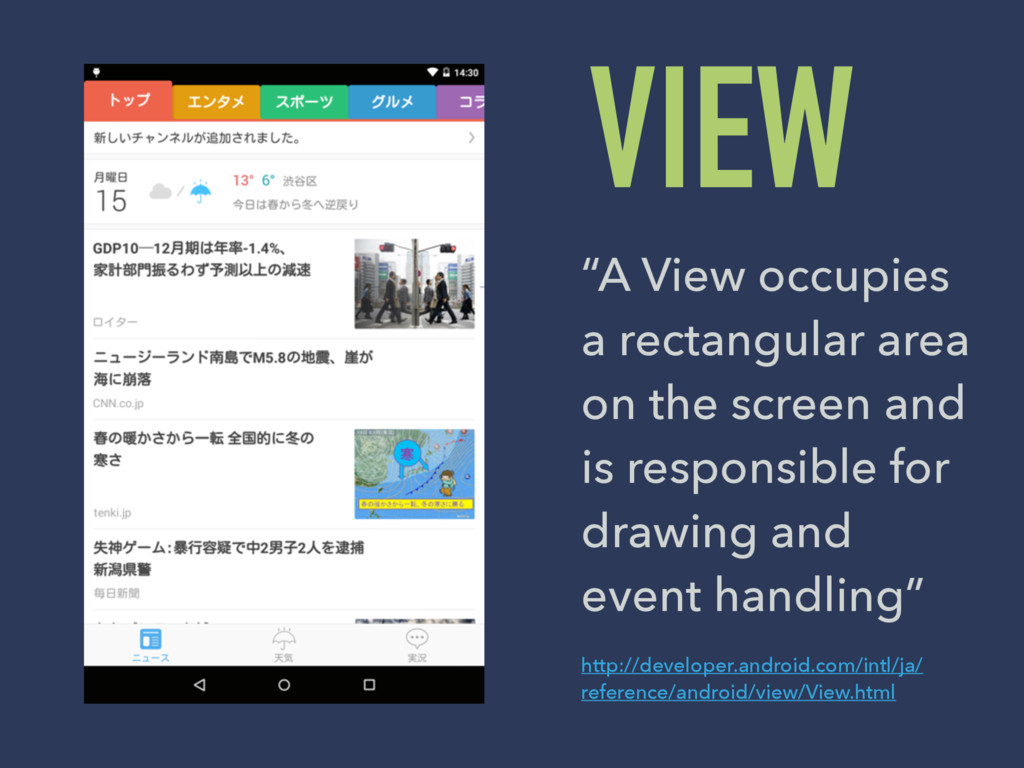
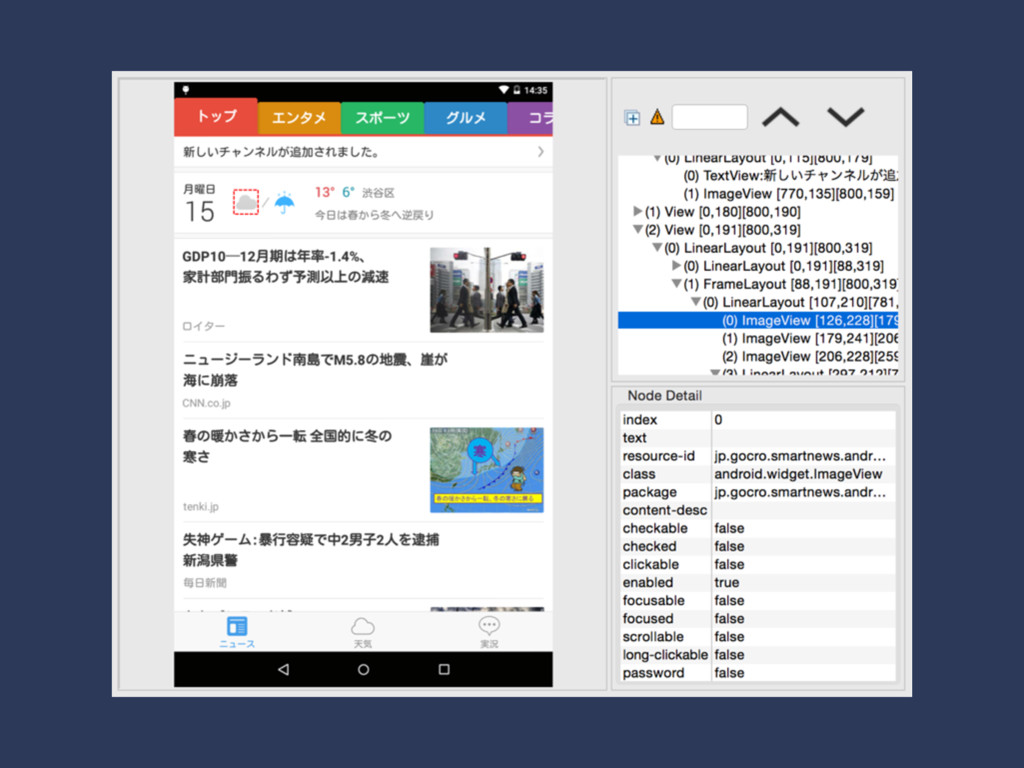
VIEW “A View occupies a rectangular area on the screen
and is responsible for drawing and event handling” http://developer.android.com/intl/ja/ reference/android/view/View.html
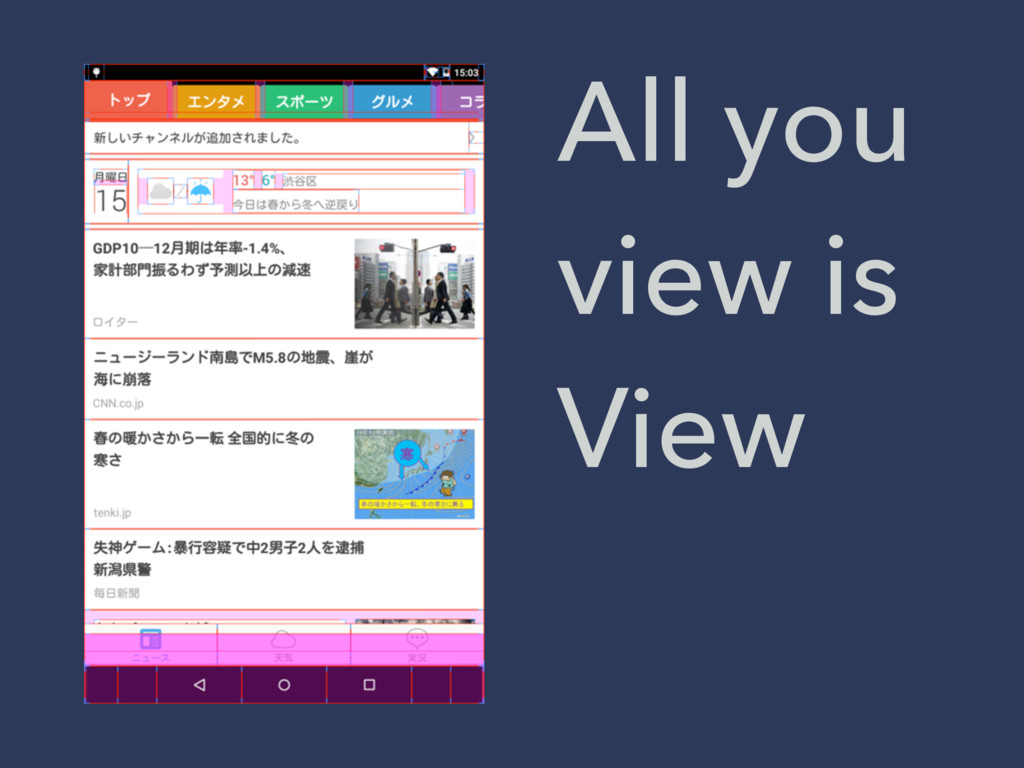
All you view is View
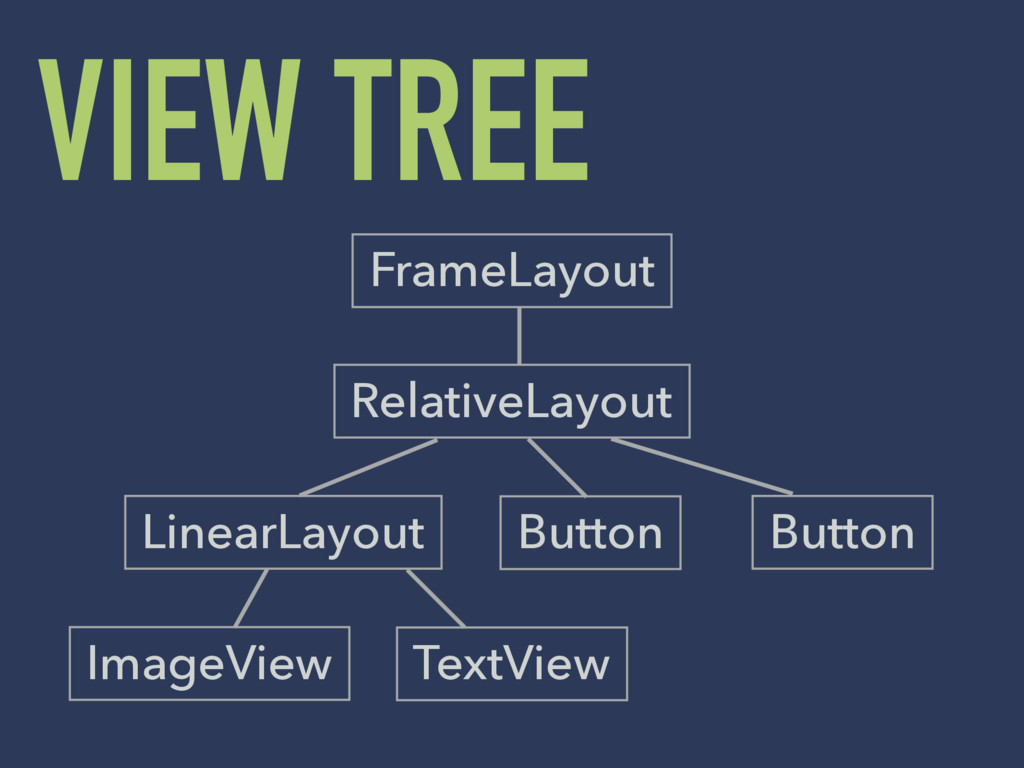
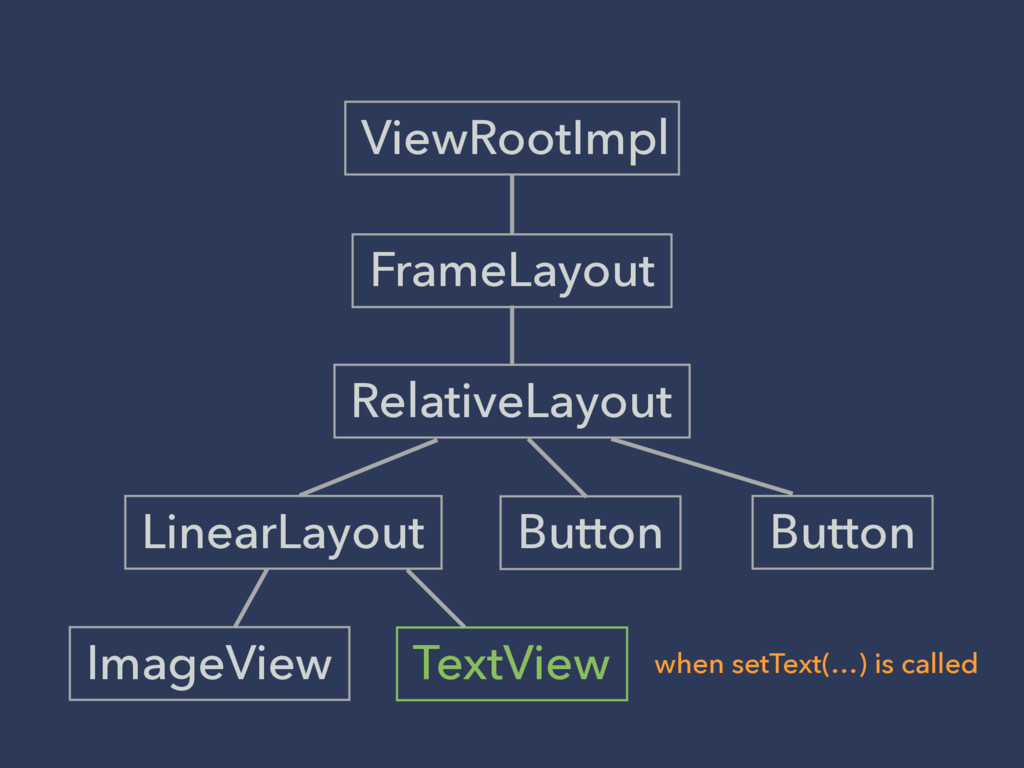
VIEW TREE FrameLayout LinearLayout Button ImageView TextView RelativeLayout Button
None
3 steps to showing Views Measure - Layout - Draw
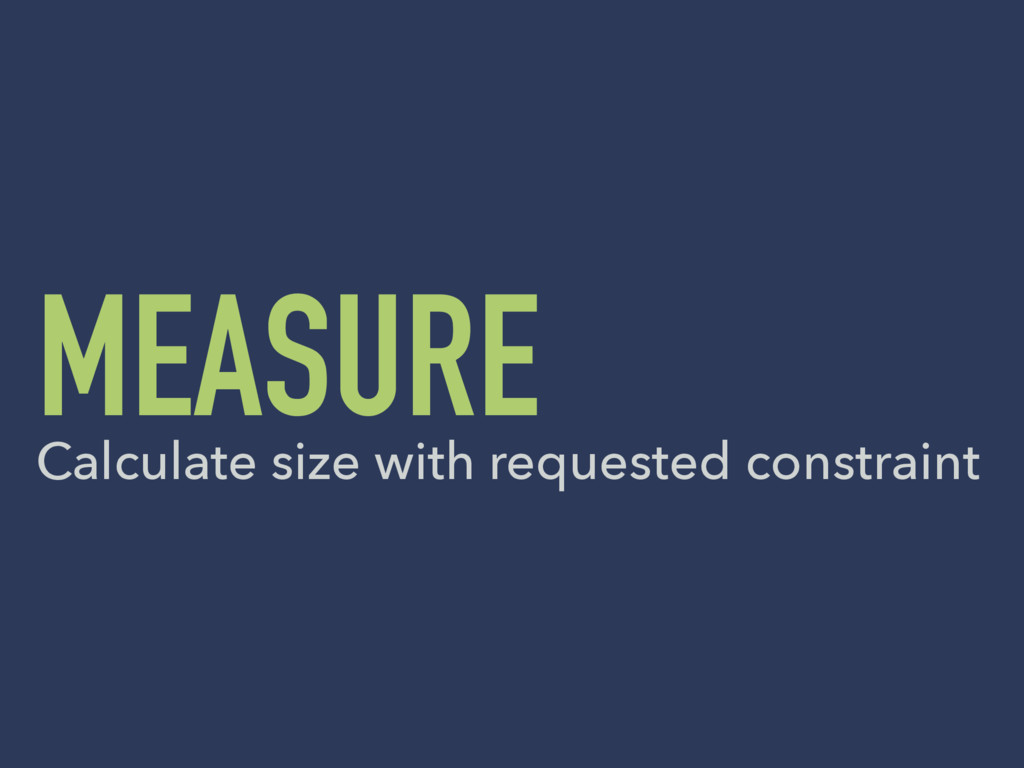
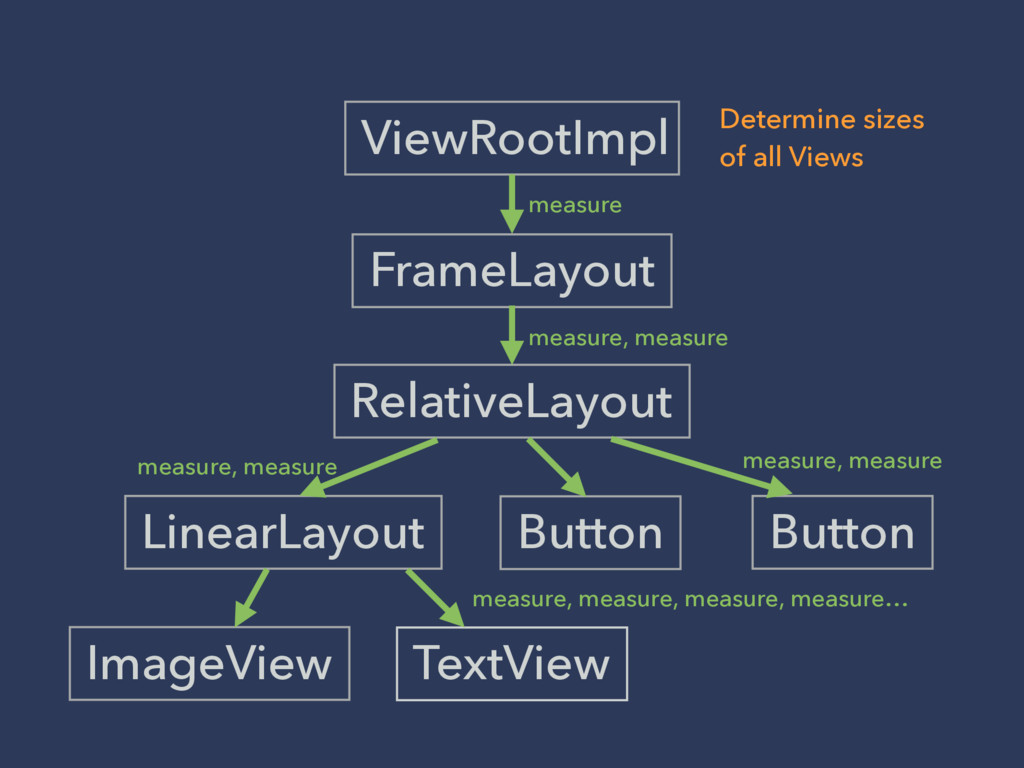
MEASURE Calculate size with requested constraint
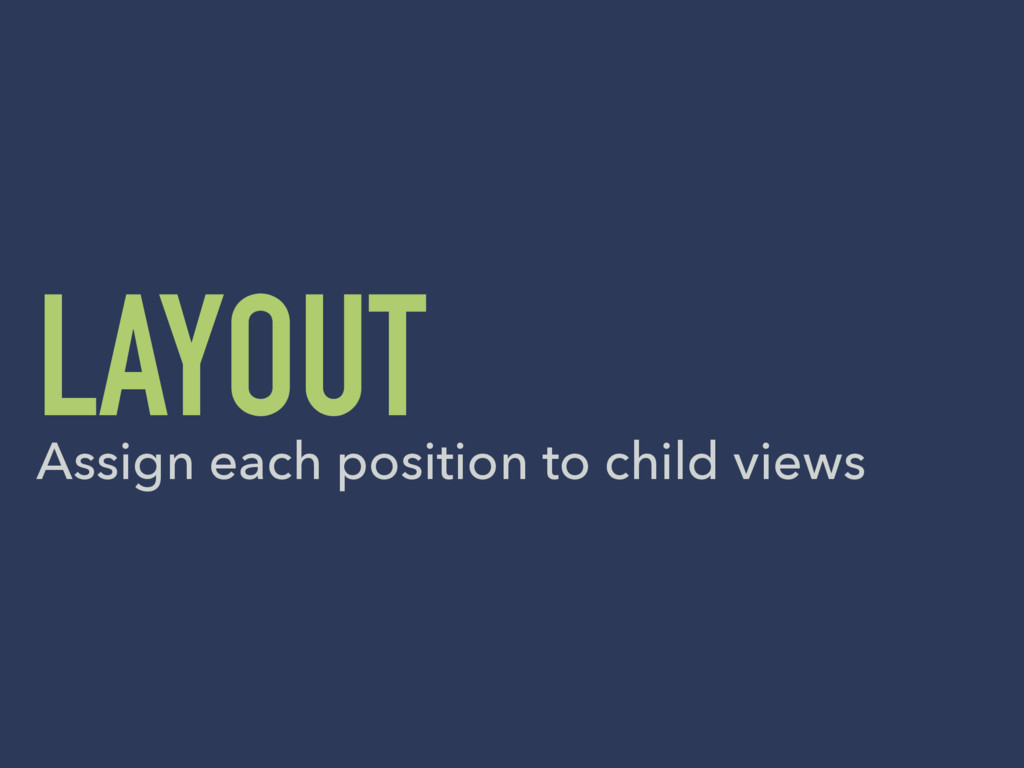
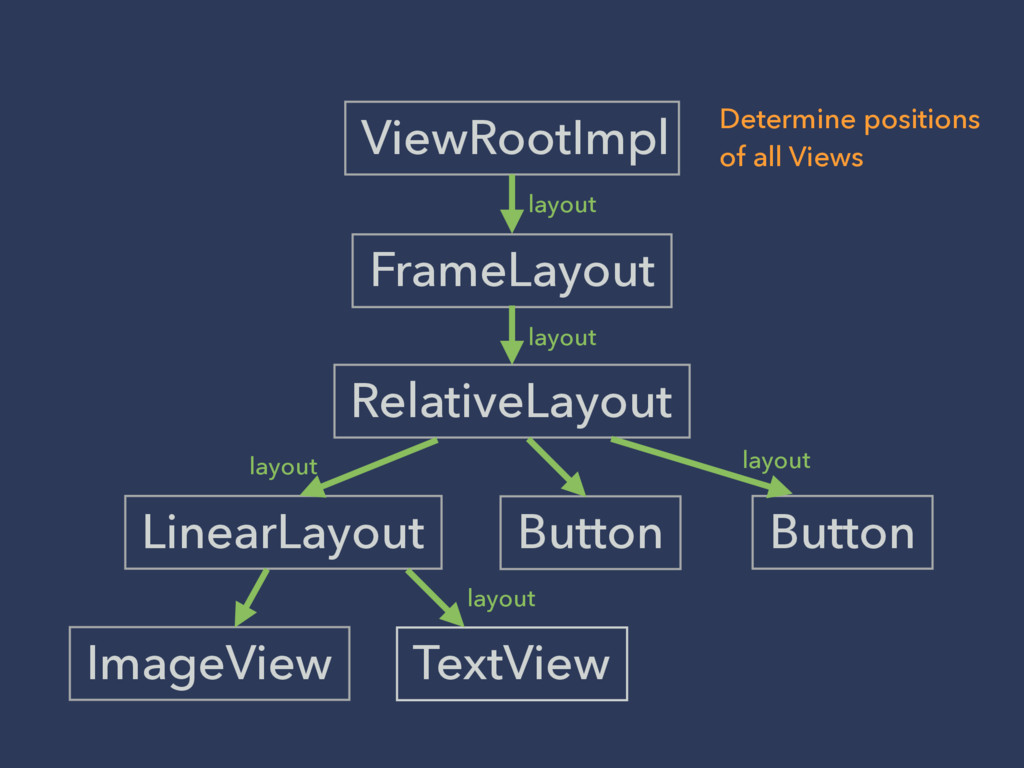
LAYOUT Assign each position to child views
DRAW Render visual contents to Canvas
FrameLayout LinearLayout Button ImageView TextView RelativeLayout Button ViewRootImpl when setText(…)
is called
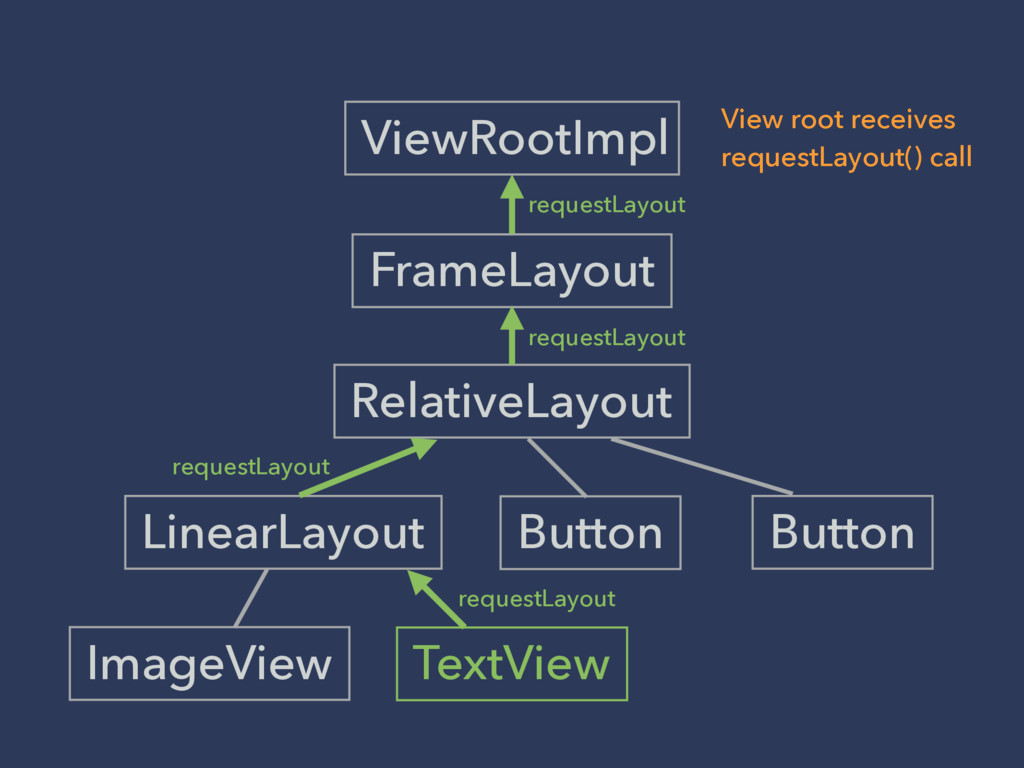
FrameLayout LinearLayout Button ImageView TextView RelativeLayout Button ViewRootImpl requestLayout requestLayout
requestLayout requestLayout View root receives requestLayout() call
FrameLayout LinearLayout Button ImageView TextView RelativeLayout Button ViewRootImpl measure, measure,
measure, measure… measure, measure measure, measure measure measure, measure Determine sizes of all Views
FrameLayout LinearLayout Button ImageView TextView RelativeLayout Button ViewRootImpl layout layout
layout layout layout Determine positions of all Views
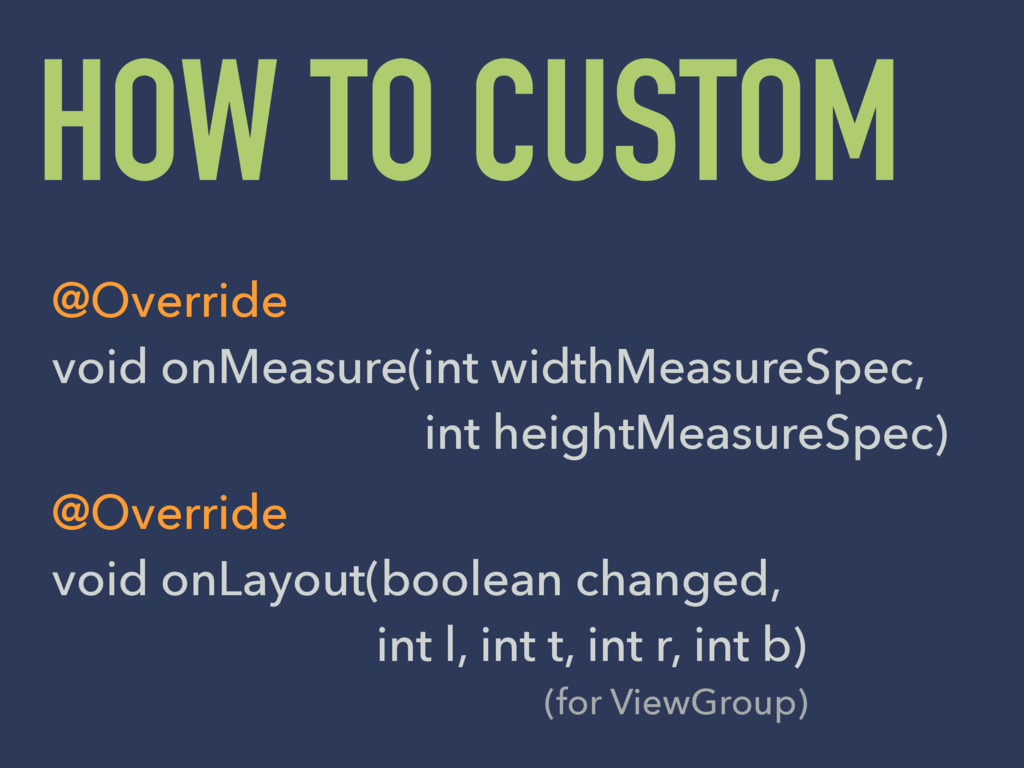
HOW TO CUSTOM @Override void onMeasure(int widthMeasureSpec, int heightMeasureSpec) @Override
void onLayout(boolean changed, int l, int t, int r, int b) (for ViewGroup)
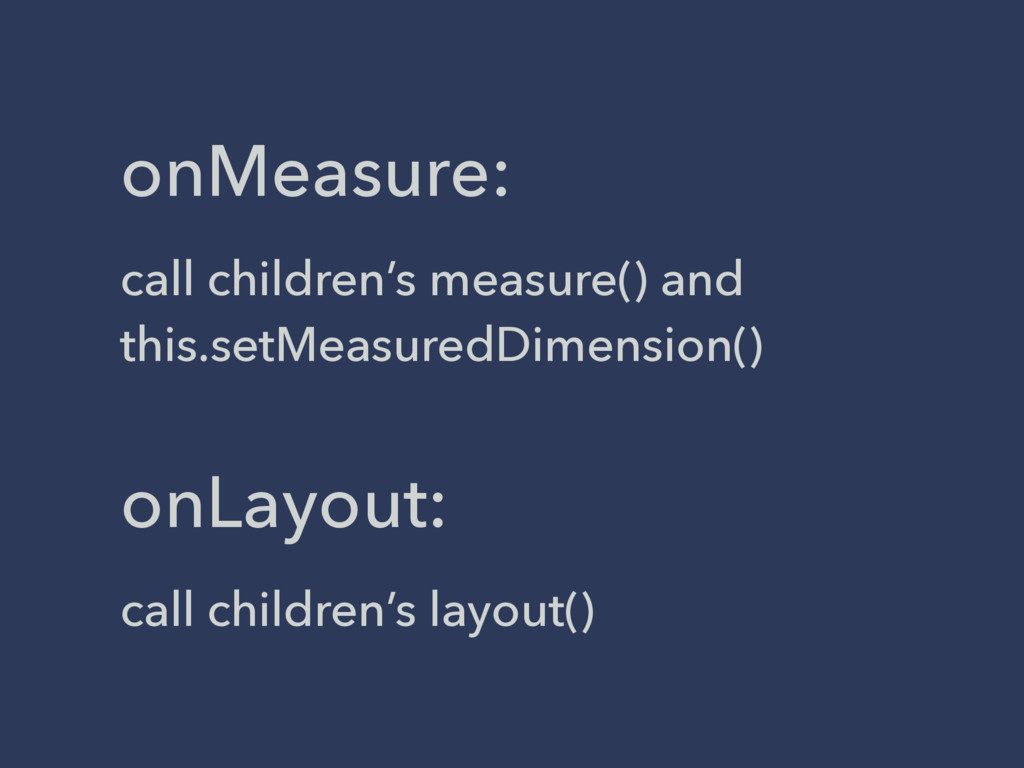
onMeasure: call children’s measure() and this.setMeasuredDimension() onLayout: call children’s layout()
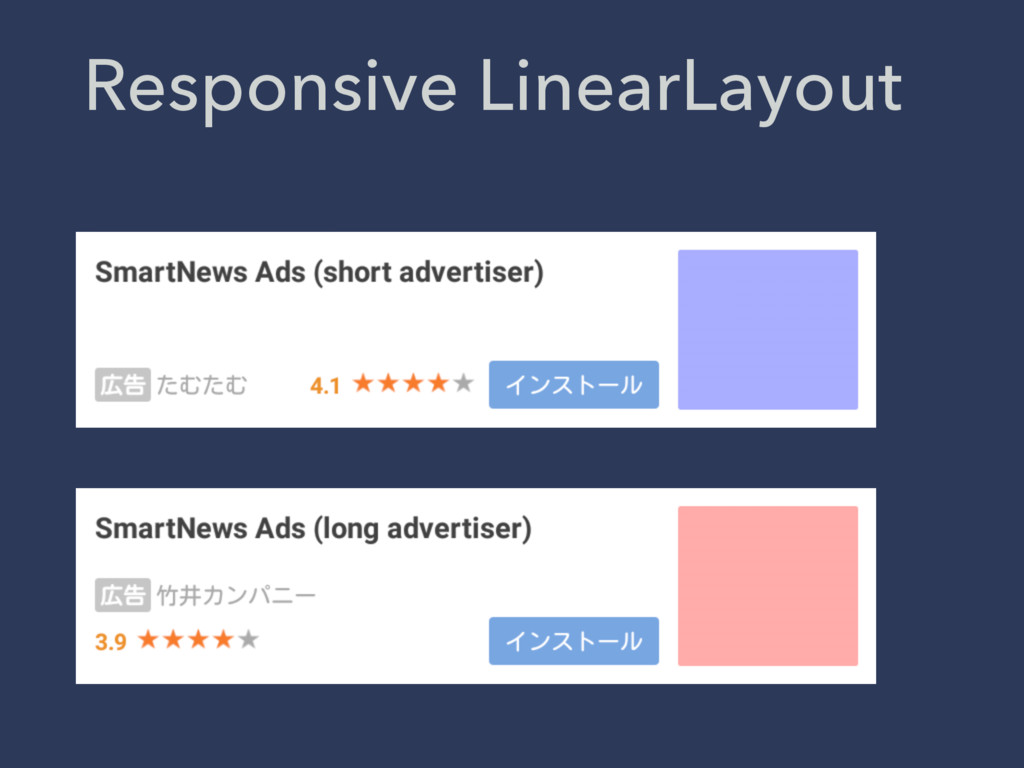
Responsive LinearLayout
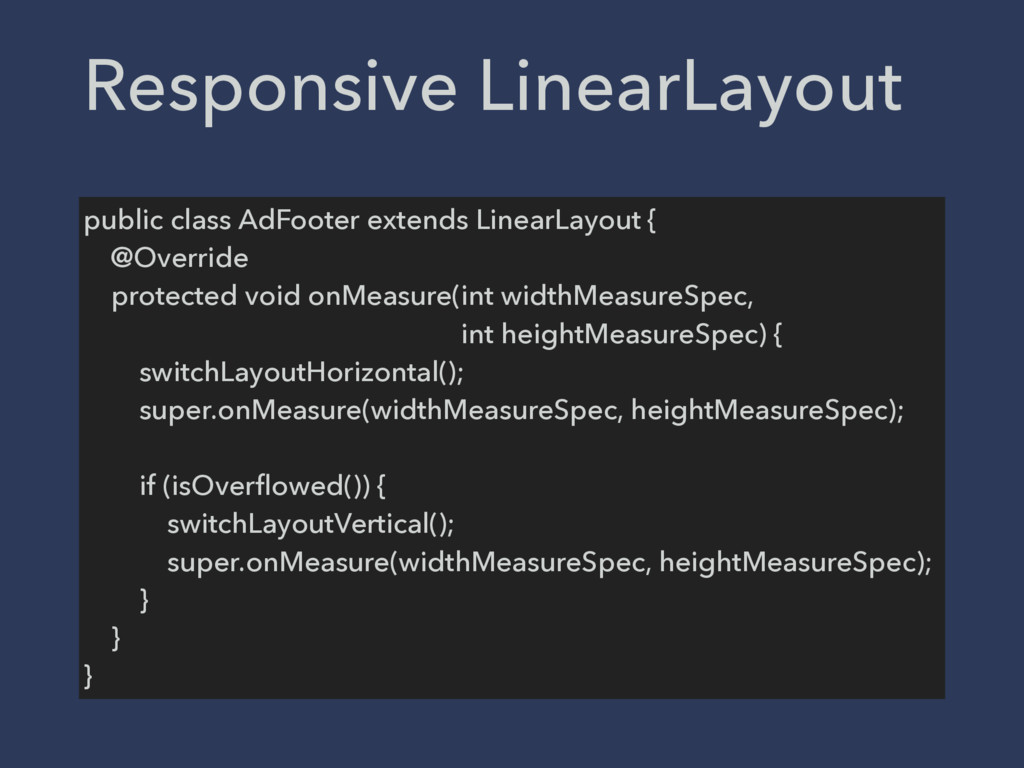
public class AdFooter extends LinearLayout { @Override protected void onMeasure(int
widthMeasureSpec, int heightMeasureSpec) { switchLayoutHorizontal(); super.onMeasure(widthMeasureSpec, heightMeasureSpec); if (isOverflowed()) { switchLayoutVertical(); super.onMeasure(widthMeasureSpec, heightMeasureSpec); } } } Responsive LinearLayout
PERFORMANCE TIPS Avoid requestLayout() call as much as possible
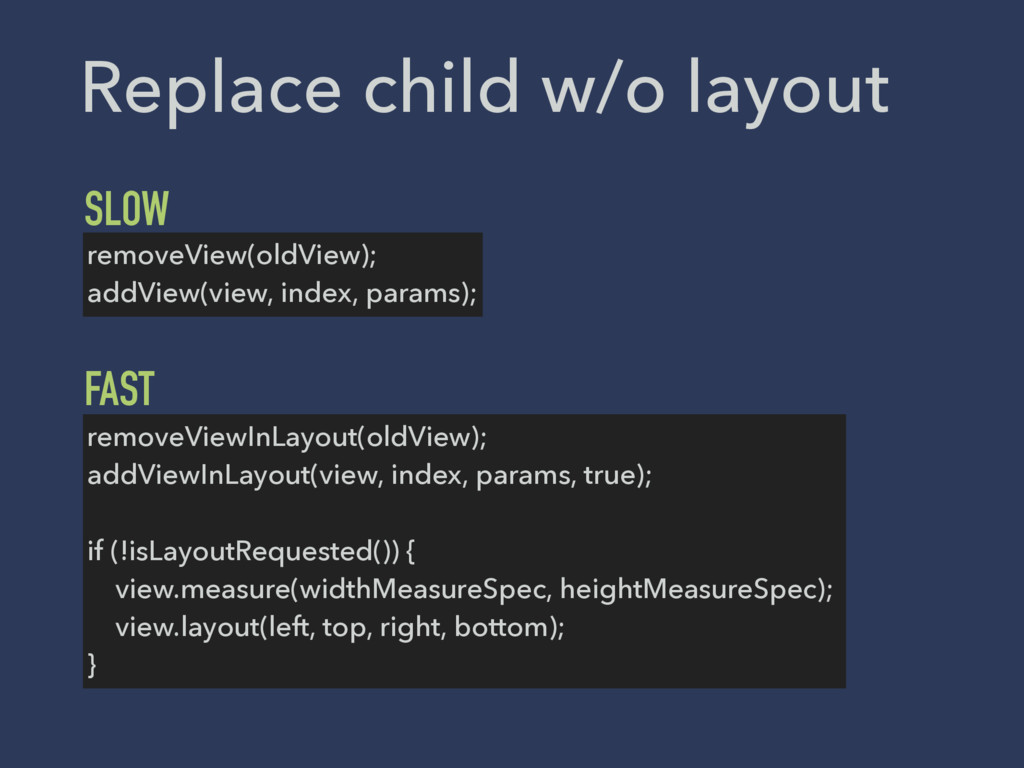
removeView(oldView); addView(view, index, params); removeViewInLayout(oldView); addViewInLayout(view, index, params, true); if
(!isLayoutRequested()) { view.measure(widthMeasureSpec, heightMeasureSpec); view.layout(left, top, right, bottom); } SLOW FAST Replace child w/o layout
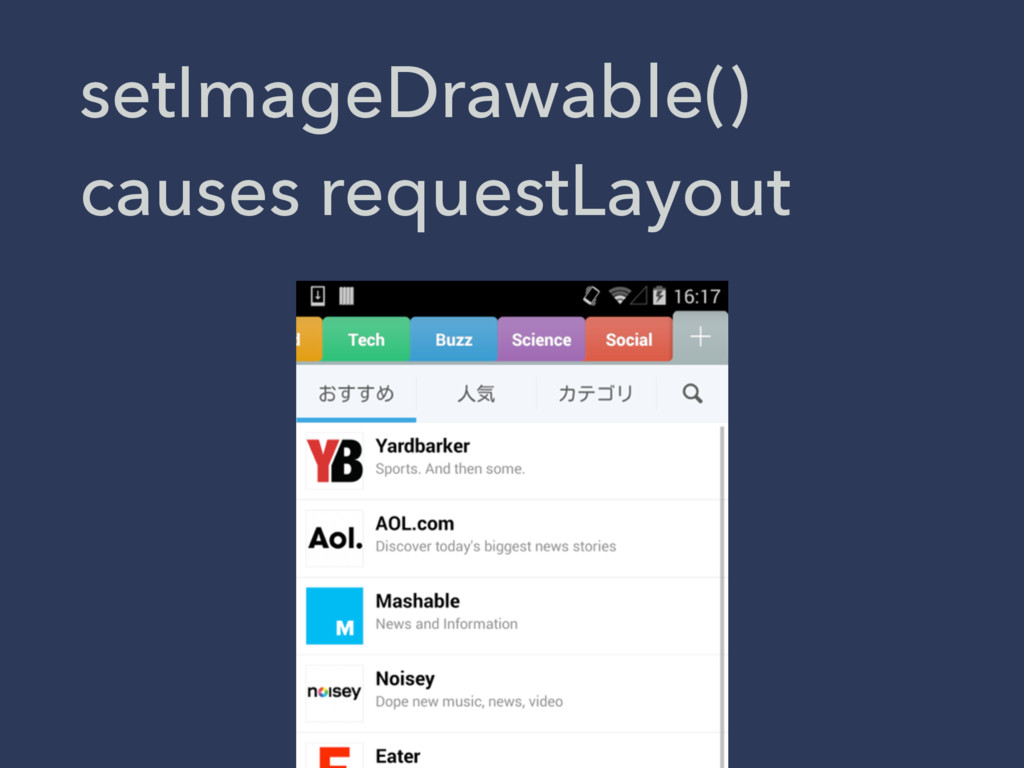
setImageDrawable() causes requestLayout
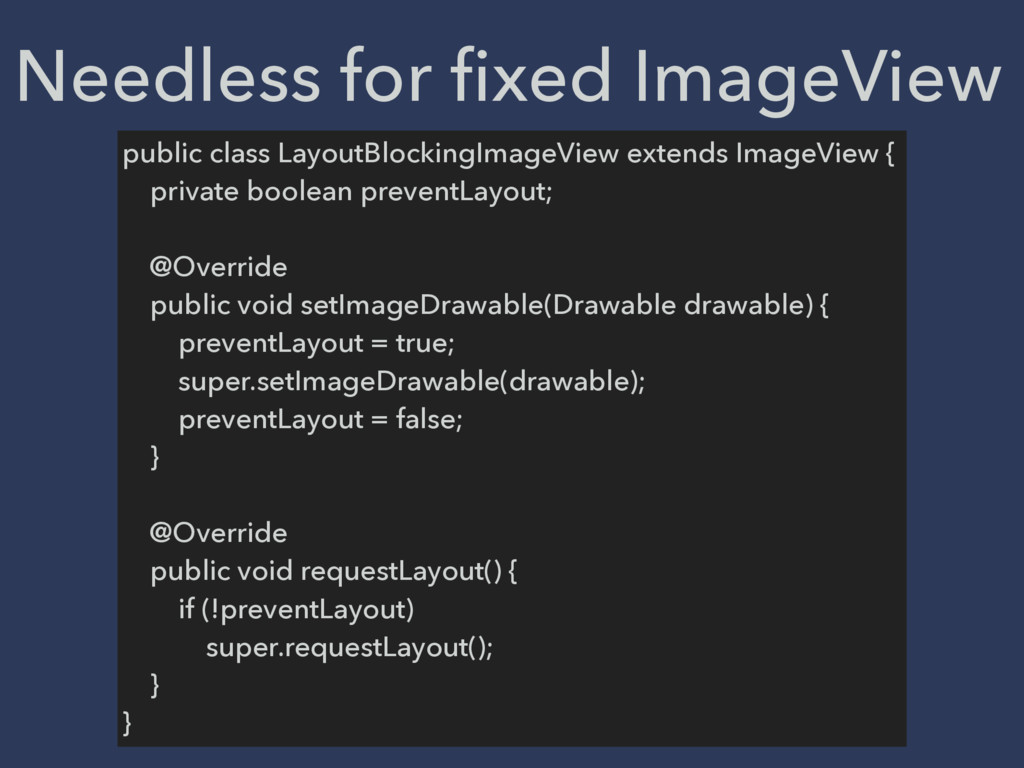
public class LayoutBlockingImageView extends ImageView { private boolean preventLayout; @Override
public void setImageDrawable(Drawable drawable) { preventLayout = true; super.setImageDrawable(drawable); preventLayout = false; } @Override public void requestLayout() { if (!preventLayout) super.requestLayout(); } } Needless for fixed ImageView
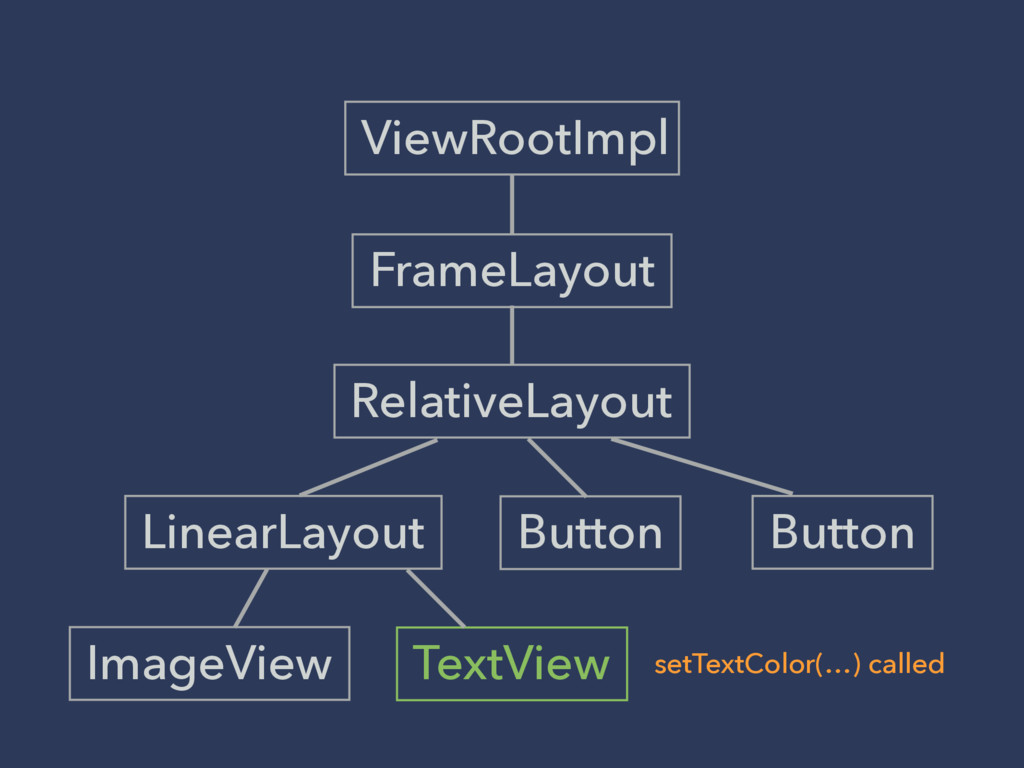
FrameLayout LinearLayout Button ImageView TextView RelativeLayout Button ViewRootImpl setTextColor(…) called
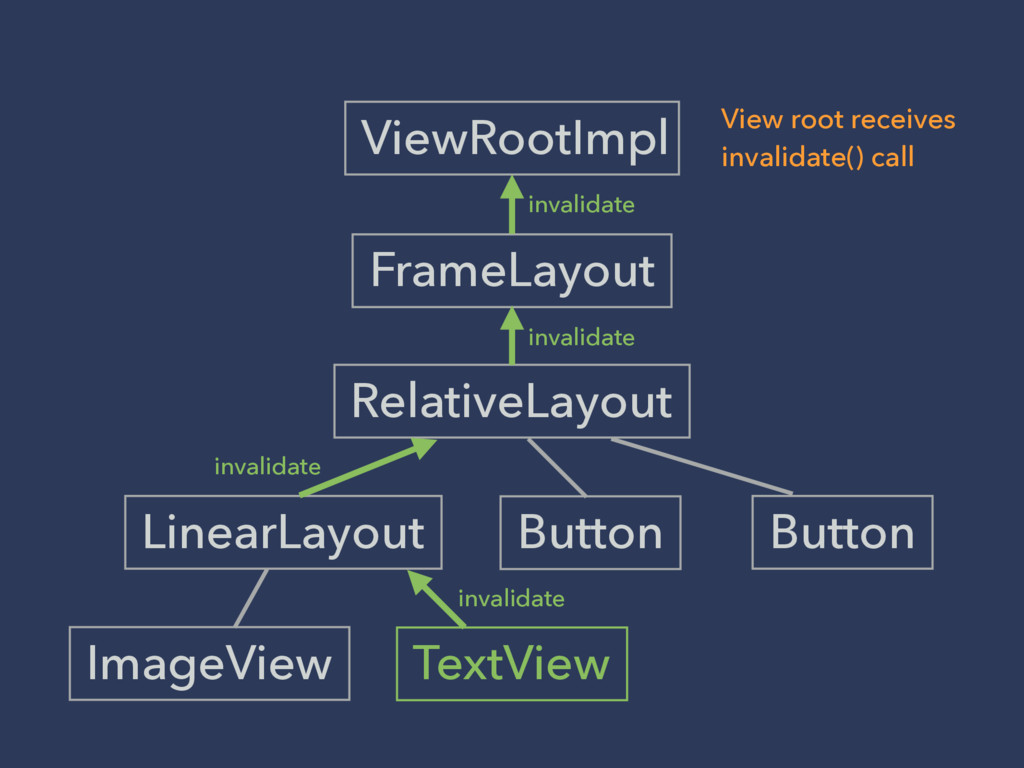
FrameLayout LinearLayout Button ImageView TextView RelativeLayout Button ViewRootImpl invalidate invalidate
invalidate invalidate View root receives invalidate() call
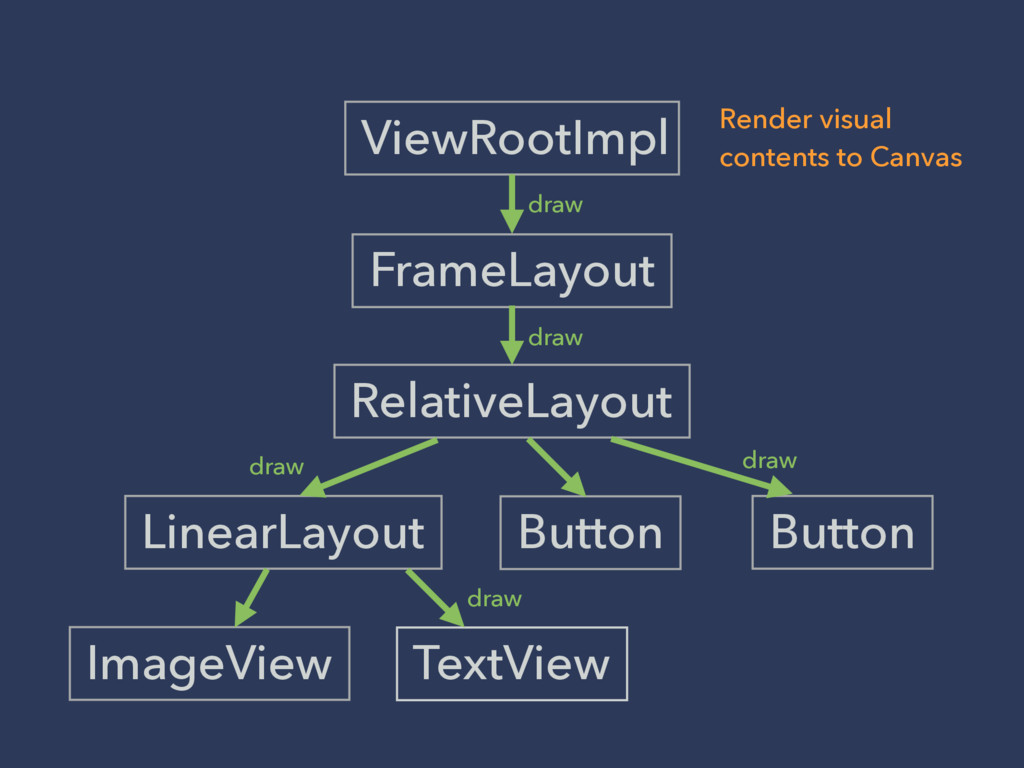
FrameLayout LinearLayout Button ImageView TextView RelativeLayout Button ViewRootImpl draw draw
draw draw draw Render visual contents to Canvas
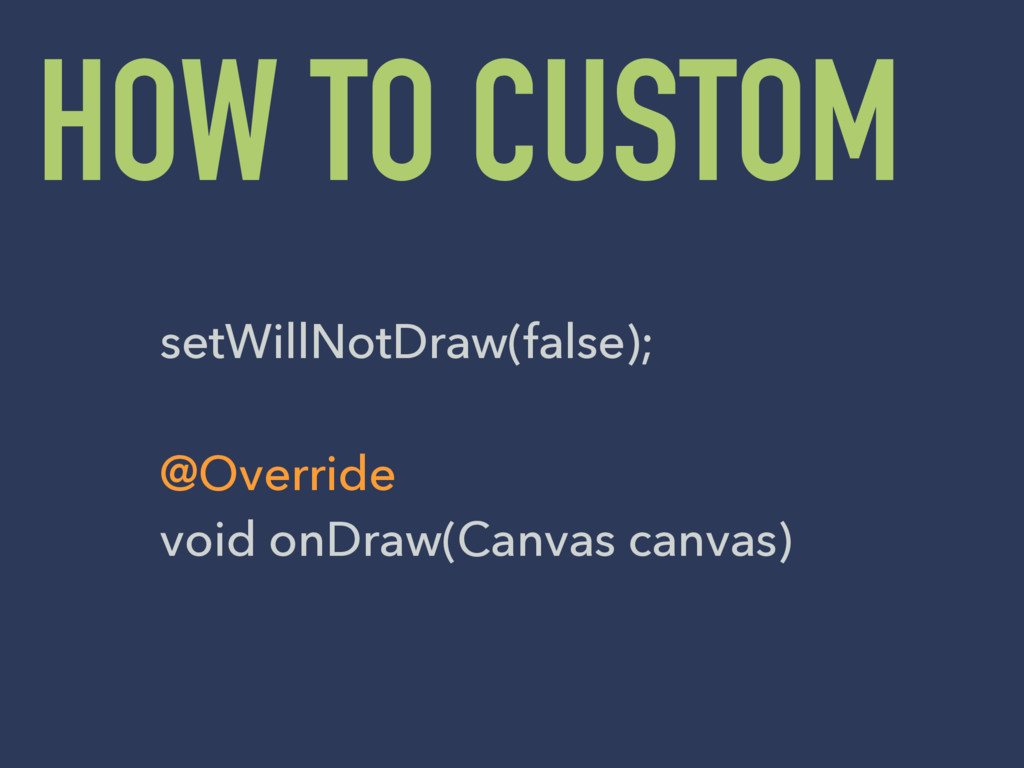
HOW TO CUSTOM setWillNotDraw(false); @Override void onDraw(Canvas canvas)
None
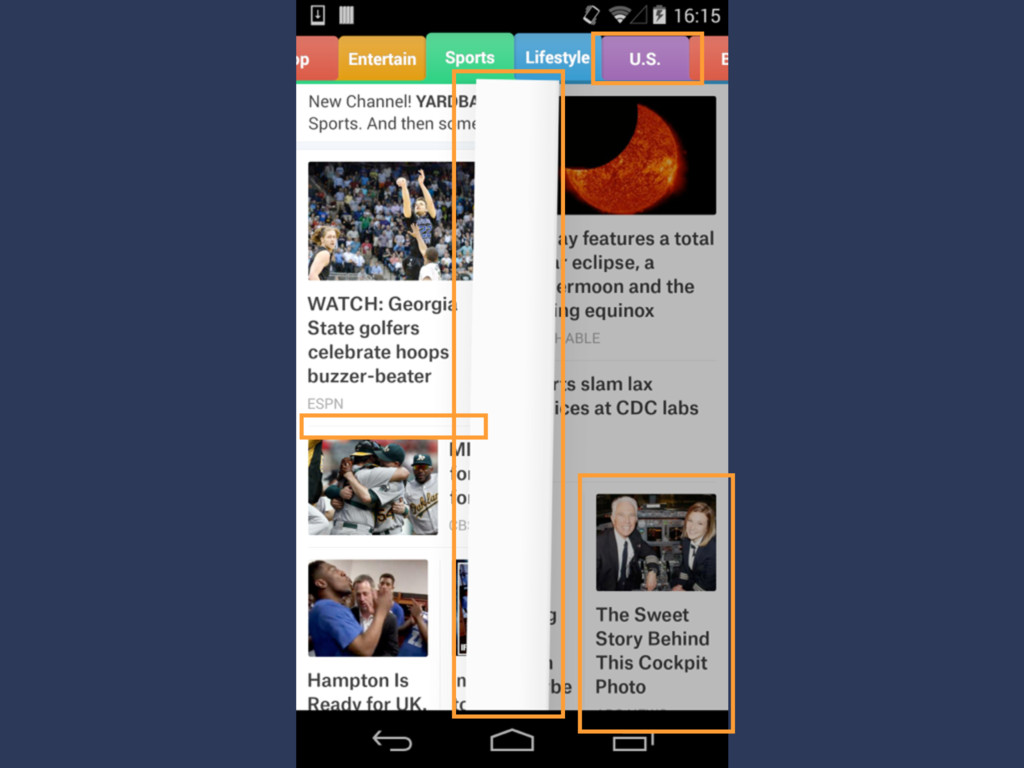
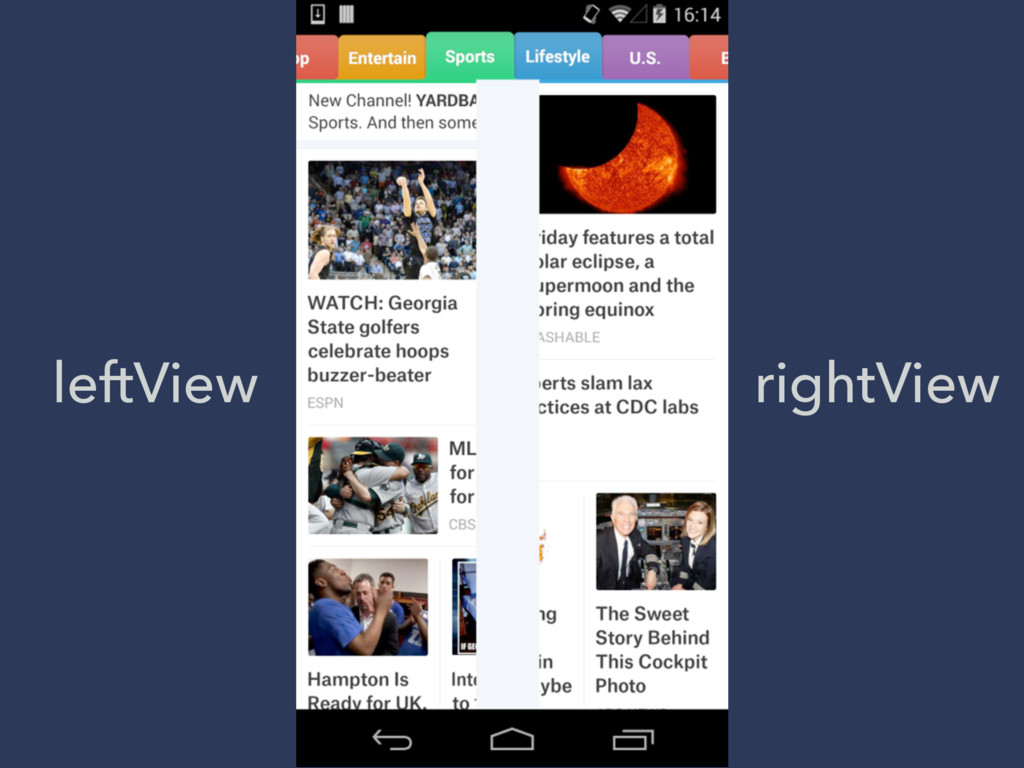
leftView rightView
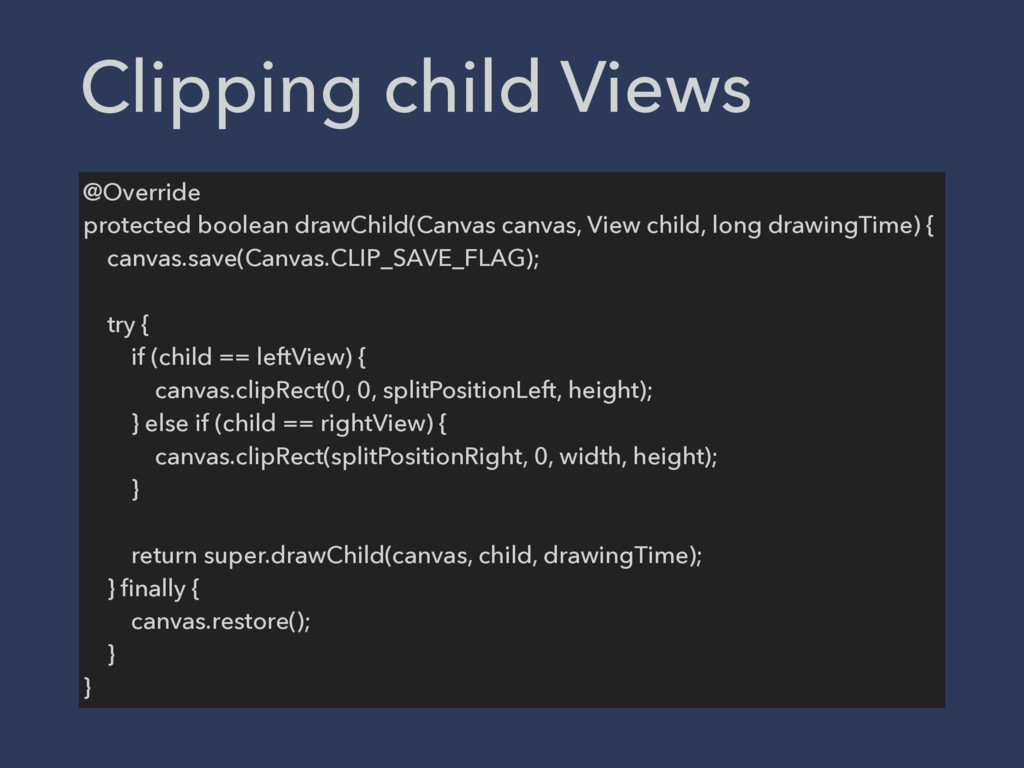
@Override protected boolean drawChild(Canvas canvas, View child, long drawingTime) {
canvas.save(Canvas.CLIP_SAVE_FLAG); try { if (child == leftView) { canvas.clipRect(0, 0, splitPositionLeft, height); } else if (child == rightView) { canvas.clipRect(splitPositionRight, 0, width, height); } return super.drawChild(canvas, child, drawingTime); } finally { canvas.restore(); } } Clipping child Views
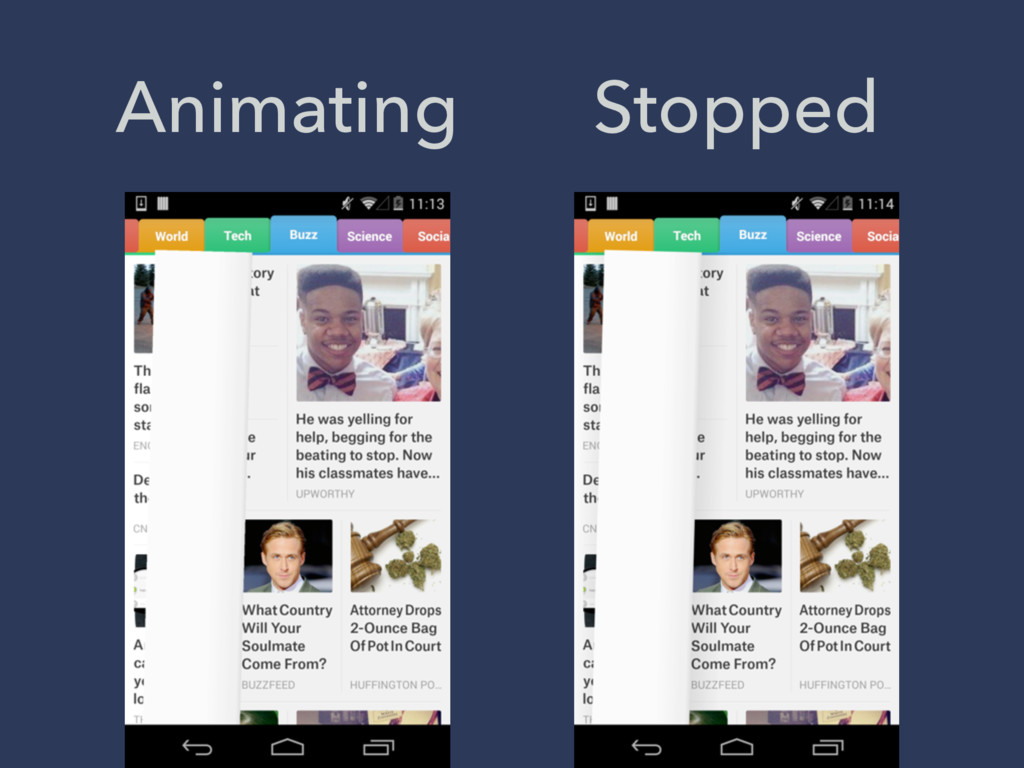
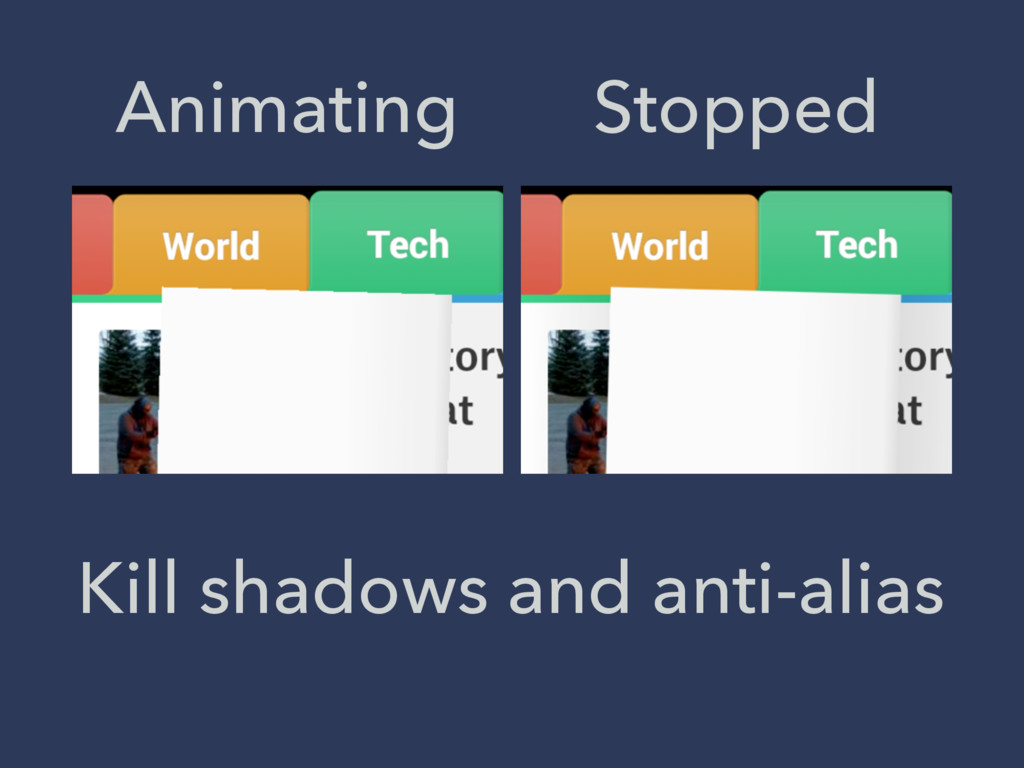
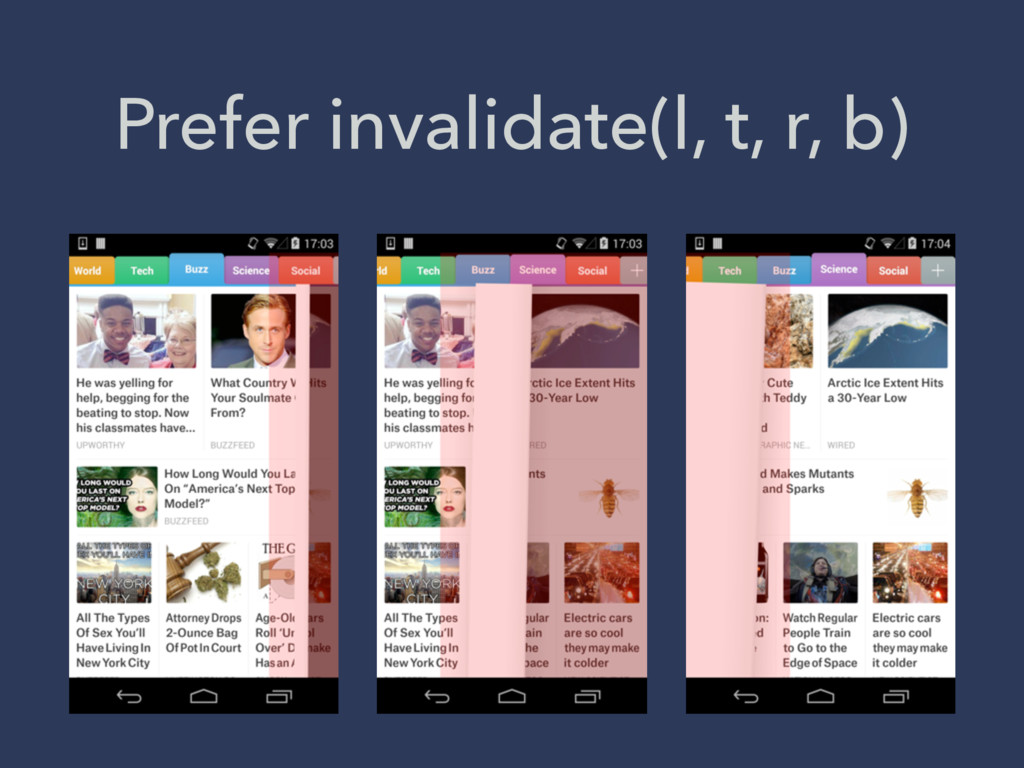
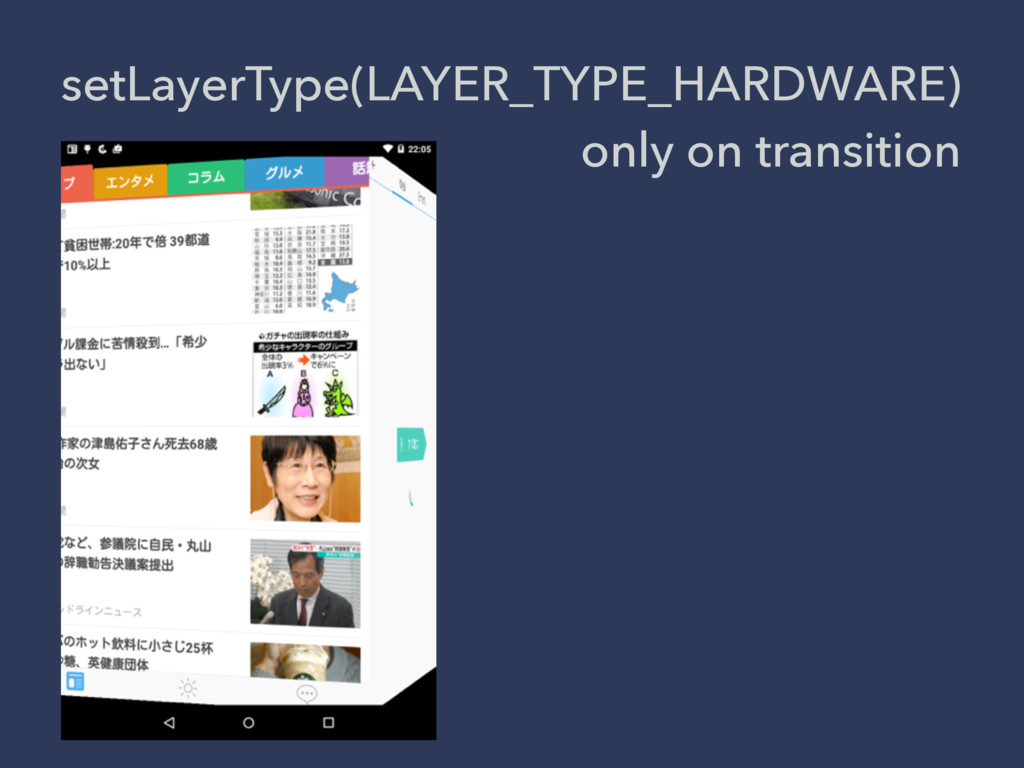
PERFORMANCE TIPS Skip heavy jobs on animation as much as
possible
Animating Stopped
Animating Stopped Kill shadows and anti-alias
Prefer invalidate(l, t, r, b)
setLayerType(LAYER_TYPE_HARDWARE) only on transition
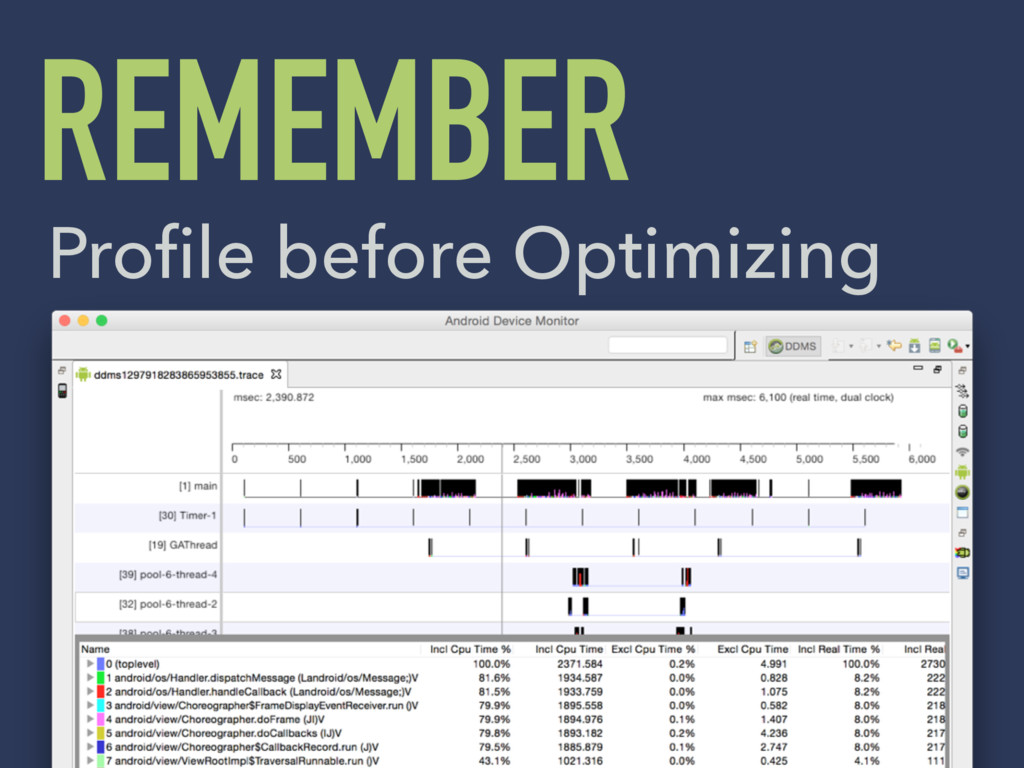
REMEMBER Profile before Optimizing
BEST REFERENCE https://github.com/android/ platform_frameworks_base


 torumakabe
 kameitomohiro
 oracle4engineer
 masakiokuda
 vivion
 harutiro
 toru_kubota
 pauli
pauli
 ymiya55
 nayuts
 ennael
 mclloyd
 akademiya2063
 michaelherold
 mongodb
 techseoconnect
 jakevdp
 baasie
 3n
3n
 rocio
rocio
 tammyeverts
 tmiket
 destraynor