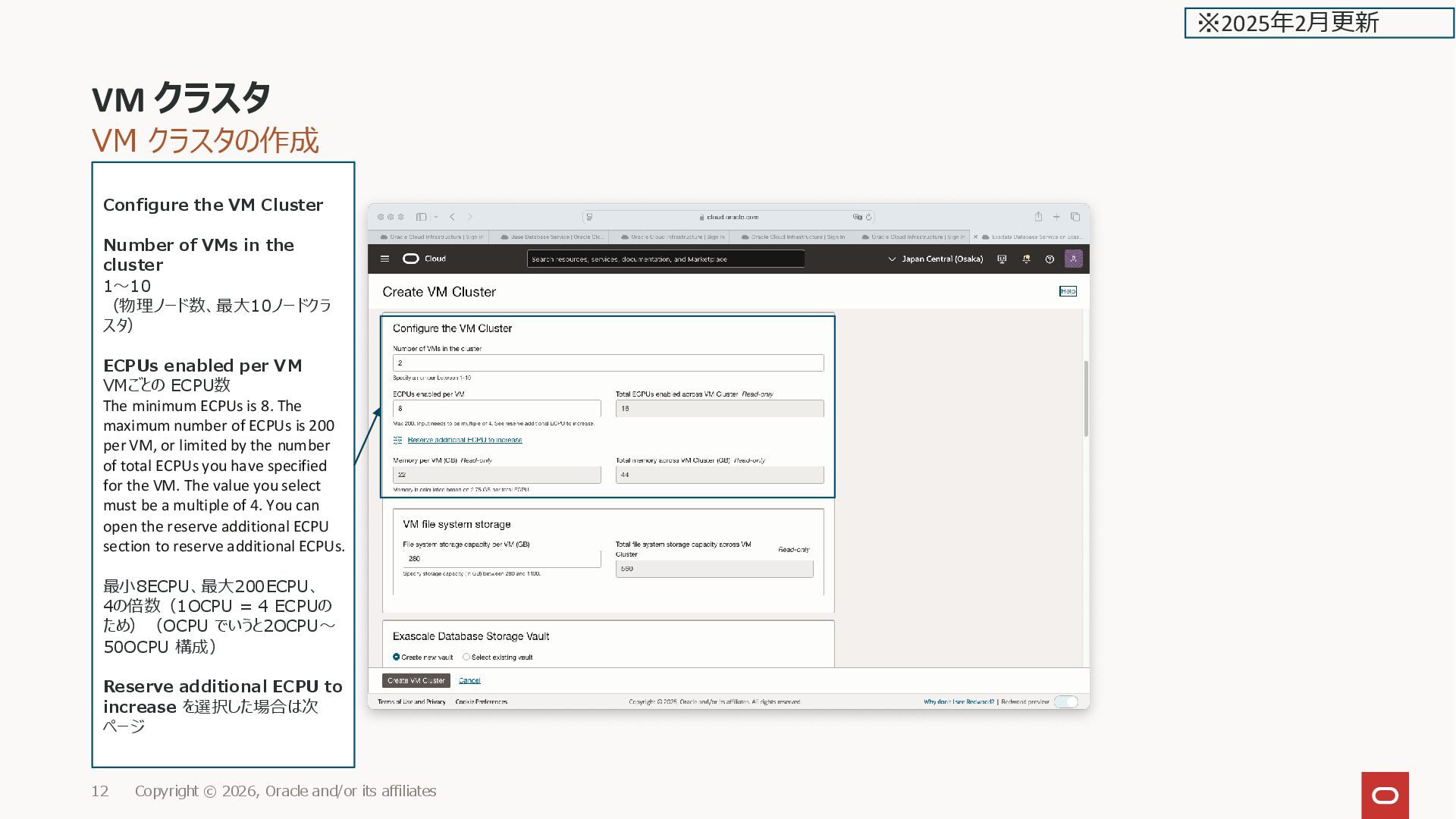
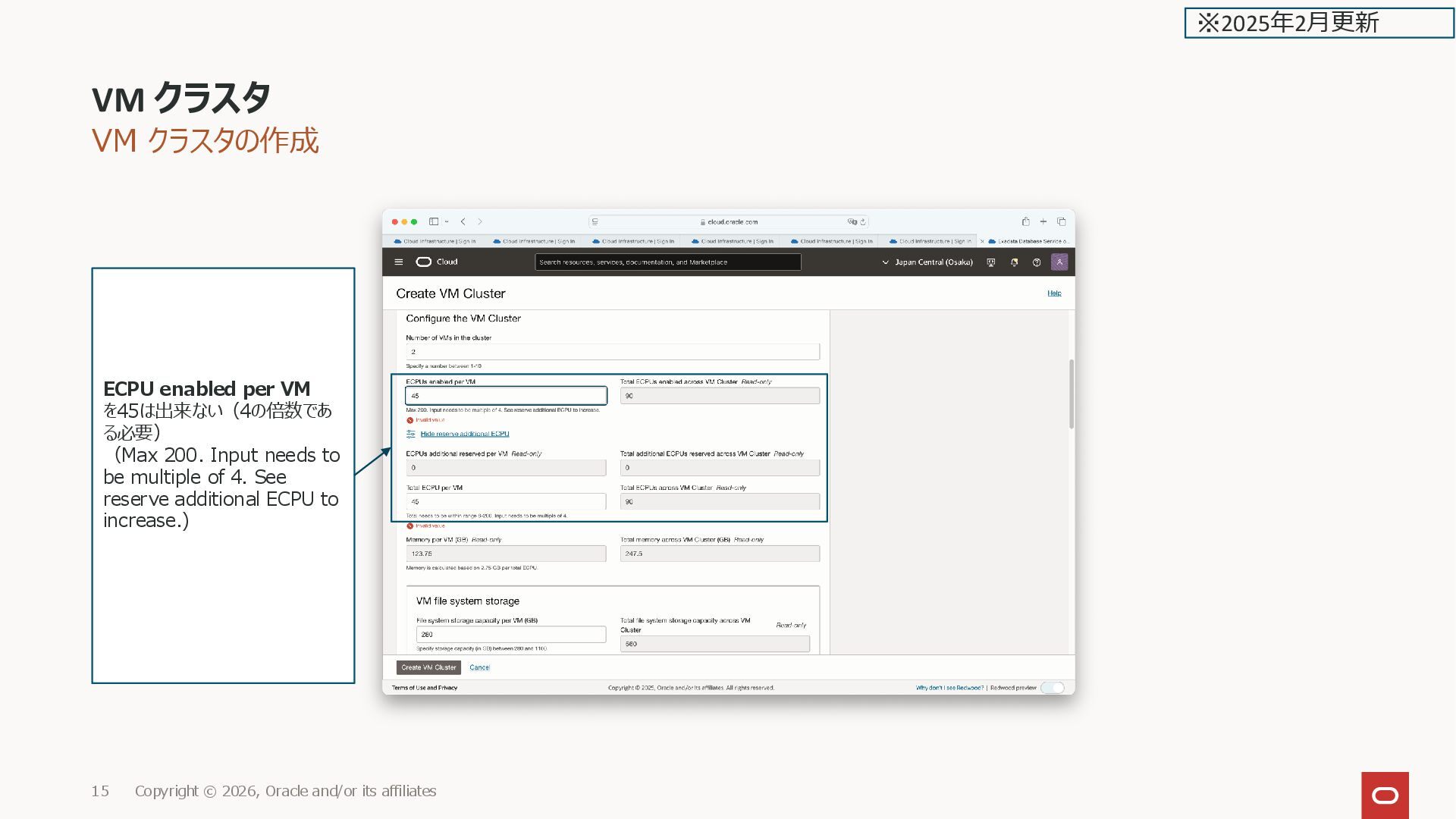
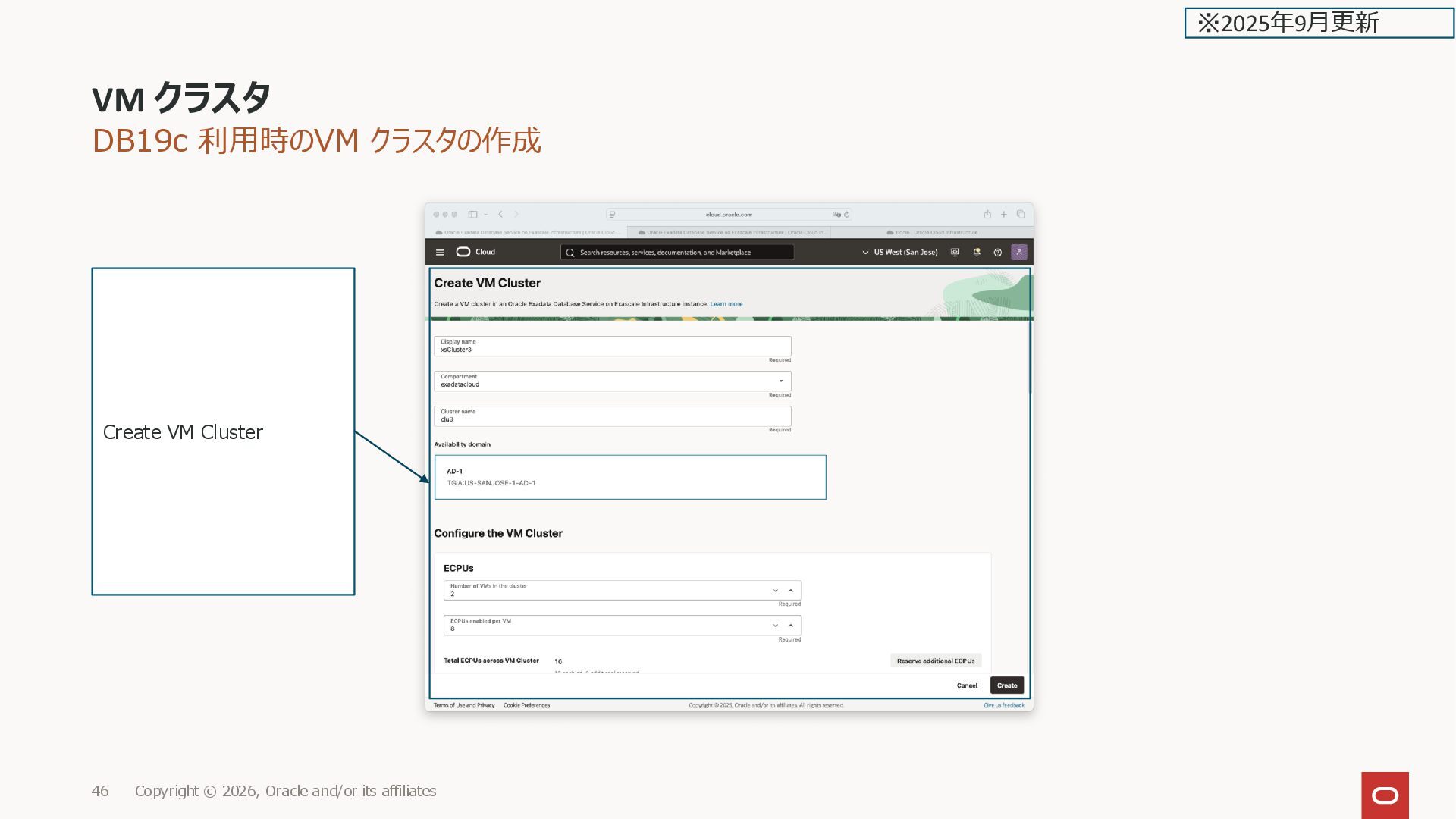
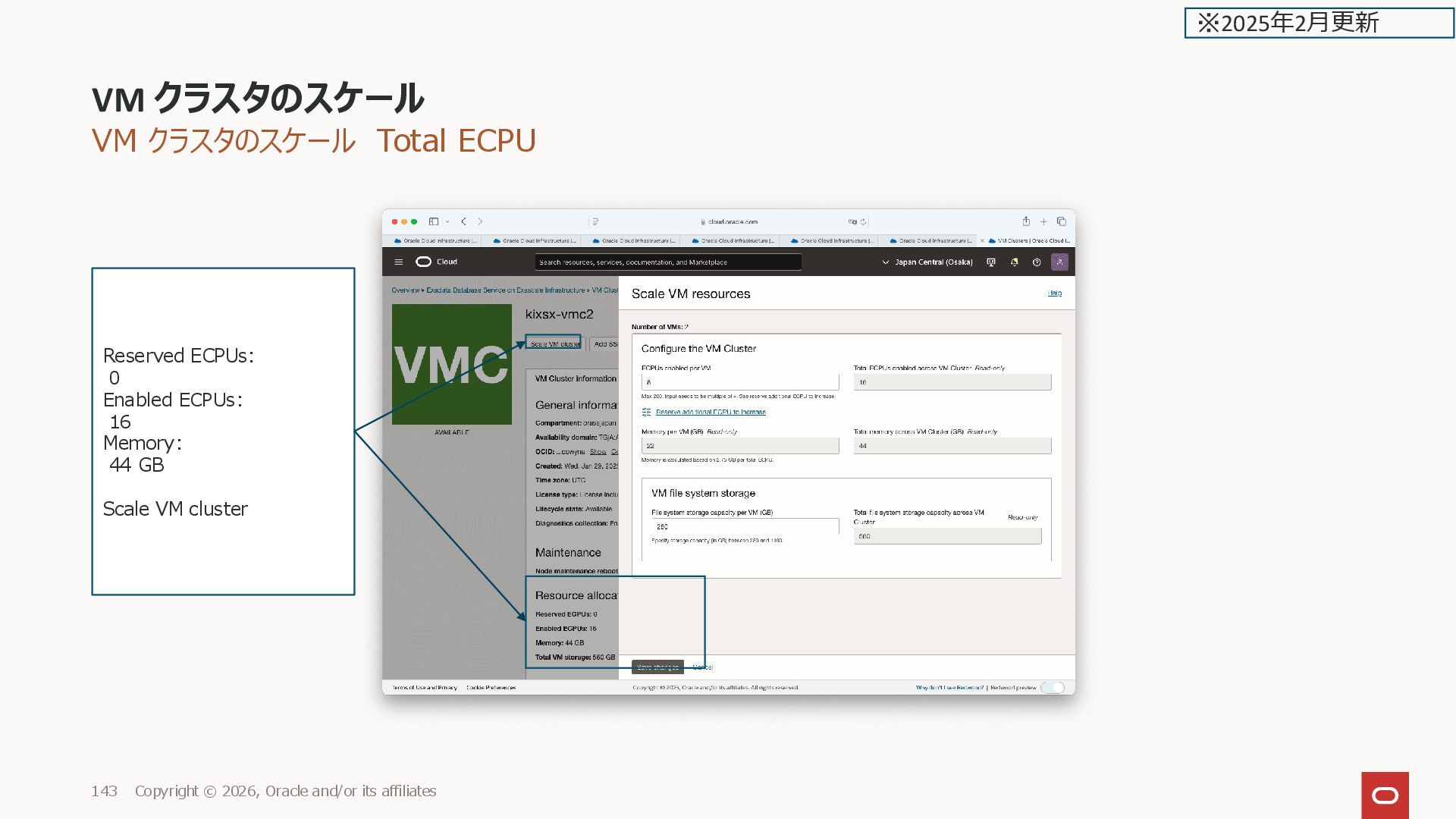
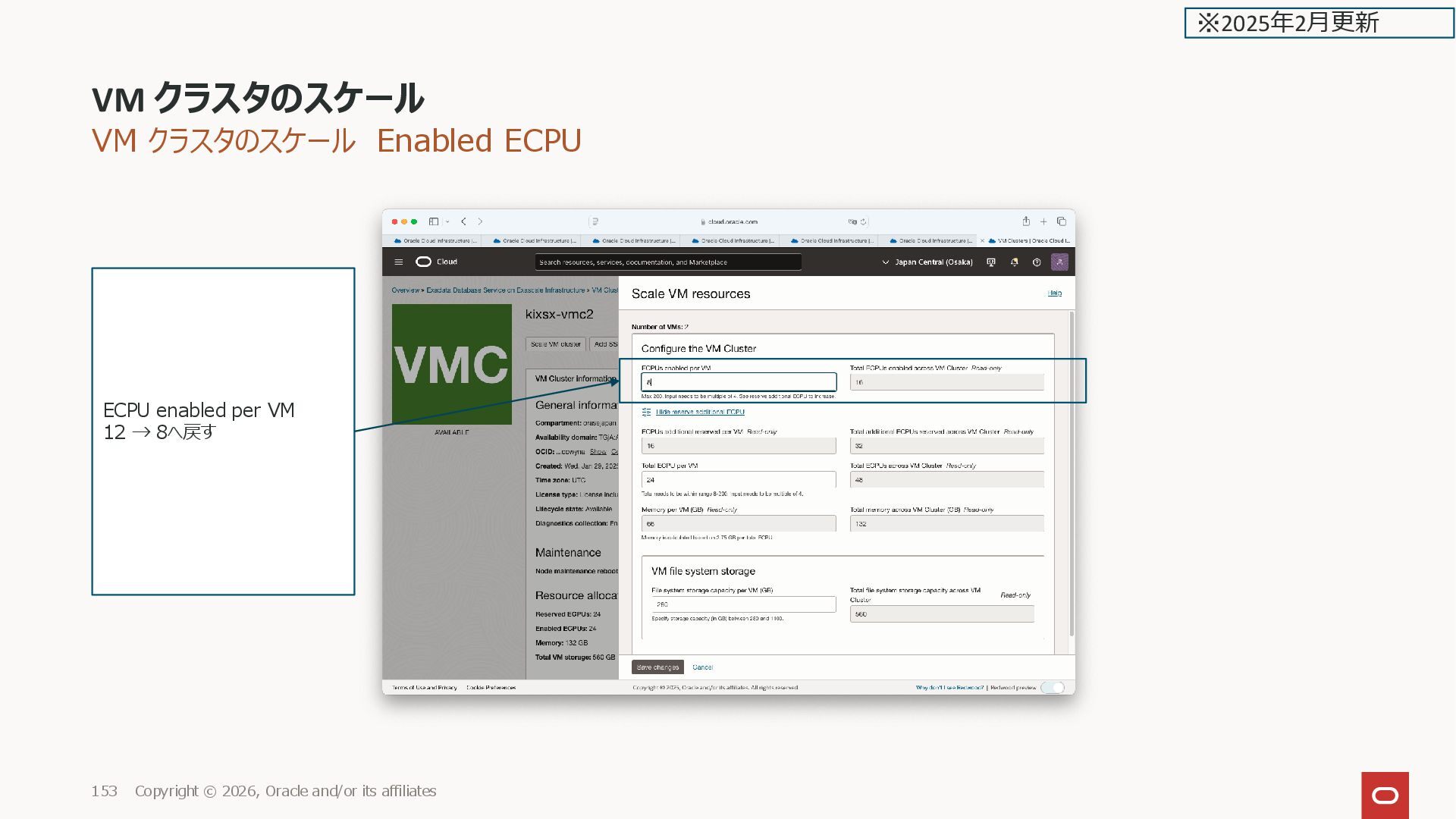
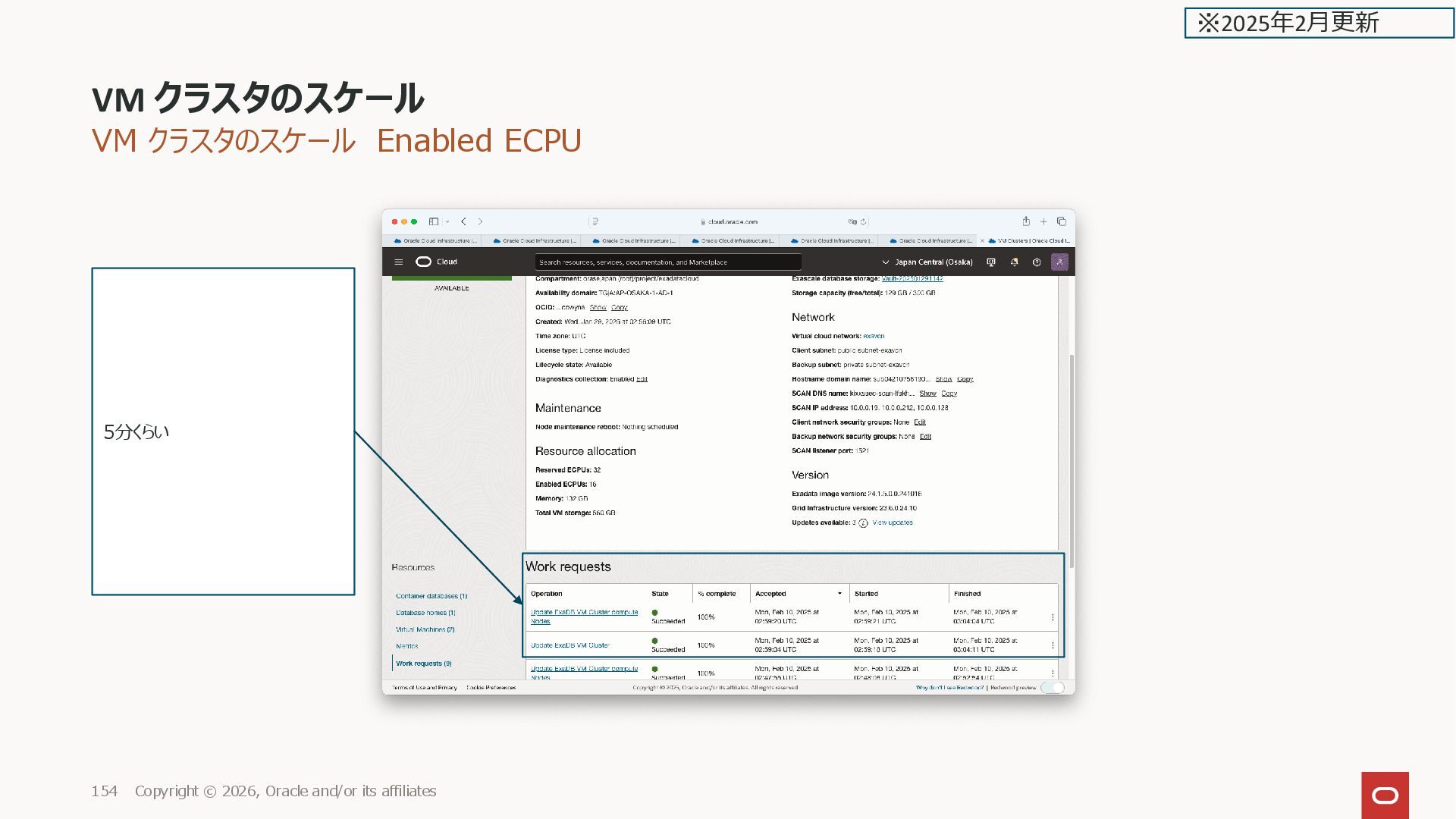
affiliates 12 Configure the VM Cluster Number of VMs in the cluster 1〜10 (物理ノード数、最大10ノードクラ スタ) ECPUs enabled per VM VMごとの ECPU数 The minimum ECPUs is 8. The maximum number of ECPUs is 200 per VM, or limited by the number of total ECPUs you have specified for the VM. The value you select must be a multiple of 4. You can open the reserve additional ECPU section to reserve additional ECPUs. 最小8ECPU、最大200ECPU、 4の倍数(1OCPU = 4 ECPUの ため)(OCPU でいうと2OCPU〜 50OCPU 構成) Reserve additional ECPU to increase を選択した場合は次 ページ ※2025年2月更新
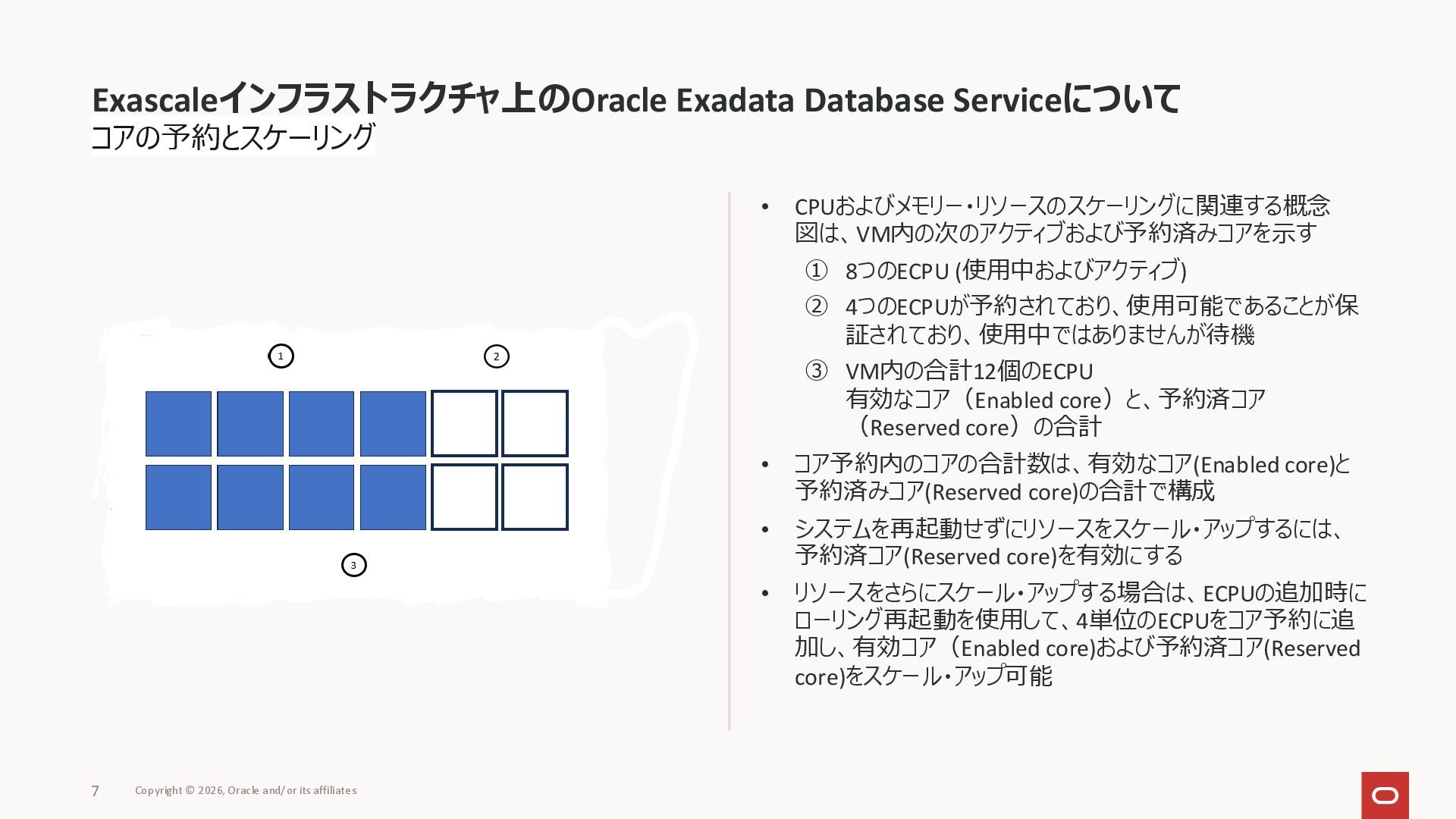
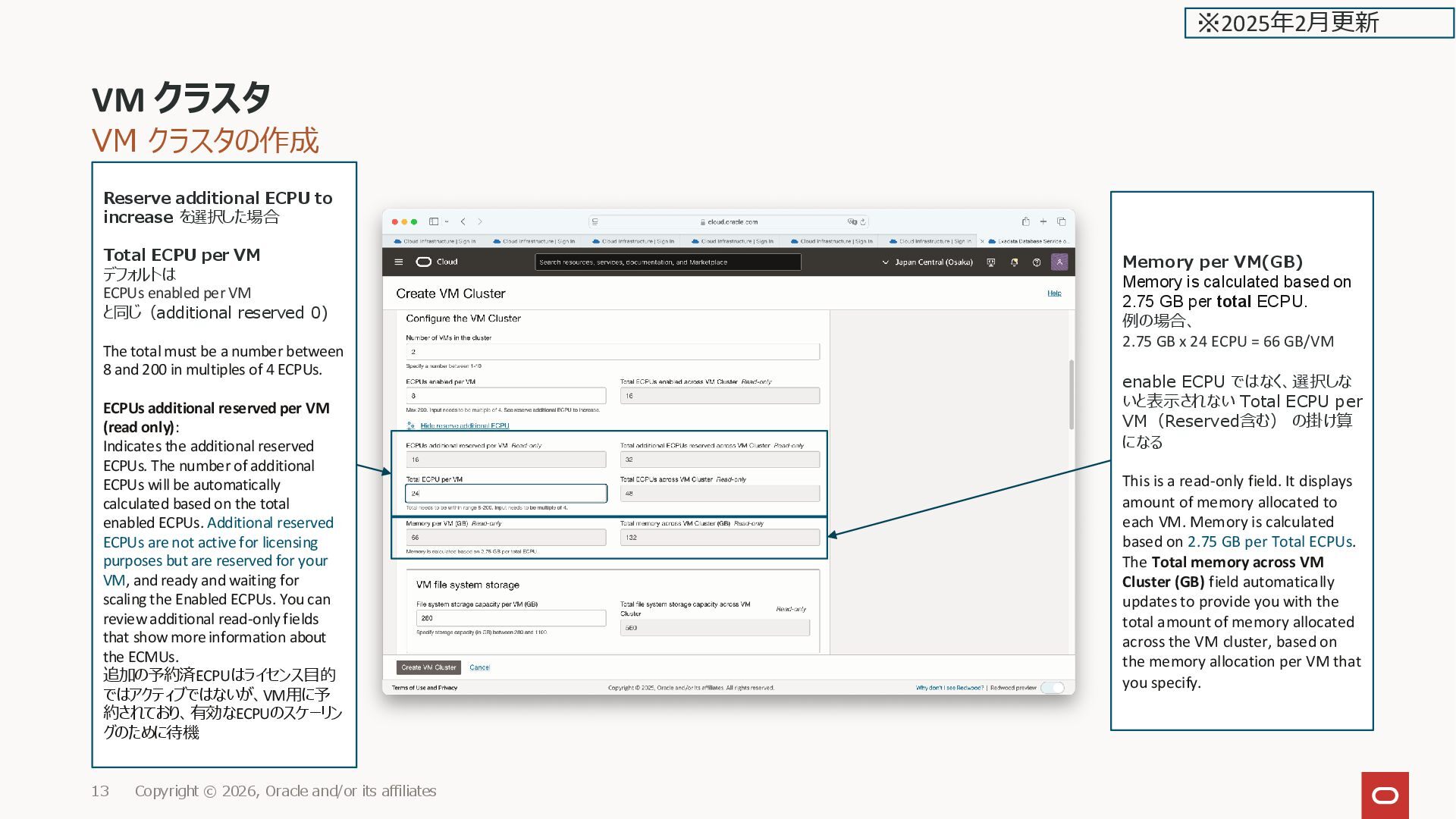
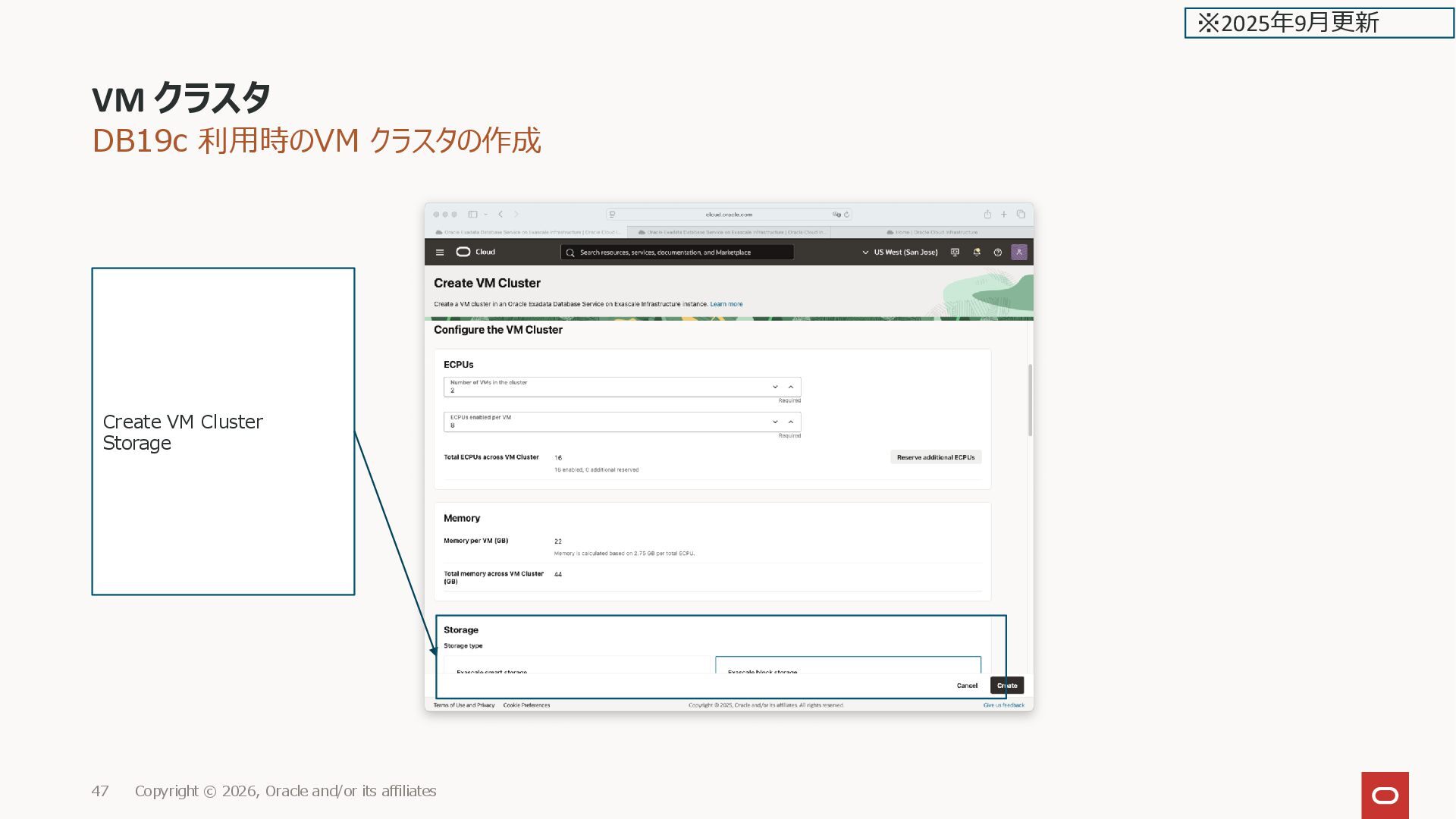
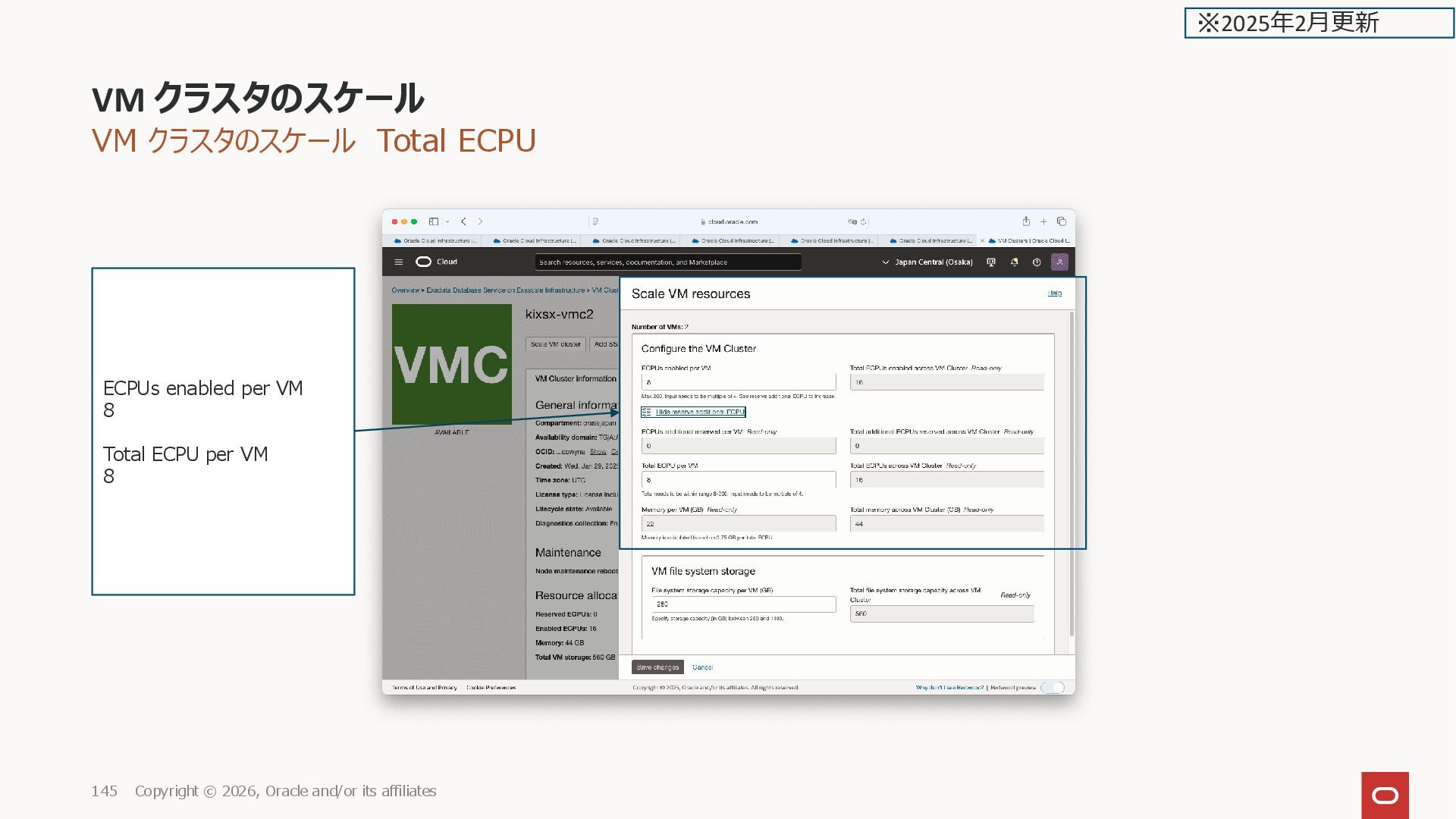
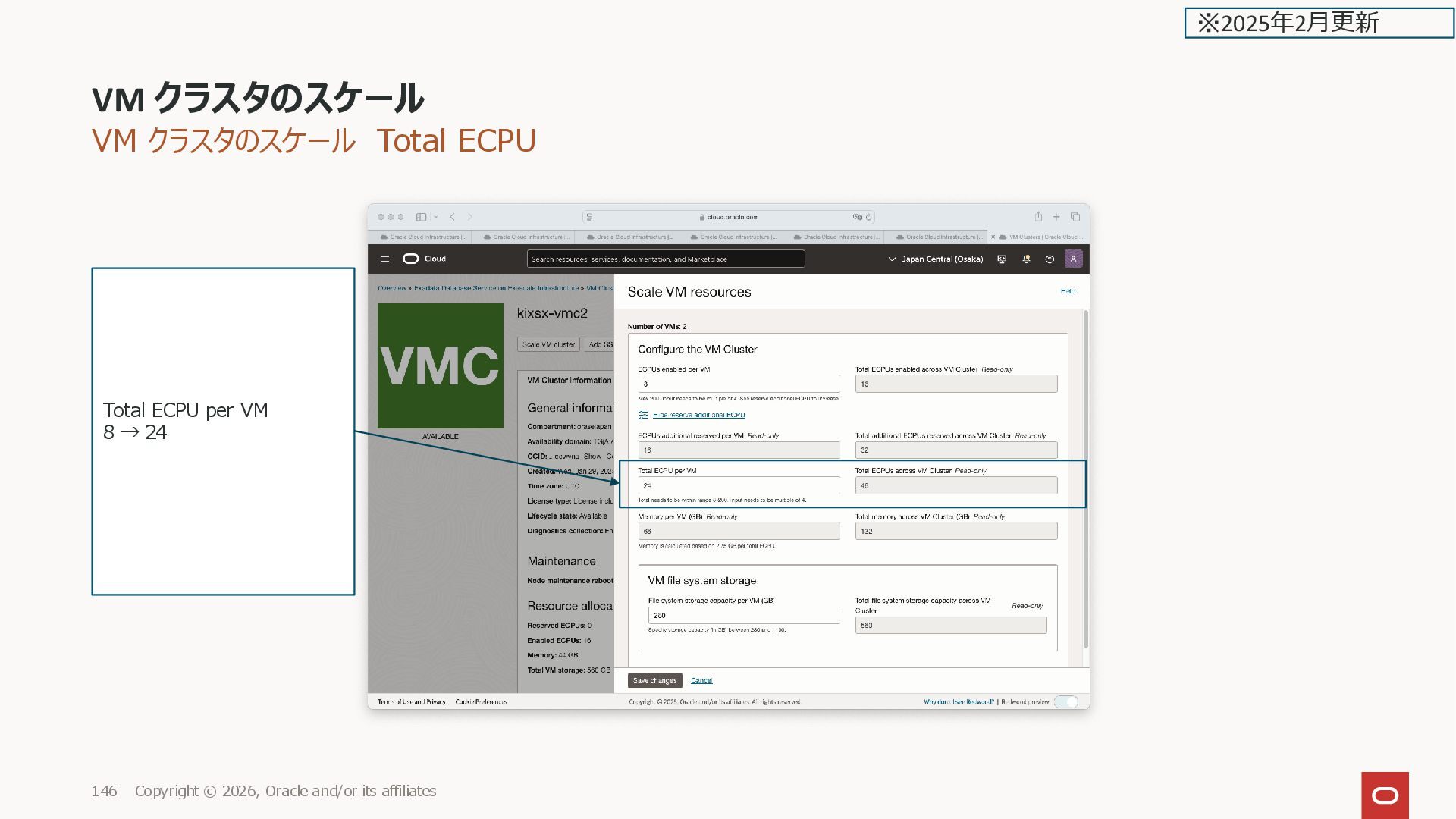
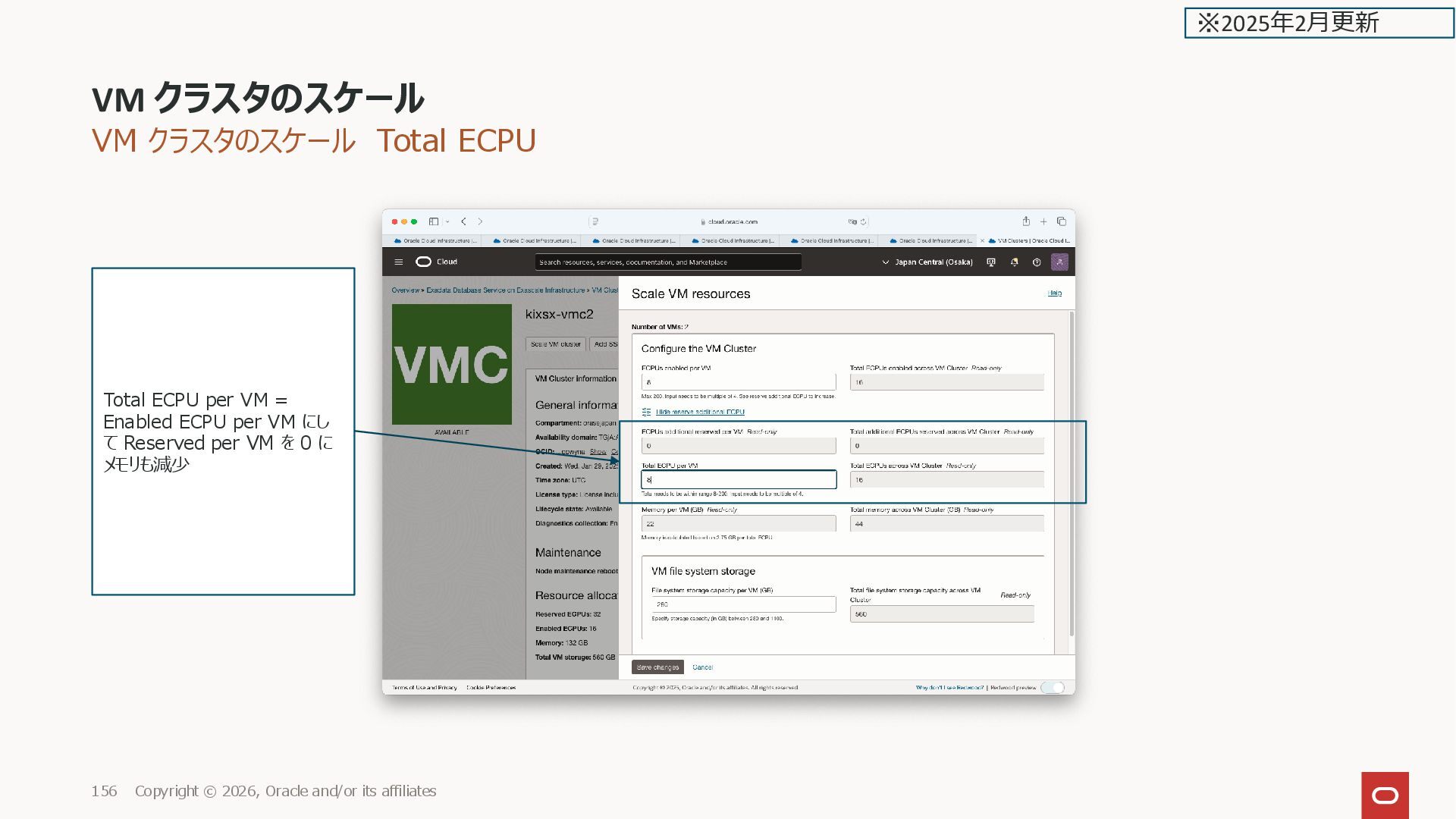
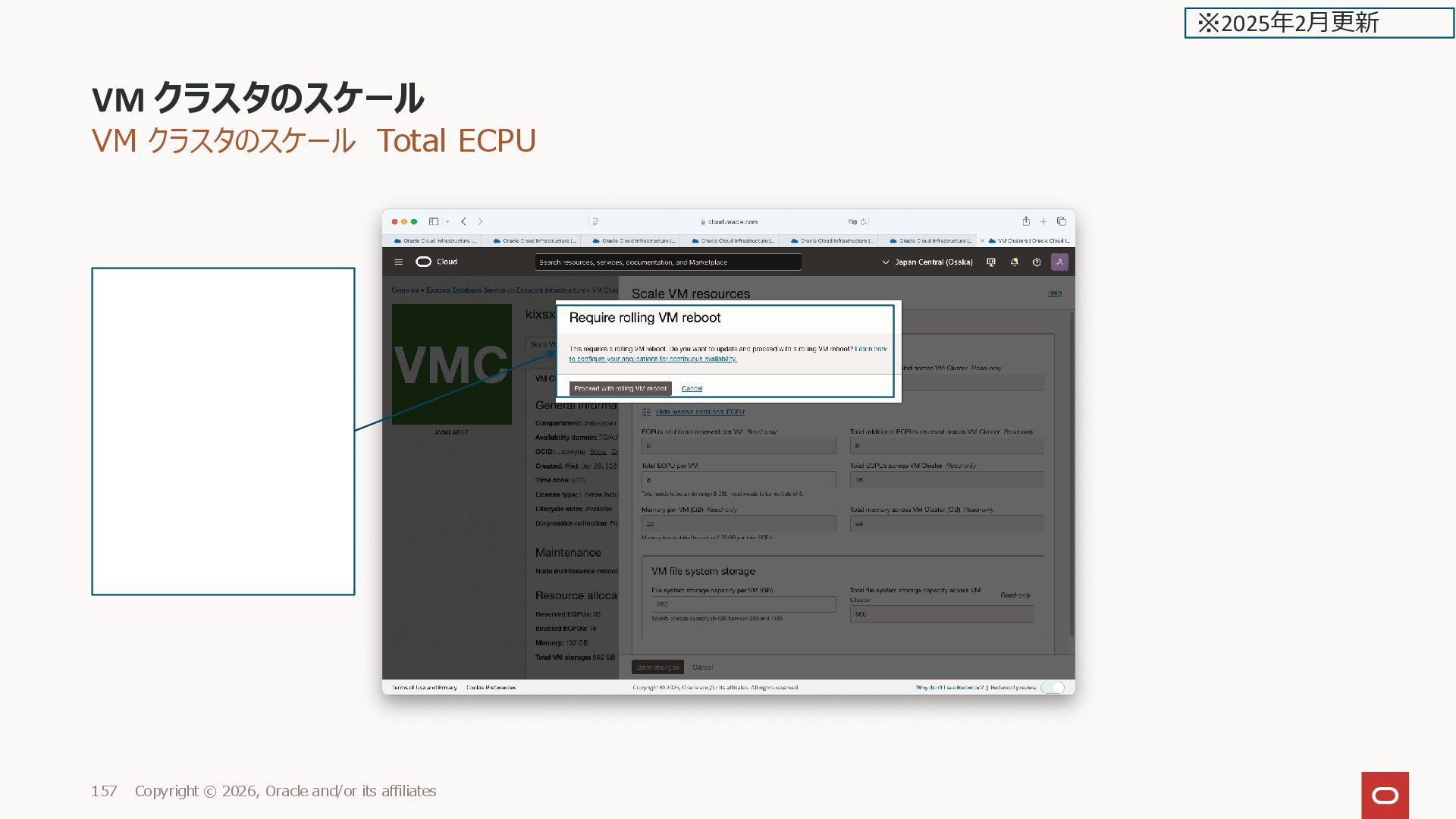
affiliates 13 Reserve additional ECPU to increase を選択した場合 Total ECPU per VM デフォルトは ECPUs enabled per VM と同じ(additional reserved 0) The total must be a number between 8 and 200 in multiples of 4 ECPUs. ECPUs additional reserved per VM (read only): Indicates the additional reserved ECPUs. The number of additional ECPUs will be automatically calculated based on the total enabled ECPUs. Additional reserved ECPUs are not active for licensing purposes but are reserved for your VM, and ready and waiting for scaling the Enabled ECPUs. You can review additional read-only fields that show more information about the ECMUs. 追加の予約済ECPUはライセンス目的 ではアクティブではないが、VM用に予 約されており、有効なECPUのスケーリン グのために待機 ※2025年2月更新 Memory per VM(GB) Memory is calculated based on 2.75 GB per total ECPU. 例の場合、 2.75 GB x 24 ECPU = 66 GB/VM enable ECPU ではなく、選択しな いと表示されない Total ECPU per VM(Reserved含む) の掛け算 になる This is a read-only field. It displays amount of memory allocated to each VM. Memory is calculated based on 2.75 GB per Total ECPUs. The Total memory across VM Cluster (GB) field automatically updates to provide you with the total amount of memory allocated across the VM cluster, based on the memory allocation per VM that you specify.
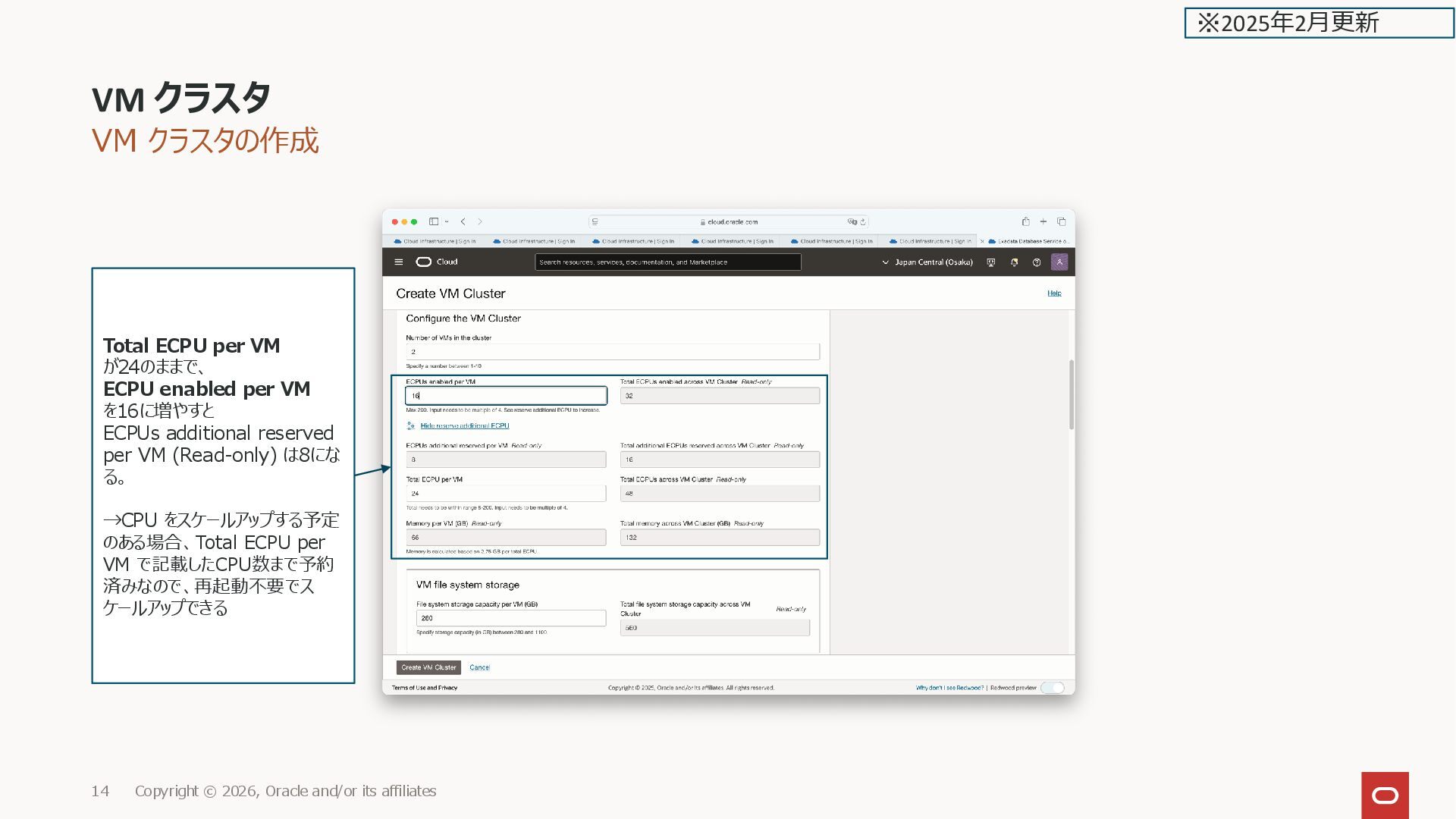
affiliates 14 ※2025年2月更新 Total ECPU per VM が24のままで、 ECPU enabled per VM を16に増やすと ECPUs additional reserved per VM (Read-only) は8にな る。 →CPU をスケールアップする予定 のある場合、Total ECPU per VM で記載したCPU数まで予約 済みなので、再起動不要でス ケールアップできる
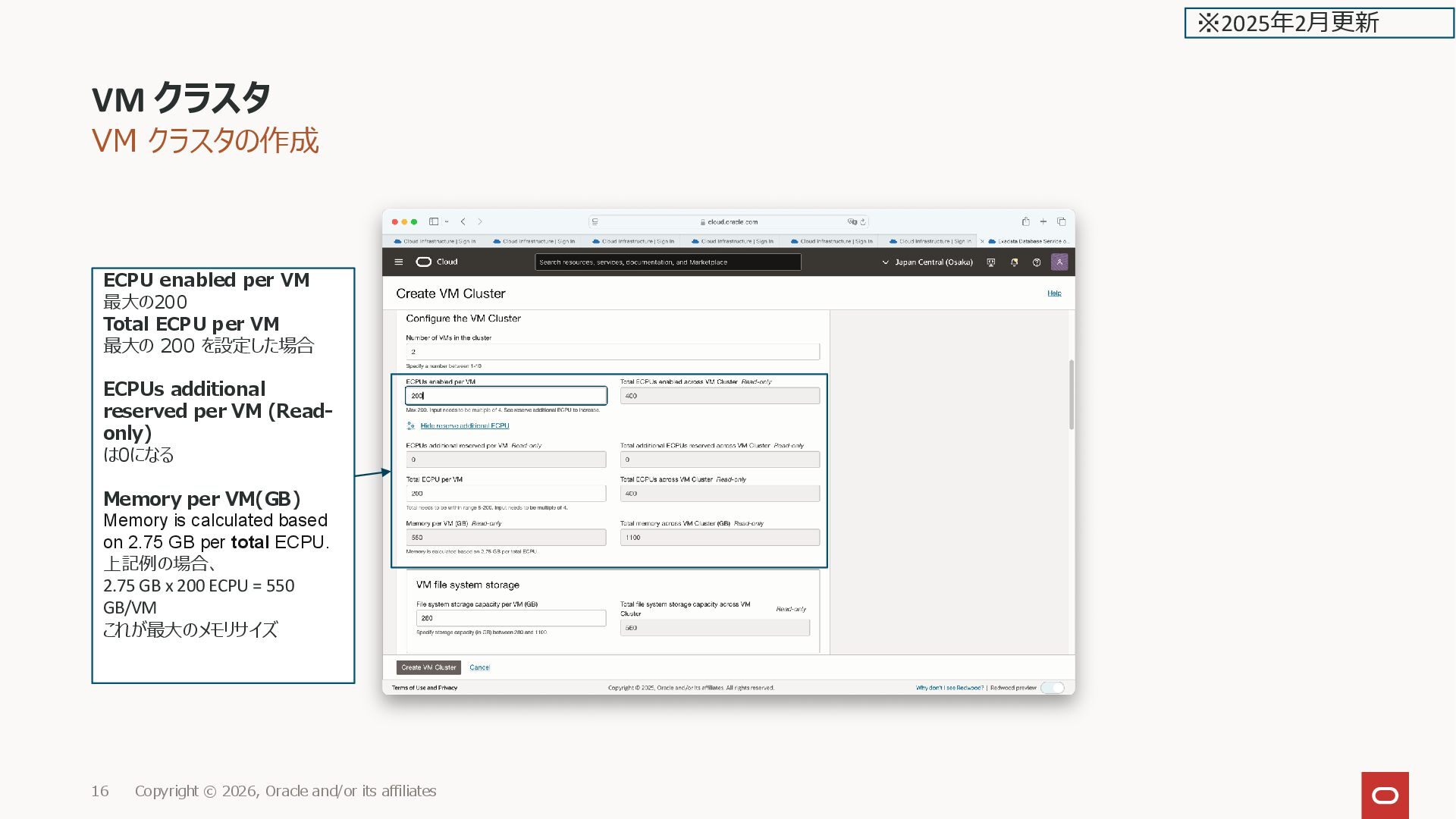
affiliates 16 ※2025年2月更新 ECPU enabled per VM 最大の200 Total ECPU per VM 最大の 200 を設定した場合 ECPUs additional reserved per VM (Read- only) は0になる Memory per VM(GB) Memory is calculated based on 2.75 GB per total ECPU. 上記例の場合、 2.75 GB x 200 ECPU = 550 GB/VM これが最大のメモリサイズ
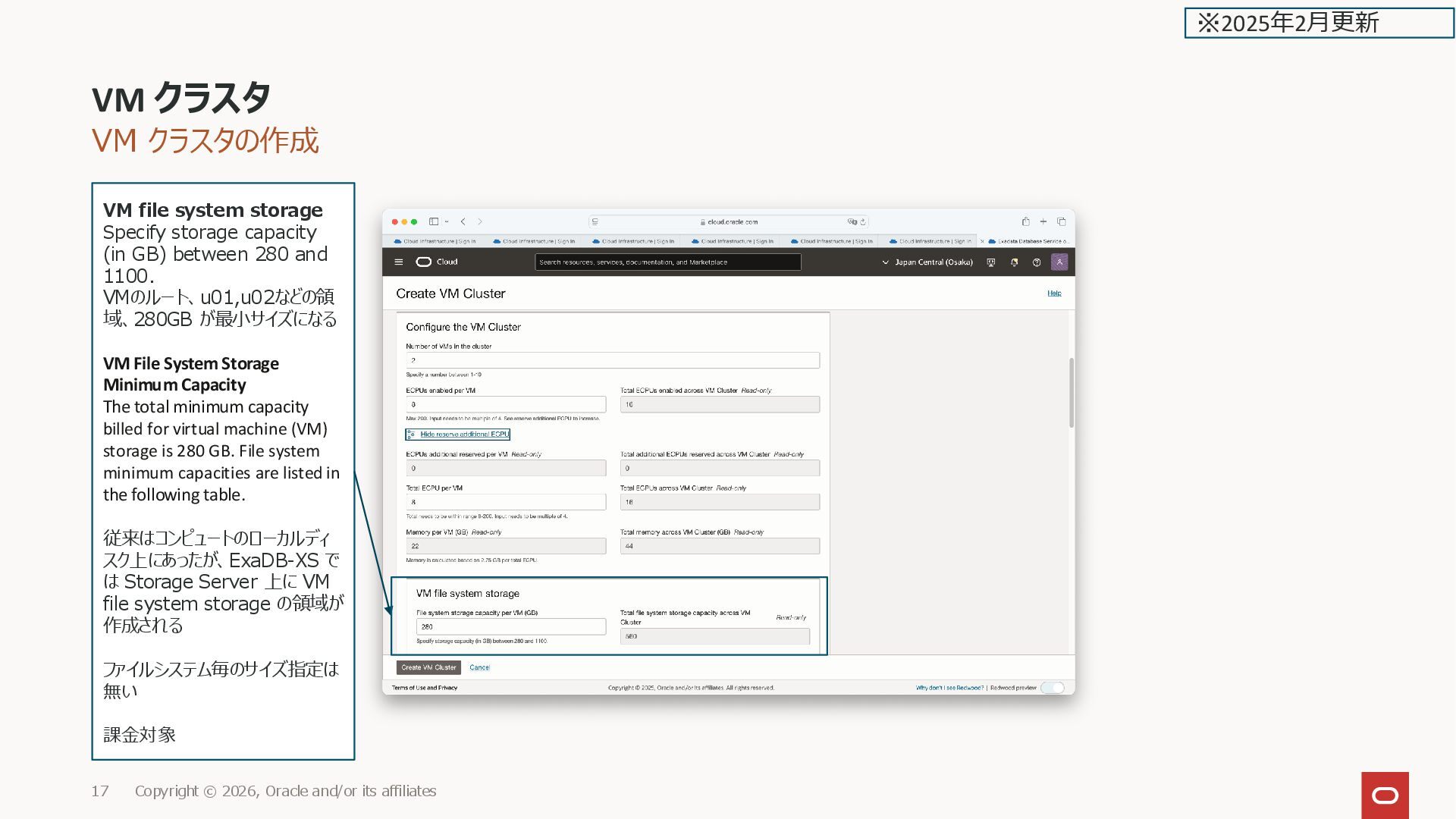
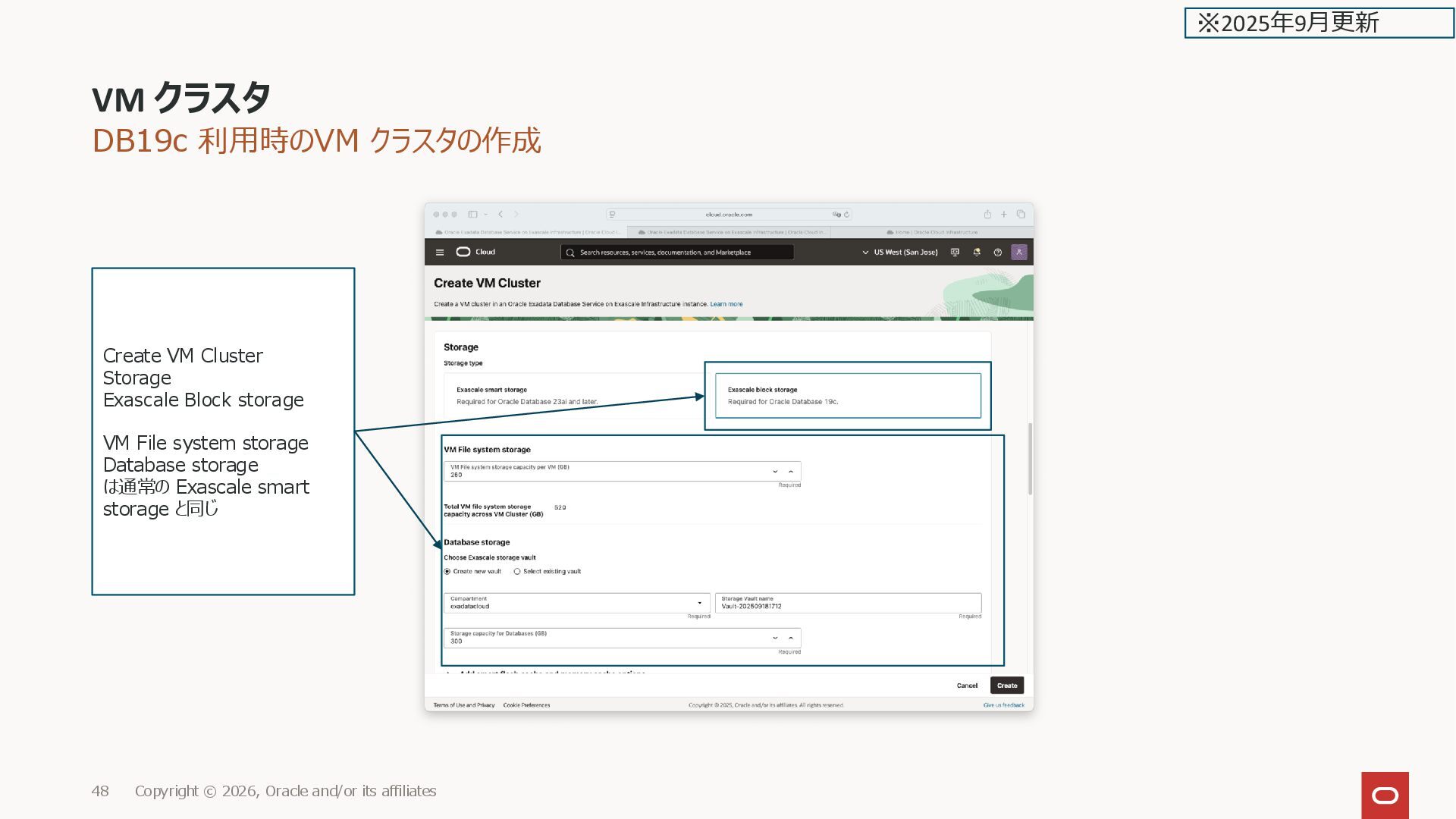
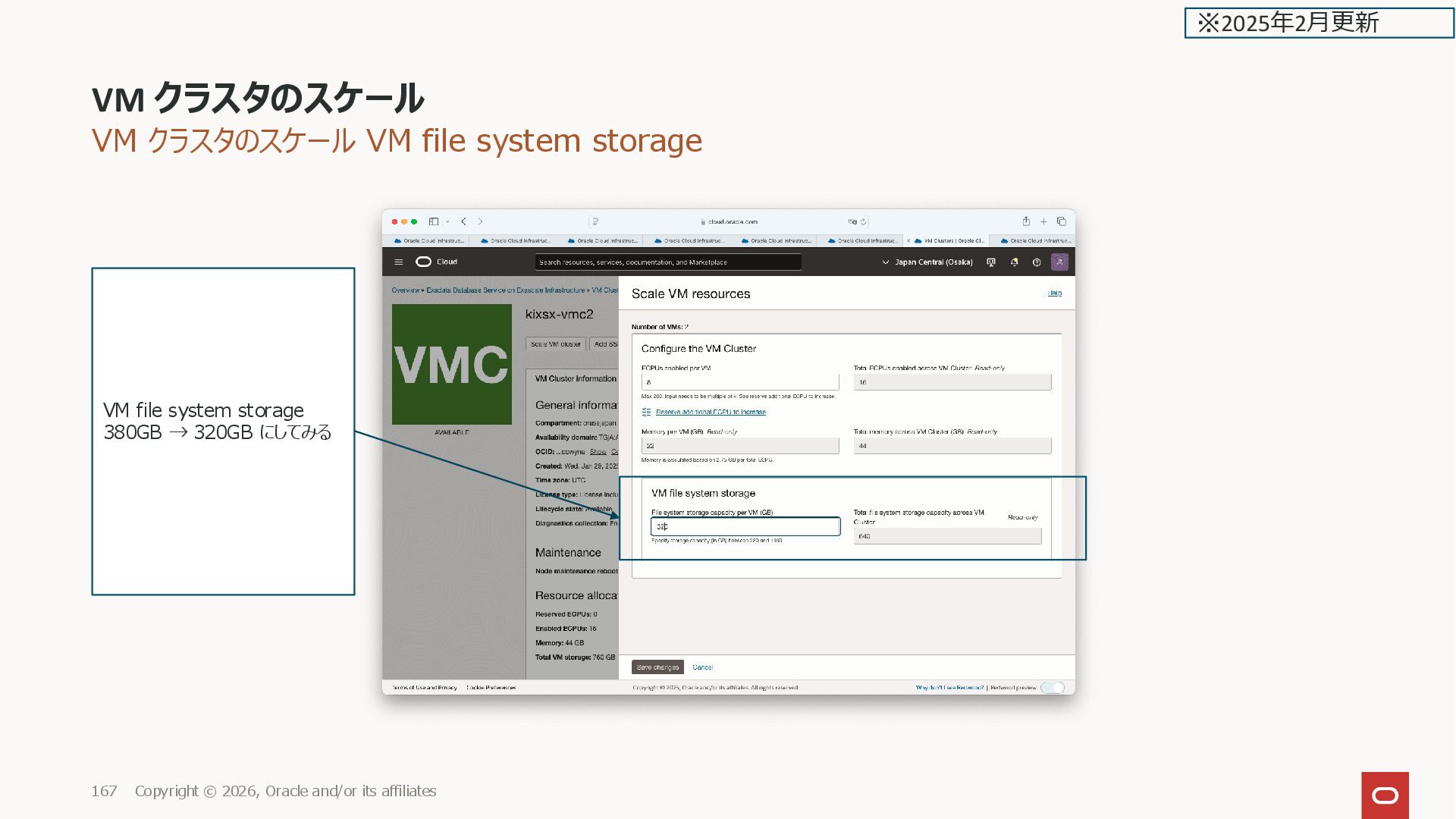
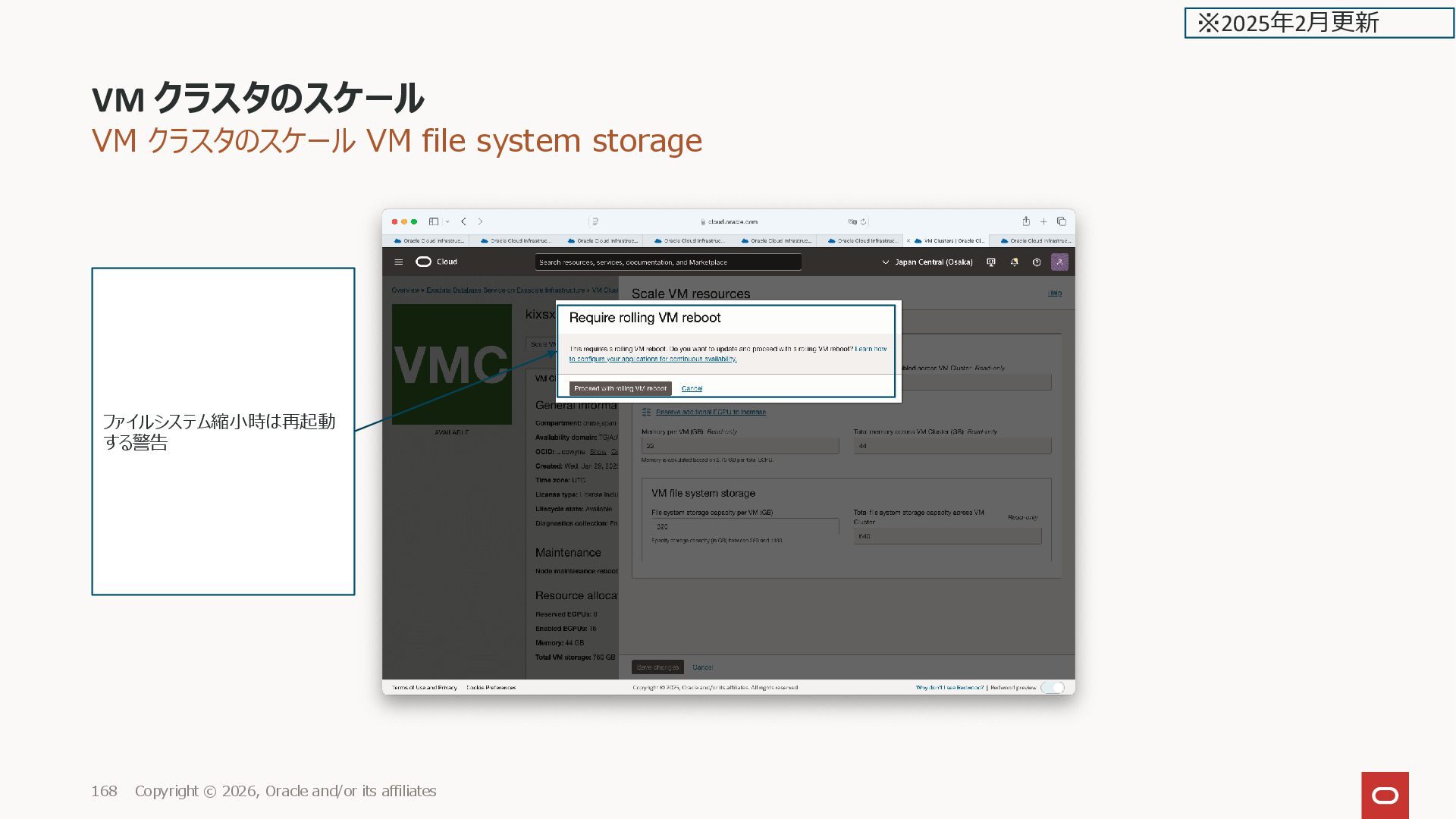
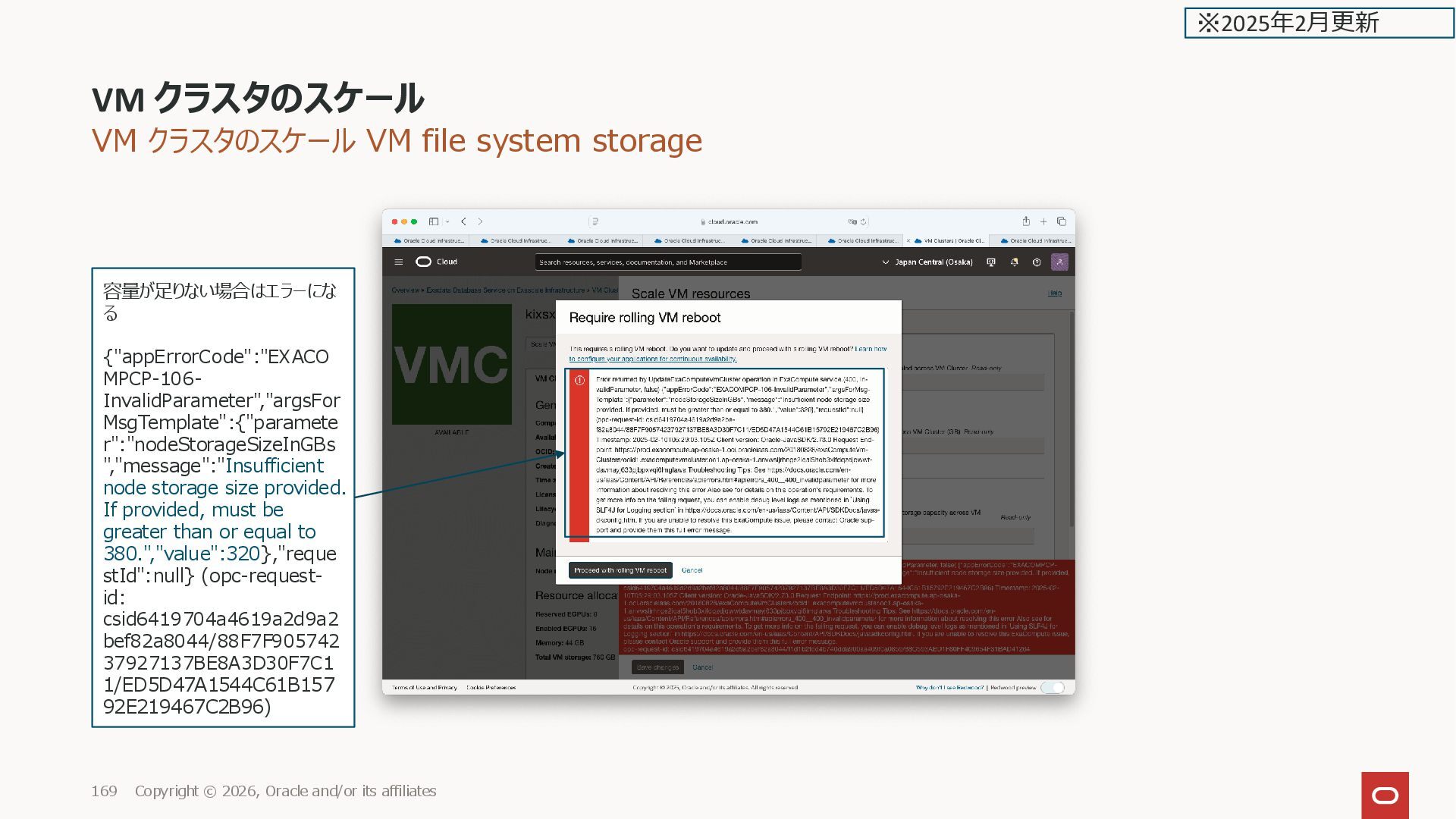
affiliates 17 ※2025年2月更新 VM file system storage Specify storage capacity (in GB) between 280 and 1100. VMのルート、u01,u02などの領 域、280GB が最小サイズになる VM File System Storage Minimum Capacity The total minimum capacity billed for virtual machine (VM) storage is 280 GB. File system minimum capacities are listed in the following table. 従来はコンピュートのローカルディ スク上にあったが、ExaDB-XS で は Storage Server 上に VM file system storage の領域が 作成される ファイルシステム毎のサイズ指定は 無い 課金対象
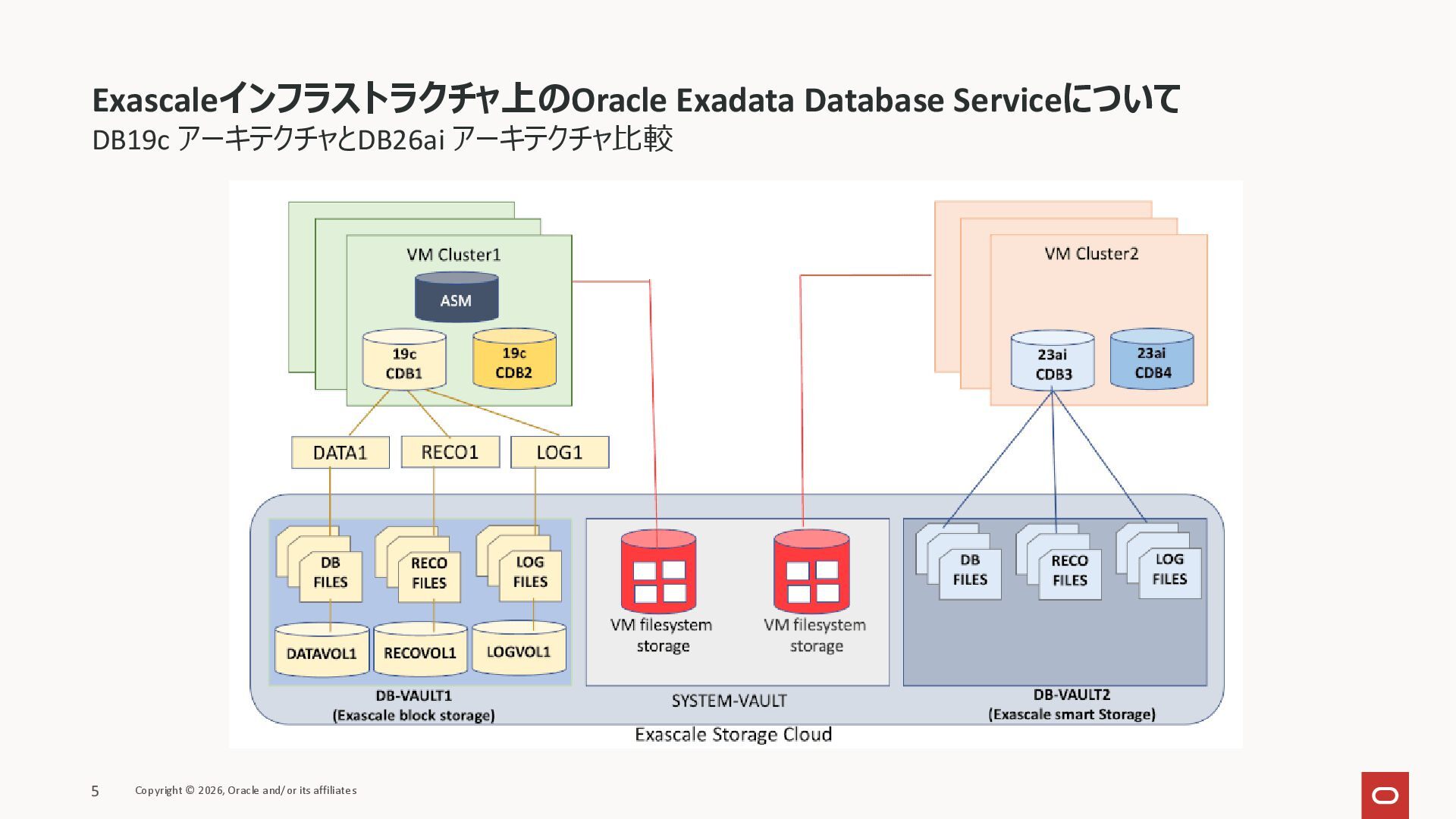
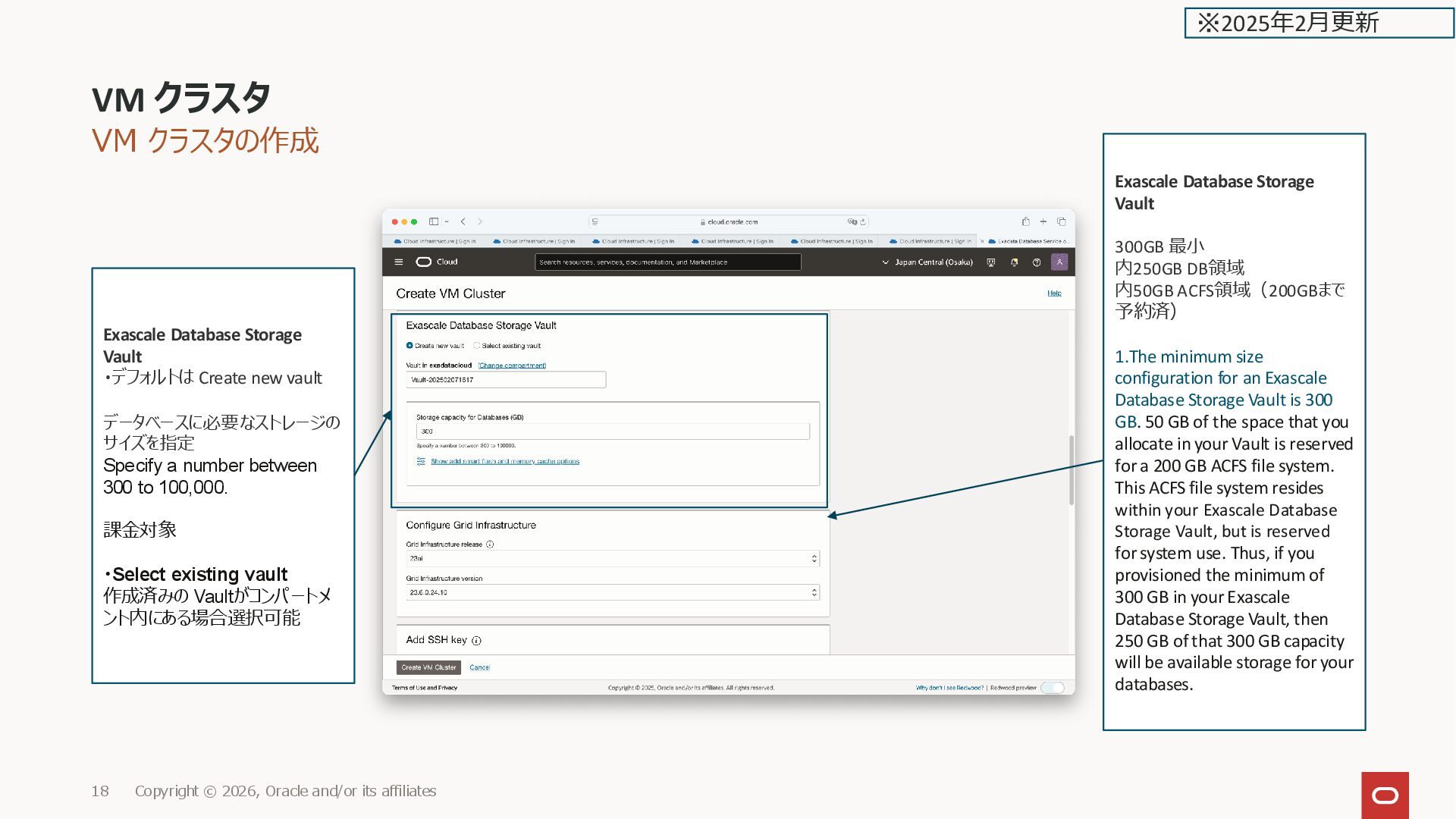
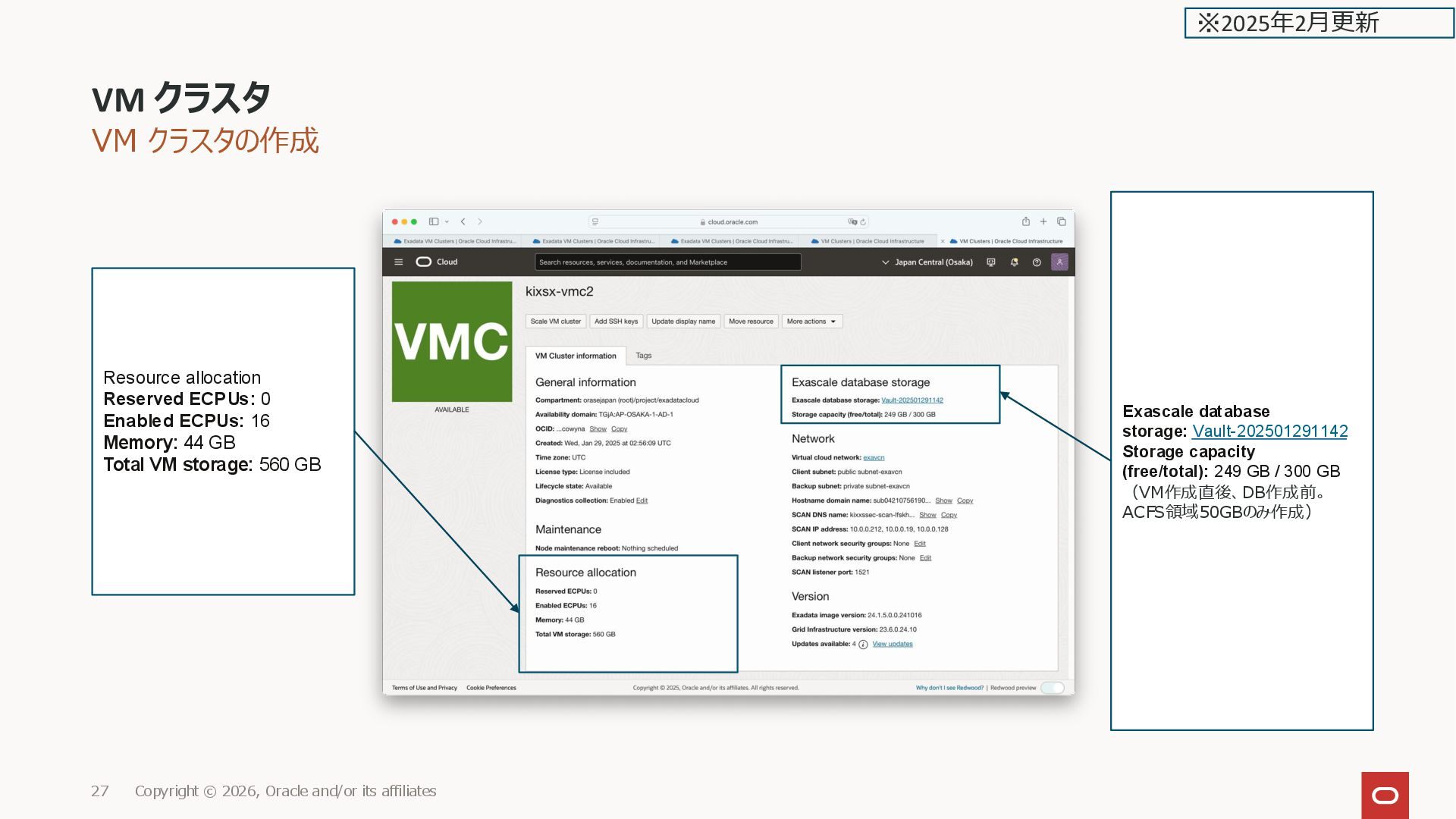
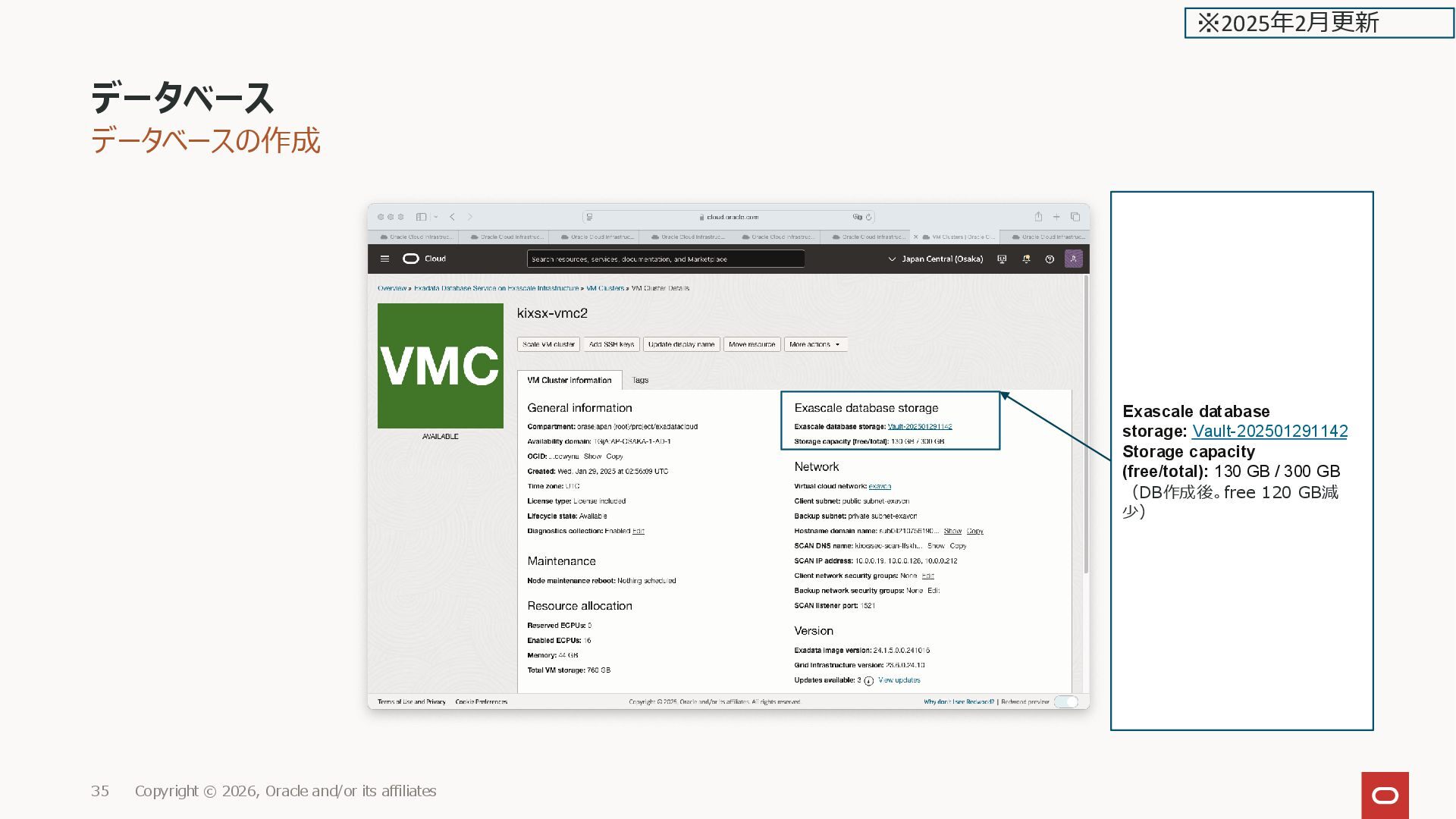
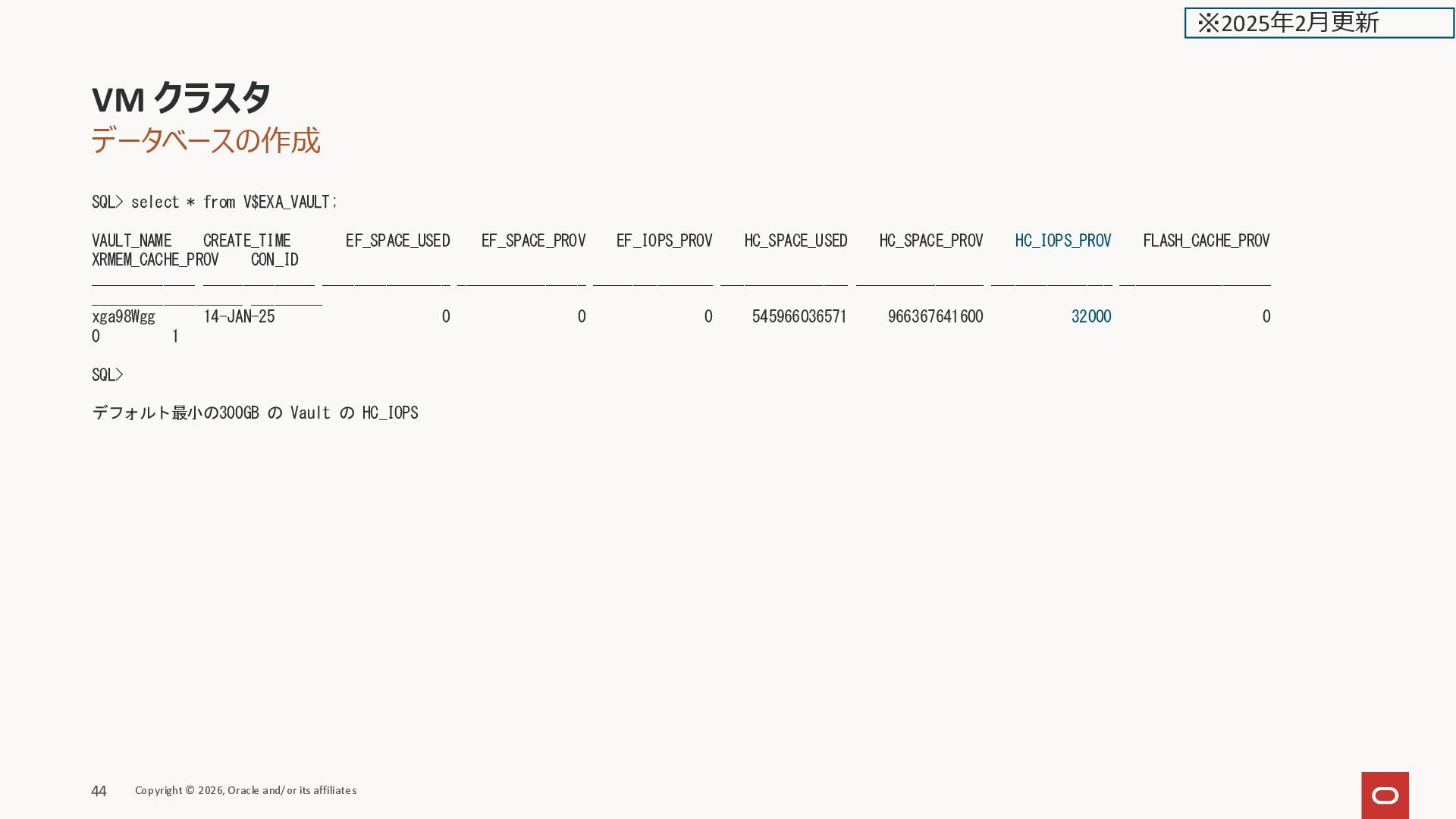
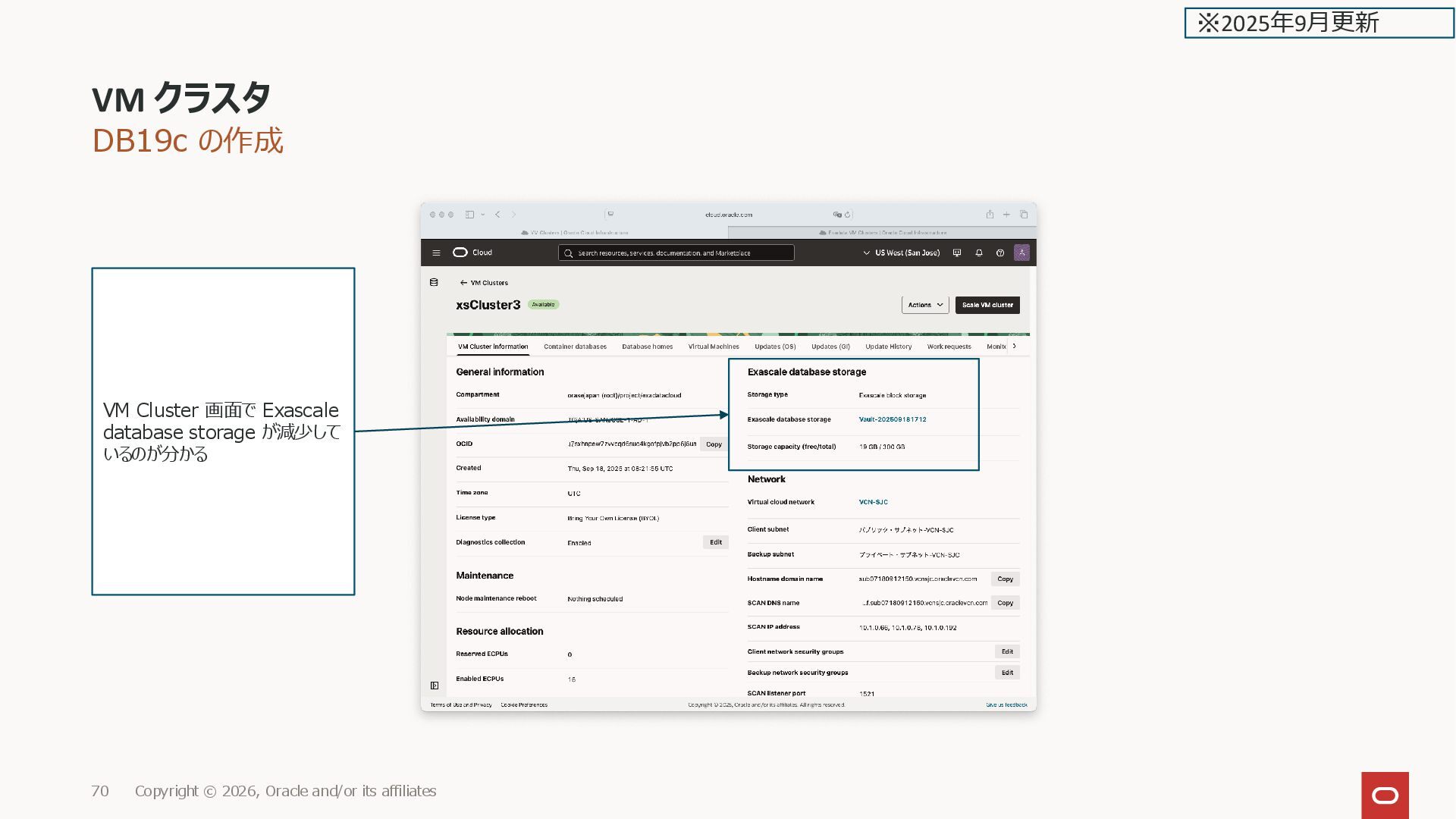
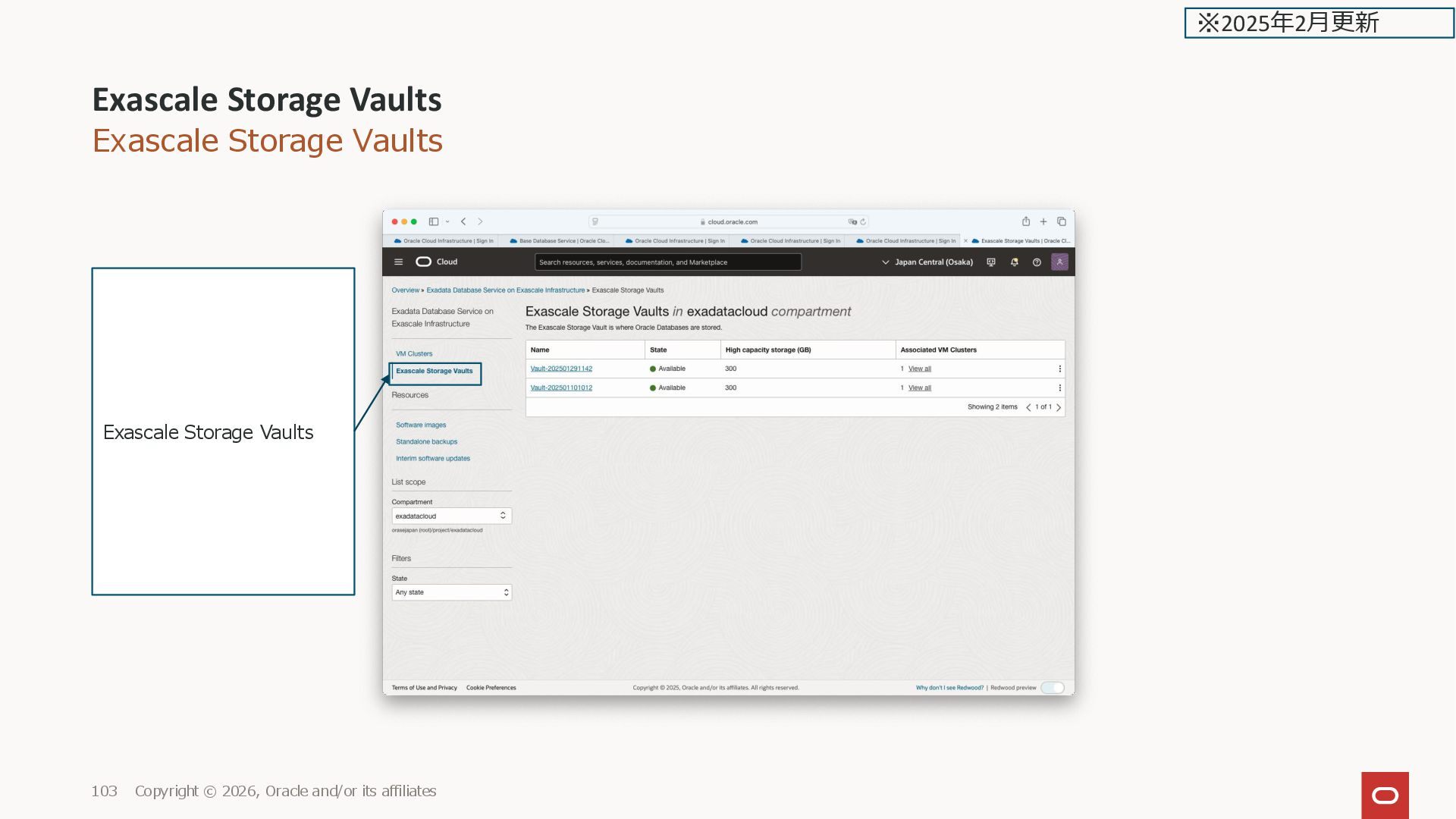
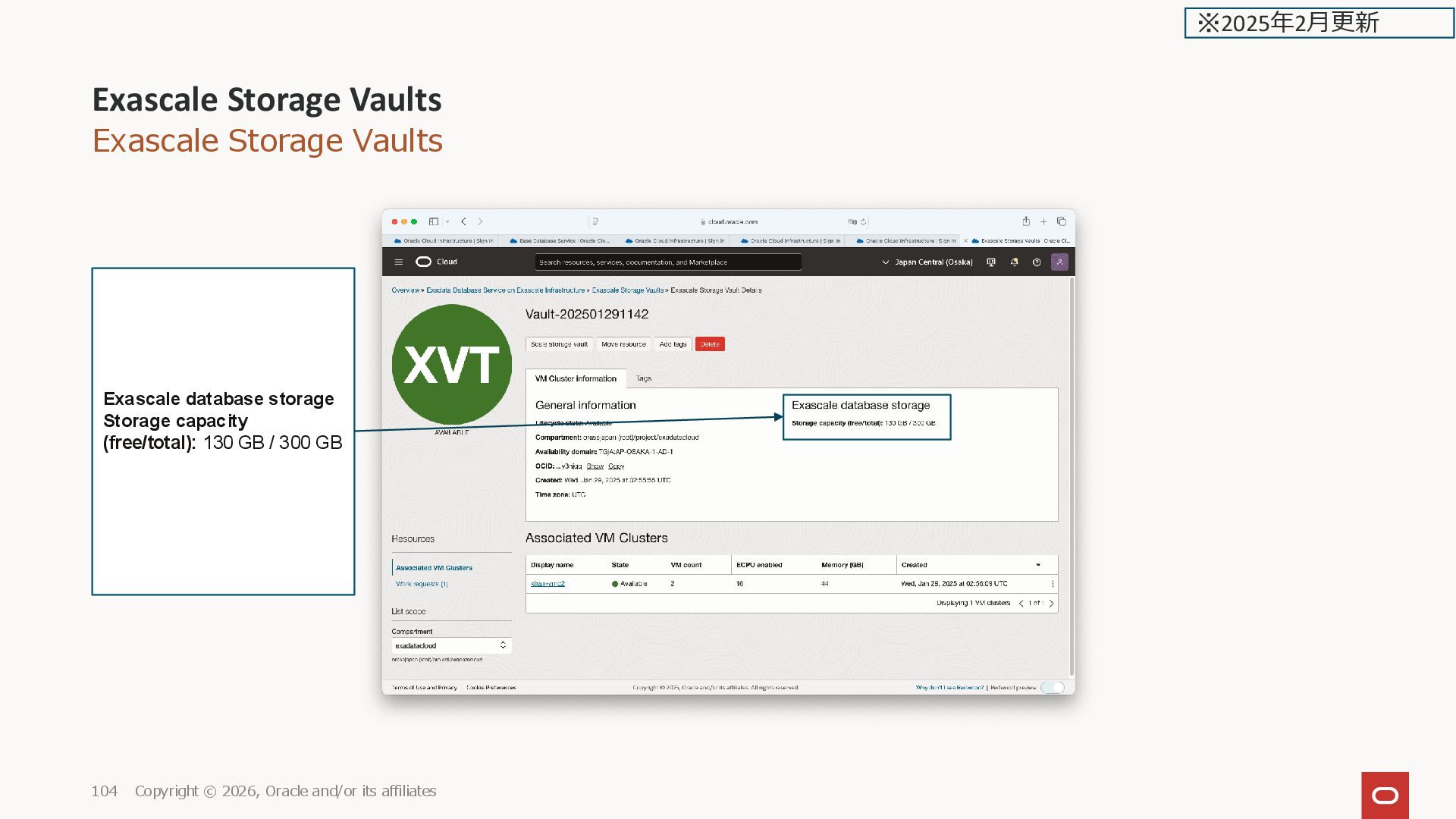
affiliates 18 ※2025年2月更新 Exascale Database Storage Vault ・デフォルトは Create new vault データベースに必要なストレージの サイズを指定 Specify a number between 300 to 100,000. 課金対象 ・Select existing vault 作成済みの Vaultがコンパートメ ント内にある場合選択可能 Exascale Database Storage Vault 300GB 最小 内250GB DB領域 内50GB ACFS領域(200GBまで 予約済) 1.The minimum size configuration for an Exascale Database Storage Vault is 300 GB. 50 GB of the space that you allocate in your Vault is reserved for a 200 GB ACFS file system. This ACFS file system resides within your Exascale Database Storage Vault, but is reserved for system use. Thus, if you provisioned the minimum of 300 GB in your Exascale Database Storage Vault, then 250 GB of that 300 GB capacity will be available storage for your databases.
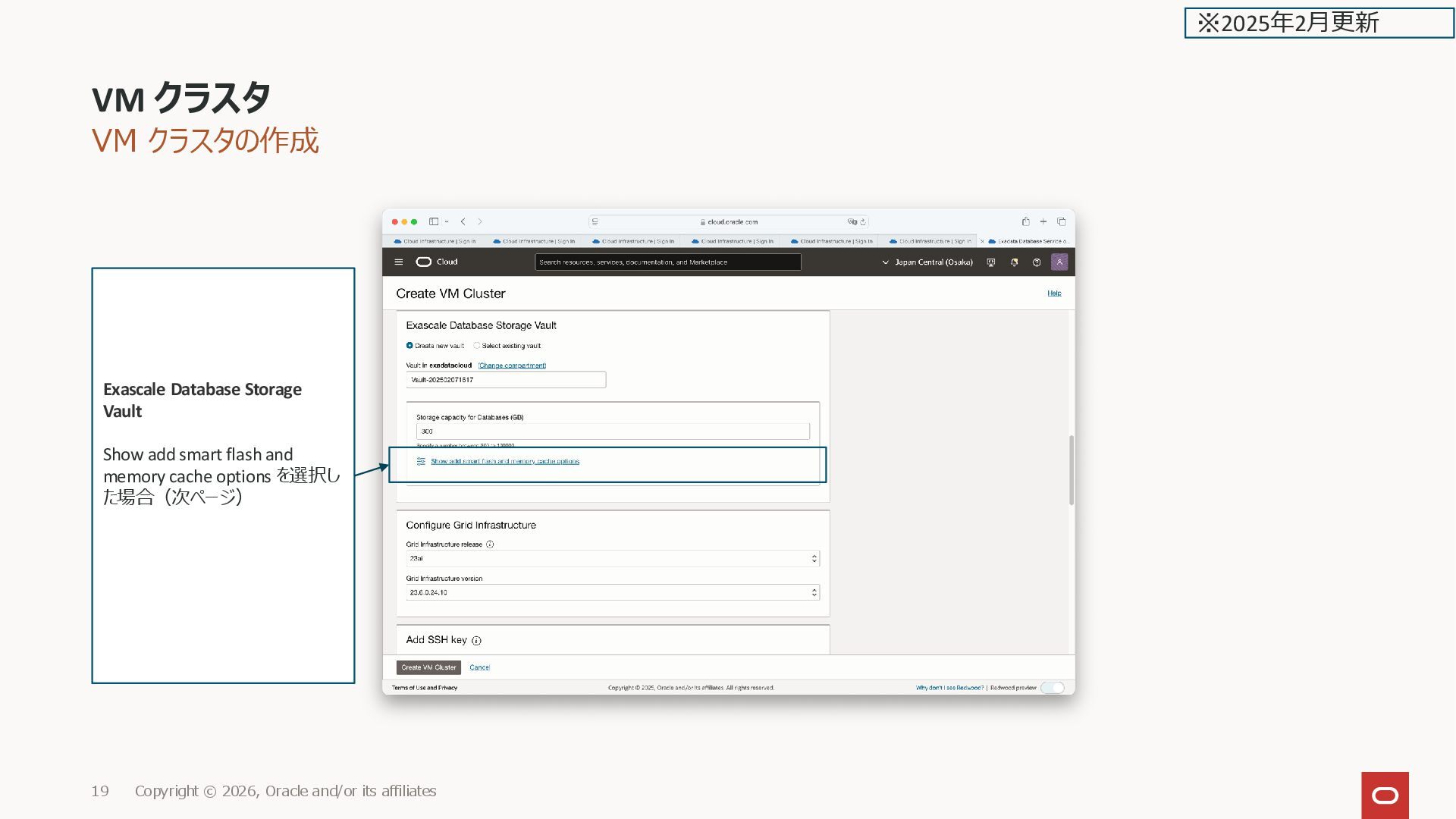
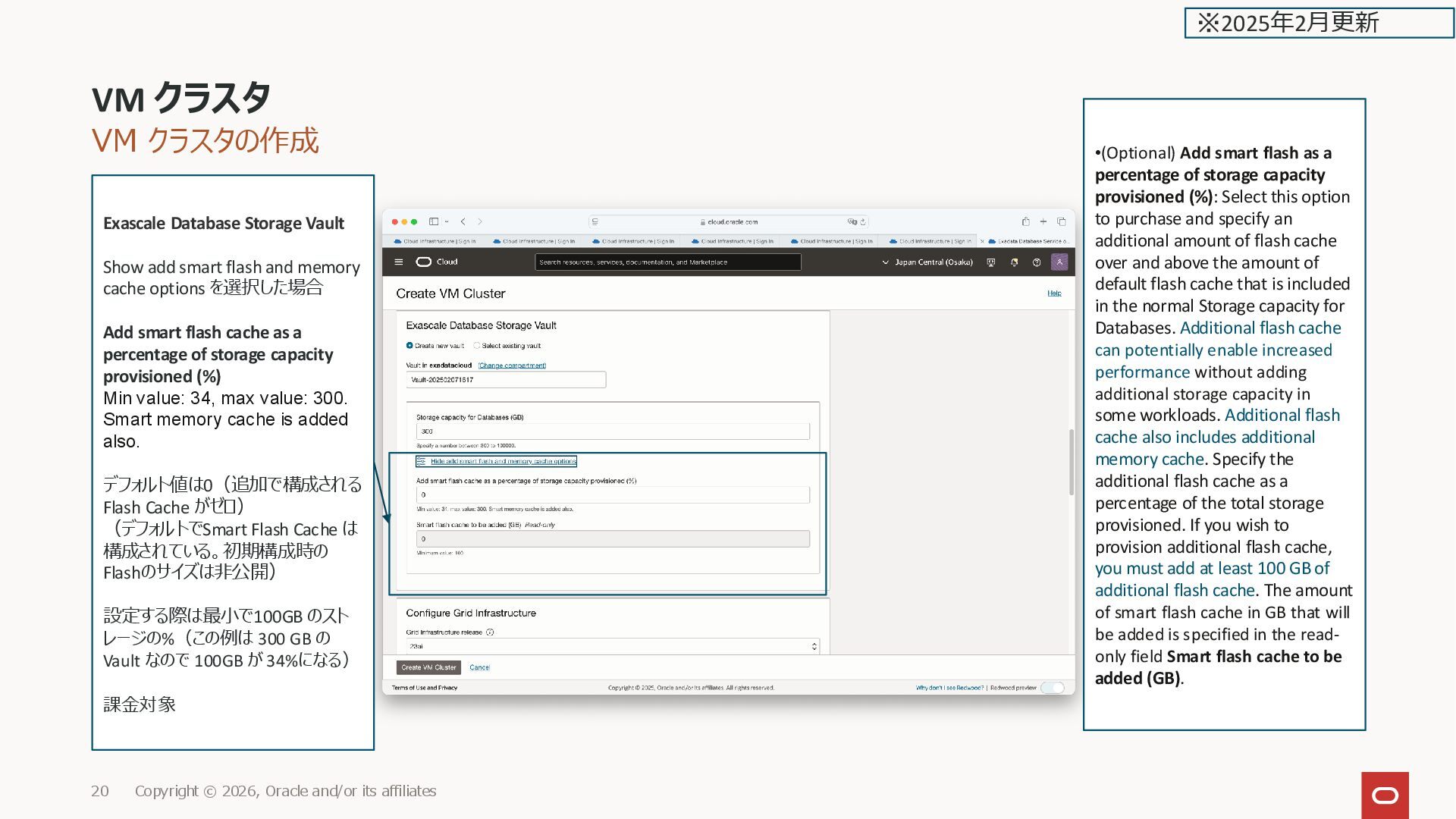
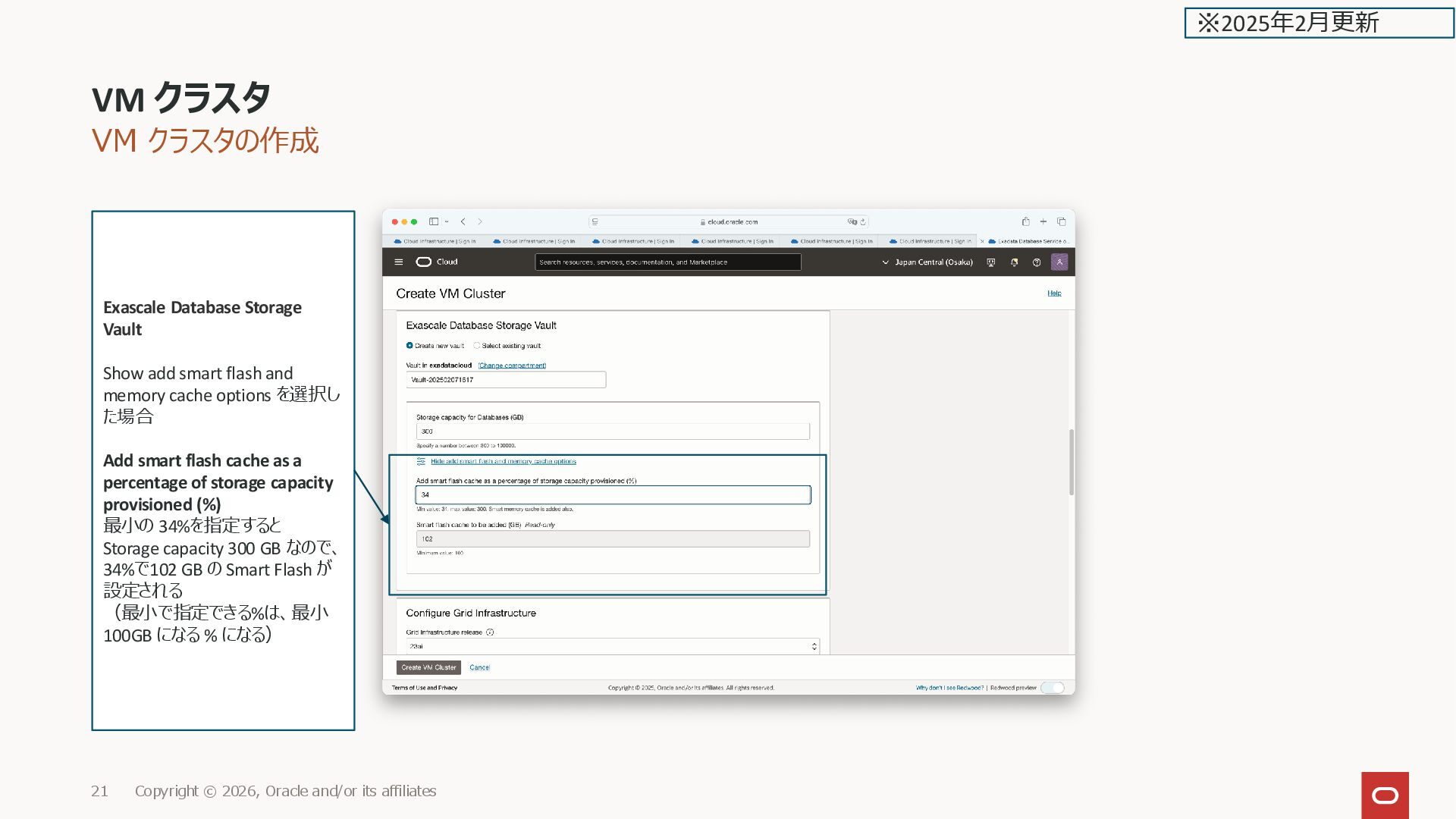
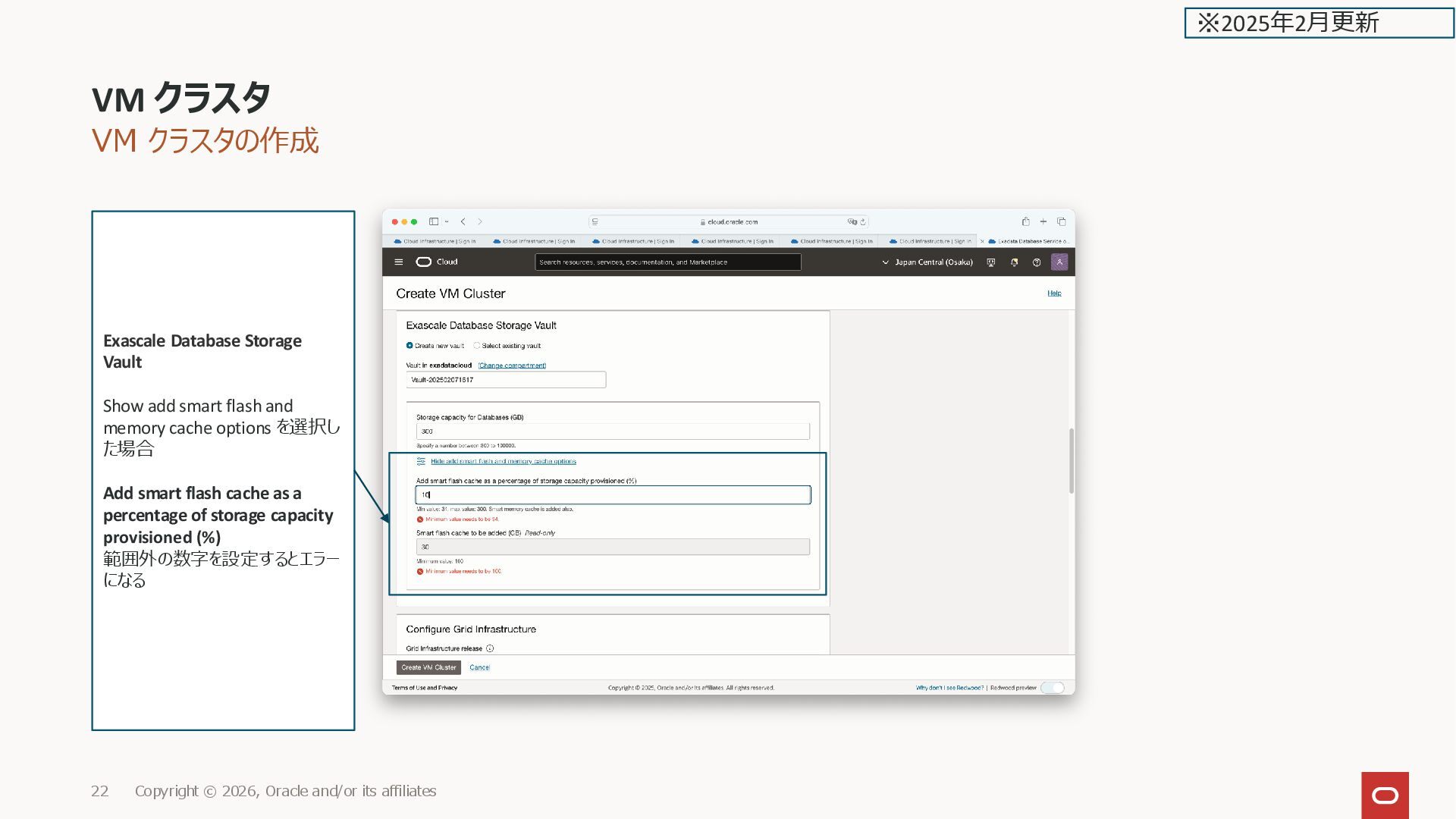
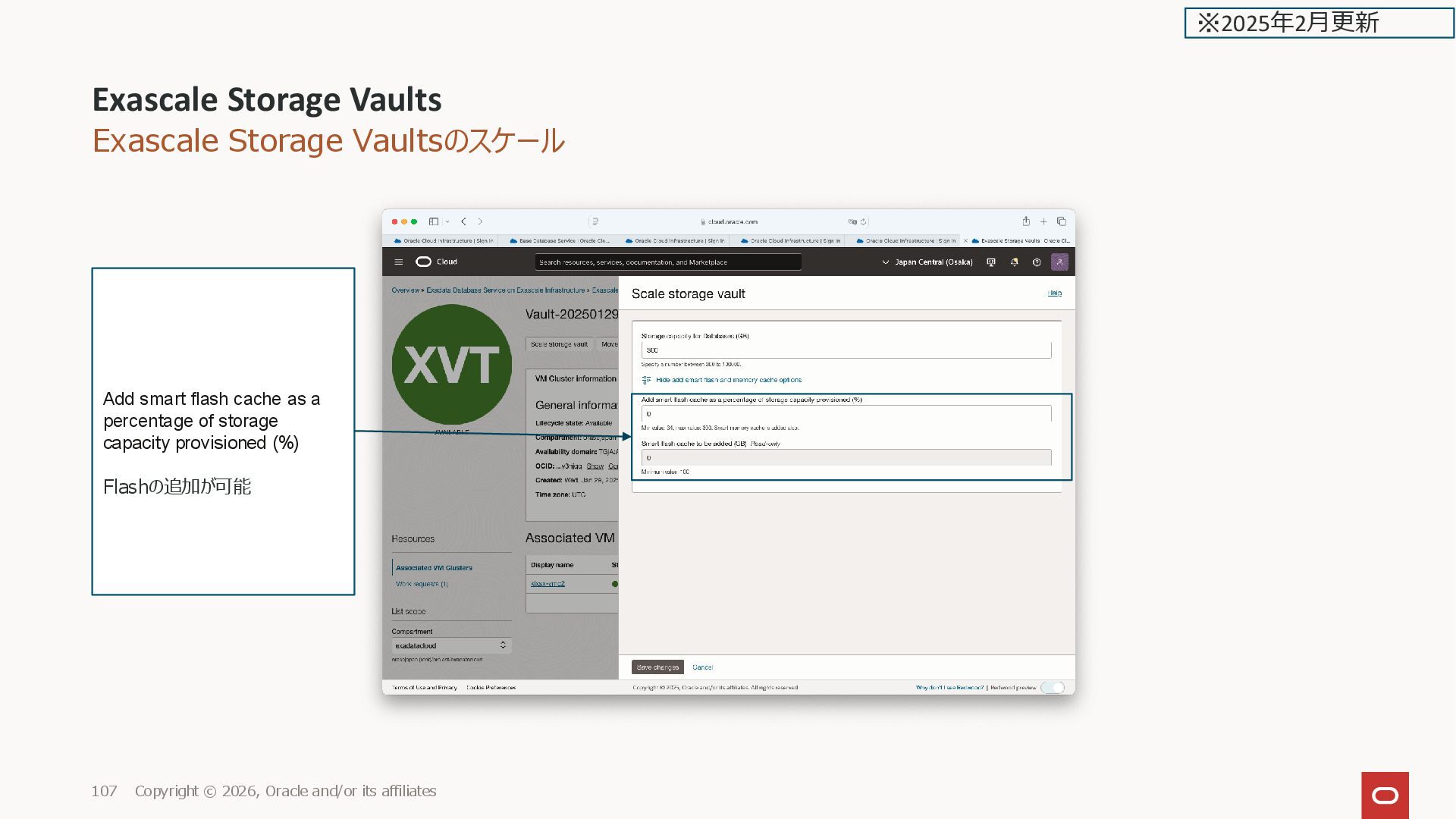
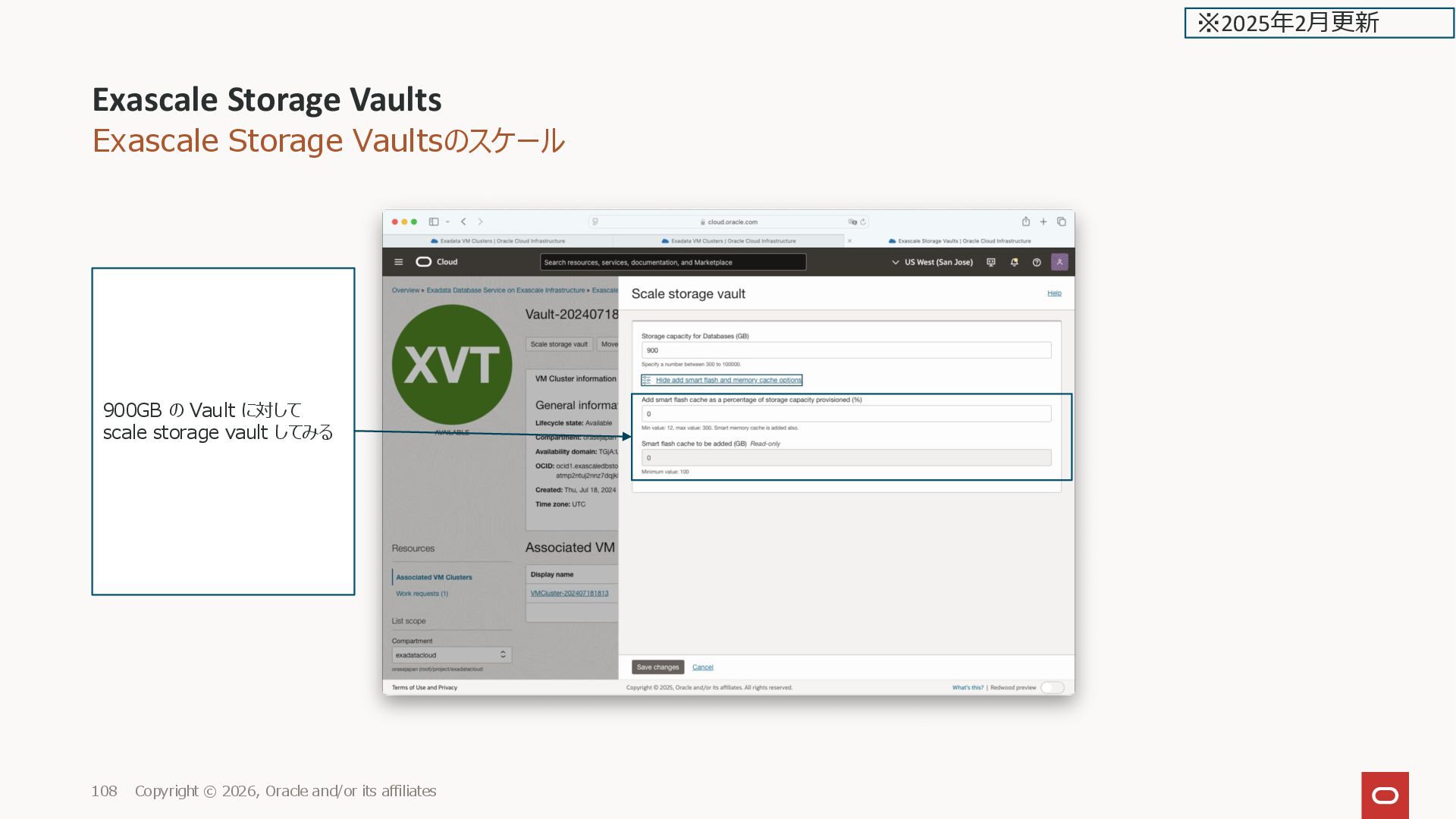
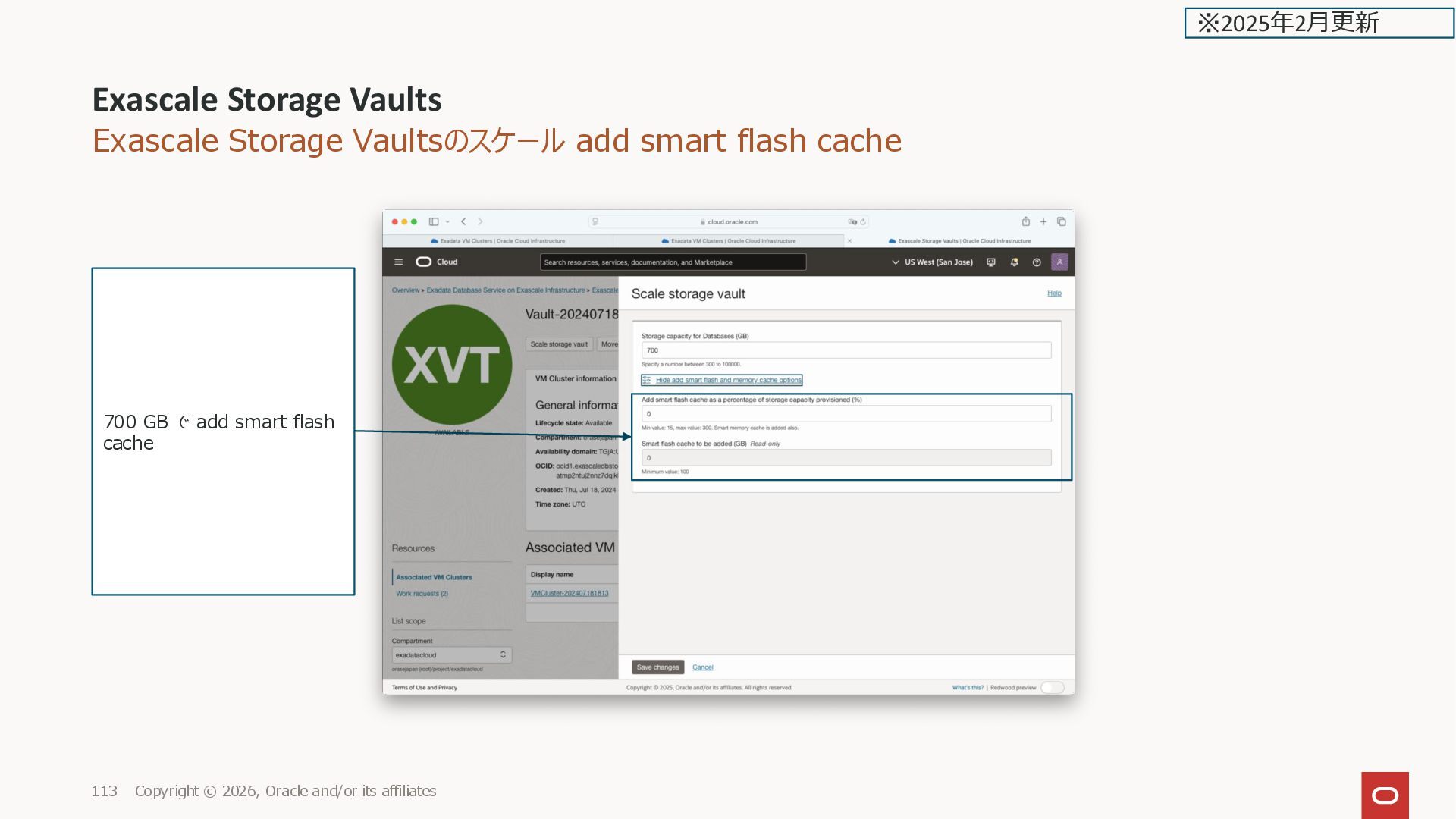
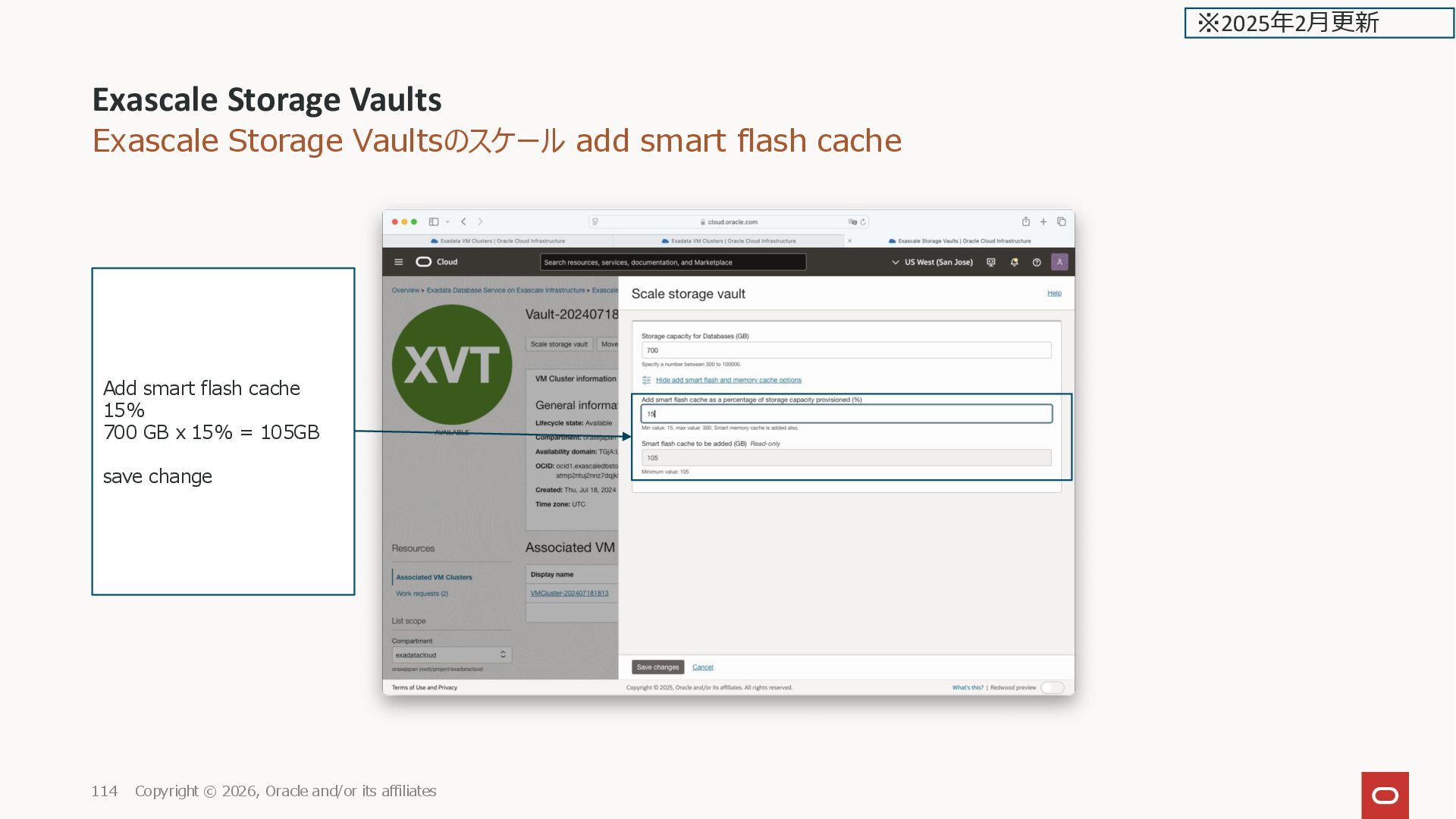
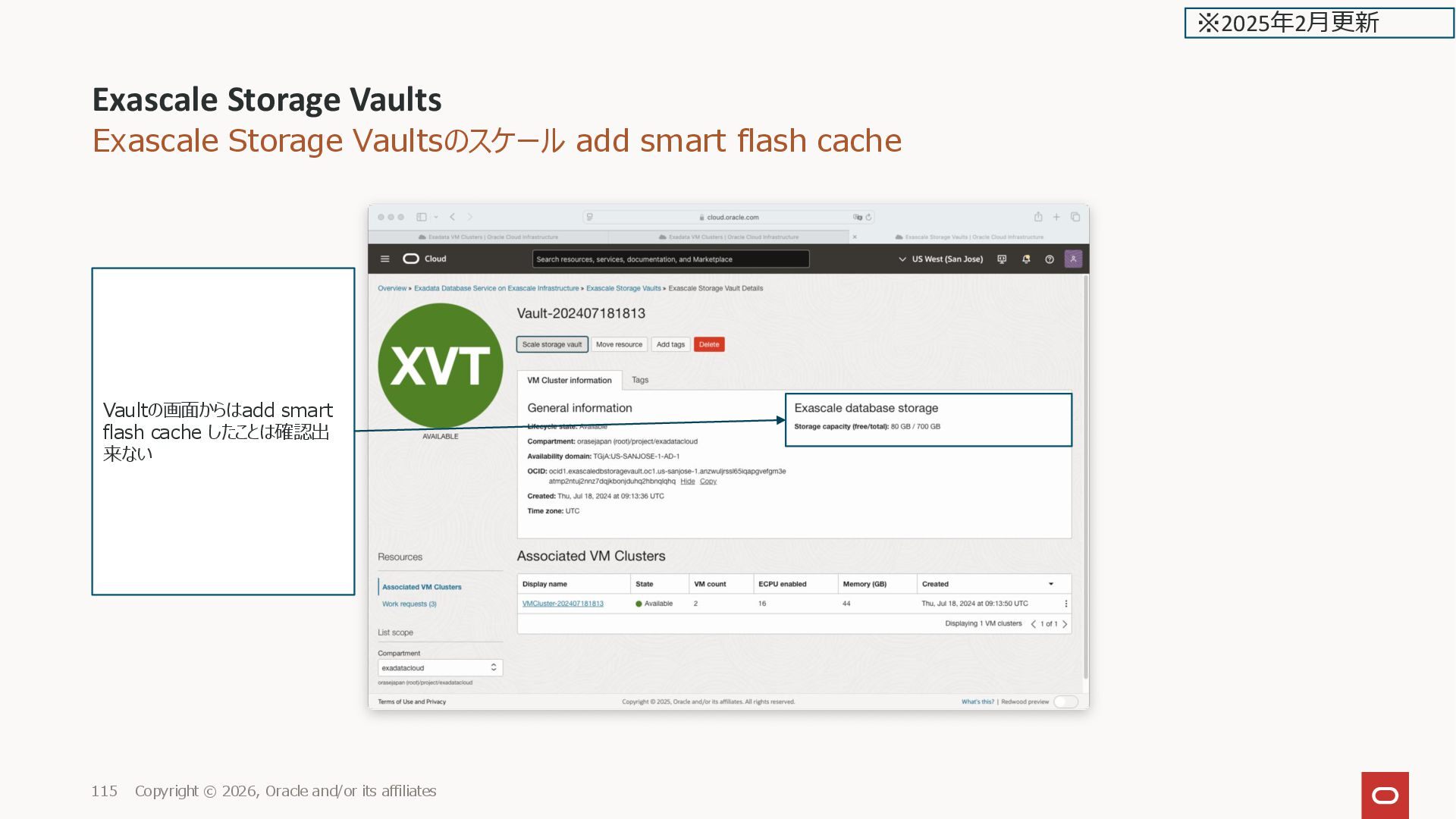
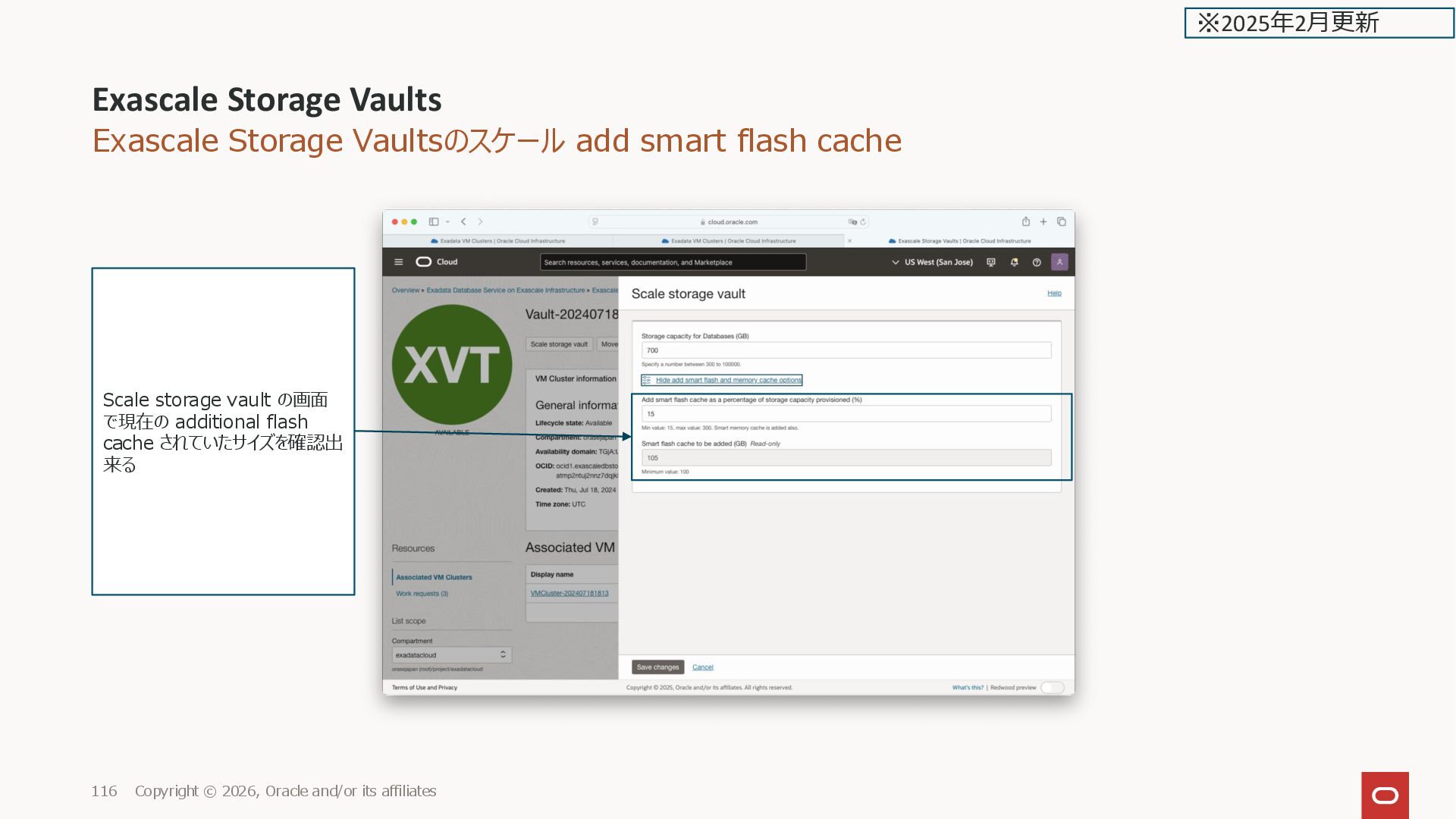
affiliates 20 ※2025年2月更新 Exascale Database Storage Vault Show add smart flash and memory cache options を選択した場合 Add smart flash cache as a percentage of storage capacity provisioned (%) Min value: 34, max value: 300. Smart memory cache is added also. デフォルト値は0(追加で構成される Flash Cache がゼロ) (デフォルトでSmart Flash Cache は 構成されている。初期構成時の Flashのサイズは非公開) 設定する際は最小で100GB のスト レージの%(この例は 300 GB の Vault なので 100GB が 34%になる) 課金対象 •(Optional) Add smart flash as a percentage of storage capacity provisioned (%): Select this option to purchase and specify an additional amount of flash cache over and above the amount of default flash cache that is included in the normal Storage capacity for Databases. Additional flash cache can potentially enable increased performance without adding additional storage capacity in some workloads. Additional flash cache also includes additional memory cache. Specify the additional flash cache as a percentage of the total storage provisioned. If you wish to provision additional flash cache, you must add at least 100 GB of additional flash cache. The amount of smart flash cache in GB that will be added is specified in the read- only field Smart flash cache to be added (GB).
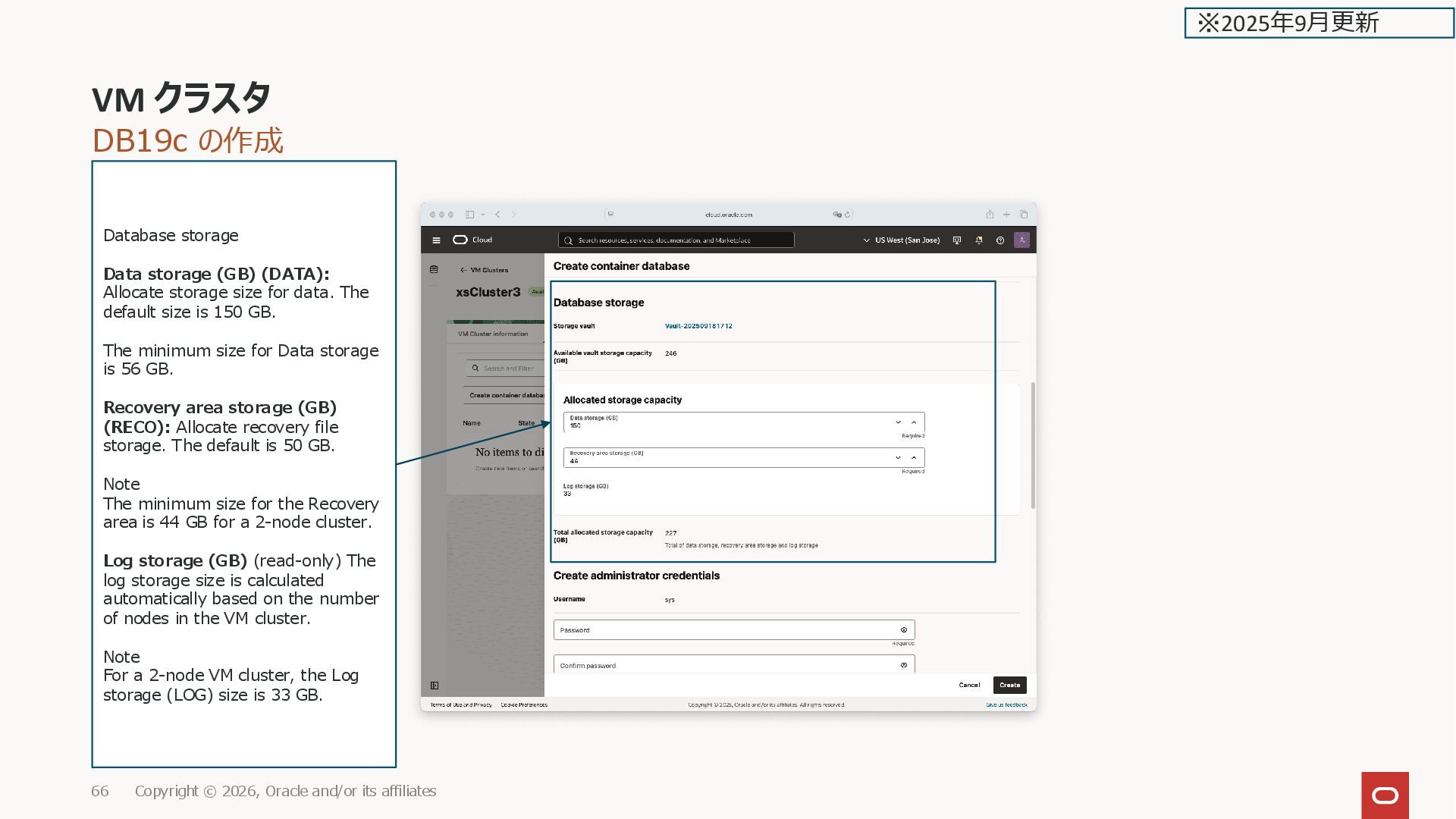
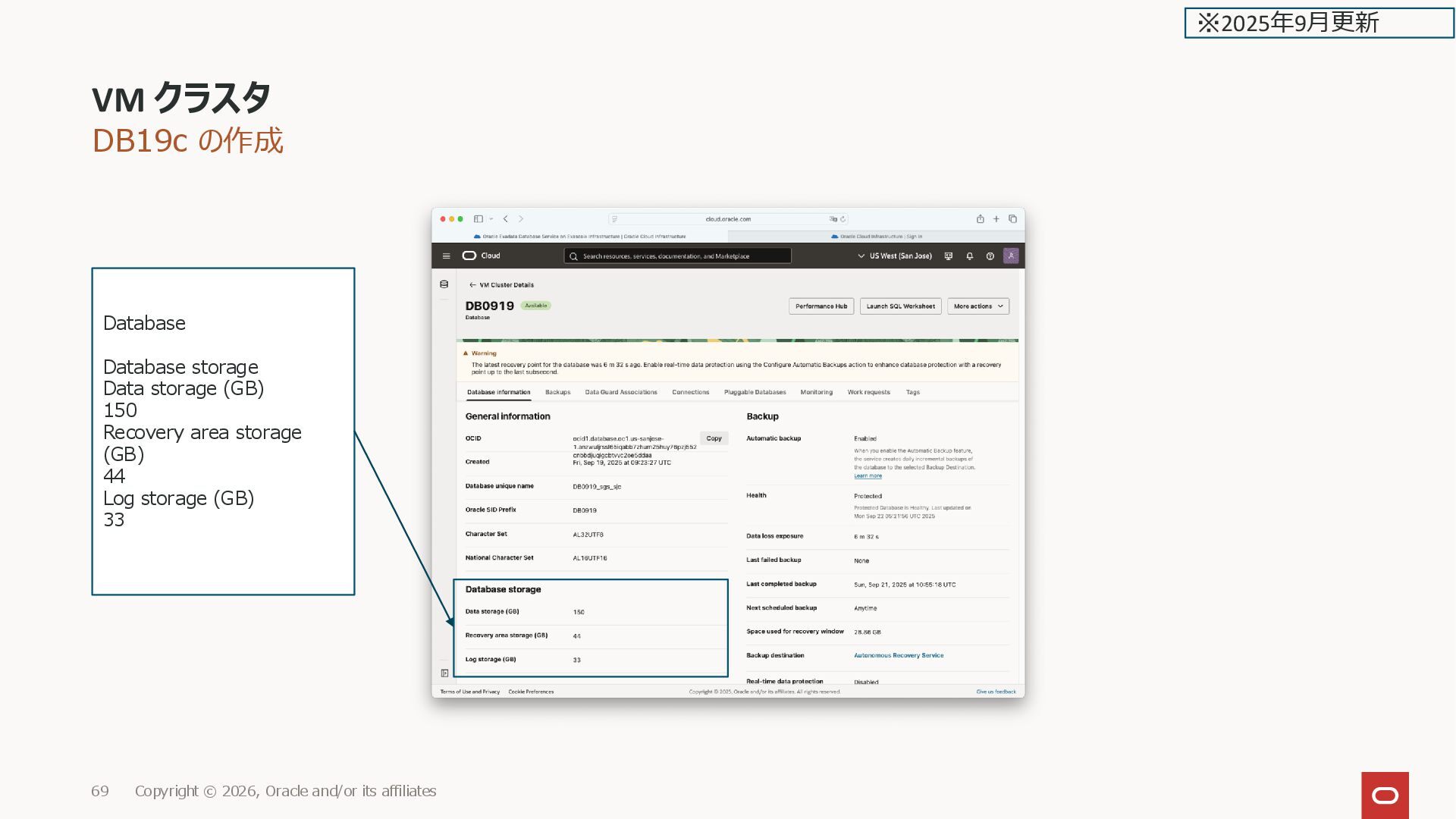
affiliates 66 Database storage Data storage (GB) (DATA): Allocate storage size for data. The default size is 150 GB. The minimum size for Data storage is 56 GB. Recovery area storage (GB) (RECO): Allocate recovery file storage. The default is 50 GB. Note The minimum size for the Recovery area is 44 GB for a 2-node cluster. Log storage (GB) (read-only) The log storage size is calculated automatically based on the number of nodes in the VM cluster. Note For a 2-node VM cluster, the Log storage (LOG) size is 33 GB. ※2025年9月更新
its affiliates 81 Database information Scale Database storage This section applies only to Oracle Database 19c container databases (CDBs) running on VM Clusters configured with Exascale Block Storage. There is no need to allocate any storage for Oracle Database 23ai CDBs running on VM Clusters configured with Exascale Smart Storage. ※2025年9月更新
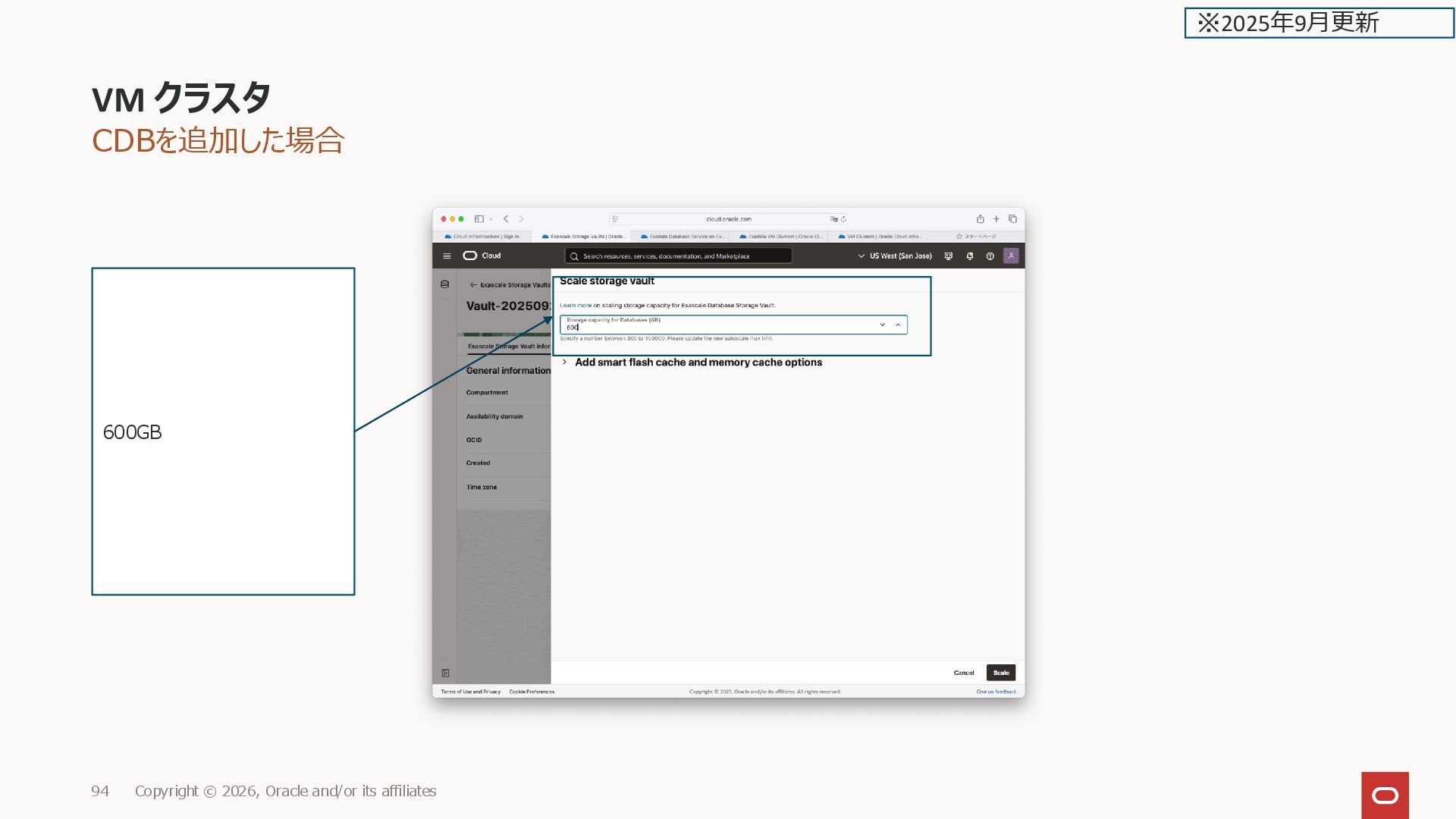
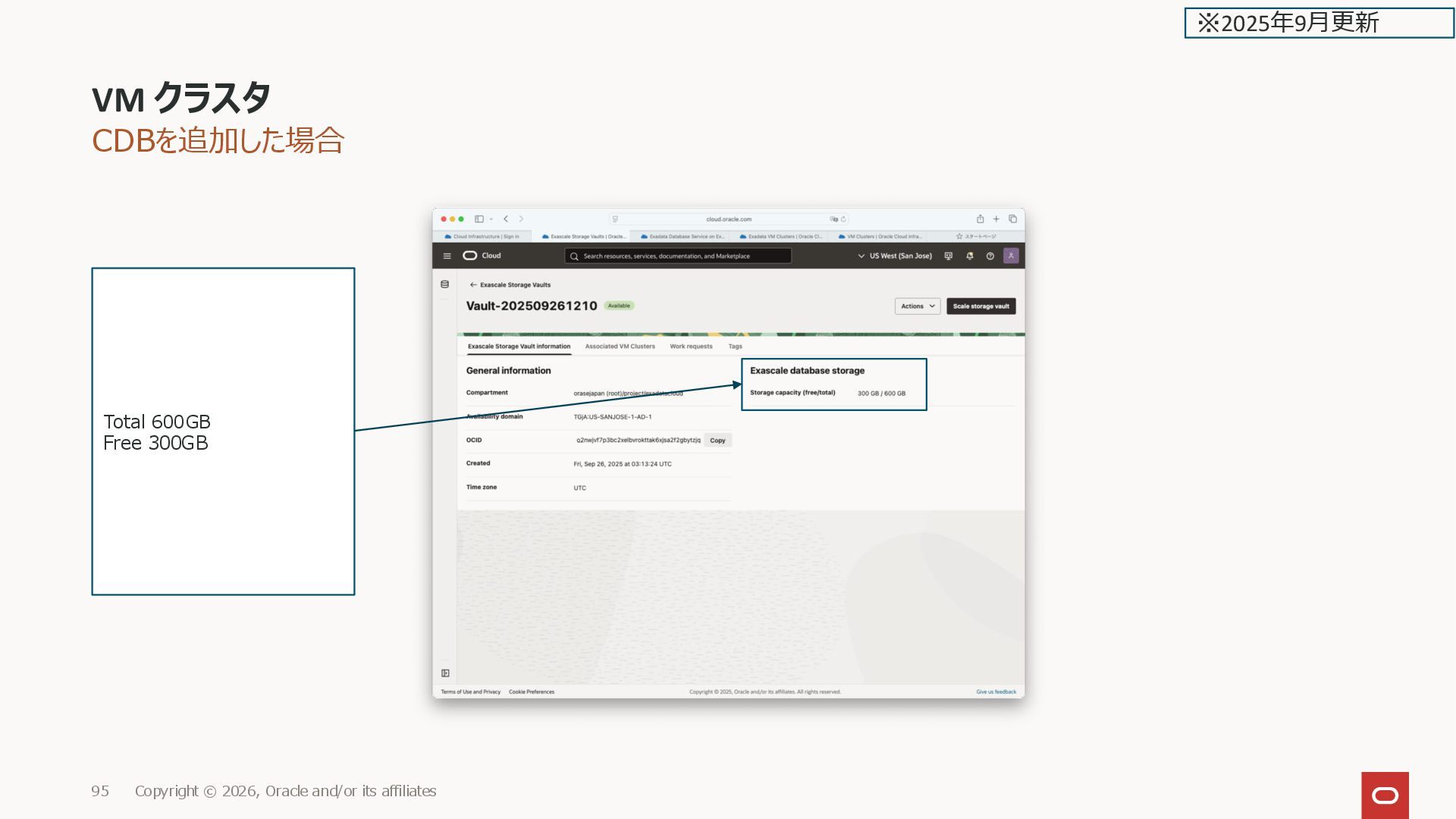
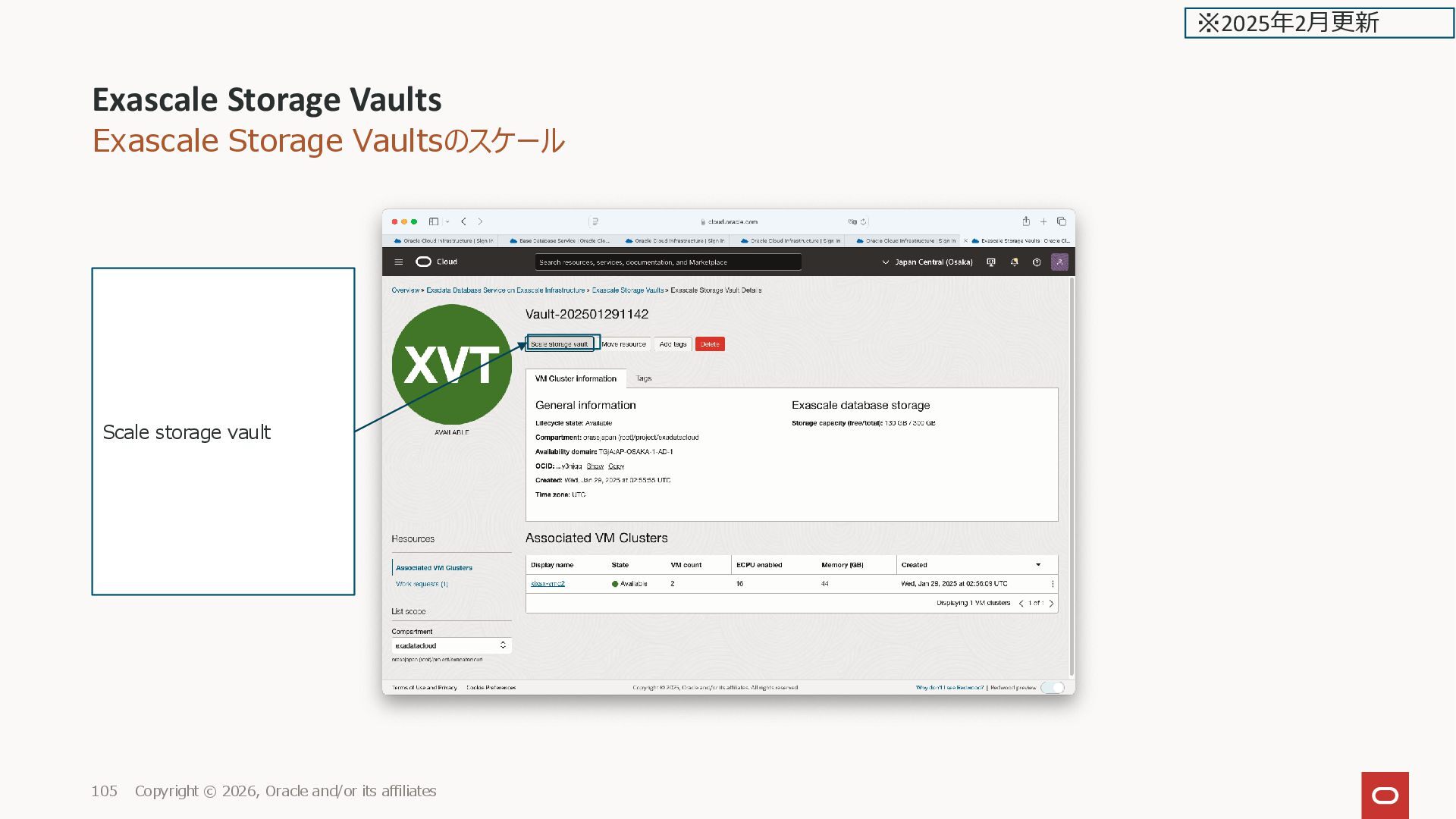
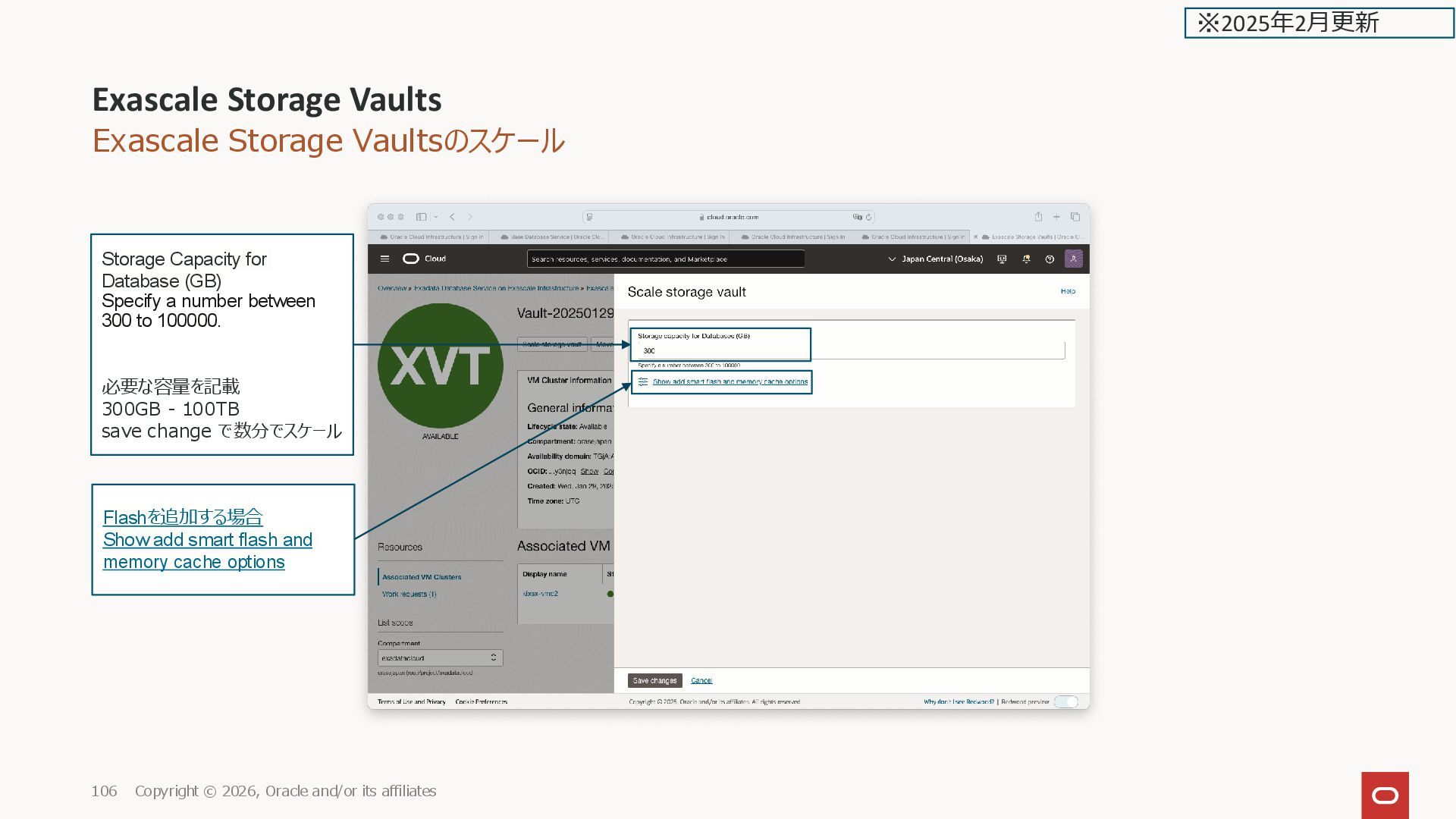
and/or its affiliates 106 Flashを追加する場合 Show add smart flash and memory cache options ※2025年2月更新 Storage Capacity for Database (GB) Specify a number between 300 to 100000. 必要な容量を記載 300GB - 100TB save change で数分でスケール
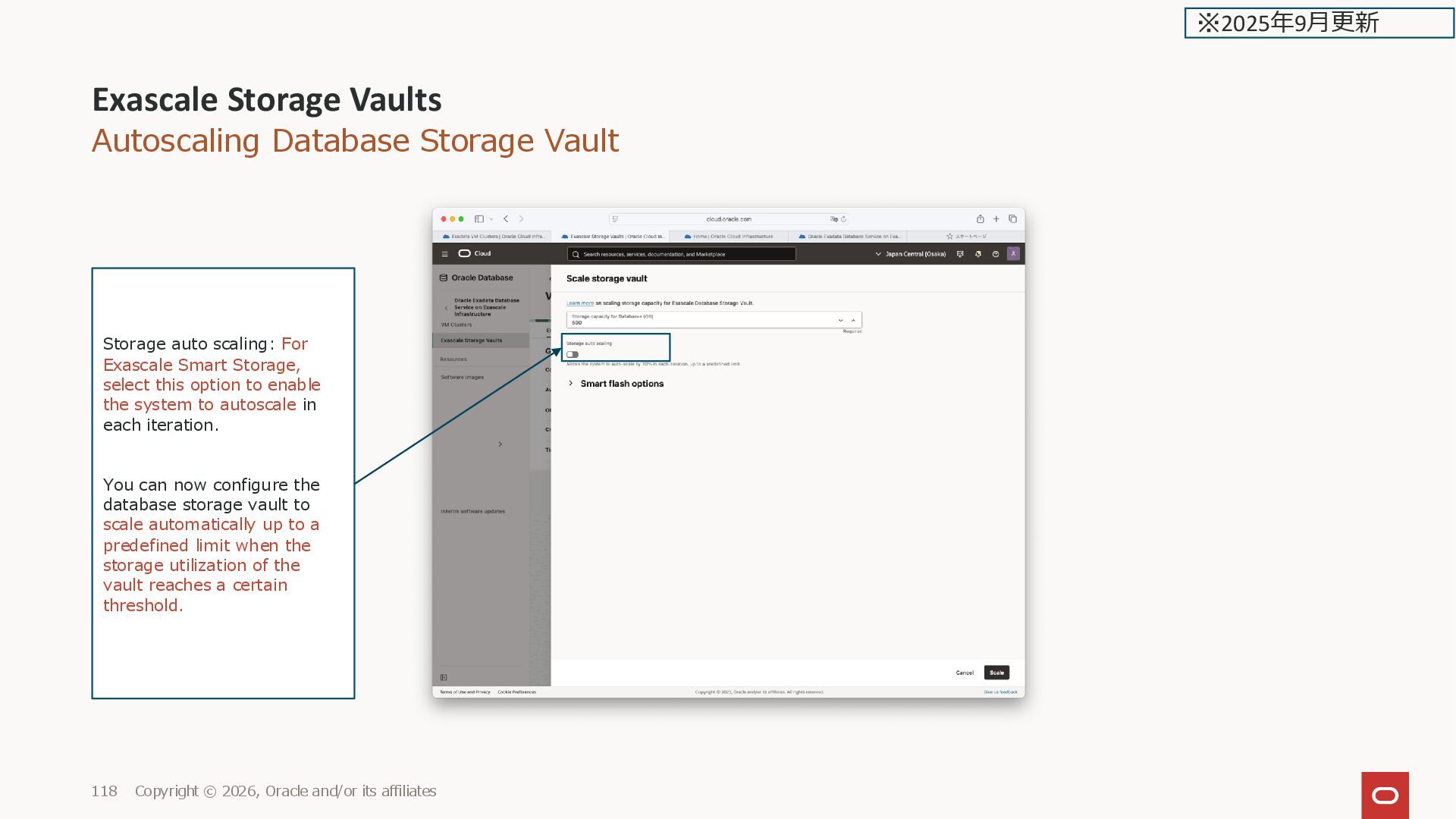
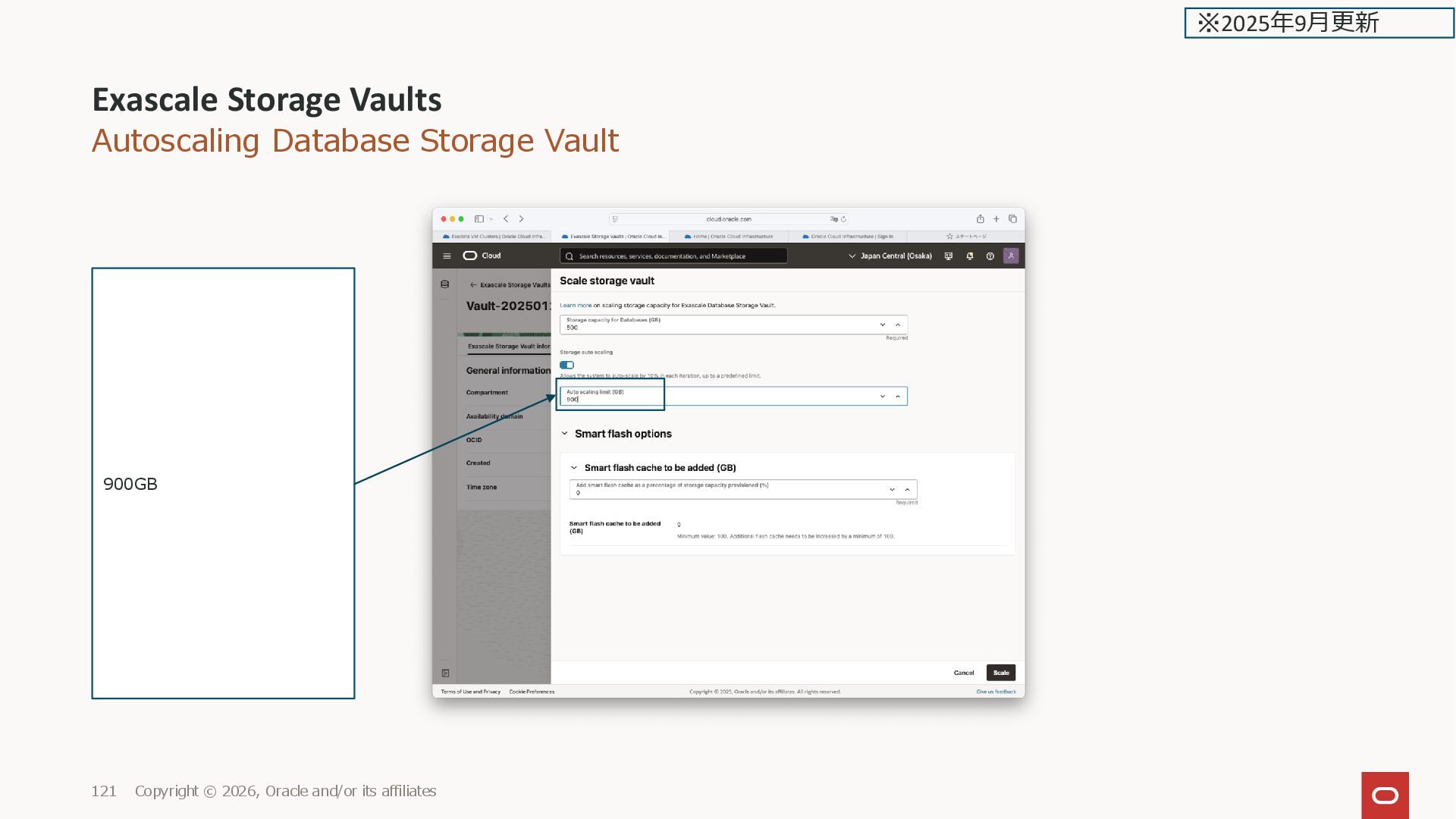
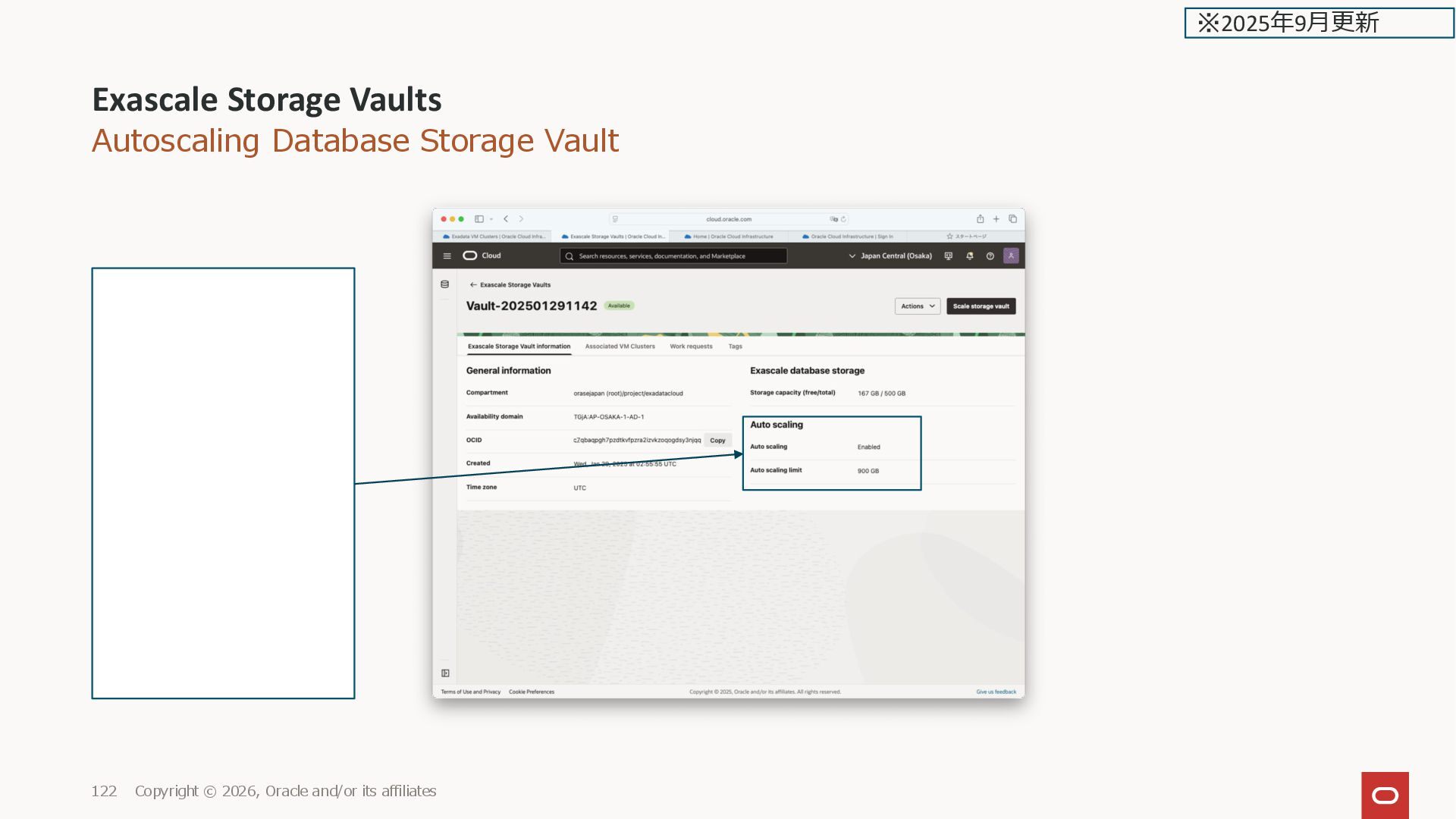
Oracle and/or its affiliates 118 Storage auto scaling: For Exascale Smart Storage, select this option to enable the system to autoscale in each iteration. You can now configure the database storage vault to scale automatically up to a predefined limit when the storage utilization of the vault reaches a certain threshold. ※2025年9月更新
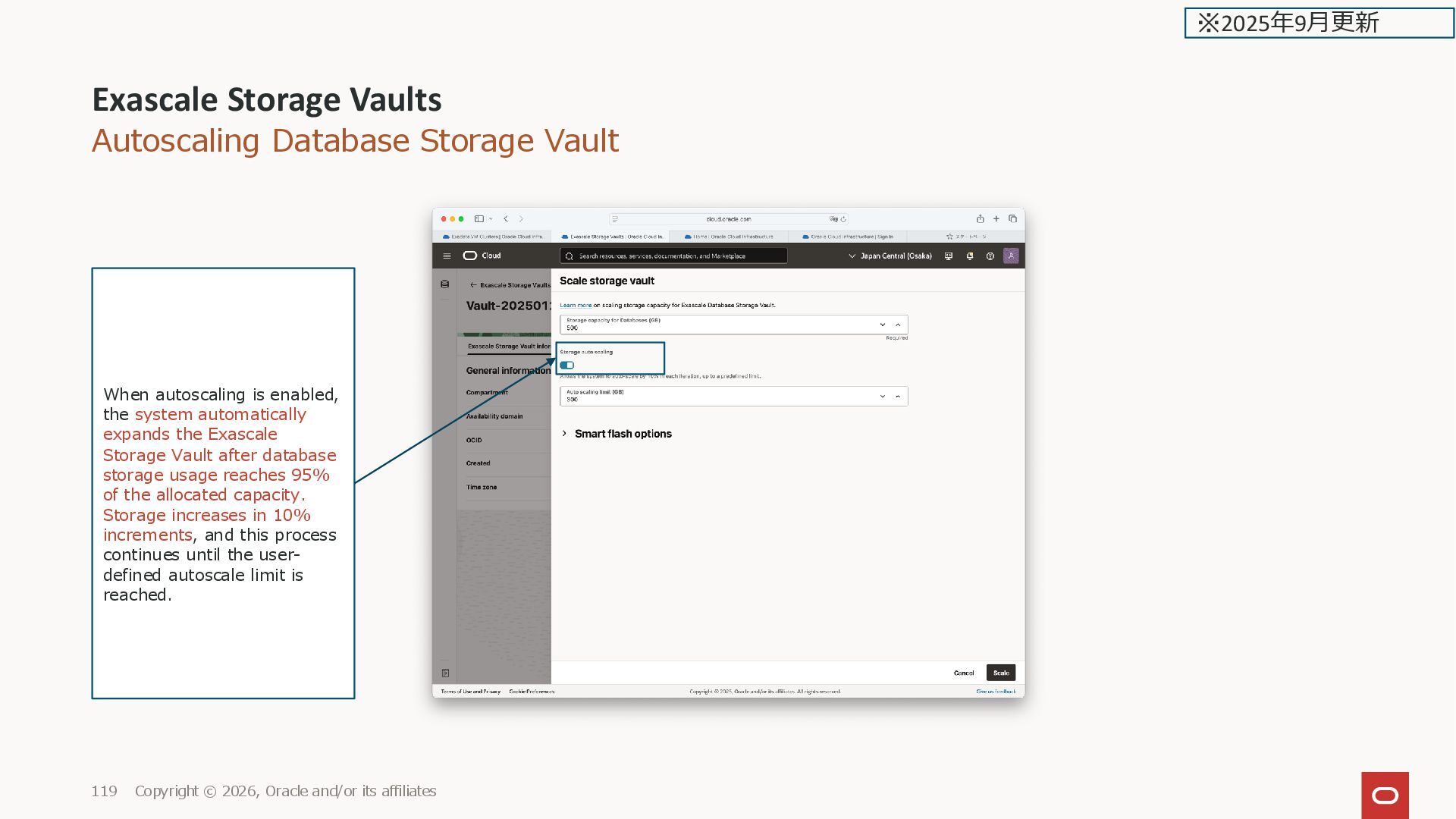
Oracle and/or its affiliates 119 When autoscaling is enabled, the system automatically expands the Exascale Storage Vault after database storage usage reaches 95% of the allocated capacity. Storage increases in 10% increments, and this process continues until the user- defined autoscale limit is reached. ※2025年9月更新
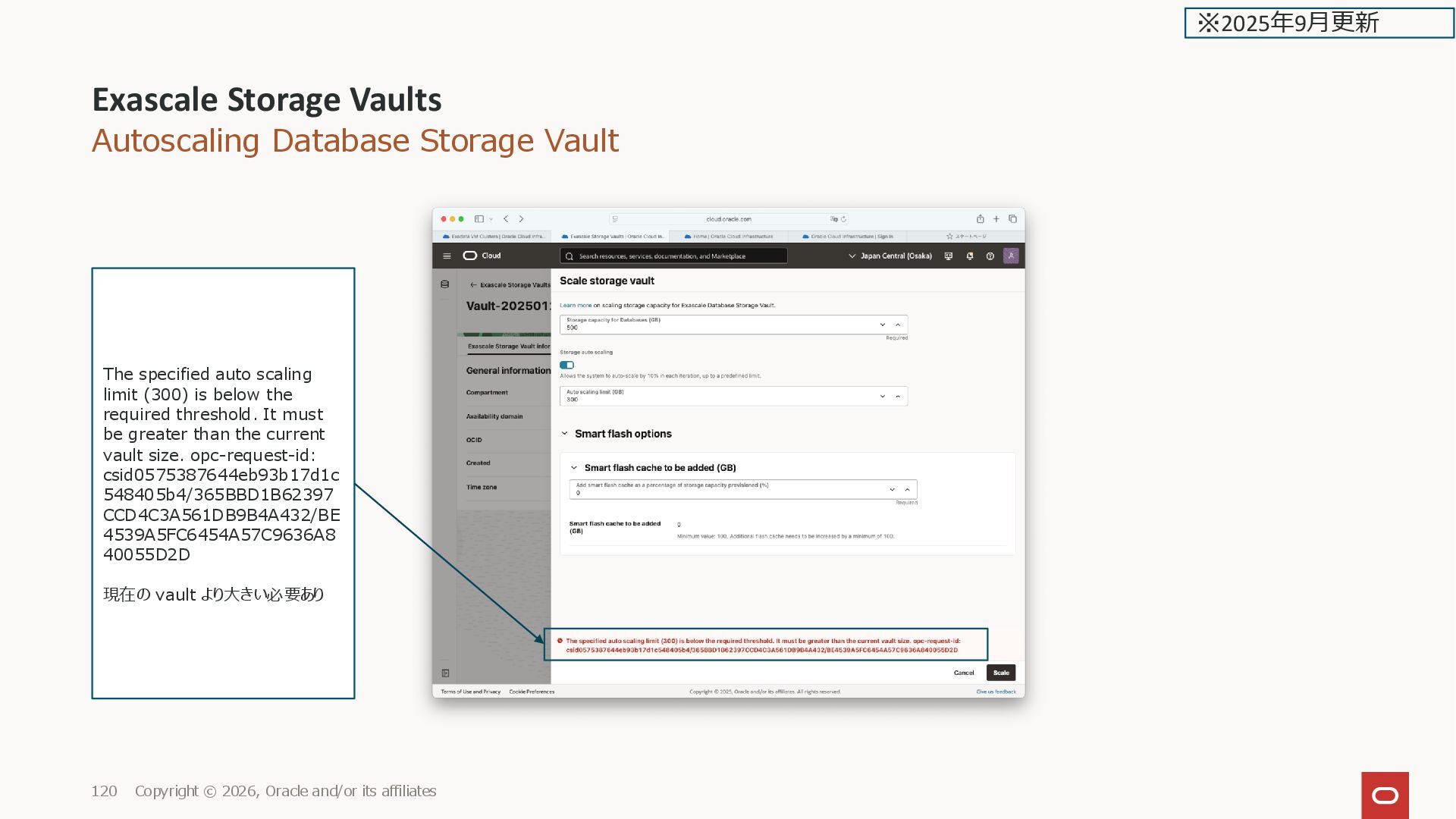
Oracle and/or its affiliates 120 The specified auto scaling limit (300) is below the required threshold. It must be greater than the current vault size. opc-request-id: csid0575387644eb93b17d1c 548405b4/365BBD1B62397 CCD4C3A561DB9B4A432/BE 4539A5FC6454A57C9636A8 40055D2D 現在の vault より大きい必要あり ※2025年9月更新
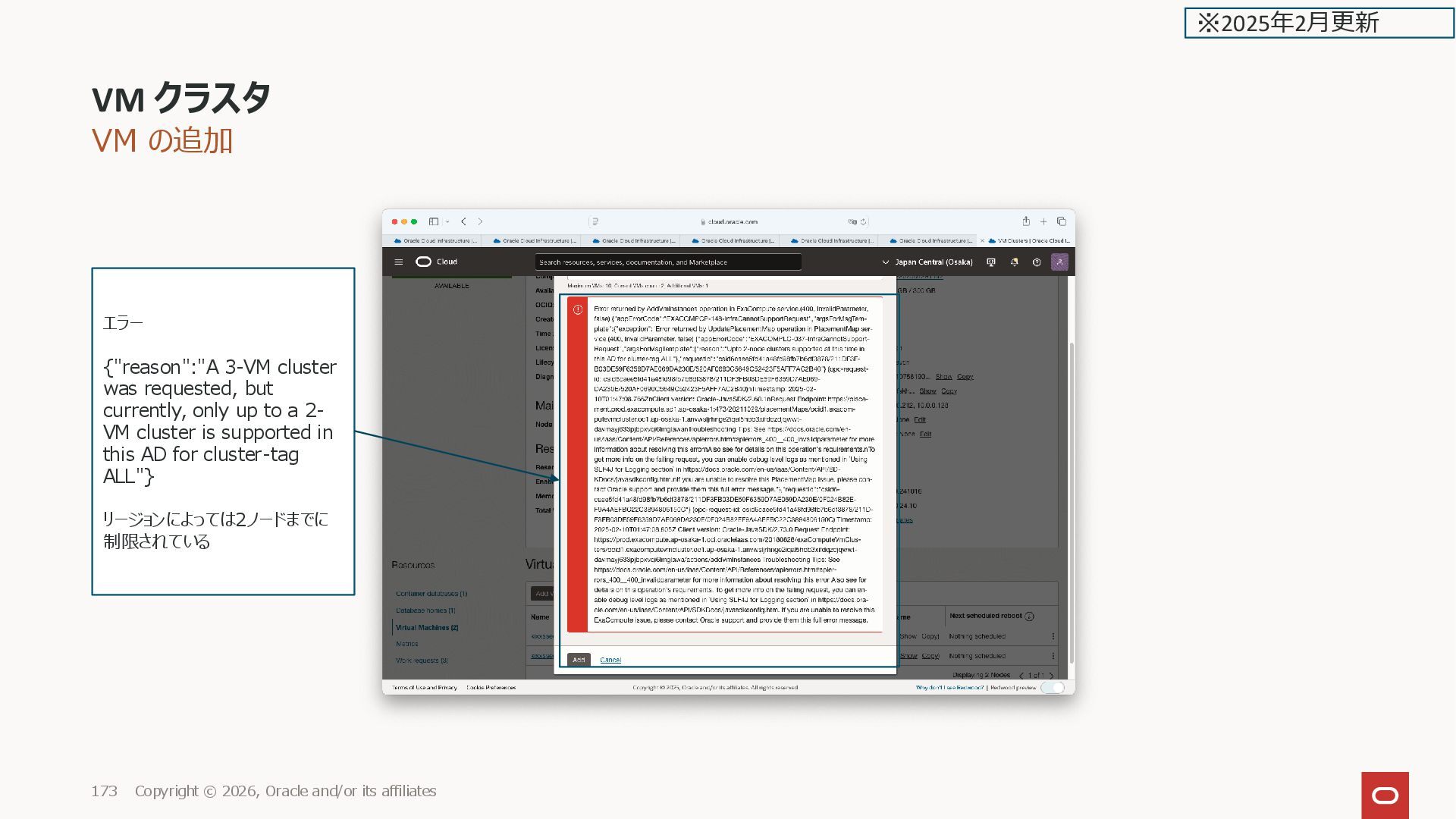
affiliates 173 エラー {"reason":"A 3-VM cluster was requested, but currently, only up to a 2- VM cluster is supported in this AD for cluster-tag ALL"} リージョンによっては2ノードまでに 制限されている ※2025年2月更新
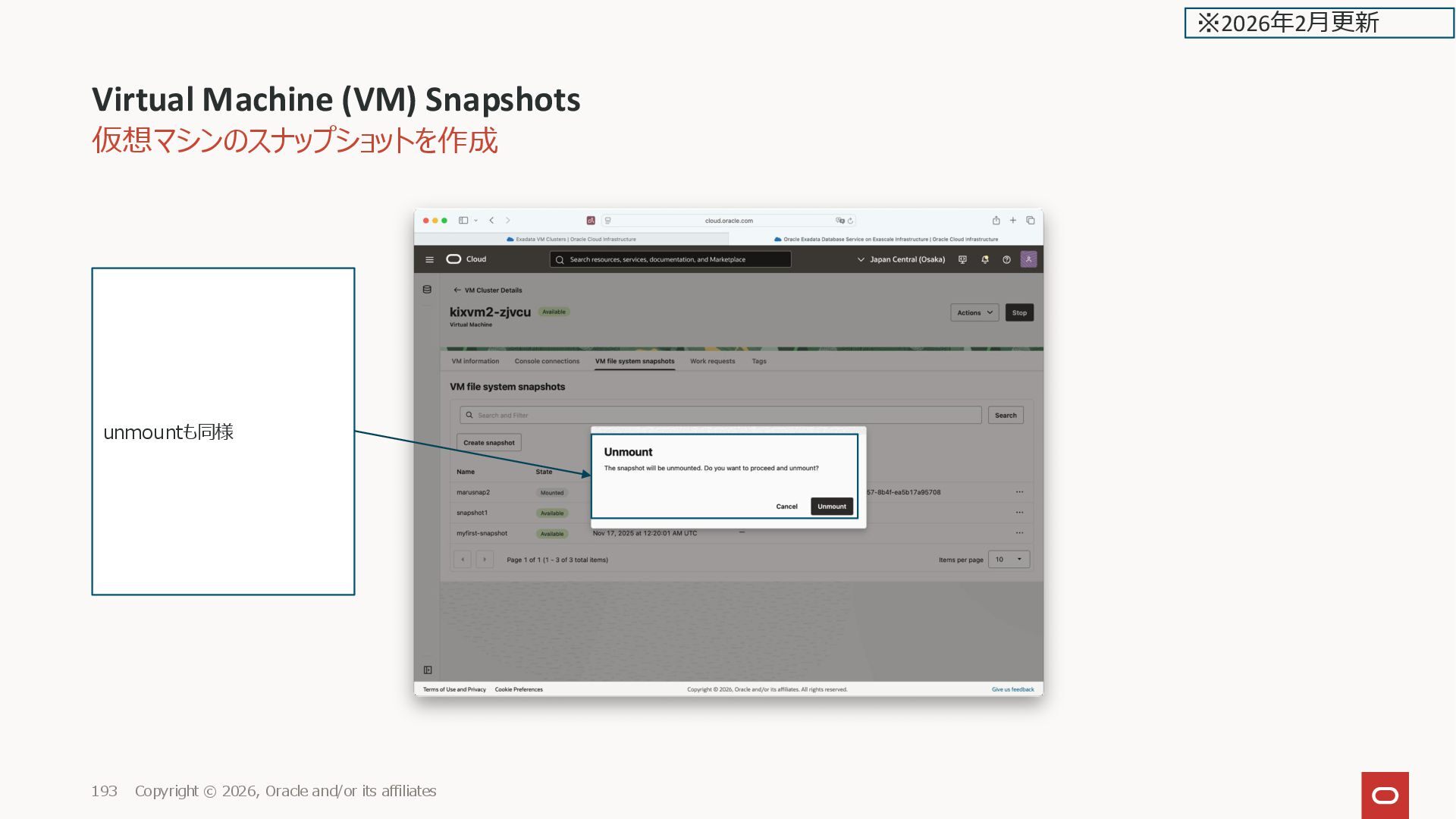
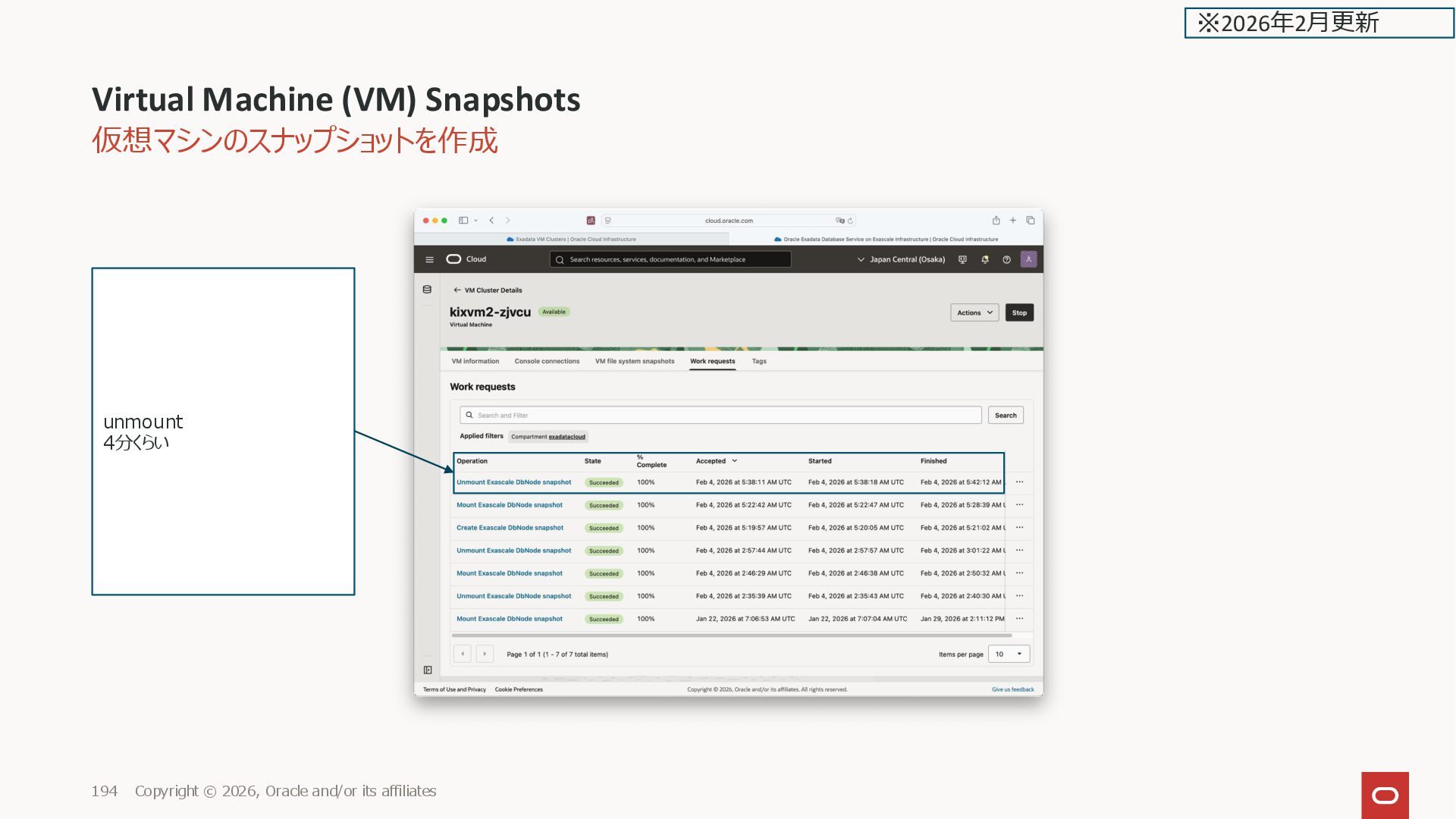
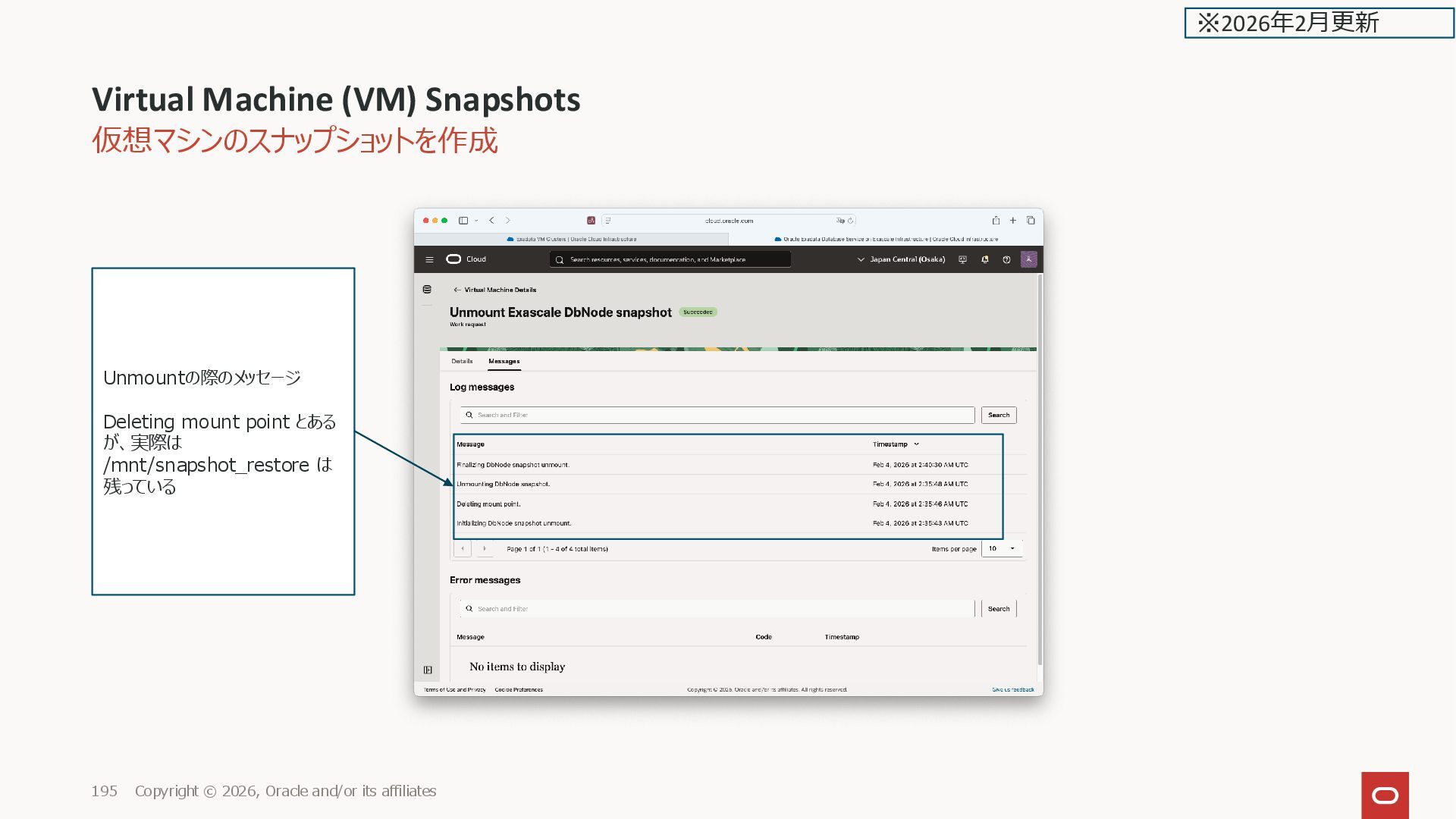
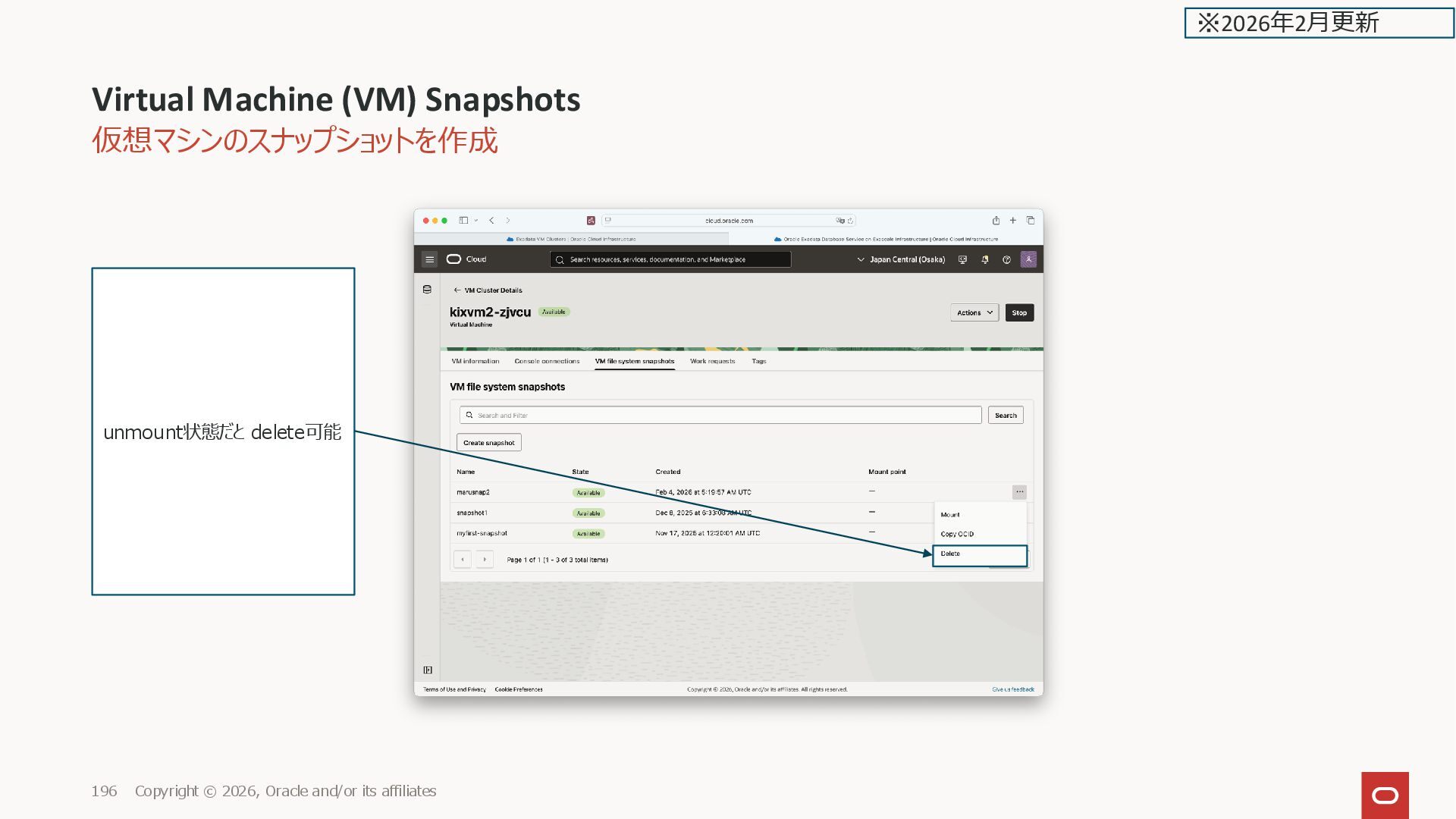
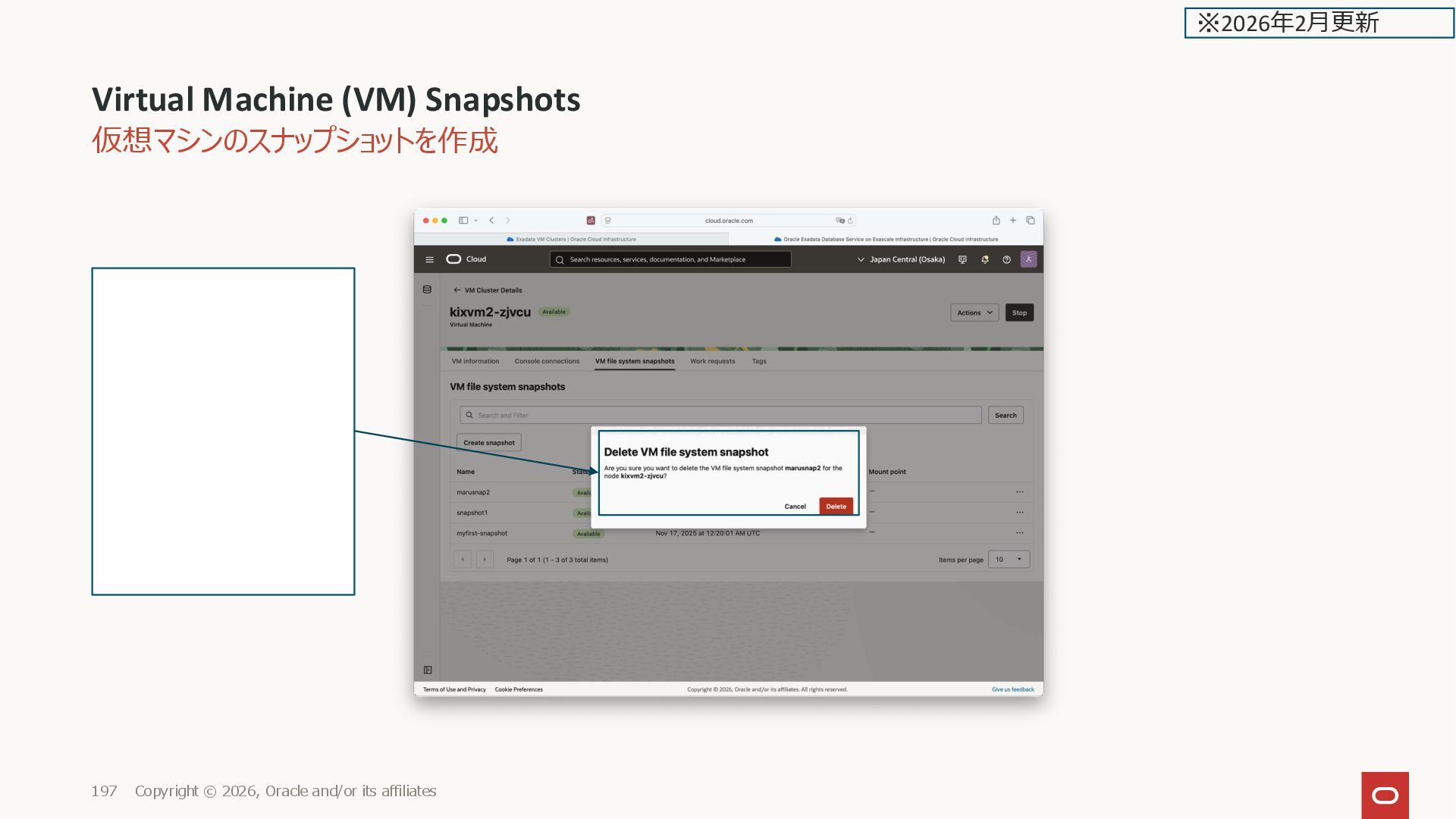
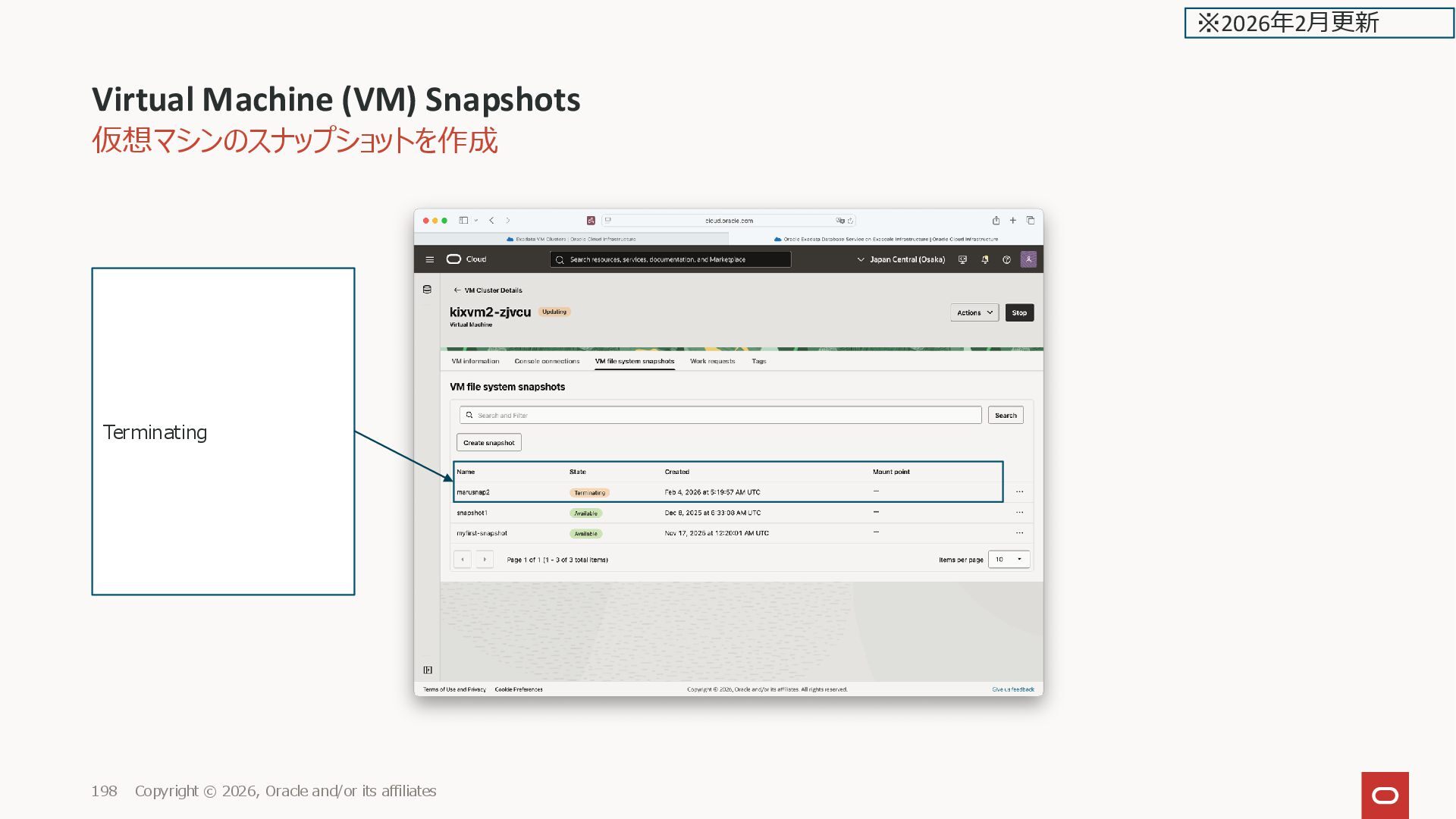
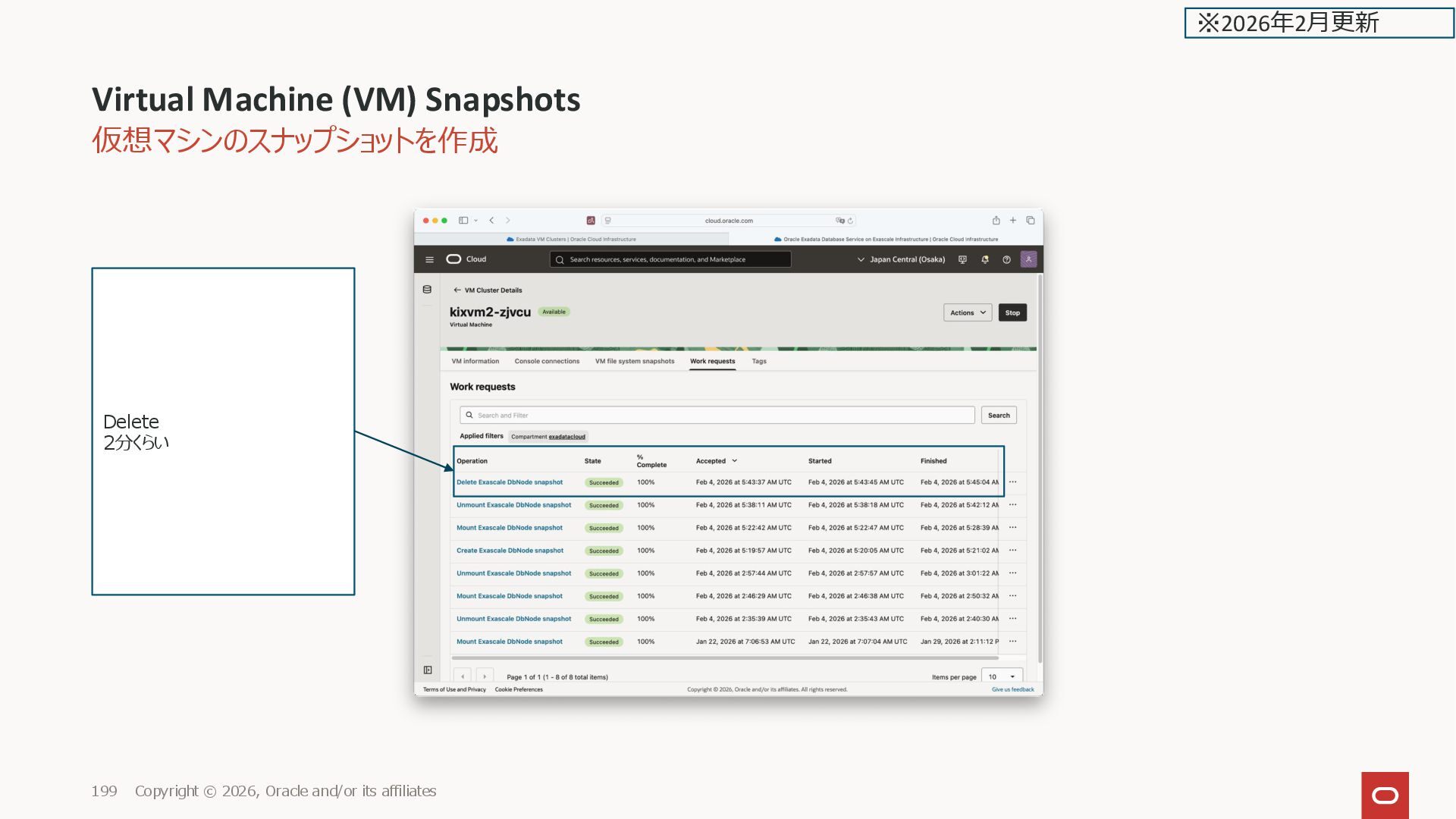
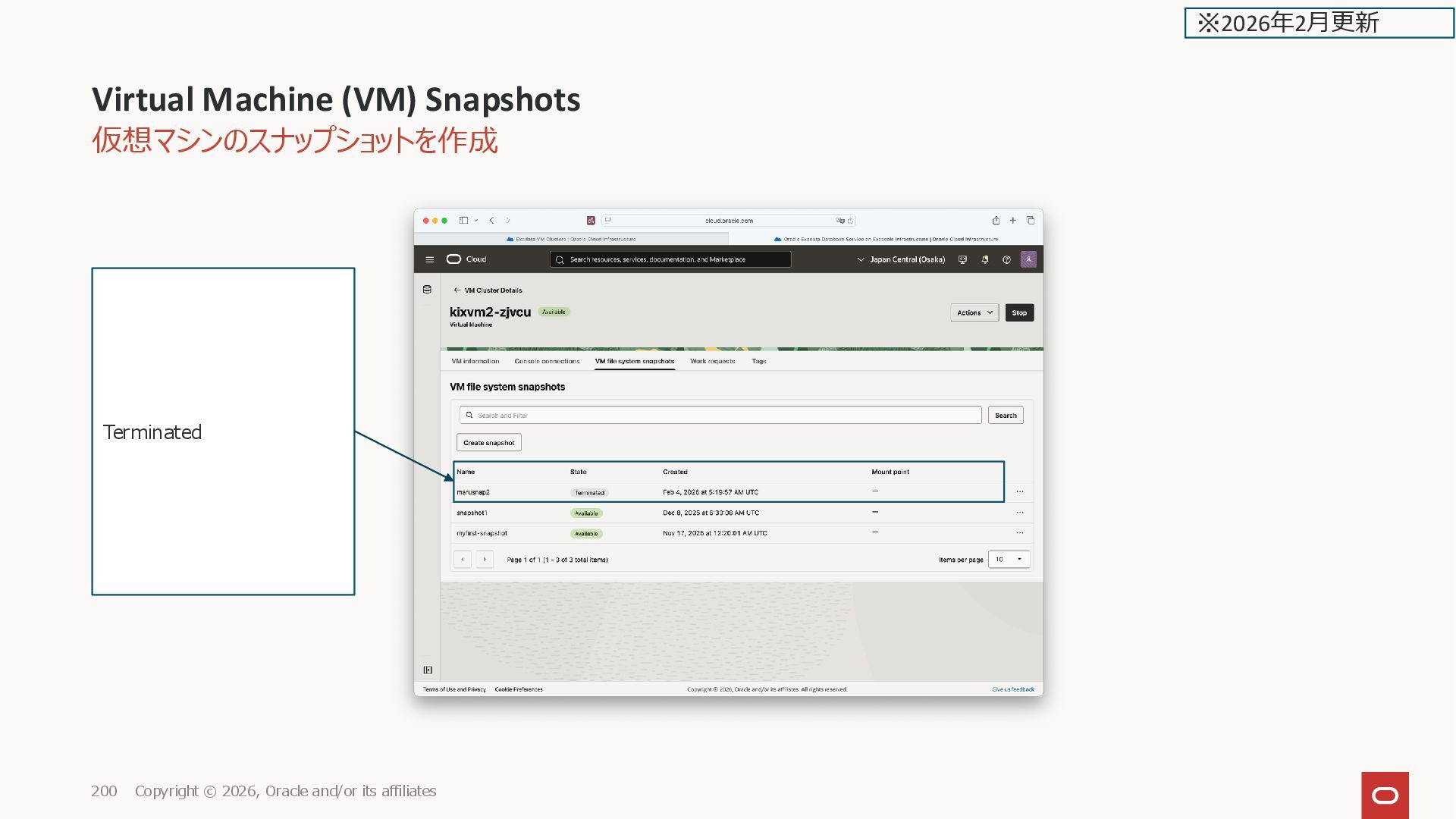
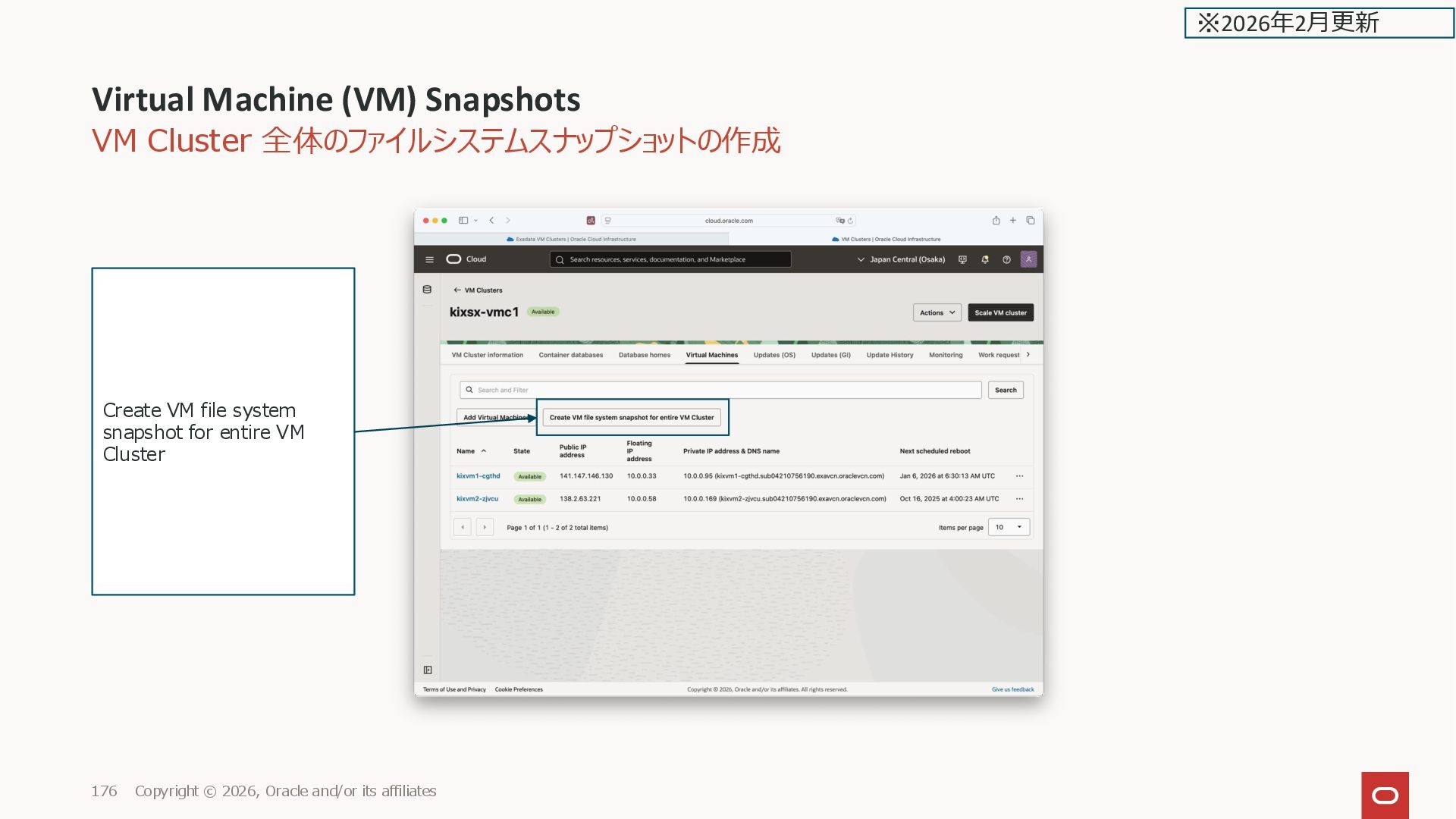
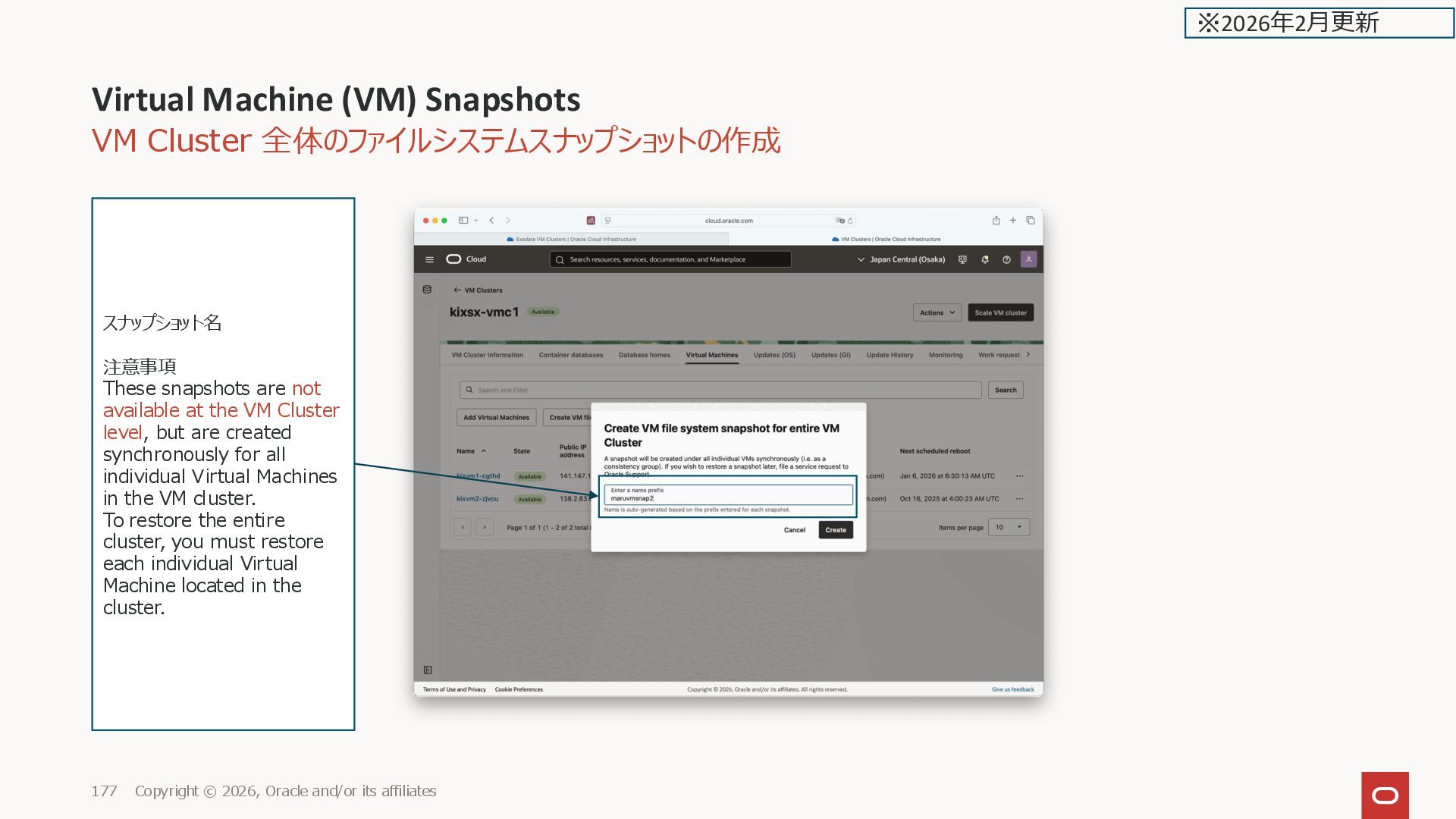
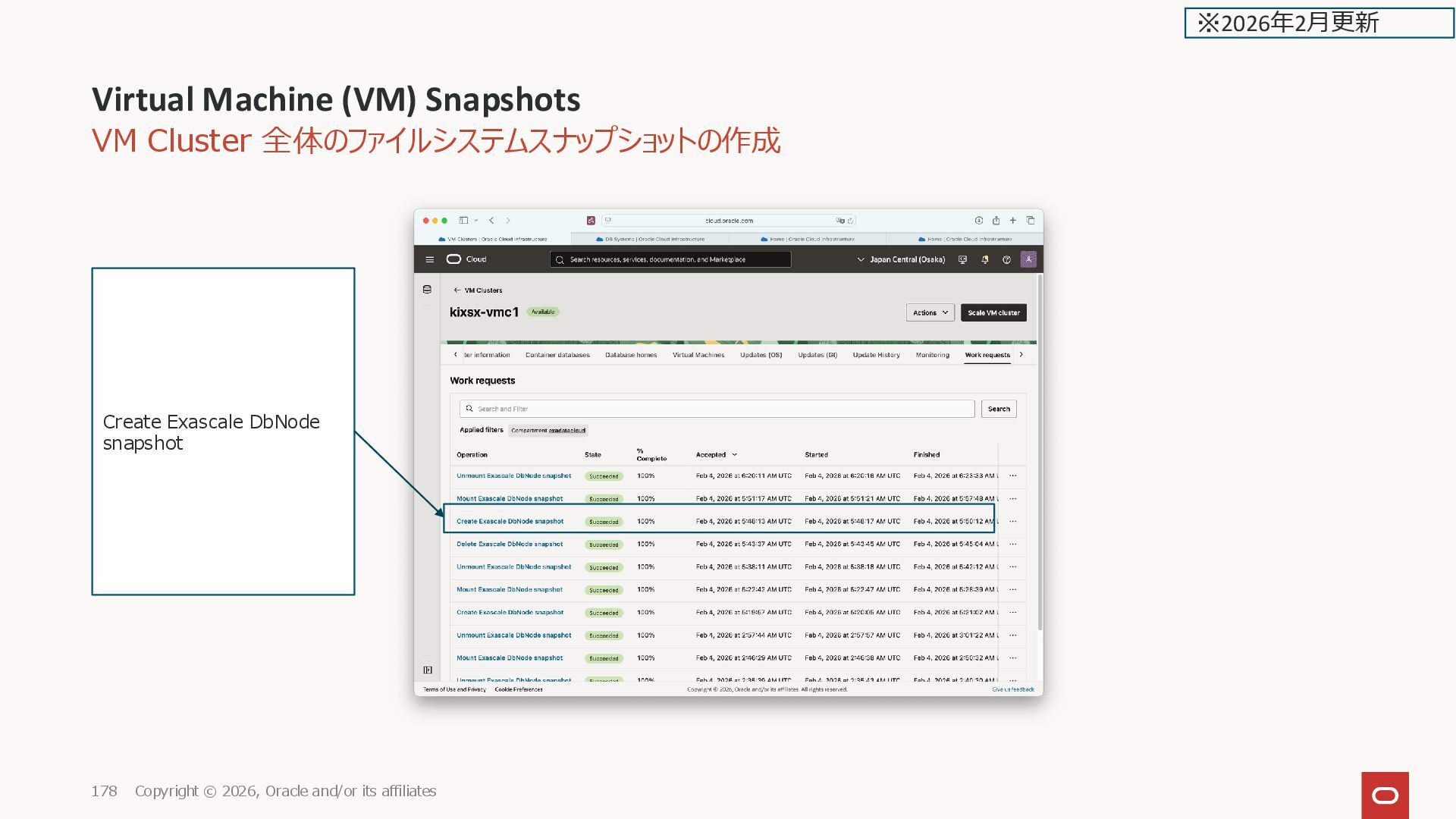
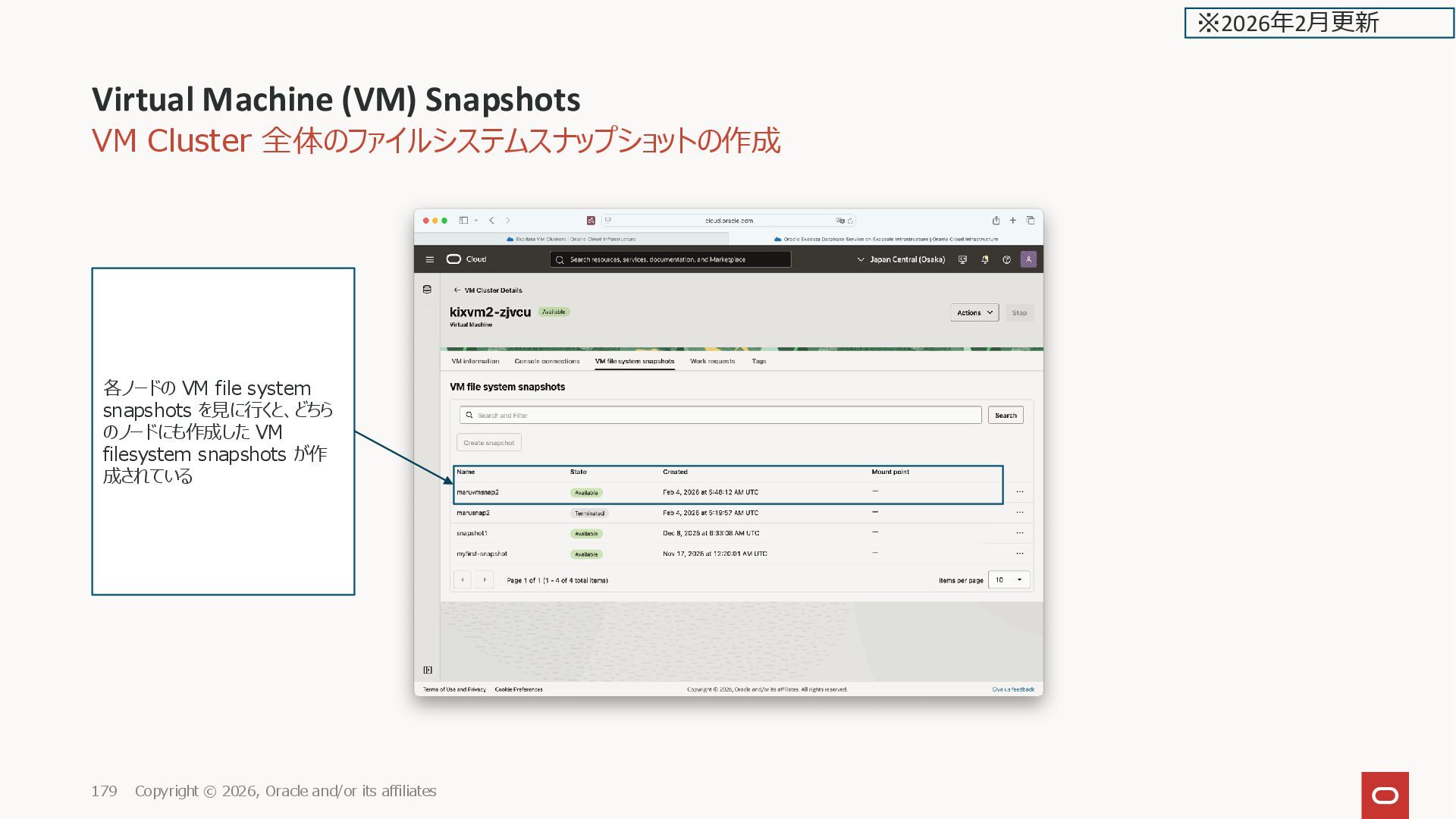
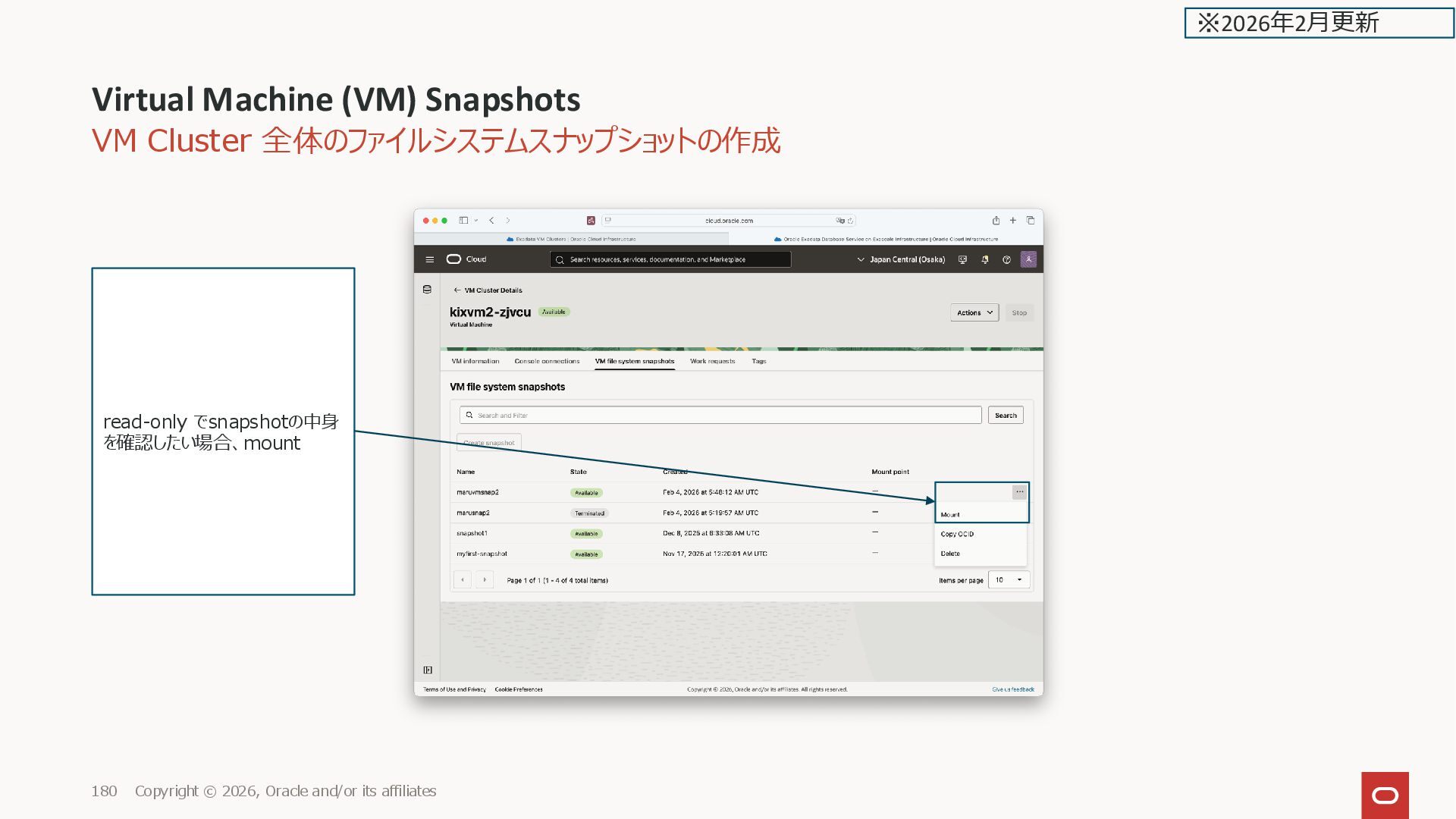
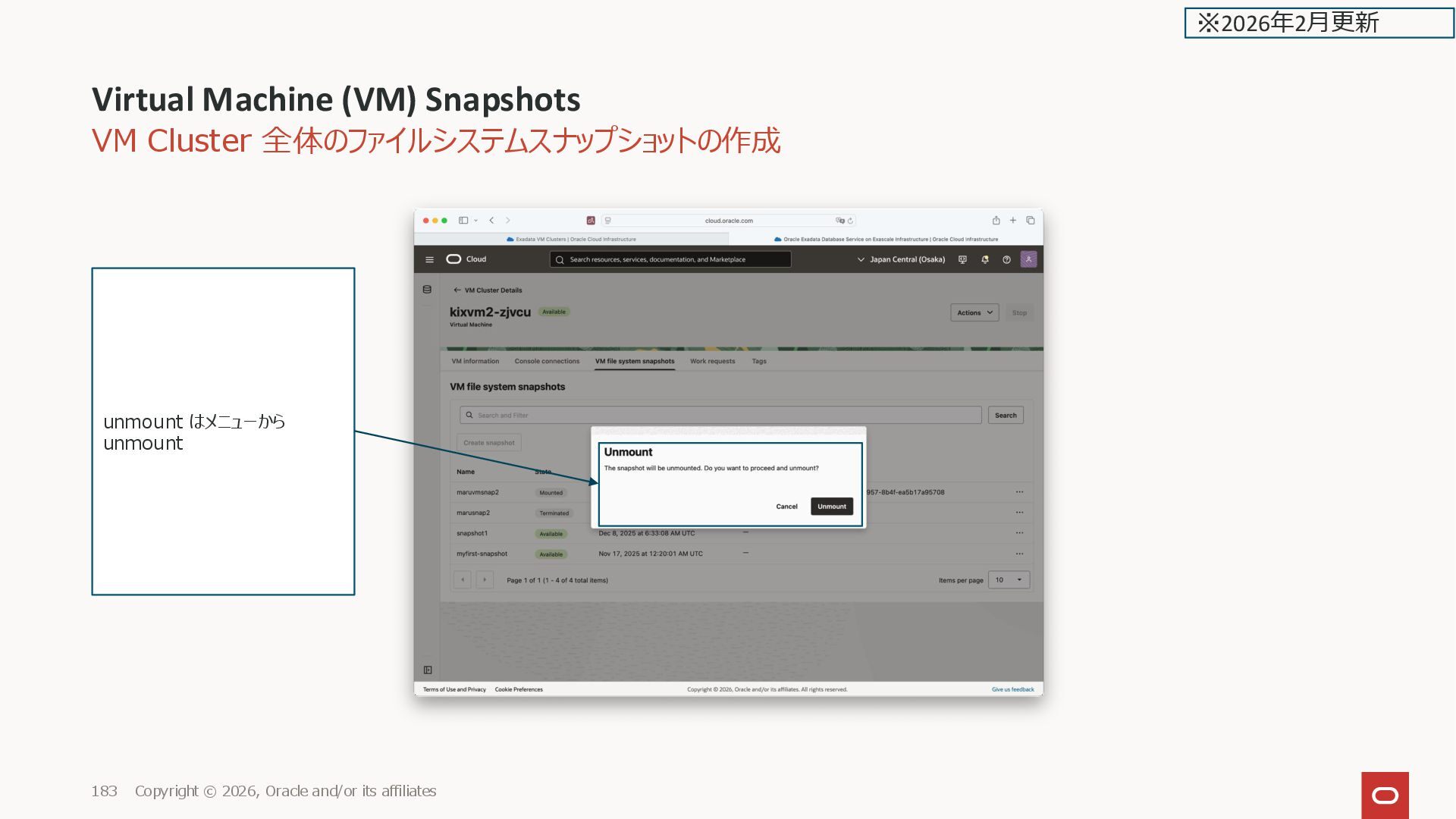
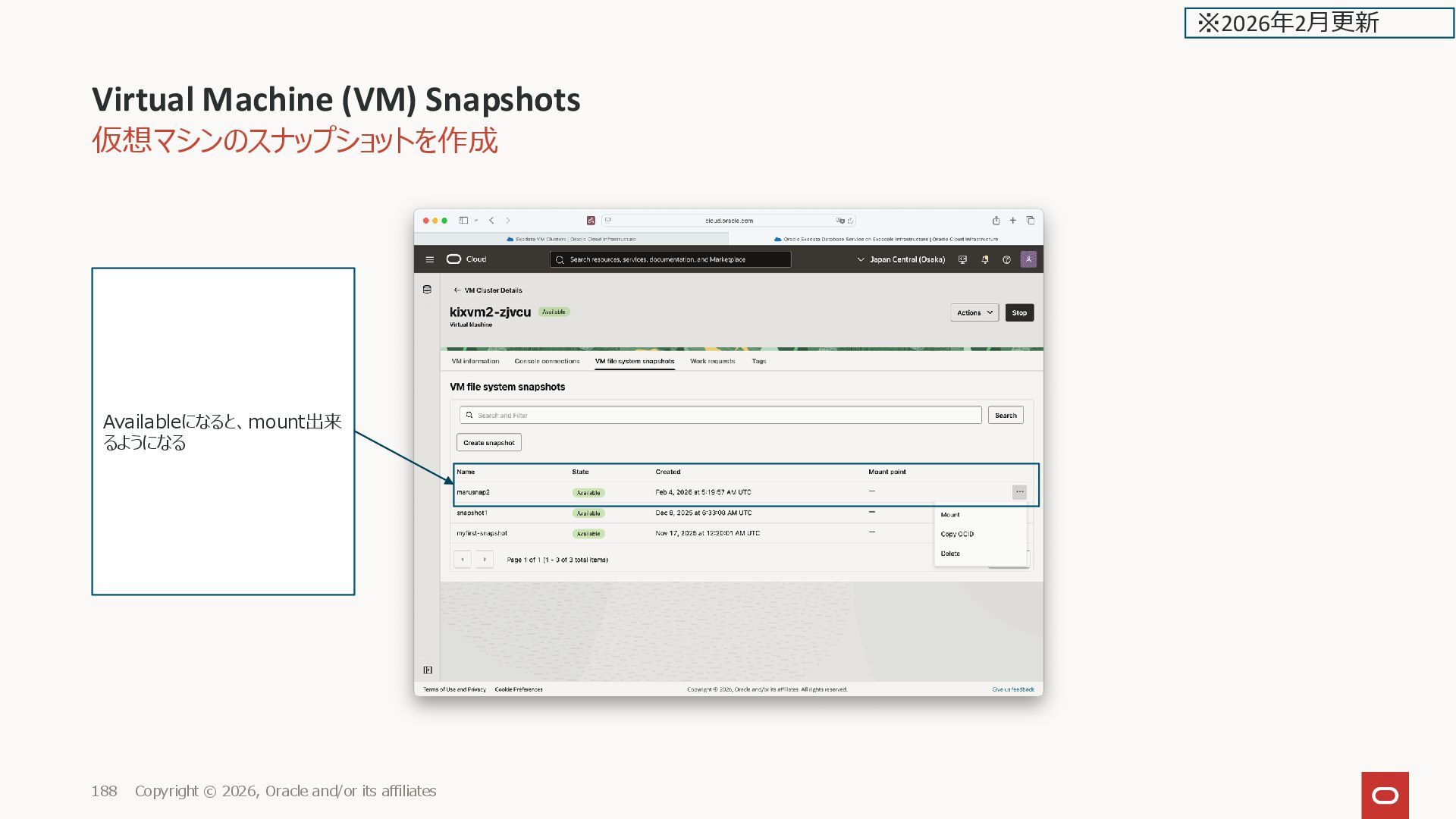
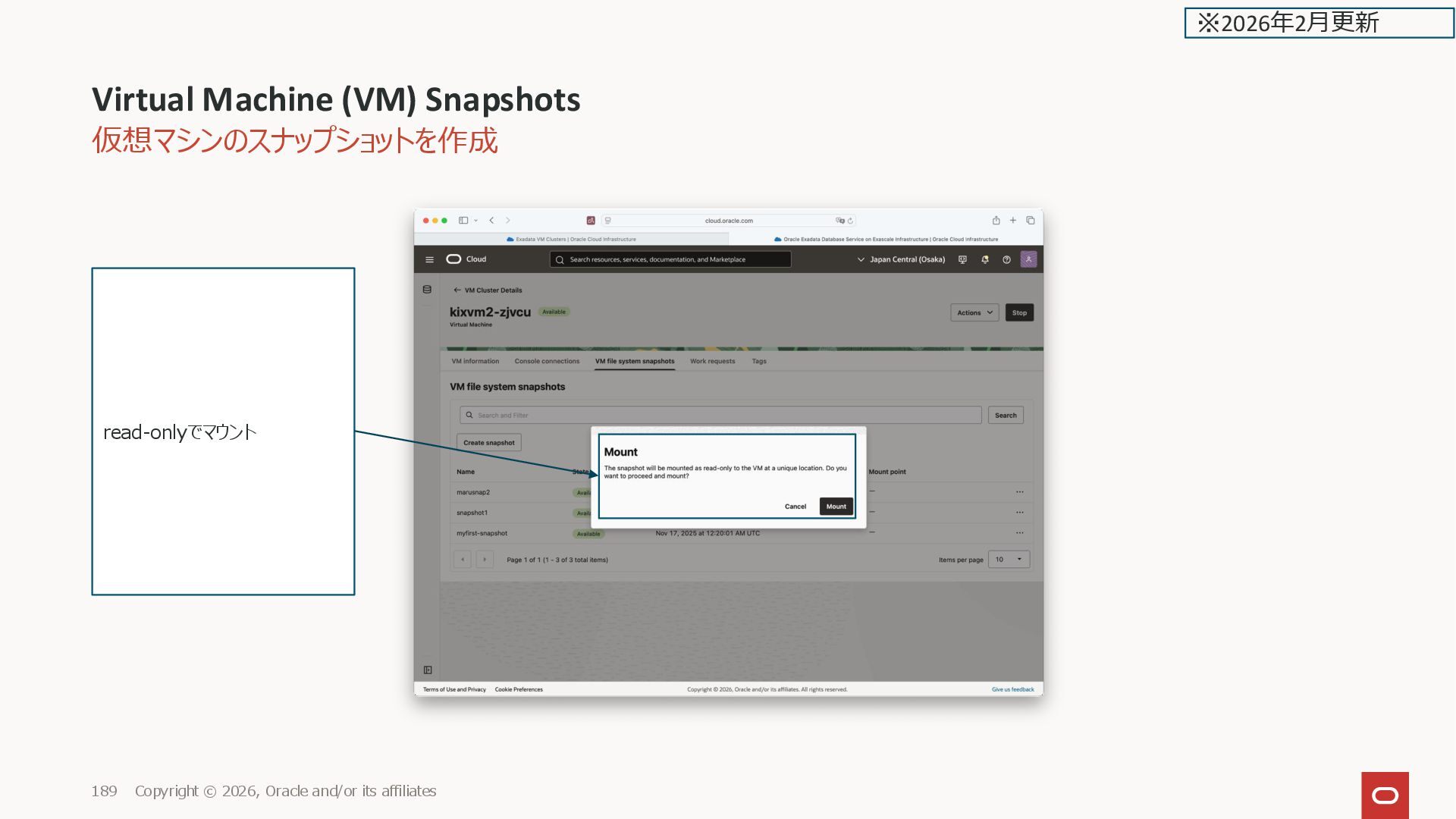
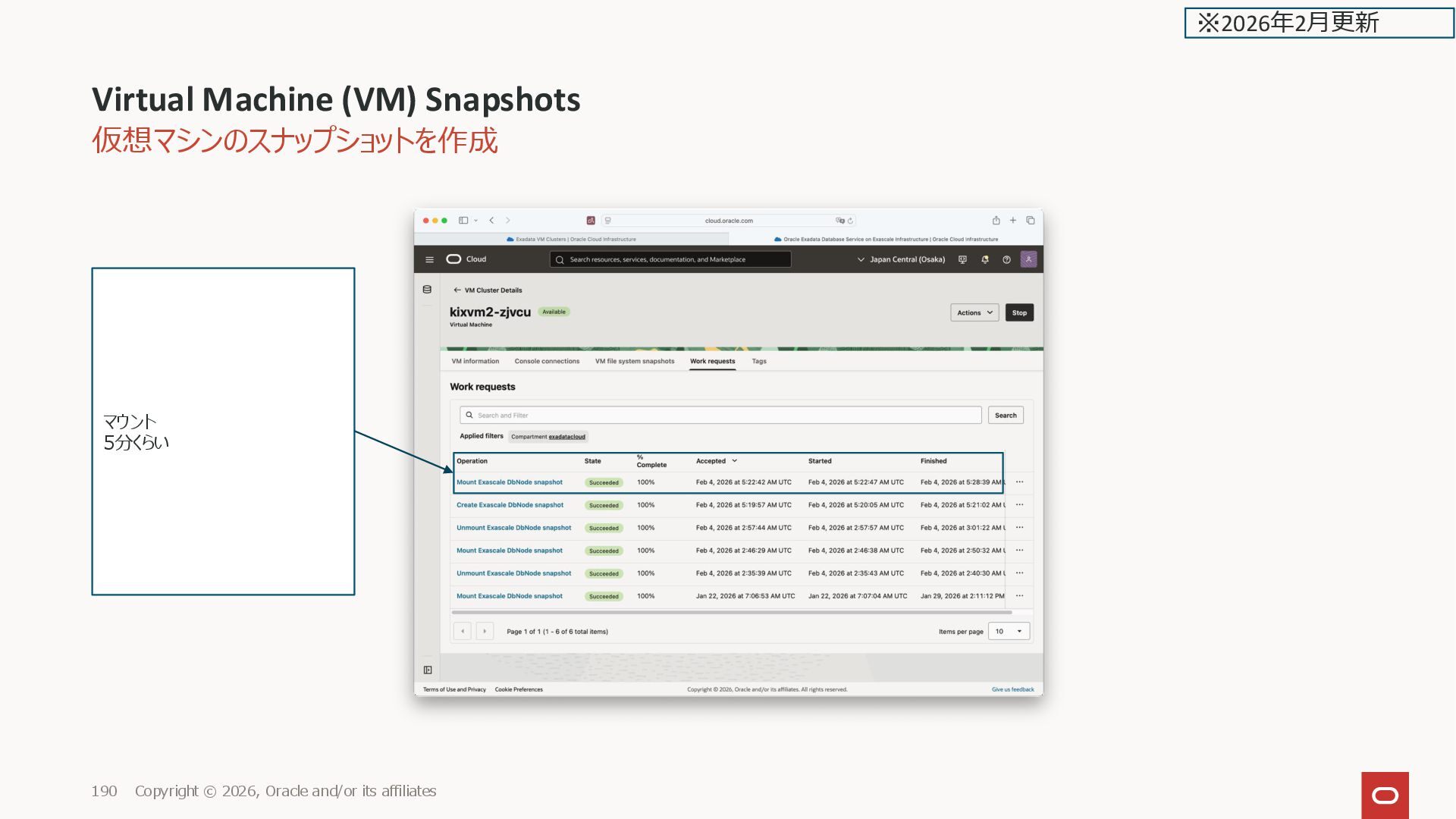
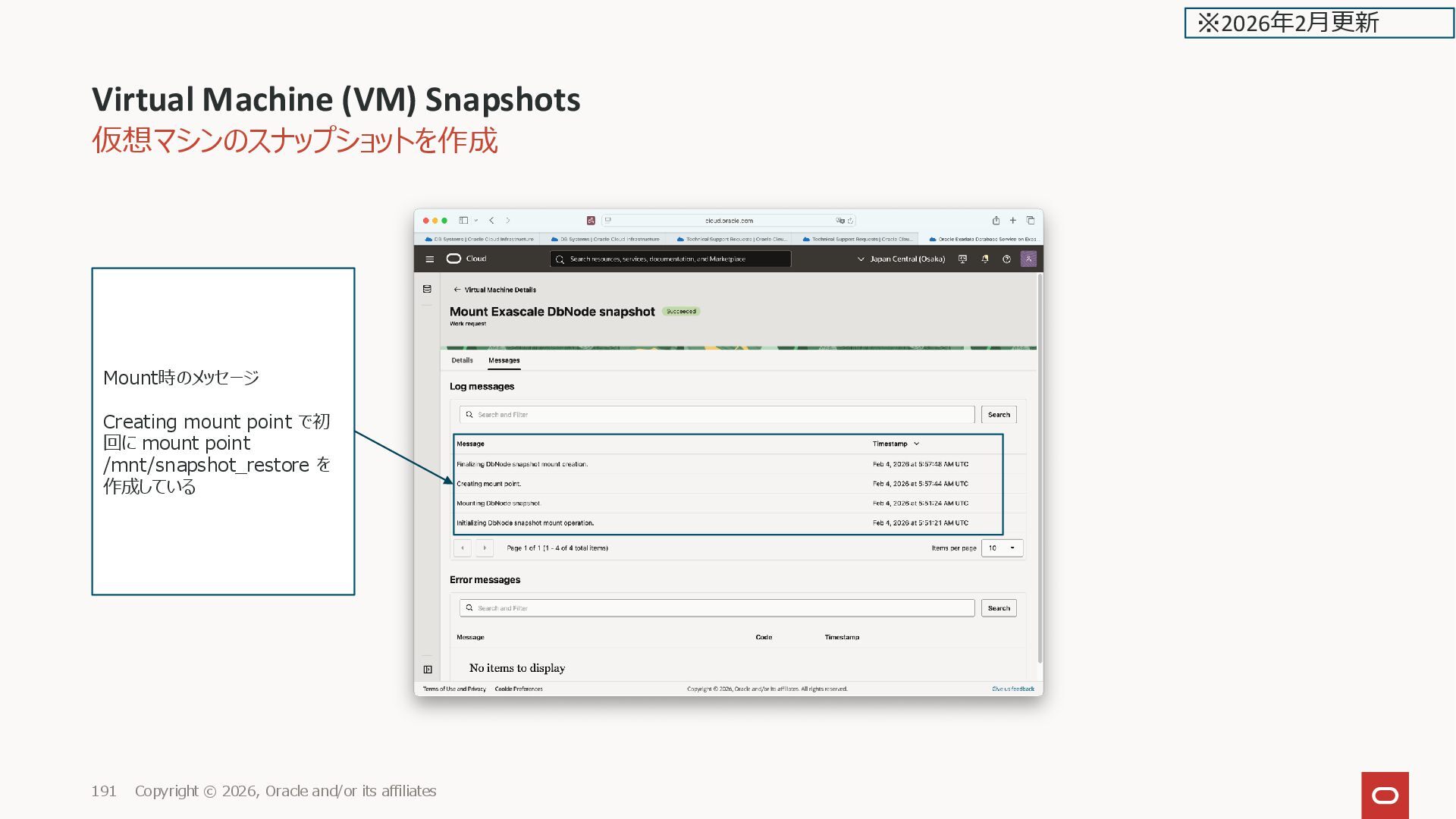
Oracle and/or its affiliates 177 スナップショット名 注意事項 These snapshots are not available at the VM Cluster level, but are created synchronously for all individual Virtual Machines in the VM cluster. To restore the entire cluster, you must restore each individual Virtual Machine located in the cluster. ※2026年2月更新
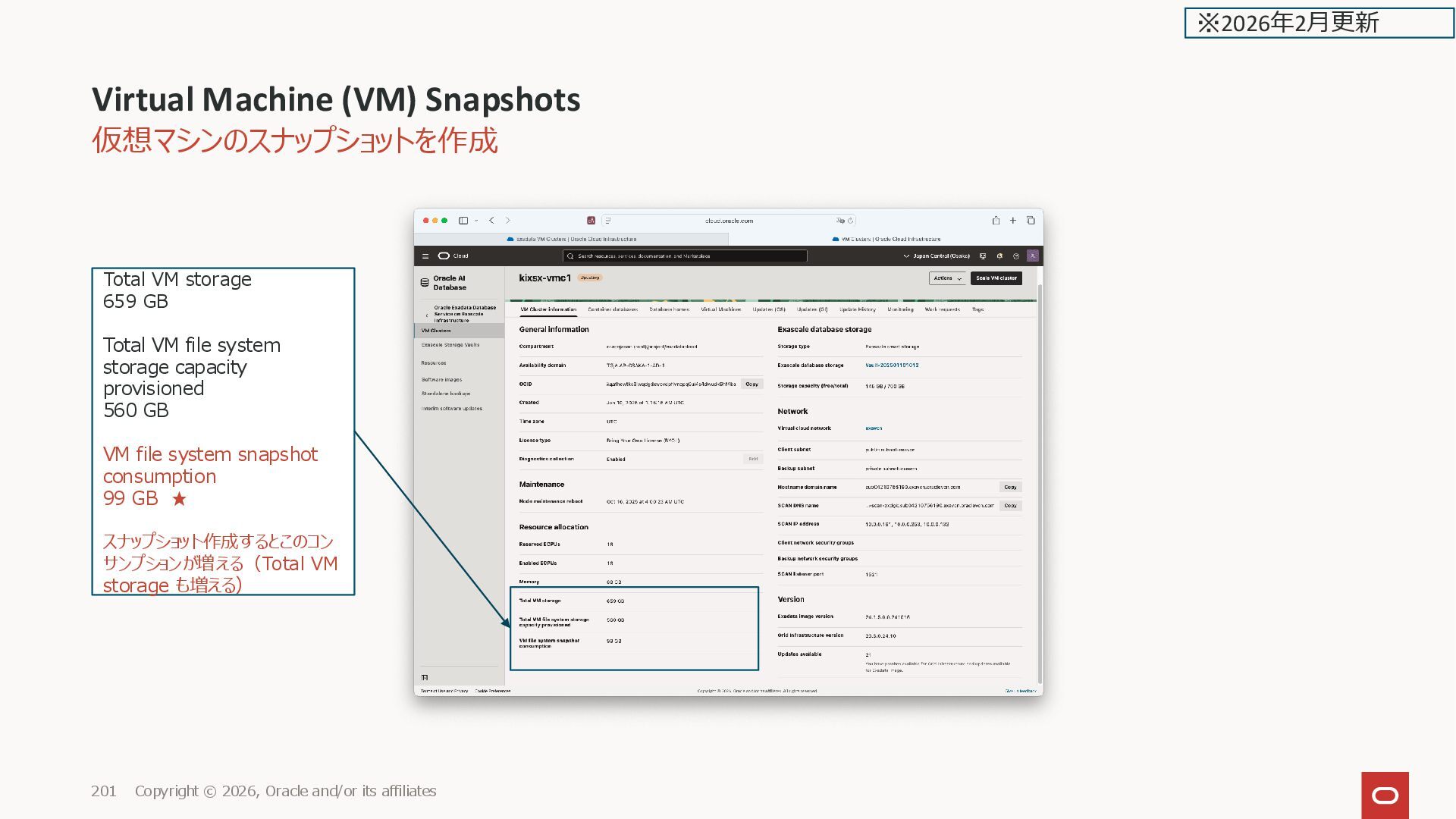
its affiliates 201 Total VM storage 659 GB Total VM file system storage capacity provisioned 560 GB VM file system snapshot consumption 99 GB ★ スナップショット作成するとこのコン サンプションが増える(Total VM storage も増える) ※2026年2月更新

 Your Podcast. Everywhere. Effortlessly.
Share. Educate. Inspire. Entertain. You do you. We'll handle the rest.
→
Your Podcast. Everywhere. Effortlessly.
Share. Educate. Inspire. Entertain. You do you. We'll handle the rest.
→


 oracle4engineer
 kneath
 coloredviolet
 cassininazir
 skipperchong
 soudai
 tmiket
 inesmontani
 eileencodes
 asonas
 greggifford
 427marketing
 carmenintech
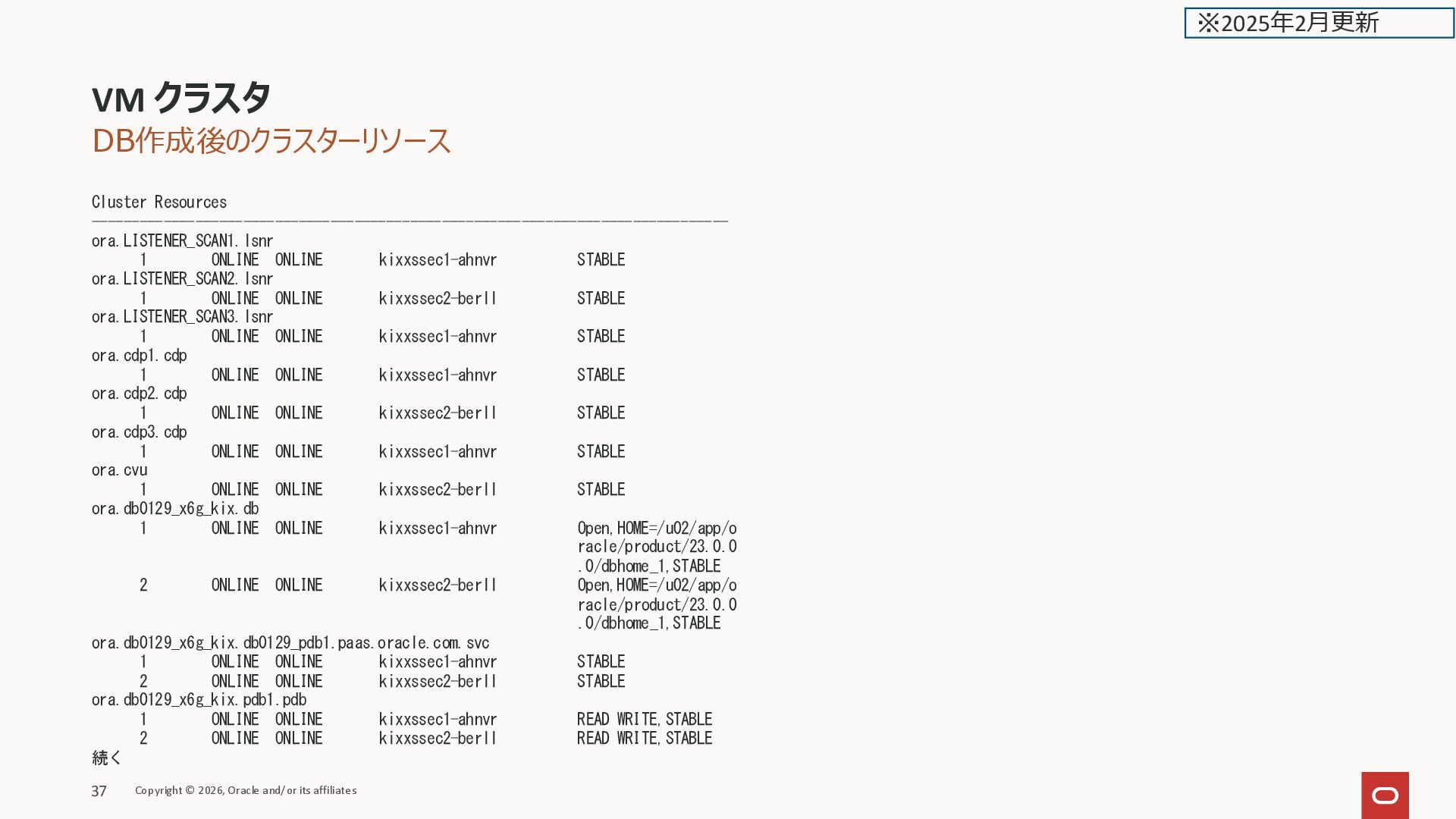
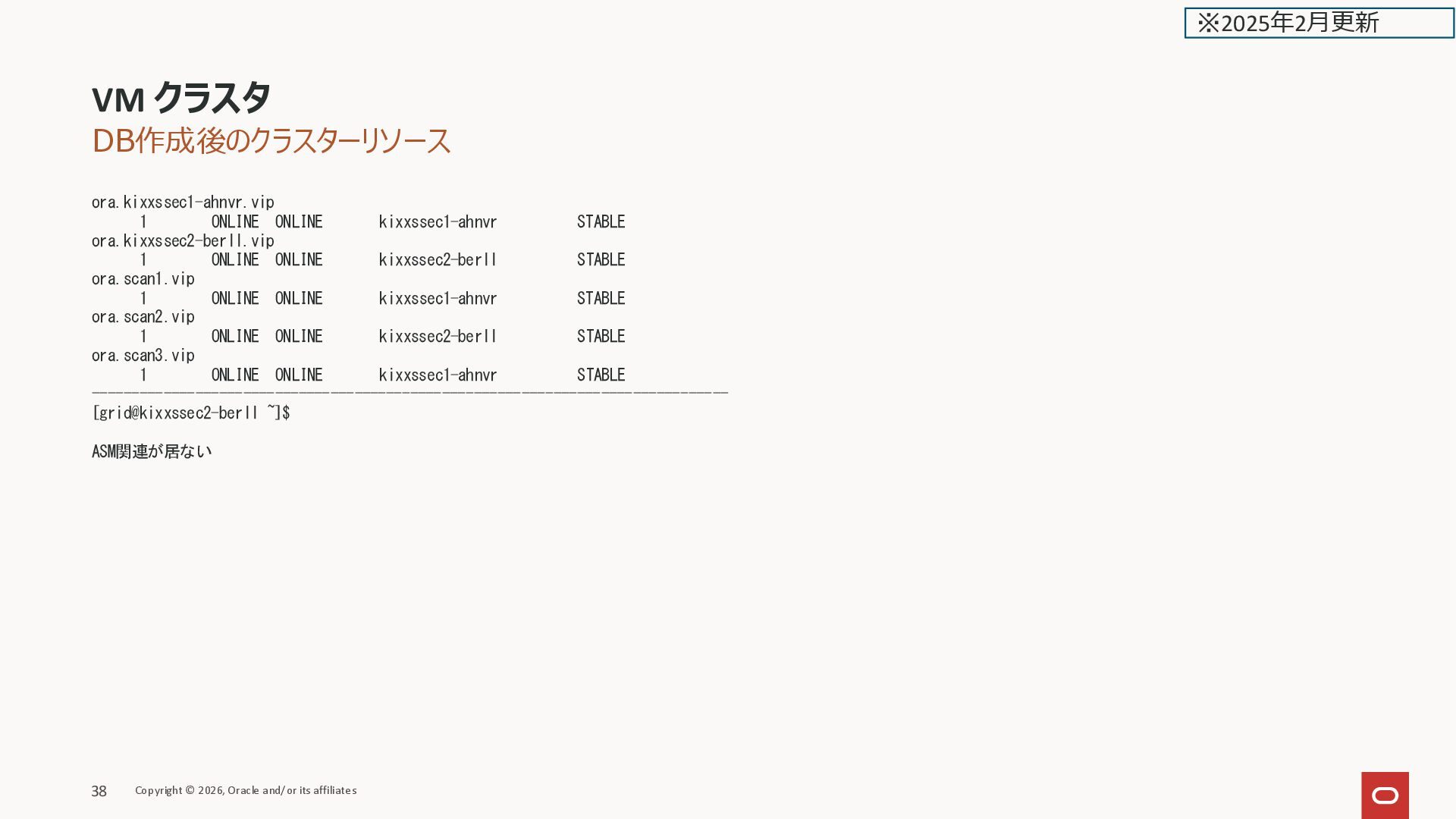
![DB作成後のクラスターリソース [grid@kixxssec2-berll ~]$ crsctl stat res -t -------------------------------------------------------------------------------- Name Target](https://files.speakerdeck.com/presentations/d288484ab24b478292e3449470852dfb/slide_35.jpg)
![VM クラスタの作成 [root@kixxssec2-berll ~]# df -Th Filesystem Type Size Used](https://files.speakerdeck.com/presentations/d288484ab24b478292e3449470852dfb/slide_38.jpg)
![domUのLVのサイズ [root@kixxssec2-berll ~]# lvs LV VG Attr LSize Pool Origin](https://files.speakerdeck.com/presentations/d288484ab24b478292e3449470852dfb/slide_39.jpg)
![lsblk [root@kixxssec2-berll ~]# lsblk NAME MAJ:MIN RM SIZE RO TYPE](https://files.speakerdeck.com/presentations/d288484ab24b478292e3449470852dfb/slide_40.jpg)
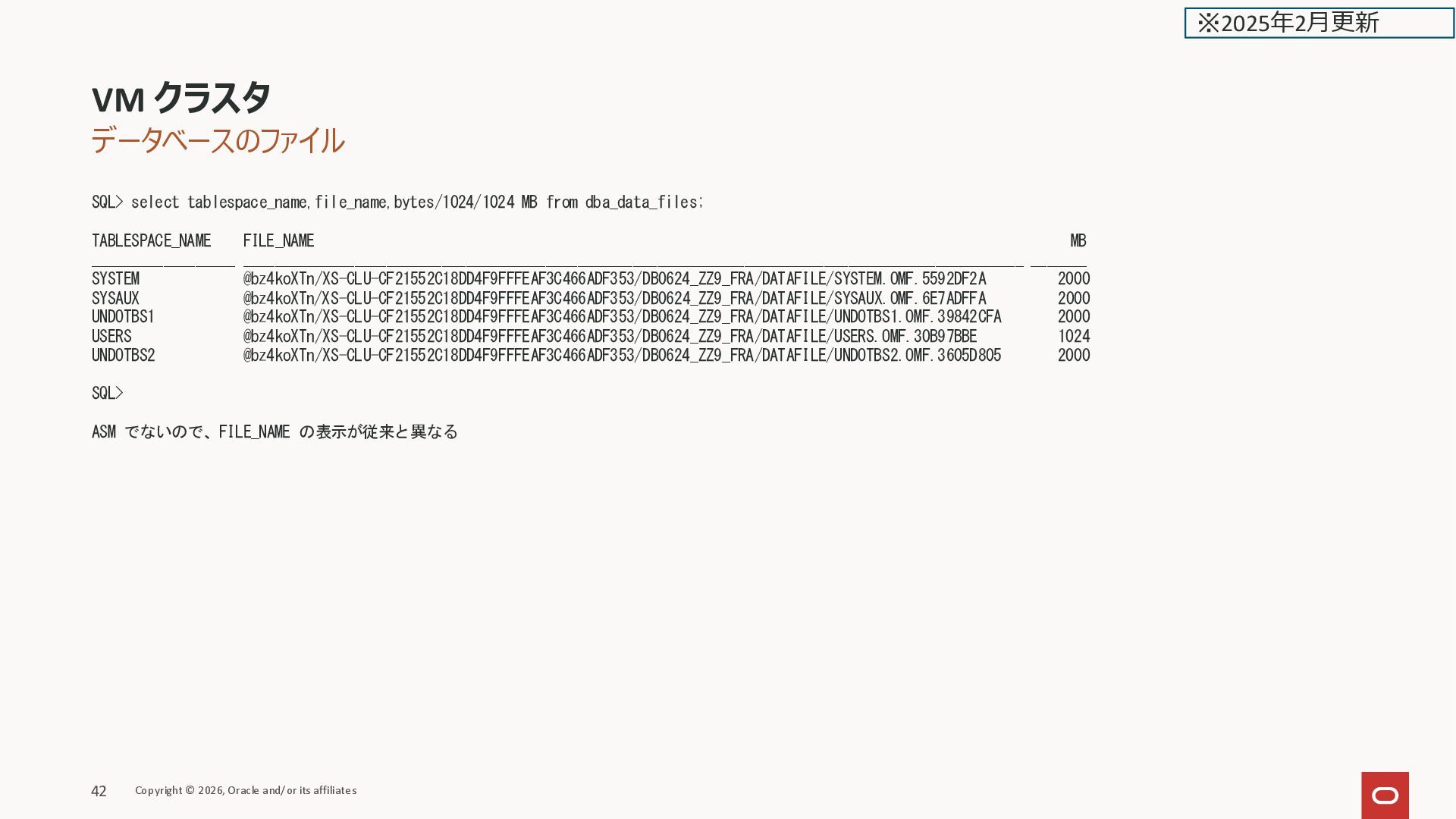
![データベースの作成 [grid@kixxssec2-berll ~]$ xsh ls @xga98Wgg [grid@kixxssec2-berll ~]$ xsh ls](https://files.speakerdeck.com/presentations/d288484ab24b478292e3449470852dfb/slide_42.jpg)
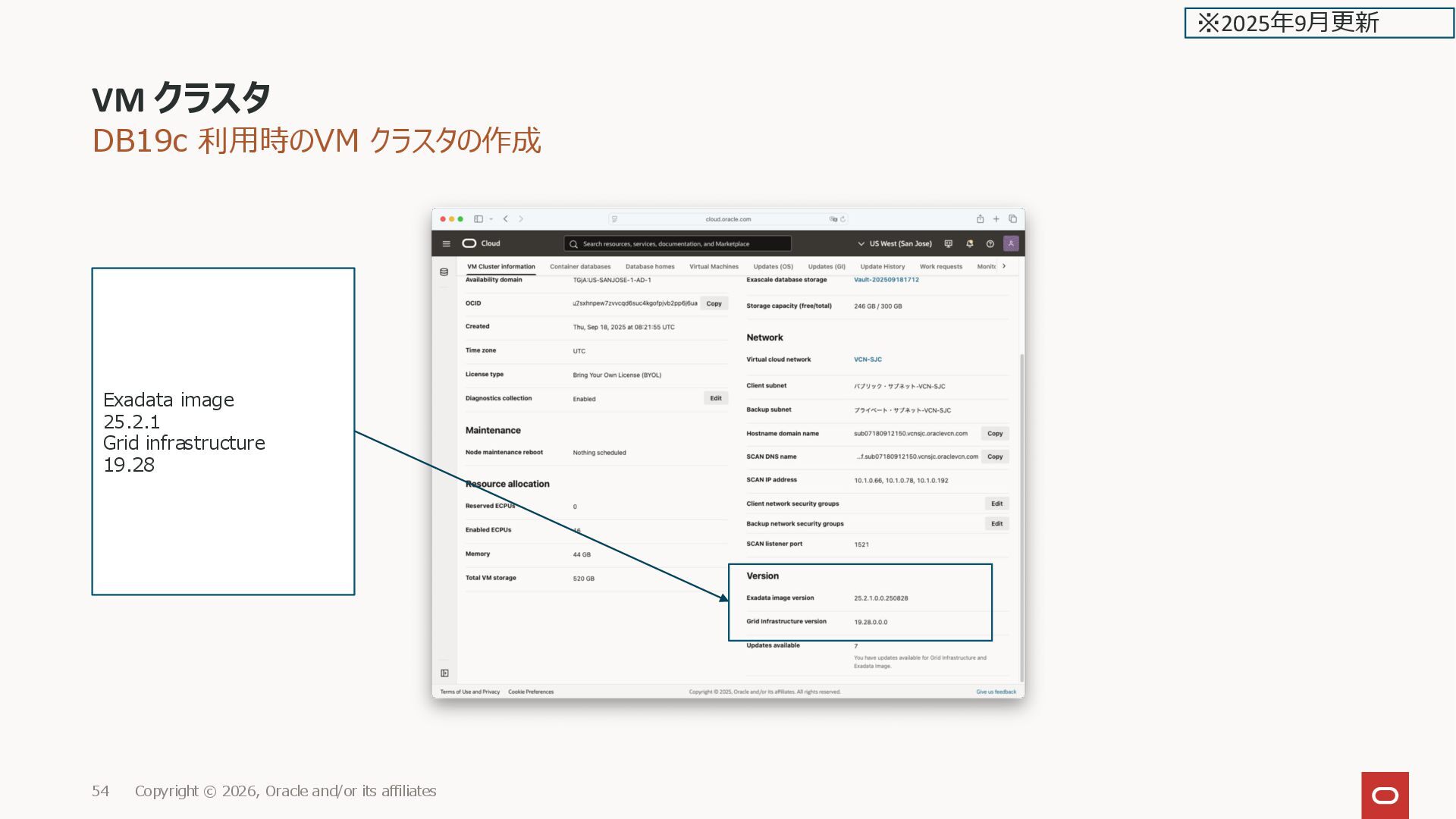
![DB19c 利用時のVM クラスタの作成 [grid@sjc19cxs1-ydkmp ~]$ crsctl stat res -t --------------------------------------------------------------------------------](https://files.speakerdeck.com/presentations/d288484ab24b478292e3449470852dfb/slide_54.jpg)
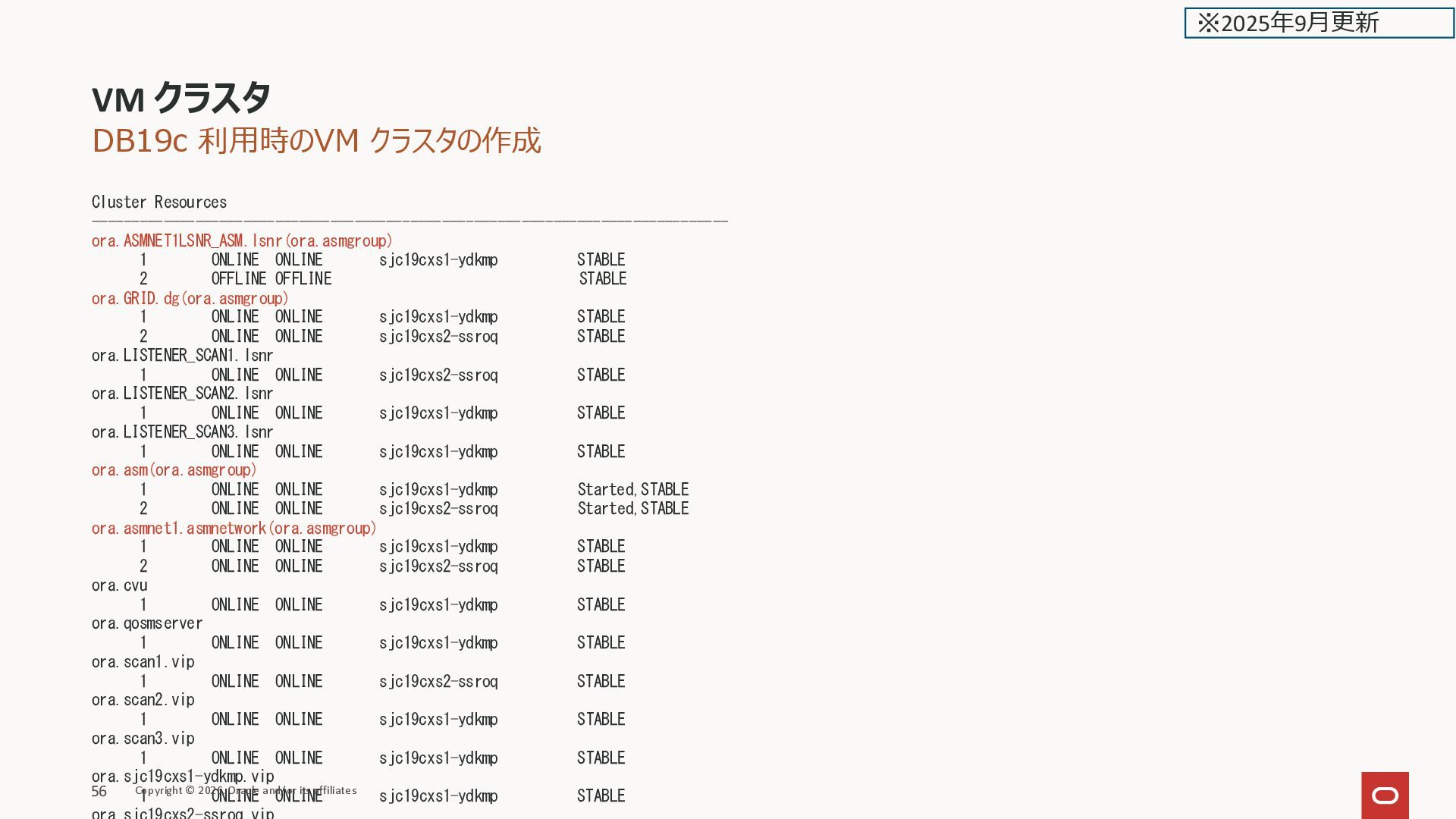
![DB19c 利用時のVM クラスタの作成 [grid@sjc19cxs1-ydkmp ~]$ env | grep ORA ORACLE_SID=+ASM1](https://files.speakerdeck.com/presentations/d288484ab24b478292e3449470852dfb/slide_56.jpg)
![DB19c 利用時のVM クラスタの作成 [root@sjc19cxs1-ydkmp ~]# df -hT Filesystem Type Size](https://files.speakerdeck.com/presentations/d288484ab24b478292e3449470852dfb/slide_57.jpg)
![DB19c 利用時のVM クラスタの作成 [root@sjc19c2xs1-vfkfn ~]# lvs LV VG Attr LSize](https://files.speakerdeck.com/presentations/d288484ab24b478292e3449470852dfb/slide_58.jpg)
![DB19c 利用時のVM クラスタの作成 [root@sjc19c2xs1-vfkfn ~]# lsblk NAME MAJ:MIN RM SIZE](https://files.speakerdeck.com/presentations/d288484ab24b478292e3449470852dfb/slide_59.jpg)
![DB19c 利用時のVM クラスタの作成 [grid@sjc19cxs1-ydkmp ~]$ crsctl stat res ora.GRID.VOL1.advm -t](https://files.speakerdeck.com/presentations/d288484ab24b478292e3449470852dfb/slide_60.jpg)
![DB19c 利用時のVM クラスタの作成 [grid@sjc19cxs1-ydkmp ~]$ acfsutil info storage Diskgroup Consumer](https://files.speakerdeck.com/presentations/d288484ab24b478292e3449470852dfb/slide_61.jpg)
![DB19c 利用時のVM クラスタの作成 [grid@sjc19cxs1-ydkmp ~]$ asmcmd lsdg State Type Rebal](https://files.speakerdeck.com/presentations/d288484ab24b478292e3449470852dfb/slide_62.jpg)
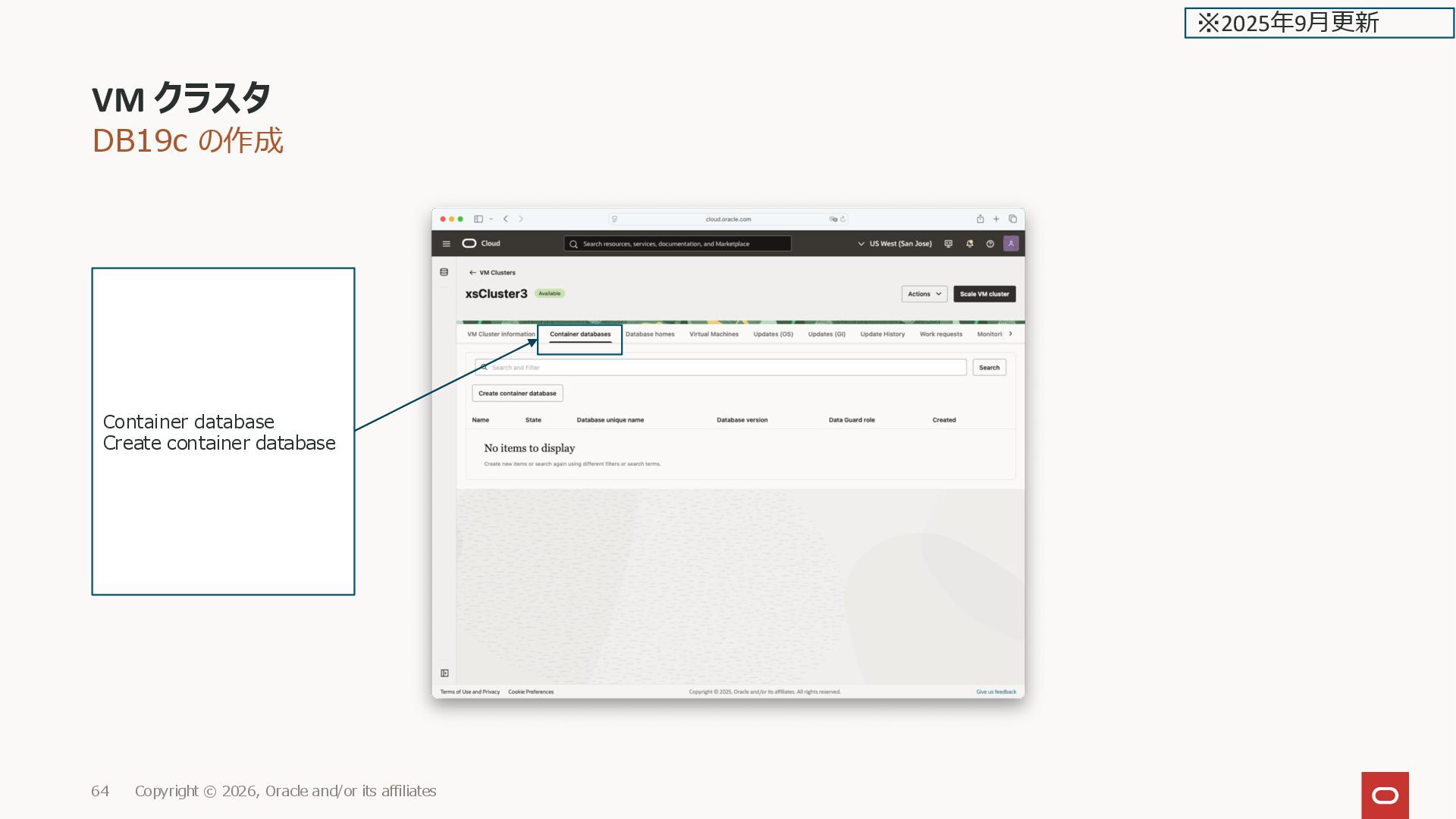
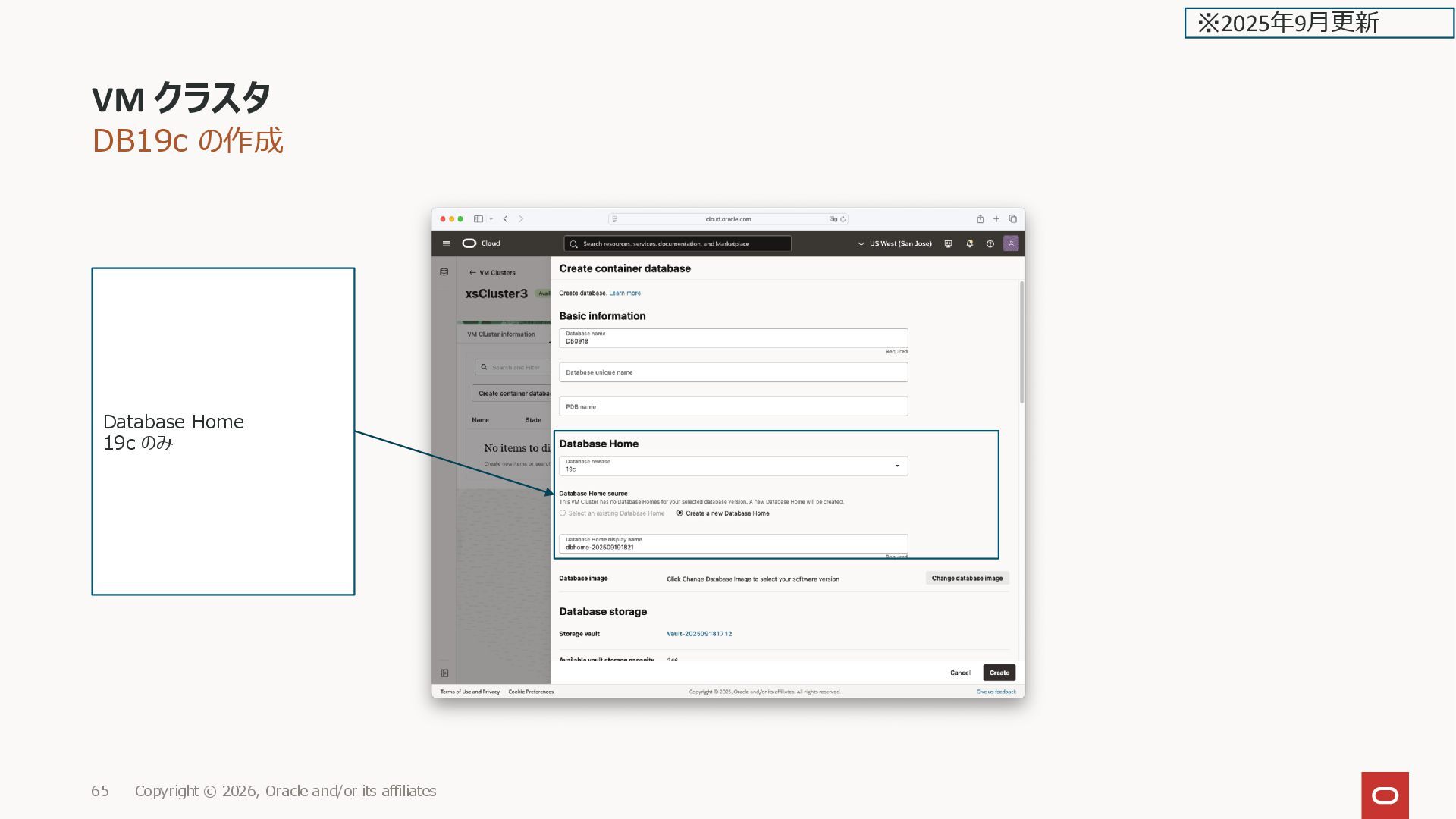
![DB19c の作成 DB作成後、diskgroup が3つ追加されたのが分かる [grid@sjc19cxs1-ydkmp ~]$ asmcmd lsdg State Type](https://files.speakerdeck.com/presentations/d288484ab24b478292e3449470852dfb/slide_70.jpg)
![DB19c の作成 ディスクグループの属性 [grid@sjc19cxs1-ydkmp ~]$ asmcmd lsattr -G DATADB0919 -l](https://files.speakerdeck.com/presentations/d288484ab24b478292e3449470852dfb/slide_72.jpg)
![DB19c の作成 [grid@sjc19cxs1-ydkmp ~]$ asmcmd lsct DB_Name Status Software_Version Compatible_version](https://files.speakerdeck.com/presentations/d288484ab24b478292e3449470852dfb/slide_73.jpg)
![DB19c の作成 [grid@sjc19c2xs1-vfkfn ~]$ asmcmd lsdsk Path /dev/dbvolume-DB0925-drq-5sa-recovol /dev/dbvolume-DB0925-drq-cvq-logvol /dev/dbvolume-DB0925-drq-rva-datavol](https://files.speakerdeck.com/presentations/d288484ab24b478292e3449470852dfb/slide_75.jpg)
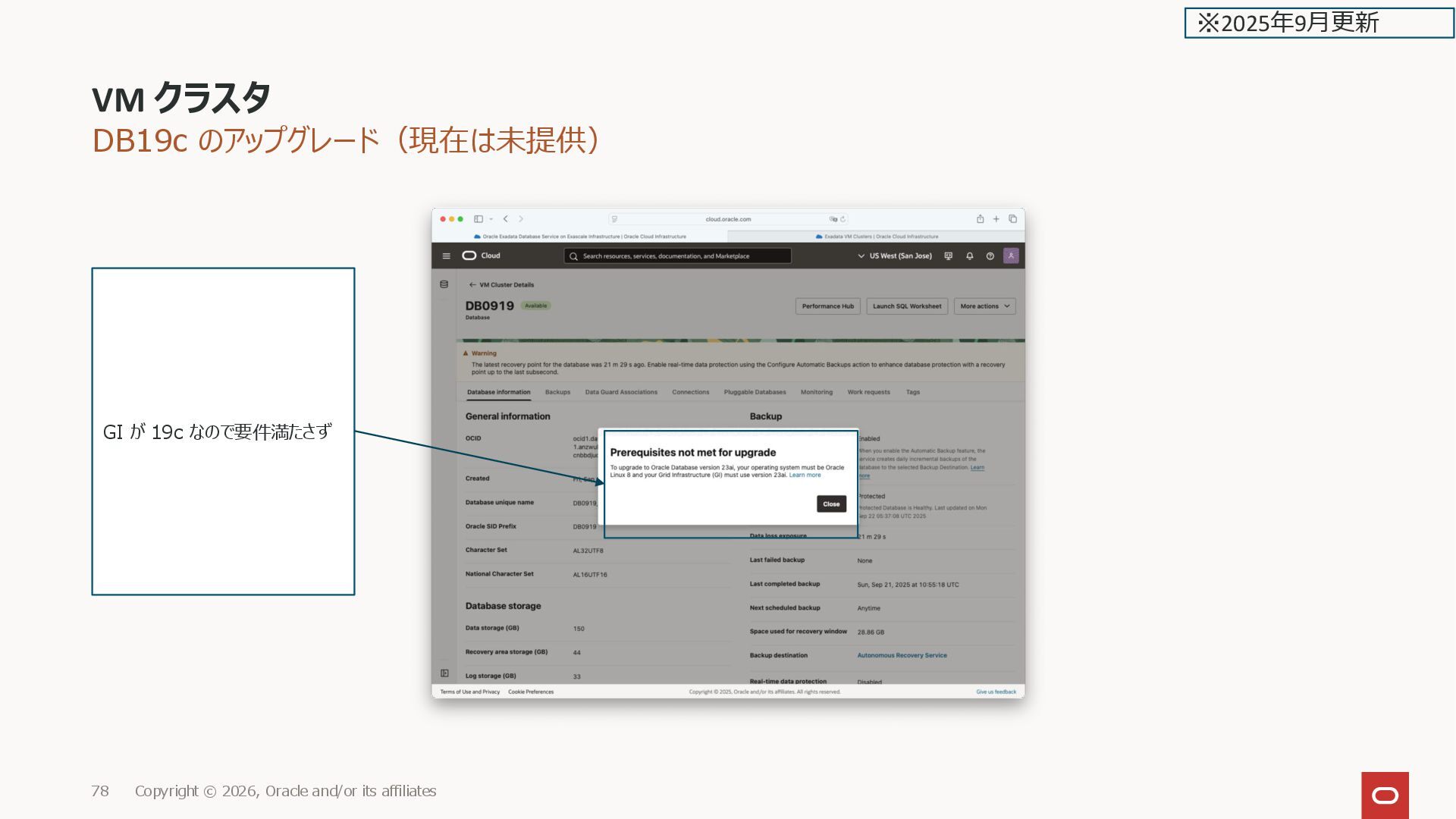
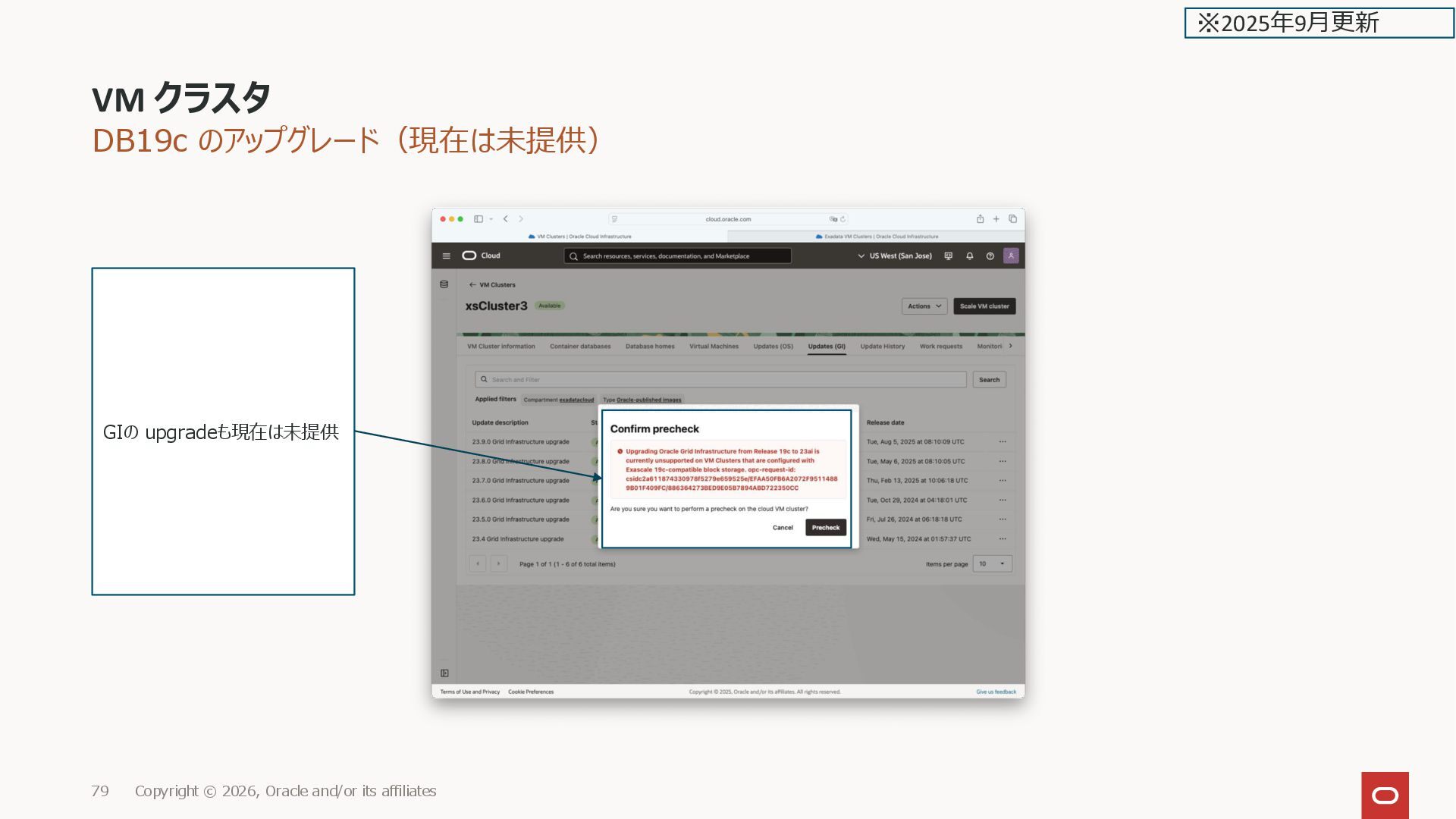
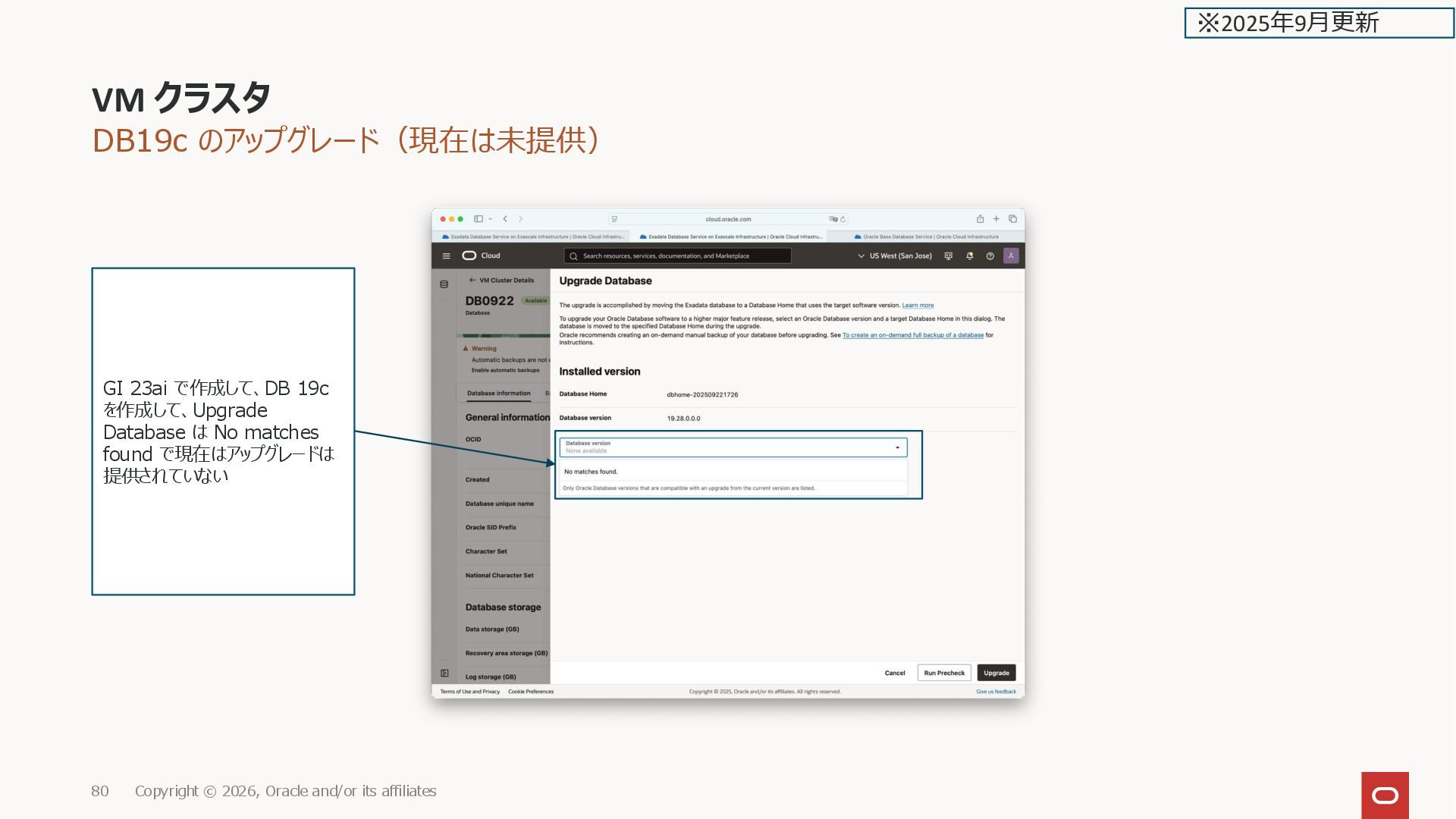
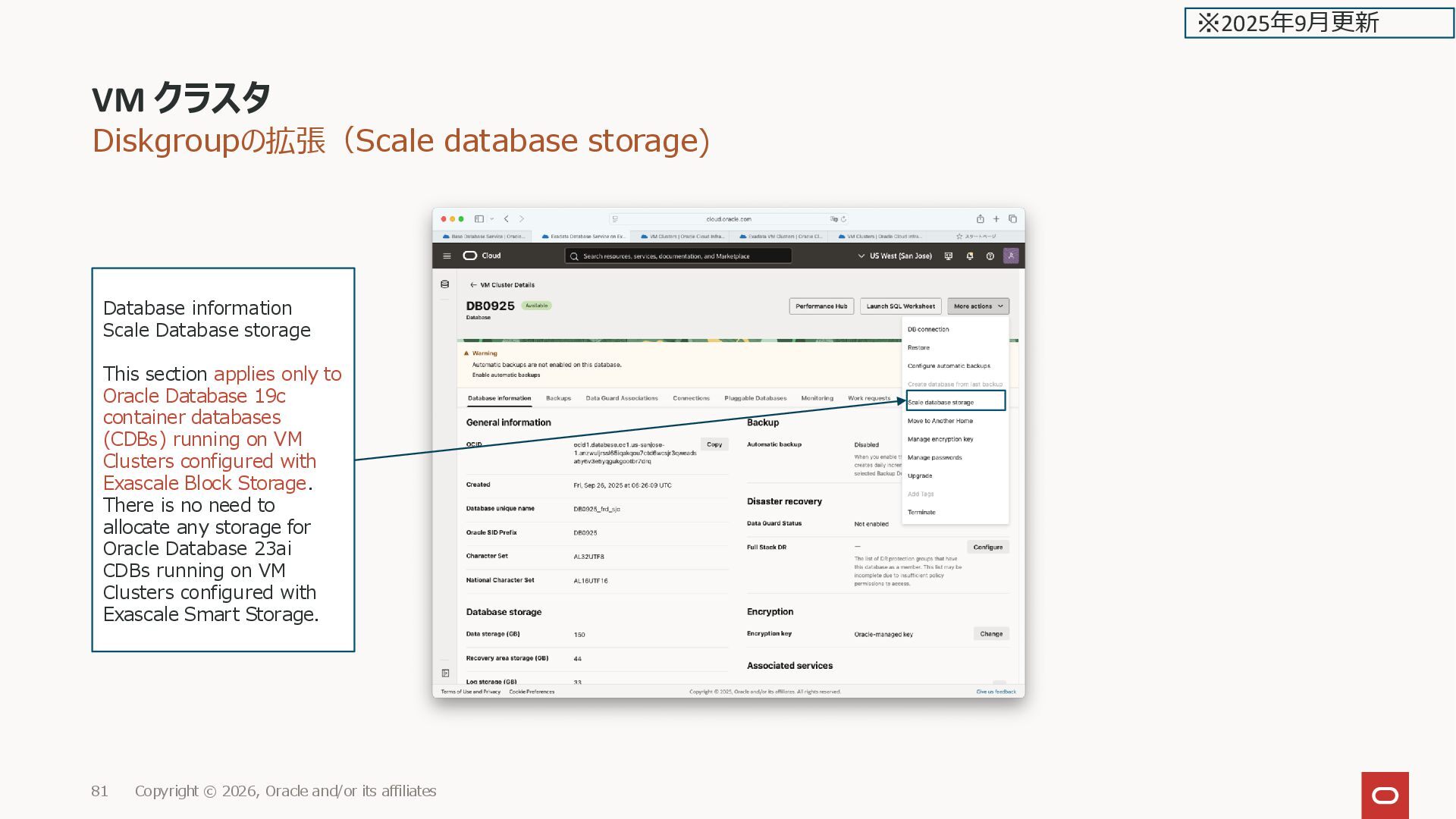
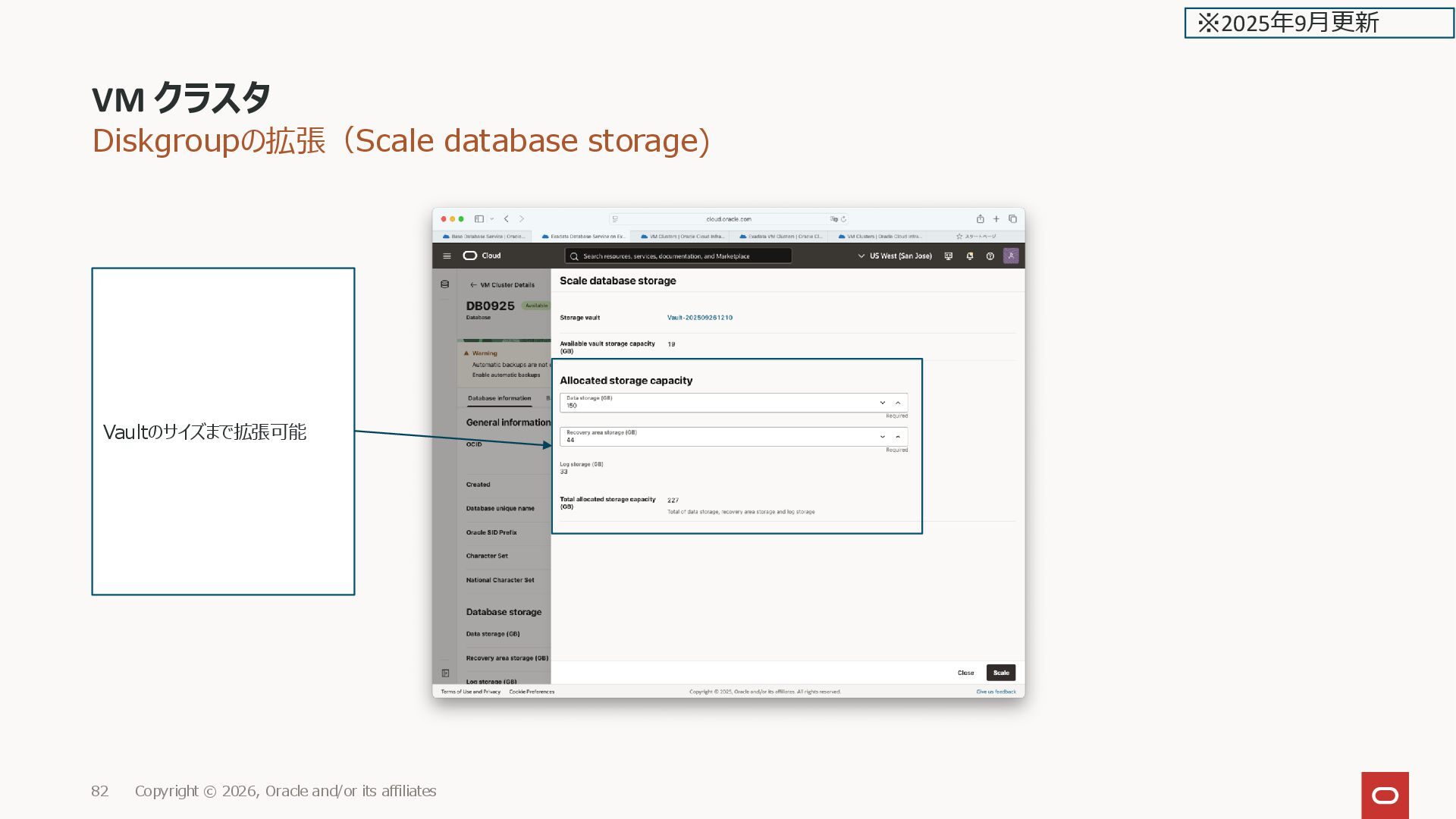
![Diskgroupの拡張(Scale database storage) DB毎に4つの diskgroup [grid@sjc19c2xs1-vfkfn ~]$ asmcmd lsdg State](https://files.speakerdeck.com/presentations/d288484ab24b478292e3449470852dfb/slide_82.jpg)
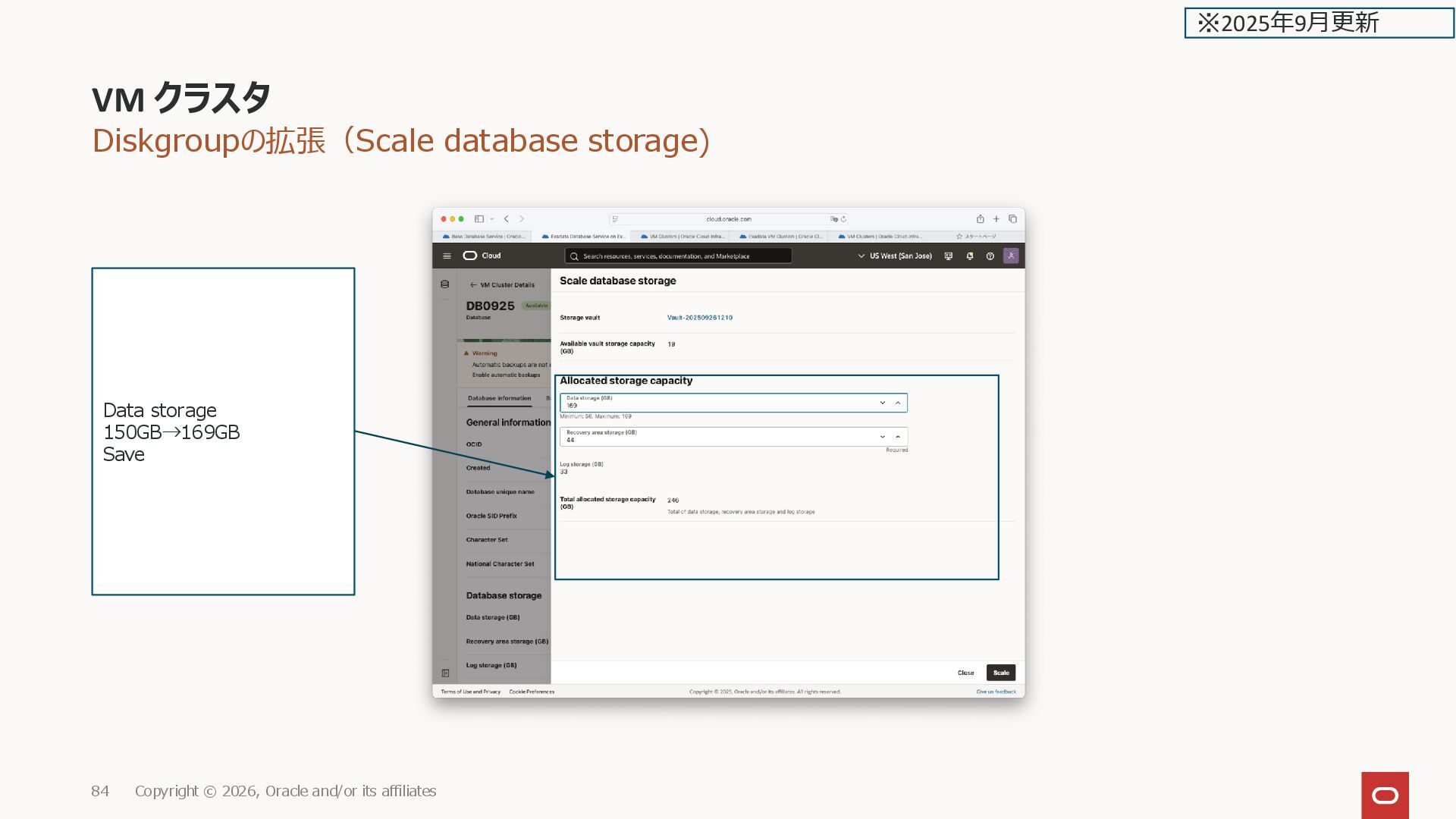
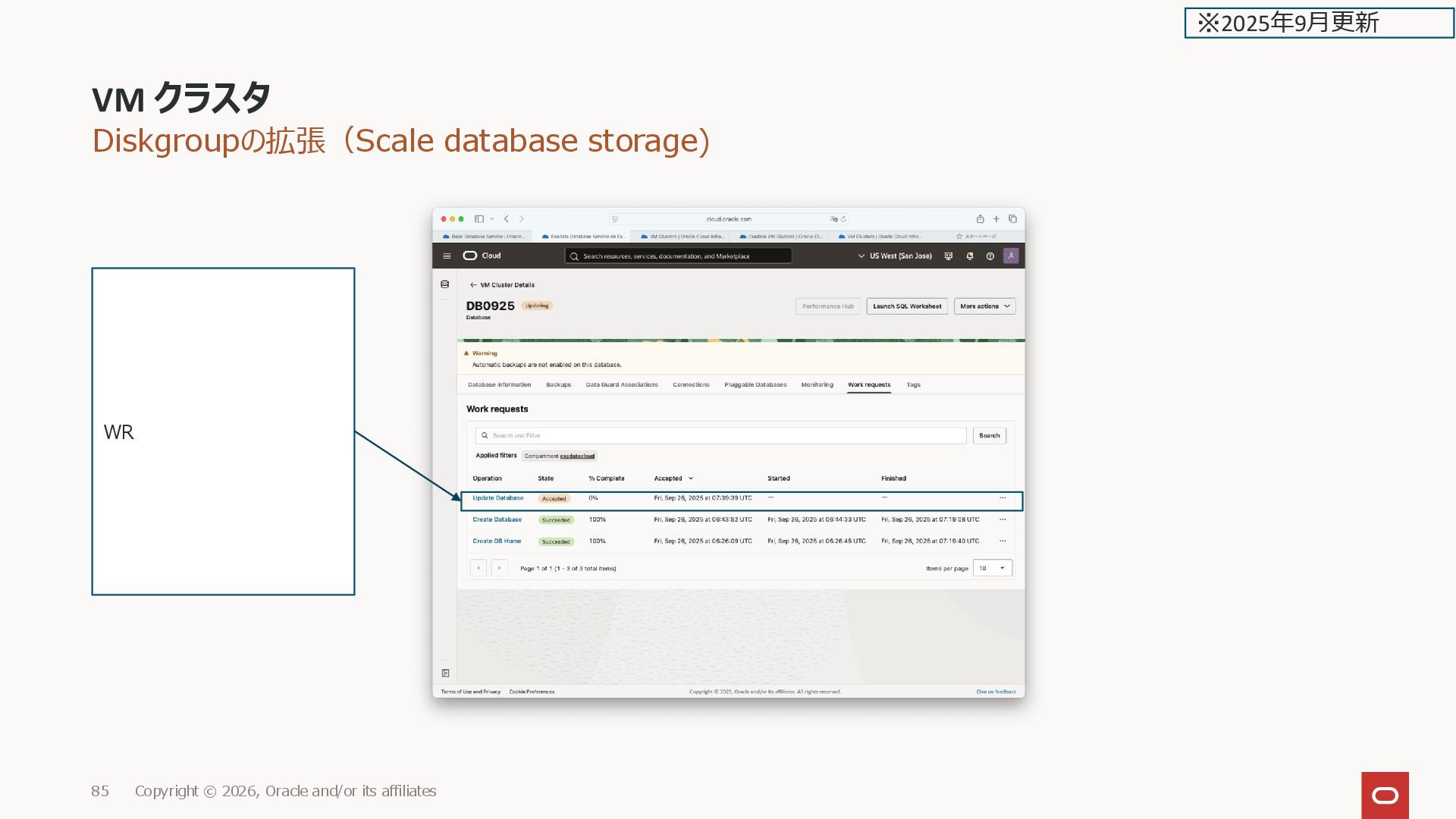
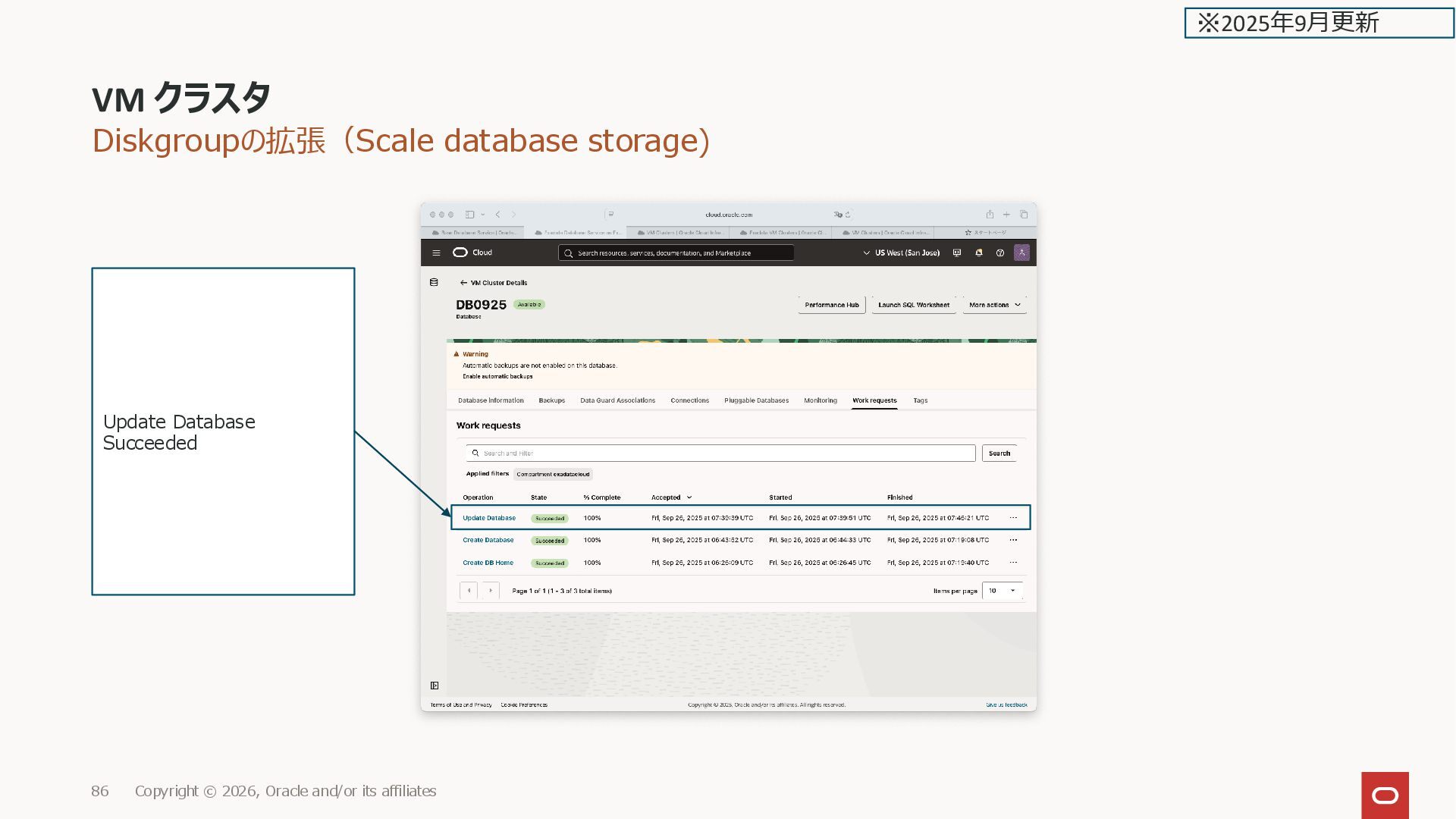
![Diskgroupの拡張(Scale database storage) [grid@sjc19c2xs1-vfkfn ~]$ tail -f /u01/app/grid/diag/asm/+asm/+ASM1/trace/alert_+ASM1.log 2025-09-26T07:45:03.751454+00:00 SQL>](https://files.speakerdeck.com/presentations/d288484ab24b478292e3449470852dfb/slide_86.jpg)
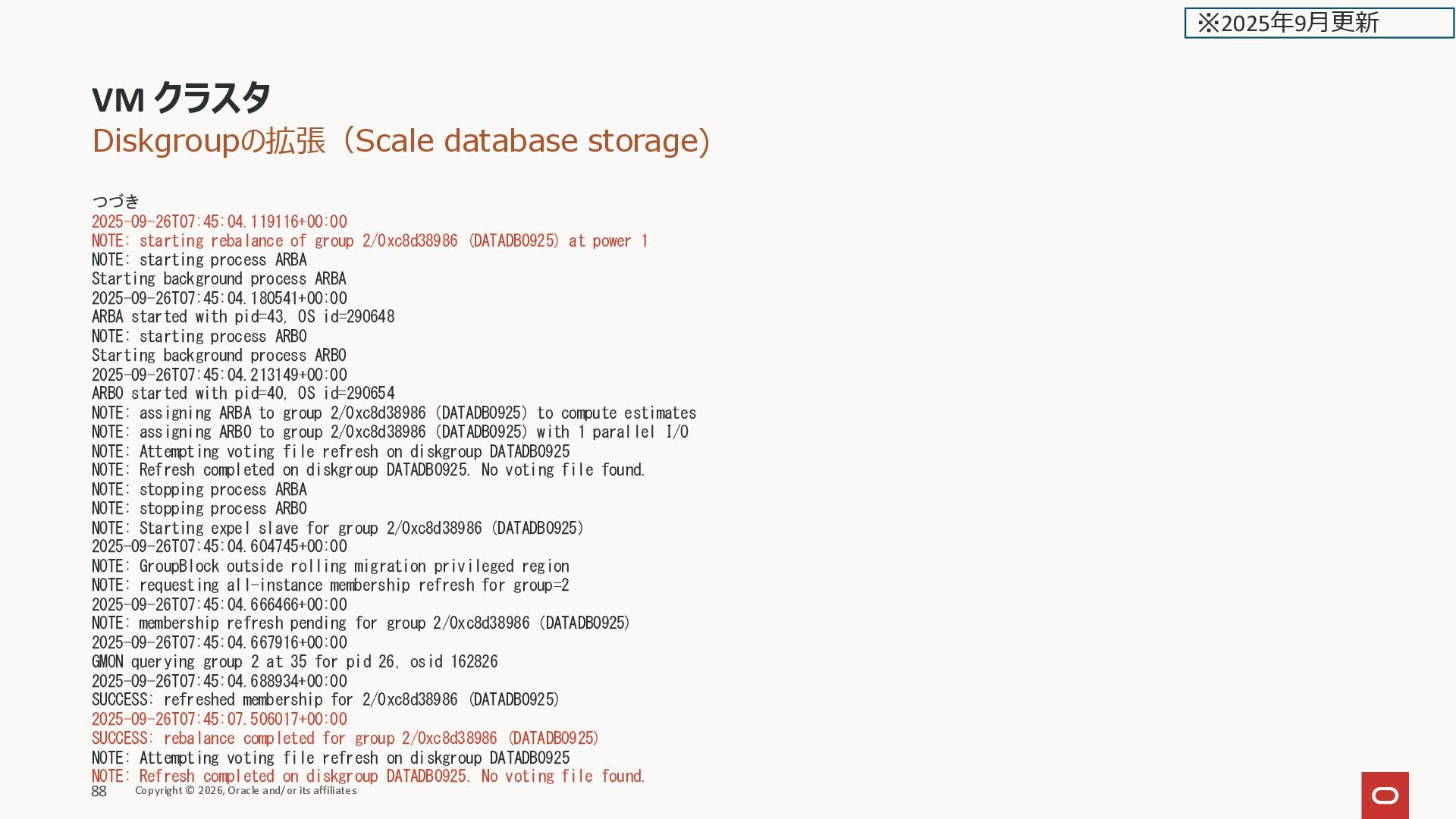
![Diskgroupの拡張(Scale database storage) [root@sjc19c2xs1-vfkfn ~]# tail -f /u02/app/oracle/diag/rdbms/db0925_frd_sjc/DB09251/trace/alert_DB09251.log 2025-09-26T07:45:04.021062+00:00 SUCCESS:](https://files.speakerdeck.com/presentations/d288484ab24b478292e3449470852dfb/slide_88.jpg)
![Diskgroupの拡張(Scale database storage) [grid@sjc19c2xs1-vfkfn ~]$ asmcmd lsdg State Type Rebal](https://files.speakerdeck.com/presentations/d288484ab24b478292e3449470852dfb/slide_89.jpg)
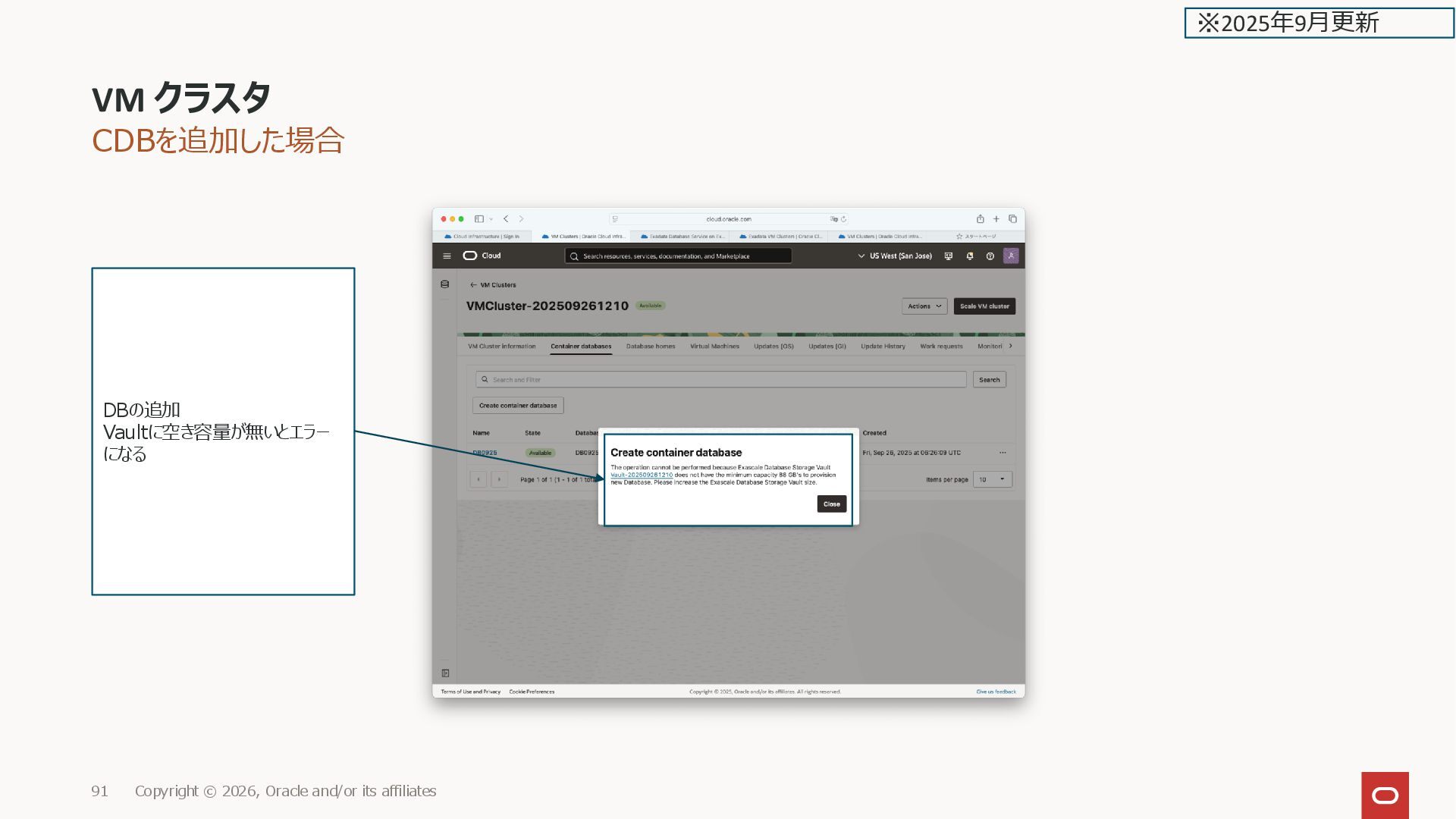
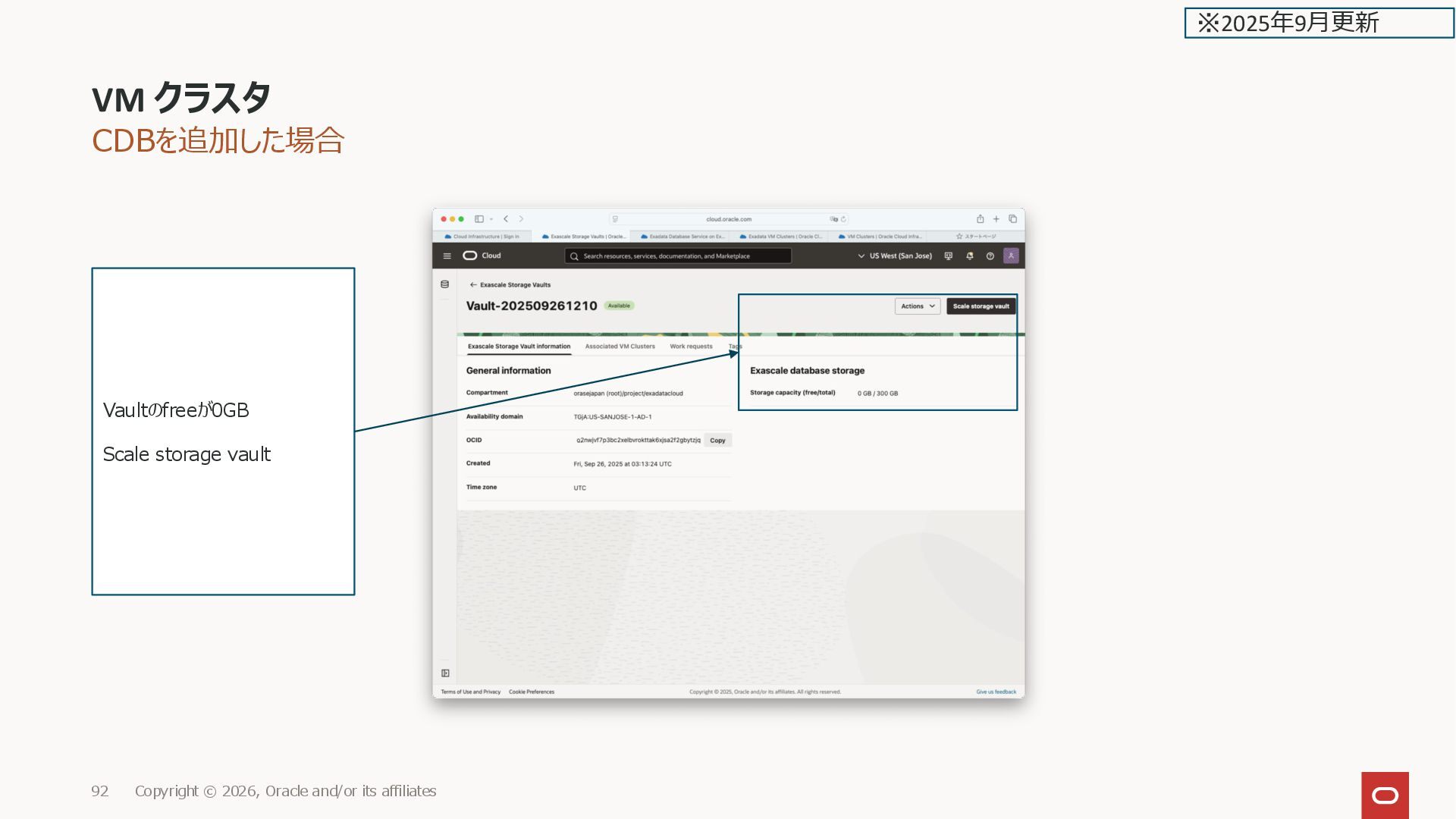
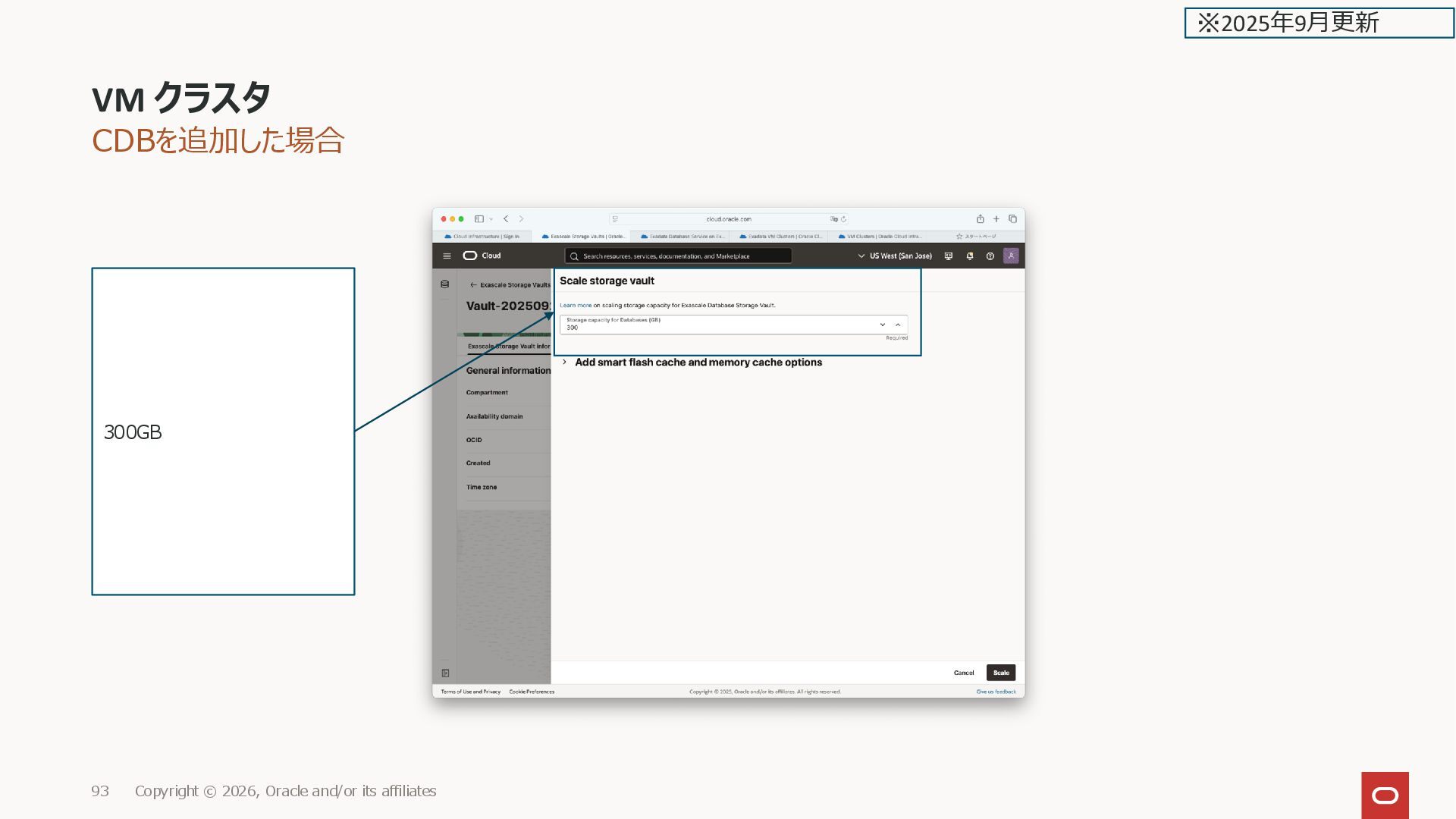
![CDBを追加した場合 CDB追加前の diskgroup [grid@sjc19c2xs1-vfkfn ~]$ asmcmd lsdg State Type Rebal](https://files.speakerdeck.com/presentations/d288484ab24b478292e3449470852dfb/slide_95.jpg)
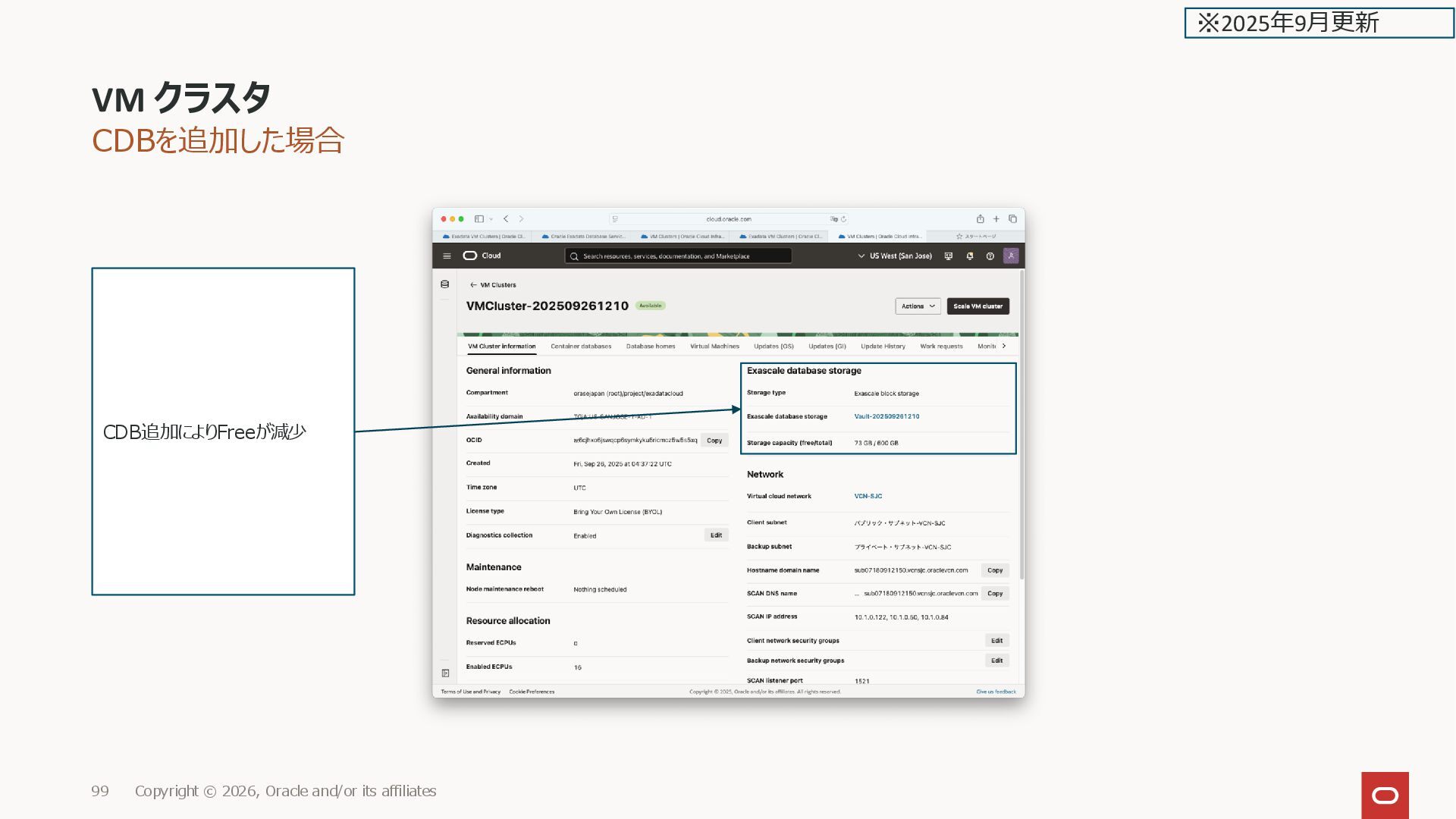
![CDBを追加した場合 [grid@sjc19c2xs1-vfkfn ~]$ asmcmd lsdg State Type Rebal Sector Logical_Sector](https://files.speakerdeck.com/presentations/d288484ab24b478292e3449470852dfb/slide_99.jpg)
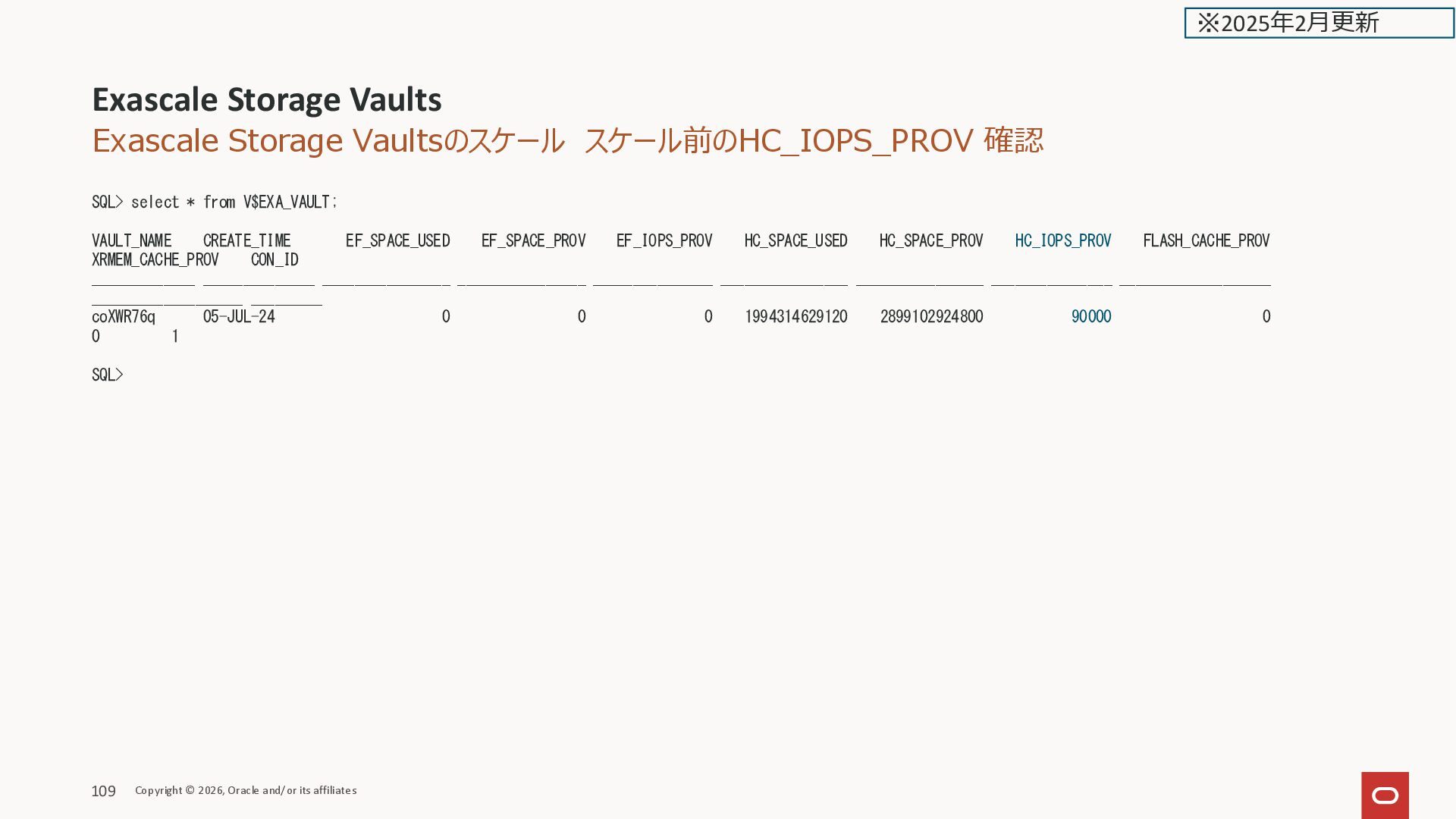
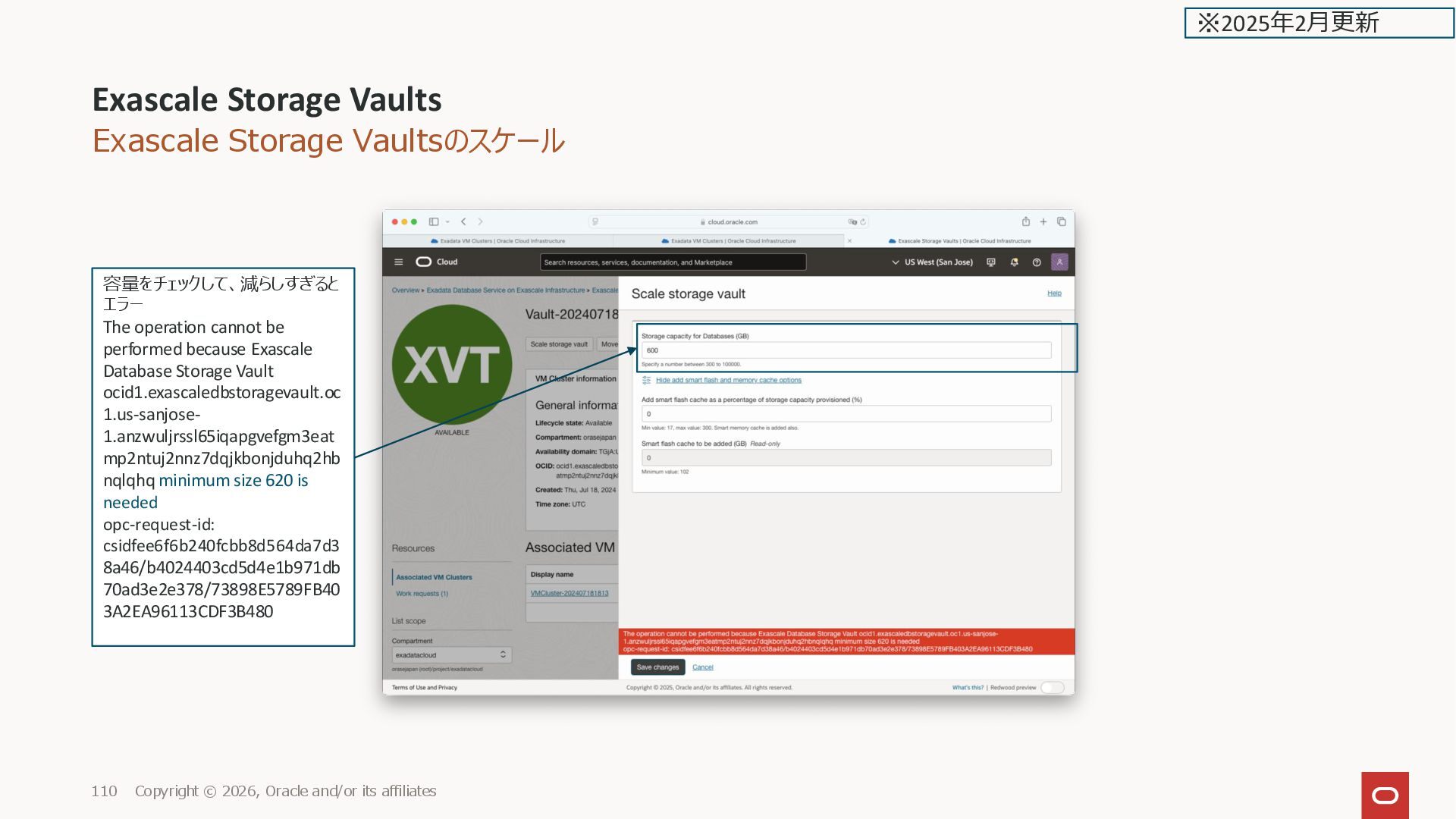
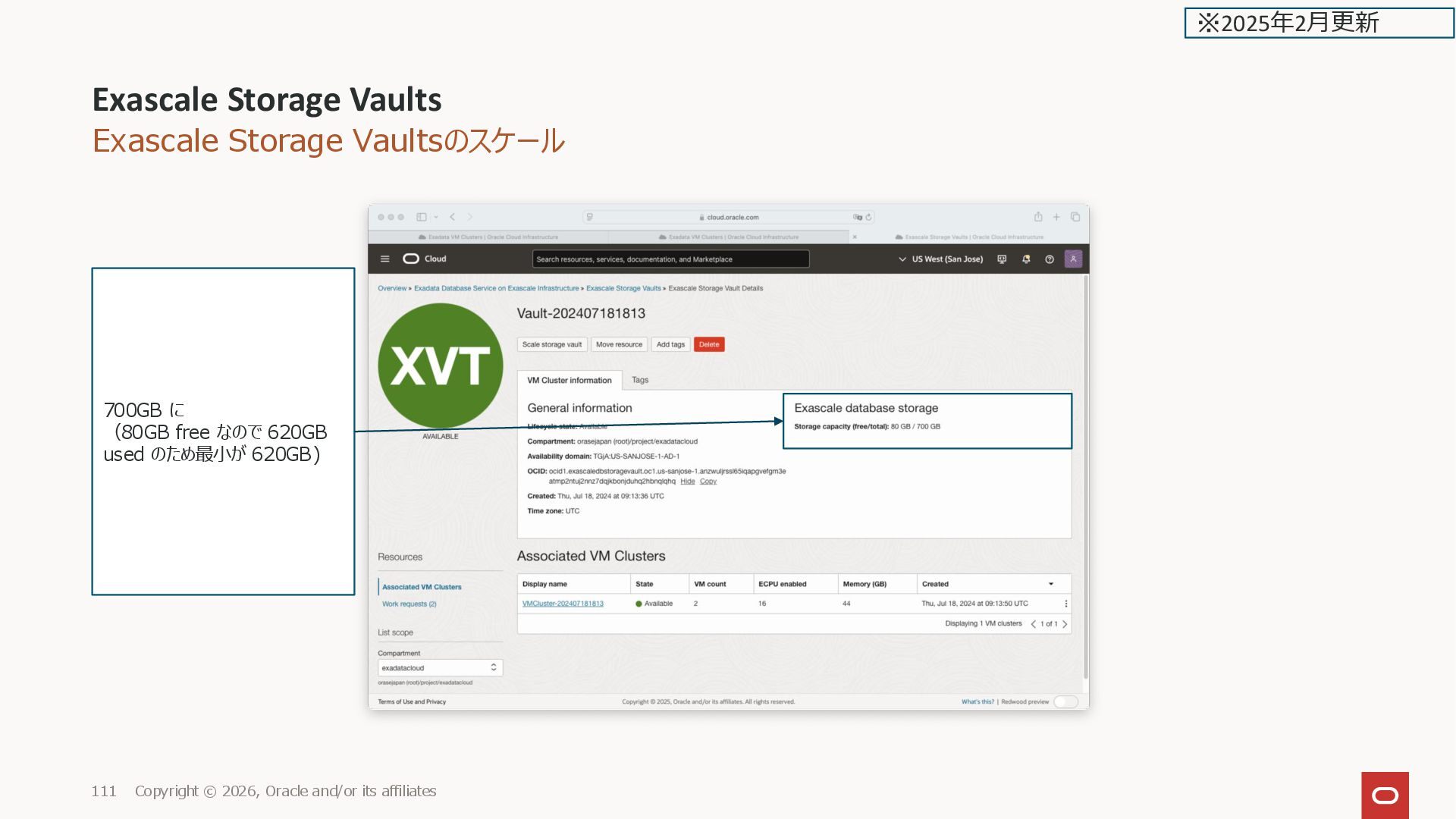
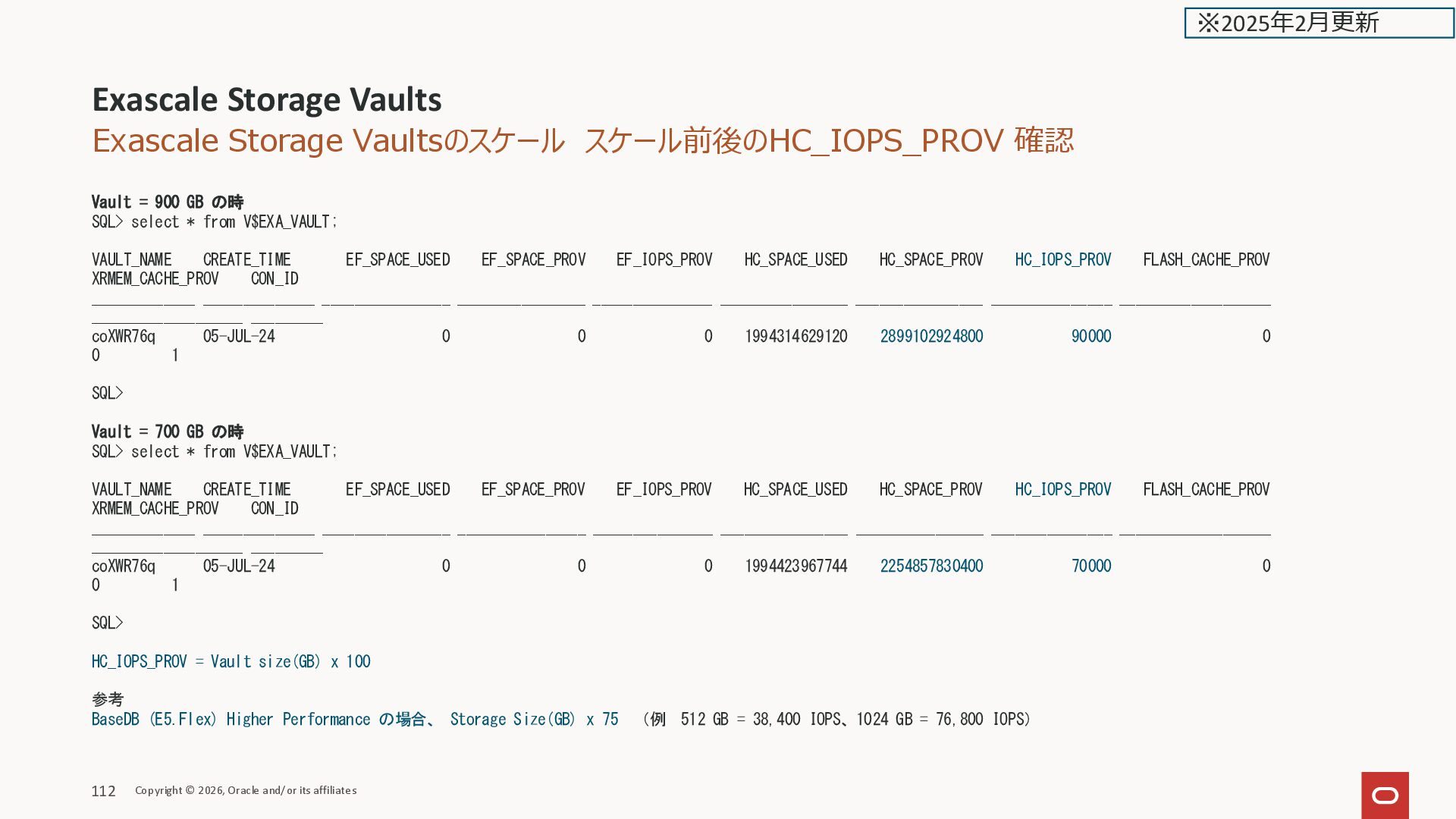
![VM クラスタのスケール Total ECPU [root@kixxssec1-ahnvr ~]# free -h total used](https://files.speakerdeck.com/presentations/d288484ab24b478292e3449470852dfb/slide_141.jpg)
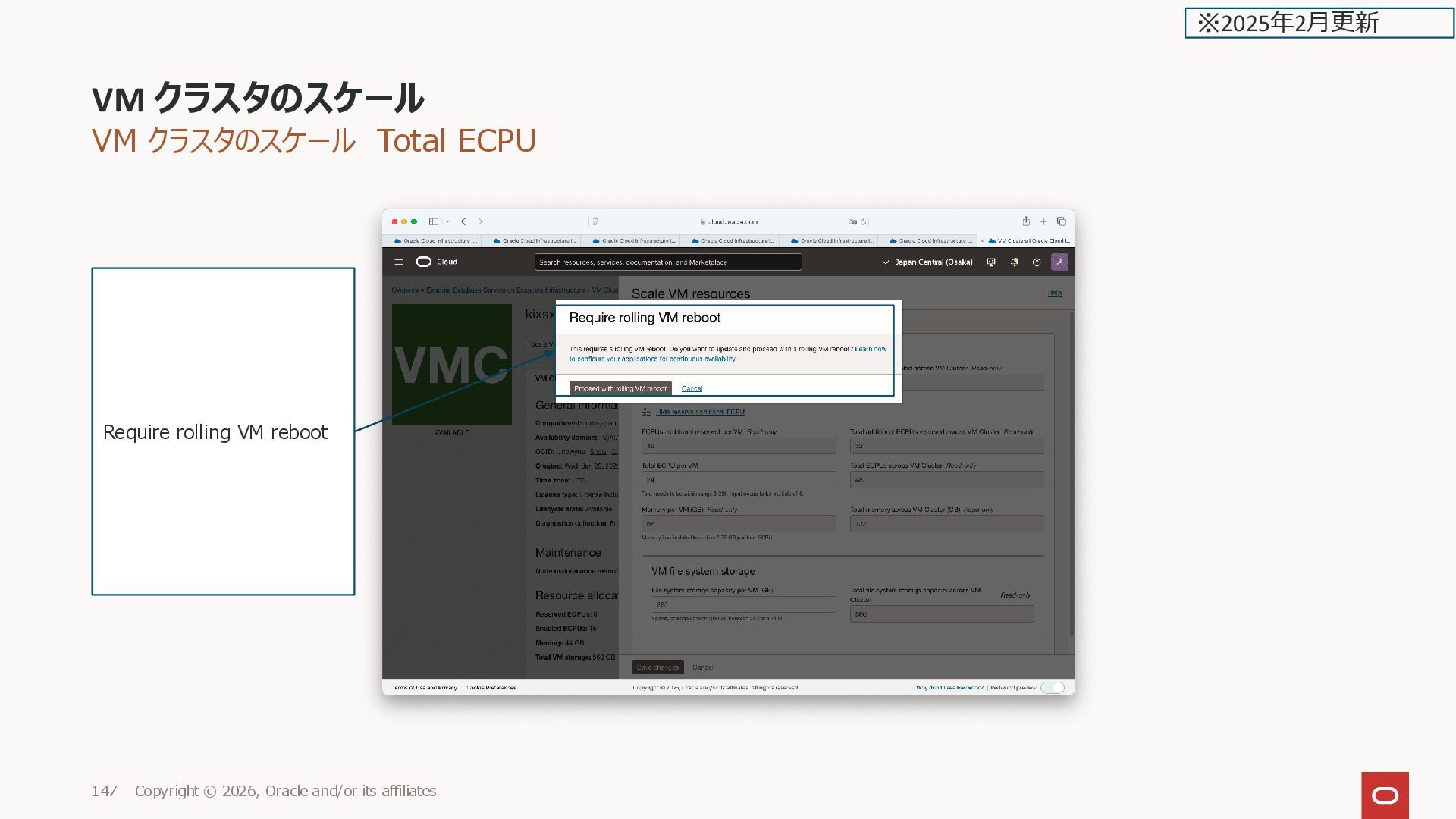
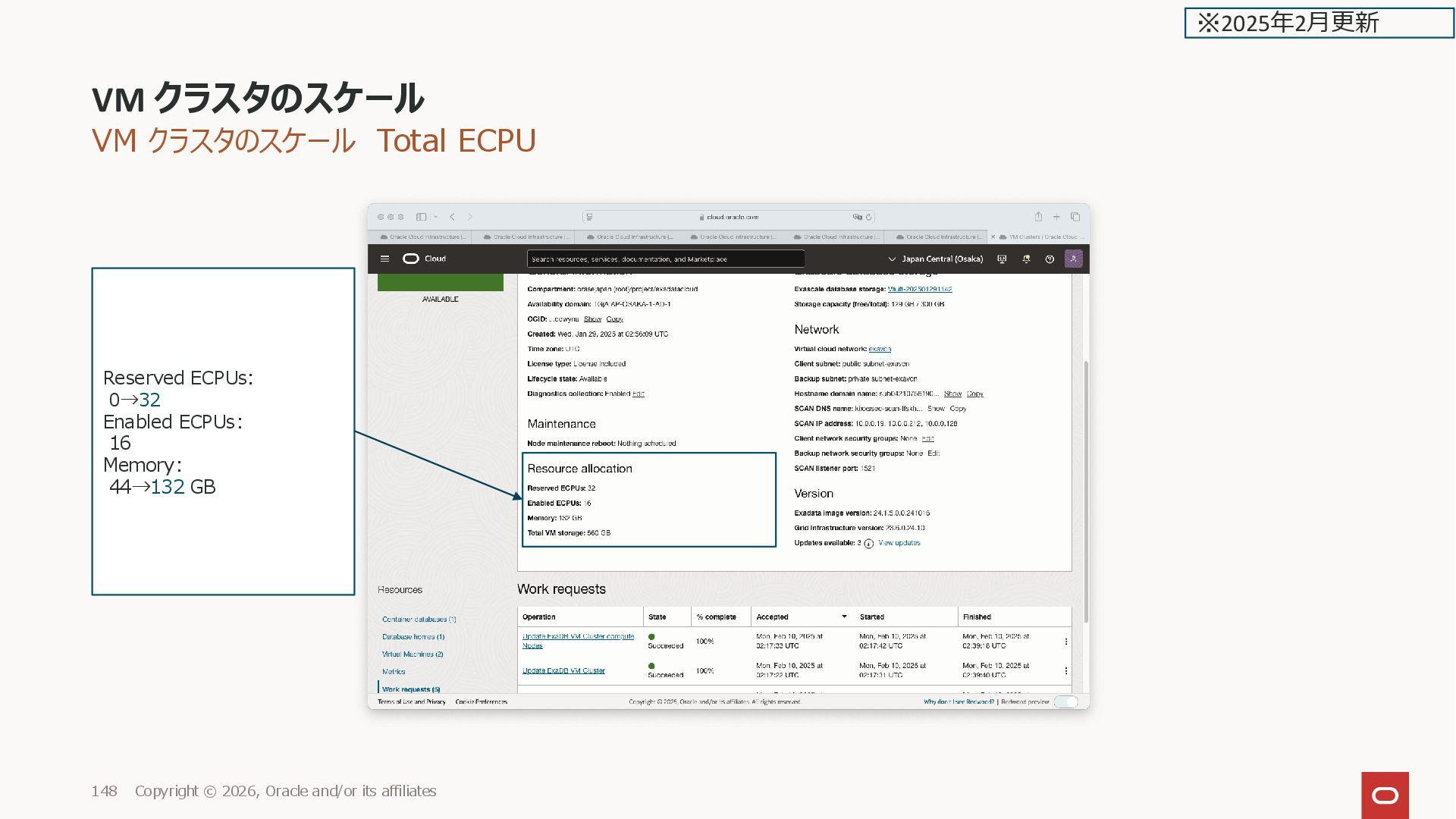
![VM クラスタのスケール Total ECPU [root@kixxssec1-ahnvr ~]# free -h total used](https://files.speakerdeck.com/presentations/d288484ab24b478292e3449470852dfb/slide_146.jpg)
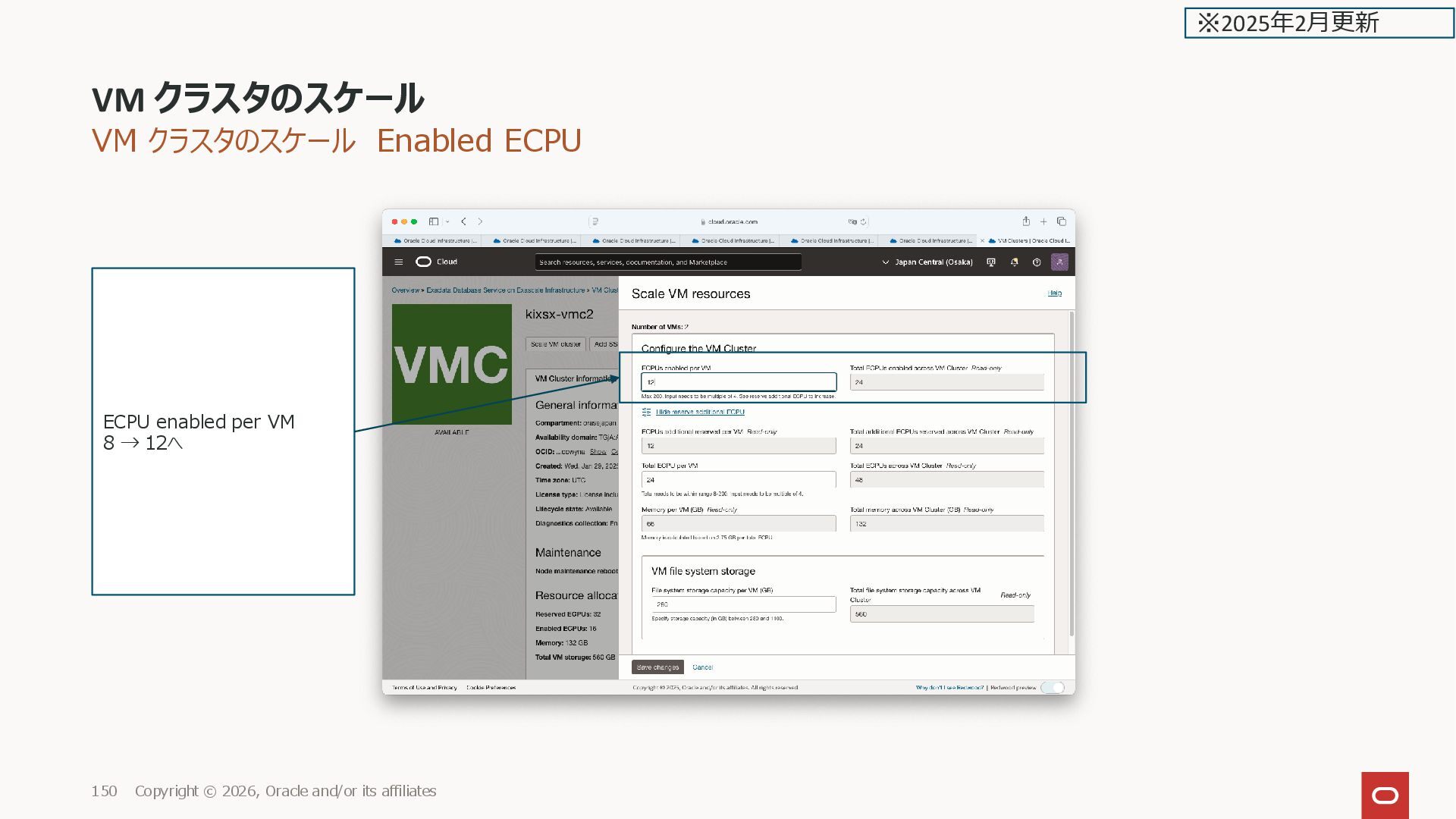
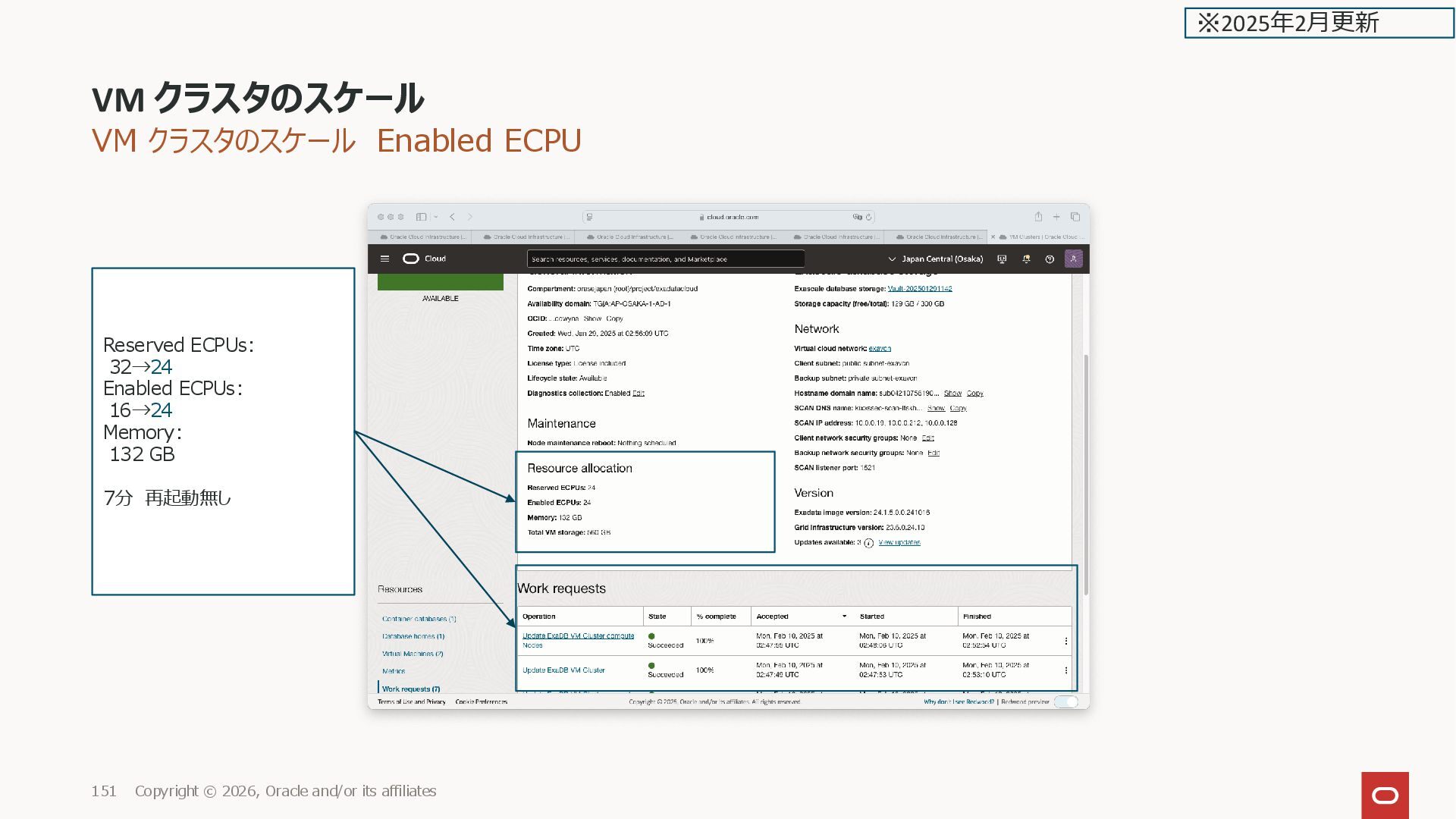
![VM クラスタのスケール Enabled ECPU [root@kixxssec1-ahnvr ~]# lscpu Architecture: x86_64 CPU](https://files.speakerdeck.com/presentations/d288484ab24b478292e3449470852dfb/slide_149.jpg)
![VM クラスタのスケール Enabled ECPU 前 [root@kixxssec1-ahnvr ~]# lscpu --online --extended](https://files.speakerdeck.com/presentations/d288484ab24b478292e3449470852dfb/slide_152.jpg)
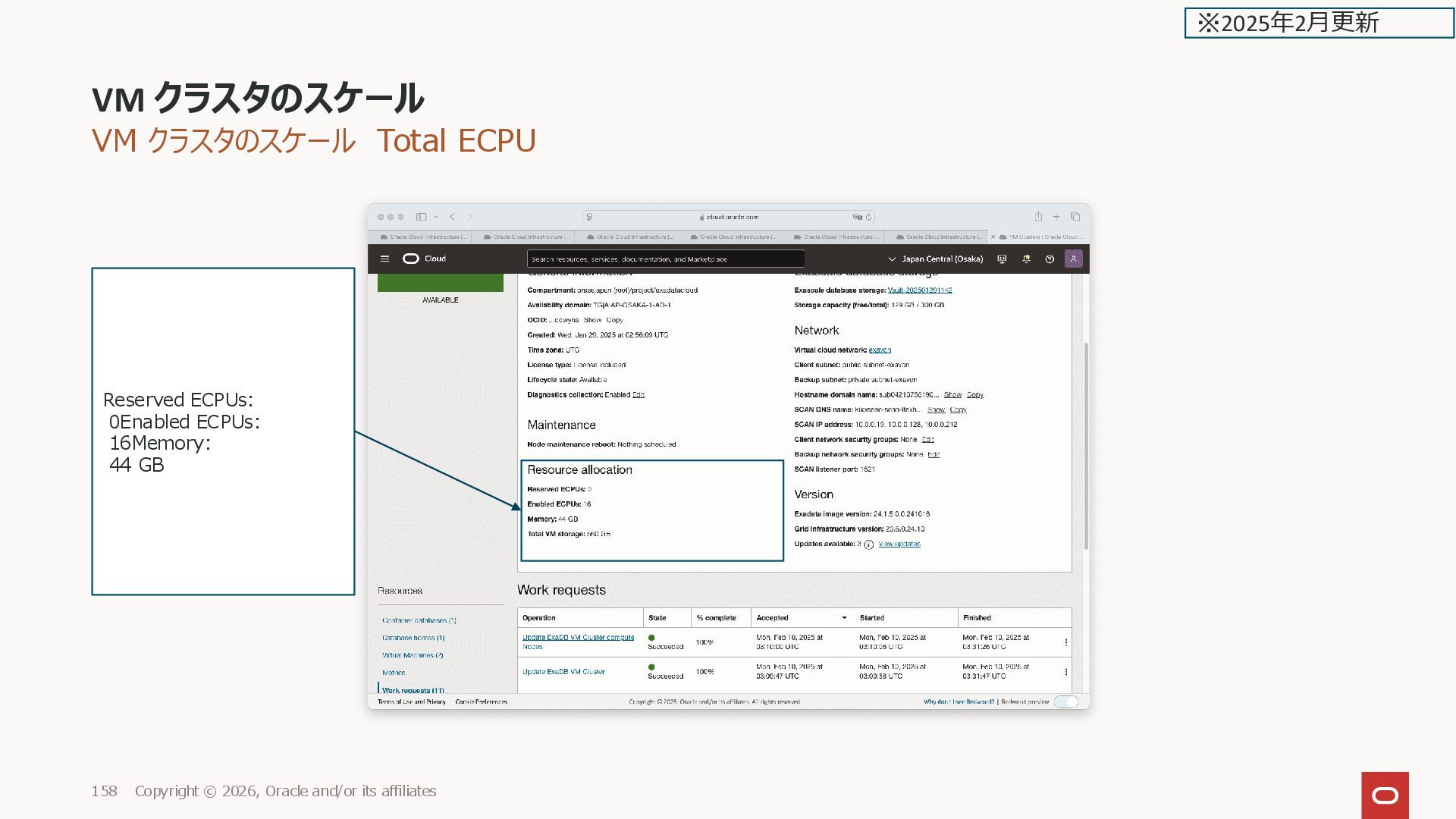
![VM クラスタのスケール Total ECPU [root@kixxssec1-ahnvr ~]# free -h total used](https://files.speakerdeck.com/presentations/d288484ab24b478292e3449470852dfb/slide_156.jpg)
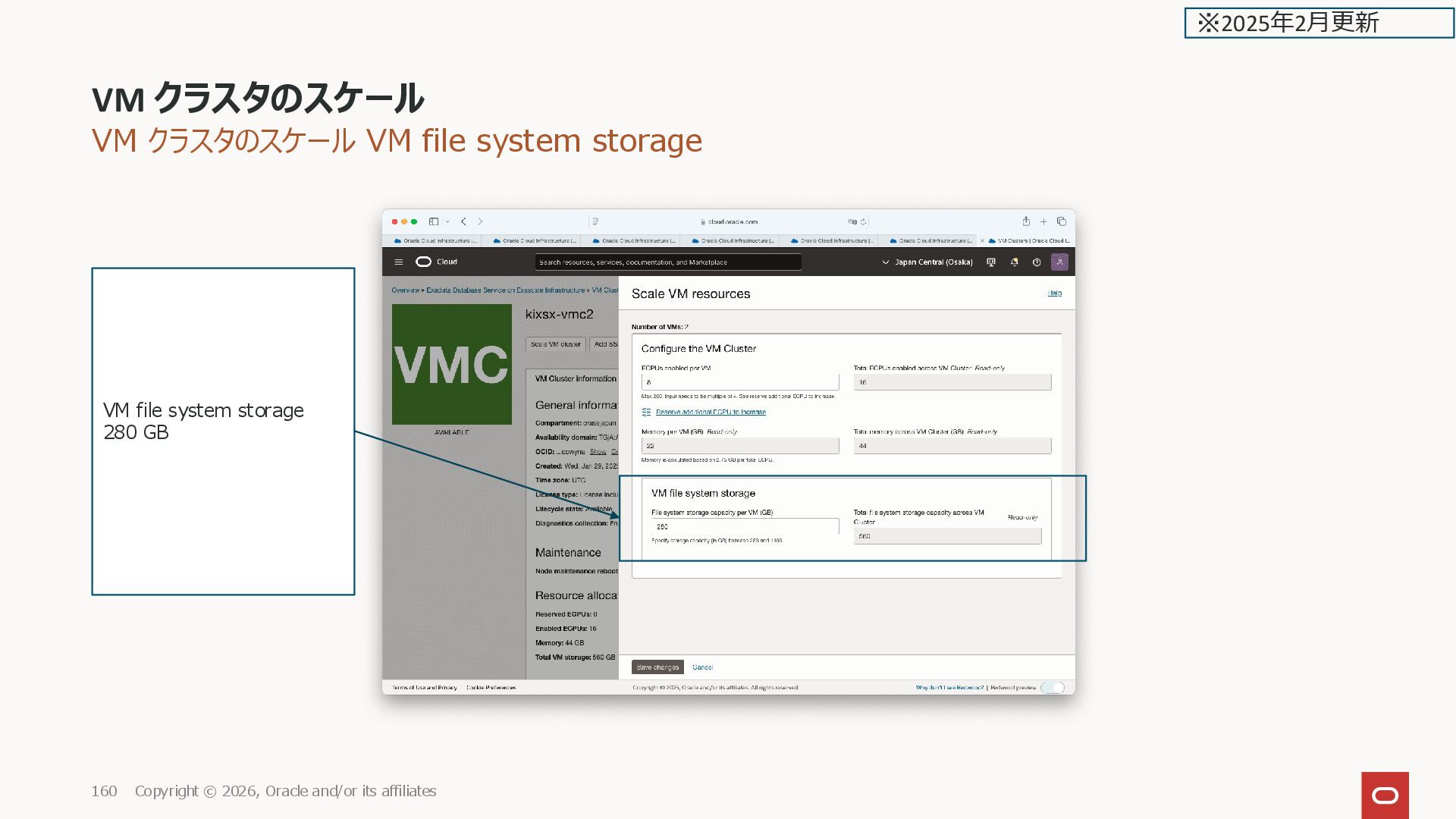
![VM クラスタのスケール VM file system storage [root@kixxssec1-ahnvr ~]# df -Th](https://files.speakerdeck.com/presentations/d288484ab24b478292e3449470852dfb/slide_158.jpg)
![VM クラスタのスケール VM file system storage [root@kixxssec1-ahnvr ~]# lvs LV](https://files.speakerdeck.com/presentations/d288484ab24b478292e3449470852dfb/slide_159.jpg)
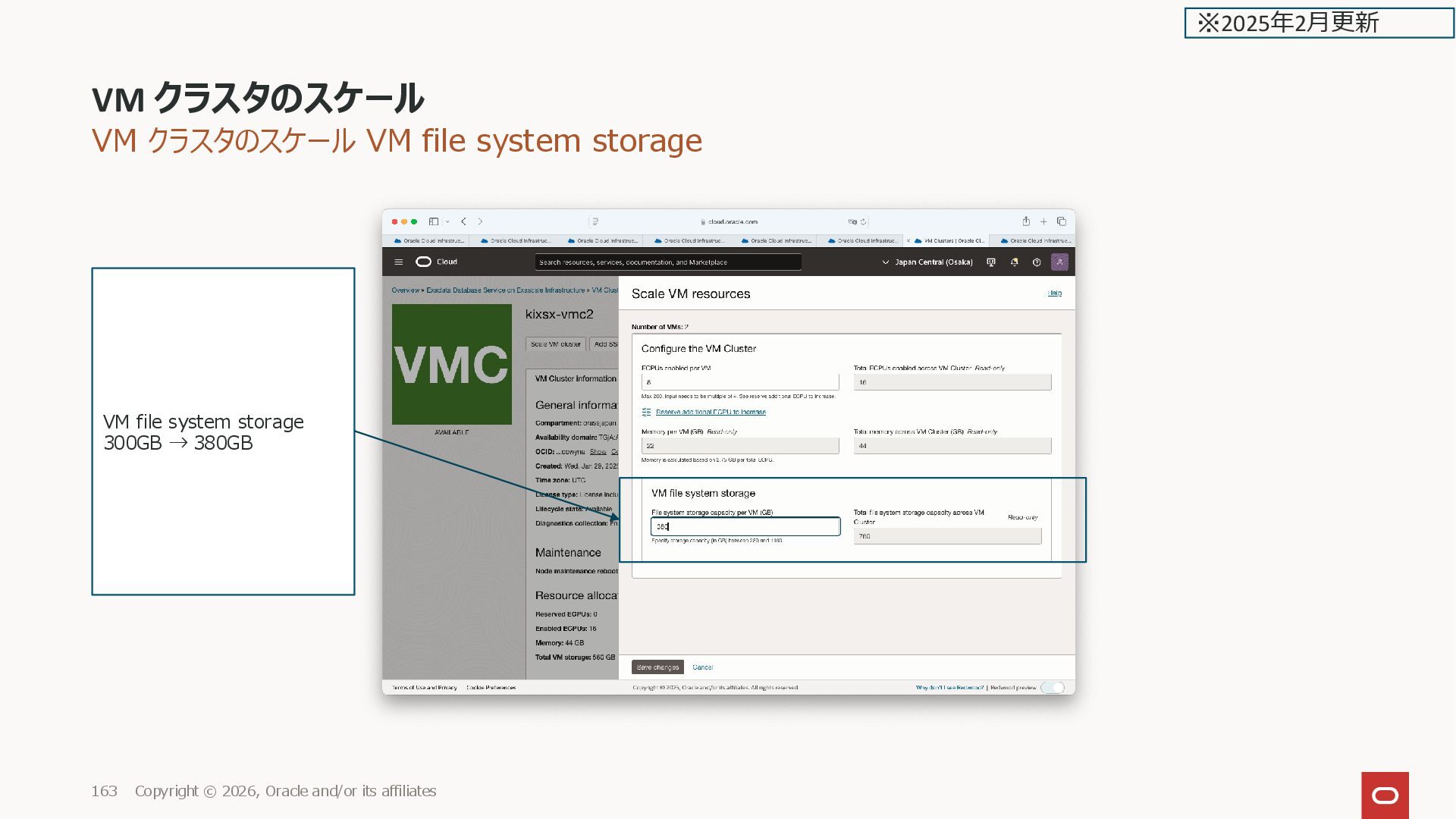
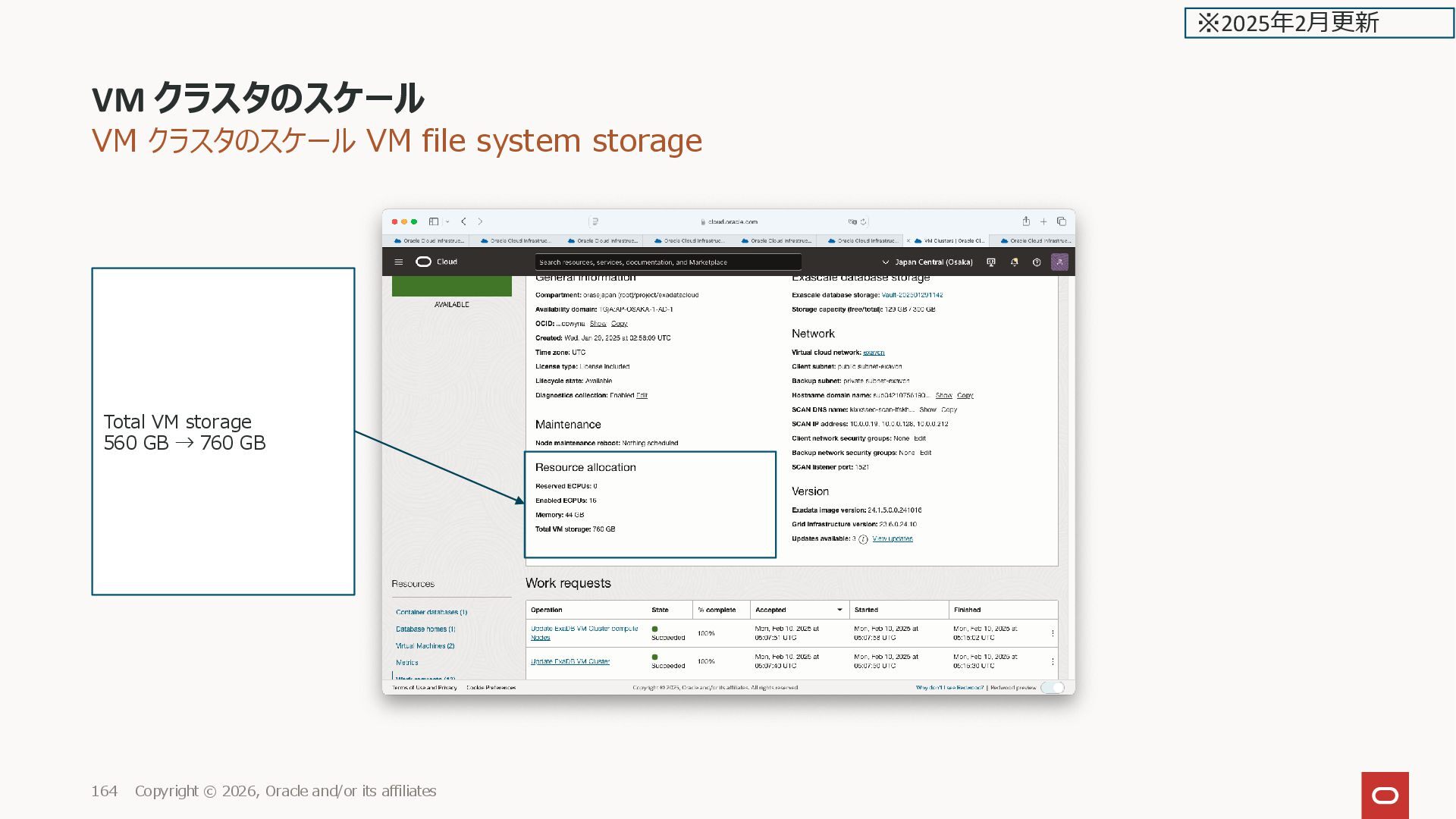
![VM クラスタのスケール VM file system storage [root@kixxssec1-ahnvr ~]# df -Th](https://files.speakerdeck.com/presentations/d288484ab24b478292e3449470852dfb/slide_162.jpg)
![VM クラスタのスケール VM file system storage [root@kixxssec1-ahnvr ~]# lvs LV](https://files.speakerdeck.com/presentations/d288484ab24b478292e3449470852dfb/slide_163.jpg)
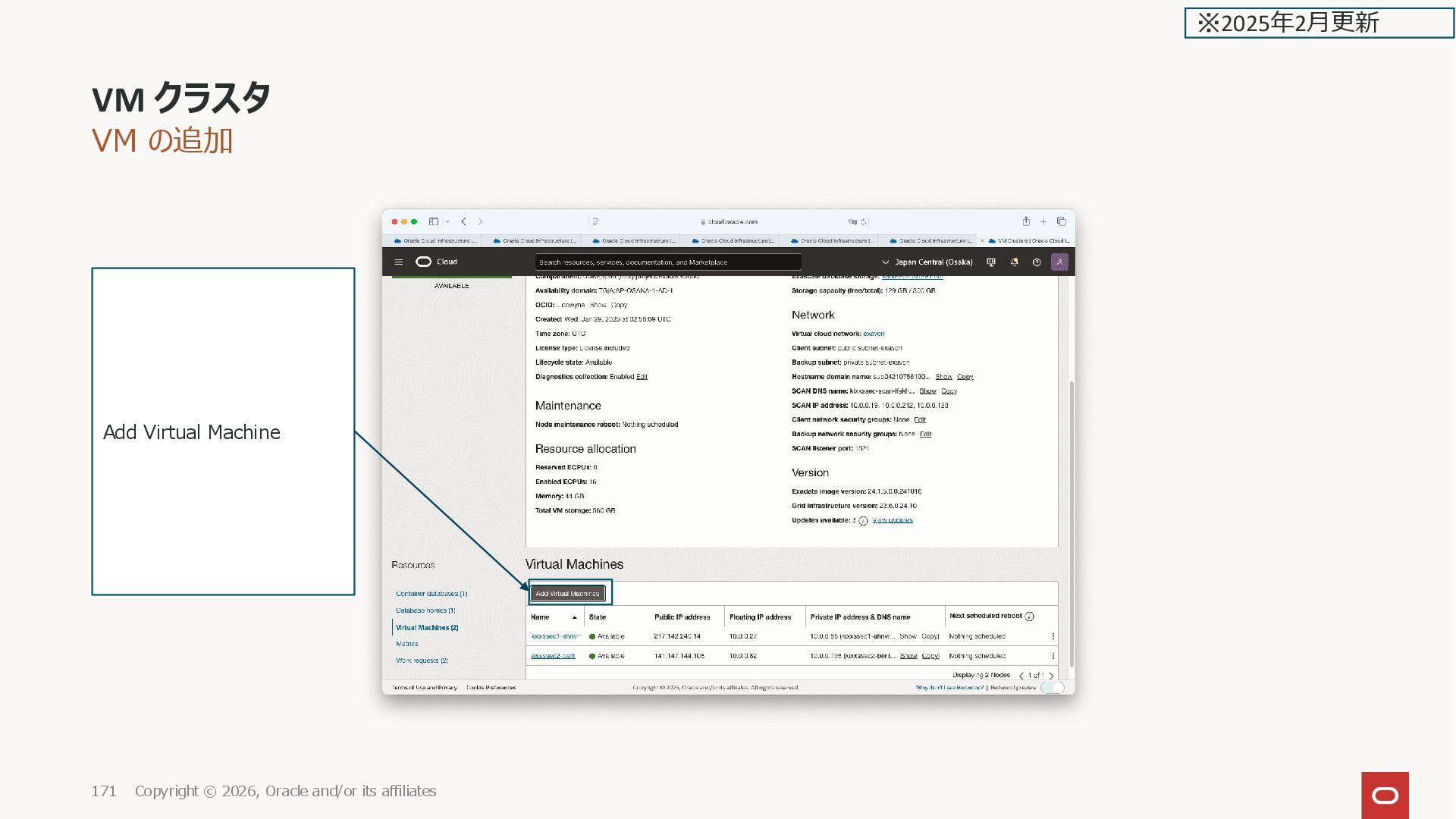
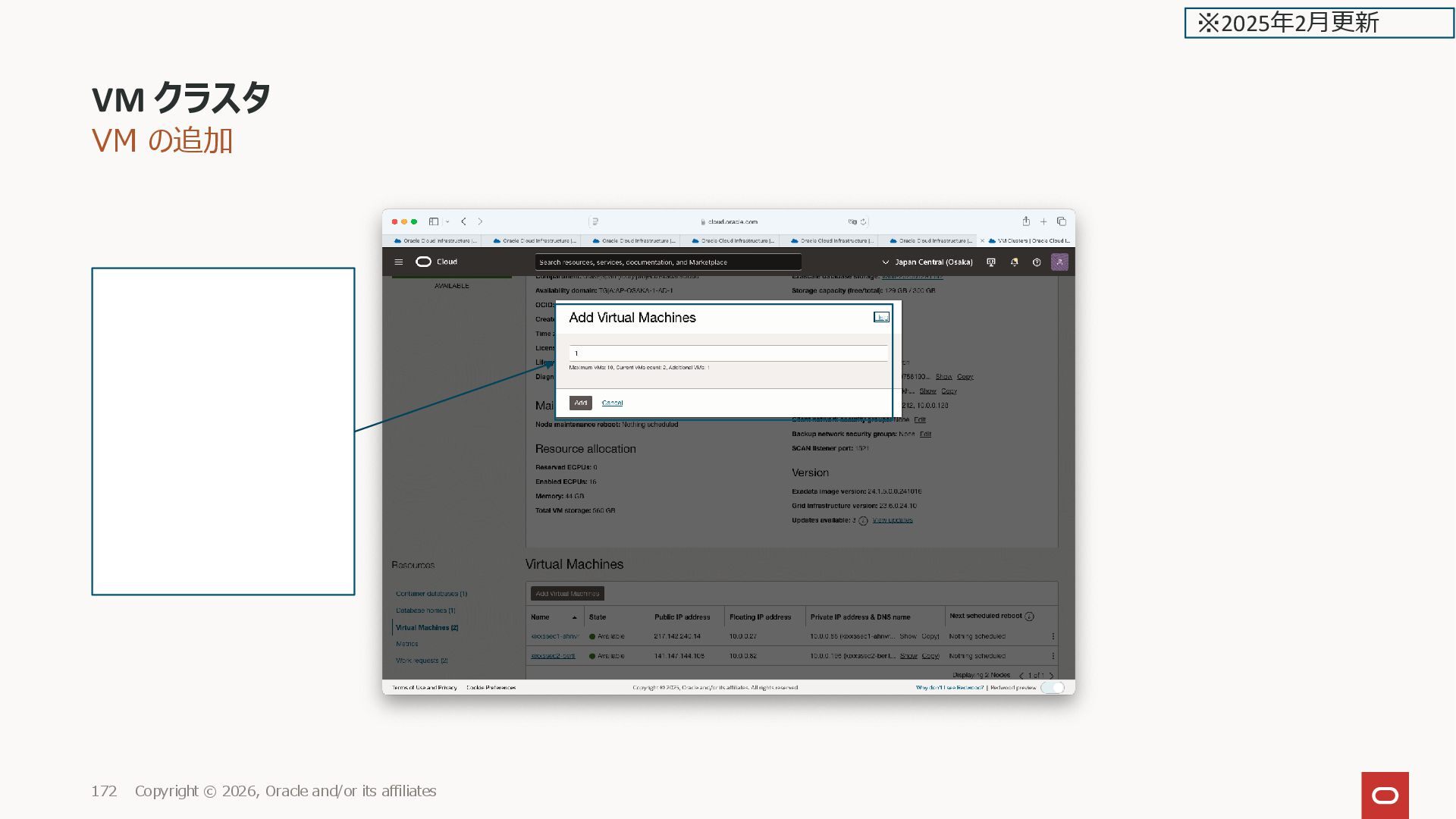
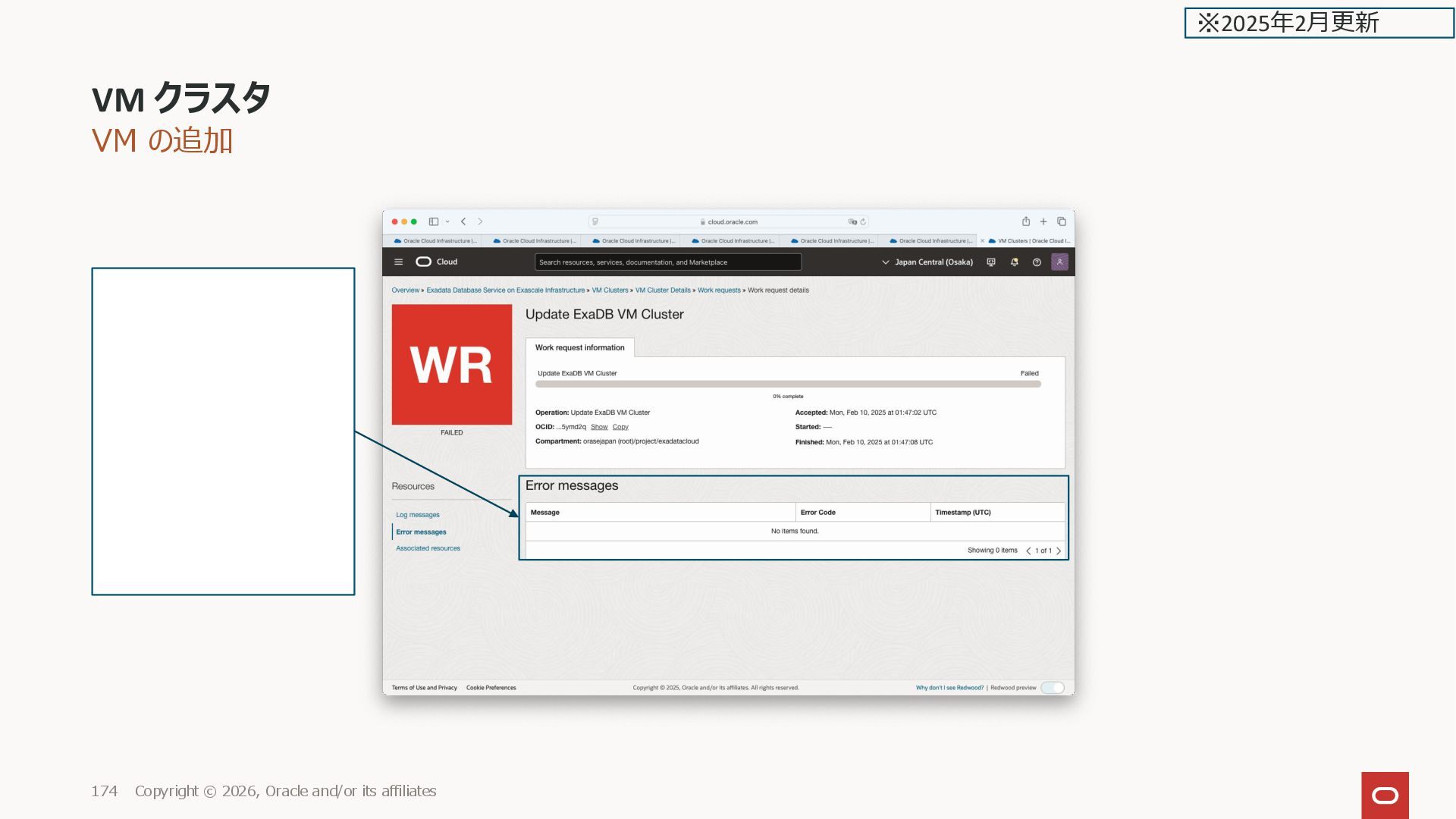
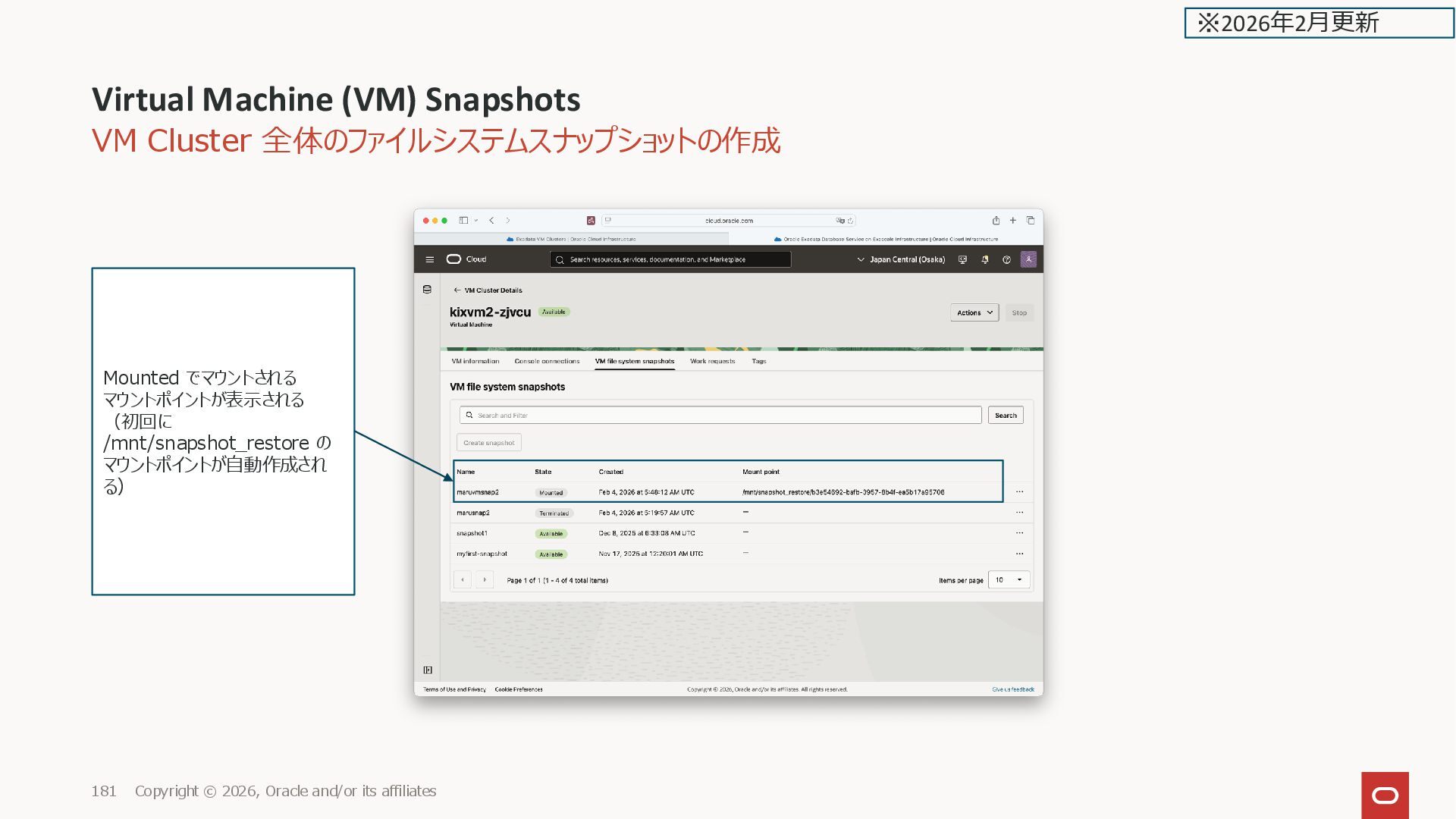
![VM Cluster 全体のファイルシステムスナップショットの作成 /u01、/u02 のスナップショットが作成されて、マウントされているのが分かる(/u01、/u02以外はスナップショットは作成されないので、全体のバックアップにはならない) [root@kixvm2-zjvcu ~]# df -Th Filesystem](https://files.speakerdeck.com/presentations/d288484ab24b478292e3449470852dfb/slide_179.jpg)
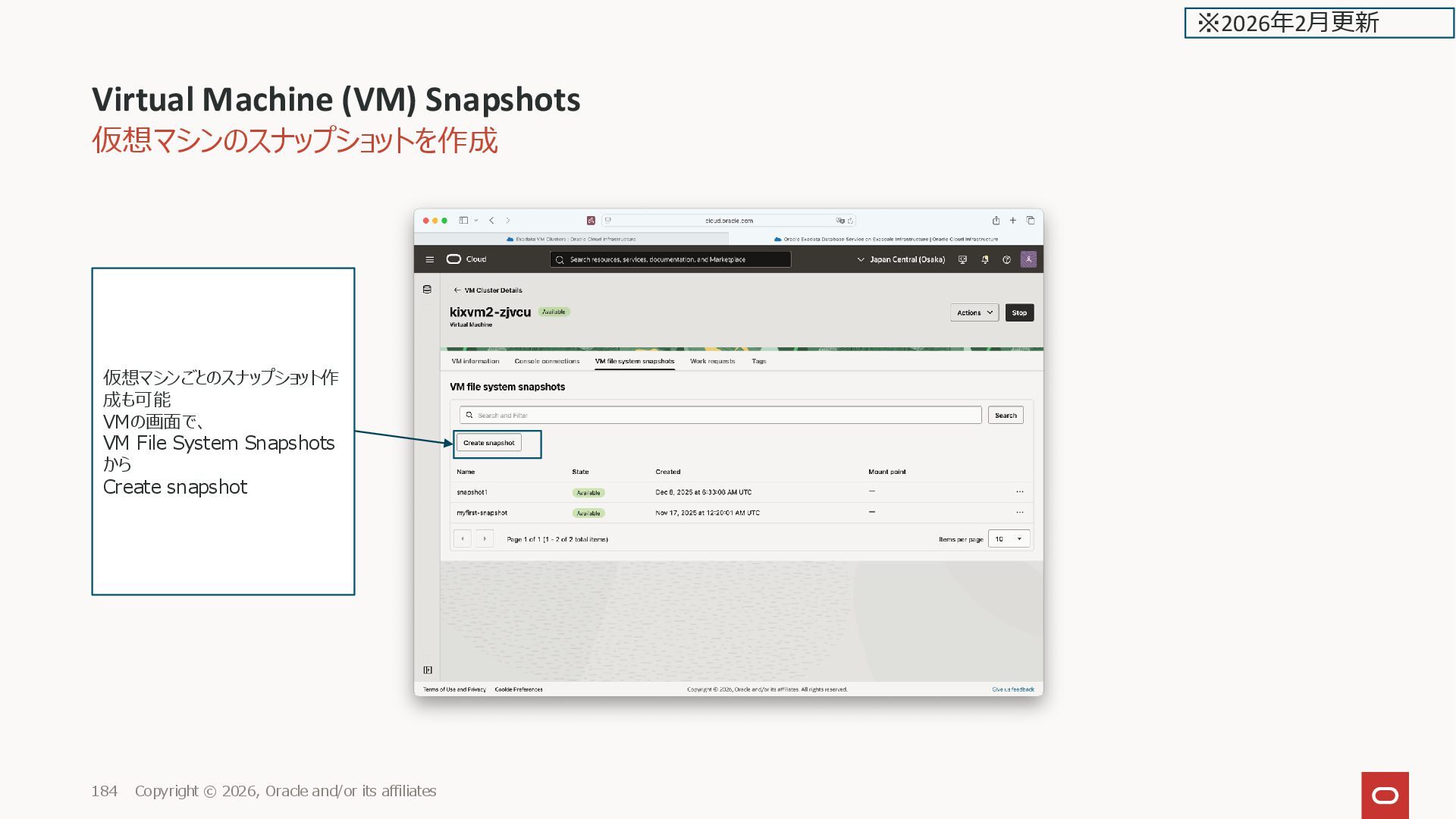
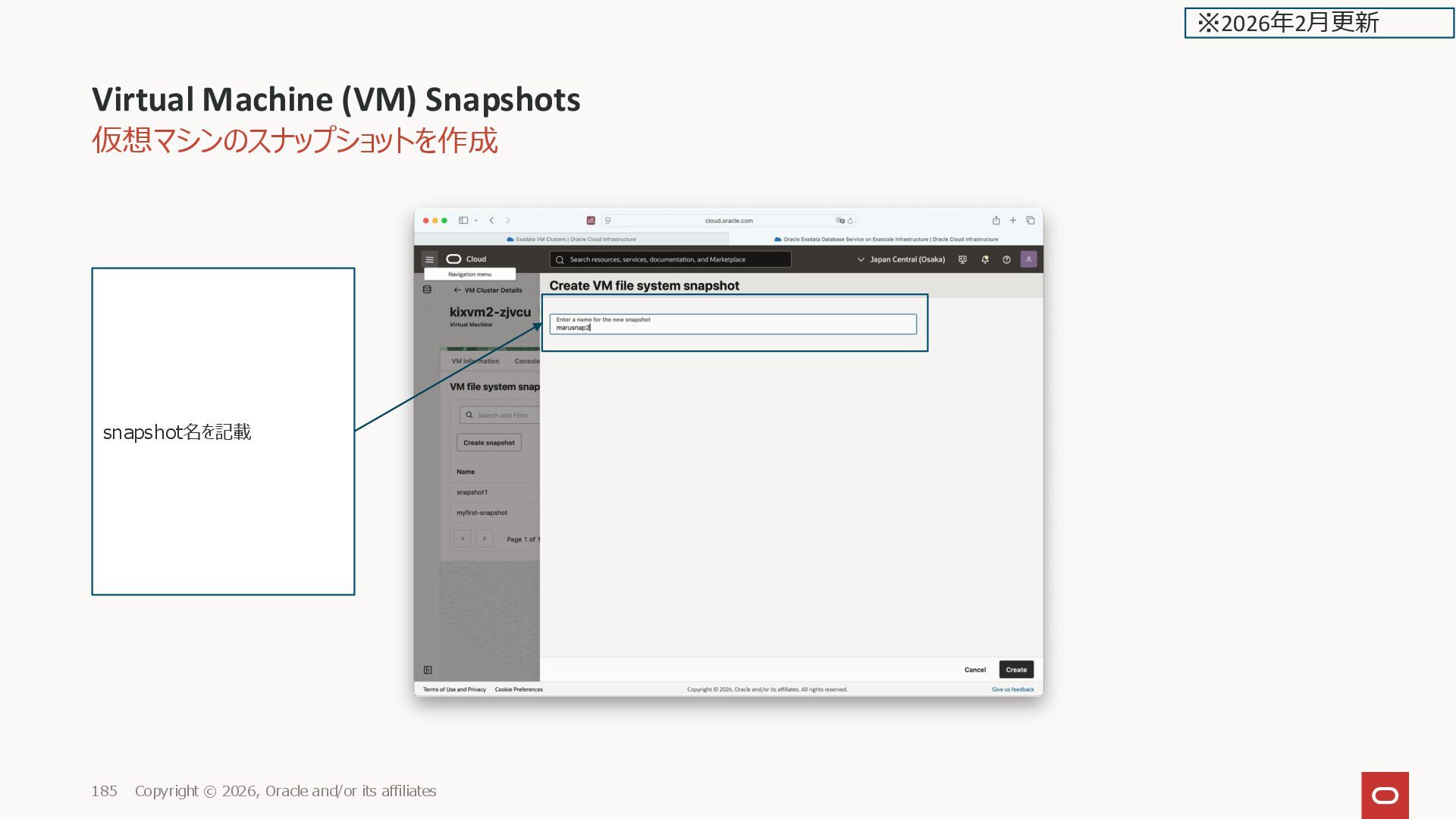
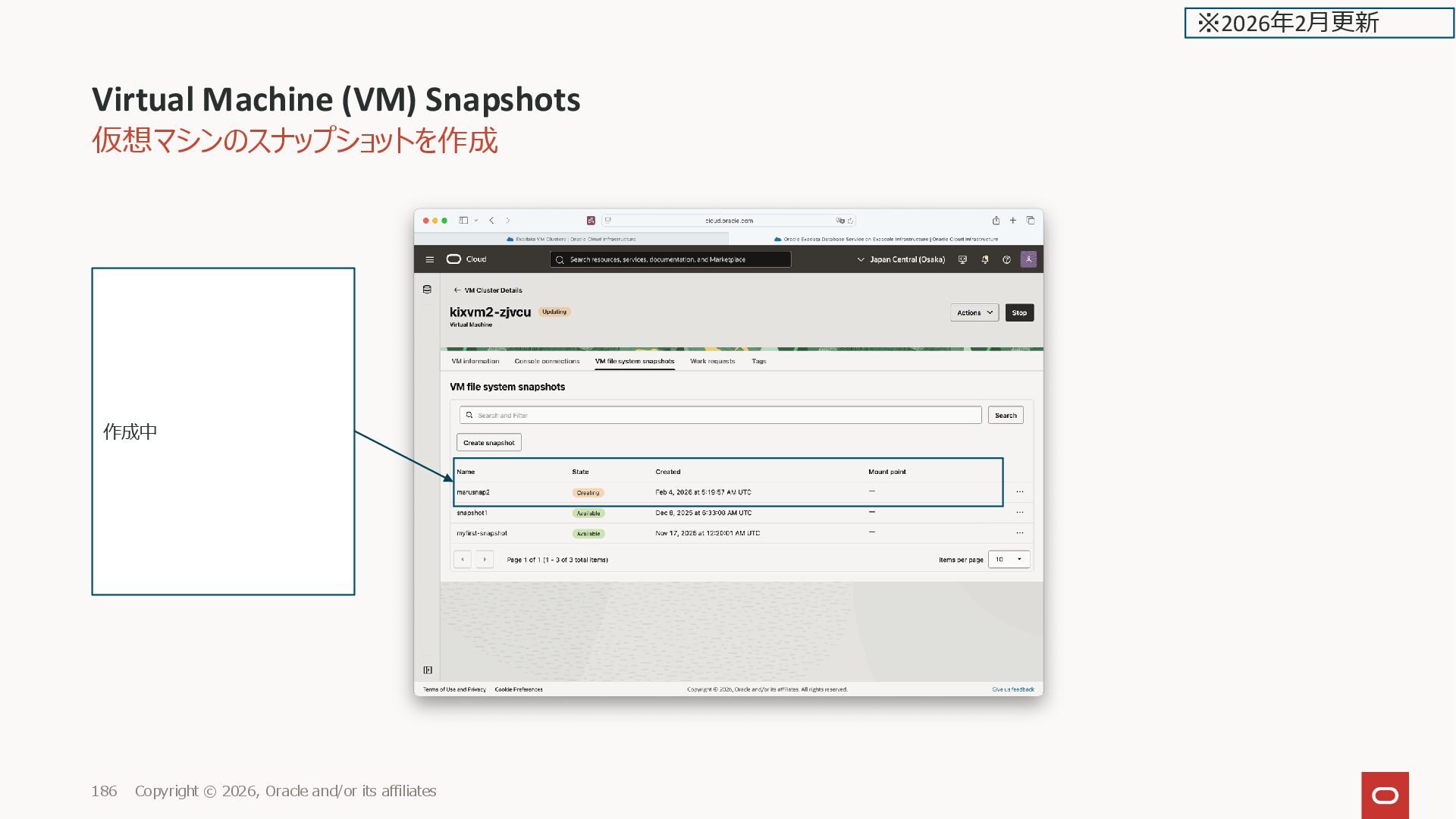
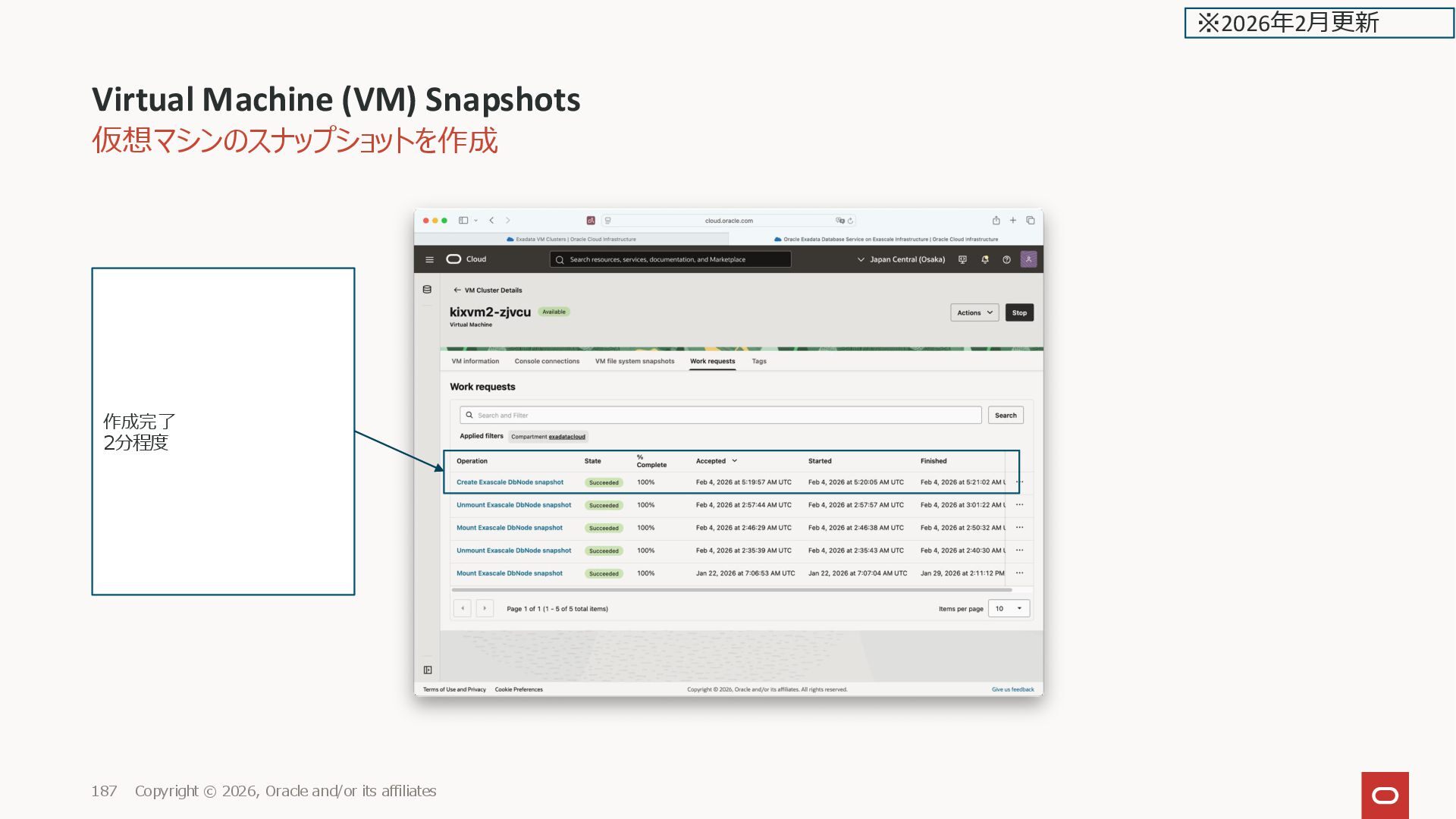
![仮想マシンのスナップショットを作成 VM Cluster のスナップショットと同じく、取得対象は u01、u02 のみ。(ドキュメントには全体が取得されるように書いてあるが注意) [root@kixvm2-zjvcu ~]# df -Th](https://files.speakerdeck.com/presentations/d288484ab24b478292e3449470852dfb/slide_189.jpg)