Share
Embed

Transcript
73 slides
-
Kubernetes the Swiss Army Knife for your ProxySQL Deployments by
René Cannaò, 19th of May 2020 -
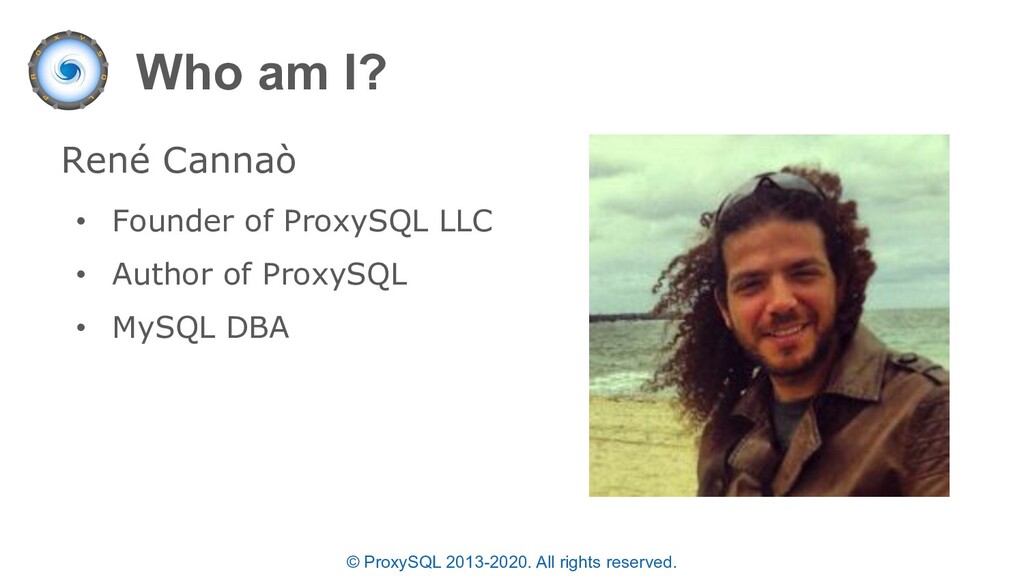
Who am I? René Cannaò • Founder of ProxySQL LLC
• Author of ProxySQL • MySQL DBA © ProxySQL 2013-2020. All rights reserved. -
ProxySQL LLC We provide services to help build, support and
improve the performance & reliability of your Cloud-Based and On-Premise MySQL infrastructure. © ProxySQL 2013-2020. All rights reserved. -
ProxySQL LLC • ProxySQL Development • ProxySQL Support Services •
ProxySQL, MySQL, DevOps & Outsourcing • ProxySQL Training • Consulting Services © ProxySQL 2013-2020. All rights reserved. -
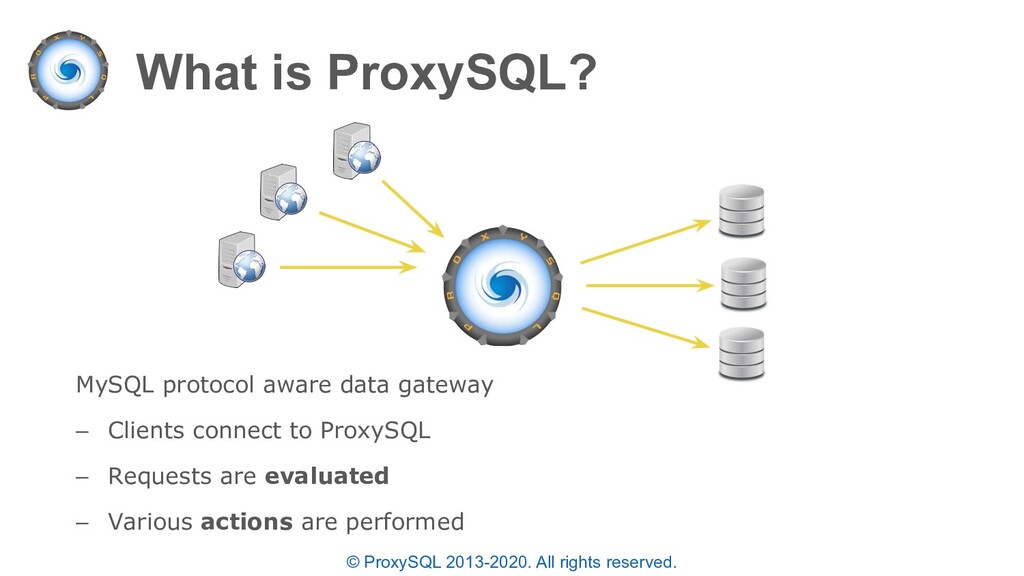
What is ProxySQL? MySQL protocol aware data gateway – Clients
connect to ProxySQL – Requests are evaluated – Various actions are performed © ProxySQL 2013-2020. All rights reserved. -
Production Deployment © ProxySQL 2013-2020. All rights reserved. The three
main approaches for deploying ProxySQL are either: - Deploy ProxySQL on your application servers - Deploy ProxySQL in a dedicated layer of servers - Deploy ProxySQL on your application servers and in a separate dedicated layer of servers Each approach has its own advantages and disadvantages. -
Production Deployment © ProxySQL 2013-2020. All rights reserved. Regardless of
your underlying infrastructure, there are various implementation methods to implement all three approaches for: - On-premises bare metal servers - Virtualized environments (VMWare, KVM, etc) - Cloud environments (AWS, GCP, Azure, etc) - Containerized environments (Kubernetes, Docker, etc) -
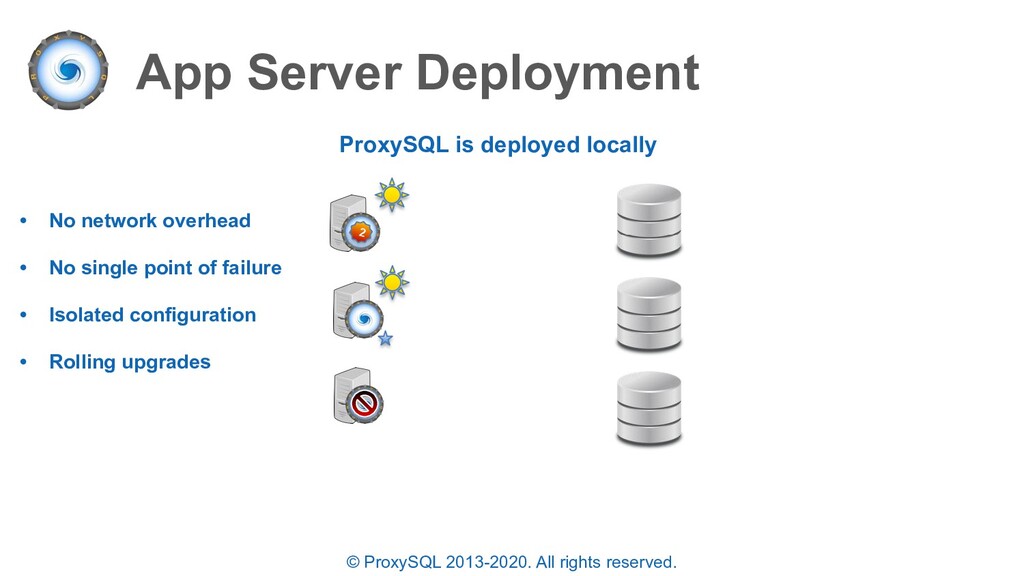
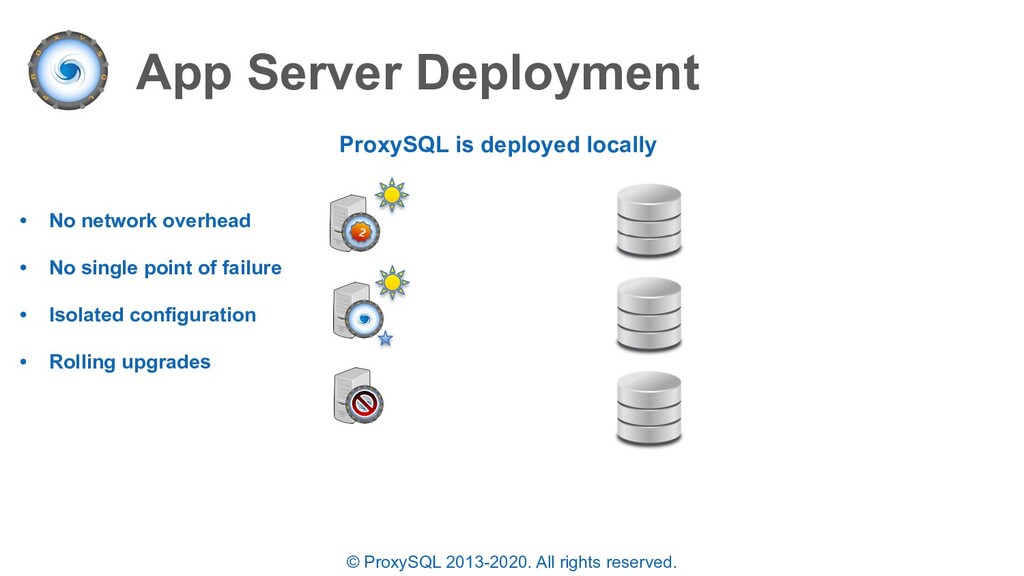
App Server Deployment © ProxySQL 2013-2020. All rights reserved. ProxySQL
is deployed locally • No network overhead • No single point of failure • Isolated configuration • Rolling upgrades 2 -
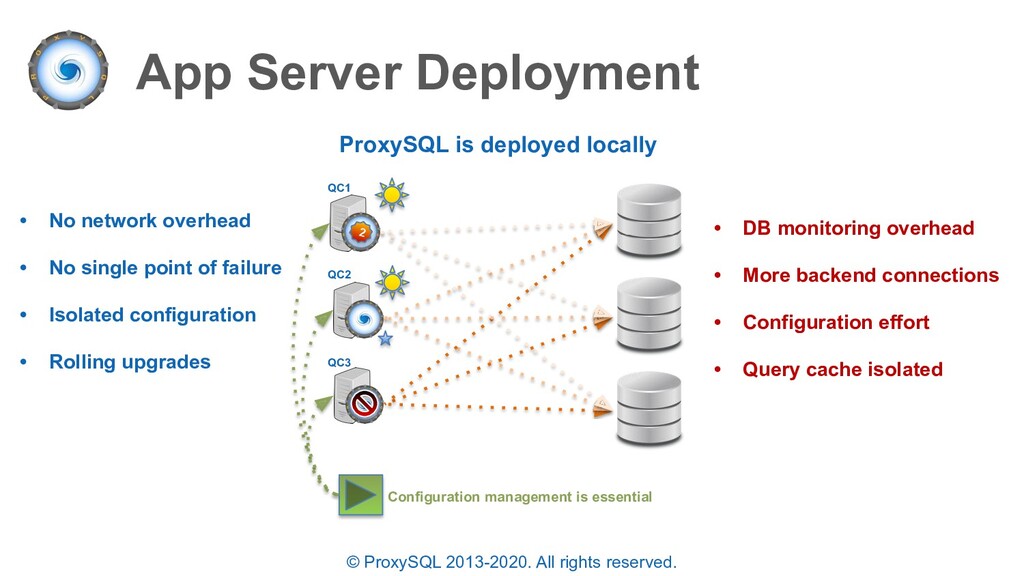
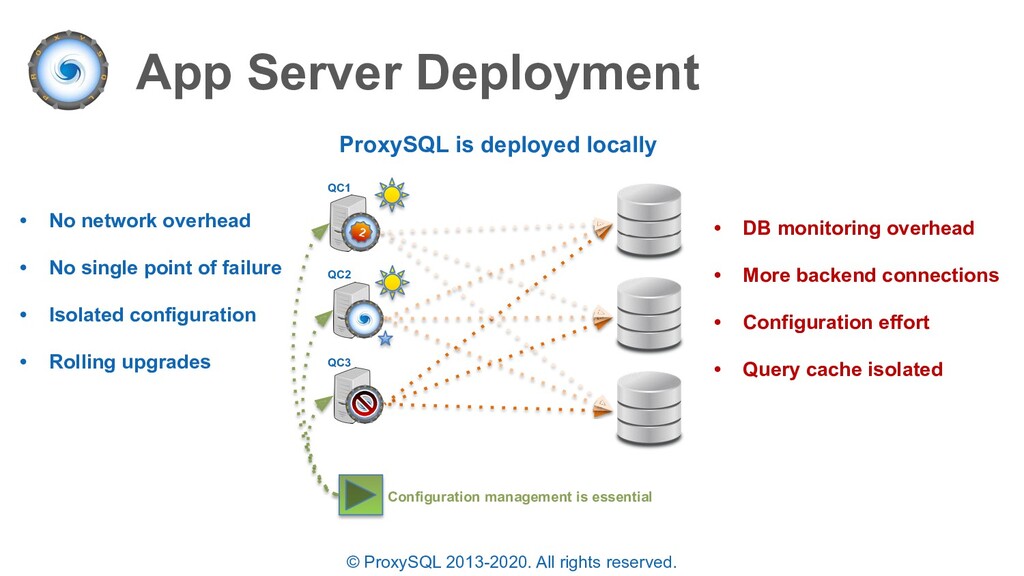
App Server Deployment © ProxySQL 2013-2020. All rights reserved. ProxySQL
is deployed locally • No network overhead • No single point of failure • Isolated configuration • Rolling upgrades 2 • DB monitoring overhead • More backend connections • Configuration effort • Query cache isolated Configuration management is essential QC1 QC2 QC3 -
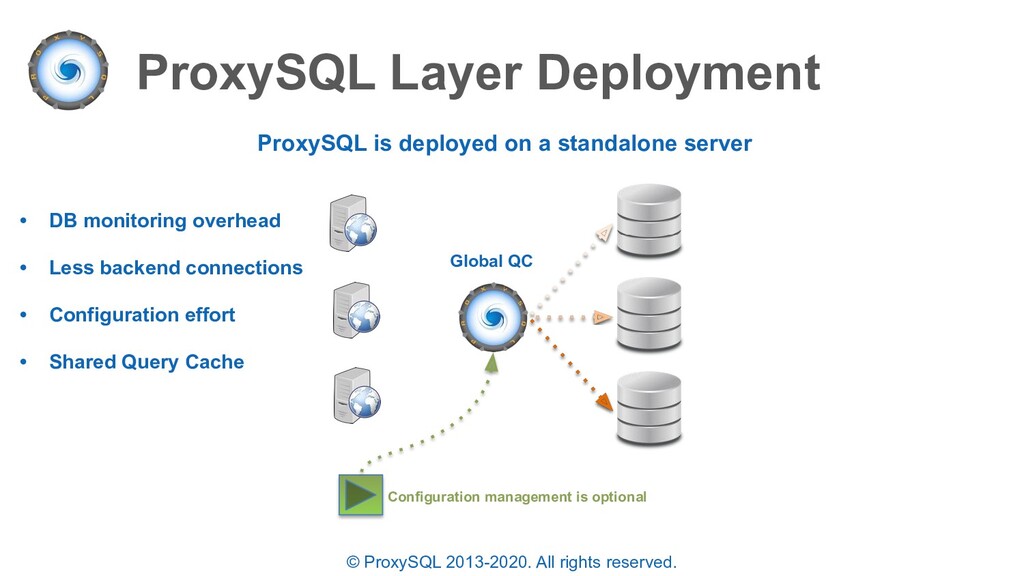
ProxySQL Layer Deployment © ProxySQL 2013-2020. All rights reserved. ProxySQL
is deployed on a standalone server • DB monitoring overhead • Less backend connections • Configuration effort • Shared Query Cache Configuration management is optional Global QC -
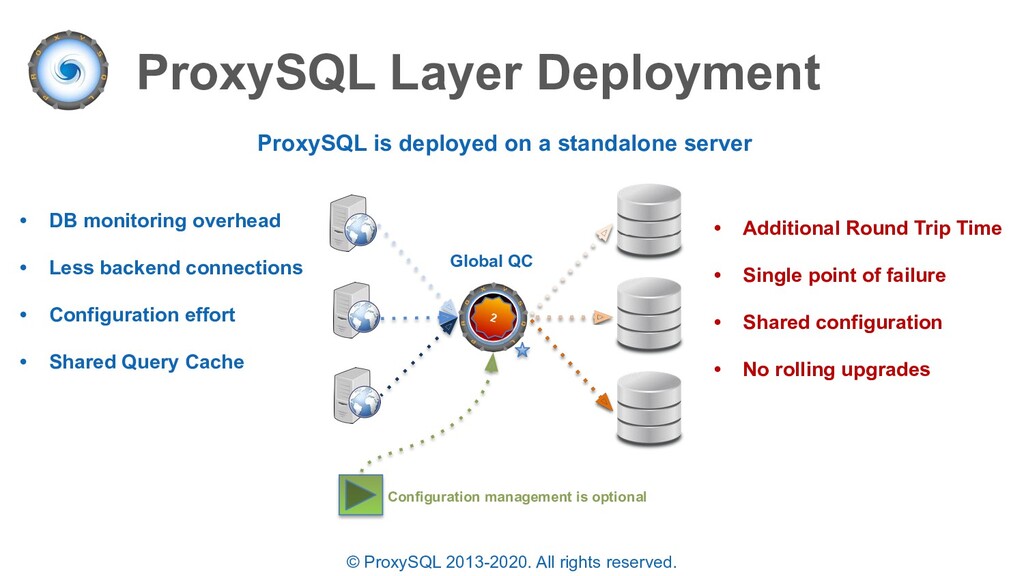
ProxySQL Layer Deployment © ProxySQL 2013-2020. All rights reserved. ProxySQL
is deployed on a standalone server • DB monitoring overhead • Less backend connections • Configuration effort • Shared Query Cache Global QC • Additional Round Trip Time • Single point of failure • Shared configuration • No rolling upgrades 2 Configuration management is optional -
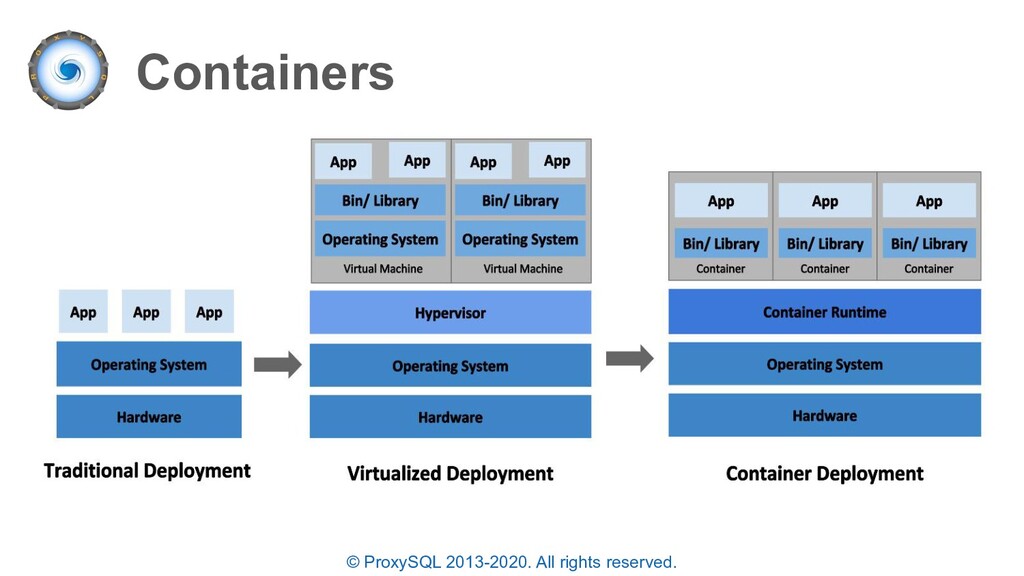
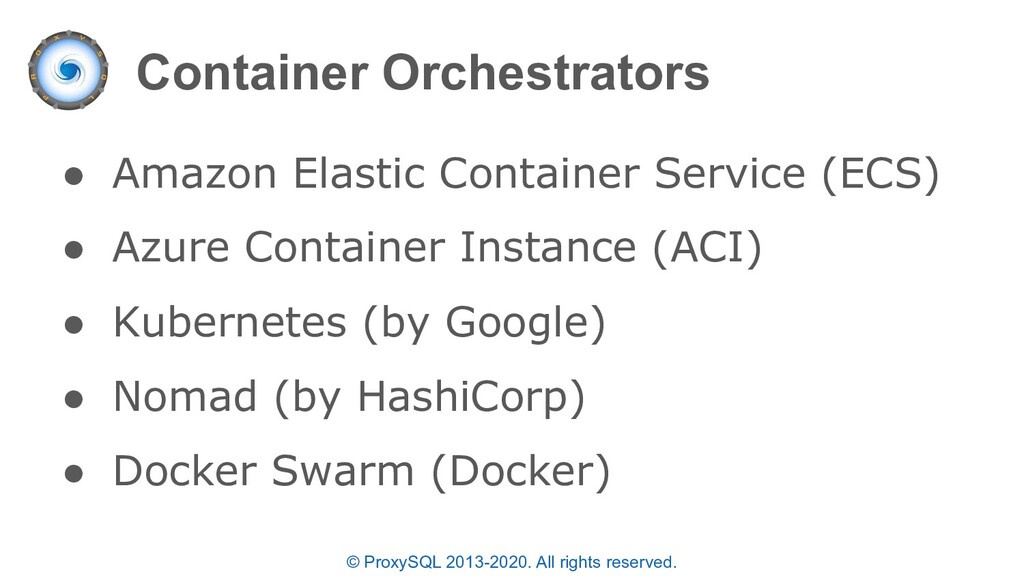
Container Orchestrators • Amazon Elastic Container Service (ECS) • Azure
Container Instance (ACI) • Kubernetes (by Google) • Nomad (by HashiCorp) • Docker Swarm (Docker) © ProxySQL 2013-2020. All rights reserved. -
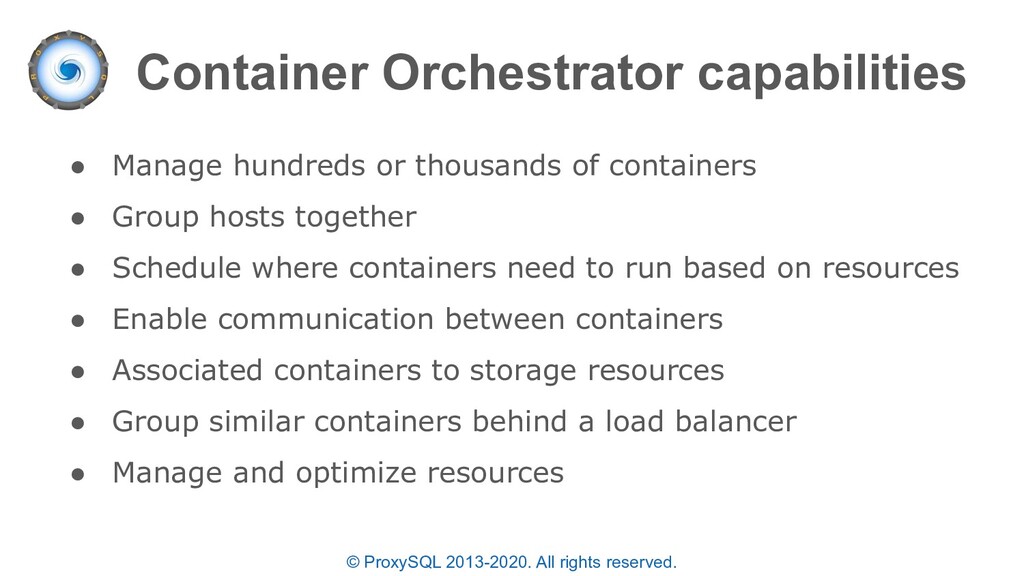
Container Orchestrator capabilities • Manage hundreds or thousands of containers
• Group hosts together • Schedule where containers need to run based on resources • Enable communication between containers • Associated containers to storage resources • Group similar containers behind a load balancer • Manage and optimize resources © ProxySQL 2013-2020. All rights reserved. -
What is Kubernetes (k8s) From https://kubernetes.io/ : Kubernetes is an
open-source system for automating deployment, scaling, and management of containerized applications. Often referred to as k8s © ProxySQL 2013-2020. All rights reserved. -
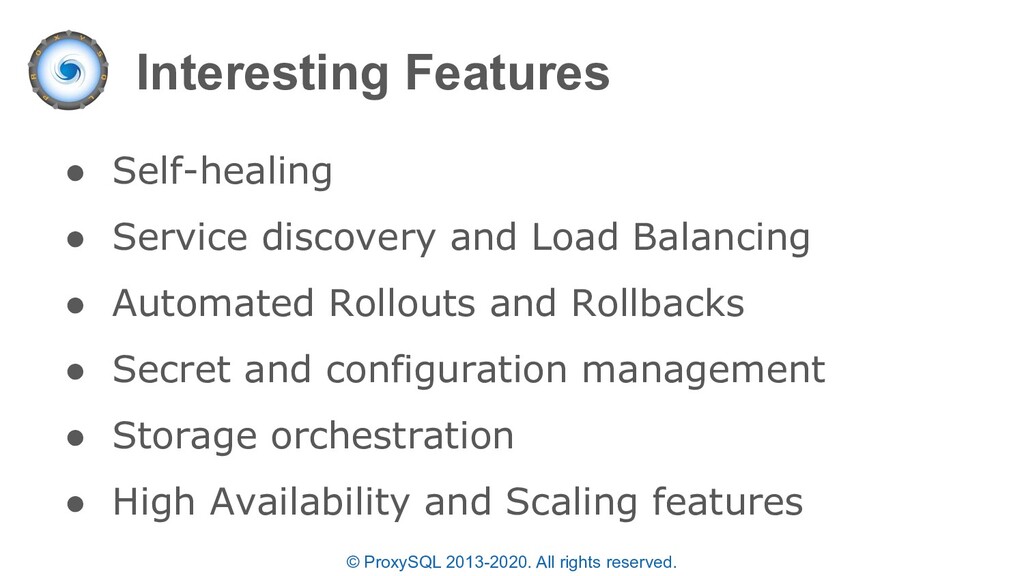
Interesting Features • Self-healing • Service discovery and Load Balancing
• Automated Rollouts and Rollbacks • Secret and configuration management • Storage orchestration • High Availability and Scaling features © ProxySQL 2013-2020. All rights reserved. -
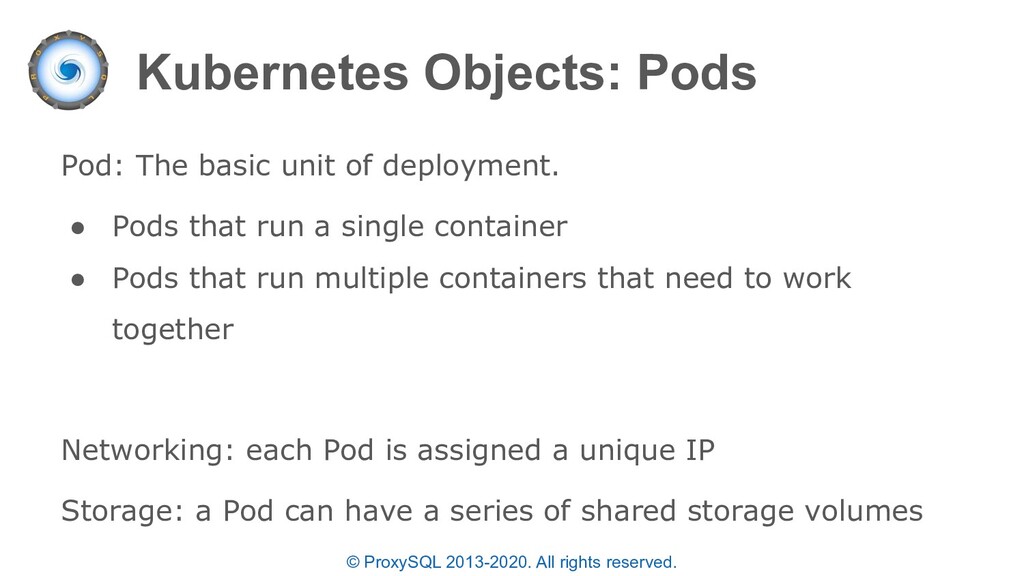
Kubernetes Objects: Pods Pod: The basic unit of deployment. •
Pods that run a single container • Pods that run multiple containers that need to work together Networking: each Pod is assigned a unique IP Storage: a Pod can have a series of shared storage volumes © ProxySQL 2013-2020. All rights reserved. -
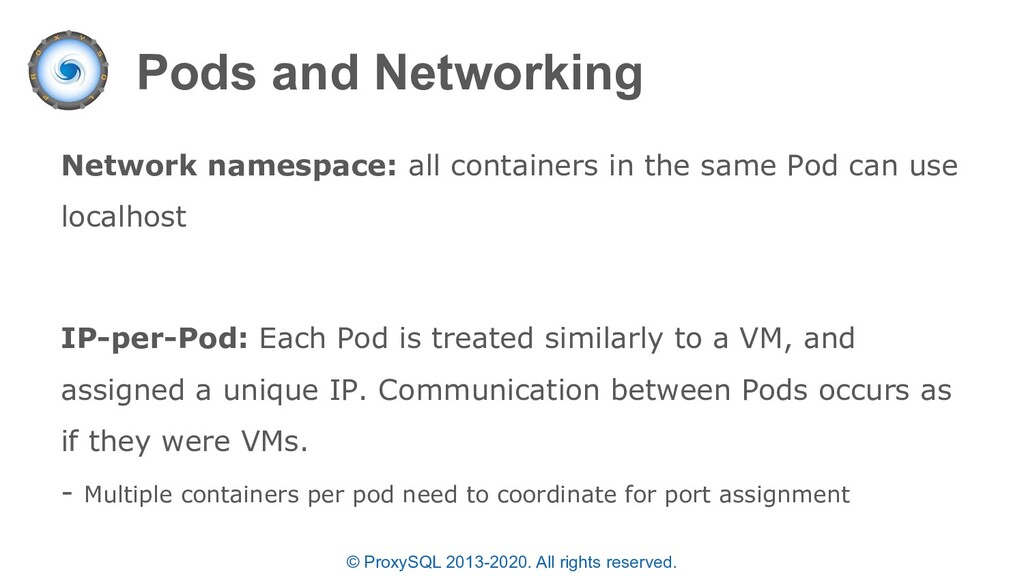
Pods and Networking Network namespace: all containers in the same
Pod can use localhost IP-per-Pod: Each Pod is treated similarly to a VM, and assigned a unique IP. Communication between Pods occurs as if they were VMs. - Multiple containers per pod need to coordinate for port assignment © ProxySQL 2013-2020. All rights reserved. -
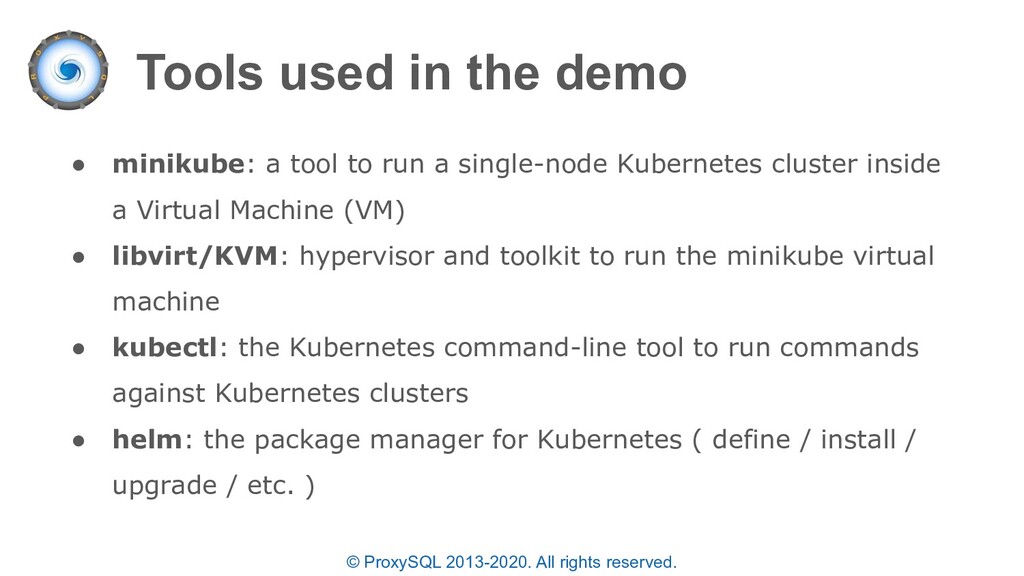
Tools used in the demo • minikube: a tool to
run a single-node Kubernetes cluster inside a Virtual Machine (VM) • libvirt/KVM: hypervisor and toolkit to run the minikube virtual machine • kubectl: the Kubernetes command-line tool to run commands against Kubernetes clusters • helm: the package manager for Kubernetes ( define / install / upgrade / etc. ) © ProxySQL 2013-2020. All rights reserved. -
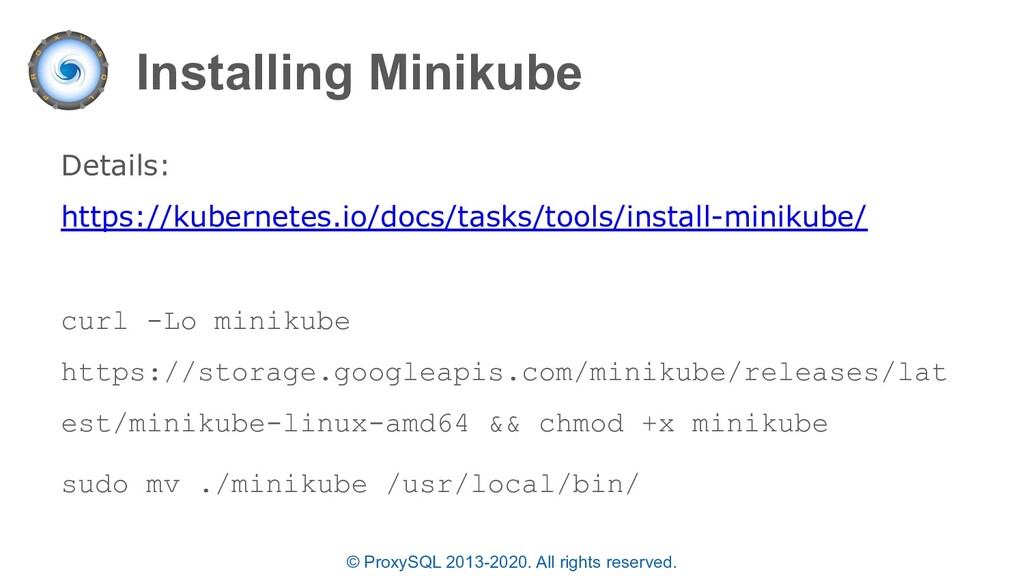
Installing Minikube Details: https://kubernetes.io/docs/tasks/tools/install-minikube/ curl -Lo minikube https://storage.googleapis.com/minikube/releases/lat est/minikube-linux-amd64 &&
chmod +x minikube sudo mv ./minikube /usr/local/bin/ © ProxySQL 2013-2020. All rights reserved. -
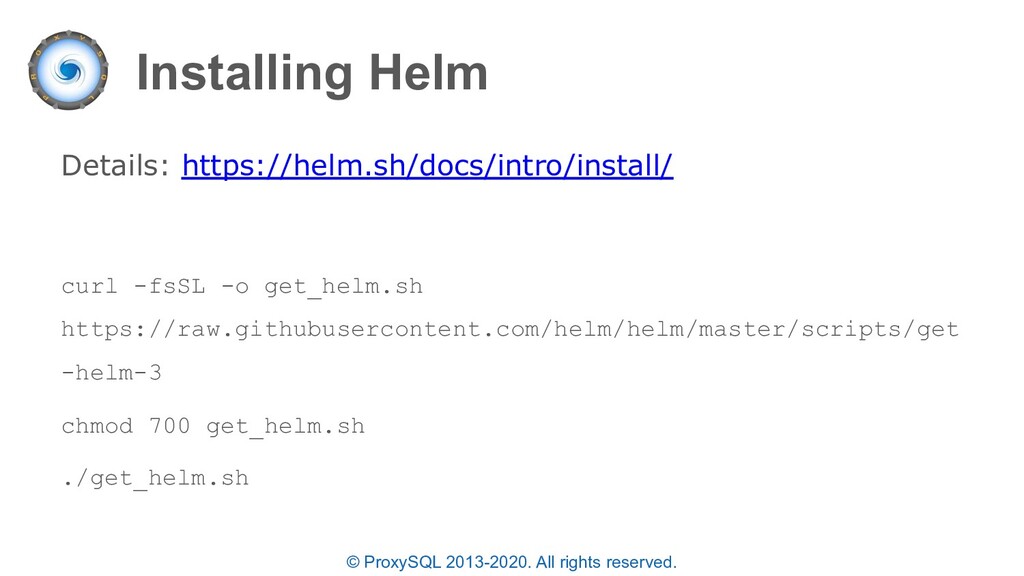
Installing Helm Details: https://helm.sh/docs/intro/install/ curl -fsSL -o get_helm.sh https://raw.githubusercontent.com/helm/helm/master/scripts/get -helm-3
chmod 700 get_helm.sh ./get_helm.sh © ProxySQL 2013-2020. All rights reserved. -
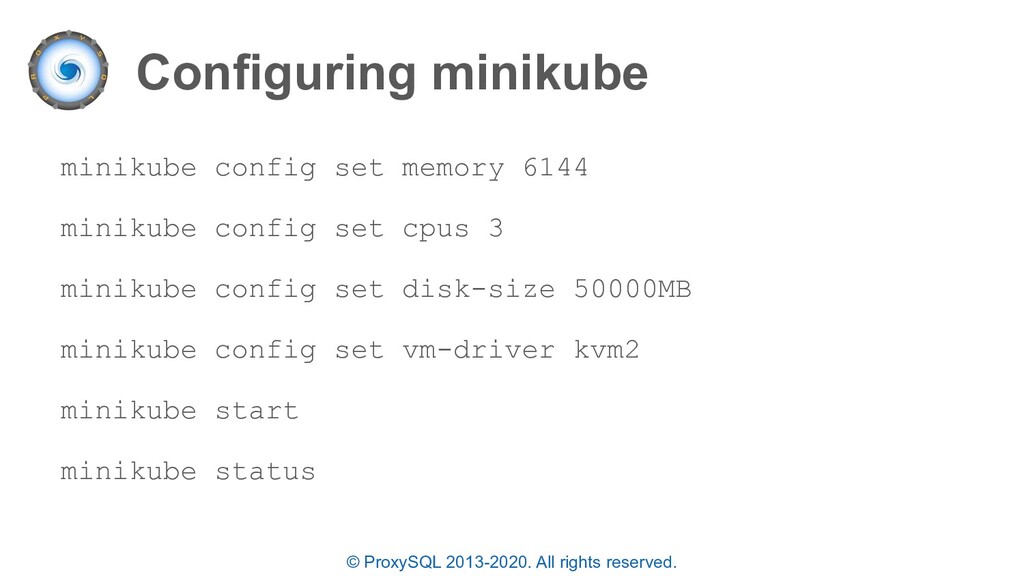
Configuring minikube minikube config set memory 6144 minikube config set
cpus 3 minikube config set disk-size 50000MB minikube config set vm-driver kvm2 minikube start minikube status © ProxySQL 2013-2020. All rights reserved. -
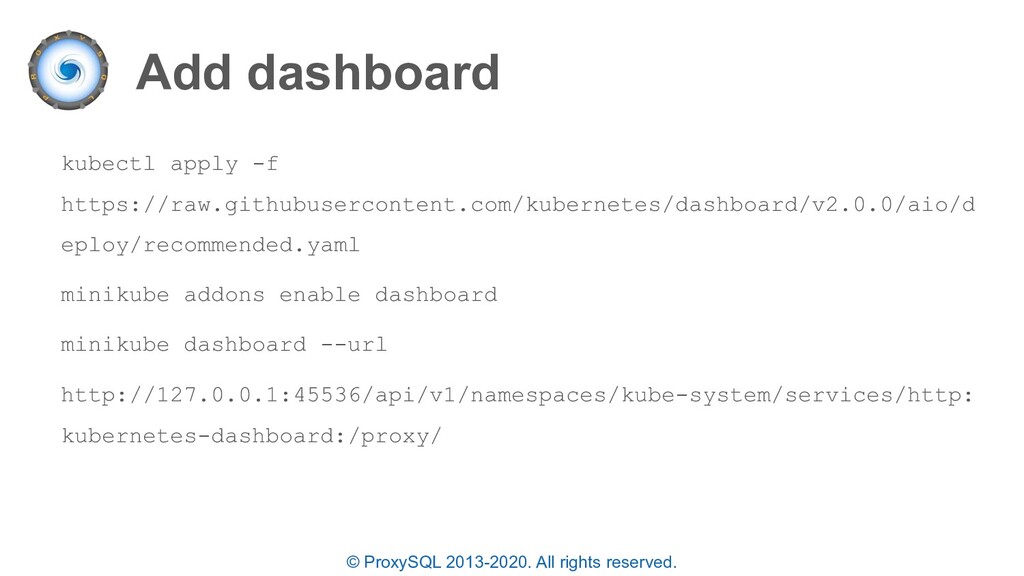
Add dashboard kubectl apply -f https://raw.githubusercontent.com/kubernetes/dashboard/v2.0.0/aio/d eploy/recommended.yaml minikube addons enable
dashboard minikube dashboard --url http://127.0.0.1:45536/api/v1/namespaces/kube-system/services/http: kubernetes-dashboard:/proxy/ © ProxySQL 2013-2020. All rights reserved. -
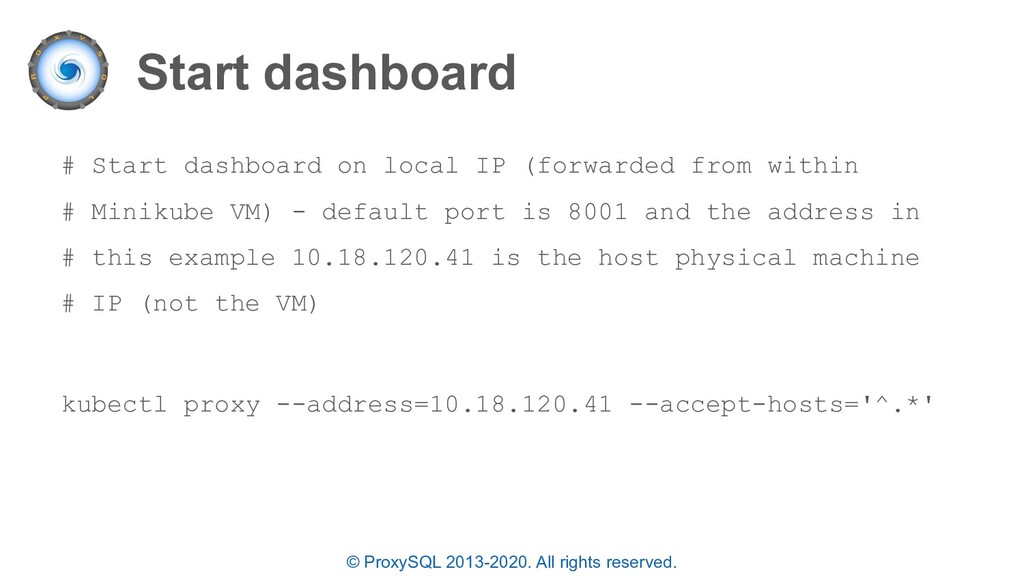
Start dashboard # Start dashboard on local IP (forwarded from
within # Minikube VM) - default port is 8001 and the address in # this example 10.18.120.41 is the host physical machine # IP (not the VM) kubectl proxy --address=10.18.120.41 --accept-hosts='^.*' © ProxySQL 2013-2020. All rights reserved. -
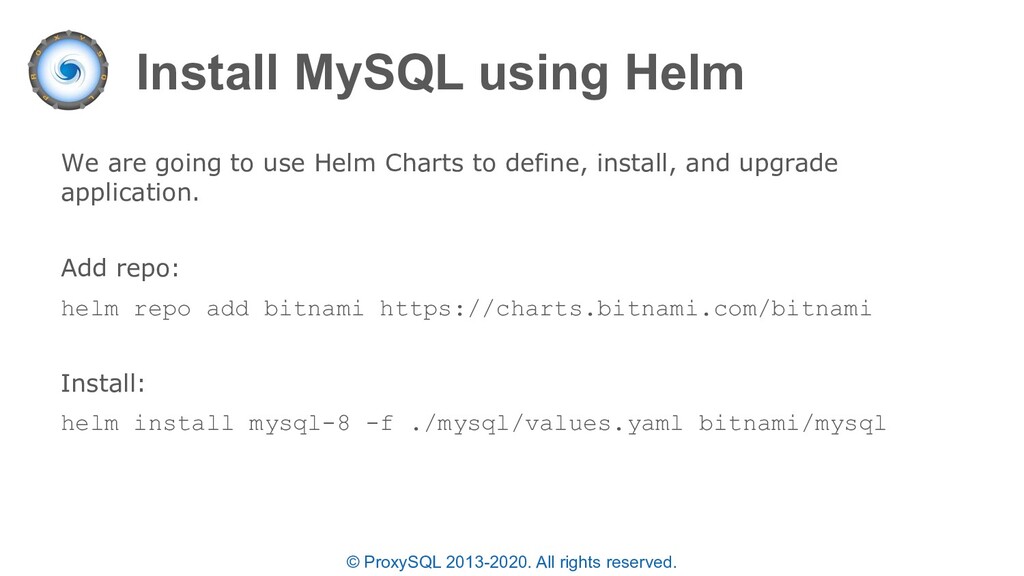
Install MySQL using Helm We are going to use Helm
Charts to define, install, and upgrade application. Add repo: helm repo add bitnami https://charts.bitnami.com/bitnami Install: helm install mysql-8 -f ./mysql/values.yaml bitnami/mysql © ProxySQL 2013-2020. All rights reserved. -
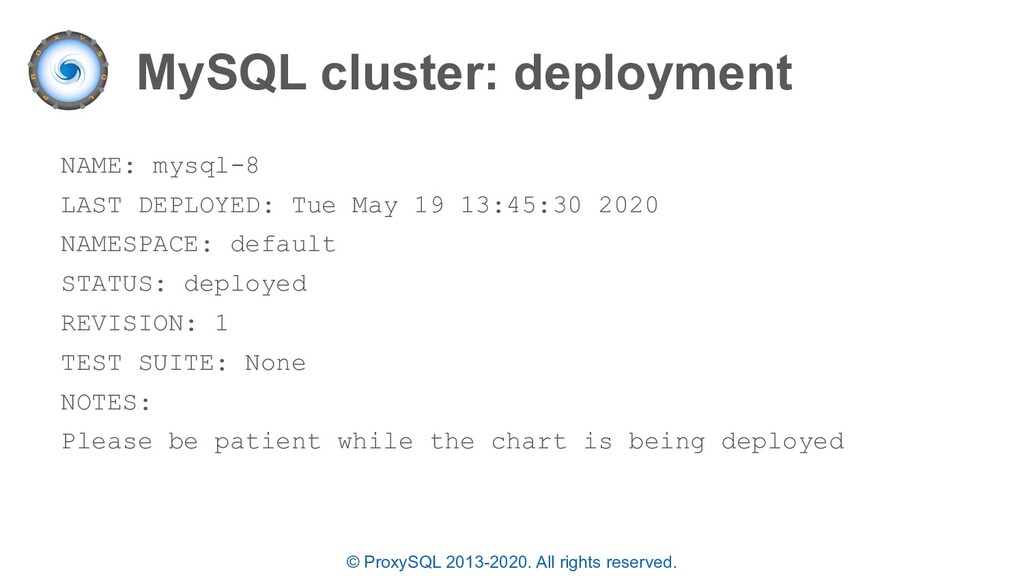
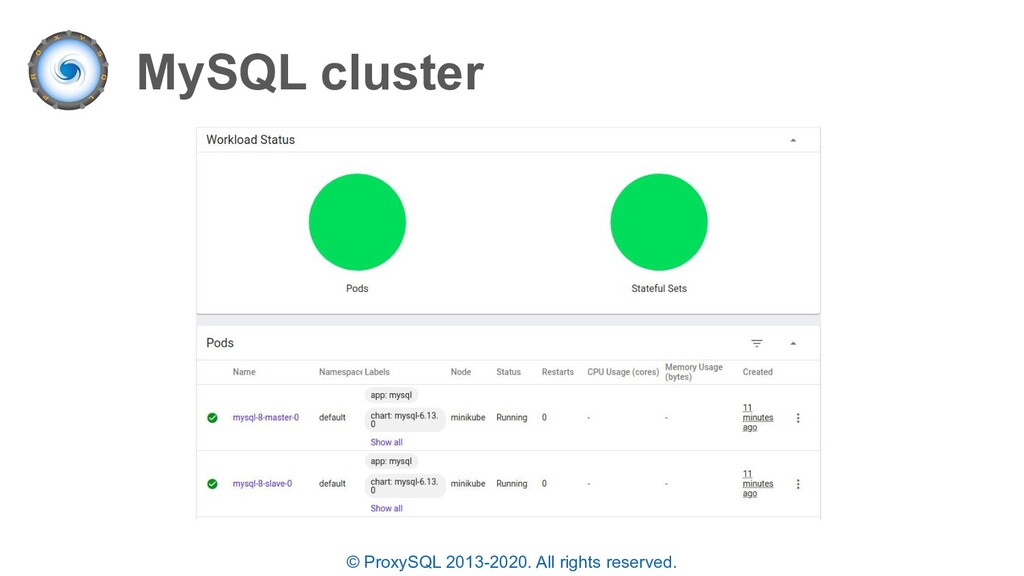
MySQL cluster: deployment NAME: mysql-8 LAST DEPLOYED: Tue May 19
13:45:30 2020 NAMESPACE: default STATUS: deployed REVISION: 1 TEST SUITE: None NOTES: Please be patient while the chart is being deployed © ProxySQL 2013-2020. All rights reserved. -
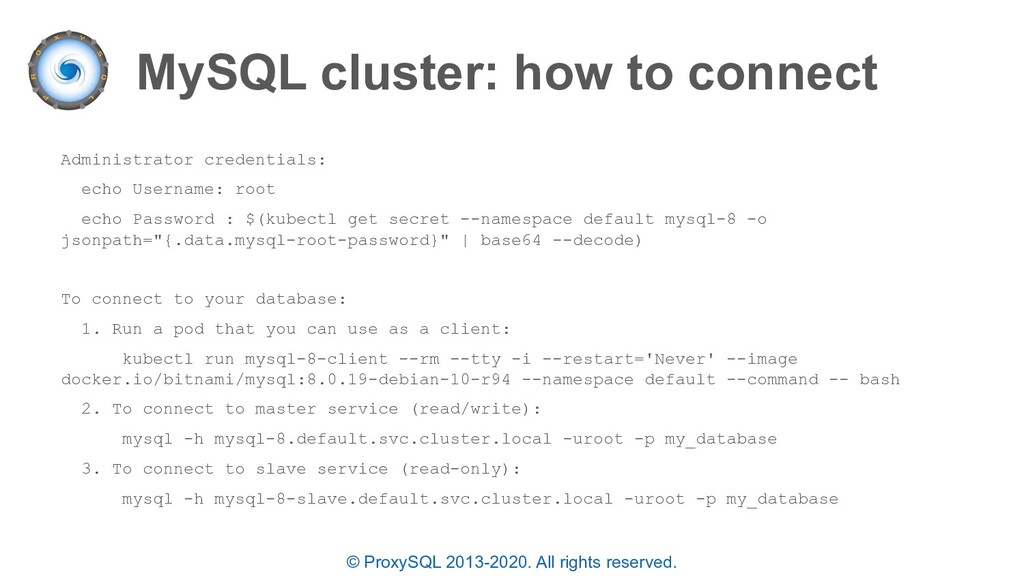
MySQL cluster: how to connect Administrator credentials: echo Username: root
echo Password : $(kubectl get secret --namespace default mysql-8 -o jsonpath="{.data.mysql-root-password}" | base64 --decode) To connect to your database: 1. Run a pod that you can use as a client: kubectl run mysql-8-client --rm --tty -i --restart='Never' --image docker.io/bitnami/mysql:8.0.19-debian-10-r94 --namespace default --command -- bash 2. To connect to master service (read/write): mysql -h mysql-8.default.svc.cluster.local -uroot -p my_database 3. To connect to slave service (read-only): mysql -h mysql-8-slave.default.svc.cluster.local -uroot -p my_database © ProxySQL 2013-2020. All rights reserved. -
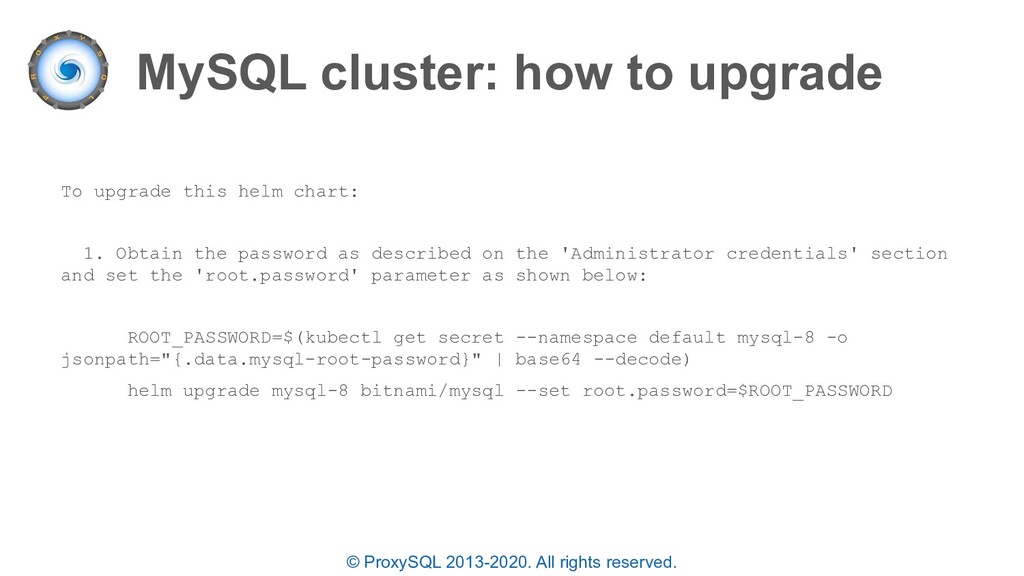
MySQL cluster: how to upgrade To upgrade this helm chart:
1. Obtain the password as described on the 'Administrator credentials' section and set the 'root.password' parameter as shown below: ROOT_PASSWORD=$(kubectl get secret --namespace default mysql-8 -o jsonpath="{.data.mysql-root-password}" | base64 --decode) helm upgrade mysql-8 bitnami/mysql --set root.password=$ROOT_PASSWORD © ProxySQL 2013-2020. All rights reserved. -
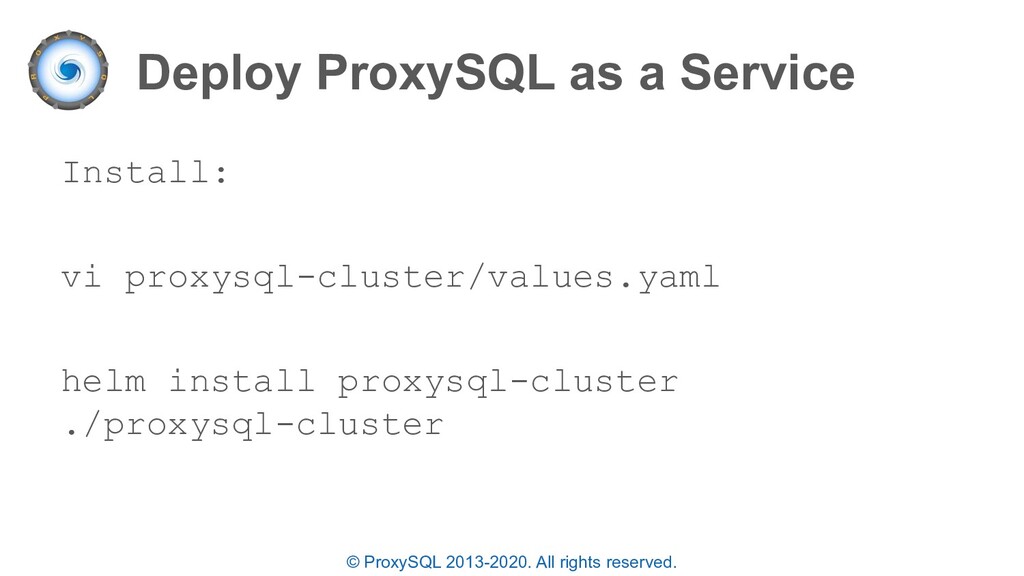
Deploy ProxySQL as a Service Install: vi proxysql-cluster/values.yaml helm install
proxysql-cluster ./proxysql-cluster © ProxySQL 2013-2020. All rights reserved. -
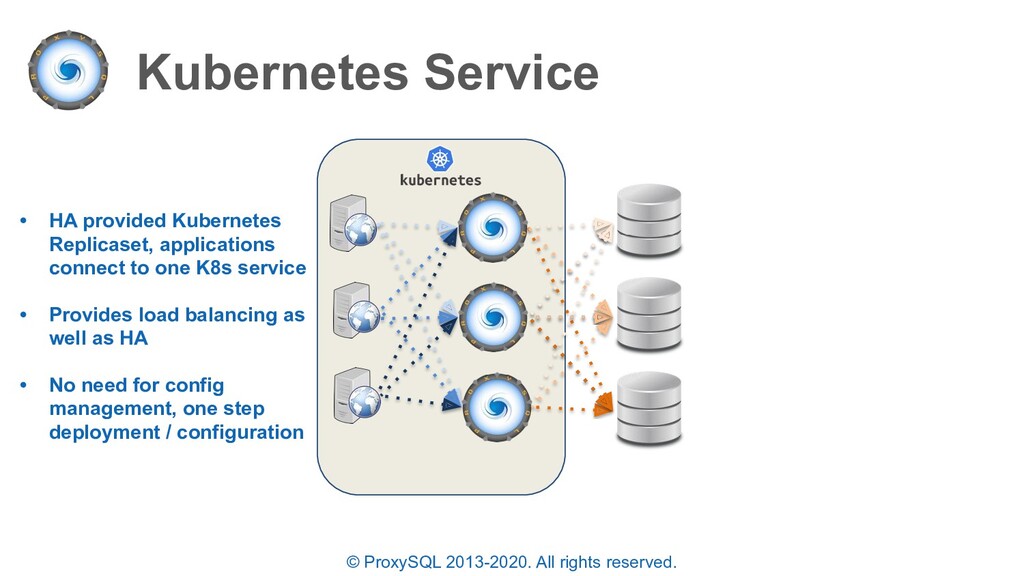
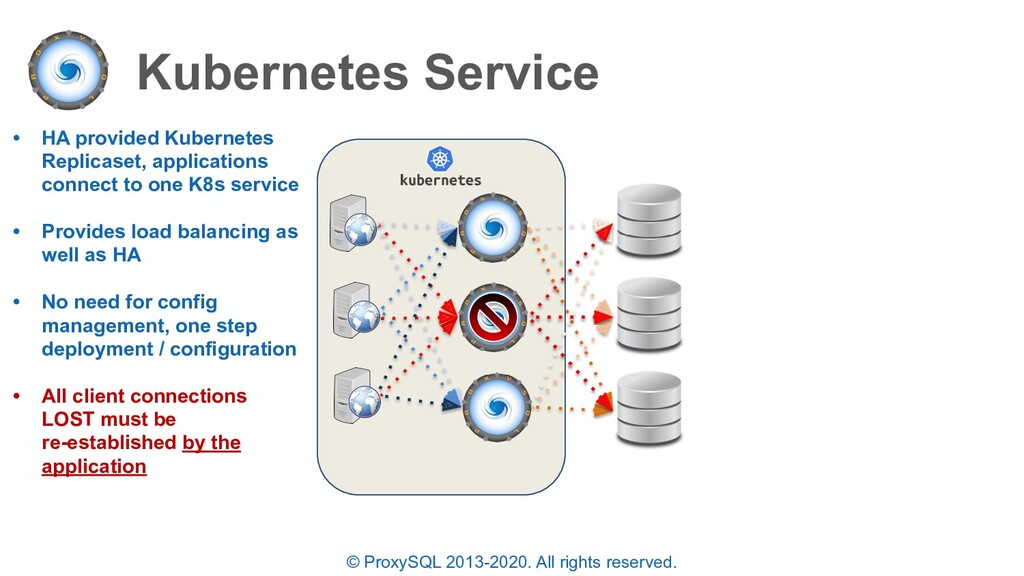
Kubernetes Service © ProxySQL 2013-2020. All rights reserved. • HA
provided Kubernetes Replicaset, applications connect to one K8s service • Provides load balancing as well as HA • No need for config management, one step deployment / configuration -
Kubernetes Service • HA provided Kubernetes Replicaset, applications connect to
one K8s service • Provides load balancing as well as HA • No need for config management, one step deployment / configuration • All client connections LOST must be re-established by the application © ProxySQL 2013-2020. All rights reserved. -
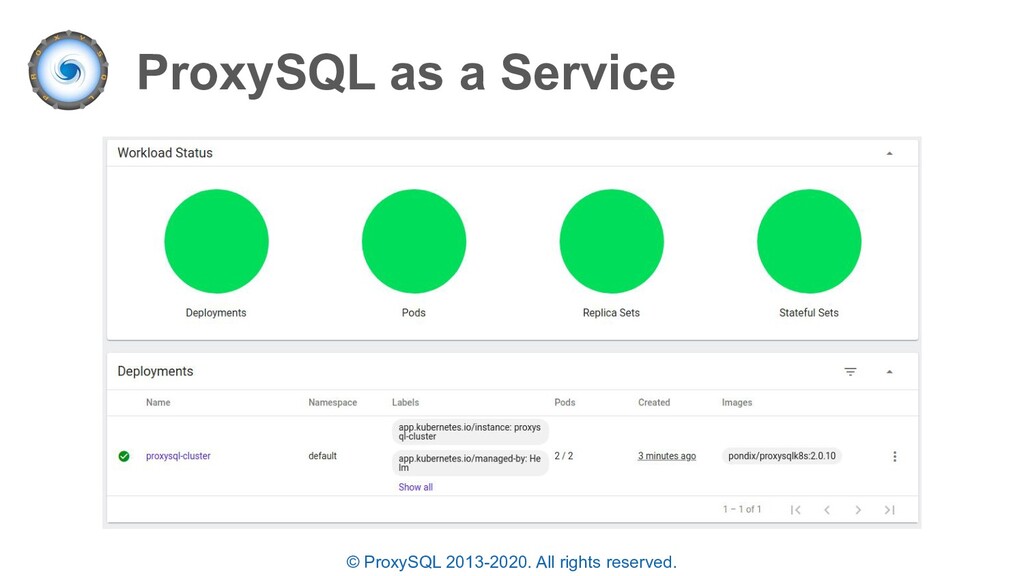
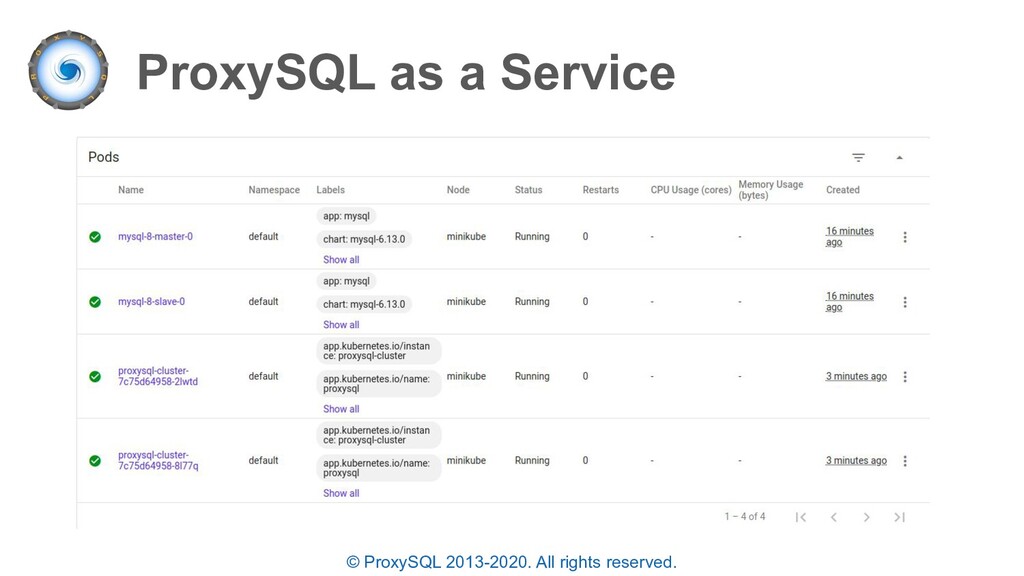
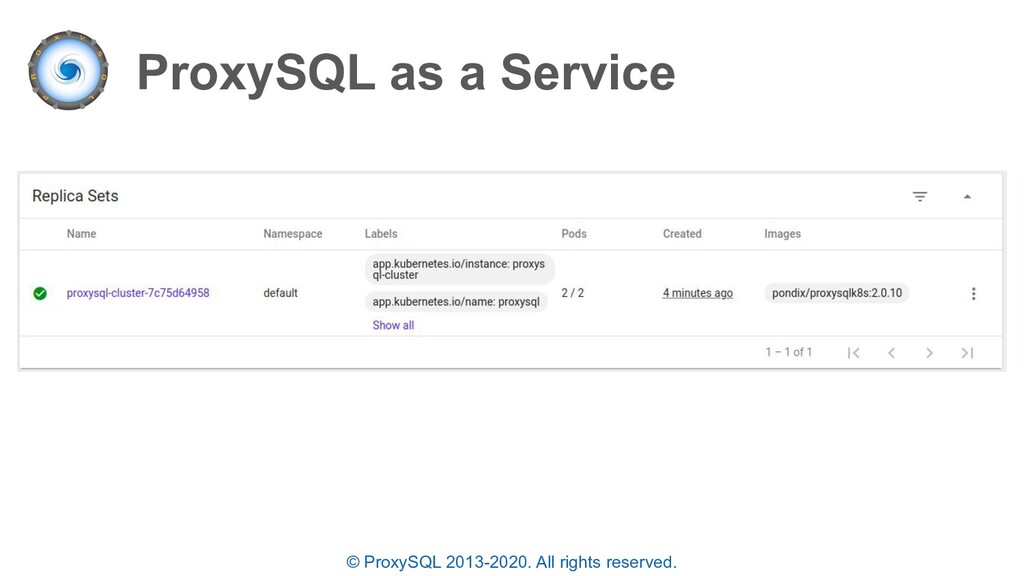
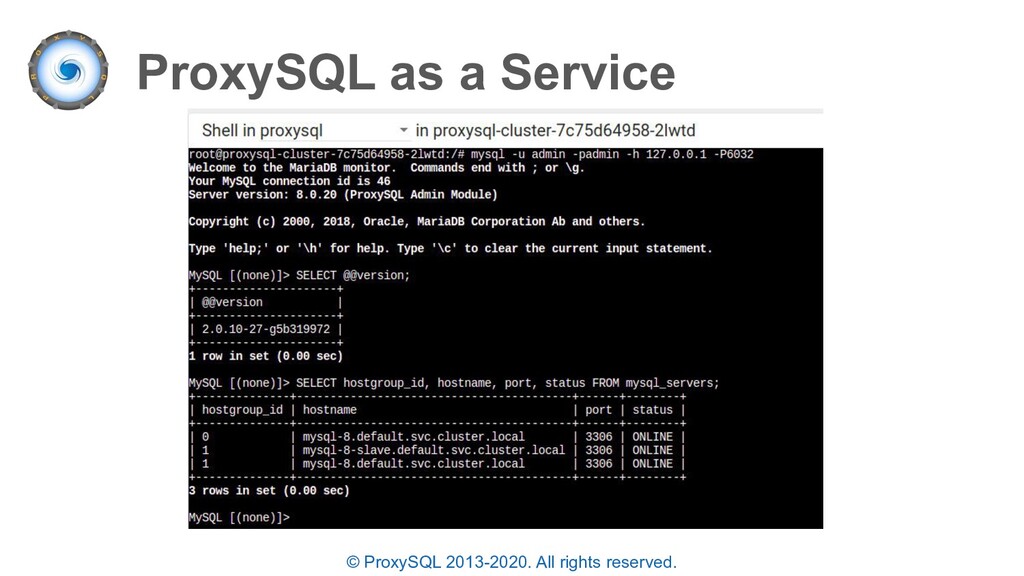
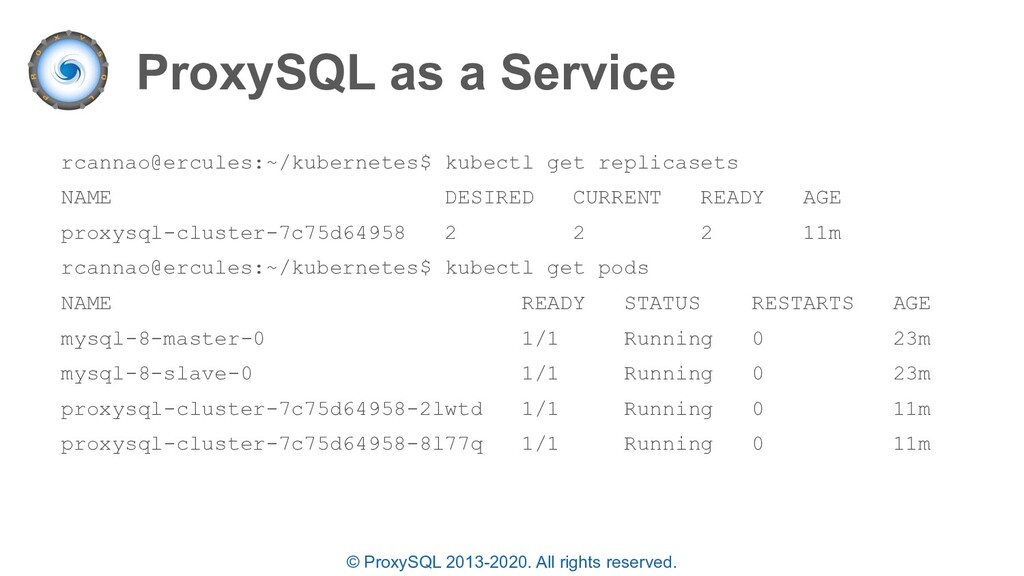
ProxySQL as a Service rcannao@ercules:~/kubernetes$ kubectl get replicasets NAME DESIRED
CURRENT READY AGE proxysql-cluster-7c75d64958 2 2 2 11m rcannao@ercules:~/kubernetes$ kubectl get pods NAME READY STATUS RESTARTS AGE mysql-8-master-0 1/1 Running 0 23m mysql-8-slave-0 1/1 Running 0 23m proxysql-cluster-7c75d64958-2lwtd 1/1 Running 0 11m proxysql-cluster-7c75d64958-8l77q 1/1 Running 0 11m © ProxySQL 2013-2020. All rights reserved. -
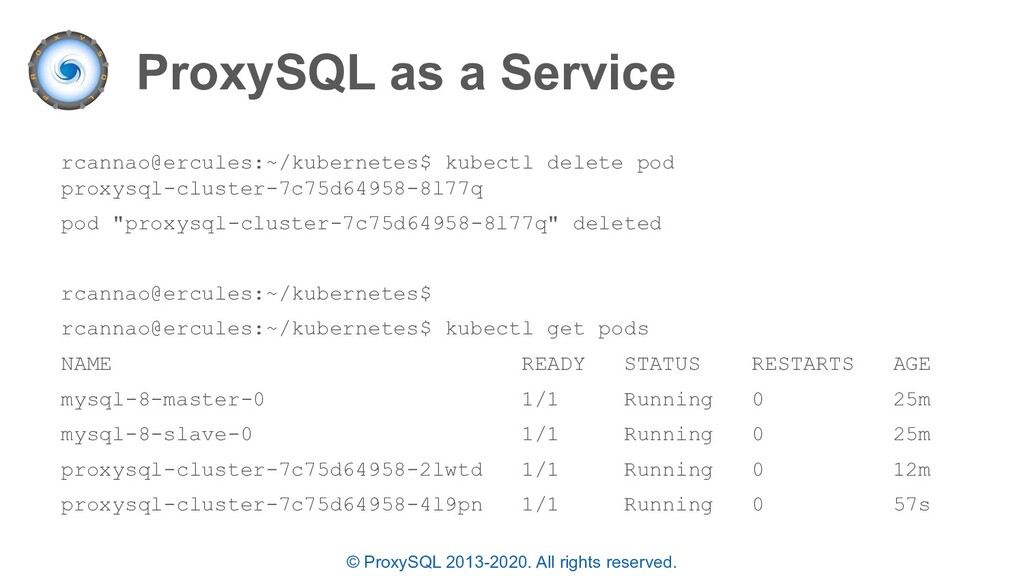
ProxySQL as a Service rcannao@ercules:~/kubernetes$ kubectl delete pod proxysql-cluster-7c75d64958-8l77q pod
"proxysql-cluster-7c75d64958-8l77q" deleted rcannao@ercules:~/kubernetes$ rcannao@ercules:~/kubernetes$ kubectl get pods NAME READY STATUS RESTARTS AGE mysql-8-master-0 1/1 Running 0 25m mysql-8-slave-0 1/1 Running 0 25m proxysql-cluster-7c75d64958-2lwtd 1/1 Running 0 12m proxysql-cluster-7c75d64958-4l9pn 1/1 Running 0 57s © ProxySQL 2013-2020. All rights reserved. -
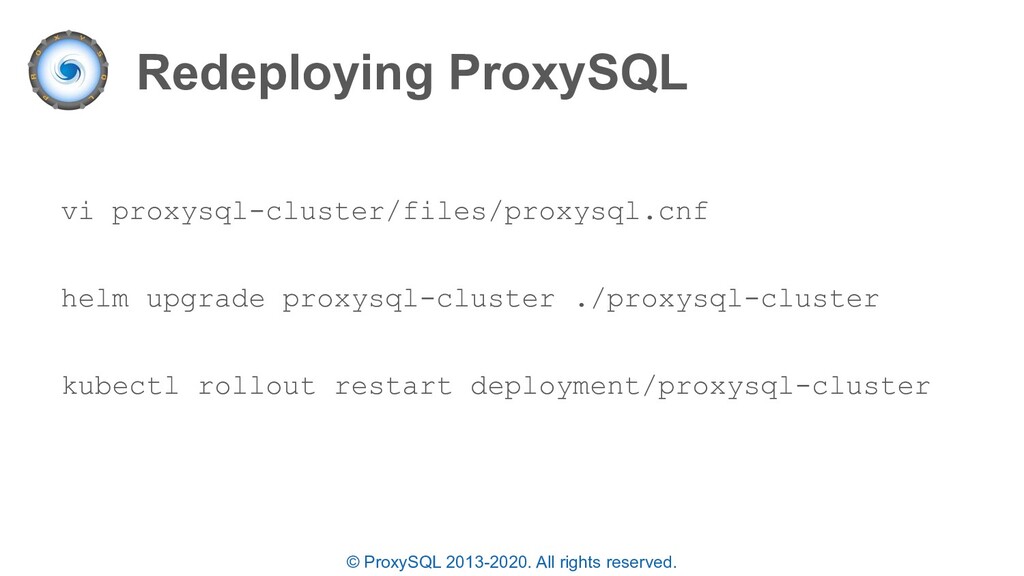
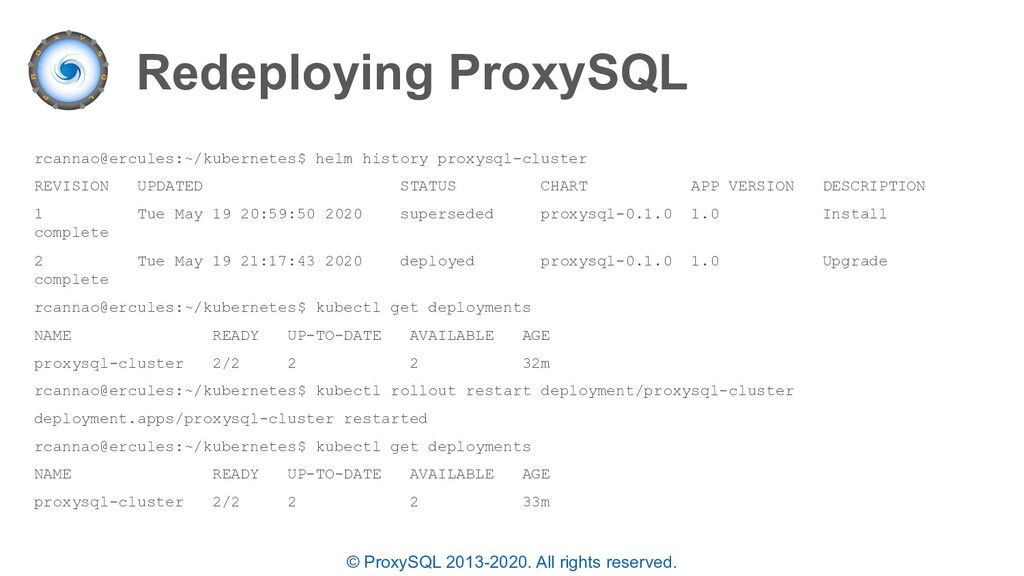
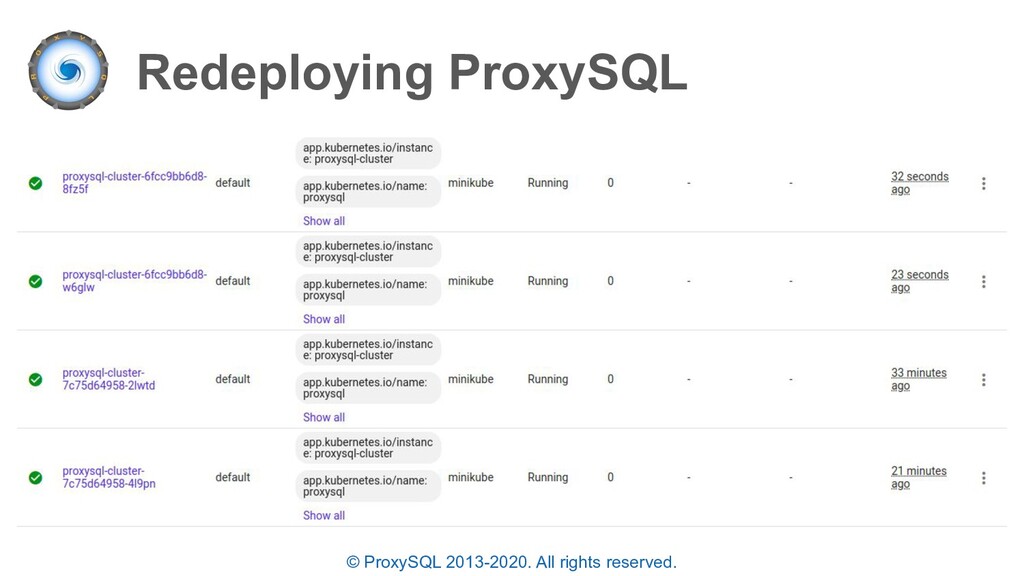
Redeploying ProxySQL vi proxysql-cluster/files/proxysql.cnf helm upgrade proxysql-cluster ./proxysql-cluster kubectl rollout
restart deployment/proxysql-cluster © ProxySQL 2013-2020. All rights reserved. -
Redeploying ProxySQL rcannao@ercules:~/kubernetes$ helm history proxysql-cluster REVISION UPDATED STATUS CHART
APP VERSION DESCRIPTION 1 Tue May 19 20:59:50 2020 superseded proxysql-0.1.0 1.0 Install complete 2 Tue May 19 21:17:43 2020 deployed proxysql-0.1.0 1.0 Upgrade complete rcannao@ercules:~/kubernetes$ kubectl get deployments NAME READY UP-TO-DATE AVAILABLE AGE proxysql-cluster 2/2 2 2 32m rcannao@ercules:~/kubernetes$ kubectl rollout restart deployment/proxysql-cluster deployment.apps/proxysql-cluster restarted rcannao@ercules:~/kubernetes$ kubectl get deployments NAME READY UP-TO-DATE AVAILABLE AGE proxysql-cluster 2/2 2 2 33m © ProxySQL 2013-2020. All rights reserved. -
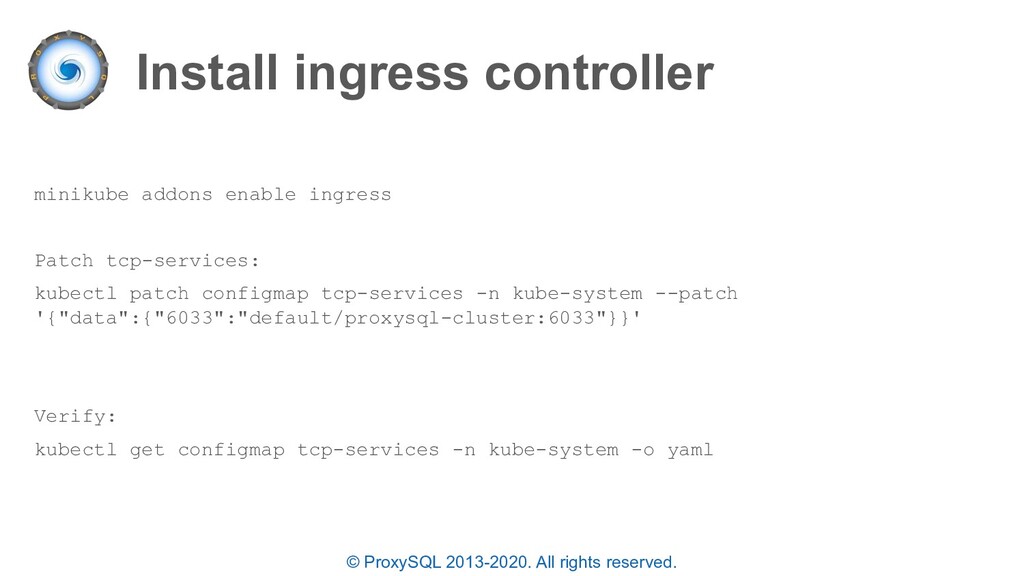
Install ingress controller minikube addons enable ingress Patch tcp-services: kubectl
patch configmap tcp-services -n kube-system --patch '{"data":{"6033":"default/proxysql-cluster:6033"}}' Verify: kubectl get configmap tcp-services -n kube-system -o yaml © ProxySQL 2013-2020. All rights reserved. -
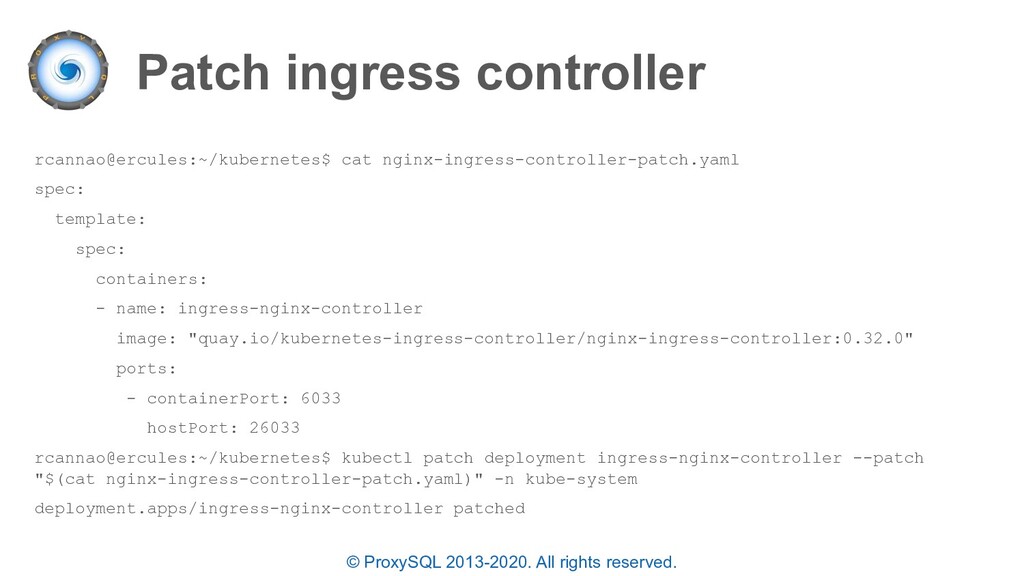
Patch ingress controller rcannao@ercules:~/kubernetes$ cat nginx-ingress-controller-patch.yaml spec: template: spec: containers:
- name: ingress-nginx-controller image: "quay.io/kubernetes-ingress-controller/nginx-ingress-controller:0.32.0" ports: - containerPort: 6033 hostPort: 26033 rcannao@ercules:~/kubernetes$ kubectl patch deployment ingress-nginx-controller --patch "$(cat nginx-ingress-controller-patch.yaml)" -n kube-system deployment.apps/ingress-nginx-controller patched © ProxySQL 2013-2020. All rights reserved. -
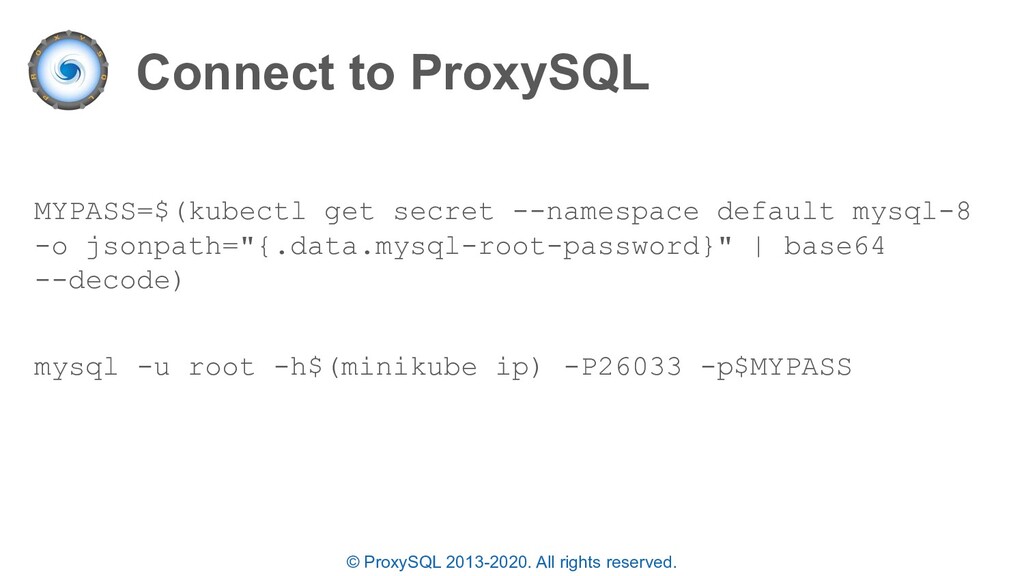
Connect to ProxySQL MYPASS=$(kubectl get secret --namespace default mysql-8 -o
jsonpath="{.data.mysql-root-password}" | base64 --decode) mysql -u root -h$(minikube ip) -P26033 -p$MYPASS © ProxySQL 2013-2020. All rights reserved. -
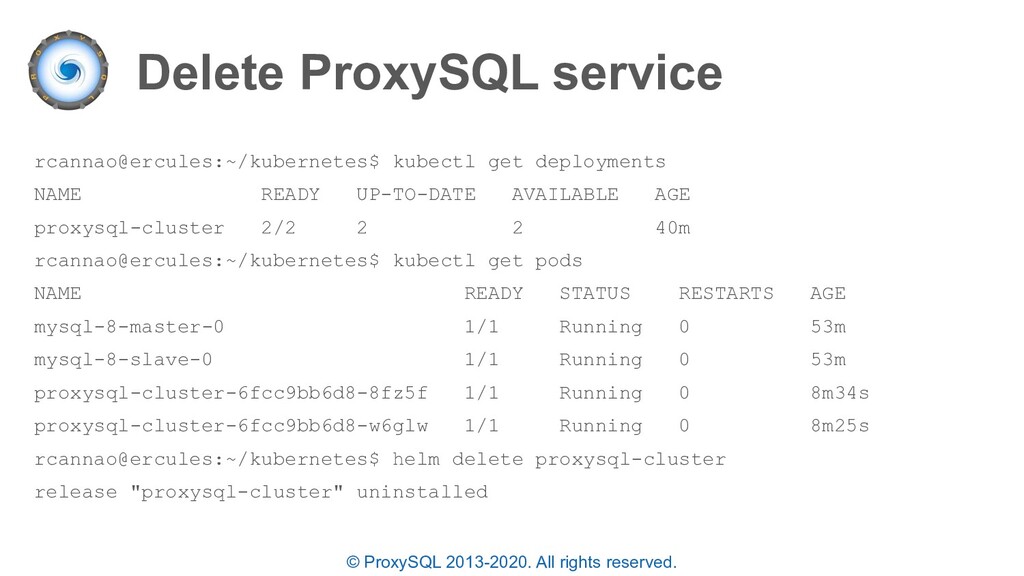
Delete ProxySQL service rcannao@ercules:~/kubernetes$ kubectl get deployments NAME READY UP-TO-DATE
AVAILABLE AGE proxysql-cluster 2/2 2 2 40m rcannao@ercules:~/kubernetes$ kubectl get pods NAME READY STATUS RESTARTS AGE mysql-8-master-0 1/1 Running 0 53m mysql-8-slave-0 1/1 Running 0 53m proxysql-cluster-6fcc9bb6d8-8fz5f 1/1 Running 0 8m34s proxysql-cluster-6fcc9bb6d8-w6glw 1/1 Running 0 8m25s rcannao@ercules:~/kubernetes$ helm delete proxysql-cluster release "proxysql-cluster" uninstalled © ProxySQL 2013-2020. All rights reserved. -
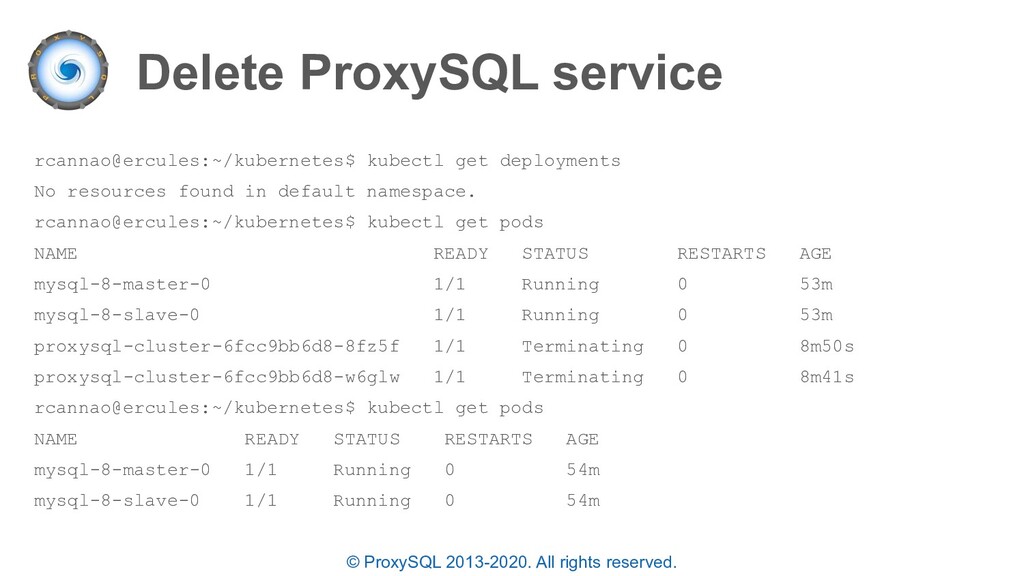
Delete ProxySQL service rcannao@ercules:~/kubernetes$ kubectl get deployments No resources found
in default namespace. rcannao@ercules:~/kubernetes$ kubectl get pods NAME READY STATUS RESTARTS AGE mysql-8-master-0 1/1 Running 0 53m mysql-8-slave-0 1/1 Running 0 53m proxysql-cluster-6fcc9bb6d8-8fz5f 1/1 Terminating 0 8m50s proxysql-cluster-6fcc9bb6d8-w6glw 1/1 Terminating 0 8m41s rcannao@ercules:~/kubernetes$ kubectl get pods NAME READY STATUS RESTARTS AGE mysql-8-master-0 1/1 Running 0 54m mysql-8-slave-0 1/1 Running 0 54m © ProxySQL 2013-2020. All rights reserved. -
App Server Deployment © ProxySQL 2013-2020. All rights reserved. ProxySQL
is deployed locally • No network overhead • No single point of failure • Isolated configuration • Rolling upgrades 2 -
App Server Deployment © ProxySQL 2013-2020. All rights reserved. ProxySQL
is deployed locally • No network overhead • No single point of failure • Isolated configuration • Rolling upgrades 2 • DB monitoring overhead • More backend connections • Configuration effort • Query cache isolated Configuration management is essential QC1 QC2 QC3 -
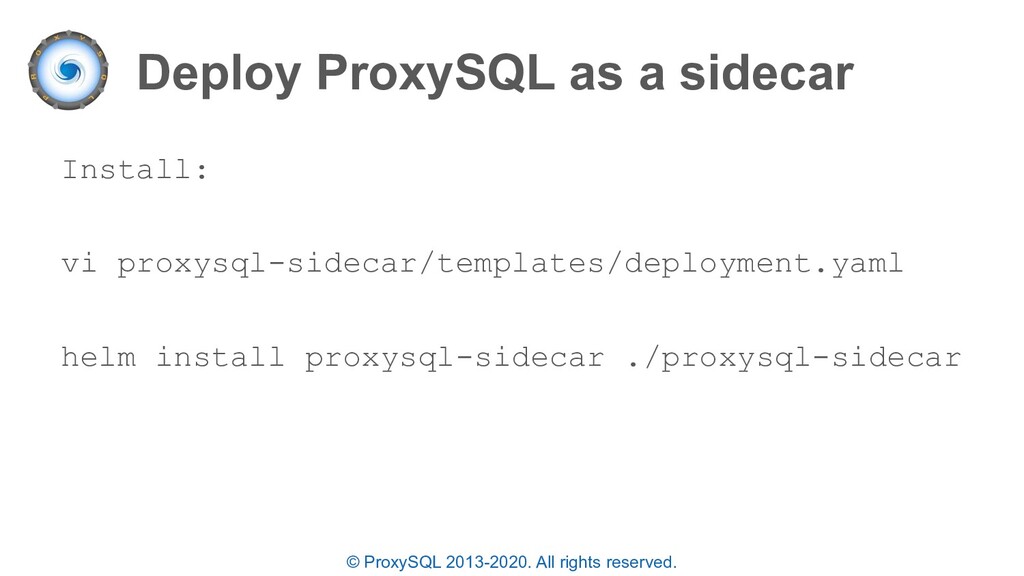
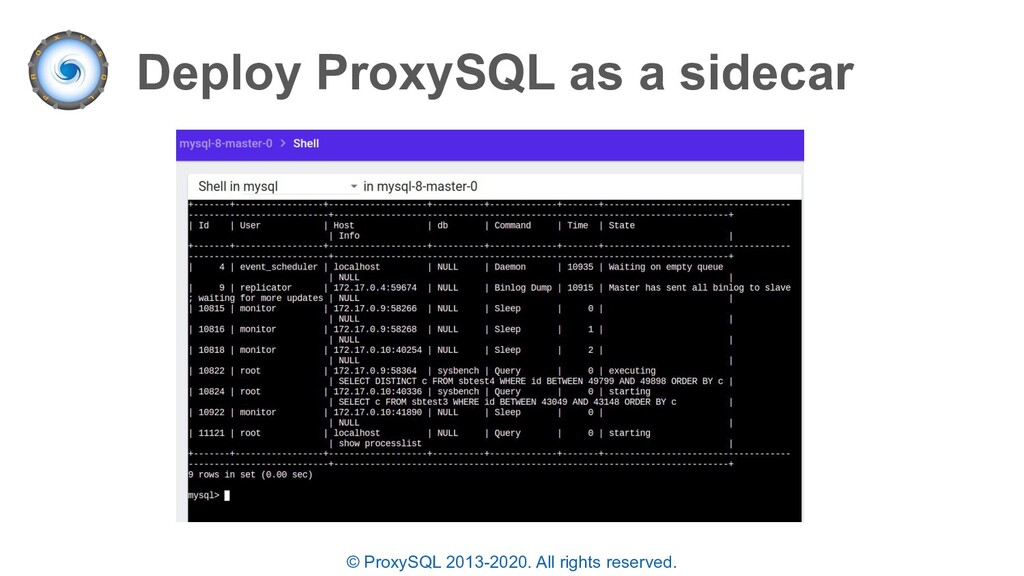
Deploy ProxySQL as a sidecar Install: vi proxysql-sidecar/templates/deployment.yaml helm install
proxysql-sidecar ./proxysql-sidecar © ProxySQL 2013-2020. All rights reserved. -
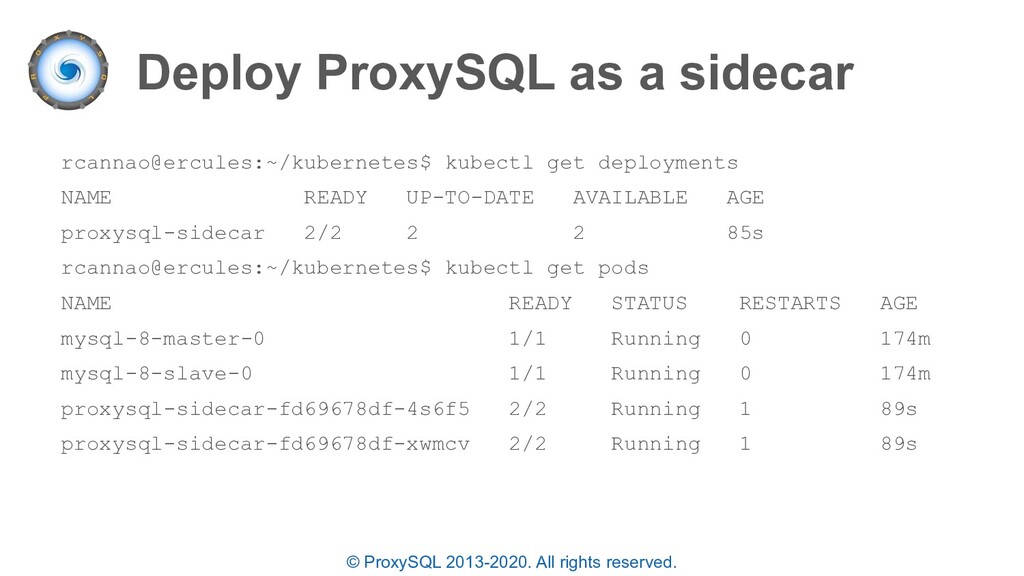
Deploy ProxySQL as a sidecar rcannao@ercules:~/kubernetes$ kubectl get deployments NAME
READY UP-TO-DATE AVAILABLE AGE proxysql-sidecar 2/2 2 2 85s rcannao@ercules:~/kubernetes$ kubectl get pods NAME READY STATUS RESTARTS AGE mysql-8-master-0 1/1 Running 0 174m mysql-8-slave-0 1/1 Running 0 174m proxysql-sidecar-fd69678df-4s6f5 2/2 Running 1 89s proxysql-sidecar-fd69678df-xwmcv 2/2 Running 1 89s © ProxySQL 2013-2020. All rights reserved. -
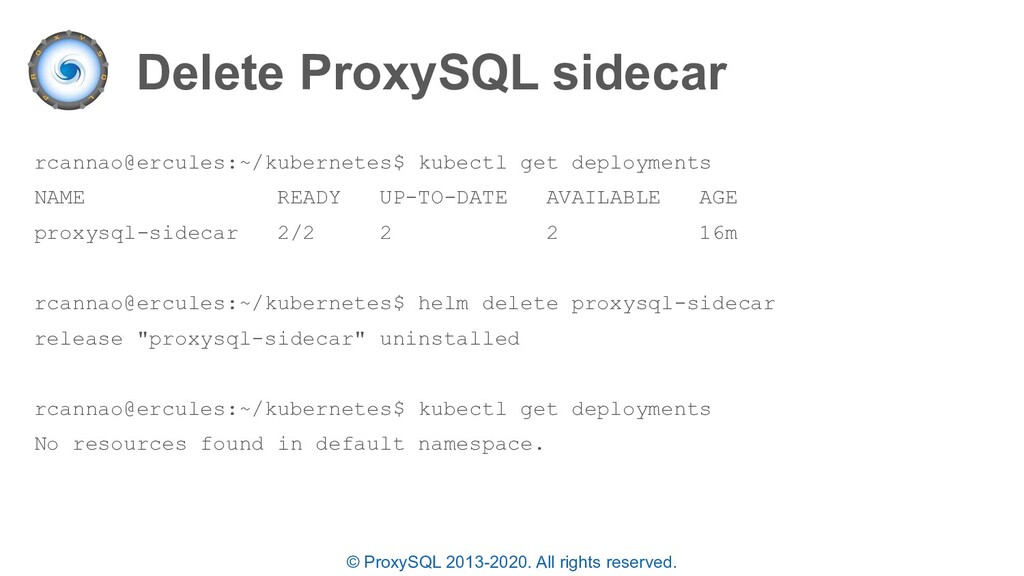
Delete ProxySQL sidecar rcannao@ercules:~/kubernetes$ kubectl get deployments NAME READY UP-TO-DATE
AVAILABLE AGE proxysql-sidecar 2/2 2 2 16m rcannao@ercules:~/kubernetes$ helm delete proxysql-sidecar release "proxysql-sidecar" uninstalled rcannao@ercules:~/kubernetes$ kubectl get deployments No resources found in default namespace. © ProxySQL 2013-2020. All rights reserved. -
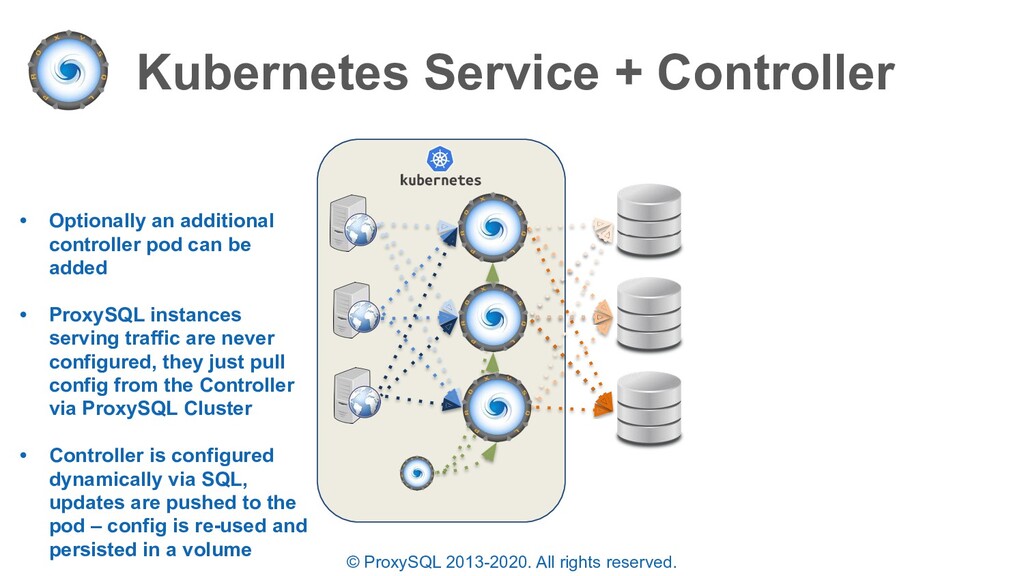
Kubernetes Service + Controller © ProxySQL 2013-2020. All rights reserved.
• Optionally an additional controller pod can be added • ProxySQL instances serving traffic are never configured, they just pull config from the Controller via ProxySQL Cluster • Controller is configured dynamically via SQL, updates are pushed to the pod – config is re-used and persisted in a volume -
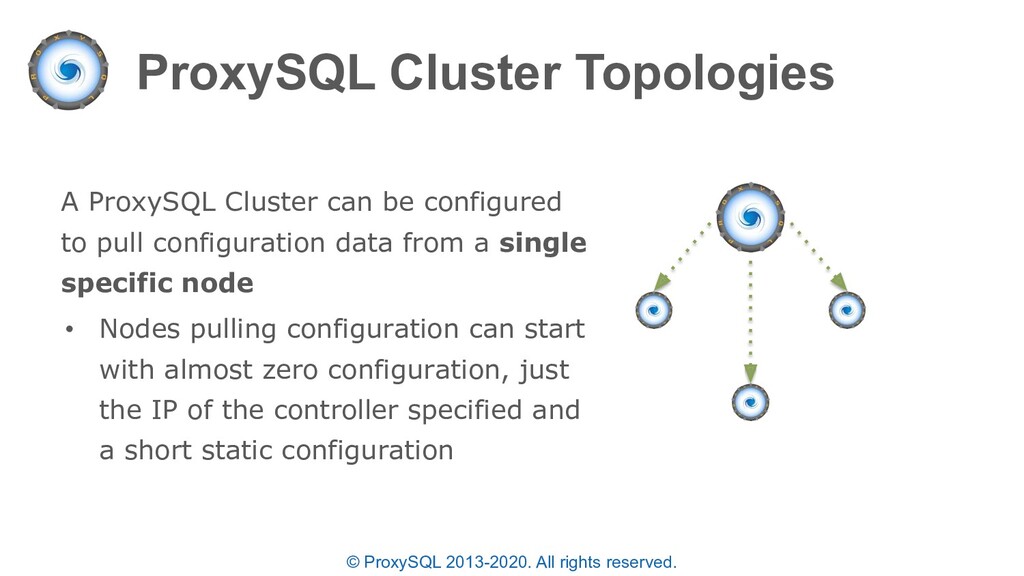
ProxySQL Cluster Topologies © ProxySQL 2013-2020. All rights reserved. A
ProxySQL Cluster can be configured to pull configuration data from a single specific node • Nodes pulling configuration can start with almost zero configuration, just the IP of the controller specified and a short static configuration -
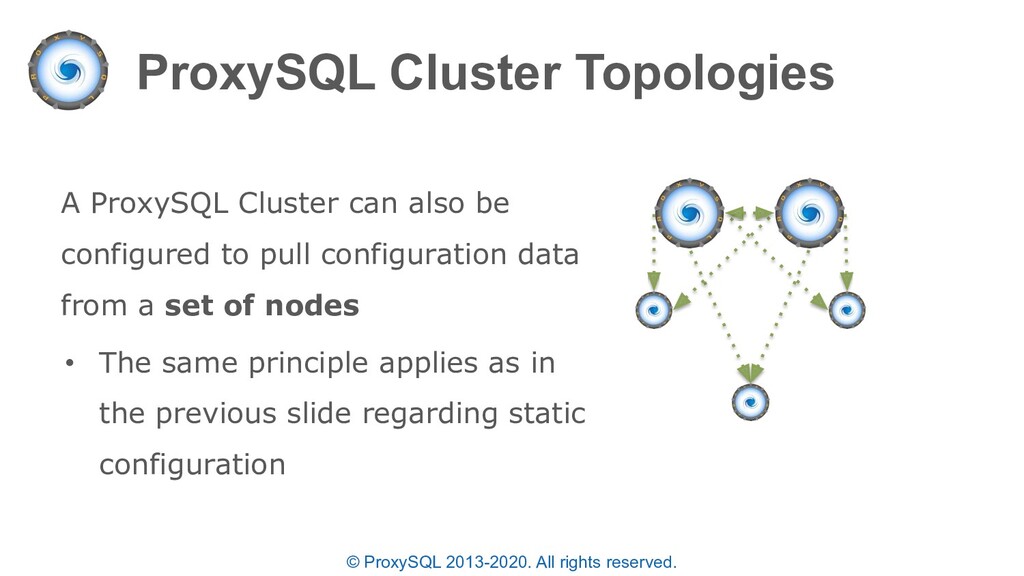
ProxySQL Cluster Topologies © ProxySQL 2013-2020. All rights reserved. A
ProxySQL Cluster can also be configured to pull configuration data from a set of nodes • The same principle applies as in the previous slide regarding static configuration -
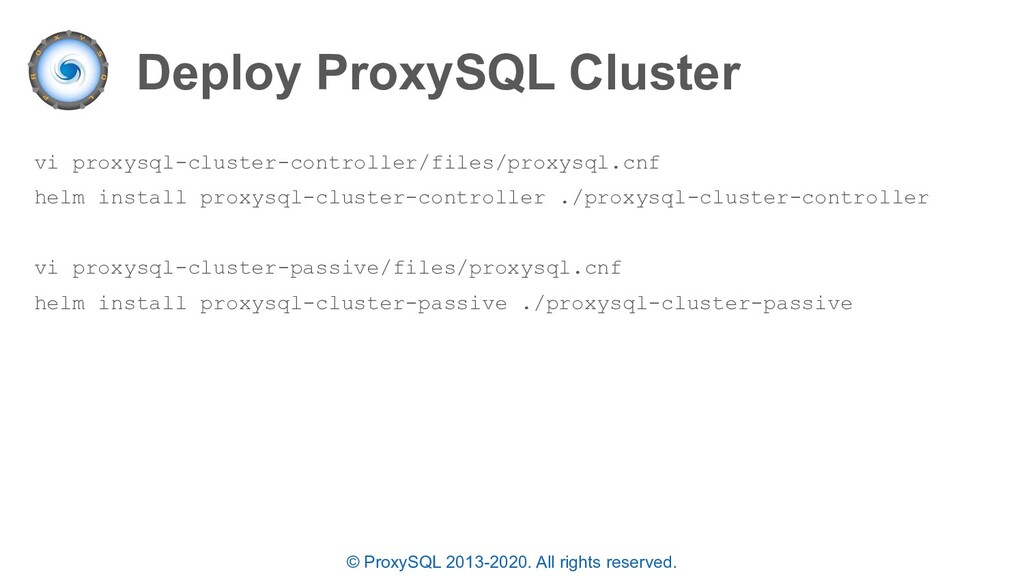
Deploy ProxySQL Cluster vi proxysql-cluster-controller/files/proxysql.cnf helm install proxysql-cluster-controller ./proxysql-cluster-controller vi
proxysql-cluster-passive/files/proxysql.cnf helm install proxysql-cluster-passive ./proxysql-cluster-passive © ProxySQL 2013-2020. All rights reserved. -
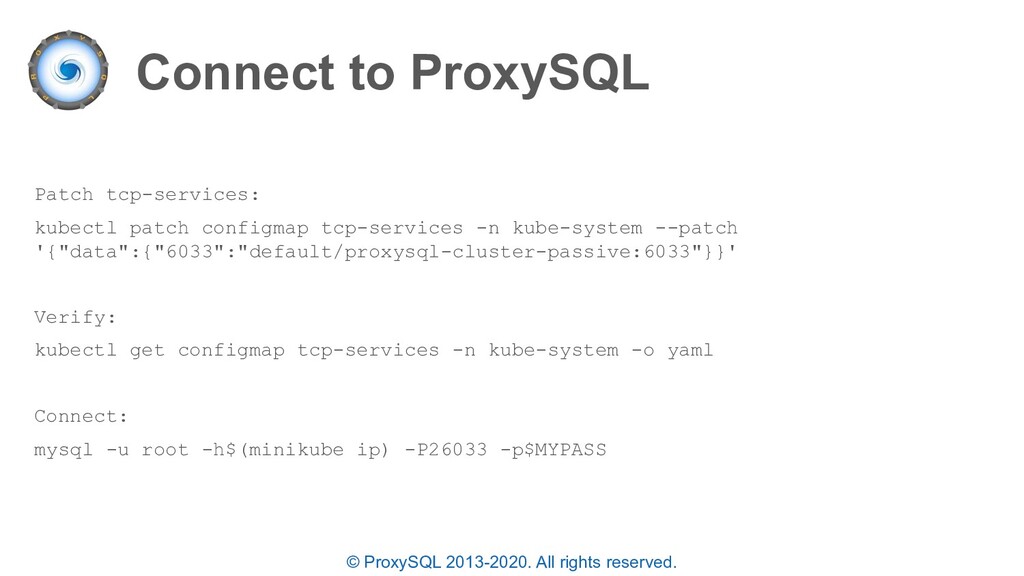
Connect to ProxySQL Patch tcp-services: kubectl patch configmap tcp-services -n
kube-system --patch '{"data":{"6033":"default/proxysql-cluster-passive:6033"}}' Verify: kubectl get configmap tcp-services -n kube-system -o yaml Connect: mysql -u root -h$(minikube ip) -P26033 -p$MYPASS © ProxySQL 2013-2020. All rights reserved. -
What is ProxySQL Cascading? © ProxySQL 2013-2020. All rights reserved.
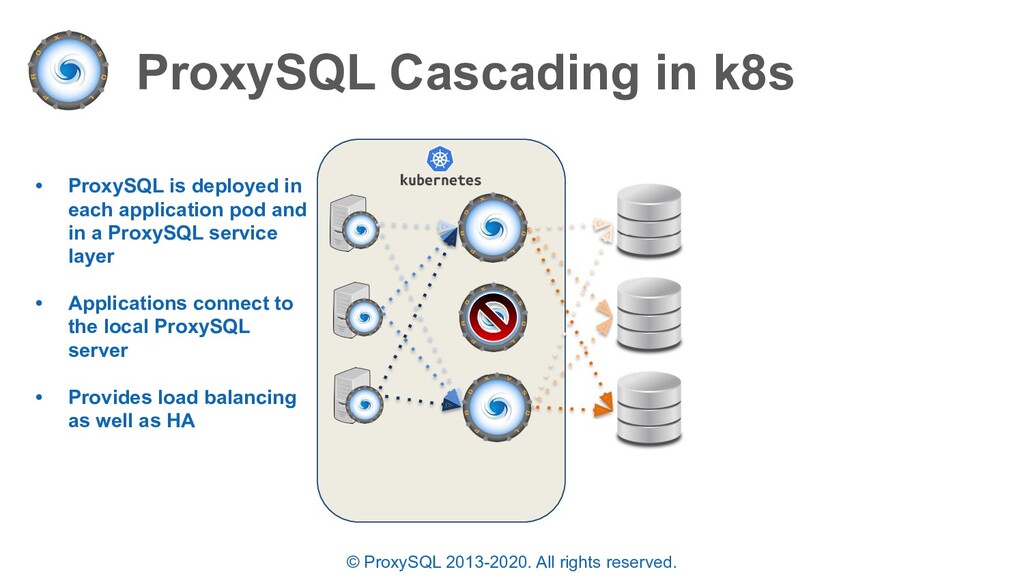
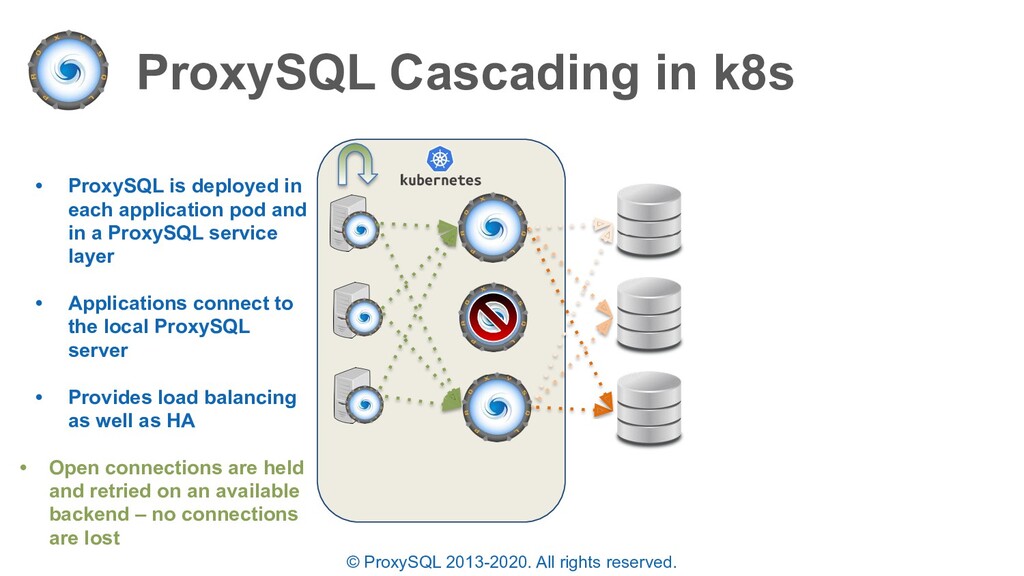
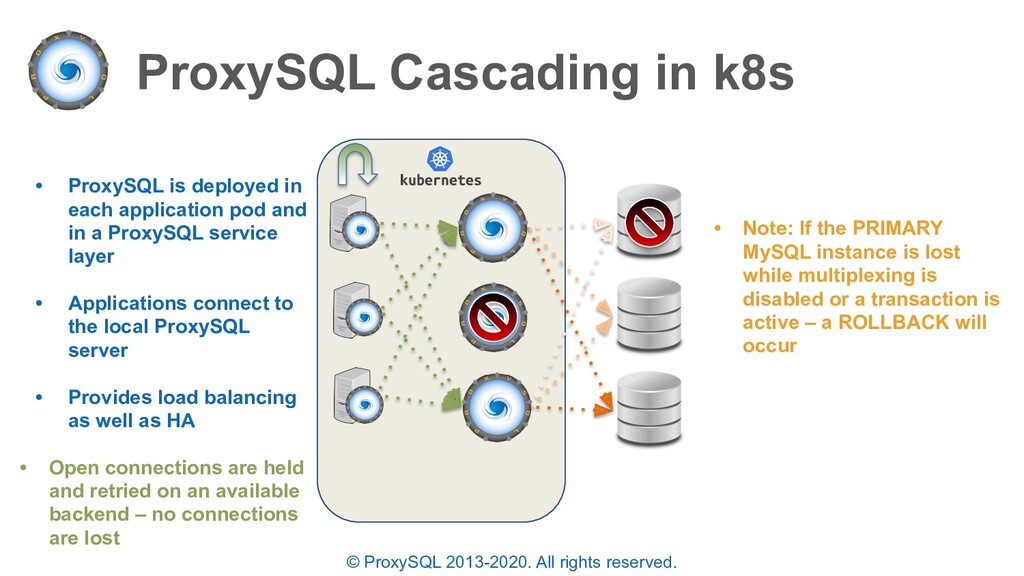
ProxySQL can be used to provide HA to itself as it communicates using the MySQL Protocol: • Application layer aware • Provides connection retry • Allows for scale up / scale down without connection loss (during planned maintenance) • Transactions may rollback during edge case unplanned failover -
ProxySQL Cascading in K8s © ProxySQL 2013-2020. All rights reserved.
ProxySQL can also be cascaded in a Kubernetes environment, this requires the following: • ProxySQL deployed in the same pod as the application as a separate container, the application then connects to “localhost” • An additional ProxySQL layer is configured using a K8s Service tied to a Replicaset (auto-scale can be implemented) • [Optionally] a ProxySQL Controller pod for the service, this is a ProxySQL instance used ONLY for configuration, traffic ProxySQL instances pull configuration and serve traffic -
ProxySQL Cascading in k8s © ProxySQL 2013-2020. All rights reserved.
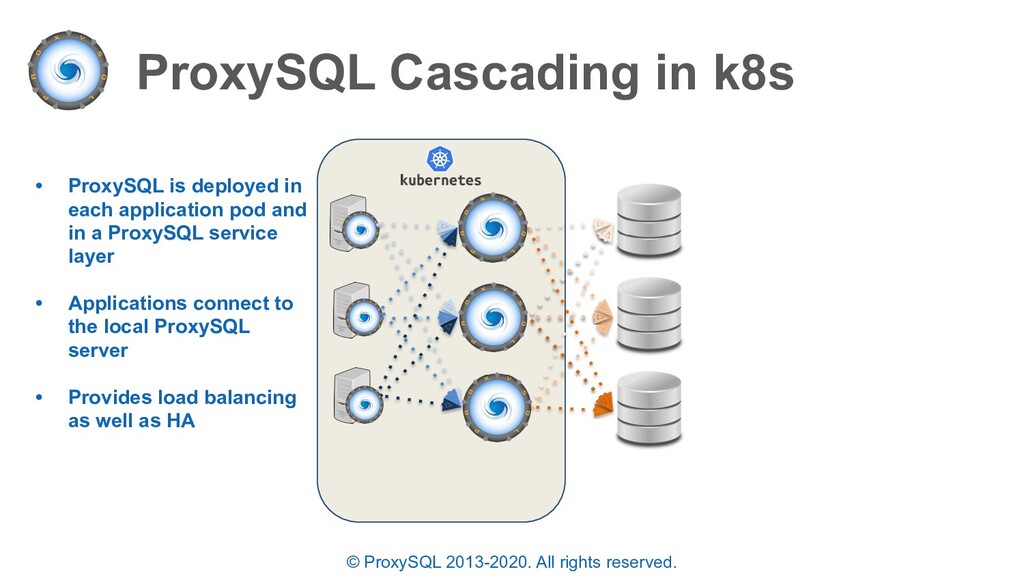
• ProxySQL is deployed in each application pod and in a ProxySQL service layer • Applications connect to the local ProxySQL server • Provides load balancing as well as HA -
ProxySQL Cascading in k8s © ProxySQL 2013-2020. All rights reserved.
• ProxySQL is deployed in each application pod and in a ProxySQL service layer • Applications connect to the local ProxySQL server • Provides load balancing as well as HA -
ProxySQL Cascading in k8s © ProxySQL 2013-2020. All rights reserved.
• ProxySQL is deployed in each application pod and in a ProxySQL service layer • Applications connect to the local ProxySQL server • Provides load balancing as well as HA • Open connections are held and retried on an available backend – no connections are lost -
ProxySQL Cascading in k8s © ProxySQL 2013-2020. All rights reserved.
• Note: If the PRIMARY MySQL instance is lost while multiplexing is disabled or a transaction is active – a ROLLBACK will occur • ProxySQL is deployed in each application pod and in a ProxySQL service layer • Applications connect to the local ProxySQL server • Provides load balancing as well as HA • Open connections are held and retried on an available backend – no connections are lost
 proxysql_sysown
 pwiseman
 inesmontani
 sabderemane
 dougneiner
 aleyda
 marcoroth
 jacobtomlinson
 portentint
 trishagee
 sachag
 katarinadahlin
 mayunak