Upgrade to Pro
— share decks privately, control downloads, hide ads and more …
Speaker Deck
Features
Speaker Deck
PRO
Sign in
Sign up for free
Search
Search
Code Reliability
Search
Sponsored
·
SiteGround - Reliable hosting with speed, security, and support you can count on.
→
ryoAccount
January 30, 2026
Programming
15
0
Share
Code Reliability
Security.any #08 目指しているセキュリティLTの登壇スライドです。
https://security-any.connpass.com/event/377000/
ryoAccount
January 30, 2026
More Decks by ryoAccount
See All by ryoAccount
そこにAIはあるか?
ryoaccount
0
45
最大のアウトプット術は問題を作ること
ryoaccount
0
380
S3は問答無用で非公開!!
ryoaccount
0
25
XSS?なんですかそれ?
ryoaccount
0
68
0から始めるセキュリティ
ryoaccount
0
130
エンジニアが考えるUI/UX
ryoaccount
0
20
Other Decks in Programming
See All in Programming
開発とはなにか、Essenceカーネルで見えるもの
ukin0k0
0
210
技術記事、AIに書かせるか、自分で書くか? 〜それでも私が自分の手で書く理由〜 / #QiitaConference
jnchito
2
350
AI Agent と正しく分析するための環境作り
yoshyum
2
600
CSC307 Lecture 17
javiergs
PRO
0
230
Stage 3 Decorators でできること / できないこと / TSKaigi 2026
susisu
1
790
Why Laravel apps break—Mastering the fundamentals to keep them maintainable
kentaroutakeda
1
180
[BalkanRuby 2026] Drop your app/services!
palkan
3
670
AI時代になぜ書くのか
mutsumix
0
450
cloudnative conference 2026 flyle
azihsoyn
1
210
柔軟なPDFレイアウトエディタを支える型システム設計 — Discriminated UnionとConditional Typeの実践
minako__ph
3
570
脅威をエンジニアリングの糧にして――現場編 / Turning Threats into Engineering Fuel — Field Edition
nrslib
0
110
AI時代だからこそ「Bloc」を採用する価値があるのかもしれない
takuroabe
0
230
Featured
See All Featured
Visual Storytelling: How to be a Superhuman Communicator
reverentgeek
2
540
Agile Leadership in an Agile Organization
kimpetersen
PRO
0
150
Building a A Zero-Code AI SEO Workflow
portentint
PRO
0
530
Unlocking the hidden potential of vector embeddings in international SEO
frankvandijk
0
810
Amusing Abliteration
ianozsvald
1
180
Why Our Code Smells
bkeepers
PRO
340
58k
Between Models and Reality
mayunak
4
300
Impact Scores and Hybrid Strategies: The future of link building
tamaranovitovic
0
280
Principles of Awesome APIs and How to Build Them.
keavy
128
17k
Design in an AI World
tapps
1
210
Code Reviewing Like a Champion
maltzj
528
40k
My Coaching Mixtape
mlcsv
0
130
Transcript
Code Reliability Security.any #08 目指しているセキュリティLT 2026.01.27
RYO Hi!!👋 👨 SRE / Security Engineer / 説得係 🏢
某人材系企業にて転職支援・案件紹介サービスの開発に従事 📖 主にAWS環境のセキュリティ品質の改善や雑務・雑用を担当 💡 好きな技術は 🚗 趣味はドライブ・ランニング・Webサイト構築・英語学習など... 👨👩👧👦 でも子供が生まれてからは自分の時間をあまり持ててないのが悩み...
👍 自分はどちらかと言えば好きな方 コードを書くことは好きですか? 👎 でも得意ではない(上手くない)
None
None
Vibe Coding 昨今では、開発者の直感や雰囲気(Vibe)をAIに伝え て、対話しながらコードを実装するバイブコーディング(Vibe Coding)がトレンドになってきた。 コードに関する知識や開発の経験が浅くても、それなりに動 くプロダクトを作れるようになった。 結果として、プログラマは近いうちに生成AIに仕事を奪われ る...!!なんてことが囁かれるようになった。💦 The
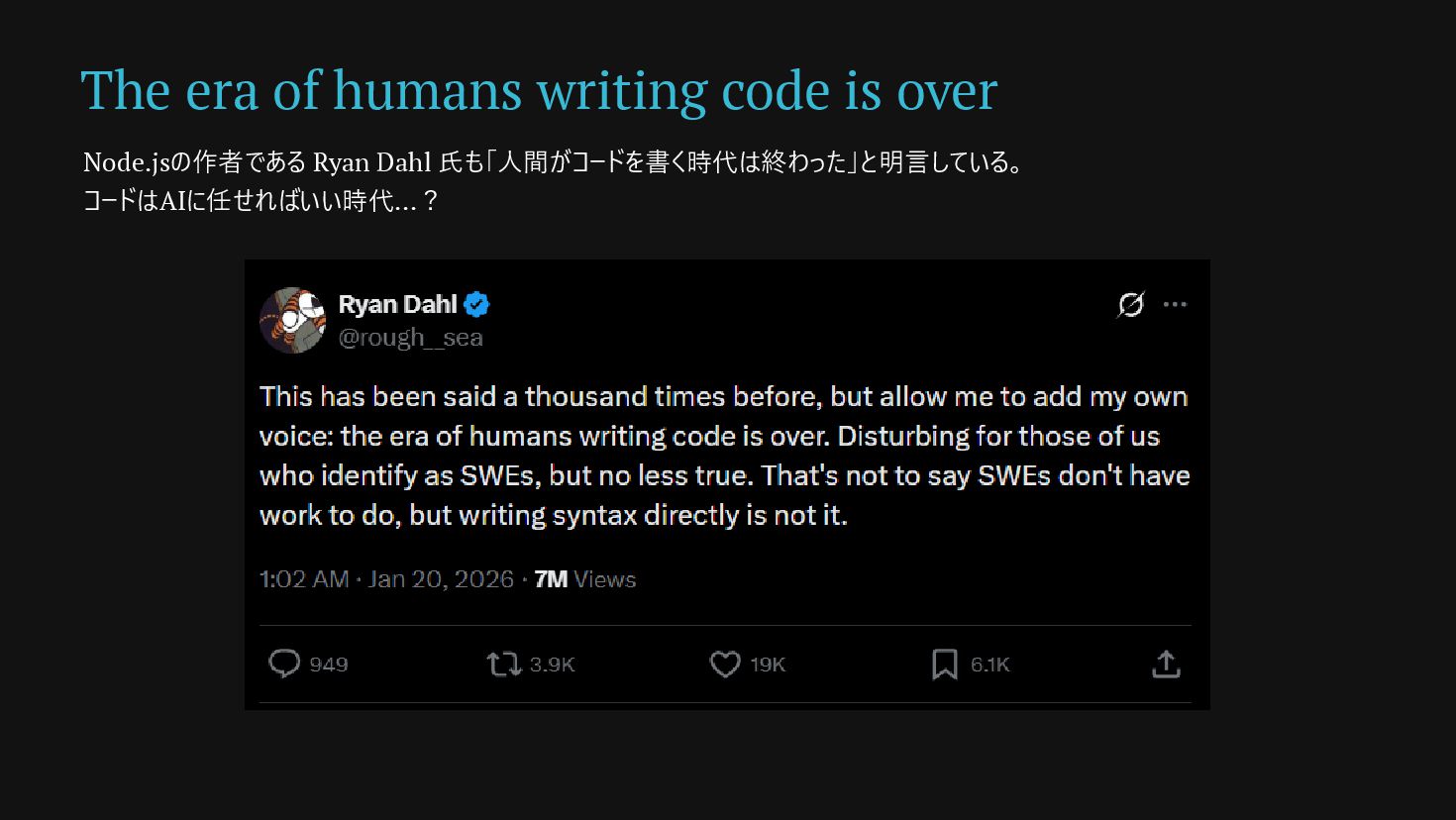
era of humans writing code is over Node.jsの作者である Ryan Dahl 氏も「人間がコードを書く時代は終わった」と明言している。 コードはAIに任せればいい時代...?
Code Reliability Code Reliability
None
Code Reliability AIは「最もらしい答え」を出すが「正しい保証」はしない。 AIが生成したコードに脆弱性が含まれる可能性だって十分 にある。 コードに含まれる脆弱性を見抜くには開発者の「コードを読 む力」は現在でも求められている。 AIに頼るのも良いけどやはり1人のエンジニアとして、自身の スキルでも信頼できるコードの実装を目指したい。 (よね...!?)
コード、どれだけ理解していますか? 🕵️♀️
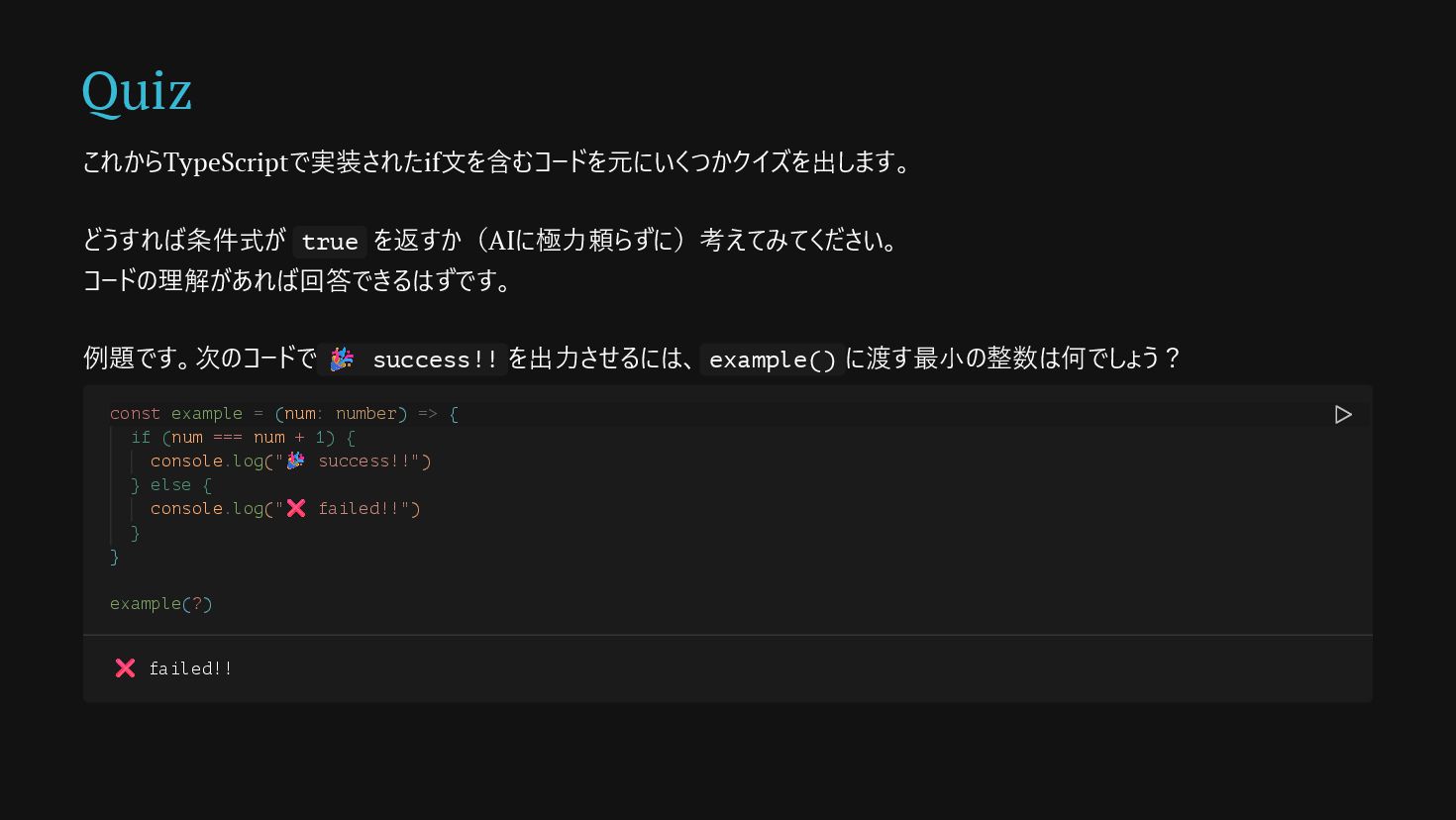
Quiz これからTypeScriptで実装されたif文を含むコードを元にいくつかクイズを出します。 どうすれば条件式が true を返すか(AIに極力頼らずに)考えてみてください。 コードの理解があれば回答できるはずです。 例題です。次のコードで 🎉 success!! を出力させるには、
example() に渡す最小の整数は何でしょう? const example = (num: number) => { if (num === num + 1) { console.log("🎉 success!!") } else { console.log("❌ failed!!") } } example(?) ❌ failed!!
Question 1
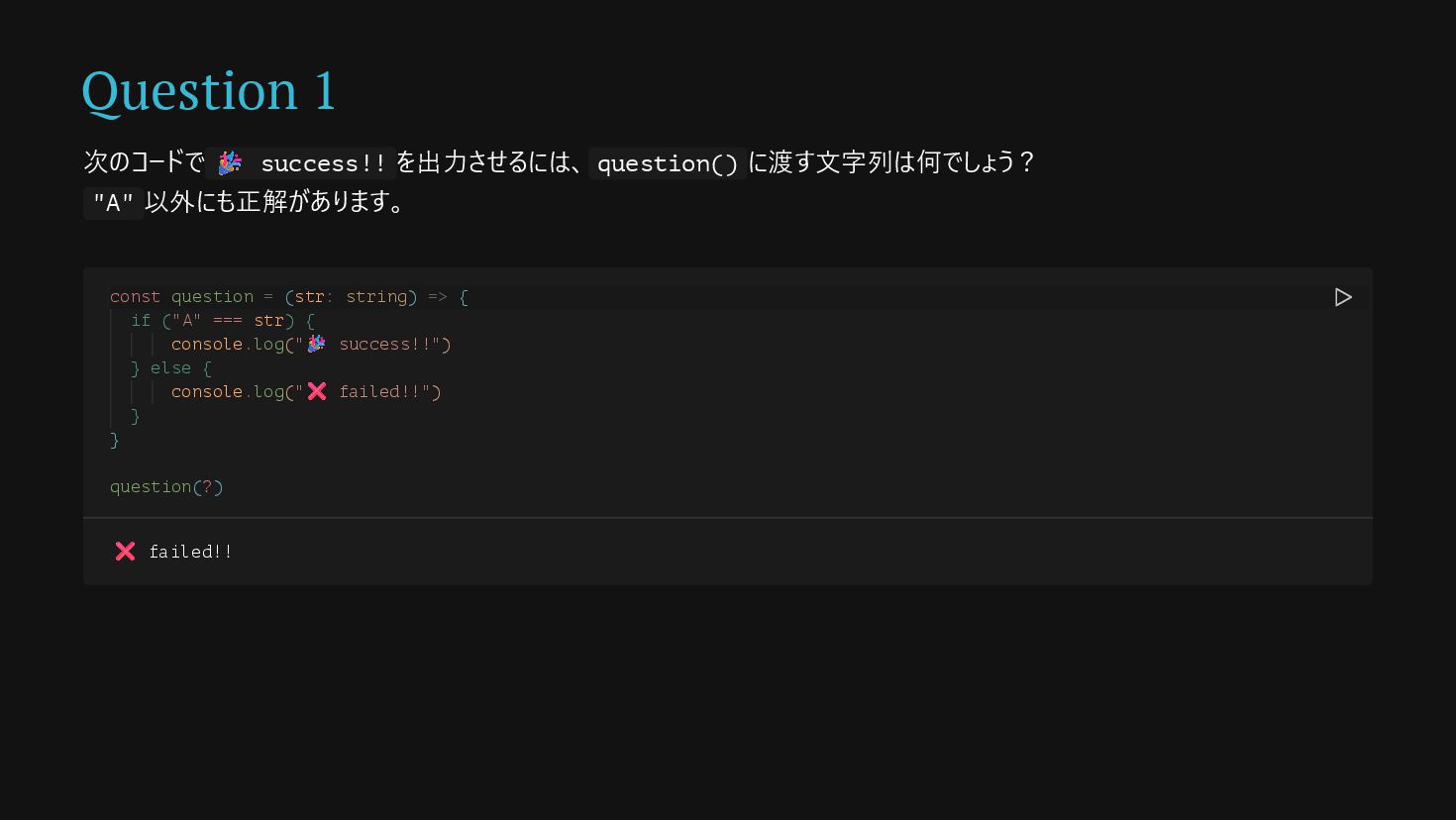
Question 1 次のコードで 🎉 success!! を出力させるには、 question() に渡す文字列は何でしょう? "A" 以外にも正解があります。
const question = (str: string) => { if ("A" === str) { console.log("🎉 success!!") } else { console.log("❌ failed!!") } } question(?) ❌ failed!!
Answer
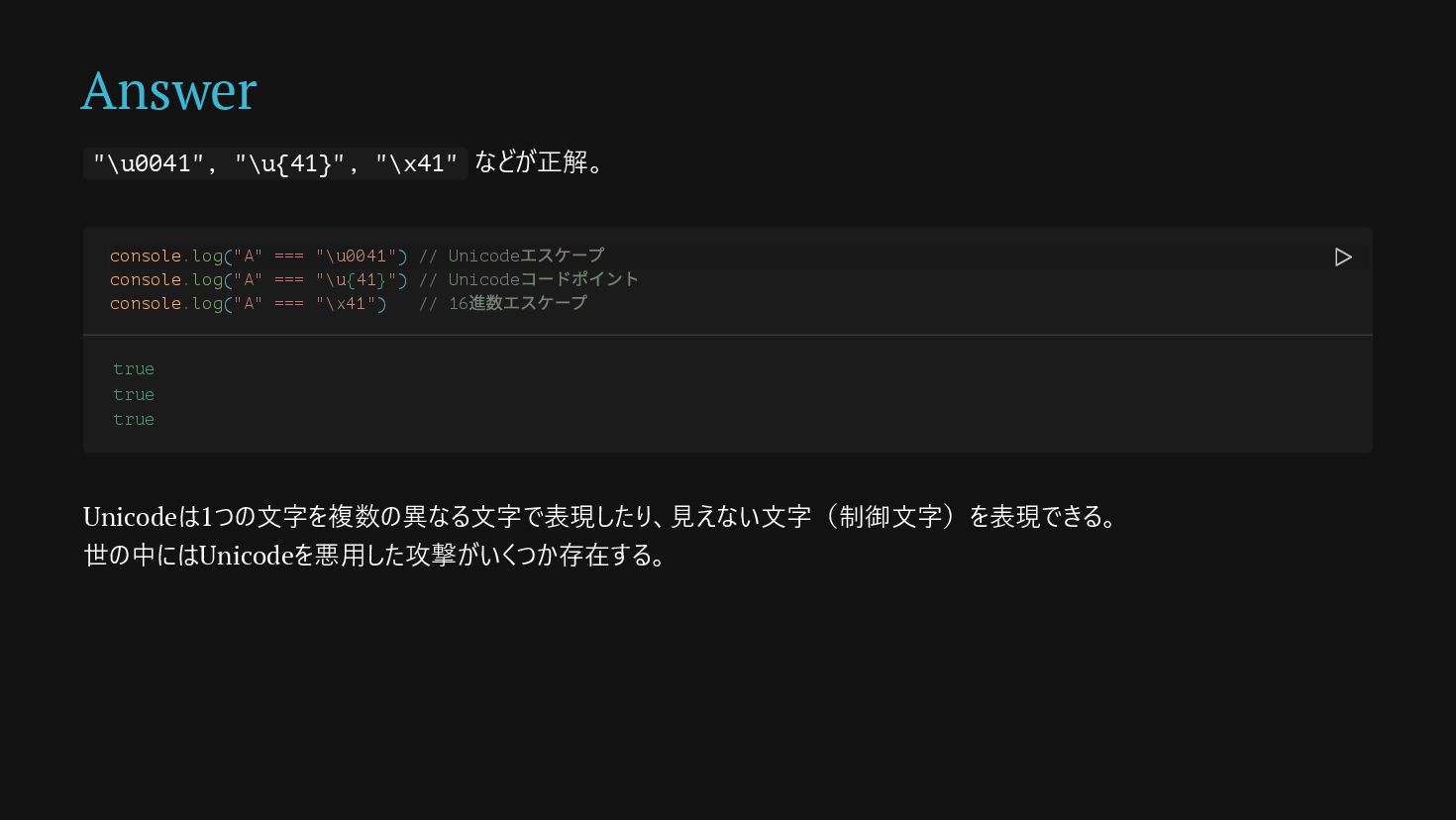
Answer "\u0041", "\u{41}", "\x41" などが正解。 Unicodeは1つの文字を複数の異なる文字で表現したり、見えない文字(制御文字)を表現できる。 世の中にはUnicodeを悪用した攻撃がいくつか存在する。 console.log("A" === "\u0041")
// Unicode エスケープ console.log("A" === "\u{41}") // Unicode コードポイント console.log("A" === "\x41") // 16 進数エスケープ true true true
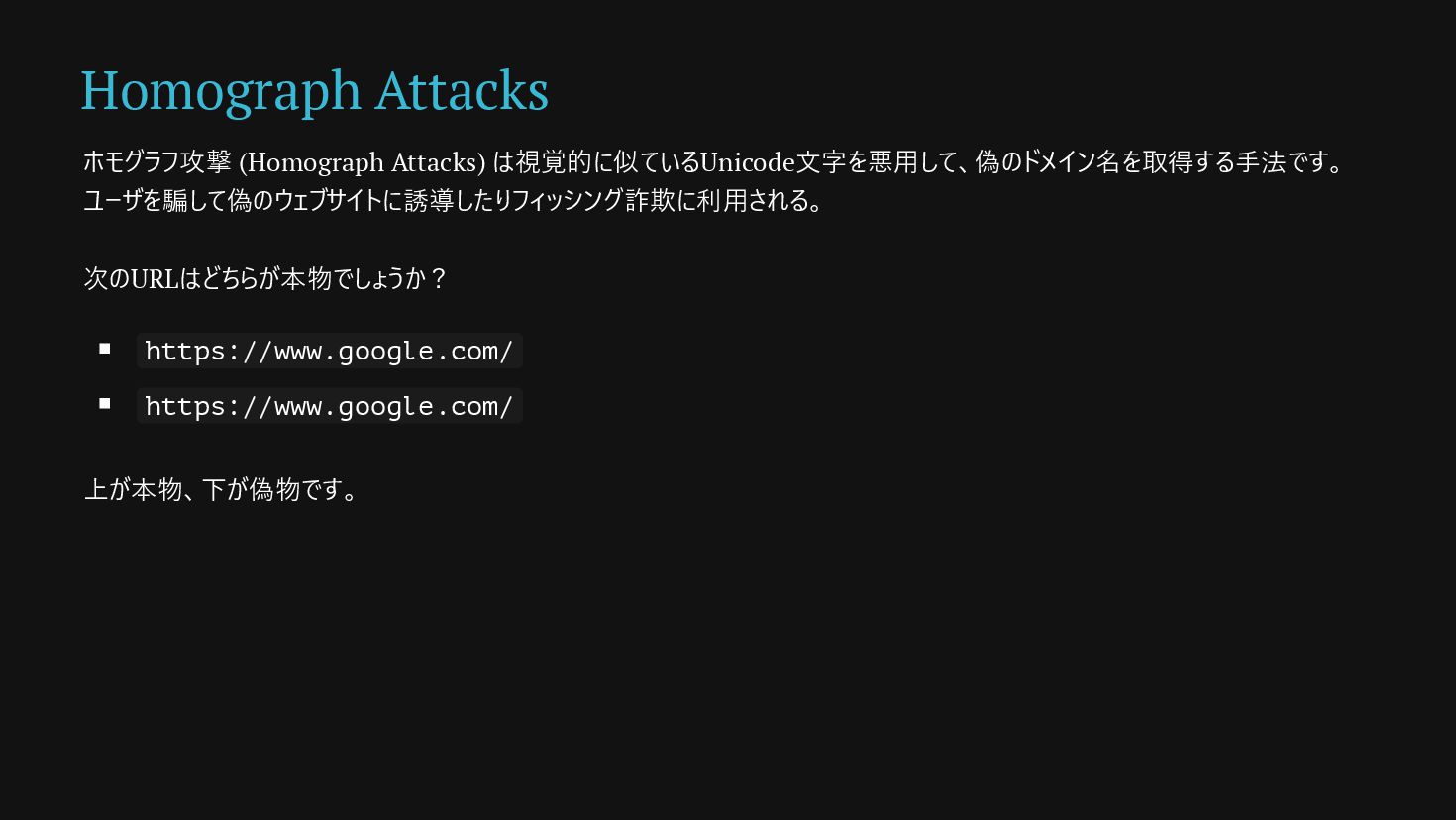
Homograph Attacks ホモグラフ攻撃 (Homograph Attacks) は視覚的に似ているUnicode文字を悪用して、偽のドメイン名を取得する手法です。 ユーザを騙して偽のウェブサイトに誘導したりフィッシング詐欺に利用される。 次のURLはどちらが本物でしょうか? https://www.google.com/ https://www.gоogle.com/
上が本物、下が偽物です。
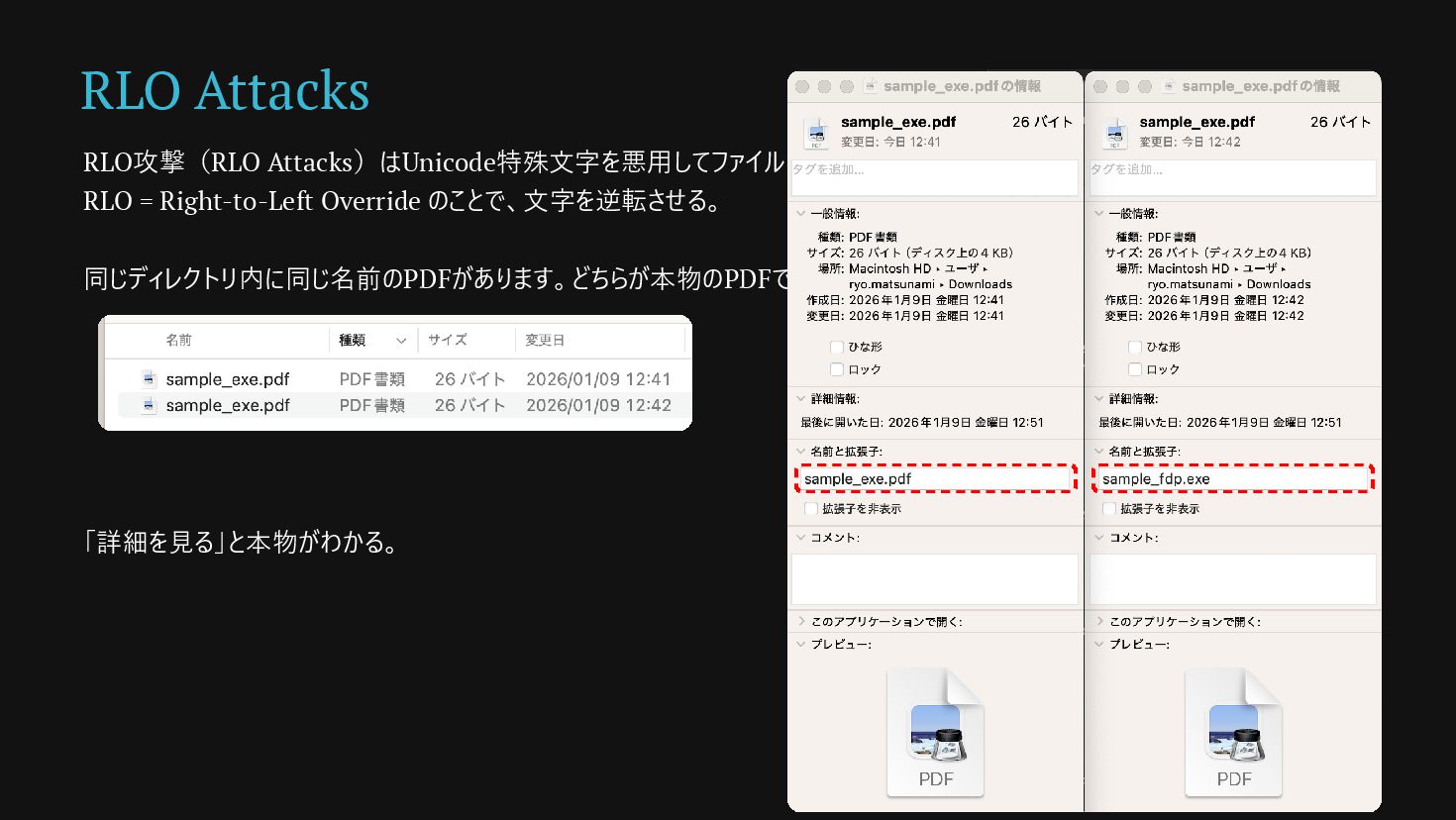
RLO Attacks RLO攻撃(RLO Attacks)はUnicode特殊文字を悪用してファイル名やURLを欺く手法です。 RLO = Right-to-Left Override のことで、文字を逆転させる。 同じディレクトリ内に同じ名前のPDFがあります。どちらが本物のPDFでしょうか?
「詳細を見る」と本物がわかる。
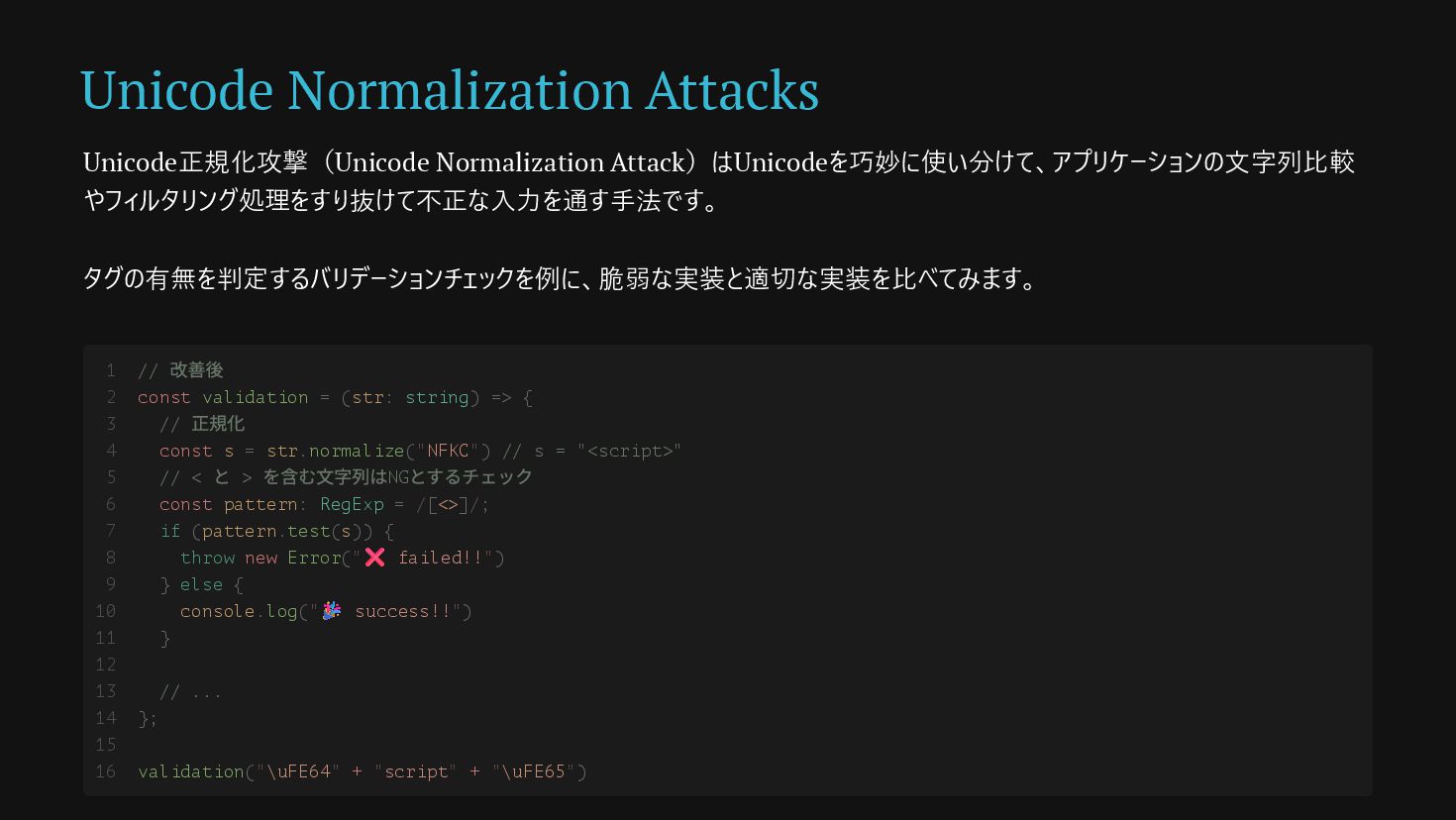
Unicode Normalization Attacks Unicode正規化攻撃(Unicode Normalization Attack)はUnicodeを巧妙に使い分けて、アプリケーションの文字列比較 やフィルタリング処理をすり抜けて不正な入力を通す手法です。 タグの有無を判定するバリデーションチェックを例に、脆弱な実装と適切な実装を比べてみます。 // 改善後
const validation = (str: string) => { // 正規化 const s = str.normalize("NFKC") // s = "<script>" // < と > を含む文字列はNG とするチェック const pattern: RegExp = /[<>]/; if (pattern.test(s)) { throw new Error("❌ failed!!") } else { console.log("🎉 success!!") } // ... }; validation("\uFE64" + "script" + "\uFE65") 1 2 3 4 5 6 7 8 9 10 11 12 13 14 15 16
Question 2
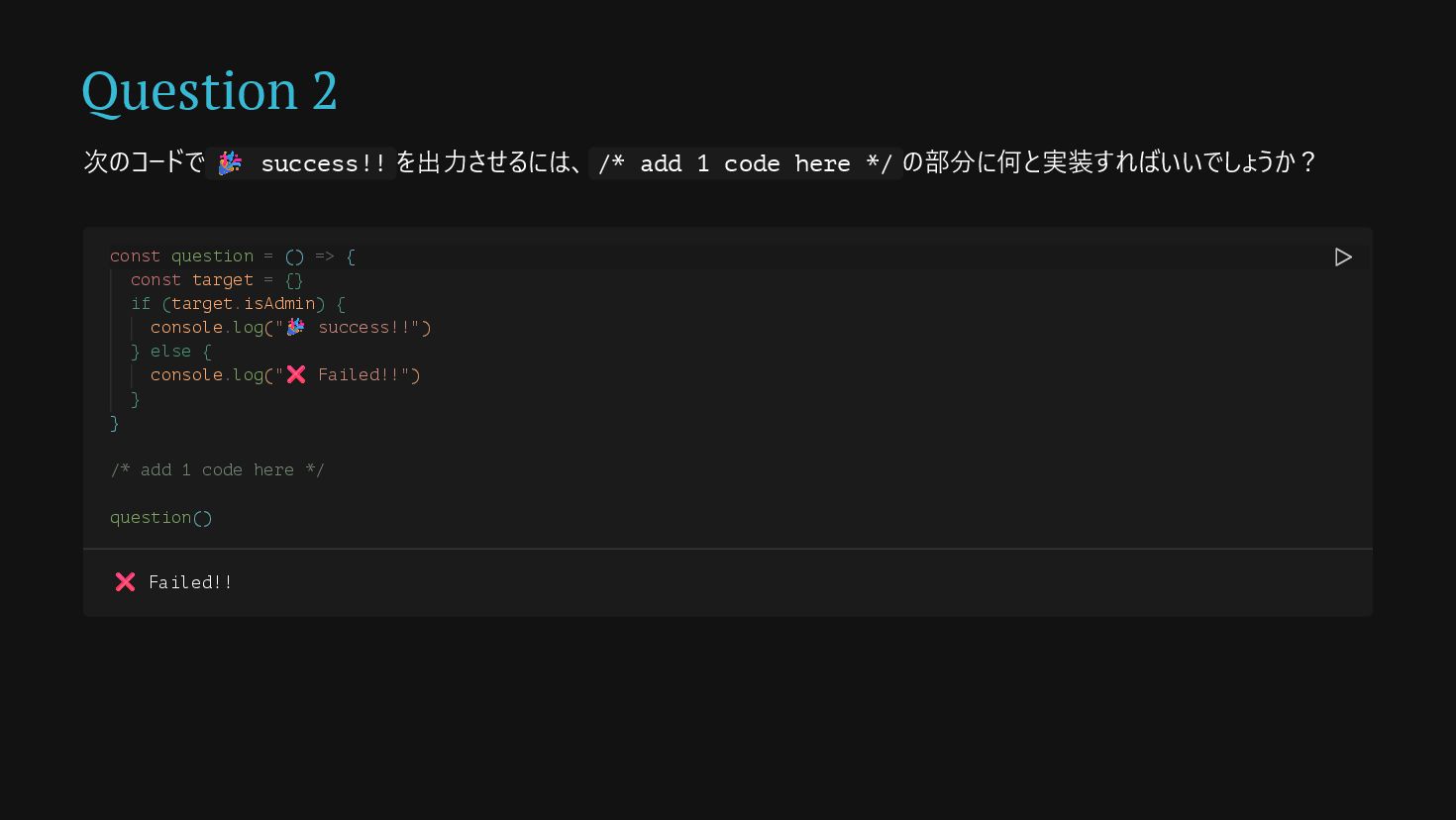
Question 2 次のコードで 🎉 success!! を出力させるには、 /* add 1 code
here */ の部分に何と実装すればいいでしょうか? const question = () => { const target = {} if (target.isAdmin) { console.log("🎉 success!!") } else { console.log("❌ Failed!!") } } /* add 1 code here */ question() ❌ Failed!!
Answer
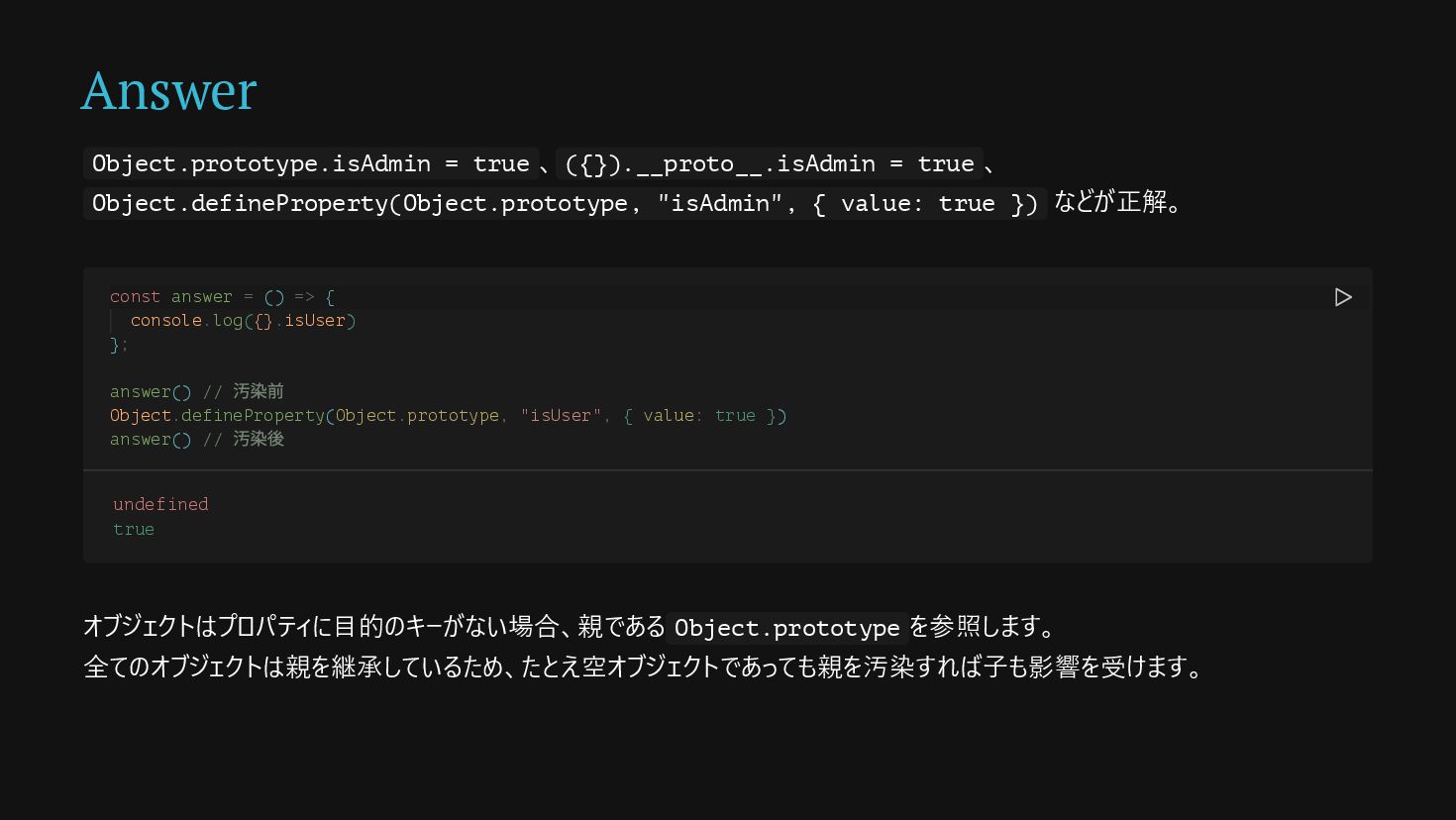
Answer Object.prototype.isAdmin = true 、 ({}).__proto__.isAdmin = true 、 Object.defineProperty(Object.prototype,
"isAdmin", { value: true }) などが正解。 オブジェクトはプロパティに目的のキーがない場合、親である Object.prototype を参照します。 全てのオブジェクトは親を継承しているため、たとえ空オブジェクトであっても親を汚染すれば子も影響を受けます。 const answer = () => { console.log({}.isUser) }; answer() // 汚染前 Object.defineProperty(Object.prototype, "isUser", { value: true }) answer() // 汚染後 undefined true
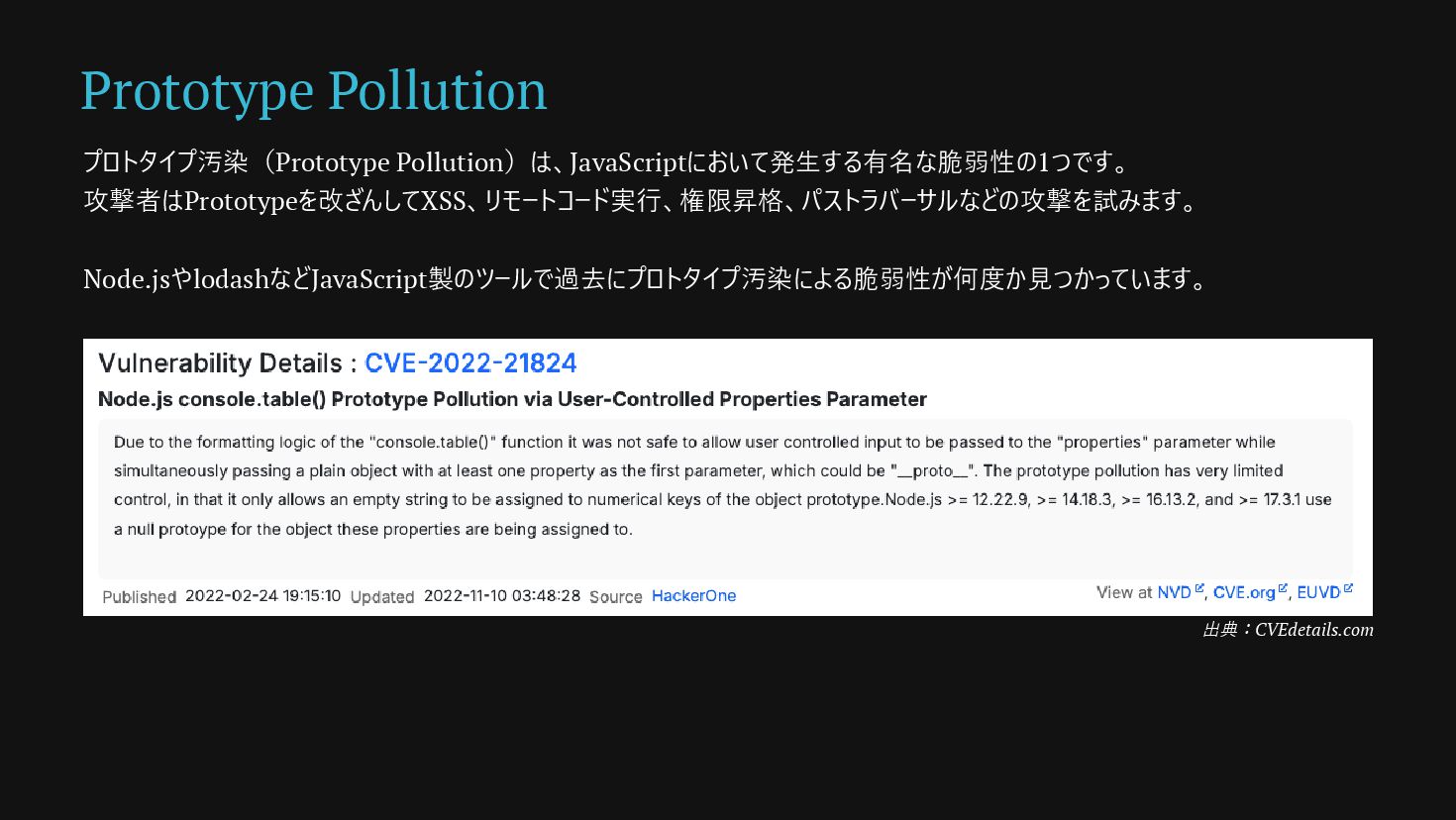
Prototype Pollution プロトタイプ汚染(Prototype Pollution)は、JavaScriptにおいて発生する有名な脆弱性の1つです。 攻撃者はPrototypeを改ざんしてXSS、リモートコード実行、権限昇格、パストラバーサルなどの攻撃を試みます。 Node.jsやlodashなどJavaScript製のツールで過去にプロトタイプ汚染による脆弱性が何度か見つかっています。 出典:CVEdetails.com
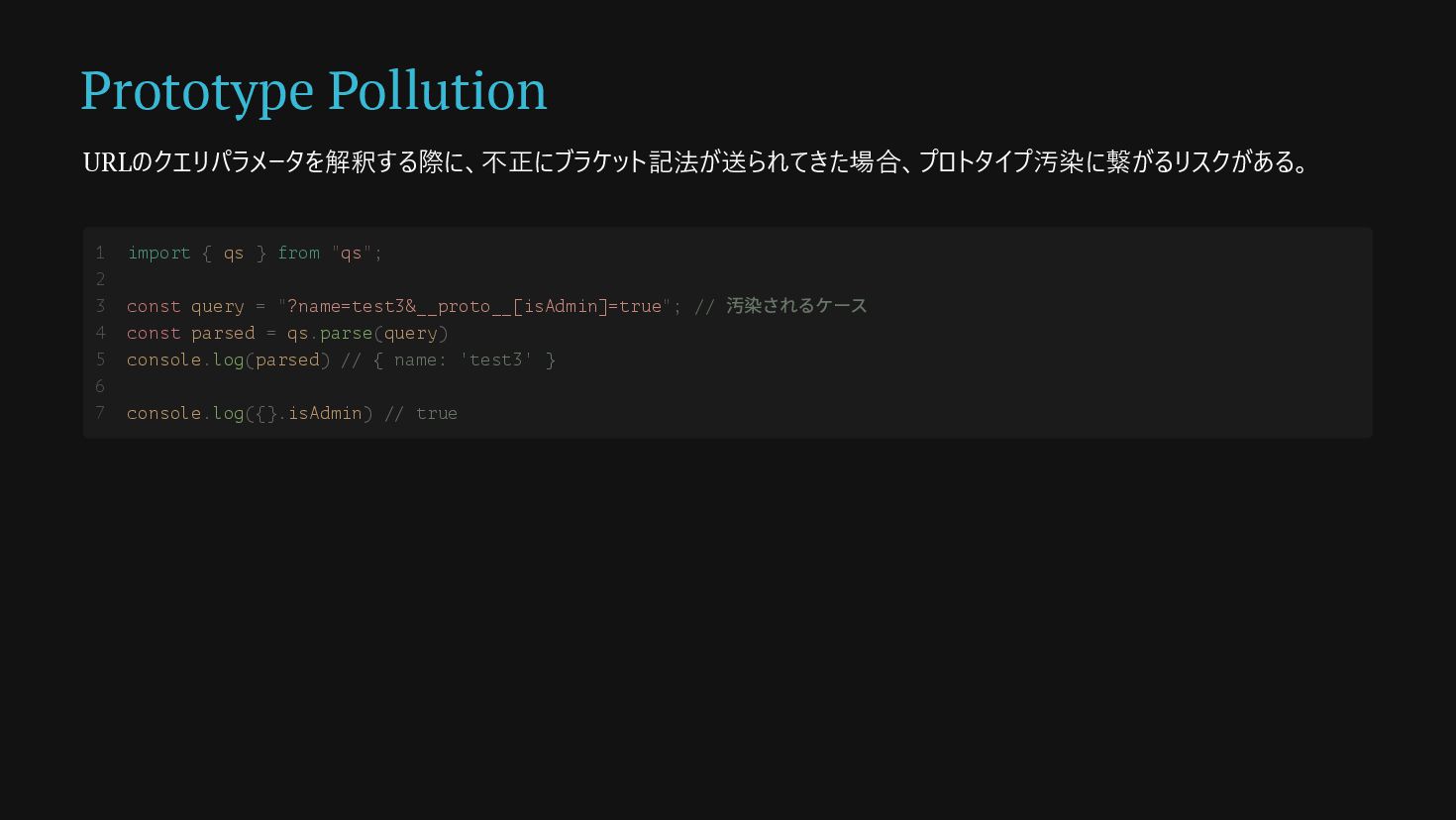
Prototype Pollution URLのクエリパラメータを解釈する際に、不正にブラケット記法が送られてきた場合、プロトタイプ汚染に繋がるリスクがある。 import { qs } from "qs"; const
query = "?name=test3&__proto__[isAdmin]=true"; // 汚染されるケース const parsed = qs.parse(query) console.log(parsed) // { name: 'test3' } console.log({}.isAdmin) // true 1 2 3 4 5 6 7
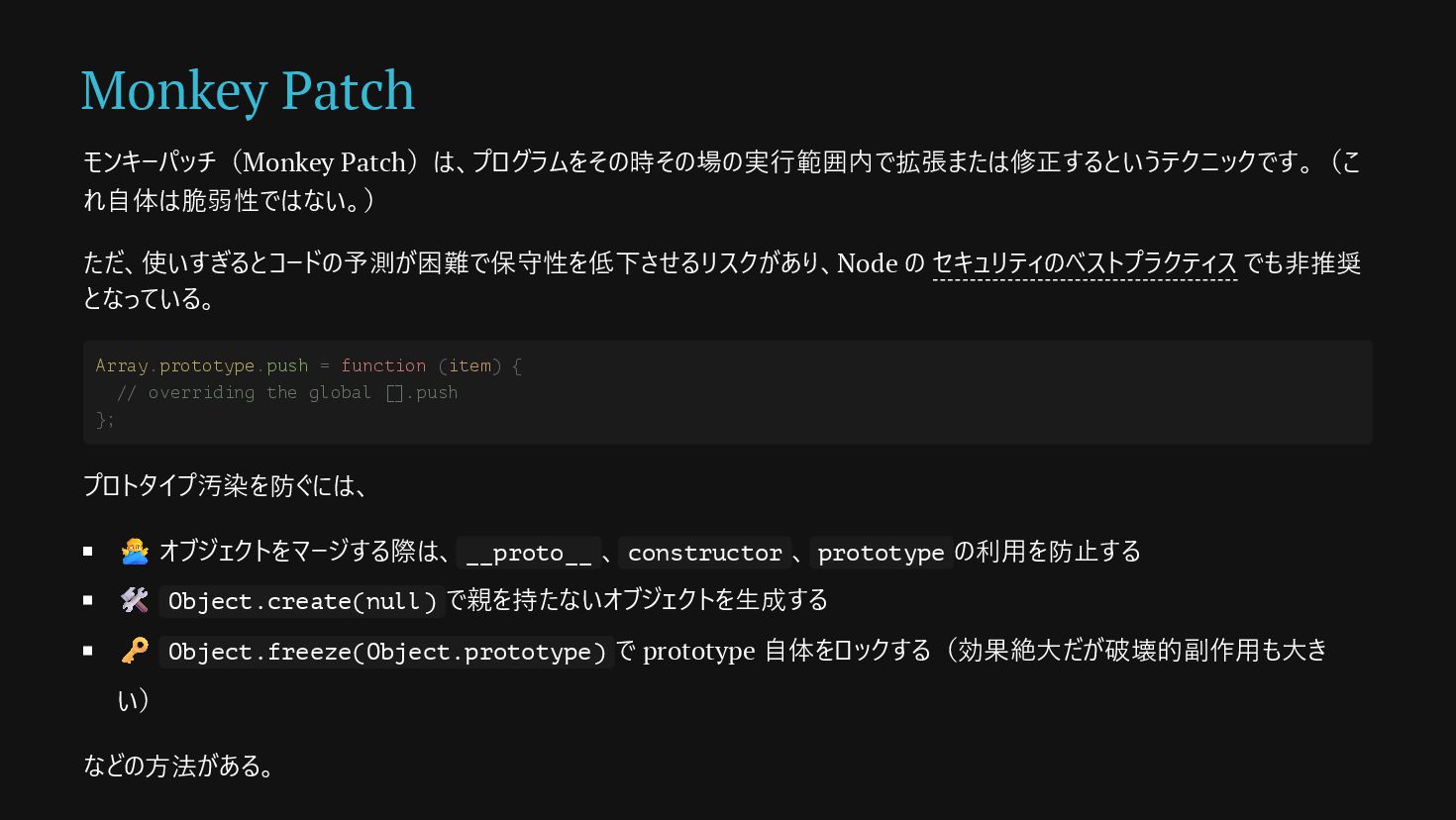
Monkey Patch モンキーパッチ(Monkey Patch)は、プログラムをその時その場の実行範囲内で拡張または修正するというテクニックです。(こ れ自体は脆弱性ではない。) ただ、使いすぎるとコードの予測が困難で保守性を低下させるリスクがあり、Node の セキュリティのベストプラクティス でも非推奨 となっている。
プロトタイプ汚染を防ぐには、 🙅♂️ オブジェクトをマージする際は、 __proto__ 、 constructor 、 prototype の利用を防止する 🛠 Object.create(null) で親を持たないオブジェクトを生成する 🗝️ Object.freeze(Object.prototype) で prototype 自体をロックする(効果絶大だが破壊的副作用も大き い) などの方法がある。 Array.prototype.push = function (item) { // overriding the global [].push };
Question 3
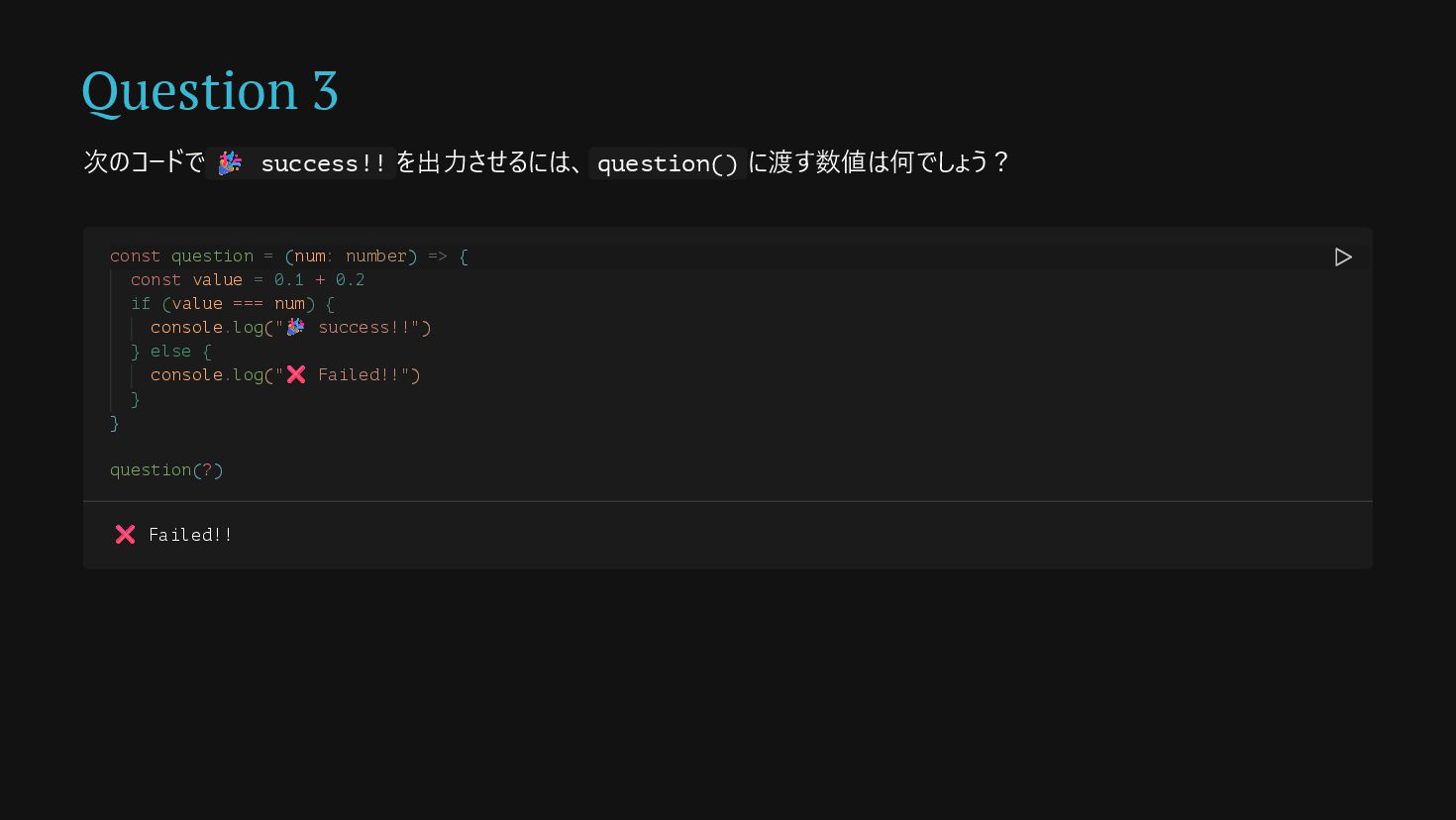
Question 3 次のコードで 🎉 success!! を出力させるには、 question() に渡す数値は何でしょう? const question
= (num: number) => { const value = 0.1 + 0.2 if (value === num) { console.log("🎉 success!!") } else { console.log("❌ Failed!!") } } question(?) ❌ Failed!!
Answer
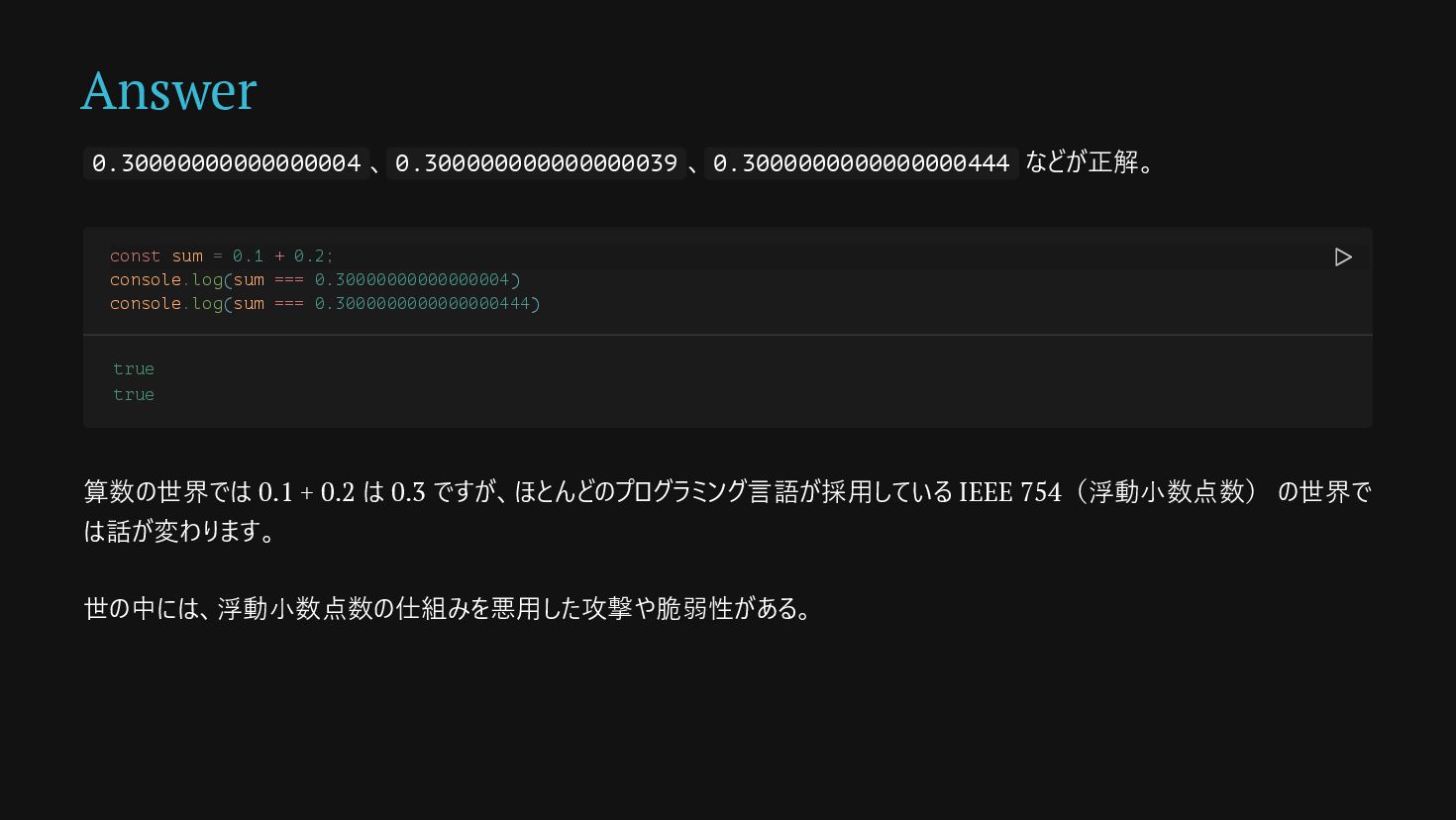
Answer 0.30000000000000004 、 0.300000000000000039 、 0.3000000000000000444 などが正解。 算数の世界では 0.1 +
0.2 は 0.3 ですが、ほとんどのプログラミング言語が採用している IEEE 754(浮動小数点数) の世界で は話が変わります。 世の中には、浮動小数点数の仕組みを悪用した攻撃や脆弱性がある。 const sum = 0.1 + 0.2; console.log(sum === 0.30000000000000004) console.log(sum === 0.3000000000000000444) true true
None
Salami Slicing Attack サラミ法(Salami Slicing Attack)は、気づかれない程 度の少額を組織的に繰り返し抜き取り、最終的に多額の 金銭を不正に得る手口です。 浮動小数点の悪用は主に丸め誤差を利用して行われま す。
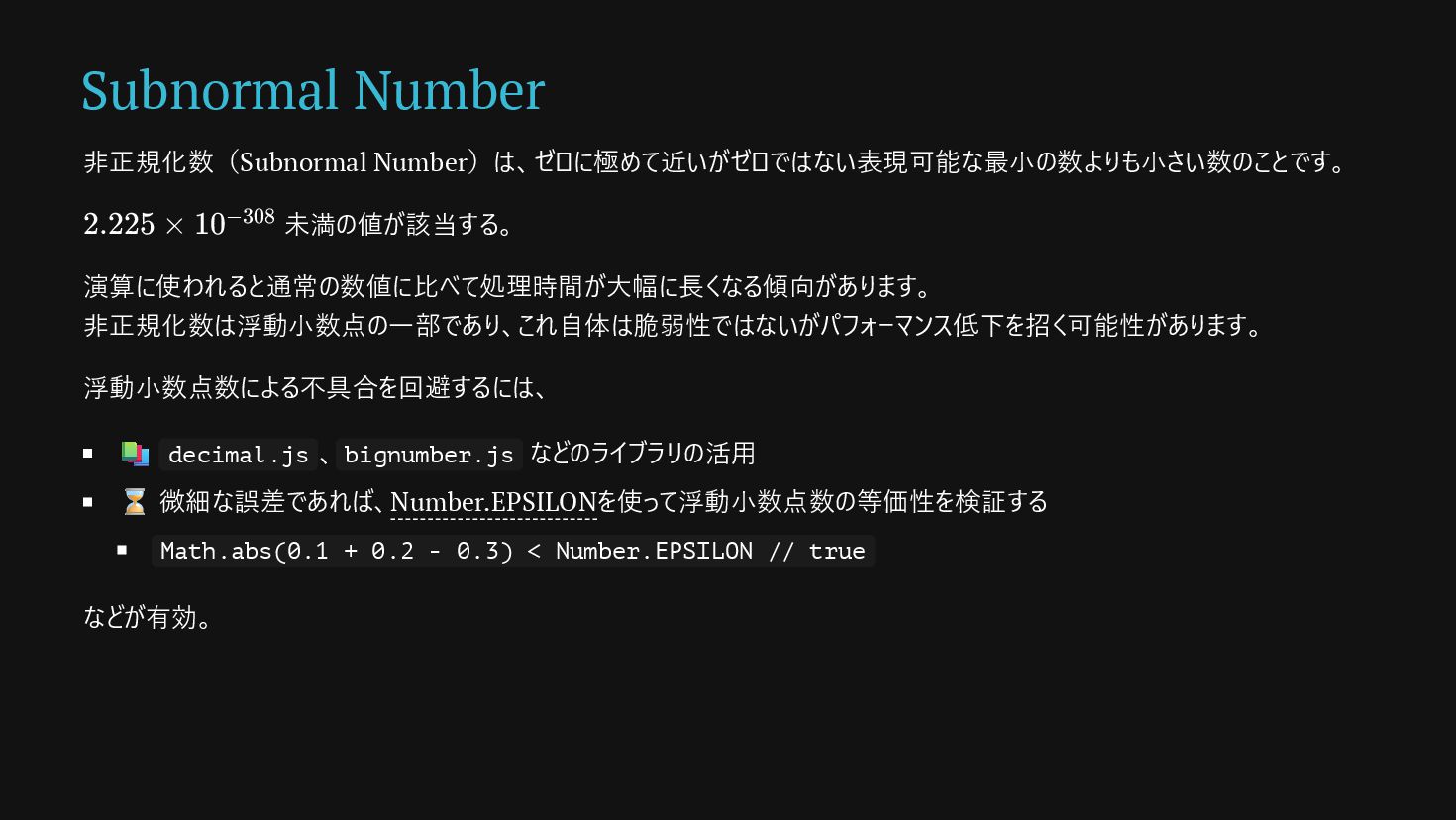
金融取引での利息計算などで発生する僅かな端数 (例:0.0001円)を内部の攻撃者が隠し口座に振り込 むように実装する。 何千/何万もの取引が繰り返されると最終的に攻撃者の 口座には巨額の資金が蓄積されます。 Subnormal Number 非正規化数(Subnormal Number)は、ゼロに極めて近いがゼロではない表現可能な最小の数よりも小さい数のことです。 未満の値が該当する。 演算に使われると通常の数値に比べて処理時間が大幅に長くなる傾向があります。 非正規化数は浮動小数点の一部であり、これ自体は脆弱性ではないがパフォーマンス低下を招く可能性があります。 浮動小数点数による不具合を回避するには、 📚 decimal.js 、 bignumber.js などのライブラリの活用 ⌛️ 微細な誤差であれば、Number.EPSILONを使って浮動小数点数の等価性を検証する Math.abs(0.1 + 0.2 - 0.3) < Number.EPSILON // true などが有効。 2.225 × 10−308
Question 4
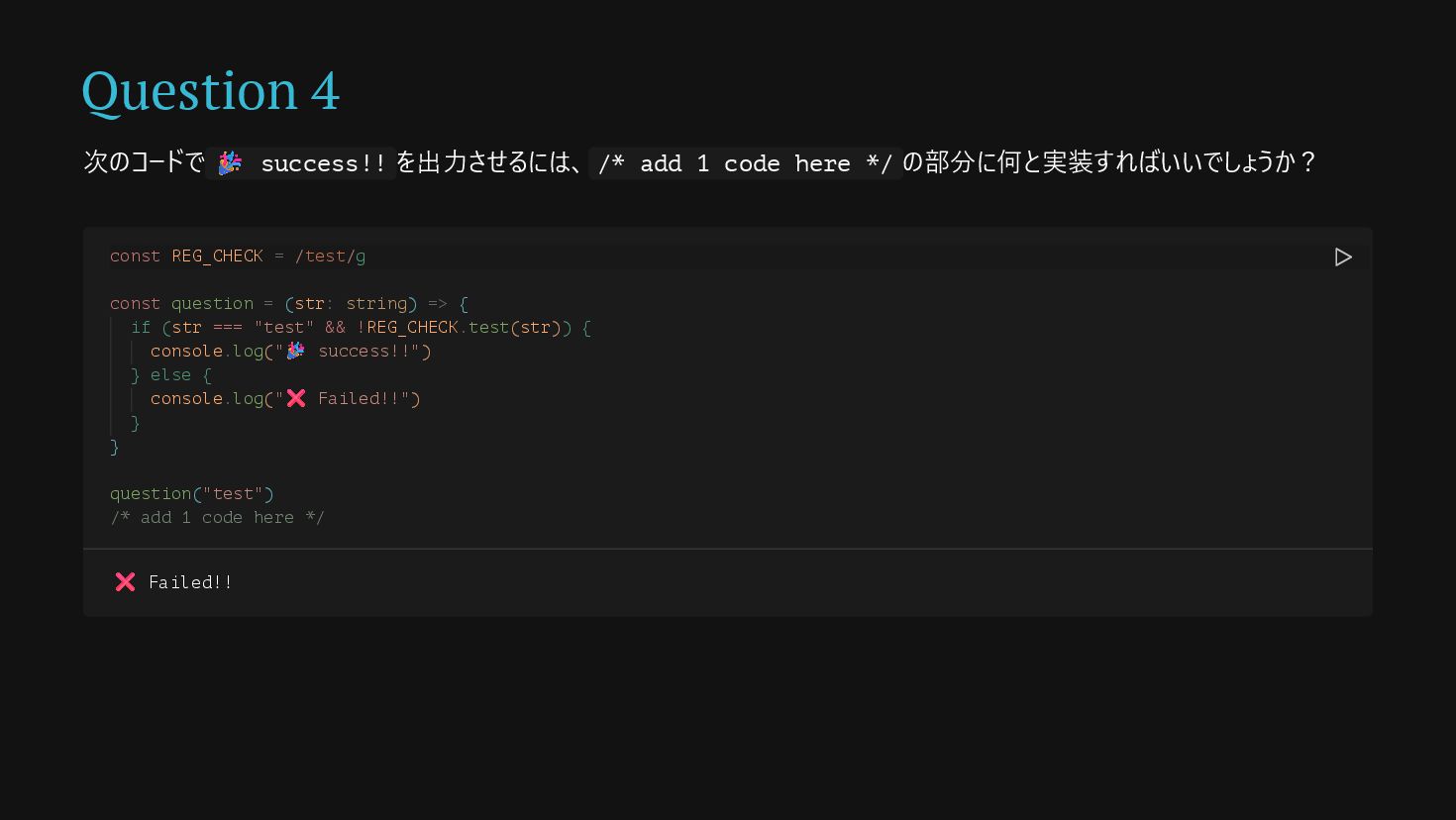
Question 4 次のコードで 🎉 success!! を出力させるには、 /* add 1 code
here */ の部分に何と実装すればいいでしょうか? const REG_CHECK = /test/g const question = (str: string) => { if (str === "test" && !REG_CHECK.test(str)) { console.log("🎉 success!!") } else { console.log("❌ Failed!!") } } question("test") /* add 1 code here */ ❌ Failed!!
Answer
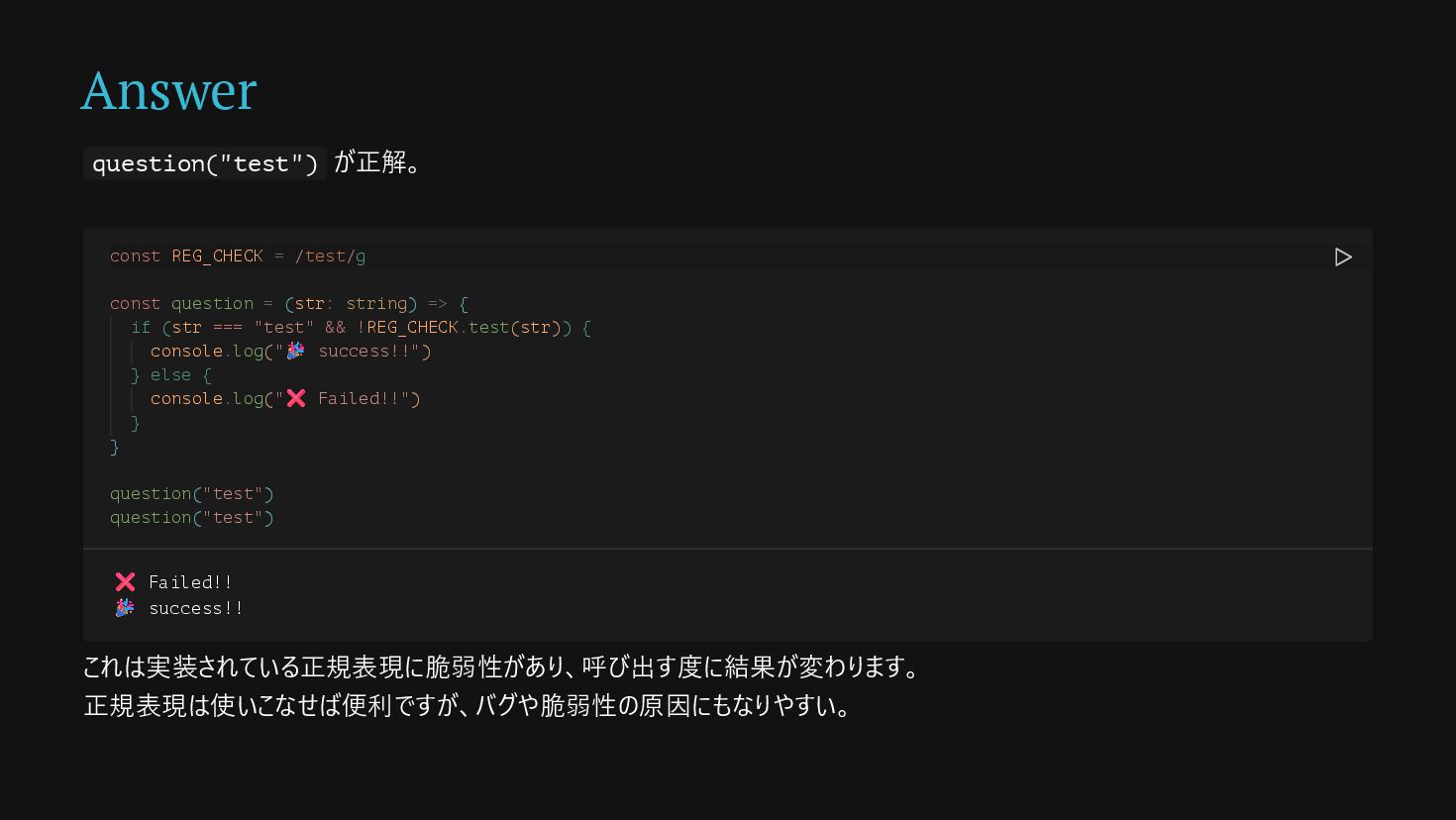
Answer question("test") が正解。 これは実装されている正規表現に脆弱性があり、呼び出す度に結果が変わります。 正規表現は使いこなせば便利ですが、バグや脆弱性の原因にもなりやすい。 const REG_CHECK = /test/g const
question = (str: string) => { if (str === "test" && !REG_CHECK.test(str)) { console.log("🎉 success!!") } else { console.log("❌ Failed!!") } } question("test") question("test") ❌ Failed!! 🎉 success!!
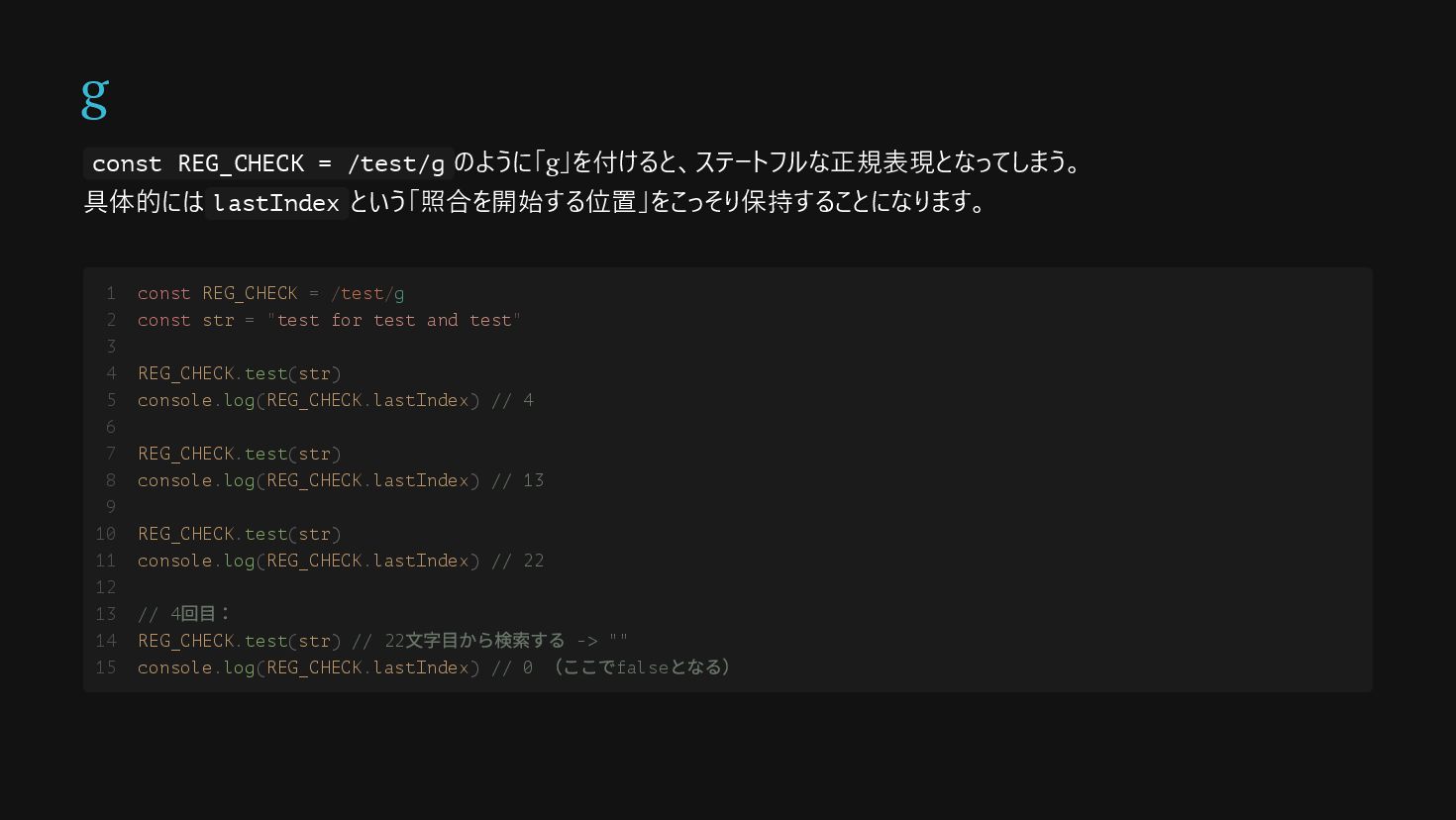
g const REG_CHECK = /test/g のように「g」を付けると、ステートフルな正規表現となってしまう。 具体的には lastIndex という「照合を開始する位置」をこっそり保持することになります。 const
REG_CHECK = /test/g const str = "test for test and test" REG_CHECK.test(str) console.log(REG_CHECK.lastIndex) // 4 REG_CHECK.test(str) console.log(REG_CHECK.lastIndex) // 13 REG_CHECK.test(str) console.log(REG_CHECK.lastIndex) // 22 // 4 回目: REG_CHECK.test(str) // 22 文字目から検索する -> "" console.log(REG_CHECK.lastIndex) // 0 (ここでfalse となる) 1 2 3 4 5 6 7 8 9 10 11 12 13 14 15
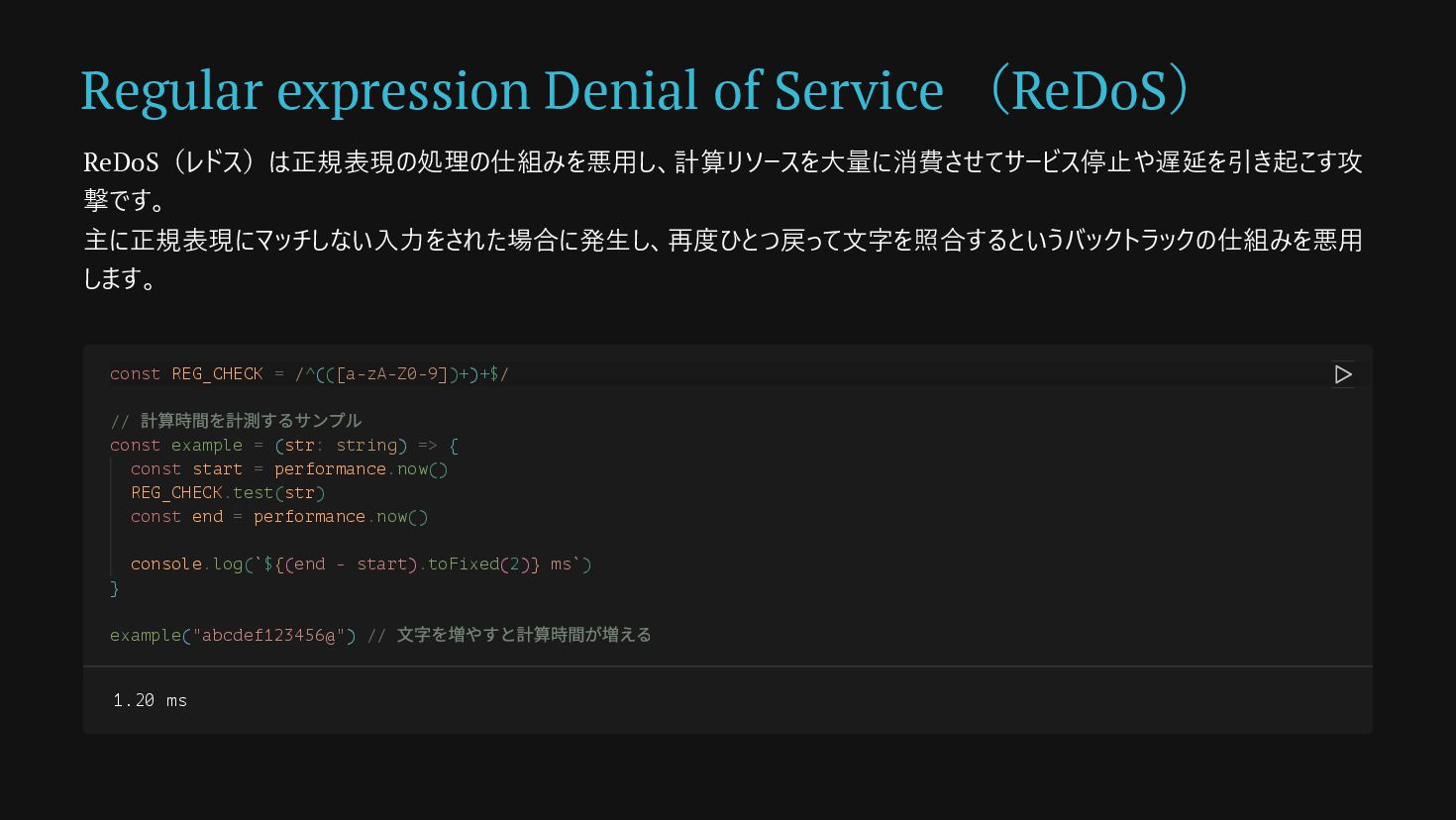
Regular expression Denial of Service (ReDoS) ReDoS(レドス)は正規表現の処理の仕組みを悪用し、計算リソースを大量に消費させてサービス停止や遅延を引き起こす攻 撃です。 主に正規表現にマッチしない入力をされた場合に発生し、再度ひとつ戻って文字を照合するというバックトラックの仕組みを悪用 します。
const REG_CHECK = /^(([a-zA-Z0-9])+)+$/ // 計算時間を計測するサンプル const example = (str: string) => { const start = performance.now() REG_CHECK.test(str) const end = performance.now() console.log(`${(end - start).toFixed(2)} ms`) } example("abcdef123456@") // 文字を増やすと計算時間が増える 1.20 ms
Regular expression Denial of Service (ReDoS) /^(([a-zA-Z0-9])+)+$/ のように、パッと見ただけでは問題があるかどうかわかりにくい。 正規表現を悪用した攻撃を防ぐには、 🙅♂️
/(a+)+$/ や /(a|b+)+$/ のような「繰り返しの中に繰り返し」がある構造を避ける の計算量を招く恐れがある ✏️ 入力可能な文字数を制限する 🛠️ node-re2などの正規表現用のライブラリを活用する などの方法がある。 O(2 ) n
Summary
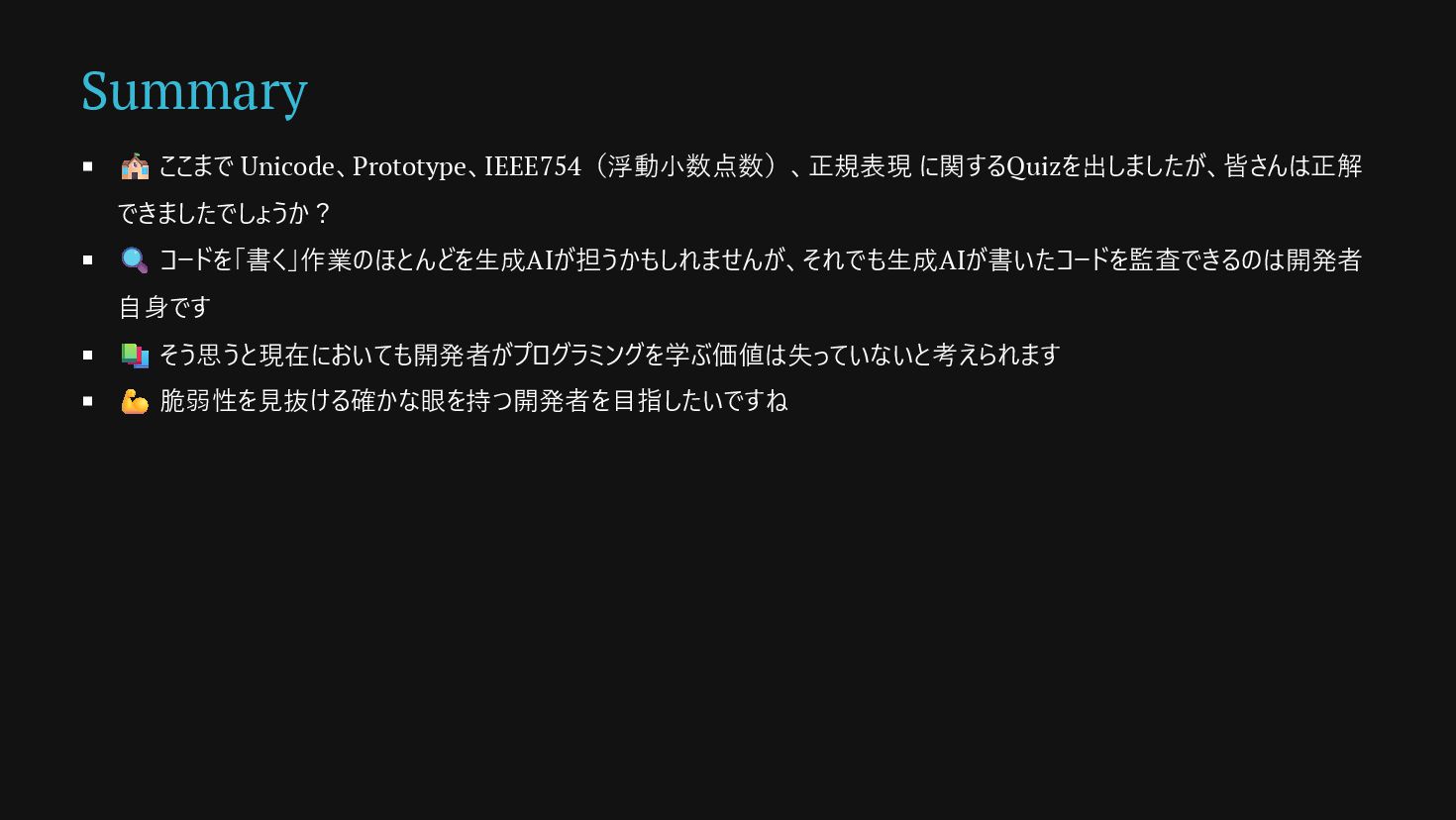
Summary 🏫 ここまで Unicode、Prototype、IEEE754(浮動小数点数)、正規表現 に関するQuizを出しましたが、皆さんは正解 できましたでしょうか? 🔍 コードを「書く」作業のほとんどを生成AIが担うかもしれませんが、それでも生成AIが書いたコードを監査できるのは開発者 自身です 📚
そう思うと現在においても開発者がプログラミングを学ぶ価値は失っていないと考えられます 💪 脆弱性を見抜ける確かな眼を持つ開発者を目指したいですね
process.exit(0)


 ryoaccount
 ukin0k0
 jnchito
 yoshyum
 javiergs
 susisu
 kentaroutakeda
 palkan
 mutsumix
 azihsoyn
 minako__ph
 nrslib
 takuroabe
 reverentgeek
 kimpetersen
 portentint
 frankvandijk
 ianozsvald
 bkeepers
 mayunak
 tamaranovitovic
 keavy
keavy
 tapps
tapps
 maltzj
 mlcsv
mlcsv




![Regular expression Denial of Service (ReDoS) /^(([a-zA-Z0-9])+)+$/ のように、パッと見ただけでは問題があるかどうかわかりにくい。 正規表現を悪用した攻撃を防ぐには、 🙅♂️](https://files.speakerdeck.com/presentations/b9bc3ef7a97342319c8a1988c0347e9c/slide_36.jpg)