Upgrade to Pro
— share decks privately, control downloads, hide ads and more …
Speaker Deck
Sign up for free
Menu
Search
Features
All features
Private URLs
Password Protection
Custom URLS
Scheduled publishing
Remove Branding
Restrict embedding
Deck Collections
Notes
Features
All features
Private URLs
Password Protection
Custom URLS
Scheduled publishing
Remove Branding
Restrict embedding
Deck Collections
Notes
Explore
Featured decks
Featured speakers
Programming
Technology
Storyboards
Explore
Featured decks
Featured speakers
Programming
Technology
Storyboards
Pricing
Search
Sign in
Sign up for free
iOS・Androidの文字サイズ設定をWebViewに!モバイルUIのアクセシビリティ...
Search
おしん
May 09, 2026
Technology
210
1
Share
Embed
Copy iframe code
Copy JS code
Copy link
Start on current slide
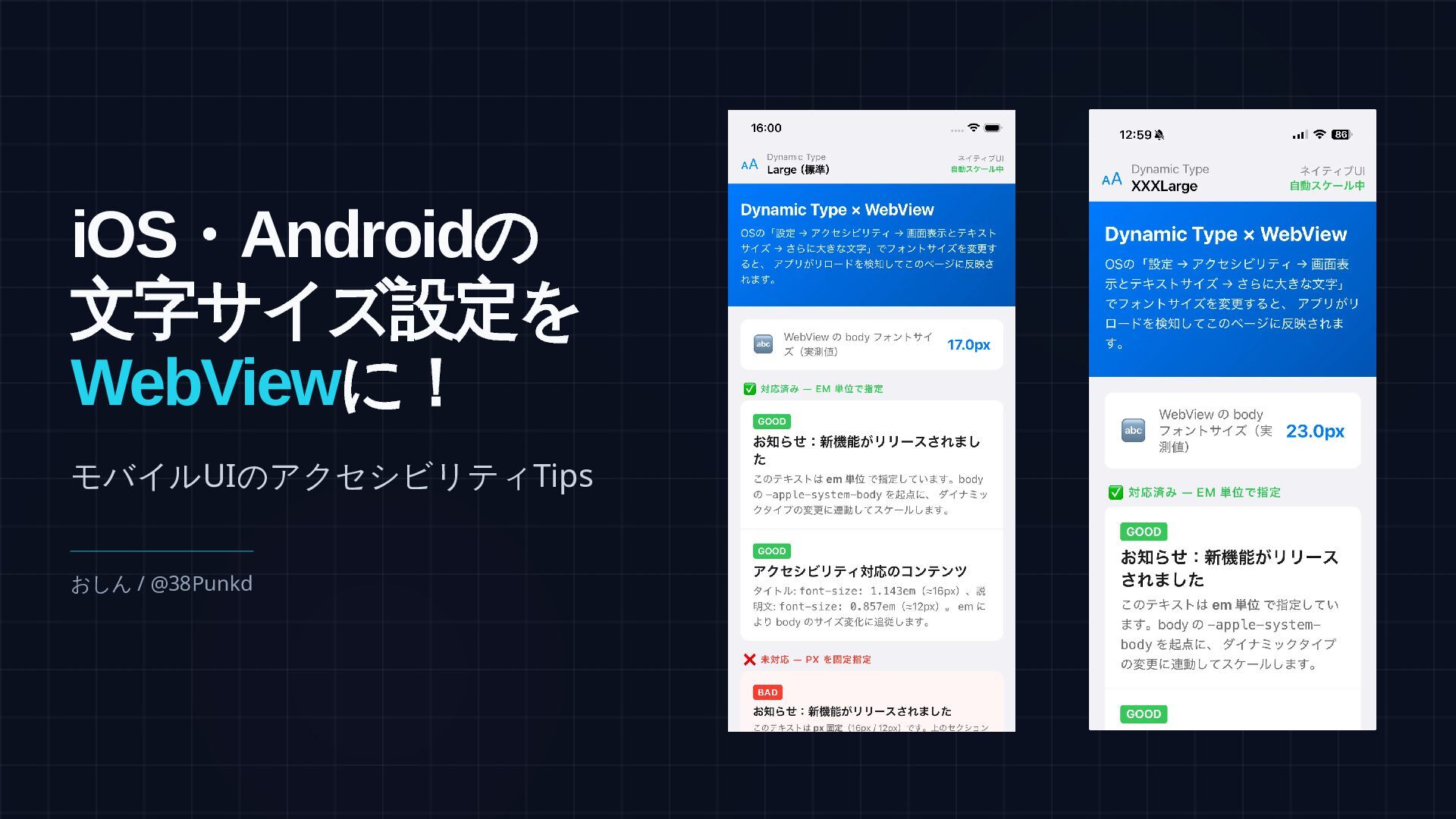
iOS・Androidの文字サイズ設定をWebViewに!モバイルUIのアクセシビリティTips
フロントエンドカンファレンス名古屋 2026 でのLTで使用したスライドです。
おしん
May 09, 2026
More Decks by おしん
See All by おしん
モバイルアプリへのRemoteConfigの恩恵
shincarpediem
1
190
Swift UI デフォルト引数クイズ
shincarpediem
0
180
よりアプリらしさを出すために
shincarpediem
0
180
Concurrency Warningが 沢山出たから聞いてほしい ~Xcode 16.1 Beta 編~
shincarpediem
0
280
iOSのPhoto Libraryアクセス権限を見直してみよう
shincarpediem
0
290
SwiftUI登場前のVIPERアプリでもSwiftUIをスムーズに導入できた話
shincarpediem
2
1.9k
VIPERアプリにSwiftUIを導入してみた
shincarpediem
0
480
Other Decks in Technology
See All in Technology
分析AIエージェントを育てる、動く環境を育てる
codatum
1
1k
QA4AI 2026-Oct 生成AI時代の品質保証
tokuty
0
350
ブラウザとサーバーから考えるAI時代のフロントエンド監視
shogo4131
3
860
実体験から学ぶ分析エージェントの開発と運⽤
recruitengineers
PRO
8
2.2k
DevelopersIO 2026 知識の地図を描く ─ オントロジーとは何か?
ishikawa_satoru
1
1.5k
日本語に強いオープンな大規模言語モデル「LLM-jp」
odashi
2
430
実践! SRE × AI - ABEMA における AIOps -
tetsuya28
7
2.9k
ハードウェアコンペでもAI駆動開発が進んでいる話
iotengineer22
1
690
事業活動を AI Ready にする攻めと守りのデータエンジニアリング / data-engineering-for-ai-ready-business
pei0804
7
2.6k
不可逆な意思決定を避けながら10億超の顧客データを AI Ready にするデータ基盤設計
baseballyama
1
310
【Data Engineering Summit2026_登壇資料】医療ビッグデータ×AIエージェントを支えるデータ基盤とハーネスエンジニアリング
jmdc_presentation
0
130
Post AI時代のリファクタリング実践記 / Refactoring in the post AI era
kaminashi
1
170
Featured
See All Featured
RailsConf & Balkan Ruby 2019: The Past, Present, and Future of Rails at GitHub
eileencodes
141
35k
How GitHub (no longer) Works
holman
316
150k
How To Speak Unicorn (iThemes Webinar)
marktimemedia
1
590
How Software Deployment tools have changed in the past 20 years
geshan
2
35k
Navigating Weather and Climate Data
rabernat
0
550
Exploring the Power of Turbo Streams & Action Cable | RailsConf2023
kevinliebholz
37
6.6k
Are puppies a ranking factor?
jonoalderson
2
4k
Designing Powerful Visuals for Engaging Learning
tmiket
1
600
Building Applications with DynamoDB
mza
96
7.2k
Data-driven link building: lessons from a $708K investment (BrightonSEO talk)
szymonslowik
1
1.4k
Chrome DevTools: State of the Union 2024 - Debugging React & Beyond
addyosmani
10
1.4k
The Hidden Cost of Media on the Web [PixelPalooza 2025]
tammyeverts
2
520
Transcript
モバイルUIのアクセシビリティTips おしん / @38Punkd iOS ・Android の 文字サイズ設定を WebView に!
・株式会社スタメン ・iOSエンジニア ・アプリネイティブ × WebViewの ハイブリッドアプリ開発に携わってきました おしん / @38Punkd
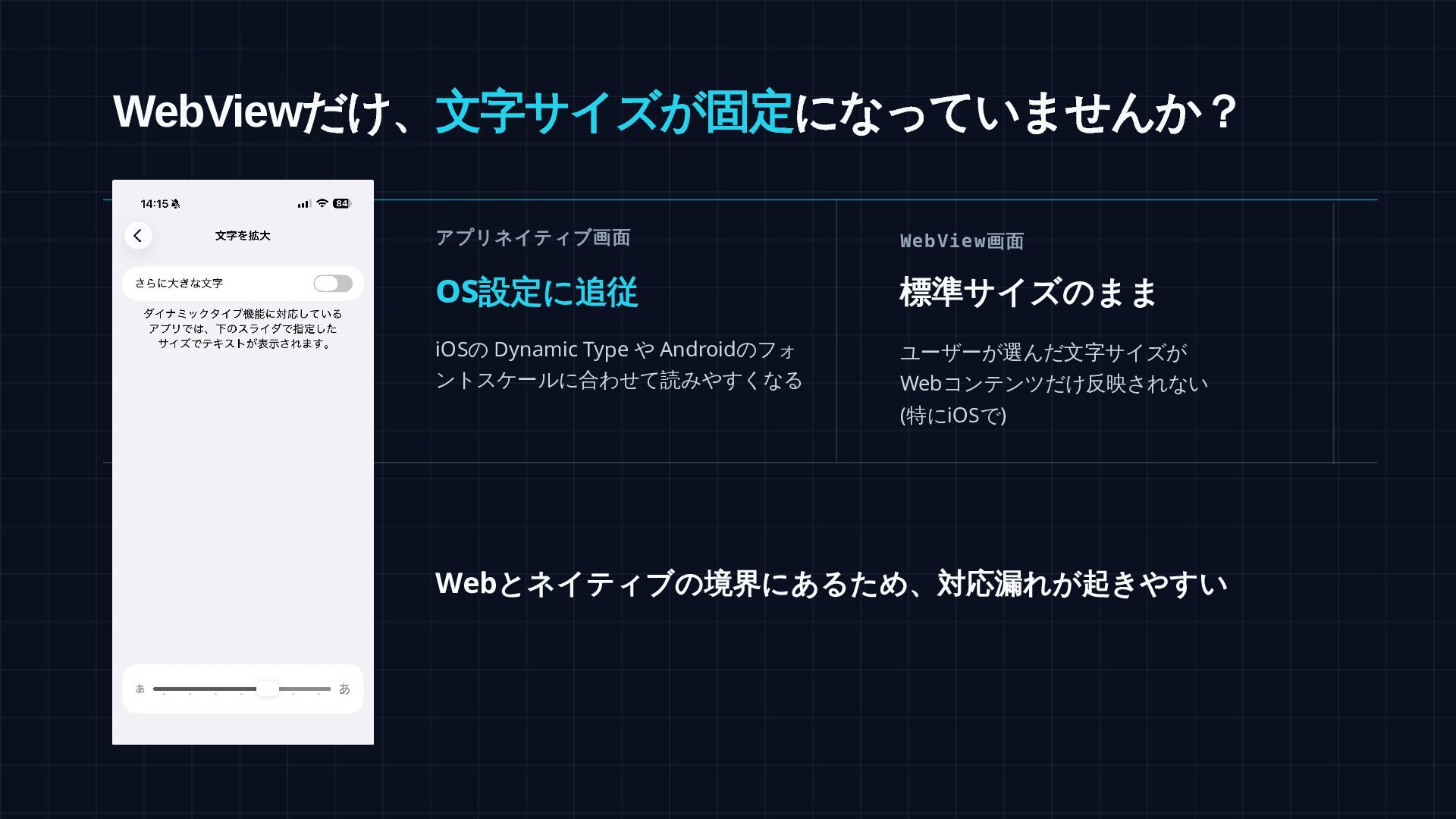
WebView だけ、文字サイズが固定になっていませんか? アプリネイティブ画面 OS 設定に追従 iOSの Dynamic Type や Androidのフォ
ントスケールに合わせて読みやすくなる WebView 画面 標準サイズのまま ユーザーが選んだ文字サイズが Webコンテンツだけ反映されない (特にiOSで) Web とネイティブの境界にあるため、対応漏れが起きやすい
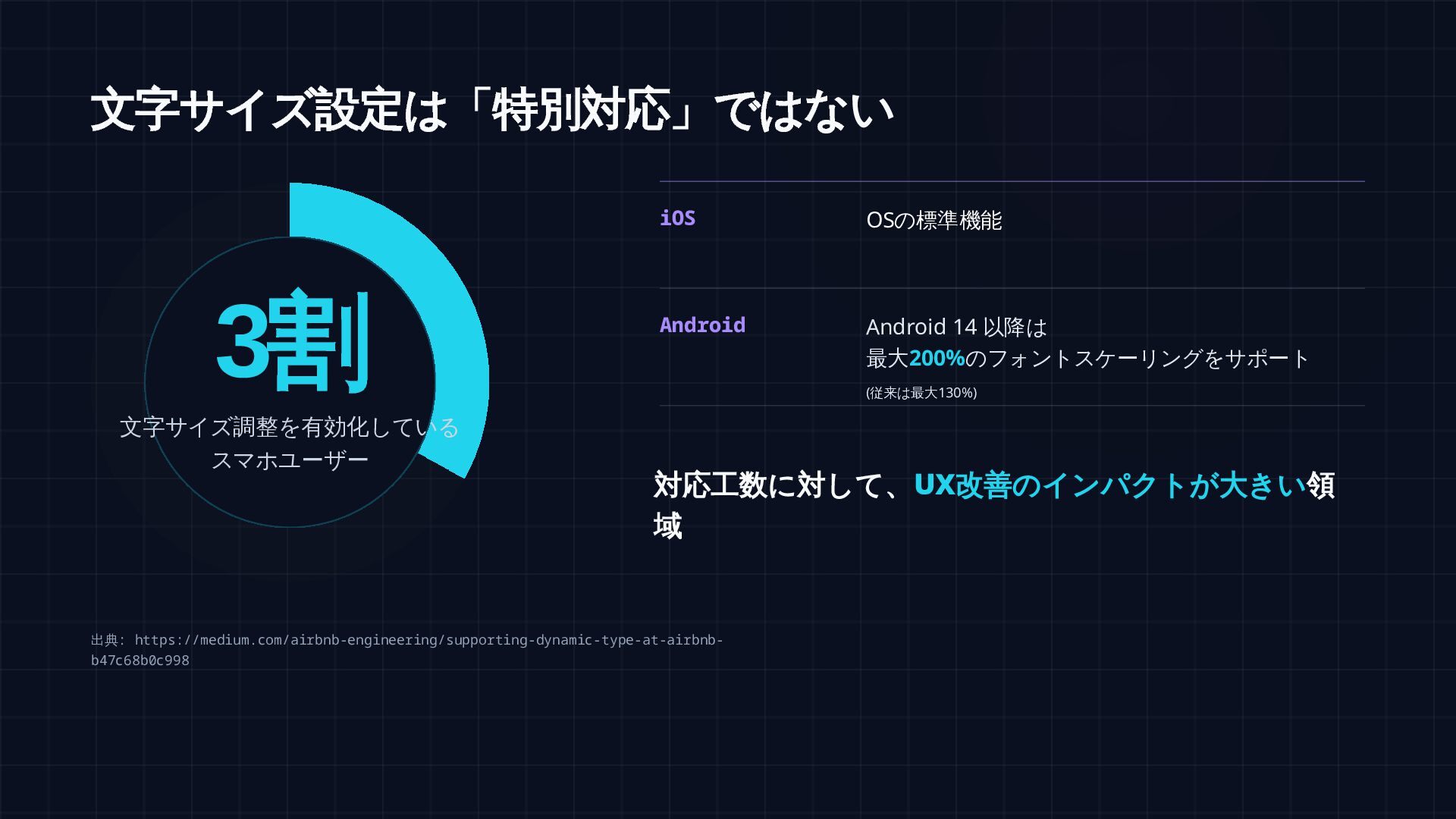
文字サイズ設定は「特別対応」ではない iOS Android Android 14 以降は 最大200%のフォントスケーリングをサポート (従来は最大130%) OSの標準機能 対応工数に対して、UX
改善のインパクトが大きい領 域 出典: https://medium.com/airbnb-engineering/supporting-dynamic-type-at-airbnb- b47c68b0c998 3 割 文字サイズ調整を有効化している スマホユーザー
iOS ネイティブ:実装のポイント ① Swift: Dynamic Type 変更を検知してフォントサイズを JS で注入 //
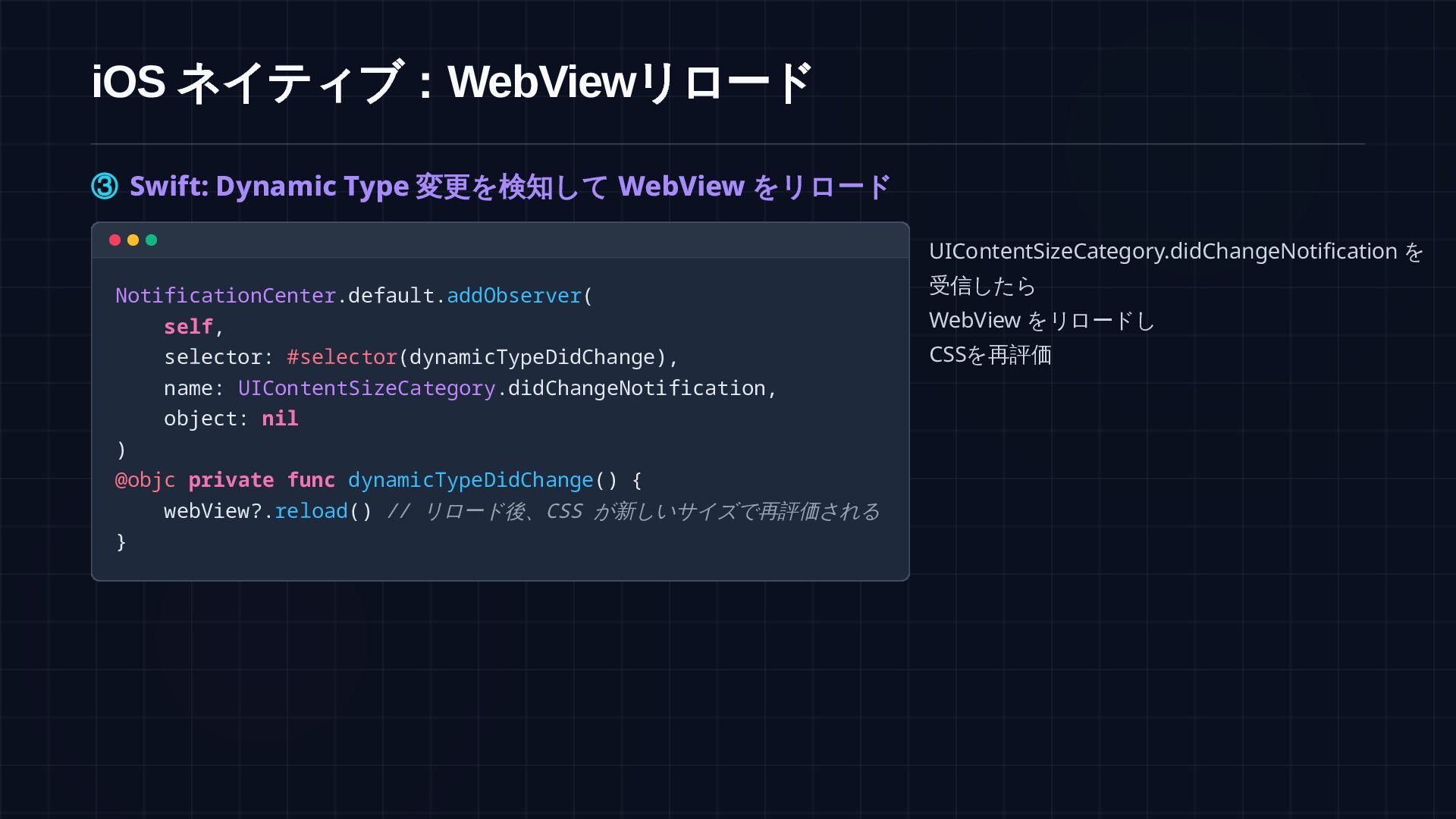
通知の登録 NotificationCenter.default.addObserver( self, selector: #selector(dynamicTypeDidChange), name: UIContentSizeCategory.didChangeNotification, object: nil ) @objc private func dynamicTypeDidChange() { applyFontSize() } func webView(_ webView: WKWebView, didFinish navigation: WKNavigation!) { applyFontSize() // ページロード完了時にも適用 } private func applyFontSize() { let size = UIFont.preferredFont(forTextStyle: .body).pointSize webView?.evaluateJavaScript( "document.documentElement.style.fontSize = '\(size)px'", completionHandler: nil ) } 通知を受信したら Swift 側で body サイズを取得し evaluateJavaScript で :root の font-size を書き換える
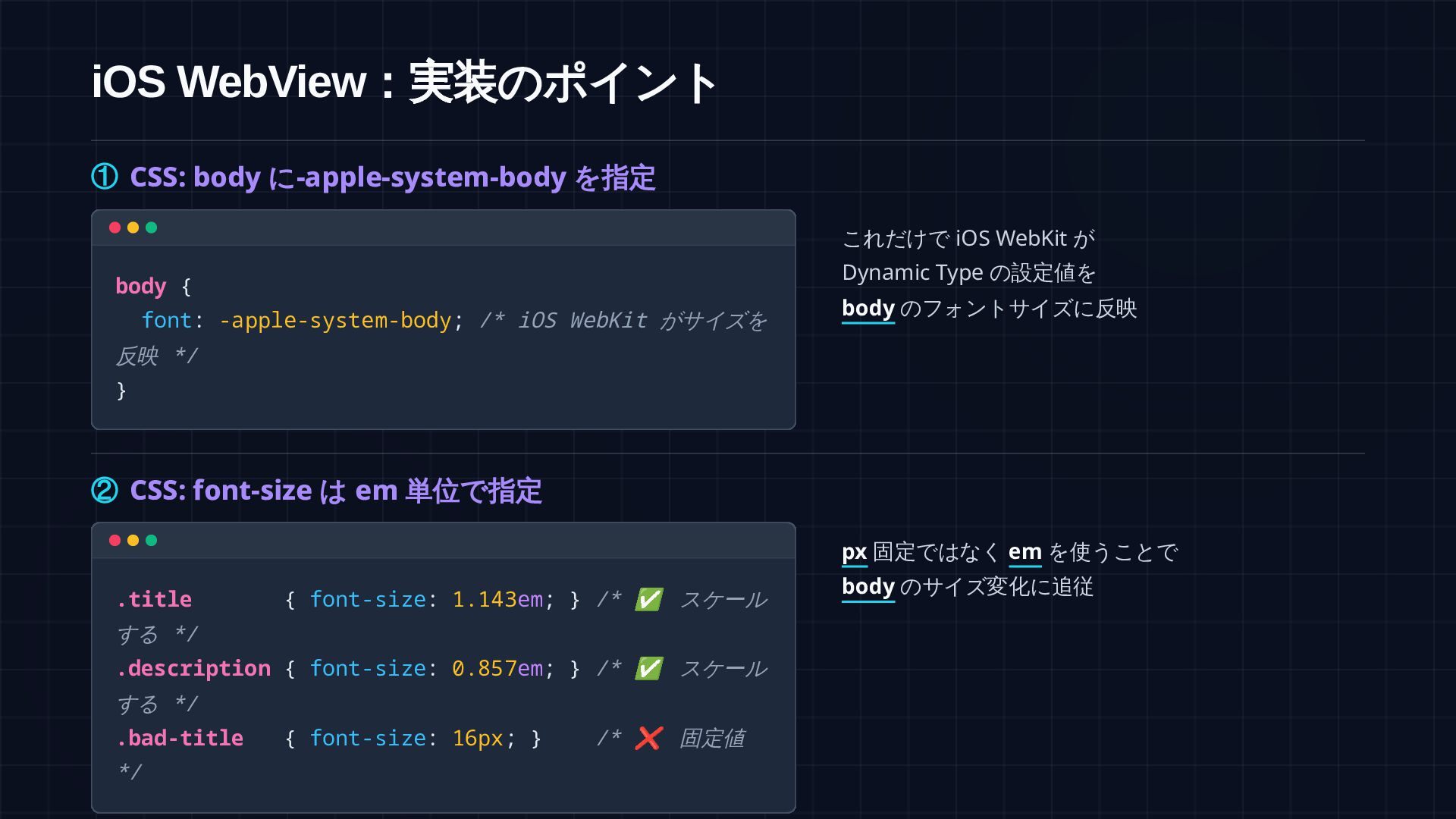
iOS WebView :実装のポイント ② CSS: font-size はrem 単位で指定 :root {
font-size: 17px; /* フォールバック */ } .title { font-size: 1.143rem; } /* ✅ スケー ルする */ .description { font-size: 0.857rem; } /* ✅ スケー ルする */ .bad-title { font-size: 16px; } /* ❌ スケール しない */ Swift が :root の font-size を書き換えるので rem 指定の要素がすべて連動してスケールする
参考:より楽な代替案 -apple-system-body を指定し、通知受信時に webView.reload() を呼ぶだけでも同様の効果が得られます /* CSS: 指定するだけでよい */ :root,
body { font: -apple-system-body; } // Swift: リロードで CSS を再評価 @objc private func dynamicTypeDidChange() { webView?.reload() } 比較 JS 注入(推奨) -apple-system-body (代替案) 反映速度 即時反映(シームレス) リロードが発生する カスタマイズ性 高い(上限キャップ等が可能) Appleのスケールに固定される 実装コスト 小(JS連携が必要) 極小(非常にシンプル)
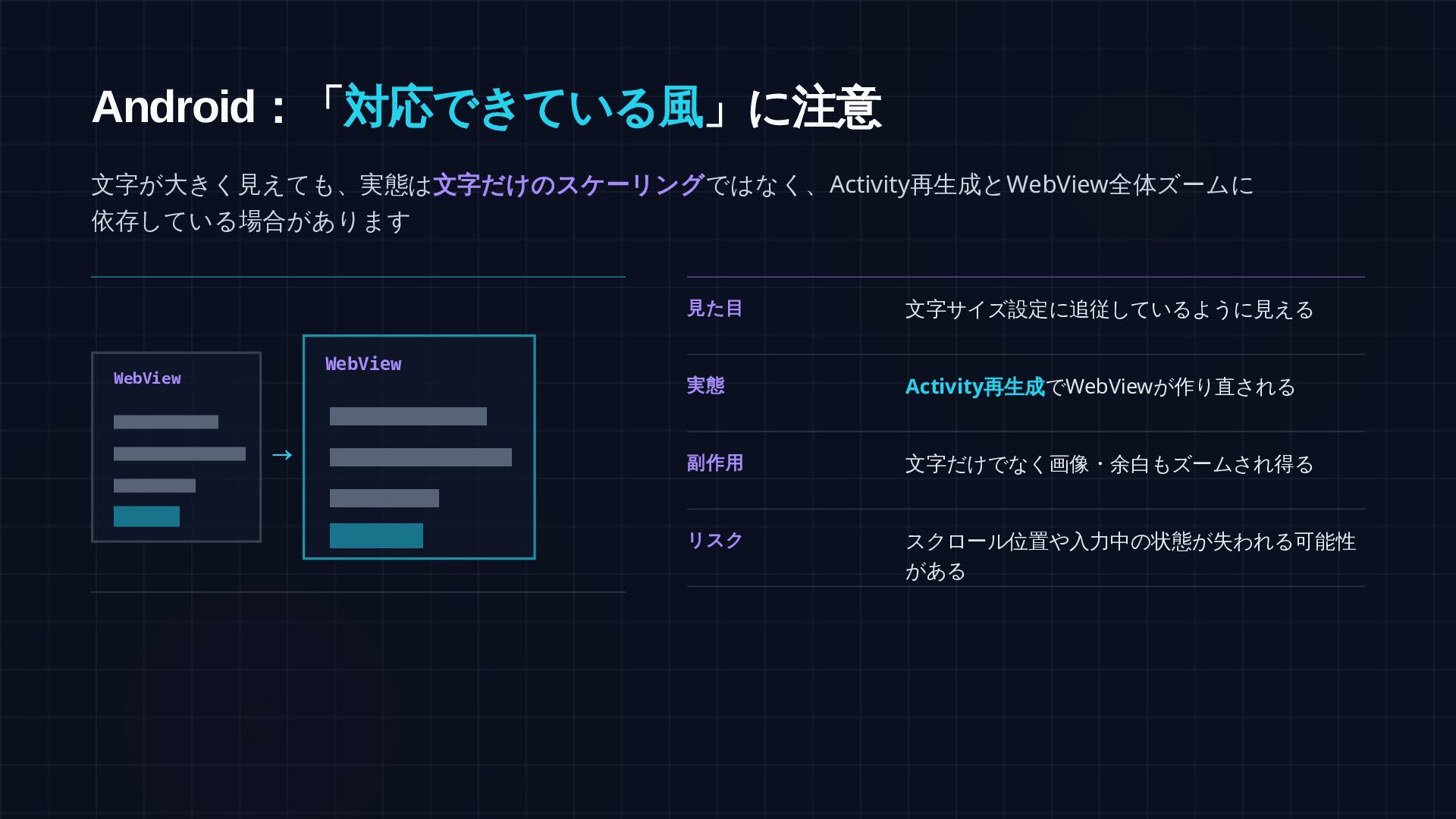
Android :「対応できている風」に注意 文字が大きく見えても、実態は 文字だけのスケーリングではなく、Activity再生成とWebView全体ズームに 依存している場合があります 見た目 文字サイズ設定に追従しているように見える 実態 Activity 再生成でWebViewが作り直される
副作用 文字だけでなく画像・余白もズームされ得る リスク スクロール位置や入力中の状態が失われる可能性 がある → WebView WebView
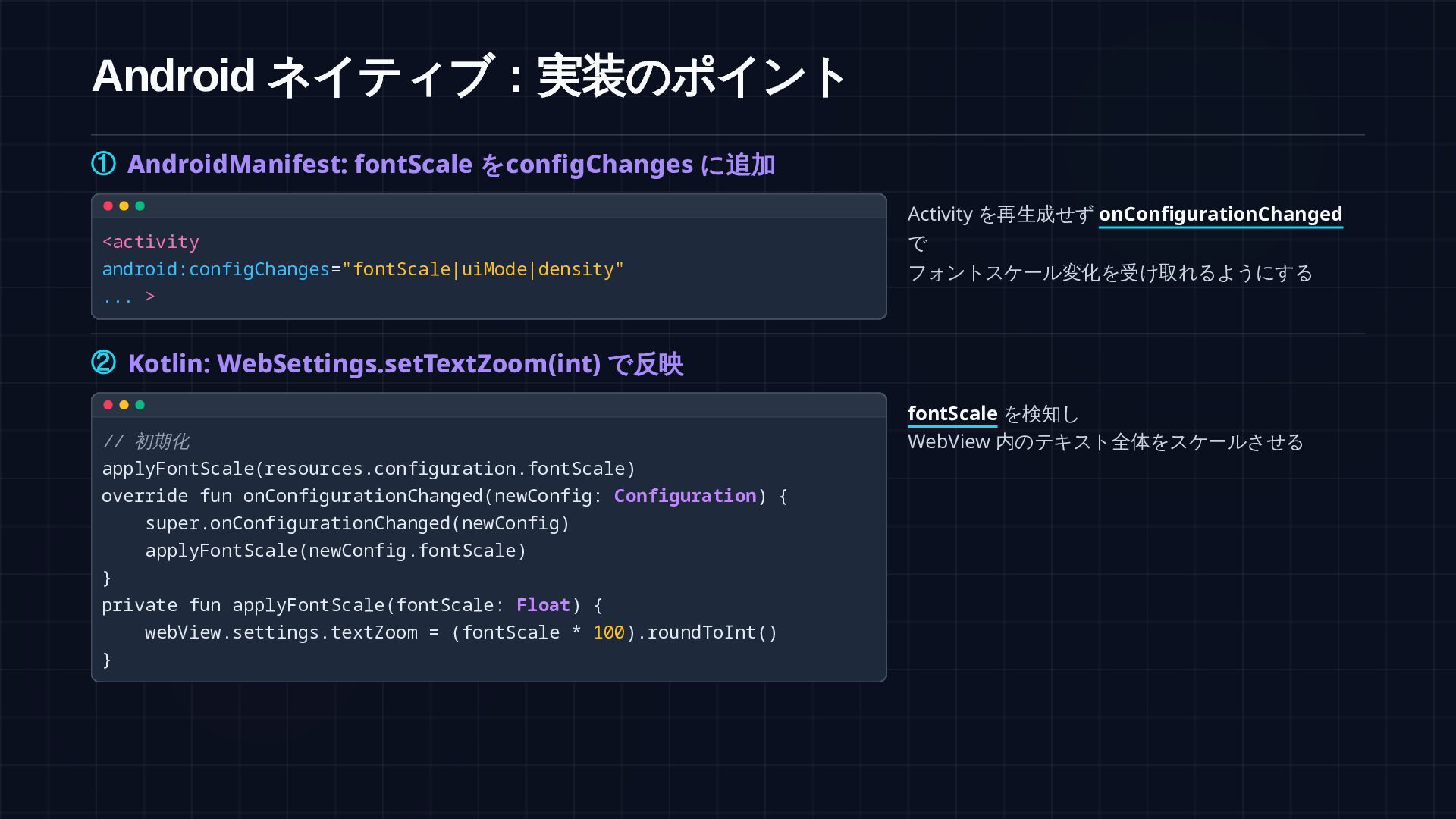
Android ネイティブ:実装のポイント ① AndroidManifest: fontScale をconfigChanges に追加 <activity android:configChanges="fontScale|uiMode|density" ...
> Activity を再生成せず onConfigurationChanged で フォントスケール変化を受け取れるようにする ② Kotlin: WebSettings.setTextZoom(int) で反映 // 初期化 applyFontScale(resources.configuration.fontScale) override fun onConfigurationChanged(newConfig: Configuration) { super.onConfigurationChanged(newConfig) applyFontScale(newConfig.fontScale) } private fun applyFontScale(fontScale: Float) { webView.settings.textZoom = (fontScale * 100).roundToInt() } fontScale を検知し WebView 内のテキスト全体をスケールさせる
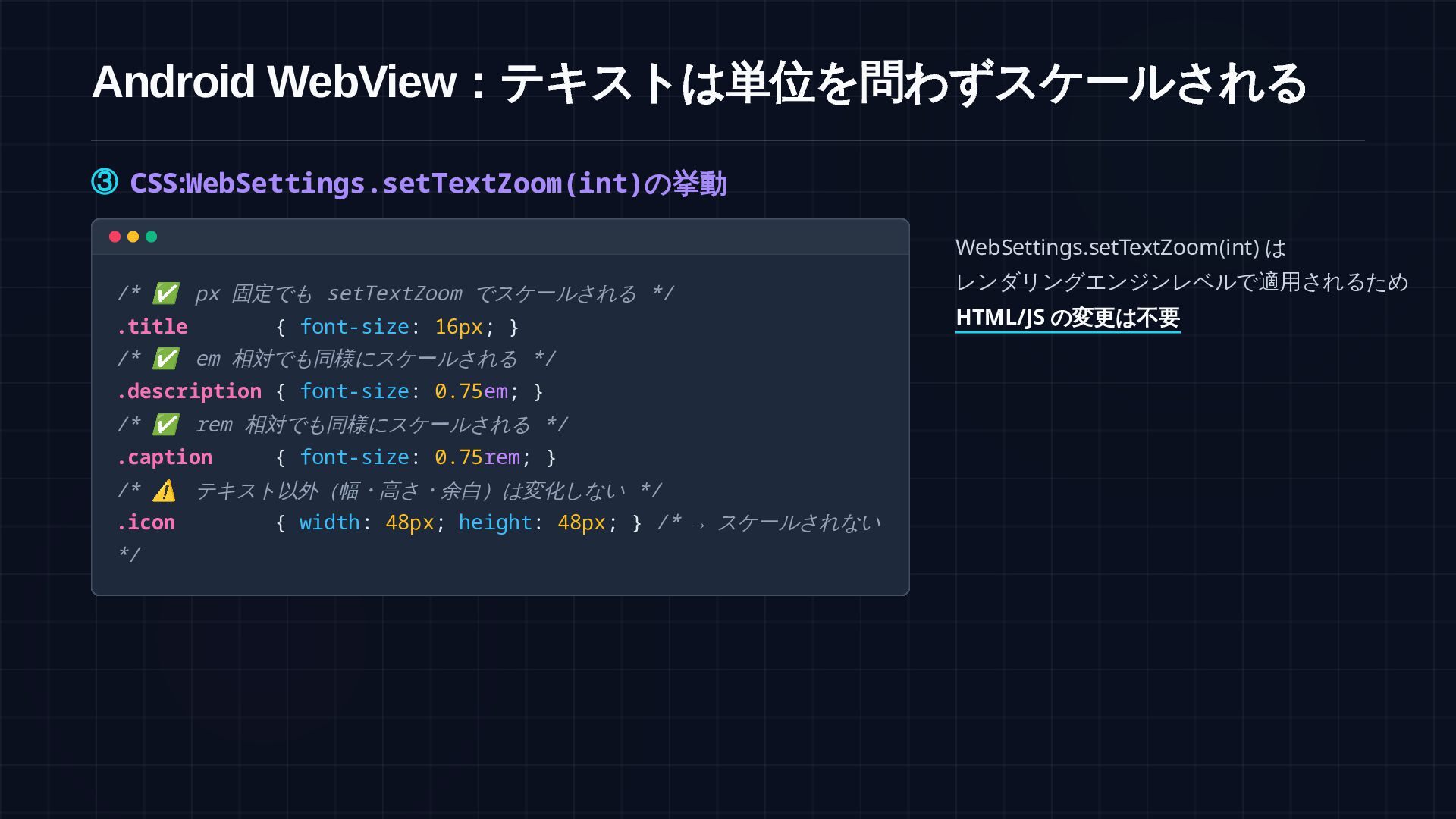
Android WebView :テキストは単位を問わずスケールされる ③ CSS: WebSettings.setTextZoom(int) の挙動 /* ✅ px
固定でも setTextZoom でスケールされる */ .title { font-size: 16px; } /* ✅ em 相対でも同様にスケールされる */ .description { font-size: 0.75em; } /* ✅ rem 相対でも同様にスケールされる */ .caption { font-size: 0.75rem; } /* ⚠ テキスト以外(幅・高さ・余白)は変化しない */ .icon { width: 48px; height: 48px; } /* → スケールされない */ WebSettings.setTextZoom(int) は レンダリングエンジンレベルで適用されるため HTML/JS の変更は不要
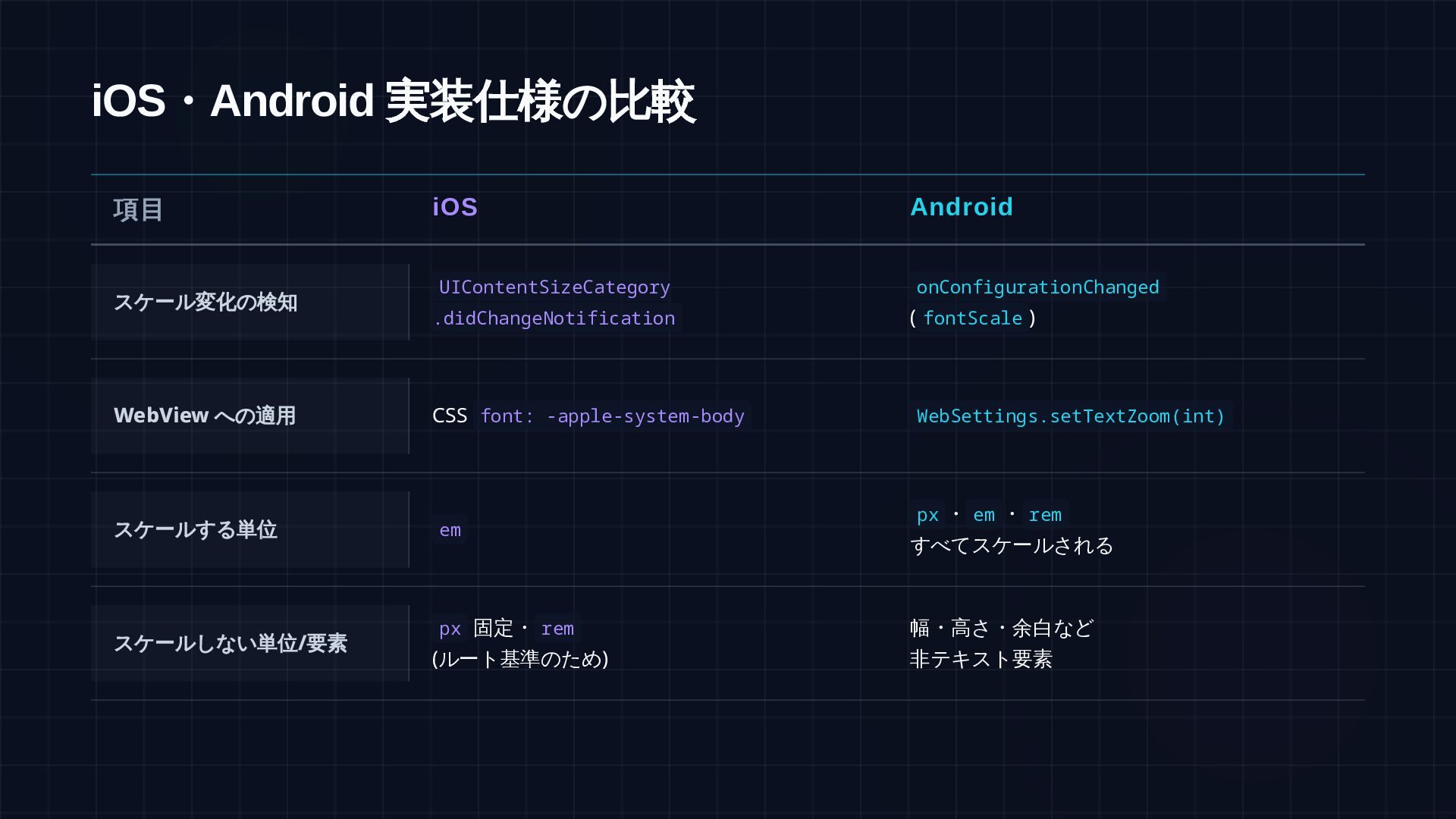
iOS ・Android 実装仕様の比較 項目 iOS Android スケール変化の検知 UIContentSizeCategory .didChangeNotification onConfigurationChanged
(fontScale) WebView への適用 スケールする単位 px・em・rem・% すべてスケールされる スケールしない単位/ 要素 px 幅・高さ・余白など 非テキスト要素 document.documentElement.style.fontSize WebSettings.setTextZoom(int) ・rem・% em
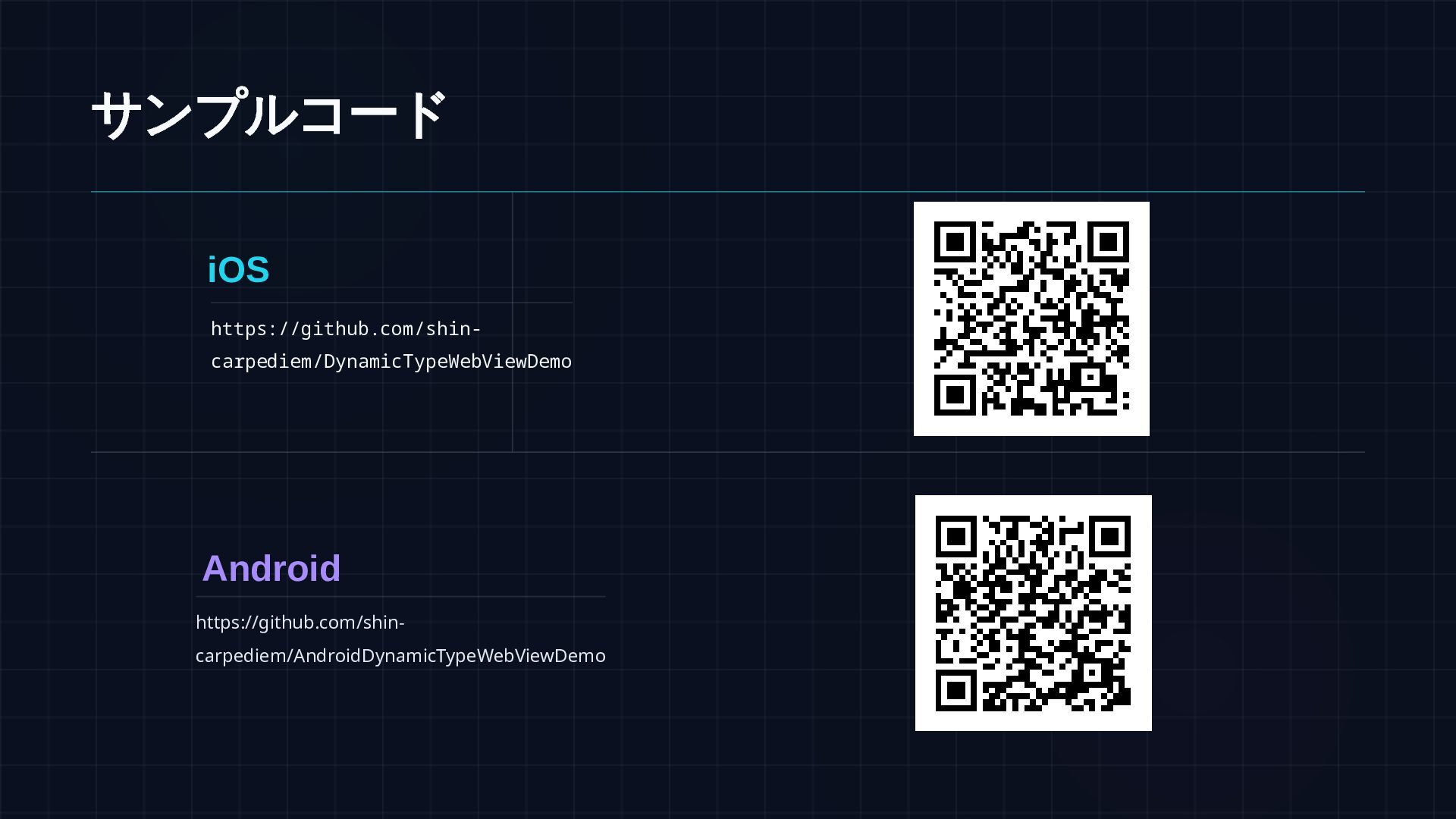
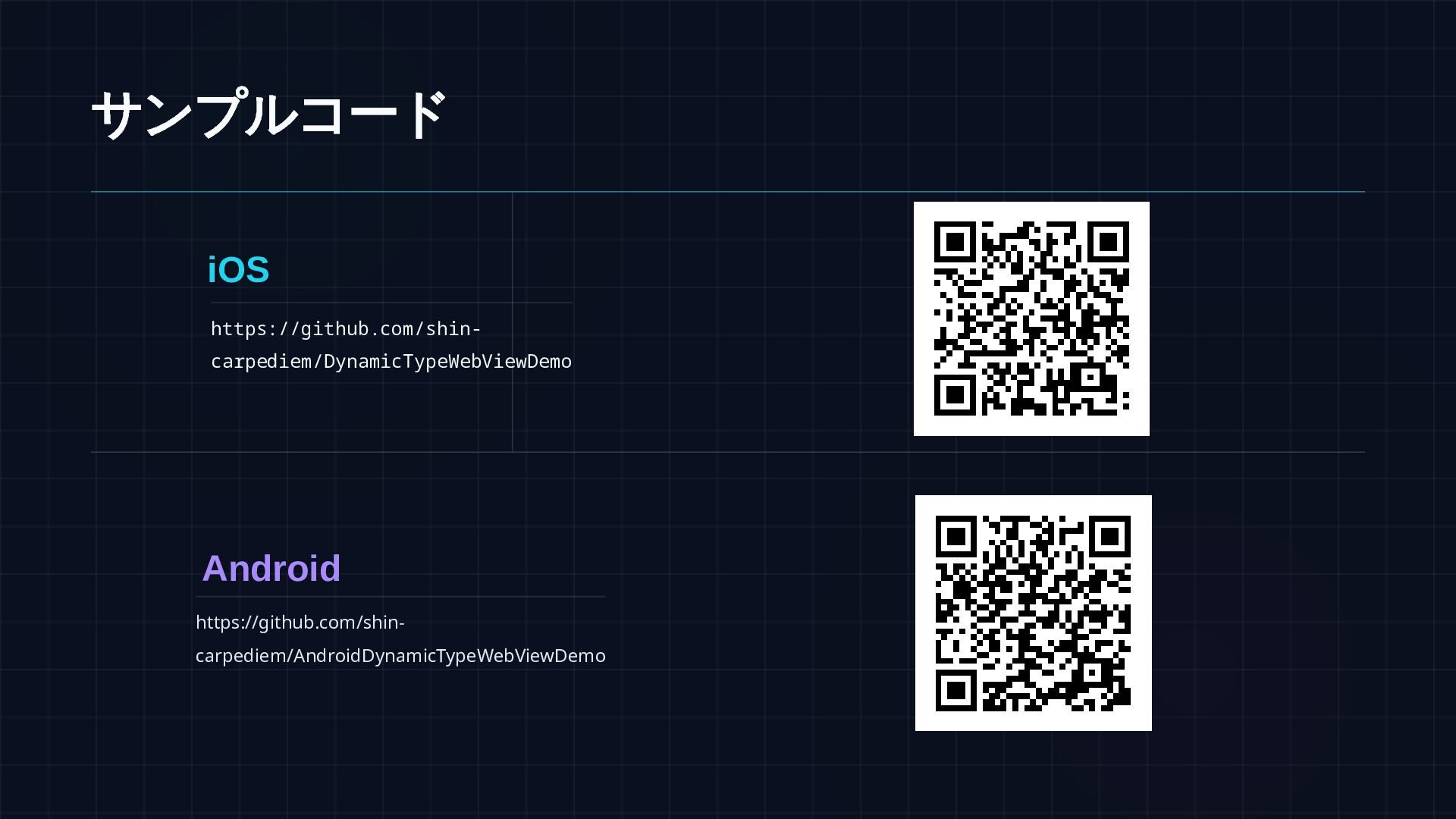
サンプルコード iOS https://github.com/shin- carpediem/DynamicTypeWebViewDemo Android https://github.com/shin- carpediem/AndroidDynamicTypeWebViewDemo


 shincarpediem
.png) codatum
codatum
 tokuty
 shogo4131
 recruitengineers
 ishikawa_satoru
 odashi
 tetsuya28
 iotengineer22
 pei0804
 baseballyama
.png) jmdc_presentation
jmdc_presentation
 kaminashi
 eileencodes
 holman
 marktimemedia
 geshan
 rabernat
 kevinliebholz
 jonoalderson
 tmiket
 mza
mza
 szymonslowik
 addyosmani
 tammyeverts