Upgrade to Pro — share decks privately, control downloads, hide ads and more …

Dart on the Command Line - Building and deploy...

Dart on the Command Line - Building and deploying CLI tools

Most developers would use Go, Node.js or just Bash when they need to write a CLI tool. Equally, when developers think of Dart, they usually picture Flutter apps running on phones and tablets.

What if we merged these worlds and tried to build CLI apps with Dart? Could that even be done?

In this session, we'll explore how to use Dart to build maintainable command-line interfaces that feel as polished as tools written in more commonly used CLI tech stacks.

We'll walk through the complete journey of building a CLI application - from initial project setup to distributing compiled binaries across multiple platforms.

The talk will use real examples from public and internal production tools like Raygun CLI and you'll learn useful patterns for argument parsing, modular command architecture, HTTP client management, file interactions and error handling. We know they work because we've been using these tools in the field for multiple years now.

By the end of this talk, you'll have a good foundation for creating your own CLI tools that take advantage of all the features we enjoy in Dart: type safety, good tooling and cross-platform compilation capabilities.

Whether you're automating with CI/CD, building developer tools or creating utilities for your team, you'll discover why Dart might be the great choice for your next command-line project.

Avatar for Kai Koenig

Kai Koenig

March 20, 2026
Tweet

More Decks by Kai Koenig

Other Decks in Programming
Transcript

  1. HELLO HELLO, MY NAME IS KAI ▸ Software Architect in

    the back end, mobile app and data/AI space ▸ Work interests: ▸ JVM- and CLR-based stacks, Python, Ruby and managing *nix infrastructure platforms ▸ Android, Kotlin, Flutter and building SDKs ▸ Data and Architecture patterns ▸ Agentic-driven software engineering
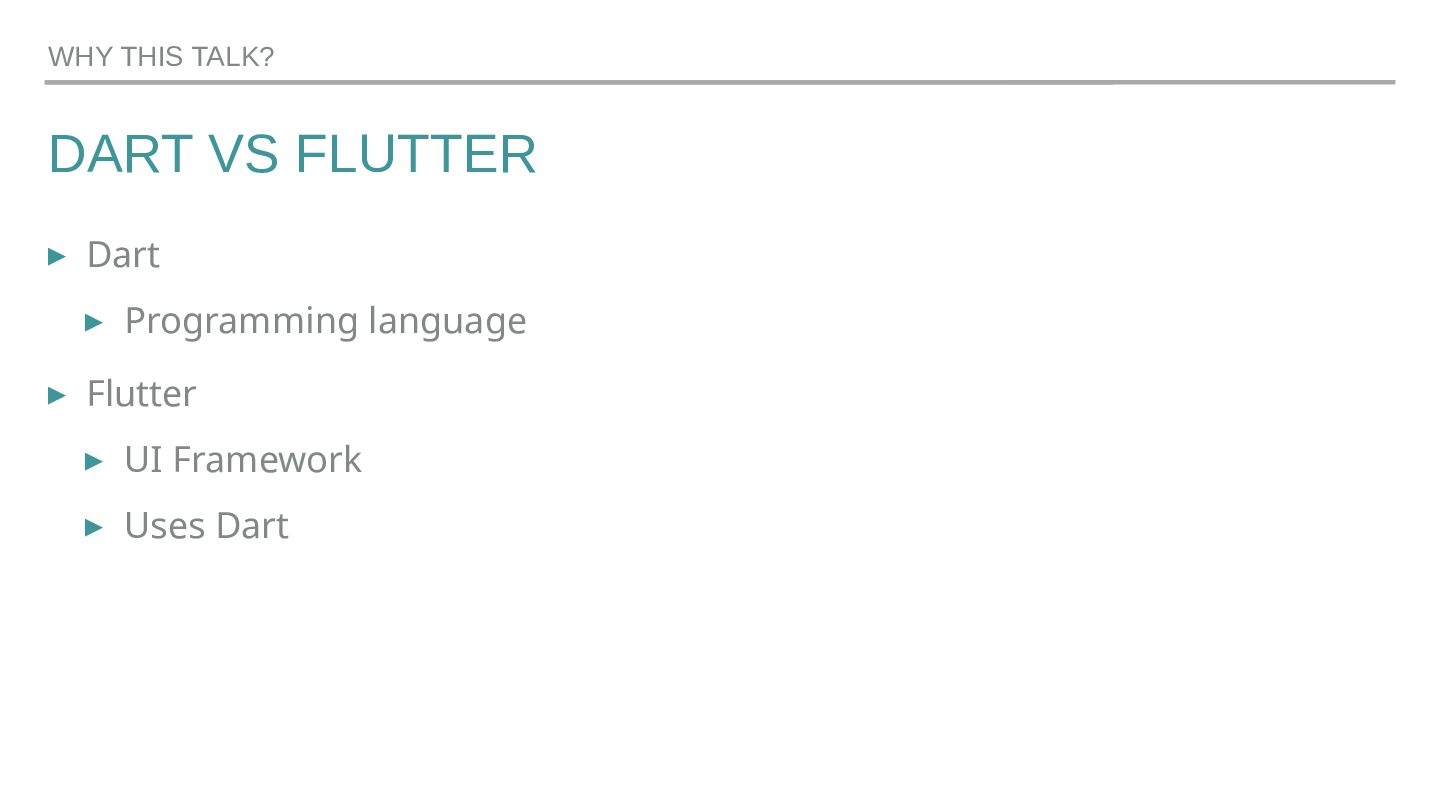
  2. DART VS FLUTTER ▸ Dart ▸ Programming language ▸ Flutter

    ▸ UI Framework ▸ Uses Dart WHY THIS TALK?
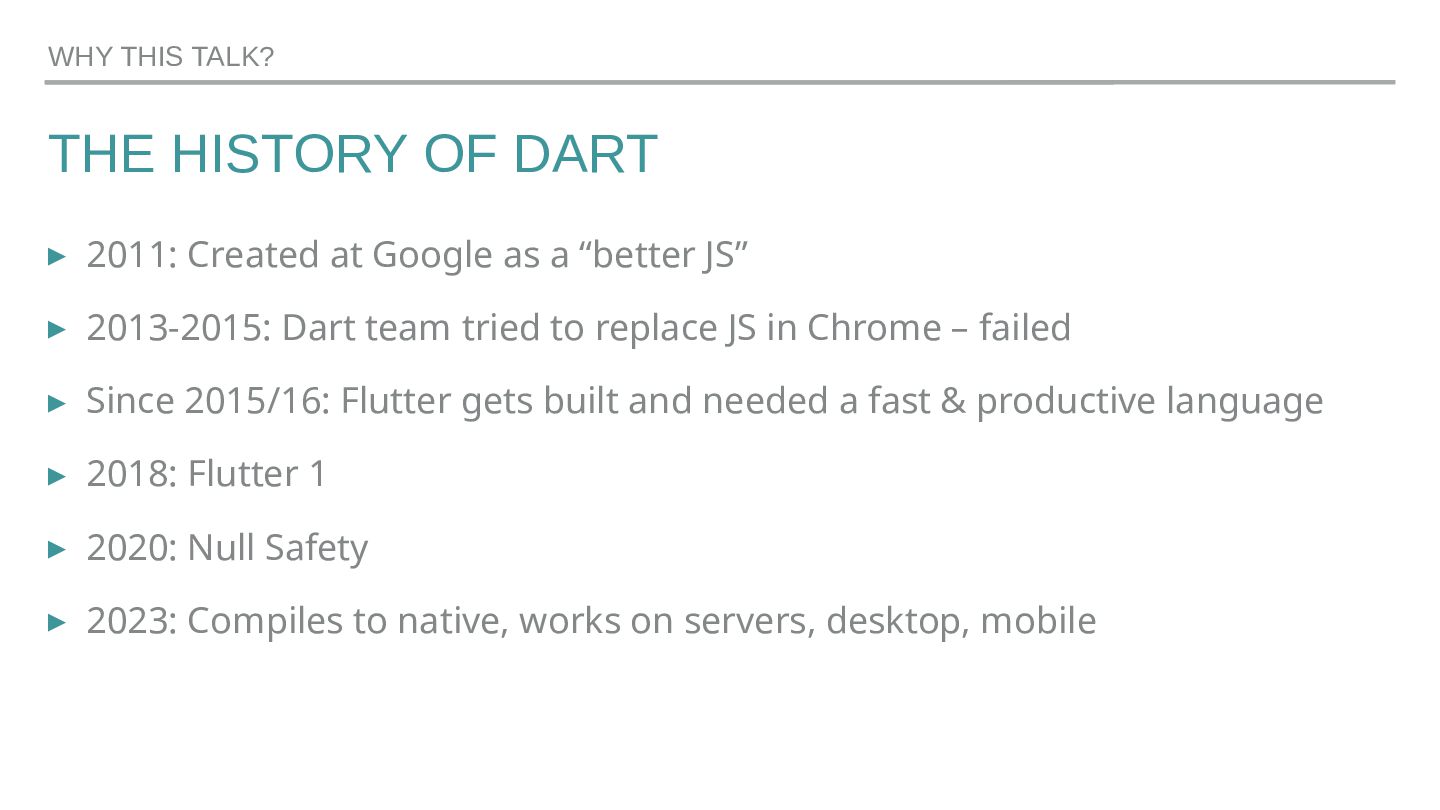
  3. THE HISTORY OF DART ▸ 2011: Created at Google as

    a “better JS” ▸ 2013-2015: Dart team tried to replace JS in Chrome – failed ▸ Since 2015/16: Flutter gets built and needed a fast & productive language ▸ 2018: Flutter 1 ▸ 2020: Null Safety ▸ 2023: Compiles to native, works on servers, desktop, mobile WHY THIS TALK?
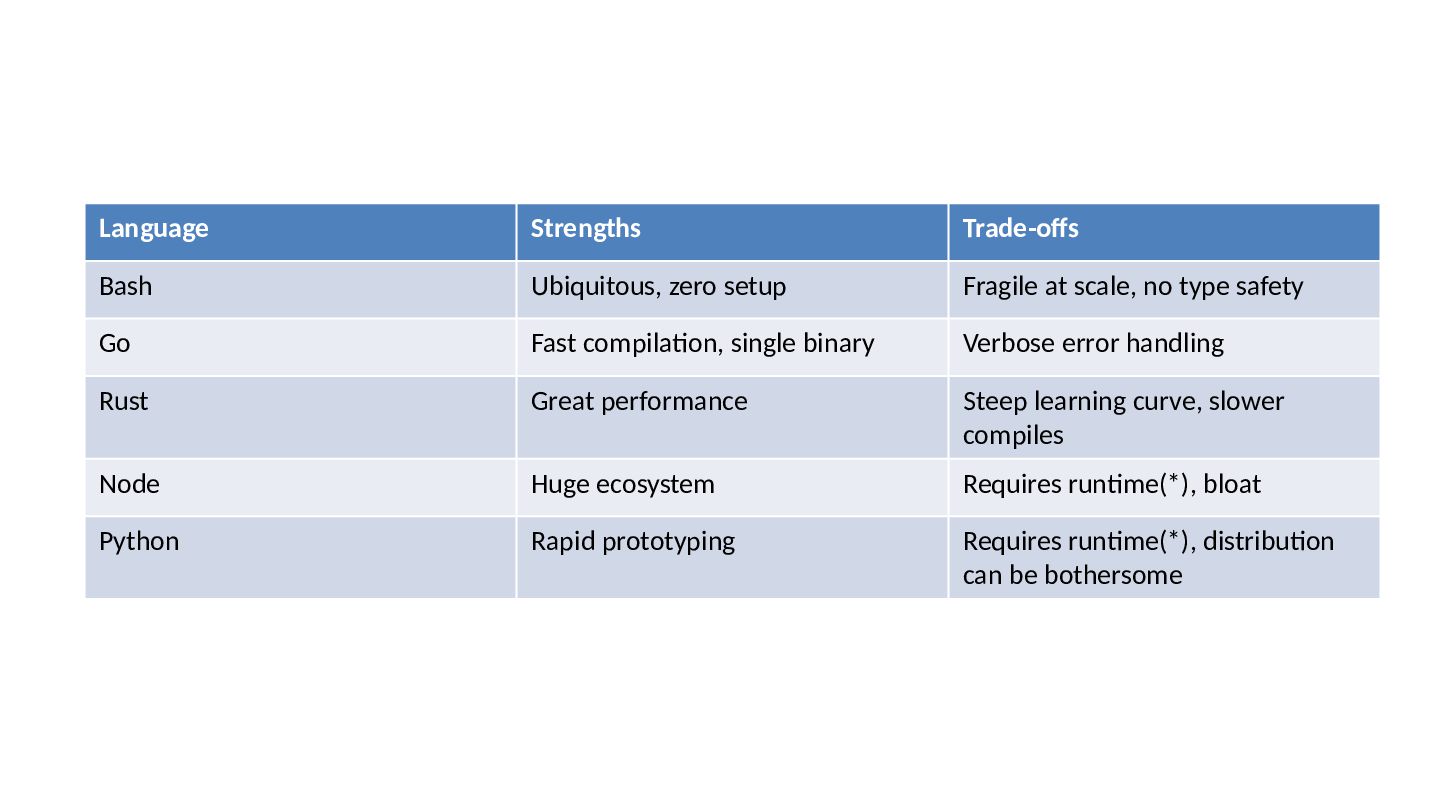
  4. Language Strengths Trade-offs Bash Ubiquitous, zero setup Fragile at scale,

    no type safety Go Fast compilation, single binary Verbose error handling Rust Great performance Steep learning curve, slower compiles Node Huge ecosystem Requires runtime(*), bloat Python Rapid prototyping Requires runtime(*), distribution can be bothersome
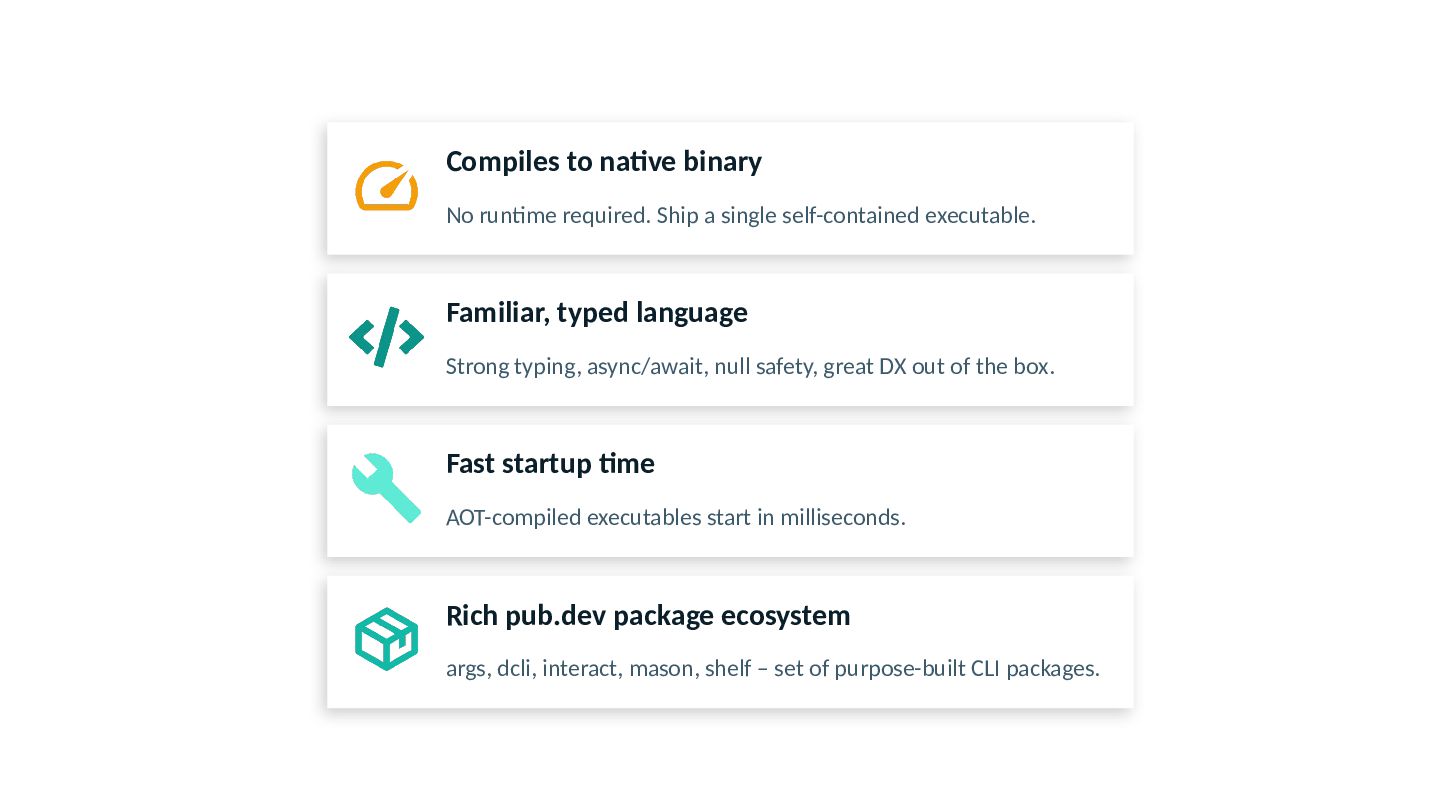
  5. Compiles to native binary No runtime required. Ship a single

    self-contained executable. Familiar, typed language Strong typing, async/await, null safety, great DX out of the box. Fast startup time AOT-compiled executables start in milliseconds. Rich pub.dev package ecosystem args, dcli, interact, mason, shelf – set of purpose-built CLI packages.
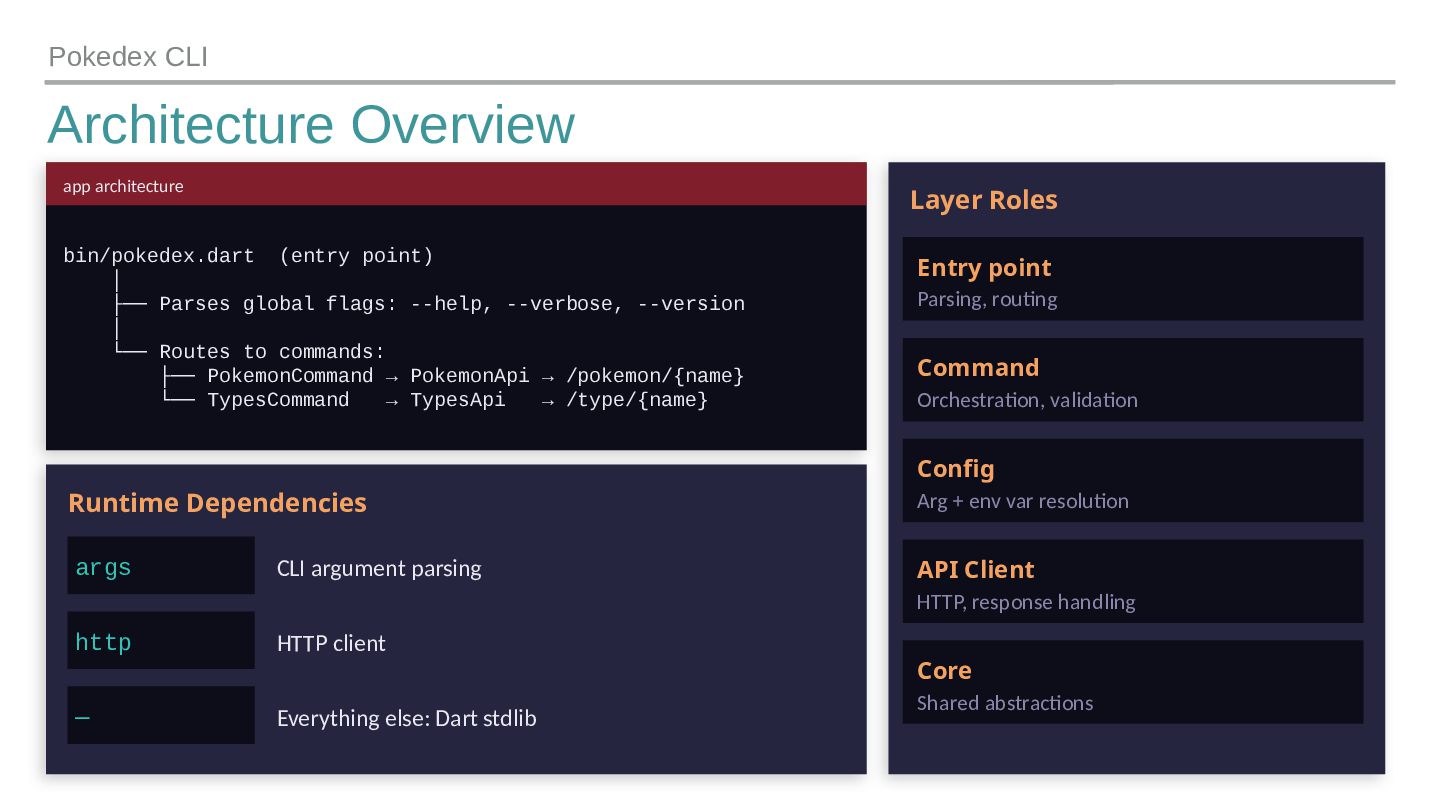
  6. Architecture Overview Pokedex CLI app architecture bin/pokedex.dart (entry point) │

    ├── Parses global flags: --help, --verbose, --version │ └── Routes to commands: ├── PokemonCommand → PokemonApi → /pokemon/{name} └── TypesCommand → TypesApi → /type/{name} Runtime Dependencies args CLI argument parsing http HTTP client — Everything else: Dart stdlib Layer Roles Entry point Parsing, routing Command Orchestration, validation Config Arg + env var resolution API Client HTTP, response handling Core Shared abstractions
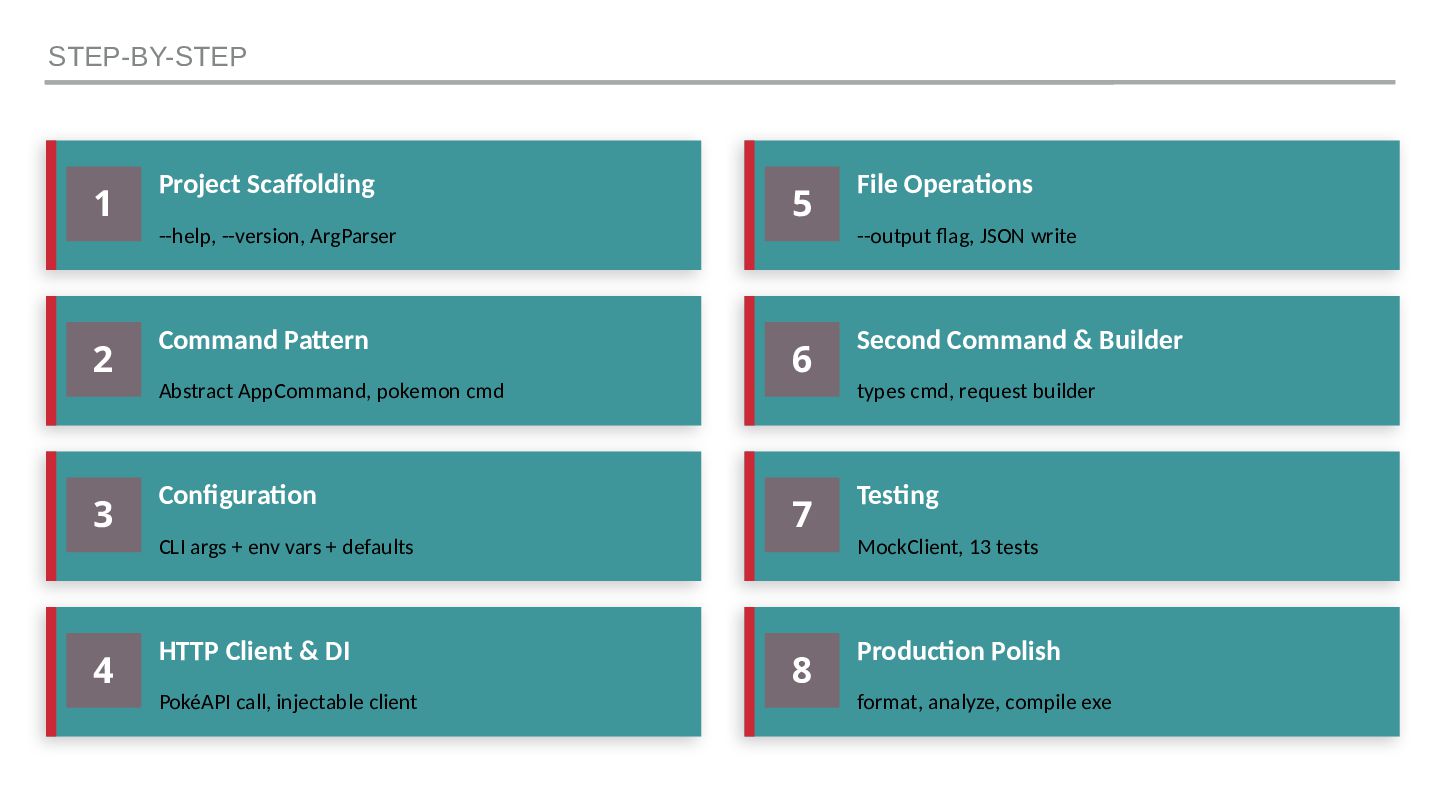
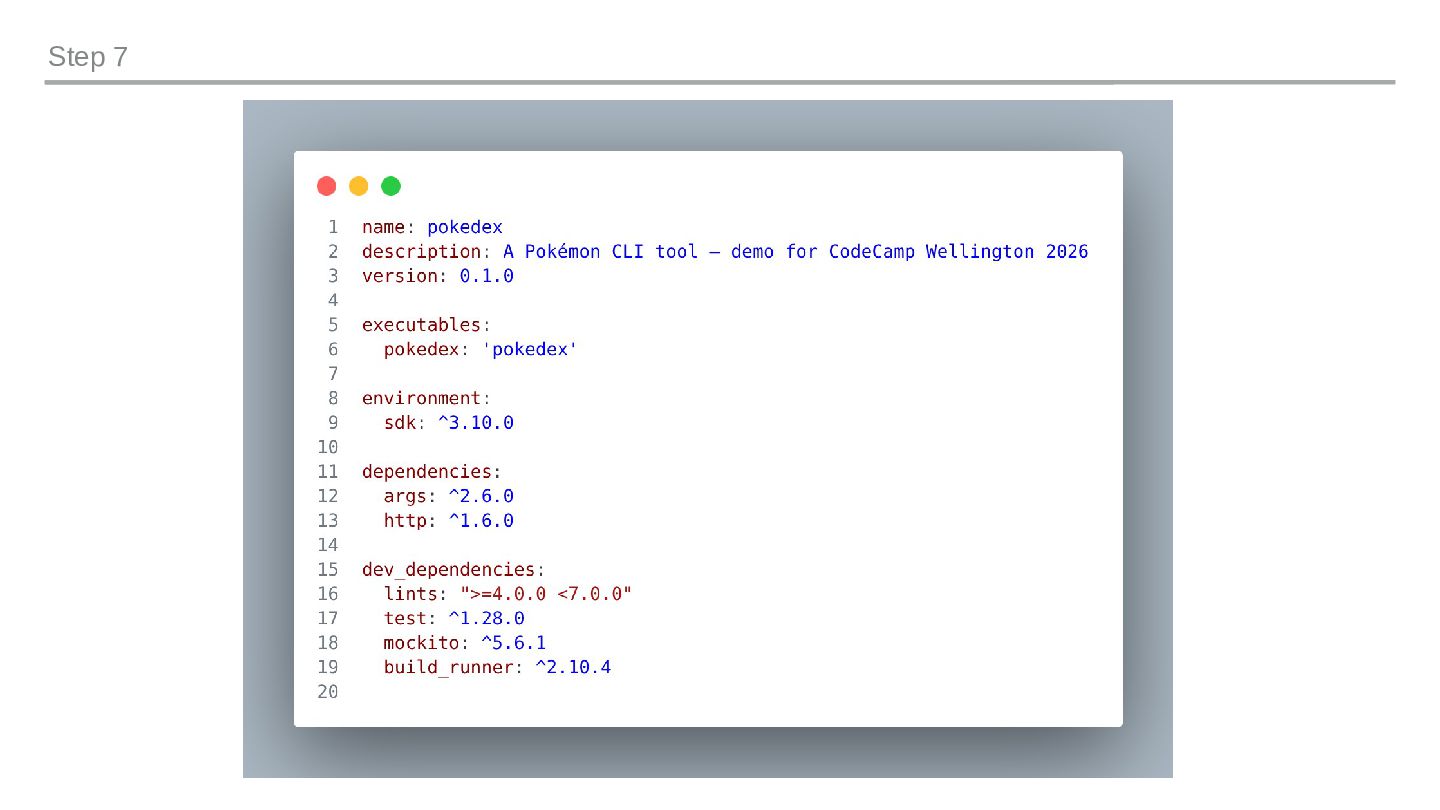
  7. STEP-BY-STEP 1 Project Scaffolding --help, --version, ArgParser 2 Command Pattern

    Abstract AppCommand, pokemon cmd 3 Configuration CLI args + env vars + defaults 4 HTTP Client & DI PokéAPI call, injectable client 5 File Operations --output flag, JSON write 6 Second Command & Builder types cmd, request builder 7 Testing MockClient, 13 tests 8 Production Polish format, analyze, compile exe
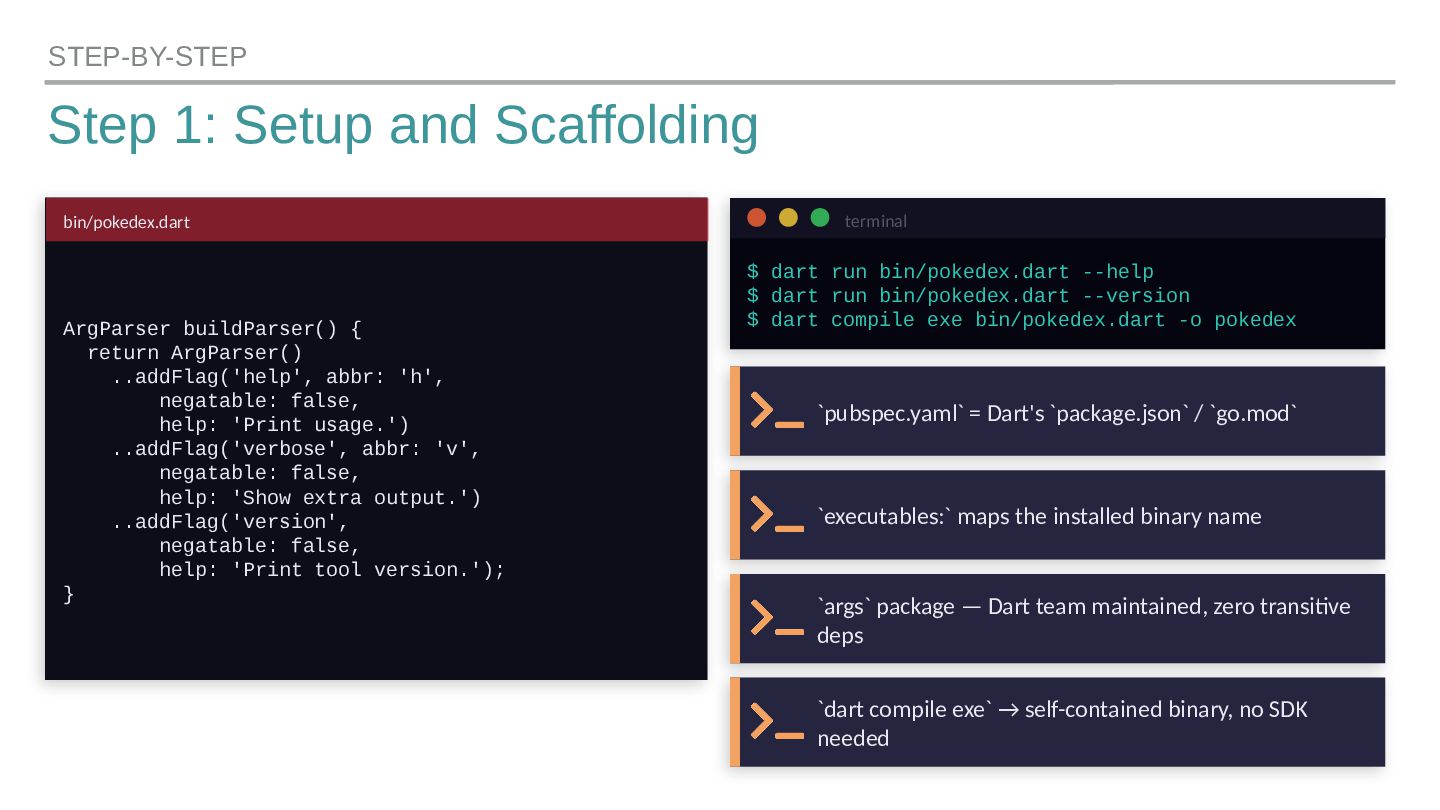
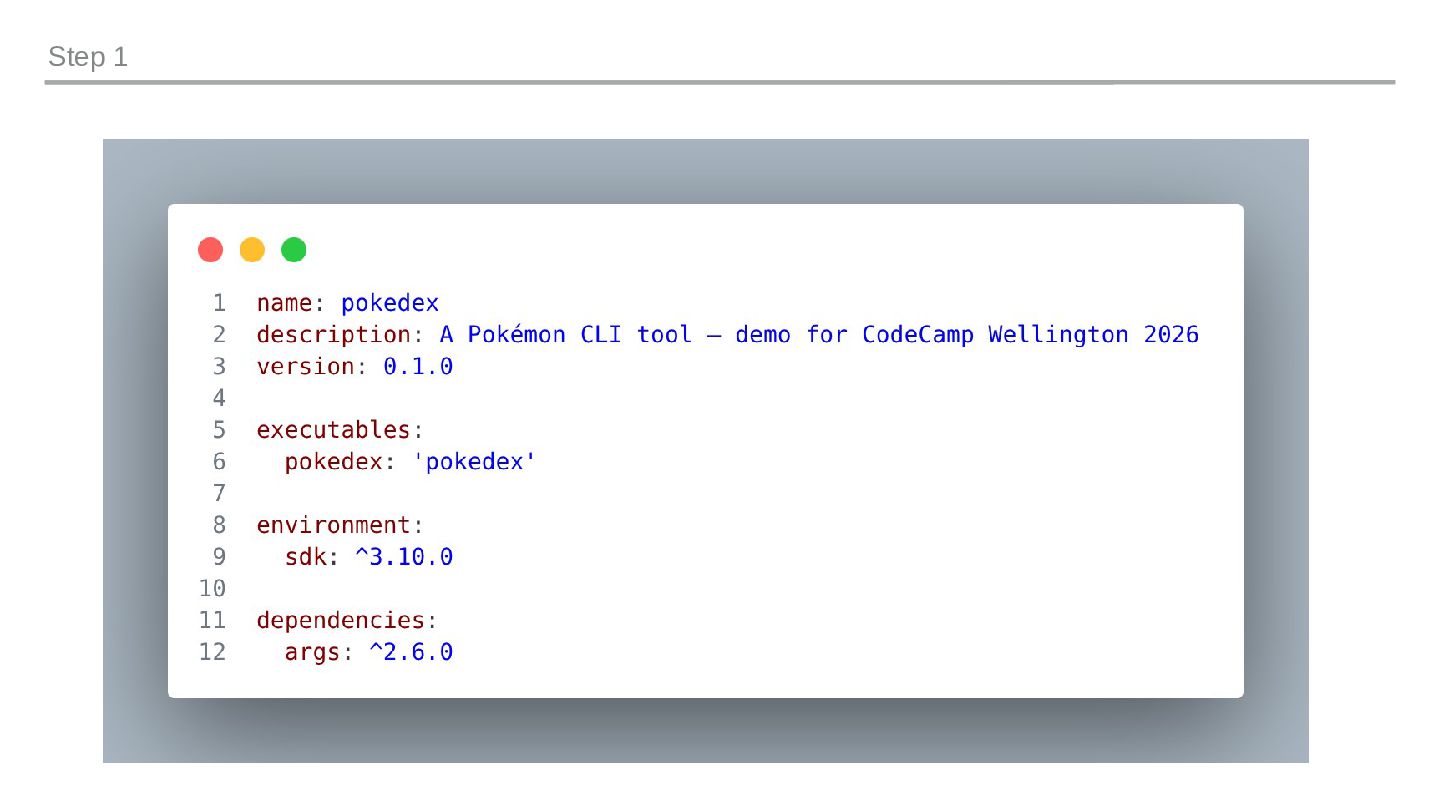
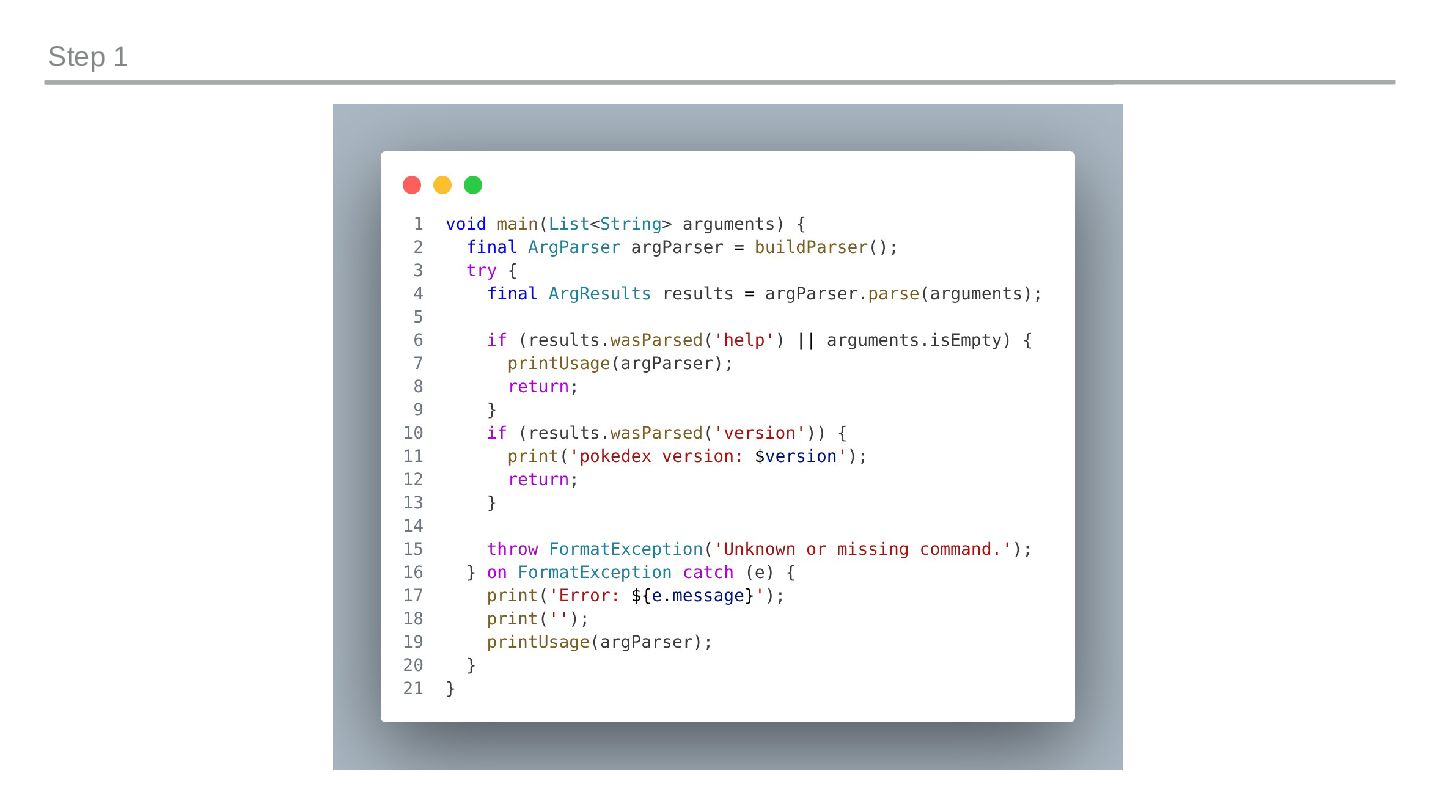
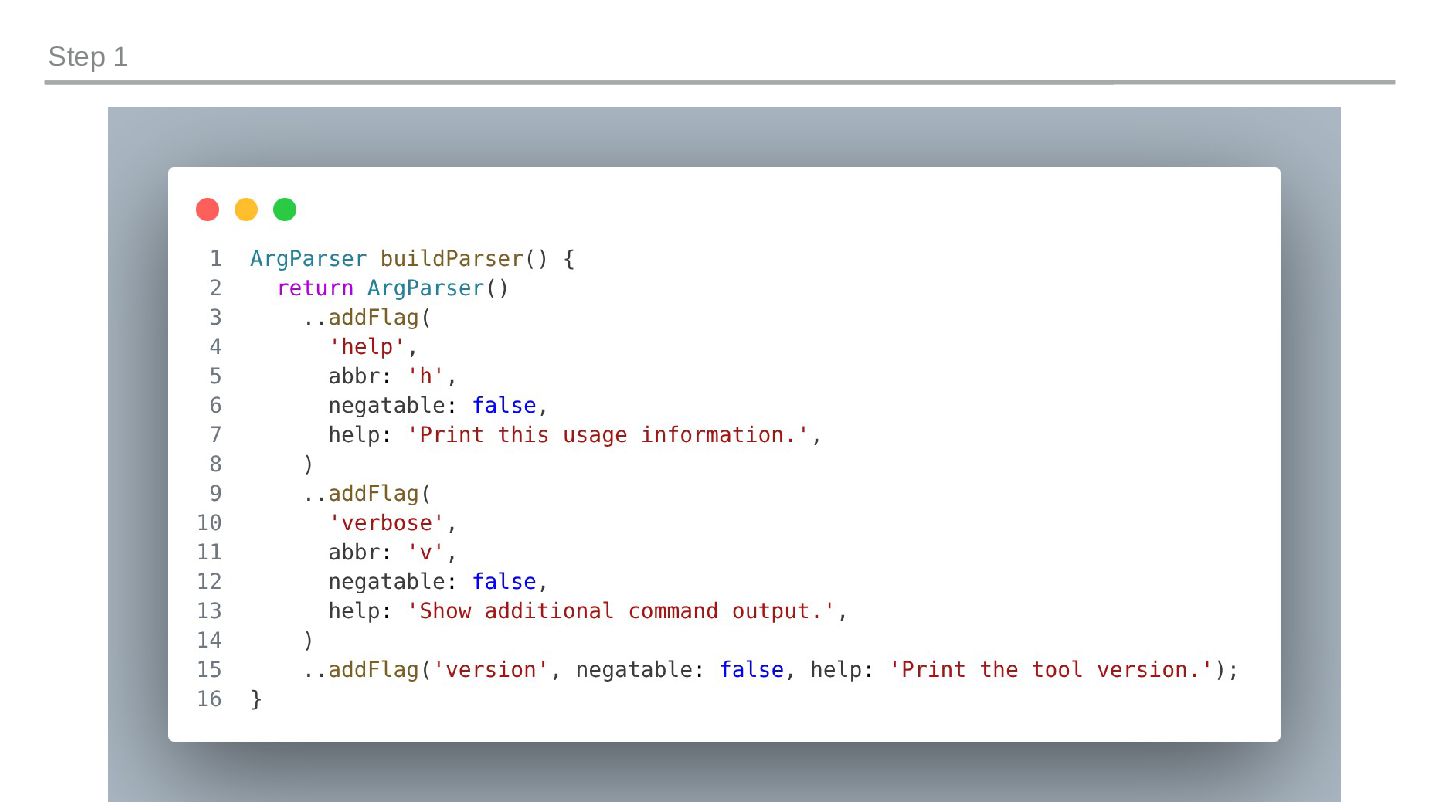
  8. Step 1: Setup and Scaffolding STEP-BY-STEP bin/pokedex.dart ArgParser buildParser() {

    return ArgParser() ..addFlag('help', abbr: 'h', negatable: false, help: 'Print usage.') ..addFlag('verbose', abbr: 'v', negatable: false, help: 'Show extra output.') ..addFlag('version', negatable: false, help: 'Print tool version.'); } terminal $ dart run bin/pokedex.dart --help $ dart run bin/pokedex.dart --version $ dart compile exe bin/pokedex.dart -o pokedex `pubspec.yaml` = Dart's `package.json` / `go.mod` `executables:` maps the installed binary name `args` package — Dart team maintained, zero transitive deps `dart compile exe` → self-contained binary, no SDK needed
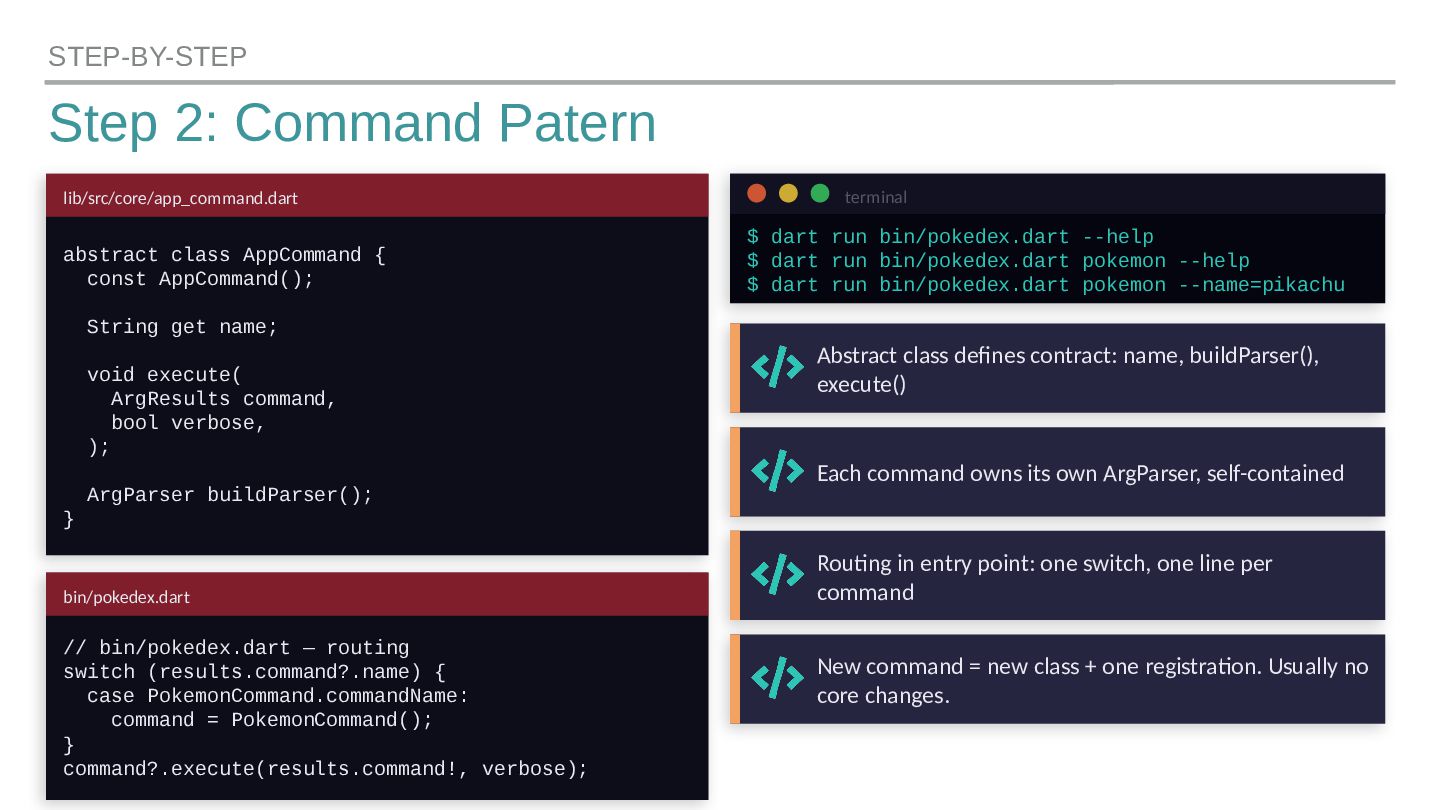
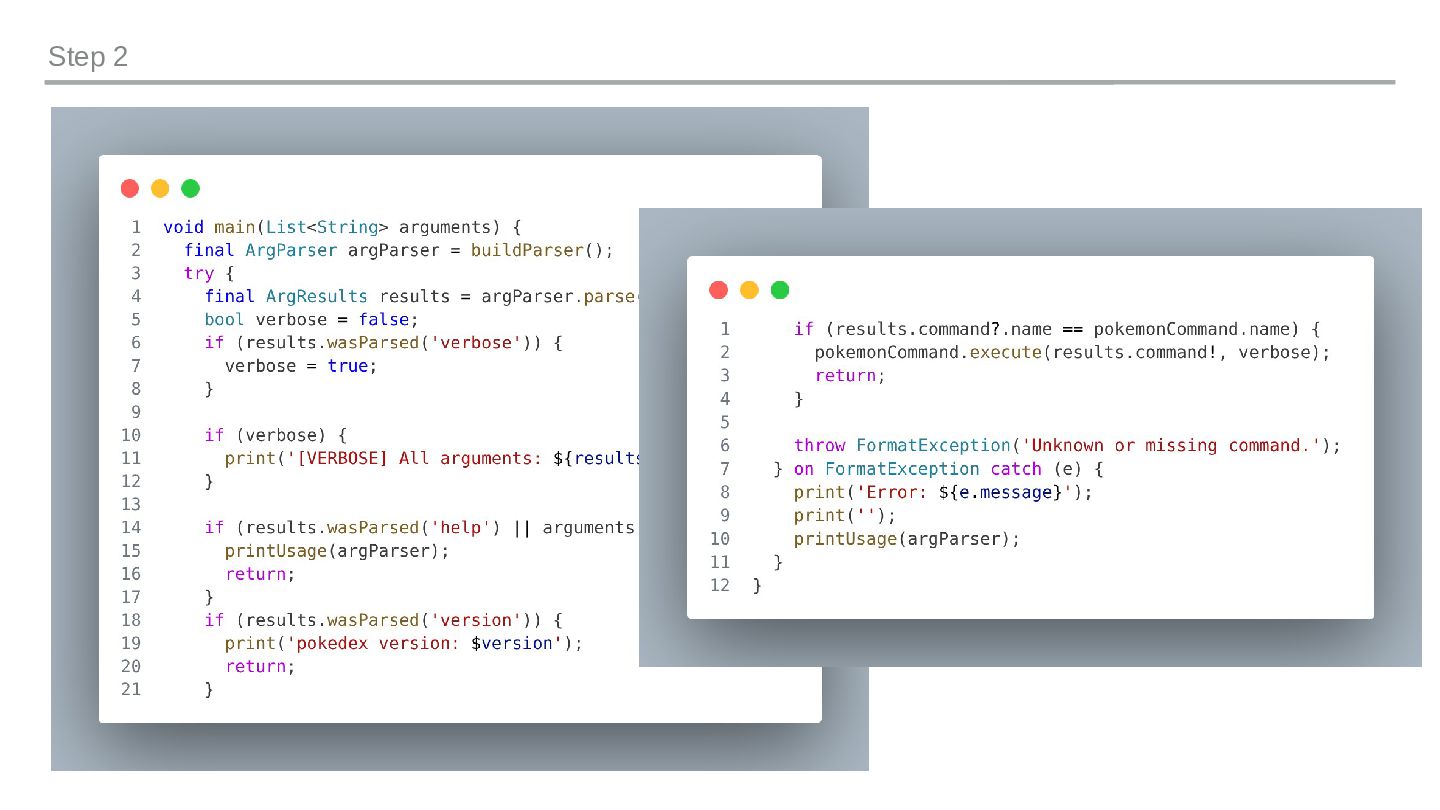
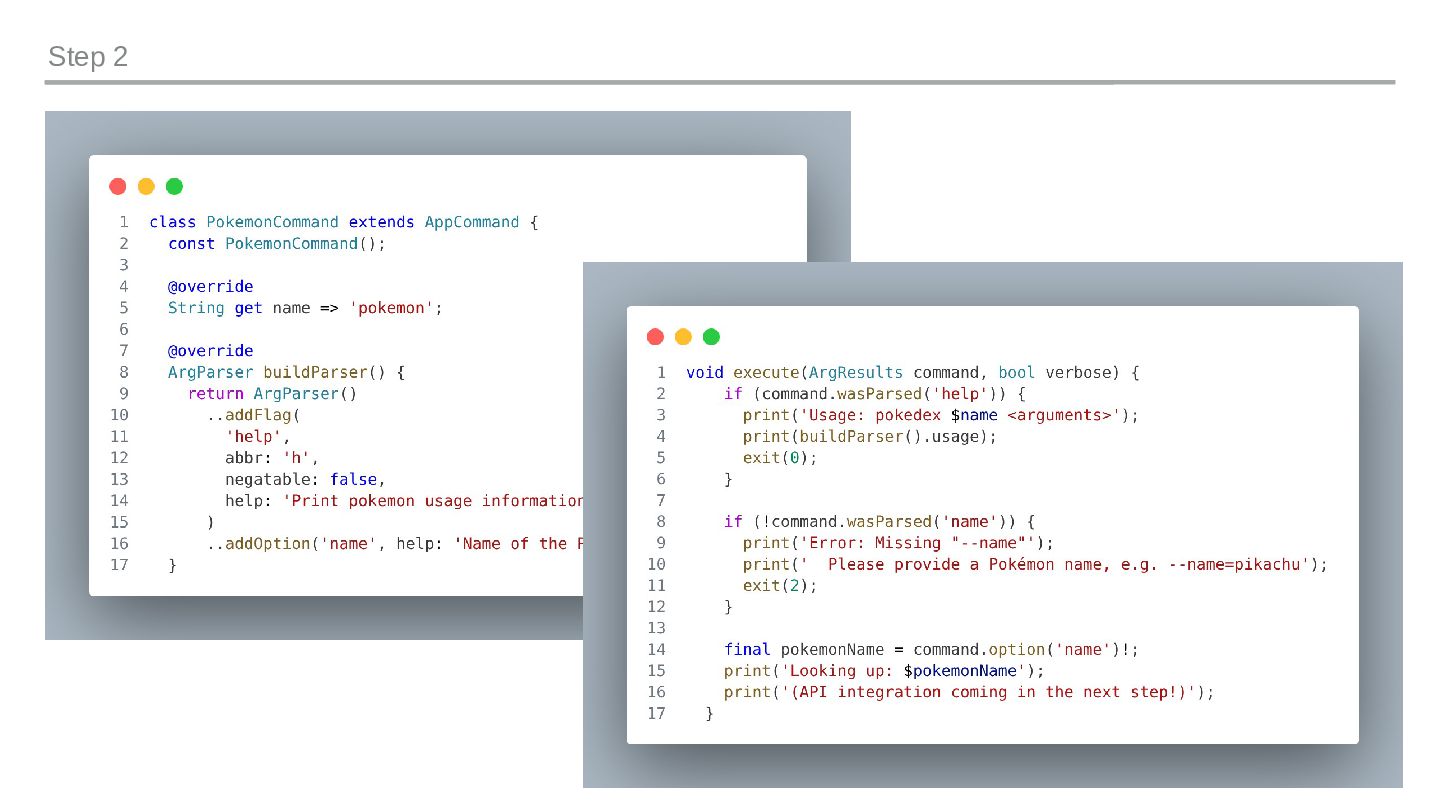
  9. Step 2: Command Patern STEP-BY-STEP lib/src/core/app_command.dart abstract class AppCommand {

    const AppCommand(); String get name; void execute( ArgResults command, bool verbose, ); ArgParser buildParser(); } bin/pokedex.dart // bin/pokedex.dart — routing switch (results.command?.name) { case PokemonCommand.commandName: command = PokemonCommand(); } command?.execute(results.command!, verbose); terminal $ dart run bin/pokedex.dart --help $ dart run bin/pokedex.dart pokemon --help $ dart run bin/pokedex.dart pokemon --name=pikachu Abstract class defines contract: name, buildParser(), execute() Each command owns its own ArgParser, self-contained Routing in entry point: one switch, one line per command New command = new class + one registration. Usually no core changes.
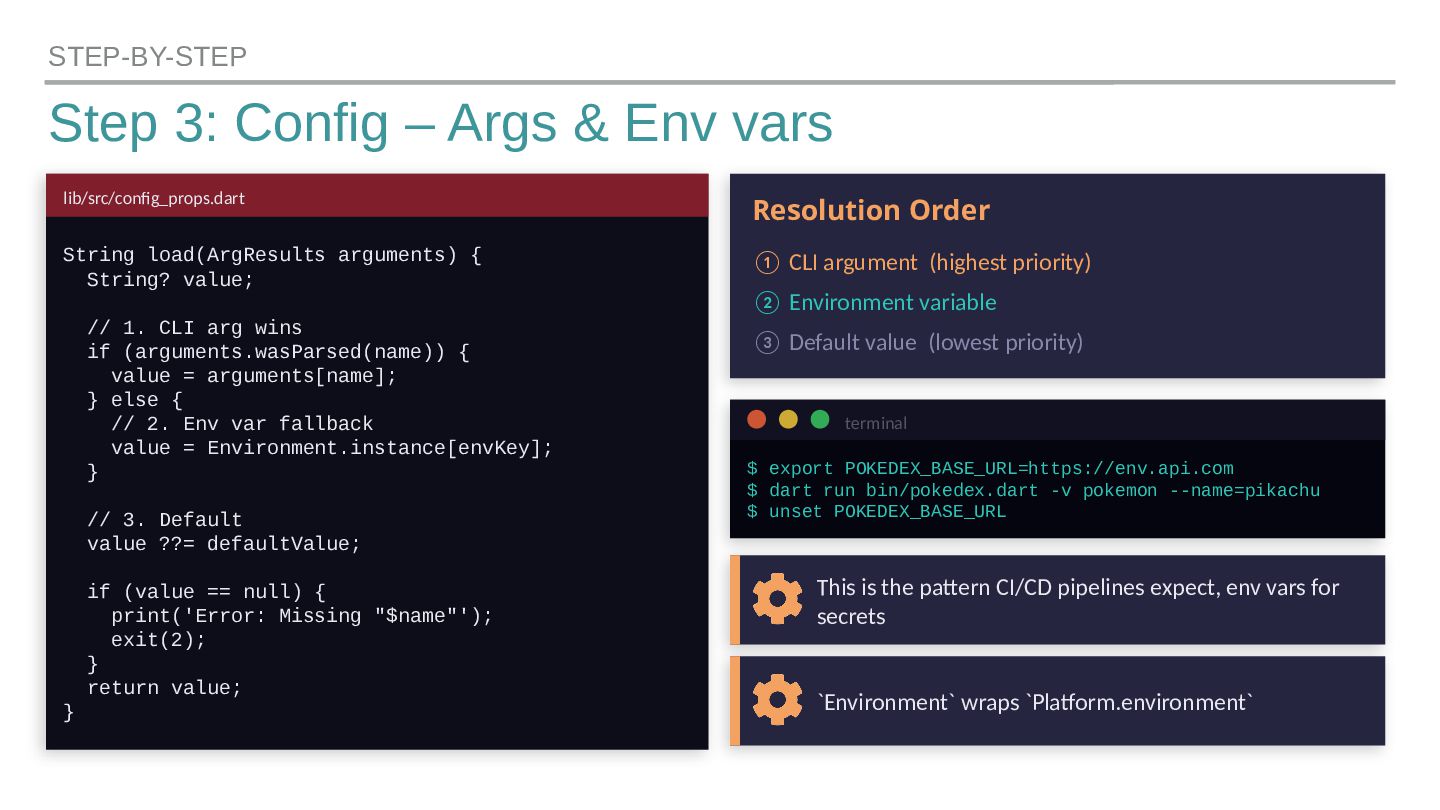
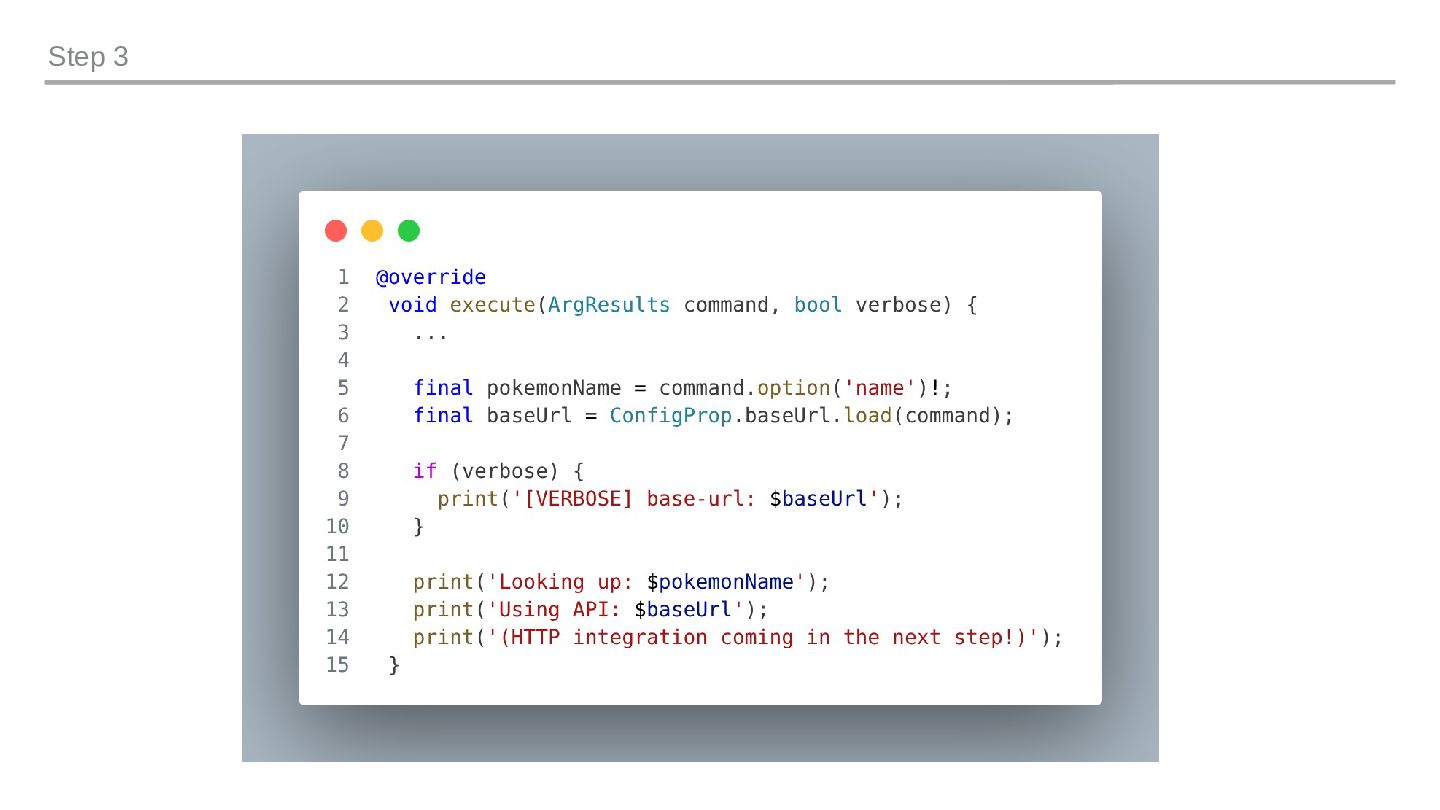
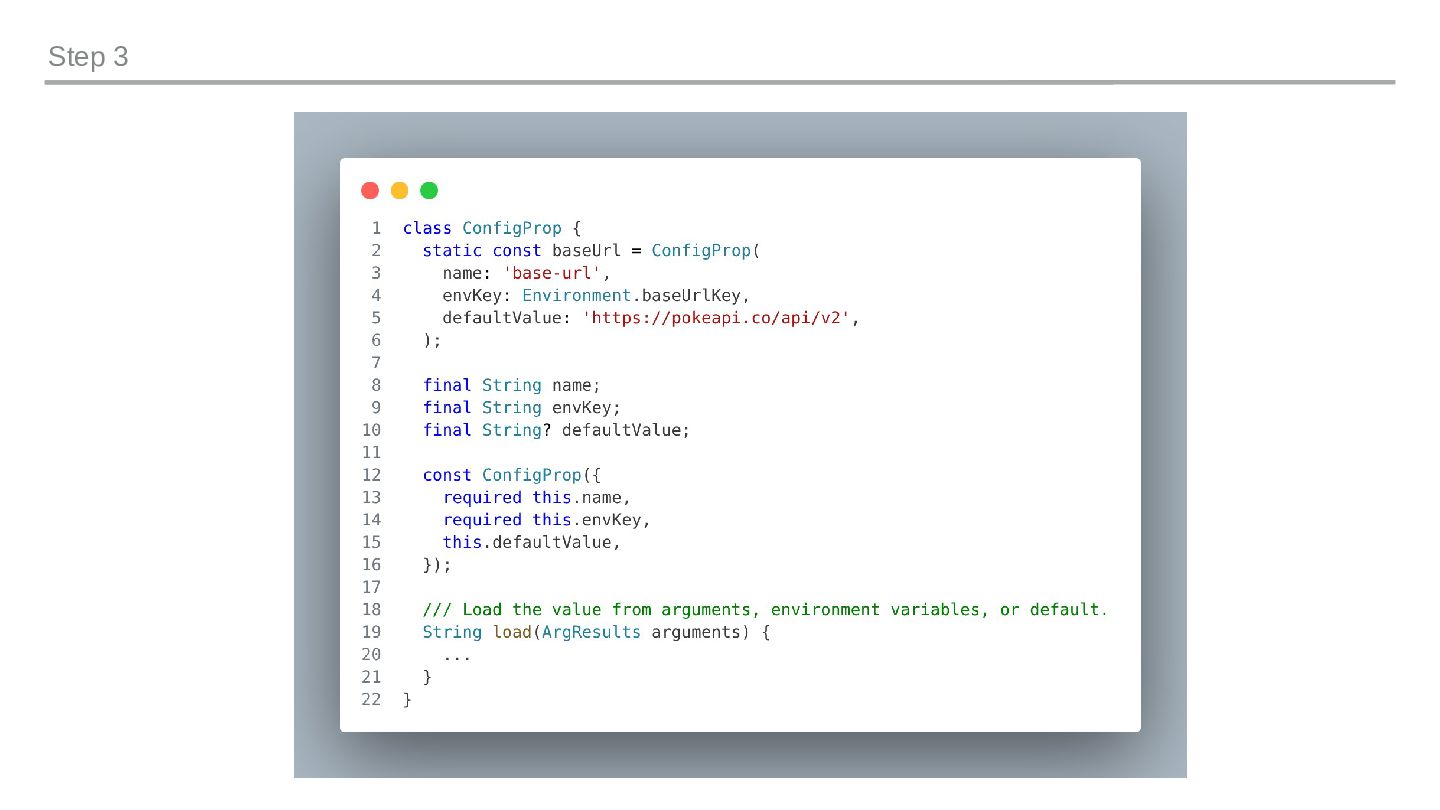
  10. Step 3: Config – Args & Env vars STEP-BY-STEP lib/src/config_props.dart

    String load(ArgResults arguments) { String? value; // 1. CLI arg wins if (arguments.wasParsed(name)) { value = arguments[name]; } else { // 2. Env var fallback value = Environment.instance[envKey]; } // 3. Default value ??= defaultValue; if (value == null) { print('Error: Missing "$name"'); exit(2); } return value; } Resolution Order ① CLI argument (highest priority) ② Environment variable ③ Default value (lowest priority) terminal $ export POKEDEX_BASE_URL=https://env.api.com $ dart run bin/pokedex.dart -v pokemon --name=pikachu $ unset POKEDEX_BASE_URL This is the pattern CI/CD pipelines expect, env vars for secrets `Environment` wraps `Platform.environment`
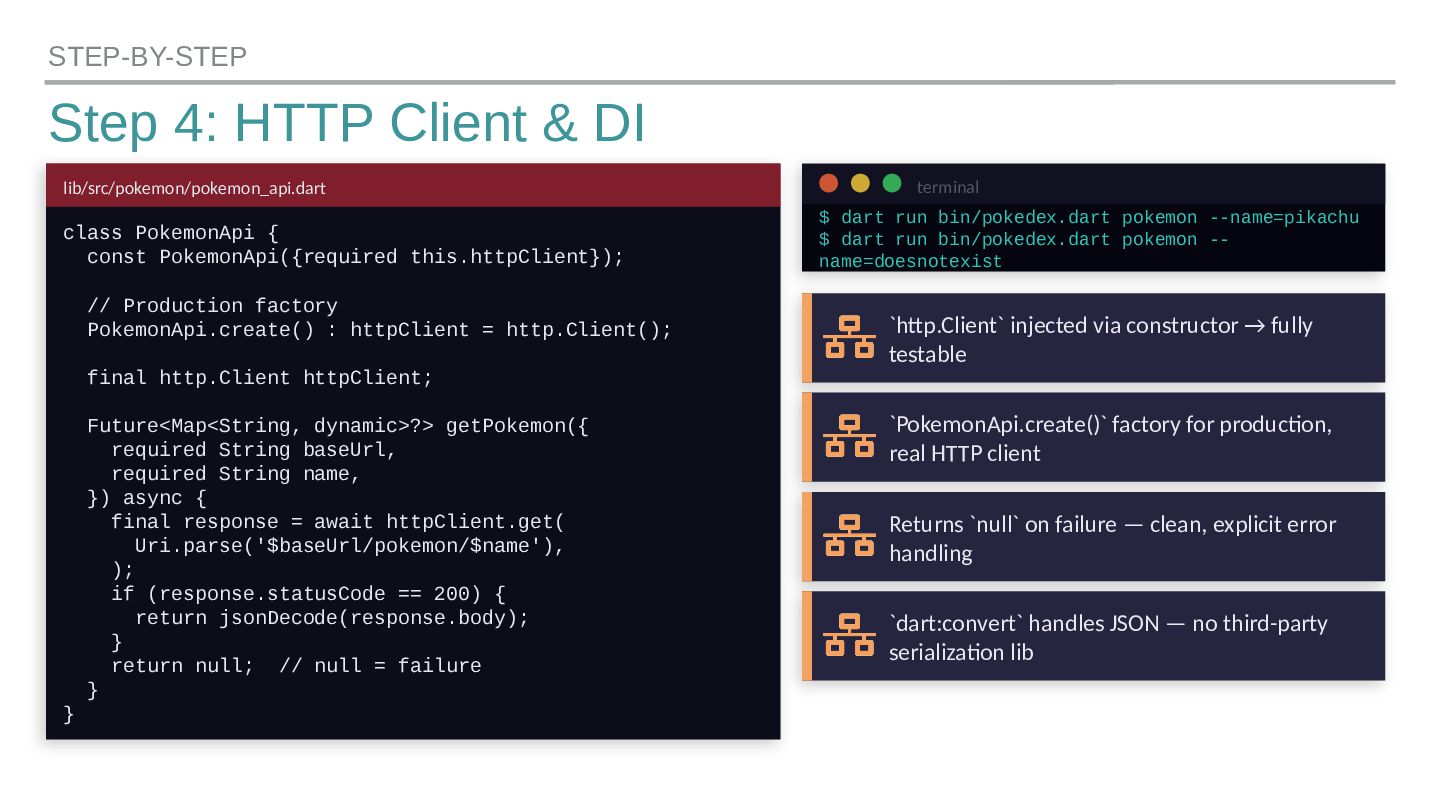
  11. Step 4: HTTP Client & DI STEP-BY-STEP lib/src/pokemon/pokemon_api.dart class PokemonApi

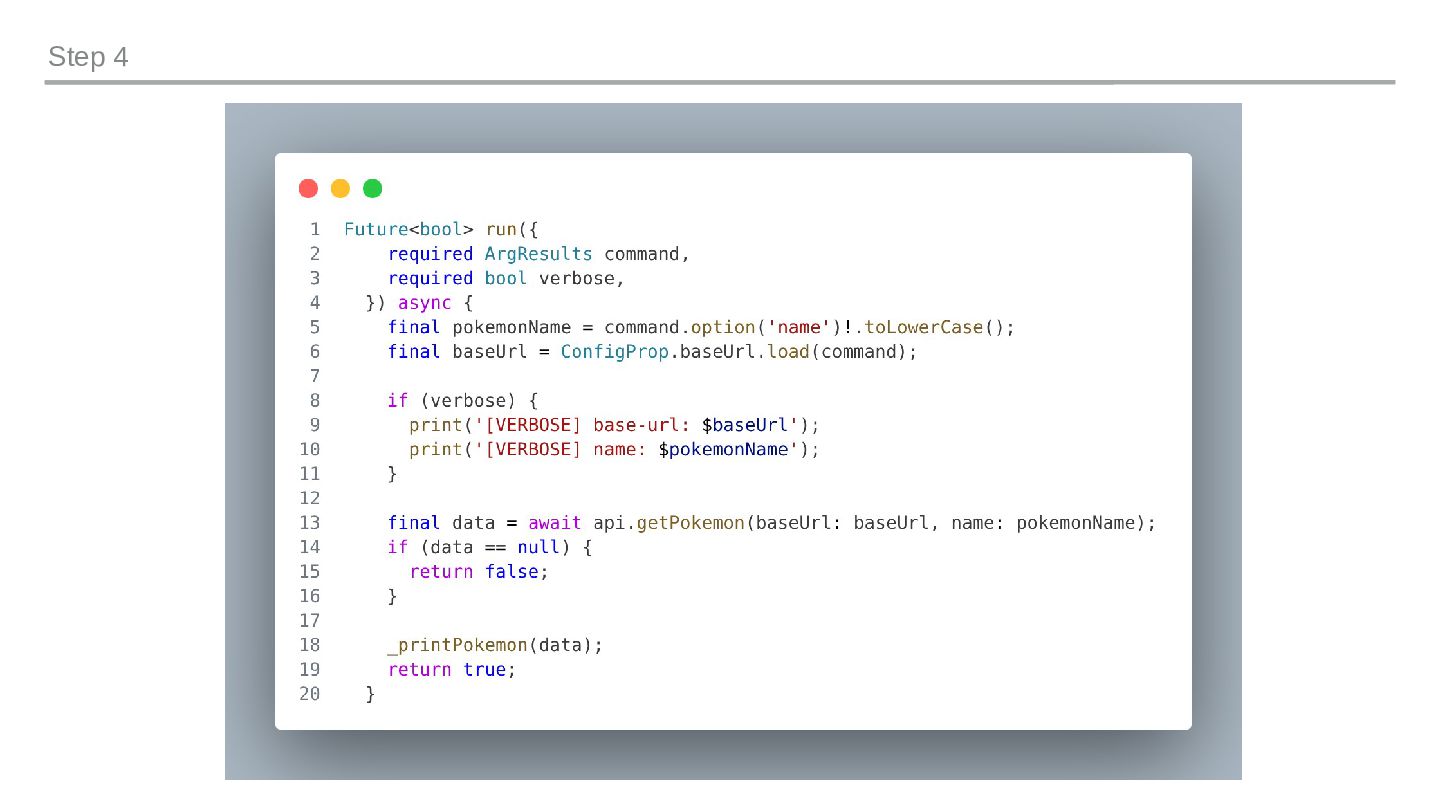
    { const PokemonApi({required this.httpClient}); // Production factory PokemonApi.create() : httpClient = http.Client(); final http.Client httpClient; Future<Map<String, dynamic>?> getPokemon({ required String baseUrl, required String name, }) async { final response = await httpClient.get( Uri.parse('$baseUrl/pokemon/$name'), ); if (response.statusCode == 200) { return jsonDecode(response.body); } return null; // null = failure } } terminal $ dart run bin/pokedex.dart pokemon --name=pikachu $ dart run bin/pokedex.dart pokemon -- name=doesnotexist `http.Client` injected via constructor → fully testable `PokemonApi.create()` factory for production, real HTTP client Returns `null` on failure — clean, explicit error handling `dart:convert` handles JSON — no third-party serialization lib
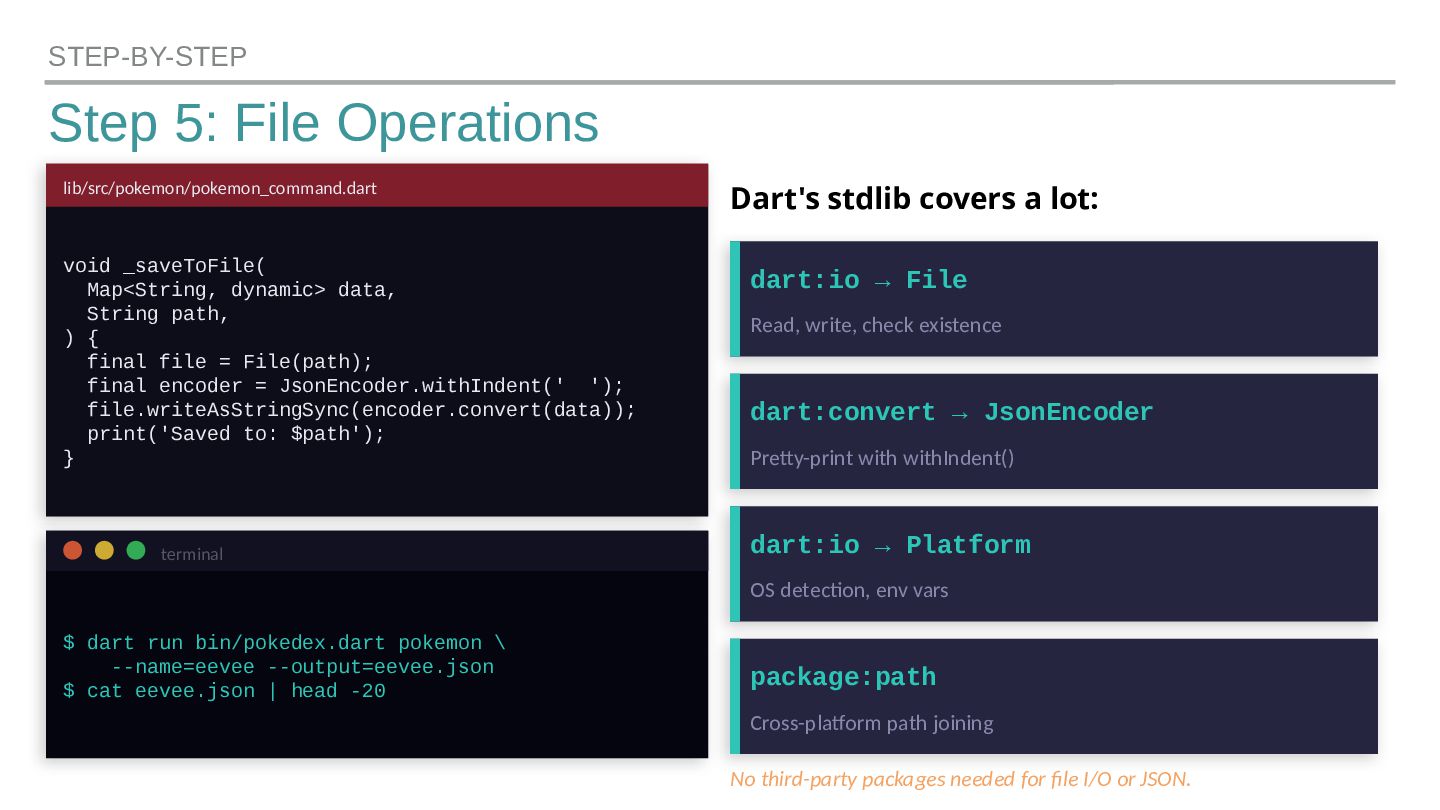
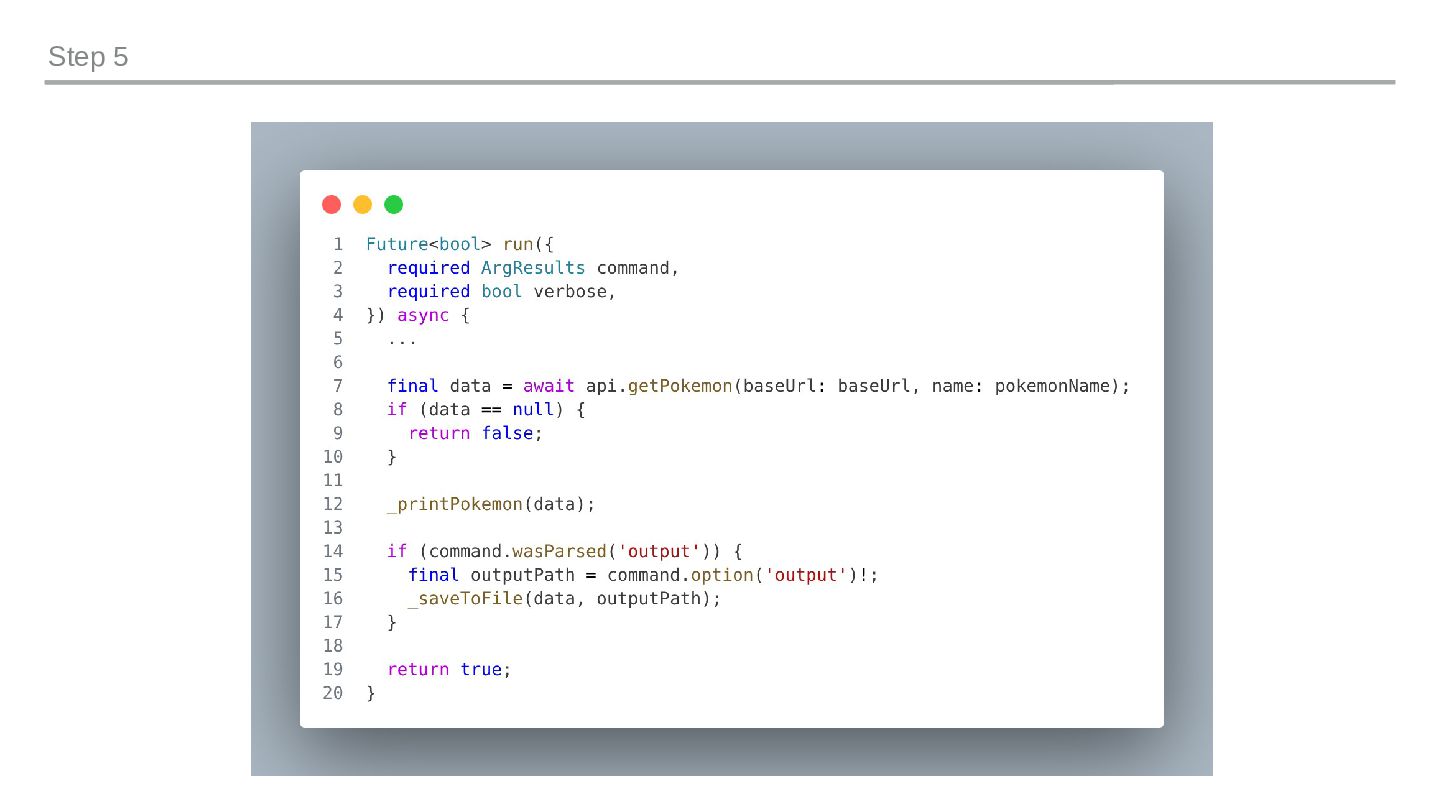
  12. Step 5: File Operations STEP-BY-STEP lib/src/pokemon/pokemon_command.dart void _saveToFile( Map<String, dynamic>

    data, String path, ) { final file = File(path); final encoder = JsonEncoder.withIndent(' '); file.writeAsStringSync(encoder.convert(data)); print('Saved to: $path'); } terminal $ dart run bin/pokedex.dart pokemon \ --name=eevee --output=eevee.json $ cat eevee.json | head -20 Dart's stdlib covers a lot: dart:io → File Read, write, check existence dart:convert → JsonEncoder Pretty-print with withIndent() dart:io → Platform OS detection, env vars package:path Cross-platform path joining No third-party packages needed for file I/O or JSON.
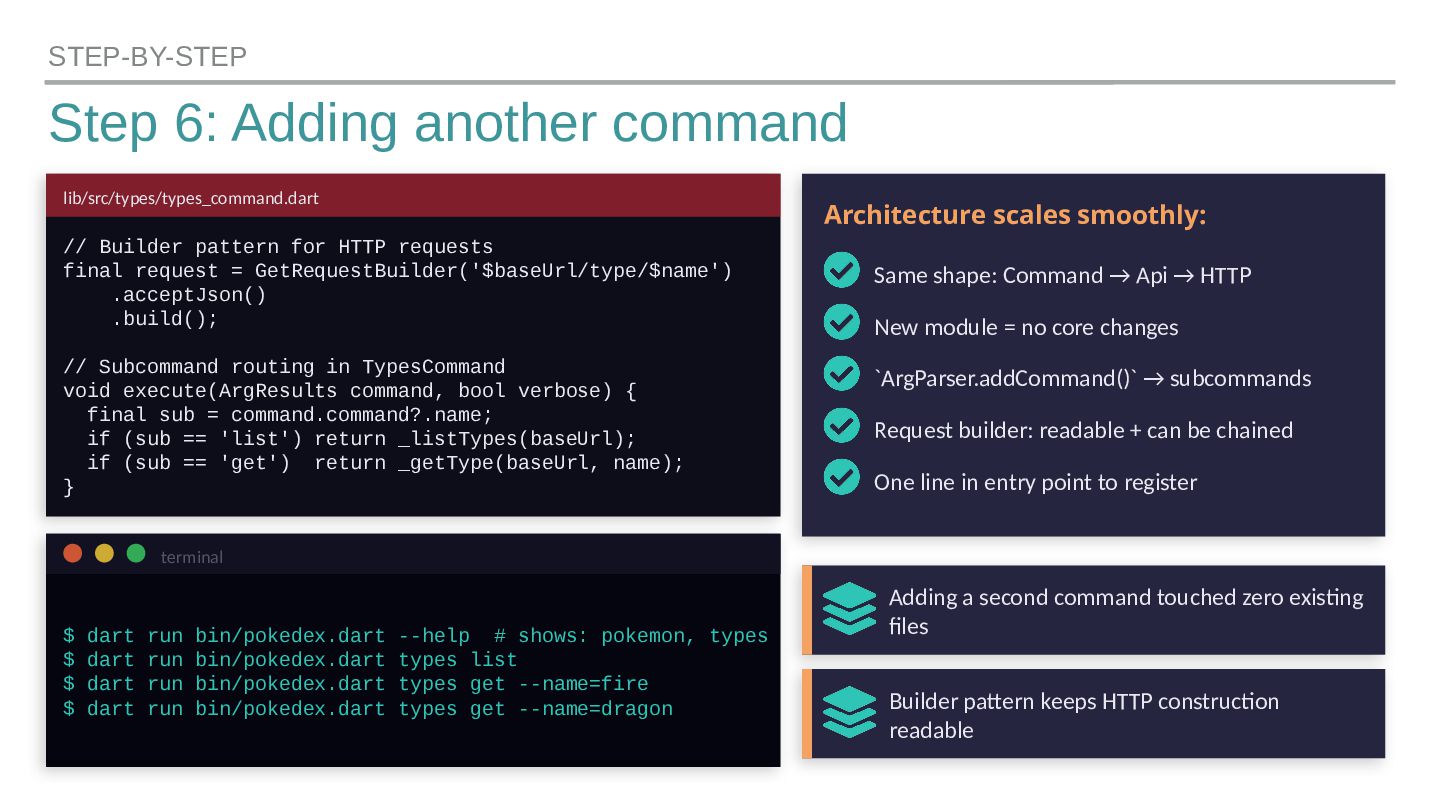
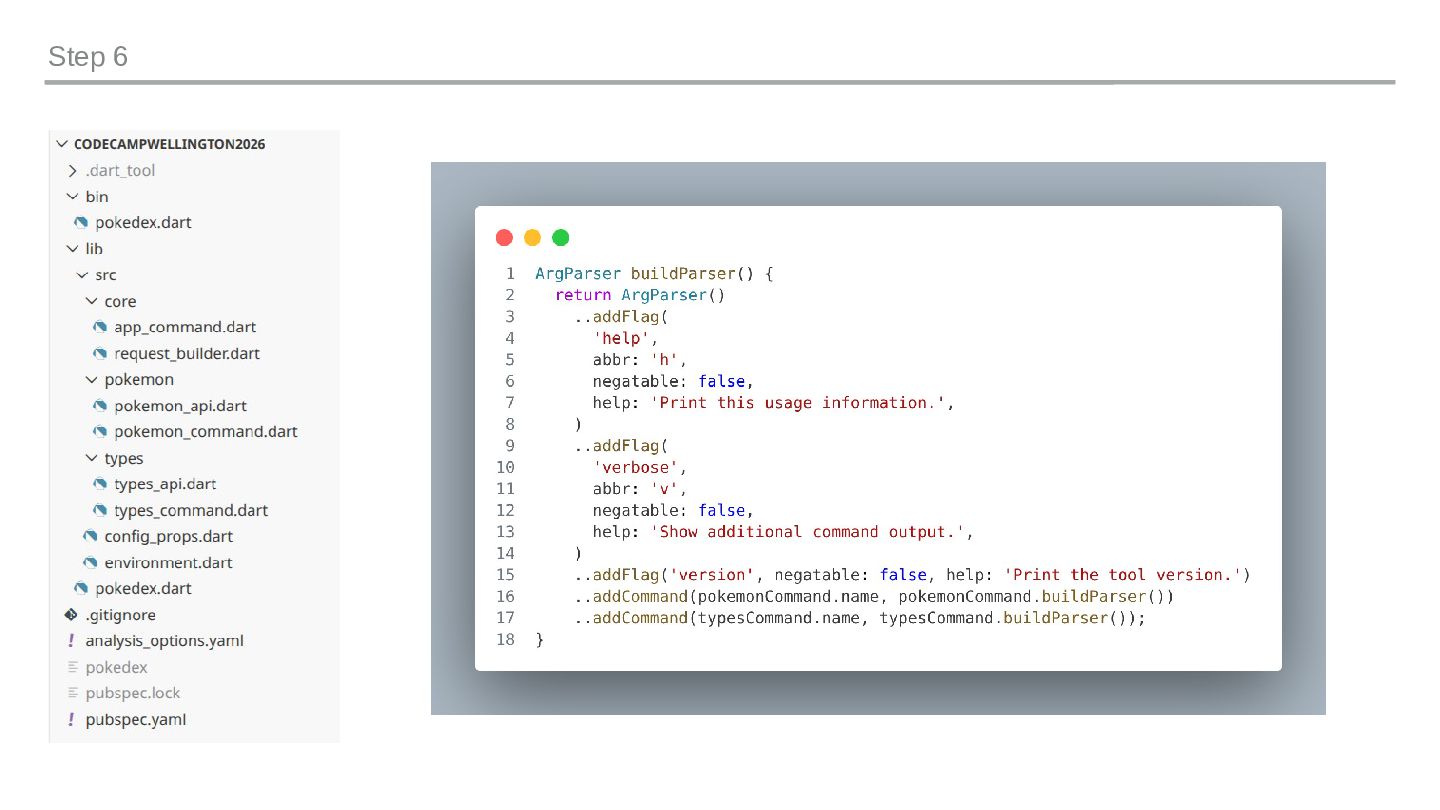
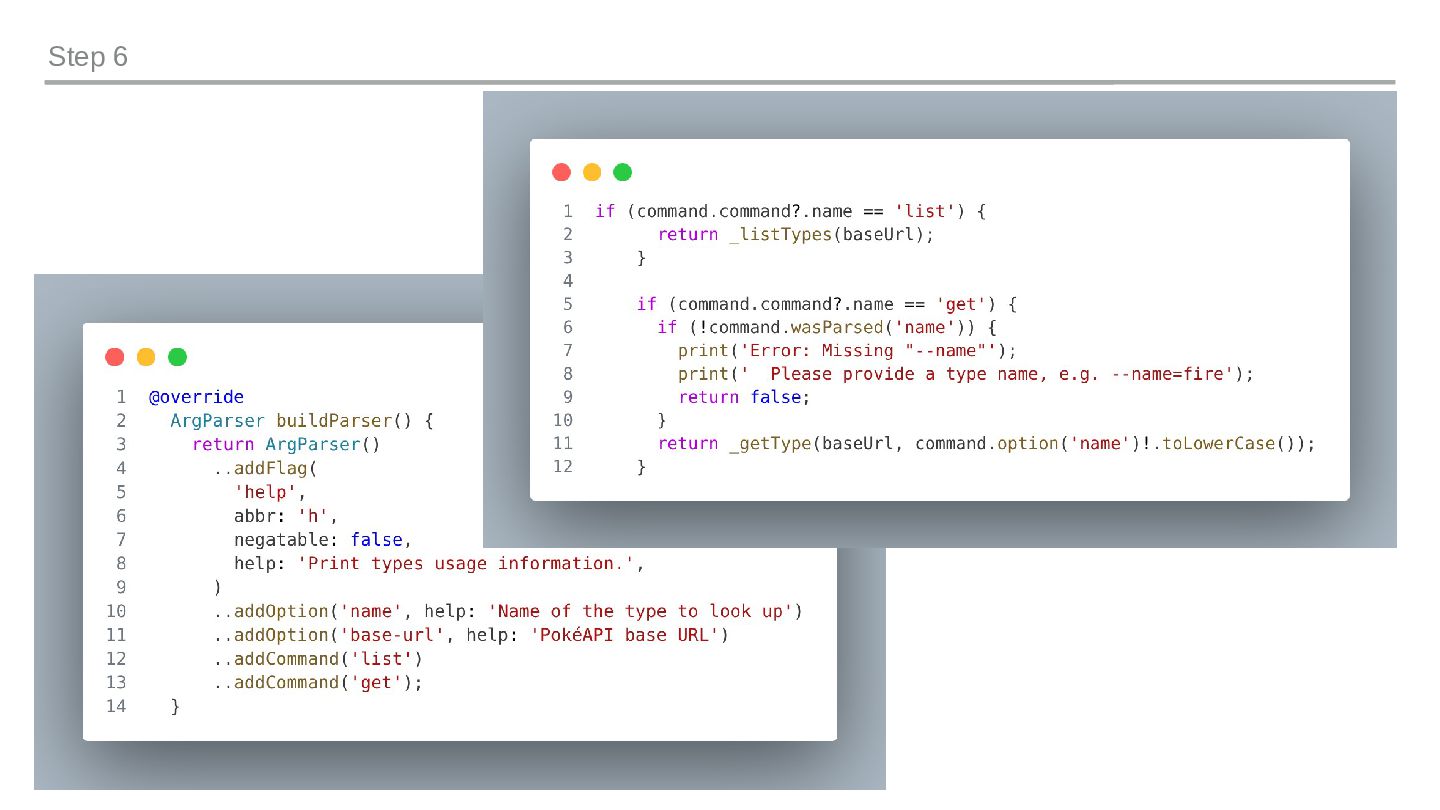
  13. Step 6: Adding another command STEP-BY-STEP lib/src/types/types_command.dart // Builder pattern

    for HTTP requests final request = GetRequestBuilder('$baseUrl/type/$name') .acceptJson() .build(); // Subcommand routing in TypesCommand void execute(ArgResults command, bool verbose) { final sub = command.command?.name; if (sub == 'list') return _listTypes(baseUrl); if (sub == 'get') return _getType(baseUrl, name); } terminal $ dart run bin/pokedex.dart --help # shows: pokemon, types $ dart run bin/pokedex.dart types list $ dart run bin/pokedex.dart types get --name=fire $ dart run bin/pokedex.dart types get --name=dragon Architecture scales smoothly: Same shape: Command → Api → HTTP New module = no core changes `ArgParser.addCommand()` → subcommands Request builder: readable + can be chained One line in entry point to register Adding a second command touched zero existing files Builder pattern keeps HTTP construction readable
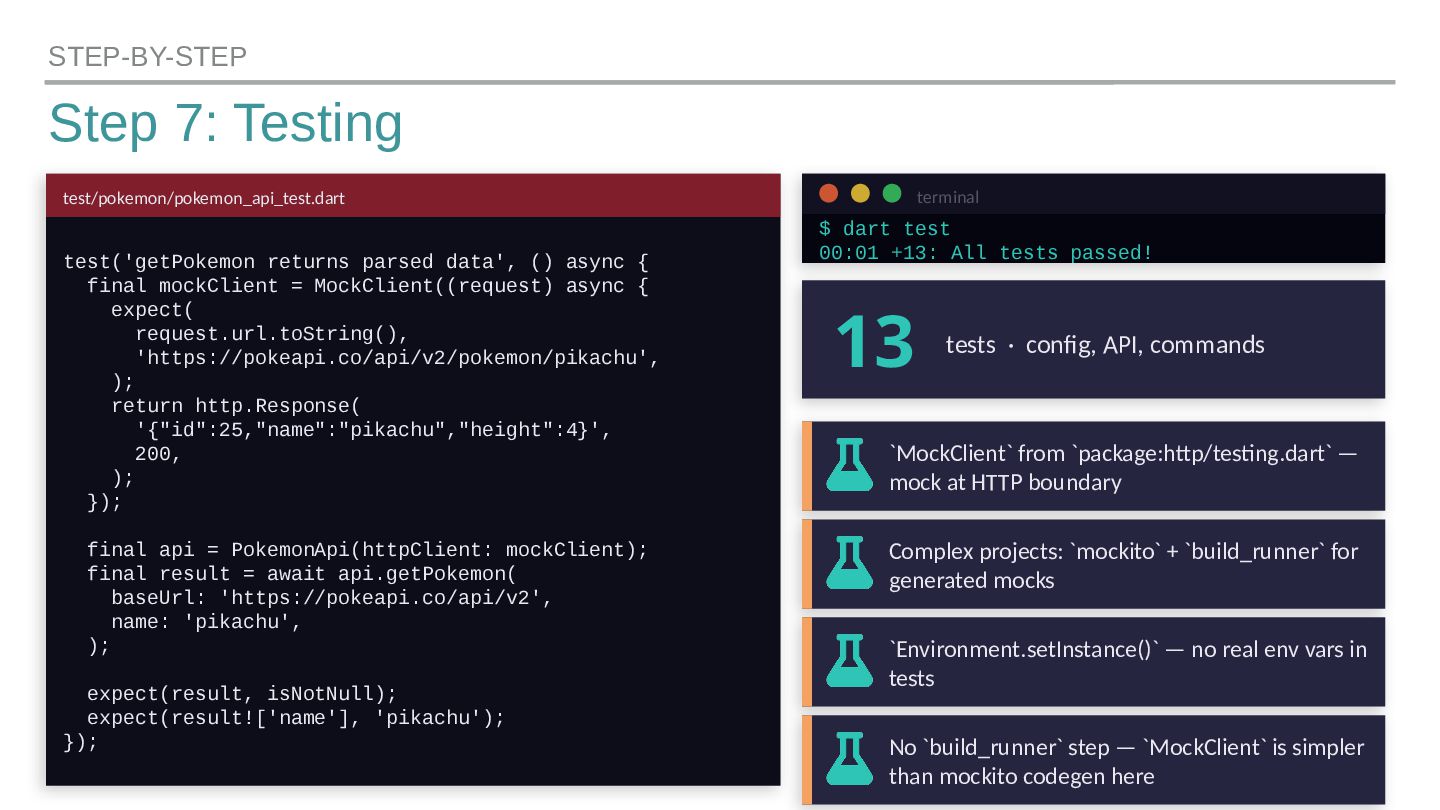
  14. Step 7: Testing STEP-BY-STEP test/pokemon/pokemon_api_test.dart test('getPokemon returns parsed data', ()

    async { final mockClient = MockClient((request) async { expect( request.url.toString(), 'https://pokeapi.co/api/v2/pokemon/pikachu', ); return http.Response( '{"id":25,"name":"pikachu","height":4}', 200, ); }); final api = PokemonApi(httpClient: mockClient); final result = await api.getPokemon( baseUrl: 'https://pokeapi.co/api/v2', name: 'pikachu', ); expect(result, isNotNull); expect(result!['name'], 'pikachu'); }); terminal $ dart test 00:01 +13: All tests passed! 13 tests · config, API, commands `MockClient` from `package:http/testing.dart` — mock at HTTP boundary Complex projects: `mockito` + `build_runner` for generated mocks `Environment.setInstance()` — no real env vars in tests No `build_runner` step — `MockClient` is simpler than mockito codegen here
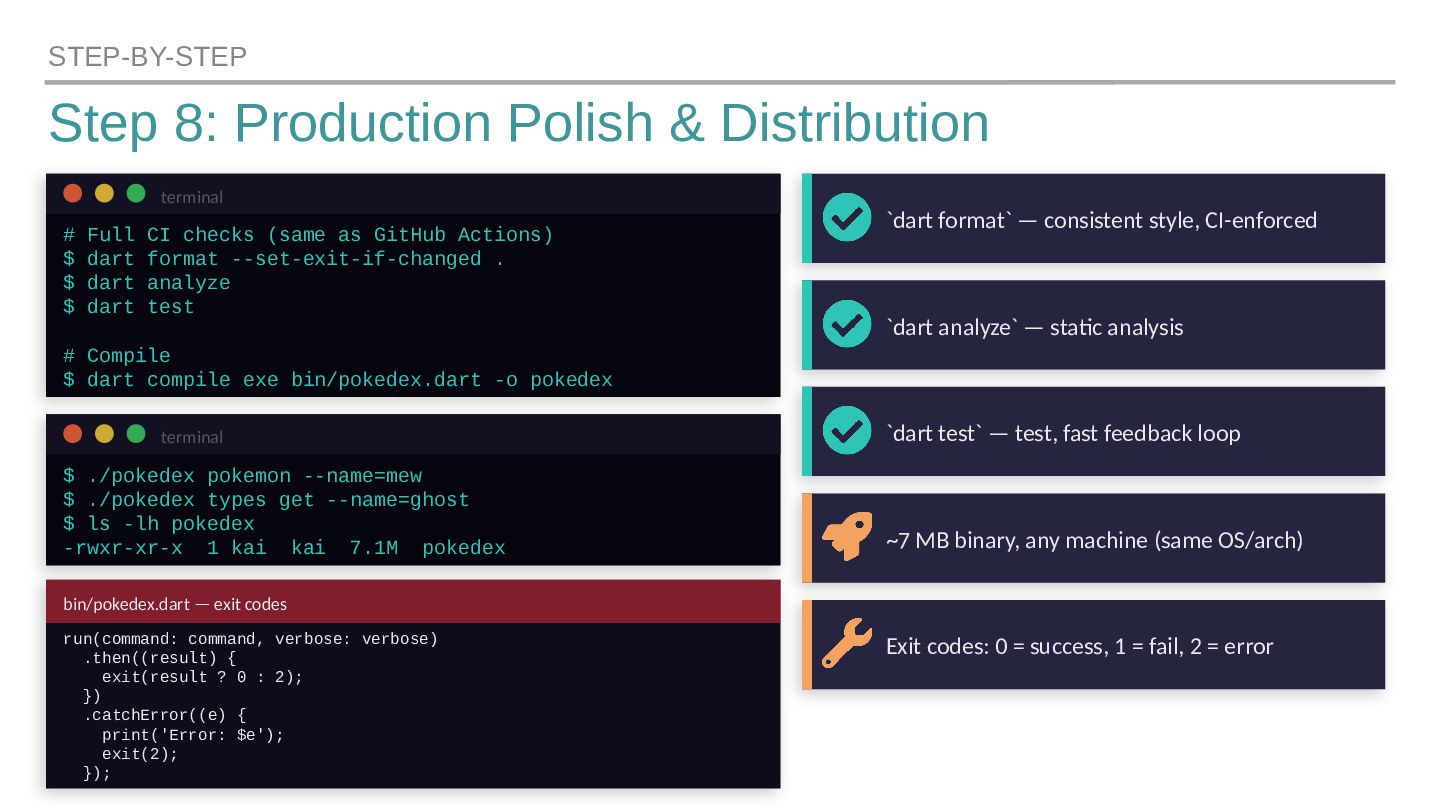
  15. Step 8: Production Polish & Distribution STEP-BY-STEP terminal # Full

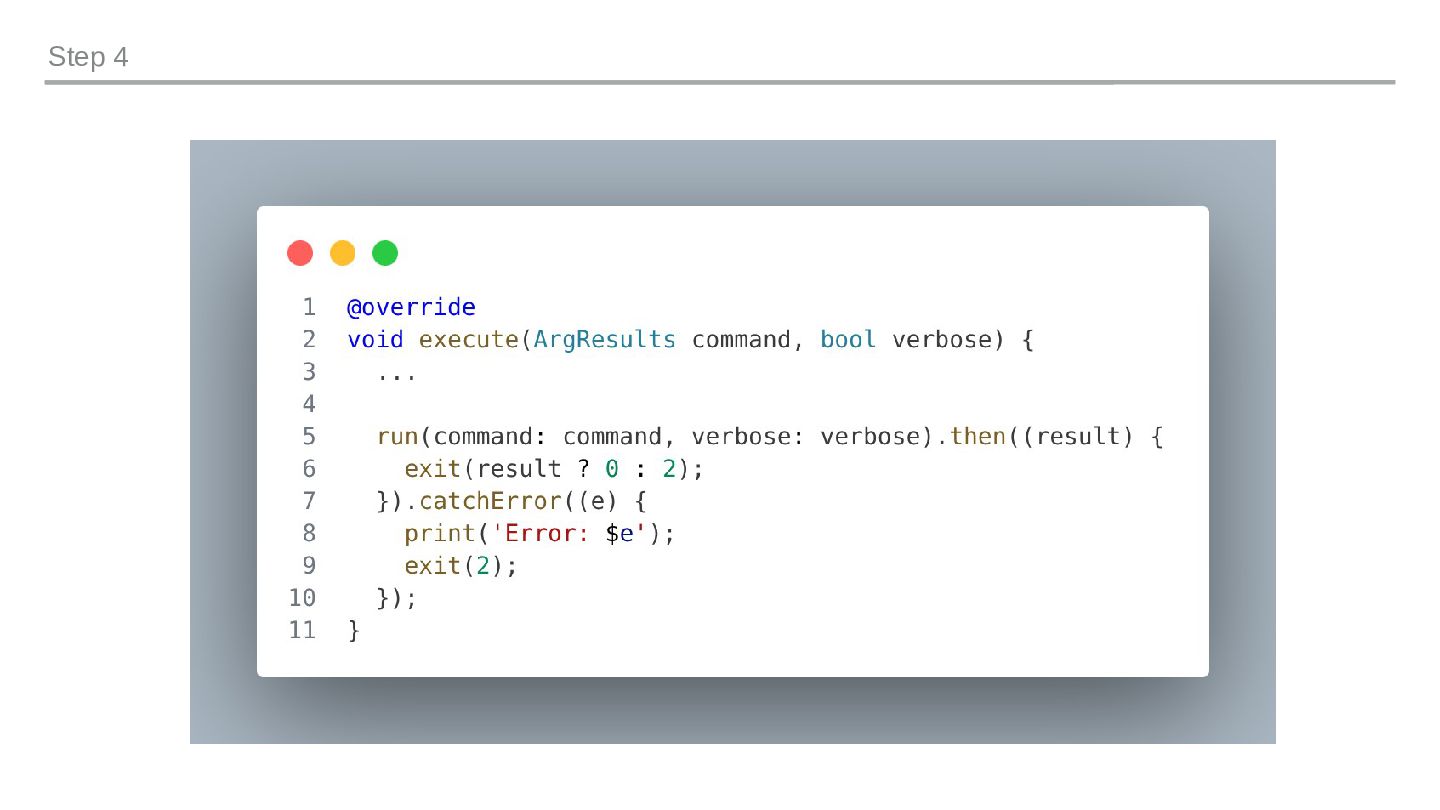
    CI checks (same as GitHub Actions) $ dart format --set-exit-if-changed . $ dart analyze $ dart test # Compile $ dart compile exe bin/pokedex.dart -o pokedex terminal $ ./pokedex pokemon --name=mew $ ./pokedex types get --name=ghost $ ls -lh pokedex -rwxr-xr-x 1 kai kai 7.1M pokedex bin/pokedex.dart — exit codes run(command: command, verbose: verbose) .then((result) { exit(result ? 0 : 2); }) .catchError((e) { print('Error: $e'); exit(2); }); `dart format` — consistent style, CI-enforced `dart analyze` — static analysis `dart test` — test, fast feedback loop ~7 MB binary, any machine (same OS/arch) Exit codes: 0 = success, 1 = fail, 2 = error
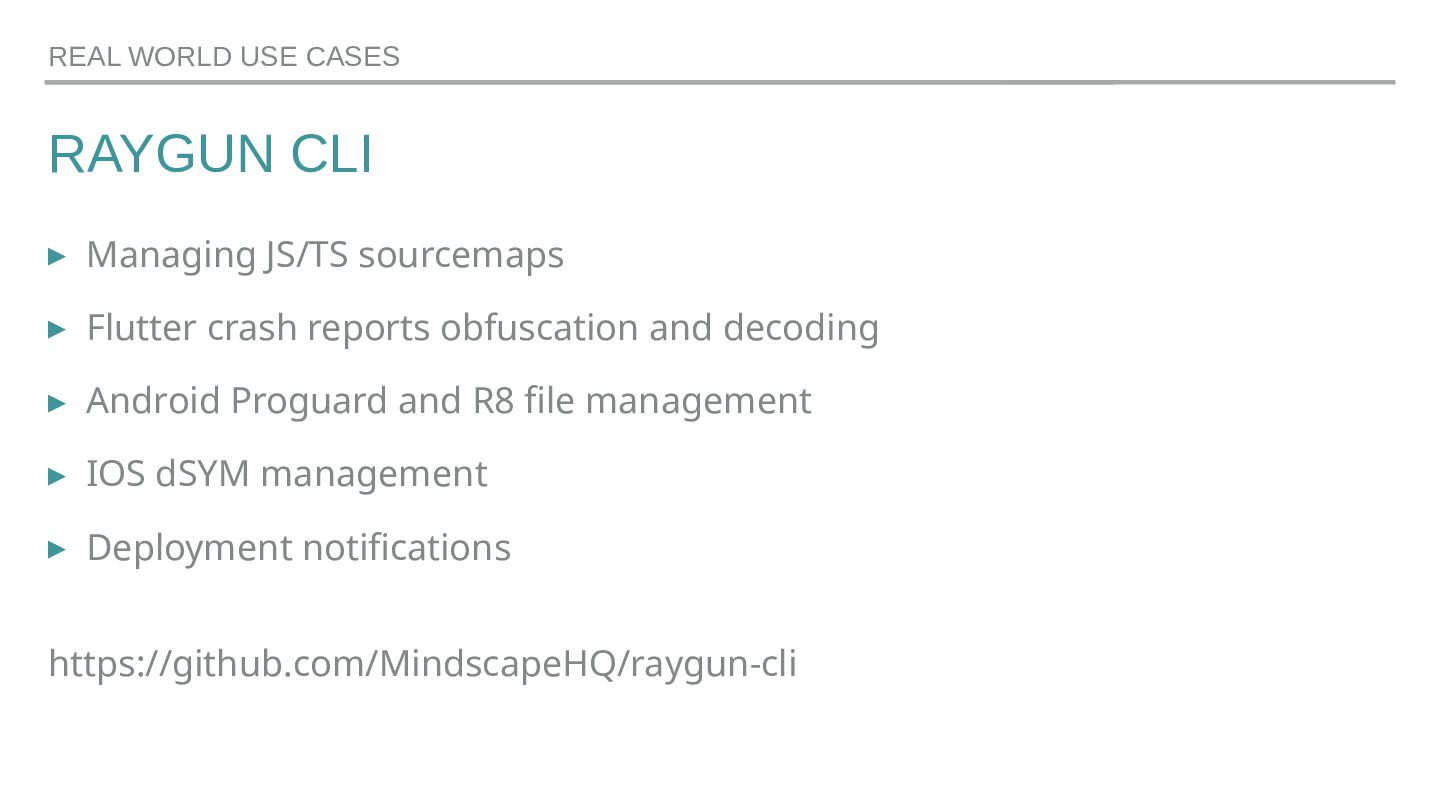
  16. RAYGUN CLI ▸ Raygun ▸ Crash Reporting ▸ RUM (Performance

    monitoring) ▸ APM ▸ Ecosystem of Provider SDKs REAL WORLD USE CASES
  17. RAYGUN CLI ▸ Managing JS/TS sourcemaps ▸ Flutter crash reports

    obfuscation and decoding ▸ Android Proguard and R8 file management ▸ IOS dSYM management ▸ Deployment notifications https://github.com/MindscapeHQ/raygun-cli REAL WORLD USE CASES
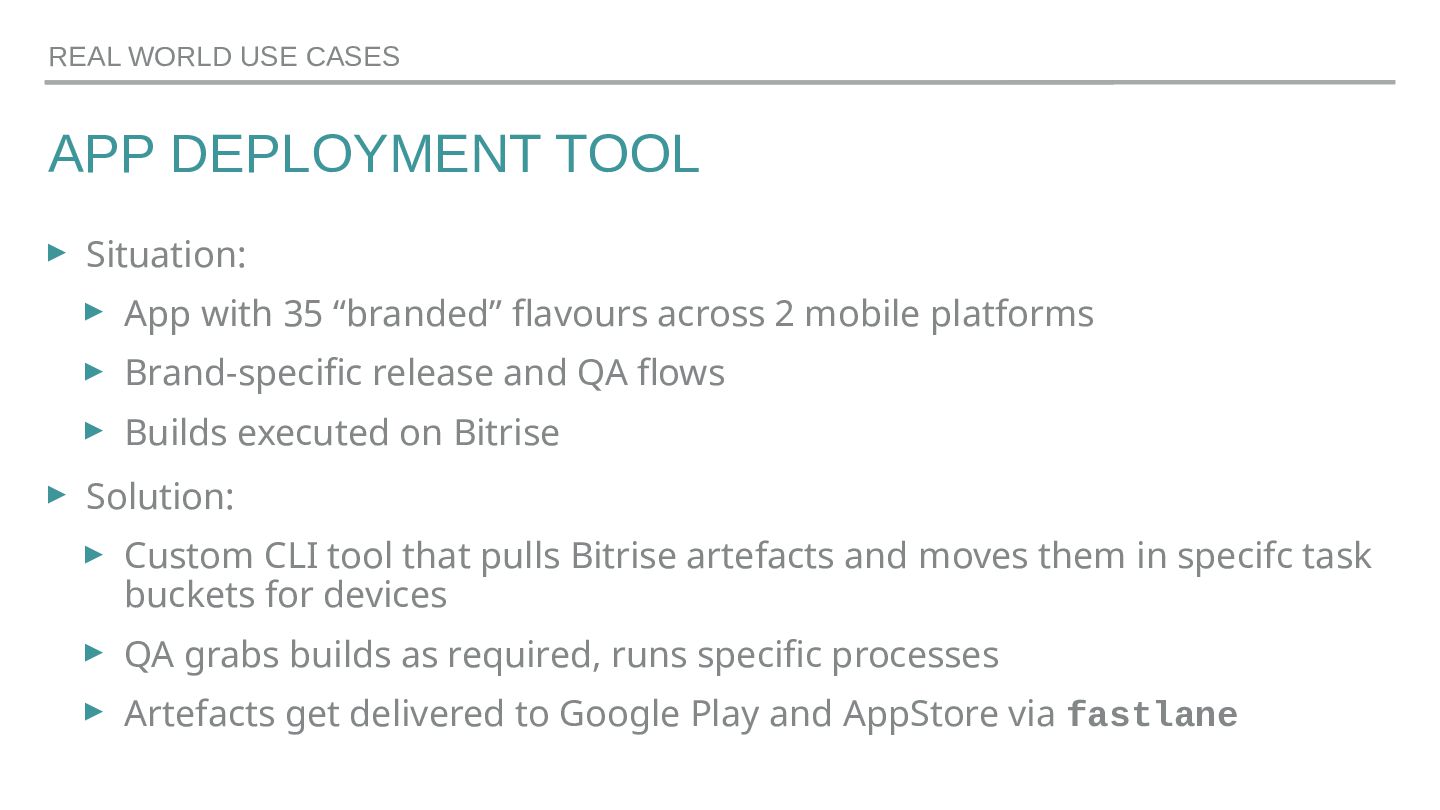
  18. APP DEPLOYMENT TOOL ▸ Situation: ▸ App with 35 “branded”

    flavours across 2 mobile platforms ▸ Brand-specific release and QA flows ▸ Builds executed on Bitrise ▸ Solution: ▸ Custom CLI tool that pulls Bitrise artefacts and moves them in specifc task buckets for devices ▸ QA grabs builds as required, runs specific processes ▸ Artefacts get delivered to Google Play and AppStore via fastlane REAL WORLD USE CASES
  19. GOOD ▸ Dart is a beautiful language and ecosystem, rich,

    type-safe, async/await ▸ Very complete standard library ▸ For CLI tooling: minimal dependencies ▸ Very straight forward architecture ▸ Testable internally and on the boundaries REAL WORLD PROS & CONS
  20. NOT SO GOOD ▸ Dart is mostly well-known in the

    Flutter ecosystem only ▸ No cross-compilation – binaries need to be created on the actual target architecture REAL WORLD PROS & CONS
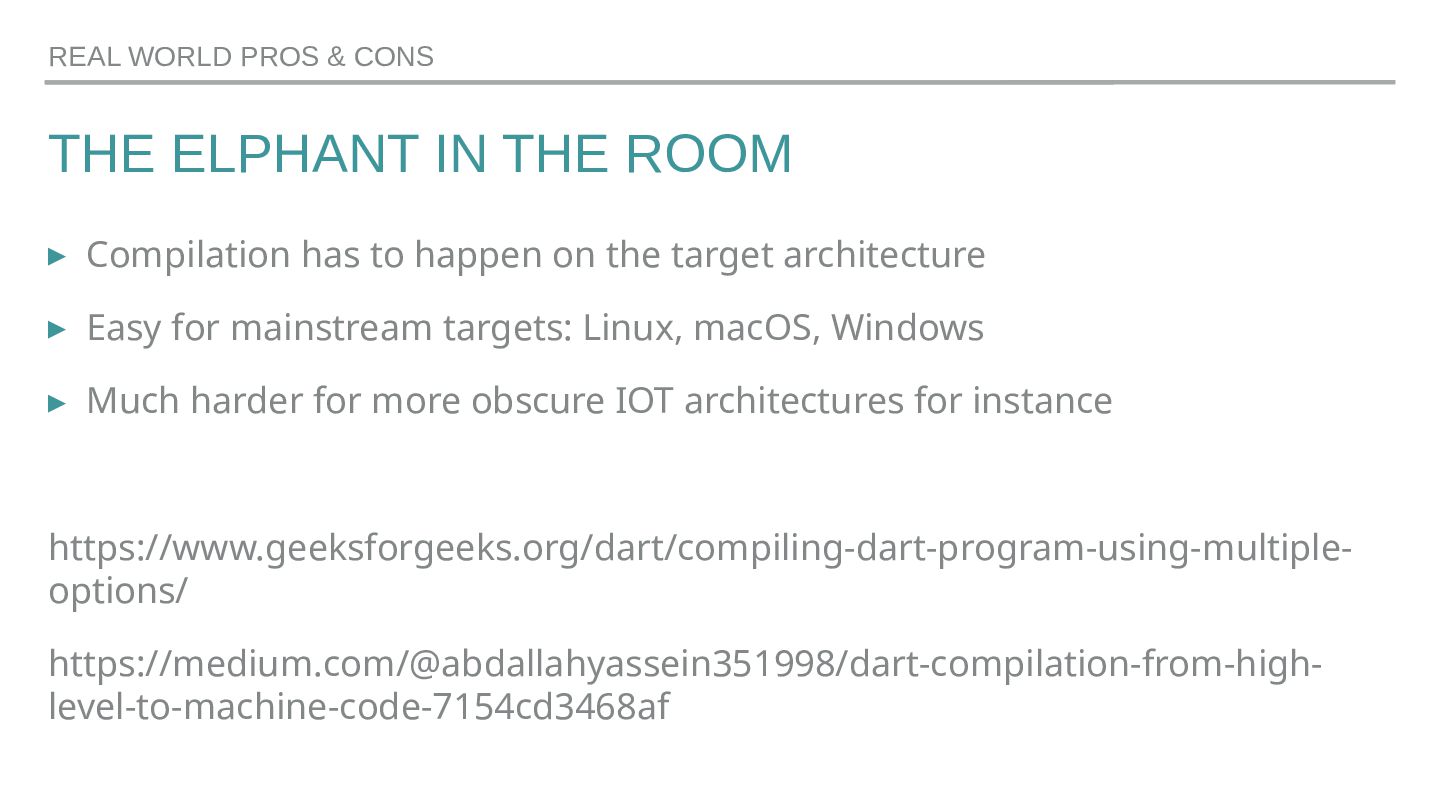
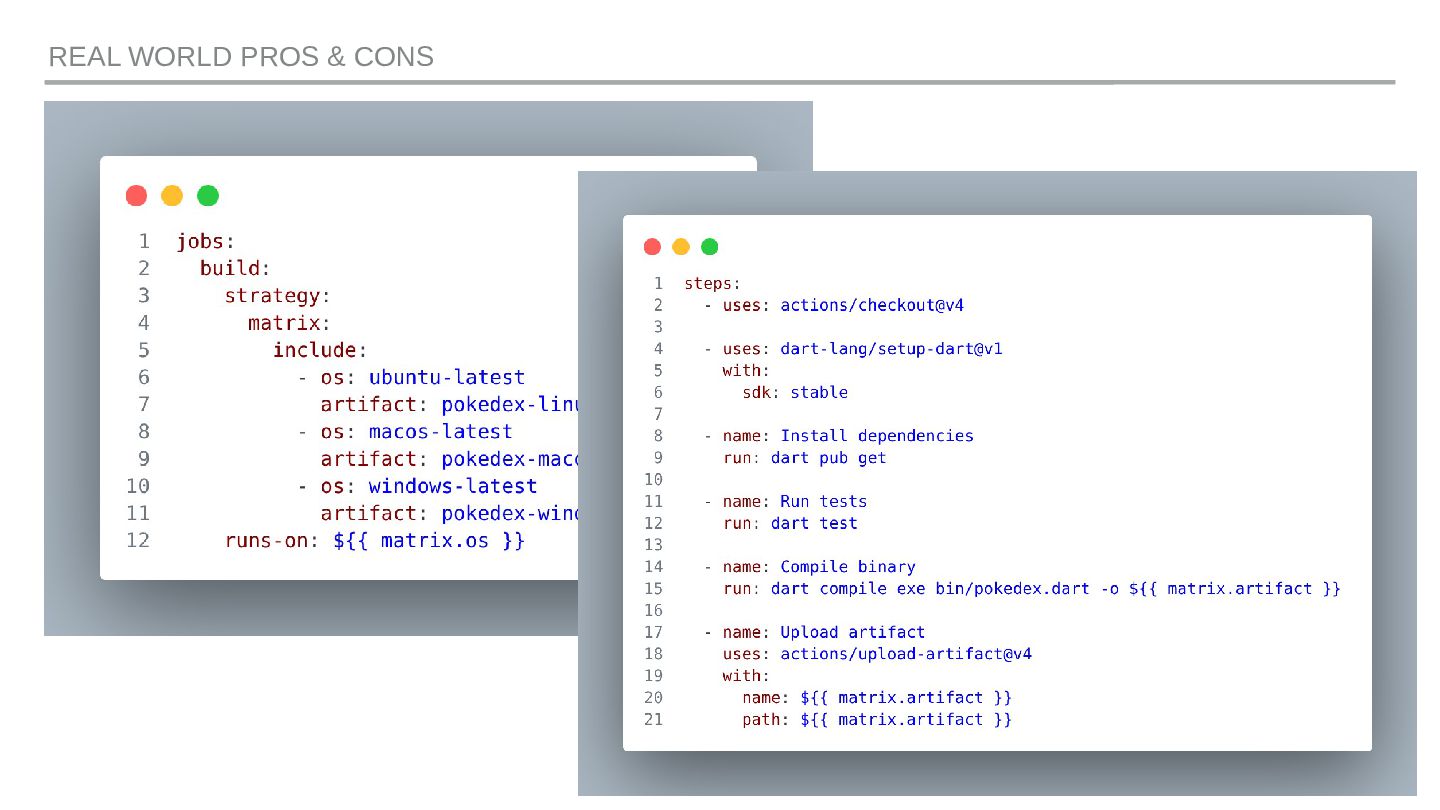
  21. THE ELPHANT IN THE ROOM ▸ Compilation has to happen

    on the target architecture ▸ Easy for mainstream targets: Linux, macOS, Windows ▸ Much harder for more obscure IOT architectures for instance https://www.geeksforgeeks.org/dart/compiling-dart-program-using-multiple- options/ https://medium.com/@abdallahyassein351998/dart-compilation-from-high- level-to-machine-code-7154cd3468af REAL WORLD PROS & CONS
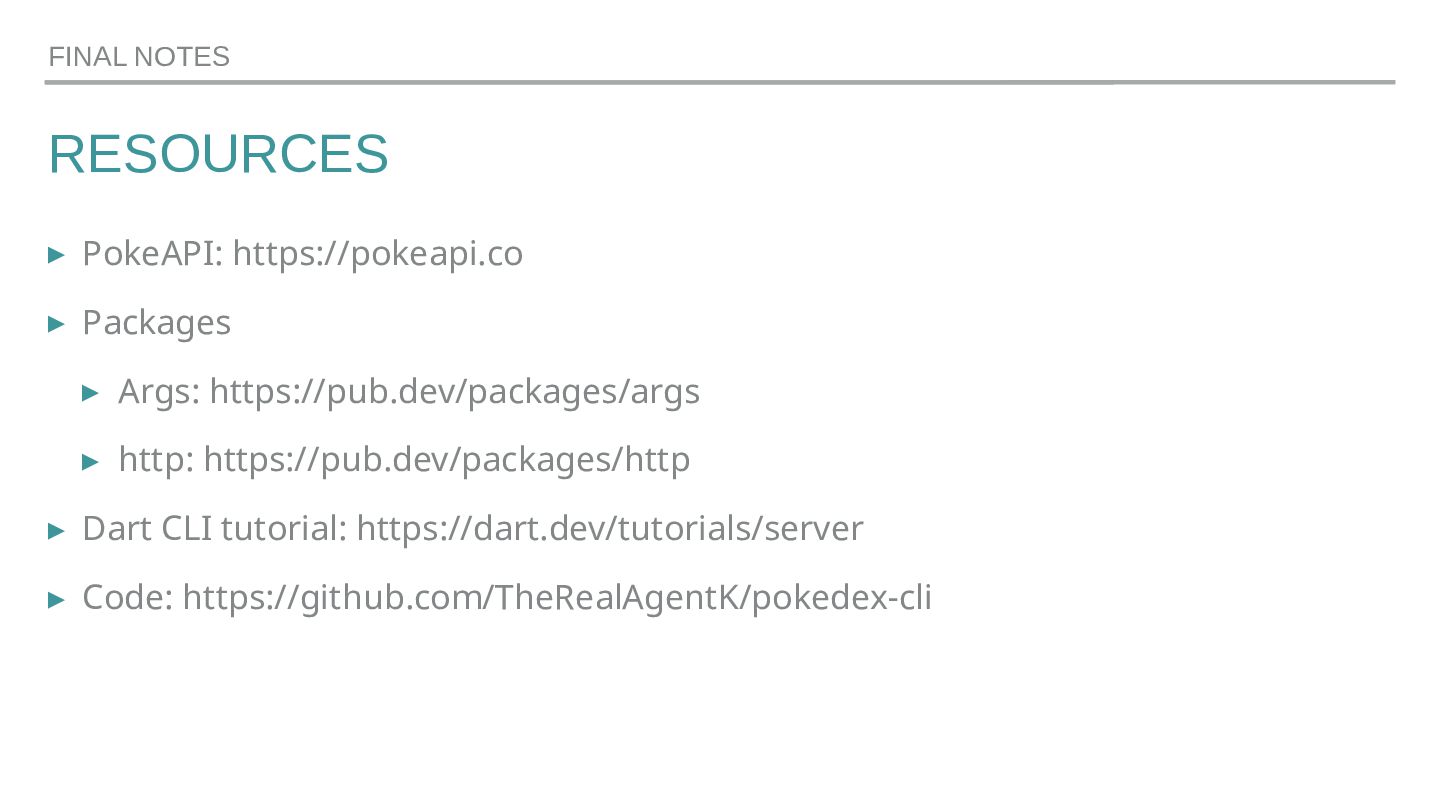
  22. RESOURCES ▸ PokeAPI: https://pokeapi.co ▸ Packages ▸ Args: https://pub.dev/packages/args ▸

    http: https://pub.dev/packages/http ▸ Dart CLI tutorial: https://dart.dev/tutorials/server ▸ Code: https://github.com/TheRealAgentK/pokedex-cli FINAL NOTES
  23. FINAL NOTES GET IN TOUCH Kai Koenig Email: [email protected] LinkedIn:

    https://www.linkedin.com/in/kaikoenig Twitter: @AgentK Mastodon: @[email protected] BlueSky: @agentk.bsky.social