Upgrade to Pro
— share decks privately, control downloads, hide ads and more …
Speaker Deck
Sign up for free
Menu
Search
Features
All features
Private URLs
Password Protection
Custom URLS
Scheduled publishing
Remove Branding
Restrict embedding
Deck Collections
Notes
Features
All features
Private URLs
Password Protection
Custom URLS
Scheduled publishing
Remove Branding
Restrict embedding
Deck Collections
Notes
Explore
Featured decks
Featured speakers
Programming
Technology
Storyboards
Explore
Featured decks
Featured speakers
Programming
Technology
Storyboards
Pricing
Search
Sign in
Sign up for free
Claude Codeセッション現状確認 2026福岡 / fukuoka-aicoding-...
Search
monochromegane
February 25, 2026
Programming
810
4
Share
Embed
Copy iframe code
Copy JS code
Copy link
Start on current slide
Claude Codeセッション現状確認 2026福岡 / fukuoka-aicoding-00-beacon
2026.02.25 AIコーディング現状確認会 2026福岡
https://connpass.com/event/383789/
monochromegane
February 25, 2026
More Decks by monochromegane
See All by monochromegane
Go言語とトイモデルで学ぶTransformerの気持ち / fukuokago23-transformer
monochromegane
0
280
適応的スパムフィルタのための軽量な類似メッセージカウンタ / jsai2026-adaptive-spam-filter
monochromegane
0
5.8k
ベクトル検索のフィルタを用いた機械学習モデルとの統合 / python-meetup-fukuoka-06-vector-attr
monochromegane
3
920
Go言語での実装を通して学ぶLLMファインチューニングの仕組み / fukuokago22-llm-peft
monochromegane
0
310
不確実性下における目的と手段の統合的探索に向けた連続腕バンディットの応用 / iot70_gp_rff_mab
monochromegane
2
580
なめらかなシステムと運用維持の終わらぬ未来 / dicomo2025_coherently_fittable_system
monochromegane
0
51k
ベクトル検索システムの気持ち
monochromegane
38
13k
Go言語での実装を通して学ぶ、高速なベクトル検索を支えるクラスタリング技術/fukuokago-kmeans
monochromegane
1
340
Go言語でターミナルフレンドリーなAIコマンド、afaを作った/fukuokago20_afa
monochromegane
2
410
Other Decks in Programming
See All in Programming
ハーネス設計入門 〜 基礎知識の整理から実務へのステップアップ 〜
kinopeee
21
21k
Starting & Sustaining Code-Based E2E Testing for Non-Coding QA Teams( #jasstniigata )
teyamagu
PRO
1
920
Embedded Swiftで作る自作USBデバイス によるiOSデバイスの自動テスト / iOSDC Japan 2026 glassfiber
glassfiber
0
310
Heart of Swift Concurrency
koher
0
1.2k
WebRTC映像をAirPlayに対応させる挑戦.pdf
monolithic_adam
0
350
Streamlitで実現する自然言語データアプリ開発
ayumu_yamaguchi
1
340
FreeBSDでZabbixを動かす
kenkino
0
360
Simple Storage Service(S3) is not simple
iwatsukayura
0
210
Workers Cache を知る
syumai
0
340
仕様駆動開発による爆速プロダクト開発 / Bakusoku Spec Driven Development
kobakei
0
210
大喜利で理解するLLM as a Judge / Understanding LLM-as-a-Judge through Ogiri
rockname
0
190
パーソナライズPodcastを作った話
repunit11
0
120
Featured
See All Featured
Impact Scores and Hybrid Strategies: The future of link building
tamaranovitovic
0
450
Dominate Local Search Results - an insider guide to GBP, reviews, and Local SEO
greggifford
PRO
0
350
Believing is Seeing
oripsolob
1
240
The #1 spot is gone: here's how to win anyway
tamaranovitovic
4
1.2k
HDC tutorial
michielstock
2
950
Measuring & Analyzing Core Web Vitals
bluesmoon
9
1k
Everyday Curiosity
cassininazir
0
350
Paper Plane
katiecoart
PRO
4
54k
Helping Users Find Their Own Way: Creating Modern Search Experiences
danielanewman
31
3.4k
Making the Leap to Tech Lead
cromwellryan
135
10k
The Spectacular Lies of Maps
axbom
PRO
1
1.1k
Optimising Largest Contentful Paint
csswizardry
37
4k
Transcript
Claude Code セッション現状確認 2026 福岡 beacon: Claude Code のセッション状態を可視化する CLI
ツール 三宅悠介 / Pepabo R&D Institute, GMO Pepabo, Inc. 2025-02-25 AI コーディング現状確認会 2026 福岡
自己紹介 プリンシパルエンジニア 三宅 悠介 / @monochromegane Yusuke Miyake ペパボ研究所 研究員、博士(情報科学)
https://blog.monochromegane.com 1 / 27
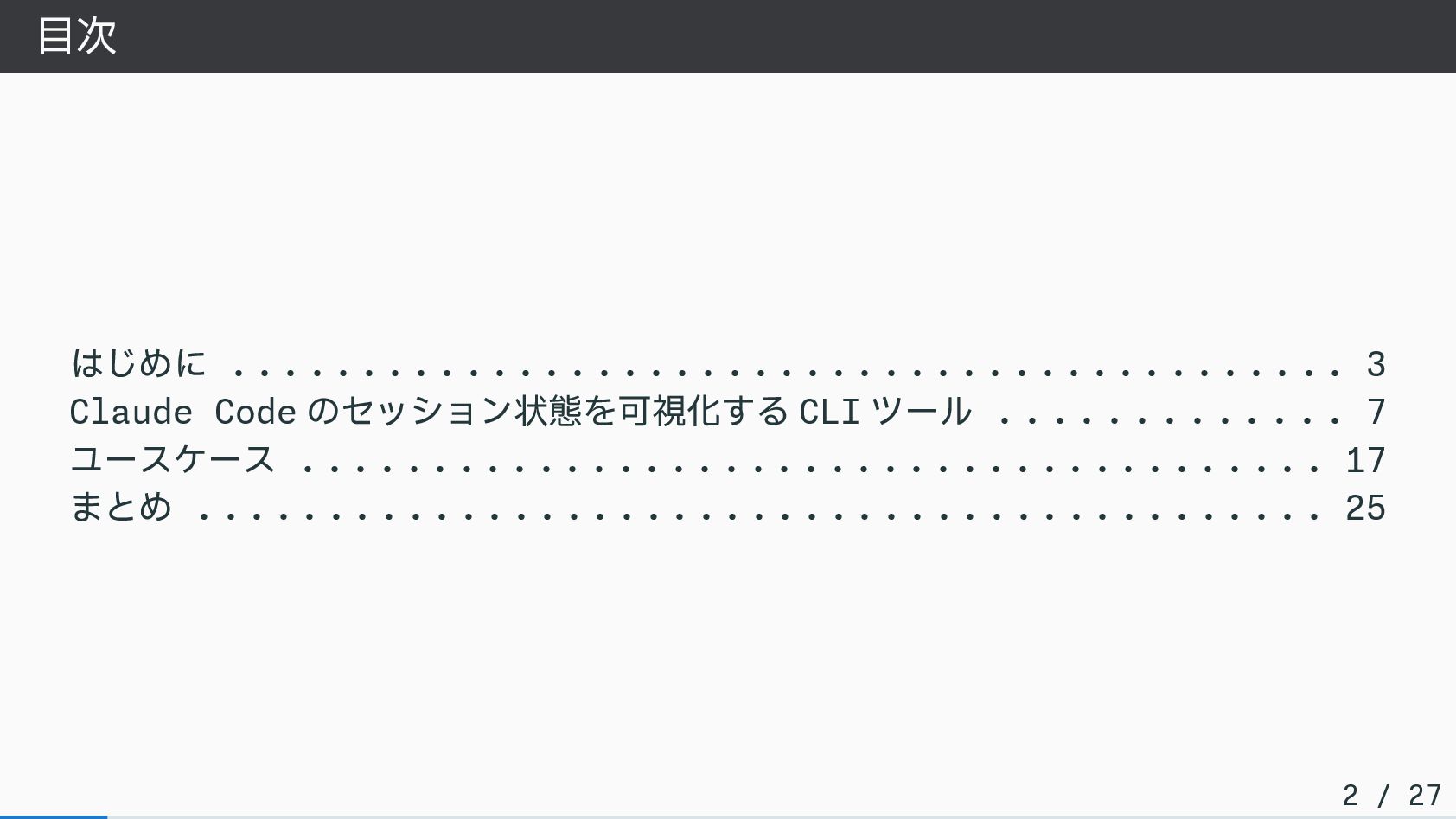
目次 はじめに . . . . . . . .
. . . . . . . . . . . . . . . . . . . . . . . . . . . . . . . . . . . 3 Claude Code のセッション状態を可視化する CLI ツール . . . . . . . . . . . . . 7 ユースケース . . . . . . . . . . . . . . . . . . . . . . . . . . . . . . . . . . . . . . . 17 まとめ . . . . . . . . . . . . . . . . . . . . . . . . . . . . . . . . . . . . . . . . . . . 25 2 / 27
はじめに
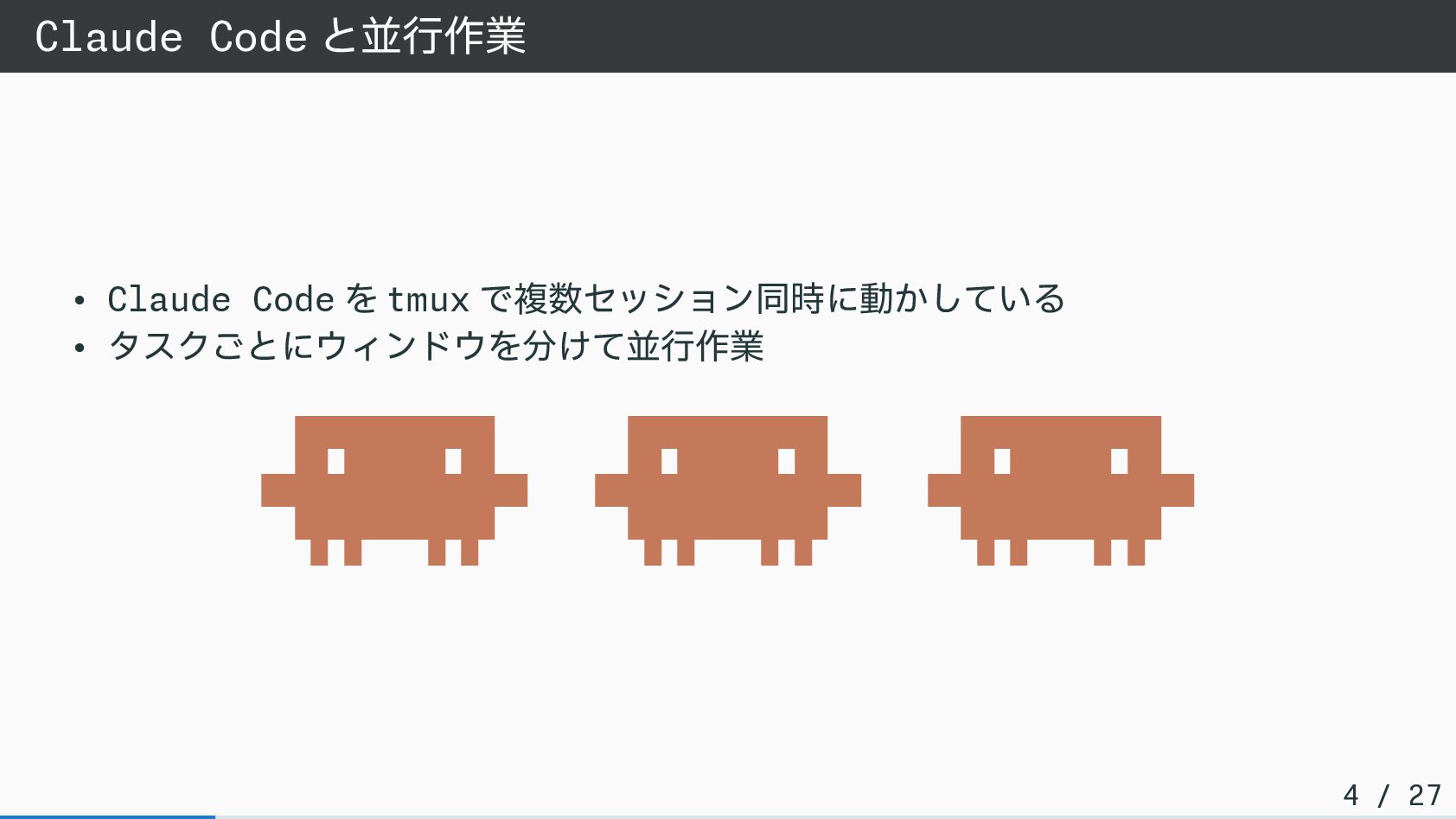
Claude Code と並行作業 • Claude Code を tmux で複数セッション同時に動かしている •
タスクごとにウィンドウを分けて並行作業 ▐▛███▜▌ ▐▛███▜▌ ▐▛███▜▌ ▝▜█████▛▘ ▝▜█████▛▘ ▝▜█████▛▘ ▘▘ ▝▝ ▘▘ ▝▝ ▘▘ ▝▝ 4 / 27
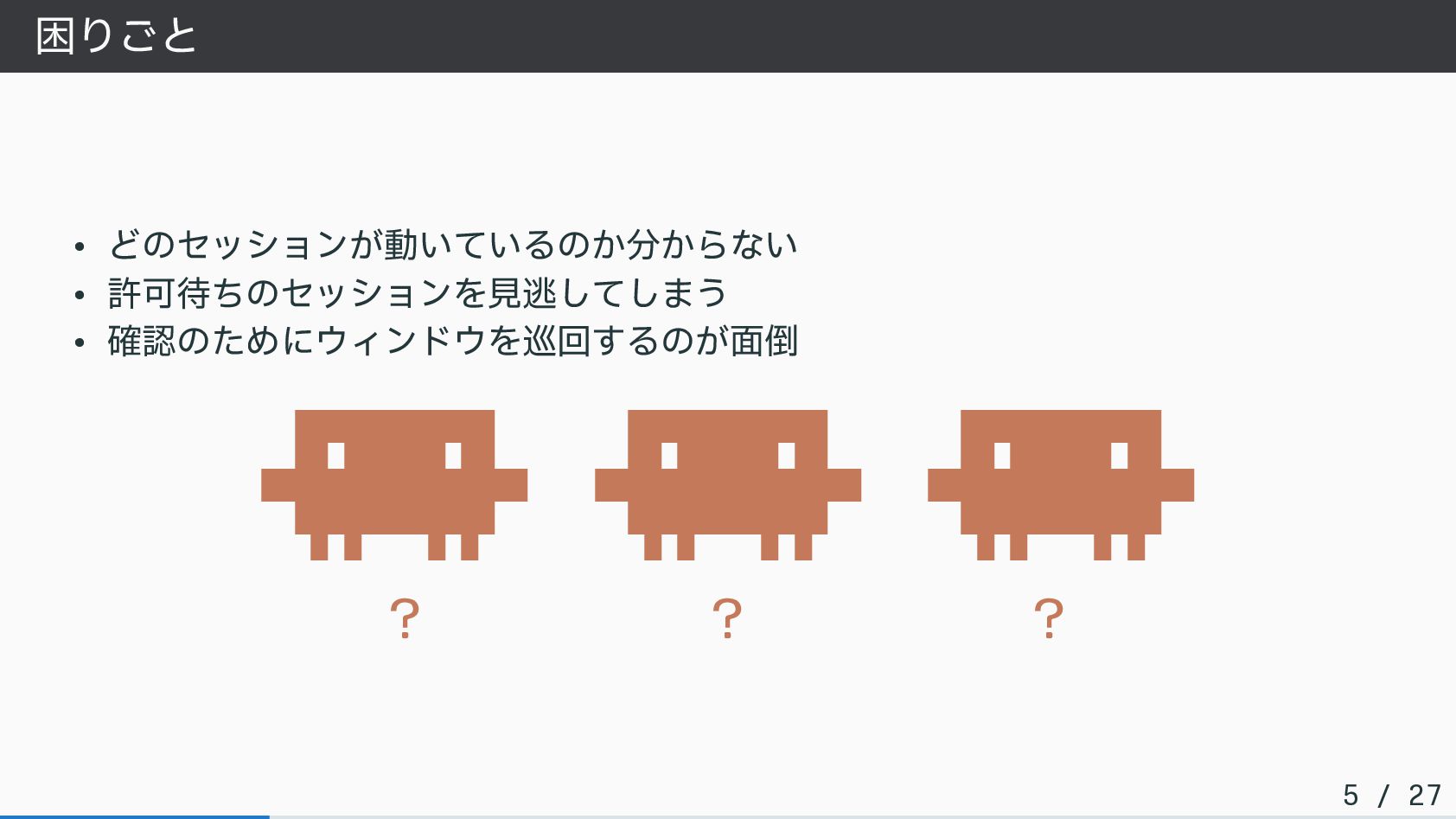
困りごと • どのセッションが動いているのか分からない • 許可待ちのセッションを見逃してしまう • 確認のためにウィンドウを巡回するのが面倒 ▐▛███▜▌ ▐▛███▜▌ ▐▛███▜▌
▝▜█████▛▘ ▝▜█████▛▘ ▝▜█████▛▘ ▘▘ ▝▝ ▘▘ ▝▝ ▘▘ ▝▝ ? ? ? 5 / 27
解決したいこと • 各セッションの状態を 一目で 把握したい • 許可待ち(waiting)をすぐに検知したい • 作業の流れを止めずに確認したい 6
/ 27
Claude Code のセッション状態 を可視化する CLI ツール
beacon • Claude Code のセッション状態を追跡する自作 CLI ツール • Hook イベントを
4 つの状態に変換して可視化 • ファイルベースの状態管理のため、デーモン不要 8 / 27
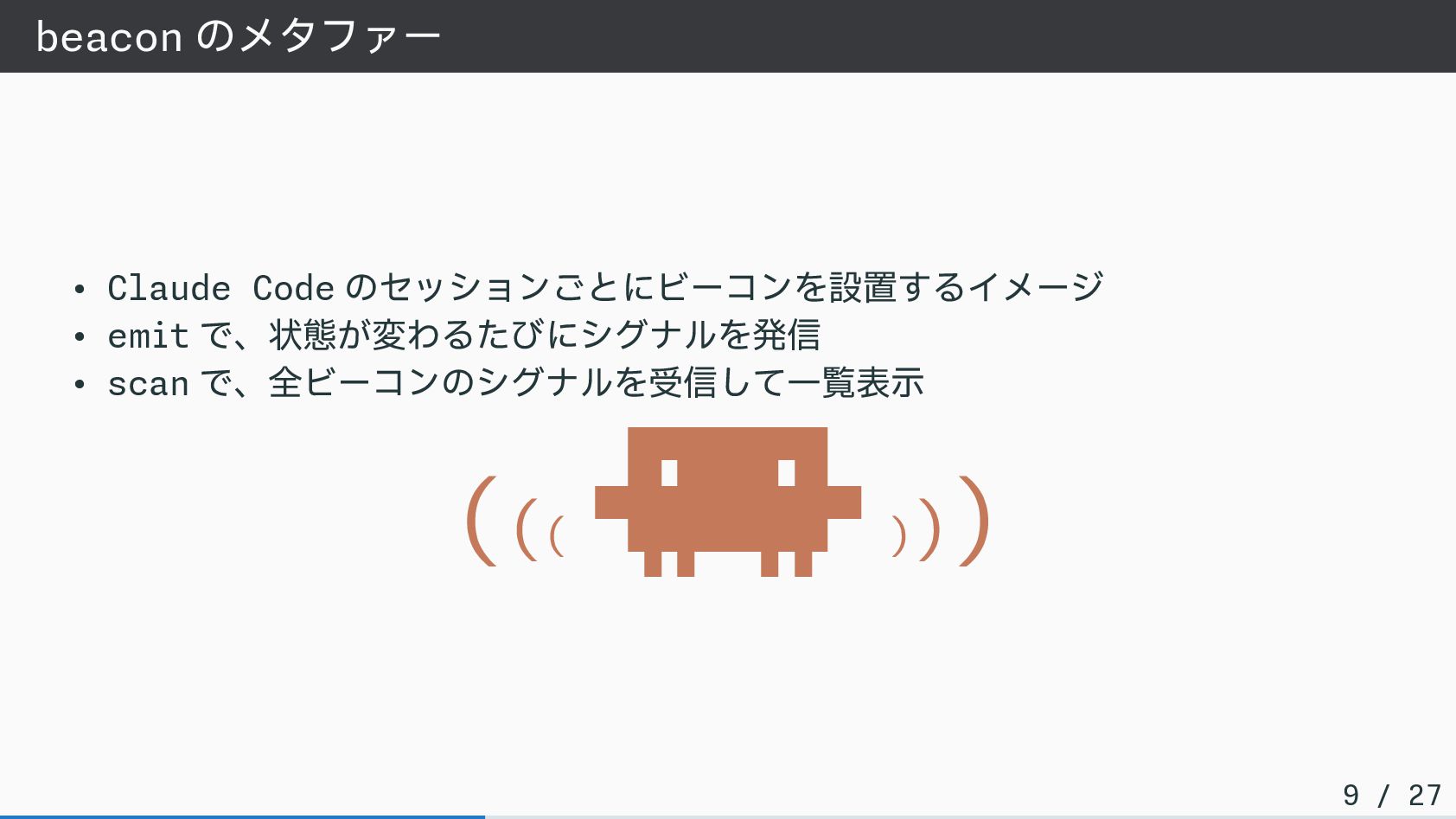
beacon のメタファー • Claude Code のセッションごとにビーコンを設置するイメージ • emit で、状態が変わるたびにシグナルを発信 •
scan で、全ビーコンのシグナルを受信して一覧表示 ((( ▐▛███▜▌ ▝▜█████▛▘ ▘▘ ▝▝ ))) 9 / 27
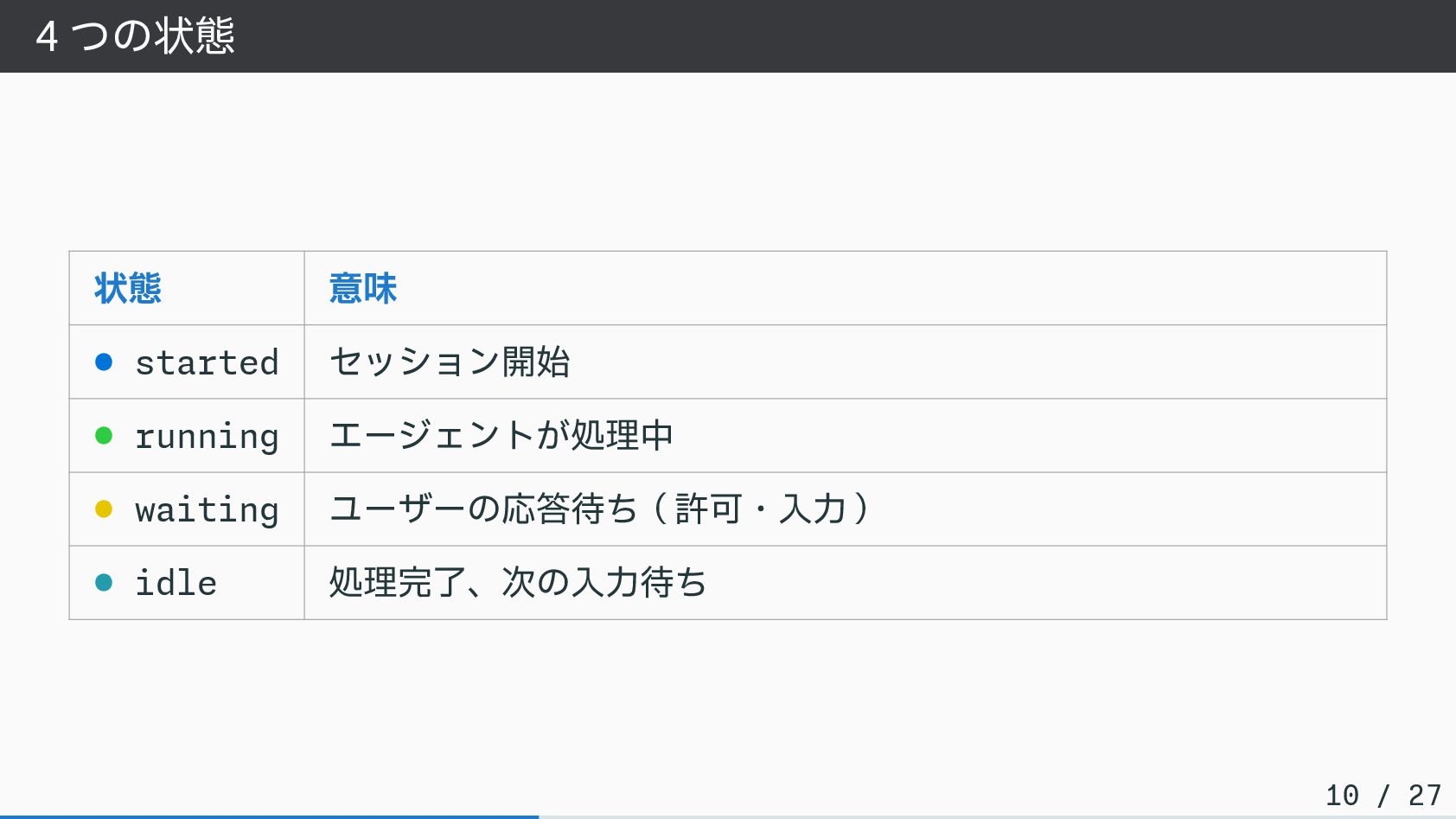
4 つの状態 状態 意味 • started セッション開始 • running エージェントが処理中
• waiting ユーザーの応答待ち(許可・入力) • idle 処理完了、次の入力待ち 10 / 27
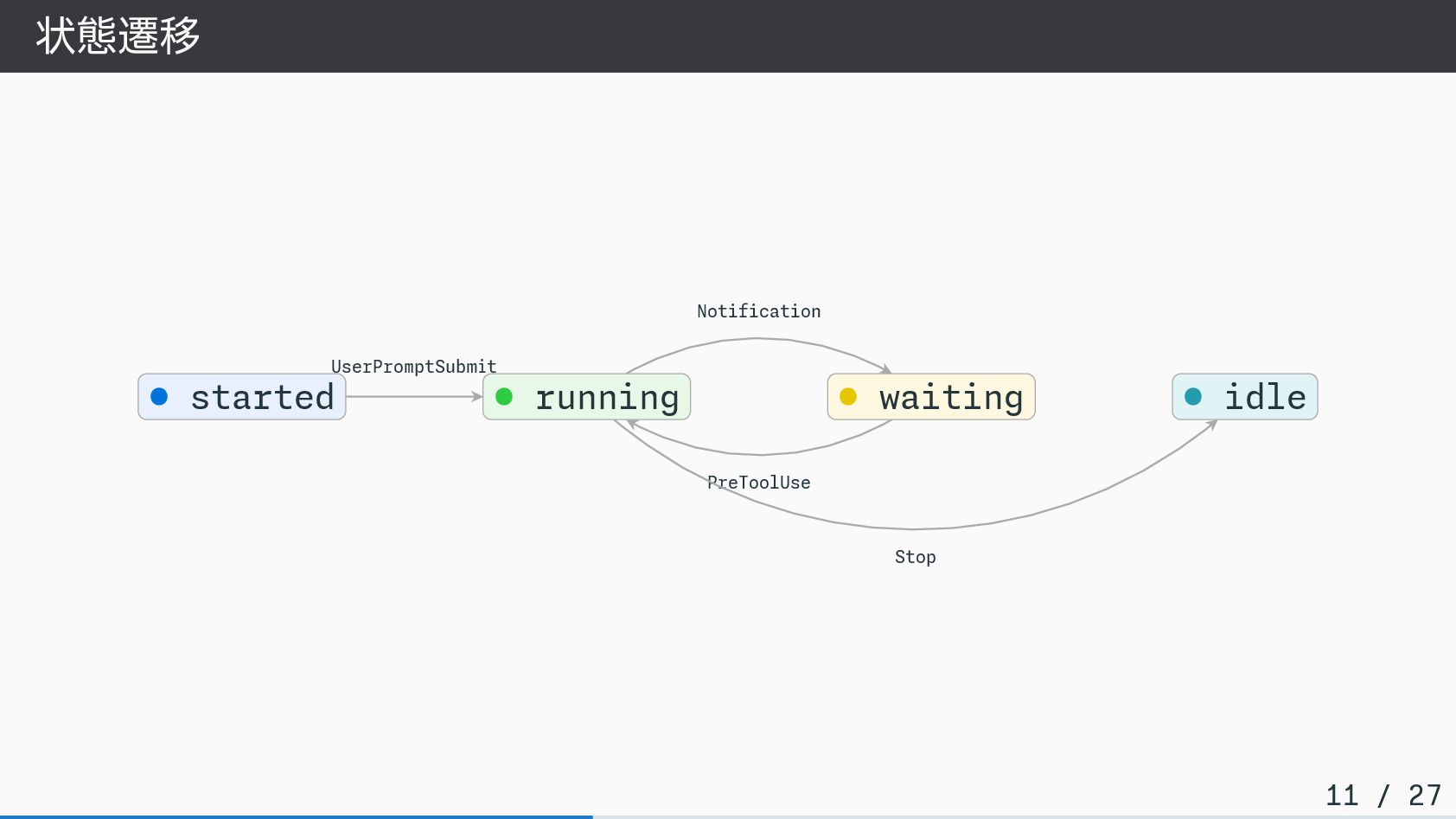
状態遷移 UserPromptSubmit Notification PreToolUse Stop • started • running •
waiting • idle 11 / 27
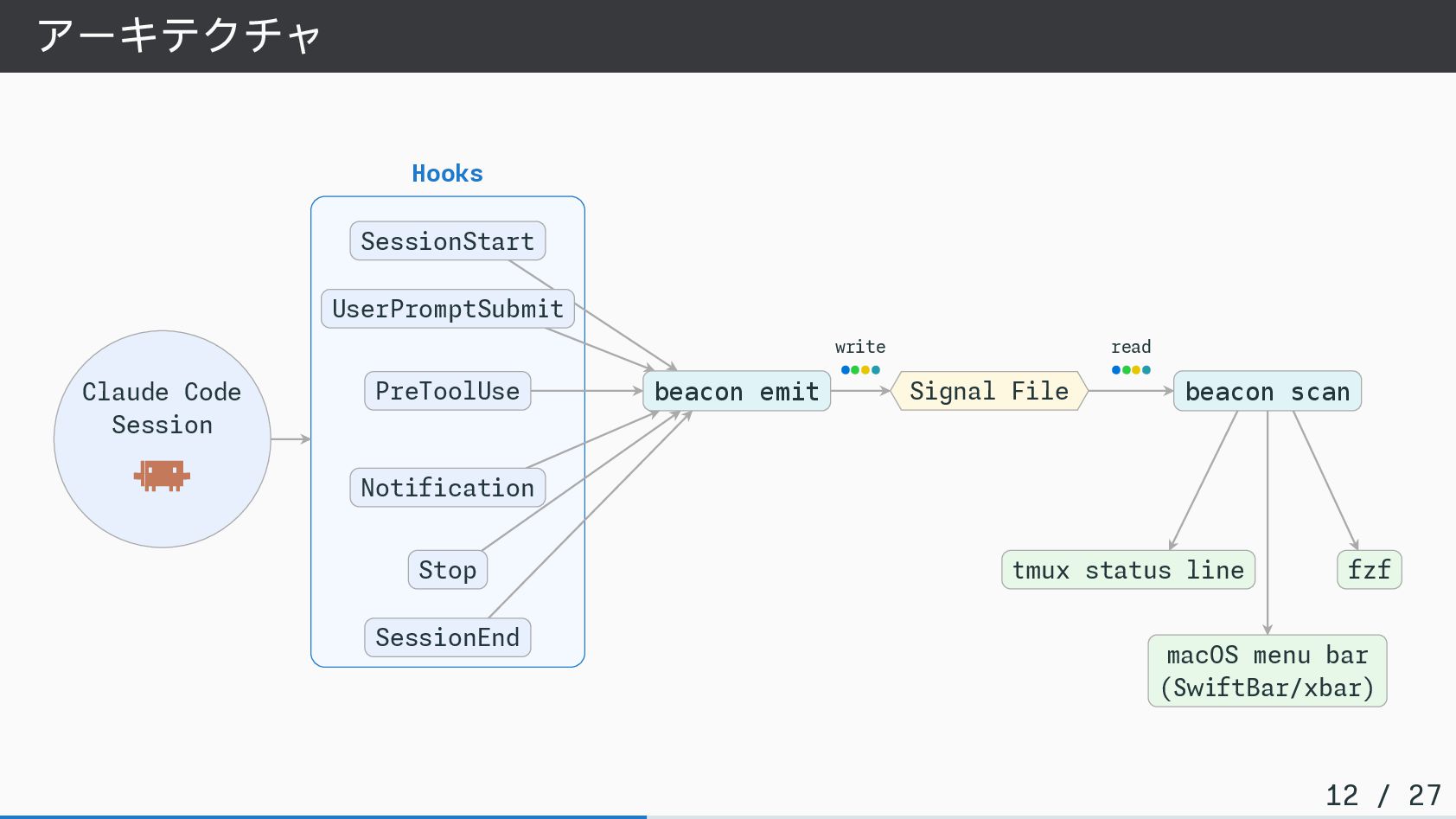
アーキテクチャ write •••• read •••• Claude Code Session ▐▛███▜▌ ▝▜█████▛▘
▘▘ ▝▝ Hooks SessionStart UserPromptSubmit PreToolUse Notification Stop SessionEnd beacon emit Signal File beacon scan tmux status line fzf macOS menu bar (SwiftBar/xbar) 12 / 27
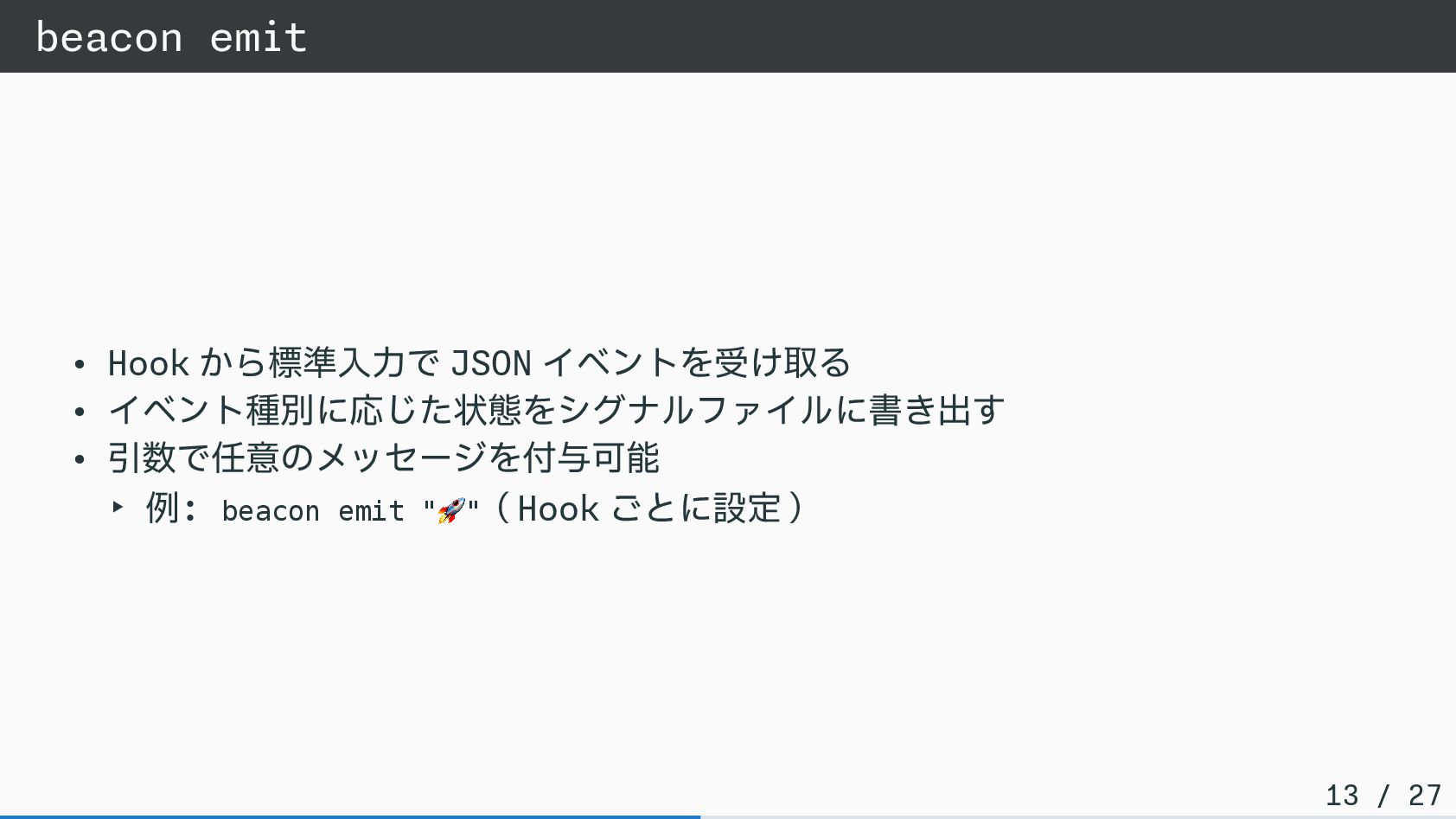
beacon emit • Hook から標準入力で JSON イベントを受け取る • イベント種別に応じた状態をシグナルファイルに書き出す •
引数で任意のメッセージを付与可能 ‣ 例: beacon emit " 🚀"(Hook ごとに設定) 13 / 27
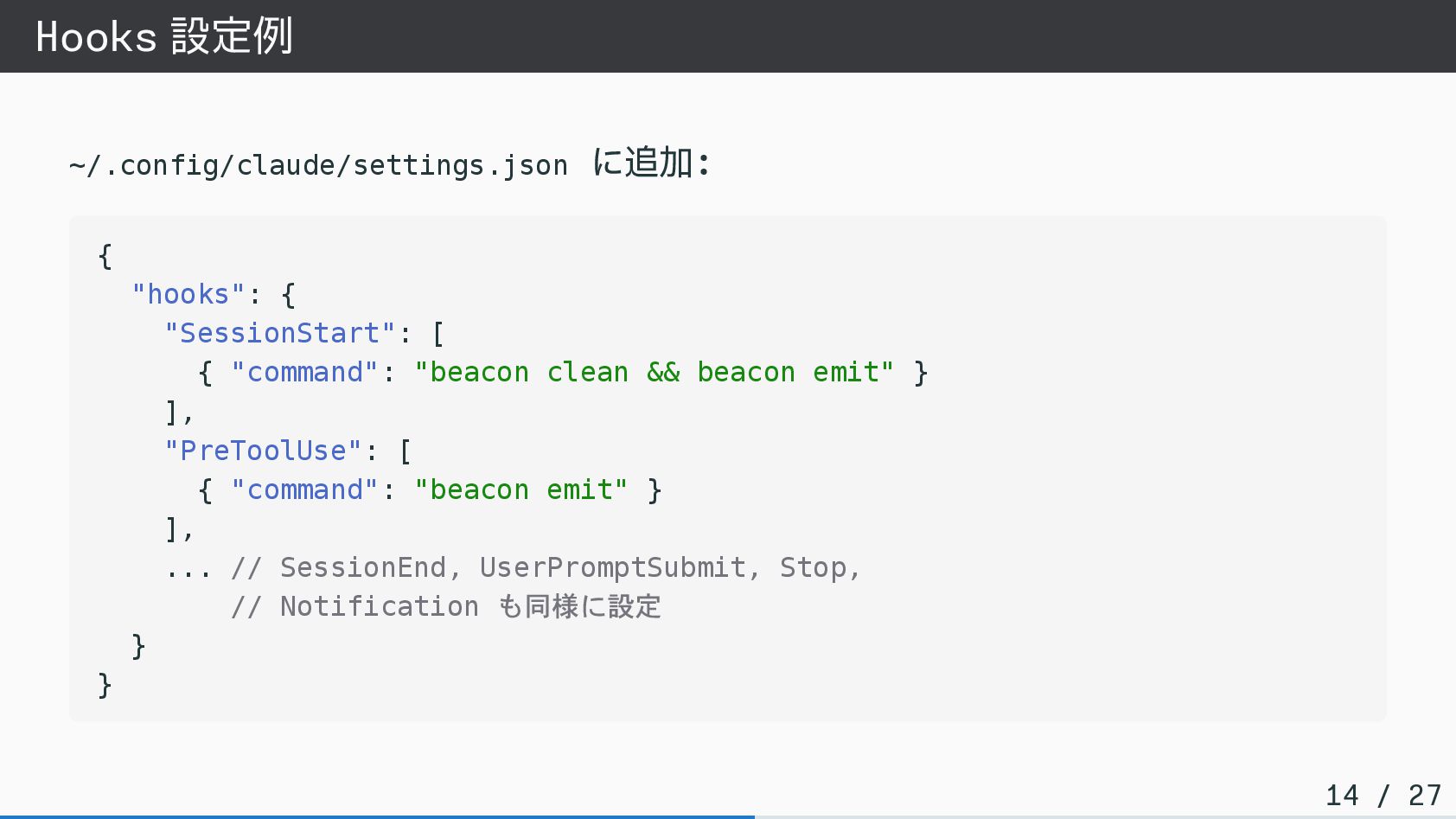
Hooks 設定例 ~/.config/claude/settings.json に追加: { "hooks": { "SessionStart": [ {
"command": "beacon clean && beacon emit" } ], "PreToolUse": [ { "command": "beacon emit" } ], ... // SessionEnd, UserPromptSubmit, Stop, // Notification も同様に設定 } } 14 / 27
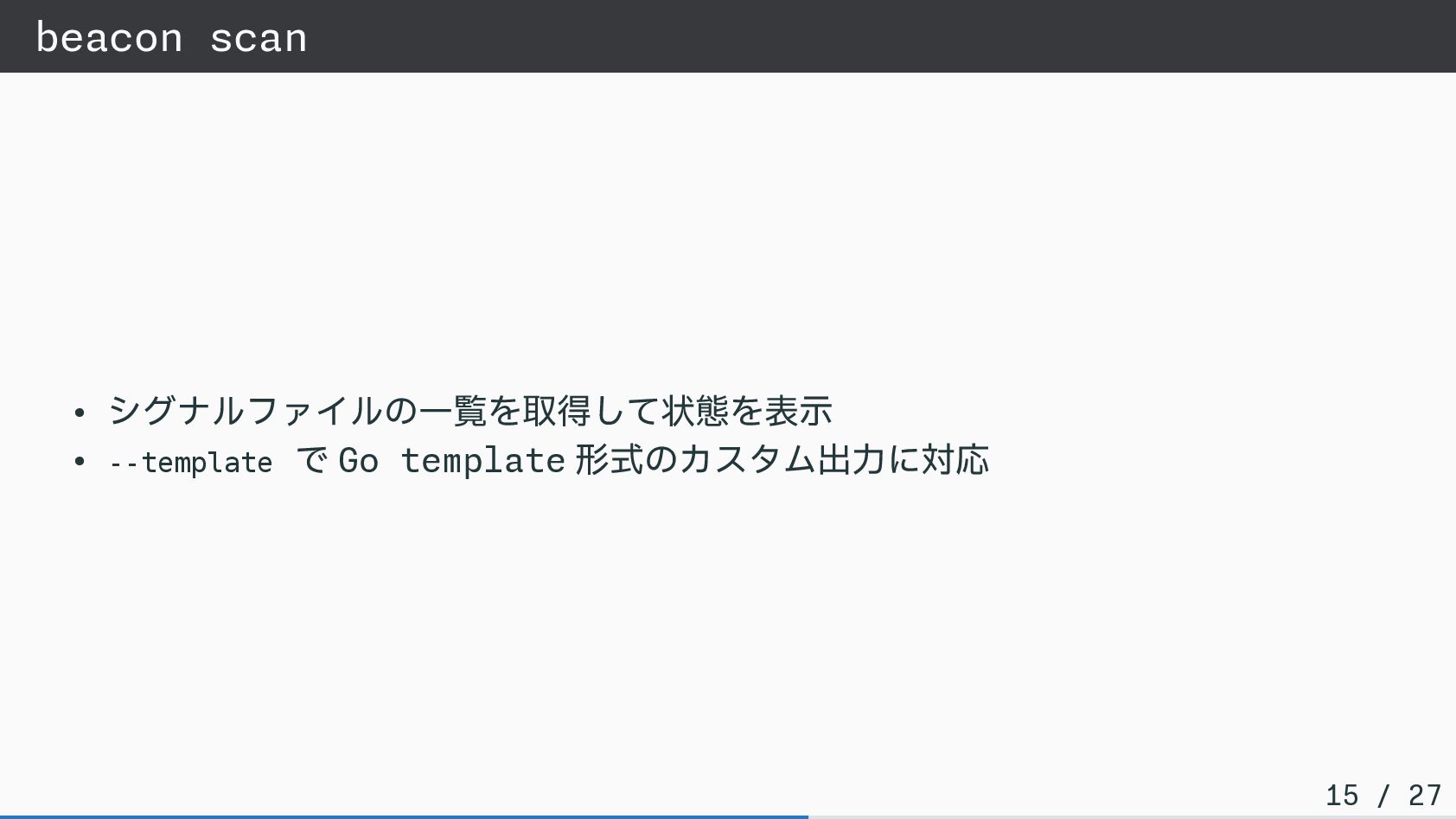
beacon scan • シグナルファイルの一覧を取得して状態を表示 • --template で Go template 形式のカスタム出力に対応
15 / 27
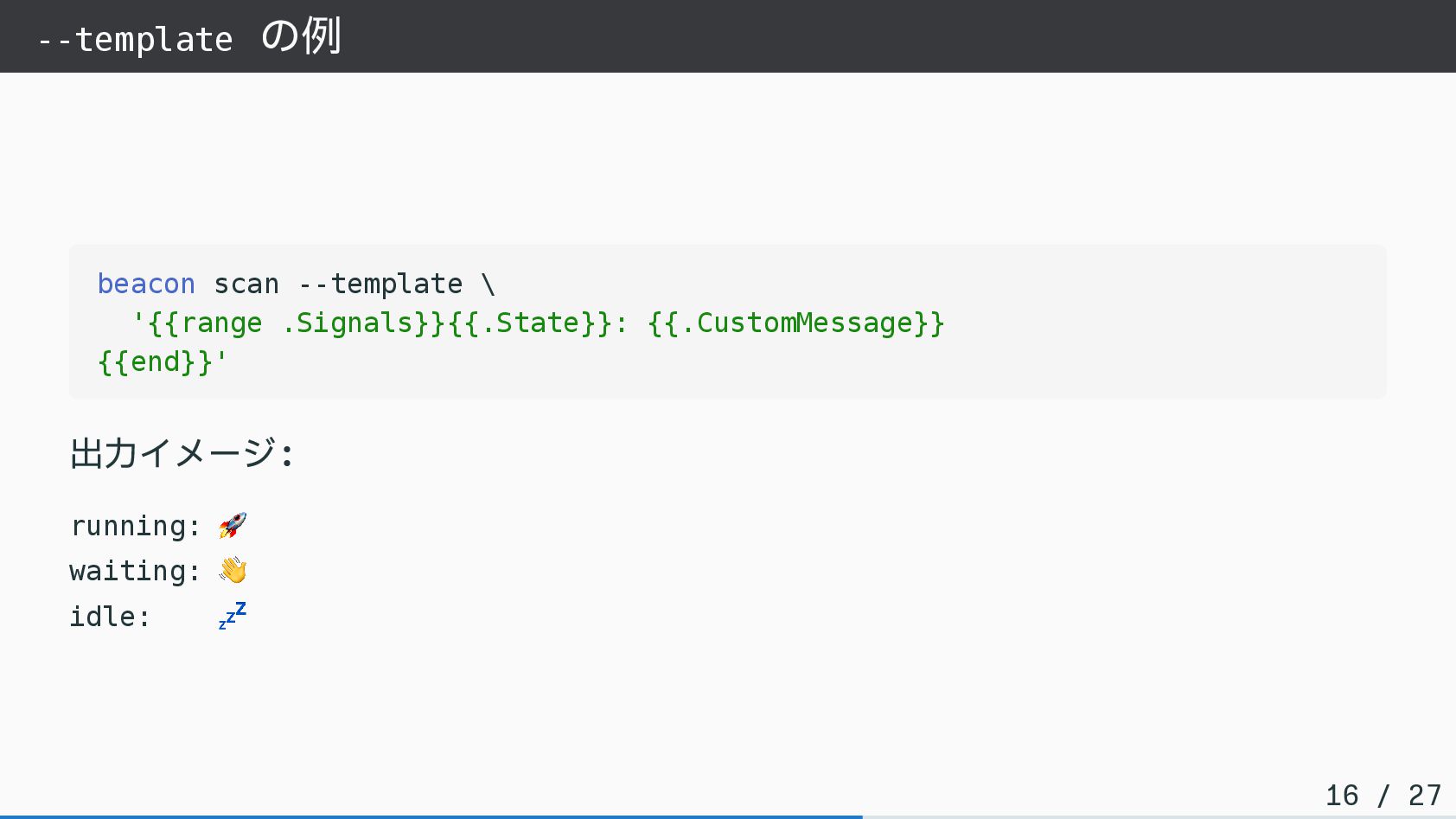
--template の例 beacon scan --template \ '{{range .Signals}}{{.State}}: {{.CustomMessage}} {{end}}'
出力イメージ: running: 🚀 waiting: 👋 idle: 💤 16 / 27
ユースケース
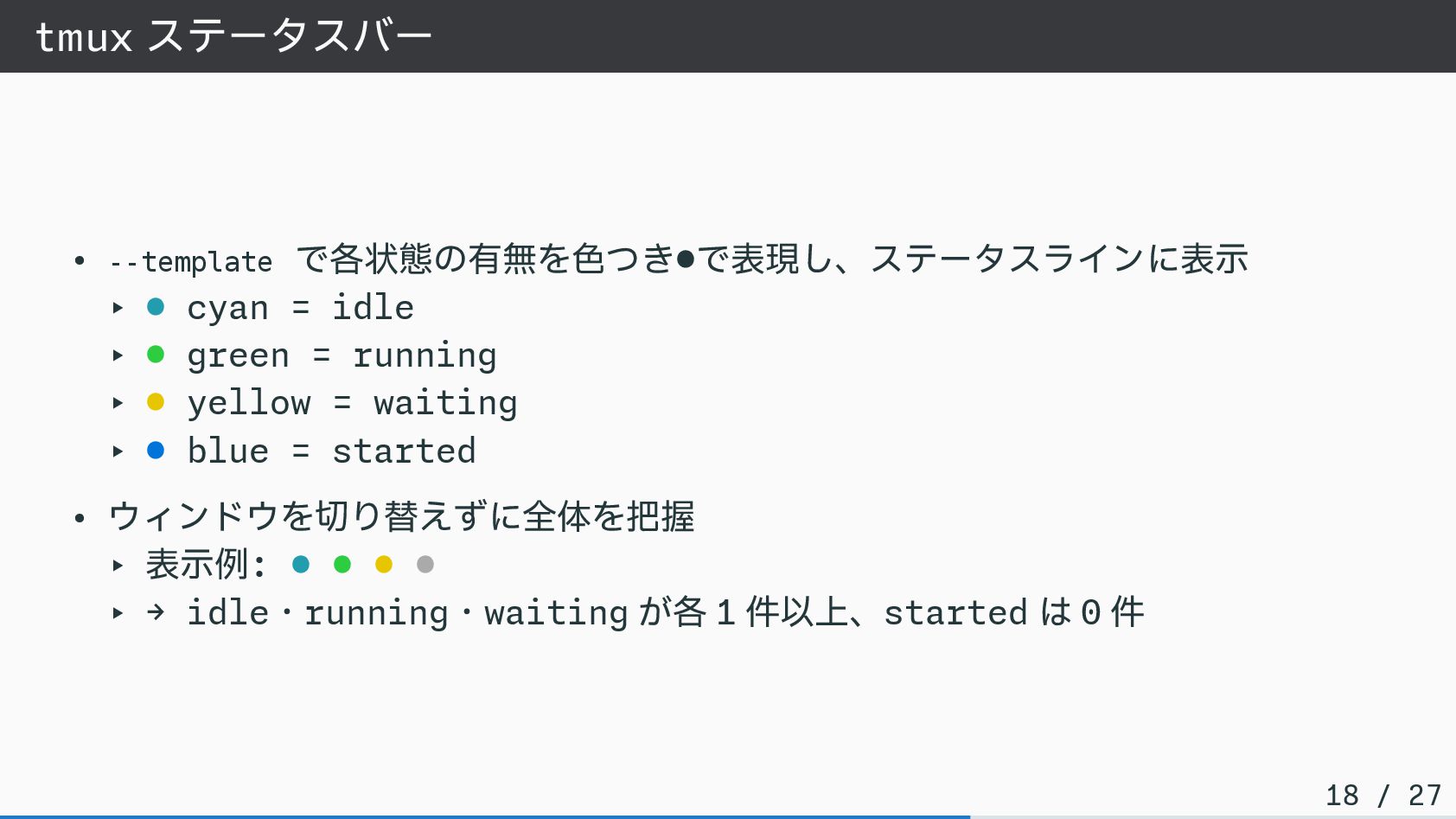
tmux ステータスバー • --template で各状態の有無を色つき•で表現し、ステータスラインに表示 ‣ • cyan = idle
‣ • green = running ‣ • yellow = waiting ‣ • blue = started • ウィンドウを切り替えずに全体を把握 ‣ 表示例: • • • • ‣ → idle・running・waiting が各 1 件以上、started は 0 件 18 / 27
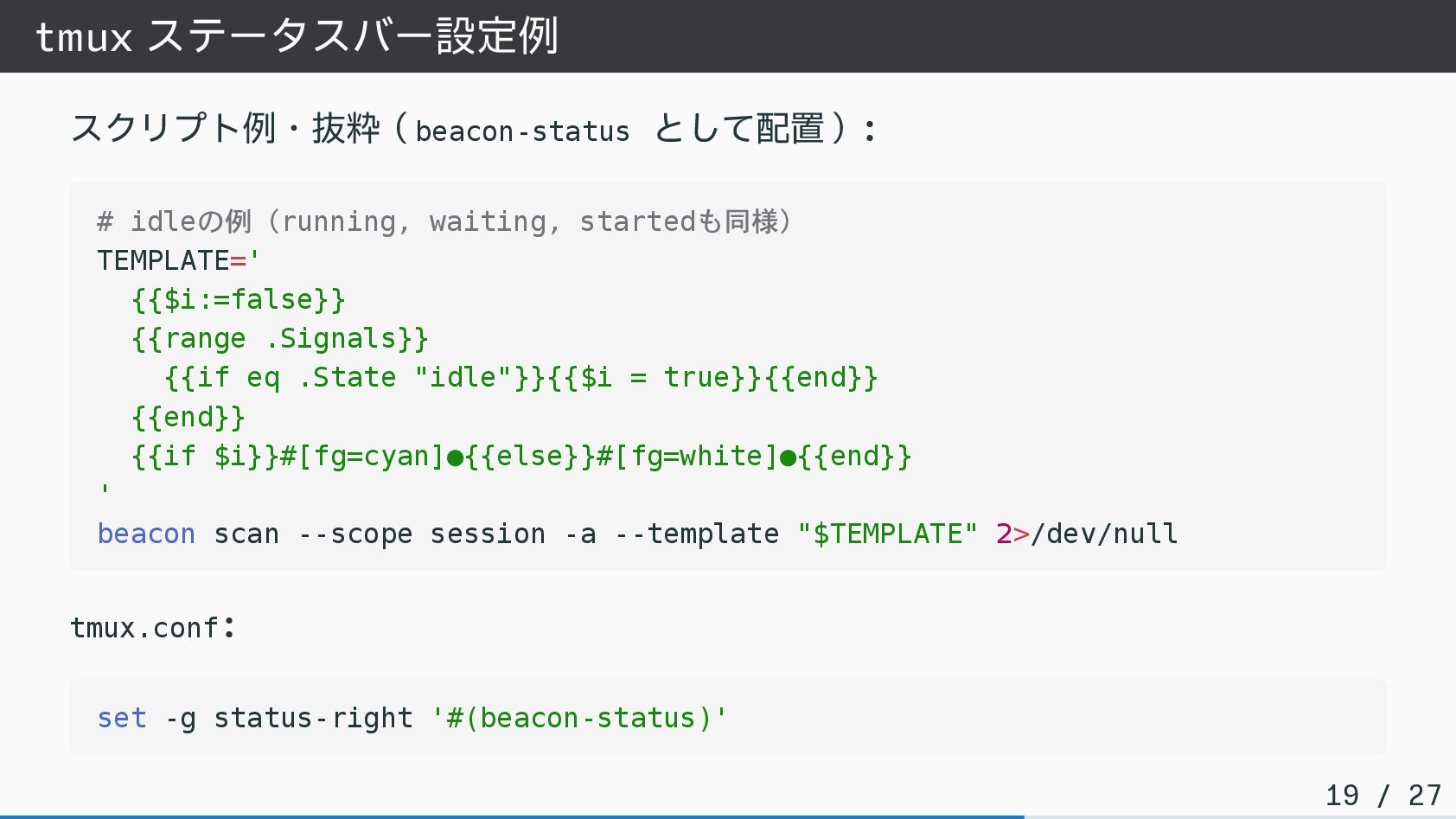
tmux ステータスバー設定例 スクリプト例・抜粋(beacon-status として配置): # idleの例(running, waiting, startedも同様) TEMPLATE=' {{$i:=false}}
{{range .Signals}} {{if eq .State "idle"}}{{$i = true}}{{end}} {{end}} {{if $i}}#[fg=cyan]•{{else}}#[fg=white]•{{end}} ' beacon scan --scope session -a --template "$TEMPLATE" 2>/dev/null tmux.conf: set -g status-right '#(beacon-status)' 19 / 27
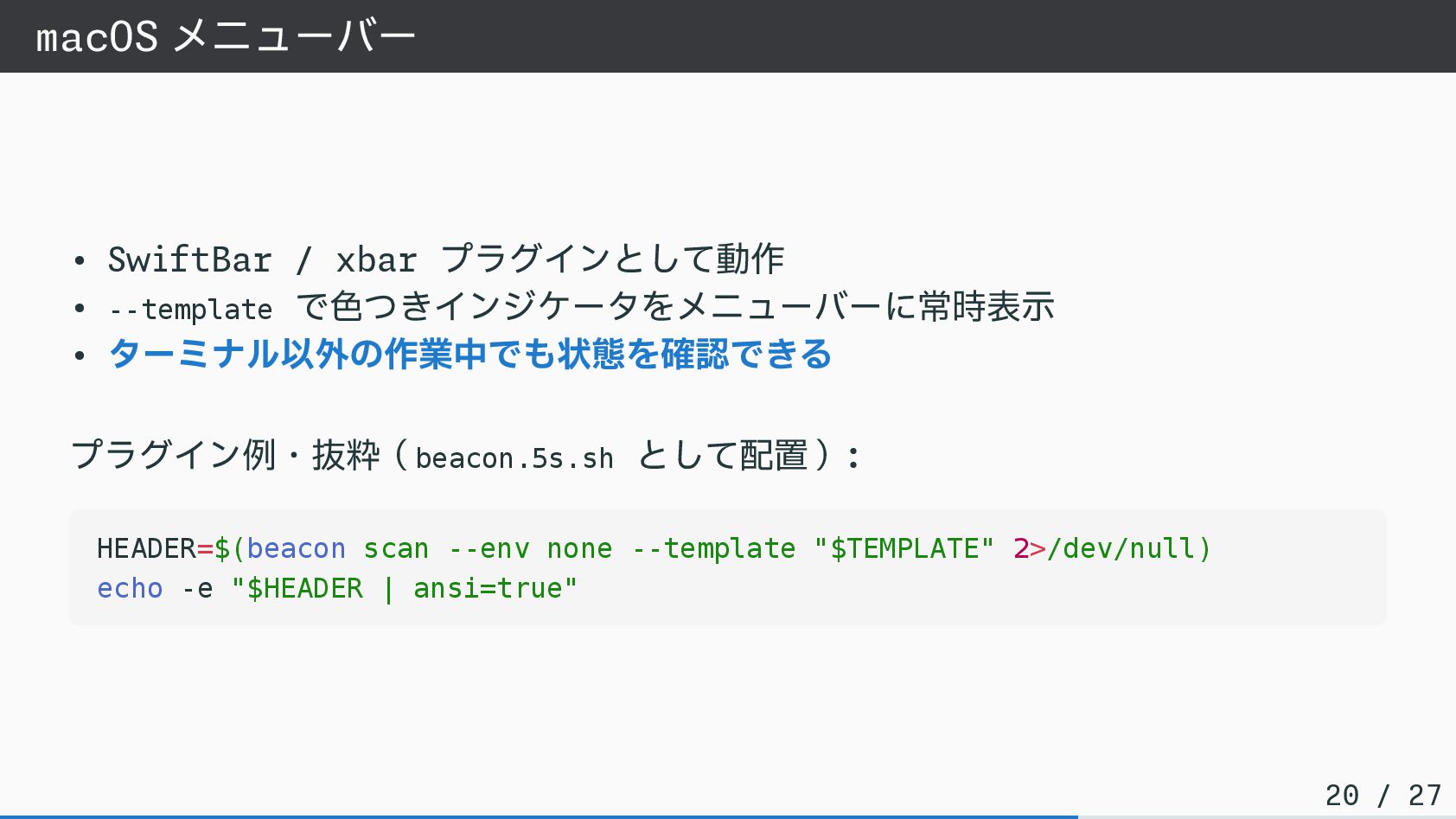
macOS メニューバー • SwiftBar / xbar プラグインとして動作 • --template で色つきインジケータをメニューバーに常時表示
• ターミナル以外の作業中でも状態を確認できる プラグイン例・抜粋(beacon.5s.sh として配置): HEADER=$(beacon scan --env none --template "$TEMPLATE" 2>/dev/null) echo -e "$HEADER | ansi=true" 20 / 27
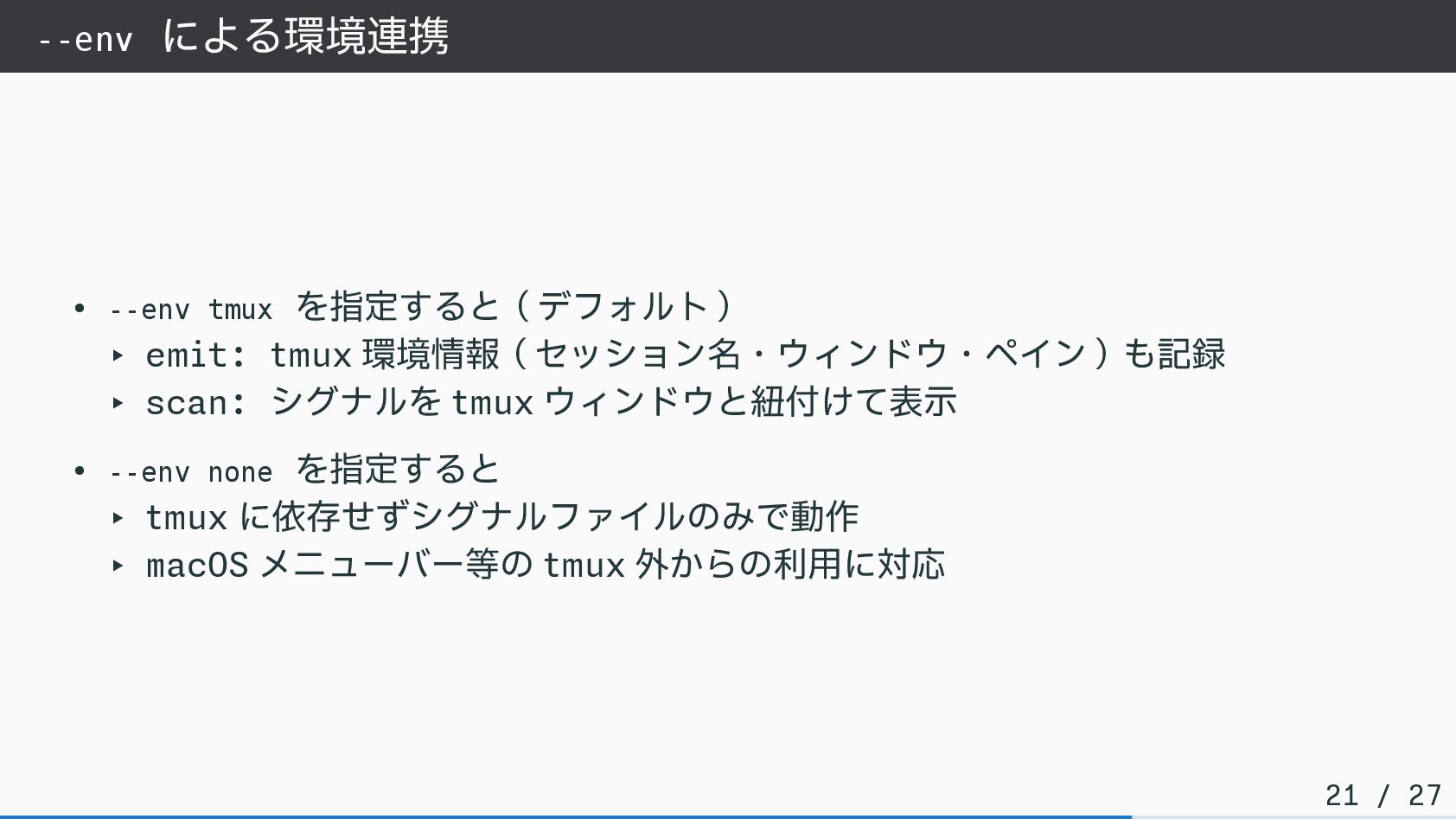
--env による環境連携 • --env tmux を指定すると(デフォルト) ‣ emit: tmux 環境情報(セッション名・ウィンドウ・ペイン)も記録
‣ scan: シグナルを tmux ウィンドウと紐付けて表示 • --env none を指定すると ‣ tmux に依存せずシグナルファイルのみで動作 ‣ macOS メニューバー等の tmux 外からの利用に対応 21 / 27
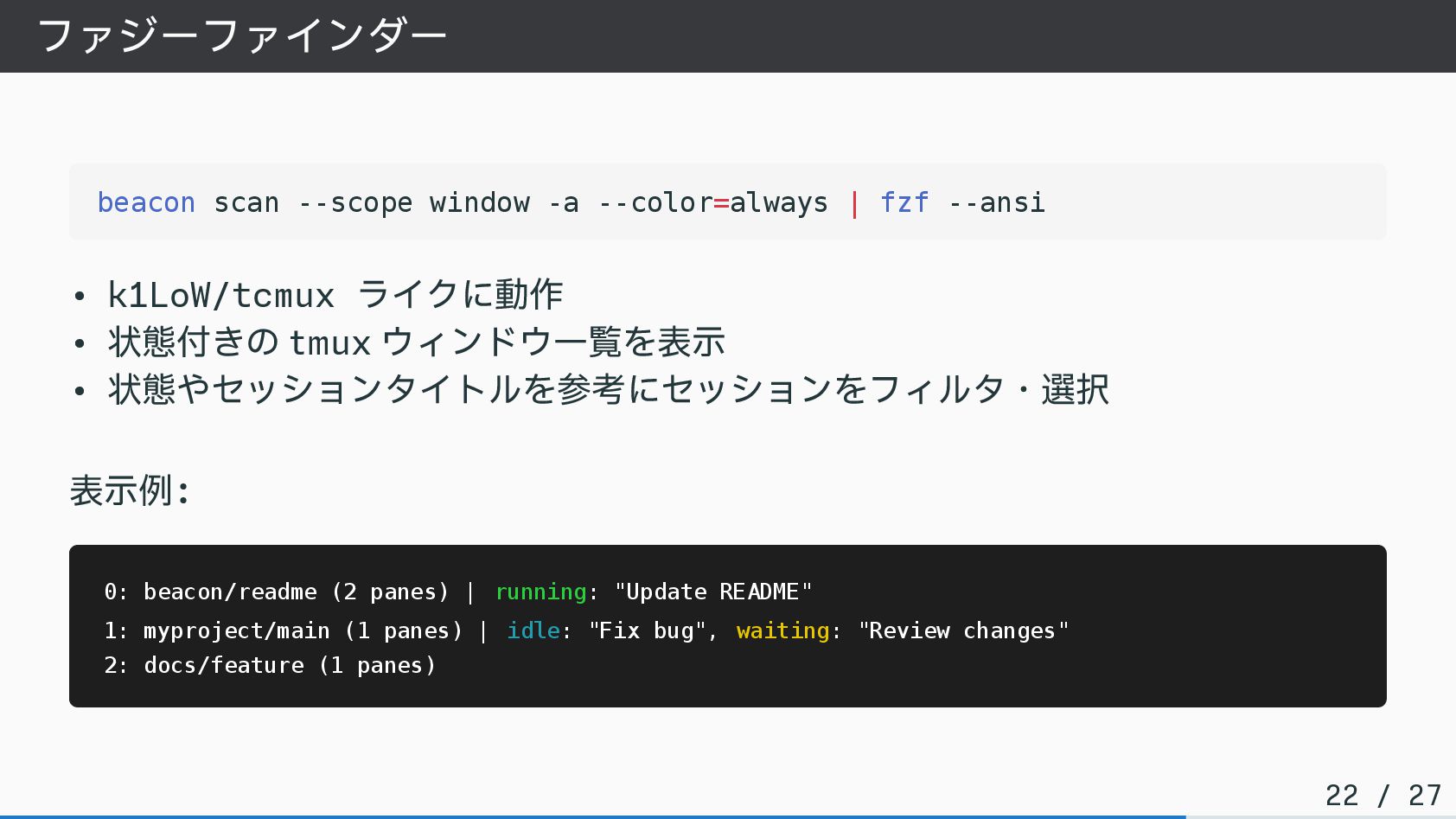
ファジーファインダー beacon scan --scope window -a --color=always | fzf --ansi
• k1LoW/tcmux ライクに動作 • 状態付きの tmux ウィンドウ一覧を表示 • 状態やセッションタイトルを参考にセッションをフィルタ・選択 表示例: 0: beacon/readme (2 panes) | running: "Update README" 1: myproject/main (1 panes) | idle: "Fix bug", waiting: "Review changes" 2: docs/feature (1 panes) 22 / 27
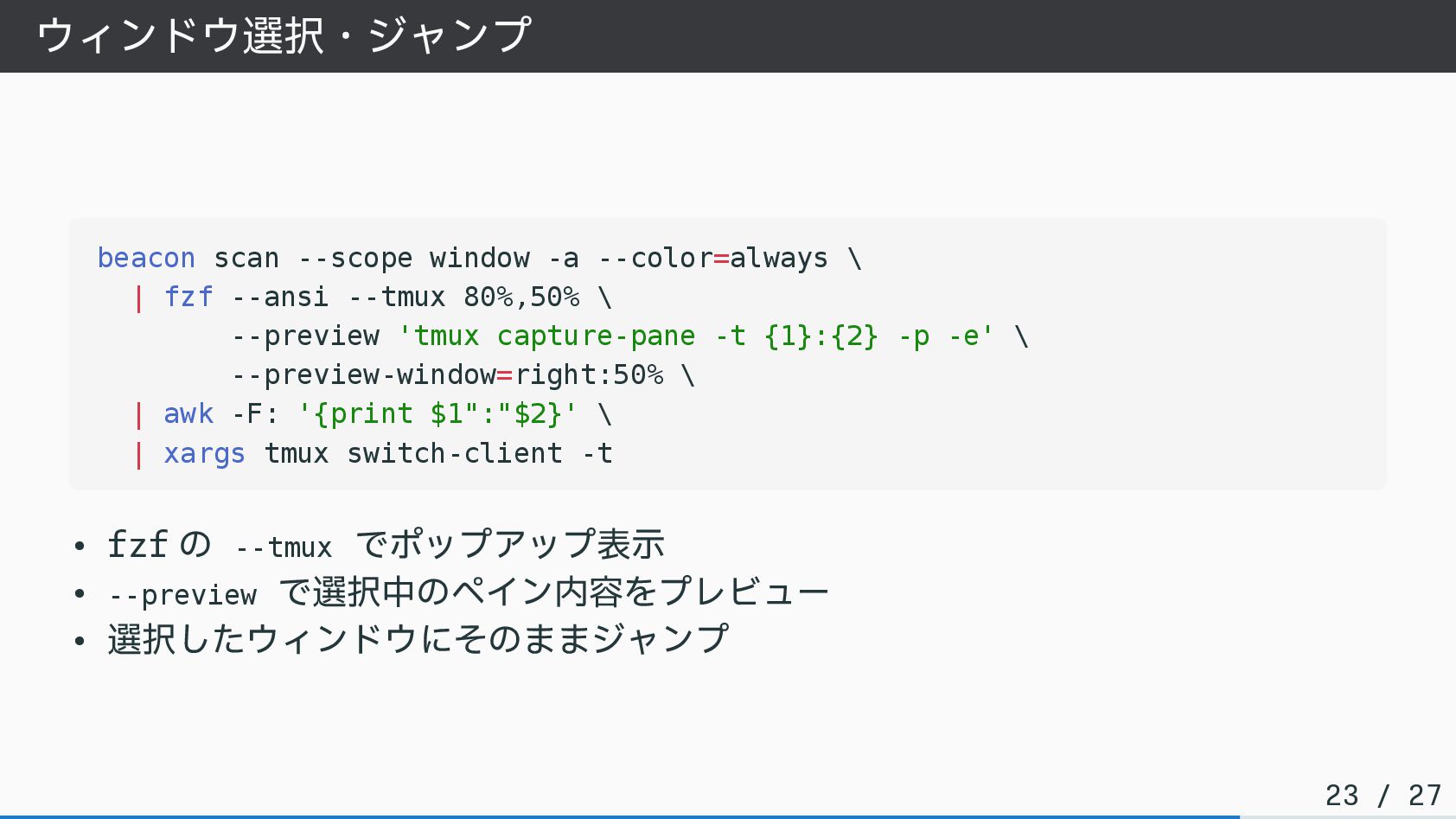
ウィンドウ選択・ジャンプ beacon scan --scope window -a --color=always \ | fzf
--ansi --tmux 80%,50% \ --preview 'tmux capture-pane -t {1}:{2} -p -e' \ --preview-window=right:50% \ | awk -F: '{print $1":"$2}' \ | xargs tmux switch-client -t • fzf の --tmux でポップアップ表示 • --preview で選択中のペイン内容をプレビュー • 選択したウィンドウにそのままジャンプ 23 / 27
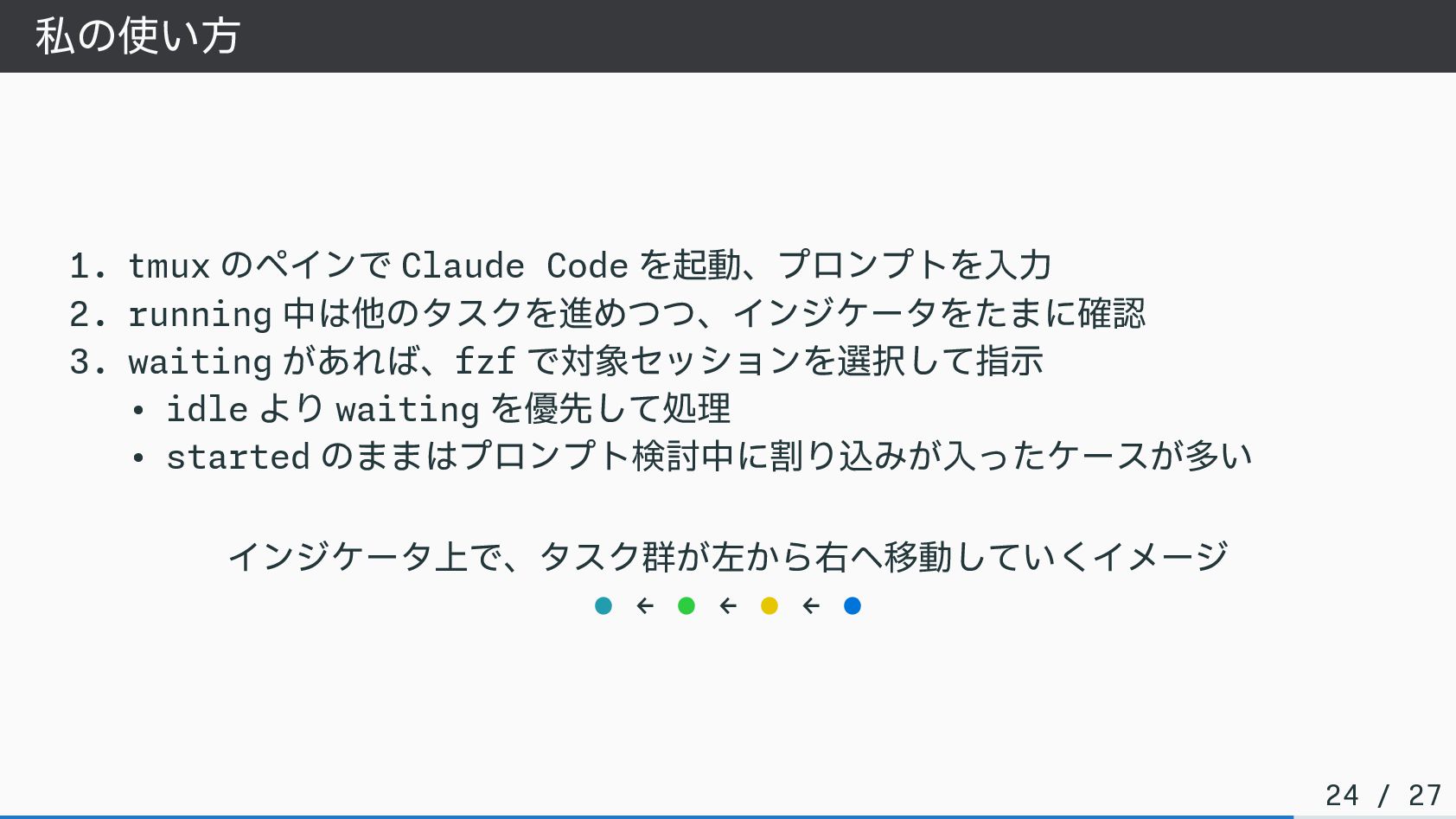
私の使い方 1. tmux のペインで Claude Code を起動、プロンプトを入力 2. running 中は他のタスクを進めつつ、インジケータをたまに確認
3. waiting があれば、fzf で対象セッションを選択して指示 • idle より waiting を優先して処理 • started のままはプロンプト検討中に割り込みが入ったケースが多い インジケータ上で、タスク群が左から右へ移動していくイメージ • ← • ← • ← • 24 / 27
まとめ
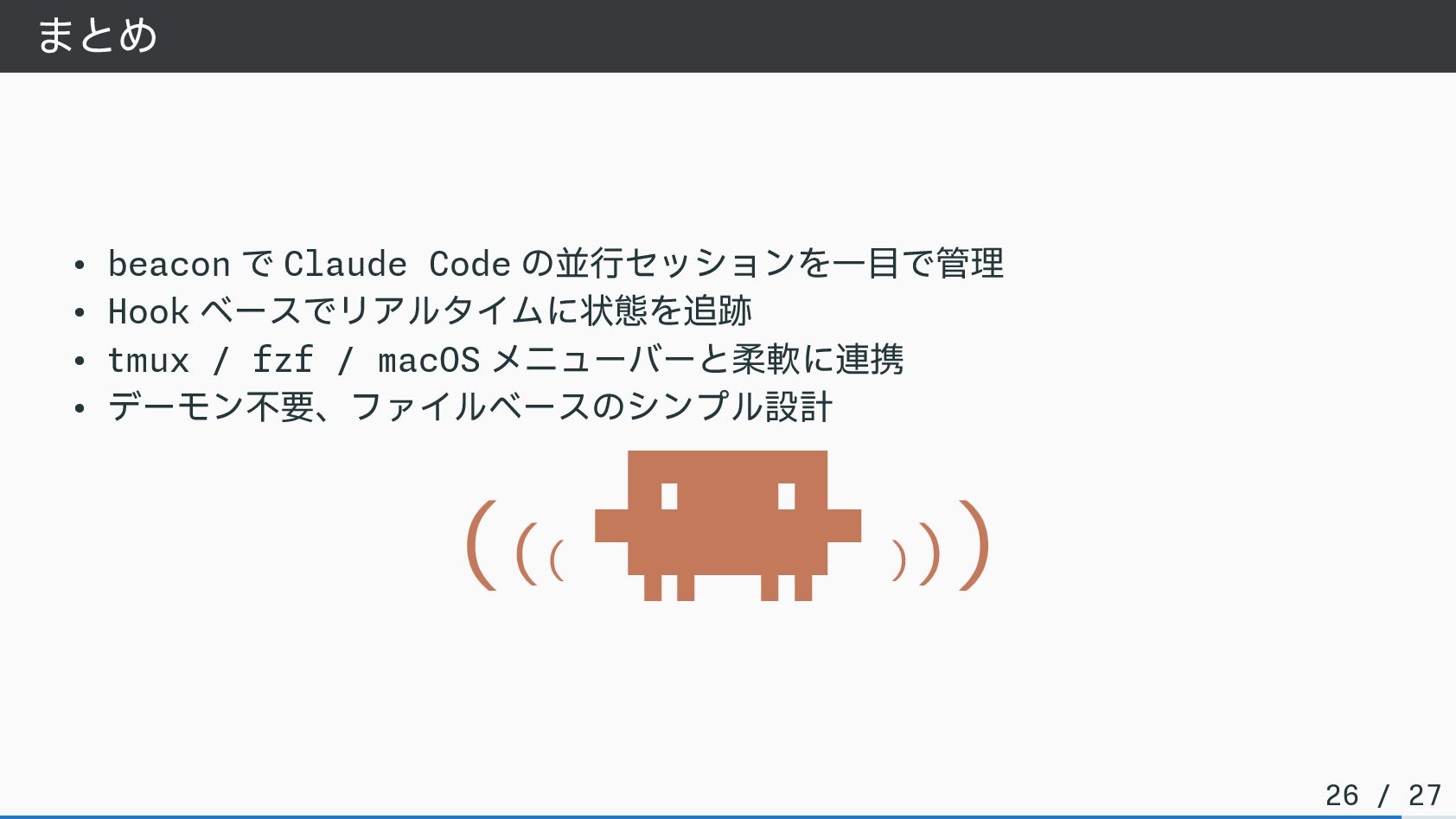
まとめ • beacon で Claude Code の並行セッションを一目で管理 • Hook ベースでリアルタイムに状態を追跡
• tmux / fzf / macOS メニューバーと柔軟に連携 • デーモン不要、ファイルベースのシンプル設計 ((( ▐▛███▜▌ ▝▜█████▛▘ ▘▘ ▝▝ ))) 26 / 27
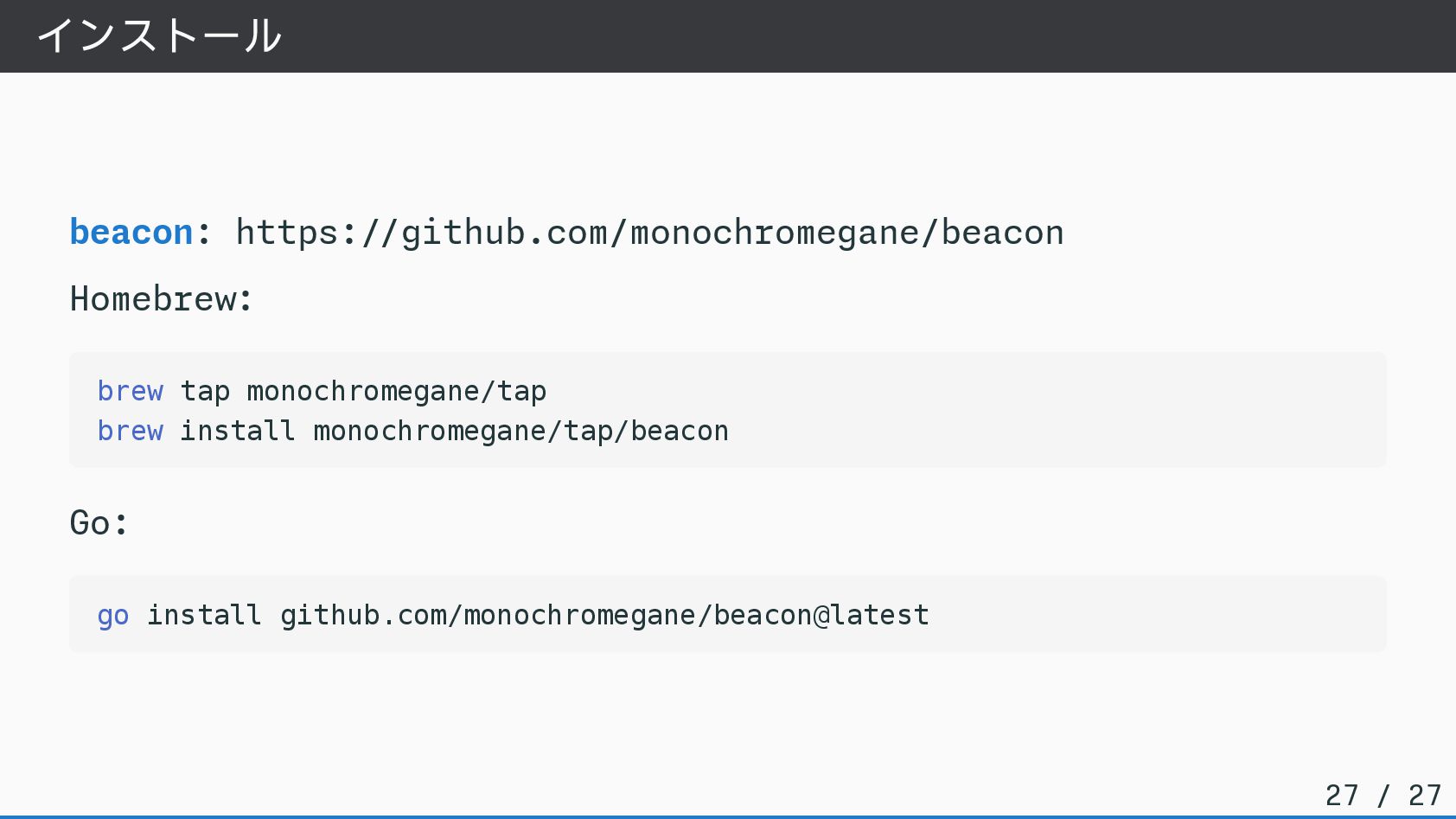
インストール beacon: https://github.com/monochromegane/beacon Homebrew: brew tap monochromegane/tap brew install monochromegane/tap/beacon
Go: go install github.com/monochromegane/beacon@latest 27 / 27


 monochromegane
 kinopeee
 teyamagu
 glassfiber
 koher
koher
 monolithic_adam
 ayumu_yamaguchi
 kenkino
 iwatsukayura
 syumai
 kobakei
 rockname
 repunit11
 tamaranovitovic
 greggifford
 oripsolob
 michielstock
 bluesmoon
 cassininazir
 katiecoart
 danielanewman
 cromwellryan
 axbom
axbom
 csswizardry