Upgrade to Pro — share decks privately, control downloads, hide ads and more …

文字列操作の達人になる ~ Kotlinの文字列の便利な世界 ~ - Kotlin fest ...

Sponsored · Your Podcast. Everywhere. Effortlessly. Share. Educate. Inspire. Entertain. You do you. We'll handle the rest.

文字列操作の達人になる ~ Kotlinの文字列の便利な世界 ~ - Kotlin fest 2025

Avatar for Tomoki Yamashita

Tomoki Yamashita

November 01, 2025

More Decks by Tomoki Yamashita

Other Decks in Technology

Transcript

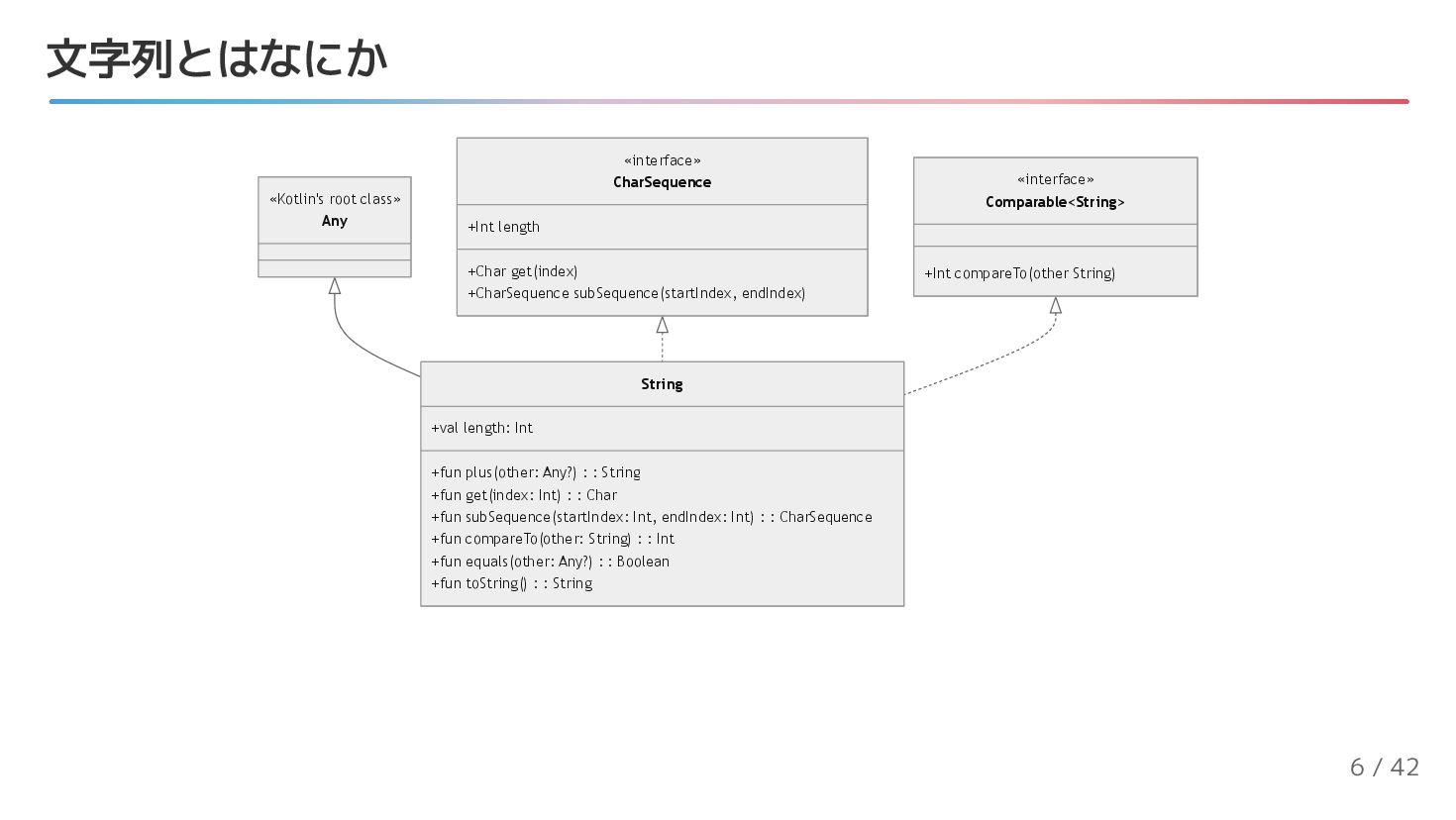
  1. 文字列とはなにか «Kotlin's root class» Any «interface» CharSequence +Int length +Char

    get(index) +CharSequence subSequence(startIndex, endIndex) «interface» Comparable<String> +Int compareTo(other String) String +val length: Int +fun plus(other: Any?) : : String +fun get(index: Int) : : Char +fun subSequence(startIndex: Int, endIndex: Int) : : CharSequence +fun compareTo(other: String) : : Int +fun equals(other: Any?) : : Boolean +fun toString() : : String 6 / 42
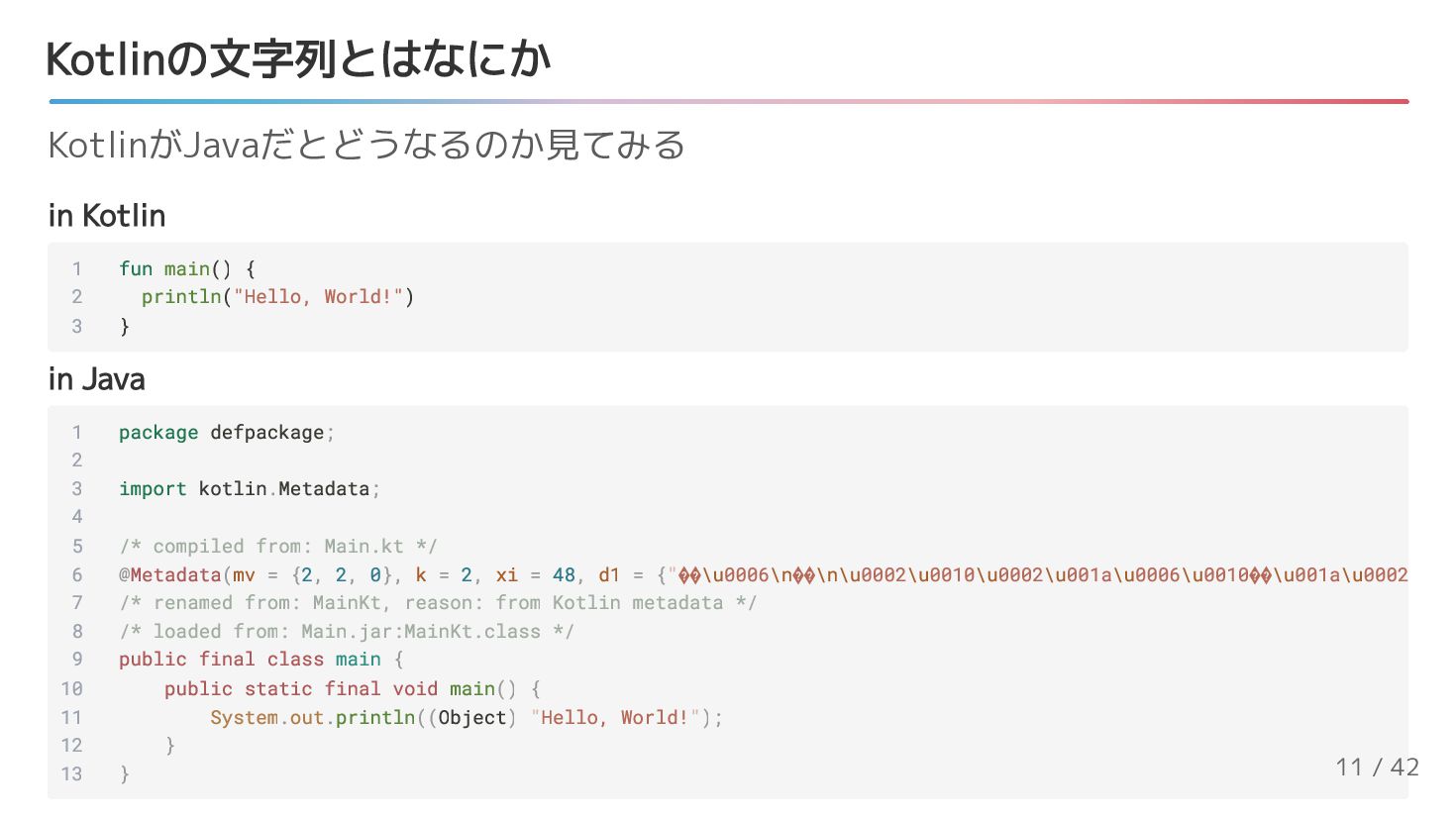
  2. Kotlinの文字列とはなにか in Kotlin in Java KotlinがJavaだとどうなるのか見てみる 1 fun main() {

    2 println("Hello, World!") 3 } 1 package defpackage; 2 3 import kotlin.Metadata; 4 5 /* compiled from: Main.kt */ 6 @Metadata(mv = {2, 2, 0}, k = 2, xi = 48, d1 = {"��\u0006\n��\n\u0002\u0010\u0002\u001a\u0006\u0010��\u001a\u0002 7 /* renamed from: MainKt, reason: from Kotlin metadata */ 8 /* loaded from: Main.jar:MainKt.class */ 9 public final class main { 10 public static final void main() { 11 System.out.println((Object) "Hello, World!"); 12 } 13 } 11 / 42
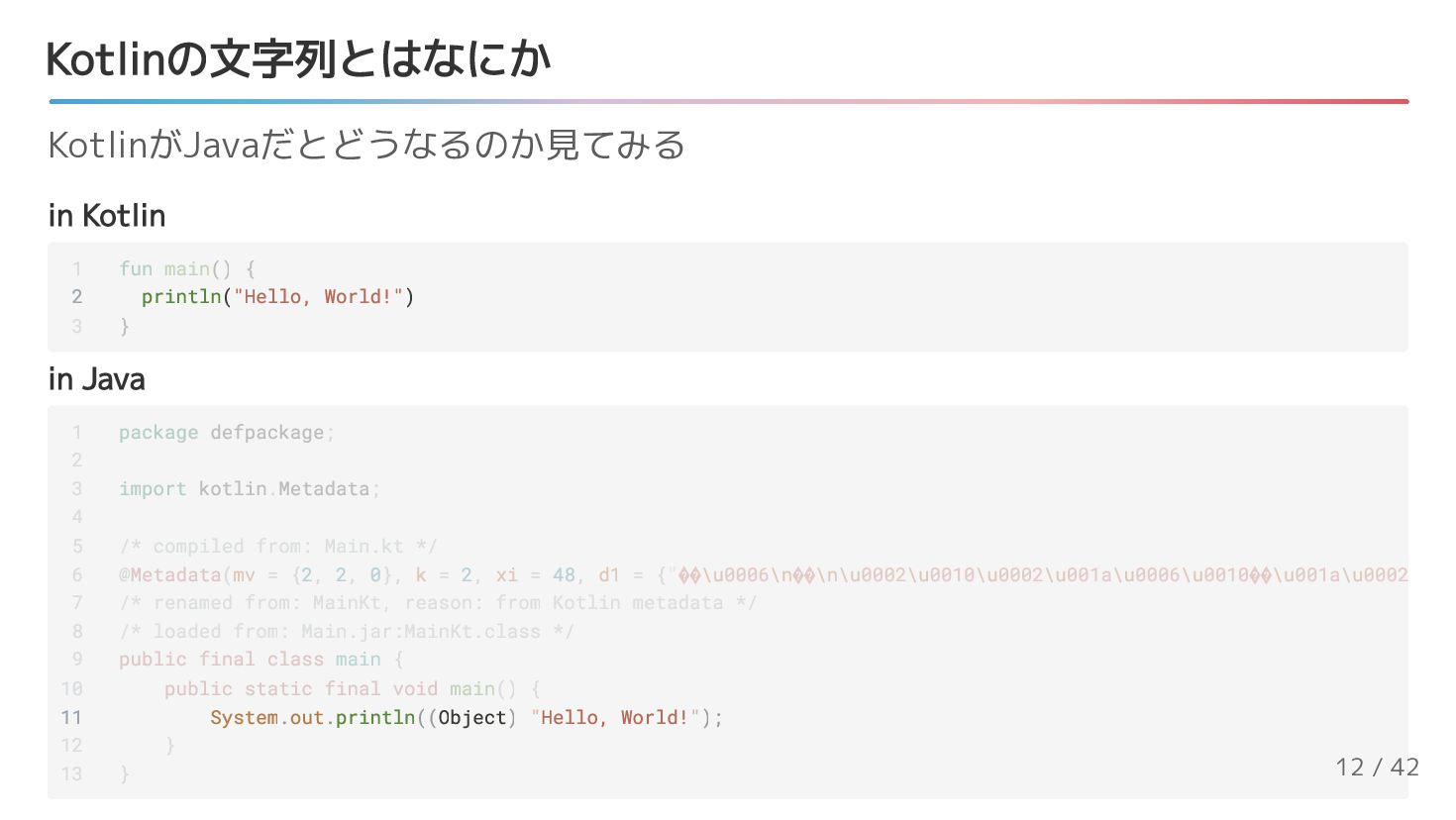
  3. Kotlinの文字列とはなにか in Kotlin in Java KotlinがJavaだとどうなるのか見てみる 2 println("Hello, World!") 1

    fun main() { 3 } 11 System.out.println((Object) "Hello, World!"); 1 package defpackage; 2 3 import kotlin.Metadata; 4 5 /* compiled from: Main.kt */ 6 @Metadata(mv = {2, 2, 0}, k = 2, xi = 48, d1 = {"��\u0006\n��\n\u0002\u0010\u0002\u001a\u0006\u0010��\u001a\u0002 7 /* renamed from: MainKt, reason: from Kotlin metadata */ 8 /* loaded from: Main.jar:MainKt.class */ 9 public final class main { 10 public static final void main() { 12 } 13 } 12 / 42
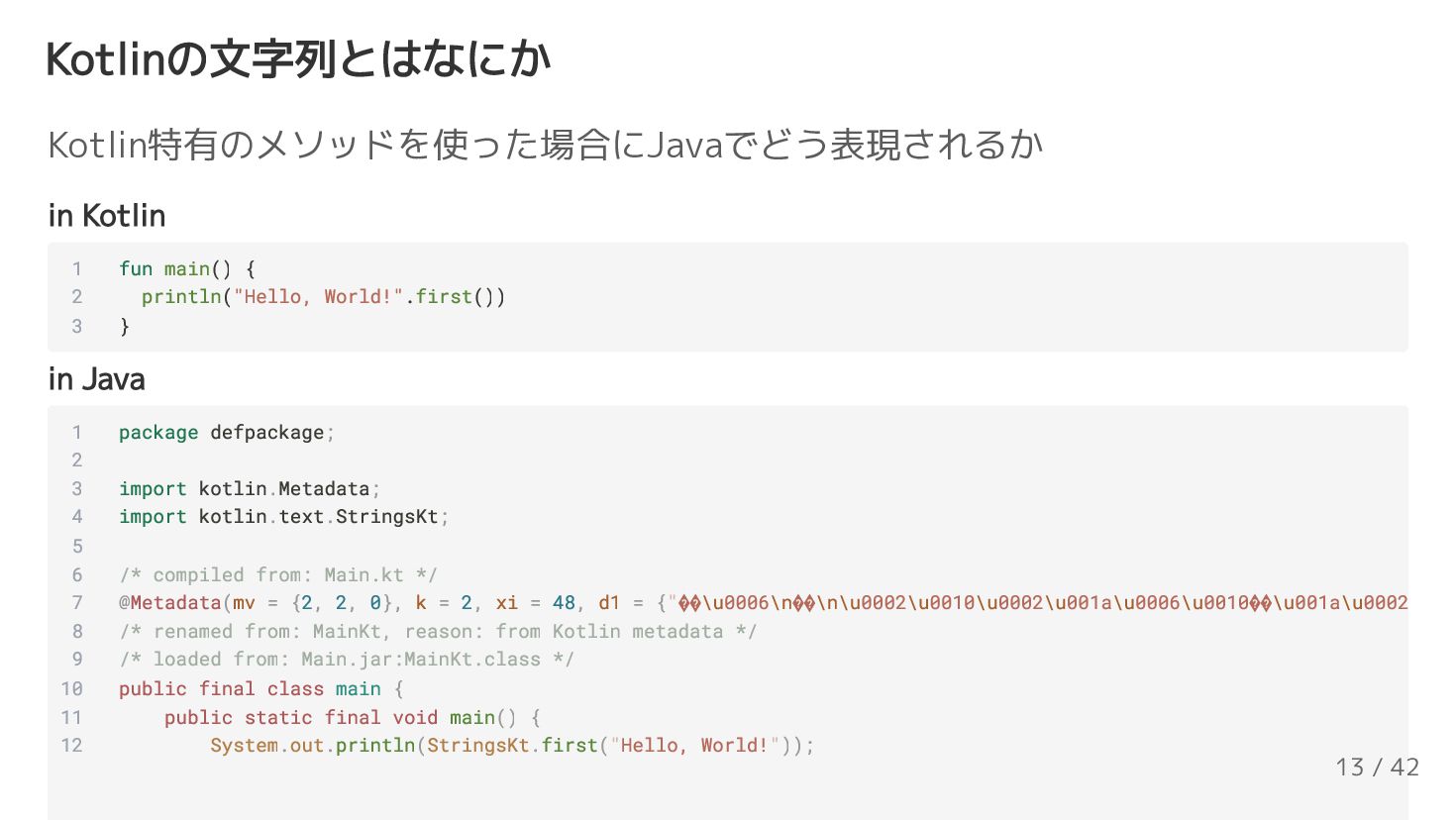
  4. Kotlinの文字列とはなにか in Kotlin in Java Kotlin特有のメソッドを使った場合にJavaでどう表現されるか 1 fun main() {

    2 println("Hello, World!".first()) 3 } 1 package defpackage; 2 3 import kotlin.Metadata; 4 import kotlin.text.StringsKt; 5 6 /* compiled from: Main.kt */ 7 @Metadata(mv = {2, 2, 0}, k = 2, xi = 48, d1 = {"��\u0006\n��\n\u0002\u0010\u0002\u001a\u0006\u0010��\u001a\u0002 8 /* renamed from: MainKt, reason: from Kotlin metadata */ 9 /* loaded from: Main.jar:MainKt.class */ 10 public final class main { 11 public static final void main() { 12 System.out.println(StringsKt.first("Hello, World!")); 13 / 42
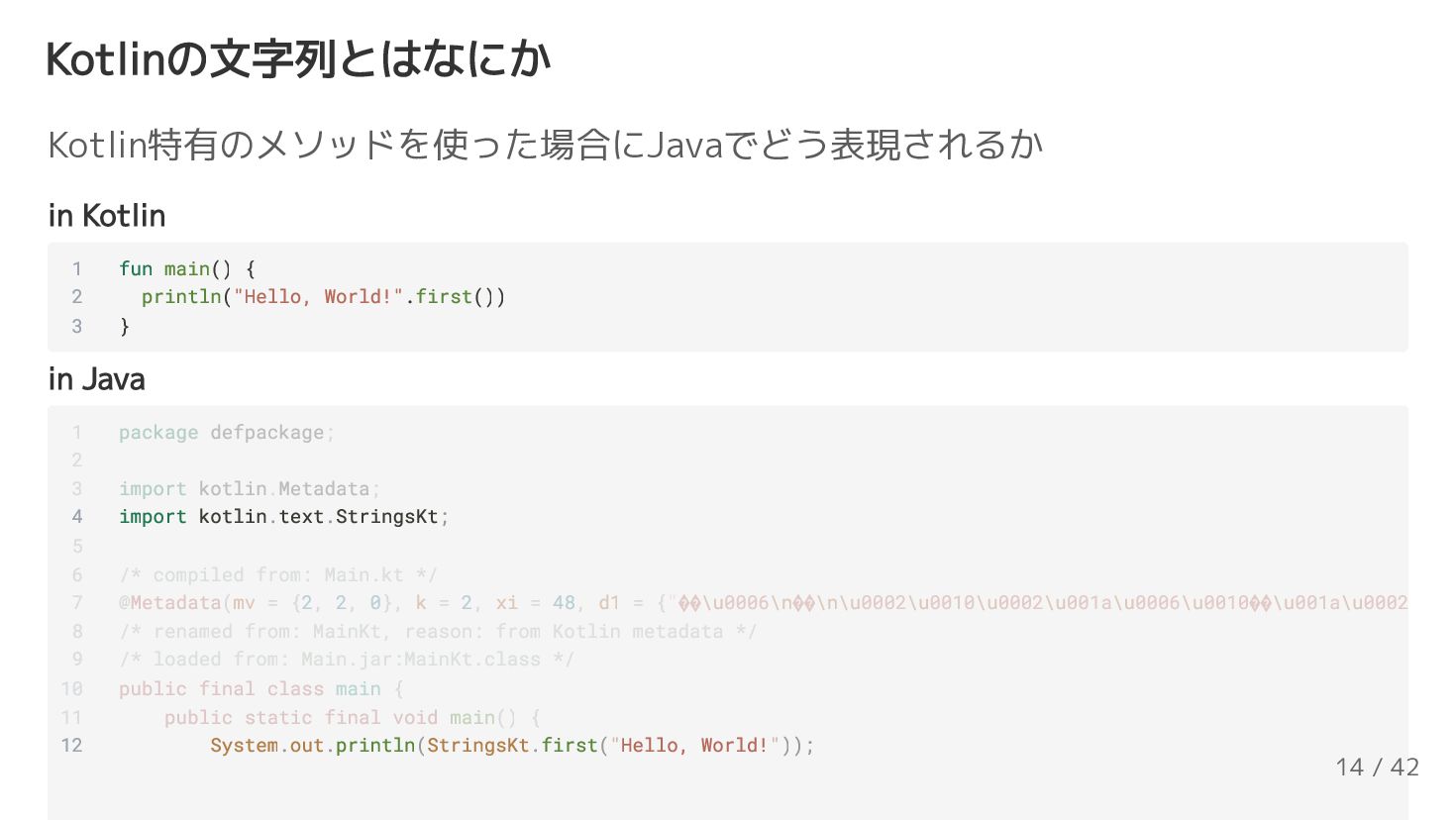
  5. Kotlinの文字列とはなにか in Kotlin in Java Kotlin特有のメソッドを使った場合にJavaでどう表現されるか 1 fun main() {

    2 println("Hello, World!".first()) 3 } 4 import kotlin.text.StringsKt; 12 System.out.println(StringsKt.first("Hello, World!")); 1 package defpackage; 2 3 import kotlin.Metadata; 5 6 /* compiled from: Main.kt */ 7 @Metadata(mv = {2, 2, 0}, k = 2, xi = 48, d1 = {"��\u0006\n��\n\u0002\u0010\u0002\u001a\u0006\u0010��\u001a\u0002 8 /* renamed from: MainKt, reason: from Kotlin metadata */ 9 /* loaded from: Main.jar:MainKt.class */ 10 public final class main { 11 public static final void main() { 14 / 42
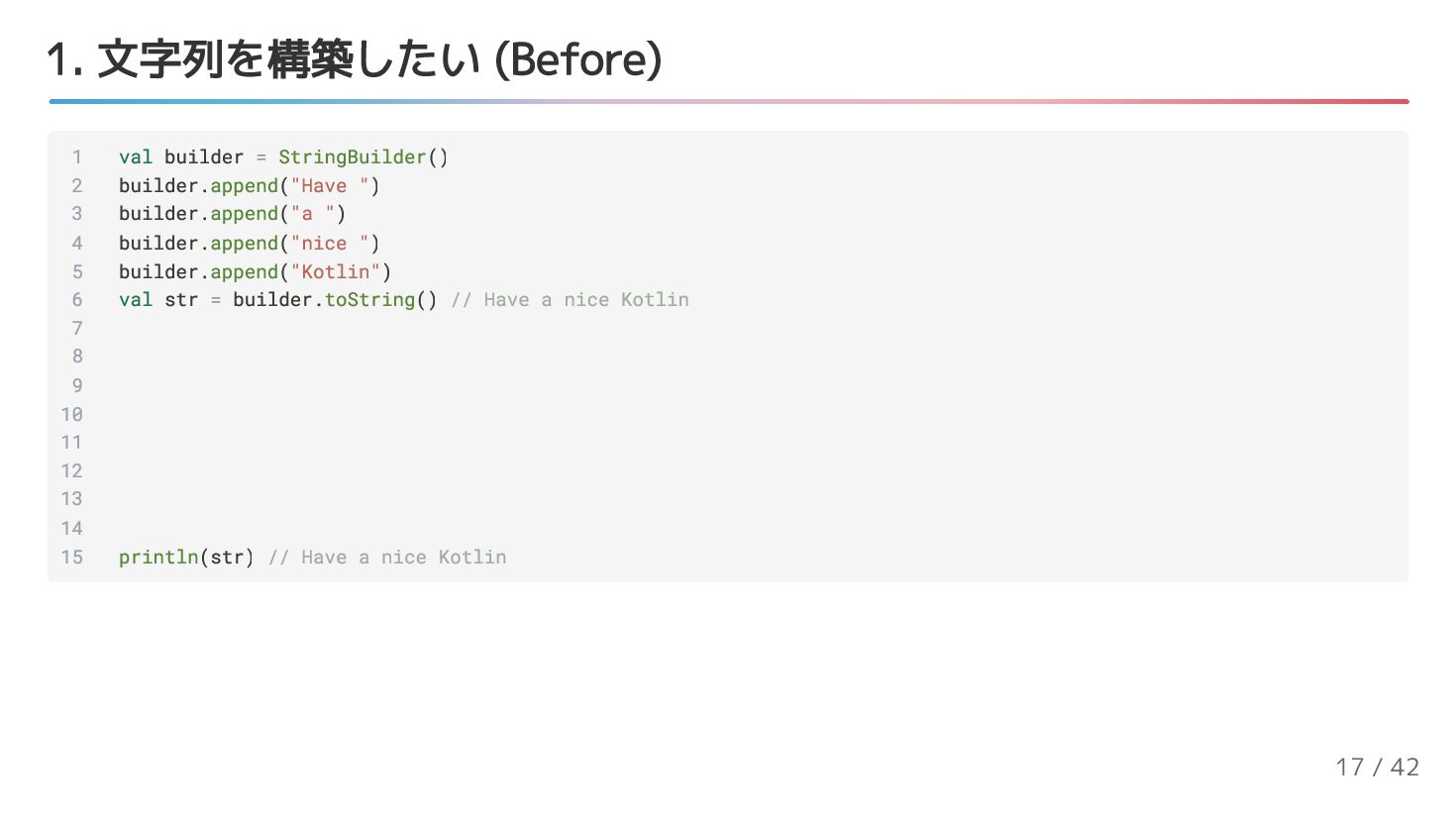
  6. 1. 文字列を構築したい (Before) 1 val builder = StringBuilder() 2 builder.append("Have

    ") 3 builder.append("a ") 4 builder.append("nice ") 5 builder.append("Kotlin") 6 val str = builder.toString() // Have a nice Kotlin 7 8 9 10 11 12 13 14 15 println(str) // Have a nice Kotlin 17 / 42
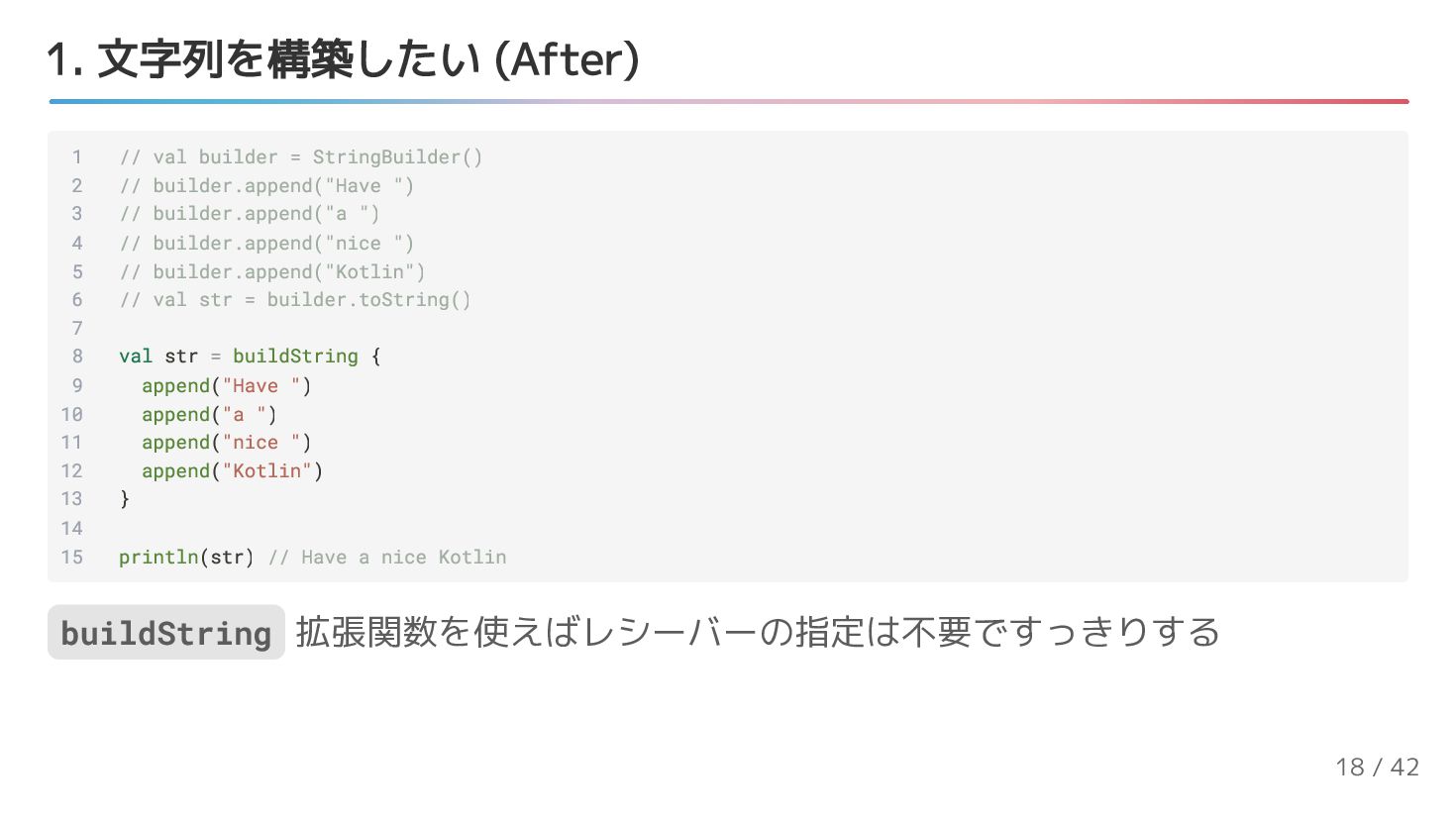
  7. 1. 文字列を構築したい (After) 1 // val builder = StringBuilder() 2

    // builder.append("Have ") 3 // builder.append("a ") 4 // builder.append("nice ") 5 // builder.append("Kotlin") 6 // val str = builder.toString() 7 8 val str = buildString { 9 append("Have ") 10 append("a ") 11 append("nice ") 12 append("Kotlin") 13 } 14 15 println(str) // Have a nice Kotlin buildString 拡張関数を使えばレシーバーの指定は不要ですっきりする 18 / 42
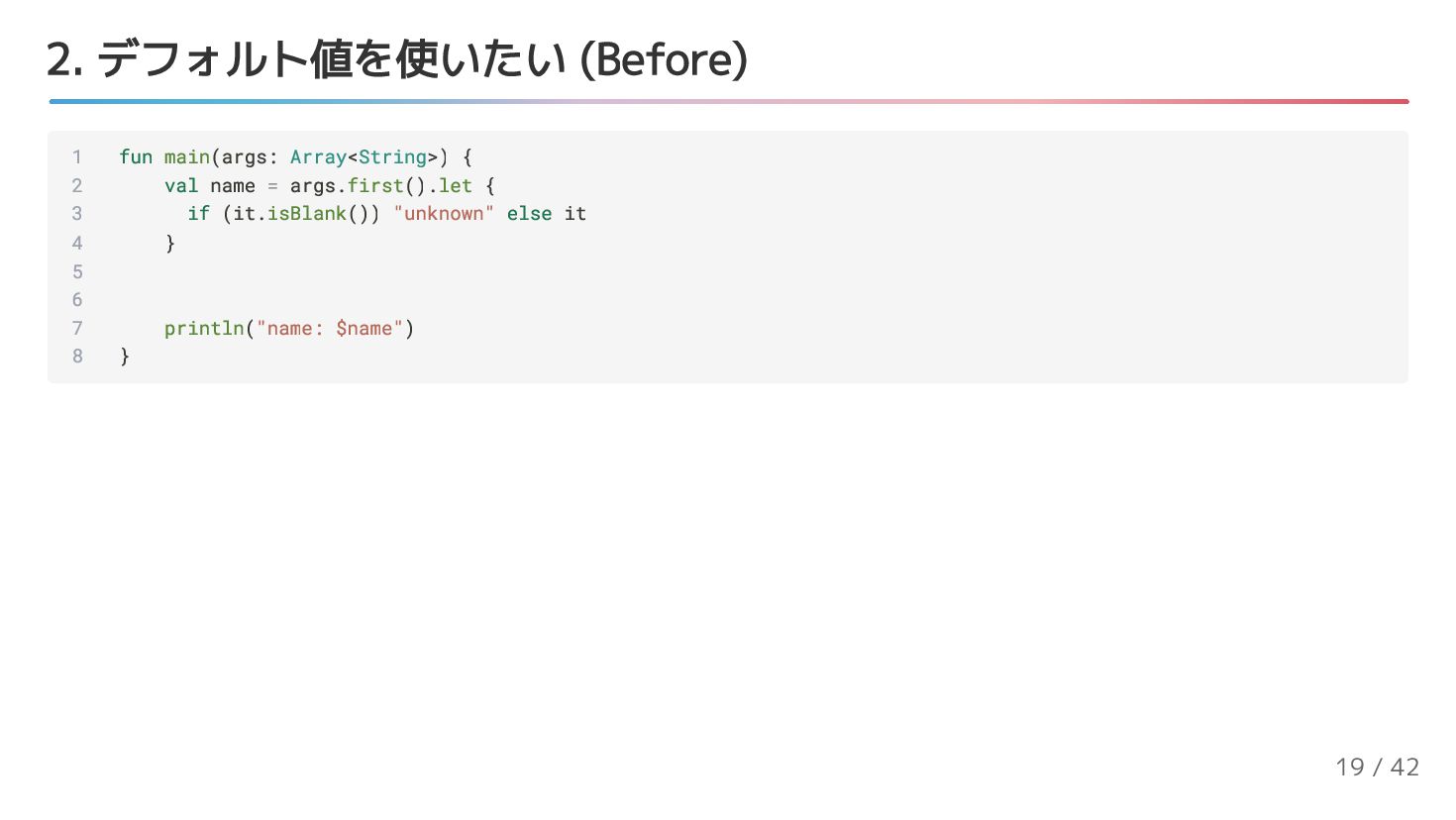
  8. 2. デフォルト値を使いたい (Before) 1 fun main(args: Array<String>) { 2 val

    name = args.first().let { 3 if (it.isBlank()) "unknown" else it 4 } 5 6 7 println("name: $name") 8 } 19 / 42
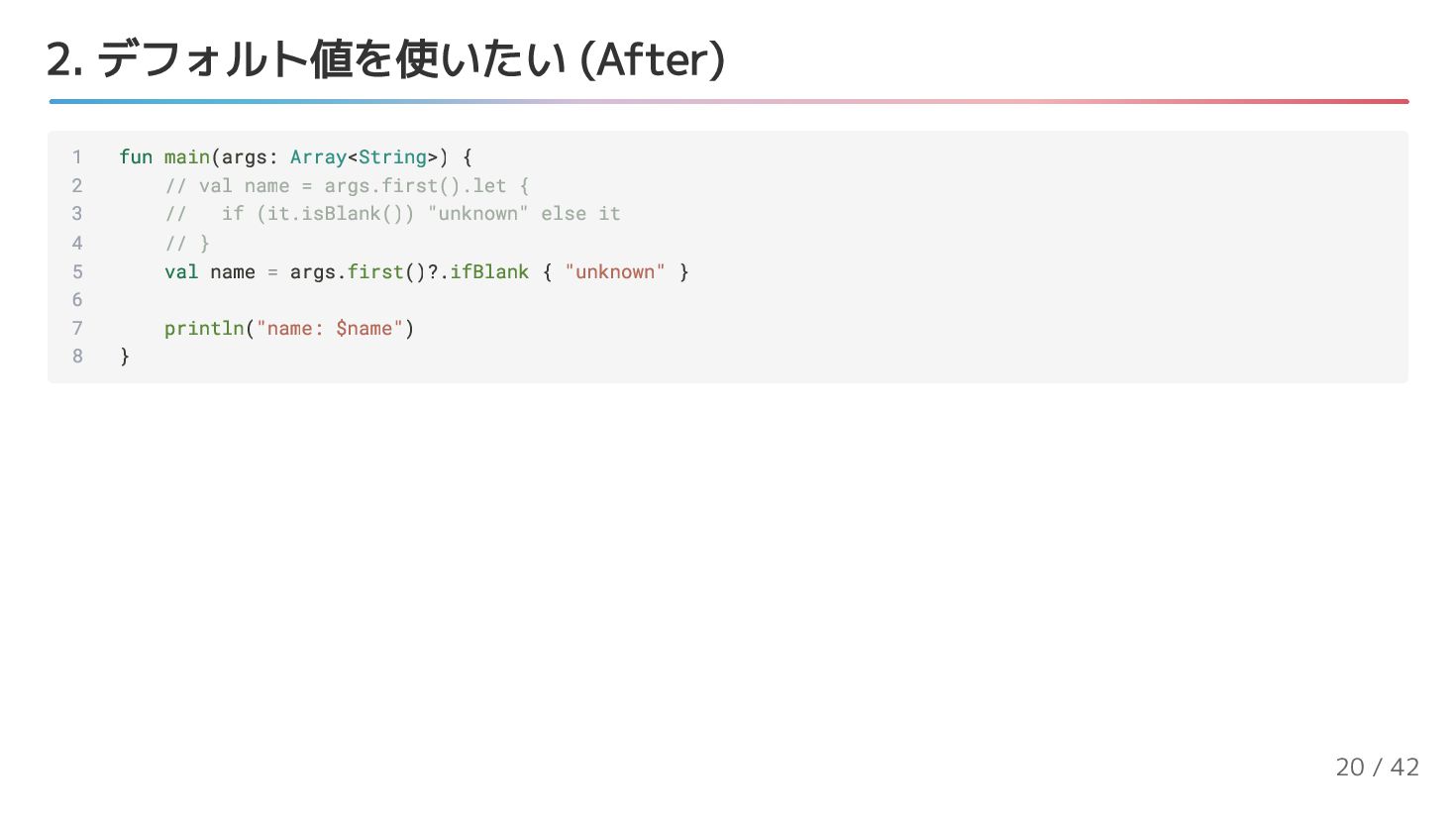
  9. 2. デフォルト値を使いたい (After) 1 fun main(args: Array<String>) { 2 //

    val name = args.first().let { 3 // if (it.isBlank()) "unknown" else it 4 // } 5 val name = args.first()?.ifBlank { "unknown" } 6 7 println("name: $name") 8 } 20 / 42
  10. [コラム] Blankってなに isEmpty は length == 0 のこと isBlank は

    isEmpty を内包しつつ、スペースっぽいものだけで構成されてい るか Emptyはなんとなく分かるけど、Blankってなに 1 println("${"".isEmpty()}") // true 2 println("${" ".isEmpty()}") // false 3 println("${"".isBlank()}") // true 4 println("${" ".isBlank()}") // true 21 / 42
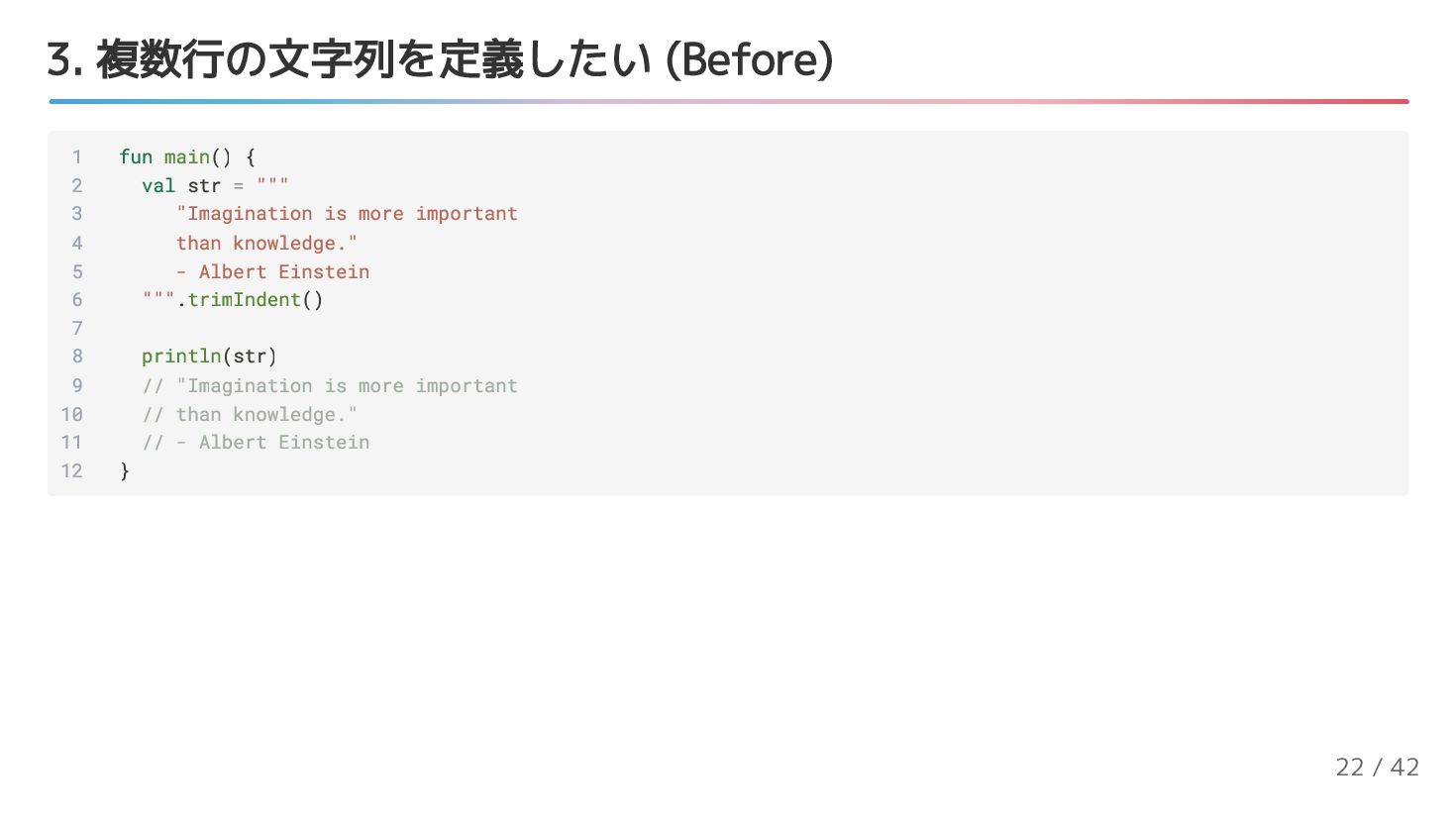
  11. 3. 複数行の文字列を定義したい (Before) 1 fun main() { 2 val str

    = """ 3 "Imagination is more important 4 than knowledge." 5 - Albert Einstein 6 """.trimIndent() 7 8 println(str) 9 // "Imagination is more important 10 // than knowledge." 11 // - Albert Einstein 12 } 22 / 42
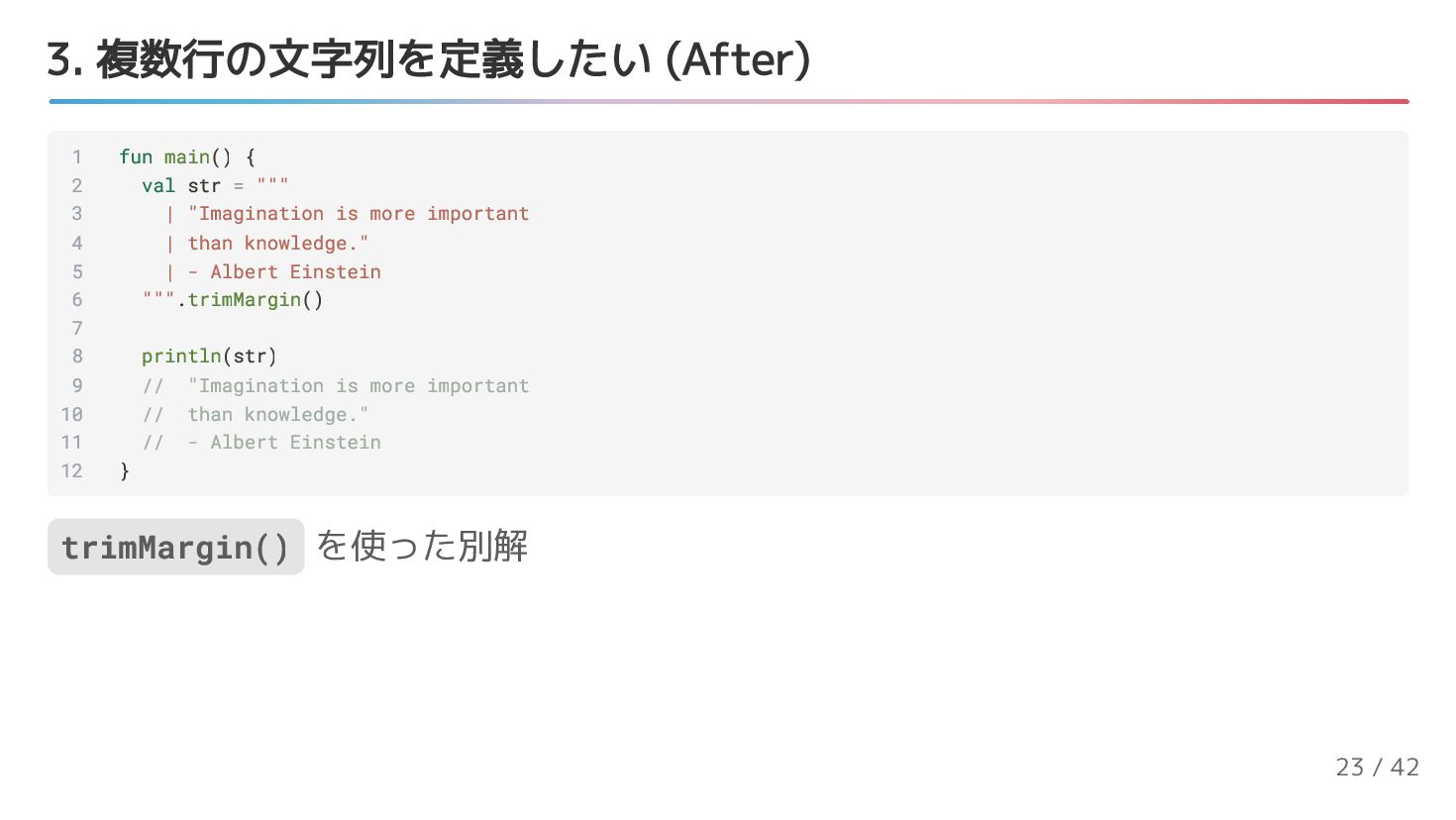
  12. 3. 複数行の文字列を定義したい (After) 1 fun main() { 2 val str

    = """ 3 | "Imagination is more important 4 | than knowledge." 5 | - Albert Einstein 6 """.trimMargin() 7 8 println(str) 9 // "Imagination is more important 10 // than knowledge." 11 // - Albert Einstein 12 } trimMargin() を使った別解 23 / 42
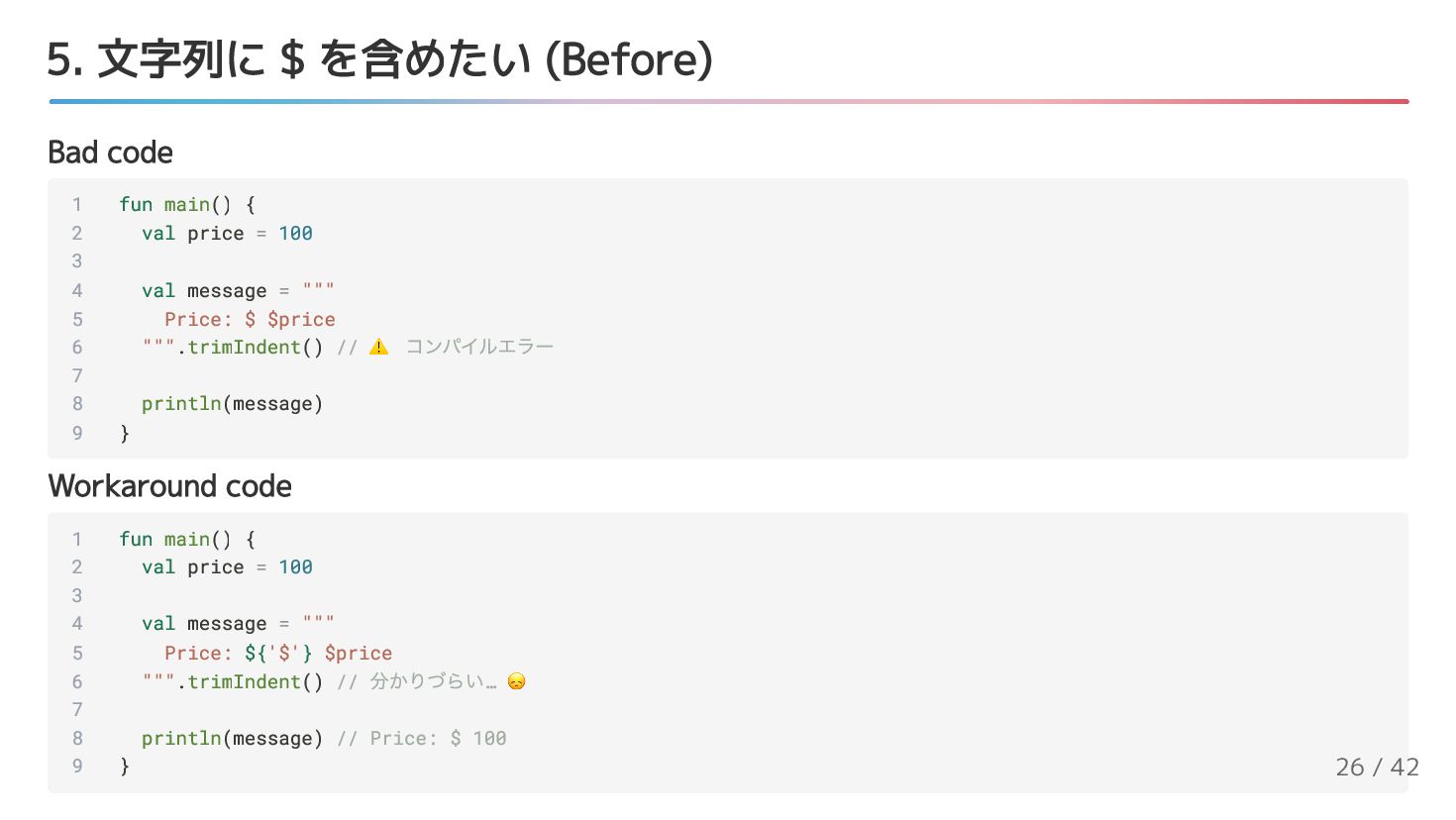
  13. 5. 文字列に $ を含めたい (Before) Bad code Workaround code 1

    fun main() { 2 val price = 100 3 4 val message = """ 5 Price: $ $price 6 """.trimIndent() // ⚠️ コンパイルエラー 7 8 println(message) 9 } 1 fun main() { 2 val price = 100 3 4 val message = """ 5 Price: ${'$'} $price 6 """.trimIndent() // 分かりづらい… 😞 7 8 println(message) // Price: $ 100 9 } 26 / 42
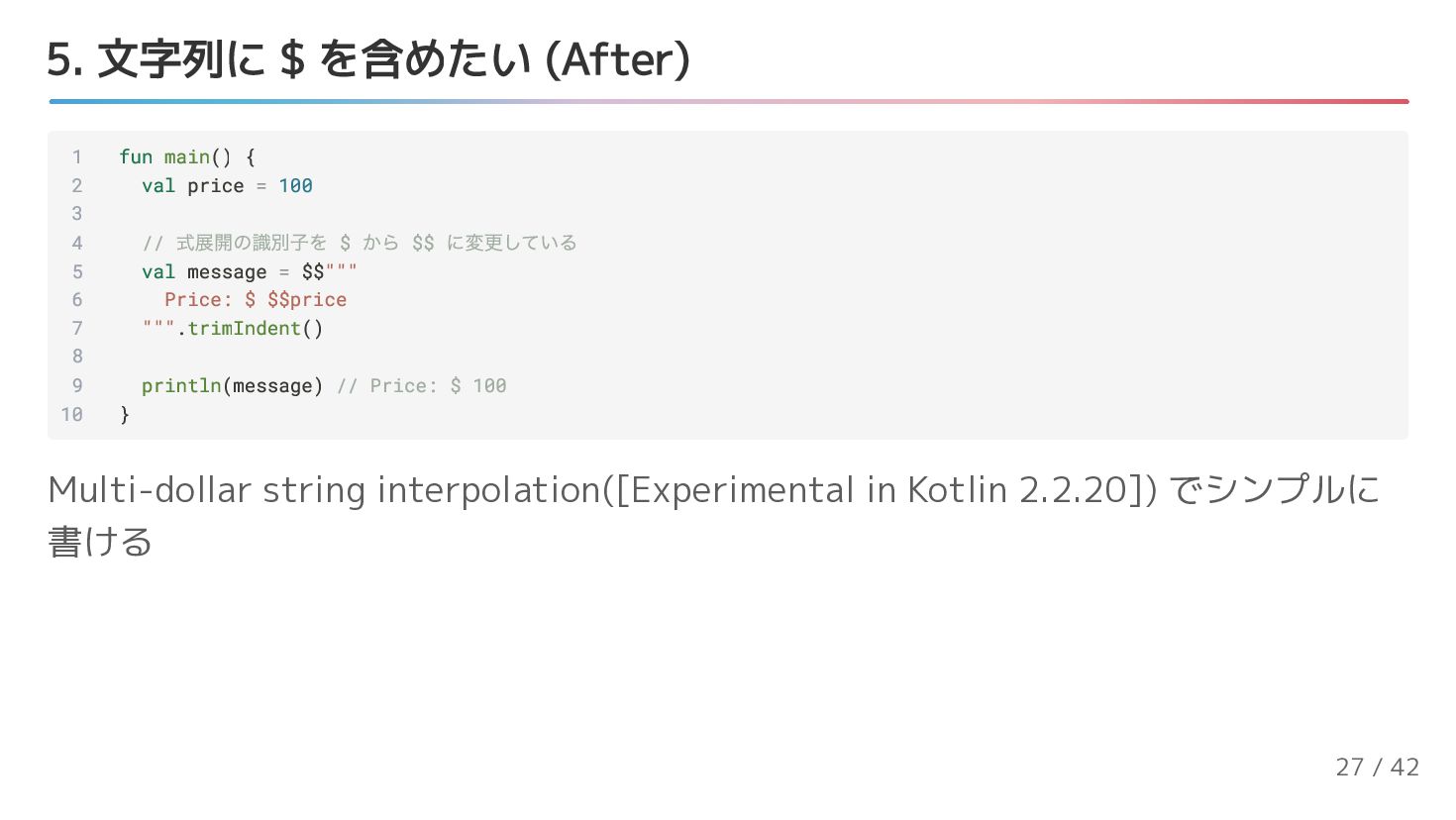
  14. 5. 文字列に $ を含めたい (After) 1 fun main() { 2

    val price = 100 3 4 // 式展開の識別子を $ から $$ に変更している 5 val message = $$""" 6 Price: $ $$price 7 """.trimIndent() 8 9 println(message) // Price: $ 100 10 } Multi-dollar string interpolation([Experimental in Kotlin 2.2.20]) でシンプルに 書ける 27 / 42
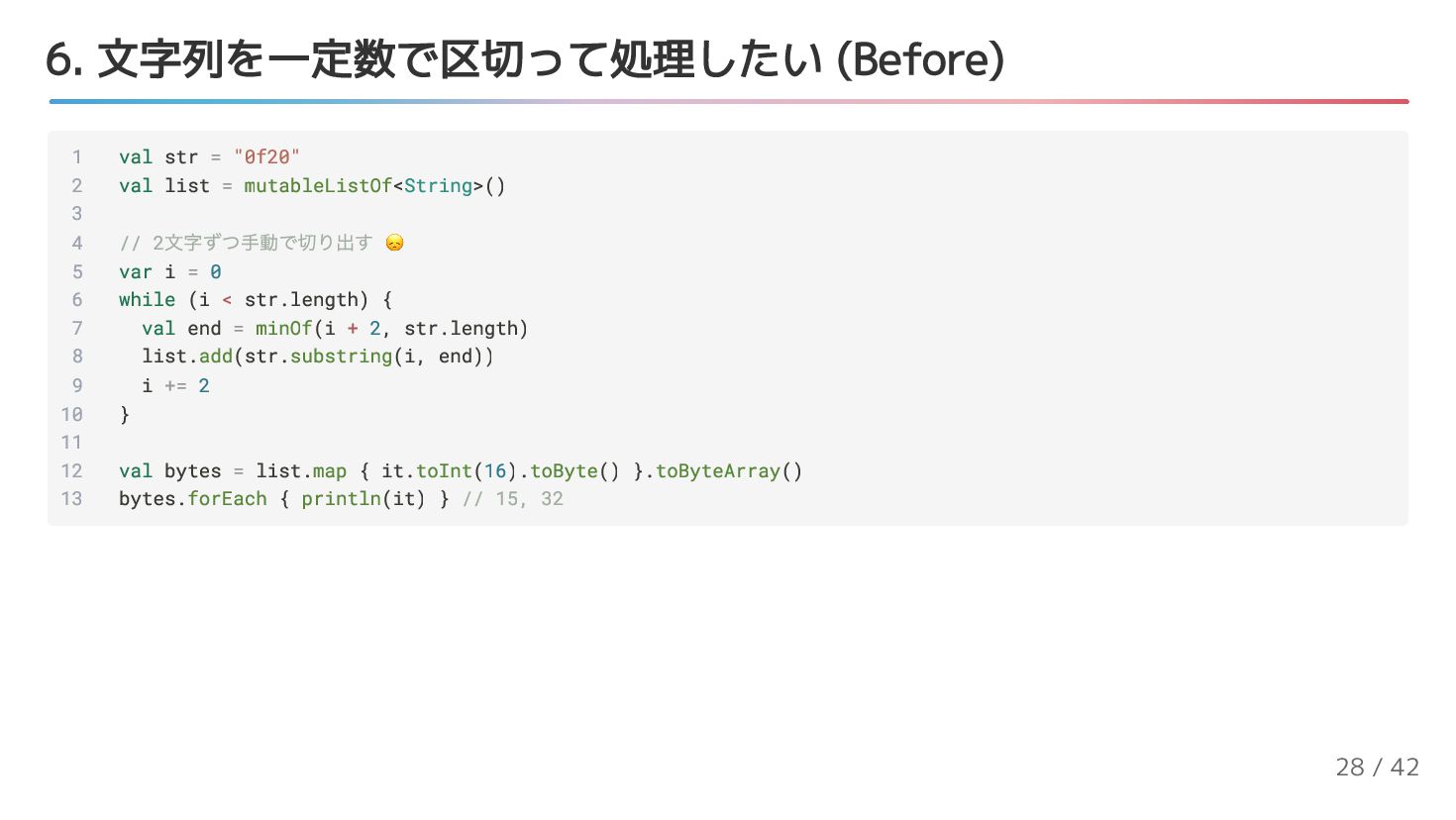
  15. 6. 文字列を一定数で区切って処理したい (Before) 1 val str = "0f20" 2 val

    list = mutableListOf<String>() 3 4 // 2 文字ずつ手動で切り出す 😞 5 var i = 0 6 while (i < str.length) { 7 val end = minOf(i + 2, str.length) 8 list.add(str.substring(i, end)) 9 i += 2 10 } 11 12 val bytes = list.map { it.toInt(16).toByte() }.toByteArray() 13 bytes.forEach { println(it) } // 15, 32 28 / 42
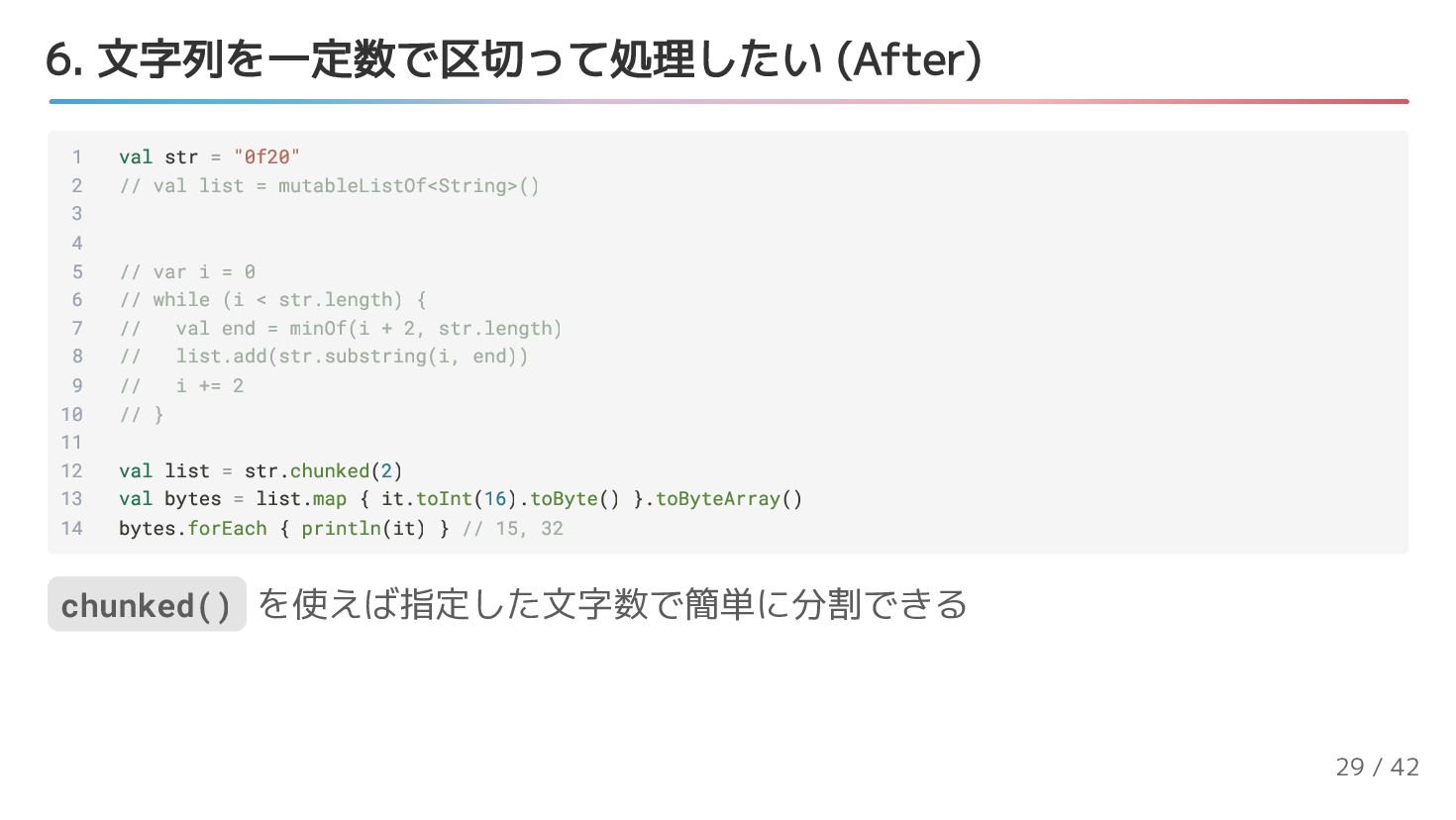
  16. 6. 文字列を一定数で区切って処理したい (After) 1 val str = "0f20" 2 //

    val list = mutableListOf<String>() 3 4 5 // var i = 0 6 // while (i < str.length) { 7 // val end = minOf(i + 2, str.length) 8 // list.add(str.substring(i, end)) 9 // i += 2 10 // } 11 12 val list = str.chunked(2) 13 val bytes = list.map { it.toInt(16).toByte() }.toByteArray() 14 bytes.forEach { println(it) } // 15, 32 chunked() を使えば指定した文字数で簡単に分割できる 29 / 42
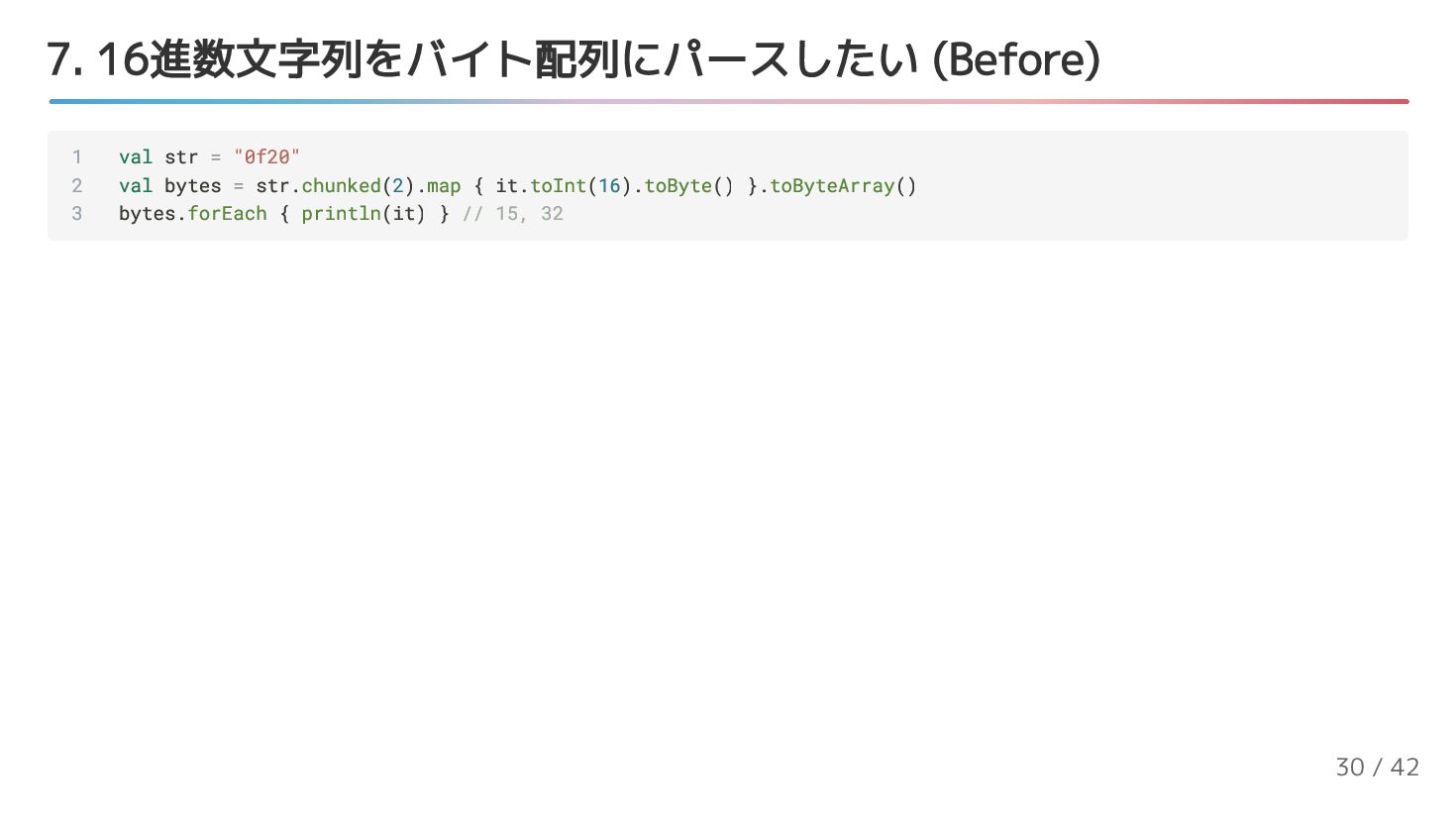
  17. 7. 16進数文字列をバイト配列にパースしたい (Before) 1 val str = "0f20" 2 val

    bytes = str.chunked(2).map { it.toInt(16).toByte() }.toByteArray() 3 bytes.forEach { println(it) } // 15, 32 30 / 42
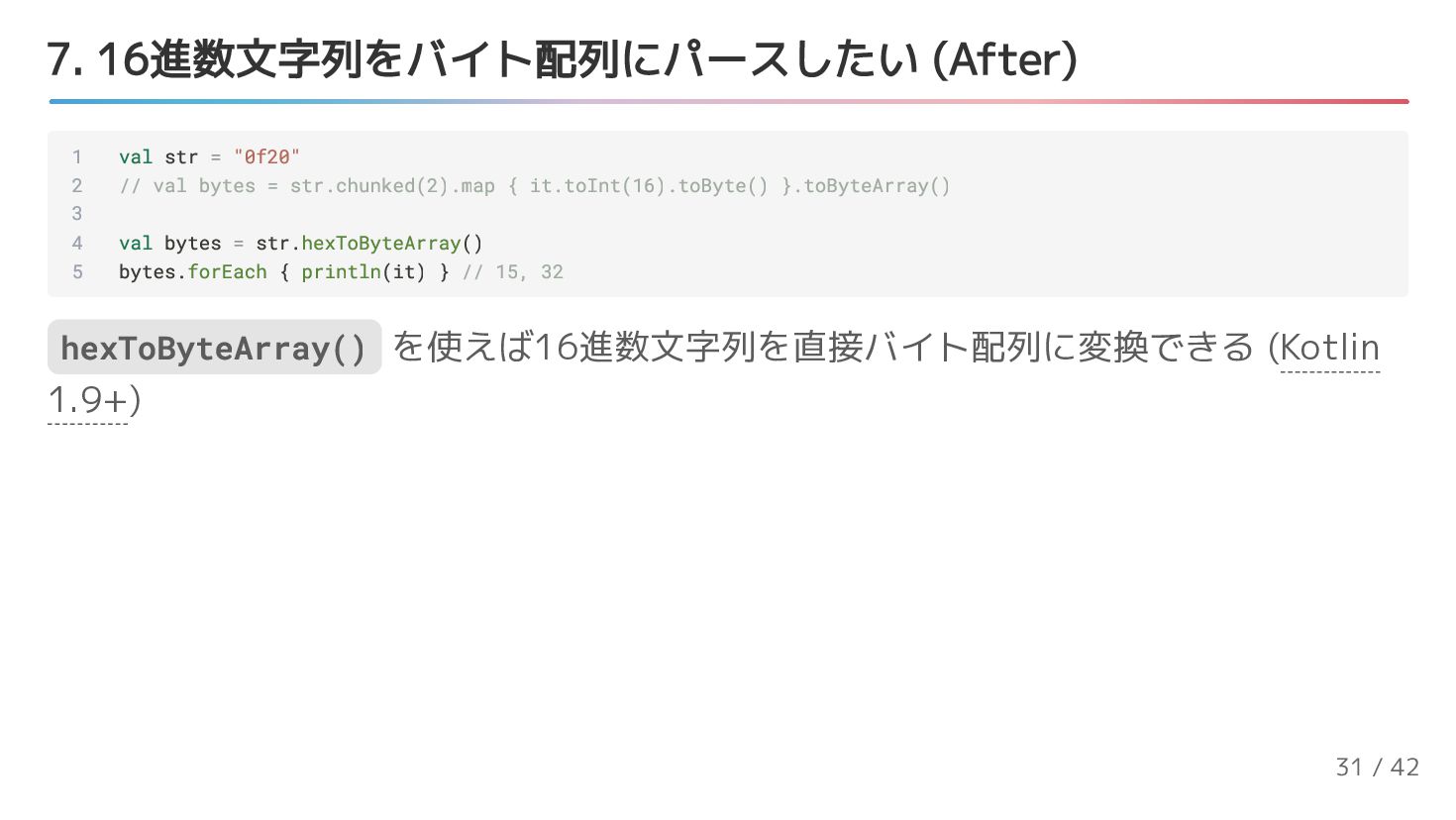
  18. 7. 16進数文字列をバイト配列にパースしたい (After) 1 val str = "0f20" 2 //

    val bytes = str.chunked(2).map { it.toInt(16).toByte() }.toByteArray() 3 4 val bytes = str.hexToByteArray() 5 bytes.forEach { println(it) } // 15, 32 hexToByteArray() を使えば16進数文字列を直接バイト配列に変換できる (Kotlin 1.9+) 31 / 42
  19. [コラム] HexFormatを使ったさらに柔軟な処理 1 fun main() { 2 val str =

    "0x0f:0x20" 3 4 val bytes = str.hexToByteArray(HexFormat { 5 bytes.bytePrefix = "0x" 6 bytes.byteSeparator = ":" 7 }) 8 bytes.forEach { println(it) } // 15, 32 9 } HexFormat を使えば16進数のフォーマットを指定できます 32 / 42
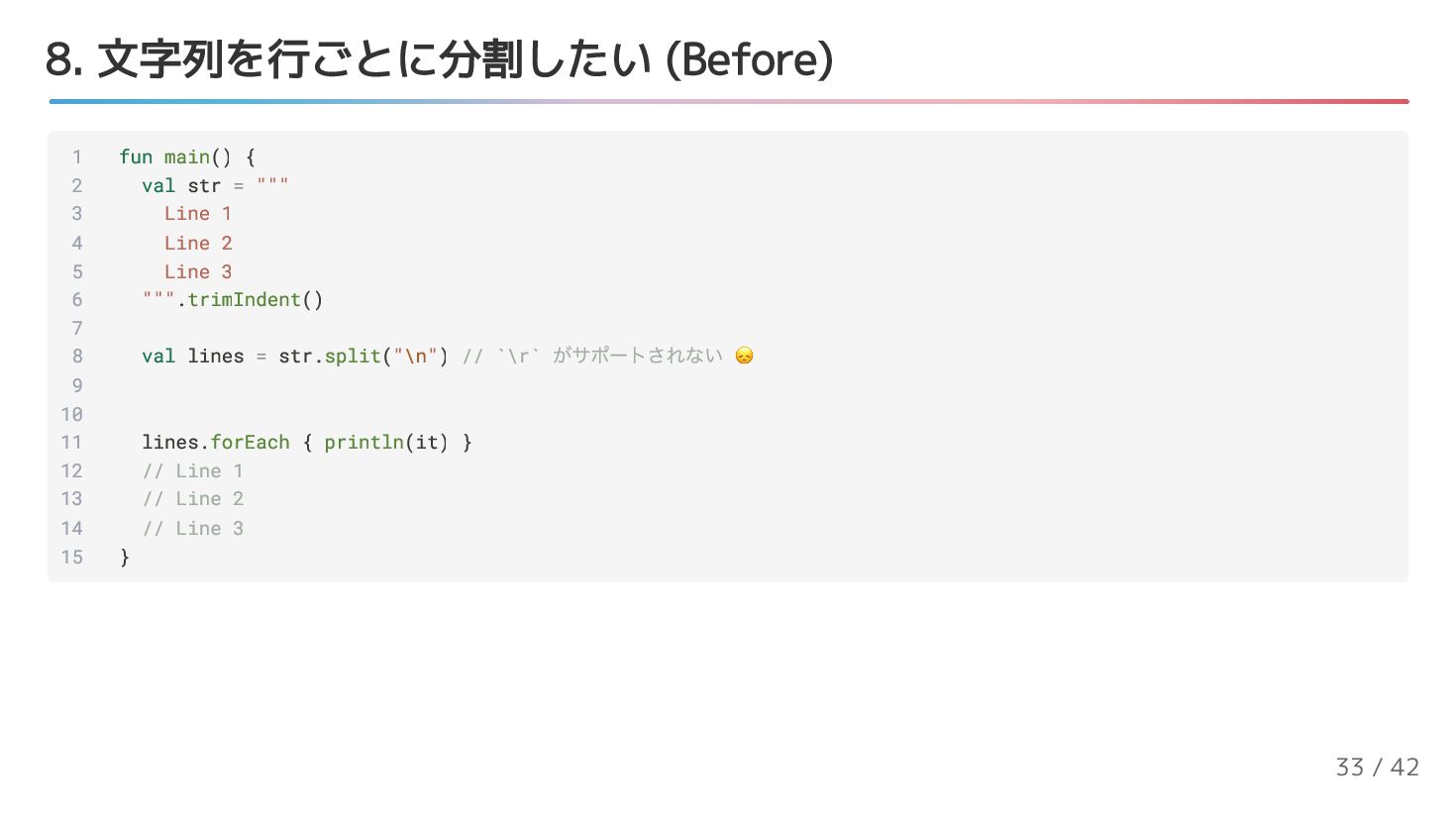
  20. 8. 文字列を行ごとに分割したい (Before) 1 fun main() { 2 val str

    = """ 3 Line 1 4 Line 2 5 Line 3 6 """.trimIndent() 7 8 val lines = str.split("\n") // `\r` がサポートされない 😞 9 10 11 lines.forEach { println(it) } 12 // Line 1 13 // Line 2 14 // Line 3 15 } 33 / 42
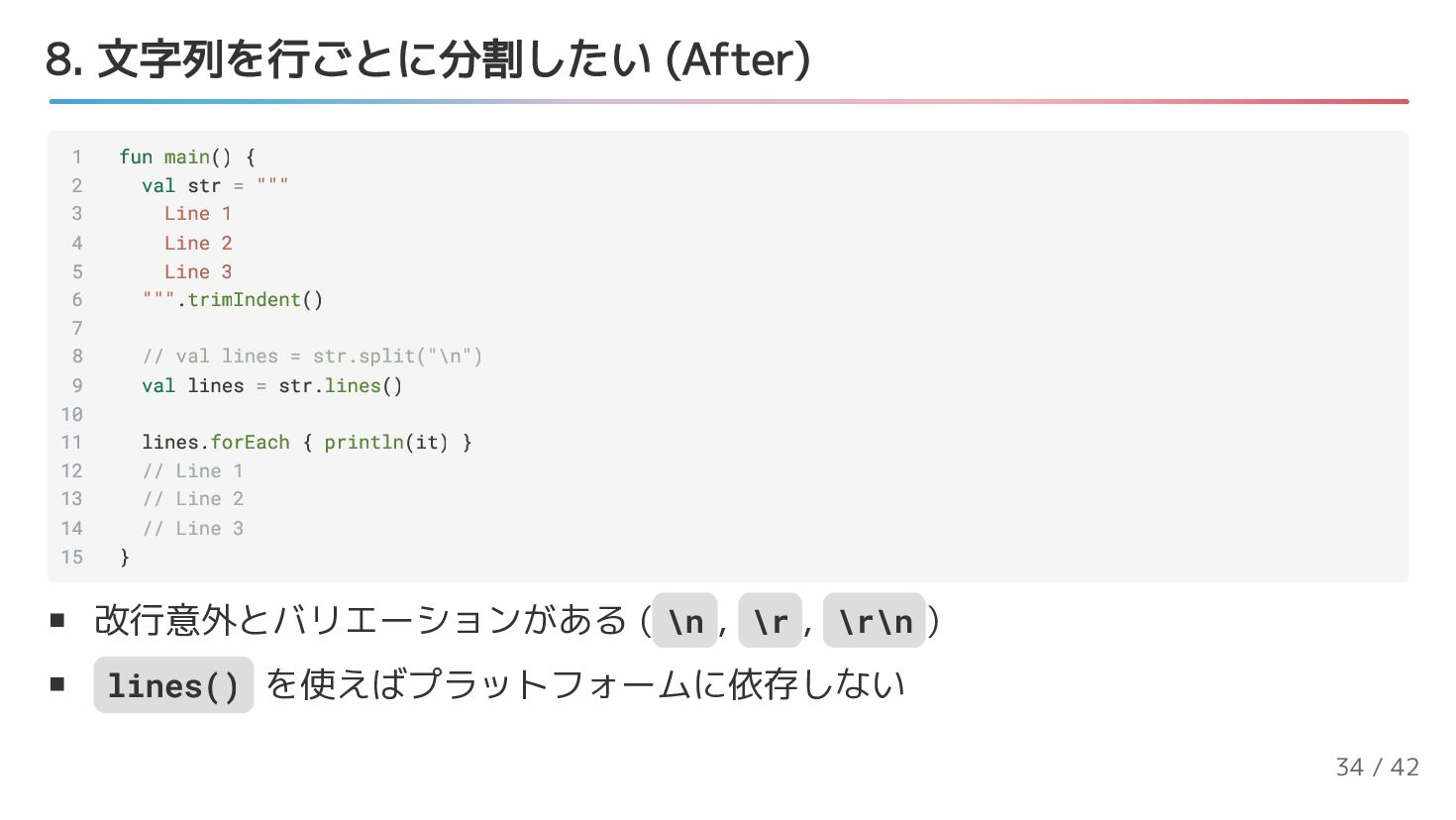
  21. 8. 文字列を行ごとに分割したい (After) 改行意外とバリエーションがある ( \n , \r , \r\n

    ) lines() を使えばプラットフォームに依存しない 1 fun main() { 2 val str = """ 3 Line 1 4 Line 2 5 Line 3 6 """.trimIndent() 7 8 // val lines = str.split("\n") 9 val lines = str.lines() 10 11 lines.forEach { println(it) } 12 // Line 1 13 // Line 2 14 // Line 3 15 } 34 / 42
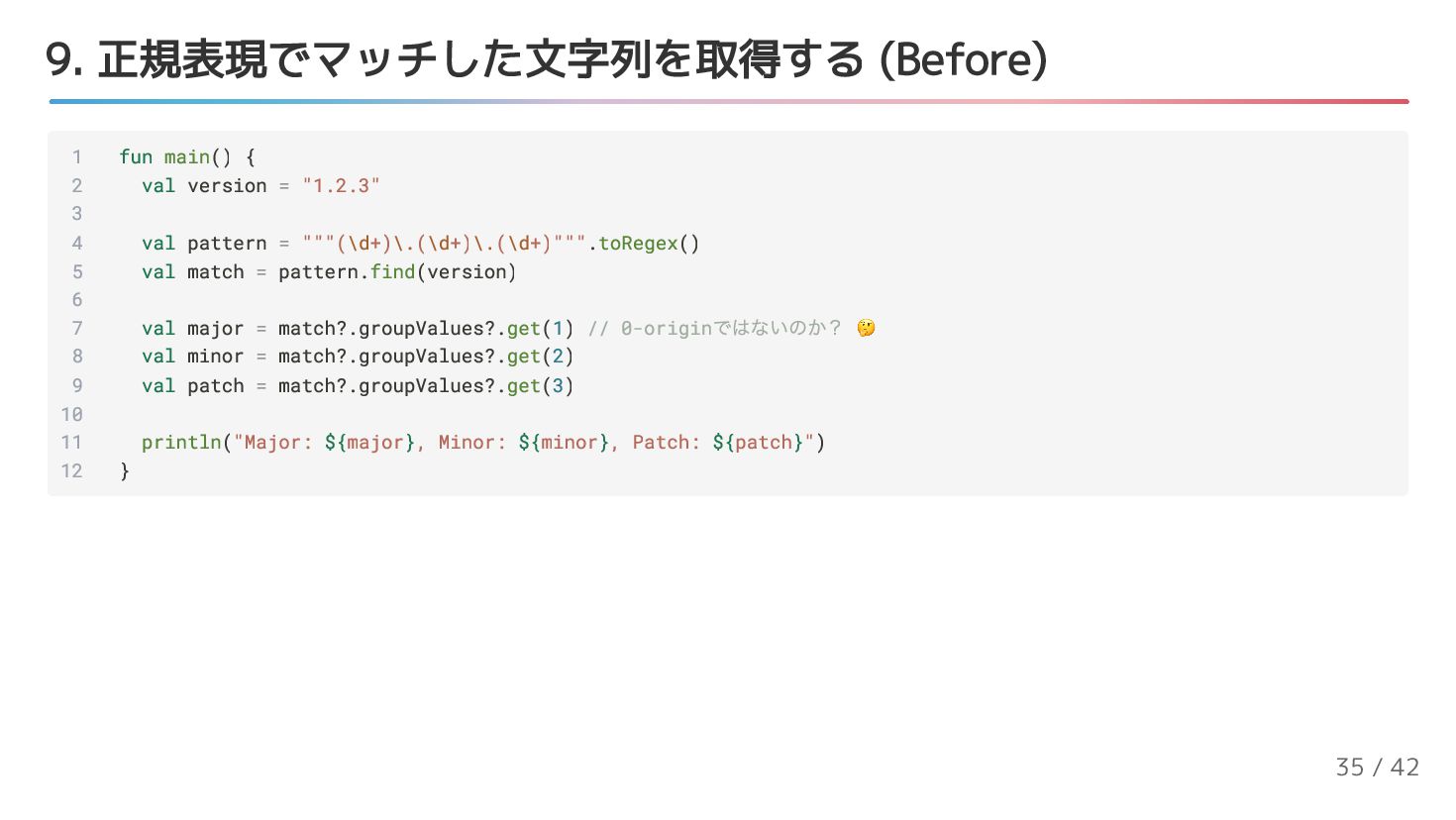
  22. 9. 正規表現でマッチした文字列を取得する (Before) 1 fun main() { 2 val version

    = "1.2.3" 3 4 val pattern = """(\d+)\.(\d+)\.(\d+)""".toRegex() 5 val match = pattern.find(version) 6 7 val major = match?.groupValues?.get(1) // 0-origin ではないのか? 🤔 8 val minor = match?.groupValues?.get(2) 9 val patch = match?.groupValues?.get(3) 10 11 println("Major: ${major}, Minor: ${minor}, Patch: ${patch}") 12 } 35 / 42
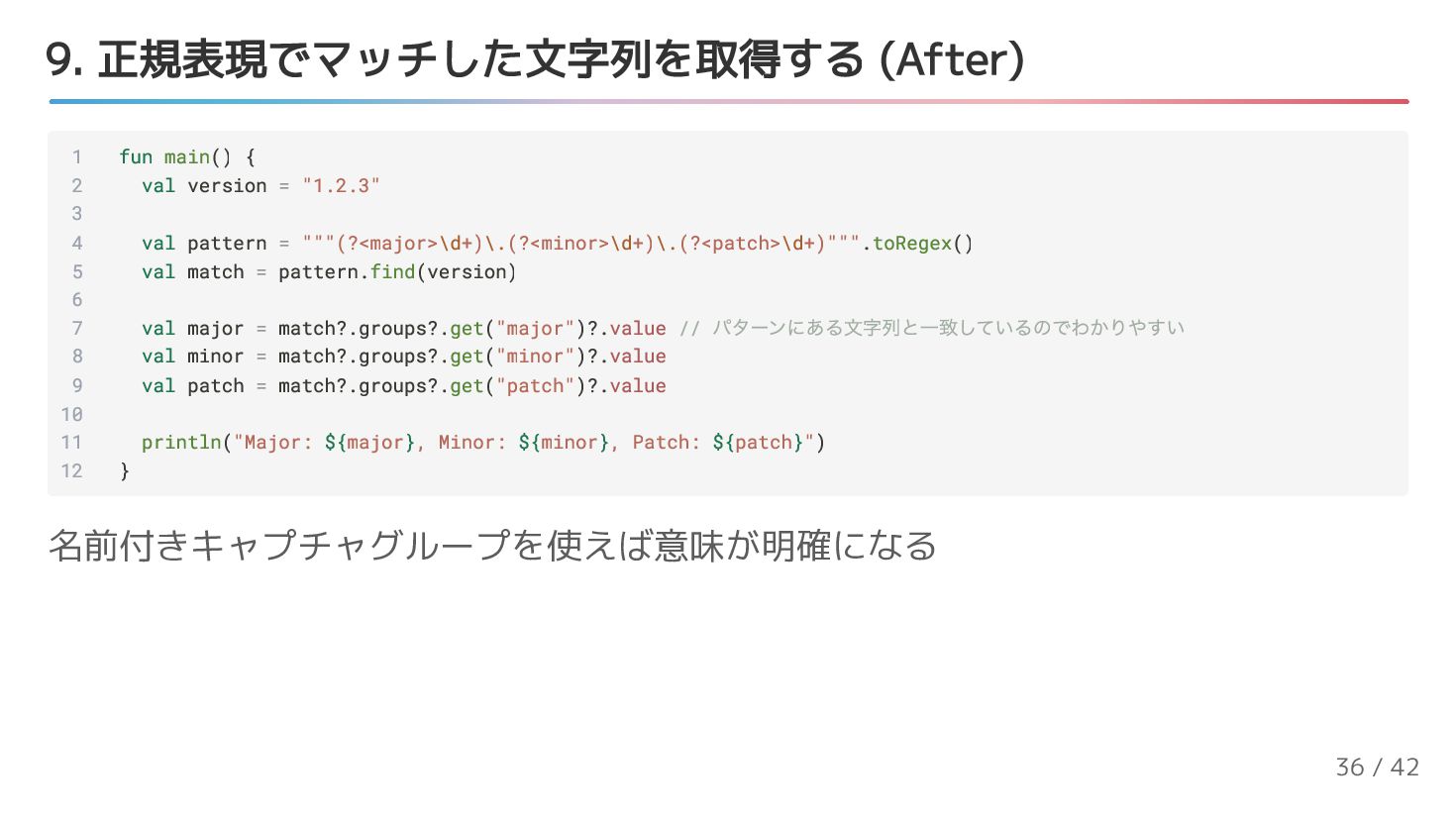
  23. 9. 正規表現でマッチした文字列を取得する (After) 1 fun main() { 2 val version

    = "1.2.3" 3 4 val pattern = """(?<major>\d+)\.(?<minor>\d+)\.(?<patch>\d+)""".toRegex() 5 val match = pattern.find(version) 6 7 val major = match?.groups?.get("major")?.value // パターンにある文字列と一致しているのでわかりやすい 8 val minor = match?.groups?.get("minor")?.value 9 val patch = match?.groups?.get("patch")?.value 10 11 println("Major: ${major}, Minor: ${minor}, Patch: ${patch}") 12 } 名前付きキャプチャグループを使えば意味が明確になる 36 / 42
  24. [コラム] 正規表現にはmulti line stringを使うと便利 1 fun main() { 2 //

    No good 😞 3 val pattern1 = "(?<major>\\d+)\\.(?<minor>\\d+)\\.(?<patch>\\d+)".toRegex() 4 5 // Better 😃 6 val pattern2 = """(?<major>\d+)\.(?<minor>\d+)\.(?<patch>\d+)""".toRegex() 7 } 37 / 42
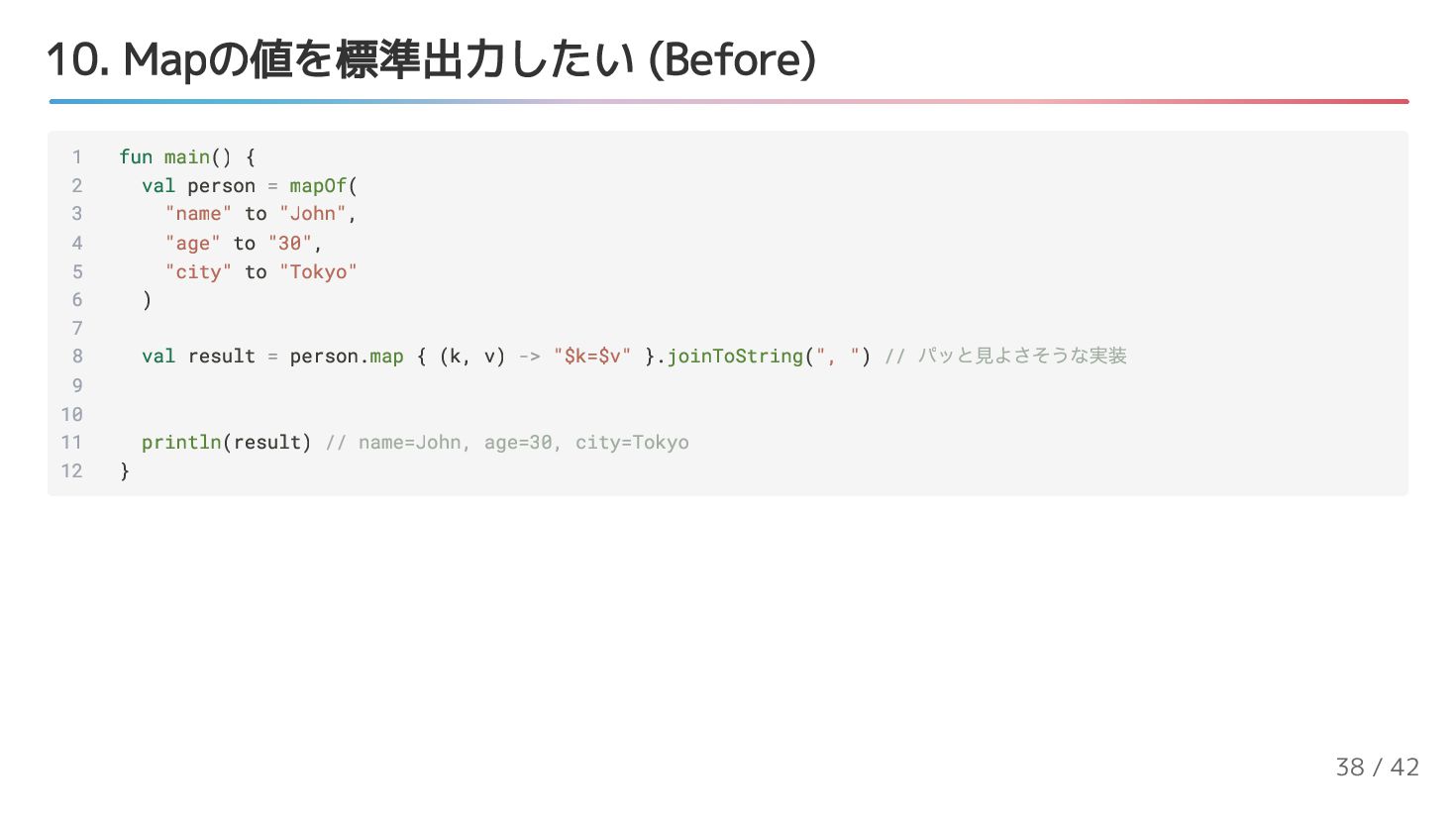
  25. 10. Mapの値を標準出力したい (Before) 1 fun main() { 2 val person

    = mapOf( 3 "name" to "John", 4 "age" to "30", 5 "city" to "Tokyo" 6 ) 7 8 val result = person.map { (k, v) -> "$k=$v" }.joinToString(", ") // パッと見よさそうな実装 9 10 11 println(result) // name=John, age=30, city=Tokyo 12 } 38 / 42
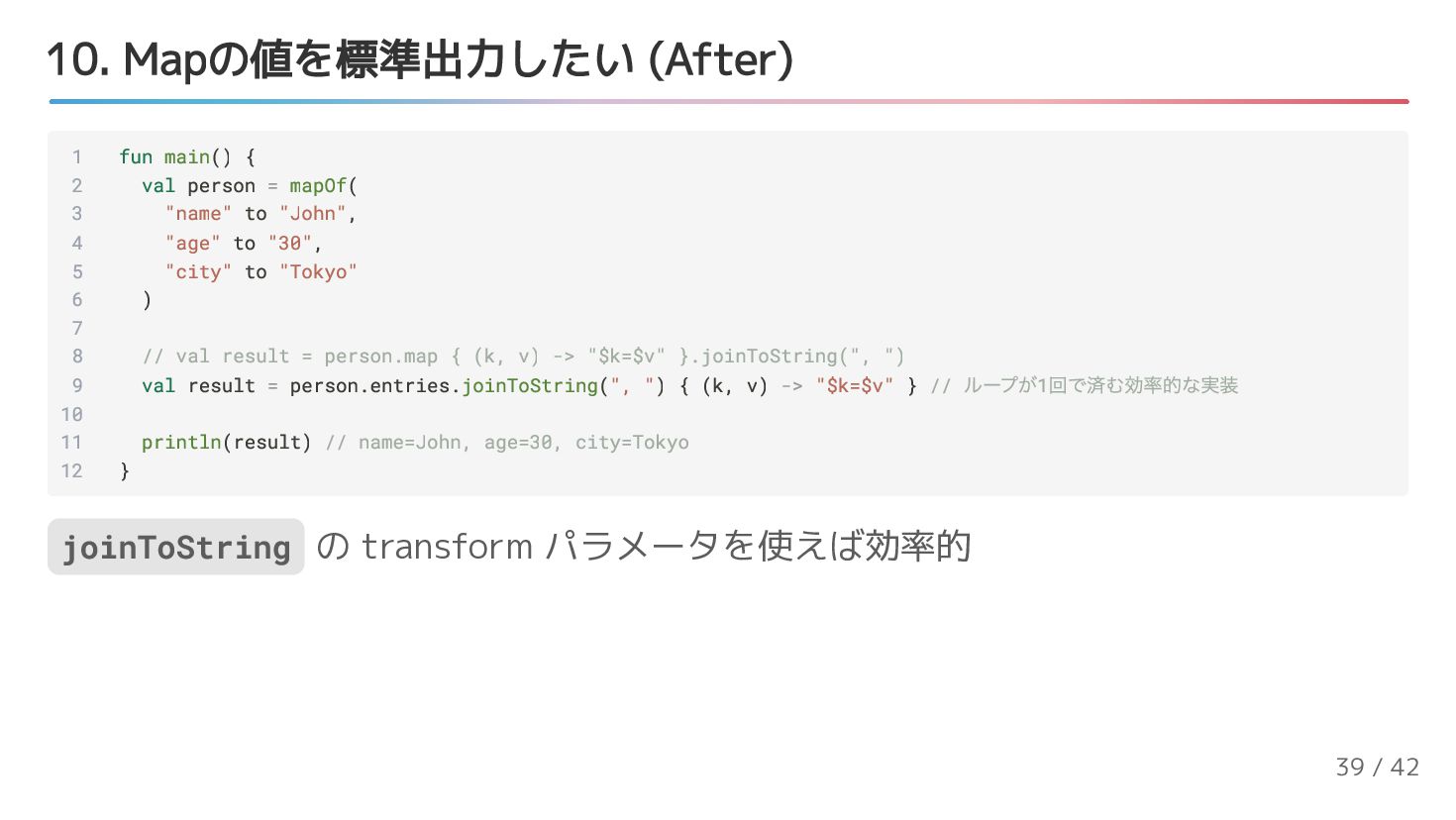
  26. 10. Mapの値を標準出力したい (After) 1 fun main() { 2 val person

    = mapOf( 3 "name" to "John", 4 "age" to "30", 5 "city" to "Tokyo" 6 ) 7 8 // val result = person.map { (k, v) -> "$k=$v" }.joinToString(", ") 9 val result = person.entries.joinToString(", ") { (k, v) -> "$k=$v" } // ループが1 回で済む効率的な実装 10 11 println(result) // name=John, age=30, city=Tokyo 12 } joinToString の transform パラメータを使えば効率的 39 / 42