Upgrade to Pro — share decks privately, control downloads, hide ads and more …

[Berlin Droidcon '26] The Android Lens: Applyin...

Avatar for mvndy_hd mvndy_hd
October 07, 2026

[Berlin Droidcon '26] The Android Lens: Applying Mobile Forensics to AI Performance

Modern LLMs like Ollama are technically ground-breaking but suffer from significant thermal and energy inefficiencies on resource-constrained hardware. This is often an overlooked cost of LLM's deterministic nature of token generation along with the heavy, unoptimized CPU operations within the underlying math engines.

High energy demand translates to high water usage and thermal dissipation needs. For many communities, this environmental footprint makes local AI inaccessible or unsustainable. To solve this, we must adopt a more "frugal" philosophy, the way Android development does.

This talk explores the forensics of loading Llama 3.2 (1B) onto a Raspberry Pi 4 to emulate resource constraint conditions. Through the lens of Android and Kotlin multiplatform development - molded and developed in its nature of resource-constrained hardware - we will audit Ollama's source code and profile how it performs in real time. We will move past the high-level Go wrappers and into the unforgiving C++ threading and memory management, identifying the leaks and bottlenecks leading AI to drown in thermal throttling and hallucinations.

Attendees will learn:
- How to apply mobile performance patterns (like scoped locking) to AI engines.
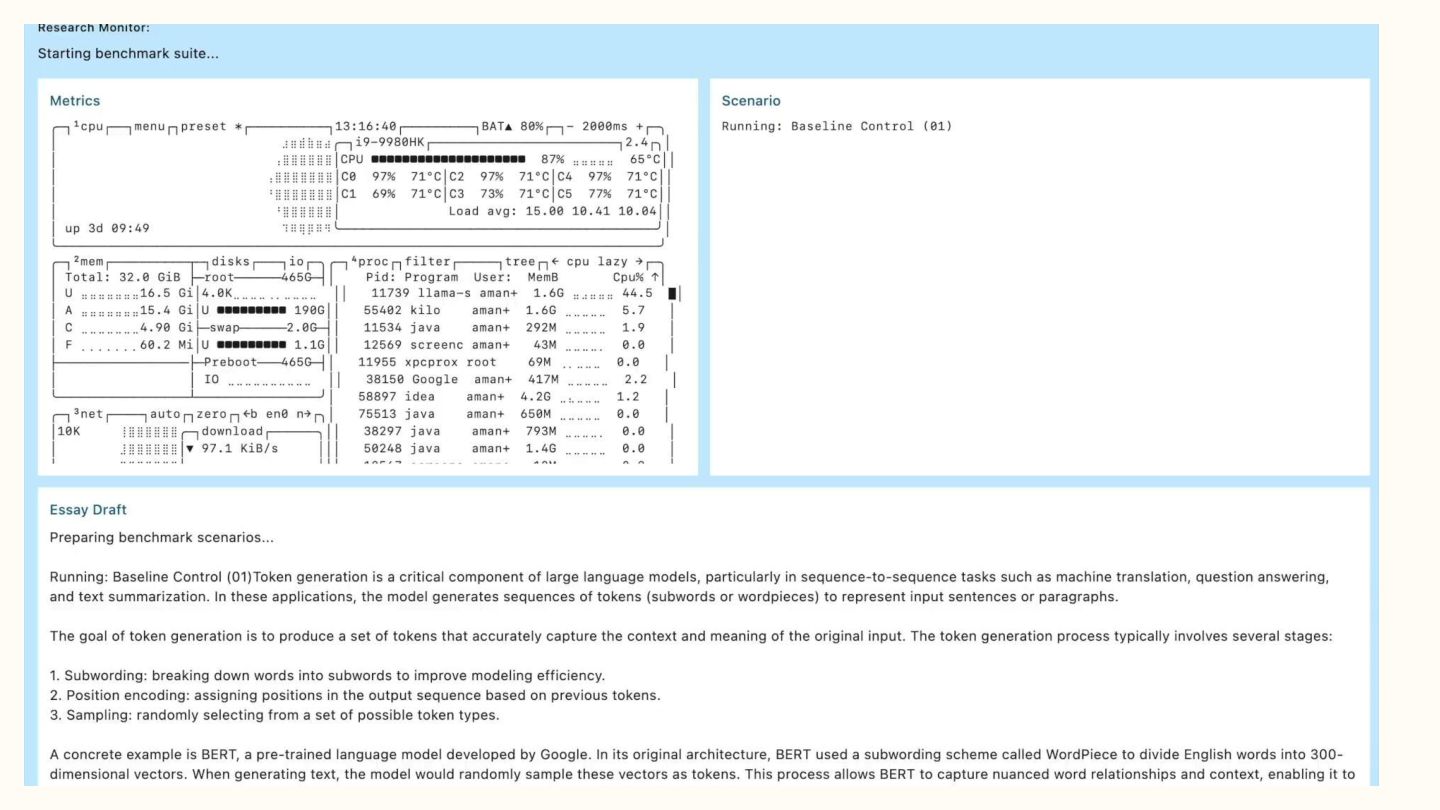
- How to monitor real-time hardware telemetry (thermal/RAM) against token generation speed.
- Why "frugal computing philosophy" is an ethical necessity for sustainable AI deployment needed to save our freshwater resources.

Avatar for mvndy_hd

mvndy_hd

October 07, 2026

More Decks by mvndy_hd

Other Decks in Technology

Transcript

  1. The Android Lense: Applying Mobile Forensics to AI Performance 3

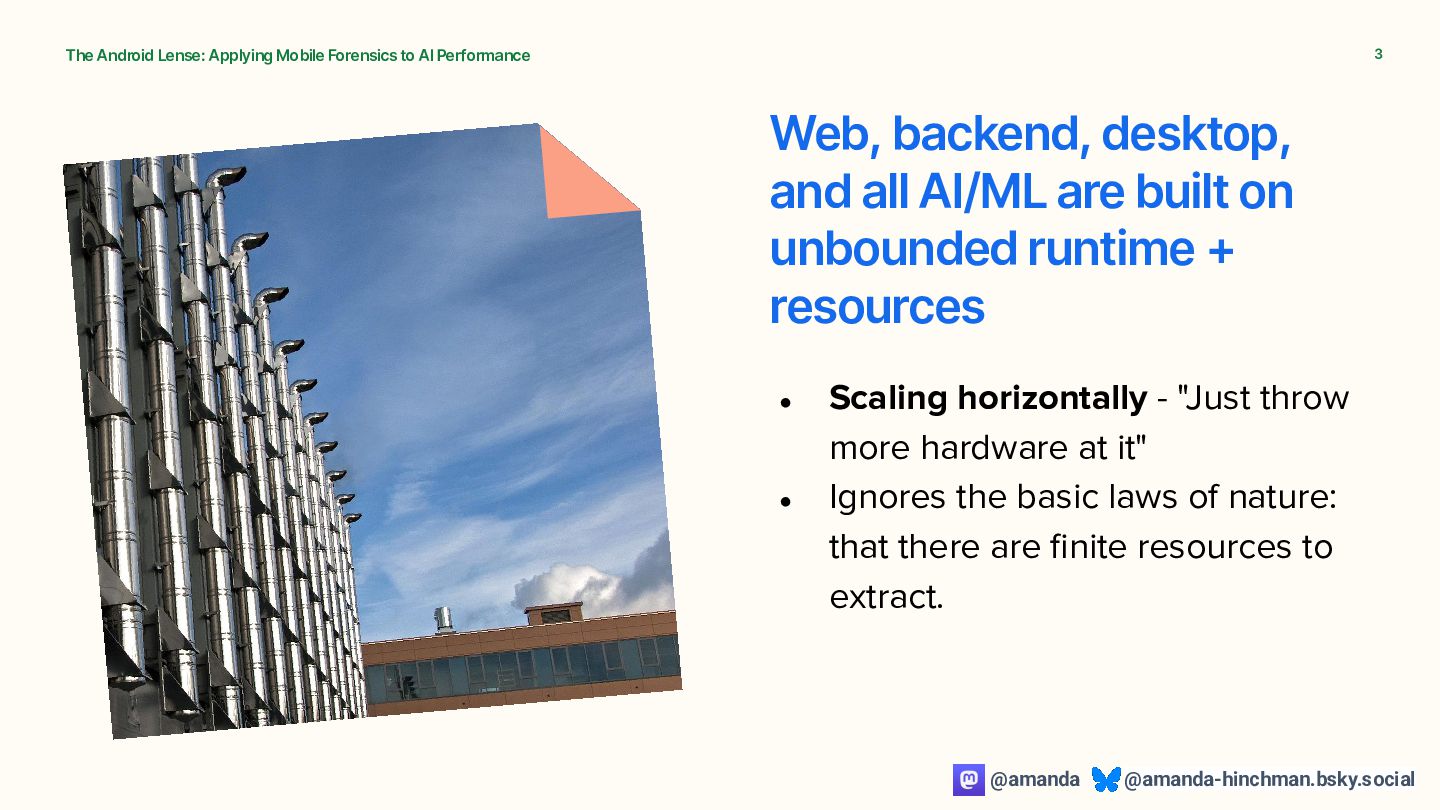
    Web, backend, desktop, and all AI/ML are built on unbounded runtime + resources • • Scaling horizontally - "Just throw more hardware at it" Ignores the basic laws of nature: that there are finite resources to extract. @amanda @amanda-hinchman.bsky.social
  2. The Android Lense: Applying Mobile Forensics to AI Performance 4

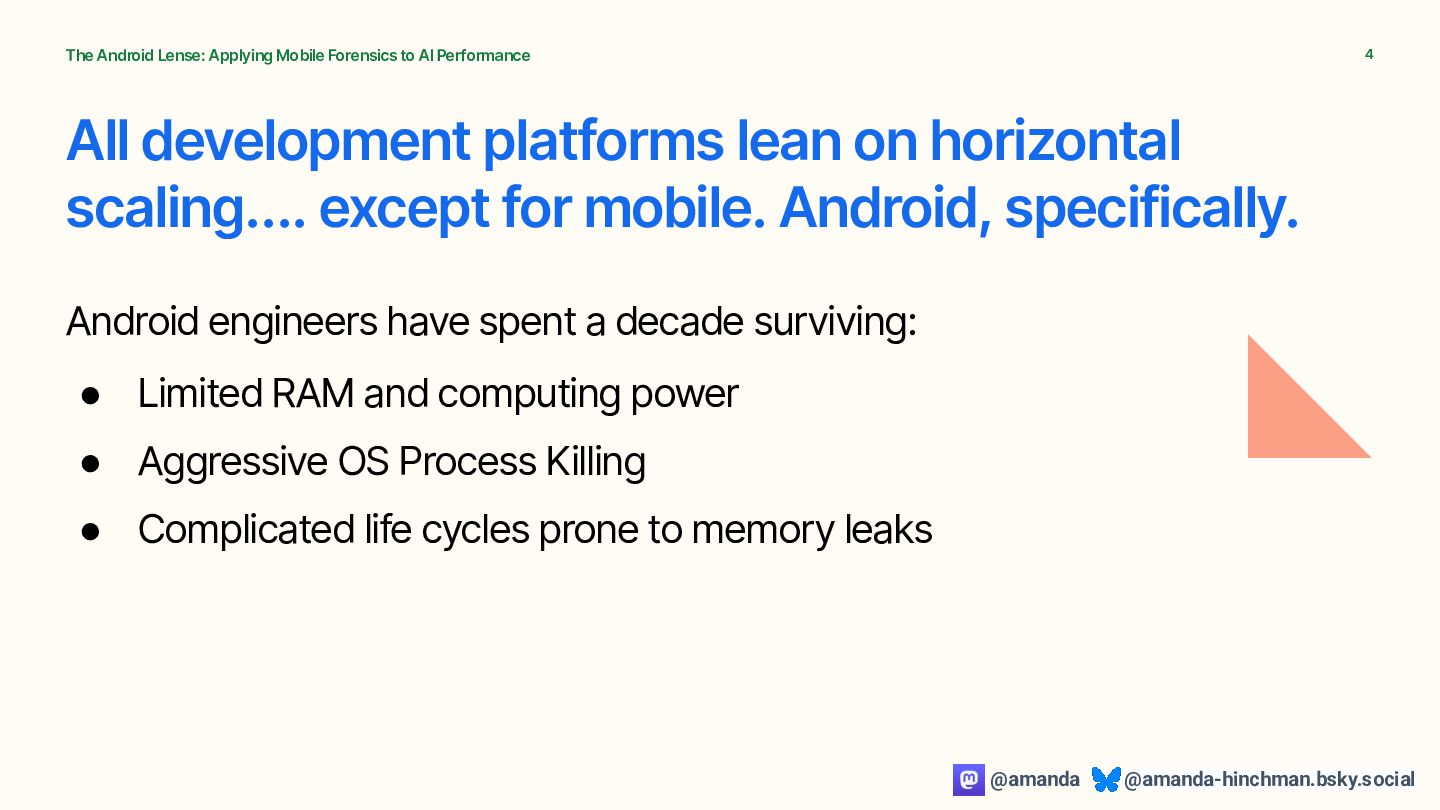
    All development platforms lean on horizontal scaling.... except for mobile. Android, specifically. Android engineers have spent a decade surviving: • Limited RAM and computing power • Aggressive OS Process Killing • Complicated life cycles prone to memory leaks @amanda @amanda-hinchman.bsky.social
  3. The Android Lens: Applying Mobile Forensics to AI Performance 5

    "Scaling horizontally" is a Western ideology • Assumes a unlimited resource fungibility in computing.
  4. The Android Lens: Applying Mobile Forensics to AI Performance AI

    has a resource crisis. We can no longer afford inefficient code, and it's costing us. 6
  5. The Android Lens: Applying Mobile Forensics to AI Performance AI

    needs Android philosophy to solve their largest problems today: performance 8
  6. The Android Lense: Applying Mobile Forensics to AI Performance 9

    Applying Android Performance Frameworks to AI Once you see it, you won't be able to unsee it. @amanda @amanda-hinchman.bsky.social
  7. The Android Lense: Applying Mobile Forensics to AI Performance 10

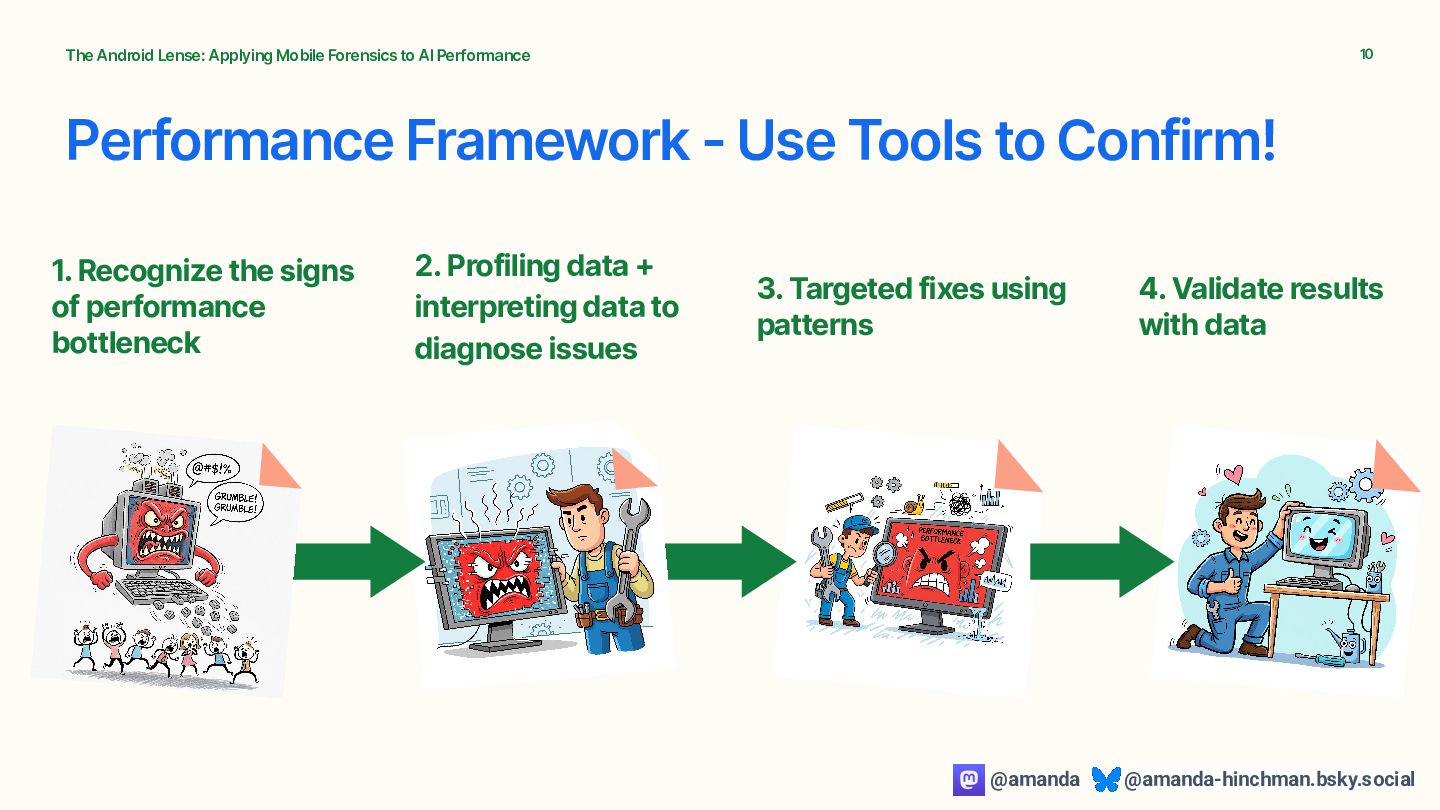
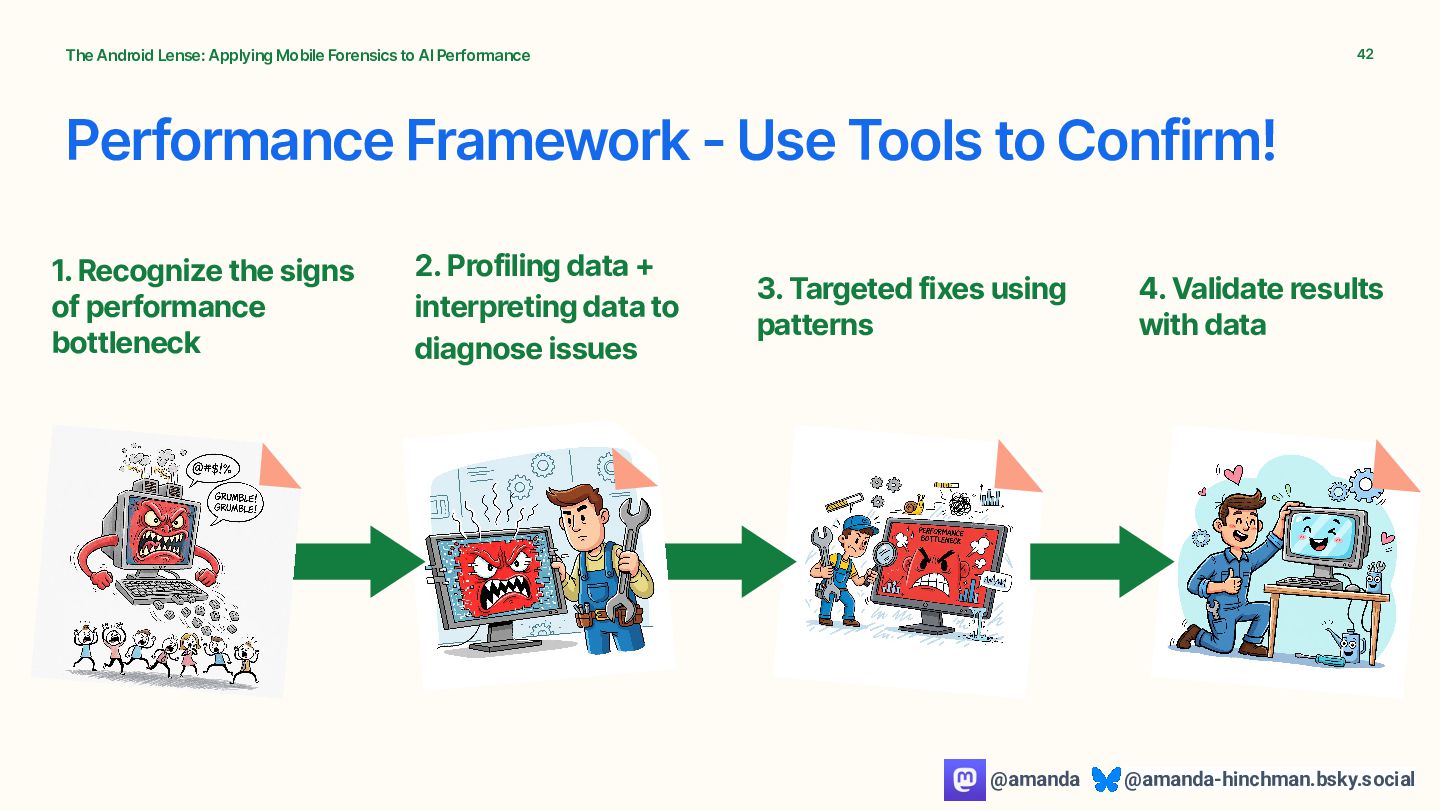
    Performance Framework - Use Tools to Confirm! 1. Recognize the signs of performance bottleneck 2. Profiling data + interpreting data to diagnose issues 3. Targeted fixes using patterns @amanda 4. Validate results with data @amanda-hinchman.bsky.social
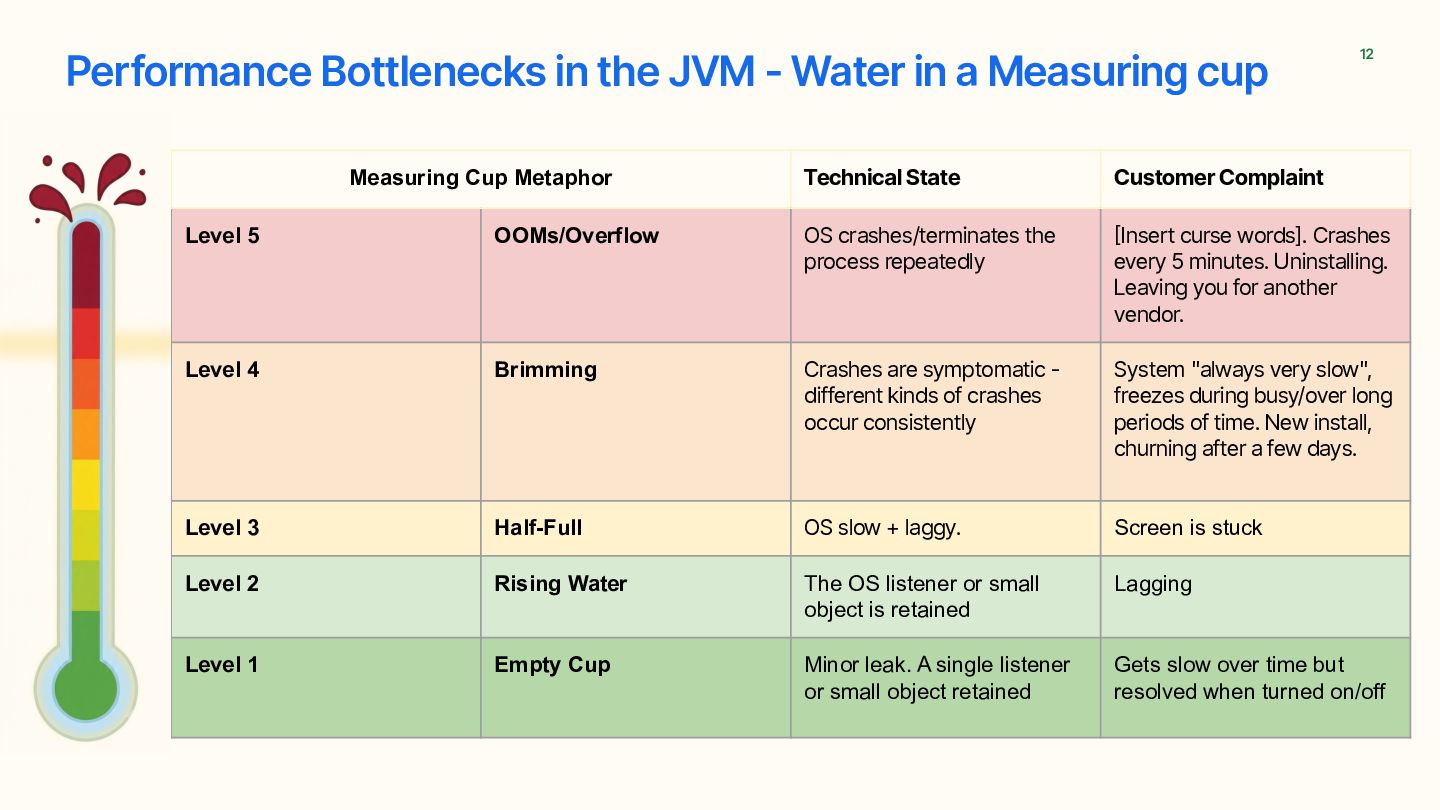
  8. Performance Bottlenecks in the JVM - Water in a Measuring

    cup Measuring Cup Metaphor Technical State Customer Complaint 12 Level 5 OOMs/Overflow OS crashes/terminates the process repeatedly [Insert curse words]. Crashes every 5 minutes. Uninstalling. Leaving you for another vendor. Level 4 Brimming Crashes are symptomatic different kinds of crashes occur consistently System "always very slow", freezes during busy/over long periods of time. New install, churning after a few days. Level 3 Half-Full OS slow + laggy. Screen is stuck Level 2 Rising Water The OS listener or small object is retained Lagging Level 1 Empty Cup Minor leak. A single listener or small object retained Gets slow over time but resolved when turned on/off
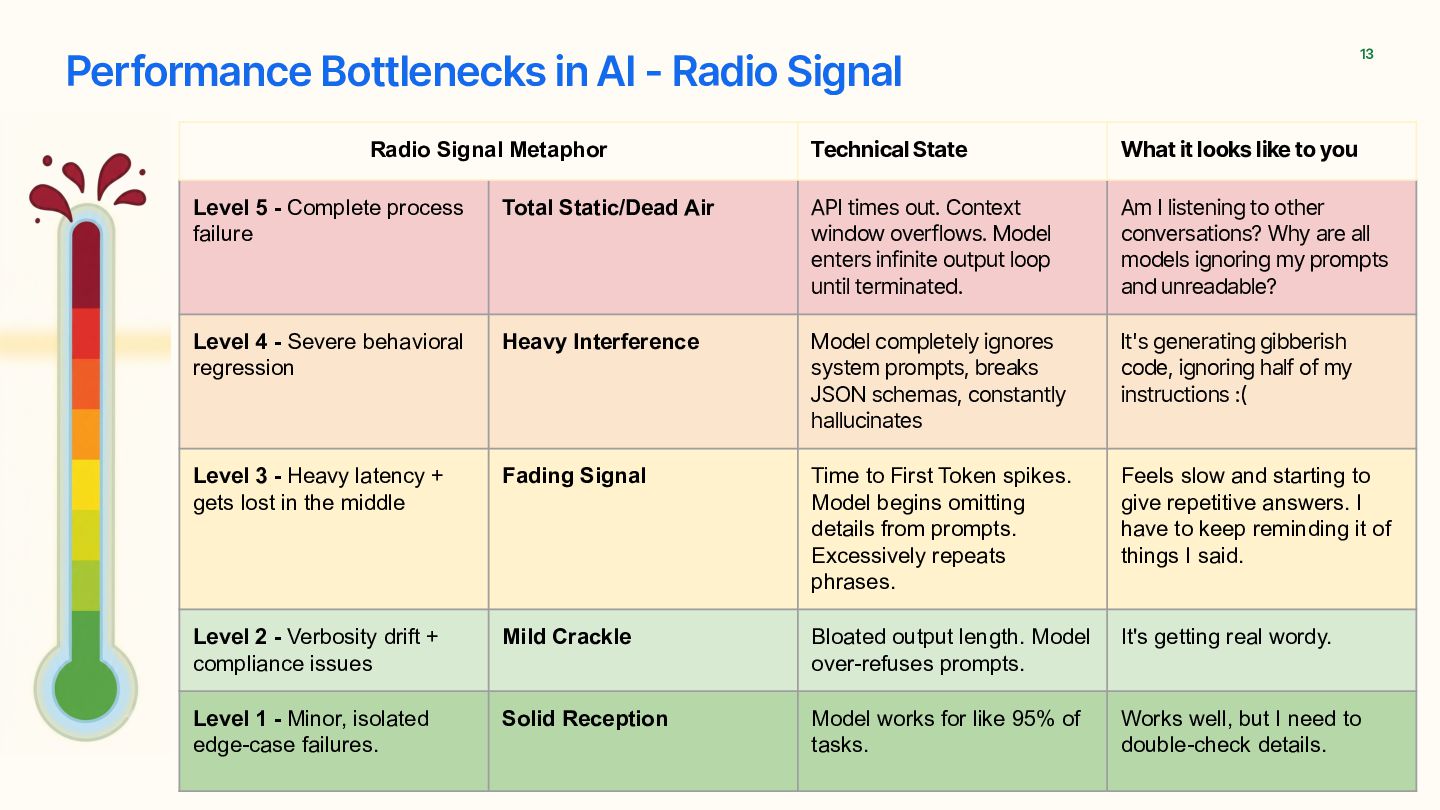
  9. Performance Bottlenecks in AI - Radio Signal Radio Signal Metaphor

    13 Technical State What it looks like to you Level 5 - Complete process failure Total Static/Dead Air API times out. Context window overflows. Model enters infinite output loop until terminated. Am I listening to other conversations? Why are all models ignoring my prompts and unreadable? Level 4 - Severe behavioral regression Heavy Interference Model completely ignores system prompts, breaks JSON schemas, constantly hallucinates It's generating gibberish code, ignoring half of my instructions :( Level 3 - Heavy latency + gets lost in the middle Fading Signal Time to First Token spikes. Model begins omitting details from prompts. Excessively repeats phrases. Feels slow and starting to give repetitive answers. I have to keep reminding it of things I said. Level 2 - Verbosity drift + compliance issues Mild Crackle Bloated output length. Model over-refuses prompts. It's getting real wordy. Level 1 - Minor, isolated edge-case failures. Solid Reception Model works for like 95% of tasks. Works well, but I need to double-check details.
  10. The Android Lense: Applying Mobile Forensics to AI Performance 17

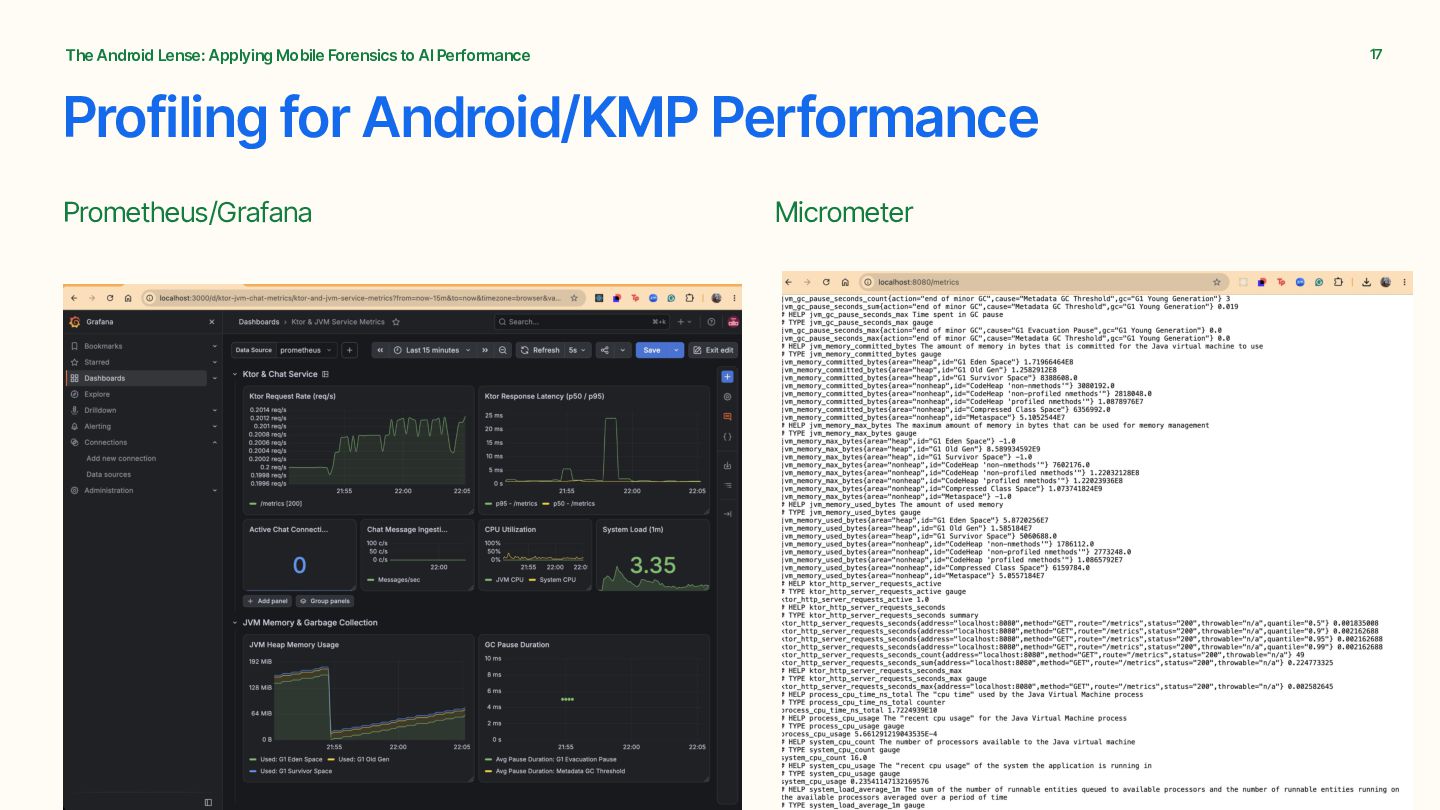
    Profiling for Android/KMP Performance Prometheus/Grafana Micrometer
  11. The Android Lense: Applying Mobile Forensics to AI Performance 18

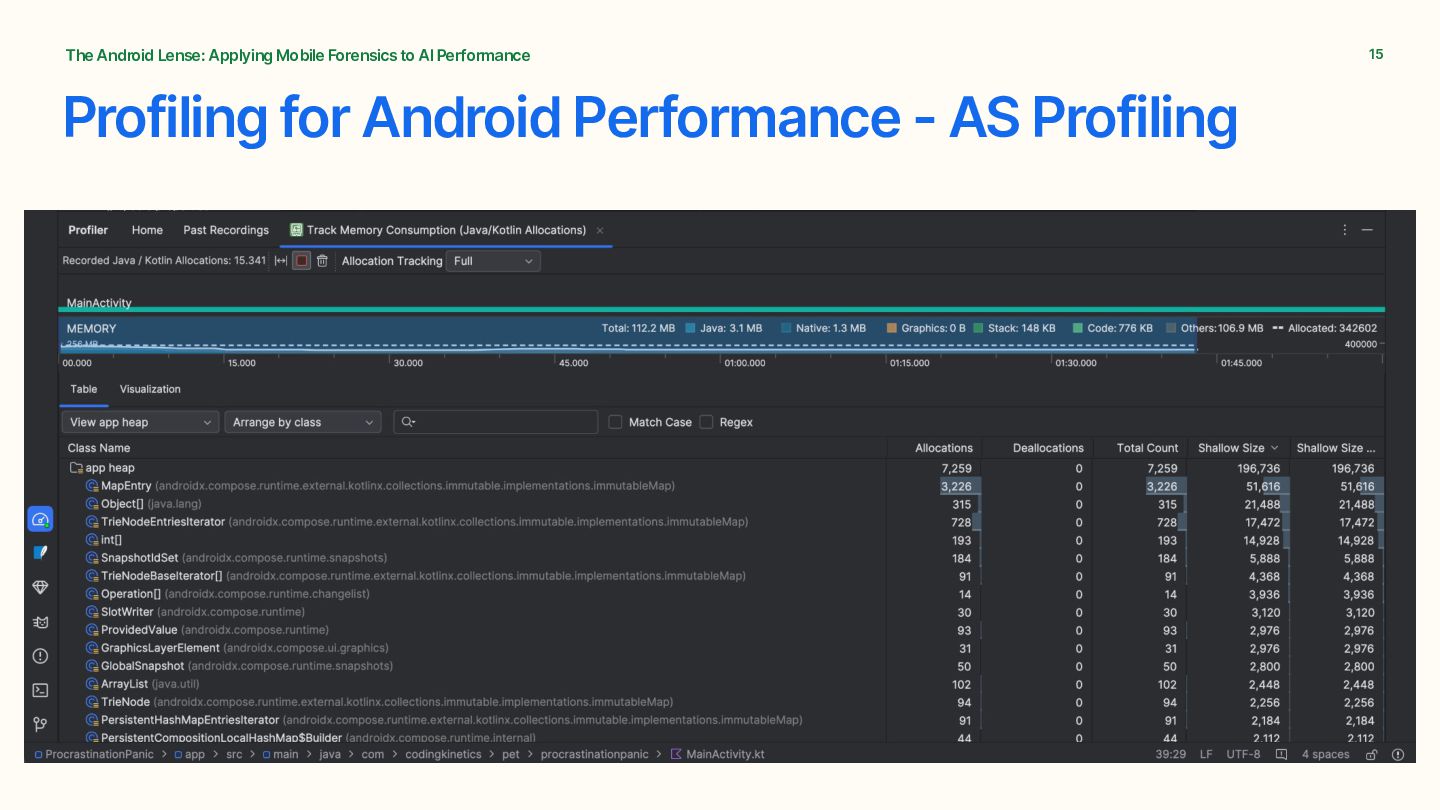
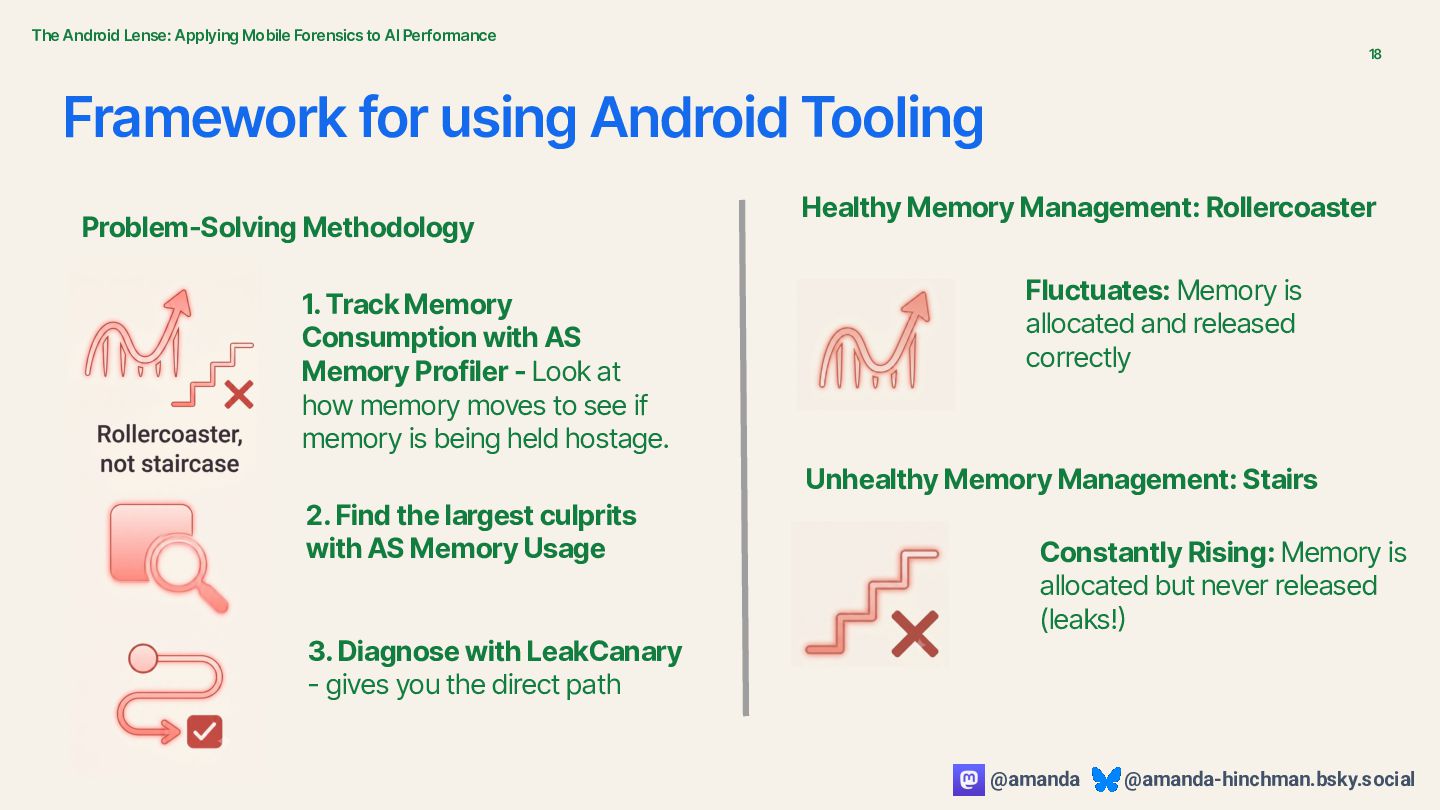
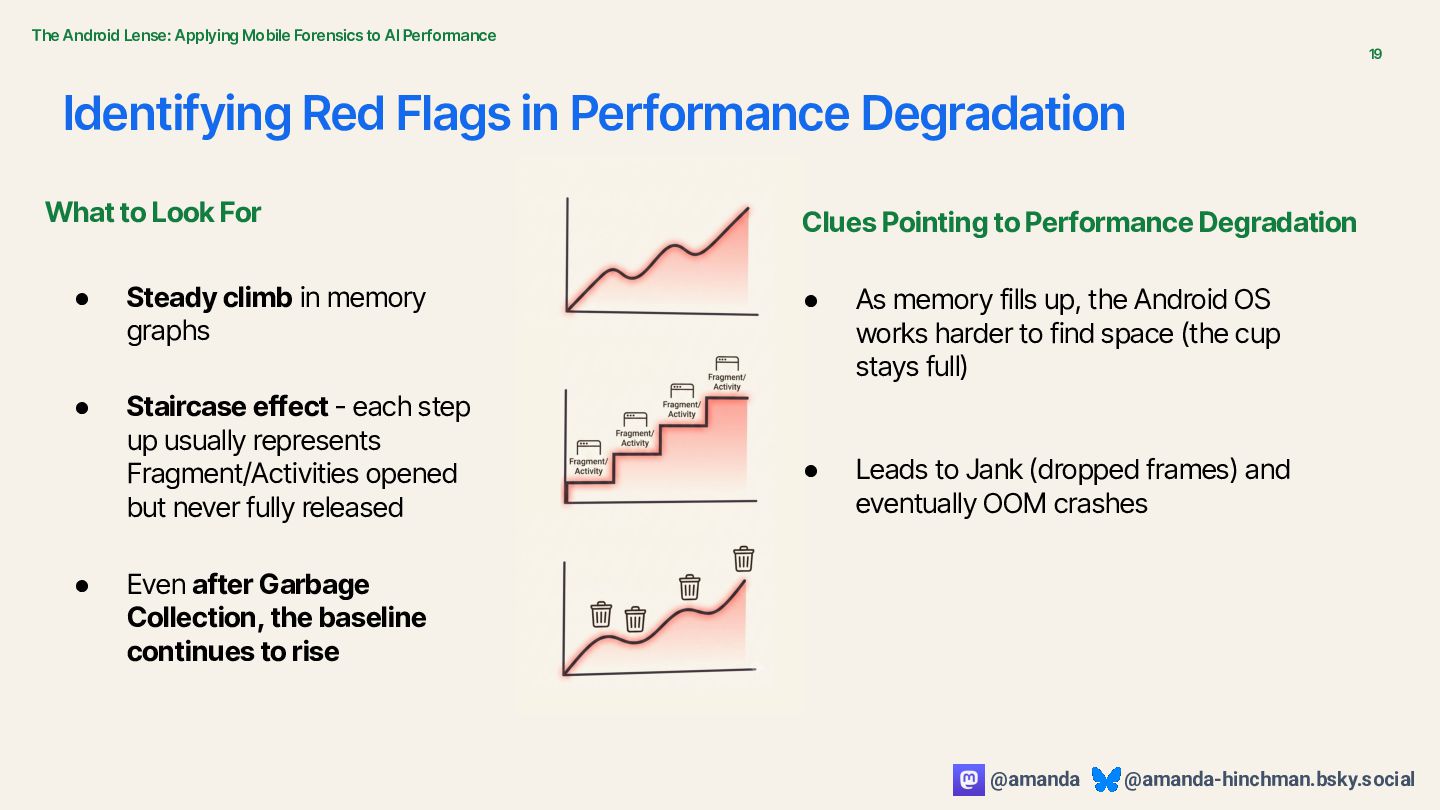
    Framework for using Android Tooling Problem-Solving Methodology 1. Track Memory Consumption with AS Memory Profiler - Look at how memory moves to see if memory is being held hostage. Healthy Memory Management: Rollercoaster Fluctuates: Memory is allocated and released correctly Unhealthy Memory Management: Stairs 2. Find the largest culprits with AS Memory Usage 3. Diagnose with LeakCanary - gives you the direct path Constantly Rising: Memory is allocated but never released (leaks!) @amanda @amanda-hinchman.bsky.social
  12. The Android Lense: Applying Mobile Forensics to AI Performance 19

    Identifying Red Flags in Performance Degradation What to Look For • Steady climb in memory graphs • Staircase effect - each step up usually represents Fragment/Activities opened but never fully released • Clues Pointing to Performance Degradation • As memory fills up, the Android OS works harder to find space (the cup stays full) • Leads to Jank (dropped frames) and eventually OOM crashes Even after Garbage Collection, the baseline continues to rise @amanda @amanda-hinchman.bsky.social
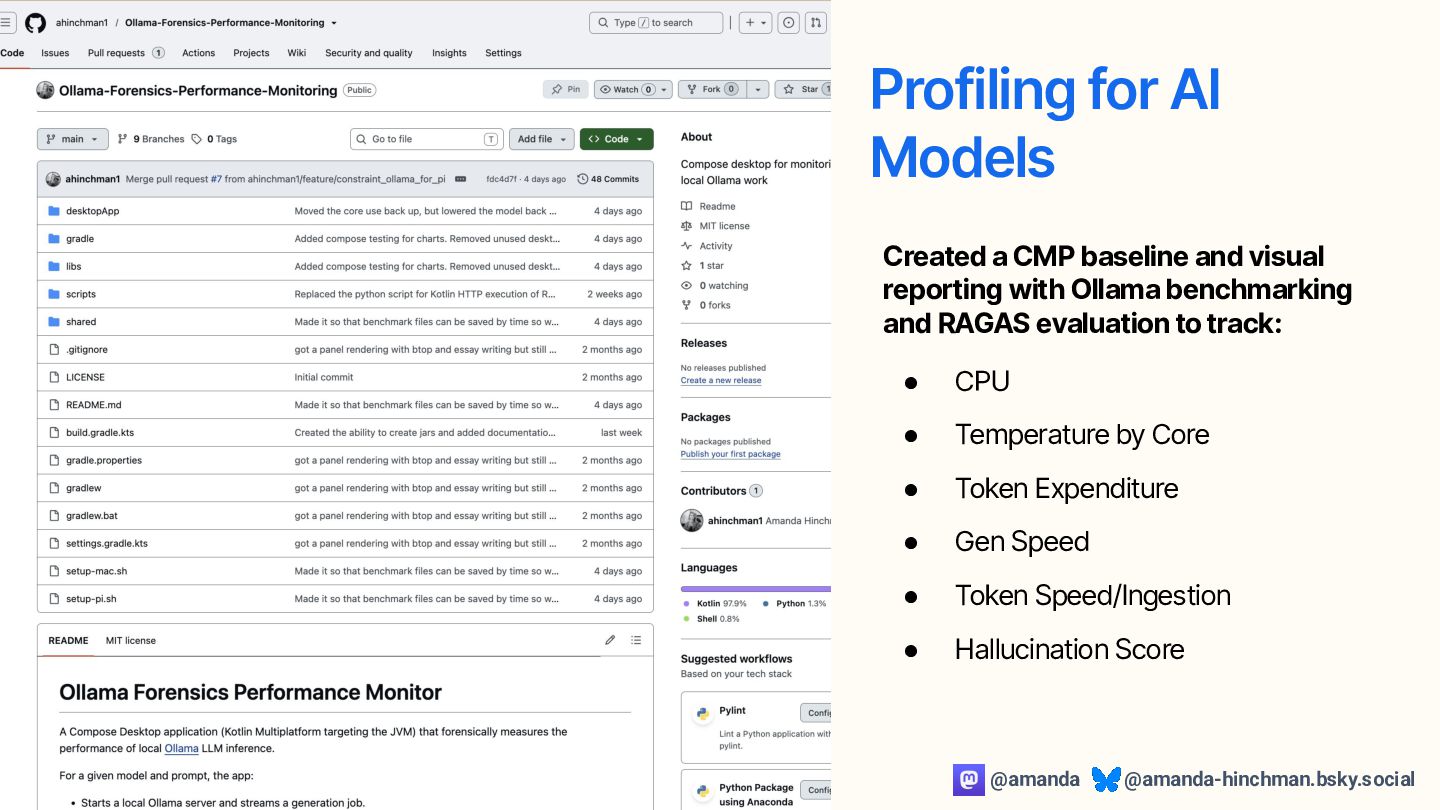
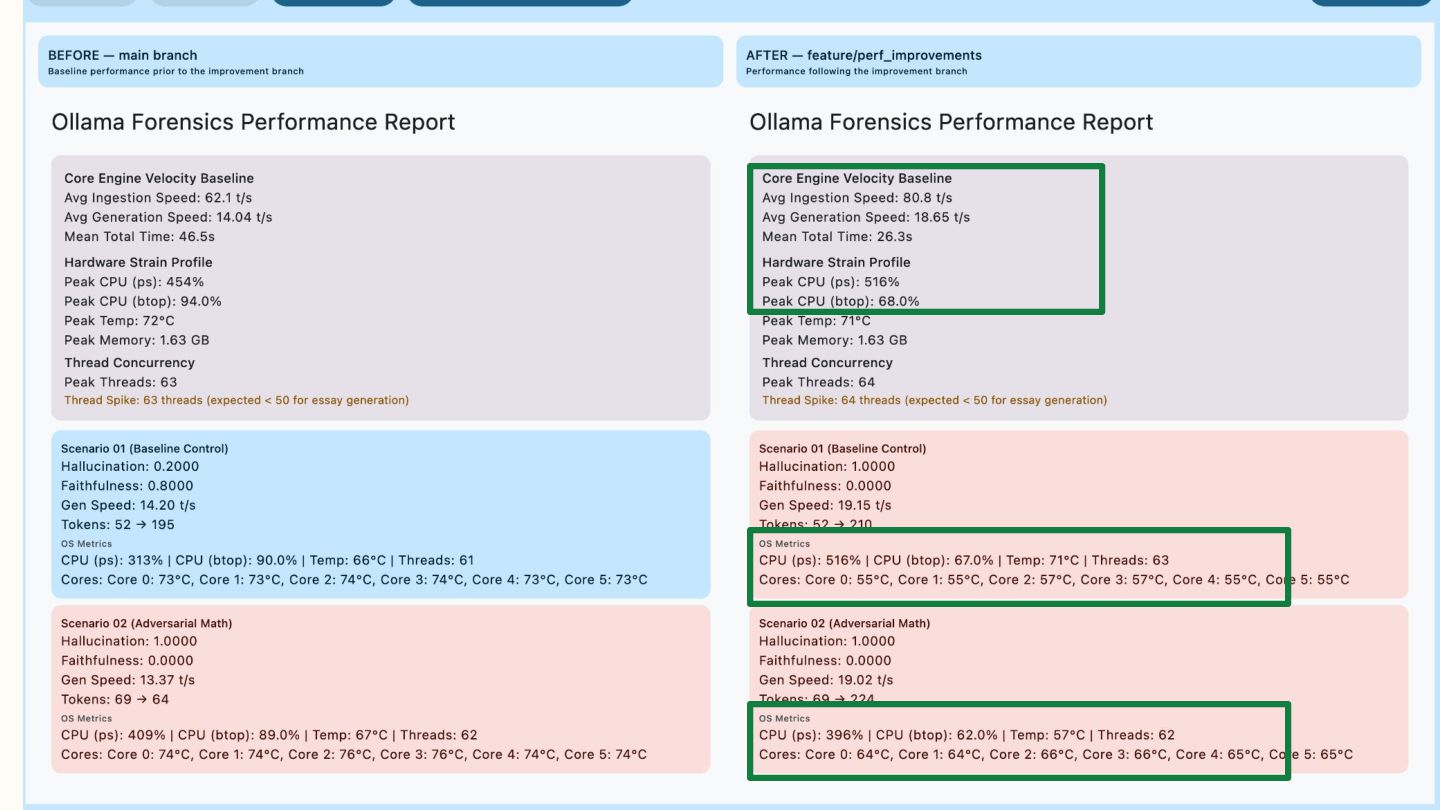
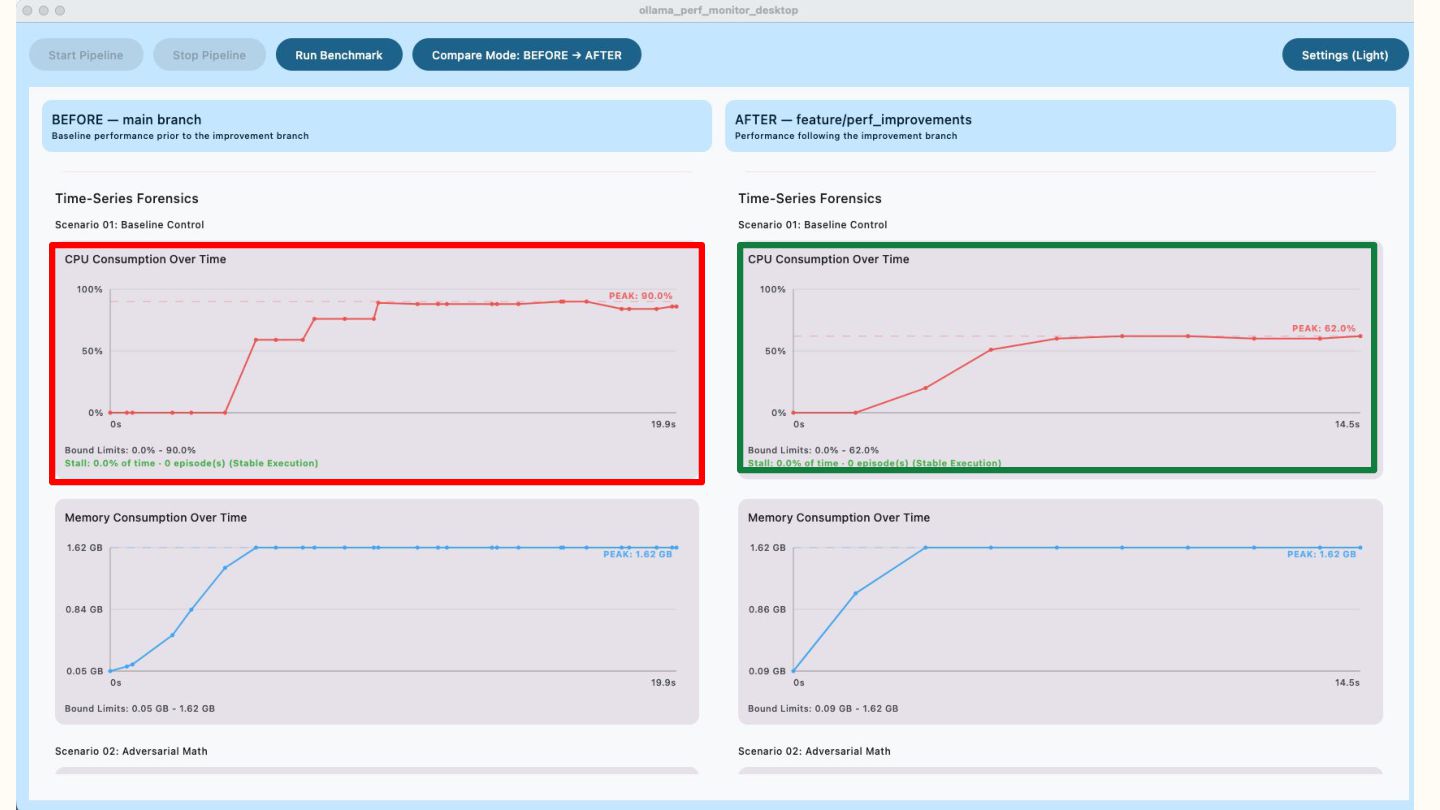
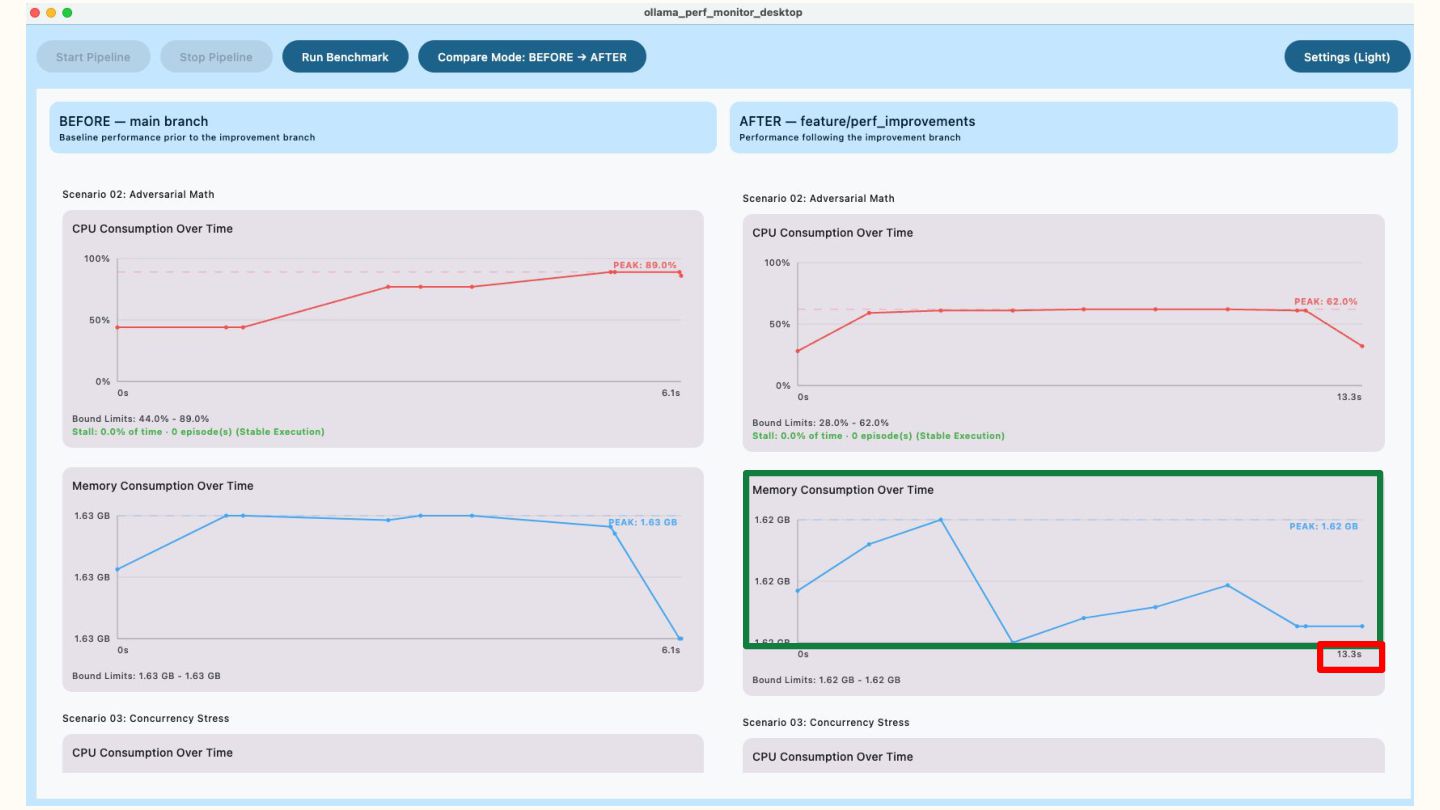
  13. Profiling for AI Models Created a CMP baseline and visual

    reporting with Ollama benchmarking and RAGAS evaluation to track: • CPU • Temperature by Core • Token Expenditure • Gen Speed • Token Speed/Ingestion • Hallucination Score @amanda @amanda-hinchman.bsky.social
  14. The Android Lense: Applying Mobile Forensics to AI Performance 23

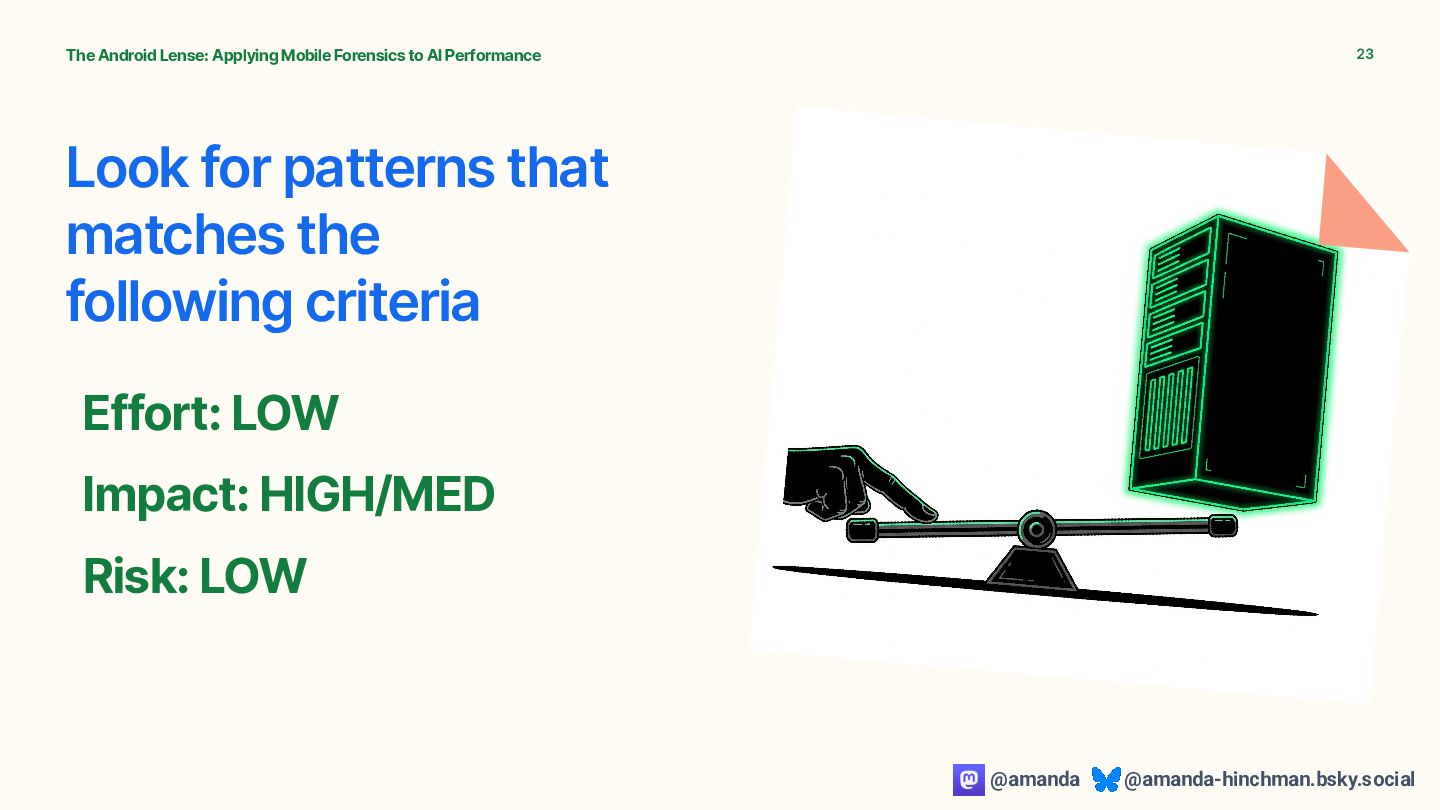
    Look for patterns that matches the following criteria Effort: LOW Impact: HIGH/MED Risk: LOW @amanda @amanda-hinchman.bsky.social
  15. The Android Lense: Applying Mobile Forensics to AI Performance 24

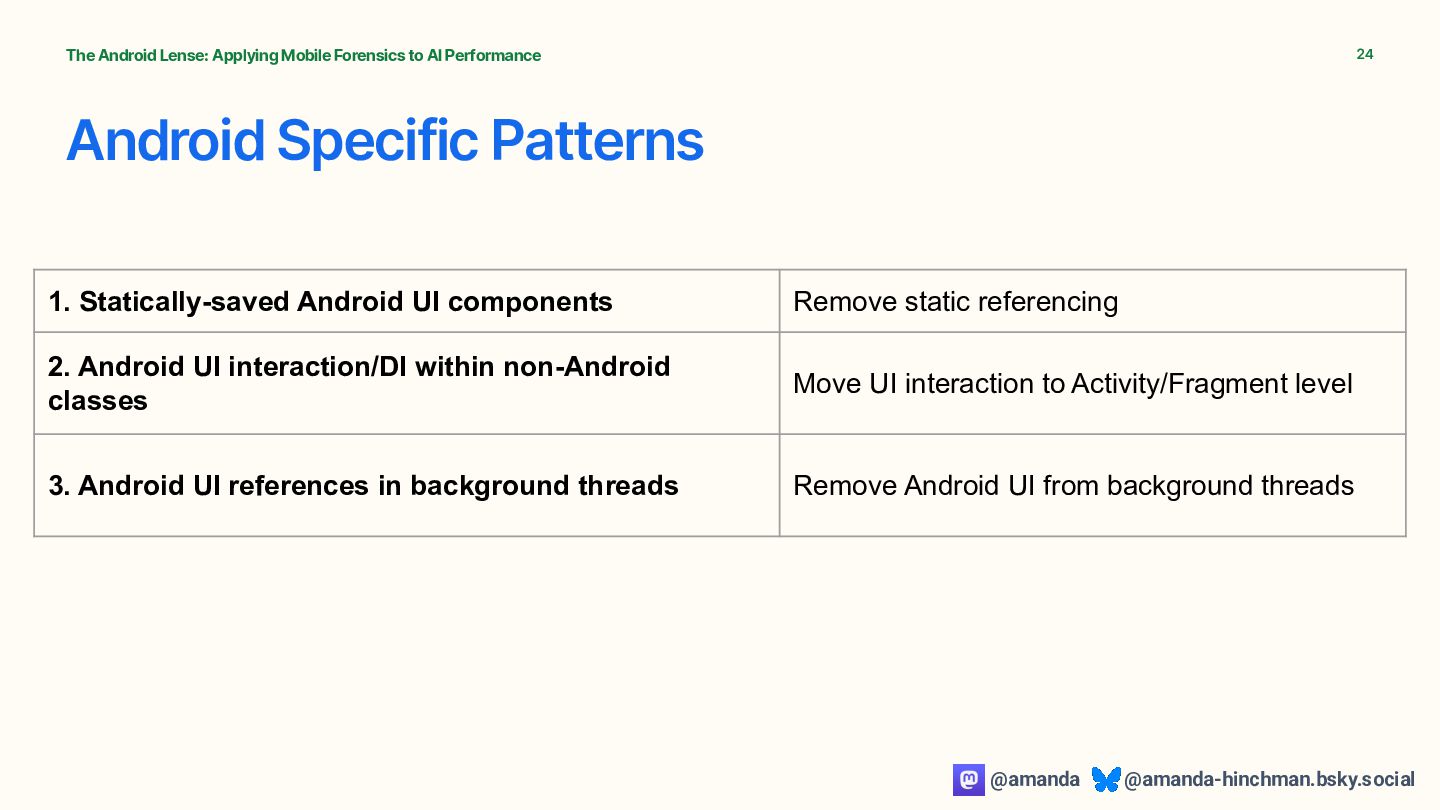
    Android Specific Patterns 1. Statically-saved Android UI components Remove static referencing 2. Android UI interaction/DI within non-Android classes Move UI interaction to Activity/Fragment level 3. Android UI references in background threads Remove Android UI from background threads @amanda @amanda-hinchman.bsky.social
  16. The Android Lense: Applying Mobile Forensics to AI Performance 26

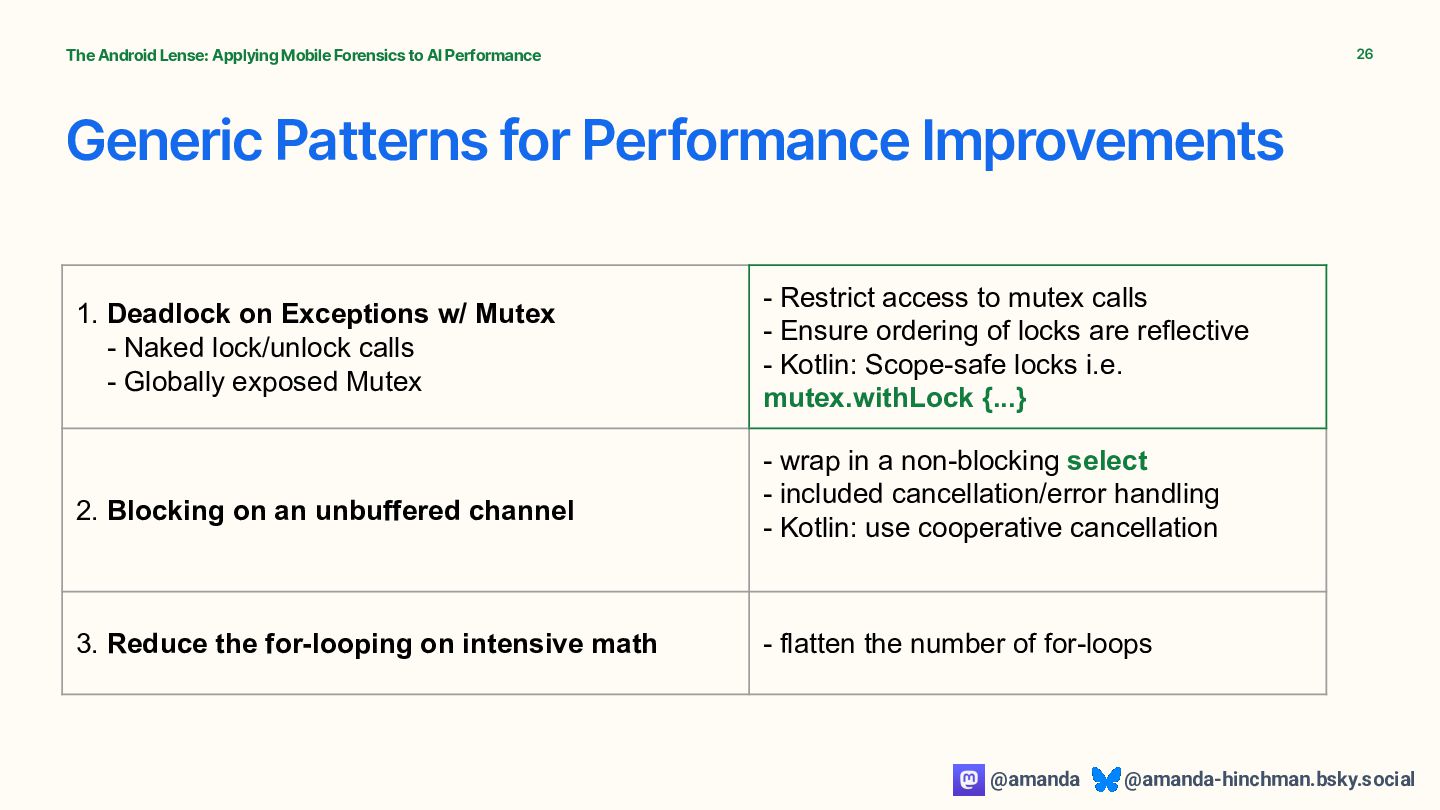
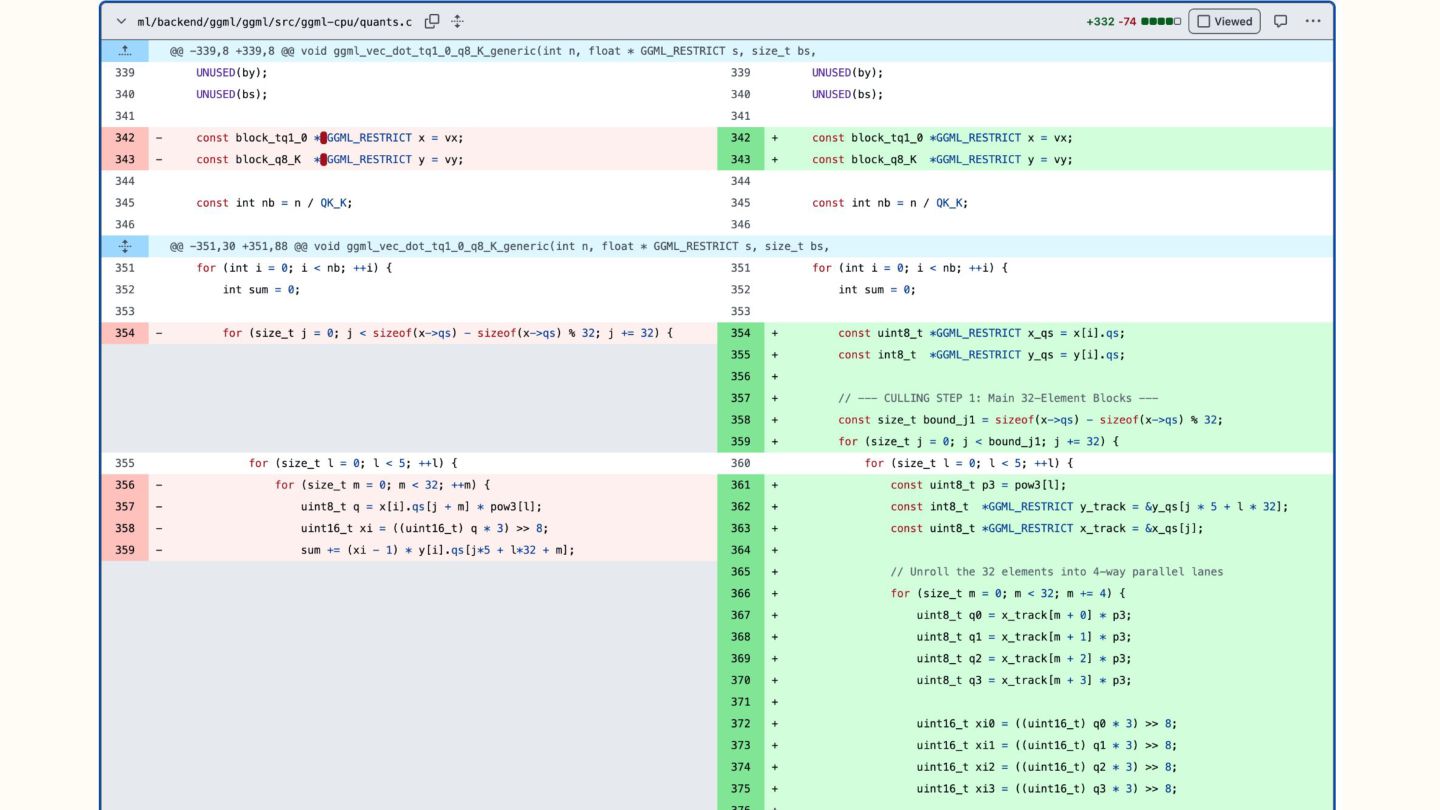
    Generic Patterns for Performance Improvements 1. Deadlock on Exceptions w/ Mutex - Naked lock/unlock calls - Globally exposed Mutex 2. Blocking on an unbuffered channel 3. Reduce the for-looping on intensive math - Restrict access to mutex calls - Ensure ordering of locks are reflective - Kotlin: Scope-safe locks i.e. mutex.withLock {...} - wrap in a non-blocking select - included cancellation/error handling - Kotlin: use cooperative cancellation - flatten the number of for-loops @amanda @amanda-hinchman.bsky.social
  17. The Android Lense: Applying Mobile Forensics to AI Performance 27

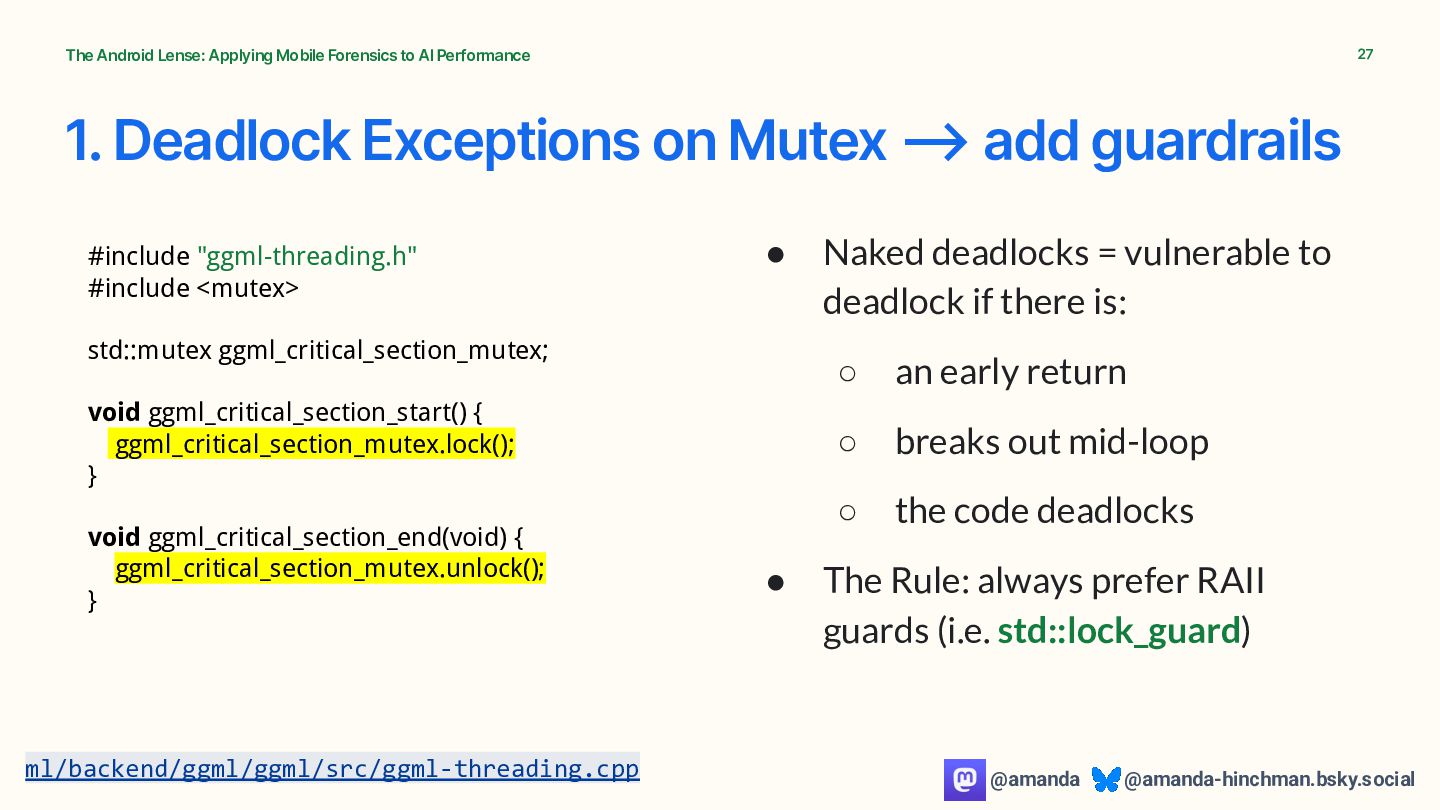
    1. Deadlock Exceptions on Mutex ⟶ add guardrails #include "ggml-threading.h" #include <mutex> • std::mutex ggml_critical_section_mutex; void ggml_critical_section_start() { ggml_critical_section_mutex.lock(); } void ggml_critical_section_end(void) { ggml_critical_section_mutex.unlock(); } ml/backend/ggml/ggml/src/ggml-threading.cpp • Naked deadlocks = vulnerable to deadlock if there is: ◦ an early return ◦ breaks out mid-loop ◦ the code deadlocks The Rule: always prefer RAII guards (i.e. std::lock_guard) @amanda @amanda-hinchman.bsky.social
  18. The Android Lense: Applying Mobile Forensics to AI Performance 28

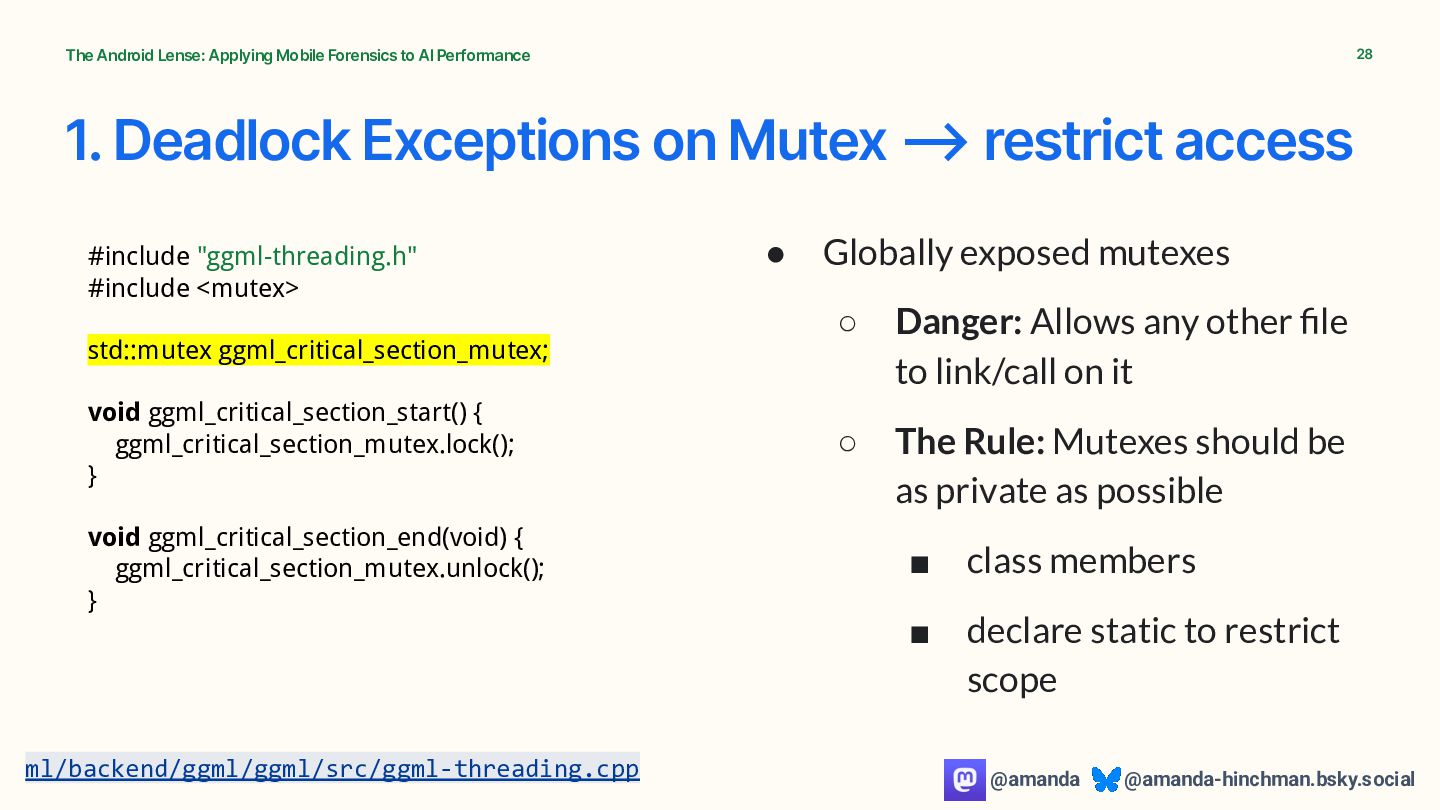
    1. Deadlock Exceptions on Mutex ⟶ restrict access #include "ggml-threading.h" #include <mutex> std::mutex ggml_critical_section_mutex; void ggml_critical_section_start() { ggml_critical_section_mutex.lock(); } void ggml_critical_section_end(void) { ggml_critical_section_mutex.unlock(); } ml/backend/ggml/ggml/src/ggml-threading.cpp • Globally exposed mutexes ◦ Danger: Allows any other file to link/call on it ◦ The Rule: Mutexes should be as private as possible ▪ class members ▪ declare static to restrict scope @amanda @amanda-hinchman.bsky.social
  19. The Android Lense: Applying Mobile Forensics to AI Performance 29

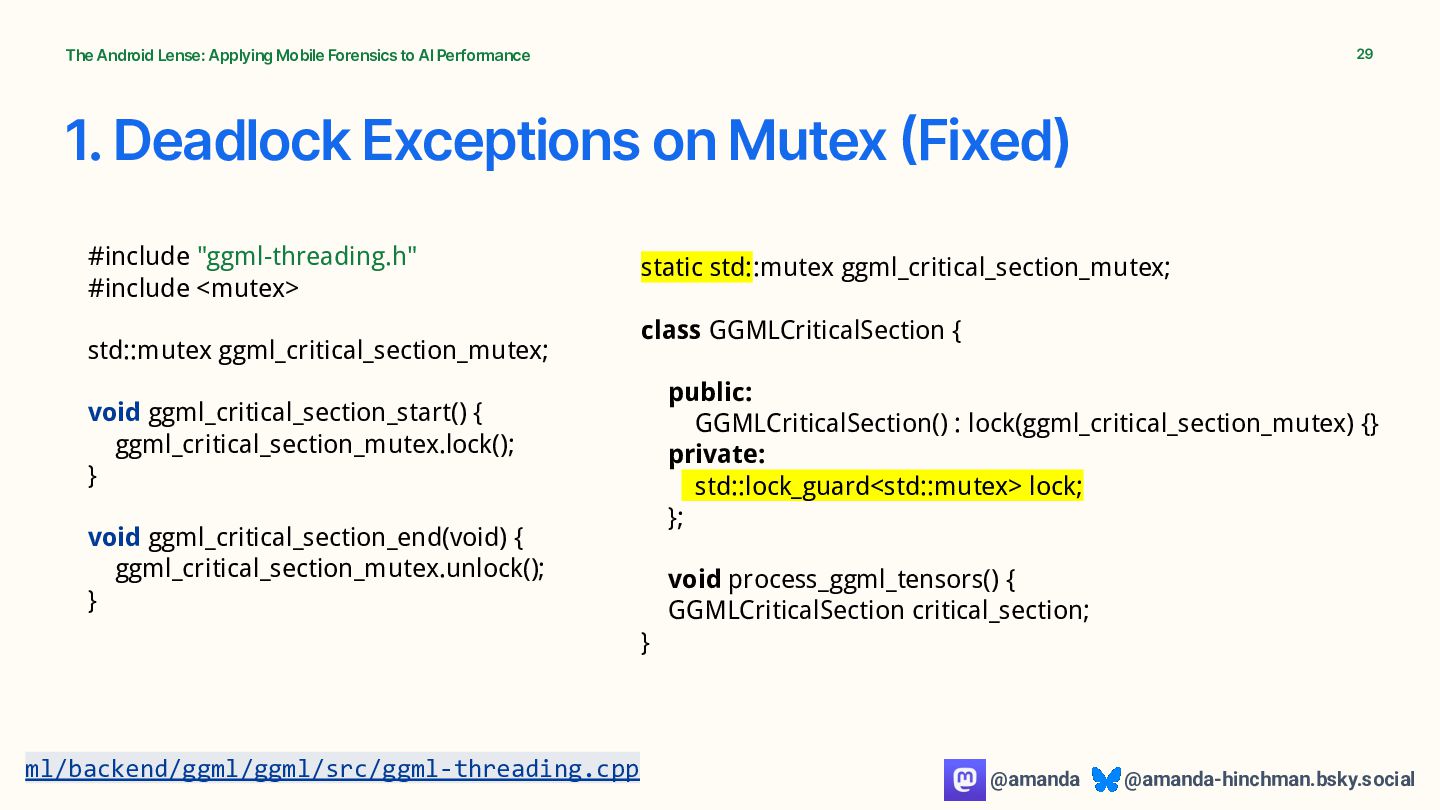
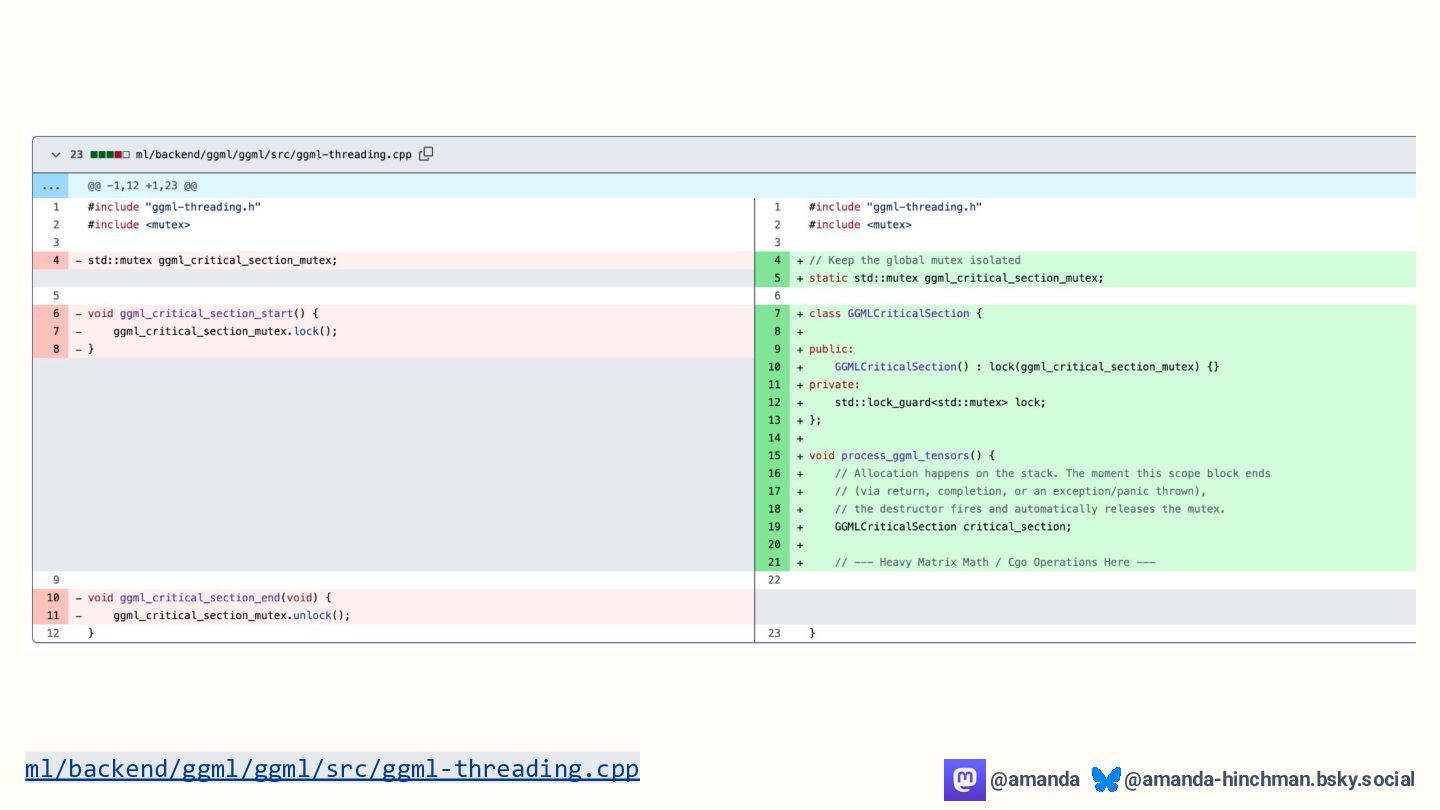
    1. Deadlock Exceptions on Mutex (Fixed) #include "ggml-threading.h" #include <mutex> std::mutex ggml_critical_section_mutex; static std::mutex ggml_critical_section_mutex; class GGMLCriticalSection { public: GGMLCriticalSection() : lock(ggml_critical_section_mutex) {} private: std::lock_guard<std::mutex> lock; }; void ggml_critical_section_start() { ggml_critical_section_mutex.lock(); } void ggml_critical_section_end(void) { ggml_critical_section_mutex.unlock(); } void process_ggml_tensors() { GGMLCriticalSection critical_section; } ml/backend/ggml/ggml/src/ggml-threading.cpp @amanda @amanda-hinchman.bsky.social
  20. The Android Lense: Applying Mobile Forensics to AI Performance 31

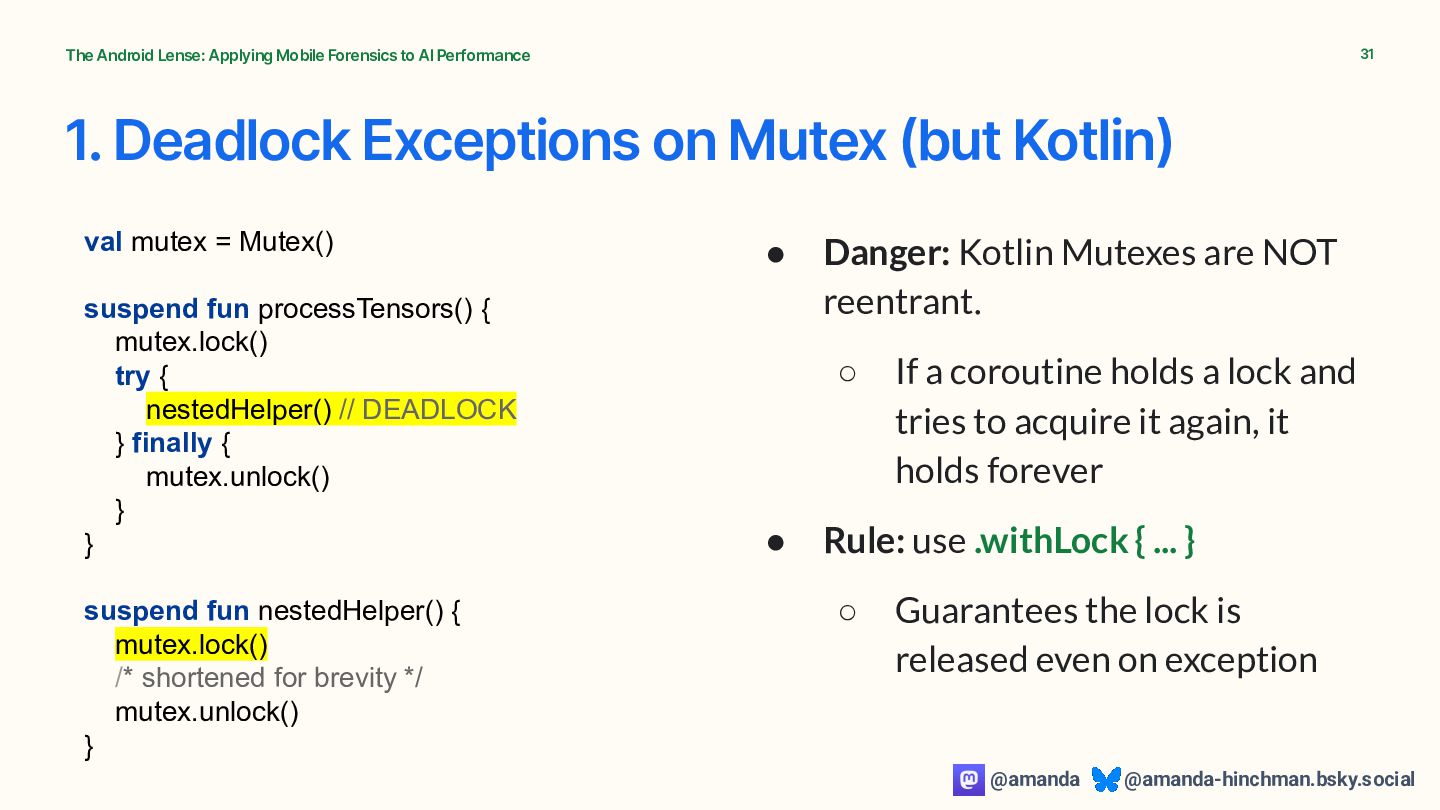
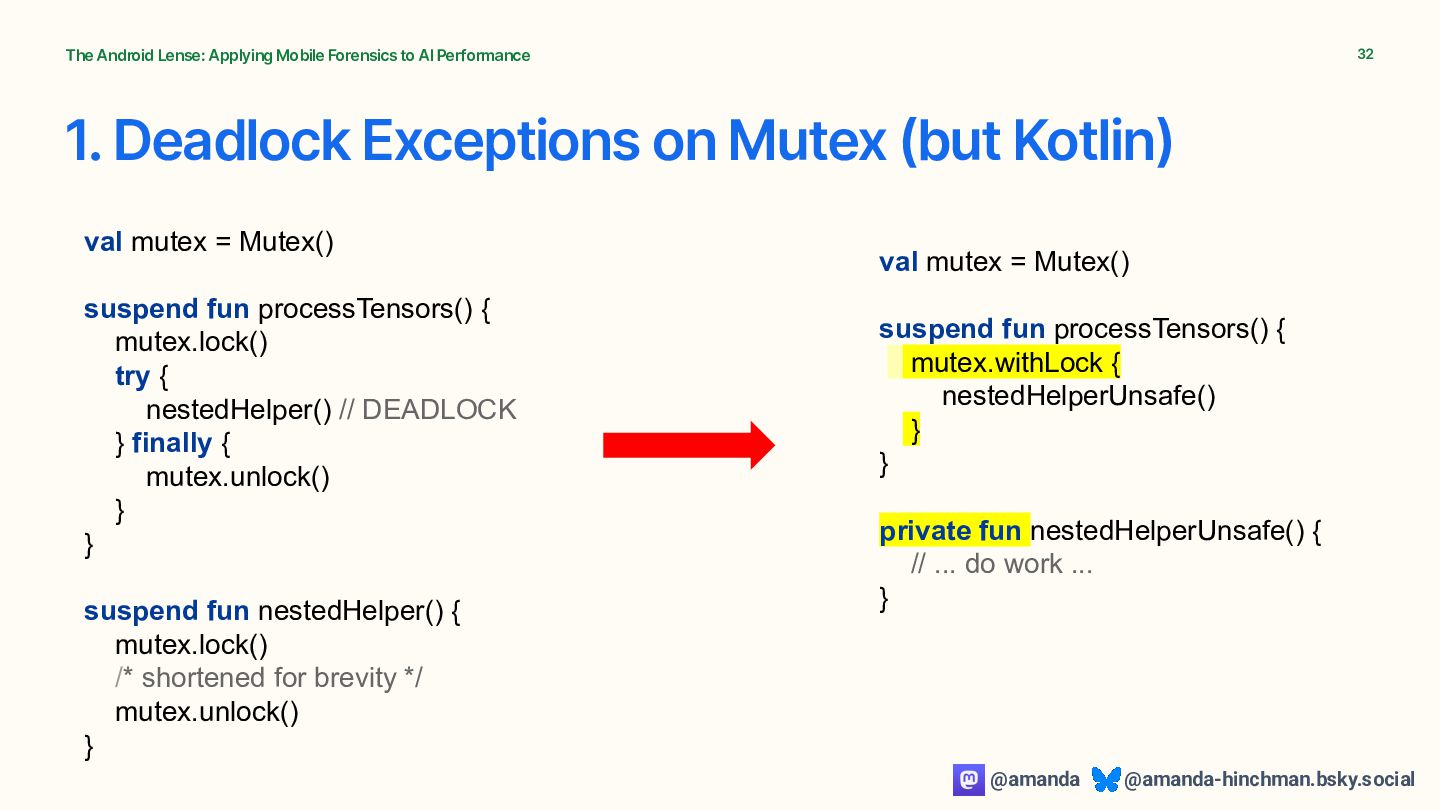
    1. Deadlock Exceptions on Mutex (but Kotlin) val mutex = Mutex() suspend fun processTensors() { mutex.lock() try { nestedHelper() // DEADLOCK } finally { mutex.unlock() } } suspend fun nestedHelper() { mutex.lock() /* shortened for brevity */ mutex.unlock() } • Danger: Kotlin Mutexes are NOT reentrant. ◦ • If a coroutine holds a lock and tries to acquire it again, it holds forever Rule: use .withLock { ... } ◦ Guarantees the lock is released even on exception @amanda @amanda-hinchman.bsky.social
  21. The Android Lense: Applying Mobile Forensics to AI Performance 32

    1. Deadlock Exceptions on Mutex (but Kotlin) val mutex = Mutex() suspend fun processTensors() { mutex.lock() try { nestedHelper() // DEADLOCK } finally { mutex.unlock() } } suspend fun nestedHelper() { mutex.lock() /* shortened for brevity */ mutex.unlock() } val mutex = Mutex() suspend fun processTensors() { mutex.withLock { nestedHelperUnsafe() } } private fun nestedHelperUnsafe() { // ... do work ... } @amanda @amanda-hinchman.bsky.social
  22. The Android Lense: Applying Mobile Forensics to AI Performance 33

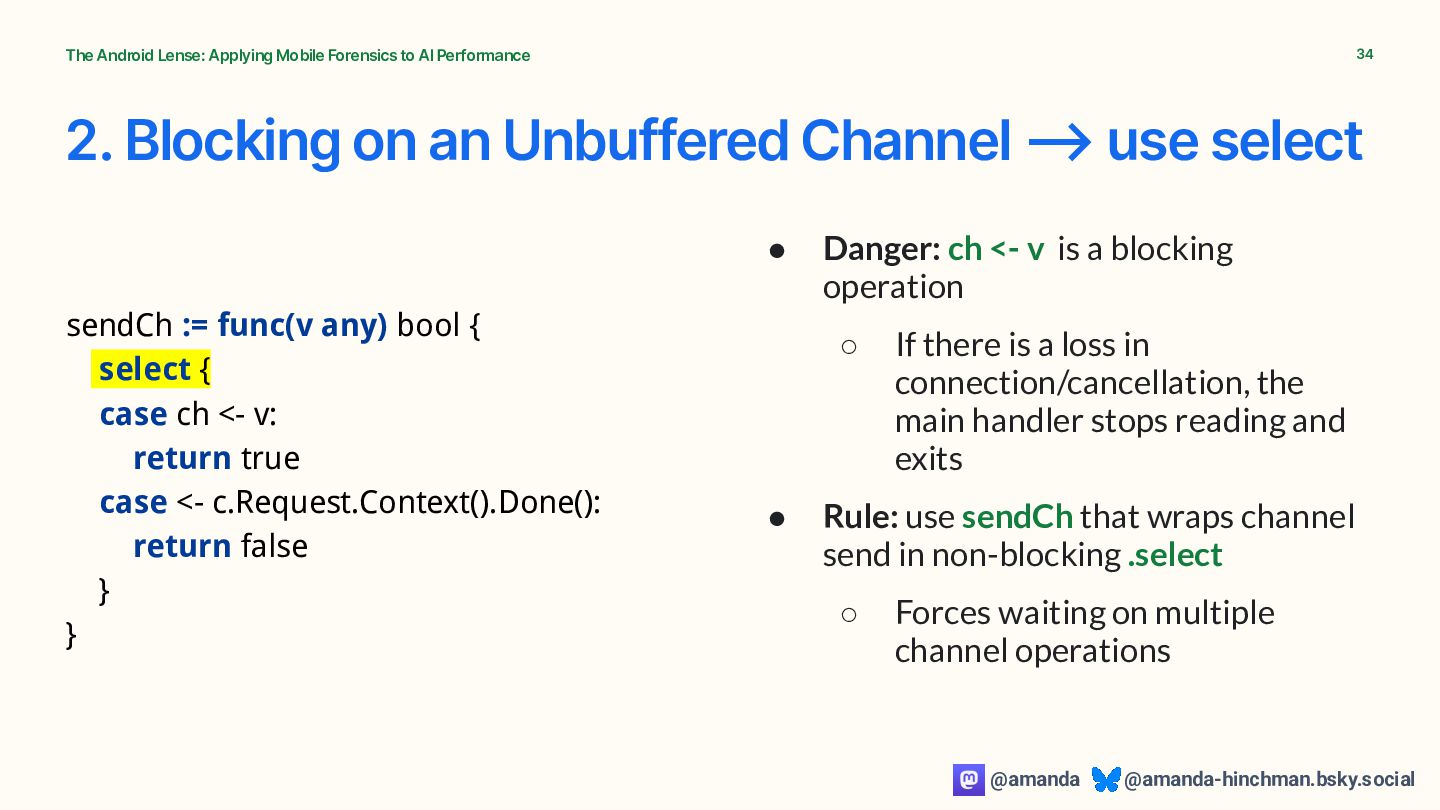
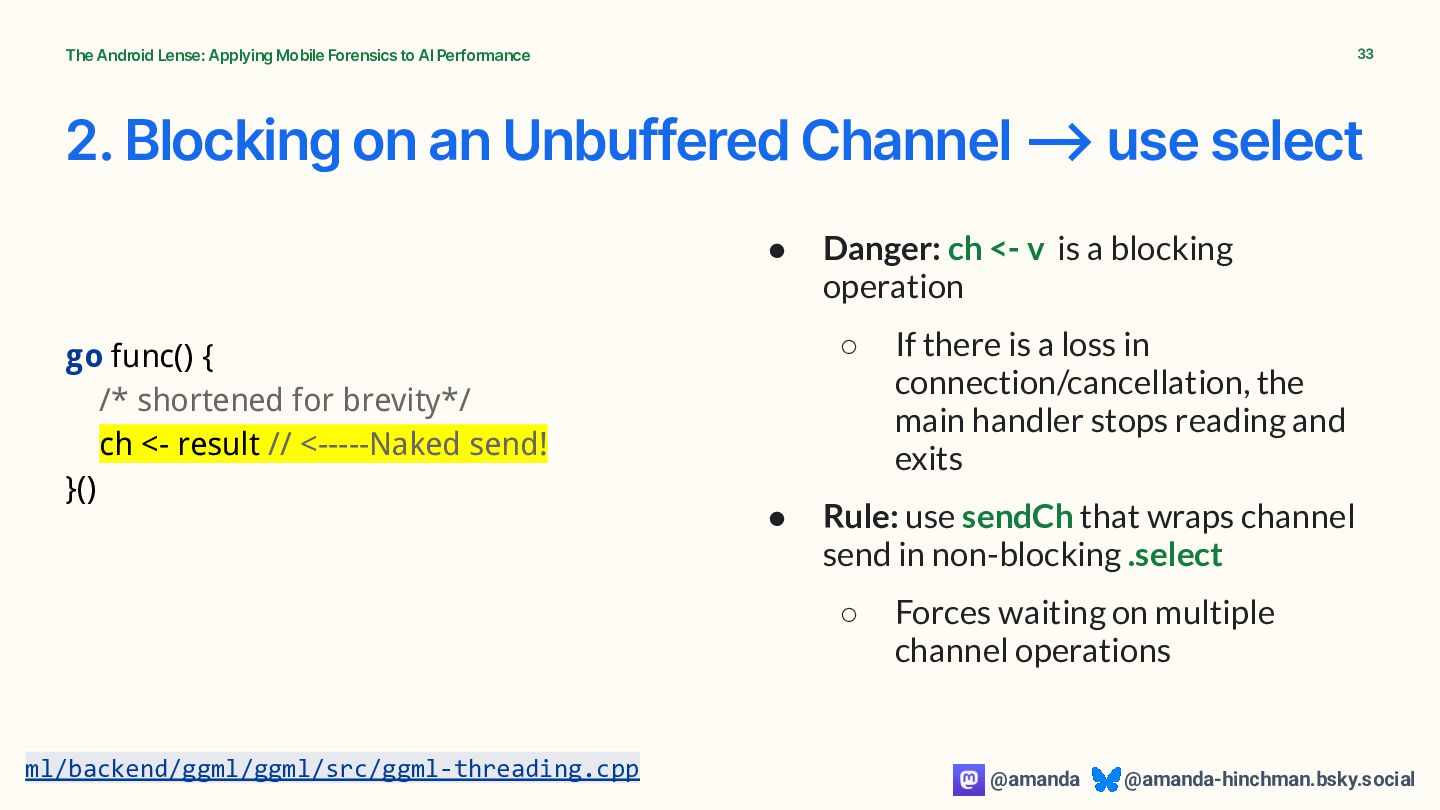
    2. Blocking on an Unbuffered Channel ⟶ use select • go func() { /* shortened for brevity*/ ch <- result // <-----Naked send! }() Danger: ch <- v is a blocking operation ◦ • Rule: use sendCh that wraps channel send in non-blocking .select ◦ ml/backend/ggml/ggml/src/ggml-threading.cpp If there is a loss in connection/cancellation, the main handler stops reading and exits Forces waiting on multiple channel operations @amanda @amanda-hinchman.bsky.social
  23. The Android Lense: Applying Mobile Forensics to AI Performance 34

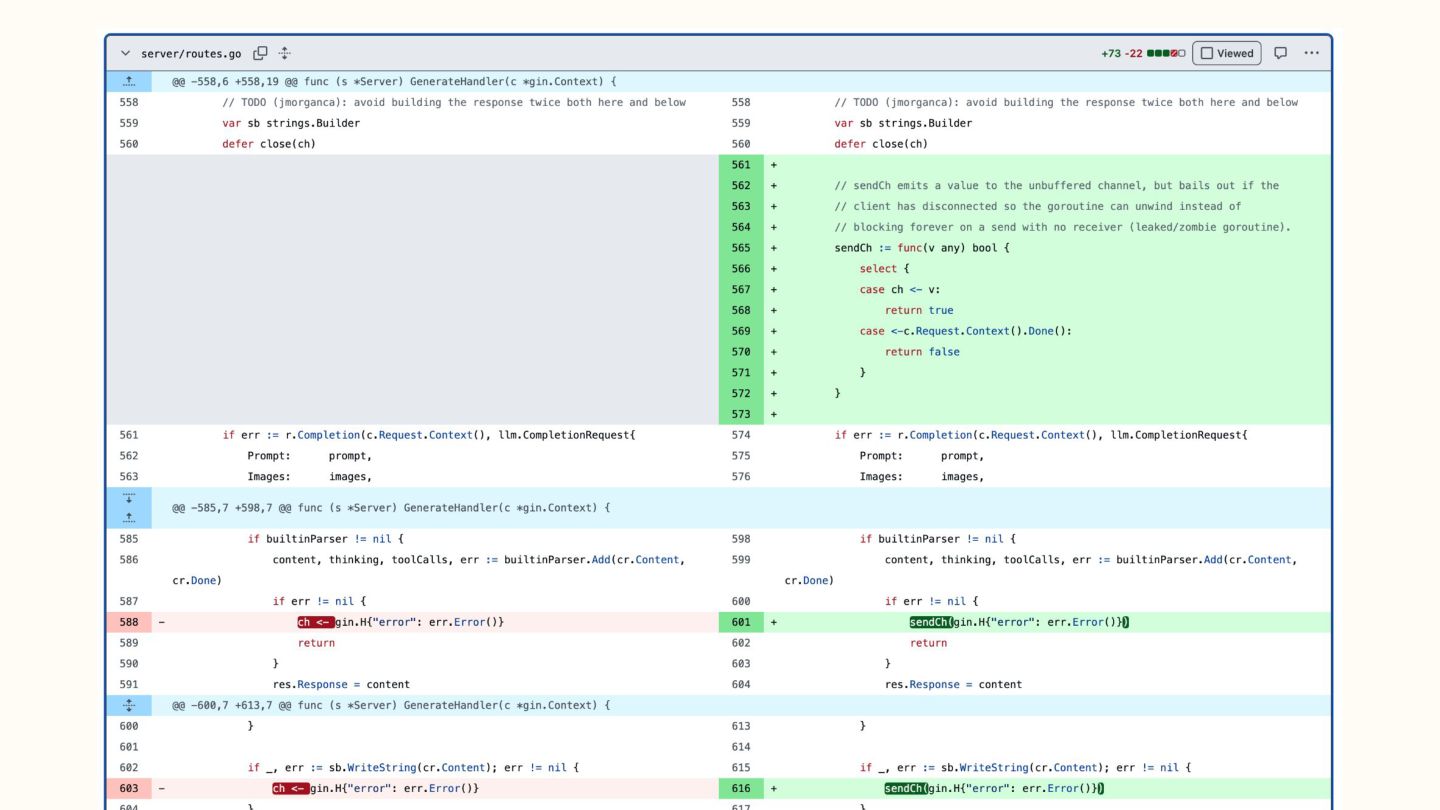
    2. Blocking on an Unbuffered Channel ⟶ use select • sendCh := func(v any) bool { select { case ch <- v: return true case <- c.Request.Context().Done(): return false } } Danger: ch <- v is a blocking operation ◦ • If there is a loss in connection/cancellation, the main handler stops reading and exits Rule: use sendCh that wraps channel send in non-blocking .select ◦ Forces waiting on multiple channel operations @amanda @amanda-hinchman.bsky.social
  24. The Android Lense: Applying Mobile Forensics to AI Performance 36

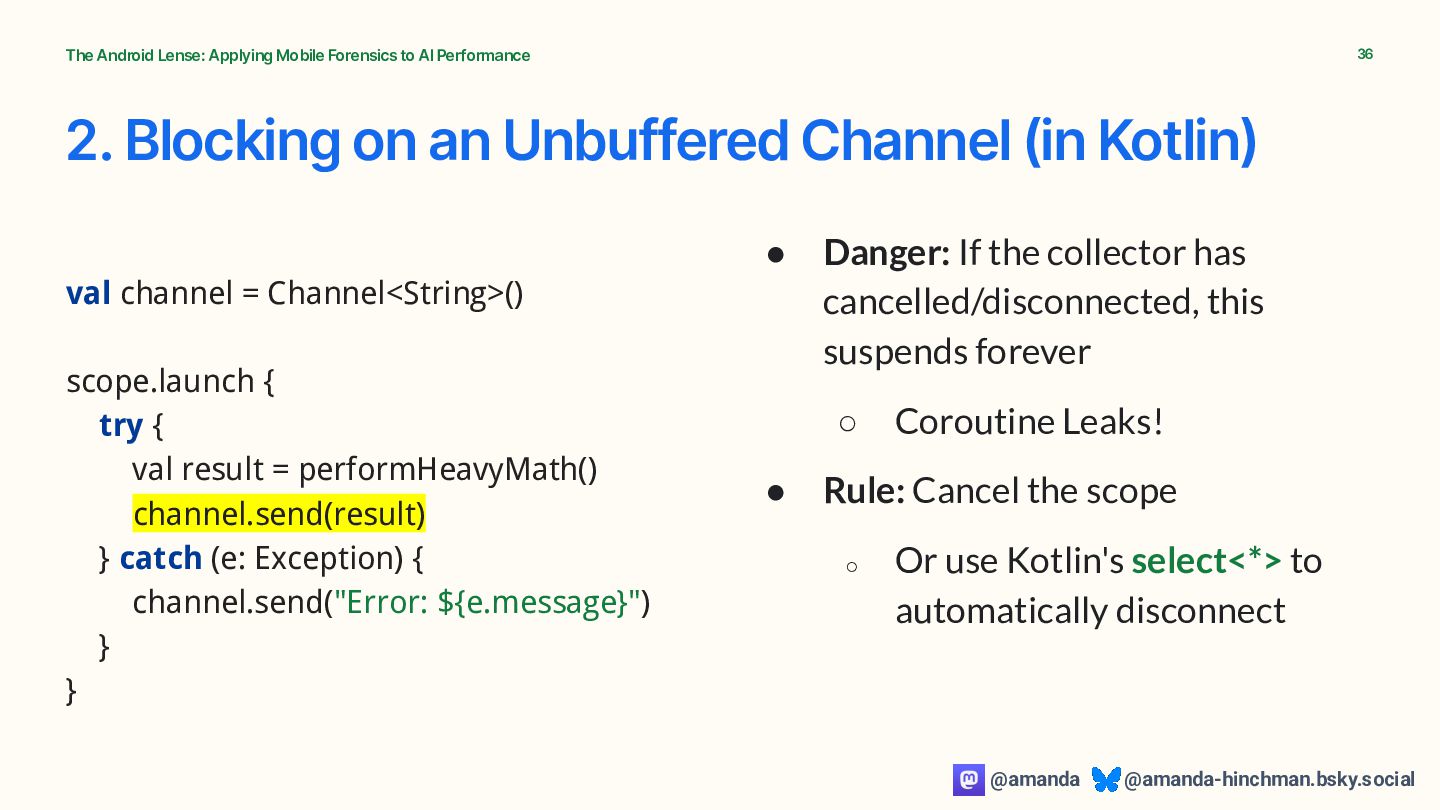
    2. Blocking on an Unbuffered Channel (in Kotlin) • val channel = Channel<String>() scope.launch { try { val result = performHeavyMath() channel.send(result) } catch (e: Exception) { channel.send("Error: ${e.message}") } } Danger: If the collector has cancelled/disconnected, this suspends forever ◦ • Coroutine Leaks! Rule: Cancel the scope ◦ Or use Kotlin's select<*> to automatically disconnect @amanda @amanda-hinchman.bsky.social
  25. The Android Lense: Applying Mobile Forensics to AI Performance 38

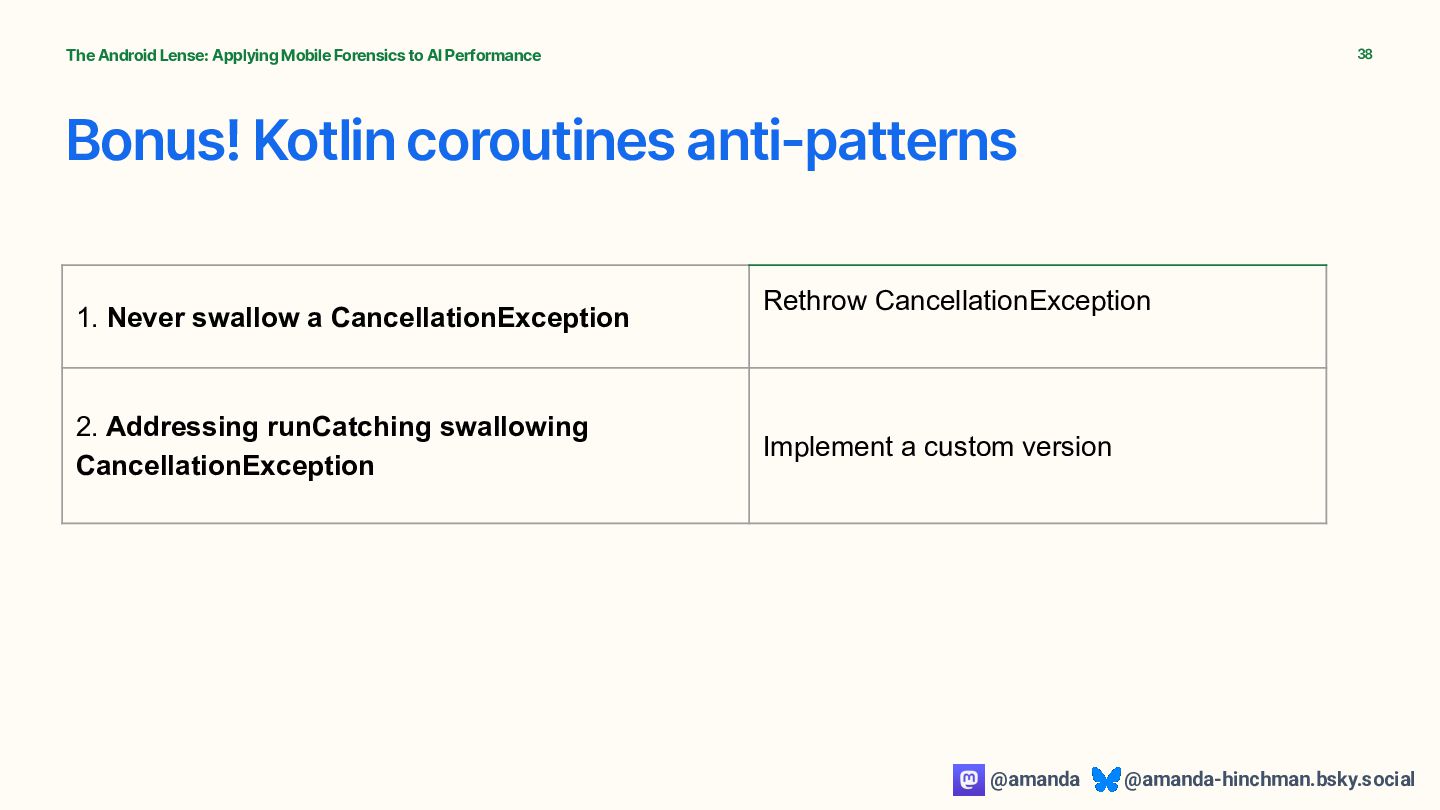
    Bonus! Kotlin coroutines anti-patterns 1. Never swallow a CancellationException 2. Addressing runCatching swallowing CancellationException Rethrow CancellationException Implement a custom version @amanda @amanda-hinchman.bsky.social
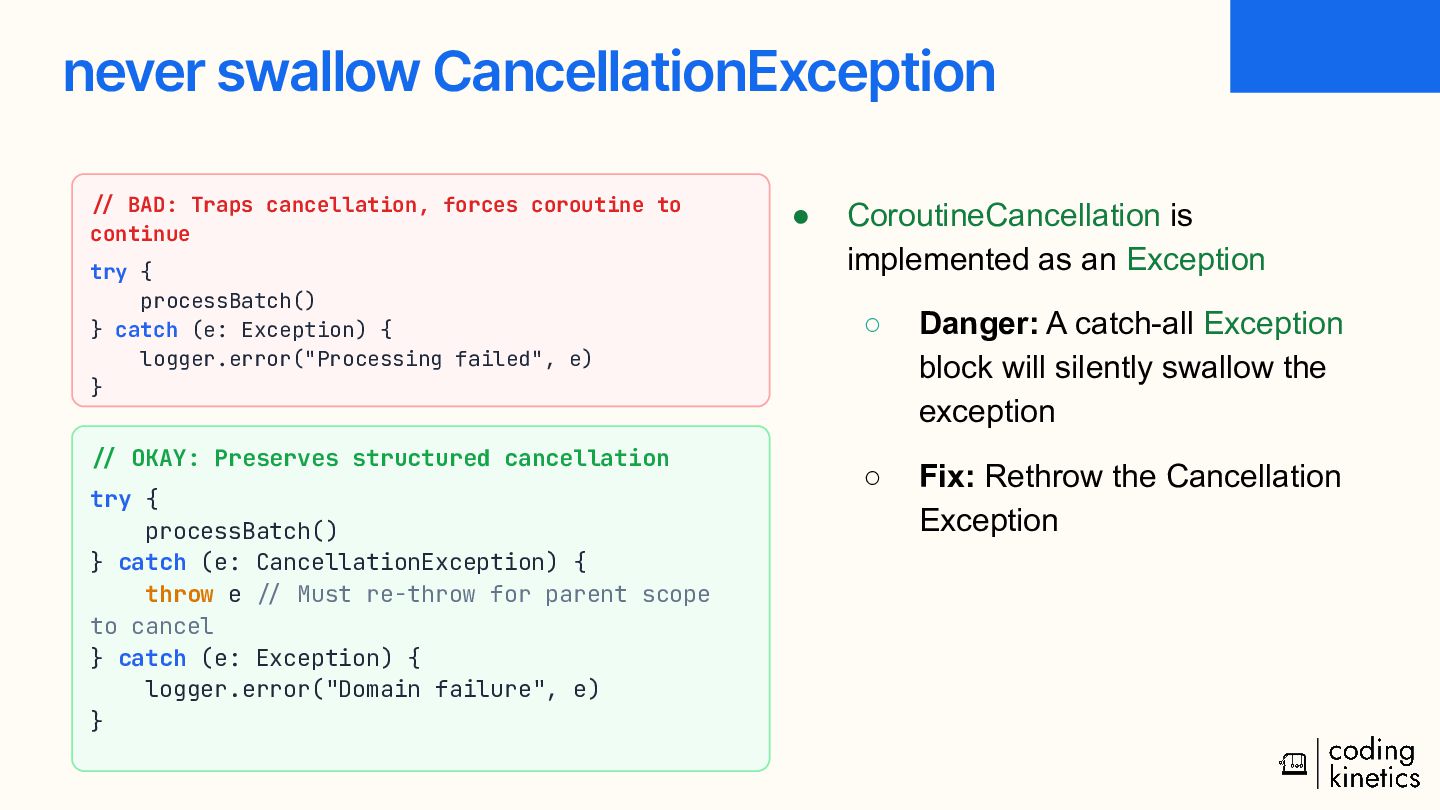
  26. never swallow CancellationException // BAD: Traps cancellation, forces coroutine to

    continue try { processBatch() } catch (e: Exception) { logger.error("Processing failed", e) } // OKAY: Preserves structured cancellation try { processBatch() } catch (e: CancellationException) { throw e -/ Must re-throw for parent scope to cancel } catch (e: Exception) { logger.error("Domain failure", e) } • CoroutineCancellation is implemented as an Exception ◦ Danger: A catch-all Exception block will silently swallow the exception ◦ Fix: Rethrow the Cancellation Exception
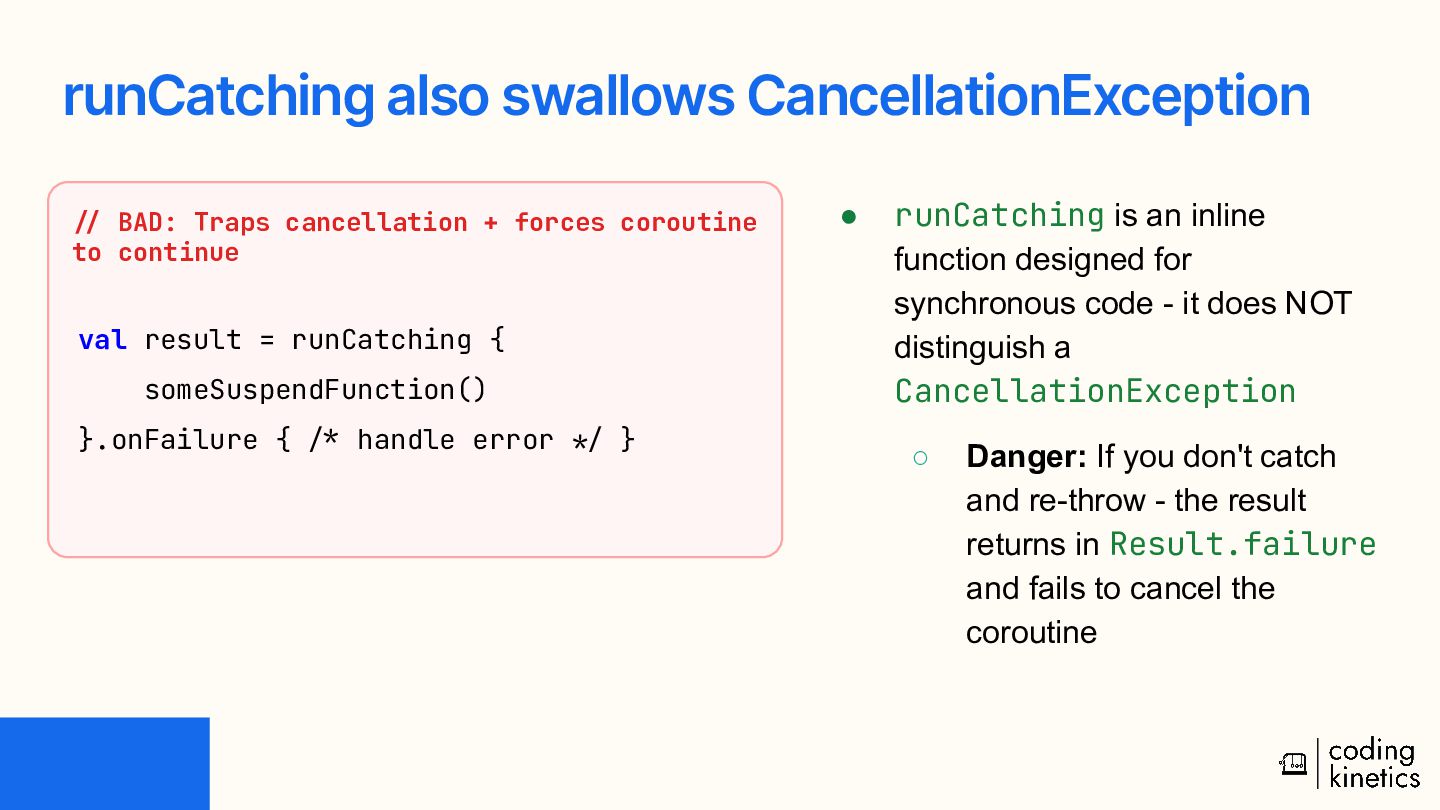
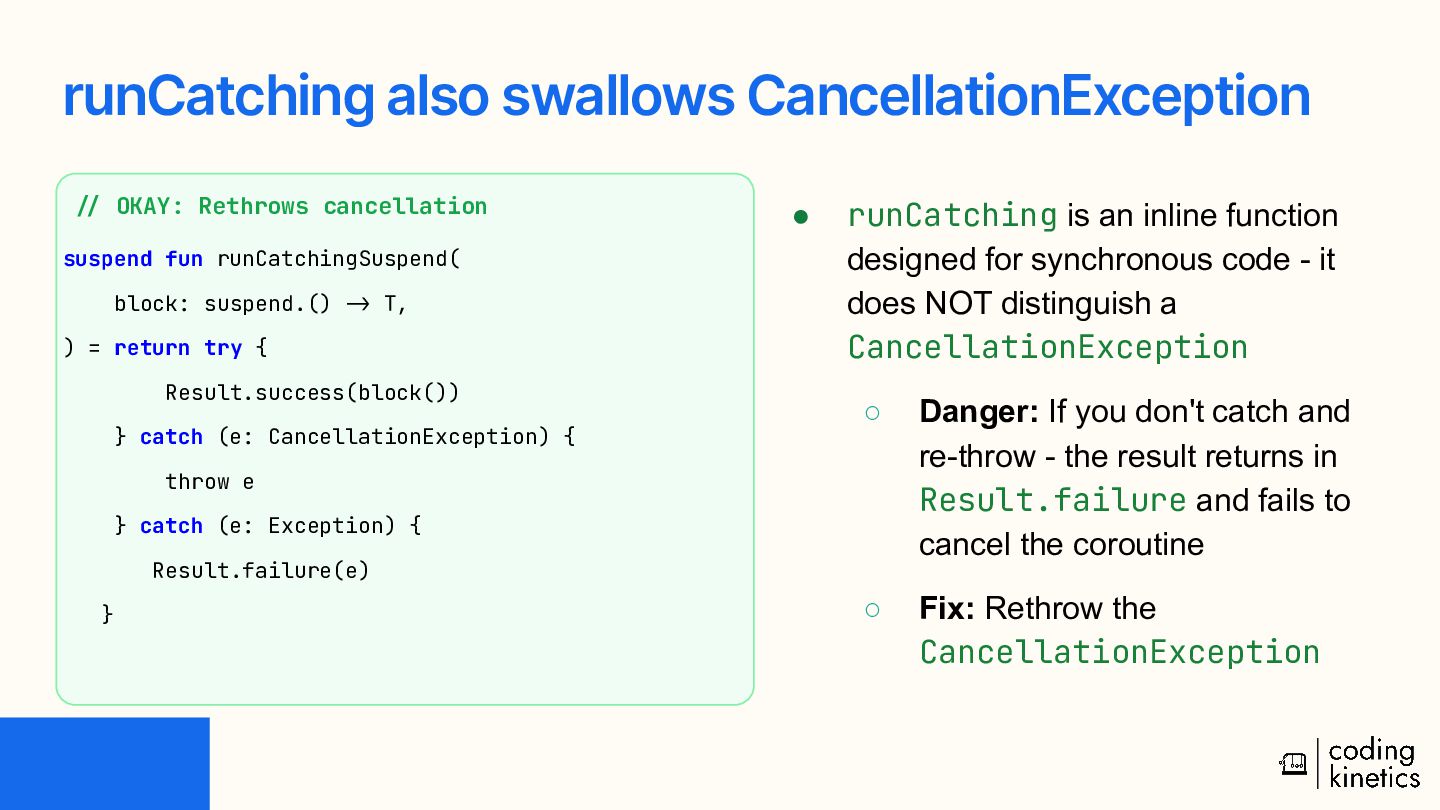
  27. runCatching also swallows CancellationException // BAD: Traps cancellation + forces

    coroutine to continue val result = runCatching { someSuspendFunction() }.onFailure { -* handle error -/ } • runCatching is an inline function designed for synchronous code - it does NOT distinguish a CancellationException ◦ Danger: If you don't catch and re-throw - the result returns in Result.failure and fails to cancel the coroutine
  28. runCatching also swallows CancellationException // OKAY: Rethrows cancellation suspend fun

    runCatchingSuspend( block: suspend.() -> T, ) = return try { Result.success(block()) } catch (e: CancellationException) { • runCatching is an inline function designed for synchronous code - it does NOT distinguish a CancellationException ◦ Danger: If you don't catch and re-throw - the result returns in Result.failure and fails to cancel the coroutine ◦ Fix: Rethrow the CancellationException throw e } catch (e: Exception) { Result.failure(e) }
  29. The Android Lense: Applying Mobile Forensics to AI Performance 42

    Performance Framework - Use Tools to Confirm! 1. Recognize the signs of performance bottleneck 2. Profiling data + interpreting data to diagnose issues 3. Targeted fixes using patterns @amanda 4. Validate results with data @amanda-hinchman.bsky.social
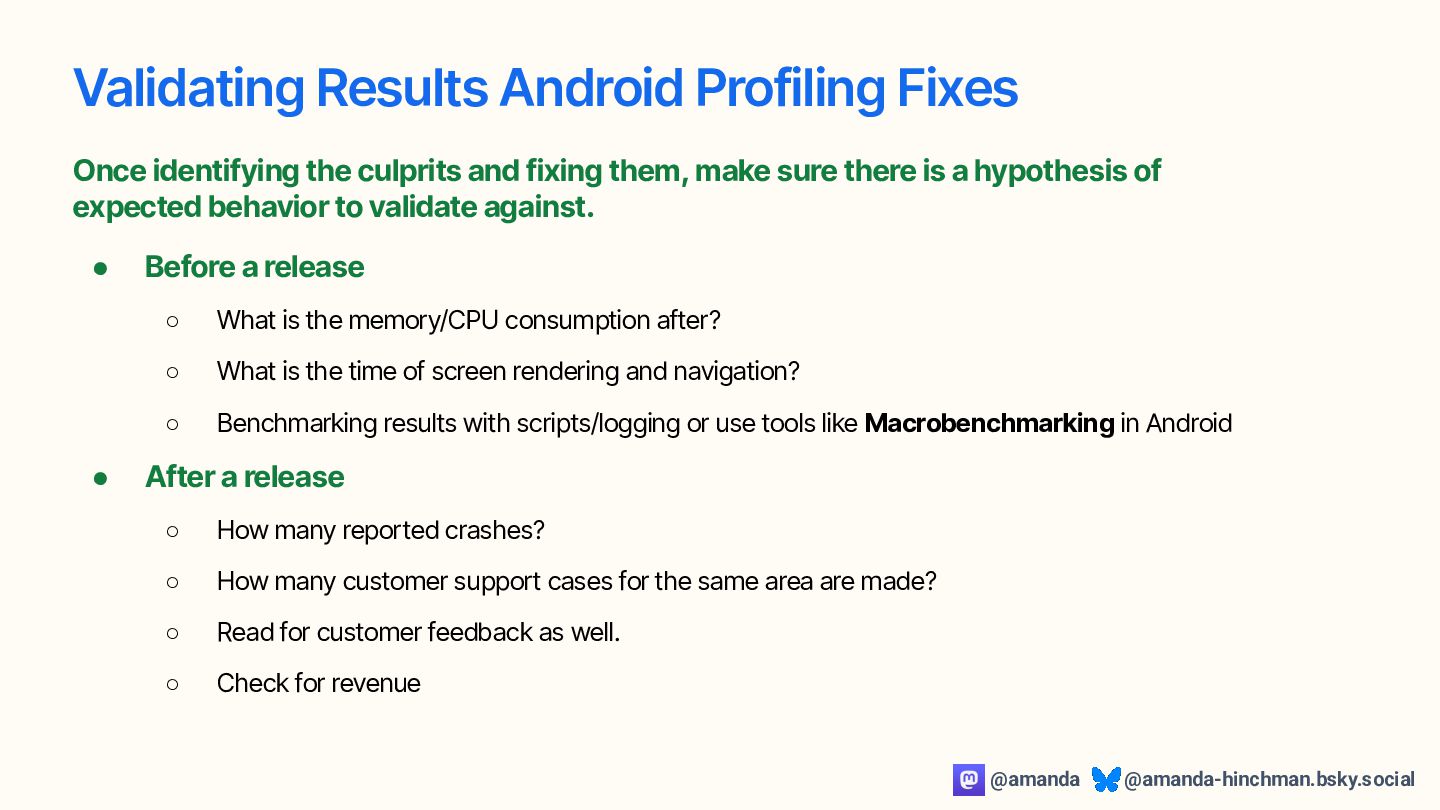
  30. Validating Results Android Profiling Fixes Once identifying the culprits and

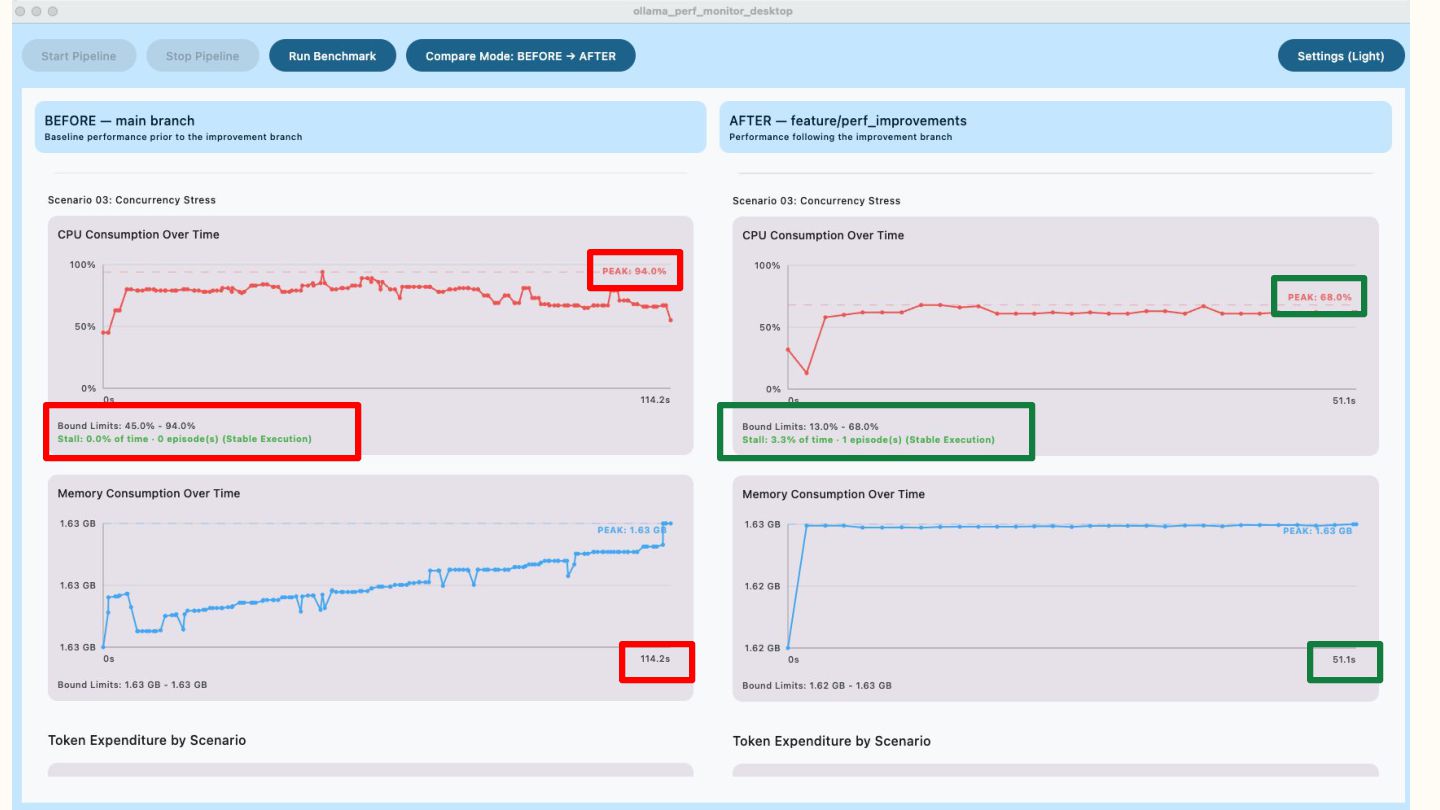
    fixing them, make sure there is a hypothesis of expected behavior to validate against. • • Before a release ◦ What is the memory/CPU consumption after? ◦ What is the time of screen rendering and navigation? ◦ Benchmarking results with scripts/logging or use tools like Macrobenchmarking in Android After a release ◦ How many reported crashes? ◦ How many customer support cases for the same area are made? ◦ Read for customer feedback as well. ◦ Check for revenue @amanda @amanda-hinchman.bsky.social
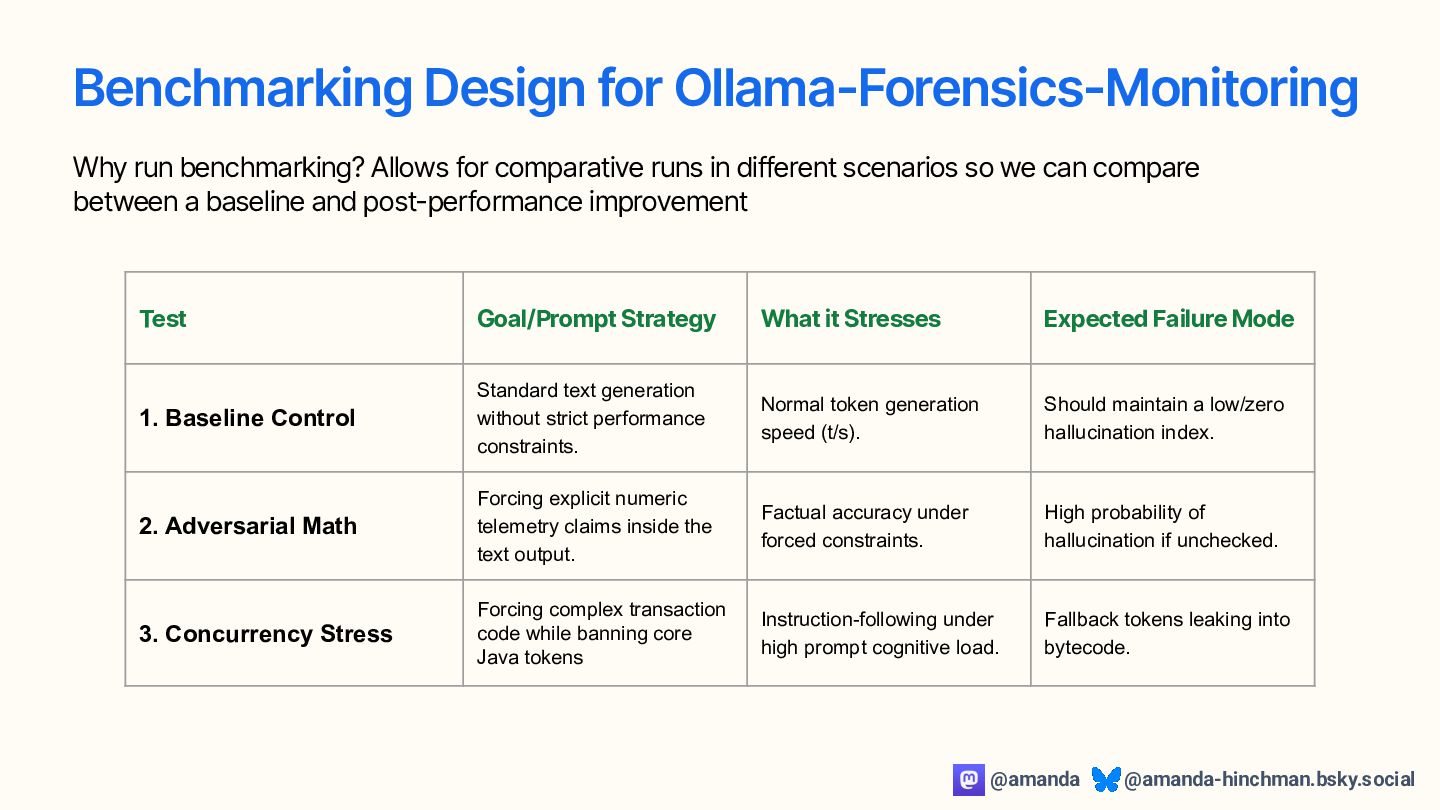
  31. Benchmarking Design for Ollama-Forensics-Monitoring Why run benchmarking? Allows for comparative

    runs in different scenarios so we can compare between a baseline and post-performance improvement Test Goal/Prompt Strategy What it Stresses Expected Failure Mode 1. Baseline Control Standard text generation without strict performance constraints. Normal token generation speed (t/s). Should maintain a low/zero hallucination index. 2. Adversarial Math Forcing explicit numeric telemetry claims inside the text output. Factual accuracy under forced constraints. High probability of hallucination if unchecked. 3. Concurrency Stress Forcing complex transaction code while banning core Java tokens Instruction-following under high prompt cognitive load. Fallback tokens leaking into bytecode. @amanda @amanda-hinchman.bsky.social
  32. 50 The Android Lense: Applying Mobile Forensics to AI Performance

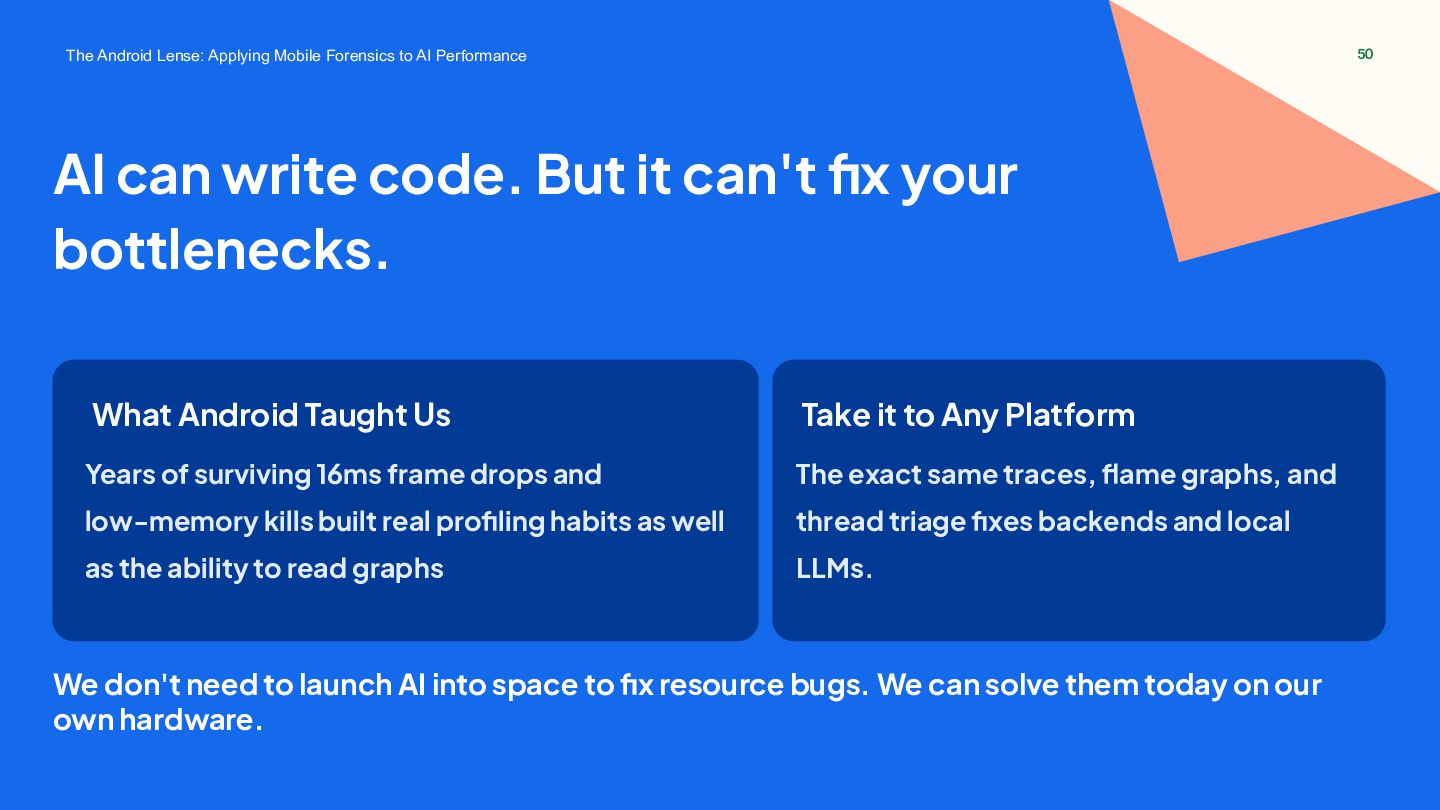
    AI can write code. But it can't fix your bottlenecks. What Android Taught Us Take it to Any Platform Years of surviving 16ms frame drops and The exact same traces, flame graphs, and low-memory kills built real profiling habits as well thread triage fixes backends and local as the ability to read graphs LLMs. We don't need to launch AI into space to fix resource bugs. We can solve them today on our own hardware.
  33. RESOURCES • CONSULTING • BACKSTAGE ACCESS Take These Forensics to

    Your Stack SCAN FOR SLIDES & LINKS codingkinetics.com/performance Team Masterclass Performance Audit Backstage R&D Private coroutine triage Critical path latency Raw traces on Patreon Applying Mobile Forensics to AI Performance • Berlin Droidcon Direct download of talk slides, PRs & triage booking Q&A / Connect: [email protected]