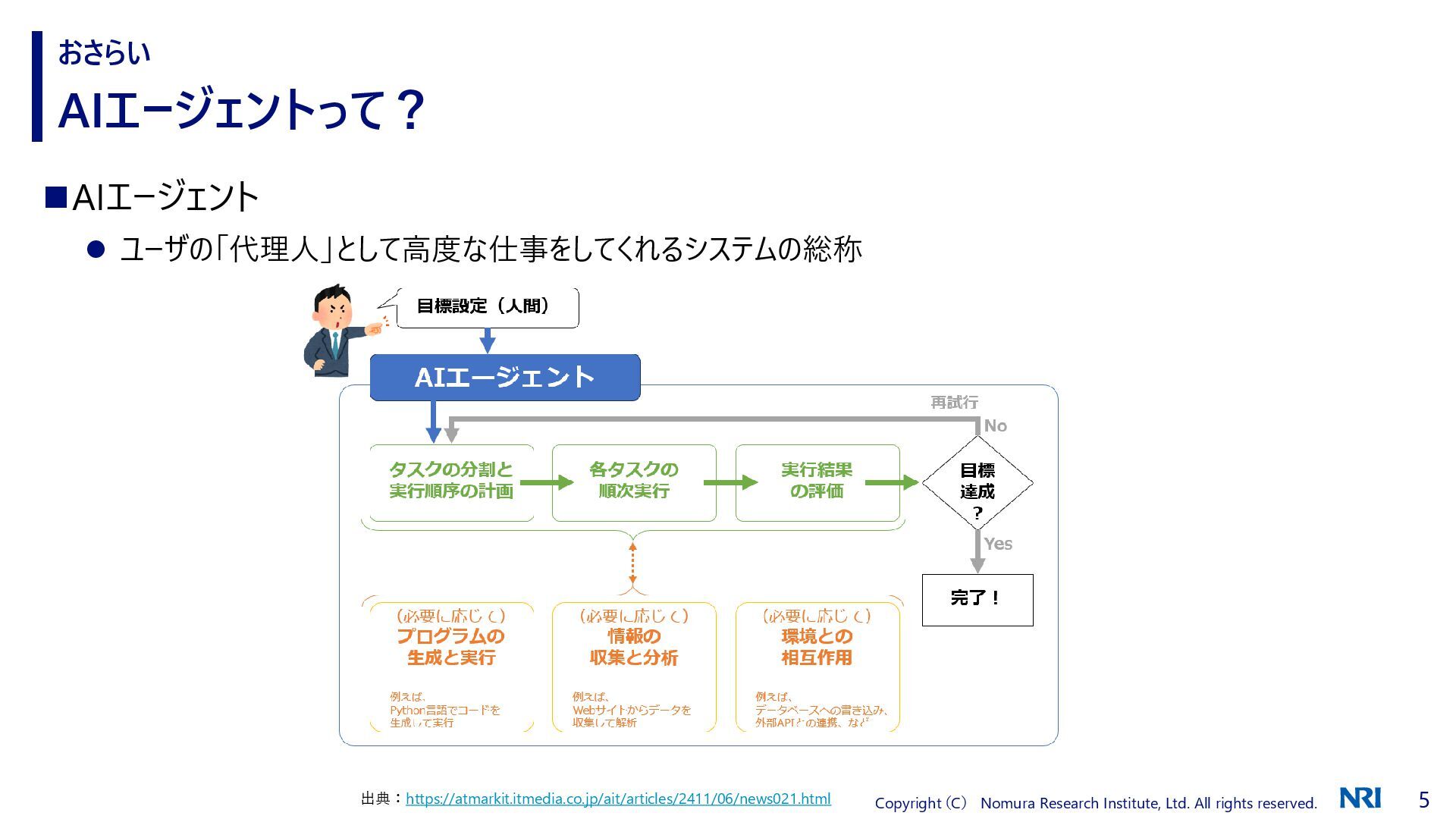
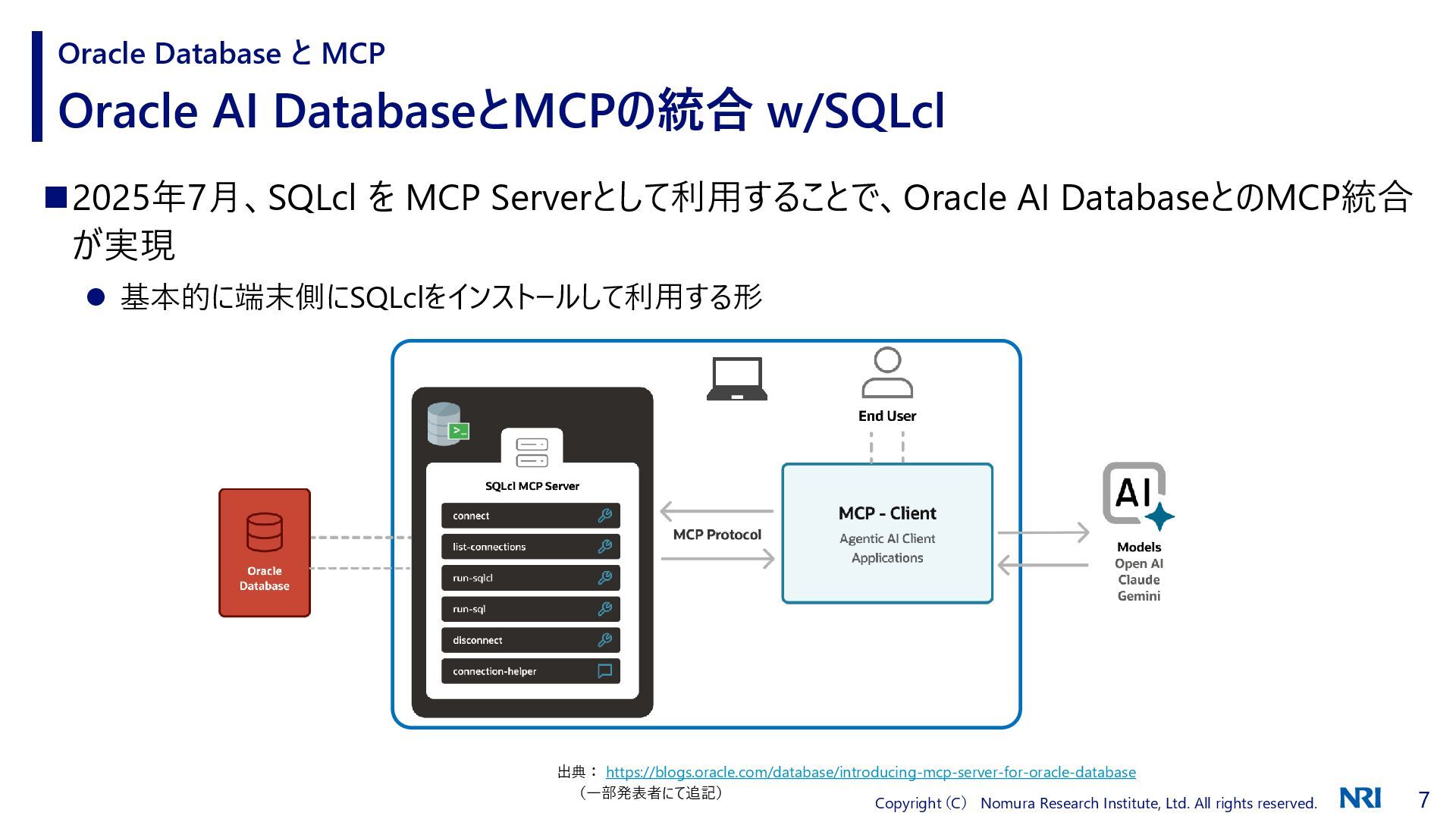
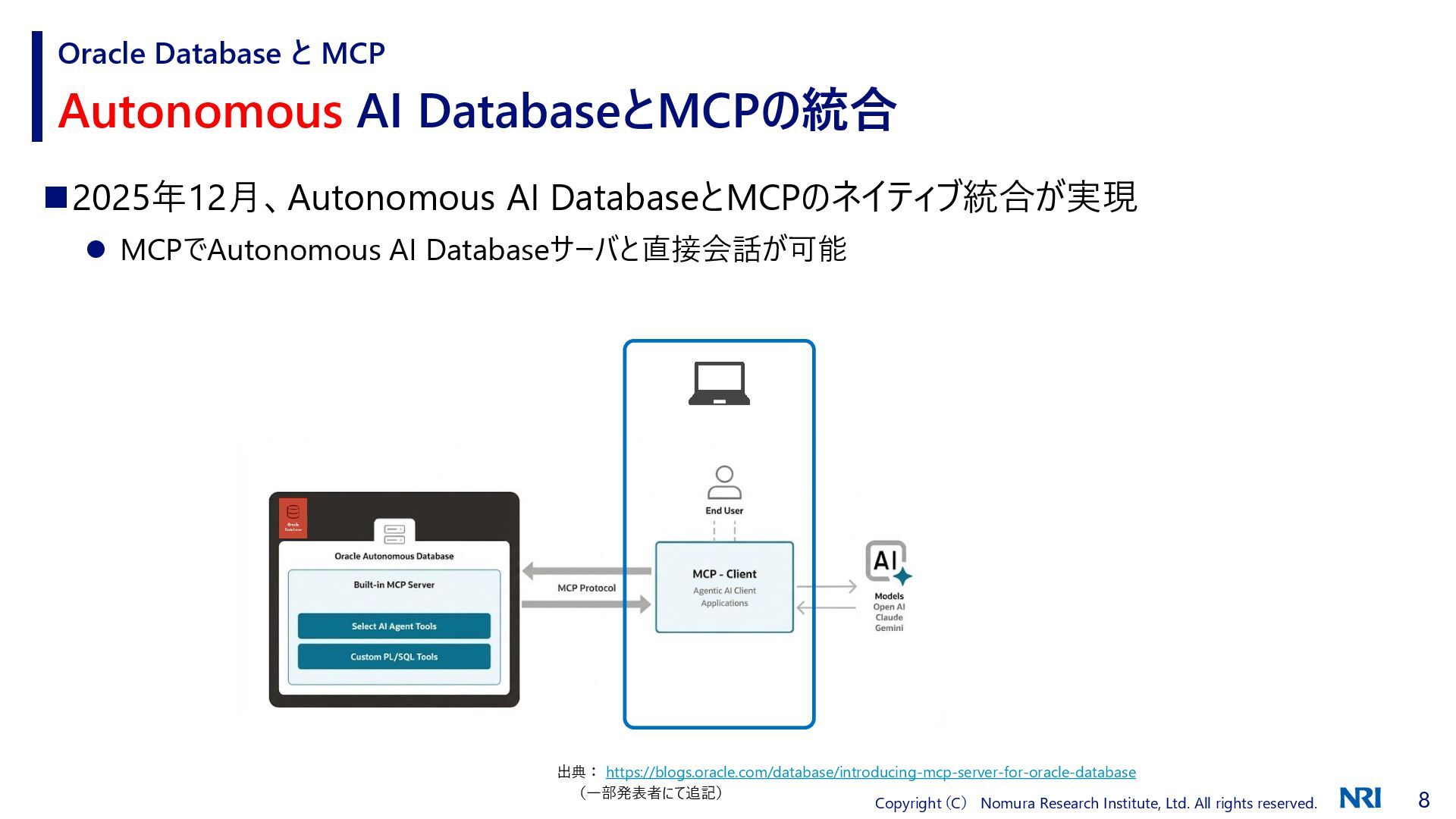
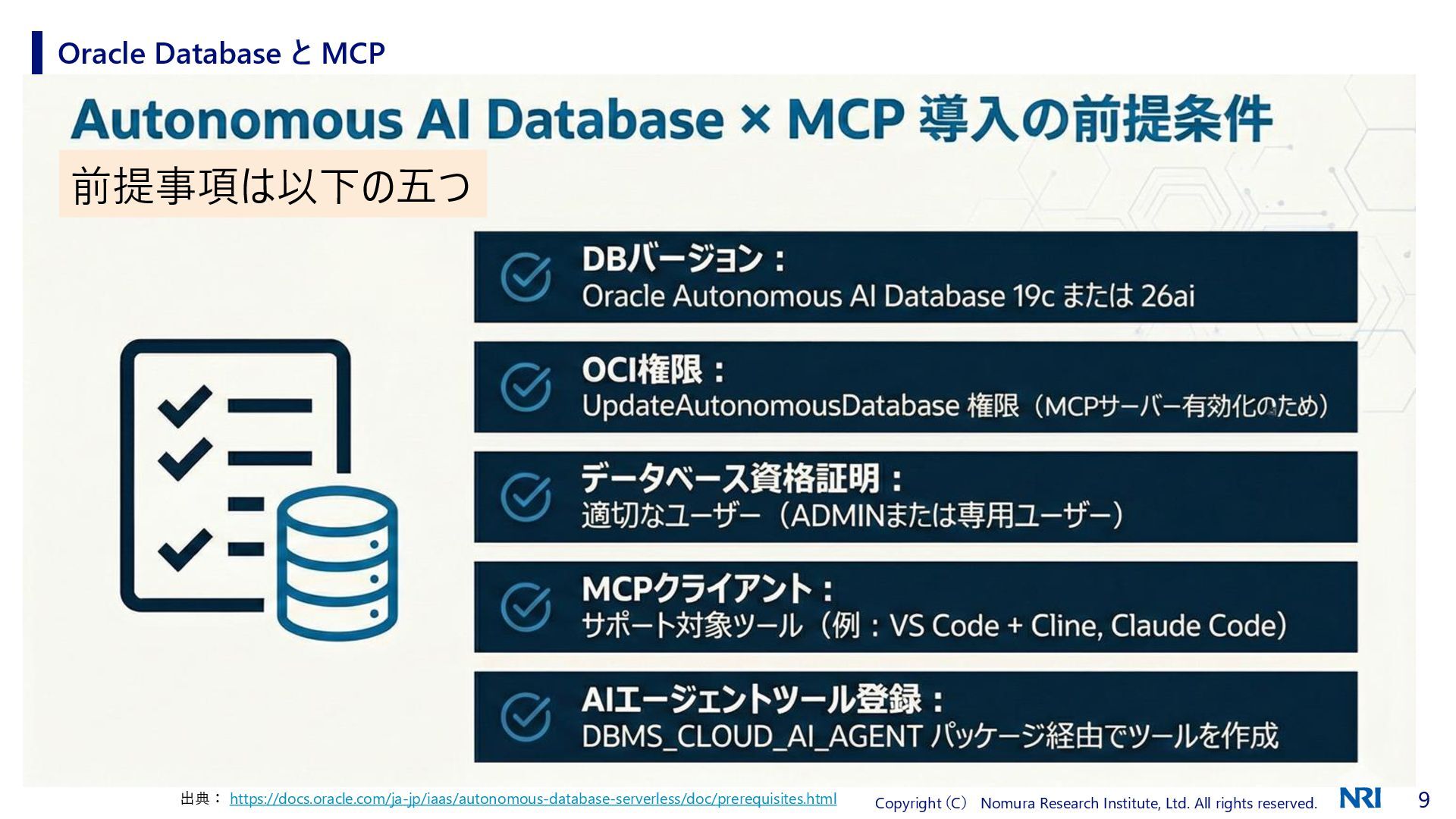
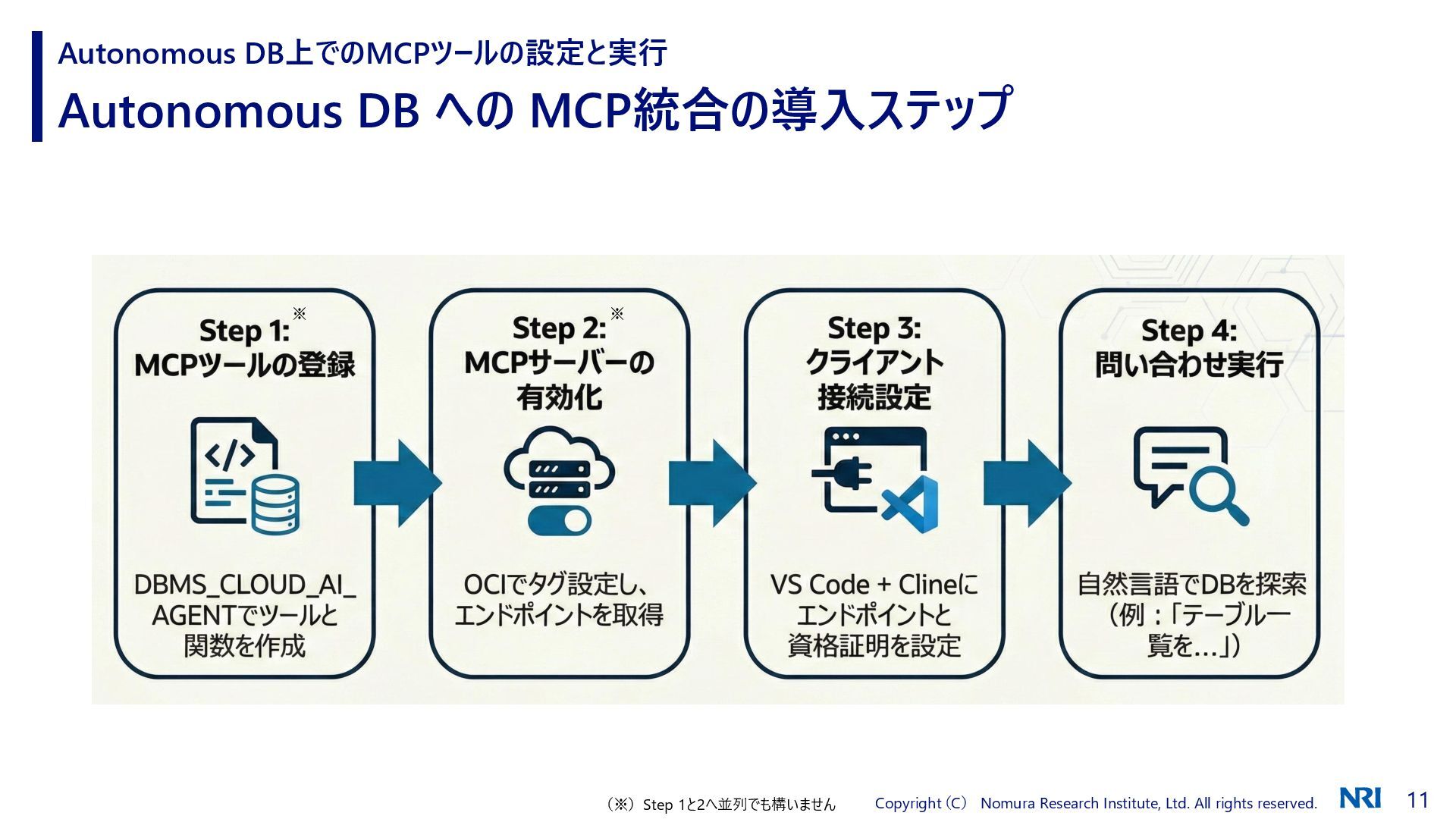
はじめに ◼ 今日のお話(Autonomous AI DatabaseとMCPの統合)は Qiita(Autonomous AI Databaseと統合さ れたMCPサーバーの利用)と基本的には同じ内容になります ◼ MCPやAutonomous AI Databaseなどについてもそれぞれ紹介していますが、詳細については個別にご確認 をお願いします
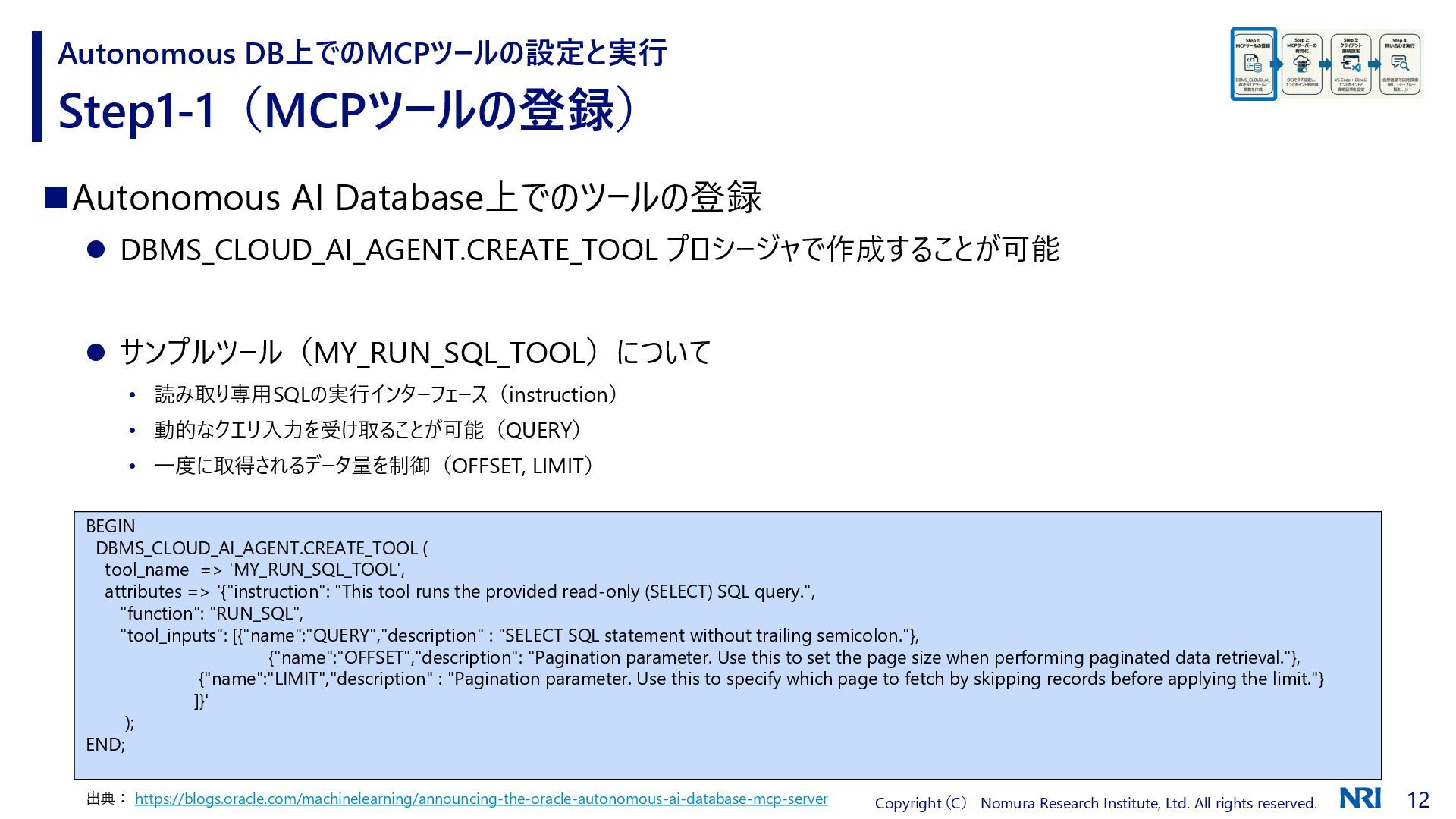
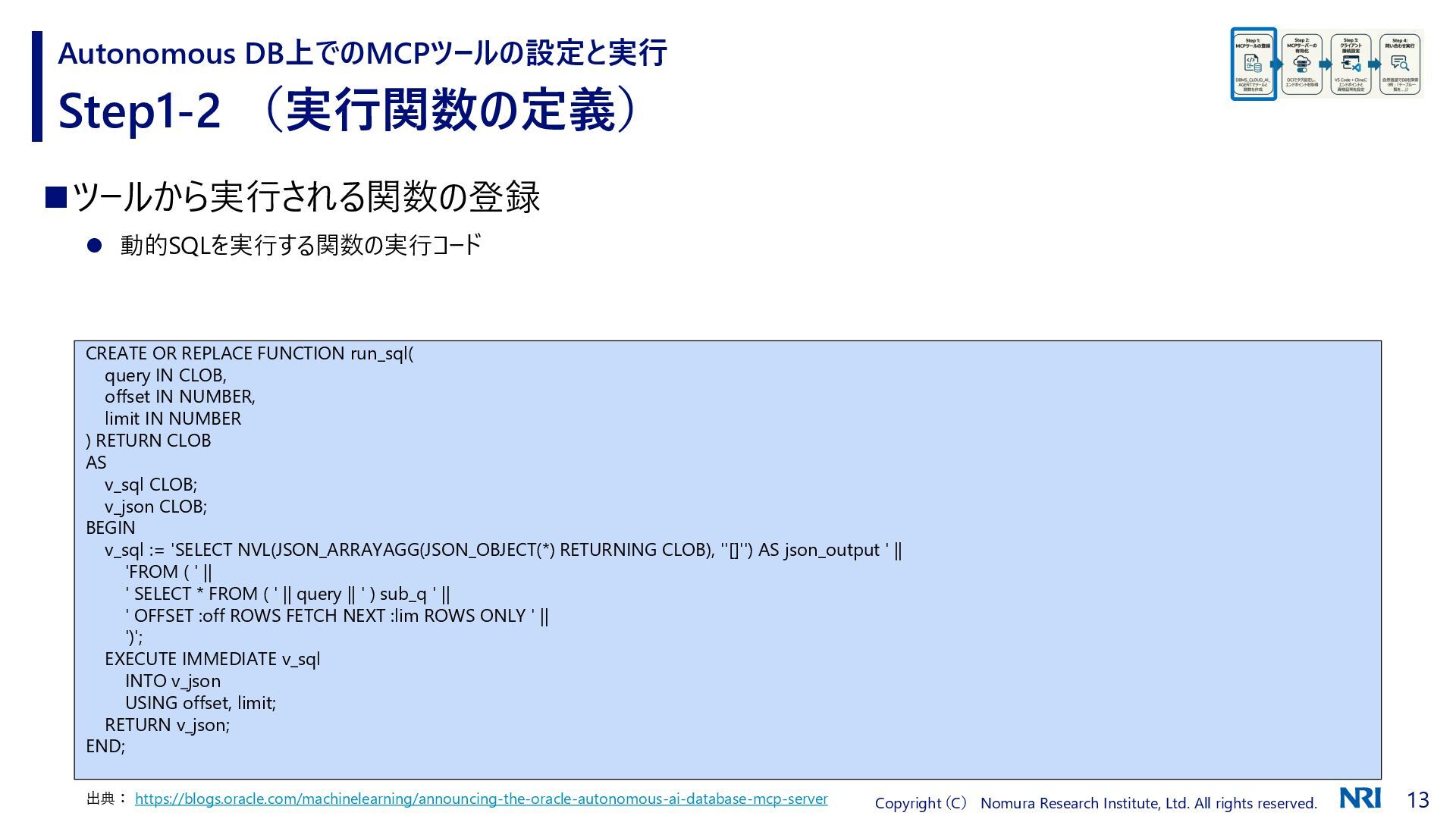
Step1-1(MCPツールの登録) Autonomous DB上でのMCPツールの設定と実行 ◼Autonomous AI Database上でのツールの登録 ⚫ DBMS_CLOUD_AI_AGENT.CREATE_TOOL プロシージャで作成することが可能 ⚫ サンプルツール(MY_RUN_SQL_TOOL)について • 読み取り専用SQLの実行インターフェース(instruction) • 動的なクエリ入力を受け取ることが可能(QUERY) • 一度に取得されるデータ量を制御(OFFSET, LIMIT) 出典: https://blogs.oracle.com/machinelearning/announcing-the-oracle-autonomous-ai-database-mcp-server BEGIN DBMS_CLOUD_AI_AGENT.CREATE_TOOL ( tool_name => 'MY_RUN_SQL_TOOL', attributes => '{"instruction": "This tool runs the provided read-only (SELECT) SQL query.", "function": "RUN_SQL", "tool_inputs": [{"name":"QUERY","description" : "SELECT SQL statement without trailing semicolon."}, {"name":"OFFSET","description": "Pagination parameter. Use this to set the page size when performing paginated data retrieval."}, {"name":"LIMIT","description" : "Pagination parameter. Use this to specify which page to fetch by skipping records before applying the limit."} ]}' ); END;


 asahihidehiko
 koukihosaka
 stomk
stomk
 kzkhykw1991
 riyaamemiya
 satoshi7
 kaminashi
 yu23ki14
 taketakekaho
 yuuuuuuu168
 shuta13
 iktakahiro
 nttcom
 inesmontani
 sarafernandez
 3n
3n
 keavy
keavy
 tammyeverts
 katarinadahlin
 chriscoyier
 chrisshort
 baasie
 samlambert
 ipullrank