Upgrade to Pro — share decks privately, control downloads, hide ads and more …

Preloading Routes for Faster Navigation

Sponsored · Your Podcast. Everywhere. Effortlessly. Share. Educate. Inspire. Entertain. You do you. We'll handle the rest.
Avatar for Ashnita Ashnita
September 04, 2020
220

Preloading Routes for Faster Navigation

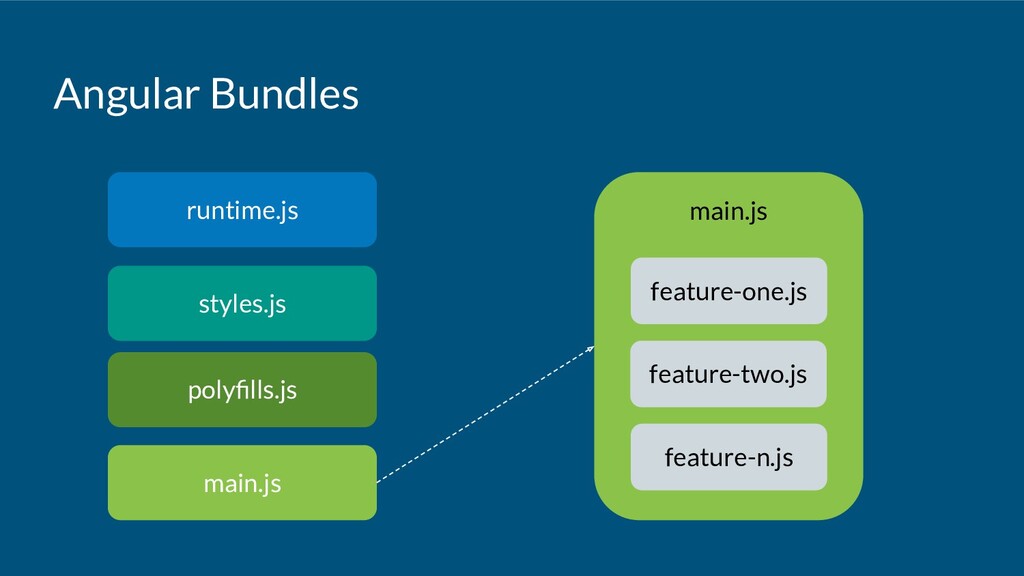
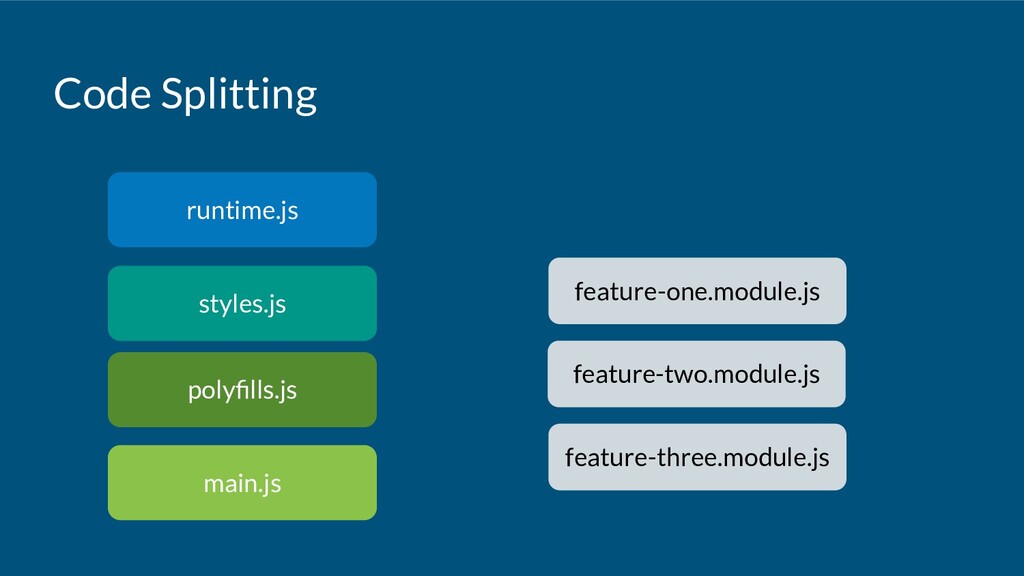
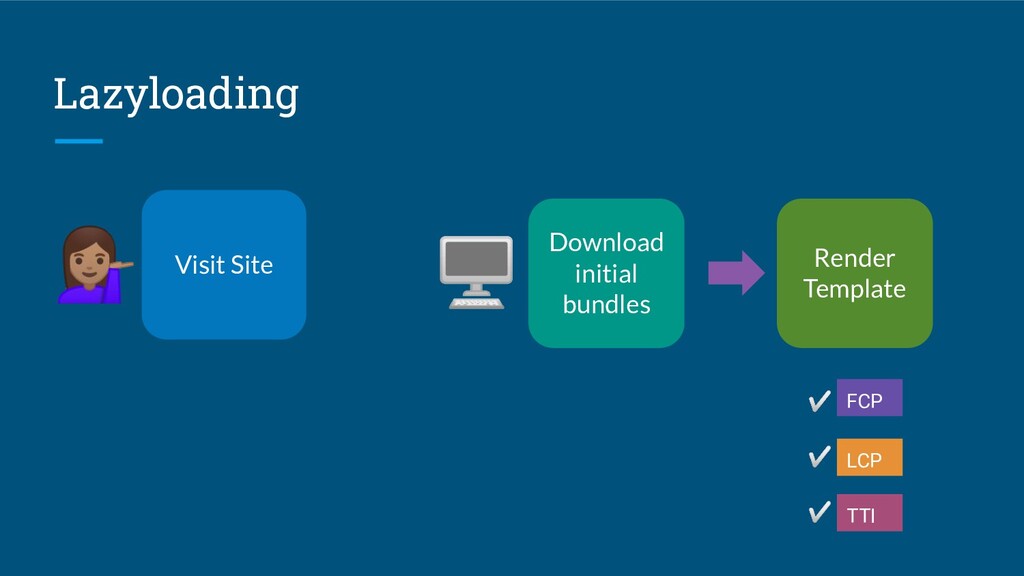
Code splitting allows us to divide an application’s JavaScript bundle into smaller bundles. Instead of loading the JavaScript for the whole application, we can load an initial bundle that only has what the application needs to bootstrap. Using lazy loading, we dynamically load the JavaScript bundles for the feature modules when the user navigates to its route.

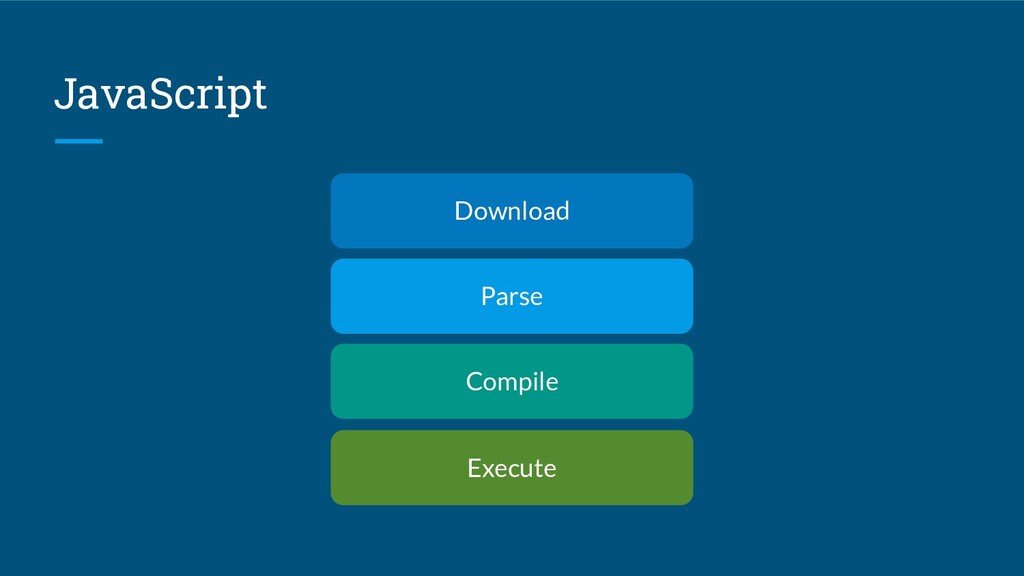
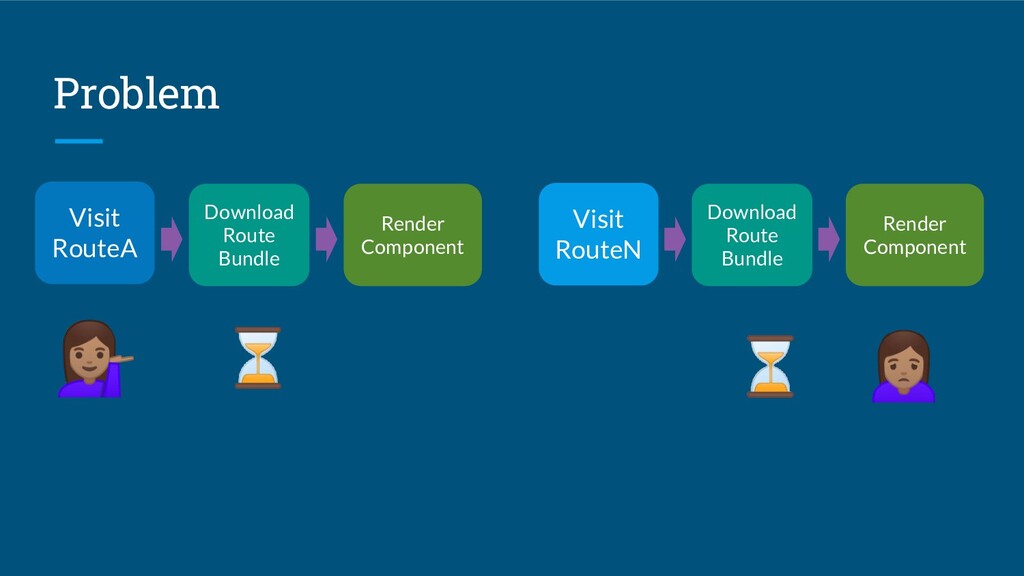
Although this allows the application to load faster and responses to user interactions to be faster, lazy loading can cause the initial navigation to the feature routes to be slow, as the user has to wait while the browser downloads and processes the JavaScript bundle before rendering the route.

Can we achieve both faster application load time and faster navigation?

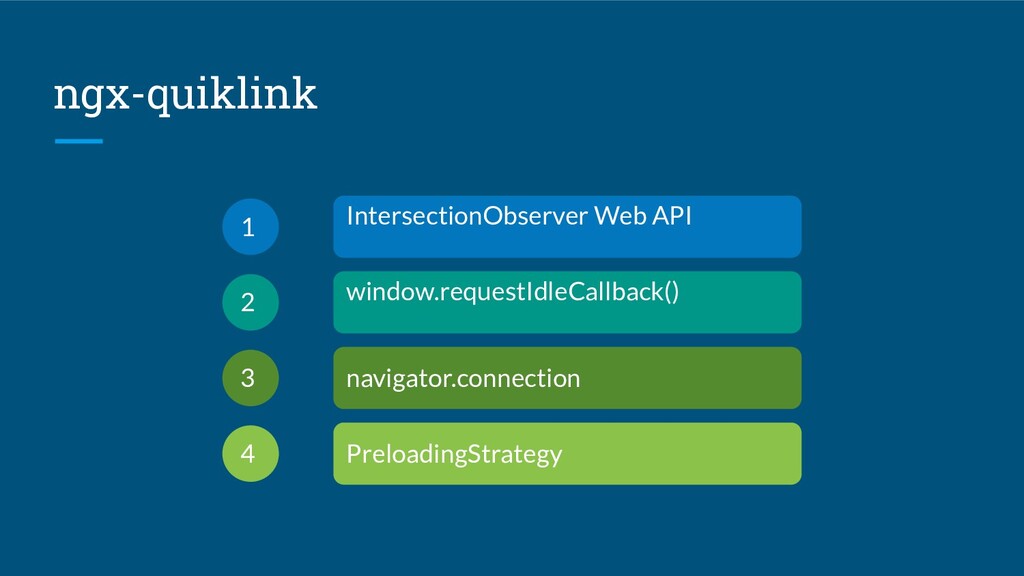
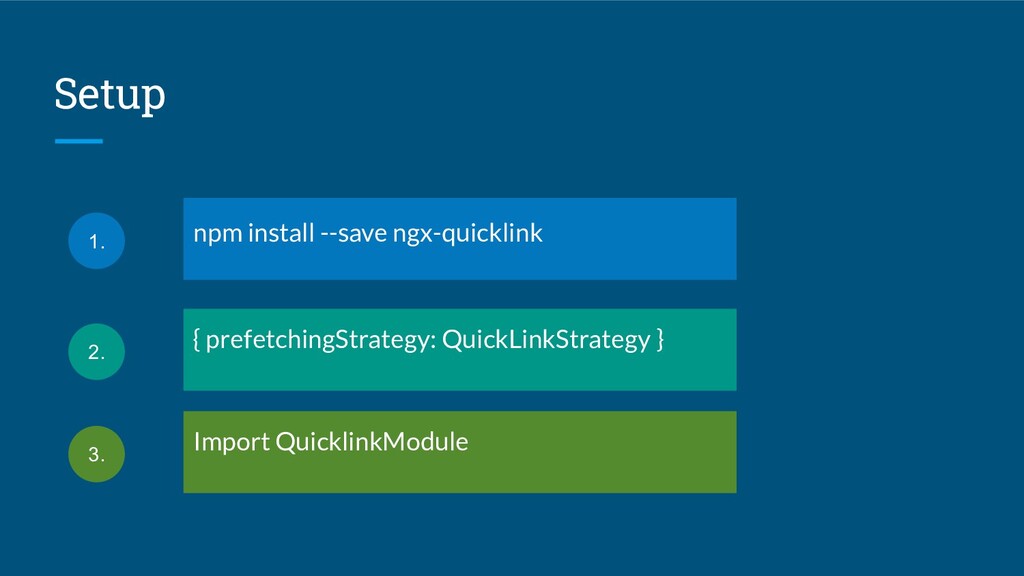
Find out in this talk how preloading feature routes can give faster navigation, what built-in preloading strategy is available in Angular, how to create custom preloading strategies and use Quicklink library for selective preloading or Guess.js for predictive pre-fetching.

Avatar for Ashnita

Ashnita

September 04, 2020

Transcript

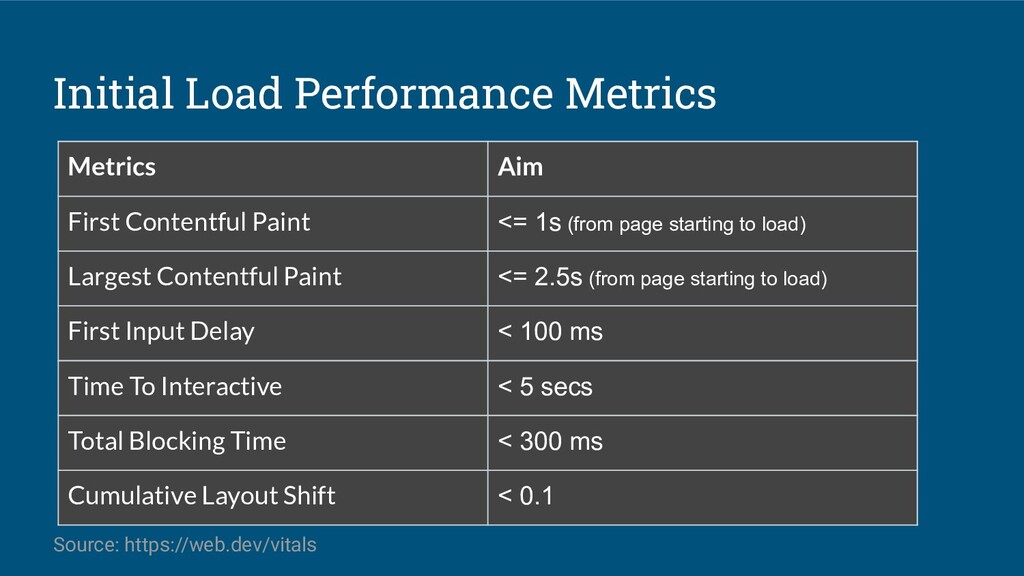
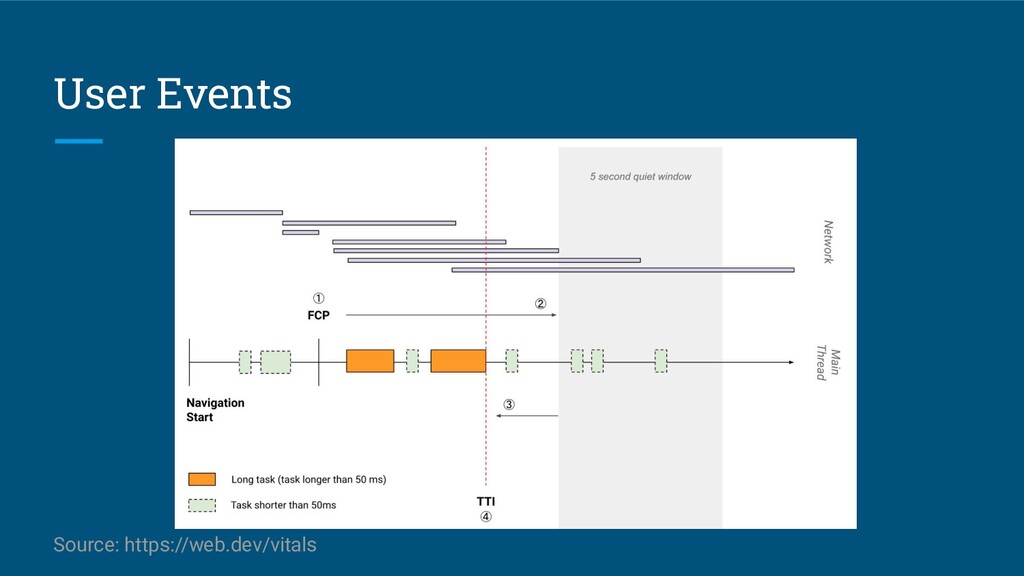
  1. Initial Load Performance Metrics Metrics Aim First Contentful Paint <=

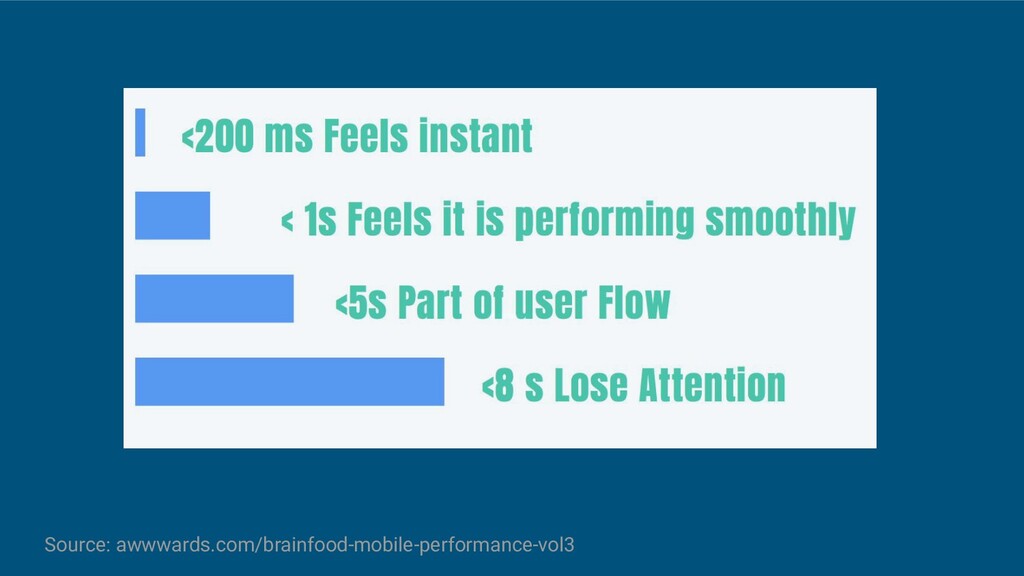
    1s (from page starting to load) Largest Contentful Paint <= 2.5s (from page starting to load) First Input Delay < 100 ms Time To Interactive < 5 secs Total Blocking Time < 300 ms Cumulative Layout Shift < 0.1 Source: https://web.dev/vitals
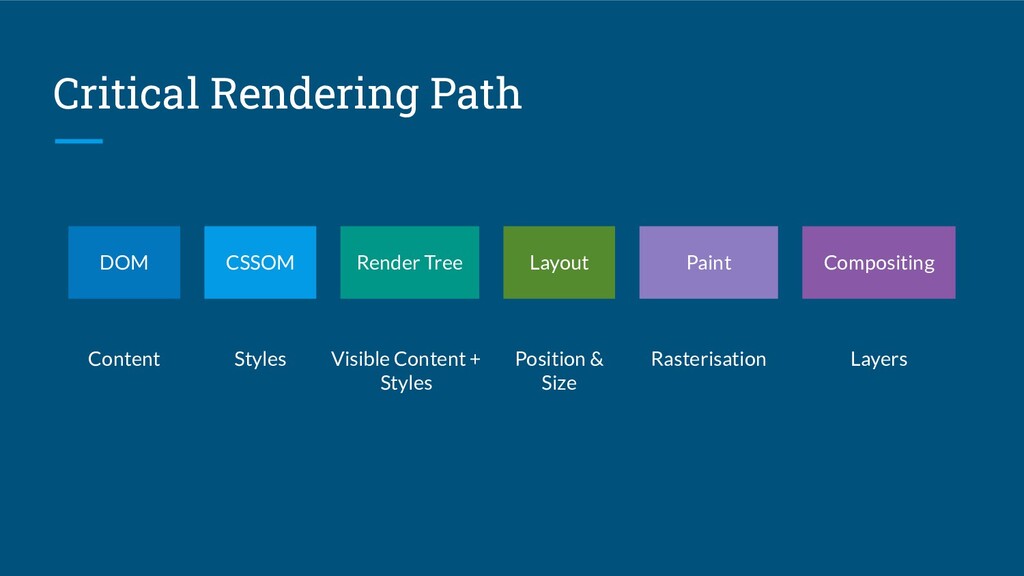
  2. Critical Rendering Path DOM Content Compositing Layers Paint Rasterisation Layout

    Position & Size Render Tree Visible Content + Styles CSSOM Styles
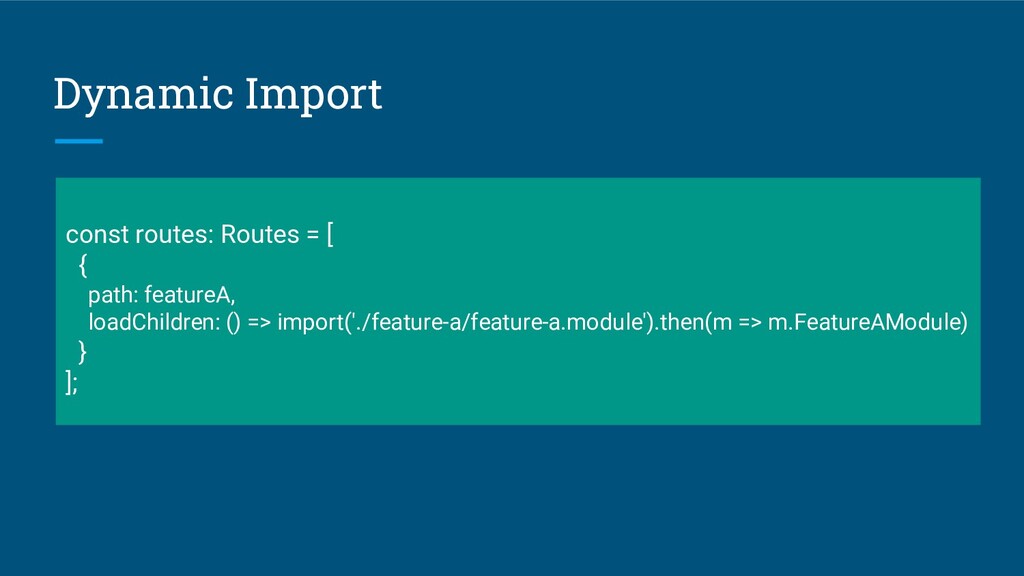
  3. Dynamic Import const routes: Routes = [ { path: featureA,

    loadChildren: () => import('./feature-a/feature-a.module').then(m => m.FeatureAModule) } ];
  4. Problem Visit RouteN ⏳ Download Route Bundle Render Component Visit

    RouteA Download Route Bundle Render Component ⏳
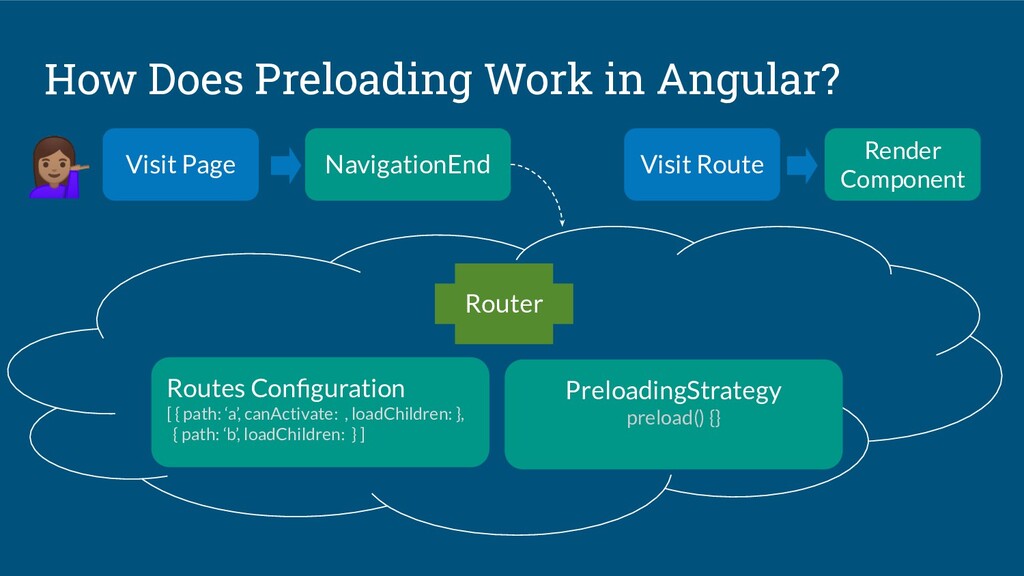
  5. How Does Preloading Work in Angular? NavigationEnd Routes Configuration [

    { path: ‘a’, canActivate: , loadChildren: }, { path: ‘b’, loadChildren: } ] PreloadingStrategy preload() {} Visit Page Visit Route Router Render Component
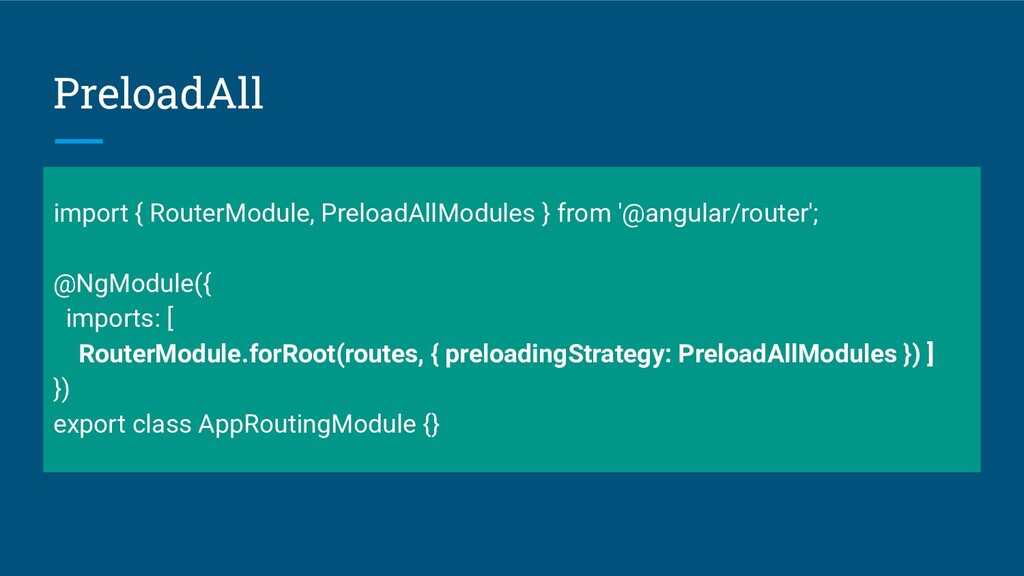
  6. PreloadAll import { RouterModule, PreloadAllModules } from '@angular/router'; @NgModule({ imports:

    [ RouterModule.forRoot(routes, { preloadingStrategy: PreloadAllModules }) ] }) export class AppRoutingModule {}
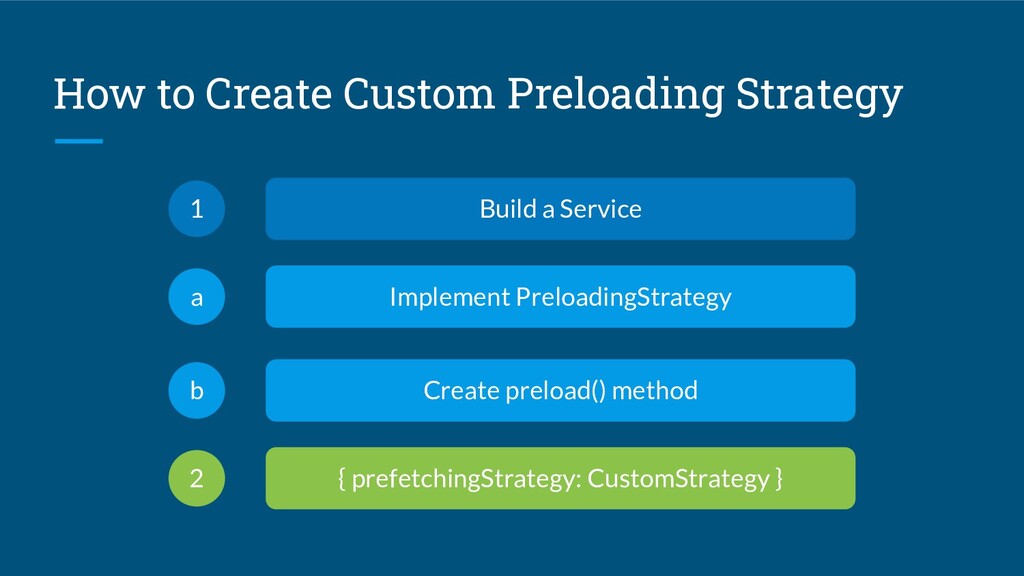
  7. How to Create Custom Preloading Strategy Build a Service 1

    Create preload() method b { prefetchingStrategy: CustomStrategy } 2 Implement PreloadingStrategy a
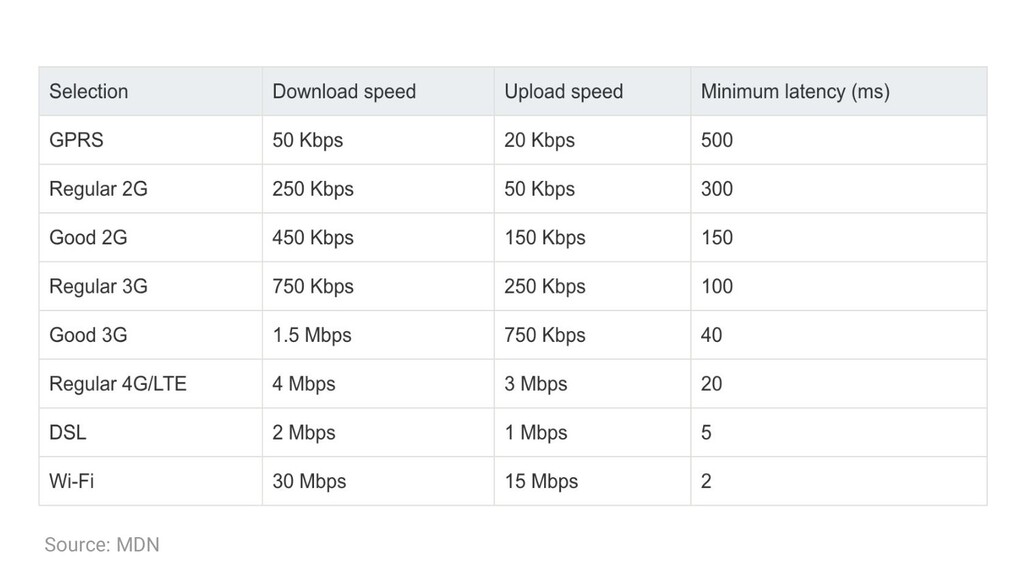
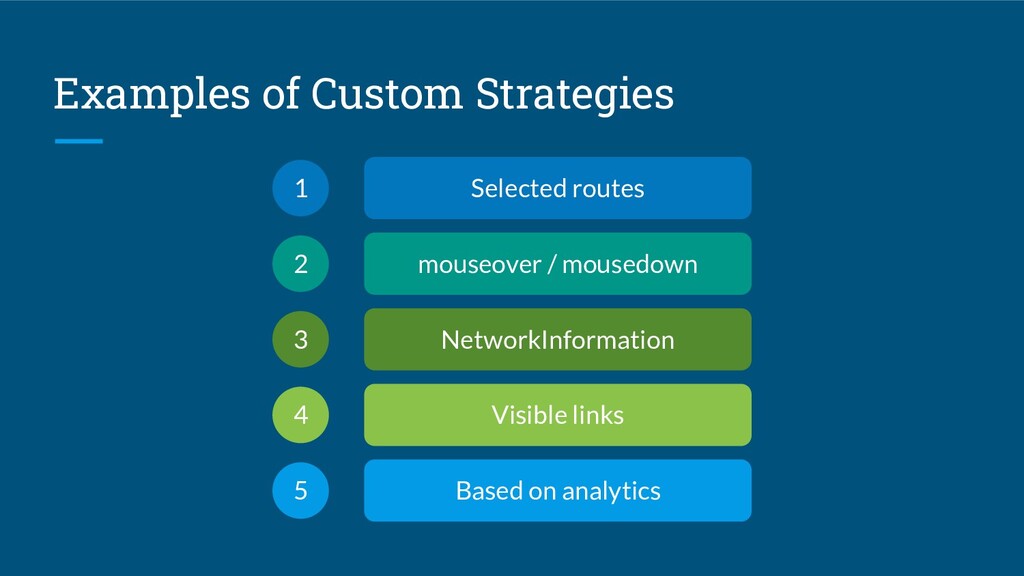
  8. Examples of Custom Strategies Selected routes 1 mouseover / mousedown

    2 NetworkInformation 3 Visible links 4 Based on analytics 5
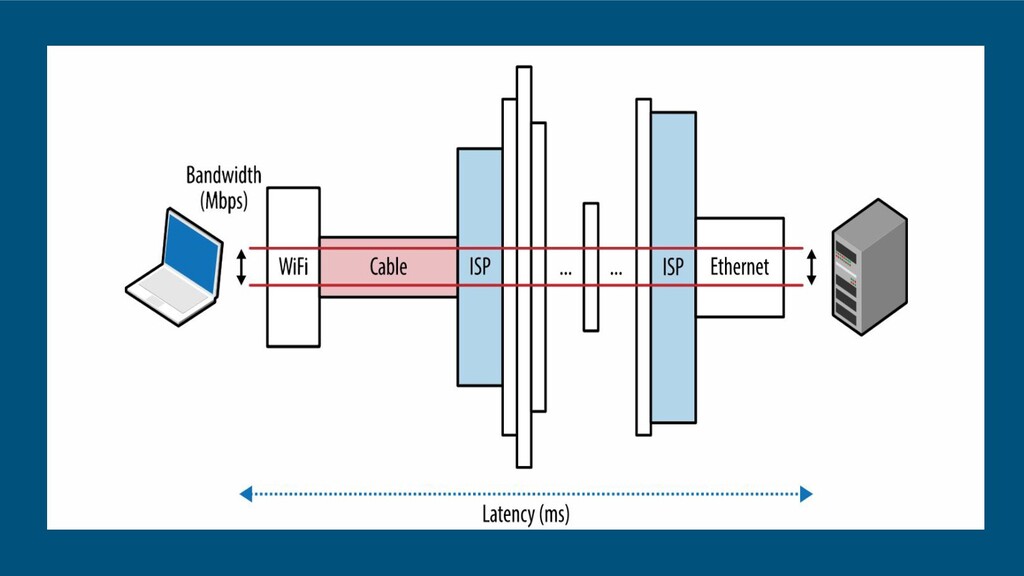
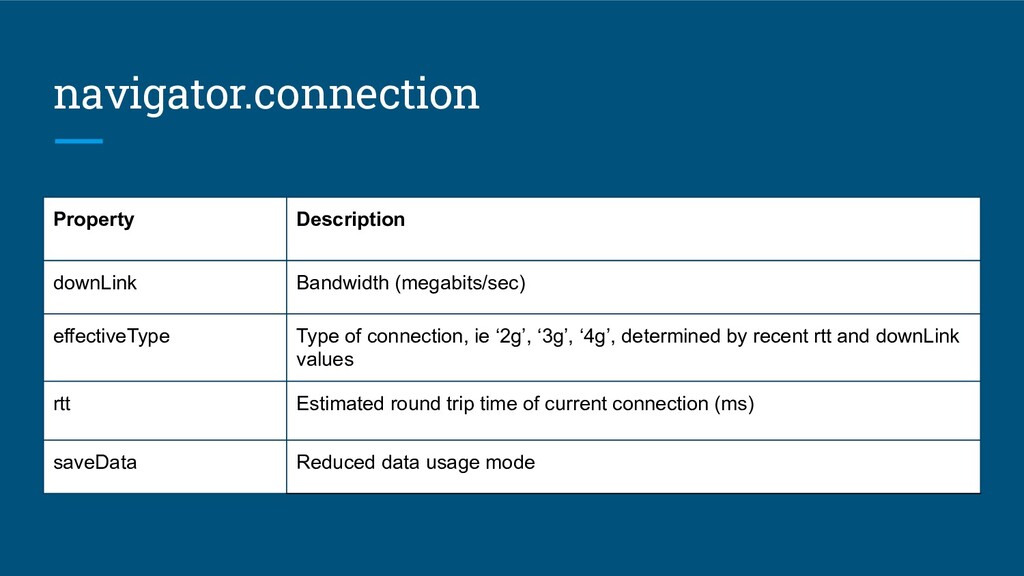
  9. navigator.connection Property Description downLink Bandwidth (megabits/sec) effectiveType Type of connection,

    ie ‘2g’, ‘3g’, ‘4g’, determined by recent rtt and downLink values rtt Estimated round trip time of current connection (ms) saveData Reduced data usage mode
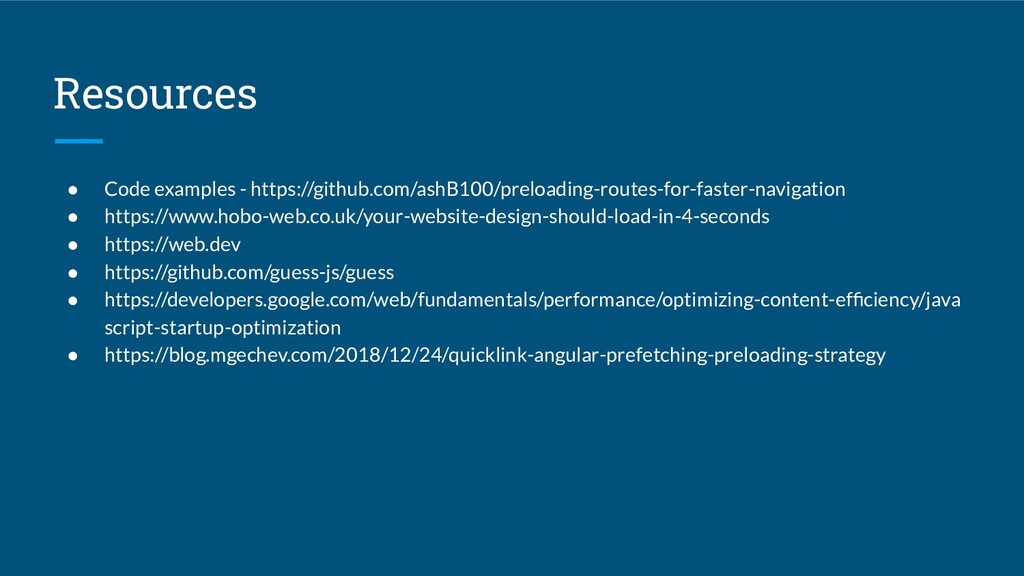
  10. Resources • Code examples - https://github.com/ashB100/preloading-routes-for-faster-navigation • https://www.hobo-web.co.uk/your-website-design-should-load-in-4-seconds • https://web.dev

    • https://github.com/guess-js/guess • https://developers.google.com/web/fundamentals/performance/optimizing-content-efficiency/java script-startup-optimization • https://blog.mgechev.com/2018/12/24/quicklink-angular-prefetching-preloading-strategy