Share
Embed
A quick look at Redis
This is a brief, high-level look at Redis: What it offers, and some scenarios in which it's commonly used. Presented to the Memphis PHP User Group.
Brad Montgomery
June 23, 2015
Transcript
47 slides
-
Redis? Redis ("REmote DIctionary Server"), is an in-memory Key-Value Database.
Also frequently called a "data structure server". -
Redis? Redis ("REmote DIctionary Server"), is an in-memory Key-Value Database.
Also frequently called a "data structure server". -
Redis? Redis ("REmote DIctionary Server"), is an in-memory Key-Value Database.
Also frequently called a "data structure server". -
Installation • OS X: brew install redis • Linux: use
your fav package manager • grab the .tar.gz & compile • Sorry Windows people. -
Key Points: ‣Very Fast (writes & reads) ‣It's Durable (it
can be). ‣In-Memory. Your data should fit in RAM. ‣Values are associated with unique Keys ‣Data Types: Strings, Lists, Sets, Sorted Sets, Hashes ‣Every command is Atomic ‣Keys can be segmented. -
Key Points: ‣Very Fast (writes & reads) ‣It's Durable (it
can be). ‣In-Memory. Your data should fit in RAM. ‣Values are associated with unique Keys ‣Data Types: Strings, Lists, Sets, Sorted Sets, Hashes ‣Every command is Atomic ‣Keys can be segmented. -
Can I use? Many supported Clients: C, C#, Clojure, Dart,
Erlang, Go, Haskell, Java, Lua, Node.js, Perl, PHP, Python, Ruby, Scala (many more unsupported libraries) See http://redis.io/clients for more info. -
PHP Clients There are 10 Clients. • phpredis: Written in
C as a PHP Module • https://github.com/phpredis/phpredis • 2600+ Stars • PHP License • Predis: Written in PHP • https://github.com/nrk/predis • 2000+ Stars • MIT License -
Durability Wait... Isn’t Redis an “in-memory” data store? ‣ RDB:
Periodic Snapshots written to disk ‣ AOF: (append-only file) writes data to disk ‣ None: ONLY stores data in memory. ‣ Both: If you really care about your data, use AOF, with periodic snapshots. For more info, see: http://redis.io/topics/persistence -
On Keys ‣You query data via a Key ‣You don’t
query the values ‣Keys can be anything (including binary data) ‣…Up to 512Mb ‣Small keys are good! ‣Keys can expire (up to you, you set when) ‣Define a schema: object-type:id:field -
On Values Values are associated with a unique key and
are stored as a data type: ‣Strings ‣Lists ‣Sets ‣Sorted Sets ‣Hashes For more info, see: http://redis.io/topics/data-types-intro -
Strings ‣Most basic data type: ‣Can store up to 512Mb
‣Examples: Serialized data such as JSON or binary data such as a JPEG image. ‣Redis doesn't care what you store. Key/String values are what typically happens when you use redis as a cache backend (e.g. instead of memcache) -
An Example m:num-logins:d:2015-06-23 m:num-logins:m:2015-06 m:num-logins:y:2015 > GET m:num-logins:y:2015 “41” >
INCR m:num-logins:y:2015 (integer) 42 -
Strings Set some values: SET users:brad "{email: [email protected], password: SOMEHASH}"
SET users:brad:avatar "\xf8\xf8\xf8\xf0\xf0\xf0\xf8\xf8\xf8\xeb..." Get some values: GET users:brad GET users:brad:avatar -
Strings Set some values: SET users:brad "{email: [email protected], password: SOMEHASH}"
SET users:brad:avatar "\xf8\xf8\xf8\xf0\xf0\xf0\xf8\xf8\xf8\xeb..." Get some values: GET users:brad GET users:brad:avatar Key! -
Strings Set some values: SET users:brad "{email: [email protected], password: SOMEHASH}"
SET users:brad:avatar "\xf8\xf8\xf8\xf0\xf0\xf0\xf8\xf8\xf8\xeb..." Get some values: GET users:brad GET users:brad:avatar Value! -
Strings Incrementing: SET users:count 0 INCR users:count # users:count ->
1 INCRBY users:count 5 # users:count -> 6 Additional Utilities: STRLEN users:brad # returns 53 APPEND users:brad " moar data" # Careful! GET users:brad # Returns: "{email: [email protected], password: SOMEHASH} moar data" -
Incrementing: SET users:count 0 INCR users:count # users:count -> 1
INCRBY users:count 5 # users:count -> 6 Additional Utilities: STRLEN users:brad # returns 53 APPEND users:brad " moar data" # Careful! GET users:brad # Returns: "{email: [email protected], password: SOMEHASH} moar data" Redis doesn’t care what you do to the data! Strings -
Lists ‣Store & Manipulate a list (or array) ‣Maintains Order
‣Fast index-based operations -
Adding to a list: LPUSH users sally LPUSH users jane
LPUSH users bill Do an index-based lookup: LINDEX users 0 # Returns "bill" LINDEX users 2 # Returns “sally" LINDEX users 42 # Returns (nil) Lists -
Access a range of items: LRANGE users 0 3 #
returns "bill", "jane", "sally" Utilities: LLEN users # returns 3 LSET users 0 sallie # changes "sally" to "sallie" POP items (removes first item pushed): LPOP users # returns "bill" Lists -
Sets ‣Stores unique values ‣No Order ‣Set-based Operations ‣Great for
tagging or tracking properties -
Sets Adding a set: SADD blog:10 redis nosql SADD blog:11
couchdb nosql Updating a Set: SADD blog:11 json # would now include "couchdb", "nosql", "json" Remove an item from a set: SREM blog:11 json # removes the "json" value from the set tags for a blog entry. -
Sets View the members of a set: SMEMBERS blog:10 #
returns "nosql", "redis" Does an set contain a given value?: SISMEMBER blog:10 python # returns 0 or 1 Set-based operations: SUNION blog:10 blog:11 # returns "redis", "couchdb", "nosql" SINTER blog:10 blog:11 # returns "nosql" SDIFF blog:10 blog:11 # returns "redis" (in blog:10 but not blog:11) -
Sorted Sets ‣Just like Sets, but each item gets a
Score ‣Creates an Order or Ranking ‣e.g. Leaderboards! -
Sorted Sets Add some users to the leaderboard: ZADD leaders
30 sally ZADD leaders 50 julie ZADD leaders 10 bill Find a rank (default ordering is low to high): ZRANK leaders bill # returns 0 Find a rank (sorted high to low): ZREVRANK leaders bill # returns 2 -
Sorted Sets How many users have a score between 20
and 50 (inclusive): ZCOUNT leaders 20 50 # returns 2 Find a user's score: ZSCORE leaders bill # returns 10 -
Hashes ‣Similar to strings, but with fields ‣Gives you well-defined
objects ‣Gives you Granular access ‣Think JSON, Python dictionaries, or PHP’s Associative Arrays -
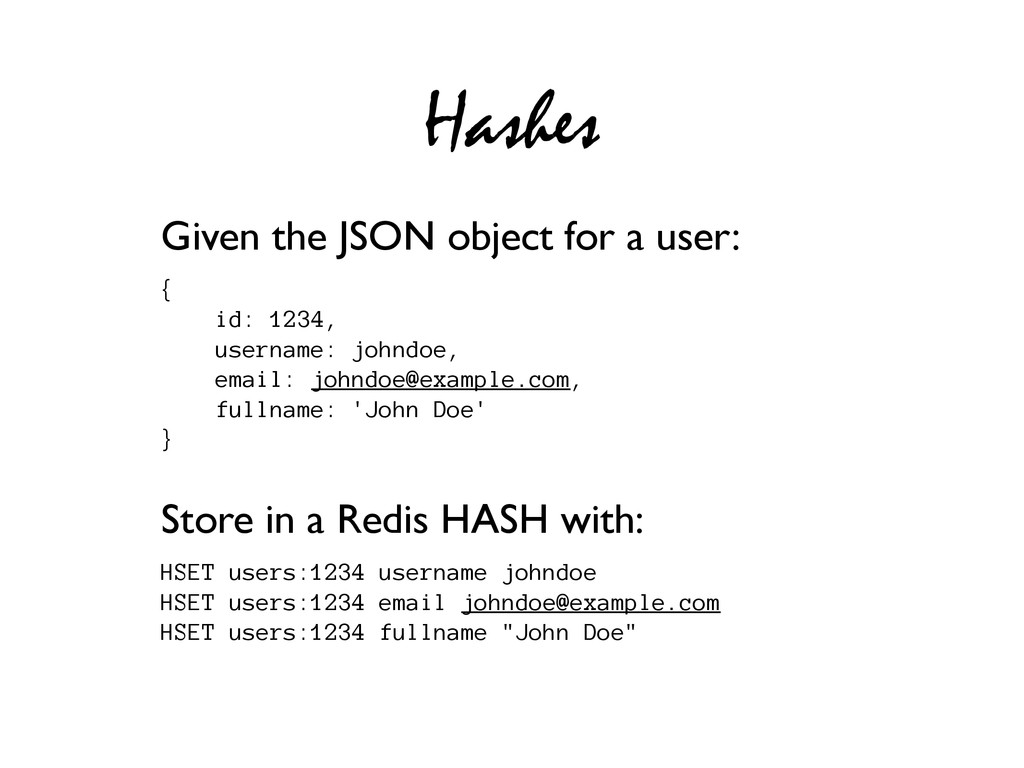
Hashes Given the JSON object for a user: { id:
1234, username: johndoe, email: [email protected], fullname: 'John Doe' } Store in a Redis HASH with: HSET users:1234 username johndoe HSET users:1234 email [email protected] HSET users:1234 fullname "John Doe" -
Hashes Get individual field values: HGET users:1234 username # returns
"johndoe" Get Multiple field values: HMGET users:1234 username email # returns "johndoe", "[email protected]" Get all keys/values for a hashed item: HGETALL users:1234 # returns: "username", "johndoe", # "email", "[email protected]", # "fullname", "John Doe" -
Hashes Additional Utilities: HKEYS users:1234 # returns "username", "email", "fullname"
HLEN users:1234 # returns 3 HEXISTS users:1234 password # returns 0 (false) HDEL users:1234 fullname # removes the "fullname" field & value -
How is Redis Used? ‣High-frequency writes/reads ‣As a cache or
storage for ephemeral data ‣Task Queue ‣Pub/Sub -
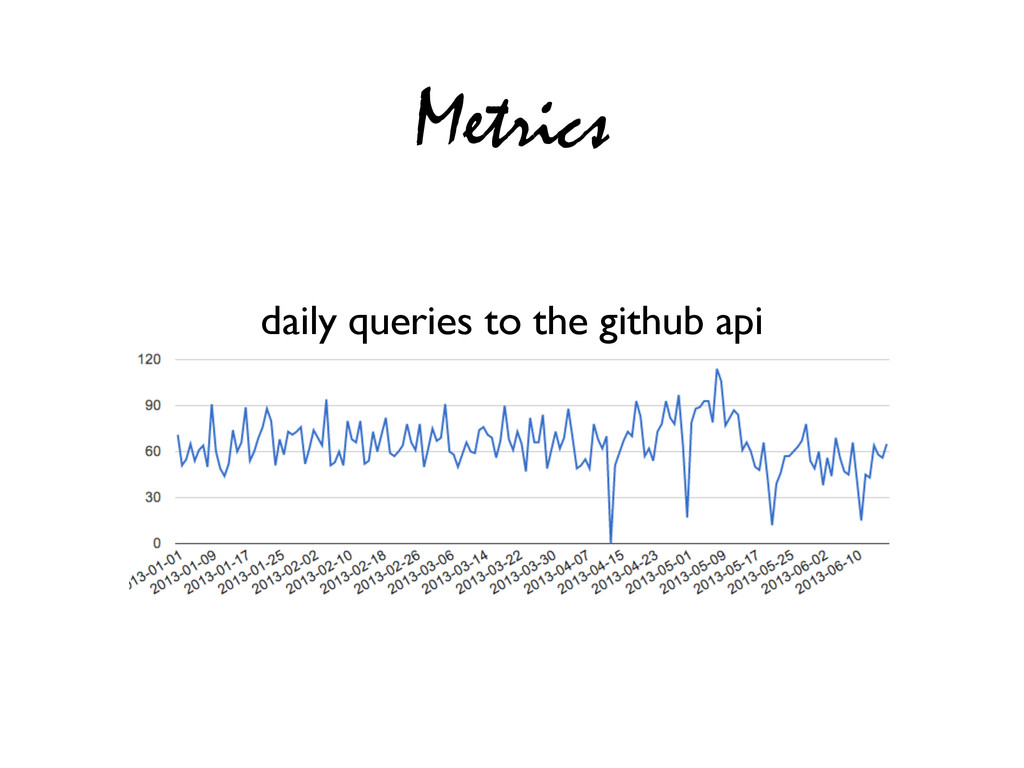
Metrics Python Code: metric('github-api') Redis Keys are stored as: m:github-api:2013-01-31
-> 100 ; daily usage m:github-api:w:2013-05 -> 1000 ; weekly usage m:github-api:m:2013-01 -> 10,000 ; monthly usage m:github-api:y:2013 -> 100,000 ; yearly usage ‣django-redis-metrics ‣Easy, Arbitrary metrics for Django apps ‣Backed by Redis -
Cache/Ephemeral Store ‣User Session Keys ‣Flash messages ‣Data Caching ‣Ratings
Redis Key expiration EXPIRE messages:brad 30 # expires the "messages:brad" key in 30s -
php-resque example Define a Job Queue it up Resque::setBackend('localhost:6379'); $args
= array('meaning' => 42); Resque::enqueue('default', 'Calculate', $args); class Calculate{ public function perform() { // Do the work… some_calculation($this->args[‘meaning’]); } } -
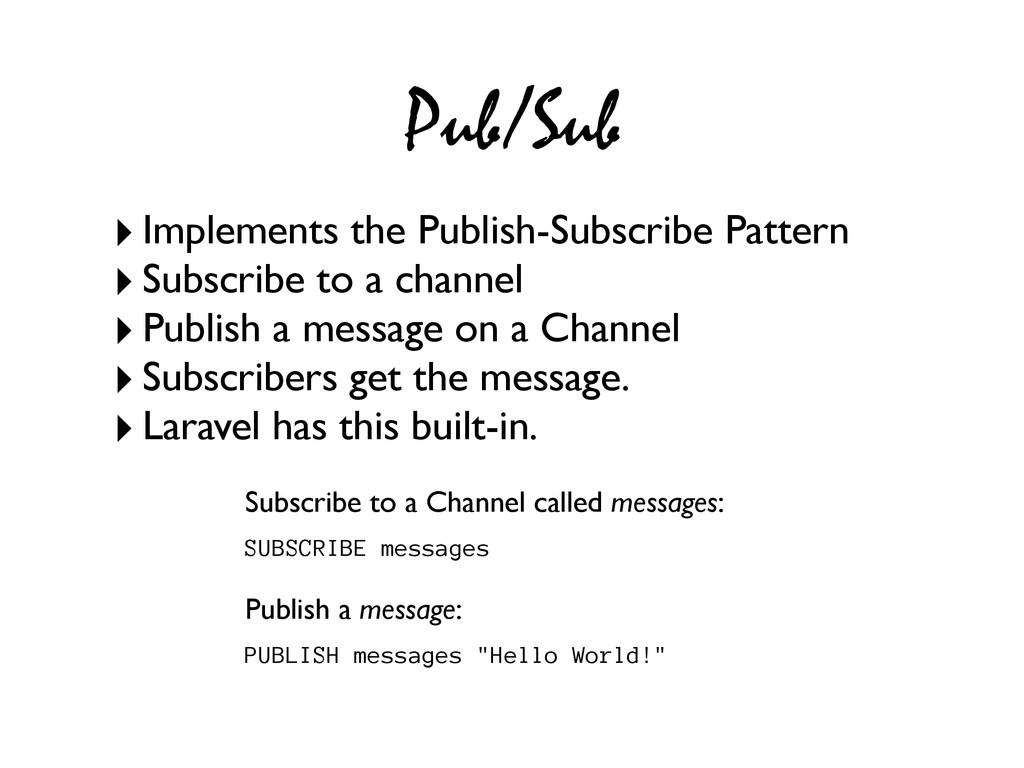
Pub/Sub ‣Implements the Publish-Subscribe Pattern ‣Subscribe to a channel ‣Publish
a message on a Channel ‣Subscribers get the message. ‣Laravel has this built-in. Subscribe to a Channel called messages: SUBSCRIBE messages Publish a message: PUBLISH messages "Hello World!" -
Pub/Sub ‣Implements the Publish-Subscribe Pattern ‣Subscribe to a channel ‣Publish
a message on a Channel ‣Subscribers get the message. ‣Laravel has this built-in. Subscribe to a Channel called messages: SUBSCRIBE messages Publish a message: PUBLISH messages "Hello World!" Try in multiple terminals. -
Laravel’s Redis Facade // Laravel's Redis Facade is Cool. use
Redis; // Get a user for a given id $user = Redis::get('user:profile:'.$id); // Set some metric date_default_timezone_set('UTC'); $key = "m:num-logins:d:" . date("Y-m-d"); Redis::set($key, 1); // increment that metric Redis::incr($key); -
Laravel’s Redis Facade // Laravel's Redis Facade is Cool. use
Redis; // Add some tags to your blog post $key = "blog:" . $postId; $values = Redis::sadd($key, "redis", “php"); // Retrieve those tags $tags = Redis::smembers($key); -
Predis require 'Predis/Autoloader.php'; Predis\Autoloader::register(); // Predis client commands are similar
to // the Redis CLI $client = new Predis\Client(); // Set some key & retrieve it's value $client->set('my_key', 'Some Value'); $value = $client->get('my_key'); // Returns 'Some Value' -
Predis // Push some items in a list $key =
"blogpost:" . $postId; $tags = array("redis", "php", "predis"); $client->lpush($key, $tags); // Get the 2nd tag $client->lindex($key, 1); // Returns 'php' // Get the number of tags $client->llen($key); // Returns 3 -
¡Gracias! Learn more at: ‣Official Docs: redis.io ‣Try it Online:
try.redis.io ‣The Little Book of Redis