Share
Embed
Django + Django's watching my Back(end)
Python Meetup Madrid @ medialab - 27/04/2017
Carlos de las Heras
March 27, 2017
Transcript
48 slides
-
Django es un framework para el desarrollo de aplicaciones web
en lenguaje python https://github.com/django https://www.djangoproject.com/ -
¿Aplicaciones WEB? ¿No son páginas web? ¿Framework? ¿qué es un
Framework? ¿Hay otros Frameworks? -
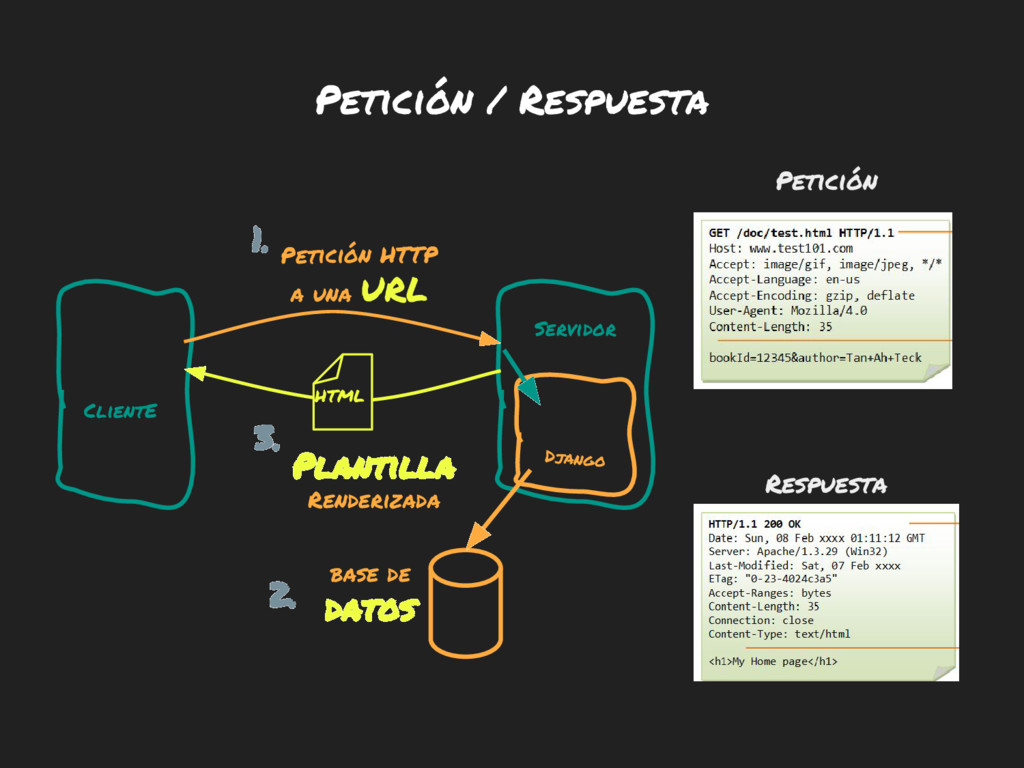
ClientE Servidor Petición HTTP a una URL HTML Petición /
Respuesta Django base de datos Plantilla Renderizada Petición Respuesta 1. 2. 3. -
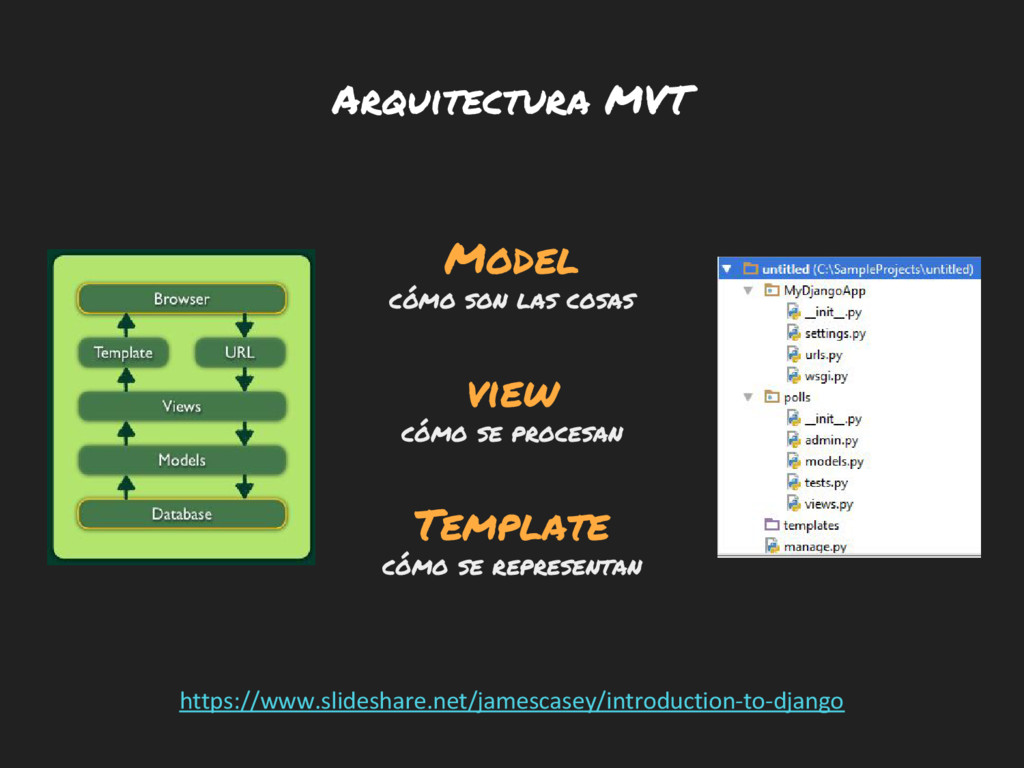
Model cómo son las cosas view cómo se procesan Template
cómo se representan https://www.slideshare.net/jamescasey/introduction-to-django Arquitectura MVT -
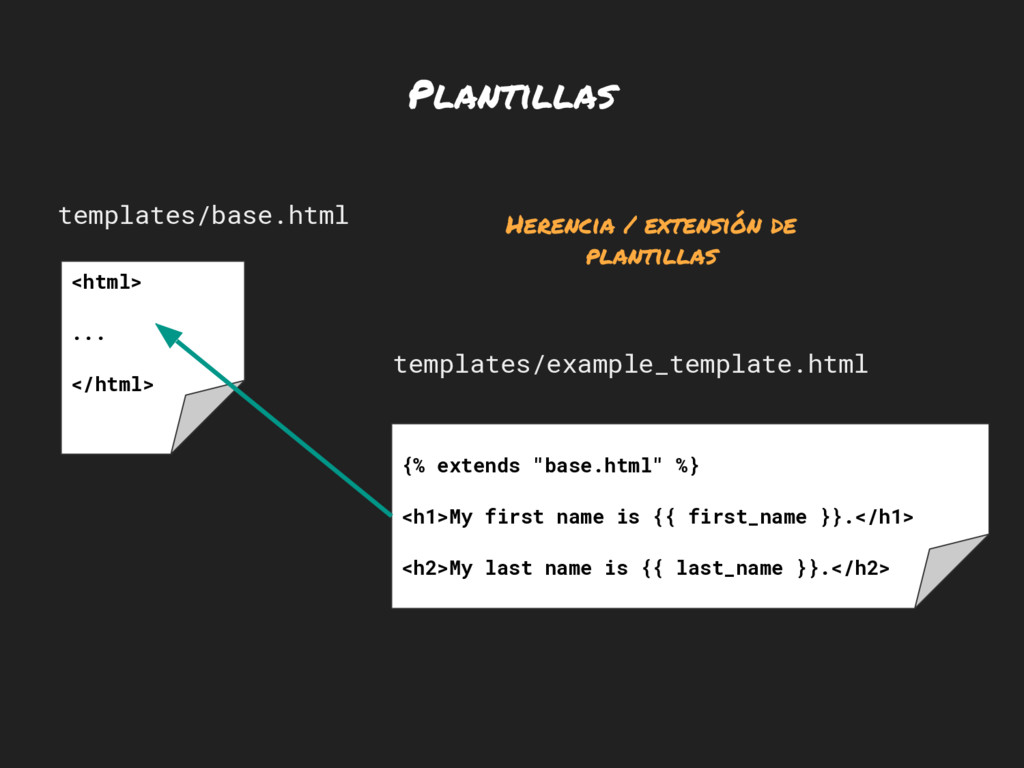
Plantillas {% extends "base.html" %} <h1>My first name is {{
first_name }}.</h1> <h2>My last name is {{ last_name }}.</h2> templates/example_template.html <html> ... </html> templates/base.html Herencia / extensión de plantillas -
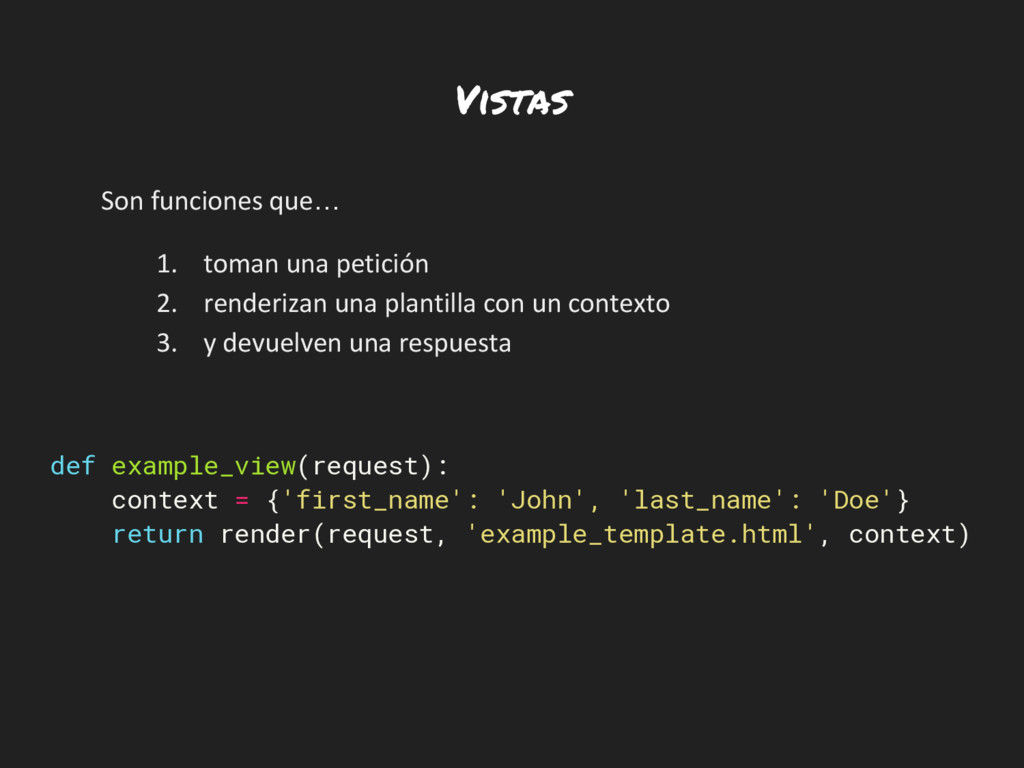
Vistas Son funciones que… 1. toman una petición 2. renderizan
una plantilla con un contexto 3. y devuelven una respuesta def example_view(request): context = {'first_name': 'John', 'last_name': 'Doe'} return render(request, 'example_template.html', context) -
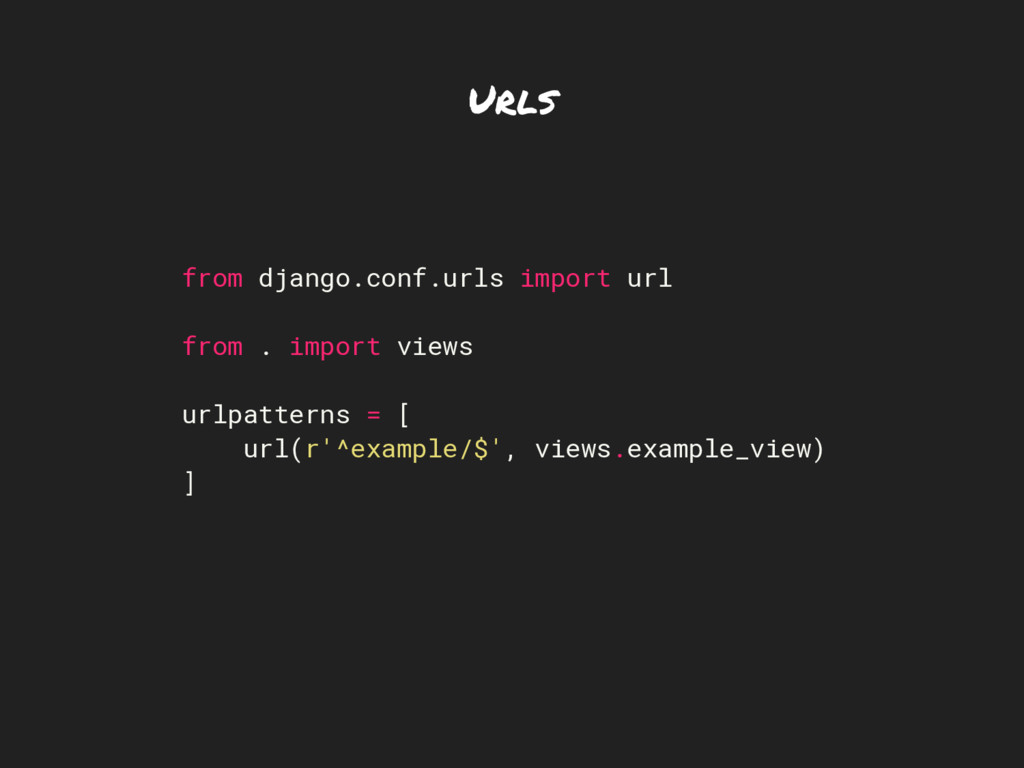
Urls from django.conf.urls import url from . import views urlpatterns
= [ url(r'^example/$', views.example_view) ] -
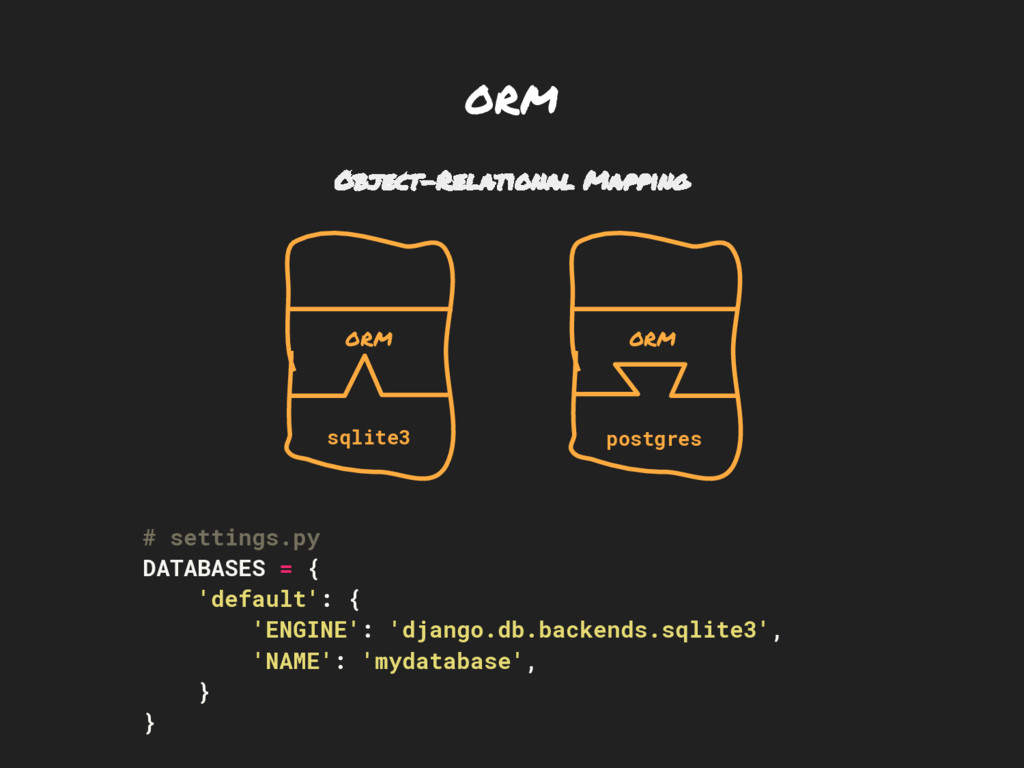
ORM Object-Relational Mapping # settings.py DATABASES = { 'default': {
'ENGINE': 'django.db.backends.sqlite3', 'NAME': 'mydatabase', } } ORM ORM sqlite3 postgres -
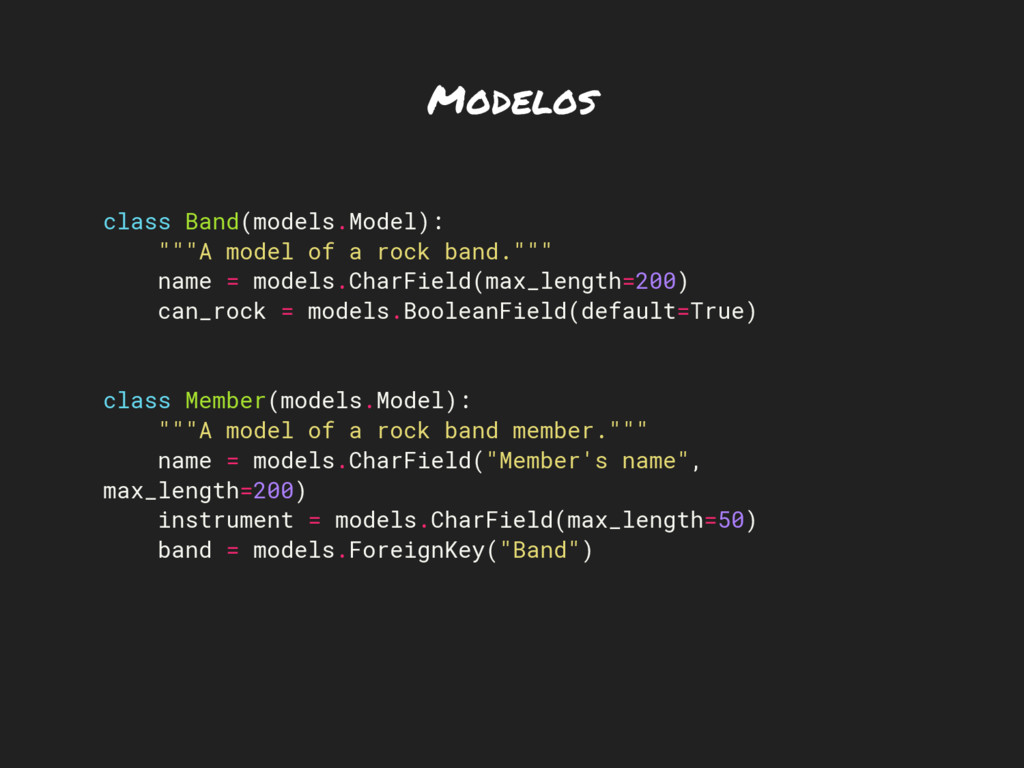
Modelos class Band(models.Model): """A model of a rock band.""" name
= models.CharField(max_length=200) can_rock = models.BooleanField(default=True) class Member(models.Model): """A model of a rock band member.""" name = models.CharField("Member's name", max_length=200) instrument = models.CharField(max_length=50) band = models.ForeignKey("Band") -
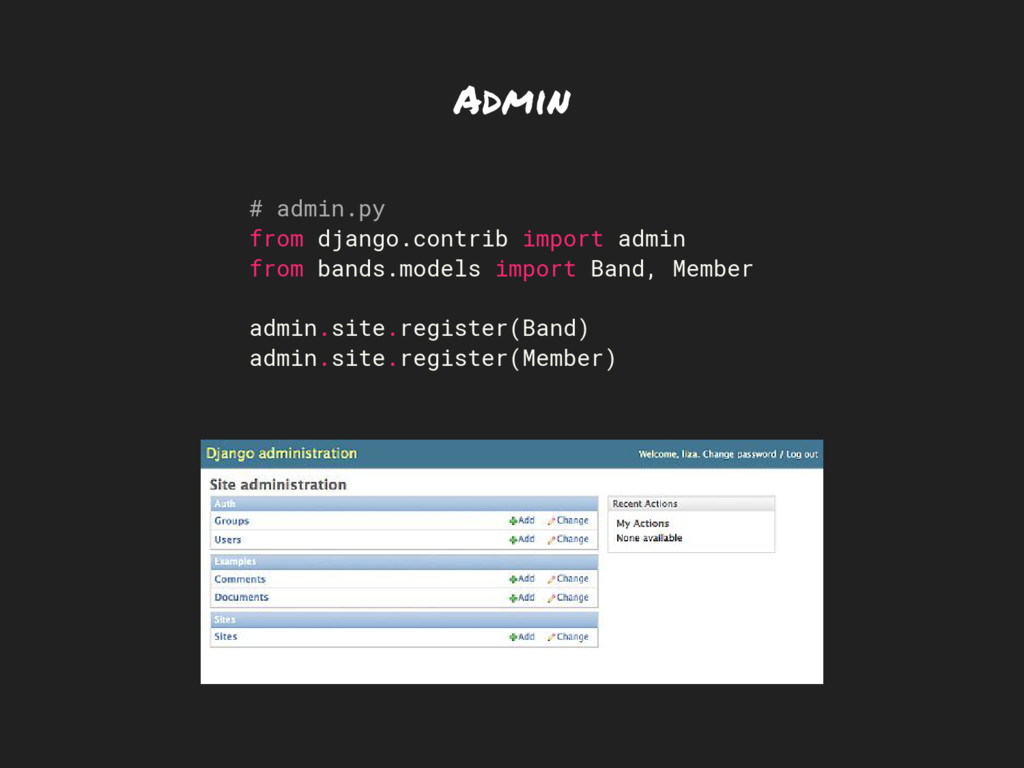
Admin # admin.py from django.contrib import admin from bands.models import
Band, Member admin.site.register(Band) admin.site.register(Member) -
Django, The new Kid in the Block: What did it
aim to solve? -
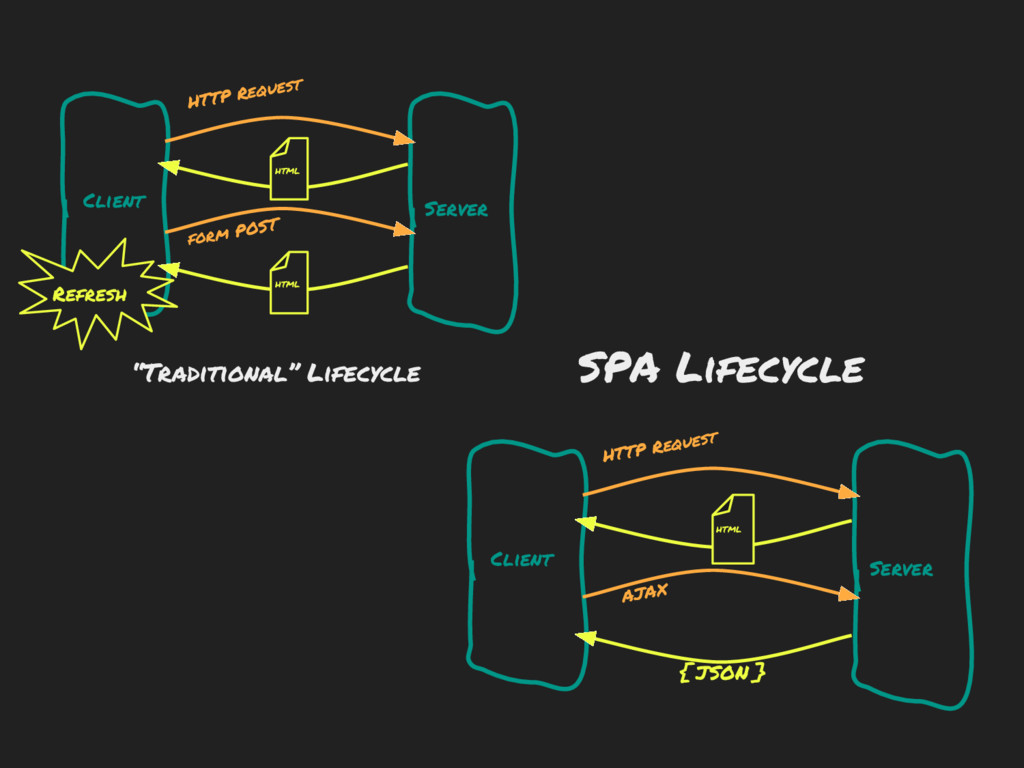
Client Server Client Server HTTP Request form POST HTTP Request
AJAX “Traditional” Lifecycle SPA Lifecycle HTML HTML HTML { JSON } Refresh -
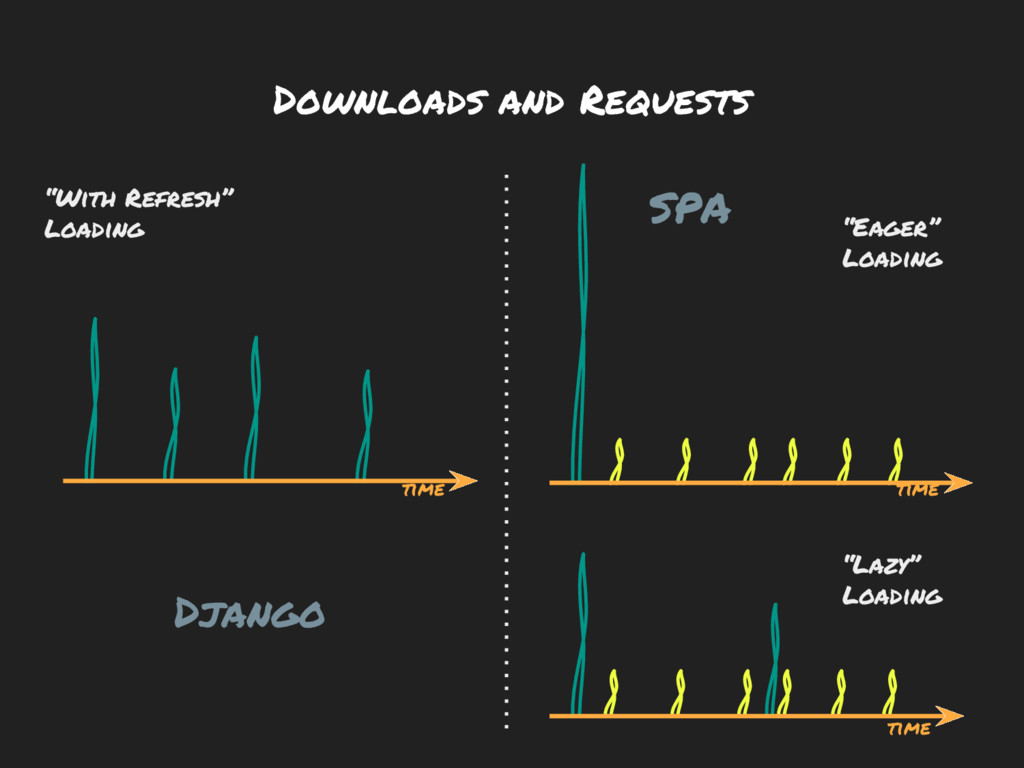
Downloads and Requests time “Eager” Loading “Lazy” Loading “With Refresh”
Loading time time SPA Django -
So... Why not API / SPA all the way as
a Proof of concept? -
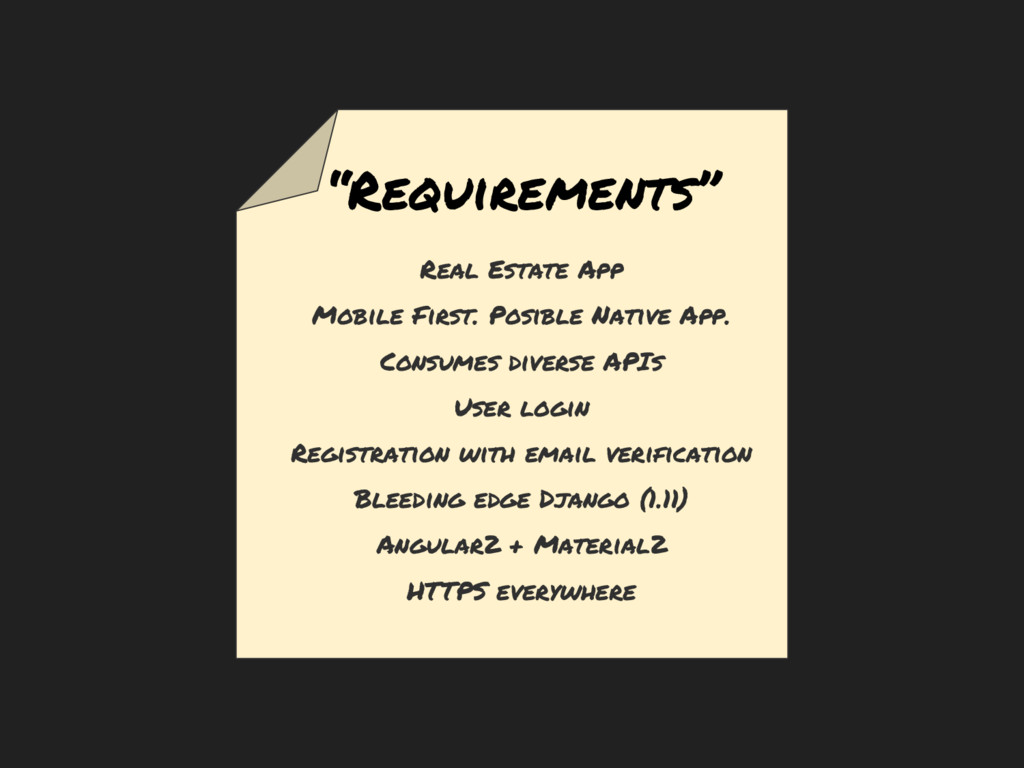
“Requirements” Real Estate App Mobile First. Posible Native App. Consumes
diverse APIs User login Registration with email verification Bleeding edge Django (1.11) Angular2 + Material2 HTTPS everywhere -
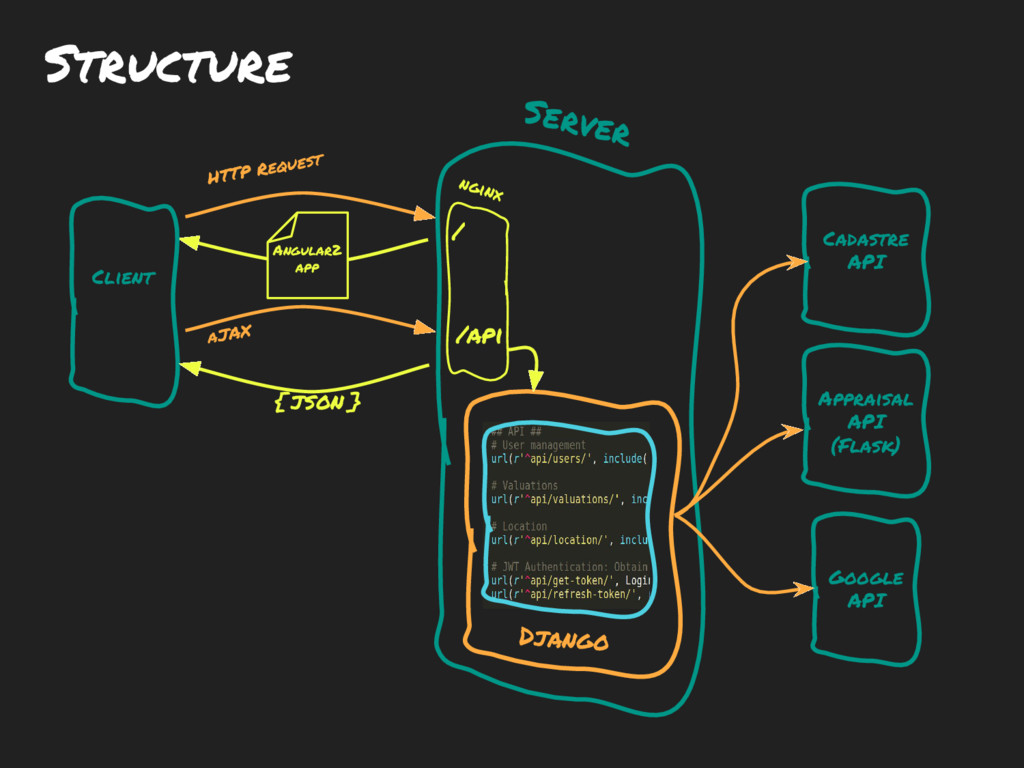
Structure Client Server HTTP Request aJAX Angular2 app { JSON
} Google API Appraisal API (Flask) Cadastre API / /api Django nginx -
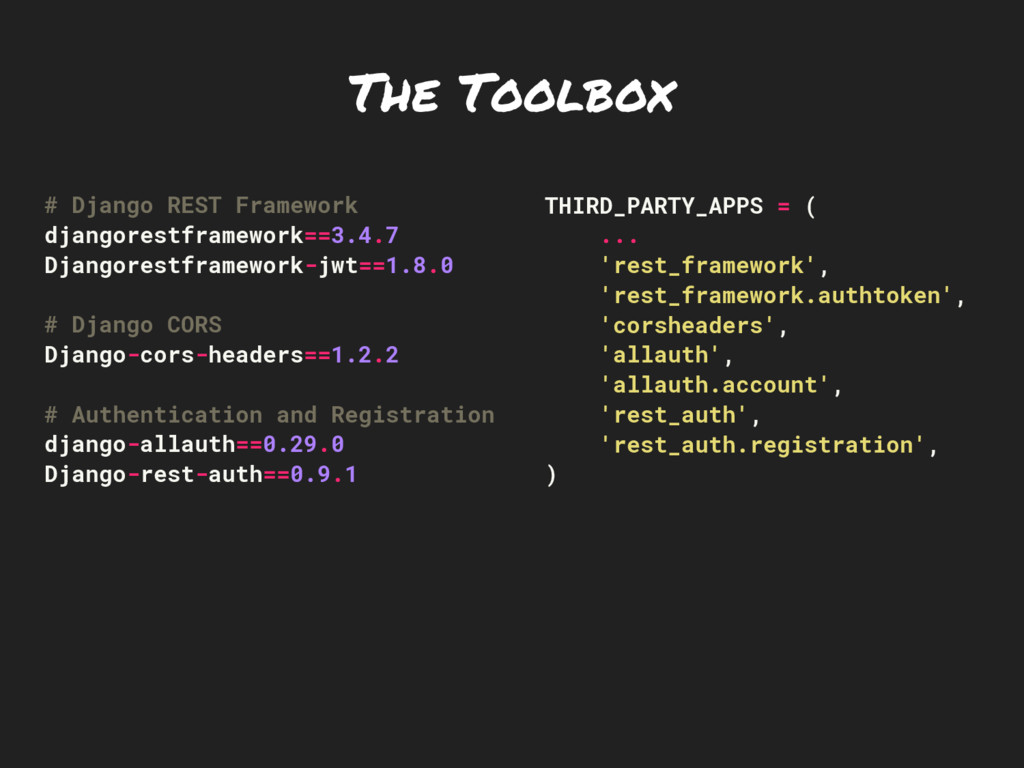
The Toolbox # Django REST Framework djangorestframework==3.4.7 Djangorestframework-jwt==1.8.0 # Django
CORS Django-cors-headers==1.2.2 # Authentication and Registration django-allauth==0.29.0 Django-rest-auth==0.9.1 THIRD_PARTY_APPS = ( ... 'rest_framework', 'rest_framework.authtoken', 'corsheaders', 'allauth', 'allauth.account', 'rest_auth', 'rest_auth.registration', ) -
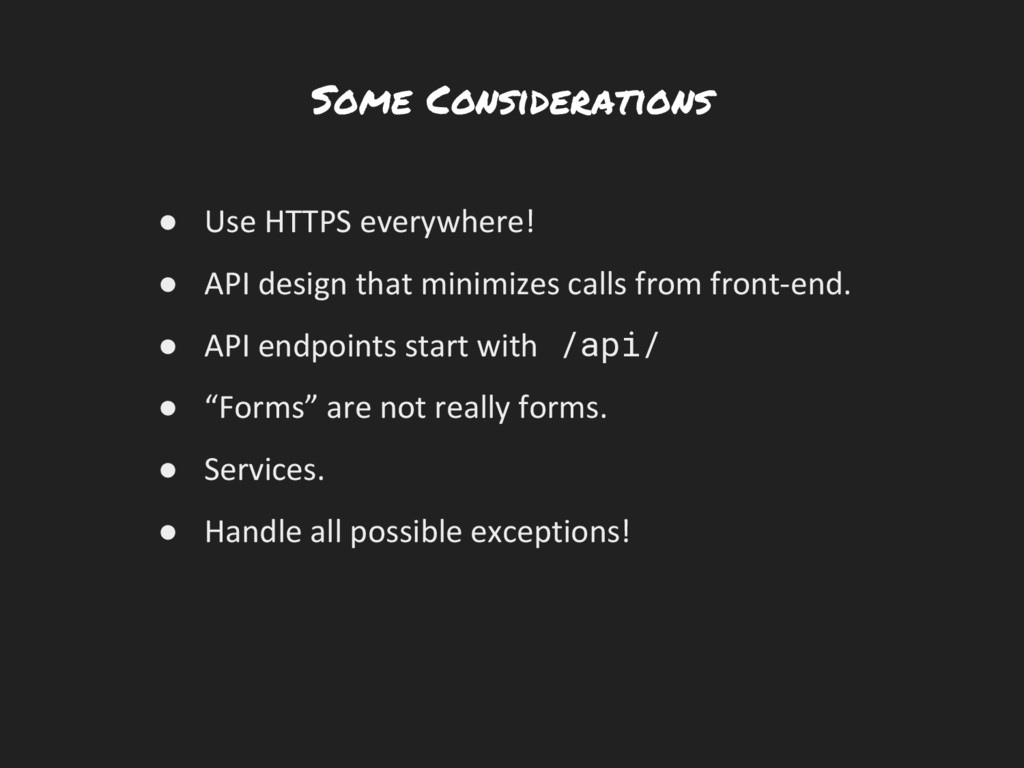
Some Considerations • Use HTTPS everywhere! • API design that
minimizes calls from front-end. • API endpoints start with /api/ • “Forms” are not really forms. • Services. • Handle all possible exceptions! -
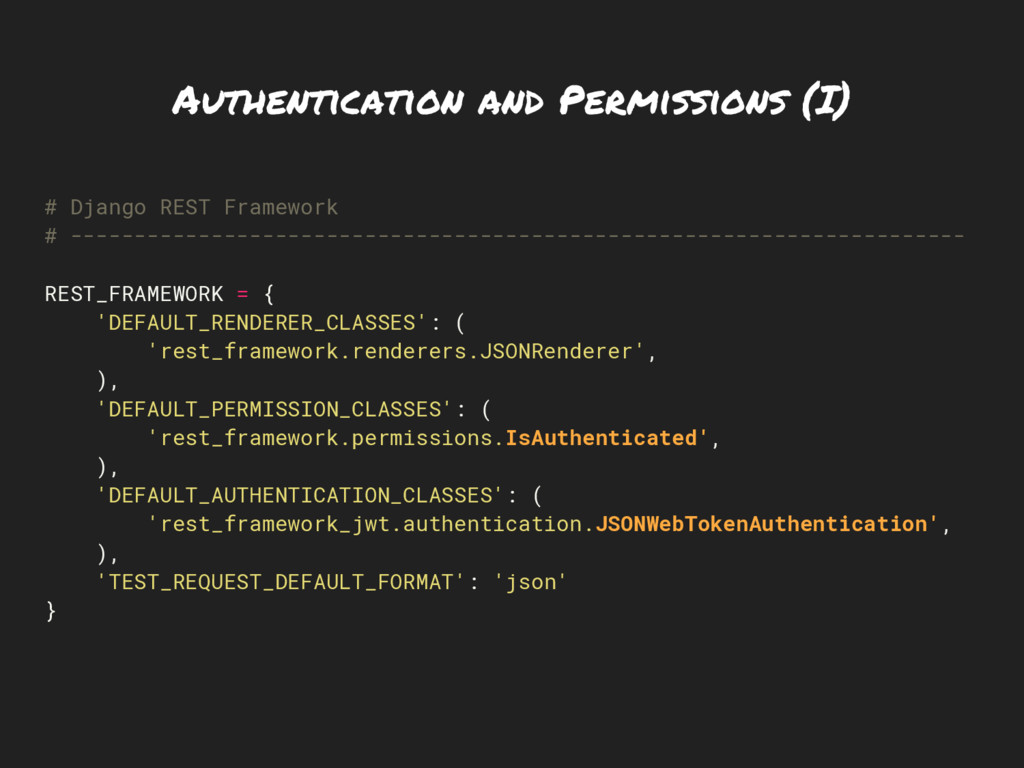
Authentication and Permissions (I) # Django REST Framework # ----------------------------------------------------------------------
REST_FRAMEWORK = { 'DEFAULT_RENDERER_CLASSES': ( 'rest_framework.renderers.JSONRenderer', ), 'DEFAULT_PERMISSION_CLASSES': ( 'rest_framework.permissions.IsAuthenticated', ), 'DEFAULT_AUTHENTICATION_CLASSES': ( 'rest_framework_jwt.authentication.JSONWebTokenAuthentication', ), 'TEST_REQUEST_DEFAULT_FORMAT': 'json' } -
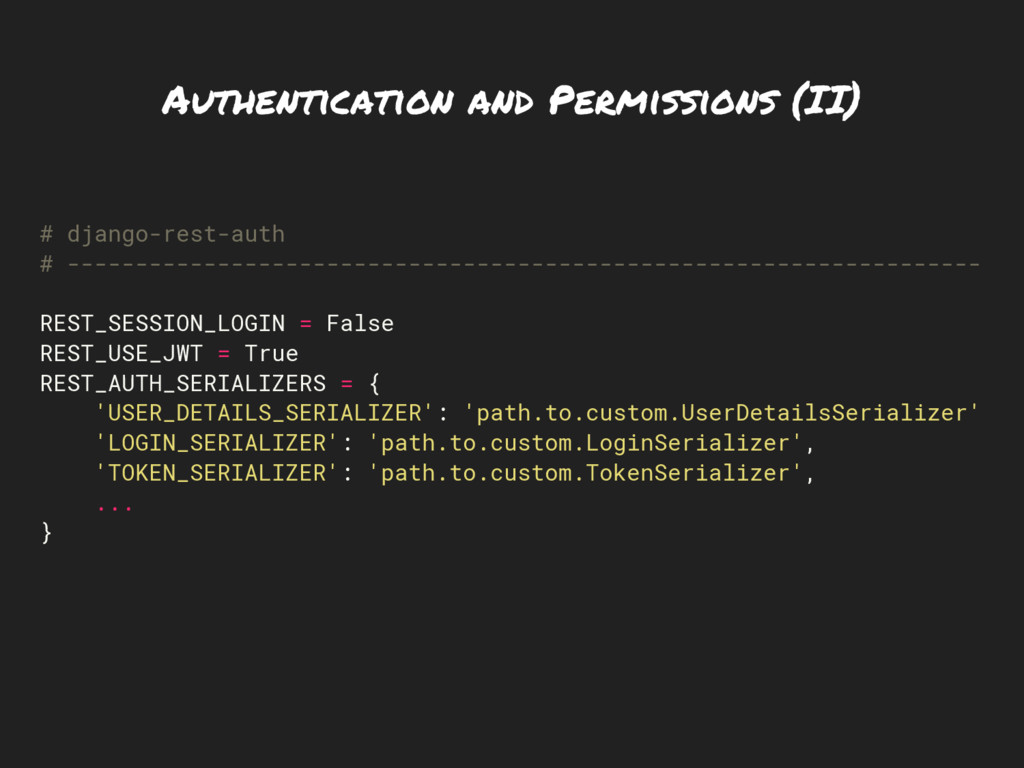
Authentication and Permissions (II) # django-rest-auth # ------------------------------------------------------------------- REST_SESSION_LOGIN =
False REST_USE_JWT = True REST_AUTH_SERIALIZERS = { 'USER_DETAILS_SERIALIZER': 'path.to.custom.UserDetailsSerializer' 'LOGIN_SERIALIZER': 'path.to.custom.LoginSerializer', 'TOKEN_SERIALIZER': 'path.to.custom.TokenSerializer', ... } -
Authentication and Permissions (III) @api_view(['POST']) @permission_classes((AllowAny,)) def example_function_based_view(request): ... class
ExampleClassBasedView(generics.RetrieveAPIView): permission_classes = (AllowAny,) ... -
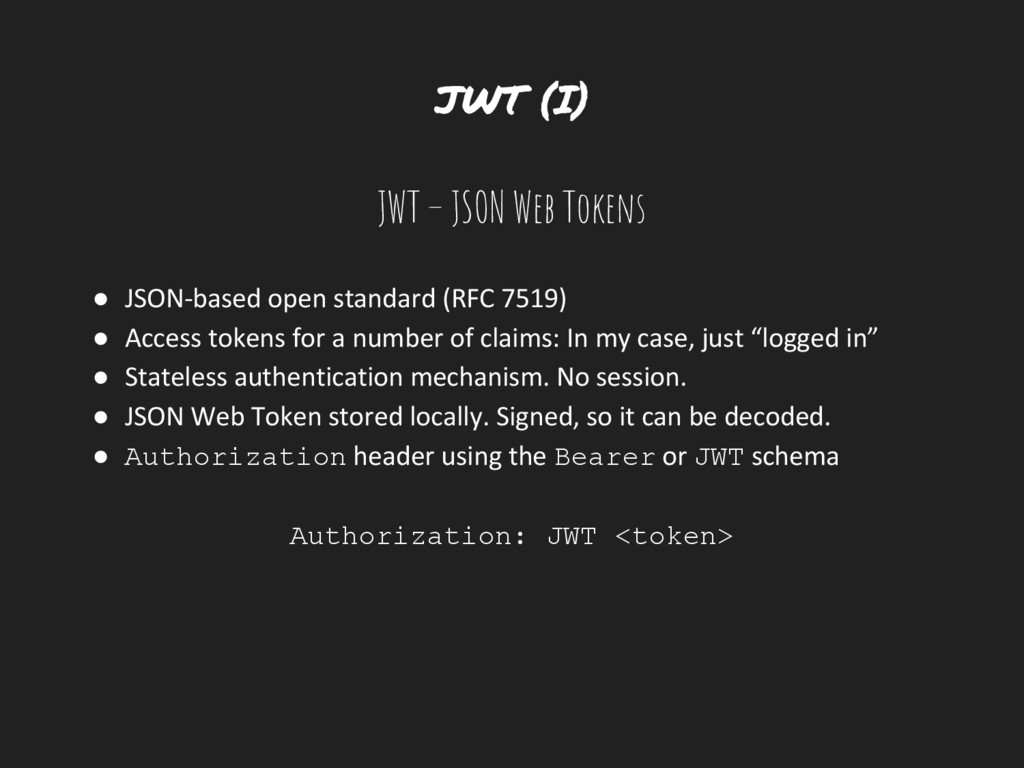
JWT (I) JWT – JSON Web Tokens • JSON-based open
standard (RFC 7519) • Access tokens for a number of claims: In my case, just “logged in” • Stateless authentication mechanism. No session. • JSON Web Token stored locally. Signed, so it can be decoded. • Authorization header using the Bearer or JWT schema Authorization: JWT <token> -
JWT (II) eyJhbGciOiJIUzI1NiIsInR5cCI6IkpXVCJ9.eyJ1c2VybmFtZSI6ImNhaGVyc2FuQGdtYWlsLmNvb SIsIm9yaWdfaWF0IjoxNDg5MjQyODUwLCJlbWFpbCI6ImNhaGVyc2FuQGdtYWlsLmNvbSIsImV4cCI 6MTQ4OTI1NzI1MCwidXNlcl9pZCI6ImU3Yzg0OGQyLWYzM2UtNDNjNS05M2ZlLTFlMGQ1MDhhMzEyN iJ9.R5fNmHMBuvsscvrxRiAzEpEGAeEJQCSgr2VnniGSeUw { “email”: "[email protected]", “exp”:
1489257531, “orig_iat”: 1489243131, “user_id”: "e7c848d2-f33e-43c5-93fe-1e0d508a3126", “username”: "[email protected]" } -
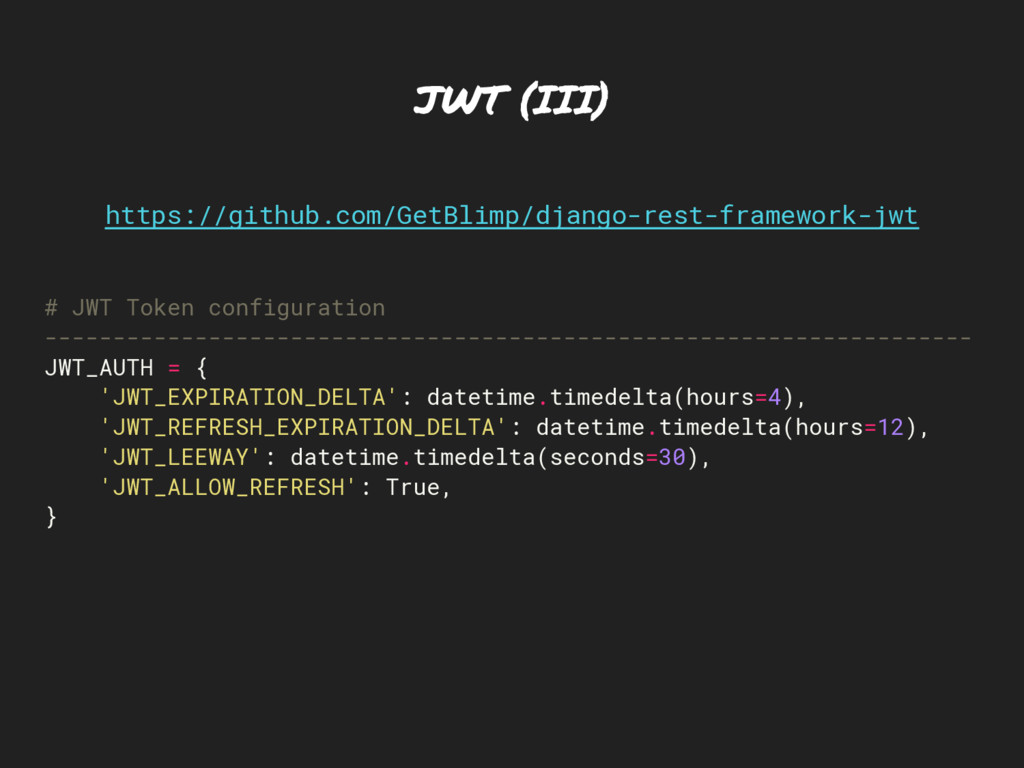
JWT (III) # JWT Token configuration -------------------------------------------------------------------- JWT_AUTH = {
'JWT_EXPIRATION_DELTA': datetime.timedelta(hours=4), 'JWT_REFRESH_EXPIRATION_DELTA': datetime.timedelta(hours=12), 'JWT_LEEWAY': datetime.timedelta(seconds=30), 'JWT_ALLOW_REFRESH': True, } https://github.com/GetBlimp/django-rest-framework-jwt -
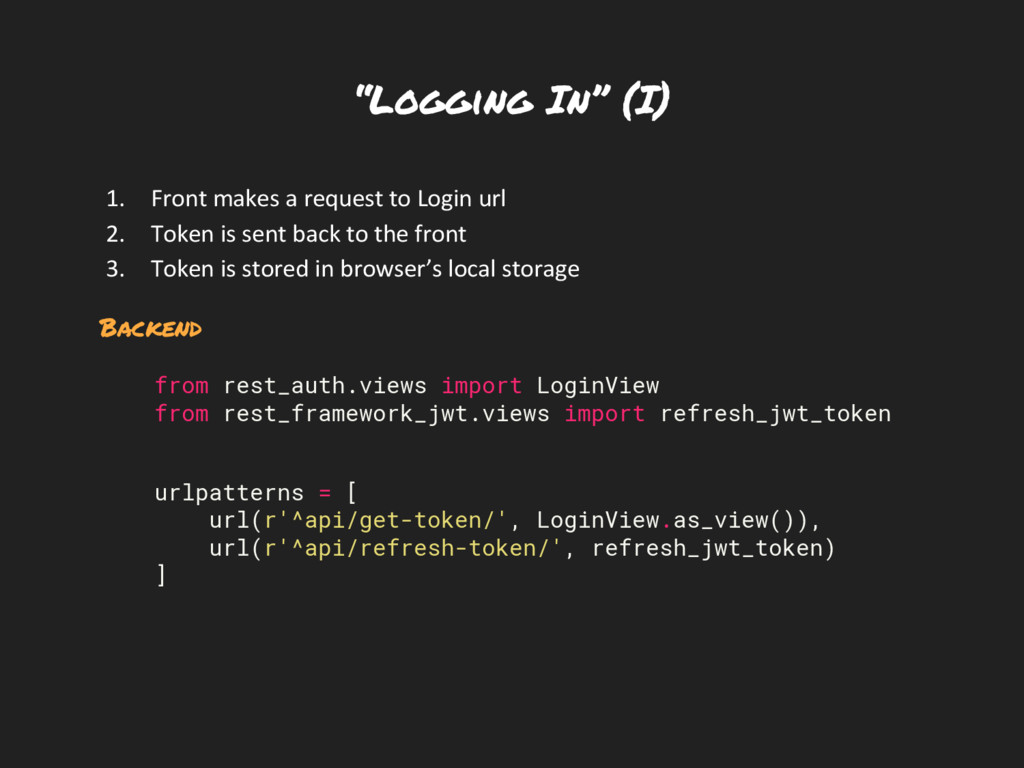
“Logging In” (I) 1. Front makes a request to Login
url 2. Token is sent back to the front 3. Token is stored in browser’s local storage Backend from rest_auth.views import LoginView from rest_framework_jwt.views import refresh_jwt_token urlpatterns = [ url(r'^api/get-token/', LoginView.as_view()), url(r'^api/refresh-token/', refresh_jwt_token) ] -
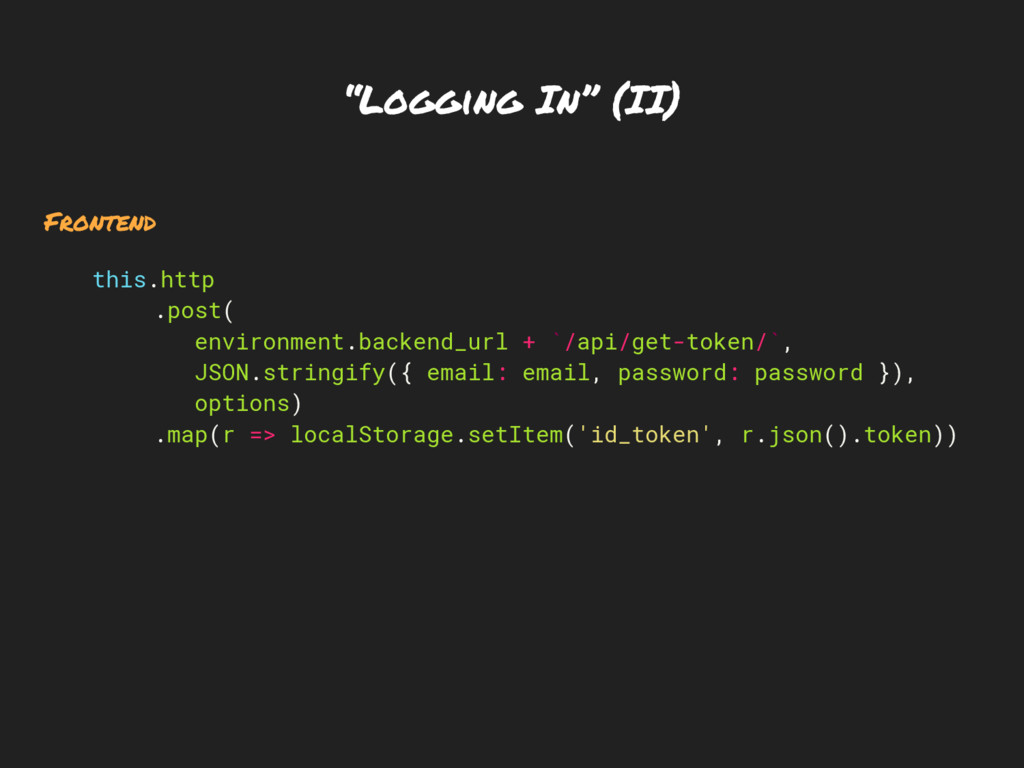
“Logging In” (II) Frontend this.http .post( environment.backend_url + `/api/get-token/`, JSON.stringify({
email: email, password: password }), options) .map(r => localStorage.setItem('id_token', r.json().token)) -
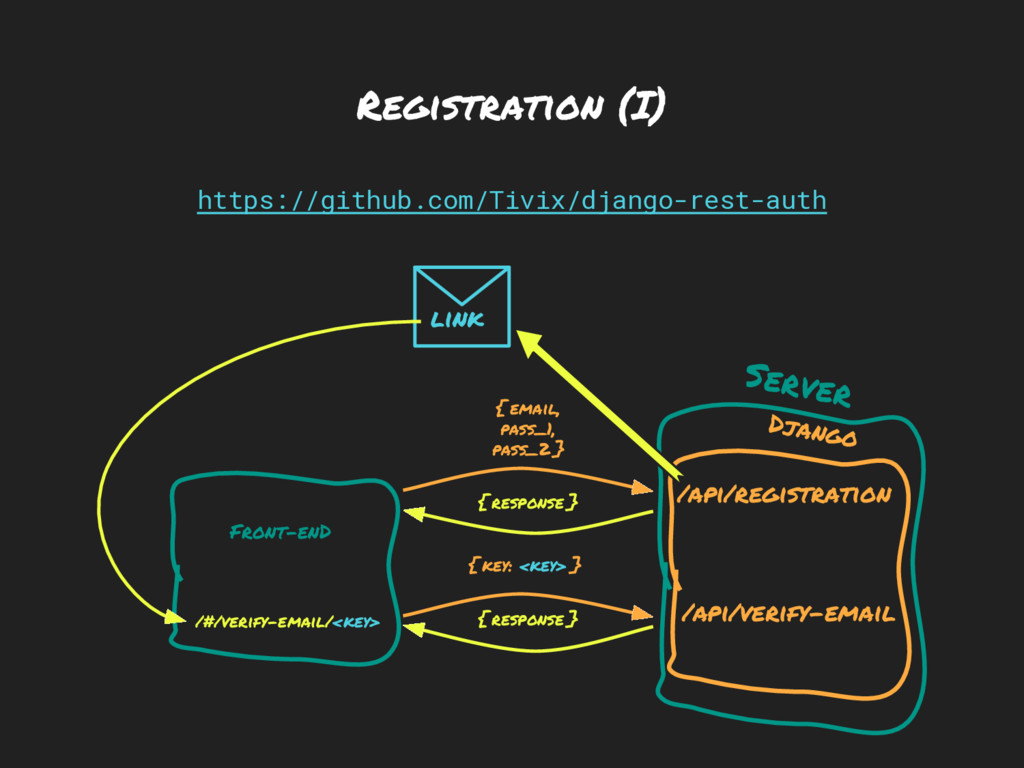
Registration (I) Front-enD Server { response } Django /api/registration /api/verify-email
link { response } { email, pass_1, pass_2 } { key: <key> } https://github.com/Tivix/django-rest-auth /#/verify-email/<key> -
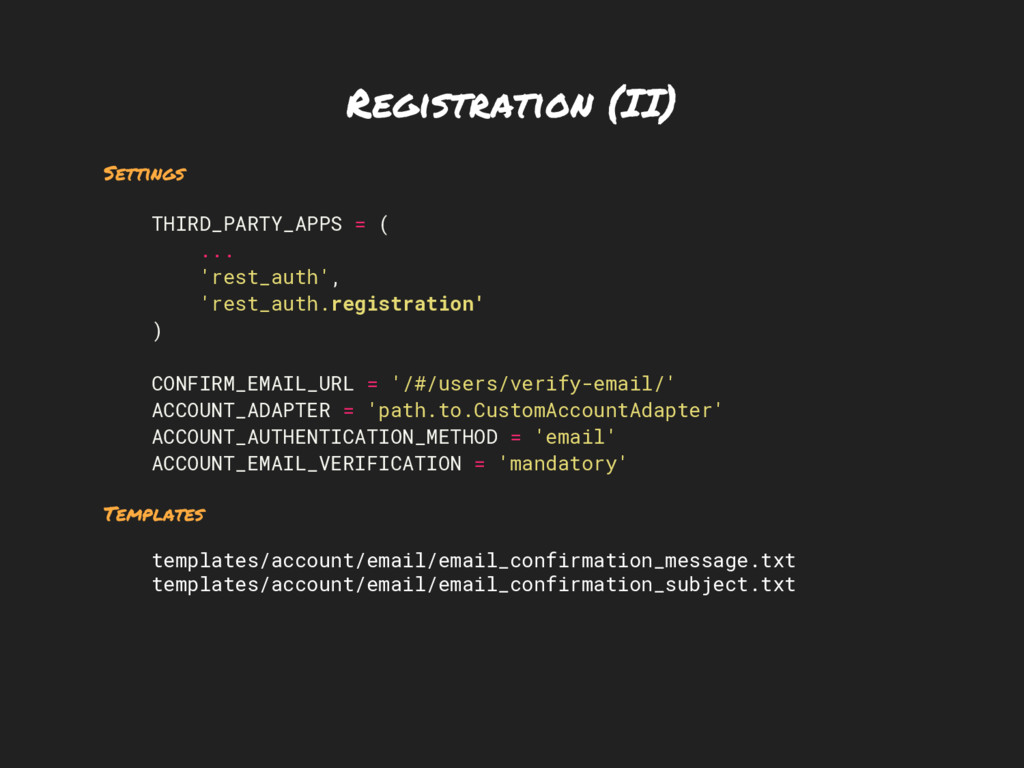
Registration (II) Settings THIRD_PARTY_APPS = ( ... 'rest_auth', 'rest_auth.registration' )
CONFIRM_EMAIL_URL = '/#/users/verify-email/' ACCOUNT_ADAPTER = 'path.to.CustomAccountAdapter' ACCOUNT_AUTHENTICATION_METHOD = 'email' ACCOUNT_EMAIL_VERIFICATION = 'mandatory' Templates templates/account/email/email_confirmation_message.txt templates/account/email/email_confirmation_subject.txt -
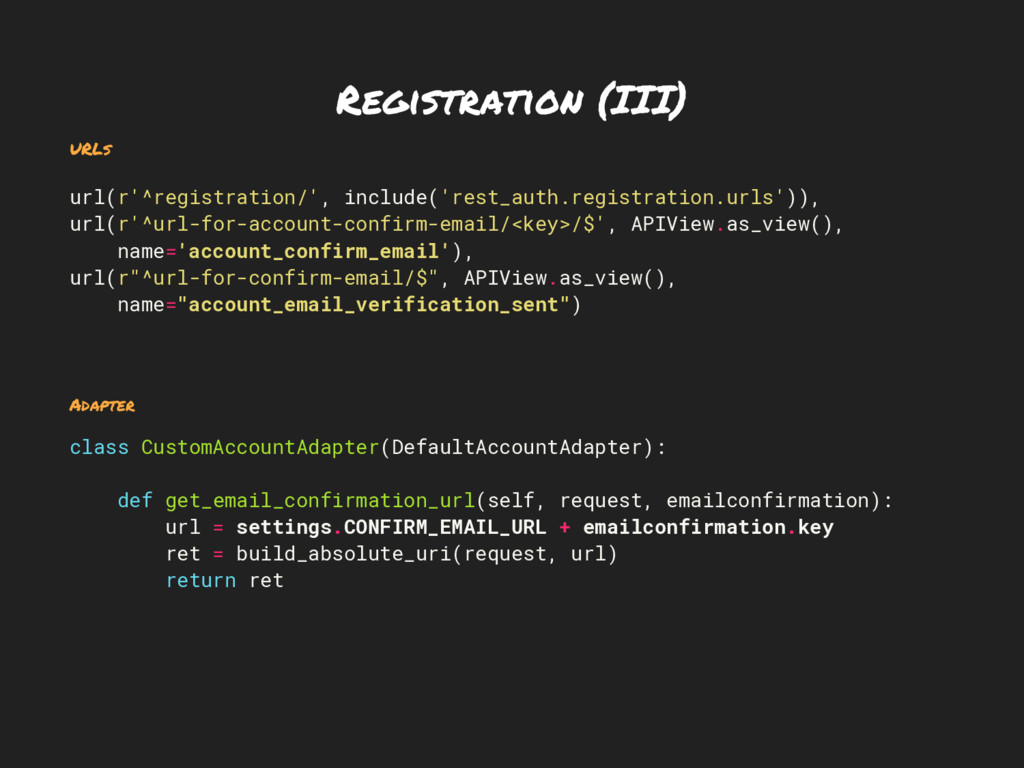
Registration (III) URLs url(r'^registration/', include('rest_auth.registration.urls')), url(r'^url-for-account-confirm-email/<key>/$', APIView.as_view(), name='account_confirm_email'), url(r"^url-for-confirm-email/$", APIView.as_view(),
name="account_email_verification_sent") Adapter class CustomAccountAdapter(DefaultAccountAdapter): def get_email_confirmation_url(self, request, emailconfirmation): url = settings.CONFIRM_EMAIL_URL + emailconfirmation.key ret = build_absolute_uri(request, url) return ret -
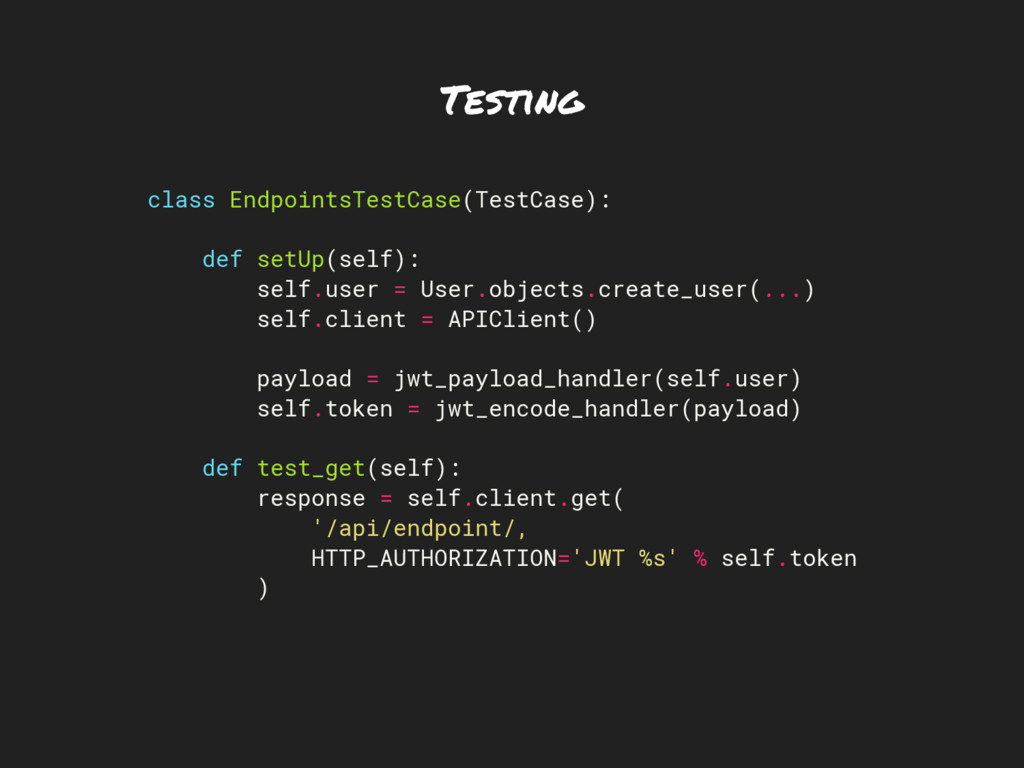
Testing class EndpointsTestCase(TestCase): def setUp(self): self.user = User.objects.create_user(...) self.client =
APIClient() payload = jwt_payload_handler(self.user) self.token = jwt_encode_handler(payload) def test_get(self): response = self.client.get( '/api/endpoint/, HTTP_AUTHORIZATION='JWT %s' % self.token ) -
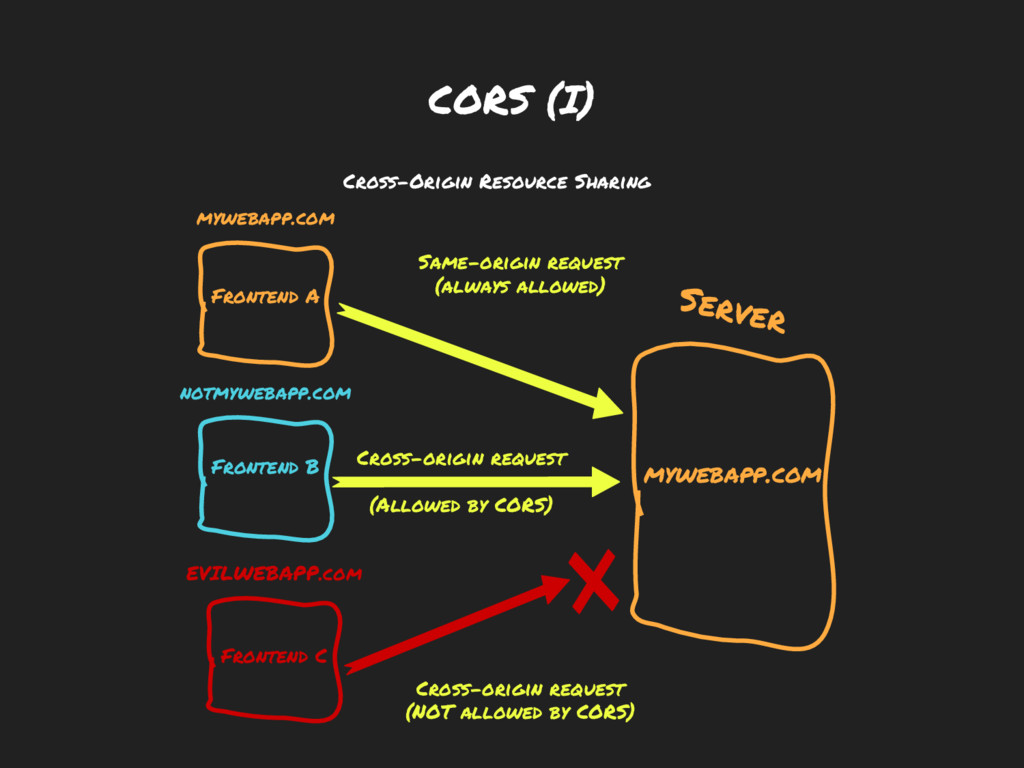
CORS (I) Frontend A Server Same-origin request (always allowed) Frontend
B notmywebapp.com mywebapp.com Cross-origin request (Allowed by CORS) mywebapp.com Frontend C EVILWEBAPP.com Cross-origin request (NOT allowed by CORS) Cross-Origin Resource Sharing -
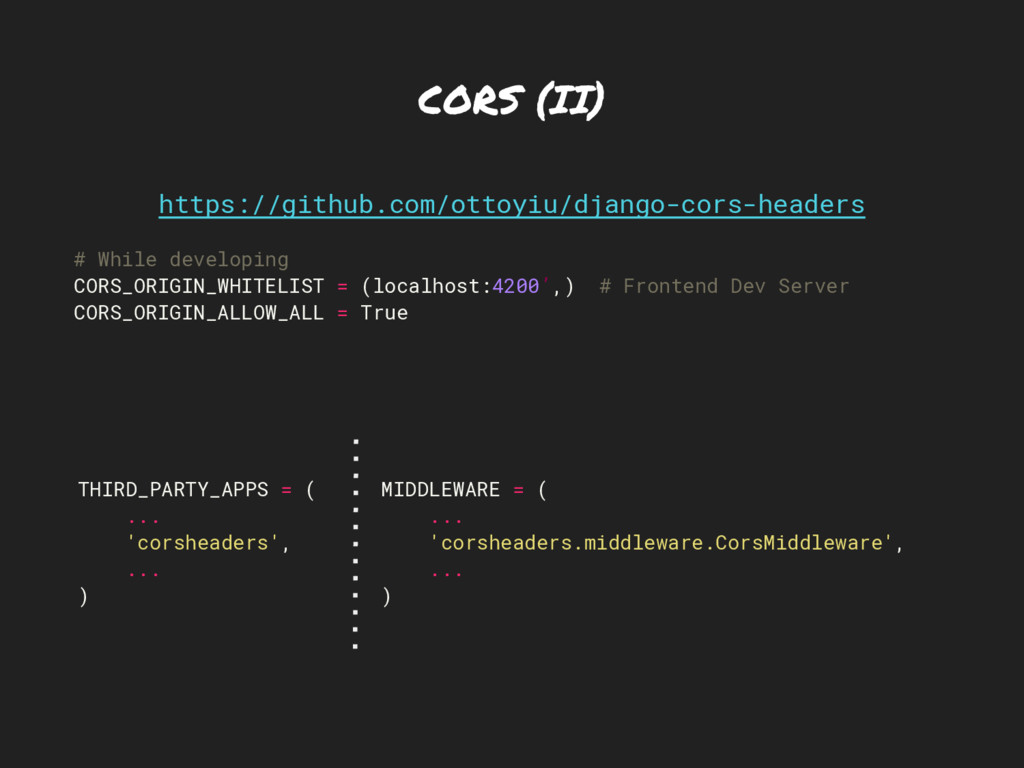
CORS (II) https://github.com/ottoyiu/django-cors-headers # While developing CORS_ORIGIN_WHITELIST = (localhost:4200’,) #
Frontend Dev Server CORS_ORIGIN_ALLOW_ALL = True THIRD_PARTY_APPS = ( ... 'corsheaders', ... ) MIDDLEWARE = ( ... 'corsheaders.middleware.CorsMiddleware', ... ) -
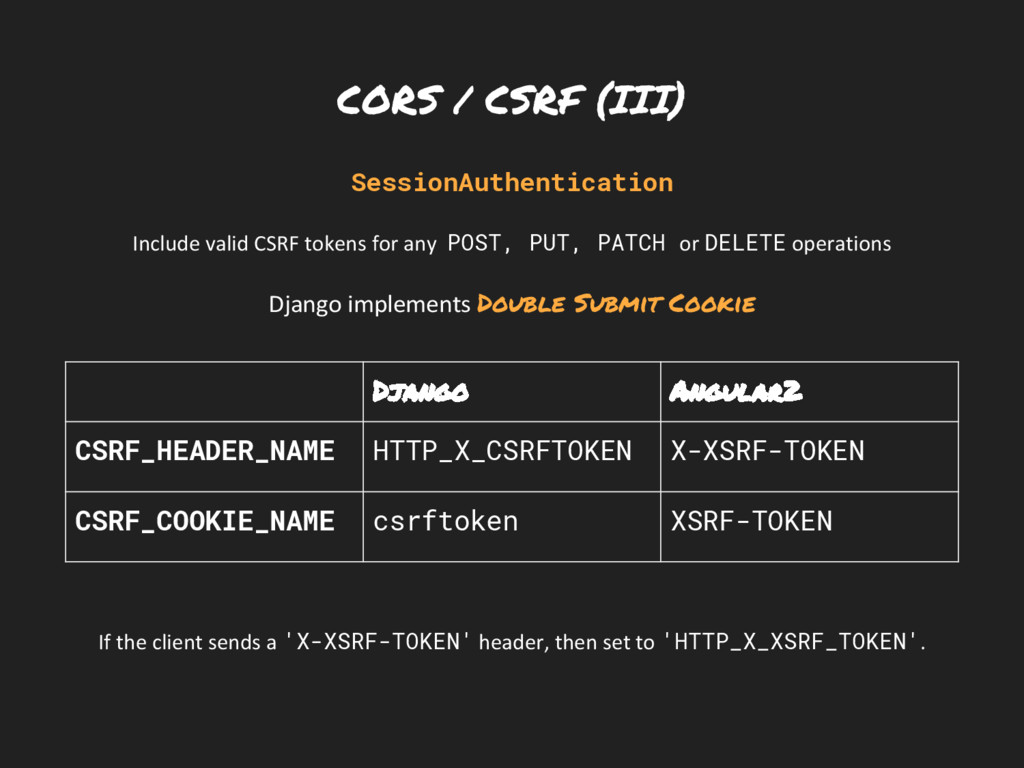
CORS / CSRF (III) SessionAuthentication Include valid CSRF tokens for
any POST, PUT, PATCH or DELETE operations Django implements Double Submit Cookie If the client sends a 'X-XSRF-TOKEN' header, then set to 'HTTP_X_XSRF_TOKEN'. Django Angular2 CSRF_HEADER_NAME HTTP_X_CSRFTOKEN X-XSRF-TOKEN CSRF_COOKIE_NAME csrftoken XSRF-TOKEN -
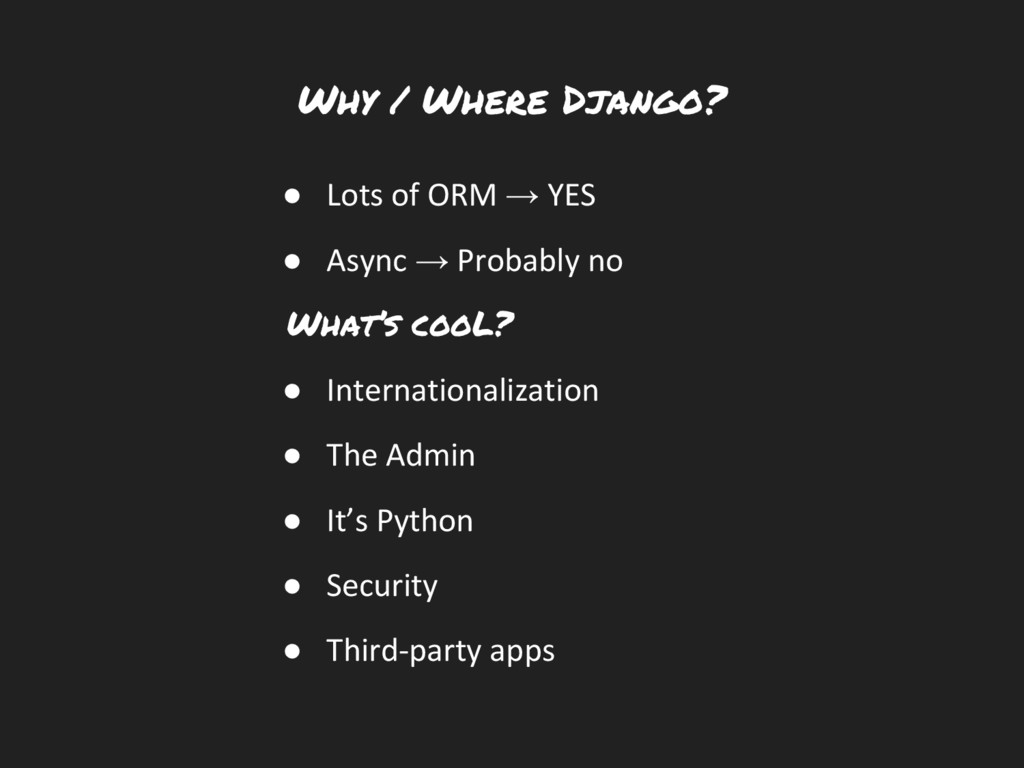
Why / Where Django? • Lots of ORM → YES
• Async → Probably no What’s cooL? • Internationalization • The Admin • It’s Python • Security • Third-party apps -
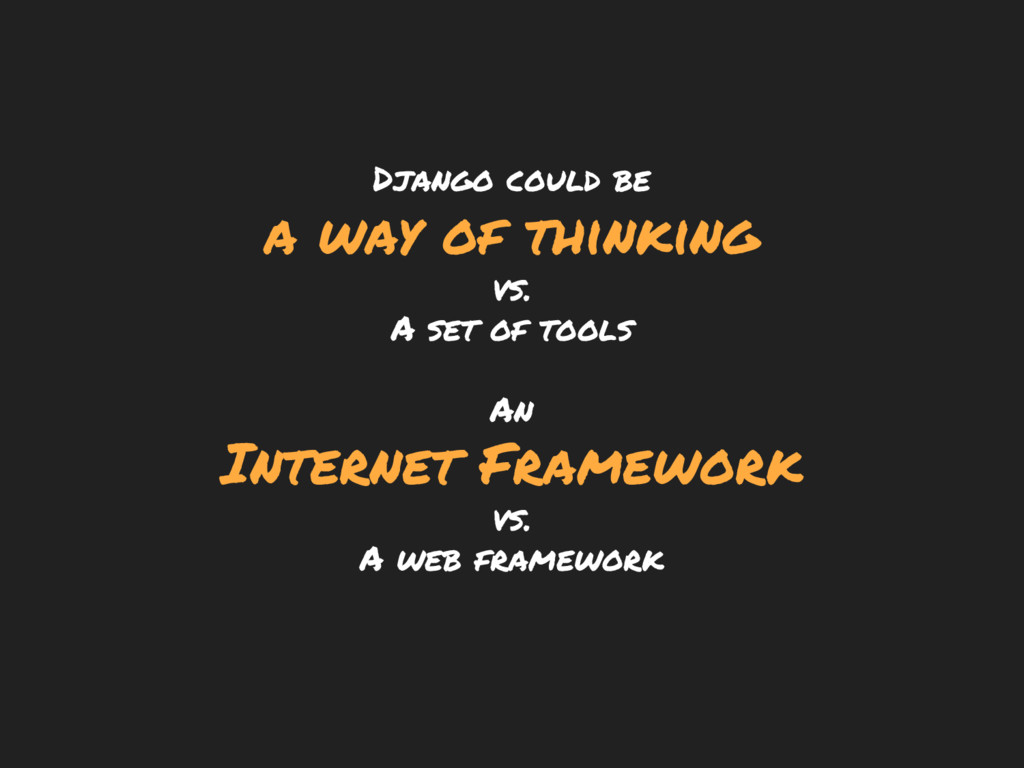
Django could be a way of thinking vs. A set
of tools An Internet Framework vs. A web framework -
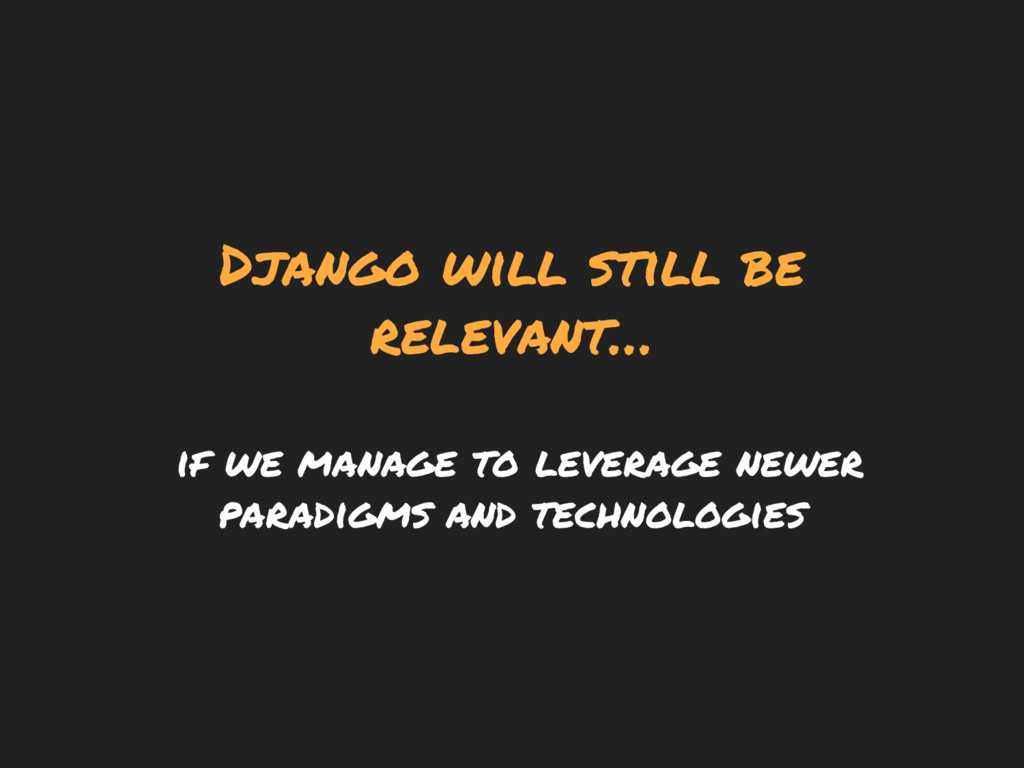
Django will still be relevant… if we manage to leverage
newer paradigms and technologies