Share
Embed
Django's Watching My Back(end)
Django's Watching My Back(end) @ DjangoCon Europe 2017
Carlos de las Heras
April 03, 2017
Transcript
29 slides
-
A weird(er) Internet The year 2017 IoT More JS Intermittent
connections concurrency Bots VR, Augmented reality Async Blockchain Websockets Lots of connections Reactivity node.js GO Phoenix Angular REACT Single Page Applications Native Mobile Apps APIs everywhere -
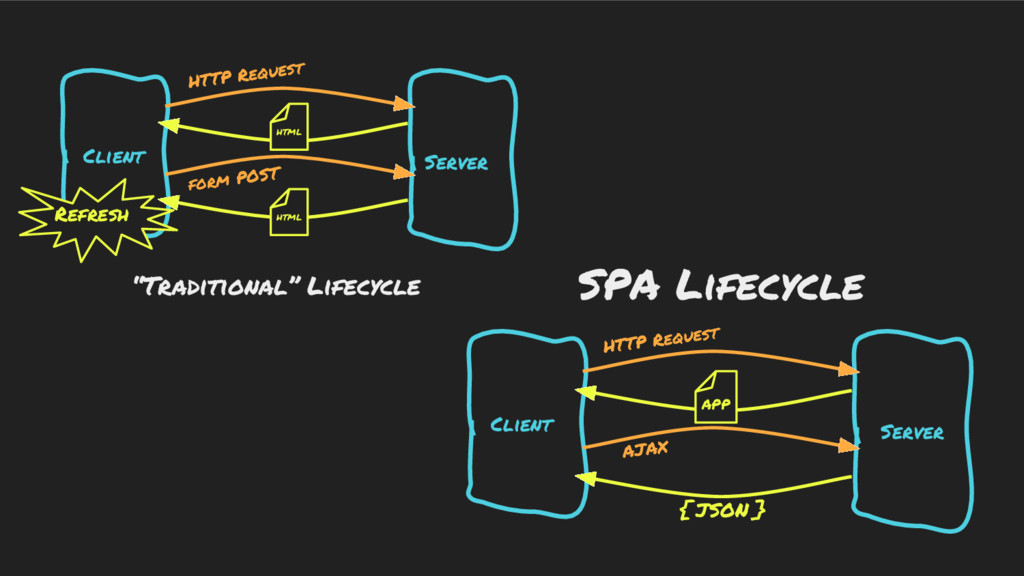
Client Server Client Server HTTP Request form POST HTTP Request
AJAX “Traditional” Lifecycle SPA Lifecycle HTML HTML APP { JSON } Refresh -
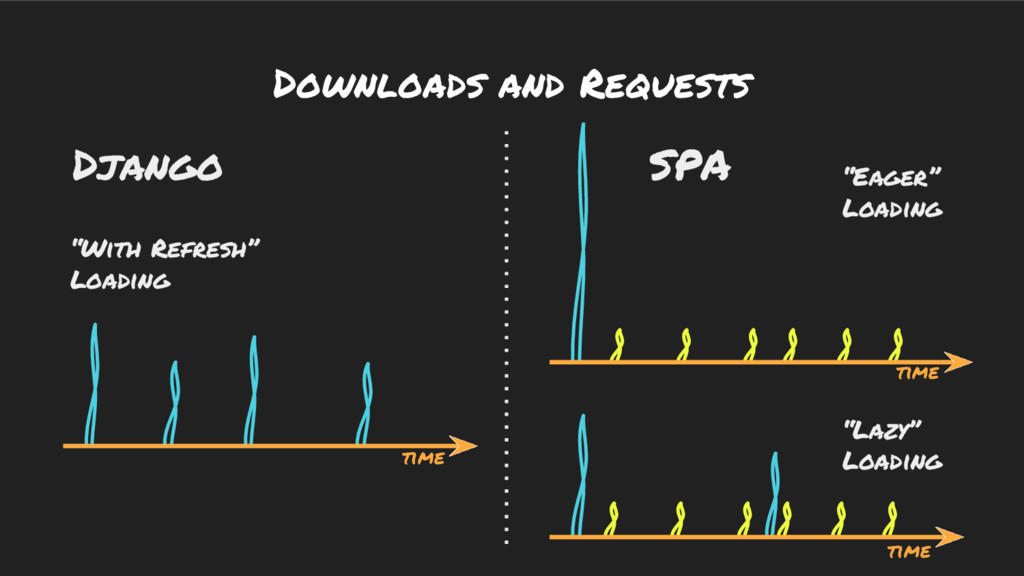
Downloads and Requests time “Eager” Loading “Lazy” Loading “With Refresh”
Loading time time SPA Django -
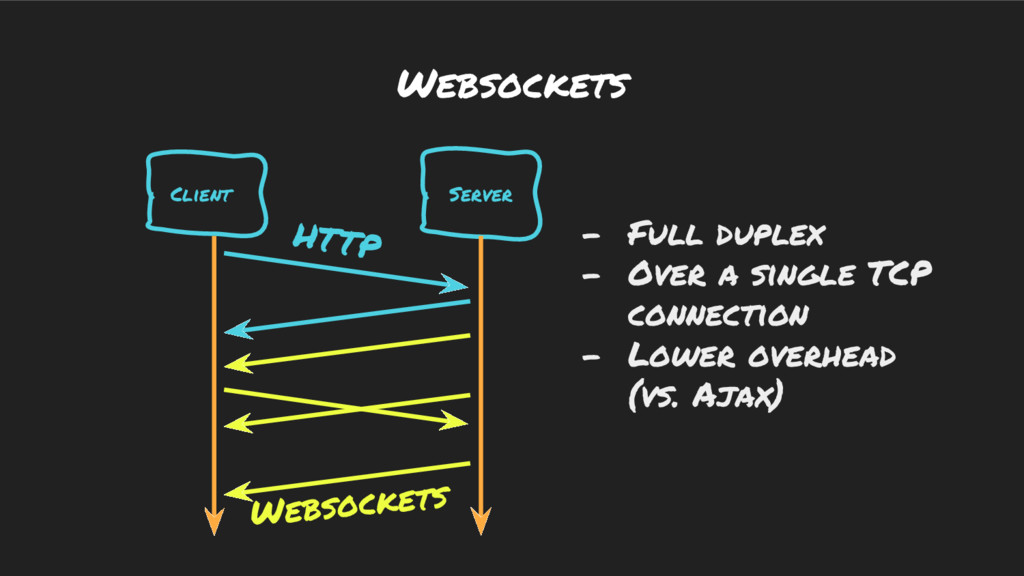
Websockets Client Server HTTP Websockets - Full duplex - Over
a single TCP connection - Lower overhead (vs. Ajax) -
So... Why not API / SPA all the way as
a Proof of concept? -
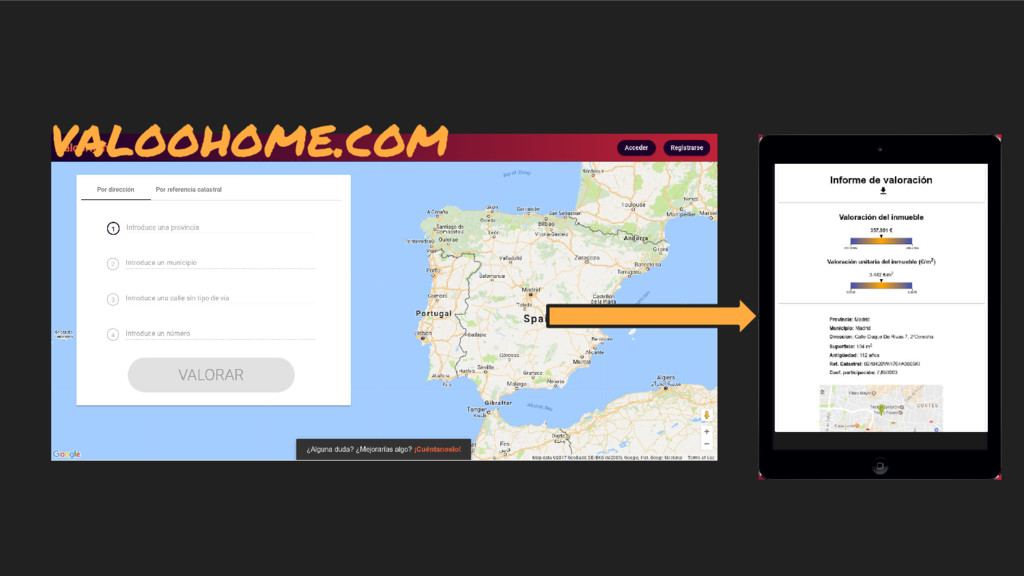
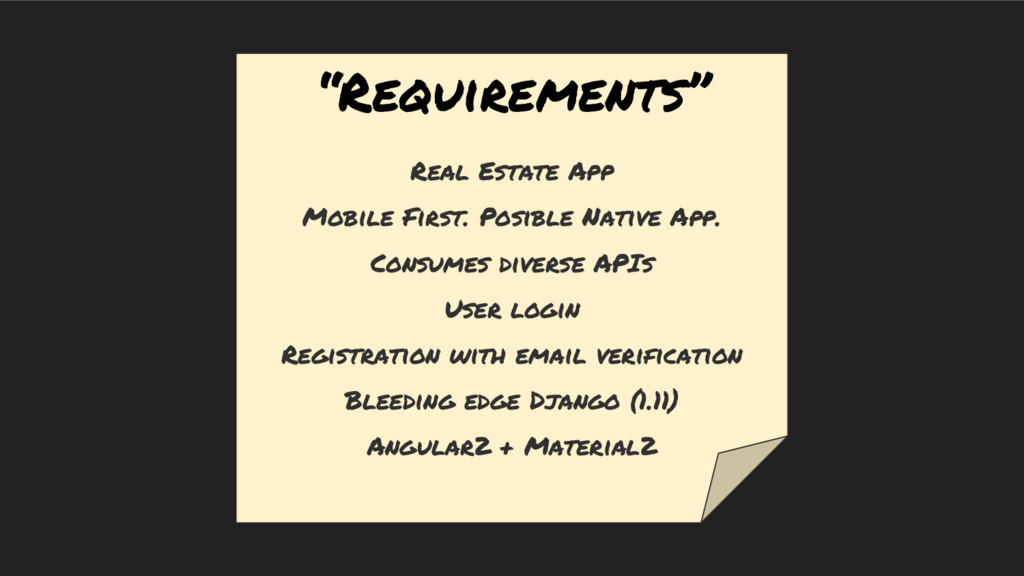
“Requirements” Real Estate App Mobile First. Posible Native App. Consumes
diverse APIs User login Registration with email verification Bleeding edge Django (1.11) Angular2 + Material2 -
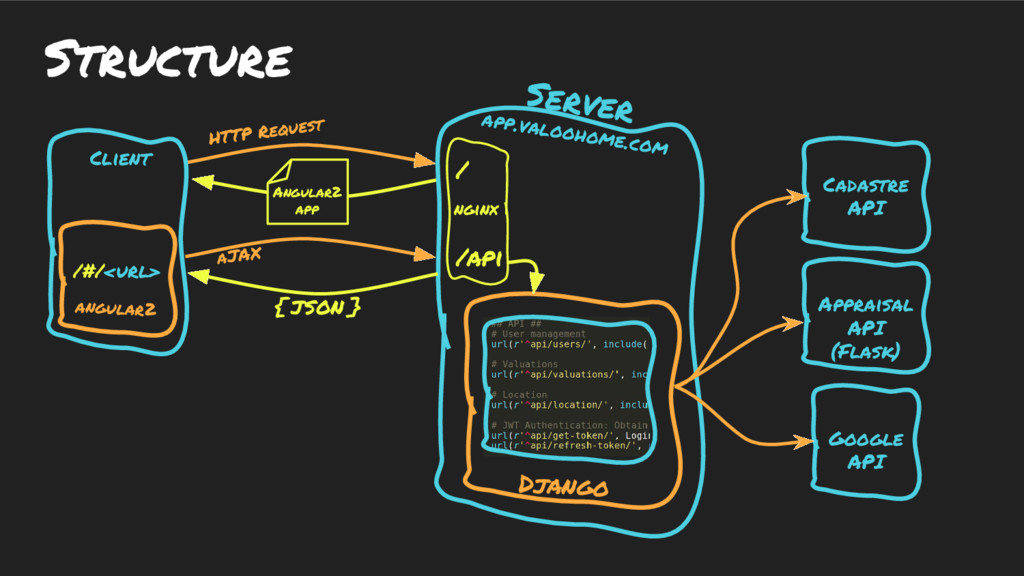
Structure Client Server app.valoohome.com HTTP Request aJAX Angular2 app {
JSON } Google API Appraisal API (Flask) Cadastre API / /api Django nginx angular2 /#/<url> -
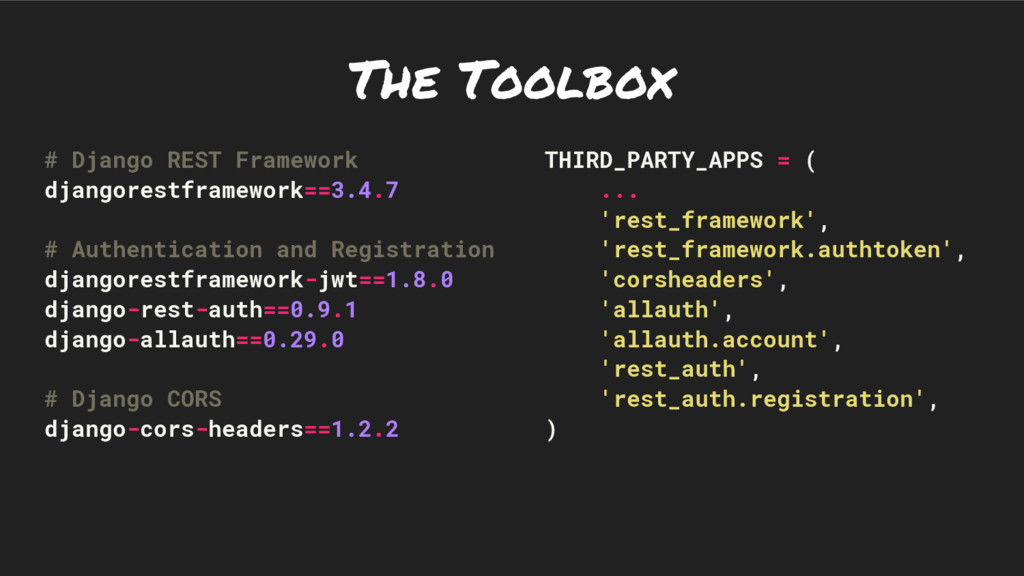
The Toolbox # Django REST Framework djangorestframework==3.4.7 # Authentication and
Registration djangorestframework-jwt==1.8.0 django-rest-auth==0.9.1 django-allauth==0.29.0 # Django CORS django-cors-headers==1.2.2 THIRD_PARTY_APPS = ( ... 'rest_framework', 'rest_framework.authtoken', 'corsheaders', 'allauth', 'allauth.account', 'rest_auth', 'rest_auth.registration', ) -
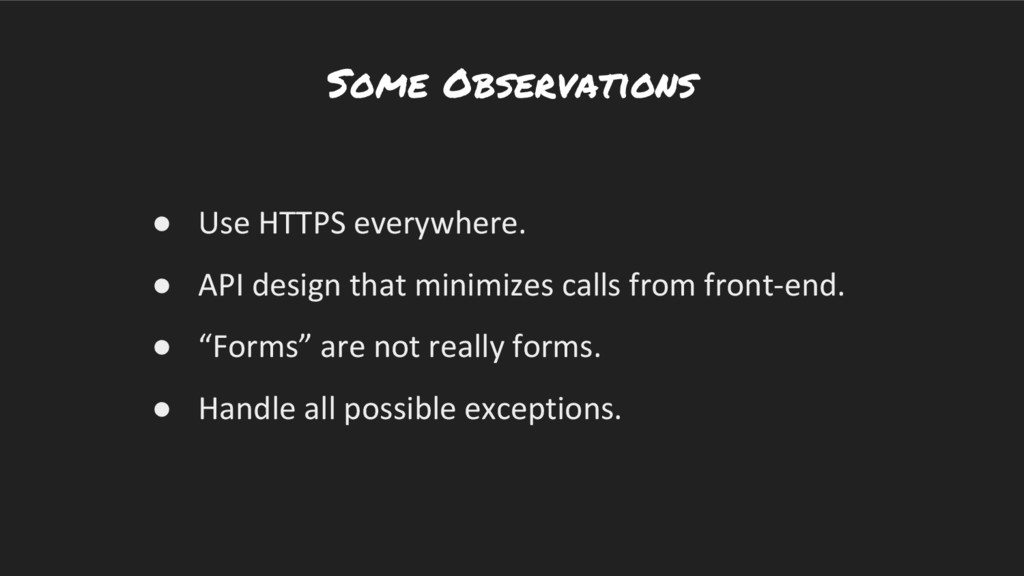
Some Observations • Use HTTPS everywhere. • API design that
minimizes calls from front-end. • “Forms” are not really forms. • Handle all possible exceptions. -
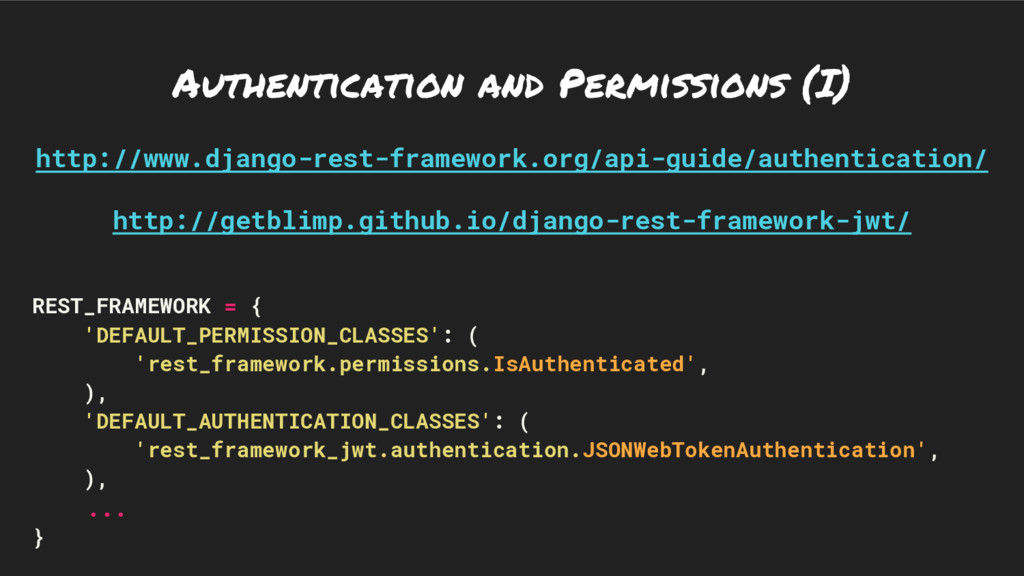
Authentication and Permissions (I) http://www.django-rest-framework.org/api-guide/authentication/ http://getblimp.github.io/django-rest-framework-jwt/ REST_FRAMEWORK = { 'DEFAULT_PERMISSION_CLASSES':
( 'rest_framework.permissions.IsAuthenticated', ), 'DEFAULT_AUTHENTICATION_CLASSES': ( 'rest_framework_jwt.authentication.JSONWebTokenAuthentication', ), ... } -
Authentication and Permissions (II) @api_view(['POST']) @permission_classes((AllowAny,)) def example_function_based_view(request): ... class
ExampleClassBasedView(generics.RetrieveAPIView): permission_classes = (AllowAny,) ... -
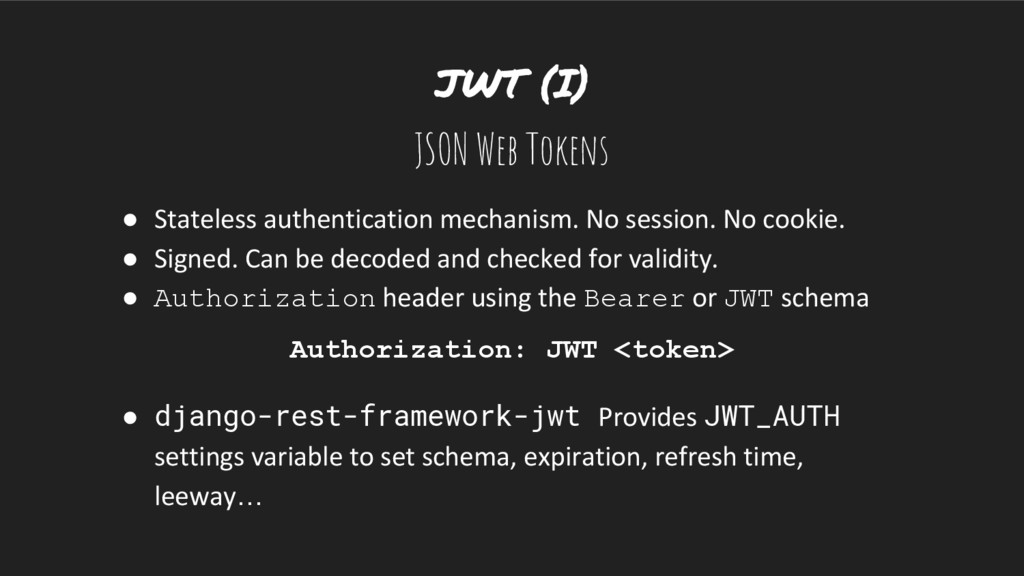
JWT (I) JSON Web Tokens • Stateless authentication mechanism. No
session. No cookie. • Signed. Can be decoded and checked for validity. • Authorization header using the Bearer or JWT schema Authorization: JWT <token> • django-rest-framework-jwt Provides JWT_AUTH settings variable to set schema, expiration, refresh time, leeway… -
JWT (II) eyJhbGciOiJIUzI1NiIsInR5cCI6IkpXVCJ9.eyJ1c2VybmFtZSI6ImNhaGVyc2FuQGdtYWlsLmNvb SIsIm9yaWdfaWF0IjoxNDg5MjQyODUwLCJlbWFpbCI6ImNhaGVyc2FuQGdtYWlsLmNvbSIsImV4cCI 6MTQ4OTI1NzI1MCwidXNlcl9pZCI6ImU3Yzg0OGQyLWYzM2UtNDNjNS05M2ZlLTFlMGQ1MDhhMzEyN iJ9.R5fNmHMBuvsscvrxRiAzEpEGAeEJQCSgr2VnniGSeUw { “email”: "[email protected]", “exp”:
1489257531, “orig_iat”: 1489243131, “user_id”: "e7c848d2-f33e-43c5-93fe-1e0d508a3126", “username”: "[email protected]" } -
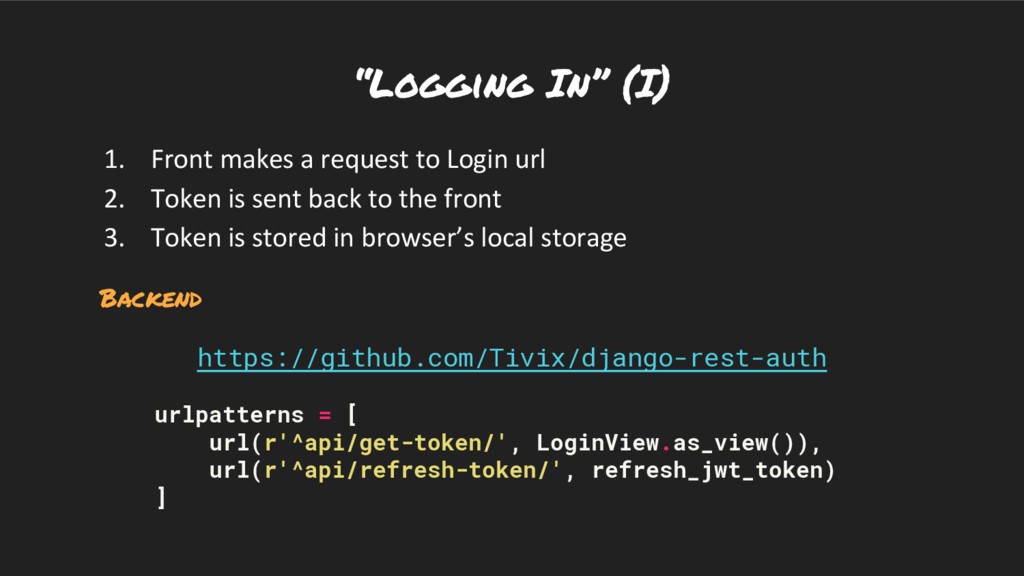
“Logging In” (I) 1. Front makes a request to Login
url 2. Token is sent back to the front 3. Token is stored in browser’s local storage Backend https://github.com/Tivix/django-rest-auth urlpatterns = [ url(r'^api/get-token/', LoginView.as_view()), url(r'^api/refresh-token/', refresh_jwt_token) ] -
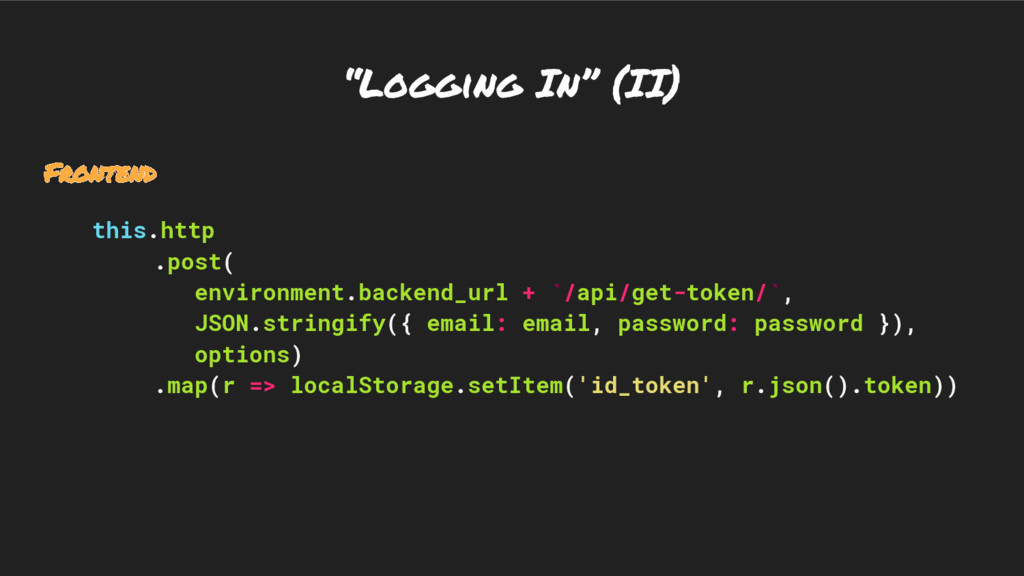
“Logging In” (II) Frontend this.http .post( environment.backend_url + `/api/get-token/`, JSON.stringify({
email: email, password: password }), options) .map(r => localStorage.setItem('id_token', r.json().token)) -
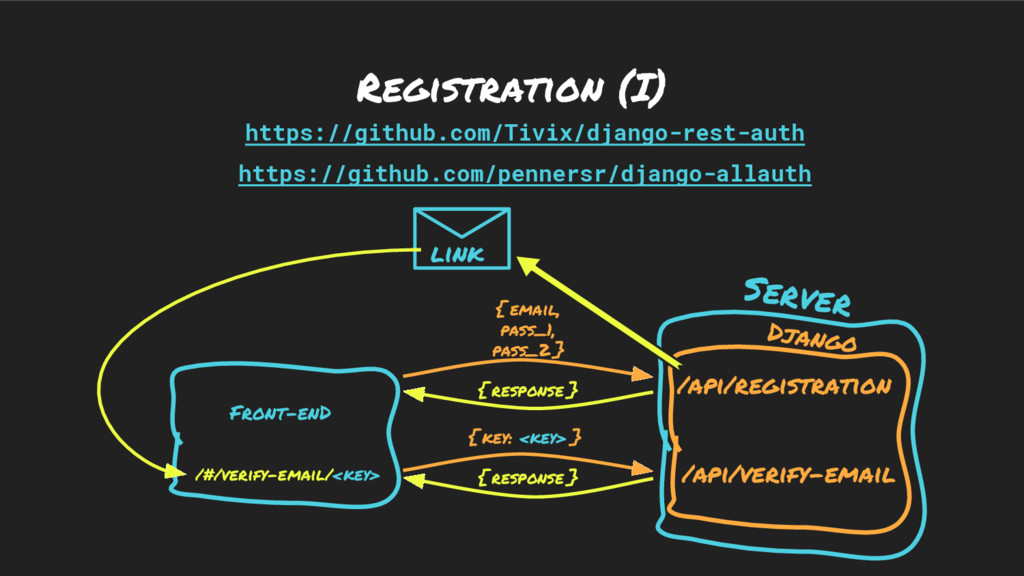
Registration (I) Front-enD Server { response } Django /api/registration /api/verify-email
link { response } { email, pass_1, pass_2 } { key: <key> } https://github.com/Tivix/django-rest-auth https://github.com/pennersr/django-allauth /#/verify-email/<key> -
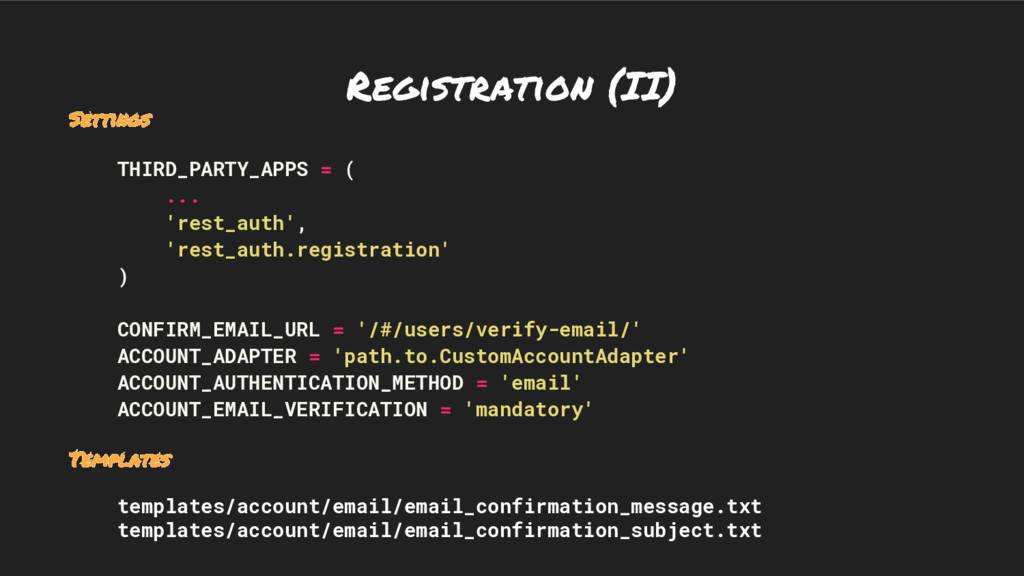
Registration (II) Settings THIRD_PARTY_APPS = ( ... 'rest_auth', 'rest_auth.registration' )
CONFIRM_EMAIL_URL = '/#/users/verify-email/' ACCOUNT_ADAPTER = 'path.to.CustomAccountAdapter' ACCOUNT_AUTHENTICATION_METHOD = 'email' ACCOUNT_EMAIL_VERIFICATION = 'mandatory' Templates templates/account/email/email_confirmation_message.txt templates/account/email/email_confirmation_subject.txt -
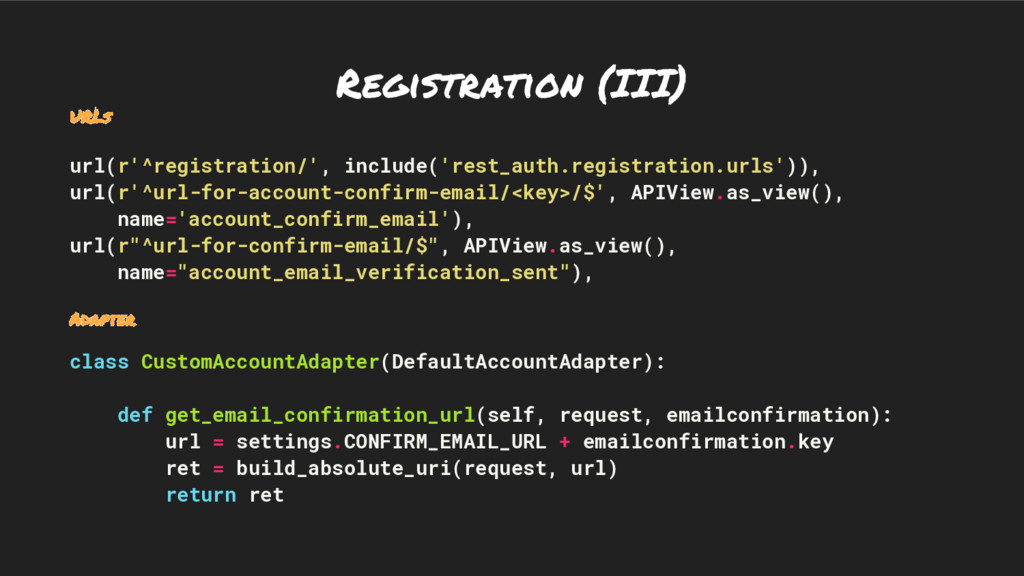
Registration (III) URLs url(r'^registration/', include('rest_auth.registration.urls')), url(r'^url-for-account-confirm-email/<key>/$', APIView.as_view(), name='account_confirm_email'), url(r"^url-for-confirm-email/$", APIView.as_view(),
name="account_email_verification_sent"), Adapter class CustomAccountAdapter(DefaultAccountAdapter): def get_email_confirmation_url(self, request, emailconfirmation): url = settings.CONFIRM_EMAIL_URL + emailconfirmation.key ret = build_absolute_uri(request, url) return ret -
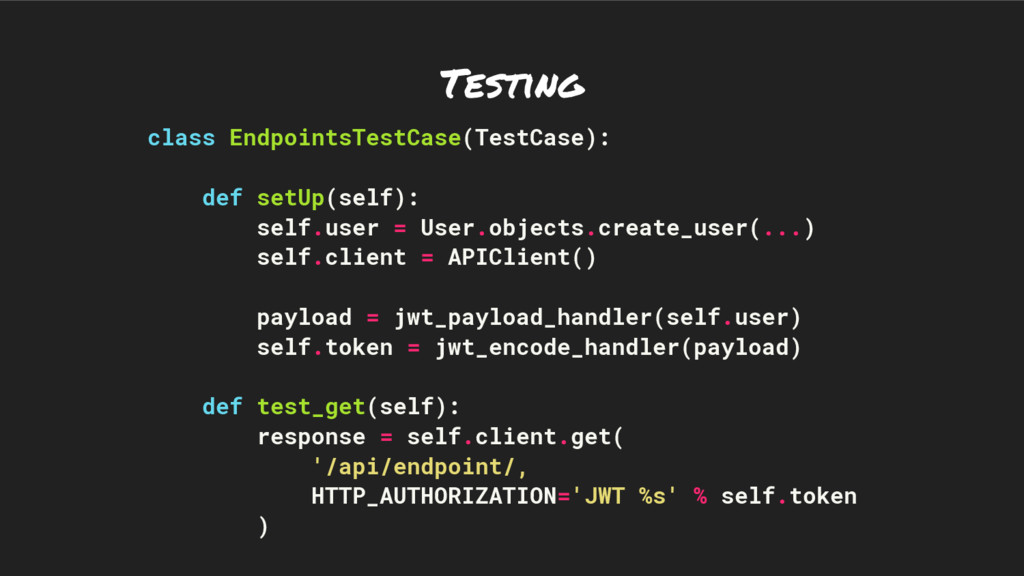
Testing class EndpointsTestCase(TestCase): def setUp(self): self.user = User.objects.create_user(...) self.client =
APIClient() payload = jwt_payload_handler(self.user) self.token = jwt_encode_handler(payload) def test_get(self): response = self.client.get( '/api/endpoint/, HTTP_AUTHORIZATION='JWT %s' % self.token ) -
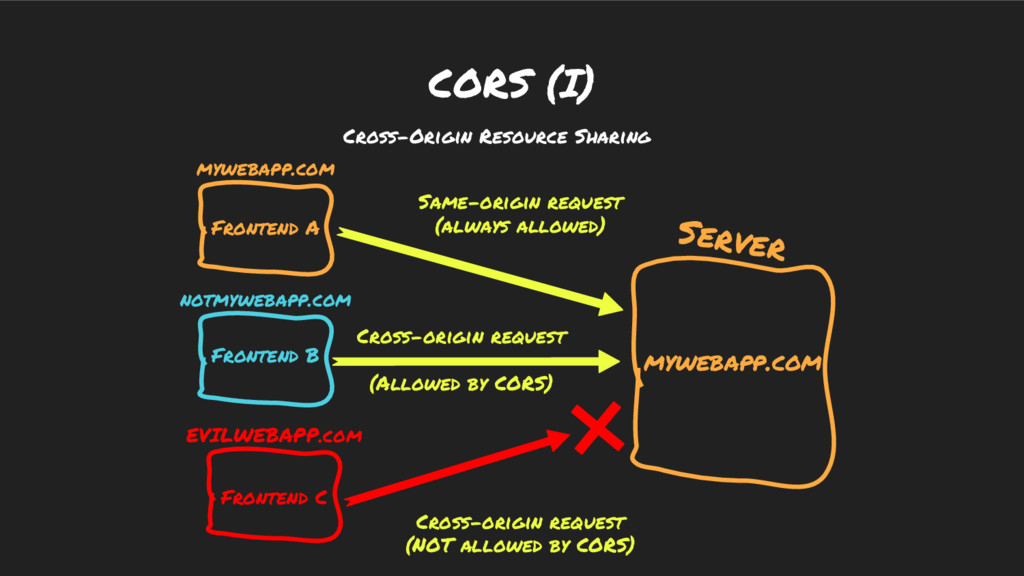
CORS (I) Frontend A Server Same-origin request (always allowed) Frontend
B notmywebapp.com mywebapp.com Cross-origin request (Allowed by CORS) mywebapp.com Frontend C EVILWEBAPP.com Cross-origin request (NOT allowed by CORS) Cross-Origin Resource Sharing -
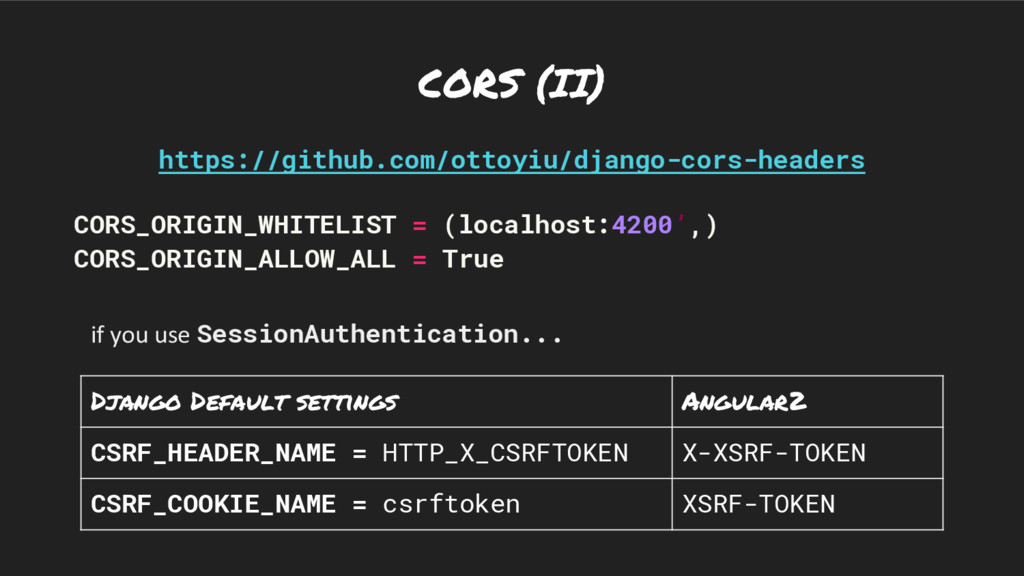
CORS (II) https://github.com/ottoyiu/django-cors-headers CORS_ORIGIN_WHITELIST = (localhost:4200’,) CORS_ORIGIN_ALLOW_ALL = True Django
Default settings Angular2 CSRF_HEADER_NAME = HTTP_X_CSRFTOKEN X-XSRF-TOKEN CSRF_COOKIE_NAME = csrftoken XSRF-TOKEN if you use SessionAuthentication... -
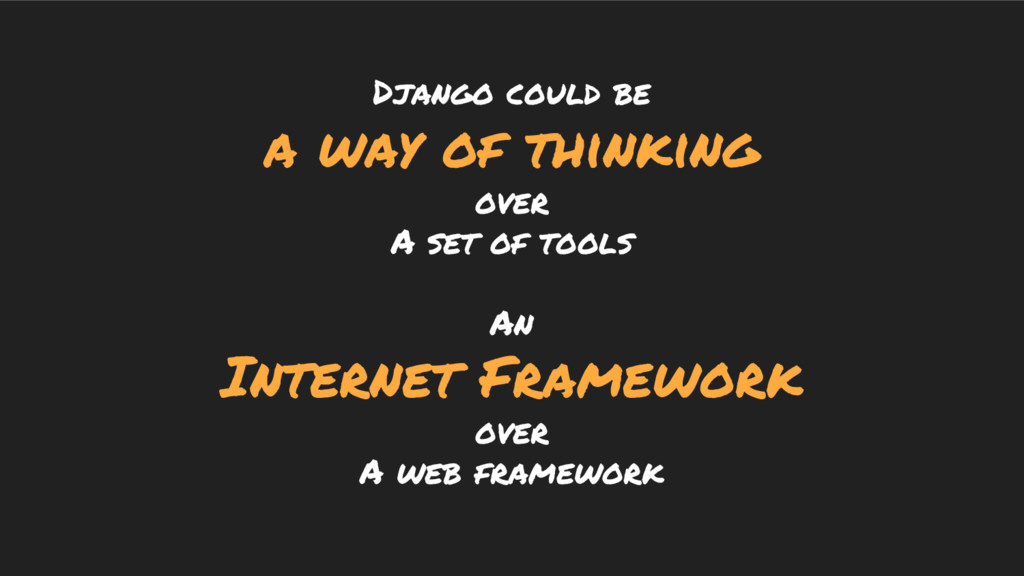
Django could be a way of thinking over A set
of tools An Internet Framework over A web framework -
Django will still be relevant… if we manage to leverage
newer paradigms and technologies