Share
Embed
Introduction to Red Teaming in Hybrid Multi-Cloud Environment
Enterprises across the globe are moving to Cloud Technology. The technical understanding and enormous cost of rewriting infrastructure-applied applications to re-platform and work with the new cloud concept is a difficult task. The irregularities caused due to mis-understanding / deficit knowledge of New Cloud Concepts offered by leading Cloud Service Providers like AWS, Microsoft Azure and Google Cloud Platform etc. have introduced multiple loopholes easily identified and exploited by Threat Actors to abuse and exploit the organization infrastructure.

CyberWarFare Labs
August 17, 2022
Annual Pro sale · Save $30
Have presentations of your own?
Share with private links, password protection, and more control over your work.
Transcript
135 slides
-
Introduction to Hybrid Multi-Cloud Environment Study Material CyberWarFare R&D Pvt.
Ltd. All rights reserved -
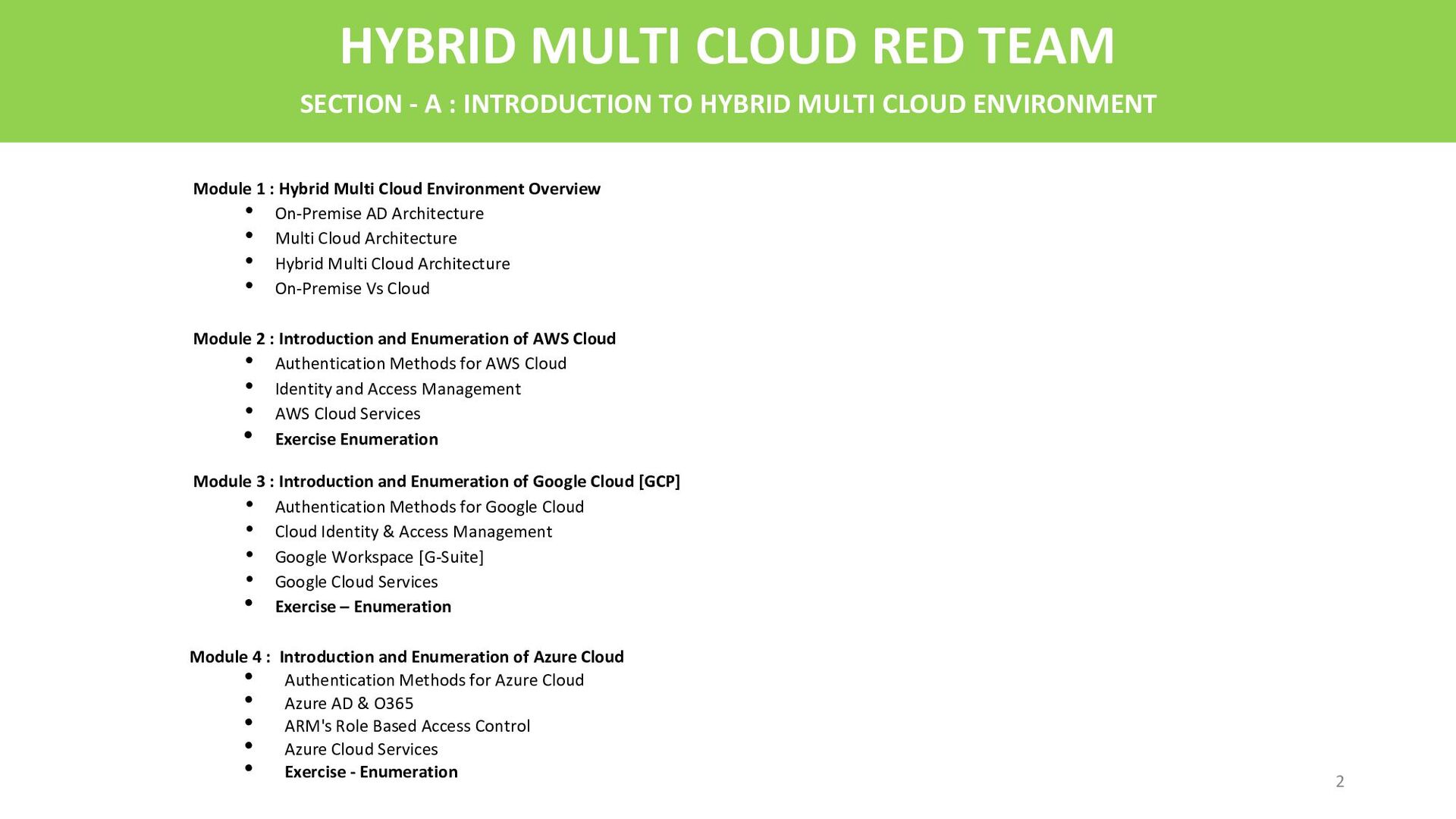
HYBRID MULTI CLOUD RED TEAM SECTION - A : INTRODUCTION
TO HYBRID MULTI CLOUD ENVIRONMENT 2 Module 1 : Hybrid Multi Cloud Environment Overview • On-Premise AD Architecture • Multi Cloud Architecture • Hybrid Multi Cloud Architecture • On-Premise Vs Cloud Module 2 : Introduction and Enumeration of AWS Cloud • Authentication Methods for AWS Cloud • Identity and Access Management • AWS Cloud Services • Exercise Enumeration Module 3 : Introduction and Enumeration of Google Cloud [GCP] • Authentication Methods for Google Cloud • Cloud Identity & Access Management • Google Workspace [G-Suite] • Google Cloud Services • Exercise – Enumeration Module 4 : Introduction and Enumeration of Azure Cloud • Authentication Methods for Azure Cloud • Azure AD & O365 • ARM's Role Based Access Control • Azure Cloud Services • Exercise - Enumeration -
Module - 1 : Hybrid Multi Cloud Environment Overview 1.1
On-Premise AD Architecture 1.2 Multi Cloud Architecture 1.3 Hybrid Multi Cloud Architecture 1.4 On-Premise Vs Cloud 3 -
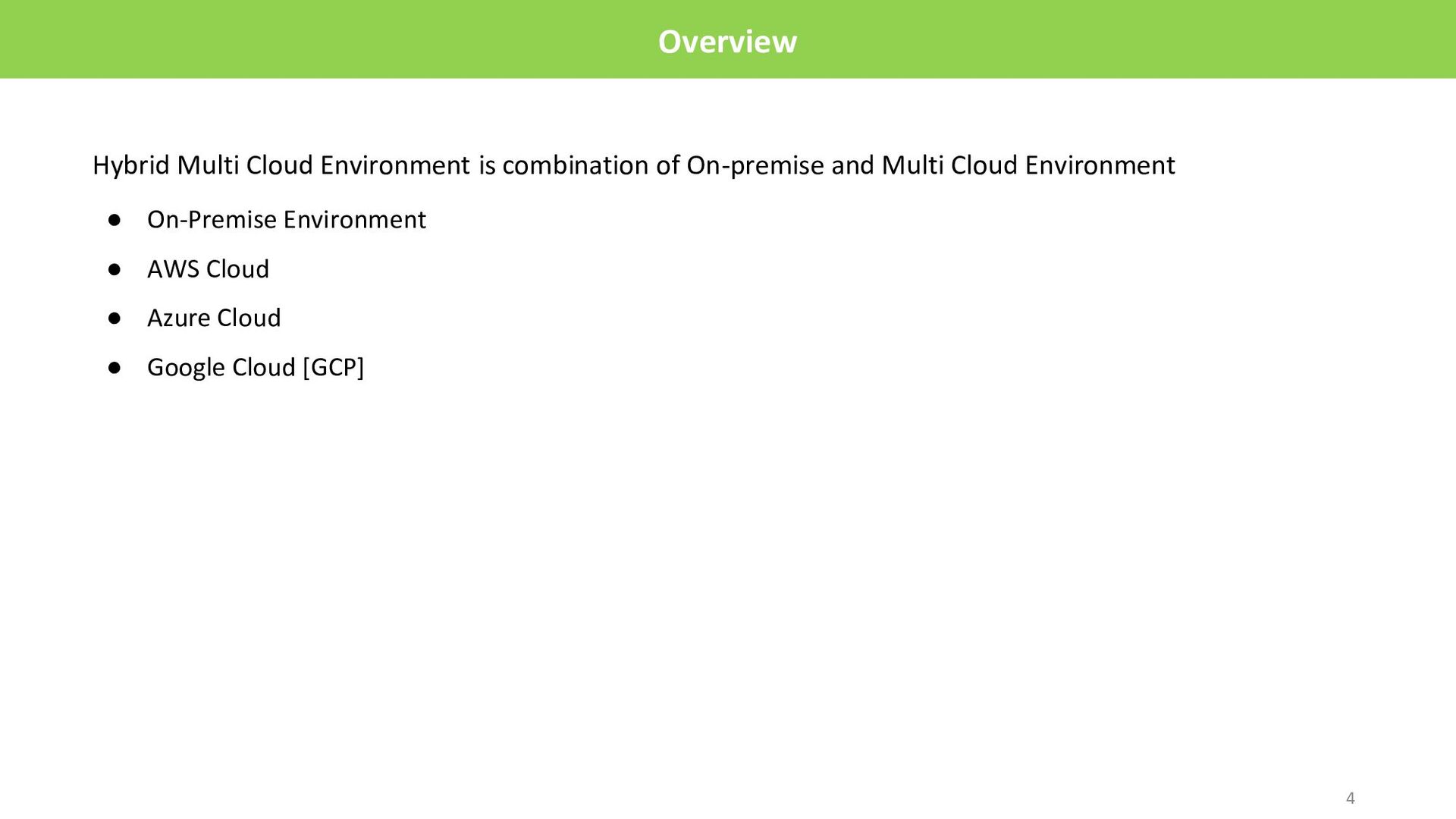
Overview 4 Hybrid Multi Cloud Environment is combination of On-premise
and Multi Cloud Environment • On-Premise Environment • AWS Cloud • Azure Cloud • Google Cloud [GCP] -
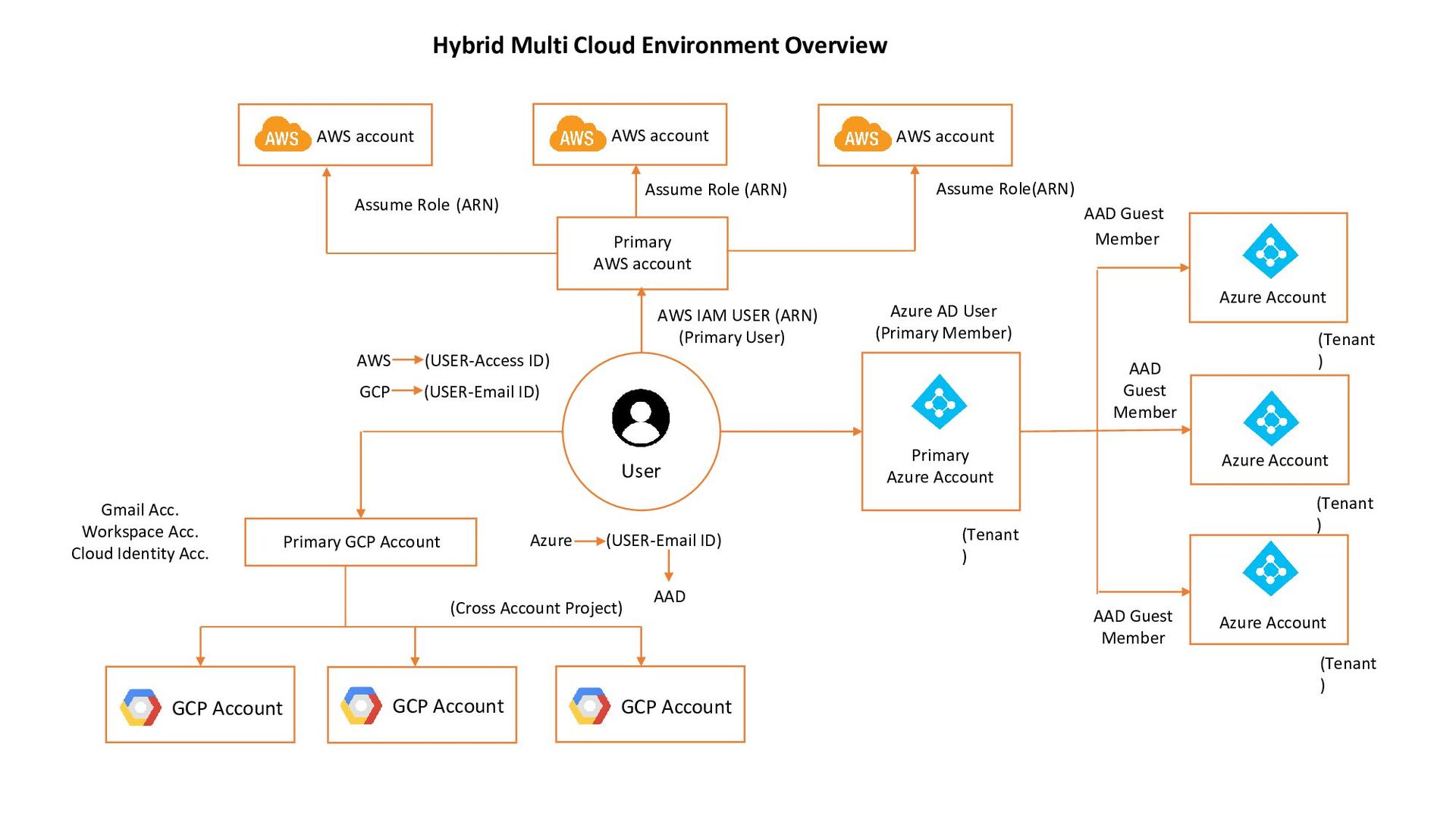
User Primary AWS account AWS account AWS account AWS account
Assume Role (ARN) Primary GCP Account GCP Account GCP Account GCP Account Primary Azure Account Azure Account Azure Account Azure Account Assume Role (ARN) Assume Role(ARN) AWS IAM USER (ARN) (Primary User) AWS (USER-Access ID) GCP (USER-Email ID) Azure (USER-Email ID) AAD AAD Guest Member (Tenant ) (Tenant ) (Tenant ) AAD Guest Member AAD Guest Member Azure AD User (Primary Member) (Tenant ) Gmail Acc. Workspace Acc. Cloud Identity Acc. (Cross Account Project) Hybrid Multi Cloud Environment Overview -
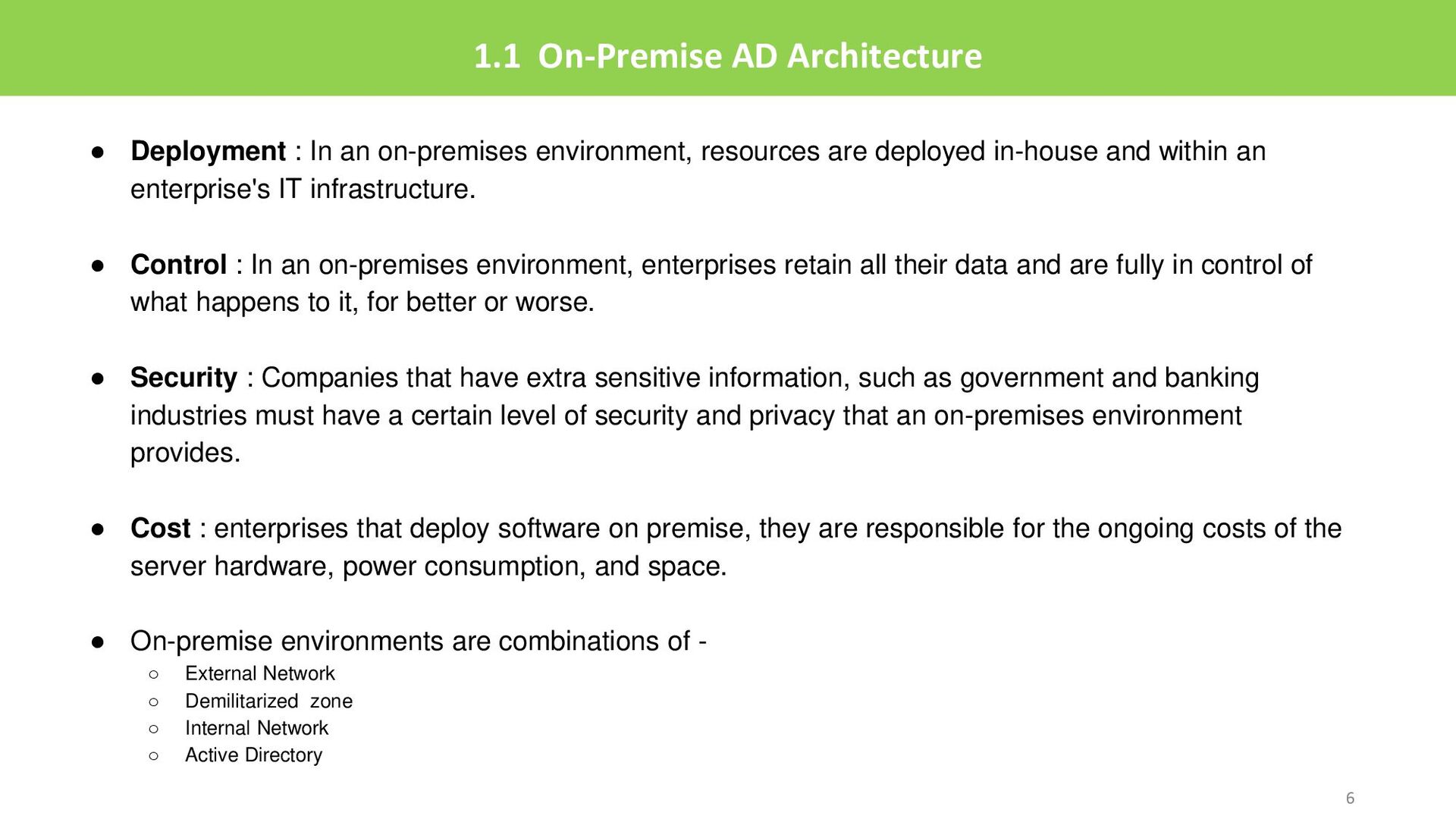
1.1 On-Premise AD Architecture • Deployment : In an on-premises
environment, resources are deployed in-house and within an enterprise's IT infrastructure. • Control : In an on-premises environment, enterprises retain all their data and are fully in control of what happens to it, for better or worse. • Security : Companies that have extra sensitive information, such as government and banking industries must have a certain level of security and privacy that an on-premises environment provides. • Cost : enterprises that deploy software on premise, they are responsible for the ongoing costs of the server hardware, power consumption, and space. • On-premise environments are combinations of - ◦ External Network ◦ Demilitarized zone ◦ Internal Network ◦ Active Directory 6 -
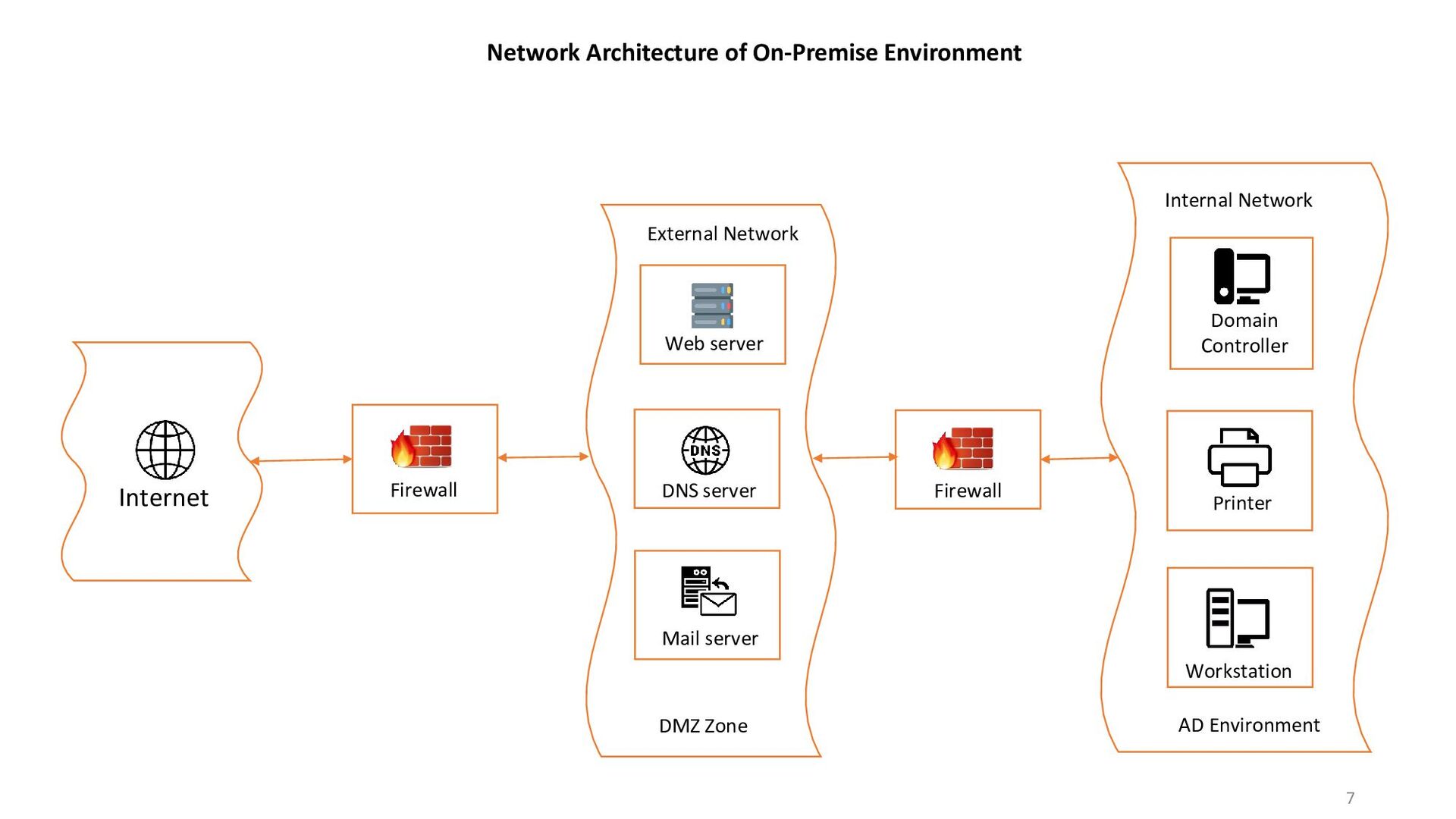
7 Internet Firewall Web server DNS server Mail server Domain
Controller Printer Workstation Firewall DMZ Zone AD Environment External Network Internal Network Network Architecture of On-Premise Environment -
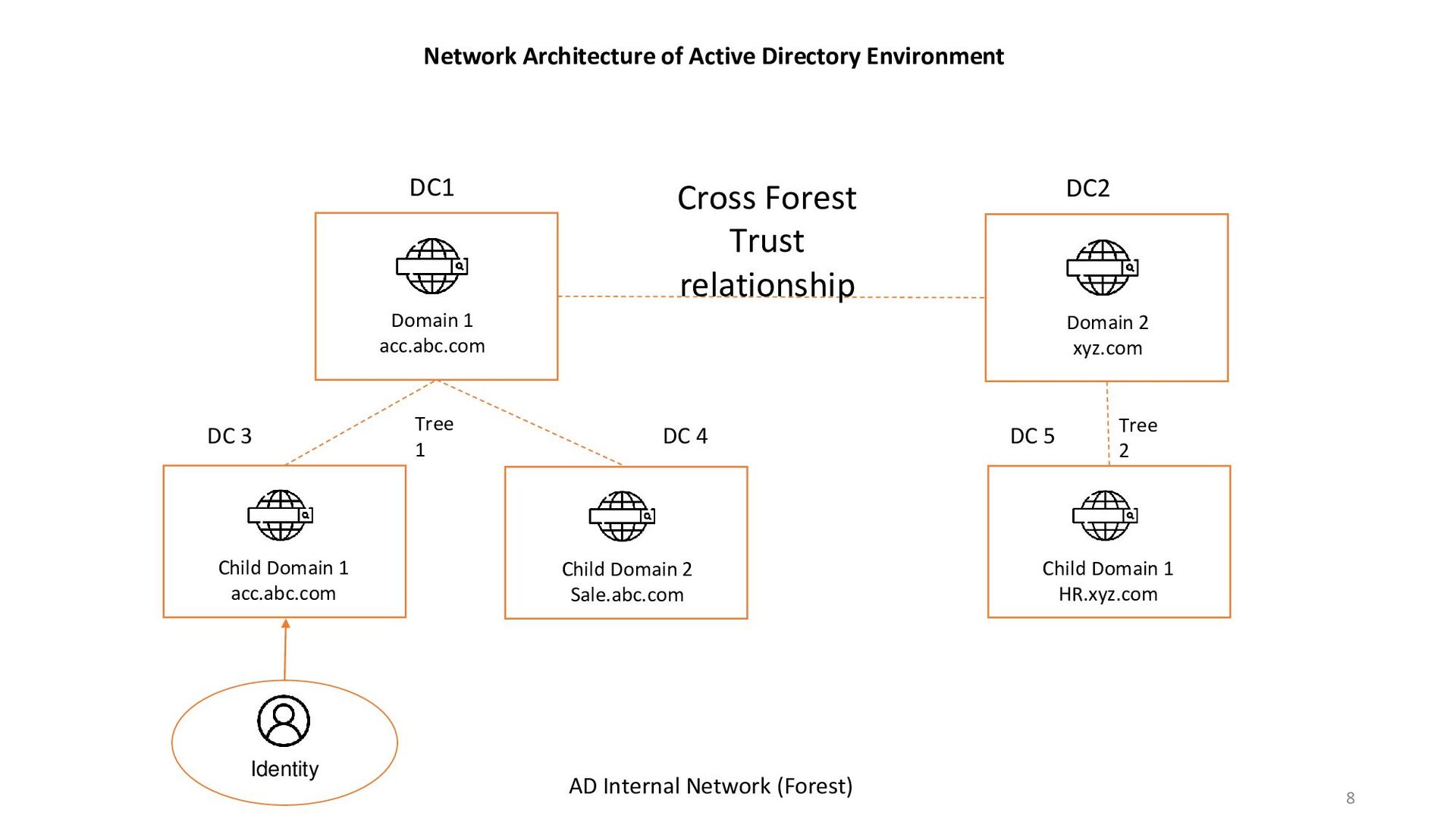
8 Domain 1 acc.abc.com Domain 2 xyz.com DC1 DC2 Child
Domain 1 acc.abc.com Child Domain 2 Sale.abc.com Child Domain 1 HR.xyz.com Cross Forest Trust relationship Tree 1 Tree 2 DC 3 DC 4 DC 5 AD Internal Network (Forest) Identity Network Architecture of Active Directory Environment -
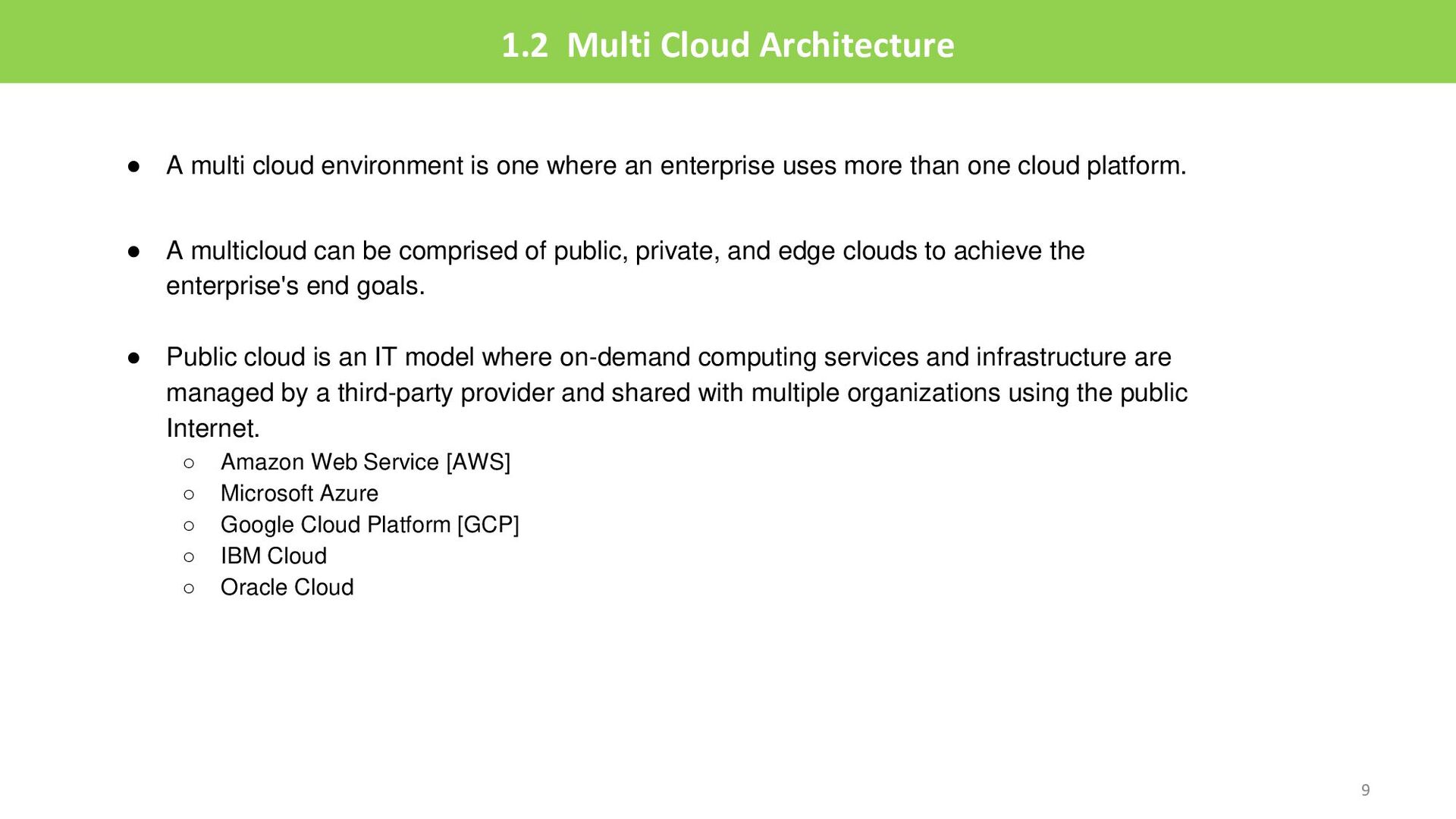
1.2 Multi Cloud Architecture 9 • A multi cloud environment
is one where an enterprise uses more than one cloud platform. • A multicloud can be comprised of public, private, and edge clouds to achieve the enterprise's end goals. • Public cloud is an IT model where on-demand computing services and infrastructure are managed by a third-party provider and shared with multiple organizations using the public Internet. ◦ Amazon Web Service [AWS] ◦ Microsoft Azure ◦ Google Cloud Platform [GCP] ◦ IBM Cloud ◦ Oracle Cloud -
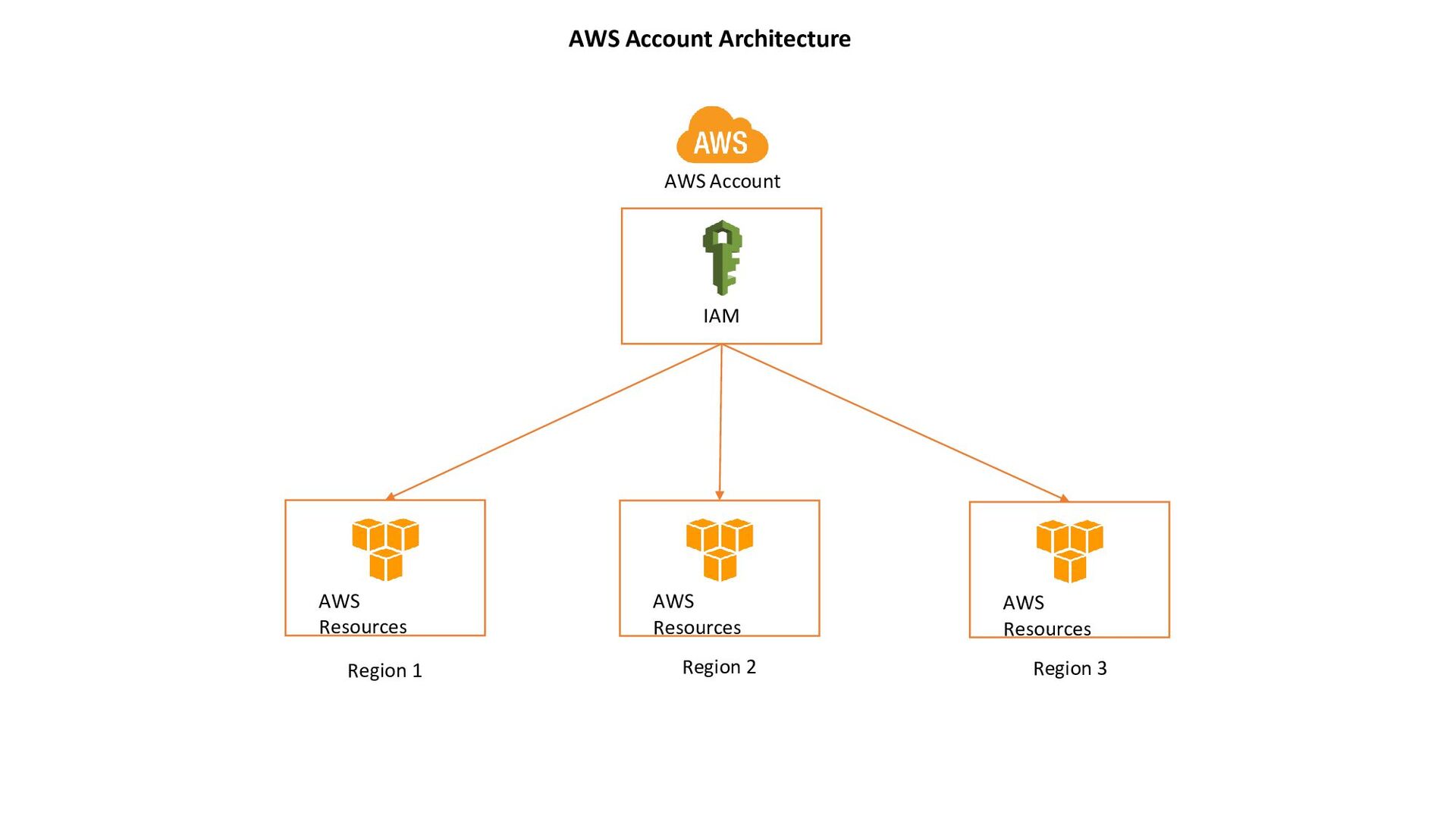
IAM AWS Resources AWS Resources AWS Resources Region 1 Region
2 Region 3 AWS Account AWS Account Architecture -
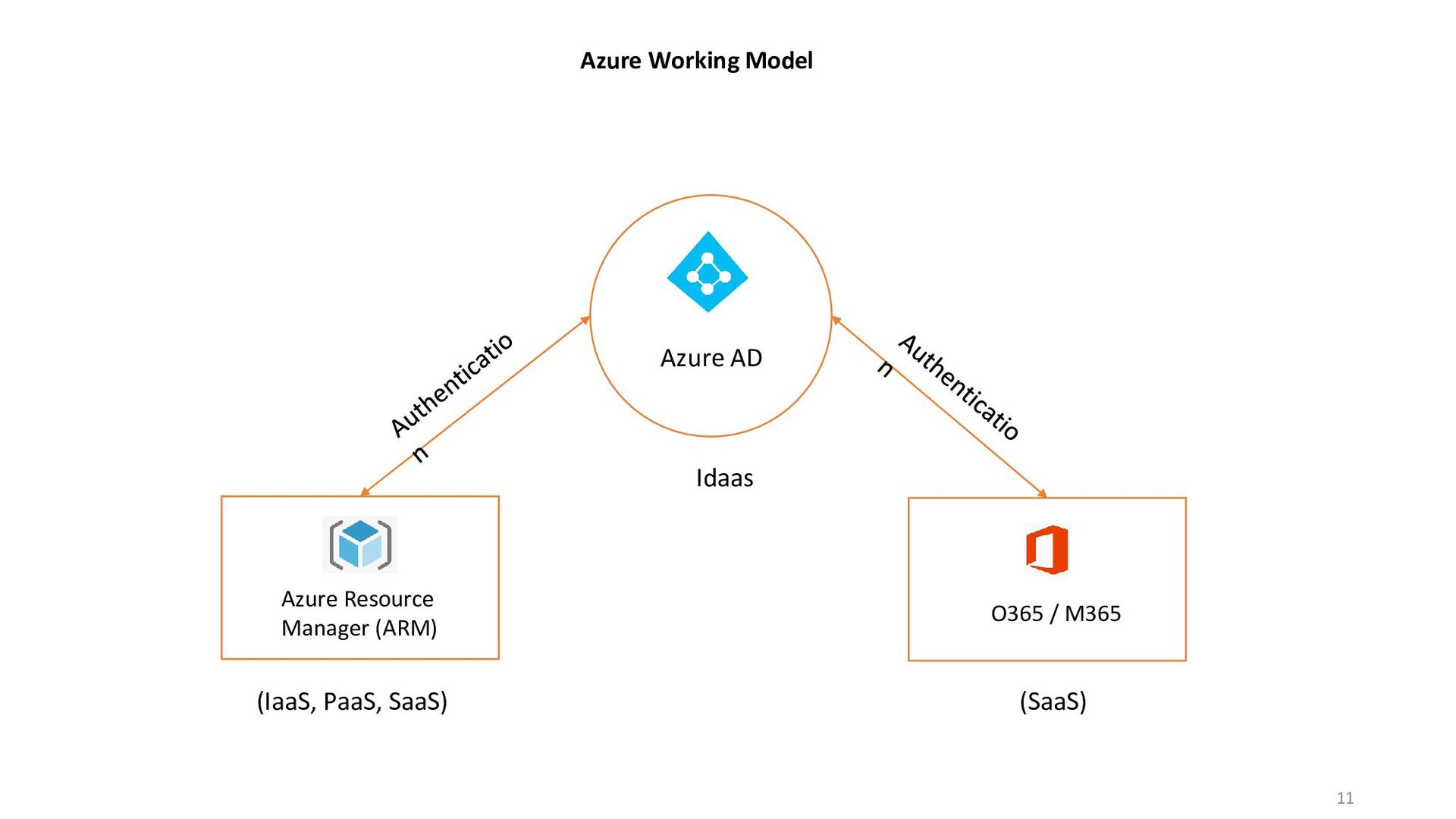
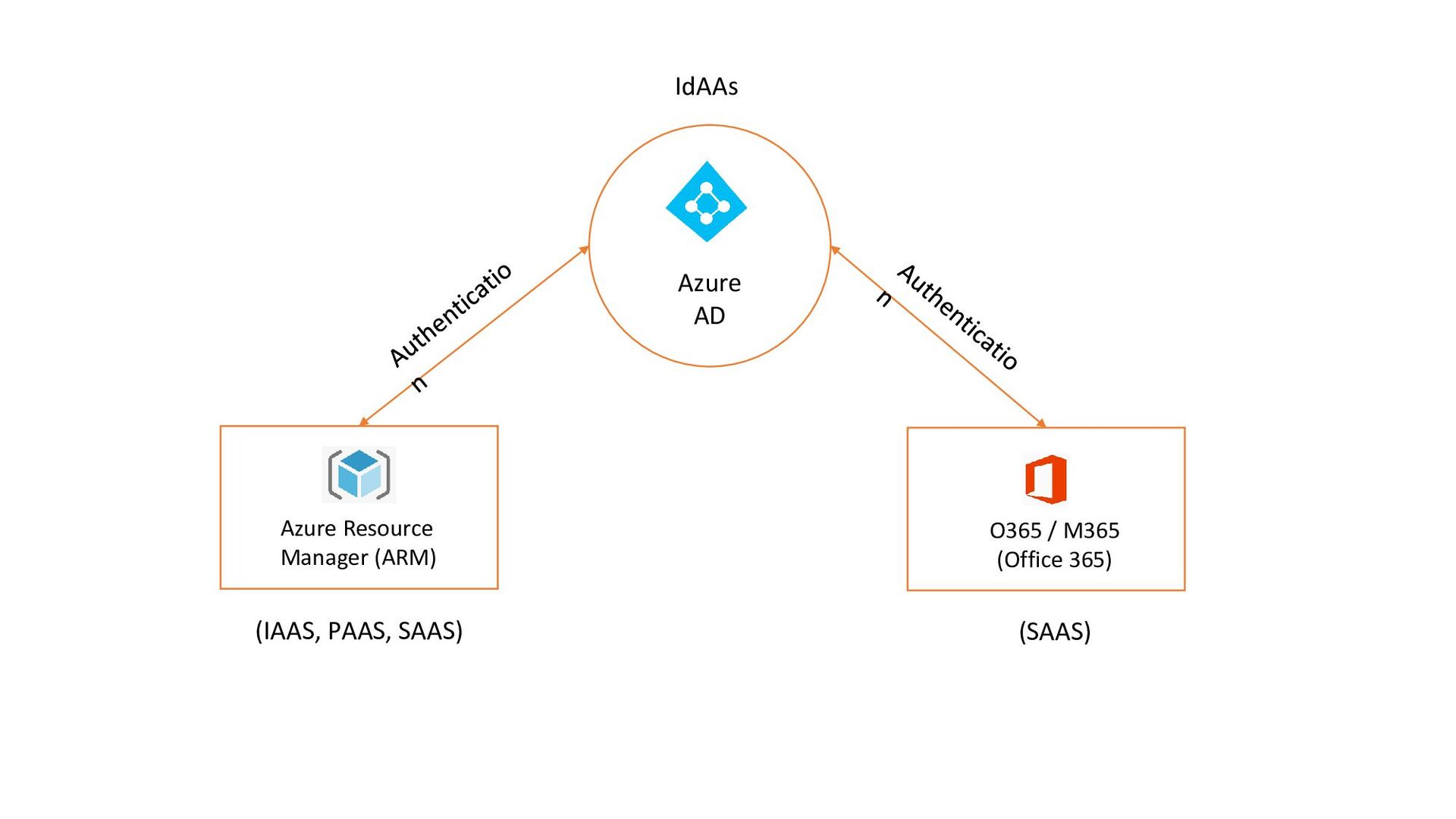
11 Azure AD Azure Resource Manager (ARM) O365 / M365
(IaaS, PaaS, SaaS) (SaaS) Idaas Azure Working Model -
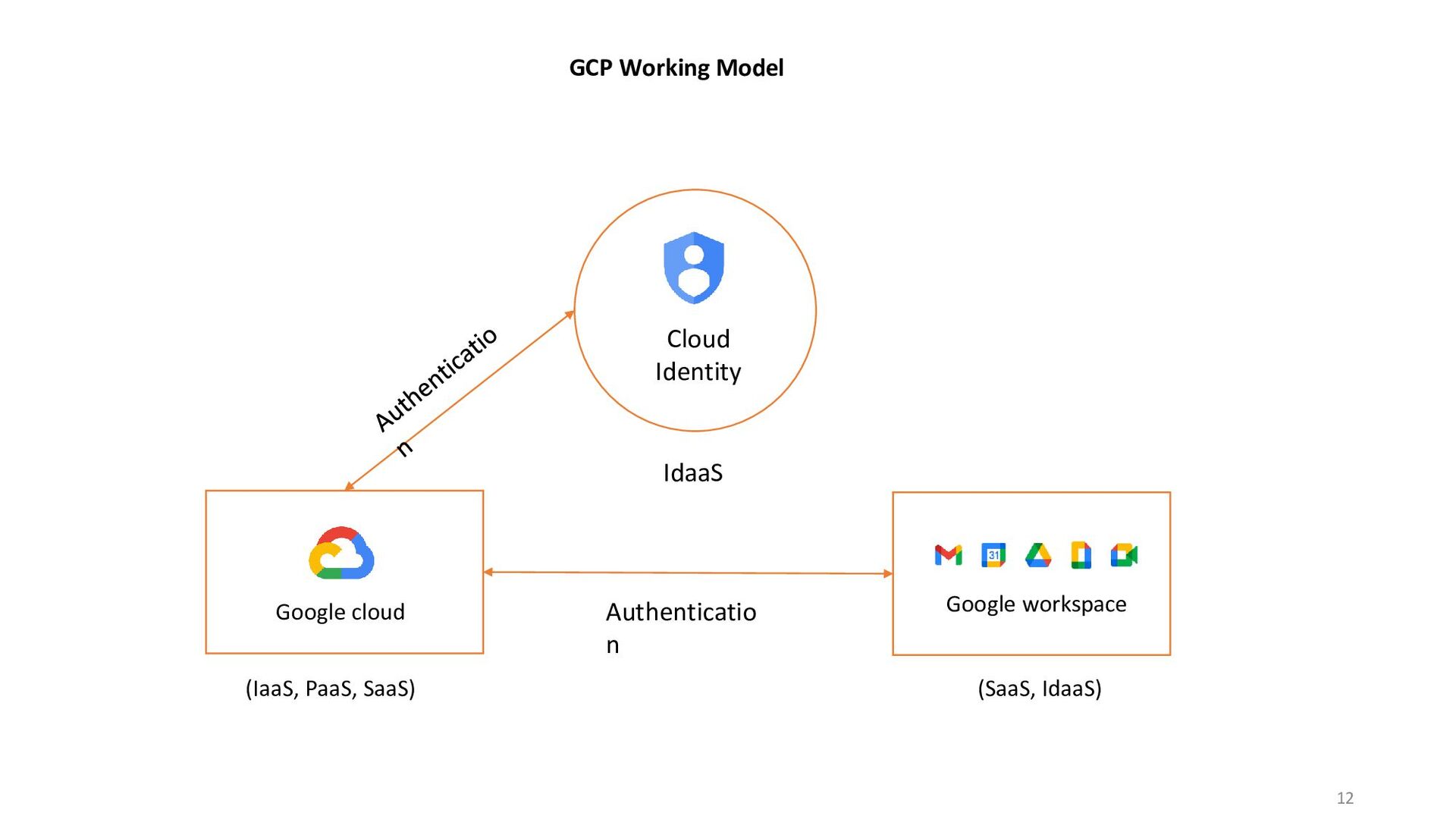
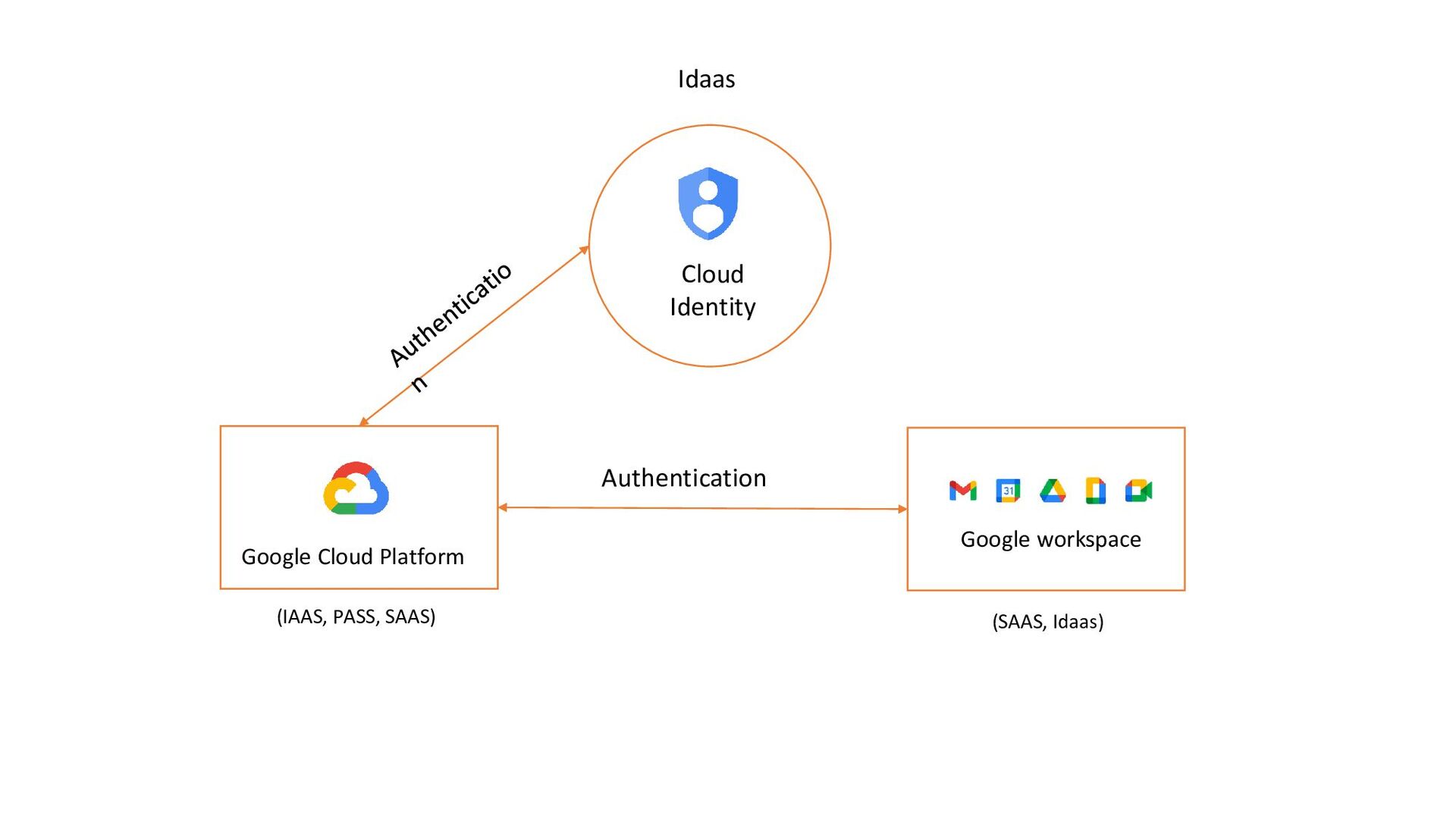
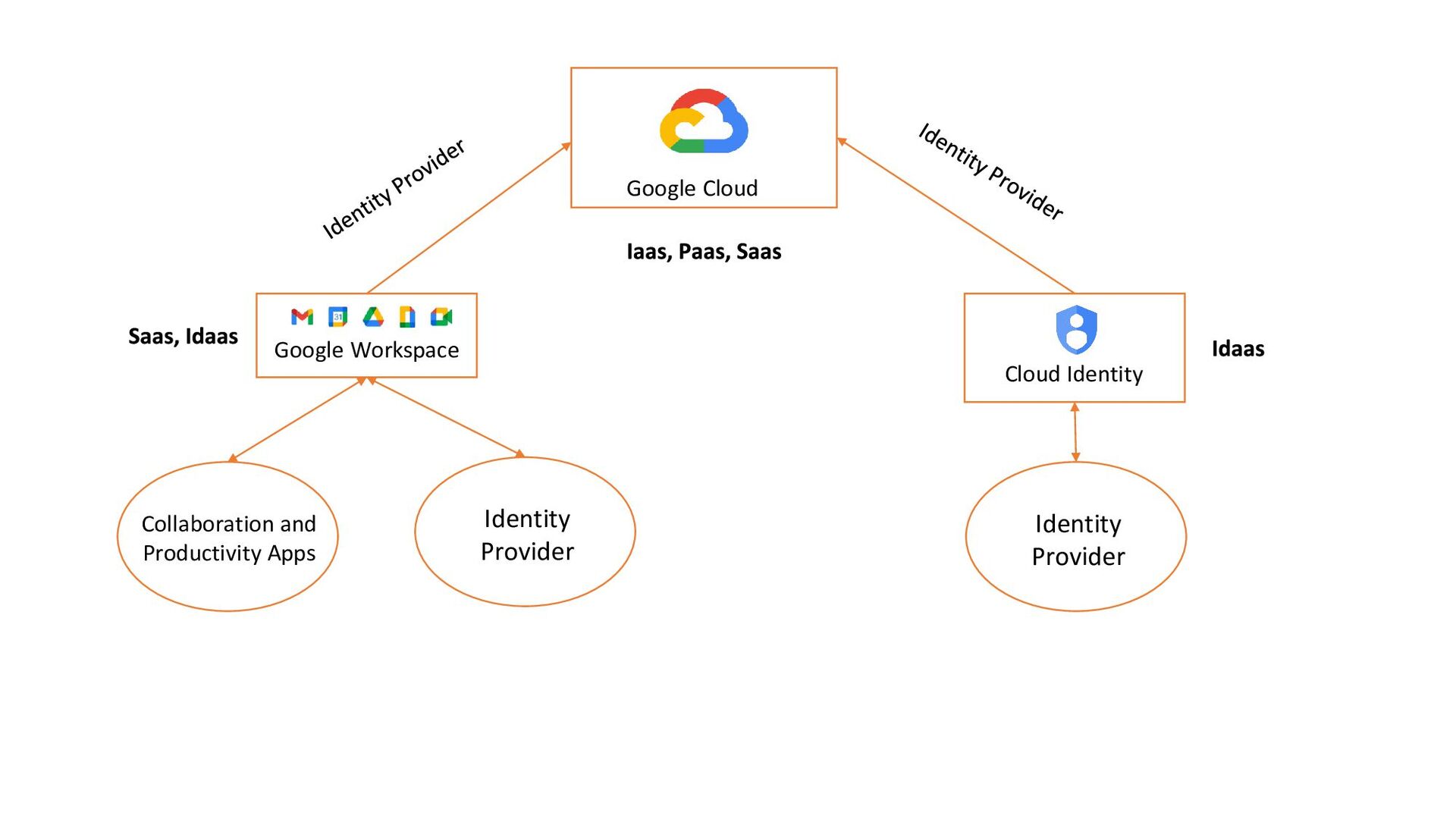
12 Cloud Identity Google cloud Google workspace IdaaS (IaaS, PaaS,
SaaS) (SaaS, IdaaS) Authenticatio n GCP Working Model -
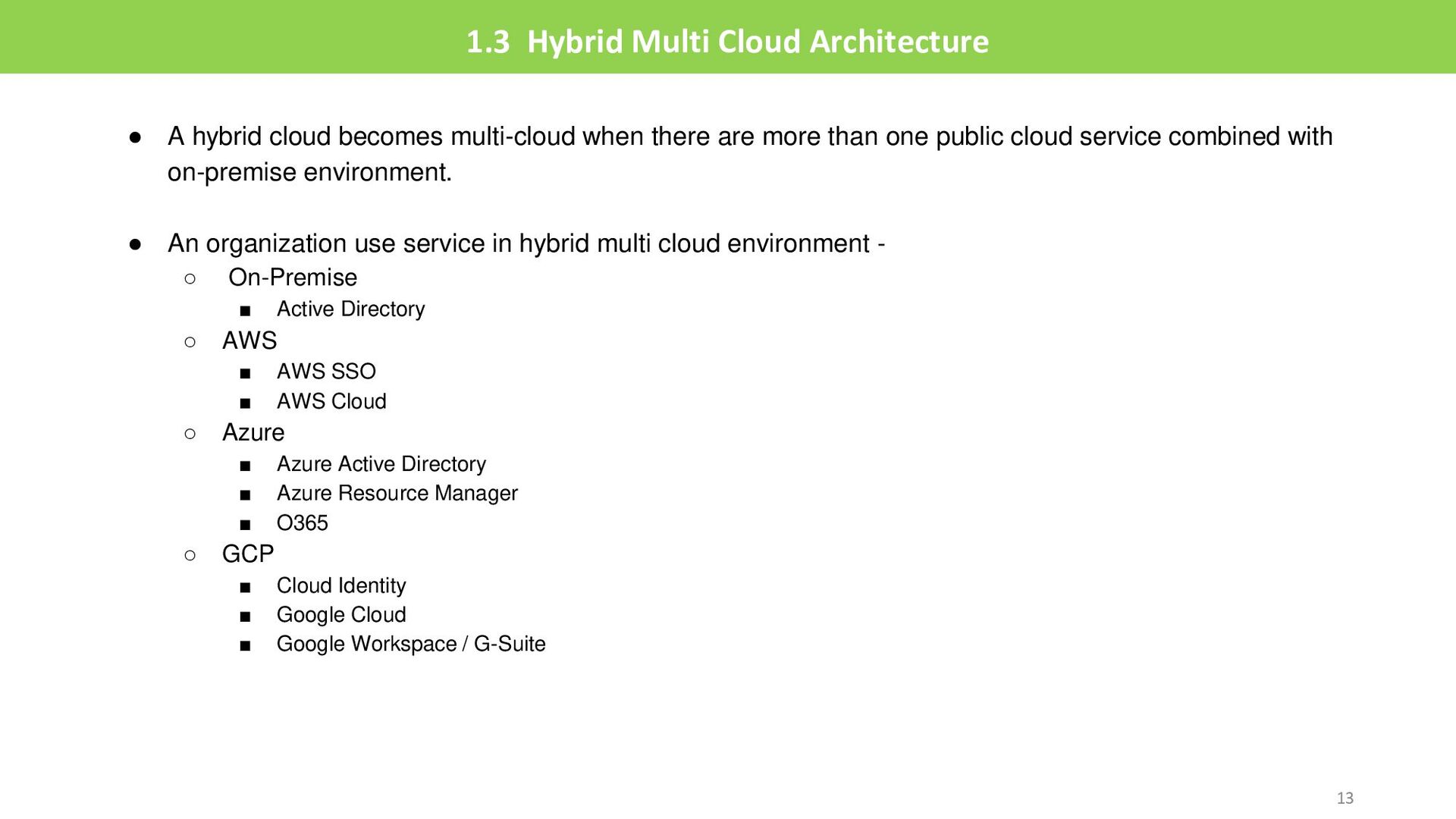
1.3 Hybrid Multi Cloud Architecture 13 • A hybrid cloud
becomes multi-cloud when there are more than one public cloud service combined with on-premise environment. • An organization use service in hybrid multi cloud environment - ◦ On-Premise ▪ Active Directory ◦ AWS ▪ AWS SSO ▪ AWS Cloud ◦ Azure ▪ Azure Active Directory ▪ Azure Resource Manager ▪ O365 ◦ GCP ▪ Cloud Identity ▪ Google Cloud ▪ Google Workspace / G-Suite -
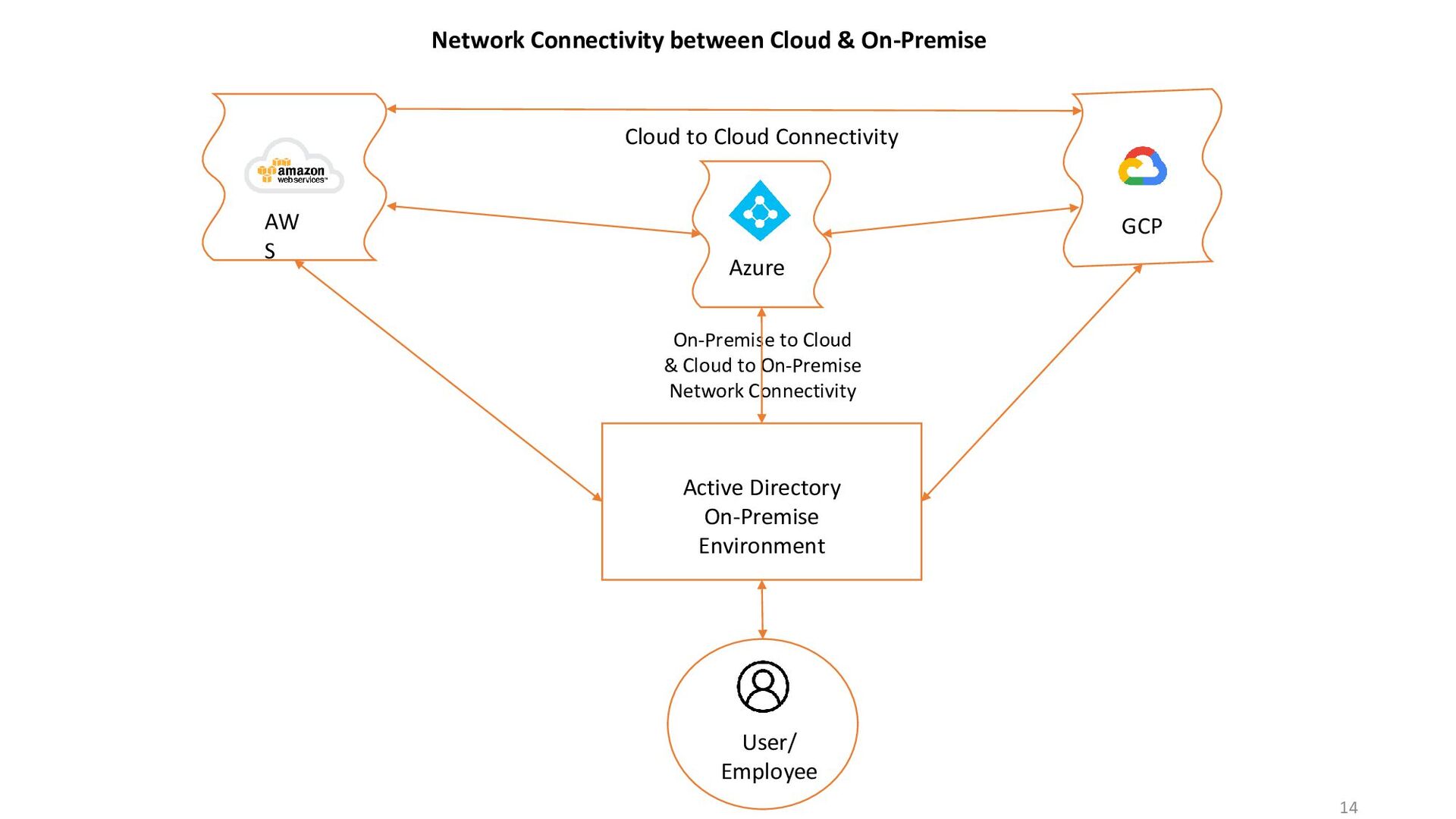
14 Cloud to Cloud Connectivity AW S Azure GCP Active
Directory On-Premise Environment On-Premise to Cloud & Cloud to On-Premise Network Connectivity User/ Employee Network Connectivity between Cloud & On-Premise -
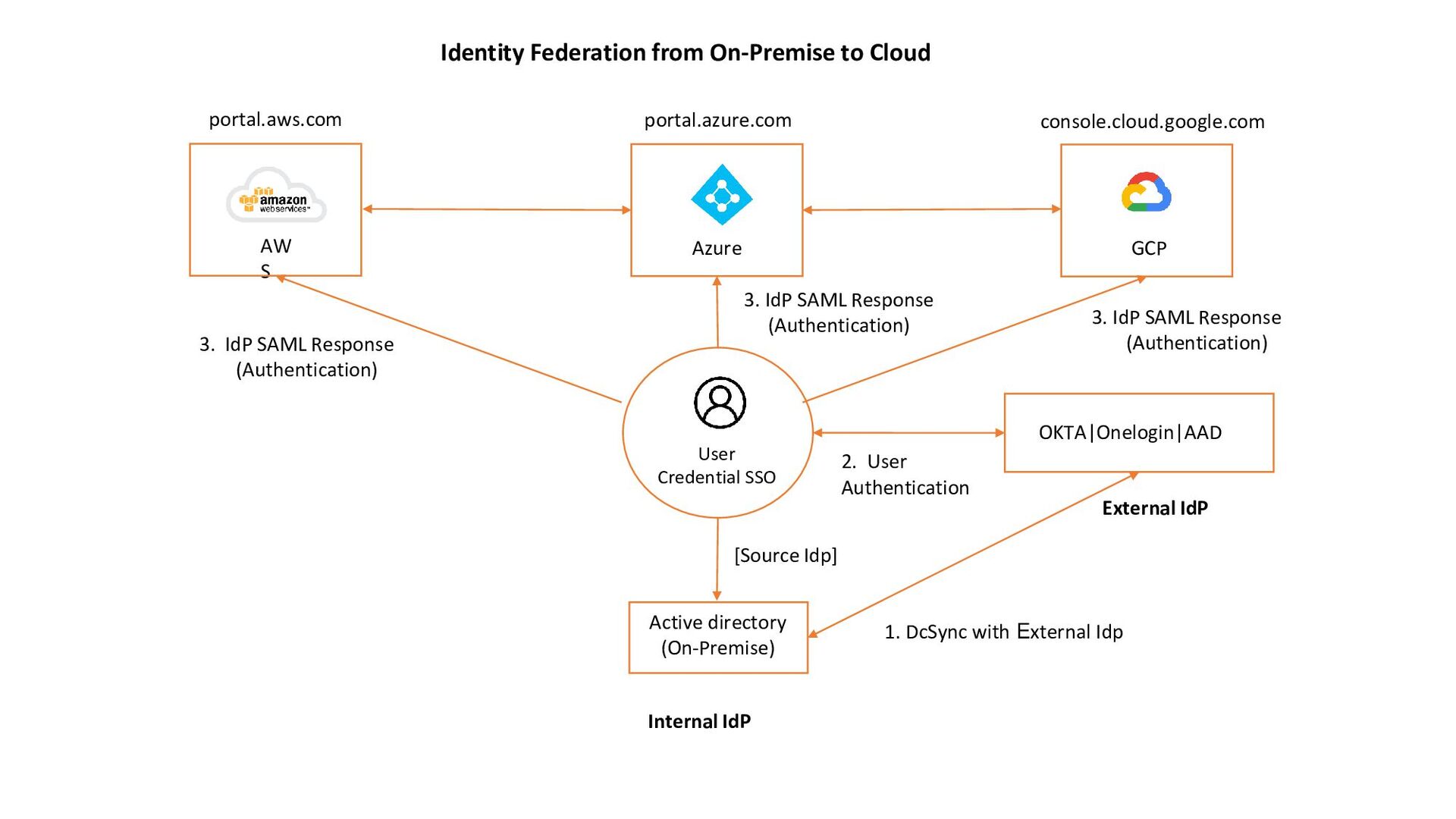
AW S Azure GCP User Credential SSO portal.aws.com OKTA|Onelogin|AAD Active
directory (On-Premise) Internal IdP [Source Idp] External IdP 1. DcSync with External Idp 2. User Authentication 3. IdP SAML Response (Authentication) 3. IdP SAML Response (Authentication) 3. IdP SAML Response (Authentication) portal.azure.com console.cloud.google.com Identity Federation from On-Premise to Cloud -
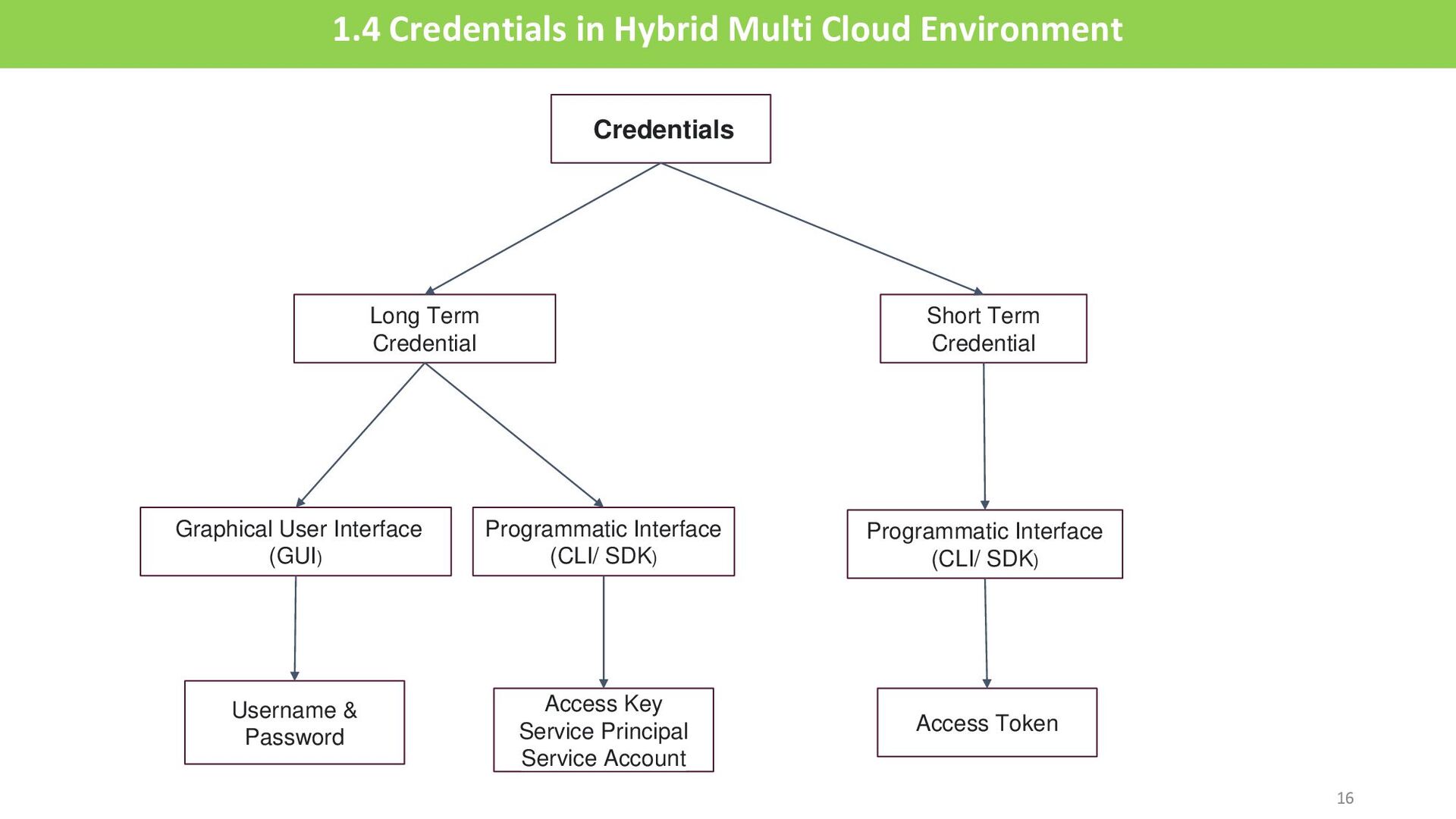
1.4 Credentials in Hybrid Multi Cloud Environment 16 Short Term
Credential Long Term Credential Credentials Programmatic Interface (CLI/ SDK) Programmatic Interface (CLI/ SDK) Graphical User Interface (GUI) Username & Password Access Token Access Key Service Principal Service Account -
Module - 2 : Introduction about AWS Cloud 2.1 AWS
Cloud Overview 2.2 Identity & Access Management [IAM] 2.3 Exercise - Enumeration 17 -
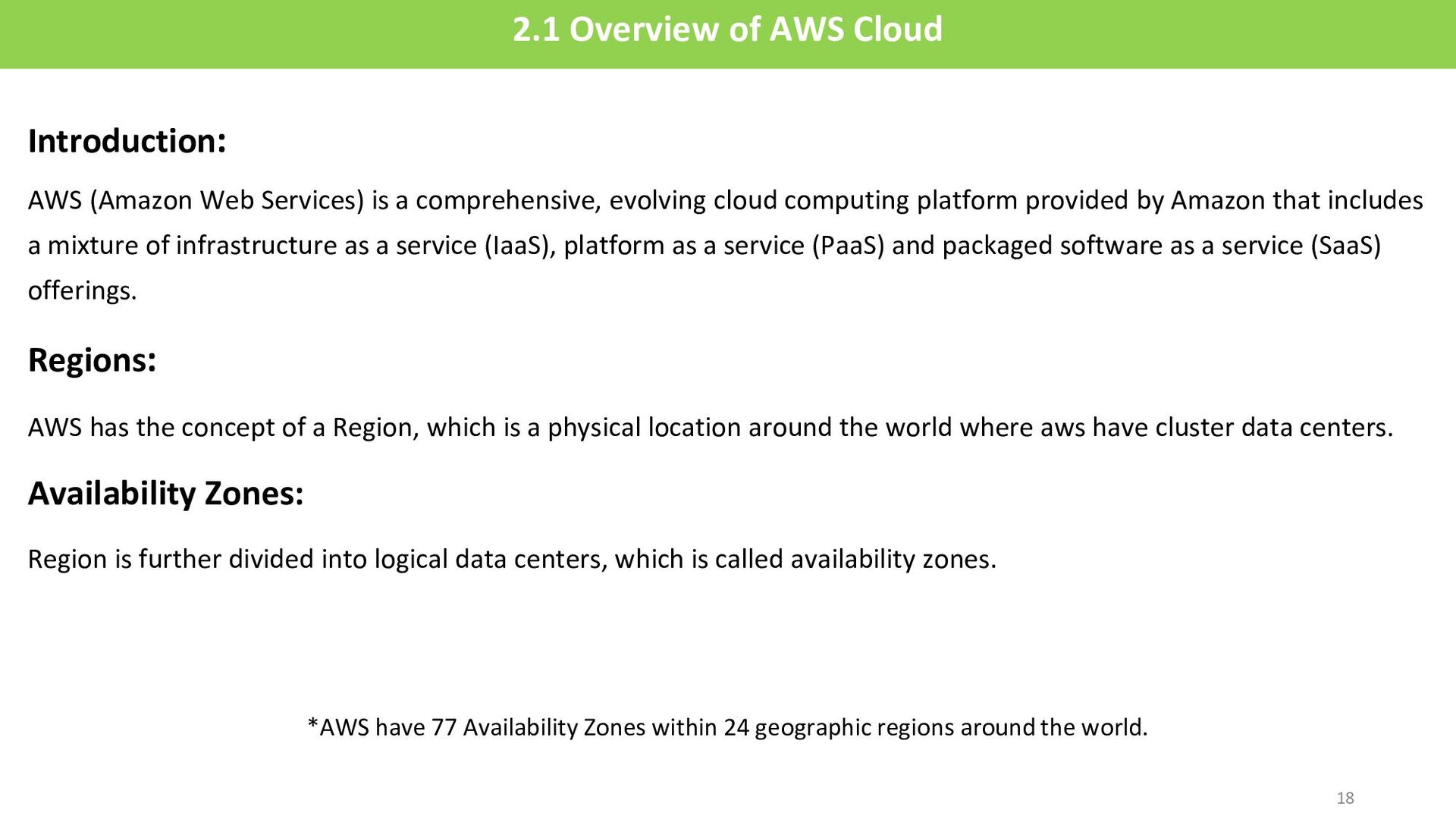
2.1 Overview of AWS Cloud 18 Introduction: AWS (Amazon Web
Services) is a comprehensive, evolving cloud computing platform provided by Amazon that includes a mixture of infrastructure as a service (IaaS), platform as a service (PaaS) and packaged software as a service (SaaS) offerings. Regions: AWS has the concept of a Region, which is a physical location around the world where aws have cluster data centers. Availability Zones: Region is further divided into logical data centers, which is called availability zones. *AWS have 77 Availability Zones within 24 geographic regions around the world. -
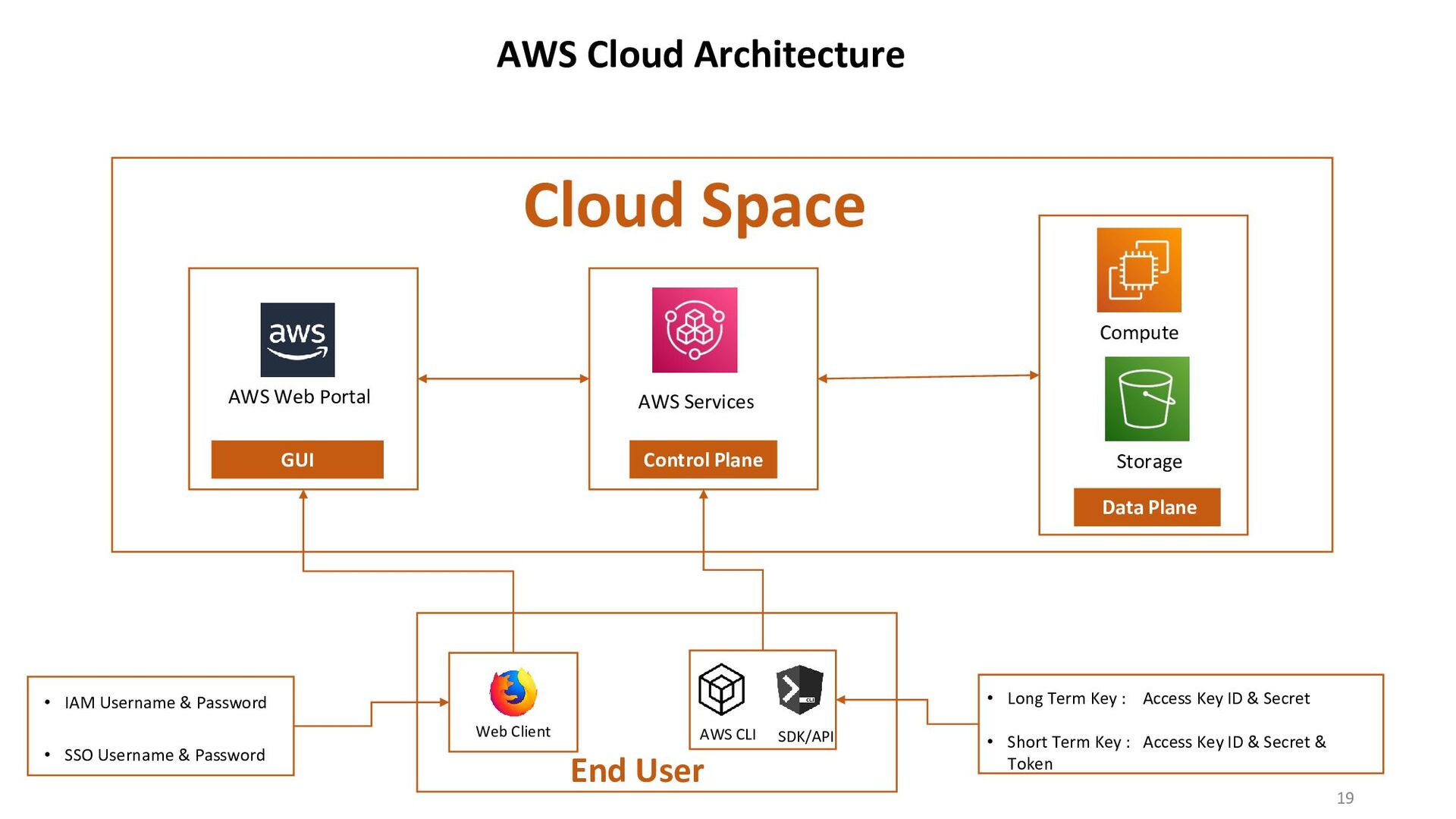
19 SDK/API AWS CLI GUI Storage Compute Control Plane AWS
Services Data Plane Cloud Space Web Client End User AWS Web Portal • IAM Username & Password • SSO Username & Password • Long Term Key : Access Key ID & Secret • Short Term Key : Access Key ID & Secret & Token AWS Cloud Architecture -
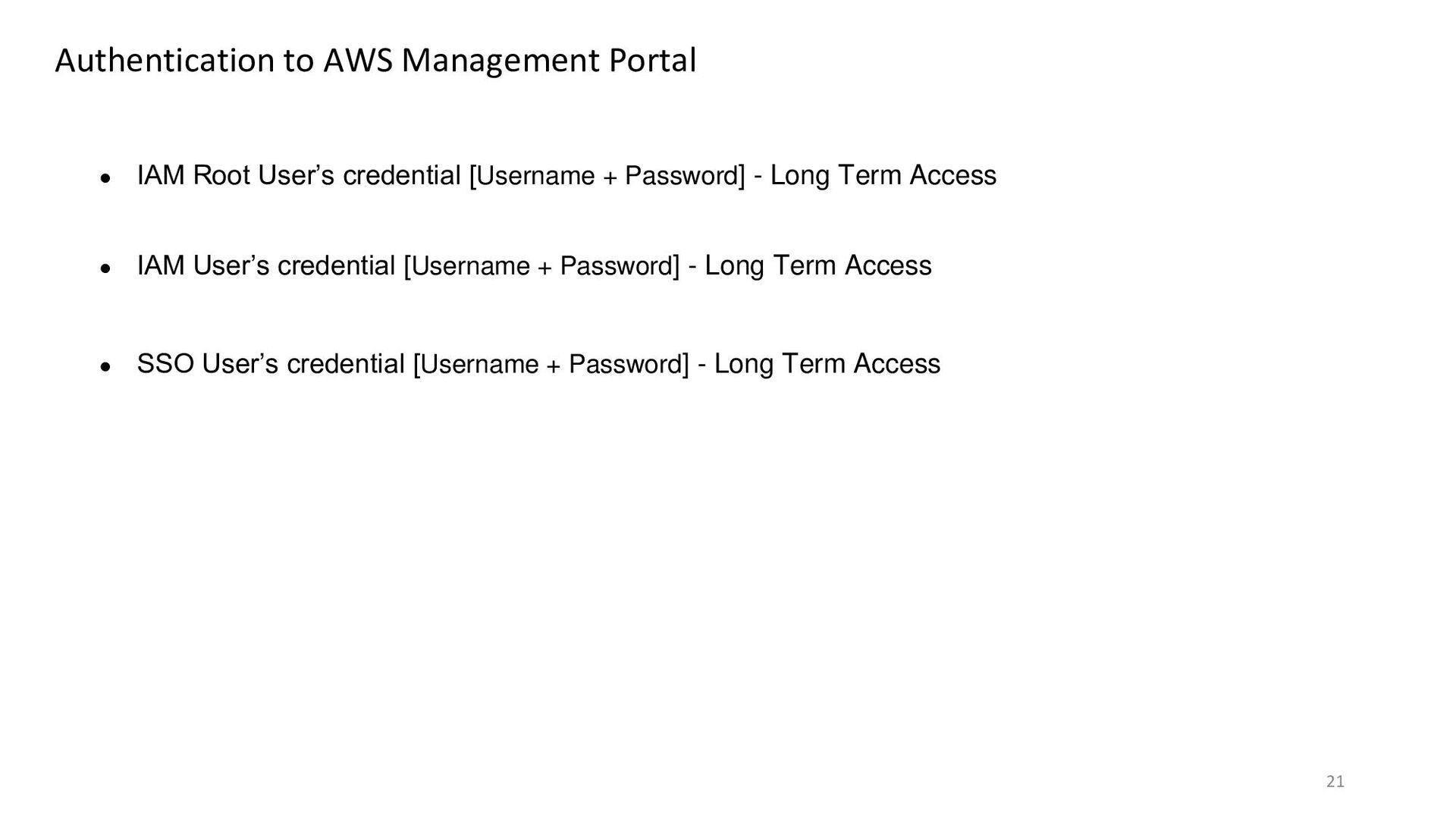
Authentication to AWS Management Portal 21 • IAM Root User’s
credential [Username + Password] - Long Term Access • IAM User’s credential [Username + Password] - Long Term Access • SSO User’s credential [Username + Password] - Long Term Access -
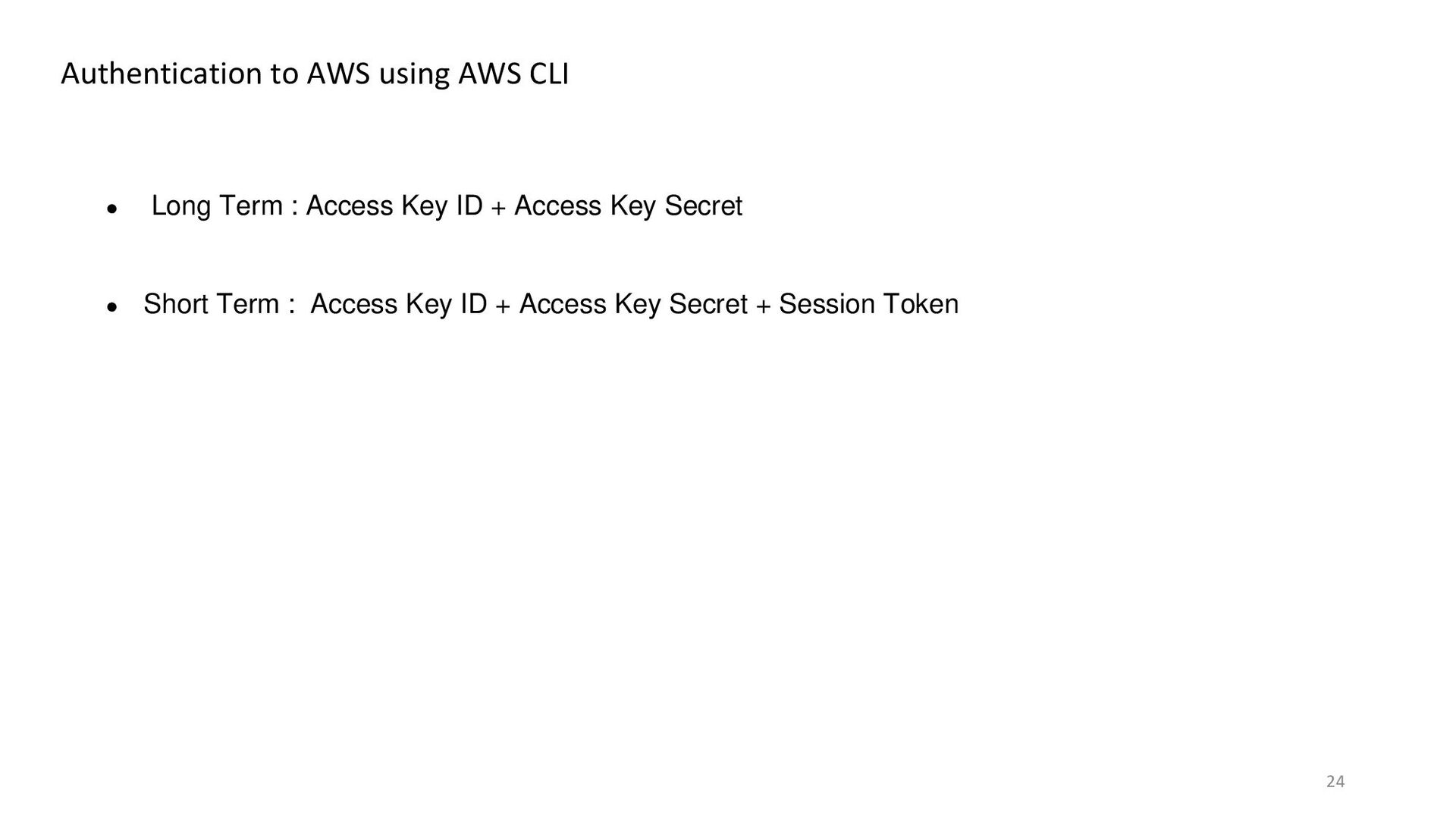
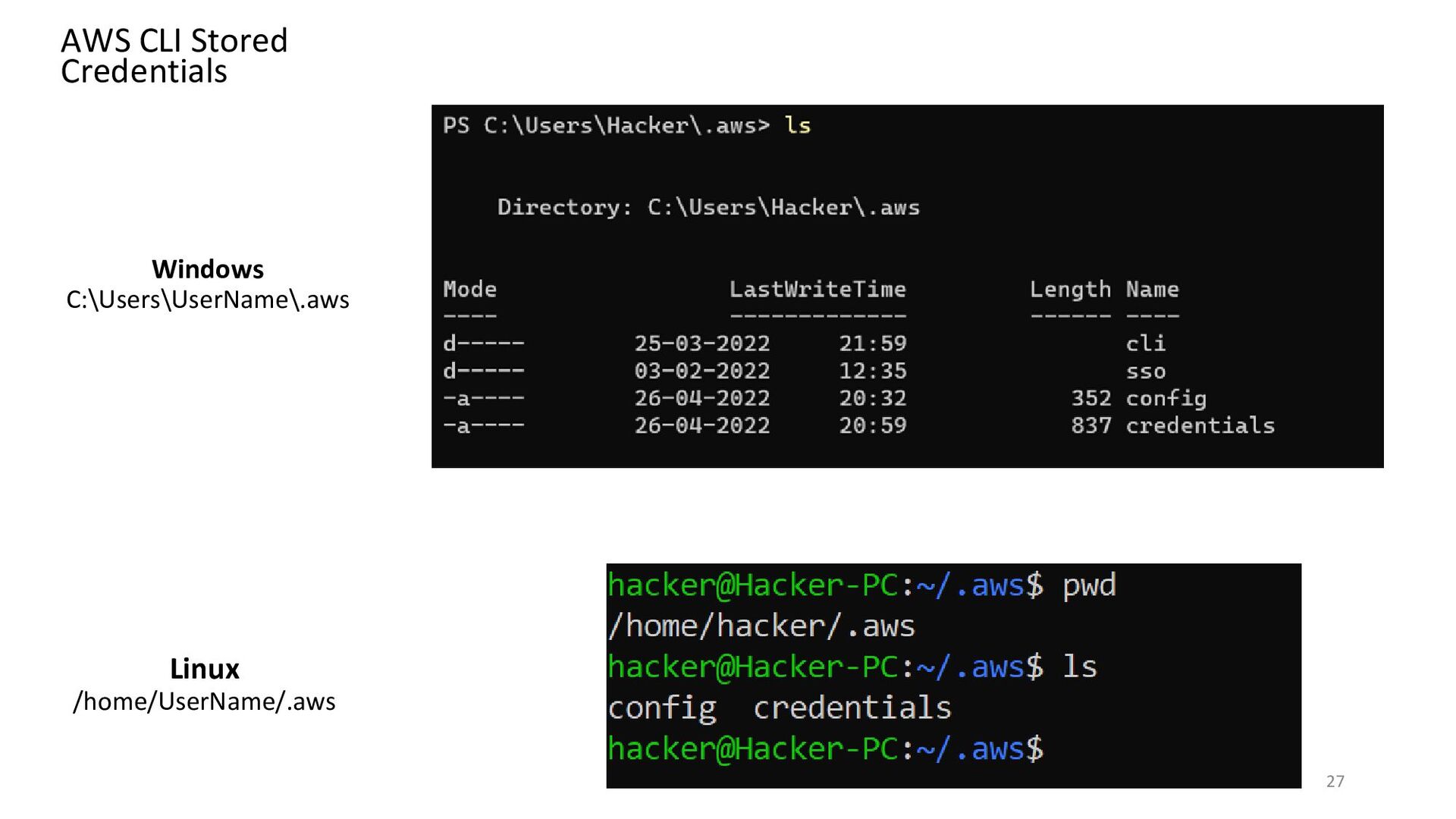
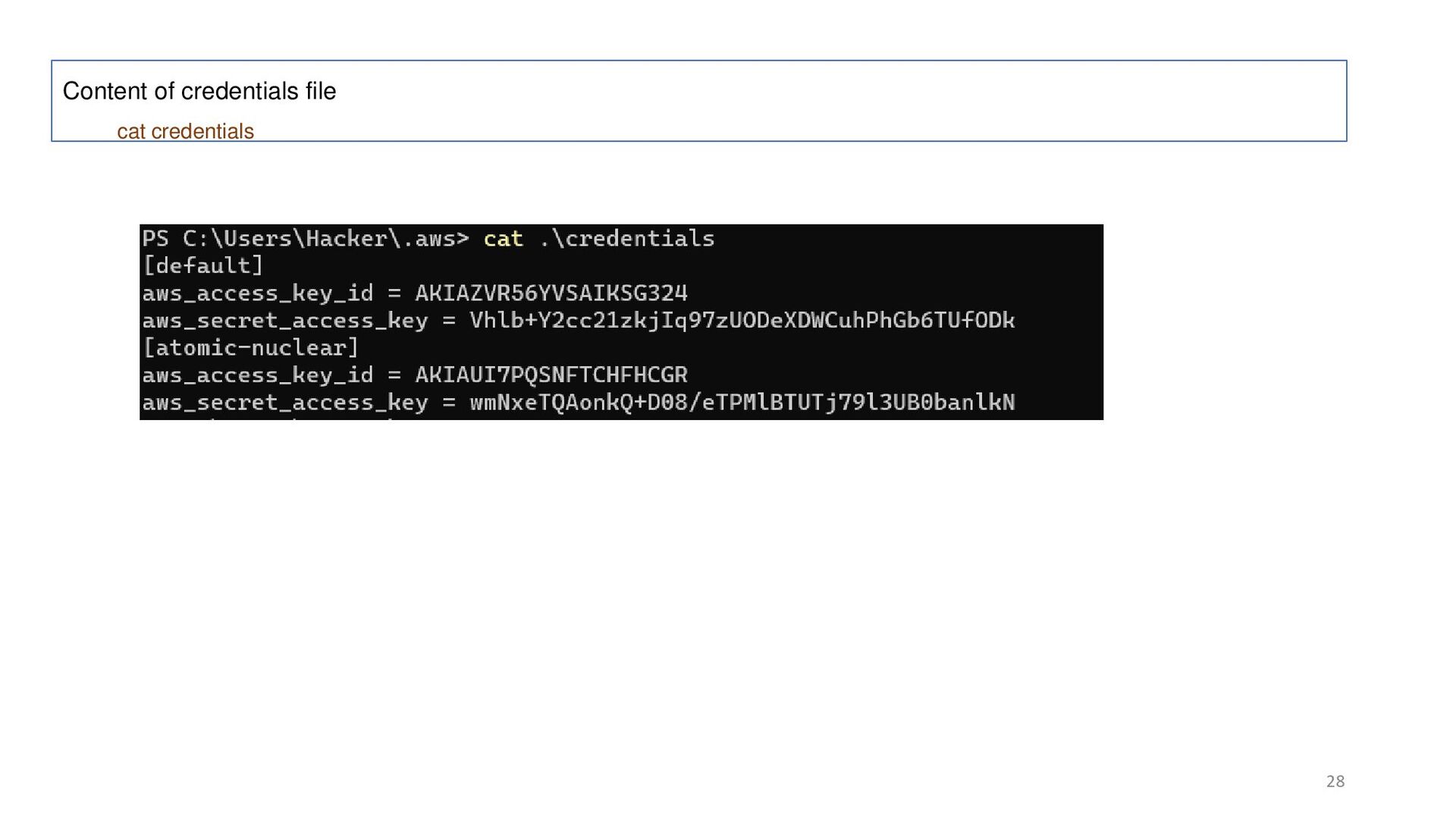
Authentication to AWS using AWS CLI 24 • Long Term
: Access Key ID + Access Key Secret • Short Term : Access Key ID + Access Key Secret + Session Token -
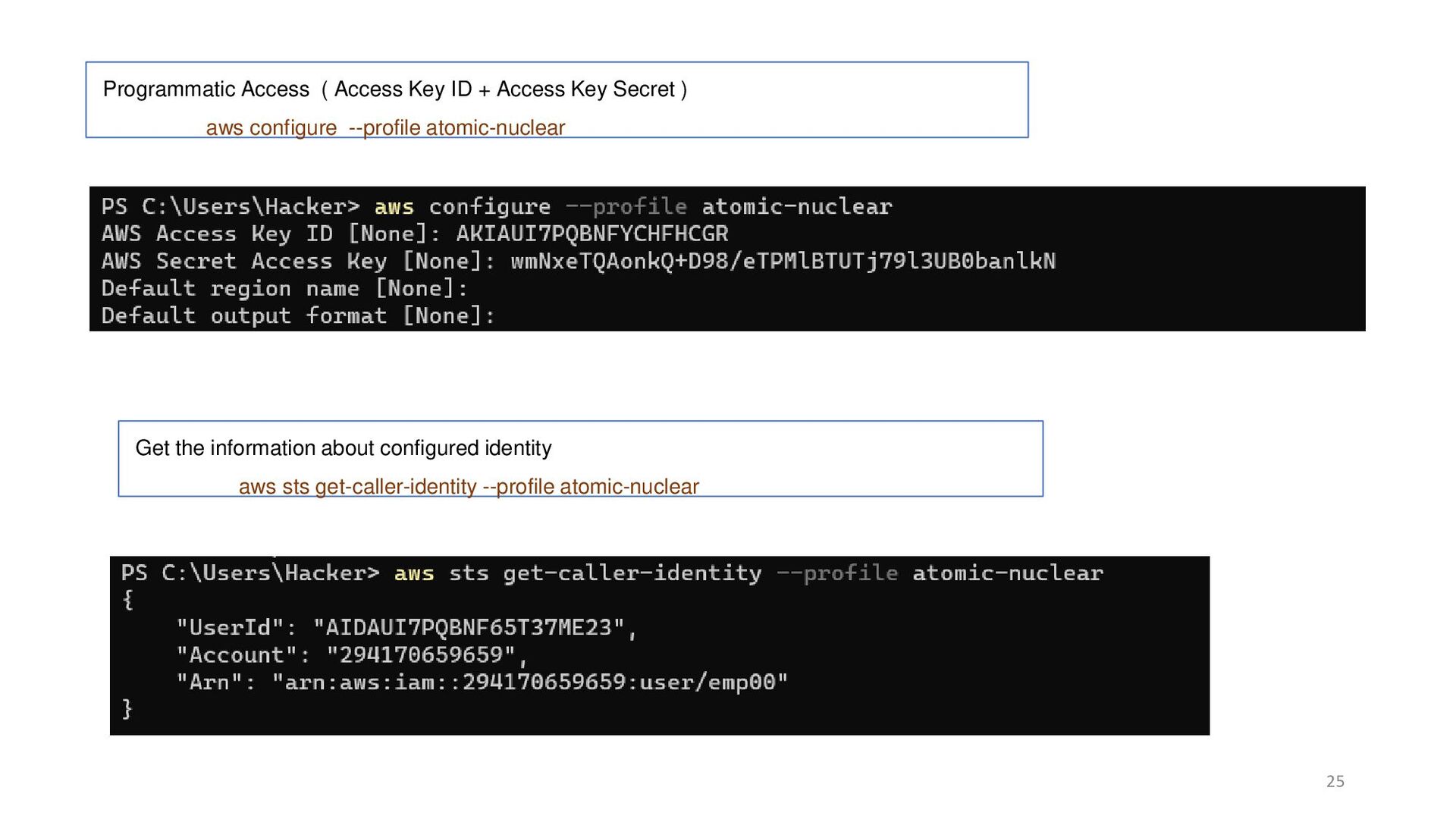
25 Programmatic Access ( Access Key ID + Access Key
Secret ) aws configure --profile atomic-nuclear Get the information about configured identity aws sts get-caller-identity --profile atomic-nuclear -
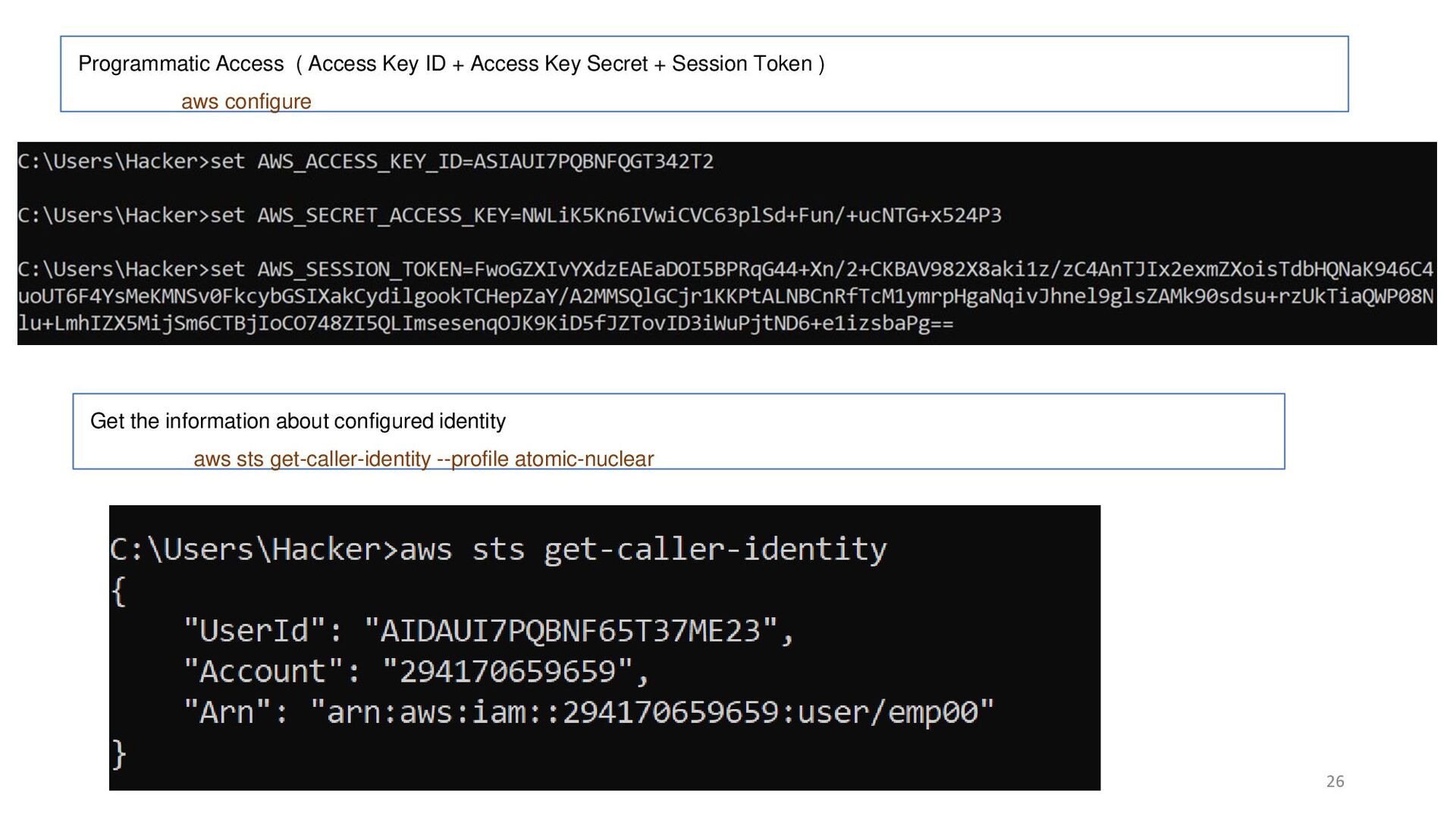
26 Programmatic Access ( Access Key ID + Access Key
Secret + Session Token ) aws configure Get the information about configured identity aws sts get-caller-identity --profile atomic-nuclear -
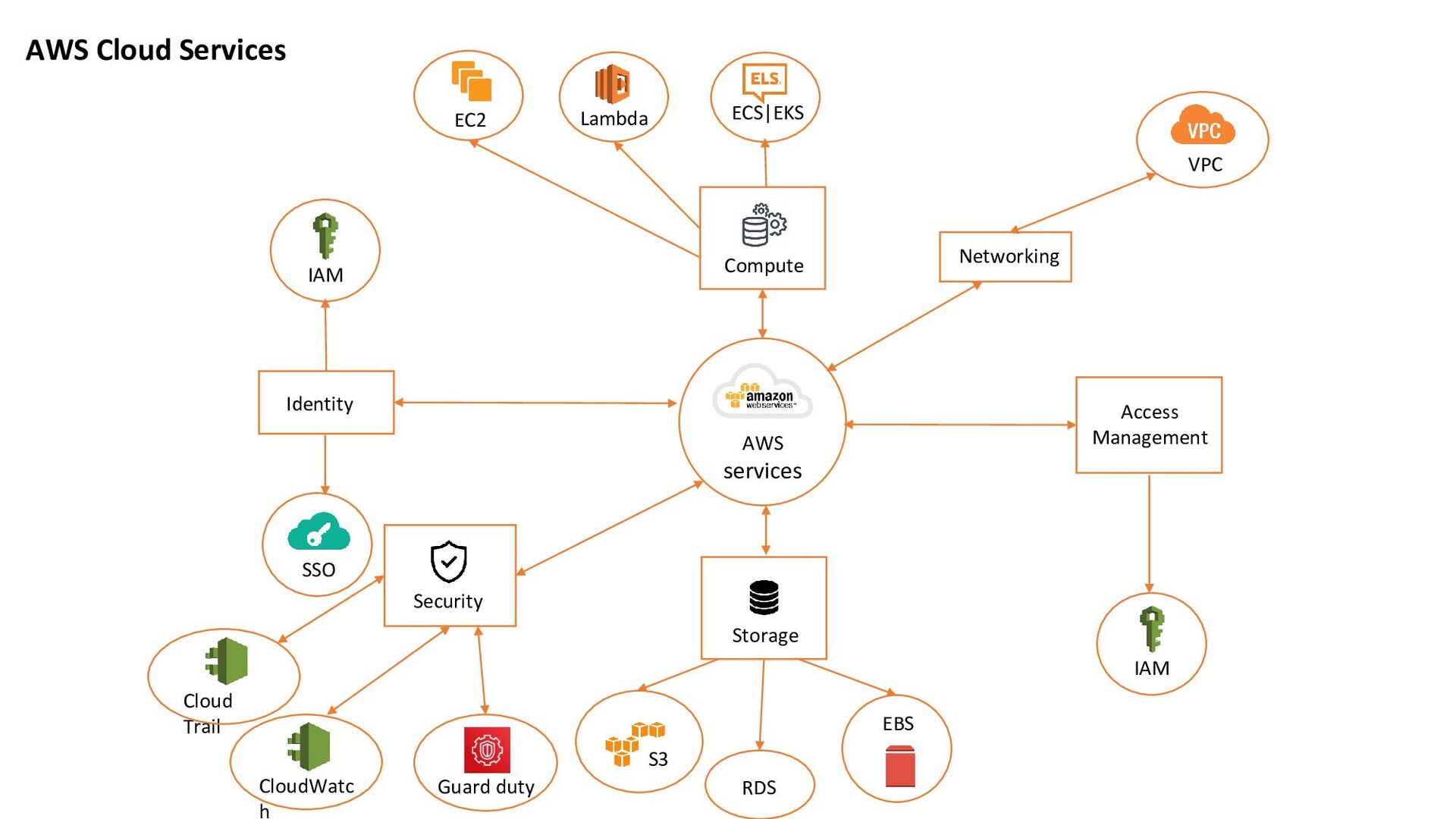
AWS services Compute Storage Access Management Identity Networking VPC Security
Cloud Trail Guard duty IAM SSO EC2 Lambda ECS|EKS S3 RDS EBS IAM CloudWatc h AWS Cloud Services -
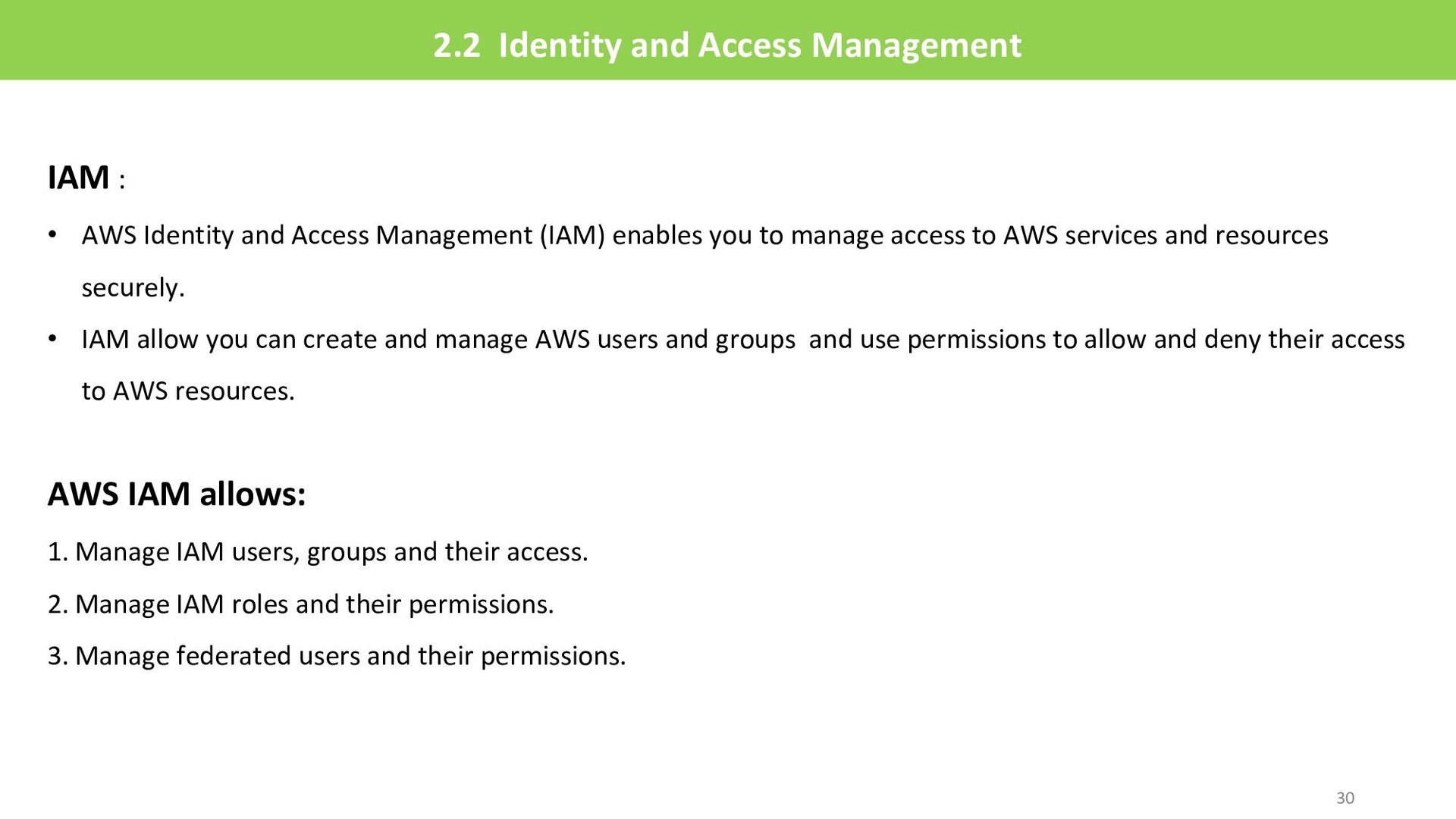
2.2 Identity and Access Management 30 IAM : • AWS
Identity and Access Management (IAM) enables you to manage access to AWS services and resources securely. • IAM allow you can create and manage AWS users and groups and use permissions to allow and deny their access to AWS resources. AWS IAM allows: 1. Manage IAM users, groups and their access. 2. Manage IAM roles and their permissions. 3. Manage federated users and their permissions. -
IAM Groups Users Roles Actions Policy AWS Services Policy Contains
Permissions Policy Attached to Groups Role Attached to Services Effect Resources -
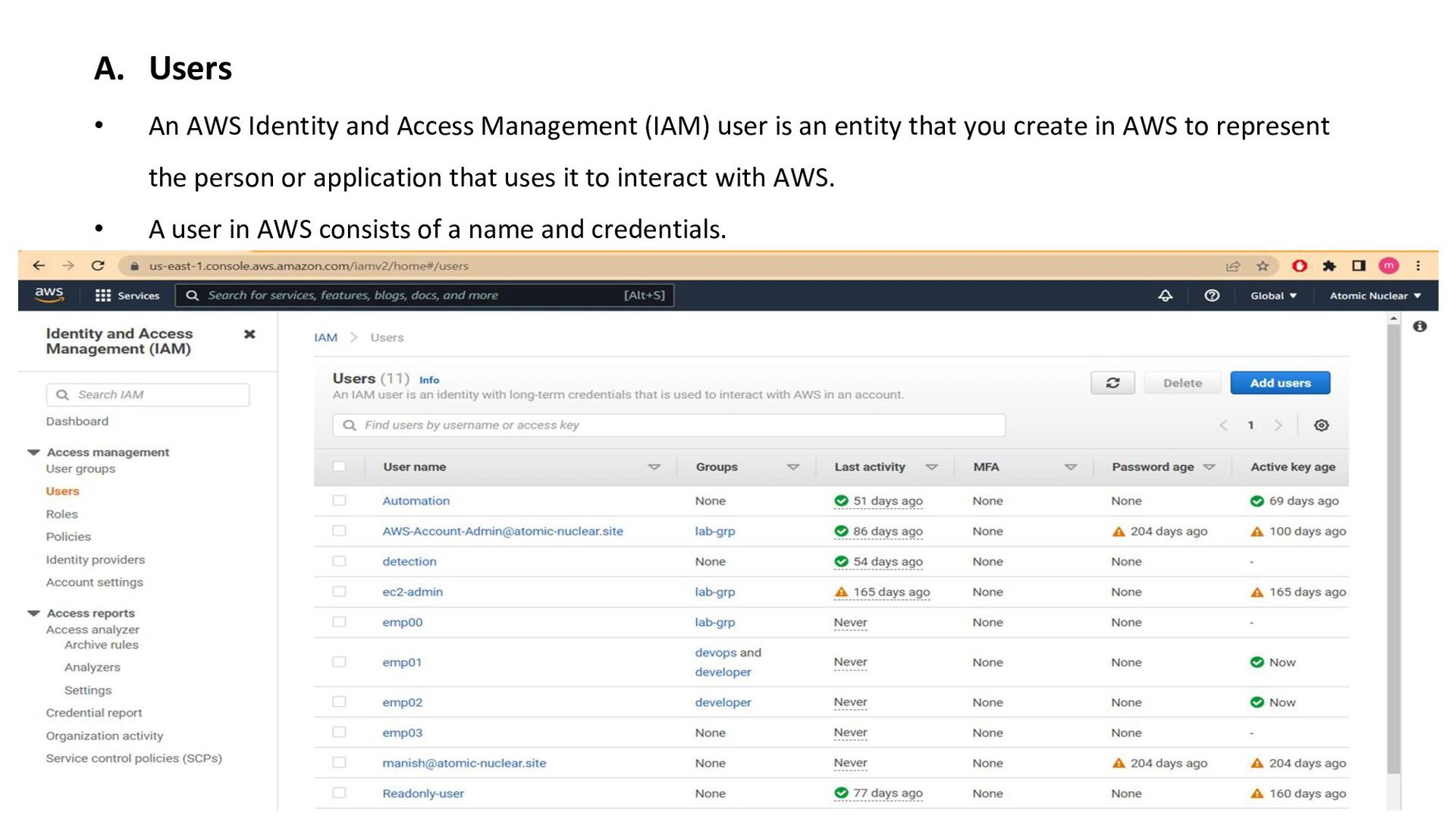
A. Users • An AWS Identity and Access Management (IAM)
user is an entity that you create in AWS to represent the person or application that uses it to interact with AWS. • A user in AWS consists of a name and credentials. 32 -
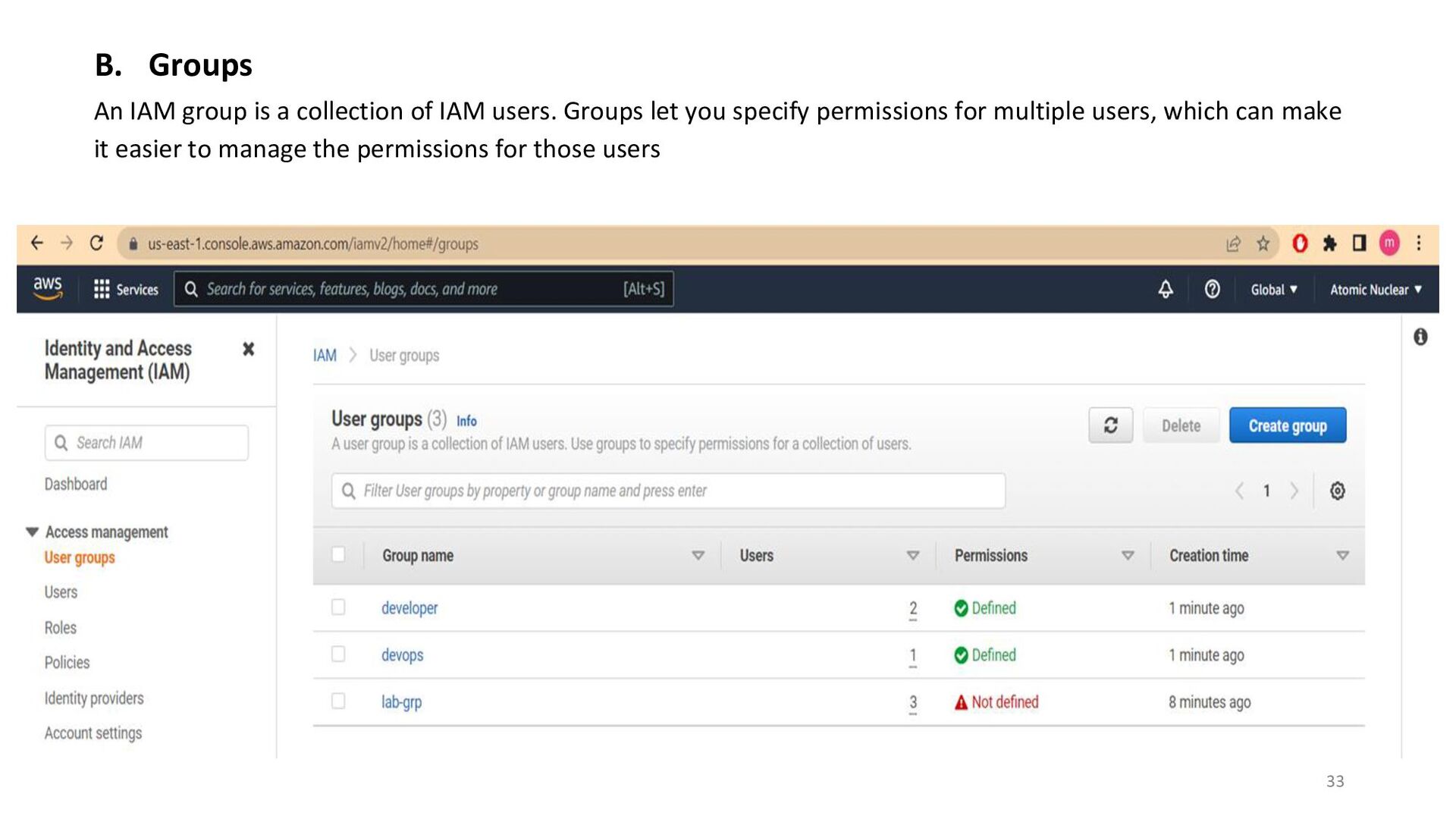
B. Groups An IAM group is a collection of IAM
users. Groups let you specify permissions for multiple users, which can make it easier to manage the permissions for those users 33 -
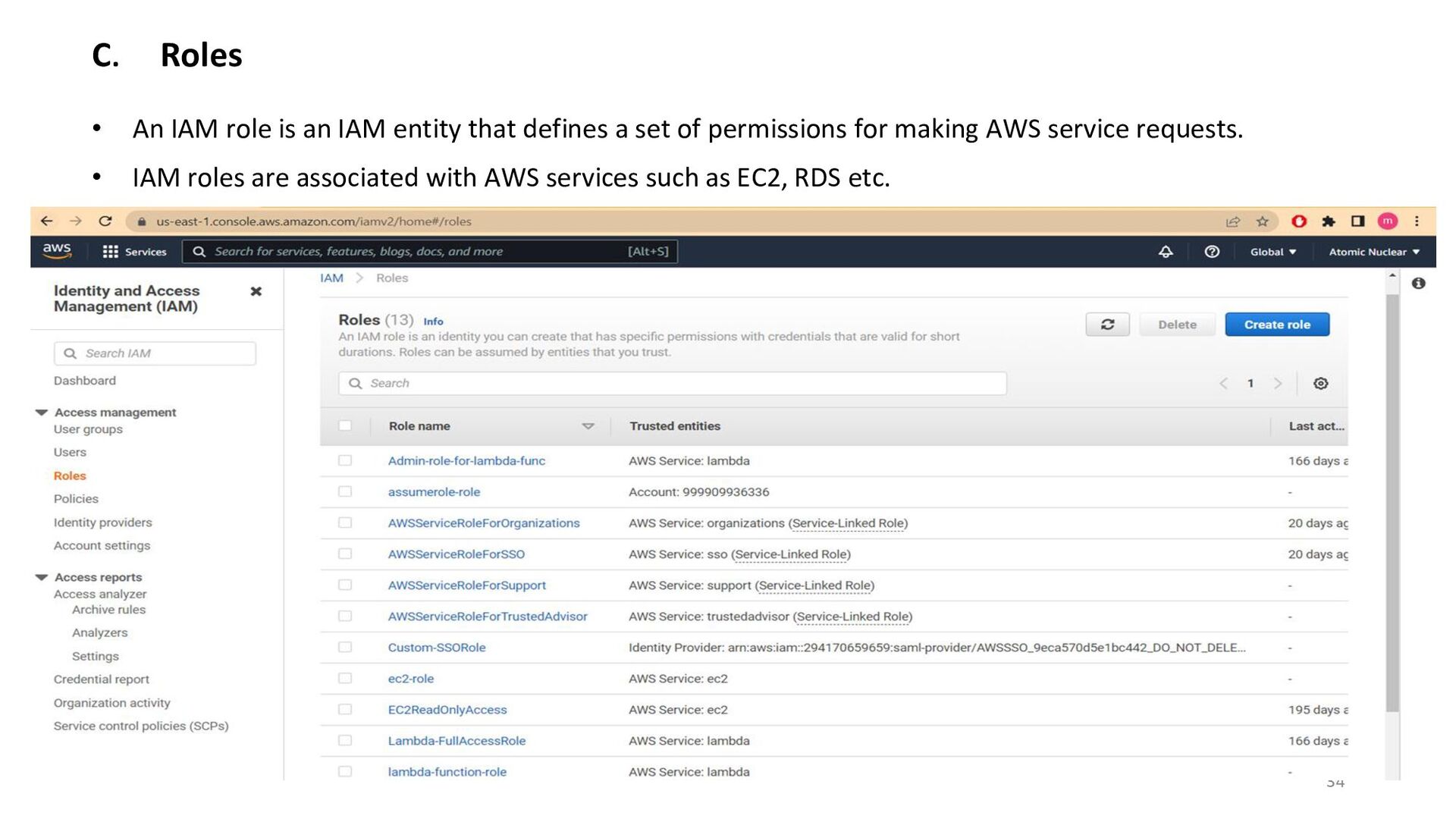
C. Roles • An IAM role is an IAM entity
that defines a set of permissions for making AWS service requests. • IAM roles are associated with AWS services such as EC2, RDS etc. 34 -
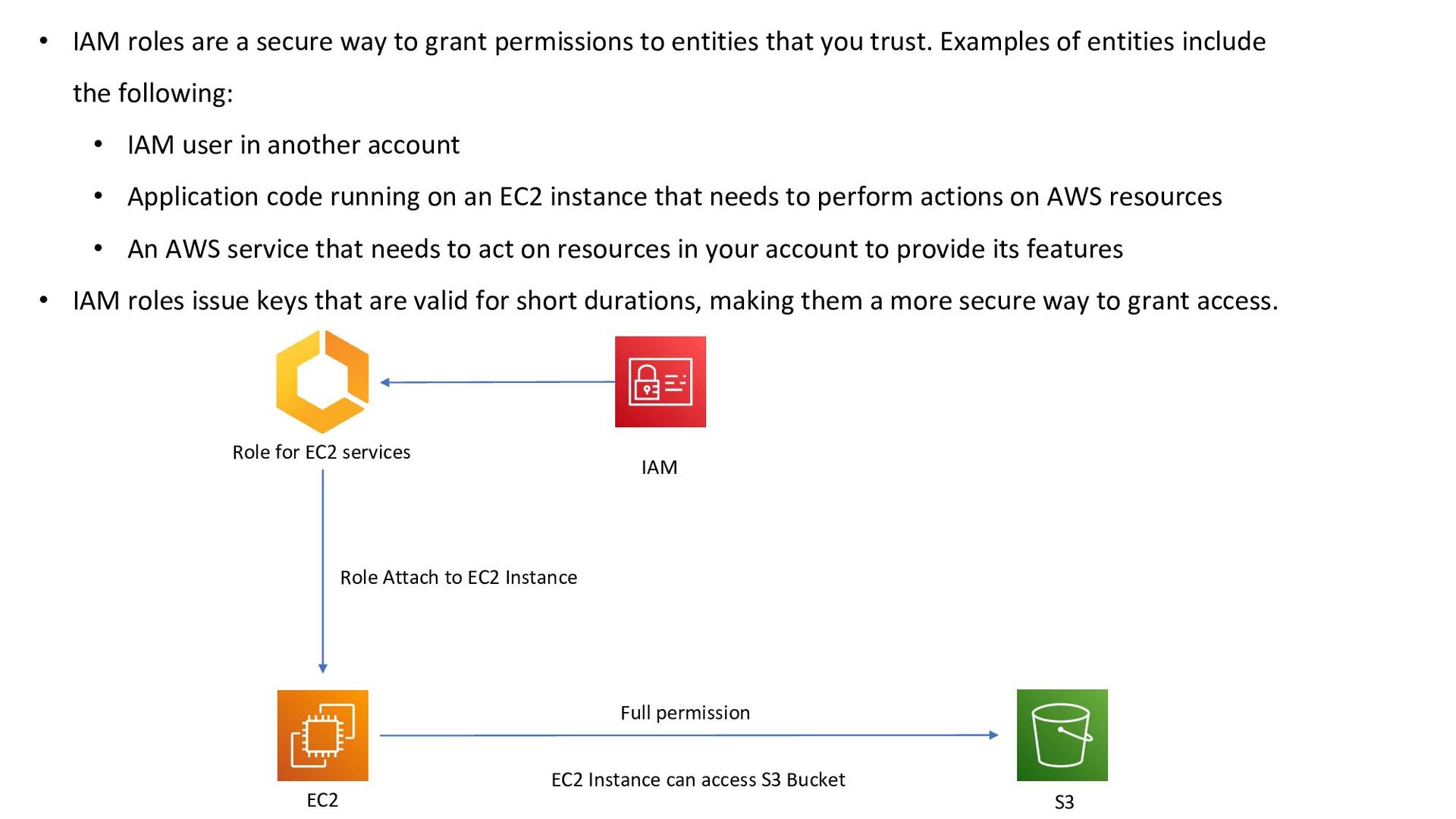
Role for EC2 services IAM EC2 S3 Role Attach to
EC2 Instance Full permission EC2 Instance can access S3 Bucket • IAM roles are a secure way to grant permissions to entities that you trust. Examples of entities include the following: • IAM user in another account • Application code running on an EC2 instance that needs to perform actions on AWS resources • An AWS service that needs to act on resources in your account to provide its features • IAM roles issue keys that are valid for short durations, making them a more secure way to grant access. -
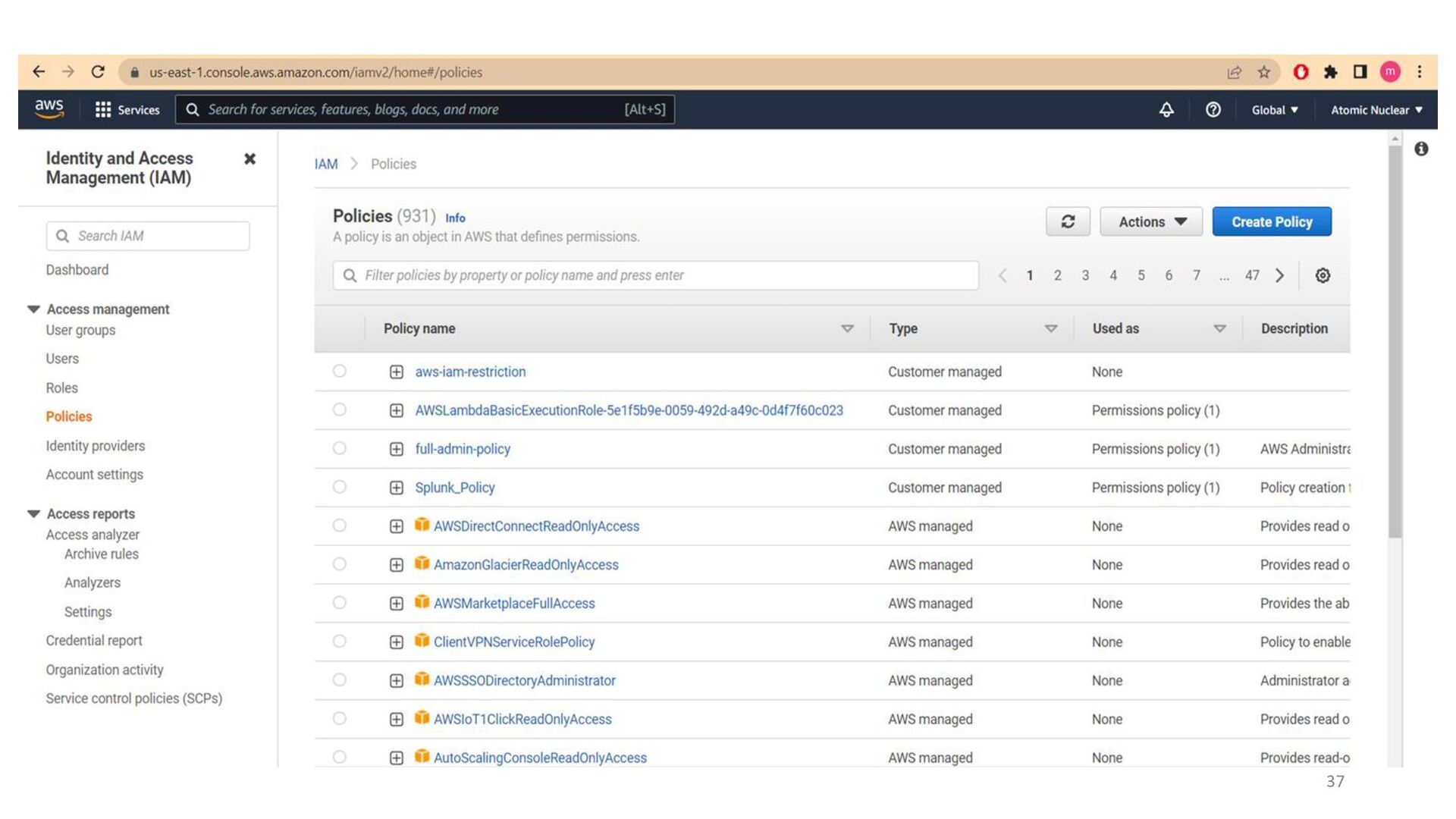
D. Policies • IAM policies define permissions for an action
to perform the operation. • For example, if a policy allows the GetUser action, then a user with that policy can get user information from the AWS Management Console, the AWS CLI, or the AWS API. • Policies can be attached to IAM identities (users, groups or roles) or AWS resources. 36 -
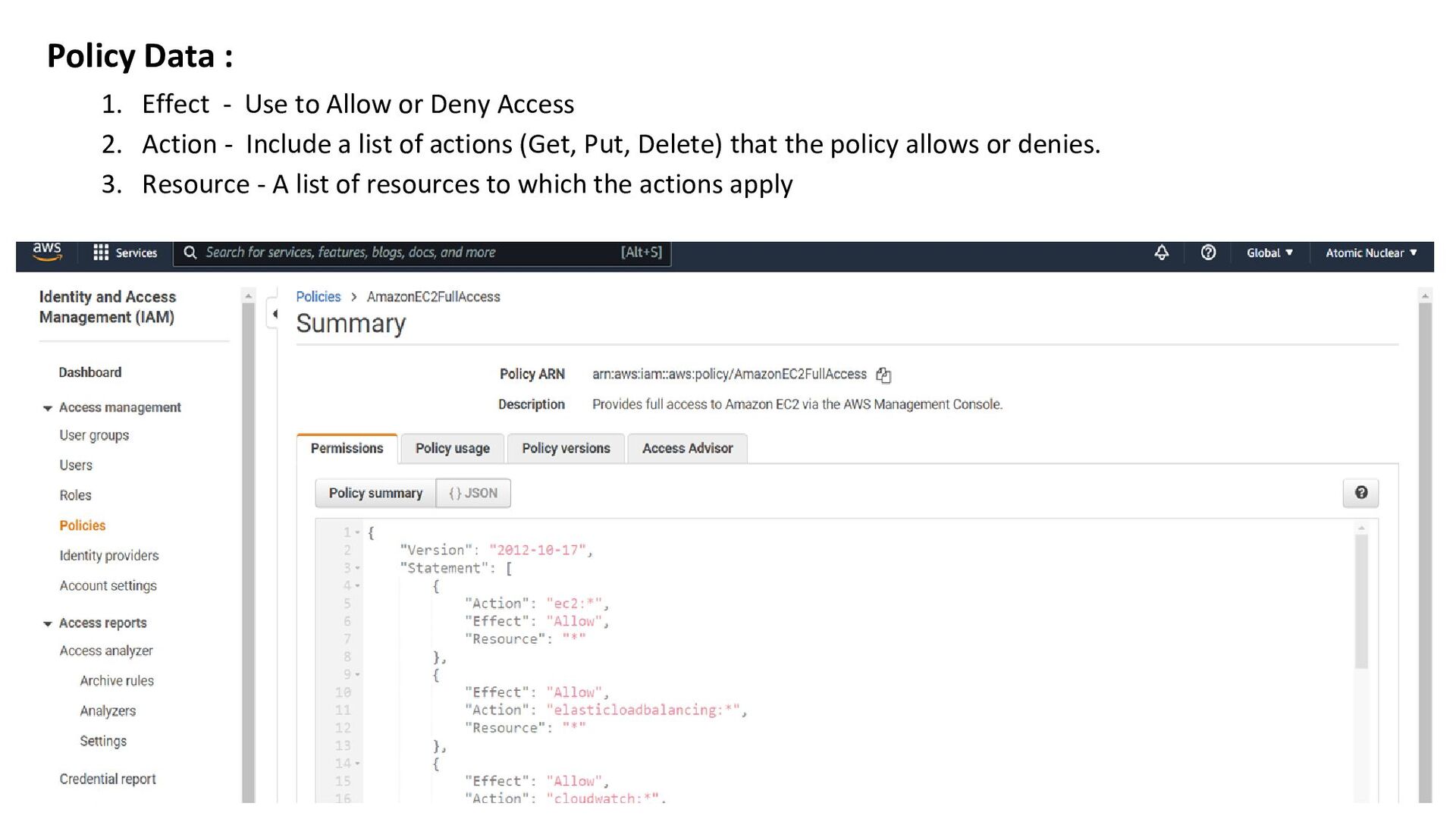
Policy Data : 1. Effect - Use to Allow or
Deny Access 2. Action - Include a list of actions (Get, Put, Delete) that the policy allows or denies. 3. Resource - A list of resources to which the actions apply 38 -
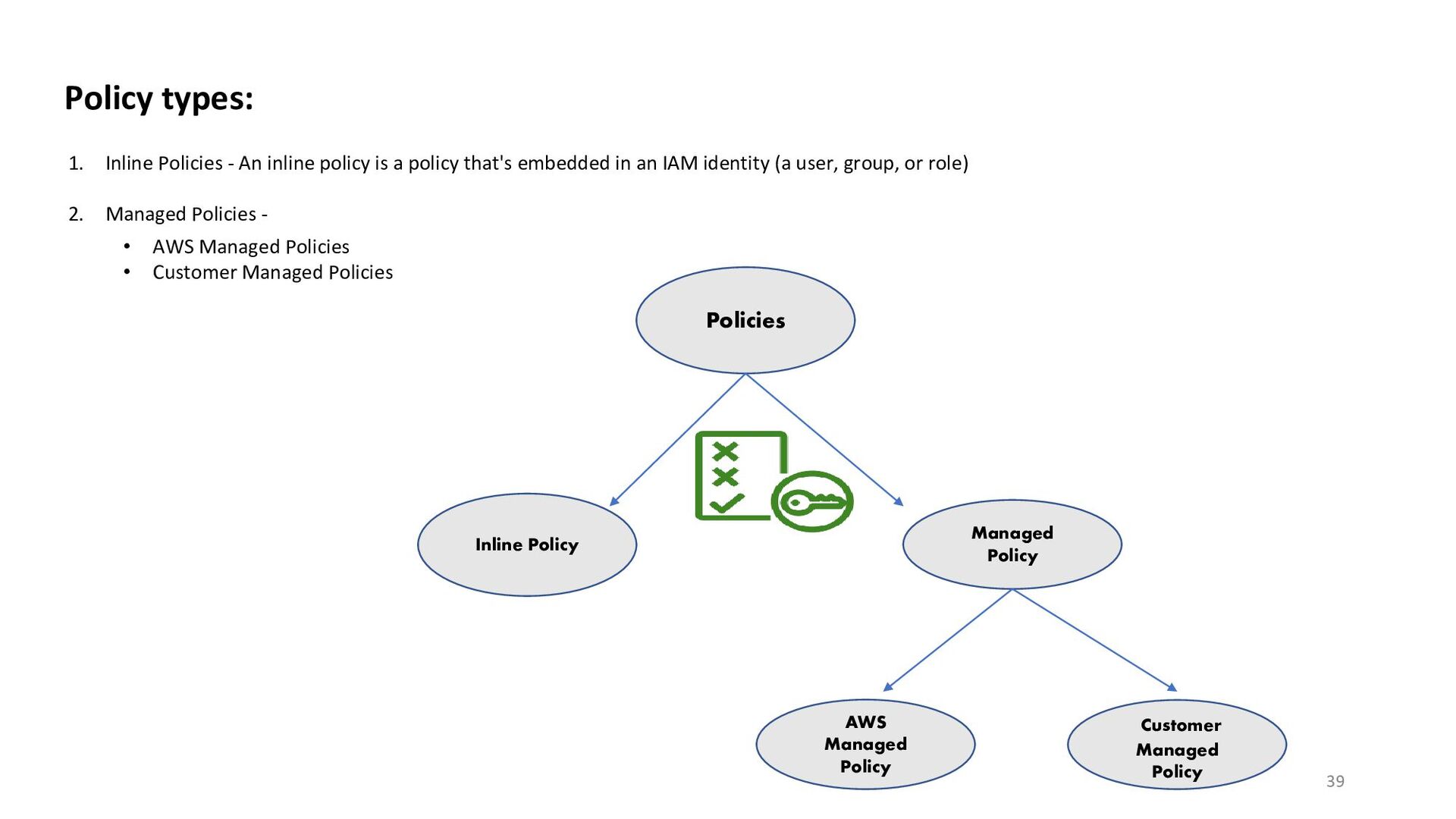
39 Policy types: 1. Inline Policies - An inline policy
is a policy that's embedded in an IAM identity (a user, group, or role) 2. Managed Policies - • AWS Managed Policies • Customer Managed Policies Policies Inline Policy Managed Policy Customer Managed Policy AWS Managed Policy -
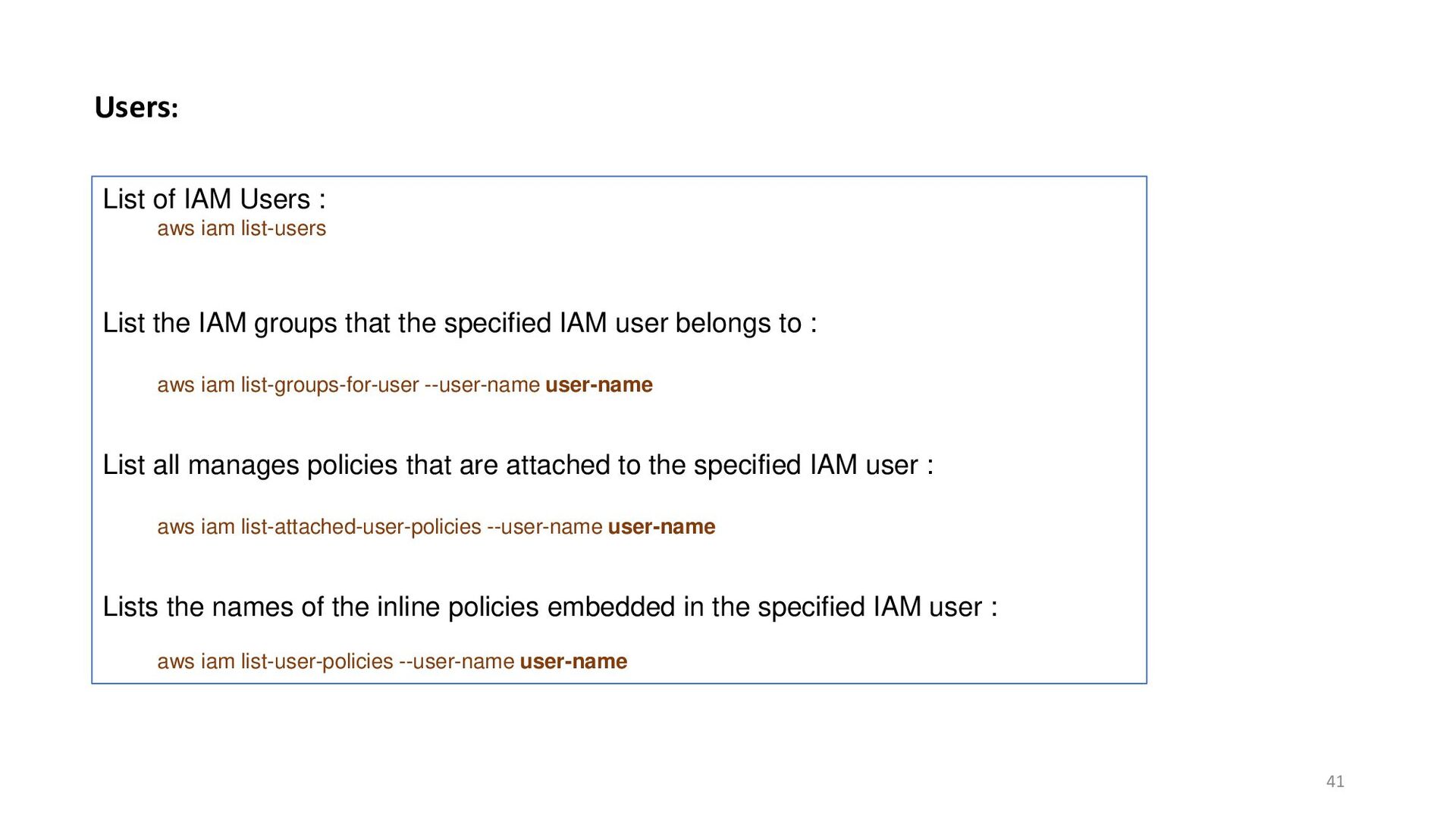
Users: 41 List of IAM Users : aws iam list-users
List the IAM groups that the specified IAM user belongs to : aws iam list-groups-for-user --user-name user-name List all manages policies that are attached to the specified IAM user : aws iam list-attached-user-policies --user-name user-name Lists the names of the inline policies embedded in the specified IAM user : aws iam list-user-policies --user-name user-name -
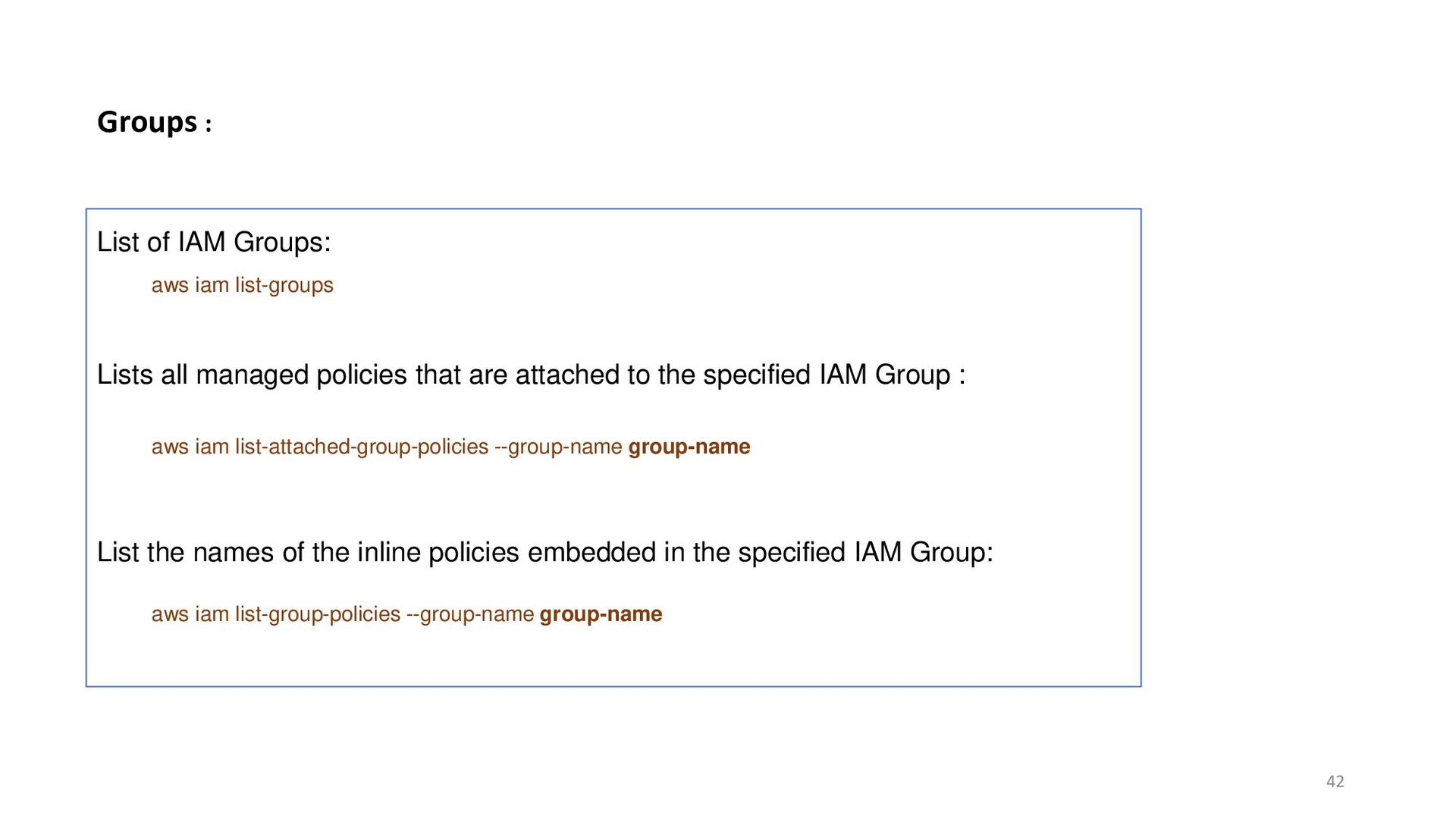
42 Groups : List of IAM Groups: aws iam list-groups
Lists all managed policies that are attached to the specified IAM Group : aws iam list-attached-group-policies --group-name group-name List the names of the inline policies embedded in the specified IAM Group: aws iam list-group-policies --group-name group-name -
Roles : 43 List of IAM Roles : aws iam
list-roles Lists all managed policies that are attached to the specified IAM role : aws iam list-attached-role-policies --role-name role-name List the names of the inline policies embedded in the specified IAM role : aws iam list-role-policies --role-name role-name -
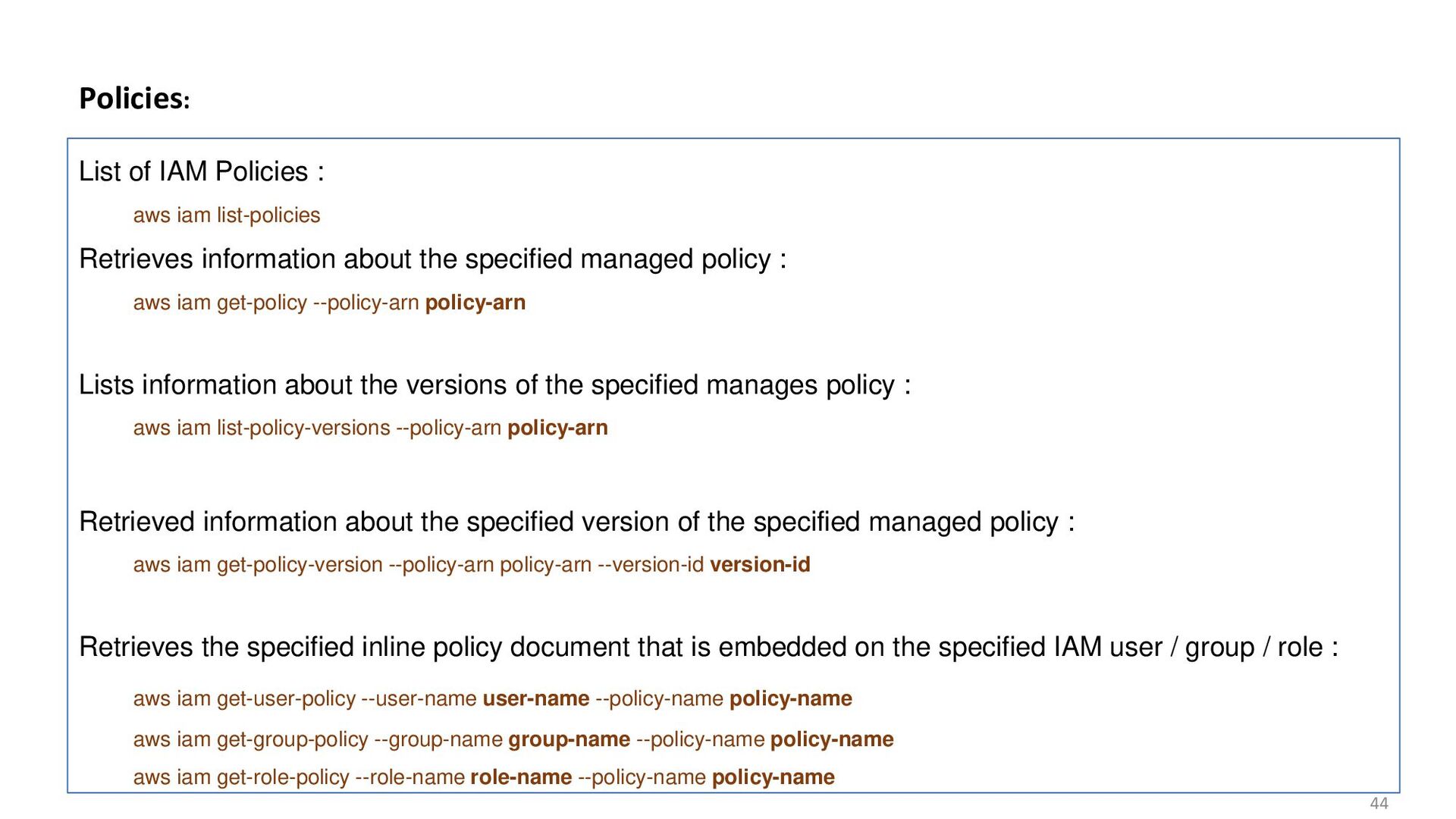
44 Policies: List of IAM Policies : aws iam list-policies
Retrieves information about the specified managed policy : aws iam get-policy --policy-arn policy-arn Lists information about the versions of the specified manages policy : aws iam list-policy-versions --policy-arn policy-arn Retrieved information about the specified version of the specified managed policy : aws iam get-policy-version --policy-arn policy-arn --version-id version-id Retrieves the specified inline policy document that is embedded on the specified IAM user / group / role : aws iam get-user-policy --user-name user-name --policy-name policy-name aws iam get-group-policy --group-name group-name --policy-name policy-name aws iam get-role-policy --role-name role-name --policy-name policy-name -
Module - 3 : Introduction about Google Cloud 3.1 Google
Cloud Overview 3.2 Cloud Identity & Google Workspace 3.3 Google Cloud • Role Based Access Control [RBAC] 45 -
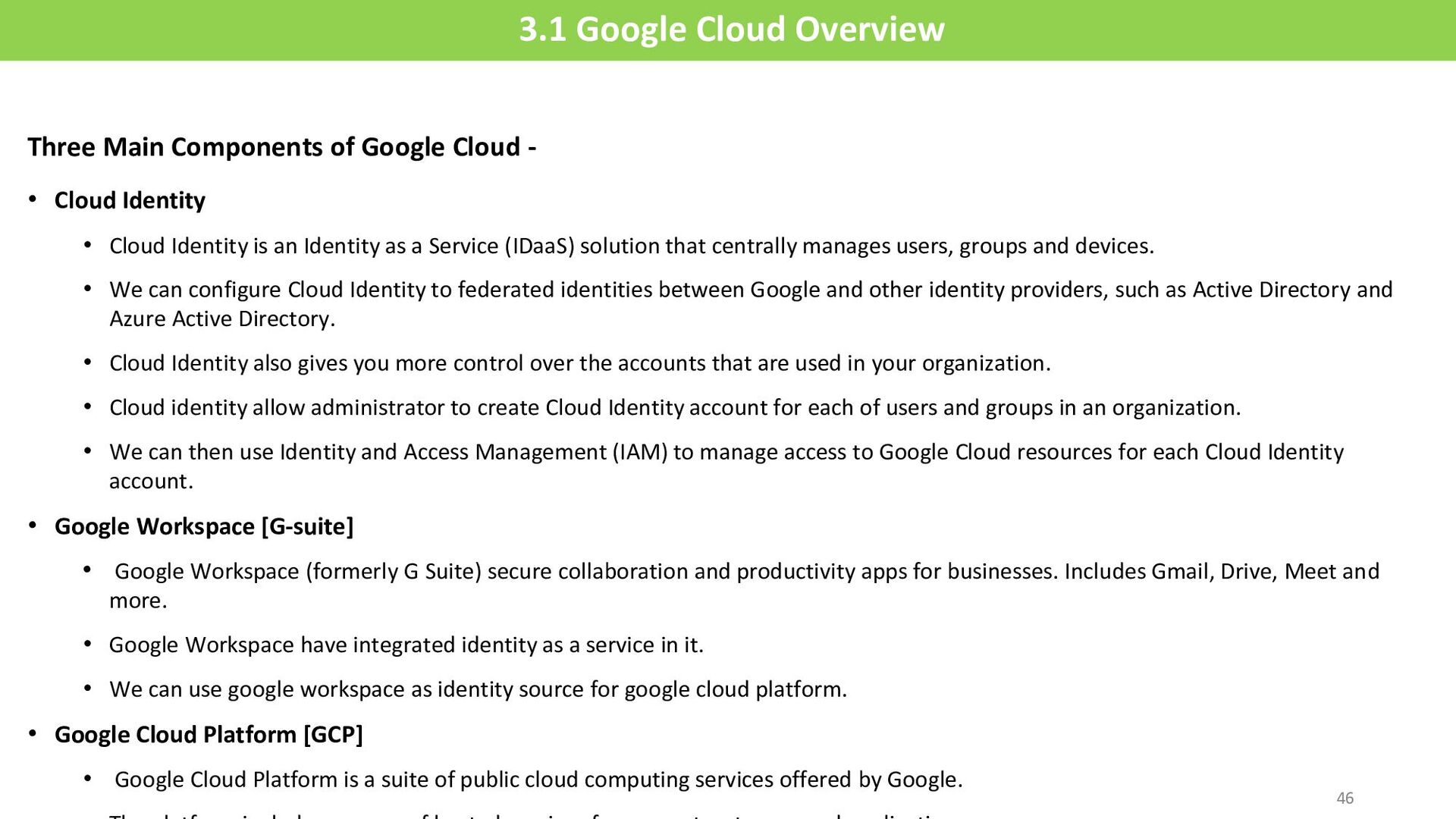
46 Three Main Components of Google Cloud - • Cloud
Identity • Cloud Identity is an Identity as a Service (IDaaS) solution that centrally manages users, groups and devices. • We can configure Cloud Identity to federated identities between Google and other identity providers, such as Active Directory and Azure Active Directory. • Cloud Identity also gives you more control over the accounts that are used in your organization. • Cloud identity allow administrator to create Cloud Identity account for each of users and groups in an organization. • We can then use Identity and Access Management (IAM) to manage access to Google Cloud resources for each Cloud Identity account. • Google Workspace [G-suite] • Google Workspace (formerly G Suite) secure collaboration and productivity apps for businesses. Includes Gmail, Drive, Meet and more. • Google Workspace have integrated identity as a service in it. • We can use google workspace as identity source for google cloud platform. • Google Cloud Platform [GCP] • Google Cloud Platform is a suite of public cloud computing services offered by Google. 3.1 Google Cloud Overview -
Cloud Identity Google Cloud Platform Google workspace Idaas (IAAS, PASS,
SAAS) (SAAS, Idaas) Authentication -
Google Cloud Space GCP Portal Google cloud API Web client
G cloud CLI API Client Authentication API Key Oath Access Token Username & Password (Gmail, G Suite or Cloud Identity) Authentication Google cloud Services Username & Password Service Account JSON File Google Cloud Architecture -
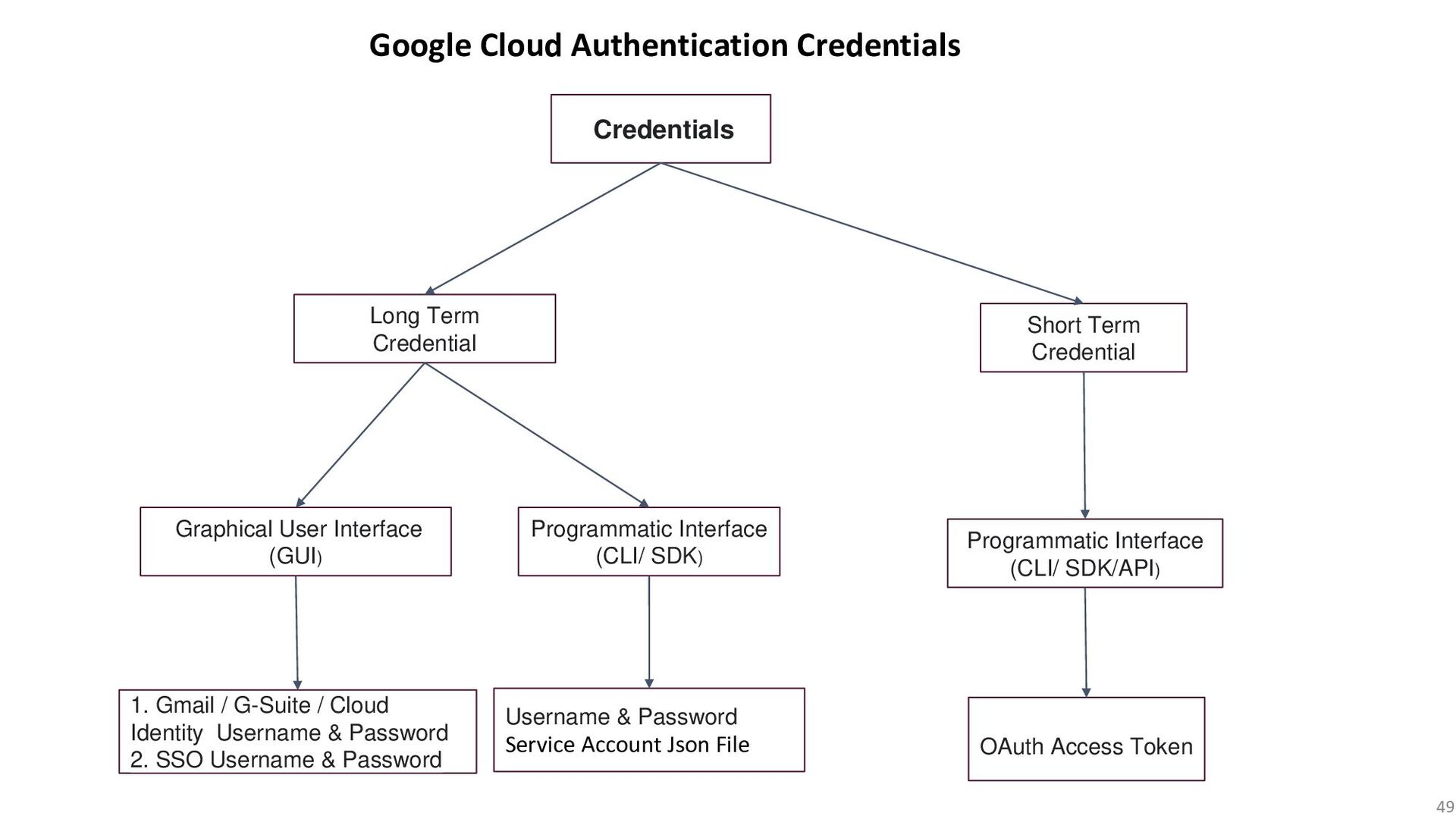
49 Short Term Credential Long Term Credential Credentials Programmatic Interface
(CLI/ SDK/API) Programmatic Interface (CLI/ SDK) Graphical User Interface (GUI) 1. Gmail / G-Suite / Cloud Identity Username & Password 2. SSO Username & Password OAuth Access Token Username & Password Service Account Json File Google Cloud Authentication Credentials -
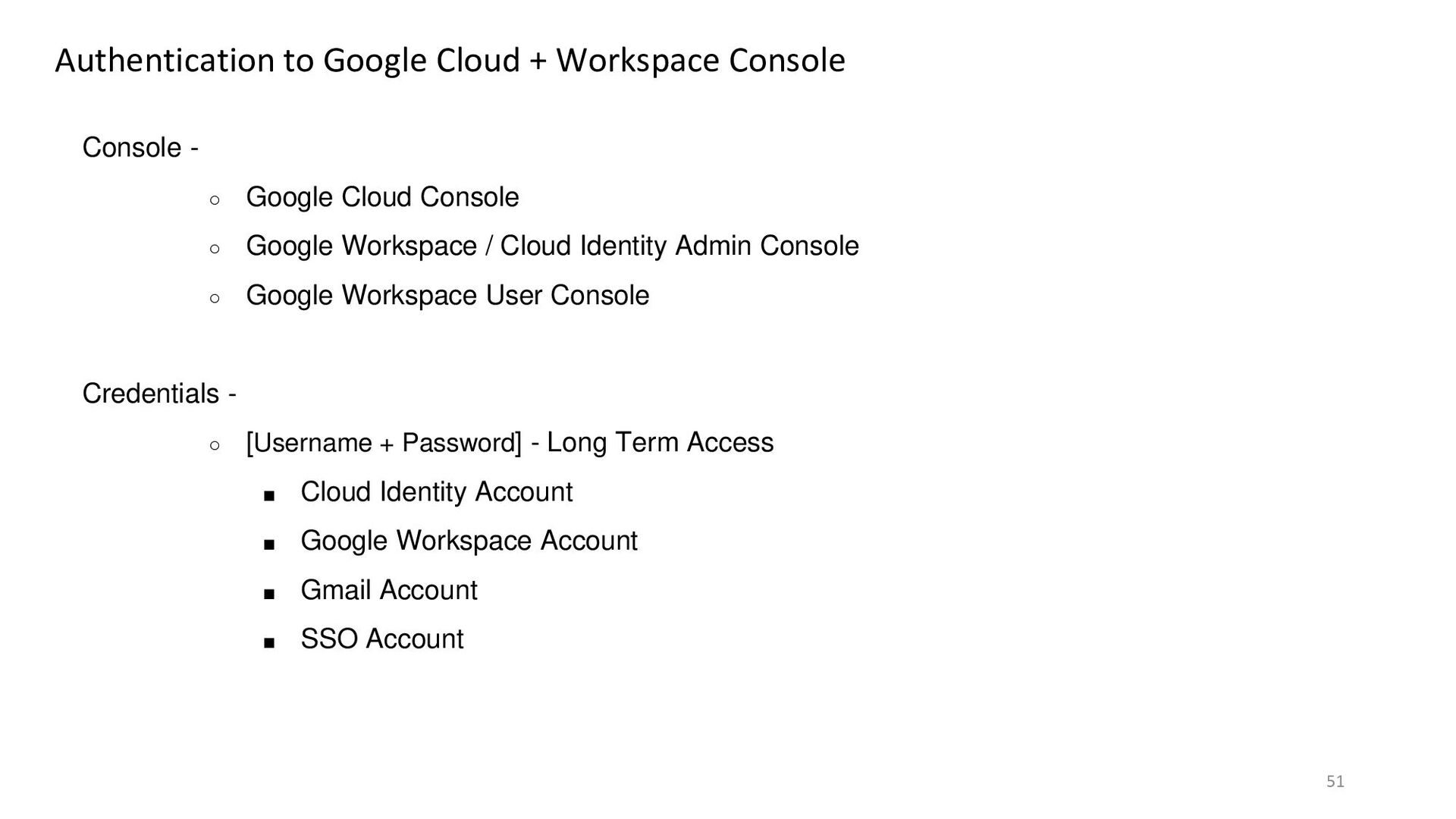
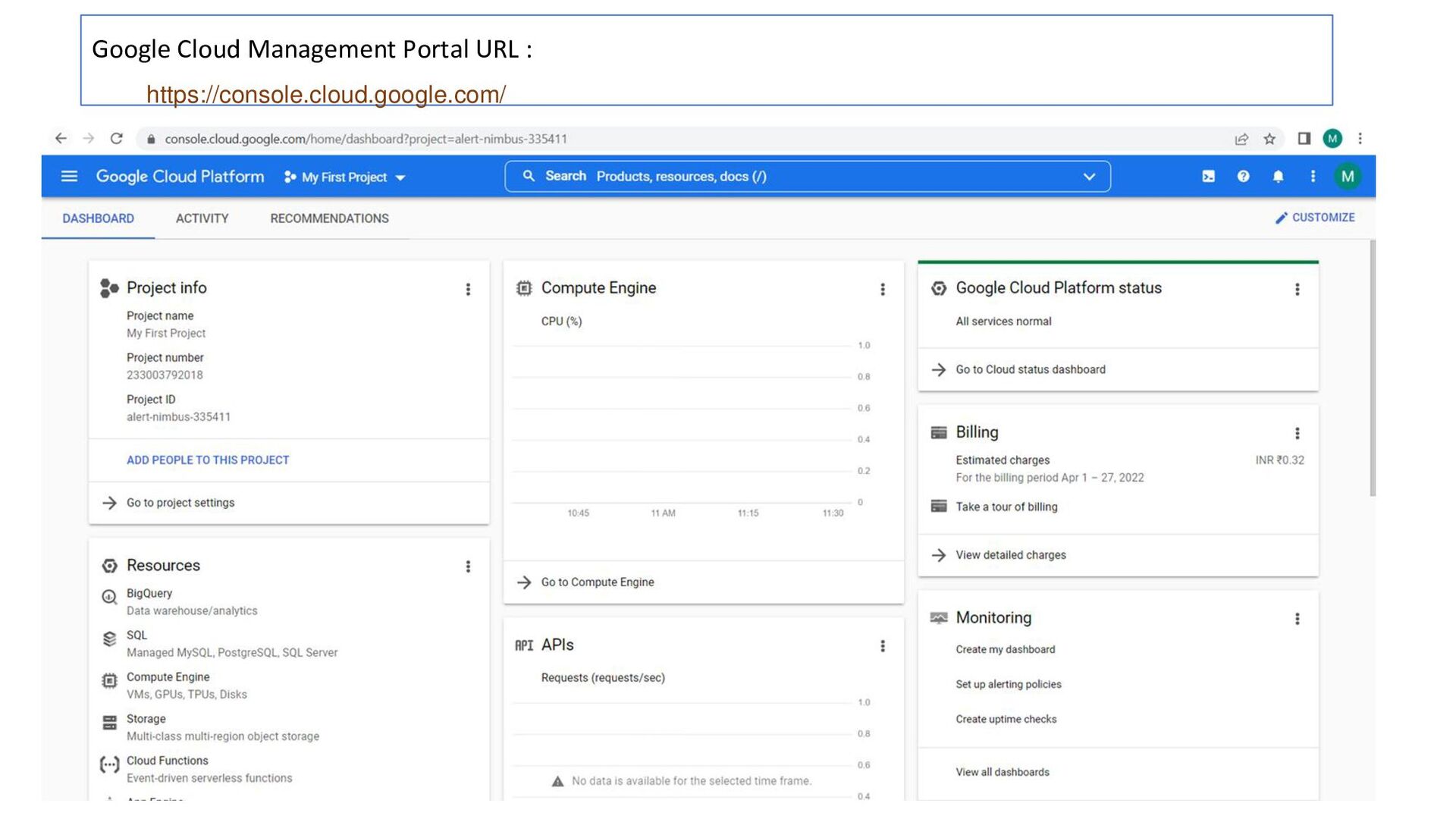
Authentication to Google Cloud + Workspace Console 51 Console -
◦ Google Cloud Console ◦ Google Workspace / Cloud Identity Admin Console ◦ Google Workspace User Console Credentials - ◦ [Username + Password] - Long Term Access ▪ Cloud Identity Account ▪ Google Workspace Account ▪ Gmail Account ▪ SSO Account -
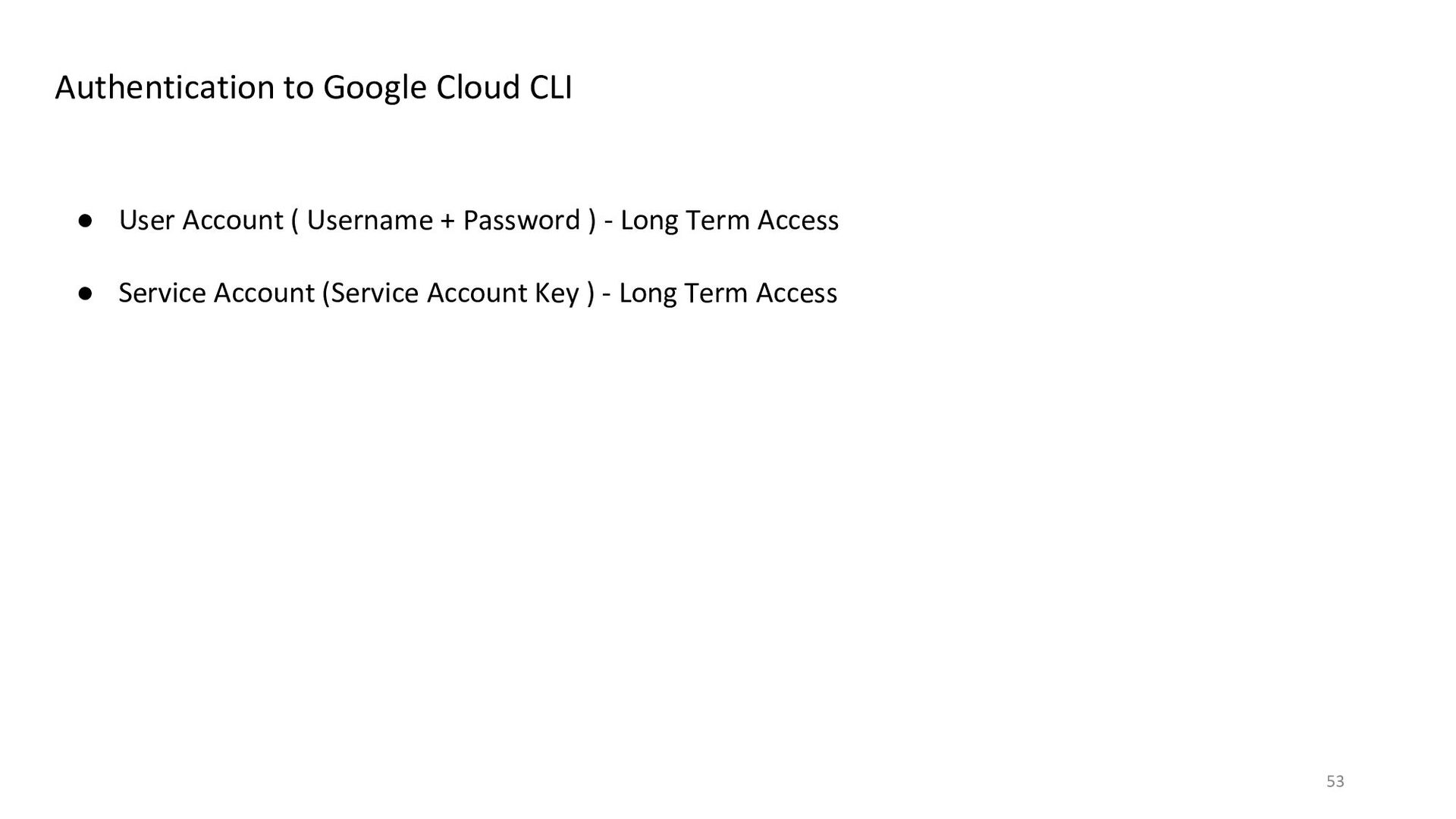
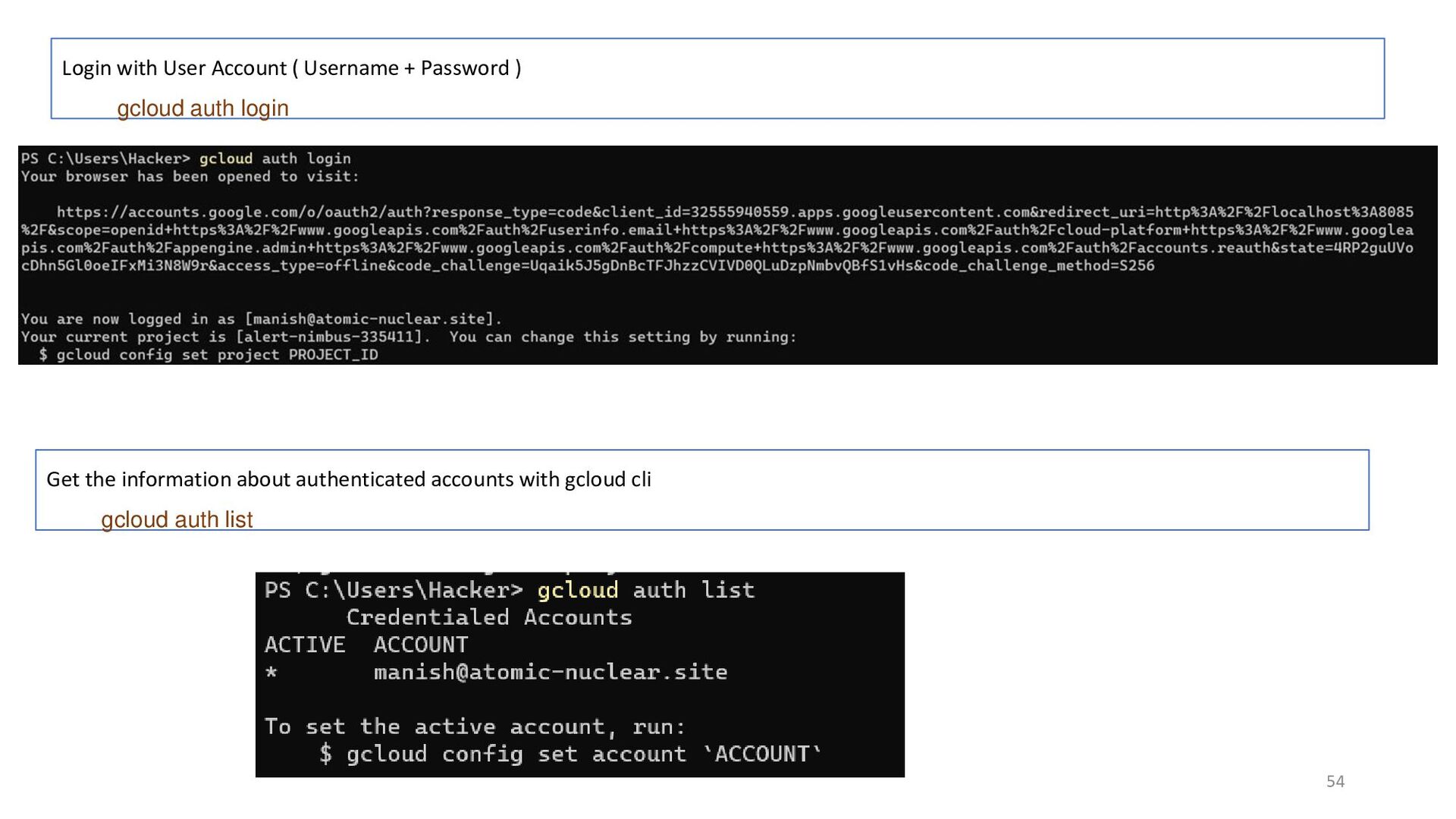
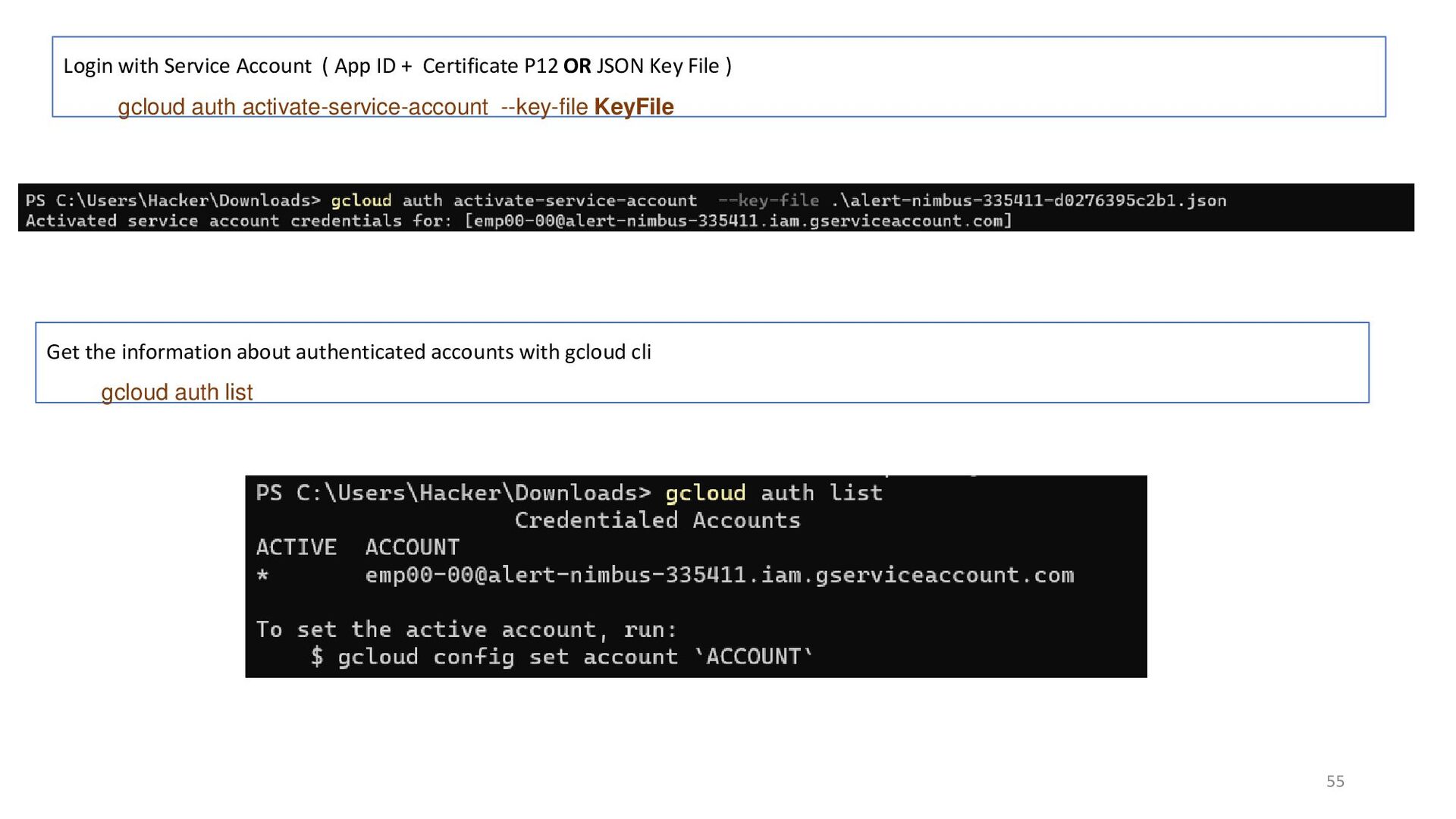
Authentication to Google Cloud CLI 53 • User Account (
Username + Password ) - Long Term Access • Service Account (Service Account Key ) - Long Term Access -
54 Login with User Account ( Username + Password )
gcloud auth login Get the information about authenticated accounts with gcloud cli gcloud auth list -
55 Login with Service Account ( App ID + Certificate
P12 OR JSON Key File ) gcloud auth activate-service-account --key-file KeyFile Get the information about authenticated accounts with gcloud cli gcloud auth list -
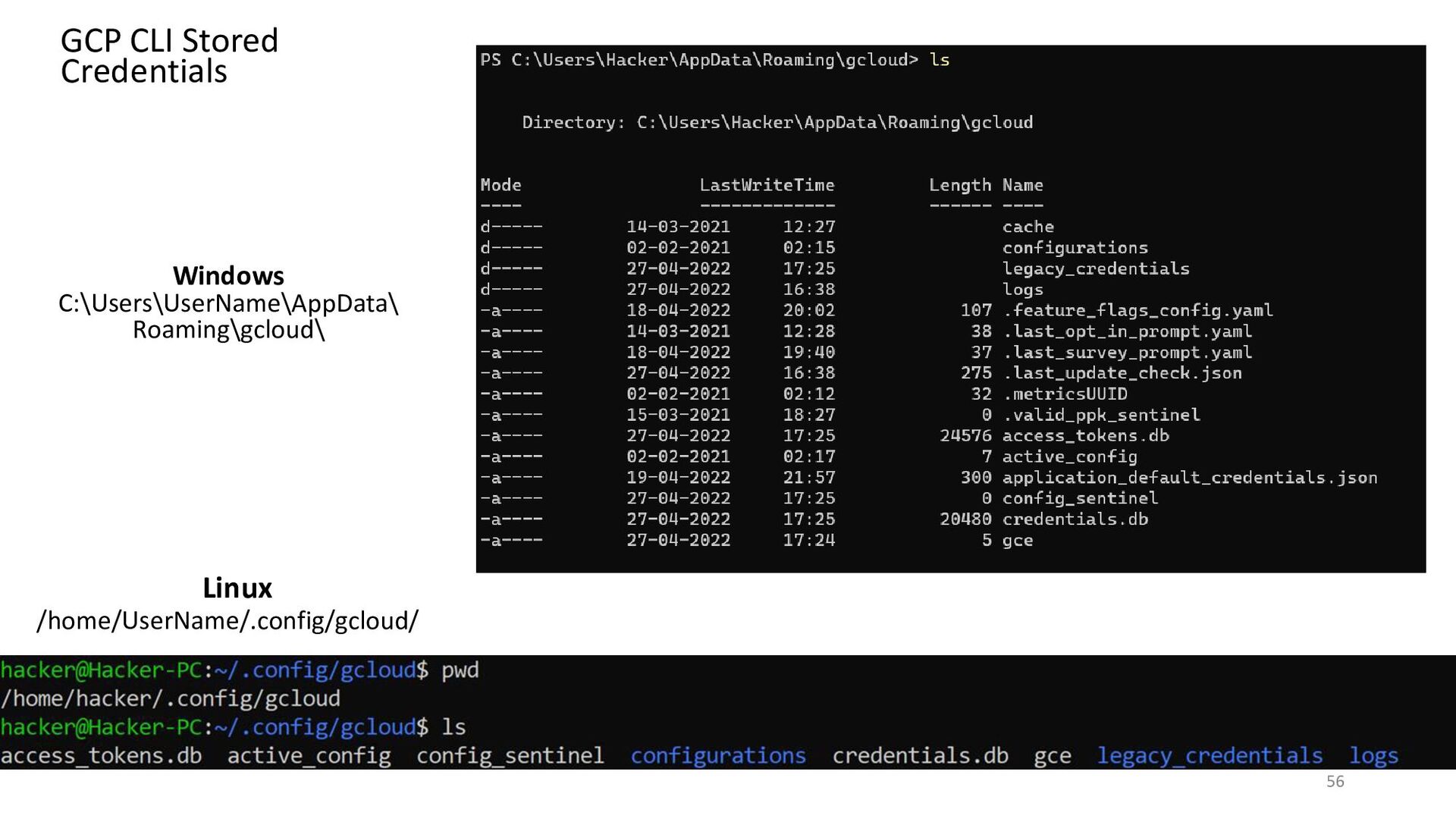
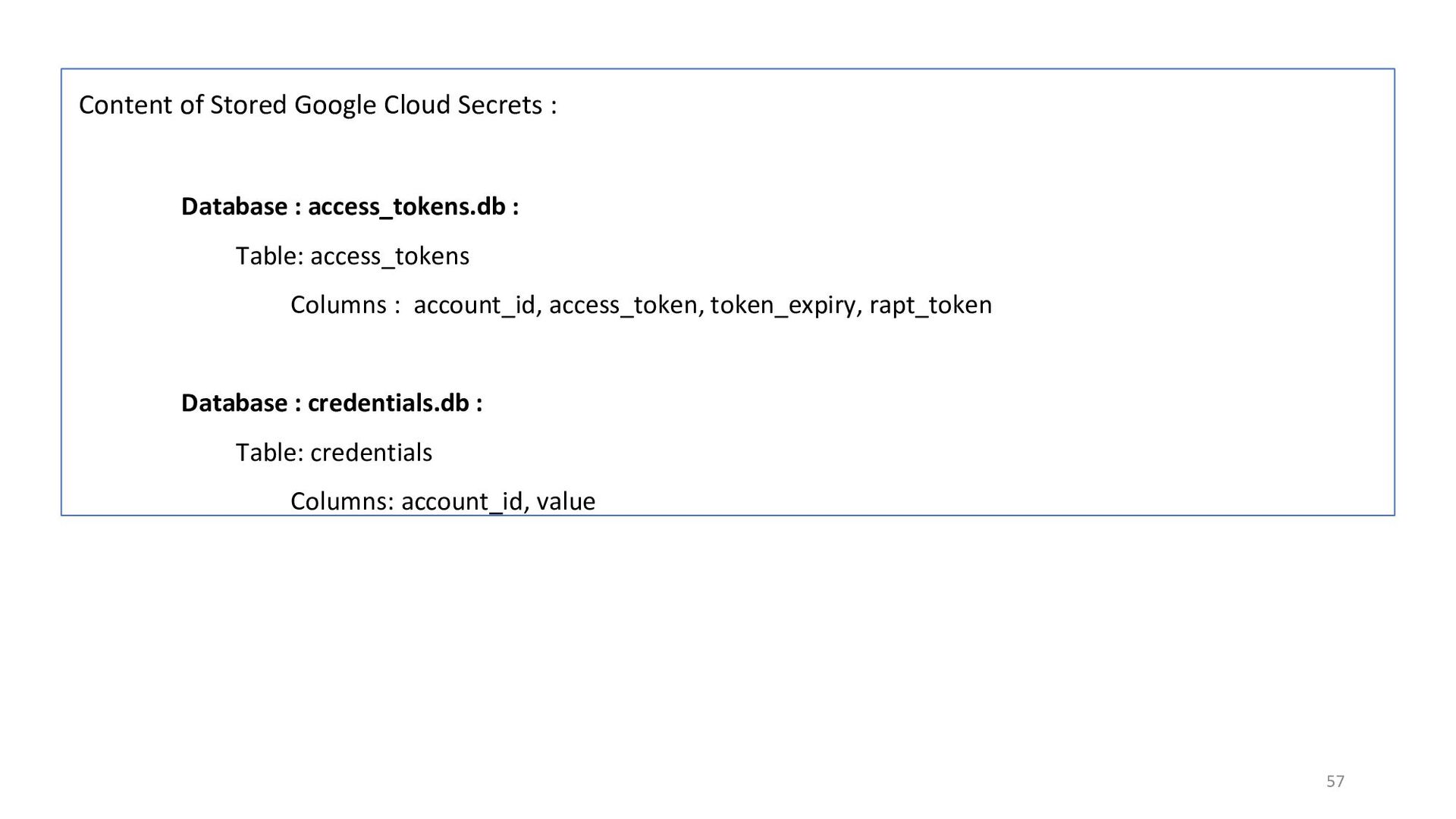
57 Content of Stored Google Cloud Secrets : Database :
access_tokens.db : Table: access_tokens Columns : account_id, access_token, token_expiry, rapt_token Database : credentials.db : Table: credentials Columns: account_id, value -
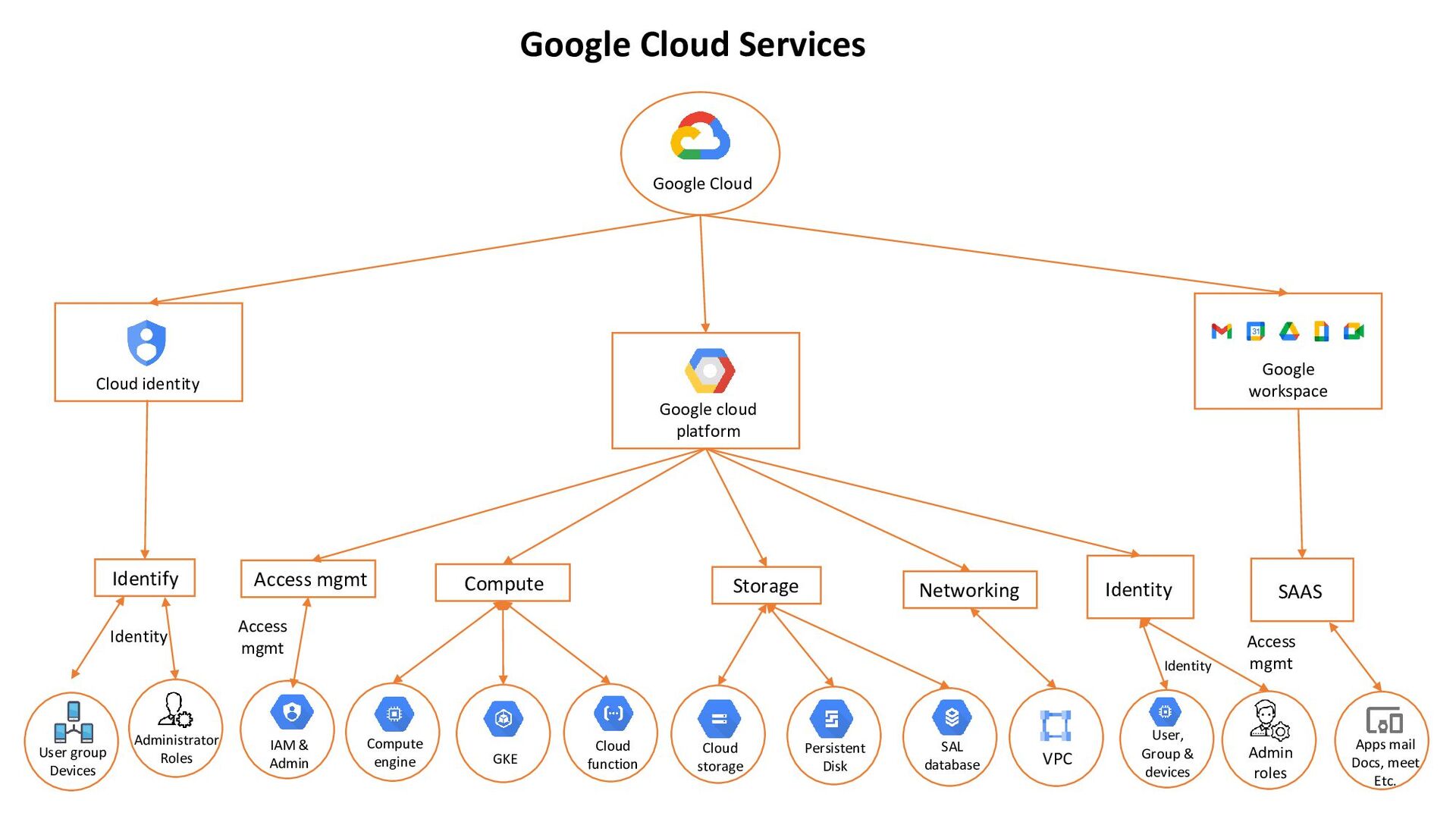
Google Cloud Cloud identity Google cloud platform Google workspace Identify
Access mgmt Storage Networking Identity SAAS User group Devices Administrator Roles IAM & Admin Compute engine GKE Cloud function Cloud storage Persistent Disk SAL database VPC User, Group & devices Admin roles Apps mail Docs, meet Etc. Compute Identity Access mgmt Identity Access mgmt Google Cloud Services -
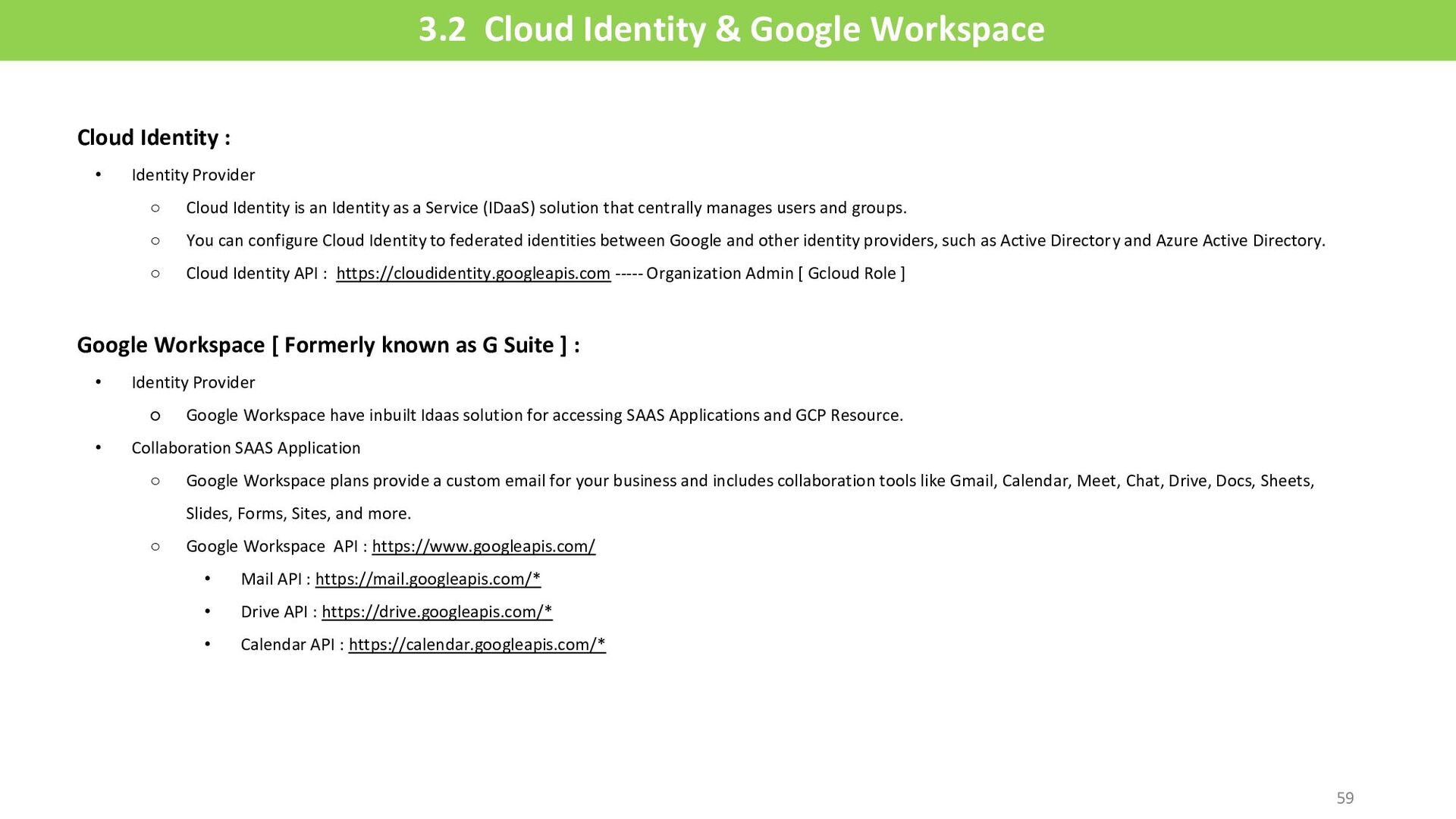
59 3.2 Cloud Identity & Google Workspace Cloud Identity :
• Identity Provider ◦ Cloud Identity is an Identity as a Service (IDaaS) solution that centrally manages users and groups. ◦ You can configure Cloud Identity to federated identities between Google and other identity providers, such as Active Directory and Azure Active Directory. ◦ Cloud Identity API : https://cloudidentity.googleapis.com ----- Organization Admin [ Gcloud Role ] Google Workspace [ Formerly known as G Suite ] : • Identity Provider ◦ Google Workspace have inbuilt Idaas solution for accessing SAAS Applications and GCP Resource. • Collaboration SAAS Application ◦ Google Workspace plans provide a custom email for your business and includes collaboration tools like Gmail, Calendar, Meet, Chat, Drive, Docs, Sheets, Slides, Forms, Sites, and more. ◦ Google Workspace API : https://www.googleapis.com/ • Mail API : https://mail.googleapis.com/* • Drive API : https://drive.googleapis.com/* • Calendar API : https://calendar.googleapis.com/* -
Google Cloud Google Workspace Cloud Identity Collaboration and Productivity Apps
Identity Provider Identity Provider -
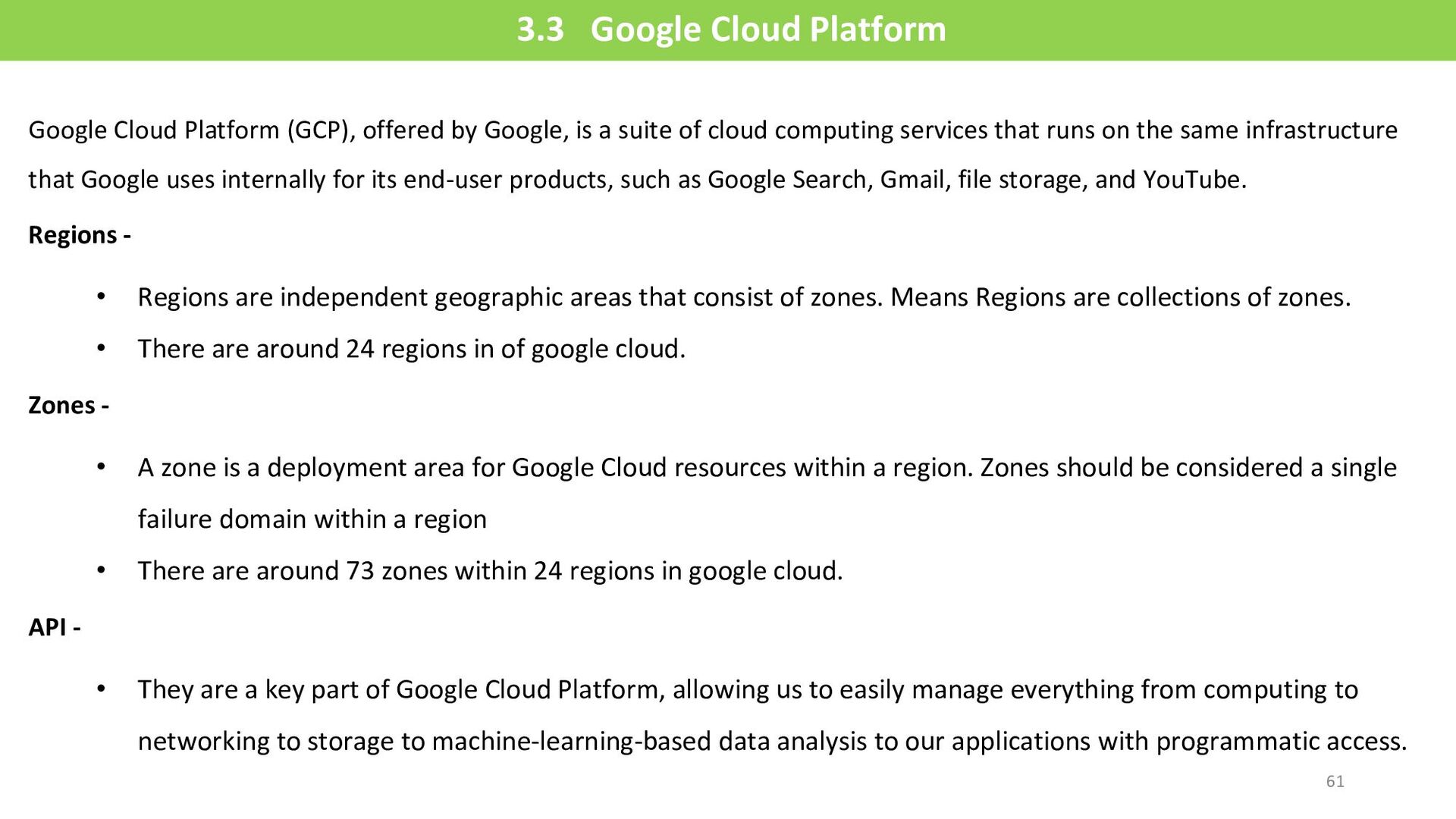
61 3.3 Google Cloud Platform Google Cloud Platform (GCP), offered
by Google, is a suite of cloud computing services that runs on the same infrastructure that Google uses internally for its end-user products, such as Google Search, Gmail, file storage, and YouTube. Regions - • Regions are independent geographic areas that consist of zones. Means Regions are collections of zones. • There are around 24 regions in of google cloud. Zones - • A zone is a deployment area for Google Cloud resources within a region. Zones should be considered a single failure domain within a region • There are around 73 zones within 24 regions in google cloud. API - • They are a key part of Google Cloud Platform, allowing us to easily manage everything from computing to networking to storage to machine-learning-based data analysis to our applications with programmatic access. -
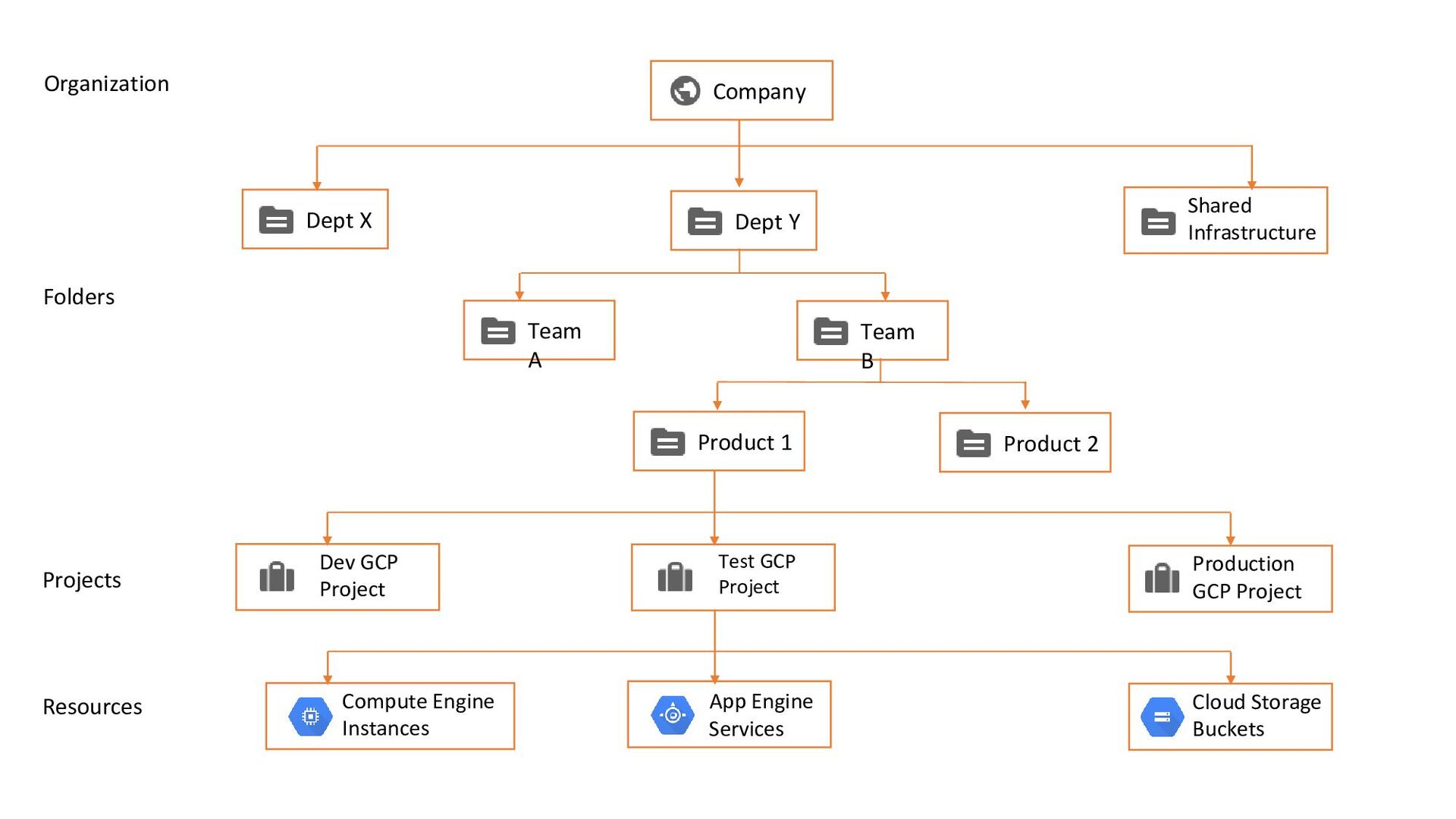
Company Dept X Dept Y Shared Infrastructure Team A Team
B Product 1 Product 2 Dev GCP Project Test GCP Project Production GCP Project App Engine Services Cloud Storage Buckets Compute Engine Instances Organization Folders Projects Resources -
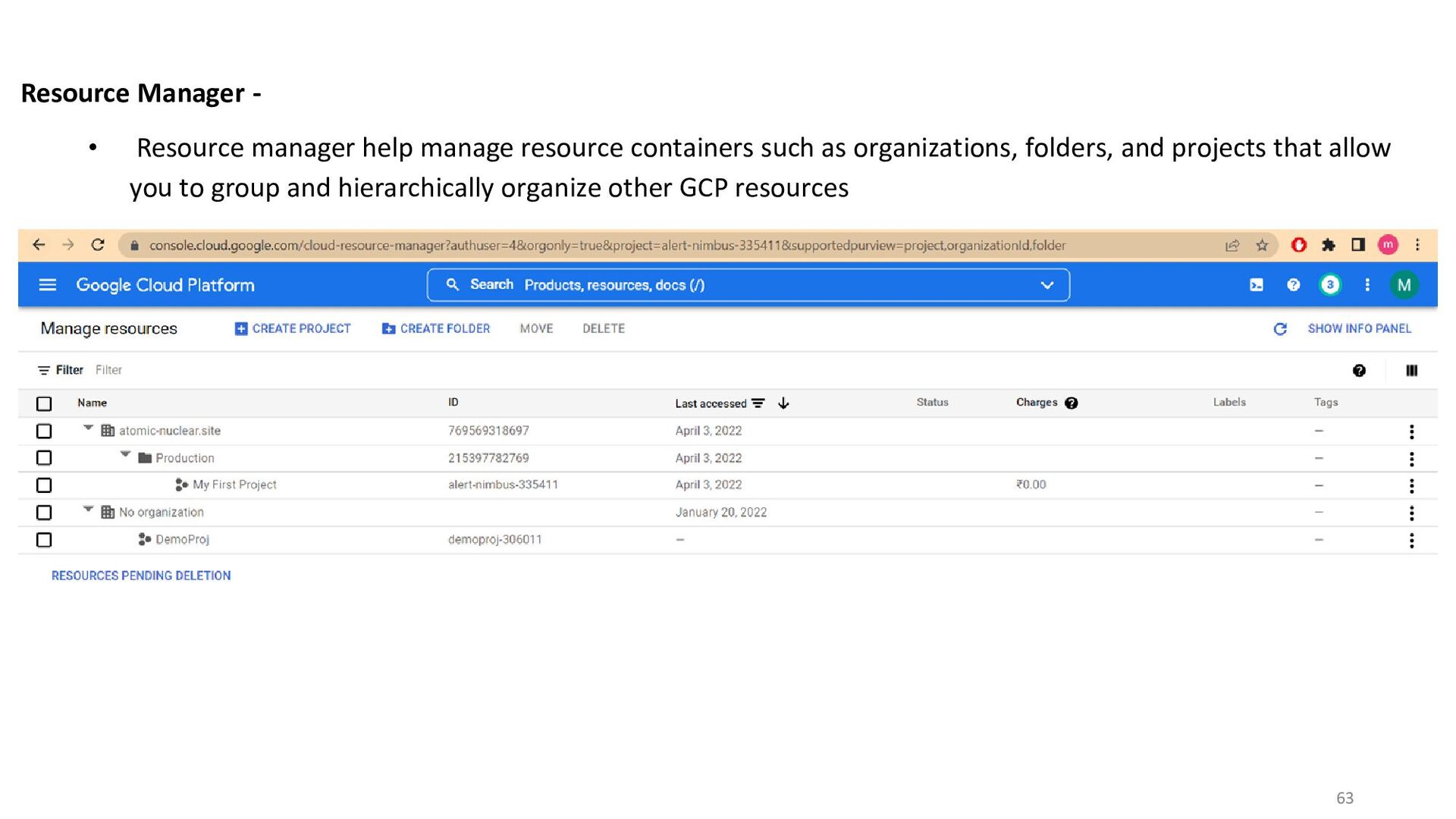
63 Resource Manager - • Resource manager help manage resource
containers such as organizations, folders, and projects that allow you to group and hierarchically organize other GCP resources -
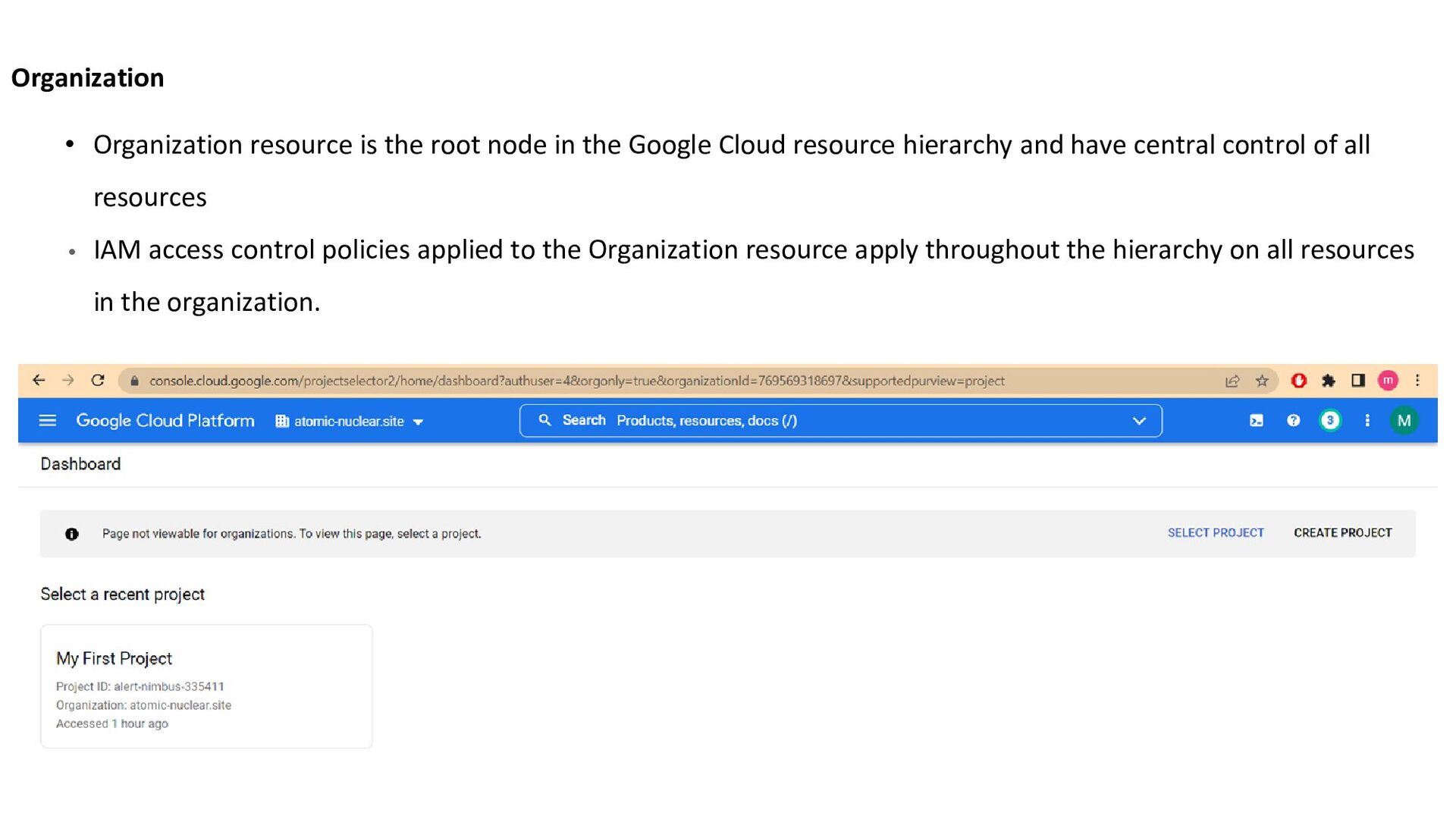
64 Organization • Organization resource is the root node in
the Google Cloud resource hierarchy and have central control of all resources • IAM access control policies applied to the Organization resource apply throughout the hierarchy on all resources in the organization. -
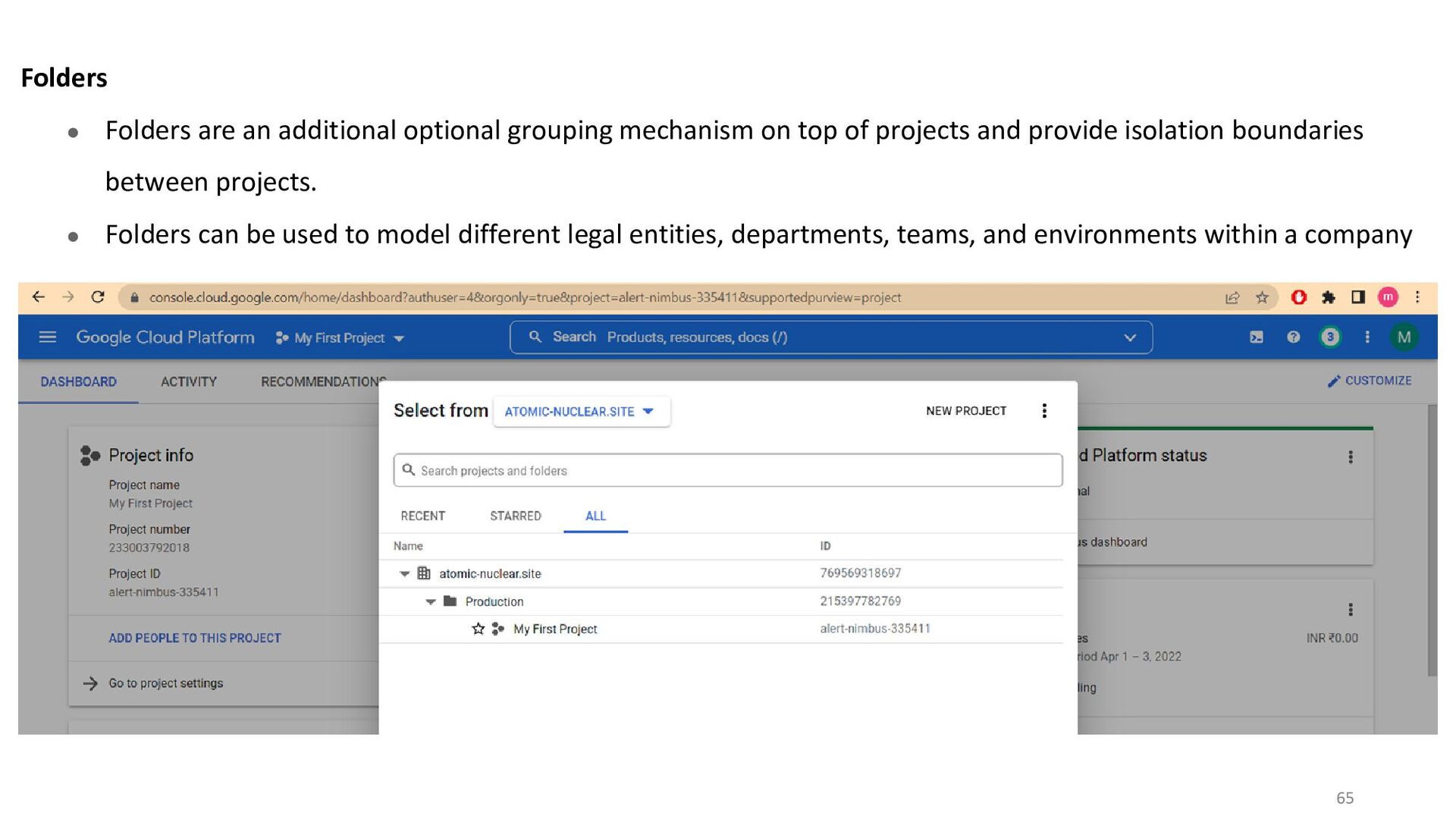
65 Folders • Folders are an additional optional grouping mechanism
on top of projects and provide isolation boundaries between projects. • Folders can be used to model different legal entities, departments, teams, and environments within a company -
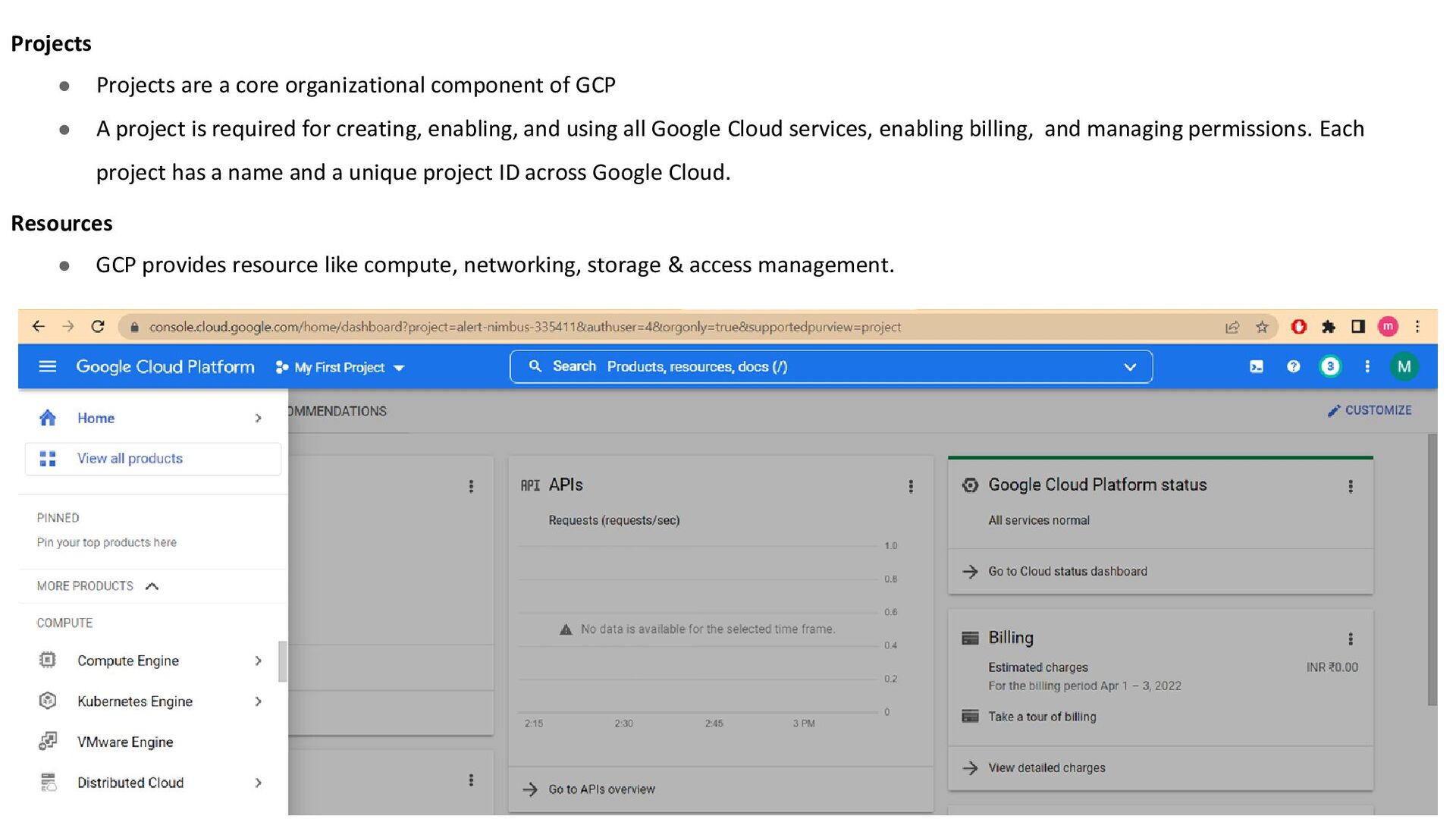
66 Projects • Projects are a core organizational component of
GCP • A project is required for creating, enabling, and using all Google Cloud services, enabling billing, and managing permissions. Each project has a name and a unique project ID across Google Cloud. Resources • GCP provides resource like compute, networking, storage & access management. -
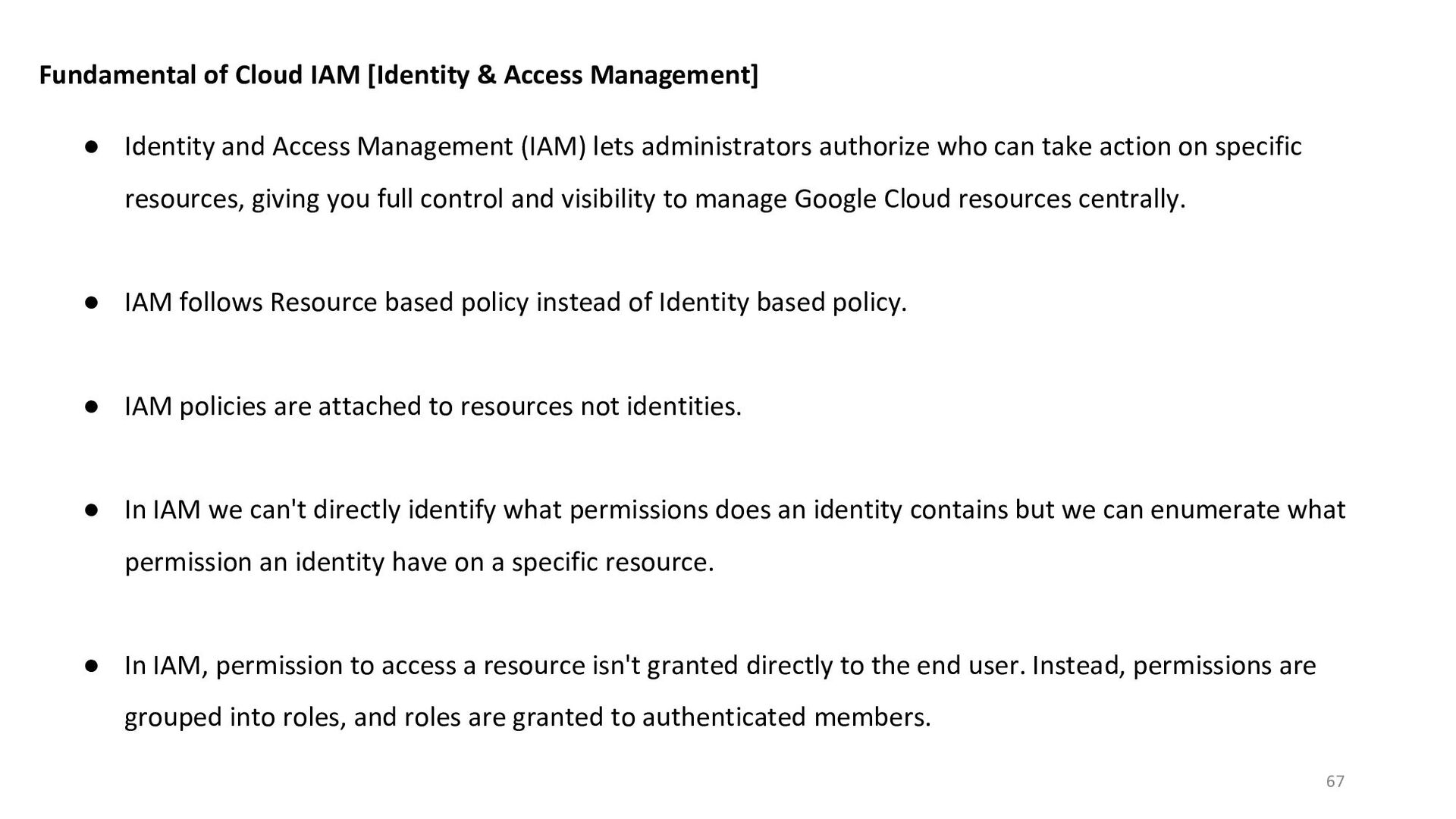
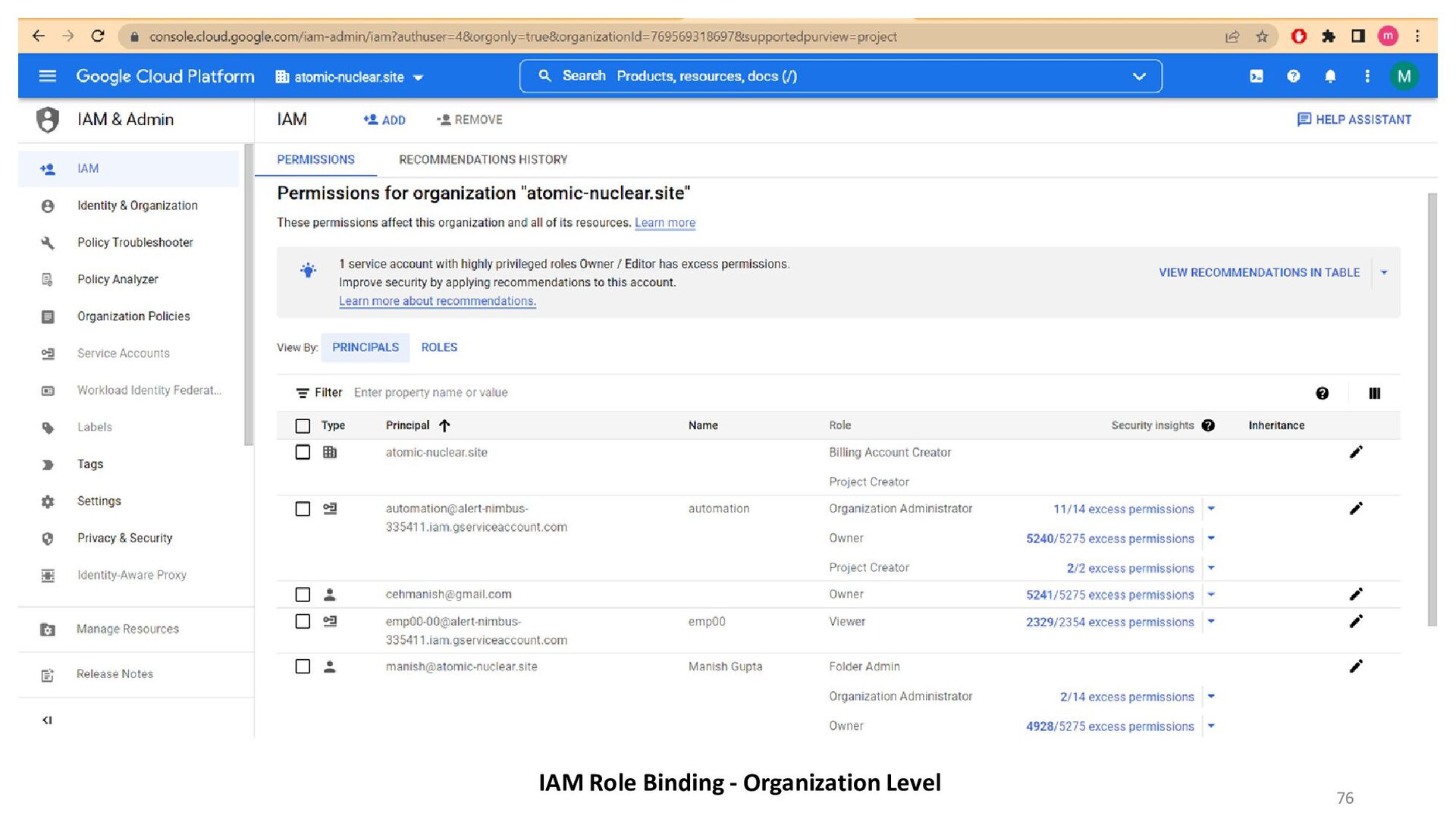
• Identity and Access Management (IAM) lets administrators authorize who
can take action on specific resources, giving you full control and visibility to manage Google Cloud resources centrally. • IAM follows Resource based policy instead of Identity based policy. • IAM policies are attached to resources not identities. • In IAM we can't directly identify what permissions does an identity contains but we can enumerate what permission an identity have on a specific resource. • In IAM, permission to access a resource isn't granted directly to the end user. Instead, permissions are grouped into roles, and roles are granted to authenticated members. 67 Fundamental of Cloud IAM [Identity & Access Management] -
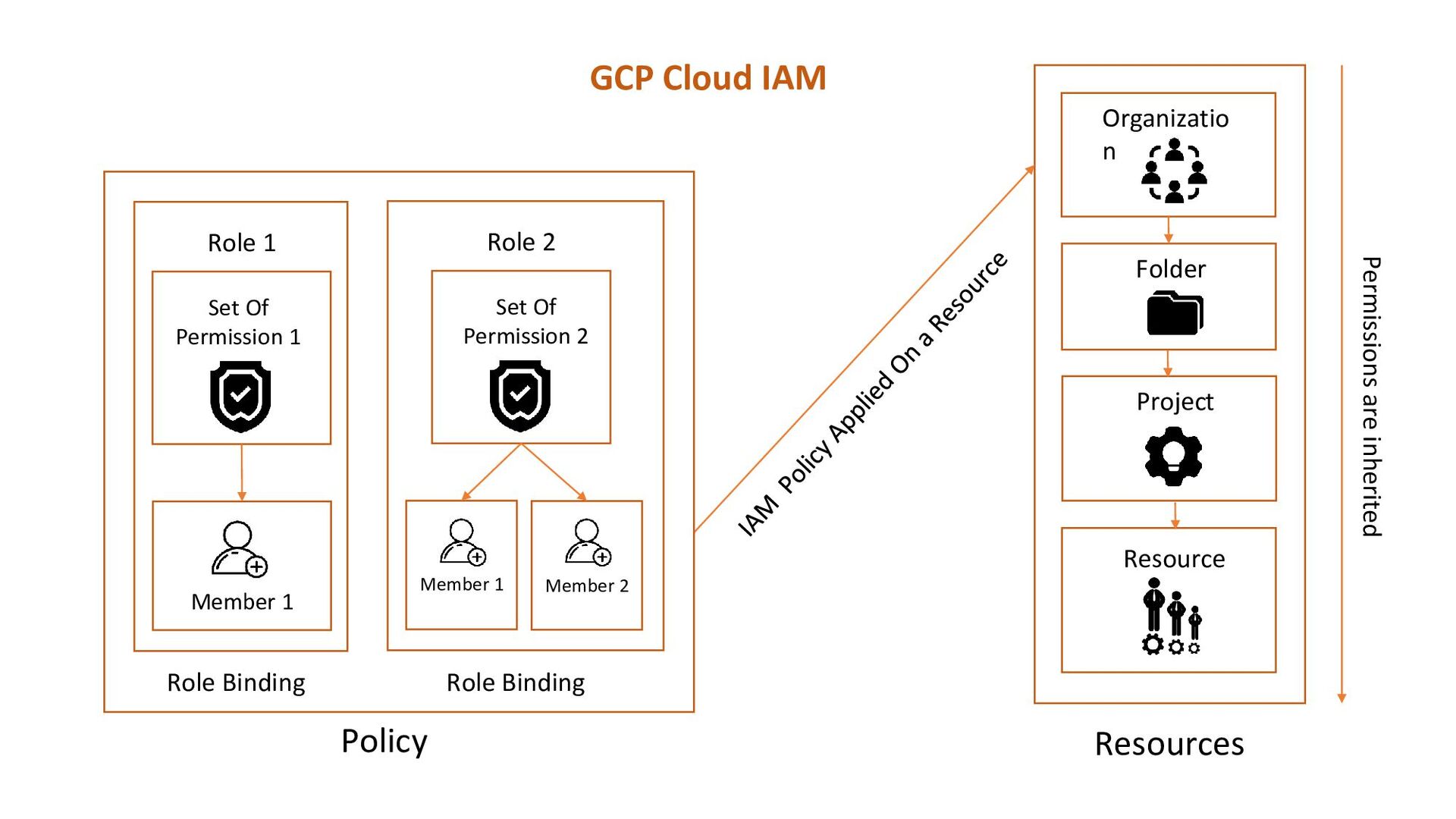
GCP Cloud IAM Member 1 Role 1 Set Of Permission
1 Member 1 Role 2 Set Of Permission 2 Member 2 Role Binding Role Binding Policy Organizatio n Folder Project Resource Resources Permissions are inherited -
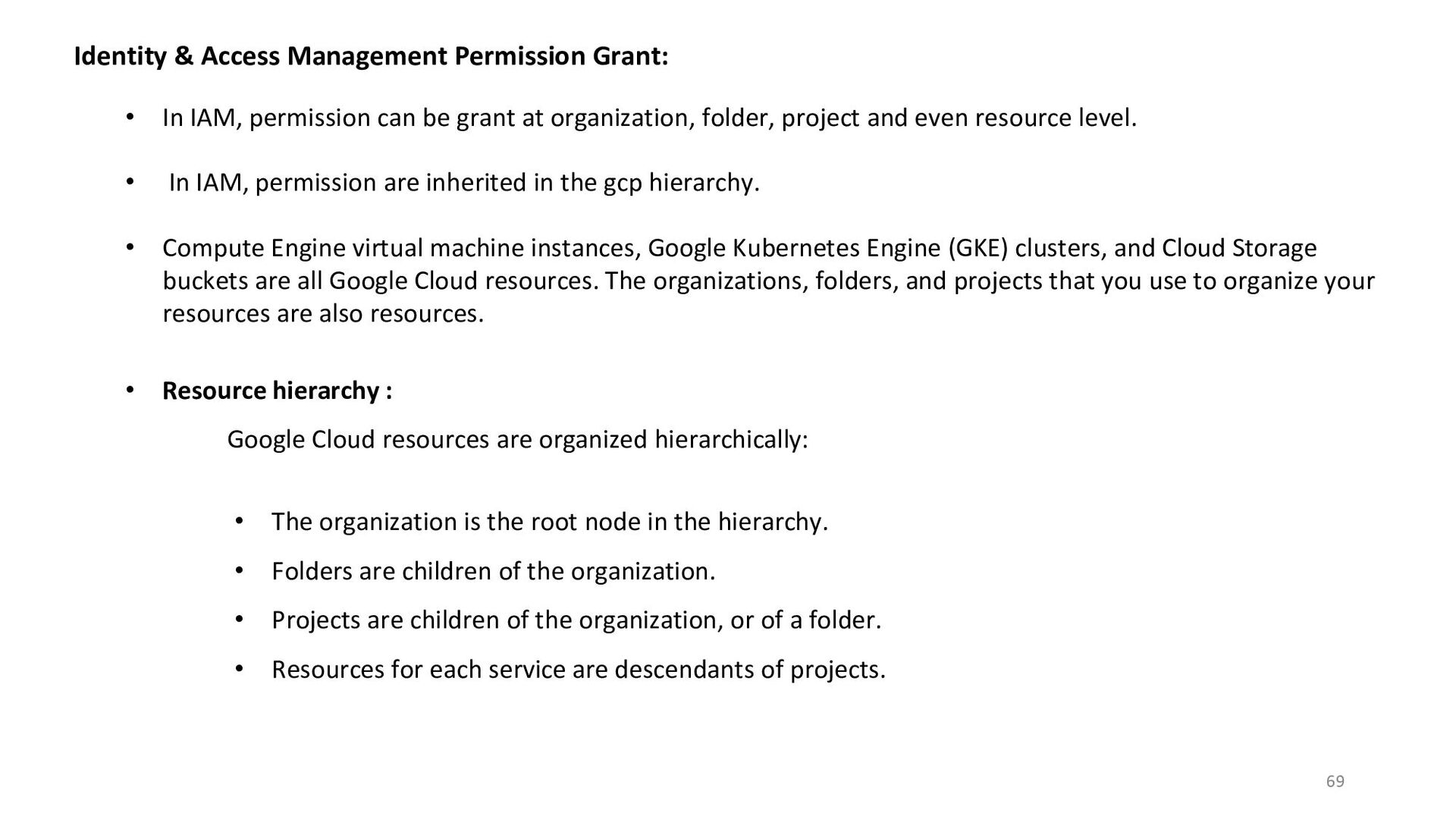
69 Identity & Access Management Permission Grant: • In IAM,
permission can be grant at organization, folder, project and even resource level. • In IAM, permission are inherited in the gcp hierarchy. • Compute Engine virtual machine instances, Google Kubernetes Engine (GKE) clusters, and Cloud Storage buckets are all Google Cloud resources. The organizations, folders, and projects that you use to organize your resources are also resources. • Resource hierarchy : Google Cloud resources are organized hierarchically: • The organization is the root node in the hierarchy. • Folders are children of the organization. • Projects are children of the organization, or of a folder. • Resources for each service are descendants of projects. -
70 Identity [ Members ] : • A member can
be a Google Account (for end users), a service account (for apps and virtual machines), a Google group, or a Google Workspace or Cloud Identity domain that can access a resource. • The identity of a member is an email address associated with a user, service account, or Google group; or a domain name associated with Google Workspace or Cloud Identity domains. Type of member in GCP: ◦ Google Account ◦ Service account ◦ Google group ◦ Google Workspace domain ◦ Cloud Identity domain ◦ All authenticated users ◦ All users -
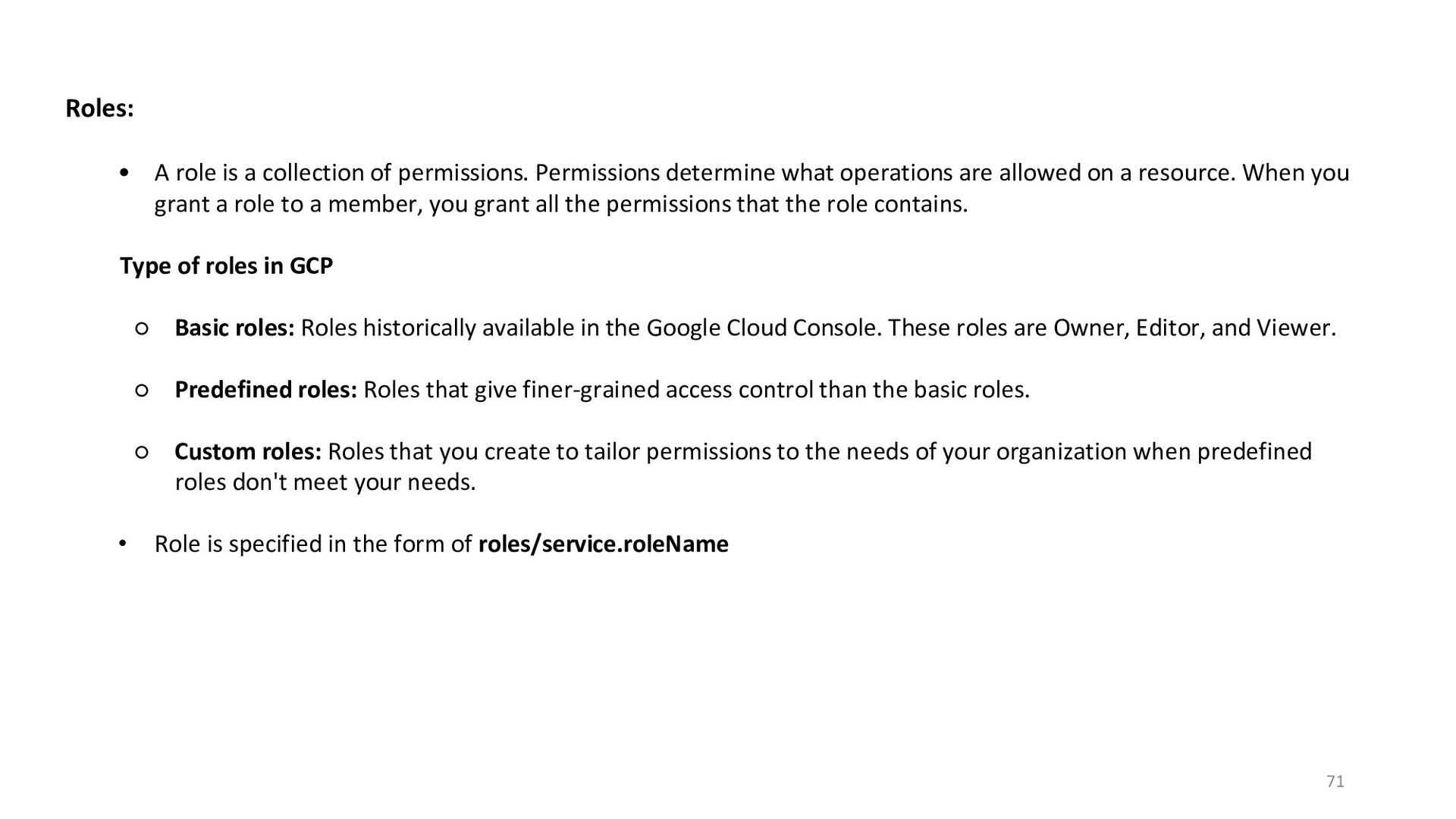
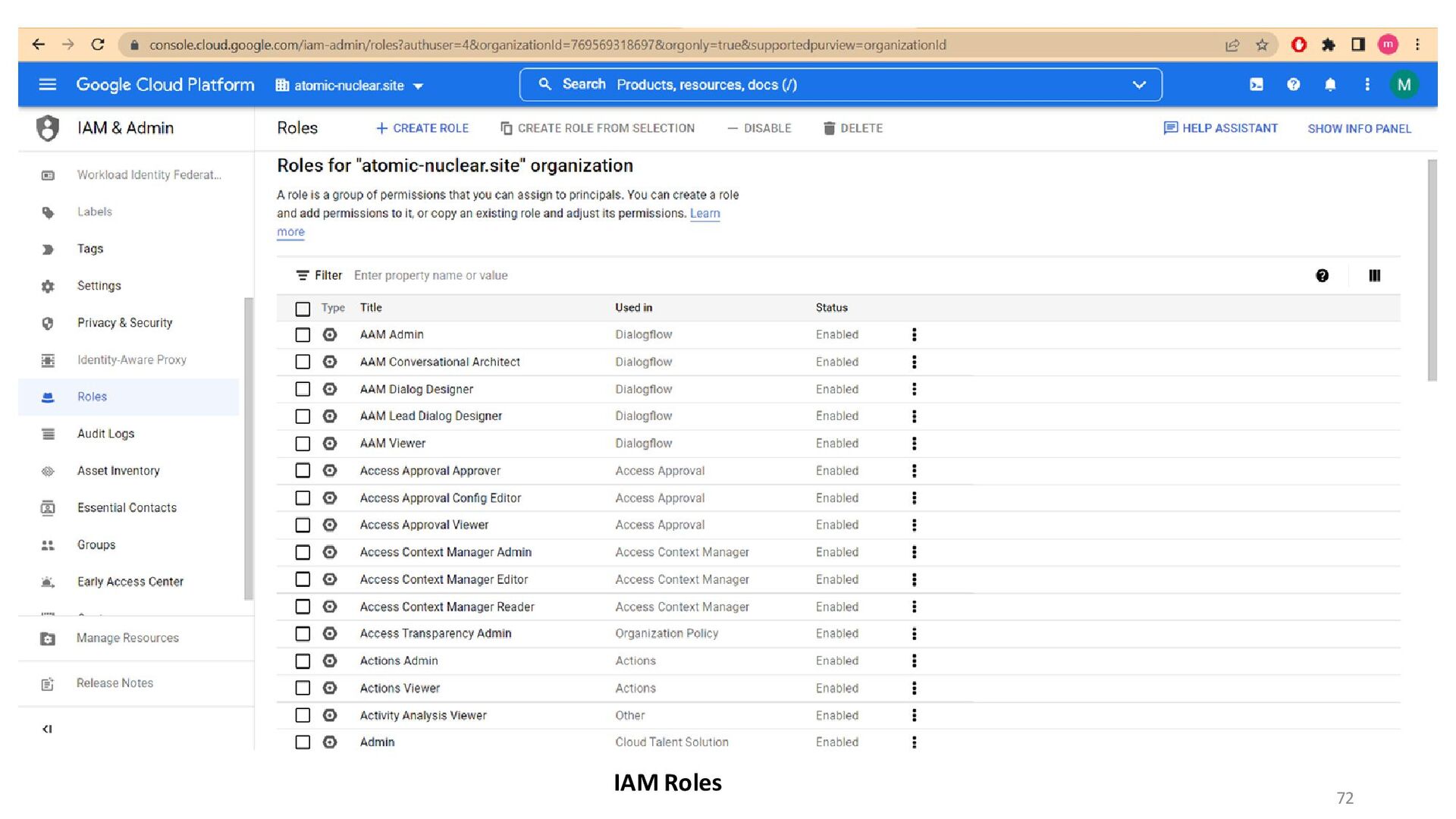
71 Roles: • A role is a collection of permissions.
Permissions determine what operations are allowed on a resource. When you grant a role to a member, you grant all the permissions that the role contains. Type of roles in GCP ◦ Basic roles: Roles historically available in the Google Cloud Console. These roles are Owner, Editor, and Viewer. ◦ Predefined roles: Roles that give finer-grained access control than the basic roles. ◦ Custom roles: Roles that you create to tailor permissions to the needs of your organization when predefined roles don't meet your needs. • Role is specified in the form of roles/service.roleName -
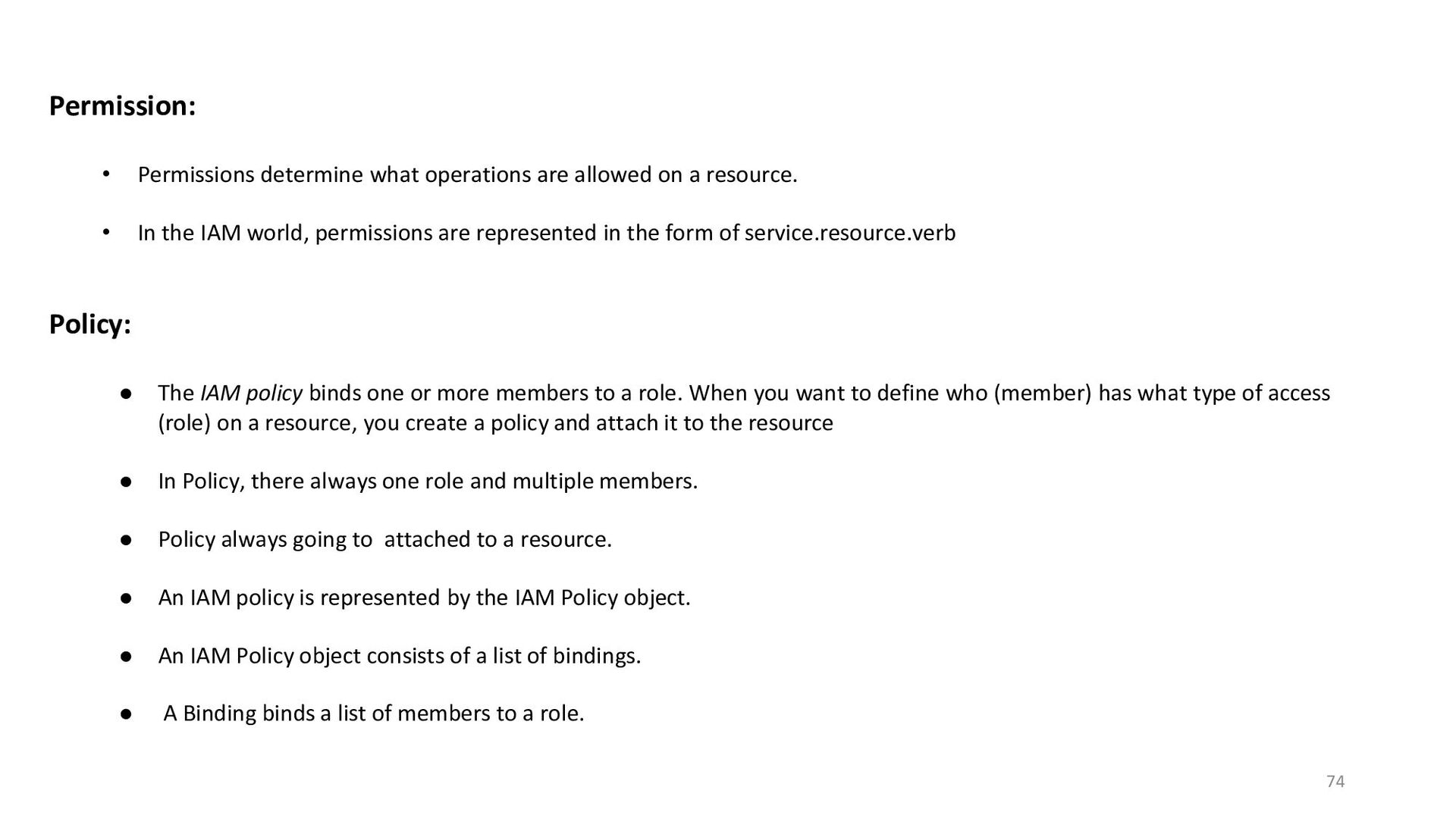
74 Permission: • Permissions determine what operations are allowed on
a resource. • In the IAM world, permissions are represented in the form of service.resource.verb Policy: • The IAM policy binds one or more members to a role. When you want to define who (member) has what type of access (role) on a resource, you create a policy and attach it to the resource • In Policy, there always one role and multiple members. • Policy always going to attached to a resource. • An IAM policy is represented by the IAM Policy object. • An IAM Policy object consists of a list of bindings. • A Binding binds a list of members to a role. -
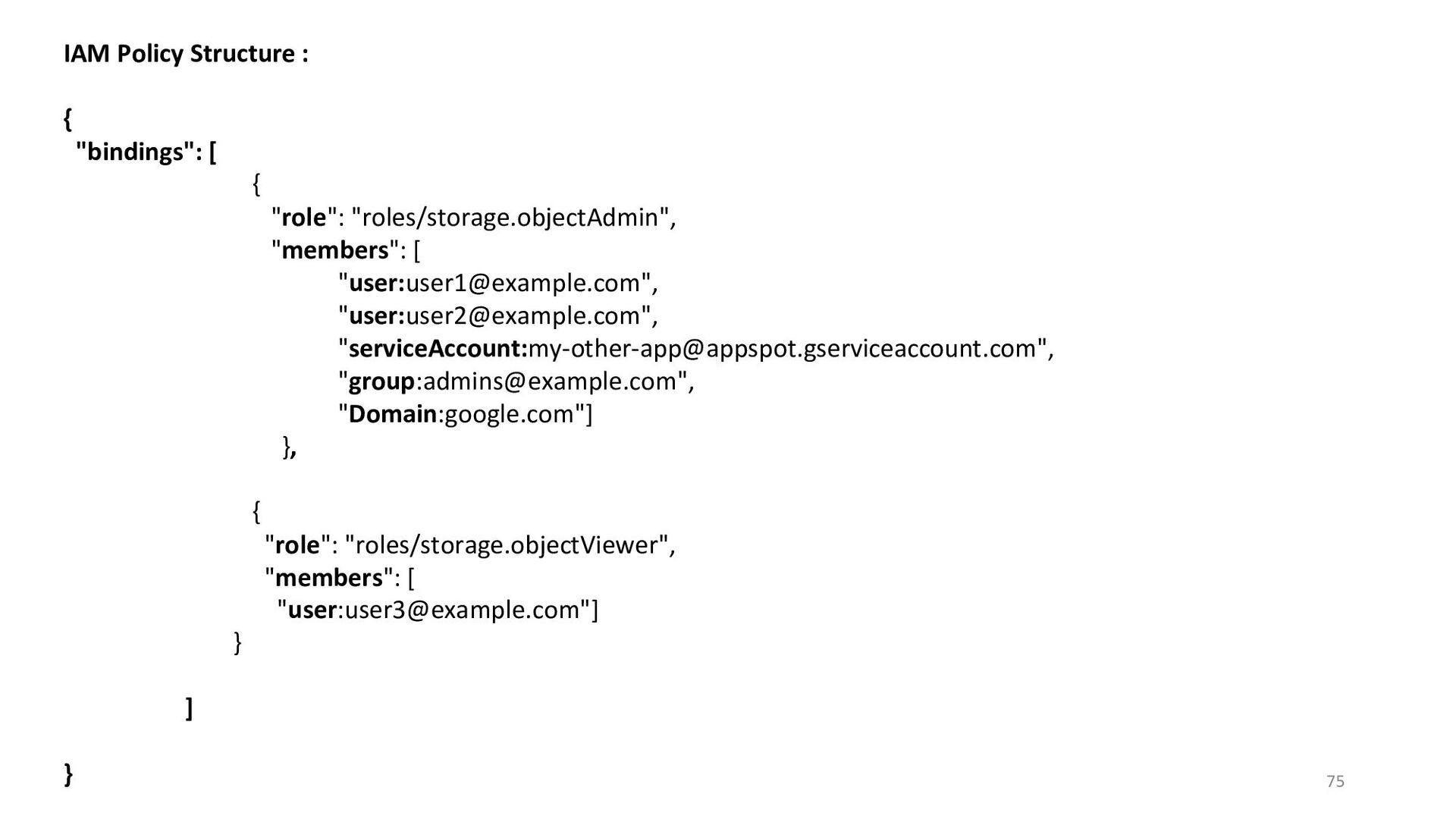
75 IAM Policy Structure : { "bindings": [ { "role":
"roles/storage.objectAdmin", "members": [ "user:[email protected]", "user:[email protected]", "serviceAccount:[email protected]", "group:[email protected]", "Domain:google.com"] }, { "role": "roles/storage.objectViewer", "members": [ "user:[email protected]"] } ] } -
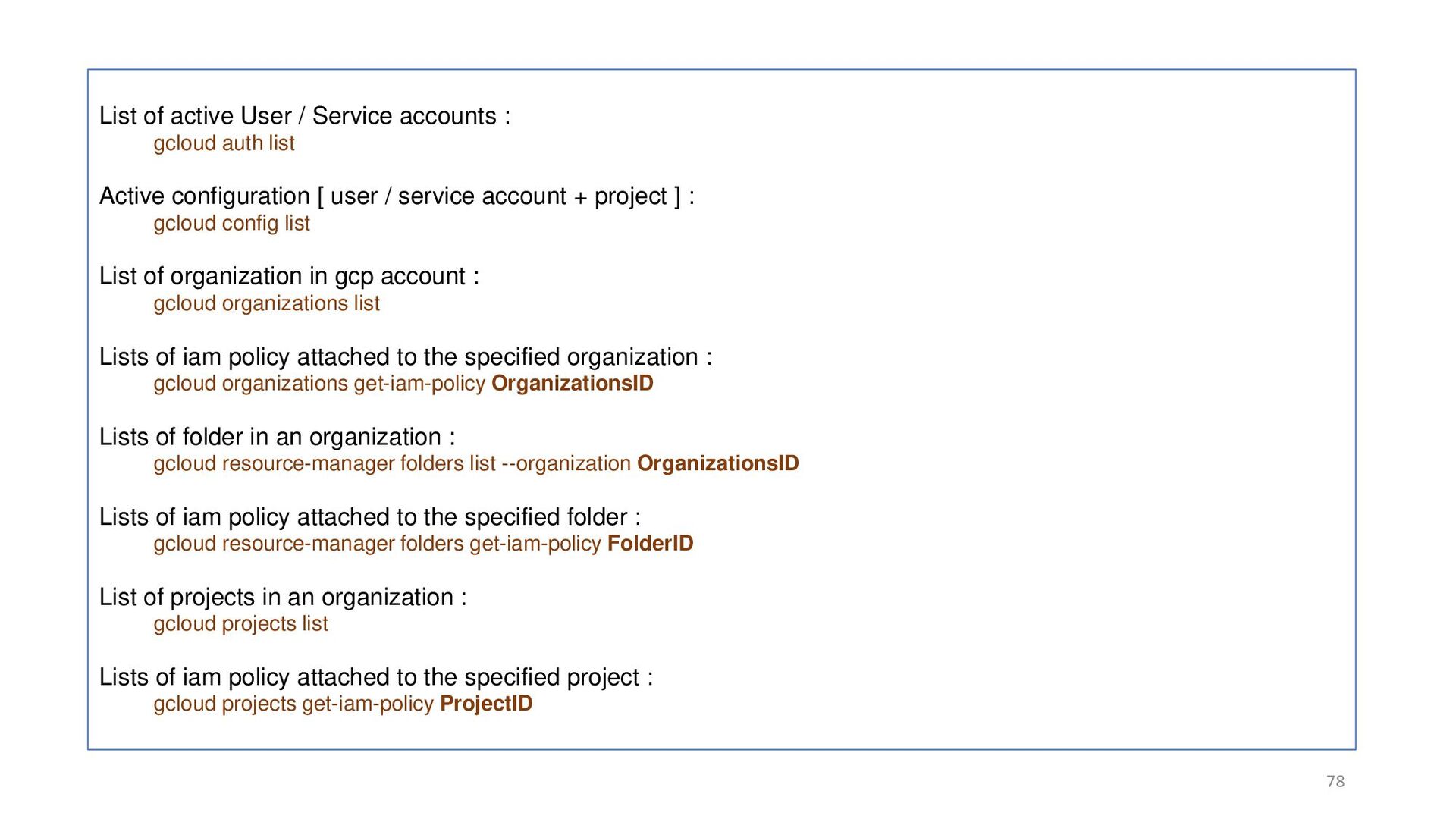
78 List of active User / Service accounts : gcloud
auth list Active configuration [ user / service account + project ] : gcloud config list List of organization in gcp account : gcloud organizations list Lists of iam policy attached to the specified organization : gcloud organizations get-iam-policy OrganizationsID Lists of folder in an organization : gcloud resource-manager folders list --organization OrganizationsID Lists of iam policy attached to the specified folder : gcloud resource-manager folders get-iam-policy FolderID List of projects in an organization : gcloud projects list Lists of iam policy attached to the specified project : gcloud projects get-iam-policy ProjectID -
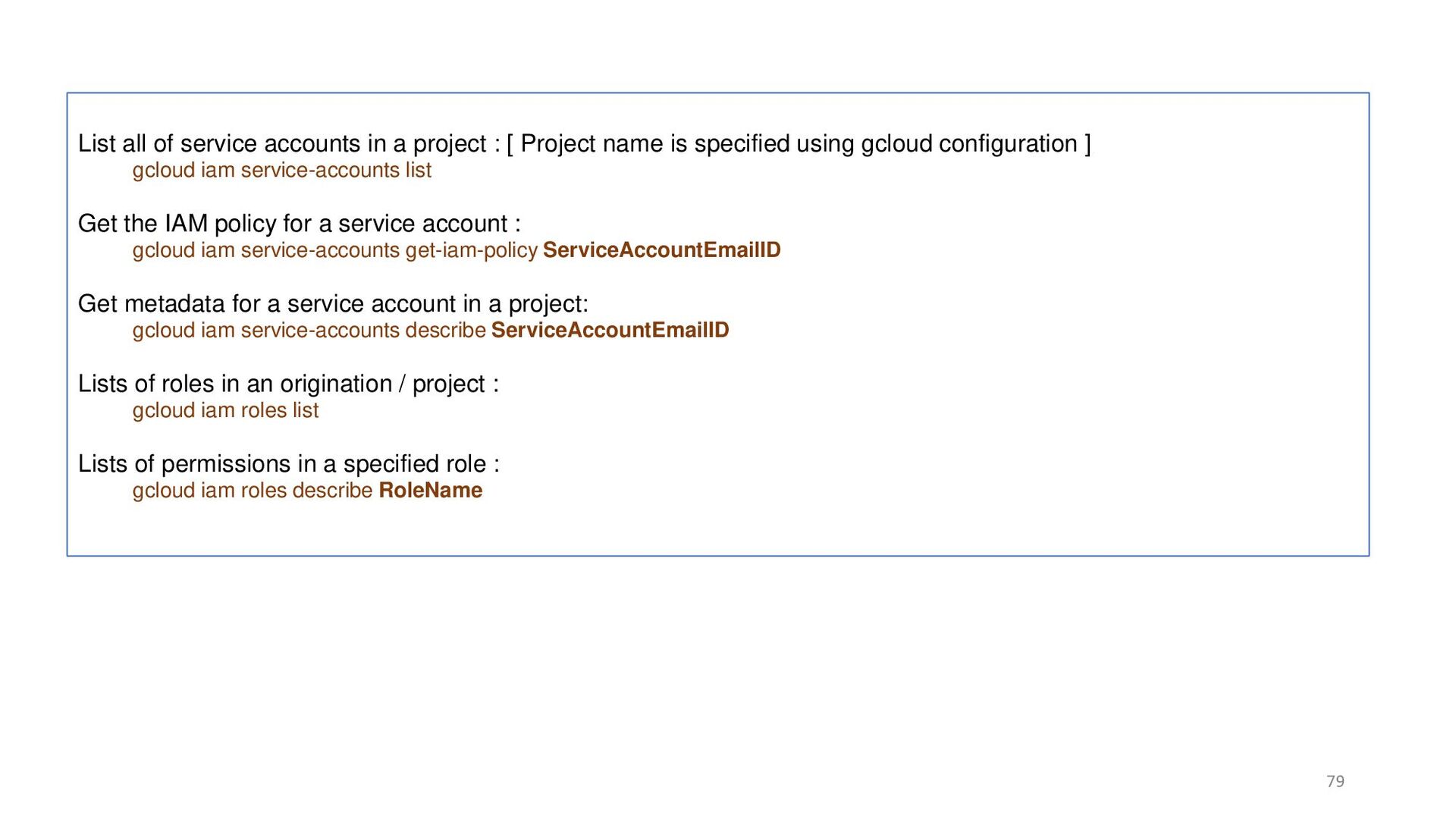
79 List all of service accounts in a project :
[ Project name is specified using gcloud configuration ] gcloud iam service-accounts list Get the IAM policy for a service account : gcloud iam service-accounts get-iam-policy ServiceAccountEmailID Get metadata for a service account in a project: gcloud iam service-accounts describe ServiceAccountEmailID Lists of roles in an origination / project : gcloud iam roles list Lists of permissions in a specified role : gcloud iam roles describe RoleName -
Module - 4 : Introduction about Azure Cloud 4.1 Azure
Cloud Overview 4.2 Azure Active Directory [AAD] 4.3 Azure Resource Manager [ARM] • Role Based Access Control [RBAC] 4.4 Office 365 / Microsoft 365 80 -
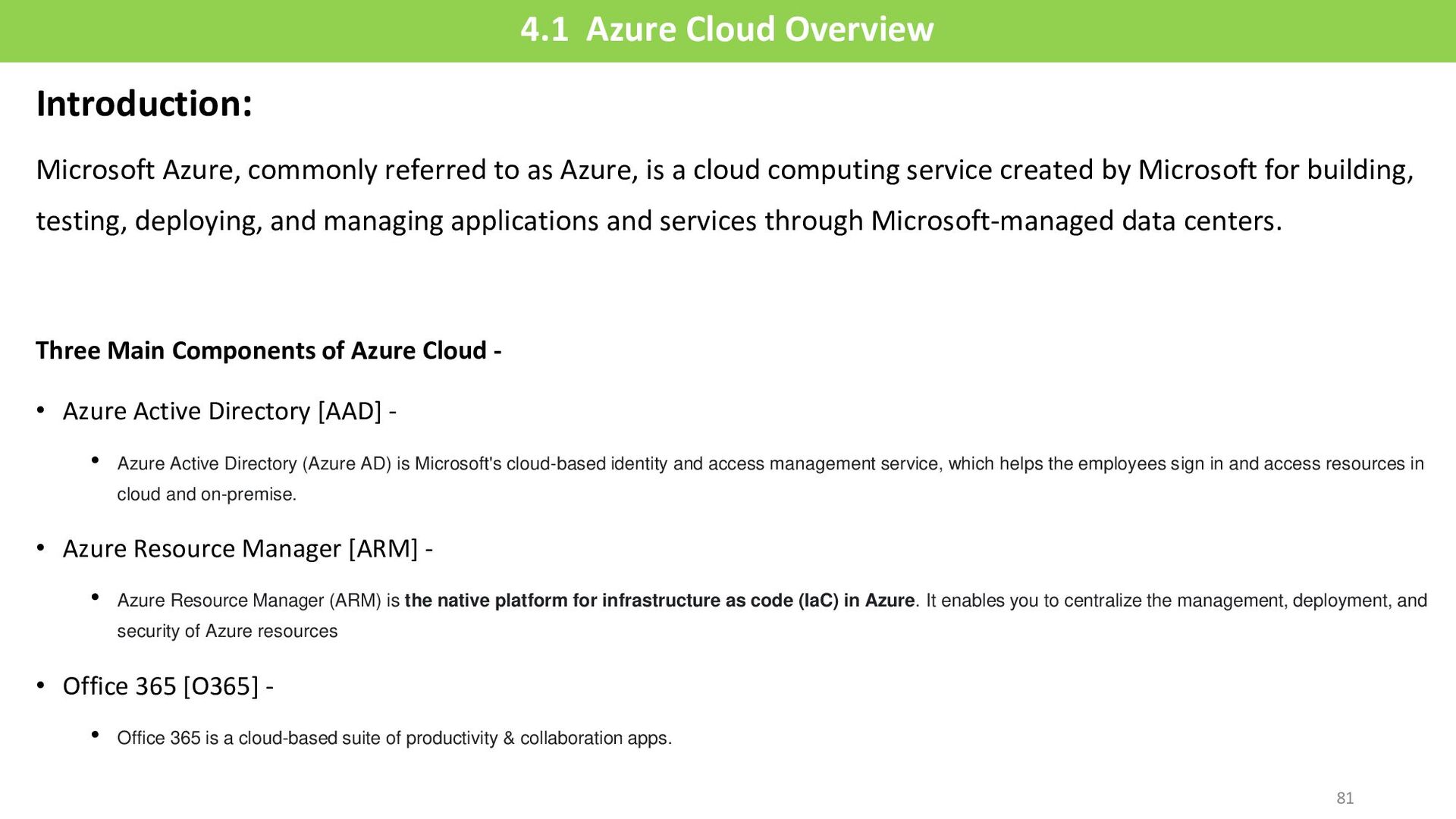
4.1 Azure Cloud Overview 81 Introduction: Microsoft Azure, commonly referred
to as Azure, is a cloud computing service created by Microsoft for building, testing, deploying, and managing applications and services through Microsoft-managed data centers. Three Main Components of Azure Cloud - • Azure Active Directory [AAD] - • Azure Active Directory (Azure AD) is Microsoft's cloud-based identity and access management service, which helps the employees sign in and access resources in cloud and on-premise. • Azure Resource Manager [ARM] - • Azure Resource Manager (ARM) is the native platform for infrastructure as code (IaC) in Azure. It enables you to centralize the management, deployment, and security of Azure resources • Office 365 [O365] - • Office 365 is a cloud-based suite of productivity & collaboration apps. -
Azure AD Azure Resource Manager (ARM) O365 / M365 (Office
365) (IAAS, PAAS, SAAS) (SAAS) IdAAs -
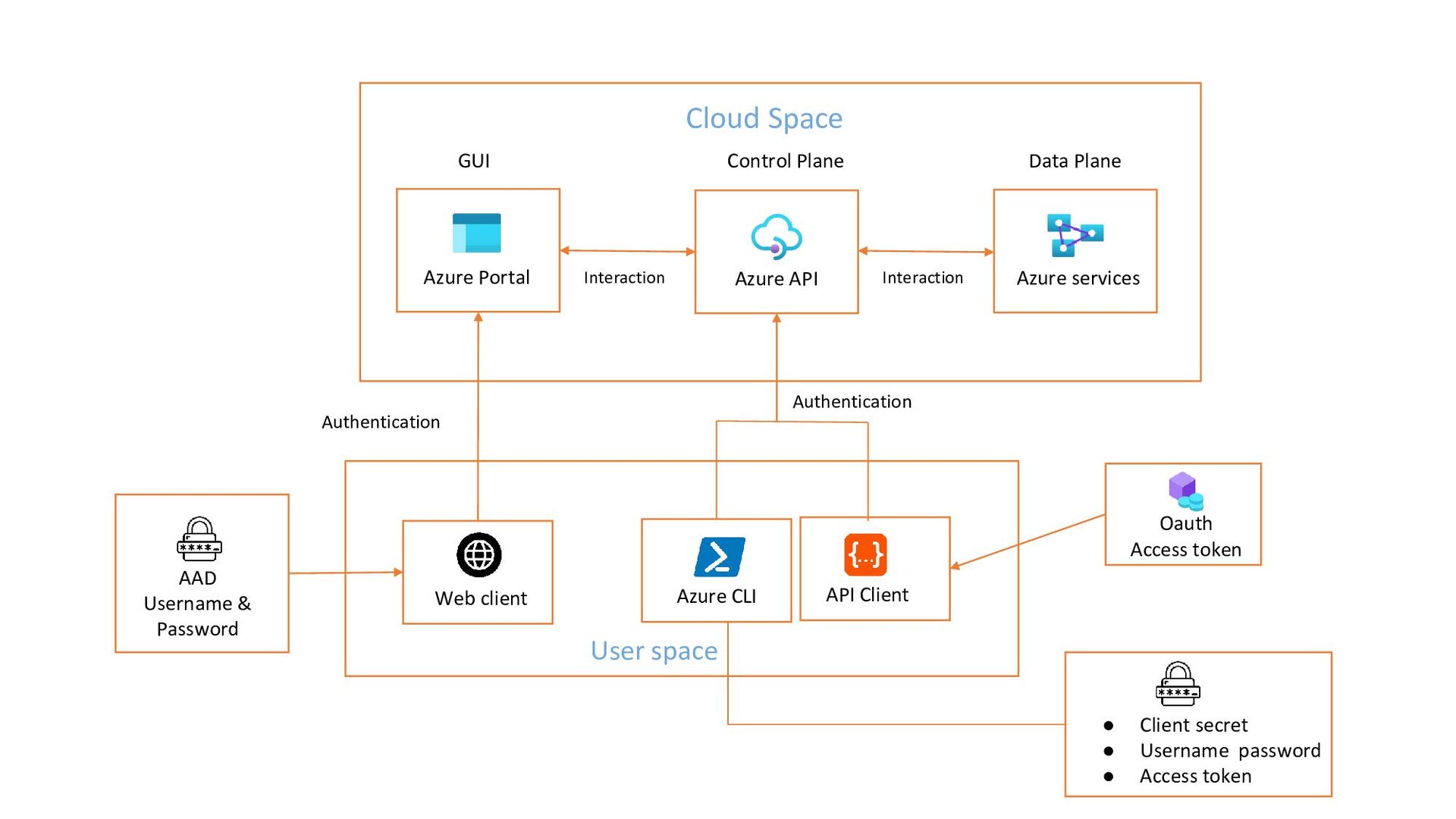
Cloud Space Azure Portal Azure API Azure services Interaction Interaction
Web client Azure CLI API Client Authentication User space Oauth Access token • Client secret • Username password • Access token AAD Username & Password Authentication GUI Control Plane Data Plane -
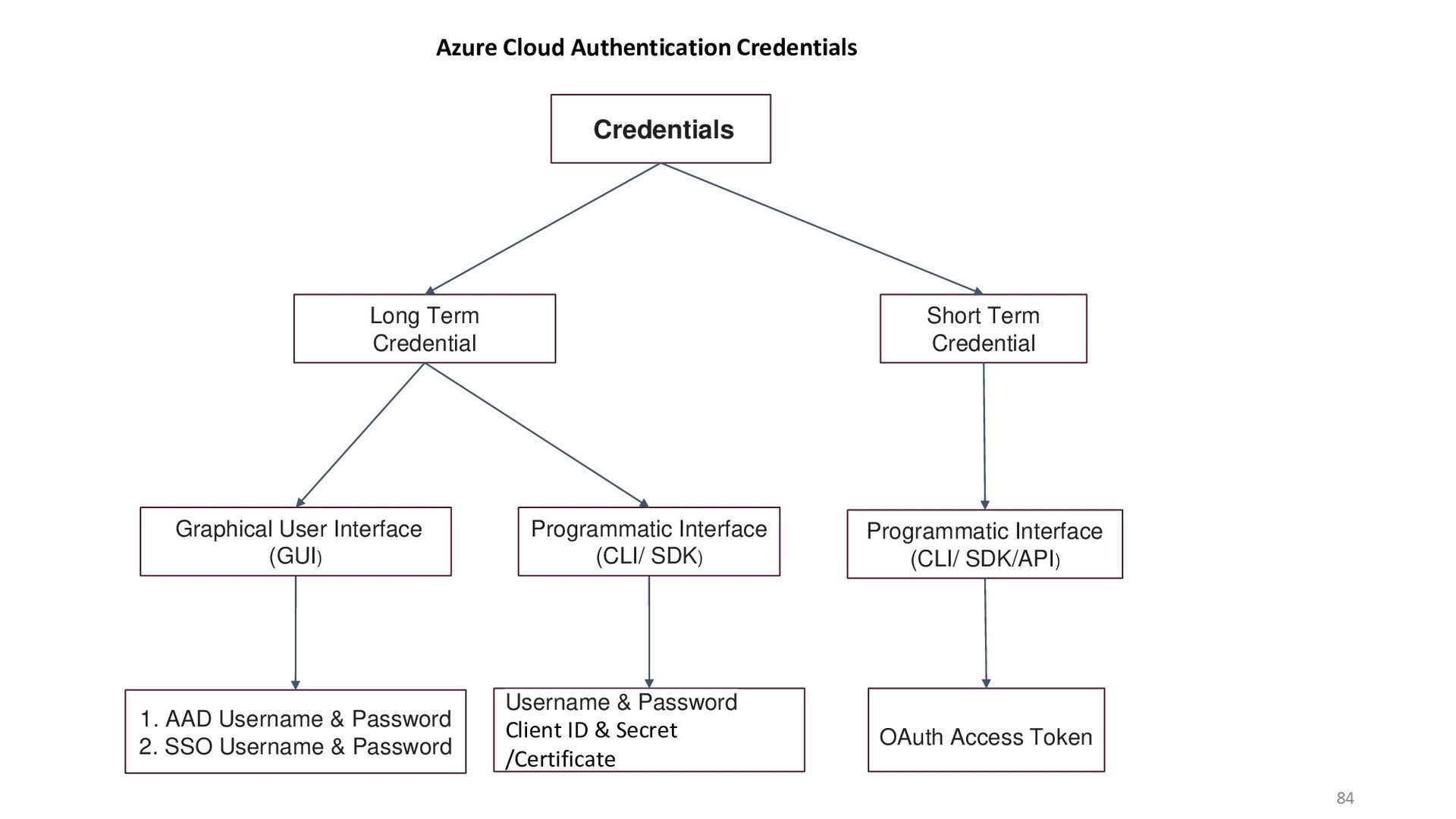
84 Short Term Credential Long Term Credential Credentials Programmatic Interface
(CLI/ SDK/API) Programmatic Interface (CLI/ SDK) Graphical User Interface (GUI) 1. AAD Username & Password 2. SSO Username & Password OAuth Access Token Username & Password Client ID & Secret /Certificate Azure Cloud Authentication Credentials -
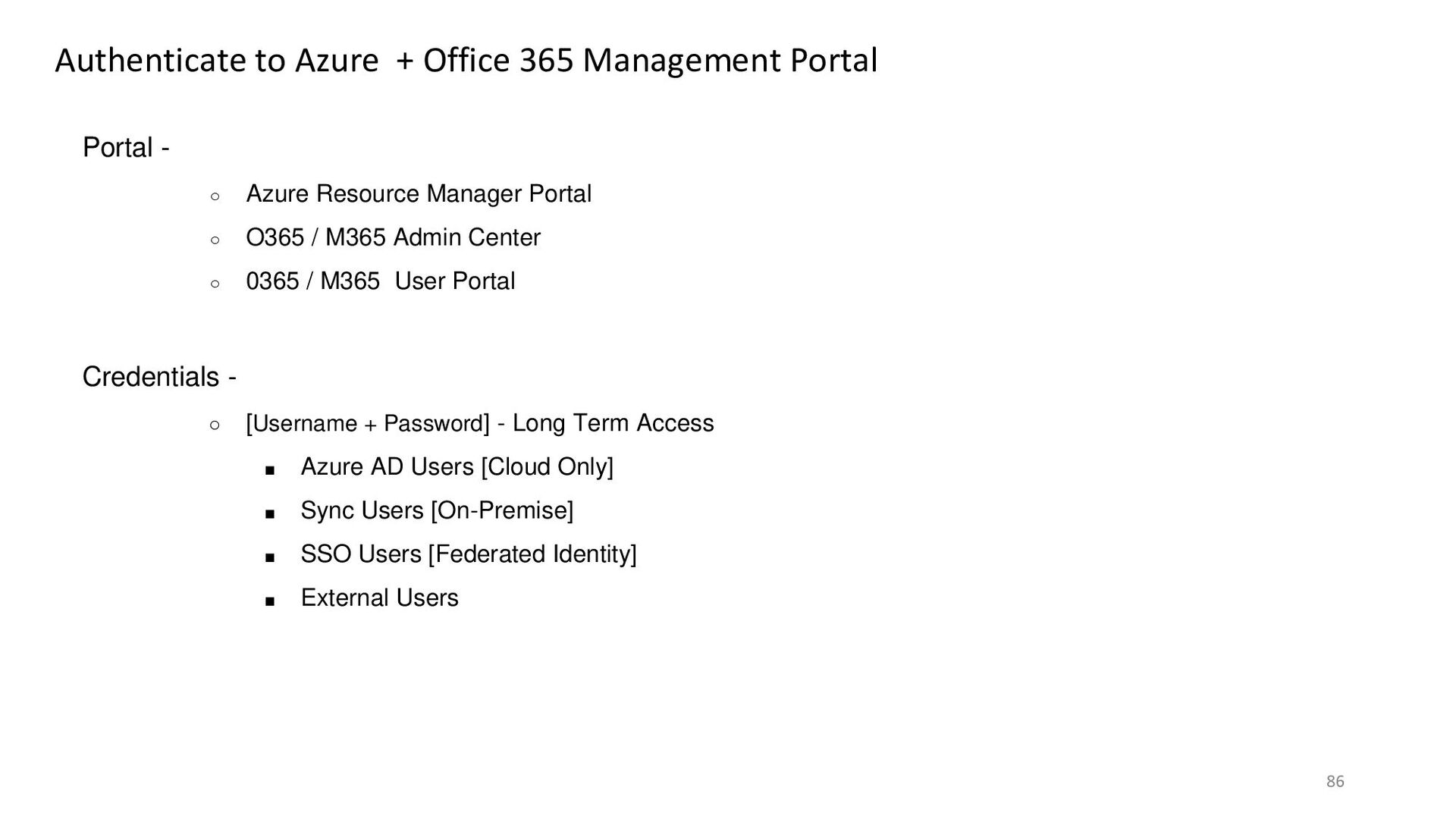
Authenticate to Azure + Office 365 Management Portal 86 Portal
- ◦ Azure Resource Manager Portal ◦ O365 / M365 Admin Center ◦ 0365 / M365 User Portal Credentials - ◦ [Username + Password] - Long Term Access ▪ Azure AD Users [Cloud Only] ▪ Sync Users [On-Premise] ▪ SSO Users [Federated Identity] ▪ External Users -
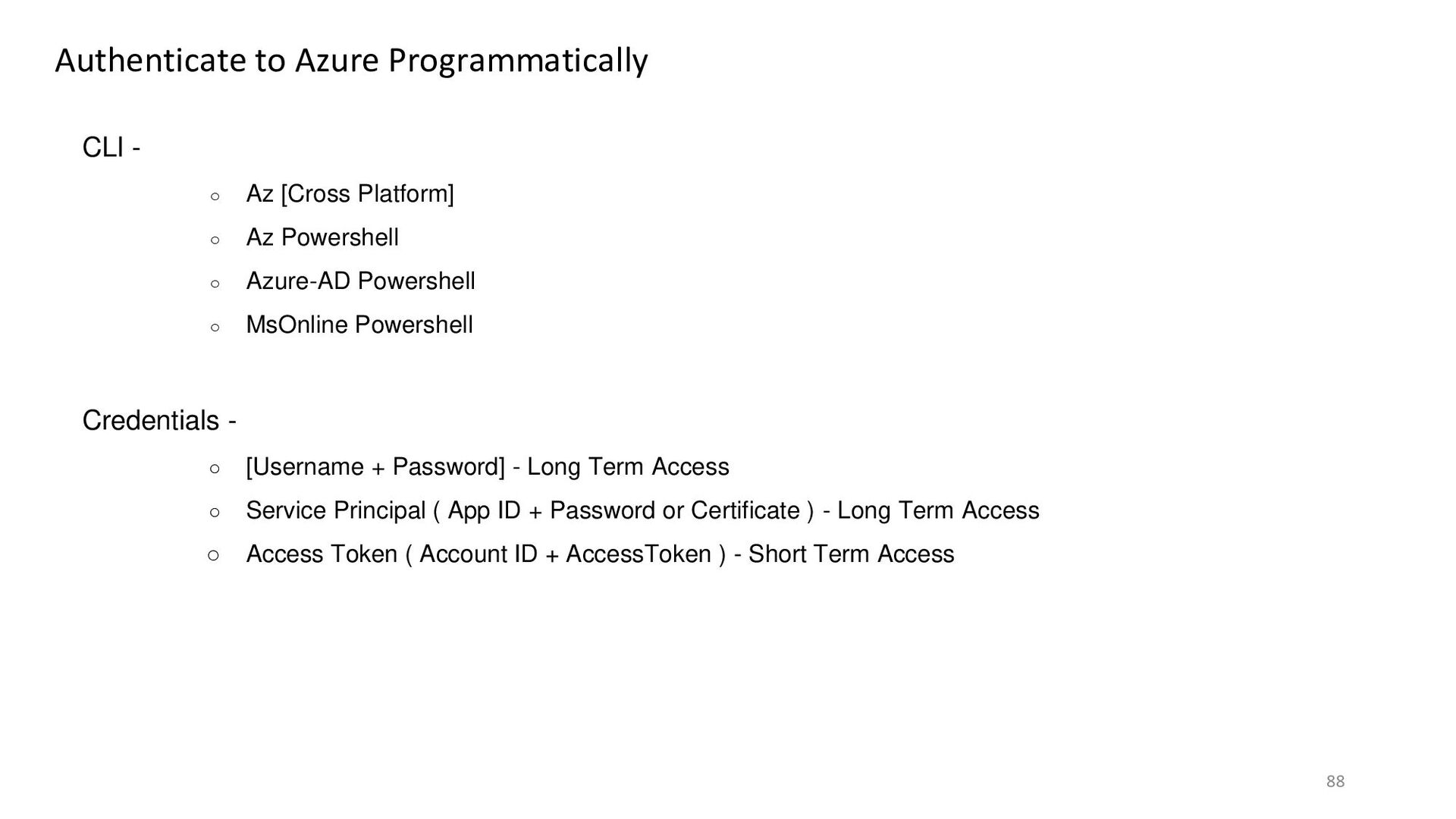
Authenticate to Azure Programmatically 88 CLI - ◦ Az [Cross
Platform] ◦ Az Powershell ◦ Azure-AD Powershell ◦ MsOnline Powershell Credentials - ◦ [Username + Password] - Long Term Access ◦ Service Principal ( App ID + Password or Certificate ) - Long Term Access ◦ Access Token ( Account ID + AccessToken ) - Short Term Access -
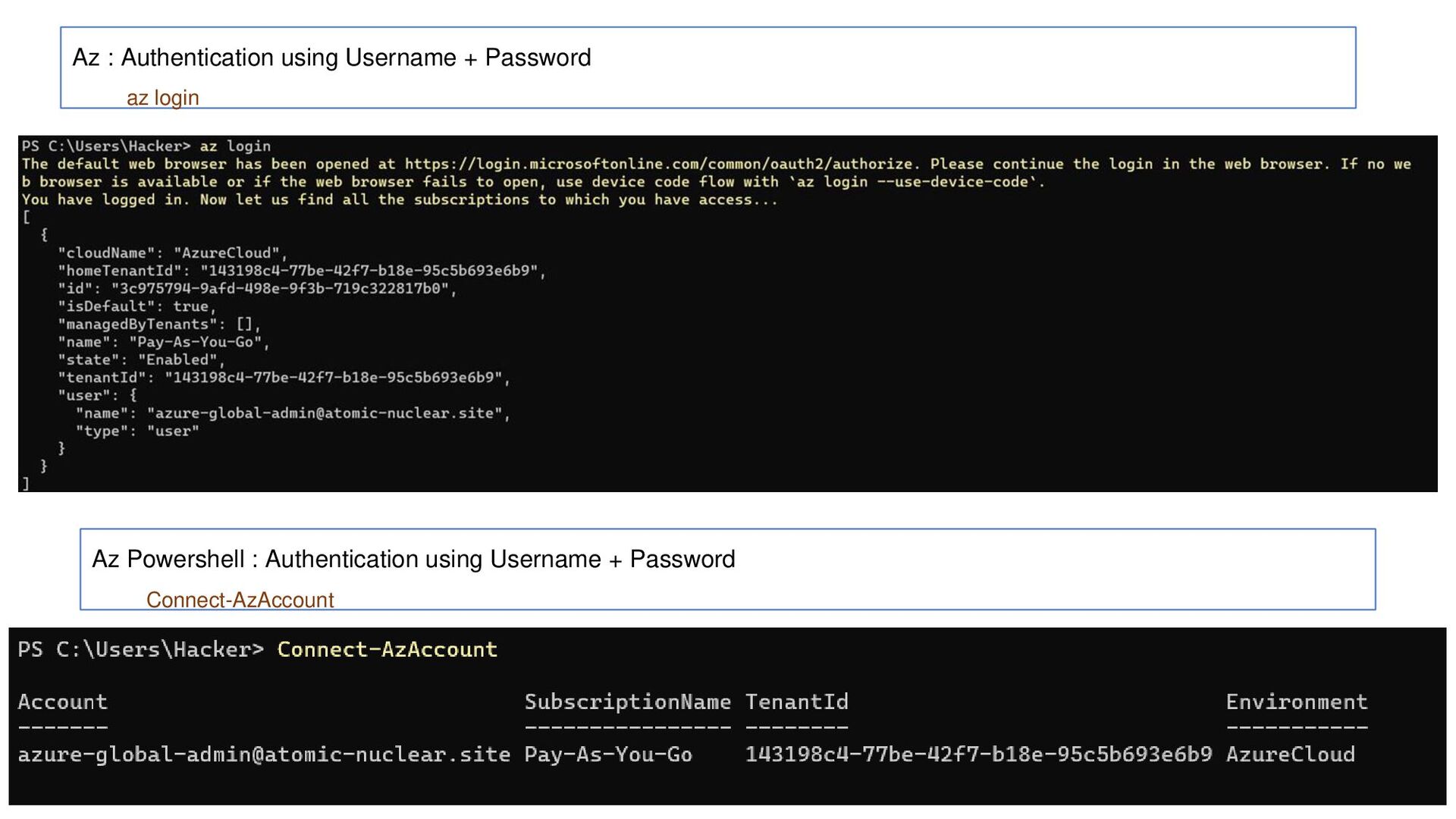
89 Az : Authentication using Username + Password az login
Az Powershell : Authentication using Username + Password Connect-AzAccount -
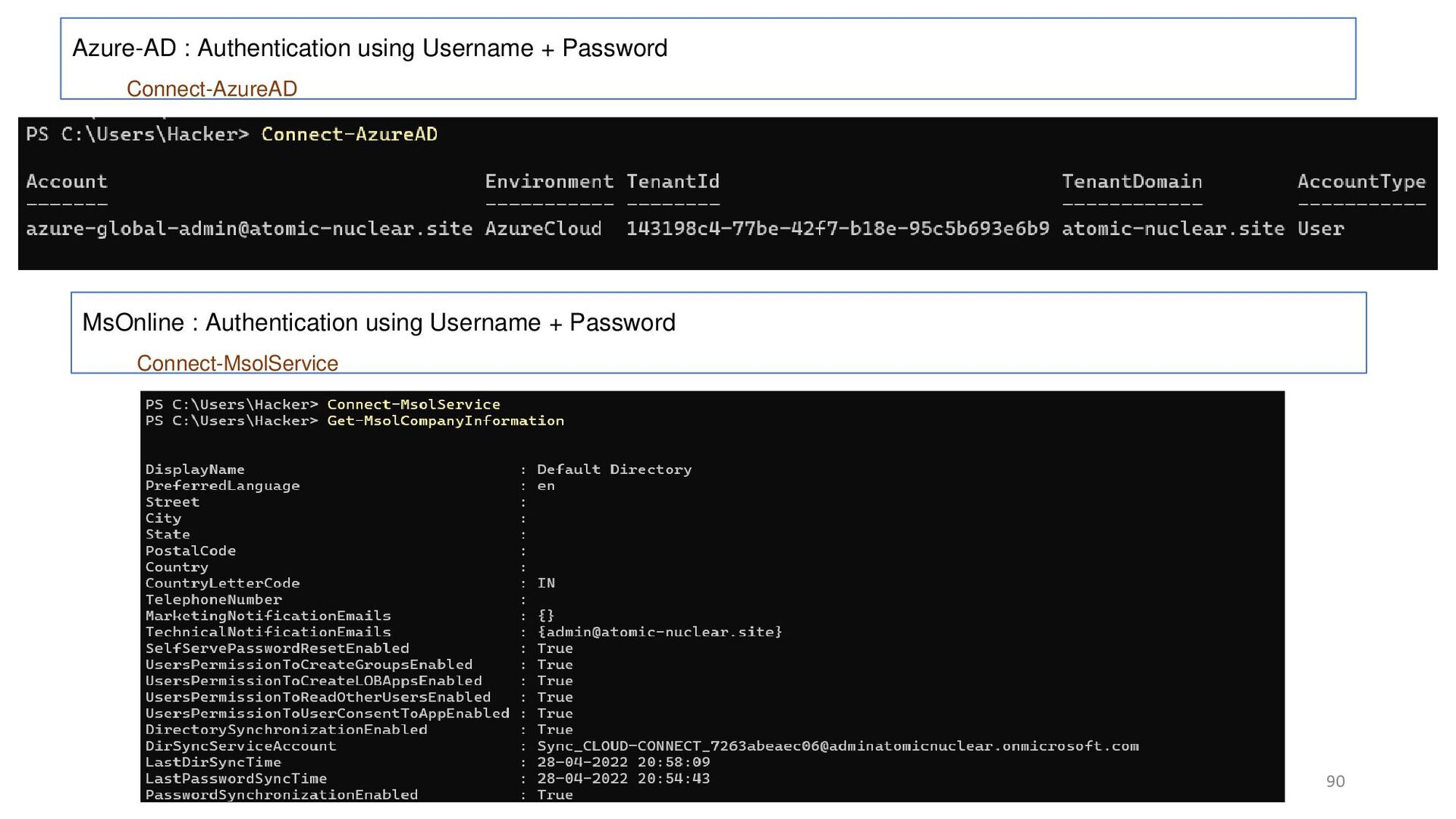
90 Azure-AD : Authentication using Username + Password Connect-AzureAD MsOnline
: Authentication using Username + Password Connect-MsolService -
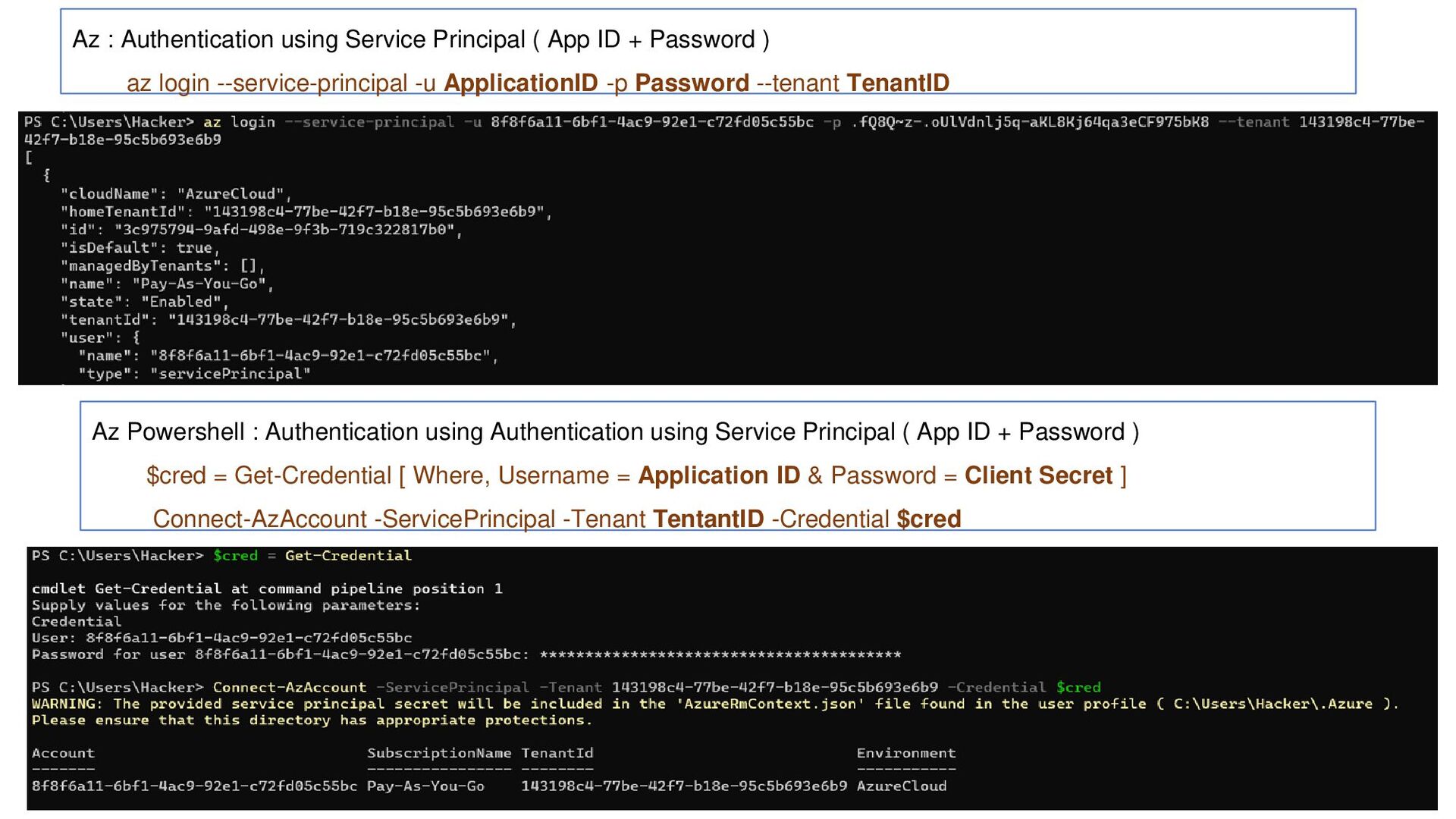
91 Az : Authentication using Service Principal ( App ID
+ Password ) az login --service-principal -u ApplicationID -p Password --tenant TenantID Az Powershell : Authentication using Authentication using Service Principal ( App ID + Password ) $cred = Get-Credential [ Where, Username = Application ID & Password = Client Secret ] Connect-AzAccount -ServicePrincipal -Tenant TentantID -Credential $cred -
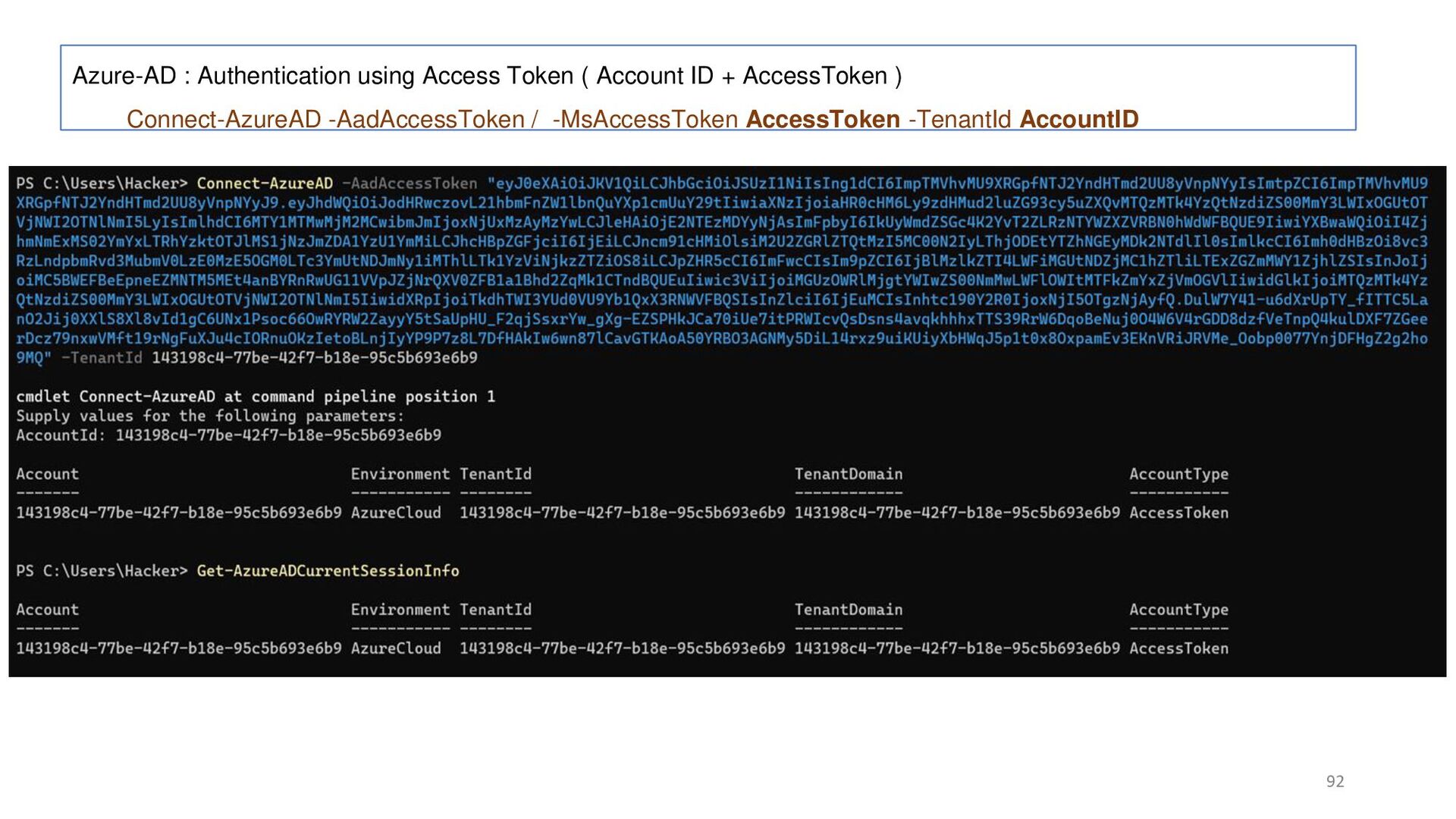
92 Azure-AD : Authentication using Access Token ( Account ID
+ AccessToken ) Connect-AzureAD -AadAccessToken / -MsAccessToken AccessToken -TenantId AccountID -
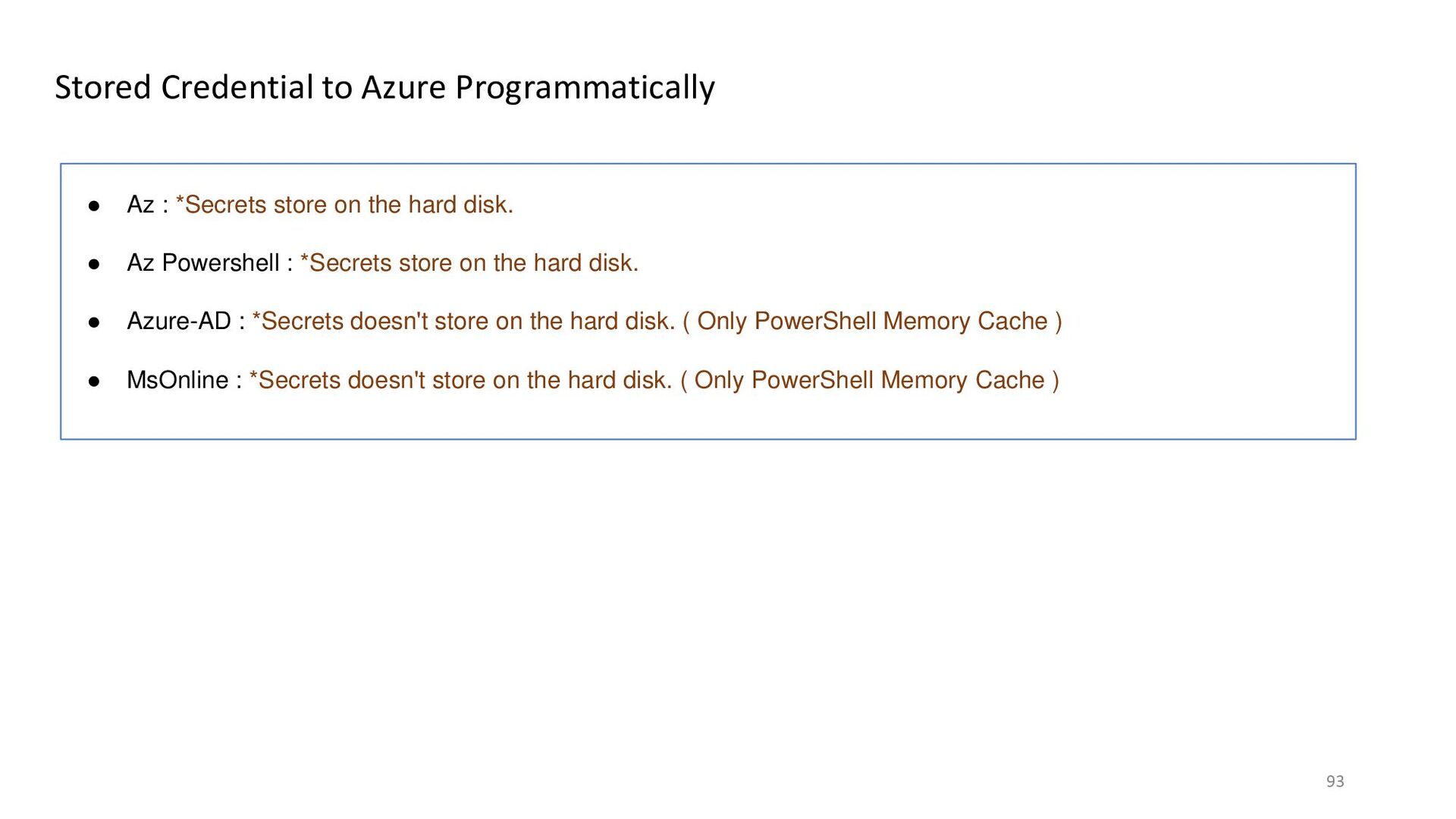
Stored Credential to Azure Programmatically 93 • Az : *Secrets
store on the hard disk. • Az Powershell : *Secrets store on the hard disk. • Azure-AD : *Secrets doesn't store on the hard disk. ( Only PowerShell Memory Cache ) • MsOnline : *Secrets doesn't store on the hard disk. ( Only PowerShell Memory Cache ) -
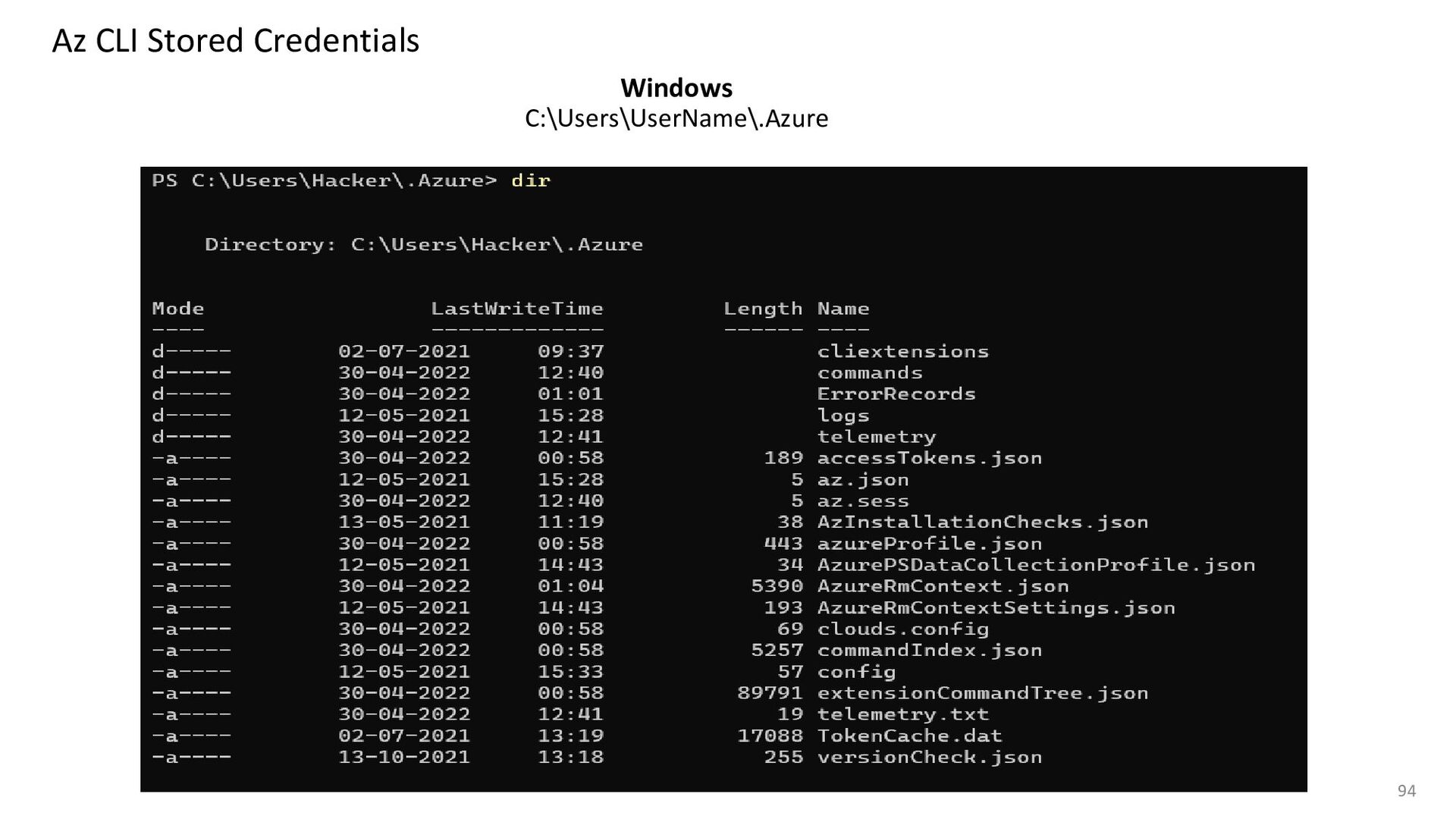
95 Content of stored credential [Access Token for az cli]
cat .\accessToken.json -
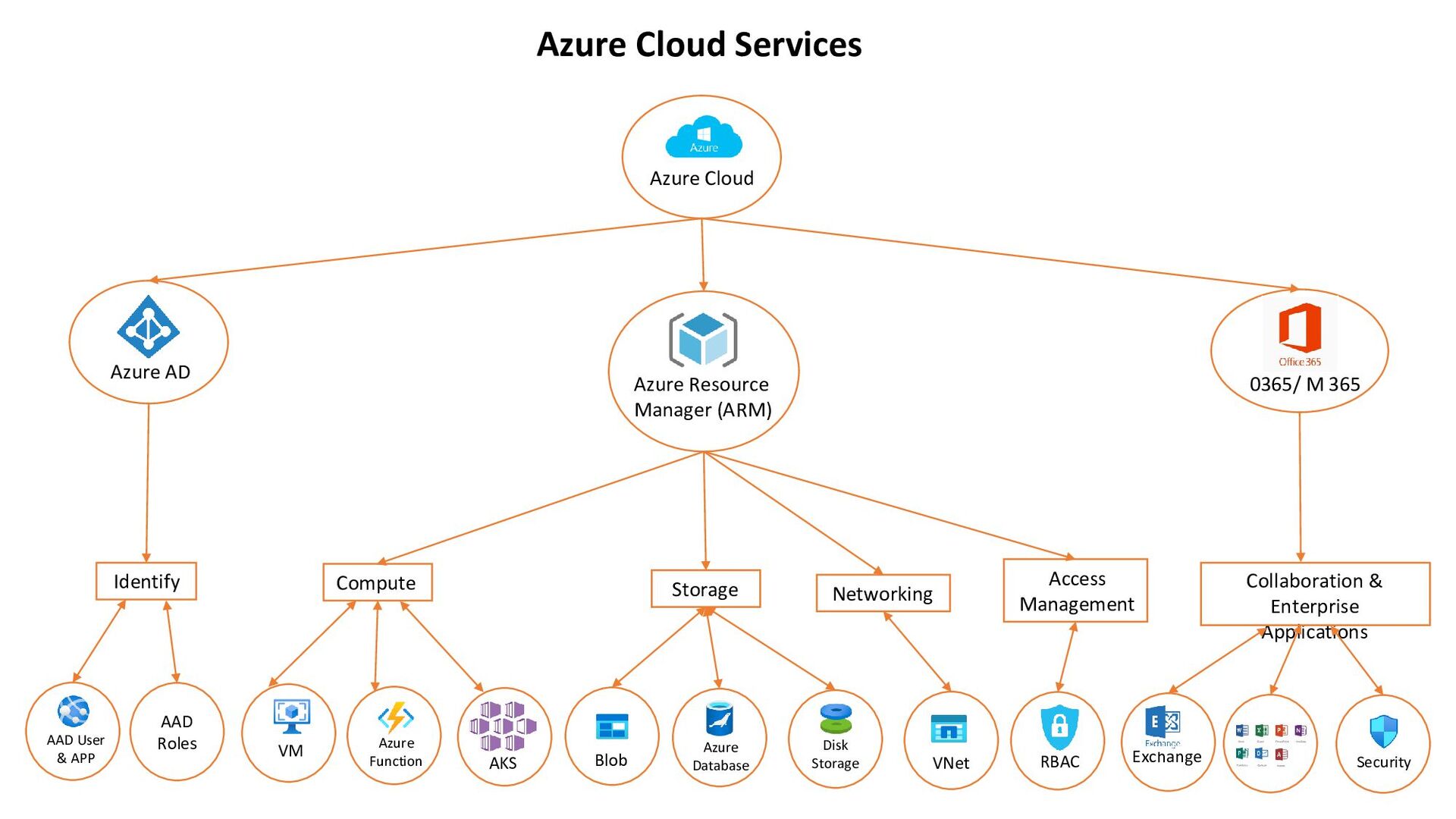
Azure Cloud Azure AD Azure Resource Manager (ARM) 0365/ M
365 Identify Compute Storage Networking Access Management Collaboration & Enterprise Applications AAD User & APP AAD Roles VM Azure Function AKS Blob Azure Database Disk Storage VNet RBAC Exchange Security Azure Cloud Services -
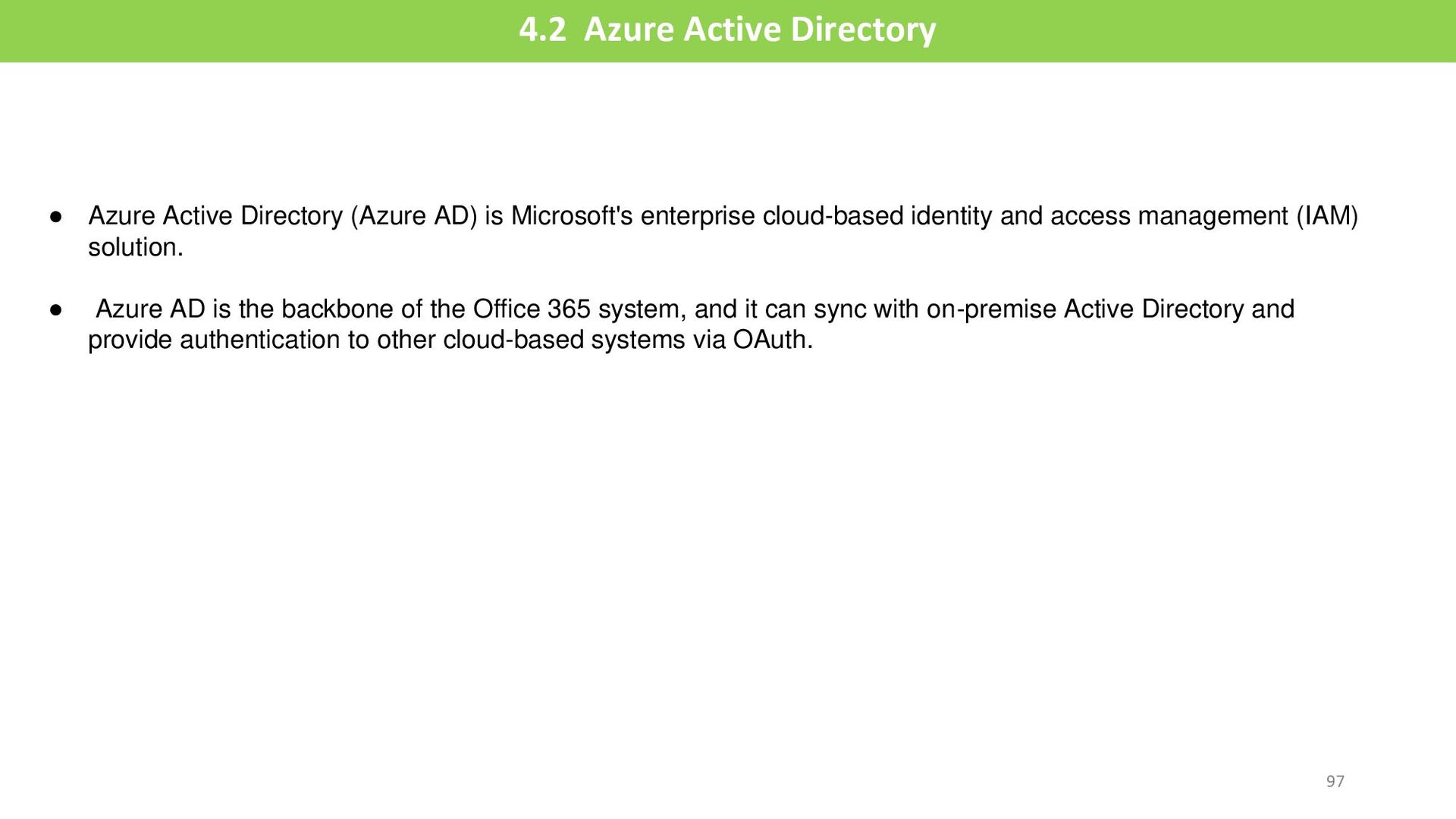
97 4.2 Azure Active Directory • Azure Active Directory (Azure
AD) is Microsoft's enterprise cloud-based identity and access management (IAM) solution. • Azure AD is the backbone of the Office 365 system, and it can sync with on-premise Active Directory and provide authentication to other cloud-based systems via OAuth. -
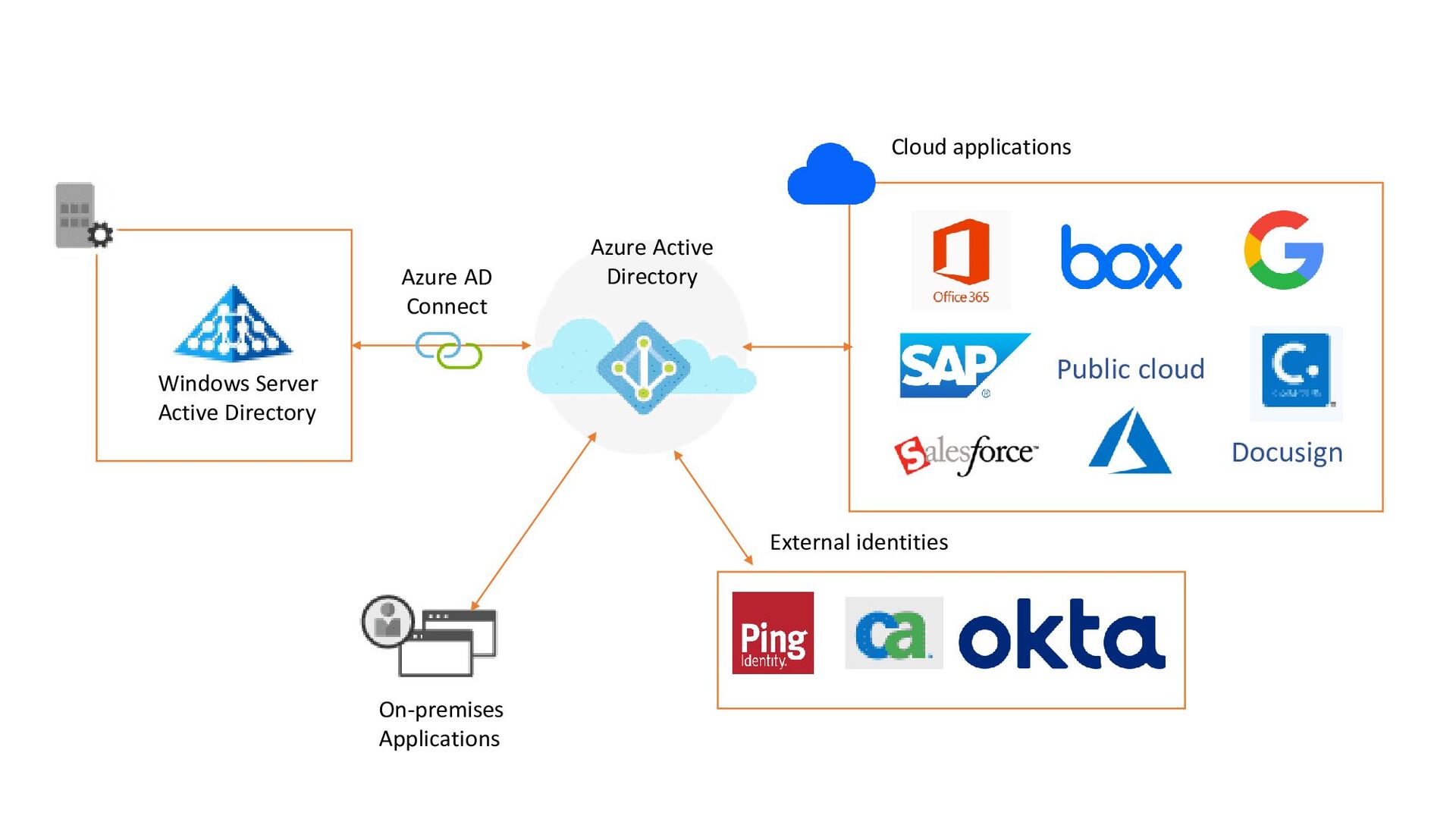
Windows Server Active Directory Azure AD Connect Public cloud Docusign
Azure Active Directory External identities Cloud applications On-premises Applications -
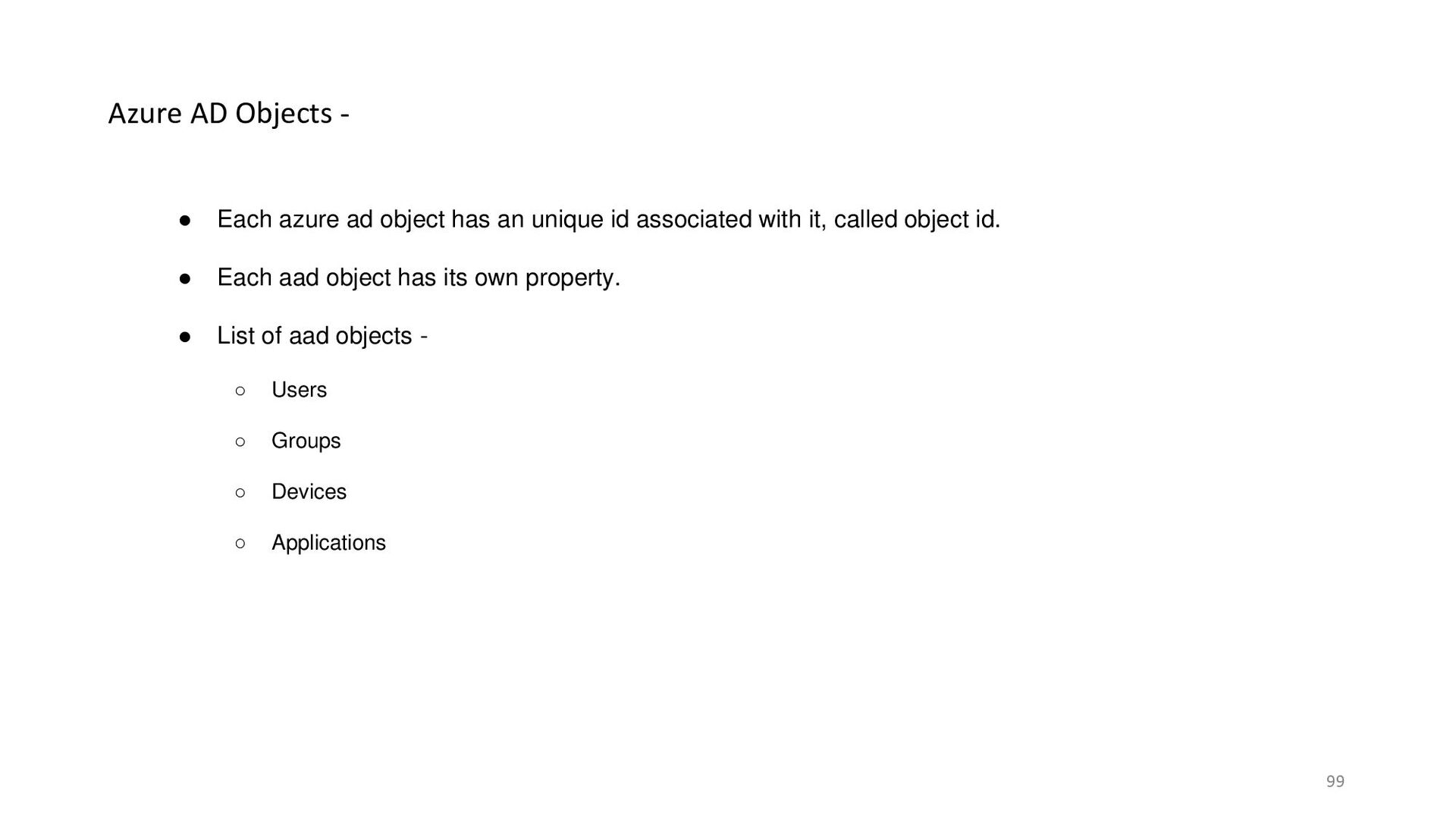
99 Azure AD Objects - • Each azure ad object
has an unique id associated with it, called object id. • Each aad object has its own property. • List of aad objects - ◦ Users ◦ Groups ◦ Devices ◦ Applications -
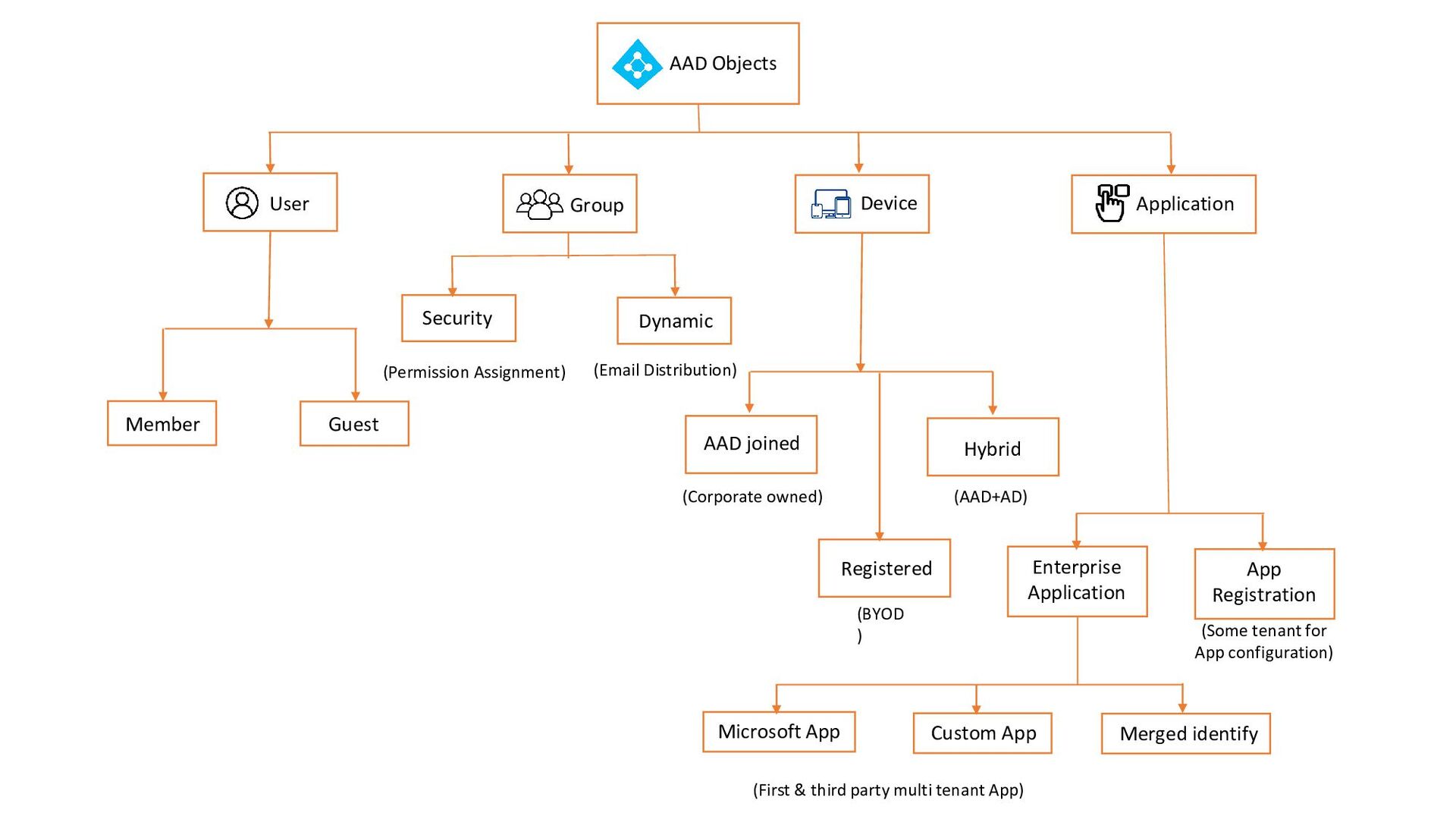
AAD Objects User Group Device Application Security Dynamic Member Guest
(Permission Assignment) (Email Distribution) AAD joined Hybrid (Corporate owned) (AAD+AD) Registered (BYOD ) Enterprise Application App Registration (Some tenant for App configuration) Microsoft App Custom App Merged identify (First & third party multi tenant App) -
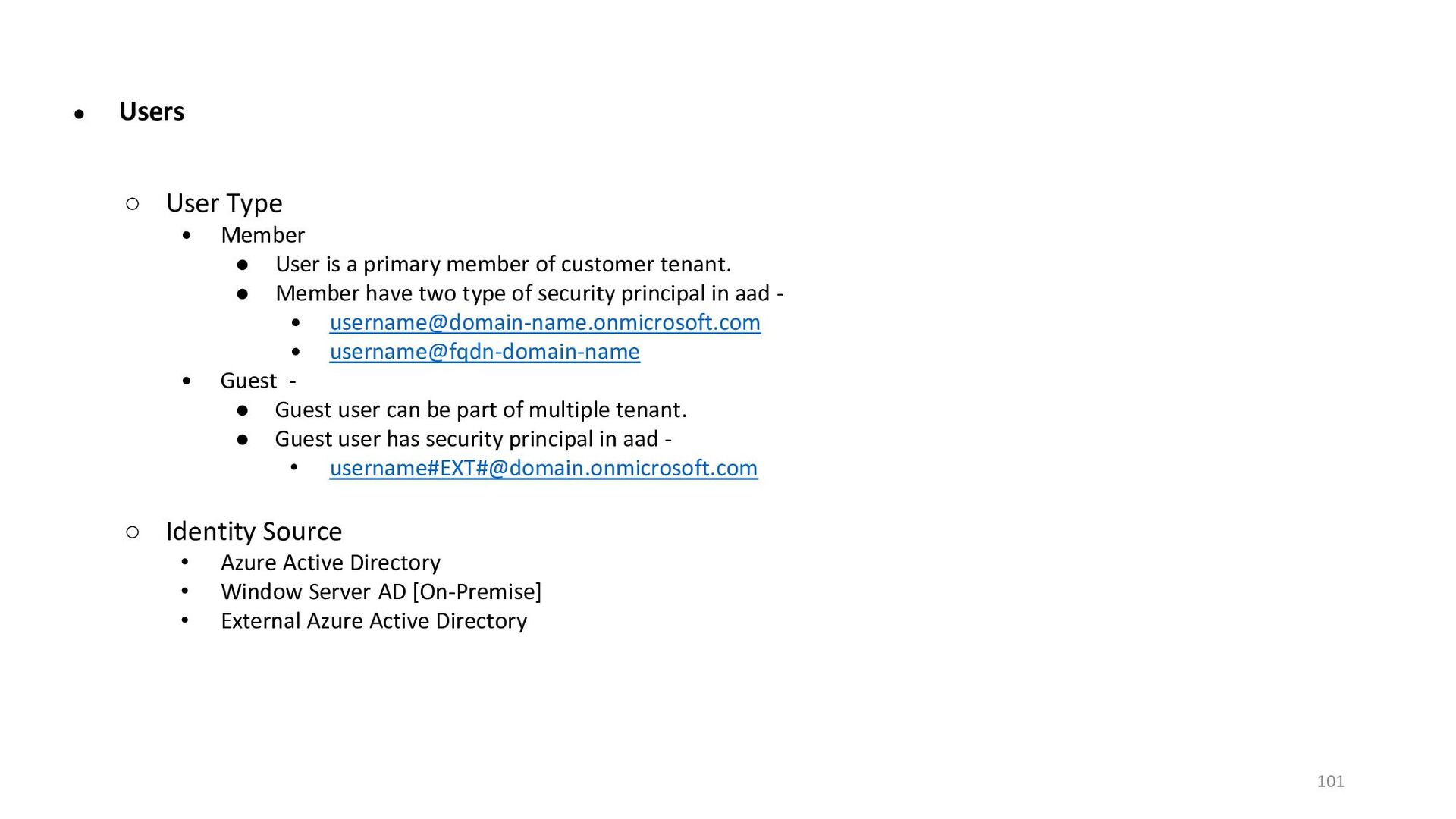
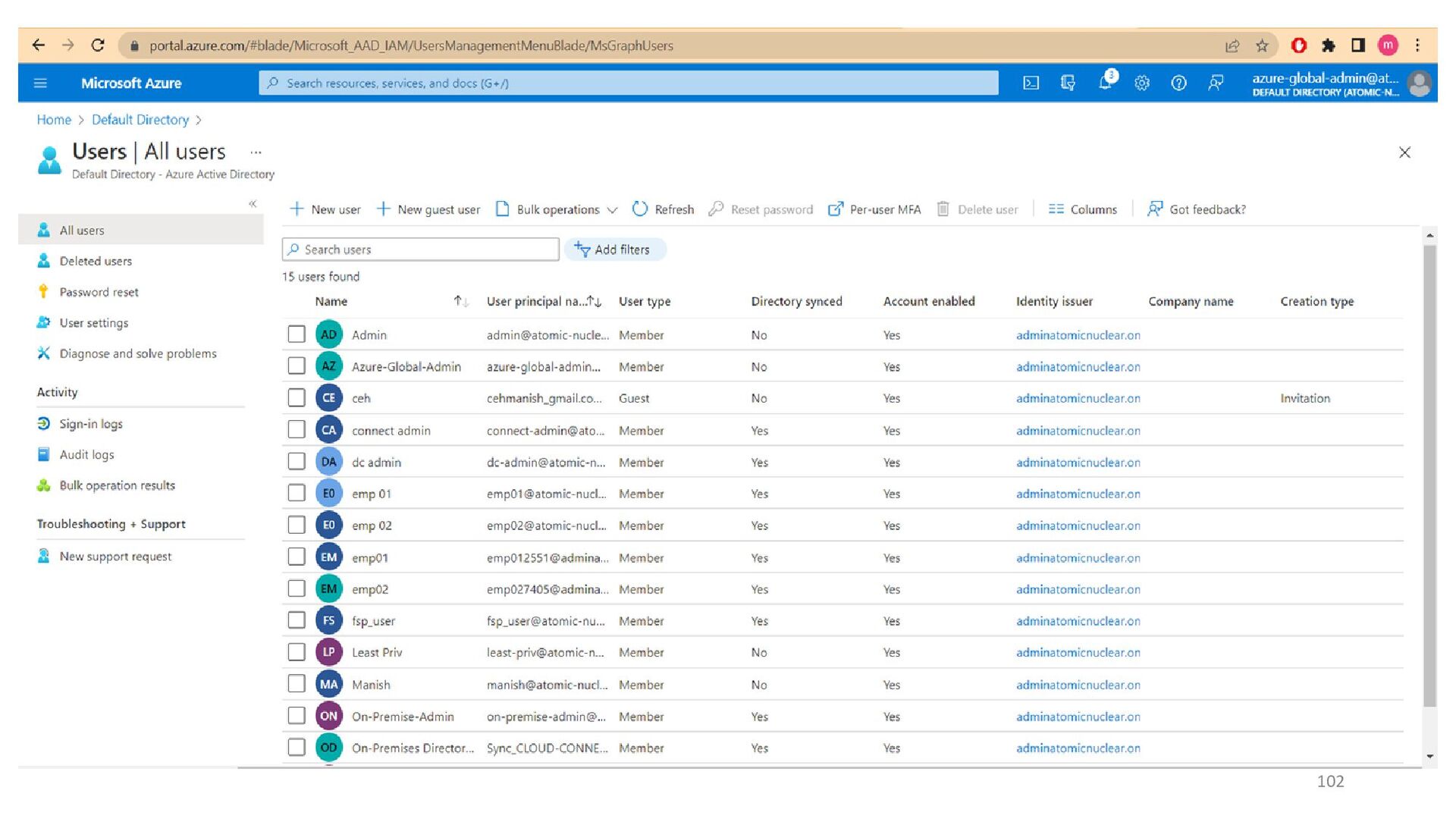
101 • Users ◦ User Type • Member • User
is a primary member of customer tenant. • Member have two type of security principal in aad - • [email protected] • username@fqdn-domain-name • Guest - • Guest user can be part of multiple tenant. • Guest user has security principal in aad - • username#EXT#@domain.onmicrosoft.com ◦ Identity Source • Azure Active Directory • Window Server AD [On-Premise] • External Azure Active Directory -
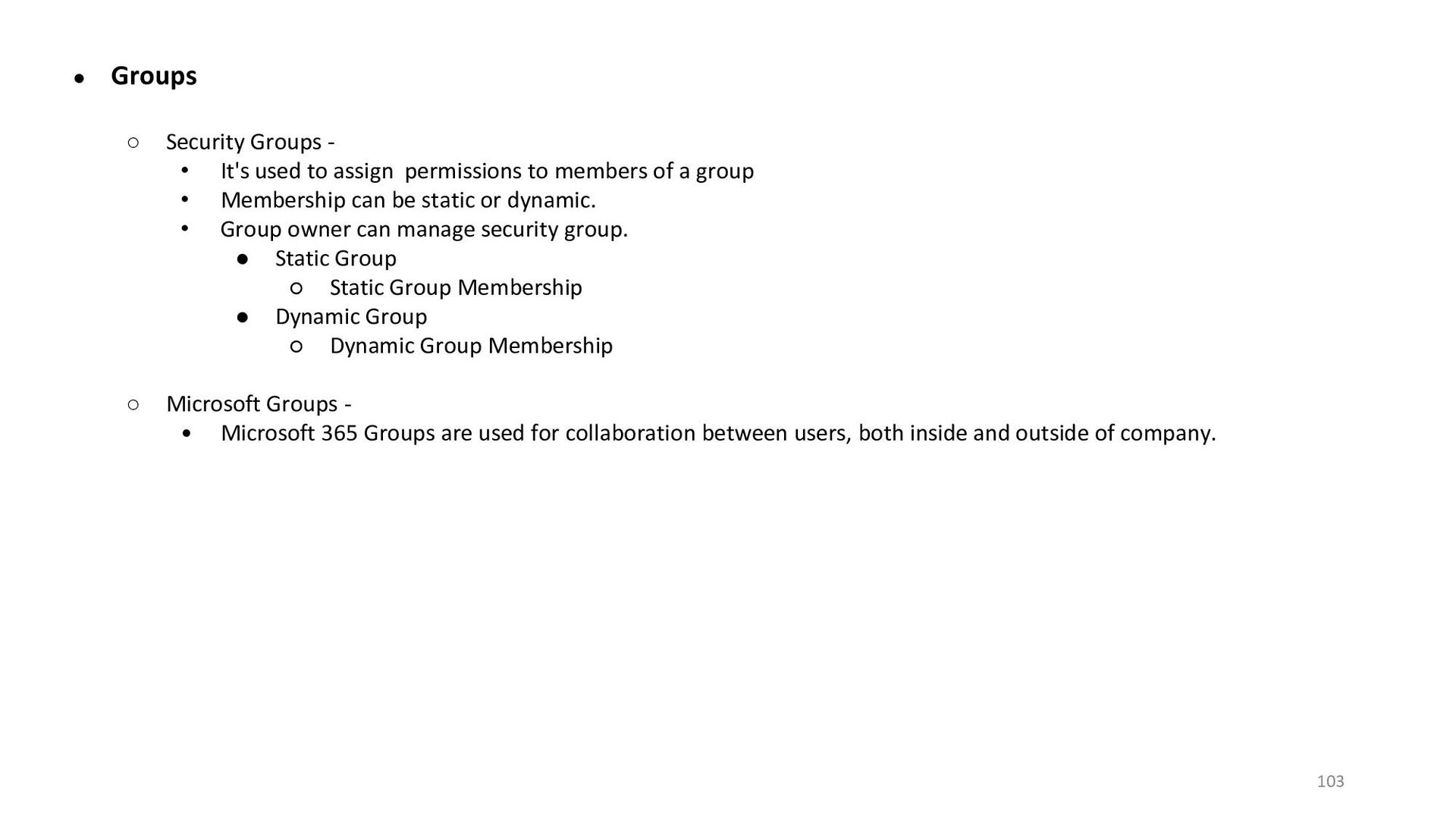
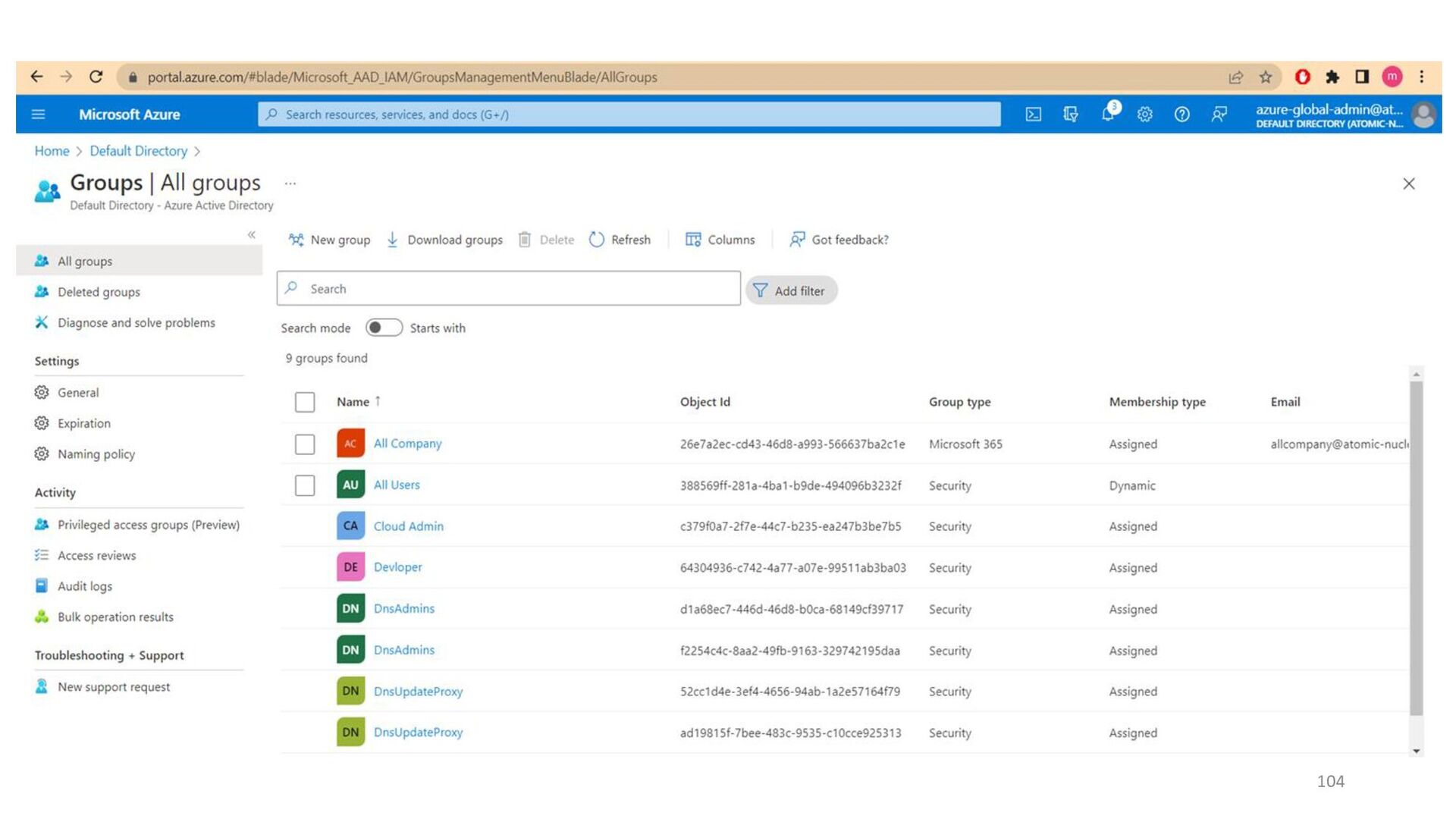
103 • Groups ◦ Security Groups - • It's used
to assign permissions to members of a group • Membership can be static or dynamic. • Group owner can manage security group. • Static Group ◦ Static Group Membership • Dynamic Group ◦ Dynamic Group Membership ◦ Microsoft Groups - • Microsoft 365 Groups are used for collaboration between users, both inside and outside of company. -
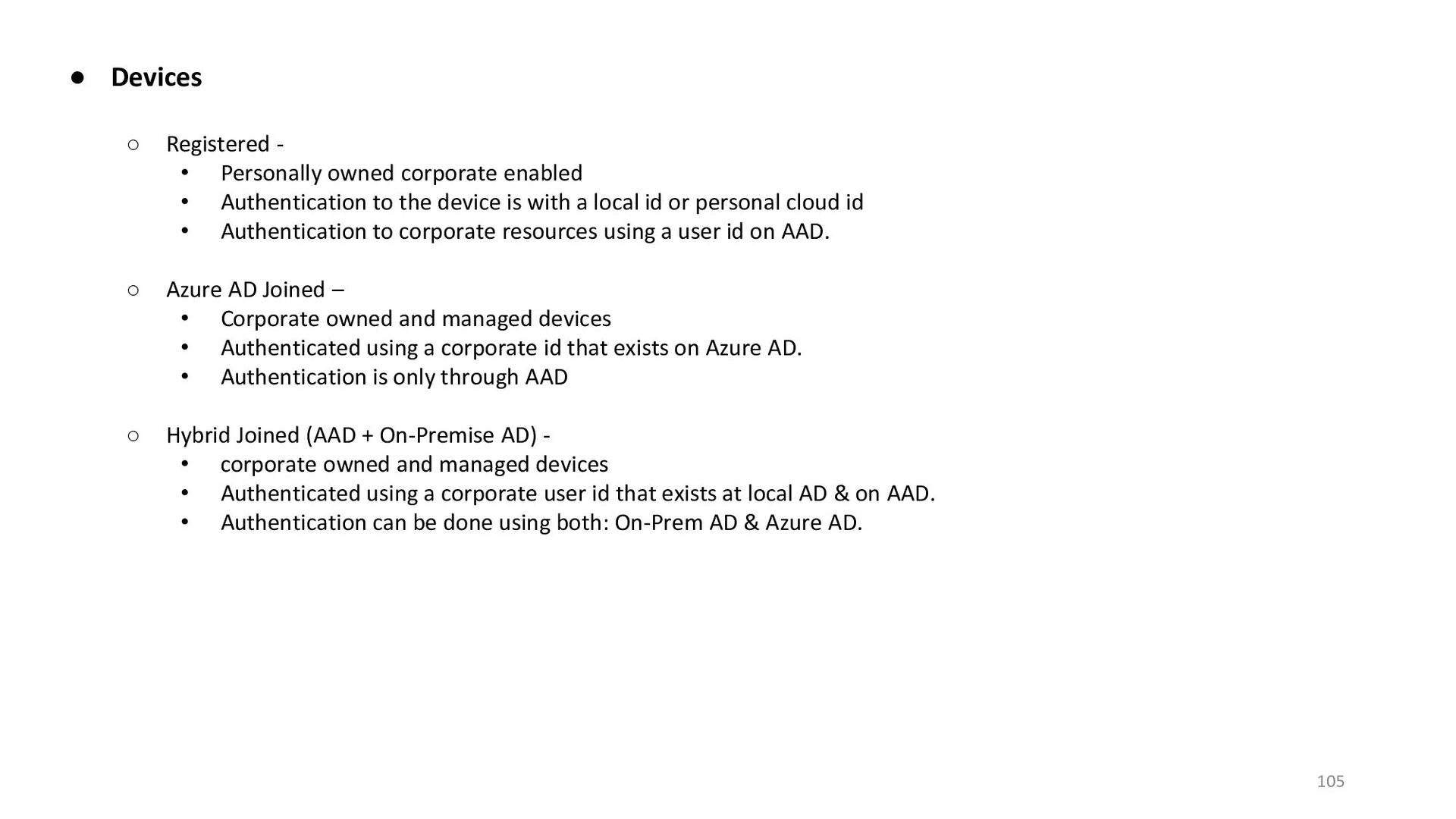
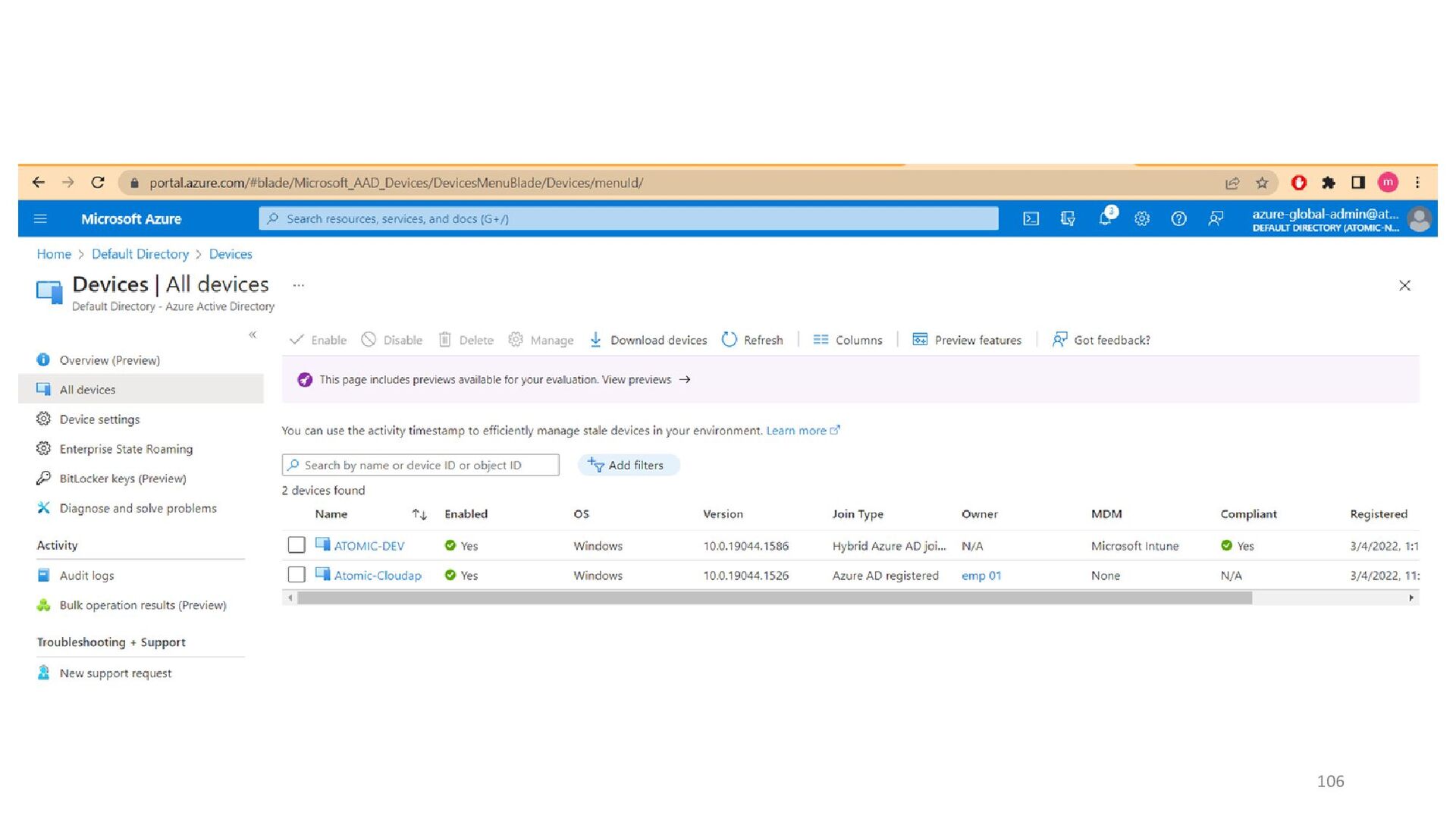
105 • Devices ◦ Registered - • Personally owned corporate
enabled • Authentication to the device is with a local id or personal cloud id • Authentication to corporate resources using a user id on AAD. ◦ Azure AD Joined – • Corporate owned and managed devices • Authenticated using a corporate id that exists on Azure AD. • Authentication is only through AAD ◦ Hybrid Joined (AAD + On-Premise AD) - • corporate owned and managed devices • Authenticated using a corporate user id that exists at local AD & on AAD. • Authentication can be done using both: On-Prem AD & Azure AD. -
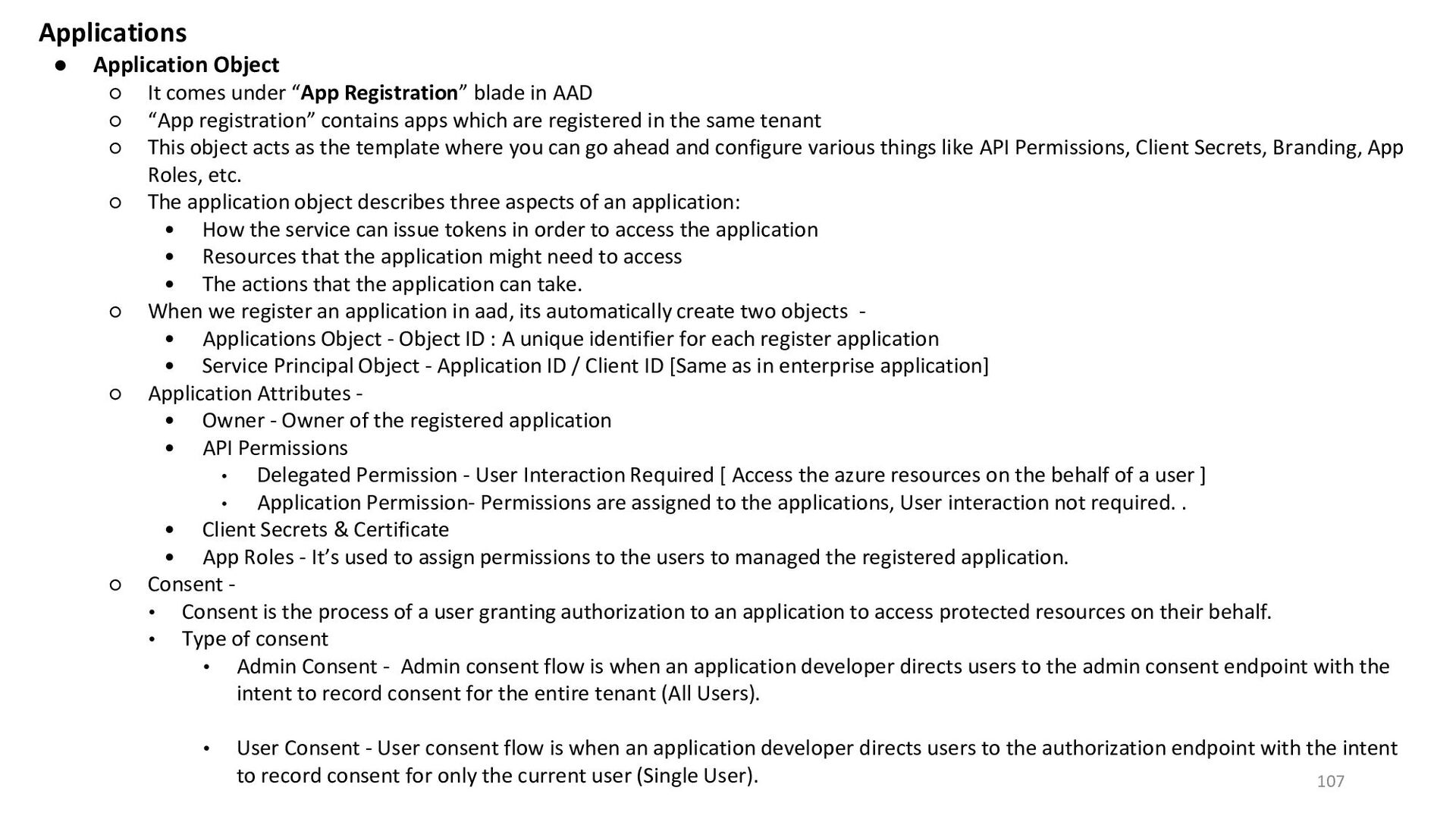
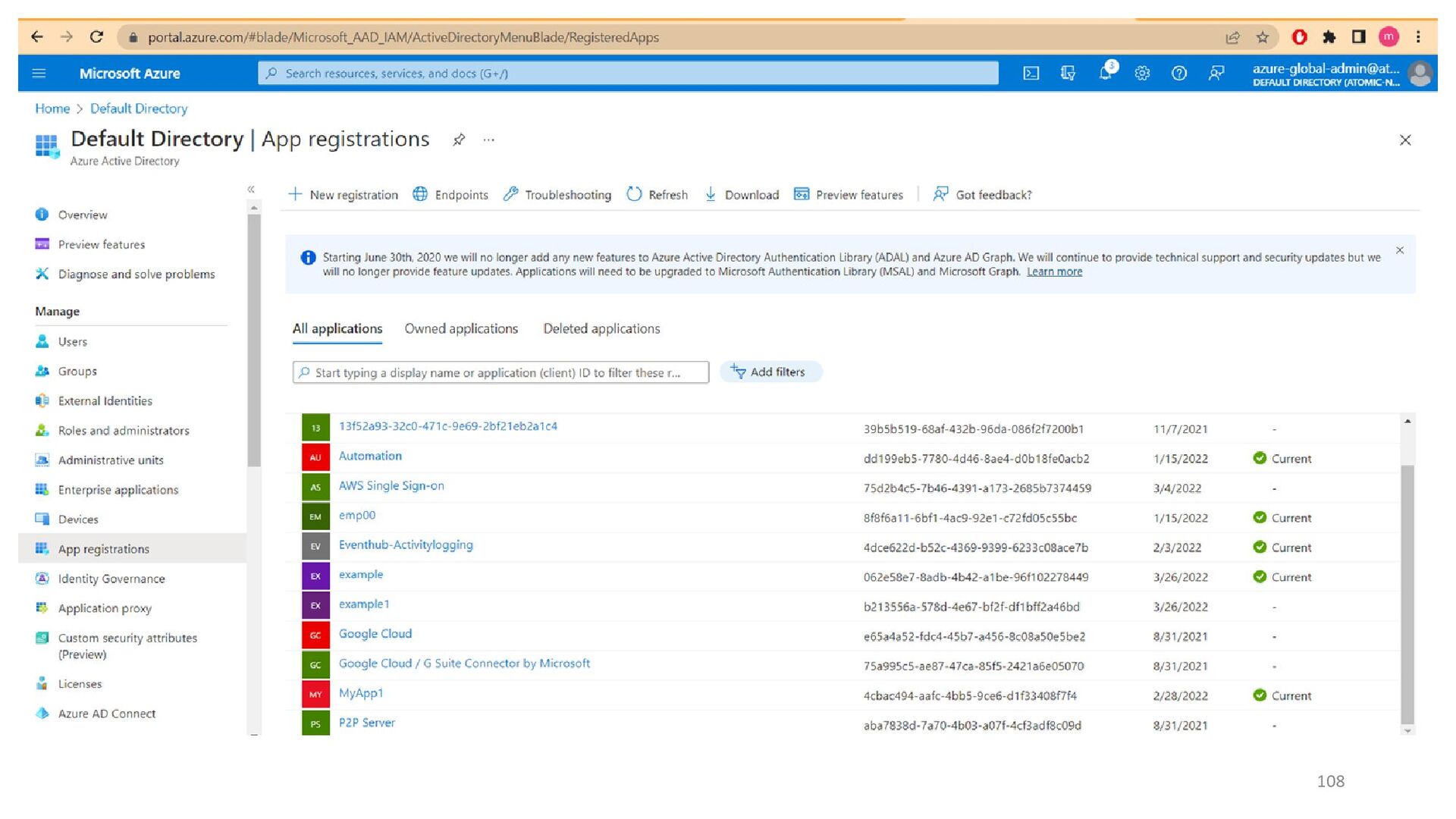
107 Applications • Application Object ◦ It comes under “App
Registration” blade in AAD ◦ “App registration” contains apps which are registered in the same tenant ◦ This object acts as the template where you can go ahead and configure various things like API Permissions, Client Secrets, Branding, App Roles, etc. ◦ The application object describes three aspects of an application: • How the service can issue tokens in order to access the application • Resources that the application might need to access • The actions that the application can take. ◦ When we register an application in aad, its automatically create two objects - • Applications Object - Object ID : A unique identifier for each register application • Service Principal Object - Application ID / Client ID [Same as in enterprise application] ◦ Application Attributes - • Owner - Owner of the registered application • API Permissions • Delegated Permission - User Interaction Required [ Access the azure resources on the behalf of a user ] • Application Permission- Permissions are assigned to the applications, User interaction not required. . • Client Secrets & Certificate • App Roles - It’s used to assign permissions to the users to managed the registered application. ◦ Consent - • Consent is the process of a user granting authorization to an application to access protected resources on their behalf. • Type of consent • Admin Consent - Admin consent flow is when an application developer directs users to the admin consent endpoint with the intent to record consent for the entire tenant (All Users). • User Consent - User consent flow is when an application developer directs users to the authorization endpoint with the intent to record consent for only the current user (Single User). -
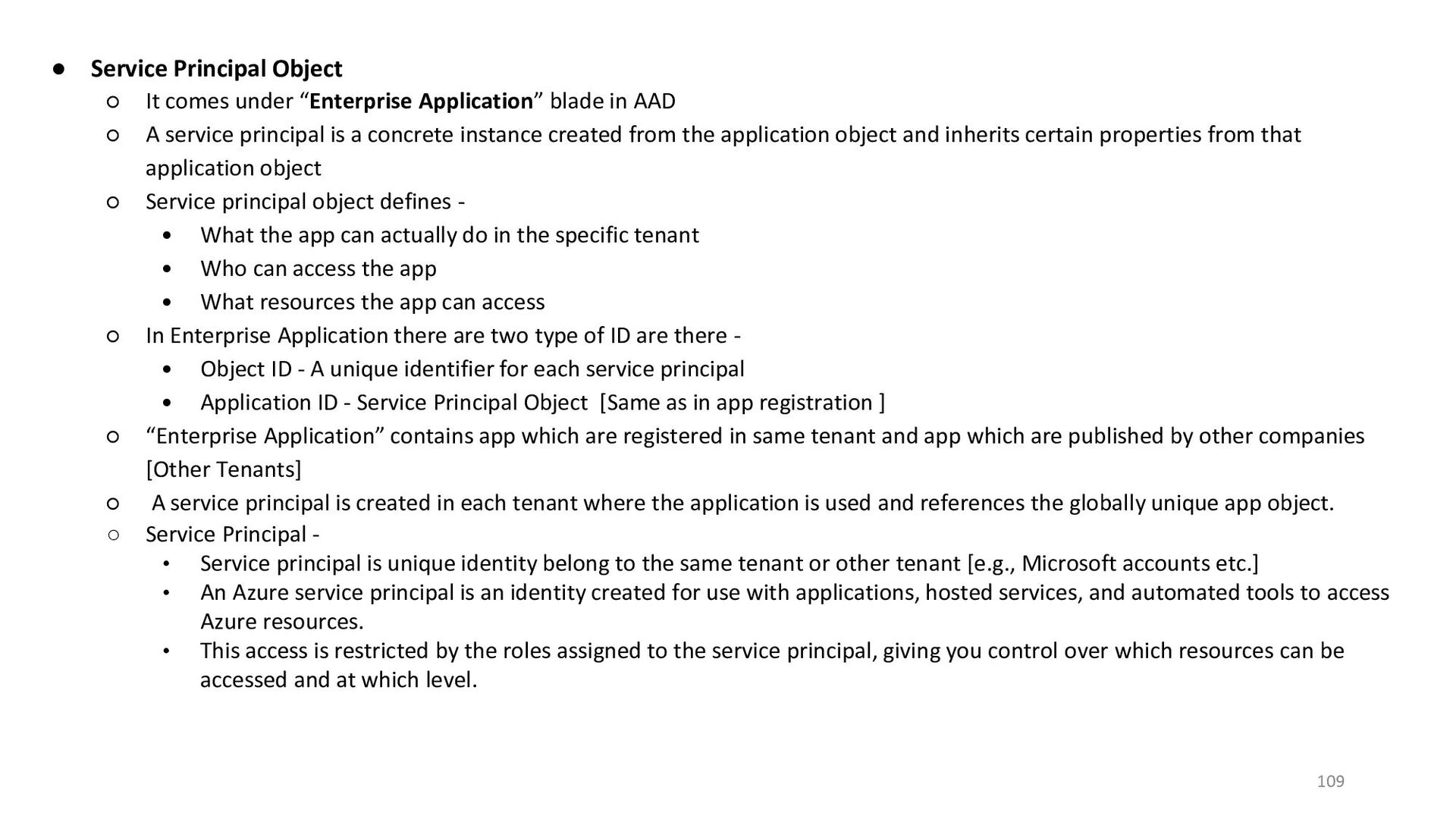
109 • Service Principal Object ◦ It comes under “Enterprise
Application” blade in AAD ◦ A service principal is a concrete instance created from the application object and inherits certain properties from that application object ◦ Service principal object defines - • What the app can actually do in the specific tenant • Who can access the app • What resources the app can access ◦ In Enterprise Application there are two type of ID are there - • Object ID - A unique identifier for each service principal • Application ID - Service Principal Object [Same as in app registration ] ◦ “Enterprise Application” contains app which are registered in same tenant and app which are published by other companies [Other Tenants] ◦ A service principal is created in each tenant where the application is used and references the globally unique app object. ◦ Service Principal - • Service principal is unique identity belong to the same tenant or other tenant [e.g., Microsoft accounts etc.] • An Azure service principal is an identity created for use with applications, hosted services, and automated tools to access Azure resources. • This access is restricted by the roles assigned to the service principal, giving you control over which resources can be accessed and at which level. -
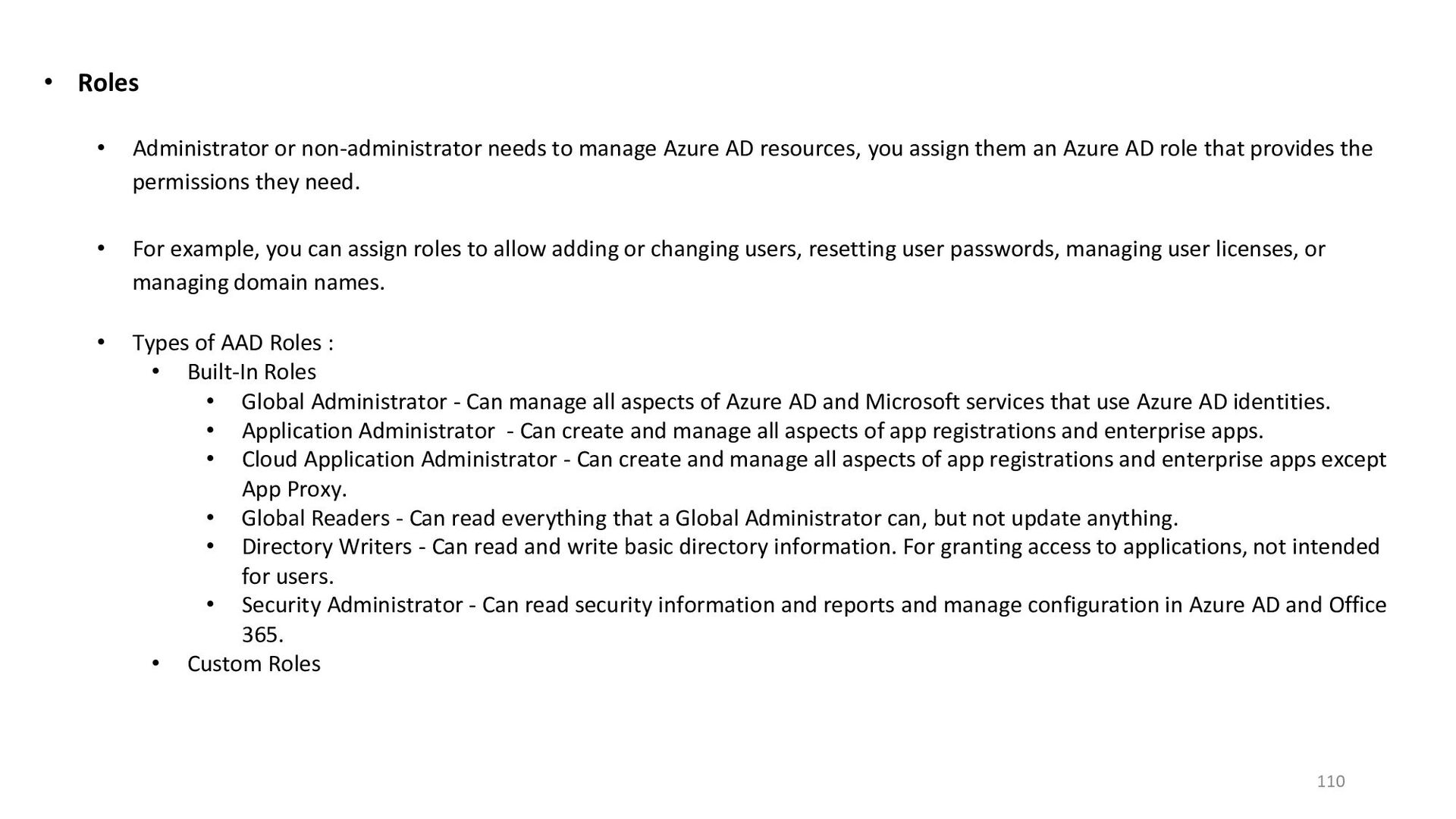
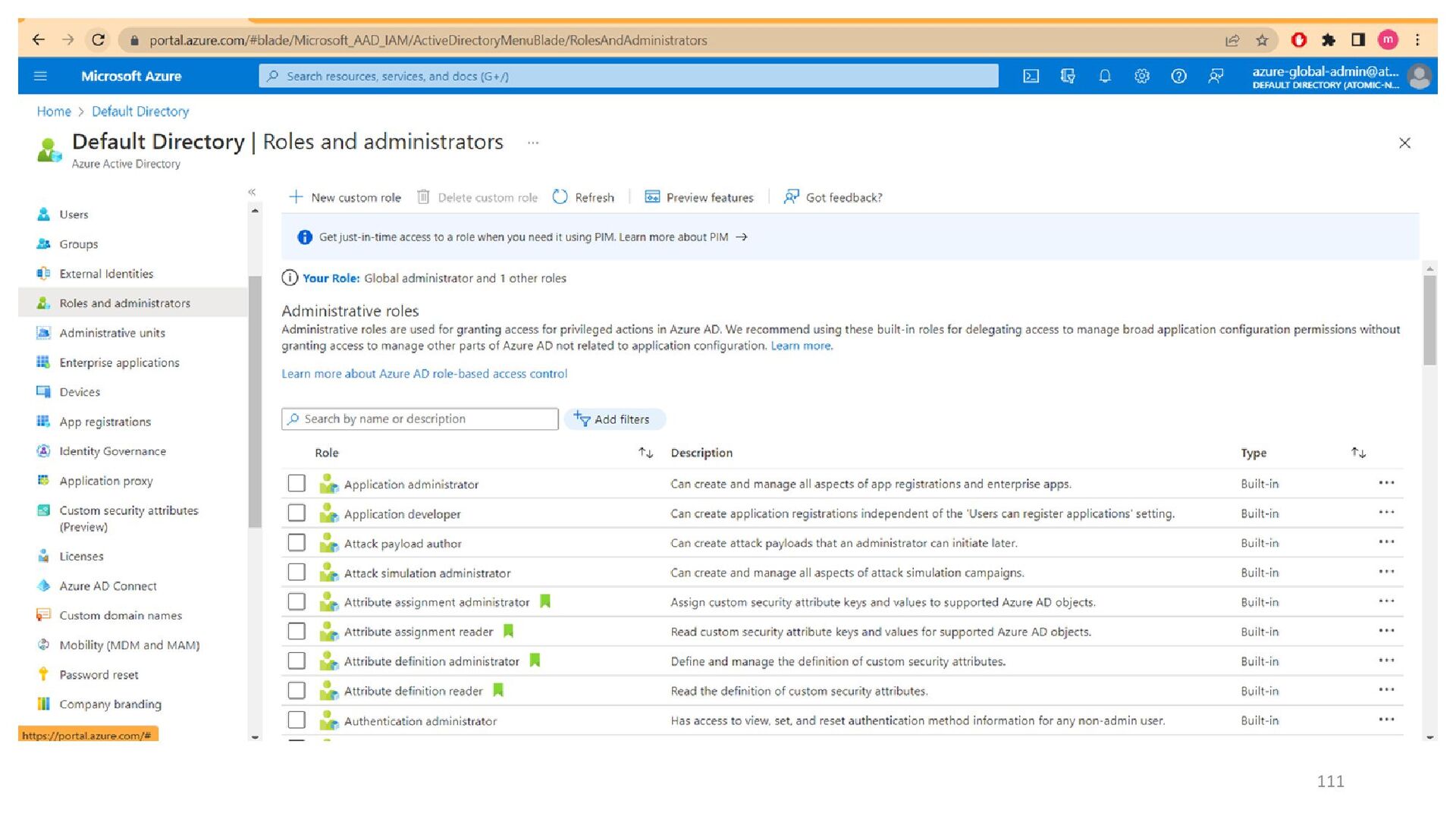
110 • Roles • Administrator or non-administrator needs to manage
Azure AD resources, you assign them an Azure AD role that provides the permissions they need. • For example, you can assign roles to allow adding or changing users, resetting user passwords, managing user licenses, or managing domain names. • Types of AAD Roles : • Built-In Roles • Global Administrator - Can manage all aspects of Azure AD and Microsoft services that use Azure AD identities. • Application Administrator - Can create and manage all aspects of app registrations and enterprise apps. • Cloud Application Administrator - Can create and manage all aspects of app registrations and enterprise apps except App Proxy. • Global Readers - Can read everything that a Global Administrator can, but not update anything. • Directory Writers - Can read and write basic directory information. For granting access to applications, not intended for users. • Security Administrator - Can read security information and reports and manage configuration in Azure AD and Office 365. • Custom Roles -
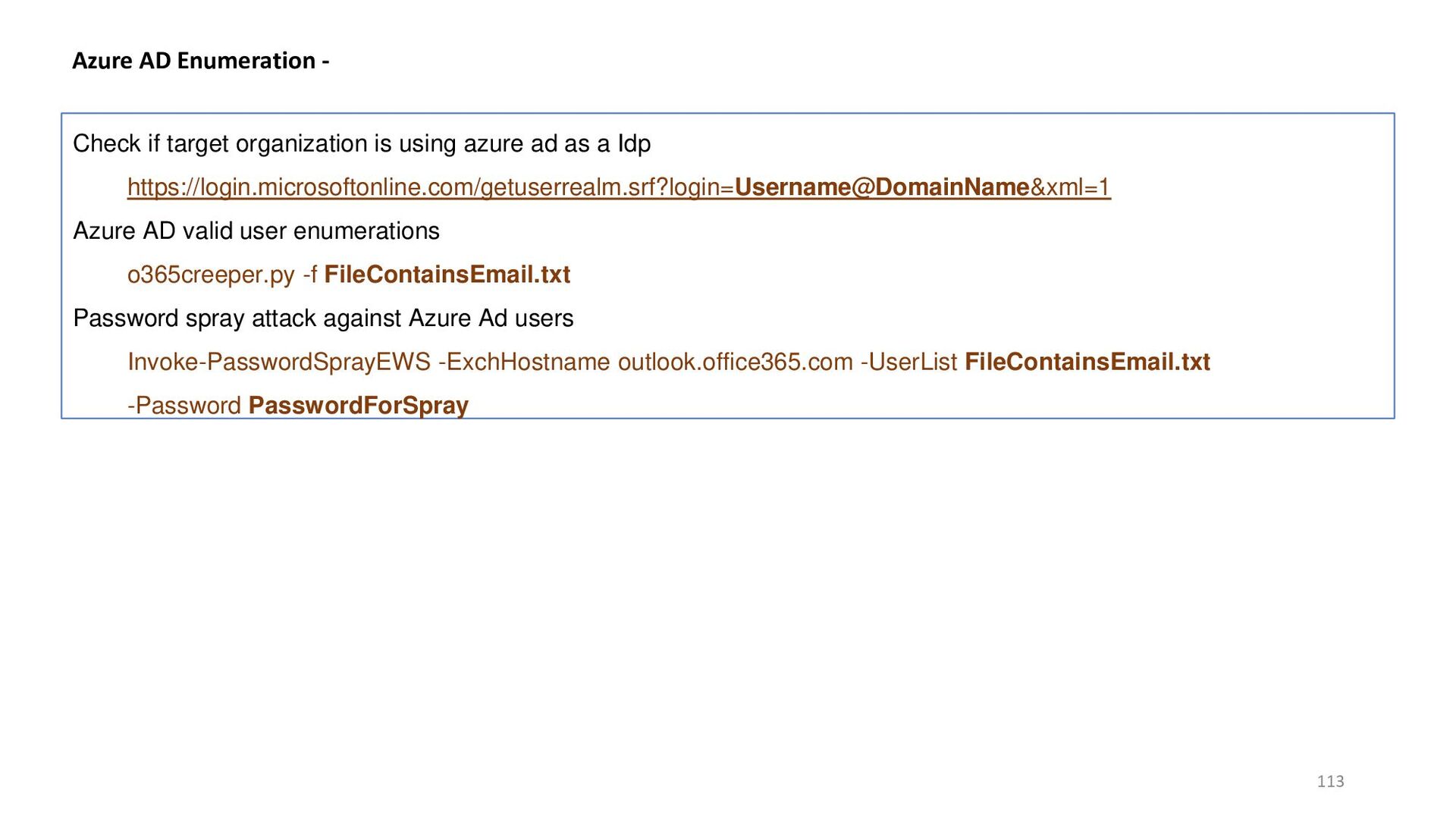
113 Check if target organization is using azure ad as
a Idp https://login.microsoftonline.com/getuserrealm.srf?login=Username@DomainName&xml=1 Azure AD valid user enumerations o365creeper.py -f FileContainsEmail.txt Password spray attack against Azure Ad users Invoke-PasswordSprayEWS -ExchHostname outlook.office365.com -UserList FileContainsEmail.txt -Password PasswordForSpray Azure AD Enumeration - -
4.3 Azure Resource Manager [ARM] • Azure Resource Manager (ARM)
is the native platform for infrastructure as code (IaC) in Azure. • It enables us to centralize the management, deployment, and security of Azure resources. • It provides Infrastructure as a Service [IaaS], Platform as a Service [PaaS] and Software as a Service [SaaS]. • Azure ARM manage access control by “Role Based Access Control [RBAC]”. -
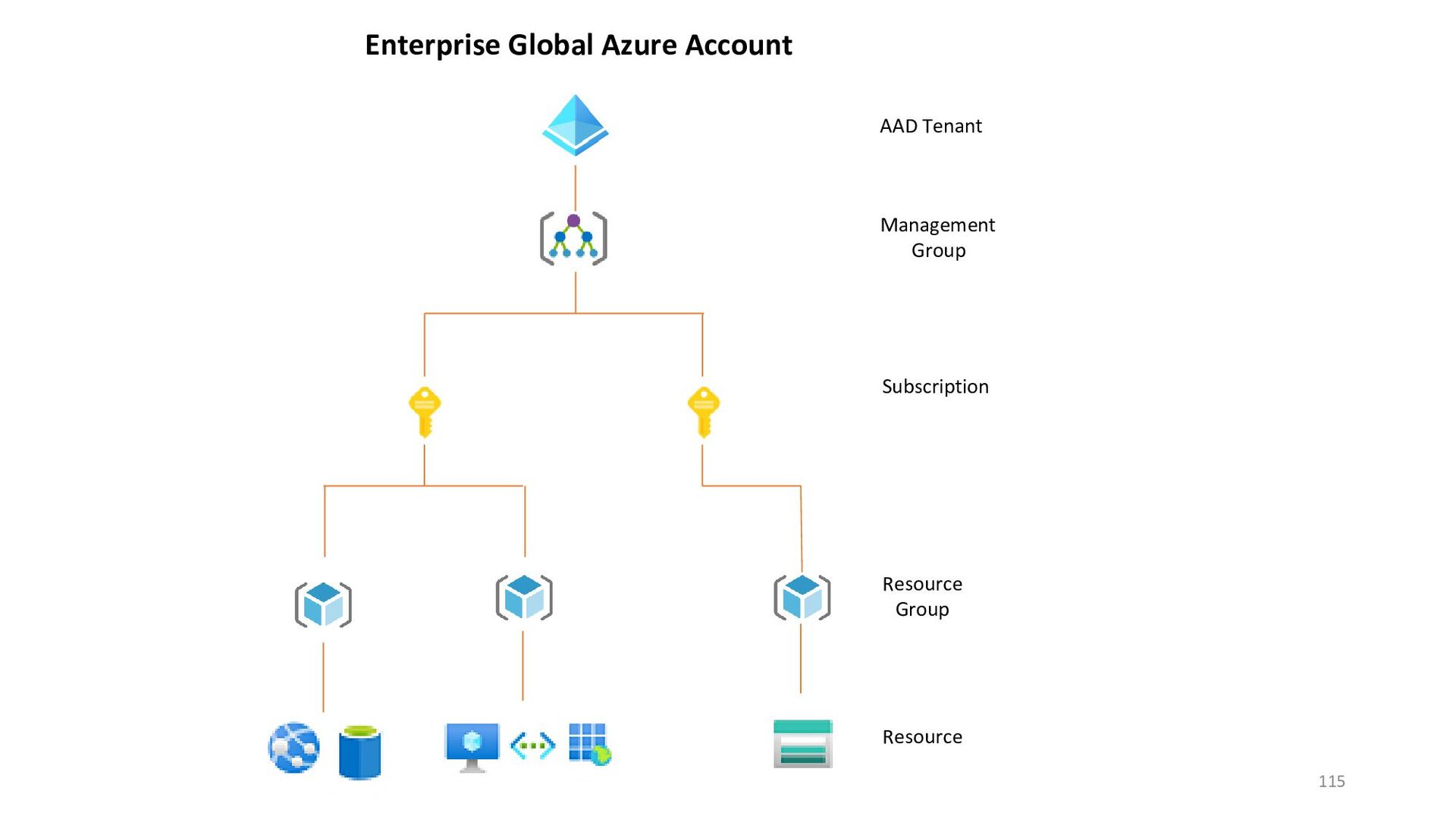
115 Management Group Subscription Resource Group Resource AAD Tenant Enterprise
Global Azure Account -
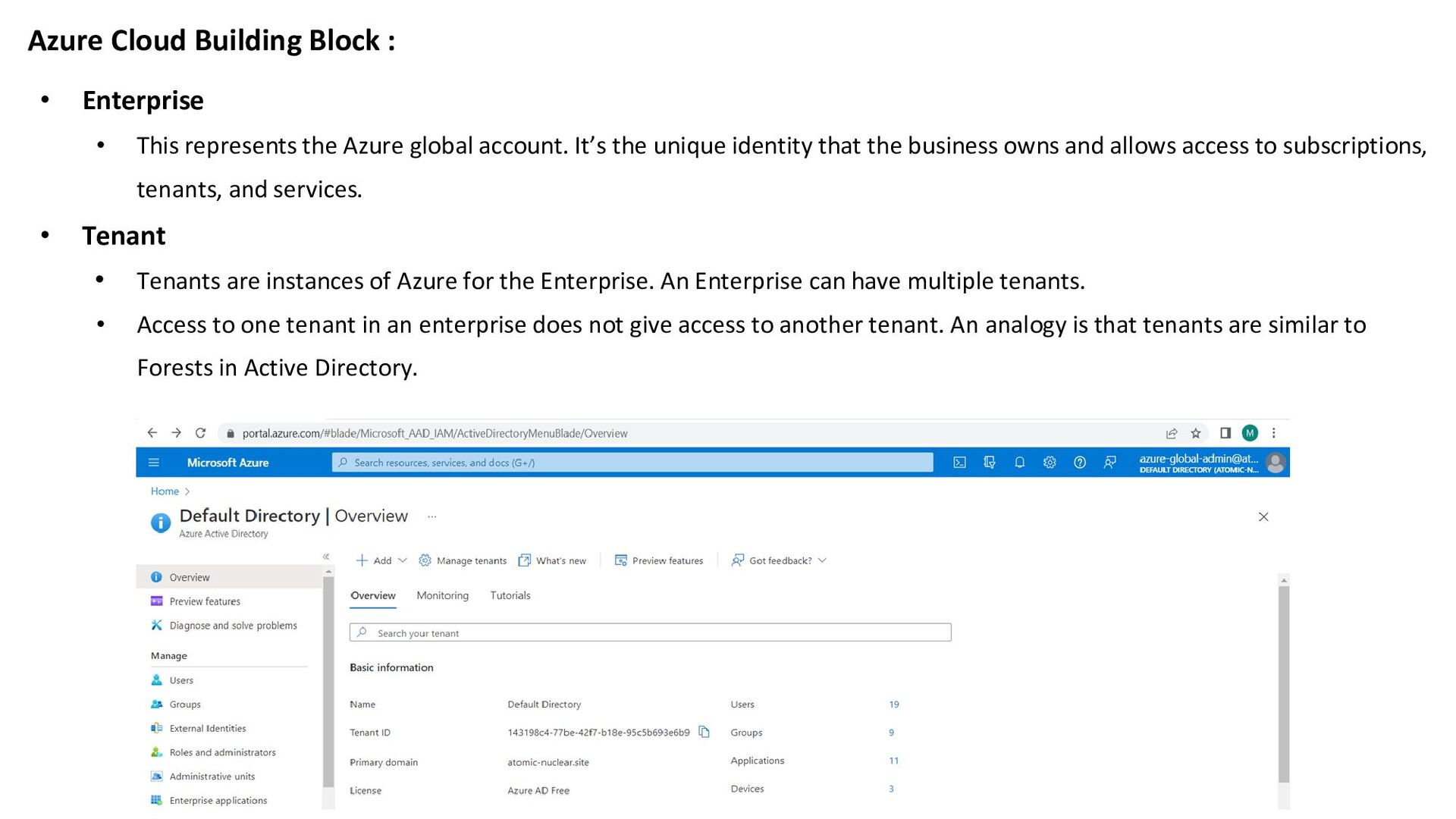
Azure Cloud Building Block : • Enterprise • This represents
the Azure global account. It’s the unique identity that the business owns and allows access to subscriptions, tenants, and services. • Tenant • Tenants are instances of Azure for the Enterprise. An Enterprise can have multiple tenants. • Access to one tenant in an enterprise does not give access to another tenant. An analogy is that tenants are similar to Forests in Active Directory. -
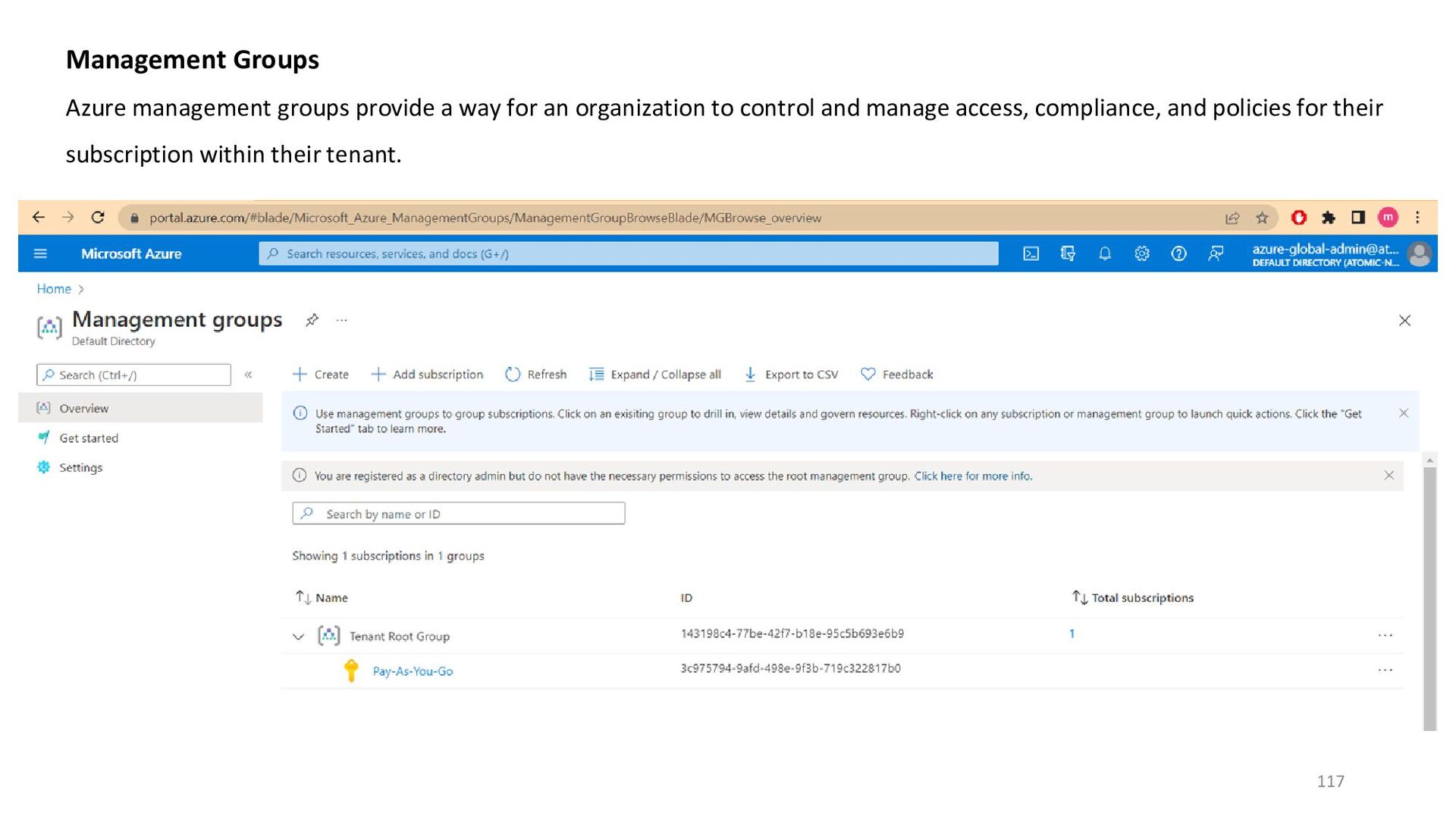
117 Management Groups Azure management groups provide a way for
an organization to control and manage access, compliance, and policies for their subscription within their tenant. -
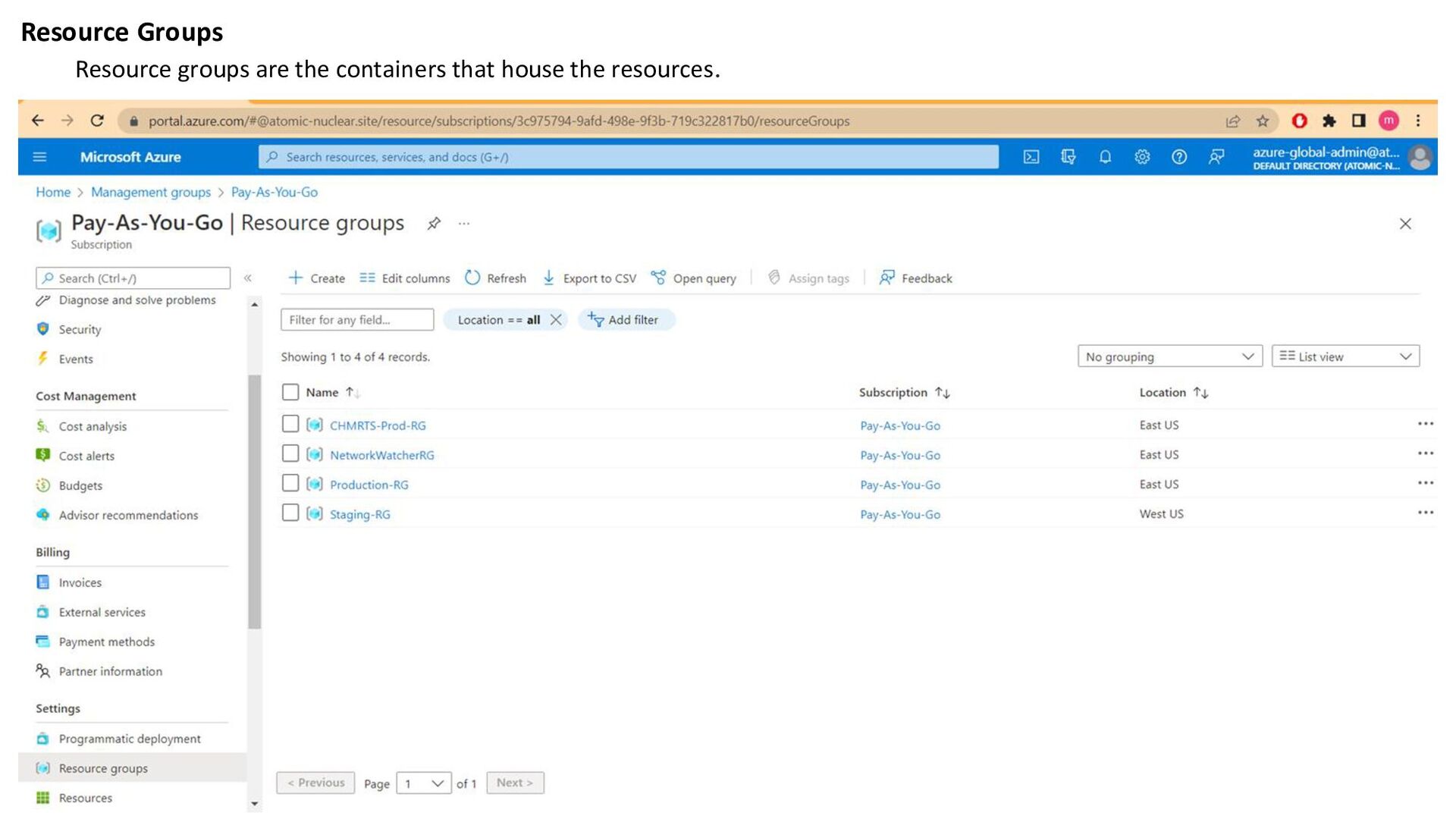
118 Subscriptions Subscriptions are how you gain access to Azure
services (Azure itself, Azure AD, Storage, etc). Subscriptions are often broken out into uses for the businesses, e.g. a subscription for production web apps, another subscription for development web apps, etc. -
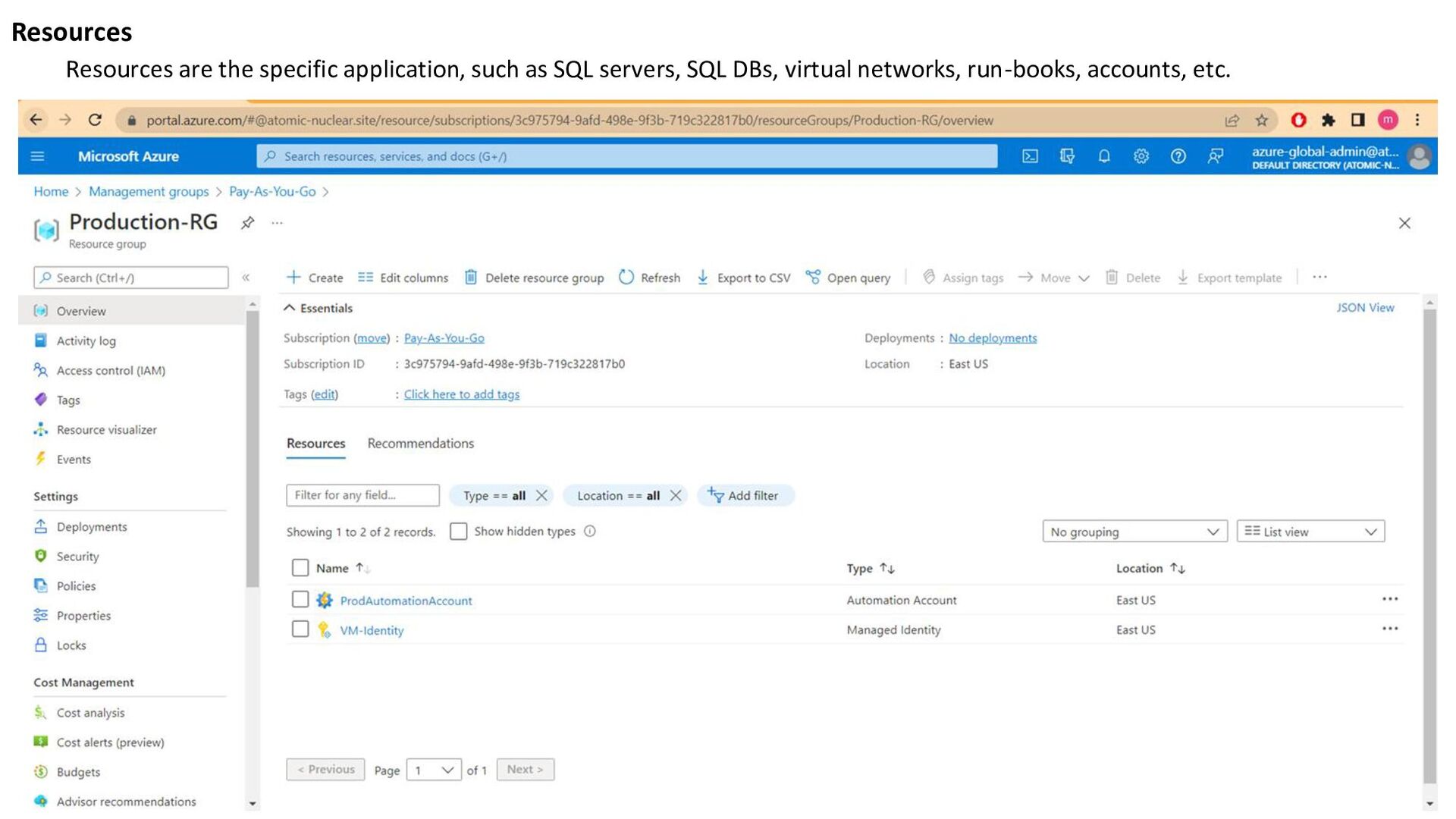
120 Resources Resources are the specific application, such as SQL
servers, SQL DBs, virtual networks, run-books, accounts, etc. -
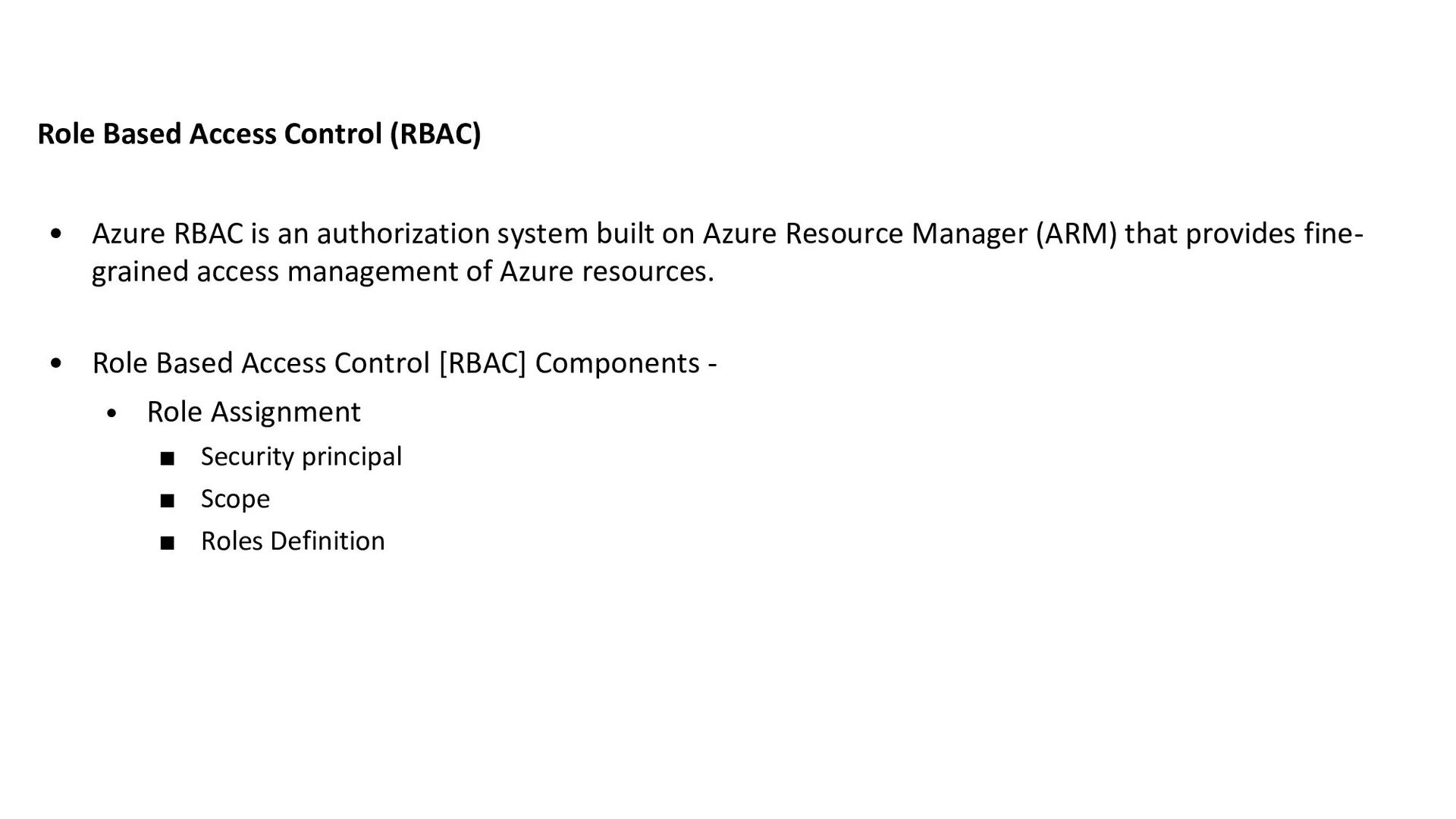
Role Based Access Control (RBAC) • Azure RBAC is an
authorization system built on Azure Resource Manager (ARM) that provides fine- grained access management of Azure resources. • Role Based Access Control [RBAC] Components - • Role Assignment ▪ Security principal ▪ Scope ▪ Roles Definition -
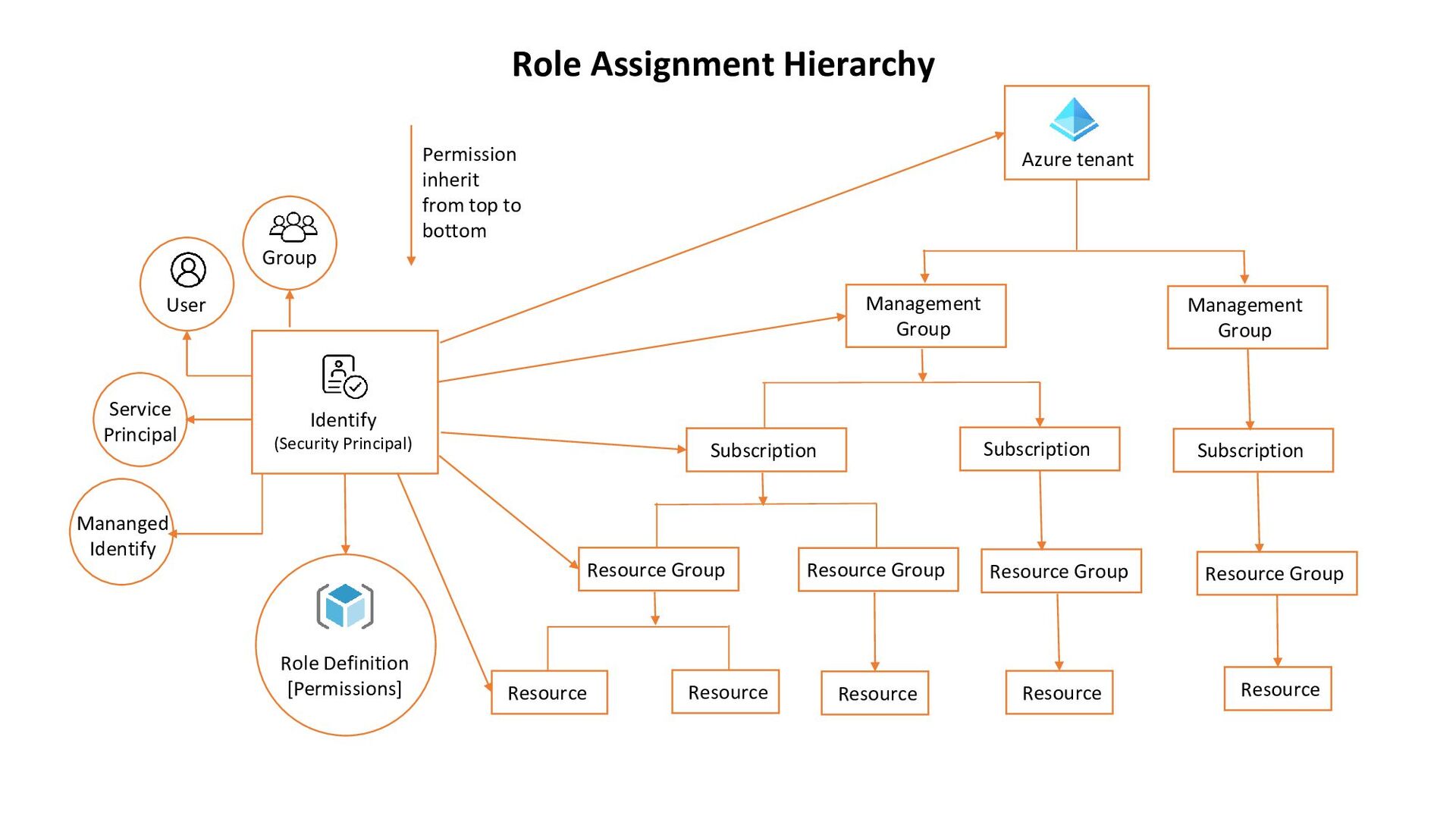
Identify (Security Principal) Group User Service Principal Mananged Identify Role
Definition [Permissions] Azure tenant Management Group Management Group Subscription Subscription Subscription Resource Group Resource Group Resource Group Resource Group Resource Resource Resource Resource Resource Permission inherit from top to bottom Role Assignment Hierarchy -
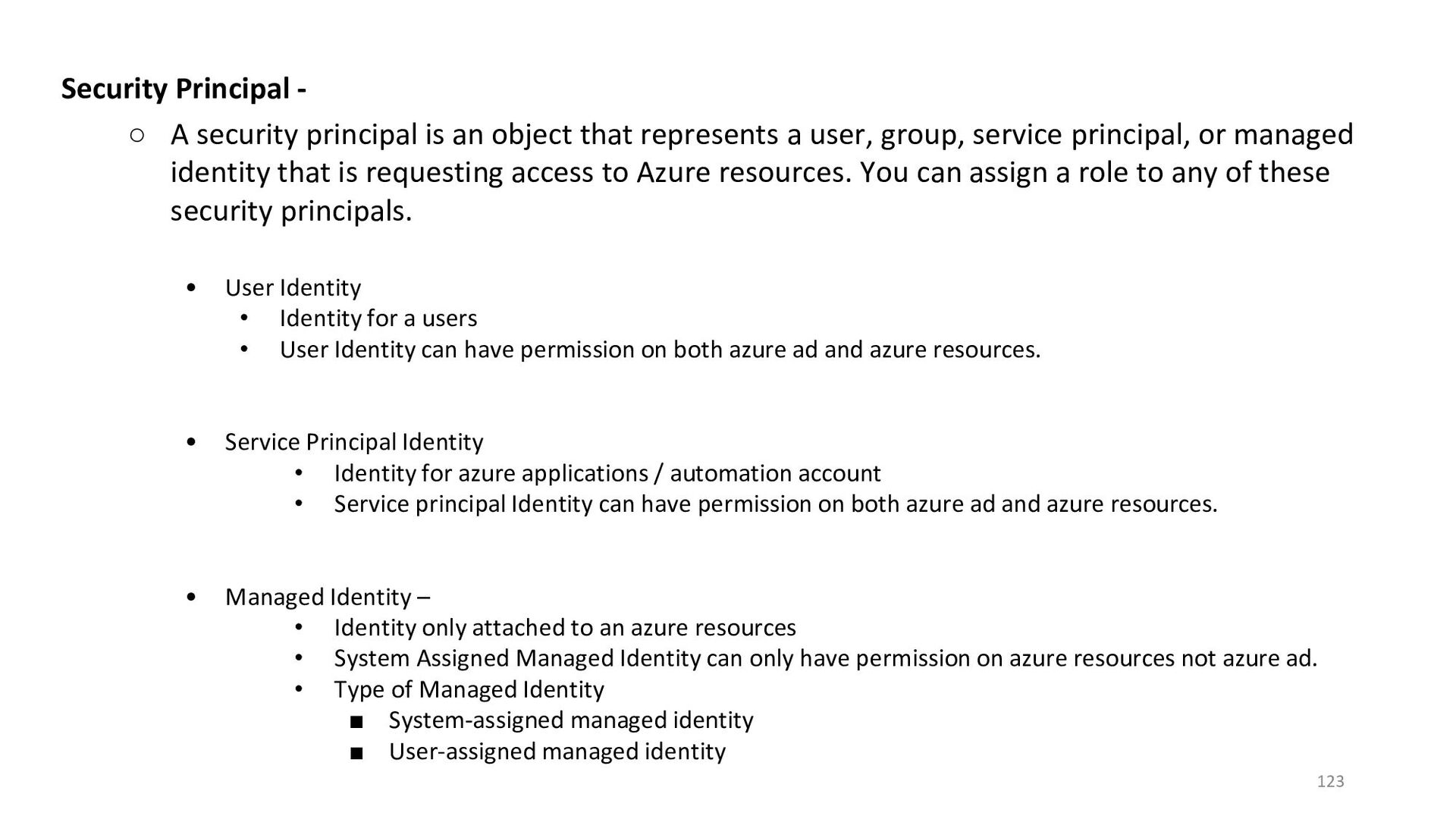
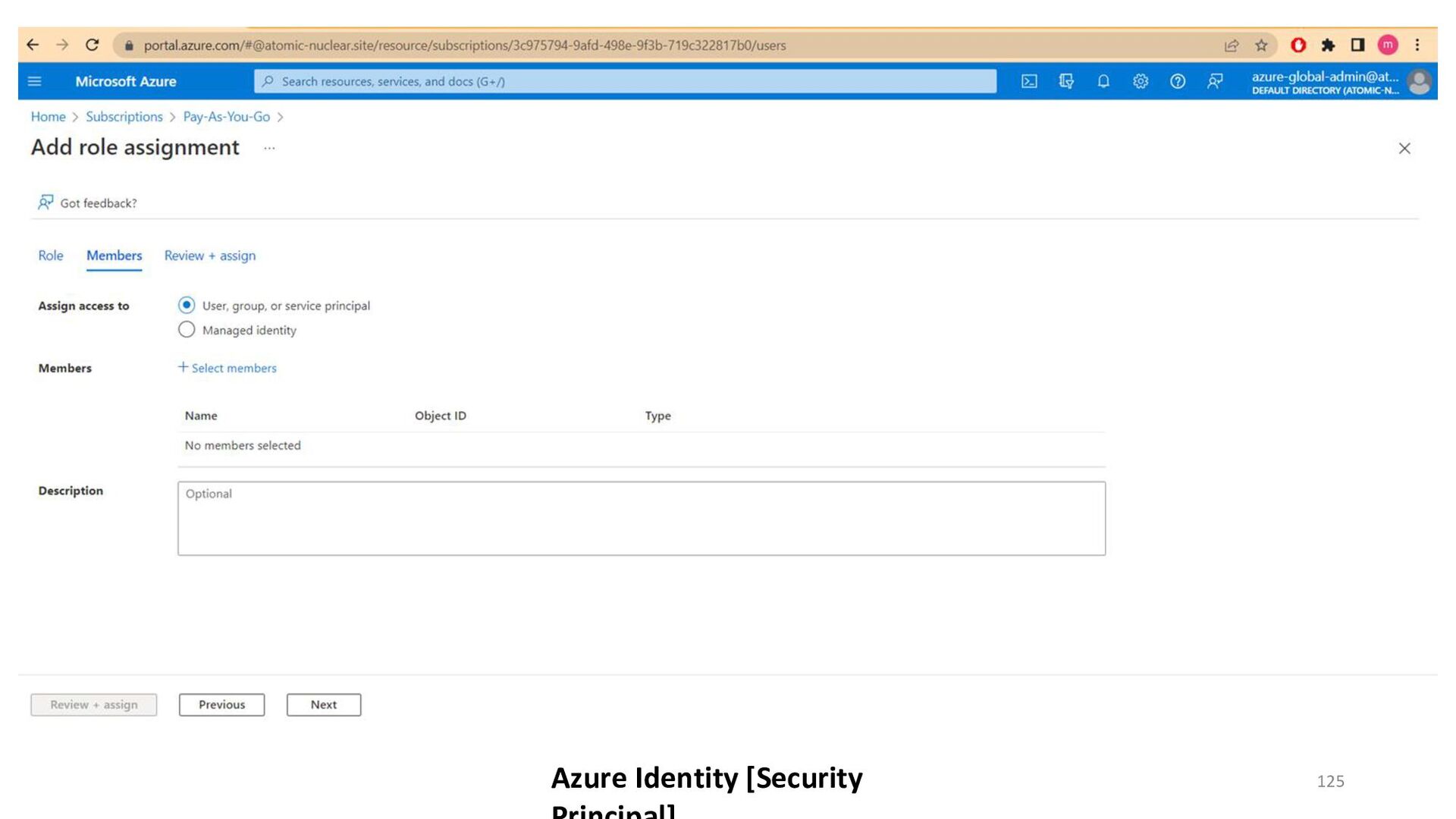
123 Security Principal - ◦ A security principal is an
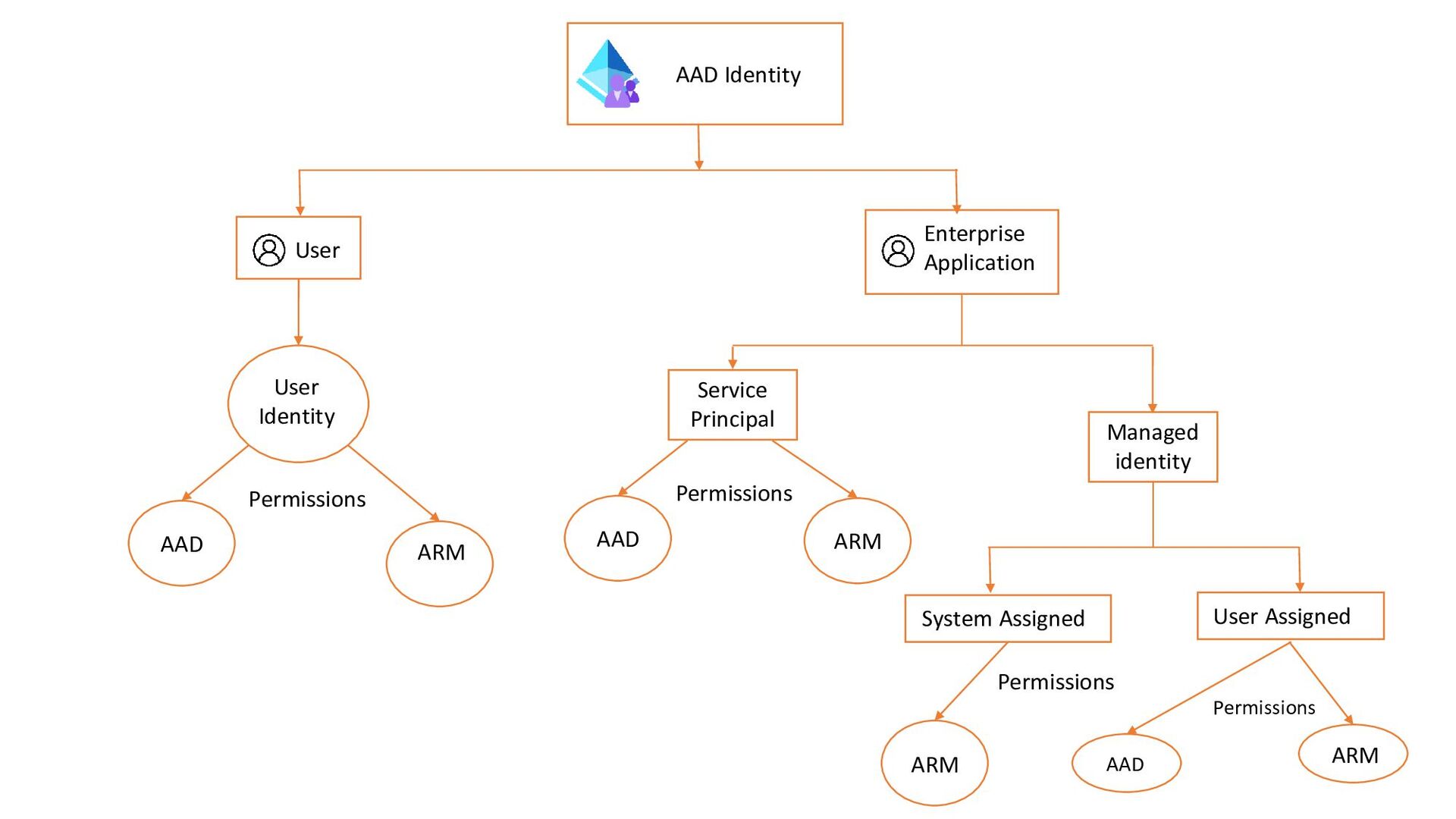
object that represents a user, group, service principal, or managed identity that is requesting access to Azure resources. You can assign a role to any of these security principals. • User Identity • Identity for a users • User Identity can have permission on both azure ad and azure resources. • Service Principal Identity • Identity for azure applications / automation account • Service principal Identity can have permission on both azure ad and azure resources. • Managed Identity – • Identity only attached to an azure resources • System Assigned Managed Identity can only have permission on azure resources not azure ad. • Type of Managed Identity ▪ System-assigned managed identity ▪ User-assigned managed identity -
AAD Identity User Enterprise Application User Identity AAD ARM Service
Principal Managed identity AAD ARM Permissions Permissions System Assigned User Assigned ARM Permissions AAD ARM Permissions -
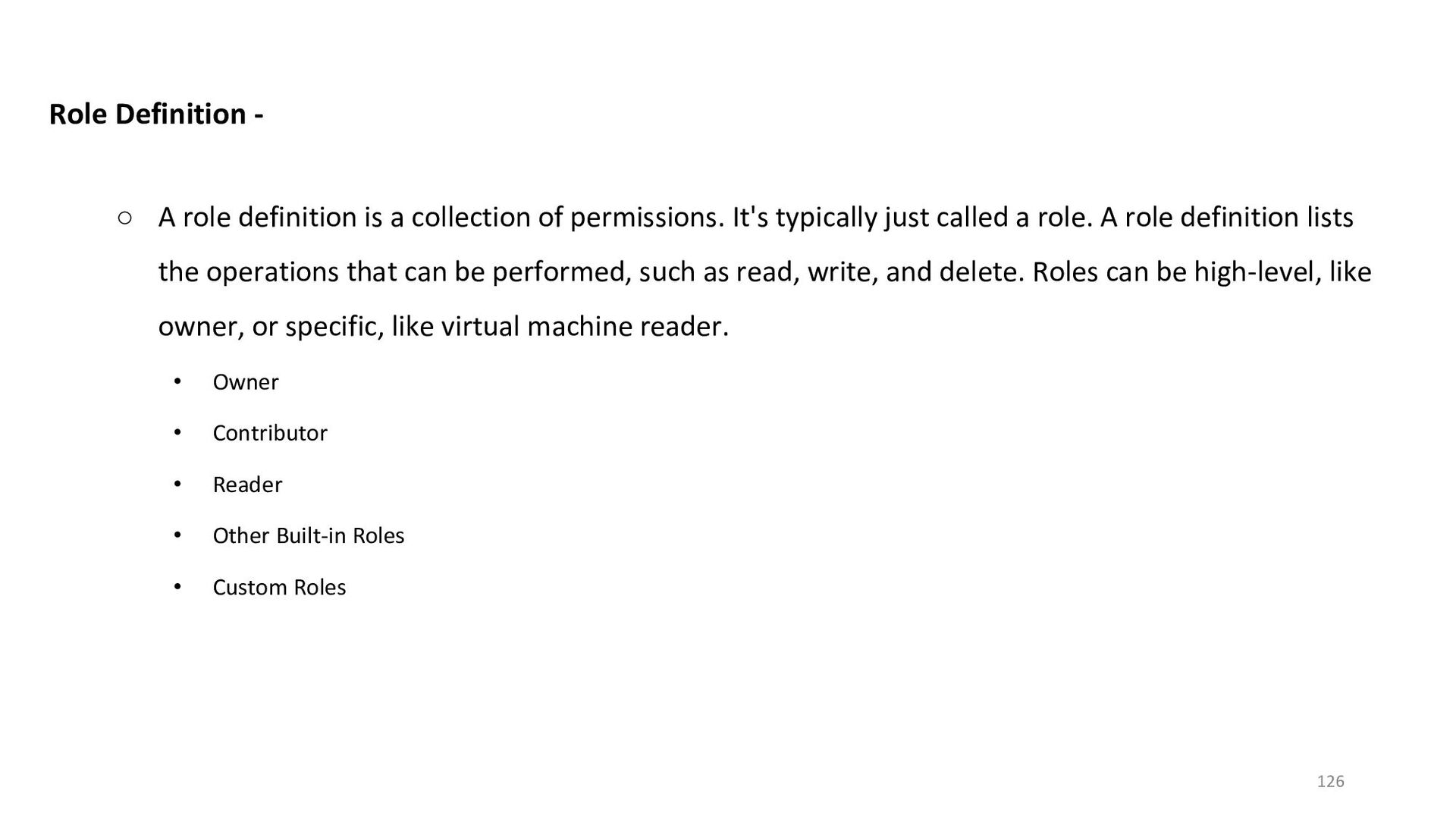
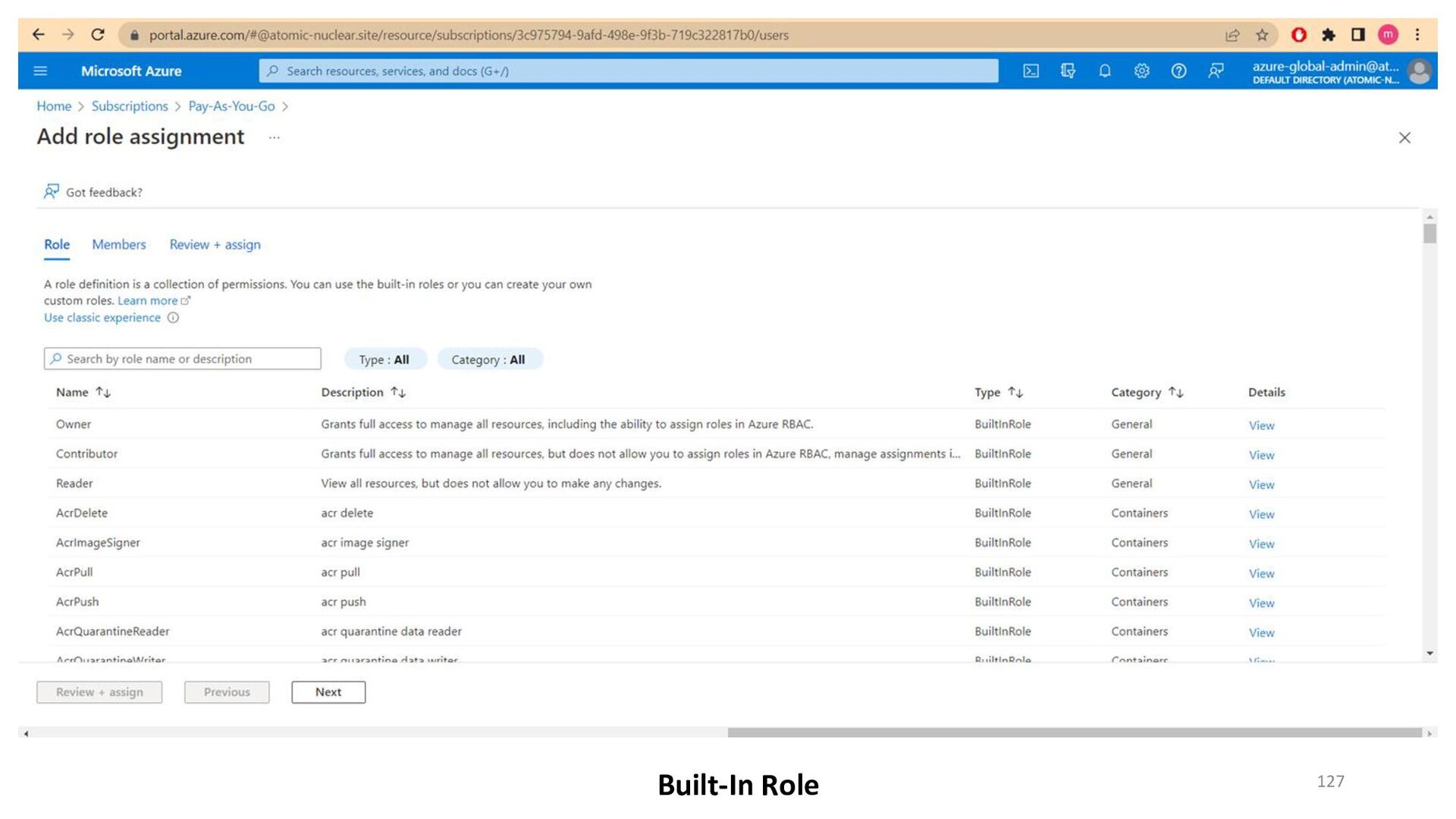
126 Role Definition - ◦ A role definition is a
collection of permissions. It's typically just called a role. A role definition lists the operations that can be performed, such as read, write, and delete. Roles can be high-level, like owner, or specific, like virtual machine reader. • Owner • Contributor • Reader • Other Built-in Roles • Custom Roles -
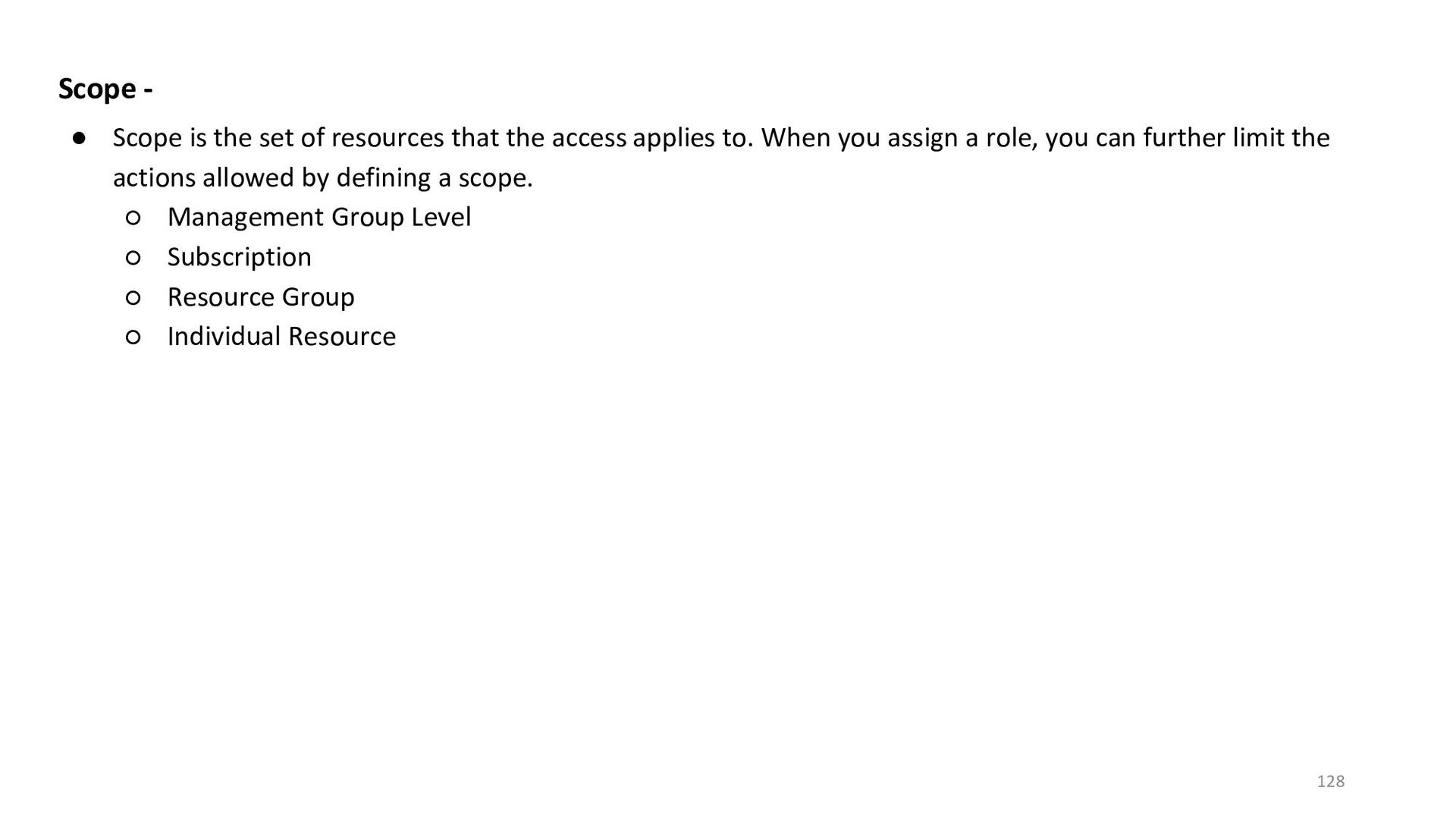
128 Scope - • Scope is the set of resources
that the access applies to. When you assign a role, you can further limit the actions allowed by defining a scope. ◦ Management Group Level ◦ Subscription ◦ Resource Group ◦ Individual Resource -
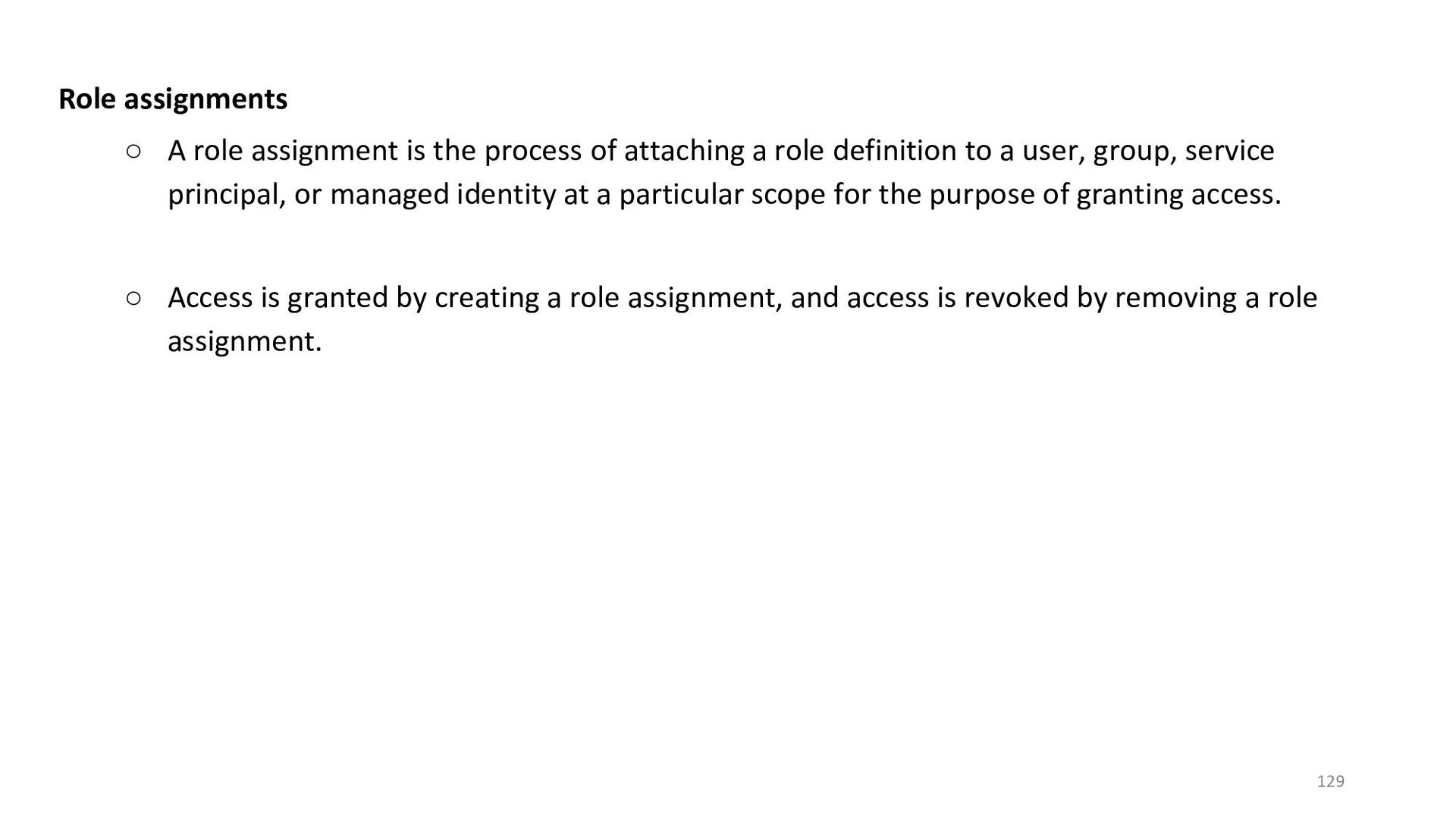
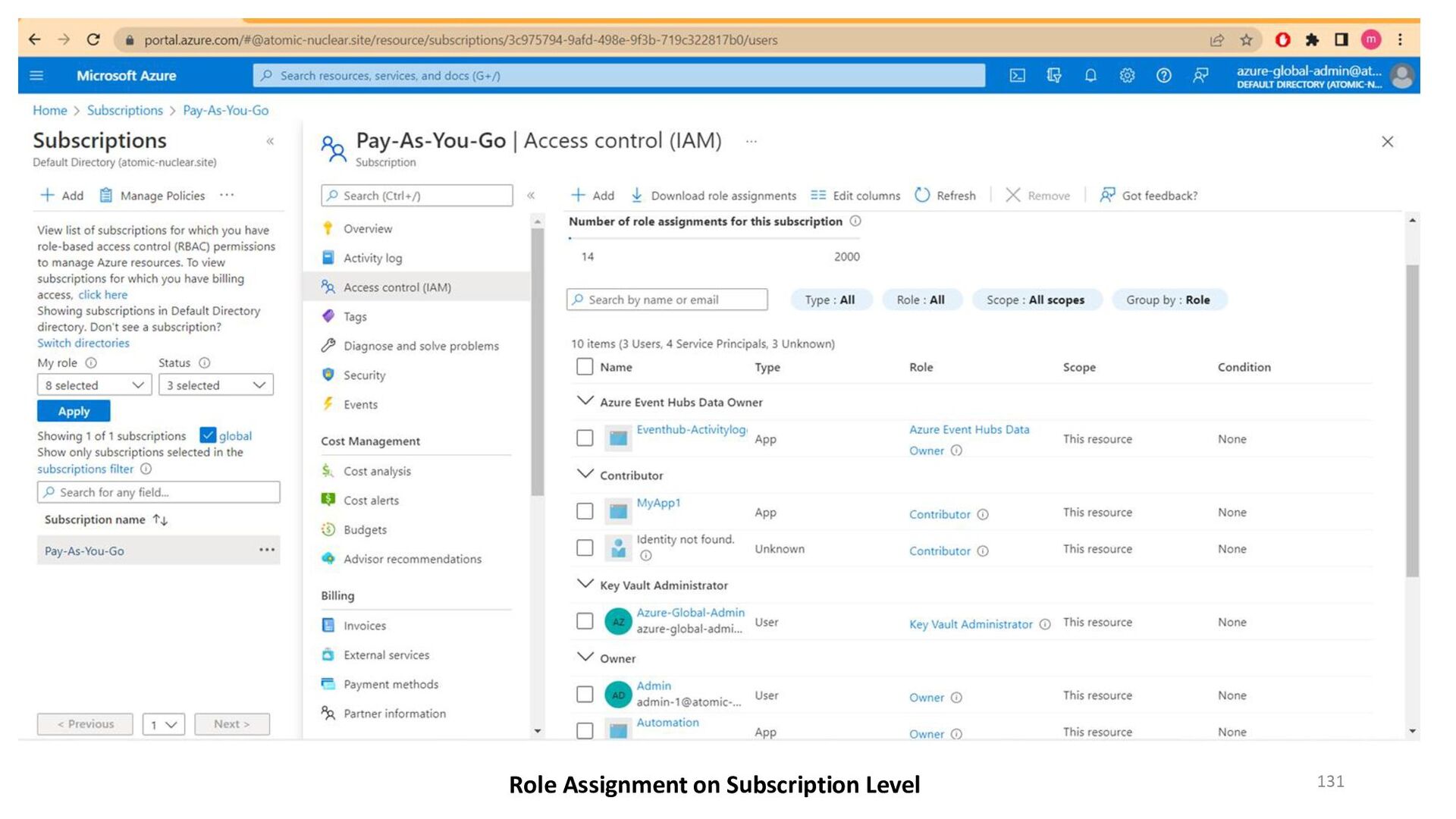
129 Role assignments ◦ A role assignment is the process
of attaching a role definition to a user, group, service principal, or managed identity at a particular scope for the purpose of granting access. ◦ Access is granted by creating a role assignment, and access is revoked by removing a role assignment. -
1. Security Principal Marketing group “Actions”: [ “*” ], “NotActions”:
[ “Auth/*/Delete”, “Auth/*/Delete”, “Auth/*/elevate... Contributor Pharma-sales Resource group Role Assignment Owner Contributor Reader Backup Operator Security reader User access Administrator Virtual machine contributor Built-in Role Reader support tickets Virtual machine operator Custom Role 2. Role Definition 3. Scope -
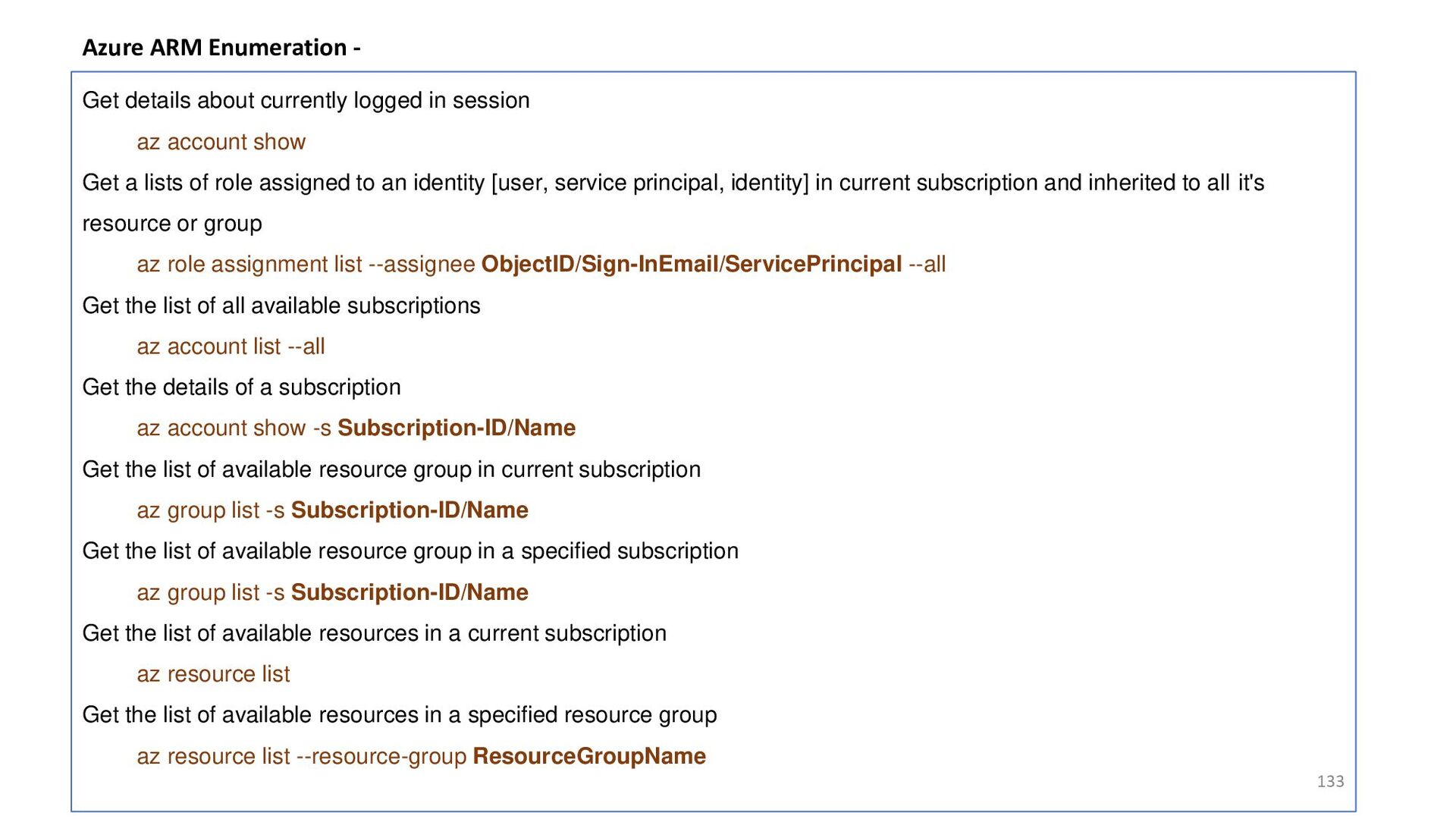
133 Get details about currently logged in session az account
show Get a lists of role assigned to an identity [user, service principal, identity] in current subscription and inherited to all it's resource or group az role assignment list --assignee ObjectID/Sign-InEmail/ServicePrincipal --all Get the list of all available subscriptions az account list --all Get the details of a subscription az account show -s Subscription-ID/Name Get the list of available resource group in current subscription az group list -s Subscription-ID/Name Get the list of available resource group in a specified subscription az group list -s Subscription-ID/Name Get the list of available resources in a current subscription az resource list Get the list of available resources in a specified resource group az resource list --resource-group ResourceGroupName Azure ARM Enumeration - -
134 Lists of roles assigned in current subscription [Role Assignment]
az role assignment list Lists of roles assigned in current subscription and inherited to all it's resource or group [Role Assignment] az role assignment list -all Lists of roles assigned in specified subscription [Role Assignment] az role assignment list --subscription Subscription-ID/Name Lists of roles with assigned permission [Role Definition - For Inbuilt and Custom Role] az role definition list Lists of custom role with assigned permissions az role definition list --custom-role-only Get the full information about a specified role az role definition list -n RoleName -
THANKYOU In case of any difficulties or queries, feel free
to mail us at [email protected] • Follow us on : LinkedIn: https://www.linkedin.com/company/cyberwarfare/ Twitter: https://twitter.com/cyberwarfarelab • For More Information Visit : Red / Blue Team Lab : https://cyberwarfare.live Red /Blue Team Blog: https://blog.cyberwarfare.live 135
 cyberwarfarelabs
 reverentgeek
 nwiizo
 morganepeng
 skipperchong
 badams
 rakko
 baasie
 codingconduct
 yeseniaperezcruz
 cassininazir
 chriscoyier