• Interested in On-Prem & Cloud Offensive Information Security • Presented Research / Training at various International Conferences / Govt. Agencies Yash Bharadwaj • Co-Founder & CTO @CyberWarFare Labs • R&D in On-Prem & Enterprise Security Evasion • Presented Cyber Security Research / Training at various National / International Conferences • Twitter : @flopyash
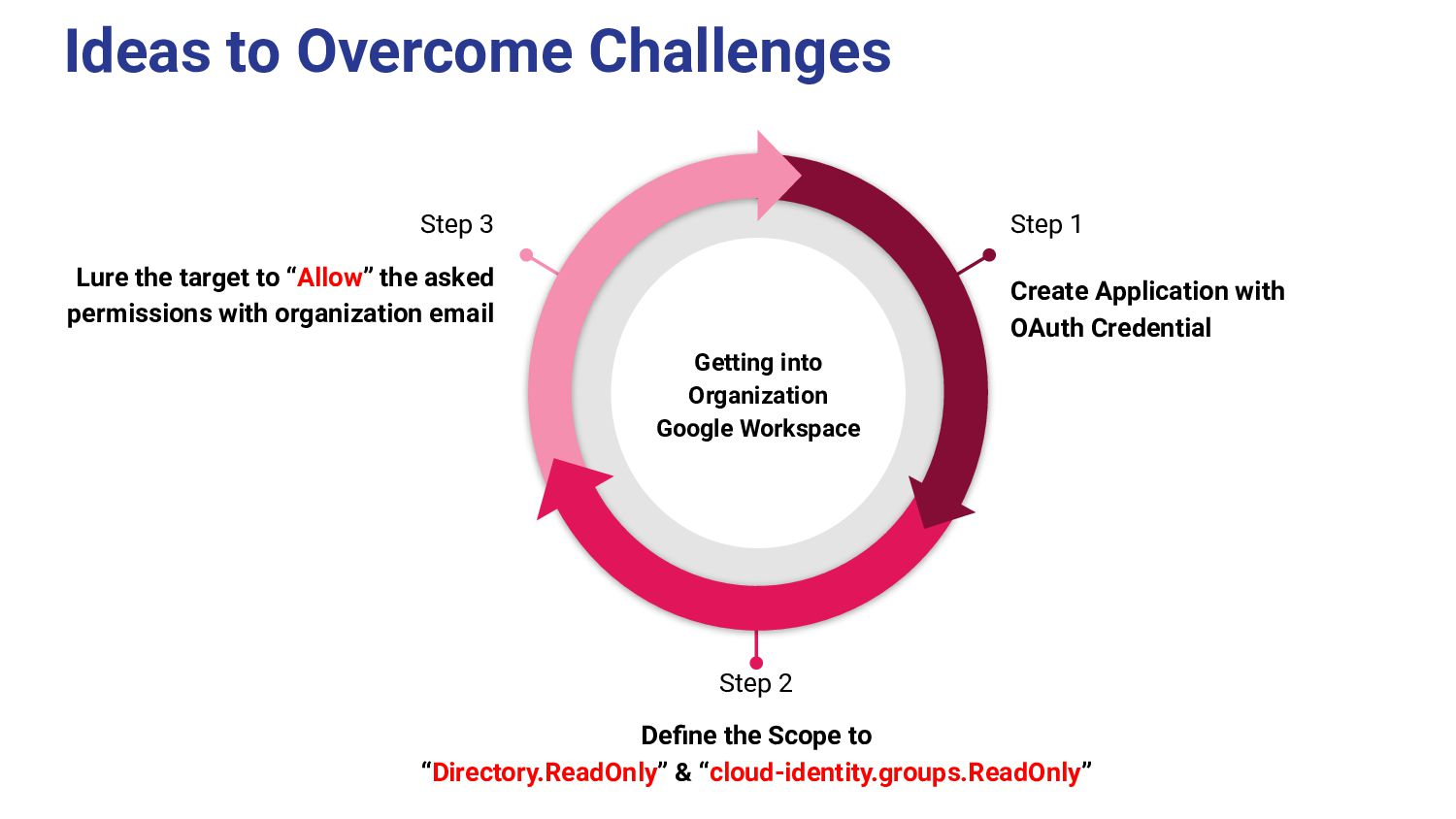
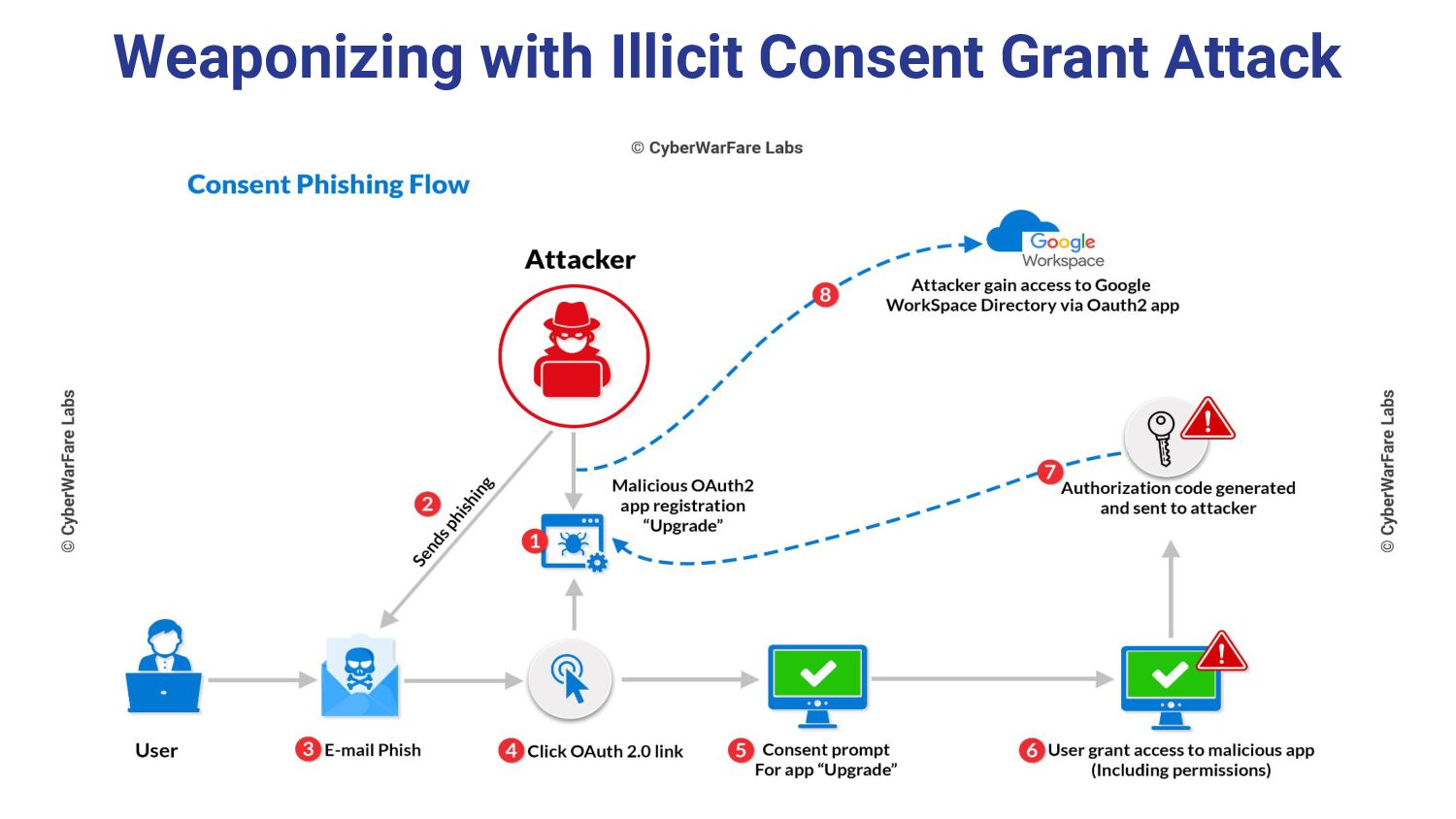
“Allow” the asked permissions with organization email Step 1 Create Application with OAuth Credential Step 2 Define the Scope to “Directory.ReadOnly” & “cloud-identity.groups.ReadOnly” Getting into Organization Google Workspace
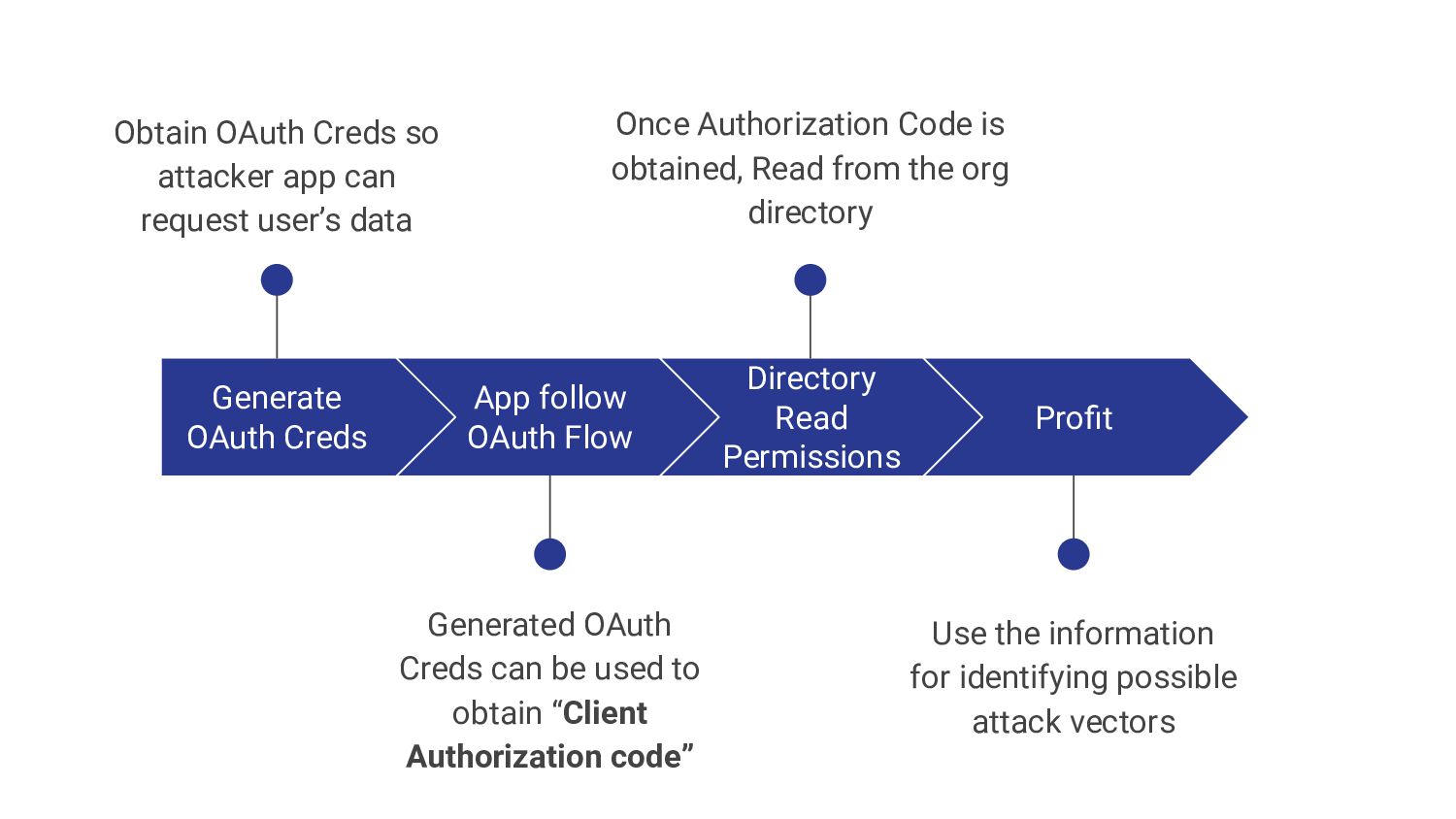
request user’s data App follow OAuth Flow Generated OAuth Creds can be used to obtain “Client Authorization code” Directory Read Permissions Once Authorization Code is obtained, Read from the org directory Profit Use the information for identifying possible attack vectors 11.01.XX


 cyberwarfarelabs
 masakiokuda
 ainischool
 frievea
 juanmartin2026
 yoshimura_datam
 pawan_pharm
 terasawat
 cbtlibrary
 hiola
hiola
 akiraasano
 jacobtomlinson
 tmiket
 addyosmani
 techseoconnect
 michaelherold
 marcduiker
 emna__ayadi
 jct
jct
 katiecoart
 mfonobong
 chrisshort
![Google WorkSpace [Previously G-Suite] • Collection of cloud computing, productivity](https://files.speakerdeck.com/presentations/cf542bb34632475d89126ec8a3e81664/slide_5.jpg)

![ANY QUESTIONS! [email protected] https://github.com/RedTeamOperations/GoogleWorkspaceDirectoryDump • Twitter : @cyberwarfarelab • LinkedIn](https://files.speakerdeck.com/presentations/cf542bb34632475d89126ec8a3e81664/slide_13.jpg)