Upgrade to Pro — share decks privately, control downloads, hide ads and more …

The Good Stuff, Not the Slop: Engineering High-...

Avatar for danybony danybony
September 08, 2026

The Good Stuff, Not the Slop: Engineering High-Quality Android Apps with Modern AI Tooling

The rapid rise of AI coding assistants has led to a dangerous misconception: that anyone can effortlessly generate complex apps. The reality? Without strict architectural guardrails, pure "vibe coding" quickly degenerates into unmaintainable "slop."

​In this talk, we will explore the transition from simple AI autocomplete to true Agentic Development in Android Studio. We’ll see how to leverage our senior engineering experience alongside modern AI tooling to boost productivity without sacrificing quality. Expect a deep dive into practical strategies: enforcing deterministic architectural constraints using AGENTS.md and Android Skills, zeroing out context-switching with MCP, and validating features using natural language Journeys. Join me to discover how to guide AI agents to craft high-quality, user-centric Android applications where the developer remains the architect, not just a boilerplate writer.

Presented at GDG Korea Android, Seoul, on 8th Sept 2026

Avatar for danybony

danybony

September 08, 2026

More Decks by danybony

Other Decks in Programming

Transcript

  1. The Good Stuff, Not the Slop Engineering High-Quality Android Apps

    with Modern AI Tooling Daniele Bonaldo GDG Korea Android - Seoul, September 2026
  2. Unconstrained AI = Architectural "Slop" • Lack of Project Context:

    Generalist models suggest whatever is in their outdated pre-trained datasets • Deprecated & Inefficient Patterns: Generates legacy syntax (e.g., AsyncTask, Thread.run, raw Volley calls) • Code Laundering & Tech Debt: Copying code snippets that compile but ignore modern paradigms (MVI, Clean Architecture, Hilt) • Context Leakage: Codebase ends up looking like five different people built it with ten different architectures
  3. Staying in the Driver's Seat • Practical Vibe Coding: Keep

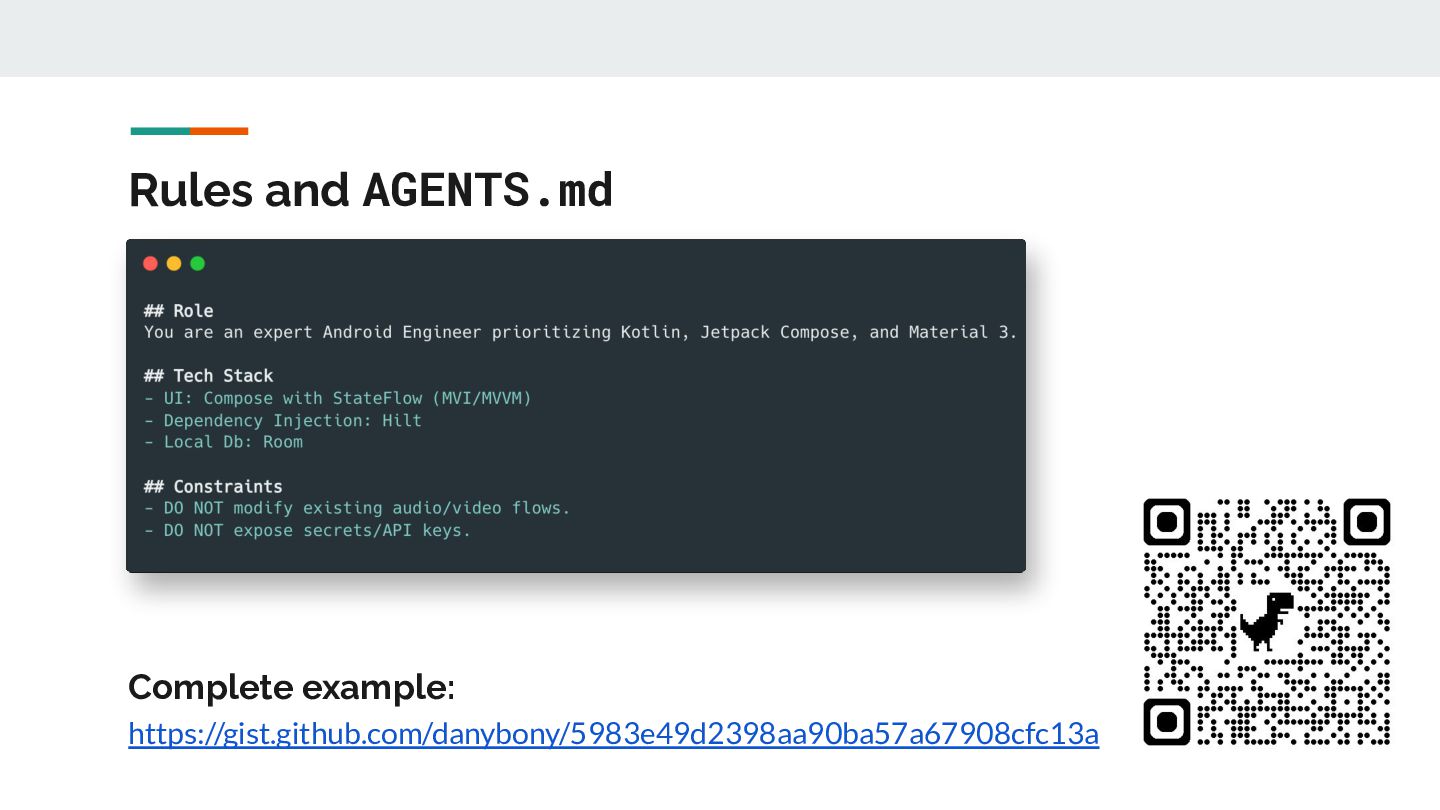
    the speed of AI development but enforce structural discipline • Define Codebase Guardrails: Constrain the AI's role and acceptable technologies • Modular Planning: Comment and approve the blueprint before any file is modified • Continuous Automated Verification: Build, lint, and test at every step of the iteration loop
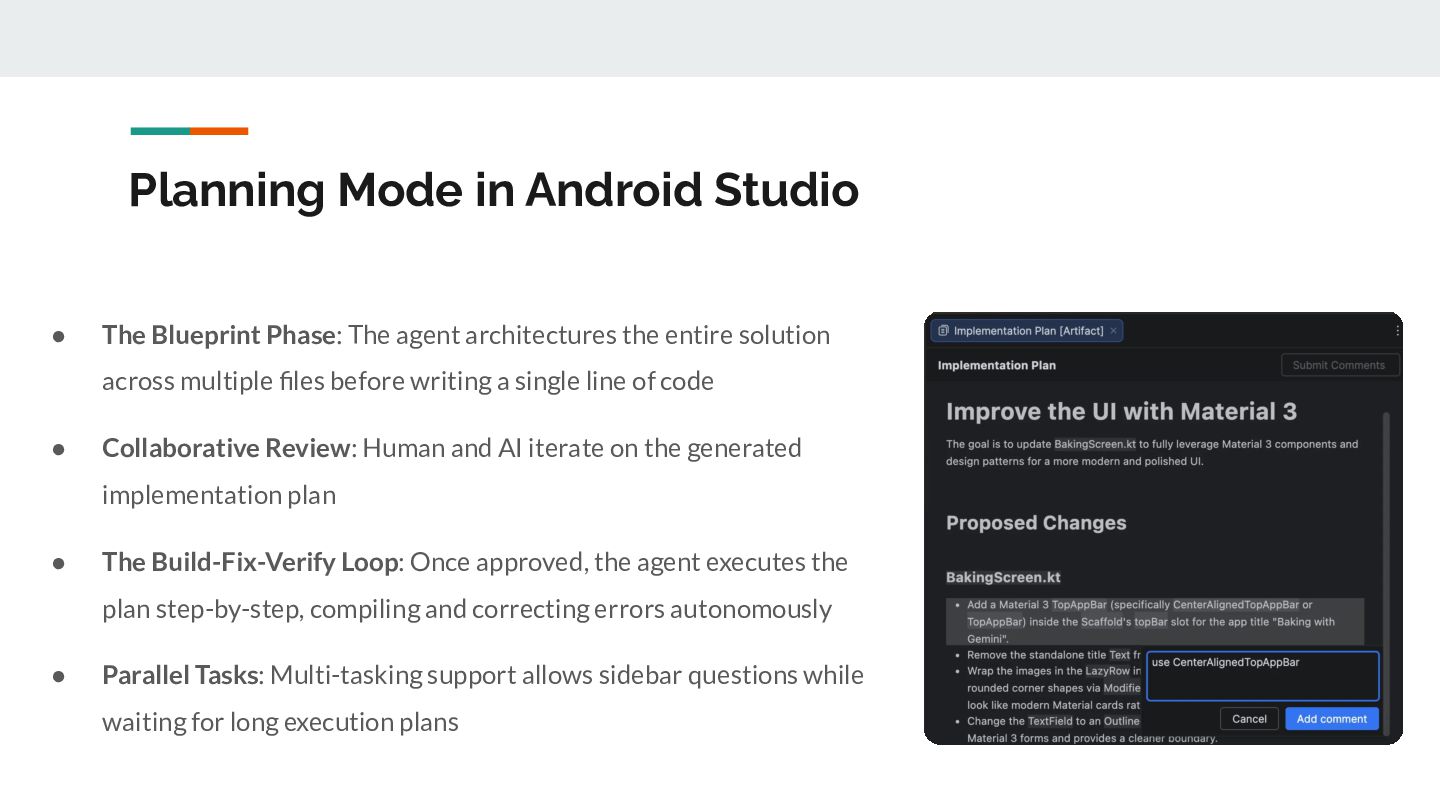
  4. Planning Mode in Android Studio • The Blueprint Phase: The

    agent architectures the entire solution across multiple files before writing a single line of code • Collaborative Review: Human and AI iterate on the generated implementation plan • The Build-Fix-Verify Loop: Once approved, the agent executes the plan step-by-step, compiling and correcting errors autonomously • Parallel Tasks: Multi-tasking support allows sidebar questions while waiting for long execution plans
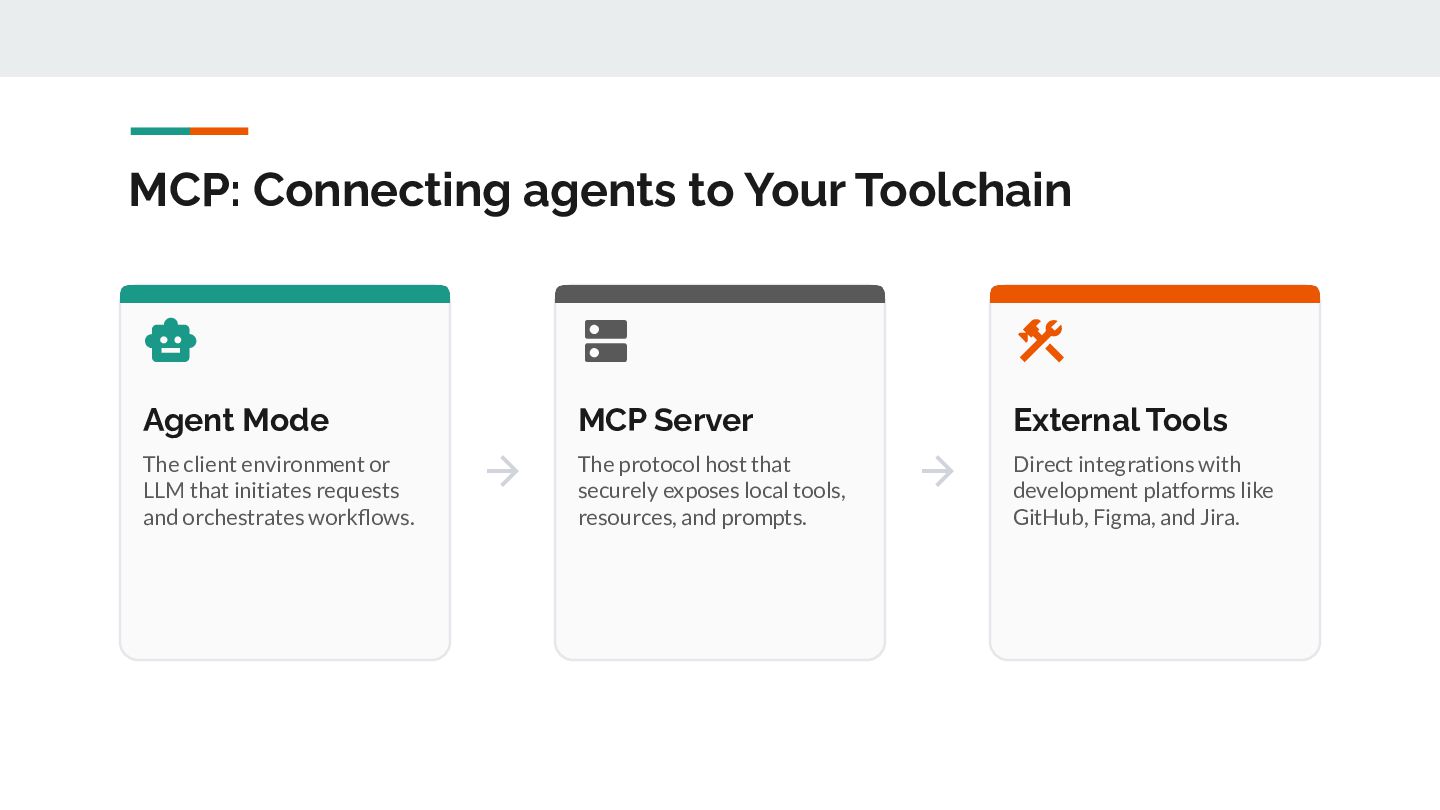
  5. MCP: Connecting agents to Your Toolchain    Agent

    Mode MCP Server External Tools The client environment or LLM that initiates requests and orchestrates workflows.  The protocol host that securely exposes local tools, resources, and prompts.  Direct integrations with development platforms like GitHub, Figma, and Jira.
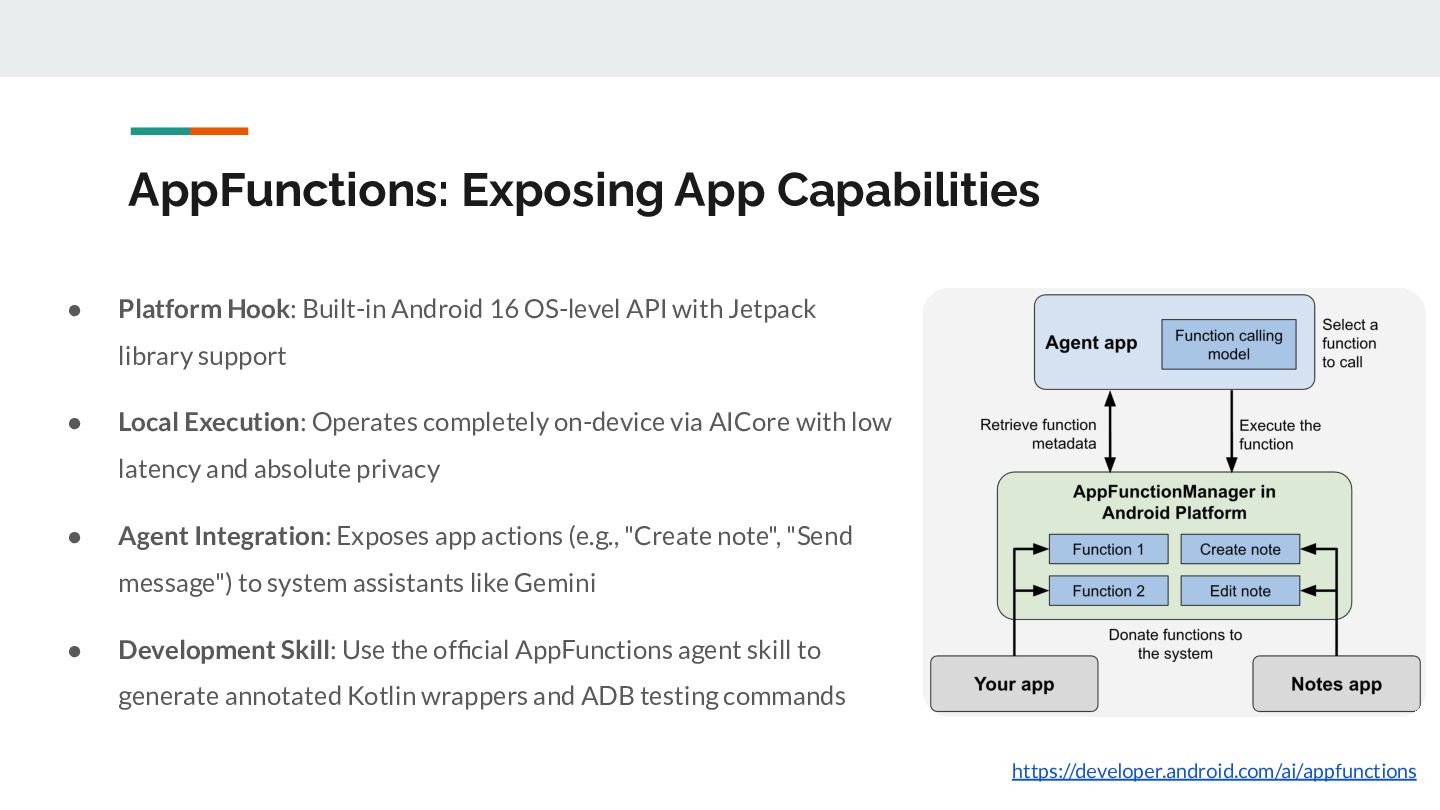
  6. AppFunctions: Exposing App Capabilities • Platform Hook: Built-in Android 16

    OS-level API with Jetpack library support • Local Execution: Operates completely on-device via AICore with low latency and absolute privacy • Agent Integration: Exposes app actions (e.g., "Create note", "Send message") to system assistants like Gemini • Development Skill: Use the official AppFunctions agent skill to generate annotated Kotlin wrappers and ADB testing commands https://developer.android.com/ai/appfunctions
  7. Agent Skills • Open Standard: Standardized, portable markdown structure (YAML

    metadata + instructions) • Targeted Guardrails: Designed specifically for areas where default LLMs perform poorly • On-Demand Loading: Activated dynamically via progressive disclosure only when a task is matched • Resource Bundling: Easily packages scripts, reference docs, and templates together
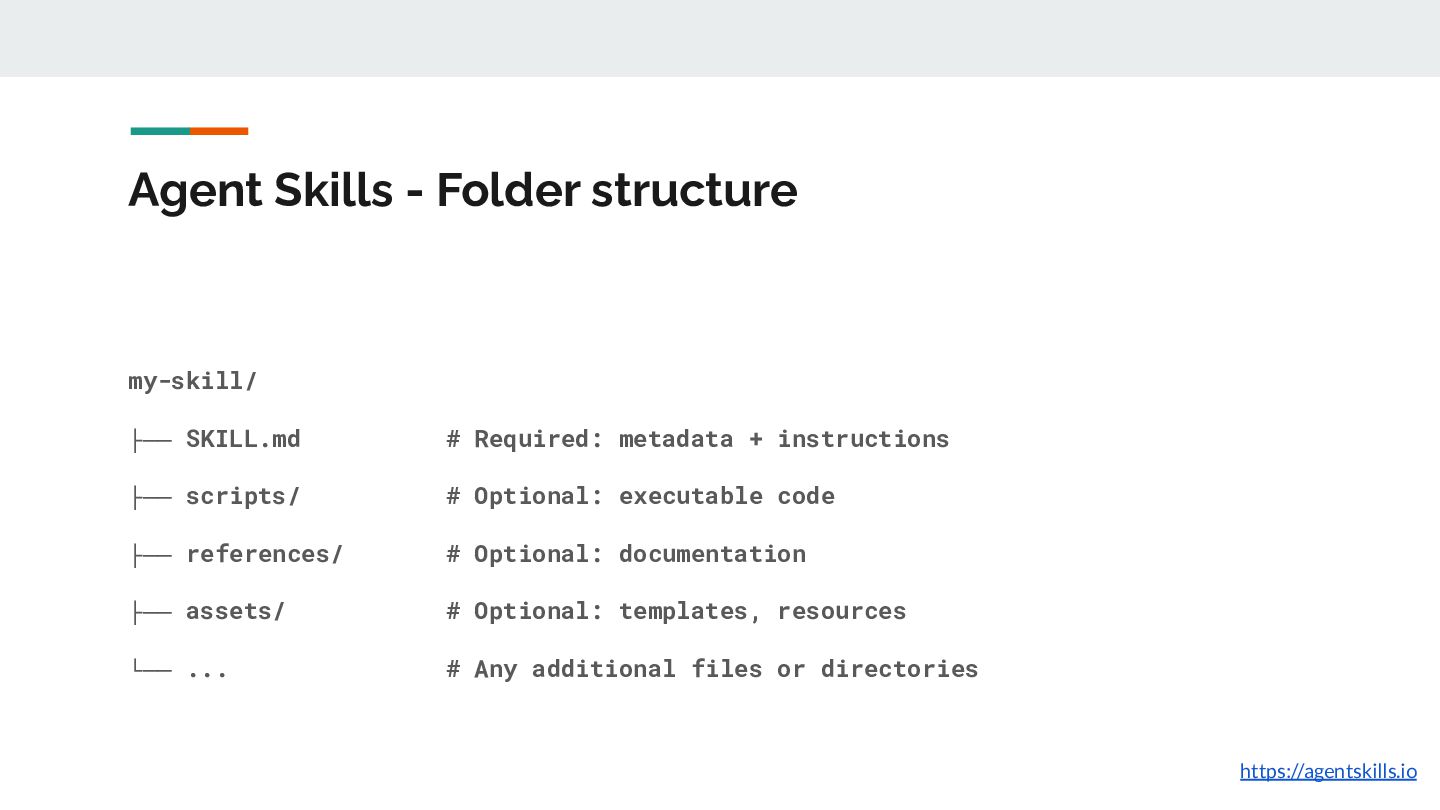
  8. Agent Skills - Folder structure my-skill/ ├── SKILL.md # Required:

    metadata + instructions ├── scripts/ # Optional: executable code ├── references/ # Optional: documentation ├── assets/ # Optional: templates, resources └── ... # Any additional files or directories https://agentskills.io
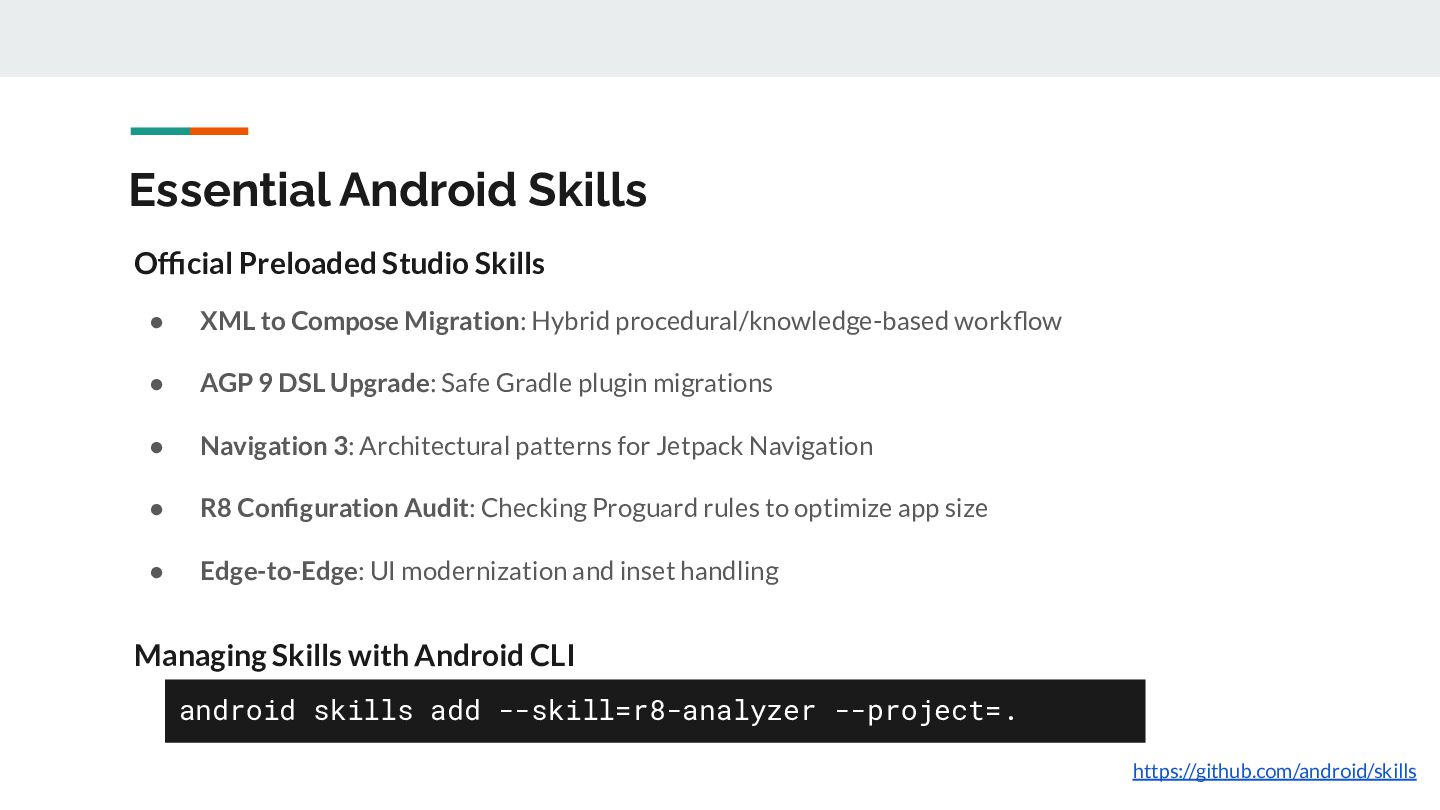
  9. Essential Android Skills Official Preloaded Studio Skills • XML to

    Compose Migration: Hybrid procedural/knowledge-based workflow • AGP 9 DSL Upgrade: Safe Gradle plugin migrations • Navigation 3: Architectural patterns for Jetpack Navigation • R8 Configuration Audit: Checking Proguard rules to optimize app size • Edge-to-Edge: UI modernization and inset handling Managing Skills with Android CLI android skills add --skill=r8-analyzer --project=. https://github.com/android/skills
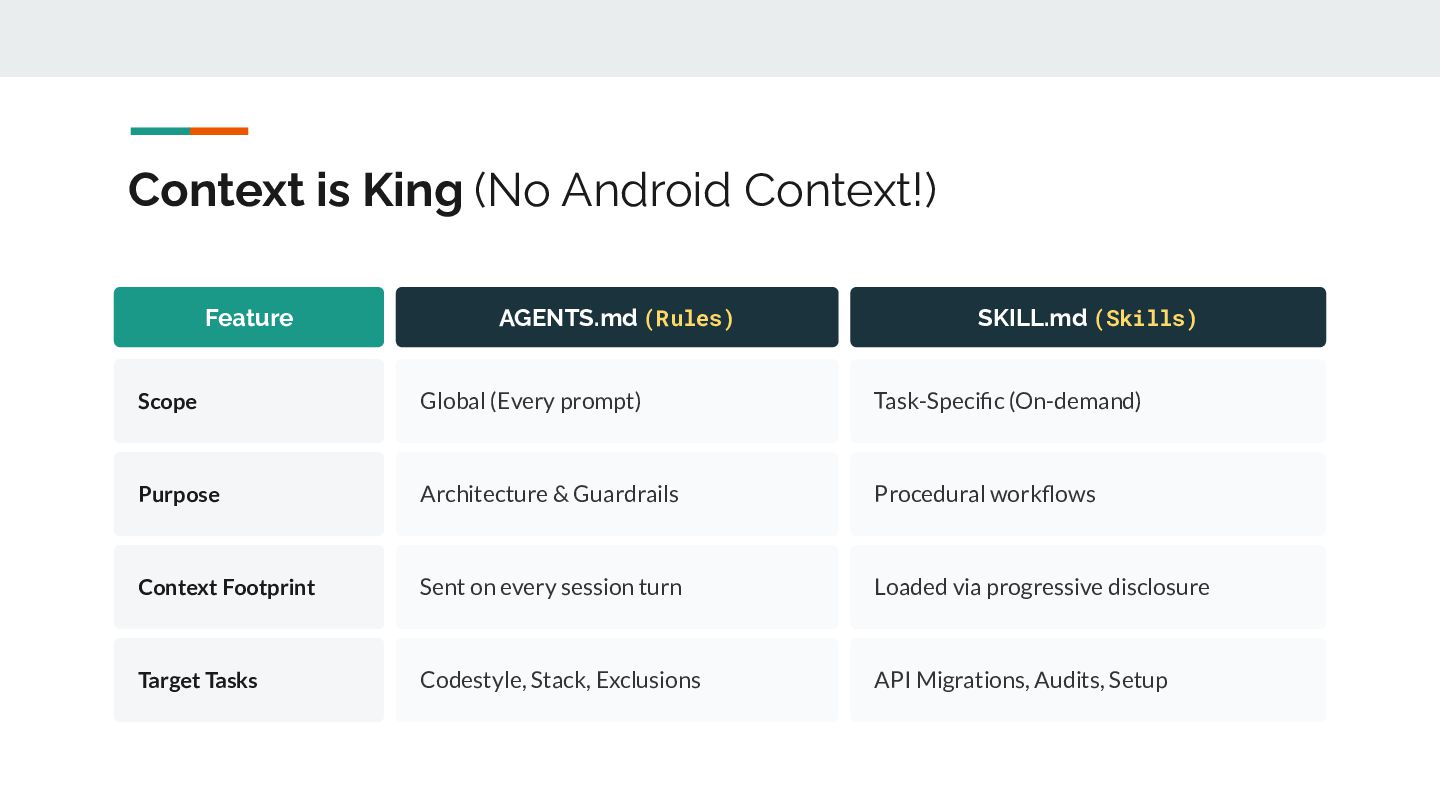
  10. Context is King (No Android Context!) Feature AGENTS.md (Rules) SKILL.md

    (Skills) Scope Global (Every prompt) Task-Specific (On-demand) Purpose Architecture & Guardrails Procedural workflows Context Footprint Sent on every session turn Loaded via progressive disclosure Target Tasks Codestyle, Stack, Exclusions API Migrations, Audits, Setup
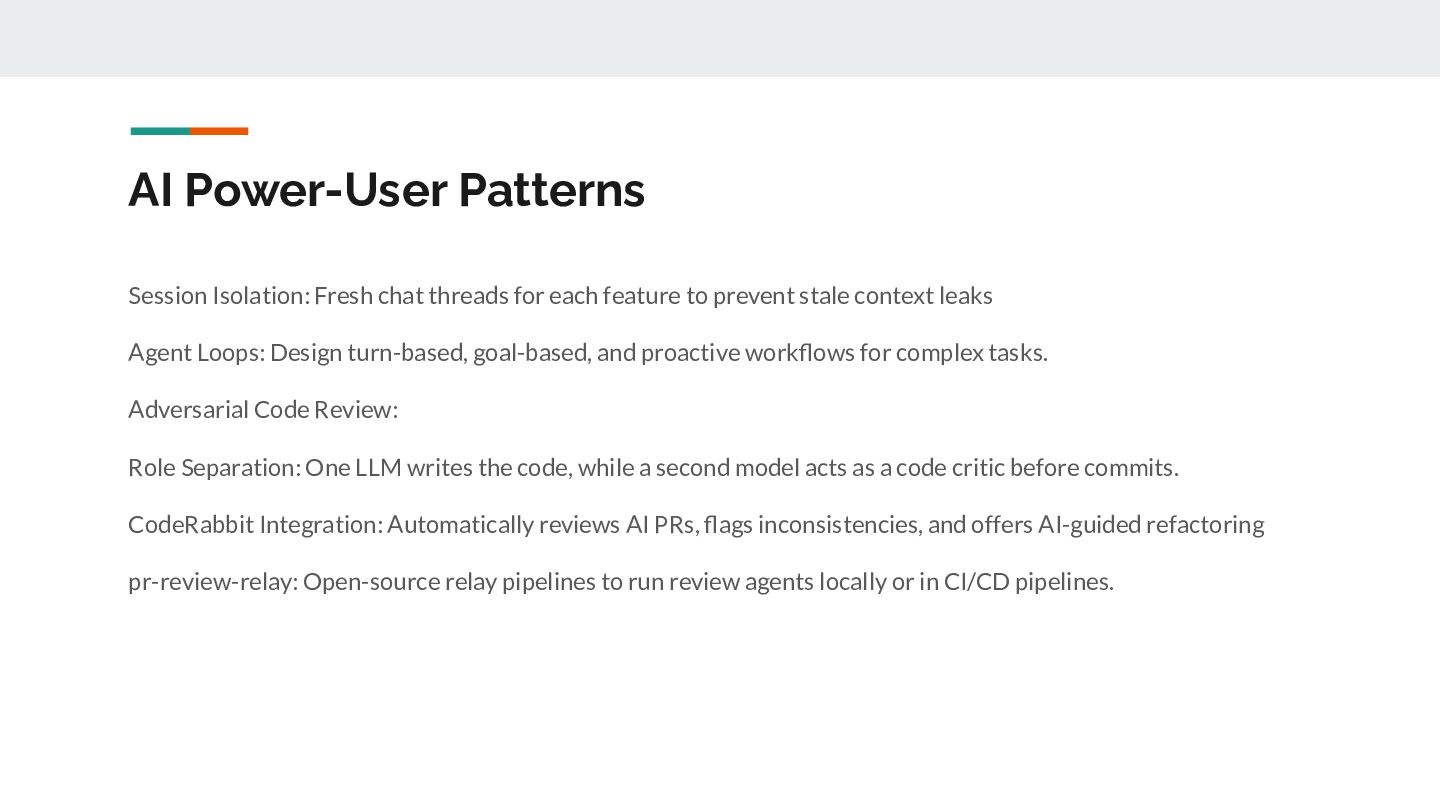
  11. AI Power-User Patterns Session Isolation: Fresh chat threads for each

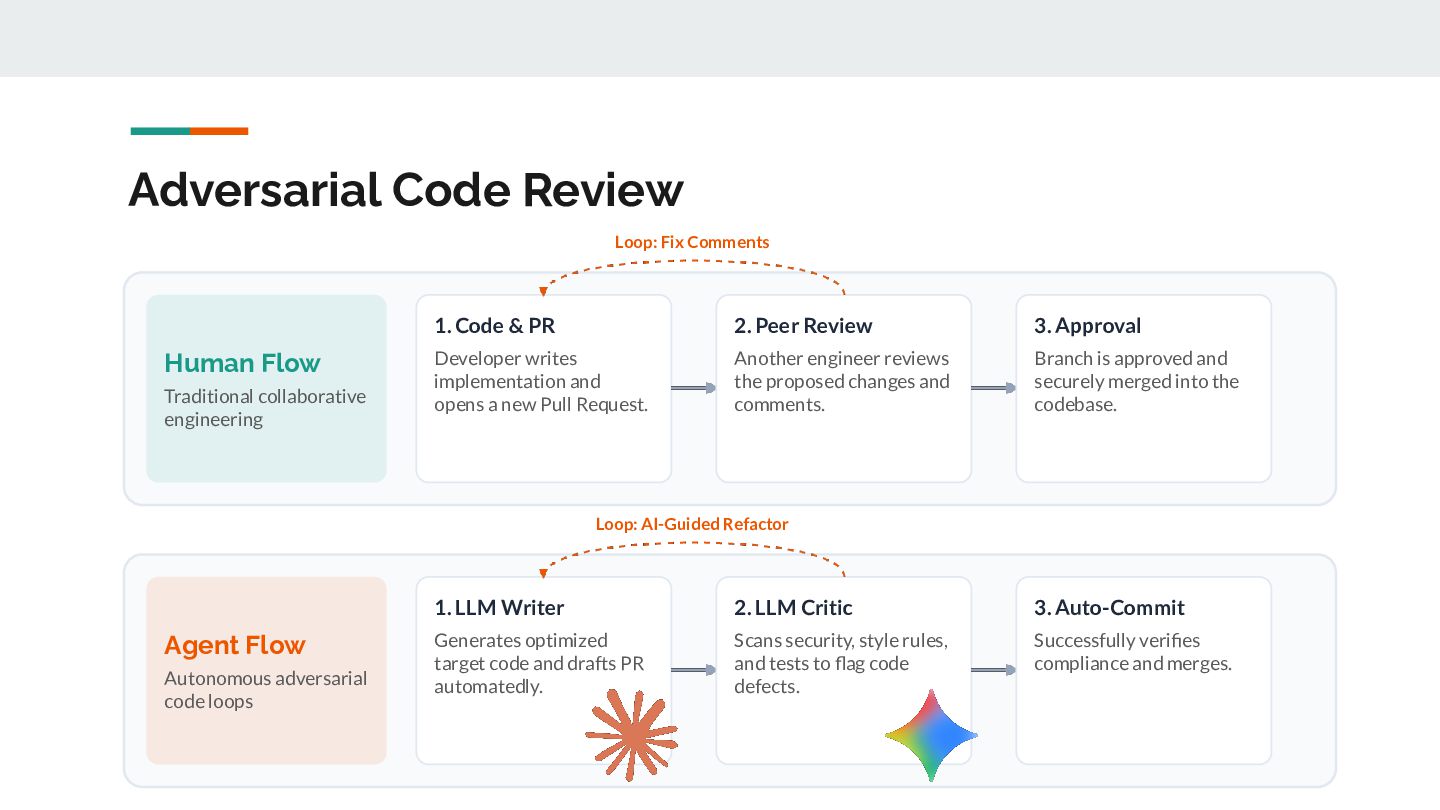
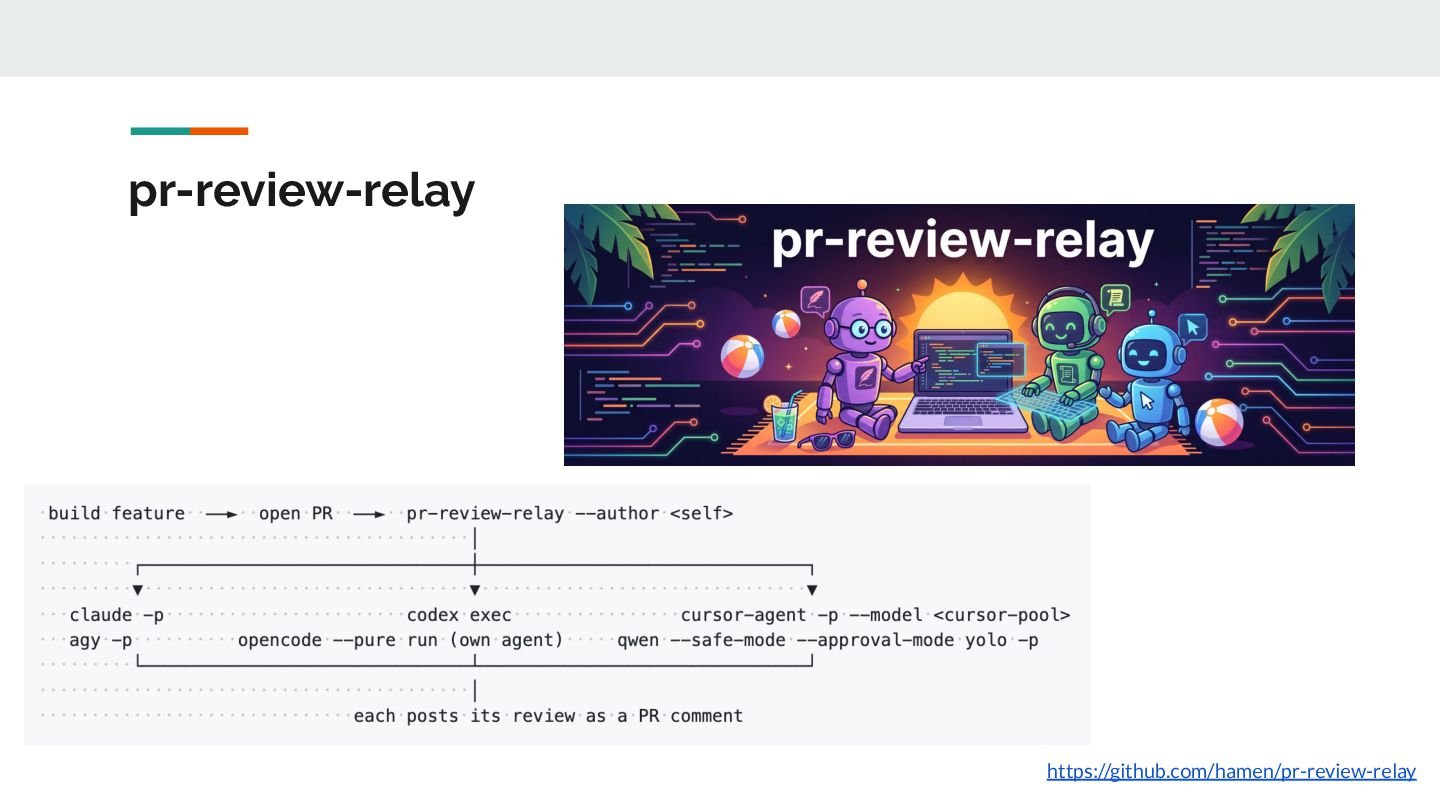
    feature to prevent stale context leaks Agent Loops: Design turn-based, goal-based, and proactive workflows for complex tasks. Adversarial Code Review: Role Separation: One LLM writes the code, while a second model acts as a code critic before commits. CodeRabbit Integration: Automatically reviews AI PRs, flags inconsistencies, and offers AI-guided refactoring pr-review-relay: Open-source relay pipelines to run review agents locally or in CI/CD pipelines.
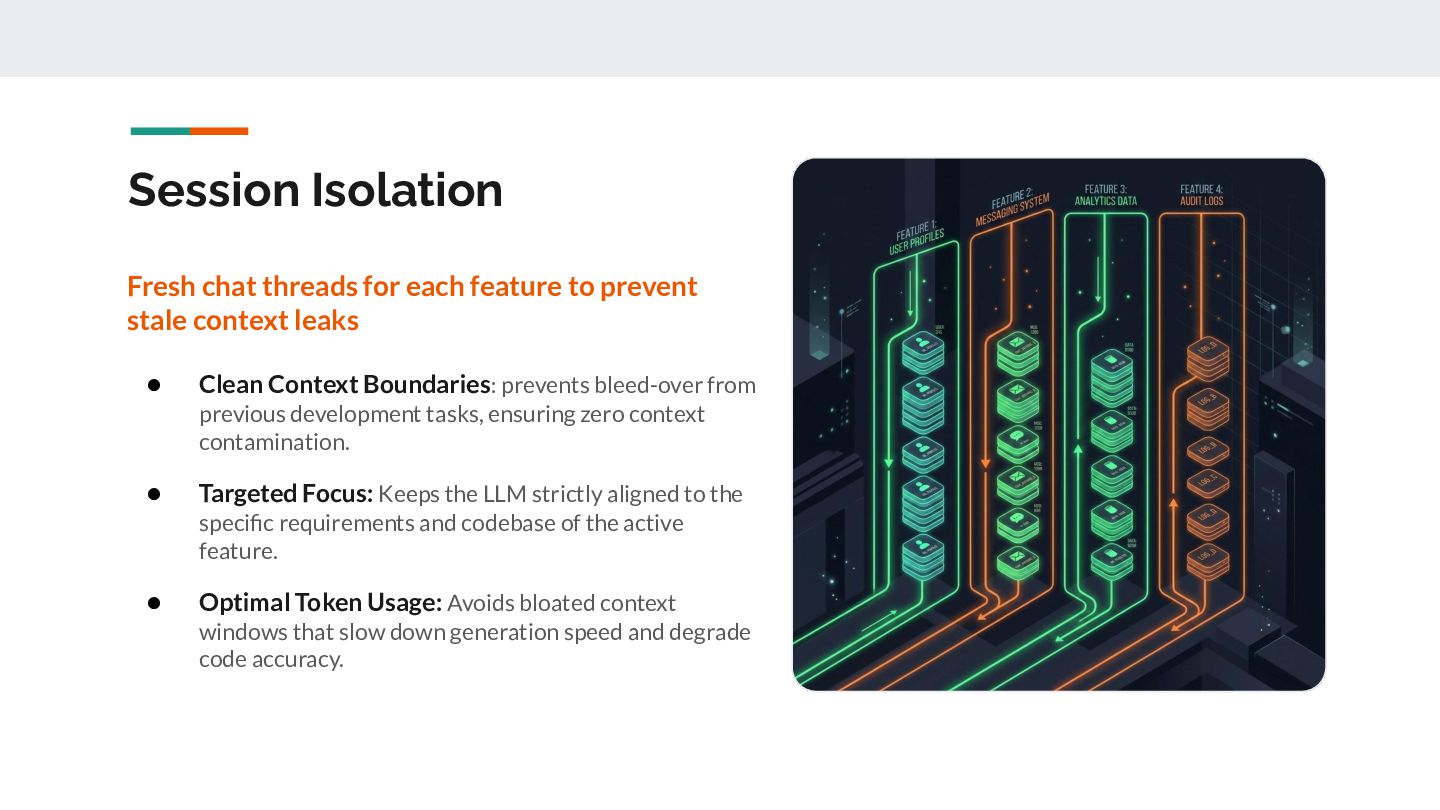
  12. Session Isolation Fresh chat threads for each feature to prevent

    stale context leaks • Clean Context Boundaries: prevents bleed-over from previous development tasks, ensuring zero context contamination. • Targeted Focus: Keeps the LLM strictly aligned to the specific requirements and codebase of the active feature. • Optimal Token Usage: Avoids bloated context windows that slow down generation speed and degrade code accuracy.
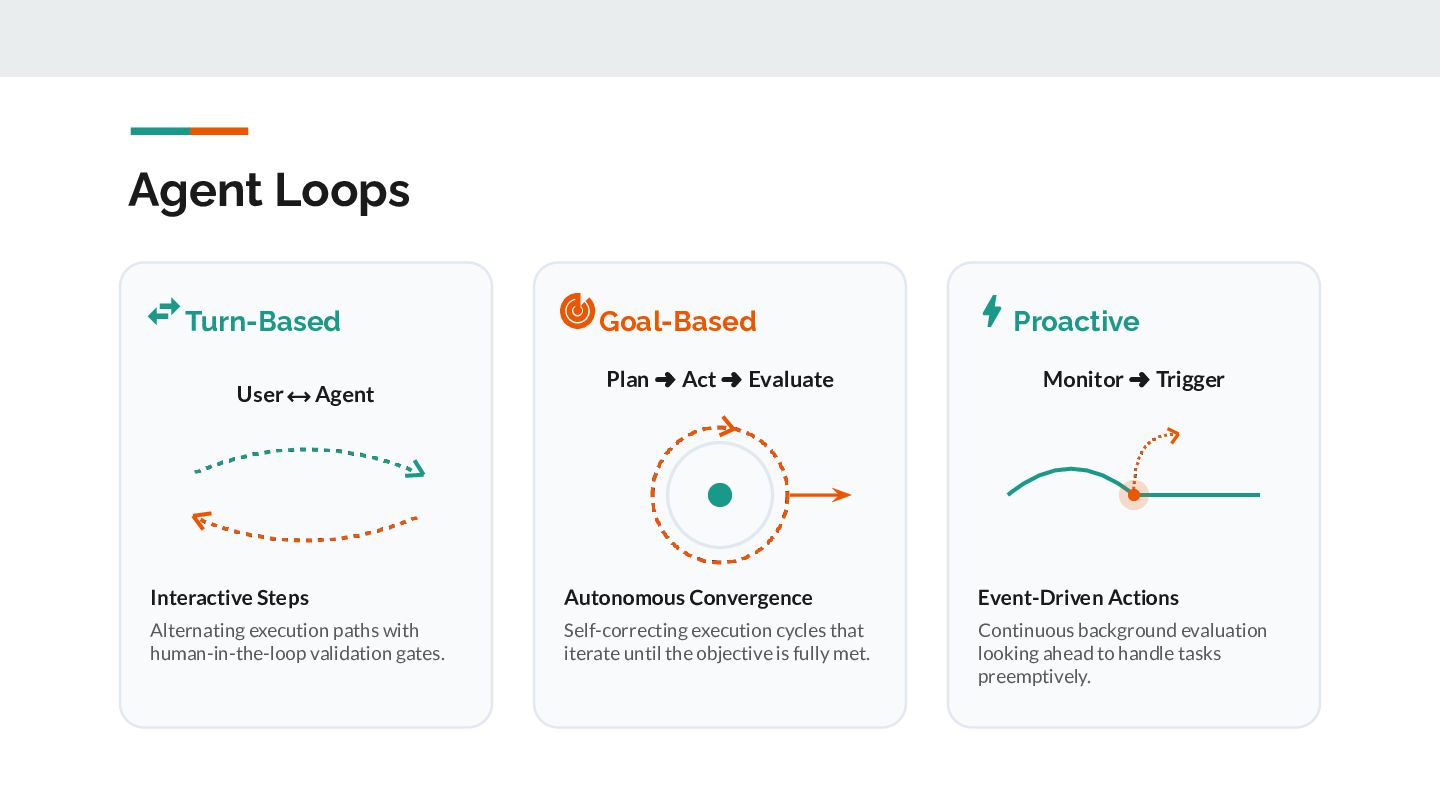
  13. Agent Loops  Turn-Based User ⟷ Agent  Goal-Based Plan

    ➜ Act ➜ Evaluate  Proactive Monitor ➜ Trigger Interactive Steps Autonomous Convergence Event-Driven Actions Alternating execution paths with human-in-the-loop validation gates. Self-correcting execution cycles that iterate until the objective is fully met. Continuous background evaluation looking ahead to handle tasks preemptively.
  14. Adversarial Code Review Loop: Fix Comments Human Flow Traditional collaborative

    engineering 1. Code & PR 2. Peer Review 3. Approval Developer writes implementation and opens a new Pull Request. Another engineer reviews the proposed changes and comments. Branch is approved and securely merged into the codebase. Loop: AI-Guided Refactor Agent Flow Autonomous adversarial code loops 1. LLM Writer 2. LLM Critic 3. Auto-Commit Generates optimized target code and drafts PR automatedly. Scans security, style rules, and tests to flag code defects. Successfully verifies compliance and merges.
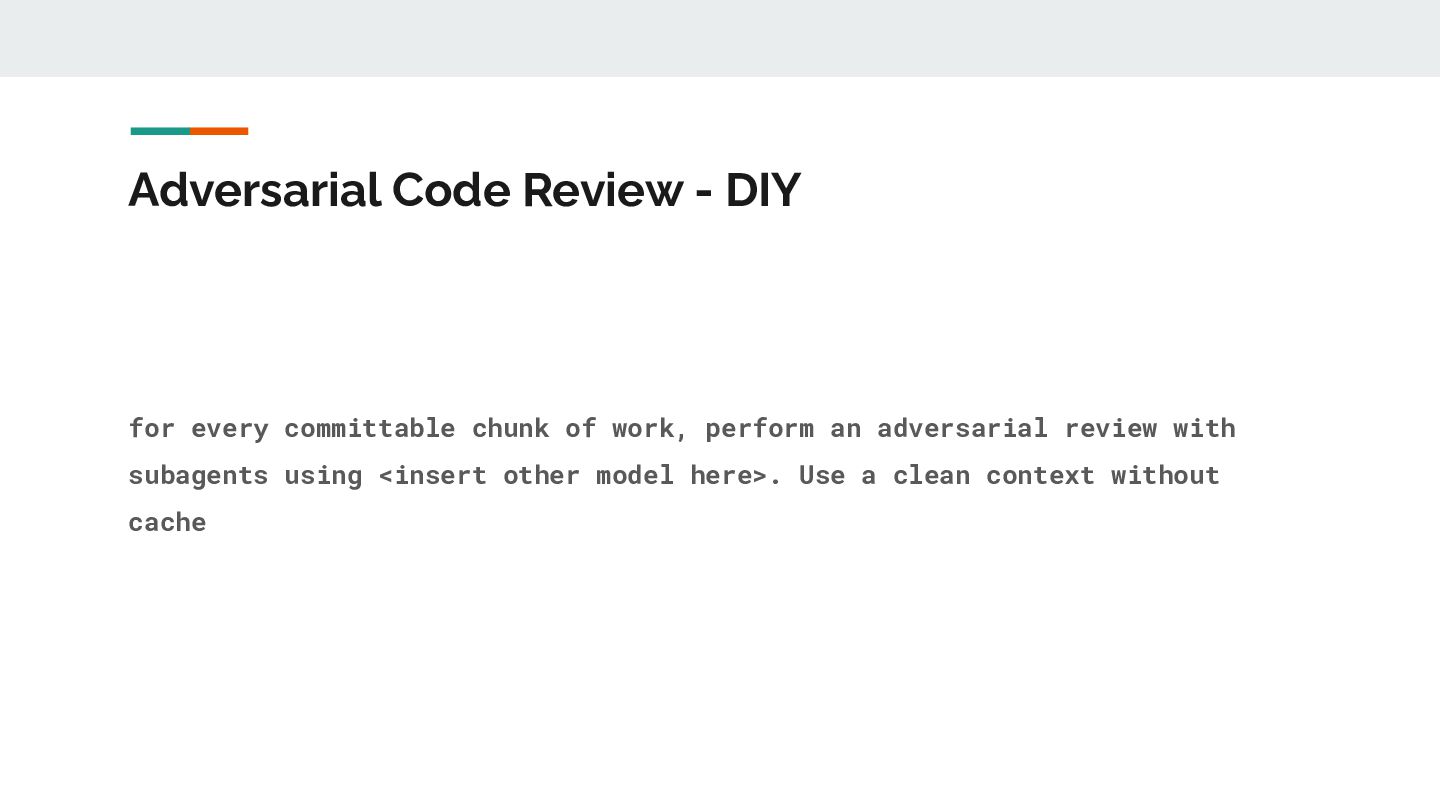
  15. Adversarial Code Review - DIY for every committable chunk of

    work, perform an adversarial review with subagents using <insert other model here>. Use a clean context without cache
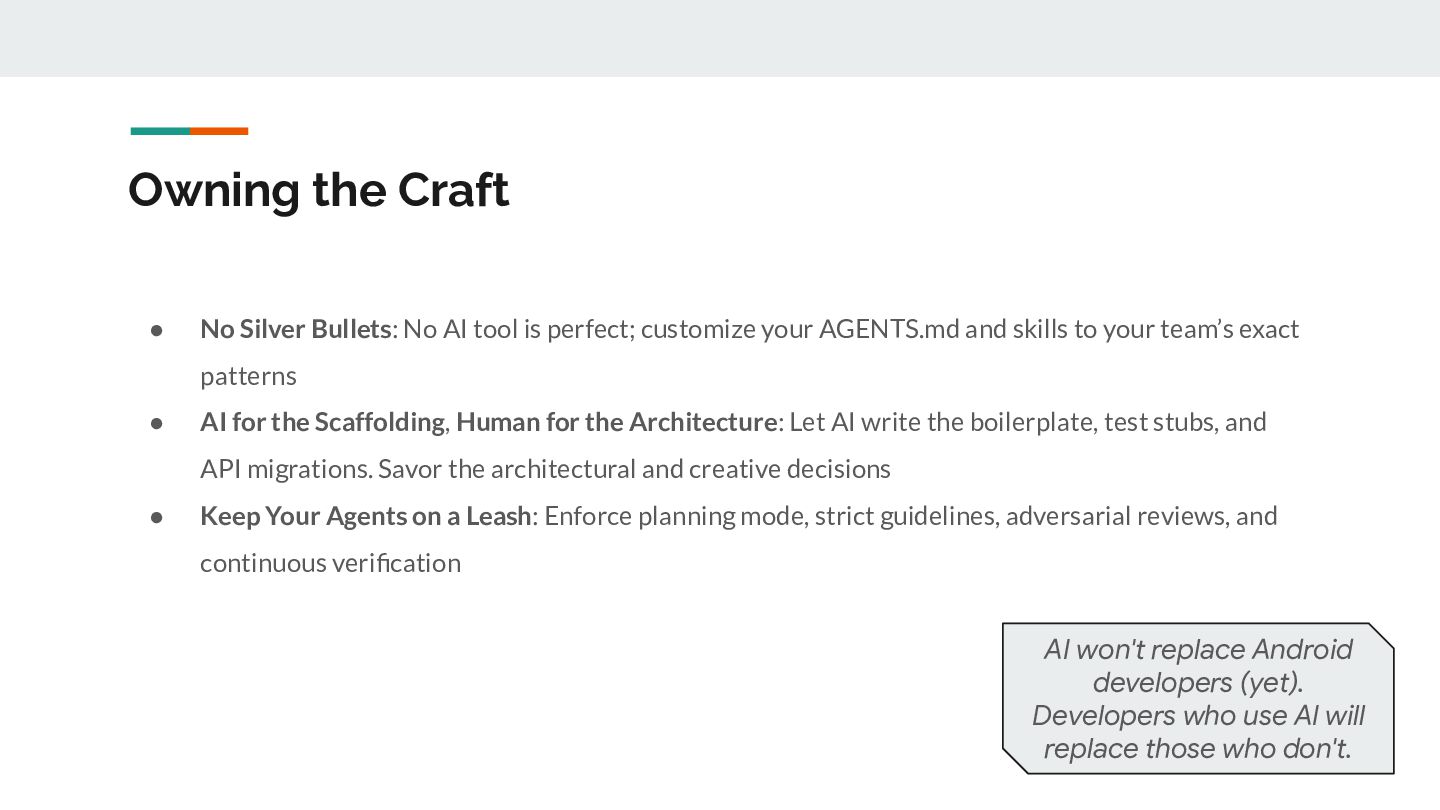
  16. Owning the Craft • No Silver Bullets: No AI tool

    is perfect; customize your AGENTS.md and skills to your team’s exact patterns • AI for the Scaffolding, Human for the Architecture: Let AI write the boilerplate, test stubs, and API migrations. Savor the architectural and creative decisions • Keep Your Agents on a Leash: Enforce planning mode, strict guidelines, adversarial reviews, and continuous verification AI won't replace Android developers (yet). Developers who use AI will replace those who don't.