Share
Embed
Transcript
60 slides
-
Wild Storage for Android Developers Dinorah Tovar Google Developer Expert
Platform Mobile Engineer @ konfío.mx @ddinorahtovar @ddinorahtovar -
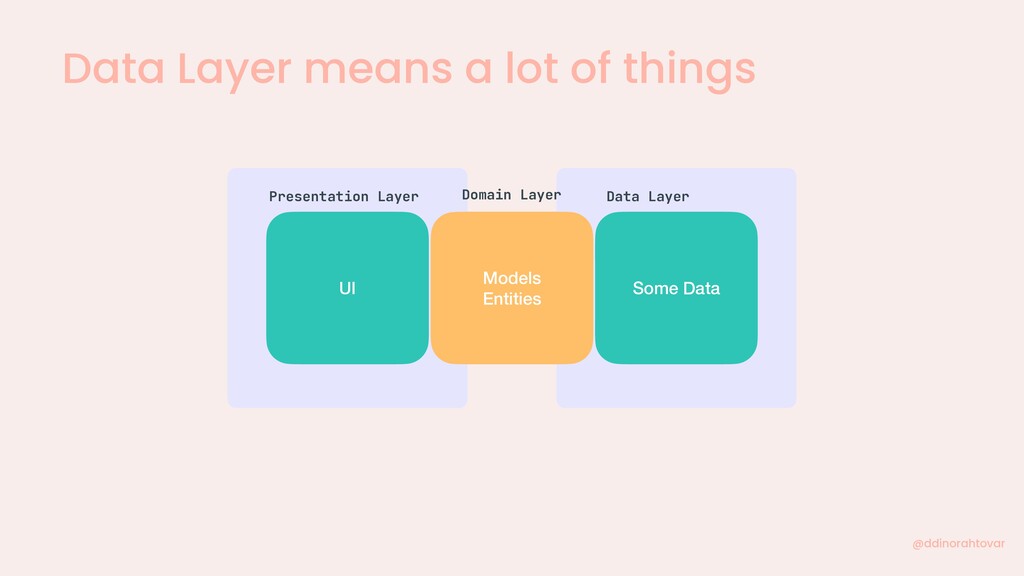
Data Layer means a lot of things @ddinorahtovar Data
Layer Network Presentation Layer UI Models Entities Domain Layer Local Some Data -
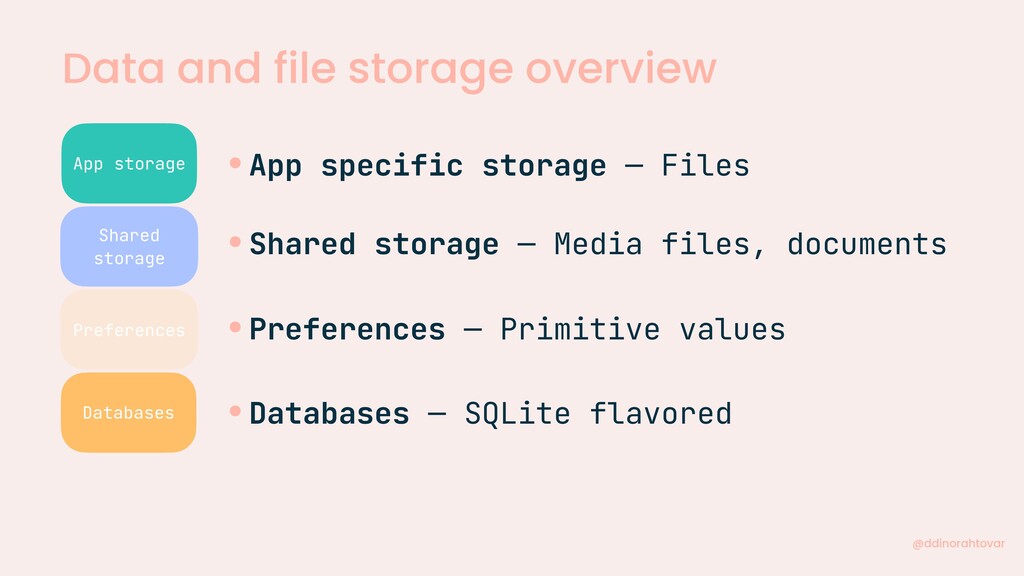
Data and file storage overview @ddinorahtovar App Specific Storage Databases
Shared Storage Preferences -
Data and file storage overview @ddinorahtovar App storage Databases Shared
storage Preferences •App specific storage — Files •Shared storage — Media files, documents •Preferences — Primitive values •Databases — SQLite flavored -
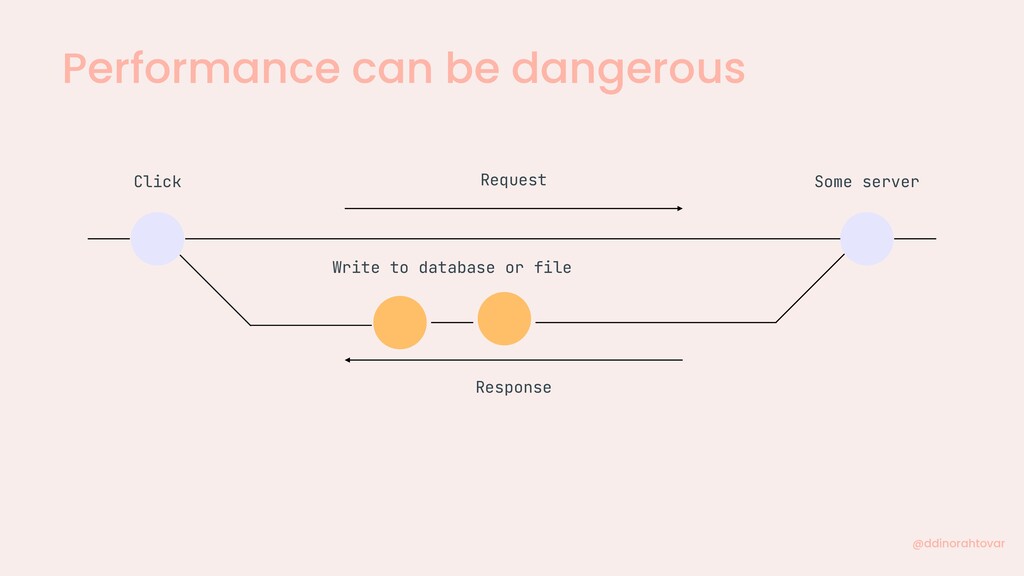
Performance can be dangerous @ddinorahtovar Request Response Click Some server
Write to database or file -
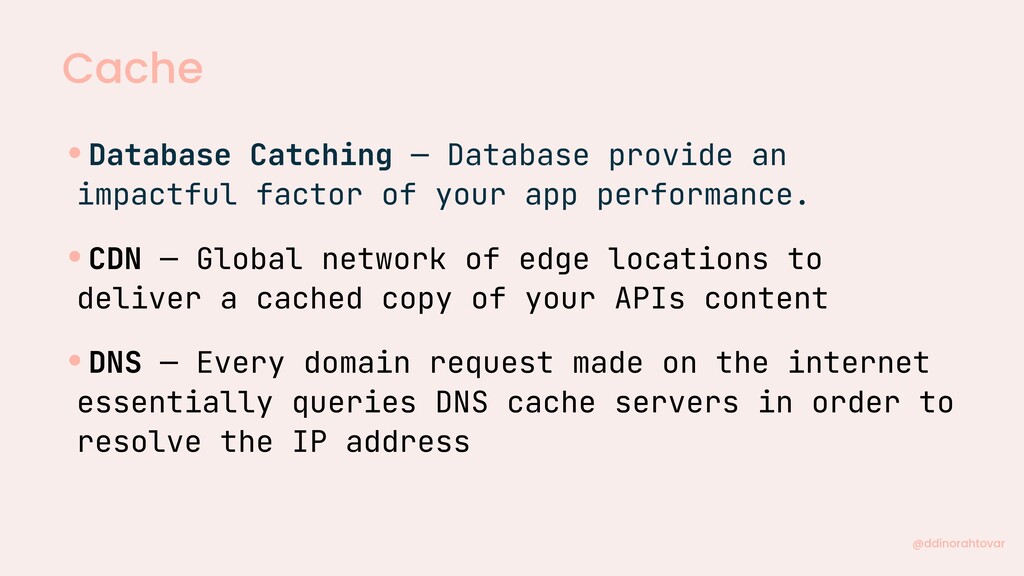
Cache @ddinorahtovar •Database Catching — Database provide an impactful factor
of your app performance. •CDN — Global network of edge locations to deliver a cached copy of your APIs content •DNS — Every domain request made on the internet essentially queries DNS cache servers in order to resolve the IP address -
Performance in database is important @ddinorahtovar •Slow times •Local Cache
•Millions of companies use SQLite •Scales well! •Android usually use SQLite -
So, databases @ddinorahtovar •Can be slow and have consume memory
in all the incorrect ways you can imagine Realm SqlDelight Room -
How about SQLite? @ddinorahtovar •There’s some things about SQLite Android
Not Observables Boilerplate for SQLite conversion Runtime crashes -
Let’s talk about the alternatives @ddinorahtovar •Almost all ORM is
the “elegant” version of SQLite Coroutines/ RxJava or Callback Support Simpler migrations Compile time verification or typeSafe API -
So, databases @ddinorahtovar •Let’s review some example (there’s so many
ORM so let’s keep it simple) SqlDelight Room Realm -
So, Realm @ddinorahtovar SqlDelight Room Realm •Threading — Executables for
transactions - > executeTransactionAsync •Listener — OnChangeListener •Has a browsers — RealmBrowser •Easy Encryption — Using KeyChain can happen really easy -
So, SQLDelight @ddinorahtovar SqlDelight Room Realm •TypeSafe — Typesafe Kotlin
APIs from your SQL statements •Kotlin first — even for Multiplatform •Threading — support for Coroutines, RxJava and Android Paging -
So, Room @ddinorahtovar SqlDelight Room Realm •Compile-time — verification of
SQL queries •Less boilerplate — and follows the DAO pattern •Threading — support for Coroutines, flows and so many other things -
Some ✨ rules ✨ @ddinorahtovar •Take what you need •Use
foreign keys, primary keys and @Relations •Use @Transaction •Use Coroutines ✨ -
Take what you need @ddinorahtovar @Query("SELECT * FROM Product") fun
getAllProduct(): List<ProductEntity> -
Take what you need @ddinorahtovar @Query("SELECT P.id, P.name, P.price FROM
Product P WHERE P.active = 1") fun getAllProduct(): List<ProductEntity> -
Foreign, primary keys and @Relations @ddinorahtovar @Query Deletions In cascade
•Foreign keys are Integrity tool, but with Indexes, they boost performance -
Foreign, primary keys and @Relations @ddinorahtovar @Entity(foreignKeys = [ ForeignKey(entity
= PricesEntity : : class, parentColumns = arrayOf("idUPC"), childColumns = arrayOf("idProduct"), onDelete = ForeignKey.CASCADE)]) data class ProductEntity () -
Foreign, primary keys and @Relations @ddinorahtovar 1:1 *:1 *:* •When
the POJO is returned from a query, all of its relations are also fetched by Room. -
Foreign, primary keys and @Relations @ddinorahtovar @Entity data class PictureProduct
{ @PrimaryKey var idProduct: String, var imageUrl: String } data class AllProductsWithPictures { var idProduct: String, var name: String, @Relation(parentColumn = "idProduct", entityColumn = "imageUrl") var pictures: List<PictureProduct> } -
Use @Transaction @ddinorahtovar •Keep it constant •Specially nice for relationships
•If asynchronous the transaction is handled when the query run, not when the method is called. -
Use @Transaction @ddinorahtovar @Insert fun insert(product: ProductEntity) @Delete fun delete(product:
ProductEntity) @Transaction fun insertAndDelete( newProduct: ProductEntity, oldProduct: ProductEntity ) { insert(newProduct) delete(oldProduct) } -
Use Coroutines ✨ @ddinorahtovar @Insert fun insertUser(user: UserEntity) - >
Synchronous @Insert suspend fun insertUser(user: UserEntity) - > Suspended •Can be used in anything @Query("SELECT P.id, P.name, P.price FROM Product P WHERE P.active = 1”) suspend fun getAllProduct(): List<ProductEntity> @Transaction suspend fun insertAndDelete( newProduct: ProductEntity, oldProduct: ProductEntity ) { insert(newProduct) delete(oldProduct) } -
Writing to database @ddinorahtovar Your App Write to database Internet
Local cache Response -
Coroutines and Room ✨ @ddinorahtovar •We don’t want funky performance,
so we use a suspend function @Insert fun insertProduct(product: ProductEntity) - > Synchronous @Insert suspend fun insertProduct(product: ProductEntity) - > Suspended -
Coroutines and Room ✨ @ddinorahtovar @Override public void insertProductSync(final ProductEntity
product) { / / Some cool interactions } •For synchronous -
Coroutines and Room ✨ @ddinorahtovar @Override public void insertProductSync(final ProductEntity
product) { _ _ db.beginTransaction(); try { _ _ insertionAdapterOfProduct.insert(product); _ _ db.setTransactionSuccessful(); } finally { _ _ db.endTransaction(); } } •For synchronous -
Coroutines and Room ✨ @ddinorahtovar @Override public Object insertProductSuspend( ProductEntity
product, final Continuation<?super Unit> p1 ){ return CoroutinesRoom.execute( _ _ db, new Callable<Unit>() { / / Some cool interactions } •For asynchronous -
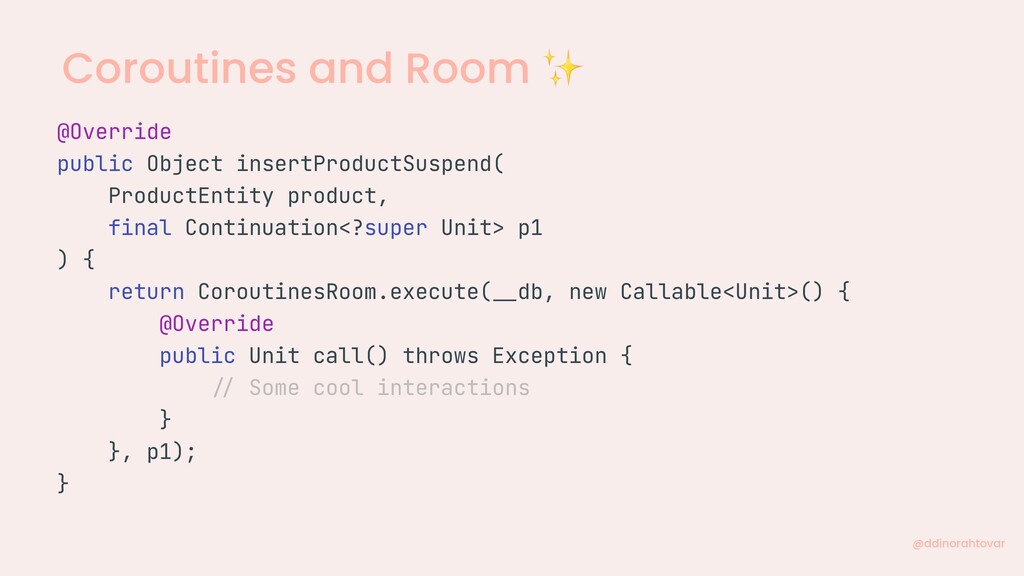
Coroutines and Room ✨ @ddinorahtovar @Override public Object insertProductSuspend( ProductEntity
product, final Continuation<?super Unit> p1 ) { return CoroutinesRoom.execute( _ _ db, new Callable<Unit>() { @Override public Unit call() throws Exception { / / Some cool interactions } }, p1); } -
Coroutines and Room ✨ @ddinorahtovar @Override public Object insertProductSuspend(ProductEntity product,
final Continuation<?super Unit> p1) { return CoroutinesRoom.execute( _ _ db, new Callable<Unit>() { @Override public Unit call() throws Exception { _ _ db.beginTransaction(); try { _ _ insertionAdapterOfProduct.insert(product); _ _ db.setTransactionSuccessful(); return kotlin.Unit.INSTANCE; } finally { _ _ db.endTransaction(); } } }, p1); } -
Coroutines and Room ✨ @ddinorahtovar @JvmStatic suspend fun <R> execute(
db: RoomDatabase, inTransaction: Boolean, callable: Callable<R> ): R { if (db.isOpen & & db.inTransaction()) { return callable.call() } val context = coroutineContext[TransactionElement] ? . transactionDispatcher ? : if (inTransaction) db.transactionDispatcher else db.queryDispatcher return withContext(context) { callable.call() } } -
Coroutines and Flows Name Operation Suspendable Flow suspending functions asynchronous
data stream that sequentially emits value Type Asynchronous Cold @ddinorahtovar -
Room and Flow✨ @ddinorahtovar @Query("SELECT P.id, P.name, P.price FROM Product
P WHERE P.active = 1”) suspend fun getAllProduct(): List<ProductEntity> •Normal suspend function •Flow suspend function @Query("SELECT P.id, P.name, P.price FROM Product P WHERE P.active = 1”) suspend fun getAllProduct(): Flow<List<ProductEntity > > -
Room and Flow✨ @ddinorahtovar viewModelScope.launch { productDao.getAllProduct().collect { products -
> / / Do magic } } •ViewModel looks something like this -
Room and Flow✨ @ddinorahtovar public fun <T> flow ( @BuilderInference
block: suspend FlowCollector<T>.() - > Unit ): Flow<T> = SafeFlow(block) •What is inside of a Flow? -
Room and Flow ✨ @ddinorahtovar private class SafeFlow<T>( private val
block: suspend FlowCollector<T>.() - > Unit ) : AbstractFlow<T>() { override suspend fun collectSafely(collector: FlowCollector<T>) { collector.block() } } •What is inside of a SafeFlow? -
Room and Flow ✨ @ddinorahtovar @FlowPreview public abstract class AbstractFlow<T>
: Flow<T>, CancellableFlow<T> { @InternalCoroutinesApi public final override suspend fun collect(collector: FlowCollector<T>) { val safeCollector = SafeCollector(collector, coroutineContext) try { collectSafely(safeCollector) } finally { safeCollector.releaseIntercepted() } } public abstract suspend fun collectSafely(collector: FlowCollector<T>) } •What is inside of a AbstractFlow? -
Room and threads @ddinorahtovar •Android’s SQLite transactions are thread confined
•If a Coroutine is paused there a possibility that that the resumed coroutine will not be executed in the same thread -
Room and threads @ddinorahtovar Some Thread Click Suspend Update Update
Insert Delete Insert Delete Other Thread -
Room and threads @ddinorahtovar getAllProducts() getAllProductsImages()
Dispatcher.IO Some Thread getAllStores() Can cause a Deadlock, getAllProducts() may not be executed -
Room and threads @ddinorahtovar fun productTransaction() = GlobalScope.launch(Dispatchers.*) { roomDatabase.withTransaction
{ productDao.getAllProducts() productDao.getAllProductsImages() } } •No worries! There’s a way to solved it -
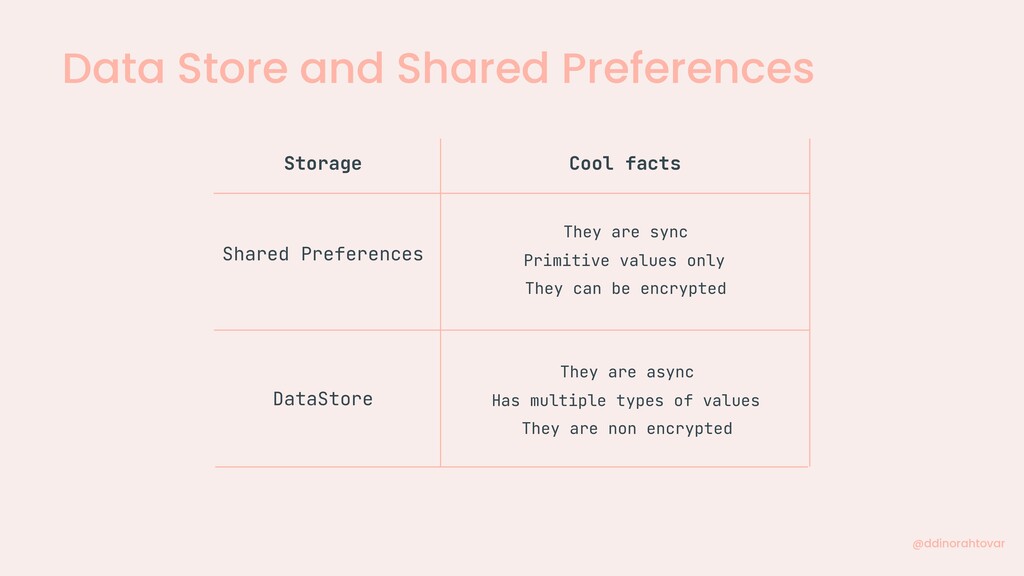
Data Store and Shared Preferences Storage Cool facts Shared Preferences
DataStore They are sync They can be encrypted Primitive values only They are async They are non encrypted Has multiple types of values @ddinorahtovar -
Shared Preferences @ddinorahtovar •You say encrypted? •And is super easy!
implementation "androidx.security:security-crypto:1.1.0-alpha03" -
Shared Preferences @ddinorahtovar val masterKeyAvailable = MasterKey .Builder(application.applicationContext) .setKeyScheme(MasterKey.KeyScheme.AES256_GCM) .build()
val secureEncryption = EncryptedSharedPreferences.create( This, SECURE_SHARED_PREFERENCES, masterKeyAvailable, EncryptedSharedPreferences.PrefKeyEncryptionScheme.AES256_SIV, EncryptedSharedPreferences.PrefValueEncryptionScheme.AES256_GCM ) •How do you do it? -
Data Store ✨ @ddinorahtovar •You say flow? •And is super
easy! implementation "androidx.datastore:datastore-preferences:1.0.0-alpha05" -
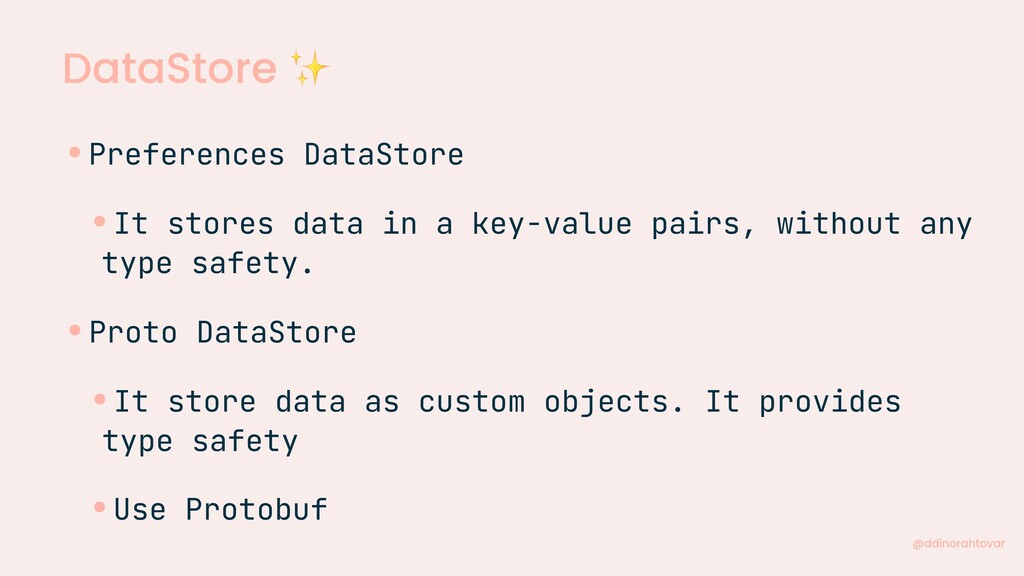
DataStore ✨ @ddinorahtovar •Preferences DataStore •It stores data in a
key-value pairs, without any type safety. •Proto DataStore •It store data as custom objects. It provides type safety •Use Protobuf -
DataStore ✨ @ddinorahtovar private val dataStore: DataStore<Preferences> = createDataStore( name
= "dataStore" ) •Create or Migrate your shared preferences fun getDataStore (): DataStore<Preferences> { val name = "TheNameOfMySharedPreferences" return this.createDataStore( name = name, migrations = listOf( SharedPreferencesMigration(context, name) ) ) } -
DataStore ✨ @ddinorahtovar suspend fun saveSomething(id: Int) { dataStore.edit {
preferences - > preferences["yourKey"] = id } } val something: Flow<Int> = dataStore.data .map { preferences - > preferences["yourKey"] ? : -1 } -
Wild Storage for Android Developers Dinorah Tovar Google Developer Expert
Platform Mobile Engineer @ konfío.mx @ddinorahtovar @ddinorahtovar