Share
Embed
6 weeks of Compose or How a good Design System is vital in Compose
In this talk, we will cover the pitfalls and wins our Mobile Team encountered in rewriting our mobile application in Compose in just 6 weeks We will focus, on the pros cons, pitfalls, and problems we encounter, also the learnings we gather and the process that helps us to make this happen! that probably will help everyone that may want to move from XML to Compose in a smooth way We will tackle how a good design system can save you a lot of time if we focus on writing good atoms and good components!
Dinorah Tovar
September 01, 2022
Transcript
43 slides
-
6 weeks of Compose or How a good Design
System is vital in Compose Dinorah Tovar Google Developer Expert Android @ddinorahtovar @ddinorahtovar -
The learnings that can help you This talk is about
To migrate your app to compose @ddinorahtovar To migrate your design system to compose -
For Compose an approach We nee to decide @ddinorahtovar /**
* 1. Material Design * 2. Extend Material Design * 3. Make yourself comfortable and * Create your own things **/ -
We are gonna focus on We are not gonna cover
all ✨ extends Material Design ✨ @ddinorahtovar -
@ddinorahtovar But, if you wanna see more about Custom designs
@rharter, Android at Dropbox Available at #ChicagoRoboto -
@ddinorahtovar Design system are discipline Rules Pattern Guides Style Guides
Design Principles Documentation Language Design Tokens Bu tt ons Bo tt om Navigation Dialog Carousels ViewPagers Text TextField Typography Colors Icons Shapes Elevations -
Let’s review As an example of design tokens Colors @ddinorahtovar
object DesignColors { val primary = Color(0XFF6E43B7) } -
interface DesignColorPalette { val primary_default_background: Color, val materialColors: Colors }
fun lightColorPalette() = object : DesignColorPalette { override val primary_default_background = DesignColors.primary override val materialColors = lightColors( primary = DesignColors.primary, background = DesignColors.neutral_white, surface = DesignColors.neutral_white ) } /** * Color Palette **/ -
interface DesignColorPalette { val primary_default_background: Color, val materialColors: Colors }
fun lightColorPalette() = object : DesignColorPalette { override val primary_default_background = DesignColors.primary override val materialColors = lightColors( primary = DesignColors.primary, background = DesignColors.neutral_white, surface = DesignColors.neutral_white ) } /** * Design Token **/ -
Tokens are decisions about specifics and reachability Design @ddinorahtovar val
primary_default_background: Color -
@Composable fun DesignTheme( colors: DesignColorPalette = lightColorPalette(), children: @Composable() ()
-> Unit ) { CompositionLocalProvider( LocalDlsColors provides colors, ) { MaterialTheme( colors = colors.materialColors ) { children() } } } object DesignTheme { val colors: DesignColorPalette @Composable @ReadOnlyComposable get() = LocalDlsColors.current } internal val LocalDlsColors = staticCompositionLocalOf { lightColorPalette() } /** * Integrating the * Palette to * the DesignTheme **/ -
With this - I can convert in a Atom A
token to an element @ddinorahtovar setContent { DesignTheme { ConstraintLayout( modifier = Modifier .fillMaxSize() .background( DesignTheme.colors.primary_default_background ) ) { // Content } } } -
Let’s review With design tokens Molecules @ddinorahtovar @Composable fun Input(
modifier: Modifier = Modifier, inputField: InputField? = null, label: String = EMPTY_VALUE, text: String = EMPTY_VALUE, onValueChange: (String) -> Unit, transformation: Transformation = Transformation.RegularTransformation .... ) { .... Column(modifier) { OutlinedTextField(...) } } -
But they become An prone to errors Complex @ddinorahtovar OutlinedTextField(
enabled = isEditable, value = text, onValueChange = { // Handle State }, label = { // Another element }, isError = onErrorState, maxLines = 1, singleLine = true, textStyle = DesignTheme.typography.an_re_co_body1, colors = TextFieldDefaults.outlinedTextFieldColors( focusedBorderColor = DesignTheme.colors.primary_default_background_default, focusedLabelColor = DesignTheme.colors.primary_default_background_default, unfocusedBorderColor = DesignTheme.colors.neutral_light_strong_border_disabled, unfocusedLabelColor = DesignTheme.colors.neutral_light_strong_border_disabled, errorBorderColor = DesignTheme.colors.state_danger_background_default, errorLabelColor = DesignTheme.colors.state_danger_background_default, disabledLabelColor = DesignTheme.colors.neutral_light_strong_border_disabled, disabledBorderColor = DesignTheme.colors.neutral_light_strong_border_disabled ) } -
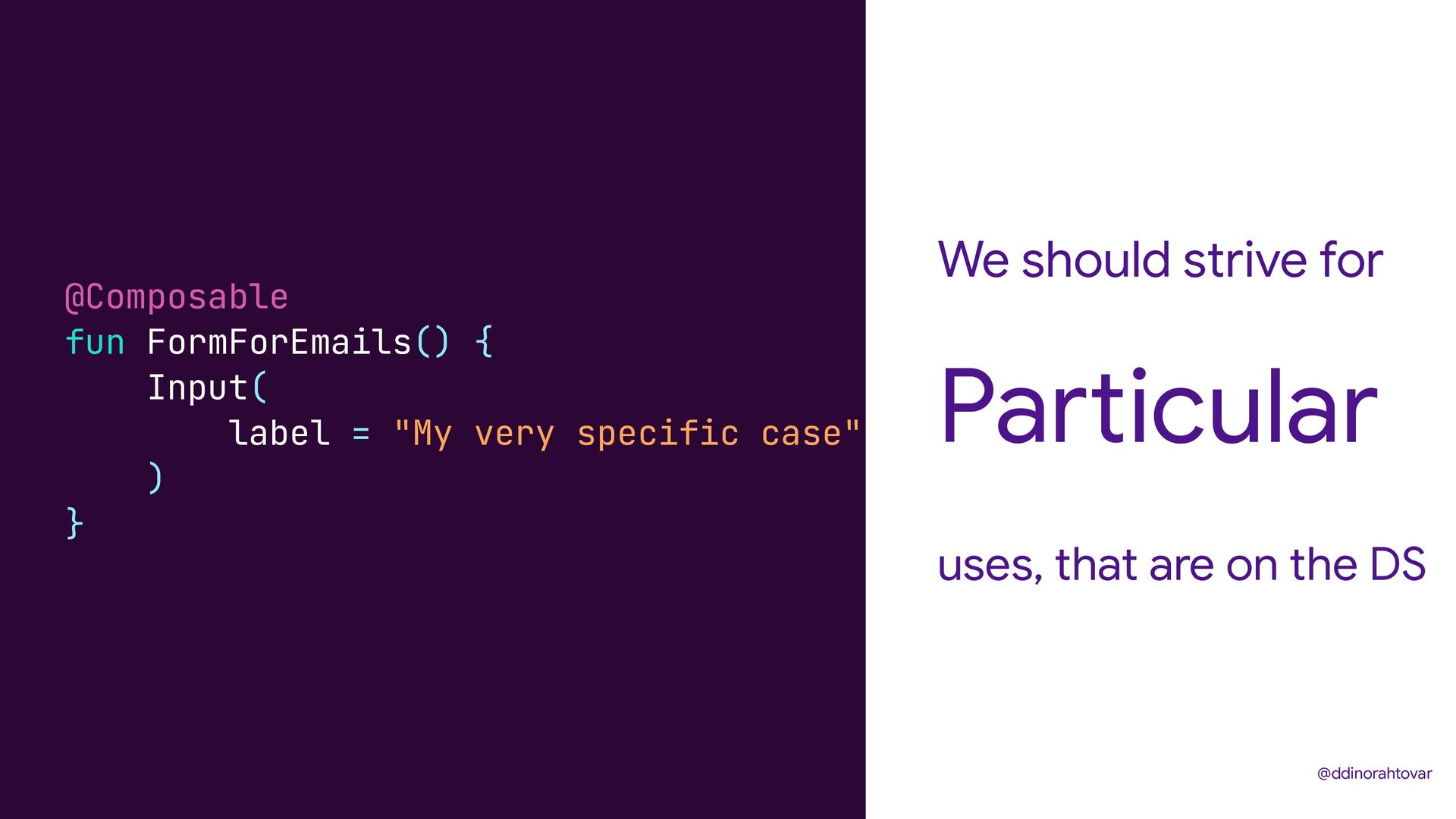
We should strive for uses, that are on the DS
Particular @ddinorahtovar @Composable fun FormForEmails() { Input( label = "My very specific case" ) } -
Let’s review Templates @ddinorahtovar @Composable fun Carousel( pagerState: PagerState, tabItems:
List<CarouselComponentItem>, primaryOnClick: () -> Unit, secondaryOnClick: () -> Unit ) { ConstraintLayout( modifier = Modifier .fillMaxSize() .background(someColorOfDesignSystem) ) { HorizontalPager( // something here ) { page -> // some other thing } HorizontalPagerIndicator( // some more core ) } } -
@ddinorahtovar @Composable fun SomeText() { var text by remember {
mutableStateOf("") } TextField( value = text, onValueChange = { text = it } ) } Field Input -
If compose is Kotlin Abstractions Then we can create @ddinorahtovar
enum class GenericInputField( @StringRes override val hint: Int, override val inputFieldValidator: FieldValidator, override val transformation: Transformation = Transformation.RegularTransformation, ) : InputField { EMAIL( hint = R.string.email, inputFieldValidator = InputFieldValidator.Builder(FieldType.OPEN).apply { maxLength = EMAIL_MAX_SIZE validationRegex = REGEX_MAIL }.create(), transformation = Transformation.EmailTransformation, isMandatory = true ) } -
We can create Of complex process Abstractions @ddinorahtovar @Composable fun
ShowForm ( primaryFields: mutableStateListOf(generic) ) { HandleFieldsInsertion( primaryFields, // Set of GenericInputField someFunctionThatHandleState() // Function that handle state ) } -
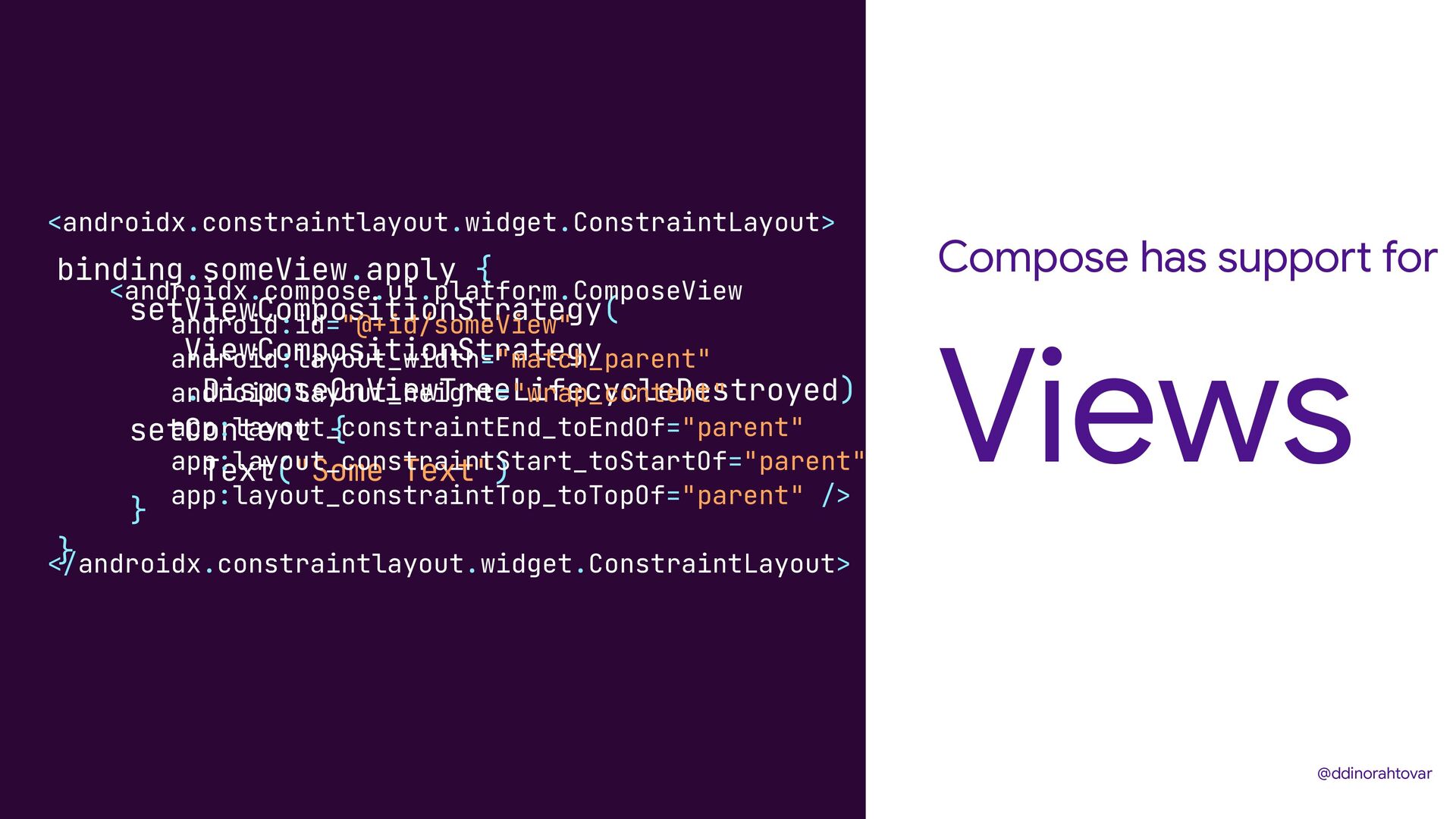
Compose has support for Views @ddinorahtovar binding.someView.apply { setViewCompositionStrategy( ViewCompositionStrategy
.DisposeOnViewTreeLifecycleDestroyed) setContent { Text("Some Text") } } <androidx.constraintlayout.widget.ConstraintLayout> <androidx.compose.ui.platform.ComposeView android:id="@+id/someView" android:layout_width="match_parent" android:layout_height="wrap_content" app:layout_constraintEnd_toEndOf="parent" app:layout_constraintStart_toStartOf="parent" app:layout_constraintTop_toTopOf="parent" /> </androidx.constraintlayout.widget.ConstraintLayout> -
Compose has support for Fragments @ddinorahtovar class SomeFragment : Fragment()
{ override fun onCreateView( inflater: LayoutInflater, container: ViewGroup?, savedInstanceState: Bundle? ) = ComposeView(requireContext()).apply { setViewCompositionStrategy( ViewCompositionStrategy .DisposeOnViewTreeLifecycleDestroyed ) setContent { DesignTheme { // Composable View } } } } -
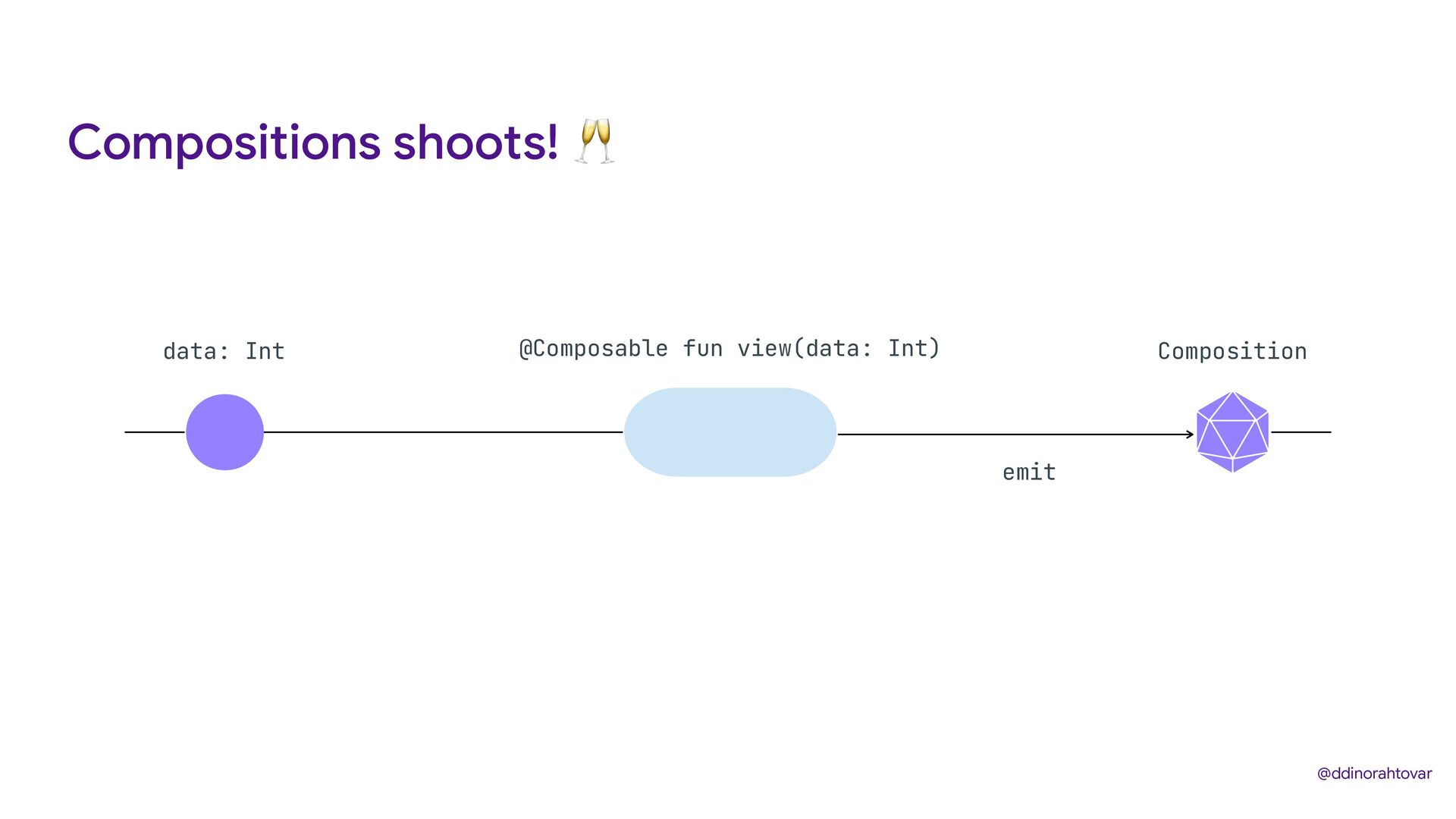
Compositions shoots! 🥂 First Interaction Composition Insert “A” Insert “B”
Second Interaction Re-composition @ddinorahtovar -
@ddinorahtovar @Composable fun SomeText() { var text by remember {
mutableStateOf("") } TextField( value = text, onValueChange = { text = it } ) } Field Input -
@ddinorahtovar @Composable fun SomeFunction ( someId: String, viewModel: SomeViewModel )
{ var someState by remember { mutableStateOf(1) } val someResult by viewModel.someResult.observeAsState() LaunchedEffect(key1 = someId){ viewModel.getSomethingBasedOnId(someId) } // Some View that affects the variable someState } Field Input -
6 weeks of Compose or How a good Design
System is vital in Compose Dinorah Tovar Google Developer Expert Android @ddinorahtovar @ddinorahtovar