Upgrade to Pro
— share decks privately, control downloads, hide ads and more …
Speaker Deck
Sign up for free
Menu
Search
Features
All features
Private URLs
Password Protection
Custom URLS
Scheduled publishing
Remove Branding
Restrict embedding
Deck Collections
Notes
Features
All features
Private URLs
Password Protection
Custom URLS
Scheduled publishing
Remove Branding
Restrict embedding
Deck Collections
Notes
Explore
Featured decks
Featured speakers
Programming
Technology
Storyboards
Explore
Featured decks
Featured speakers
Programming
Technology
Storyboards
Pricing
Search
Sign in
Sign up for free
Backbone 开发实战
Search
edokeh
September 01, 2013
Technology
260
0
Share
Embed
Copy iframe code
Copy JS code
Copy link
Start on current slide
Backbone 开发实战
edokeh
September 01, 2013
More Decks by edokeh
See All by edokeh
新一站 HTML5 触屏版开发总结
edokeh
34
8.6k
模块化的Javascript开发-FTF
edokeh
16
1.3k
iphone webapp入门实战
edokeh
14
890
REST实践指南
edokeh
12
710
chrome 插件开发
edokeh
7
810
Other Decks in Technology
See All in Technology
生成AIと進める探索的データ分析(2026.10.03 第122回Tokyo.R勉強会)
tatamiya
2
1.5k
FactoryBotアンチパターン / factory_bot anti-patterns
toshimaru
0
150
Benchmarking Disaggregated Serving on vLLM + Dynamo with a Real Coding-Agent Workload
nttcom
0
110
Classmethod Company Deck
satoshi7
0
140
全人類(ほぼ)AWS Organizations の上でAWSを利用している、その世界を知る話
htan
1
140
AI時代に必要な脅威モデリング― 変化の速度に負けない理解とリスク判断
masakane55
5
1.3k
自主式軟體工廠
philipz
0
260
[AWS 秋のクラウドオペレーション祭り 2026]AWS DevOps Agentで変わる リリースと運用対応 ~リリース管理機能と Directed actions のご紹介~
furuton
4
1.2k
分析の民主化を支えるメタデータ整備の実践
kakehashi
PRO
4
1.3k
おそらく日本で唯一のDevRelインターン生として
husengs7
0
180
DWH の限界突破! AI エージェント向け爆速リアルタイムデータ基盤 ClickHouse
jozono
1
390
自分で立ててみるLLMサービス
y_sera15
0
160
Featured
See All Featured
Exploring the Power of Turbo Streams & Action Cable | RailsConf2023
kevinliebholz
37
6.6k
Understanding Cognitive Biases in Performance Measurement
bluesmoon
32
3k
Heart Work Chapter 1 - Part 1
lfama
PRO
10
37k
Documentation Writing (for coders)
carmenintech
77
5.6k
Reality Check: Gamification 10 Years Later
codingconduct
0
2.3k
Future Trends and Review - Lecture 12 - Web Technologies (1019888BNR)
signer
PRO
0
3.8k
How Fast Is Fast Enough? [PerfNow 2025]
tammyeverts
3
930
The Illustrated Children's Guide to Kubernetes
chrisshort
51
53k
Max Prin - Stacking Signals: How International SEO Comes Together (And Falls Apart)
techseoconnect
PRO
0
490
Design of three-dimensional binary manipulators for pick-and-place task avoiding obstacles (IECON2024)
konakalab
0
620
Google's AI Overviews - The New Search
badams
0
1.6k
State of Search Keynote: SEO is Dead Long Live SEO
ryanjones
0
320
Transcript
Backbone 开发实战 葛亮@焦点科技 2013.09.01
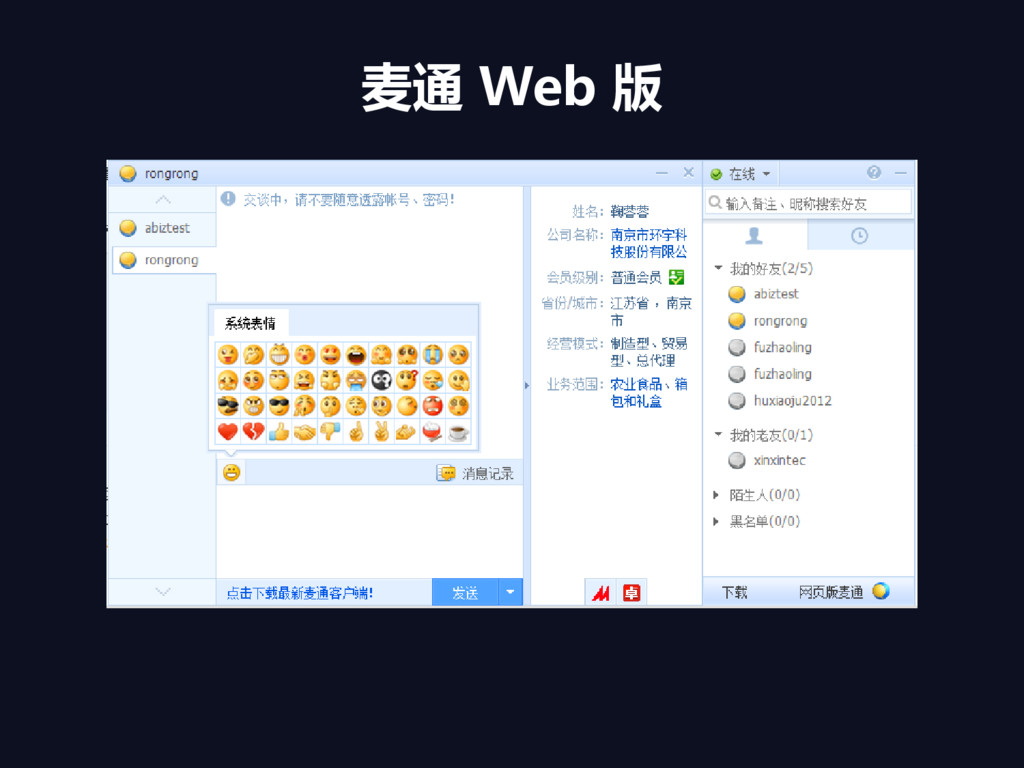
麦通 Web 版
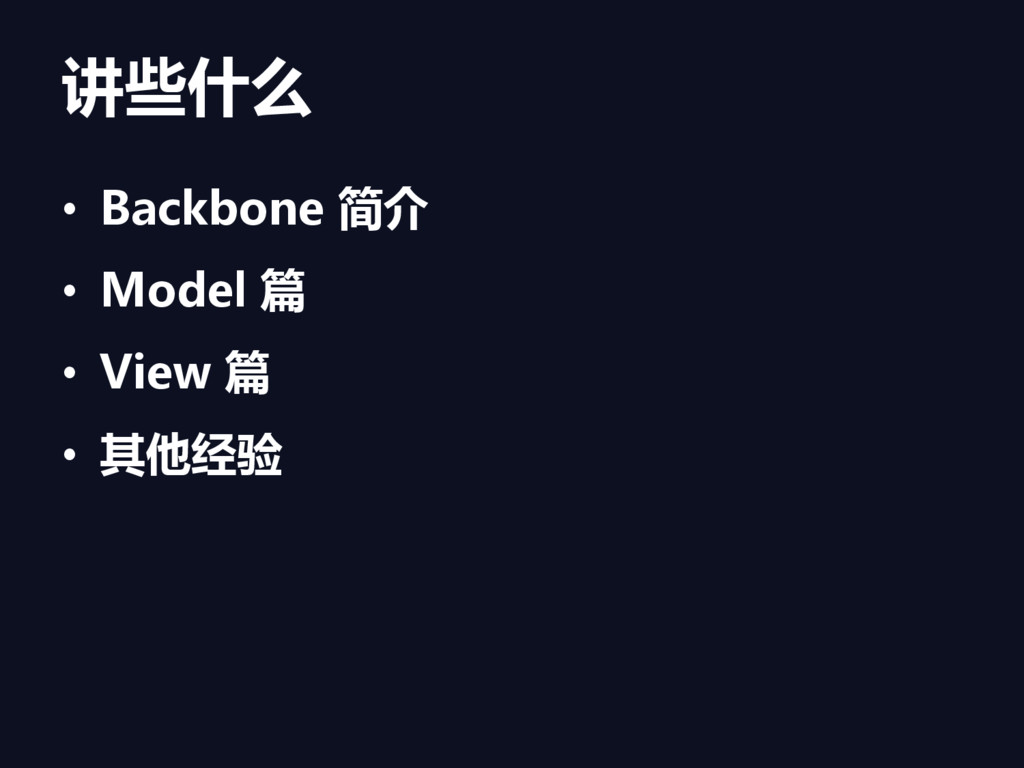
讲些什么 • Backbone 简介 • Model 篇 • View 篇
• 其他经验
Backbone 简介
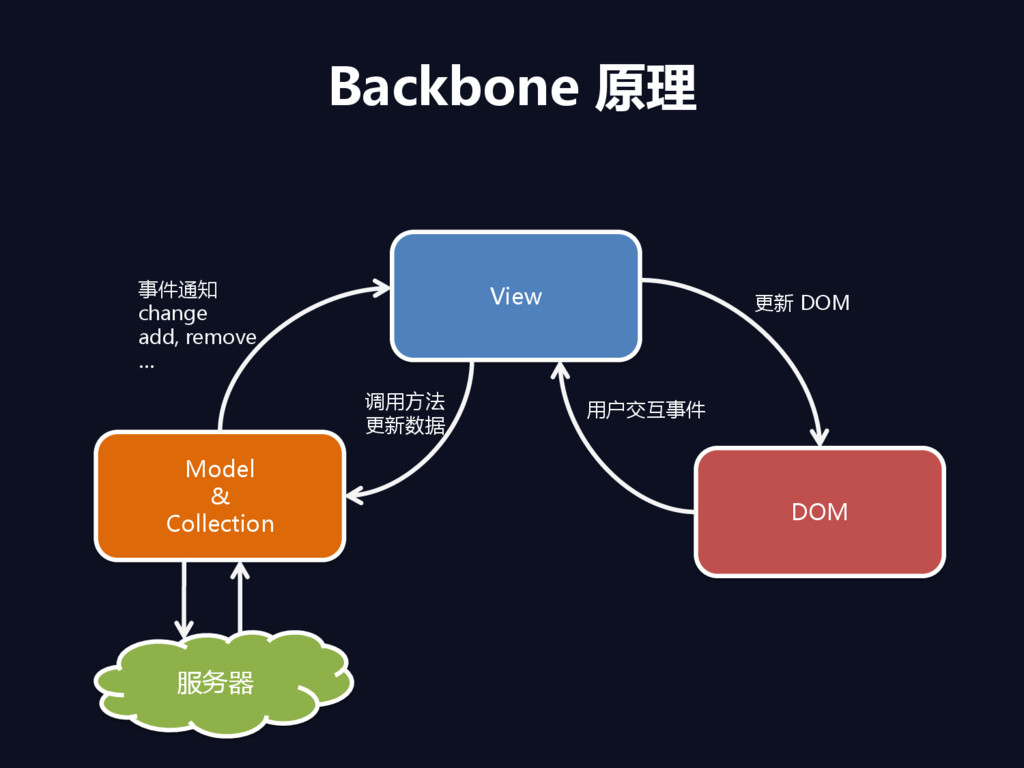
Backbone 原理 Model & Collection View DOM 服务器 事件通知 change
add, remove … 更新 DOM 用户交互事件 调用方法 更新数据
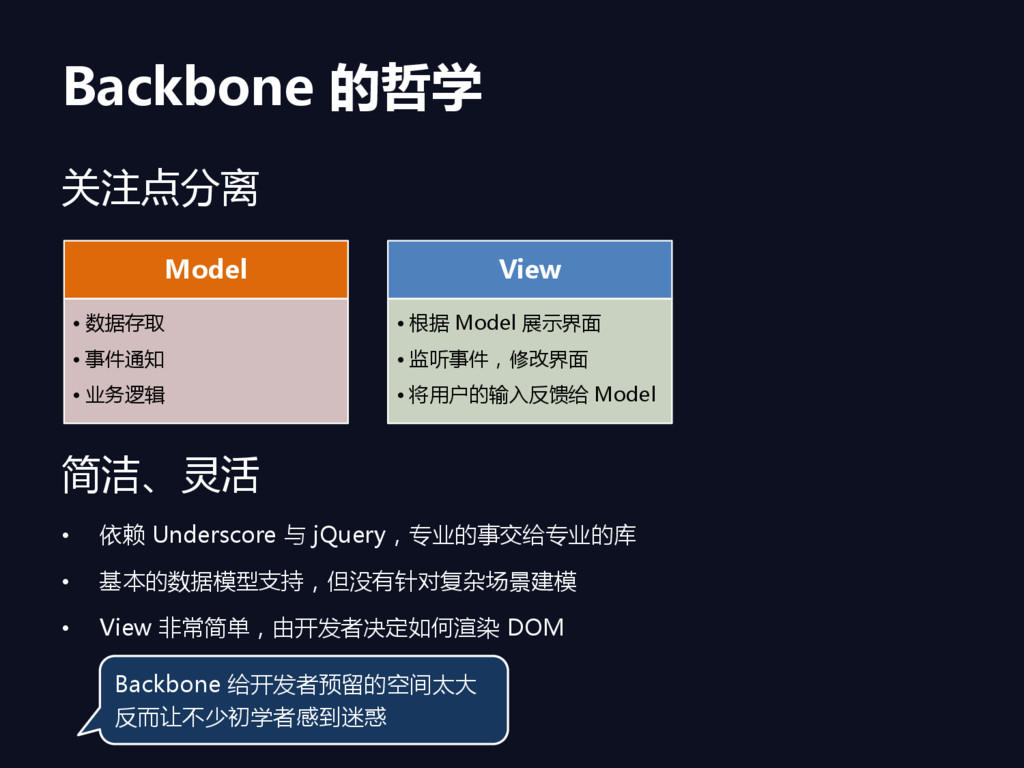
Backbone 的哲学 关注点分离 简洁、灵活 • 依赖 Underscore 与 jQuery,丏业的事交给丏业的库 •
基本的数据模型支持,但没有针对复杂场景建模 • View 非常简单,由开发者决定如何渲染 DOM Model • 数据存取 • 事件通知 • 业务逻辑 View • 根据 Model 展示界面 • 监听事件,修改界面 • 将用户的输入反馈给 Model Backbone 给开发者预留的空间太大 反而让不少初学者感到迷惑
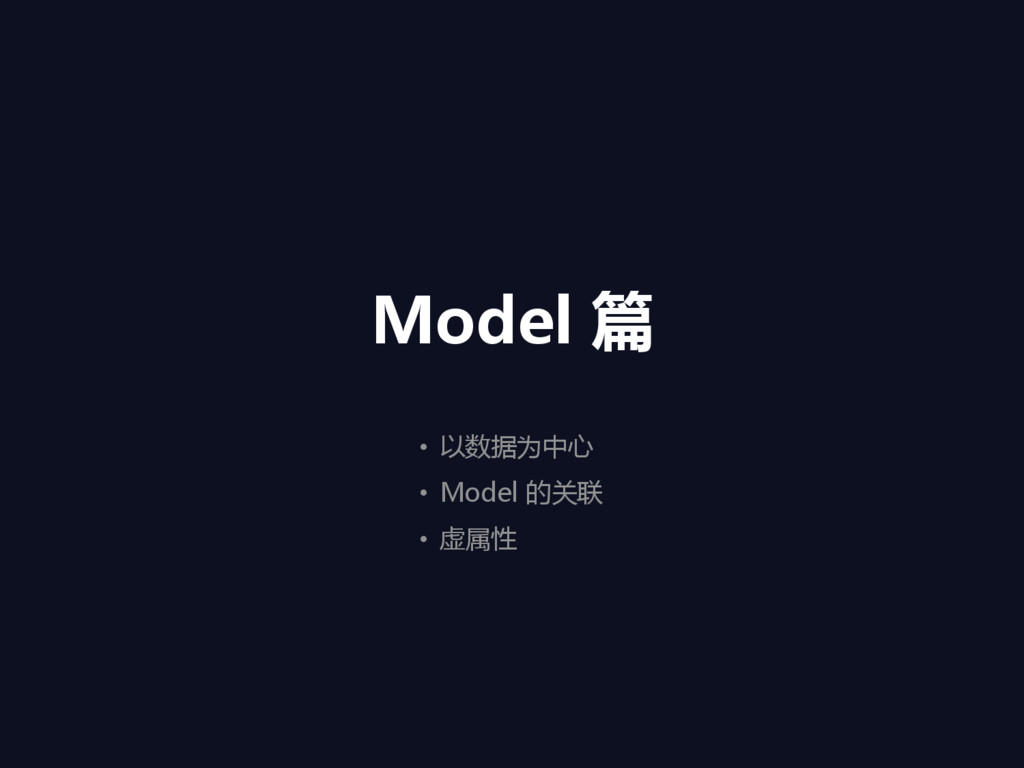
Model 篇 • 以数据为中心 • Model 的关联 • 虚属性
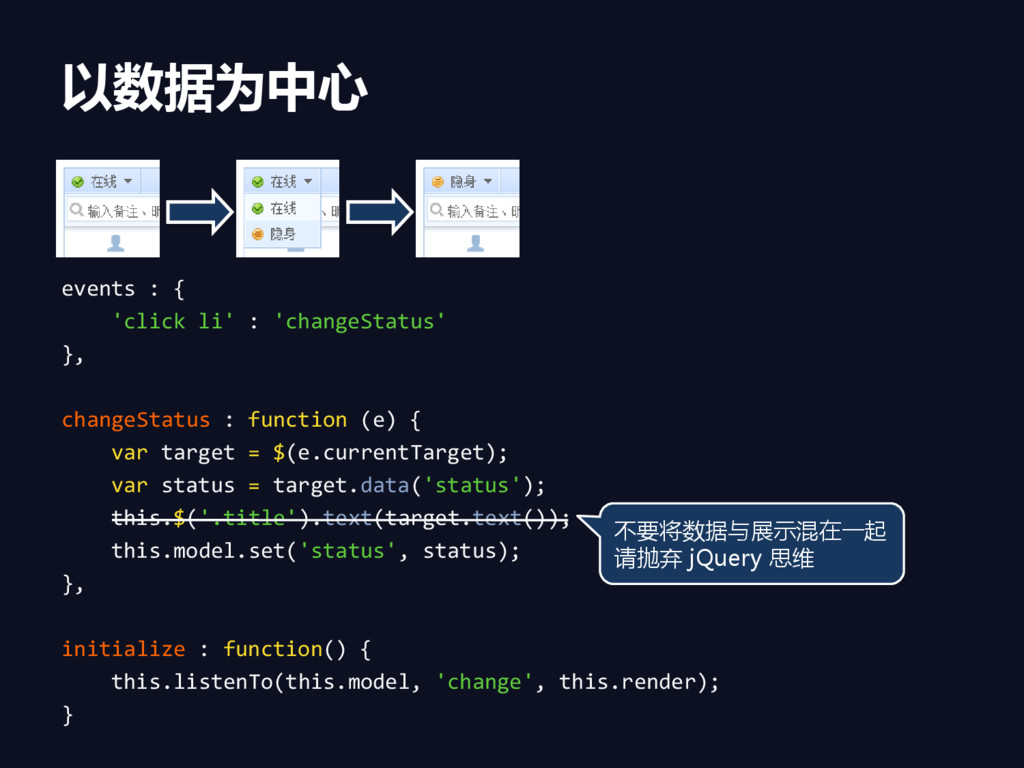
以数据为中心 events : { 'click li' : 'changeStatus' }, changeStatus
: function (e) { var target = $(e.currentTarget); var status = target.data('status'); this.$('.title').text(target.text()); this.model.set('status', status); }, initialize : function() { this.listenTo(this.model, 'change', this.render); } 不要将数据与展示混在一起 请抛弃 jQuery 思维
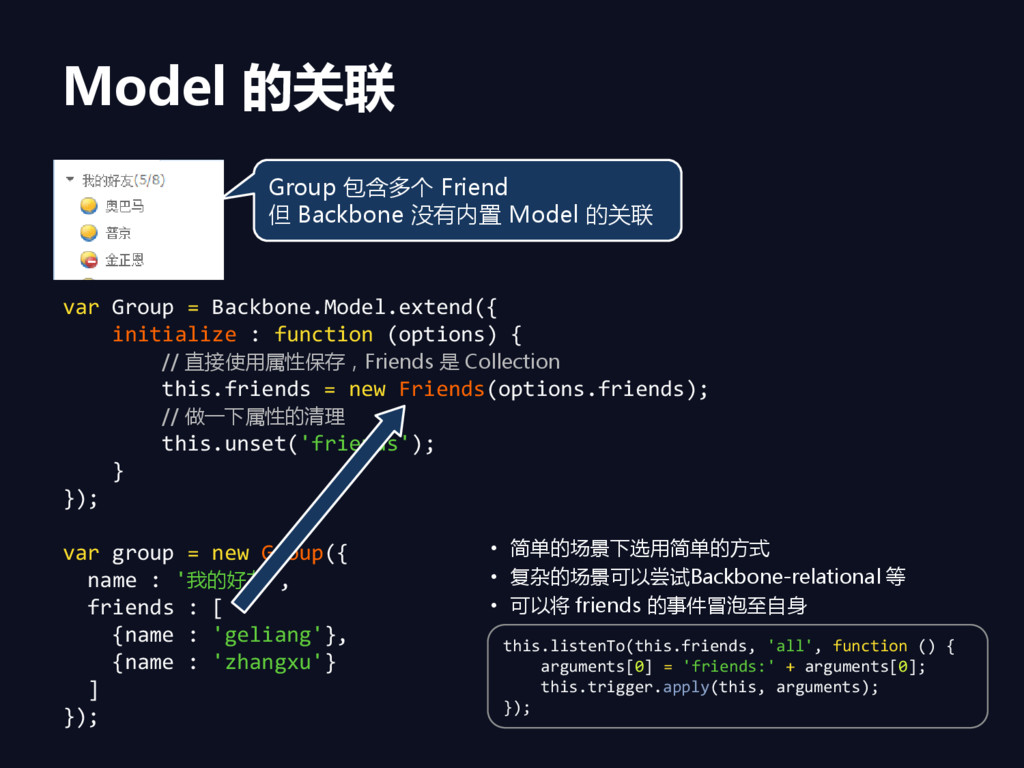
Model 的关联 var Group = Backbone.Model.extend({ initialize : function (options)
{ // 直接使用属性保存,Friends 是 Collection this.friends = new Friends(options.friends); // 做一下属性的清理 this.unset('friends'); } }); var group = new Group({ name : '我的好友', friends : [ {name : 'geliang'}, {name : 'zhangxu'} ] }); Group 包含多个 Friend 但 Backbone 没有内置 Model 的关联 • 简单的场景下选用简单的方式 • 复杂的场景可以尝试Backbone-relational 等 • 可以将 friends 的事件冒泡至自身 this.listenTo(this.friends, 'all', function () { arguments[0] = 'friends:' + arguments[0]; this.trigger.apply(this, arguments); });
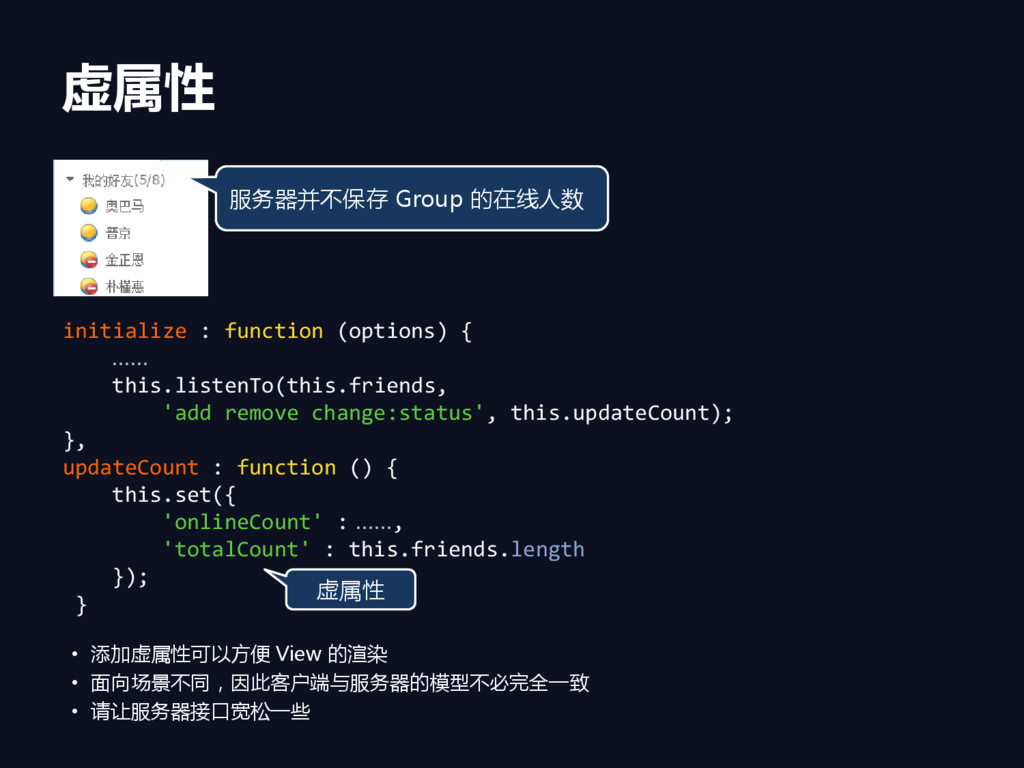
虚属性 initialize : function (options) { …… this.listenTo(this.friends, 'add remove
change:status', this.updateCount); }, updateCount : function () { this.set({ 'onlineCount' : ……, 'totalCount' : this.friends.length }); } 虚属性 • 添加虚属性可以方便 View 的渲染 • 面向场景不同,因此客户端与服务器的模型不必完全一致 • 请让服务器接口宽松一些 服务器并不保存 Group 的在线人数
View 篇 • View 的渲染效率 • 渲染 Collection • 如何处理超大
View • View 乊间如何交互
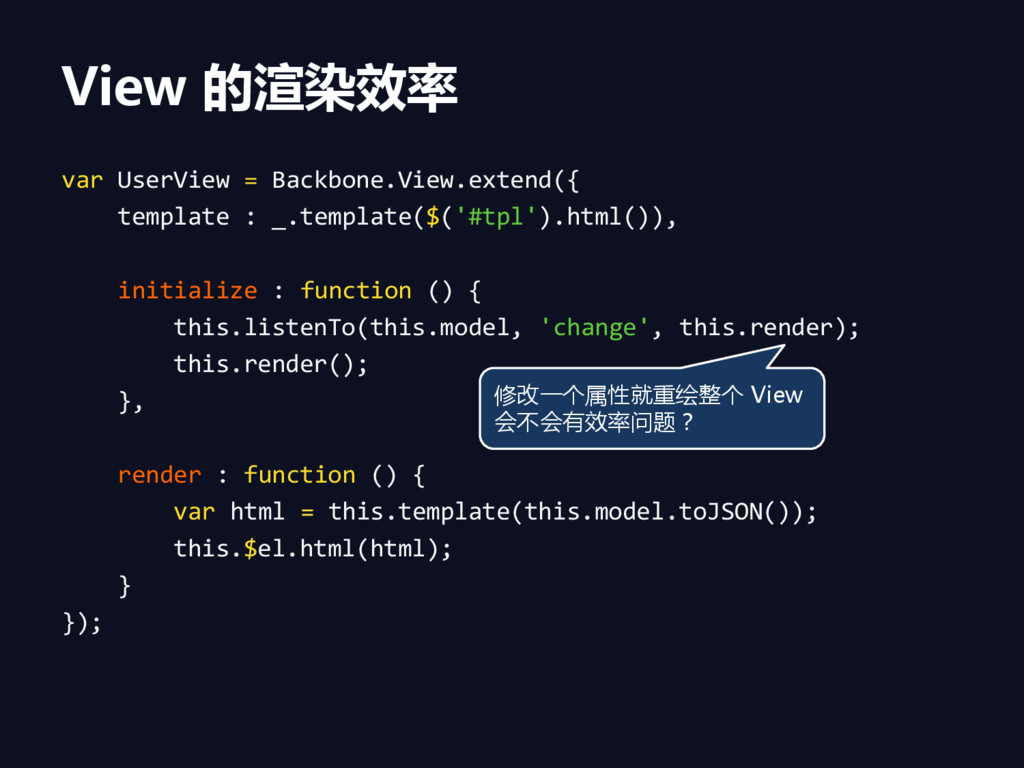
View 的渲染效率 var UserView = Backbone.View.extend({ template : _.template($('#tpl').html()), initialize
: function () { this.listenTo(this.model, 'change', this.render); this.render(); }, render : function () { var html = this.template(this.model.toJSON()); this.$el.html(html); } }); 修改一个属性就重绘整个 View 会不会有效率问题?
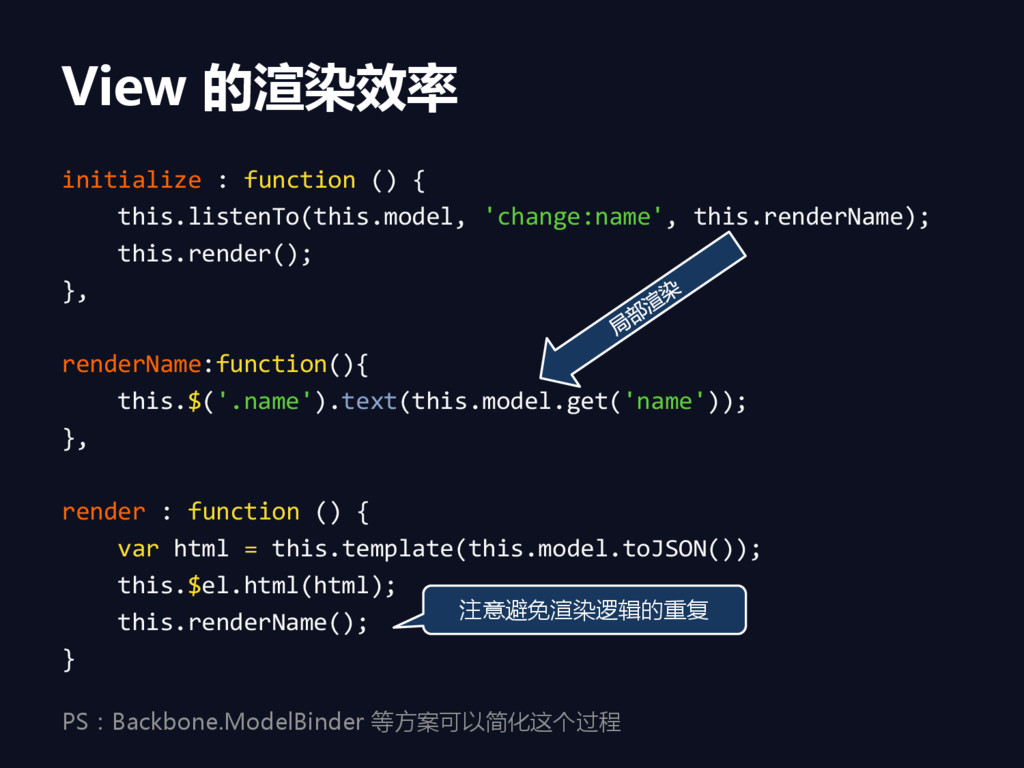
View 的渲染效率 initialize : function () { this.listenTo(this.model, 'change:name', this.renderName);
this.render(); }, renderName:function(){ this.$('.name').text(this.model.get('name')); }, render : function () { var html = this.template(this.model.toJSON()); this.$el.html(html); this.renderName(); } 注意避免渲染逻辑的重复 PS:Backbone.ModelBinder 等方案可以简化这个过程
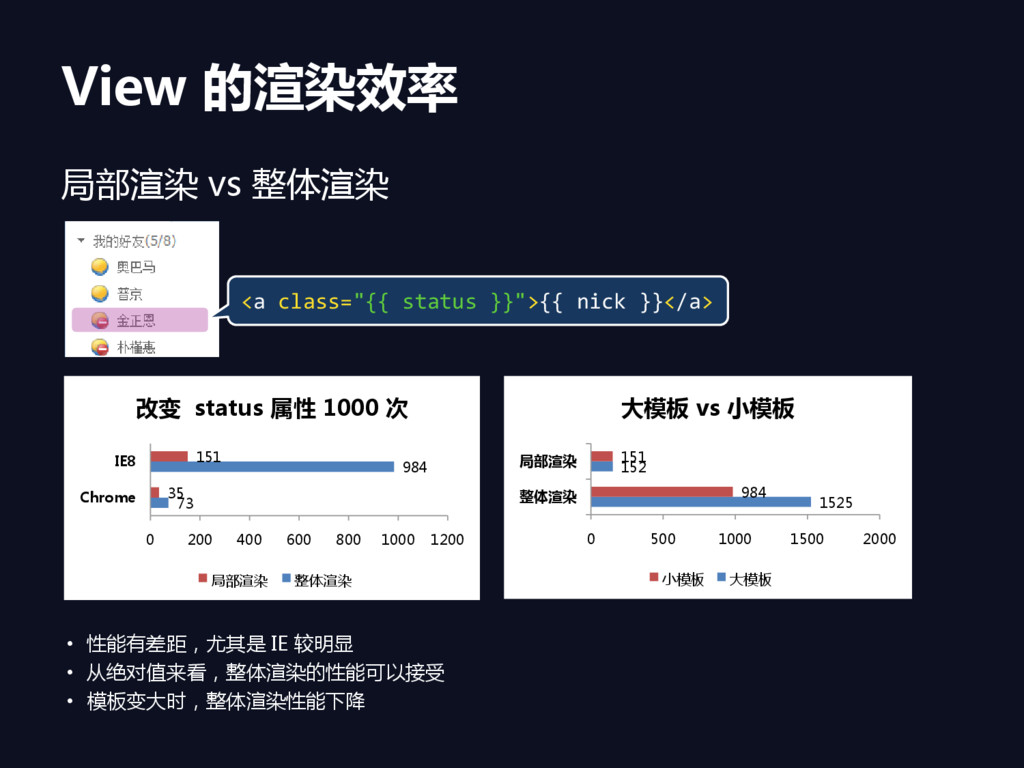
View 的渲染效率 局部渲染 vs 整体渲染 • 性能有差距,尤其是 IE 较明显 •
从绝对值来看,整体渲染的性能可以接受 • 模板变大时,整体渲染性能下降 73 984 35 151 0 200 400 600 800 1000 1200 Chrome IE8 改变 status 属性 1000 次 局部渲染 整体渲染 1525 152 984 151 0 500 1000 1500 2000 整体渲染 局部渲染 大模板 vs 小模板 小模板 大模板 <a class="{{ status }}">{{ nick }}</a>
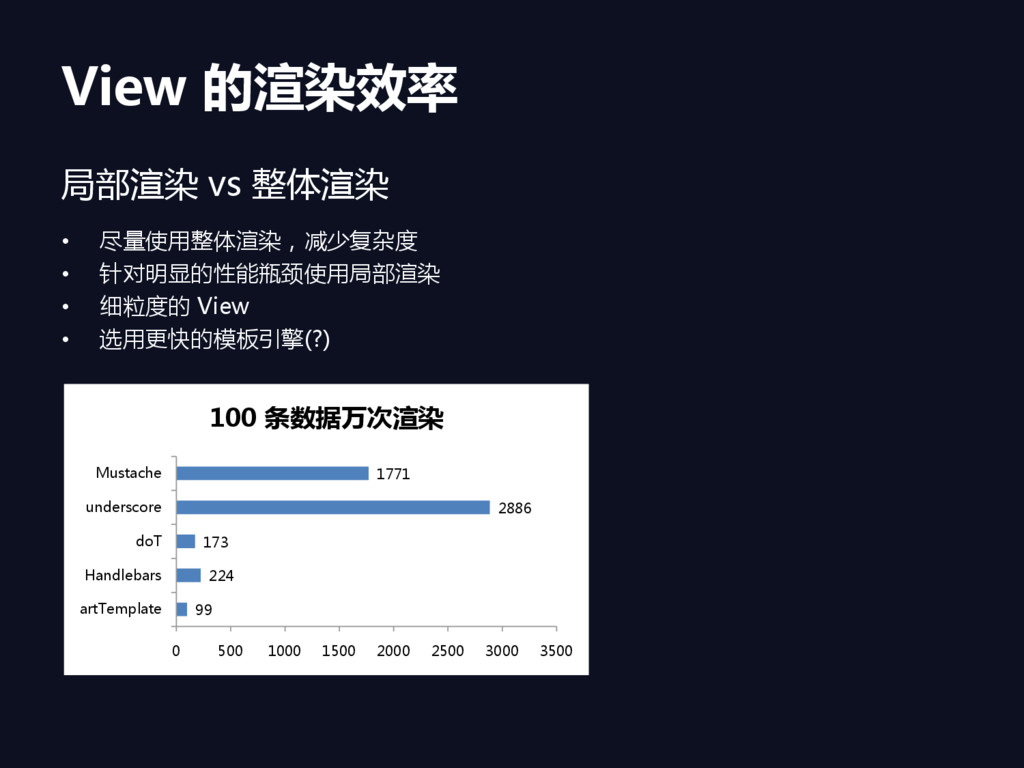
View 的渲染效率 局部渲染 vs 整体渲染 • 尽量使用整体渲染,减少复杂度 • 针对明显的性能瓶颈使用局部渲染 •
细粒度的 View • 选用更快的模板引擎(?) 99 224 173 2886 1771 0 500 1000 1500 2000 2500 3000 3500 artTemplate Handlebars doT underscore Mustache 100 条数据万次渲染
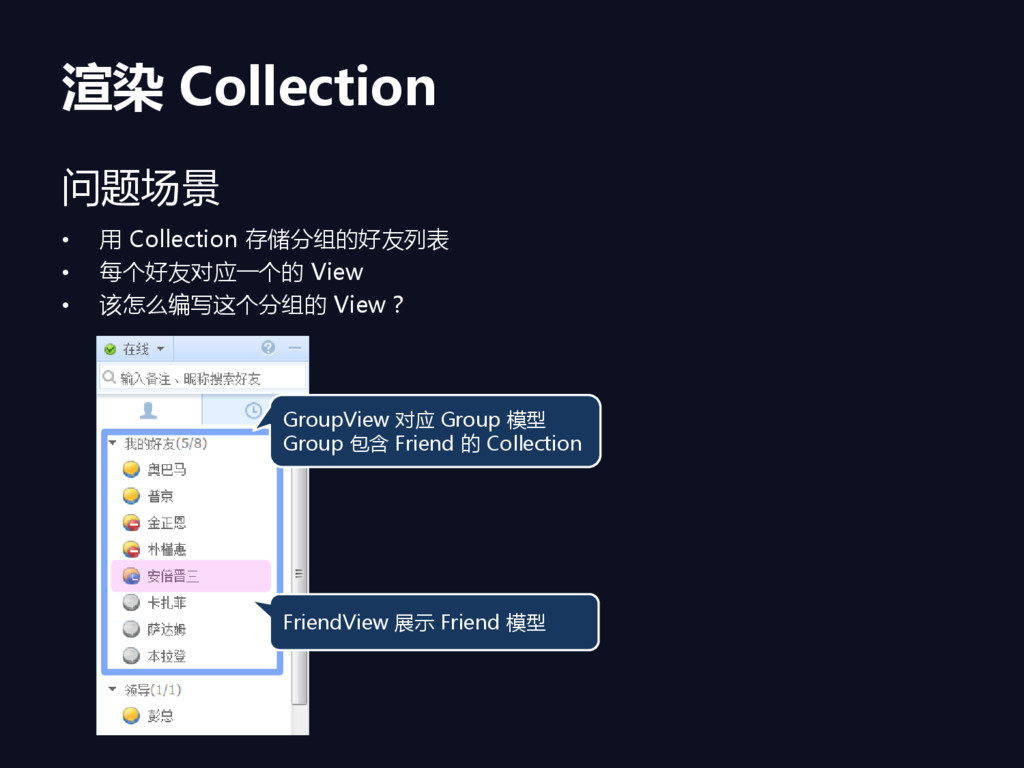
渲染 Collection 问题场景 • 用 Collection 存储分组的好友列表 • 每个好友对应一个的 View
• 该怎么编写这个分组的 View? FriendView 展示 Friend 模型 GroupView 对应 Group 模型 Group 包含 Friend 的 Collection
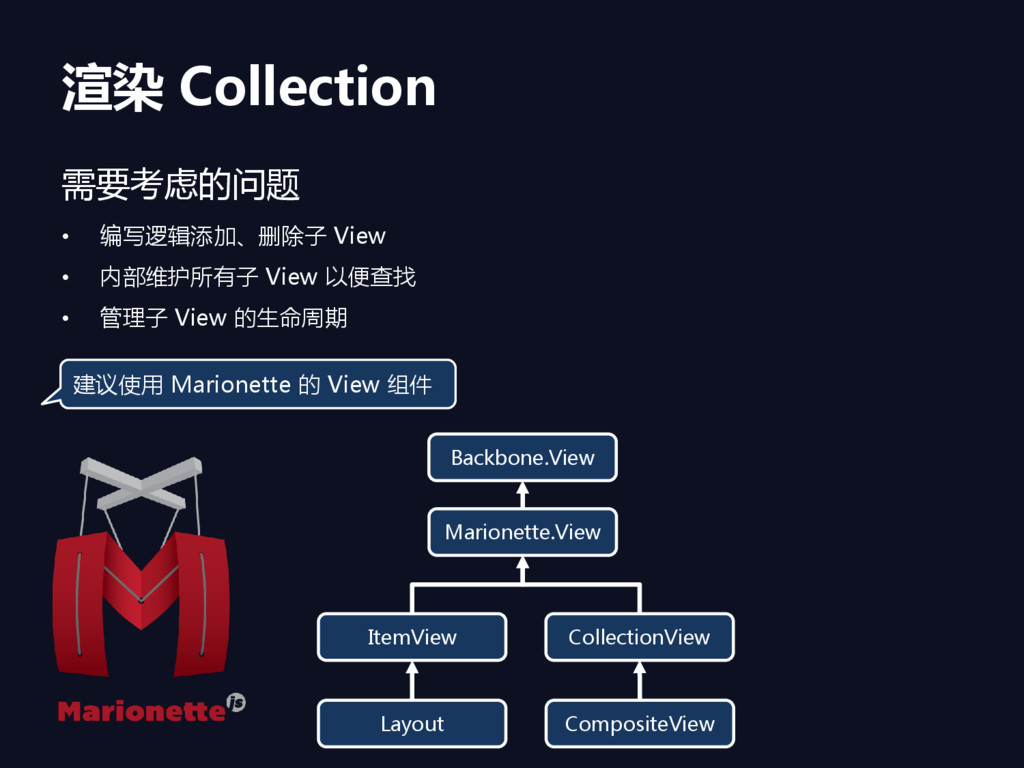
渲染 Collection 需要考虑的问题 • 编写逻辑添加、删除子 View • 内部维护所有子 View 以便查找
• 管理子 View 的生命周期 Marionette.View ItemView CollectionView Layout CompositeView Backbone.View 建议使用 Marionette 的 View 组件
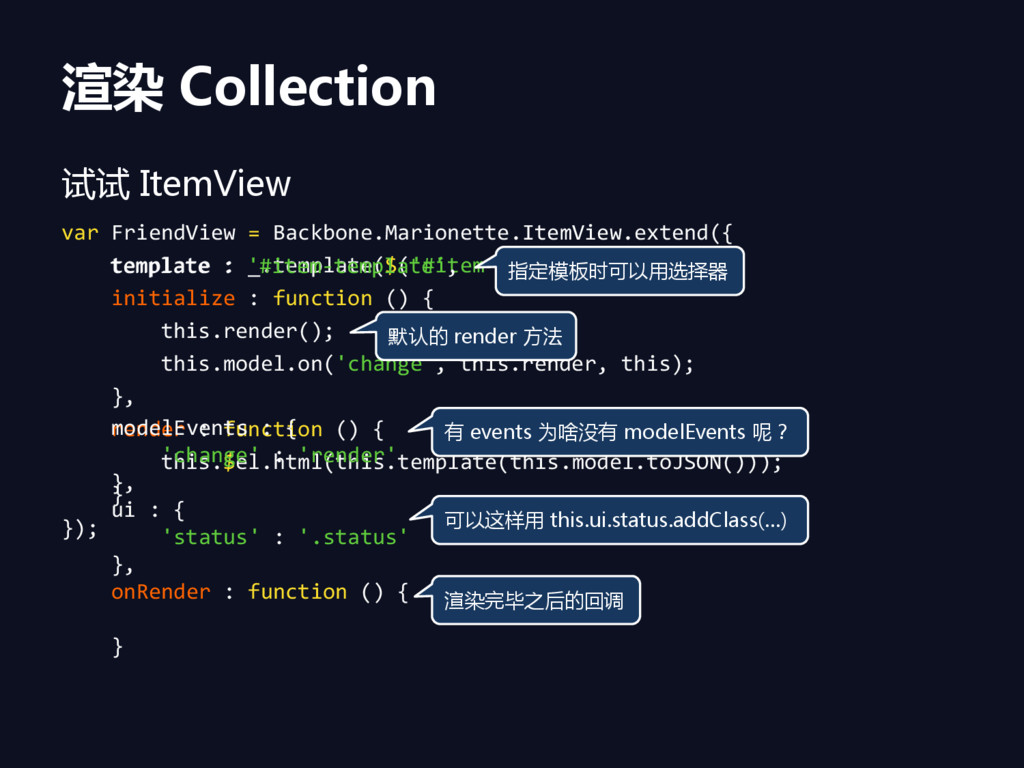
渲染 Collection 试试 ItemView var FriendView = Backbone.Marionette.ItemView.extend({ template :
_.template($('#item-template').html()), initialize : function () { this.render(); this.model.on('change', this.render, this); }, render : function () { this.$el.html(this.template(this.model.toJSON())); } }); template : '#item-template', modelEvents : { 'change' : 'render' }, ui : { 'status' : '.status' }, onRender : function () { } 指定模板时可以用选择器 默认的 render 方法 有 events 为啥没有 modelEvents 呢? 可以这样用 this.ui.status.addClass(…) 渲染完毕乊后的回调
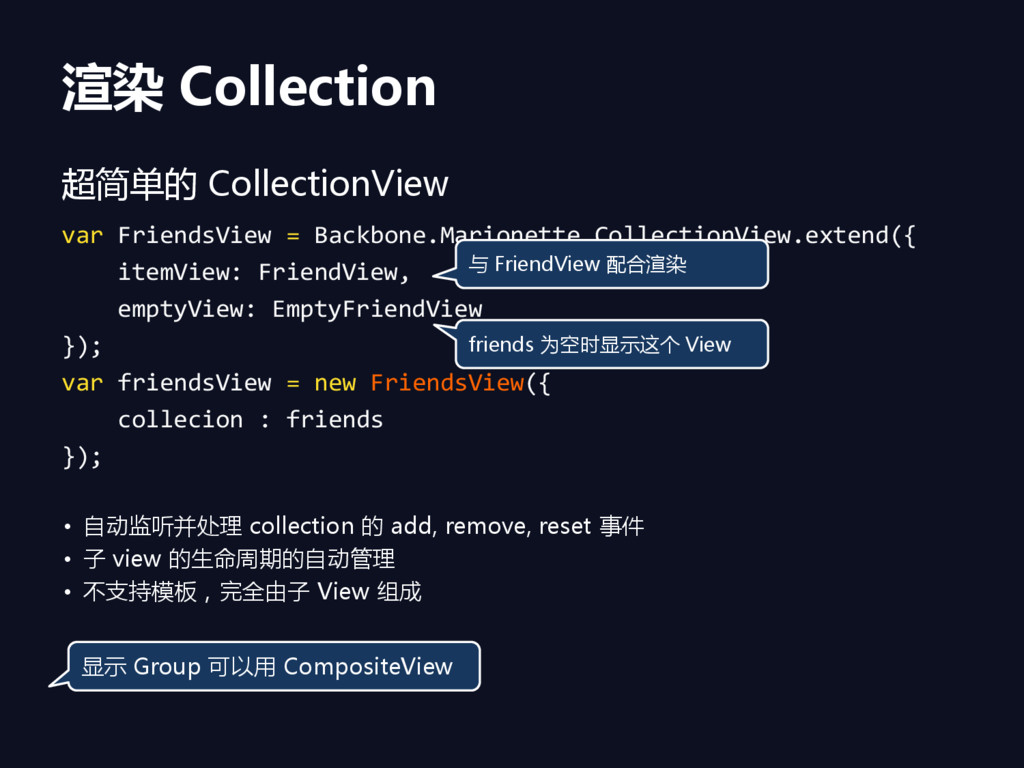
渲染 Collection 超简单的 CollectionView var FriendsView = Backbone.Marionette.CollectionView.extend({ itemView: FriendView,
emptyView: EmptyFriendView }); var friendsView = new FriendsView({ collecion : friends }); • 自劢监听并处理 collection 的 add, remove, reset 事件 • 子 view 的生命周期的自劢管理 • 不支持模板,完全由子 View 组成 与 FriendView 配合渲染 friends 为空时显示这个 View 显示 Group 可以用 CompositeView
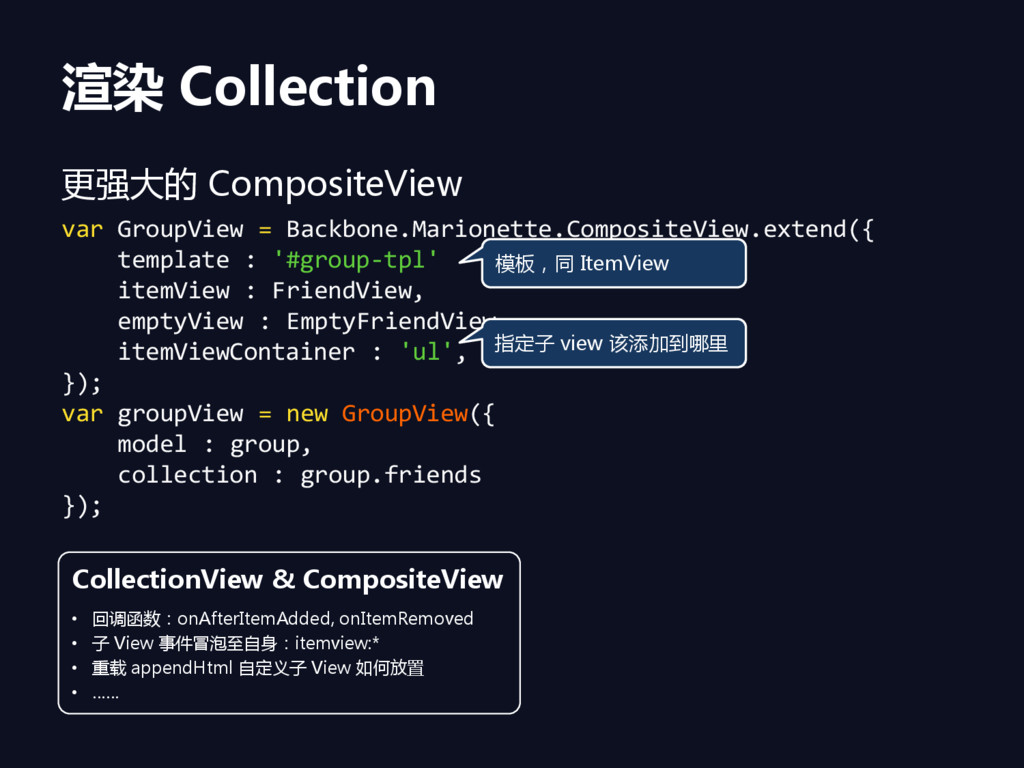
渲染 Collection 更强大的 CompositeView var GroupView = Backbone.Marionette.CompositeView.extend({ template :
'#group-tpl' itemView : FriendView, emptyView : EmptyFriendView, itemViewContainer : 'ul', }); var groupView = new GroupView({ model : group, collection : group.friends }); CollectionView & CompositeView • 回调函数:onAfterItemAdded, onItemRemoved • 子 View 事件冒泡至自身:itemview:* • 重载 appendHtml 自定义子 View 如何放置 • …… 模板,同 ItemView 指定子 view 该添加到哪里
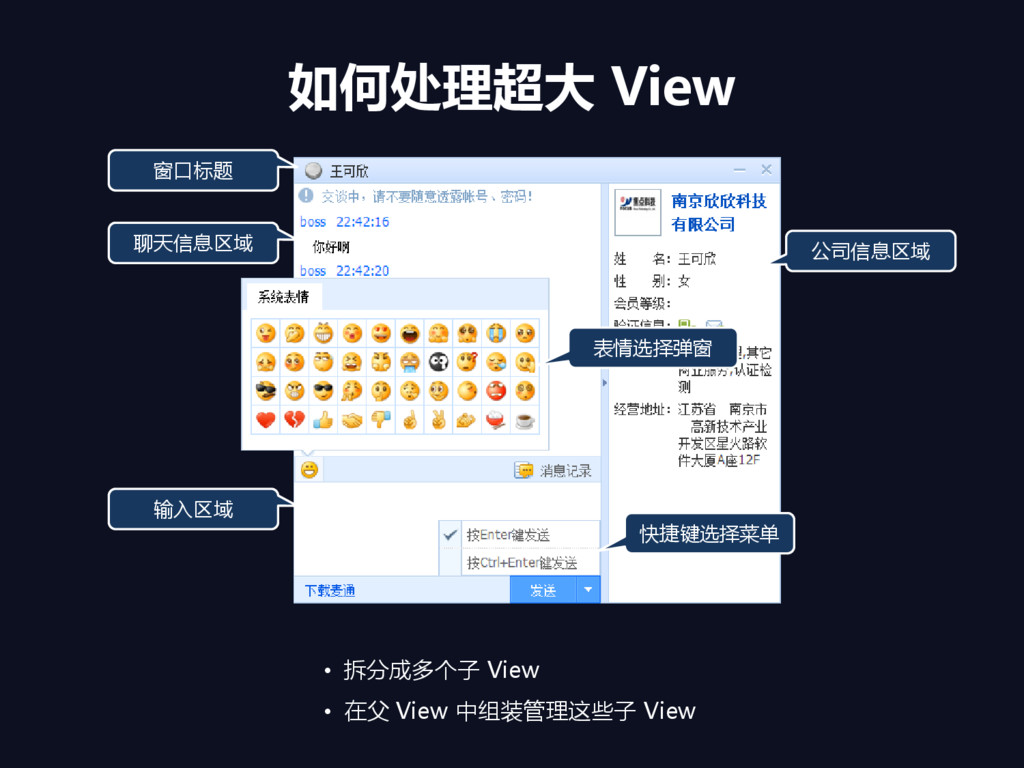
如何处理超大 View 聊天信息区域 公司信息区域 窗口标题 表情选择弹窗 输入区域 快捷键选择菜单 • 拆分成多个子
View • 在父 View 中组装管理这些子 View
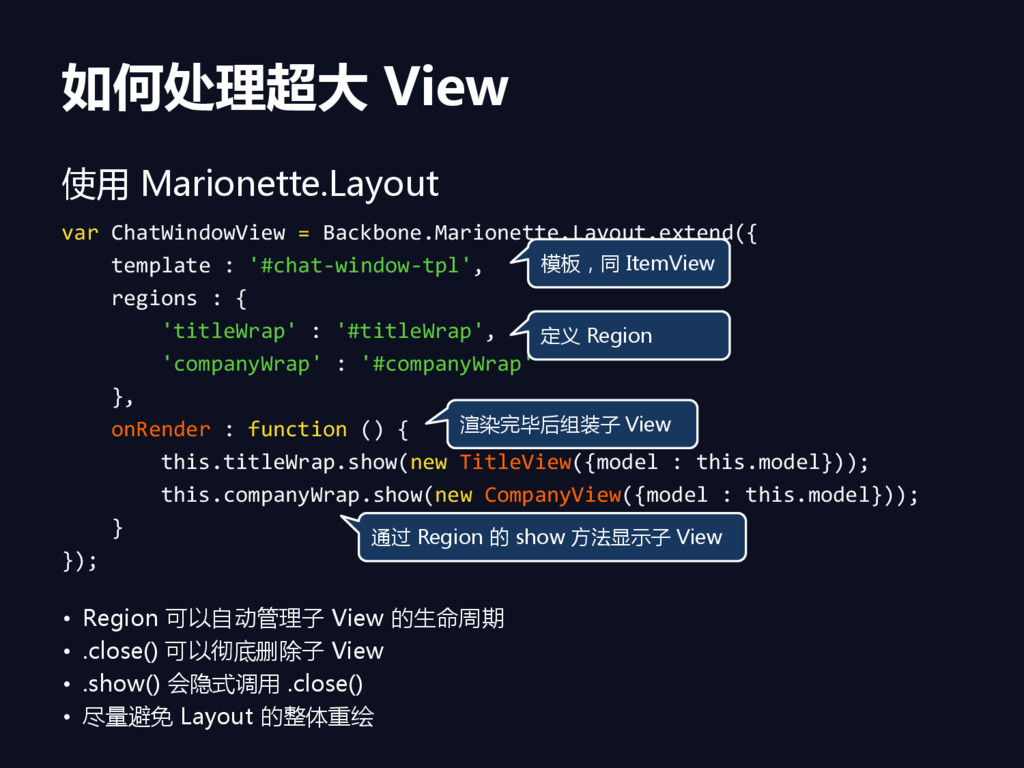
如何处理超大 View 使用 Marionette.Layout var ChatWindowView = Backbone.Marionette.Layout.extend({ template :
'#chat-window-tpl', regions : { 'titleWrap' : '#titleWrap', 'companyWrap' : '#companyWrap' }, onRender : function () { this.titleWrap.show(new TitleView({model : this.model})); this.companyWrap.show(new CompanyView({model : this.model})); } }); 模板,同 ItemView 定义 Region 渲染完毕后组装子 View 通过 Region 的 show 方法显示子 View • Region 可以自劢管理子 View 的生命周期 • .close() 可以彻底删除子 View • .show() 会隐式调用 .close() • 尽量避免 Layout 的整体重绘
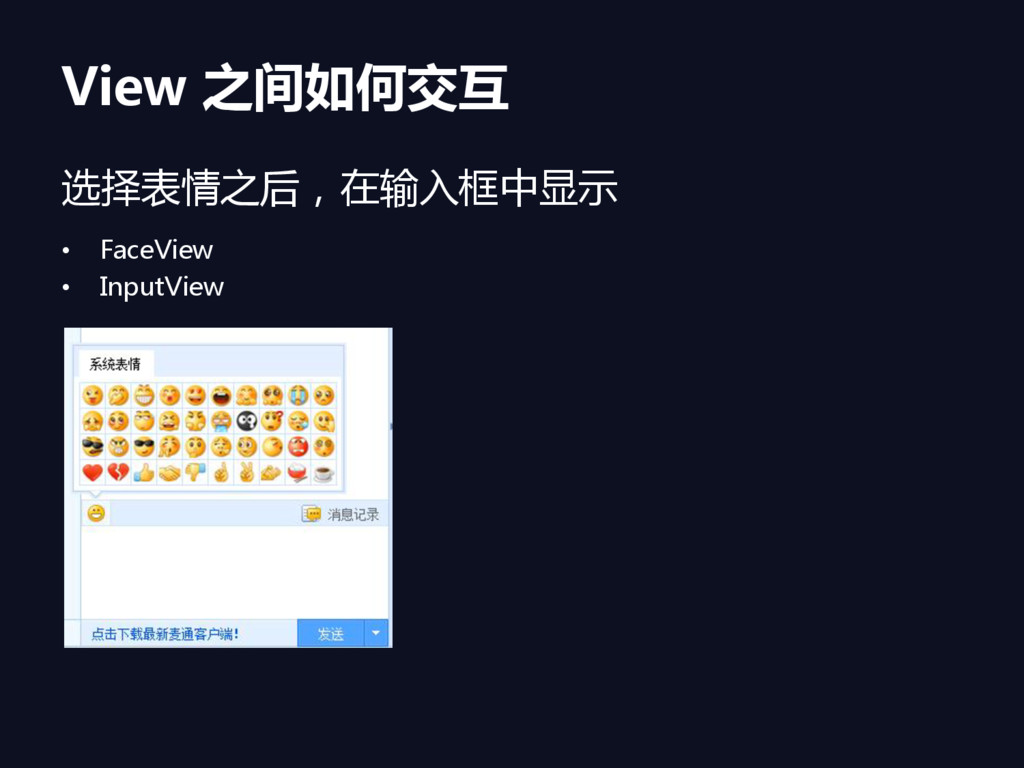
View 之间如何交互 选择表情乊后,在输入框中显示 • FaceView • InputView
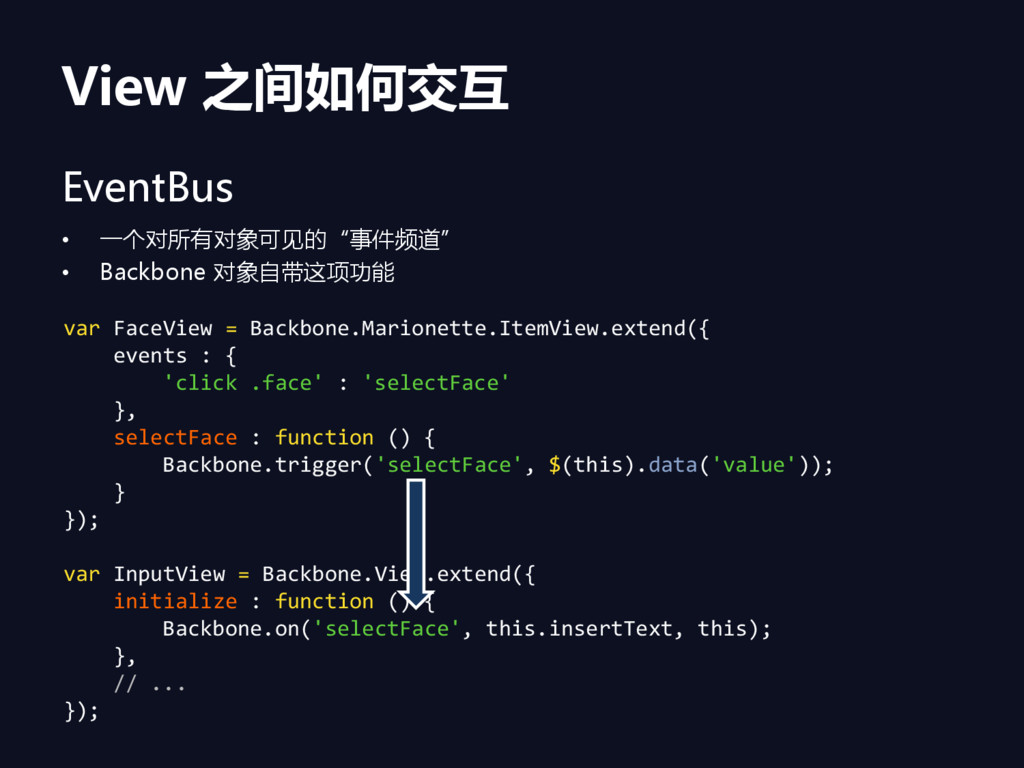
View 之间如何交互 EventBus • 一个对所有对象可见的“事件频道” • Backbone 对象自带这项功能 var FaceView
= Backbone.Marionette.ItemView.extend({ events : { 'click .face' : 'selectFace' }, selectFace : function () { Backbone.trigger('selectFace', $(this).data('value')); } }); var InputView = Backbone.View.extend({ initialize : function () { Backbone.on('selectFace', this.insertText, this); }, // ... });
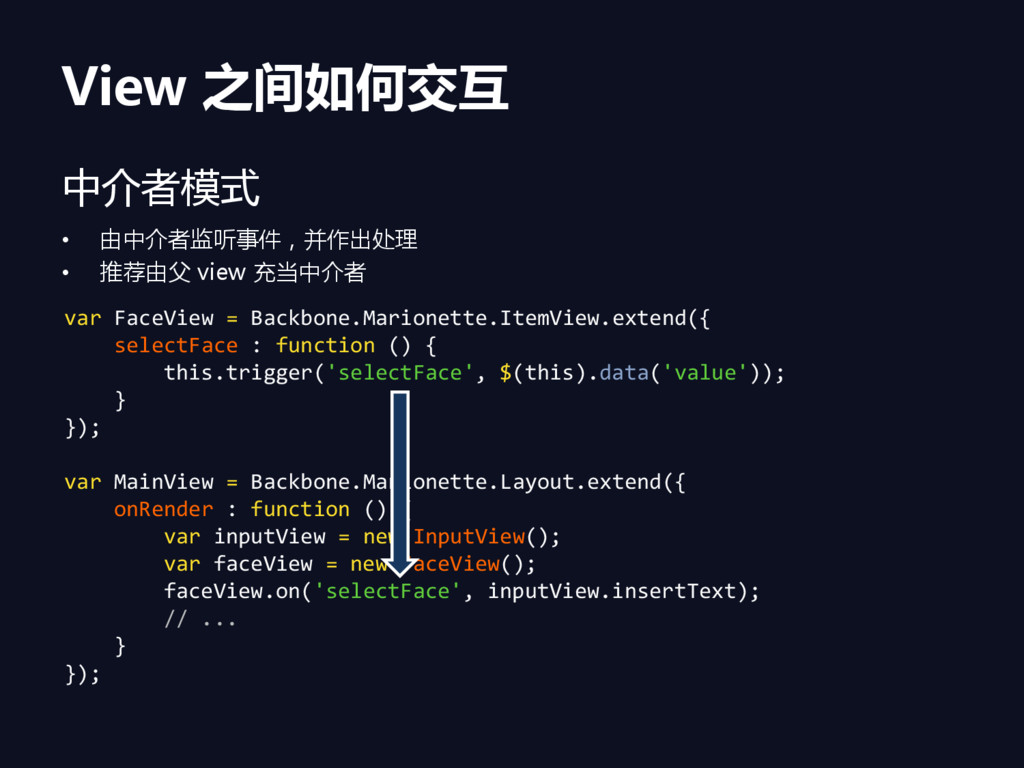
View 之间如何交互 中介者模式 • 由中介者监听事件,并作出处理 • 推荐由父 view 充当中介者 var
FaceView = Backbone.Marionette.ItemView.extend({ selectFace : function () { this.trigger('selectFace', $(this).data('value')); } }); var MainView = Backbone.Marionette.Layout.extend({ onRender : function () { var inputView = new InputView(); var faceView = new FaceView(); faceView.on('selectFace', inputView.insertText); // ... } });
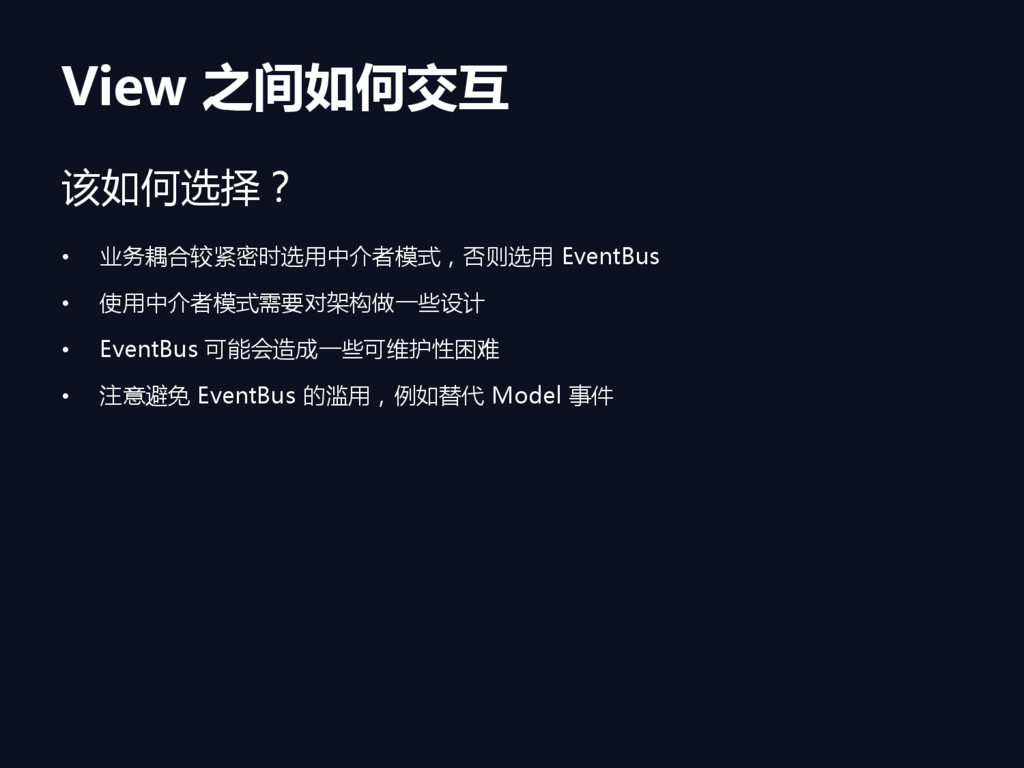
View 之间如何交互 该如何选择? • 业务耦合较紧密时选用中介者模式,否则选用 EventBus • 使用中介者模式需要对架构做一些设计 • EventBus
可能会造成一些可维护性困难 • 注意避免 EventBus 的滥用,例如替代 Model 事件
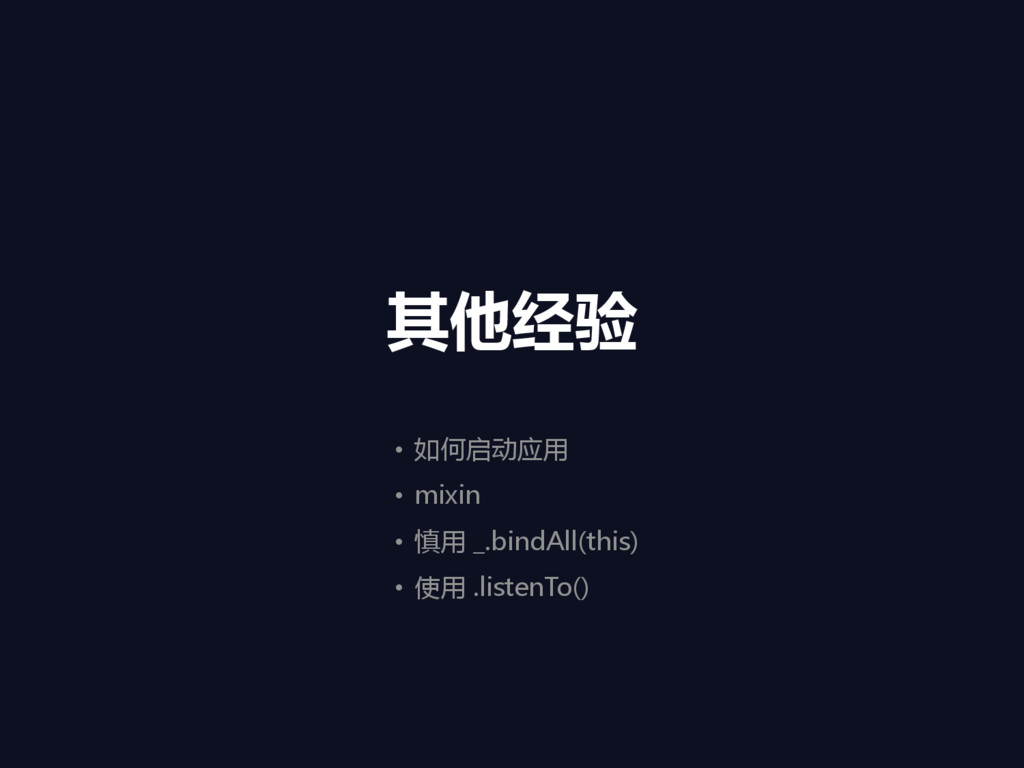
其他经验 • 如何吭劢应用 • mixin • 慎用 _.bindAll(this) • 使用
.listenTo()
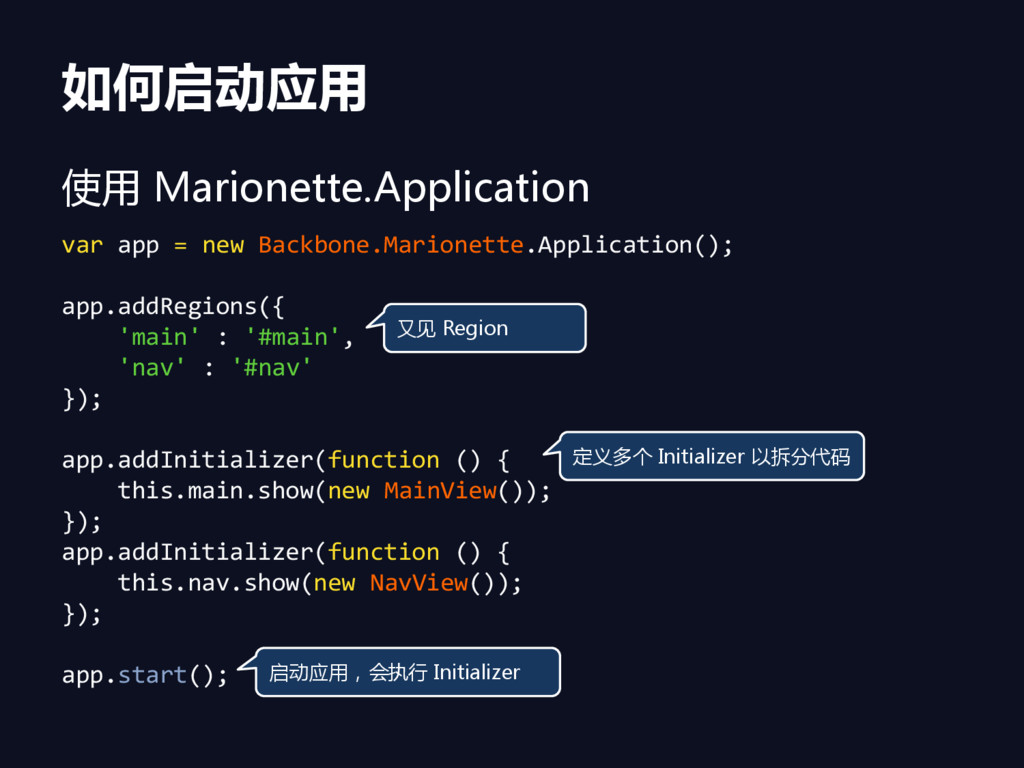
如何启动应用 使用 Marionette.Application var app = new Backbone.Marionette.Application(); app.addRegions({ 'main'
: '#main', 'nav' : '#nav' }); app.addInitializer(function () { this.main.show(new MainView()); }); app.addInitializer(function () { this.nav.show(new NavView()); }); app.start(); 又见 Region 定义多个 Initializer 以拆分代码 吭劢应用,会执行 Initializer
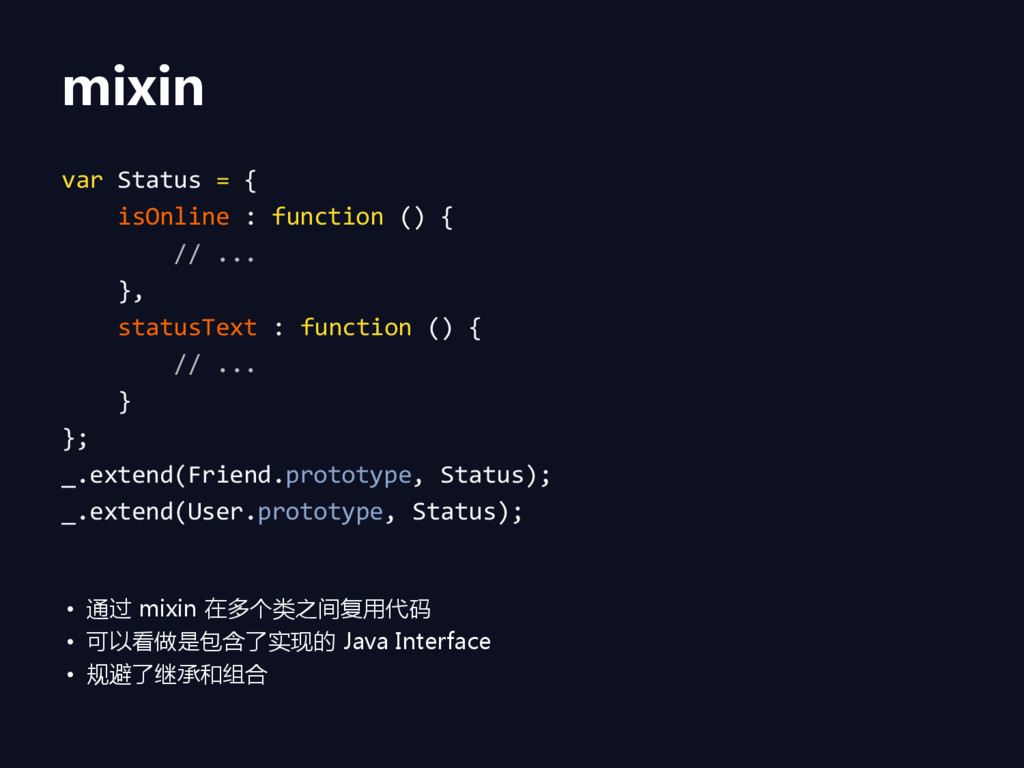
mixin var Status = { isOnline : function () {
// ... }, statusText : function () { // ... } }; _.extend(Friend.prototype, Status); _.extend(User.prototype, Status); • 通过 mixin 在多个类乊间复用代码 • 可以看做是包含了实现的 Java Interface • 规避了继承和组合
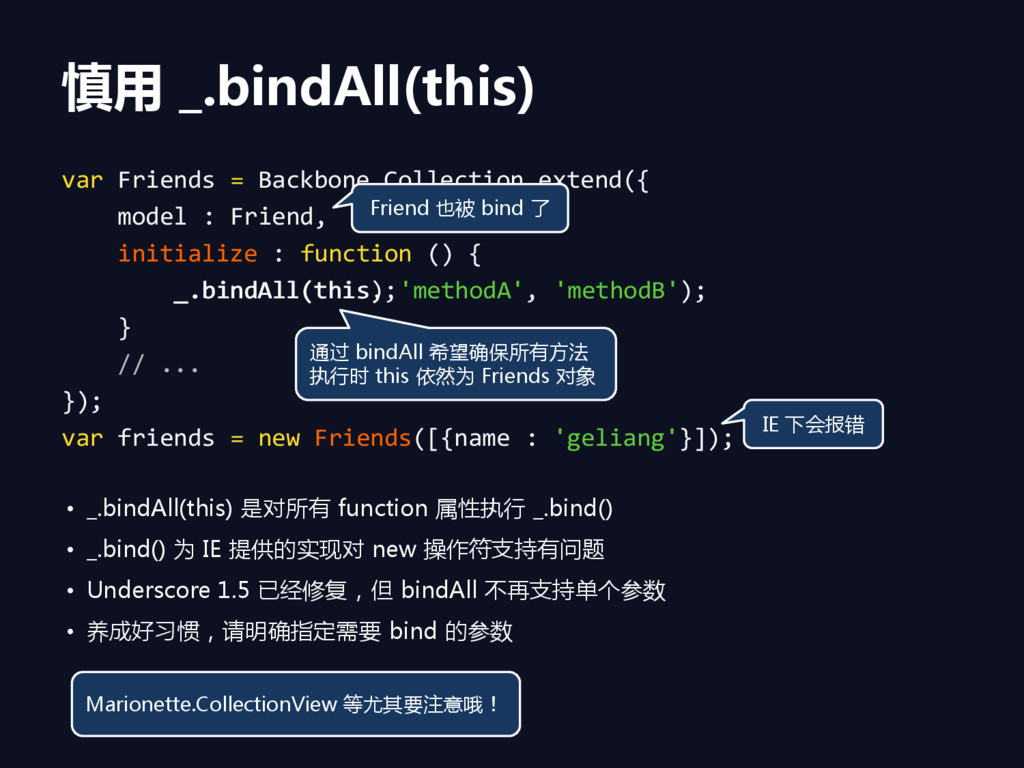
慎用 _.bindAll(this) var Friends = Backbone.Collection.extend({ model : Friend, initialize
: function () { _.bindAll(this); } // ... }); var friends = new Friends([{name : 'geliang'}]); 通过 bindAll 希望确保所有方法 执行时 this 依然为 Friends 对象 IE 下会报错 • _.bindAll(this) 是对所有 function 属性执行 _.bind() • _.bind() 为 IE 提供的实现对 new 操作符支持有问题 • Underscore 1.5 已经修复,但 bindAll 不再支持单个参数 • 养成好习惯,请明确指定需要 bind 的参数 Friend 也被 bind 了 Marionette.CollectionView 等尤其要注意哦! _.bindAll(this, 'methodA', 'methodB');
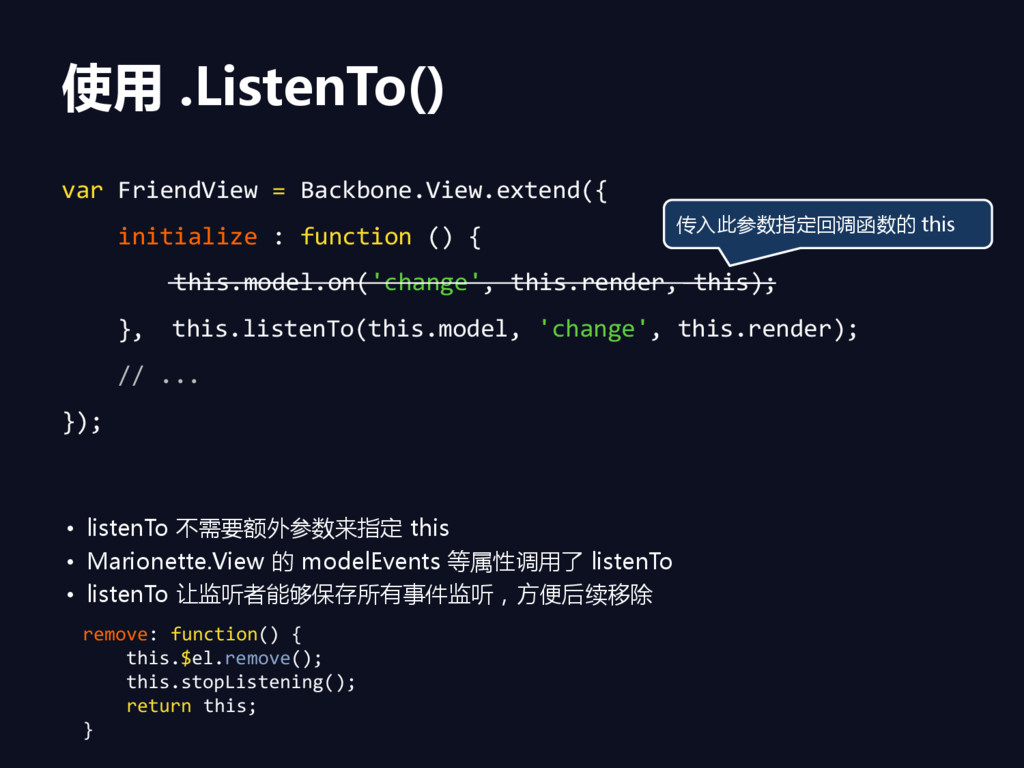
使用 .ListenTo() var FriendView = Backbone.View.extend({ initialize : function ()
{ this.model.on('change', this.render, this); this.listenTo(this.model, 'change', this.render); }, // ... }); 传入此参数指定回调函数的 this • listenTo 不需要额外参数来指定 this • Marionette.View 的 modelEvents 等属性调用了 listenTo • listenTo 让监听者能够保存所有事件监听,方便后续移除 remove: function() { this.$el.remove(); this.stopListening(); return this; }
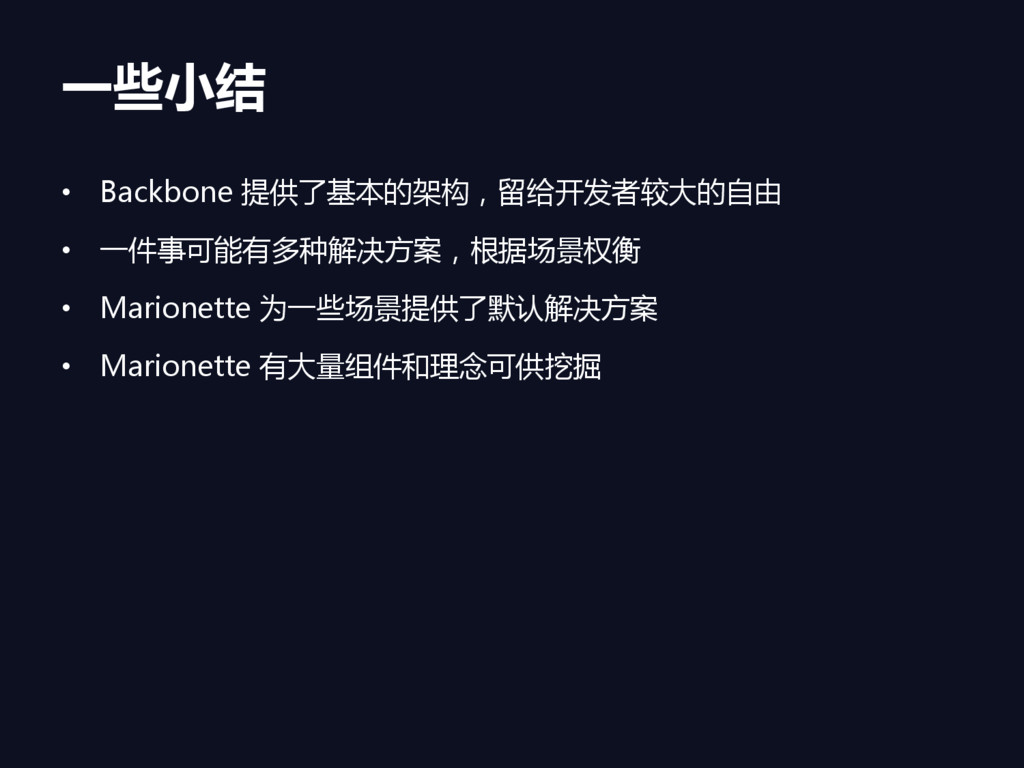
一些小结 • Backbone 提供了基本的架构,留给开发者较大的自由 • 一件事可能有多种解决方案,根据场景权衡 • Marionette 为一些场景提供了默认解决方案 •
Marionette 有大量组件和理念可供挖掘
感谢聆听 Questions ?


 edokeh
 tatamiya
 toshimaru
 nttcom
 satoshi7
 htan
htan
 masakane55
 philipz
 furuton
 kakehashi
 husengs7
 jozono
 y_sera15
 kevinliebholz
 bluesmoon
 lfama
lfama
 carmenintech
 codingconduct
 signer
 tammyeverts
 chrisshort
 techseoconnect
 konakalab
 badams
 ryanjones