Upgrade to Pro
— share decks privately, control downloads, hide ads and more …
Speaker Deck
Sign up for free
Menu
Search
Features
All features
Private URLs
Password Protection
Custom URLS
Scheduled publishing
Remove Branding
Restrict embedding
Deck Collections
Notes
Features
All features
Private URLs
Password Protection
Custom URLS
Scheduled publishing
Remove Branding
Restrict embedding
Deck Collections
Notes
Explore
Featured decks
Featured speakers
Programming
Technology
Storyboards
Explore
Featured decks
Featured speakers
Programming
Technology
Storyboards
Pricing
Search
Sign in
Sign up for free
chrome 插件开发
Search
edokeh
April 23, 2012
Programming
810
7
Share
Embed
Copy iframe code
Copy JS code
Copy link
Start on current slide
chrome 插件开发
edokeh
April 23, 2012
More Decks by edokeh
See All by edokeh
Backbone 开发实战
edokeh
0
260
新一站 HTML5 触屏版开发总结
edokeh
34
8.6k
模块化的Javascript开发-FTF
edokeh
16
1.3k
iphone webapp入门实战
edokeh
14
890
REST实践指南
edokeh
12
710
Other Decks in Programming
See All in Programming
AI時代のコードレビューは人に向けるな、仕組みに向けろ
texmeijin
5
3.6k
CodeRabbitの効果検証と過ごしてみた3ヶ月
armondando
0
230
dotNET_vulnclicker_intro.pdf
deka_morita
0
140
自サークルのIdPからログアウトできるようになるまで
taiseiue
1
130
カツオ、ご期待ください
suneo3476
0
170
wkhtmltopdfの次どうするか問題2026
willnet
2
1.9k
Simple Storage Service(S3) is not simple
iwatsukayura
0
270
速く作れる。その次は、速く確かめられる開発へ 〜AIネイティブ開発を支える、Shift Down〜 / Can build fast. Next, moving to development where we can verify fast.
rkaga
8
5.7k
設計次第でAIコードの読む量は減らせる / designing-for-code-reading
minodriven
34
16k
Verilogで学ぶCPU自作入門
uyuki234
8
4.1k
コーディング自動化の次へ。人の介入をゼロにするファクトリーとサポートAIによる実践
timakin
0
920
AIに “答え“を書かせるのを やめてみた
___akari11
0
120
Featured
See All Featured
DevOps and Value Stream Thinking: Enabling flow, efficiency and business value
helenjbeal
2
410
Paper Plane
katiecoart
PRO
4
54k
The Success of Rails: Ensuring Growth for the Next 100 Years
eileencodes
47
8.4k
Fireside Chat
paigeccino
43
4.1k
Taking LLMs out of the black box: A practical guide to human-in-the-loop distillation
inesmontani
PRO
3
2.4k
Evolution of real-time – Irina Nazarova, EuRuKo, 2024
irinanazarova
9
1.6k
Navigating Team Friction
lara
192
16k
From π to Pie charts
rasagy
1
400
The untapped power of vector embeddings
frankvandijk
2
1.9k
XXLCSS - How to scale CSS and keep your sanity
sugarenia
250
1.3M
How to Talk to Developers About Accessibility
jct
2
570
"I'm Feeling Lucky" - Building Great Search Experiences for Today's Users (#IAC19)
danielanewman
230
23k
Transcript
Chrome Extension开发入门 葛亮@焦点科技 2012.4.23
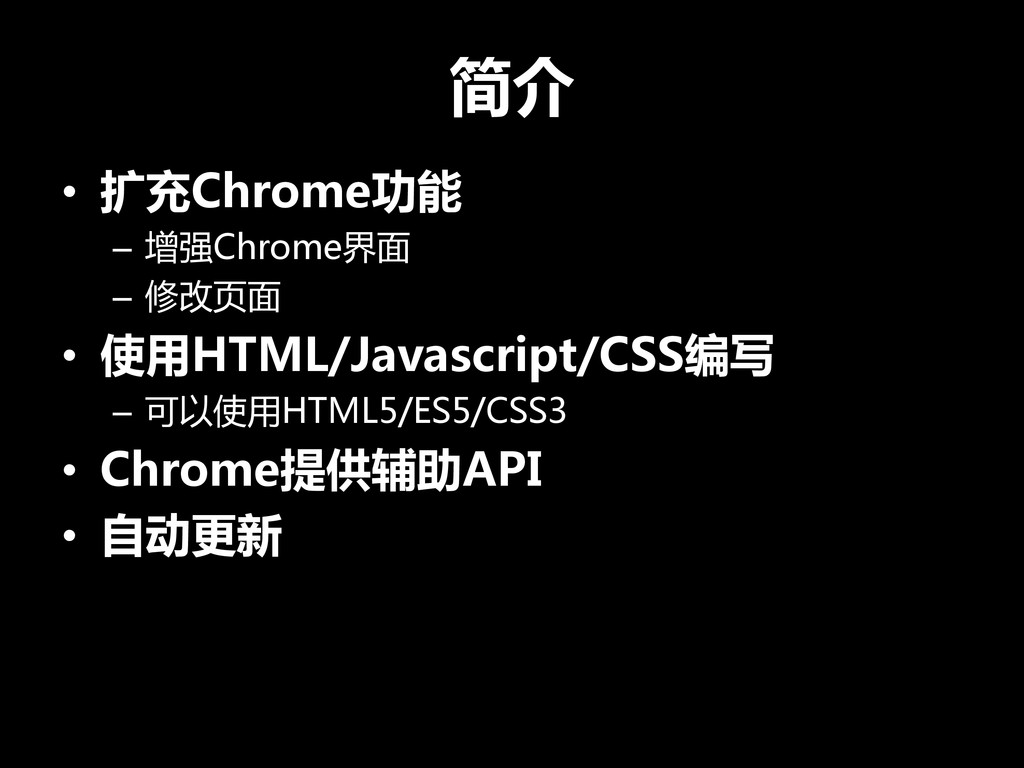
简介 • 扩充Chrome功能 – 增强Chrome界面 – 修改页面 • 使用HTML/Javascript/CSS编写 –
可以使用HTML5/ES5/CSS3 • Chrome提供辅助API • 自动更新
My Chrome Extensions
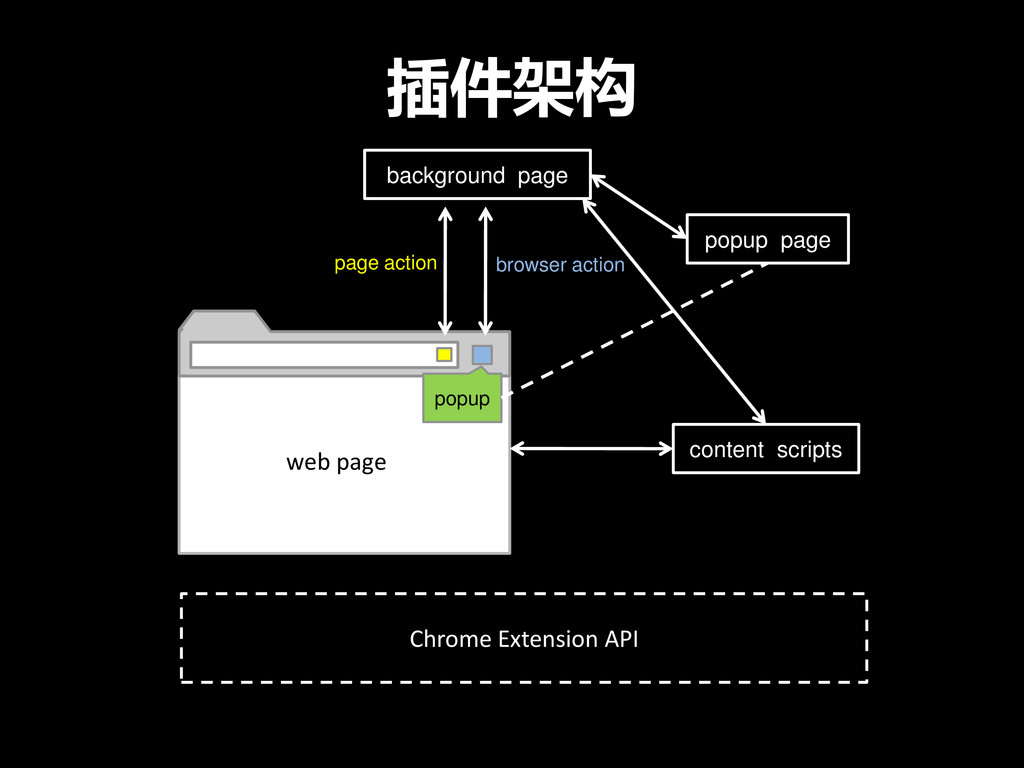
插件架构 popup popup page background page page action browser action
content scripts web page Chrome Extension API
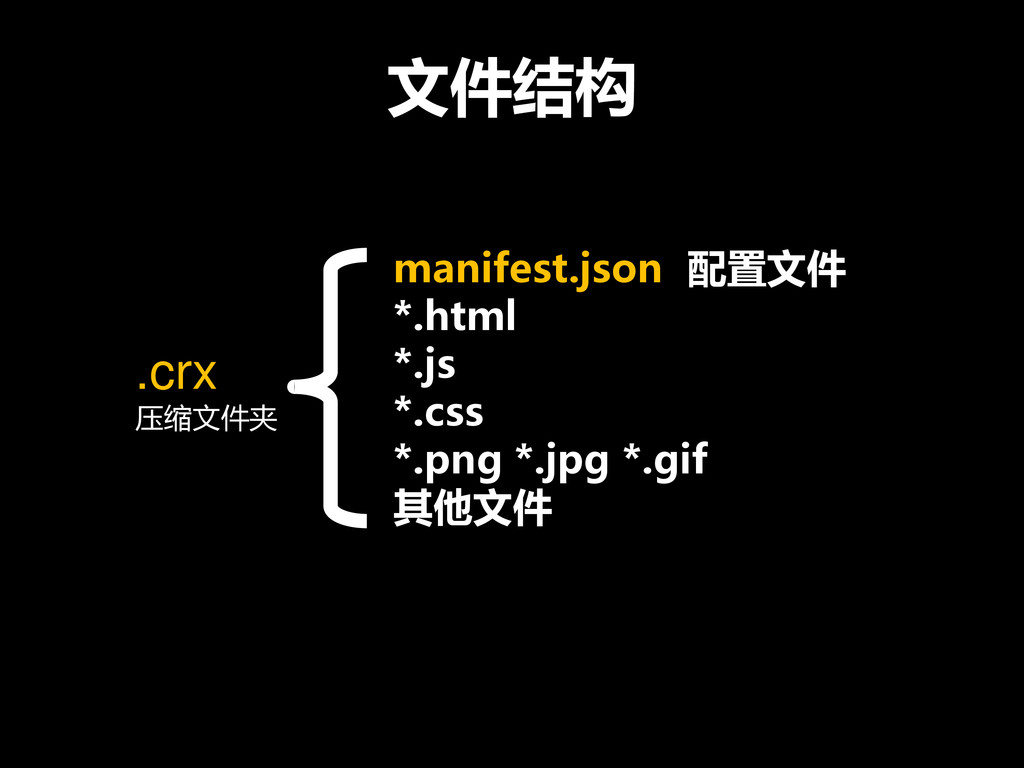
文件结构 .crx 压缩文件夹 manifest.json 配置文件 *.html *.js *.css *.png *.jpg
*.gif 其他文件
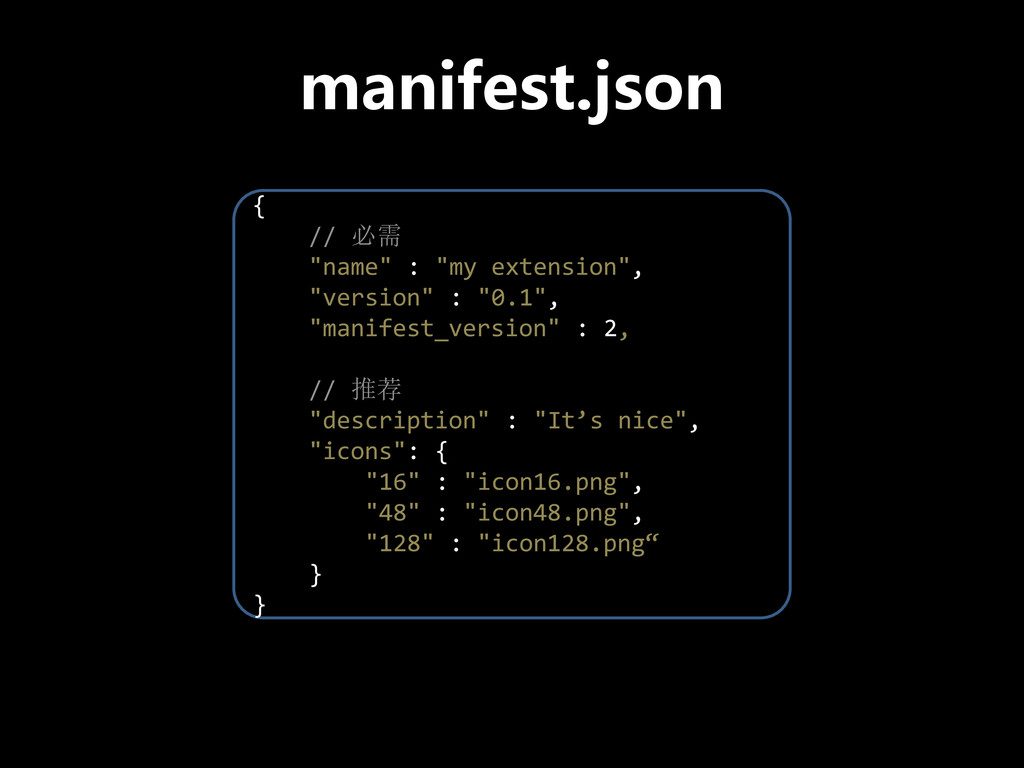
manifest.json { // 必需 "name" : "my extension", "version" :
"0.1", "manifest_version" : 2, // 推荐 "description" : "It’s nice", "icons": { "16" : "icon16.png", "48" : "icon48.png", "128" : "icon128.png“ } }
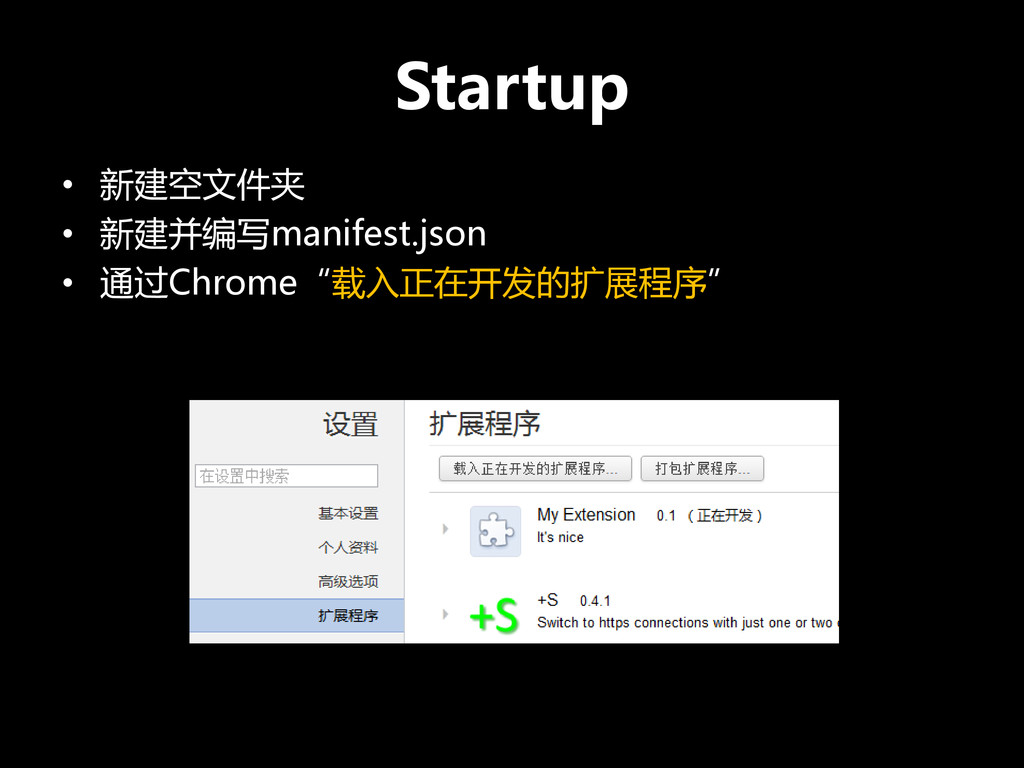
Startup • 新建空文件夹 • 新建并编写manifest.json • 通过Chrome“载入正在开发的扩展程序”
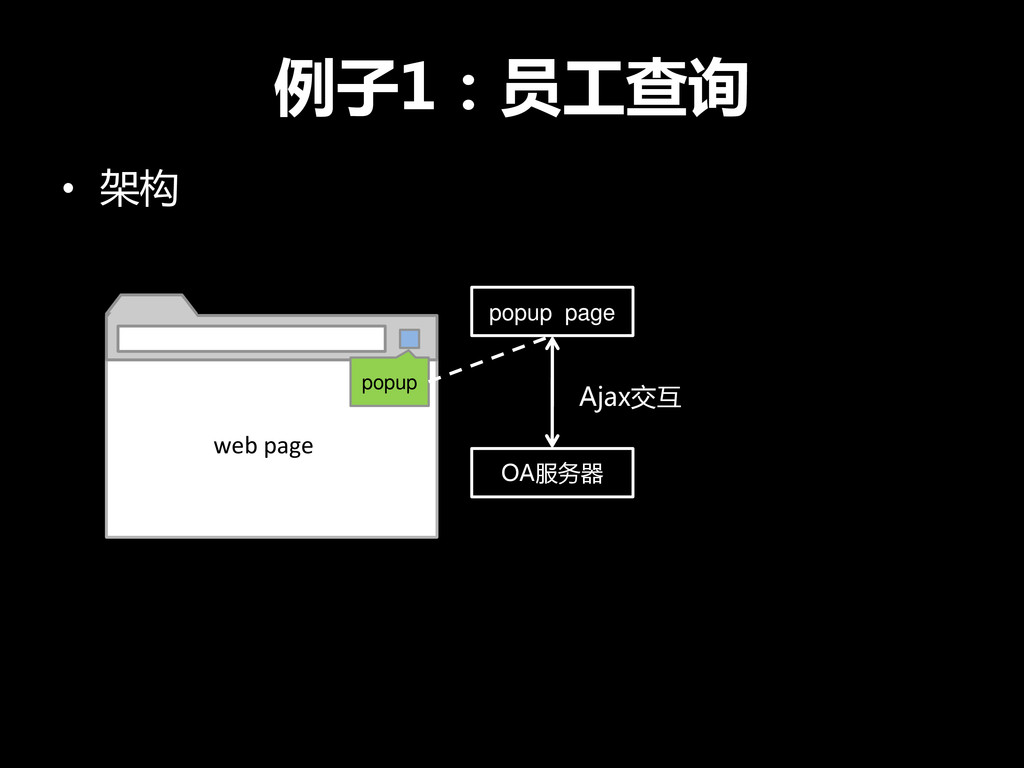
例子1:员工查询 • 架构 popup popup page web page OA服务器 Ajax交互
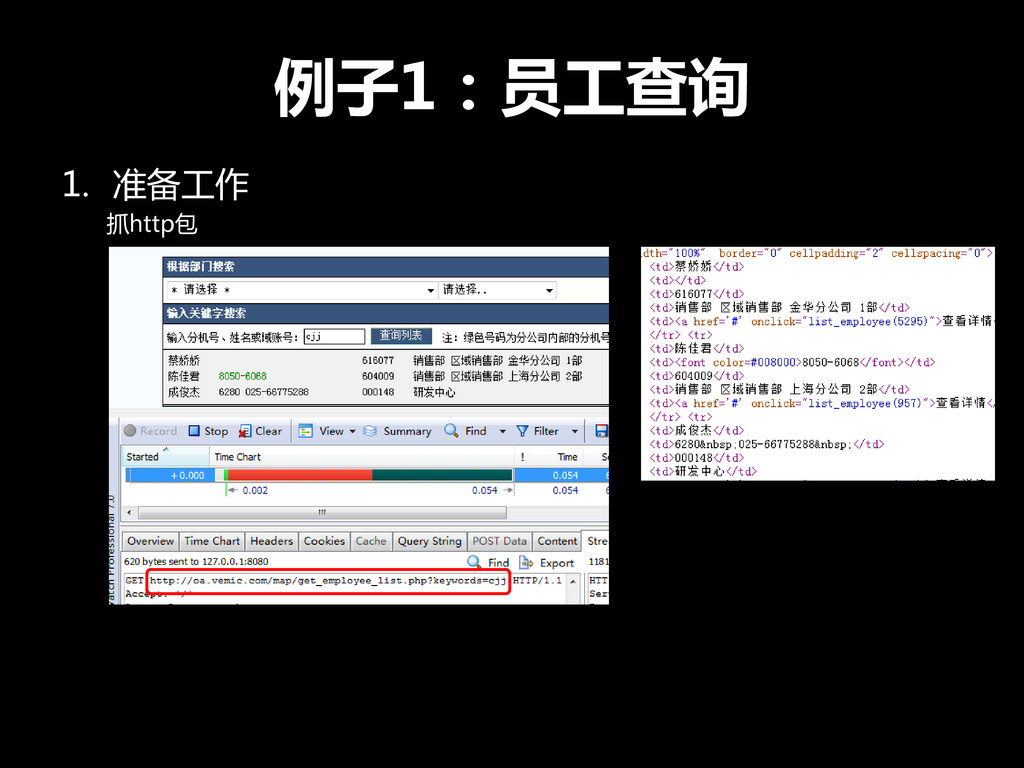
例子1:员工查询 1. 准备工作 抓http包
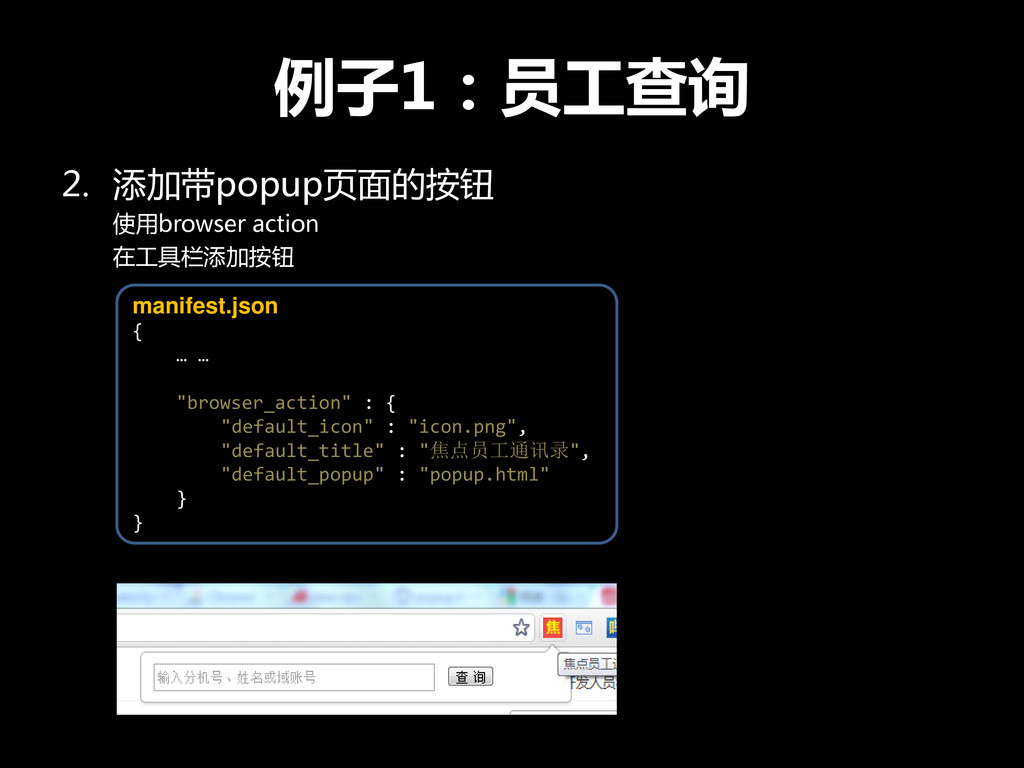
例子1:员工查询 2. 添加带popup页面的按钮 使用browser action 在工具栏添加按钮 manifest.json { … …
"browser_action" : { "default_icon" : "icon.png", "default_title" : "焦点员工通讯录", "default_popup" : "popup.html" } }
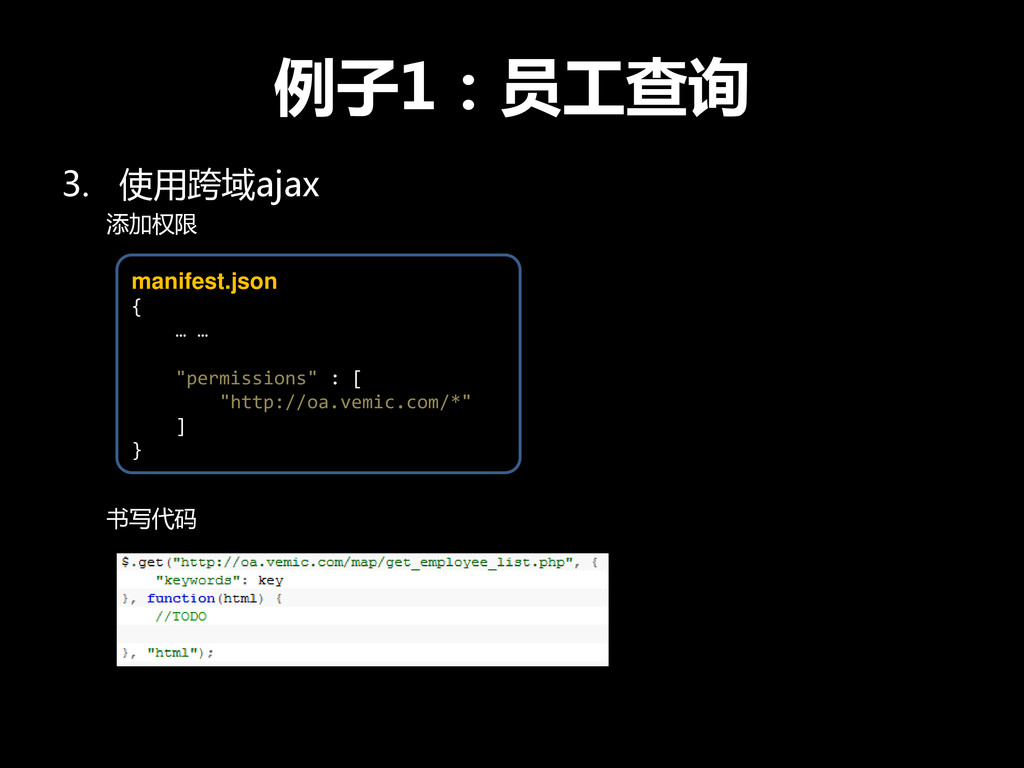
例子1:员工查询 3. 使用跨域ajax 添加权限 书写代码 manifest.json { … … "permissions"
: [ "http://oa.vemic.com/*" ] }
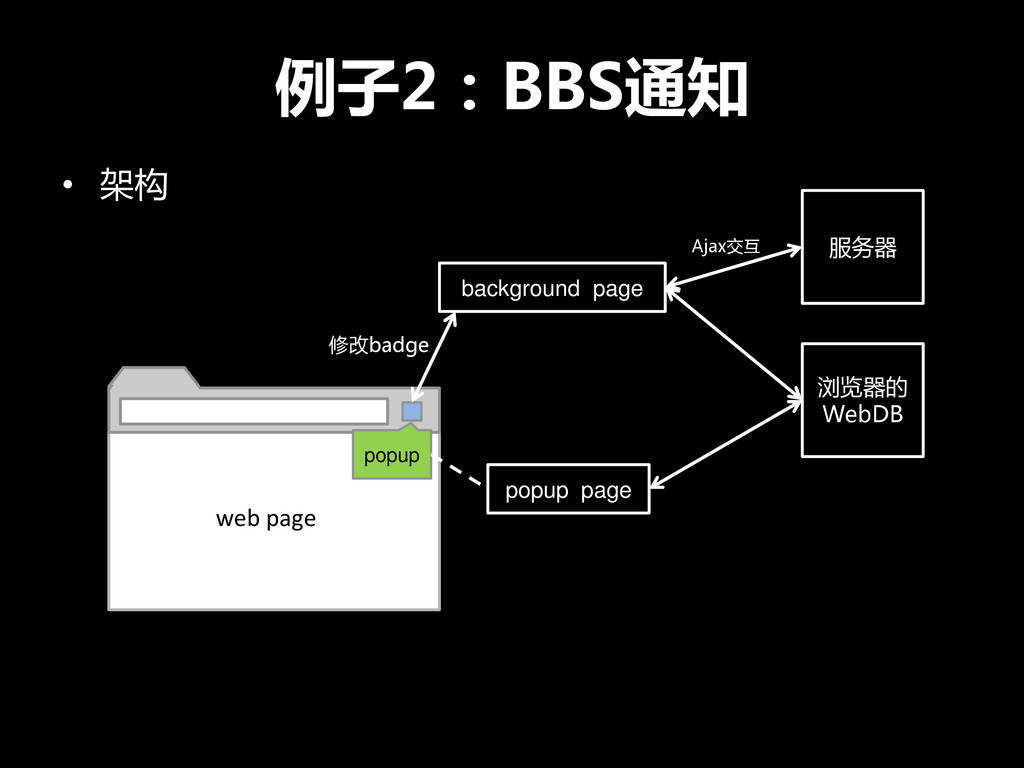
例子2:BBS通知 • 架构 popup popup page background page web page
服务器 Ajax交互 修改badge 浏览器的 WebDB
例子2:BBS通知 1. 编写服务器端 2. 添加带popup页面的按钮
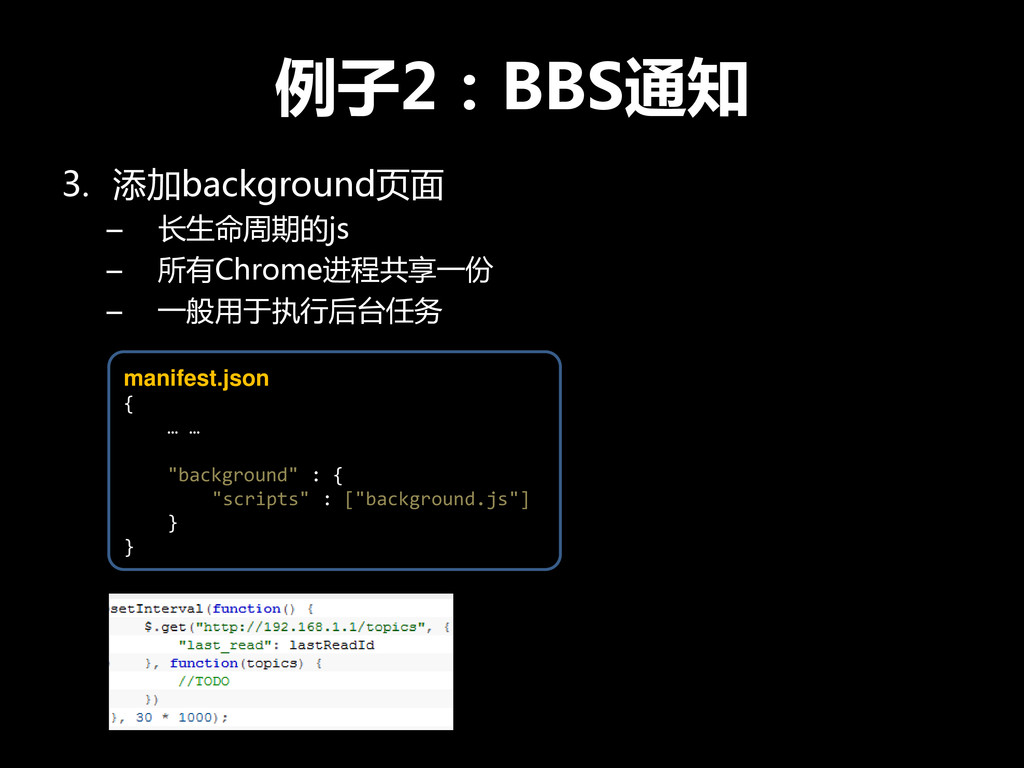
例子2:BBS通知 3. 添加background页面 – 长生命周期的js – 所有Chrome进程共享一份 – 一般用于执行后台任务 manifest.json
{ … … "background" : { "scripts" : ["background.js"] } }
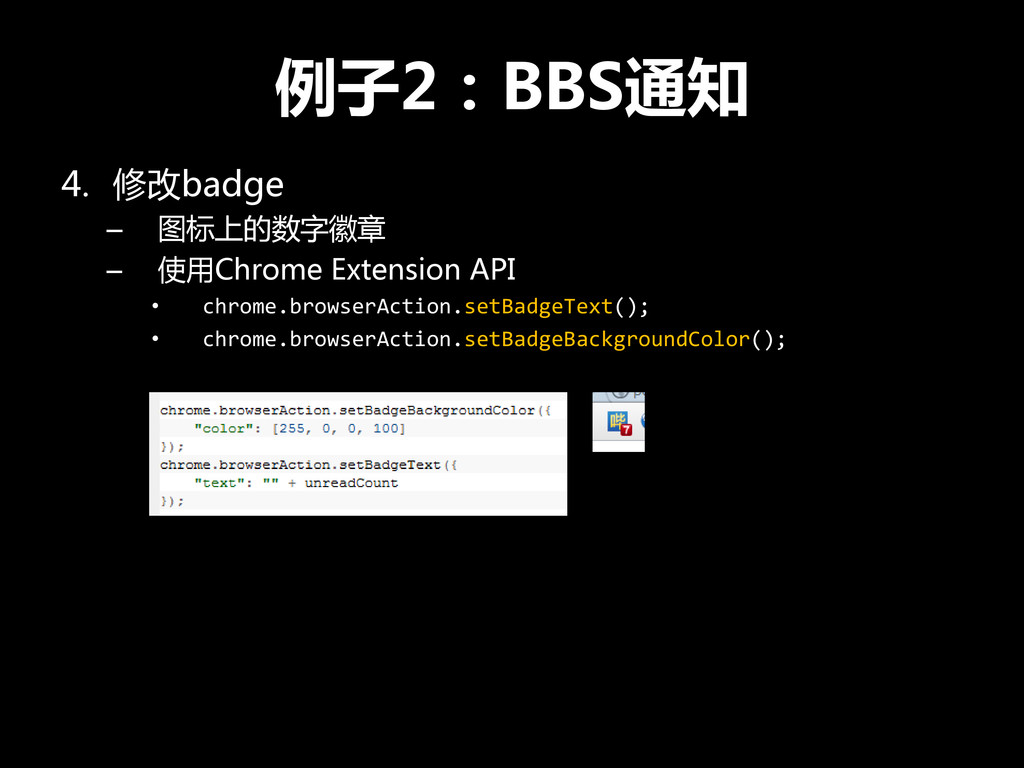
例子2:BBS通知 4. 修改badge – 图标上的数字徽章 – 使用Chrome Extension API •
chrome.browserAction.setBadgeText(); • chrome.browserAction.setBadgeBackgroundColor();
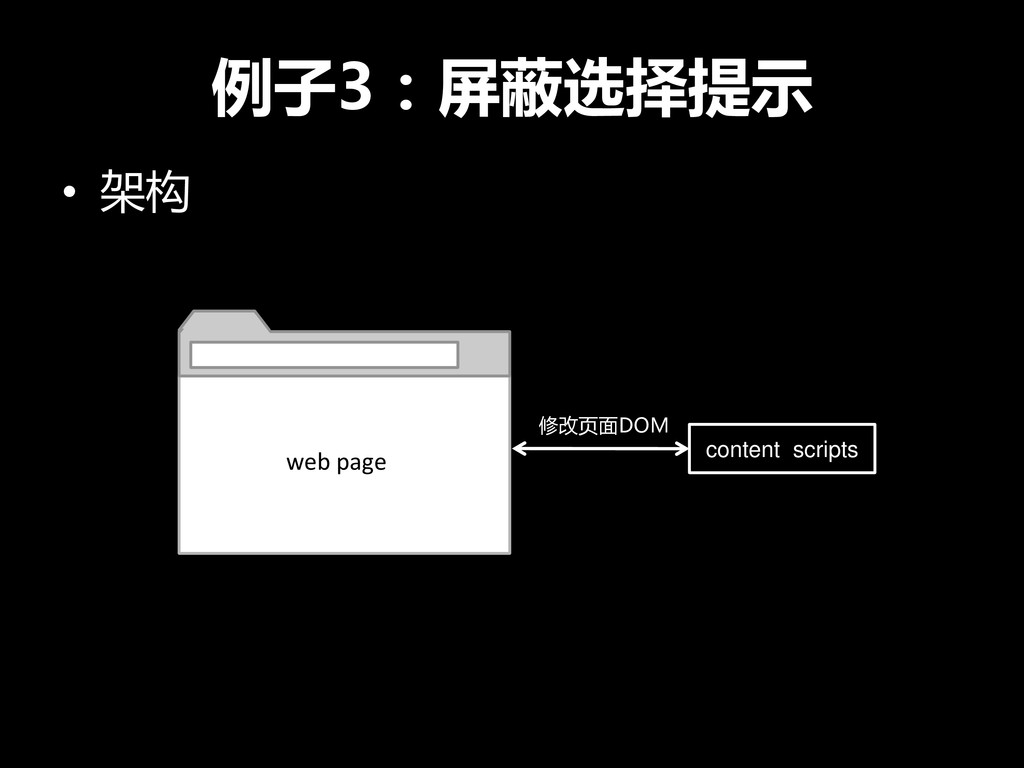
例子3:屏蔽选择提示 • 架构 content scripts web page 修改页面DOM
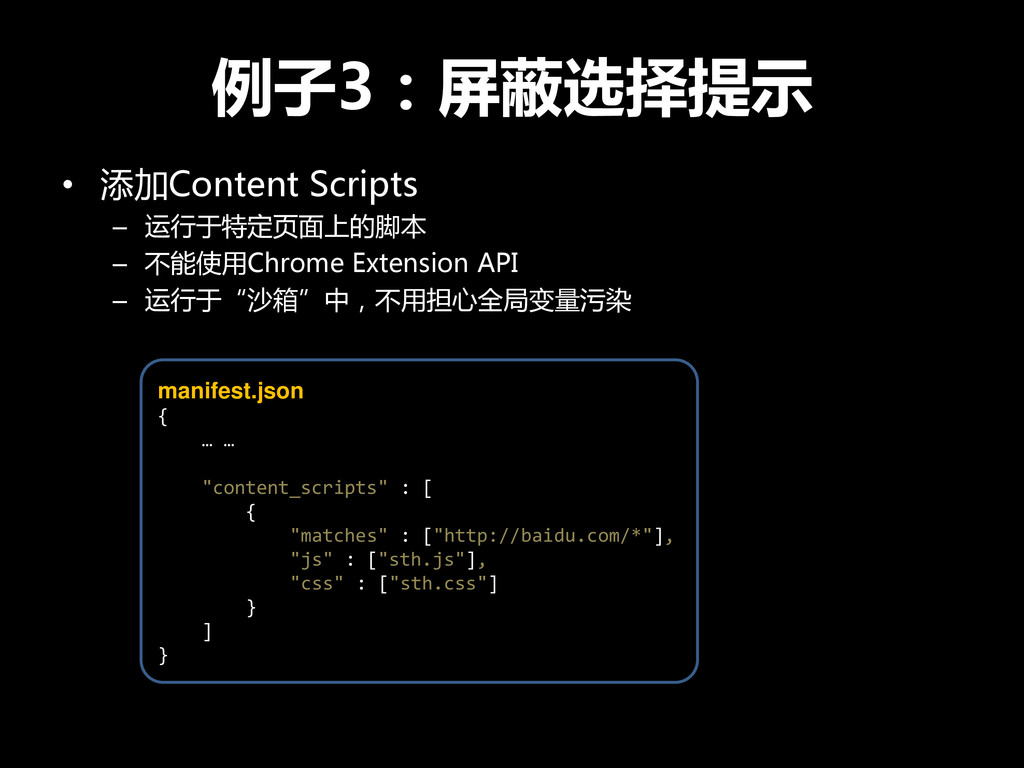
例子3:屏蔽选择提示 • 添加Content Scripts – 运行于特定页面上的脚本 – 不能使用Chrome Extension API
– 运行于“沙箱”中,不用担心全局变量污染 manifest.json { … … "content_scripts" : [ { "matches" : ["http://baidu.com/*"], "js" : ["sth.js"], "css" : ["sth.css"] } ] }
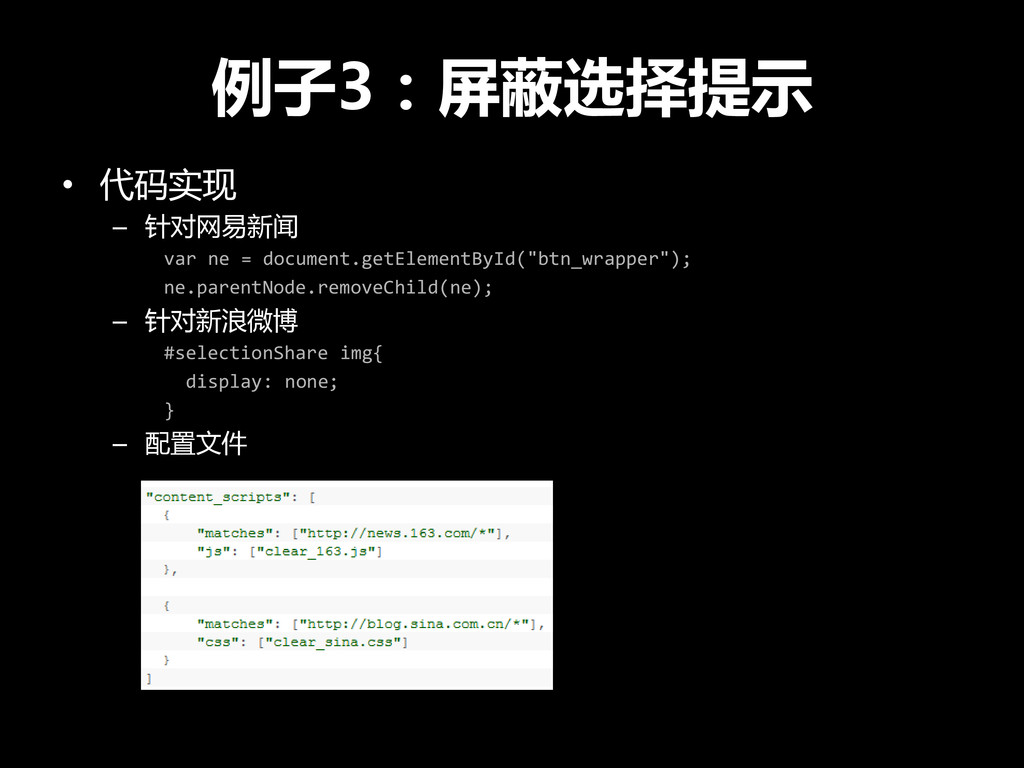
例子3:屏蔽选择提示 • 代码实现 – 针对网易新闻 var ne = document.getElementById("btn_wrapper"); ne.parentNode.removeChild(ne);
– 针对新浪微博 #selectionShare img{ display: none; } – 配置文件
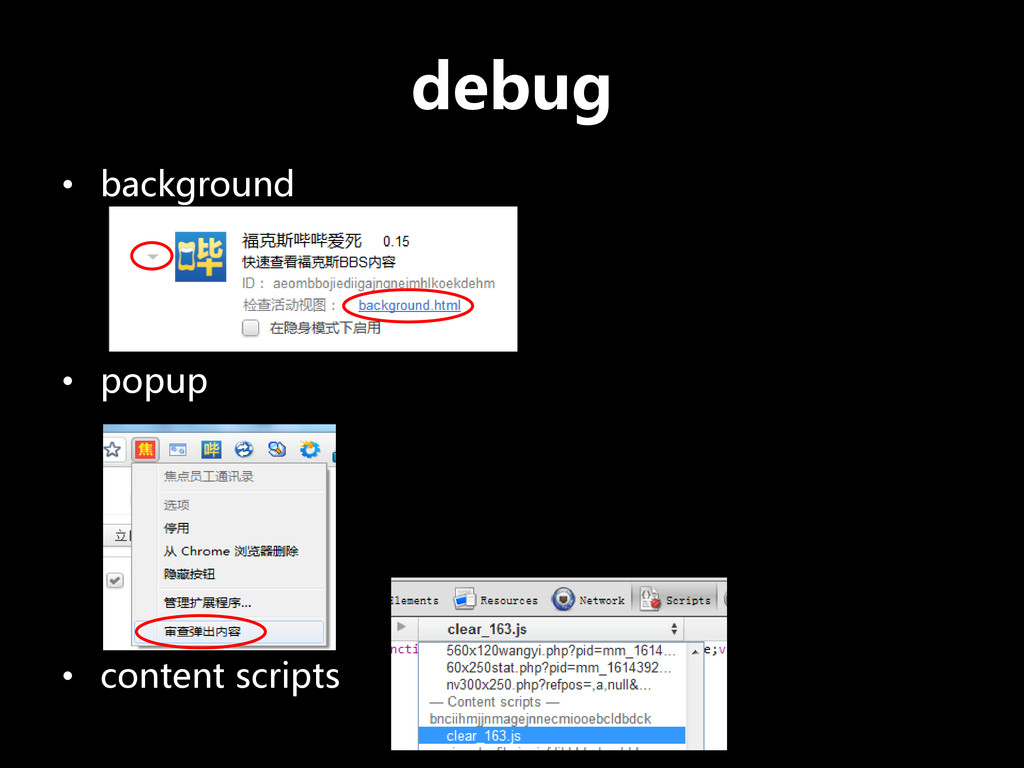
debug • background • popup • content scripts
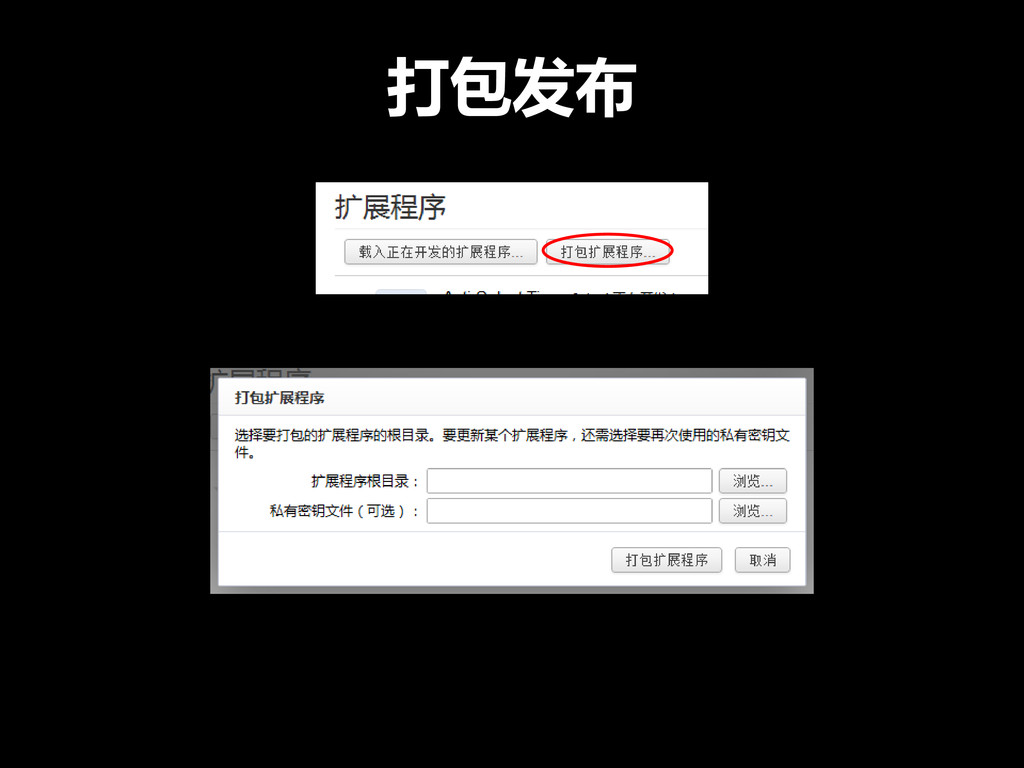
打包发布
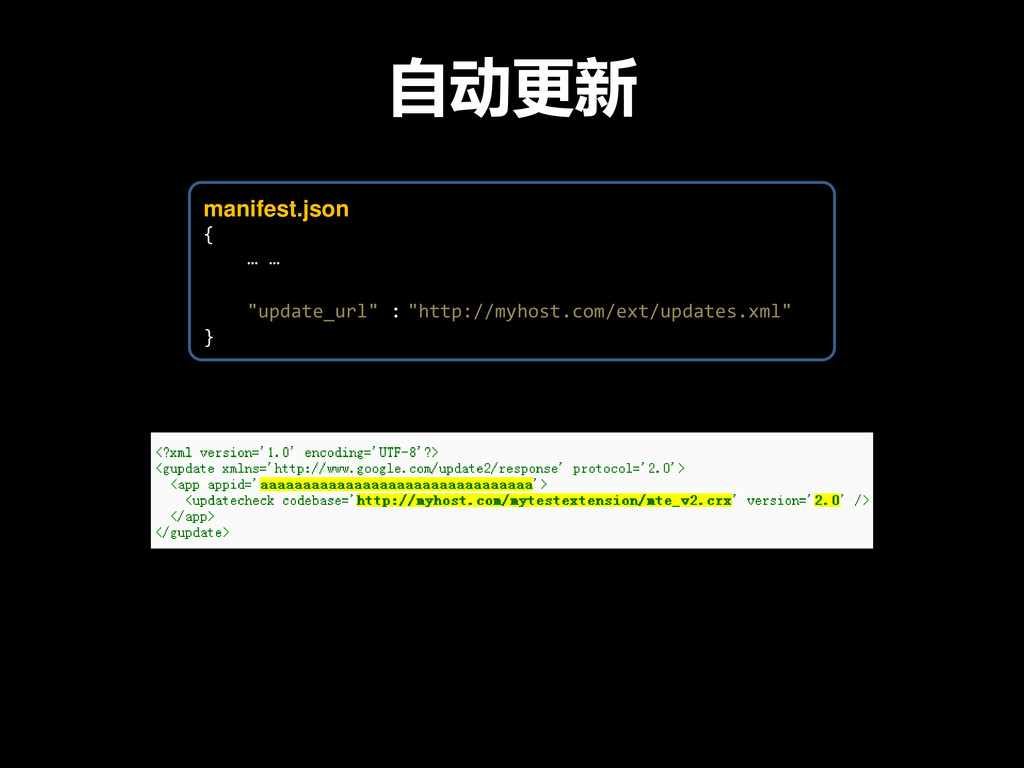
自动更新 manifest.json { … … "update_url" : "http://myhost.com/ext/updates.xml" }
编写技巧 • 代码只需兼容Chrome即可 所以… 让浏览器兼容性玩儿蛋去吧!
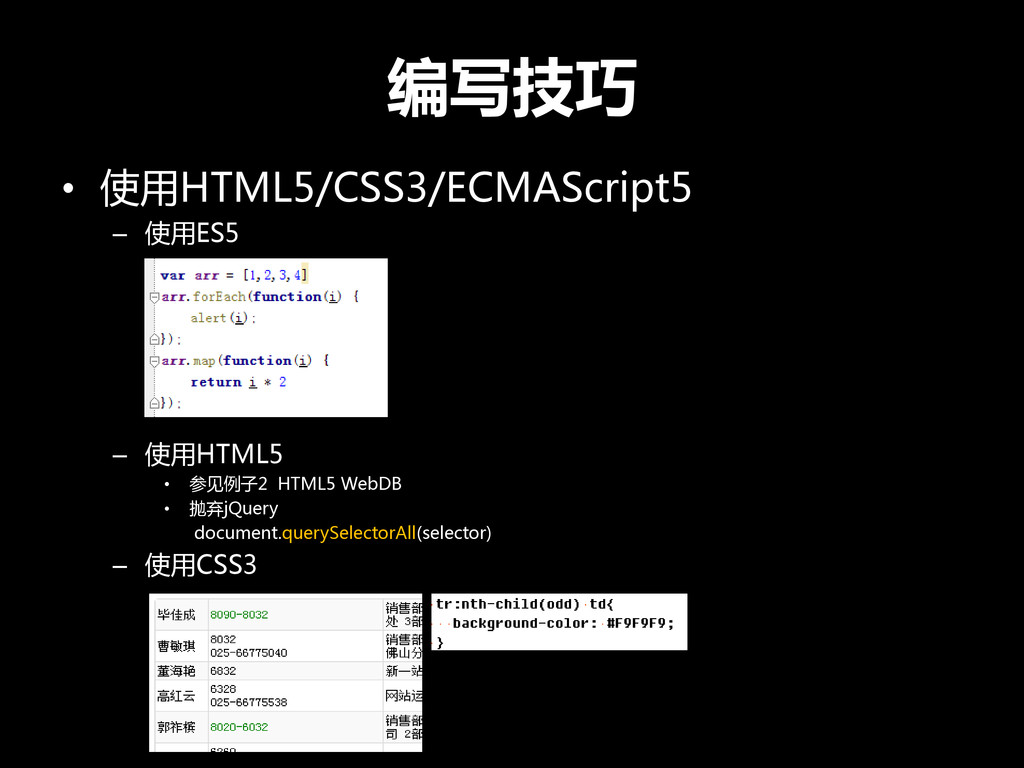
编写技巧 • 使用HTML5/CSS3/ECMAScript5 – 使用ES5 – 使用HTML5 • 参见例子2 HTML5
WebDB • 抛弃jQuery document.querySelectorAll(selector) – 使用CSS3
Q&A


 edokeh
 texmeijin
 armondando
 deka_morita
 taiseiue
 suneo3476
 willnet
 iwatsukayura
 rkaga
rkaga
 minodriven
 uyuki234
 timakin
 ___akari11
.png) helenjbeal
helenjbeal
 katiecoart
 eileencodes
 paigeccino
 inesmontani
 irinanazarova
 lara
lara
 rasagy
 frankvandijk
 sugarenia
 jct
jct
 danielanewman