Share
Embed
Understanding Documentation Systems
A talk given at Django Under the Hood in Amsterdam.
ericholscher
November 06, 2015
Transcript
123 slides
-
Eric Holscher Django Under The Hood November 6, 2015 Understanding
Documentation Systems -
Who am I • Co-Founder of Read the Docs •
Co-Founder of Write the Docs -
Today • Learn about Docutils/RST internals • Learn how Sphinx
builds on top & extends RST • Understand how Django uses these tools, and how you can too -
Sphinx • Extends RST with additions for documenting so ware
• Has powerful semantic constructs -
Semantic Meaning • The power of HTML, and RST •
What something is, not what it looks like • Once you know what it is, you can display it properly • Separation of Concerns -
# HTML (Bad) <b>issue 72</b> # HTML (Good) <span class=“issue”>issue
72</span> # CSS .issue { text-format: bold; } Classic HTML Example -
# Bad <font color=“red”>Warning: Don’t do this!</font> # Good <span
class=“warning”>Don’t do this!</span> # Best .. warning:: Don’t do this Classic RST Example -
# Markdown Check out [PEP 8](https:// www.python.org/dev/peps/pep-0008/) # RST Check
out :pep:`8` Markdown vs. RST -
+----------------------------------------------------------+ | | | Read the Docs | | +----------------------------------------------+
| | | | | | | Sphinx | | | | +-----------------------------------+ | | | | | | | | | | | Docutils | | | | | | +--------------------+ | | | | | | | | | | | | | | | reStructuredText | | | | | | | | | | | | | | | +--------------------+ | | | | | | | | | | | | | | | | | | | | | | | +-----------------------------------+ | | | | | | | | | | | | | | | +----------------------------------------------+ | | | | | +----------------------------------------------------------+ Tech Overview -
Reader • Get input and read it into memory •
Quite simple, generally don’t need to do much -
[u'Title', u'=====', u'', u'Paragraph.', u'', u'Words that have **bold in
them**.'] Reader Example -
Parser • Takes the input and actually turns it into
a Doctree • RST is the only parser implemented in Docutils • Handles directives, inline markup, etc. • Implemented with a lined-based recursive state machine -
Doctree • AST for Docutils • Source of Truth •
Tree structure with a document at the root node • Made up of a series of Nodes -
[u'Title', u'=====', u'', u'Paragraph.', u'', u'Words that have **bold in
them**.'] Parser Example -
<document ids="title" names="title" source="test.rst" title="Title"> <title> Title <paragraph> Paragraph. <paragraph>
Words that have <strong> bold in them Parser Example -
Nodes • Structural Elements •document, section, sidebar • Body Elements
• paragraph, image, note • Inline Elements •emphasis, strong, subscript -
Nodes • Most common types of nodes are Text Nodes
•nodes.paragraph(rawsource, nodes_or_text) -
RST Directives • Allow block level extension of RST •..
note:: Foo = [<Note> Node] -
RST Interpreted Text Roles • Allows paragraph level extension of
RST •:pep:`8` = [<Reference> Node] -
RST Parser • Really neat language • Some directives are
tied to RST because of internal, recursive parsing -
RST Parser • Recursively parses RST inside nodes • Python
objects not portable • Need to think about how to port this to other parsers in the future -
RST lets you create arbitrary markup that matches the semantics
of your problem space -
Parsers are used for implementing new RST features or adding
new markup languages -
Transformer • Take the doctree and modify it in place
• Allows for “full knowledge” of the content • Table of Contents • Generally implemented by traversing nodes of a certain type -
<document ids="title" names="title" source="test.rst" title="Title"> <title> Title <paragraph> Paragraph. <paragraph>
Words that have <strong> bold in them Transform Example -
<document ids="title" names="title" source="test.rst" title="Title"> <title> Title <paragraph> Words that
have <strong> bold in them <paragraph> Paragraph. Transform Example -
Transformers are used for changing the document in a way
that requires full knowledge -
Writer • Takes the Doctree and writes it to actual
files • HTML, XML, PDF, etc. • Translator does most of the work • Implemented with the Visitor pattern -
Visitor • Allows you to have arbitrary types of node’s
and build `visit_` methods a er the fact • Generally a Directive creates an arbitrary Node type, which is converted by the Translator -
class MyHTMLVisitor(nodes.GenericNodeVisitor): def visit_foo(self, node): self.body.append(‘<div class=“foo”>’) def depart_foo(self, node):
self.body.append('</div>\n') Translator -
<document ids="title" names="title" source="test.rst" title="Title"> <title> Title <paragraph> Words that
have <strong> bold in them <paragraph> Paragraph. Writer Example -
<div class="document" id="title"> <h1 class="title">Title</h1> <p>Words that have <em>bold in
them</em>.</p> <p>Paragraph.</p> </div> Writer Example -
Writers are used to change or add new output formats
from the Doctree -
# docutils/readers/__init__.py def read(self, source, parser, settings): self.source = source
if not self.parser: self.parser = parser self.settings = settings self.input = self.source.read() document = self.new_document() self.parse(self.input, document) return document Reader -
# docutils/readers/__init__.py def read(self, source, parser, settings): self.source = source
if not self.parser: self.parser = parser self.settings = settings self.input = self.source.read() document = self.new_document() self.parse(self.input, document) return document Reader -
# docutils/readers/__init__.py def parse(self, inputstring, document): """Parse `inputstring` and populate
`document`, a document tree.""" self.statemachine = states.RSTStateMachine( state_classes=self.state_classes, initial_state=self.initial_state) inputlines = docutils.statemachine.string2lines( inputstring) self.statemachine.run(inputlines, document) RST Parser -
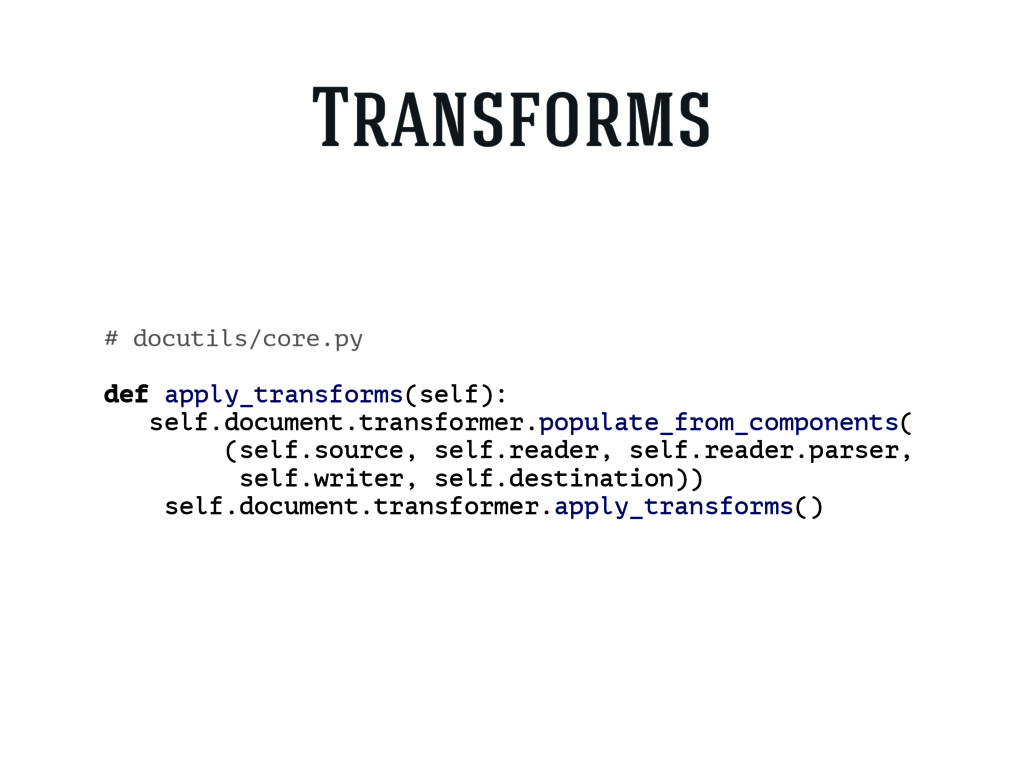
# docutils/core.py def apply_transforms(self): self.document.transformer.populate_from_components( (self.source, self.reader, self.reader.parser, self.writer, self.destination))
self.document.transformer.apply_transforms() Transforms -
# docutils/core.py def apply_transforms(self): self.document.transformer.populate_from_components( (self.source, self.reader, self.reader.parser, self.writer, self.destination))
self.document.transformer.apply_transforms() Transforms -
# docutils/transforms/__init__.py def apply_transforms(self): """Apply all of the stored transforms,
in priority order.""" while self.transforms: priority, transform_class, pending, kwargs = self.transforms.pop() transform = transform_class(self.document, startnode=pending) transform.apply(**kwargs) Transforms -
Writer # docutils/writers/__init__.py def write(self, document, destination): self.translate() output =
self.destination.write(self.output) return output -
Writer # docutils/writers/__init__.py def write(self, document, destination): self.translate() output =
self.destination.write(self.output) return output -
Sphinx • Builds on top of the standard docutils concepts
• Add it’s own abstractions, but uses the same docutils machinery underneath -
Sphinx Application • Main level of orchestration for Sphinx •
Handles configuration & building • Sphinx() -
Sphinx Environment • Keeps state for all the files for
a project • Serialized to disk in between runs • Works as a cache -
Sphinx Builder • Wrapper around Docutils Writer’s • Generates all
types of outputs • Generates most HTML output through Jinja templates instead of Translators -
# sphinx/application.py app = Sphinx(srcdir, confdir, outdir, doctreedir, opts.builder, confoverrides,
status, warning, opts.freshenv, opts.warningiserror, opts.tags, opts.verbosity, opts.jobs) app.build(opts.force_all, filenames) Sphinx -
# sphinx/application.py app = Sphinx(srcdir, confdir, outdir, doctreedir, opts.builder, confoverrides,
status, warning, opts.freshenv, opts.warningiserror, opts.tags, opts.verbosity, opts.jobs) app.build(opts.force_all, filenames) Sphinx -
# sphinx/builders/__init__.py def build_all(self, docnames, summary=None, method='update'): # Read files
from disk and put them in the env updated_docnames = set(self.env.update(self.config, self.srcdir, self.doctreedir, self.app)) # Write the actual output to disk self.write(docnames, list(updated_docnames), method) Sphinx Builder -
# sphinx/environment.py def update(self, config, srcdir, doctreedir, app): reader =
SphinxStandaloneReader(parsers=self.config.source_parsers) pub = Publisher(reader=reader, writer=SphinxDummyWriter(), destination_class=NullOutput) source = SphinxFileInput(app, self, source=None, source_path=src_path, encoding=self.config.source_encoding) pub.publish() doctree = pub.document doctree_filename = self.doc2path(docname, self.doctreedir, '.doctree') dirname = path.dirname(doctree_filename) if not path.isdir(dirname): os.makedirs(dirname) f = open(doctree_filename, 'wb') pickle.dump(doctree, f, pickle.HIGHEST_PROTOCOL) Sphinx Environment -
# sphinx/builders/__init__.py def build_all(self, docnames, summary=None, method='update'): # Read files
from disk and put them in the env updated_docnames = set(self.env.update(self.config, self.srcdir, self.doctreedir, self.app)) # Write the actual output to disk self.write(docnames, list(updated_docnames), method) Sphinx Builder -
# sphinx/builders/html.py def write(self, build_docnames, updated_docnames, method=‘update'): for docname in
list(build_docnames + updated_docnames): self.docwriter.write(doctree, destination) self.docwriter.assemble_parts() body = self.docwriter.parts['fragment'] metatags = self.docwriter.clean_meta ctx = self.get_doc_context(docname, body, metatags) self.handle_page(docname, ctx, event_arg=doctree) Sphinx Builder -
# sphinx/writers/html.py def translate(self): visitor = self.builder.translator_class( self.builder, self.document) self.document.walkabout(visitor)
self.output = visitor.astext() Sphinx Writer -
# sphinx/builders/html.py def write(self, build_docnames, updated_docnames, method=‘update'): for docname in
list(build_docnames + updated_docnames): self.docwriter.write(doctree, destination) self.docwriter.assemble_parts() body = self.docwriter.parts['fragment'] metatags = self.docwriter.clean_meta ctx = self.get_doc_context(docname, body, metatags) self.handle_page(docname, ctx, event_arg=doctree) Sphinx Builder -
# sphinx/builders/html.py def handle_page(self, pagename, addctx, templatename='page.html'): ctx = self.globalcontext.copy()
output = self.templates.render(templatename, ctx) f = codecs.open(outfilename, 'w', encoding, 'xmlcharrefreplace') f.write(output) Sphinx Builder -
Sphinx Core Events allow you to hook into most parts
of the build process -
Sphinx Core Events • builder-inited • source-read • doctree-read •
doctree-resolved • env-updated • html-page-context • build-finished -
Markdown Parser • Uses recommonmark as a bridge • Translates
Commonmark Node’s into Docutils Node’s -
# recommonmark/parser.py def reference(block): # Commonmark Block ref_node = nodes.reference()
# Docutils Node label = make_refname(block.label) ref_node['name'] = label ref_node['refuri'] = block.destination ref_node['title'] = block.title return ref_node Markdown Parser -
from recommonmark.parser import CommonMarkParser source_parsers = { '.md': CommonMarkParser, }
source_suffix = ['.rst', '.md'] Enable Markdown -
::: name [inline-content] {key=val} contents, can contain further block elements
::: :::eval [label] {.python} x = 1+1 print x ::: Proposed Markdown Block level Markup -
Table of Contents • Enabled with `.. contents::` Directive •
Adds a pending node during parsing • Transform turns pending into a list of references -
<topic classes="contents" ids="toc" names="toc"> <title> TOC <pending> .. internal attributes:
.transform: docutils.transforms.parts.Contents .details: Table of Contents -
<topic classes="contents" ids="toc" names="toc"> <title> TOC <bullet_list> <list_item> <paragraph> <reference
ids="id1" refid="getting-started"> Getting Started Table of Contents -
References • Allow you to define and point at arbitrary
points in documents • Sphinx makes them work across an entire project -
.. page 1 .. _my-title: Title ----- Paragraph .. page
2 Look at the :ref:`my-title`. References -
Intersphinx • Allows you to link across Sphinx projects, semantically
•:ref:`django:template-loaders` -
intersphinx_mapping = { 'python': ('http://python.readthedocs.org/en/latest/', None), 'django17': ('http://django.readthedocs.org/en/1.7/', None), 'django18':
(‘http://sphinx.readthedocs.org/en/1.8/', None), } Intersphinx -
Reference Resolution Order • References • Domains • Intersphinx References
• Intersphinx Domains -
Django Deployment • All documentation is written in RST •
HTML generated at JSON blobs • Rendered through Django templates on the website -
def ticket_role(name, rawtext, text, lineno, inliner): num = int(text.replace('#', ''))
url_pattern = inliner.document.settings.env.app.config.ticket_url url = url_pattern % num node = nodes.reference(rawtext, '#' + utils.unescape(text), refuri=url) return [node], [] Ticket Role -
class SnippetWithFilename(Directive): has_content = True optional_arguments = 1 option_spec =
{'filename': directives.unchanged_required} def run(self): code = '\n'.join(self.content) literal = snippet_with_filename(code, code) if self.arguments: literal['language'] = self.arguments[0] literal['filename'] = self.options['filename'] set_source_info(self, literal) return [literal] Snippet Directive -
def visit_snippet(self, node): lang = self.highlightlang fname = node['filename'] highlighted
= highlighter.highlight_block(node.rawsource) starttag = self.starttag(node, 'div', suffix='', CLASS='highlight-%s' % lang) self.body.append(starttag) self.body.append('<div class="snippet-filename">%s</div>\n' % (fname,)) self.body.append(highlighted) self.body.append('</div>\n') raise nodes.SkipNode Snippet visitor -
These are generally useful for Django users, and should probably
be released as a third party app -
Generally your job is to get the nodes to exist
in the way that you want -
Understand where you need to plug into the pipeline, and
do as little as possible to make it happen -
Thanks • @ericholscher • [email protected] • Come talk to me
around the sprints